Introduction To AngularJS For .Net Developers Mohd Manzoor Ahmed [MCT] manzoor_trainer manzoorthetrainer.com
Get The Complete Video Course Here (https://goo.gl/ZBHEBe)
Thanks
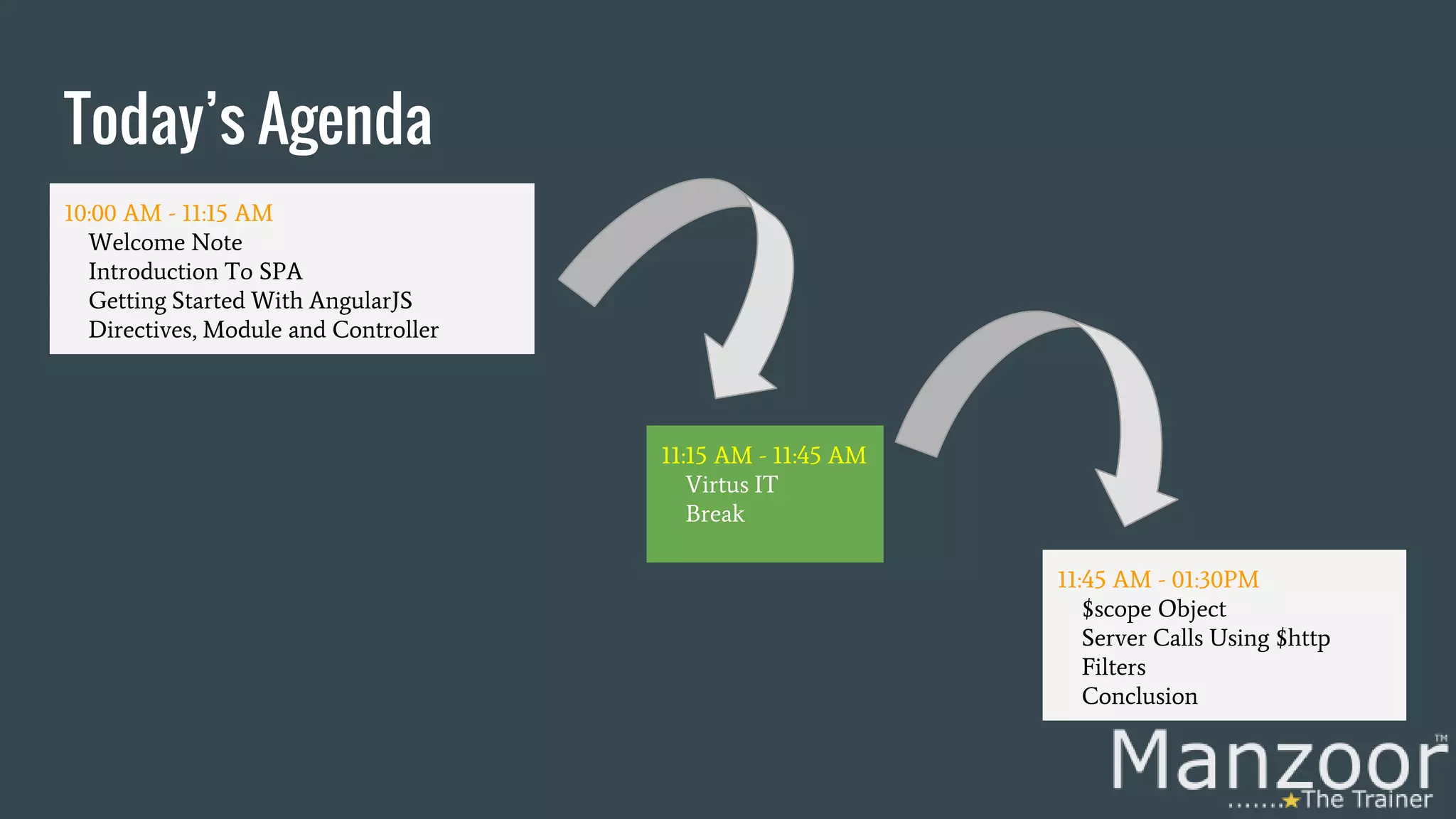
Today’s Agenda 10:00 AM - 11:15 AM Welcome Note Introduction To SPA Getting Started With AngularJS Directives, Module and Controller 11:45 AM - 01:30PM $scope Object Server Calls Using $http Filters Conclusion 11:15 AM - 11:45 AM Virtus IT Break
Why Asp.Net SPA? SPA stands for Single Page Application. We need user experience similar to a desktop application. We need to speed up the page loads and navigation for the user. In short we need responsive Web apps, without constant page reloads.
What is Asp.Net SPA? Get all necessary code – HTML, JavaScript, and CSS on the initial page load. Download appropriate features dynamically from server behind the scenes on response to a user action. Without reloading the complete page. One of the best examples of SPA is Gmail.
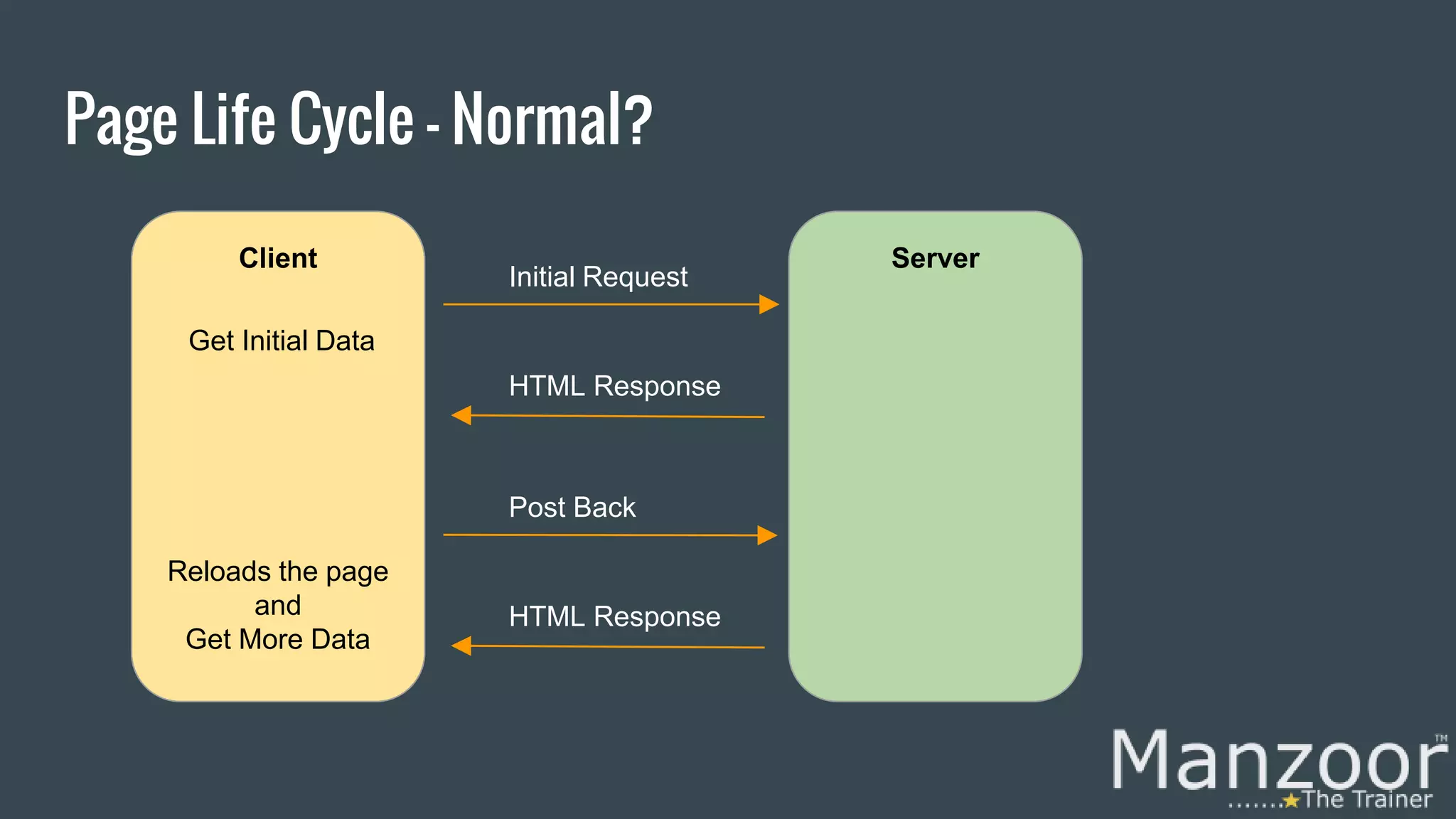
Client Server Page Life Cycle - Normal? Initial Request HTML Response Post Back HTML Response Get Initial Data Reloads the page and Get More Data
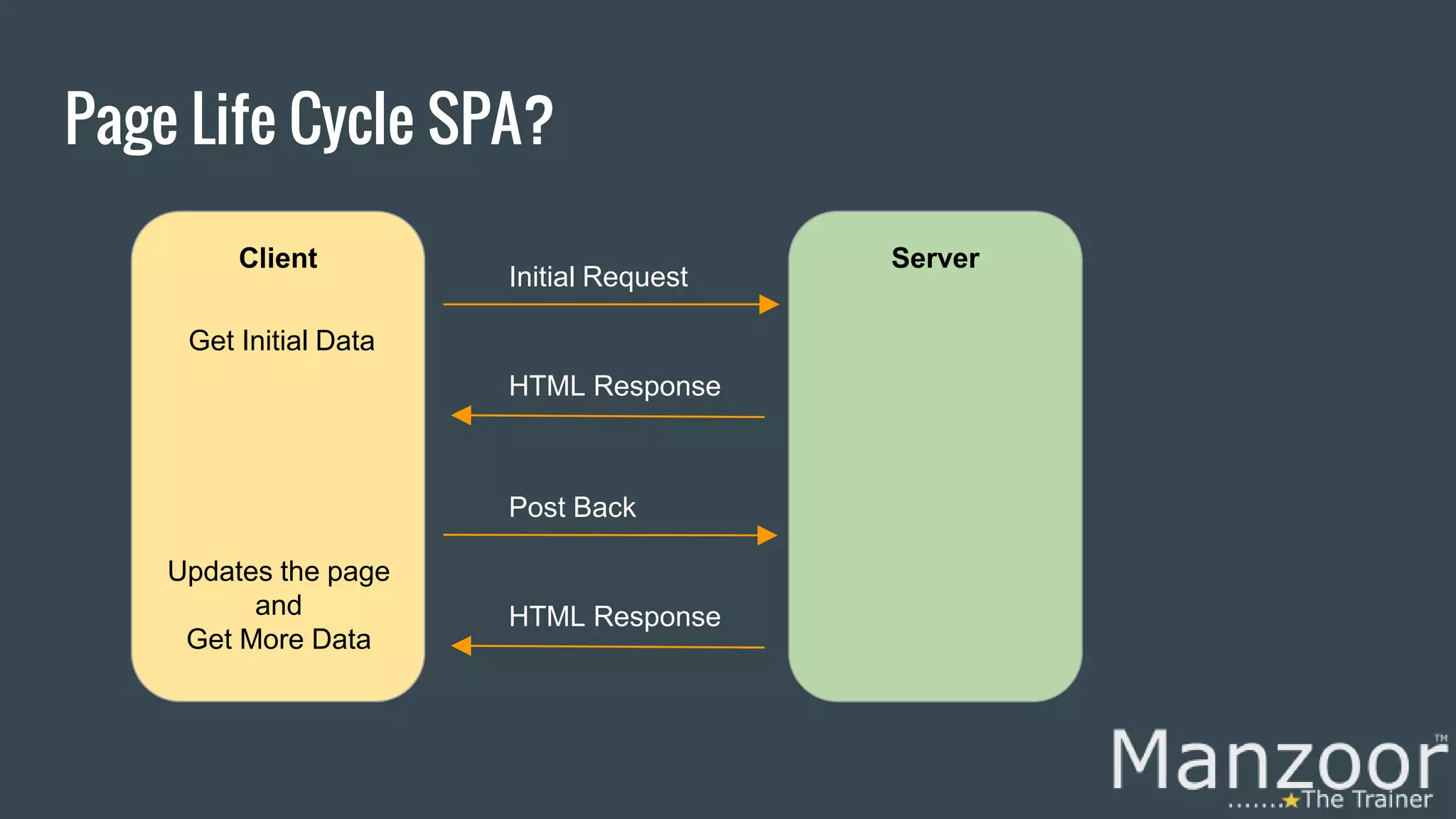
Client Server Page Life Cycle SPA? Initial Request HTML Response Post Back HTML Response Get Initial Data Updates the page and Get More Data
How To Achieve SPA? It can be achieved with help of Web browser JavaScript frameworks, such as AngularJS, knockout.js, Ember.js, ExtJS, React, etc
Why AngularJS? We need a javascript framework that supports Single Page Applications. We need simple bidirectional data binding. We need simple client side development and testing process. We need a framework that support MV* We need a framework that keeps HTML and JavaScript saperatly.
Get The Complete Video Course Here
What is AngularJS? AngularJS is a javascript based open-source web application framework mainly maintained by Google. Its aims is to simplify both the development and the testing of client-side model– view–controller (MVC) and model–view–viewmodel (MVVM) architectures. (MV*). AngularJS version 1.0 was released in 2012.
Getting Started With AngularJS 1. Start an empty web application. 2. Add AngularJS core using nuget package manager. 3. Add angularjs script file to index.html. 4. Use an expression {{...}}. 5. Using ng-app directive.
Demo Let’s See First AngularJS App Demo
Directives - Mostly Used In Short! These are special attributes for HTML elements. ng-app ng-bind ng-init ng-show ng-hide ng-true-value ng-options ng-repeat ng-click ng-model ng-if ng-controller For More : https://docs.angularjs.org/api/ng#directive
Demo Let’s See a Directives Demo
Get The Complete Video Course Here
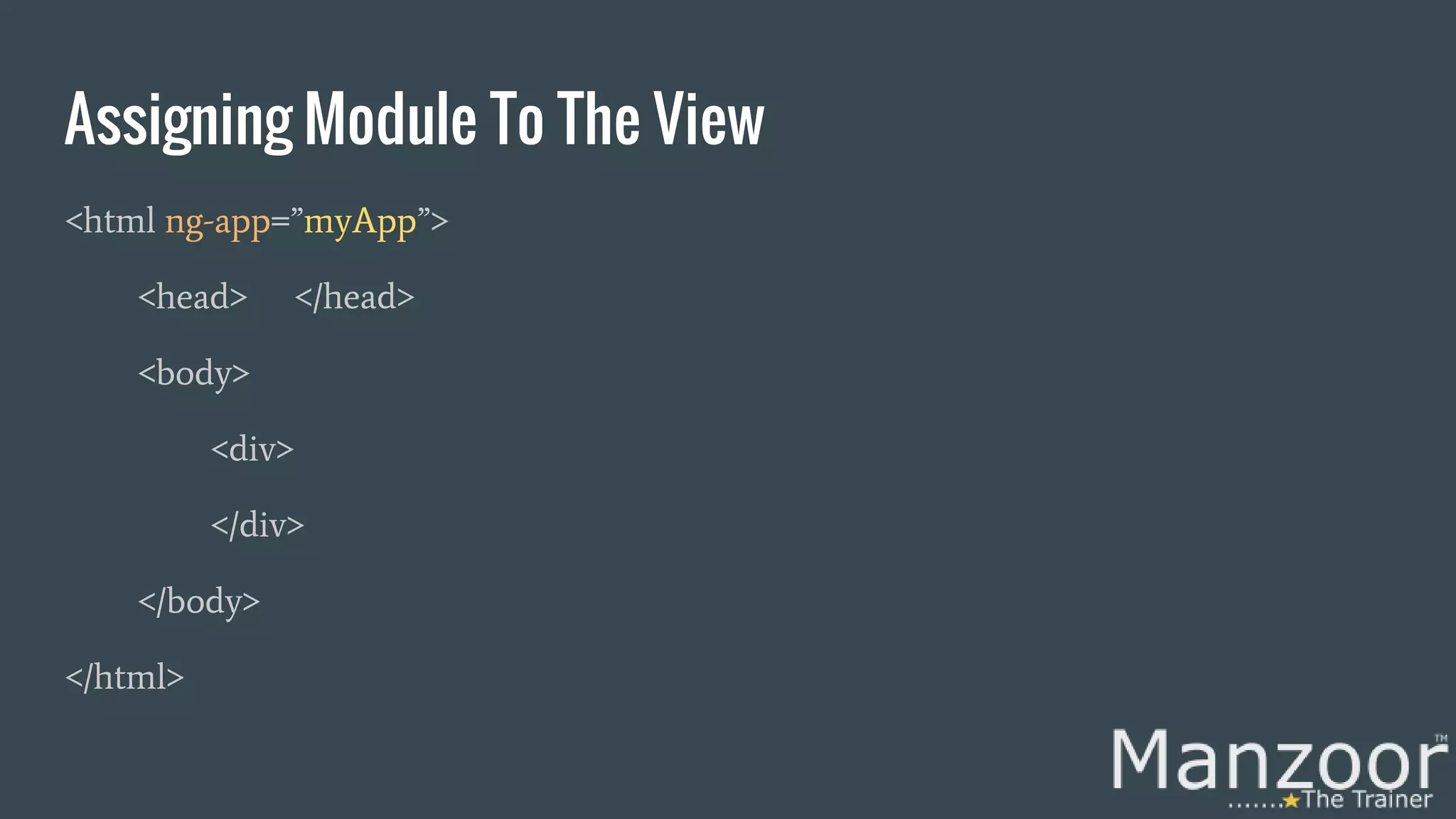
Module Our application is logically divided into multiple units called as Modules. Module is a collection of controllers and many other parts of application. <script type=”text/javascript”> var app = angular.module('myApp', []); </script> View is mapped to the module using ng-app directive.
Assigning Module To The View <html ng-app=”myApp”> <head> </head> <body> <div> </div> </body> </html>
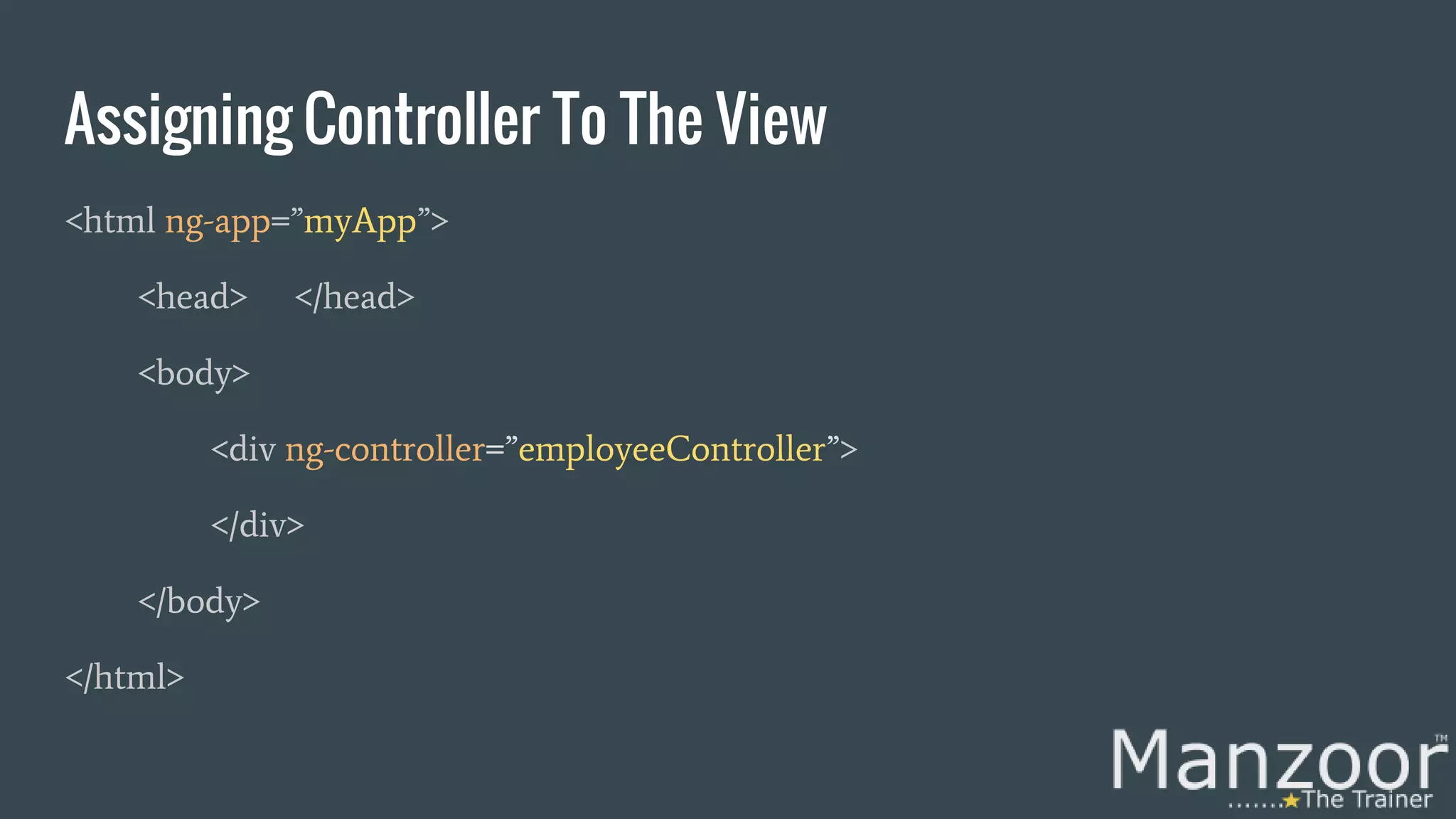
Controller In Short! Controller is a javascript function, used to prepare data (Models) to be rendered on html pages (View). <script> var app = angular.module('myApp', []); app.controller('employeeController', function ($scope) { ……………………………. }); </script> View is mapped to the controller using ng-controller directive.
Assigning Controller To The View <html ng-app=”myApp”> <head> </head> <body> <div ng-controller=”employeeController”> </div> </body> </html>
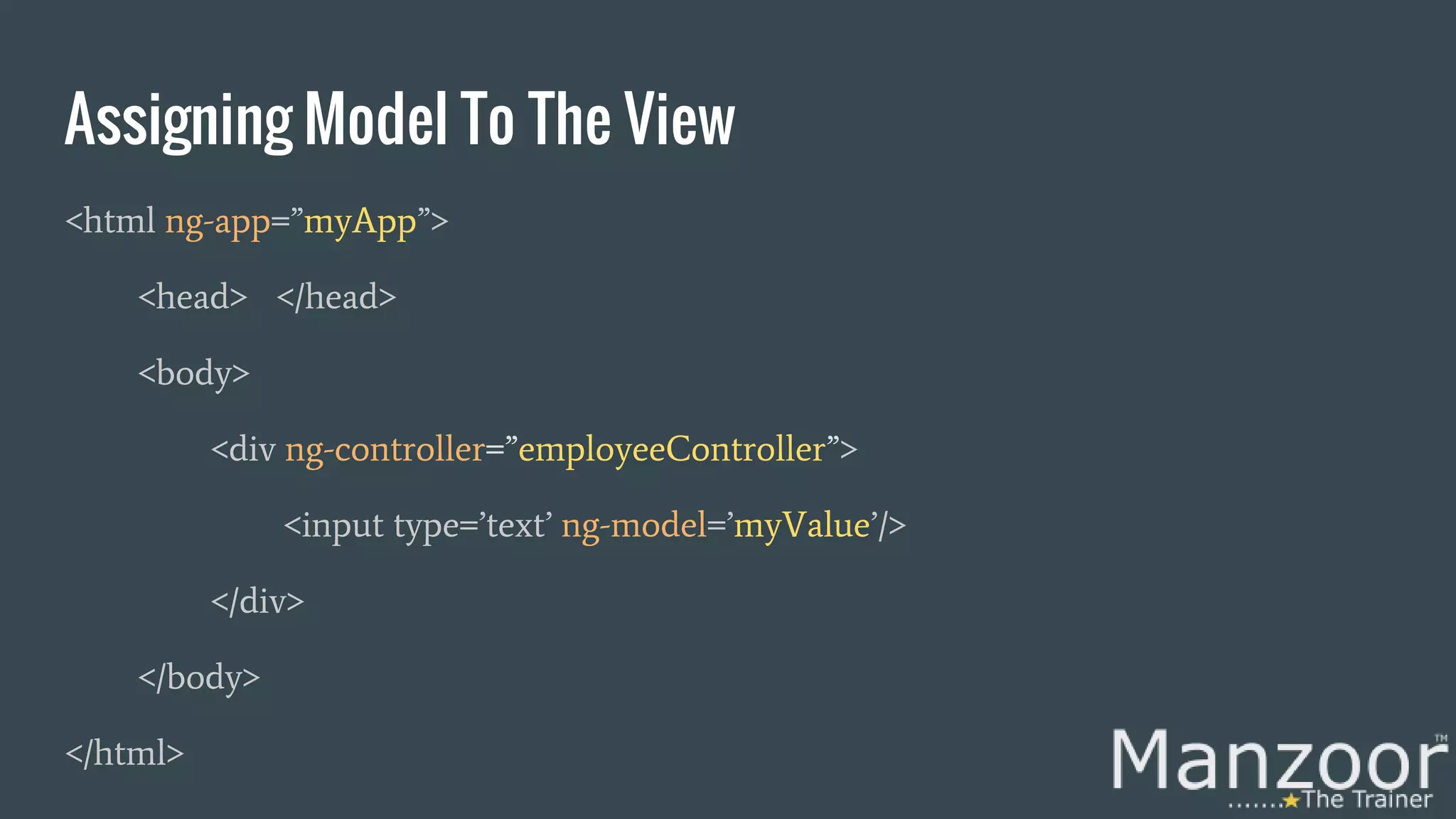
AngularJS $scope $scope is an object which holds the data (Model) and is used to bind data between html pages (View) and controller. <script> var app = angular.module('myApp', []); app.controller('employeeController', function ($scope) { $scope.myValue=”Hello MTT”; }); </script>
Assigning Model To The View <html ng-app=”myApp”> <head> </head> <body> <div ng-controller=”employeeController”> <input type=’text’ ng-model=’myValue’/> </div> </body> </html>
Demo Let’s See a Controller’s Demo
Controller’s Methods <script> var app = angular.module('myApp', []); app.controller('employeeController', function ($scope) { $scope.myValue=”Hello MTT”; $scope.myFun=function() { alert (“From Method Call”); }; }); </script>
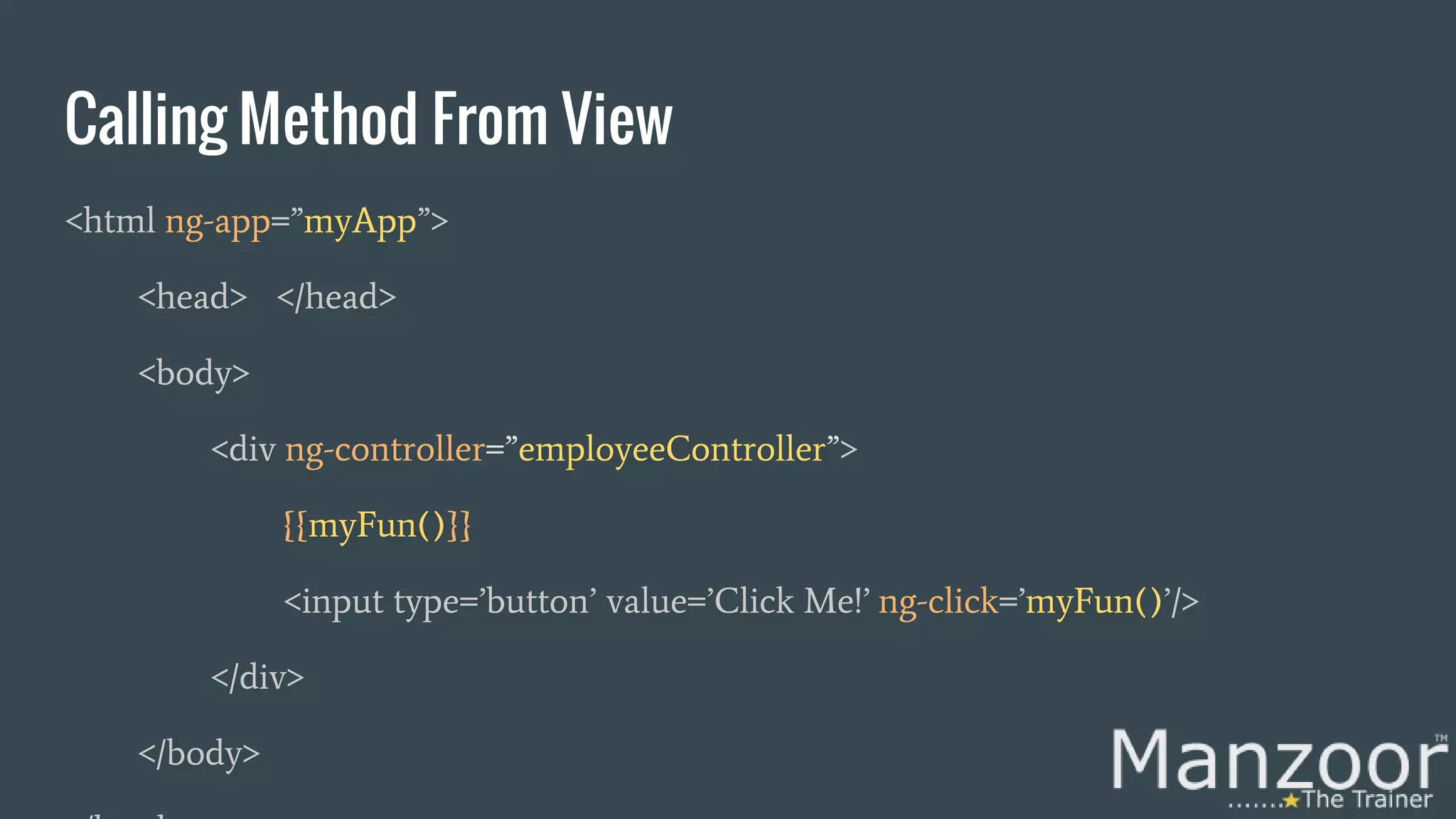
Calling Method From View <html ng-app=”myApp”> <head> </head> <body> <div ng-controller=”employeeController”> {{myFun()}} <input type=’button’ value=’Click Me!’ ng-click=’myFun()’/> </div> </body>
Get The Complete Video Course Here
Demo Let’s See a Controller’s Method Demo
Controller’s Parameterized Methods <script> var app = angular.module('myApp', []); app.controller('employeeController', function ($scope) { $scope.myValue=”Hello MTT”; $scope.myFun=function(id) { alert (“From Method Call”+id); }; }); </script>
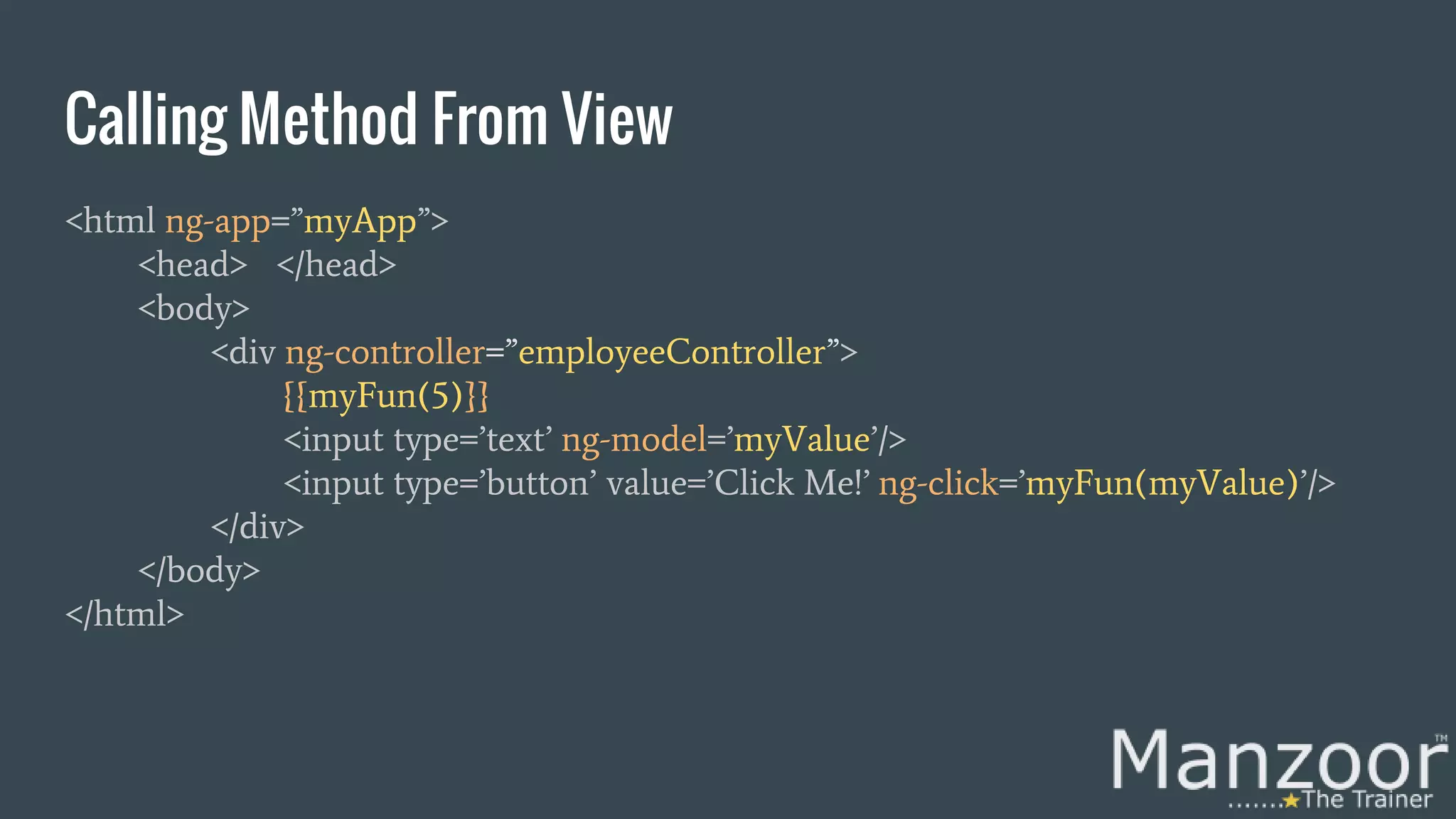
Calling Method From View <html ng-app=”myApp”> <head> </head> <body> <div ng-controller=”employeeController”> {{myFun(5)}} <input type=’text’ ng-model=’myValue’/> <input type=’button’ value=’Click Me!’ ng-click=’myFun(myValue)’/> </div> </body> </html>
Demo Let’s See a Controller’s Method With Param Demo
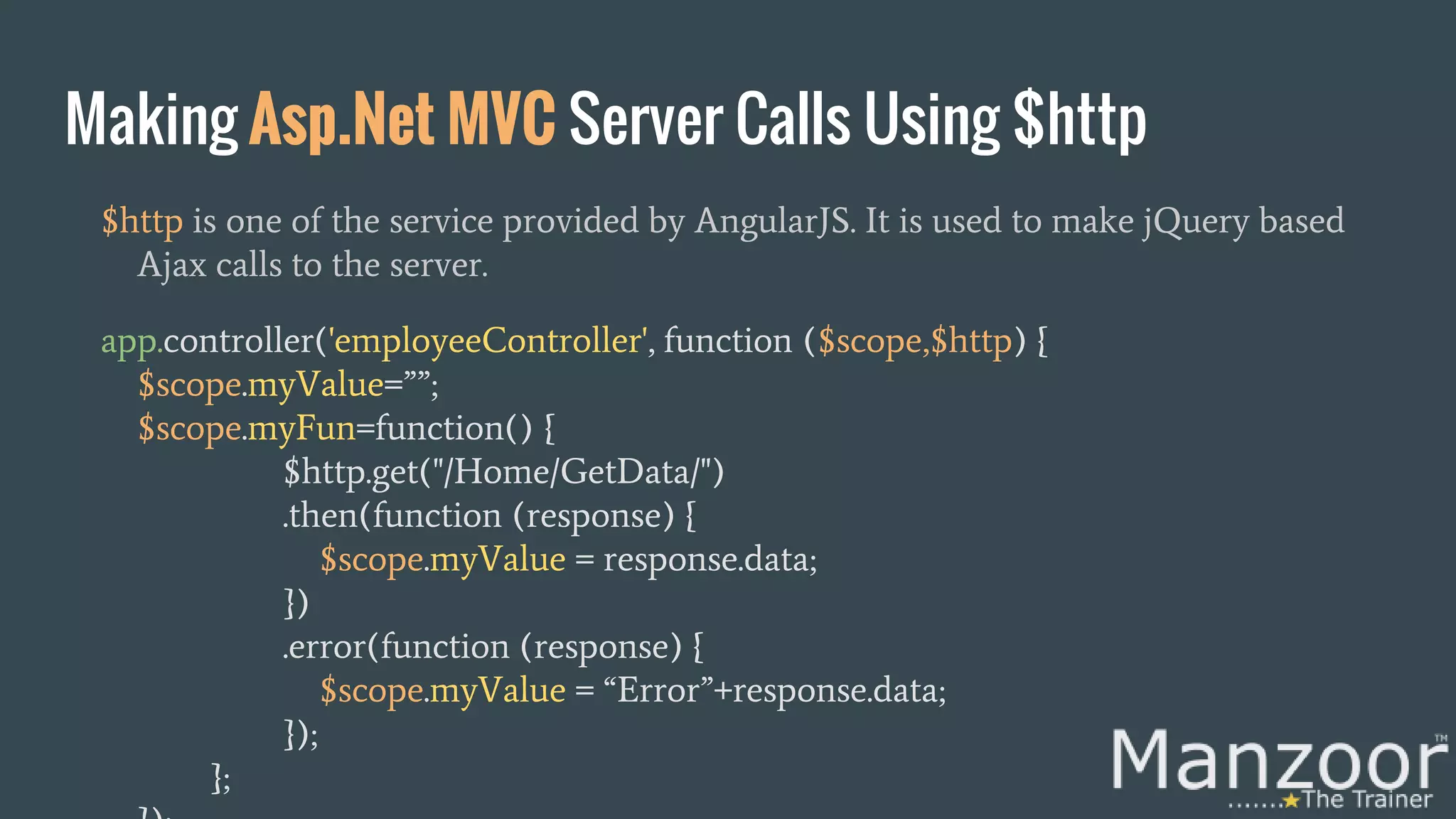
Making Asp.Net MVC Server Calls Using $http $http is one of the service provided by AngularJS. It is used to make jQuery based Ajax calls to the server. app.controller('employeeController', function ($scope,$http) { $scope.myValue=””; $scope.myFun=function() { $http.get("/Home/GetData/") .then(function (response) { $scope.myValue = response.data; }) .error(function (response) { $scope.myValue = “Error”+response.data; }); };
Demo Let’s see Server Call demo
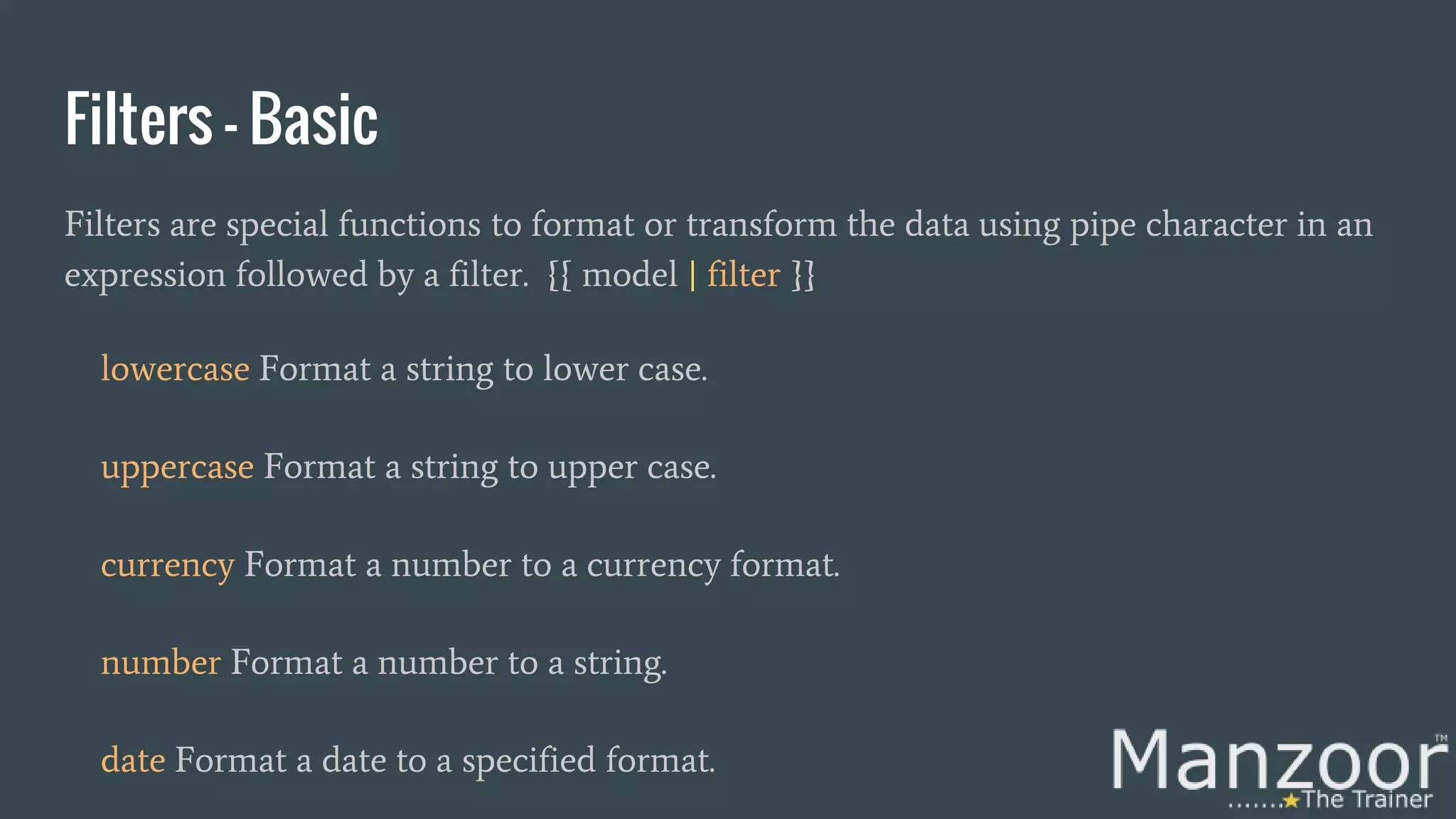
Filters - Basic Filters are special functions to format or transform the data using pipe character in an expression followed by a filter. {{ model | filter }} lowercase Format a string to lower case. uppercase Format a string to upper case. currency Format a number to a currency format. number Format a number to a string. date Format a date to a specified format.
Filters - Searching, Sorting And Paging filter Select a subset of items from an array. - Searching orderBy Orders an array by an expression. - Sorting Third party dirPaginate.js - Pagination Note: For more on pagination https://github.com/michaelbromley/angularUtils
Demo Let’s see filters demo
Thanks
Get The Complete Video Course Here

Introduction to angular js for .net developers

  • 2.
    Introduction To AngularJS For .NetDevelopers Mohd Manzoor Ahmed [MCT] manzoor_trainer manzoorthetrainer.com
  • 3.
    Get The CompleteVideo Course Here (https://goo.gl/ZBHEBe)
  • 4.
  • 5.
    Today’s Agenda 10:00 AM- 11:15 AM Welcome Note Introduction To SPA Getting Started With AngularJS Directives, Module and Controller 11:45 AM - 01:30PM $scope Object Server Calls Using $http Filters Conclusion 11:15 AM - 11:45 AM Virtus IT Break
  • 6.
    Why Asp.Net SPA? SPAstands for Single Page Application. We need user experience similar to a desktop application. We need to speed up the page loads and navigation for the user. In short we need responsive Web apps, without constant page reloads.
  • 7.
    What is Asp.NetSPA? Get all necessary code – HTML, JavaScript, and CSS on the initial page load. Download appropriate features dynamically from server behind the scenes on response to a user action. Without reloading the complete page. One of the best examples of SPA is Gmail.
  • 8.
    Client Server Page LifeCycle - Normal? Initial Request HTML Response Post Back HTML Response Get Initial Data Reloads the page and Get More Data
  • 9.
    Client Server Page LifeCycle SPA? Initial Request HTML Response Post Back HTML Response Get Initial Data Updates the page and Get More Data
  • 10.
    How To AchieveSPA? It can be achieved with help of Web browser JavaScript frameworks, such as AngularJS, knockout.js, Ember.js, ExtJS, React, etc
  • 11.
    Why AngularJS? We needa javascript framework that supports Single Page Applications. We need simple bidirectional data binding. We need simple client side development and testing process. We need a framework that support MV* We need a framework that keeps HTML and JavaScript saperatly.
  • 12.
    Get The CompleteVideo Course Here
  • 13.
    What is AngularJS? AngularJSis a javascript based open-source web application framework mainly maintained by Google. Its aims is to simplify both the development and the testing of client-side model– view–controller (MVC) and model–view–viewmodel (MVVM) architectures. (MV*). AngularJS version 1.0 was released in 2012.
  • 14.
    Getting Started WithAngularJS 1. Start an empty web application. 2. Add AngularJS core using nuget package manager. 3. Add angularjs script file to index.html. 4. Use an expression {{...}}. 5. Using ng-app directive.
  • 15.
    Demo Let’s See FirstAngularJS App Demo
  • 16.
    Directives - MostlyUsed In Short! These are special attributes for HTML elements. ng-app ng-bind ng-init ng-show ng-hide ng-true-value ng-options ng-repeat ng-click ng-model ng-if ng-controller For More : https://docs.angularjs.org/api/ng#directive
  • 17.
    Demo Let’s See aDirectives Demo
  • 18.
    Get The CompleteVideo Course Here
  • 19.
    Module Our application islogically divided into multiple units called as Modules. Module is a collection of controllers and many other parts of application. <script type=”text/javascript”> var app = angular.module('myApp', []); </script> View is mapped to the module using ng-app directive.
  • 20.
    Assigning Module ToThe View <html ng-app=”myApp”> <head> </head> <body> <div> </div> </body> </html>
  • 21.
    Controller In Short! Controlleris a javascript function, used to prepare data (Models) to be rendered on html pages (View). <script> var app = angular.module('myApp', []); app.controller('employeeController', function ($scope) { ……………………………. }); </script> View is mapped to the controller using ng-controller directive.
  • 22.
    Assigning Controller ToThe View <html ng-app=”myApp”> <head> </head> <body> <div ng-controller=”employeeController”> </div> </body> </html>
  • 23.
    AngularJS $scope $scope isan object which holds the data (Model) and is used to bind data between html pages (View) and controller. <script> var app = angular.module('myApp', []); app.controller('employeeController', function ($scope) { $scope.myValue=”Hello MTT”; }); </script>
  • 24.
    Assigning Model ToThe View <html ng-app=”myApp”> <head> </head> <body> <div ng-controller=”employeeController”> <input type=’text’ ng-model=’myValue’/> </div> </body> </html>
  • 25.
    Demo Let’s See aController’s Demo
  • 26.
    Controller’s Methods <script> var app= angular.module('myApp', []); app.controller('employeeController', function ($scope) { $scope.myValue=”Hello MTT”; $scope.myFun=function() { alert (“From Method Call”); }; }); </script>
  • 27.
    Calling Method FromView <html ng-app=”myApp”> <head> </head> <body> <div ng-controller=”employeeController”> {{myFun()}} <input type=’button’ value=’Click Me!’ ng-click=’myFun()’/> </div> </body>
  • 28.
    Get The CompleteVideo Course Here
  • 29.
    Demo Let’s See aController’s Method Demo
  • 30.
    Controller’s Parameterized Methods <script> varapp = angular.module('myApp', []); app.controller('employeeController', function ($scope) { $scope.myValue=”Hello MTT”; $scope.myFun=function(id) { alert (“From Method Call”+id); }; }); </script>
  • 31.
    Calling Method FromView <html ng-app=”myApp”> <head> </head> <body> <div ng-controller=”employeeController”> {{myFun(5)}} <input type=’text’ ng-model=’myValue’/> <input type=’button’ value=’Click Me!’ ng-click=’myFun(myValue)’/> </div> </body> </html>
  • 32.
    Demo Let’s See aController’s Method With Param Demo
  • 33.
    Making Asp.Net MVCServer Calls Using $http $http is one of the service provided by AngularJS. It is used to make jQuery based Ajax calls to the server. app.controller('employeeController', function ($scope,$http) { $scope.myValue=””; $scope.myFun=function() { $http.get("/Home/GetData/") .then(function (response) { $scope.myValue = response.data; }) .error(function (response) { $scope.myValue = “Error”+response.data; }); };
  • 34.
  • 35.
    Filters - Basic Filtersare special functions to format or transform the data using pipe character in an expression followed by a filter. {{ model | filter }} lowercase Format a string to lower case. uppercase Format a string to upper case. currency Format a number to a currency format. number Format a number to a string. date Format a date to a specified format.
  • 36.
    Filters - Searching,Sorting And Paging filter Select a subset of items from an array. - Searching orderBy Orders an array by an expression. - Sorting Third party dirPaginate.js - Pagination Note: For more on pagination https://github.com/michaelbromley/angularUtils
  • 37.
  • 38.
  • 39.
    Get The CompleteVideo Course Here