Associate Professor David Parsons Massey University Auckland, New Zealand
Outline • AngularJS components • Directives and Expressions • Data binding • Modules And Controllers
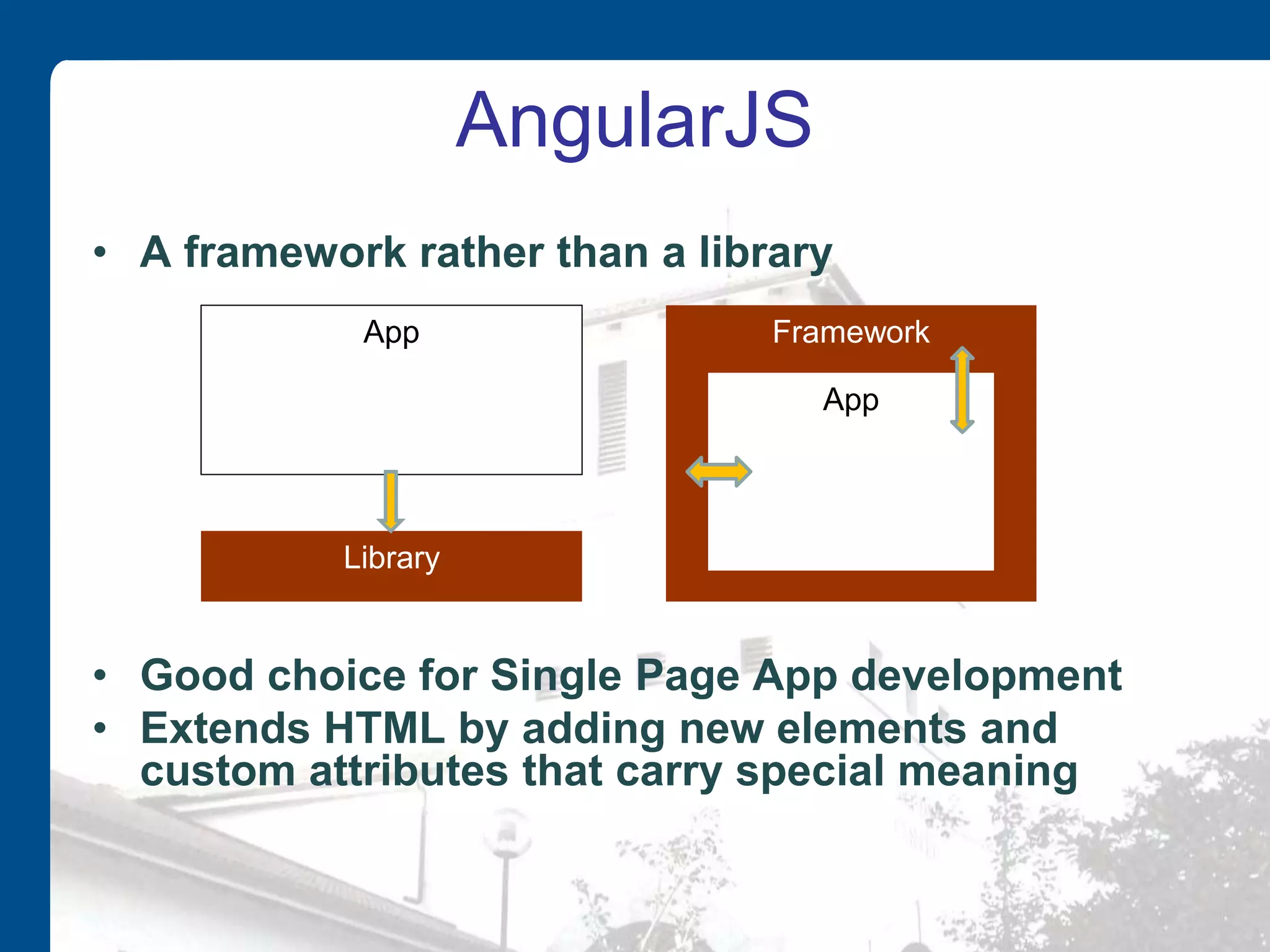
AngularJS • A framework rather than a library • Good choice for Single Page App development • Extends HTML by adding new elements and custom attributes that carry special meaning Library App Framework App
AngularJS • AngularJS is currently being maintained by developers at Google • Open source software released under the MIT license • Available for download at GitHub • Called AngularJS because HTML uses angle brackets
Model-View-Whatever • AngularJS is an MVW framework (Model-View-Whatever) • Can be used to develop apps based on either – MVC (Model-View-Controller) – MVVM (Model-View-ViewModel) • aka naked objects
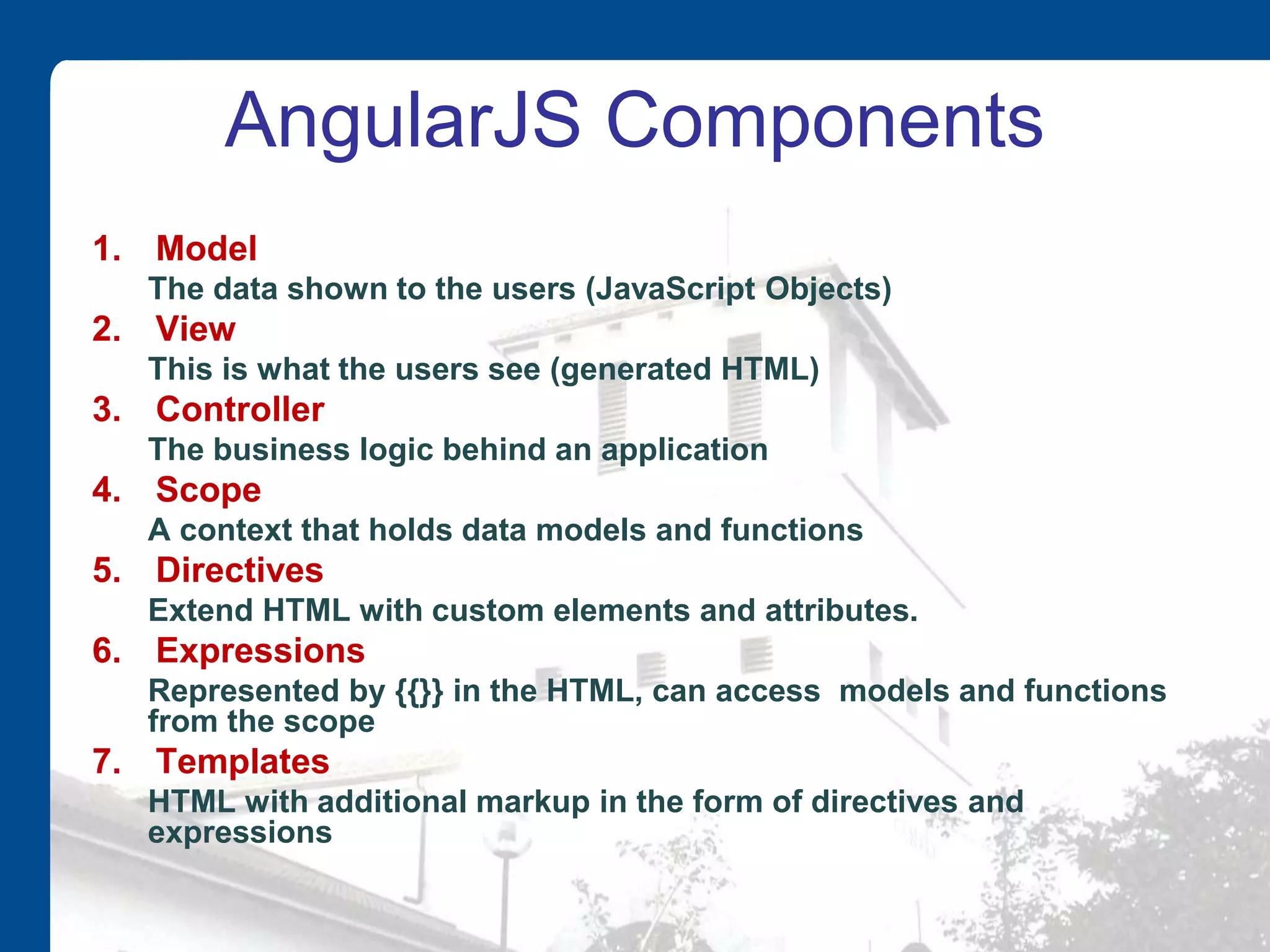
AngularJS Components 1. Model The data shown to the users (JavaScript Objects) 2. View This is what the users see (generated HTML) 3. Controller The business logic behind an application 4. Scope A context that holds data models and functions 5. Directives Extend HTML with custom elements and attributes. 6. Expressions Represented by {{}} in the HTML, can access models and functions from the scope 7. Templates HTML with additional markup in the form of directives and expressions
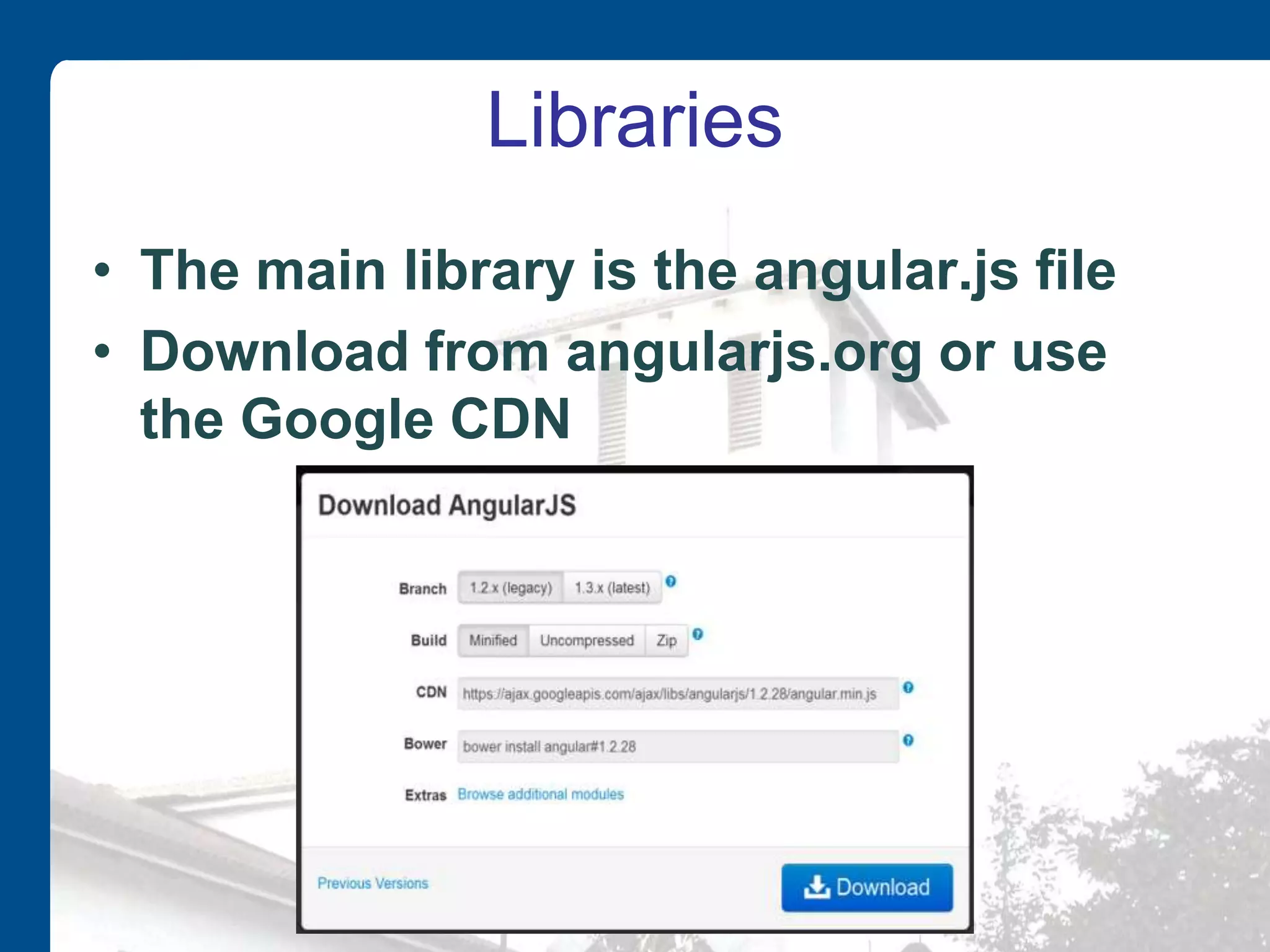
Libraries • The main library is the angular.js file • Download from angularjs.org or use the Google CDN
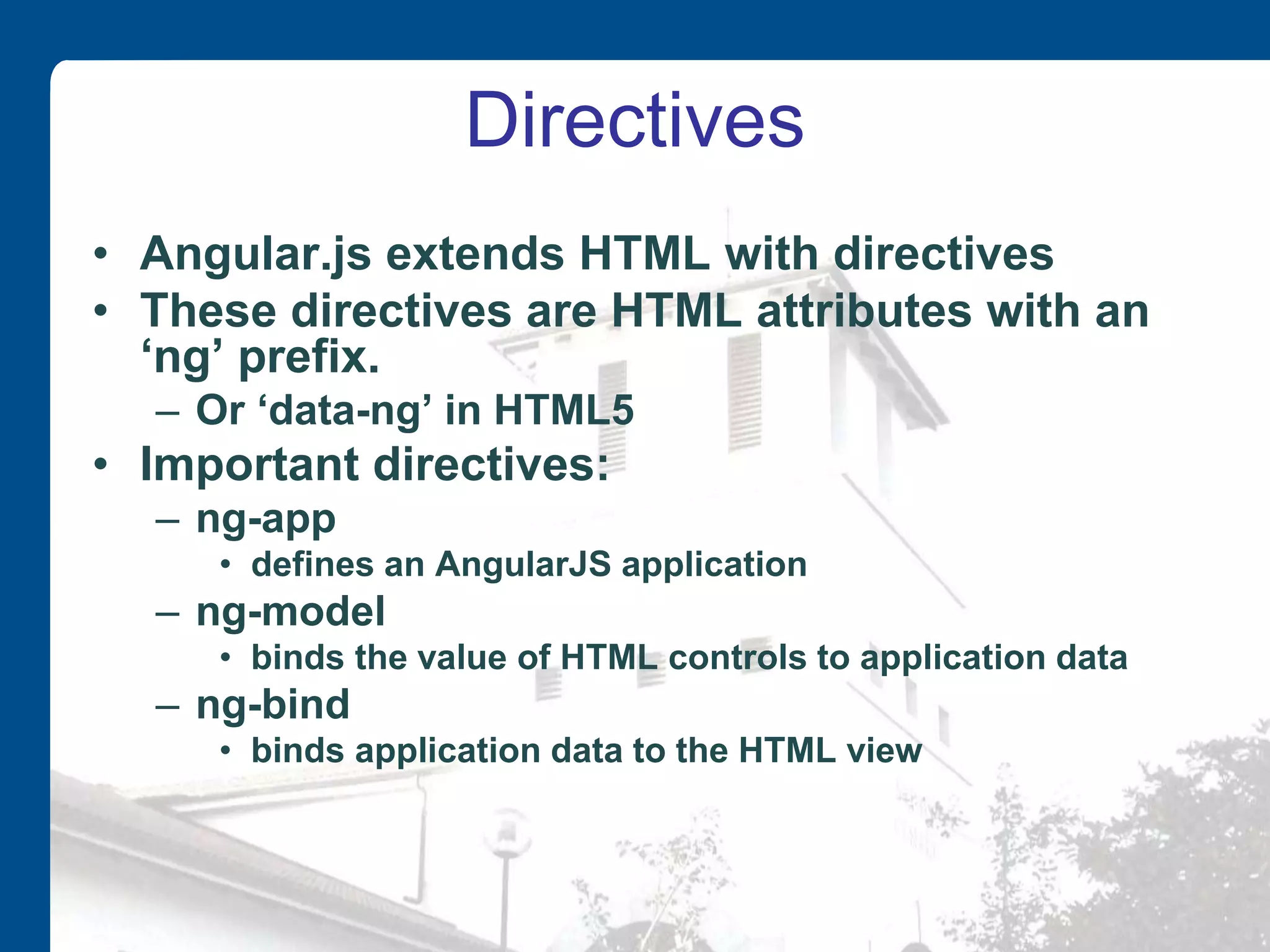
Directives • Angular.js extends HTML with directives • These directives are HTML attributes with an ‘ng’ prefix. – Or ‘data-ng’ in HTML5 • Important directives: – ng-app • defines an AngularJS application – ng-model • binds the value of HTML controls to application data – ng-bind • binds application data to the HTML view
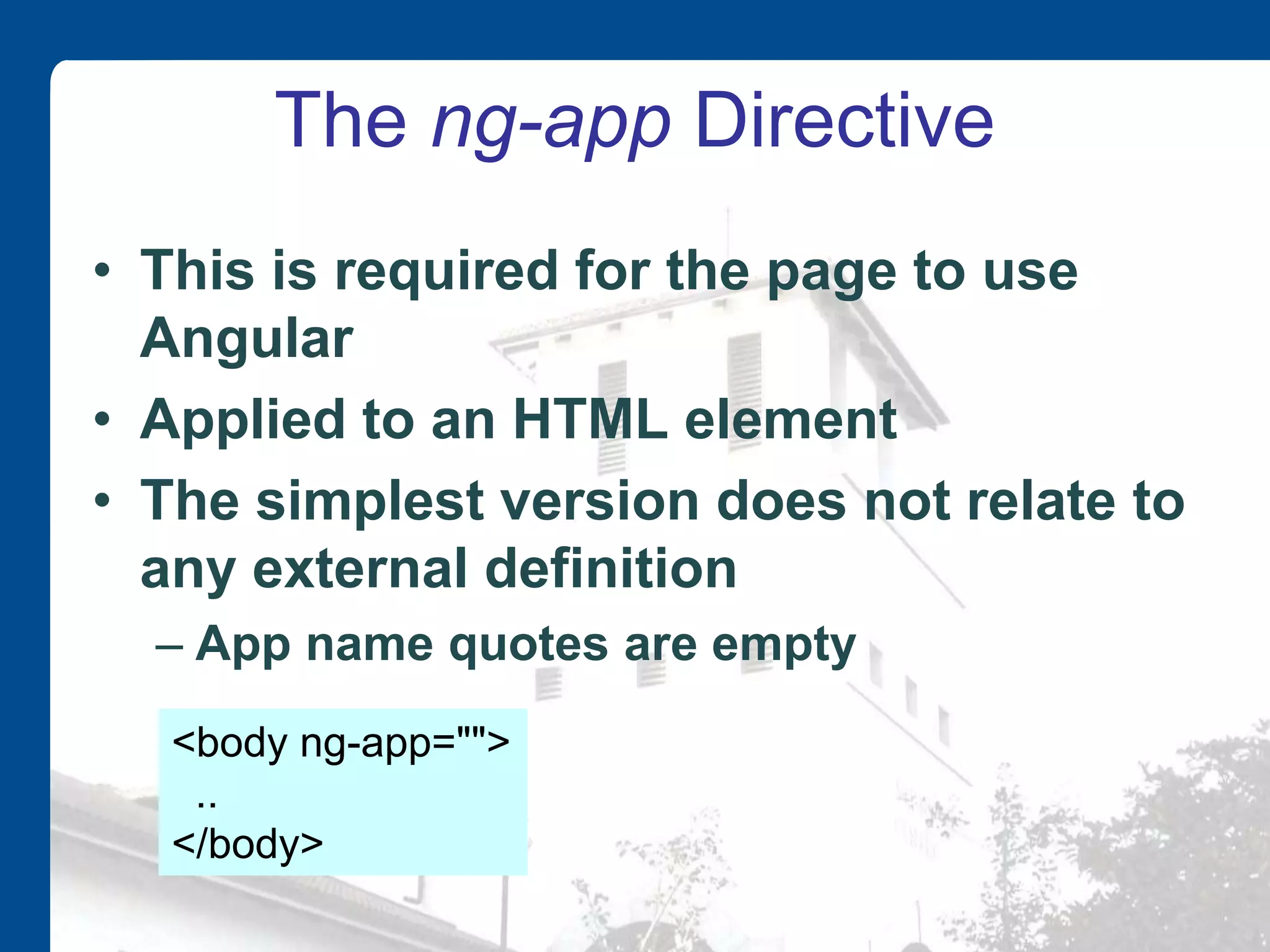
The ng-app Directive • This is required for the page to use Angular • Applied to an HTML element • The simplest version does not relate to any external definition – App name quotes are empty <body ng-app=""> .. </body>
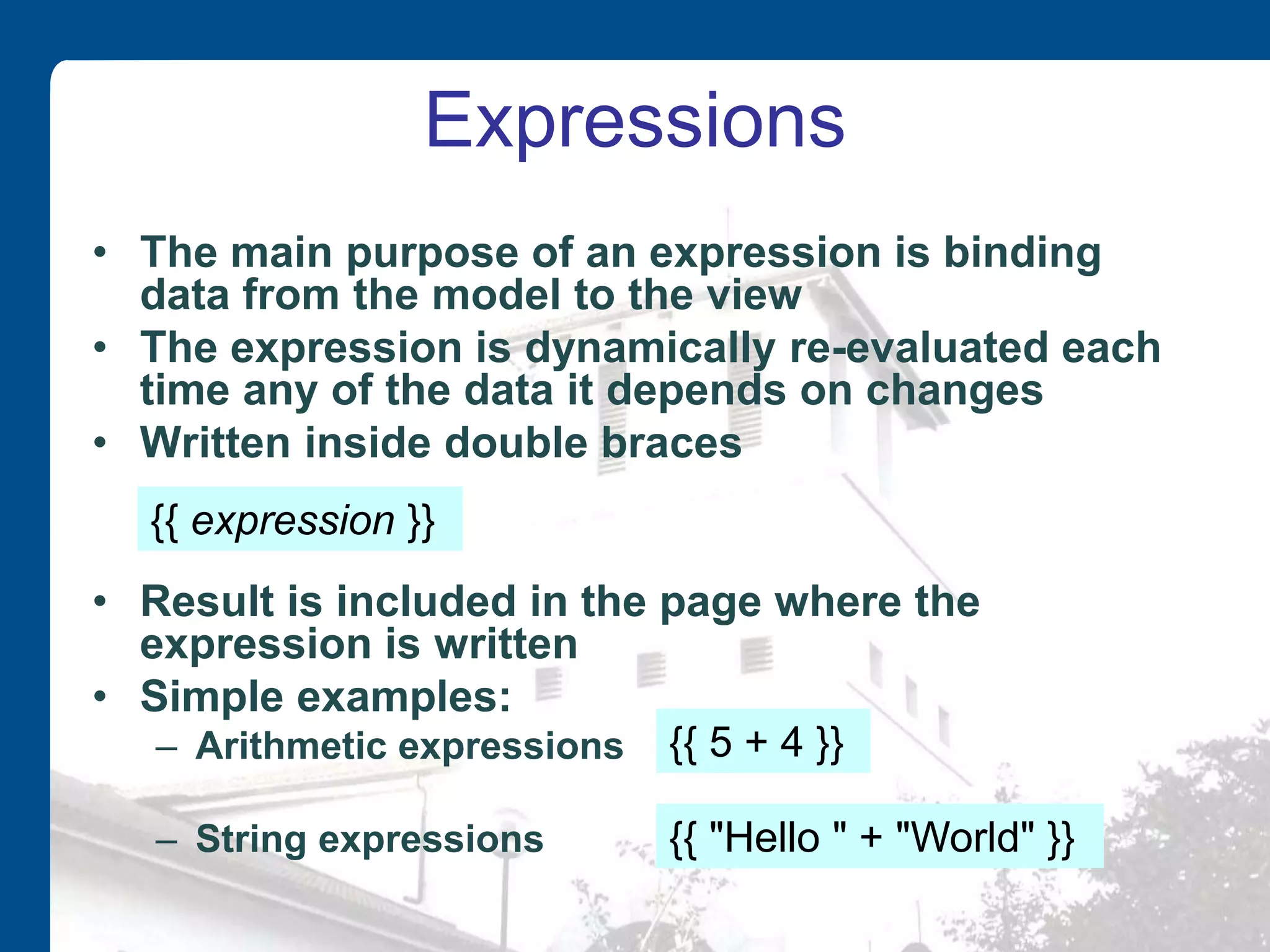
Expressions • The main purpose of an expression is binding data from the model to the view • The expression is dynamically re-evaluated each time any of the data it depends on changes • Written inside double braces • Result is included in the page where the expression is written • Simple examples: – Arithmetic expressions – String expressions {{ 5 + 4 }} {{ "Hello " + "World" }} {{ expression }}
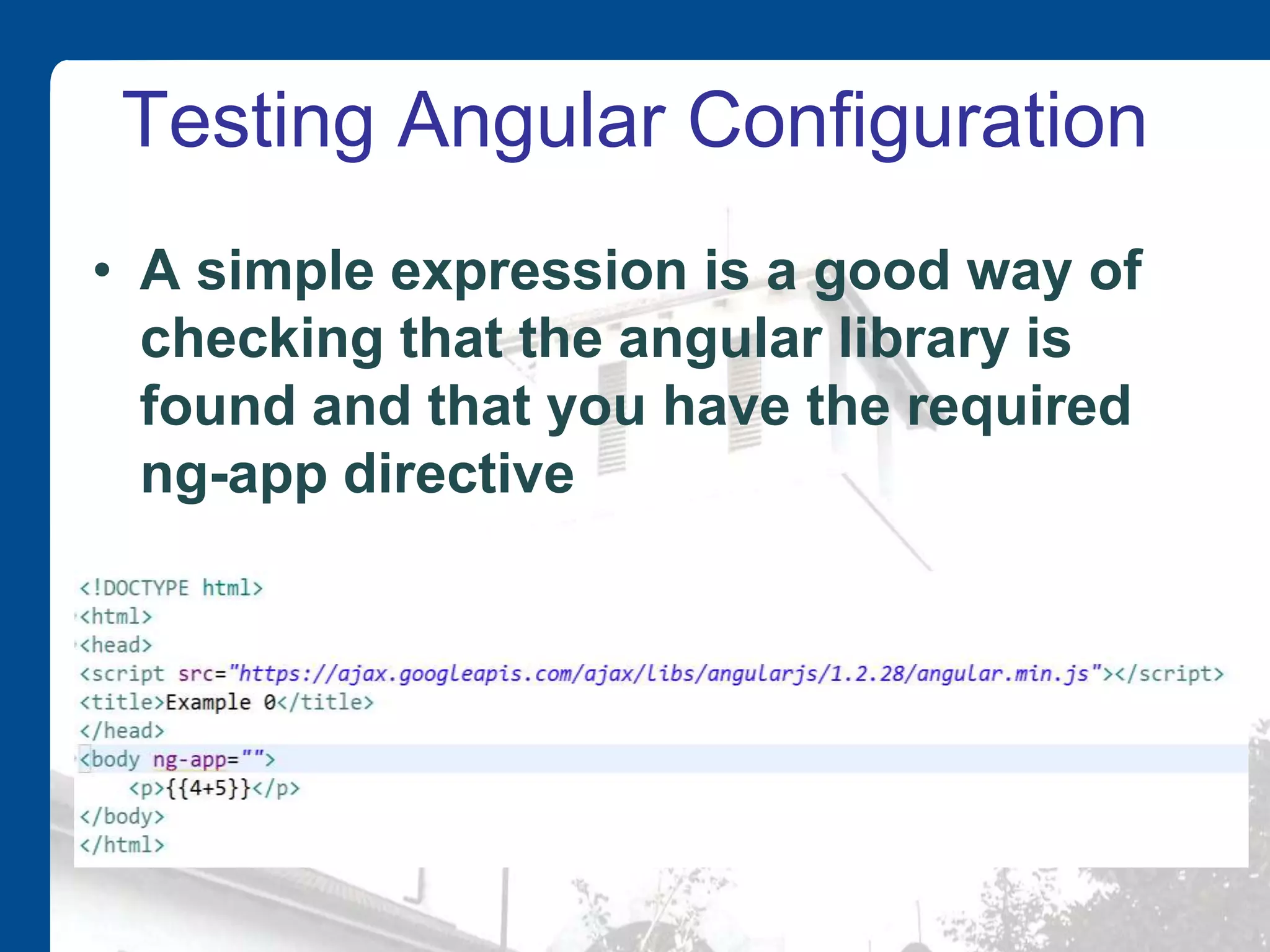
Testing Angular Configuration • A simple expression is a good way of checking that the angular library is found and that you have the required ng-app directive
Two-way Data Binding • One important feature of Angular is the way it binds values to expressions • These values can be in the HTML (view) or in JavaScript variables or objects (model) • Data binding is automatic • Angular automatically updates bound values
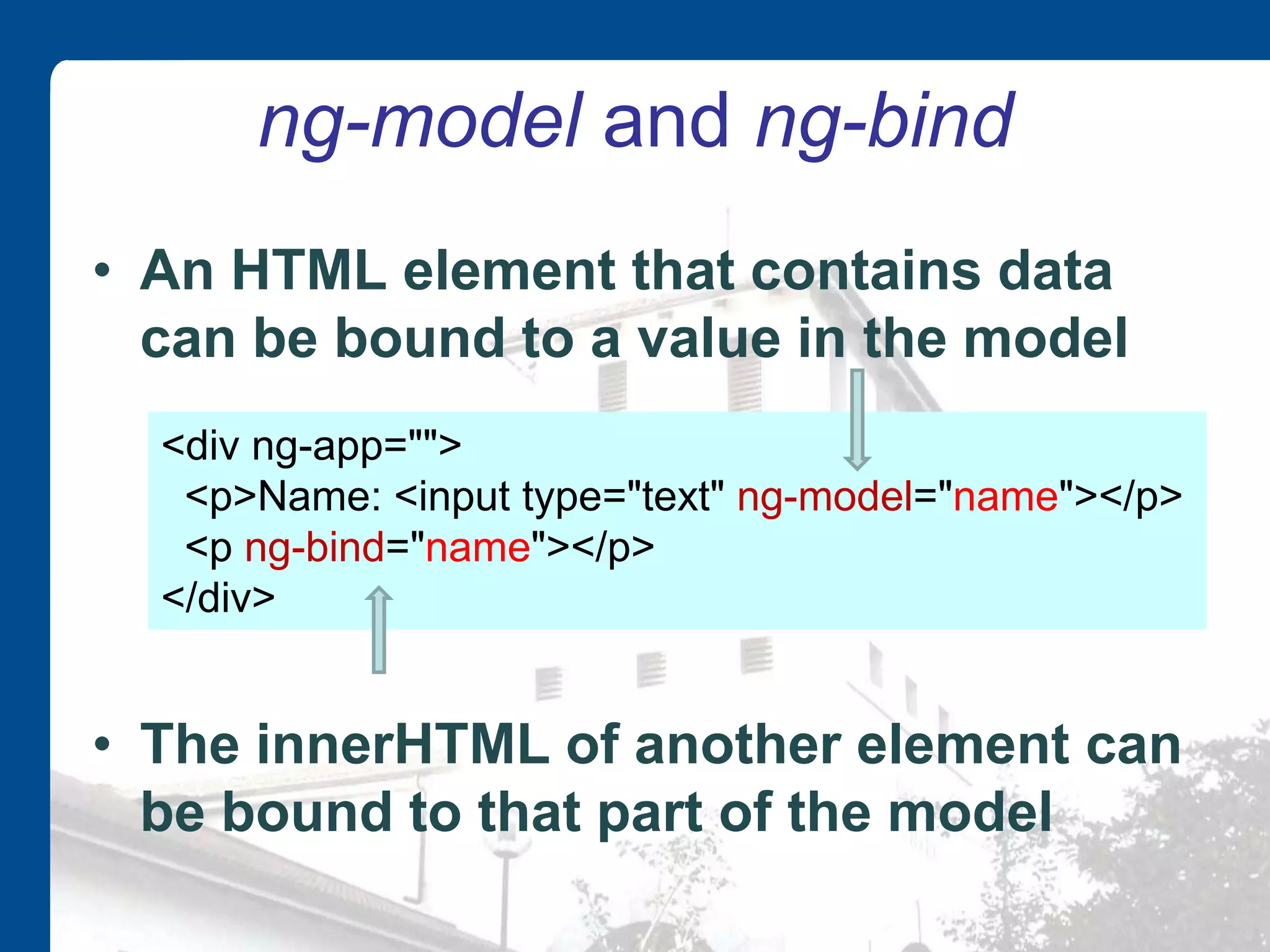
ng-model and ng-bind • An HTML element that contains data can be bound to a value in the model • The innerHTML of another element can be bound to that part of the model <div ng-app=""> <p>Name: <input type="text" ng-model="name"></p> <p ng-bind="name"></p> </div>
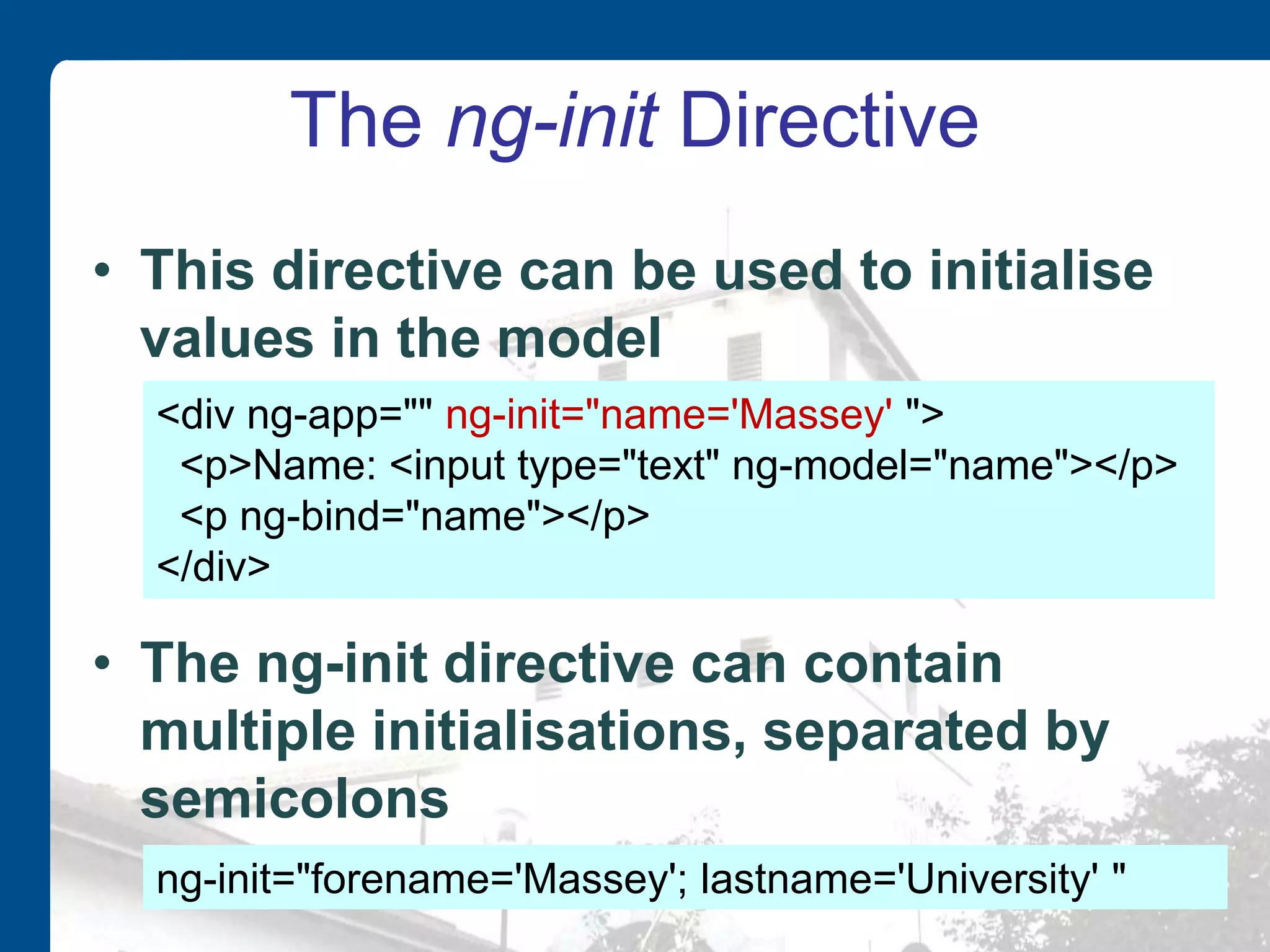
The ng-init Directive • This directive can be used to initialise values in the model • The ng-init directive can contain multiple initialisations, separated by semicolons <div ng-app="" ng-init="name='Massey' "> <p>Name: <input type="text" ng-model="name"></p> <p ng-bind="name"></p> </div> ng-init="forename='Massey'; lastname='University' "
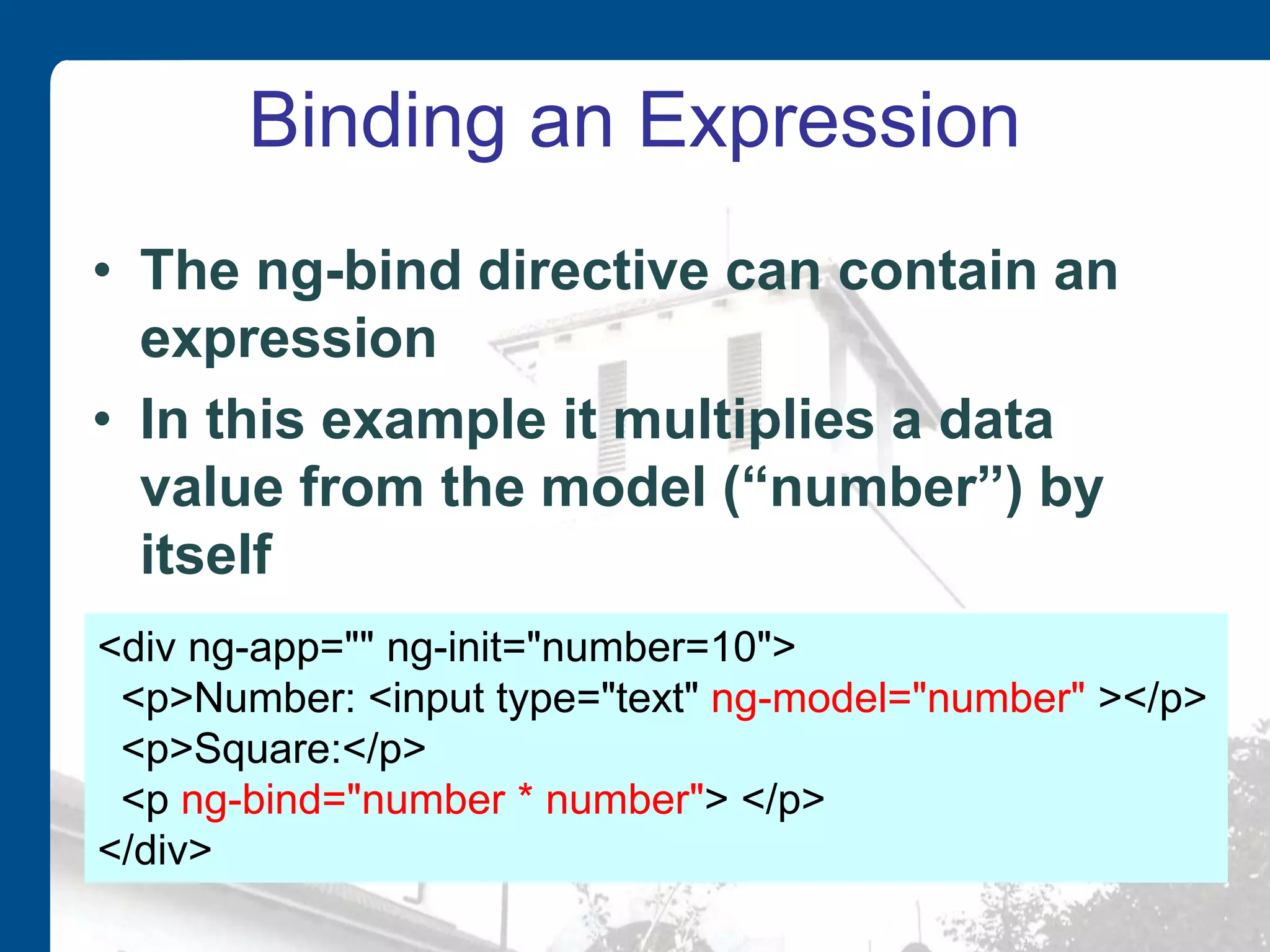
Binding an Expression • The ng-bind directive can contain an expression • In this example it multiplies a data value from the model (“number”) by itself <div ng-app="" ng-init="number=10"> <p>Number: <input type="text" ng-model="number" ></p> <p>Square:</p> <p ng-bind="number * number"> </p> </div>
Modules • Angular code in external files is defined in modules • The first parameter is the name of the app module that can be referenced from an ng-app directive – The array is for any dependencies we may have on other modules (can be empty) var app = angular.module("ticketoffice", [ ]); <div ng-app="ticketoffice">
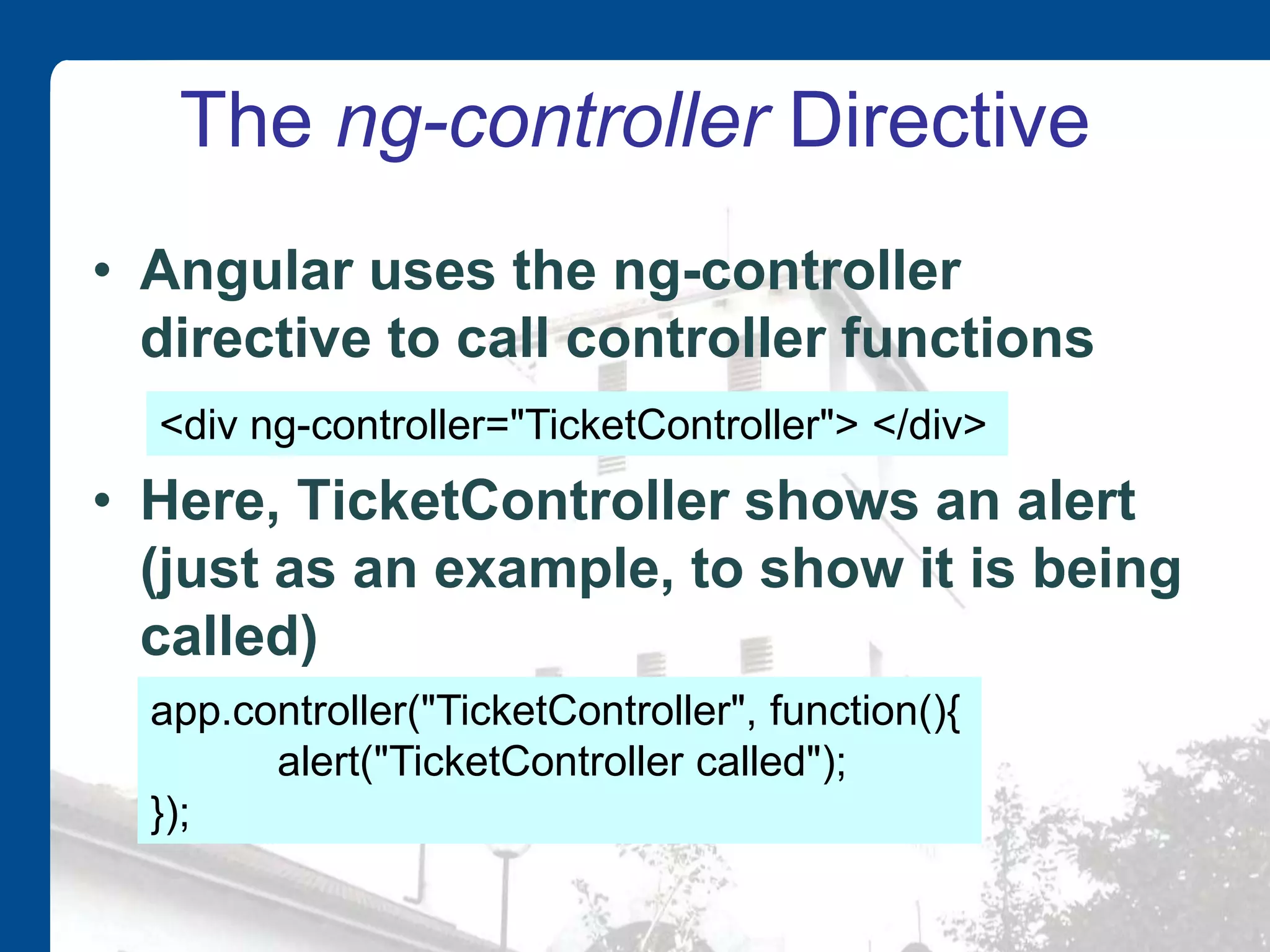
Controllers • Apps have controllers • These are JavaScript functions • Given a name when added to an app as a controller • Name your controllers using Pascal Case – Controllers are really constructor functions – These are usually named in JavaScript using Pascal case var app=angular.module("ticketoffice", []); app.controller("TicketController", function() { // body of function });
The ng-controller Directive • Angular uses the ng-controller directive to call controller functions • Here, TicketController shows an alert (just as an example, to show it is being called) app.controller("TicketController", function(){ alert("TicketController called"); }); <div ng-controller="TicketController"> </div>
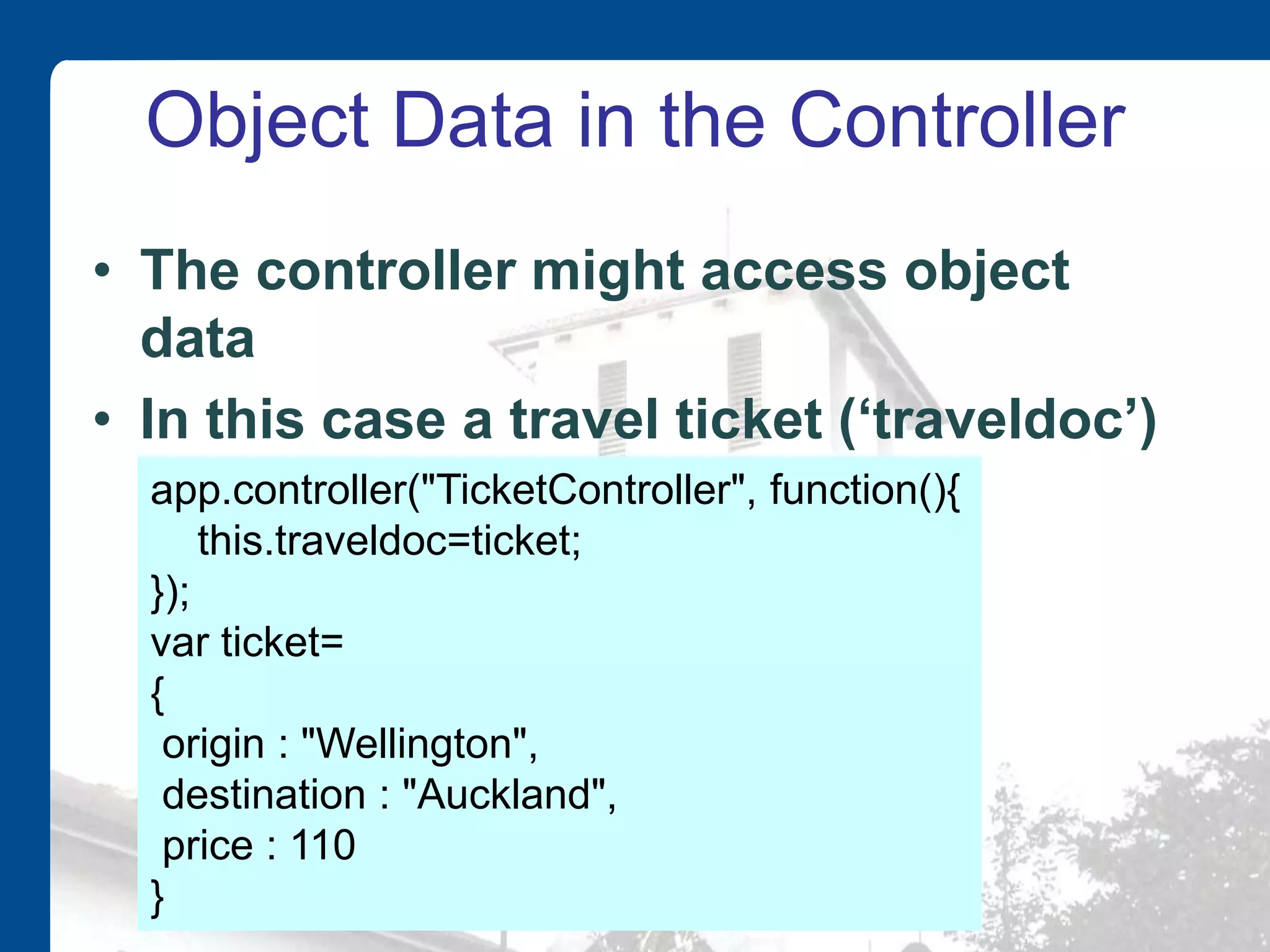
Object Data in the Controller • The controller might access object data • In this case a travel ticket (‘traveldoc’) app.controller("TicketController", function(){ this.traveldoc=ticket; }); var ticket= { origin : "Wellington", destination : "Auckland", price : 110 }
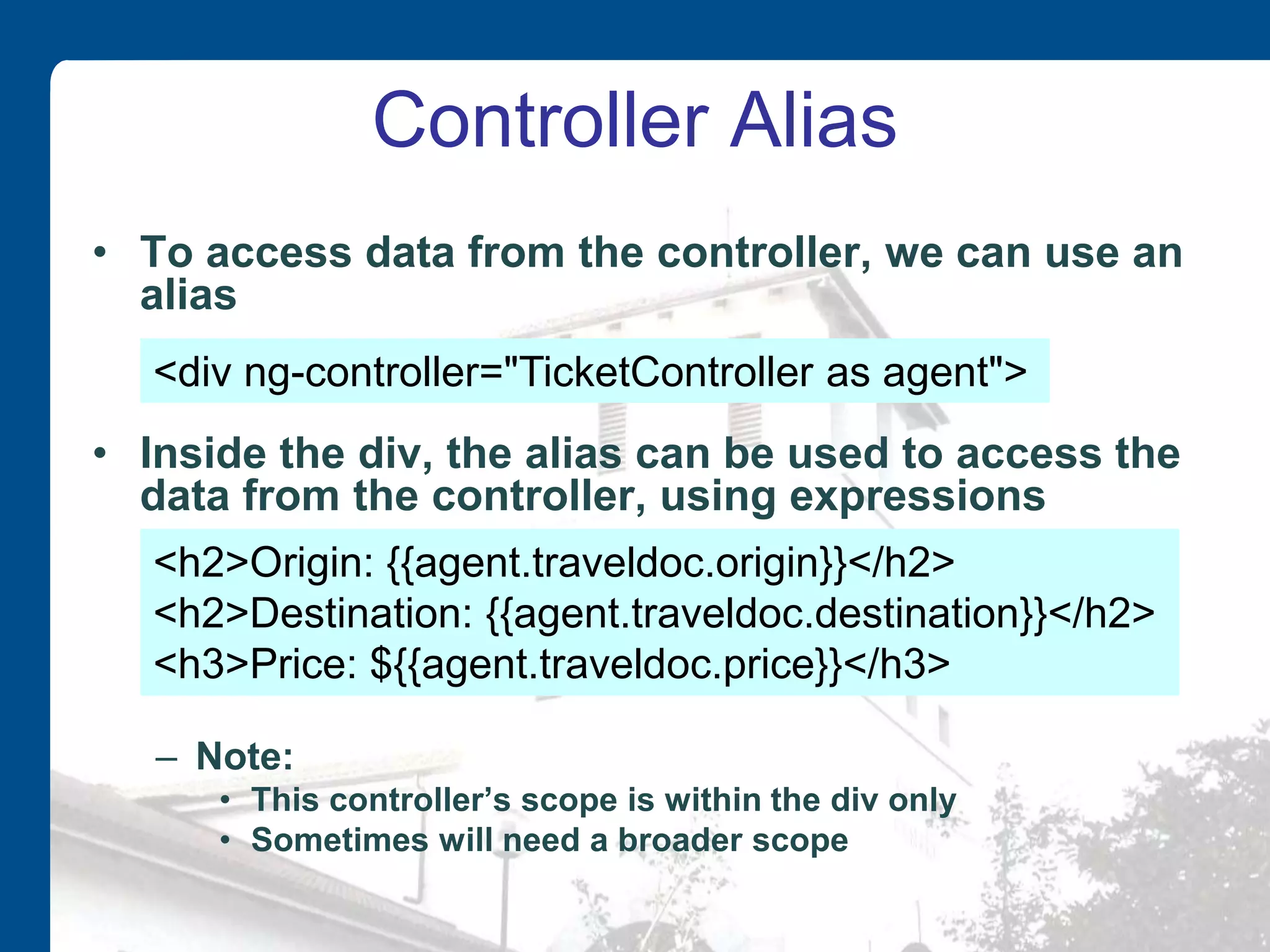
Controller Alias • To access data from the controller, we can use an alias • Inside the div, the alias can be used to access the data from the controller, using expressions – Note: • This controller’s scope is within the div only • Sometimes will need a broader scope <div ng-controller="TicketController as agent"> <h2>Origin: {{agent.traveldoc.origin}}</h2> <h2>Destination: {{agent.traveldoc.destination}}</h2> <h3>Price: ${{agent.traveldoc.price}}</h3>
Multiple Objects • We might have an array of objects • We also need to change the controller, since the name has changed, for readability (from ‘ticket’ to ‘tickets’) var tickets = [ { origin : "Wellington", destination : "Auckland", price : 110}, { origin : "Christchurch", destination : "Dundedin", price : 120}, … ]; this.traveldocs=tickets;
Array Access by Index • Access by index is now possible, e.g. • However, not good for displaying multiple objects on the same page <h2>{{agent.traveldocs[0].origin}}</h2> <h2>{{agent.traveldocs[0].destination}}</h2> <h3>${{agent.traveldocs[0].price}}</h3>
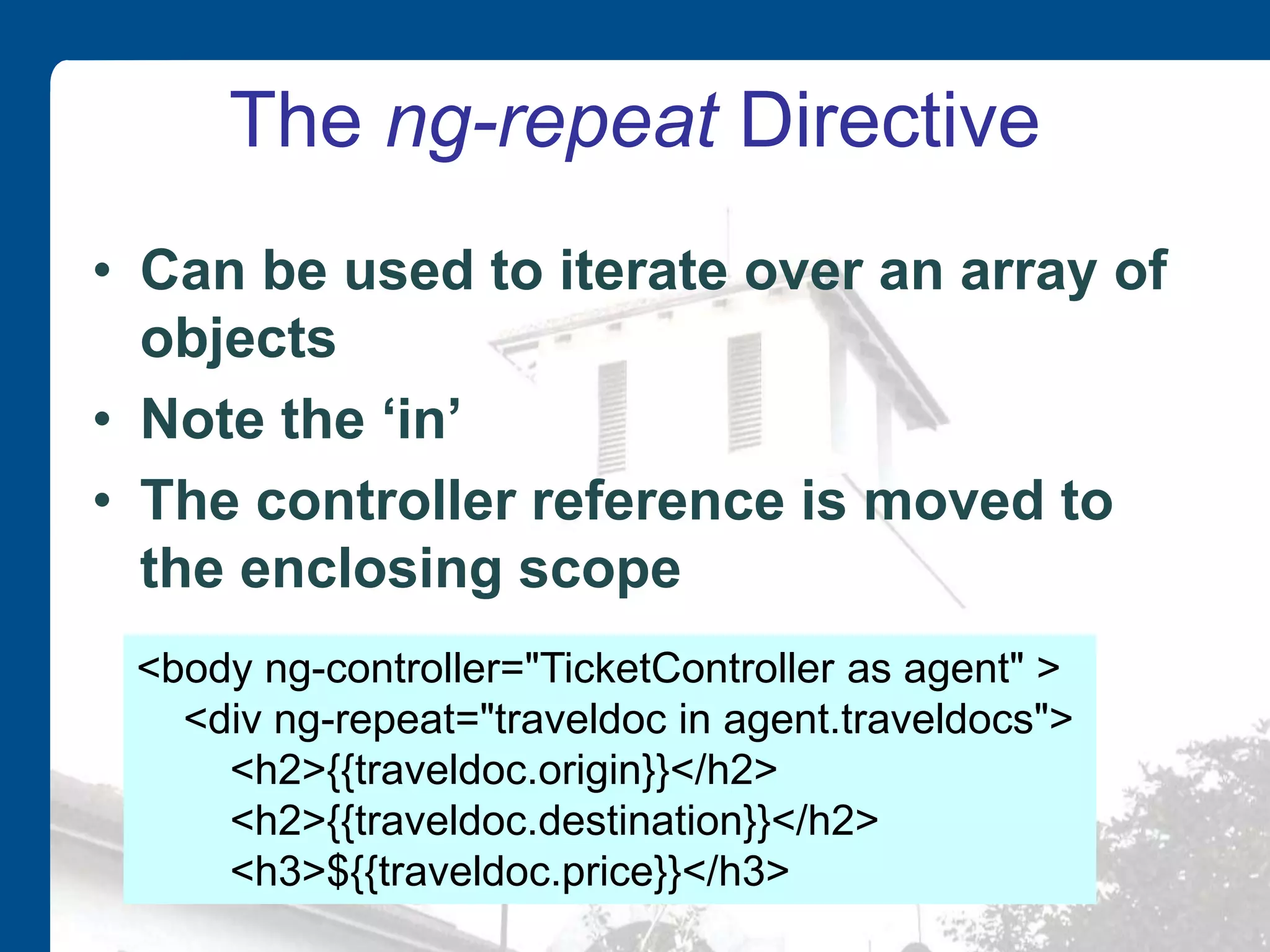
The ng-repeat Directive • Can be used to iterate over an array of objects • Note the ‘in’ • The controller reference is moved to the enclosing scope <body ng-controller="TicketController as agent" > <div ng-repeat="traveldoc in agent.traveldocs"> <h2>{{traveldoc.origin}}</h2> <h2>{{traveldoc.destination}}</h2> <h3>${{traveldoc.price}}</h3>
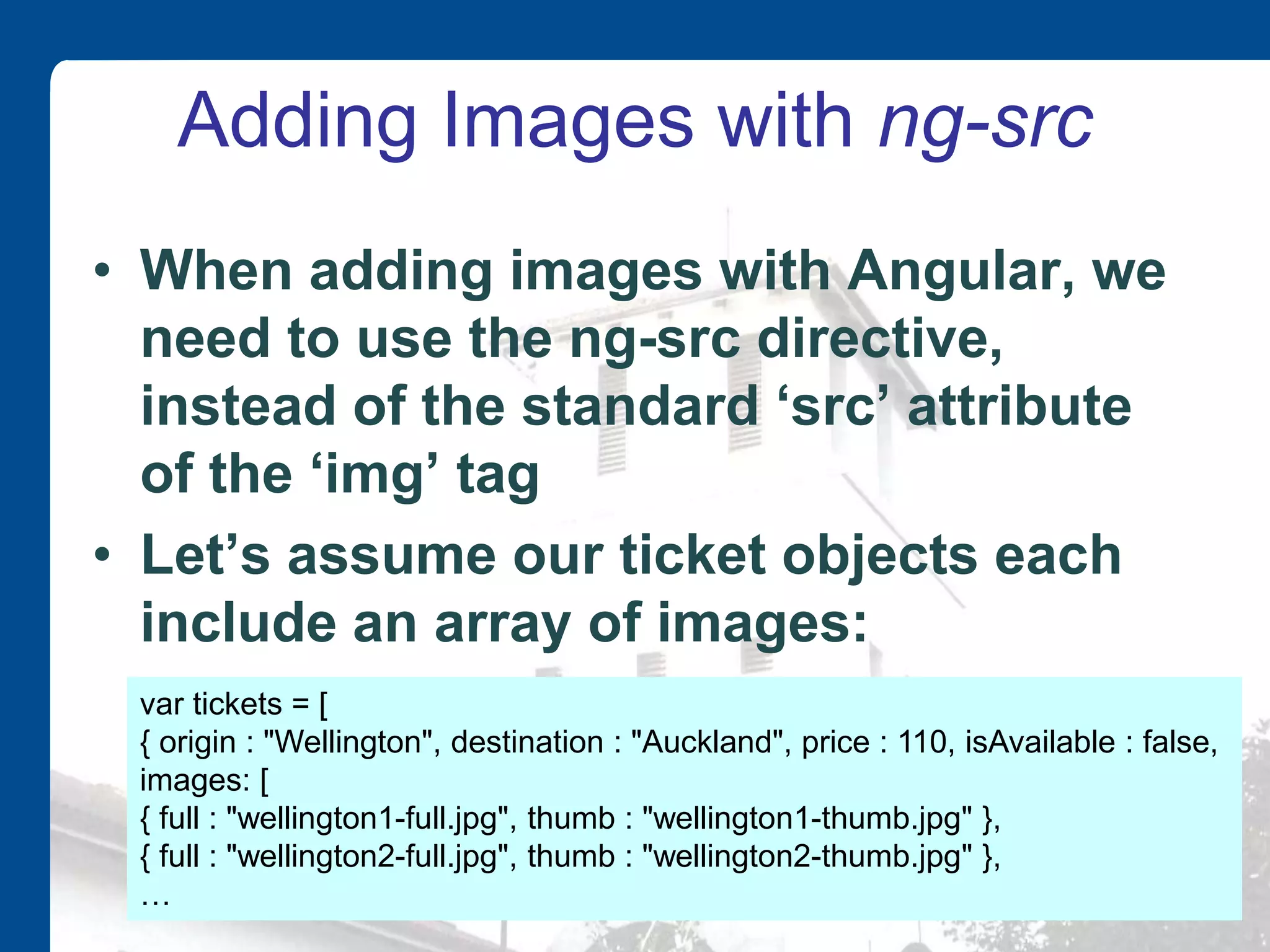
Adding Images with ng-src • When adding images with Angular, we need to use the ng-src directive, instead of the standard ‘src’ attribute of the ‘img’ tag • Let’s assume our ticket objects each include an array of images: var tickets = [ { origin : "Wellington", destination : "Auckland", price : 110, isAvailable : false, images: [ { full : "wellington1-full.jpg", thumb : "wellington1-thumb.jpg" }, { full : "wellington2-full.jpg", thumb : "wellington2-thumb.jpg" }, …
Using ng-src • In the HTML img tag, replace ‘src’ with ‘ng-src’, along with an Angular expression to locate the image. <img ng-src="{{traveldoc.images[0].full}}" />
Directive Summary • Here is summary of the directives that we have seen so far: – ng-app – ng-model – ng-init – ng-bind – ng-controller – ng-src – ng-repeat

Introduction to AngularJS

  • 1.
    Associate Professor DavidParsons Massey University Auckland, New Zealand
  • 2.
    Outline • AngularJS components •Directives and Expressions • Data binding • Modules And Controllers
  • 3.
    AngularJS • A frameworkrather than a library • Good choice for Single Page App development • Extends HTML by adding new elements and custom attributes that carry special meaning Library App Framework App
  • 4.
    AngularJS • AngularJS iscurrently being maintained by developers at Google • Open source software released under the MIT license • Available for download at GitHub • Called AngularJS because HTML uses angle brackets
  • 5.
    Model-View-Whatever • AngularJS isan MVW framework (Model-View-Whatever) • Can be used to develop apps based on either – MVC (Model-View-Controller) – MVVM (Model-View-ViewModel) • aka naked objects
  • 6.
    AngularJS Components 1. Model Thedata shown to the users (JavaScript Objects) 2. View This is what the users see (generated HTML) 3. Controller The business logic behind an application 4. Scope A context that holds data models and functions 5. Directives Extend HTML with custom elements and attributes. 6. Expressions Represented by {{}} in the HTML, can access models and functions from the scope 7. Templates HTML with additional markup in the form of directives and expressions
  • 7.
    Libraries • The mainlibrary is the angular.js file • Download from angularjs.org or use the Google CDN
  • 8.
    Directives • Angular.js extendsHTML with directives • These directives are HTML attributes with an ‘ng’ prefix. – Or ‘data-ng’ in HTML5 • Important directives: – ng-app • defines an AngularJS application – ng-model • binds the value of HTML controls to application data – ng-bind • binds application data to the HTML view
  • 9.
    The ng-app Directive •This is required for the page to use Angular • Applied to an HTML element • The simplest version does not relate to any external definition – App name quotes are empty <body ng-app=""> .. </body>
  • 10.
    Expressions • The mainpurpose of an expression is binding data from the model to the view • The expression is dynamically re-evaluated each time any of the data it depends on changes • Written inside double braces • Result is included in the page where the expression is written • Simple examples: – Arithmetic expressions – String expressions {{ 5 + 4 }} {{ "Hello " + "World" }} {{ expression }}
  • 11.
    Testing Angular Configuration •A simple expression is a good way of checking that the angular library is found and that you have the required ng-app directive
  • 12.
    Two-way Data Binding •One important feature of Angular is the way it binds values to expressions • These values can be in the HTML (view) or in JavaScript variables or objects (model) • Data binding is automatic • Angular automatically updates bound values
  • 13.
    ng-model and ng-bind •An HTML element that contains data can be bound to a value in the model • The innerHTML of another element can be bound to that part of the model <div ng-app=""> <p>Name: <input type="text" ng-model="name"></p> <p ng-bind="name"></p> </div>
  • 14.
    The ng-init Directive •This directive can be used to initialise values in the model • The ng-init directive can contain multiple initialisations, separated by semicolons <div ng-app="" ng-init="name='Massey' "> <p>Name: <input type="text" ng-model="name"></p> <p ng-bind="name"></p> </div> ng-init="forename='Massey'; lastname='University' "
  • 15.
    Binding an Expression •The ng-bind directive can contain an expression • In this example it multiplies a data value from the model (“number”) by itself <div ng-app="" ng-init="number=10"> <p>Number: <input type="text" ng-model="number" ></p> <p>Square:</p> <p ng-bind="number * number"> </p> </div>
  • 16.
    Modules • Angular codein external files is defined in modules • The first parameter is the name of the app module that can be referenced from an ng-app directive – The array is for any dependencies we may have on other modules (can be empty) var app = angular.module("ticketoffice", [ ]); <div ng-app="ticketoffice">
  • 17.
    Controllers • Apps havecontrollers • These are JavaScript functions • Given a name when added to an app as a controller • Name your controllers using Pascal Case – Controllers are really constructor functions – These are usually named in JavaScript using Pascal case var app=angular.module("ticketoffice", []); app.controller("TicketController", function() { // body of function });
  • 18.
    The ng-controller Directive •Angular uses the ng-controller directive to call controller functions • Here, TicketController shows an alert (just as an example, to show it is being called) app.controller("TicketController", function(){ alert("TicketController called"); }); <div ng-controller="TicketController"> </div>
  • 19.
    Object Data inthe Controller • The controller might access object data • In this case a travel ticket (‘traveldoc’) app.controller("TicketController", function(){ this.traveldoc=ticket; }); var ticket= { origin : "Wellington", destination : "Auckland", price : 110 }
  • 20.
    Controller Alias • Toaccess data from the controller, we can use an alias • Inside the div, the alias can be used to access the data from the controller, using expressions – Note: • This controller’s scope is within the div only • Sometimes will need a broader scope <div ng-controller="TicketController as agent"> <h2>Origin: {{agent.traveldoc.origin}}</h2> <h2>Destination: {{agent.traveldoc.destination}}</h2> <h3>Price: ${{agent.traveldoc.price}}</h3>
  • 21.
    Multiple Objects • Wemight have an array of objects • We also need to change the controller, since the name has changed, for readability (from ‘ticket’ to ‘tickets’) var tickets = [ { origin : "Wellington", destination : "Auckland", price : 110}, { origin : "Christchurch", destination : "Dundedin", price : 120}, … ]; this.traveldocs=tickets;
  • 22.
    Array Access byIndex • Access by index is now possible, e.g. • However, not good for displaying multiple objects on the same page <h2>{{agent.traveldocs[0].origin}}</h2> <h2>{{agent.traveldocs[0].destination}}</h2> <h3>${{agent.traveldocs[0].price}}</h3>
  • 23.
    The ng-repeat Directive •Can be used to iterate over an array of objects • Note the ‘in’ • The controller reference is moved to the enclosing scope <body ng-controller="TicketController as agent" > <div ng-repeat="traveldoc in agent.traveldocs"> <h2>{{traveldoc.origin}}</h2> <h2>{{traveldoc.destination}}</h2> <h3>${{traveldoc.price}}</h3>
  • 24.
    Adding Images withng-src • When adding images with Angular, we need to use the ng-src directive, instead of the standard ‘src’ attribute of the ‘img’ tag • Let’s assume our ticket objects each include an array of images: var tickets = [ { origin : "Wellington", destination : "Auckland", price : 110, isAvailable : false, images: [ { full : "wellington1-full.jpg", thumb : "wellington1-thumb.jpg" }, { full : "wellington2-full.jpg", thumb : "wellington2-thumb.jpg" }, …
  • 25.
    Using ng-src • Inthe HTML img tag, replace ‘src’ with ‘ng-src’, along with an Angular expression to locate the image. <img ng-src="{{traveldoc.images[0].full}}" />
  • 26.
    Directive Summary • Hereis summary of the directives that we have seen so far: – ng-app – ng-model – ng-init – ng-bind – ng-controller – ng-src – ng-repeat