HTML enhanced for web apps! Presented by - Murtaza Haveliwala
About Me • Software/UI Developer @ Synerzip Softech • 5+ years of development experience o Java stack – Swing, Eclipse, J2EE, Tapestry etc. o JavaScript stack – Jquery, YUI, XPCOM etc. • Current interests – NodeJs, AngularJs & Polymer • Contact: o murtaza.sh@gmail.com o LinkedIn: Murtaza Haveliwala o facebook.com/murtaza.haveliwala
Agenda • Why AngularJs? • What is AngularJs? • Getting started o Anatomy of an Angular app o MVC o Data-binding o Bindings, expressions, filters o Directives o Services o Dependency Injections • Demo • Form Validation • Custom Directives • Best practices • Q&A
Why AngularJs? • Attempt to make static HTML  dynamic, easier and fun • Flexible & extensible • Well organized - highly modular • Write less code • Focus on testing – Jasmine, Karma, Protractor etc. • Versatile - works well with other libraries
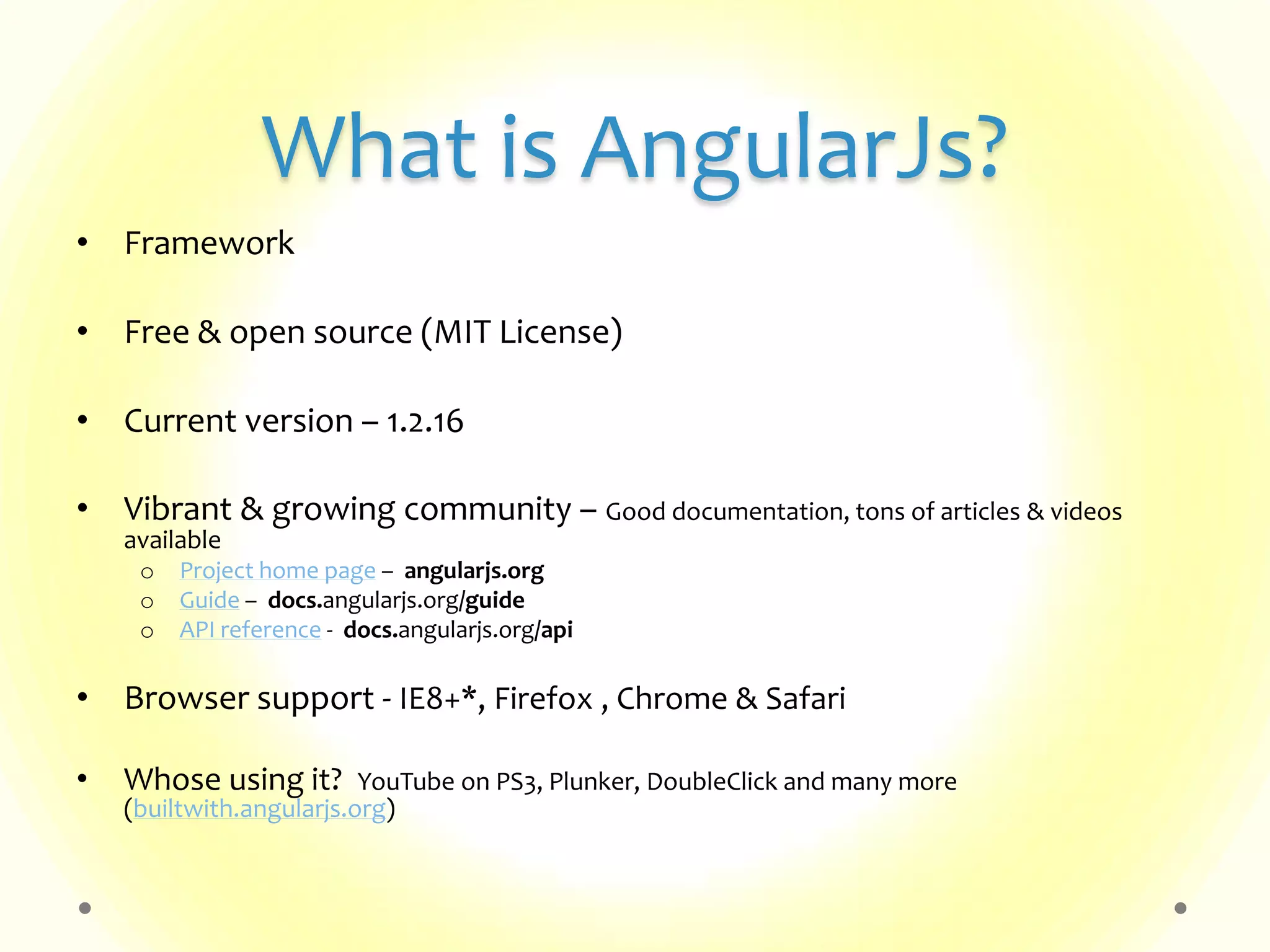
What is AngularJs? • Framework • Free & open source (MIT License) • Current version – 1.2.16 • Vibrant & growing community – Good documentation, tons of articles & videos available o Project home page – angularjs.org o Guide – docs.angularjs.org/guide o API reference - docs.angularjs.org/api • Browser support - IE8+*, Firefox , Chrome & Safari • Whose using it? YouTube on PS3, Plunker, DoubleClick and many more (builtwith.angularjs.org)
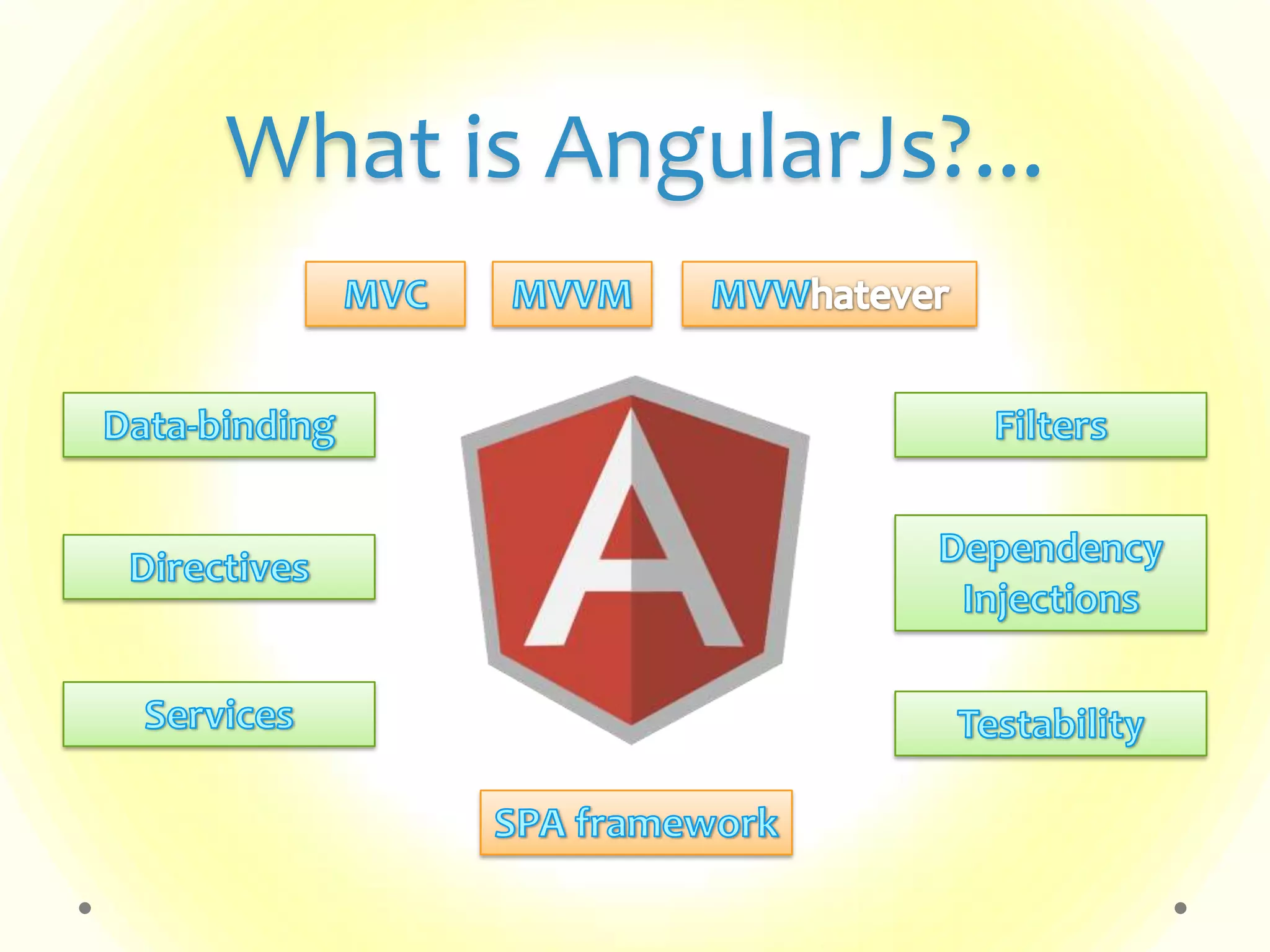
What is AngularJs?...
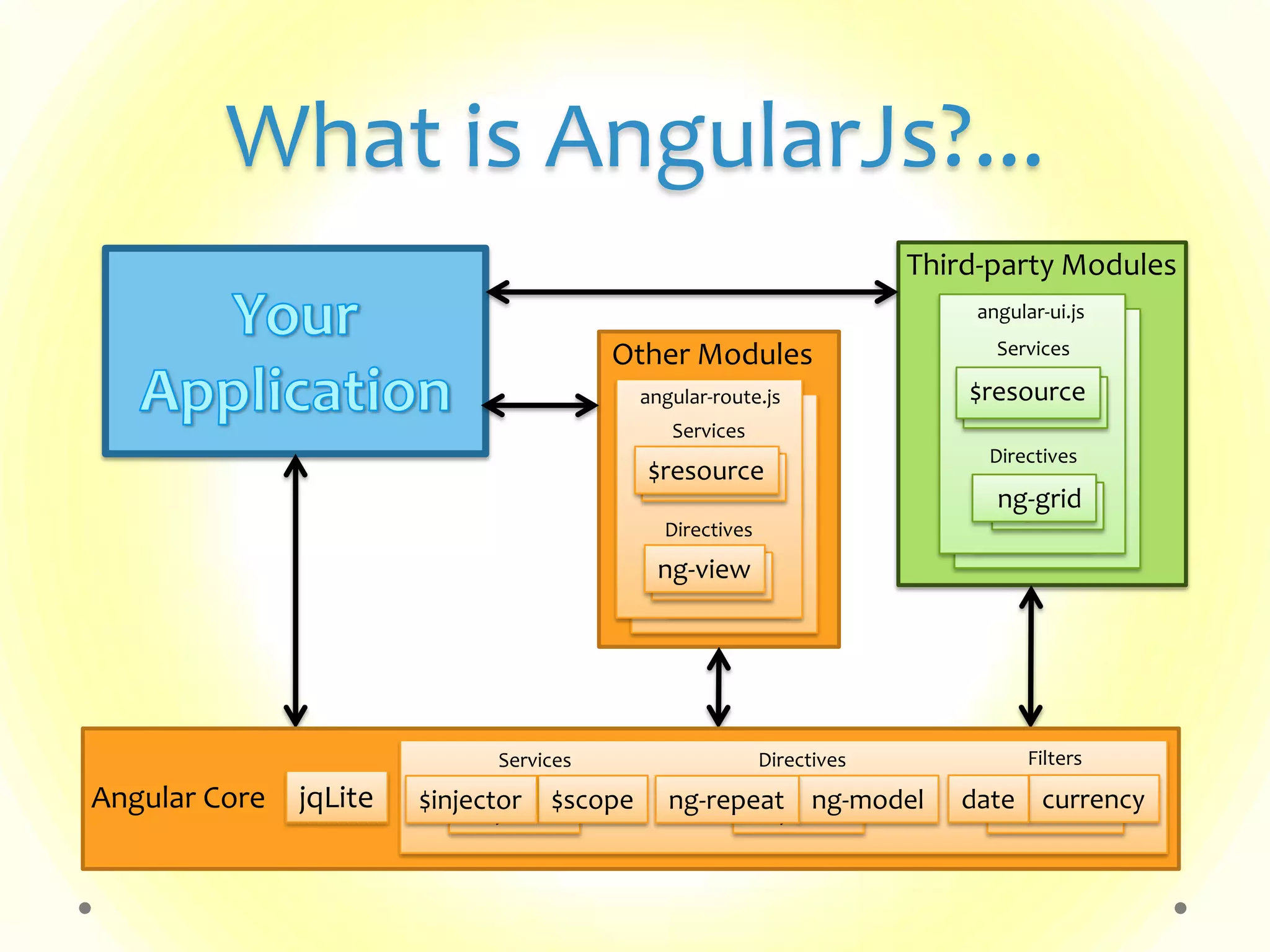
What is AngularJs?... Other Modules Services angular-route.js $resource$resource Directives ng-viewng-view Services angular-route.js $resource$resource Directives ng-viewng-view Third-party Modules Services $resource$resource Directives ng-viewng-view Services angular-ui.js $resource$resource Directives ng-ving-grid jqLiteAngular Core Services Directives Filters $injector $injector$scope$injector ng-modelng-repeat $inJectorcurrencydate
Getting Started..
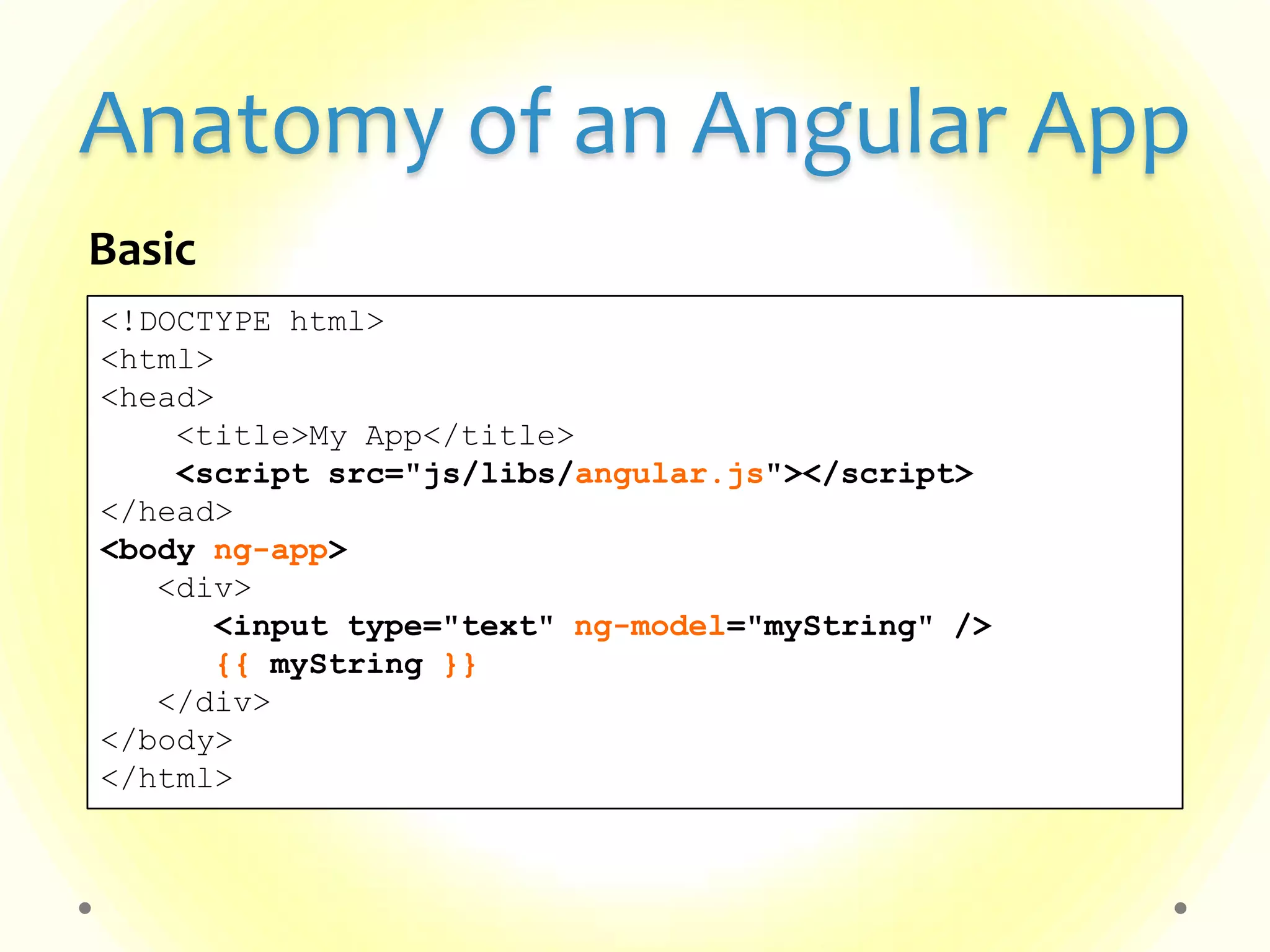
Anatomy of an Angular App <!DOCTYPE html> <html> <head> <title>My App</title> <script src="js/libs/angular.js"></script> </head> <body ng-app> <div> <input type="text" ng-model="myString" /> {{ myString }} </div> </body> </html> Basic
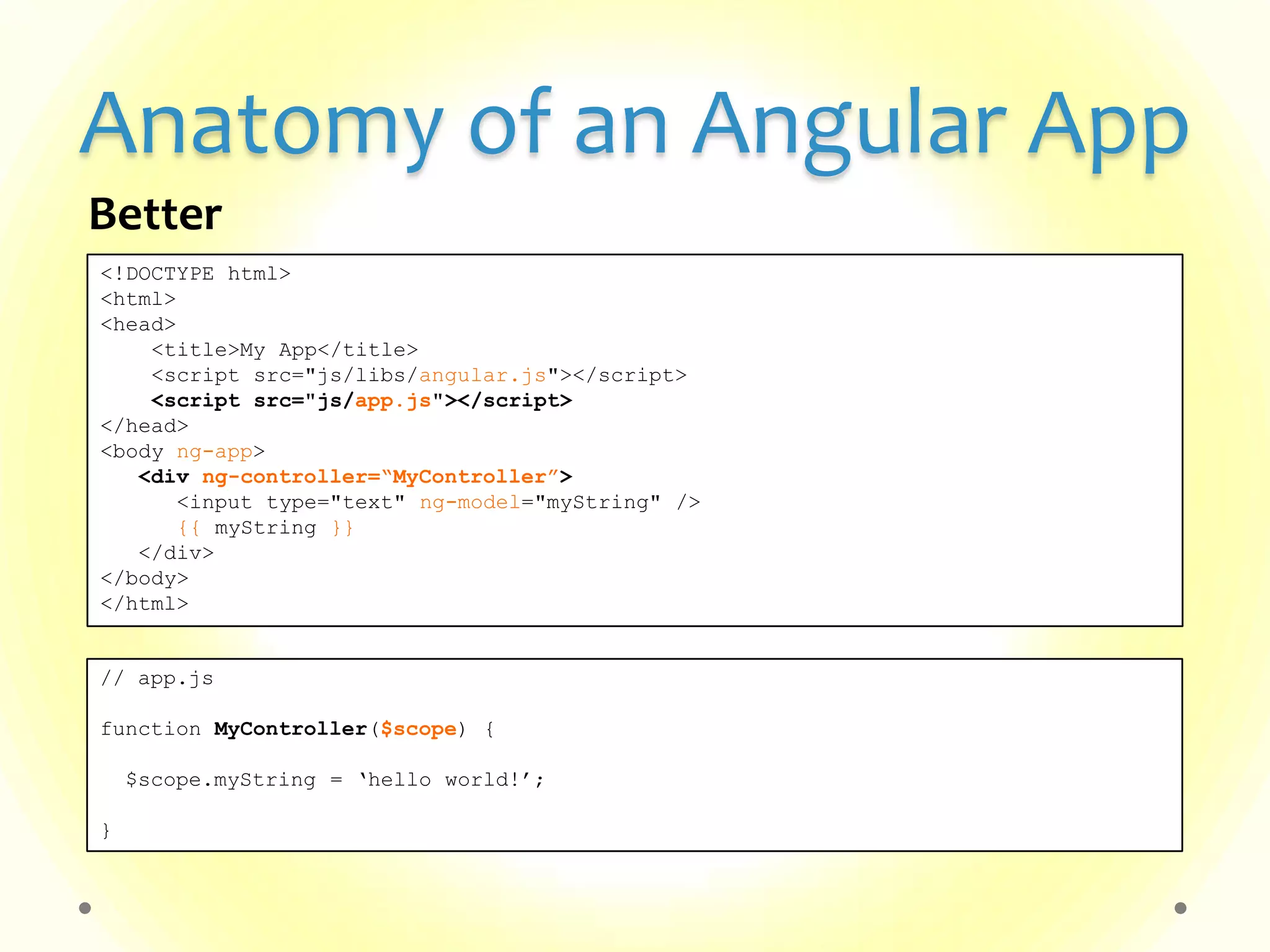
Anatomy of an Angular App <!DOCTYPE html> <html> <head> <title>My App</title> <script src="js/libs/angular.js"></script> <script src="js/app.js"></script> </head> <body ng-app> <div ng-controller=“MyController”> <input type="text" ng-model="myString" /> {{ myString }} </div> </body> </html> Better // app.js function MyController($scope) { $scope.myString = „hello world!‟; }
Anatomy of an Angular App <!DOCTYPE html> <html> <head> <title>My App</title> <script src="js/libs/angular.js"></script> <script src="js/app.js"></script> </head> <body ng-app=“myApp”> <div ng-controller=“MyController”> <input type="text" ng-model="myString" /> {{ myString }} </div> </body> </html> Even better // app.js var myApp = angular.module('myApp', []); myApp.controller(„MyController‟, [„$scope‟, function($scope) { $scope.myString = „hello world!‟; }]);
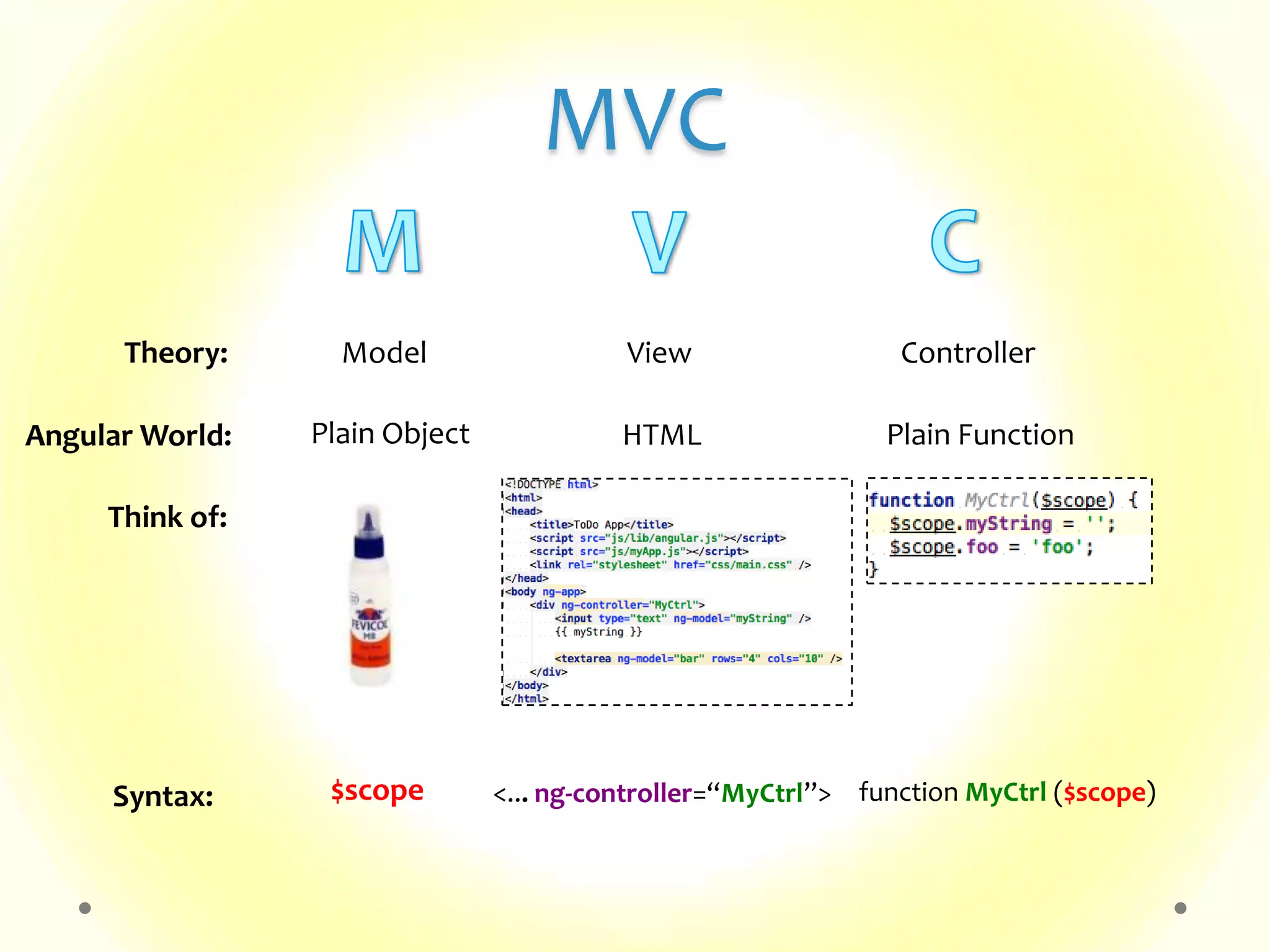
MVC Model View ControllerTheory: Plain Object HTML Plain FunctionAngular World: $scope <... ng-controller=“MyCtrl”> function MyCtrl ($scope)Syntax: Think of:
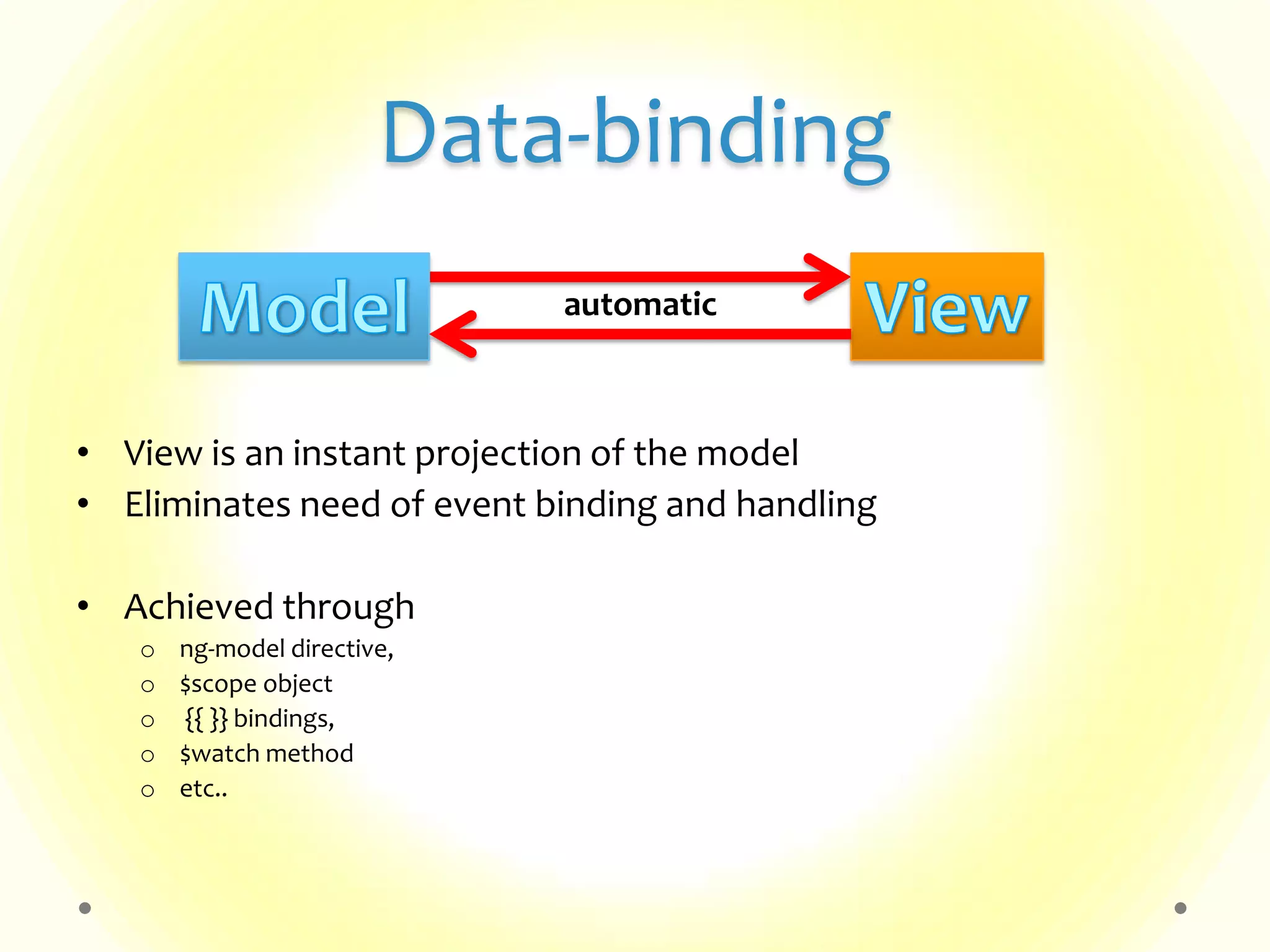
Data-binding • View is an instant projection of the model • Eliminates need of event binding and handling • Achieved through o ng-model directive, o $scope object o {{ }} bindings, o $watch method o etc.. automatic
Bindings, Expressions • Binding – {{ <expression> | filter | orderBy }} o To be used in Views/HTML. • Expressions – o JavaScript *like* code-snippets – {{ 1 + 2 }}, {{ ‘hello World!’ }} o Evaluated against a ‘$scope’ object – {{ a + b }}, {{ user.name }}, {{ items[index] }}, {{ doSomething() }} o *Cannot* use conditionals, loops & exceptions • Filters – Data formatters o lowercase, currency, date & any custom-filters • orderBy – Sorts filtered result-set
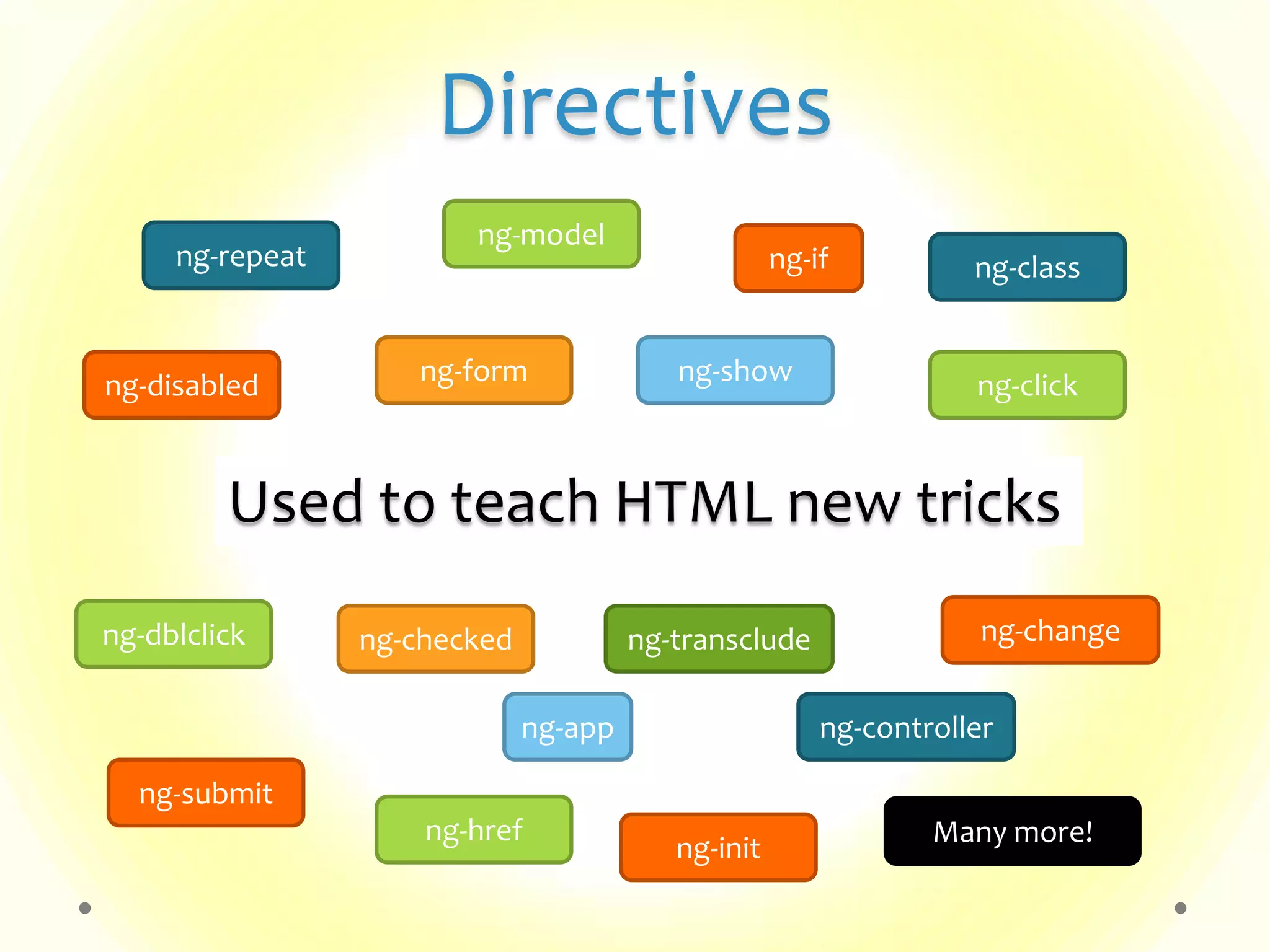
Directives Used to teach HTML new tricks ng-app ng-repeat ng-class ng-disabled ng-show ng-click ng-model ng-checked ng-controller ng-dblclick ng-href ng-submit ng-transclude ng-change Many more! ng-if ng-init ng-form
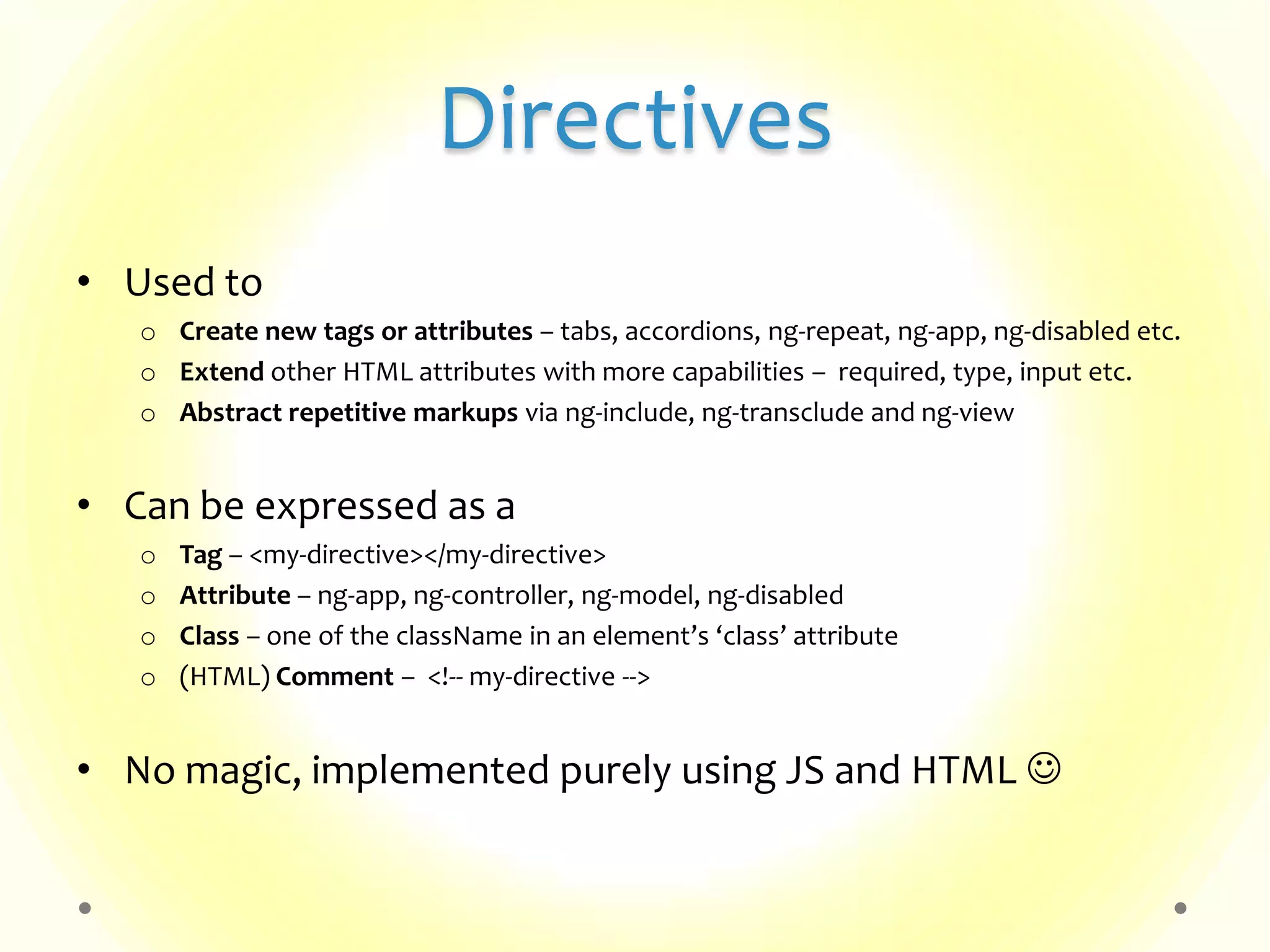
Directives • Used to o Create new tags or attributes – tabs, accordions, ng-repeat, ng-app, ng-disabled etc. o Extend other HTML attributes with more capabilities – required, type, input etc. o Abstract repetitive markups via ng-include, ng-transclude and ng-view • Can be expressed as a o Tag – <my-directive></my-directive> o Attribute – ng-app, ng-controller, ng-model, ng-disabled o Class – one of the className in an element’s ‘class’ attribute o (HTML) Comment – <!-- my-directive --> • No magic, implemented purely using JS and HTML 
Mini Demo Basic Anatomy Data-binding, Directives & Filters
Services • Reusable business logic, independent of views • Can be used by controllers and other services/components • Defined like this – • Many flavors – factories , services & providers o Mainly differ in their creational pattern angular.module('myModule', []). factory('greeter', function(someDependency) { // do some initialization here, any internal methods, // if required return { myMethod: function(text) { return text.toUpperCase(); } }; });
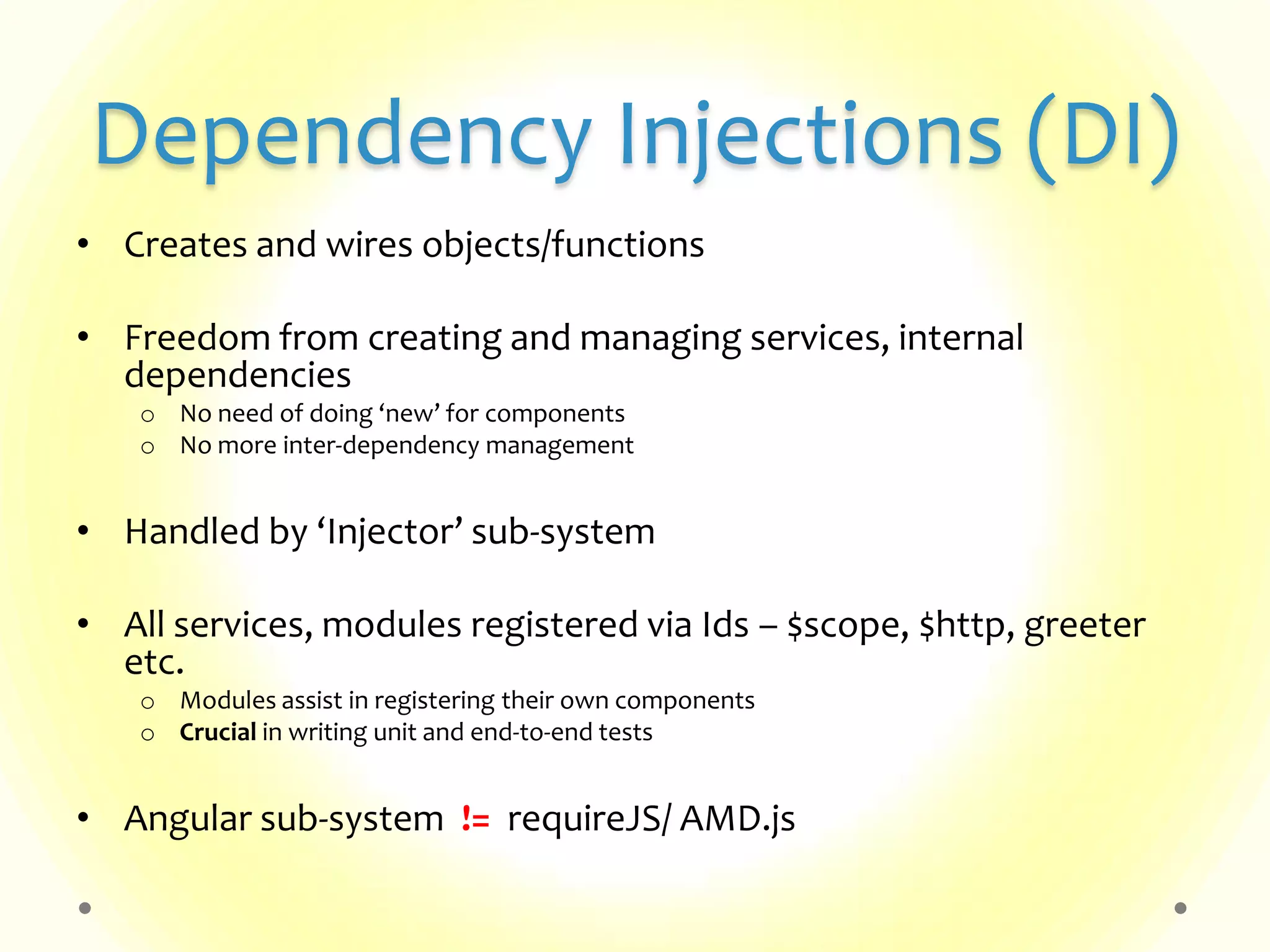
Dependency Injections (DI) • Creates and wires objects/functions • Freedom from creating and managing services, internal dependencies o No need of doing ‘new’ for components o No more inter-dependency management • Handled by ‘Injector’ sub-system • All services, modules registered via Ids – $scope, $http, greeter etc. o Modules assist in registering their own components o Crucial in writing unit and end-to-end tests • Angular sub-system != requireJS/ AMD.js
Demo Simple TODO App Single Page App - TODO App Ajax Serviced TODO App
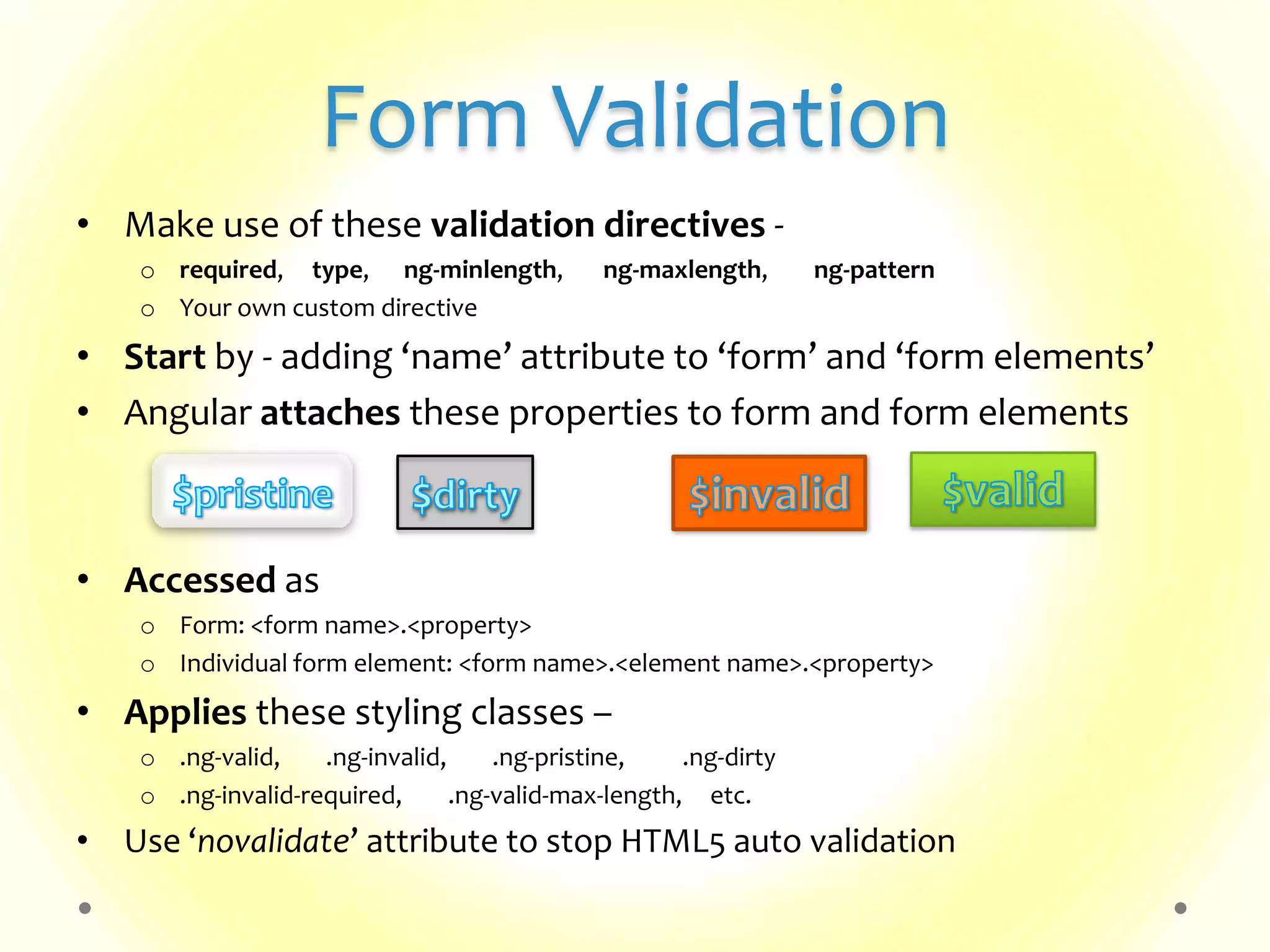
Form Validation • Make use of these validation directives - o required, type, ng-minlength, ng-maxlength, ng-pattern o Your own custom directive • Start by - adding ‘name’ attribute to ‘form’ and ‘form elements’ • Angular attaches these properties to form and form elements • Accessed as o Form: <form name>.<property> o Individual form element: <form name>.<element name>.<property> • Applies these styling classes – o .ng-valid, .ng-invalid, .ng-pristine, .ng-dirty o .ng-invalid-required, .ng-valid-max-length, etc. • Use ‘novalidate’ attribute to stop HTML5 auto validation
Custom Directives angular.module('myModule', []). directive('myDirective', function() { return { restrict: 'A', // < E | A | C | M > template: '<div>...some more markup...</div>', templateUrl: 'my-directive-template.html', replace: false, transclude: true, // < false | true > scope: { // < true | false | {} > 'localFoo': '@foo' // < @ | @attribute> 'localBar': '=info' // < = | =attribute | =? attribute> 'myProp': '&expression' // < & | &attribute > }, controller: function($scope, myDepedencies, ...) {...}, require: 'myOtherDirective' // prefix - < (no prefix) | ? | ^ | ?^ > link: function postLink(scope, iElement, iAttrs, otherController, ... ) { ... } }; }); <my-directive attribute=“some attribute” ..> <span>text</span> <div ng-transclude /> </my-directive>
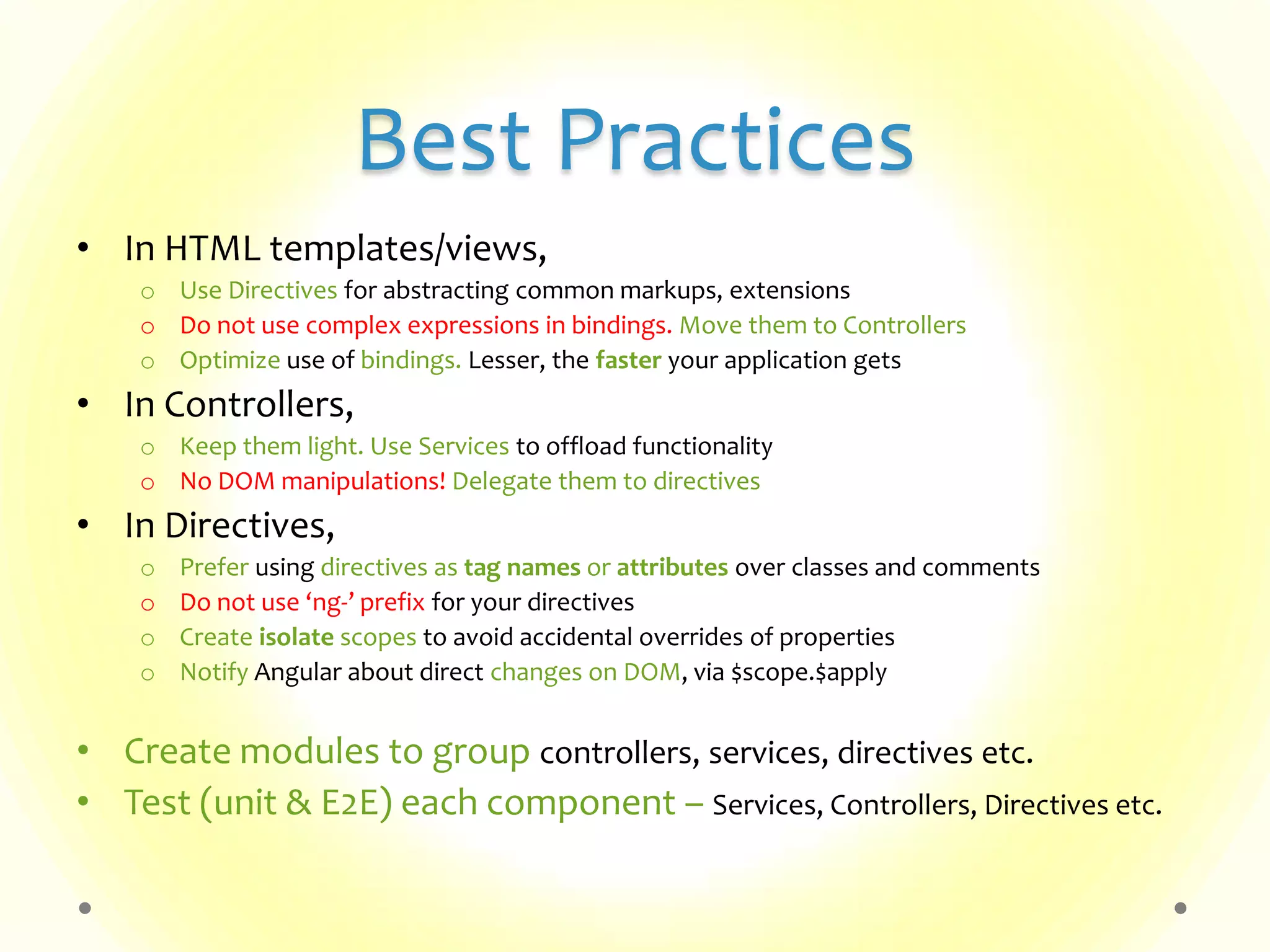
Best Practices • In HTML templates/views, o Use Directives for abstracting common markups, extensions o Do not use complex expressions in bindings. Move them to Controllers o Optimize use of bindings. Lesser, the faster your application gets • In Controllers, o Keep them light. Use Services to offload functionality o No DOM manipulations! Delegate them to directives • In Directives, o Prefer using directives as tag names or attributes over classes and comments o Do not use ‘ng-’ prefix for your directives o Create isolate scopes to avoid accidental overrides of properties o Notify Angular about direct changes on DOM, via $scope.$apply • Create modules to group controllers, services, directives etc. • Test (unit & E2E) each component – Services, Controllers, Directives etc.
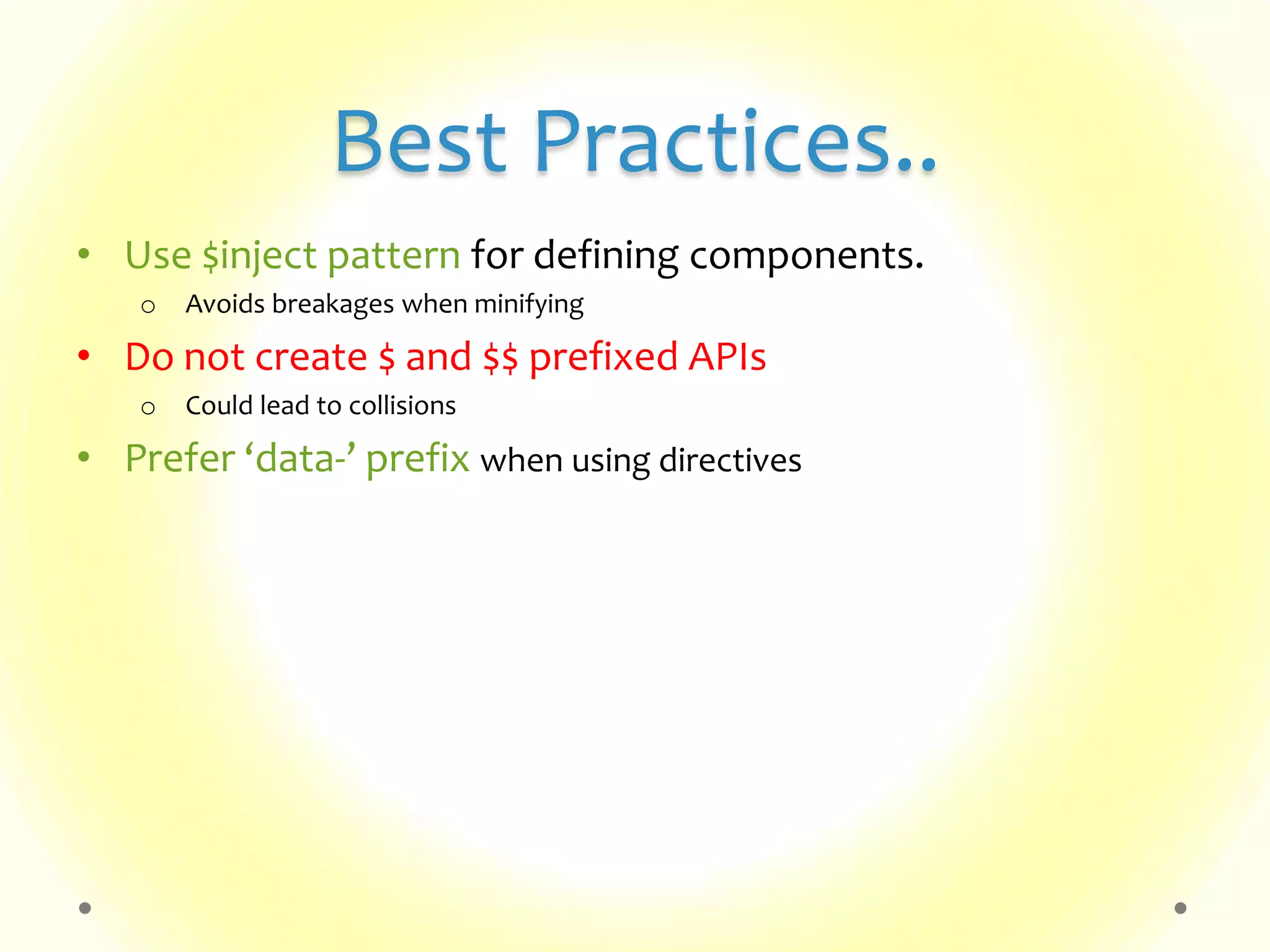
Best Practices.. • Use $inject pattern for defining components. o Avoids breakages when minifying • Do not create $ and $$ prefixed APIs o Could lead to collisions • Prefer ‘data-’ prefix when using directives
Questions?
References • Articles o AngularJS official guide o Use AngularJS to power your application o Why does AngularJS rock? o Rapid prototyping with AngularJs o AngularJs Form Validation • Videos o Official YouTube channel o AngularJs Fundamentals in 60-ish minutes o Writing Directives o Introduction to AngularJs Unit Testing o End to End testing of AngularJs apps with Protractor
Thank you!

Introduction to AngularJs

  • 1.
    HTML enhanced forweb apps! Presented by - Murtaza Haveliwala
  • 2.
    About Me • Software/UIDeveloper @ Synerzip Softech • 5+ years of development experience o Java stack – Swing, Eclipse, J2EE, Tapestry etc. o JavaScript stack – Jquery, YUI, XPCOM etc. • Current interests – NodeJs, AngularJs & Polymer • Contact: o murtaza.sh@gmail.com o LinkedIn: Murtaza Haveliwala o facebook.com/murtaza.haveliwala
  • 3.
    Agenda • Why AngularJs? •What is AngularJs? • Getting started o Anatomy of an Angular app o MVC o Data-binding o Bindings, expressions, filters o Directives o Services o Dependency Injections • Demo • Form Validation • Custom Directives • Best practices • Q&A
  • 4.
    Why AngularJs? • Attemptto make static HTML  dynamic, easier and fun • Flexible & extensible • Well organized - highly modular • Write less code • Focus on testing – Jasmine, Karma, Protractor etc. • Versatile - works well with other libraries
  • 5.
    What is AngularJs? •Framework • Free & open source (MIT License) • Current version – 1.2.16 • Vibrant & growing community – Good documentation, tons of articles & videos available o Project home page – angularjs.org o Guide – docs.angularjs.org/guide o API reference - docs.angularjs.org/api • Browser support - IE8+*, Firefox , Chrome & Safari • Whose using it? YouTube on PS3, Plunker, DoubleClick and many more (builtwith.angularjs.org)
  • 6.
  • 7.
    What is AngularJs?... OtherModules Services angular-route.js $resource$resource Directives ng-viewng-view Services angular-route.js $resource$resource Directives ng-viewng-view Third-party Modules Services $resource$resource Directives ng-viewng-view Services angular-ui.js $resource$resource Directives ng-ving-grid jqLiteAngular Core Services Directives Filters $injector $injector$scope$injector ng-modelng-repeat $inJectorcurrencydate
  • 8.
  • 9.
    Anatomy of anAngular App <!DOCTYPE html> <html> <head> <title>My App</title> <script src="js/libs/angular.js"></script> </head> <body ng-app> <div> <input type="text" ng-model="myString" /> {{ myString }} </div> </body> </html> Basic
  • 10.
    Anatomy of anAngular App <!DOCTYPE html> <html> <head> <title>My App</title> <script src="js/libs/angular.js"></script> <script src="js/app.js"></script> </head> <body ng-app> <div ng-controller=“MyController”> <input type="text" ng-model="myString" /> {{ myString }} </div> </body> </html> Better // app.js function MyController($scope) { $scope.myString = „hello world!‟; }
  • 11.
    Anatomy of anAngular App <!DOCTYPE html> <html> <head> <title>My App</title> <script src="js/libs/angular.js"></script> <script src="js/app.js"></script> </head> <body ng-app=“myApp”> <div ng-controller=“MyController”> <input type="text" ng-model="myString" /> {{ myString }} </div> </body> </html> Even better // app.js var myApp = angular.module('myApp', []); myApp.controller(„MyController‟, [„$scope‟, function($scope) { $scope.myString = „hello world!‟; }]);
  • 12.
    MVC Model View ControllerTheory: PlainObject HTML Plain FunctionAngular World: $scope <... ng-controller=“MyCtrl”> function MyCtrl ($scope)Syntax: Think of:
  • 13.
    Data-binding • View isan instant projection of the model • Eliminates need of event binding and handling • Achieved through o ng-model directive, o $scope object o {{ }} bindings, o $watch method o etc.. automatic
  • 14.
    Bindings, Expressions • Binding– {{ <expression> | filter | orderBy }} o To be used in Views/HTML. • Expressions – o JavaScript *like* code-snippets – {{ 1 + 2 }}, {{ ‘hello World!’ }} o Evaluated against a ‘$scope’ object – {{ a + b }}, {{ user.name }}, {{ items[index] }}, {{ doSomething() }} o *Cannot* use conditionals, loops & exceptions • Filters – Data formatters o lowercase, currency, date & any custom-filters • orderBy – Sorts filtered result-set
  • 15.
    Directives Used to teachHTML new tricks ng-app ng-repeat ng-class ng-disabled ng-show ng-click ng-model ng-checked ng-controller ng-dblclick ng-href ng-submit ng-transclude ng-change Many more! ng-if ng-init ng-form
  • 16.
    Directives • Used to oCreate new tags or attributes – tabs, accordions, ng-repeat, ng-app, ng-disabled etc. o Extend other HTML attributes with more capabilities – required, type, input etc. o Abstract repetitive markups via ng-include, ng-transclude and ng-view • Can be expressed as a o Tag – <my-directive></my-directive> o Attribute – ng-app, ng-controller, ng-model, ng-disabled o Class – one of the className in an element’s ‘class’ attribute o (HTML) Comment – <!-- my-directive --> • No magic, implemented purely using JS and HTML 
  • 17.
  • 18.
    Services • Reusable businesslogic, independent of views • Can be used by controllers and other services/components • Defined like this – • Many flavors – factories , services & providers o Mainly differ in their creational pattern angular.module('myModule', []). factory('greeter', function(someDependency) { // do some initialization here, any internal methods, // if required return { myMethod: function(text) { return text.toUpperCase(); } }; });
  • 19.
    Dependency Injections (DI) •Creates and wires objects/functions • Freedom from creating and managing services, internal dependencies o No need of doing ‘new’ for components o No more inter-dependency management • Handled by ‘Injector’ sub-system • All services, modules registered via Ids – $scope, $http, greeter etc. o Modules assist in registering their own components o Crucial in writing unit and end-to-end tests • Angular sub-system != requireJS/ AMD.js
  • 20.
    Demo Simple TODO App SinglePage App - TODO App Ajax Serviced TODO App
  • 21.
    Form Validation • Makeuse of these validation directives - o required, type, ng-minlength, ng-maxlength, ng-pattern o Your own custom directive • Start by - adding ‘name’ attribute to ‘form’ and ‘form elements’ • Angular attaches these properties to form and form elements • Accessed as o Form: <form name>.<property> o Individual form element: <form name>.<element name>.<property> • Applies these styling classes – o .ng-valid, .ng-invalid, .ng-pristine, .ng-dirty o .ng-invalid-required, .ng-valid-max-length, etc. • Use ‘novalidate’ attribute to stop HTML5 auto validation
  • 22.
    Custom Directives angular.module('myModule', []). directive('myDirective',function() { return { restrict: 'A', // < E | A | C | M > template: '<div>...some more markup...</div>', templateUrl: 'my-directive-template.html', replace: false, transclude: true, // < false | true > scope: { // < true | false | {} > 'localFoo': '@foo' // < @ | @attribute> 'localBar': '=info' // < = | =attribute | =? attribute> 'myProp': '&expression' // < & | &attribute > }, controller: function($scope, myDepedencies, ...) {...}, require: 'myOtherDirective' // prefix - < (no prefix) | ? | ^ | ?^ > link: function postLink(scope, iElement, iAttrs, otherController, ... ) { ... } }; }); <my-directive attribute=“some attribute” ..> <span>text</span> <div ng-transclude /> </my-directive>
  • 23.
    Best Practices • InHTML templates/views, o Use Directives for abstracting common markups, extensions o Do not use complex expressions in bindings. Move them to Controllers o Optimize use of bindings. Lesser, the faster your application gets • In Controllers, o Keep them light. Use Services to offload functionality o No DOM manipulations! Delegate them to directives • In Directives, o Prefer using directives as tag names or attributes over classes and comments o Do not use ‘ng-’ prefix for your directives o Create isolate scopes to avoid accidental overrides of properties o Notify Angular about direct changes on DOM, via $scope.$apply • Create modules to group controllers, services, directives etc. • Test (unit & E2E) each component – Services, Controllers, Directives etc.
  • 24.
    Best Practices.. • Use$inject pattern for defining components. o Avoids breakages when minifying • Do not create $ and $$ prefixed APIs o Could lead to collisions • Prefer ‘data-’ prefix when using directives
  • 25.
  • 26.
    References • Articles o AngularJSofficial guide o Use AngularJS to power your application o Why does AngularJS rock? o Rapid prototyping with AngularJs o AngularJs Form Validation • Videos o Official YouTube channel o AngularJs Fundamentals in 60-ish minutes o Writing Directives o Introduction to AngularJs Unit Testing o End to End testing of AngularJs apps with Protractor
  • 27.