www.webstackacademy.com Authentication and Authorization Angular
www.webstackacademy.comwww.webstackacademy.com Introduction (Security Foundations)
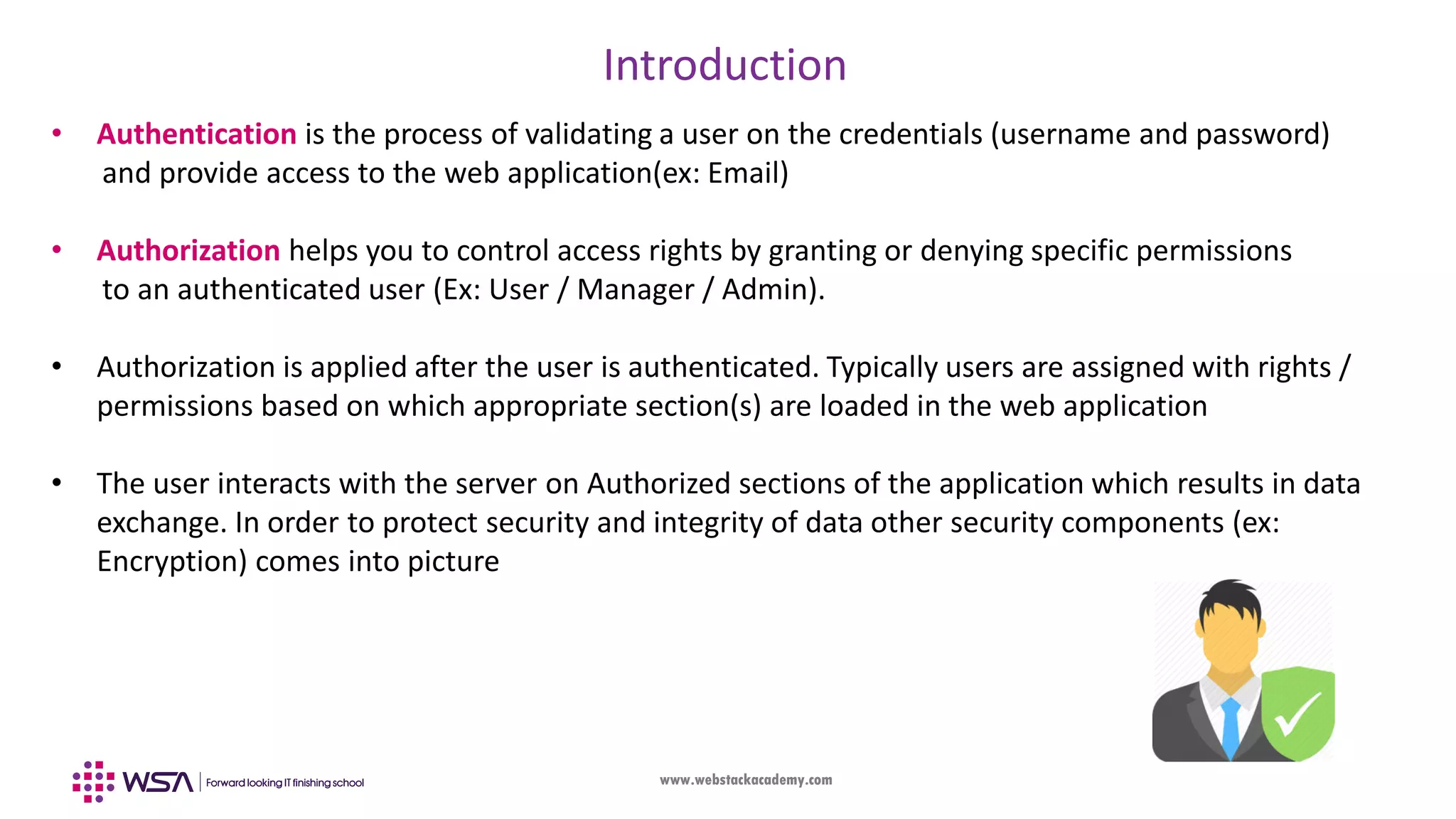
www.webstackacademy.com Introduction • Authentication is the process of validating a user on the credentials (username and password) and provide access to the web application(ex: Email) • Authorization helps you to control access rights by granting or denying specific permissions to an authenticated user (Ex: User / Manager / Admin). • Authorization is applied after the user is authenticated. Typically users are assigned with rights / permissions based on which appropriate section(s) are loaded in the web application • The user interacts with the server on Authorized sections of the application which results in data exchange. In order to protect security and integrity of data other security components (ex: Encryption) comes into picture
www.webstackacademy.com Introduction • Security is an inherent and critical feature of a web application. With rich data available in the web server, any compromise results in bigger issues in socio / political ecosystem • There are many algorithms, standards and tools in security which is quite vast in nature • Our idea is to understand security from Angular Authentication and Authorization perspective by practically implementing them in front-end web applications • We will enhance our understanding of Routes (previous chapter) and display / hide certain components based on the user authorization
www.webstackacademy.com JSON Web Tokens (JWT) • JSON Web Token (JWT) is an open standard defined in RFC 7519. • It is a compact and self-contained way for securely transmitting information between parties (ex: Web client and server) as a JSON object. • This information can be verified and trusted because it is digitally signed. • JWTs are signed using a secret (ex: HMAC algorithm) which is only known to client & server • The signed token ensures the data integrity and security
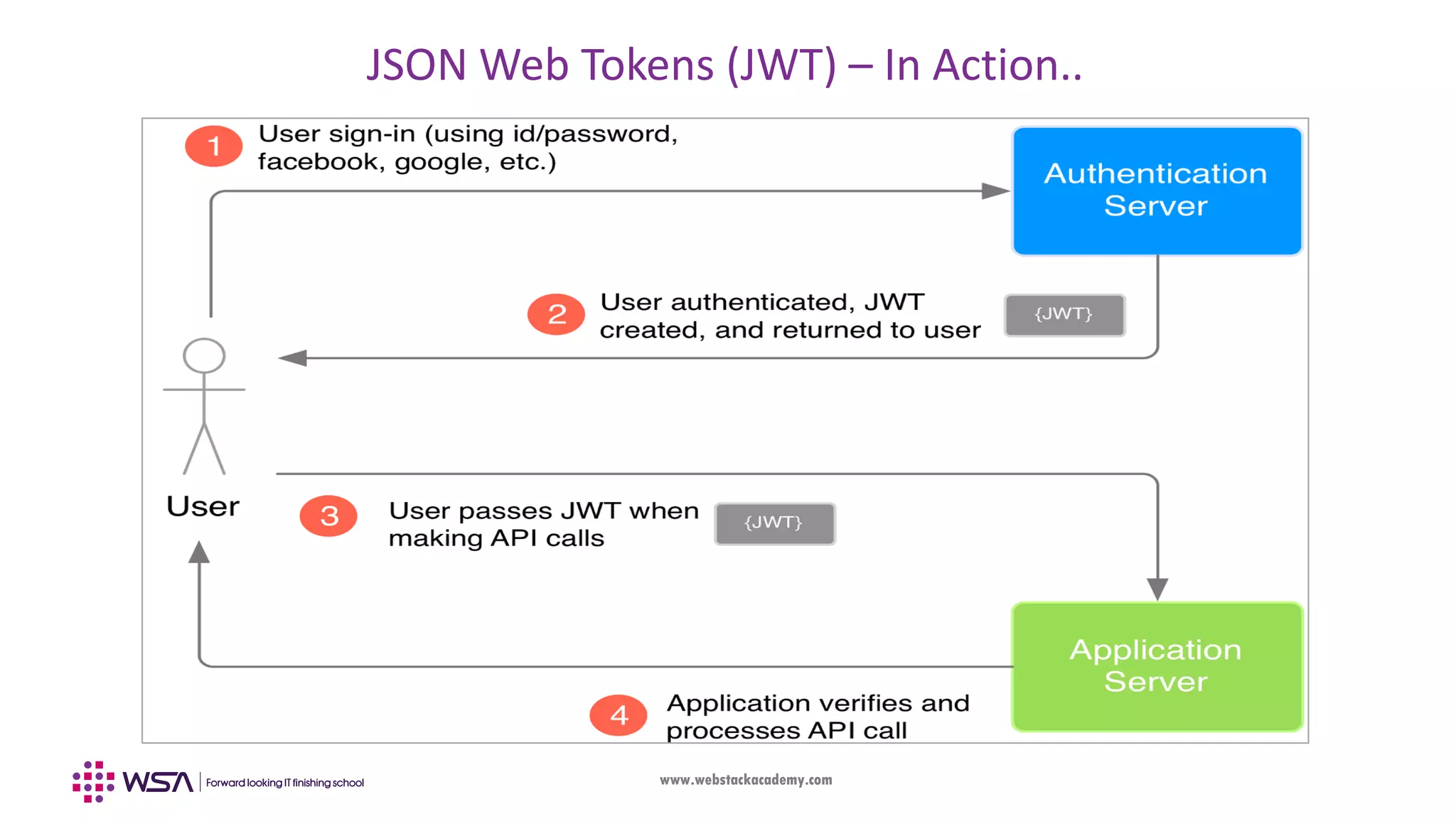
www.webstackacademy.com JSON Web Tokens (JWT) – In Action..
www.webstackacademy.com JSON Web Tokens (JWT) – Usage • JWTs are used in web based authorization once the user is successfully authenticated with valid username & password. • Each transaction between the client after authorization are done in a secure manner as the data is encrypted.
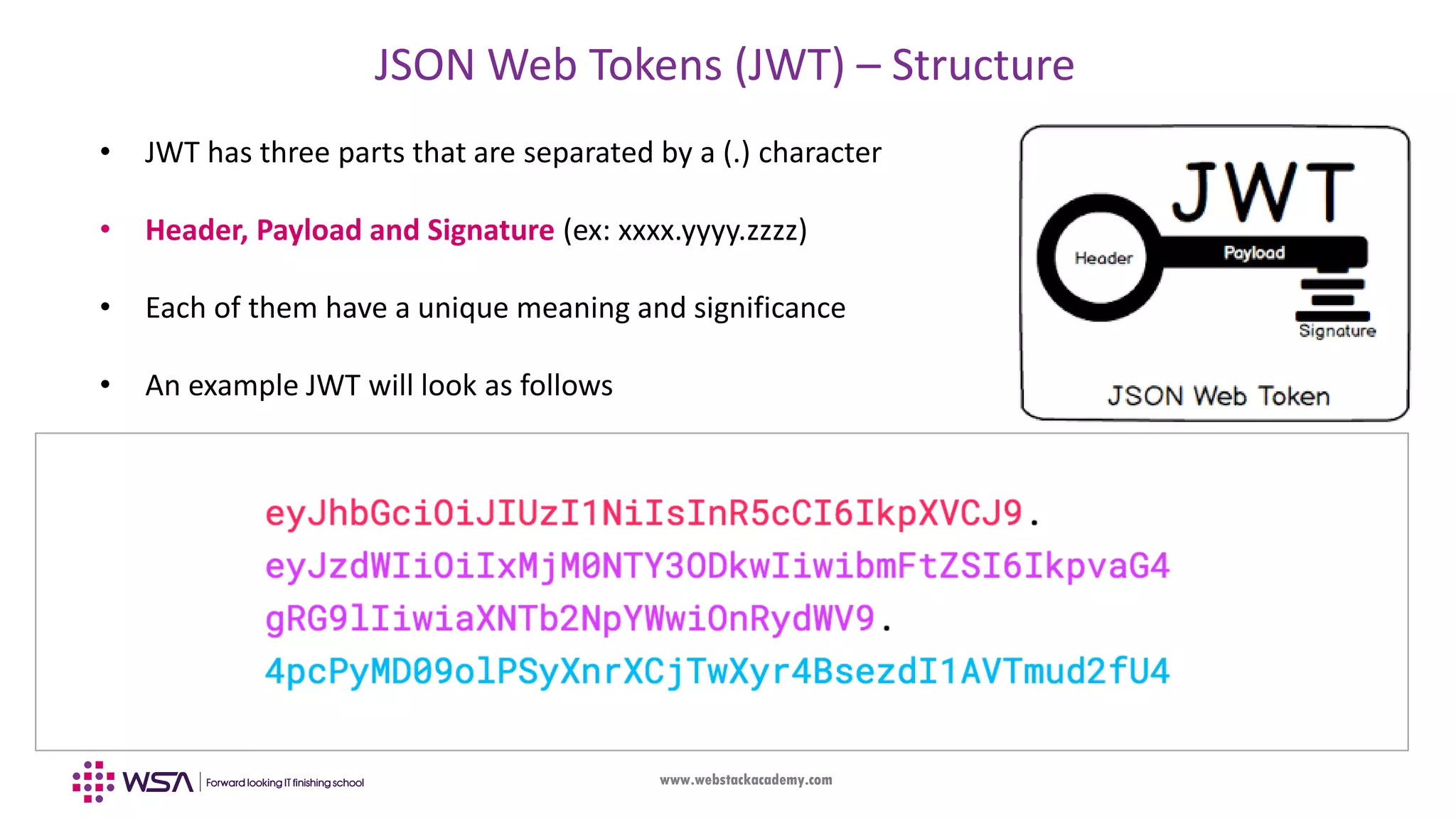
www.webstackacademy.com JSON Web Tokens (JWT) – Structure • JWT has three parts that are separated by a (.) character • Header, Payload and Signature (ex: xxxx.yyyy.zzzz) • Each of them have a unique meaning and significance • An example JWT will look as follows
www.webstackacademy.com JWT - Structure • Part-I (Header): Typically consists of two parts: • Type of the token (ex: jwt) • Hashing algorithm used (ex: HMAC SHA256) • Part-II (Payload): It contains claims. Claims are statements about an entity (typically, the user) and additional data. • Both Header & Payload are encoded using base64 encoding and made as a first and second part of the JWT { "alg": "HS256", "typ": "JWT" } { "sub": "1234567890", "name": "WSA", "admin": true }
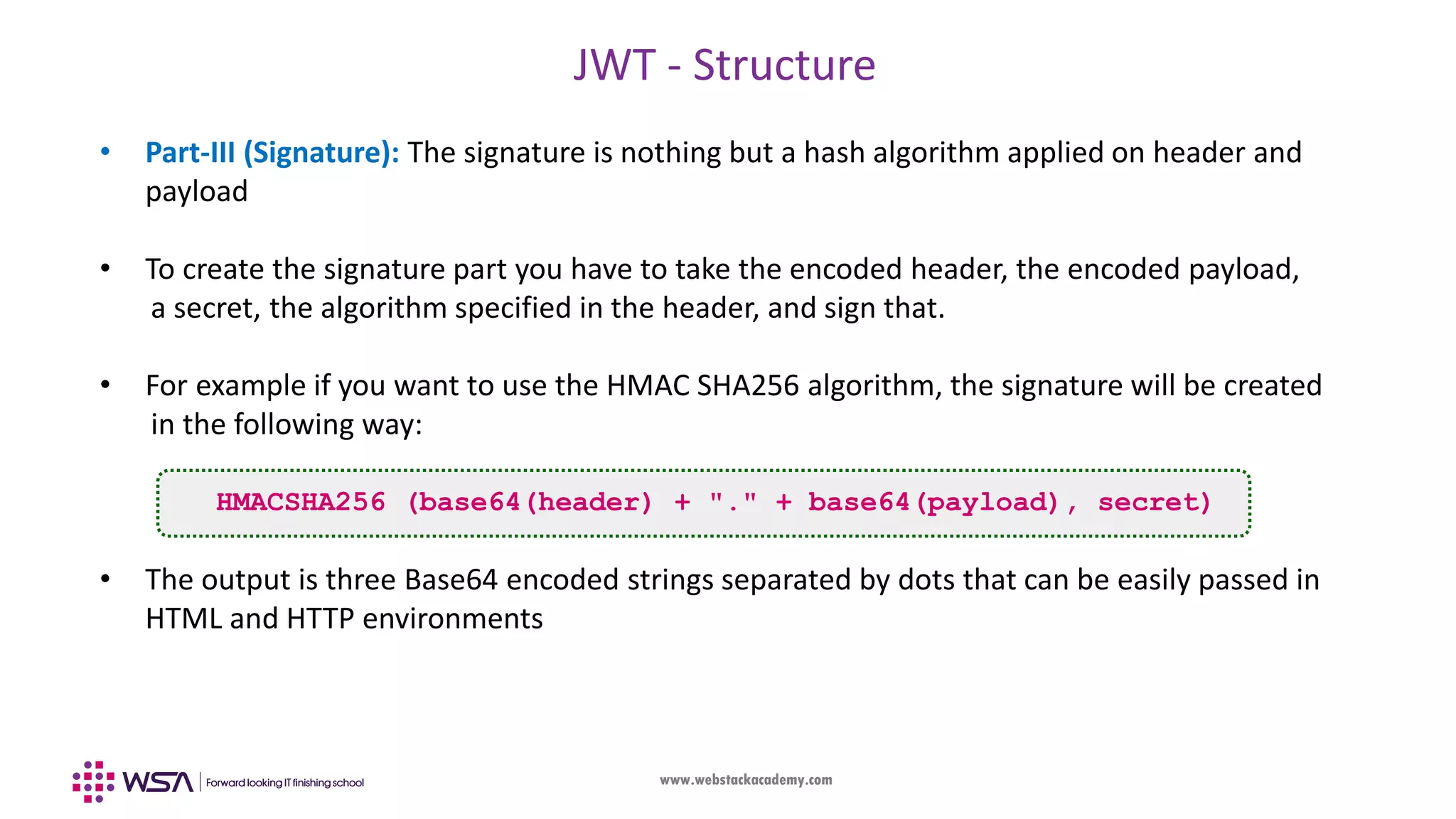
www.webstackacademy.com JWT - Structure • Part-III (Signature): The signature is nothing but a hash algorithm applied on header and payload • To create the signature part you have to take the encoded header, the encoded payload, a secret, the algorithm specified in the header, and sign that. • For example if you want to use the HMAC SHA256 algorithm, the signature will be created in the following way: HMACSHA256 (base64(header) + "." + base64(payload), secret) • The output is three Base64 encoded strings separated by dots that can be easily passed in HTML and HTTP environments
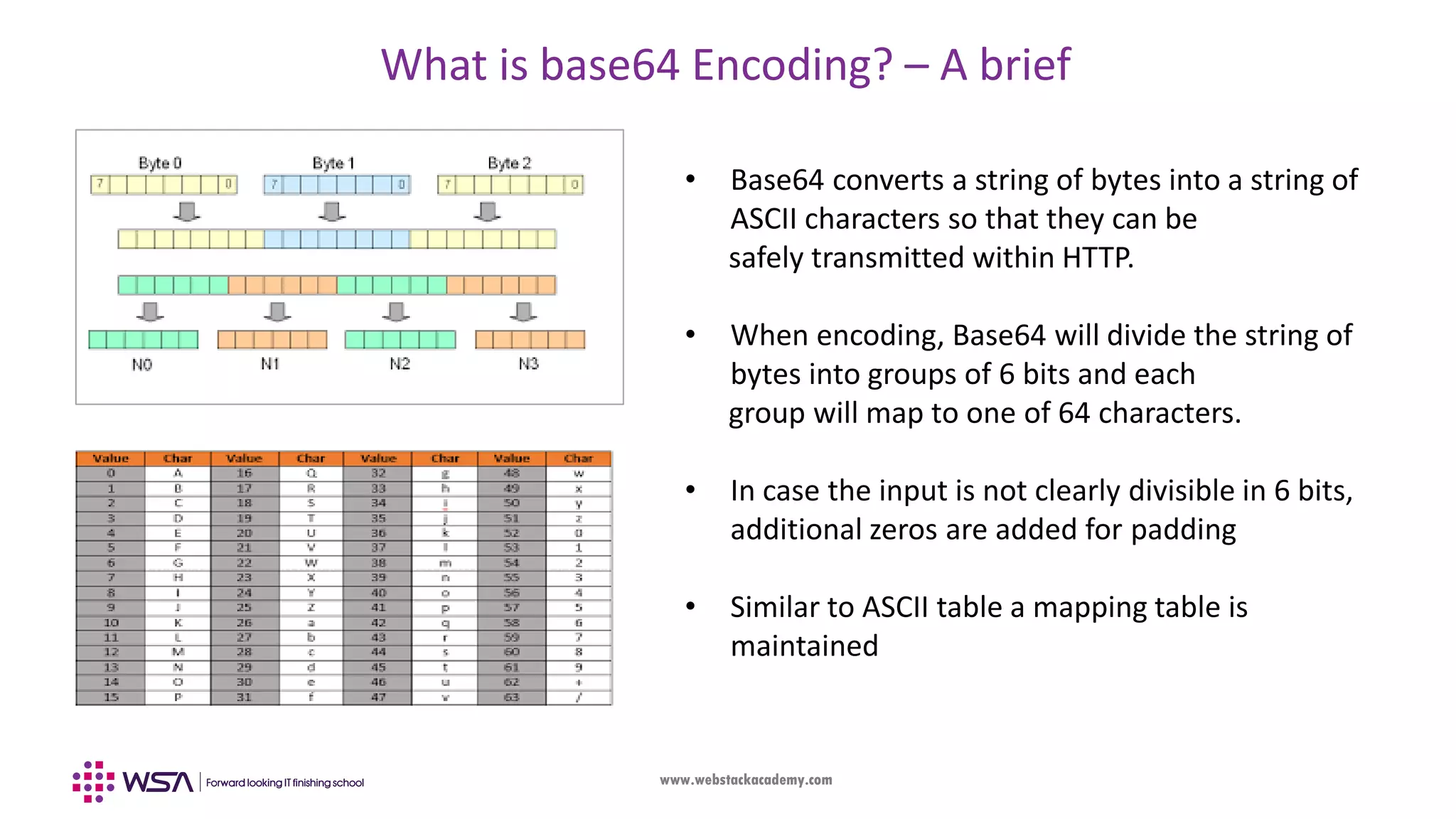
www.webstackacademy.com What is base64 Encoding? – A brief • Base64 converts a string of bytes into a string of ASCII characters so that they can be safely transmitted within HTTP. • When encoding, Base64 will divide the string of bytes into groups of 6 bits and each group will map to one of 64 characters. • In case the input is not clearly divisible in 6 bits, additional zeros are added for padding • Similar to ASCII table a mapping table is maintained
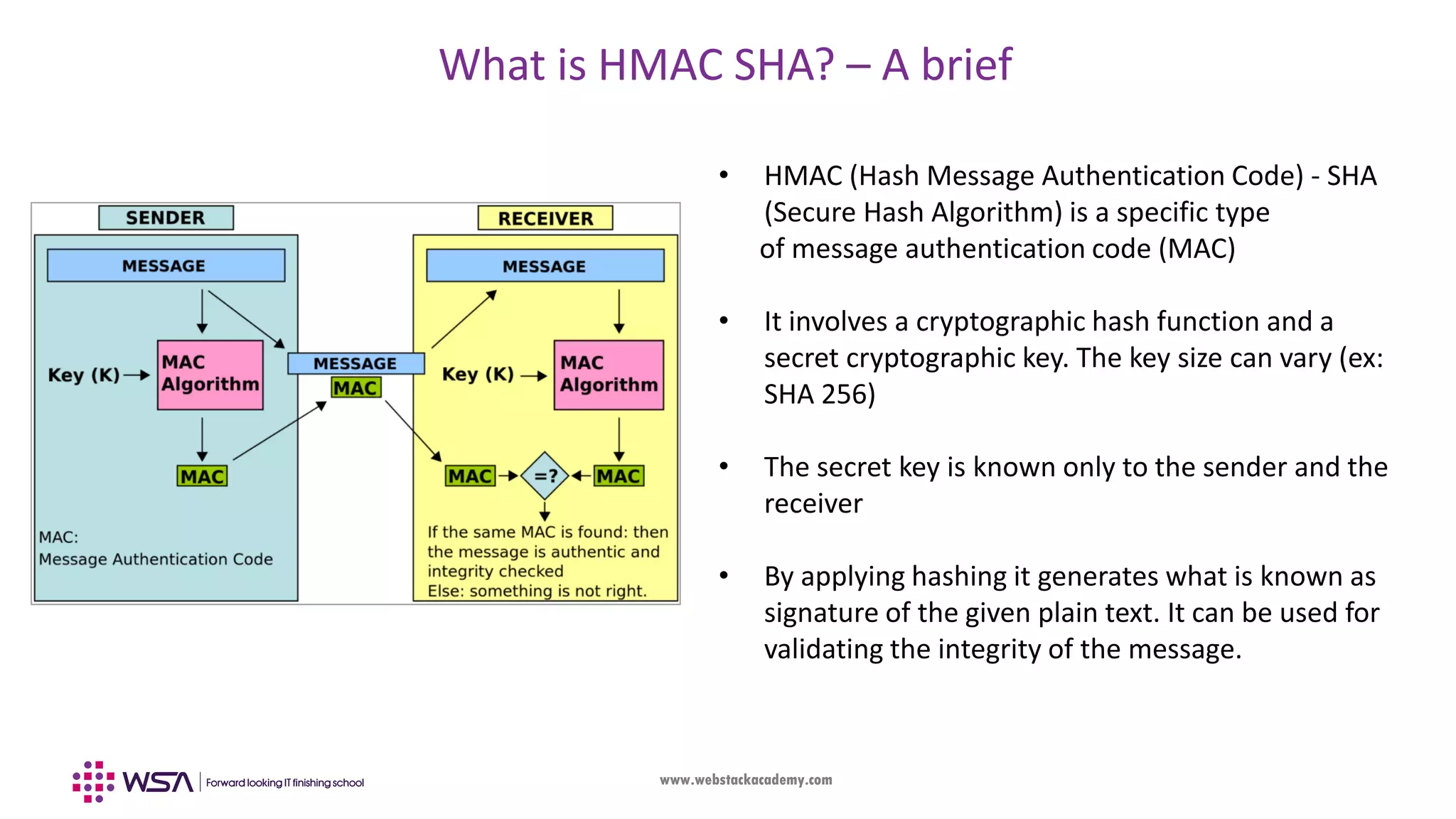
www.webstackacademy.com What is HMAC SHA? – A brief • HMAC (Hash Message Authentication Code) - SHA (Secure Hash Algorithm) is a specific type of message authentication code (MAC) • It involves a cryptographic hash function and a secret cryptographic key. The key size can vary (ex: SHA 256) • The secret key is known only to the sender and the receiver • By applying hashing it generates what is known as signature of the given plain text. It can be used for validating the integrity of the message.
www.webstackacademy.com Exercise • JWT Debugger tool: • It is used to generate JWT, let us do some hands-on • Goto https://jwt.io/#debugger and try out by generating some JWT • Base64 Encoding tool: • It is used to check base64 encoding, let us do some hands-on • Goto: https://www.base64decode.org and try out some encoding
www.webstackacademy.comwww.webstackacademy.com Local Storage (Storing user data in the browser)
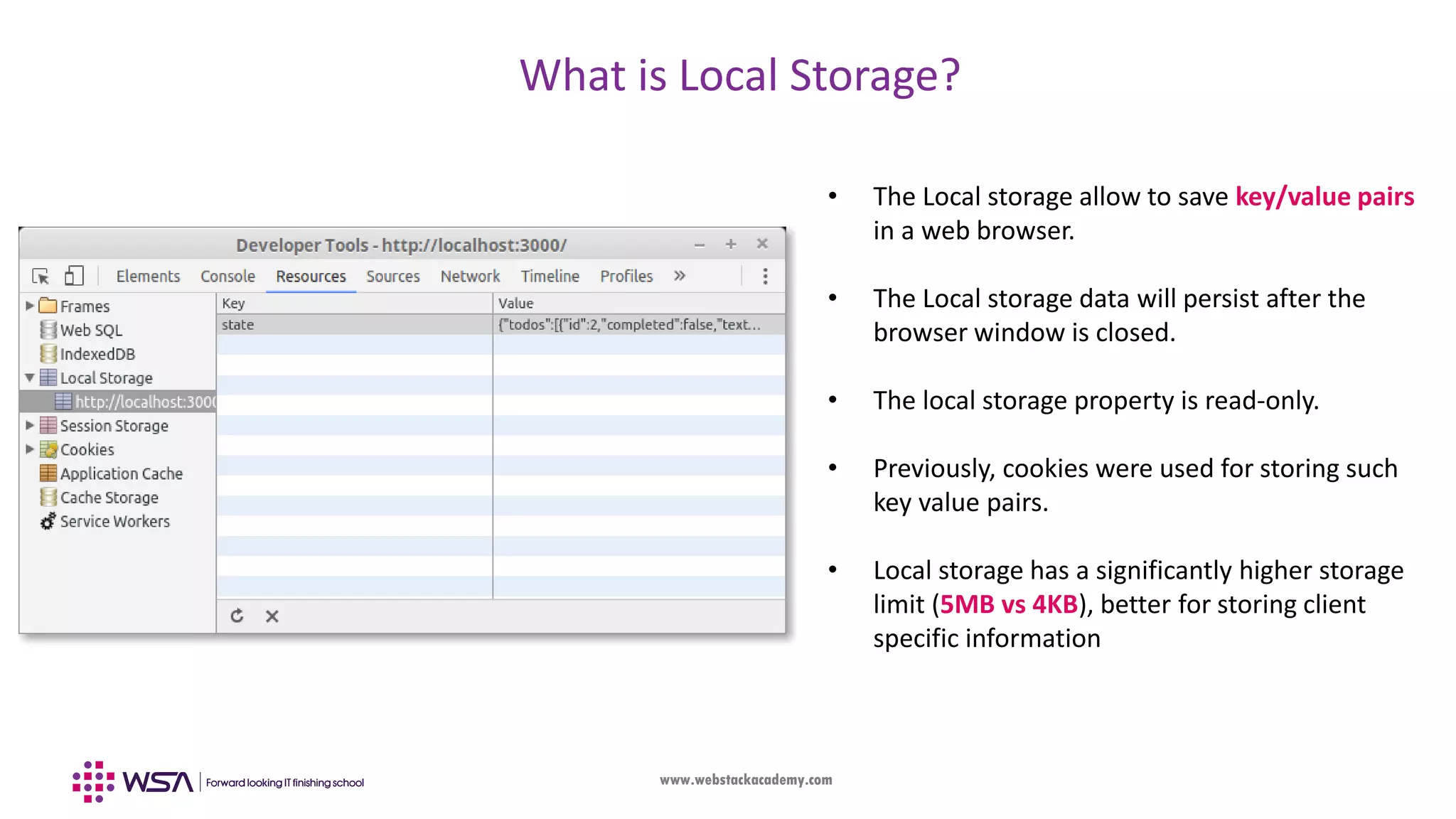
www.webstackacademy.com What is Local Storage? • The Local storage allow to save key/value pairs in a web browser. • The Local storage data will persist after the browser window is closed. • The local storage property is read-only. • Previously, cookies were used for storing such key value pairs. • Local storage has a significantly higher storage limit (5MB vs 4KB), better for storing client specific information
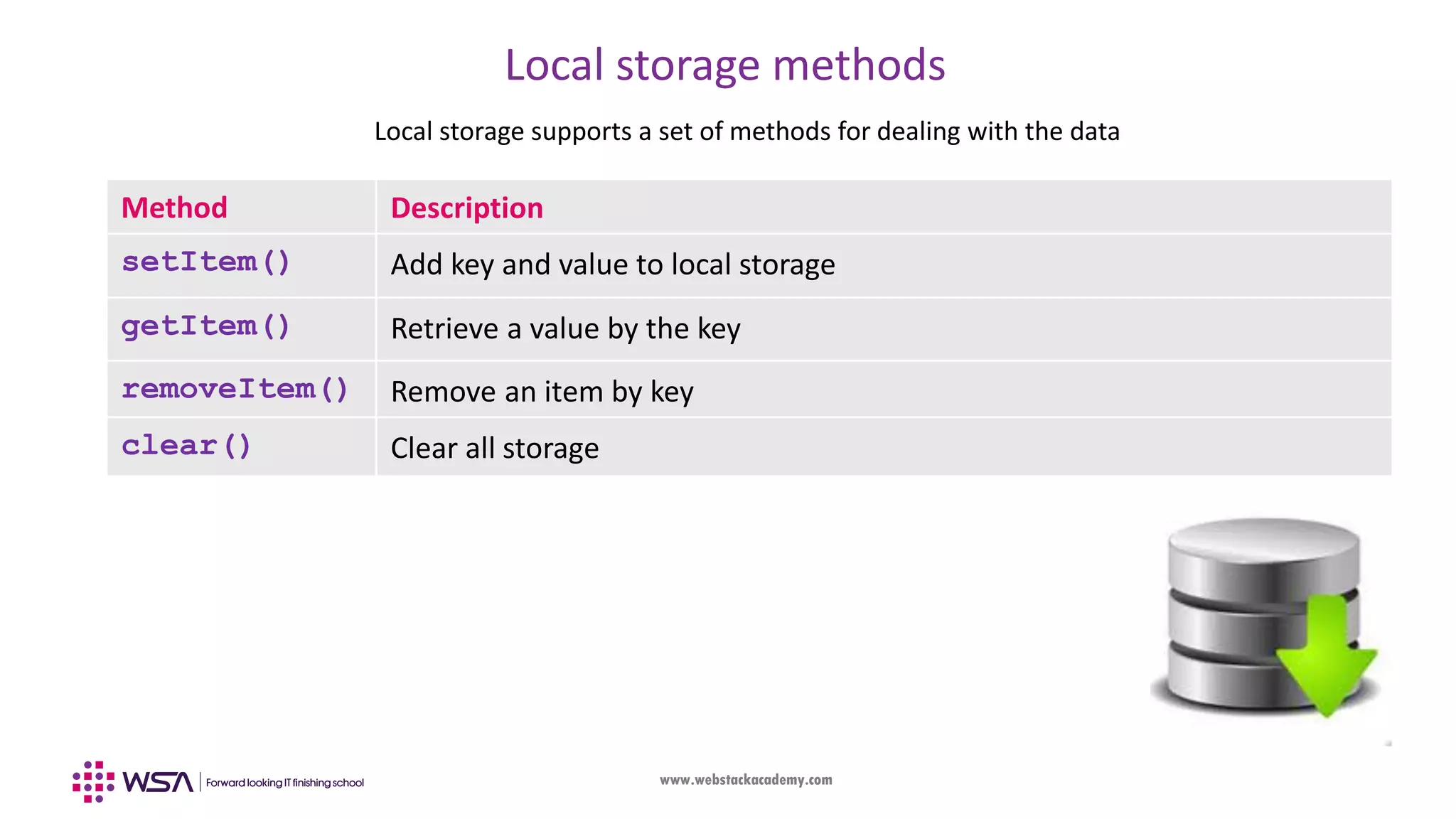
www.webstackacademy.com Local storage methods Local storage supports a set of methods for dealing with the data Method Description setItem() Add key and value to local storage getItem() Retrieve a value by the key removeItem() Remove an item by key clear() Clear all storage
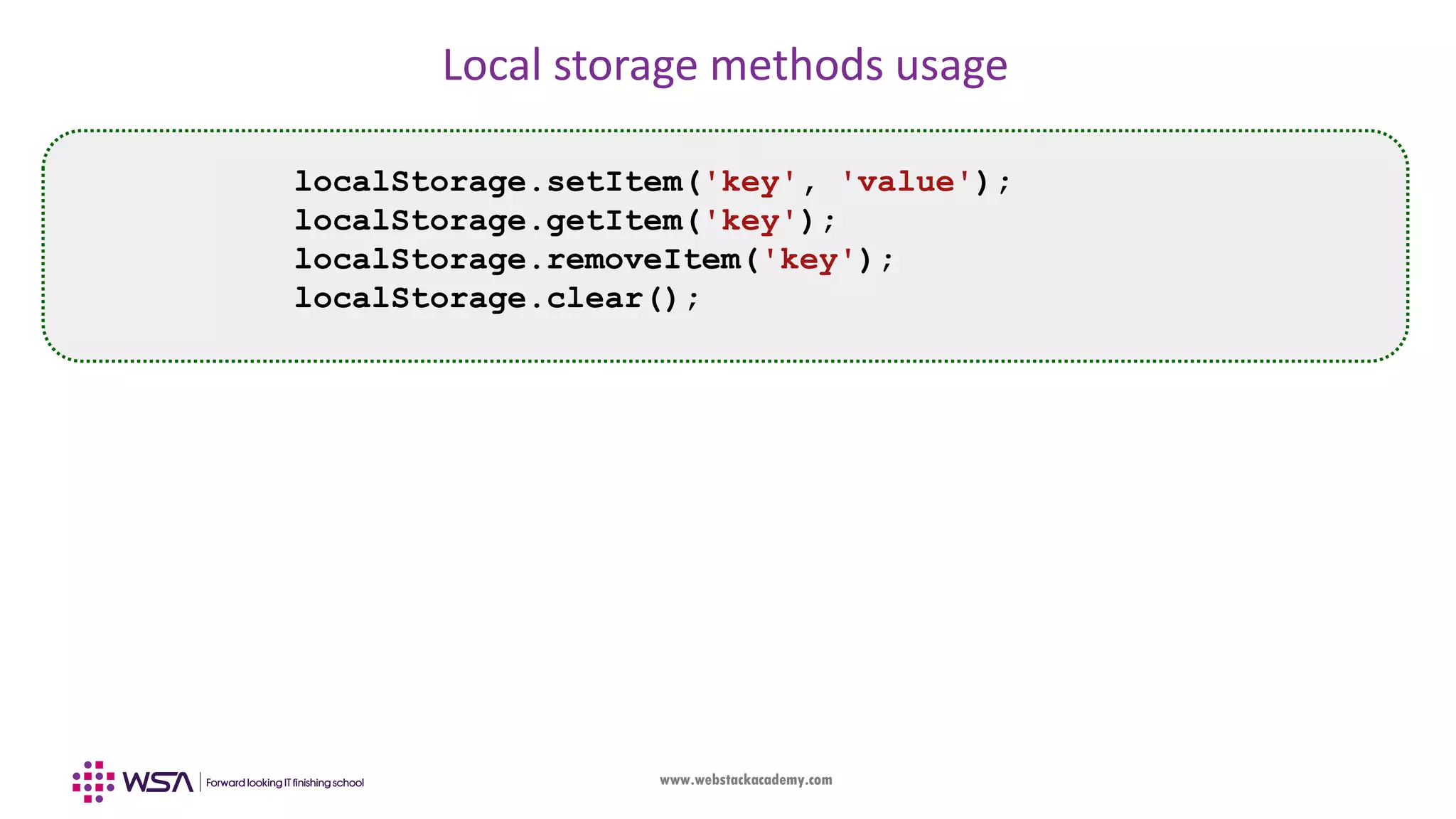
www.webstackacademy.com Local storage methods usage localStorage.setItem('key', 'value'); localStorage.getItem('key'); localStorage.removeItem('key'); localStorage.clear();
www.webstackacademy.comwww.webstackacademy.com Starter Code (A Brief about given code to get started with A & A)
www.webstackacademy.com WebStack Academy #83, Farah Towers, 1st Floor, MG Road, Bangalore – 560001 M: +91-809 555 7332 E: training@webstackacademy.com WSA in Social Media:

Angular - Chapter 9 - Authentication and Authorization

  • 1.
  • 2.
  • 3.
    www.webstackacademy.com Introduction • Authentication isthe process of validating a user on the credentials (username and password) and provide access to the web application(ex: Email) • Authorization helps you to control access rights by granting or denying specific permissions to an authenticated user (Ex: User / Manager / Admin). • Authorization is applied after the user is authenticated. Typically users are assigned with rights / permissions based on which appropriate section(s) are loaded in the web application • The user interacts with the server on Authorized sections of the application which results in data exchange. In order to protect security and integrity of data other security components (ex: Encryption) comes into picture
  • 4.
    www.webstackacademy.com Introduction • Security isan inherent and critical feature of a web application. With rich data available in the web server, any compromise results in bigger issues in socio / political ecosystem • There are many algorithms, standards and tools in security which is quite vast in nature • Our idea is to understand security from Angular Authentication and Authorization perspective by practically implementing them in front-end web applications • We will enhance our understanding of Routes (previous chapter) and display / hide certain components based on the user authorization
  • 5.
    www.webstackacademy.com JSON Web Tokens(JWT) • JSON Web Token (JWT) is an open standard defined in RFC 7519. • It is a compact and self-contained way for securely transmitting information between parties (ex: Web client and server) as a JSON object. • This information can be verified and trusted because it is digitally signed. • JWTs are signed using a secret (ex: HMAC algorithm) which is only known to client & server • The signed token ensures the data integrity and security
  • 6.
  • 7.
    www.webstackacademy.com JSON Web Tokens(JWT) – Usage • JWTs are used in web based authorization once the user is successfully authenticated with valid username & password. • Each transaction between the client after authorization are done in a secure manner as the data is encrypted.
  • 8.
    www.webstackacademy.com JSON Web Tokens(JWT) – Structure • JWT has three parts that are separated by a (.) character • Header, Payload and Signature (ex: xxxx.yyyy.zzzz) • Each of them have a unique meaning and significance • An example JWT will look as follows
  • 9.
    www.webstackacademy.com JWT - Structure •Part-I (Header): Typically consists of two parts: • Type of the token (ex: jwt) • Hashing algorithm used (ex: HMAC SHA256) • Part-II (Payload): It contains claims. Claims are statements about an entity (typically, the user) and additional data. • Both Header & Payload are encoded using base64 encoding and made as a first and second part of the JWT { "alg": "HS256", "typ": "JWT" } { "sub": "1234567890", "name": "WSA", "admin": true }
  • 10.
    www.webstackacademy.com JWT - Structure •Part-III (Signature): The signature is nothing but a hash algorithm applied on header and payload • To create the signature part you have to take the encoded header, the encoded payload, a secret, the algorithm specified in the header, and sign that. • For example if you want to use the HMAC SHA256 algorithm, the signature will be created in the following way: HMACSHA256 (base64(header) + "." + base64(payload), secret) • The output is three Base64 encoded strings separated by dots that can be easily passed in HTML and HTTP environments
  • 11.
    www.webstackacademy.com What is base64Encoding? – A brief • Base64 converts a string of bytes into a string of ASCII characters so that they can be safely transmitted within HTTP. • When encoding, Base64 will divide the string of bytes into groups of 6 bits and each group will map to one of 64 characters. • In case the input is not clearly divisible in 6 bits, additional zeros are added for padding • Similar to ASCII table a mapping table is maintained
  • 12.
    www.webstackacademy.com What is HMACSHA? – A brief • HMAC (Hash Message Authentication Code) - SHA (Secure Hash Algorithm) is a specific type of message authentication code (MAC) • It involves a cryptographic hash function and a secret cryptographic key. The key size can vary (ex: SHA 256) • The secret key is known only to the sender and the receiver • By applying hashing it generates what is known as signature of the given plain text. It can be used for validating the integrity of the message.
  • 13.
    www.webstackacademy.com Exercise • JWT Debuggertool: • It is used to generate JWT, let us do some hands-on • Goto https://jwt.io/#debugger and try out by generating some JWT • Base64 Encoding tool: • It is used to check base64 encoding, let us do some hands-on • Goto: https://www.base64decode.org and try out some encoding
  • 14.
  • 15.
    www.webstackacademy.com What is LocalStorage? • The Local storage allow to save key/value pairs in a web browser. • The Local storage data will persist after the browser window is closed. • The local storage property is read-only. • Previously, cookies were used for storing such key value pairs. • Local storage has a significantly higher storage limit (5MB vs 4KB), better for storing client specific information
  • 16.
    www.webstackacademy.com Local storage methods Localstorage supports a set of methods for dealing with the data Method Description setItem() Add key and value to local storage getItem() Retrieve a value by the key removeItem() Remove an item by key clear() Clear all storage
  • 17.
    www.webstackacademy.com Local storage methodsusage localStorage.setItem('key', 'value'); localStorage.getItem('key'); localStorage.removeItem('key'); localStorage.clear();
  • 18.
  • 19.
    www.webstackacademy.com WebStack Academy #83, FarahTowers, 1st Floor, MG Road, Bangalore – 560001 M: +91-809 555 7332 E: training@webstackacademy.com WSA in Social Media: