
Node and SQLLite SQLite Database with Node https://www.udemy.com/node- database/?couponCode=SLIDESHARE
INSTRUCTOR: LAURENCE SVEKIS Course instructor : Laurence Svekis - Over 300 courses in technology and web applications. - 20 years of JavaScript web programming experience - 500,000+ students across multiple platforms - Digital instructor since 2002 READY TO HELP YOU LEARN and ANSWER ANY questions you may have.
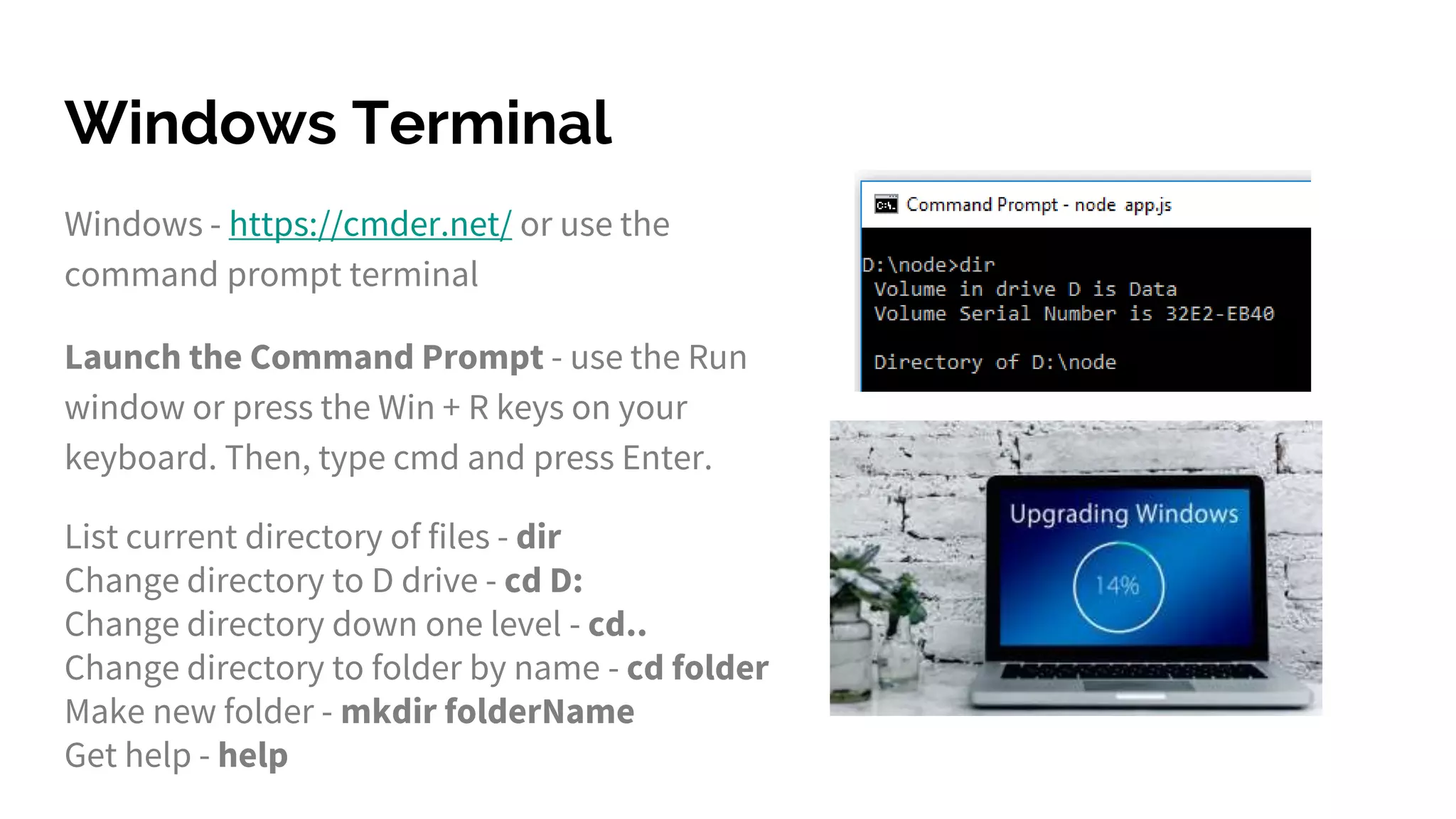
Windows Terminal Windows - https://cmder.net/ or use the command prompt terminal Launch the Command Prompt - use the Run window or press the Win + R keys on your keyboard. Then, type cmd and press Enter. List current directory of files - dir Change directory to D drive - cd D: Change directory down one level - cd.. Change directory to folder by name - cd folder Make new folder - mkdir folderName Get help - help
Mac Terminal Open Terminal by pressing Command+Space or select terminal in the applications list. List current directory of files - ls Change directory to D drive - cd D: Change directory down one level - cd.. Change directory to folder by name - cd folder Make new folder - mkdir folderName Get help - help
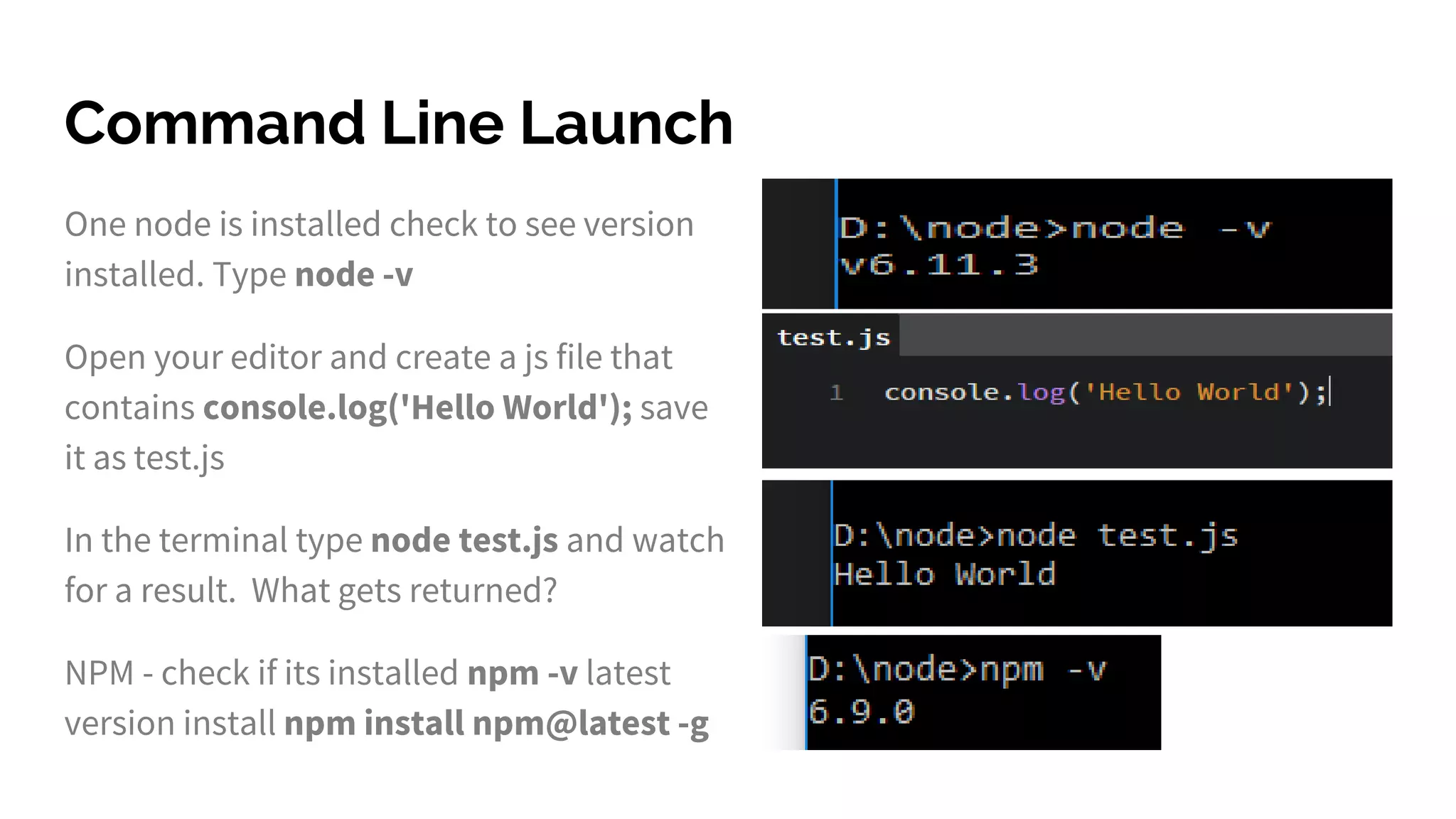
Command Line Launch One node is installed check to see version installed. Type node -v Open your editor and create a js file that contains console.log('Hello World'); save it as test.js In the terminal type node test.js and watch for a result. What gets returned? NPM - check if its installed npm -v latest version install npm install npm@latest -g
Create app js file Create a main app js file to run your node application. touch app.js
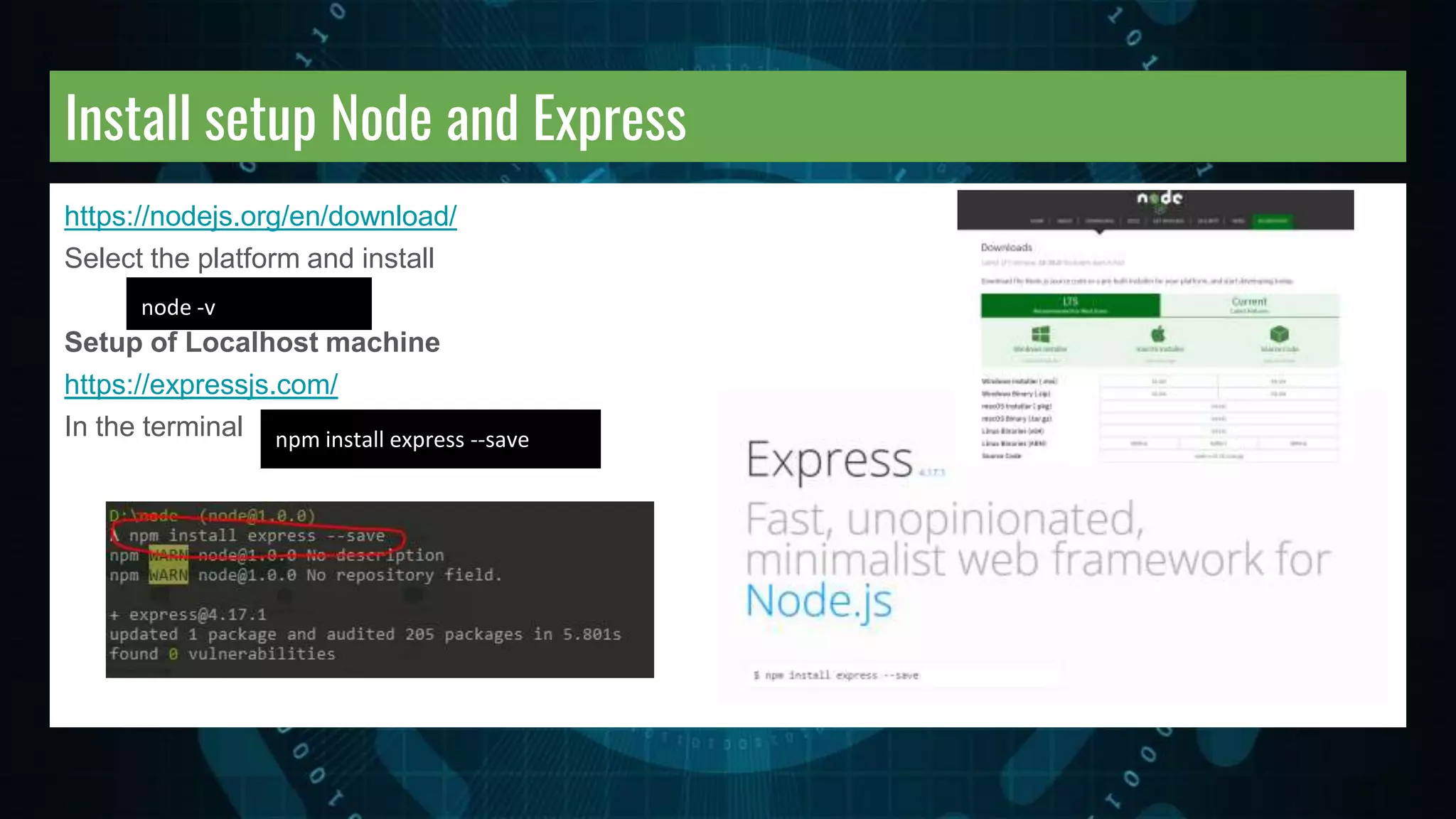
Install setup Node and Express https://nodejs.org/en/download/ Select the platform and install Setup of Localhost machine https://expressjs.com/ In the terminal node -v npm install express --save
Npm package.json Install all the dependencies for your project. Create a package.json file. You can also install packages using Optional flags --save - installs and adds to the package.json --save-dev - installs and adds to the package.json under devDependencies. Updating packages - check all packages or specific package. npm install <package-name> npm update npm update <package-name>
Npm install Packages Default its installed under the current tree. Npm init to create package.json Also adds the dependencies to the package.json file in current folder. Global installations of the package can be done by adding the flag -g. Will install package to global location. Get global root folder. npm init npm install -g <package-name> npm root -g
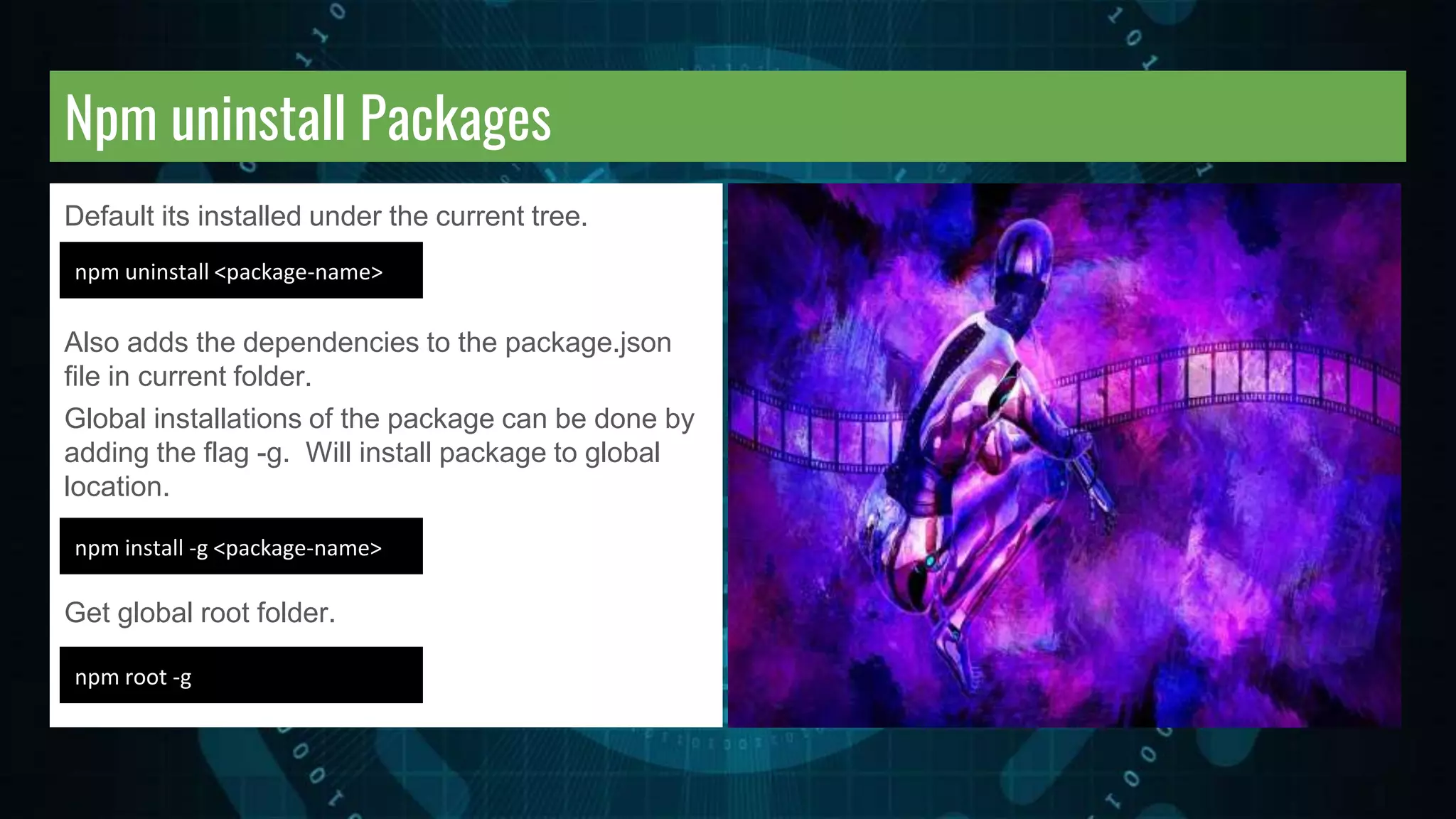
Npm uninstall Packages Default its installed under the current tree. Also adds the dependencies to the package.json file in current folder. Global installations of the package can be done by adding the flag -g. Will install package to global location. Get global root folder. npm uninstall <package-name> npm install -g <package-name> npm root -g
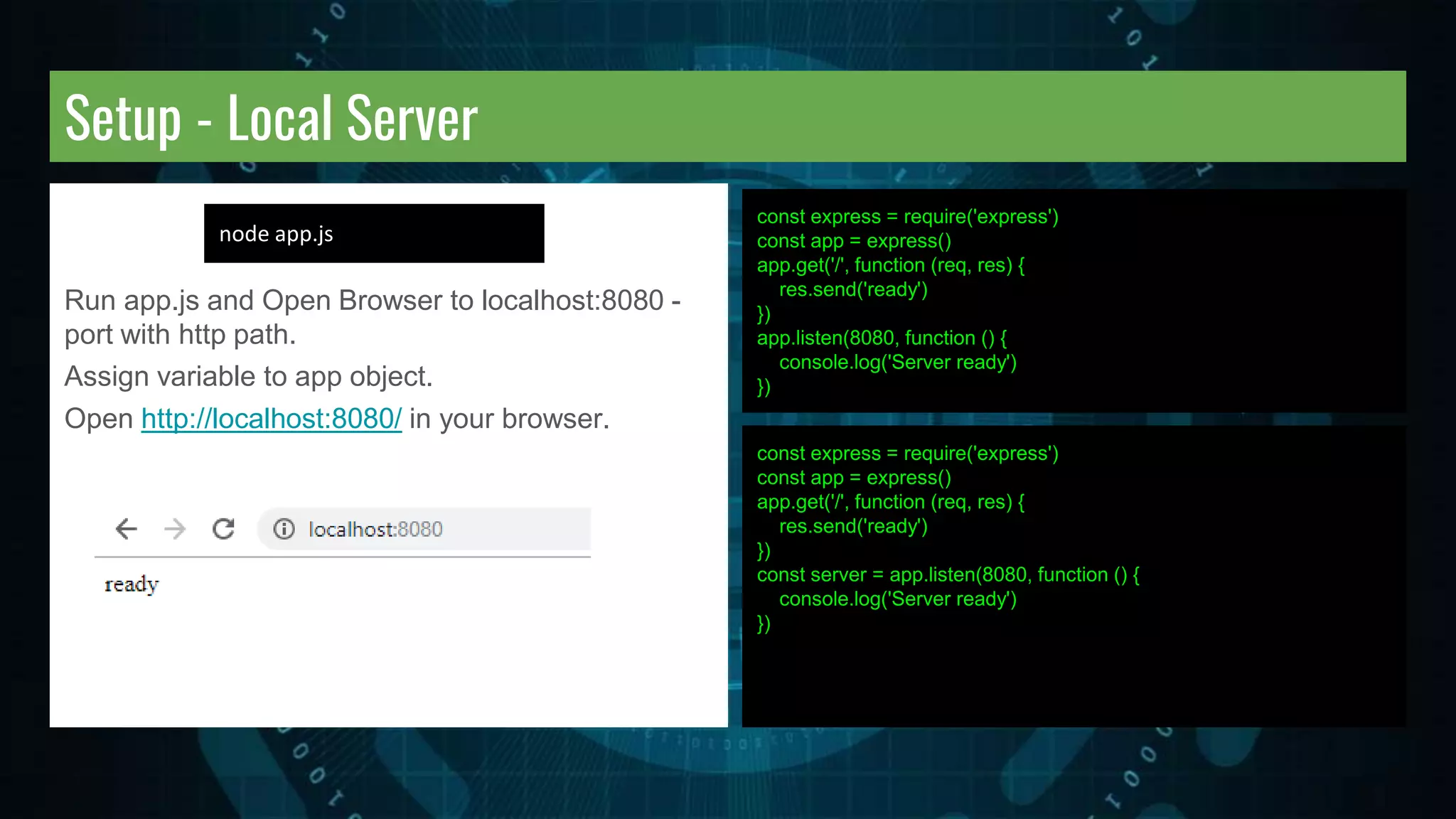
Setup - Local Server Run app.js and Open Browser to localhost:8080 - port with http path. Assign variable to app object. Open http://localhost:8080/ in your browser. const express = require('express') const app = express() app.get('/', function (req, res) { res.send('ready') }) app.listen(8080, function () { console.log('Server ready') }) const express = require('express') const app = express() app.get('/', function (req, res) { res.send('ready') }) const server = app.listen(8080, function () { console.log('Server ready') }) node app.js
NodeMon Nodemon is a utility that will monitor for any changes in your source and automatically restart your server. Perfect for development. npm install -g nodemon https://nodemon.io/ Run it nodemon app.js ** make some changes no more node restart typing ;)
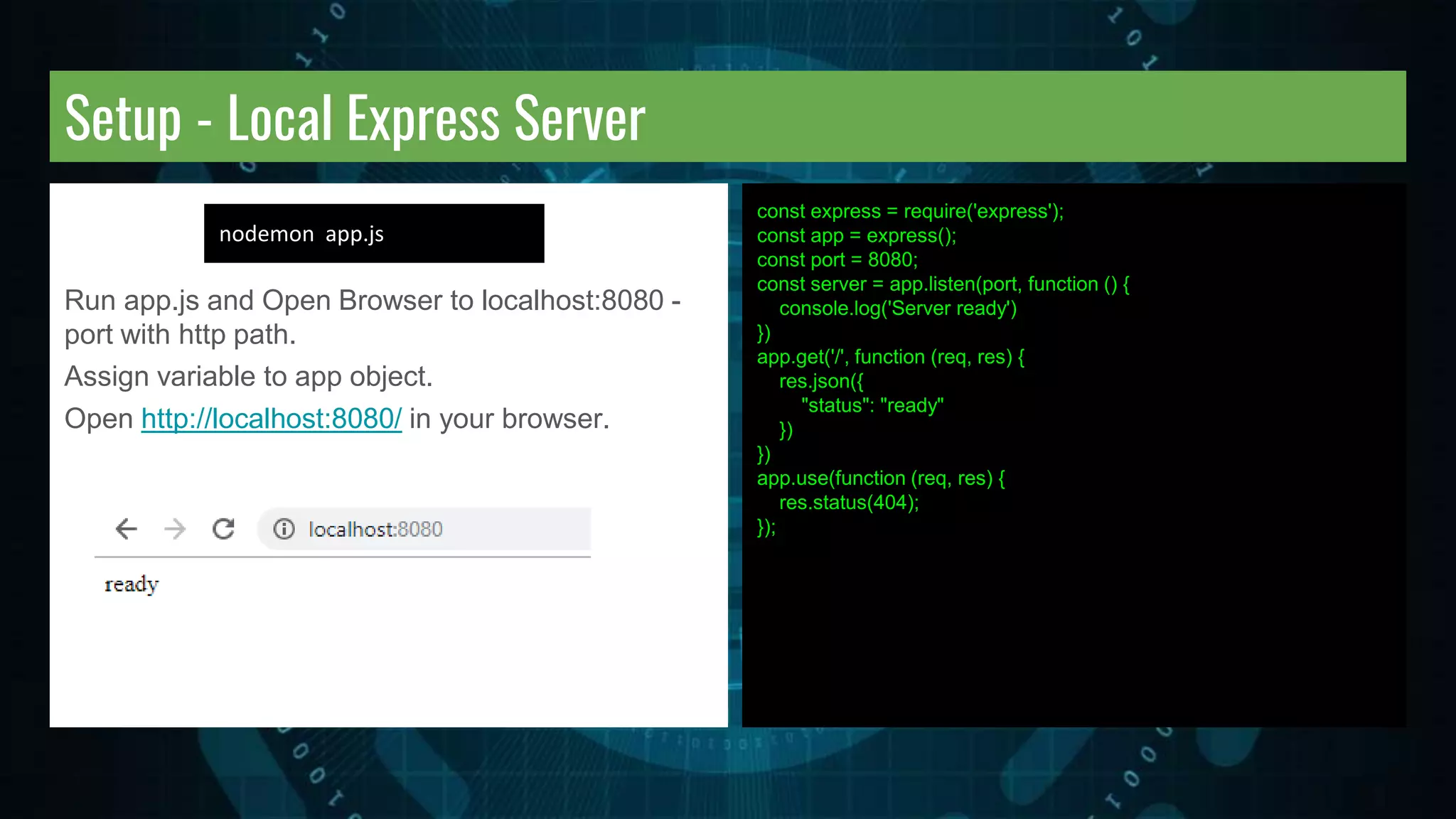
Setup - Local Express Server Run app.js and Open Browser to localhost:8080 - port with http path. Assign variable to app object. Open http://localhost:8080/ in your browser. const express = require('express'); const app = express(); const port = 8080; const server = app.listen(port, function () { console.log('Server ready') }) app.get('/', function (req, res) { res.json({ "status": "ready" }) }) app.use(function (req, res) { res.status(404); }); nodemon app.js
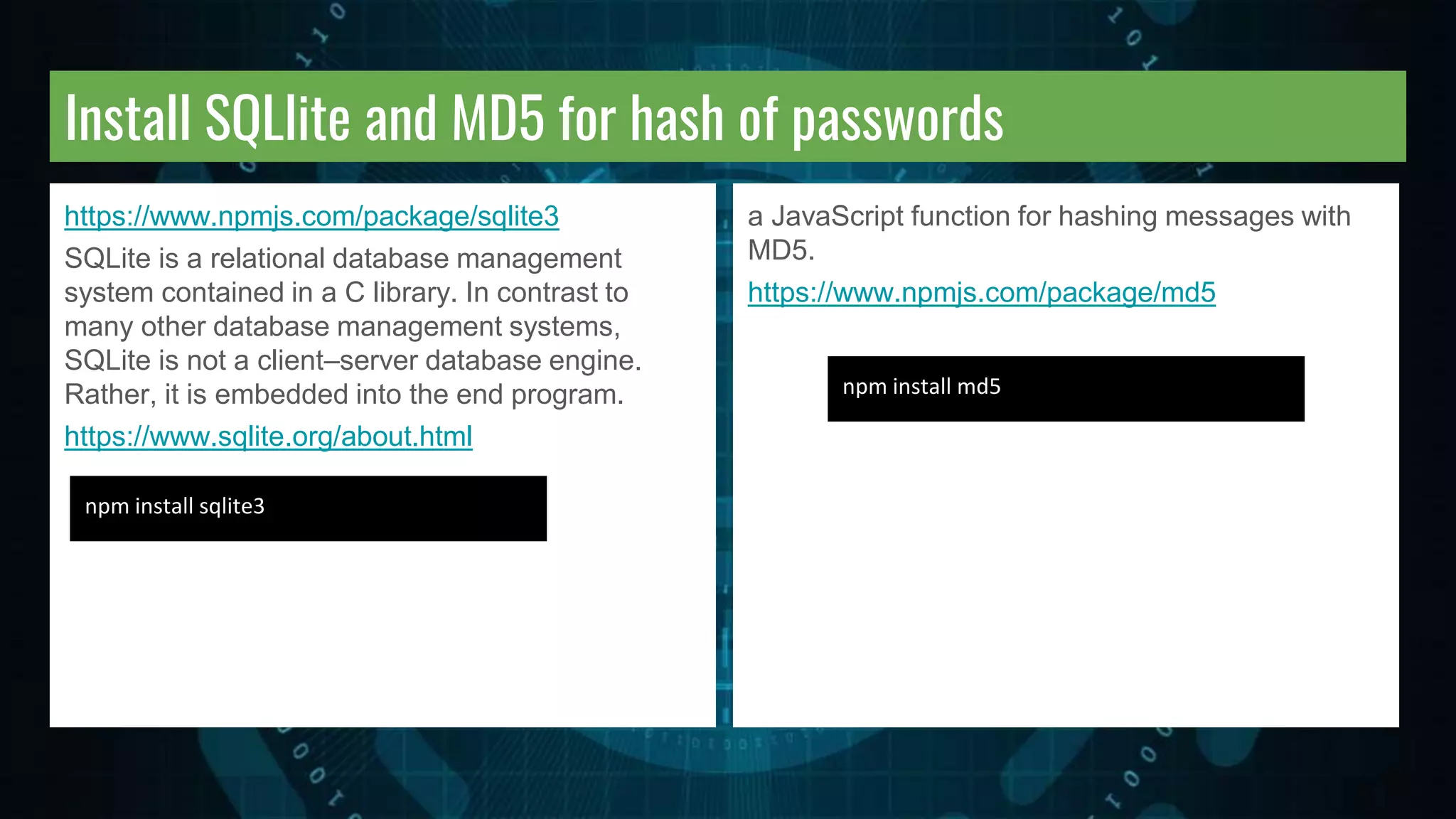
Install SQLlite and MD5 for hash of passwords https://www.npmjs.com/package/sqlite3 SQLite is a relational database management system contained in a C library. In contrast to many other database management systems, SQLite is not a client–server database engine. Rather, it is embedded into the end program. https://www.sqlite.org/about.html npm install sqlite3 a JavaScript function for hashing messages with MD5. https://www.npmjs.com/package/md5 npm install md5
Setup - Database and create Table Create a new js file to setup a database. const sqlite3 = require('sqlite3').verbose(); let db = new sqlite3.Database('./db/user.db'); db.run('CREATE TABLE users(id INTEGER PRIMARY KEY AUTOINCREMENT,first,last,email,password)'); db.close(); touch dbsetup.js mkdir db node dbsetup.js touch insert.js touch insert.js Create a new js file to insert to the database. Add to database new users table. Catch the errors const sqlite3 = require('sqlite3').verbose(); let db = new sqlite3.Database('./db/user.db'); let sql = 'INSERT INTO users (first,last,email,password) VALUES ("Laurence", "Svekis", "gappscourses@gmail.com", "password")'; db.run(sql, [], function(err) { if (err) { return console.log(err.message); } console.log(`Rowid ${this.lastID}`); }); db.close();
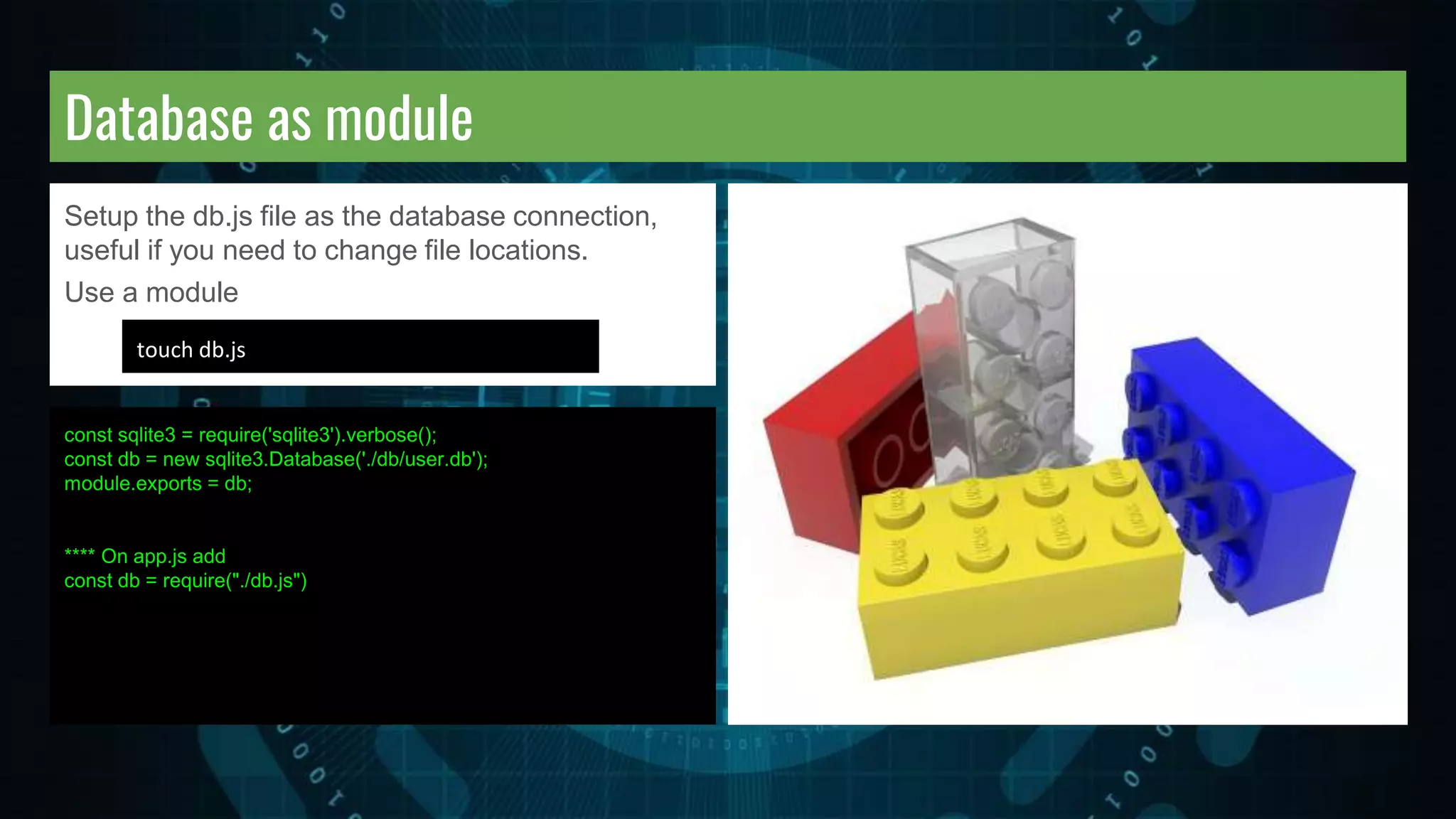
Database as module Setup the db.js file as the database connection, useful if you need to change file locations. Use a module const sqlite3 = require('sqlite3').verbose(); const db = new sqlite3.Database('./db/user.db'); module.exports = db; **** On app.js add const db = require("./db.js") touch db.js
Query Database for users Querying all rows with all() method - Will output all the contents of the database. const sqlite3 = require('sqlite3').verbose(); const md5 = require('md5'); const db = new sqlite3.Database('./db/user.db'); module.exports = db; **** On app.js add const db = require("./db.js") const db = require("./db.js") const query = "select * from users"; db.all(query, function (err, rows) { if (err) { throw err; } rows.forEach(function (row) { console.log(row); }); });
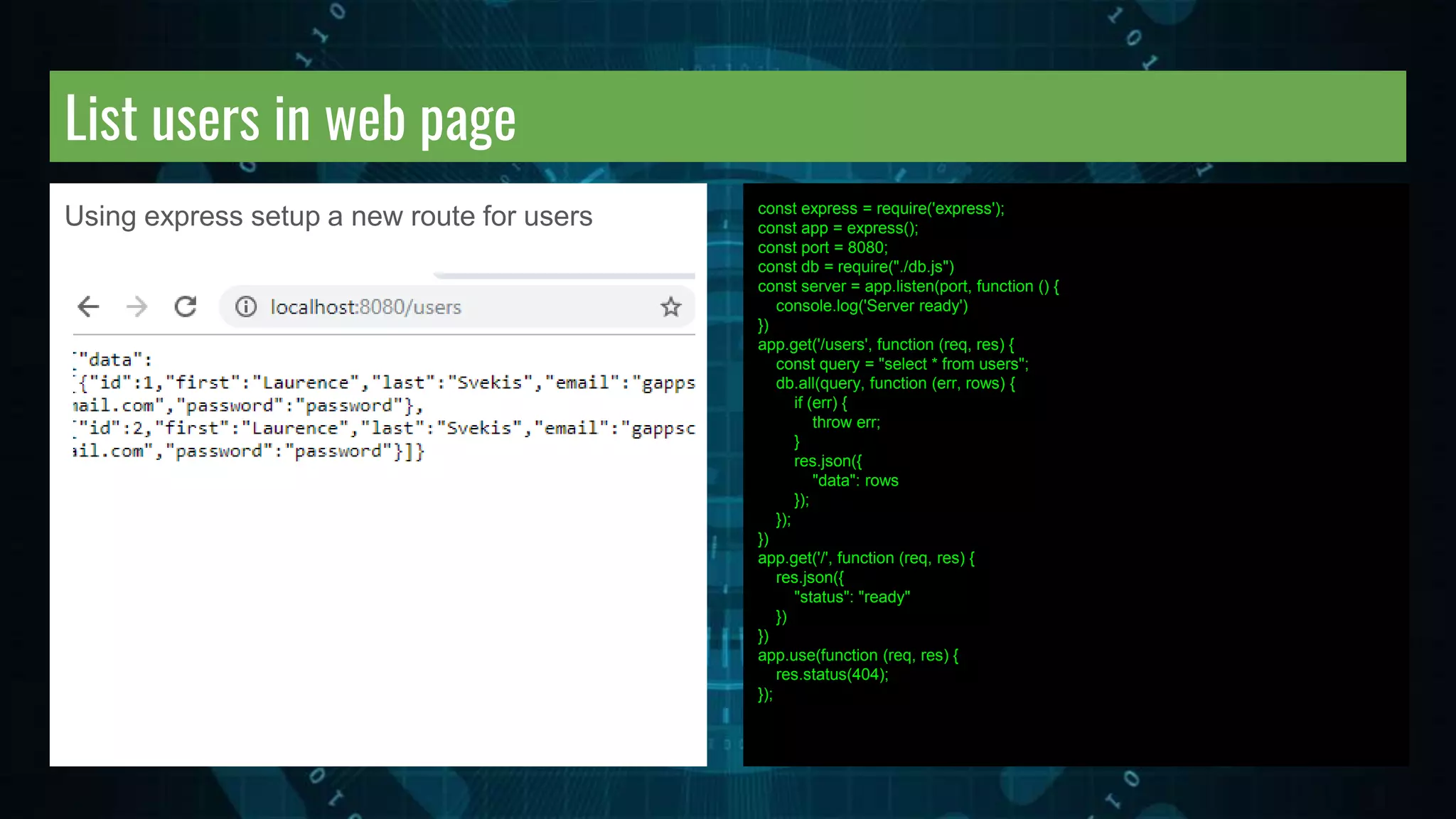
List users in web page Using express setup a new route for users const express = require('express'); const app = express(); const port = 8080; const db = require("./db.js") const server = app.listen(port, function () { console.log('Server ready') }) app.get('/users', function (req, res) { const query = "select * from users"; db.all(query, function (err, rows) { if (err) { throw err; } res.json({ "data": rows }); }); }) app.get('/', function (req, res) { res.json({ "status": "ready" }) }) app.use(function (req, res) { res.status(404); });
List get users by id In the browser go to the users folder and add an id value at the end. app.get("/users/:id", function (req, res) { const query = "select * from users where id = ?" const params = [req.params.id] db.get(query, params, function (err, row) { if (err) { throw err; } res.json({ "data": row }) }); });
Create new User Create the browser side add.html file with a form for inputs and event listener to send request. For node setup install of body-parser https://github.com/expressjs/body-parser body parsing middleware <form> <input type='text' name='first' value='Laurence'> <input type='text' name='last' value='Svekis'> <input type='text' name='email' value='example@example.com'> <input type='text' name='password' value='secret'> <input type='submit'> </form> <script> const myForm = document.querySelector('form'); const inputs = document.querySelectorAll('input'); myForm.addEventListener("submit", function (evt) { evt.preventDefault(); fetch('/adder', { method: 'POST' , body: JSON.stringify({ first: inputs[0].value , last: inputs[1].value , email: inputs[2].value , password: inputs[3].value , }) , headers: { "Content-Type": "application/json" } }).then(function (response) { return response.json() }).then(function (body) { console.log(body); }); }); </script> npm install body-parser
Node get new user data Submit the form and check for request data from the body in the console. const express = require('express'); const app = express(); const port = 8080; const db = require("./db.js") const server = app.listen(port, function () { console.log('Server ready') }) const bodyParser = require("body-parser"); app.use(bodyParser.json()); app.use(bodyParser.urlencoded({ extended:true })); app.post('/adder', function (req, res) { console.log(req.body); console.log('req.body.first', req.body['first']); })
Add new user to database Update post to insert into database. You can go to users to list all http://localhost:8080/users const express = require('express'); const app = express(); const port = 8080; const db = require("./db.js") const server = app.listen(port, function () { console.log('Server ready') }) const bodyParser = require("body-parser"); app.use(bodyParser.json()); app.use(bodyParser.urlencoded({ extended:true })); app.post('/adder', function (req, res) { console.log(req.body); let insert = 'INSERT INTO users(first,last,email,password) VALUES (?,?,?,?)' db.run(insert, [req.body['first'], req.body['last'], req.body['email'], req.body['password']], function (err, row) { if (err) { throw err; } res.json({ "data": this.lastID }) }); }) app.use(function (req, res) { res.status(404); });
Full Source Code app.js app.get('/', function (req, res) { res.json({"status": "ready"}) }) app.get('/new', function (req, res) { res.sendFile(__dirname + '/add.html'); }) app.post('/adder', function (req, res) { console.log(req.body); let insert = 'INSERT INTO users(first,last,email,password) VALUES (?,?,?,?)' db.run(insert, [req.body['first'], req.body['last'], req.body['email'], req.body['password']], function (err, row) { if (err) {throw err;} res.json({"data": this.lastID }) }); }) app.use(function (req, res) { res.status(404); }); const express = require('express'); const app = express(); const port = 8080; const db = require("./db.js") const server = app.listen(port, function () {console.log('Server ready')}) const bodyParser = require("body-parser"); app.use(bodyParser.json()); app.use(bodyParser.urlencoded({ extended: true })); app.get('/users', function (req, res) { const query = "select * from users"; const params = []; db.all(query, params, function (err, rows) { if (err) {throw err;} res.json({"data": rows}); }); }) app.get("/users/:id", function (req, res) { const query = "select * from users where id = ?" const params = [req.params.id] db.get(query, params, function (err, row) { if (err) {throw err;} res.json({ "data": row }) }); });
Full Source Code other files <!-- add.html --> <form><input type='text' name='first' value='Laurence'><input type='text' name='last' value='Svekis'><input type='text' name='email' value='example@example.com'><input type='text' name='password' value='secret'><input type='submit'> </form> <script> const myForm = document.querySelector('form'); const inputs = document.querySelectorAll('input'); myForm.addEventListener("submit", function (evt) { evt.preventDefault(); fetch('/adder', { method: 'POST' , body: JSON.stringify({first: inputs[0].value, last: inputs[1].value, email: inputs[2].value, password: inputs[3].value }) , headers: {"Content-Type": "application/json" } }).then(function (response) { return response.json() }).then(function (body) { console.log(body); }); }); </script> //db.js const sqlite3 = require('sqlite3').verbose() const md5 = require('md5') const db = new sqlite3.Database('./db/user.db'); module.exports = db //dbsetup.js const sqlite3 = require('sqlite3').verbose(); let db = new sqlite3.Database('./db/user.db'); db.run('CREATE TABLE users(id INTEGER PRIMARY KEY AUTOINCREMENT,first,last,email,password)'); db.close(); const sqlite3 = require('sqlite3').verbose(); let db = new sqlite3.Database('./db/user.db'); let sql = 'INSERT INTO users (first,last,email,password) VALUES ("Laurence", "Svekis", "gappscourses@gmail.com", "password")'; db.run(sql, [], function(err) { if (err) { return console.log(err.message); } console.log(`Rowid ${this.lastID}`); }); db.close();
Congratulations on completing the section Course instructor : Laurence Svekis - providing online training to over 500,000 students across hundreds of courses and many platforms. Find out more about my courses at http://www.discoveryvip.com/

Local SQLite Database with Node for beginners

  • 1.
    Node and SQLLite SQLiteDatabase with Node https://www.udemy.com/node- database/?couponCode=SLIDESHARE
  • 2.
    INSTRUCTOR: LAURENCE SVEKIS Course instructor: Laurence Svekis - Over 300 courses in technology and web applications. - 20 years of JavaScript web programming experience - 500,000+ students across multiple platforms - Digital instructor since 2002 READY TO HELP YOU LEARN and ANSWER ANY questions you may have.
  • 3.
    Windows Terminal Windows -https://cmder.net/ or use the command prompt terminal Launch the Command Prompt - use the Run window or press the Win + R keys on your keyboard. Then, type cmd and press Enter. List current directory of files - dir Change directory to D drive - cd D: Change directory down one level - cd.. Change directory to folder by name - cd folder Make new folder - mkdir folderName Get help - help
  • 4.
    Mac Terminal Open Terminalby pressing Command+Space or select terminal in the applications list. List current directory of files - ls Change directory to D drive - cd D: Change directory down one level - cd.. Change directory to folder by name - cd folder Make new folder - mkdir folderName Get help - help
  • 5.
    Command Line Launch Onenode is installed check to see version installed. Type node -v Open your editor and create a js file that contains console.log('Hello World'); save it as test.js In the terminal type node test.js and watch for a result. What gets returned? NPM - check if its installed npm -v latest version install npm install npm@latest -g
  • 6.
    Create app jsfile Create a main app js file to run your node application. touch app.js
  • 7.
    Install setup Nodeand Express https://nodejs.org/en/download/ Select the platform and install Setup of Localhost machine https://expressjs.com/ In the terminal node -v npm install express --save
  • 8.
    Npm package.json Install allthe dependencies for your project. Create a package.json file. You can also install packages using Optional flags --save - installs and adds to the package.json --save-dev - installs and adds to the package.json under devDependencies. Updating packages - check all packages or specific package. npm install <package-name> npm update npm update <package-name>
  • 9.
    Npm install Packages Defaultits installed under the current tree. Npm init to create package.json Also adds the dependencies to the package.json file in current folder. Global installations of the package can be done by adding the flag -g. Will install package to global location. Get global root folder. npm init npm install -g <package-name> npm root -g
  • 10.
    Npm uninstall Packages Defaultits installed under the current tree. Also adds the dependencies to the package.json file in current folder. Global installations of the package can be done by adding the flag -g. Will install package to global location. Get global root folder. npm uninstall <package-name> npm install -g <package-name> npm root -g
  • 11.
    Setup - LocalServer Run app.js and Open Browser to localhost:8080 - port with http path. Assign variable to app object. Open http://localhost:8080/ in your browser. const express = require('express') const app = express() app.get('/', function (req, res) { res.send('ready') }) app.listen(8080, function () { console.log('Server ready') }) const express = require('express') const app = express() app.get('/', function (req, res) { res.send('ready') }) const server = app.listen(8080, function () { console.log('Server ready') }) node app.js
  • 12.
    NodeMon Nodemon is autility that will monitor for any changes in your source and automatically restart your server. Perfect for development. npm install -g nodemon https://nodemon.io/ Run it nodemon app.js ** make some changes no more node restart typing ;)
  • 13.
    Setup - LocalExpress Server Run app.js and Open Browser to localhost:8080 - port with http path. Assign variable to app object. Open http://localhost:8080/ in your browser. const express = require('express'); const app = express(); const port = 8080; const server = app.listen(port, function () { console.log('Server ready') }) app.get('/', function (req, res) { res.json({ "status": "ready" }) }) app.use(function (req, res) { res.status(404); }); nodemon app.js
  • 14.
    Install SQLlite andMD5 for hash of passwords https://www.npmjs.com/package/sqlite3 SQLite is a relational database management system contained in a C library. In contrast to many other database management systems, SQLite is not a client–server database engine. Rather, it is embedded into the end program. https://www.sqlite.org/about.html npm install sqlite3 a JavaScript function for hashing messages with MD5. https://www.npmjs.com/package/md5 npm install md5
  • 15.
    Setup - Databaseand create Table Create a new js file to setup a database. const sqlite3 = require('sqlite3').verbose(); let db = new sqlite3.Database('./db/user.db'); db.run('CREATE TABLE users(id INTEGER PRIMARY KEY AUTOINCREMENT,first,last,email,password)'); db.close(); touch dbsetup.js mkdir db node dbsetup.js touch insert.js touch insert.js Create a new js file to insert to the database. Add to database new users table. Catch the errors const sqlite3 = require('sqlite3').verbose(); let db = new sqlite3.Database('./db/user.db'); let sql = 'INSERT INTO users (first,last,email,password) VALUES ("Laurence", "Svekis", "gappscourses@gmail.com", "password")'; db.run(sql, [], function(err) { if (err) { return console.log(err.message); } console.log(`Rowid ${this.lastID}`); }); db.close();
  • 16.
    Database as module Setupthe db.js file as the database connection, useful if you need to change file locations. Use a module const sqlite3 = require('sqlite3').verbose(); const db = new sqlite3.Database('./db/user.db'); module.exports = db; **** On app.js add const db = require("./db.js") touch db.js
  • 17.
    Query Database forusers Querying all rows with all() method - Will output all the contents of the database. const sqlite3 = require('sqlite3').verbose(); const md5 = require('md5'); const db = new sqlite3.Database('./db/user.db'); module.exports = db; **** On app.js add const db = require("./db.js") const db = require("./db.js") const query = "select * from users"; db.all(query, function (err, rows) { if (err) { throw err; } rows.forEach(function (row) { console.log(row); }); });
  • 18.
    List users inweb page Using express setup a new route for users const express = require('express'); const app = express(); const port = 8080; const db = require("./db.js") const server = app.listen(port, function () { console.log('Server ready') }) app.get('/users', function (req, res) { const query = "select * from users"; db.all(query, function (err, rows) { if (err) { throw err; } res.json({ "data": rows }); }); }) app.get('/', function (req, res) { res.json({ "status": "ready" }) }) app.use(function (req, res) { res.status(404); });
  • 19.
    List get usersby id In the browser go to the users folder and add an id value at the end. app.get("/users/:id", function (req, res) { const query = "select * from users where id = ?" const params = [req.params.id] db.get(query, params, function (err, row) { if (err) { throw err; } res.json({ "data": row }) }); });
  • 20.
    Create new User Createthe browser side add.html file with a form for inputs and event listener to send request. For node setup install of body-parser https://github.com/expressjs/body-parser body parsing middleware <form> <input type='text' name='first' value='Laurence'> <input type='text' name='last' value='Svekis'> <input type='text' name='email' value='example@example.com'> <input type='text' name='password' value='secret'> <input type='submit'> </form> <script> const myForm = document.querySelector('form'); const inputs = document.querySelectorAll('input'); myForm.addEventListener("submit", function (evt) { evt.preventDefault(); fetch('/adder', { method: 'POST' , body: JSON.stringify({ first: inputs[0].value , last: inputs[1].value , email: inputs[2].value , password: inputs[3].value , }) , headers: { "Content-Type": "application/json" } }).then(function (response) { return response.json() }).then(function (body) { console.log(body); }); }); </script> npm install body-parser
  • 21.
    Node get newuser data Submit the form and check for request data from the body in the console. const express = require('express'); const app = express(); const port = 8080; const db = require("./db.js") const server = app.listen(port, function () { console.log('Server ready') }) const bodyParser = require("body-parser"); app.use(bodyParser.json()); app.use(bodyParser.urlencoded({ extended:true })); app.post('/adder', function (req, res) { console.log(req.body); console.log('req.body.first', req.body['first']); })
  • 22.
    Add new userto database Update post to insert into database. You can go to users to list all http://localhost:8080/users const express = require('express'); const app = express(); const port = 8080; const db = require("./db.js") const server = app.listen(port, function () { console.log('Server ready') }) const bodyParser = require("body-parser"); app.use(bodyParser.json()); app.use(bodyParser.urlencoded({ extended:true })); app.post('/adder', function (req, res) { console.log(req.body); let insert = 'INSERT INTO users(first,last,email,password) VALUES (?,?,?,?)' db.run(insert, [req.body['first'], req.body['last'], req.body['email'], req.body['password']], function (err, row) { if (err) { throw err; } res.json({ "data": this.lastID }) }); }) app.use(function (req, res) { res.status(404); });
  • 23.
    Full Source Codeapp.js app.get('/', function (req, res) { res.json({"status": "ready"}) }) app.get('/new', function (req, res) { res.sendFile(__dirname + '/add.html'); }) app.post('/adder', function (req, res) { console.log(req.body); let insert = 'INSERT INTO users(first,last,email,password) VALUES (?,?,?,?)' db.run(insert, [req.body['first'], req.body['last'], req.body['email'], req.body['password']], function (err, row) { if (err) {throw err;} res.json({"data": this.lastID }) }); }) app.use(function (req, res) { res.status(404); }); const express = require('express'); const app = express(); const port = 8080; const db = require("./db.js") const server = app.listen(port, function () {console.log('Server ready')}) const bodyParser = require("body-parser"); app.use(bodyParser.json()); app.use(bodyParser.urlencoded({ extended: true })); app.get('/users', function (req, res) { const query = "select * from users"; const params = []; db.all(query, params, function (err, rows) { if (err) {throw err;} res.json({"data": rows}); }); }) app.get("/users/:id", function (req, res) { const query = "select * from users where id = ?" const params = [req.params.id] db.get(query, params, function (err, row) { if (err) {throw err;} res.json({ "data": row }) }); });
  • 24.
    Full Source Codeother files <!-- add.html --> <form><input type='text' name='first' value='Laurence'><input type='text' name='last' value='Svekis'><input type='text' name='email' value='example@example.com'><input type='text' name='password' value='secret'><input type='submit'> </form> <script> const myForm = document.querySelector('form'); const inputs = document.querySelectorAll('input'); myForm.addEventListener("submit", function (evt) { evt.preventDefault(); fetch('/adder', { method: 'POST' , body: JSON.stringify({first: inputs[0].value, last: inputs[1].value, email: inputs[2].value, password: inputs[3].value }) , headers: {"Content-Type": "application/json" } }).then(function (response) { return response.json() }).then(function (body) { console.log(body); }); }); </script> //db.js const sqlite3 = require('sqlite3').verbose() const md5 = require('md5') const db = new sqlite3.Database('./db/user.db'); module.exports = db //dbsetup.js const sqlite3 = require('sqlite3').verbose(); let db = new sqlite3.Database('./db/user.db'); db.run('CREATE TABLE users(id INTEGER PRIMARY KEY AUTOINCREMENT,first,last,email,password)'); db.close(); const sqlite3 = require('sqlite3').verbose(); let db = new sqlite3.Database('./db/user.db'); let sql = 'INSERT INTO users (first,last,email,password) VALUES ("Laurence", "Svekis", "gappscourses@gmail.com", "password")'; db.run(sql, [], function(err) { if (err) { return console.log(err.message); } console.log(`Rowid ${this.lastID}`); }); db.close();
  • 25.
    Congratulations on completingthe section Course instructor : Laurence Svekis - providing online training to over 500,000 students across hundreds of courses and many platforms. Find out more about my courses at http://www.discoveryvip.com/