© People Strategists - Duplication is strictly prohibited - www.peoplestrategists.com 1
Day 6 Input/Output Operations Annotation Basics Enum
Input/Output Operations
Basic IO • Java provides a standard way of reading from and writing to files. • Java defines the two streams, byte stream and character stream to read and write data . • Java byte streams are used to perform input and output of 8-bit bytes. • Java character streams are used to perform input and output for 16- bit Unicode. • To perform the read and write operation, Java provides a set of classes packed inside java.io package.
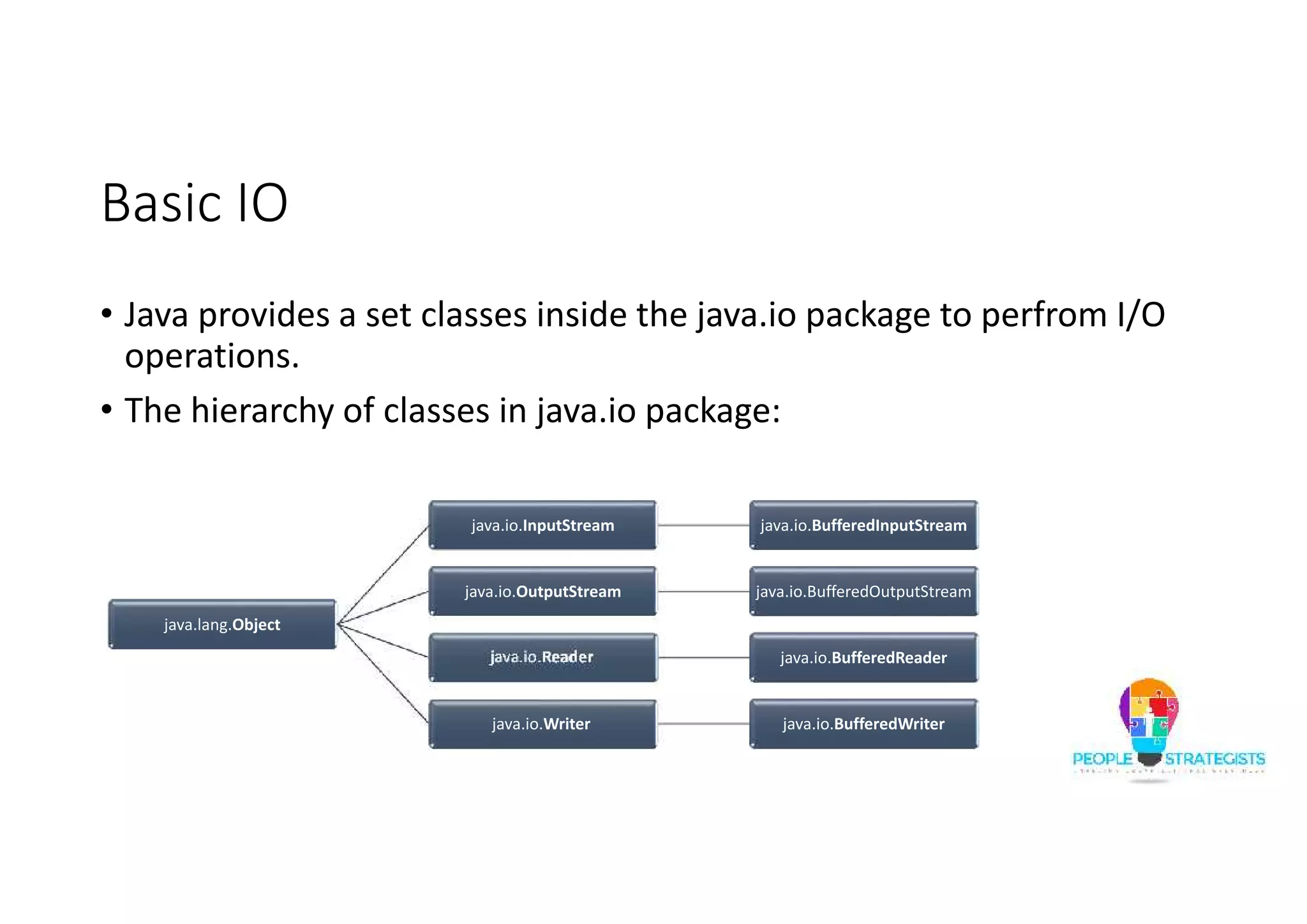
Basic IO • Java provides a set classes inside the java.io package to perfrom I/O operations. • The hierarchy of classes in java.io package: java.lang.Object java.io.InputStream java.io.BufferedInputStream java.io.OutputStream java.io.BufferedOutputStream java.io.Reader java.io.BufferedReader java.io.Writer java.io.BufferedWriter
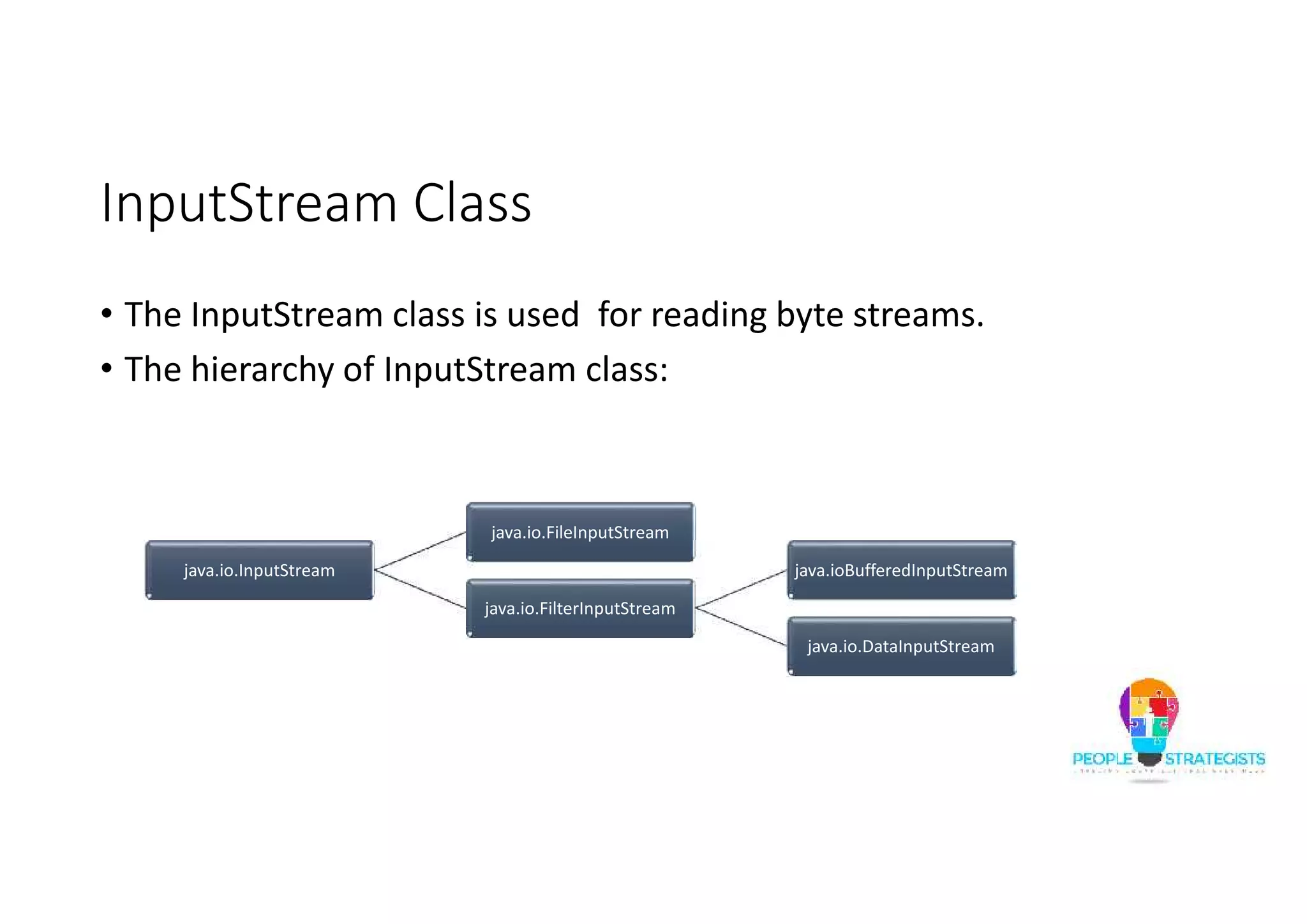
InputStream Class • The InputStream class is used for reading byte streams. • The hierarchy of InputStream class: java.io.InputStream java.io.FileInputStream java.io.FilterInputStream java.ioBufferedInputStream java.io.DataInputStream
InputStream Class (Contd.) • The following table list the methods in InputStream class: Return Type Method Name Description int available() Returns an estimate of the number of bytes that can be read void close() Closes the input stream and releases any system resources associated with the stream. int read() Reads the next byte of data from the input stream. int read(byte[] b) Reads some number of bytes from the input stream and stores them into the buffer array b. int read(byte[] b, int off, int len) Reads up to len bytes of data from the input stream into an array of bytes. long skip(long n) Skips over and discards n bytes of data from this input stream.
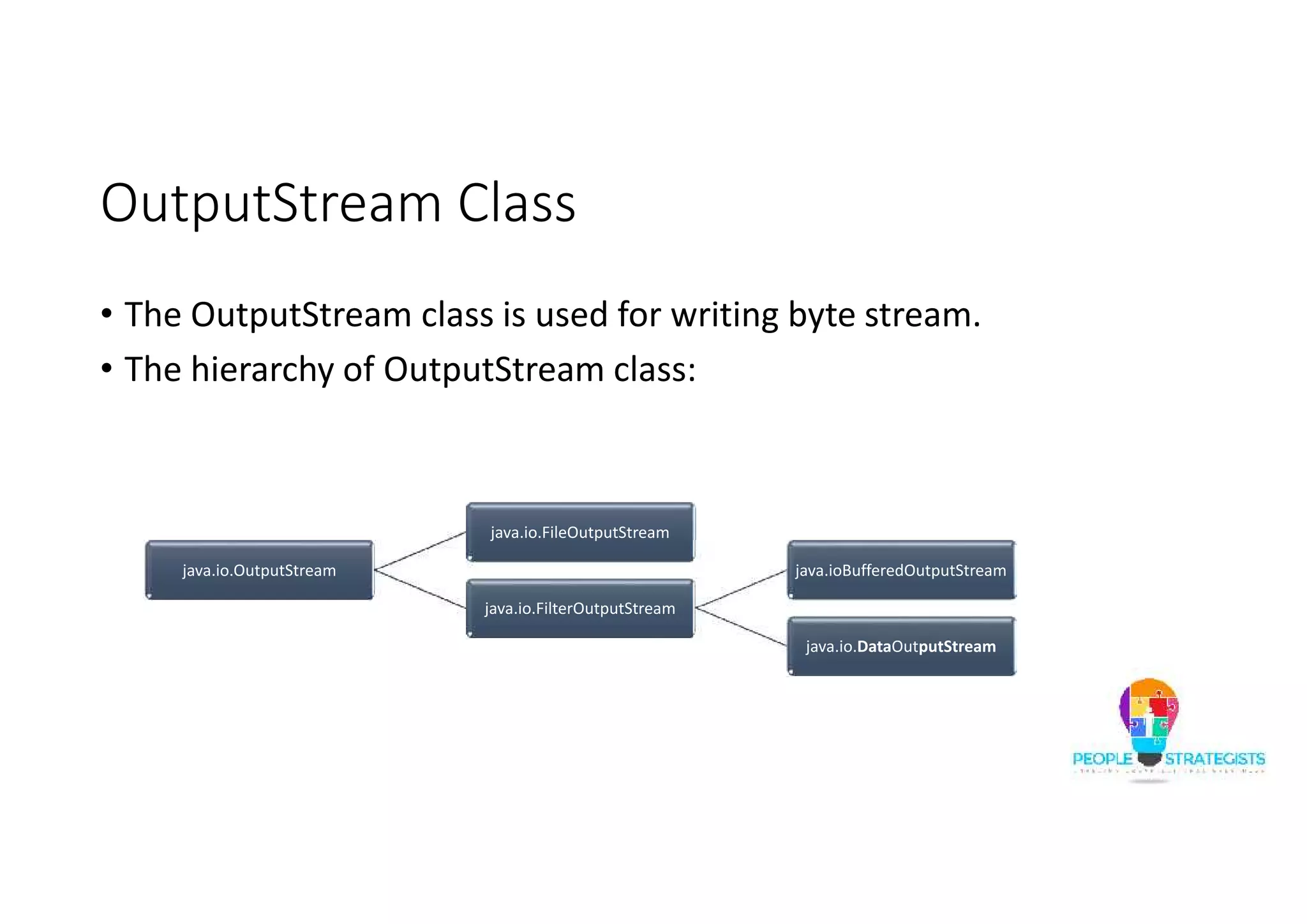
OutputStream Class • The OutputStream class is used for writing byte stream. • The hierarchy of OutputStream class: java.io.OutputStream java.io.FileOutputStream java.io.FilterOutputStream java.ioBufferedOutputStream java.io.DataOutputStream
OutputStream Class (Contd.) • The following table list the methods in OutputStream class: Return Type Method Name Description void close() Closes the input stream and releases any system resources associated with the stream. int flush() Flushes this output stream and forces any buffered output bytes to be written out. int writ(byte[] b) Writes b.length bytes from the specified byte array to this output stream. int write(byte[] b, int off, int len) Writes len bytes from the specified byte array starting at offset off to this output stream. long Write(int b) Writes the specified byte to this output stream.
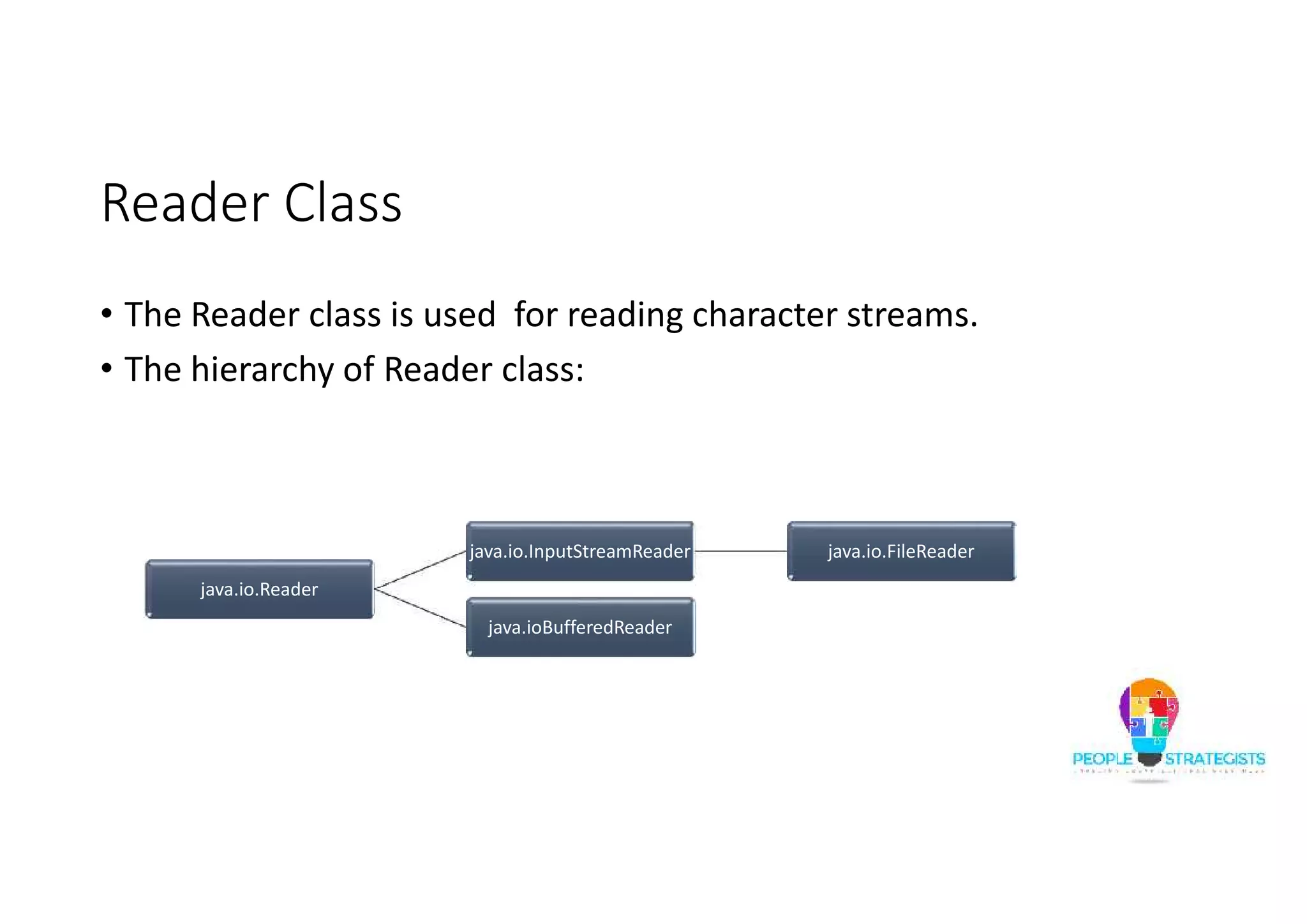
Reader Class • The Reader class is used for reading character streams. • The hierarchy of Reader class: java.io.Reader java.io.InputStreamReader java.io.FileReader java.ioBufferedReader
Reader Class (Contd.) • The following table list the methods in Reader class: Return Type Method Name Description void close() Closes the input stream and releases any system resources associated with the stream. int read() Reads a single character. int read(char[] b) Reads characters into an array. int read(char[] b, int off, int len) Reads characters into a portion of an array. int read(CharBuffer target) Attempts to read characters into the specified character buffer. long skip(long n) Skips over and discards n bytes of data from this input stream.
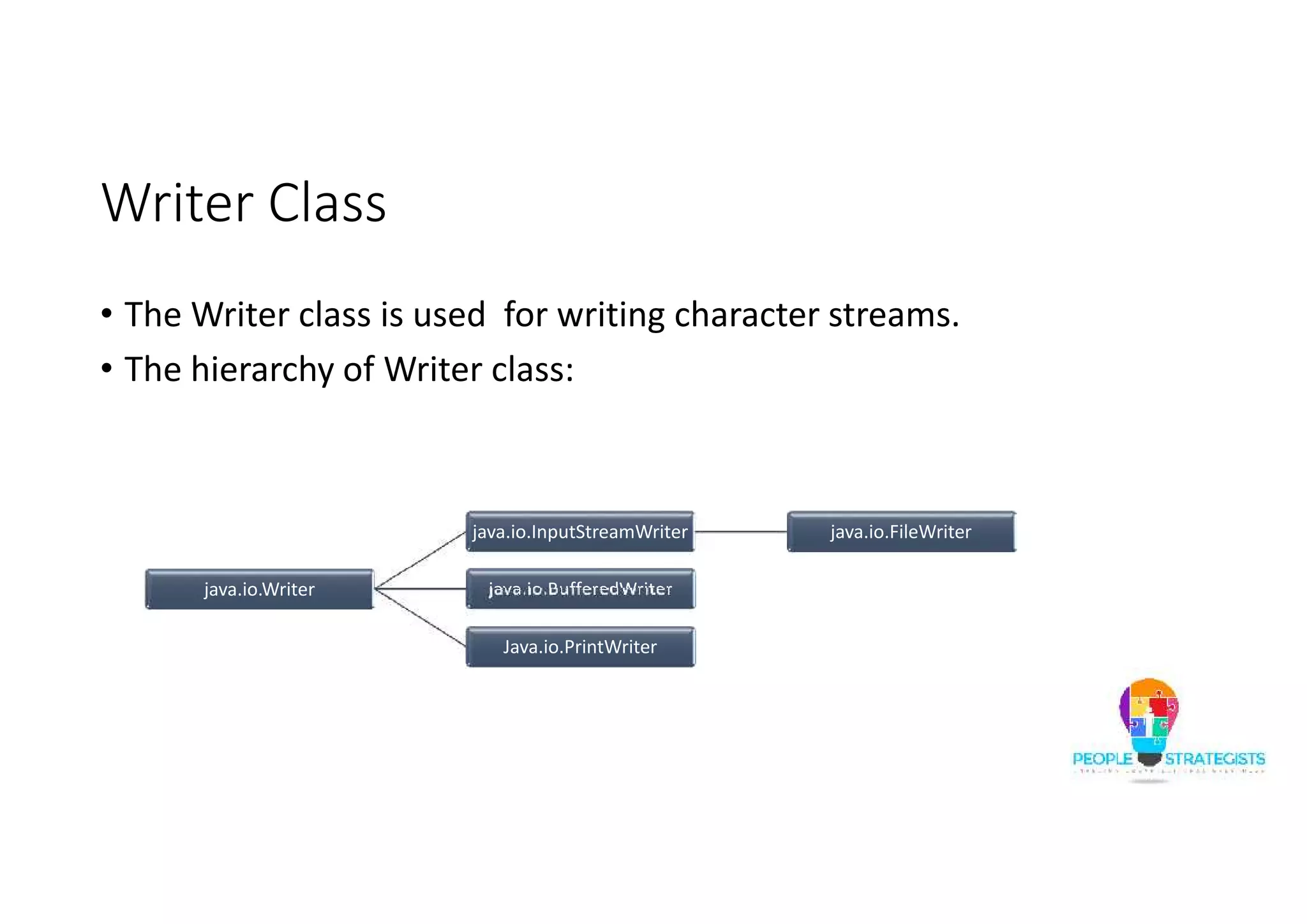
Writer Class • The Writer class is used for writing character streams. • The hierarchy of Writer class: java.io.Writer java.io.InputStreamWriter java.io.FileWriter java.io.BufferedWriter Java.io.PrintWriter
Writer Class (Contd.) • The following table list the methods in Writer class: Return Type Method Name Description close close() Closes the input stream and releases any system resources associated with the stream. int flush() Flushes this output stream and forces any buffered output bytes to be written out. int writ(char[] b) Writes an array of characters. int write(char[] b, int off, int len) Writes a portion of an array of characters. long Write(int b) Writes a single character. void write(String str) Writes a string. void write(String str, int off, int len) Writes a portion of a string.
File Class • The File class is used to access files, file attributes, and file systems. • The constructors in File class: • File(String pathname):Creates a new File instance by converting the given pathname string into an abstract pathname. • File(String parent, String child) :Creates a new File instance from a parent pathname string and a child pathname string.
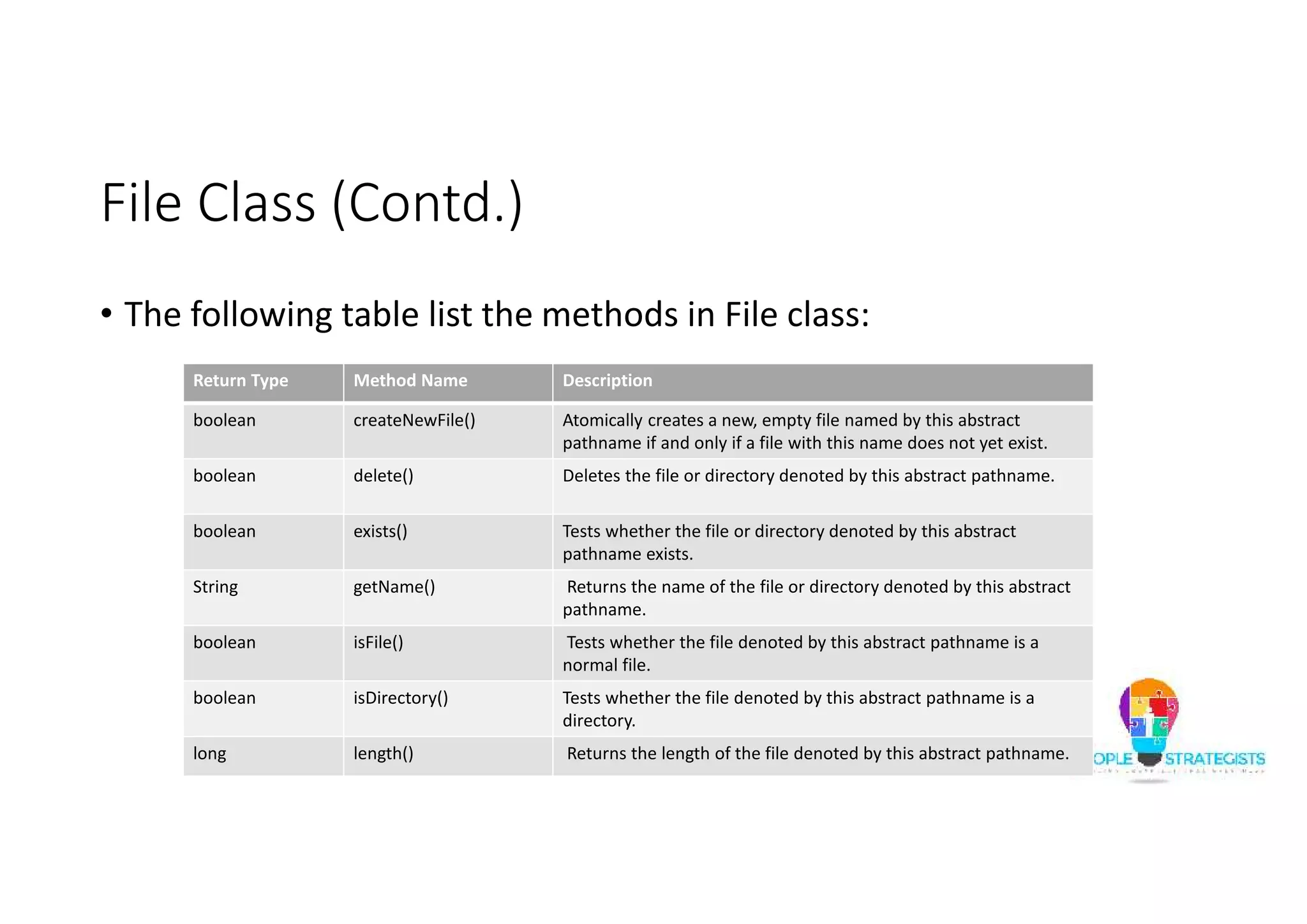
File Class (Contd.) • The following table list the methods in File class: Return Type Method Name Description boolean createNewFile() Atomically creates a new, empty file named by this abstract pathname if and only if a file with this name does not yet exist. boolean delete() Deletes the file or directory denoted by this abstract pathname. boolean exists() Tests whether the file or directory denoted by this abstract pathname exists. String getName() Returns the name of the file or directory denoted by this abstract pathname. boolean isFile() Tests whether the file denoted by this abstract pathname is a normal file. boolean isDirectory() Tests whether the file denoted by this abstract pathname is a directory. long length() Returns the length of the file denoted by this abstract pathname.
File Class (Contd.) • The following table list the methods in File class: Return Type Method Name Description String[] list() Returns an array of strings naming the files and directories in the directory denoted by this abstract pathname. boolean mkdir() Creates the directory named by this abstract pathname. boolean renameTo(File dest) Renames the file denoted by this abstract pathname.
File Class (Contd.) • An example code to work with File class: import java.io.*; public class FileClassDemo { public static void main(String args[])throws IOException{ File f1=new File("TestFolder"); File f2=new File("TestFile.txt"); File f3=new File("D:FileTest.txt"); File f4=new File("NewFileTest.txt"); f3.createNewFile();
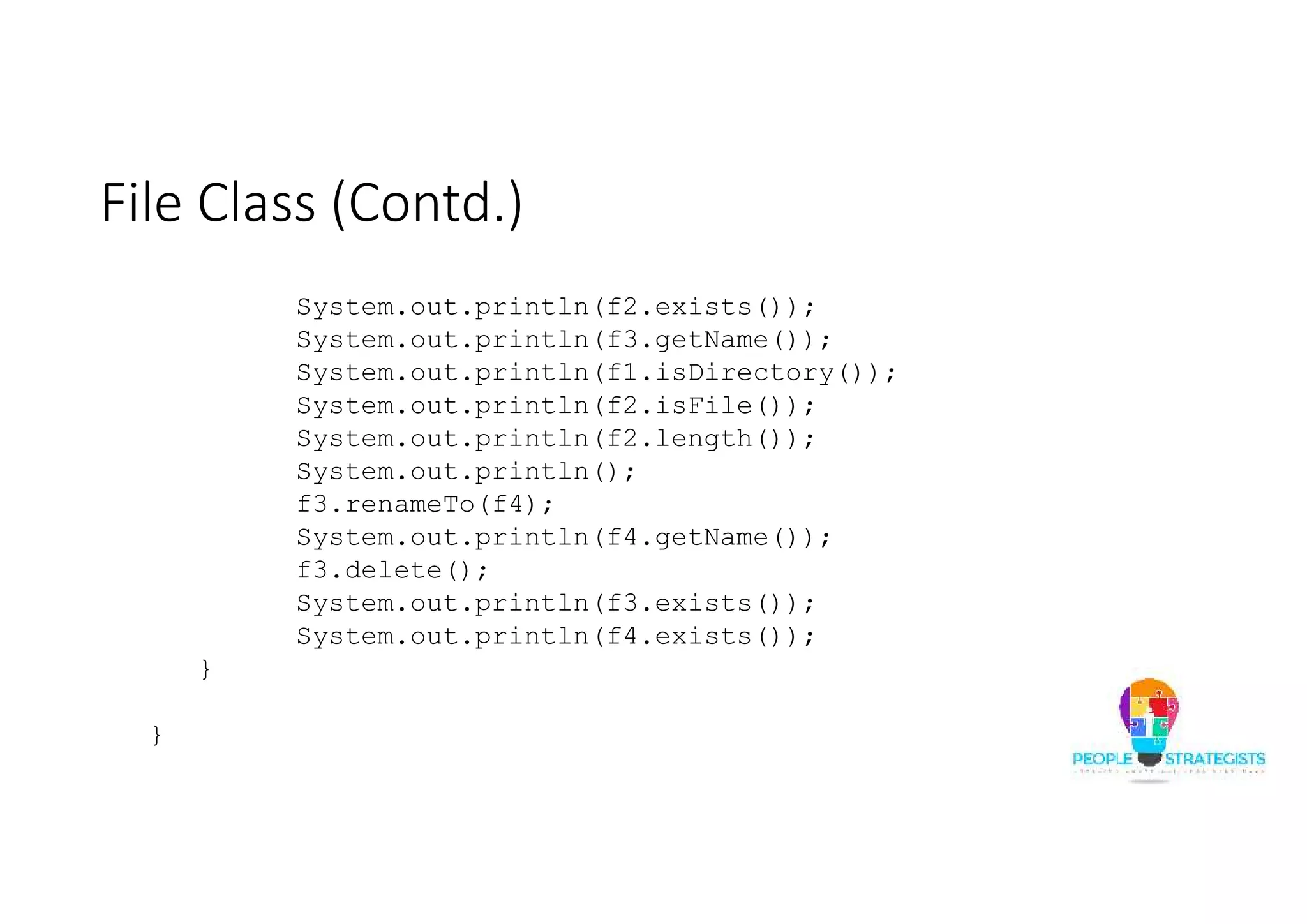
File Class (Contd.) System.out.println(f2.exists()); System.out.println(f3.getName()); System.out.println(f1.isDirectory()); System.out.println(f2.isFile()); System.out.println(f2.length()); System.out.println(); f3.renameTo(f4); System.out.println(f4.getName()); f3.delete(); System.out.println(f3.exists()); System.out.println(f4.exists()); } }
Read and Write Operations • An example to read String from console and writing back to console using the InputStreamReader and BufferedReader classes: import java.io.*; class ConsoleIOStringDemo { public static void main(String[] args) throws IOException { InputStreamReader isr = new InputStreamReader(System.in); BufferedReader input = new BufferedReader(isr); String name,line; System.out.println("Enter your name:"); name=input.readLine(); System.out.println("Hi!!!!!!!!!!!!!!!!!!!!!"+name); } }
Read and Write Operations (Contd.) • An example read data from the console until the String quit is entered: import java.io.*; class ConsoleIOStringDemo { public static void main(String[] args) throws IOException { InputStreamReader isr = new InputStreamReader(System.in); BufferedReader input = new BufferedReader(isr); String line; while ((line = input.readLine()) != null) { if(line.equals("quit")){ System.exit(1); } else{ System.out.println(line); } } } }
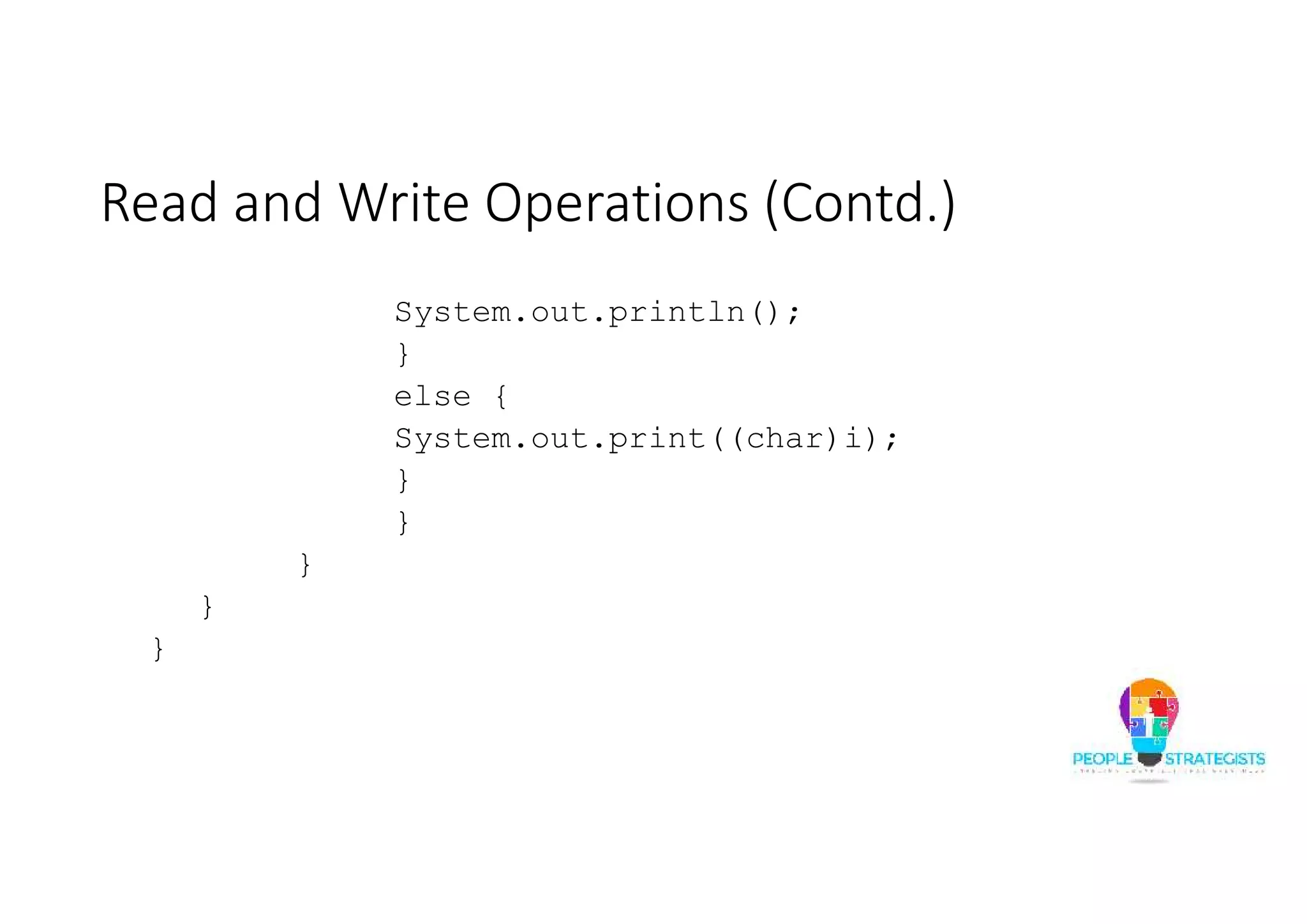
Read and Write Operations (Contd.) • An example to read data from file and print to the console using FileInputStream class: import java.io.*; public class FileInputStreamDemo { public static void main(String args[])throws IOException{ try(FileInputStream fis = new FileInputStream("TestFile.txt");){ int i,j=0; while((i=fis.read())!=-1) { if((char)i ==' ') { j++;
Read and Write Operations (Contd.) System.out.println(); } else { System.out.print((char)i); } } } } }
Read and Write Operations (Contd.) • An example to read data from console and write to a file using BufferedReader and FileWriter classes: import java.io.*; public class ReadWriteDemo { public static void main(String args[]) throws IOException { String consoleData; try (BufferedReader br = new BufferedReader(new InputStreamReader(System.in)); FileWriter fw = new FileWriter("FileTest.txt");) {
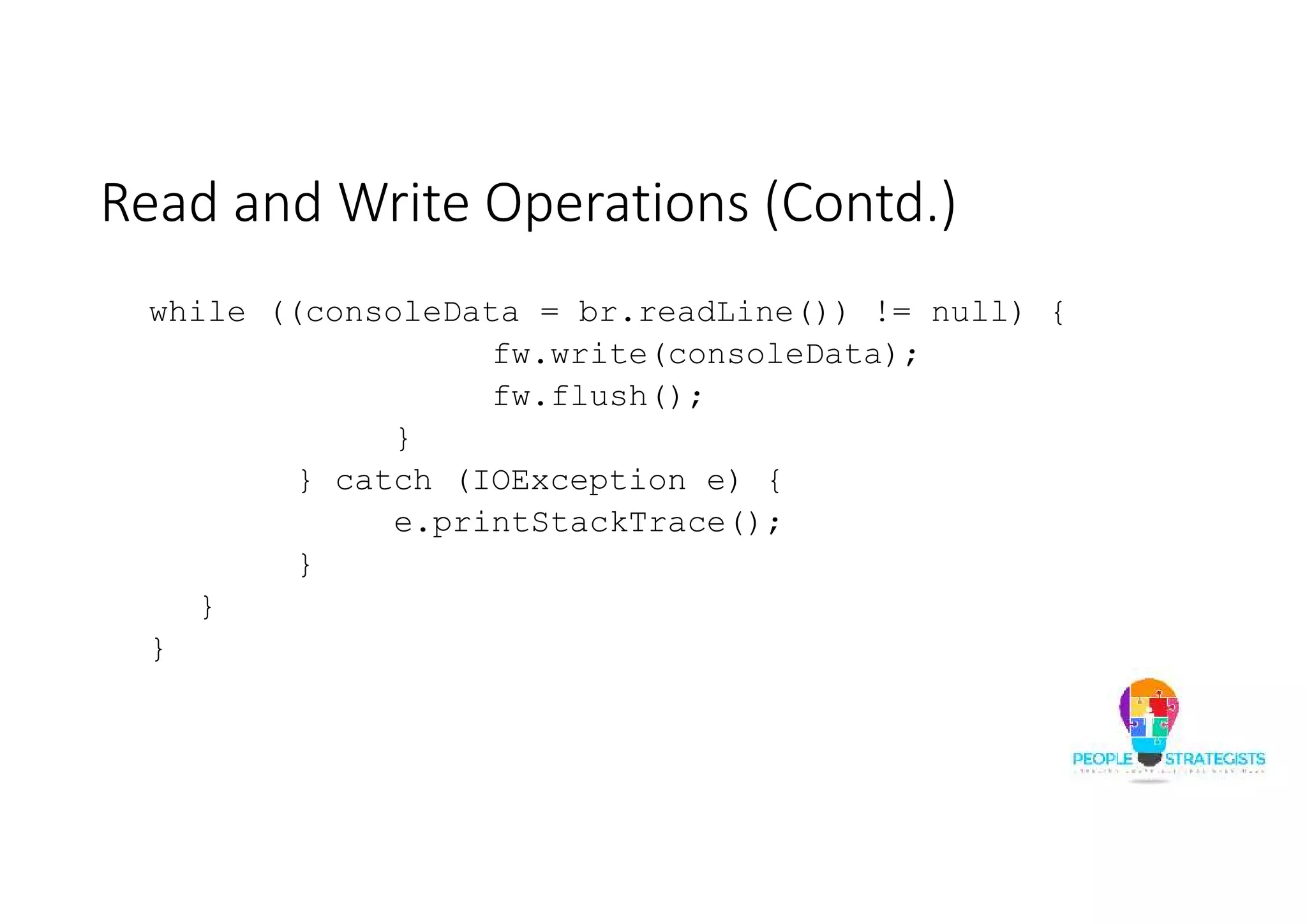
Read and Write Operations (Contd.) while ((consoleData = br.readLine()) != null) { fw.write(consoleData); fw.flush(); } } catch (IOException e) { e.printStackTrace(); } } }
Read and Write Operations (Contd.) • An example to read data from file and print to the console using FileReader and BufferedReader classes: import java.io.*; class FileReaderDemo { public static void main(String args[]) throws Exception { FileReader fr = new FileReader("TestFile.txt"); BufferedReader br = new BufferedReader(fr); String s; while((s = br.readLine()) != null) { System.out.println(s); } fr.close(); } }
Read and Write Operations (Contd.) • An example to read file and write into another file using the FileInputStream and BufferedWriter classes. import java.io.*; public class ReadWriteDemo { public static void main(String st[]) throws Exception { int i; FileInputStream fis = new FileInputStream("TestFile.txt"); BufferedWriter bw = new BufferedWriter(new OutputStreamWriter(new FileOutputStream("FOSFile.Txt"))); while ((i = fis.read()) != -1) { bw.flush(); bw.write(i); } } }
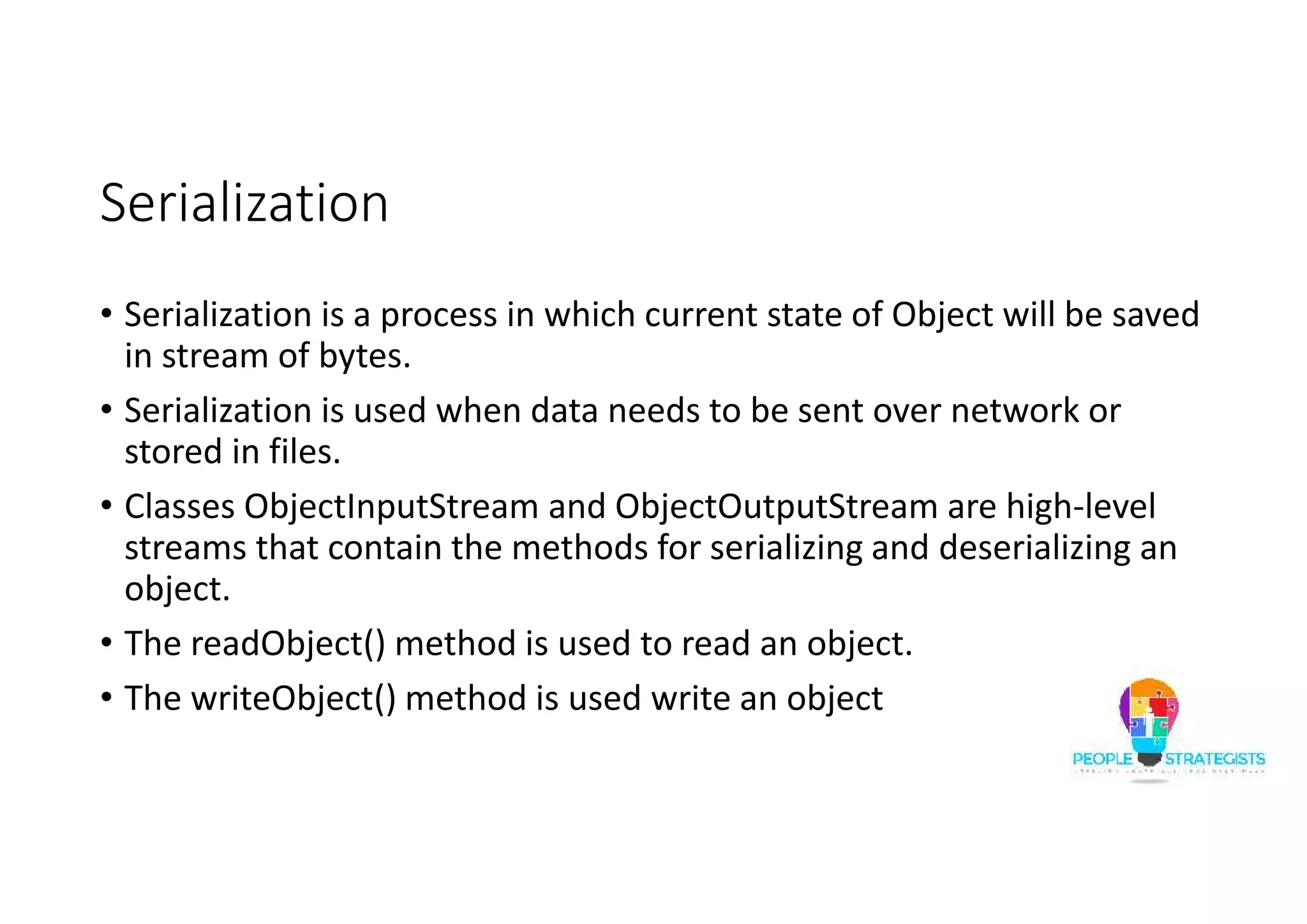
Serialization • Serialization is a process in which current state of Object will be saved in stream of bytes. • Serialization is used when data needs to be sent over network or stored in files. • Classes ObjectInputStream and ObjectOutputStream are high-level streams that contain the methods for serializing and deserializing an object. • The readObject() method is used to read an object. • The writeObject() method is used write an object
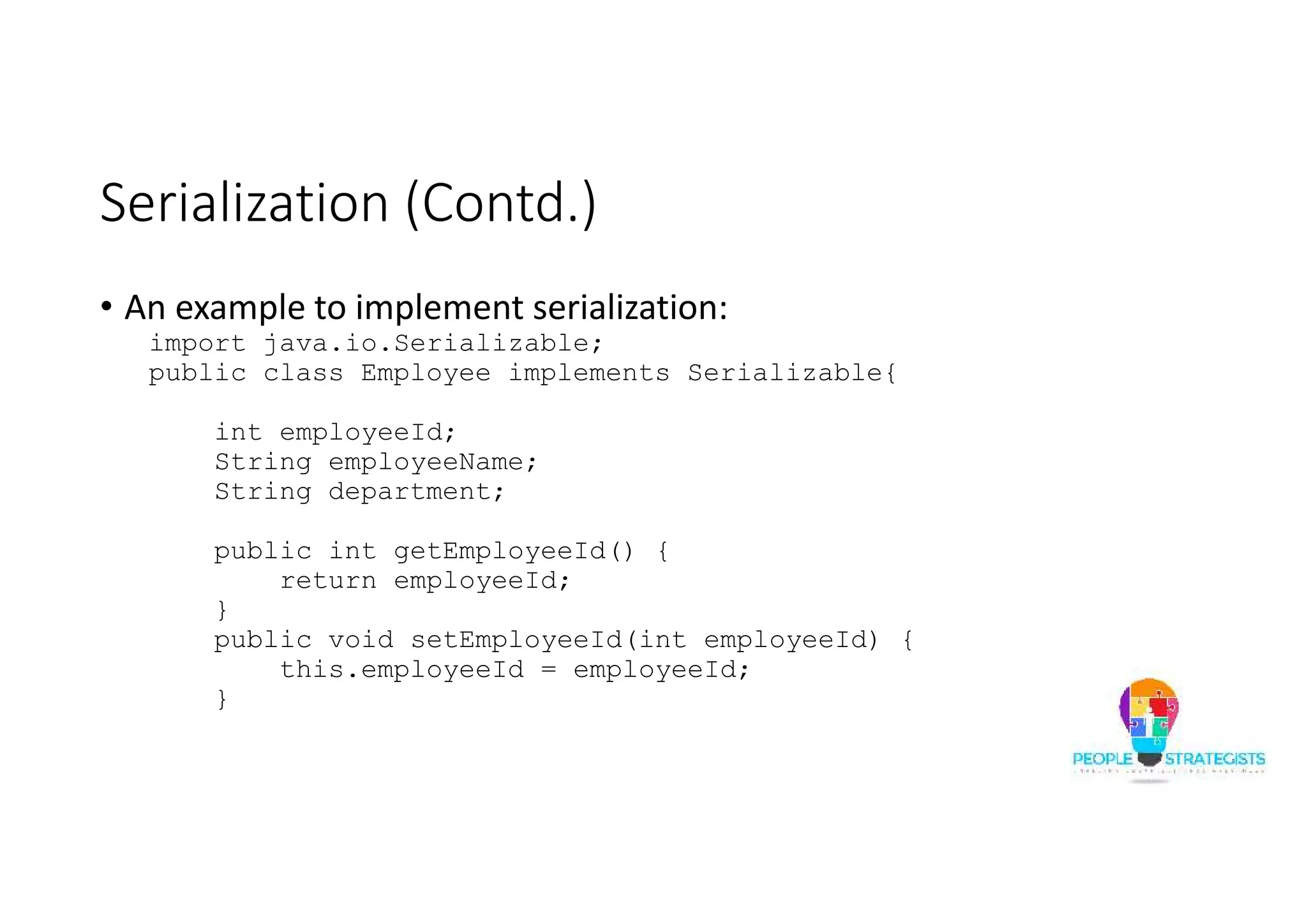
Serialization (Contd.) • An example to implement serialization: import java.io.Serializable; public class Employee implements Serializable{ int employeeId; String employeeName; String department; public int getEmployeeId() { return employeeId; } public void setEmployeeId(int employeeId) { this.employeeId = employeeId; }
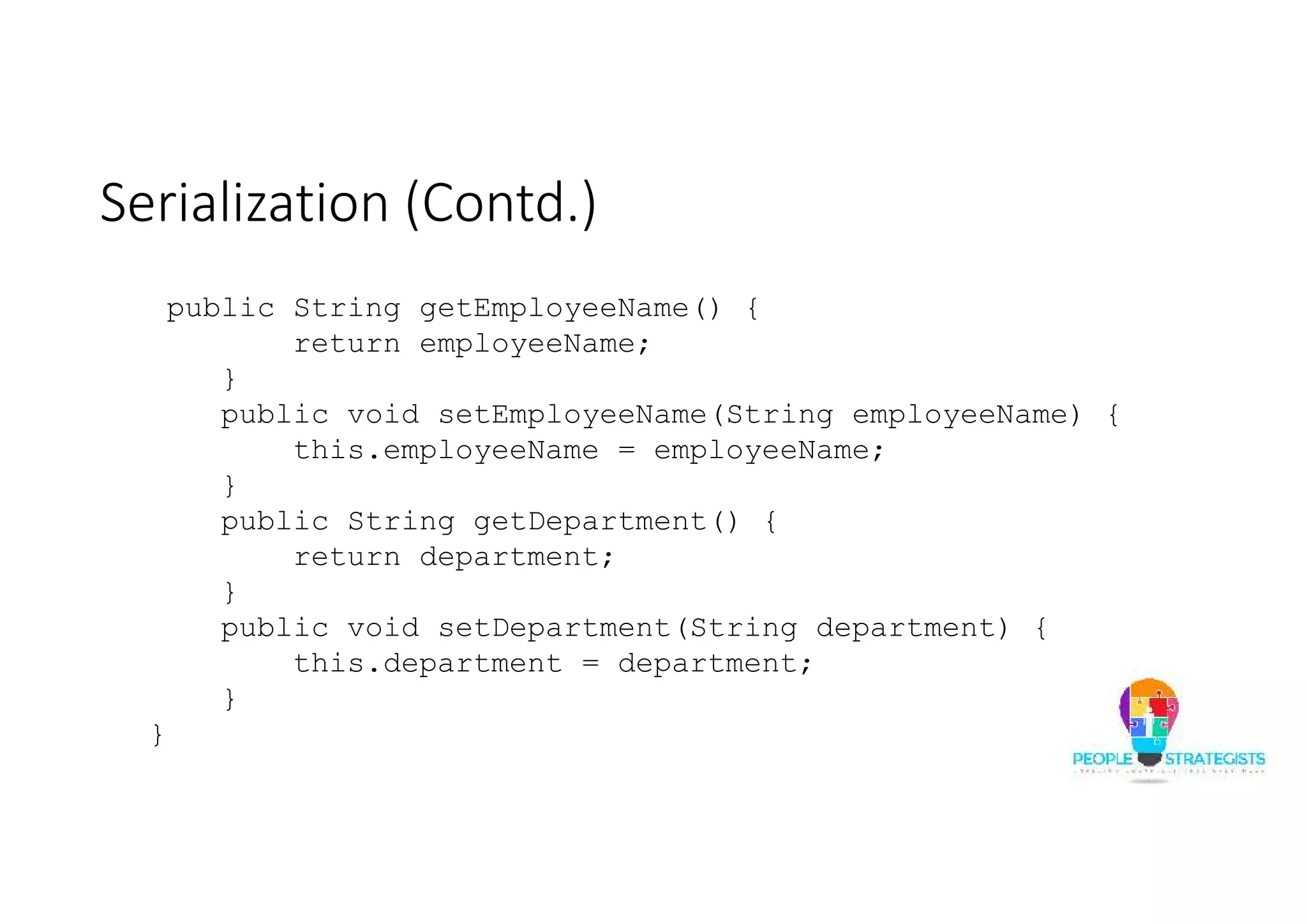
Serialization (Contd.) public String getEmployeeName() { return employeeName; } public void setEmployeeName(String employeeName) { this.employeeName = employeeName; } public String getDepartment() { return department; } public void setDepartment(String department) { this.department = department; } }
Serialization (Contd.) import java.io.*; public class SerializeMain { public static void main(String[] args) { Employee emp = new Employee(); emp.setEmployeeId(101); emp.setEmployeeName(“Raj"); emp.setDepartment("CS");
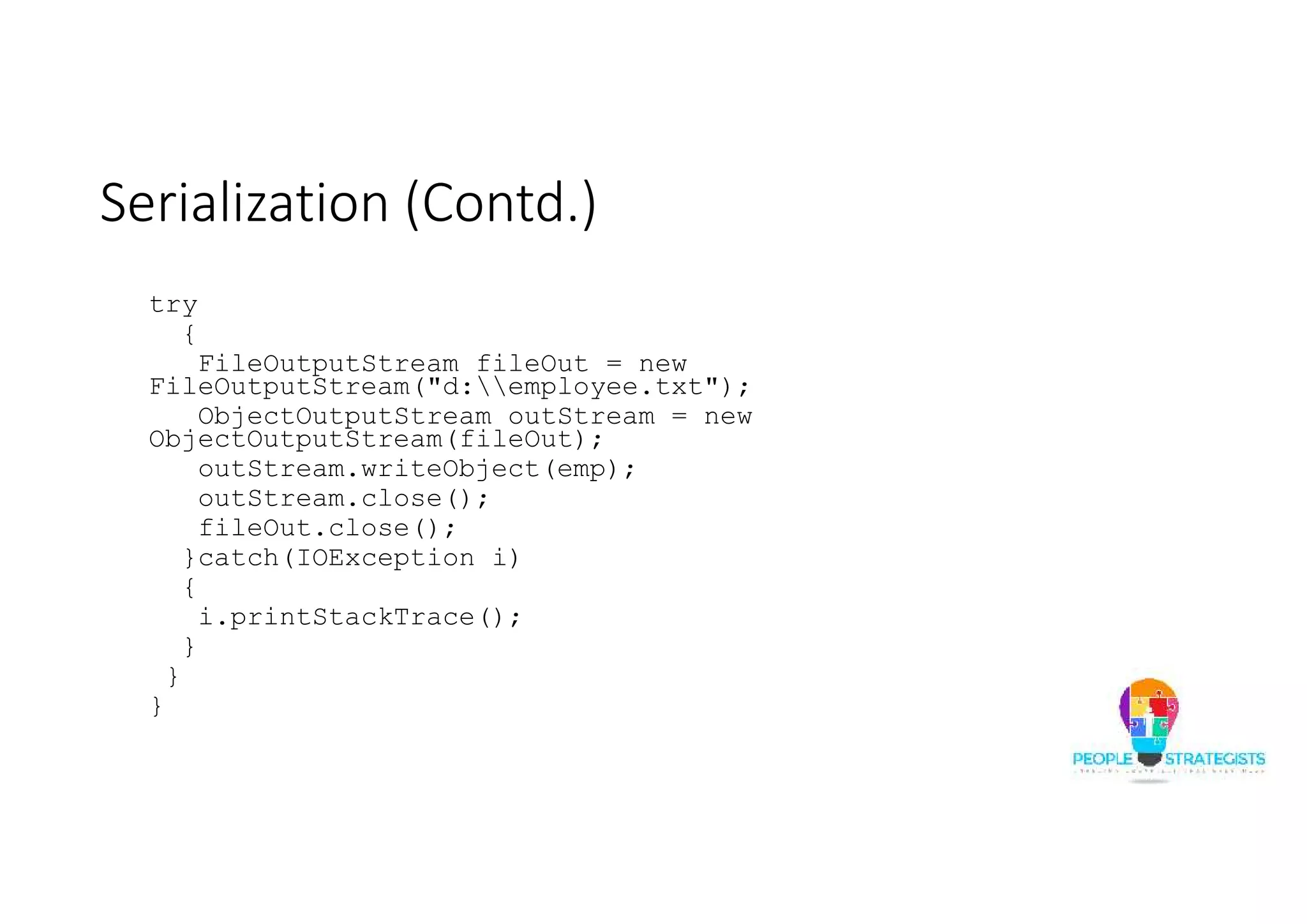
Serialization (Contd.) try { FileOutputStream fileOut = new FileOutputStream("d:employee.txt"); ObjectOutputStream outStream = new ObjectOutputStream(fileOut); outStream.writeObject(emp); outStream.close(); fileOut.close(); }catch(IOException i) { i.printStackTrace(); } } }
Serialization (Contd.) import java.io.*; public class DeserializeMain { public static void main(String[] args) { Employee emp = null; try { FileInputStream fileIn =new FileInputStream("D:employee.txt"); ObjectInputStream in = new ObjectInputStream(fileIn); emp = (Employee) in.readObject(); in.close(); fileIn.close(); }
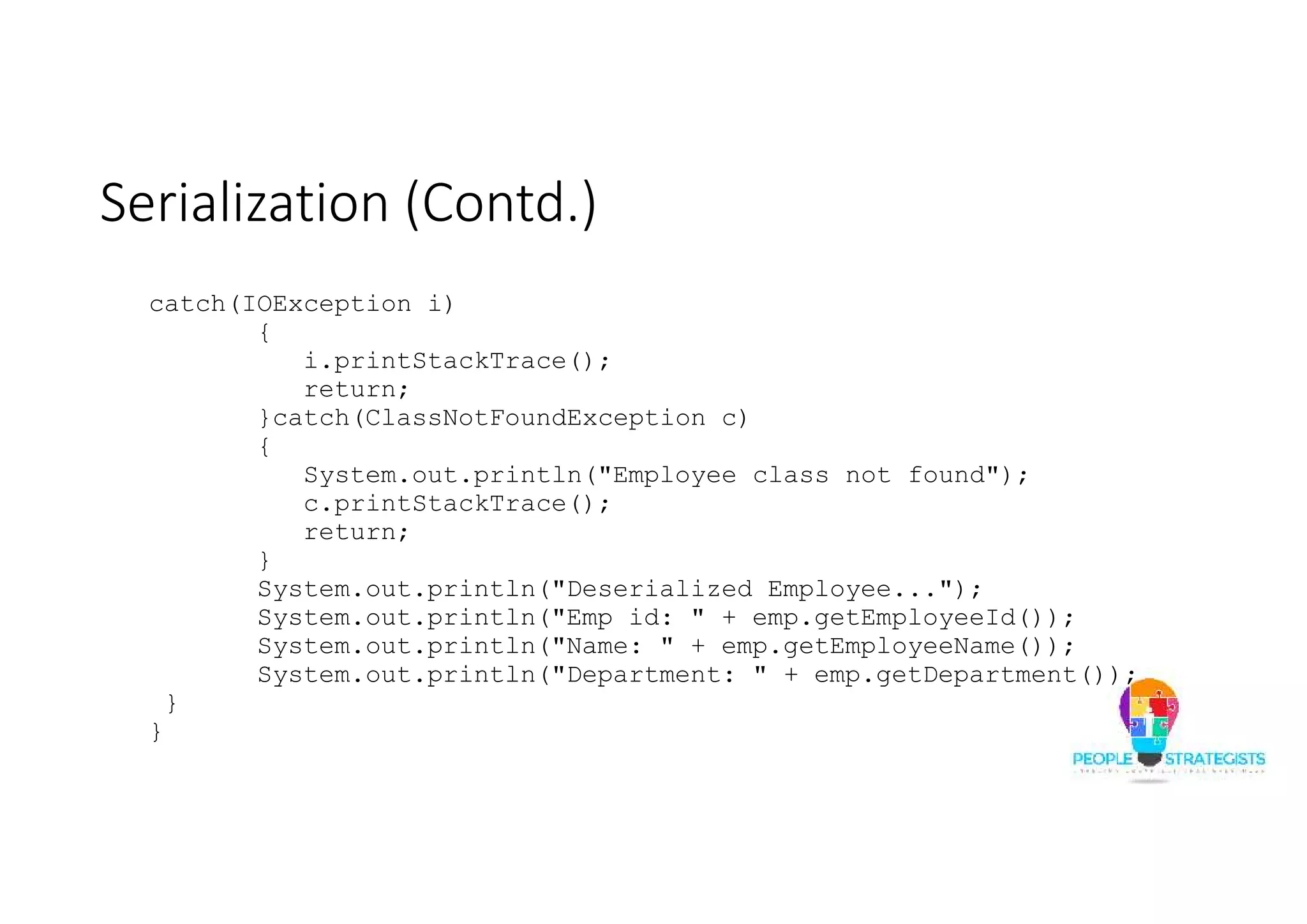
Serialization (Contd.) catch(IOException i) { i.printStackTrace(); return; }catch(ClassNotFoundException c) { System.out.println("Employee class not found"); c.printStackTrace(); return; } System.out.println("Deserialized Employee..."); System.out.println("Emp id: " + emp.getEmployeeId()); System.out.println("Name: " + emp.getEmployeeName()); System.out.println("Department: " + emp.getDepartment()); } }
Annotations
Annotations Basics • Annotations are meta data that provide information about the code. • Annotations are not a part of code. • Annotations can be used to mark Java elements, such as package, constructors, methods, fields, parameters and variables, within the code. • Annotations allows the compiler and JVM to extract the program behavior and generate the interdependent code when required. • An annotation is prefixed with @ symbol.
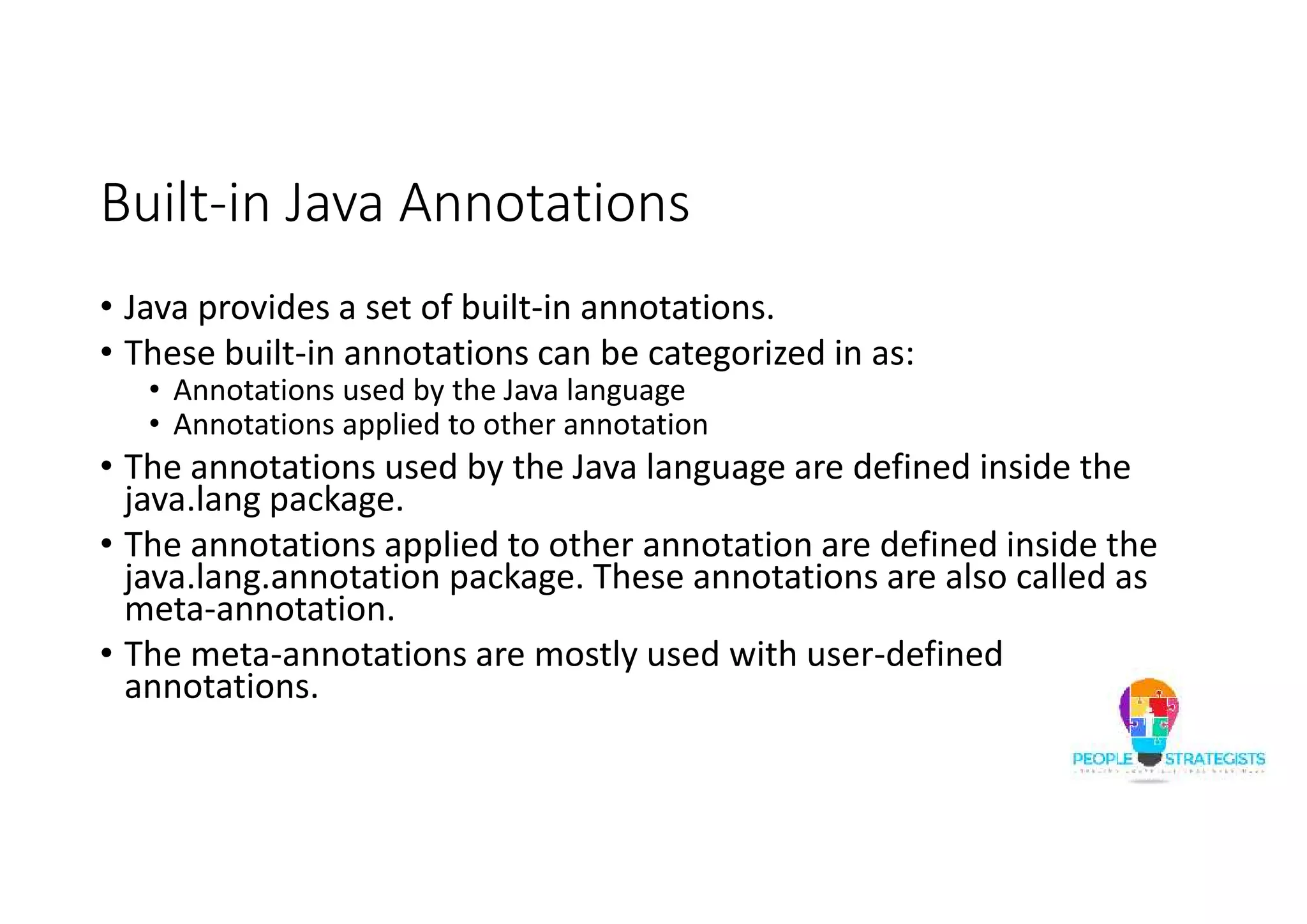
Built-in Java Annotations • Java provides a set of built-in annotations. • These built-in annotations can be categorized in as: • Annotations used by the Java language • Annotations applied to other annotation • The annotations used by the Java language are defined inside the java.lang package. • The annotations applied to other annotation are defined inside the java.lang.annotation package. These annotations are also called as meta-annotation. • The meta-annotations are mostly used with user-defined annotations.
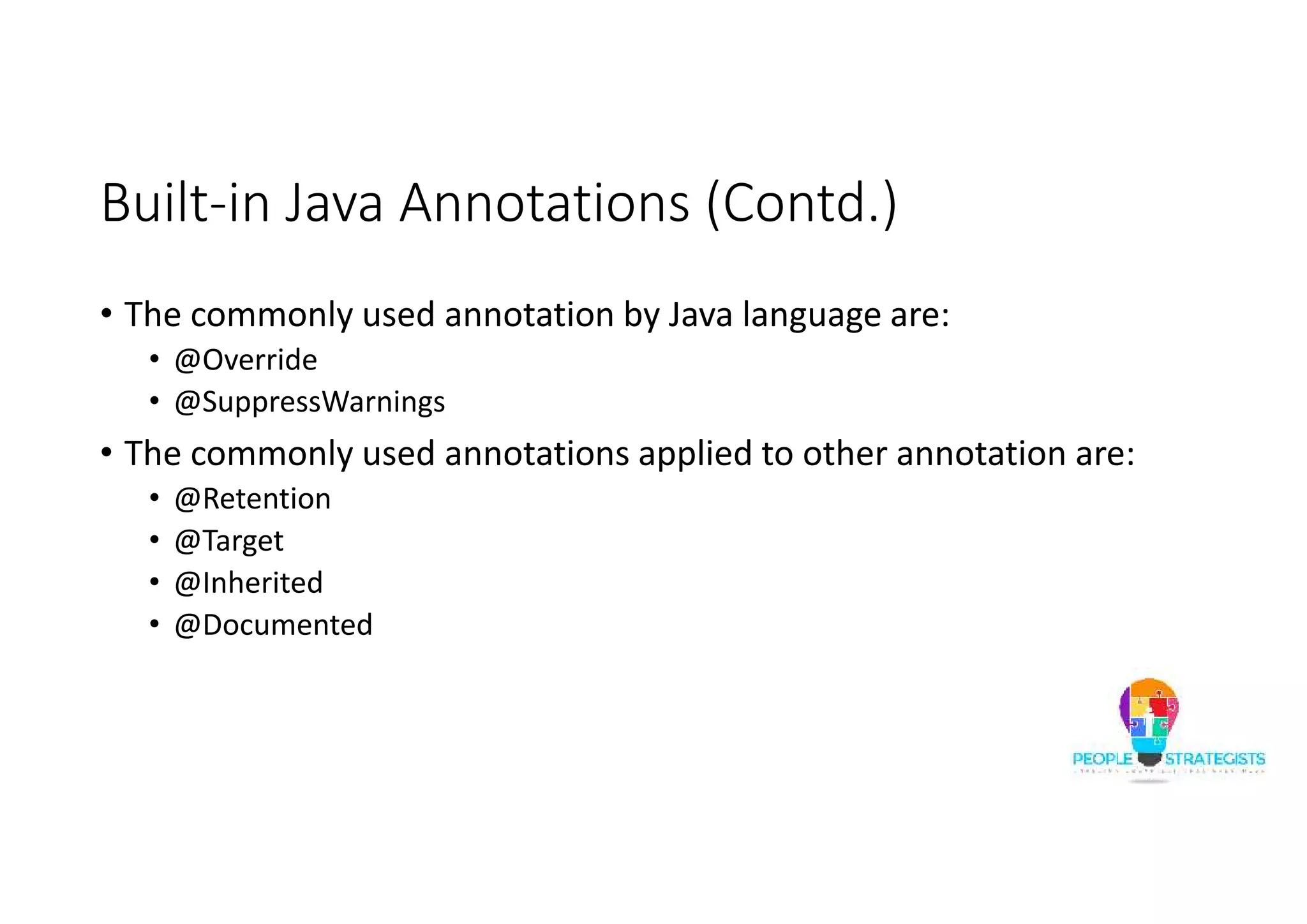
Built-in Java Annotations (Contd.) • The commonly used annotation by Java language are: • @Override • @SuppressWarnings • The commonly used annotations applied to other annotation are: • @Retention • @Target • @Inherited • @Documented
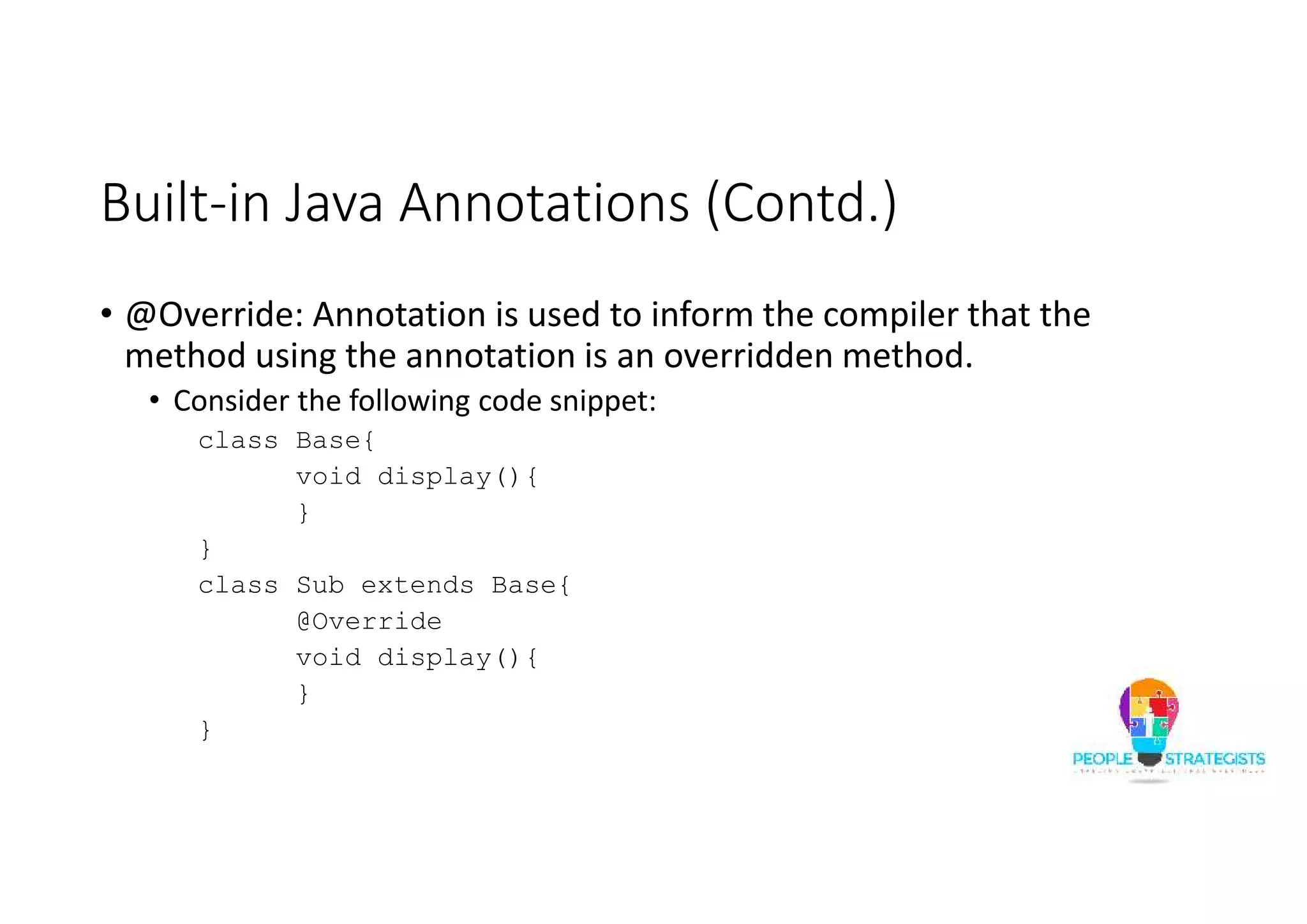
Built-in Java Annotations (Contd.) • @Override: Annotation is used to inform the compiler that the method using the annotation is an overridden method. • Consider the following code snippet: class Base{ void display(){ } } class Sub extends Base{ @Override void display(){ } }
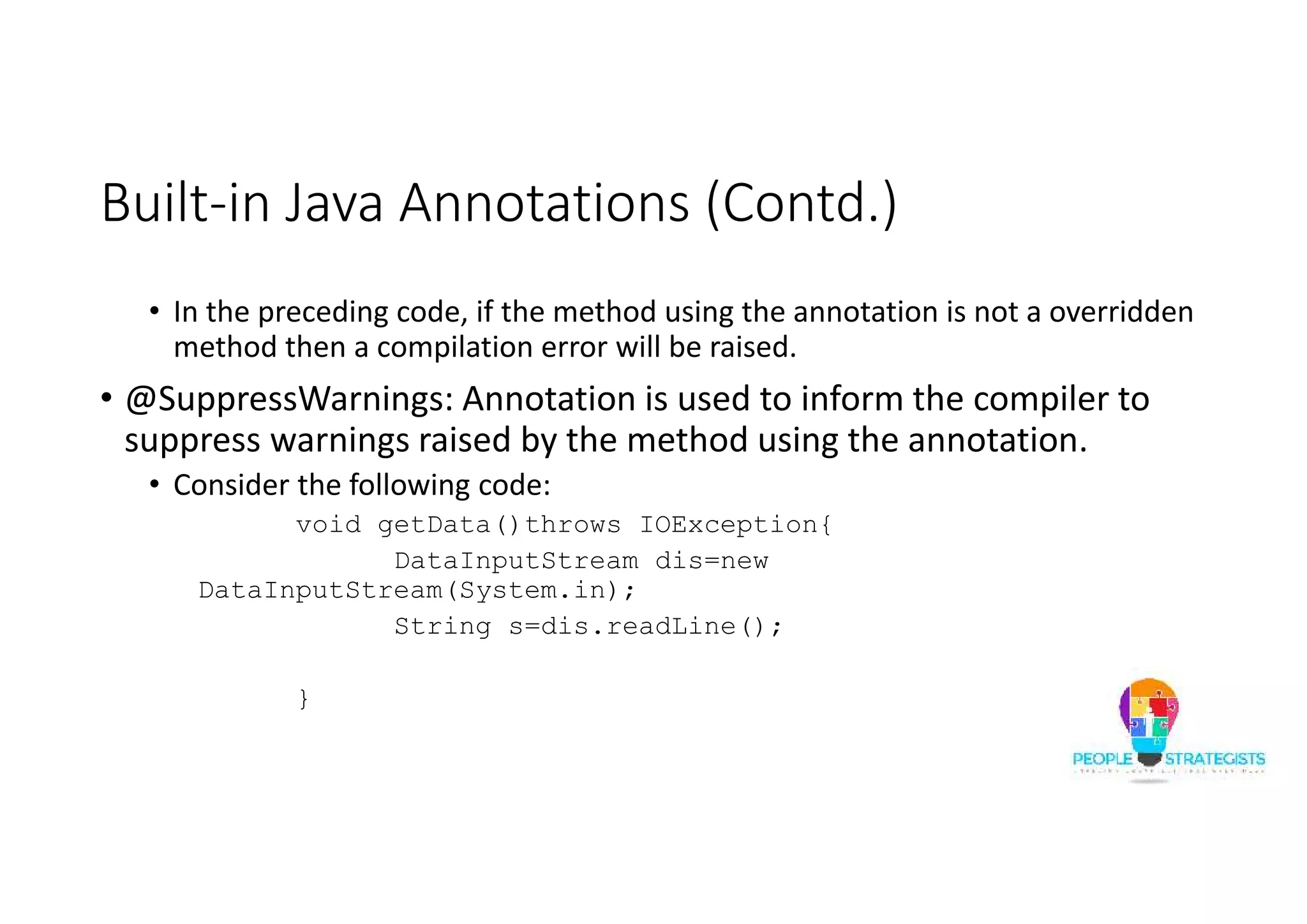
Built-in Java Annotations (Contd.) • In the preceding code, if the method using the annotation is not a overridden method then a compilation error will be raised. • @SuppressWarnings: Annotation is used to inform the compiler to suppress warnings raised by the method using the annotation. • Consider the following code: void getData()throws IOException{ DataInputStream dis=new DataInputStream(System.in); String s=dis.readLine(); }
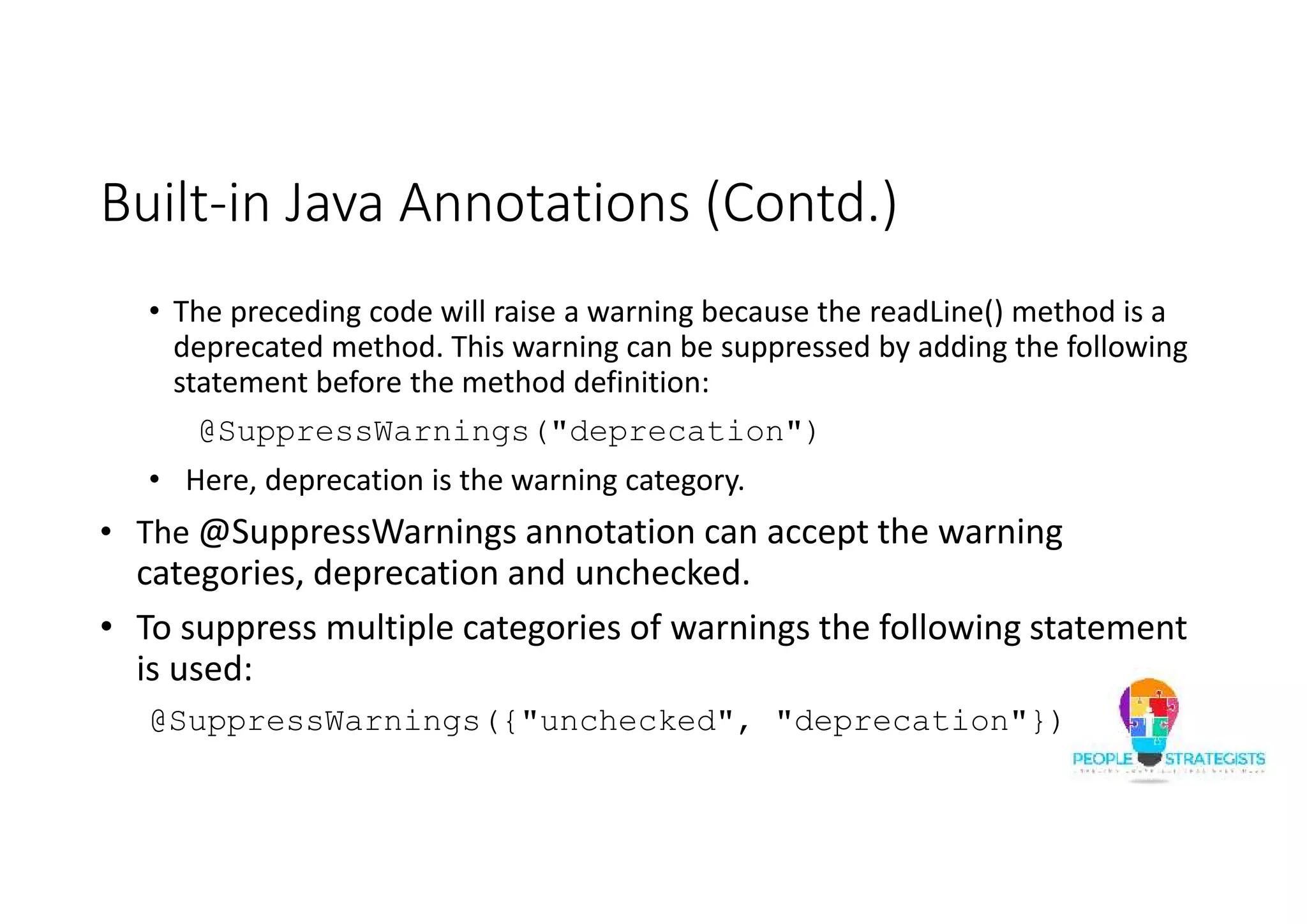
Built-in Java Annotations (Contd.) • The preceding code will raise a warning because the readLine() method is a deprecated method. This warning can be suppressed by adding the following statement before the method definition: @SuppressWarnings("deprecation") • Here, deprecation is the warning category. • The @SuppressWarnings annotation can accept the warning categories, deprecation and unchecked. • To suppress multiple categories of warnings the following statement is used: @SuppressWarnings({"unchecked", "deprecation"})
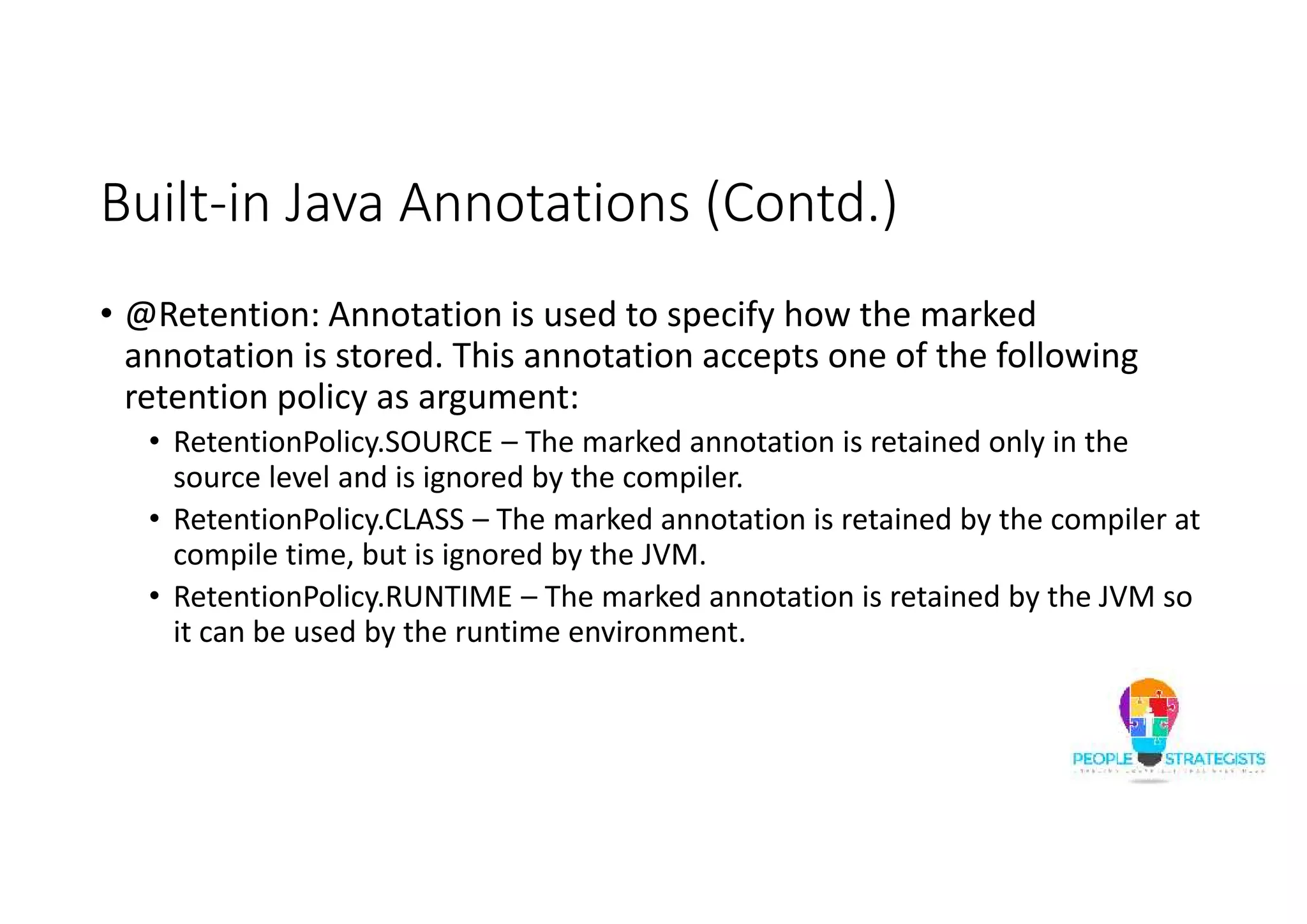
Built-in Java Annotations (Contd.) • @Retention: Annotation is used to specify how the marked annotation is stored. This annotation accepts one of the following retention policy as argument: • RetentionPolicy.SOURCE – The marked annotation is retained only in the source level and is ignored by the compiler. • RetentionPolicy.CLASS – The marked annotation is retained by the compiler at compile time, but is ignored by the JVM. • RetentionPolicy.RUNTIME – The marked annotation is retained by the JVM so it can be used by the runtime environment.
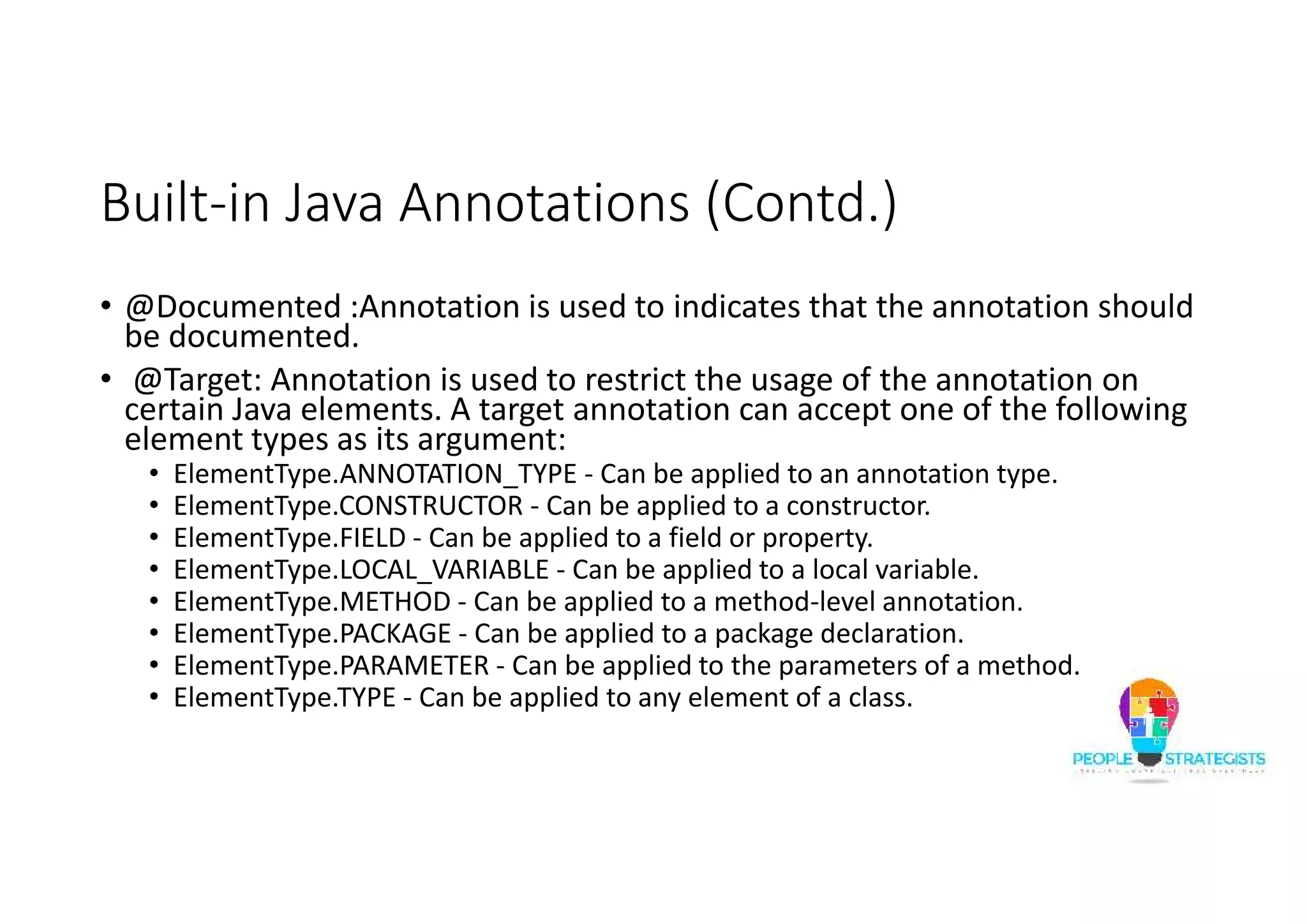
Built-in Java Annotations (Contd.) • @Documented :Annotation is used to indicates that the annotation should be documented. • @Target: Annotation is used to restrict the usage of the annotation on certain Java elements. A target annotation can accept one of the following element types as its argument: • ElementType.ANNOTATION_TYPE - Can be applied to an annotation type. • ElementType.CONSTRUCTOR - Can be applied to a constructor. • ElementType.FIELD - Can be applied to a field or property. • ElementType.LOCAL_VARIABLE - Can be applied to a local variable. • ElementType.METHOD - Can be applied to a method-level annotation. • ElementType.PACKAGE - Can be applied to a package declaration. • ElementType.PARAMETER - Can be applied to the parameters of a method. • ElementType.TYPE - Can be applied to any element of a class.
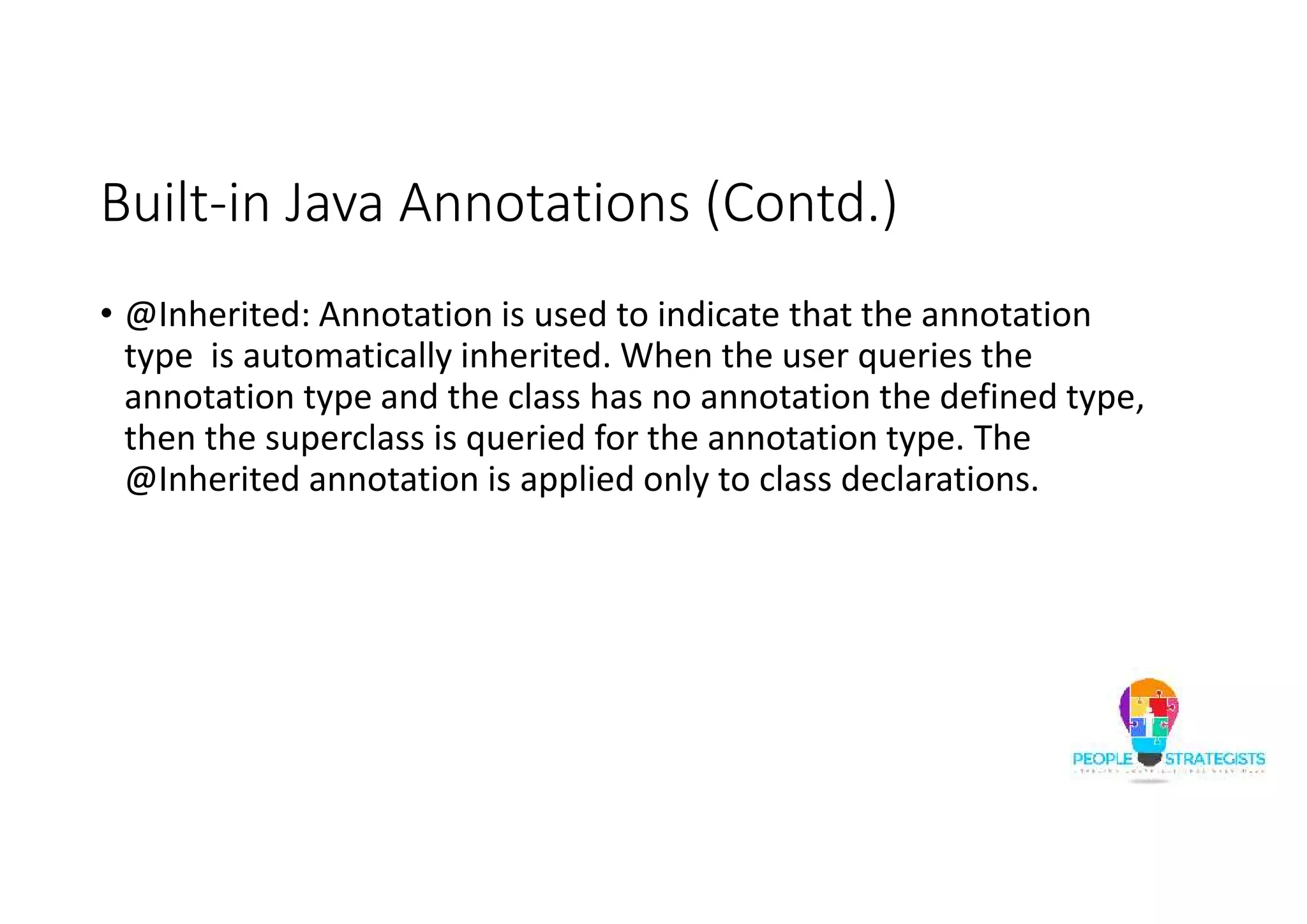
Built-in Java Annotations (Contd.) • @Inherited: Annotation is used to indicate that the annotation type is automatically inherited. When the user queries the annotation type and the class has no annotation the defined type, then the superclass is queried for the annotation type. The @Inherited annotation is applied only to class declarations.
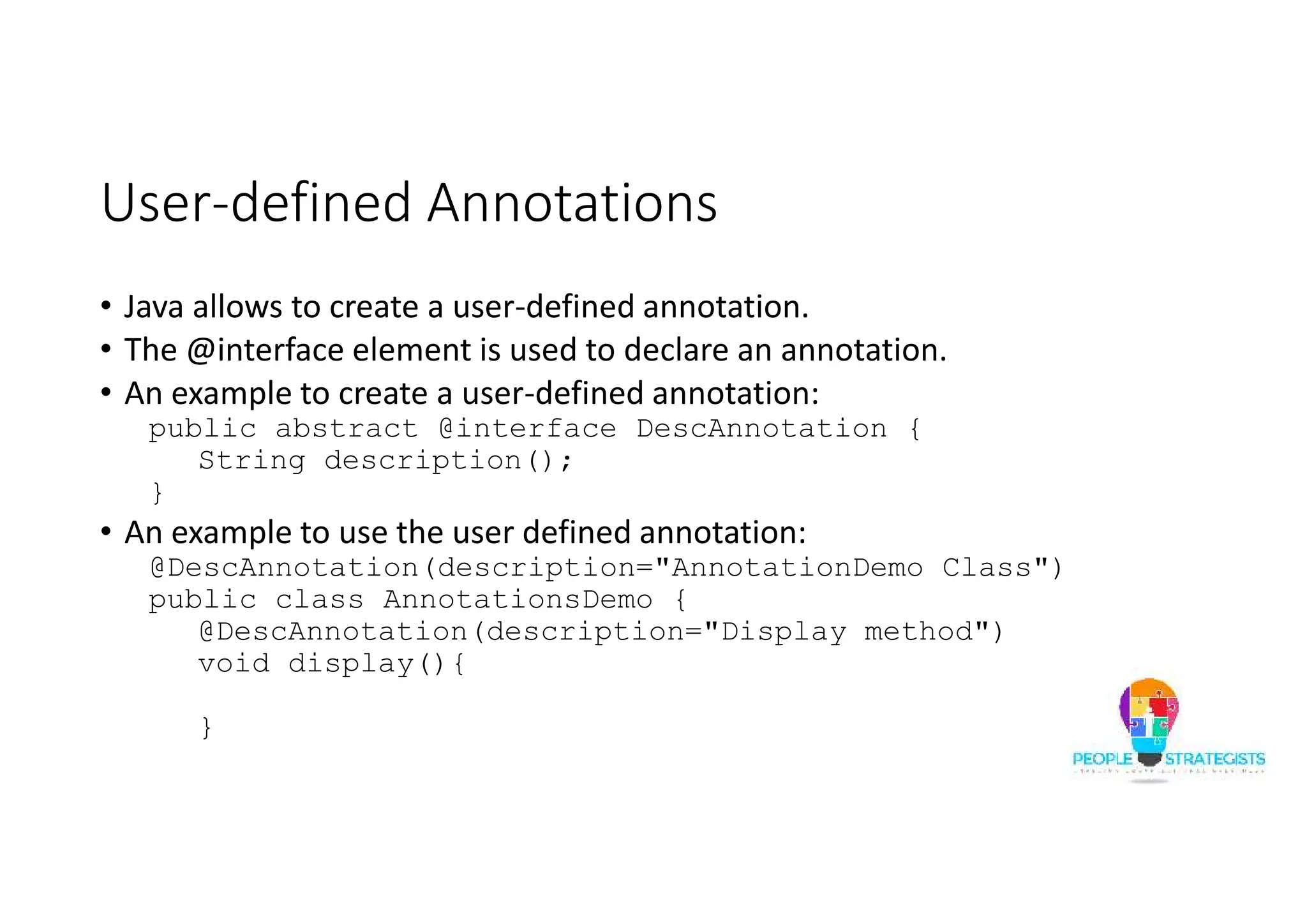
User-defined Annotations • Java allows to create a user-defined annotation. • The @interface element is used to declare an annotation. • An example to create a user-defined annotation: public abstract @interface DescAnnotation { String description(); } • An example to use the user defined annotation: @DescAnnotation(description="AnnotationDemo Class") public class AnnotationsDemo { @DescAnnotation(description="Display method") void display(){ }
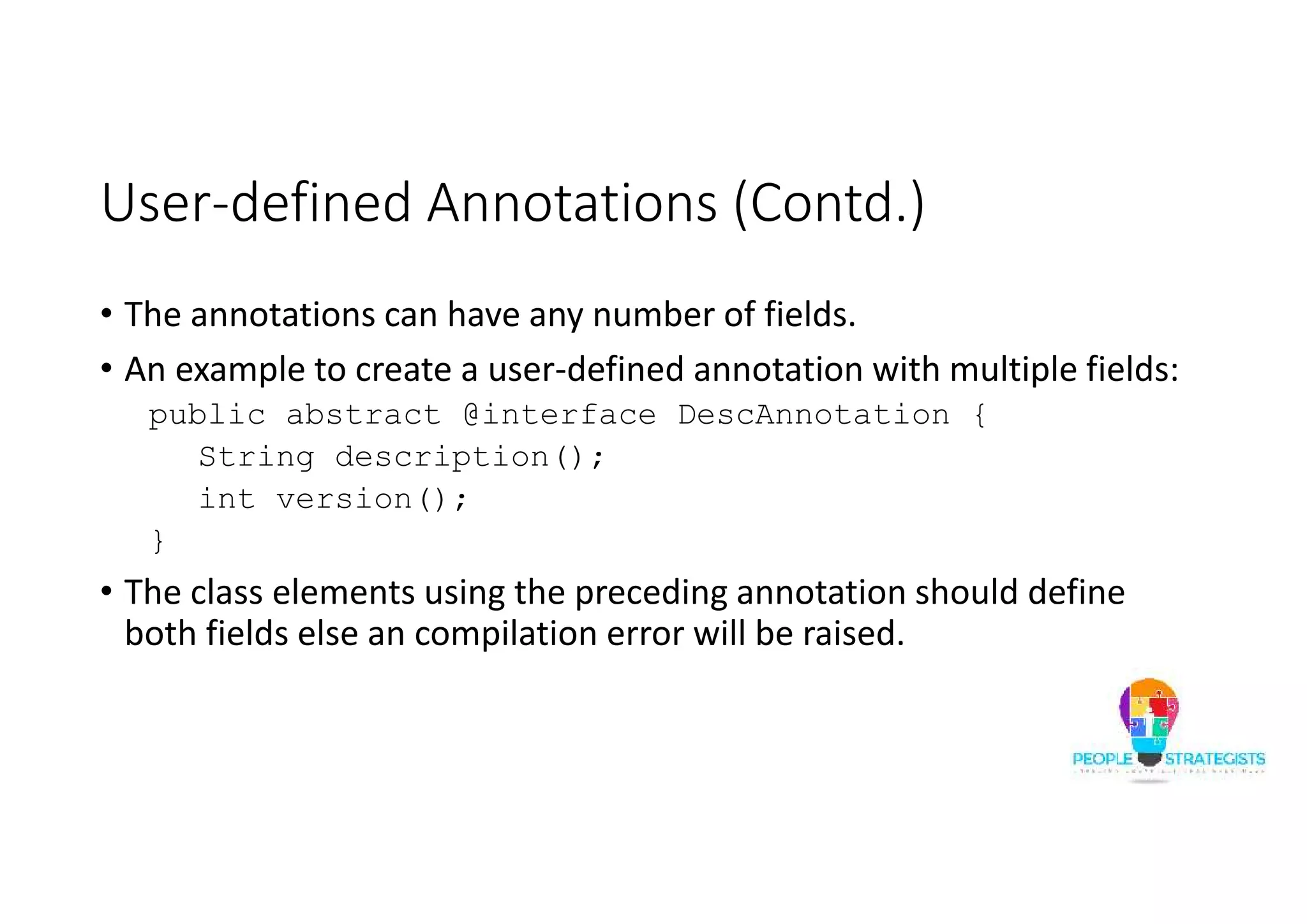
User-defined Annotations (Contd.) • The annotations can have any number of fields. • An example to create a user-defined annotation with multiple fields: public abstract @interface DescAnnotation { String description(); int version(); } • The class elements using the preceding annotation should define both fields else an compilation error will be raised.
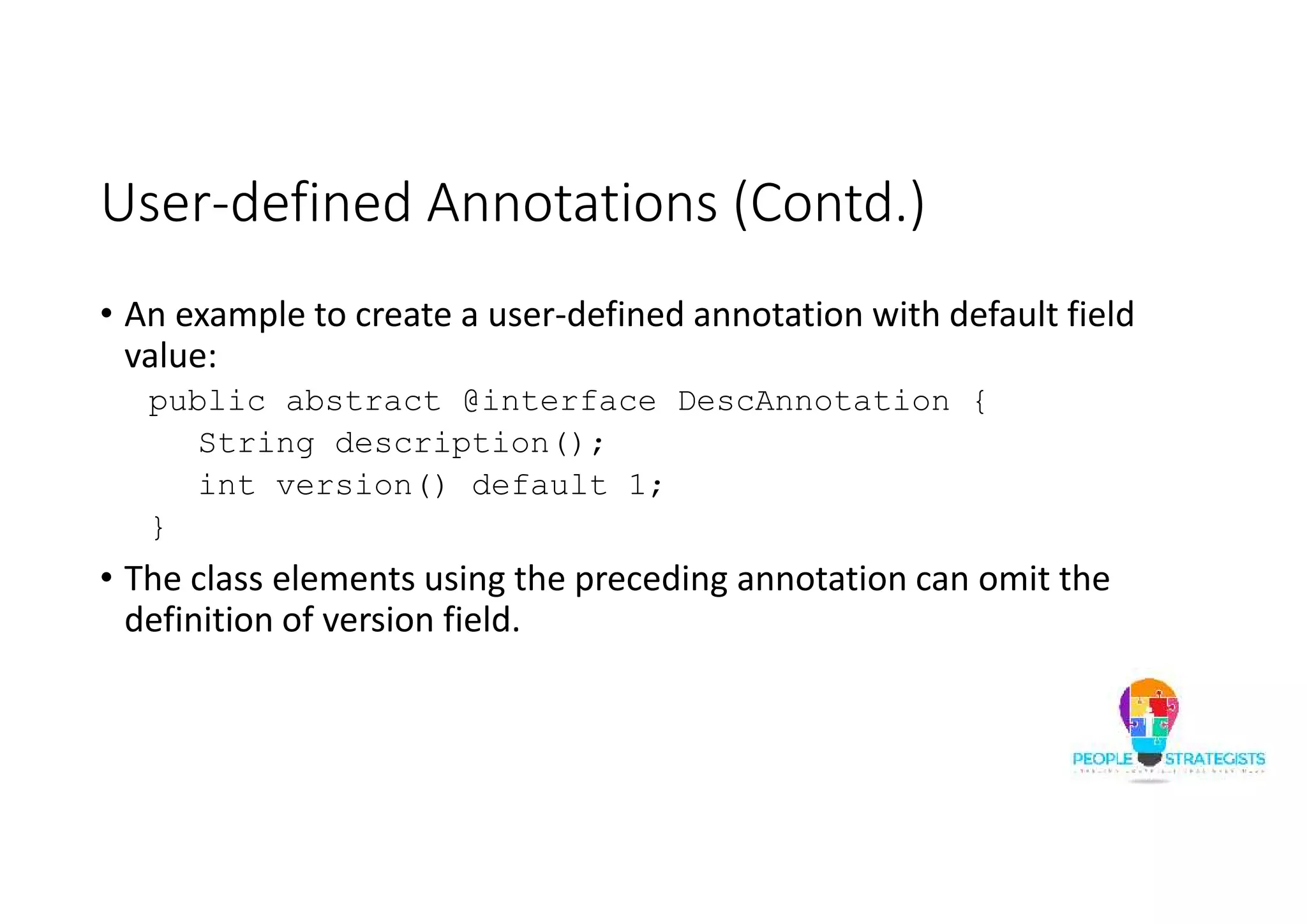
User-defined Annotations (Contd.) • An example to create a user-defined annotation with default field value: public abstract @interface DescAnnotation { String description(); int version() default 1; } • The class elements using the preceding annotation can omit the definition of version field.
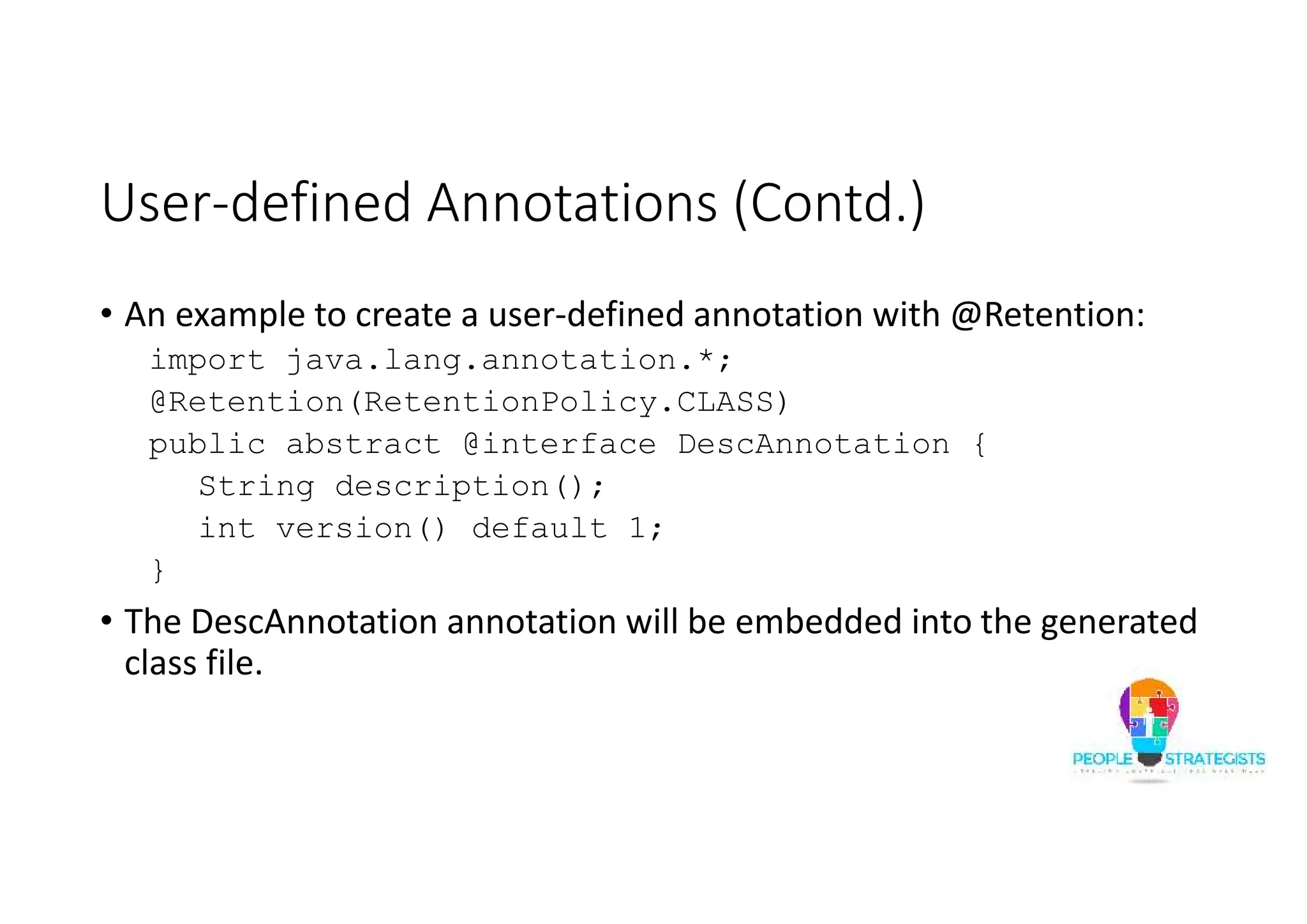
User-defined Annotations (Contd.) • An example to create a user-defined annotation with @Retention: import java.lang.annotation.*; @Retention(RetentionPolicy.CLASS) public abstract @interface DescAnnotation { String description(); int version() default 1; } • The DescAnnotation annotation will be embedded into the generated class file.
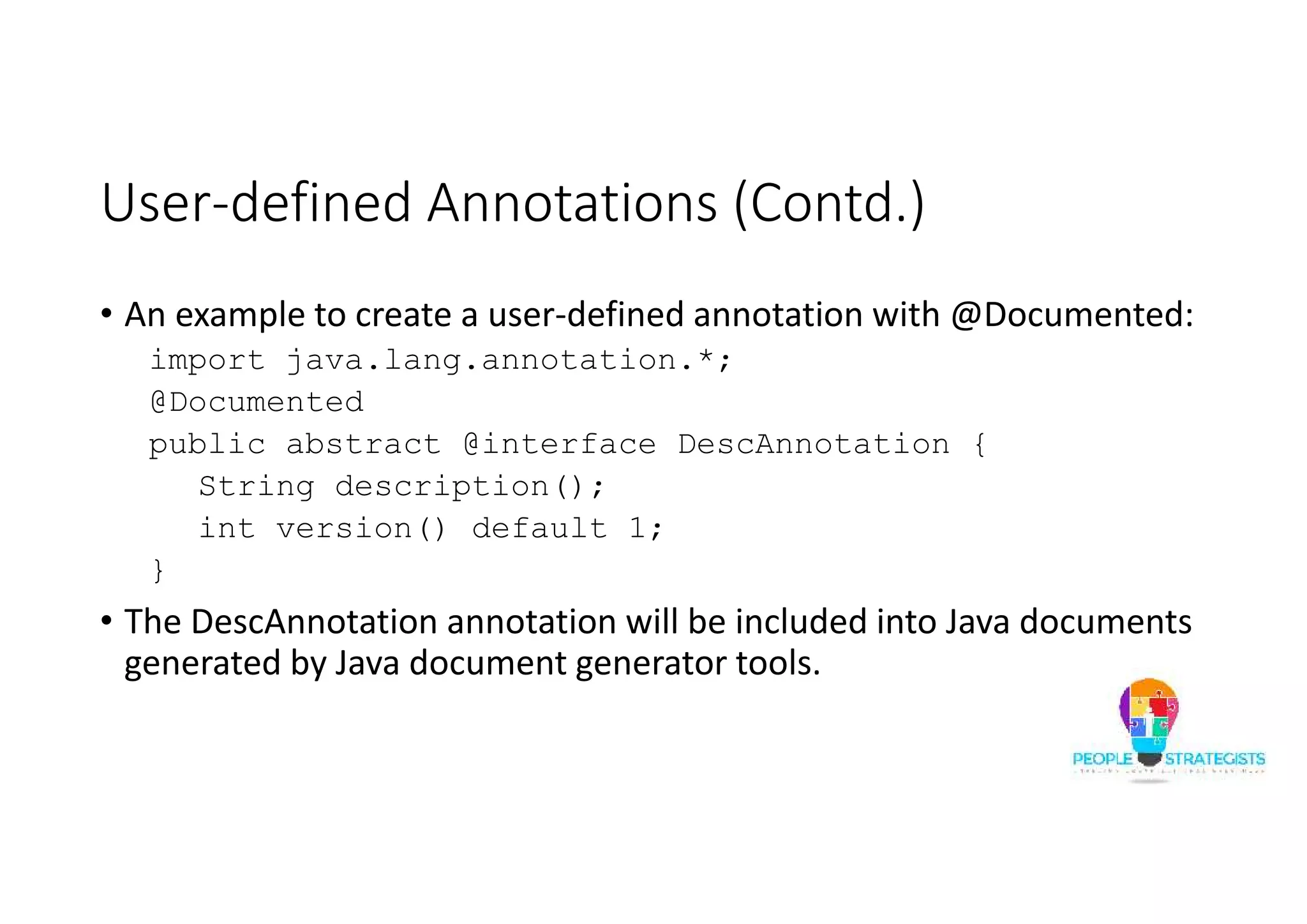
User-defined Annotations (Contd.) • An example to create a user-defined annotation with @Documented: import java.lang.annotation.*; @Documented public abstract @interface DescAnnotation { String description(); int version() default 1; } • The DescAnnotation annotation will be included into Java documents generated by Java document generator tools.
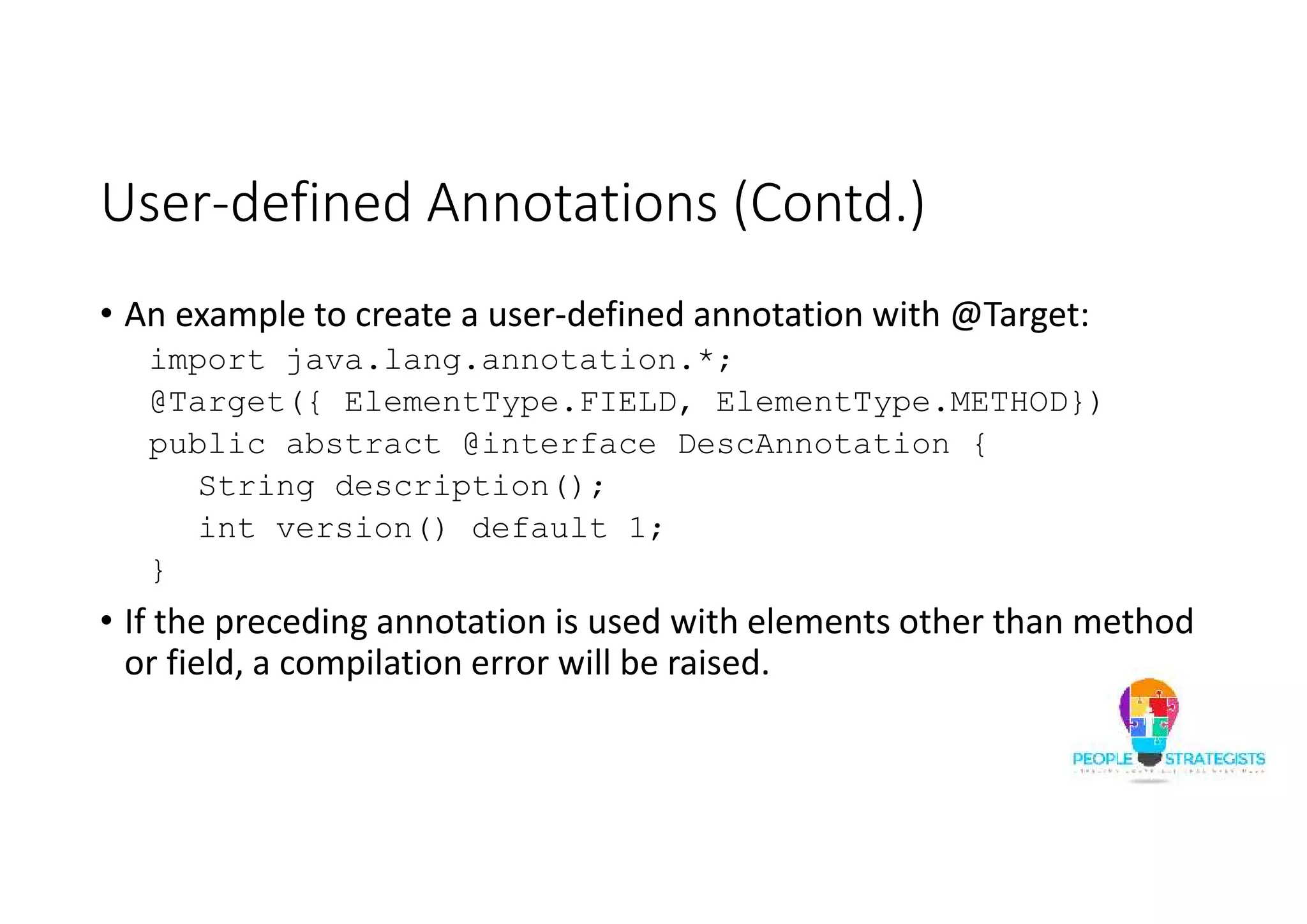
User-defined Annotations (Contd.) • An example to create a user-defined annotation with @Target: import java.lang.annotation.*; @Target({ ElementType.FIELD, ElementType.METHOD}) public abstract @interface DescAnnotation { String description(); int version() default 1; } • If the preceding annotation is used with elements other than method or field, a compilation error will be raised.
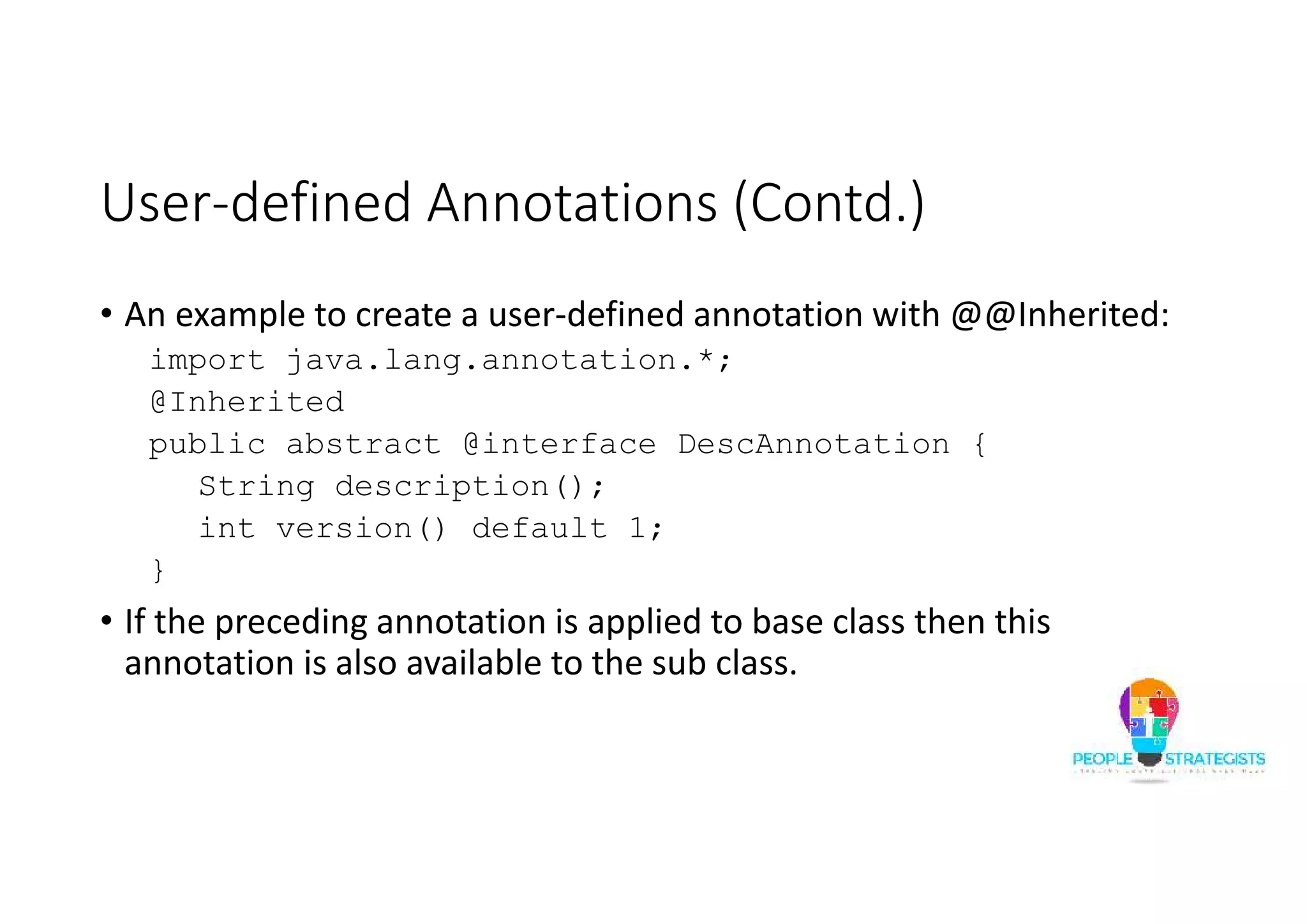
User-defined Annotations (Contd.) • An example to create a user-defined annotation with @@Inherited: import java.lang.annotation.*; @Inherited public abstract @interface DescAnnotation { String description(); int version() default 1; } • If the preceding annotation is applied to base class then this annotation is also available to the sub class.
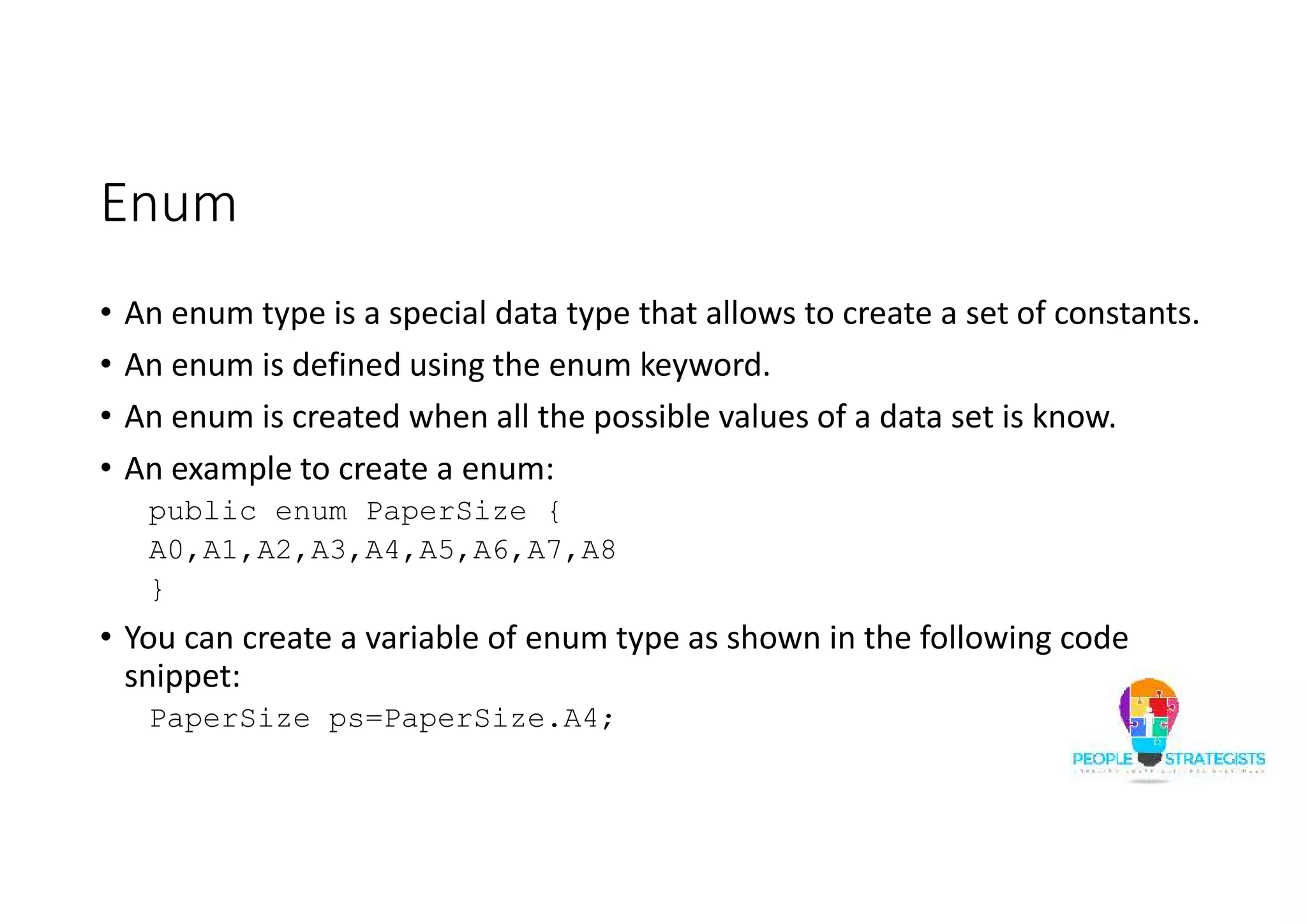
Enum • An enum type is a special data type that allows to create a set of constants. • An enum is defined using the enum keyword. • An enum is created when all the possible values of a data set is know. • An example to create a enum: public enum PaperSize { A0,A1,A2,A3,A4,A5,A6,A7,A8 } • You can create a variable of enum type as shown in the following code snippet: PaperSize ps=PaperSize.A4;
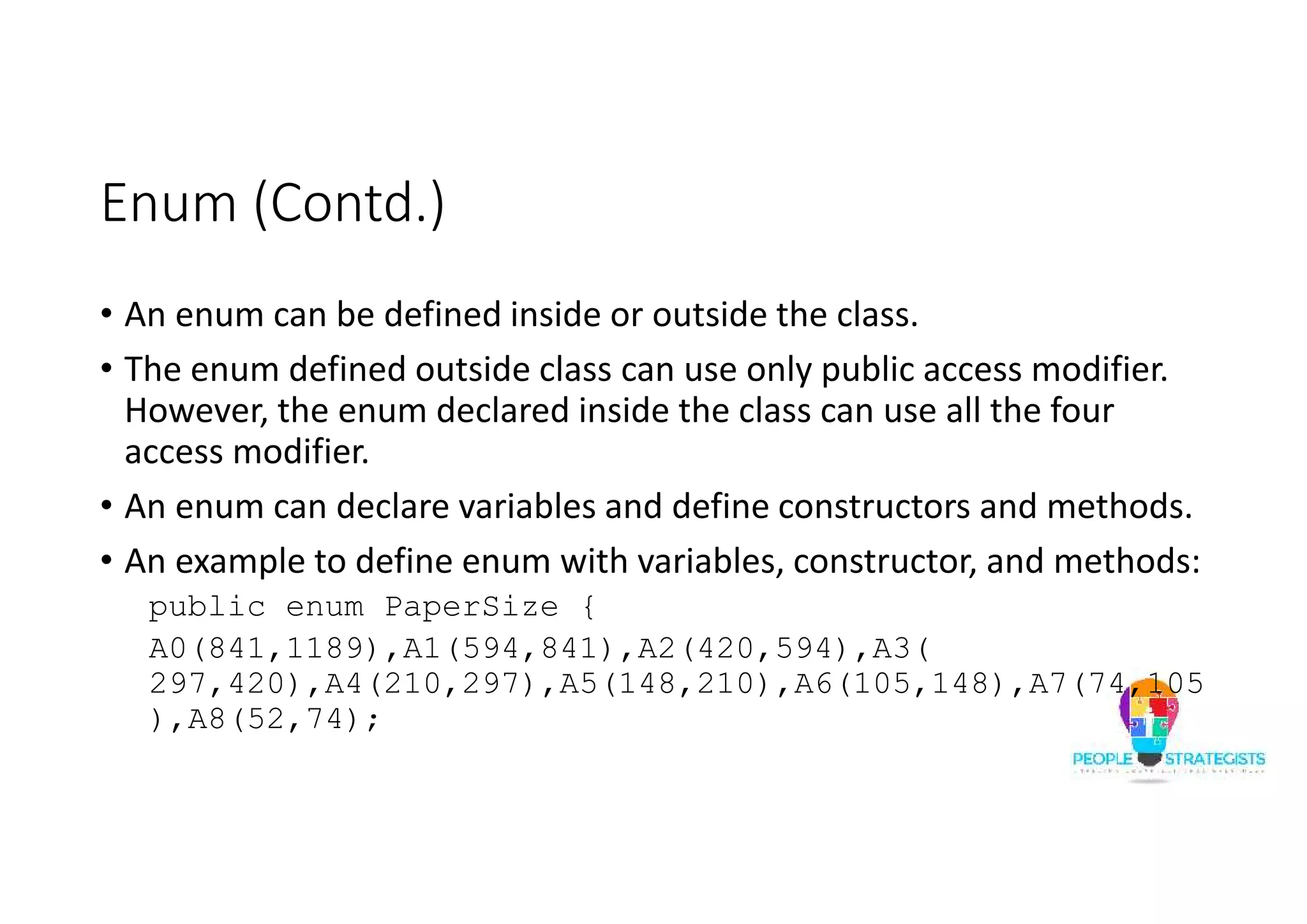
Enum (Contd.) • An enum can be defined inside or outside the class. • The enum defined outside class can use only public access modifier. However, the enum declared inside the class can use all the four access modifier. • An enum can declare variables and define constructors and methods. • An example to define enum with variables, constructor, and methods: public enum PaperSize { A0(841,1189),A1(594,841),A2(420,594),A3( 297,420),A4(210,297),A5(148,210),A6(105,148),A7(74,105 ),A8(52,74);
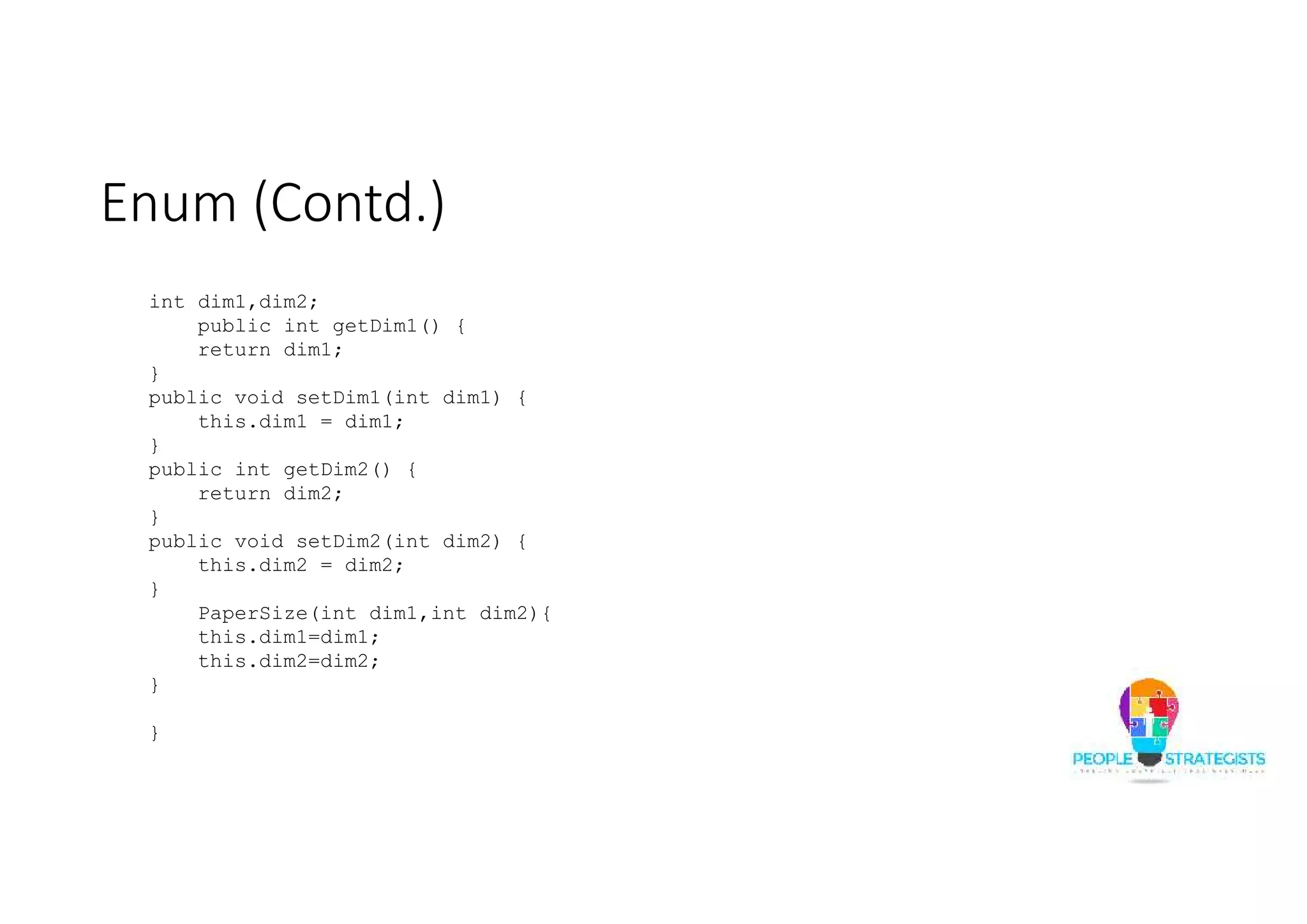
Enum (Contd.) int dim1,dim2; public int getDim1() { return dim1; } public void setDim1(int dim1) { this.dim1 = dim1; } public int getDim2() { return dim2; } public void setDim2(int dim2) { this.dim2 = dim2; } PaperSize(int dim1,int dim2){ this.dim1=dim1; this.dim2=dim2; } }
Enum (Contd.) public class EnumTest { public static void main(String args[]){ PaperSize ps=PaperSize.A4; System.out.println(ps.getDim1()); System.out.println(ps.getDim2()); ps.setDim1(211); System.out.println(ps.getDim1()); } }
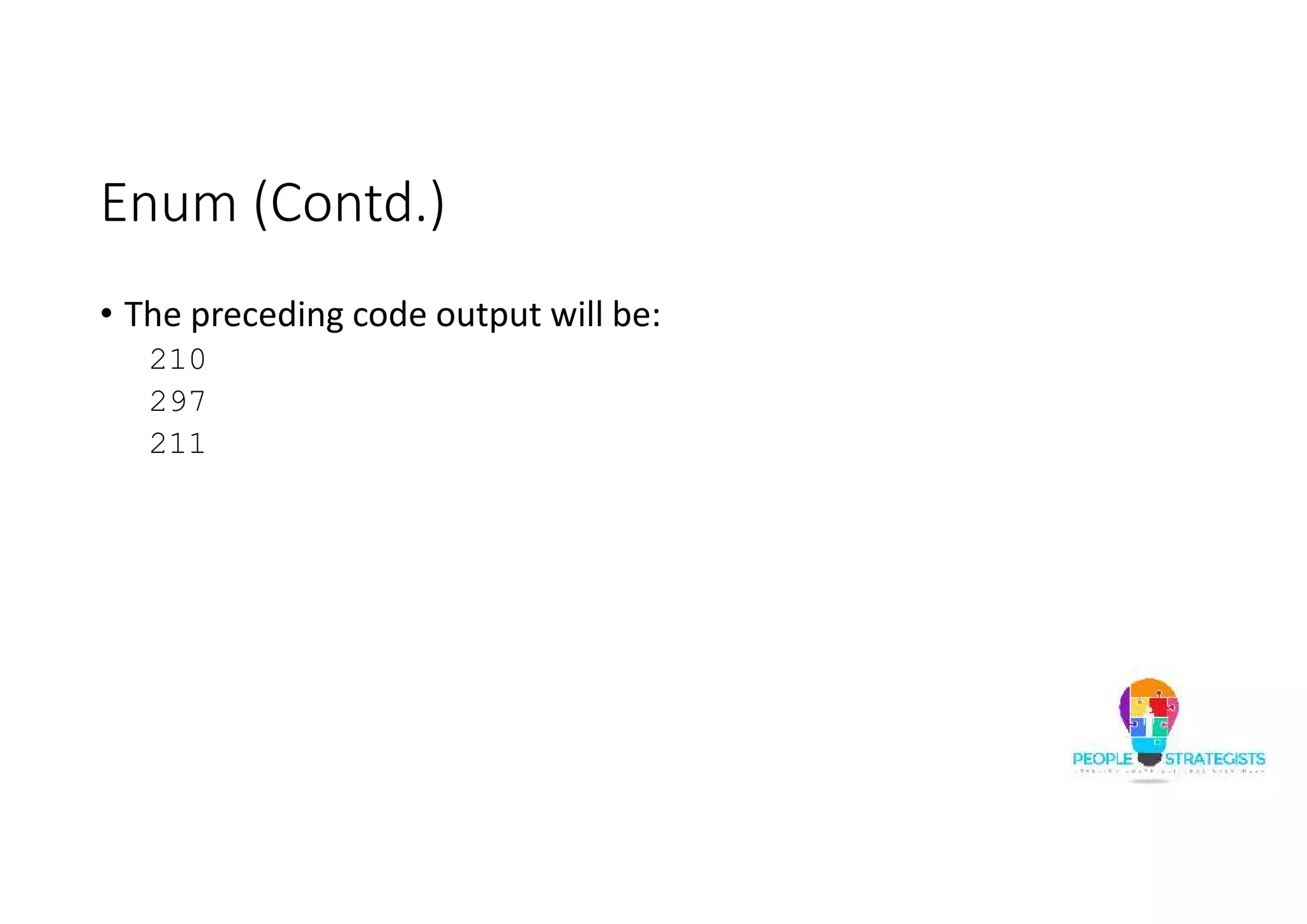
Enum (Contd.) • The preceding code output will be: 210 297 211
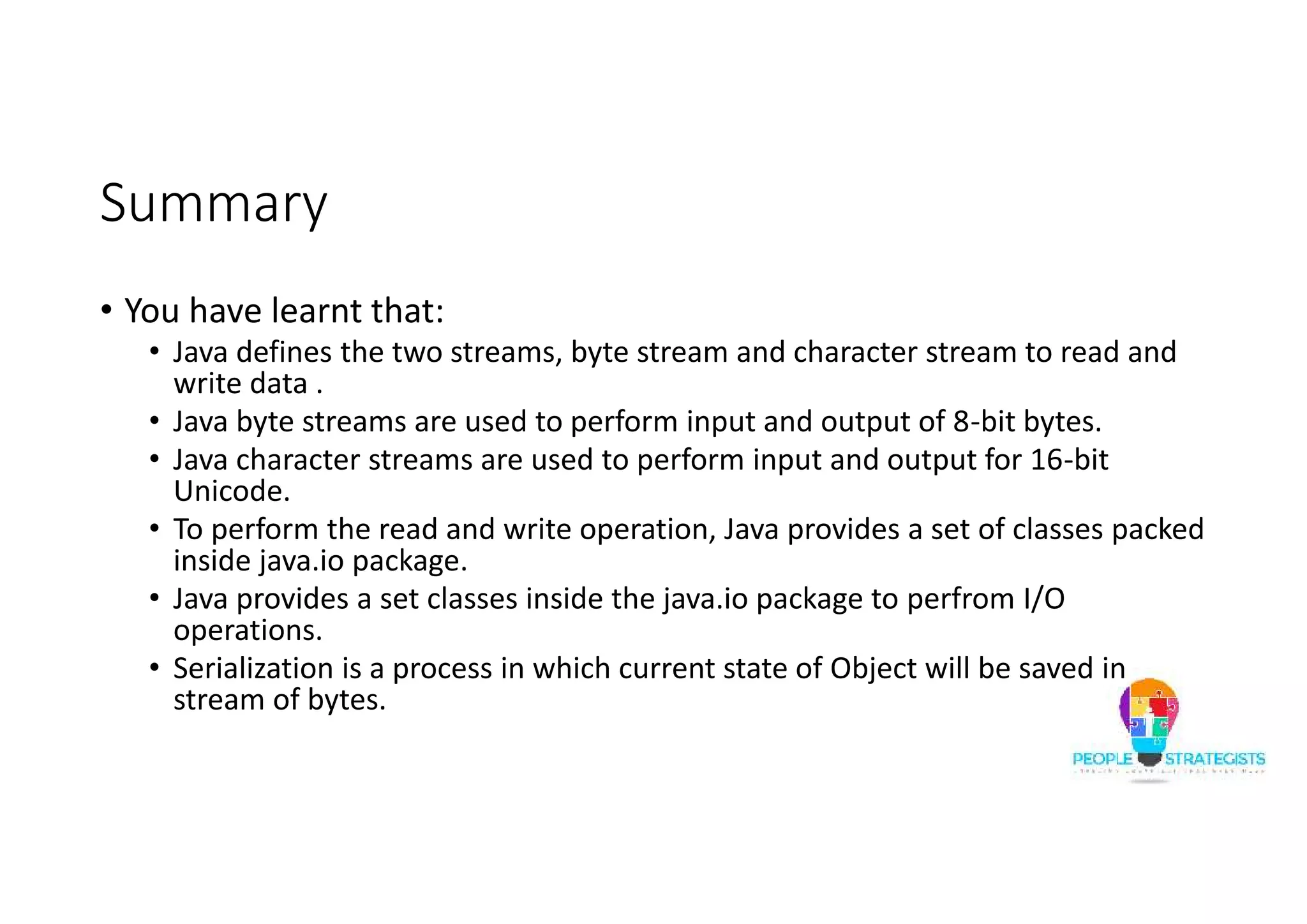
Summary • You have learnt that: • Java defines the two streams, byte stream and character stream to read and write data . • Java byte streams are used to perform input and output of 8-bit bytes. • Java character streams are used to perform input and output for 16-bit Unicode. • To perform the read and write operation, Java provides a set of classes packed inside java.io package. • Java provides a set classes inside the java.io package to perfrom I/O operations. • Serialization is a process in which current state of Object will be saved in stream of bytes.
Summary • Annotations are meta data that provide information about the code. • Annotations are not a part of code. • Annotations can be used to mark Java elements, such as package, constructors, methods, fields, parameters and variables, within the code. • Annotations allows the compiler and JVM to extract the program behavior and generate the interdependent code when required. • An annotation is prefixed with @ symbol. • Java provided a set of built-in annotations. • An enum type is a special data type that allows to create a set of constants. • An enum can declare variables and define constructors and methods.

Java Day-6

  • 1.
    © People Strategists- Duplication is strictly prohibited - www.peoplestrategists.com 1
  • 2.
  • 3.
  • 4.
    Basic IO • Javaprovides a standard way of reading from and writing to files. • Java defines the two streams, byte stream and character stream to read and write data . • Java byte streams are used to perform input and output of 8-bit bytes. • Java character streams are used to perform input and output for 16- bit Unicode. • To perform the read and write operation, Java provides a set of classes packed inside java.io package.
  • 5.
    Basic IO • Javaprovides a set classes inside the java.io package to perfrom I/O operations. • The hierarchy of classes in java.io package: java.lang.Object java.io.InputStream java.io.BufferedInputStream java.io.OutputStream java.io.BufferedOutputStream java.io.Reader java.io.BufferedReader java.io.Writer java.io.BufferedWriter
  • 6.
    InputStream Class • TheInputStream class is used for reading byte streams. • The hierarchy of InputStream class: java.io.InputStream java.io.FileInputStream java.io.FilterInputStream java.ioBufferedInputStream java.io.DataInputStream
  • 7.
    InputStream Class (Contd.) •The following table list the methods in InputStream class: Return Type Method Name Description int available() Returns an estimate of the number of bytes that can be read void close() Closes the input stream and releases any system resources associated with the stream. int read() Reads the next byte of data from the input stream. int read(byte[] b) Reads some number of bytes from the input stream and stores them into the buffer array b. int read(byte[] b, int off, int len) Reads up to len bytes of data from the input stream into an array of bytes. long skip(long n) Skips over and discards n bytes of data from this input stream.
  • 8.
    OutputStream Class • TheOutputStream class is used for writing byte stream. • The hierarchy of OutputStream class: java.io.OutputStream java.io.FileOutputStream java.io.FilterOutputStream java.ioBufferedOutputStream java.io.DataOutputStream
  • 9.
    OutputStream Class (Contd.) •The following table list the methods in OutputStream class: Return Type Method Name Description void close() Closes the input stream and releases any system resources associated with the stream. int flush() Flushes this output stream and forces any buffered output bytes to be written out. int writ(byte[] b) Writes b.length bytes from the specified byte array to this output stream. int write(byte[] b, int off, int len) Writes len bytes from the specified byte array starting at offset off to this output stream. long Write(int b) Writes the specified byte to this output stream.
  • 10.
    Reader Class • TheReader class is used for reading character streams. • The hierarchy of Reader class: java.io.Reader java.io.InputStreamReader java.io.FileReader java.ioBufferedReader
  • 11.
    Reader Class (Contd.) •The following table list the methods in Reader class: Return Type Method Name Description void close() Closes the input stream and releases any system resources associated with the stream. int read() Reads a single character. int read(char[] b) Reads characters into an array. int read(char[] b, int off, int len) Reads characters into a portion of an array. int read(CharBuffer target) Attempts to read characters into the specified character buffer. long skip(long n) Skips over and discards n bytes of data from this input stream.
  • 12.
    Writer Class • TheWriter class is used for writing character streams. • The hierarchy of Writer class: java.io.Writer java.io.InputStreamWriter java.io.FileWriter java.io.BufferedWriter Java.io.PrintWriter
  • 13.
    Writer Class (Contd.) •The following table list the methods in Writer class: Return Type Method Name Description close close() Closes the input stream and releases any system resources associated with the stream. int flush() Flushes this output stream and forces any buffered output bytes to be written out. int writ(char[] b) Writes an array of characters. int write(char[] b, int off, int len) Writes a portion of an array of characters. long Write(int b) Writes a single character. void write(String str) Writes a string. void write(String str, int off, int len) Writes a portion of a string.
  • 14.
    File Class • TheFile class is used to access files, file attributes, and file systems. • The constructors in File class: • File(String pathname):Creates a new File instance by converting the given pathname string into an abstract pathname. • File(String parent, String child) :Creates a new File instance from a parent pathname string and a child pathname string.
  • 15.
    File Class (Contd.) •The following table list the methods in File class: Return Type Method Name Description boolean createNewFile() Atomically creates a new, empty file named by this abstract pathname if and only if a file with this name does not yet exist. boolean delete() Deletes the file or directory denoted by this abstract pathname. boolean exists() Tests whether the file or directory denoted by this abstract pathname exists. String getName() Returns the name of the file or directory denoted by this abstract pathname. boolean isFile() Tests whether the file denoted by this abstract pathname is a normal file. boolean isDirectory() Tests whether the file denoted by this abstract pathname is a directory. long length() Returns the length of the file denoted by this abstract pathname.
  • 16.
    File Class (Contd.) •The following table list the methods in File class: Return Type Method Name Description String[] list() Returns an array of strings naming the files and directories in the directory denoted by this abstract pathname. boolean mkdir() Creates the directory named by this abstract pathname. boolean renameTo(File dest) Renames the file denoted by this abstract pathname.
  • 17.
    File Class (Contd.) •An example code to work with File class: import java.io.*; public class FileClassDemo { public static void main(String args[])throws IOException{ File f1=new File("TestFolder"); File f2=new File("TestFile.txt"); File f3=new File("D:FileTest.txt"); File f4=new File("NewFileTest.txt"); f3.createNewFile();
  • 18.
  • 19.
    Read and WriteOperations • An example to read String from console and writing back to console using the InputStreamReader and BufferedReader classes: import java.io.*; class ConsoleIOStringDemo { public static void main(String[] args) throws IOException { InputStreamReader isr = new InputStreamReader(System.in); BufferedReader input = new BufferedReader(isr); String name,line; System.out.println("Enter your name:"); name=input.readLine(); System.out.println("Hi!!!!!!!!!!!!!!!!!!!!!"+name); } }
  • 20.
    Read and WriteOperations (Contd.) • An example read data from the console until the String quit is entered: import java.io.*; class ConsoleIOStringDemo { public static void main(String[] args) throws IOException { InputStreamReader isr = new InputStreamReader(System.in); BufferedReader input = new BufferedReader(isr); String line; while ((line = input.readLine()) != null) { if(line.equals("quit")){ System.exit(1); } else{ System.out.println(line); } } } }
  • 21.
    Read and WriteOperations (Contd.) • An example to read data from file and print to the console using FileInputStream class: import java.io.*; public class FileInputStreamDemo { public static void main(String args[])throws IOException{ try(FileInputStream fis = new FileInputStream("TestFile.txt");){ int i,j=0; while((i=fis.read())!=-1) { if((char)i ==' ') { j++;
  • 22.
    Read and WriteOperations (Contd.) System.out.println(); } else { System.out.print((char)i); } } } } }
  • 23.
    Read and WriteOperations (Contd.) • An example to read data from console and write to a file using BufferedReader and FileWriter classes: import java.io.*; public class ReadWriteDemo { public static void main(String args[]) throws IOException { String consoleData; try (BufferedReader br = new BufferedReader(new InputStreamReader(System.in)); FileWriter fw = new FileWriter("FileTest.txt");) {
  • 24.
    Read and WriteOperations (Contd.) while ((consoleData = br.readLine()) != null) { fw.write(consoleData); fw.flush(); } } catch (IOException e) { e.printStackTrace(); } } }
  • 25.
    Read and WriteOperations (Contd.) • An example to read data from file and print to the console using FileReader and BufferedReader classes: import java.io.*; class FileReaderDemo { public static void main(String args[]) throws Exception { FileReader fr = new FileReader("TestFile.txt"); BufferedReader br = new BufferedReader(fr); String s; while((s = br.readLine()) != null) { System.out.println(s); } fr.close(); } }
  • 26.
    Read and WriteOperations (Contd.) • An example to read file and write into another file using the FileInputStream and BufferedWriter classes. import java.io.*; public class ReadWriteDemo { public static void main(String st[]) throws Exception { int i; FileInputStream fis = new FileInputStream("TestFile.txt"); BufferedWriter bw = new BufferedWriter(new OutputStreamWriter(new FileOutputStream("FOSFile.Txt"))); while ((i = fis.read()) != -1) { bw.flush(); bw.write(i); } } }
  • 27.
    Serialization • Serialization isa process in which current state of Object will be saved in stream of bytes. • Serialization is used when data needs to be sent over network or stored in files. • Classes ObjectInputStream and ObjectOutputStream are high-level streams that contain the methods for serializing and deserializing an object. • The readObject() method is used to read an object. • The writeObject() method is used write an object
  • 28.
    Serialization (Contd.) • Anexample to implement serialization: import java.io.Serializable; public class Employee implements Serializable{ int employeeId; String employeeName; String department; public int getEmployeeId() { return employeeId; } public void setEmployeeId(int employeeId) { this.employeeId = employeeId; }
  • 29.
    Serialization (Contd.) public StringgetEmployeeName() { return employeeName; } public void setEmployeeName(String employeeName) { this.employeeName = employeeName; } public String getDepartment() { return department; } public void setDepartment(String department) { this.department = department; } }
  • 30.
    Serialization (Contd.) import java.io.*; publicclass SerializeMain { public static void main(String[] args) { Employee emp = new Employee(); emp.setEmployeeId(101); emp.setEmployeeName(“Raj"); emp.setDepartment("CS");
  • 31.
    Serialization (Contd.) try { FileOutputStream fileOut= new FileOutputStream("d:employee.txt"); ObjectOutputStream outStream = new ObjectOutputStream(fileOut); outStream.writeObject(emp); outStream.close(); fileOut.close(); }catch(IOException i) { i.printStackTrace(); } } }
  • 32.
    Serialization (Contd.) import java.io.*; publicclass DeserializeMain { public static void main(String[] args) { Employee emp = null; try { FileInputStream fileIn =new FileInputStream("D:employee.txt"); ObjectInputStream in = new ObjectInputStream(fileIn); emp = (Employee) in.readObject(); in.close(); fileIn.close(); }
  • 33.
    Serialization (Contd.) catch(IOException i) { i.printStackTrace(); return; }catch(ClassNotFoundExceptionc) { System.out.println("Employee class not found"); c.printStackTrace(); return; } System.out.println("Deserialized Employee..."); System.out.println("Emp id: " + emp.getEmployeeId()); System.out.println("Name: " + emp.getEmployeeName()); System.out.println("Department: " + emp.getDepartment()); } }
  • 34.
  • 35.
    Annotations Basics • Annotationsare meta data that provide information about the code. • Annotations are not a part of code. • Annotations can be used to mark Java elements, such as package, constructors, methods, fields, parameters and variables, within the code. • Annotations allows the compiler and JVM to extract the program behavior and generate the interdependent code when required. • An annotation is prefixed with @ symbol.
  • 36.
    Built-in Java Annotations •Java provides a set of built-in annotations. • These built-in annotations can be categorized in as: • Annotations used by the Java language • Annotations applied to other annotation • The annotations used by the Java language are defined inside the java.lang package. • The annotations applied to other annotation are defined inside the java.lang.annotation package. These annotations are also called as meta-annotation. • The meta-annotations are mostly used with user-defined annotations.
  • 37.
    Built-in Java Annotations(Contd.) • The commonly used annotation by Java language are: • @Override • @SuppressWarnings • The commonly used annotations applied to other annotation are: • @Retention • @Target • @Inherited • @Documented
  • 38.
    Built-in Java Annotations(Contd.) • @Override: Annotation is used to inform the compiler that the method using the annotation is an overridden method. • Consider the following code snippet: class Base{ void display(){ } } class Sub extends Base{ @Override void display(){ } }
  • 39.
    Built-in Java Annotations(Contd.) • In the preceding code, if the method using the annotation is not a overridden method then a compilation error will be raised. • @SuppressWarnings: Annotation is used to inform the compiler to suppress warnings raised by the method using the annotation. • Consider the following code: void getData()throws IOException{ DataInputStream dis=new DataInputStream(System.in); String s=dis.readLine(); }
  • 40.
    Built-in Java Annotations(Contd.) • The preceding code will raise a warning because the readLine() method is a deprecated method. This warning can be suppressed by adding the following statement before the method definition: @SuppressWarnings("deprecation") • Here, deprecation is the warning category. • The @SuppressWarnings annotation can accept the warning categories, deprecation and unchecked. • To suppress multiple categories of warnings the following statement is used: @SuppressWarnings({"unchecked", "deprecation"})
  • 41.
    Built-in Java Annotations(Contd.) • @Retention: Annotation is used to specify how the marked annotation is stored. This annotation accepts one of the following retention policy as argument: • RetentionPolicy.SOURCE – The marked annotation is retained only in the source level and is ignored by the compiler. • RetentionPolicy.CLASS – The marked annotation is retained by the compiler at compile time, but is ignored by the JVM. • RetentionPolicy.RUNTIME – The marked annotation is retained by the JVM so it can be used by the runtime environment.
  • 42.
    Built-in Java Annotations(Contd.) • @Documented :Annotation is used to indicates that the annotation should be documented. • @Target: Annotation is used to restrict the usage of the annotation on certain Java elements. A target annotation can accept one of the following element types as its argument: • ElementType.ANNOTATION_TYPE - Can be applied to an annotation type. • ElementType.CONSTRUCTOR - Can be applied to a constructor. • ElementType.FIELD - Can be applied to a field or property. • ElementType.LOCAL_VARIABLE - Can be applied to a local variable. • ElementType.METHOD - Can be applied to a method-level annotation. • ElementType.PACKAGE - Can be applied to a package declaration. • ElementType.PARAMETER - Can be applied to the parameters of a method. • ElementType.TYPE - Can be applied to any element of a class.
  • 43.
    Built-in Java Annotations(Contd.) • @Inherited: Annotation is used to indicate that the annotation type is automatically inherited. When the user queries the annotation type and the class has no annotation the defined type, then the superclass is queried for the annotation type. The @Inherited annotation is applied only to class declarations.
  • 44.
    User-defined Annotations • Javaallows to create a user-defined annotation. • The @interface element is used to declare an annotation. • An example to create a user-defined annotation: public abstract @interface DescAnnotation { String description(); } • An example to use the user defined annotation: @DescAnnotation(description="AnnotationDemo Class") public class AnnotationsDemo { @DescAnnotation(description="Display method") void display(){ }
  • 45.
    User-defined Annotations (Contd.) •The annotations can have any number of fields. • An example to create a user-defined annotation with multiple fields: public abstract @interface DescAnnotation { String description(); int version(); } • The class elements using the preceding annotation should define both fields else an compilation error will be raised.
  • 46.
    User-defined Annotations (Contd.) •An example to create a user-defined annotation with default field value: public abstract @interface DescAnnotation { String description(); int version() default 1; } • The class elements using the preceding annotation can omit the definition of version field.
  • 47.
    User-defined Annotations (Contd.) •An example to create a user-defined annotation with @Retention: import java.lang.annotation.*; @Retention(RetentionPolicy.CLASS) public abstract @interface DescAnnotation { String description(); int version() default 1; } • The DescAnnotation annotation will be embedded into the generated class file.
  • 48.
    User-defined Annotations (Contd.) •An example to create a user-defined annotation with @Documented: import java.lang.annotation.*; @Documented public abstract @interface DescAnnotation { String description(); int version() default 1; } • The DescAnnotation annotation will be included into Java documents generated by Java document generator tools.
  • 49.
    User-defined Annotations (Contd.) •An example to create a user-defined annotation with @Target: import java.lang.annotation.*; @Target({ ElementType.FIELD, ElementType.METHOD}) public abstract @interface DescAnnotation { String description(); int version() default 1; } • If the preceding annotation is used with elements other than method or field, a compilation error will be raised.
  • 50.
    User-defined Annotations (Contd.) •An example to create a user-defined annotation with @@Inherited: import java.lang.annotation.*; @Inherited public abstract @interface DescAnnotation { String description(); int version() default 1; } • If the preceding annotation is applied to base class then this annotation is also available to the sub class.
  • 51.
    Enum • An enumtype is a special data type that allows to create a set of constants. • An enum is defined using the enum keyword. • An enum is created when all the possible values of a data set is know. • An example to create a enum: public enum PaperSize { A0,A1,A2,A3,A4,A5,A6,A7,A8 } • You can create a variable of enum type as shown in the following code snippet: PaperSize ps=PaperSize.A4;
  • 52.
    Enum (Contd.) • Anenum can be defined inside or outside the class. • The enum defined outside class can use only public access modifier. However, the enum declared inside the class can use all the four access modifier. • An enum can declare variables and define constructors and methods. • An example to define enum with variables, constructor, and methods: public enum PaperSize { A0(841,1189),A1(594,841),A2(420,594),A3( 297,420),A4(210,297),A5(148,210),A6(105,148),A7(74,105 ),A8(52,74);
  • 53.
    Enum (Contd.) int dim1,dim2; publicint getDim1() { return dim1; } public void setDim1(int dim1) { this.dim1 = dim1; } public int getDim2() { return dim2; } public void setDim2(int dim2) { this.dim2 = dim2; } PaperSize(int dim1,int dim2){ this.dim1=dim1; this.dim2=dim2; } }
  • 54.
    Enum (Contd.) public classEnumTest { public static void main(String args[]){ PaperSize ps=PaperSize.A4; System.out.println(ps.getDim1()); System.out.println(ps.getDim2()); ps.setDim1(211); System.out.println(ps.getDim1()); } }
  • 55.
    Enum (Contd.) • Thepreceding code output will be: 210 297 211
  • 56.
    Summary • You havelearnt that: • Java defines the two streams, byte stream and character stream to read and write data . • Java byte streams are used to perform input and output of 8-bit bytes. • Java character streams are used to perform input and output for 16-bit Unicode. • To perform the read and write operation, Java provides a set of classes packed inside java.io package. • Java provides a set classes inside the java.io package to perfrom I/O operations. • Serialization is a process in which current state of Object will be saved in stream of bytes.
  • 57.
    Summary • Annotations aremeta data that provide information about the code. • Annotations are not a part of code. • Annotations can be used to mark Java elements, such as package, constructors, methods, fields, parameters and variables, within the code. • Annotations allows the compiler and JVM to extract the program behavior and generate the interdependent code when required. • An annotation is prefixed with @ symbol. • Java provided a set of built-in annotations. • An enum type is a special data type that allows to create a set of constants. • An enum can declare variables and define constructors and methods.