Introduction to web programming with JavaScript #t11sessions
T11 Sessions ● A series of workshops, talks and presentations from various practical fields ● Once per month ● Future workshops: Introduction to 3D graphics, Introduction to philosophy etc. ● Inspired by T11, opened for all ● Facebook | t11sessions@gmail.com
Discourse and /me ● Been into this thing for ~10 years, but more actively involved last ~5 years ● Happily unemployed ● Don’t expect magic - I’m here to give you some basic knowledge and understanding (nothing is a black box) ● Continuation? ● Ask / Write questions
Discourse and /me ● Been into this thing for ~10 years, but more actively involved last ~5 years ● Happily unemployed ● Don’t expect magic - I’m here to give you some basic knowledge and understanding (nothing is a black box) ● Continuation? ● Ask / Write questions ● Task at the end
Backend / Frontend web development - what’s up with that? ● Backend development is related mostly to the data, data processing and calculations that are not directly interacting with the user ● Frontend development is related to the elements of a website that are visible to the user and that user interacts with (combination of programming skills and aesthetics)
Backend web development - what’s up with that?
Frontend web development - what’s up with that?
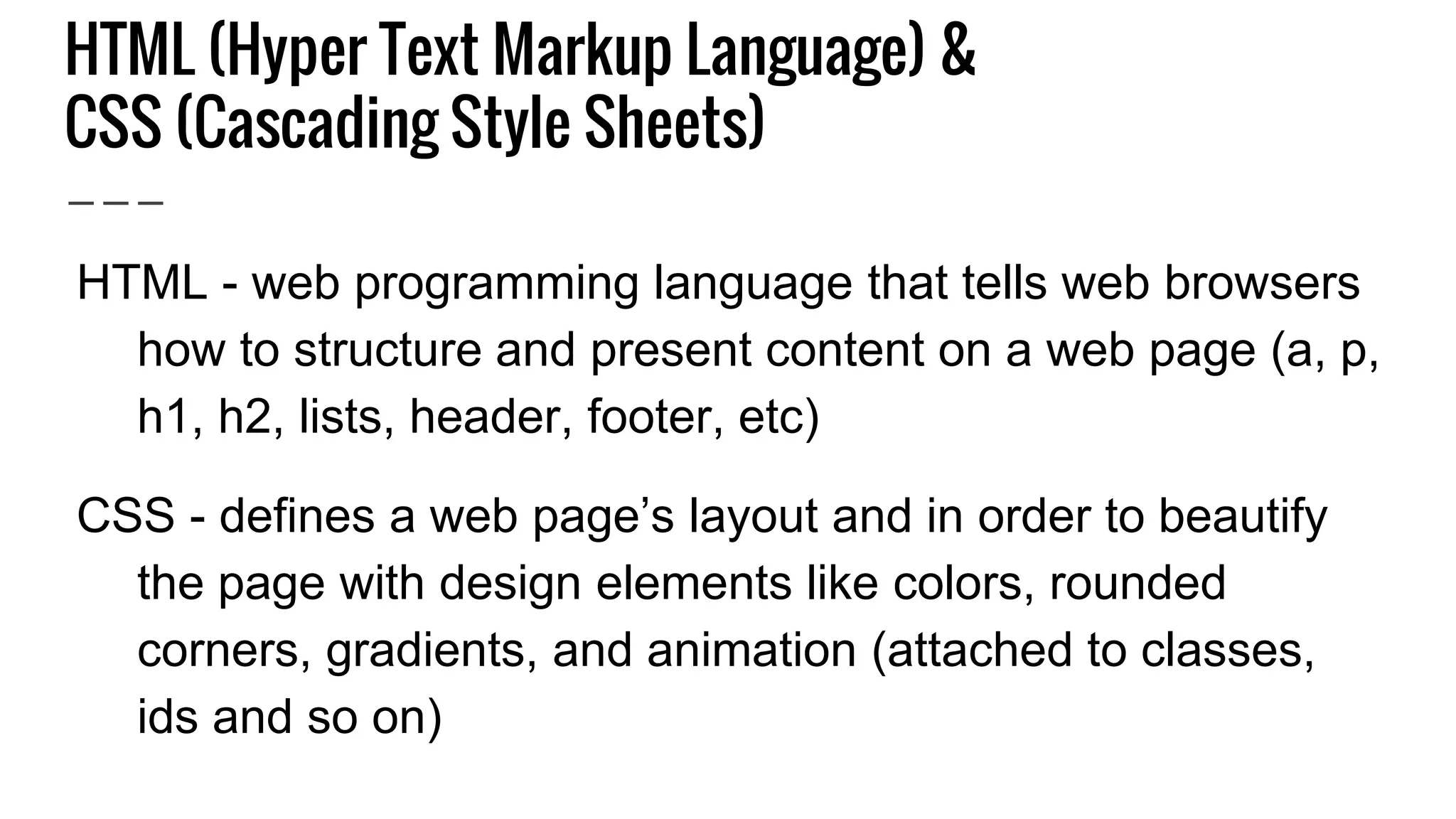
HTML (Hyper Text Markup Language) & CSS (Cascading Style Sheets) ● HTML - web programming language that tells web browsers how to structure and present content on a web page (a, p, h1, h2, lists, header, footer, etc) ● CSS - defines a web page’s layout and in order to beautify the page with design elements like colors, rounded corners, gradients, and animation (attached to classes, ids and so on)
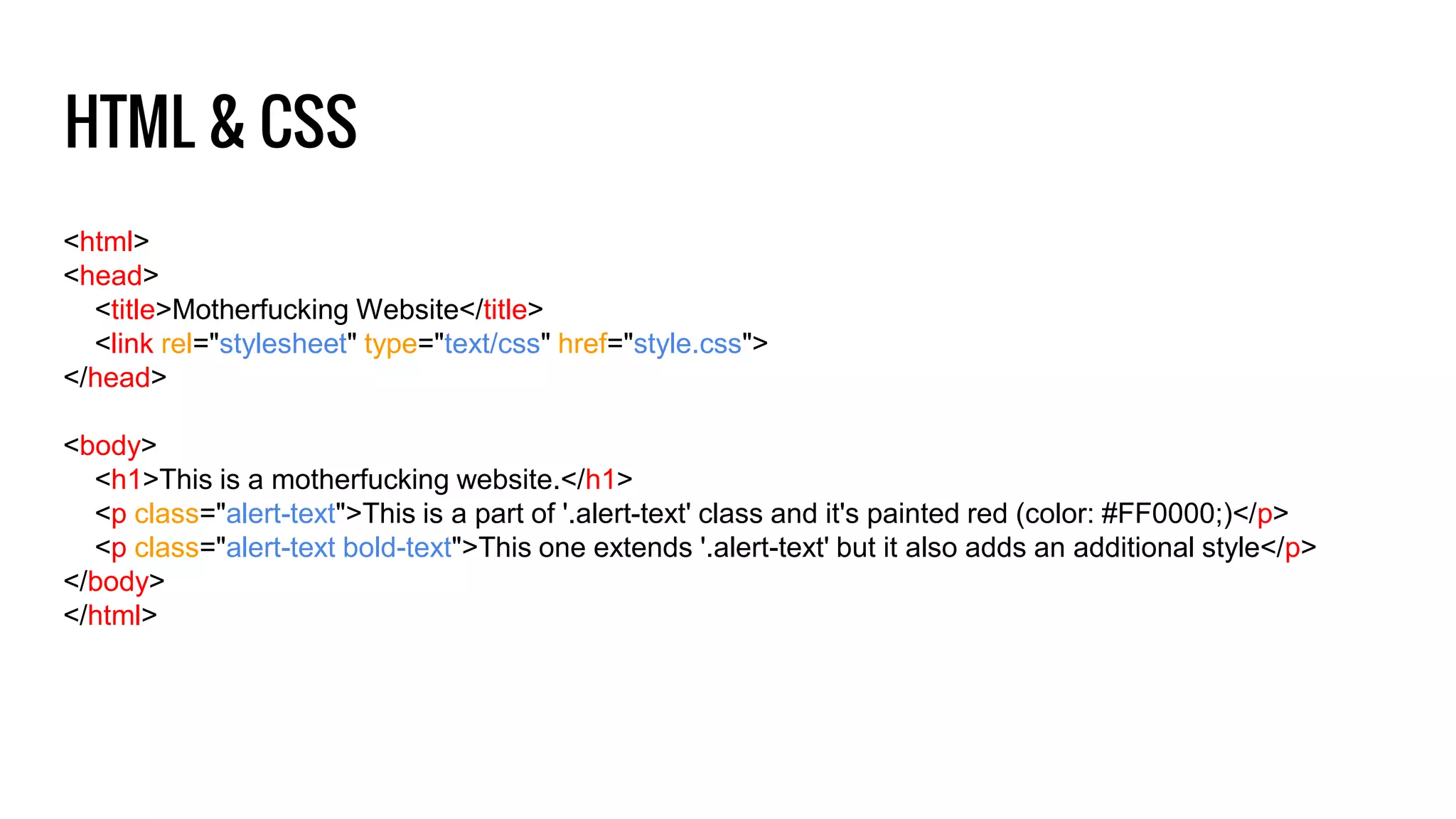
HTML & CSS <html> <head> <title>Motherfucking Website</title> <link rel="stylesheet" type="text/css" href="style.css"> </head> <body> <h1>This is a motherfucking website.</h1> <p class="alert-text">This is a part of '.alert-text' class and it's painted red (color: #FF0000;)</p> <p class="alert-text bold-text">This one extends '.alert-text' but it also adds an additional style</p> </body> </html>
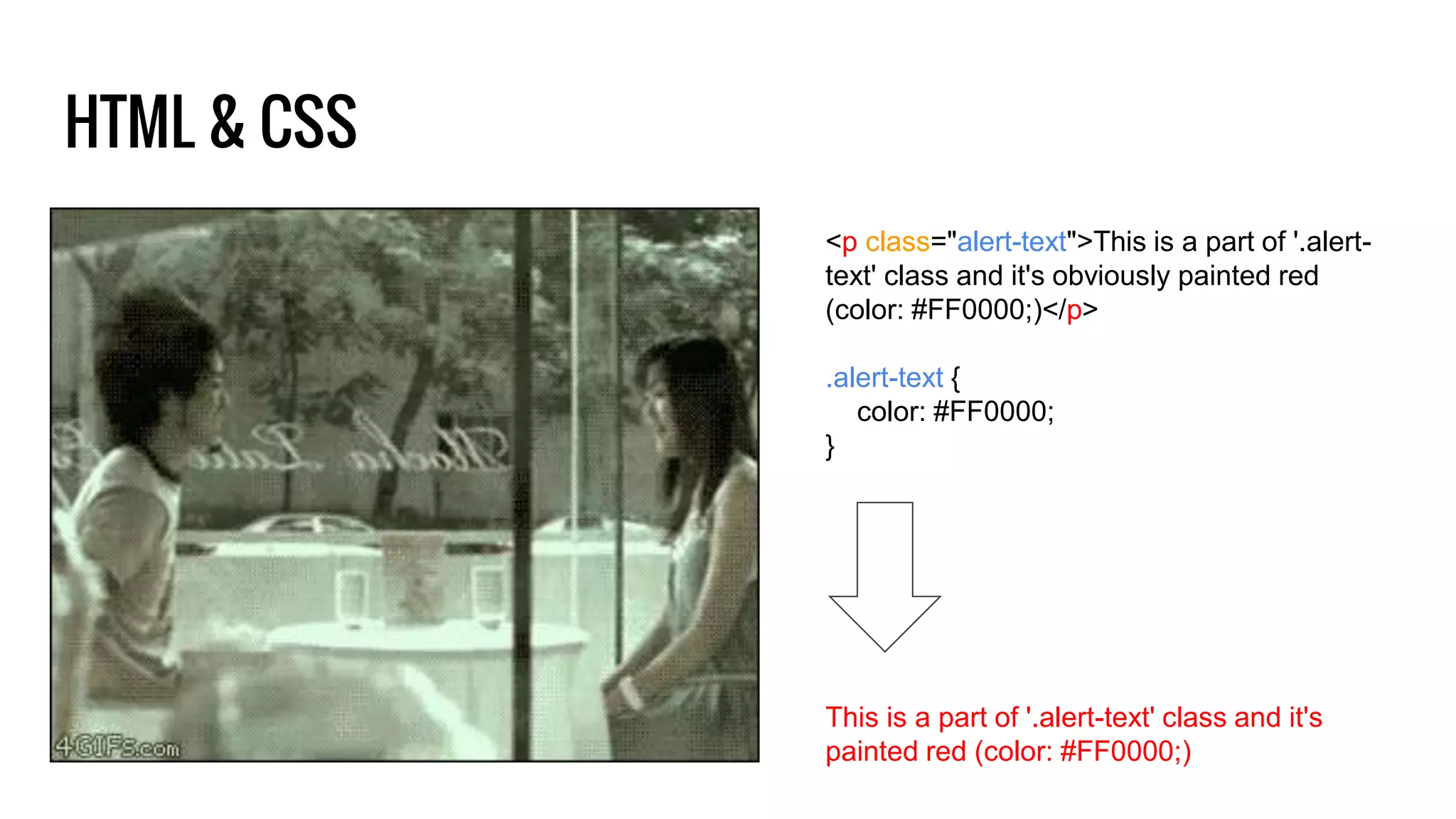
HTML & CSS <p class="alert-text">This is a part of '.alert- text' class and it's obviously painted red (color: #FF0000;)</p> .alert-text { color: #FF0000; } This is a part of '.alert-text' class and it's painted red (color: #FF0000;)
Hey browser, show me that website! ● Simple scenario: Open your preferable (Chrome, for example) browser, go to a specific website -> http://motherfuckingwebsite.com/
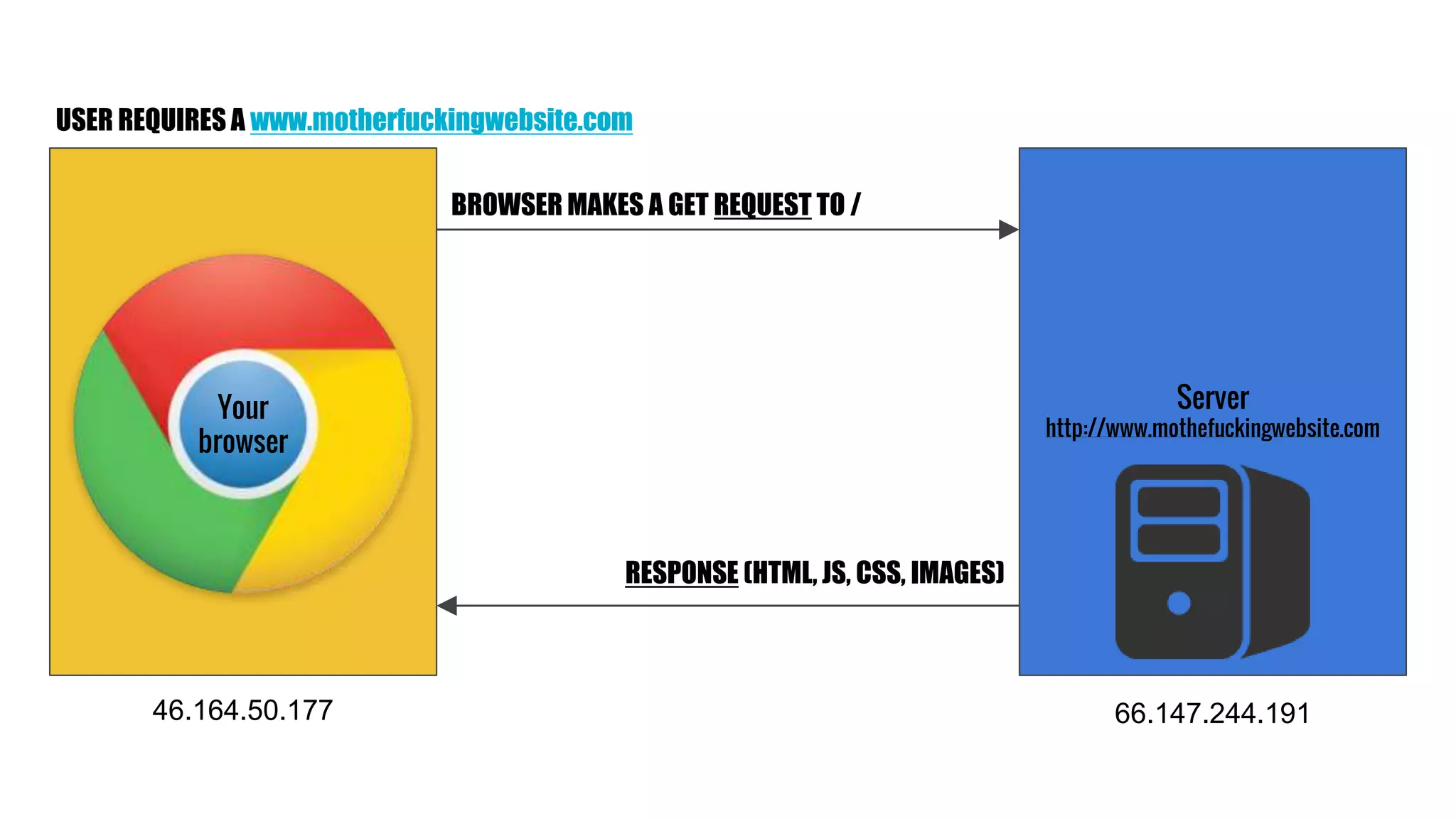
Server http://www.mothefuckingwebsite.com Your browser BROWSER MAKES A GET REQUEST TO / RESPONSE (HTML, JS, CSS, IMAGES) USER REQUIRES A www.motherfuckingwebsite.com 46.164.50.177 66.147.244.191
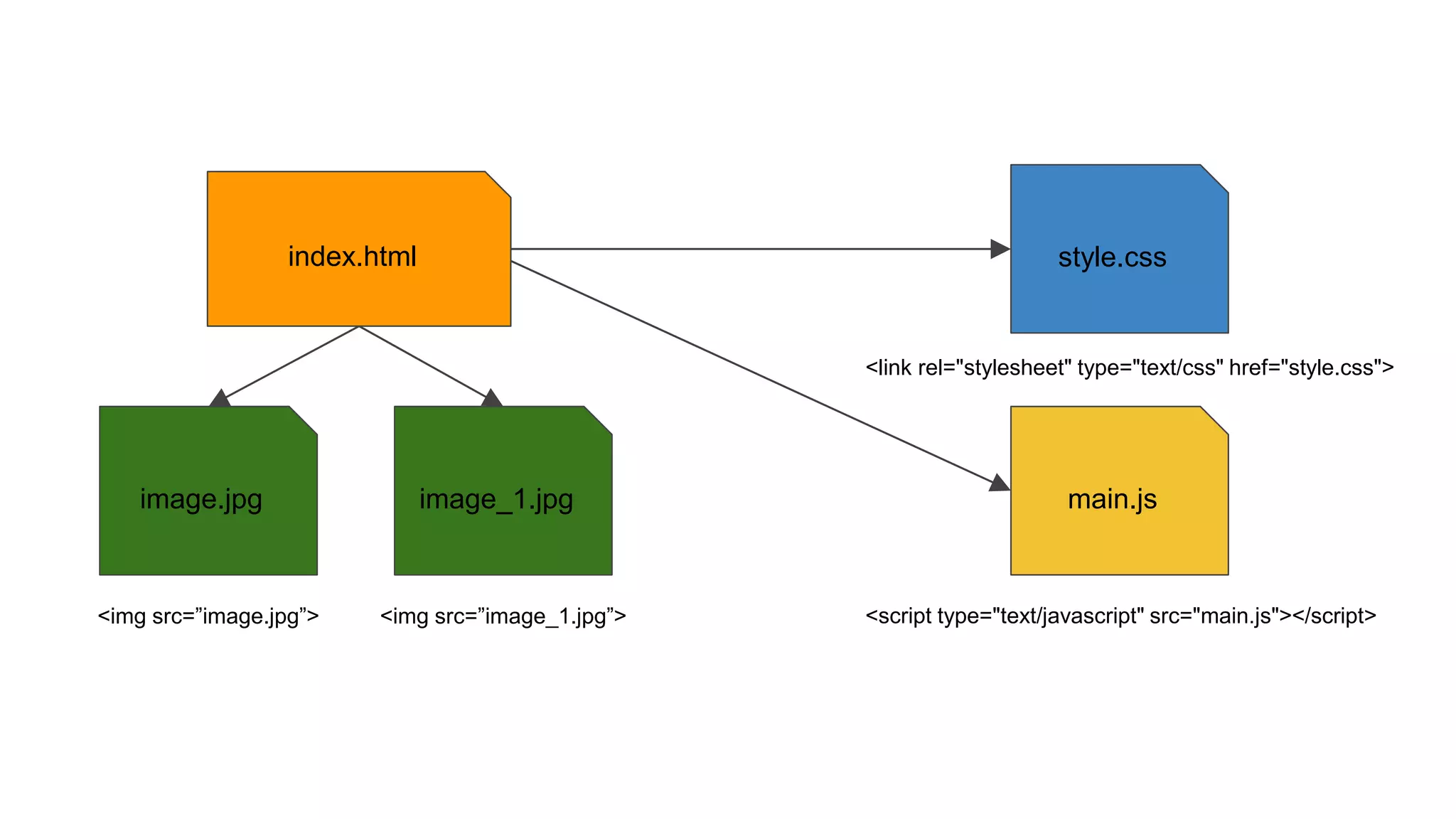
index.html style.css main.jsimage.jpg image_1.jpg <script type="text/javascript" src="main.js"></script> <link rel="stylesheet" type="text/css" href="style.css"> <img src=”image.jpg”> <img src=”image_1.jpg”>
● JavaScript is not Java! ● Dynamic programming language most commonly used as part of web websites (interacts with the user, controls the browser, used for games, form validations etc) - basically every website today is using JavaScript ● Simple, easy to read and understand and there’s a lot of resources, which is both good and bad ● No need to setup anything in order to use it JavaScript introduction
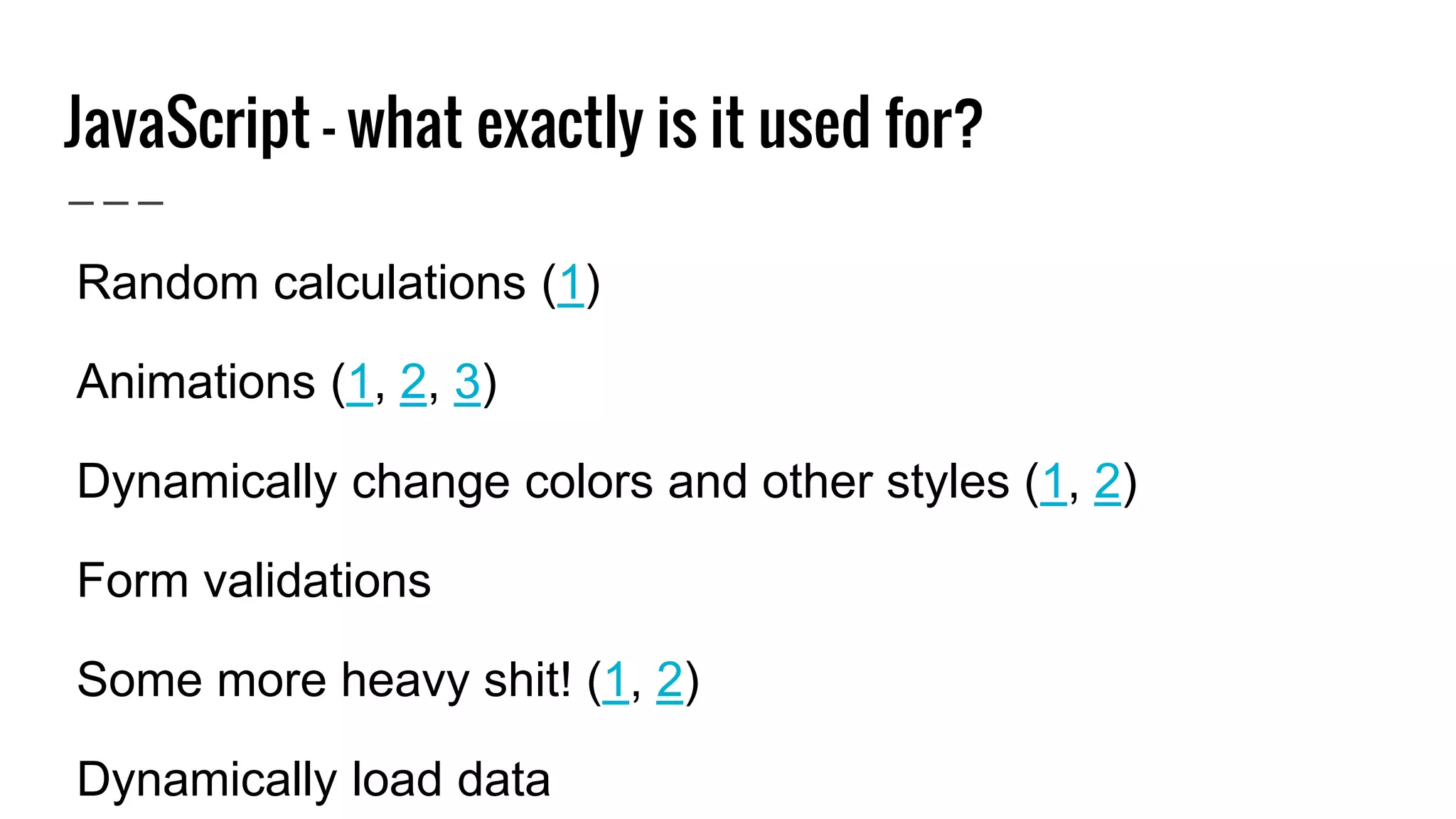
JavaScript - what exactly is it used for? ● Random calculations (1) ● Animations (1, 2, 3) ● Dynamically change colors and other styles (1, 2) ● Form validations ● Some more heavy shit! (1, 2) ● Dynamically load data
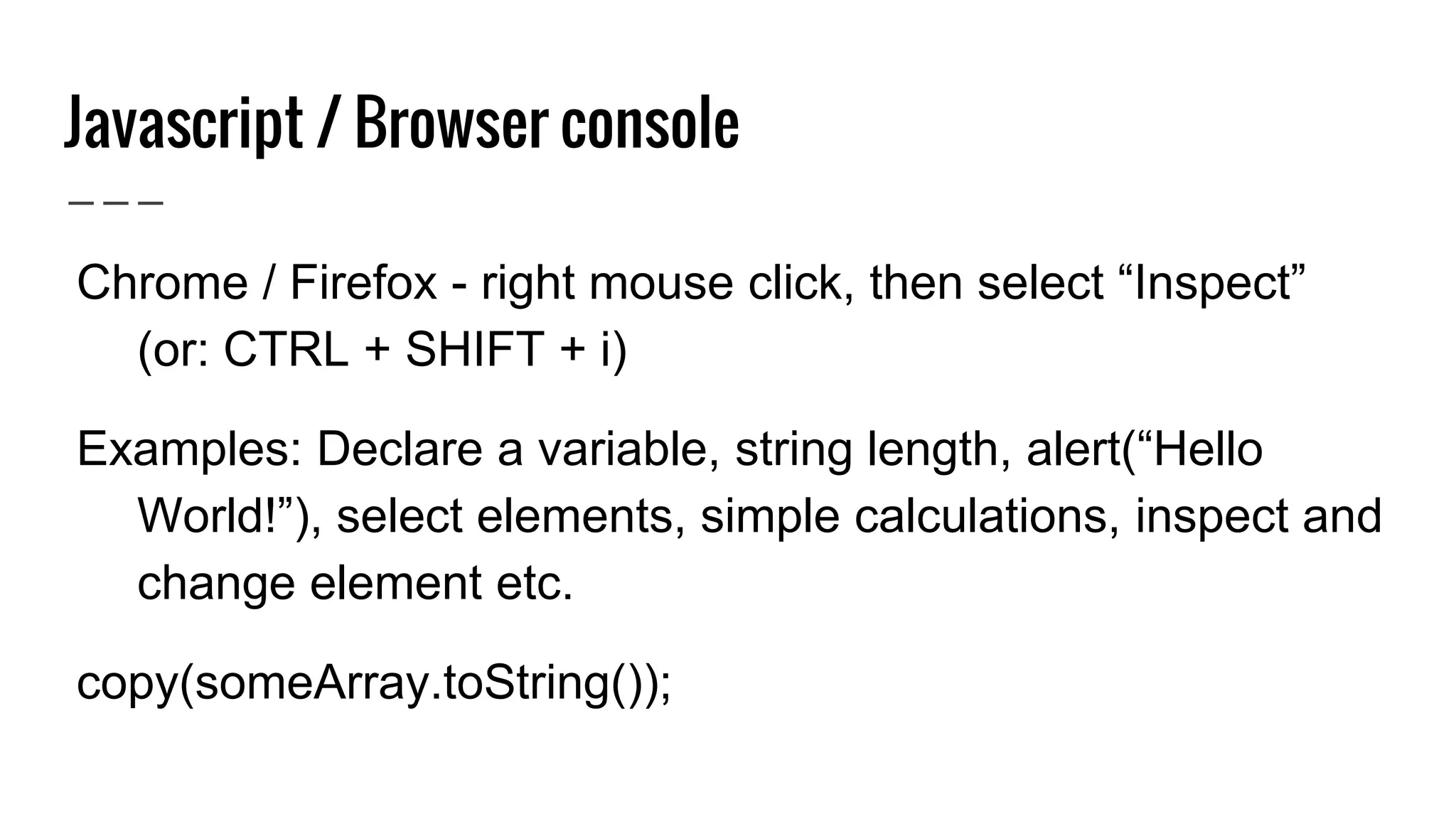
Javascript / Browser console ● Chrome / Firefox - right mouse click, then select “Inspect” (or: CTRL + SHIFT + i) ● Examples: Declare a variable, string length, alert(“Hello World!”), select elements, simple calculations, inspect and change element etc. ● copy(someArray.toString());
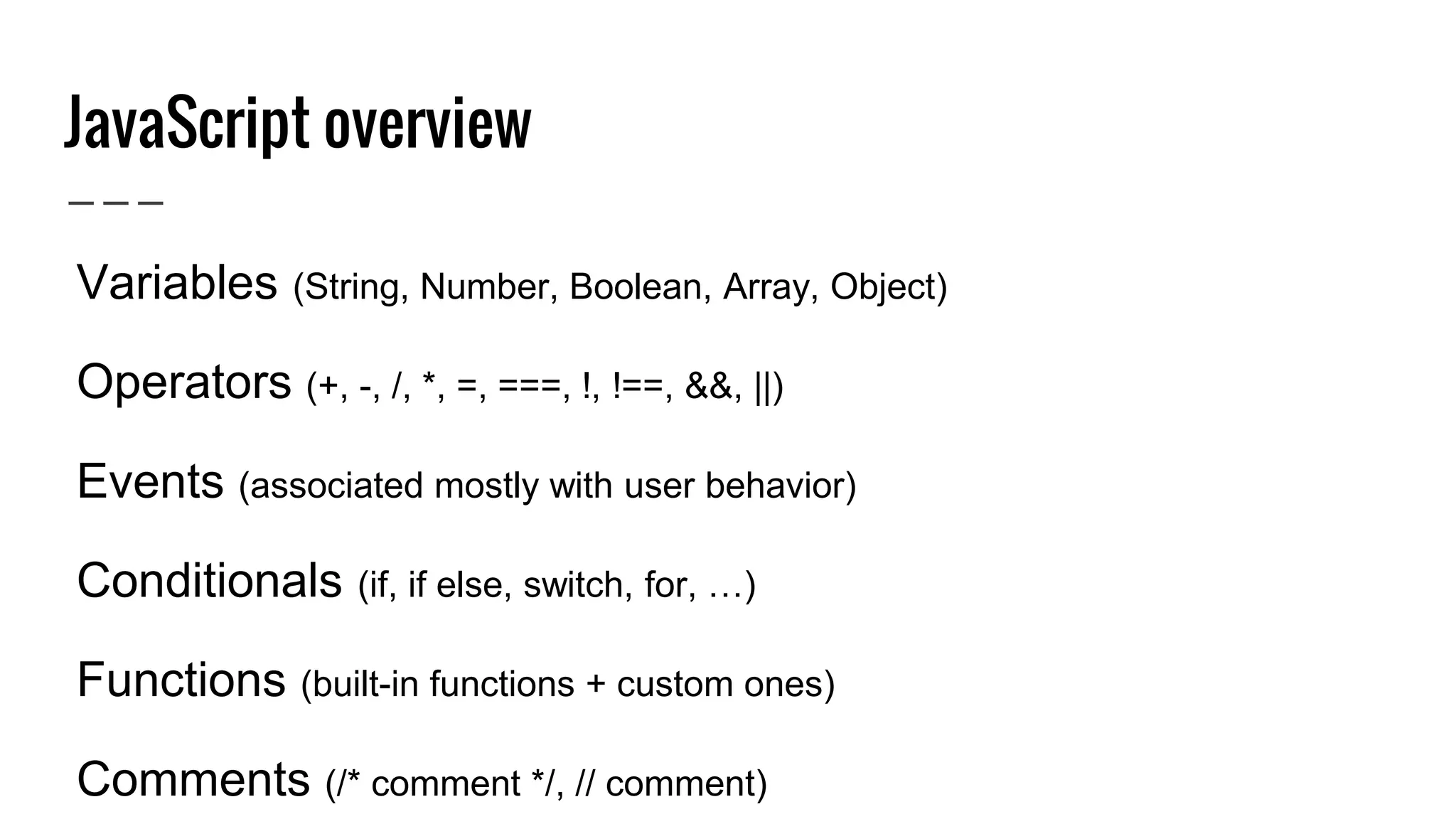
JavaScript overview ● Variables (String, Number, Boolean, Array, Object) ● Operators (+, -, /, *, =, ===, !, !==, &&, ||) ● Events (associated mostly with user behavior) ● Conditionals (if, if else, switch, for, …) ● Functions (built-in functions + custom ones) ● Comments (/* comment */, // comment)
JavaScript variables Types: String, Number, Boolean, Array, Object ● Comparable with mathematics (x = 10, y = 1, z = 5) ● var dayOfTheMonth; // declares a variable, undefined ● var dayOfTheMonth = 12; // declares and assigns a variable, Number ● var monthName = "April"; // declares and assigns, String ● var dogs = ["Fluffy", "April", "Archibald"]; // Array ● var person = { firstName: "April", lastName: "June" }; // Object
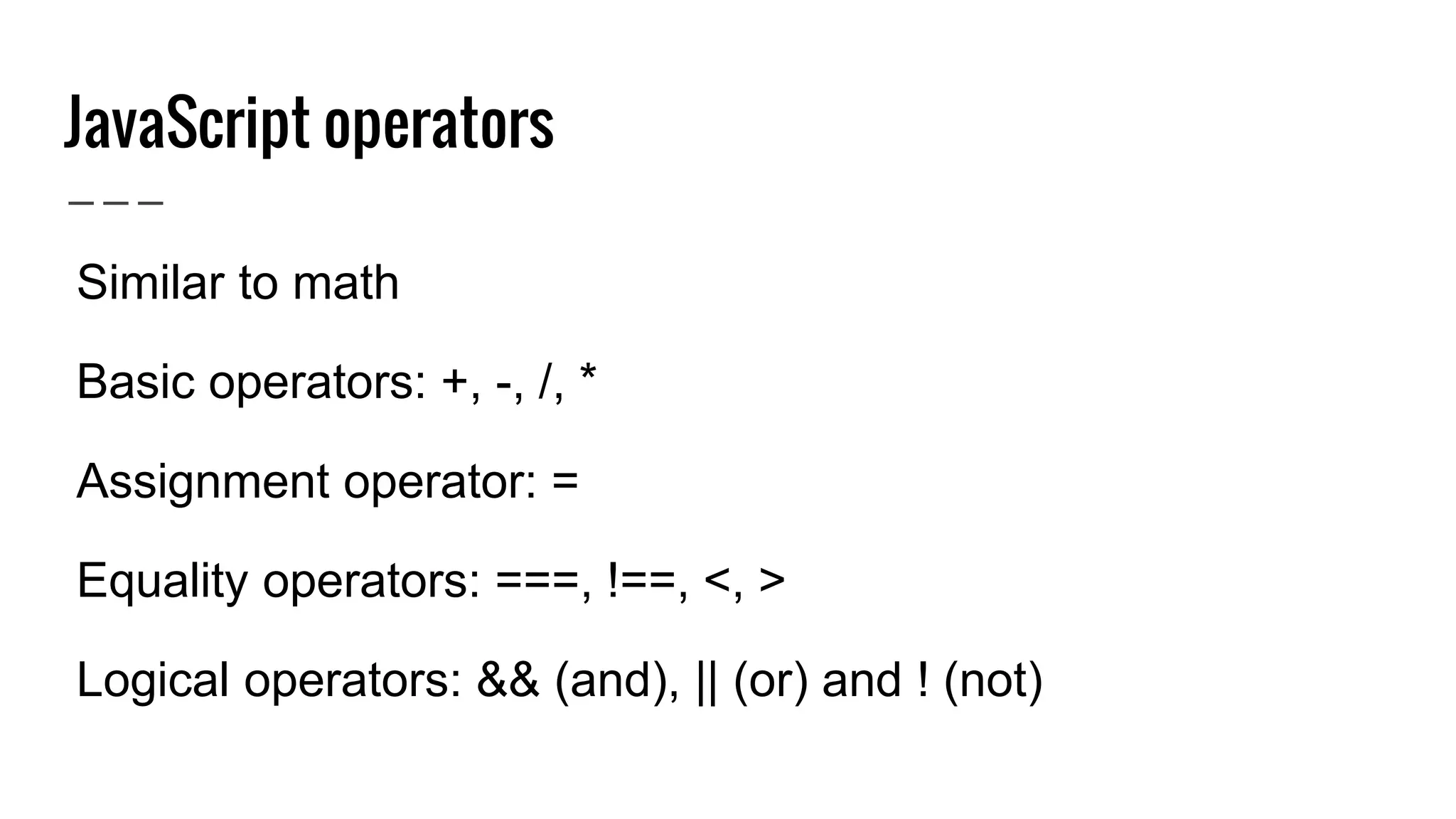
JavaScript operators ● Similar to math ● Basic operators: +, -, /, * ● Assignment operator: = ● Equality operators: ===, !==, <, > ● Logical operators: && (and), || (or) and ! (not)
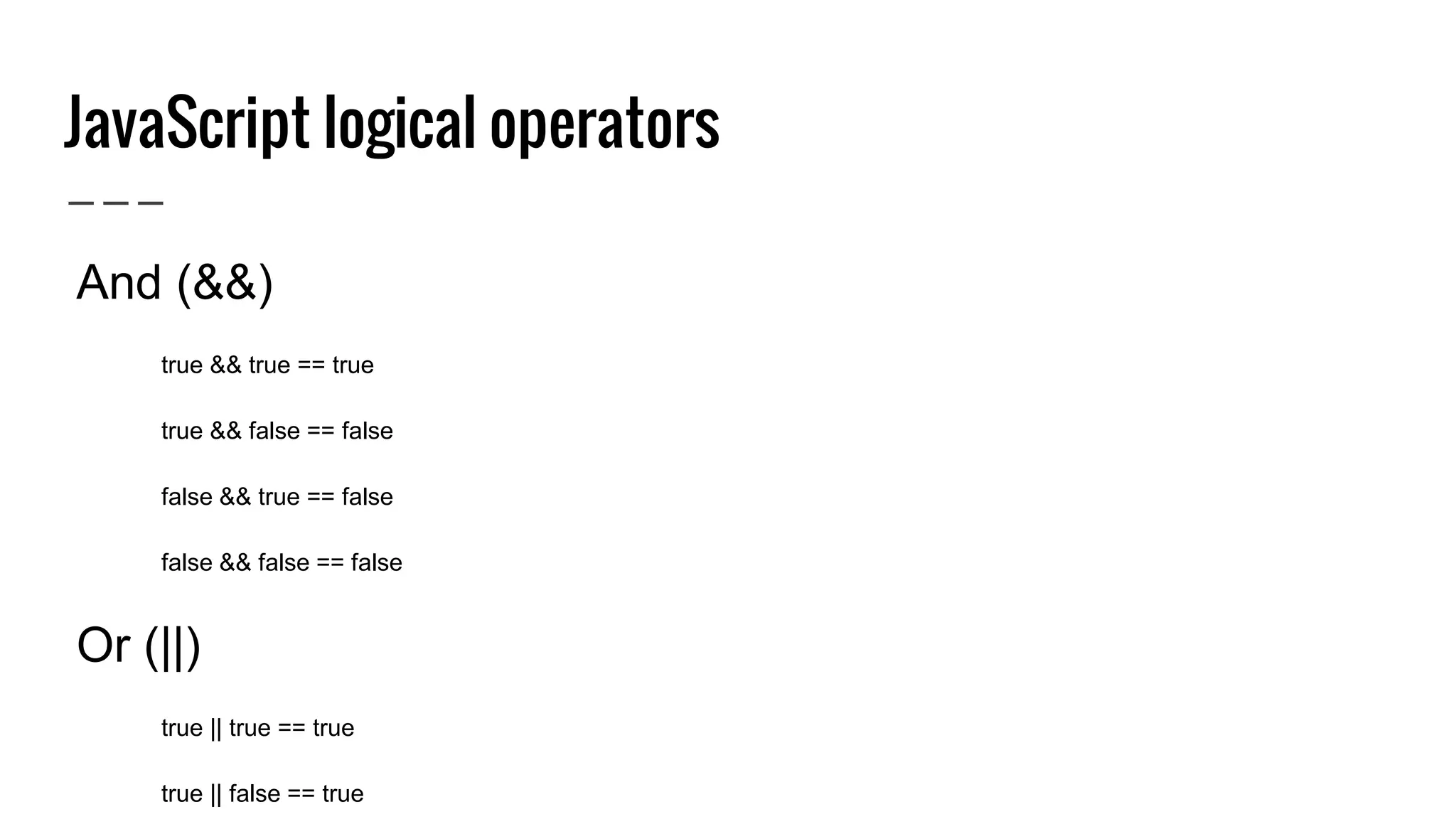
JavaScript logical operators ● And (&&) ○ true && true == true ○ true && false == false ○ false && true == false ○ false && false == false ● Or (||) ○ true || true == true ○ true || false == true ○ false || true == true ○ false || false == false ● Not (!) ○ !true == false ○ !false == true
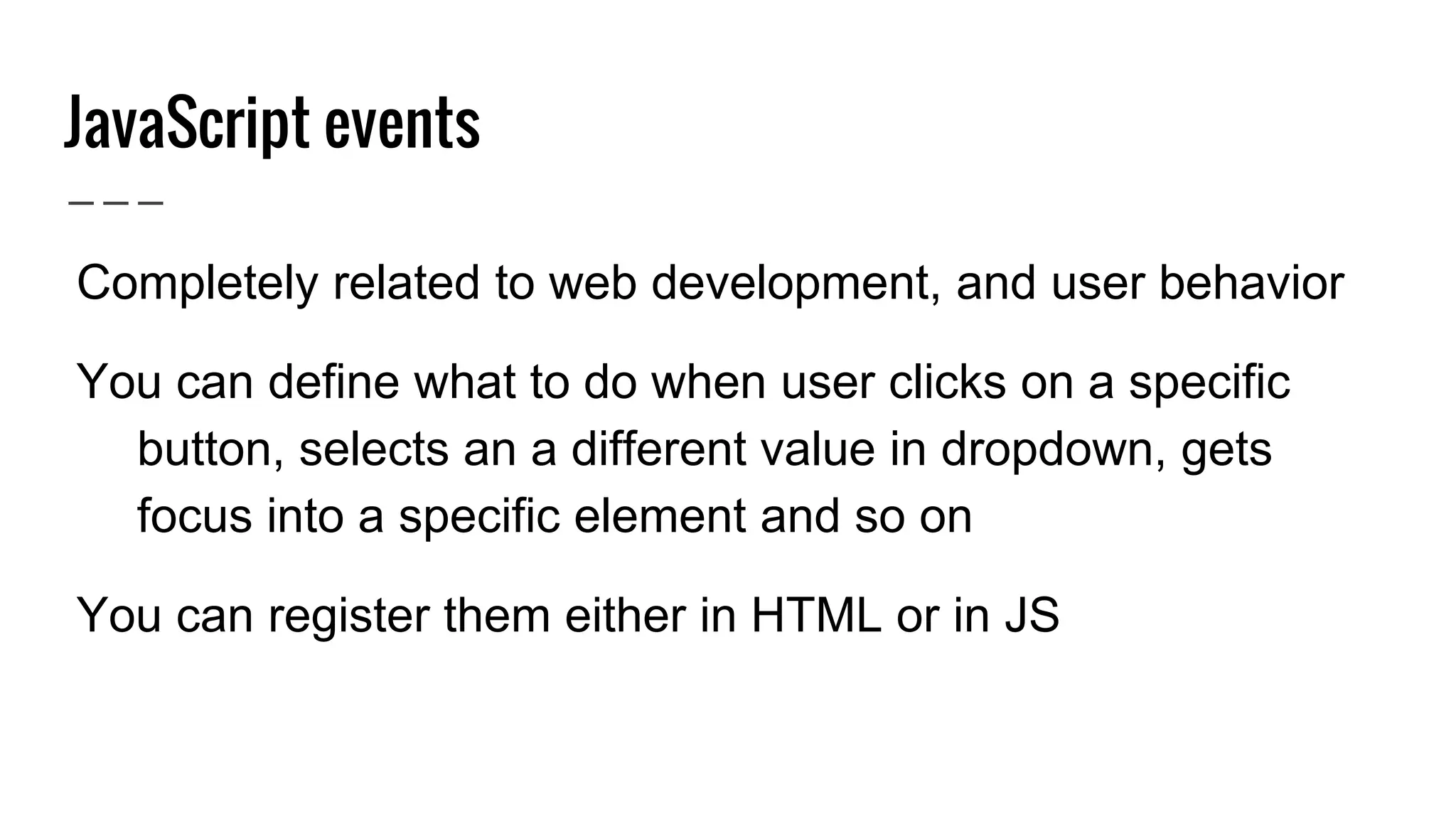
JavaScript events ● Completely related to web development, and user behavior ● You can define what to do when user clicks on a specific button, selects an a different value in dropdown, gets focus into a specific element and so on ● You can register them either in HTML or in JS
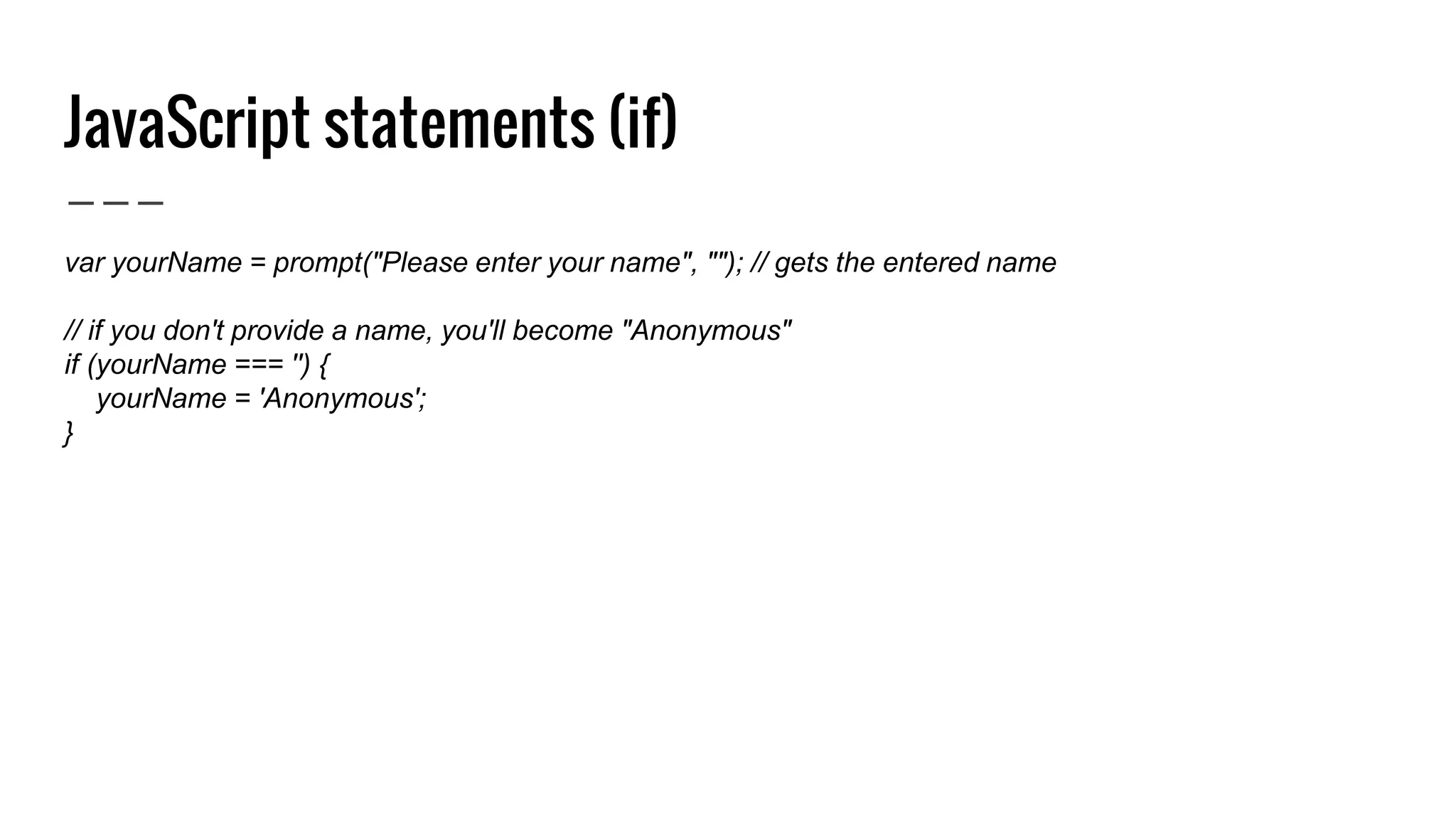
JavaScript statements (if) var yourName = prompt("Please enter your name", ""); // gets the entered name // if you don't provide a name, you'll become "Anonymous" if (yourName === '') { yourName = 'Anonymous'; }
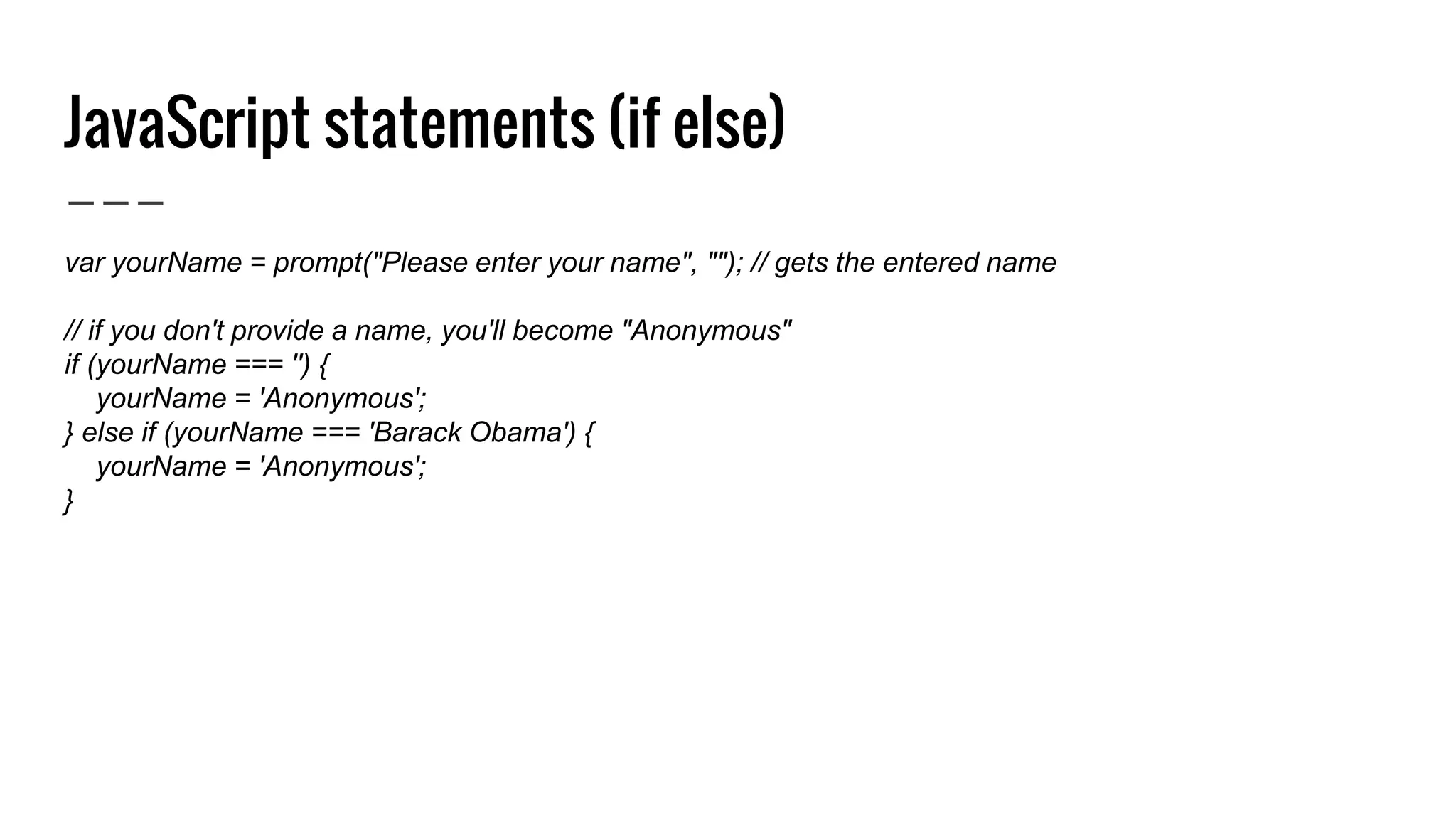
JavaScript statements (if else) var yourName = prompt("Please enter your name", ""); // gets the entered name // if you don't provide a name, you'll become "Anonymous" if (yourName === '') { yourName = 'Anonymous'; } else if (yourName === 'Barack Obama') { yourName = 'Anonymous'; }
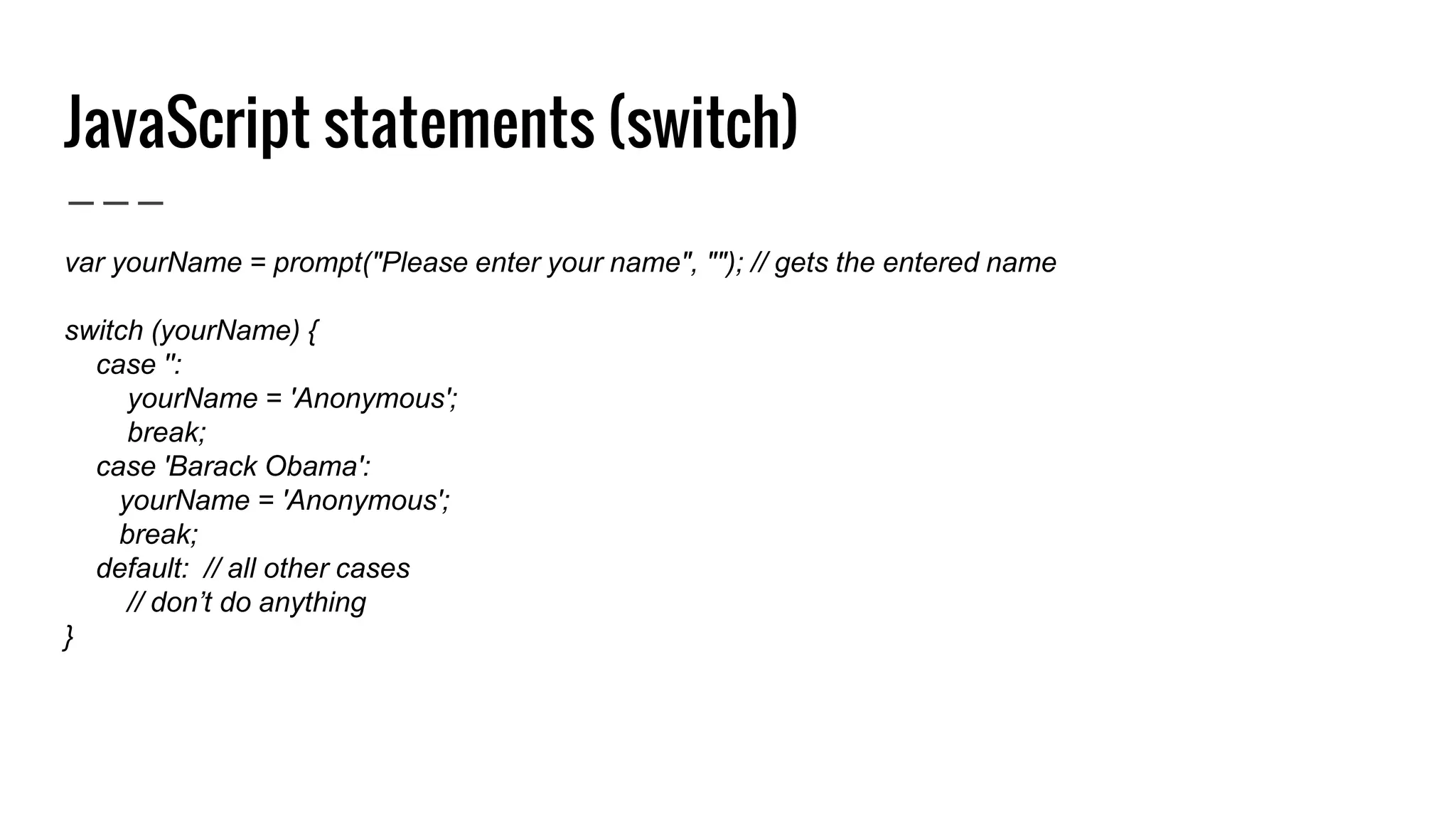
JavaScript statements (switch) var yourName = prompt("Please enter your name", ""); // gets the entered name switch (yourName) { case '': yourName = 'Anonymous'; break; case 'Barack Obama': yourName = 'Anonymous'; break; default: // all other cases // don’t do anything }
JavaScript statements (for) var dogs = ["Fluffy", "April", "Archibald"]; // array of dogs // prints out all the dogs for (var i = 0; i < dogs.length; i++) { alert(dogs[i]); } 0 1 2
JavaScript statements (while) var dogs = ["Fluffy", "April", "Archibald"]; // array of dogs // does the same as for loop var i = 0; while (i < dogs.length) { alert(dogs[i]); i++; } 0 1 2
JavaScript functions ● Closely connected with mathematics ● Built in functions (String has length, substring, text can be converted into Number etc) ● Custom functions (write whatever you want)
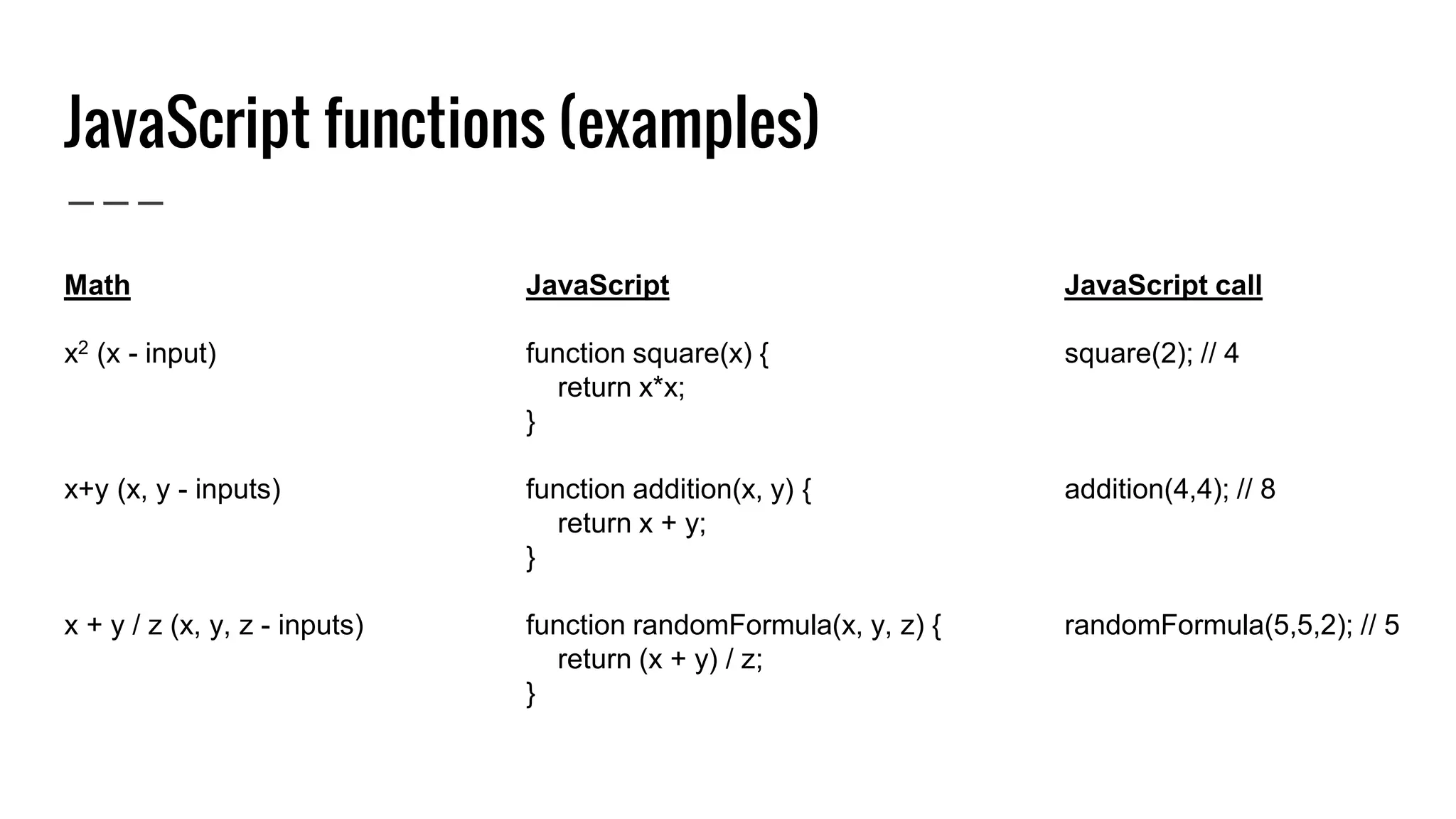
JavaScript functions (examples) Math x2 (x - input) x+y (x, y - inputs) x + y / z (x, y, z - inputs) JavaScript function square(x) { return x*x; } function addition(x, y) { return x + y; } function randomFormula(x, y, z) { return (x + y) / z; } JavaScript call square(2); // 4 addition(4,4); // 8 randomFormula(5,5,2); // 5
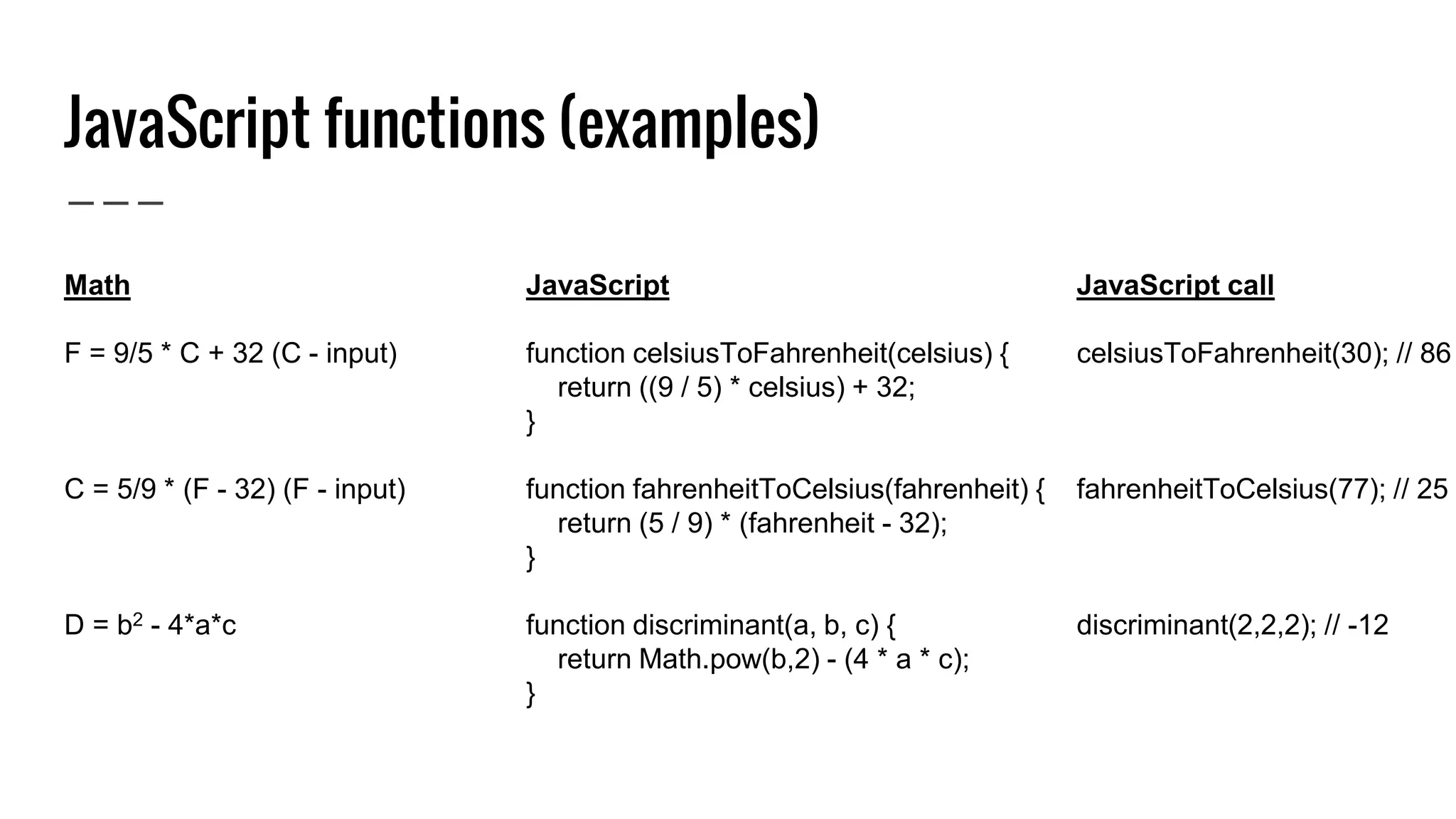
JavaScript functions (examples) Math F = 9/5 * C + 32 (C - input) C = 5/9 * (F - 32) (F - input) D = b2 - 4*a*c JavaScript function celsiusToFahrenheit(celsius) { return ((9 / 5) * celsius) + 32; } function fahrenheitToCelsius(fahrenheit) { return (5 / 9) * (fahrenheit - 32); } function discriminant(a, b, c) { return Math.pow(b,2) - (4 * a * c); } JavaScript call celsiusToFahrenheit(30); // 86 fahrenheitToCelsius(77); // 25 discriminant(2,2,2); // -12
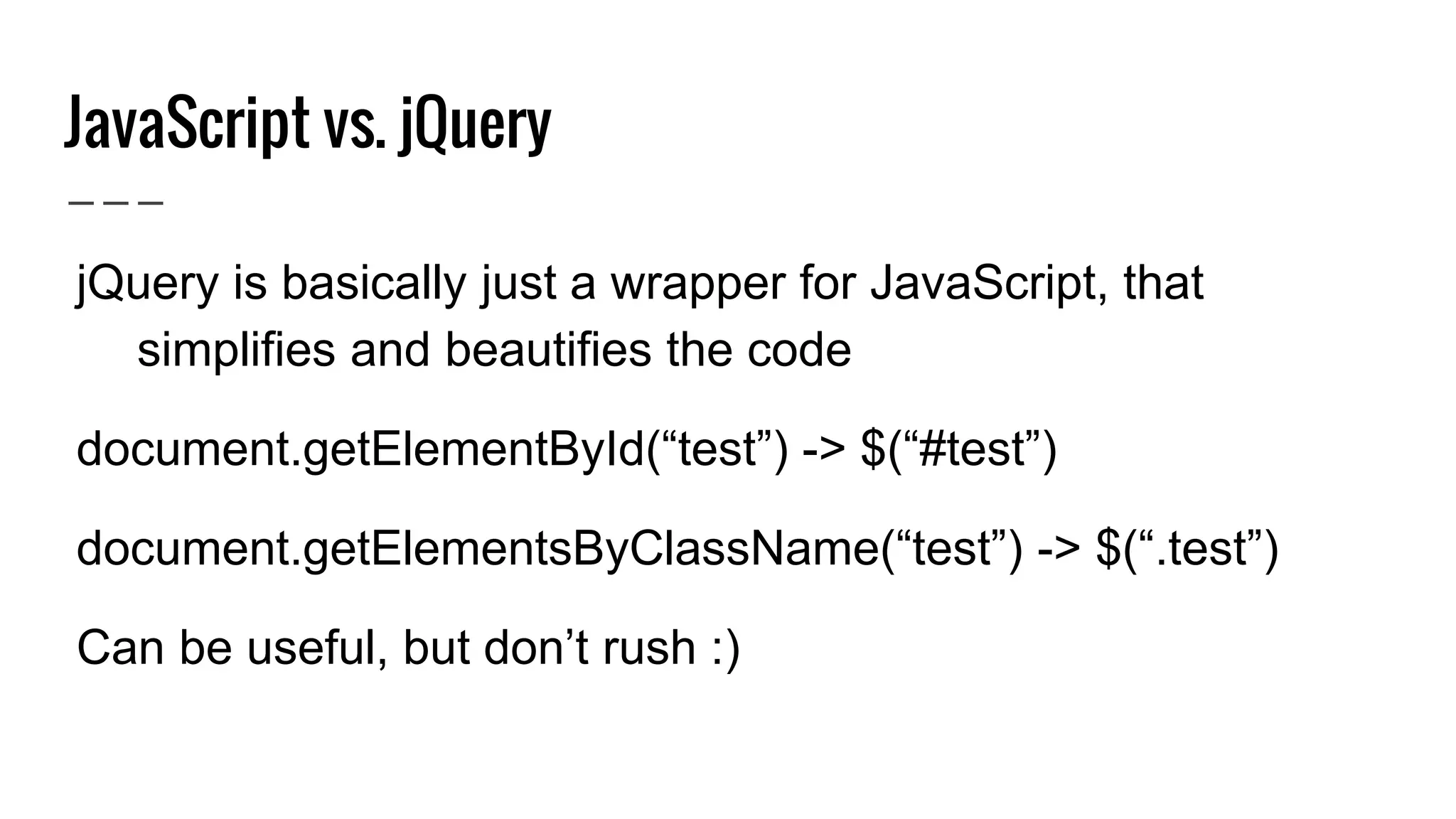
JavaScript vs. jQuery ● jQuery is basically just a wrapper for JavaScript, that simplifies and beautifies the code ● document.getElementById(“test”) -> $(“#test”) ● document.getElementsByClassName(“test”) -> $(“.test”) ● Can be useful, but don’t rush :)
Tools ● For writing code: Sublime Text or Atom or Notepad++ ● Write code online: JSFiddle ● Web browser by choice (recommendation: Chrome) and browser console ● Versioning: Git and Github ● Simple Python server (for later use)
Where and how to continue? ● Codecademy (1, 2, 3, 4, overview) ● Coursera (1, 2, 3, 4, 5) ● Quick tutorials and exercises (1, 2, 3) ● 20 things I’ve learned about browsers and web ● Random JavaScript examples (1, 2, 3) ● Start your own project! ● Real life courses (1) ● Google, a lot! Beware: you’ll find a lot of bad examples online
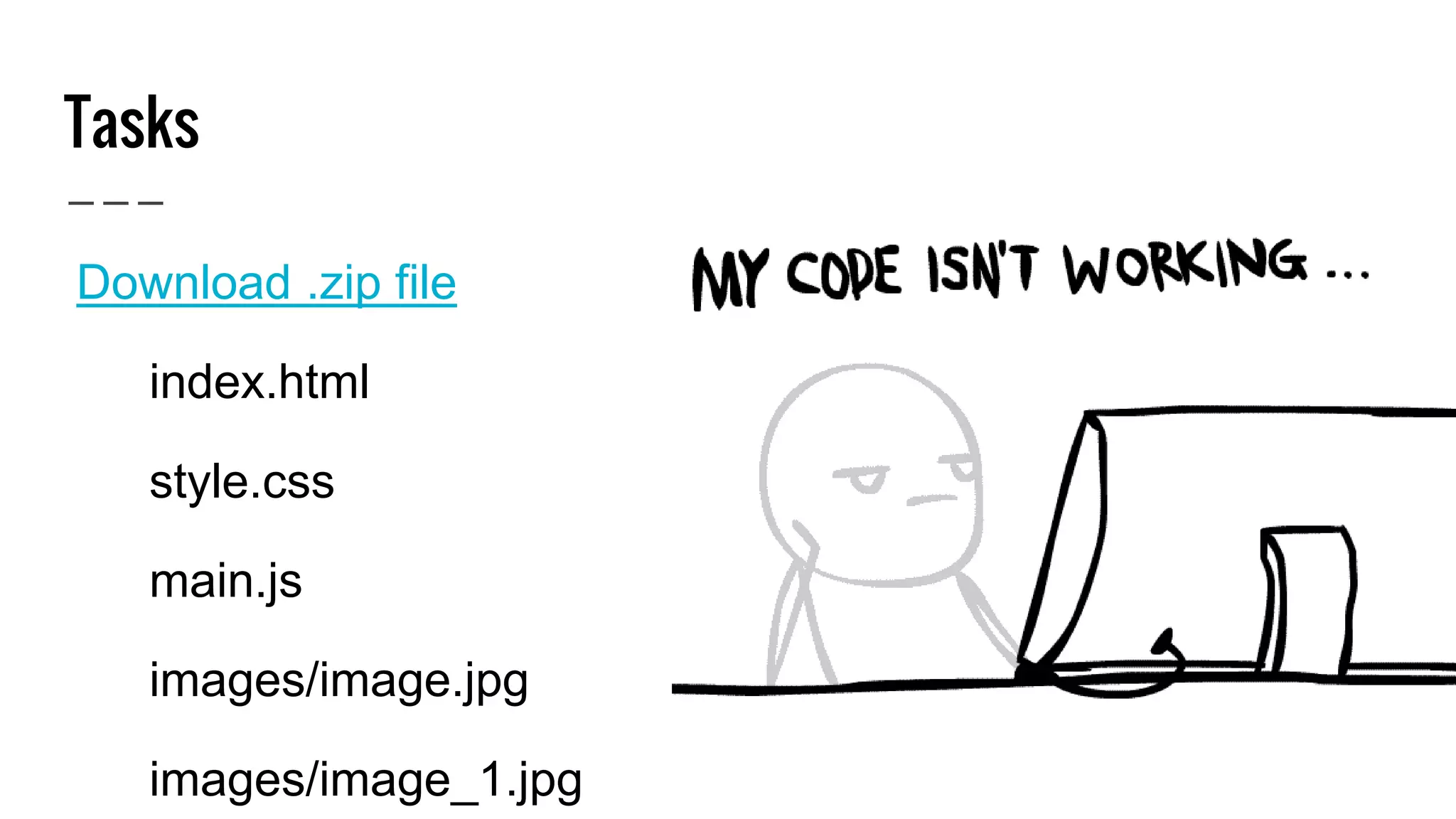
Tasks - how to deal with it? ● Download .zip file ○ index.html ○ style.css ○ main.js ○ images/image.jpg ○ images/image_1.jpg
Tasks - how to deal with it? ● Download .zip file ● Export files to /home/dev/t11sessions or similar directory ● Get Sublime Text or similar text/code editor ● Open index.html in Sublime Text and in preferable browser (Open with…, then select preferable app) ● Observe index.html (both code and browser), try to change/update things and go through TODO tasks ● Open main.js and style.css, read comments and TODO tasks
Thanks for your attention peric.drazhen@gmail.com @dperitch

Introduction to web programming with JavaScript

  • 1.
    Introduction to web programmingwith JavaScript #t11sessions
  • 2.
    T11 Sessions ● Aseries of workshops, talks and presentations from various practical fields ● Once per month ● Future workshops: Introduction to 3D graphics, Introduction to philosophy etc. ● Inspired by T11, opened for all ● Facebook | t11sessions@gmail.com
  • 3.
    Discourse and /me ●Been into this thing for ~10 years, but more actively involved last ~5 years ● Happily unemployed ● Don’t expect magic - I’m here to give you some basic knowledge and understanding (nothing is a black box) ● Continuation? ● Ask / Write questions
  • 4.
    Discourse and /me ●Been into this thing for ~10 years, but more actively involved last ~5 years ● Happily unemployed ● Don’t expect magic - I’m here to give you some basic knowledge and understanding (nothing is a black box) ● Continuation? ● Ask / Write questions ● Task at the end
  • 5.
    Backend / Frontendweb development - what’s up with that? ● Backend development is related mostly to the data, data processing and calculations that are not directly interacting with the user ● Frontend development is related to the elements of a website that are visible to the user and that user interacts with (combination of programming skills and aesthetics)
  • 6.
    Backend web development- what’s up with that?
  • 7.
    Frontend web development- what’s up with that?
  • 8.
    Frontend web development- what’s up with that?
  • 9.
    HTML (Hyper TextMarkup Language) & CSS (Cascading Style Sheets) ● HTML - web programming language that tells web browsers how to structure and present content on a web page (a, p, h1, h2, lists, header, footer, etc) ● CSS - defines a web page’s layout and in order to beautify the page with design elements like colors, rounded corners, gradients, and animation (attached to classes, ids and so on)
  • 10.
    HTML & CSS <html> <head> <title>MotherfuckingWebsite</title> <link rel="stylesheet" type="text/css" href="style.css"> </head> <body> <h1>This is a motherfucking website.</h1> <p class="alert-text">This is a part of '.alert-text' class and it's painted red (color: #FF0000;)</p> <p class="alert-text bold-text">This one extends '.alert-text' but it also adds an additional style</p> </body> </html>
  • 11.
    HTML & CSS <pclass="alert-text">This is a part of '.alert- text' class and it's obviously painted red (color: #FF0000;)</p> .alert-text { color: #FF0000; } This is a part of '.alert-text' class and it's painted red (color: #FF0000;)
  • 12.
    Hey browser, showme that website! ● Simple scenario: Open your preferable (Chrome, for example) browser, go to a specific website -> http://motherfuckingwebsite.com/
  • 13.
    Server http://www.mothefuckingwebsite.com Your browser BROWSER MAKES AGET REQUEST TO / RESPONSE (HTML, JS, CSS, IMAGES) USER REQUIRES A www.motherfuckingwebsite.com 46.164.50.177 66.147.244.191
  • 14.
    index.html style.css main.jsimage.jpg image_1.jpg <scripttype="text/javascript" src="main.js"></script> <link rel="stylesheet" type="text/css" href="style.css"> <img src=”image.jpg”> <img src=”image_1.jpg”>
  • 15.
    ● JavaScript isnot Java! ● Dynamic programming language most commonly used as part of web websites (interacts with the user, controls the browser, used for games, form validations etc) - basically every website today is using JavaScript ● Simple, easy to read and understand and there’s a lot of resources, which is both good and bad ● No need to setup anything in order to use it JavaScript introduction
  • 16.
    JavaScript - whatexactly is it used for? ● Random calculations (1) ● Animations (1, 2, 3) ● Dynamically change colors and other styles (1, 2) ● Form validations ● Some more heavy shit! (1, 2) ● Dynamically load data
  • 17.
    Javascript / Browserconsole ● Chrome / Firefox - right mouse click, then select “Inspect” (or: CTRL + SHIFT + i) ● Examples: Declare a variable, string length, alert(“Hello World!”), select elements, simple calculations, inspect and change element etc. ● copy(someArray.toString());
  • 18.
    JavaScript overview ● Variables(String, Number, Boolean, Array, Object) ● Operators (+, -, /, *, =, ===, !, !==, &&, ||) ● Events (associated mostly with user behavior) ● Conditionals (if, if else, switch, for, …) ● Functions (built-in functions + custom ones) ● Comments (/* comment */, // comment)
  • 19.
    JavaScript variables Types: String,Number, Boolean, Array, Object ● Comparable with mathematics (x = 10, y = 1, z = 5) ● var dayOfTheMonth; // declares a variable, undefined ● var dayOfTheMonth = 12; // declares and assigns a variable, Number ● var monthName = "April"; // declares and assigns, String ● var dogs = ["Fluffy", "April", "Archibald"]; // Array ● var person = { firstName: "April", lastName: "June" }; // Object
  • 20.
    JavaScript operators ● Similarto math ● Basic operators: +, -, /, * ● Assignment operator: = ● Equality operators: ===, !==, <, > ● Logical operators: && (and), || (or) and ! (not)
  • 21.
    JavaScript logical operators ●And (&&) ○ true && true == true ○ true && false == false ○ false && true == false ○ false && false == false ● Or (||) ○ true || true == true ○ true || false == true ○ false || true == true ○ false || false == false ● Not (!) ○ !true == false ○ !false == true
  • 22.
    JavaScript logical operators ●And (&&) ○ true && true == true ○ true && false == false ○ false && true == false ○ false && false == false ● Or (||) ○ true || true == true ○ true || false == true ○ false || true == true ○ false || false == false ● Not (!) ○ !true == false ○ !false == true
  • 23.
    JavaScript events ● Completelyrelated to web development, and user behavior ● You can define what to do when user clicks on a specific button, selects an a different value in dropdown, gets focus into a specific element and so on ● You can register them either in HTML or in JS
  • 24.
    JavaScript statements (if) varyourName = prompt("Please enter your name", ""); // gets the entered name // if you don't provide a name, you'll become "Anonymous" if (yourName === '') { yourName = 'Anonymous'; }
  • 25.
    JavaScript statements (ifelse) var yourName = prompt("Please enter your name", ""); // gets the entered name // if you don't provide a name, you'll become "Anonymous" if (yourName === '') { yourName = 'Anonymous'; } else if (yourName === 'Barack Obama') { yourName = 'Anonymous'; }
  • 26.
    JavaScript statements (switch) varyourName = prompt("Please enter your name", ""); // gets the entered name switch (yourName) { case '': yourName = 'Anonymous'; break; case 'Barack Obama': yourName = 'Anonymous'; break; default: // all other cases // don’t do anything }
  • 27.
    JavaScript statements (for) vardogs = ["Fluffy", "April", "Archibald"]; // array of dogs // prints out all the dogs for (var i = 0; i < dogs.length; i++) { alert(dogs[i]); } 0 1 2
  • 28.
    JavaScript statements (while) vardogs = ["Fluffy", "April", "Archibald"]; // array of dogs // does the same as for loop var i = 0; while (i < dogs.length) { alert(dogs[i]); i++; } 0 1 2
  • 29.
    JavaScript functions ● Closelyconnected with mathematics ● Built in functions (String has length, substring, text can be converted into Number etc) ● Custom functions (write whatever you want)
  • 30.
    JavaScript functions (examples) Math x2 (x- input) x+y (x, y - inputs) x + y / z (x, y, z - inputs) JavaScript function square(x) { return x*x; } function addition(x, y) { return x + y; } function randomFormula(x, y, z) { return (x + y) / z; } JavaScript call square(2); // 4 addition(4,4); // 8 randomFormula(5,5,2); // 5
  • 31.
    JavaScript functions (examples) Math F= 9/5 * C + 32 (C - input) C = 5/9 * (F - 32) (F - input) D = b2 - 4*a*c JavaScript function celsiusToFahrenheit(celsius) { return ((9 / 5) * celsius) + 32; } function fahrenheitToCelsius(fahrenheit) { return (5 / 9) * (fahrenheit - 32); } function discriminant(a, b, c) { return Math.pow(b,2) - (4 * a * c); } JavaScript call celsiusToFahrenheit(30); // 86 fahrenheitToCelsius(77); // 25 discriminant(2,2,2); // -12
  • 32.
    JavaScript vs. jQuery ●jQuery is basically just a wrapper for JavaScript, that simplifies and beautifies the code ● document.getElementById(“test”) -> $(“#test”) ● document.getElementsByClassName(“test”) -> $(“.test”) ● Can be useful, but don’t rush :)
  • 33.
    Tools ● For writingcode: Sublime Text or Atom or Notepad++ ● Write code online: JSFiddle ● Web browser by choice (recommendation: Chrome) and browser console ● Versioning: Git and Github ● Simple Python server (for later use)
  • 34.
    Where and howto continue? ● Codecademy (1, 2, 3, 4, overview) ● Coursera (1, 2, 3, 4, 5) ● Quick tutorials and exercises (1, 2, 3) ● 20 things I’ve learned about browsers and web ● Random JavaScript examples (1, 2, 3) ● Start your own project! ● Real life courses (1) ● Google, a lot! Beware: you’ll find a lot of bad examples online
  • 35.
    Tasks - howto deal with it? ● Download .zip file ○ index.html ○ style.css ○ main.js ○ images/image.jpg ○ images/image_1.jpg
  • 36.
    Tasks - howto deal with it? ● Download .zip file ● Export files to /home/dev/t11sessions or similar directory ● Get Sublime Text or similar text/code editor ● Open index.html in Sublime Text and in preferable browser (Open with…, then select preferable app) ● Observe index.html (both code and browser), try to change/update things and go through TODO tasks ● Open main.js and style.css, read comments and TODO tasks
  • 37.
    Thanks for yourattention peric.drazhen@gmail.com @dperitch

Editor's Notes

  • #10 Show html/css examples
  • #11 Show html/css examples
  • #12 Show html/css examples
  • #16 It’s simple, easy to read and understand (“old-school” syntax) and there’s a lot of resources, which is both good and bad - think of that as a shared house where ten individuals haven’t agreed upon any specific rules (chores, cleaning, noise etc.)
  • #23 If (yourAge >= 18 && yourAge < 50) { // pass }