Introduction to parallel and distributed computation in Scala with Apache Spark Angelo Leto Master in High Performance Computing SISSA/ICTP Trieste 1-2 December 2016
Outline ● Overview of the functional programming paradigm ● The Scala programming language: fundamental concepts ● Brief introduction to the MapReduce: where the Spark computational model come from ● Apache Spark with Scala ● Exercises: Information retrieval with Apache Spark: ○ elementary sentence processing, TF-IDF, Vector Model
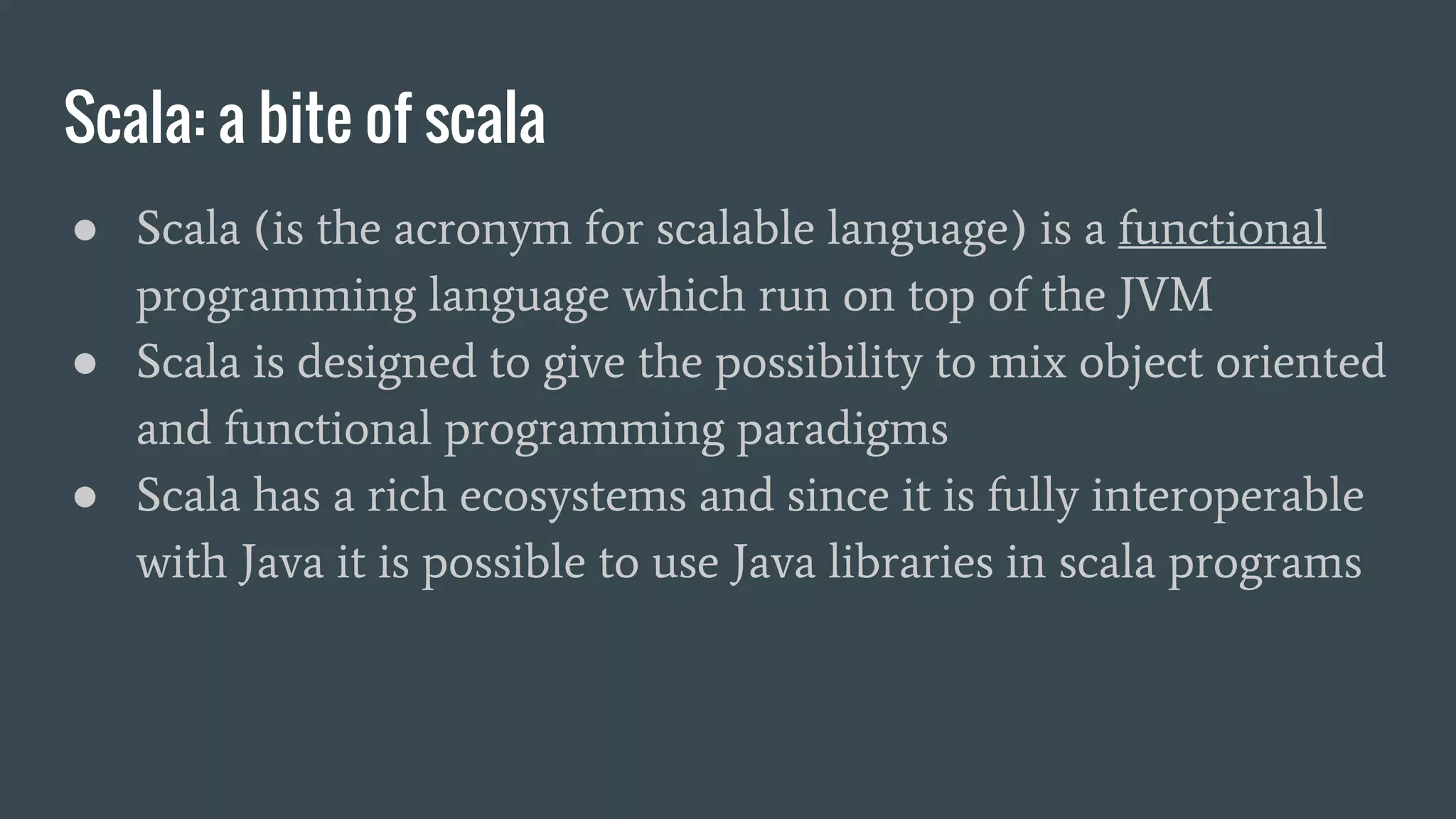
Scala: a bite of scala ● Scala (is the acronym for scalable language) is a functional programming language which run on top of the JVM ● Scala is designed to give the possibility to mix object oriented and functional programming paradigms ● Scala has a rich ecosystems and since it is fully interoperable with Java it is possible to use Java libraries in scala programs
Scala: strength and weakness ● Scala is an high level language particularly suitable for: ○ big data analytics ○ parallel computation ○ machine learning ● Scala is not used (at least so far) for: ○ firmware ○ very low latency applications ○ nanoscale latency applications
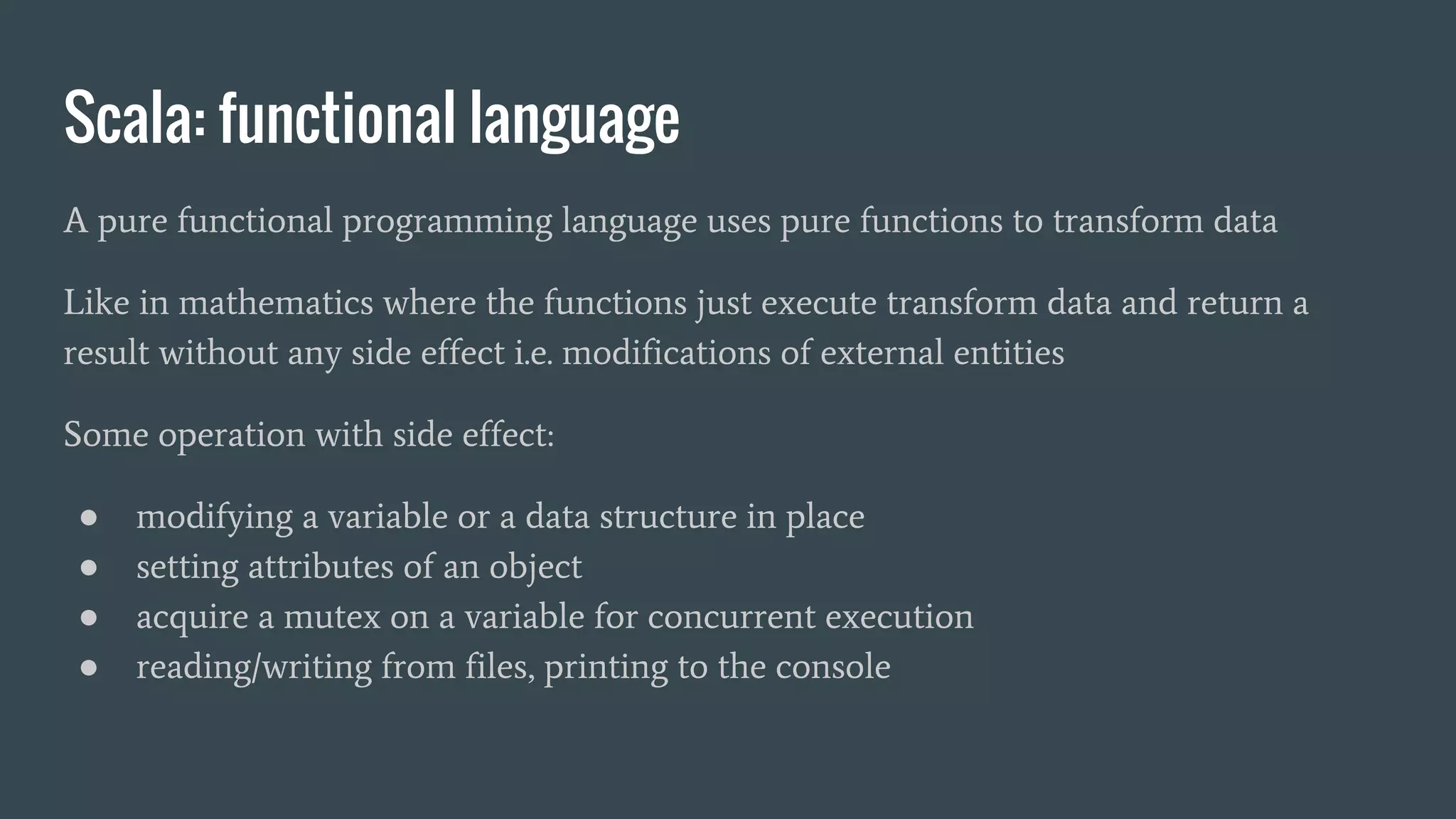
Scala: functional language A pure functional programming language uses pure functions to transform data Like in mathematics where the functions just execute transform data and return a result without any side effect i.e. modifications of external entities Some operation with side effect: ● modifying a variable or a data structure in place ● setting attributes of an object ● acquire a mutex on a variable for concurrent execution ● reading/writing from files, printing to the console
Scala: functional language Even if Scala is not a pure functional programming language like Haskell, but it is strongly encouraged to avoid functions with side effects: pure functions are idiomatic Advantages of pure functional: ● better modularity, simpler generalization ● better modularity leads to easier functions test thanks to low coupling ● reduction of wait states: easier parallelization thanks to less concurrent access to shared variable, e.g. states variables
Scala: a strongly typed language ● Scala is a strongly typed language ● implements a hierarchical type system ● the type inference allows to omit the data type in declarations like in python but with safety of a strong static type system ● Runtime type casting (asInstanceOf[T]) trigger the type systems which will raise exceptions for incompatible casts
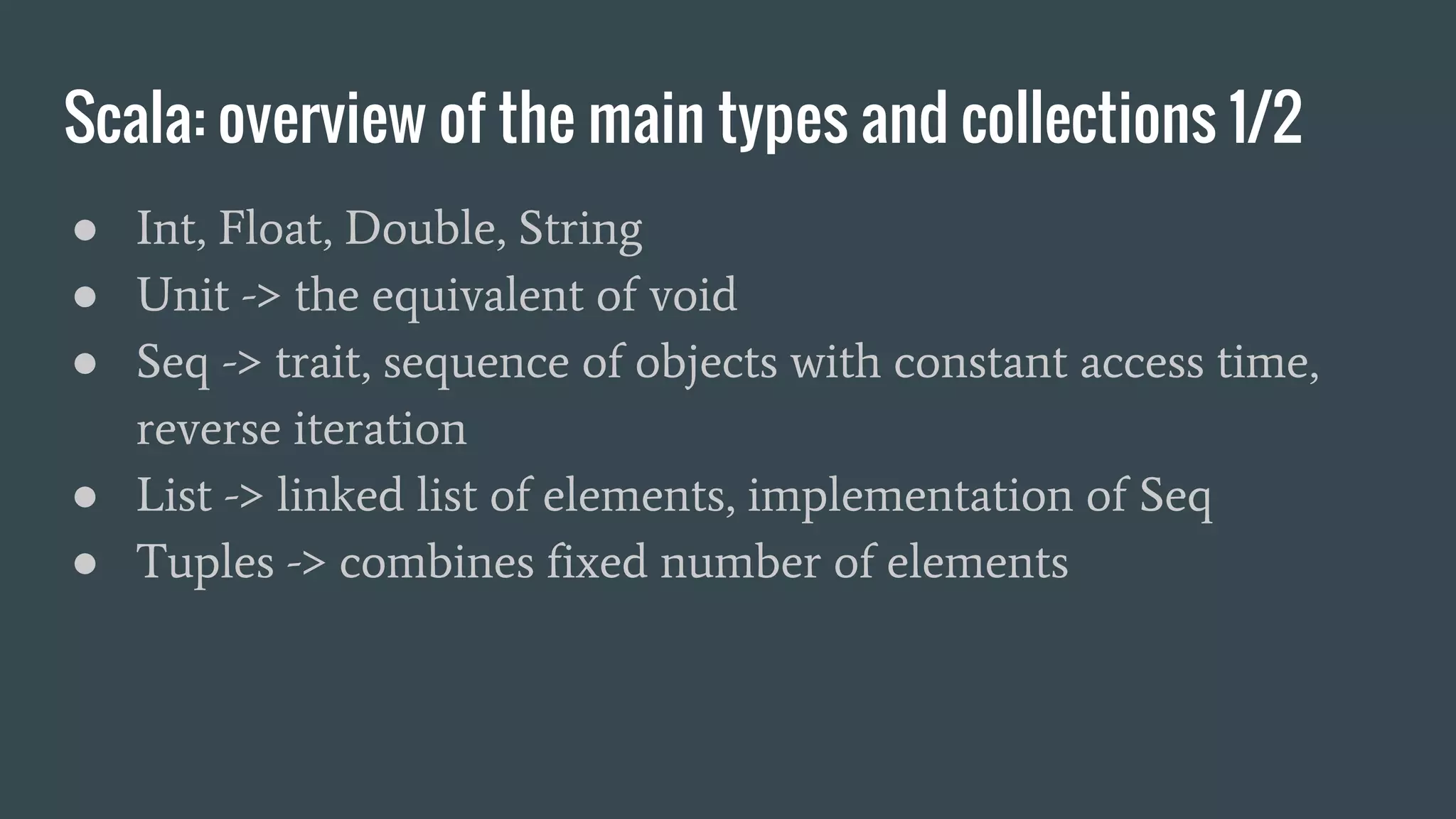
Scala: overview of the main types and collections 1/2 ● Int, Float, Double, String ● Unit -> the equivalent of void ● Seq -> trait, sequence of objects with constant access time, reverse iteration ● List -> linked list of elements, implementation of Seq ● Tuples -> combines fixed number of elements
Scala: overview of the main types and collections 2/2 ● Set -> iterable set without duplicates ● Maps -> iterable associative maps ● Array -> corresponds 1:1 to java arrays e.g. Array[Int] are java int[] ● Vector -> collection with constant time random access ● Stream -> like a list but with lazy elements
Scala: data type references Scala reference API documentation: http://www.scala-lang.org/api/2.11.8/index.html relations between collections data types: http://www.decodified.com/scala/collections-api.xml
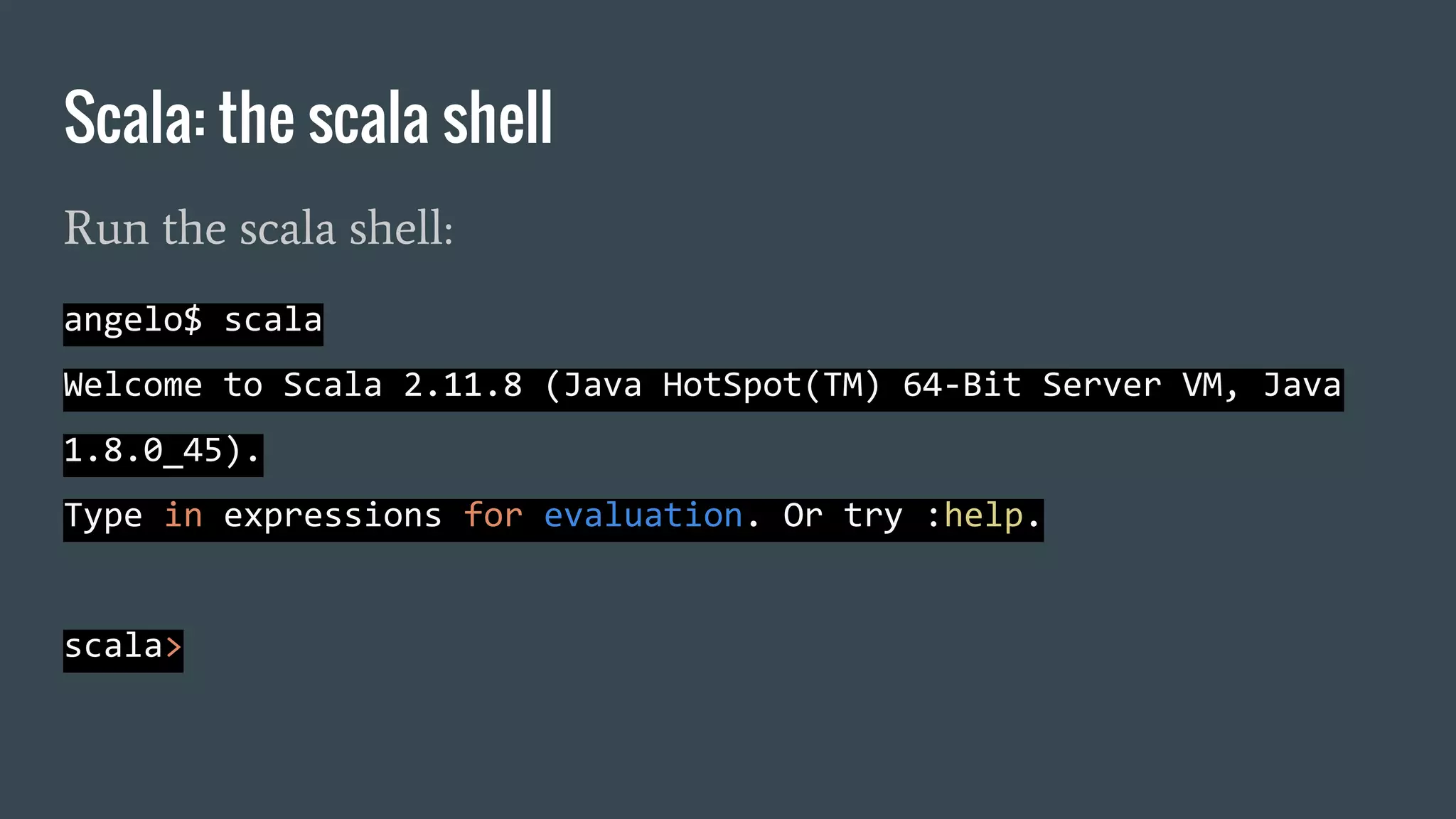
Scala: the scala shell Run the scala shell: angelo$ scala Welcome to Scala 2.11.8 (Java HotSpot(TM) 64-Bit Server VM, Java 1.8.0_45). Type in expressions for evaluation. Or try :help. scala>
Scala, overview of the main functions: Map.getOrElse scala> val m = Map(1 -> "a", 2 -> "b", 3 -> "c") m: scala.collection.immutable.Map[Int,String] = Map(1 -> a, 2 -> b, 3 -> c) scala> m.getOrElse(100, "NOT FOUND") res0: String = NOT FOUND scala> m.getOrElse(1, "NOT FOUND") res1: String = a
filter -> produce a new iterable filtering out elements scala> val m = Map(1 -> "1", 2 -> "2", 3 -> "33") m: scala.collection.immutable.Map[Int,String] = Map(1 -> 1, 2 -> 2, 3 -> 33) scala> m.filter(_._2 != "2") res1: scala.collection.immutable.Map[Int,String] = Map(1 -> 1, 3 -> 33) scala> m.filter(_._1 != 3) res2: scala.collection.immutable.Map[Int,String] = Map(1 -> 1, 2 -> 2) Scala, overview of the main functions: filter
Scala, overview of the main functions: map map -> execute a function to every element of an iterable scala> val m = Map(1 -> "1", 2 -> "2", 3 -> "33") m: scala.collection.immutable.Map[Int,String] = Map(1 -> 1, 2 -> 2, 3 -> 33) scala> m.map(x => (x._1, (2 * x._2.toInt).toString)) res3: scala.collection.immutable.Map[Int,String] = Map(1 -> 2, 2 -> 4, 3 -> 66) scala> m.keys res4: Iterable[Int] = Set(1, 2, 3) scala> m.values res5: Iterable[String] = MapLike(1, 2, 33)
reduce -> reduce elements by specifying an associative binary operations, no deterministic order of evaluation scala> val m = Map(1 -> "1", 2 -> "2", 3 -> "33") m: scala.collection.immutable.Map[Int,String] = Map(1 -> 1, 2 -> 2, 3 -> 33) scala> m.reduce((a, b) => { (a._1 + b._1, a._2 + b._2) }) res10: (Int, String) = (6,1233) Scala, overview of the main functions: reduce
reduceLeft / reduceRight -> reduction is done from left to right / right to left scala> val l = List("a", "b", "c", "d") l: List[String] = List(a, b, c, d) scala> l.reduce((a,b) => {a + b}) res6: String = abcd scala> l.reduceLeft((a,b) => {a + b}) // (((a + b) + c) + d) res7: String = abcd scala> l.reduceRight((a,b) => {a + b}) // (a + (b + (c + d))) res8: String = abcd Scala, overview of the main functions: reduceLeft/Right
fold, foldLeft, foldRight -> like reduce but first element must be passed scala> val l = List("a", "b", "c", "d", "e", "f") l: List[String] = List(a, b, c, d, e, f) scala> l.fold("#")((a,b) => {a + b}) res12: String = #abcdef scala> l.foldLeft("#")((a,b) => {a + b}) res13: String = #abcdef scala> l.foldRight("#")((a,b) => {a + b}) res14: String = abcdef# Scala, overview of the main functions: fold
zip / unzip -> merge two iterables / split an iterable scala> val s0 = Seq(1,2,3,4,5,6) s0: Seq[Int] = List(1, 2, 3, 4, 5, 6) scala> val s1 = Seq(6,5,4,3,2,1) s1: Seq[Int] = List(6, 5, 4, 3, 2, 1) scala> val z = s0 zip s1 // same of val z = s0.zip(s1) z: Seq[(Int, Int)] = List((1,6), (2,5), (3,4), (4,3), (5,2), (6,1)) scala> z.unzip res5: (Seq[Int], Seq[Int]) = (List(1, 2, 3, 4, 5, 6),List(6, 5, 4, 3, 2, 1)) Scala, overview of the main functions: zip/unzip
zipWithIndex -> merge an iterable with an index scala> val l = List("a", "b", "c", "d", "e", "f") l: List[String] = List(a, b, c, d, e, f) scala> l.zipWithIndex res5: List[(String, Int)] = List((a,0), (b,1), (c,2), (d,3), (e,4), (f,5)) Scala, overview of the main functions: zipWithIndex
Create a single list from an iterable of iterables (e.g. list of lists) scala> val m = Map("A" -> List(1, 2, 3), "B" -> List(3, 4, 5), "C" -> List(6, 7, 8)) m: scala.collection.immutable.Map[String,List[Int]] = Map(A -> List(1, 2, 3), B -> List(3, 4, 5), C -> List(6, 7, 8)) scala> m.values.flatten res34: Iterable[Int] = List(1, 2, 3, 3, 4, 5, 6, 7, 8) Scala, some useful methods on Lists: flatten
group a list of items scala> val l = List(("a", 1), ("b", 2), ("a", 2), ("a", 3), ("c", 1)) l: List[(String, Int)] = List((a,1), (b,2), (a,2), (a,3), (c,1)) scala> l.groupBy(_._1) res5: scala.collection.immutable.Map[String,List[(String, Int)]] = Map(b -> List((b,2)), a -> List((a,1), (a,2), (a,3)), c -> List((c,1))) scala> l.groupBy(_._2) res6: scala.collection.immutable.Map[Int,List[(String, Int)]] = Map(2 -> List((b,2), (a,2)), 1 -> List((a,1), (c,1)), 3 -> List((a,3))) Scala, some useful methods of iterables: groupBy
generate a new map modifying the values scala> val m = Map(1 -> "a", 2 -> "b", 3 -> "c") m: scala.collection.immutable.Map[Int,String] = Map(1 -> a, 2 -> b, 3 -> c) scala> m.mapValues(_ + "#") res13: scala.collection.immutable.Map[Int,String] = Map(1 -> a#, 2 -> b#, 3 -> c#) Scala, some useful methods of maps: mapValues
scala> val l = List("a", "b", "c", "d", "a").groupBy(identity) l: scala.collection.immutable.Map[String,List[String]] = Map(b -> List(b), d -> List(d), a -> List(a, a), c -> List(c)) scala> l.mapValues(_.length) res17: scala.collection.immutable.Map[String,Int] = Map(b -> 1, d -> 1, a -> 2, c -> 1) Scala, an example: word count
scala> for(i <- 1 to 10) { print(i*2 + " ") } 2 4 6 8 10 12 14 16 18 20 scala> for(i <- (1 to 10)) yield i * 2 res7: scala.collection.immutable.IndexedSeq[Int] = Vector(2, 4, 6, 8, 10, 12, 14, 16, 18, 20) Scala, for loops
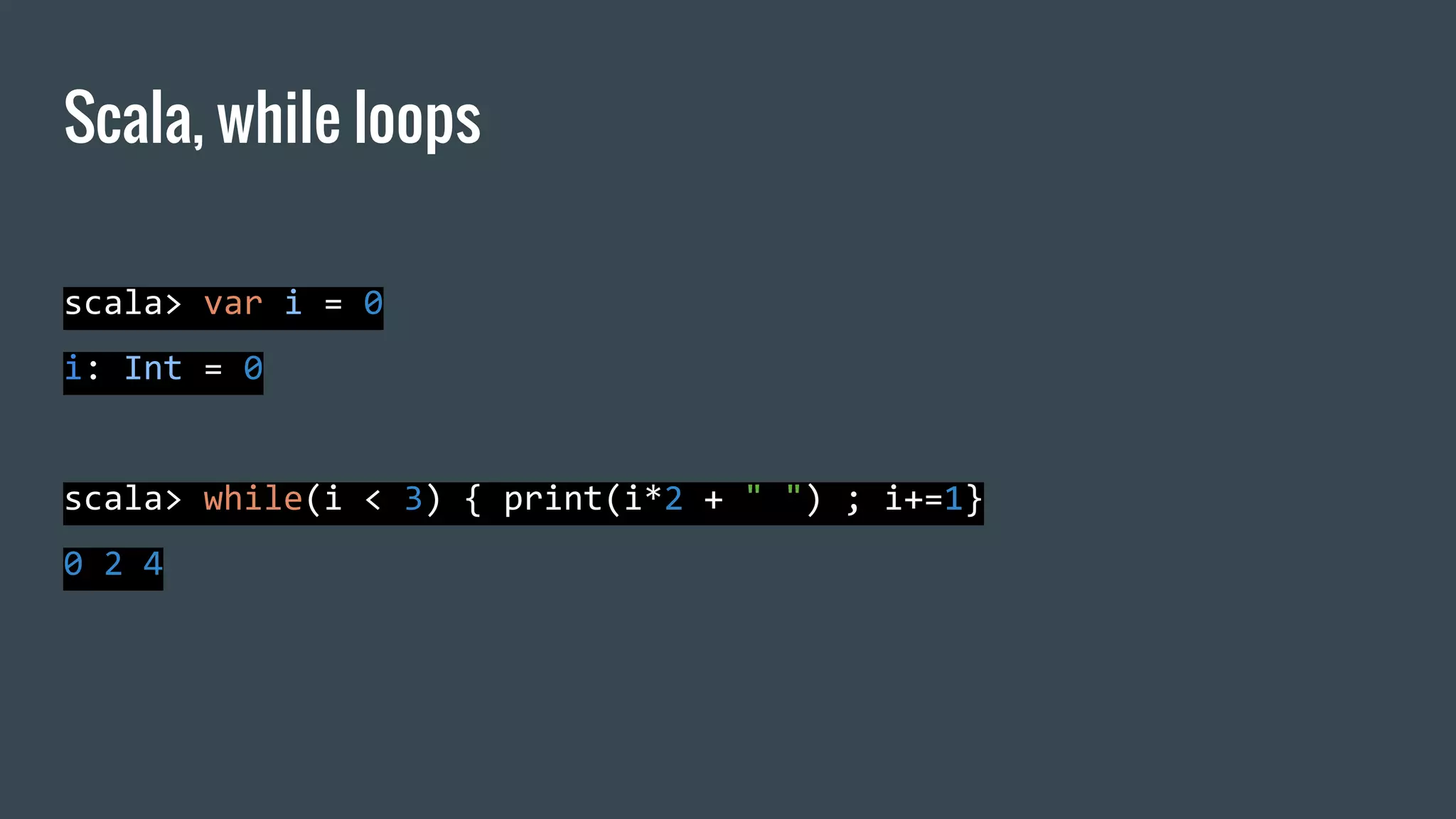
scala> var i = 0 i: Int = 0 scala> while(i < 3) { print(i*2 + " ") ; i+=1} 0 2 4 Scala, while loops
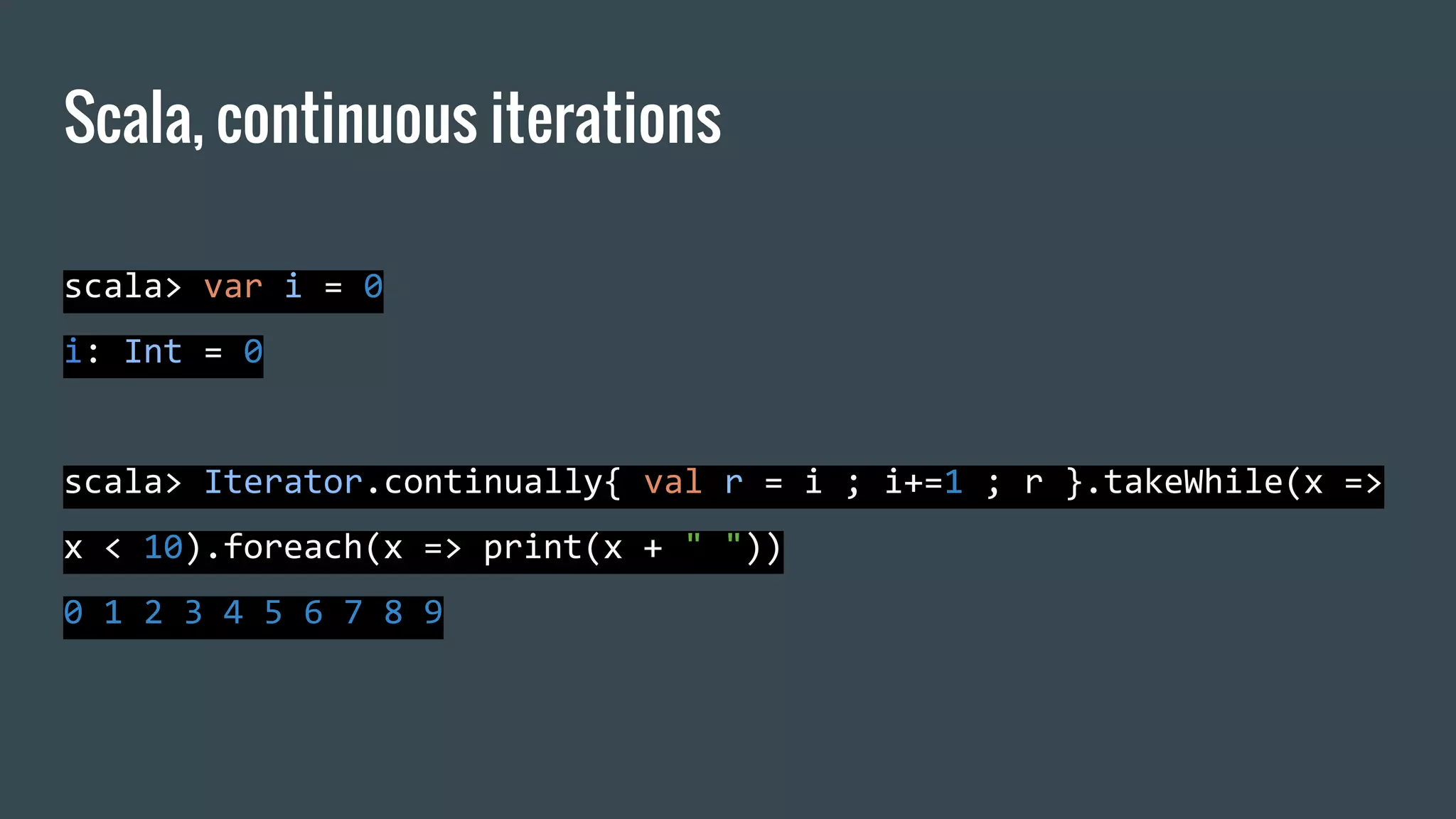
Scala, continuous iterations scala> var i = 0 i: Int = 0 scala> Iterator.continually{ val r = i ; i+=1 ; r }.takeWhile(x => x < 10).foreach(x => print(x + " ")) 0 1 2 3 4 5 6 7 8 9
Repository with sample programs Follows a list of sample program to show some of the fundamental syntax and features of Scala: Github repository with the samples: https://github.com/elegans-io/MHPC_SampleScalaPrograms
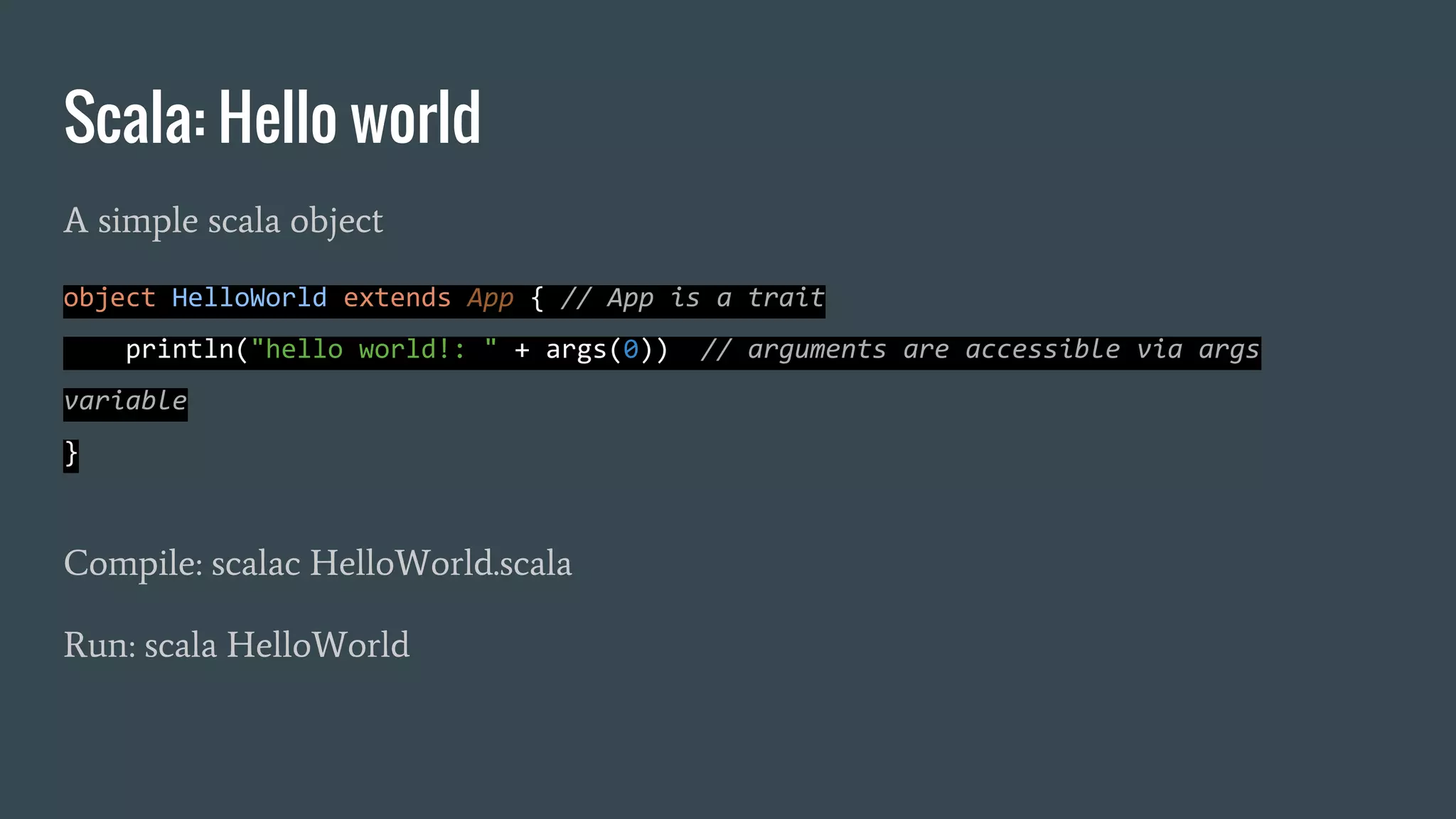
Scala: Hello world A simple scala object object HelloWorld extends App { // App is a trait println("hello world!: " + args(0)) // arguments are accessible via args variable } Compile: scalac HelloWorld.scala Run: scala HelloWorld
Scala: high order functions higher-order functions: takes other functions as parameters or whose result is a function object HighOrderFunctions extends App { def f(v: Int) : Int = v*2 // defining a function // Int => Int is the type of a function from Int to Int def apply(f: Int => Int, l: List[Int]) = l.map(f(_)) //declaration of apply function val res = apply(f,List(1,2,3,4,5)) // function execution println(res) }
Scala: more on high order functions class Decorator(left: String, right: String) { def layout[A](x: A) = left + x.toString() + right } object HighOrderFunctions_2 extends App { def apply[A](f: A => String, v: A) = f(v) val decorator = new Decorator("[", "]") println(apply(decorator.layout, 100)) println(apply(decorator.layout, "100")) }
Scala: lazy evaluation object LazyEvaluation extends App { println("begin strict") val strict_var = { println("TEST0") ; "value" } println ("TEST1") println (strict_var) println("end strict") println("--------------------------------") println("begin lazy") lazy val lazy_var = { println ("TEST0") ; "value" } // lazy evaluation println ("TEST1") println (lazy_var) // computation of the value println("end lazy") }
Scala: evaluation, call-by-name call-by-value call-by-name arguments will be evaluated in the body of function object CallByNeedCallByName extends App { def evaluateif[A](c: Boolean, x: => A) = { lazy val y = x //memoization val ret = if (c) { (y, y) } else { (x, x) // evaluated twice } ret } val v0 = evaluateif(false, {println("evaluate0") ; 100}) println(v0) println("--------------------") val v1 = evaluateif(true, {println("evaluate1") ; 100}) println(v1) } $> scala CallByNeedCallByName evaluate0 evaluate0 (100,100) -------------------- evaluate1 (100,100)
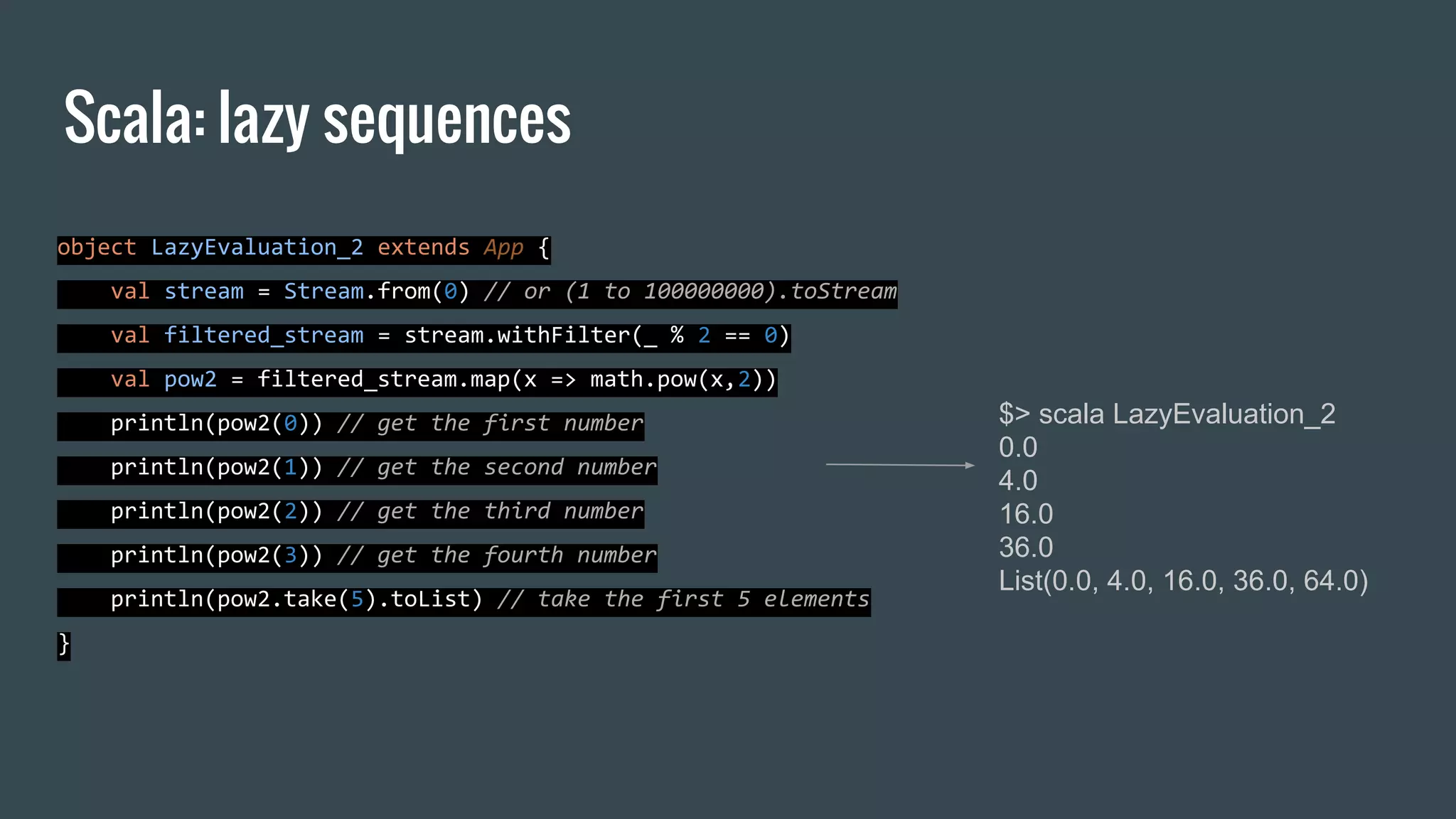
Scala: lazy sequences object LazyEvaluation_2 extends App { val stream = Stream.from(0) // or (1 to 100000000).toStream val filtered_stream = stream.withFilter(_ % 2 == 0) val pow2 = filtered_stream.map(x => math.pow(x,2)) println(pow2(0)) // get the first number println(pow2(1)) // get the second number println(pow2(2)) // get the third number println(pow2(3)) // get the fourth number println(pow2.take(5).toList) // take the first 5 elements } $> scala LazyEvaluation_2 0.0 4.0 16.0 36.0 List(0.0, 4.0, 16.0, 36.0, 64.0)
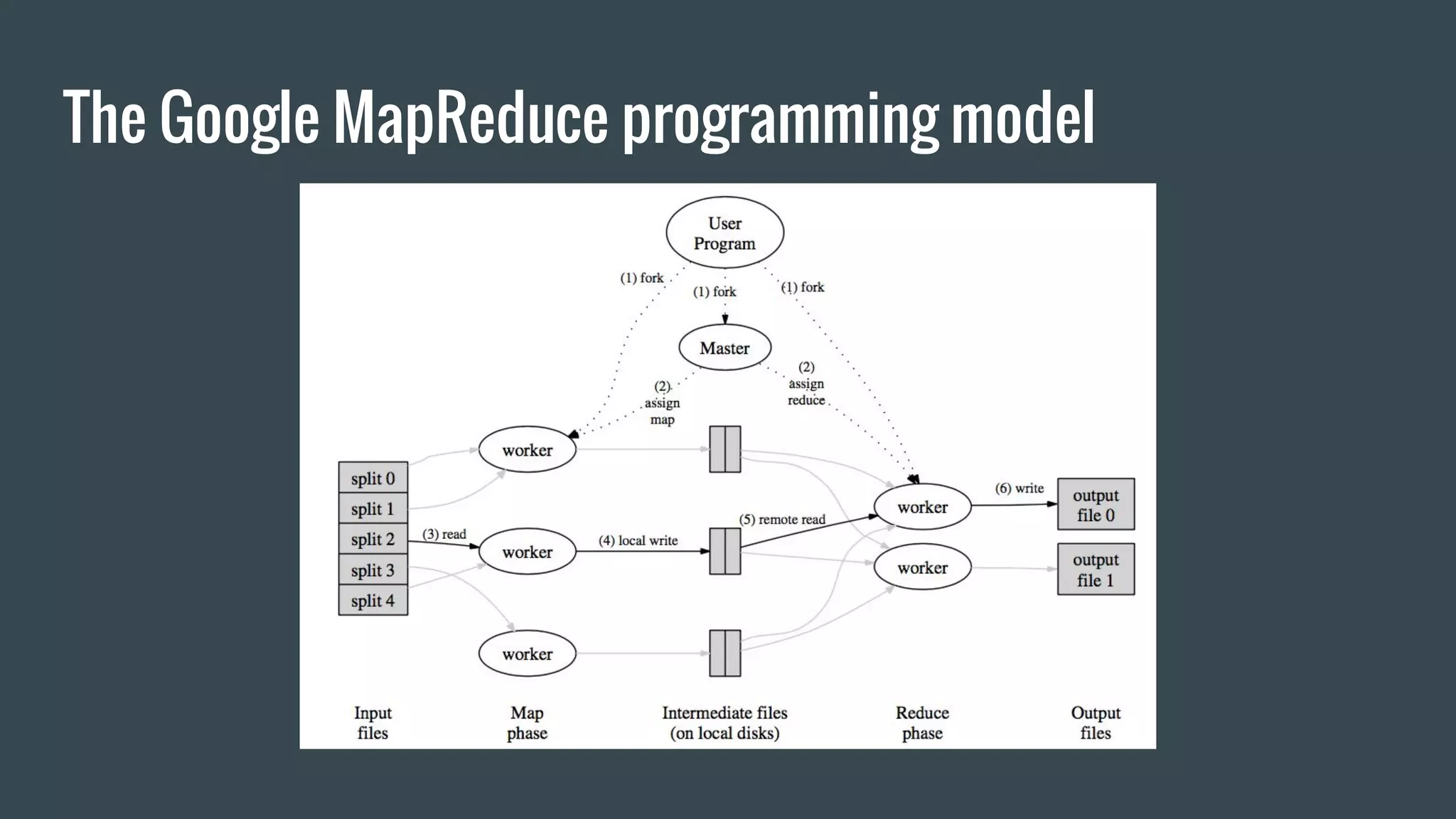
MapReduce: the origins of spark computational model ● Google published in 2004 the paper: “MapReduce: Simplified Data Processing on Large Clusters” [Dean , Ghemawat] ● The paper present the MapReduce programming abstraction (and a proprietary implementation) to solve three main aspects of parallel computation: ○ fault tolerance ○ distribution and balancing of the computing task ○ distribution of the data
The MapReduce programming model ● The MapReduce model allow easy parallelization of task expressed in functional style ● The input data are automatically partitioned and spread across multiple machines where computation is executed ● The results are then reduced/combined to obtain the final values
The Google MapReduce programming model
Hadoop: open source implementation of MapReduce ● Hadoop is A cross platform framework written in java for distributed data storage and computing ● First release: December 2010 ● Designed to scale to thousands of machines ● Hadoop take care of data and task distribution over a large set of nodes, handling failures
Hadoop: main components ● Hadoop common: core libraries, used by other modules ● Hadoop Distributed File System (HDFS): a distributed file system ● YARN: a resource manager, responsible for job scheduling ● Hadoop MapReduce: the implementation of the MapReduce programming model
More on Hadoop ● Designed to deal with amounts of data which does not fits in RAM ● After each step takes a backup of intermediate data, then reload them and execute next step ● Suitable for batch computation: high latencies
Spark: what is Apache Spark Apache Spark (http://spark.apache.org) is a general purpose engine for the implementation of concurrent parallel data processing algorithms Developed by the AMPLab / UC Berkeley as part of the Berkeley Data Analytics Stack Spark provides a rich set of high-level APIs to easily write and deploy jobs
Spark: main differences with Hadoop ● Spark load most of the dataset in memory (in - memory operation) ● Implement a cache mechanisms which reduce read from disk ● Is much faster than Hadoop and the latencies make it suitable for real time processing ● Does not implement any data distribution technology but can run on top of Hadoop clusters (HDFS)
Architecture of Spark applications
Spark: the RDD (Resilient Distributed Dataset) 1/2 The Resilient Distributed Dataset (RDD) is the fundamental data abstraction in Apache Spark which rely on it to provide the most important features Resilient: spark computation is fault tolerant and recompute missing or corrupted partitions when a node fails Distributed: the data are partitioned and spread on multiple node in a cluster Dataset: the structure provide a set of primitives and objects to access and manipulate data
Spark: the RDD (Resilient Distributed Dataset) 2/2 ● The RDD hold the data and provide the functions we have seen before for scala: ○ map ○ reduce ○ filter ○ plus other functions ● RDD operations are lazy
Spark: The SparkContext ● The SparkContext represents the connection to a Spark cluster, can be used to create RDDs, broadcast variables and other operations on the cluster ● The initialization of the SparkContext requires the specification of a SparkConf object which hold informations about the application
Spark: the spark shell angelo$ spark-shell Using Spark's default log4j profile: org/apache/spark/log4j-defaults.properties Setting default log level to "WARN". To adjust logging level use sc.setLogLevel(newLevel). 16/11/20 18:25:02 WARN NativeCodeLoader: Unable to load native-hadoop library for your platform... using builtin-java classes where applicable 16/11/20 18:25:04 WARN SparkContext: Use an existing SparkContext, some configuration may not take effect. Spark context Web UI available at http://192.168.11.132:4040 Spark context available as 'sc' (master = local[*], app id = local-1479662703790). Spark session available as 'spark'. Welcome to ____ __ / __/__ ___ _____/ /__ _ / _ / _ `/ __/ '_/ /___/ .__/_,_/_/ /_/_ version 2.0.1 /_/ Using Scala version 2.11.8 (Java HotSpot(TM) 64-Bit Server VM, Java 1.8.0_45) Type in expressions to have them evaluated. Type :help for more information. scala>
Spark: SparkContext.parallelize ● The parallelize function provided by SparkContext transform a collection (i.e. a scala Seq, or Array) into an RDD which can be operated in parallel: scala> val collection = List(1,2,3,4) collection: List[Int] = List(1, 2, 3, 4) scala> val rdd = sc.parallelize(collection) rdd: org.apache.spark.rdd.RDD[Int] = ParallelCollectionRDD[3] at parallelize at <console>:31
Spark: persist ● RDD provide a persist functions to store partitions in order to reuse them in other actions with benefits for the performance ● Caching functions are key tool for iterative algorithms scala> rdd.persist(StorageLevel.MEMORY_ONLY) res12: rdd.type = ParallelCollectionRDD[2] at parallelize at <console>:26
Spark: SparkContext.broadcast ● Broadcast variable are read only variables cached in memory on each node, they can be used to minimize communication costs when multiple stages need the same data scala> sc.broadcast(Map(1->"a", 2-> "b")) res13: org.apache.spark.broadcast.Broadcast[scala.collection.immutable.Ma p[Int,String]] = Broadcast(0)
Spark: basic serialization and deserialization ● Data can be read/write both in textual format and binary format: ○ SparkContext.TextFile: read text file or directory with textual files ○ RDD.saveAsTextFile: save RDD in textual format ○ SparkContext.objectFile: save the RDD in binary format ○ RDD.saveAsObjectFile: save RDD in binary format
Spark: operations on RDD ● The RDD supports the following functions we saw for scala collections: ○ map, reduce, fold, zip, filter, zipWithIndex, flatten, mapValues, groupBy ● Two more function worth to be mentioned: ○ groupByKey -> groupBy(_._1) ○ reduceByKey
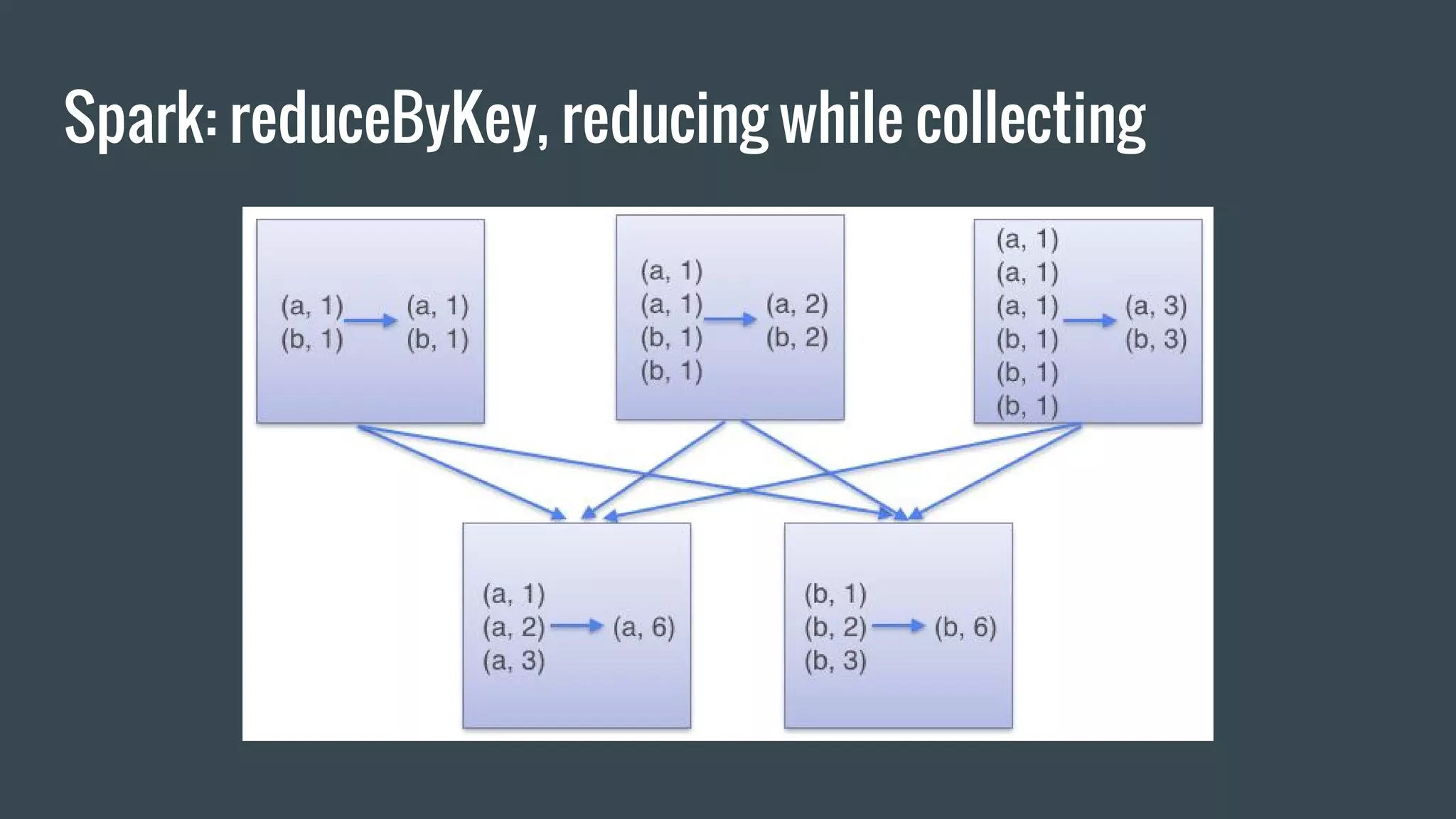
Spark: groupByKey, reduceByKey ● groupByKey: when called on a RDD of pairs (K, V), returns an RDD of (K, Iterable<V>) where the pairs with the same key are aggregated. ● reduceByKey: When called on a dataset of (K, V) pairs, returns a dataset of (K, V) pairs where the values for each key are aggregated using the given reduce function func, which must be of type (V,V) => V
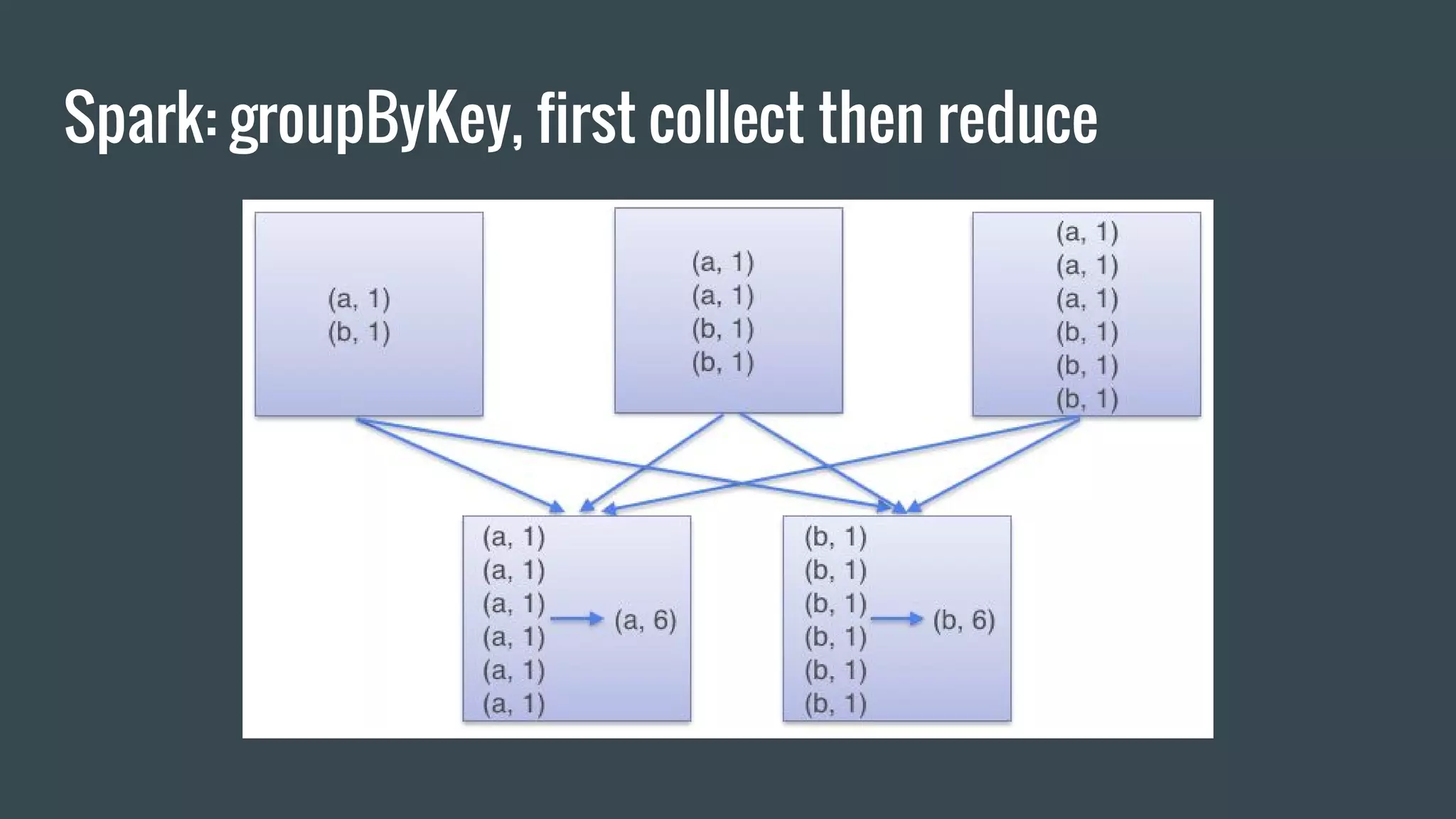
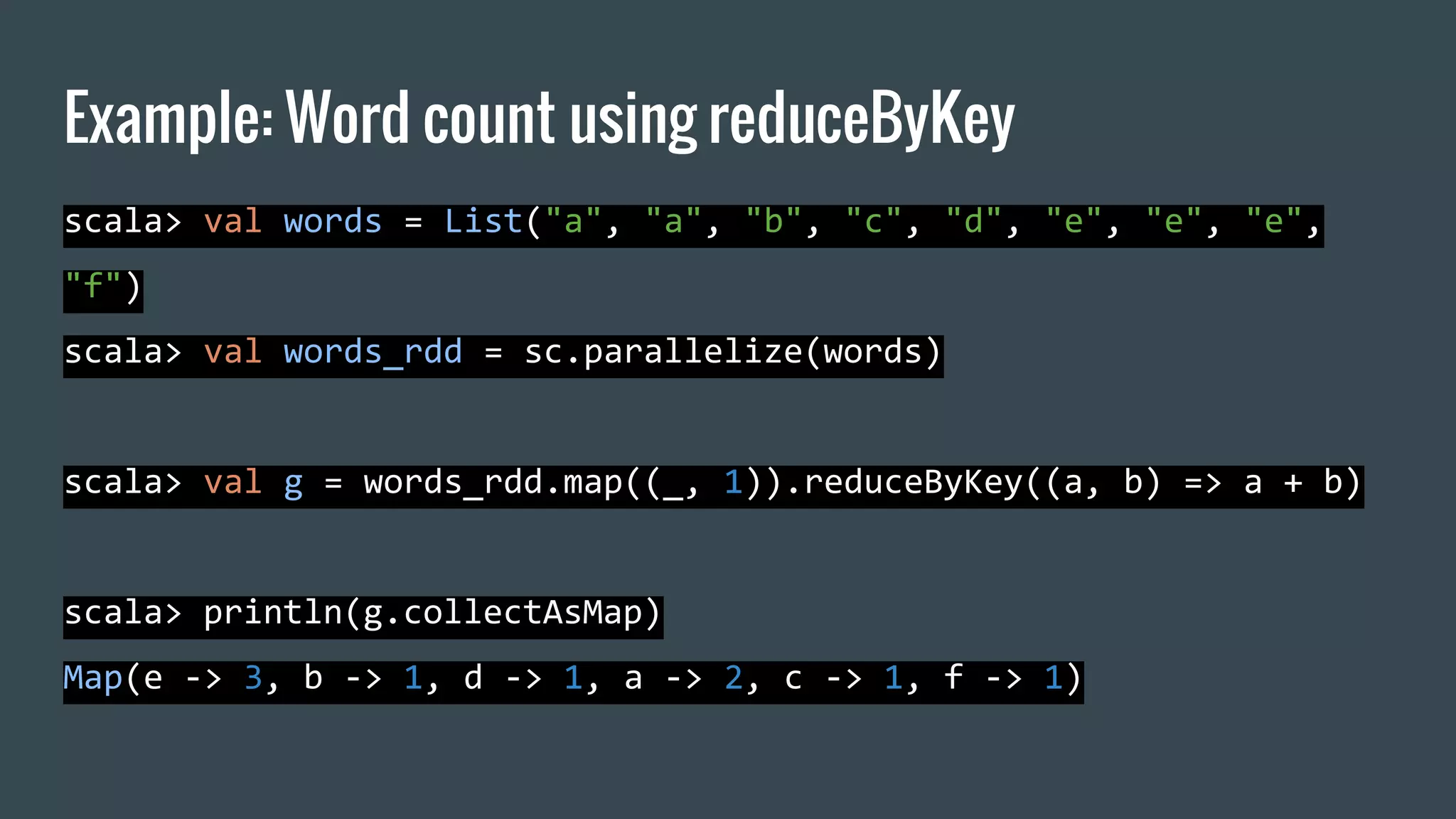
Spark: groupByKey, reduceByKey ● reduceByKey should be preferred over groupByKey since does not wait to have all the values of a key on the same node to perform the reduce operation.
Spark: groupByKey, first collect then reduce
Spark: reduceByKey, reducing while collecting
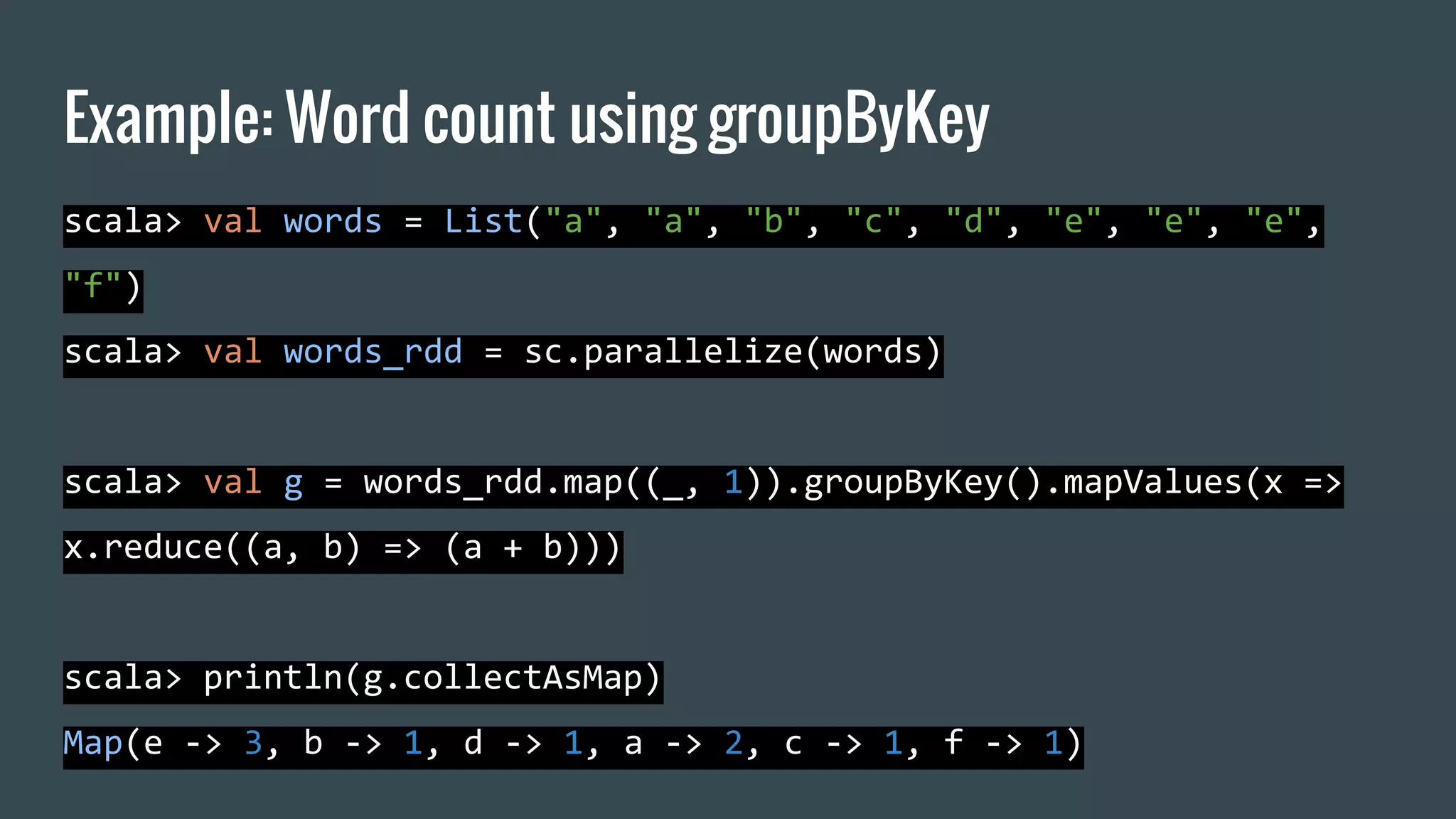
Example: Word count using groupByKey scala> val words = List("a", "a", "b", "c", "d", "e", "e", "e", "f") scala> val words_rdd = sc.parallelize(words) scala> val g = words_rdd.map((_, 1)).groupByKey().mapValues(x => x.reduce((a, b) => (a + b))) scala> println(g.collectAsMap) Map(e -> 3, b -> 1, d -> 1, a -> 2, c -> 1, f -> 1)
Example: Word count using reduceByKey scala> val words = List("a", "a", "b", "c", "d", "e", "e", "e", "f") scala> val words_rdd = sc.parallelize(words) scala> val g = words_rdd.map((_, 1)).reduceByKey((a, b) => a + b) scala> println(g.collectAsMap) Map(e -> 3, b -> 1, d -> 1, a -> 2, c -> 1, f -> 1)
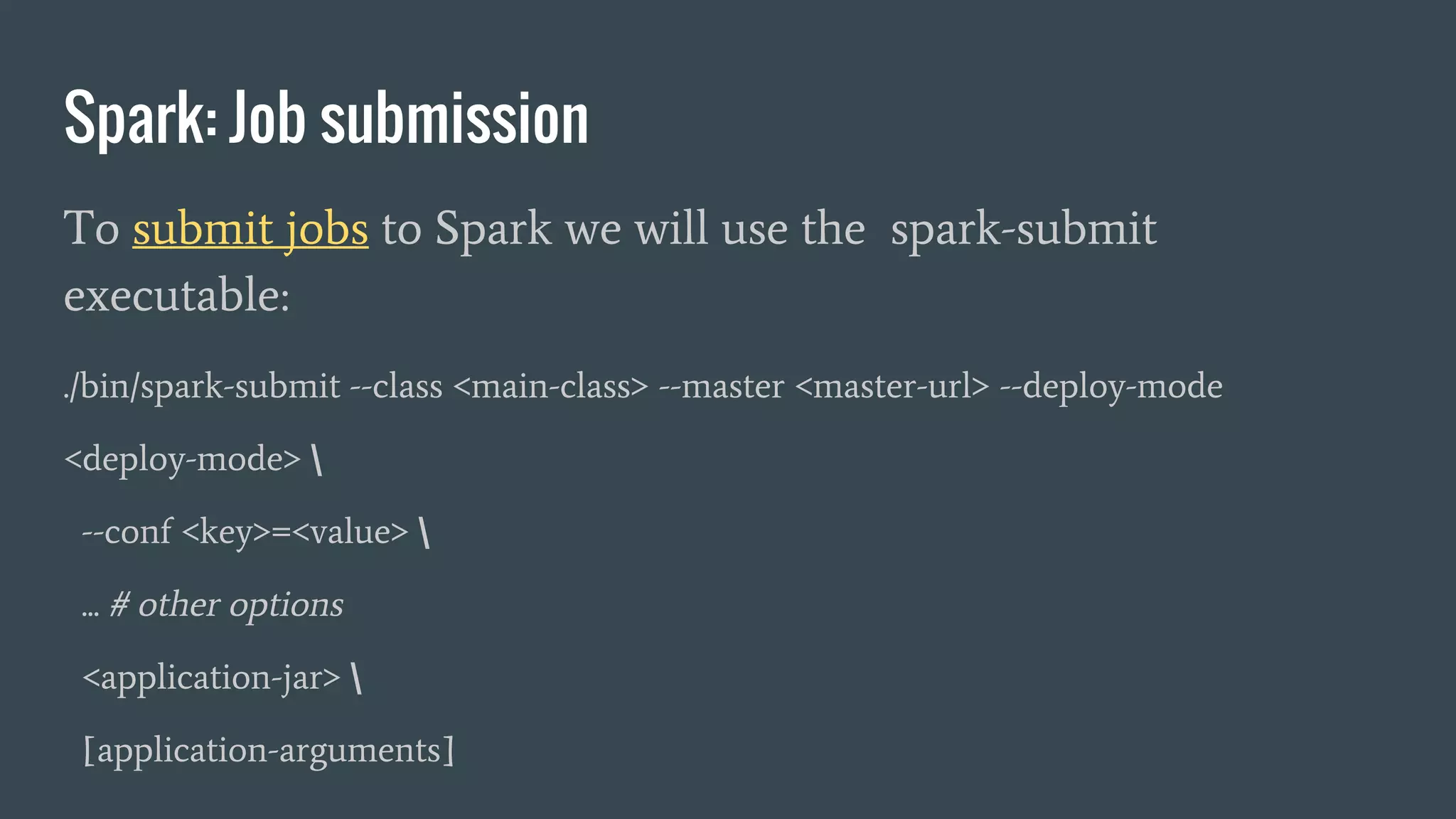
Spark: Job submission To submit jobs to Spark we will use the spark-submit executable: ./bin/spark-submit --class <main-class> --master <master-url> --deploy-mode <deploy-mode> --conf <key>=<value> ... # other options <application-jar> [application-arguments]
Sbt: interactive building tool http://www.scala-sbt.org/0.13/docs/index.html ● sbt is a building tool written in scala like ant, maven or cmake ● it support plugins and sophisticated build pipelines Fork the repository which contains a skeleton project: https://github.com/elegans-io/spark-sbt-skel
Hands on Session Fork the repository with the dataset https://github.com/elegans-io/MHPC_ScalaSpark_Datasets We will use the file sentences.utf8.clean.txt which contains a list of english sentences extracted from wikipedia.
Exercise #1: text tokenization 1/3 Generation a tokenized list of terms from a corpus of sentences ● Clone the sbt skeleton project: https://github.com/elegans-io/spark-sbt-skel ● The repository contains a set of programs to used as a base for the next exercises. ● The project require sbt to be build
Exercise #1: text tokenization 2/3 ● Examine the code: ○ A class with utility functions: src/main/scala/io/elegans/exercises/TextProcessingUtils.s cala ○ the main with spark initialization and command line option parsing: src/io/elegans/exercises/TokenizeSentences.scala
Exercise #1: text tokenization 3/3 ● Follow the README.md of the repository and: ○ Compile the project ○ Execute it using the file sentences.utf8.clean.txt ○ Examine the output
TF-IDF: term frequency/inverse document frequency How relevant is a term for a document? ● TF-IDF is a statistical measure of the relevance of a term for a document given a corpus of documents ● TF-IDF value increase proportionally with occurrence in document and inversely proportional to the occurrence in corpus
TF-IDF: term frequency/inverse document frequency ● TF-IDF (there exists many variants) is made of two terms: ○ TF which measures the frequency of the term in the document ○ IDF which measures how many documents contains the term
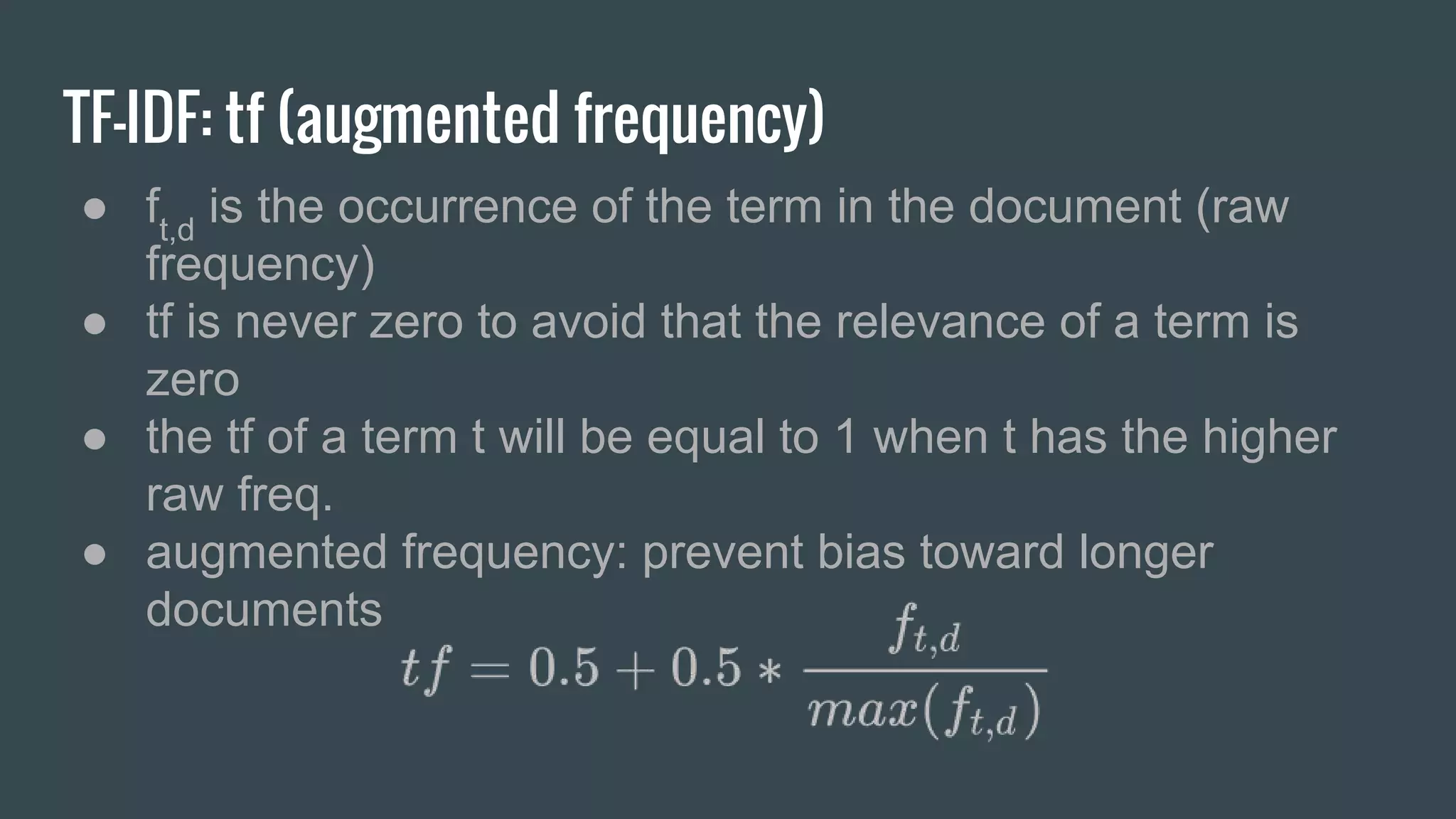
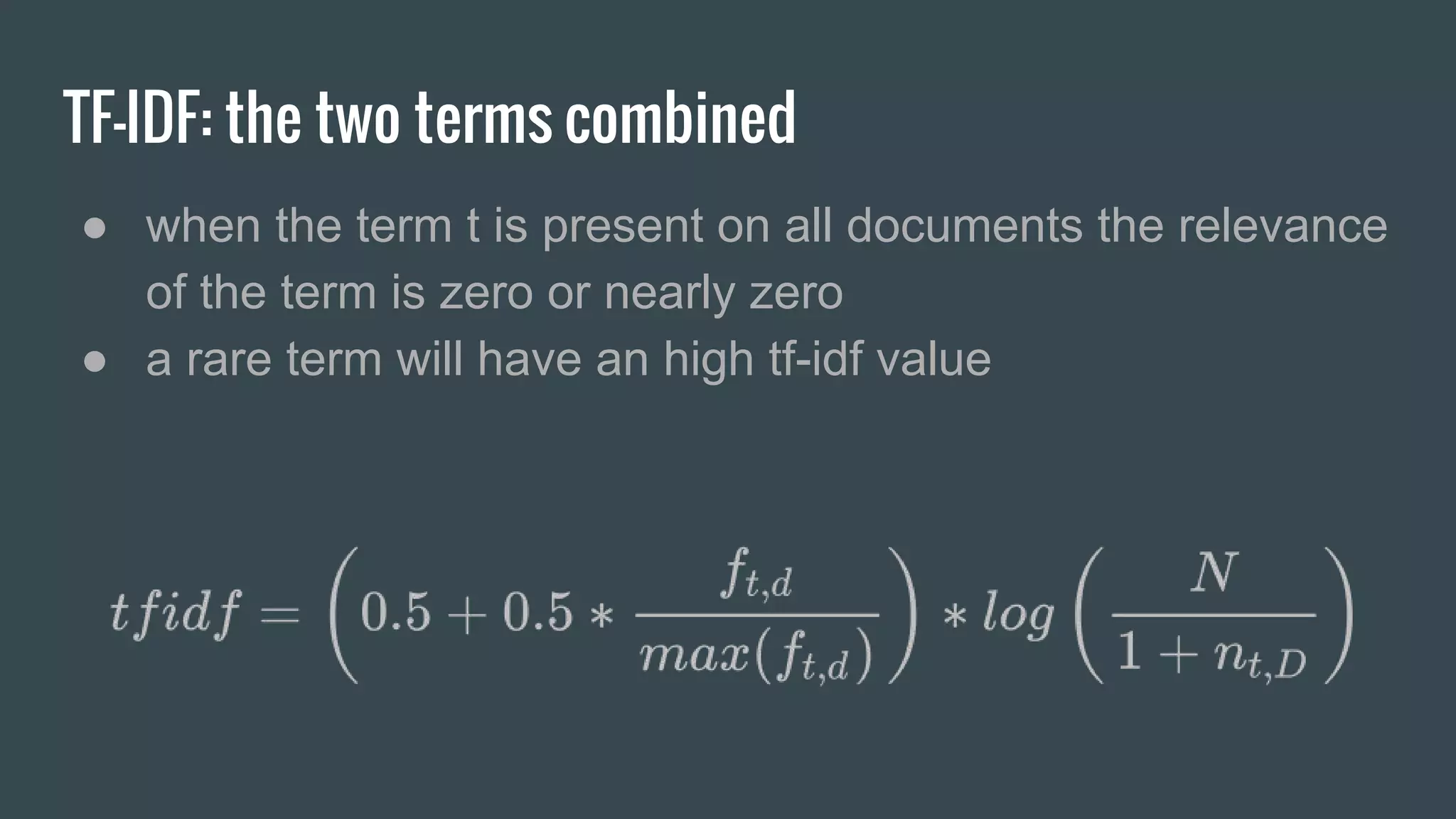
TF-IDF: tf (augmented frequency) ● ft,d is the occurrence of the term in the document (raw frequency) ● tf is never zero to avoid that the relevance of a term is zero ● the tf of a term t will be equal to 1 when t has the higher raw freq. ● augmented frequency: prevent bias toward longer documents
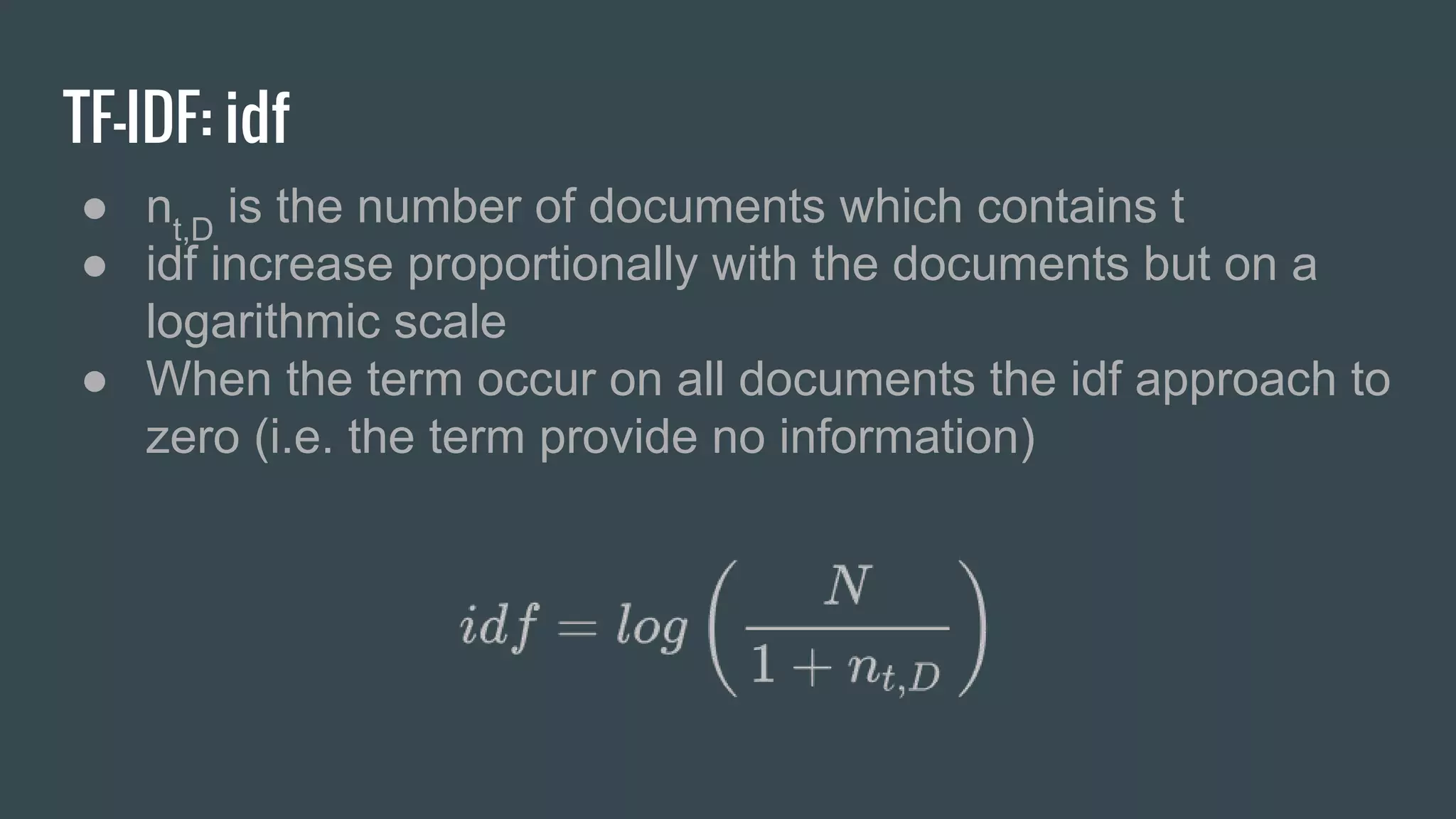
TF-IDF: idf ● nt,D is the number of documents which contains t ● idf increase proportionally with the documents but on a logarithmic scale ● When the term occur on all documents the idf approach to zero (i.e. the term provide no information)
TF-IDF: the two terms combined ● when the term t is present on all documents the relevance of the term is zero or nearly zero ● a rare term will have an high tf-idf value
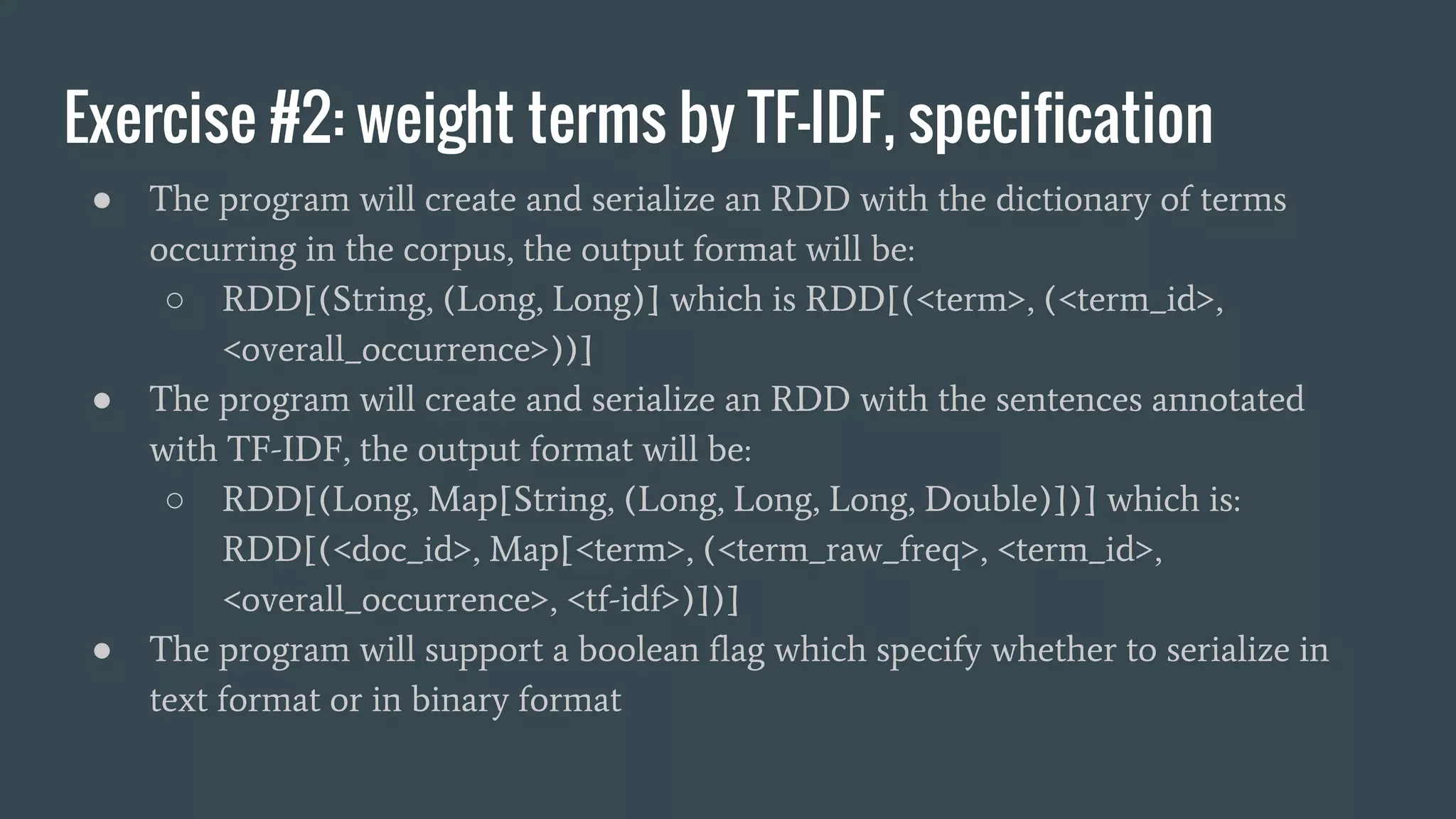
Exercise #2: weight terms by TF-IDF, specification ● The program will create and serialize an RDD with the dictionary of terms occurring in the corpus, the output format will be: ○ RDD[(String, (Long, Long)] which is RDD[(<term>, (<term_id>, <overall_occurrence>))] ● The program will create and serialize an RDD with the sentences annotated with TF-IDF, the output format will be: ○ RDD[(Long, Map[String, (Long, Long, Long, Double)])] which is: RDD[(<doc_id>, Map[<term>, (<term_raw_freq>, <term_id>, <overall_occurrence>, <tf-idf>)])] ● The program will support a boolean flag which specify whether to serialize in text format or in binary format
Exercise #2: weight terms by TF-IDF, specification ● Complete the code in accordance with the TODO comments: ○ The class in TFIDF.scala ○ AnnotateWithTFIDF.scala which contains contains the main function, spark initialization and the application logic
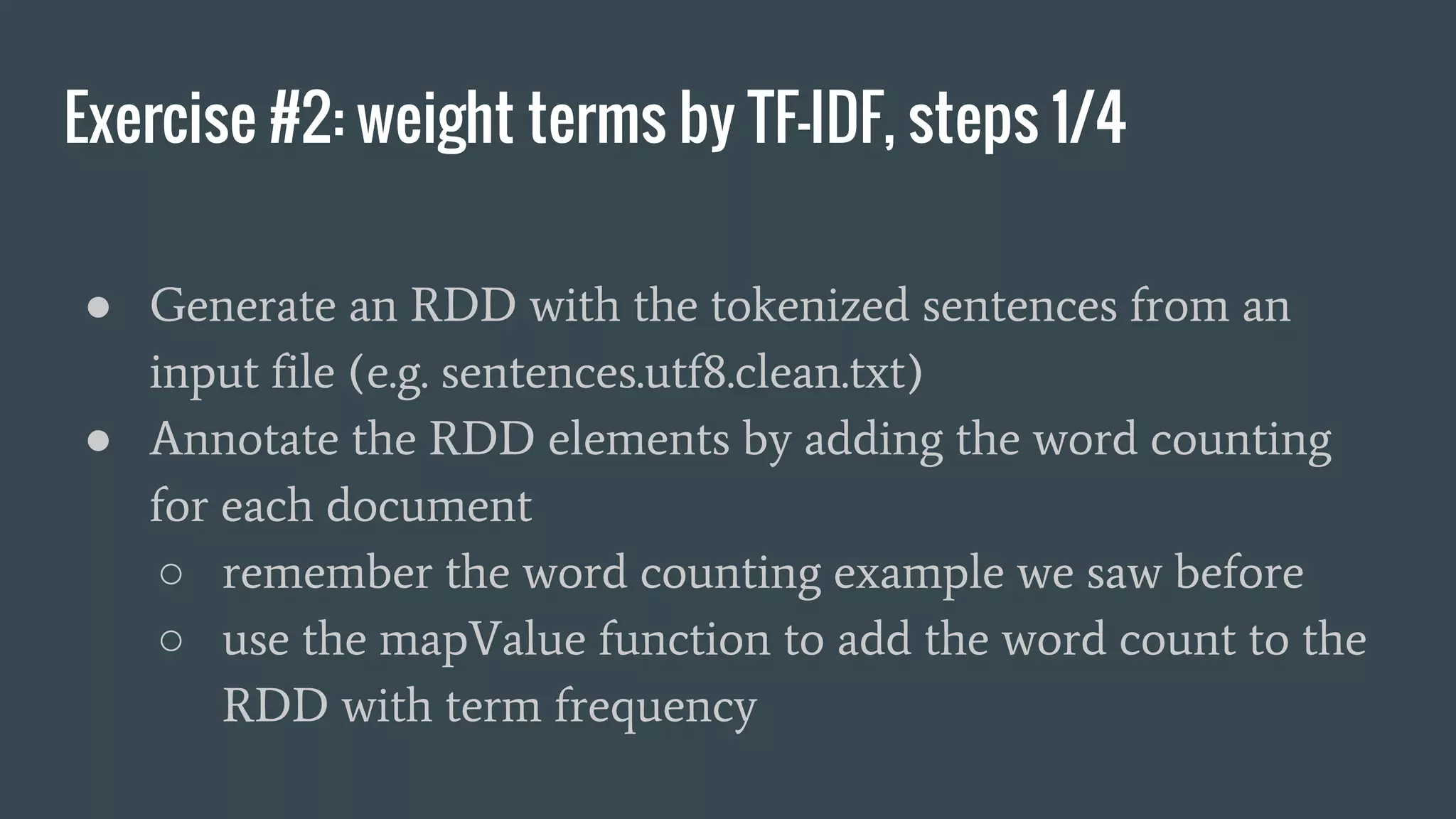
Exercise #2: weight terms by TF-IDF, steps 1/4 ● Generate an RDD with the tokenized sentences from an input file (e.g. sentences.utf8.clean.txt) ● Annotate the RDD elements by adding the word counting for each document ○ remember the word counting example we saw before ○ use the mapValue function to add the word count to the RDD with term frequency
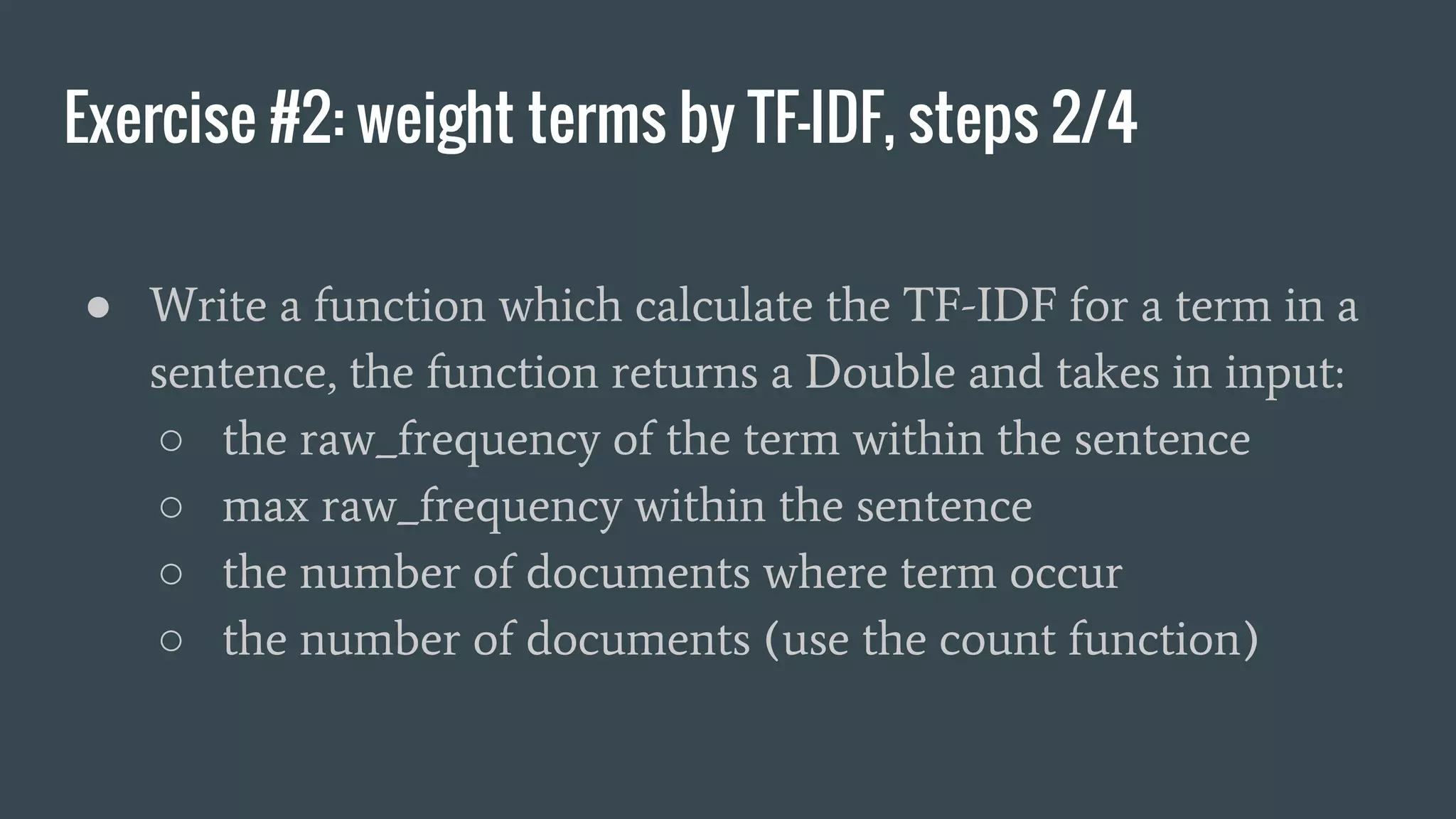
Exercise #2: weight terms by TF-IDF, steps 2/4 ● Write a function which calculate the TF-IDF for a term in a sentence, the function returns a Double and takes in input: ○ the raw_frequency of the term within the sentence ○ max raw_frequency within the sentence ○ the number of documents where term occur ○ the number of documents (use the count function)
Exercise #2: weight terms by TF-IDF, steps 3/4 ● Annotate the RDD with word count with terms ID and TF-IDF ○ use the function mapValues to annotate the RDD with term frequencies, add TF-IDF and the other values required
Exercise #2: weight terms by TF-IDF, steps 4/4 ● Serialize in two separated directories the dictionary and the Annotated List of documents ○ add a boolean function which enable binary serialization ○ use an if conditional statement to select between text (saveAsTextFile) and binary (saveAsObjectFile)
Exercise #3: Search with TF-IDF score, specification ● Given a query sentence and a threshold: ○ search all documents with terms in common with the query ○ generate a score by summing the tf-idf of each term which match ○ generate a list sentence id with sorted by score ● Required output format: ○ (<doc_id>, <score>) where <score> is above the threshold and <doc_id> is the index of the sentence
Exercise #3: Search with TF-IDF score, specification ● Complete the code in accordance with the TODO comments: ○ SearchDocumentsWithTFIDF.scala which contains contains the main function, spark initialization and the application logic
Exercise #3: Search with TF-IDF score, steps 1/2 ● Load the binary data produced by the Exercise #2 ○ use the function objectFile of the SparkContext ● add two command line options for: ○ the query string ○ a cutoff value for score
Exercise #3: Search with TF-IDF score, steps 2/2 ● Tokenize the input query ● Iterate over the sentences and for each sentence: ○ sum the tf-ifd of each term of the query contained by the sentence ○ filter the sentence with score below the cutoff value ● sort the results by score ● write the results using text format ● test the program!
The vector space model ● In the vector space model (G. Salton, 1975) is an algebraic technique to represent text ● documents and queries are represented by vectors in a N dimensional space where N is the size of the whole dictionary of terms ● The size of the vector is given by the number of terms in the whole terms dictionary
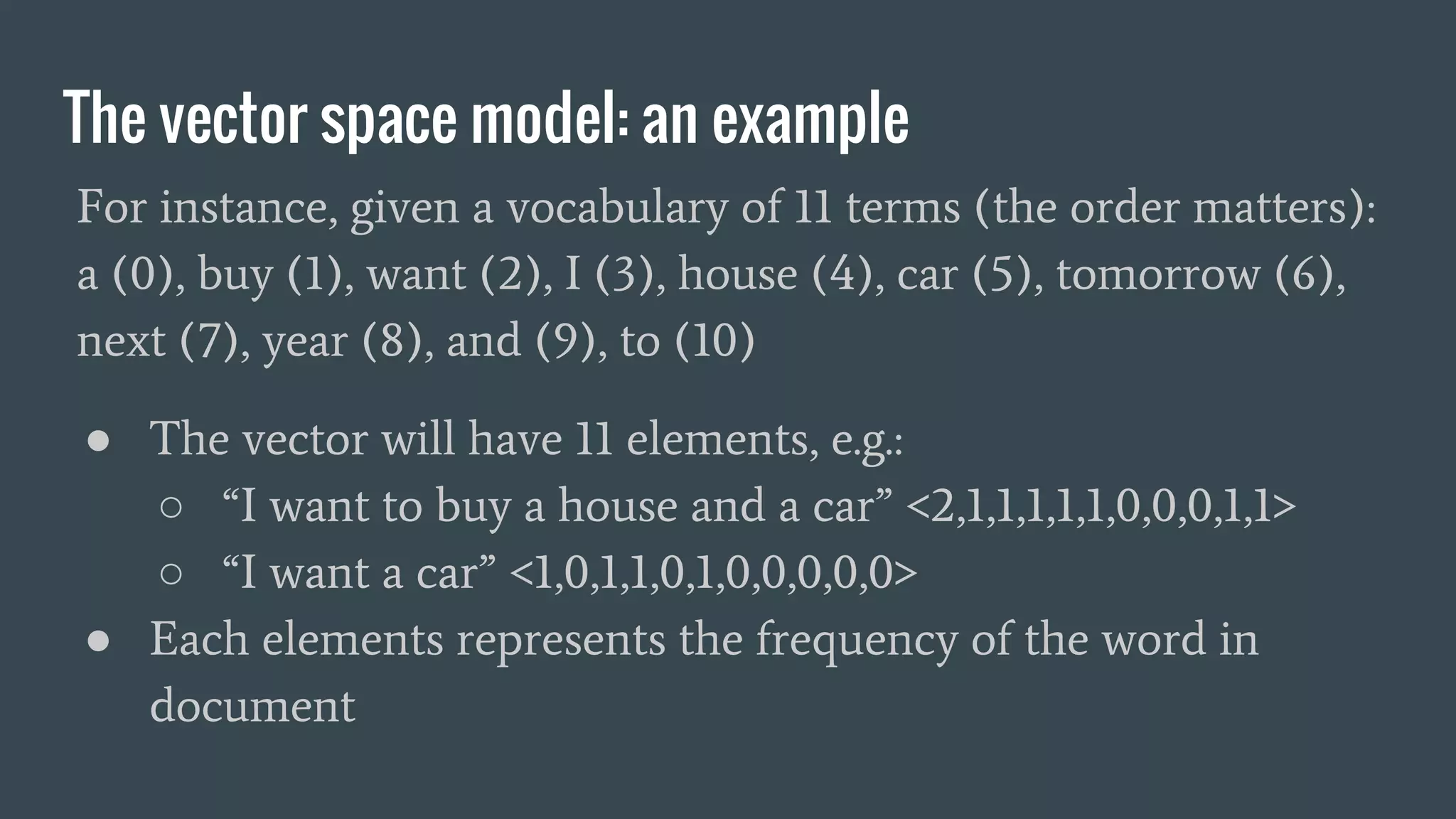
The vector space model: an example For instance, given a vocabulary of 11 terms (the order matters): a (0), buy (1), want (2), I (3), house (4), car (5), tomorrow (6), next (7), year (8), and (9), to (10) ● The vector will have 11 elements, e.g.: ○ “I want to buy a house and a car” <2,1,1,1,1,1,0,0,0,1,1> ○ “I want a car” <1,0,1,1,0,1,0,0,0,0,0> ● Each elements represents the frequency of the word in document
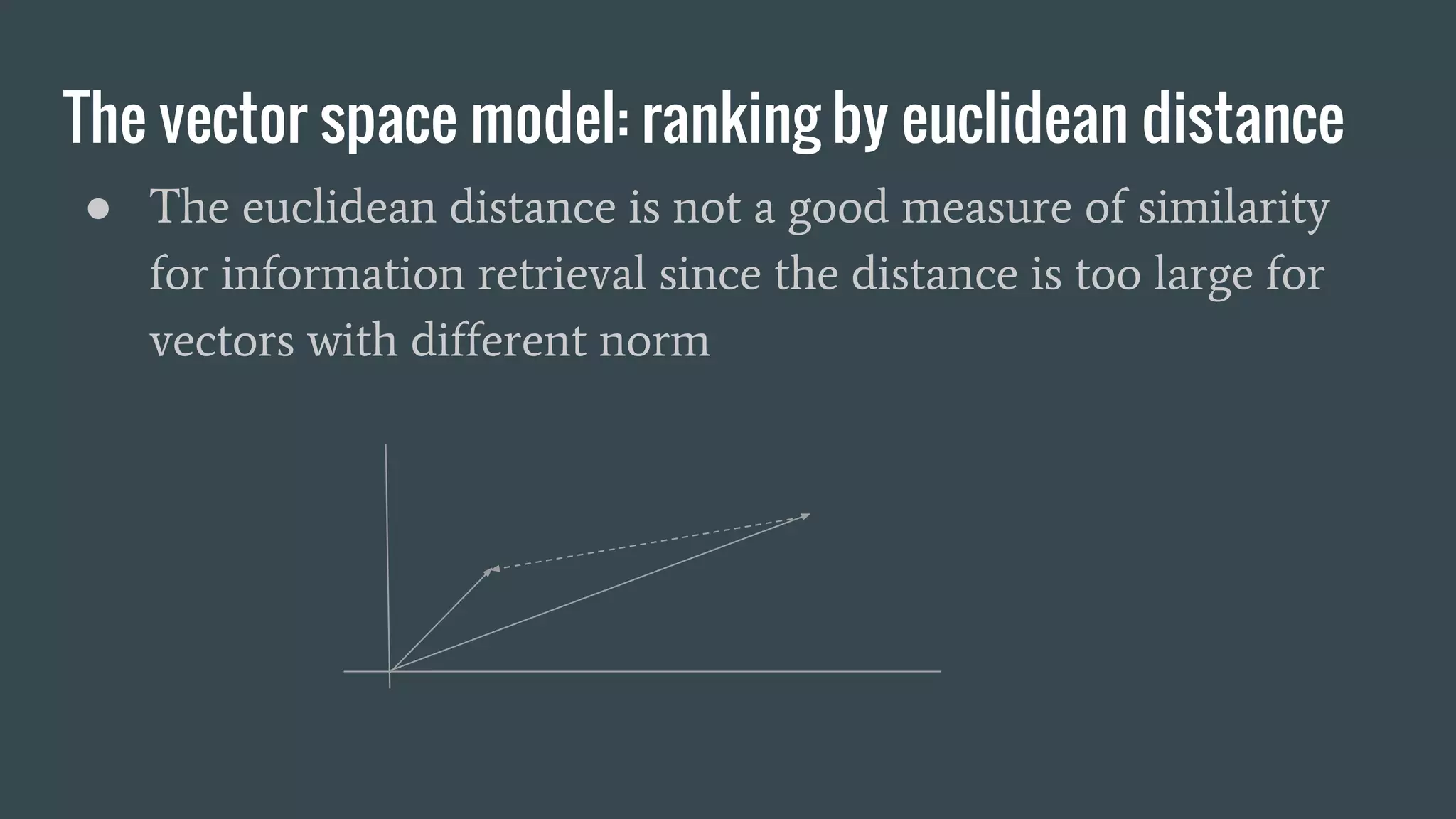
The vector space model: ranking by euclidean distance ● The euclidean distance is not a good measure of similarity for information retrieval since the distance is too large for vectors with different norm
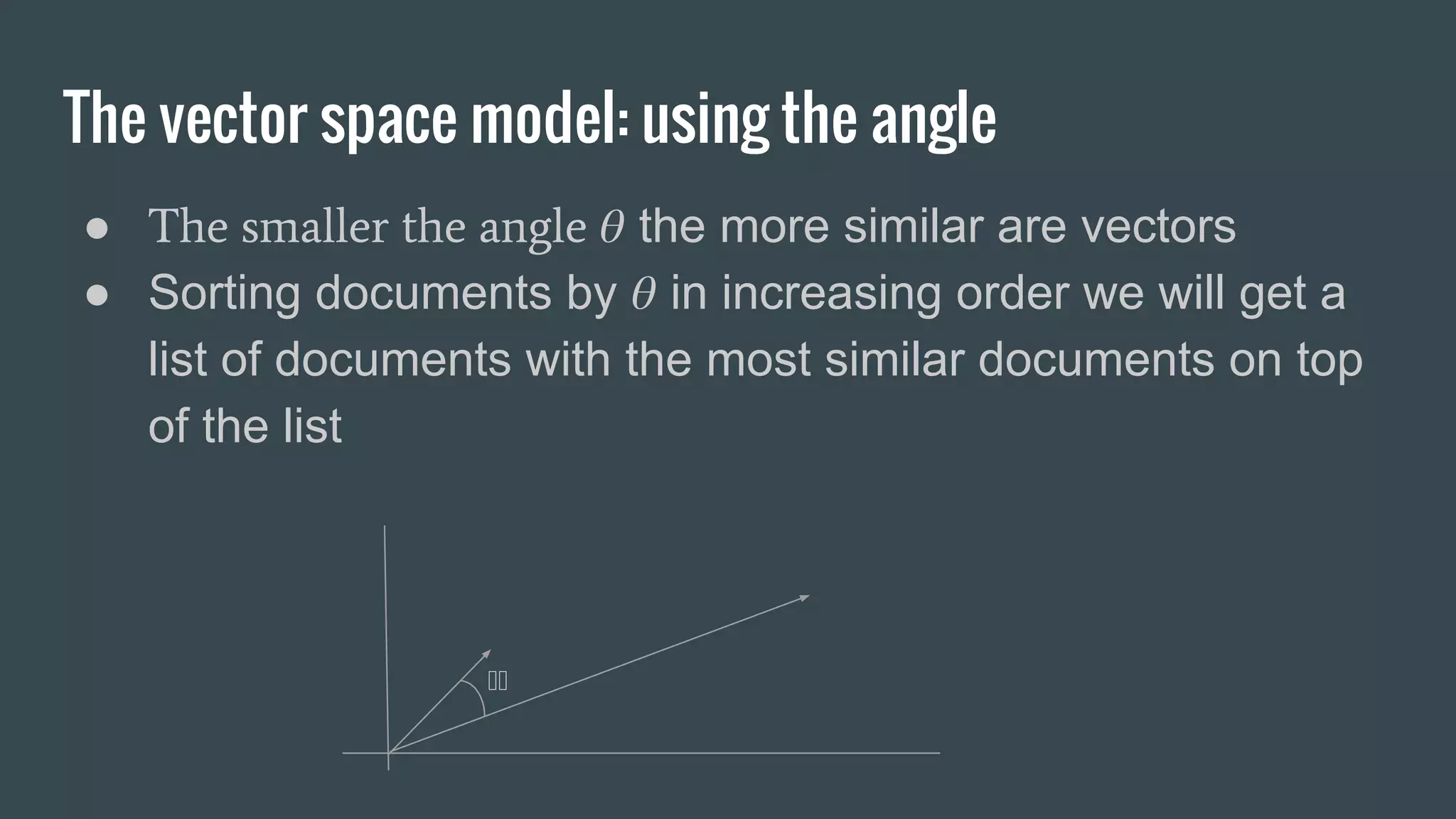
The vector space model: using the angle ● The smaller the angle the more similar are vectors ● Sorting documents by in increasing order we will get a list of documents with the most similar documents on top of the list
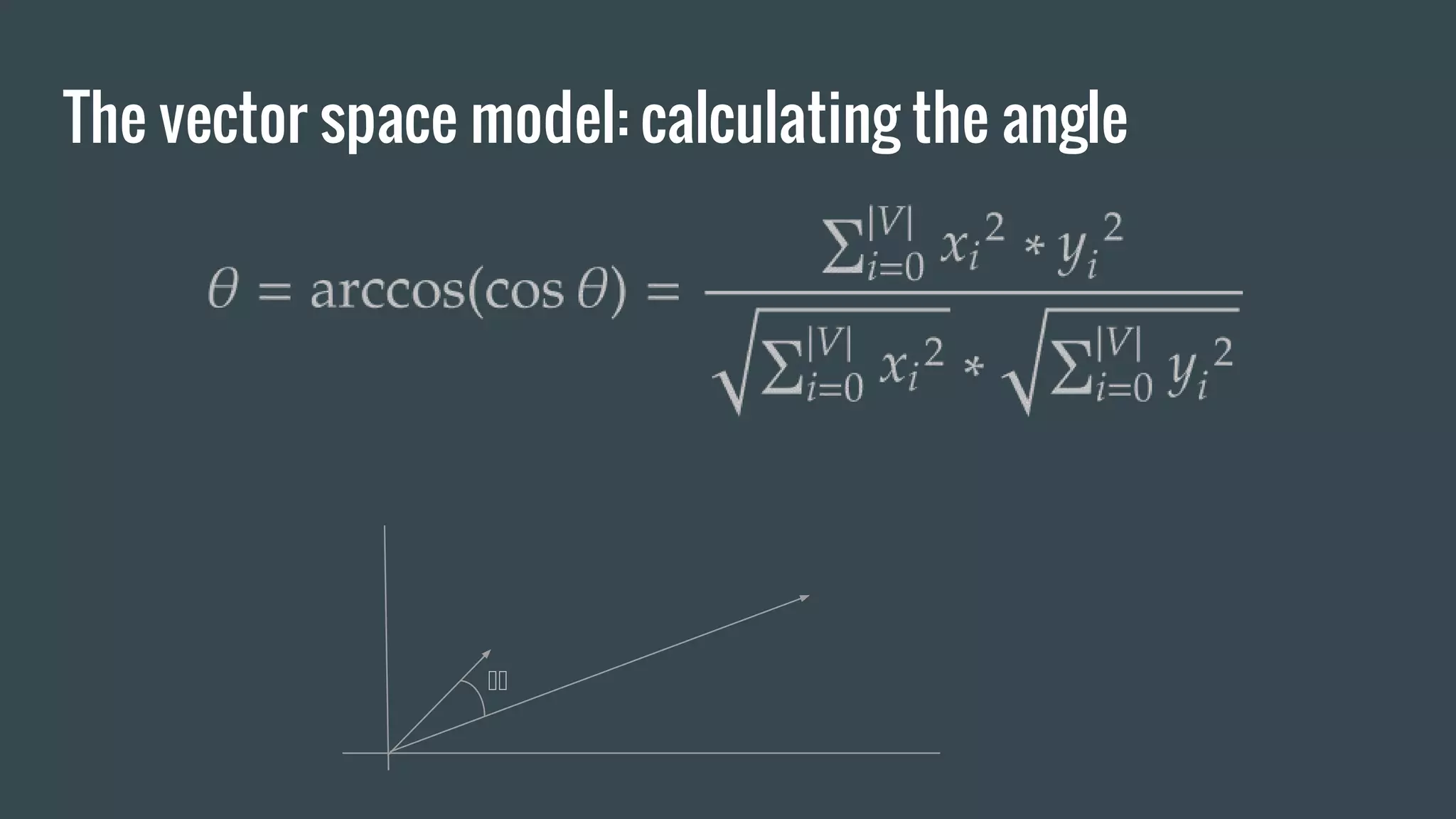
The vector space model: calculating the angle
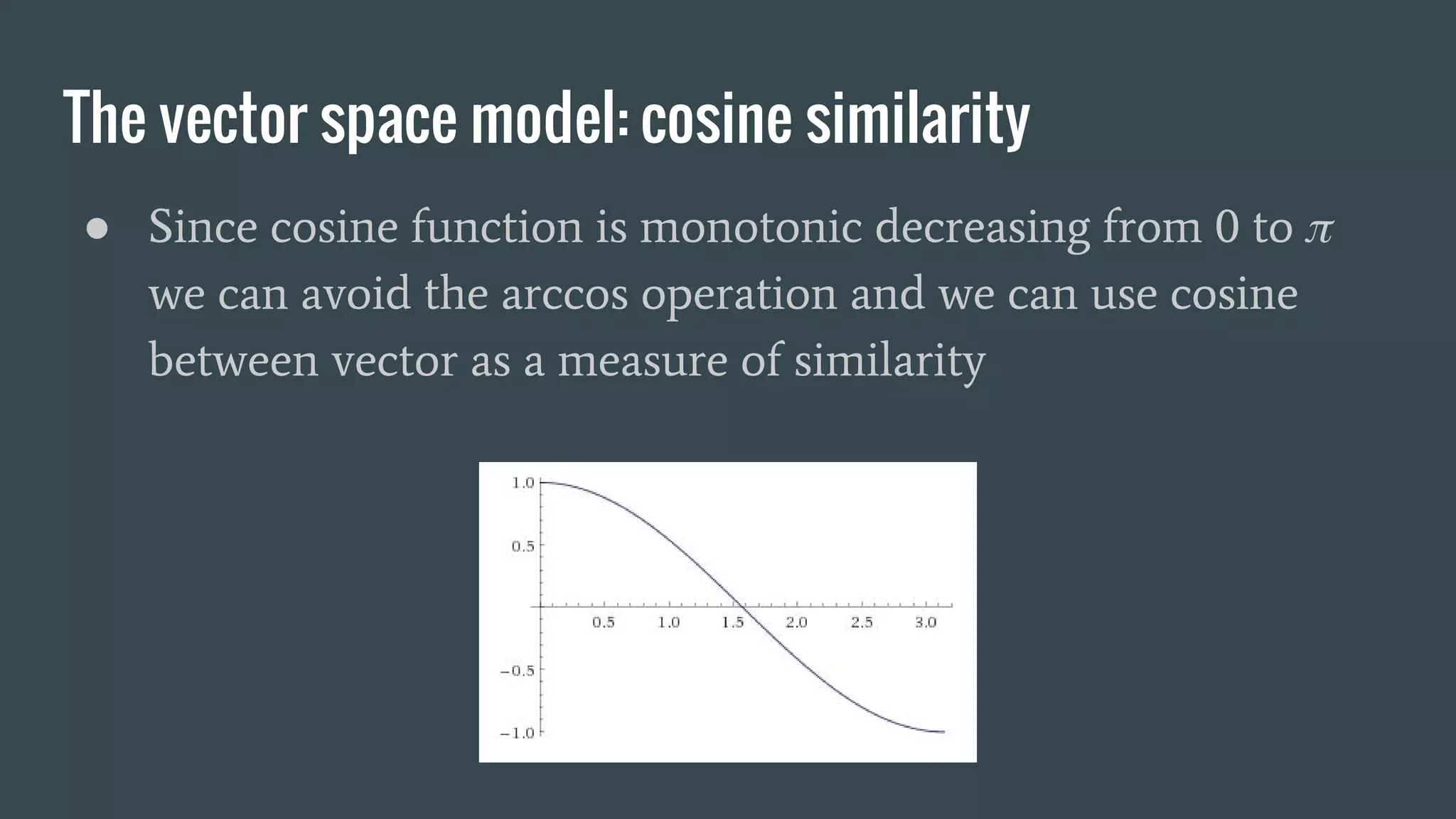
The vector space model: cosine similarity ● Since cosine function is monotonic decreasing from 0 to we can avoid the arccos operation and we can use cosine between vector as a measure of similarity
Exercise #4: generate a vector space model dataset, specification ● Given a corpus of sentences, write a program which generate the vectors model ● Each vector element is weighted using TF-IDF ● Serialize the results in binary and textual format ● Required output format: ○ (<doc_id>, <vector>)
Exercise #4: generate a vector space model dataset, specification ● Complete the code in accordance with the TODO comments: ○ TermVectors.scala with vector and cosine similarity functions ○ SearchDocumentsWithTFIDF.scala which contains contains the main function, spark initialization and the application logic
Exercise #4: vector model, steps 1/2 ● Load the documents annotated with TF-IDF and the terms dictionary produced in the Exercise #2 ● For each sentence: ○ generate a vector with the same size of the dictionary ○ for each term of the dictionary set the corresponding element of the vector with the TF-IDF
Exercise #4: vector model, steps 2/2 ● Serialize the list of vectors in text format and verify they make sense ● Serialize the list of vectors in binary format we will use them for the Exercise #3.
Exercise #5: Search using vectors, specification ● Given a query sentence and a threshold: ○ measure the cosine similarity between the query and the vectors of the corpus sentences ○ filter the sentences by similarity score and sort them in decreasing order ● Required output format: ○ (<doc_id>, <score>) where <score> is above the threshold
Exercise #5: Search using vectors, steps 1/3 ● Implement a Cosine Similarity function which takes in input two SparseVectors ● SparseVectors does not provide operators so they must be converted to Arrays before calculating the similarity: ○ vector.toDense.toArray
Exercise #5: Search using vectors, steps 2/3 ● Load the vectors produced in the Exercise #4 ● Load the terms dictionary produced in the Exercise #2 ● Read a query string from the command line and generate the vector like in Exercise #4
Exercise #5: Search using vectors, steps 3/3 ● Iterate over the vectors of the sentences and for each vector: ○ calculate the cosine similarity between the vector and the query vector ○ filter the sentence with score below the cutoff value ● sort the results by score (decreasing order) ● write the results using text format ● test the program

Introduction to parallel and distributed computation with spark

  • 1.
    Introduction to paralleland distributed computation in Scala with Apache Spark Angelo Leto Master in High Performance Computing SISSA/ICTP Trieste 1-2 December 2016
  • 2.
    Outline ● Overview ofthe functional programming paradigm ● The Scala programming language: fundamental concepts ● Brief introduction to the MapReduce: where the Spark computational model come from ● Apache Spark with Scala ● Exercises: Information retrieval with Apache Spark: ○ elementary sentence processing, TF-IDF, Vector Model
  • 3.
    Scala: a biteof scala ● Scala (is the acronym for scalable language) is a functional programming language which run on top of the JVM ● Scala is designed to give the possibility to mix object oriented and functional programming paradigms ● Scala has a rich ecosystems and since it is fully interoperable with Java it is possible to use Java libraries in scala programs
  • 4.
    Scala: strength andweakness ● Scala is an high level language particularly suitable for: ○ big data analytics ○ parallel computation ○ machine learning ● Scala is not used (at least so far) for: ○ firmware ○ very low latency applications ○ nanoscale latency applications
  • 5.
    Scala: functional language Apure functional programming language uses pure functions to transform data Like in mathematics where the functions just execute transform data and return a result without any side effect i.e. modifications of external entities Some operation with side effect: ● modifying a variable or a data structure in place ● setting attributes of an object ● acquire a mutex on a variable for concurrent execution ● reading/writing from files, printing to the console
  • 6.
    Scala: functional language Evenif Scala is not a pure functional programming language like Haskell, but it is strongly encouraged to avoid functions with side effects: pure functions are idiomatic Advantages of pure functional: ● better modularity, simpler generalization ● better modularity leads to easier functions test thanks to low coupling ● reduction of wait states: easier parallelization thanks to less concurrent access to shared variable, e.g. states variables
  • 7.
    Scala: a stronglytyped language ● Scala is a strongly typed language ● implements a hierarchical type system ● the type inference allows to omit the data type in declarations like in python but with safety of a strong static type system ● Runtime type casting (asInstanceOf[T]) trigger the type systems which will raise exceptions for incompatible casts
  • 8.
    Scala: overview ofthe main types and collections 1/2 ● Int, Float, Double, String ● Unit -> the equivalent of void ● Seq -> trait, sequence of objects with constant access time, reverse iteration ● List -> linked list of elements, implementation of Seq ● Tuples -> combines fixed number of elements
  • 9.
    Scala: overview ofthe main types and collections 2/2 ● Set -> iterable set without duplicates ● Maps -> iterable associative maps ● Array -> corresponds 1:1 to java arrays e.g. Array[Int] are java int[] ● Vector -> collection with constant time random access ● Stream -> like a list but with lazy elements
  • 10.
    Scala: data typereferences Scala reference API documentation: http://www.scala-lang.org/api/2.11.8/index.html relations between collections data types: http://www.decodified.com/scala/collections-api.xml
  • 11.
    Scala: the scalashell Run the scala shell: angelo$ scala Welcome to Scala 2.11.8 (Java HotSpot(TM) 64-Bit Server VM, Java 1.8.0_45). Type in expressions for evaluation. Or try :help. scala>
  • 12.
    Scala, overview ofthe main functions: Map.getOrElse scala> val m = Map(1 -> "a", 2 -> "b", 3 -> "c") m: scala.collection.immutable.Map[Int,String] = Map(1 -> a, 2 -> b, 3 -> c) scala> m.getOrElse(100, "NOT FOUND") res0: String = NOT FOUND scala> m.getOrElse(1, "NOT FOUND") res1: String = a
  • 13.
    filter -> producea new iterable filtering out elements scala> val m = Map(1 -> "1", 2 -> "2", 3 -> "33") m: scala.collection.immutable.Map[Int,String] = Map(1 -> 1, 2 -> 2, 3 -> 33) scala> m.filter(_._2 != "2") res1: scala.collection.immutable.Map[Int,String] = Map(1 -> 1, 3 -> 33) scala> m.filter(_._1 != 3) res2: scala.collection.immutable.Map[Int,String] = Map(1 -> 1, 2 -> 2) Scala, overview of the main functions: filter
  • 14.
    Scala, overview ofthe main functions: map map -> execute a function to every element of an iterable scala> val m = Map(1 -> "1", 2 -> "2", 3 -> "33") m: scala.collection.immutable.Map[Int,String] = Map(1 -> 1, 2 -> 2, 3 -> 33) scala> m.map(x => (x._1, (2 * x._2.toInt).toString)) res3: scala.collection.immutable.Map[Int,String] = Map(1 -> 2, 2 -> 4, 3 -> 66) scala> m.keys res4: Iterable[Int] = Set(1, 2, 3) scala> m.values res5: Iterable[String] = MapLike(1, 2, 33)
  • 15.
    reduce -> reduceelements by specifying an associative binary operations, no deterministic order of evaluation scala> val m = Map(1 -> "1", 2 -> "2", 3 -> "33") m: scala.collection.immutable.Map[Int,String] = Map(1 -> 1, 2 -> 2, 3 -> 33) scala> m.reduce((a, b) => { (a._1 + b._1, a._2 + b._2) }) res10: (Int, String) = (6,1233) Scala, overview of the main functions: reduce
  • 16.
    reduceLeft / reduceRight-> reduction is done from left to right / right to left scala> val l = List("a", "b", "c", "d") l: List[String] = List(a, b, c, d) scala> l.reduce((a,b) => {a + b}) res6: String = abcd scala> l.reduceLeft((a,b) => {a + b}) // (((a + b) + c) + d) res7: String = abcd scala> l.reduceRight((a,b) => {a + b}) // (a + (b + (c + d))) res8: String = abcd Scala, overview of the main functions: reduceLeft/Right
  • 17.
    fold, foldLeft, foldRight-> like reduce but first element must be passed scala> val l = List("a", "b", "c", "d", "e", "f") l: List[String] = List(a, b, c, d, e, f) scala> l.fold("#")((a,b) => {a + b}) res12: String = #abcdef scala> l.foldLeft("#")((a,b) => {a + b}) res13: String = #abcdef scala> l.foldRight("#")((a,b) => {a + b}) res14: String = abcdef# Scala, overview of the main functions: fold
  • 18.
    zip / unzip-> merge two iterables / split an iterable scala> val s0 = Seq(1,2,3,4,5,6) s0: Seq[Int] = List(1, 2, 3, 4, 5, 6) scala> val s1 = Seq(6,5,4,3,2,1) s1: Seq[Int] = List(6, 5, 4, 3, 2, 1) scala> val z = s0 zip s1 // same of val z = s0.zip(s1) z: Seq[(Int, Int)] = List((1,6), (2,5), (3,4), (4,3), (5,2), (6,1)) scala> z.unzip res5: (Seq[Int], Seq[Int]) = (List(1, 2, 3, 4, 5, 6),List(6, 5, 4, 3, 2, 1)) Scala, overview of the main functions: zip/unzip
  • 19.
    zipWithIndex -> mergean iterable with an index scala> val l = List("a", "b", "c", "d", "e", "f") l: List[String] = List(a, b, c, d, e, f) scala> l.zipWithIndex res5: List[(String, Int)] = List((a,0), (b,1), (c,2), (d,3), (e,4), (f,5)) Scala, overview of the main functions: zipWithIndex
  • 20.
    Create a singlelist from an iterable of iterables (e.g. list of lists) scala> val m = Map("A" -> List(1, 2, 3), "B" -> List(3, 4, 5), "C" -> List(6, 7, 8)) m: scala.collection.immutable.Map[String,List[Int]] = Map(A -> List(1, 2, 3), B -> List(3, 4, 5), C -> List(6, 7, 8)) scala> m.values.flatten res34: Iterable[Int] = List(1, 2, 3, 3, 4, 5, 6, 7, 8) Scala, some useful methods on Lists: flatten
  • 21.
    group a listof items scala> val l = List(("a", 1), ("b", 2), ("a", 2), ("a", 3), ("c", 1)) l: List[(String, Int)] = List((a,1), (b,2), (a,2), (a,3), (c,1)) scala> l.groupBy(_._1) res5: scala.collection.immutable.Map[String,List[(String, Int)]] = Map(b -> List((b,2)), a -> List((a,1), (a,2), (a,3)), c -> List((c,1))) scala> l.groupBy(_._2) res6: scala.collection.immutable.Map[Int,List[(String, Int)]] = Map(2 -> List((b,2), (a,2)), 1 -> List((a,1), (c,1)), 3 -> List((a,3))) Scala, some useful methods of iterables: groupBy
  • 22.
    generate a newmap modifying the values scala> val m = Map(1 -> "a", 2 -> "b", 3 -> "c") m: scala.collection.immutable.Map[Int,String] = Map(1 -> a, 2 -> b, 3 -> c) scala> m.mapValues(_ + "#") res13: scala.collection.immutable.Map[Int,String] = Map(1 -> a#, 2 -> b#, 3 -> c#) Scala, some useful methods of maps: mapValues
  • 23.
    scala> val l= List("a", "b", "c", "d", "a").groupBy(identity) l: scala.collection.immutable.Map[String,List[String]] = Map(b -> List(b), d -> List(d), a -> List(a, a), c -> List(c)) scala> l.mapValues(_.length) res17: scala.collection.immutable.Map[String,Int] = Map(b -> 1, d -> 1, a -> 2, c -> 1) Scala, an example: word count
  • 24.
    scala> for(i <-1 to 10) { print(i*2 + " ") } 2 4 6 8 10 12 14 16 18 20 scala> for(i <- (1 to 10)) yield i * 2 res7: scala.collection.immutable.IndexedSeq[Int] = Vector(2, 4, 6, 8, 10, 12, 14, 16, 18, 20) Scala, for loops
  • 25.
    scala> var i= 0 i: Int = 0 scala> while(i < 3) { print(i*2 + " ") ; i+=1} 0 2 4 Scala, while loops
  • 26.
    Scala, continuous iterations scala>var i = 0 i: Int = 0 scala> Iterator.continually{ val r = i ; i+=1 ; r }.takeWhile(x => x < 10).foreach(x => print(x + " ")) 0 1 2 3 4 5 6 7 8 9
  • 27.
    Repository with sampleprograms Follows a list of sample program to show some of the fundamental syntax and features of Scala: Github repository with the samples: https://github.com/elegans-io/MHPC_SampleScalaPrograms
  • 28.
    Scala: Hello world Asimple scala object object HelloWorld extends App { // App is a trait println("hello world!: " + args(0)) // arguments are accessible via args variable } Compile: scalac HelloWorld.scala Run: scala HelloWorld
  • 29.
    Scala: high orderfunctions higher-order functions: takes other functions as parameters or whose result is a function object HighOrderFunctions extends App { def f(v: Int) : Int = v*2 // defining a function // Int => Int is the type of a function from Int to Int def apply(f: Int => Int, l: List[Int]) = l.map(f(_)) //declaration of apply function val res = apply(f,List(1,2,3,4,5)) // function execution println(res) }
  • 30.
    Scala: more onhigh order functions class Decorator(left: String, right: String) { def layout[A](x: A) = left + x.toString() + right } object HighOrderFunctions_2 extends App { def apply[A](f: A => String, v: A) = f(v) val decorator = new Decorator("[", "]") println(apply(decorator.layout, 100)) println(apply(decorator.layout, "100")) }
  • 31.
    Scala: lazy evaluation objectLazyEvaluation extends App { println("begin strict") val strict_var = { println("TEST0") ; "value" } println ("TEST1") println (strict_var) println("end strict") println("--------------------------------") println("begin lazy") lazy val lazy_var = { println ("TEST0") ; "value" } // lazy evaluation println ("TEST1") println (lazy_var) // computation of the value println("end lazy") }
  • 32.
    Scala: evaluation, call-by-namecall-by-value call-by-name arguments will be evaluated in the body of function object CallByNeedCallByName extends App { def evaluateif[A](c: Boolean, x: => A) = { lazy val y = x //memoization val ret = if (c) { (y, y) } else { (x, x) // evaluated twice } ret } val v0 = evaluateif(false, {println("evaluate0") ; 100}) println(v0) println("--------------------") val v1 = evaluateif(true, {println("evaluate1") ; 100}) println(v1) } $> scala CallByNeedCallByName evaluate0 evaluate0 (100,100) -------------------- evaluate1 (100,100)
  • 33.
    Scala: lazy sequences objectLazyEvaluation_2 extends App { val stream = Stream.from(0) // or (1 to 100000000).toStream val filtered_stream = stream.withFilter(_ % 2 == 0) val pow2 = filtered_stream.map(x => math.pow(x,2)) println(pow2(0)) // get the first number println(pow2(1)) // get the second number println(pow2(2)) // get the third number println(pow2(3)) // get the fourth number println(pow2.take(5).toList) // take the first 5 elements } $> scala LazyEvaluation_2 0.0 4.0 16.0 36.0 List(0.0, 4.0, 16.0, 36.0, 64.0)
  • 34.
    MapReduce: the originsof spark computational model ● Google published in 2004 the paper: “MapReduce: Simplified Data Processing on Large Clusters” [Dean , Ghemawat] ● The paper present the MapReduce programming abstraction (and a proprietary implementation) to solve three main aspects of parallel computation: ○ fault tolerance ○ distribution and balancing of the computing task ○ distribution of the data
  • 35.
    The MapReduce programmingmodel ● The MapReduce model allow easy parallelization of task expressed in functional style ● The input data are automatically partitioned and spread across multiple machines where computation is executed ● The results are then reduced/combined to obtain the final values
  • 36.
    The Google MapReduceprogramming model
  • 37.
    Hadoop: open sourceimplementation of MapReduce ● Hadoop is A cross platform framework written in java for distributed data storage and computing ● First release: December 2010 ● Designed to scale to thousands of machines ● Hadoop take care of data and task distribution over a large set of nodes, handling failures
  • 38.
    Hadoop: main components ●Hadoop common: core libraries, used by other modules ● Hadoop Distributed File System (HDFS): a distributed file system ● YARN: a resource manager, responsible for job scheduling ● Hadoop MapReduce: the implementation of the MapReduce programming model
  • 39.
    More on Hadoop ●Designed to deal with amounts of data which does not fits in RAM ● After each step takes a backup of intermediate data, then reload them and execute next step ● Suitable for batch computation: high latencies
  • 40.
    Spark: what isApache Spark Apache Spark (http://spark.apache.org) is a general purpose engine for the implementation of concurrent parallel data processing algorithms Developed by the AMPLab / UC Berkeley as part of the Berkeley Data Analytics Stack Spark provides a rich set of high-level APIs to easily write and deploy jobs
  • 41.
    Spark: main differenceswith Hadoop ● Spark load most of the dataset in memory (in - memory operation) ● Implement a cache mechanisms which reduce read from disk ● Is much faster than Hadoop and the latencies make it suitable for real time processing ● Does not implement any data distribution technology but can run on top of Hadoop clusters (HDFS)
  • 42.
  • 43.
    Spark: the RDD(Resilient Distributed Dataset) 1/2 The Resilient Distributed Dataset (RDD) is the fundamental data abstraction in Apache Spark which rely on it to provide the most important features Resilient: spark computation is fault tolerant and recompute missing or corrupted partitions when a node fails Distributed: the data are partitioned and spread on multiple node in a cluster Dataset: the structure provide a set of primitives and objects to access and manipulate data
  • 44.
    Spark: the RDD(Resilient Distributed Dataset) 2/2 ● The RDD hold the data and provide the functions we have seen before for scala: ○ map ○ reduce ○ filter ○ plus other functions ● RDD operations are lazy
  • 45.
    Spark: The SparkContext ●The SparkContext represents the connection to a Spark cluster, can be used to create RDDs, broadcast variables and other operations on the cluster ● The initialization of the SparkContext requires the specification of a SparkConf object which hold informations about the application
  • 46.
    Spark: the sparkshell angelo$ spark-shell Using Spark's default log4j profile: org/apache/spark/log4j-defaults.properties Setting default log level to "WARN". To adjust logging level use sc.setLogLevel(newLevel). 16/11/20 18:25:02 WARN NativeCodeLoader: Unable to load native-hadoop library for your platform... using builtin-java classes where applicable 16/11/20 18:25:04 WARN SparkContext: Use an existing SparkContext, some configuration may not take effect. Spark context Web UI available at http://192.168.11.132:4040 Spark context available as 'sc' (master = local[*], app id = local-1479662703790). Spark session available as 'spark'. Welcome to ____ __ / __/__ ___ _____/ /__ _ / _ / _ `/ __/ '_/ /___/ .__/_,_/_/ /_/_ version 2.0.1 /_/ Using Scala version 2.11.8 (Java HotSpot(TM) 64-Bit Server VM, Java 1.8.0_45) Type in expressions to have them evaluated. Type :help for more information. scala>
  • 47.
    Spark: SparkContext.parallelize ● Theparallelize function provided by SparkContext transform a collection (i.e. a scala Seq, or Array) into an RDD which can be operated in parallel: scala> val collection = List(1,2,3,4) collection: List[Int] = List(1, 2, 3, 4) scala> val rdd = sc.parallelize(collection) rdd: org.apache.spark.rdd.RDD[Int] = ParallelCollectionRDD[3] at parallelize at <console>:31
  • 48.
    Spark: persist ● RDDprovide a persist functions to store partitions in order to reuse them in other actions with benefits for the performance ● Caching functions are key tool for iterative algorithms scala> rdd.persist(StorageLevel.MEMORY_ONLY) res12: rdd.type = ParallelCollectionRDD[2] at parallelize at <console>:26
  • 49.
    Spark: SparkContext.broadcast ● Broadcastvariable are read only variables cached in memory on each node, they can be used to minimize communication costs when multiple stages need the same data scala> sc.broadcast(Map(1->"a", 2-> "b")) res13: org.apache.spark.broadcast.Broadcast[scala.collection.immutable.Ma p[Int,String]] = Broadcast(0)
  • 50.
    Spark: basic serializationand deserialization ● Data can be read/write both in textual format and binary format: ○ SparkContext.TextFile: read text file or directory with textual files ○ RDD.saveAsTextFile: save RDD in textual format ○ SparkContext.objectFile: save the RDD in binary format ○ RDD.saveAsObjectFile: save RDD in binary format
  • 51.
    Spark: operations onRDD ● The RDD supports the following functions we saw for scala collections: ○ map, reduce, fold, zip, filter, zipWithIndex, flatten, mapValues, groupBy ● Two more function worth to be mentioned: ○ groupByKey -> groupBy(_._1) ○ reduceByKey
  • 52.
    Spark: groupByKey, reduceByKey ●groupByKey: when called on a RDD of pairs (K, V), returns an RDD of (K, Iterable<V>) where the pairs with the same key are aggregated. ● reduceByKey: When called on a dataset of (K, V) pairs, returns a dataset of (K, V) pairs where the values for each key are aggregated using the given reduce function func, which must be of type (V,V) => V
  • 53.
    Spark: groupByKey, reduceByKey ●reduceByKey should be preferred over groupByKey since does not wait to have all the values of a key on the same node to perform the reduce operation.
  • 54.
    Spark: groupByKey, firstcollect then reduce
  • 55.
  • 56.
    Example: Word countusing groupByKey scala> val words = List("a", "a", "b", "c", "d", "e", "e", "e", "f") scala> val words_rdd = sc.parallelize(words) scala> val g = words_rdd.map((_, 1)).groupByKey().mapValues(x => x.reduce((a, b) => (a + b))) scala> println(g.collectAsMap) Map(e -> 3, b -> 1, d -> 1, a -> 2, c -> 1, f -> 1)
  • 57.
    Example: Word countusing reduceByKey scala> val words = List("a", "a", "b", "c", "d", "e", "e", "e", "f") scala> val words_rdd = sc.parallelize(words) scala> val g = words_rdd.map((_, 1)).reduceByKey((a, b) => a + b) scala> println(g.collectAsMap) Map(e -> 3, b -> 1, d -> 1, a -> 2, c -> 1, f -> 1)
  • 58.
    Spark: Job submission Tosubmit jobs to Spark we will use the spark-submit executable: ./bin/spark-submit --class <main-class> --master <master-url> --deploy-mode <deploy-mode> --conf <key>=<value> ... # other options <application-jar> [application-arguments]
  • 59.
    Sbt: interactive buildingtool http://www.scala-sbt.org/0.13/docs/index.html ● sbt is a building tool written in scala like ant, maven or cmake ● it support plugins and sophisticated build pipelines Fork the repository which contains a skeleton project: https://github.com/elegans-io/spark-sbt-skel
  • 60.
    Hands on Session Forkthe repository with the dataset https://github.com/elegans-io/MHPC_ScalaSpark_Datasets We will use the file sentences.utf8.clean.txt which contains a list of english sentences extracted from wikipedia.
  • 61.
    Exercise #1: texttokenization 1/3 Generation a tokenized list of terms from a corpus of sentences ● Clone the sbt skeleton project: https://github.com/elegans-io/spark-sbt-skel ● The repository contains a set of programs to used as a base for the next exercises. ● The project require sbt to be build
  • 62.
    Exercise #1: texttokenization 2/3 ● Examine the code: ○ A class with utility functions: src/main/scala/io/elegans/exercises/TextProcessingUtils.s cala ○ the main with spark initialization and command line option parsing: src/io/elegans/exercises/TokenizeSentences.scala
  • 63.
    Exercise #1: texttokenization 3/3 ● Follow the README.md of the repository and: ○ Compile the project ○ Execute it using the file sentences.utf8.clean.txt ○ Examine the output
  • 64.
    TF-IDF: term frequency/inversedocument frequency How relevant is a term for a document? ● TF-IDF is a statistical measure of the relevance of a term for a document given a corpus of documents ● TF-IDF value increase proportionally with occurrence in document and inversely proportional to the occurrence in corpus
  • 65.
    TF-IDF: term frequency/inversedocument frequency ● TF-IDF (there exists many variants) is made of two terms: ○ TF which measures the frequency of the term in the document ○ IDF which measures how many documents contains the term
  • 66.
    TF-IDF: tf (augmentedfrequency) ● ft,d is the occurrence of the term in the document (raw frequency) ● tf is never zero to avoid that the relevance of a term is zero ● the tf of a term t will be equal to 1 when t has the higher raw freq. ● augmented frequency: prevent bias toward longer documents
  • 67.
    TF-IDF: idf ● nt,D isthe number of documents which contains t ● idf increase proportionally with the documents but on a logarithmic scale ● When the term occur on all documents the idf approach to zero (i.e. the term provide no information)
  • 68.
    TF-IDF: the twoterms combined ● when the term t is present on all documents the relevance of the term is zero or nearly zero ● a rare term will have an high tf-idf value
  • 69.
    Exercise #2: weightterms by TF-IDF, specification ● The program will create and serialize an RDD with the dictionary of terms occurring in the corpus, the output format will be: ○ RDD[(String, (Long, Long)] which is RDD[(<term>, (<term_id>, <overall_occurrence>))] ● The program will create and serialize an RDD with the sentences annotated with TF-IDF, the output format will be: ○ RDD[(Long, Map[String, (Long, Long, Long, Double)])] which is: RDD[(<doc_id>, Map[<term>, (<term_raw_freq>, <term_id>, <overall_occurrence>, <tf-idf>)])] ● The program will support a boolean flag which specify whether to serialize in text format or in binary format
  • 70.
    Exercise #2: weightterms by TF-IDF, specification ● Complete the code in accordance with the TODO comments: ○ The class in TFIDF.scala ○ AnnotateWithTFIDF.scala which contains contains the main function, spark initialization and the application logic
  • 71.
    Exercise #2: weightterms by TF-IDF, steps 1/4 ● Generate an RDD with the tokenized sentences from an input file (e.g. sentences.utf8.clean.txt) ● Annotate the RDD elements by adding the word counting for each document ○ remember the word counting example we saw before ○ use the mapValue function to add the word count to the RDD with term frequency
  • 72.
    Exercise #2: weightterms by TF-IDF, steps 2/4 ● Write a function which calculate the TF-IDF for a term in a sentence, the function returns a Double and takes in input: ○ the raw_frequency of the term within the sentence ○ max raw_frequency within the sentence ○ the number of documents where term occur ○ the number of documents (use the count function)
  • 73.
    Exercise #2: weightterms by TF-IDF, steps 3/4 ● Annotate the RDD with word count with terms ID and TF-IDF ○ use the function mapValues to annotate the RDD with term frequencies, add TF-IDF and the other values required
  • 74.
    Exercise #2: weightterms by TF-IDF, steps 4/4 ● Serialize in two separated directories the dictionary and the Annotated List of documents ○ add a boolean function which enable binary serialization ○ use an if conditional statement to select between text (saveAsTextFile) and binary (saveAsObjectFile)
  • 75.
    Exercise #3: Searchwith TF-IDF score, specification ● Given a query sentence and a threshold: ○ search all documents with terms in common with the query ○ generate a score by summing the tf-idf of each term which match ○ generate a list sentence id with sorted by score ● Required output format: ○ (<doc_id>, <score>) where <score> is above the threshold and <doc_id> is the index of the sentence
  • 76.
    Exercise #3: Searchwith TF-IDF score, specification ● Complete the code in accordance with the TODO comments: ○ SearchDocumentsWithTFIDF.scala which contains contains the main function, spark initialization and the application logic
  • 77.
    Exercise #3: Searchwith TF-IDF score, steps 1/2 ● Load the binary data produced by the Exercise #2 ○ use the function objectFile of the SparkContext ● add two command line options for: ○ the query string ○ a cutoff value for score
  • 78.
    Exercise #3: Searchwith TF-IDF score, steps 2/2 ● Tokenize the input query ● Iterate over the sentences and for each sentence: ○ sum the tf-ifd of each term of the query contained by the sentence ○ filter the sentence with score below the cutoff value ● sort the results by score ● write the results using text format ● test the program!
  • 79.
    The vector spacemodel ● In the vector space model (G. Salton, 1975) is an algebraic technique to represent text ● documents and queries are represented by vectors in a N dimensional space where N is the size of the whole dictionary of terms ● The size of the vector is given by the number of terms in the whole terms dictionary
  • 80.
    The vector spacemodel: an example For instance, given a vocabulary of 11 terms (the order matters): a (0), buy (1), want (2), I (3), house (4), car (5), tomorrow (6), next (7), year (8), and (9), to (10) ● The vector will have 11 elements, e.g.: ○ “I want to buy a house and a car” <2,1,1,1,1,1,0,0,0,1,1> ○ “I want a car” <1,0,1,1,0,1,0,0,0,0,0> ● Each elements represents the frequency of the word in document
  • 81.
    The vector spacemodel: ranking by euclidean distance ● The euclidean distance is not a good measure of similarity for information retrieval since the distance is too large for vectors with different norm
  • 82.
    The vector spacemodel: using the angle ● The smaller the angle the more similar are vectors ● Sorting documents by in increasing order we will get a list of documents with the most similar documents on top of the list
  • 83.
    The vector spacemodel: calculating the angle
  • 84.
    The vector spacemodel: cosine similarity ● Since cosine function is monotonic decreasing from 0 to we can avoid the arccos operation and we can use cosine between vector as a measure of similarity
  • 85.
    Exercise #4: generatea vector space model dataset, specification ● Given a corpus of sentences, write a program which generate the vectors model ● Each vector element is weighted using TF-IDF ● Serialize the results in binary and textual format ● Required output format: ○ (<doc_id>, <vector>)
  • 86.
    Exercise #4: generatea vector space model dataset, specification ● Complete the code in accordance with the TODO comments: ○ TermVectors.scala with vector and cosine similarity functions ○ SearchDocumentsWithTFIDF.scala which contains contains the main function, spark initialization and the application logic
  • 87.
    Exercise #4: vectormodel, steps 1/2 ● Load the documents annotated with TF-IDF and the terms dictionary produced in the Exercise #2 ● For each sentence: ○ generate a vector with the same size of the dictionary ○ for each term of the dictionary set the corresponding element of the vector with the TF-IDF
  • 88.
    Exercise #4: vectormodel, steps 2/2 ● Serialize the list of vectors in text format and verify they make sense ● Serialize the list of vectors in binary format we will use them for the Exercise #3.
  • 89.
    Exercise #5: Searchusing vectors, specification ● Given a query sentence and a threshold: ○ measure the cosine similarity between the query and the vectors of the corpus sentences ○ filter the sentences by similarity score and sort them in decreasing order ● Required output format: ○ (<doc_id>, <score>) where <score> is above the threshold
  • 90.
    Exercise #5: Searchusing vectors, steps 1/3 ● Implement a Cosine Similarity function which takes in input two SparseVectors ● SparseVectors does not provide operators so they must be converted to Arrays before calculating the similarity: ○ vector.toDense.toArray
  • 91.
    Exercise #5: Searchusing vectors, steps 2/3 ● Load the vectors produced in the Exercise #4 ● Load the terms dictionary produced in the Exercise #2 ● Read a query string from the command line and generate the vector like in Exercise #4
  • 92.
    Exercise #5: Searchusing vectors, steps 3/3 ● Iterate over the vectors of the sentences and for each vector: ○ calculate the cosine similarity between the vector and the query vector ○ filter the sentence with score below the cutoff value ● sort the results by score (decreasing order) ● write the results using text format ● test the program