ALLPPT.com _ Free PowerPoint Templates, Diagrams and Charts By Anup Kumar Sahoo Date- 05.01.2015 Collection Framework
 Collection Framework  Design scenarios to illustrate usage of collection classes and interfaces List – Sort, Binary Search and other utility methods  Arrays - Sort, Binary Search and other utility methods  Comparator and Comparable interfaces  Effect of natural ordering of primitive and String classes on sorting.  When to use which Data Structure  Best Practices  Questions : Choose a collection based on a stated requirement  Questions : SCJP Agenda
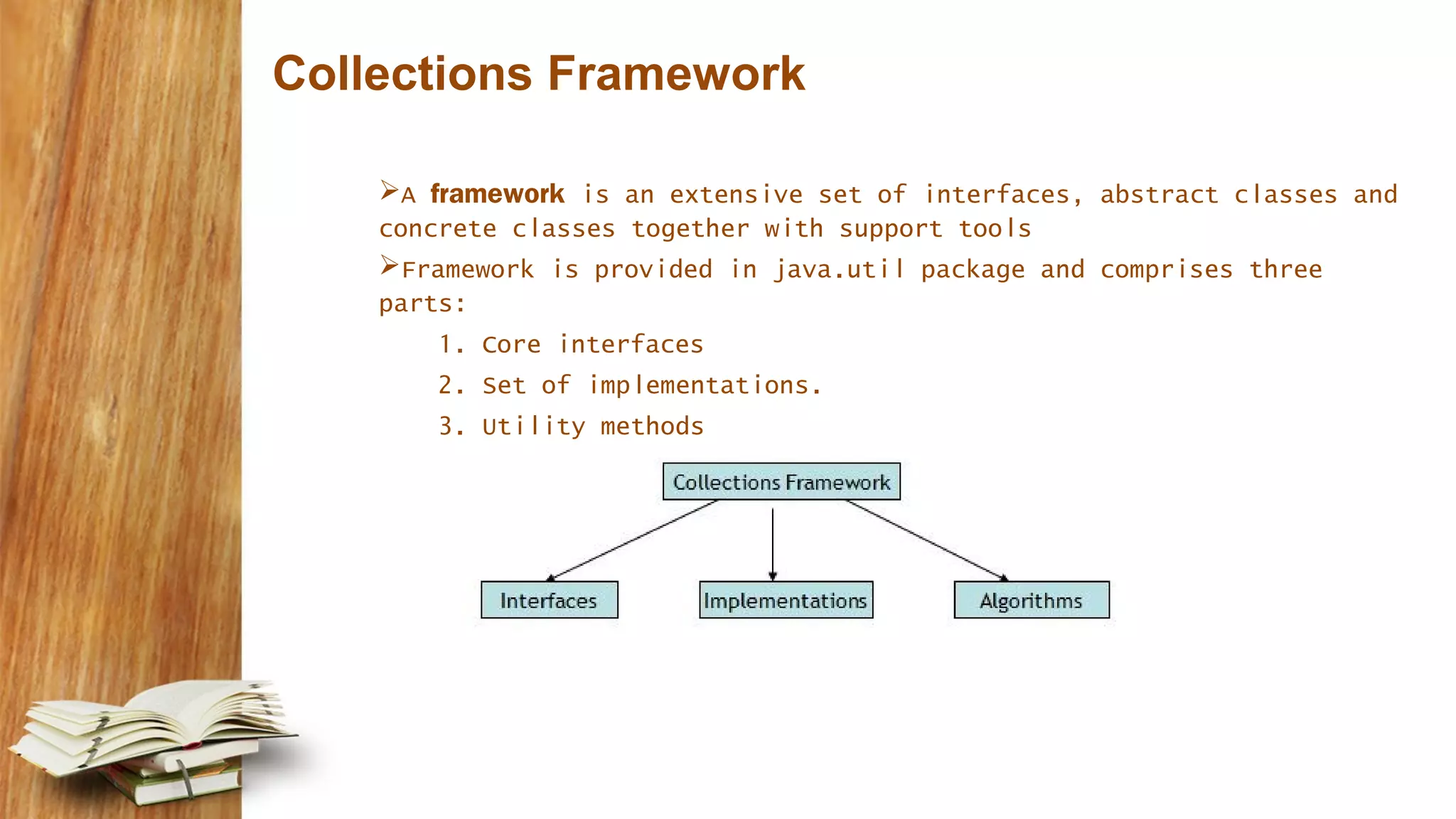
Collections Framework A framework is an extensive set of interfaces, abstract classes and concrete classes together with support tools Framework is provided in java.util package and comprises three parts: 1. Core interfaces 2. Set of implementations. 3. Utility methods
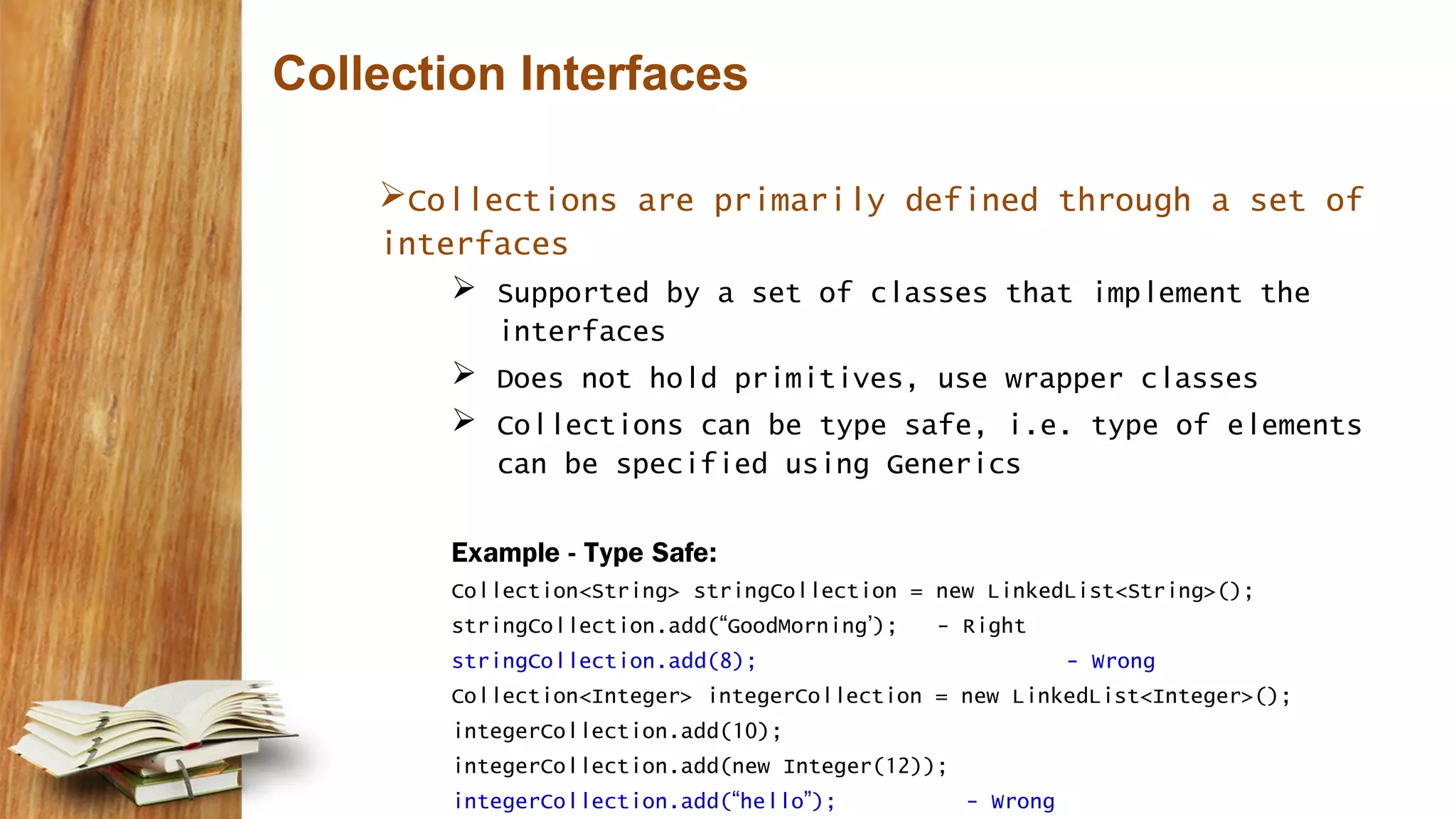
Collection Interfaces Collections are primarily defined through a set of interfaces  Supported by a set of classes that implement the interfaces  Does not hold primitives, use wrapper classes  Collections can be type safe, i.e. type of elements can be specified using Generics Example - Type Safe: Collection<String> stringCollection = new LinkedList<String>(); stringCollection.add(“GoodMorning’); - Right stringCollection.add(8); - Wrong Collection<Integer> integerCollection = new LinkedList<Integer>(); integerCollection.add(10); integerCollection.add(new Integer(12)); integerCollection.add(“hello”); - Wrong
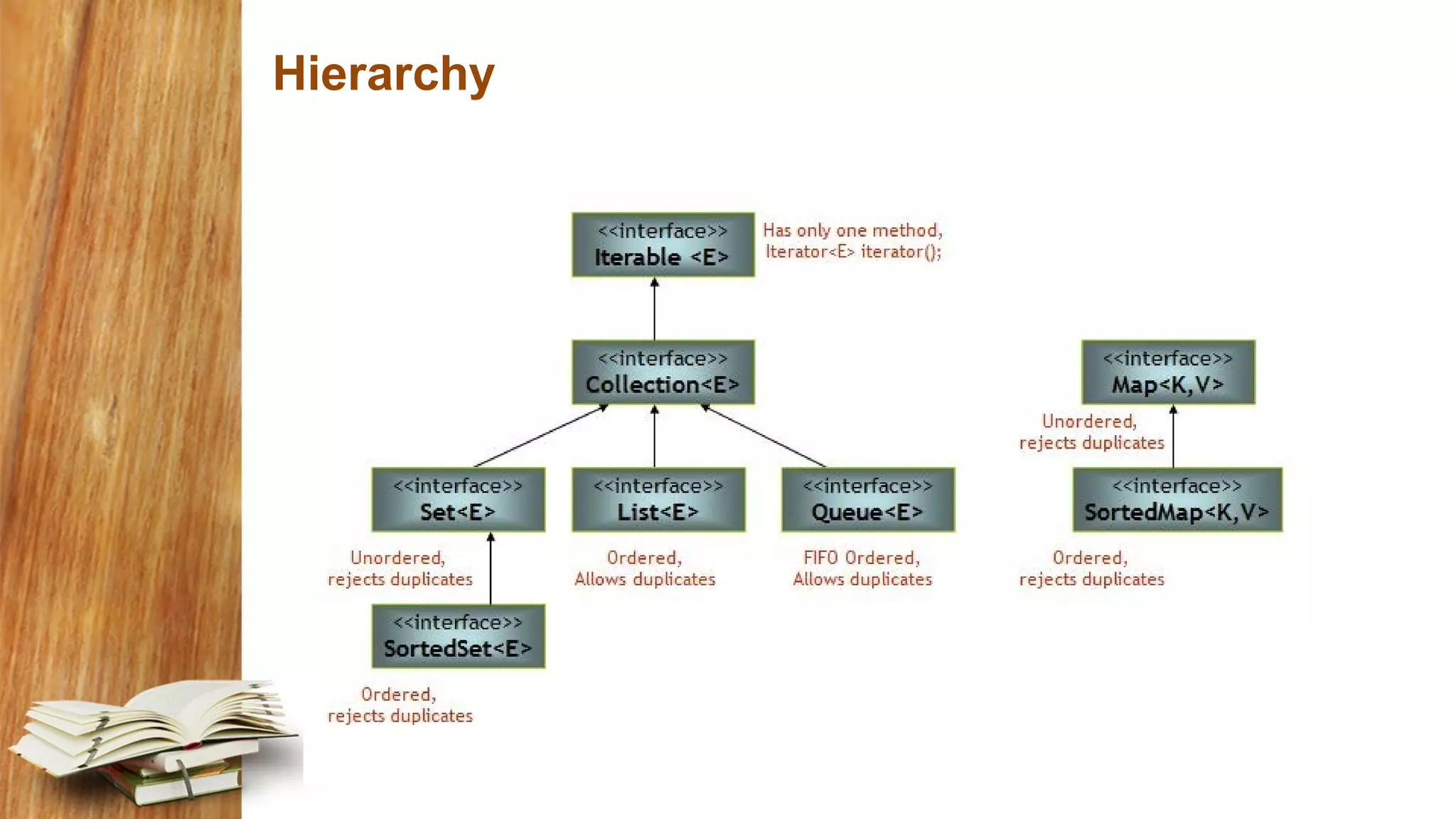
Hierarchy
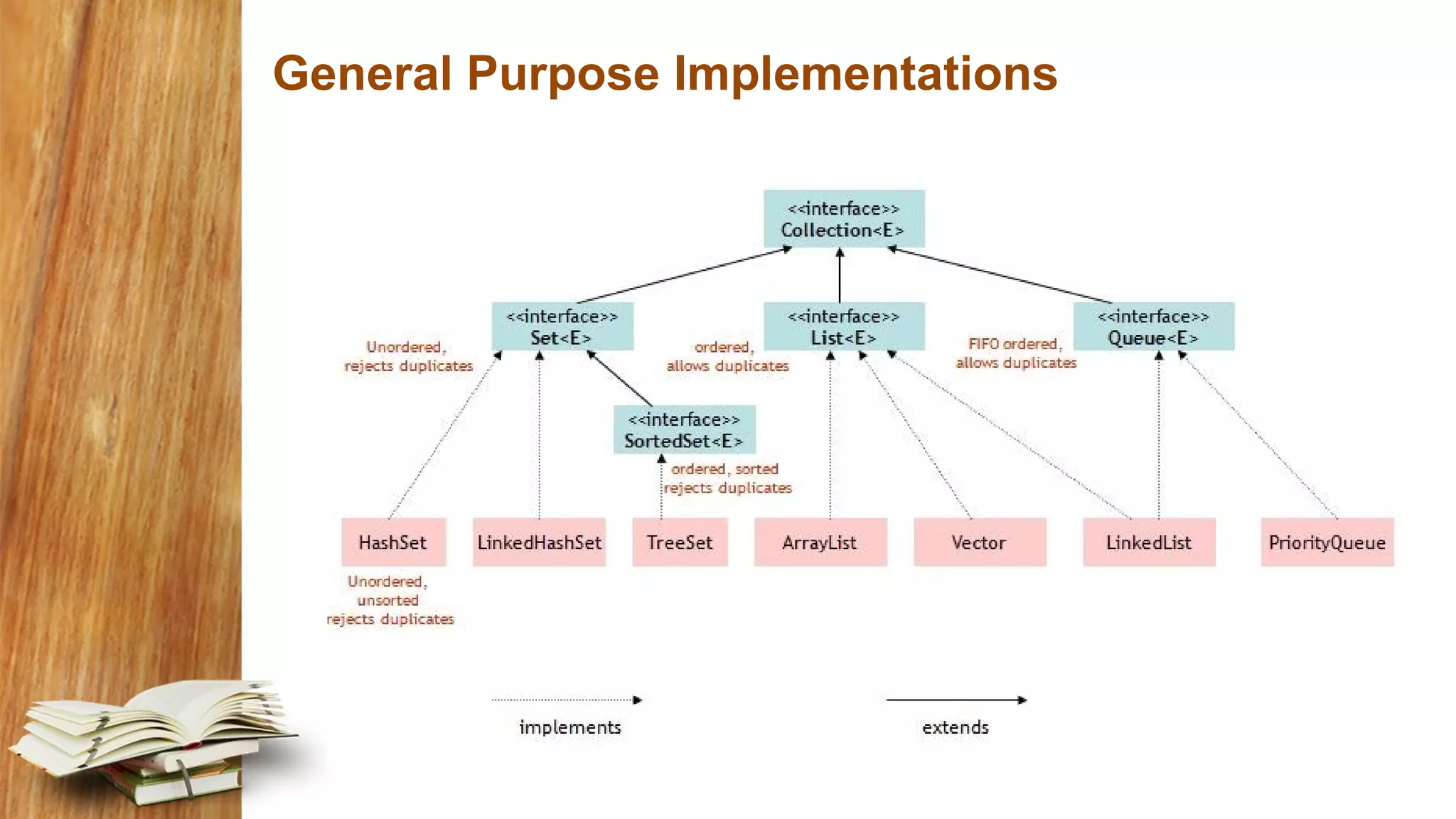
General Purpose Implementations
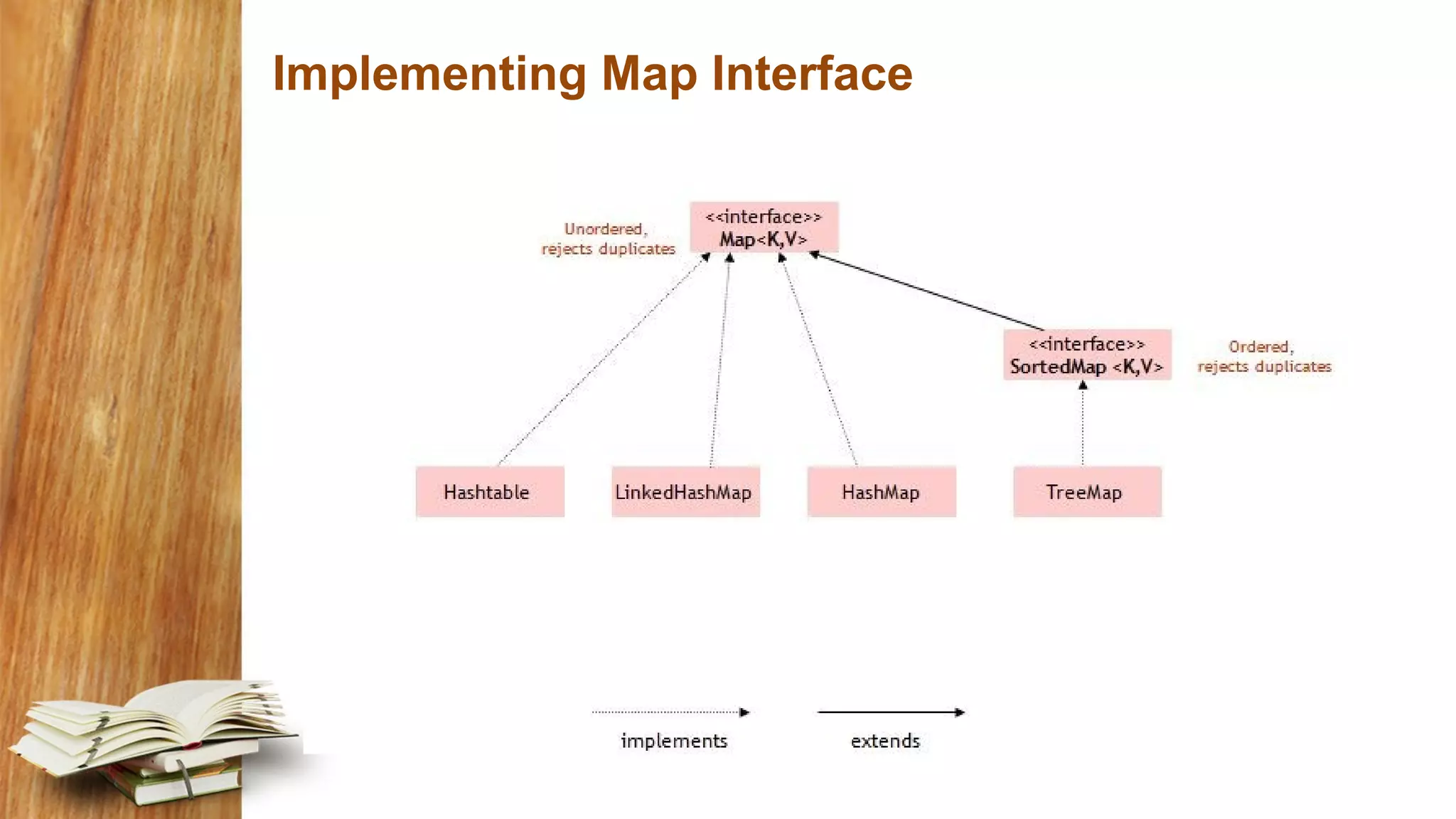
Implementing Map Interface
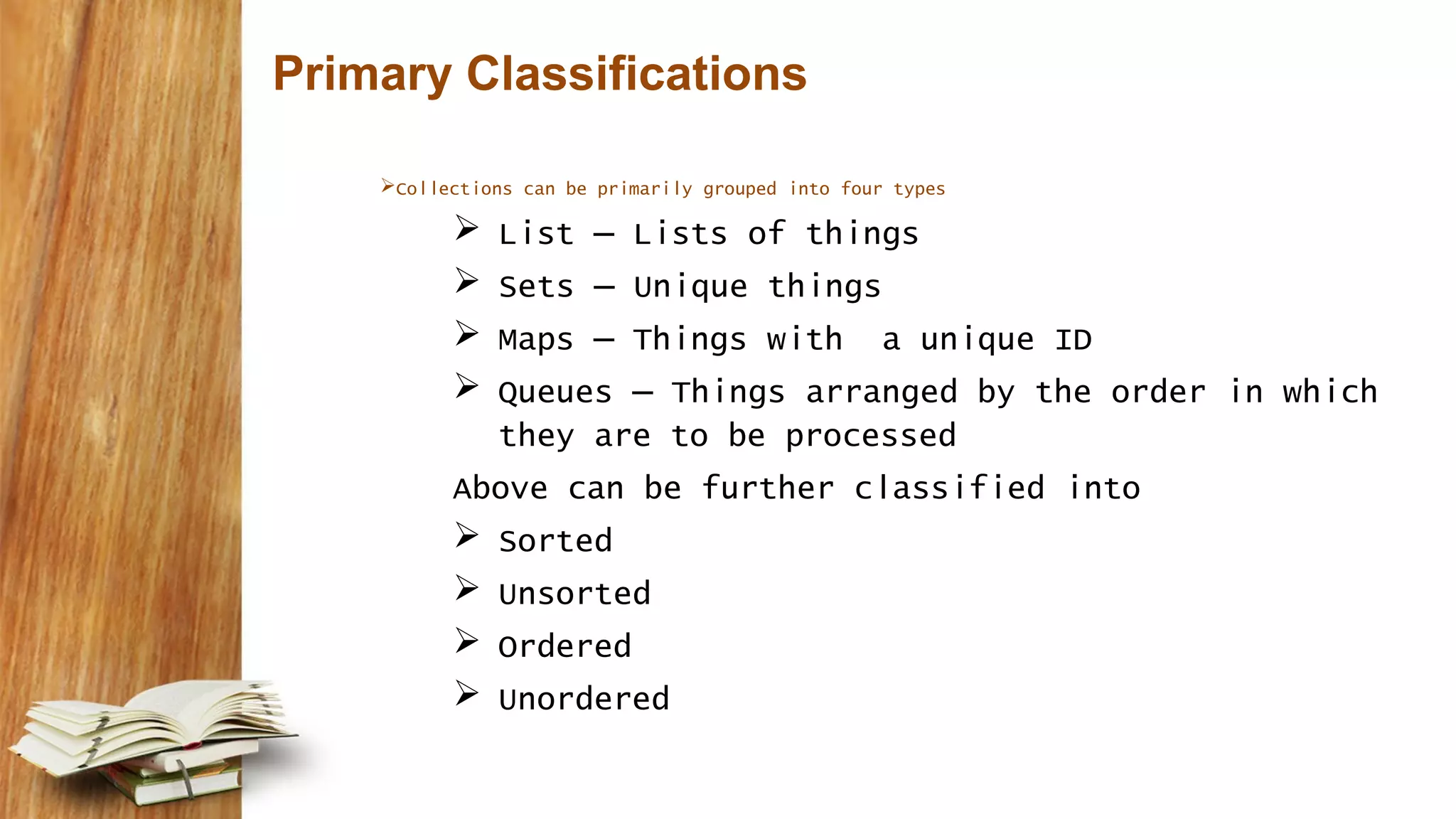
Primary Classifications Collections can be primarily grouped into four types  List – Lists of things  Sets – Unique things  Maps – Things with a unique ID  Queues – Things arranged by the order in which they are to be processed Above can be further classified into  Sorted  Unsorted  Ordered  Unordered
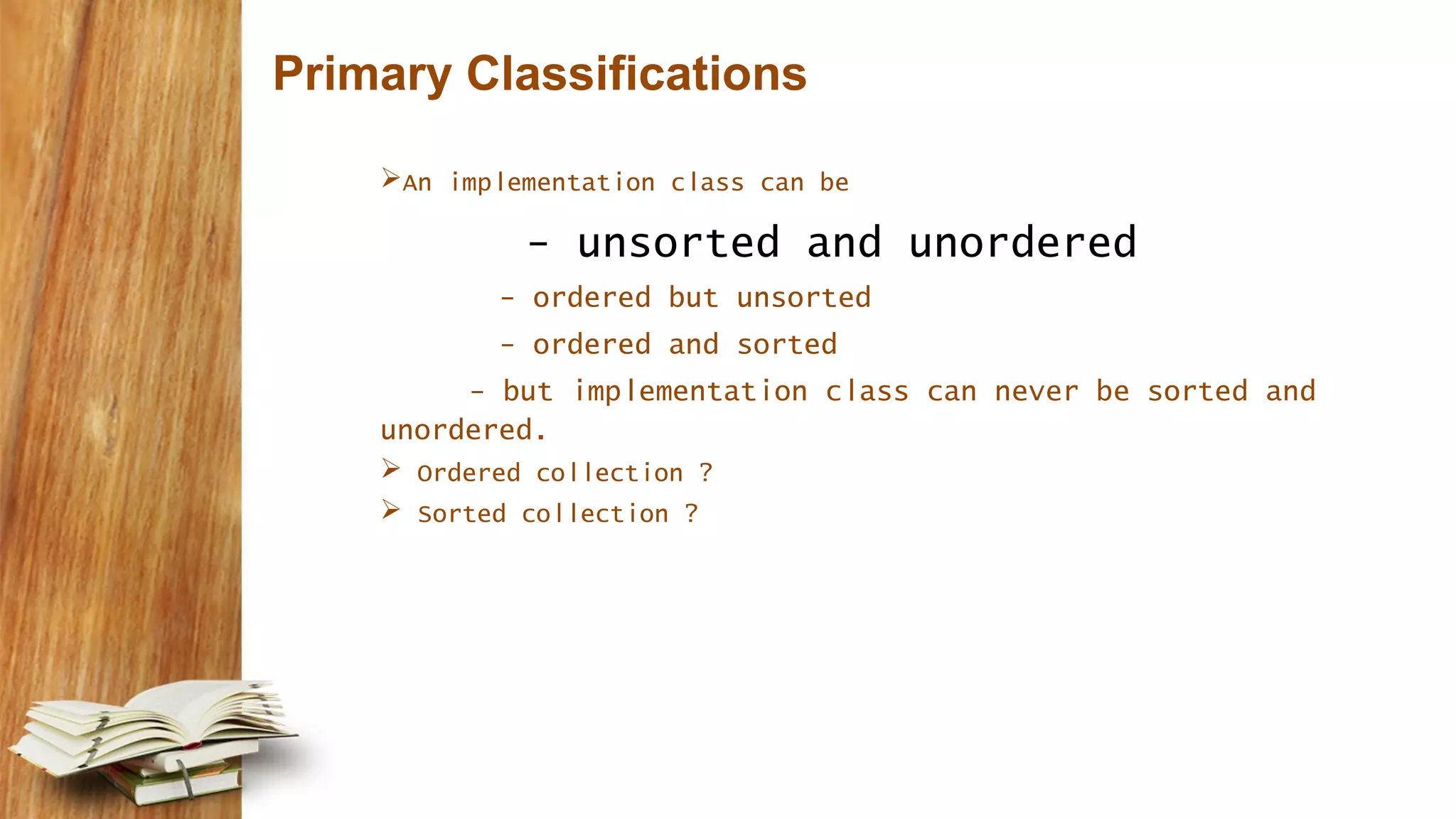
Primary Classifications An implementation class can be - unsorted and unordered - ordered but unsorted - ordered and sorted - but implementation class can never be sorted and unordered.  Ordered collection ?  Sorted collection ?
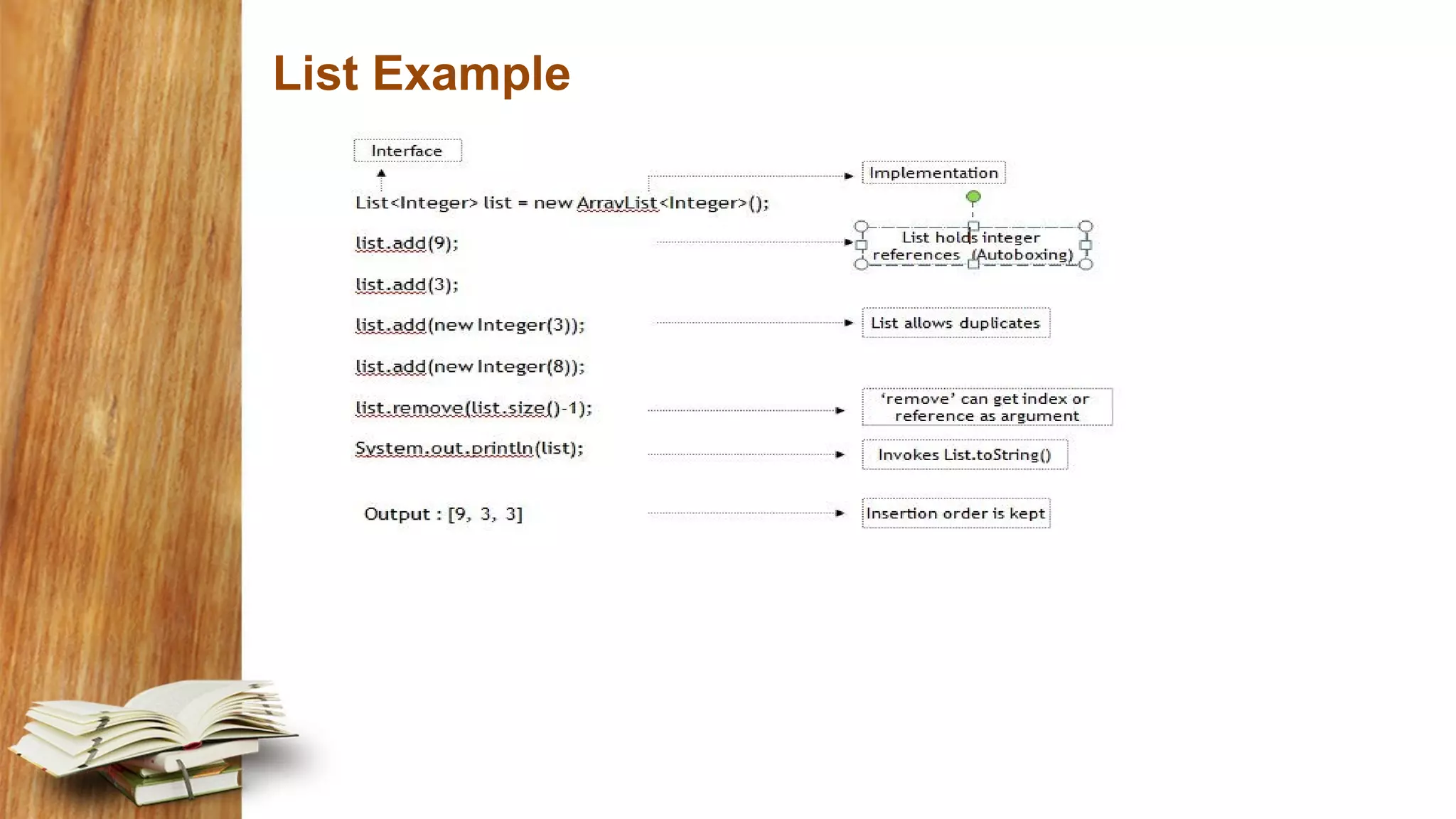
List Interface Also called as sequence, is an ordered collection that can contain duplicate elements List indices are zero based One thing that list has and non-lists don’t have is a set of methods related to index.  get(int index), indexOf(Object o), add(int index, Object obj)
List Example
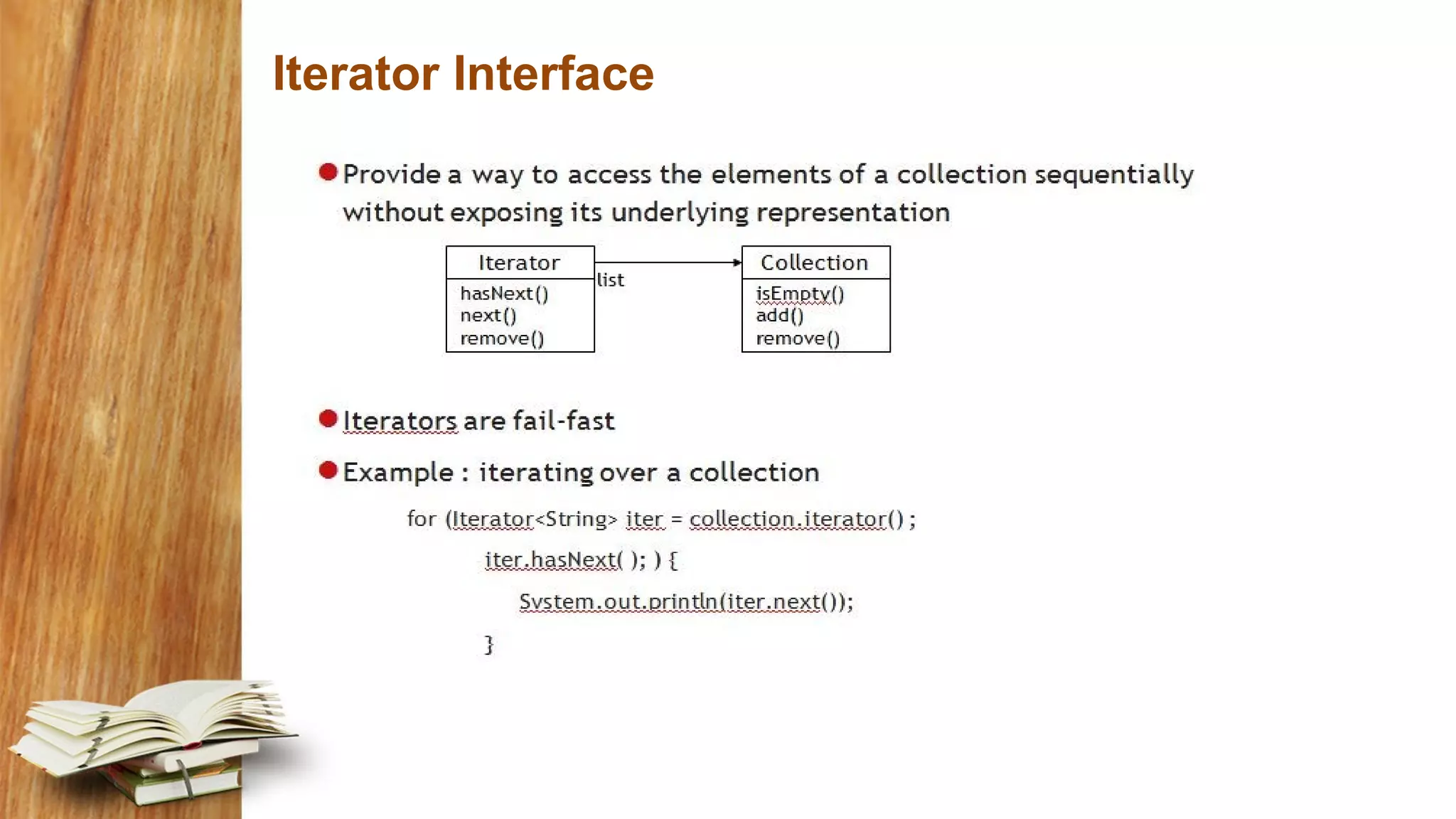
Iterator Interface
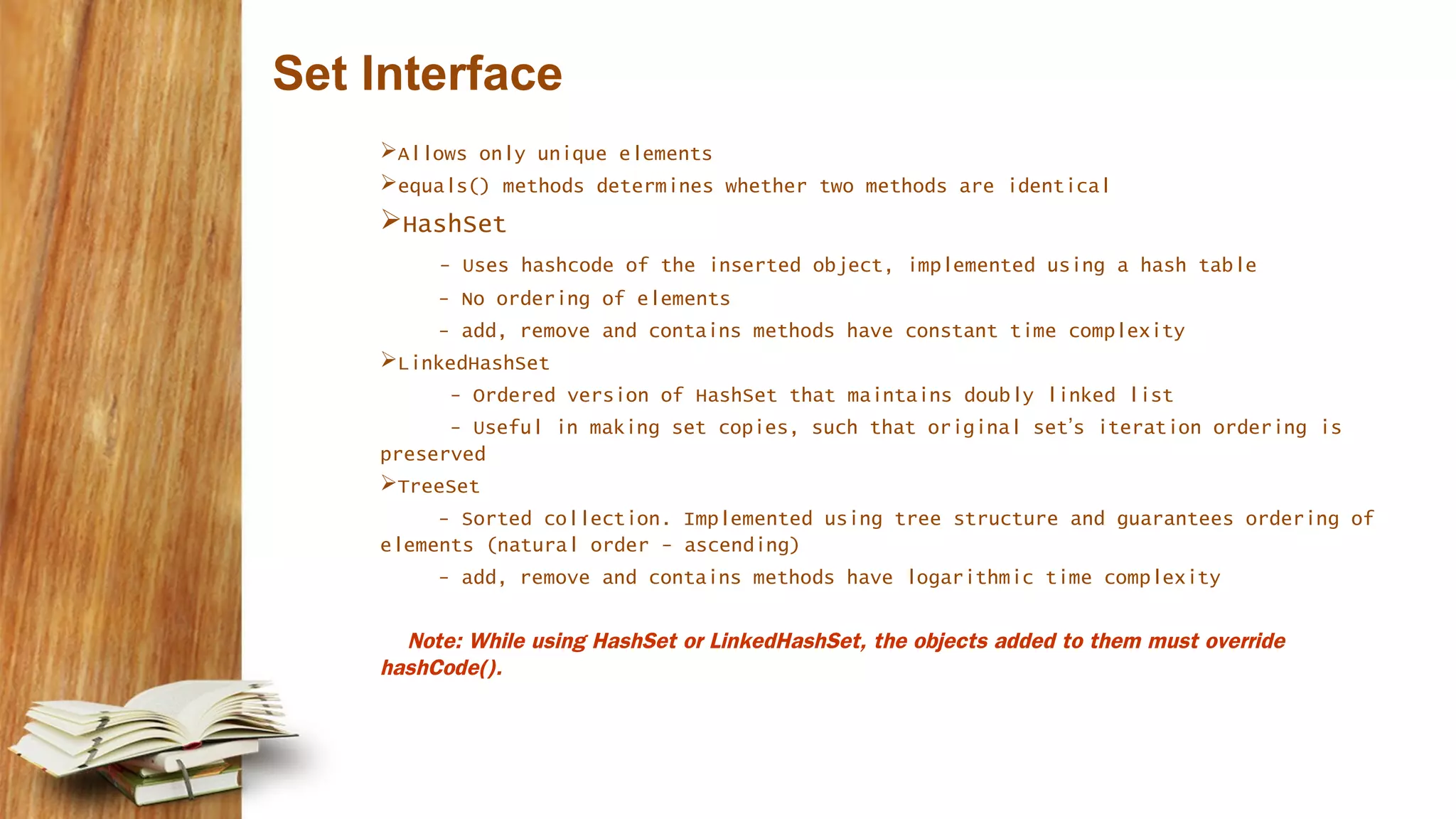
Set Interface Allows only unique elements equals() methods determines whether two methods are identical HashSet - Uses hashcode of the inserted object, implemented using a hash table - No ordering of elements - add, remove and contains methods have constant time complexity LinkedHashSet - Ordered version of HashSet that maintains doubly linked list - Useful in making set copies, such that original set’s iteration ordering is preserved TreeSet - Sorted collection. Implemented using tree structure and guarantees ordering of elements (natural order - ascending) - add, remove and contains methods have logarithmic time complexity Note: While using HashSet or LinkedHashSet, the objects added to them must override hashCode().
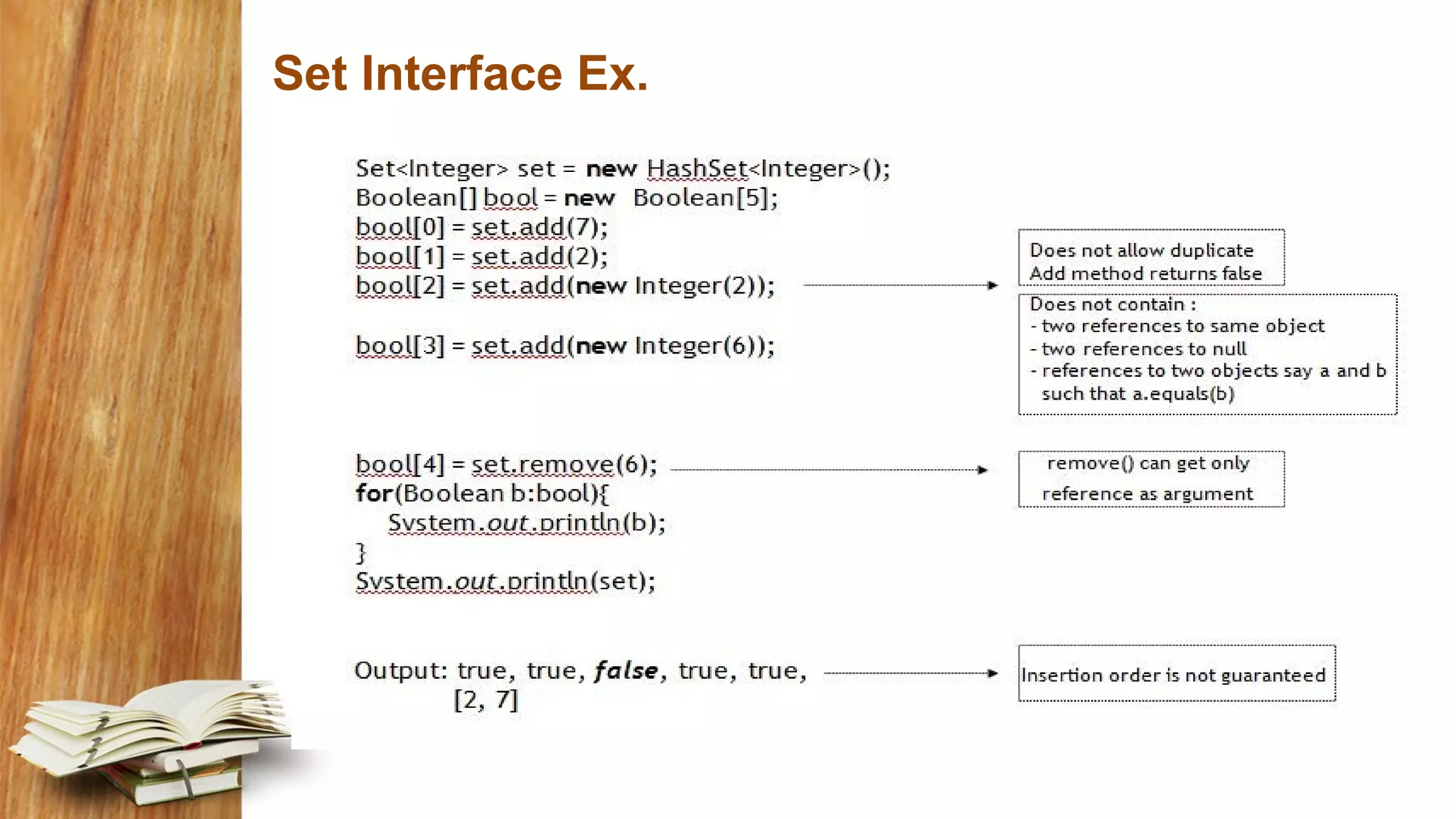
Set Interface Ex.
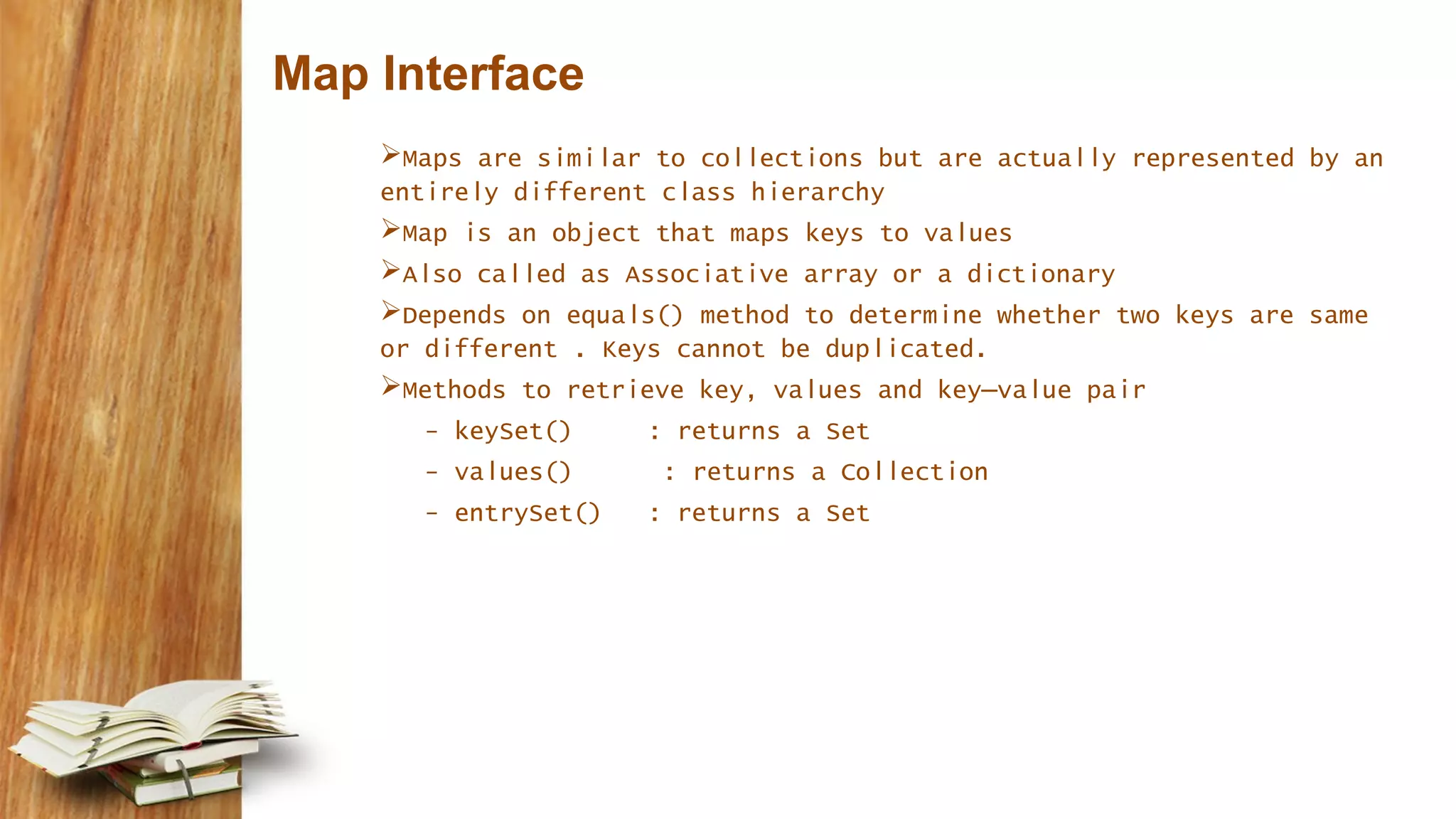
Map Interface Maps are similar to collections but are actually represented by an entirely different class hierarchy Map is an object that maps keys to values Also called as Associative array or a dictionary Depends on equals() method to determine whether two keys are same or different . Keys cannot be duplicated. Methods to retrieve key, values and key–value pair - keySet() : returns a Set - values() : returns a Collection - entrySet() : returns a Set
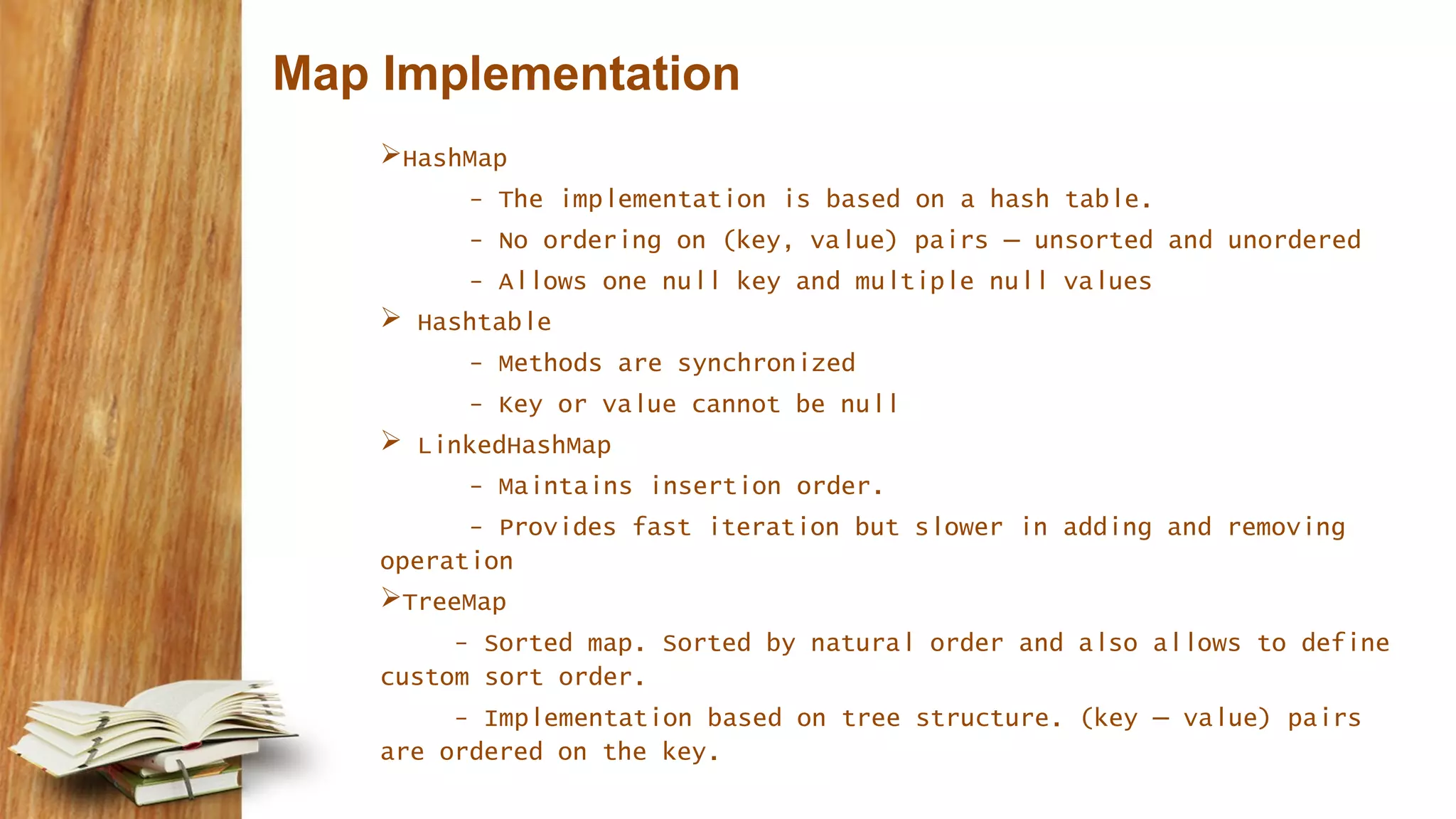
Map Implementation HashMap - The implementation is based on a hash table. - No ordering on (key, value) pairs – unsorted and unordered - Allows one null key and multiple null values  Hashtable - Methods are synchronized - Key or value cannot be null  LinkedHashMap - Maintains insertion order. - Provides fast iteration but slower in adding and removing operation TreeMap - Sorted map. Sorted by natural order and also allows to define custom sort order. - Implementation based on tree structure. (key – value) pairs are ordered on the key.
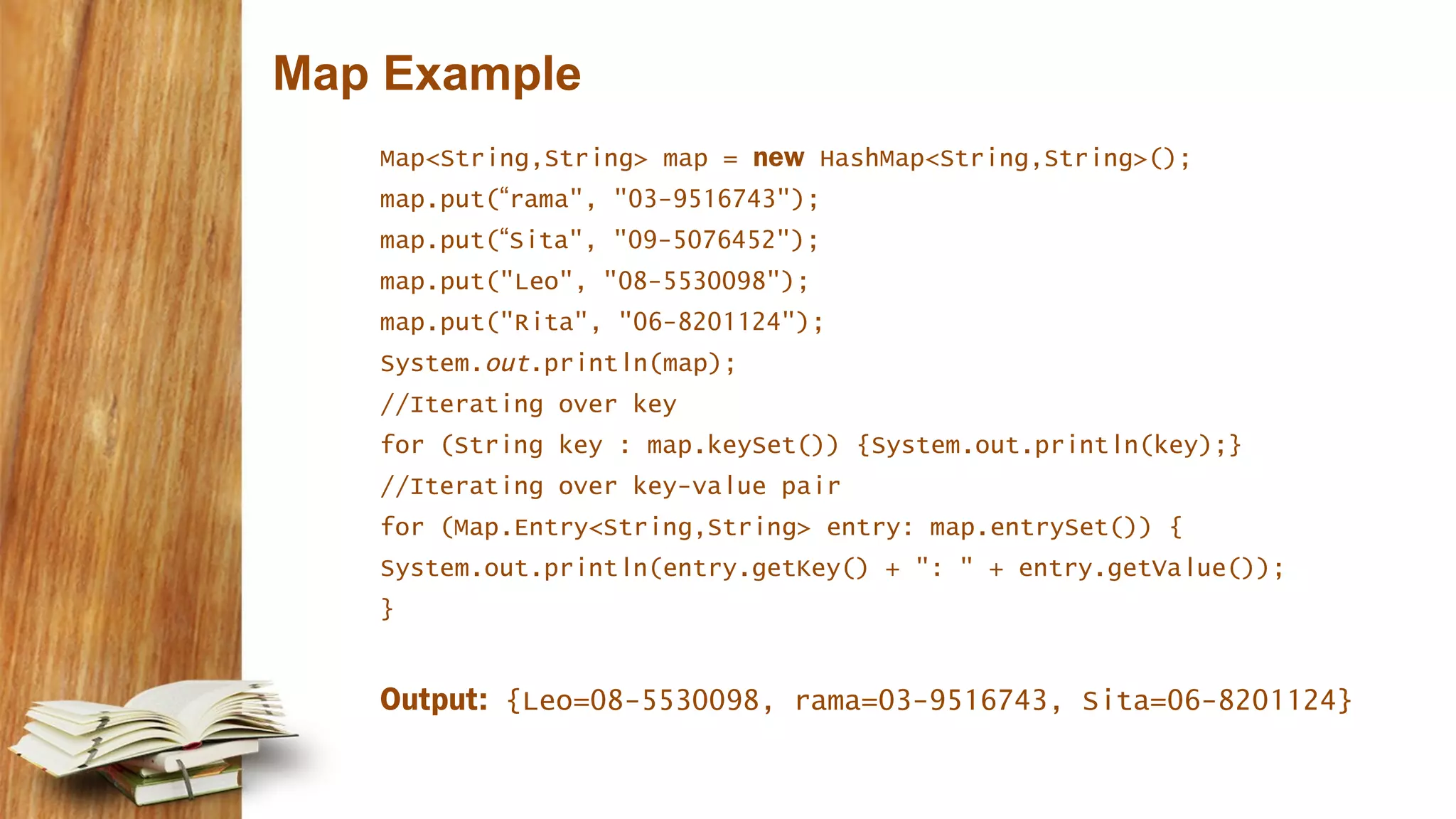
Map Example Map<String,String> map = new HashMap<String,String>(); map.put(“rama", "03-9516743"); map.put(“Sita", "09-5076452"); map.put("Leo", "08-5530098"); map.put("Rita", "06-8201124"); System.out.println(map); //Iterating over key for (String key : map.keySet()) {System.out.println(key);} //Iterating over key-value pair for (Map.Entry<String,String> entry: map.entrySet()) { System.out.println(entry.getKey() + ": " + entry.getValue()); } Output: {Leo=08-5530098, rama=03-9516743, Sita=06-8201124}
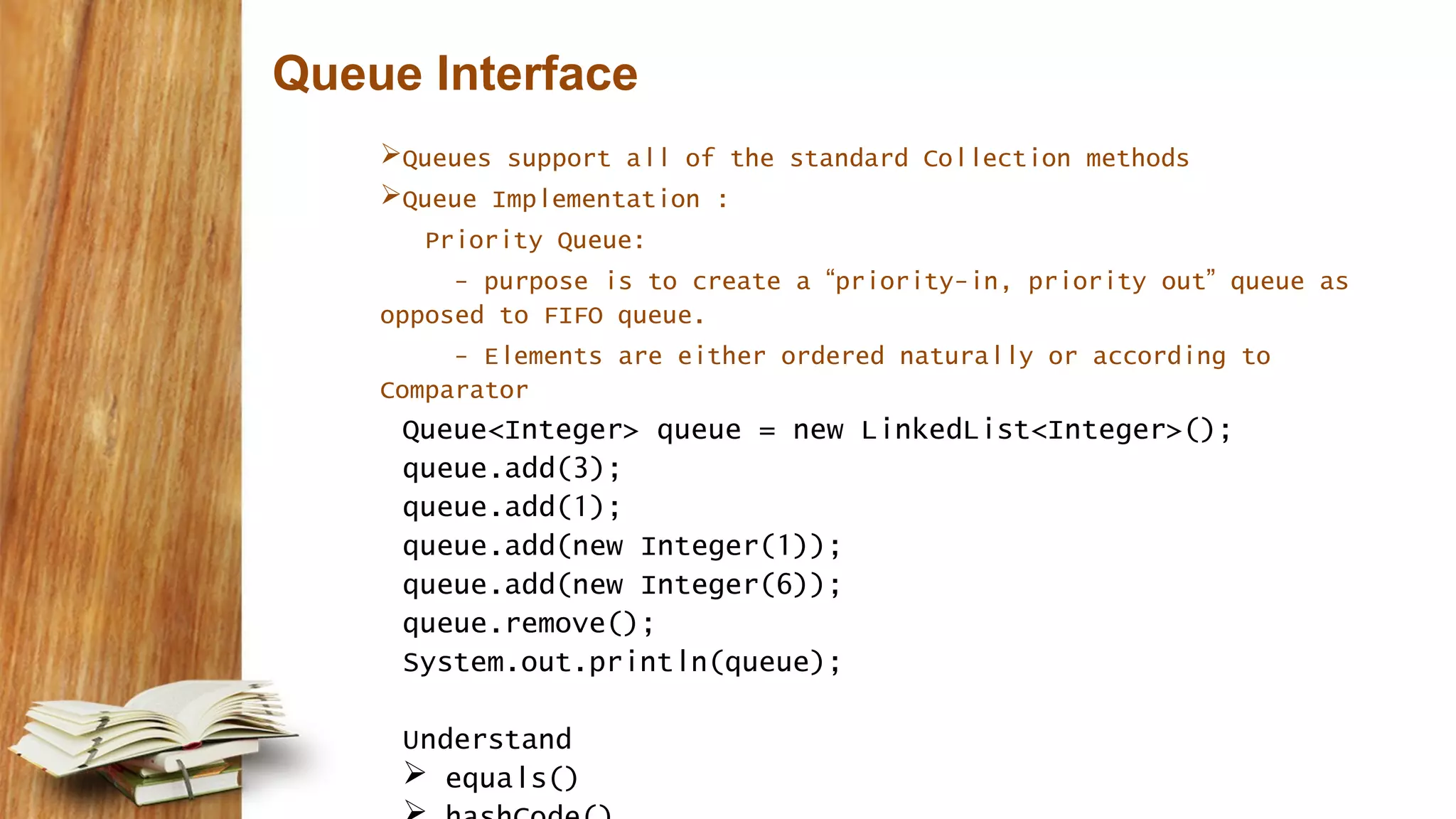
Queue Interface Queues support all of the standard Collection methods Queue Implementation : Priority Queue: - purpose is to create a “priority-in, priority out” queue as opposed to FIFO queue. - Elements are either ordered naturally or according to Comparator Queue<Integer> queue = new LinkedList<Integer>(); queue.add(3); queue.add(1); queue.add(new Integer(1)); queue.add(new Integer(6)); queue.remove(); System.out.println(queue); Understand  equals()
Collections Algorithm  Defined in Collections class  Main Algorithms - sort - binarySearch - reverse - shuffle - min - max
use of word Collection  collection (lowercase c), which represents any of the data structures in which objects are stored and iterated over.  Collection (capital C), which is actually the java.util.Collection interface from which Set, List, and Queue extend. (That's right, extend, not implement. There are no direct implementations of Collection.)  Collections (capital C and ends with s) is the java.util.Collections class that holds a pile of static utility methods for use with collections.
ArrayList and Arrays  Manipulate by Sorting  Performing a binary search  Converting the list to array and array to list  Use java.util.Comparator and java.lang.Comparable to affect sorting
ArrayList Advantages over Array - It can grow dynamically - provides more powerful insertion and search mechanisms than arrays Ex:import java.util.*; public class TestArrayList { public static void main(String[] args) { List<String> test = new ArrayList<String>(); String s = "hi"; test.add("string"); test.add(s); test.add(s+s); System.out.println(test.size()); System.out.println(test.contains(42)); System.out.println(test.contains("hihi")); test.remove("hi"); System.out.println(test.size()); } } Output : 3 false true 2
Sorting Collections import java.util.*; class TestSort1 { public static void main(String[] args) { ArrayList<String> stuff = new ArrayList<String>(); stuff.add("Denver"); stuff.add("Boulder"); stuff.add("Vail"); stuff.add("Aspen"); stuff.add("Telluride"); System.out.println("unsorted " + stuff); Collections.sort(stuff); System.out.println("sorted " + stuff); } } Output: unsorted [Denver, Boulder, Vail, Aspen, Telluride] sorted [Aspen, Boulder, Denver, Telluride, Vail]
Comparable interface Illustrate an example – MusicList Used by Collections.sort() method and Arrays.sort() to sort lists and arrays respectively. Only one sort sequence can be created compareTo() method should be implemented int x = thisObject.compareTo(anotherObject); returns negative, positive or zero value Ex: Class MusicInfo implements Comparable< MusicInfo > { String title; // existing code public int compareTo(MusicInfo d) { return title.compareTo(d.getTitle()); } }
Comparator Interface  The Comparator interface provides the capability to sort a given collection any number of different ways.  Can be used to sort instances of any class  Easy to implement and has a method compare()  Example import java.util.*; class GenreSort implements Comparator<DVDInfo> { public int compare(DVDInfo one, DVDInfo two) { return one.getGenre().compareTo(two.getGenre()); } }
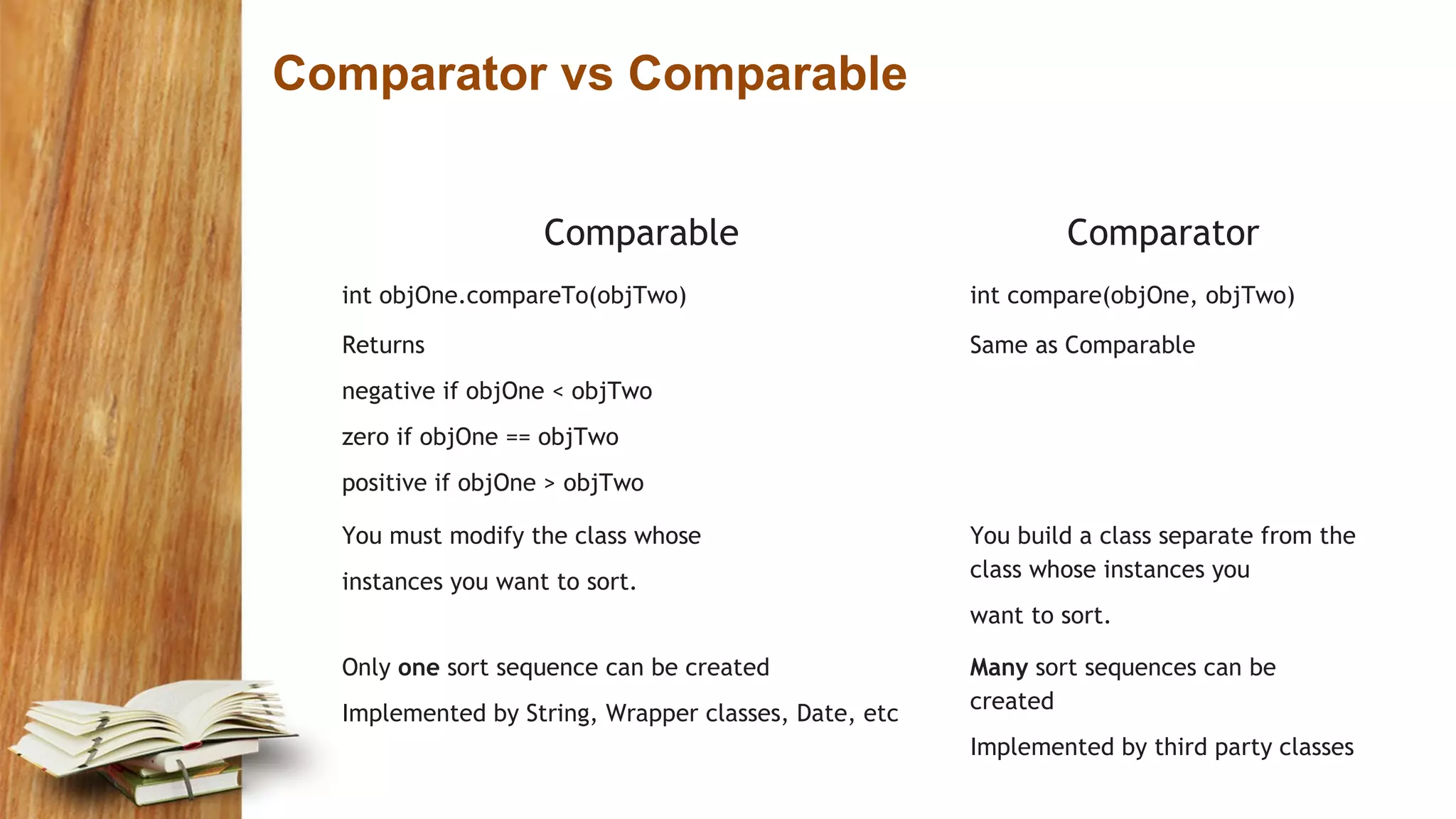
Comparator vs Comparable Comparable Comparator int objOne.compareTo(objTwo) int compare(objOne, objTwo) Returns negative if objOne < objTwo zero if objOne == objTwo positive if objOne > objTwo Same as Comparable You must modify the class whose instances you want to sort. You build a class separate from the class whose instances you want to sort. Only one sort sequence can be created Implemented by String, Wrapper classes, Date, etc Many sort sequences can be created Implemented by third party classes
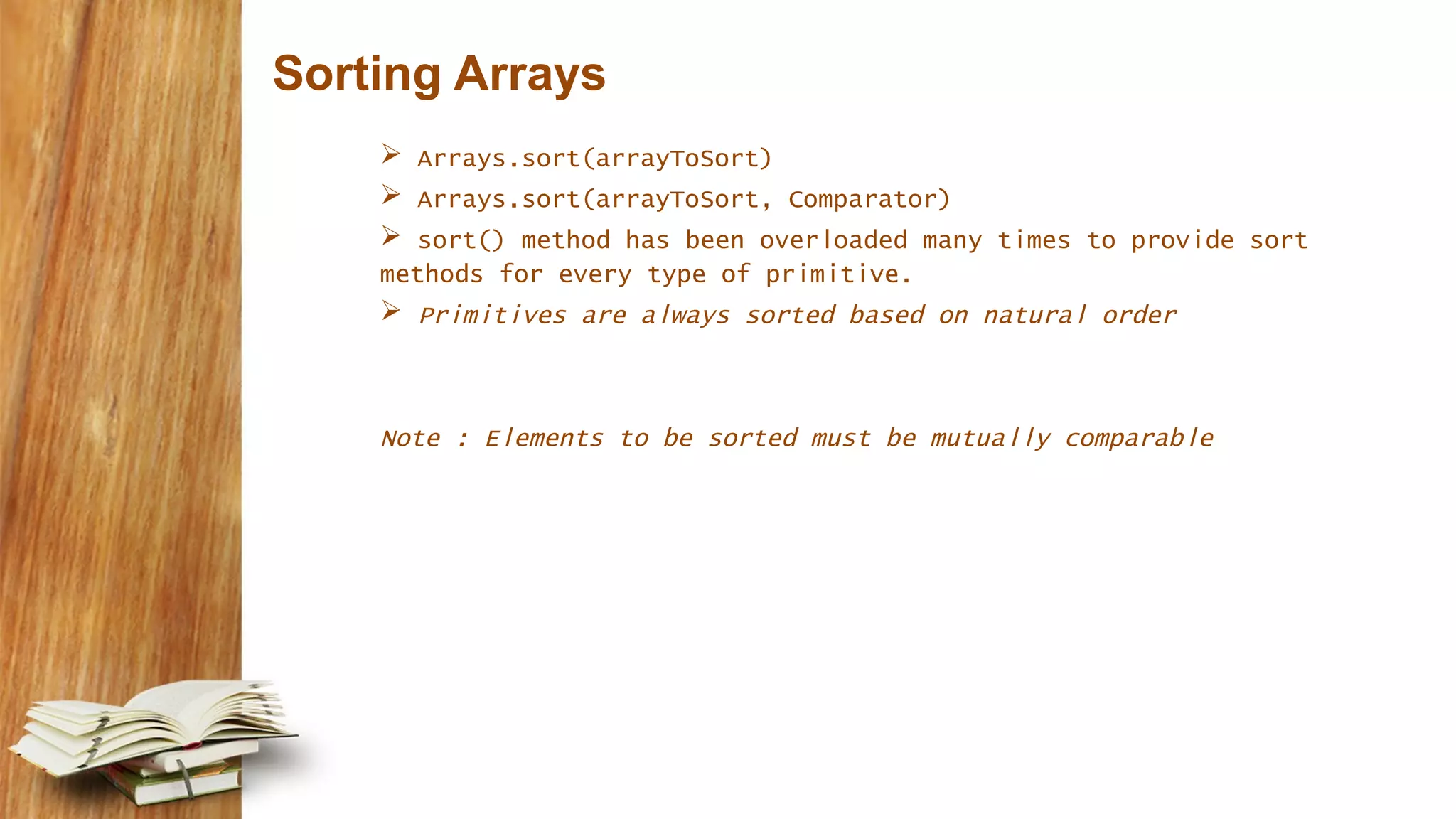
Sorting Arrays  Arrays.sort(arrayToSort)  Arrays.sort(arrayToSort, Comparator)  sort() method has been overloaded many times to provide sort methods for every type of primitive.  Primitives are always sorted based on natural order Note : Elements to be sorted must be mutually comparable
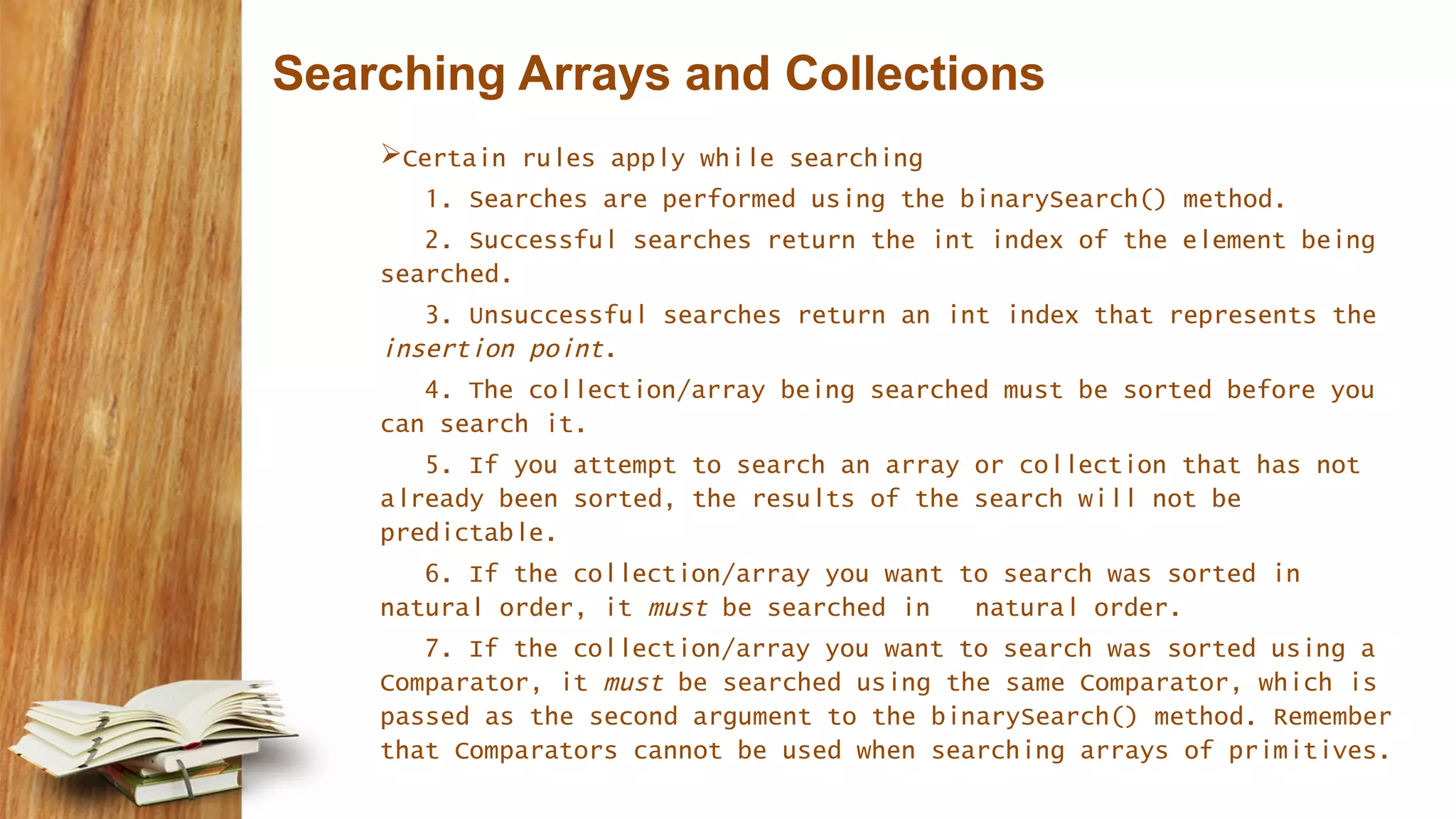
Searching Arrays and Collections Certain rules apply while searching 1. Searches are performed using the binarySearch() method. 2. Successful searches return the int index of the element being searched. 3. Unsuccessful searches return an int index that represents the insertion point. 4. The collection/array being searched must be sorted before you can search it. 5. If you attempt to search an array or collection that has not already been sorted, the results of the search will not be predictable. 6. If the collection/array you want to search was sorted in natural order, it must be searched in natural order. 7. If the collection/array you want to search was sorted using a Comparator, it must be searched using the same Comparator, which is passed as the second argument to the binarySearch() method. Remember that Comparators cannot be used when searching arrays of primitives.
Example for Binary Search import java.util.*; class SearchObjArray { – public static void main(String [] args) { – String [] sa = {"one", "two", "three", "four"}; – Arrays.sort(sa); // #1 – for(String s : sa) – System.out.print(s + " "); – System.out.println("none = " – + Arrays.binarySearch(sa,"one")); // #2 – System.out.println("now reverse sort"); – ReSortComparator rs = new ReSortComparator(); // #3 – Arrays.sort(sa,rs); – for(String s : sa) – System.out.print(s + " "); – System.out.println("none = " – + Arrays.binarySearch(sa,"one")); // #4 – System.out.println("one = " – + Arrays.binarySearch(sa,"one",rs)); // #5 – } – static class ReSortComparator – implements Comparator<String> { // #6 – public int compare(String a, String b) { – return b.compareTo(a); // #7 – } – } – } four one three two -> array sorted alphabetically one = 1 -> search for element location 1 now reverse sort two three one four -> reverse sort one = -1 one = 2 -> search passing the comparator Result
Converting Arrays – Lists -Arrays  The List and Set classes have toArray() methods  The Arrays class has a method called asList() Ex: String[] sa = {"one", "two", "three", "four"}; List sList = Arrays.asList(sa); // make a List System.out.println("size " + sList.size()); System.out.println("idx2 " + sList.get(2)); sList.set(3,"six"); // change List sa[1] = "five"; // change array for(String s : sa) System.out.print(s + " "); System.out.println("nsl[1] " + sList.get(1)); This produces : – size 4 – idx2 three – one five three six – sl[1] five
Example : List to Array List<Integer> iL = new ArrayList<Integer>(); for(int x=0; x<3; x++) iL.add(x); Object[] oa = iL.toArray(); // create an Object array Integer[] ia2 = new Integer[3]; ia2 = iL.toArray(ia2); // create an Integer array
Natural ordering spaces sort before characters and that uppercase letters sort before lowercase characters String[] sa = {">ff<", "> f<", ">f <", ">FF<" }; // ordered? PriorityQueue<String> pq3 = new PriorityQueue<String>(); for(String s : sa) pq3.offer(s); for(String s : sa) System.out.print(pq3.poll() + " "); This produces: > f< >FF< >f < >ff<
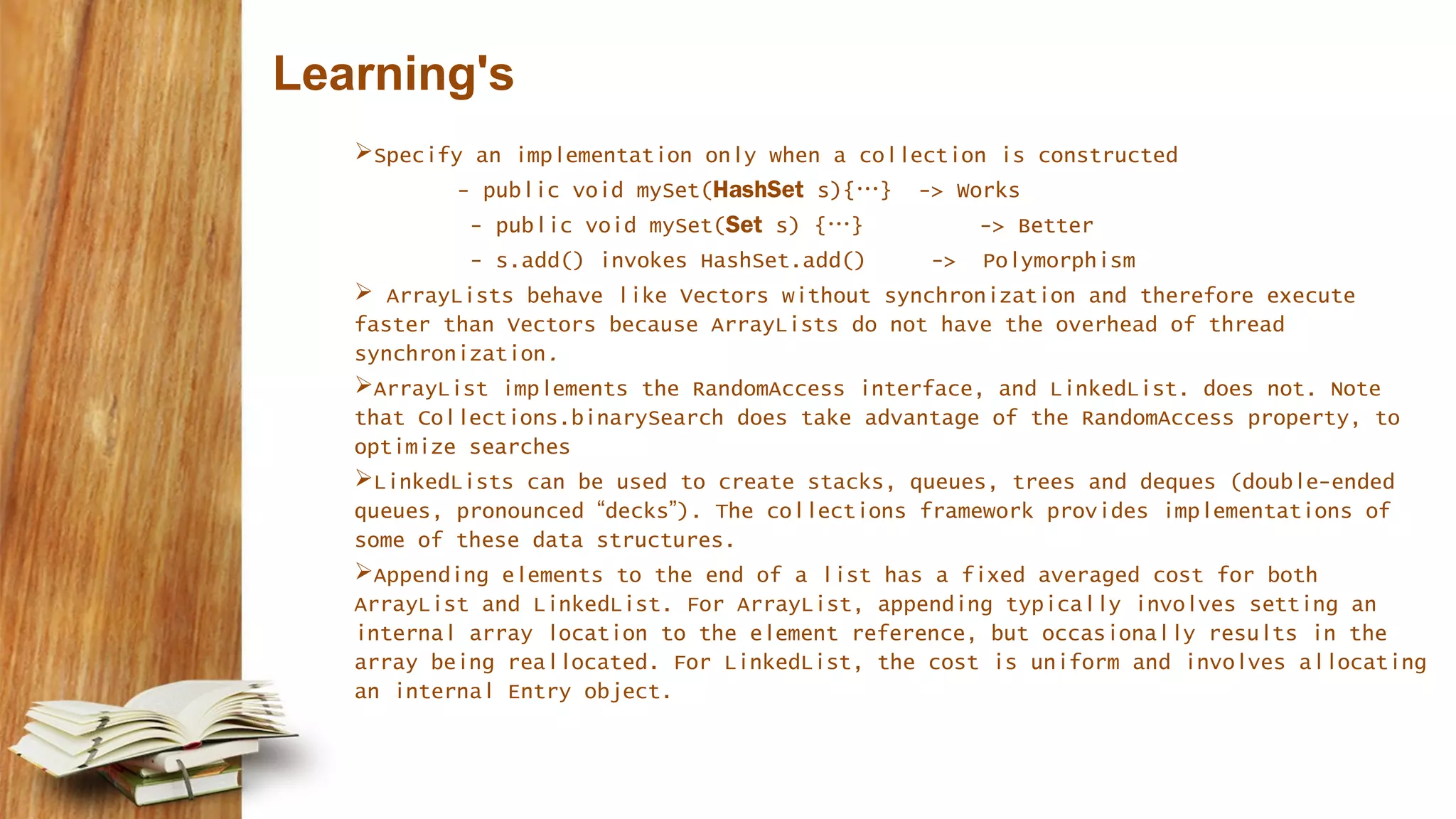
Learning's Specify an implementation only when a collection is constructed - public void mySet(HashSet s){…} -> Works - public void mySet(Set s) {…} -> Better - s.add() invokes HashSet.add() -> Polymorphism  ArrayLists behave like Vectors without synchronization and therefore execute faster than Vectors because ArrayLists do not have the overhead of thread synchronization. ArrayList implements the RandomAccess interface, and LinkedList. does not. Note that Collections.binarySearch does take advantage of the RandomAccess property, to optimize searches LinkedLists can be used to create stacks, queues, trees and deques (double-ended queues, pronounced “decks”). The collections framework provides implementations of some of these data structures. Appending elements to the end of a list has a fixed averaged cost for both ArrayList and LinkedList. For ArrayList, appending typically involves setting an internal array location to the element reference, but occasionally results in the array being reallocated. For LinkedList, the cost is uniform and involves allocating an internal Entry object.
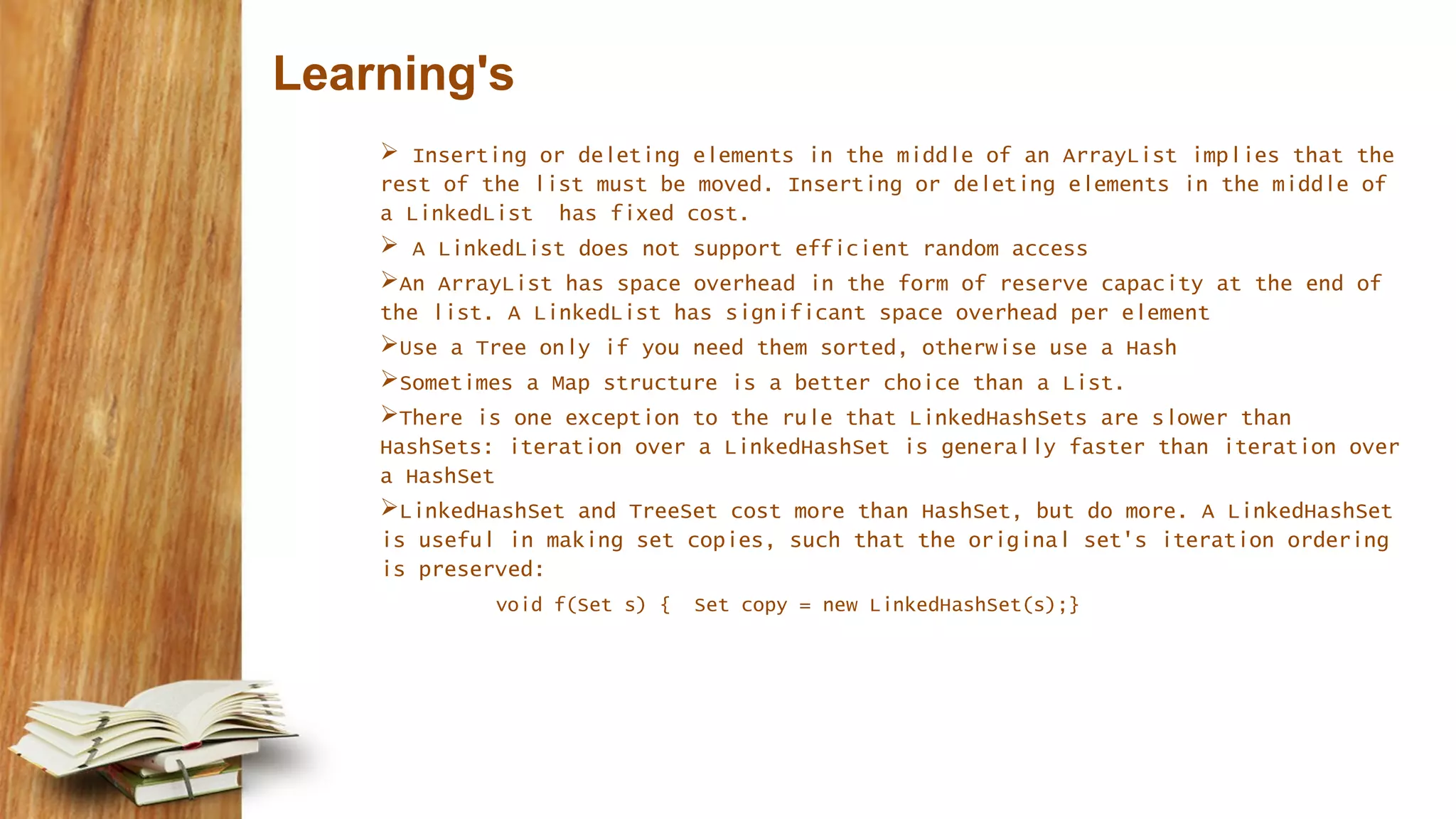
Learning's  Inserting or deleting elements in the middle of an ArrayList implies that the rest of the list must be moved. Inserting or deleting elements in the middle of a LinkedList has fixed cost.  A LinkedList does not support efficient random access An ArrayList has space overhead in the form of reserve capacity at the end of the list. A LinkedList has significant space overhead per element Use a Tree only if you need them sorted, otherwise use a Hash Sometimes a Map structure is a better choice than a List. There is one exception to the rule that LinkedHashSets are slower than HashSets: iteration over a LinkedHashSet is generally faster than iteration over a HashSet LinkedHashSet and TreeSet cost more than HashSet, but do more. A LinkedHashSet is useful in making set copies, such that the original set's iteration ordering is preserved: void f(Set s) { Set copy = new LinkedHashSet(s);}
Java Collections Framework

Java Collections Framework

  • 1.
    ALLPPT.com _ FreePowerPoint Templates, Diagrams and Charts By Anup Kumar Sahoo Date- 05.01.2015 Collection Framework
  • 2.
     Collection Framework Design scenarios to illustrate usage of collection classes and interfaces List – Sort, Binary Search and other utility methods  Arrays - Sort, Binary Search and other utility methods  Comparator and Comparable interfaces  Effect of natural ordering of primitive and String classes on sorting.  When to use which Data Structure  Best Practices  Questions : Choose a collection based on a stated requirement  Questions : SCJP Agenda
  • 3.
    Collections Framework A frameworkis an extensive set of interfaces, abstract classes and concrete classes together with support tools Framework is provided in java.util package and comprises three parts: 1. Core interfaces 2. Set of implementations. 3. Utility methods
  • 4.
    Collection Interfaces Collections areprimarily defined through a set of interfaces  Supported by a set of classes that implement the interfaces  Does not hold primitives, use wrapper classes  Collections can be type safe, i.e. type of elements can be specified using Generics Example - Type Safe: Collection<String> stringCollection = new LinkedList<String>(); stringCollection.add(“GoodMorning’); - Right stringCollection.add(8); - Wrong Collection<Integer> integerCollection = new LinkedList<Integer>(); integerCollection.add(10); integerCollection.add(new Integer(12)); integerCollection.add(“hello”); - Wrong
  • 5.
  • 6.
  • 7.
  • 8.
    Primary Classifications Collections canbe primarily grouped into four types  List – Lists of things  Sets – Unique things  Maps – Things with a unique ID  Queues – Things arranged by the order in which they are to be processed Above can be further classified into  Sorted  Unsorted  Ordered  Unordered
  • 9.
    Primary Classifications An implementationclass can be - unsorted and unordered - ordered but unsorted - ordered and sorted - but implementation class can never be sorted and unordered.  Ordered collection ?  Sorted collection ?
  • 10.
    List Interface Also calledas sequence, is an ordered collection that can contain duplicate elements List indices are zero based One thing that list has and non-lists don’t have is a set of methods related to index.  get(int index), indexOf(Object o), add(int index, Object obj)
  • 11.
  • 12.
  • 13.
    Set Interface Allows onlyunique elements equals() methods determines whether two methods are identical HashSet - Uses hashcode of the inserted object, implemented using a hash table - No ordering of elements - add, remove and contains methods have constant time complexity LinkedHashSet - Ordered version of HashSet that maintains doubly linked list - Useful in making set copies, such that original set’s iteration ordering is preserved TreeSet - Sorted collection. Implemented using tree structure and guarantees ordering of elements (natural order - ascending) - add, remove and contains methods have logarithmic time complexity Note: While using HashSet or LinkedHashSet, the objects added to them must override hashCode().
  • 14.
  • 15.
    Map Interface Maps aresimilar to collections but are actually represented by an entirely different class hierarchy Map is an object that maps keys to values Also called as Associative array or a dictionary Depends on equals() method to determine whether two keys are same or different . Keys cannot be duplicated. Methods to retrieve key, values and key–value pair - keySet() : returns a Set - values() : returns a Collection - entrySet() : returns a Set
  • 16.
    Map Implementation HashMap - Theimplementation is based on a hash table. - No ordering on (key, value) pairs – unsorted and unordered - Allows one null key and multiple null values  Hashtable - Methods are synchronized - Key or value cannot be null  LinkedHashMap - Maintains insertion order. - Provides fast iteration but slower in adding and removing operation TreeMap - Sorted map. Sorted by natural order and also allows to define custom sort order. - Implementation based on tree structure. (key – value) pairs are ordered on the key.
  • 17.
    Map Example Map<String,String> map= new HashMap<String,String>(); map.put(“rama", "03-9516743"); map.put(“Sita", "09-5076452"); map.put("Leo", "08-5530098"); map.put("Rita", "06-8201124"); System.out.println(map); //Iterating over key for (String key : map.keySet()) {System.out.println(key);} //Iterating over key-value pair for (Map.Entry<String,String> entry: map.entrySet()) { System.out.println(entry.getKey() + ": " + entry.getValue()); } Output: {Leo=08-5530098, rama=03-9516743, Sita=06-8201124}
  • 18.
    Queue Interface Queues supportall of the standard Collection methods Queue Implementation : Priority Queue: - purpose is to create a “priority-in, priority out” queue as opposed to FIFO queue. - Elements are either ordered naturally or according to Comparator Queue<Integer> queue = new LinkedList<Integer>(); queue.add(3); queue.add(1); queue.add(new Integer(1)); queue.add(new Integer(6)); queue.remove(); System.out.println(queue); Understand  equals()
  • 19.
    Collections Algorithm  Definedin Collections class  Main Algorithms - sort - binarySearch - reverse - shuffle - min - max
  • 20.
    use of wordCollection  collection (lowercase c), which represents any of the data structures in which objects are stored and iterated over.  Collection (capital C), which is actually the java.util.Collection interface from which Set, List, and Queue extend. (That's right, extend, not implement. There are no direct implementations of Collection.)  Collections (capital C and ends with s) is the java.util.Collections class that holds a pile of static utility methods for use with collections.
  • 21.
    ArrayList and Arrays Manipulate by Sorting  Performing a binary search  Converting the list to array and array to list  Use java.util.Comparator and java.lang.Comparable to affect sorting
  • 22.
    ArrayList Advantages over Array -It can grow dynamically - provides more powerful insertion and search mechanisms than arrays Ex:import java.util.*; public class TestArrayList { public static void main(String[] args) { List<String> test = new ArrayList<String>(); String s = "hi"; test.add("string"); test.add(s); test.add(s+s); System.out.println(test.size()); System.out.println(test.contains(42)); System.out.println(test.contains("hihi")); test.remove("hi"); System.out.println(test.size()); } } Output : 3 false true 2
  • 23.
    Sorting Collections import java.util.*; classTestSort1 { public static void main(String[] args) { ArrayList<String> stuff = new ArrayList<String>(); stuff.add("Denver"); stuff.add("Boulder"); stuff.add("Vail"); stuff.add("Aspen"); stuff.add("Telluride"); System.out.println("unsorted " + stuff); Collections.sort(stuff); System.out.println("sorted " + stuff); } } Output: unsorted [Denver, Boulder, Vail, Aspen, Telluride] sorted [Aspen, Boulder, Denver, Telluride, Vail]
  • 24.
    Comparable interface Illustrate anexample – MusicList Used by Collections.sort() method and Arrays.sort() to sort lists and arrays respectively. Only one sort sequence can be created compareTo() method should be implemented int x = thisObject.compareTo(anotherObject); returns negative, positive or zero value Ex: Class MusicInfo implements Comparable< MusicInfo > { String title; // existing code public int compareTo(MusicInfo d) { return title.compareTo(d.getTitle()); } }
  • 25.
    Comparator Interface  TheComparator interface provides the capability to sort a given collection any number of different ways.  Can be used to sort instances of any class  Easy to implement and has a method compare()  Example import java.util.*; class GenreSort implements Comparator<DVDInfo> { public int compare(DVDInfo one, DVDInfo two) { return one.getGenre().compareTo(two.getGenre()); } }
  • 26.
    Comparator vs Comparable ComparableComparator int objOne.compareTo(objTwo) int compare(objOne, objTwo) Returns negative if objOne < objTwo zero if objOne == objTwo positive if objOne > objTwo Same as Comparable You must modify the class whose instances you want to sort. You build a class separate from the class whose instances you want to sort. Only one sort sequence can be created Implemented by String, Wrapper classes, Date, etc Many sort sequences can be created Implemented by third party classes
  • 27.
    Sorting Arrays  Arrays.sort(arrayToSort) Arrays.sort(arrayToSort, Comparator)  sort() method has been overloaded many times to provide sort methods for every type of primitive.  Primitives are always sorted based on natural order Note : Elements to be sorted must be mutually comparable
  • 28.
    Searching Arrays andCollections Certain rules apply while searching 1. Searches are performed using the binarySearch() method. 2. Successful searches return the int index of the element being searched. 3. Unsuccessful searches return an int index that represents the insertion point. 4. The collection/array being searched must be sorted before you can search it. 5. If you attempt to search an array or collection that has not already been sorted, the results of the search will not be predictable. 6. If the collection/array you want to search was sorted in natural order, it must be searched in natural order. 7. If the collection/array you want to search was sorted using a Comparator, it must be searched using the same Comparator, which is passed as the second argument to the binarySearch() method. Remember that Comparators cannot be used when searching arrays of primitives.
  • 29.
    Example for BinarySearch import java.util.*; class SearchObjArray { – public static void main(String [] args) { – String [] sa = {"one", "two", "three", "four"}; – Arrays.sort(sa); // #1 – for(String s : sa) – System.out.print(s + " "); – System.out.println("none = " – + Arrays.binarySearch(sa,"one")); // #2 – System.out.println("now reverse sort"); – ReSortComparator rs = new ReSortComparator(); // #3 – Arrays.sort(sa,rs); – for(String s : sa) – System.out.print(s + " "); – System.out.println("none = " – + Arrays.binarySearch(sa,"one")); // #4 – System.out.println("one = " – + Arrays.binarySearch(sa,"one",rs)); // #5 – } – static class ReSortComparator – implements Comparator<String> { // #6 – public int compare(String a, String b) { – return b.compareTo(a); // #7 – } – } – } four one three two -> array sorted alphabetically one = 1 -> search for element location 1 now reverse sort two three one four -> reverse sort one = -1 one = 2 -> search passing the comparator Result
  • 30.
    Converting Arrays –Lists -Arrays  The List and Set classes have toArray() methods  The Arrays class has a method called asList() Ex: String[] sa = {"one", "two", "three", "four"}; List sList = Arrays.asList(sa); // make a List System.out.println("size " + sList.size()); System.out.println("idx2 " + sList.get(2)); sList.set(3,"six"); // change List sa[1] = "five"; // change array for(String s : sa) System.out.print(s + " "); System.out.println("nsl[1] " + sList.get(1)); This produces : – size 4 – idx2 three – one five three six – sl[1] five
  • 31.
    Example : Listto Array List<Integer> iL = new ArrayList<Integer>(); for(int x=0; x<3; x++) iL.add(x); Object[] oa = iL.toArray(); // create an Object array Integer[] ia2 = new Integer[3]; ia2 = iL.toArray(ia2); // create an Integer array
  • 32.
    Natural ordering spaces sortbefore characters and that uppercase letters sort before lowercase characters String[] sa = {">ff<", "> f<", ">f <", ">FF<" }; // ordered? PriorityQueue<String> pq3 = new PriorityQueue<String>(); for(String s : sa) pq3.offer(s); for(String s : sa) System.out.print(pq3.poll() + " "); This produces: > f< >FF< >f < >ff<
  • 34.
    Learning's Specify an implementationonly when a collection is constructed - public void mySet(HashSet s){…} -> Works - public void mySet(Set s) {…} -> Better - s.add() invokes HashSet.add() -> Polymorphism  ArrayLists behave like Vectors without synchronization and therefore execute faster than Vectors because ArrayLists do not have the overhead of thread synchronization. ArrayList implements the RandomAccess interface, and LinkedList. does not. Note that Collections.binarySearch does take advantage of the RandomAccess property, to optimize searches LinkedLists can be used to create stacks, queues, trees and deques (double-ended queues, pronounced “decks”). The collections framework provides implementations of some of these data structures. Appending elements to the end of a list has a fixed averaged cost for both ArrayList and LinkedList. For ArrayList, appending typically involves setting an internal array location to the element reference, but occasionally results in the array being reallocated. For LinkedList, the cost is uniform and involves allocating an internal Entry object.
  • 35.
    Learning's  Inserting ordeleting elements in the middle of an ArrayList implies that the rest of the list must be moved. Inserting or deleting elements in the middle of a LinkedList has fixed cost.  A LinkedList does not support efficient random access An ArrayList has space overhead in the form of reserve capacity at the end of the list. A LinkedList has significant space overhead per element Use a Tree only if you need them sorted, otherwise use a Hash Sometimes a Map structure is a better choice than a List. There is one exception to the rule that LinkedHashSets are slower than HashSets: iteration over a LinkedHashSet is generally faster than iteration over a HashSet LinkedHashSet and TreeSet cost more than HashSet, but do more. A LinkedHashSet is useful in making set copies, such that the original set's iteration ordering is preserved: void f(Set s) { Set copy = new LinkedHashSet(s);}