Java 8 Lambda Expressions Logan Chien
2 Agenda ● Lambda Expression and Closure ● Stream and Operations ● Parallelism ● Functional Interface
3 Introduction
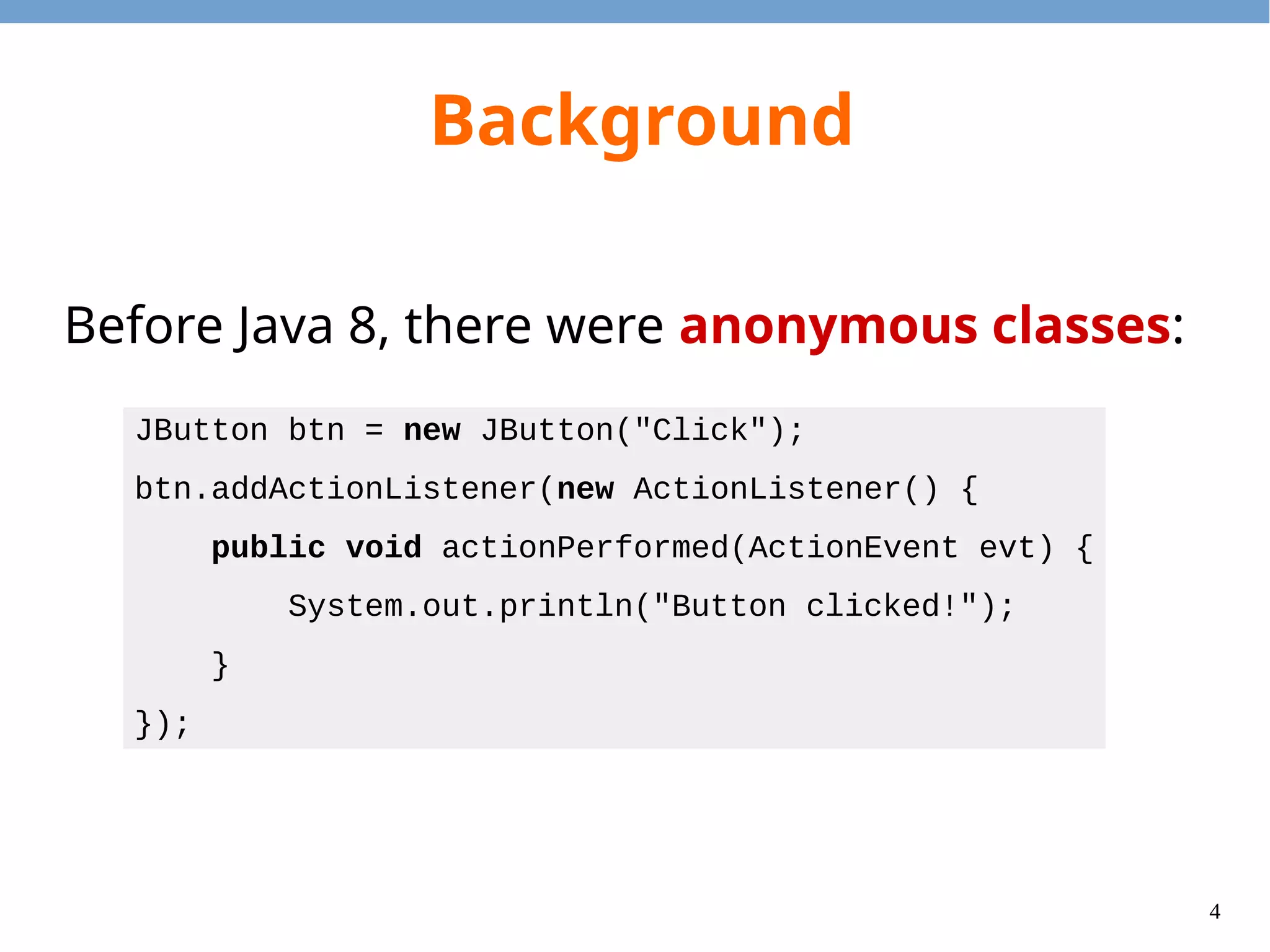
4 Background Before Java 8, there were anonymous classes: JButton btn = new JButton("Click"); btn.addActionListener(new ActionListener() { public void actionPerformed(ActionEvent evt) { System.out.println("Button clicked!"); } });
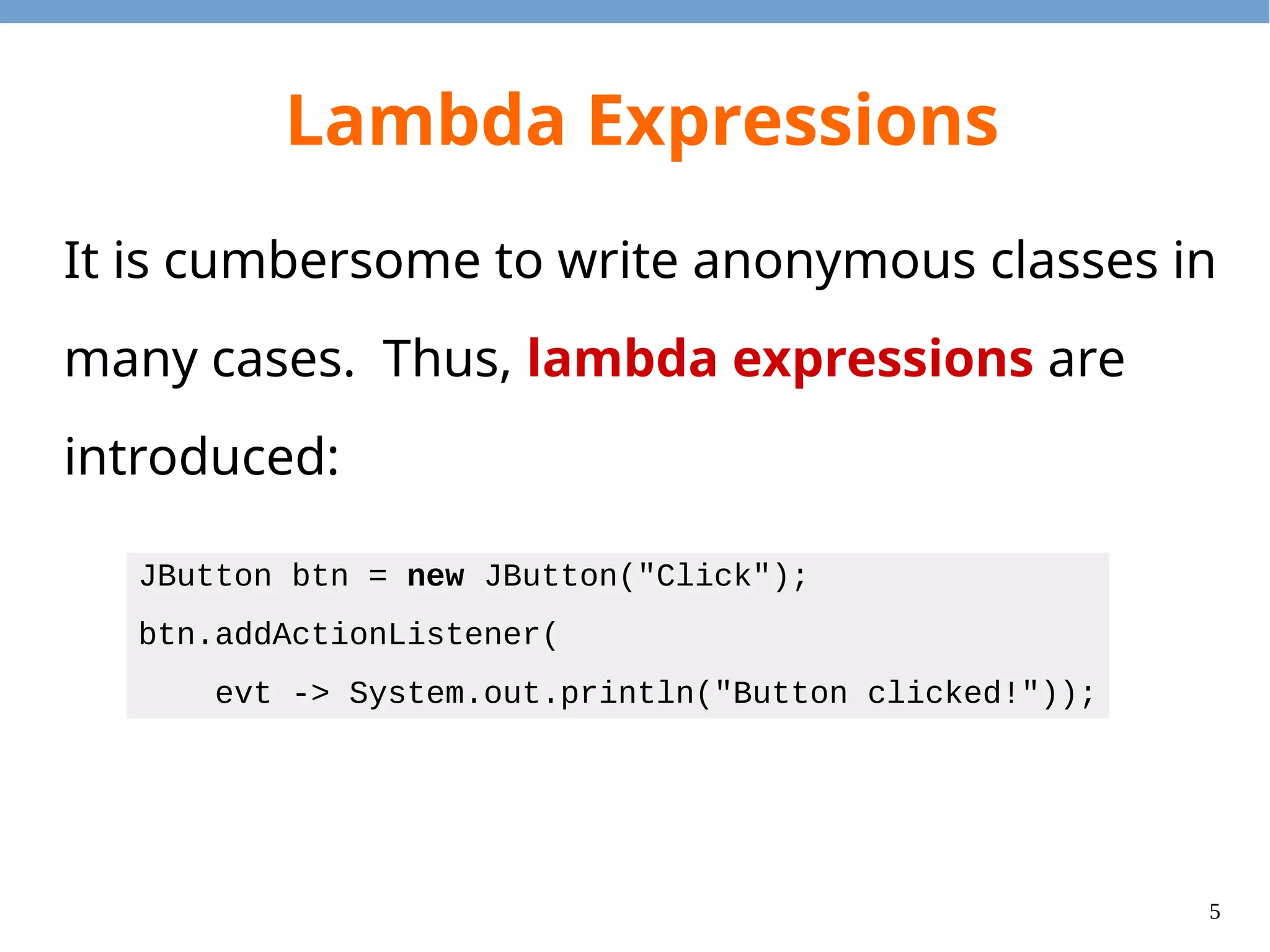
5 Lambda Expressions It is cumbersome to write anonymous classes in many cases. Thus, lambda expressions are introduced: JButton btn = new JButton("Click"); btn.addActionListener( evt -> System.out.println("Button clicked!"));
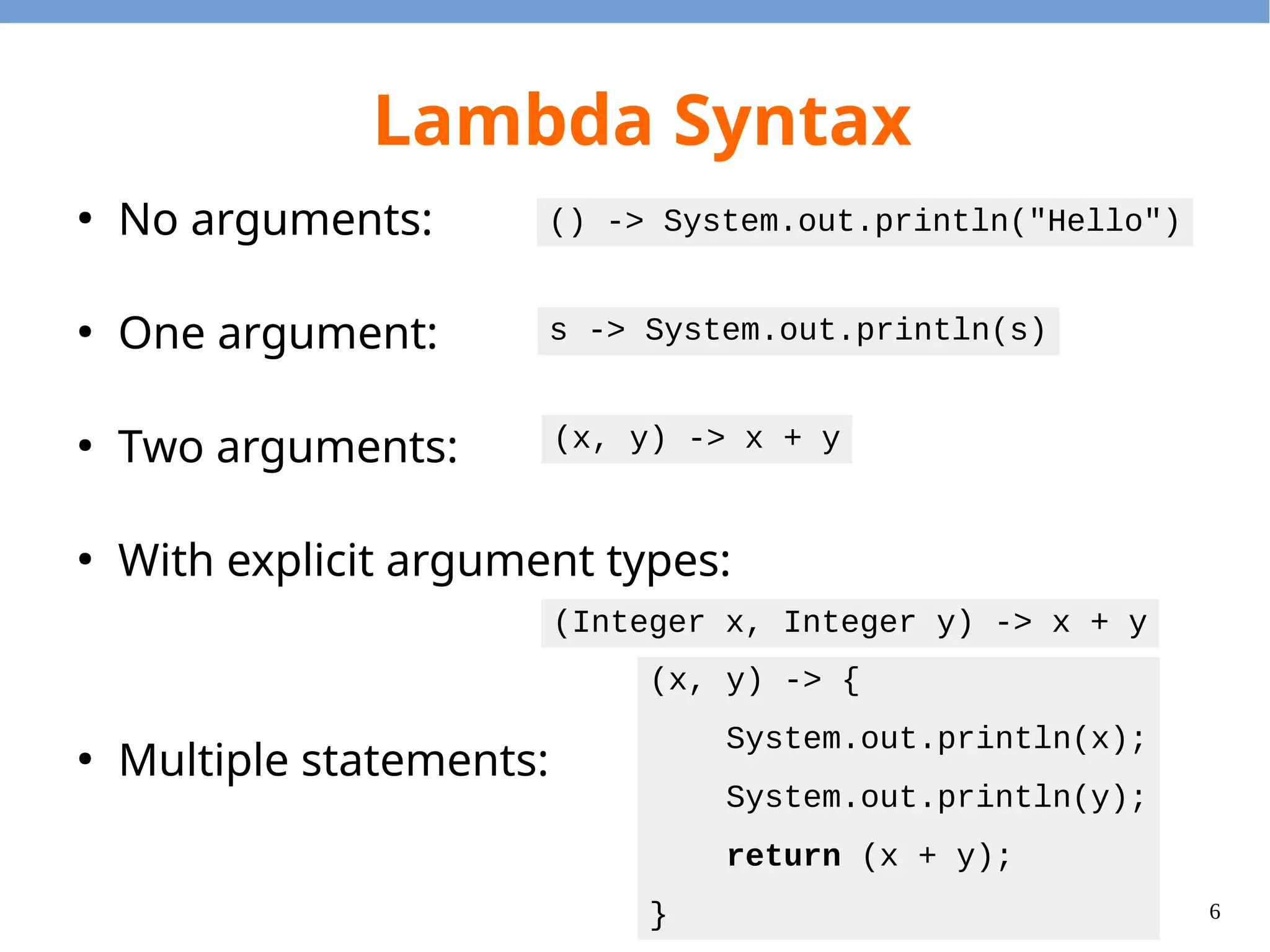
6 Lambda Syntax ● No arguments: ● One argument: ● Two arguments: ● With explicit argument types: ● Multiple statements: () -> System.out.println("Hello") s -> System.out.println(s) (x, y) -> x + y (Integer x, Integer y) -> x + y (x, y) -> { System.out.println(x); System.out.println(y); return (x + y); }
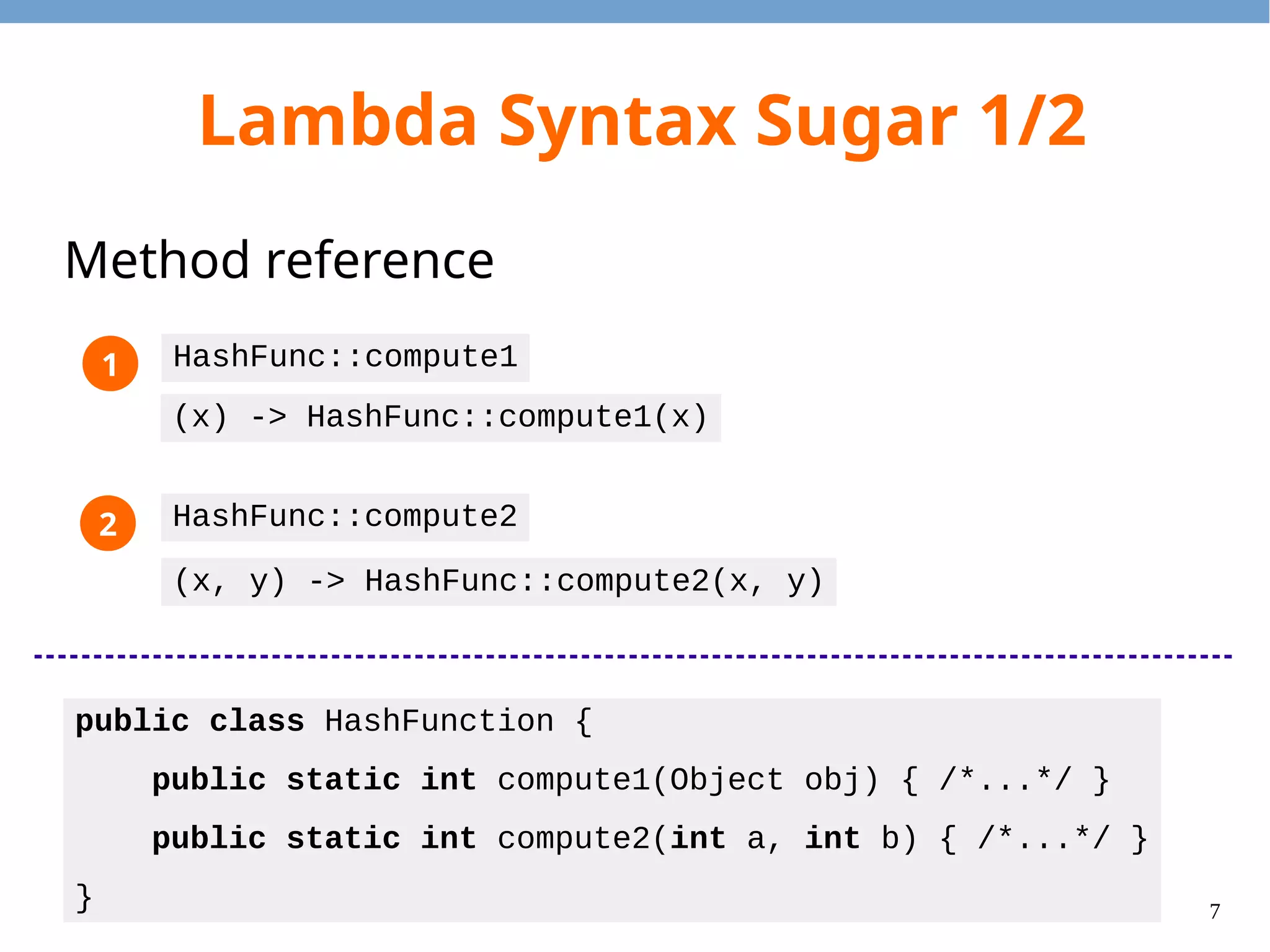
7 Lambda Syntax Sugar 1/2 Method reference public class HashFunction { public static int compute1(Object obj) { /*...*/ } public static int compute2(int a, int b) { /*...*/ } } HashFunc::compute1 (x) -> HashFunc::compute1(x) HashFunc::compute2 (x, y) -> HashFunc::compute2(x, y) 1 2
8 Lambda Syntax Sugar 2/2 Constructor reference String::new () -> new String() (x) -> new String(x) (x, y) -> new String(x, y) (x, y, z) -> new String(x, y, z) int[]::new (s) -> new int[s] 1 2
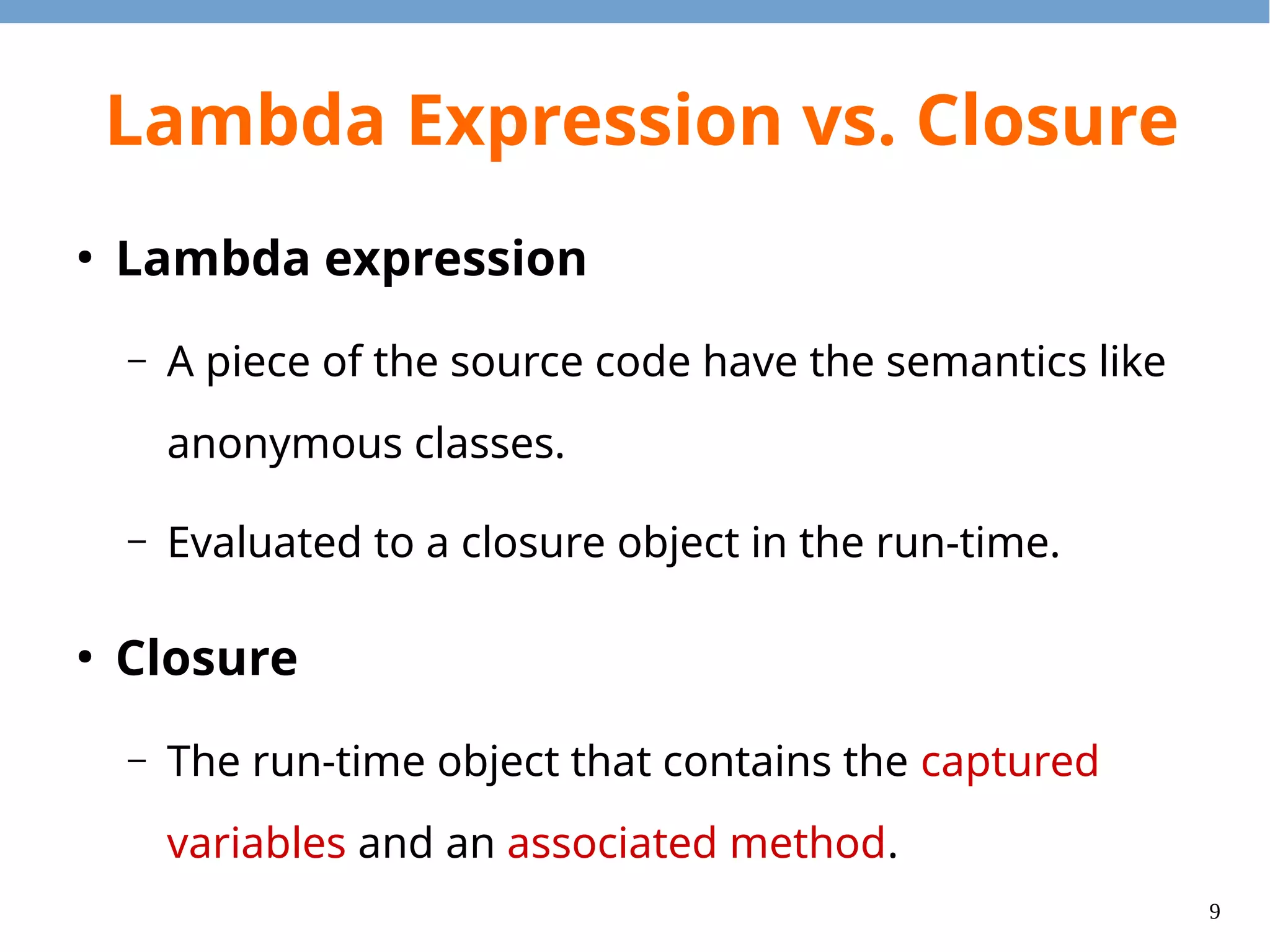
9 Lambda Expression vs. Closure ● Lambda expression – A piece of the source code have the semantics like anonymous classes. – Evaluated to a closure object in the run-time. ● Closure – The run-time object that contains the captured variables and an associated method.
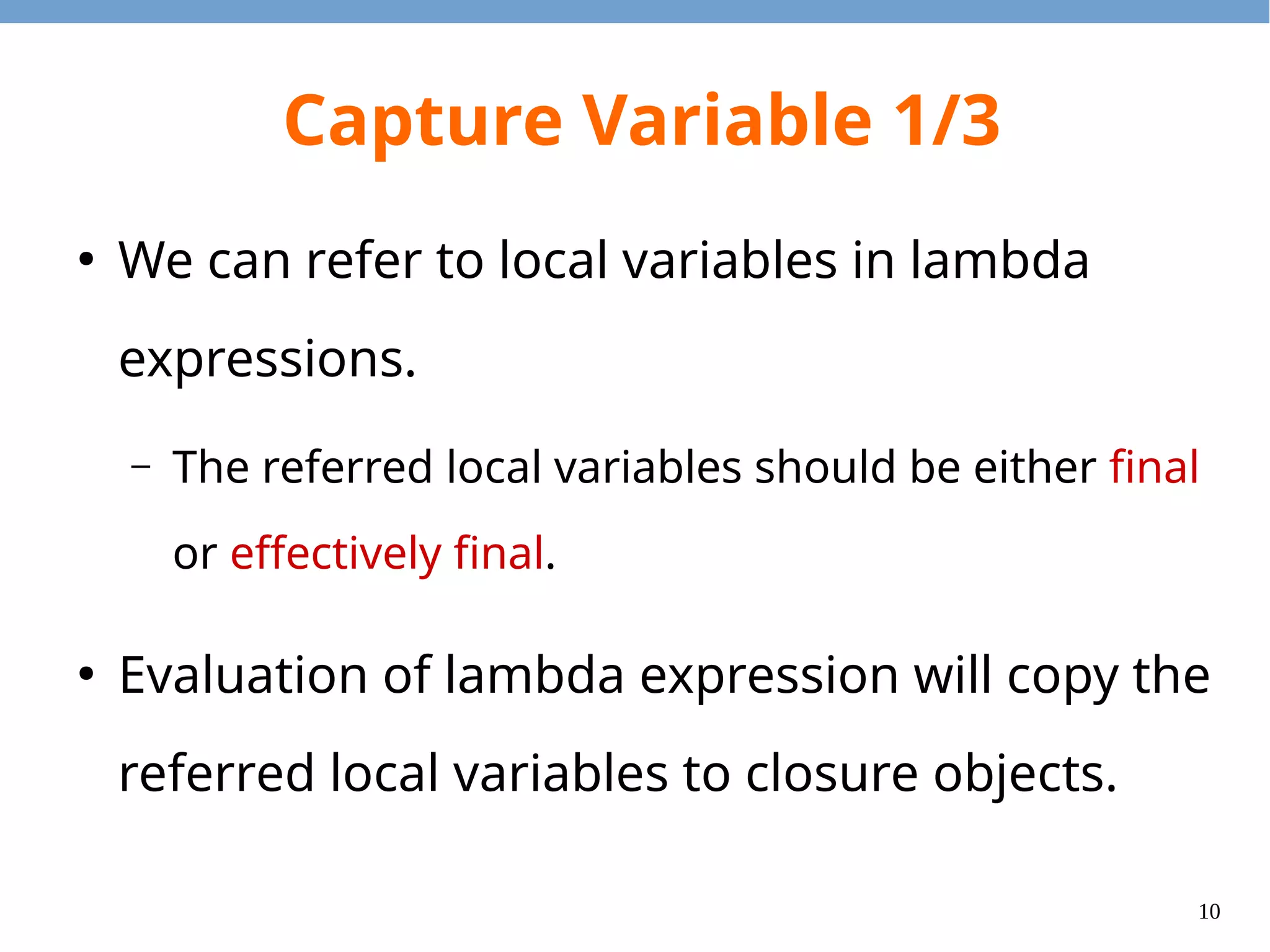
10 Capture Variable 1/3 ● We can refer to local variables in lambda expressions. – The referred local variables should be either final or effectively final. ● Evaluation of lambda expression will copy the referred local variables to closure objects.
11 Capture Variable 2/3 import java.util.stream.*; import java.util.function.*; public class CaptureExample { public static IntUnaryOperator addBy(int n) { return (x) -> x + n; } public static void main(String[] args) { IntStream.of(1, 2, 3).map(addBy(1)) .map(addBy(2)) .forEach(System.out::println); } } Capture variable11 2 The lambda expression is evaluated twice. Thus, two closure objects are returned.
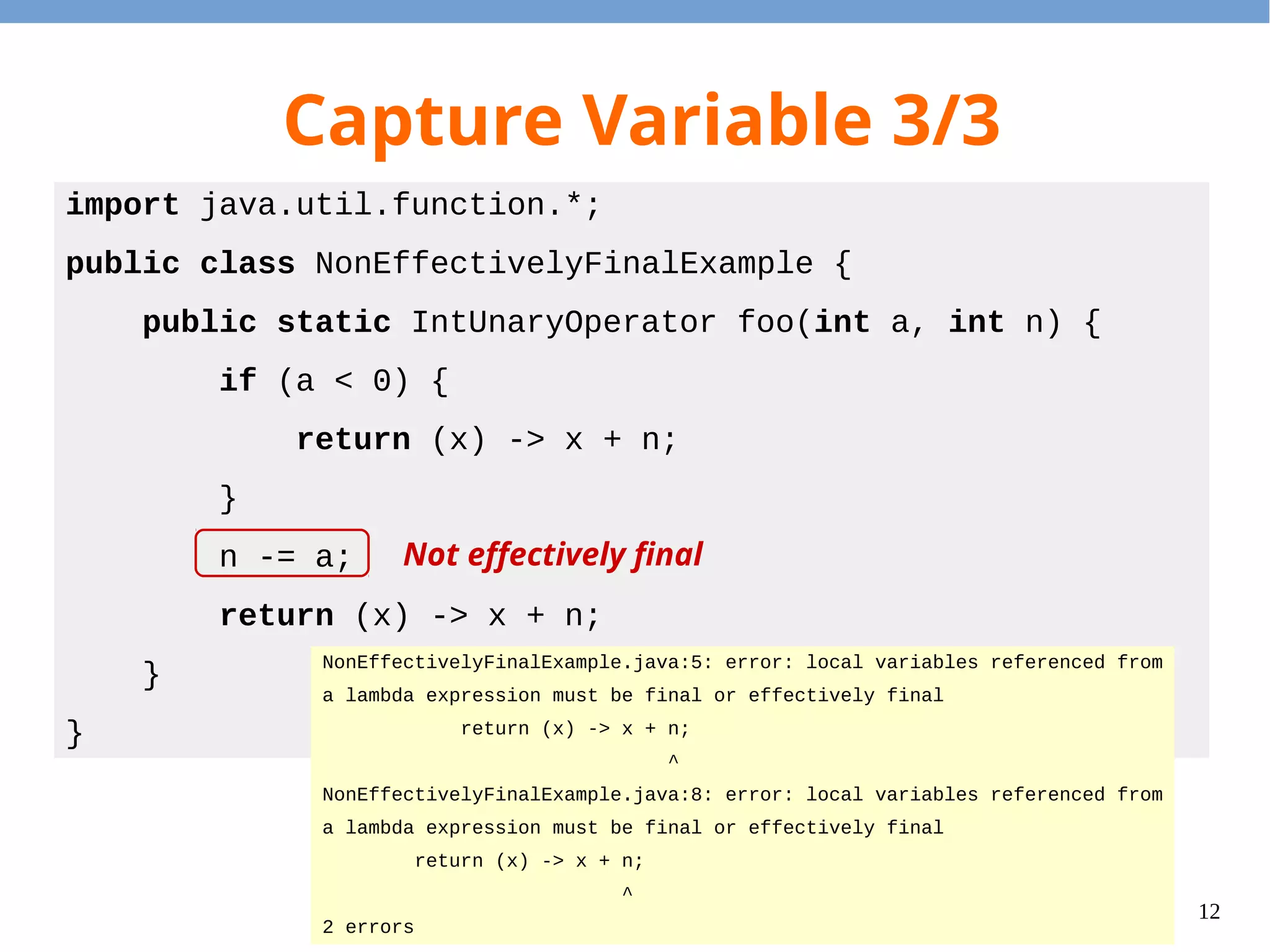
12 Capture Variable 3/3 import java.util.function.*; public class NonEffectivelyFinalExample { public static IntUnaryOperator foo(int a, int n) { if (a < 0) { return (x) -> x + n; } n -= a; return (x) -> x + n; } } NonEffectivelyFinalExample.java:5: error: local variables referenced from a lambda expression must be final or effectively final return (x) -> x + n; ^ NonEffectivelyFinalExample.java:8: error: local variables referenced from a lambda expression must be final or effectively final return (x) -> x + n; ^ 2 errors Not effectively final
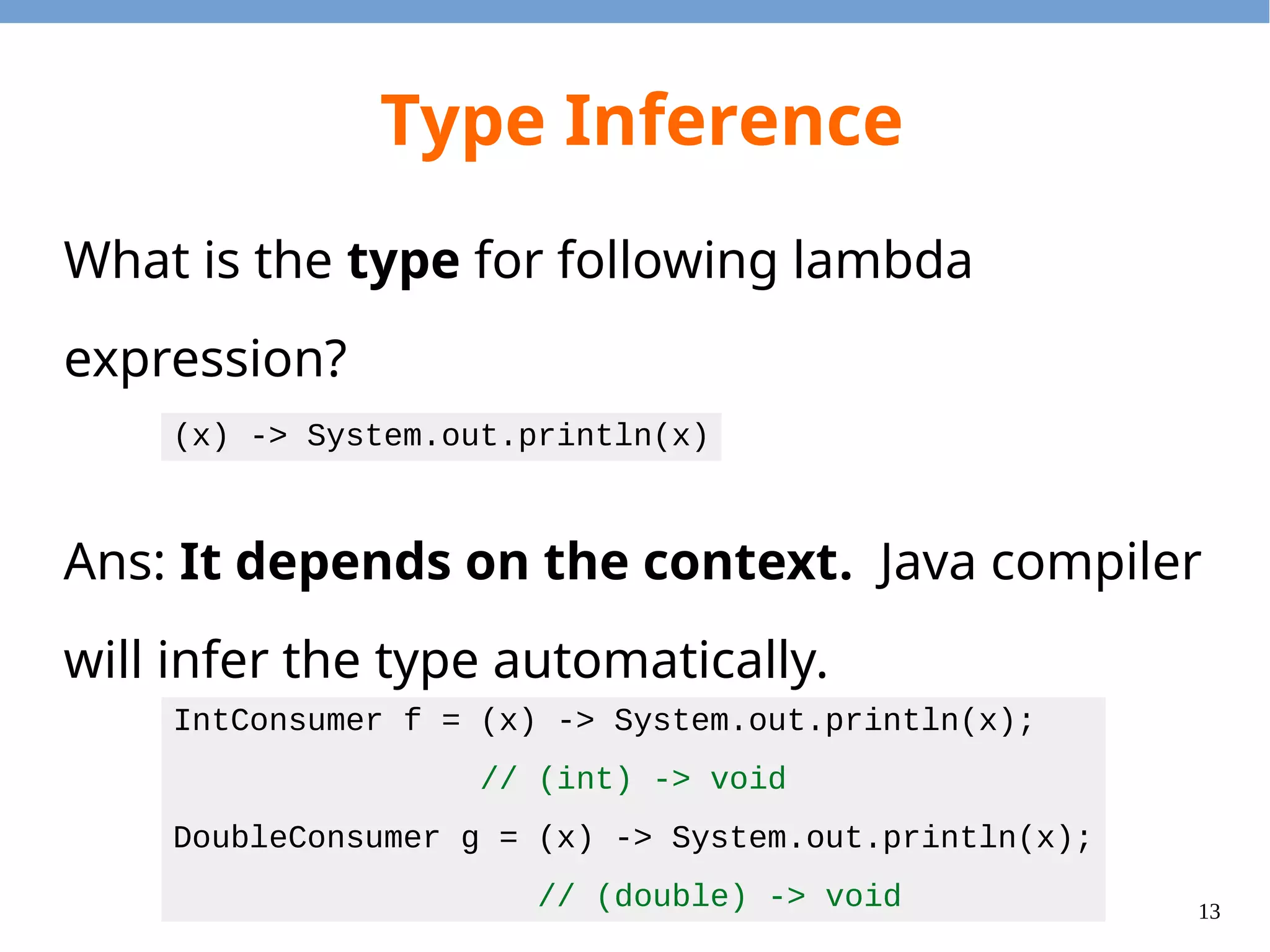
13 Type Inference What is the type for following lambda expression? Ans: It depends on the context. Java compiler will infer the type automatically. (x) -> System.out.println(x) IntConsumer f = (x) -> System.out.println(x); // (int) -> void DoubleConsumer g = (x) -> System.out.println(x); // (double) -> void
14 Questions?
15 Stream & Operations
16 Big Picture How to Use Lambdas? ● Stream – Create a stream from the collections, arrays, etc. ● Lazy operations – Operations that will be applied to stream elements on demand. ● Eager operations – Operations that will trigger the evaluations. – Enumerators, Collectors, etc.
17 Stream ● Stream is an abstraction of the underlying data structure. ● Isolates the data processing and control flow. ● Abstracts the intermediate data structures. ● Abstracts the lazy evaluation of operations.
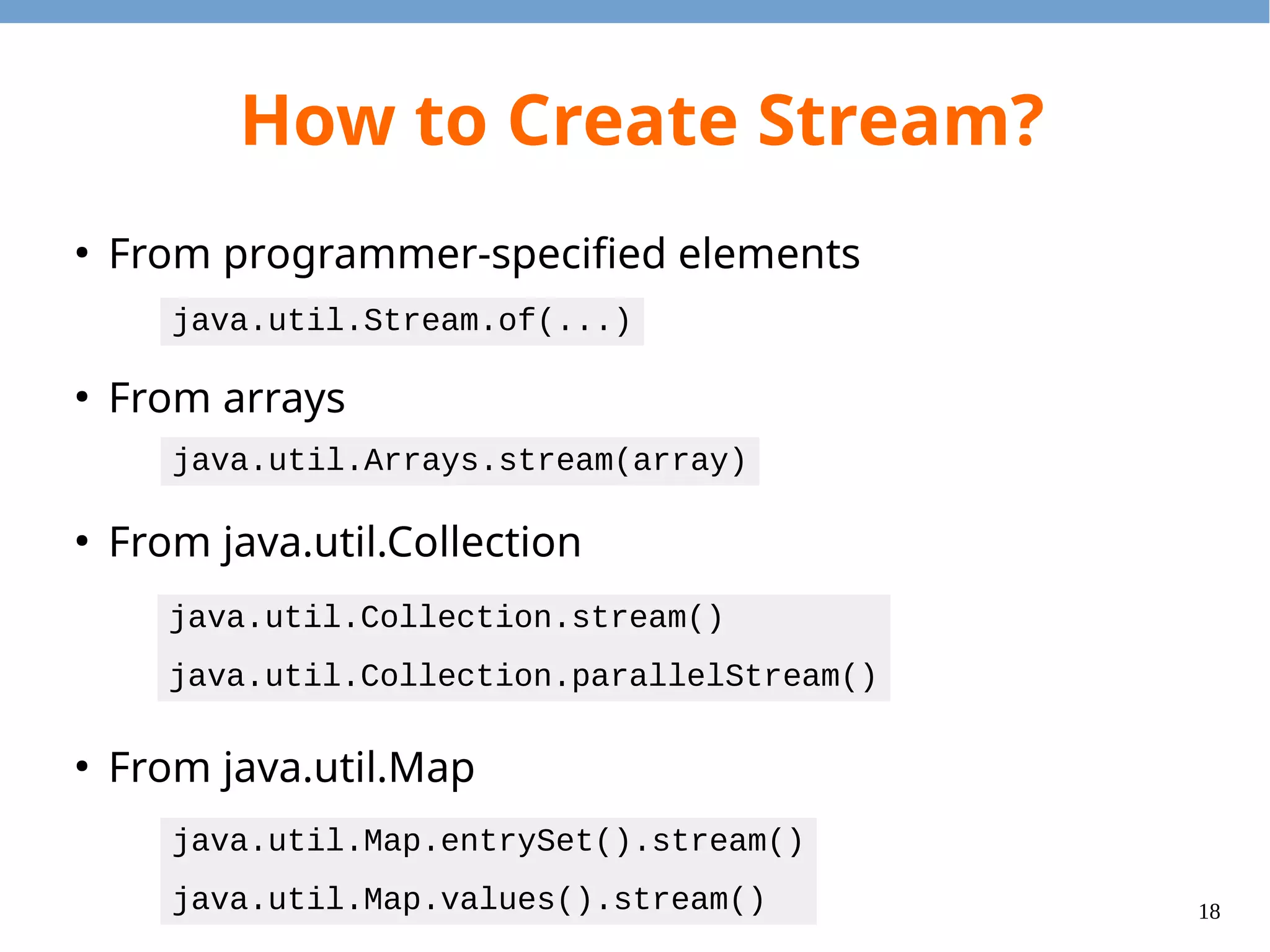
18 How to Create Stream? ● From programmer-specified elements ● From arrays ● From java.util.Collection ● From java.util.Map java.util.Stream.of(...) java.util.Arrays.stream(array) java.util.Collection.stream() java.util.Collection.parallelStream() java.util.Map.entrySet().stream() java.util.Map.values().stream()
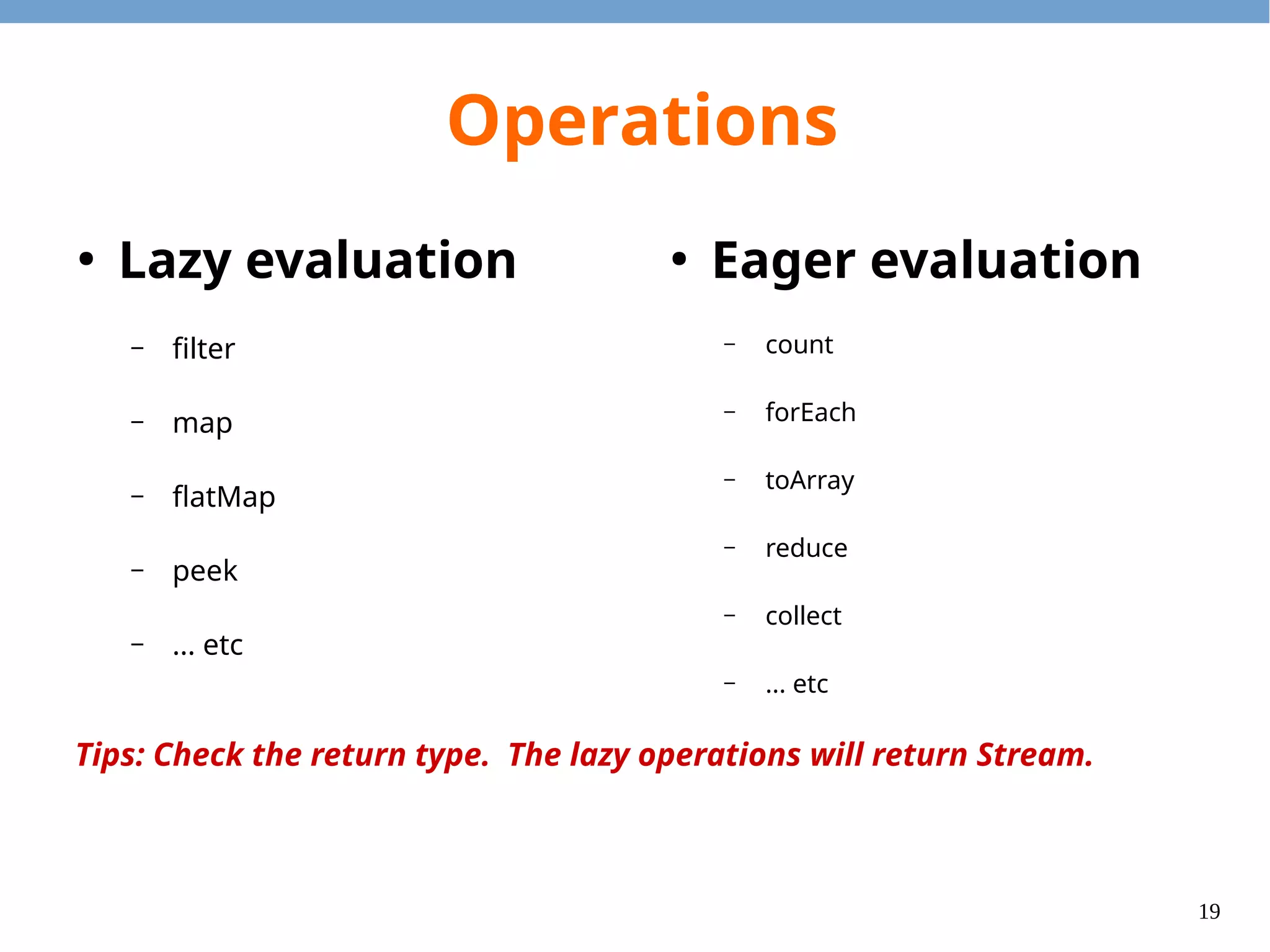
19 Operations ● Lazy evaluation – filter – map – flatMap – peek – ... etc ● Eager evaluation – count – forEach – toArray – reduce – collect – ... etc Tips: Check the return type. The lazy operations will return Stream.
20 Lazy Operations
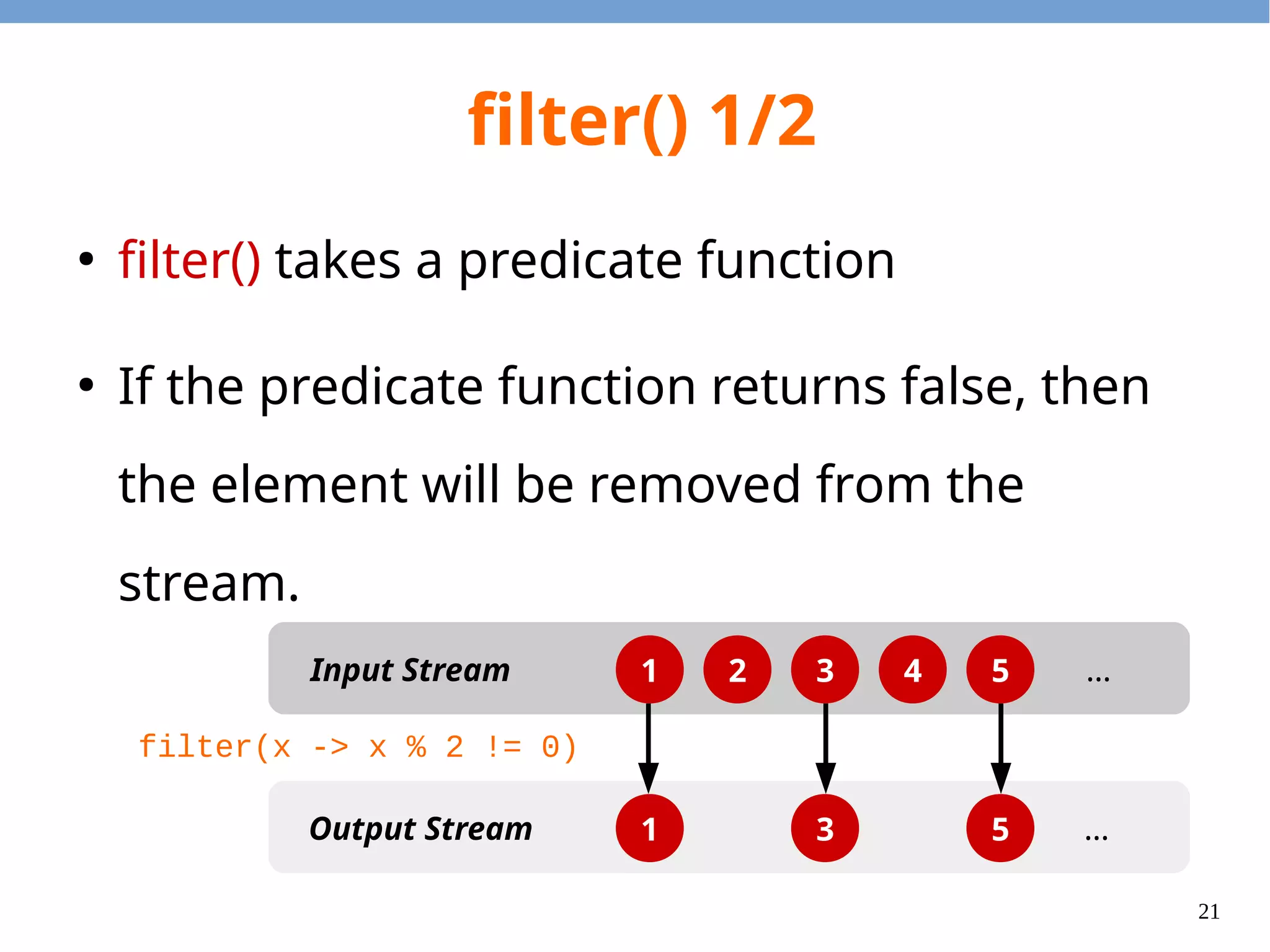
21 filter() 1/2 ● filter() takes a predicate function ● If the predicate function returns false, then the element will be removed from the stream. 1 2 3 4 5 1 3 5 Input Stream Output Stream … … filter(x -> x % 2 != 0)
22 filter() 2/2 import java.util.stream.*; public class FilterExample { public static void main(String[] args) { Stream.of(1, 2, 3, 4, 5) .filter(x -> x % 2 != 0) .forEach(System.out::println); } } 1 2 3 4 5 1 3 5 Input Stream Output Stream … … filter(x -> x % 2 != 0)
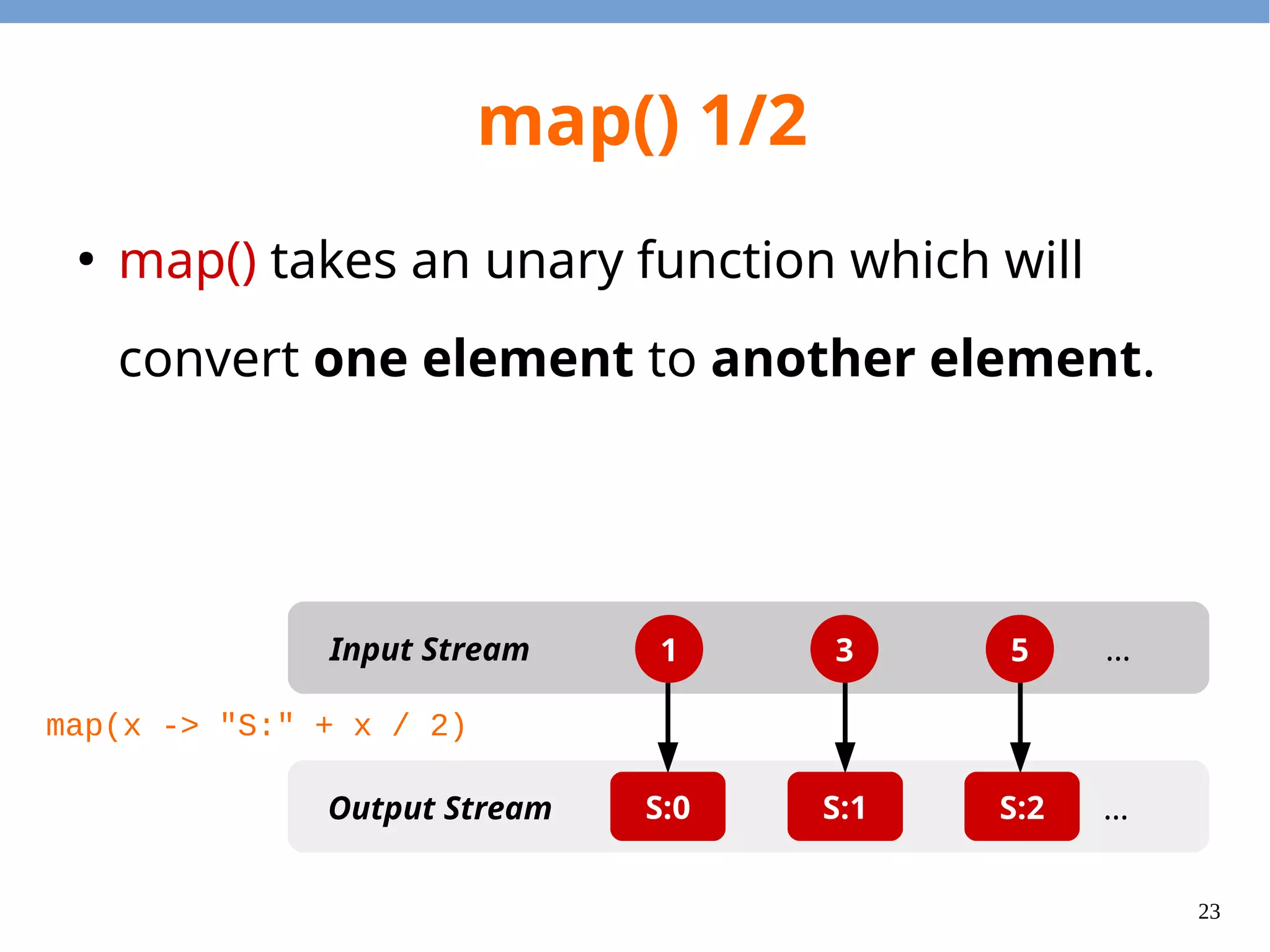
23 map() 1/2 ● map() takes an unary function which will convert one element to another element. 1 3 5Input Stream Output Stream … …S:0 S:1 S:2 map(x -> "S:" + x / 2)
24 import java.util.stream.*; public class MapExample { public static void main(String[] args) { Stream.of(1, 3, 5) .map(x -> "S:" + x / 2) .forEach(System.out::println); } } map() 2/2 1 3 5Input Stream Output Stream … …S:0 S:1 S:2 map(x -> "S:" + x / 2) Integer String
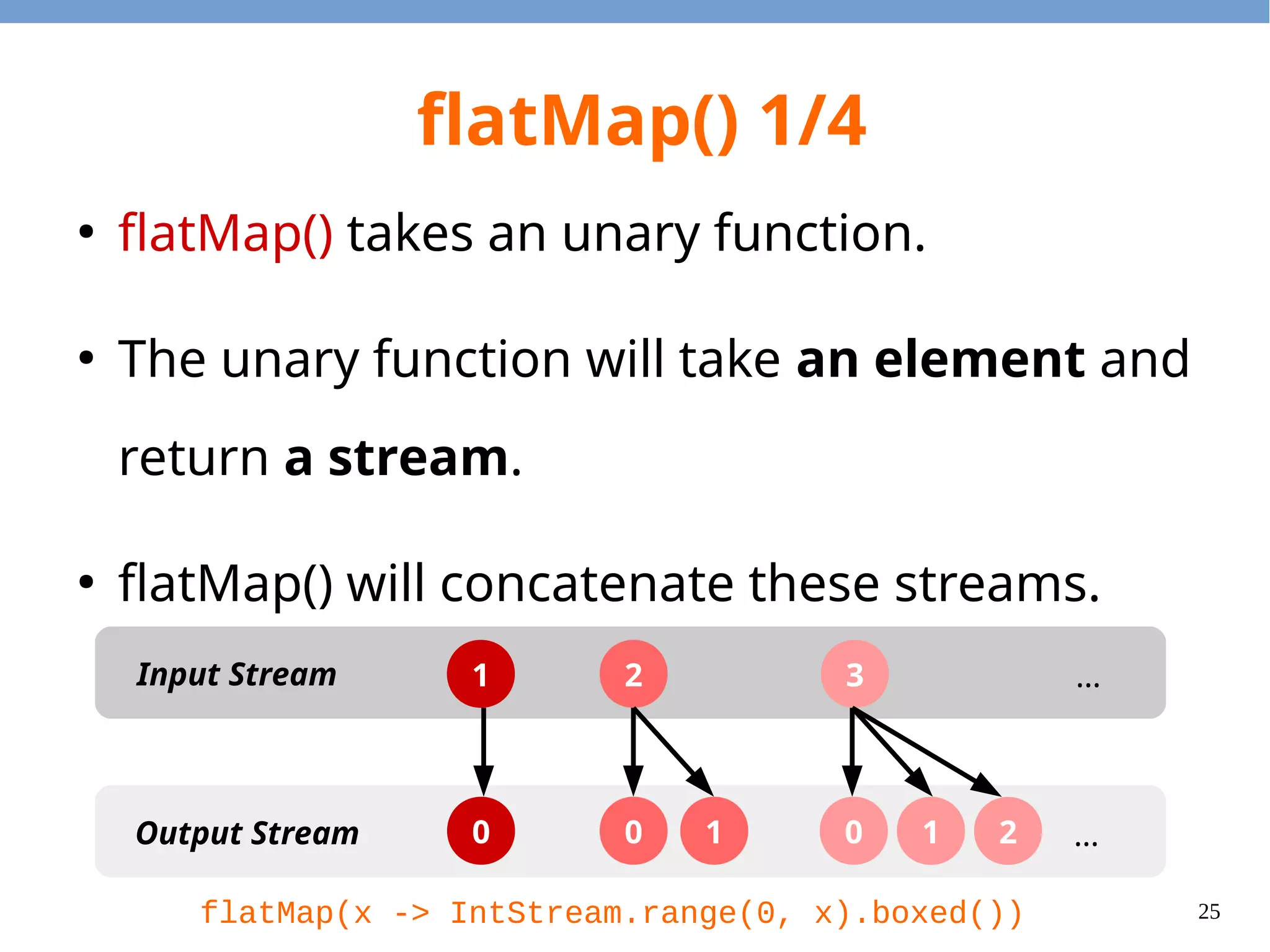
25 flatMap() 1/4 ● flatMap() takes an unary function. ● The unary function will take an element and return a stream. ● flatMap() will concatenate these streams. 1 2 3Input Stream Output Stream … …0 0 1 0 1 2 flatMap(x -> IntStream.range(0, x).boxed())
26 flatMap() 2/4 import java.util.stream.*; public class FlatMapExample1 { public static void main(String[] args) { Stream.of(1, 2, 3) .flatMap(x -> IntStream.range(0, x).boxed()) .forEach(System.out::println); } } 1 2 3Input Stream Output Stream … …0 0 1 0 1 2 flatMap(x -> IntStream.range(0, x).boxed())
27 flatMap() 3/4 A B C a b bb bbb c cc HashMap<String, String[]> Key Value
28 flatMap() 4/4 import java.util.*; import java.util.stream.*; public class FlatMapExample2 { public static void main(String[] args) { HashMap<String, String[]> m = new HashMap<String, String[]>(); m.put("A", new String[]{"a"}); m.put("B", new String[]{"b", "bb", "bbb"}); m.put("C", new String[]{"c", "cc"}); m.entrySet().stream() .flatMap(e -> Arrays.stream(e.getValue())) .forEach(System.out::println); } }
29 peek() 1/3 ● peek() is the debug routine. – e.g. Print the value during the lazy evaluation. ● It will call the closure method with an element. – You can print the element. – You can manipulate the object (but not recommended.)
30 peek() 2/3 import java.util.stream.*; public class PeekExample1 { public static void main(String[] args) { Stream.of(1, 2, 3) .map(x -> x * 2) .peek(x -> System.out.println("a:" + x)) .map(x -> x + 1) .peek(x -> System.out.println("b:" + x)) .forEach(System.out::println); } }; a:2 b:3 3 a:4 b:5 5 a:6 b:7 7 Output
31 peek() 3/3 import java.util.stream.*; class Num { private int value; public Num(int i) { value = i; } public int get() { return value; } public void set(int i) { value = i; } }; public class PeekExample2 { public static void main(String[] args) { Stream.of(new Num(1), new Num(2), new Num(3)) .peek(x -> x.set(5)) .forEach(x -> System.out.println(x.get())); } }; 5 5 5 Output
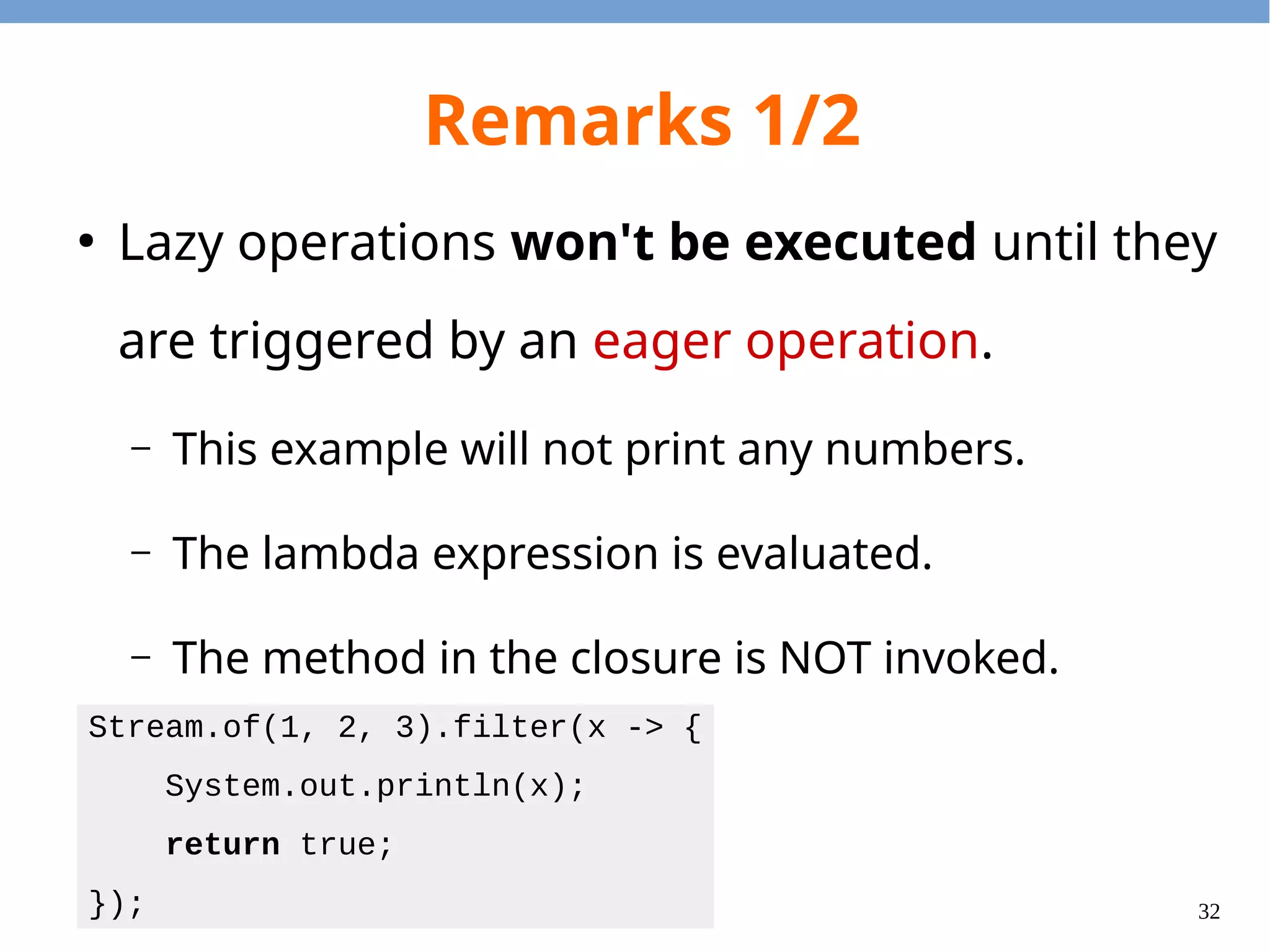
32 Remarks 1/2 ● Lazy operations won't be executed until they are triggered by an eager operation. – This example will not print any numbers. – The lambda expression is evaluated. – The method in the closure is NOT invoked. Stream.of(1, 2, 3).filter(x -> { System.out.println(x); return true; });
33 Remarks 2/2 ● It is suggested to use pure functions (i.e. no side-effects) for these operations. – It is hard to predict the behavior when we have both mutability and lazy evaluation. – Mutable + Lazy Evaluation = Disaster – Except: For debug purpose only.
34 Eager Operations
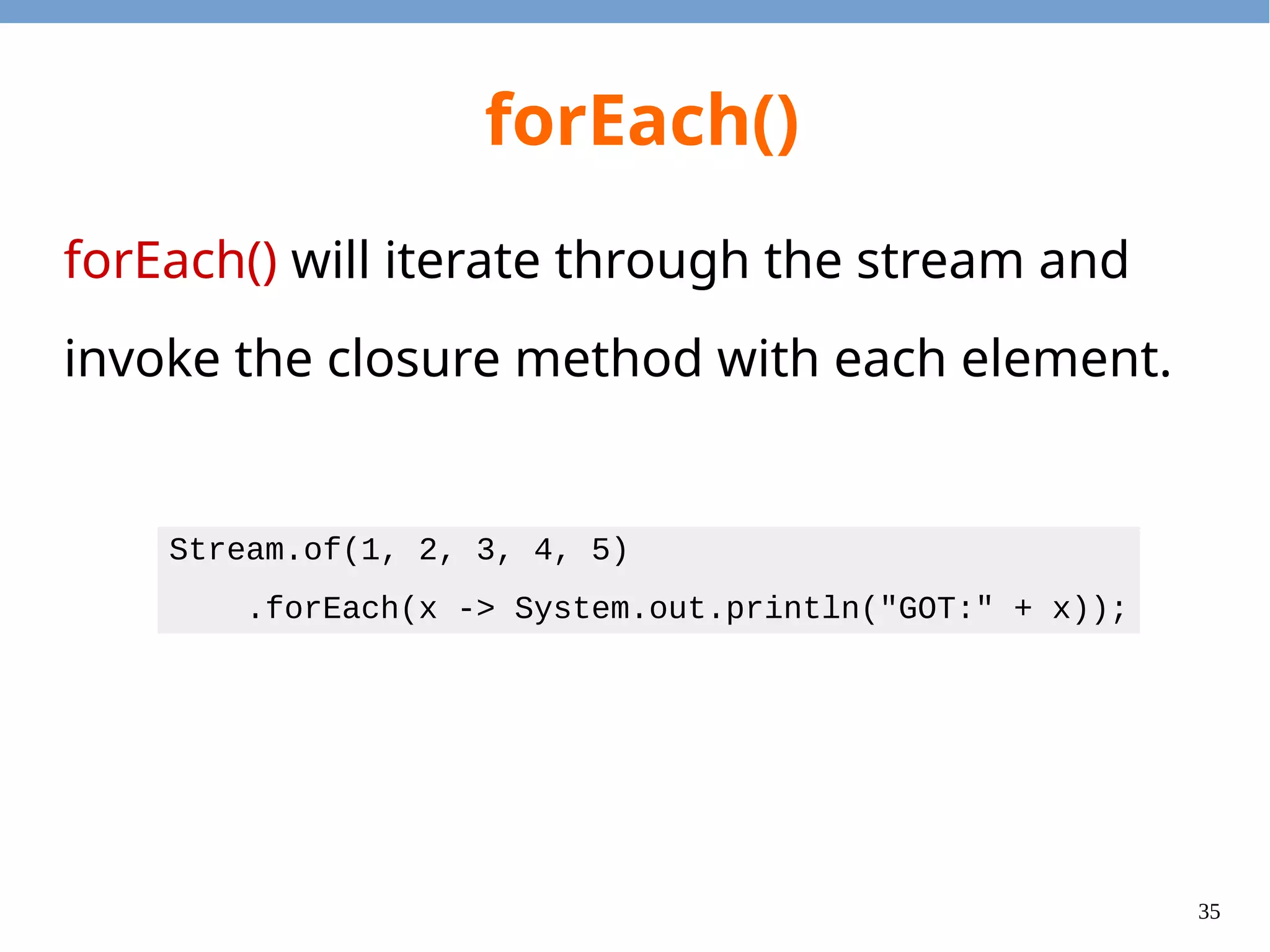
35 forEach() forEach() will iterate through the stream and invoke the closure method with each element. Stream.of(1, 2, 3, 4, 5) .forEach(x -> System.out.println("GOT:" + x));
36 count() count() counts the number of elements in a stream. import java.util.stream.*; public class CountExample { public static boolean isPrime(int i) { if (i > 2 && i % 2 == 0) return false; for (int p = 3; p * p <= i; p += 2) if (i % p == 0) return false; return true; } public static void main(String[] args) { long num = IntStream.range(2, 100).filter(Count::isPrime).count(); System.out.println("Num primes in [2,100) = " + num); } }
37 toArray() toArray() collects all of the elements from a stream and put them in a java.lang.Object array. import java.util.stream.*; public class ToArrayExample { public static void main(String[] args) { Object[] array = Stream.of("apple", "bear", "bat", "cat") .filter(x -> x.startsWith("b")).toArray(); for (Object s : array) { System.out.println((String)s); } } }
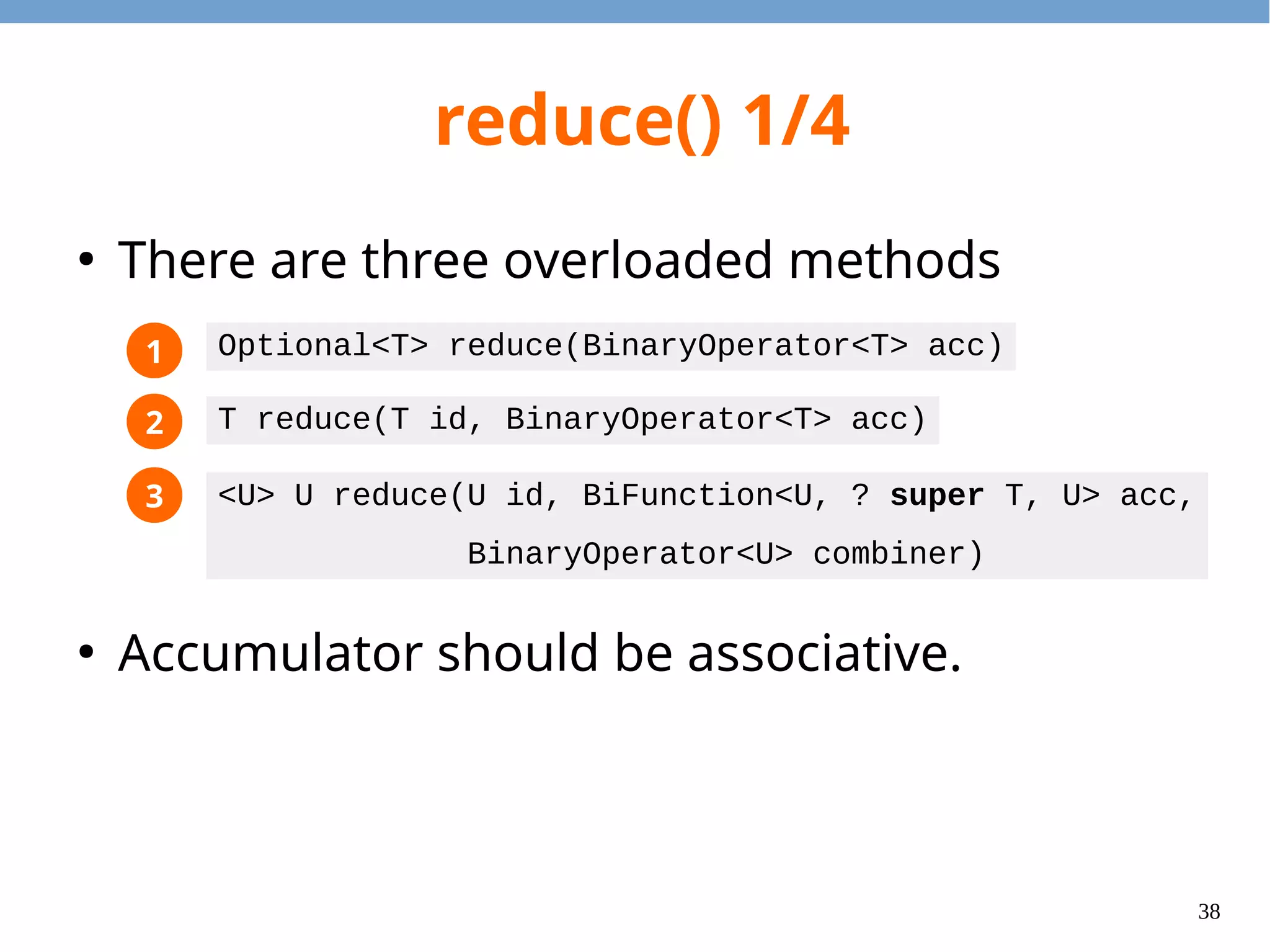
38 reduce() 1/4 ● There are three overloaded methods ● Accumulator should be associative. 1 2 3 Optional<T> reduce(BinaryOperator<T> acc) T reduce(T id, BinaryOperator<T> acc) <U> U reduce(U id, BiFunction<U, ? super T, U> acc, BinaryOperator<U> combiner)
39 reduce() 2/4 import java.util.Optional; import java.util.stream.*; public class ReduceExample1 { public static Optional<Integer> sum(Stream<Integer> s) { return s.reduce((x, y) -> x + y); } public static void main(String[] args) { System.out.println(sum(Stream.of())); System.out.println(sum(Stream.of(1))); System.out.println(sum(Stream.of(1, 2))); } } Output Optional.empty Optional[1] Optional[3]
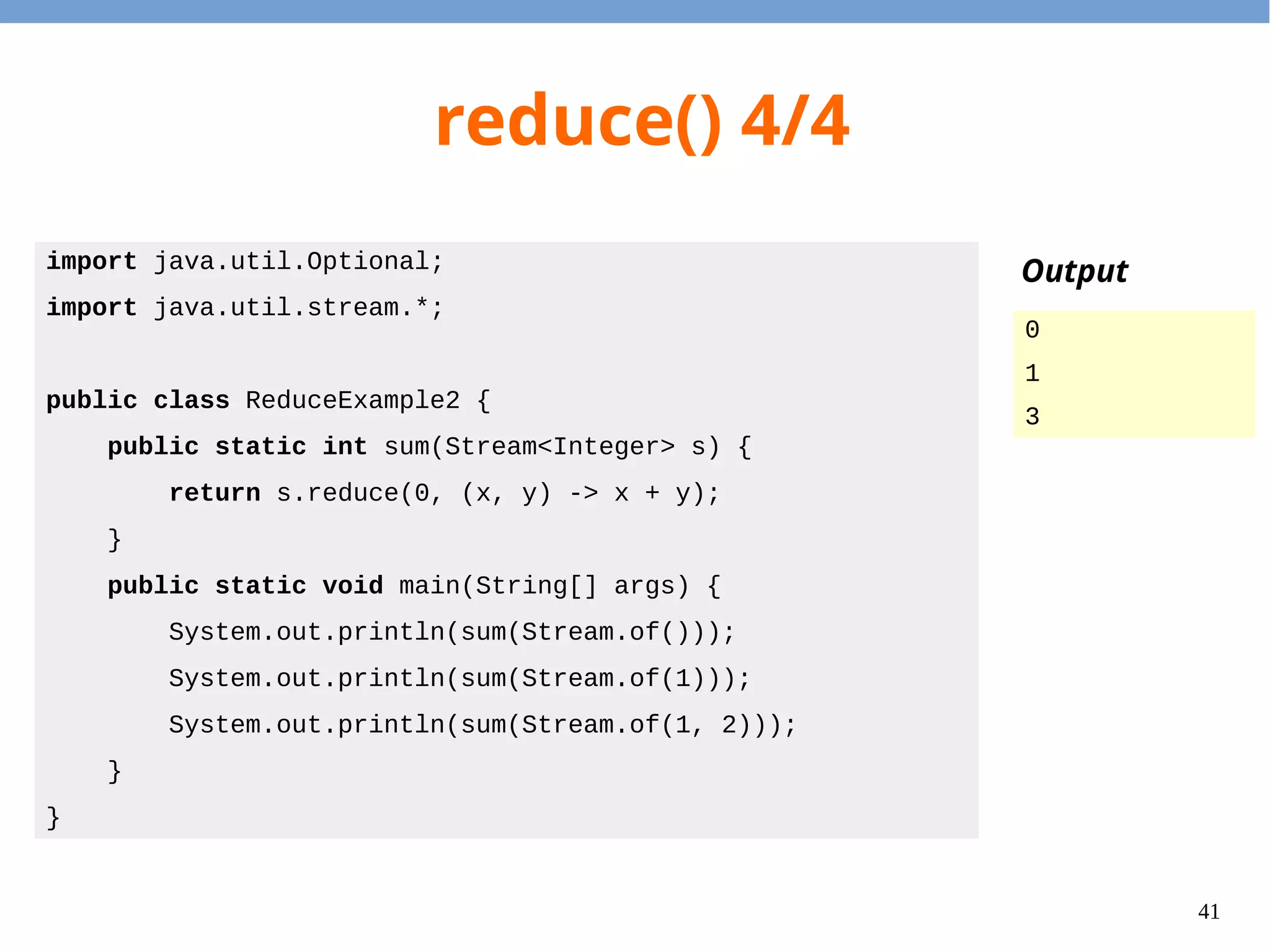
40 reduce() 3/4 import java.util.Optional; import java.util.stream.*; public class ReduceExample2 { public static int sum(Stream<Integer> s) { return s.reduce(0, (x, y) -> x + y); } public static void main(String[] args) { System.out.println(sum(Stream.of())); System.out.println(sum(Stream.of(1))); System.out.println(sum(Stream.of(1, 2))); } } Output 0 1 3
41 collect() ● collect() takes a collector object and send each element to the collector. ● It allows the run-time to build the final data structure gradually.
42 Common Collectors ● Collectors.toList() ● Collectors.toSet() ● Colloctors.groupingBy() ● Collectors.joining() ● Find more in java.util.stream.Collectors.
43 collect(toList()) import java.util.List; import java.util.stream.*; public class CollectToListExample { public static void main(String[] args) { List<Integer> odds = Stream.of(1, 2, 3, 4, 5) .filter(x -> x % 2 != 0) .collect(Collectors.toList()); for (Integer i : odds) { System.out.println(i); } } }
44 collect(toSet()) import java.util.Set; import java.util.stream.*; public class CollectToSetExample { public static void main(String[] args) { Set<Integer> congs = Stream.of(1, 2, 3, 4, 5) .map(x -> x % 2) .collect(Collectors.toSet()); for (Integer i : congs) { System.out.println(i); } } }
45 collect(groupingBy()) import java.util.*; import java.util.stream.*; public class CollectGroupingByExample { public static void main(String[] args) { Map<String, List<Integer>> groups = Stream.of(1, 2, 3, 4, 5) .collect(Collectors.groupingBy( x -> x % 2 == 0 ? "even" : "odd")); for (Map.Entry<String, List<Integer>> e : groups.entrySet()) { System.out.println(e.getKey() + ":" + e.getValue()); } } }
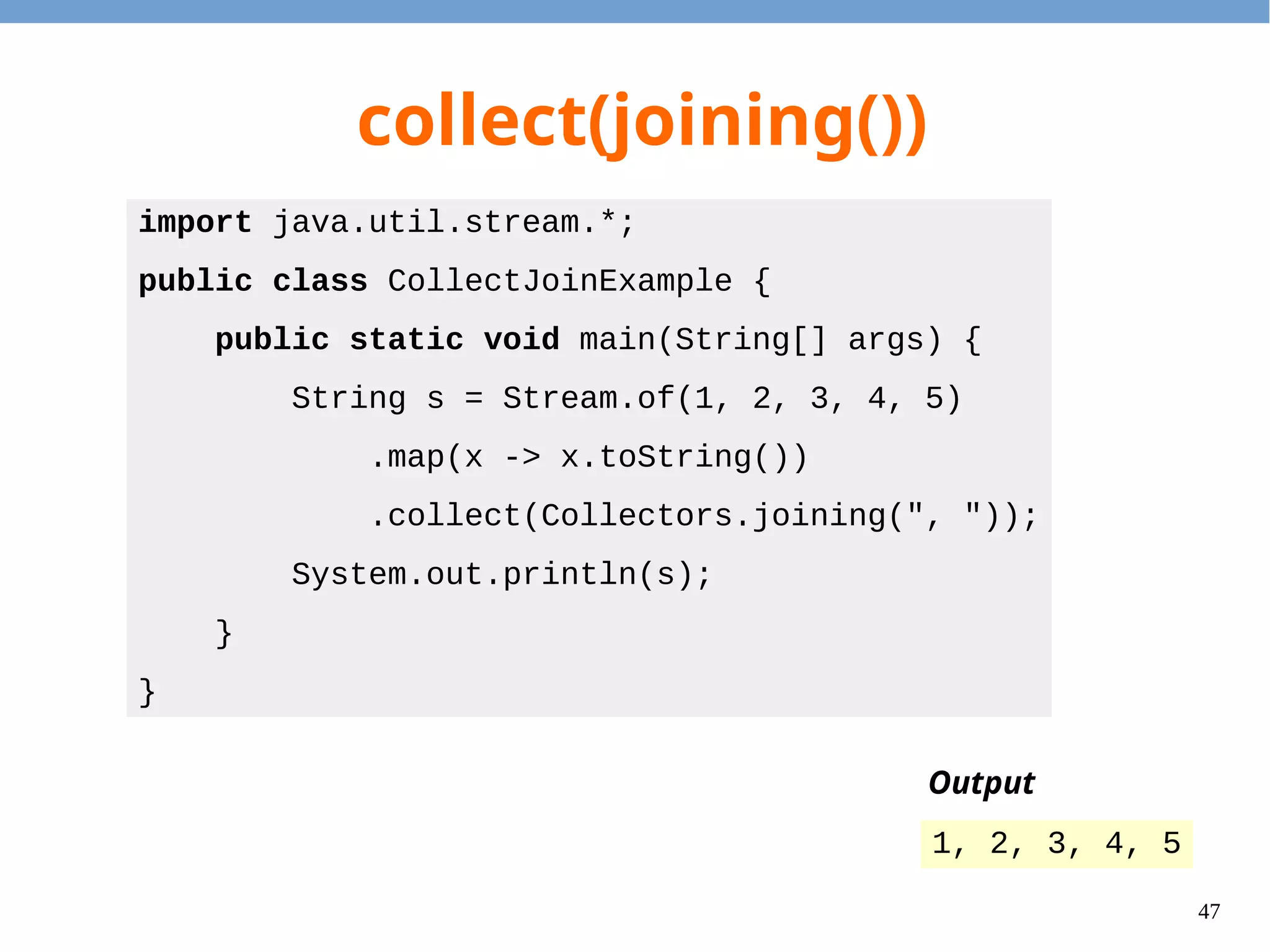
46 collect(joining()) import java.util.stream.*; public class CollectJoinExample { public static void main(String[] args) { String s = Stream.of(1, 2, 3, 4, 5) .map(x -> x.toString()) .collect(Collectors.joining(", ")); System.out.println(s); } } Output 1, 2, 3, 4, 5
47 Specialized Types
48 Specialized Types ● To reduce box/unbox overhead, several specialized types for int, long, and double are provided. – Streams – Function Interfaces – Predicate – Collector
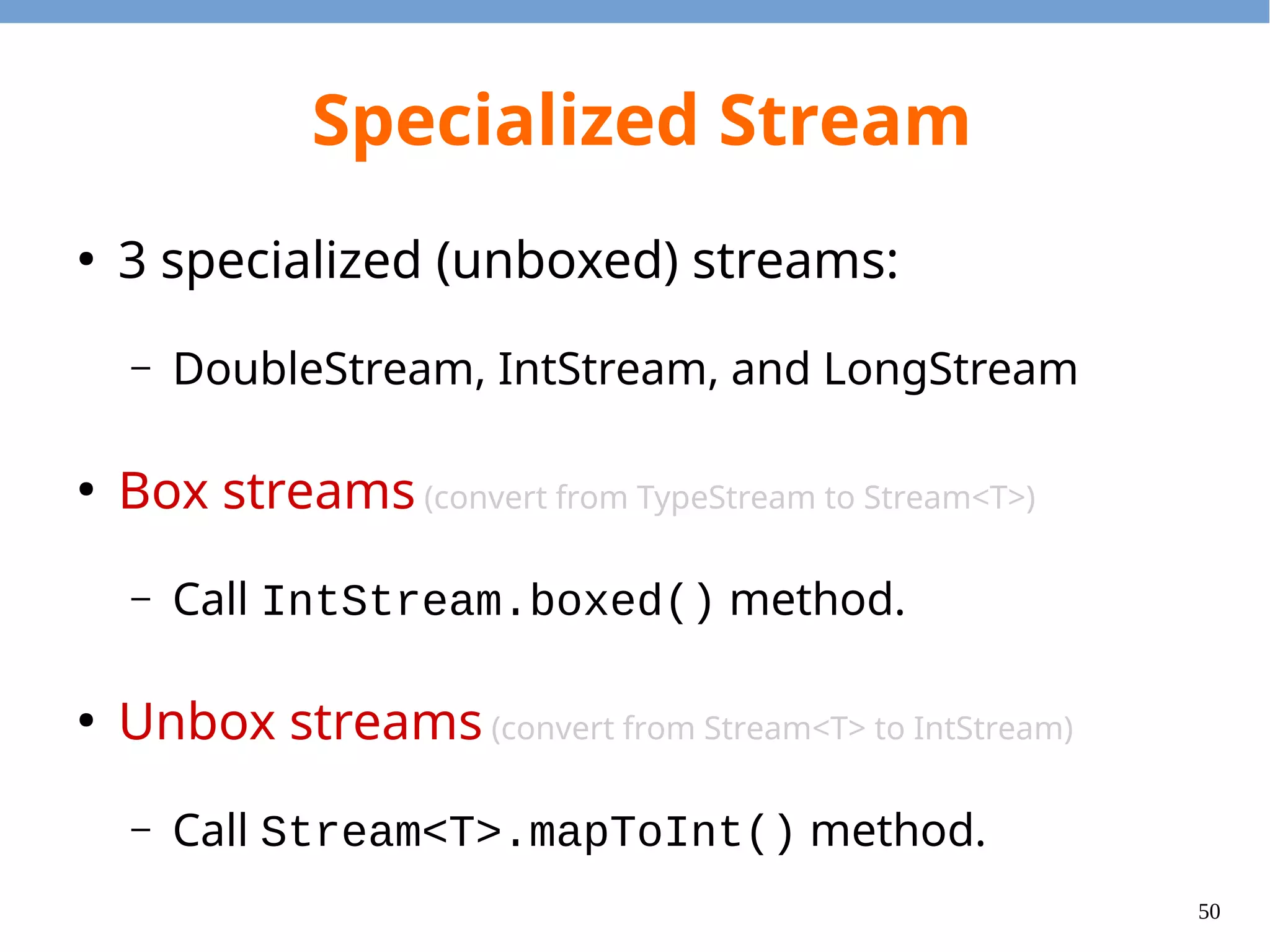
49 Specialized Stream ● 3 specialized (unboxed) streams: – DoubleStream, IntStream, and LongStream ● Box streams (convert from TypeStream to Stream<T>) – Call IntStream.boxed() method. ● Unbox streams (convert from Stream<T> to IntStream) – Call Stream<T>.mapToInt() method.
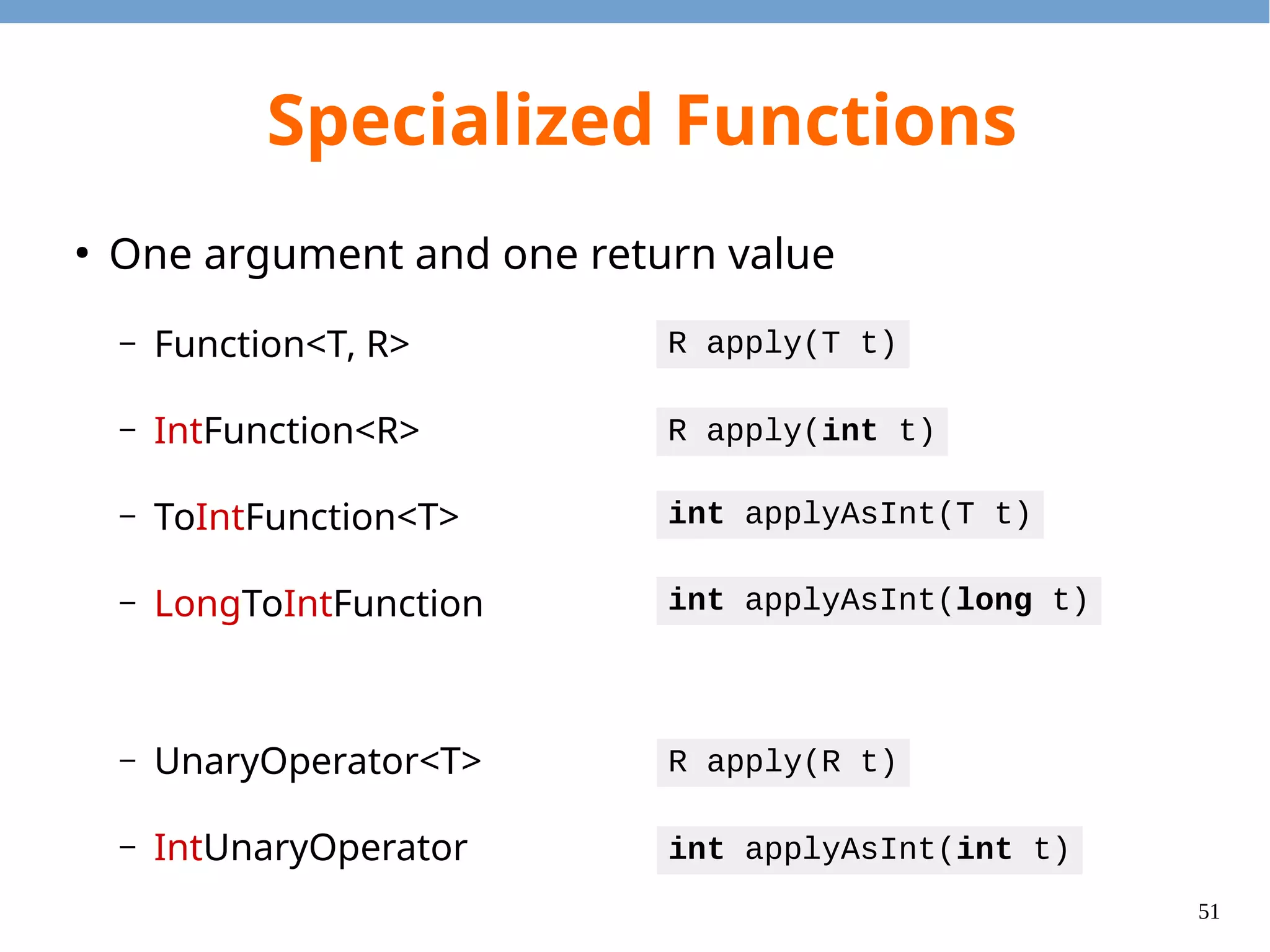
50 Specialized Functions ● One argument and one return value – Function<T, R> – IntFunction<R> – ToIntFunction<T> – LongToIntFunction – UnaryOperator<T> – IntUnaryOperator R apply(T t) R apply(int t) int applyAsInt(T t) R apply(R t) int applyAsInt(int t) int applyAsInt(long t)
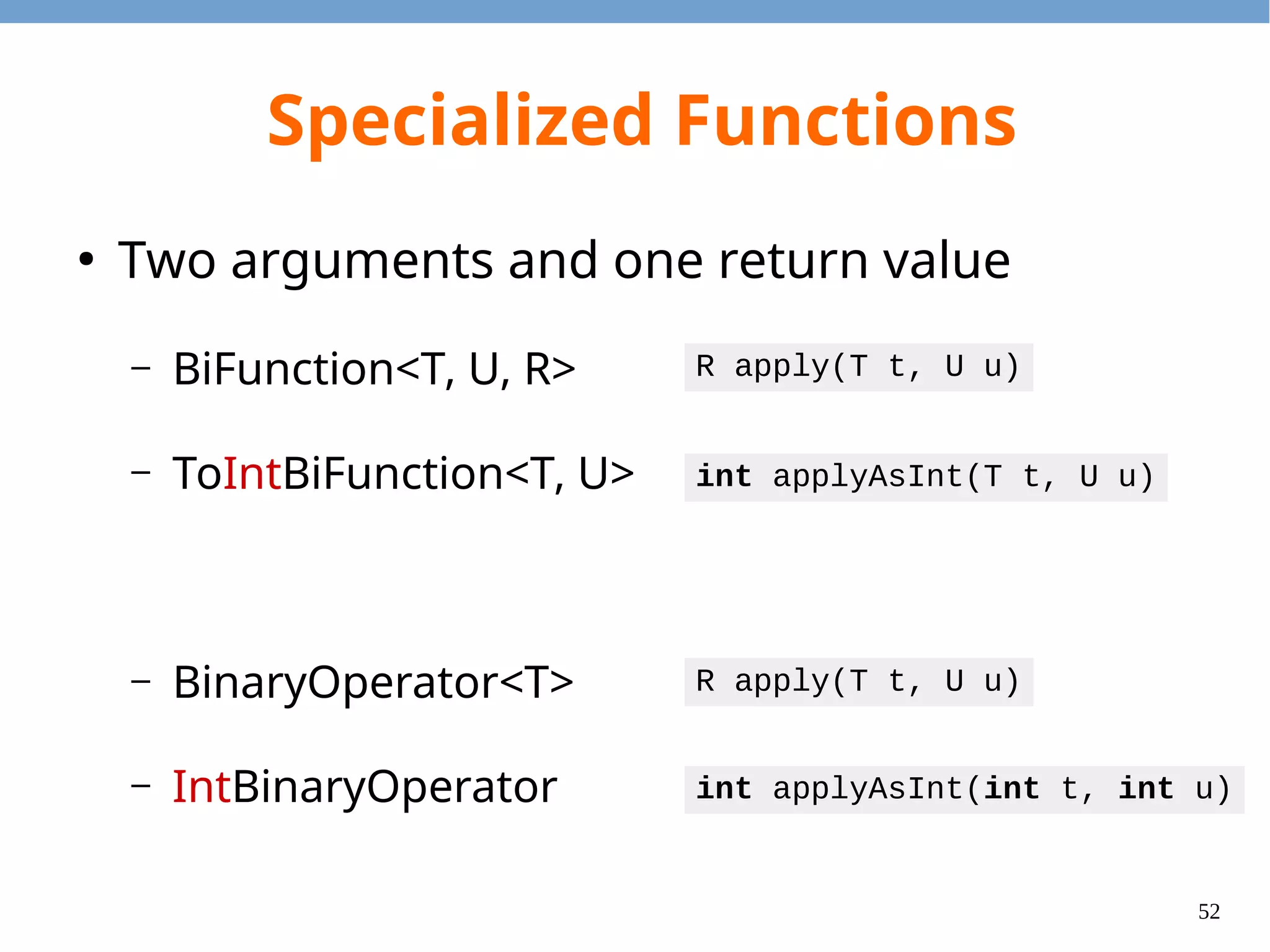
51 Specialized Functions ● Two arguments and one return value – BiFunction<T, U, R> – ToIntBiFunction<T, U> – BinaryOperator<T> – IntBinaryOperator R apply(T t, U u) int applyAsInt(T t, U u) R apply(T t, U u) int applyAsInt(int t, int u)
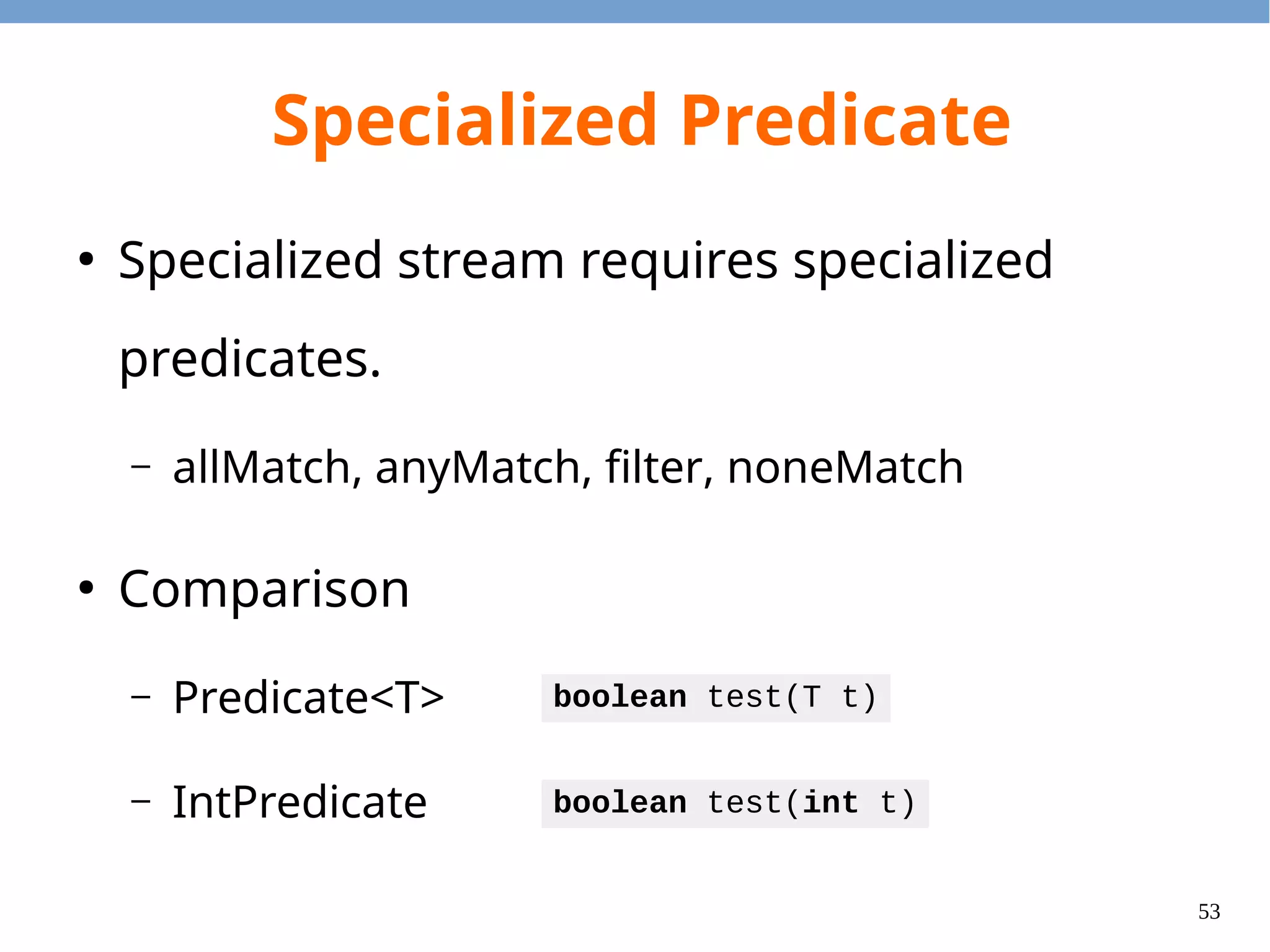
52 Specialized Predicate ● Specialized stream requires specialized predicates. – allMatch, anyMatch, filter, noneMatch ● Comparison – Predicate<T> – IntPredicate boolean test(T t) boolean test(int t)
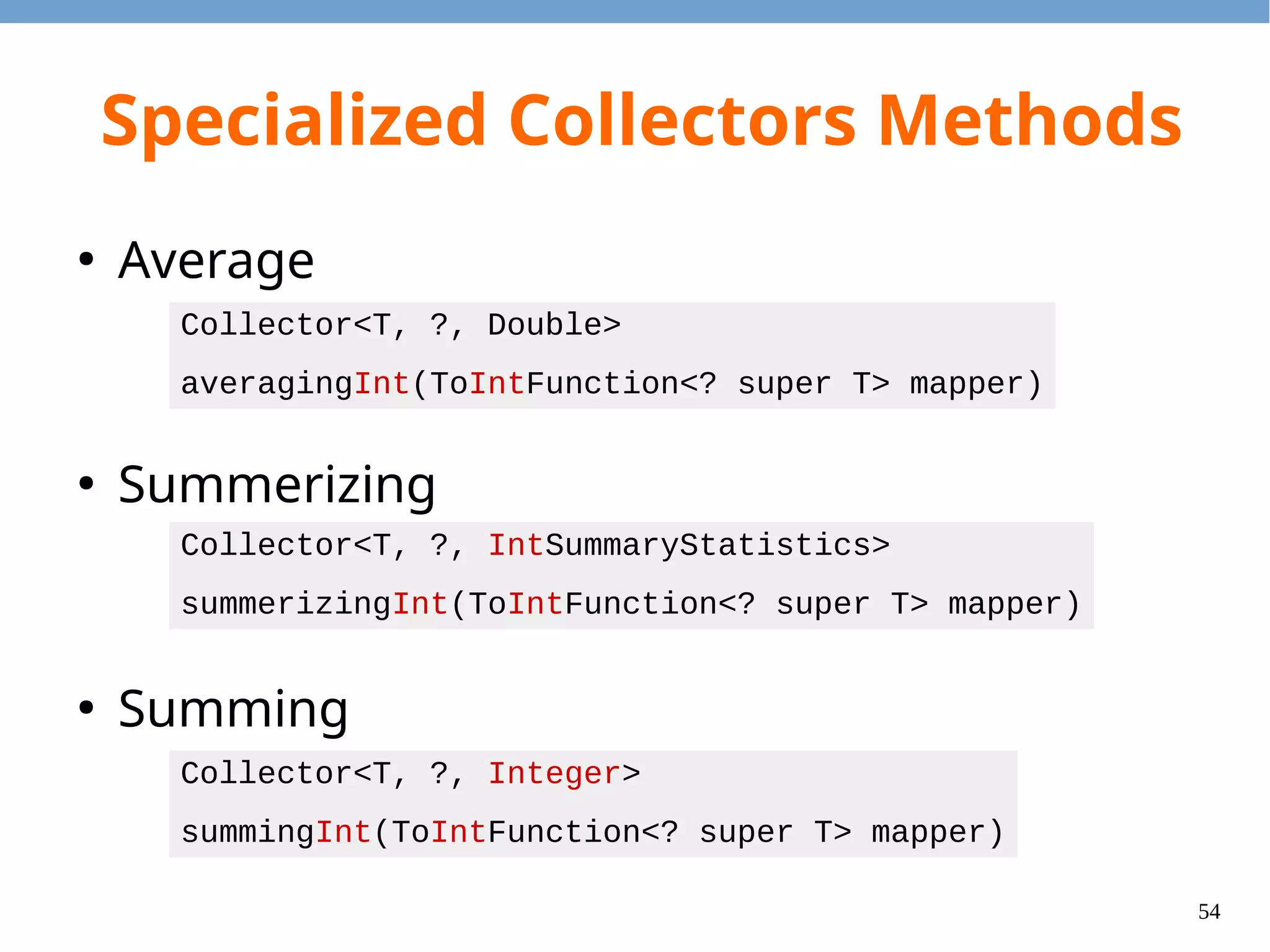
53 Specialized Collectors Methods ● Average ● Summerizing ● Summing Collector<T, ?, Double> averagingInt(ToIntFunction<? super T> mapper) Collector<T, ?, IntSummaryStatistics> summerizingInt(ToIntFunction<? super T> mapper) Collector<T, ?, Integer> summingInt(ToIntFunction<? super T> mapper)
54 Questions?
55 Parallelism
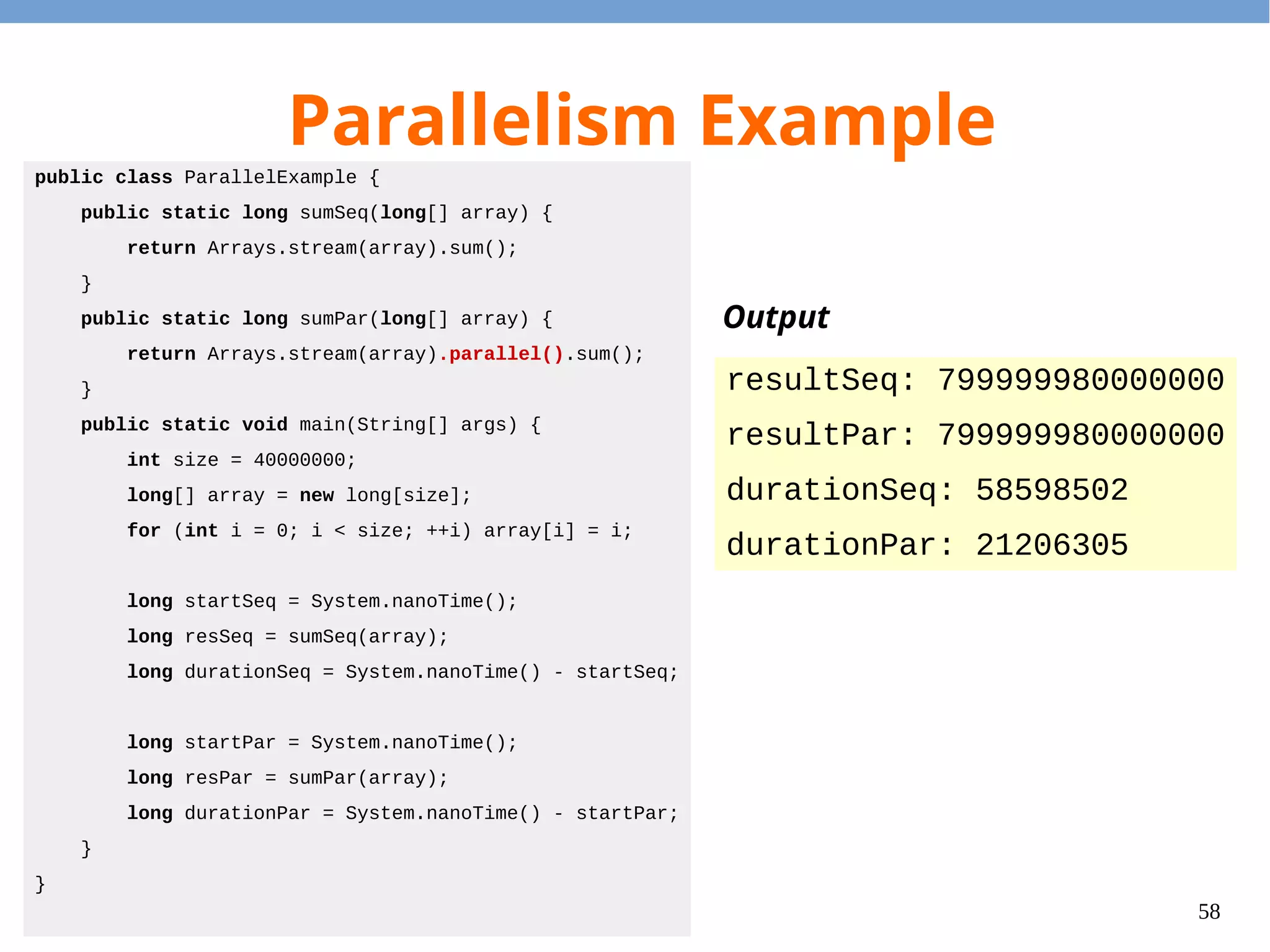
56 Parallelism ● If we limit ourselves to this restricted programming style, then we can (almost) get parallelism for free. ● Call parallel() to convert a stream to parallel stream.
57 Parallelism Example public class ParallelExample { public static long sumSeq(long[] array) { return Arrays.stream(array).sum(); } public static long sumPar(long[] array) { return Arrays.stream(array).parallel().sum(); } public static void main(String[] args) { int size = 40000000; long[] array = new long[size]; for (int i = 0; i < size; ++i) array[i] = i; long startSeq = System.nanoTime(); long resSeq = sumSeq(array); long durationSeq = System.nanoTime() - startSeq; long startPar = System.nanoTime(); long resPar = sumPar(array); long durationPar = System.nanoTime() - startPar; } } Output resultSeq: 799999980000000 resultPar: 799999980000000 durationSeq: 58598502 durationPar: 21206305
58 Questions?
59 Functional Interface
60 How to Receive Lambdas? ● The closure object is an object that can be passed around. ● The closure class will implement the specified interface. ● To run the body of the lambda expression, invoke the corresponding method. ● The interface should contain exactly one non-default abstract method. – Because we can choose arbitrary method name.
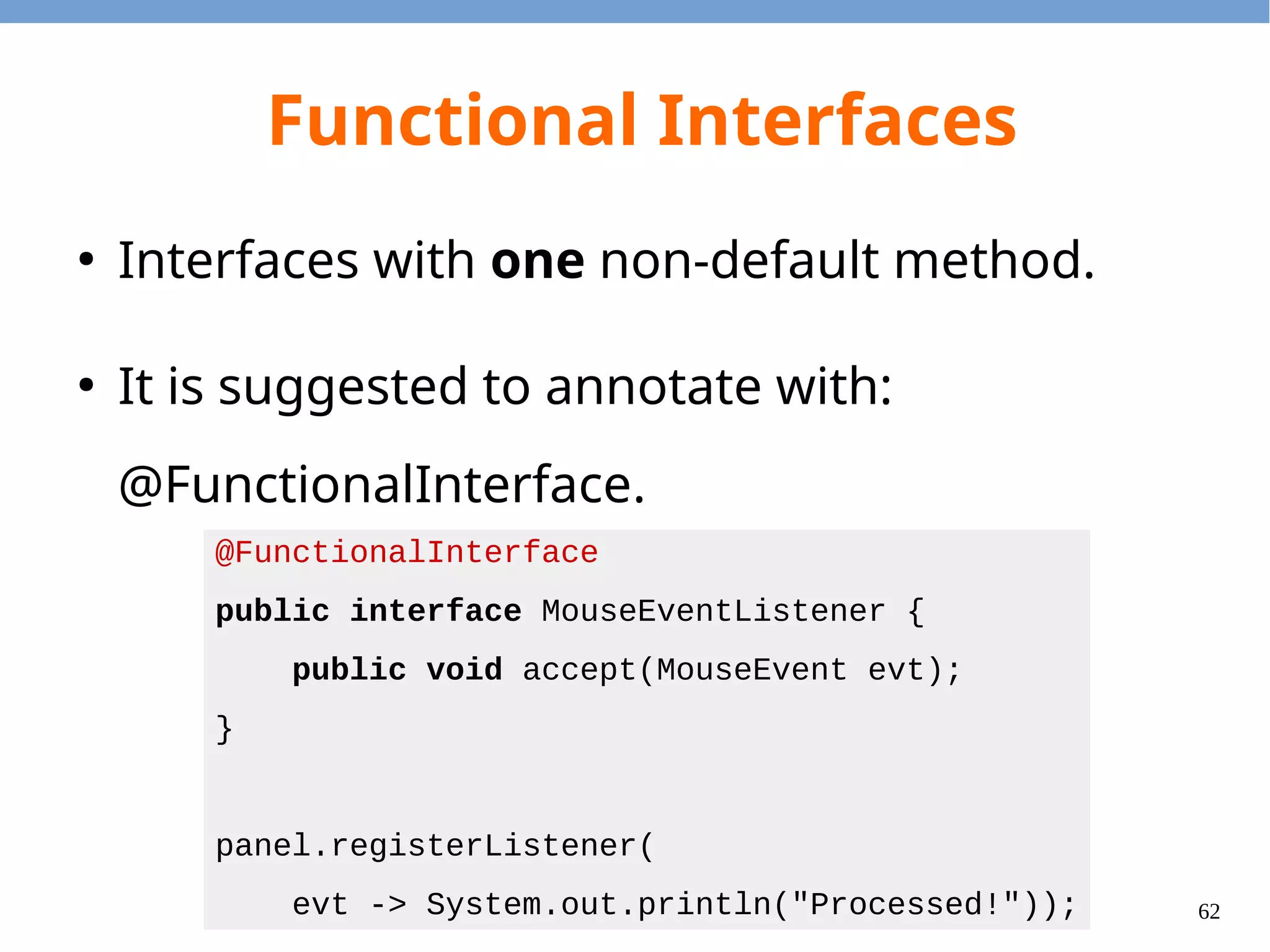
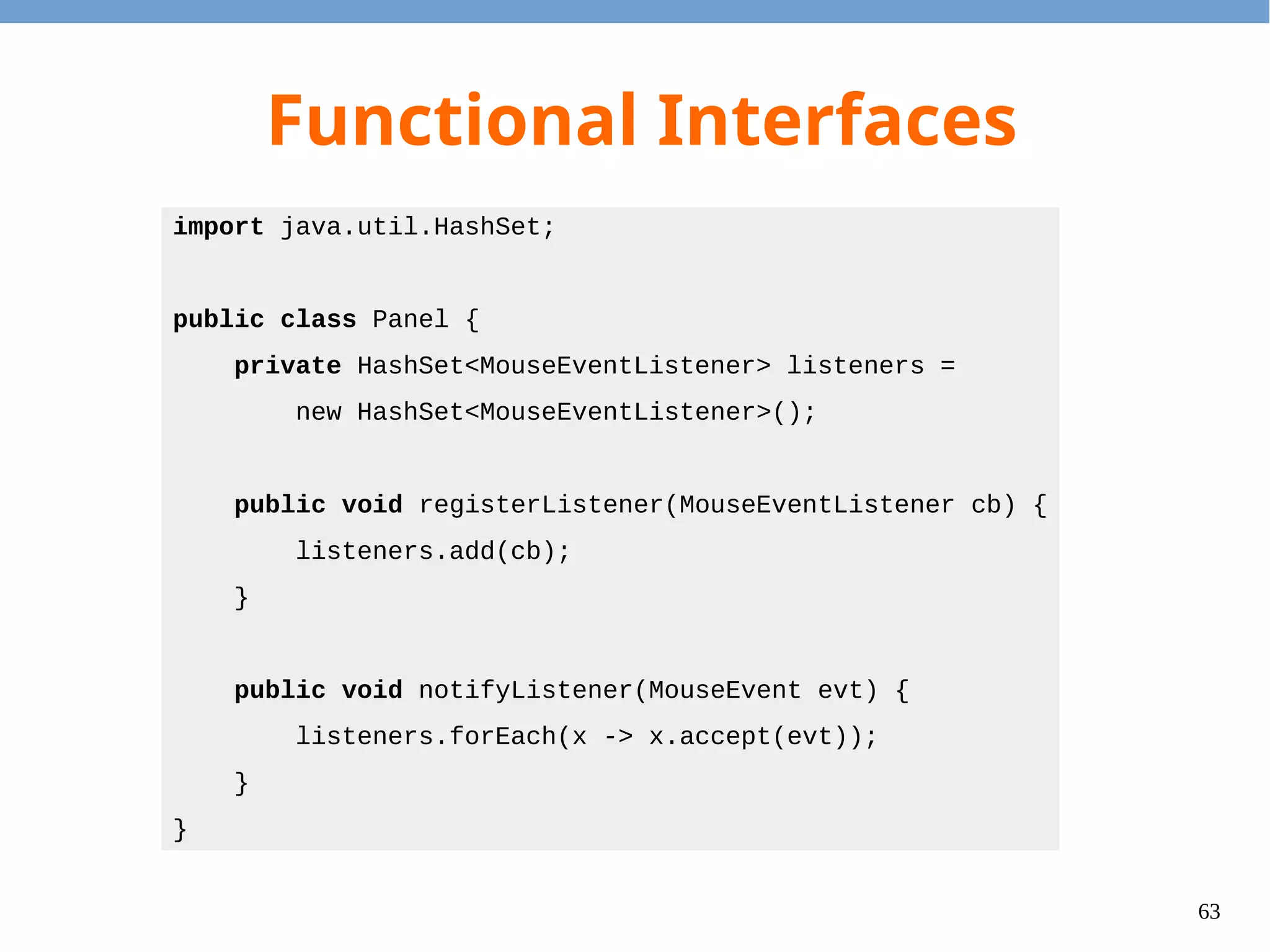
61 Functional Interfaces ● Interfaces with one non-default method. ● It is suggested to annotate with: @FunctionalInterface. @FunctionalInterface public interface MouseEventListener { public void accept(MouseEvent evt); } panel.registerListener( evt -> System.out.println("Processed!"));
62 Functional Interfaces import java.util.HashSet; public class Panel { private HashSet<MouseEventListener> listeners = new HashSet<MouseEventListener>(); public void registerListener(MouseEventListener cb) { listeners.add(cb); } public void notifyListener(MouseEvent evt) { listeners.forEach(x -> x.accept(evt)); } }
63 Default Method ● Problem: The language designer would like to add functions to interfaces, but it will break the existing program. ● Solution: We can specify the default method in an interface. – Default methods should only use other abstract methods, i.e. no field access is allowed.
64 Default Method ● Default methods will be inherited (and may be overrided) when the interface is extended. ● The closest default method will be chosen. ● To invoke the super default method, use the super keyword. ● It is necessary to override one if there are conflicts.
65 Static Method ● In Java 8, we can write static methods in interfaces as well. ● For example, Stream.of() is a notable static method in the interface.
66 Thanks! Any questions?

Java 8 lambda expressions

  • 1.
    Java 8 LambdaExpressions Logan Chien
  • 2.
    2 Agenda ● Lambda Expression andClosure ● Stream and Operations ● Parallelism ● Functional Interface
  • 3.
  • 4.
    4 Background Before Java 8,there were anonymous classes: JButton btn = new JButton("Click"); btn.addActionListener(new ActionListener() { public void actionPerformed(ActionEvent evt) { System.out.println("Button clicked!"); } });
  • 5.
    5 Lambda Expressions It iscumbersome to write anonymous classes in many cases. Thus, lambda expressions are introduced: JButton btn = new JButton("Click"); btn.addActionListener( evt -> System.out.println("Button clicked!"));
  • 6.
    6 Lambda Syntax ● No arguments: ● Oneargument: ● Two arguments: ● With explicit argument types: ● Multiple statements: () -> System.out.println("Hello") s -> System.out.println(s) (x, y) -> x + y (Integer x, Integer y) -> x + y (x, y) -> { System.out.println(x); System.out.println(y); return (x + y); }
  • 7.
    7 Lambda Syntax Sugar1/2 Method reference public class HashFunction { public static int compute1(Object obj) { /*...*/ } public static int compute2(int a, int b) { /*...*/ } } HashFunc::compute1 (x) -> HashFunc::compute1(x) HashFunc::compute2 (x, y) -> HashFunc::compute2(x, y) 1 2
  • 8.
    8 Lambda Syntax Sugar2/2 Constructor reference String::new () -> new String() (x) -> new String(x) (x, y) -> new String(x, y) (x, y, z) -> new String(x, y, z) int[]::new (s) -> new int[s] 1 2
  • 9.
    9 Lambda Expression vs.Closure ● Lambda expression – A piece of the source code have the semantics like anonymous classes. – Evaluated to a closure object in the run-time. ● Closure – The run-time object that contains the captured variables and an associated method.
  • 10.
    10 Capture Variable 1/3 ● Wecan refer to local variables in lambda expressions. – The referred local variables should be either final or effectively final. ● Evaluation of lambda expression will copy the referred local variables to closure objects.
  • 11.
    11 Capture Variable 2/3 importjava.util.stream.*; import java.util.function.*; public class CaptureExample { public static IntUnaryOperator addBy(int n) { return (x) -> x + n; } public static void main(String[] args) { IntStream.of(1, 2, 3).map(addBy(1)) .map(addBy(2)) .forEach(System.out::println); } } Capture variable11 2 The lambda expression is evaluated twice. Thus, two closure objects are returned.
  • 12.
    12 Capture Variable 3/3 importjava.util.function.*; public class NonEffectivelyFinalExample { public static IntUnaryOperator foo(int a, int n) { if (a < 0) { return (x) -> x + n; } n -= a; return (x) -> x + n; } } NonEffectivelyFinalExample.java:5: error: local variables referenced from a lambda expression must be final or effectively final return (x) -> x + n; ^ NonEffectivelyFinalExample.java:8: error: local variables referenced from a lambda expression must be final or effectively final return (x) -> x + n; ^ 2 errors Not effectively final
  • 13.
    13 Type Inference What isthe type for following lambda expression? Ans: It depends on the context. Java compiler will infer the type automatically. (x) -> System.out.println(x) IntConsumer f = (x) -> System.out.println(x); // (int) -> void DoubleConsumer g = (x) -> System.out.println(x); // (double) -> void
  • 14.
  • 15.
  • 16.
    16 Big Picture How toUse Lambdas? ● Stream – Create a stream from the collections, arrays, etc. ● Lazy operations – Operations that will be applied to stream elements on demand. ● Eager operations – Operations that will trigger the evaluations. – Enumerators, Collectors, etc.
  • 17.
    17 Stream ● Stream is anabstraction of the underlying data structure. ● Isolates the data processing and control flow. ● Abstracts the intermediate data structures. ● Abstracts the lazy evaluation of operations.
  • 18.
    18 How to CreateStream? ● From programmer-specified elements ● From arrays ● From java.util.Collection ● From java.util.Map java.util.Stream.of(...) java.util.Arrays.stream(array) java.util.Collection.stream() java.util.Collection.parallelStream() java.util.Map.entrySet().stream() java.util.Map.values().stream()
  • 19.
    19 Operations ● Lazy evaluation – filter –map – flatMap – peek – ... etc ● Eager evaluation – count – forEach – toArray – reduce – collect – ... etc Tips: Check the return type. The lazy operations will return Stream.
  • 20.
  • 21.
    21 filter() 1/2 ● filter() takesa predicate function ● If the predicate function returns false, then the element will be removed from the stream. 1 2 3 4 5 1 3 5 Input Stream Output Stream … … filter(x -> x % 2 != 0)
  • 22.
    22 filter() 2/2 import java.util.stream.*; publicclass FilterExample { public static void main(String[] args) { Stream.of(1, 2, 3, 4, 5) .filter(x -> x % 2 != 0) .forEach(System.out::println); } } 1 2 3 4 5 1 3 5 Input Stream Output Stream … … filter(x -> x % 2 != 0)
  • 23.
    23 map() 1/2 ● map() takesan unary function which will convert one element to another element. 1 3 5Input Stream Output Stream … …S:0 S:1 S:2 map(x -> "S:" + x / 2)
  • 24.
    24 import java.util.stream.*; public classMapExample { public static void main(String[] args) { Stream.of(1, 3, 5) .map(x -> "S:" + x / 2) .forEach(System.out::println); } } map() 2/2 1 3 5Input Stream Output Stream … …S:0 S:1 S:2 map(x -> "S:" + x / 2) Integer String
  • 25.
    25 flatMap() 1/4 ● flatMap() takesan unary function. ● The unary function will take an element and return a stream. ● flatMap() will concatenate these streams. 1 2 3Input Stream Output Stream … …0 0 1 0 1 2 flatMap(x -> IntStream.range(0, x).boxed())
  • 26.
    26 flatMap() 2/4 import java.util.stream.*; publicclass FlatMapExample1 { public static void main(String[] args) { Stream.of(1, 2, 3) .flatMap(x -> IntStream.range(0, x).boxed()) .forEach(System.out::println); } } 1 2 3Input Stream Output Stream … …0 0 1 0 1 2 flatMap(x -> IntStream.range(0, x).boxed())
  • 27.
    27 flatMap() 3/4 A B C a b bbbbb c cc HashMap<String, String[]> Key Value
  • 28.
    28 flatMap() 4/4 import java.util.*; importjava.util.stream.*; public class FlatMapExample2 { public static void main(String[] args) { HashMap<String, String[]> m = new HashMap<String, String[]>(); m.put("A", new String[]{"a"}); m.put("B", new String[]{"b", "bb", "bbb"}); m.put("C", new String[]{"c", "cc"}); m.entrySet().stream() .flatMap(e -> Arrays.stream(e.getValue())) .forEach(System.out::println); } }
  • 29.
    29 peek() 1/3 ● peek() isthe debug routine. – e.g. Print the value during the lazy evaluation. ● It will call the closure method with an element. – You can print the element. – You can manipulate the object (but not recommended.)
  • 30.
    30 peek() 2/3 import java.util.stream.*; publicclass PeekExample1 { public static void main(String[] args) { Stream.of(1, 2, 3) .map(x -> x * 2) .peek(x -> System.out.println("a:" + x)) .map(x -> x + 1) .peek(x -> System.out.println("b:" + x)) .forEach(System.out::println); } }; a:2 b:3 3 a:4 b:5 5 a:6 b:7 7 Output
  • 31.
    31 peek() 3/3 import java.util.stream.*; classNum { private int value; public Num(int i) { value = i; } public int get() { return value; } public void set(int i) { value = i; } }; public class PeekExample2 { public static void main(String[] args) { Stream.of(new Num(1), new Num(2), new Num(3)) .peek(x -> x.set(5)) .forEach(x -> System.out.println(x.get())); } }; 5 5 5 Output
  • 32.
    32 Remarks 1/2 ● Lazy operationswon't be executed until they are triggered by an eager operation. – This example will not print any numbers. – The lambda expression is evaluated. – The method in the closure is NOT invoked. Stream.of(1, 2, 3).filter(x -> { System.out.println(x); return true; });
  • 33.
    33 Remarks 2/2 ● It issuggested to use pure functions (i.e. no side-effects) for these operations. – It is hard to predict the behavior when we have both mutability and lazy evaluation. – Mutable + Lazy Evaluation = Disaster – Except: For debug purpose only.
  • 34.
  • 35.
    35 forEach() forEach() will iteratethrough the stream and invoke the closure method with each element. Stream.of(1, 2, 3, 4, 5) .forEach(x -> System.out.println("GOT:" + x));
  • 36.
    36 count() count() counts thenumber of elements in a stream. import java.util.stream.*; public class CountExample { public static boolean isPrime(int i) { if (i > 2 && i % 2 == 0) return false; for (int p = 3; p * p <= i; p += 2) if (i % p == 0) return false; return true; } public static void main(String[] args) { long num = IntStream.range(2, 100).filter(Count::isPrime).count(); System.out.println("Num primes in [2,100) = " + num); } }
  • 37.
    37 toArray() toArray() collects allof the elements from a stream and put them in a java.lang.Object array. import java.util.stream.*; public class ToArrayExample { public static void main(String[] args) { Object[] array = Stream.of("apple", "bear", "bat", "cat") .filter(x -> x.startsWith("b")).toArray(); for (Object s : array) { System.out.println((String)s); } } }
  • 38.
    38 reduce() 1/4 ● There arethree overloaded methods ● Accumulator should be associative. 1 2 3 Optional<T> reduce(BinaryOperator<T> acc) T reduce(T id, BinaryOperator<T> acc) <U> U reduce(U id, BiFunction<U, ? super T, U> acc, BinaryOperator<U> combiner)
  • 39.
    39 reduce() 2/4 import java.util.Optional; importjava.util.stream.*; public class ReduceExample1 { public static Optional<Integer> sum(Stream<Integer> s) { return s.reduce((x, y) -> x + y); } public static void main(String[] args) { System.out.println(sum(Stream.of())); System.out.println(sum(Stream.of(1))); System.out.println(sum(Stream.of(1, 2))); } } Output Optional.empty Optional[1] Optional[3]
  • 40.
    40 reduce() 3/4 import java.util.Optional; importjava.util.stream.*; public class ReduceExample2 { public static int sum(Stream<Integer> s) { return s.reduce(0, (x, y) -> x + y); } public static void main(String[] args) { System.out.println(sum(Stream.of())); System.out.println(sum(Stream.of(1))); System.out.println(sum(Stream.of(1, 2))); } } Output 0 1 3
  • 41.
    41 collect() ● collect() takes acollector object and send each element to the collector. ● It allows the run-time to build the final data structure gradually.
  • 42.
  • 43.
    43 collect(toList()) import java.util.List; import java.util.stream.*; publicclass CollectToListExample { public static void main(String[] args) { List<Integer> odds = Stream.of(1, 2, 3, 4, 5) .filter(x -> x % 2 != 0) .collect(Collectors.toList()); for (Integer i : odds) { System.out.println(i); } } }
  • 44.
    44 collect(toSet()) import java.util.Set; import java.util.stream.*; publicclass CollectToSetExample { public static void main(String[] args) { Set<Integer> congs = Stream.of(1, 2, 3, 4, 5) .map(x -> x % 2) .collect(Collectors.toSet()); for (Integer i : congs) { System.out.println(i); } } }
  • 45.
    45 collect(groupingBy()) import java.util.*; import java.util.stream.*; publicclass CollectGroupingByExample { public static void main(String[] args) { Map<String, List<Integer>> groups = Stream.of(1, 2, 3, 4, 5) .collect(Collectors.groupingBy( x -> x % 2 == 0 ? "even" : "odd")); for (Map.Entry<String, List<Integer>> e : groups.entrySet()) { System.out.println(e.getKey() + ":" + e.getValue()); } } }
  • 46.
    46 collect(joining()) import java.util.stream.*; public classCollectJoinExample { public static void main(String[] args) { String s = Stream.of(1, 2, 3, 4, 5) .map(x -> x.toString()) .collect(Collectors.joining(", ")); System.out.println(s); } } Output 1, 2, 3, 4, 5
  • 47.
  • 48.
    48 Specialized Types ● To reducebox/unbox overhead, several specialized types for int, long, and double are provided. – Streams – Function Interfaces – Predicate – Collector
  • 49.
    49 Specialized Stream ● 3 specialized(unboxed) streams: – DoubleStream, IntStream, and LongStream ● Box streams (convert from TypeStream to Stream<T>) – Call IntStream.boxed() method. ● Unbox streams (convert from Stream<T> to IntStream) – Call Stream<T>.mapToInt() method.
  • 50.
    50 Specialized Functions ● One argumentand one return value – Function<T, R> – IntFunction<R> – ToIntFunction<T> – LongToIntFunction – UnaryOperator<T> – IntUnaryOperator R apply(T t) R apply(int t) int applyAsInt(T t) R apply(R t) int applyAsInt(int t) int applyAsInt(long t)
  • 51.
    51 Specialized Functions ● Two argumentsand one return value – BiFunction<T, U, R> – ToIntBiFunction<T, U> – BinaryOperator<T> – IntBinaryOperator R apply(T t, U u) int applyAsInt(T t, U u) R apply(T t, U u) int applyAsInt(int t, int u)
  • 52.
    52 Specialized Predicate ● Specialized streamrequires specialized predicates. – allMatch, anyMatch, filter, noneMatch ● Comparison – Predicate<T> – IntPredicate boolean test(T t) boolean test(int t)
  • 53.
    53 Specialized Collectors Methods ● Average ● Summerizing ● Summing Collector<T,?, Double> averagingInt(ToIntFunction<? super T> mapper) Collector<T, ?, IntSummaryStatistics> summerizingInt(ToIntFunction<? super T> mapper) Collector<T, ?, Integer> summingInt(ToIntFunction<? super T> mapper)
  • 54.
  • 55.
  • 56.
    56 Parallelism ● If we limitourselves to this restricted programming style, then we can (almost) get parallelism for free. ● Call parallel() to convert a stream to parallel stream.
  • 57.
    57 Parallelism Example public classParallelExample { public static long sumSeq(long[] array) { return Arrays.stream(array).sum(); } public static long sumPar(long[] array) { return Arrays.stream(array).parallel().sum(); } public static void main(String[] args) { int size = 40000000; long[] array = new long[size]; for (int i = 0; i < size; ++i) array[i] = i; long startSeq = System.nanoTime(); long resSeq = sumSeq(array); long durationSeq = System.nanoTime() - startSeq; long startPar = System.nanoTime(); long resPar = sumPar(array); long durationPar = System.nanoTime() - startPar; } } Output resultSeq: 799999980000000 resultPar: 799999980000000 durationSeq: 58598502 durationPar: 21206305
  • 58.
  • 59.
  • 60.
    60 How to ReceiveLambdas? ● The closure object is an object that can be passed around. ● The closure class will implement the specified interface. ● To run the body of the lambda expression, invoke the corresponding method. ● The interface should contain exactly one non-default abstract method. – Because we can choose arbitrary method name.
  • 61.
    61 Functional Interfaces ● Interfaces withone non-default method. ● It is suggested to annotate with: @FunctionalInterface. @FunctionalInterface public interface MouseEventListener { public void accept(MouseEvent evt); } panel.registerListener( evt -> System.out.println("Processed!"));
  • 62.
    62 Functional Interfaces import java.util.HashSet; publicclass Panel { private HashSet<MouseEventListener> listeners = new HashSet<MouseEventListener>(); public void registerListener(MouseEventListener cb) { listeners.add(cb); } public void notifyListener(MouseEvent evt) { listeners.forEach(x -> x.accept(evt)); } }
  • 63.
    63 Default Method ● Problem: Thelanguage designer would like to add functions to interfaces, but it will break the existing program. ● Solution: We can specify the default method in an interface. – Default methods should only use other abstract methods, i.e. no field access is allowed.
  • 64.
    64 Default Method ● Default methodswill be inherited (and may be overrided) when the interface is extended. ● The closest default method will be chosen. ● To invoke the super default method, use the super keyword. ● It is necessary to override one if there are conflicts.
  • 65.
    65 Static Method ● In Java8, we can write static methods in interfaces as well. ● For example, Stream.of() is a notable static method in the interface.
  • 66.