Dive into HTML5: SVG and Canvas Doris Chen Ph.D. Developer Evangelist Microsoft http://blogs.msdn.com/dorischen/ @doristchen
Who am I?  Developer Evangelist at Microsoft based in Silicon Valley, CA  Blog: http://blogs.msdn.com/b/dorischen/  Twitter @doristchen  Email: doris.chen@microsoft.com  Has over 13 years of experience in the software industry focusing on web technologies  Spoke and published widely at JavaOne, O'Reilly, Silicon Valley Code Camp, SD West, SD Forum and worldwide User Groups meetings  Doris received her Ph.D. from the University of California at Los Angeles (UCLA)
Agenda What is HTML5 HTML5 Overview SVG and Canvas HTML5 Tools Summary and Resources PAGE 3
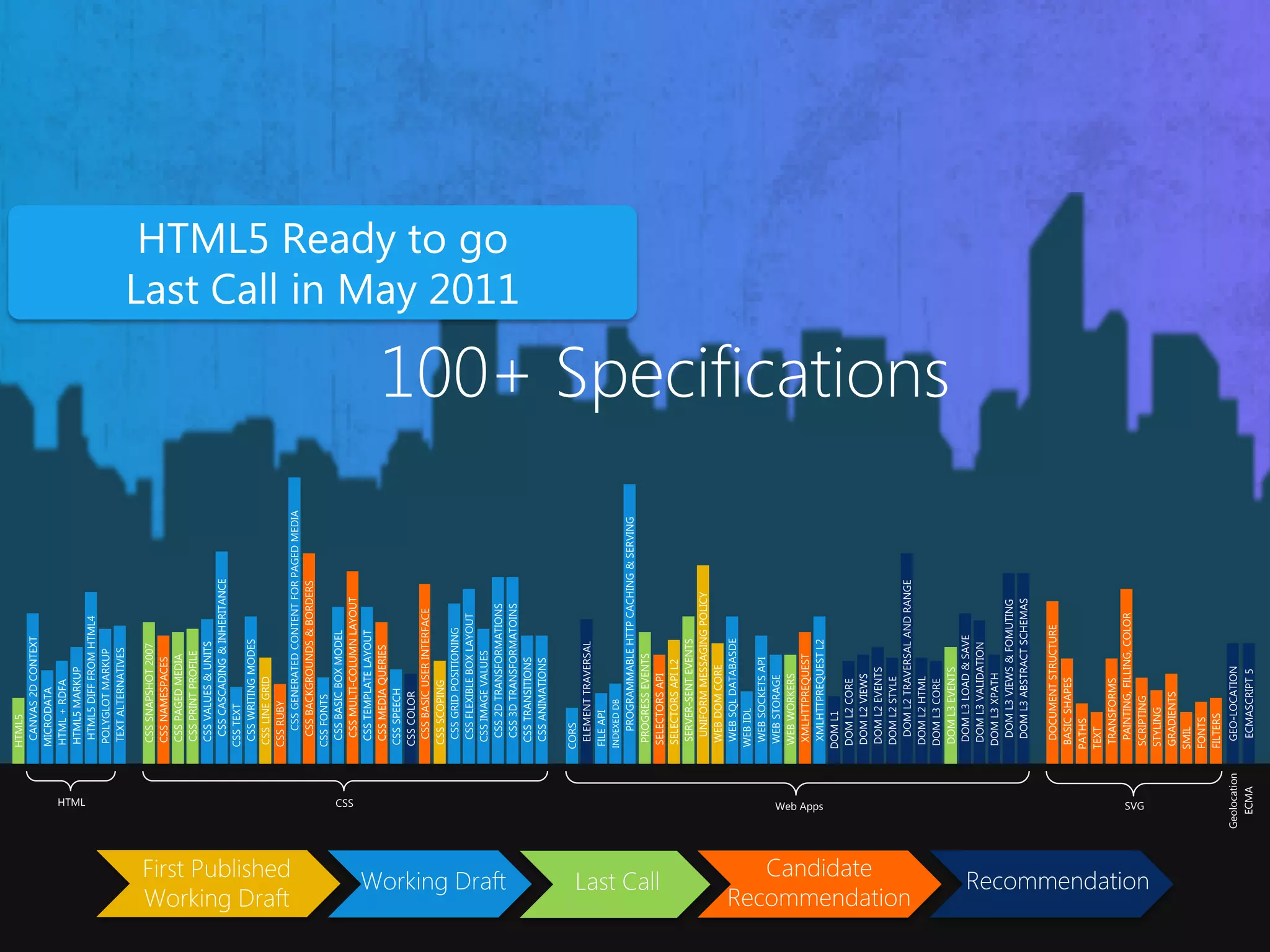
100+ Specifications Geolocation ECMA HTML CSS Web Apps SVG
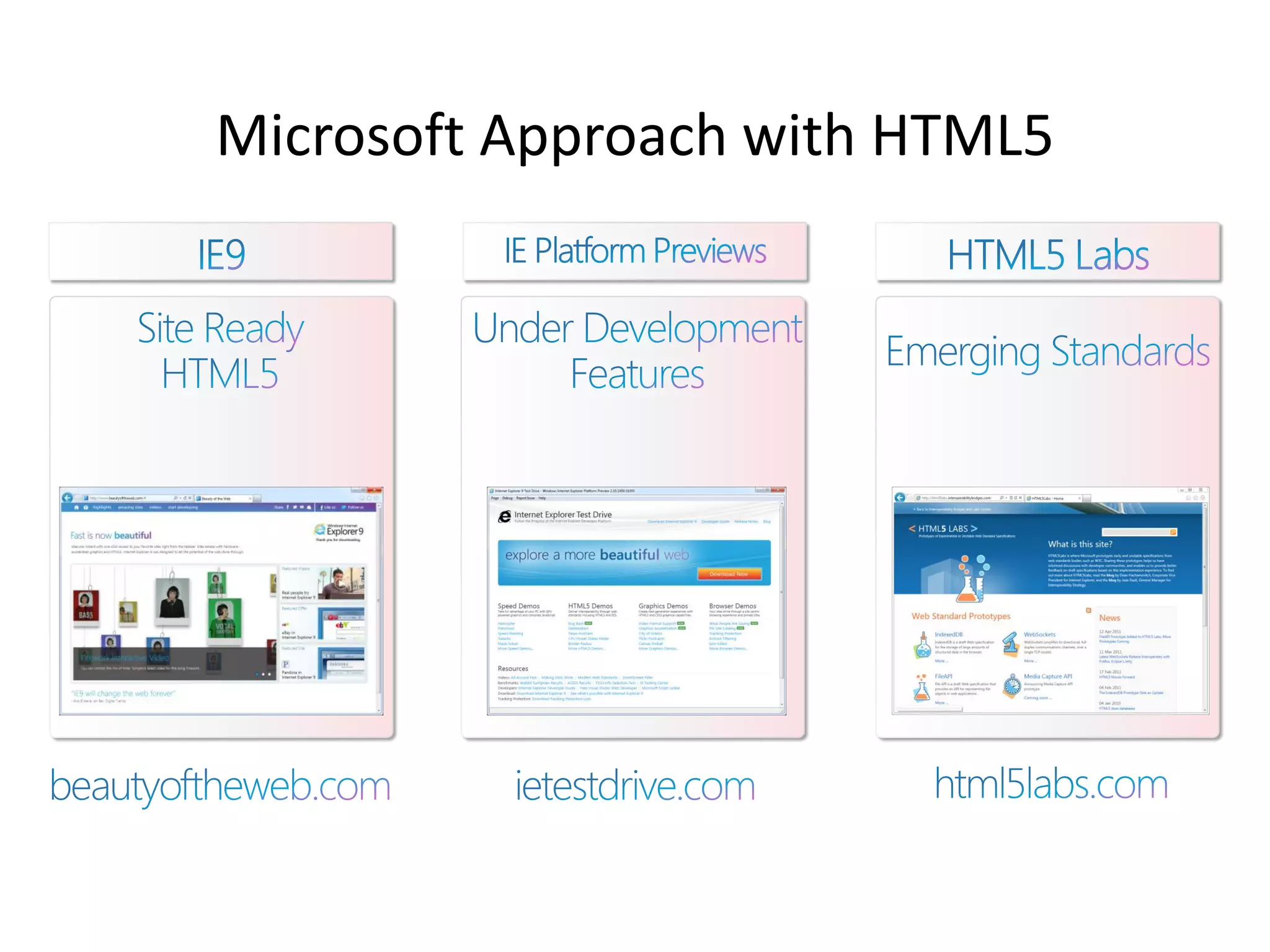
Microsoft Approach with HTML5
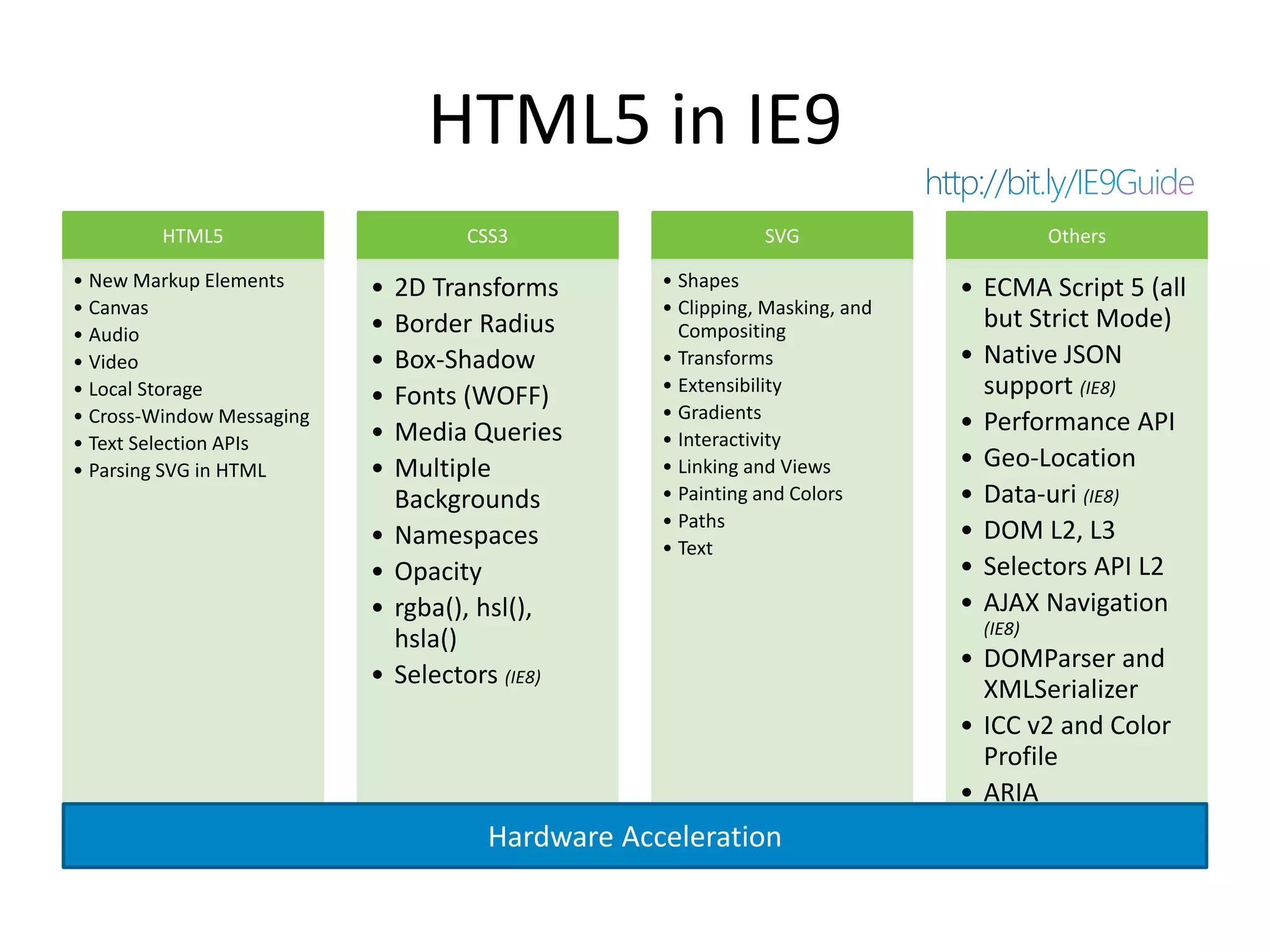
HTML5 in IE9 HTML5 CSS3 SVG Others • New Markup Elements • 2D Transforms • Shapes • ECMA Script 5 (all • Canvas • Clipping, Masking, and • Border Radius Compositing but Strict Mode) • Audio • Video • Box-Shadow • Transforms • Native JSON • Local Storage • Fonts (WOFF) • Extensibility support (IE8) • Cross-Window Messaging • Gradients • Media Queries • Performance API • Text Selection APIs • Interactivity • Parsing SVG in HTML • Multiple • Linking and Views • Geo-Location Backgrounds • Painting and Colors • Data-uri (IE8) • Paths • Namespaces • DOM L2, L3 • Text • Opacity • Selectors API L2 • rgba(), hsl(), • AJAX Navigation (IE8) hsla() • DOMParser and • Selectors (IE8) XMLSerializer • ICC v2 and Color Profile • ARIA Hardware Acceleration
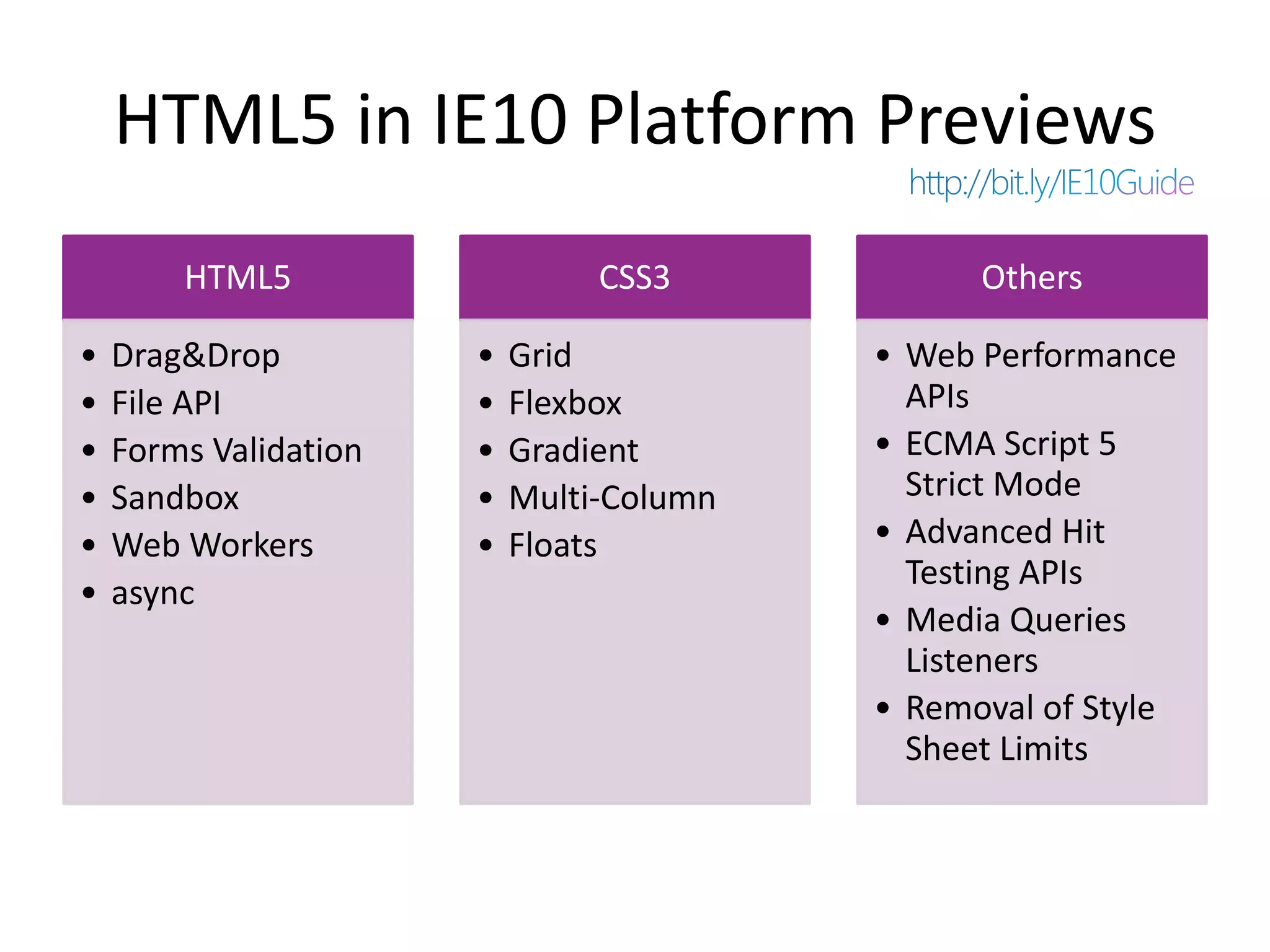
HTML5 in IE10 Platform Previews HTML5 CSS3 Others • Drag&Drop • Grid • Web Performance • File API • Flexbox APIs • Forms Validation • Gradient • ECMA Script 5 • Sandbox • Multi-Column Strict Mode • Web Workers • Floats • Advanced Hit Testing APIs • async • Media Queries Listeners • Removal of Style Sheet Limits
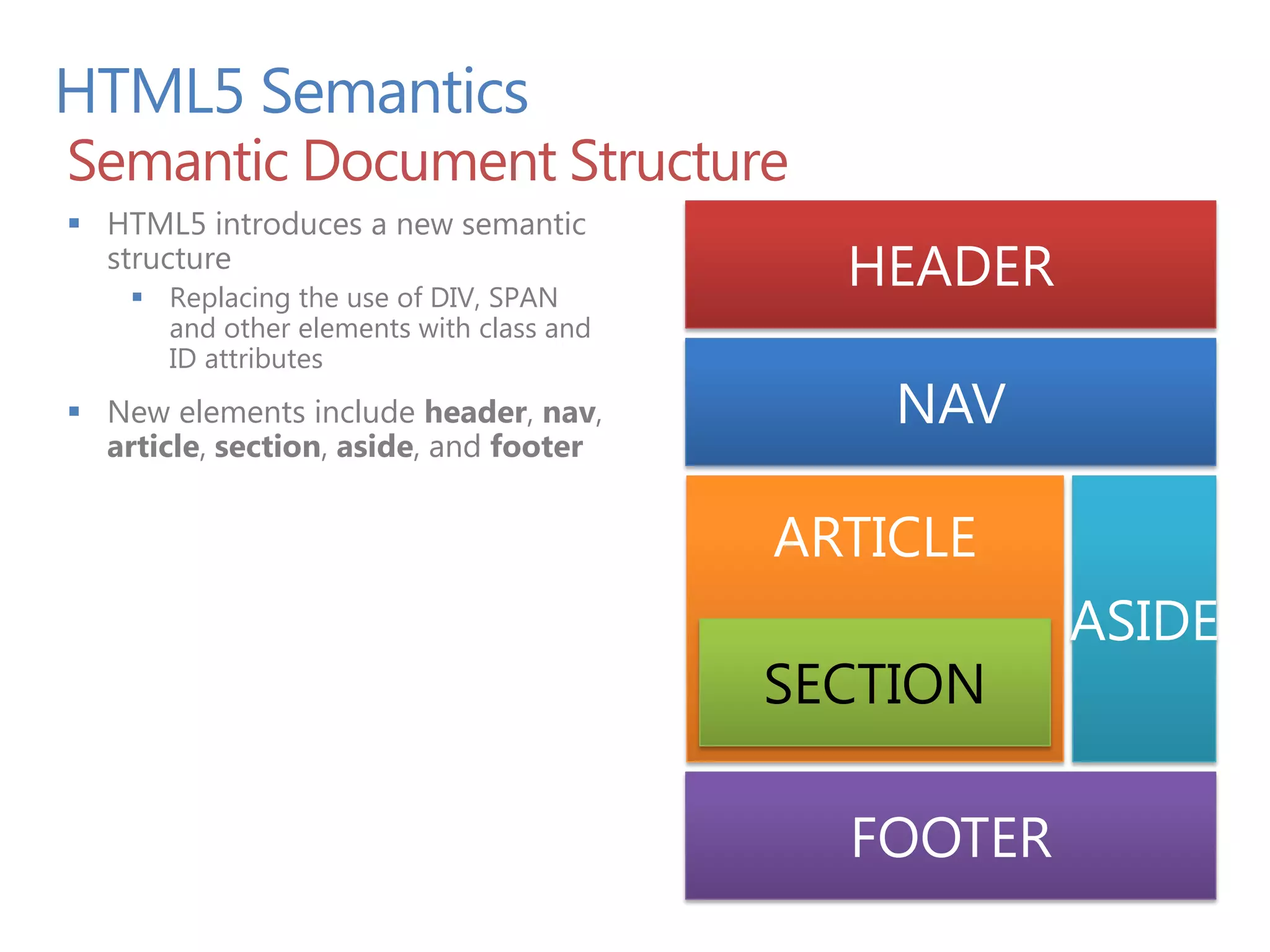
HTML5 Semantics Semantic Document Structure  HTML5 introduces a new semantic structure  Replacing the use of DIV, SPAN HEADER and other elements with class and ID attributes  New elements include header, nav, NAV article, section, aside, and footer ARTICLE ASIDE FOOTER
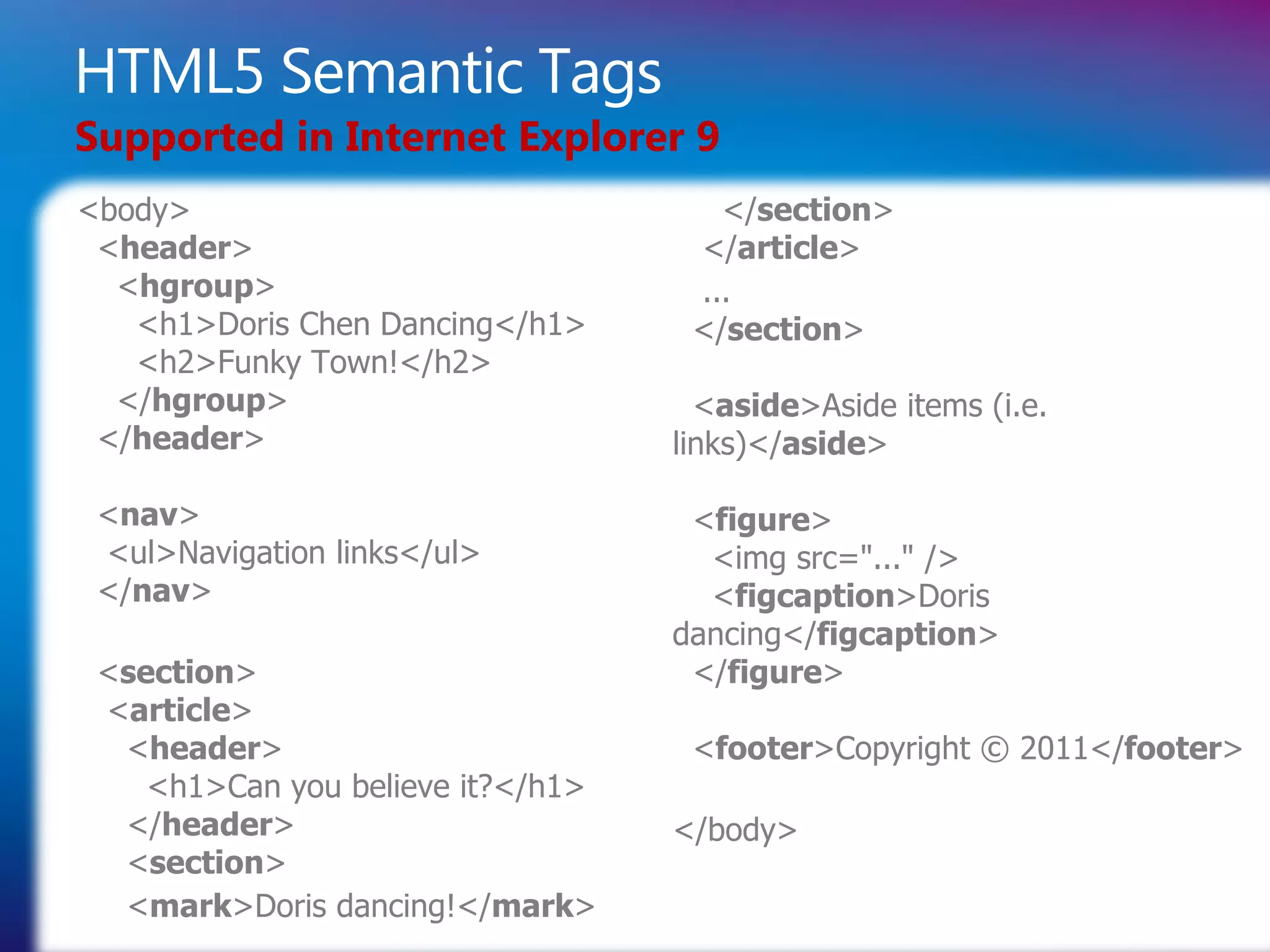
HTML5 Semantic Tags Supported in Internet Explorer 9 <body> </section> <header> </article> <hgroup> ... <h1>Doris Chen Dancing</h1> </section> <h2>Funky Town!</h2> </hgroup> <aside>Aside items (i.e. </header> links)</aside> <nav> <figure> <ul>Navigation links</ul> <img src="..." /> </nav> <figcaption>Doris dancing</figcaption> <section> </figure> <article> <header> <footer>Copyright © 2011</footer> <h1>Can you believe it?</h1> </header> </body> <section> <mark>Doris dancing!</mark>
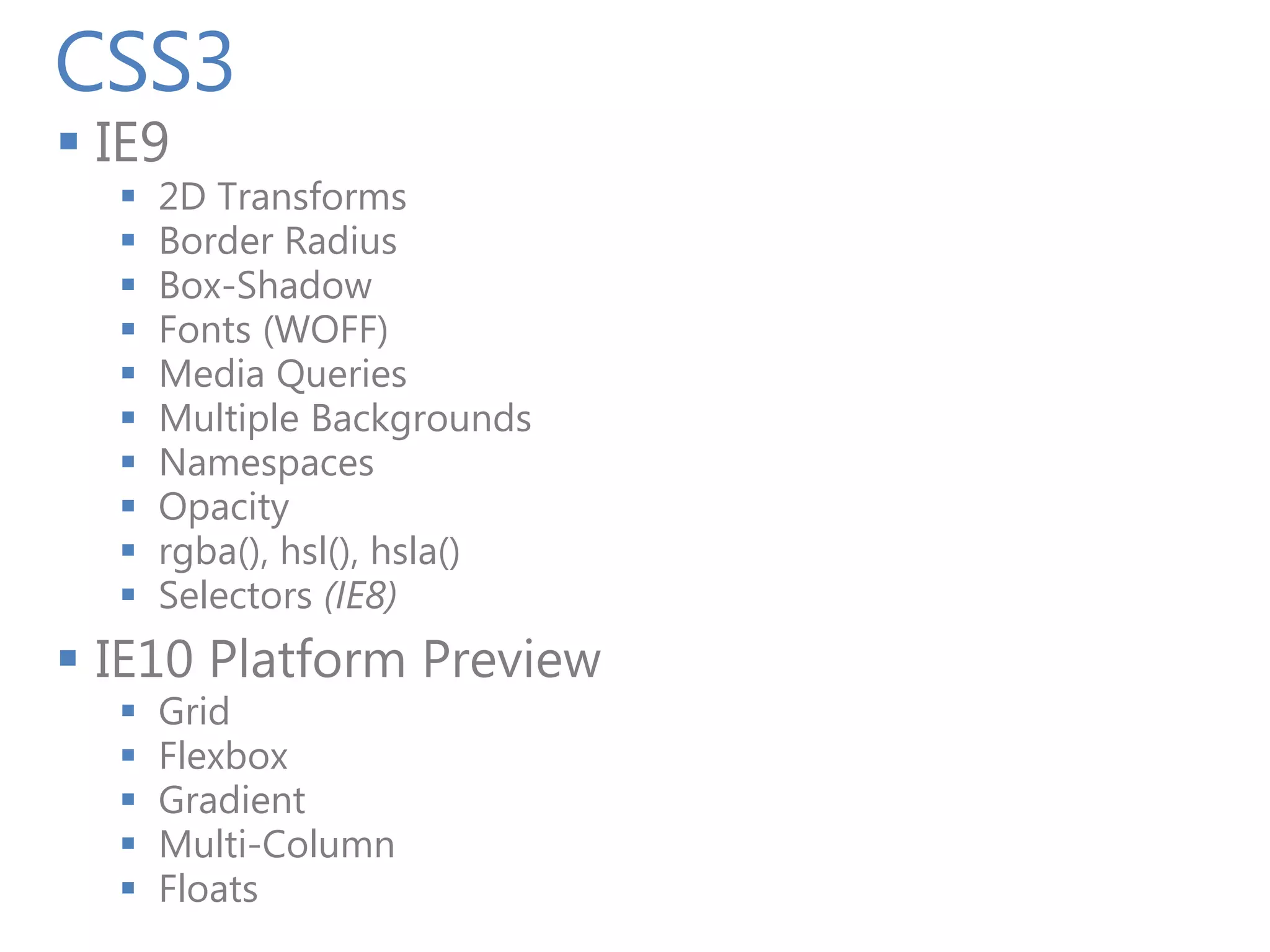
CSS3  IE9  2D Transforms  Border Radius  Box-Shadow  Fonts (WOFF)  Media Queries  Multiple Backgrounds  Namespaces  Opacity  rgba(), hsl(), hsla()  Selectors (IE8)  IE10 Platform Preview  Grid  Flexbox  Gradient  Multi-Column  Floats
Demo CSS3
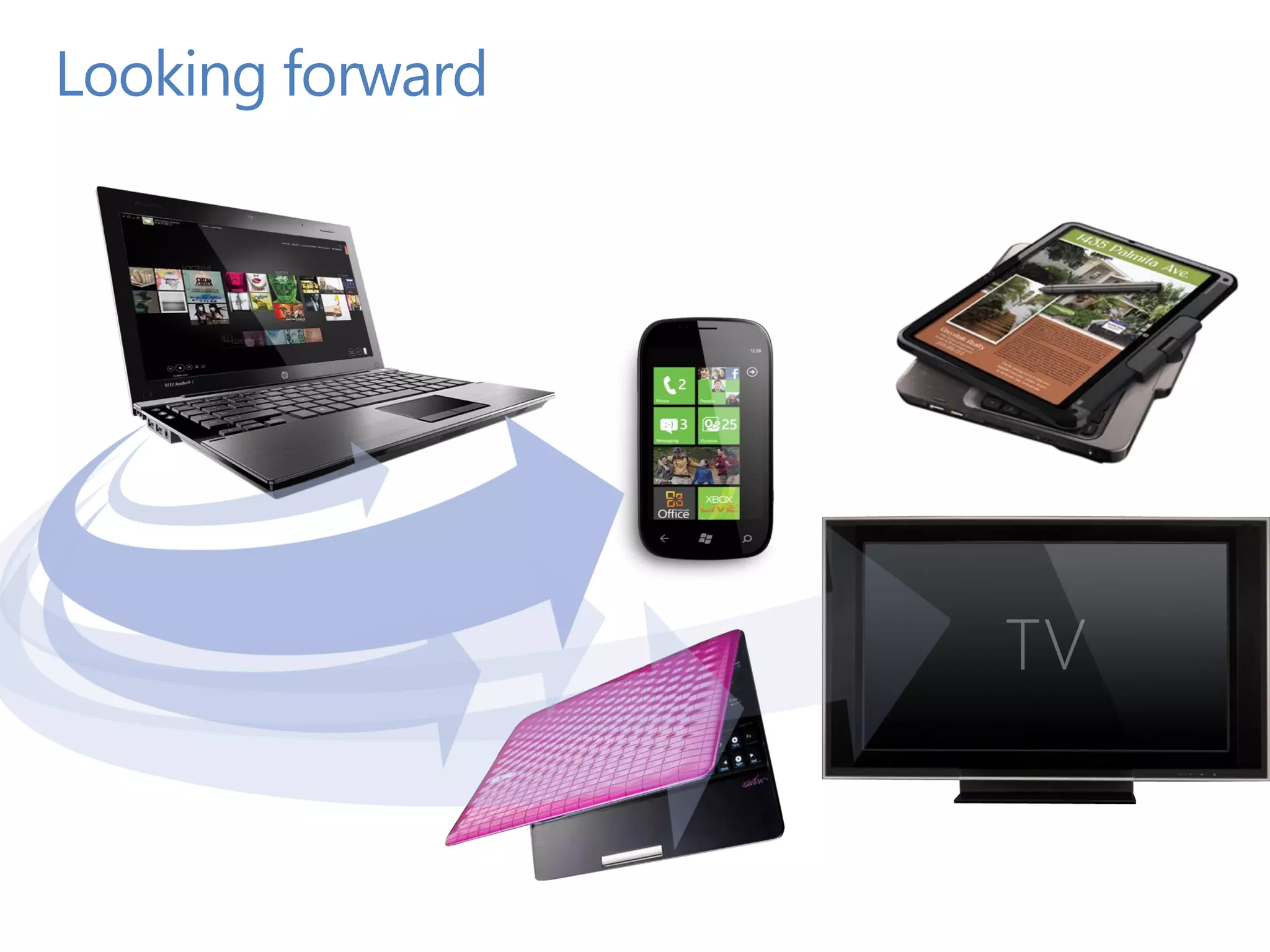
Looking forward
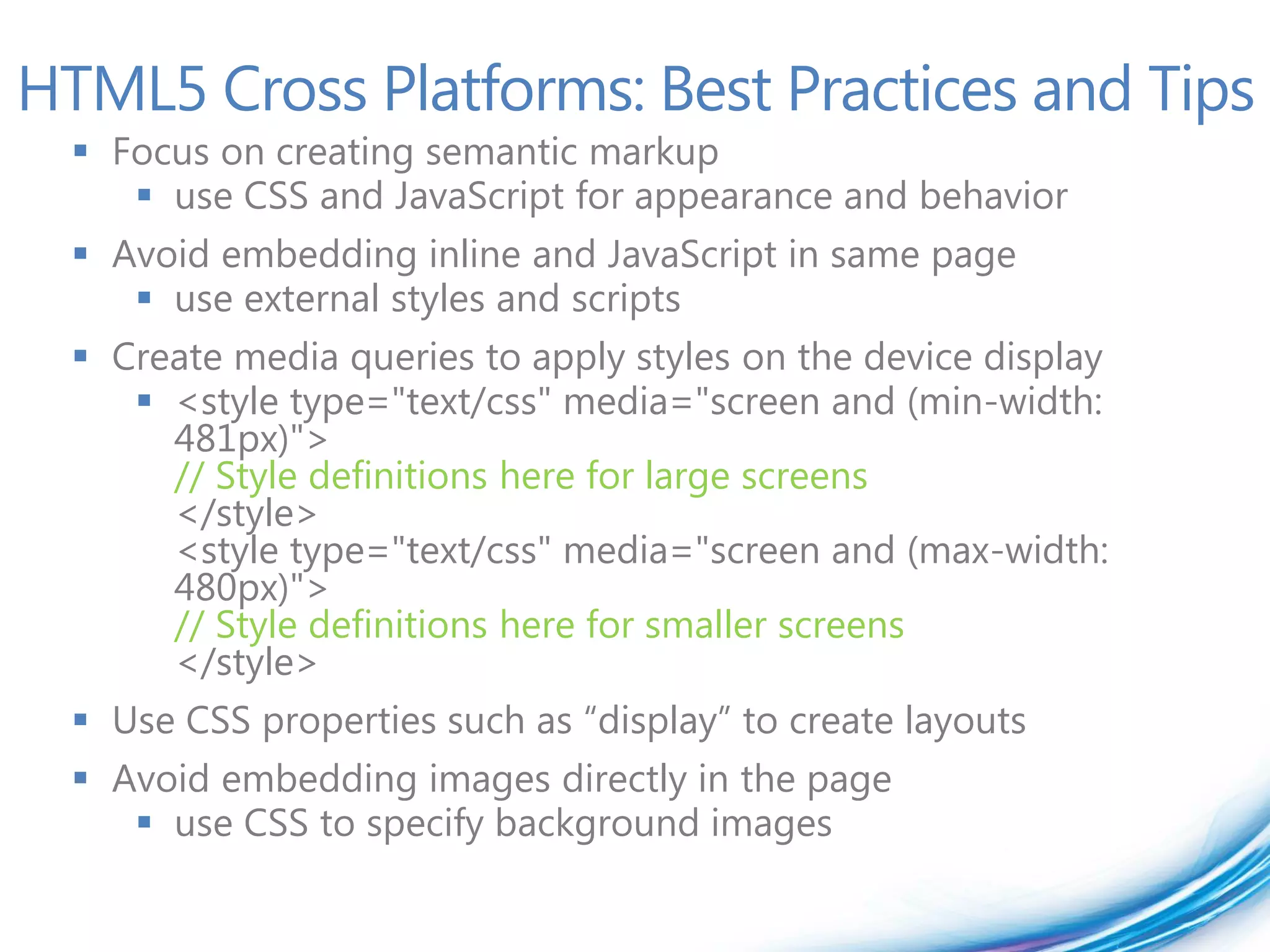
HTML5 Cross Platforms: Best Practices and Tips  Focus on creating semantic markup  use CSS and JavaScript for appearance and behavior  Avoid embedding inline and JavaScript in same page  use external styles and scripts  Create media queries to apply styles on the device display  <style type="text/css" media="screen and (min-width: 481px)"> // Style definitions here for large screens </style> <style type="text/css" media="screen and (max-width: 480px)"> // Style definitions here for smaller screens </style>  Use CSS properties such as “display” to create layouts  Avoid embedding images directly in the page  use CSS to specify background images
Demo HTML5 App running on IE9 Windows Phone 7 Mango
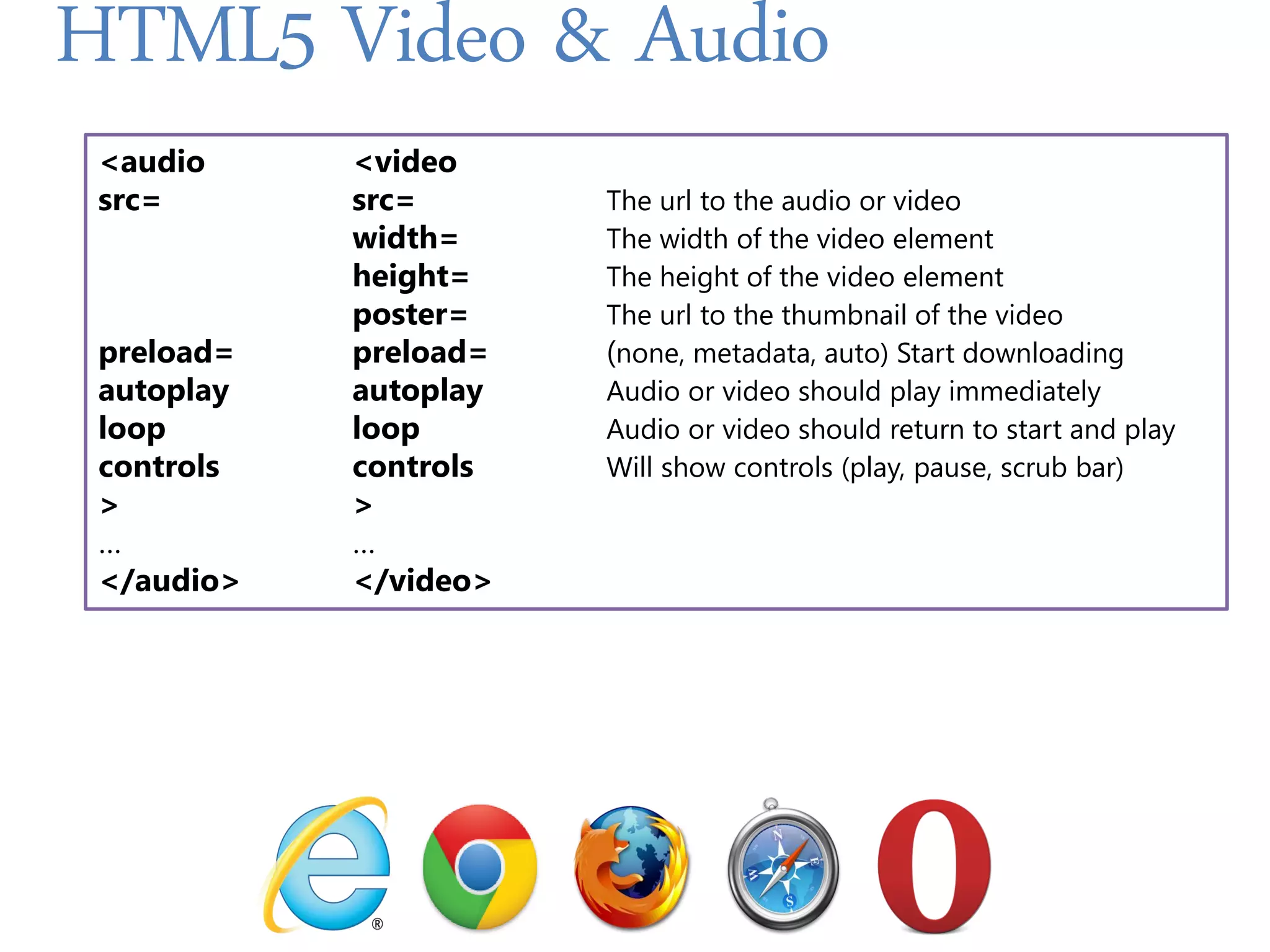
HTML5 Video & Audio <audio <video src= src= The url to the audio or video width= The width of the video element height= The height of the video element poster= The url to the thumbnail of the video preload= preload= (none, metadata, auto) Start downloading autoplay autoplay Audio or video should play immediately loop loop Audio or video should return to start and play controls controls Will show controls (play, pause, scrub bar) > > … … </audio> </video>
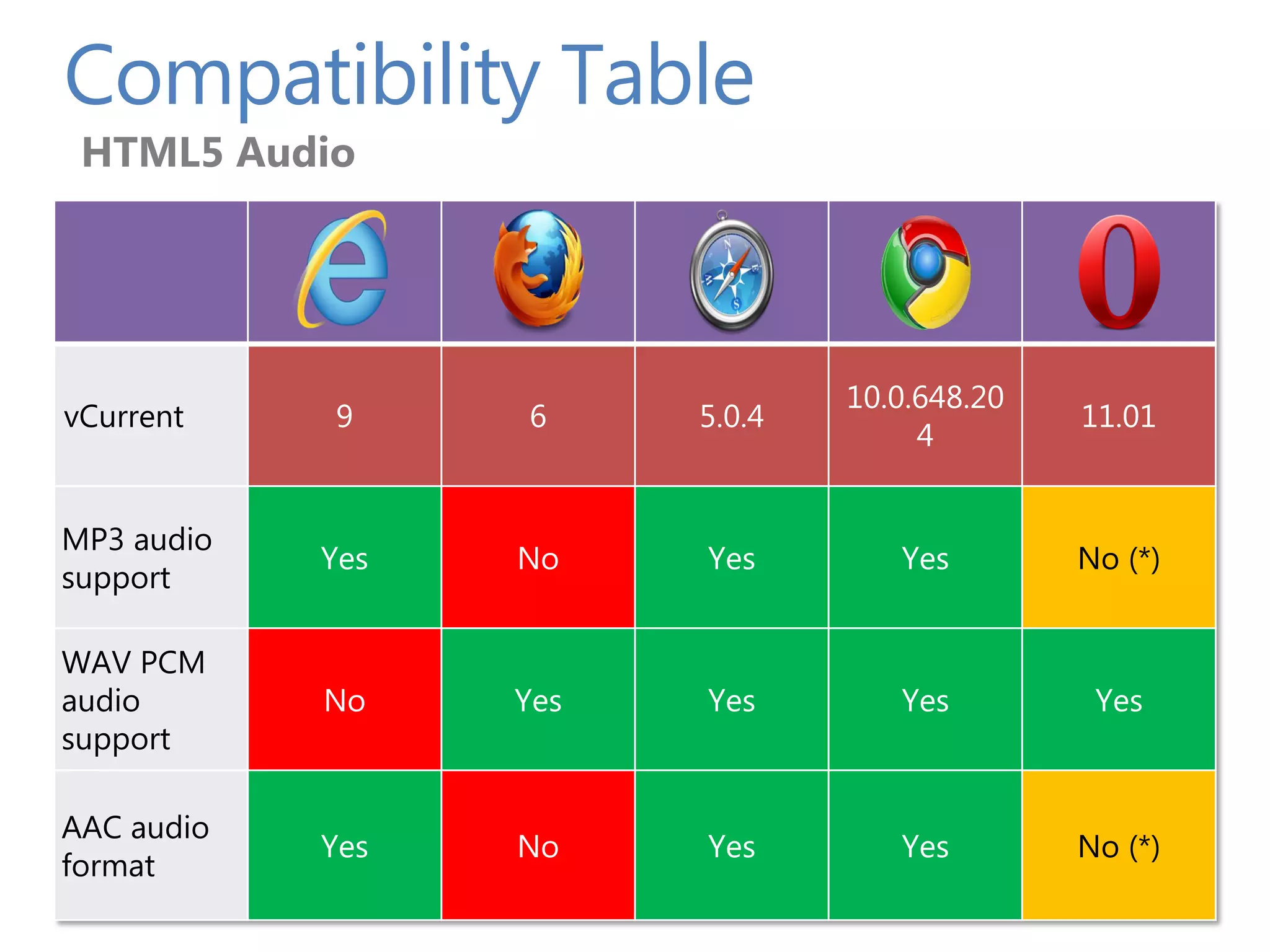
Compatibility Table HTML5 Audio 10.0.648.20 vCurrent 9 6 5.0.4 11.01 4 MP3 audio Yes No Yes Yes No (*) support WAV PCM audio No Yes Yes Yes Yes support AAC audio Yes No Yes Yes No (*) format
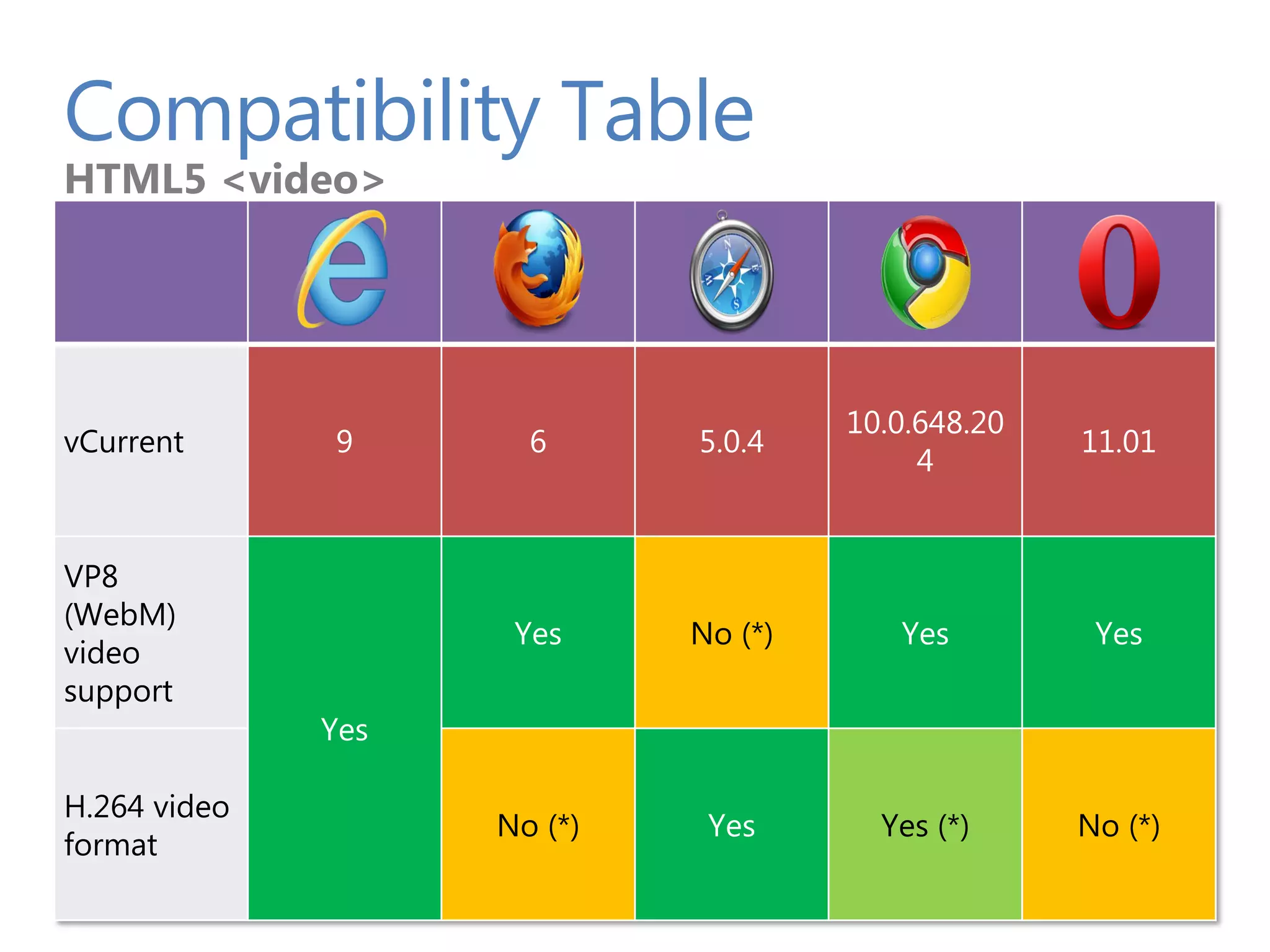
Compatibility Table HTML5 <video> 10.0.648.20 vCurrent 9 6 5.0.4 11.01 4 VP8 (WebM) Yes No (*) Yes Yes video support Yes H.264 video No (*) Yes Yes (*) No (*) format
Demo • Video, Fallback, Styled Video, Canvas, Animation
SVG and Canvas Introduction to SVG Introduction to Canvas Let’s Build a simple Game When to use What? Tooling Summary and Resources PAGE 21
Introduction to SVG
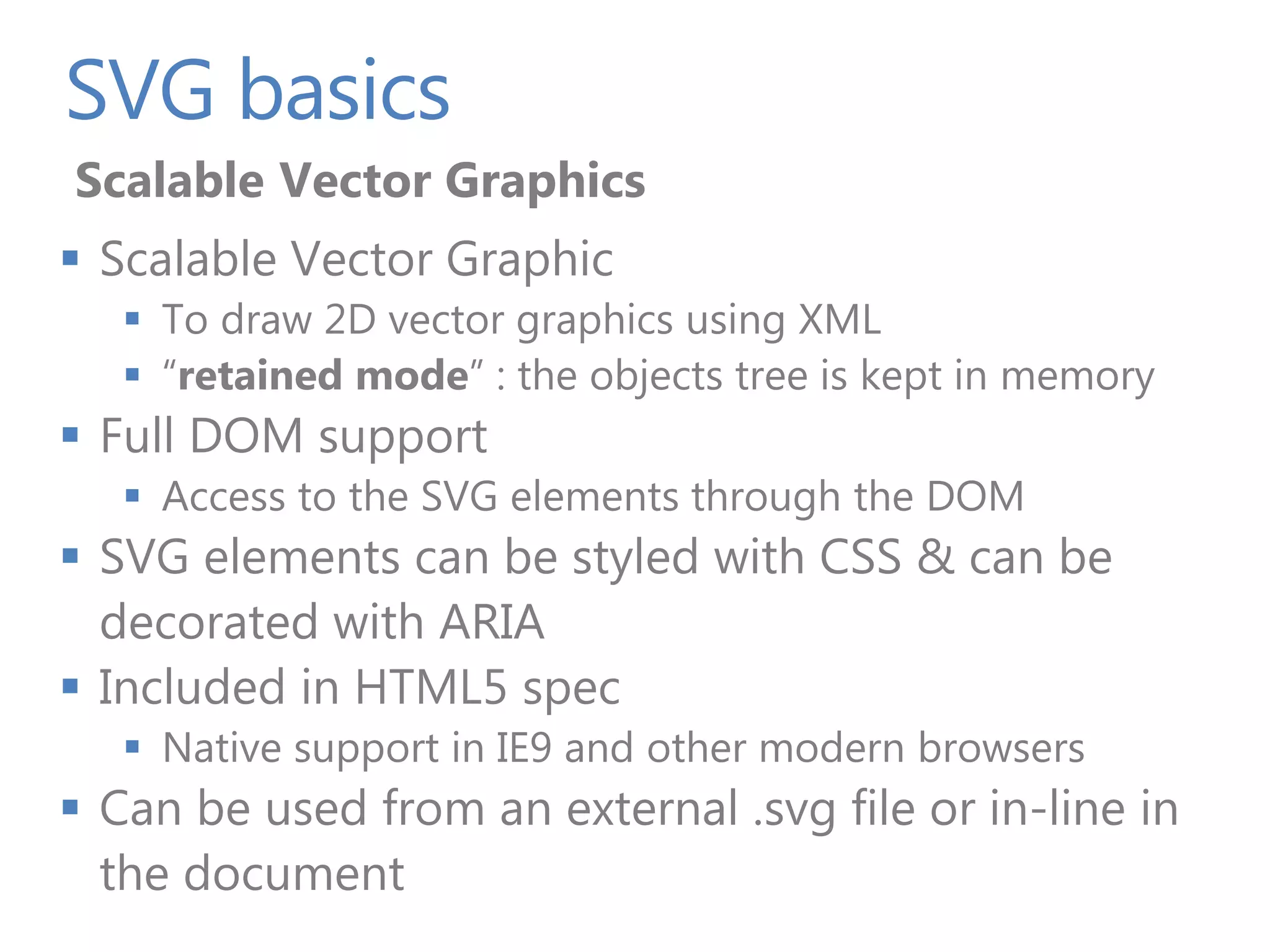
SVG basics Scalable Vector Graphics  Scalable Vector Graphic  To draw 2D vector graphics using XML  “retained mode” : the objects tree is kept in memory  Full DOM support  Access to the SVG elements through the DOM  SVG elements can be styled with CSS & can be decorated with ARIA  Included in HTML5 spec  Native support in IE9 and other modern browsers  Can be used from an external .svg file or in-line in the document
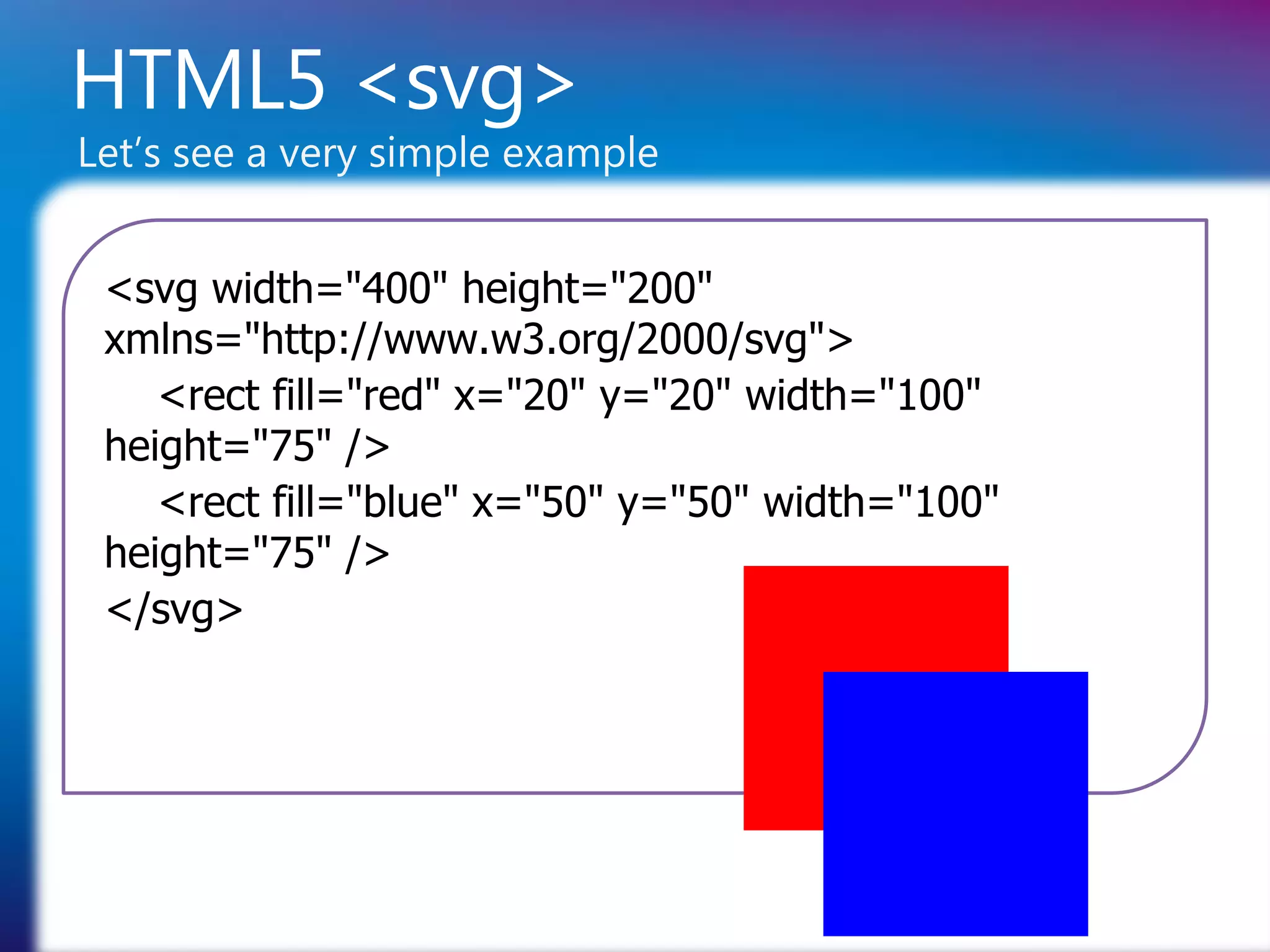
HTML5 <svg> Let’s see a very simple example <svg width="400" height="200" xmlns="http://www.w3.org/2000/svg"> <rect fill="red" x="20" y="20" width="100" height="75" /> <rect fill="blue" x="50" y="50" width="100" height="75" /> </svg>
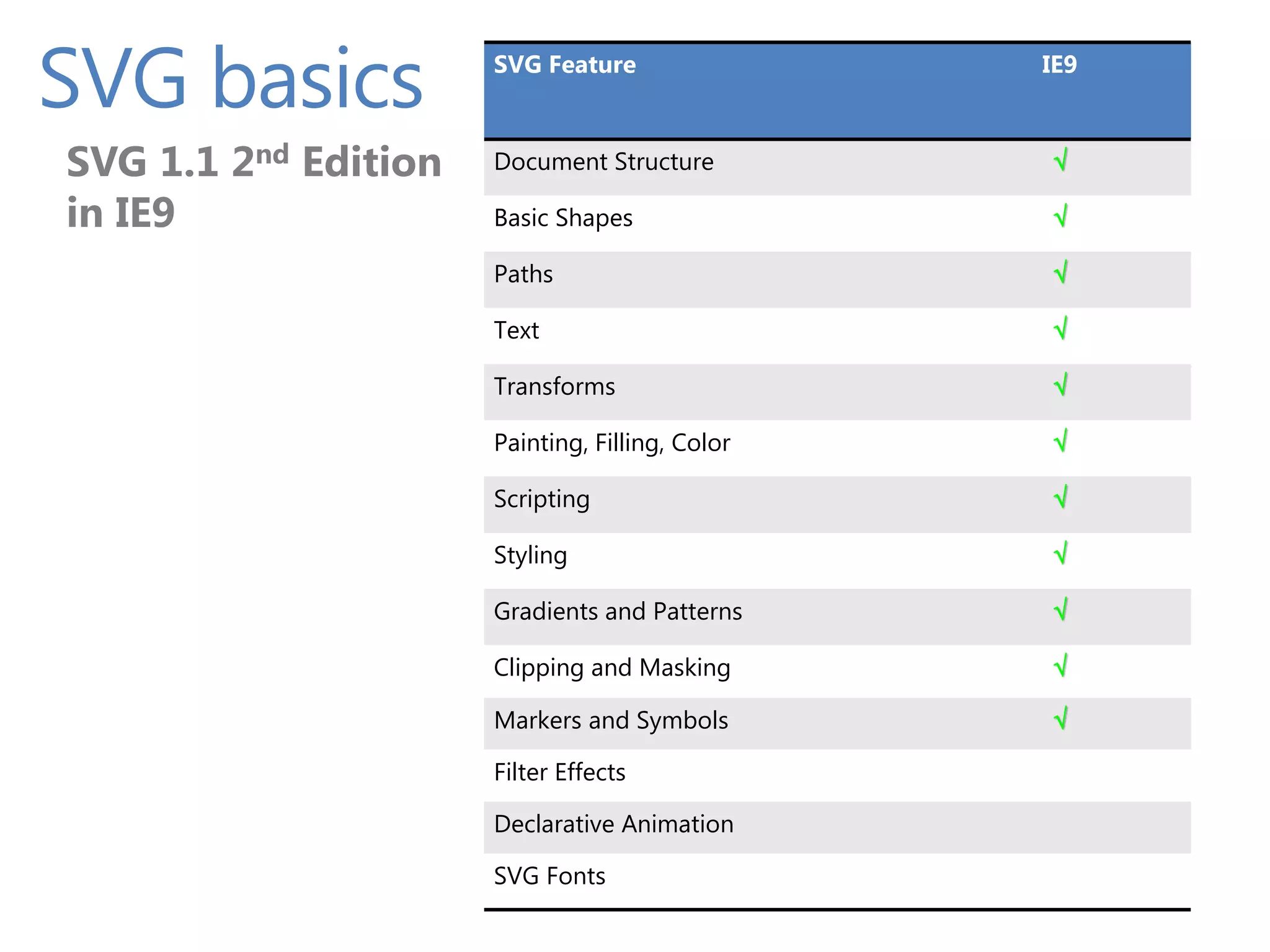
SVG basics SVG Feature SVG 1.1 2nd Edition IE9 SVG 1.1 2nd Edition Document Structure in IE9  in IE9 Basic Shapes  Paths  Text  Transforms  Painting, Filling, Color  Scripting  Styling  Gradients and Patterns  Clipping and Masking  Markers and Symbols  Filter Effects Declarative Animation SVG Fonts
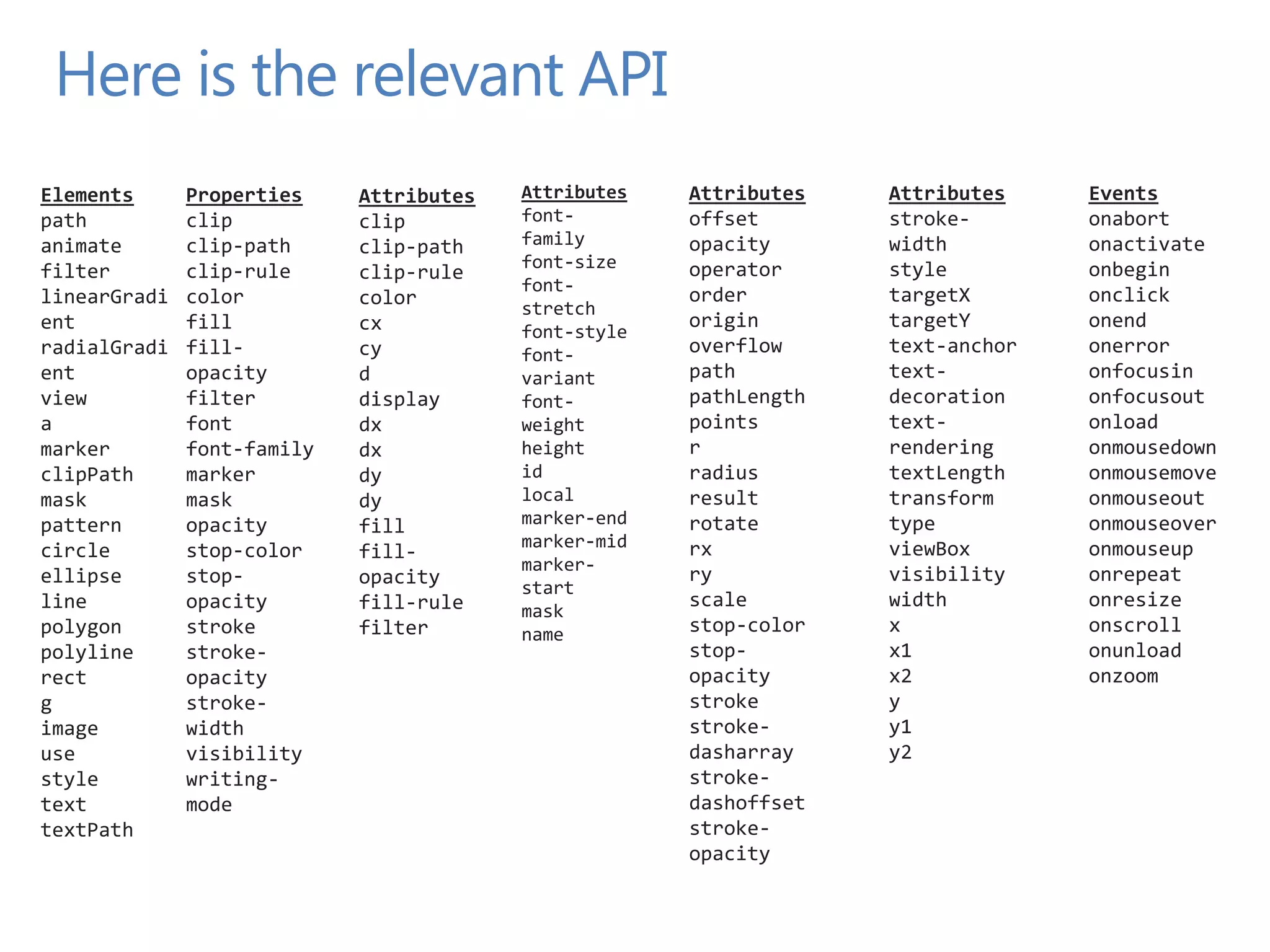
Here is the relevant API Elements Properties Attributes Attributes Attributes Attributes Events path clip clip font- offset stroke- onabort animate clip-path clip-path family opacity width onactivate font-size operator style onbegin filter clip-rule clip-rule font- linearGradi color color order targetX onclick stretch ent fill cx origin targetY onend font-style radialGradi fill- cy font- overflow text-anchor onerror ent opacity d variant path text- onfocusin view filter display font- pathLength decoration onfocusout a font dx weight points text- onload marker font-family dx height r rendering onmousedown clipPath marker dy id radius textLength onmousemove mask mask dy local result transform onmouseout pattern opacity fill marker-end rotate type onmouseover circle stop-color marker-mid rx viewBox onmouseup fill- marker- ellipse stop- opacity ry visibility onrepeat start line opacity fill-rule scale width onresize mask polygon stroke filter name stop-color x onscroll polyline stroke- stop- x1 onunload rect opacity opacity x2 onzoom g stroke- stroke y image width stroke- y1 use visibility dasharray y2 style writing- stroke- text mode dashoffset textPath stroke- opacity
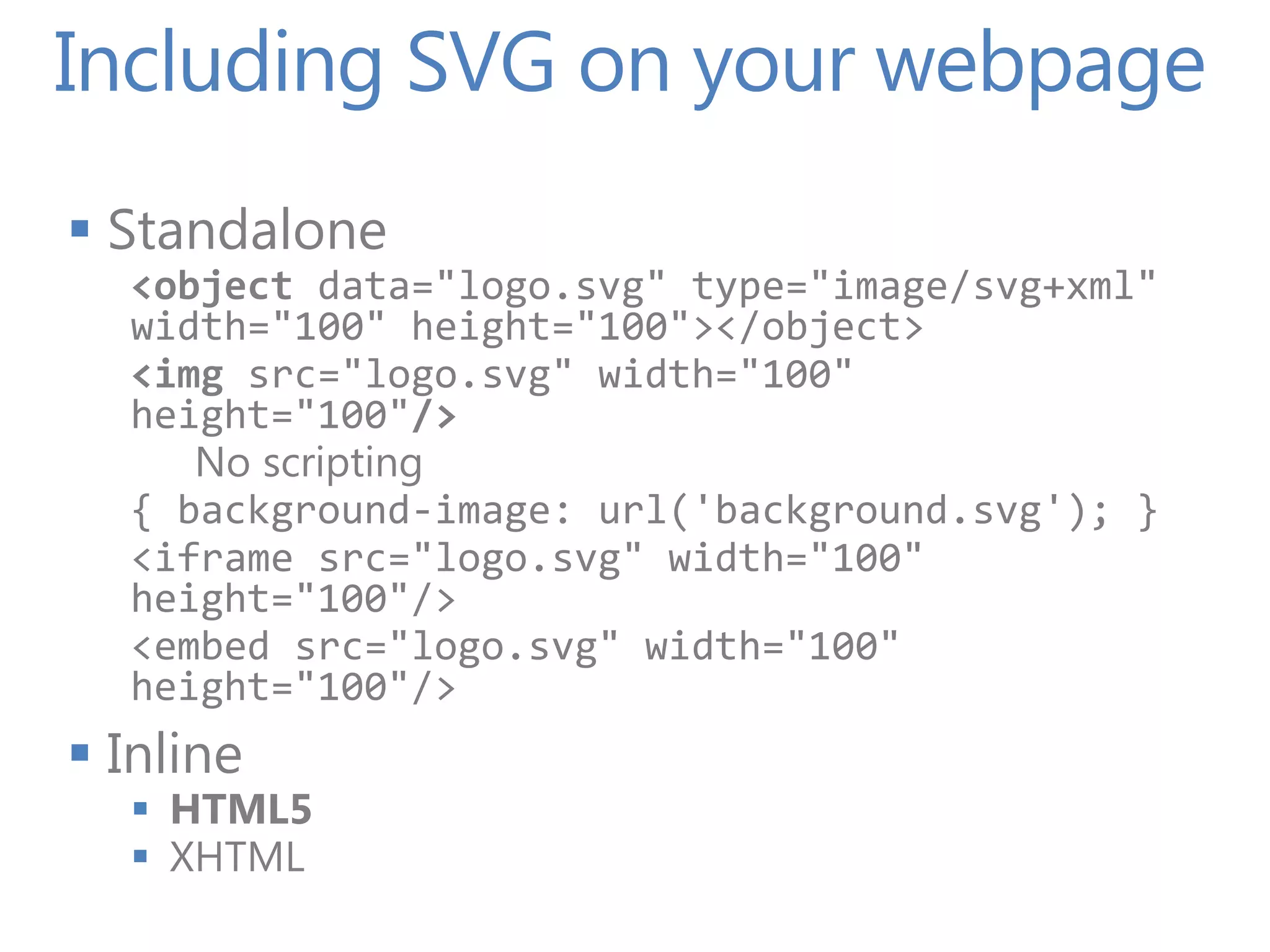
Including SVG on your webpage  Standalone <object data="logo.svg" type="image/svg+xml" width="100" height="100"></object> <img src="logo.svg" width="100" height="100"/> No scripting { background-image: url('background.svg'); } <iframe src="logo.svg" width="100" height="100"/> <embed src="logo.svg" width="100" height="100"/>  Inline  HTML5  XHTML
Demo SVG Basics The element, some styling & interactivity
Introduction to Canvas
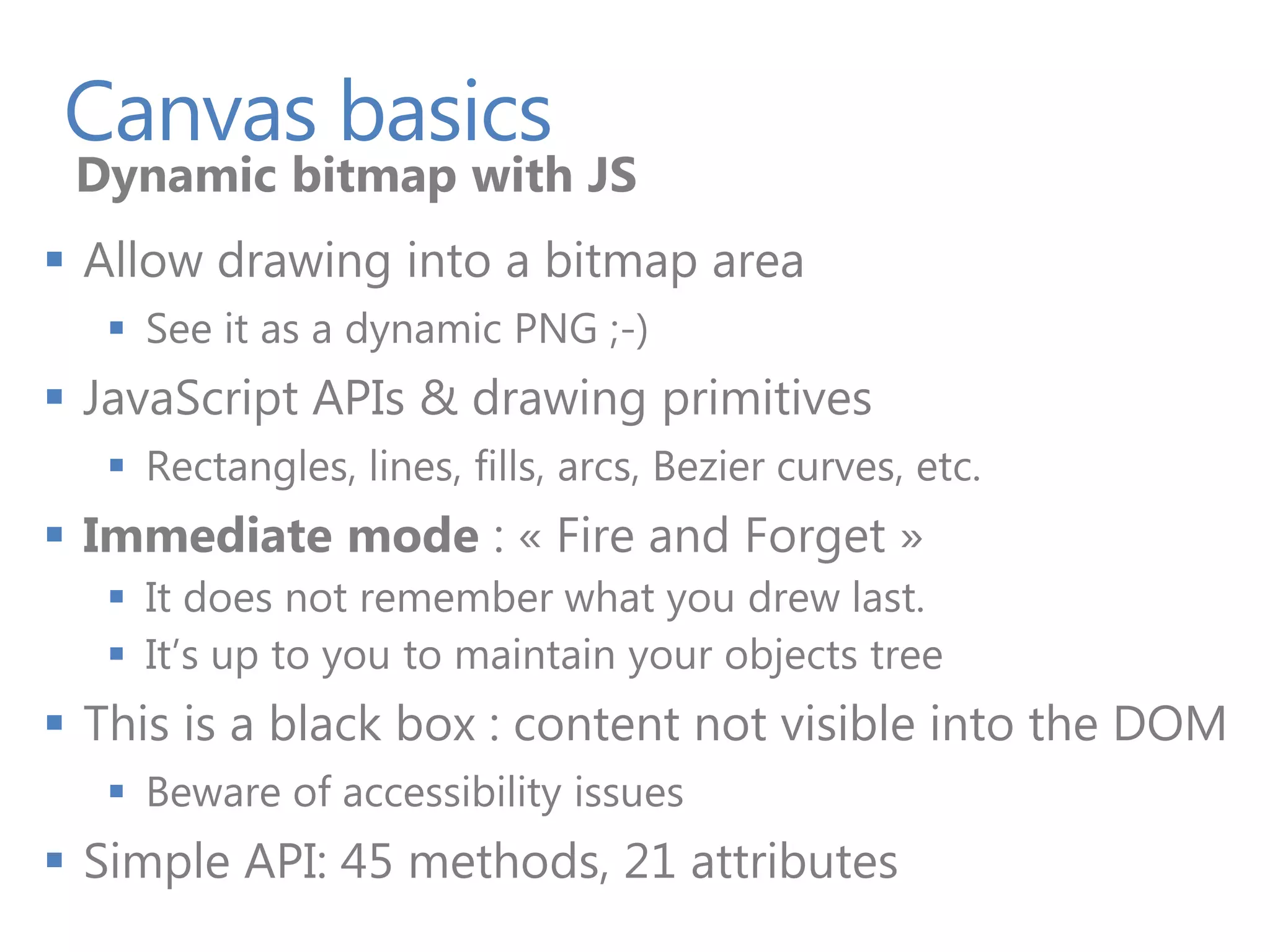
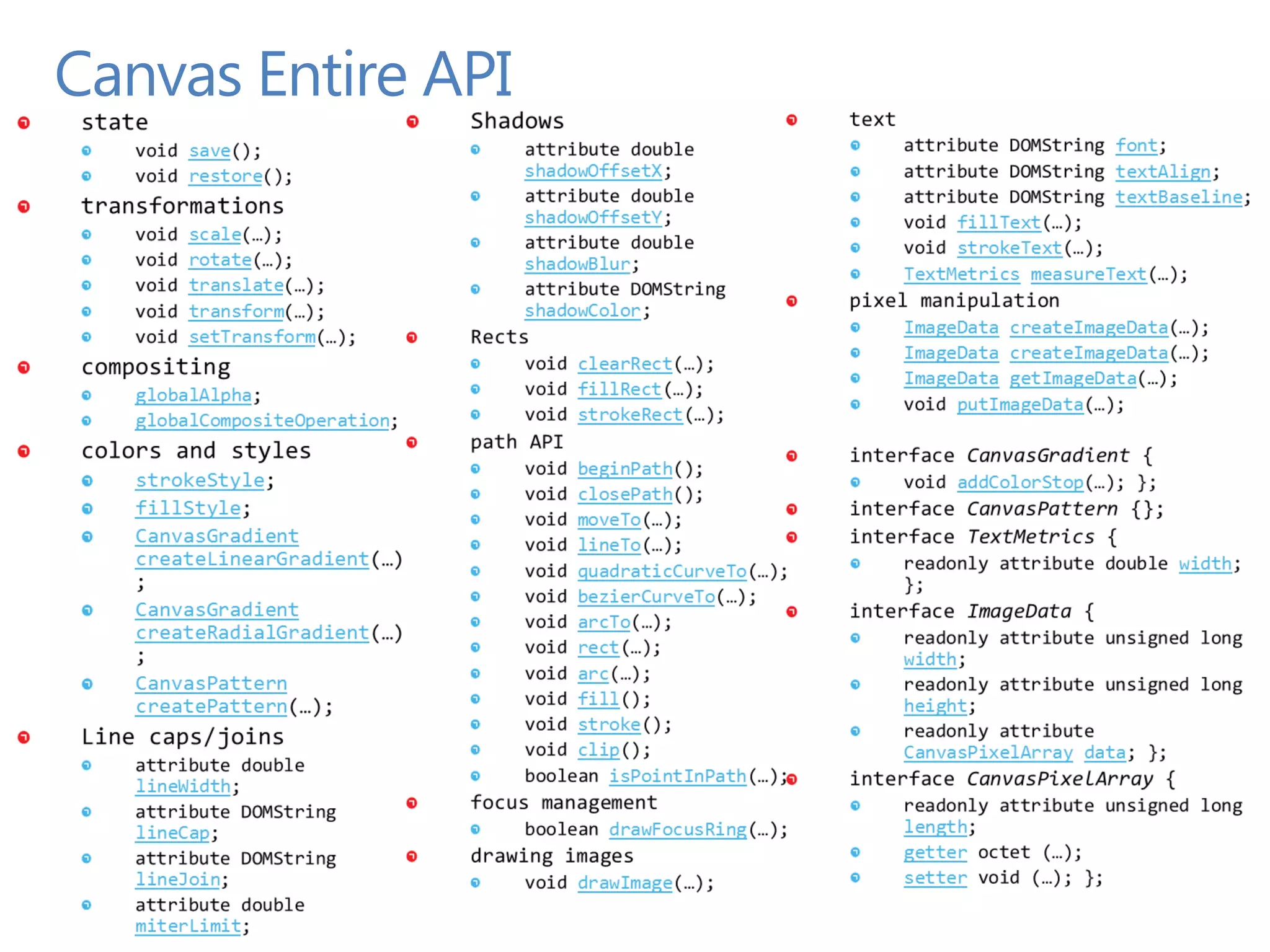
Canvas basics Dynamic bitmap with JS  Allow drawing into a bitmap area  See it as a dynamic PNG ;-)  JavaScript APIs & drawing primitives  Rectangles, lines, fills, arcs, Bezier curves, etc.  Immediate mode : « Fire and Forget »  It does not remember what you drew last.  It’s up to you to maintain your objects tree  This is a black box : content not visible into the DOM  Beware of accessibility issues  Simple API: 45 methods, 21 attributes
Canvas Entire API
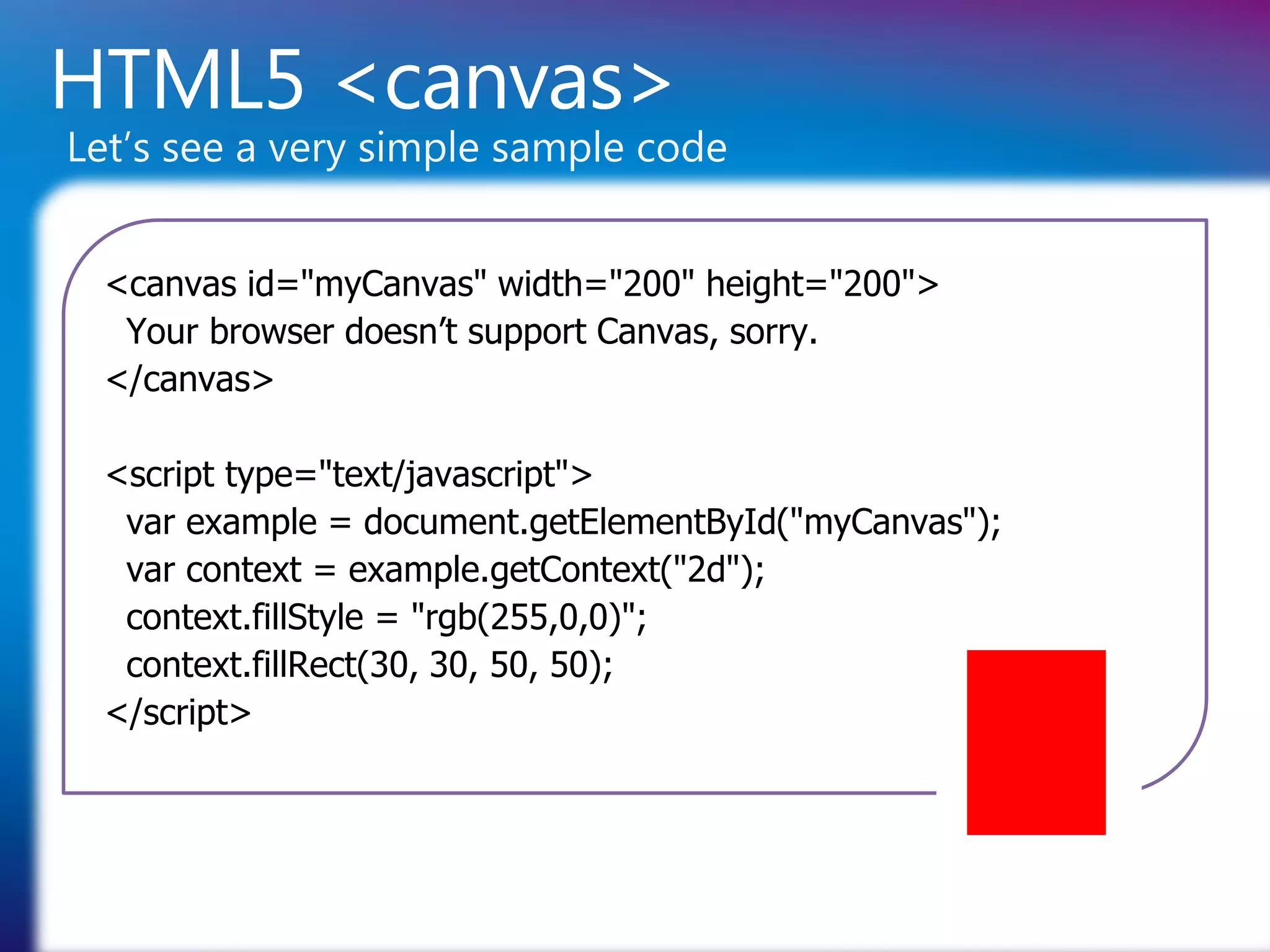
HTML5 <canvas> Let’s see a very simple sample code <canvas id="myCanvas" width="200" height="200"> Your browser doesn’t support Canvas, sorry. </canvas> <script type="text/javascript"> var example = document.getElementById("myCanvas"); var context = example.getContext("2d"); context.fillStyle = "rgb(255,0,0)"; context.fillRect(30, 30, 50, 50); </script>
Demo Canvas Basics The element, interactivity
Let’s Build a Simple Game
Demo Building the same game Compare SVG & Canvas
When to Use What?
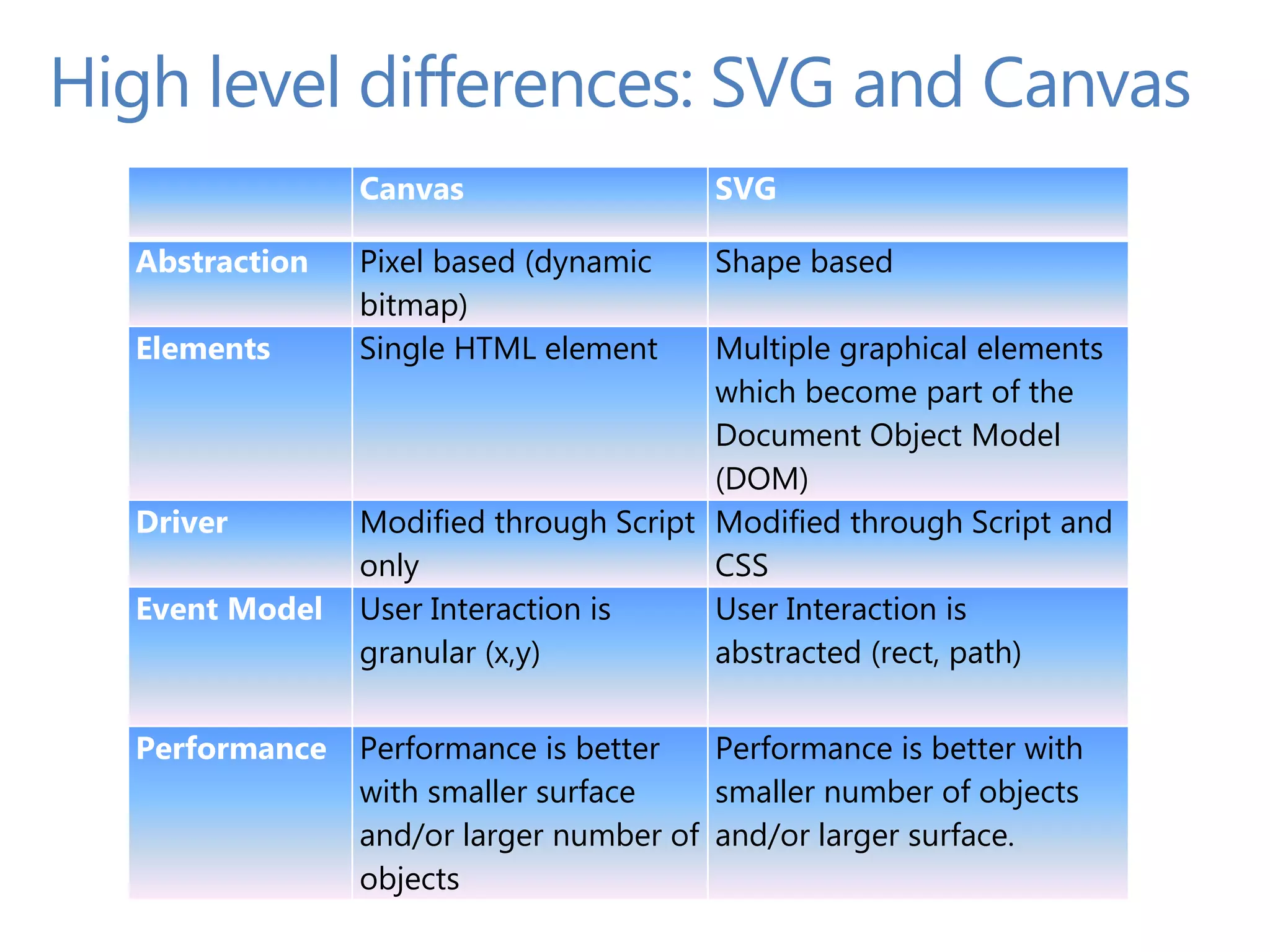
High level differences: SVG and Canvas Canvas SVG Abstraction Pixel based (dynamic Shape based bitmap) Elements Single HTML element Multiple graphical elements which become part of the Document Object Model (DOM) Driver Modified through Script Modified through Script and only CSS Event Model User Interaction is User Interaction is granular (x,y) abstracted (rect, path) Performance Performance is better Performance is better with with smaller surface smaller number of objects and/or larger number of and/or larger surface. objects
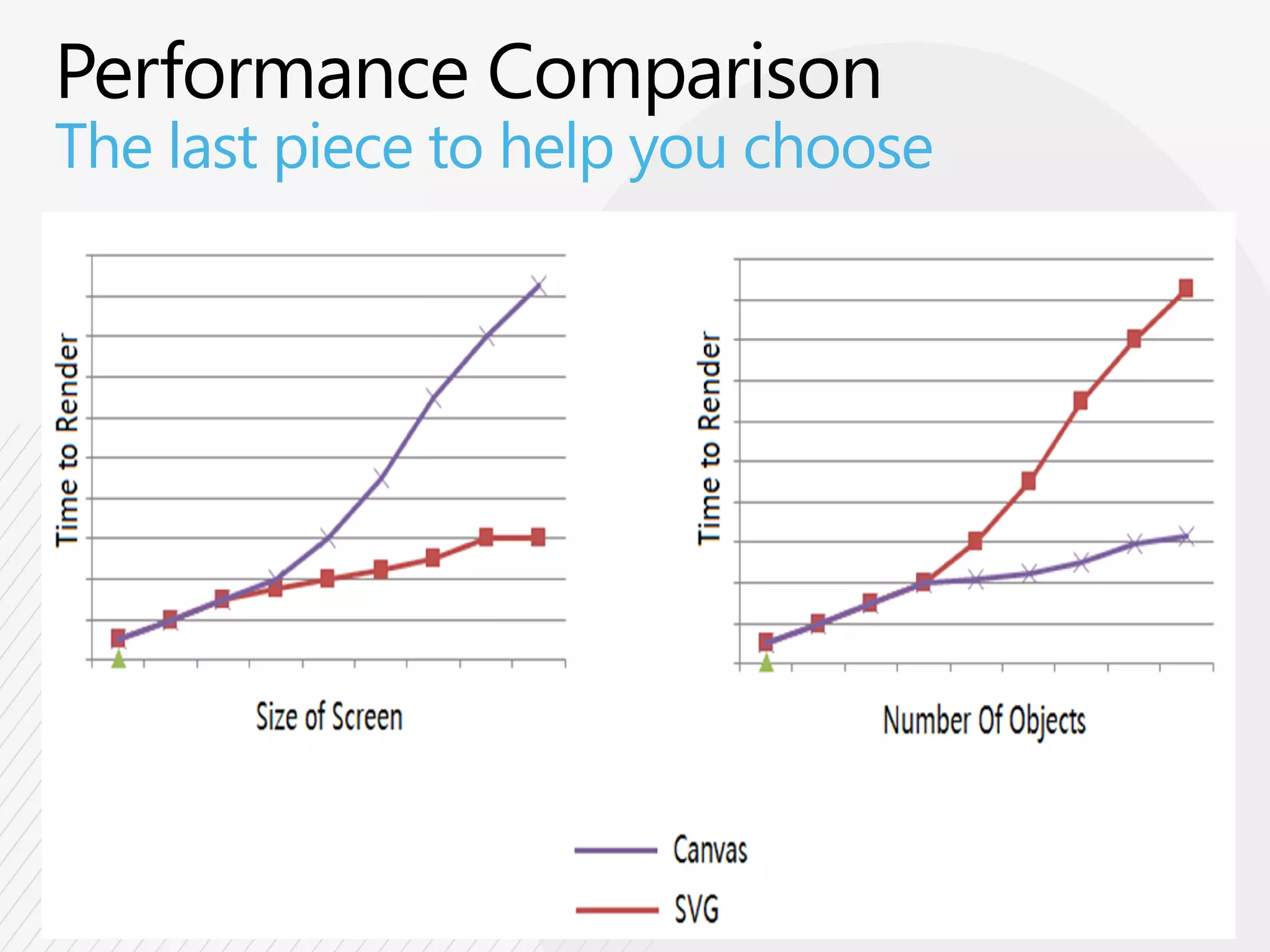
The last piece to help you choose
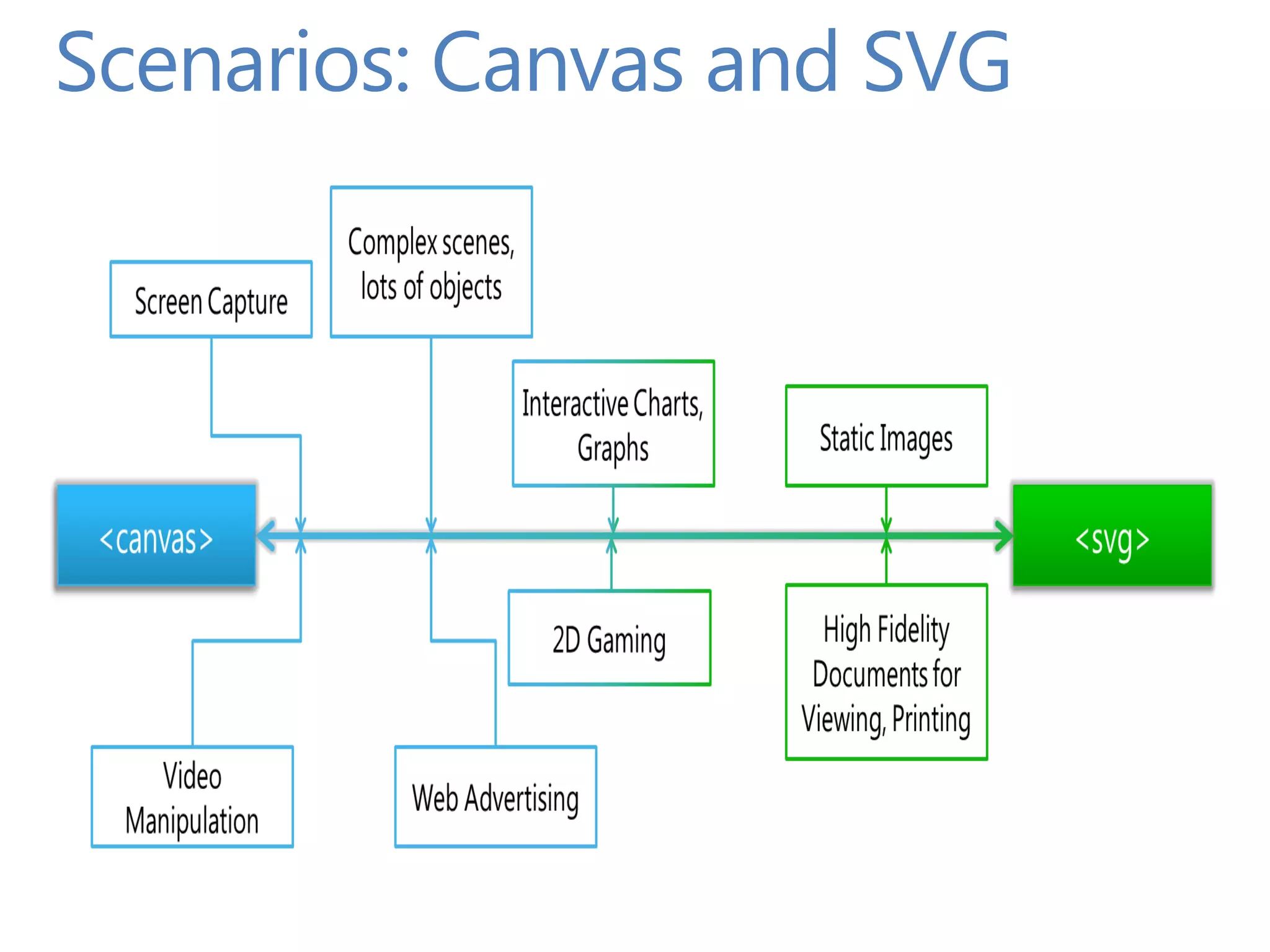
Scenarios: Canvas and SVG
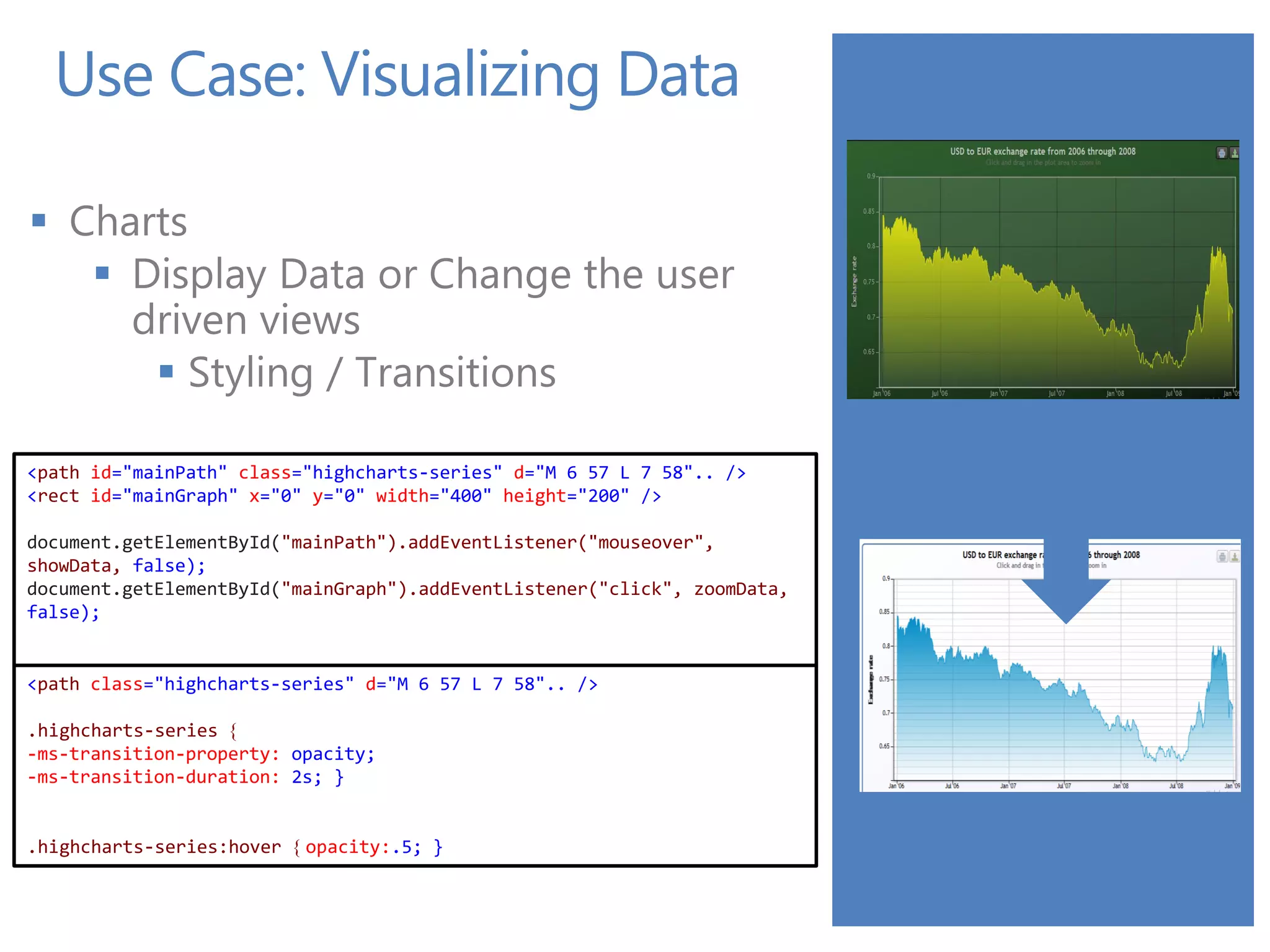
Use Case: Visualizing Data  Charts  Display Data or Change the user driven views  Styling / Transitions <path id="mainPath" class="highcharts-series" d="M 6 57 L 7 58".. /> <rect id="mainGraph" x="0" y="0" width="400" height="200" /> document.getElementById("mainPath").addEventListener("mouseover", showData, false); document.getElementById("mainGraph").addEventListener("click", zoomData, false); <path class="highcharts-series" d="M 6 57 L 7 58".. /> .highcharts-series { -ms-transition-property: opacity; -ms-transition-duration: 2s; } .highcharts-series:hover { opacity:.5; }
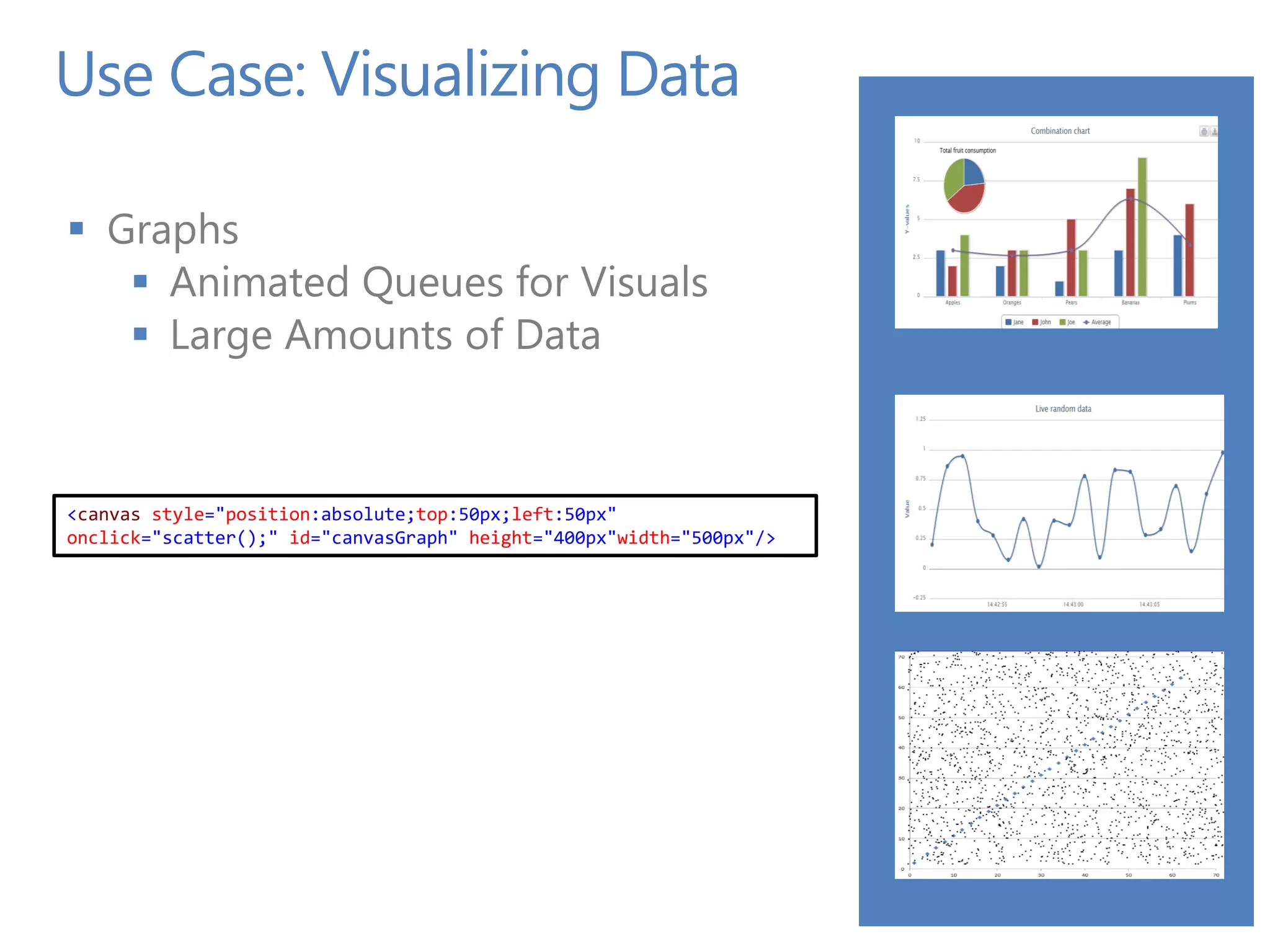
Use Case: Visualizing Data  Graphs  Animated Queues for Visuals  Large Amounts of Data <canvas style="position:absolute;top:50px;left:50px" onclick="scatter();" id="canvasGraph" height="400px"width="500px"/>
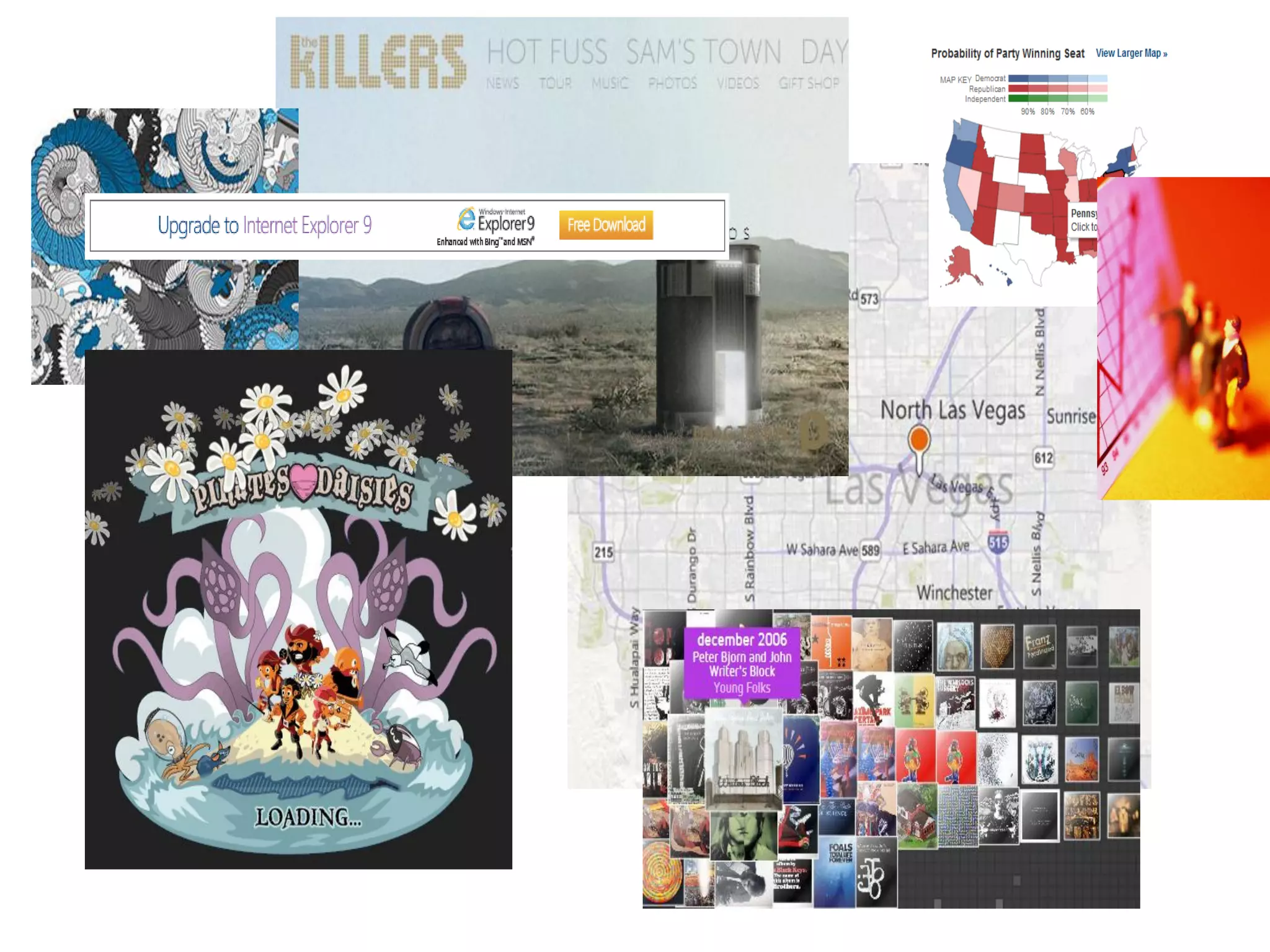
Use Case: Visualizing Data  Maps  Interactive Data Presentation  High Speed Data <style type="text/css"media="screen"> path:hover{fill:yellow;} </style> <canvas style="position:absolute;top:50px;left:50px" onclick="addWeather();" id="canvasGraph"height="500px"width="800px"/> for (var i= 0; i < weatherPatterns.length;i++) { weatherPatterns[i].x += Math.floor(Math.random() * 3)-1; weatherPatterns[i].y += Math.floor(Math.random() * 3) -1; myContext.drawImage(weatherImage[weatherPatterns[i].ImageIndex], weatherPatterns[i].x, weatherPatterns[i].y); }
PAGE 43
Toolings
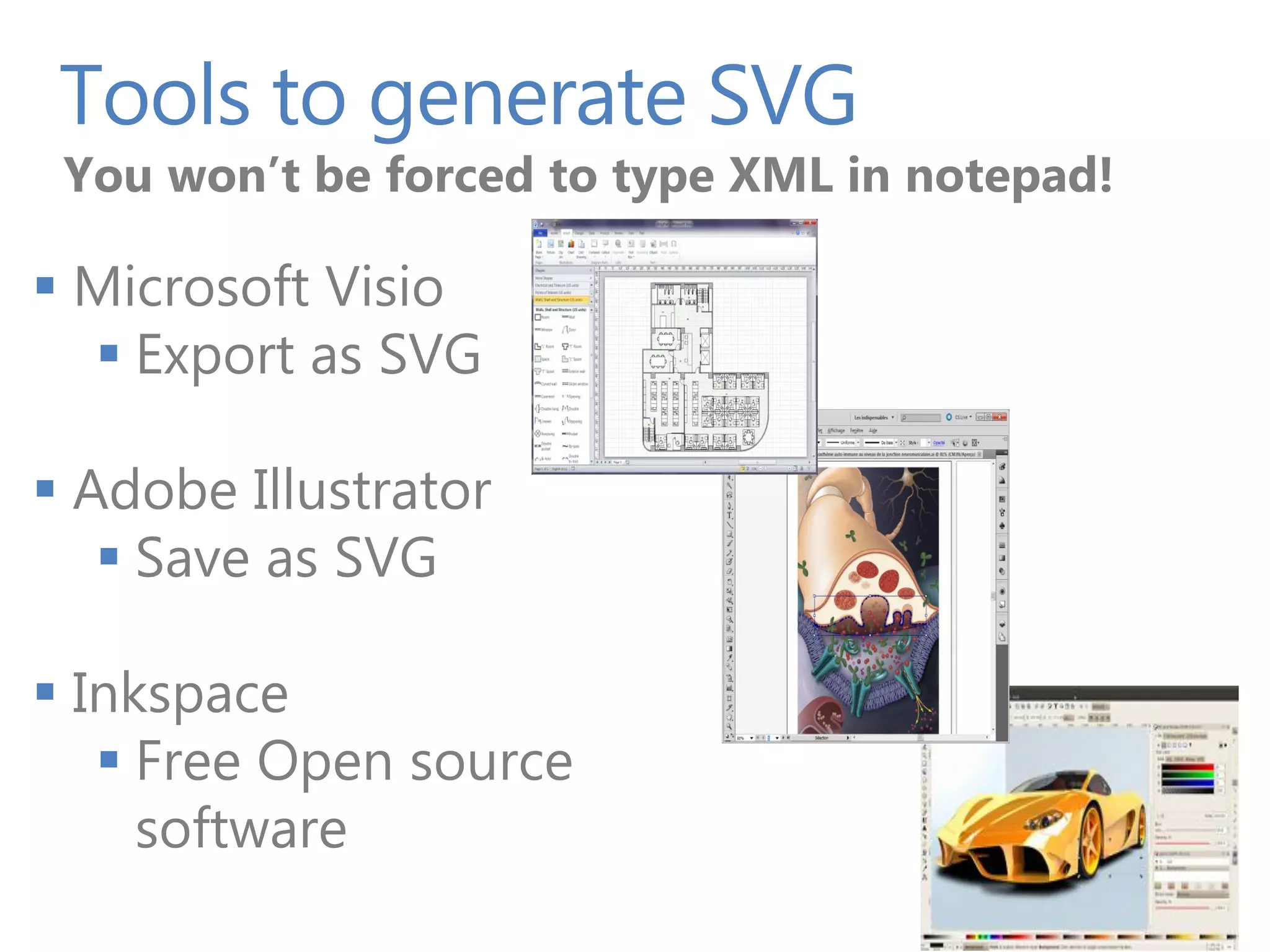
Tools to generate SVG You won’t be forced to type XML in notepad!  Microsoft Visio  Export as SVG  Adobe Illustrator  Save as SVG  Inkspace  Free Open source software
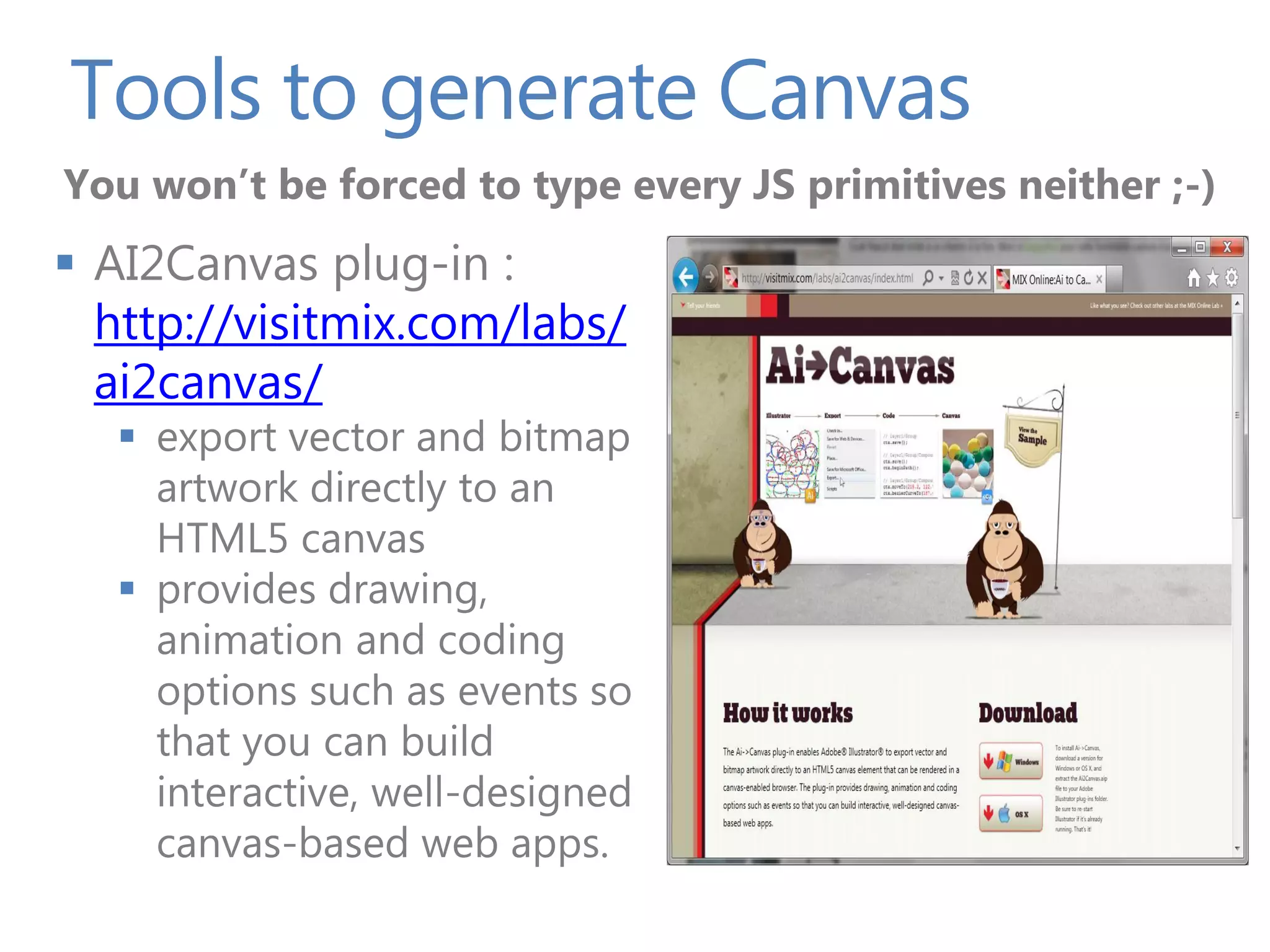
Tools to generate Canvas You won’t be forced to type every JS primitives neither ;-)  AI2Canvas plug-in : http://visitmix.com/labs/ ai2canvas/  export vector and bitmap artwork directly to an HTML5 canvas  provides drawing, animation and coding options such as events so that you can build interactive, well-designed canvas-based web apps.
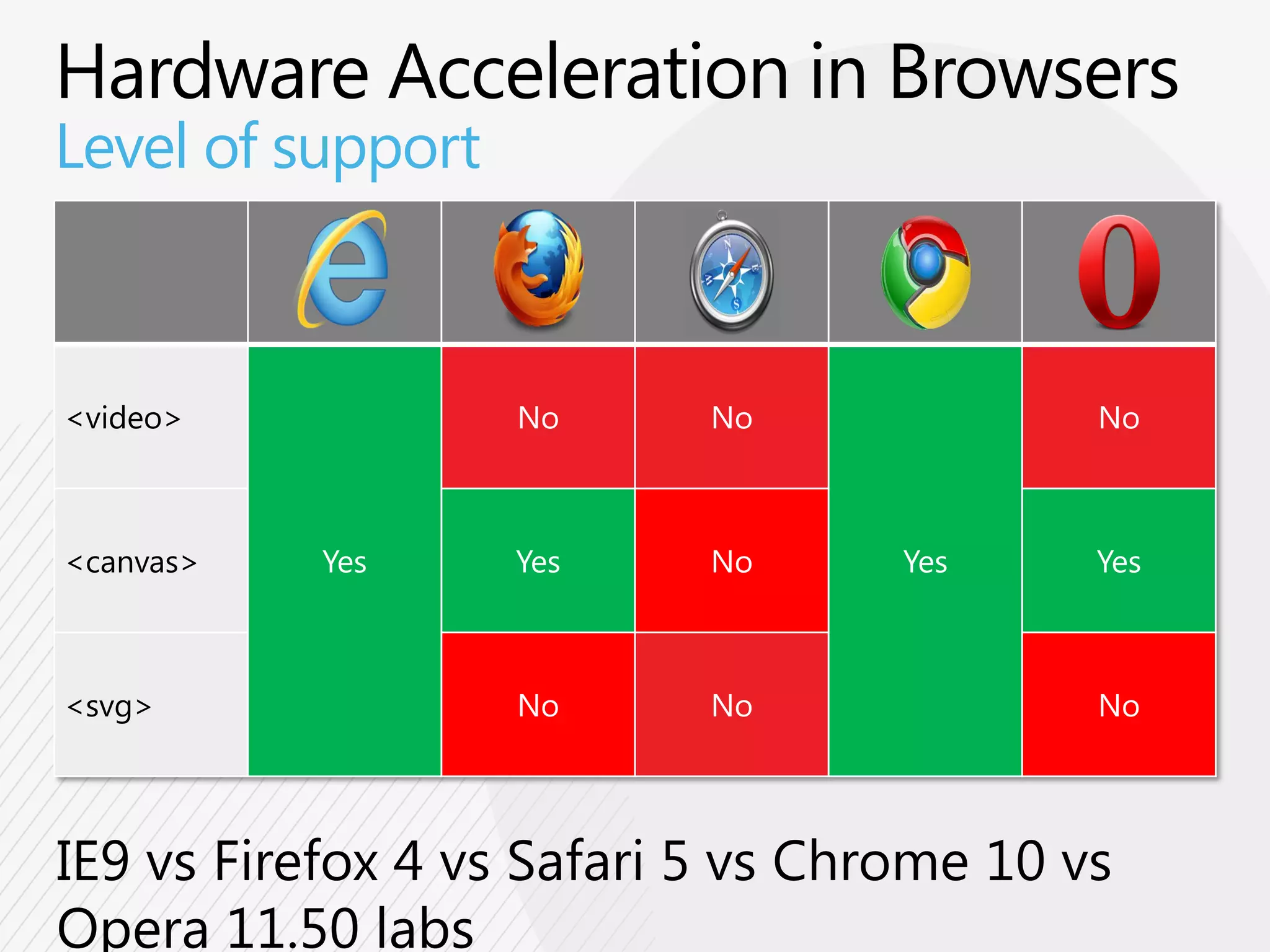
Level of support <video> No No No <canvas> Yes Yes No Yes Yes <svg> No No No
HTML5 Tools
Tools F12 Developer Tools
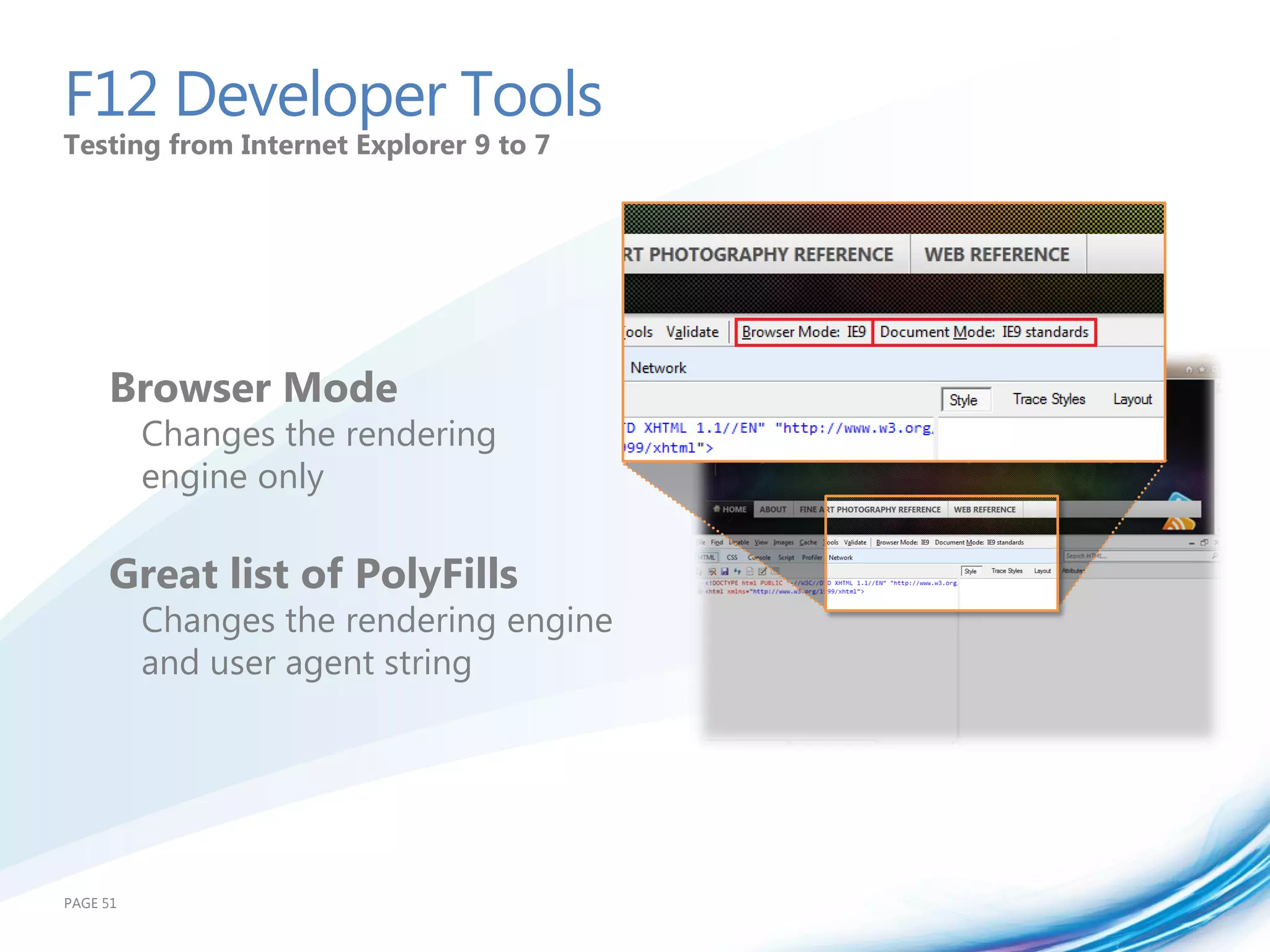
F12 Developer Tools Testing from Internet Explorer 9 to 7 Browser Mode Changes the rendering engine only Great list of PolyFills Changes the rendering engine and user agent string PAGE 51
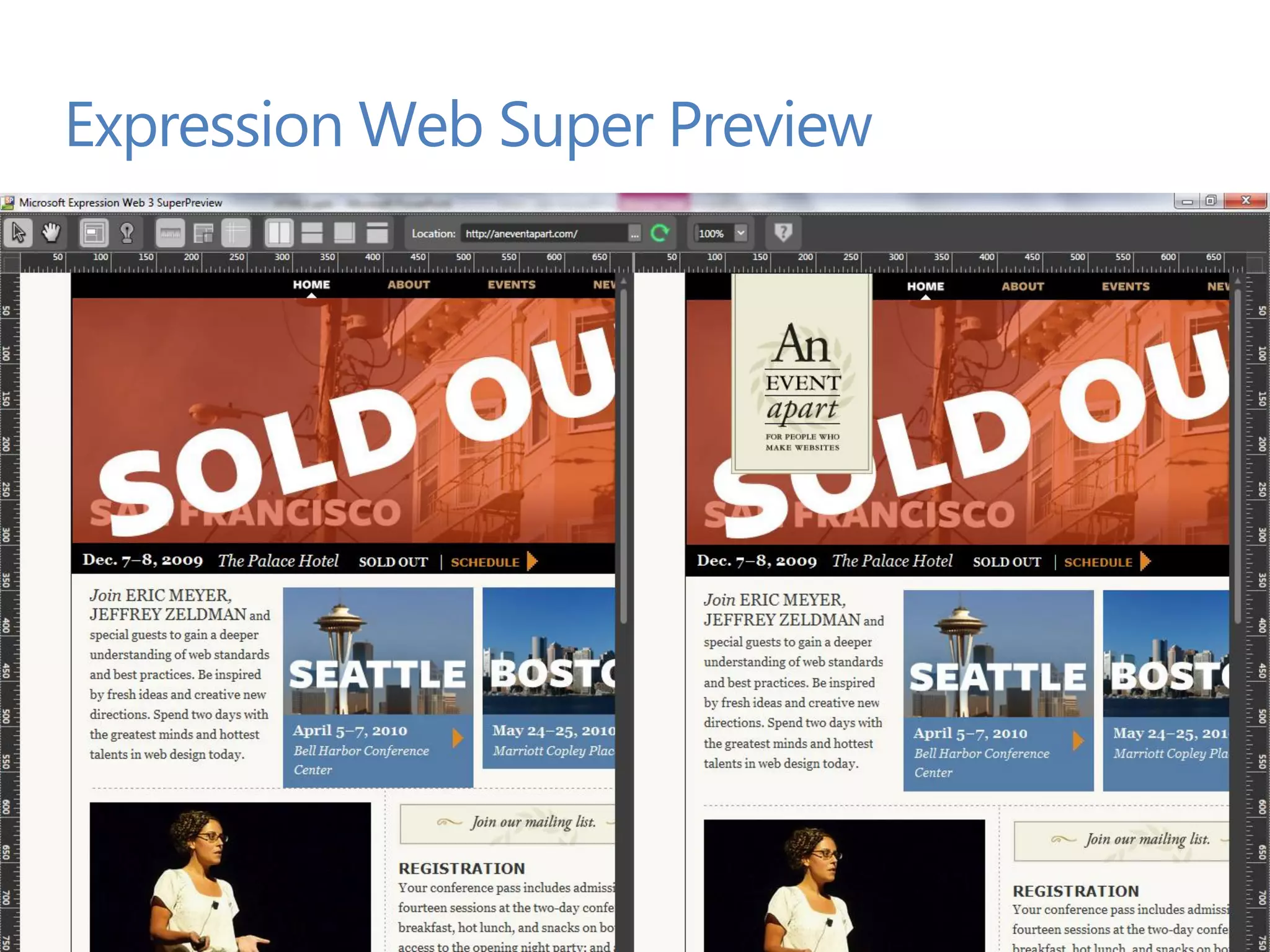
Expression Web Super Preview PAGE 52
Summary and Resources
Can I Use HTML5 Today? PAGE 54
Resources • Started with HTML5 • http://bit.ly/hpbwhv • Feature-specific demos • http://ie.microsoft.com/testdrive/ • Real-world demos • http://www.beautyoftheweb.com/ • Canvas demo by Community • http://www.canvasdemos.com/ • Session Presentation and Demo • http://blogs.msdn.com/dorischen/ PAGE 56
Upcoming HTML5 Web Camps 1 Days HTML5 Web Camp (Free) Nov 12, 2011 (Sat.), Mountain View, CA Half day lecture and half day hands on labs More http://bit.ly/free_html5training
Dive into HTML5: SVG and Canvas

Dive into HTML5: SVG and Canvas

  • 1.
    Dive into HTML5: SVG and Canvas Doris Chen Ph.D. Developer Evangelist Microsoft http://blogs.msdn.com/dorischen/ @doristchen
  • 2.
    Who am I? Developer Evangelist at Microsoft based in Silicon Valley, CA  Blog: http://blogs.msdn.com/b/dorischen/  Twitter @doristchen  Email: doris.chen@microsoft.com  Has over 13 years of experience in the software industry focusing on web technologies  Spoke and published widely at JavaOne, O'Reilly, Silicon Valley Code Camp, SD West, SD Forum and worldwide User Groups meetings  Doris received her Ph.D. from the University of California at Los Angeles (UCLA)
  • 3.
    Agenda What is HTML5 HTML5 Overview SVG and Canvas HTML5 Tools Summary and Resources PAGE 3
  • 5.
    100+ Specifications Geolocation ECMA HTML CSS Web Apps SVG
  • 6.
  • 7.
    HTML5 in IE9 HTML5 CSS3 SVG Others • New Markup Elements • 2D Transforms • Shapes • ECMA Script 5 (all • Canvas • Clipping, Masking, and • Border Radius Compositing but Strict Mode) • Audio • Video • Box-Shadow • Transforms • Native JSON • Local Storage • Fonts (WOFF) • Extensibility support (IE8) • Cross-Window Messaging • Gradients • Media Queries • Performance API • Text Selection APIs • Interactivity • Parsing SVG in HTML • Multiple • Linking and Views • Geo-Location Backgrounds • Painting and Colors • Data-uri (IE8) • Paths • Namespaces • DOM L2, L3 • Text • Opacity • Selectors API L2 • rgba(), hsl(), • AJAX Navigation (IE8) hsla() • DOMParser and • Selectors (IE8) XMLSerializer • ICC v2 and Color Profile • ARIA Hardware Acceleration
  • 8.
    HTML5 in IE10Platform Previews HTML5 CSS3 Others • Drag&Drop • Grid • Web Performance • File API • Flexbox APIs • Forms Validation • Gradient • ECMA Script 5 • Sandbox • Multi-Column Strict Mode • Web Workers • Floats • Advanced Hit Testing APIs • async • Media Queries Listeners • Removal of Style Sheet Limits
  • 9.
    HTML5 Semantics Semantic DocumentStructure  HTML5 introduces a new semantic structure  Replacing the use of DIV, SPAN HEADER and other elements with class and ID attributes  New elements include header, nav, NAV article, section, aside, and footer ARTICLE ASIDE FOOTER
  • 10.
    HTML5 Semantic Tags Supportedin Internet Explorer 9 <body> </section> <header> </article> <hgroup> ... <h1>Doris Chen Dancing</h1> </section> <h2>Funky Town!</h2> </hgroup> <aside>Aside items (i.e. </header> links)</aside> <nav> <figure> <ul>Navigation links</ul> <img src="..." /> </nav> <figcaption>Doris dancing</figcaption> <section> </figure> <article> <header> <footer>Copyright © 2011</footer> <h1>Can you believe it?</h1> </header> </body> <section> <mark>Doris dancing!</mark>
  • 11.
    CSS3  IE9  2D Transforms  Border Radius  Box-Shadow  Fonts (WOFF)  Media Queries  Multiple Backgrounds  Namespaces  Opacity  rgba(), hsl(), hsla()  Selectors (IE8)  IE10 Platform Preview  Grid  Flexbox  Gradient  Multi-Column  Floats
  • 12.
  • 13.
  • 14.
    HTML5 Cross Platforms:Best Practices and Tips  Focus on creating semantic markup  use CSS and JavaScript for appearance and behavior  Avoid embedding inline and JavaScript in same page  use external styles and scripts  Create media queries to apply styles on the device display  <style type="text/css" media="screen and (min-width: 481px)"> // Style definitions here for large screens </style> <style type="text/css" media="screen and (max-width: 480px)"> // Style definitions here for smaller screens </style>  Use CSS properties such as “display” to create layouts  Avoid embedding images directly in the page  use CSS to specify background images
  • 15.
    Demo HTML5 App runningon IE9 Windows Phone 7 Mango
  • 16.
    HTML5 Video &Audio <audio <video src= src= The url to the audio or video width= The width of the video element height= The height of the video element poster= The url to the thumbnail of the video preload= preload= (none, metadata, auto) Start downloading autoplay autoplay Audio or video should play immediately loop loop Audio or video should return to start and play controls controls Will show controls (play, pause, scrub bar) > > … … </audio> </video>
  • 17.
    Compatibility Table HTML5Audio 10.0.648.20 vCurrent 9 6 5.0.4 11.01 4 MP3 audio Yes No Yes Yes No (*) support WAV PCM audio No Yes Yes Yes Yes support AAC audio Yes No Yes Yes No (*) format
  • 18.
    Compatibility Table HTML5 <video> 10.0.648.20 vCurrent 9 6 5.0.4 11.01 4 VP8 (WebM) Yes No (*) Yes Yes video support Yes H.264 video No (*) Yes Yes (*) No (*) format
  • 19.
    Demo • Video, Fallback,Styled Video, Canvas, Animation
  • 21.
    SVG and Canvas Introduction to SVG Introduction to Canvas Let’s Build a simple Game When to use What? Tooling Summary and Resources PAGE 21
  • 22.
  • 23.
    SVG basics Scalable VectorGraphics  Scalable Vector Graphic  To draw 2D vector graphics using XML  “retained mode” : the objects tree is kept in memory  Full DOM support  Access to the SVG elements through the DOM  SVG elements can be styled with CSS & can be decorated with ARIA  Included in HTML5 spec  Native support in IE9 and other modern browsers  Can be used from an external .svg file or in-line in the document
  • 24.
    HTML5 <svg> Let’s seea very simple example <svg width="400" height="200" xmlns="http://www.w3.org/2000/svg"> <rect fill="red" x="20" y="20" width="100" height="75" /> <rect fill="blue" x="50" y="50" width="100" height="75" /> </svg>
  • 25.
    SVG basics SVG Feature SVG 1.1 2nd Edition IE9 SVG 1.1 2nd Edition Document Structure in IE9  in IE9 Basic Shapes  Paths  Text  Transforms  Painting, Filling, Color  Scripting  Styling  Gradients and Patterns  Clipping and Masking  Markers and Symbols  Filter Effects Declarative Animation SVG Fonts
  • 26.
    Here is therelevant API Elements Properties Attributes Attributes Attributes Attributes Events path clip clip font- offset stroke- onabort animate clip-path clip-path family opacity width onactivate font-size operator style onbegin filter clip-rule clip-rule font- linearGradi color color order targetX onclick stretch ent fill cx origin targetY onend font-style radialGradi fill- cy font- overflow text-anchor onerror ent opacity d variant path text- onfocusin view filter display font- pathLength decoration onfocusout a font dx weight points text- onload marker font-family dx height r rendering onmousedown clipPath marker dy id radius textLength onmousemove mask mask dy local result transform onmouseout pattern opacity fill marker-end rotate type onmouseover circle stop-color marker-mid rx viewBox onmouseup fill- marker- ellipse stop- opacity ry visibility onrepeat start line opacity fill-rule scale width onresize mask polygon stroke filter name stop-color x onscroll polyline stroke- stop- x1 onunload rect opacity opacity x2 onzoom g stroke- stroke y image width stroke- y1 use visibility dasharray y2 style writing- stroke- text mode dashoffset textPath stroke- opacity
  • 27.
    Including SVG onyour webpage  Standalone <object data="logo.svg" type="image/svg+xml" width="100" height="100"></object> <img src="logo.svg" width="100" height="100"/> No scripting { background-image: url('background.svg'); } <iframe src="logo.svg" width="100" height="100"/> <embed src="logo.svg" width="100" height="100"/>  Inline  HTML5  XHTML
  • 28.
    Demo SVG Basics The element,some styling & interactivity
  • 29.
  • 30.
    Canvas basics Dynamicbitmap with JS  Allow drawing into a bitmap area  See it as a dynamic PNG ;-)  JavaScript APIs & drawing primitives  Rectangles, lines, fills, arcs, Bezier curves, etc.  Immediate mode : « Fire and Forget »  It does not remember what you drew last.  It’s up to you to maintain your objects tree  This is a black box : content not visible into the DOM  Beware of accessibility issues  Simple API: 45 methods, 21 attributes
  • 31.
  • 32.
    HTML5 <canvas> Let’s seea very simple sample code <canvas id="myCanvas" width="200" height="200"> Your browser doesn’t support Canvas, sorry. </canvas> <script type="text/javascript"> var example = document.getElementById("myCanvas"); var context = example.getContext("2d"); context.fillStyle = "rgb(255,0,0)"; context.fillRect(30, 30, 50, 50); </script>
  • 33.
  • 34.
    Let’s Build aSimple Game
  • 35.
    Demo Building the samegame Compare SVG & Canvas
  • 36.
  • 37.
    High level differences:SVG and Canvas Canvas SVG Abstraction Pixel based (dynamic Shape based bitmap) Elements Single HTML element Multiple graphical elements which become part of the Document Object Model (DOM) Driver Modified through Script Modified through Script and only CSS Event Model User Interaction is User Interaction is granular (x,y) abstracted (rect, path) Performance Performance is better Performance is better with with smaller surface smaller number of objects and/or larger number of and/or larger surface. objects
  • 38.
    The last pieceto help you choose
  • 39.
  • 40.
    Use Case: VisualizingData  Charts  Display Data or Change the user driven views  Styling / Transitions <path id="mainPath" class="highcharts-series" d="M 6 57 L 7 58".. /> <rect id="mainGraph" x="0" y="0" width="400" height="200" /> document.getElementById("mainPath").addEventListener("mouseover", showData, false); document.getElementById("mainGraph").addEventListener("click", zoomData, false); <path class="highcharts-series" d="M 6 57 L 7 58".. /> .highcharts-series { -ms-transition-property: opacity; -ms-transition-duration: 2s; } .highcharts-series:hover { opacity:.5; }
  • 41.
    Use Case: VisualizingData  Graphs  Animated Queues for Visuals  Large Amounts of Data <canvas style="position:absolute;top:50px;left:50px" onclick="scatter();" id="canvasGraph" height="400px"width="500px"/>
  • 42.
    Use Case: VisualizingData  Maps  Interactive Data Presentation  High Speed Data <style type="text/css"media="screen"> path:hover{fill:yellow;} </style> <canvas style="position:absolute;top:50px;left:50px" onclick="addWeather();" id="canvasGraph"height="500px"width="800px"/> for (var i= 0; i < weatherPatterns.length;i++) { weatherPatterns[i].x += Math.floor(Math.random() * 3)-1; weatherPatterns[i].y += Math.floor(Math.random() * 3) -1; myContext.drawImage(weatherImage[weatherPatterns[i].ImageIndex], weatherPatterns[i].x, weatherPatterns[i].y); }
  • 43.
  • 45.
  • 46.
    Tools to generateSVG You won’t be forced to type XML in notepad!  Microsoft Visio  Export as SVG  Adobe Illustrator  Save as SVG  Inkspace  Free Open source software
  • 47.
    Tools to generateCanvas You won’t be forced to type every JS primitives neither ;-)  AI2Canvas plug-in : http://visitmix.com/labs/ ai2canvas/  export vector and bitmap artwork directly to an HTML5 canvas  provides drawing, animation and coding options such as events so that you can build interactive, well-designed canvas-based web apps.
  • 48.
    Level of support <video> No No No <canvas> Yes Yes No Yes Yes <svg> No No No
  • 49.
  • 50.
    Tools F12Developer Tools
  • 51.
    F12 Developer Tools Testingfrom Internet Explorer 9 to 7 Browser Mode Changes the rendering engine only Great list of PolyFills Changes the rendering engine and user agent string PAGE 51
  • 52.
    Expression Web SuperPreview PAGE 52
  • 53.
  • 54.
    Can I UseHTML5 Today? PAGE 54
  • 55.
    Resources • Started with HTML5 • http://bit.ly/hpbwhv • Feature-specific demos • http://ie.microsoft.com/testdrive/ • Real-world demos • http://www.beautyoftheweb.com/ • Canvas demo by Community • http://www.canvasdemos.com/ • Session Presentation and Demo • http://blogs.msdn.com/dorischen/ PAGE 56
  • 56.
    Upcoming HTML5 WebCamps 1 Days HTML5 Web Camp (Free) Nov 12, 2011 (Sat.), Mountain View, CA Half day lecture and half day hands on labs More http://bit.ly/free_html5training