Tech lead Co-orga Organisateur @felix_billon felixbillon http://shakedatcode.com Member Félix Billon
• Introduction • Architecture • Transpilation • Typing • Migration JS → TS • Conclusion Sommaire
Introduction
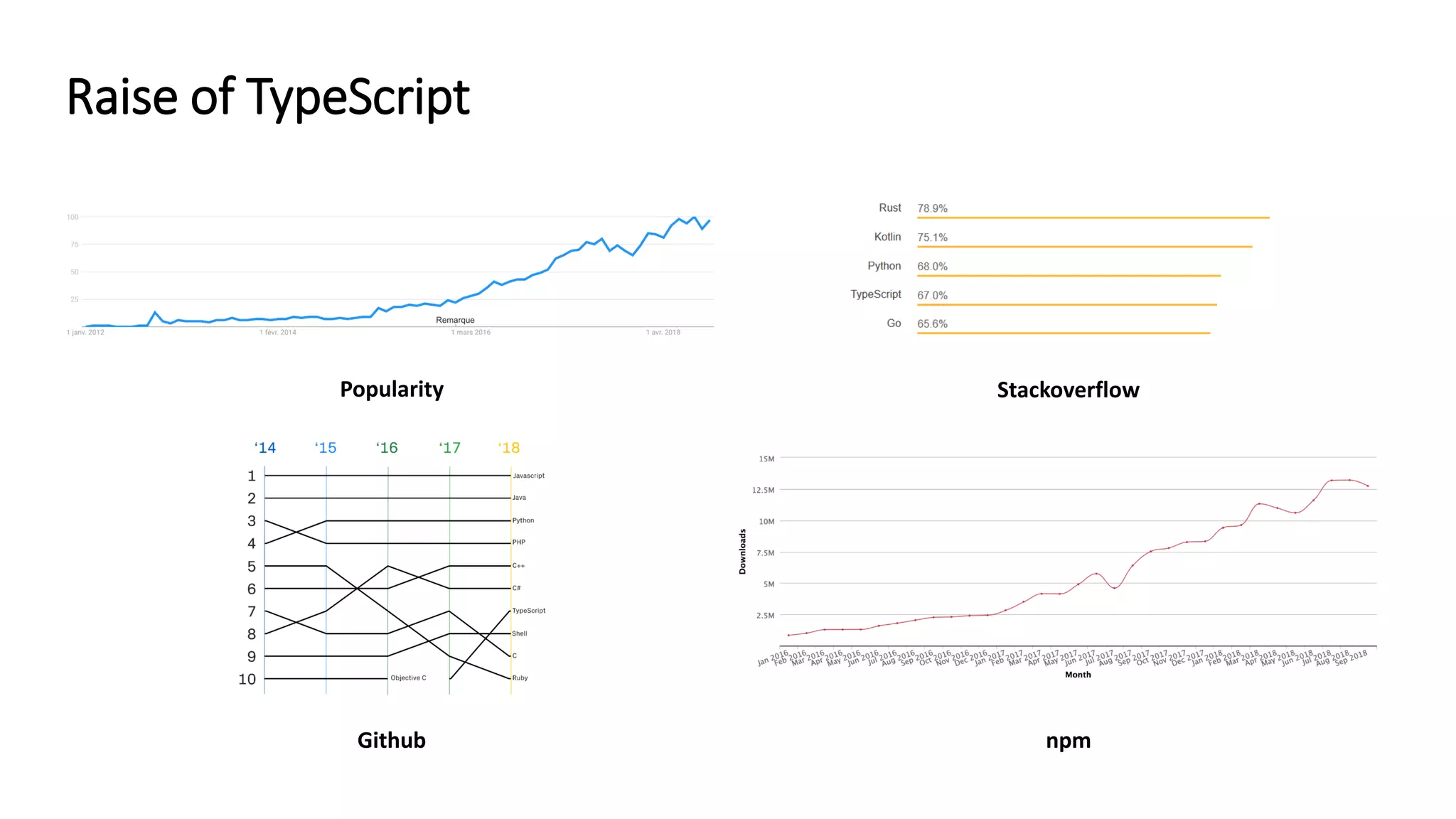
Popularity Github npm Stackoverflow Raise of TypeScript
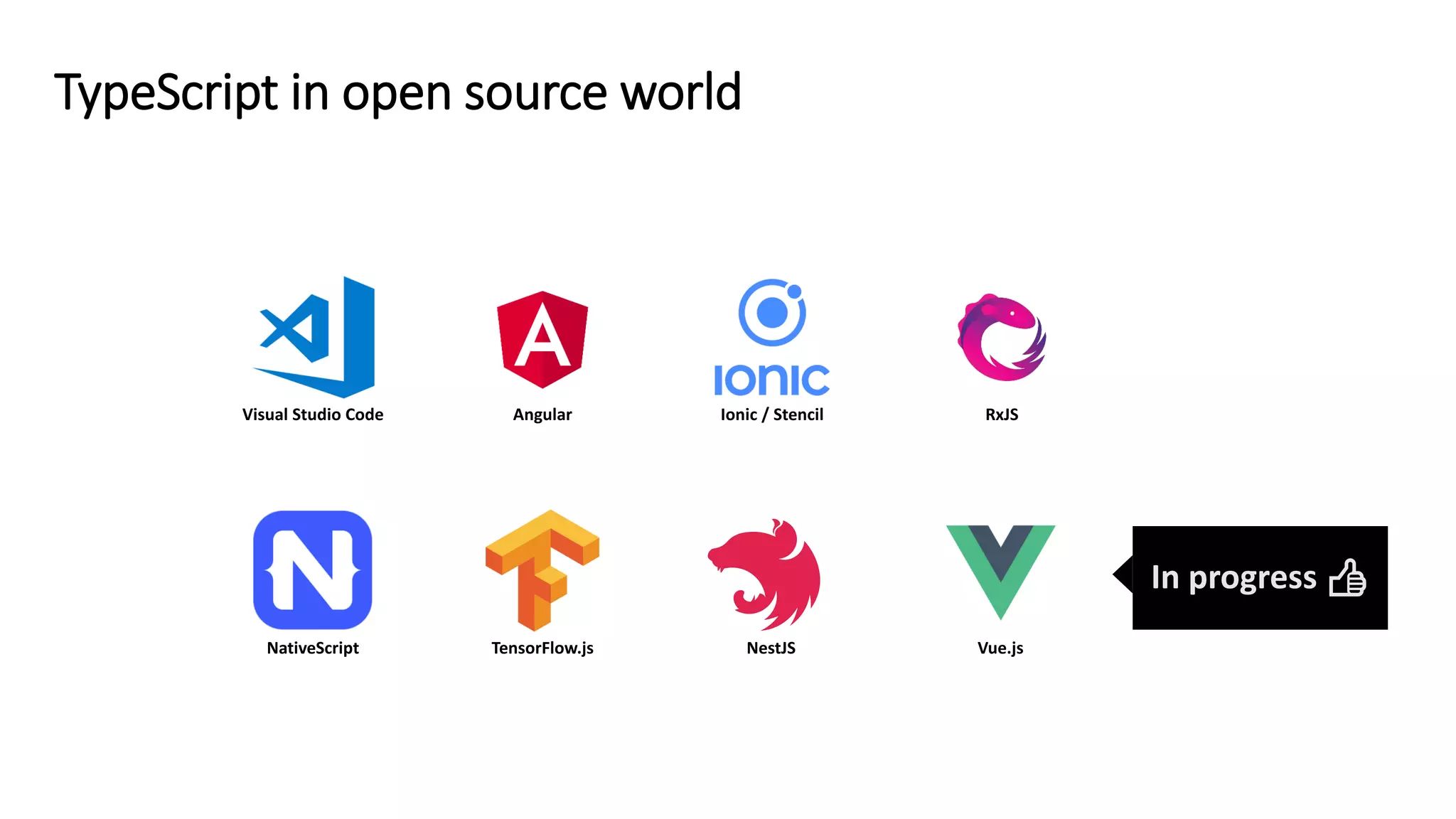
TypeScript in open source world Visual Studio Code Angular Ionic / Stencil RxJS NativeScript TensorFlow.js NestJS Vue.js In progress 👍
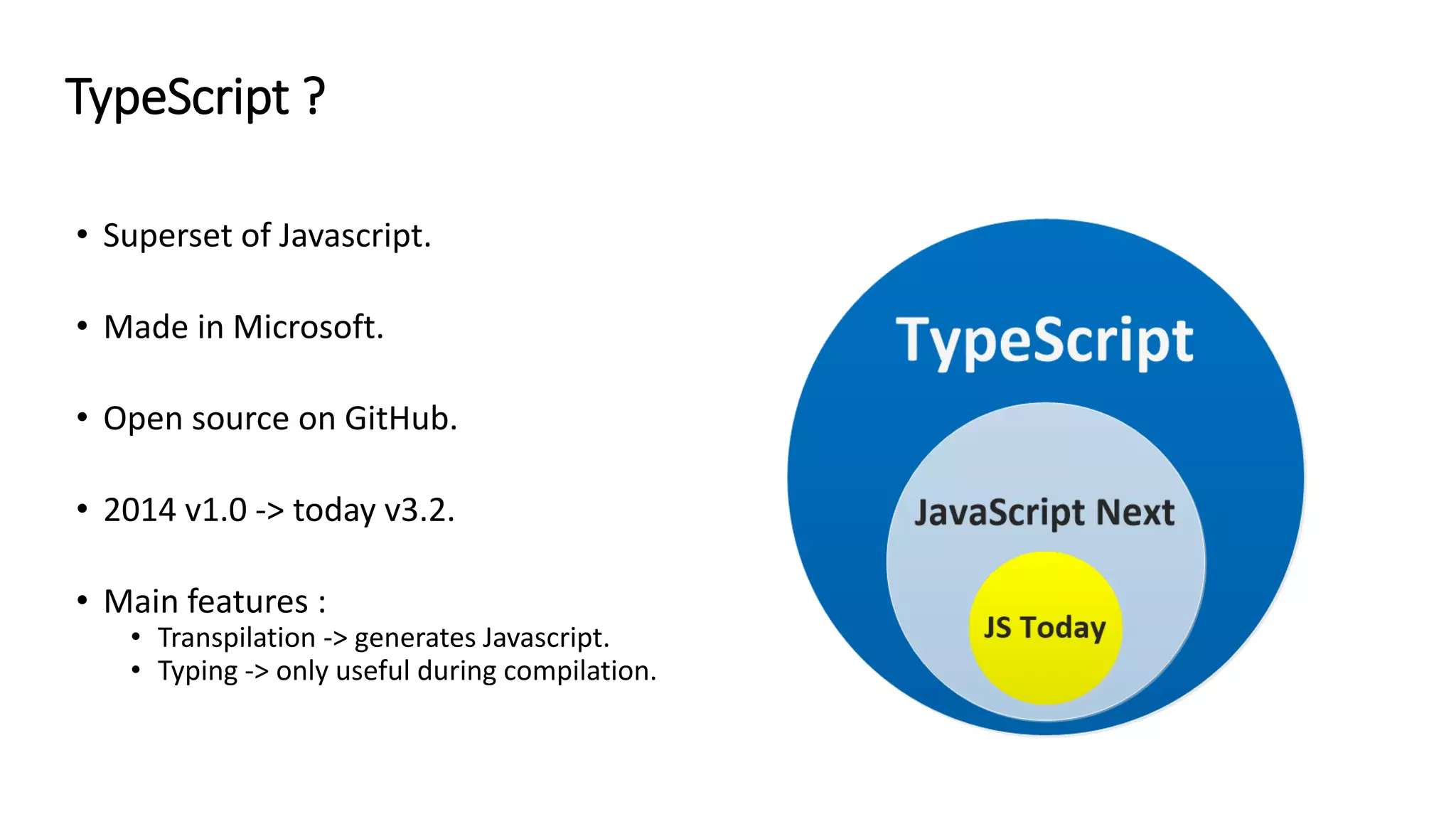
• Superset of Javascript. • Made in Microsoft. • Open source on GitHub. • 2014 v1.0 -> today v3.2. • Main features : • Transpilation -> generates Javascript. • Typing -> only useful during compilation. TypeScript ?
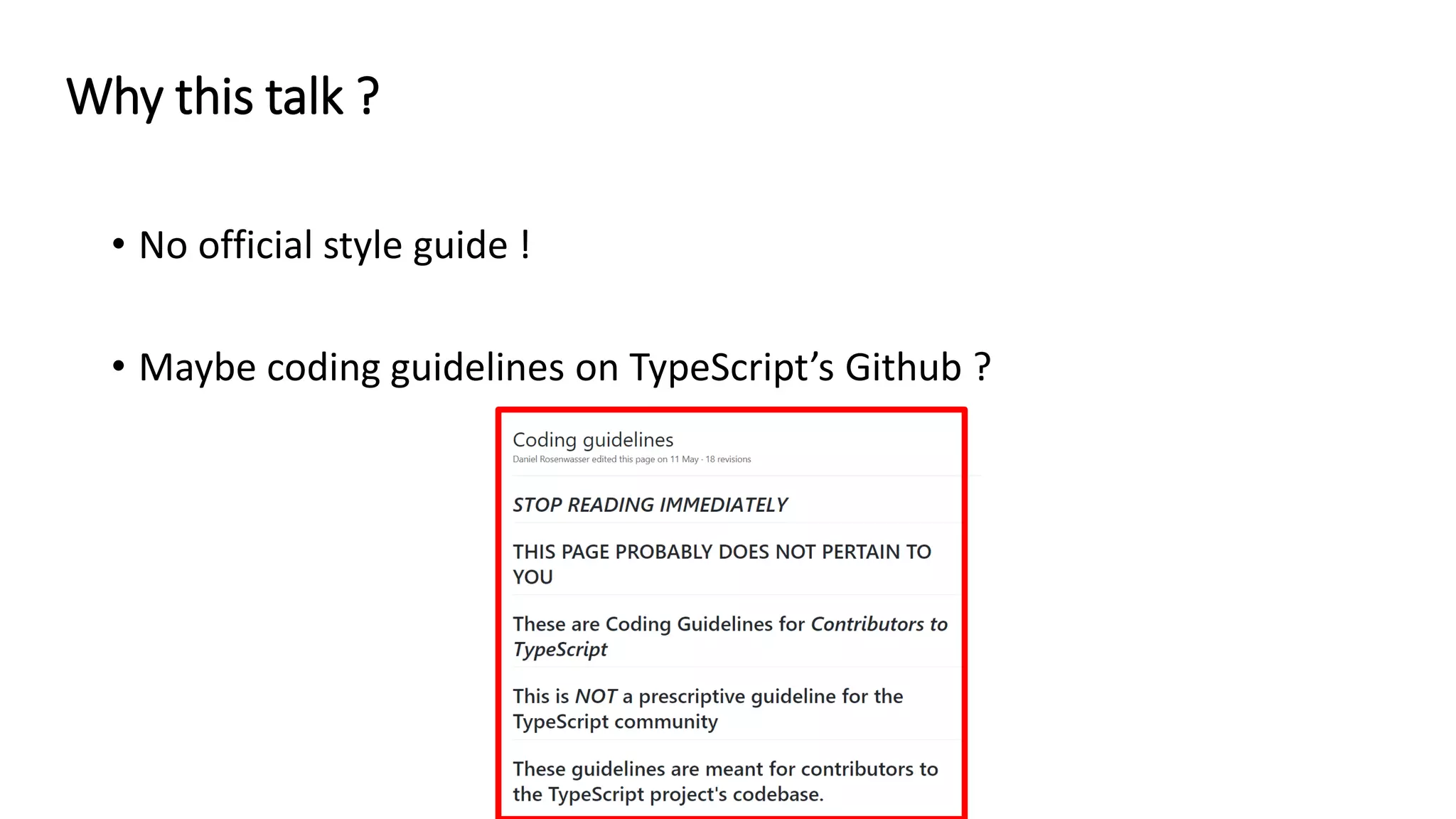
• No official style guide ! • Maybe coding guidelines on TypeScript’s Github ? Why this talk ?
“Don't blindly adhere to any old advice” Be careful with best practices
Architecture
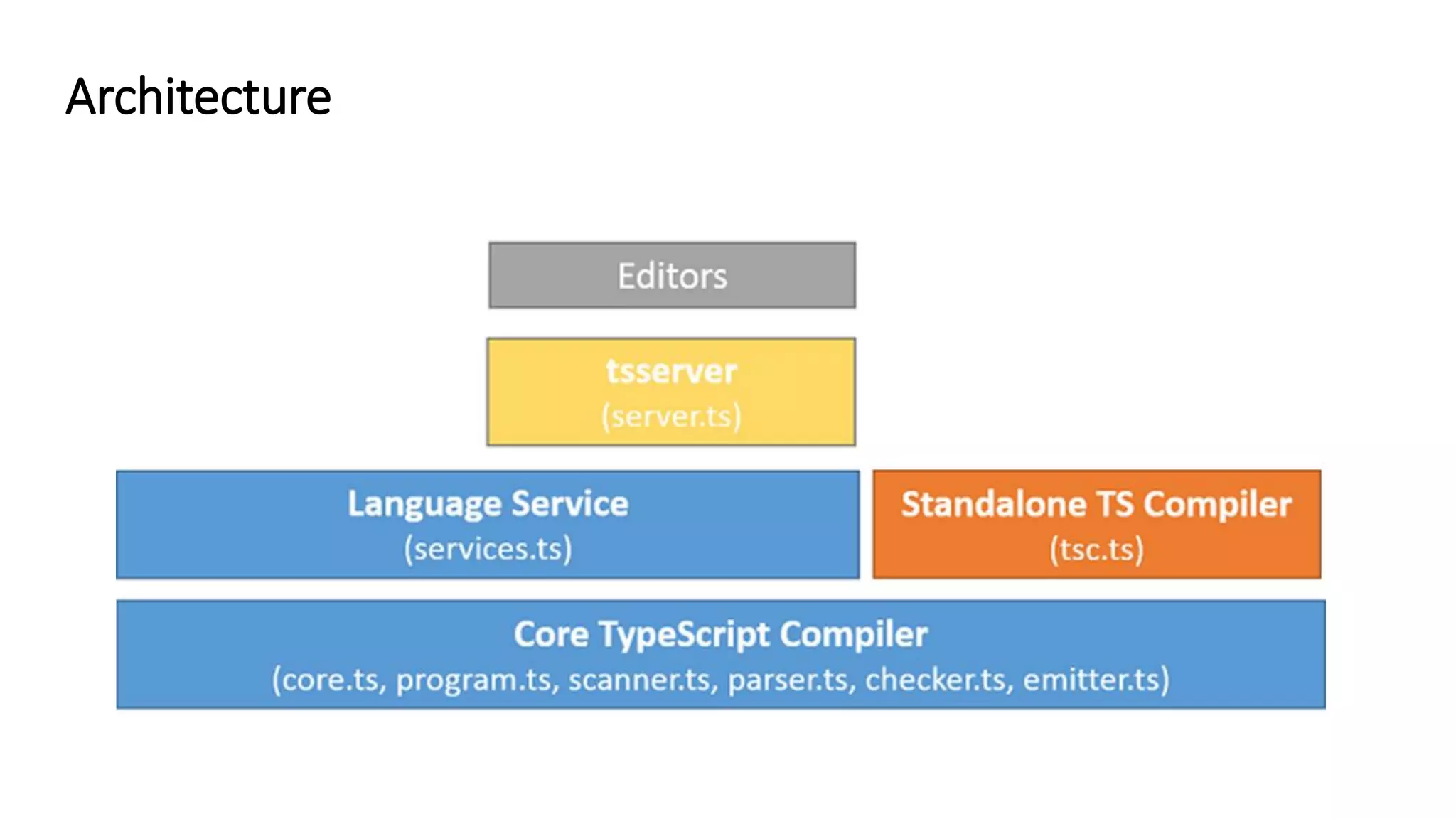
Architecture
• Files + options → tsc → core compiler → JavaScript files. • Use options : • Command line : • Configuration file aka tsconfig.json : tsc **/*.ts –-target=es5 -–sourcemap=true CLI tsc { "compilerOptions": { "target": "es5", "module": "es2015", "removeComments": true, "sourceMap": true }, "include": ["src/**/*"] }
• Use tsconfig.js in preference to command line. • Initialize it this way : CLI tsc tsc --init
Transpilation
• ECMAScript = standard for scripting languages. • ECMAScript implementation : javascript, actionscript, … Browser JS EngineEcmaScript implements Edge : Chakra Chrome : V8 Firefox : SpiderMonkey … ECMAScript
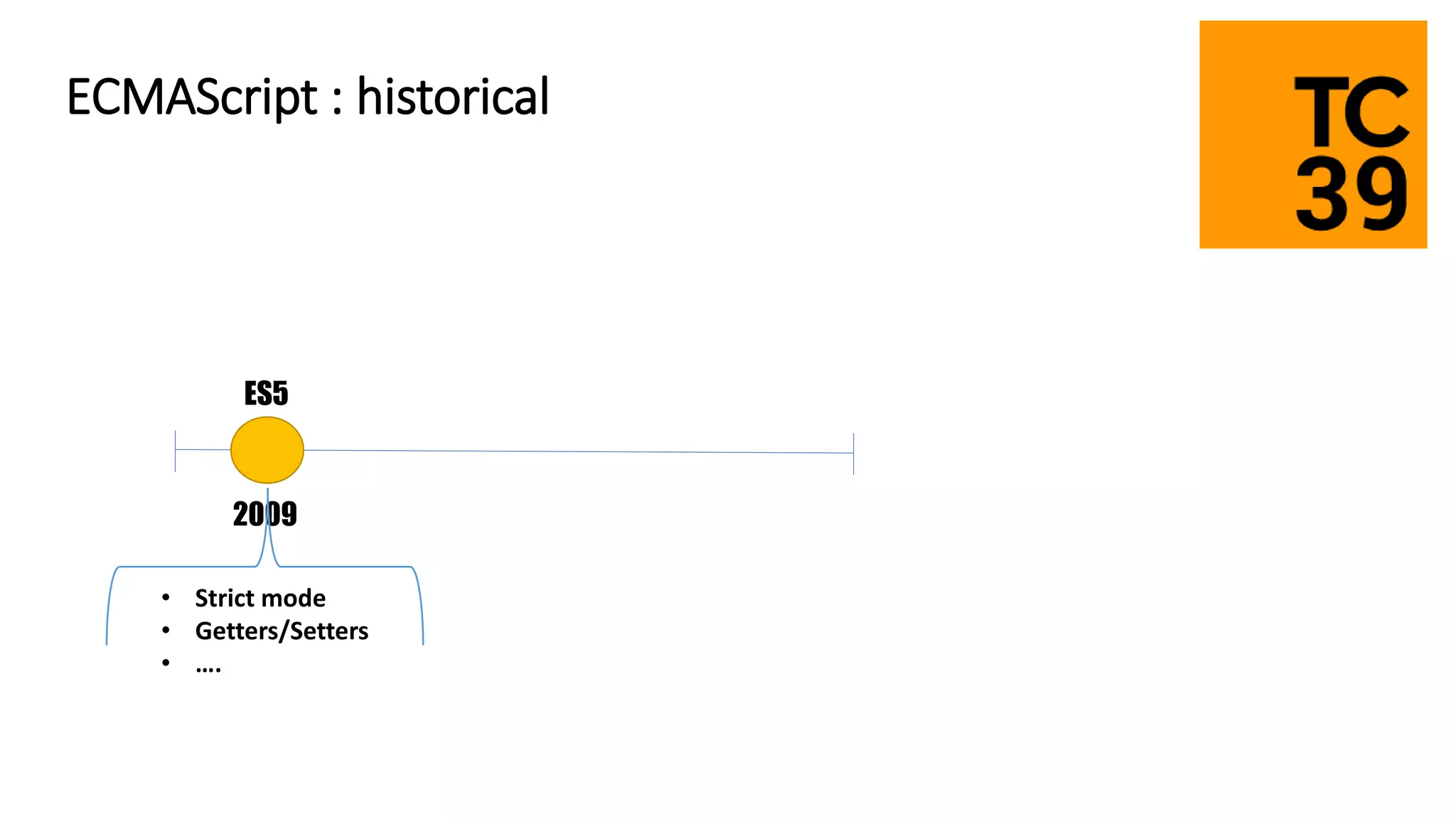
ES5 2009 • Strict mode • Getters/Setters • …. ECMAScript : historical
ES5 ES6 2009 2015 • Classes • Arrow function • Promise • Destructuring • Constants • Modules • Template Literals • Map/Set • Iterators • Generators • Symbol type • … ECMAScript : historical
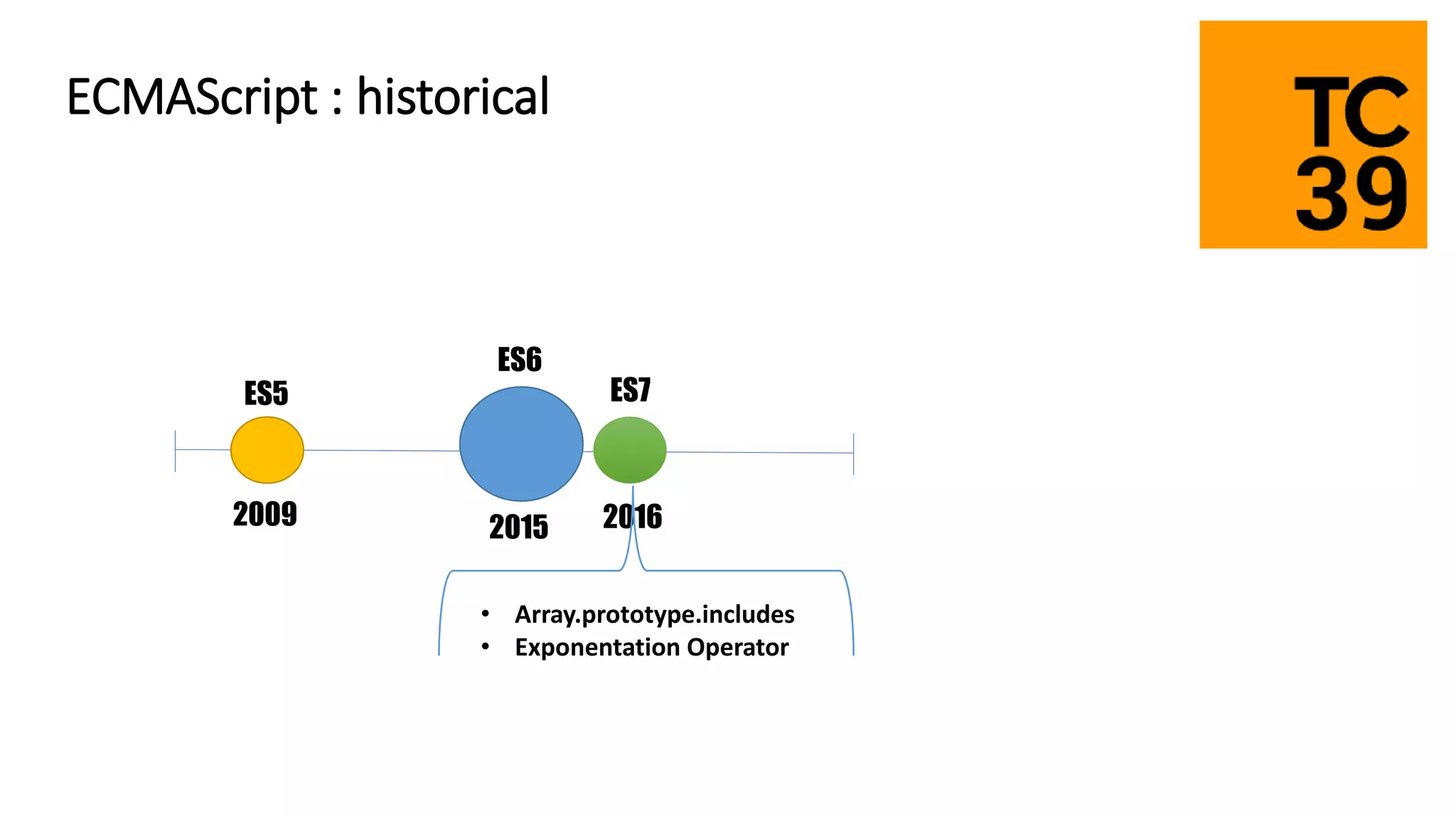
ES5 ES6 ES7 2009 2015 2016 • Array.prototype.includes • Exponentation Operator ECMAScript : historical
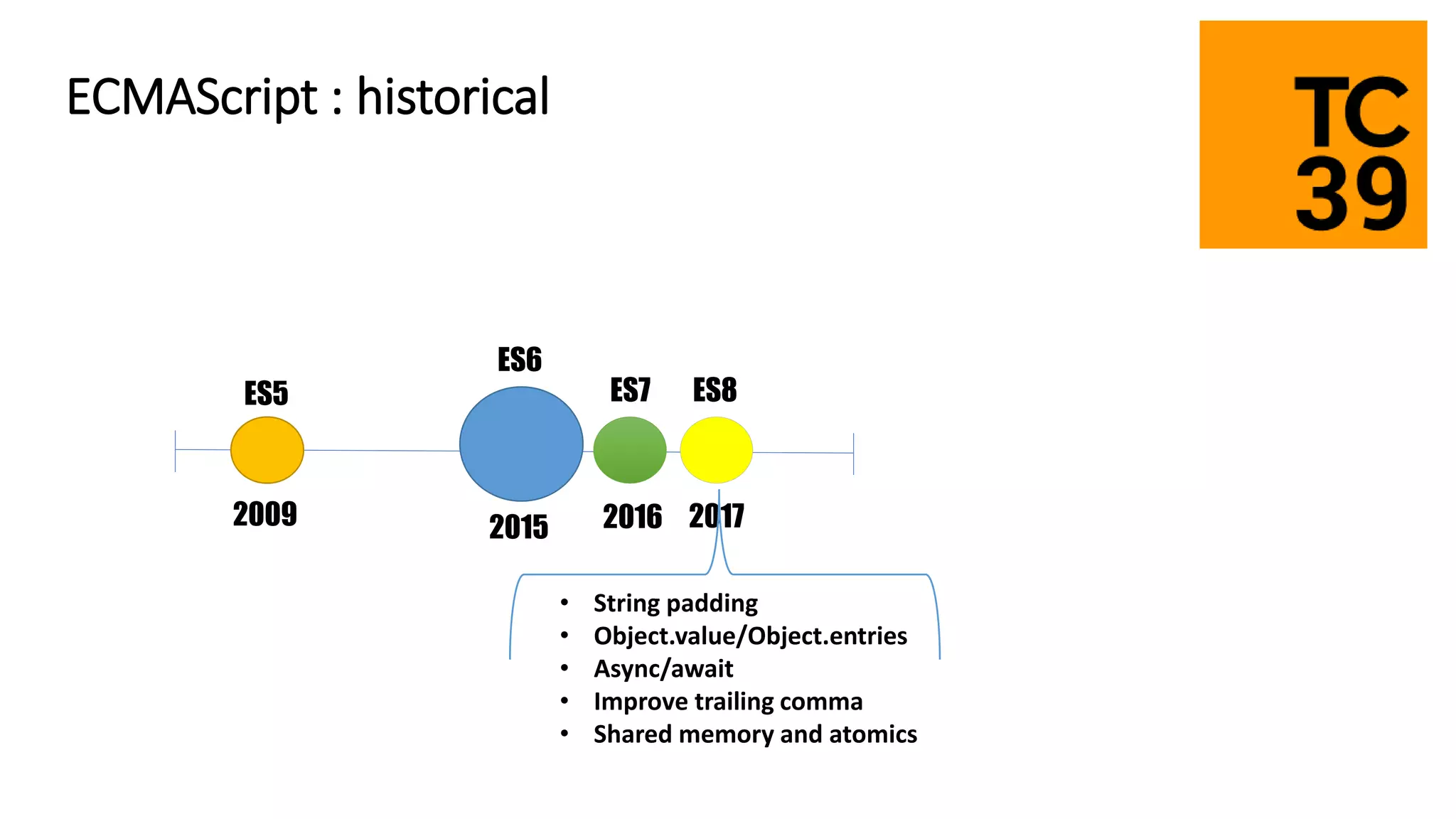
ES5 ES6 ES7 ES8 2009 2015 2016 2017 • String padding • Object.value/Object.entries • Async/await • Improve trailing comma • Shared memory and atomics ECMAScript : historical
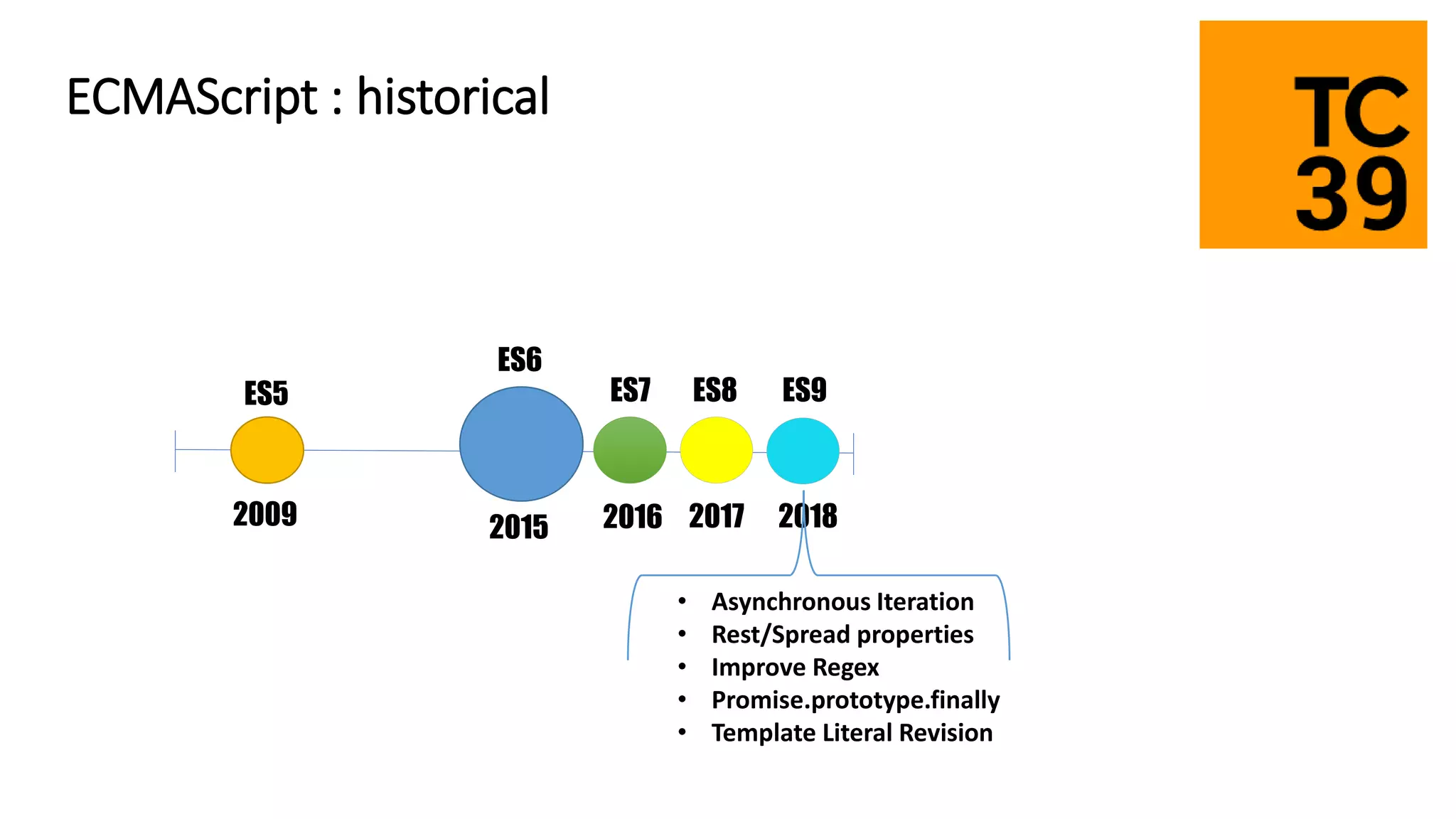
ES5 ES6 ES7 ES8 2009 2015 2016 2017 ES9 2018 • Asynchronous Iteration • Rest/Spread properties • Improve Regex • Promise.prototype.finally • Template Literal Revision ECMAScript : historical
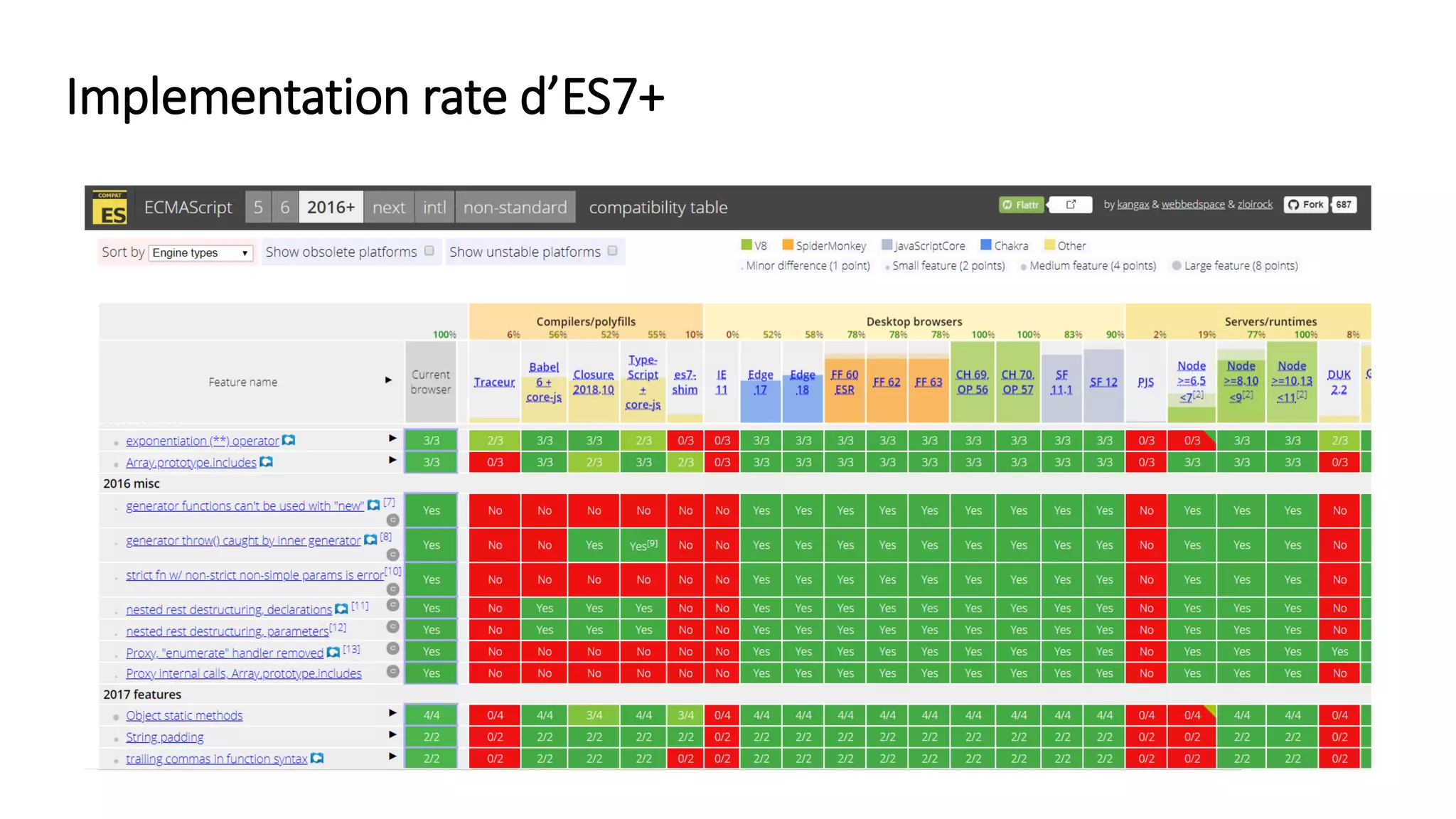
Implementation rate d’ES7+
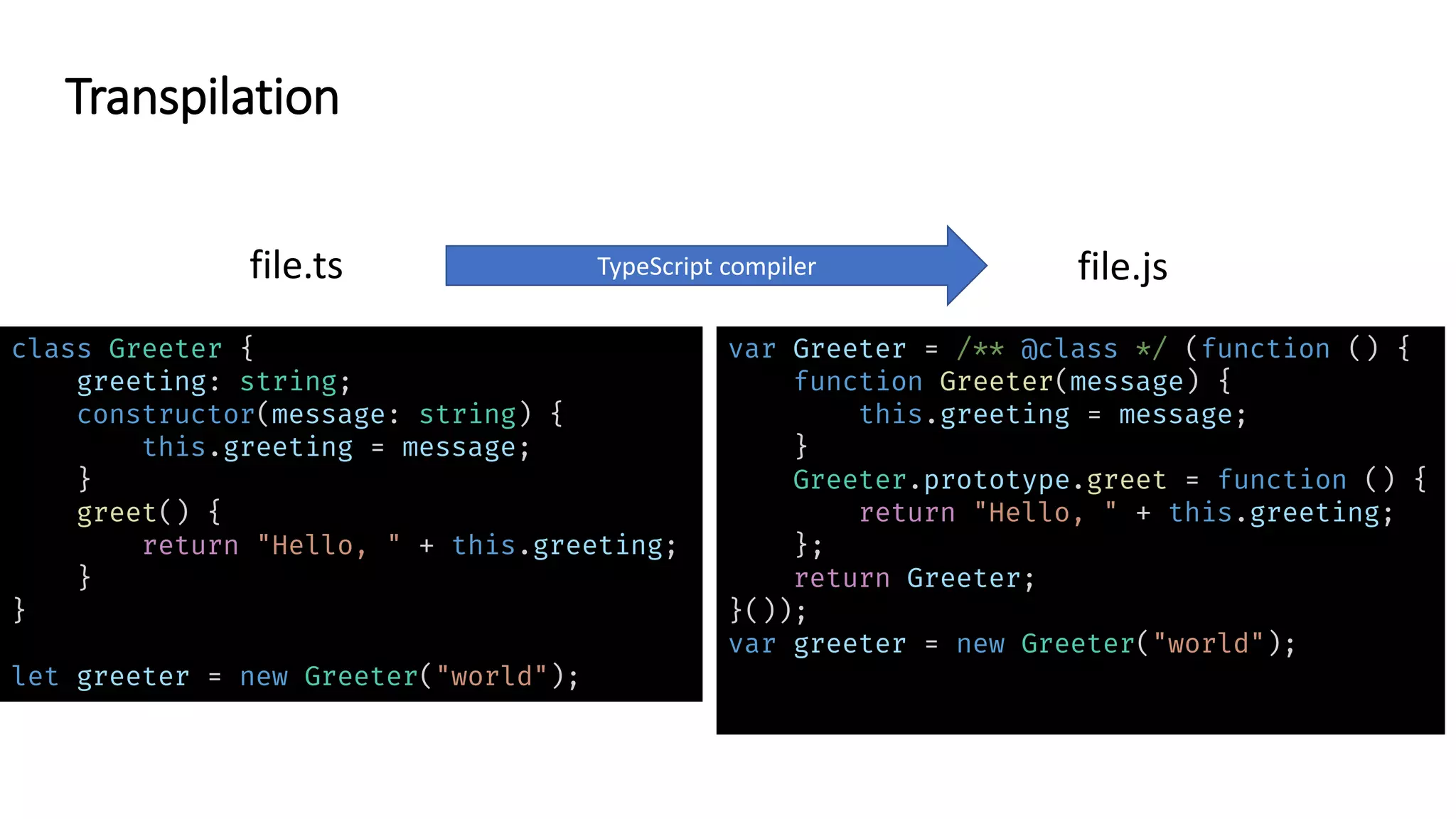
class Greeter { greeting: string; constructor(message: string) { this.greeting = message; } greet() { return "Hello, " + this.greeting; } } let greeter = new Greeter("world"); var Greeter = /** @class */ (function () { function Greeter(message) { this.greeting = message; } Greeter.prototype.greet = function () { return "Hello, " + this.greeting; }; return Greeter; }()); var greeter = new Greeter("world"); file.ts TypeScript compiler file.js Transpilation
• Compilation option : --target ES3 (default), ES5, ES2015, ES2016, ES2017,ES2018 or ESNEXT Transpilation : configuration
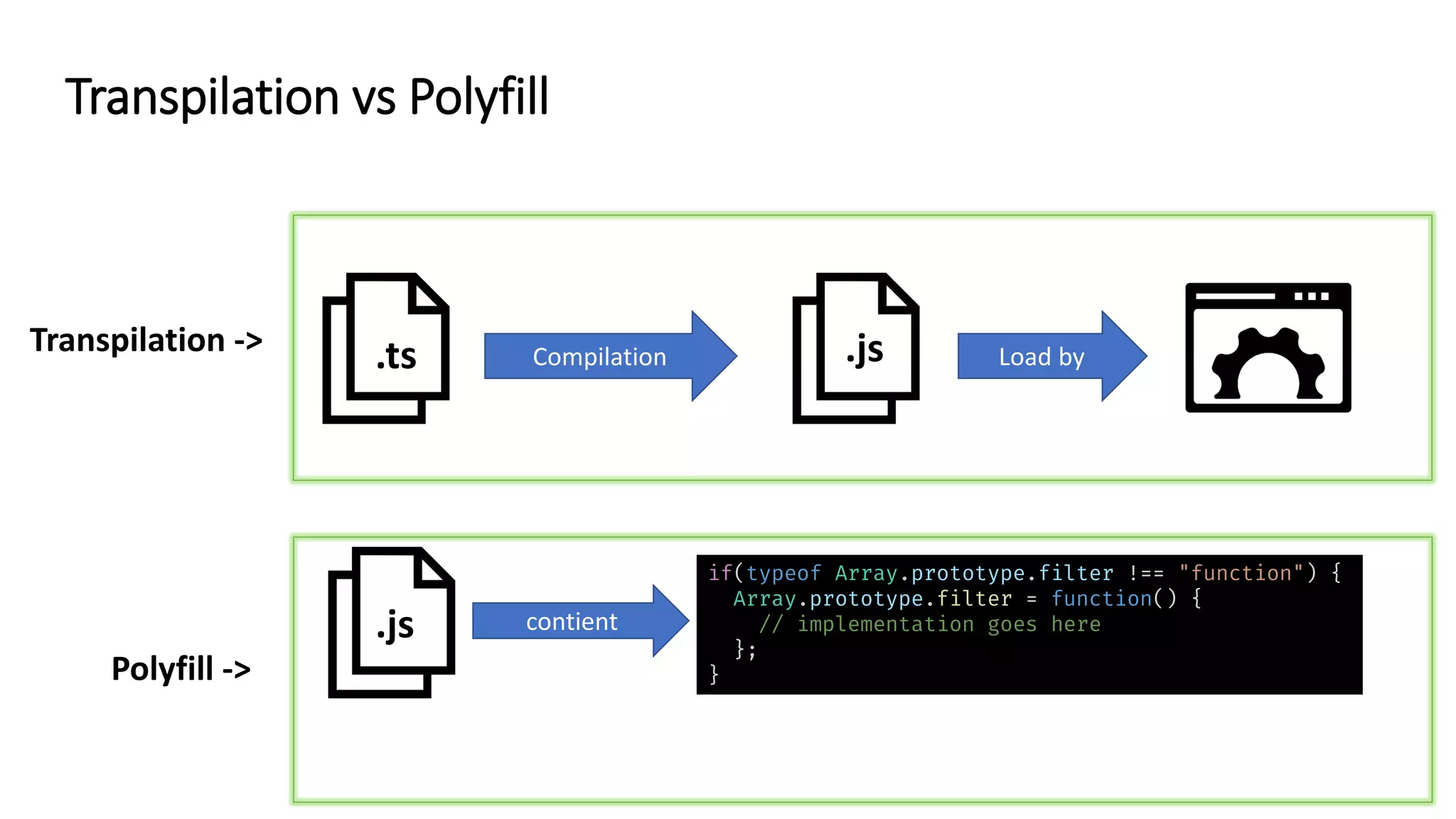
.ts .js Load byCompilation .js Exécution des polyfill Transpilation -> Polyfill -> if(typeof Array.prototype.filter !== "function") { Array.prototype.filter = function() { // implementation goes here }; } contient Transpilation vs Polyfill
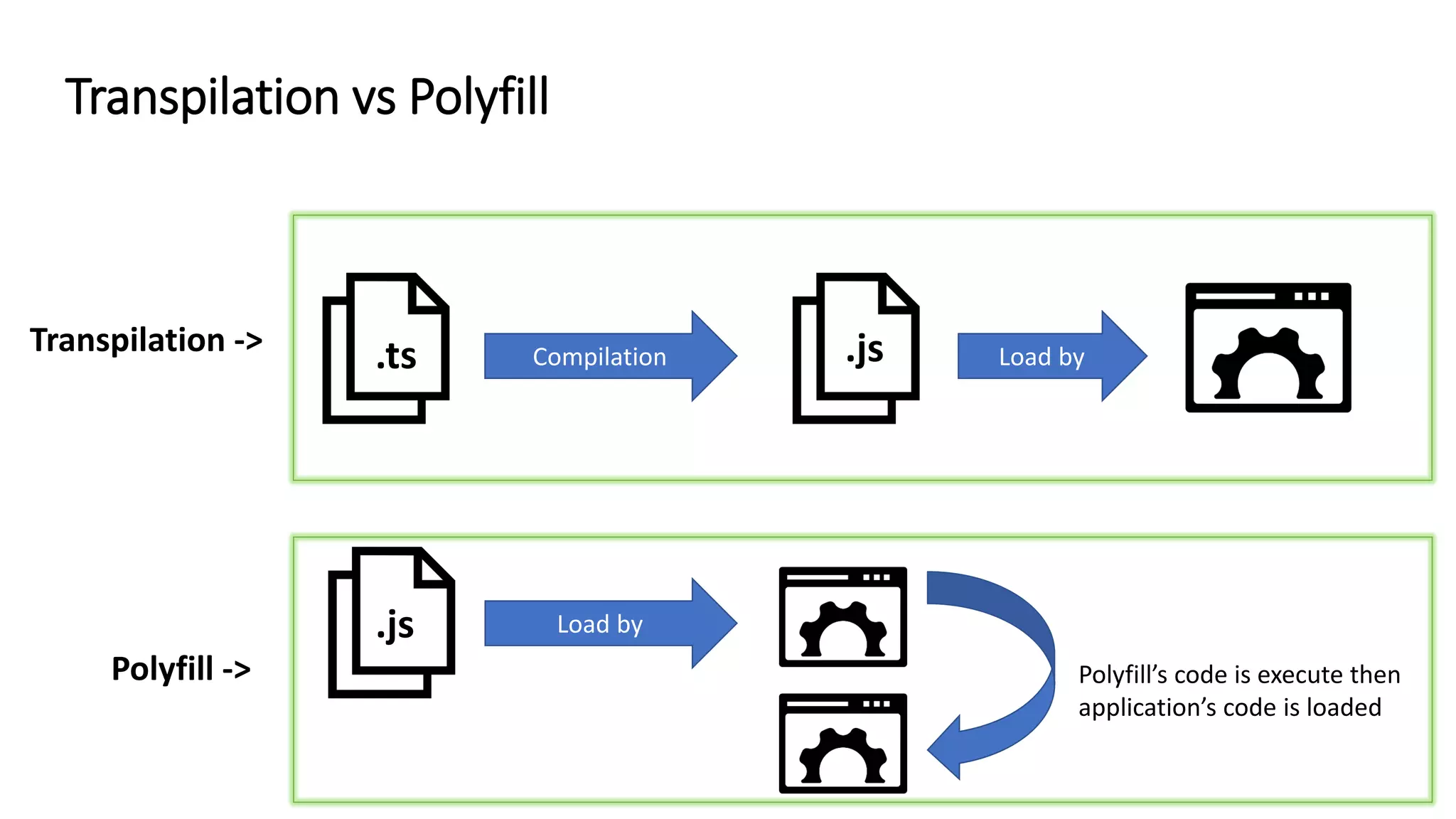
.ts .js Load byCompilation .js Load by Polyfill’s code is execute then application’s code is loaded Transpilation -> Polyfill -> Transpilation vs Polyfill
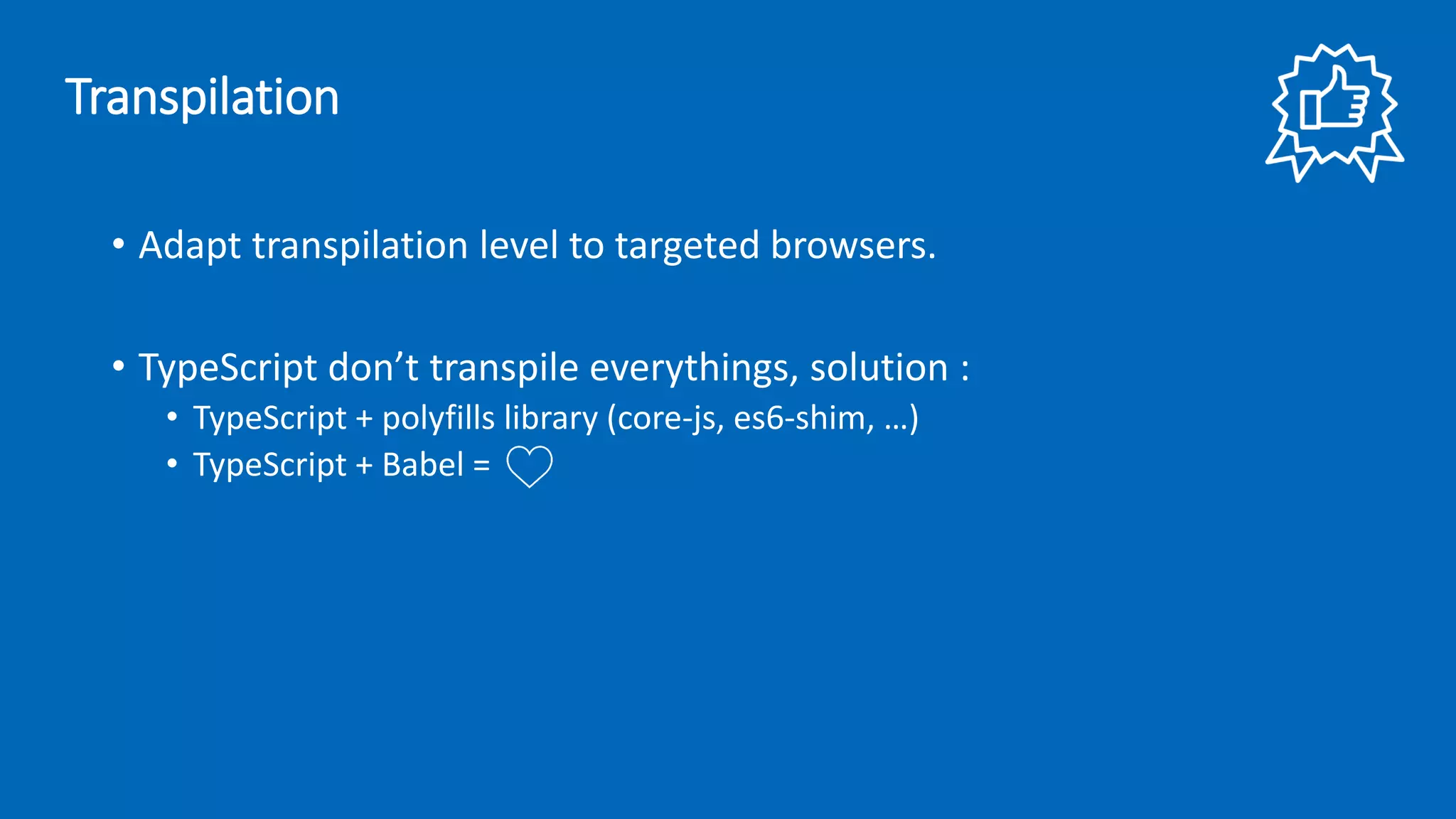
• Adapt transpilation level to targeted browsers. • TypeScript don’t transpile everythings, solution : • TypeScript + polyfills library (core-js, es6-shim, …) • TypeScript + Babel = Transpilation
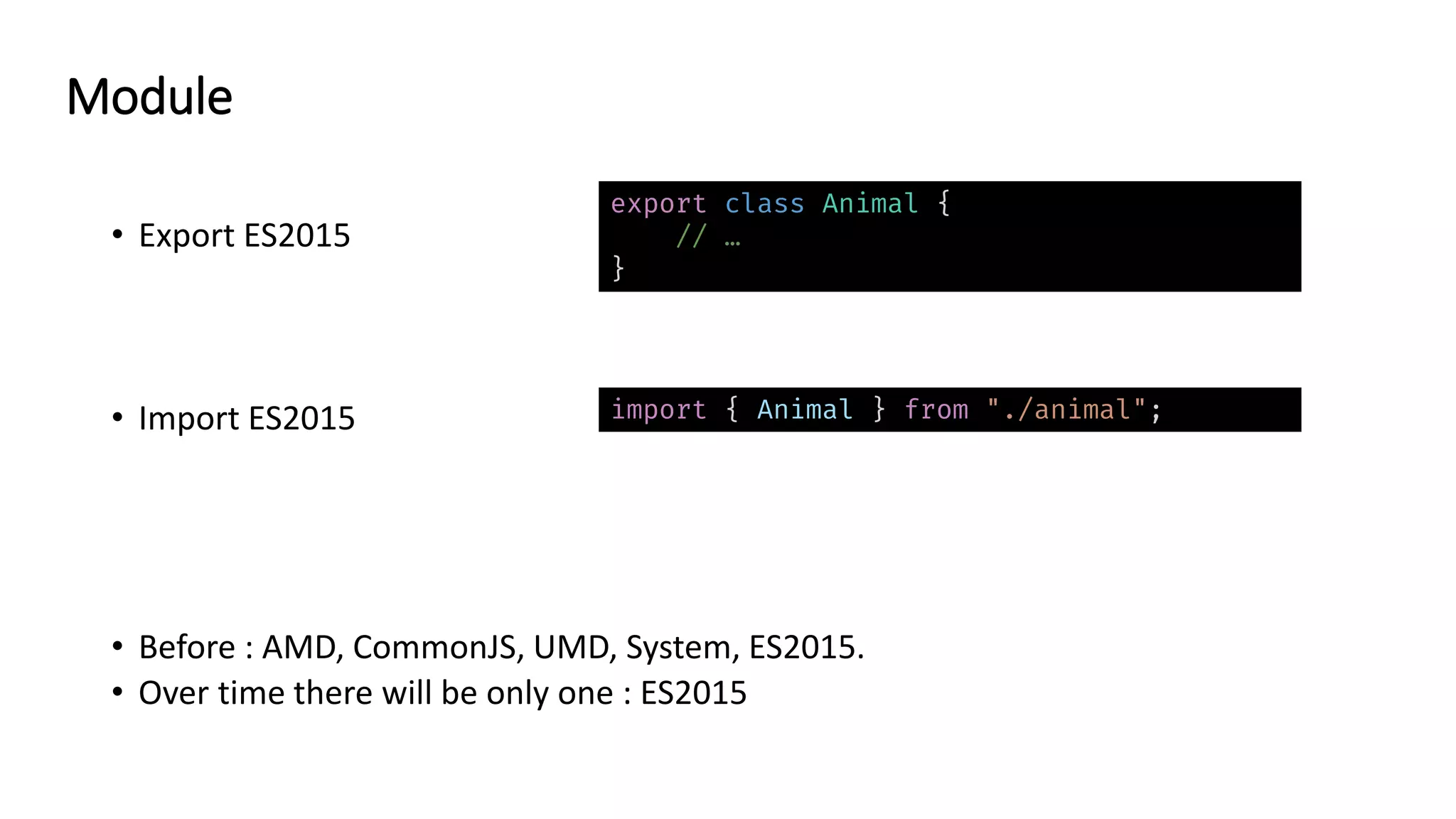
• Export ES2015 • Import ES2015 • Before : AMD, CommonJS, UMD, System, ES2015. • Over time there will be only one : ES2015 export class Animal { // … } import { Animal } from "./animal"; Module
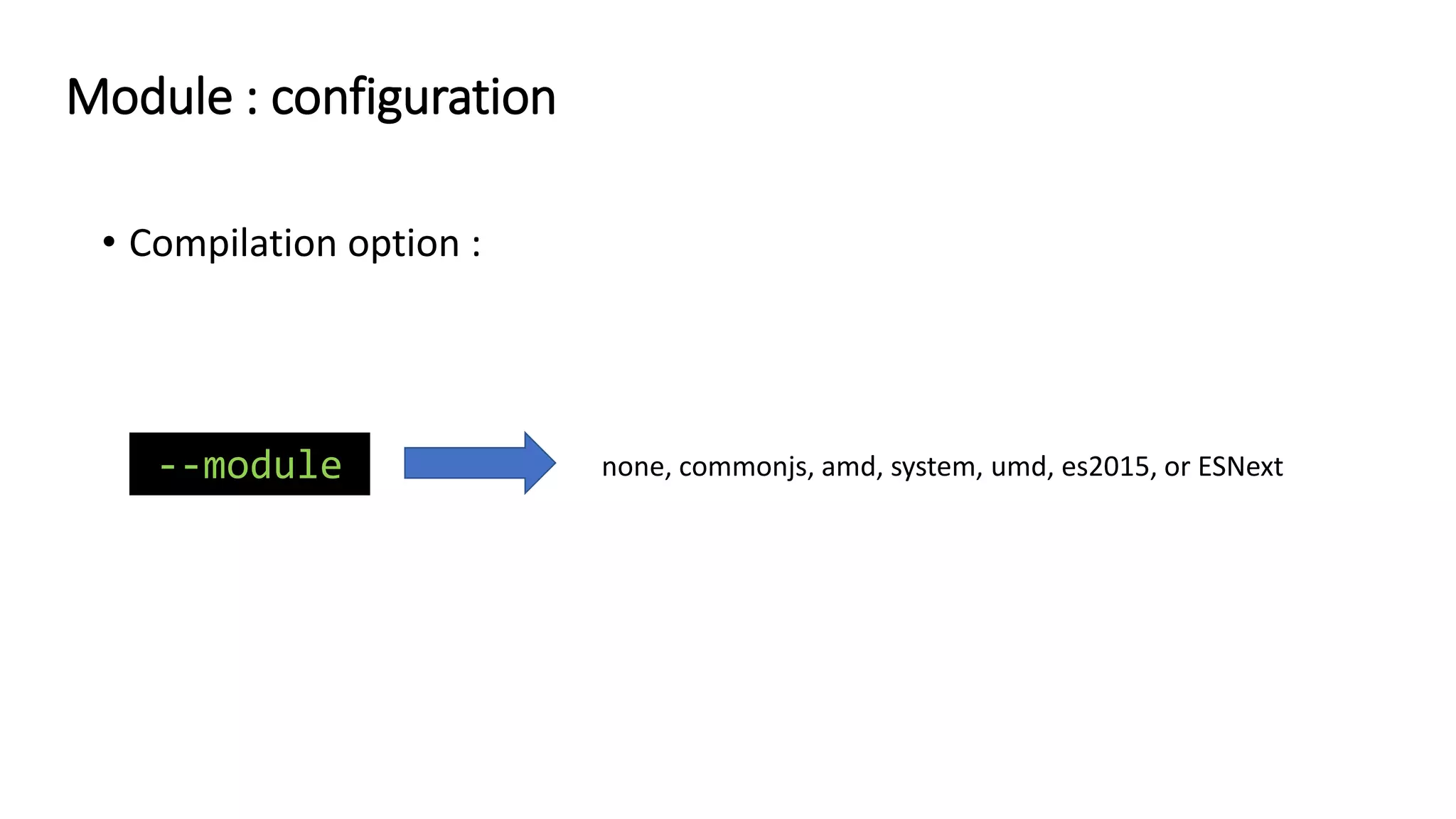
• Compilation option : --module none, commonjs, amd, system, umd, es2015, or ESNext Module : configuration
• Use ES2015 -> transpile if needed. • To prevent ugly import : 1. In tsconfig.json use aliases path : 2. Don’t forget to also configure this aliases into your bundler’s config file. 3. Result : import { Animal } from "../../../../../../../core/animal"; { "compilerOptions": { "baseUrl": "./src", "paths": { "@myProject/utils/*": ["app/utils/*"], "@myPorject/core/*": ["app/core/*"] } } } import { Animal } from “@myProject/core/animal"; Module
enum Color { Red, Blue, Green } let foo: Color = Color.Red; let bar: string = Color[Color.Red]; "use strict"; var Color; (function (Color) { Color[Color["Red"] = 0] = "Red"; Color[Color["Blue"] = 1] = "Blue"; Color[Color["Green"] = 2] = "Green"; })(Color || (Color = {})); let foo = Color.Red; let bar = Color[Color.Red]; color.ts TypeScript compiler color.js Enum
const enum Color { Red, Blue, Green } let foo: Color = Color.Red; "use strict"; let foo = 0 /* Red */; color.ts TypeScript compiler color.js let bar: string = Color[Color.Red]; Constant Enum
• Use const enum as much as possible. • Be careful with this option : • If you acces Enum via index, thinks of Map/Set, Object, … --preserveConstEnums Enum
class Greeter { greeting: string; constructor(message: string) { this.greeting = message; } greet() { return "Hello, " + this.greeting; } } class PoliteGreeter extends Greeter { //... } var __extends = (this && this.__extends) || (function () { var extendStatics = function (d, b) { extendStatics = Object.setPrototypeOf || ({ __proto__: [] } instanceof Array && function (d, b) { d.__proto__ = b; }) || function (d, b) { for (var p in b) if (b.hasOwnProperty(p)) d[p] = b[p]; }; return extendStatics(d, b); } return function (d, b) { extendStatics(d, b); function __() { this.constructor = d; } d.prototype = b === null ? Object.create(b) : (__.prototype = b.prototype, new __()); }; })(); var Greeter = /** @class */ (function () { function Greeter(message) { this.greeting = message; } Greeter.prototype.greet = function () { return "Hello, " + this.greeting; }; return Greeter; }()); var PoliteGreeter = /** @class */ (function (_super) { __extends(PoliteGreeter, _super); function PoliteGreeter() { return _super !== null && _super.apply(this, arguments) || this; } return PoliteGreeter; }(Greeter)); file.ts TypeScript compiler file.js TypeScript Helper
• Many helpers exists : • Generate in each file where are needed -> increase bundle size !!! function __assign(t: any, ...sources: any[]): any; // Helper de Object.Assign function __spread(...args: any[]): any[]; // Helper de l'opérateur spread //... TypeScript Helper : the trap
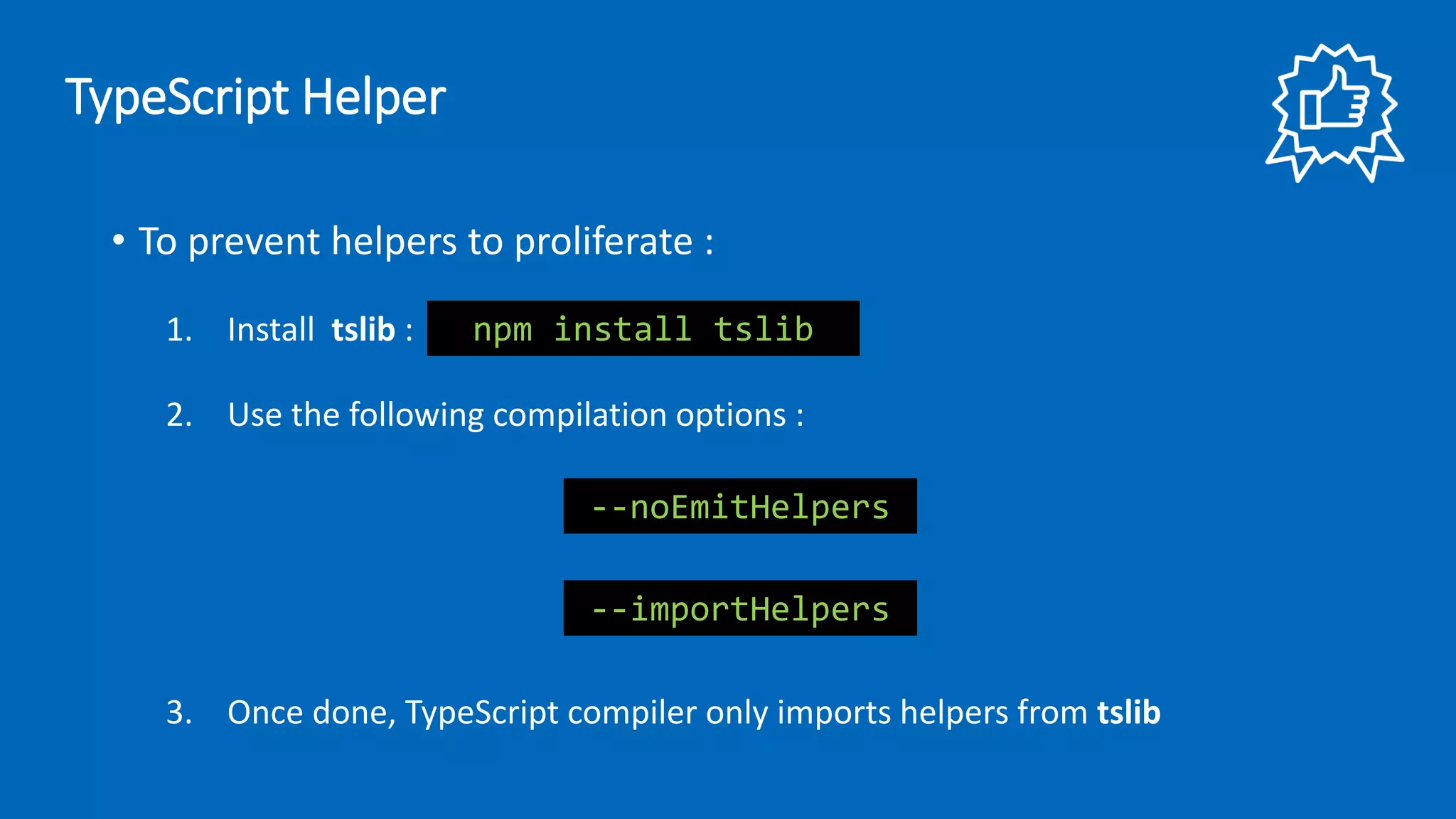
• To prevent helpers to proliferate : 1. Install tslib : 2. Use the following compilation options : 3. Once done, TypeScript compiler only imports helpers from tslib --importHelpers --noEmitHelpers npm install tslib TypeScript Helper
Typing
Basic typing • boolean, number, string, array, void, null, undefined, object, any et unknow. let name: string; let list: number[] = [1, 2, 3]; function fn(param: boolean): void { // Do something }
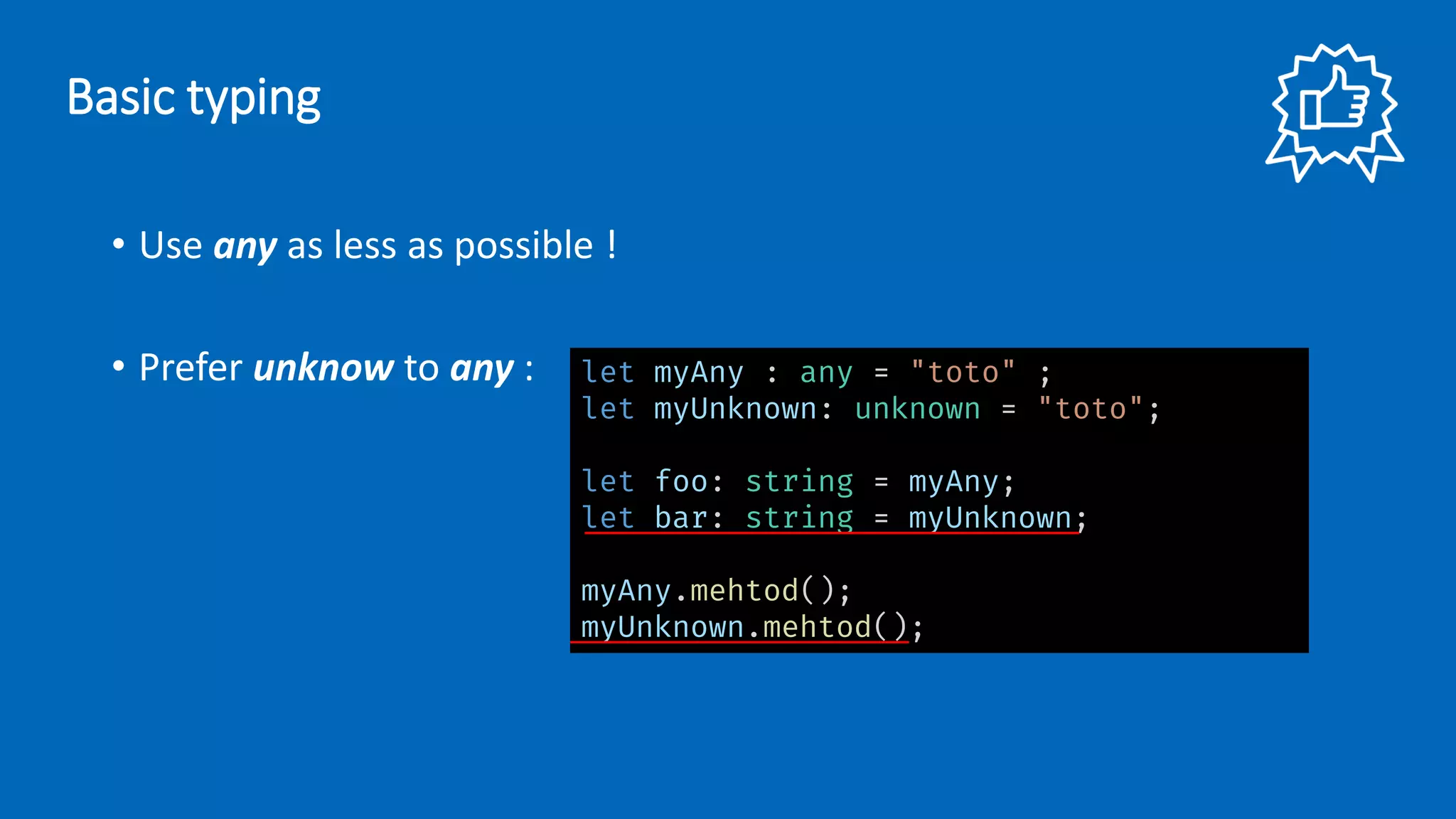
• Use any as less as possible ! • Prefer unknow to any : let myAny : any = "toto" ; let myUnknown: unknown = "toto"; let foo: string = myAny; let bar: string = myUnknown; myAny.mehtod(); myUnknown.mehtod(); Basic typing
• Don’t have to type everythings, let TypeScript compiler inference do ! • Reminder : types are useful only during compilation not at runtime ! Basic typing
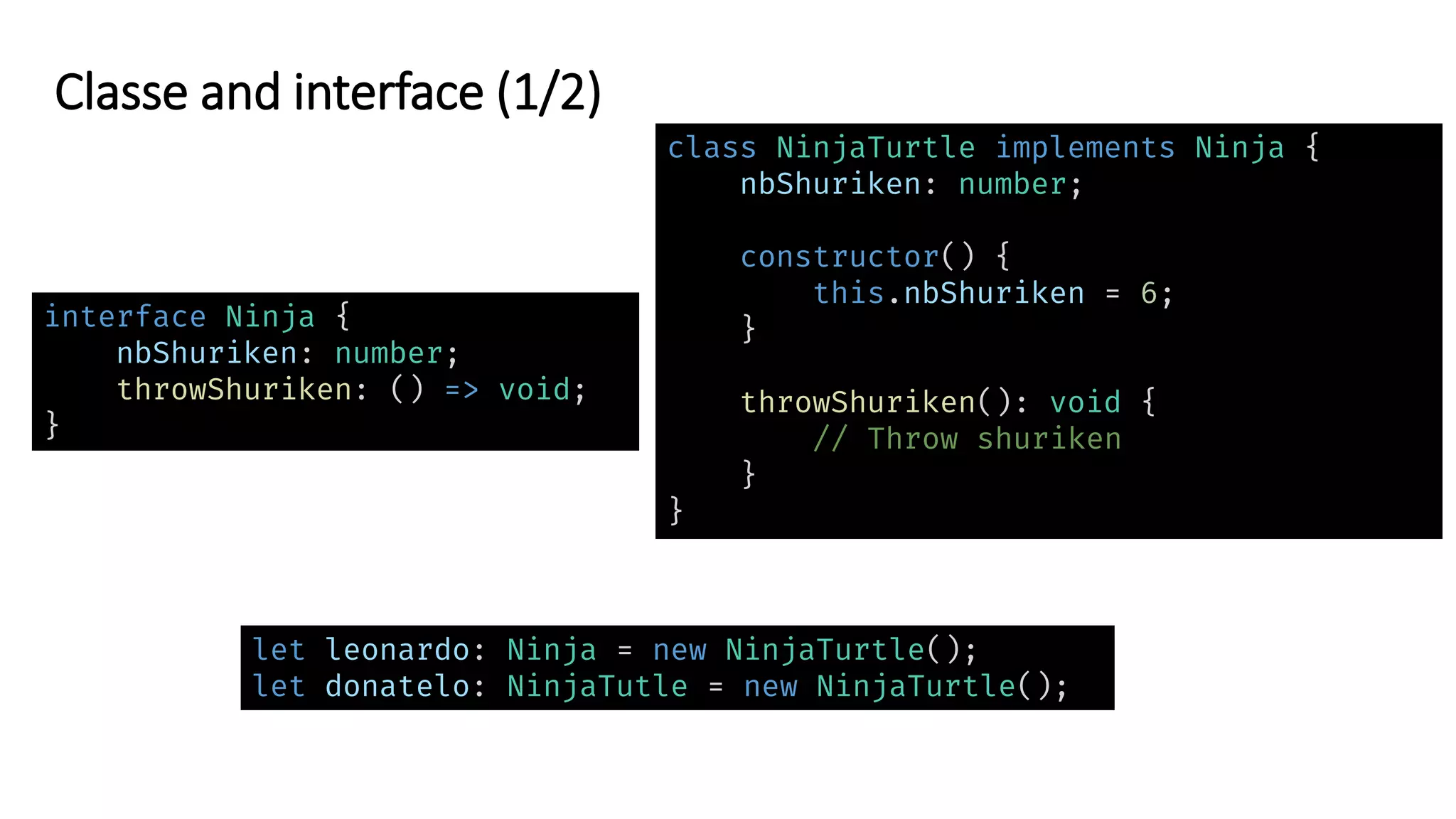
Classe and interface (1/2) interface Ninja { nbShuriken: number; throwShuriken: () => void; } let leonardo: Ninja = new NinjaTurtle(); let donatelo: NinjaTutle = new NinjaTurtle(); class NinjaTurtle implements Ninja { nbShuriken: number; constructor() { this.nbShuriken = 6; } throwShuriken(): void { // Throw shuriken } }
Classe and interface (2/2) interface Animal { name: string; say?: () => void; } interface Animal { readonly name: string; say?: () => void; }
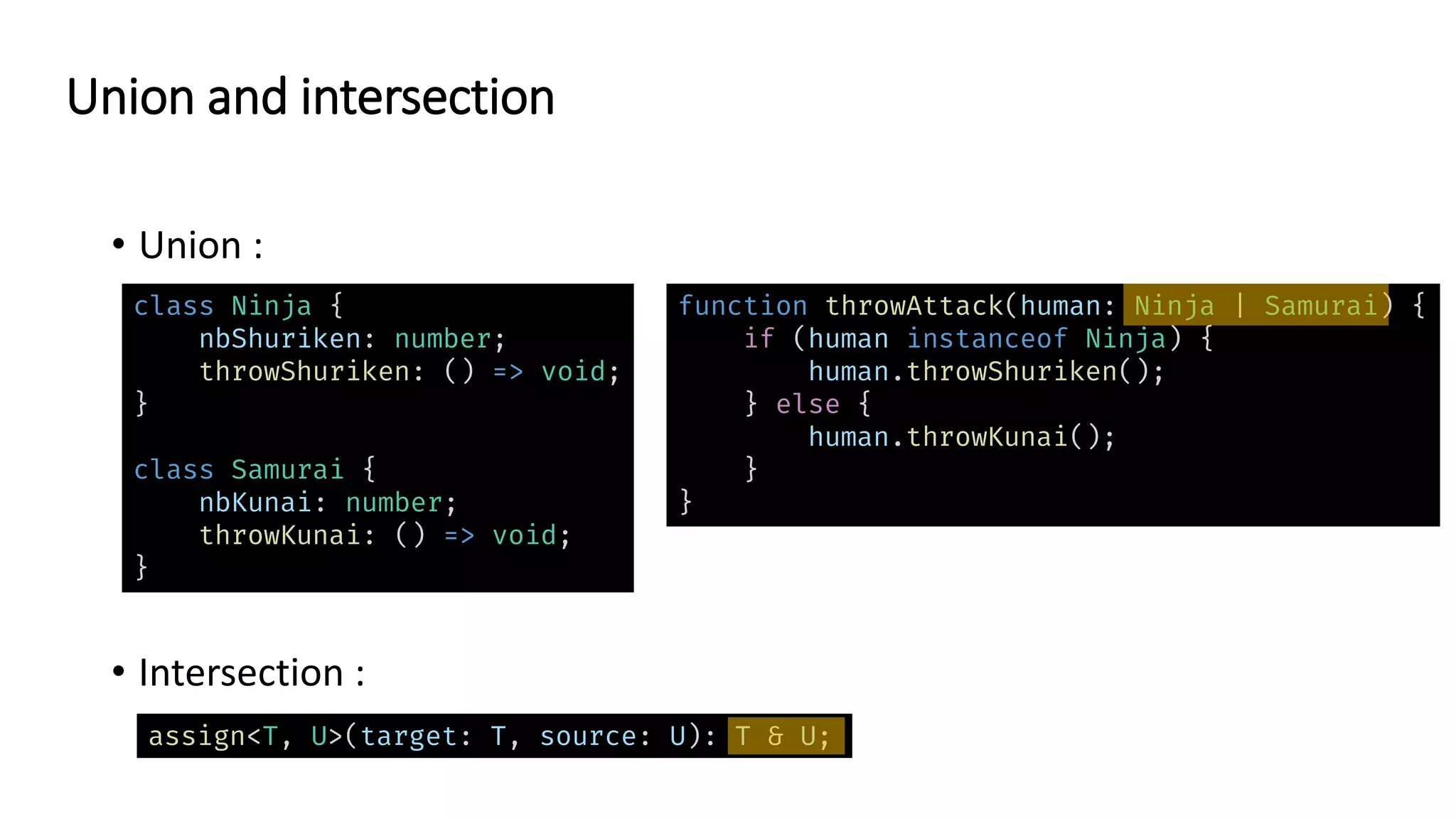
• Union : • Intersection : Union and intersection class Ninja { nbShuriken: number; throwShuriken: () => void; } class Samurai { nbKunai: number; throwKunai: () => void; } assign<T, U>(target: T, source: U): T & U; function throwAttack(human: Ninja | Samurai) { if (human instanceof Ninja) { human.throwShuriken(); } else { human.throwKunai(); } }
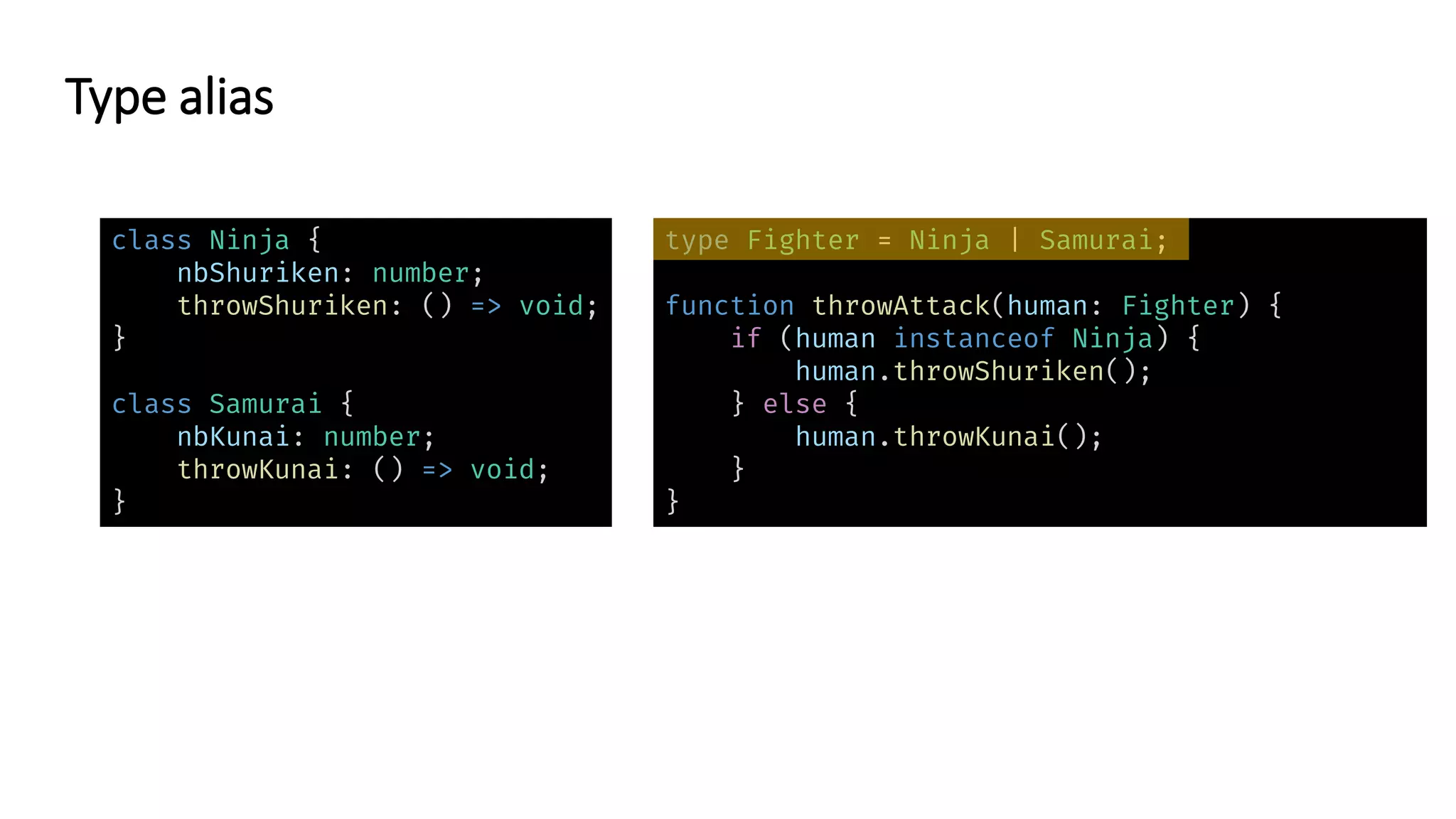
Type alias class Ninja { nbShuriken: number; throwShuriken: () => void; } class Samurai { nbKunai: number; throwKunai: () => void; } type Fighter = Ninja | Samurai; function throwAttack(human: Fighter) { if (human instanceof Ninja) { human.throwShuriken(); } else { human.throwKunai(); } }
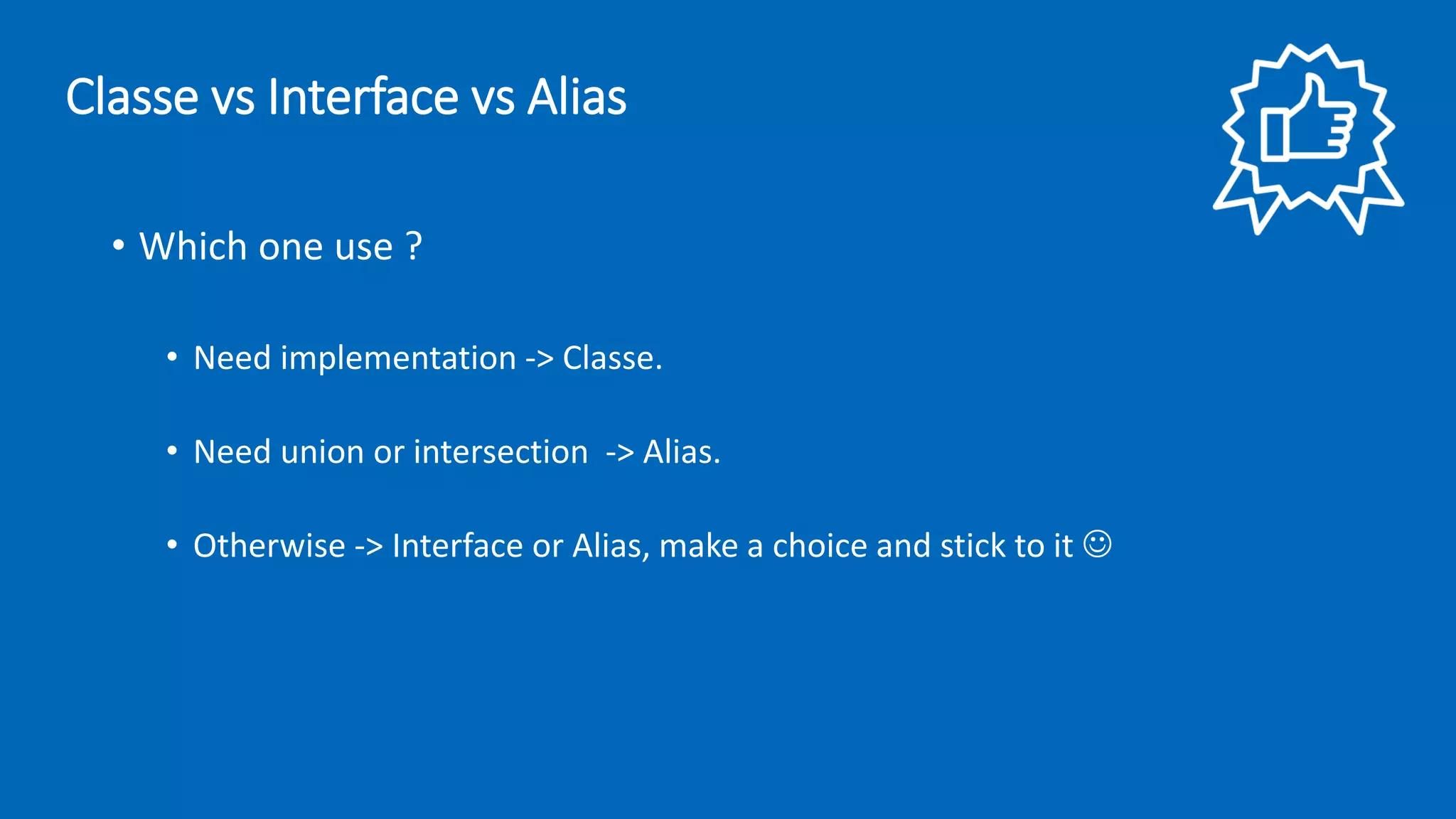
• Which one use ? • Need implementation -> Classe. • Need union or intersection -> Alias. • Otherwise -> Interface or Alias, make a choice and stick to it ☺ Classe vs Interface vs Alias
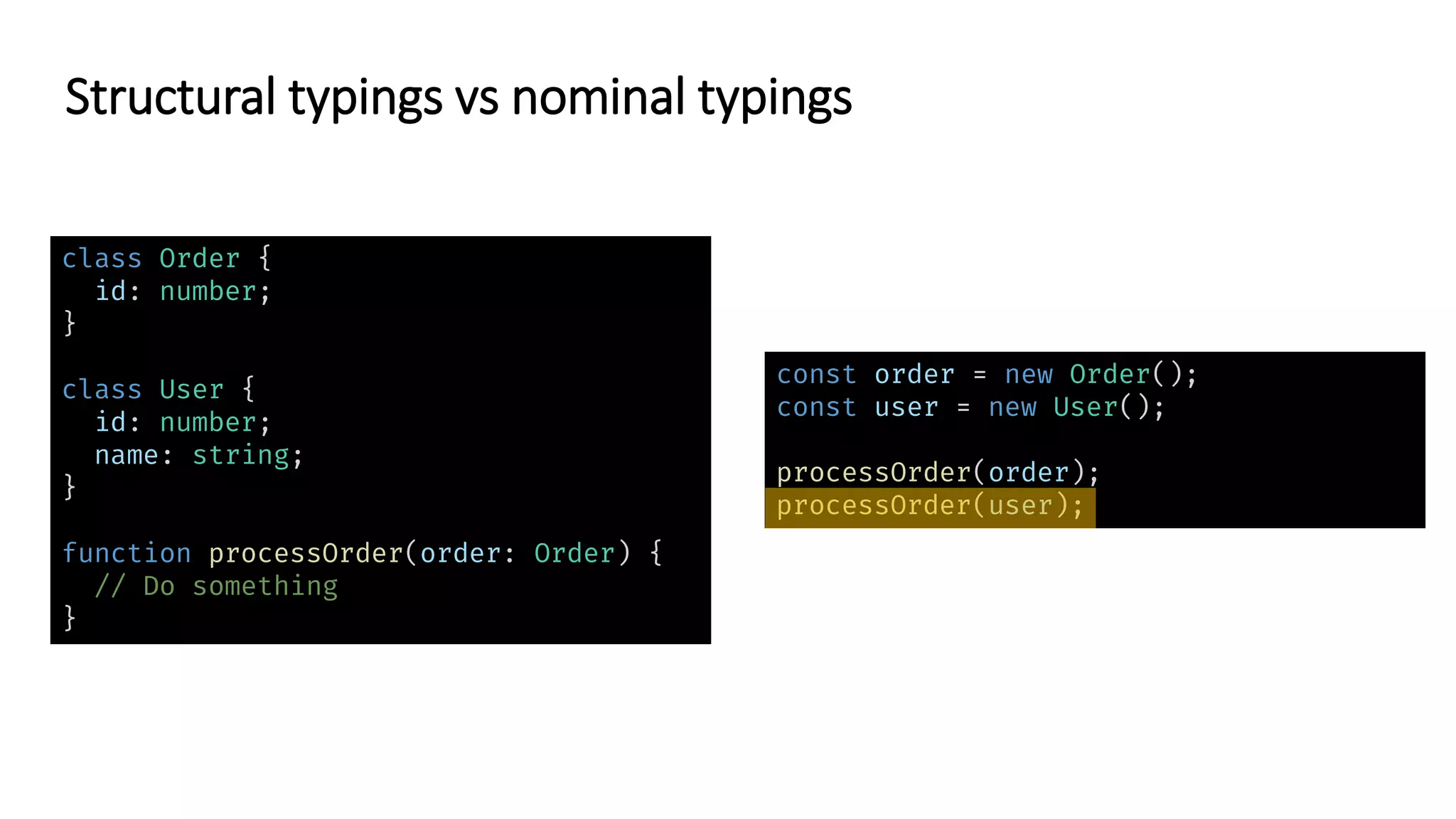
class Order { id: number; } class User { id: number; name: string; } function processOrder(order: Order) { // Do something } const order = new Order(); const user = new User(); processOrder(order); processOrder(user); Structural typings vs nominal typings
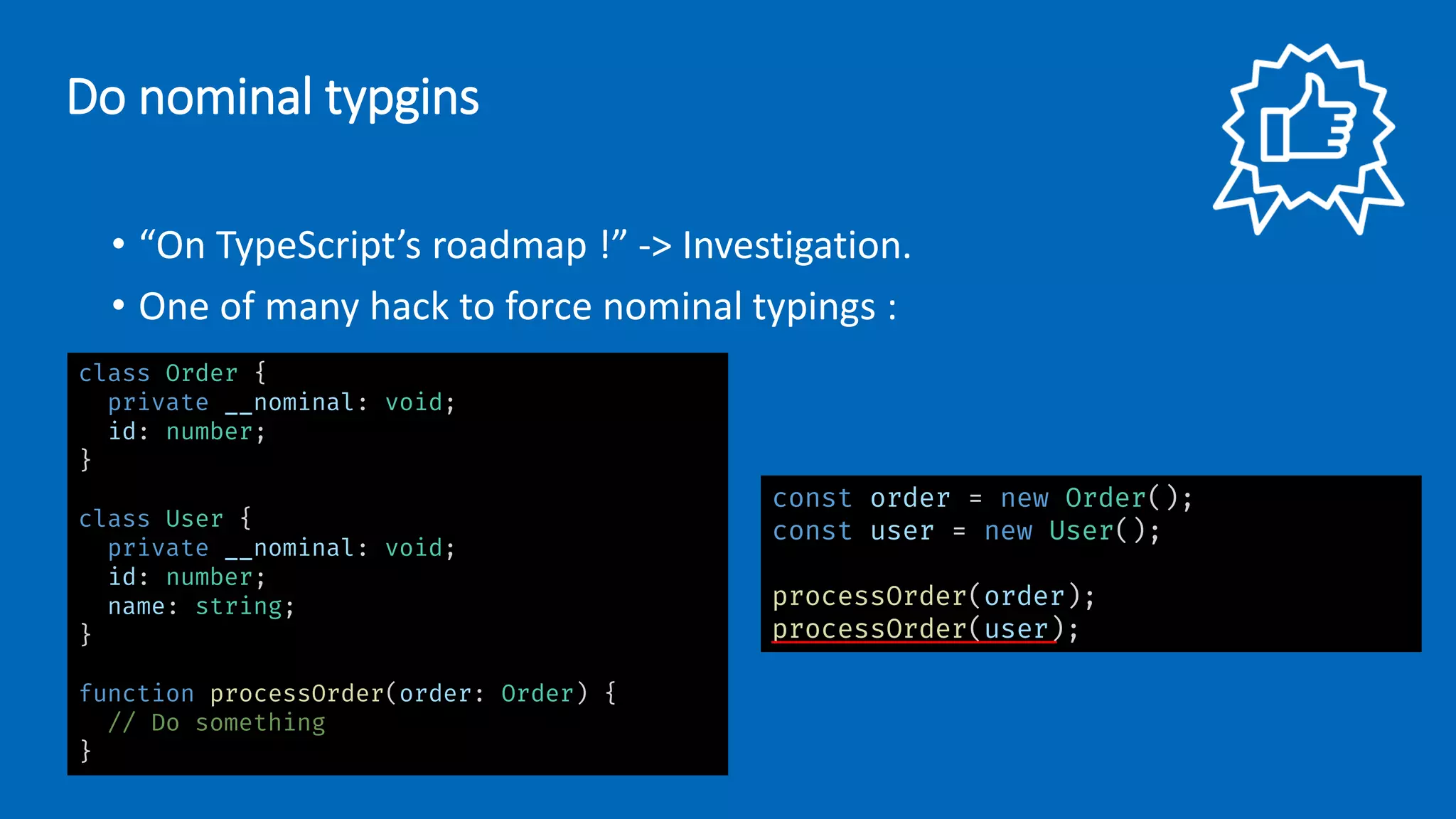
• “On TypeScript’s roadmap !” -> Investigation. • One of many hack to force nominal typings : class Order { private __nominal: void; id: number; } class User { private __nominal: void; id: number; name: string; } function processOrder(order: Order) { // Do something } const order = new Order(); const user = new User(); processOrder(order); processOrder(user); Do nominal typgins
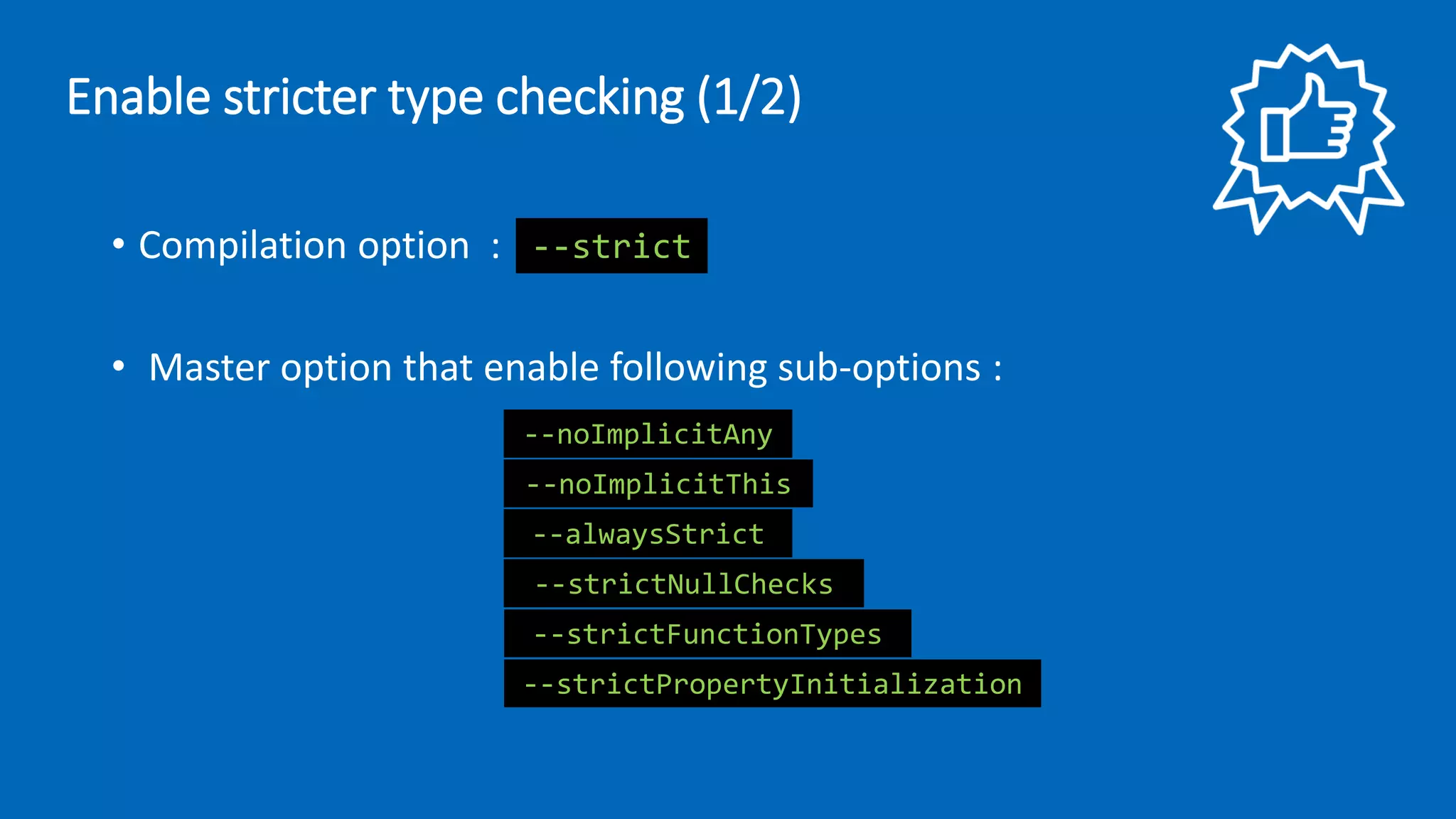
• Compilation option : • Master option that enable following sub-options : --strict --noImplicitAny --noImplicitThis --alwaysStrict --strictNullChecks --strictFunctionTypes --strictPropertyInitialization Enable stricter type checking (1/2)
• Enable immediately on new project, by default when use : • Enable incrementally on existing project : Enable stricter type checking (1/2) { "compilerOptions": { "strict": true, // "noImplicitAny": false, "strictNullChecks": false, "strictFunctionTypes": false, "strictPropertyInitialization": false, "noImplicitThis": false, "alwaysStrict": false } } tsc --init
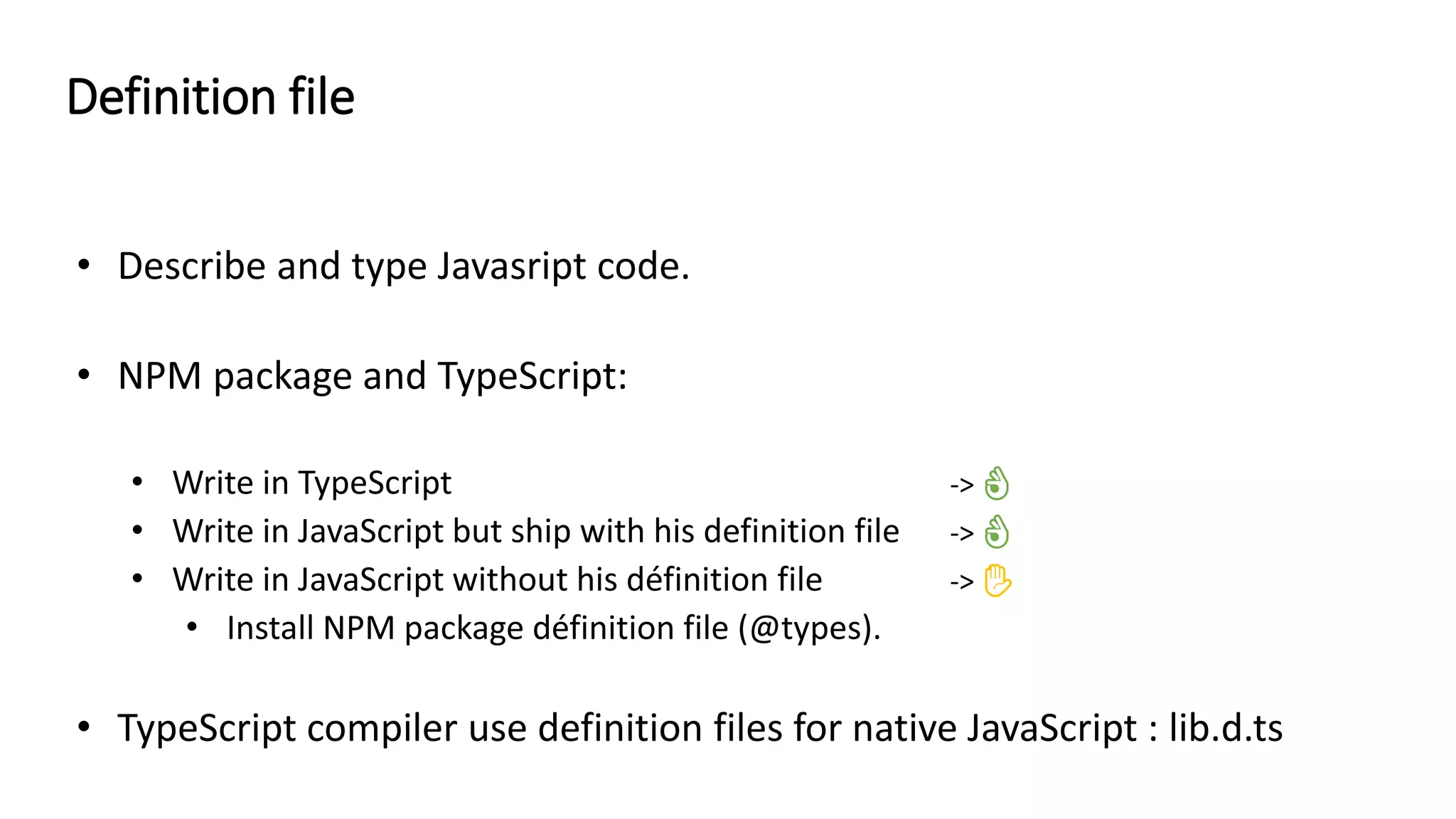
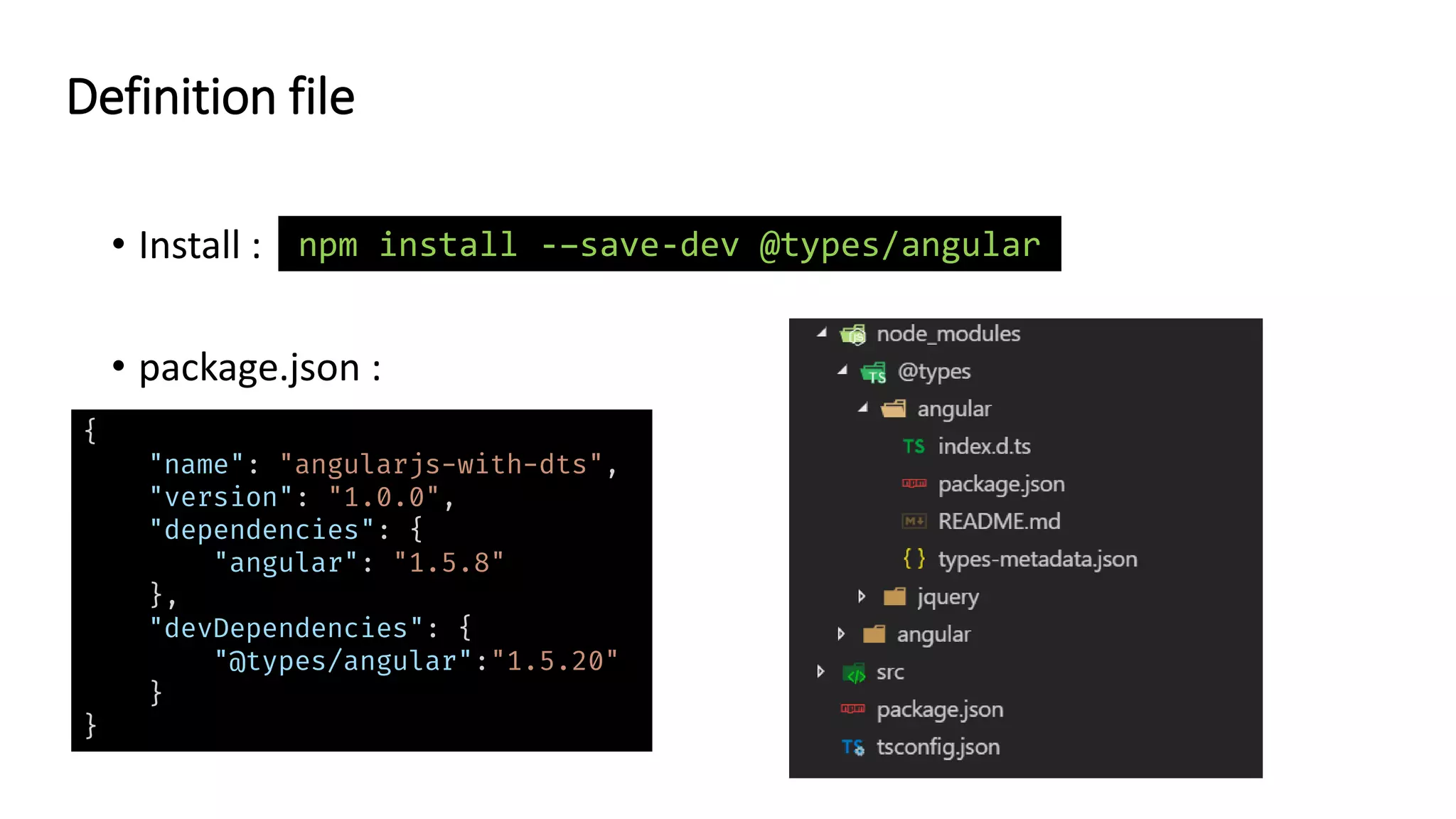
👌 👌 ✋ • TypeScript compiler use definition files for native JavaScript : lib.d.ts Definition file
• Install : • package.json : Definition file npm install -–save-dev @types/angular { "name": "angularjs-with-dts", "version": "1.0.0", "dependencies": { "angular": "1.5.8" }, "devDependencies": { "@types/angular":"1.5.20" } }
• Alaway install .d.ts files in devDependencies. • Specify composition of lib.d.ts file according to the native Javascript features you use : Definition file { "compilerOptions": { "target": "es5", "lib": [ "dom", "es5", "es2015.collection", "es2015.iterable" ] } }
Migration JS -> TS
// @ts-check JavaScript → TypeScript : solution 1 function add(numbers) { return numbers .reduce(function(previous, next) { return previous + next; }); } var result = add([true, 2, "3"]); console.log(result); // 33 // @ts-check /** * @param {number[]} numbers */ function add(numbers) { return numbers .reduce(function(previous, next) { return previous + next; }); } var result = add([true, 2, "3"]); console.log(result); // 33 --checkJs
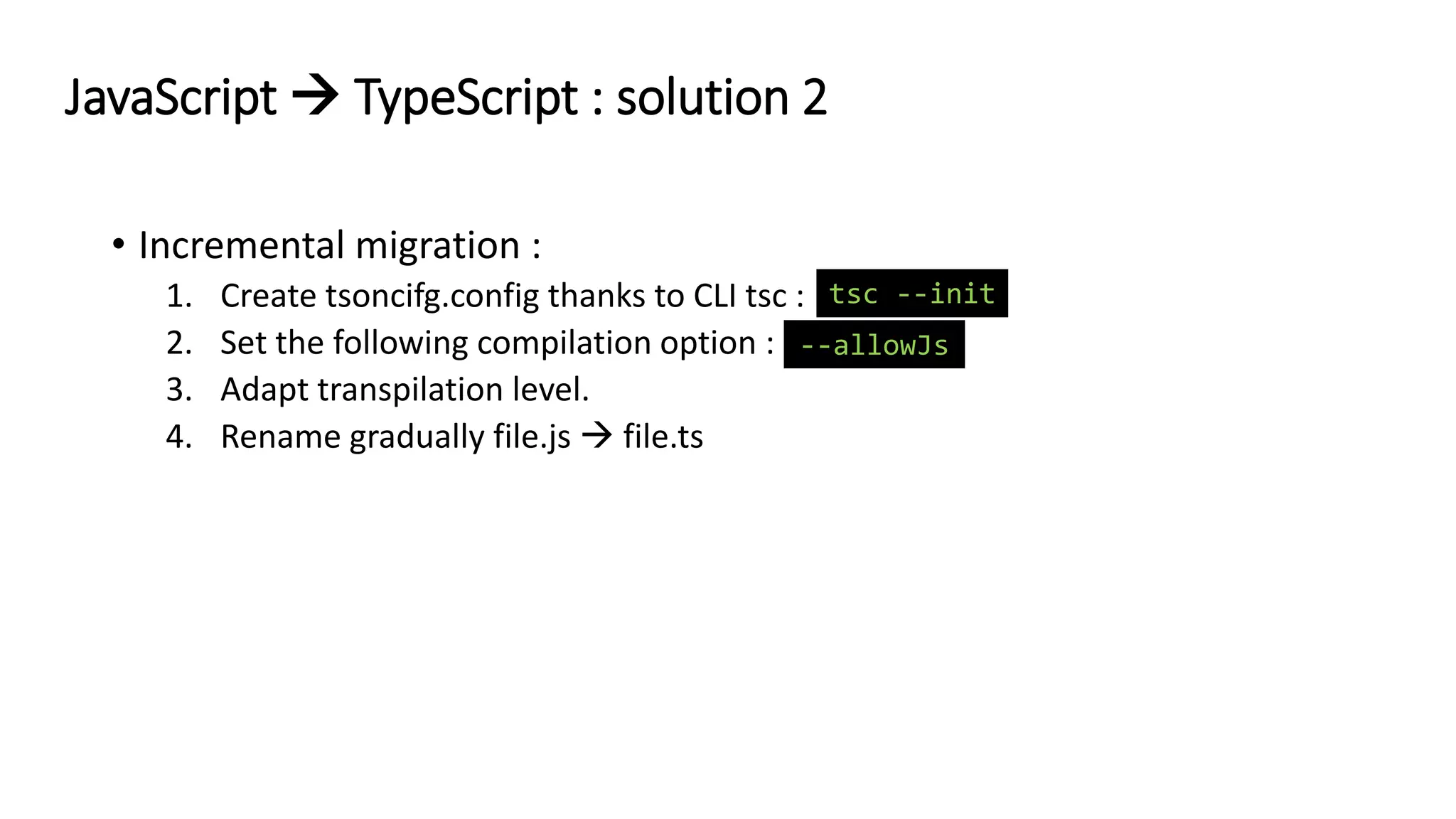
• Incremental migration : 1. Create tsoncifg.config thanks to CLI tsc : 2. Set the following compilation option : 3. Adapt transpilation level. 4. Rename gradually file.js → file.ts JavaScript → TypeScript : solution 2 --allowJs tsc --init
• Prefer solution 2, if you can. • TypeScript can transpile even if errors are decteded. Migration JavaScript → TypeScript
Conclusion
Conslusion • Essential to master TypeScript → Compilation options ! • Many subject not addressed : • Options needed to use react, angular,… • Mapped type and Conditional type • …

TypeScript Best Practices

  • 2.
    Tech lead Co-orgaOrganisateur @felix_billon felixbillon http://shakedatcode.com Member Félix Billon
  • 3.
    • Introduction • Architecture •Transpilation • Typing • Migration JS → TS • Conclusion Sommaire
  • 4.
  • 5.
  • 6.
    TypeScript in opensource world Visual Studio Code Angular Ionic / Stencil RxJS NativeScript TensorFlow.js NestJS Vue.js In progress 👍
  • 7.
    • Superset ofJavascript. • Made in Microsoft. • Open source on GitHub. • 2014 v1.0 -> today v3.2. • Main features : • Transpilation -> generates Javascript. • Typing -> only useful during compilation. TypeScript ?
  • 8.
    • No officialstyle guide ! • Maybe coding guidelines on TypeScript’s Github ? Why this talk ?
  • 9.
    “Don't blindly adhereto any old advice” Be careful with best practices
  • 10.
  • 11.
  • 12.
    • Files +options → tsc → core compiler → JavaScript files. • Use options : • Command line : • Configuration file aka tsconfig.json : tsc **/*.ts –-target=es5 -–sourcemap=true CLI tsc { "compilerOptions": { "target": "es5", "module": "es2015", "removeComments": true, "sourceMap": true }, "include": ["src/**/*"] }
  • 13.
    • Use tsconfig.jsin preference to command line. • Initialize it this way : CLI tsc tsc --init
  • 14.
  • 15.
    • ECMAScript =standard for scripting languages. • ECMAScript implementation : javascript, actionscript, … Browser JS EngineEcmaScript implements Edge : Chakra Chrome : V8 Firefox : SpiderMonkey … ECMAScript
  • 16.
    ES5 2009 • Strict mode •Getters/Setters • …. ECMAScript : historical
  • 17.
    ES5 ES6 2009 2015 • Classes •Arrow function • Promise • Destructuring • Constants • Modules • Template Literals • Map/Set • Iterators • Generators • Symbol type • … ECMAScript : historical
  • 18.
    ES5 ES6 ES7 2009 2015 2016 •Array.prototype.includes • Exponentation Operator ECMAScript : historical
  • 19.
    ES5 ES6 ES7 ES8 2009 20152016 2017 • String padding • Object.value/Object.entries • Async/await • Improve trailing comma • Shared memory and atomics ECMAScript : historical
  • 20.
    ES5 ES6 ES7 ES8 2009 20152016 2017 ES9 2018 • Asynchronous Iteration • Rest/Spread properties • Improve Regex • Promise.prototype.finally • Template Literal Revision ECMAScript : historical
  • 21.
  • 22.
    class Greeter { greeting:string; constructor(message: string) { this.greeting = message; } greet() { return "Hello, " + this.greeting; } } let greeter = new Greeter("world"); var Greeter = /** @class */ (function () { function Greeter(message) { this.greeting = message; } Greeter.prototype.greet = function () { return "Hello, " + this.greeting; }; return Greeter; }()); var greeter = new Greeter("world"); file.ts TypeScript compiler file.js Transpilation
  • 23.
    • Compilation option: --target ES3 (default), ES5, ES2015, ES2016, ES2017,ES2018 or ESNEXT Transpilation : configuration
  • 24.
    .ts .js LoadbyCompilation .js Exécution des polyfill Transpilation -> Polyfill -> if(typeof Array.prototype.filter !== "function") { Array.prototype.filter = function() { // implementation goes here }; } contient Transpilation vs Polyfill
  • 25.
    .ts .js LoadbyCompilation .js Load by Polyfill’s code is execute then application’s code is loaded Transpilation -> Polyfill -> Transpilation vs Polyfill
  • 26.
    • Adapt transpilationlevel to targeted browsers. • TypeScript don’t transpile everythings, solution : • TypeScript + polyfills library (core-js, es6-shim, …) • TypeScript + Babel = Transpilation
  • 27.
    • Export ES2015 •Import ES2015 • Before : AMD, CommonJS, UMD, System, ES2015. • Over time there will be only one : ES2015 export class Animal { // … } import { Animal } from "./animal"; Module
  • 28.
    • Compilation option: --module none, commonjs, amd, system, umd, es2015, or ESNext Module : configuration
  • 29.
    • Use ES2015-> transpile if needed. • To prevent ugly import : 1. In tsconfig.json use aliases path : 2. Don’t forget to also configure this aliases into your bundler’s config file. 3. Result : import { Animal } from "../../../../../../../core/animal"; { "compilerOptions": { "baseUrl": "./src", "paths": { "@myProject/utils/*": ["app/utils/*"], "@myPorject/core/*": ["app/core/*"] } } } import { Animal } from “@myProject/core/animal"; Module
  • 30.
    enum Color { Red, Blue, Green } letfoo: Color = Color.Red; let bar: string = Color[Color.Red]; "use strict"; var Color; (function (Color) { Color[Color["Red"] = 0] = "Red"; Color[Color["Blue"] = 1] = "Blue"; Color[Color["Green"] = 2] = "Green"; })(Color || (Color = {})); let foo = Color.Red; let bar = Color[Color.Red]; color.ts TypeScript compiler color.js Enum
  • 31.
    const enum Color{ Red, Blue, Green } let foo: Color = Color.Red; "use strict"; let foo = 0 /* Red */; color.ts TypeScript compiler color.js let bar: string = Color[Color.Red]; Constant Enum
  • 32.
    • Use constenum as much as possible. • Be careful with this option : • If you acces Enum via index, thinks of Map/Set, Object, … --preserveConstEnums Enum
  • 33.
    class Greeter { greeting:string; constructor(message: string) { this.greeting = message; } greet() { return "Hello, " + this.greeting; } } class PoliteGreeter extends Greeter { //... } var __extends = (this && this.__extends) || (function () { var extendStatics = function (d, b) { extendStatics = Object.setPrototypeOf || ({ __proto__: [] } instanceof Array && function (d, b) { d.__proto__ = b; }) || function (d, b) { for (var p in b) if (b.hasOwnProperty(p)) d[p] = b[p]; }; return extendStatics(d, b); } return function (d, b) { extendStatics(d, b); function __() { this.constructor = d; } d.prototype = b === null ? Object.create(b) : (__.prototype = b.prototype, new __()); }; })(); var Greeter = /** @class */ (function () { function Greeter(message) { this.greeting = message; } Greeter.prototype.greet = function () { return "Hello, " + this.greeting; }; return Greeter; }()); var PoliteGreeter = /** @class */ (function (_super) { __extends(PoliteGreeter, _super); function PoliteGreeter() { return _super !== null && _super.apply(this, arguments) || this; } return PoliteGreeter; }(Greeter)); file.ts TypeScript compiler file.js TypeScript Helper
  • 34.
    • Many helpersexists : • Generate in each file where are needed -> increase bundle size !!! function __assign(t: any, ...sources: any[]): any; // Helper de Object.Assign function __spread(...args: any[]): any[]; // Helper de l'opérateur spread //... TypeScript Helper : the trap
  • 35.
    • To preventhelpers to proliferate : 1. Install tslib : 2. Use the following compilation options : 3. Once done, TypeScript compiler only imports helpers from tslib --importHelpers --noEmitHelpers npm install tslib TypeScript Helper
  • 36.
  • 37.
    Basic typing • boolean,number, string, array, void, null, undefined, object, any et unknow. let name: string; let list: number[] = [1, 2, 3]; function fn(param: boolean): void { // Do something }
  • 38.
    • Use anyas less as possible ! • Prefer unknow to any : let myAny : any = "toto" ; let myUnknown: unknown = "toto"; let foo: string = myAny; let bar: string = myUnknown; myAny.mehtod(); myUnknown.mehtod(); Basic typing
  • 39.
    • Don’t haveto type everythings, let TypeScript compiler inference do ! • Reminder : types are useful only during compilation not at runtime ! Basic typing
  • 40.
    Classe and interface(1/2) interface Ninja { nbShuriken: number; throwShuriken: () => void; } let leonardo: Ninja = new NinjaTurtle(); let donatelo: NinjaTutle = new NinjaTurtle(); class NinjaTurtle implements Ninja { nbShuriken: number; constructor() { this.nbShuriken = 6; } throwShuriken(): void { // Throw shuriken } }
  • 41.
    Classe and interface(2/2) interface Animal { name: string; say?: () => void; } interface Animal { readonly name: string; say?: () => void; }
  • 42.
    • Union : •Intersection : Union and intersection class Ninja { nbShuriken: number; throwShuriken: () => void; } class Samurai { nbKunai: number; throwKunai: () => void; } assign<T, U>(target: T, source: U): T & U; function throwAttack(human: Ninja | Samurai) { if (human instanceof Ninja) { human.throwShuriken(); } else { human.throwKunai(); } }
  • 43.
    Type alias class Ninja{ nbShuriken: number; throwShuriken: () => void; } class Samurai { nbKunai: number; throwKunai: () => void; } type Fighter = Ninja | Samurai; function throwAttack(human: Fighter) { if (human instanceof Ninja) { human.throwShuriken(); } else { human.throwKunai(); } }
  • 44.
    • Which oneuse ? • Need implementation -> Classe. • Need union or intersection -> Alias. • Otherwise -> Interface or Alias, make a choice and stick to it ☺ Classe vs Interface vs Alias
  • 45.
    class Order { id:number; } class User { id: number; name: string; } function processOrder(order: Order) { // Do something } const order = new Order(); const user = new User(); processOrder(order); processOrder(user); Structural typings vs nominal typings
  • 46.
    • “On TypeScript’sroadmap !” -> Investigation. • One of many hack to force nominal typings : class Order { private __nominal: void; id: number; } class User { private __nominal: void; id: number; name: string; } function processOrder(order: Order) { // Do something } const order = new Order(); const user = new User(); processOrder(order); processOrder(user); Do nominal typgins
  • 47.
    • Compilation option: • Master option that enable following sub-options : --strict --noImplicitAny --noImplicitThis --alwaysStrict --strictNullChecks --strictFunctionTypes --strictPropertyInitialization Enable stricter type checking (1/2)
  • 48.
    • Enable immediatelyon new project, by default when use : • Enable incrementally on existing project : Enable stricter type checking (1/2) { "compilerOptions": { "strict": true, // "noImplicitAny": false, "strictNullChecks": false, "strictFunctionTypes": false, "strictPropertyInitialization": false, "noImplicitThis": false, "alwaysStrict": false } } tsc --init
  • 49.
    👌 👌 ✋ • TypeScript compileruse definition files for native JavaScript : lib.d.ts Definition file
  • 50.
    • Install : •package.json : Definition file npm install -–save-dev @types/angular { "name": "angularjs-with-dts", "version": "1.0.0", "dependencies": { "angular": "1.5.8" }, "devDependencies": { "@types/angular":"1.5.20" } }
  • 51.
    • Alaway install.d.ts files in devDependencies. • Specify composition of lib.d.ts file according to the native Javascript features you use : Definition file { "compilerOptions": { "target": "es5", "lib": [ "dom", "es5", "es2015.collection", "es2015.iterable" ] } }
  • 52.
  • 53.
    // @ts-check JavaScript →TypeScript : solution 1 function add(numbers) { return numbers .reduce(function(previous, next) { return previous + next; }); } var result = add([true, 2, "3"]); console.log(result); // 33 // @ts-check /** * @param {number[]} numbers */ function add(numbers) { return numbers .reduce(function(previous, next) { return previous + next; }); } var result = add([true, 2, "3"]); console.log(result); // 33 --checkJs
  • 54.
    • Incremental migration: 1. Create tsoncifg.config thanks to CLI tsc : 2. Set the following compilation option : 3. Adapt transpilation level. 4. Rename gradually file.js → file.ts JavaScript → TypeScript : solution 2 --allowJs tsc --init
  • 55.
    • Prefer solution2, if you can. • TypeScript can transpile even if errors are decteded. Migration JavaScript → TypeScript
  • 56.
  • 57.
    Conslusion • Essential tomaster TypeScript → Compilation options ! • Many subject not addressed : • Options needed to use react, angular,… • Mapped type and Conditional type • …