{} Coding Saint . http://codingsaint.com | http://codingsaint.in
Spring Boot - Introduction
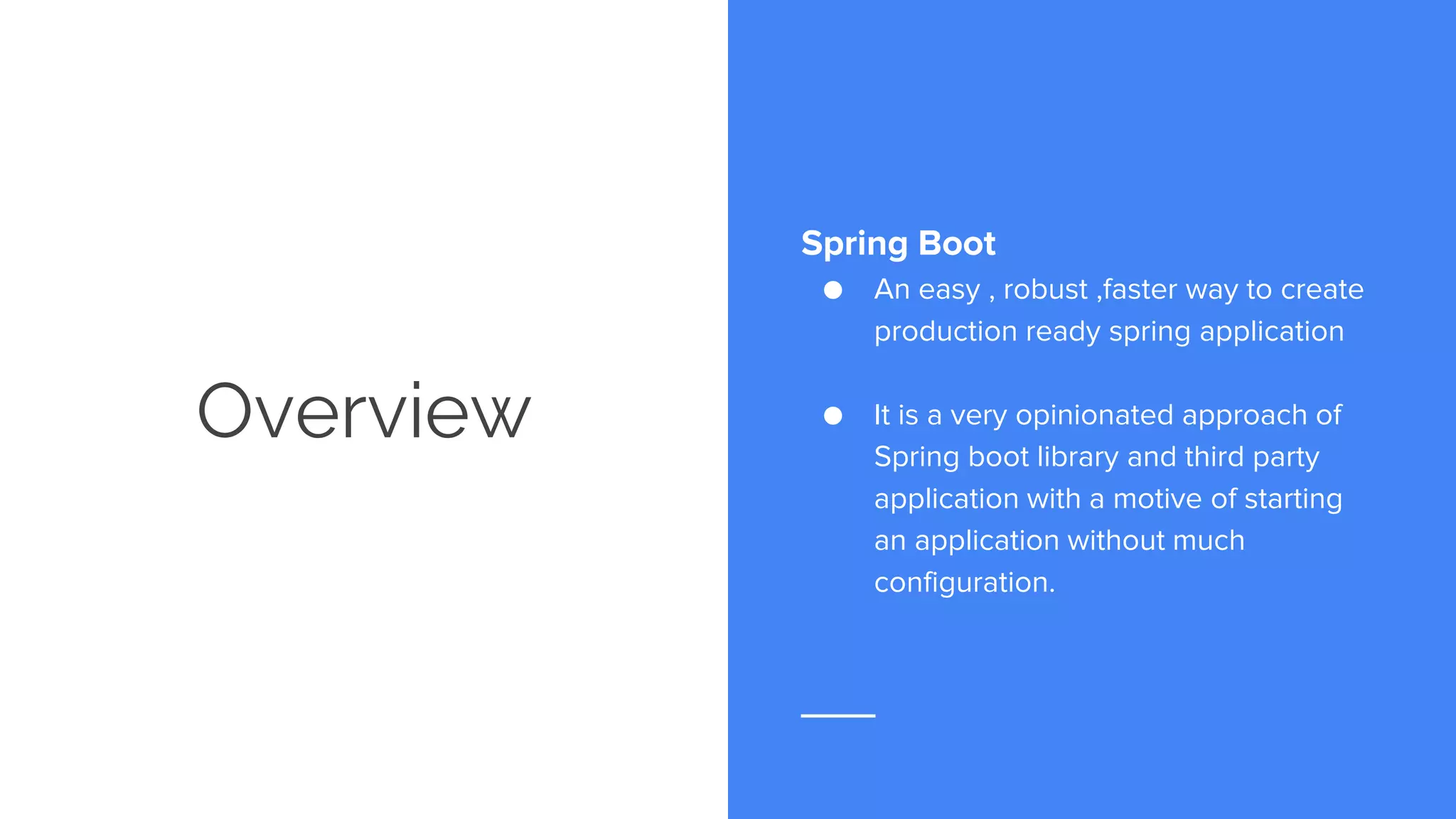
Overview Spring Boot ● An easy , robust ,faster way to create production ready spring application ● It is a very opinionated approach of Spring boot library and third party application with a motive of starting an application without much configuration.
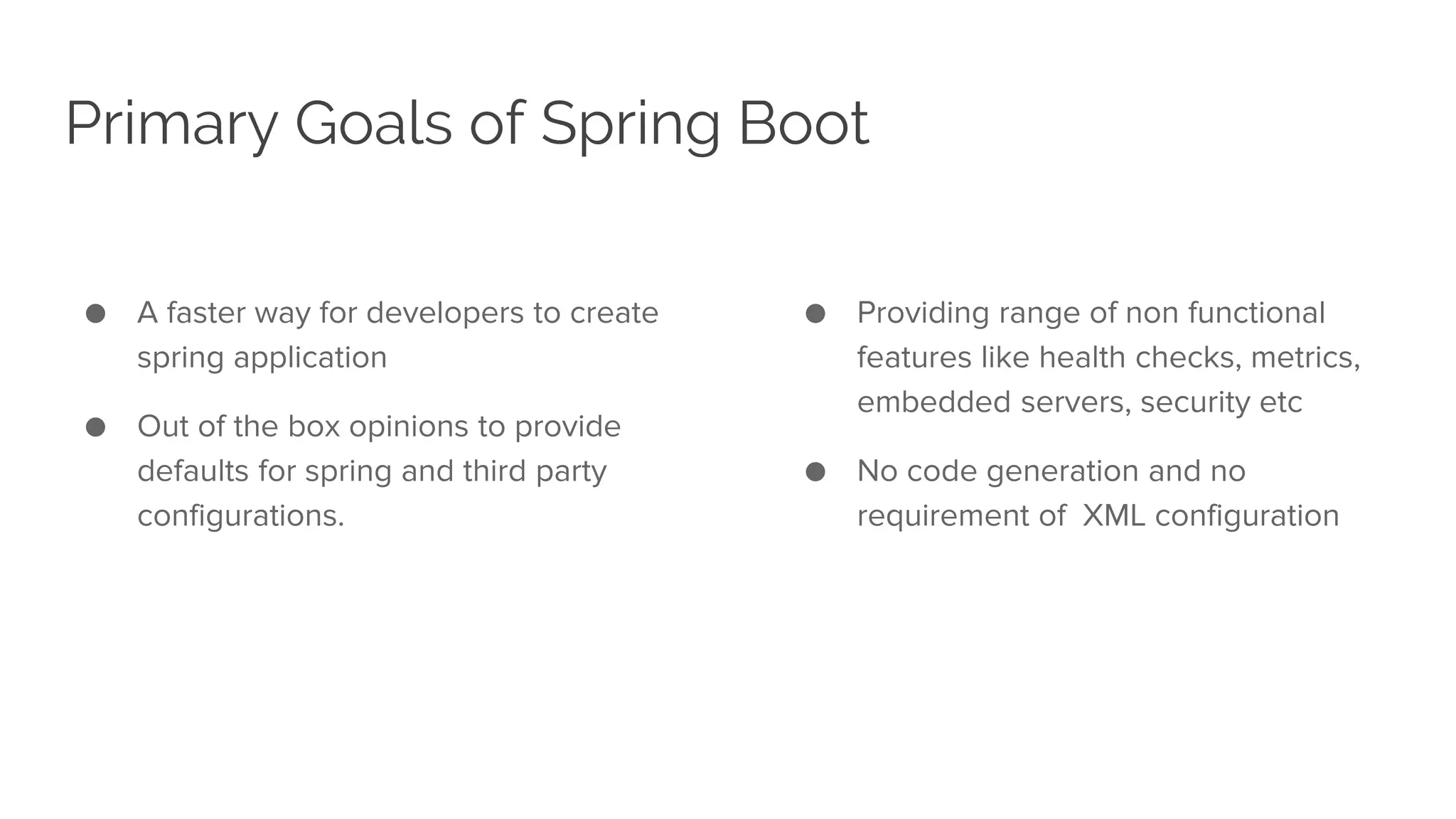
Primary Goals of Spring Boot ● A faster way for developers to create spring application ● Out of the box opinions to provide defaults for spring and third party configurations. ● Providing range of non functional features like health checks, metrics, embedded servers, security etc ● No code generation and no requirement of XML configuration
Requirements and Prerequisites As an application Java Version 8 Maven 3.2 + or Gradle 4 Servlet Container as Tomcat 8.5 /Jetty 9.4 /Undertow 1.3 While proceeding further we do expect that you have Java version 8, Maven 3.2 or Gradle As a developer Knowledge of Java Good to have prior knowledge of Spring Framework
Bootstrapping the first Spring Boot Project
Spring Initializr Spring Initializr ● https://start.spring.io
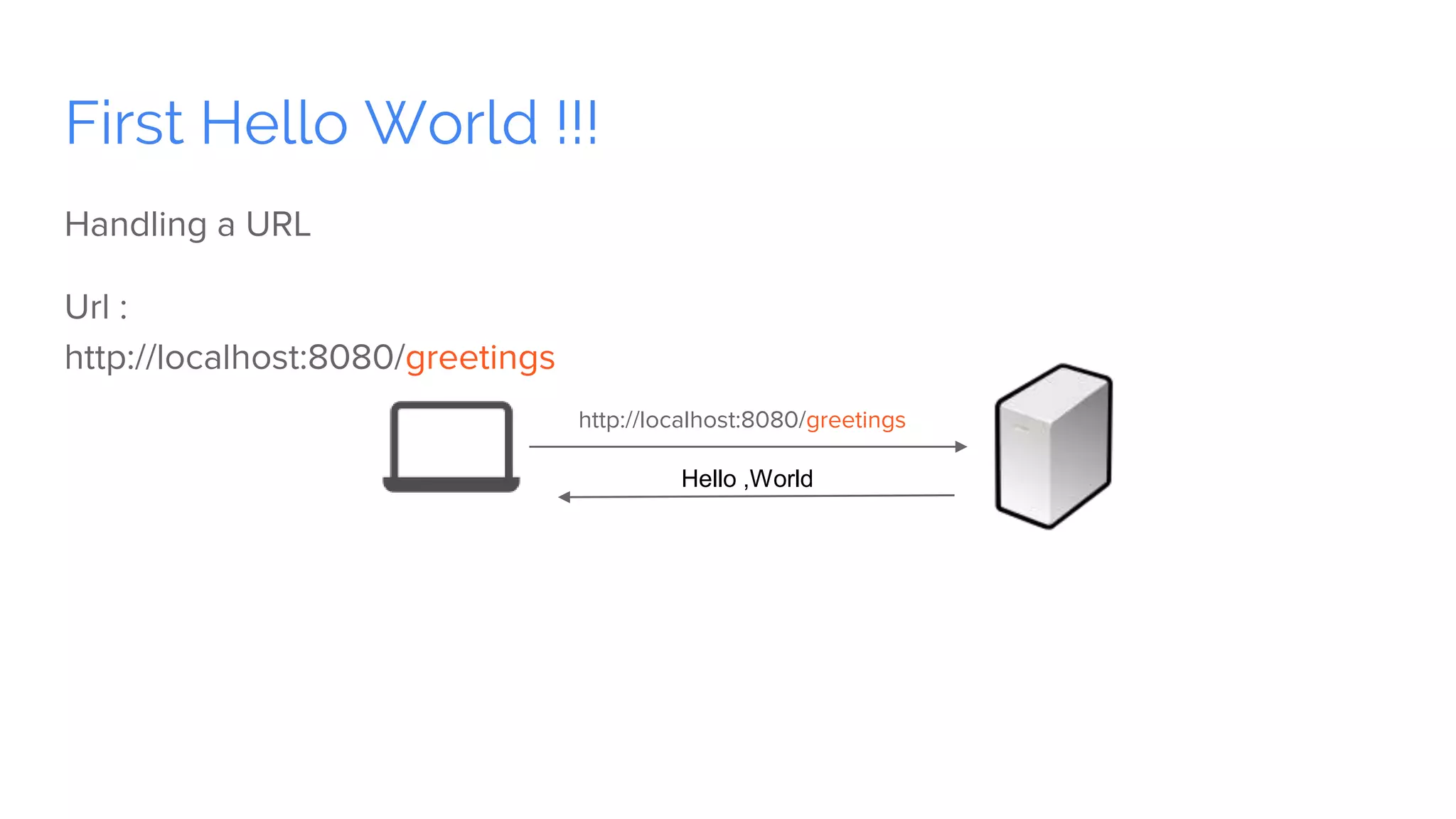
First Hello World !!! Handling a URL Url : http://localhost:8080/greetings http://localhost:8080/greetings Hello ,World
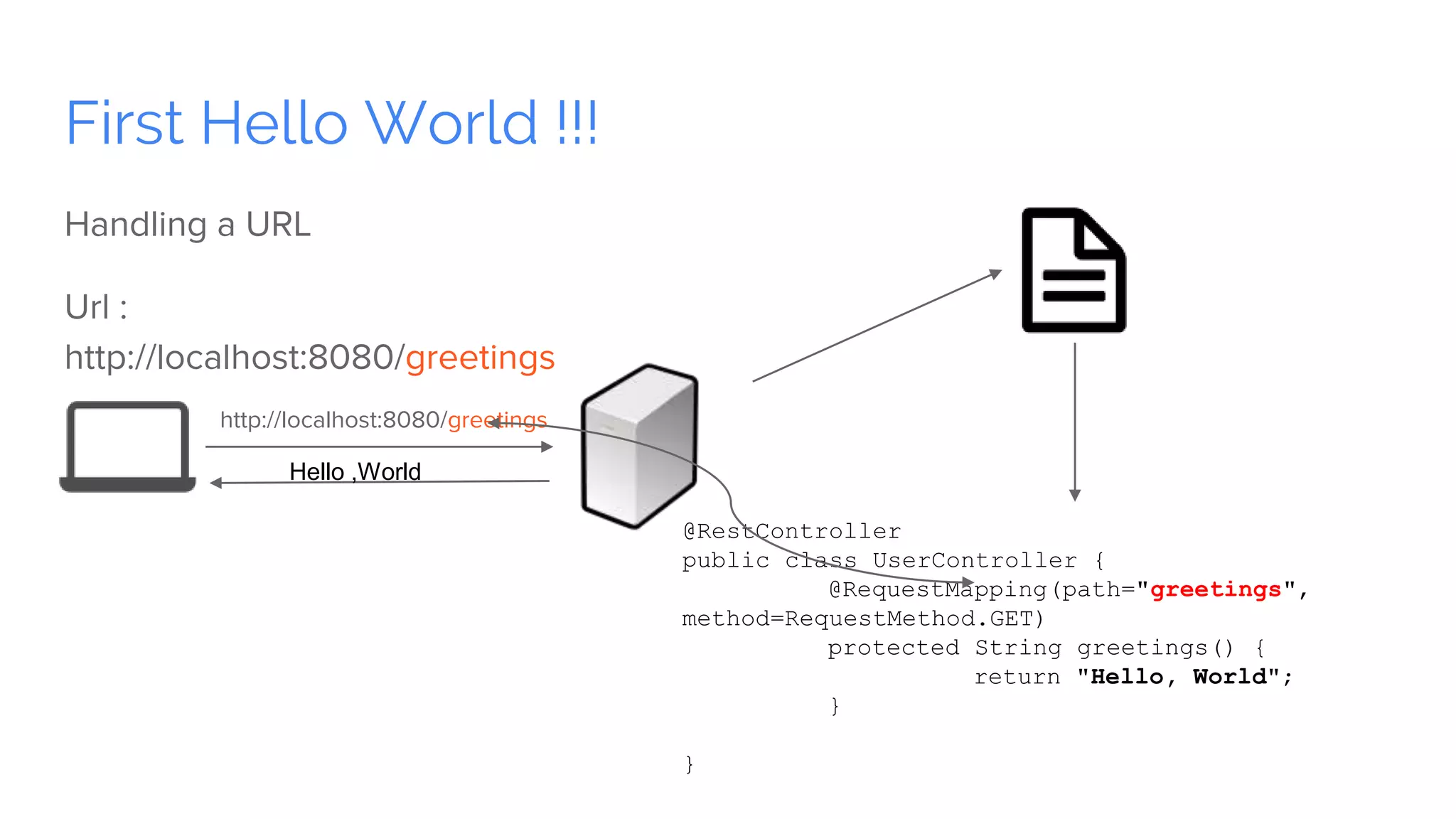
First Hello World !!! Handling a URL Url : http://localhost:8080/greetings http://localhost:8080/greetings @RestController public class UserController { @RequestMapping(path="greetings", method=RequestMethod.GET) protected String greetings() { return "Hello, World"; } } Hello ,World
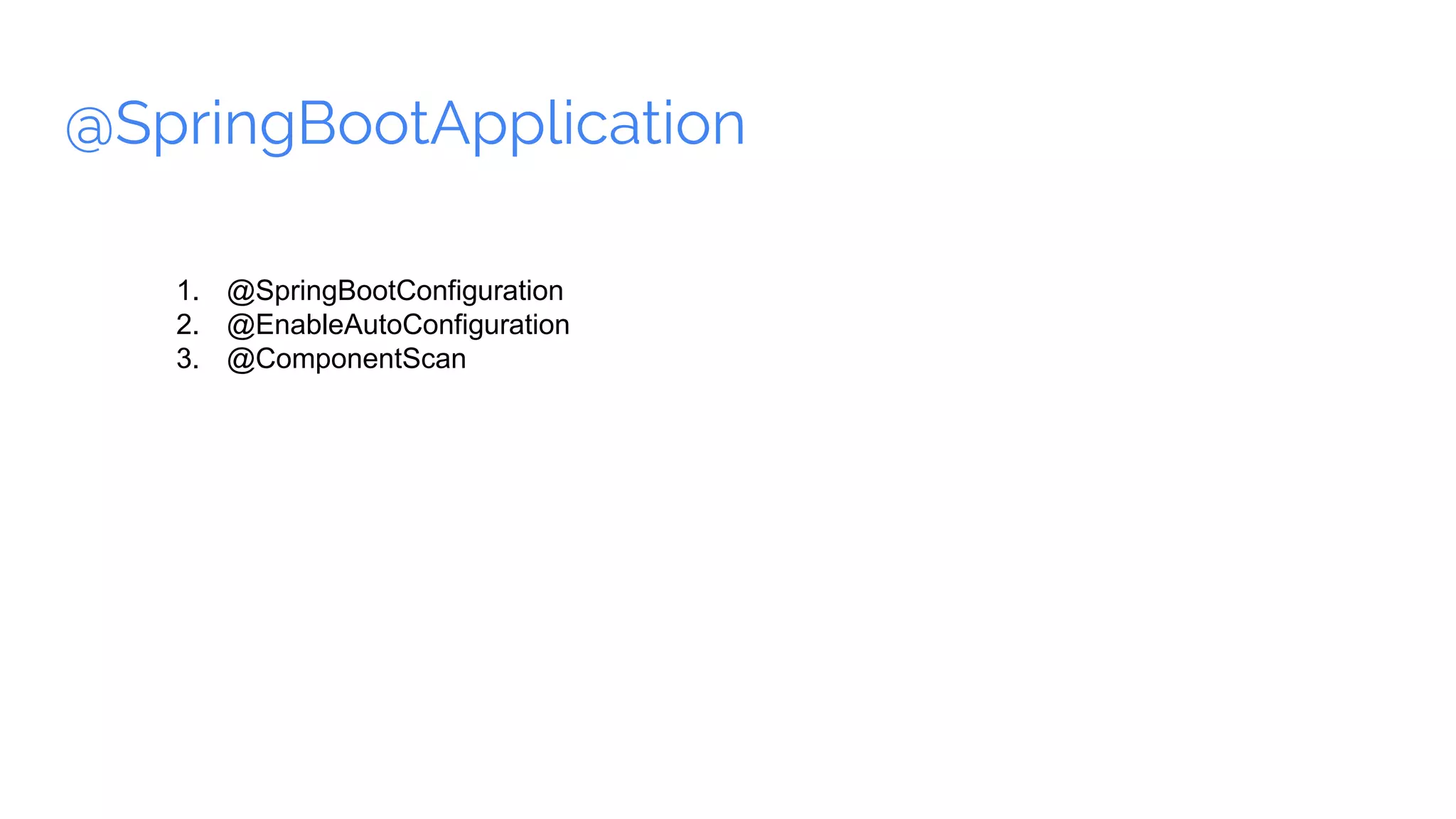
@SpringBootApplication 1. @SpringBootConfiguration 2. @EnableAutoConfiguration 3. @ComponentScan
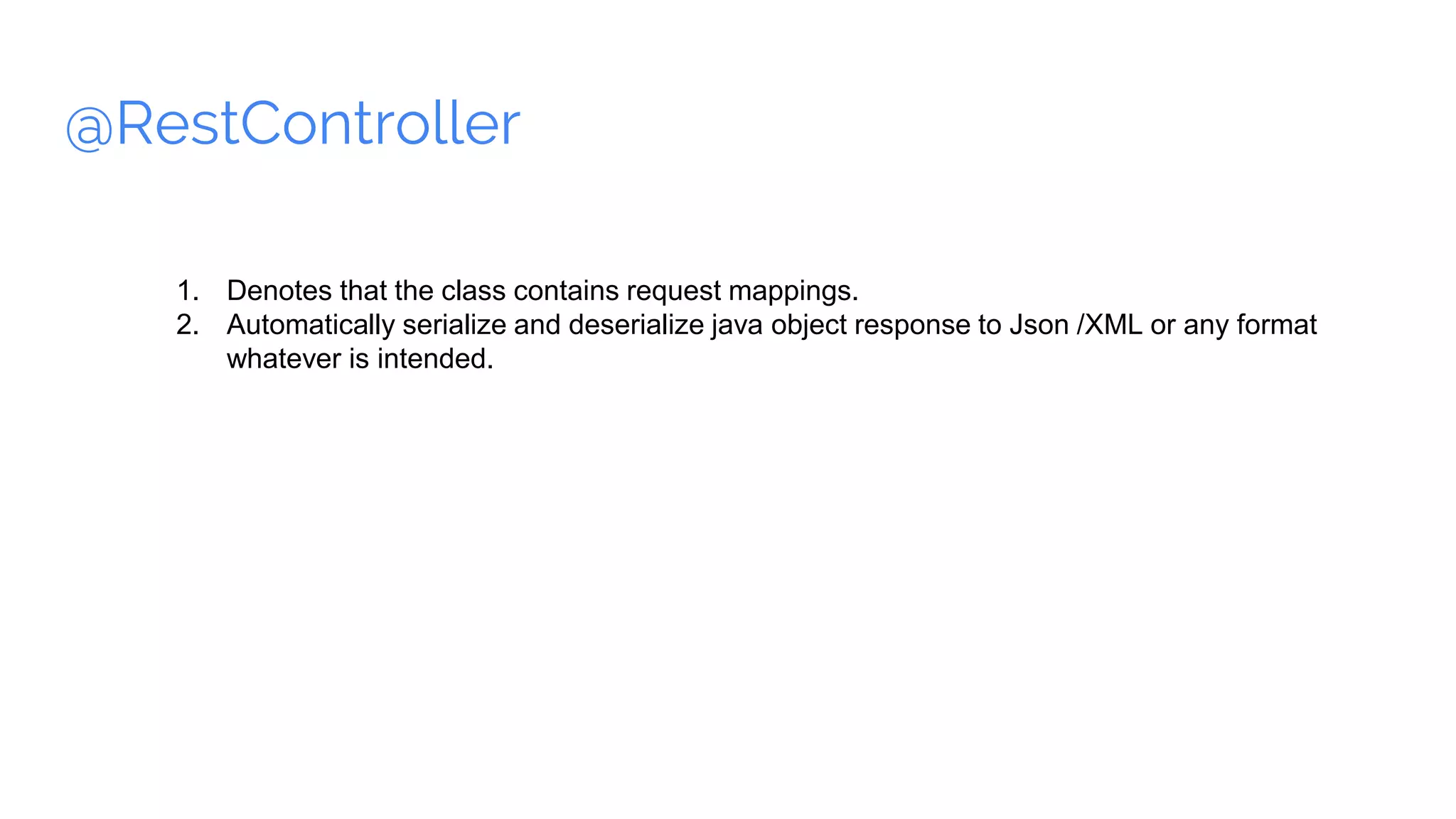
@RestController 1. Denotes that the class contains request mappings. 2. Automatically serialize and deserialize java object response to Json /XML or any format whatever is intended.
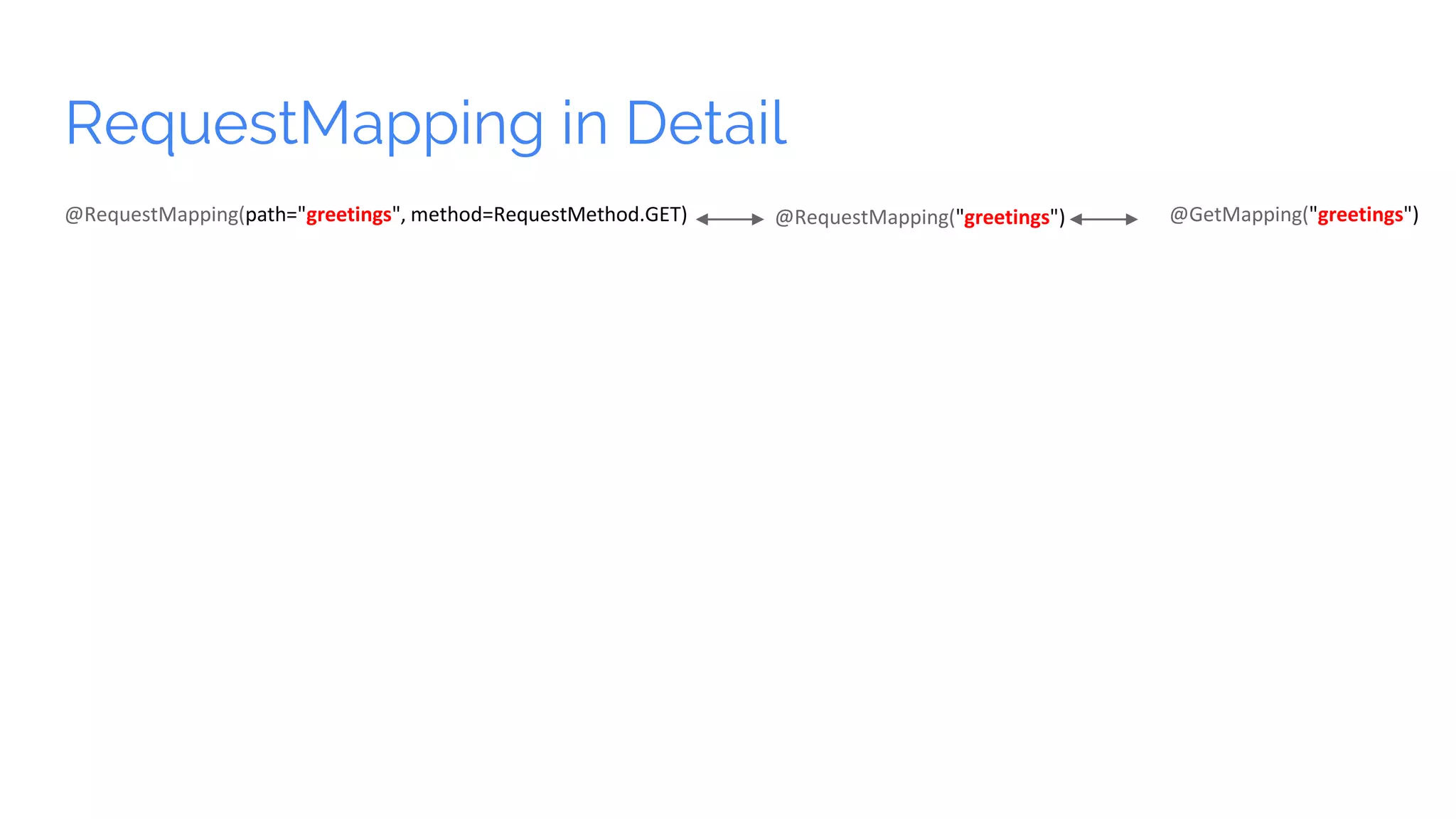
RequestMapping in Detail @RequestMapping(path="greetings", method=RequestMethod.GET) @RequestMapping("greetings") @GetMapping("greetings")
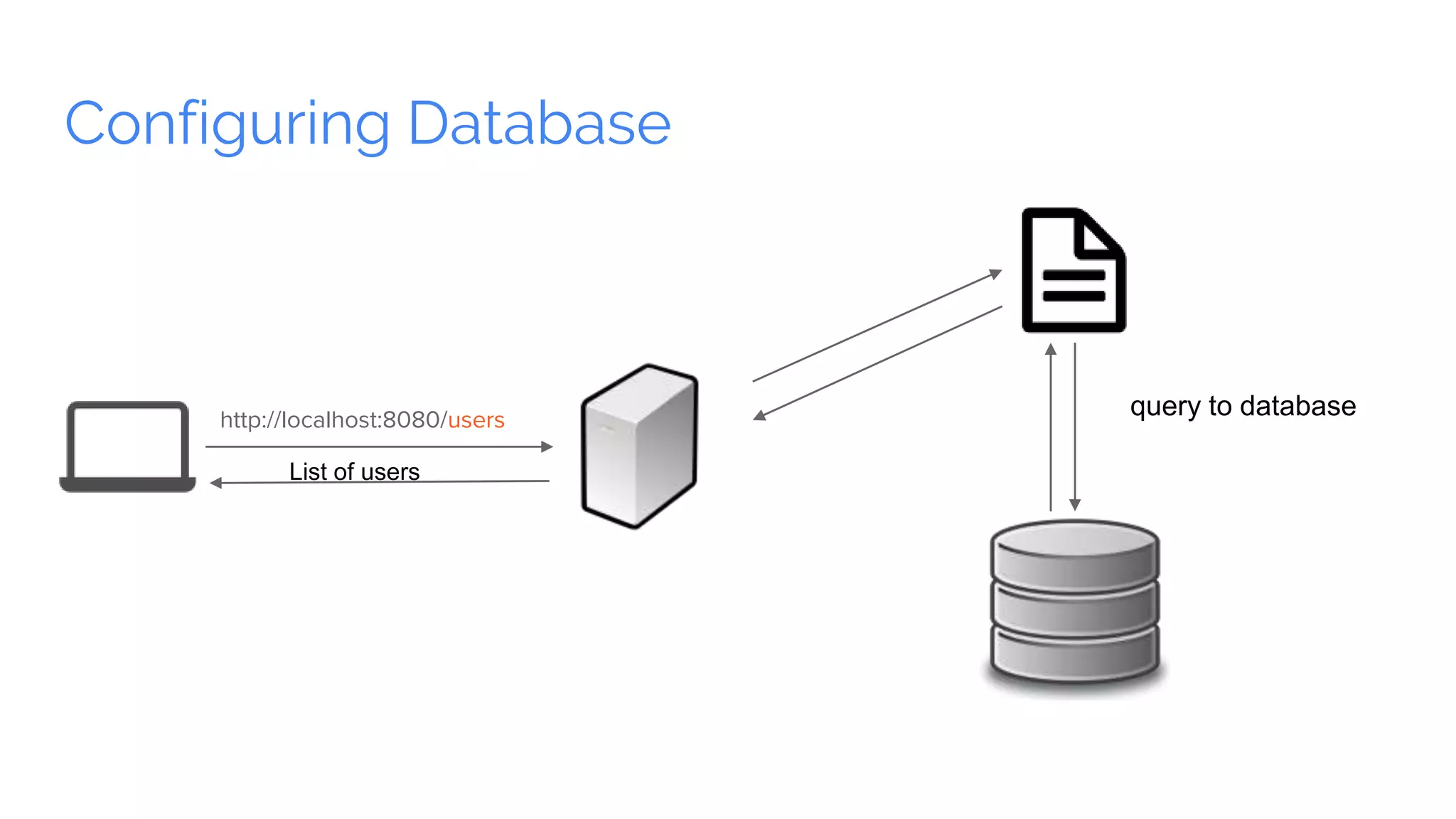
Configuring Database http://localhost:8080/users List of users query to database
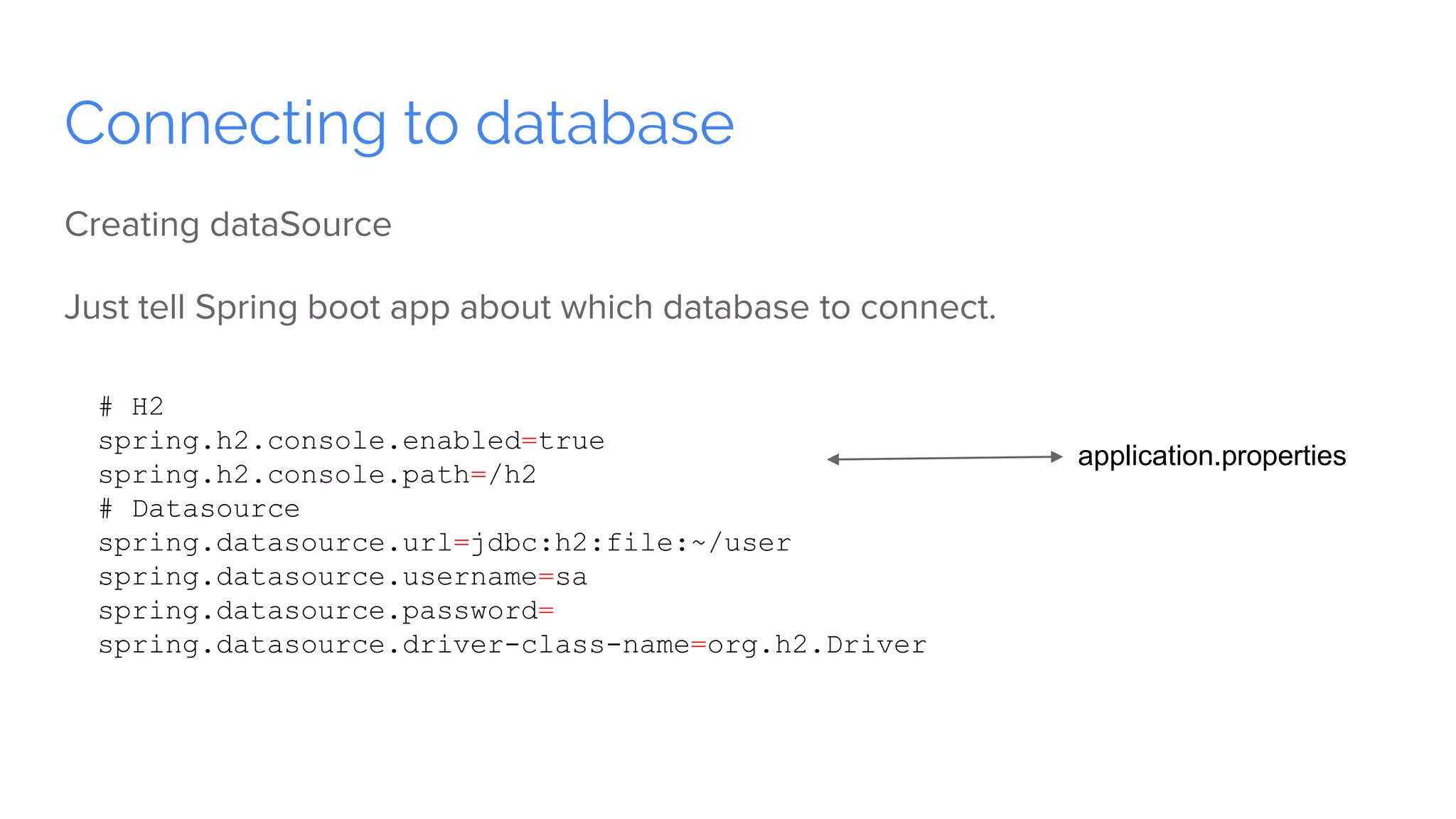
Connecting to database Creating dataSource Just tell Spring boot app about which database to connect. # H2 spring.h2.console.enabled=true spring.h2.console.path=/h2 # Datasource spring.datasource.url=jdbc:h2:file:~/user spring.datasource.username=sa spring.datasource.password= spring.datasource.driver-class-name=org.h2.Driver application.properties
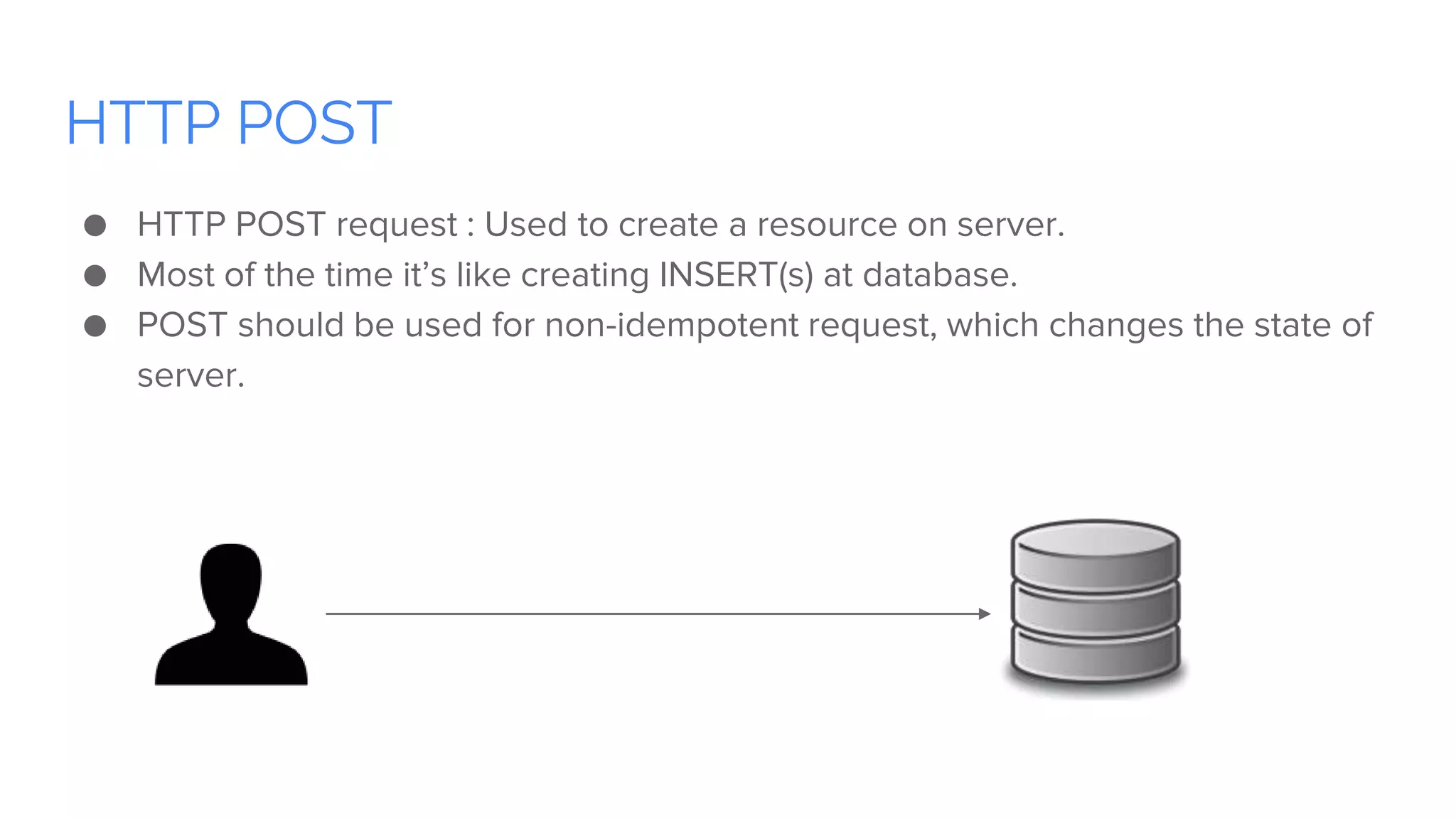
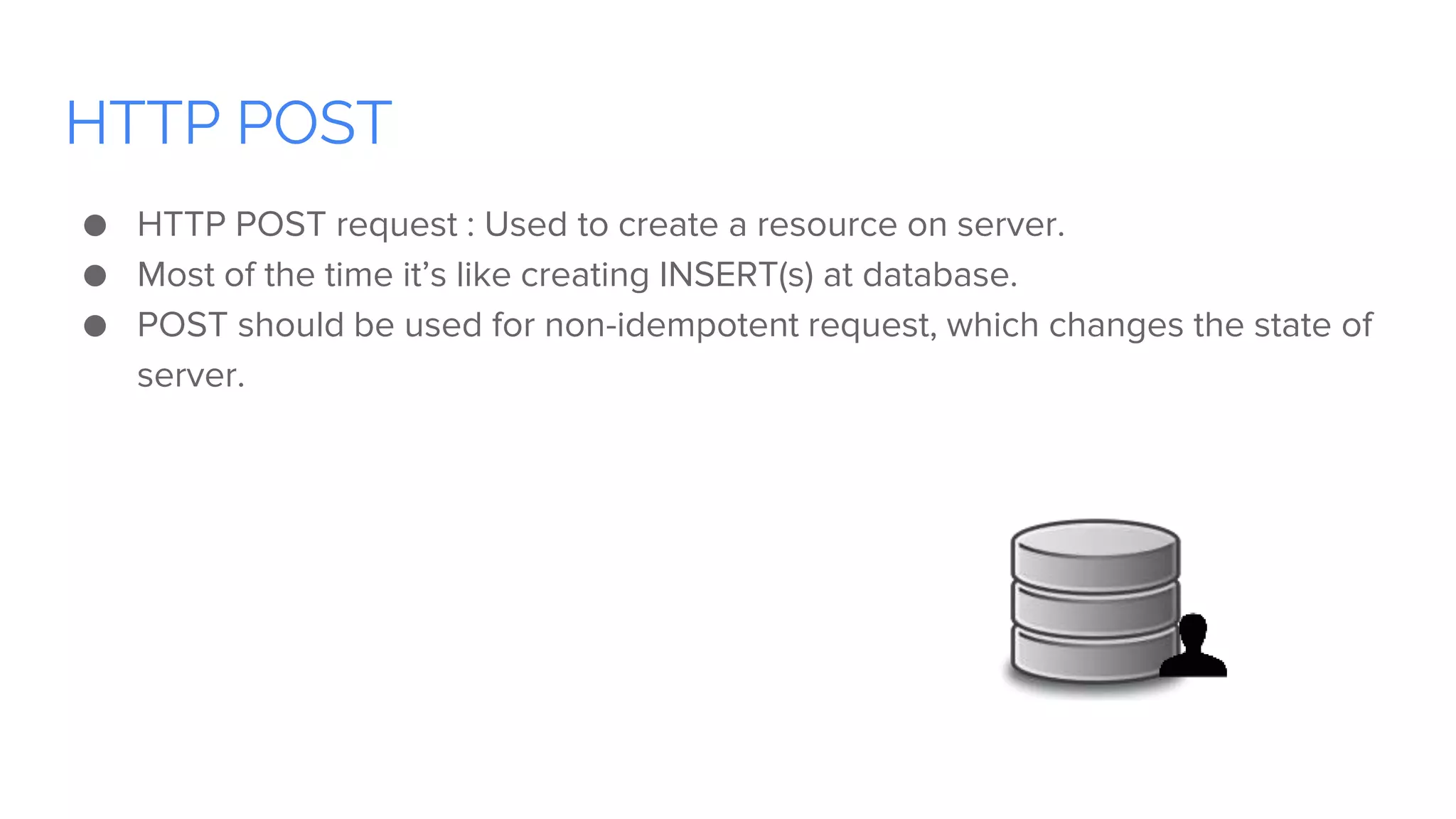
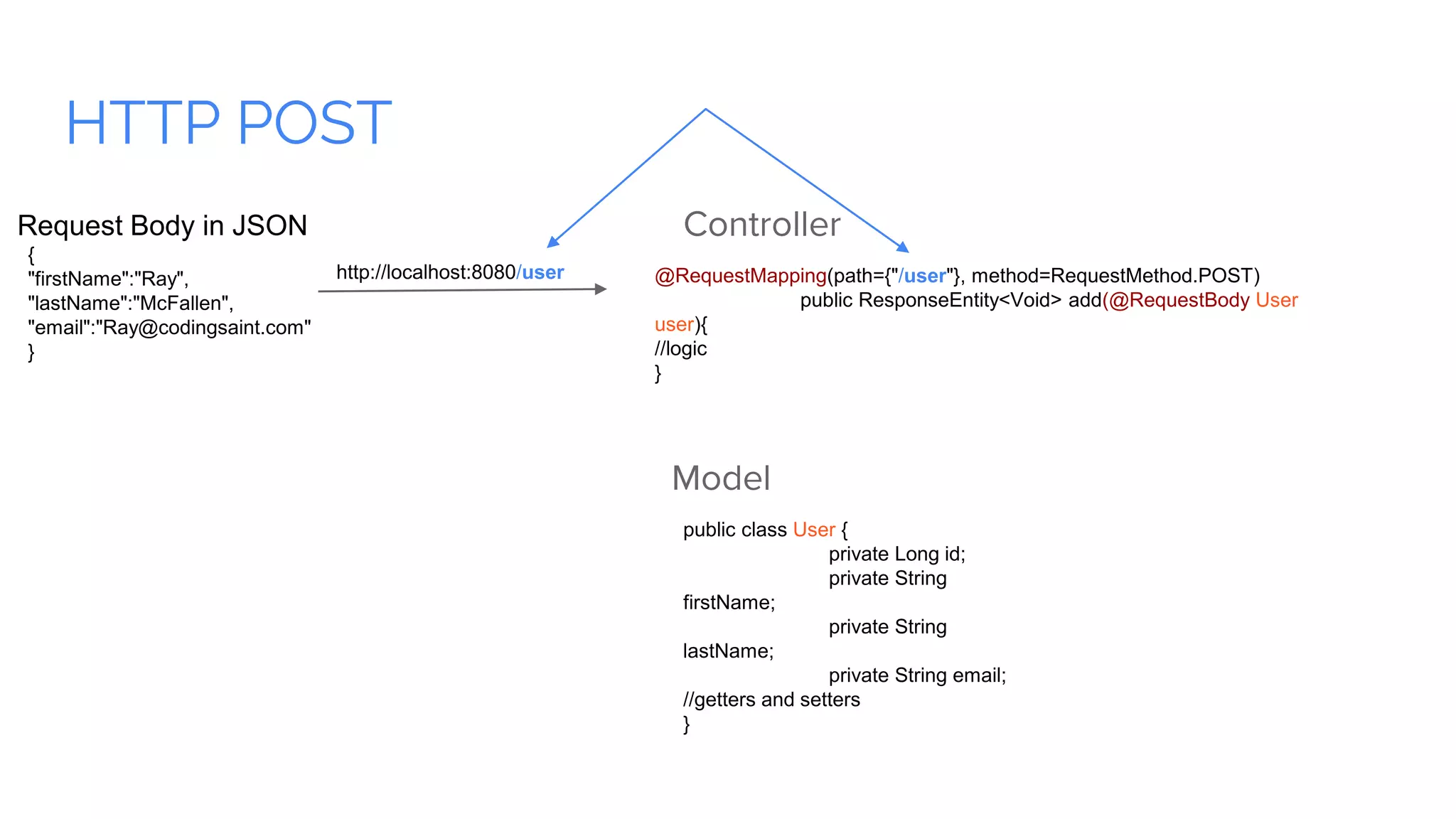
HTTP POST ● HTTP POST request : Used to create a resource on server. ● Most of the time it’s like creating INSERT(s) at database. ● POST should be used for non-idempotent request, which changes the state of server.
HTTP POST Model public class User { private Long id; private String firstName; private String lastName; private String email; //getters and setters } Controller @RequestMapping(path={"/user"}, method=RequestMethod.POST) public ResponseEntity<Void> add(@RequestBody User user){ //logic } http://localhost:8080/user { "firstName":"Ray", "lastName":"McFallen", "email":"Ray@codingsaint.com" } Request Body in JSON
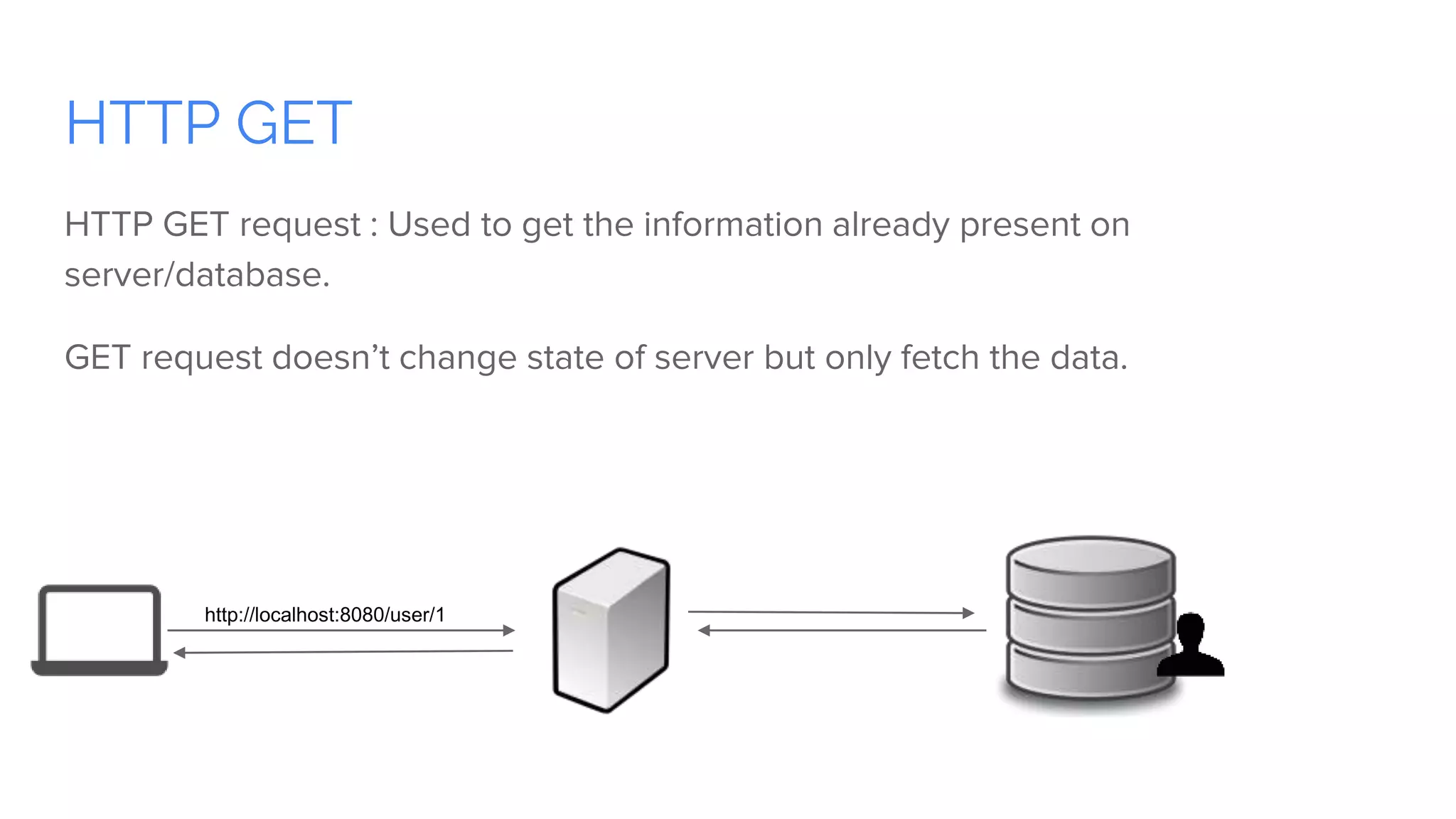
HTTP GET HTTP GET request : Used to get the information already present on server/database. GET request doesn’t change state of server but only fetch the data. http://localhost:8080/user/1
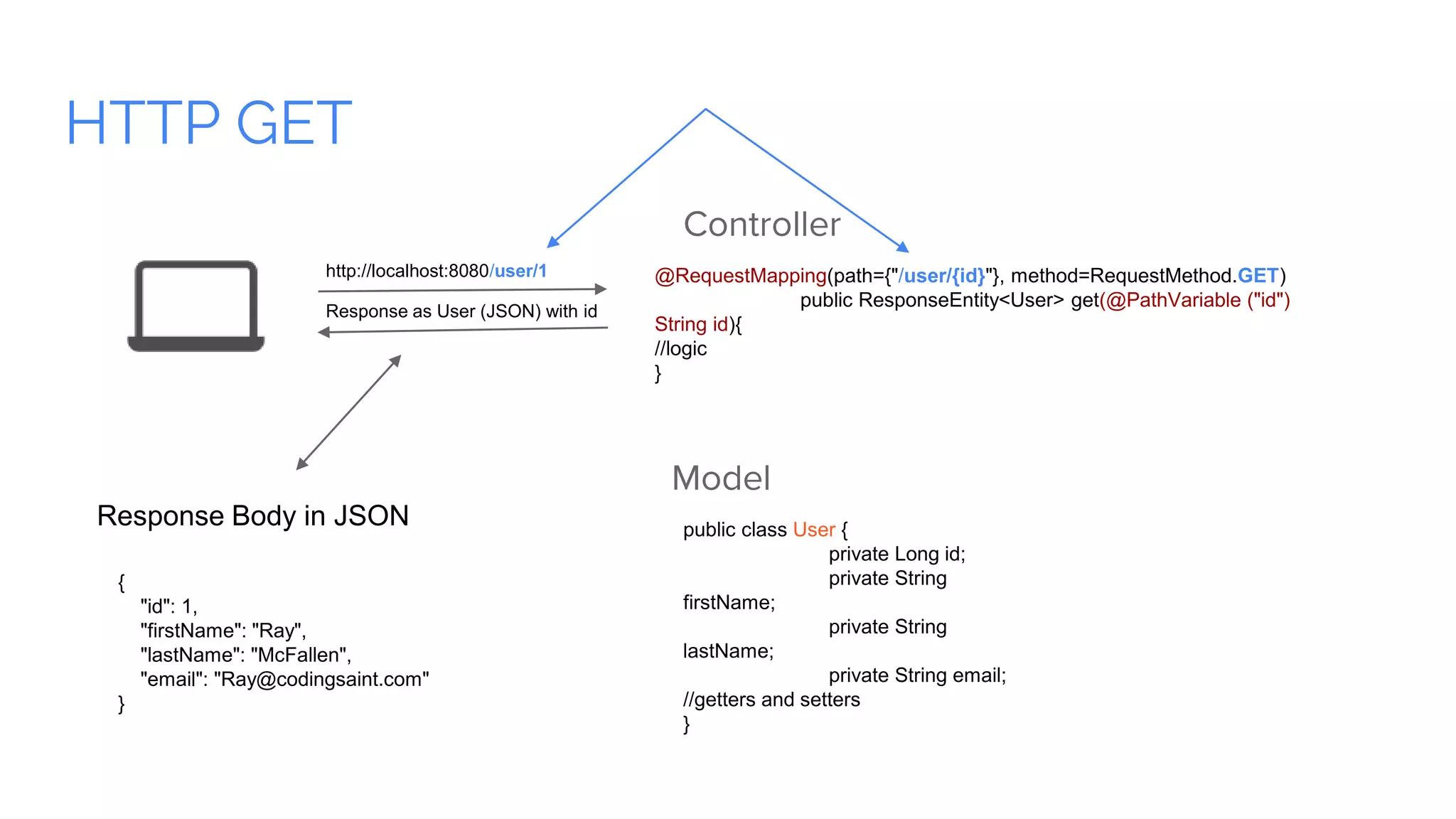
HTTP GET Model public class User { private Long id; private String firstName; private String lastName; private String email; //getters and setters } Controller @RequestMapping(path={"/user/{id}"}, method=RequestMethod.GET) public ResponseEntity<User> get(@PathVariable ("id") String id){ //logic } http://localhost:8080/user/1 { "id": 1, "firstName": "Ray", "lastName": "McFallen", "email": "Ray@codingsaint.com" } Response Body in JSON Response as User (JSON) with id
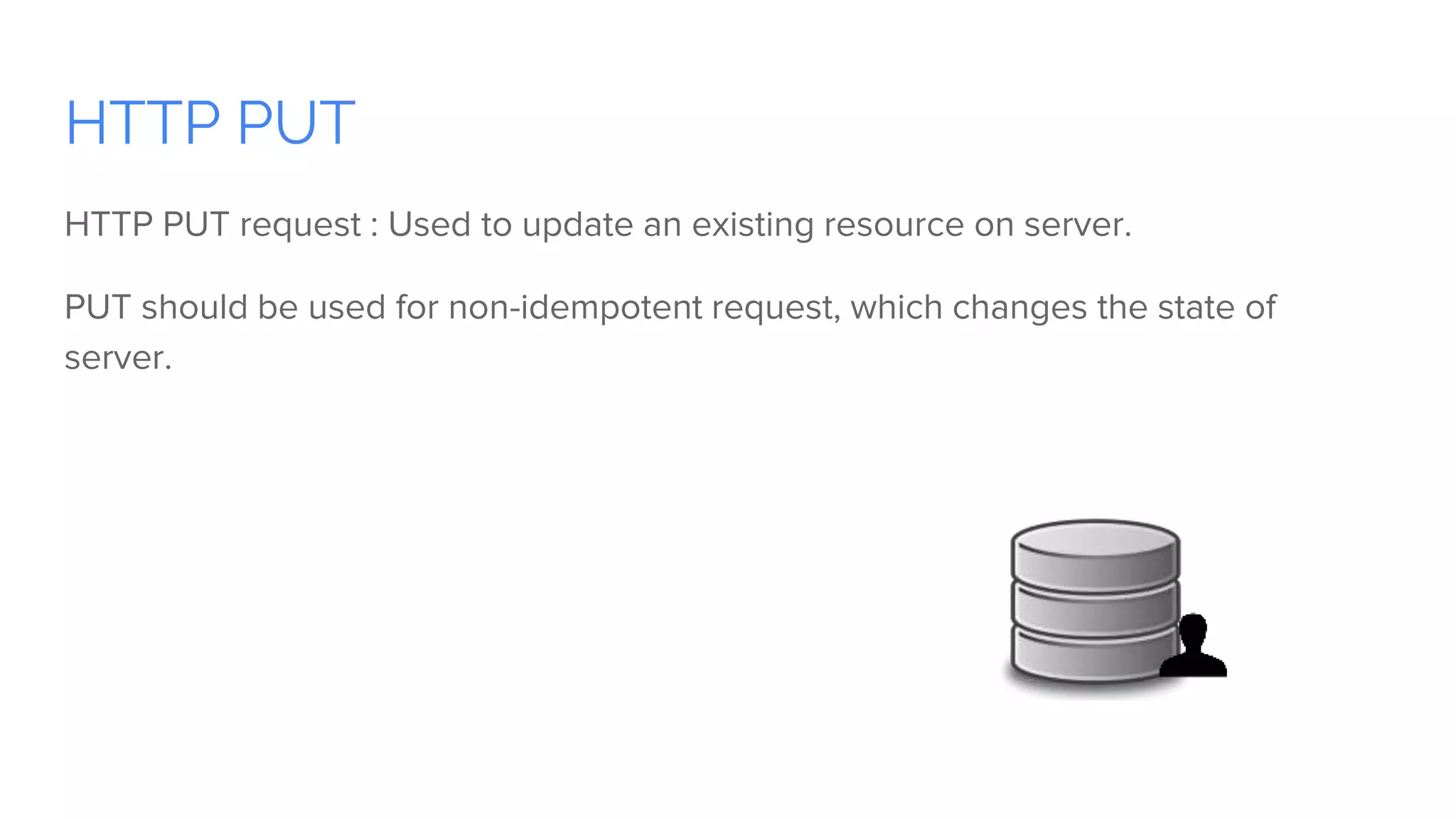
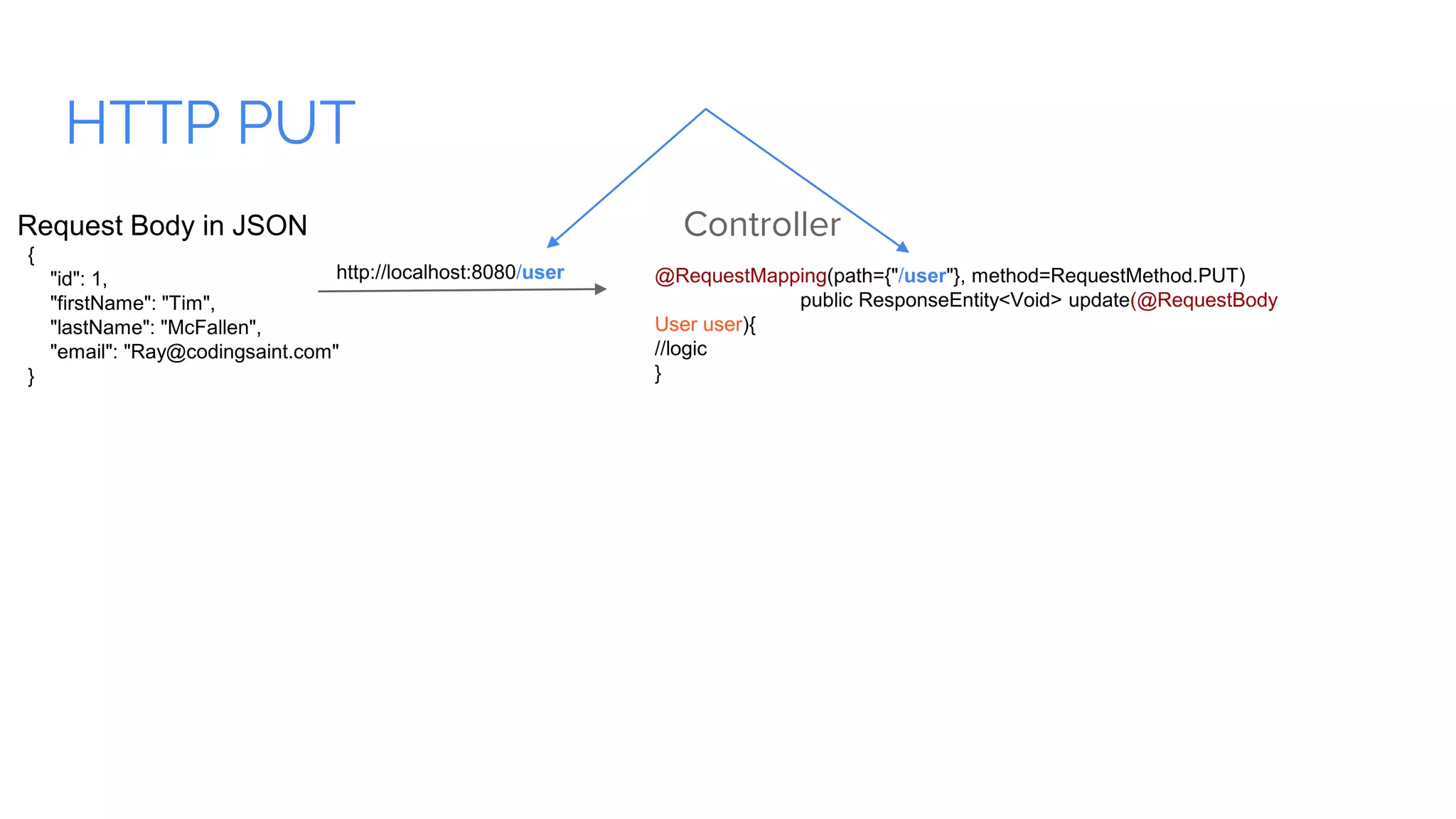
HTTP PUT HTTP PUT request : Used to update an existing resource on server. PUT should be used for non-idempotent request, which changes the state of server.
HTTP PUT Controller @RequestMapping(path={"/user"}, method=RequestMethod.PUT) public ResponseEntity<Void> update(@RequestBody User user){ //logic } http://localhost:8080/user { "id": 1, "firstName": "Tim", "lastName": "McFallen", "email": "Ray@codingsaint.com" } Request Body in JSON
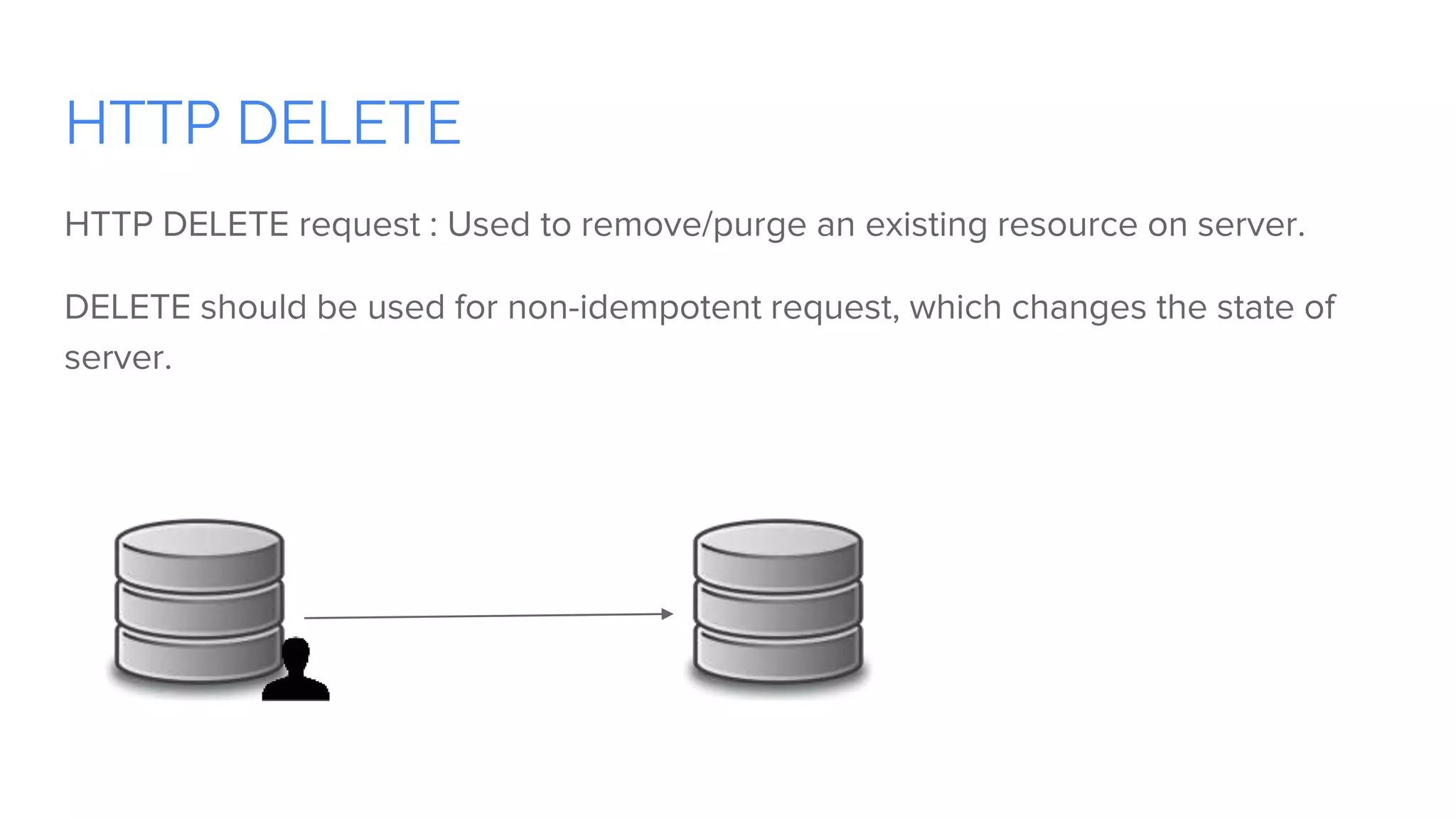
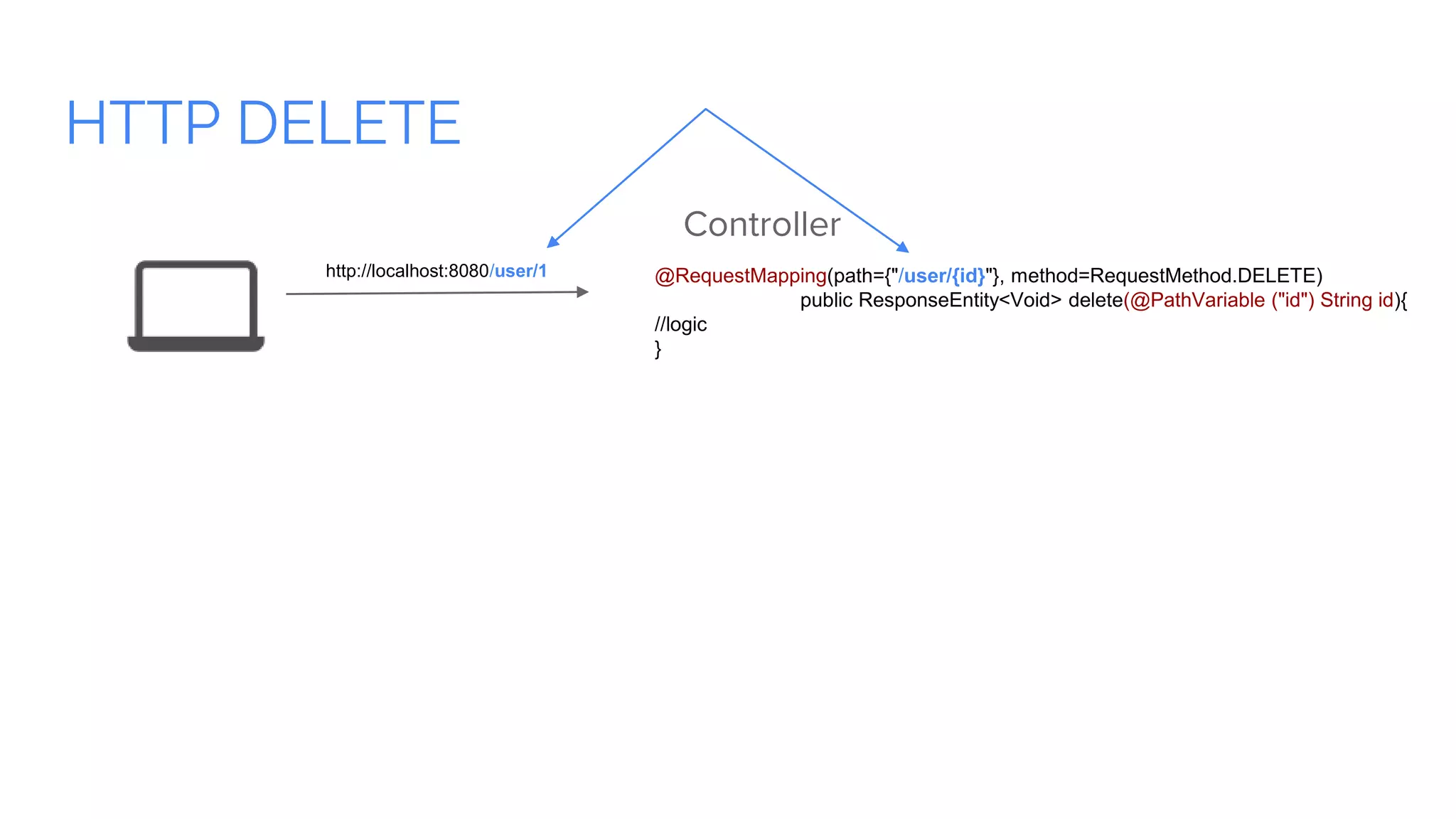
HTTP DELETE HTTP DELETE request : Used to remove/purge an existing resource on server. DELETE should be used for non-idempotent request, which changes the state of server.
HTTP DELETE Controller @RequestMapping(path={"/user/{id}"}, method=RequestMethod.DELETE) public ResponseEntity<Void> delete(@PathVariable ("id") String id){ //logic } http://localhost:8080/user/1
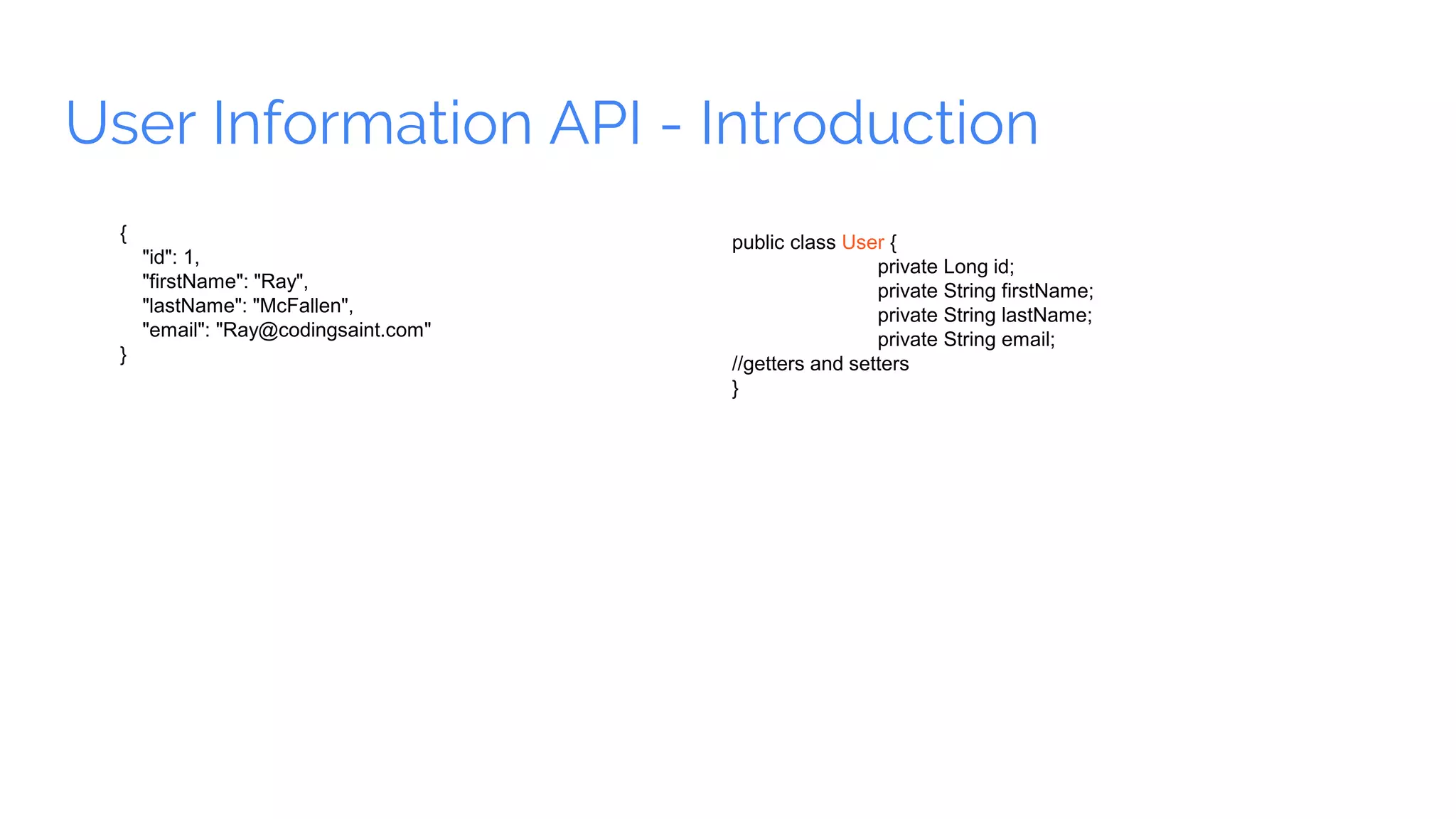
User Information API - Introduction { "id": 1, "firstName": "Ray", "lastName": "McFallen", "email": "Ray@codingsaint.com" } public class User { private Long id; private String firstName; private String lastName; private String email; //getters and setters }
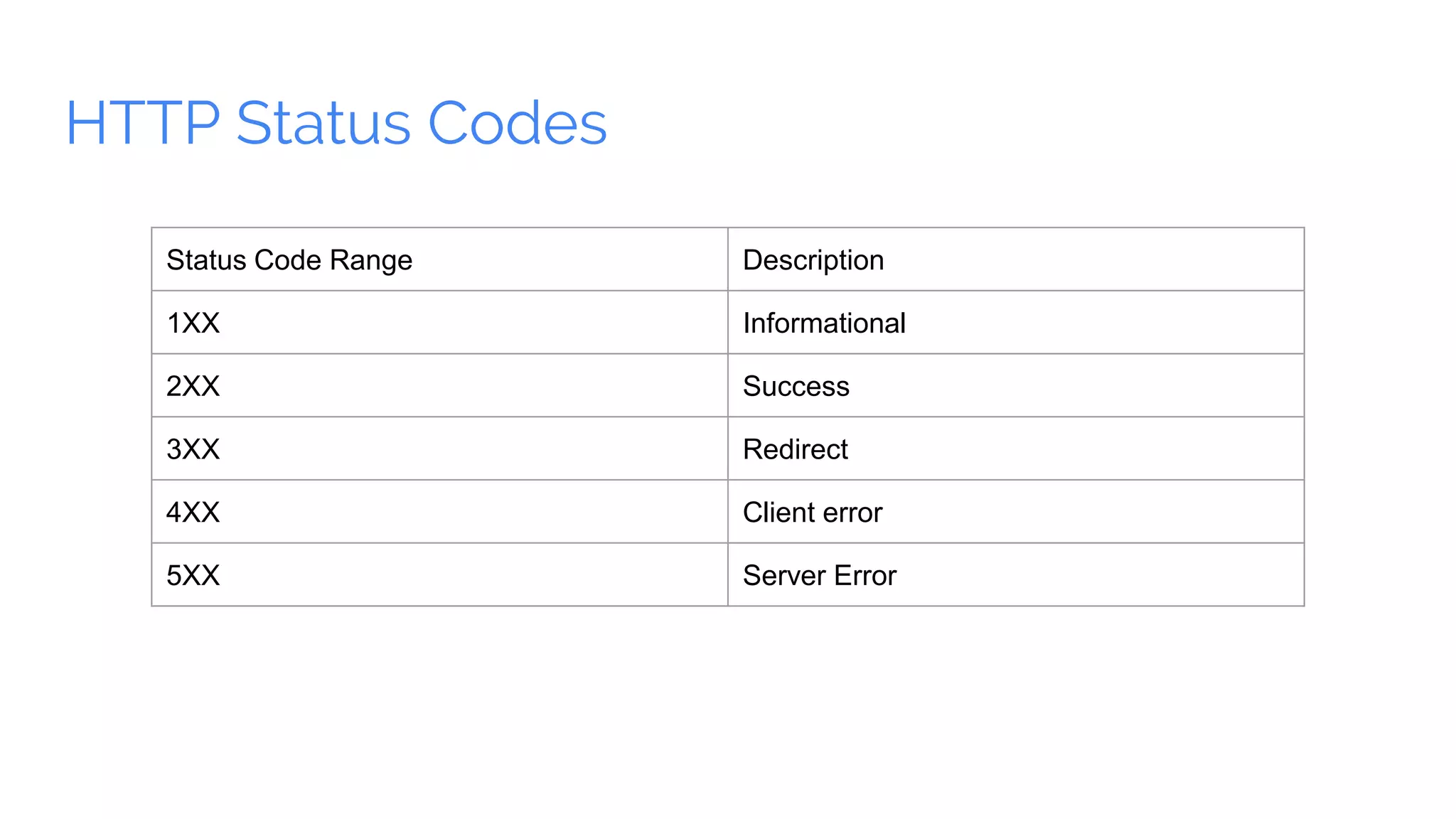
HTTP Status Codes Status Code Range Description 1XX Informational 2XX Success 3XX Redirect 4XX Client error 5XX Server Error
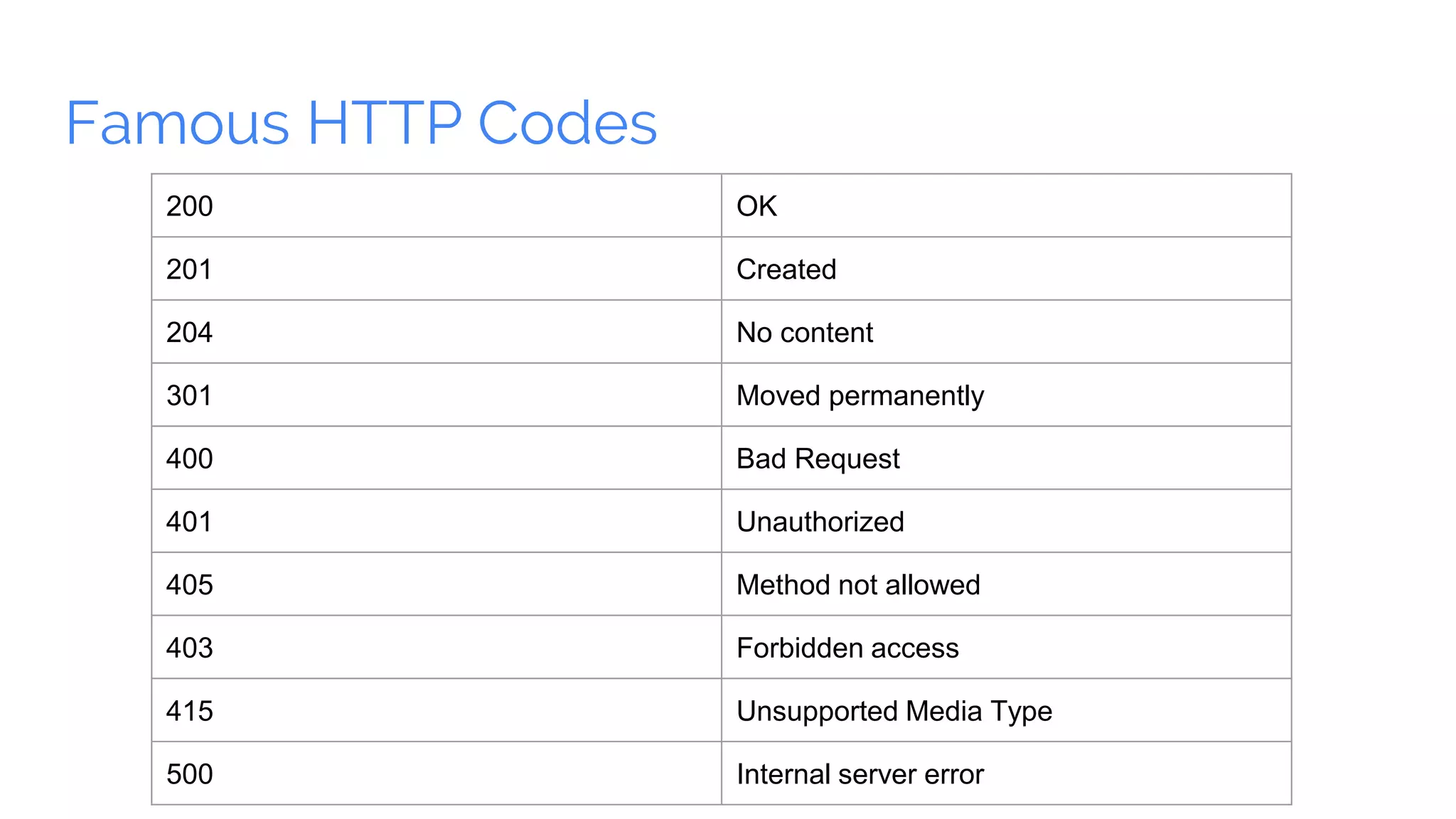
Famous HTTP Codes 200 OK 201 Created 204 No content 301 Moved permanently 400 Bad Request 401 Unauthorized 405 Method not allowed 403 Forbidden access 415 Unsupported Media Type 500 Internal server error
Learn Spring Boot REST API and Microservices: Spring Cloud Join us in learning Spring Boot REST API and Microservices ● More than 7000 students ● Learn Step by step Spring Boot , Microservices and Spring Cloud ● 90 % Discount and price not more than 2 cups of coffee and 1 month money back guarantee ● Follow the link and unveil the new learning ● Spring Boot REST API and Microservices: : Spring Cloud

Spring Boot and REST API

  • 1.
    {} Coding Saint. http://codingsaint.com | http://codingsaint.in
  • 2.
    Spring Boot -Introduction
  • 3.
    Overview Spring Boot ● Aneasy , robust ,faster way to create production ready spring application ● It is a very opinionated approach of Spring boot library and third party application with a motive of starting an application without much configuration.
  • 4.
    Primary Goals ofSpring Boot ● A faster way for developers to create spring application ● Out of the box opinions to provide defaults for spring and third party configurations. ● Providing range of non functional features like health checks, metrics, embedded servers, security etc ● No code generation and no requirement of XML configuration
  • 5.
    Requirements and Prerequisites Asan application Java Version 8 Maven 3.2 + or Gradle 4 Servlet Container as Tomcat 8.5 /Jetty 9.4 /Undertow 1.3 While proceeding further we do expect that you have Java version 8, Maven 3.2 or Gradle As a developer Knowledge of Java Good to have prior knowledge of Spring Framework
  • 6.
    Bootstrapping the firstSpring Boot Project
  • 7.
    Spring Initializr SpringInitializr ● https://start.spring.io
  • 8.
    First Hello World!!! Handling a URL Url : http://localhost:8080/greetings http://localhost:8080/greetings Hello ,World
  • 9.
    First Hello World!!! Handling a URL Url : http://localhost:8080/greetings http://localhost:8080/greetings @RestController public class UserController { @RequestMapping(path="greetings", method=RequestMethod.GET) protected String greetings() { return "Hello, World"; } } Hello ,World
  • 10.
  • 11.
    @RestController 1. Denotes thatthe class contains request mappings. 2. Automatically serialize and deserialize java object response to Json /XML or any format whatever is intended.
  • 12.
    RequestMapping in Detail @RequestMapping(path="greetings",method=RequestMethod.GET) @RequestMapping("greetings") @GetMapping("greetings")
  • 13.
  • 14.
    Connecting to database CreatingdataSource Just tell Spring boot app about which database to connect. # H2 spring.h2.console.enabled=true spring.h2.console.path=/h2 # Datasource spring.datasource.url=jdbc:h2:file:~/user spring.datasource.username=sa spring.datasource.password= spring.datasource.driver-class-name=org.h2.Driver application.properties
  • 15.
    HTTP POST ● HTTPPOST request : Used to create a resource on server. ● Most of the time it’s like creating INSERT(s) at database. ● POST should be used for non-idempotent request, which changes the state of server.
  • 16.
    HTTP POST ● HTTPPOST request : Used to create a resource on server. ● Most of the time it’s like creating INSERT(s) at database. ● POST should be used for non-idempotent request, which changes the state of server.
  • 17.
    HTTP POST Model public classUser { private Long id; private String firstName; private String lastName; private String email; //getters and setters } Controller @RequestMapping(path={"/user"}, method=RequestMethod.POST) public ResponseEntity<Void> add(@RequestBody User user){ //logic } http://localhost:8080/user { "firstName":"Ray", "lastName":"McFallen", "email":"Ray@codingsaint.com" } Request Body in JSON
  • 18.
    HTTP GET HTTP GETrequest : Used to get the information already present on server/database. GET request doesn’t change state of server but only fetch the data. http://localhost:8080/user/1
  • 19.
    HTTP GET Model public classUser { private Long id; private String firstName; private String lastName; private String email; //getters and setters } Controller @RequestMapping(path={"/user/{id}"}, method=RequestMethod.GET) public ResponseEntity<User> get(@PathVariable ("id") String id){ //logic } http://localhost:8080/user/1 { "id": 1, "firstName": "Ray", "lastName": "McFallen", "email": "Ray@codingsaint.com" } Response Body in JSON Response as User (JSON) with id
  • 20.
    HTTP PUT HTTP PUTrequest : Used to update an existing resource on server. PUT should be used for non-idempotent request, which changes the state of server.
  • 21.
    HTTP PUT Controller @RequestMapping(path={"/user"}, method=RequestMethod.PUT) publicResponseEntity<Void> update(@RequestBody User user){ //logic } http://localhost:8080/user { "id": 1, "firstName": "Tim", "lastName": "McFallen", "email": "Ray@codingsaint.com" } Request Body in JSON
  • 22.
    HTTP DELETE HTTP DELETErequest : Used to remove/purge an existing resource on server. DELETE should be used for non-idempotent request, which changes the state of server.
  • 23.
    HTTP DELETE Controller @RequestMapping(path={"/user/{id}"}, method=RequestMethod.DELETE) publicResponseEntity<Void> delete(@PathVariable ("id") String id){ //logic } http://localhost:8080/user/1
  • 24.
    User Information API- Introduction { "id": 1, "firstName": "Ray", "lastName": "McFallen", "email": "Ray@codingsaint.com" } public class User { private Long id; private String firstName; private String lastName; private String email; //getters and setters }
  • 25.
    HTTP Status Codes StatusCode Range Description 1XX Informational 2XX Success 3XX Redirect 4XX Client error 5XX Server Error
  • 26.
    Famous HTTP Codes 200OK 201 Created 204 No content 301 Moved permanently 400 Bad Request 401 Unauthorized 405 Method not allowed 403 Forbidden access 415 Unsupported Media Type 500 Internal server error
  • 27.
    Learn Spring BootREST API and Microservices: Spring Cloud Join us in learning Spring Boot REST API and Microservices ● More than 7000 students ● Learn Step by step Spring Boot , Microservices and Spring Cloud ● 90 % Discount and price not more than 2 cups of coffee and 1 month money back guarantee ● Follow the link and unveil the new learning ● Spring Boot REST API and Microservices: : Spring Cloud