02 AngularJS Framework Analysis Public Code Repository by Sergey N. Bolshchikov http://bolshchikov.net sergey.bolshchikov@new-proimage.com New ProImage, 2012
Outline I. Introduction II. Philosophy
Outline I. Introduction II. Philosophy ay od et tlin in ou ive No t d J us
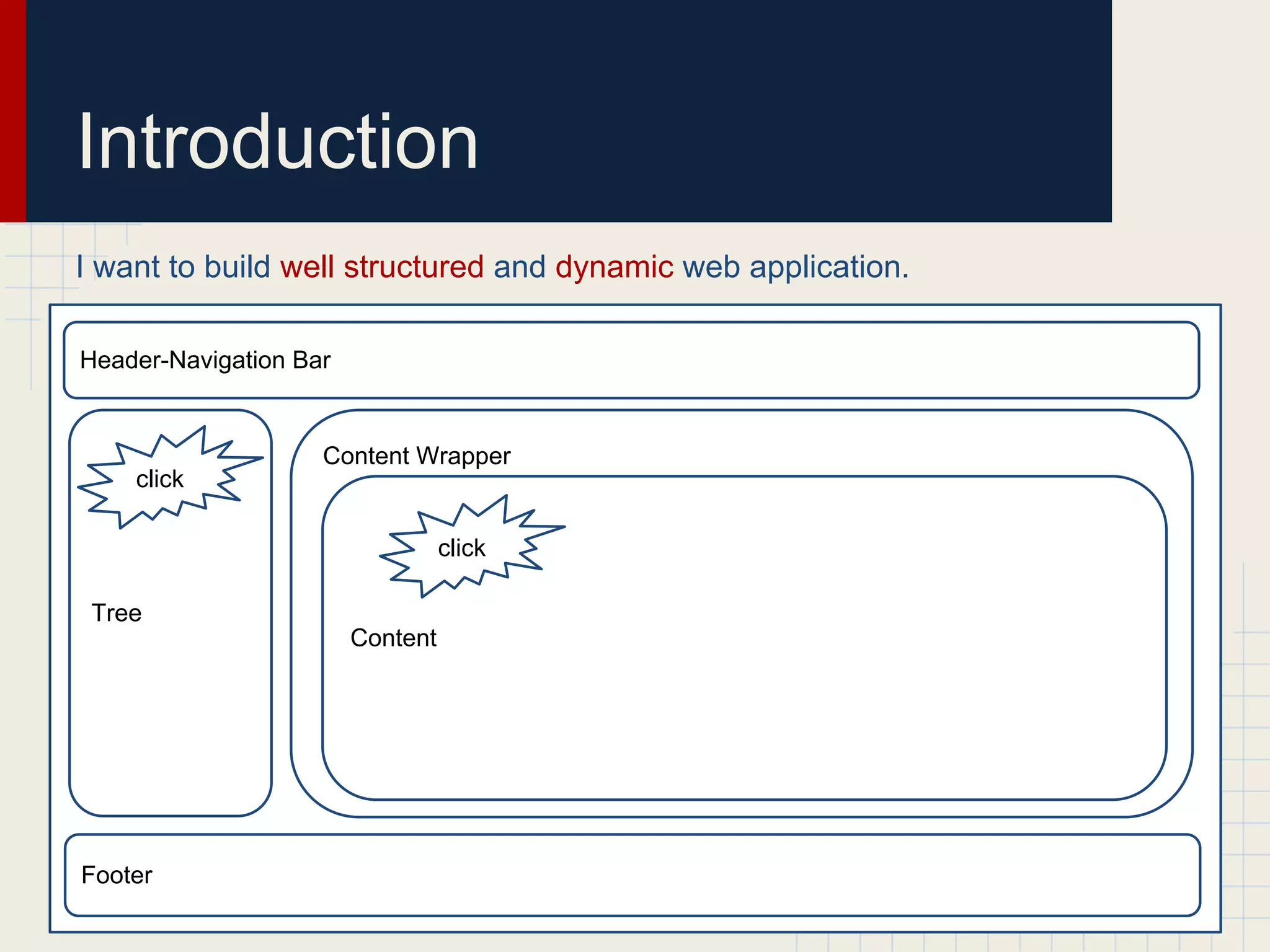
Introduction I want to build well structured and dynamic web application. Header-Navigation Bar Content Wrapper click click Tree Content Footer
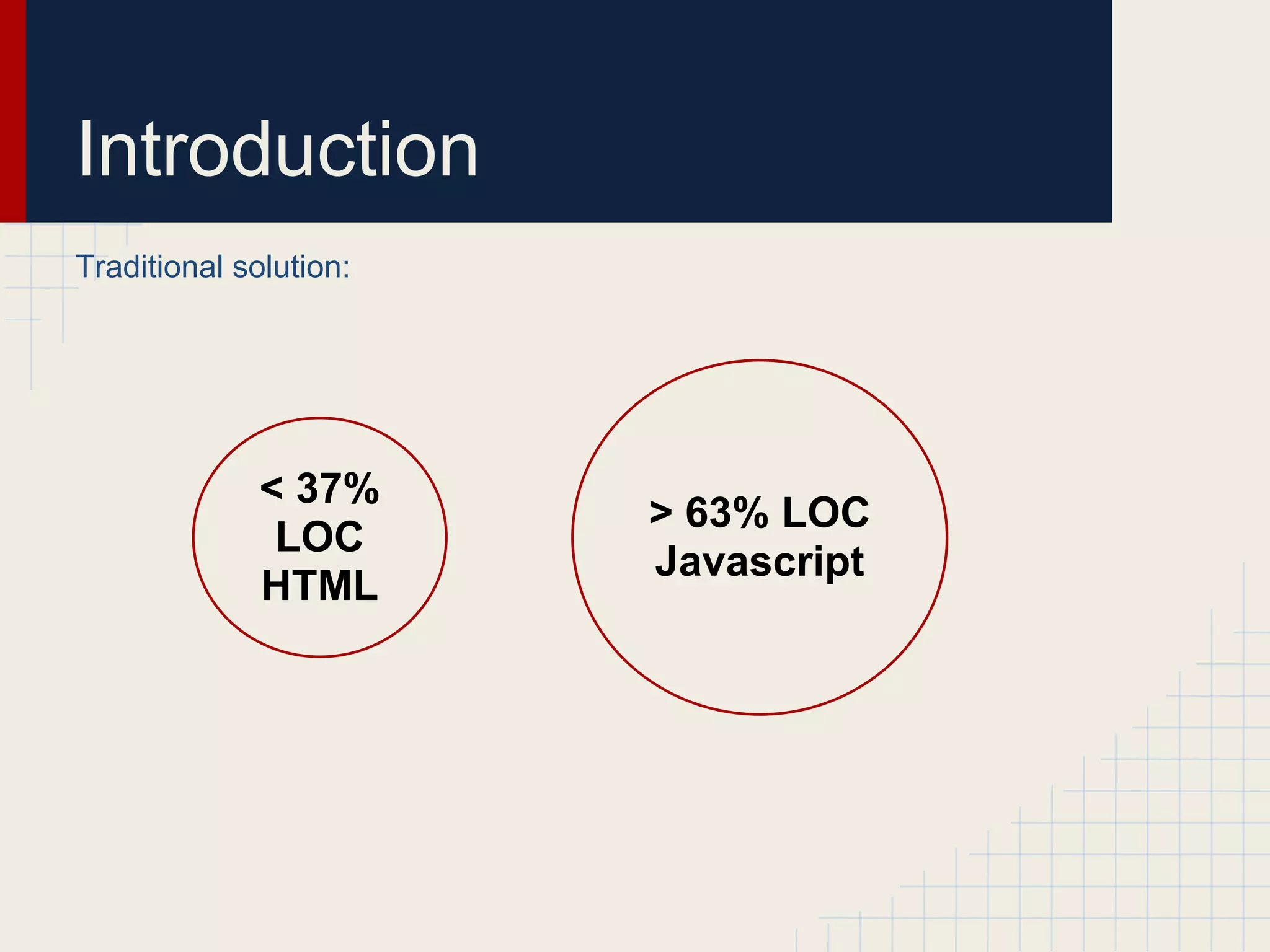
Introduction Traditional solution: < 37% > 63% LOC LOC Javascript HTML
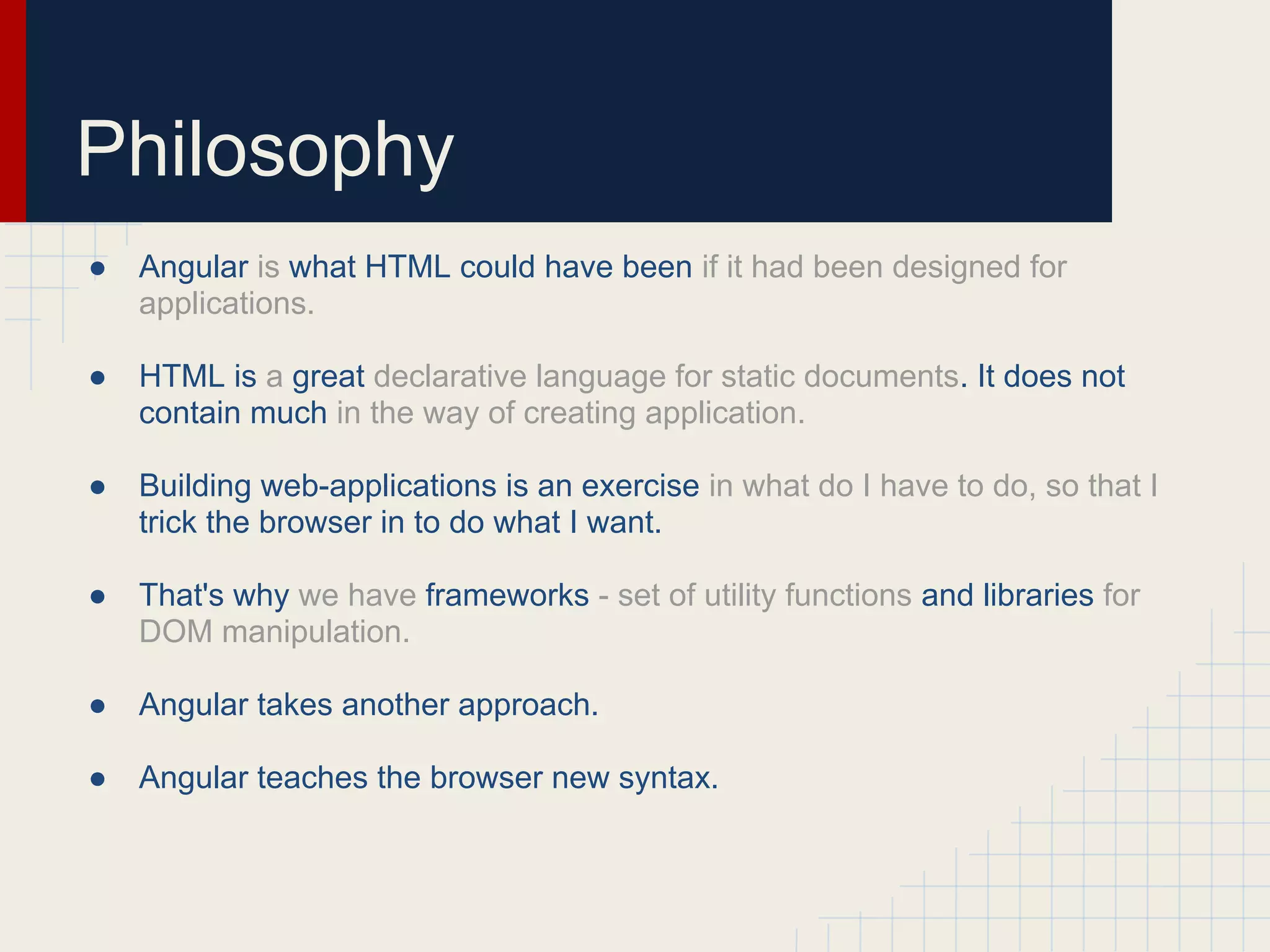
Philosophy ● Angular is what HTML could have been if it had been designed for applications. ● HTML is a great declarative language for static documents. It does not contain much in the way of creating application. ● Building web-applications is an exercise in what do I have to do, so that I trick the browser in to do what I want. ● That's why we have frameworks - set of utility functions and libraries for DOM manipulation. ● Angular takes another approach. ● Angular teaches the browser new syntax.
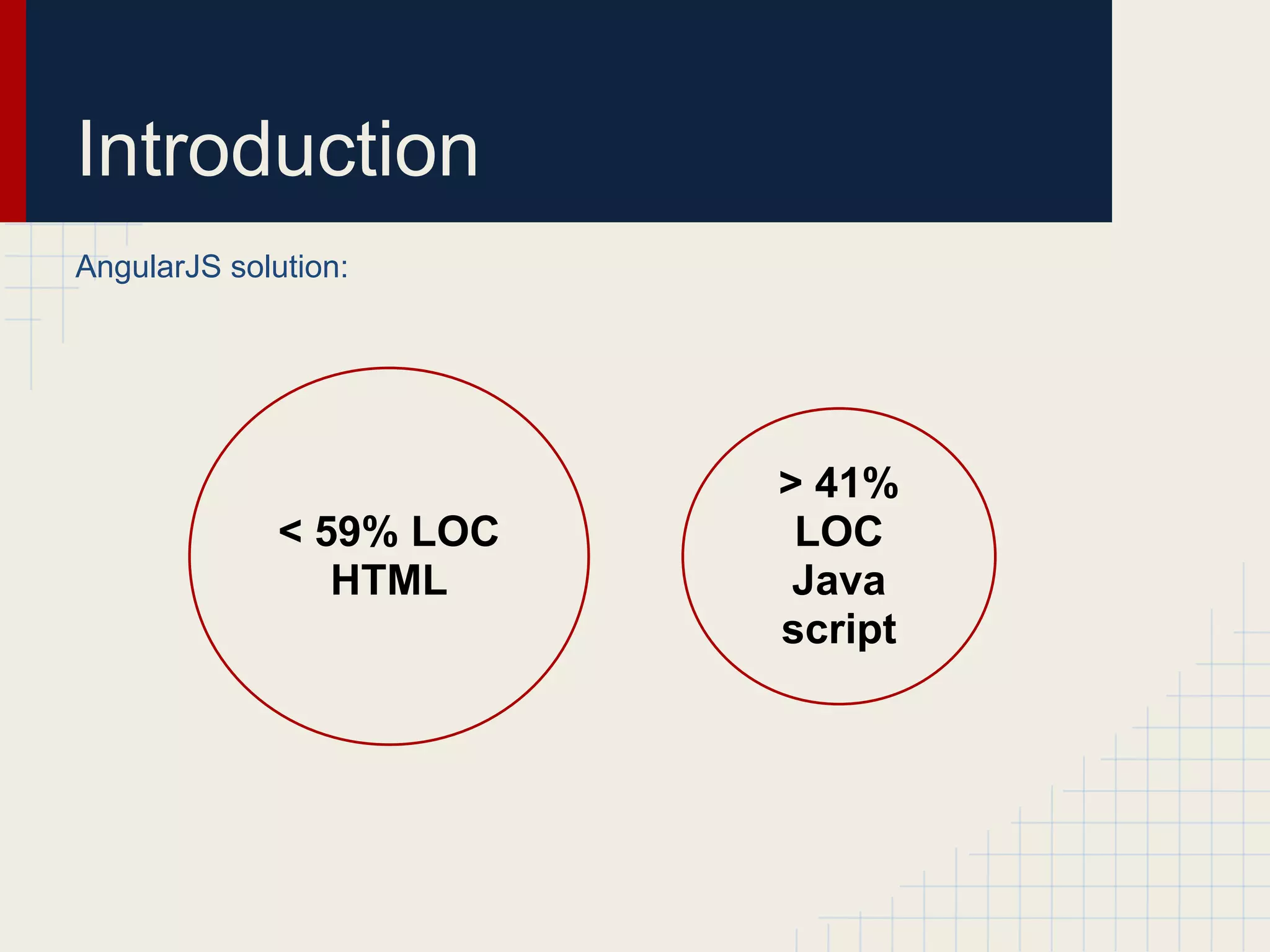
Introduction AngularJS solution: > 41% < 59% LOC LOC HTML Java script
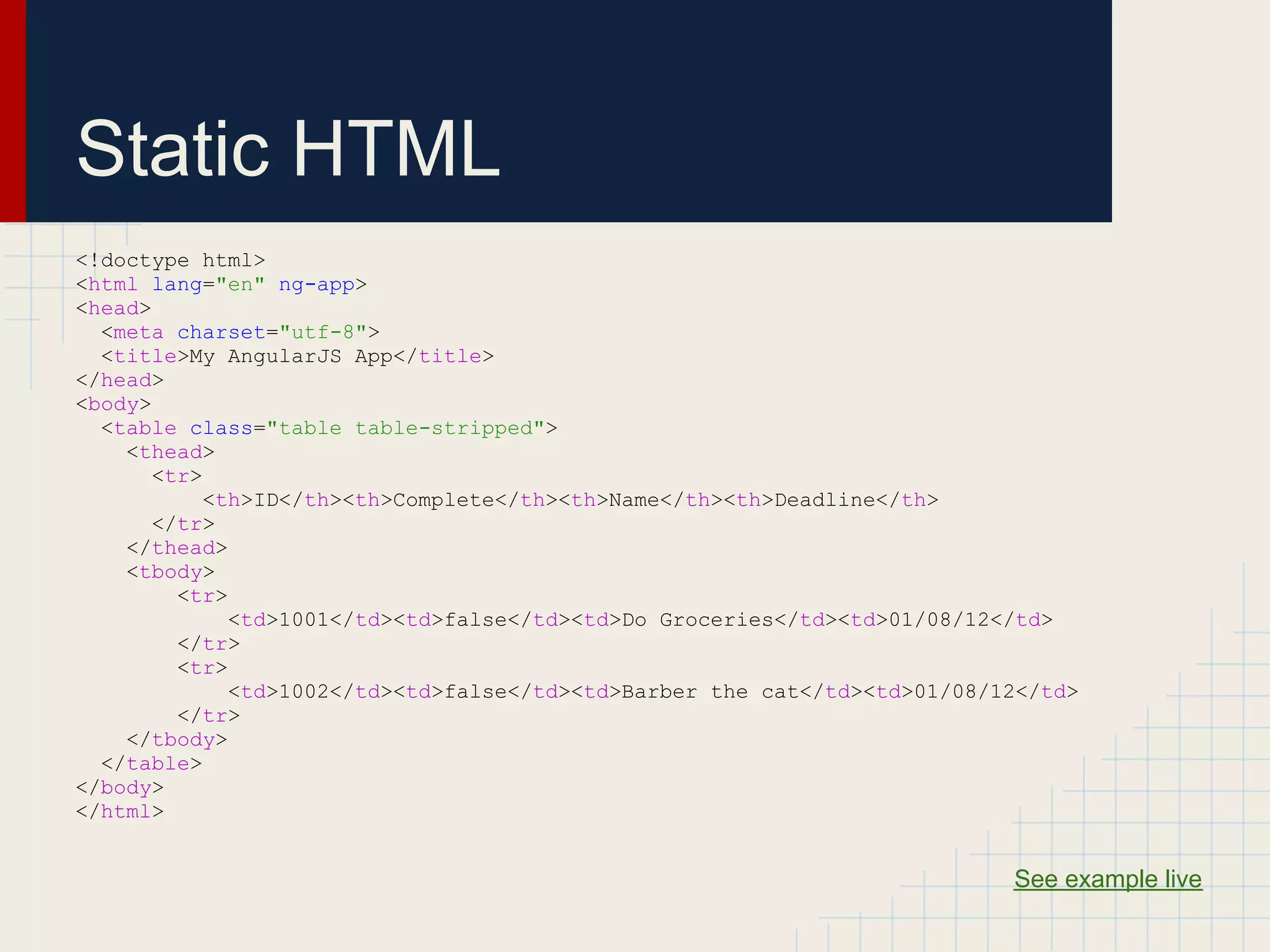
Static HTML <!doctype html> <html lang="en" ng-app> <head> <meta charset="utf-8"> <title>My AngularJS App</title> </head> <body> <table class="table table-stripped"> <thead> <tr> <th>ID</th><th>Complete</th><th>Name</th><th>Deadline</th> </tr> </thead> <tbody> <tr> <td>1001</td><td>false</td><td>Do Groceries</td><td>01/08/12</td> </tr> <tr> <td>1002</td><td>false</td><td>Barber the cat</td><td>01/08/12</td> </tr> </tbody> </table> </body> </html> ​ See example live
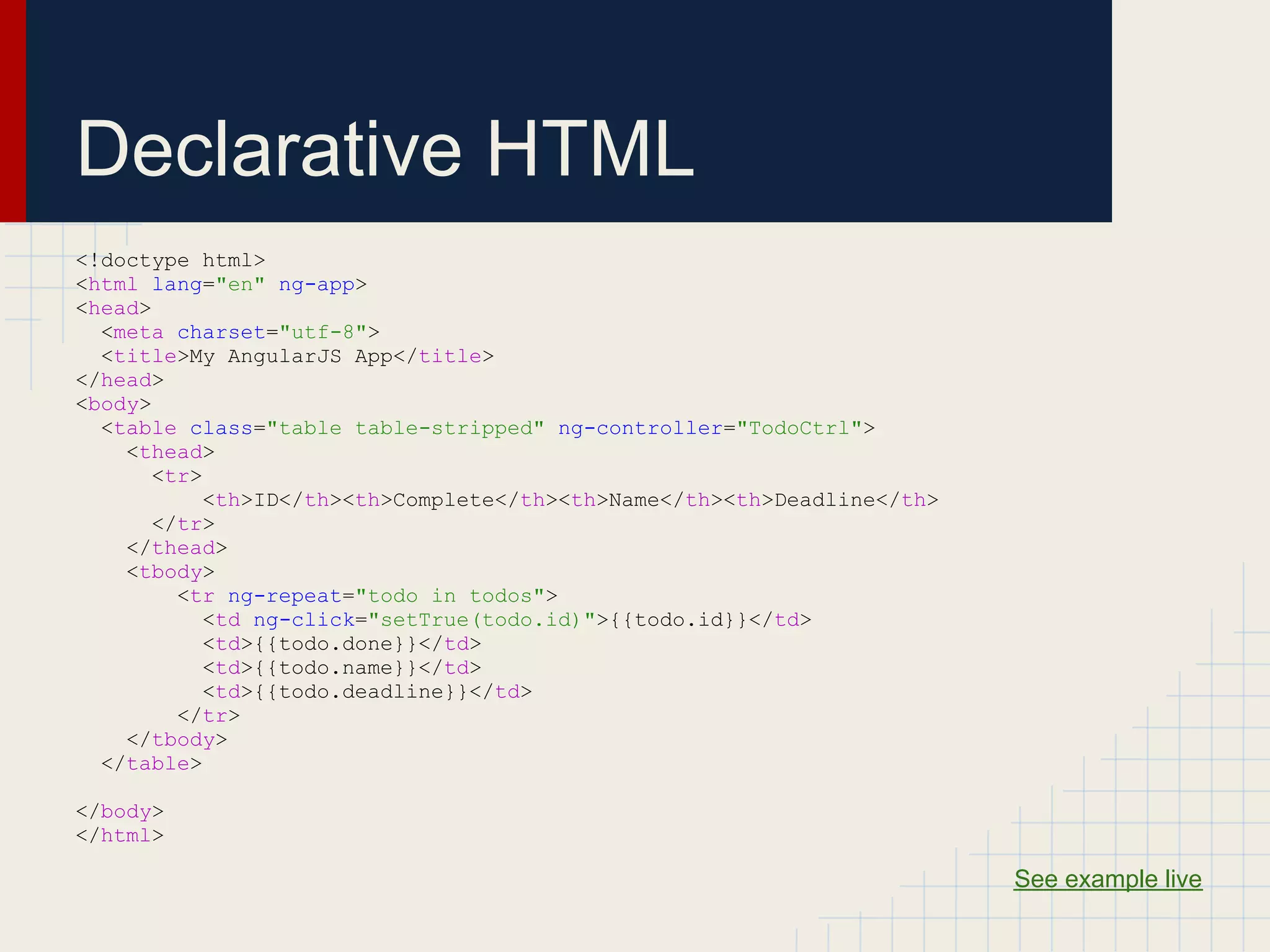
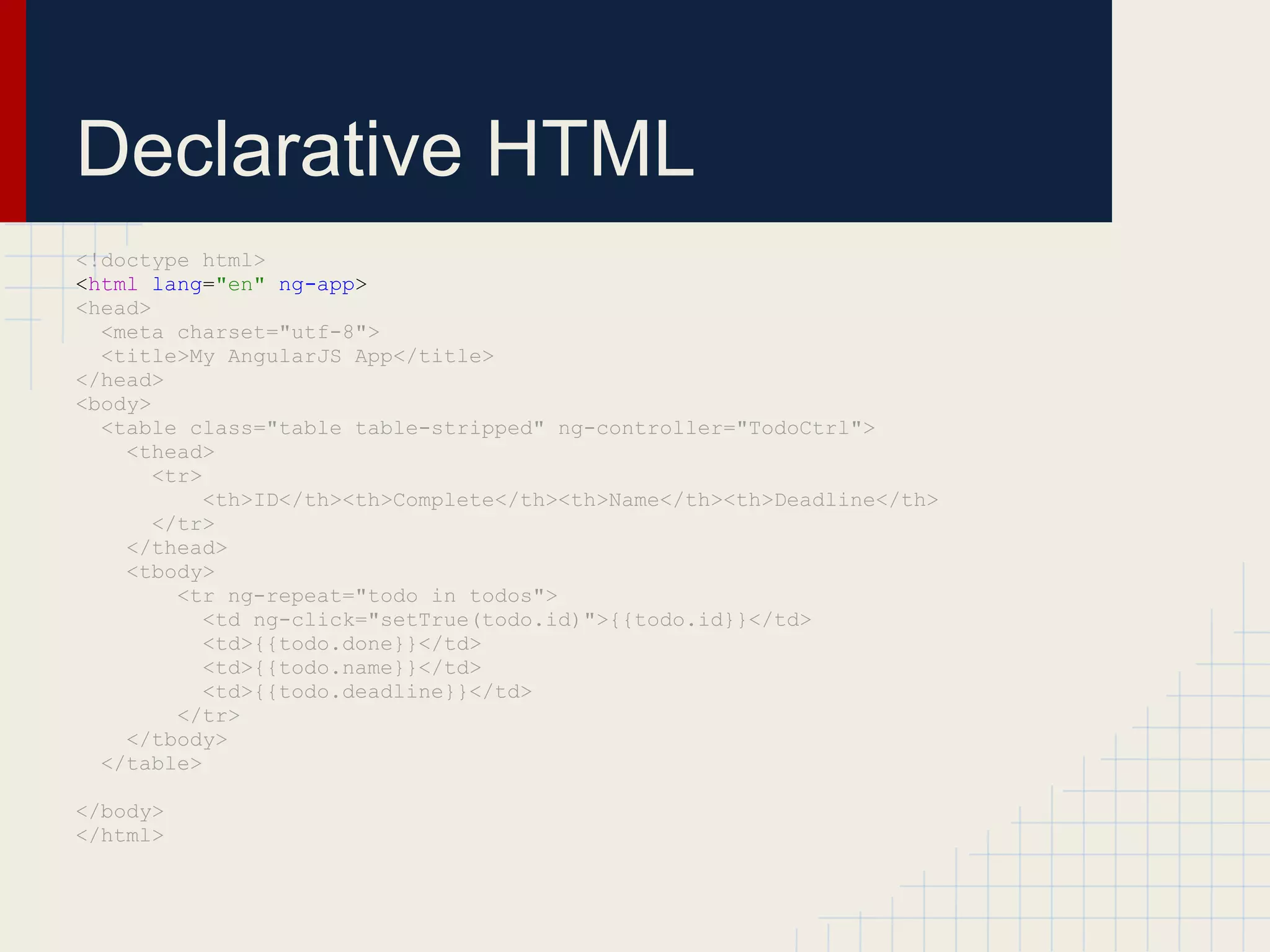
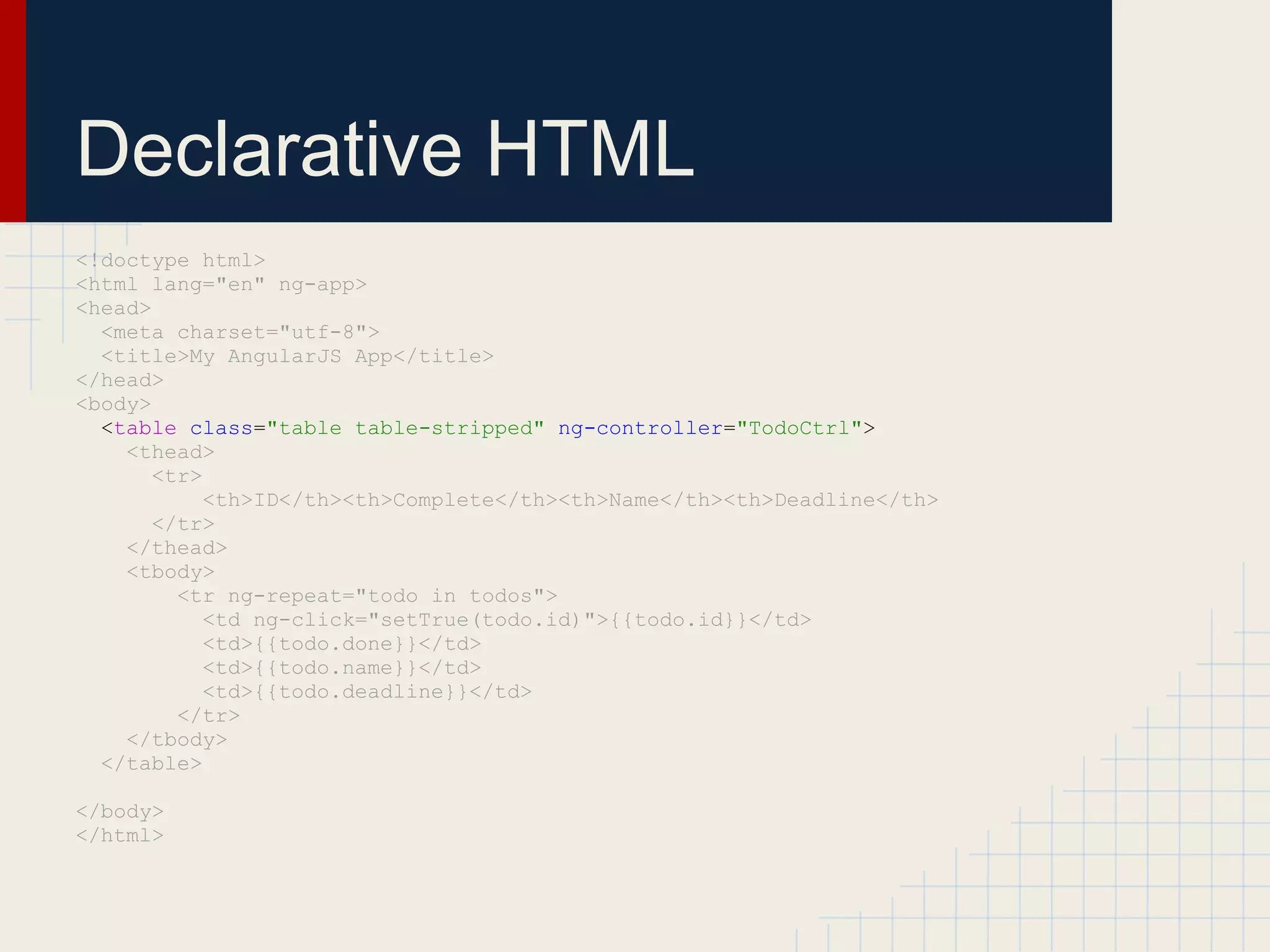
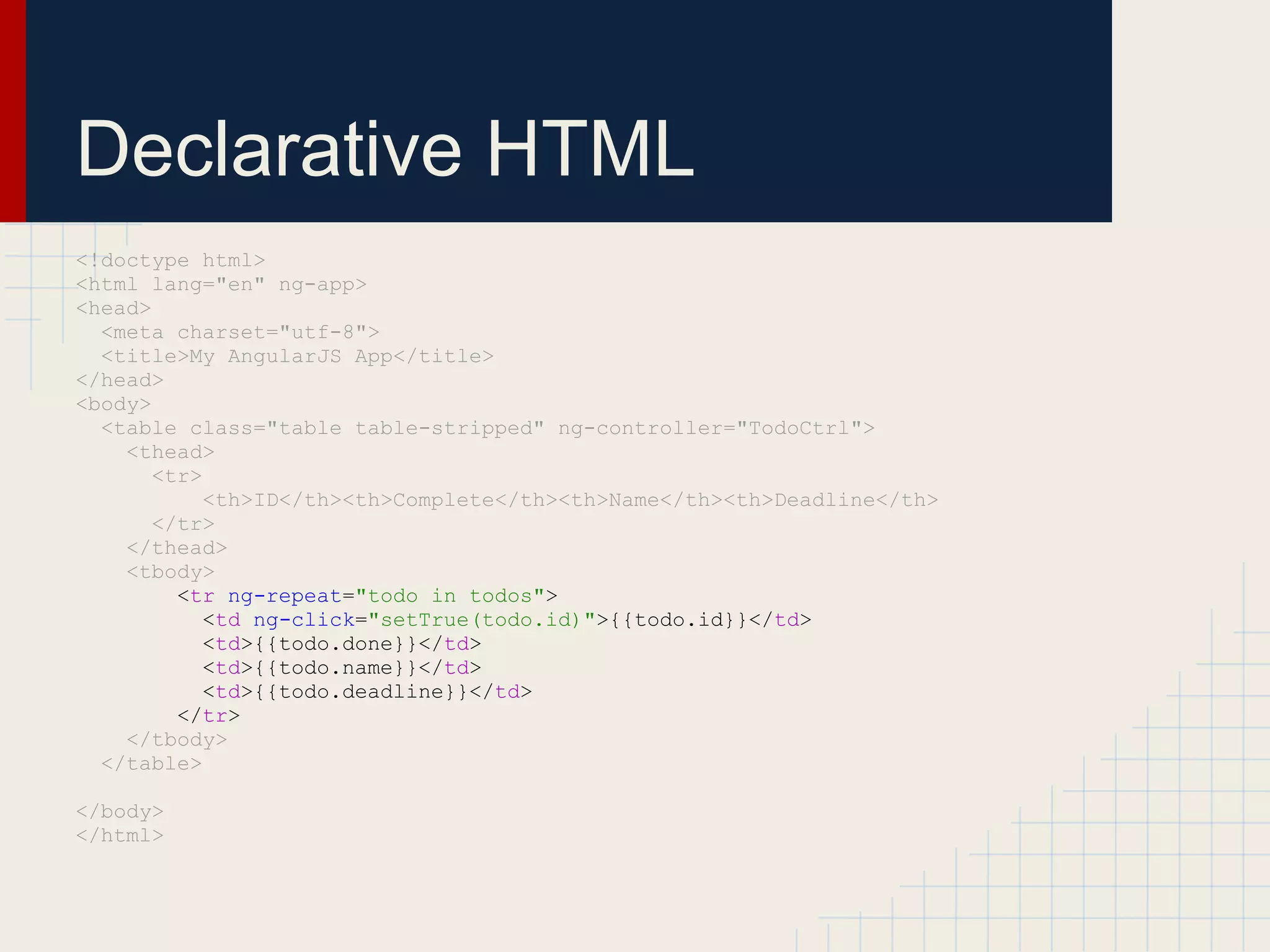
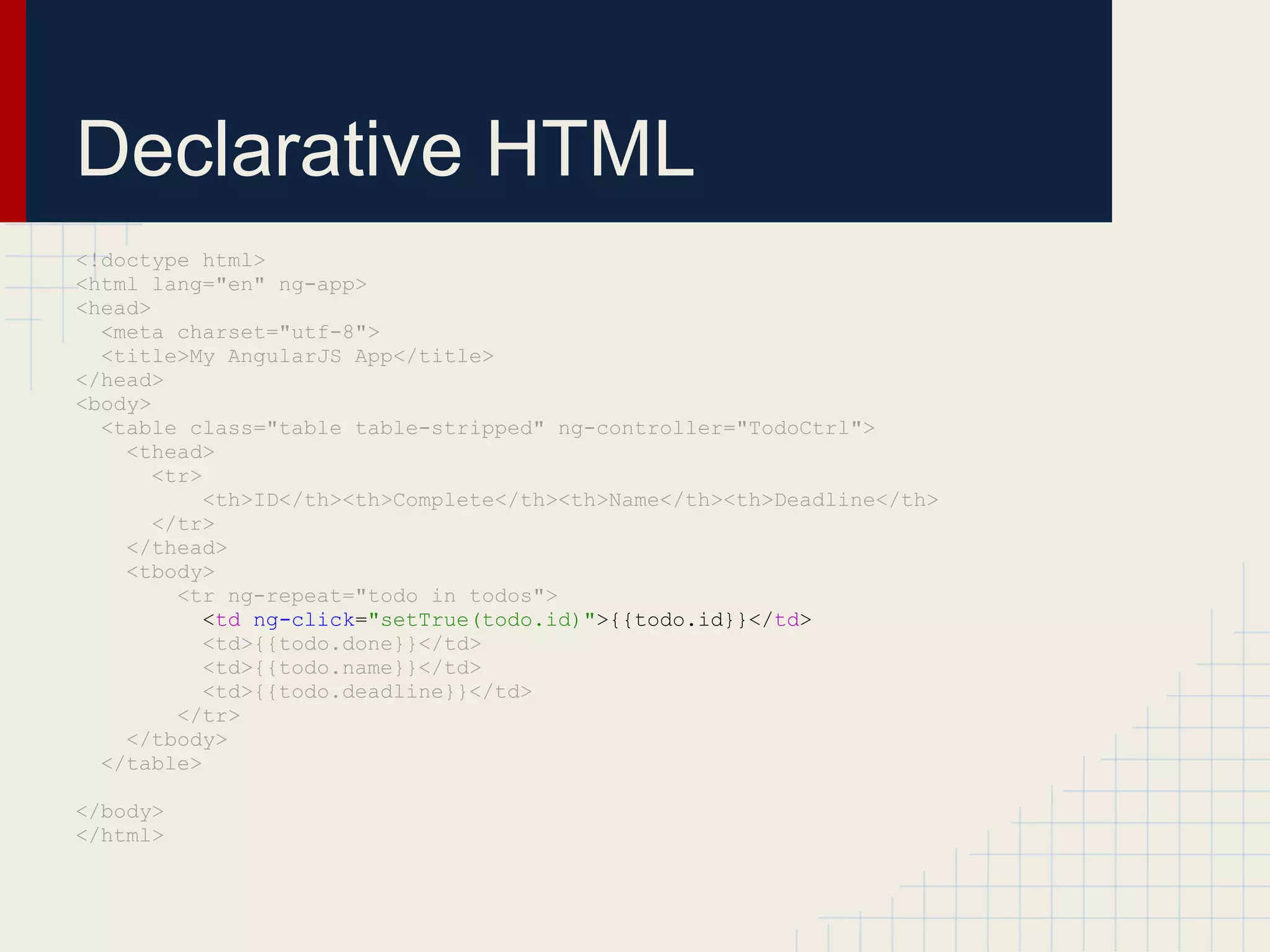
Declarative HTML <!doctype html> <html lang="en" ng-app> <head> <meta charset="utf-8"> <title>My AngularJS App</title> </head> <body> <table class="table table-stripped" ng-controller="TodoCtrl"> <thead> <tr> <th>ID</th><th>Complete</th><th>Name</th><th>Deadline</th> </tr> </thead> <tbody> <tr ng-repeat="todo in todos"> <td ng-click="setTrue(todo.id)">{{todo.id}}</td> <td>{{todo.done}}</td> <td>{{todo.name}}</td> <td>{{todo.deadline}}</td> </tr> </tbody> </table> </body> </html> ​ ​ See example live
Declarative HTML <!doctype html> <html lang="en" ng-app> <head> <meta charset="utf-8"> <title>My AngularJS App</title> </head> <body> <table class="table table-stripped" ng-controller="TodoCtrl"> <thead> <tr> <th>ID</th><th>Complete</th><th>Name</th><th>Deadline</th> </tr> </thead> <tbody> <tr ng-repeat="todo in todos"> <td ng-click="setTrue(todo.id)">{{todo.id}}</td> <td>{{todo.done}}</td> <td>{{todo.name}}</td> <td>{{todo.deadline}}</td> </tr> </tbody> </table> </body> </html> ​ ​
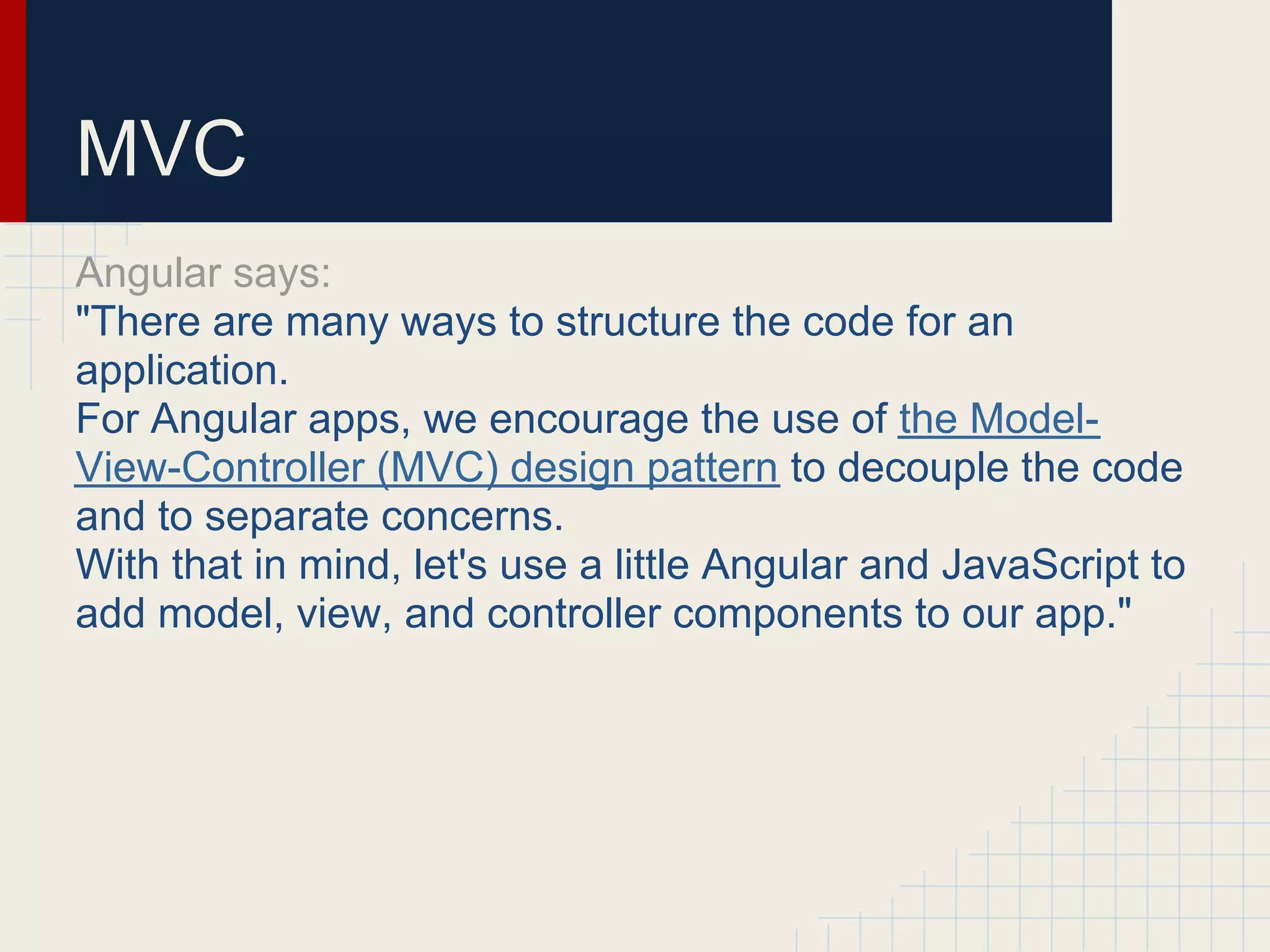
MVC Angular says: "There are many ways to structure the code for an application. For Angular apps, we encourage the use of the Model- View-Controller (MVC) design pattern to decouple the code and to separate concerns. With that in mind, let's use a little Angular and JavaScript to add model, view, and controller components to our app."
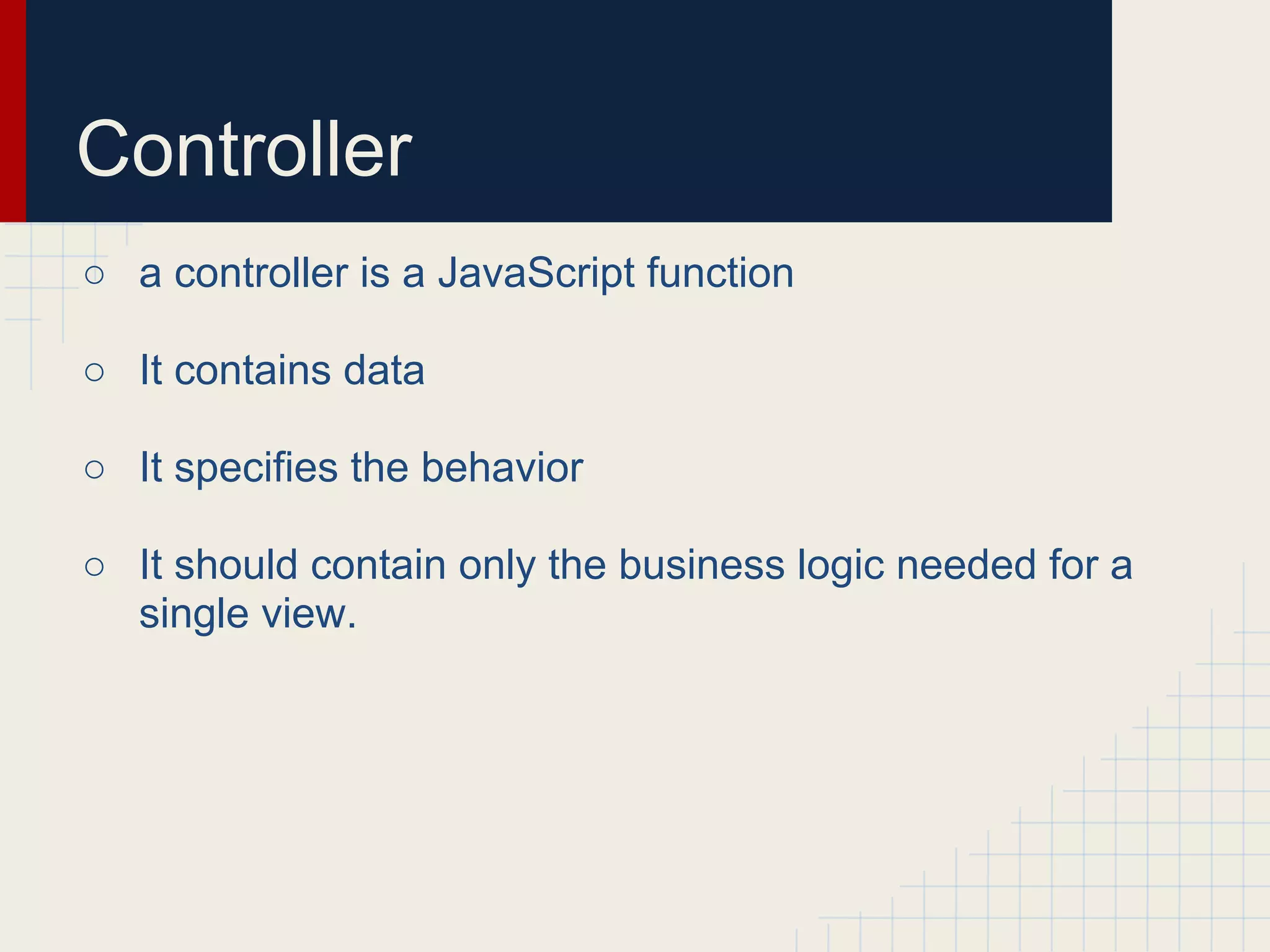
Controller ○ a controller is a JavaScript function ○ It contains data ○ It specifies the behavior ○ It should contain only the business logic needed for a single view.
Controller <table class="table table-stripped" ng-controller="TodoCtrl"> function TodoCtrl(scope) { scope.todos = [ { 'id': 1001, 'done': false, 'name': 'Do Groceries', 'deadline': new Date() }, { 'id': 1002, 'done': false, 'name': 'Barber the cat', 'deadline': new Date() }]; scope.setTrue = function(id) { var el = (function(id){ for (var i=0; i<scope.todos.length; i++) { if (scope.todos[i].id === id) { return scope.todos[i] } } })(id); el.done = true; } } TodoCtrl.$inject = ['$scope'];
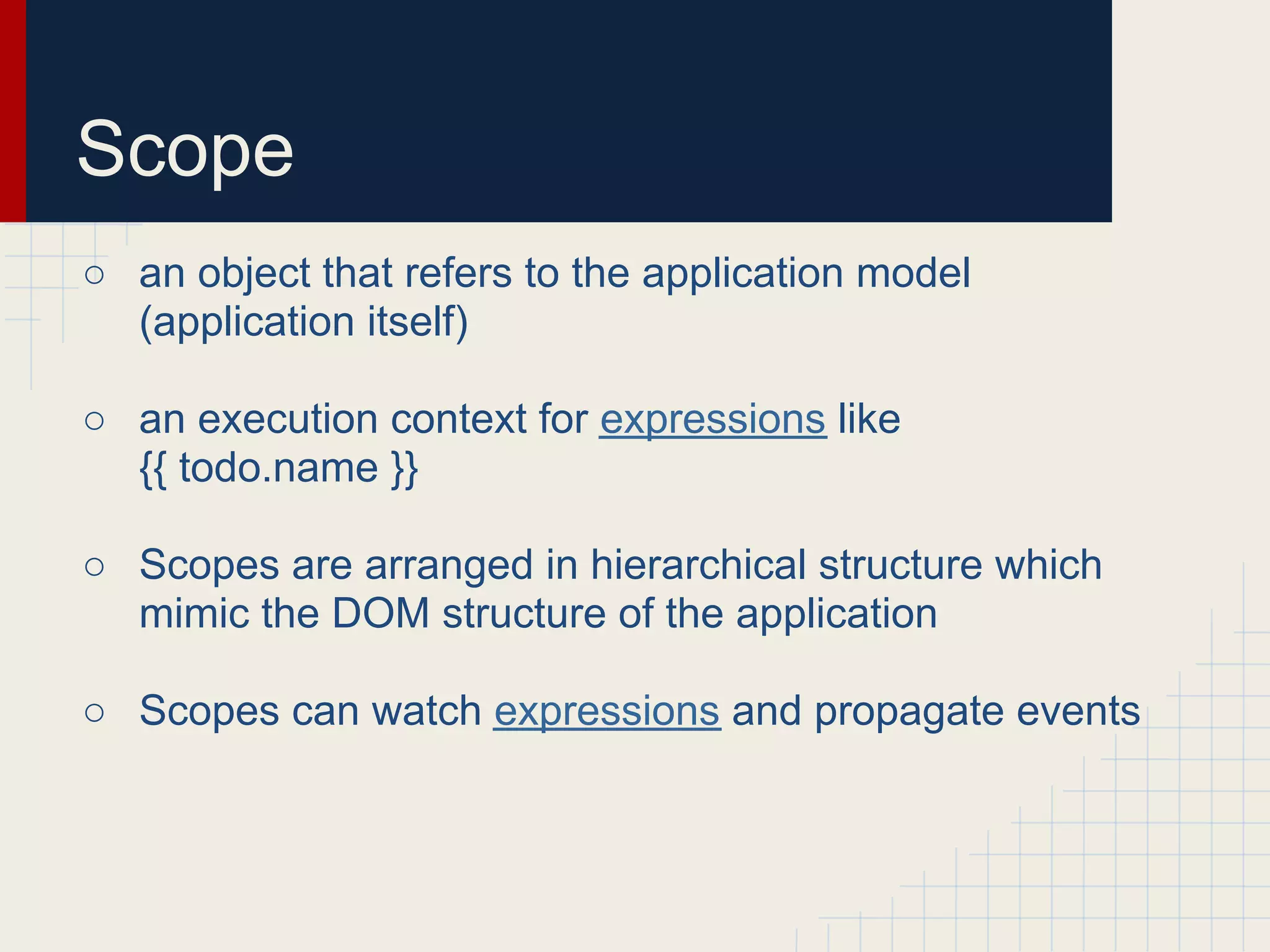
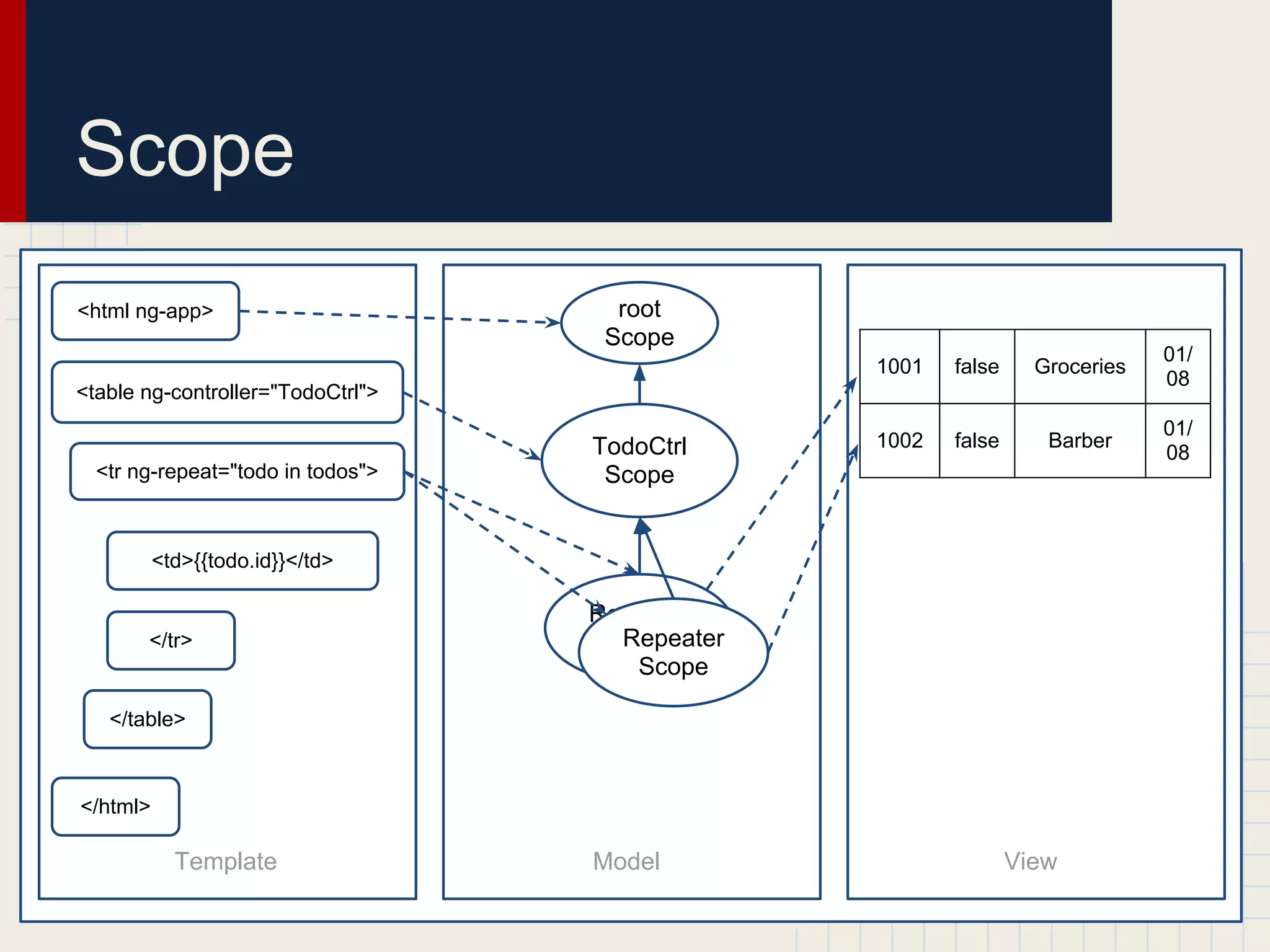
Scope ○ an object that refers to the application model (application itself) ○ an execution context for expressions like {{ todo.name }} ○ Scopes are arranged in hierarchical structure which mimic the DOM structure of the application ○ Scopes can watch expressions and propagate events
Scope <html ng-app> root Scope 01/ 1001 false Groceries 08 <table ng-controller="TodoCtrl"> 01/ TodoCtrl 1002 false Barber 08 <tr ng-repeat="todo in todos"> Scope <td>{{todo.id}}</td> Repeater </tr> Repeater Scope Scope </table> </html> Template Model View
Controller <table class="table table-stripped" ng-controller="TodoCtrl"> function TodoCtrl(scope) { scope.todos = [ { 'id': 1001, 'done': false, 'name': 'Do Groceries', 'deadline': new Date() }, { 'id': 1002, 'done': false, 'name': 'Barber the cat', 'deadline': new Date() }]; scope.setTrue = function(id) { var el = (function(id){ for (var i=0; i<scope.todos.length; i++) { if (scope.todos[i].id === id) { return scope.todos[i] } } })(id); el.done = true; } } TodoCtrl.$inject = ['$scope'];
Model: attrs of Scope <table class="table table-stripped" ng-controller="TodoCtrl"> function TodoCtrl(scope) { scope.todos = [ { Model 'id': 1001, 'done': false, 'name': 'Do Groceries', 'deadline': new Date() }, { 'id': 1002, 'done': false, 'name': 'Barber the cat', 'deadline': new Date() }]; scope.setTrue = function(id) { var el = (function(id){ for (var i=0; i<scope.todos.length; i++) { if (scope.todos[i].id === id) { return scope.todos[i] } } })(id); el.done = true; } } TodoCtrl.$inject = ['$scope'];
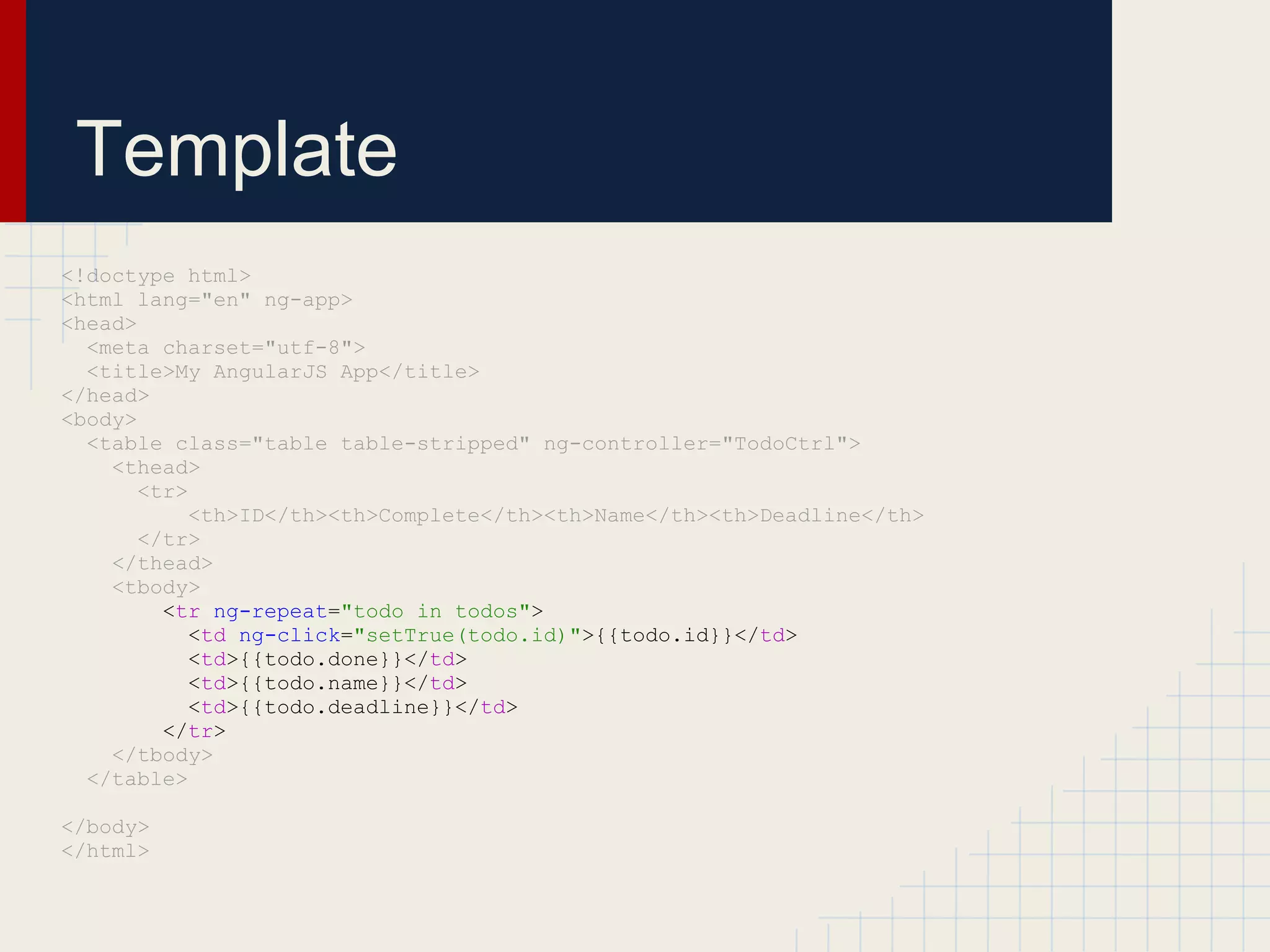
Template <!doctype html> <html lang="en" ng-app> <head> <meta charset="utf-8"> <title>My AngularJS App</title> </head> <body> <table class="table table-stripped" ng-controller="TodoCtrl"> <thead> <tr> <th>ID</th><th>Complete</th><th>Name</th><th>Deadline</th> </tr> </thead> <tbody> <tr ng-repeat="todo in todos"> <td ng-click="setTrue(todo.id)">{{todo.id}}</td> <td>{{todo.done}}</td> <td>{{todo.name}}</td> <td>{{todo.deadline}}</td> </tr> </tbody> </table> </body> </html> ​ ​
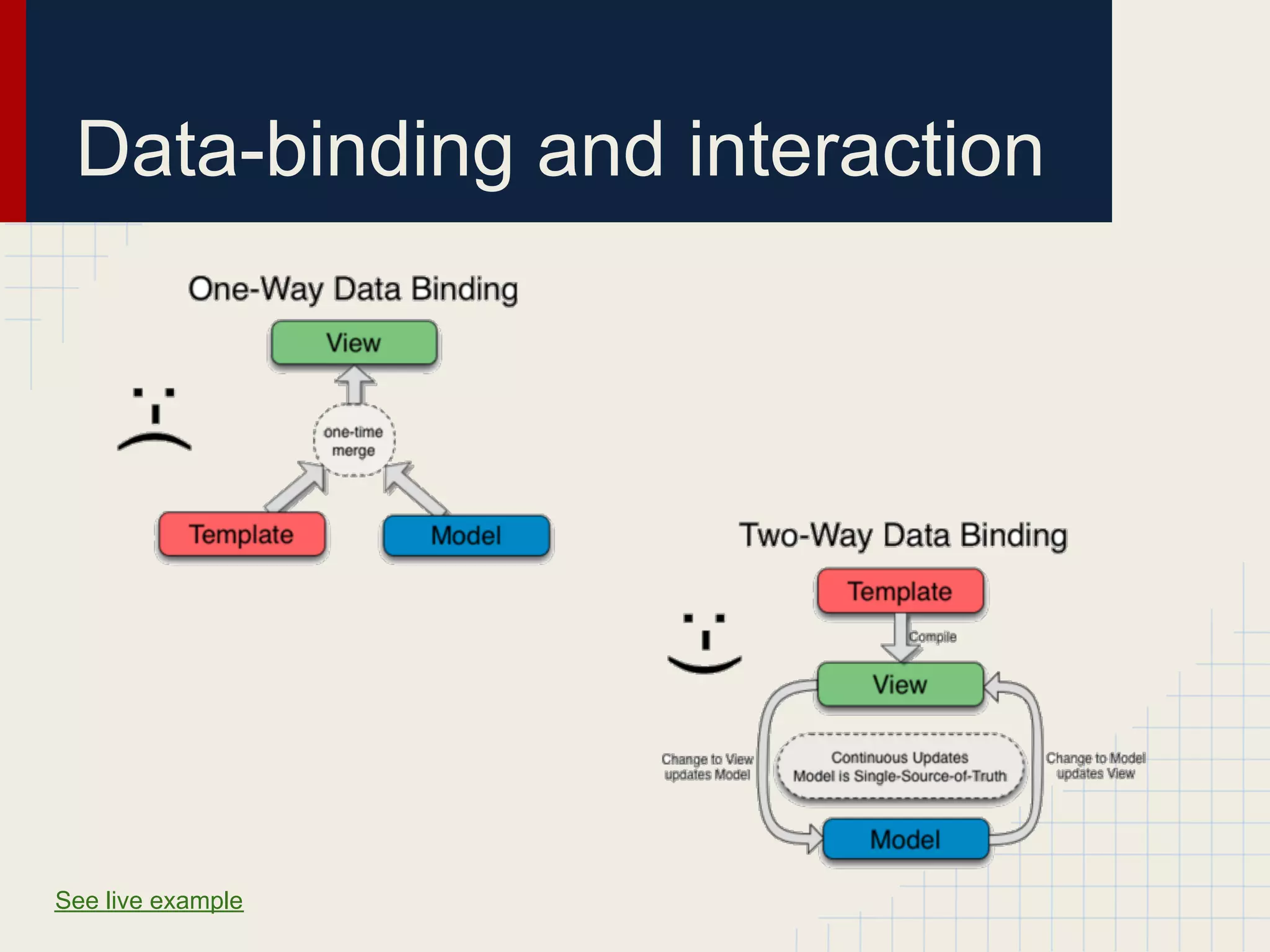
Data-binding and interaction See live example
Routing angular.module('myApp'). config(['$routeProvider' , function($routeProvider ) { $routeProvider .when( '/folder/:name' , {templateUrl : 'partials/folder.html' , controller : FolderCtrl }); }])​
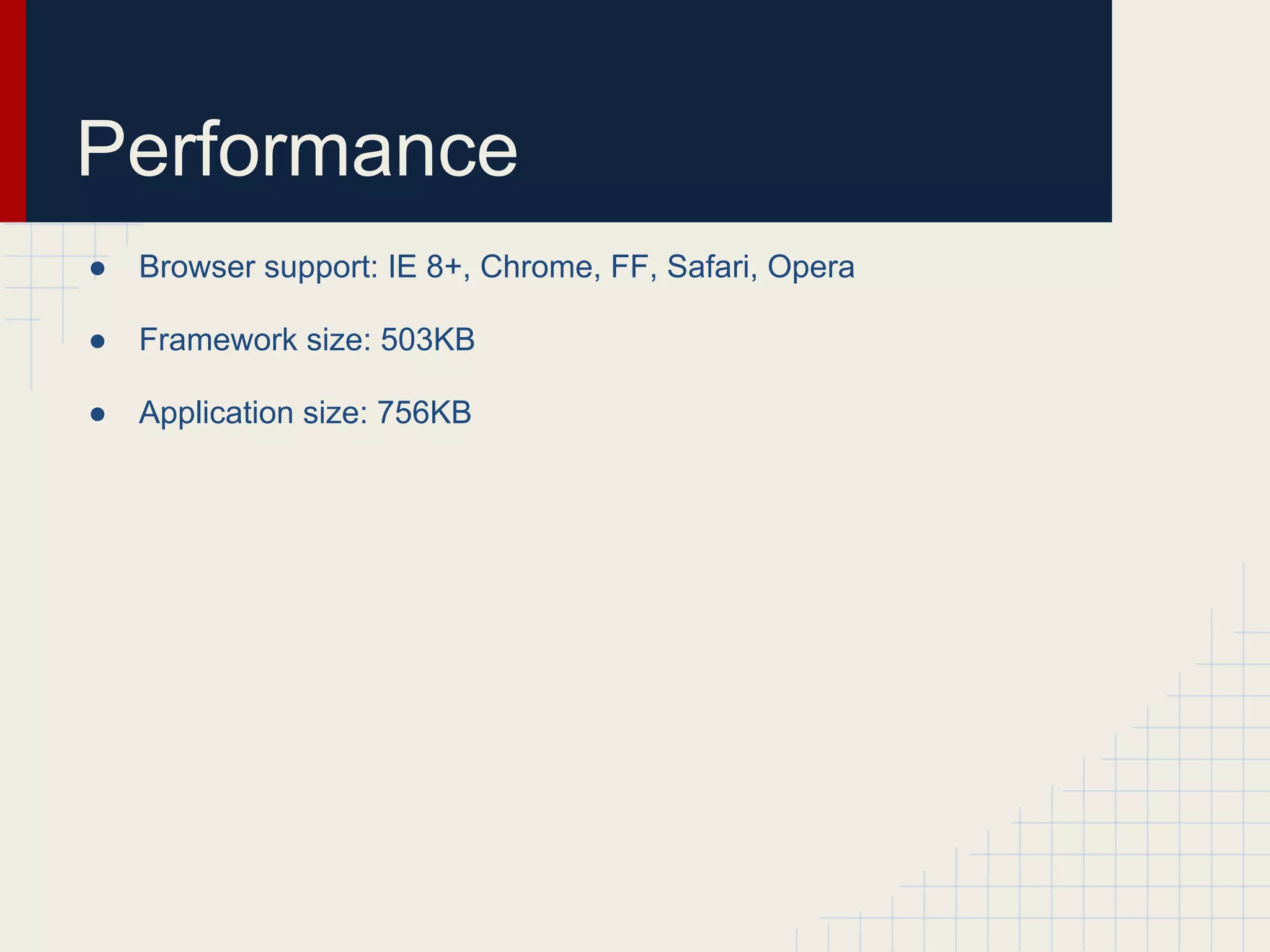
Performance ● Browser support: IE 8+, Chrome, FF, Safari, Opera ● Framework size: 503KB ● Application size: 756KB

AngularJS Basics with Example

  • 1.
    02 AngularJS Framework Analysis PublicCode Repository by Sergey N. Bolshchikov http://bolshchikov.net sergey.bolshchikov@new-proimage.com New ProImage, 2012
  • 2.
    Outline I. Introduction II. Philosophy
  • 3.
    Outline I. Introduction II. Philosophy ay od et tlin in ou ive No t d J us
  • 4.
    Introduction I want tobuild well structured and dynamic web application. Header-Navigation Bar Content Wrapper click click Tree Content Footer
  • 5.
    Introduction Traditional solution: < 37% > 63% LOC LOC Javascript HTML
  • 6.
    Philosophy ● Angular is what HTML could have been if it had been designed for applications. ● HTML is a great declarative language for static documents. It does not contain much in the way of creating application. ● Building web-applications is an exercise in what do I have to do, so that I trick the browser in to do what I want. ● That's why we have frameworks - set of utility functions and libraries for DOM manipulation. ● Angular takes another approach. ● Angular teaches the browser new syntax.
  • 7.
    Introduction AngularJS solution: > 41% < 59% LOC LOC HTML Java script
  • 8.
    Static HTML <!doctype html> <htmllang="en" ng-app> <head> <meta charset="utf-8"> <title>My AngularJS App</title> </head> <body> <table class="table table-stripped"> <thead> <tr> <th>ID</th><th>Complete</th><th>Name</th><th>Deadline</th> </tr> </thead> <tbody> <tr> <td>1001</td><td>false</td><td>Do Groceries</td><td>01/08/12</td> </tr> <tr> <td>1002</td><td>false</td><td>Barber the cat</td><td>01/08/12</td> </tr> </tbody> </table> </body> </html> ​ See example live
  • 9.
    Declarative HTML <!doctype html> <htmllang="en" ng-app> <head> <meta charset="utf-8"> <title>My AngularJS App</title> </head> <body> <table class="table table-stripped" ng-controller="TodoCtrl"> <thead> <tr> <th>ID</th><th>Complete</th><th>Name</th><th>Deadline</th> </tr> </thead> <tbody> <tr ng-repeat="todo in todos"> <td ng-click="setTrue(todo.id)">{{todo.id}}</td> <td>{{todo.done}}</td> <td>{{todo.name}}</td> <td>{{todo.deadline}}</td> </tr> </tbody> </table> </body> </html> ​ ​ See example live
  • 10.
    Declarative HTML <!doctype html> <htmllang="en" ng-app> <head> <meta charset="utf-8"> <title>My AngularJS App</title> </head> <body> <table class="table table-stripped" ng-controller="TodoCtrl"> <thead> <tr> <th>ID</th><th>Complete</th><th>Name</th><th>Deadline</th> </tr> </thead> <tbody> <tr ng-repeat="todo in todos"> <td ng-click="setTrue(todo.id)">{{todo.id}}</td> <td>{{todo.done}}</td> <td>{{todo.name}}</td> <td>{{todo.deadline}}</td> </tr> </tbody> </table> </body> </html> ​ ​
  • 11.
    Declarative HTML <!doctype html> <htmllang="en" ng-app> <head> <meta charset="utf-8"> <title>My AngularJS App</title> </head> <body> <table class="table table-stripped" ng-controller="TodoCtrl"> <thead> <tr> <th>ID</th><th>Complete</th><th>Name</th><th>Deadline</th> </tr> </thead> <tbody> <tr ng-repeat="todo in todos"> <td ng-click="setTrue(todo.id)">{{todo.id}}</td> <td>{{todo.done}}</td> <td>{{todo.name}}</td> <td>{{todo.deadline}}</td> </tr> </tbody> </table> </body> </html> ​ ​
  • 12.
    Declarative HTML <!doctype html> <htmllang="en" ng-app> <head> <meta charset="utf-8"> <title>My AngularJS App</title> </head> <body> <table class="table table-stripped" ng-controller="TodoCtrl"> <thead> <tr> <th>ID</th><th>Complete</th><th>Name</th><th>Deadline</th> </tr> </thead> <tbody> <tr ng-repeat="todo in todos"> <td ng-click="setTrue(todo.id)">{{todo.id}}</td> <td>{{todo.done}}</td> <td>{{todo.name}}</td> <td>{{todo.deadline}}</td> </tr> </tbody> </table> </body> </html> ​ ​
  • 13.
    Declarative HTML <!doctype html> <htmllang="en" ng-app> <head> <meta charset="utf-8"> <title>My AngularJS App</title> </head> <body> <table class="table table-stripped" ng-controller="TodoCtrl"> <thead> <tr> <th>ID</th><th>Complete</th><th>Name</th><th>Deadline</th> </tr> </thead> <tbody> <tr ng-repeat="todo in todos"> <td ng-click="setTrue(todo.id)">{{todo.id}}</td> <td>{{todo.done}}</td> <td>{{todo.name}}</td> <td>{{todo.deadline}}</td> </tr> </tbody> </table> </body> </html> ​ ​
  • 14.
    MVC Angular says: "There aremany ways to structure the code for an application. For Angular apps, we encourage the use of the Model- View-Controller (MVC) design pattern to decouple the code and to separate concerns. With that in mind, let's use a little Angular and JavaScript to add model, view, and controller components to our app."
  • 15.
    Controller ○ a controlleris a JavaScript function ○ It contains data ○ It specifies the behavior ○ It should contain only the business logic needed for a single view.
  • 16.
    Controller <table class="table table-stripped"ng-controller="TodoCtrl"> function TodoCtrl(scope) { scope.todos = [ { 'id': 1001, 'done': false, 'name': 'Do Groceries', 'deadline': new Date() }, { 'id': 1002, 'done': false, 'name': 'Barber the cat', 'deadline': new Date() }]; scope.setTrue = function(id) { var el = (function(id){ for (var i=0; i<scope.todos.length; i++) { if (scope.todos[i].id === id) { return scope.todos[i] } } })(id); el.done = true; } } TodoCtrl.$inject = ['$scope'];
  • 17.
    Controller <table class="table table-stripped"ng-controller="TodoCtrl"> function TodoCtrl(scope) { scope.todos = [ { 'id': 1001, 'done': false, 'name': 'Do Groceries', 'deadline': new Date() }, { 'id': 1002, 'done': false, 'name': 'Barber the cat', 'deadline': new Date() }]; scope.setTrue = function(id) { var el = (function(id){ for (var i=0; i<scope.todos.length; i++) { if (scope.todos[i].id === id) { return scope.todos[i] } } })(id); el.done = true; } } TodoCtrl.$inject = ['$scope'];
  • 18.
    Controller <table class="table table-stripped"ng-controller="TodoCtrl"> function TodoCtrl(scope) { scope.todos = [ { 'id': 1001, 'done': false, 'name': 'Do Groceries', 'deadline': new Date() }, { 'id': 1002, 'done': false, 'name': 'Barber the cat', 'deadline': new Date() }]; scope.setTrue = function(id) { var el = (function(id){ for (var i=0; i<scope.todos.length; i++) { if (scope.todos[i].id === id) { return scope.todos[i] } } })(id); el.done = true; } } TodoCtrl.$inject = ['$scope'];
  • 19.
    Scope ○ an objectthat refers to the application model (application itself) ○ an execution context for expressions like {{ todo.name }} ○ Scopes are arranged in hierarchical structure which mimic the DOM structure of the application ○ Scopes can watch expressions and propagate events
  • 20.
    Scope <html ng-app> root Scope 01/ 1001 false Groceries 08 <table ng-controller="TodoCtrl"> 01/ TodoCtrl 1002 false Barber 08 <tr ng-repeat="todo in todos"> Scope <td>{{todo.id}}</td> Repeater </tr> Repeater Scope Scope </table> </html> Template Model View
  • 21.
    Controller <table class="table table-stripped"ng-controller="TodoCtrl"> function TodoCtrl(scope) { scope.todos = [ { 'id': 1001, 'done': false, 'name': 'Do Groceries', 'deadline': new Date() }, { 'id': 1002, 'done': false, 'name': 'Barber the cat', 'deadline': new Date() }]; scope.setTrue = function(id) { var el = (function(id){ for (var i=0; i<scope.todos.length; i++) { if (scope.todos[i].id === id) { return scope.todos[i] } } })(id); el.done = true; } } TodoCtrl.$inject = ['$scope'];
  • 22.
    Model: attrs ofScope <table class="table table-stripped" ng-controller="TodoCtrl"> function TodoCtrl(scope) { scope.todos = [ { Model 'id': 1001, 'done': false, 'name': 'Do Groceries', 'deadline': new Date() }, { 'id': 1002, 'done': false, 'name': 'Barber the cat', 'deadline': new Date() }]; scope.setTrue = function(id) { var el = (function(id){ for (var i=0; i<scope.todos.length; i++) { if (scope.todos[i].id === id) { return scope.todos[i] } } })(id); el.done = true; } } TodoCtrl.$inject = ['$scope'];
  • 23.
    Template <!doctype html> <html lang="en"ng-app> <head> <meta charset="utf-8"> <title>My AngularJS App</title> </head> <body> <table class="table table-stripped" ng-controller="TodoCtrl"> <thead> <tr> <th>ID</th><th>Complete</th><th>Name</th><th>Deadline</th> </tr> </thead> <tbody> <tr ng-repeat="todo in todos"> <td ng-click="setTrue(todo.id)">{{todo.id}}</td> <td>{{todo.done}}</td> <td>{{todo.name}}</td> <td>{{todo.deadline}}</td> </tr> </tbody> </table> </body> </html> ​ ​
  • 24.
  • 25.
    Routing angular.module('myApp'). config(['$routeProvider' , function($routeProvider ) { $routeProvider .when( '/folder/:name' , {templateUrl : 'partials/folder.html' , controller : FolderCtrl }); }])​
  • 26.
    Performance ● Browser support: IE 8+, Chrome, FF, Safari, Opera ● Framework size: 503KB ● Application size: 756KB