© 2015 Oceaneering International, Inc. All rights reserved. Rev B 11. Navneet Upneja SQL Developer - Features
http://oceaneering.com/
 Navneet Upneja (Manager, Database & Applications)  10 Years of Experience in Oracle Databases, Business Intelligence, APEX and Middleware Applications  Oracle Certified Professional  Hand on experience on OLTP, Datawarehouse, Oracle BI, APEX… Co-Founder of AIOUG - North India Chapter. Email: navneetupneja@gmail.com Blog: http://navneetupnejadba.wordpress.com/ Twitter: @navneetupneja Presentations: http://www.slideshare.net/navneetupneja Navneet Upneja
• What is SQL Developer? • History • Common Features • Some Rare one’s • What is for DBA’s? • SQL Developer as a Devops Tool • Questions Agenda
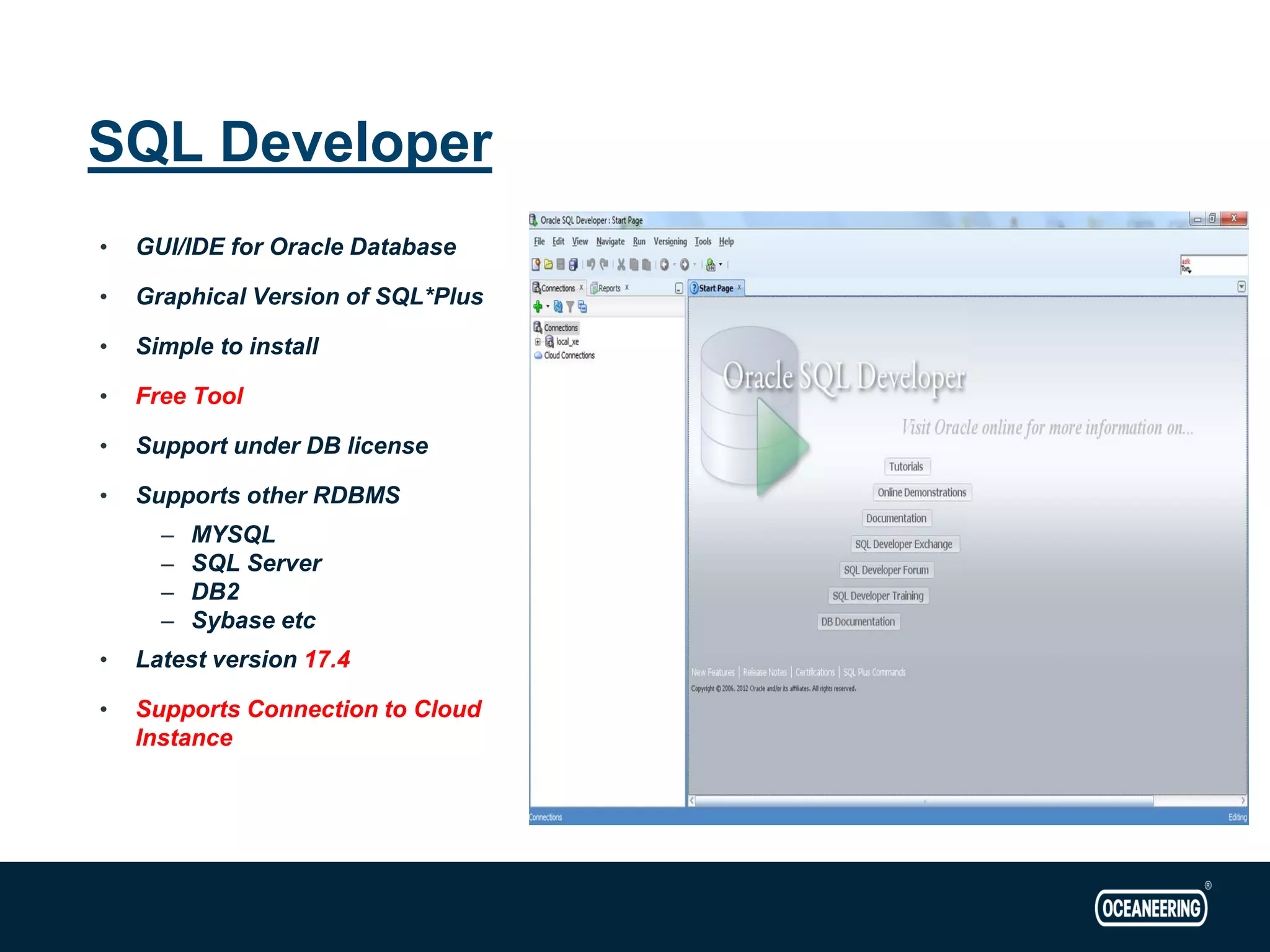
SQL Developer • GUI/IDE for Oracle Database • Graphical Version of SQL*Plus • Simple to install • Free Tool • Support under DB license • Supports other RDBMS – MYSQL – SQL Server – DB2 – Sybase etc • Latest version 17.4 • Supports Connection to Cloud Instance
• Provides free GUI/IDE for development • GUI for managing your database objects • Data Modeler and Database Design • Database Administration with DBA view • SQL Editior • Query Builder • PL/SQL IDE • Other RDBMS Migrations to Oracle like MySQL to Oracle • Ad Hoc Reporting • Oracle REST Data Services Common Features
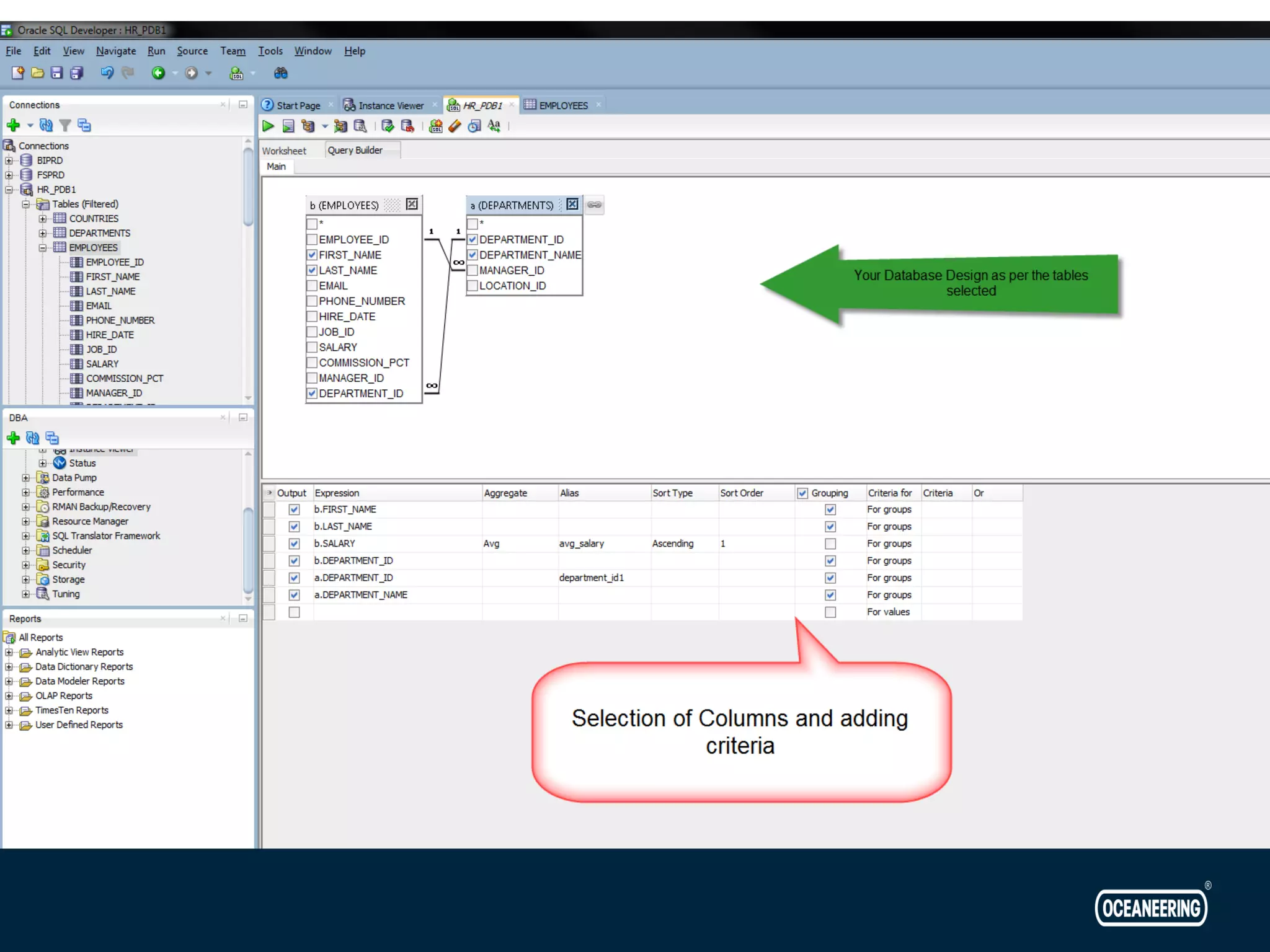
• Most Common view and feature used by DBA’s and Developers • Assist in writing a simple to any complex query • Can make any complex query look simple • Visual Query Building Tool • Just Drag and Drop your tables Query Builder
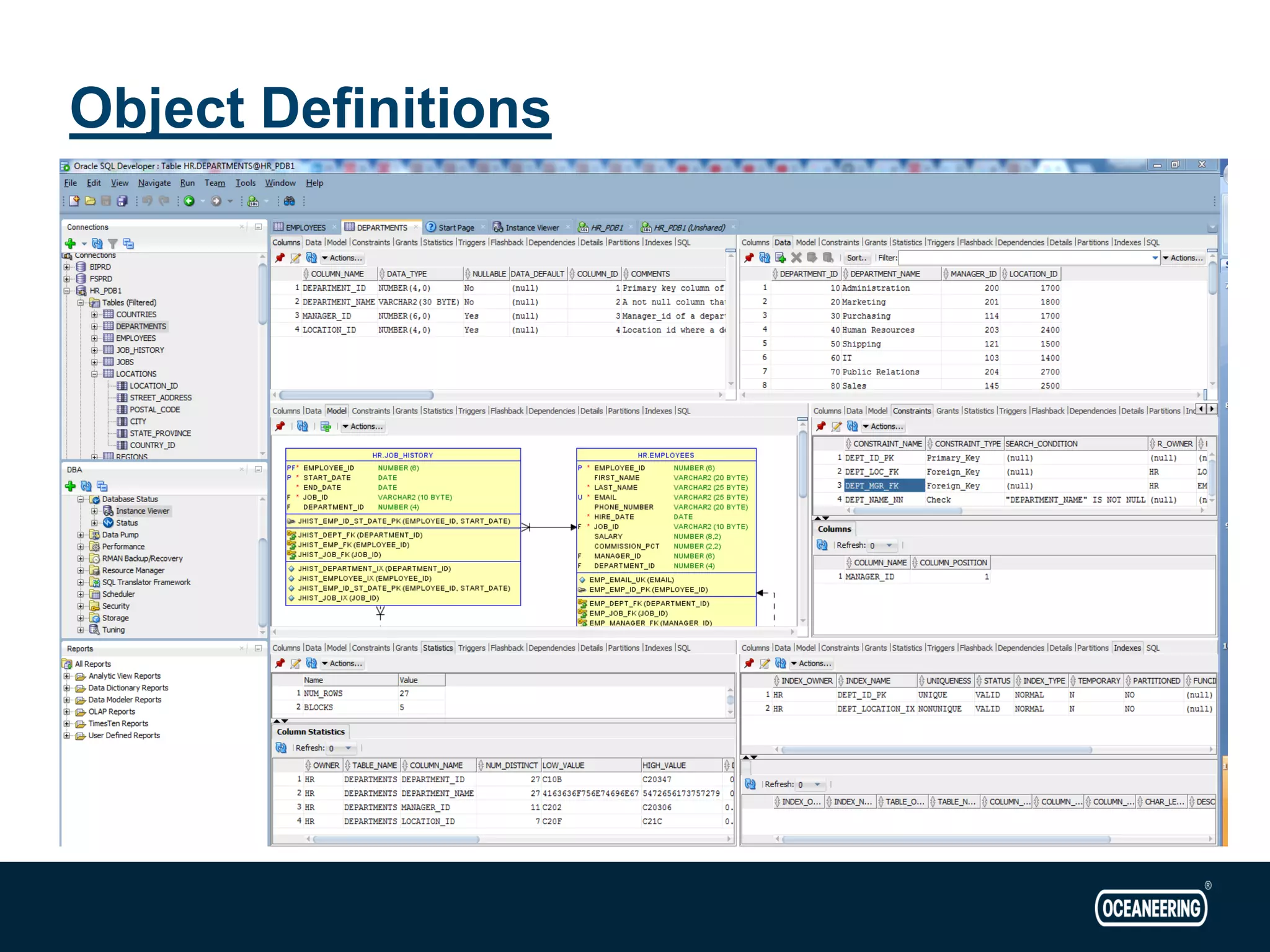
Object Definitions
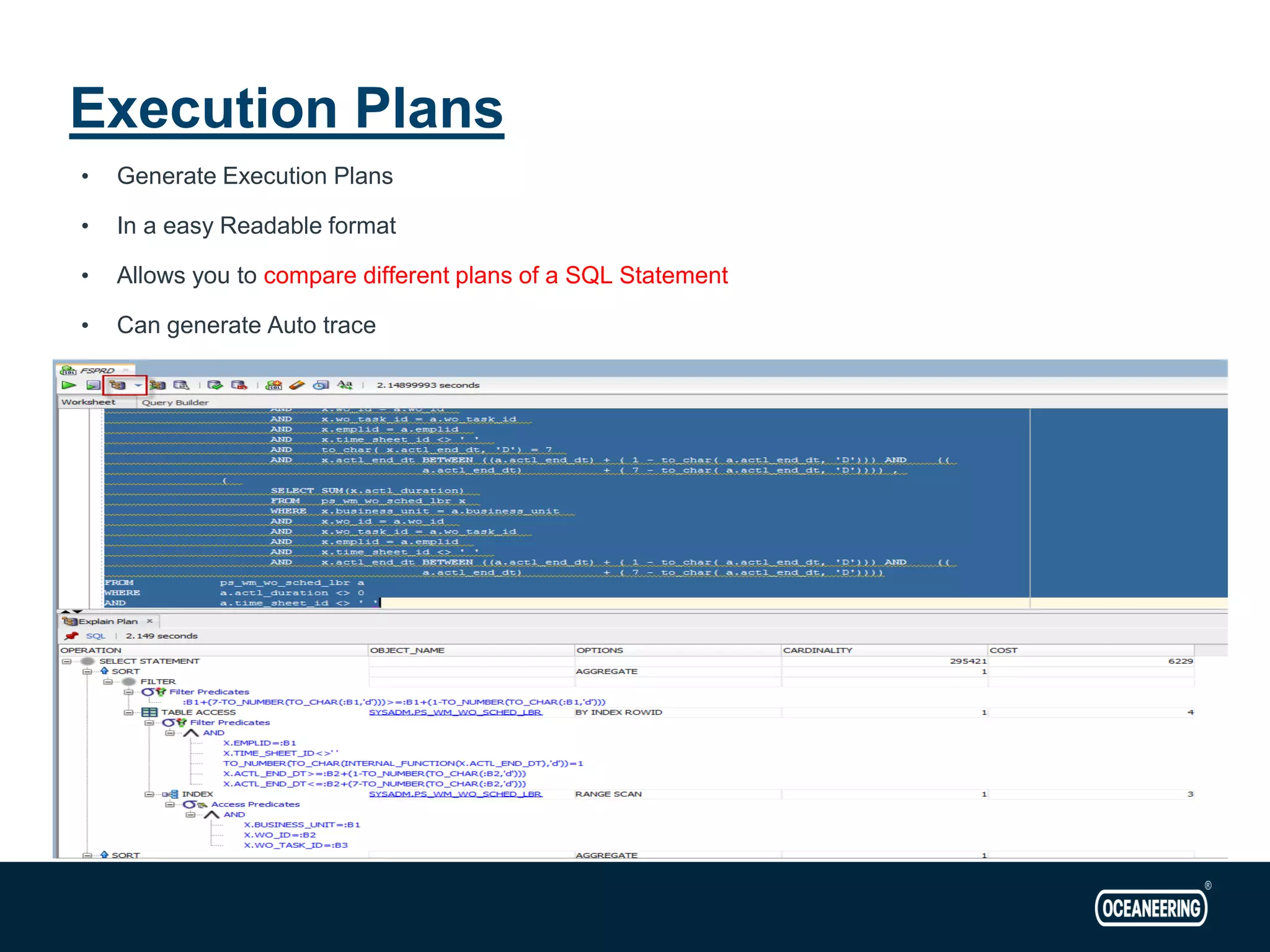
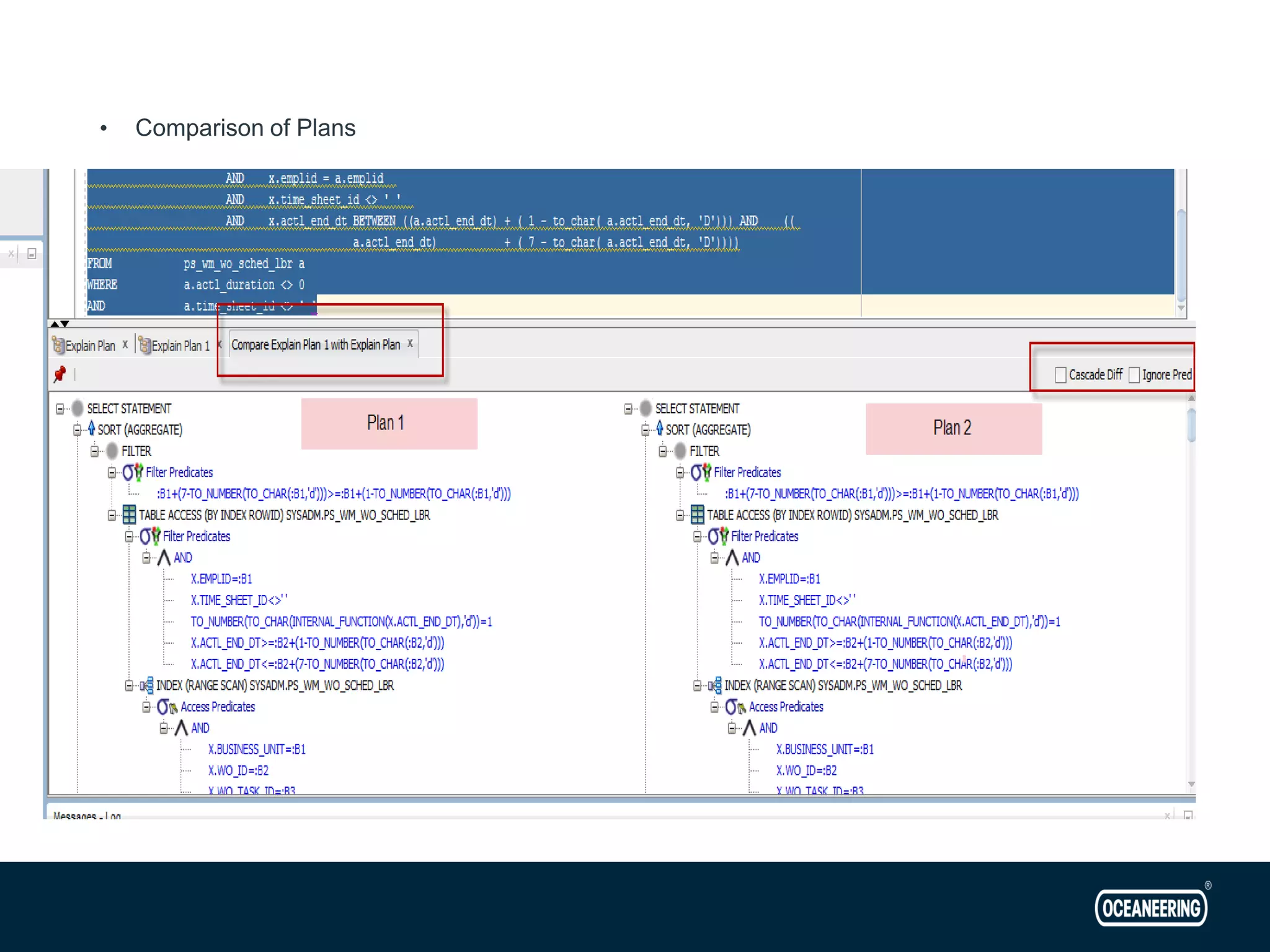
• Generate Execution Plans • In a easy Readable format • Allows you to compare different plans of a SQL Statement • Can generate Auto trace Execution Plans
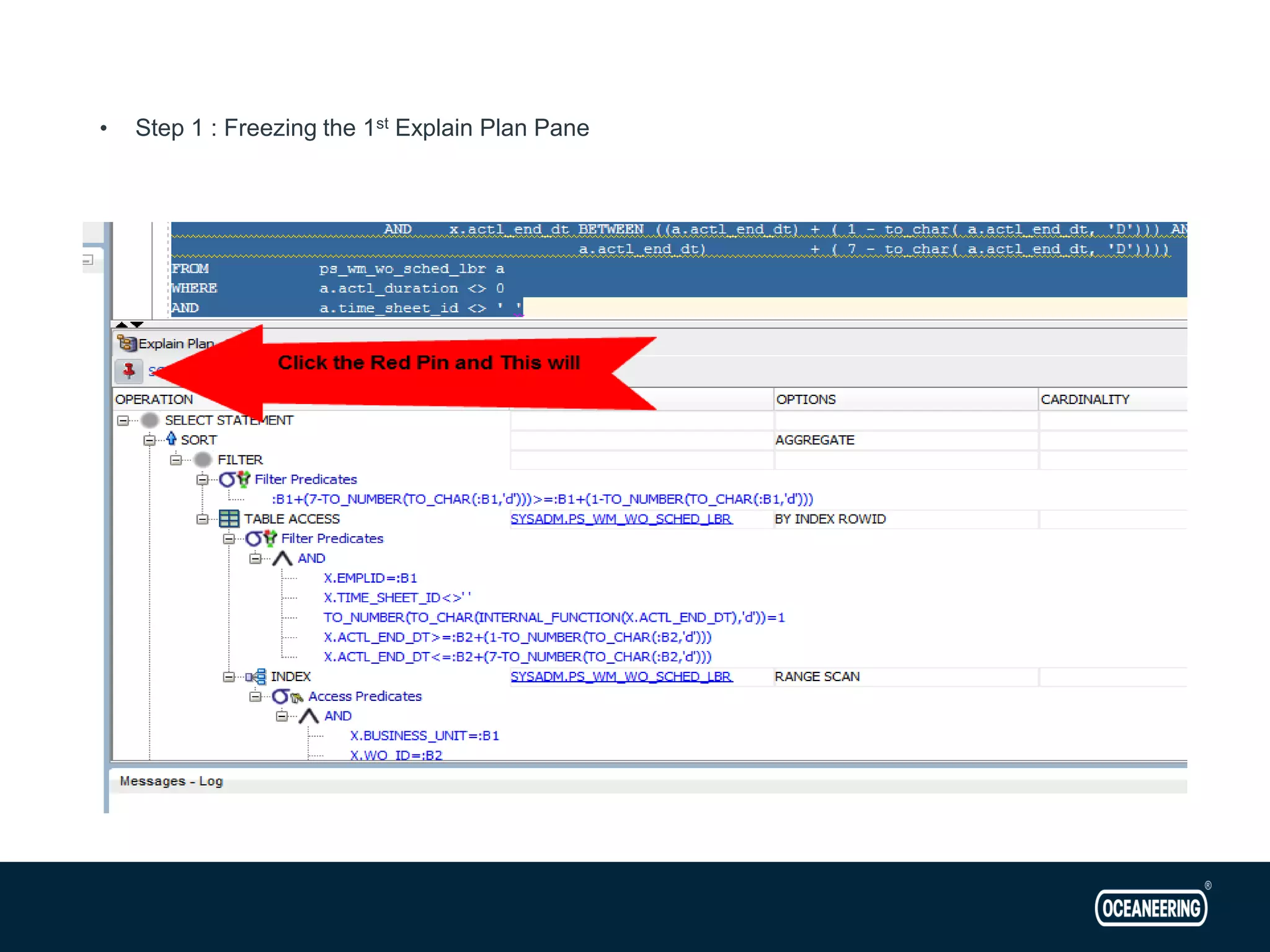
• Step 1 : Freezing the 1st Explain Plan Pane
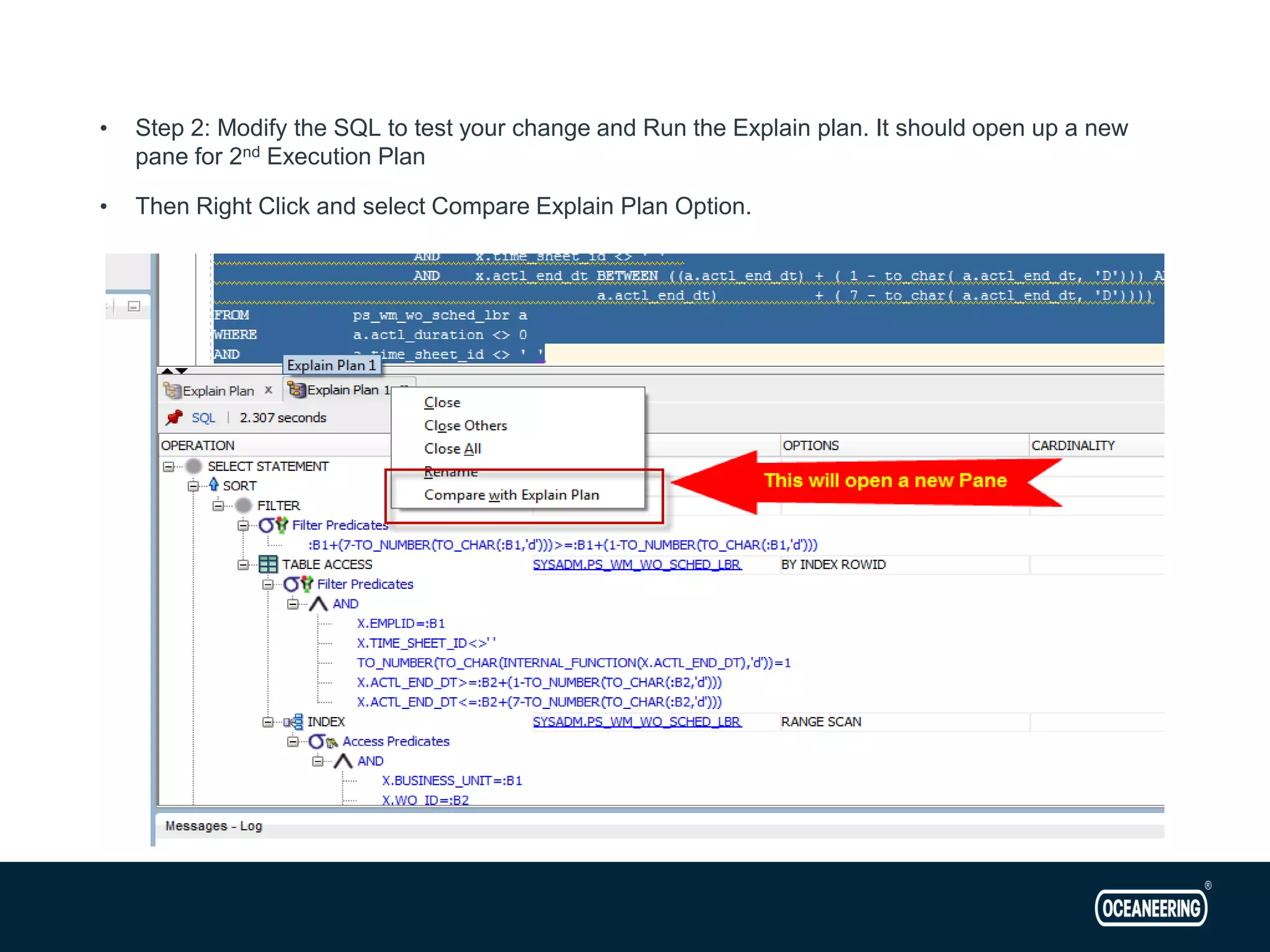
• Step 2: Modify the SQL to test your change and Run the Explain plan. It should open up a new pane for 2nd Execution Plan • Then Right Click and select Compare Explain Plan Option.
• Comparison of Plans
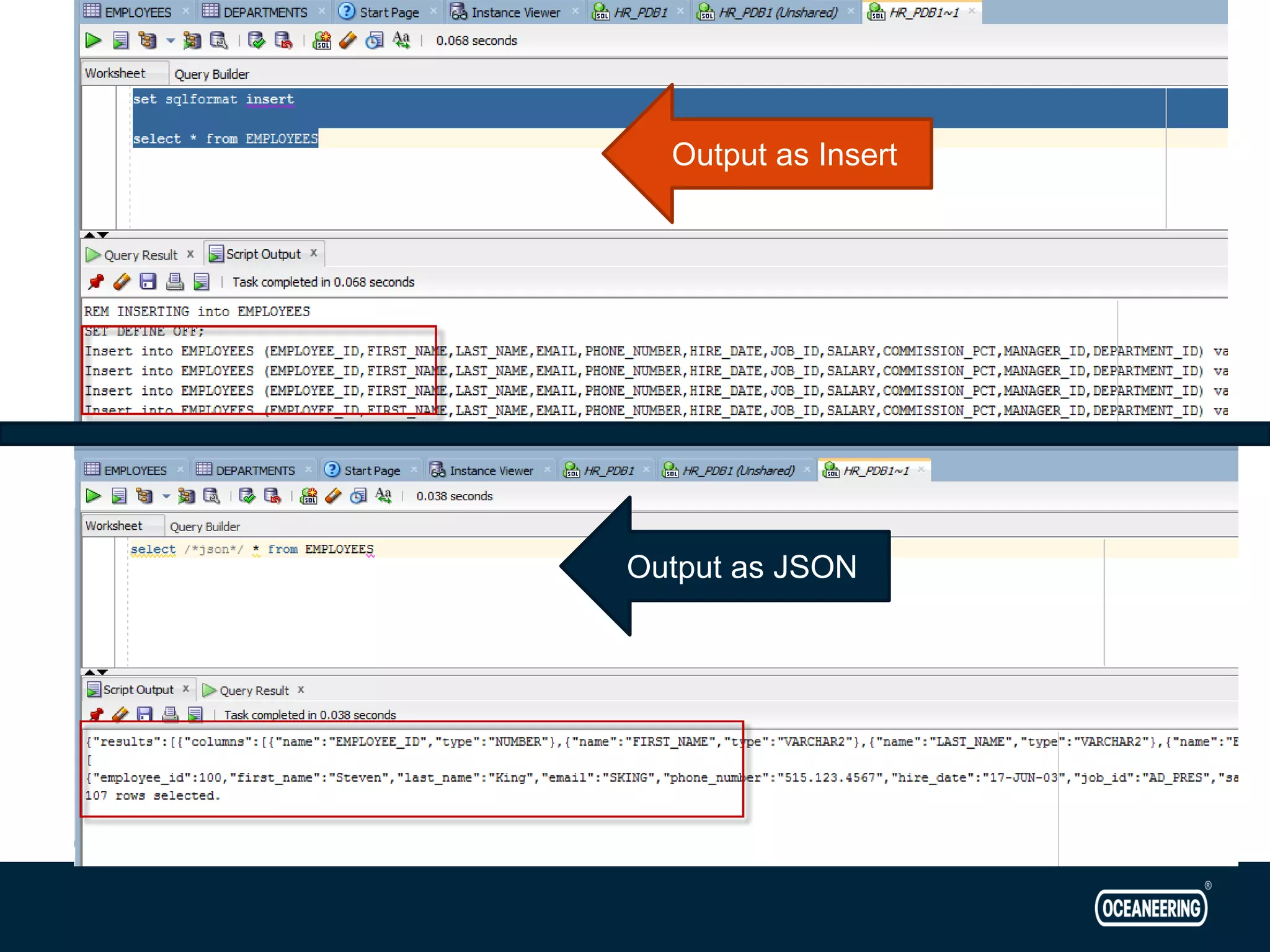
• New “Set SQLFORMAT” clause/option in SQL Developer • Allows output of Query to be in various format – Csv – Xml – Json – Html – Ansiconsole – Insert – Sql*loader – Delimited • Highly useful and flexible • Can convert columns and rows data into desired output in seconds • Query has to be run as script to use this feature Formatting the Results
Output as JSON Output as Insert
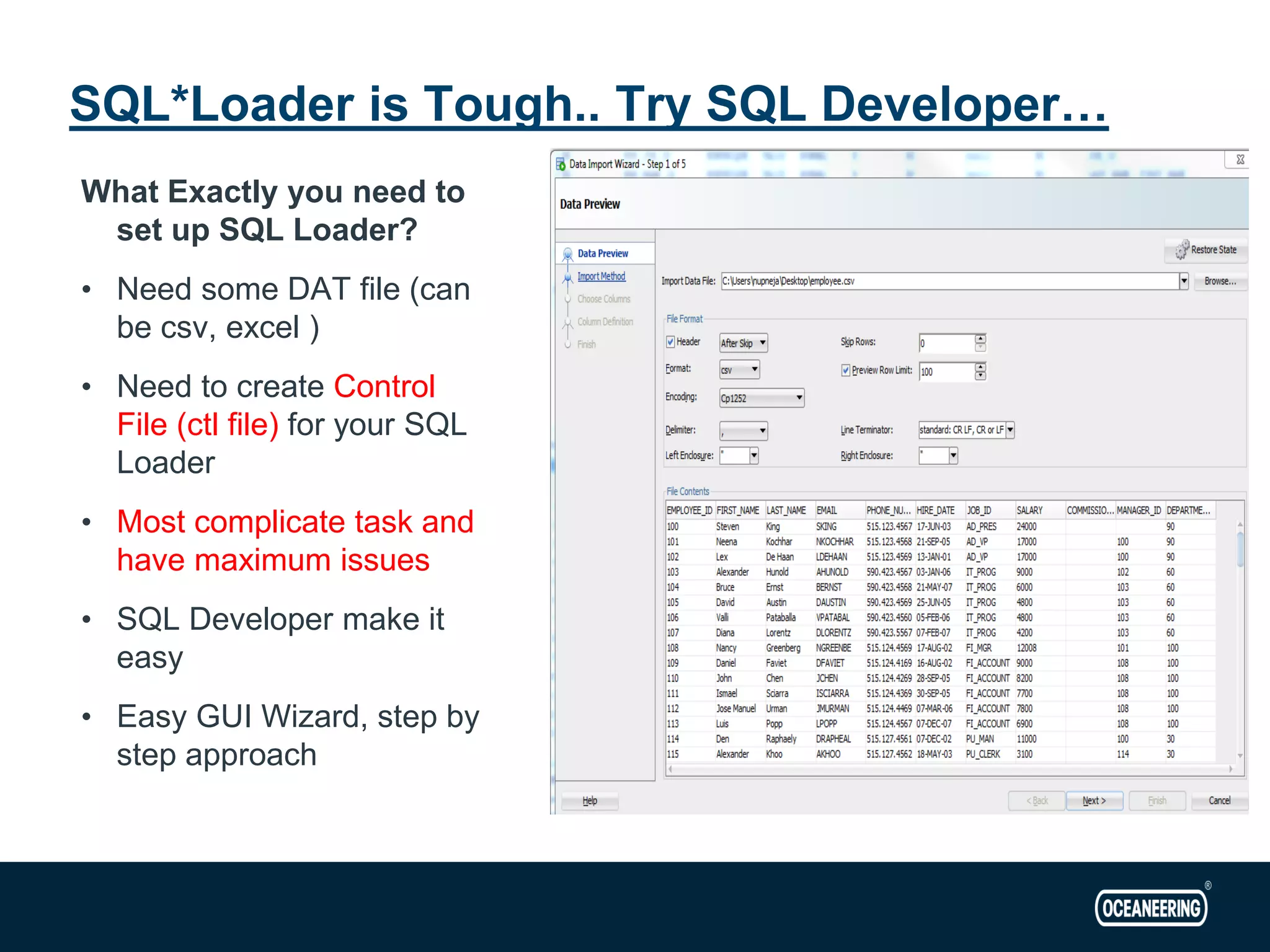
What Exactly you need to set up SQL Loader? • Need some DAT file (can be csv, excel ) • Need to create Control File (ctl file) for your SQL Loader • Most complicate task and have maximum issues • SQL Developer make it easy • Easy GUI Wizard, step by step approach SQL*Loader is Tough.. Try SQL Developer…
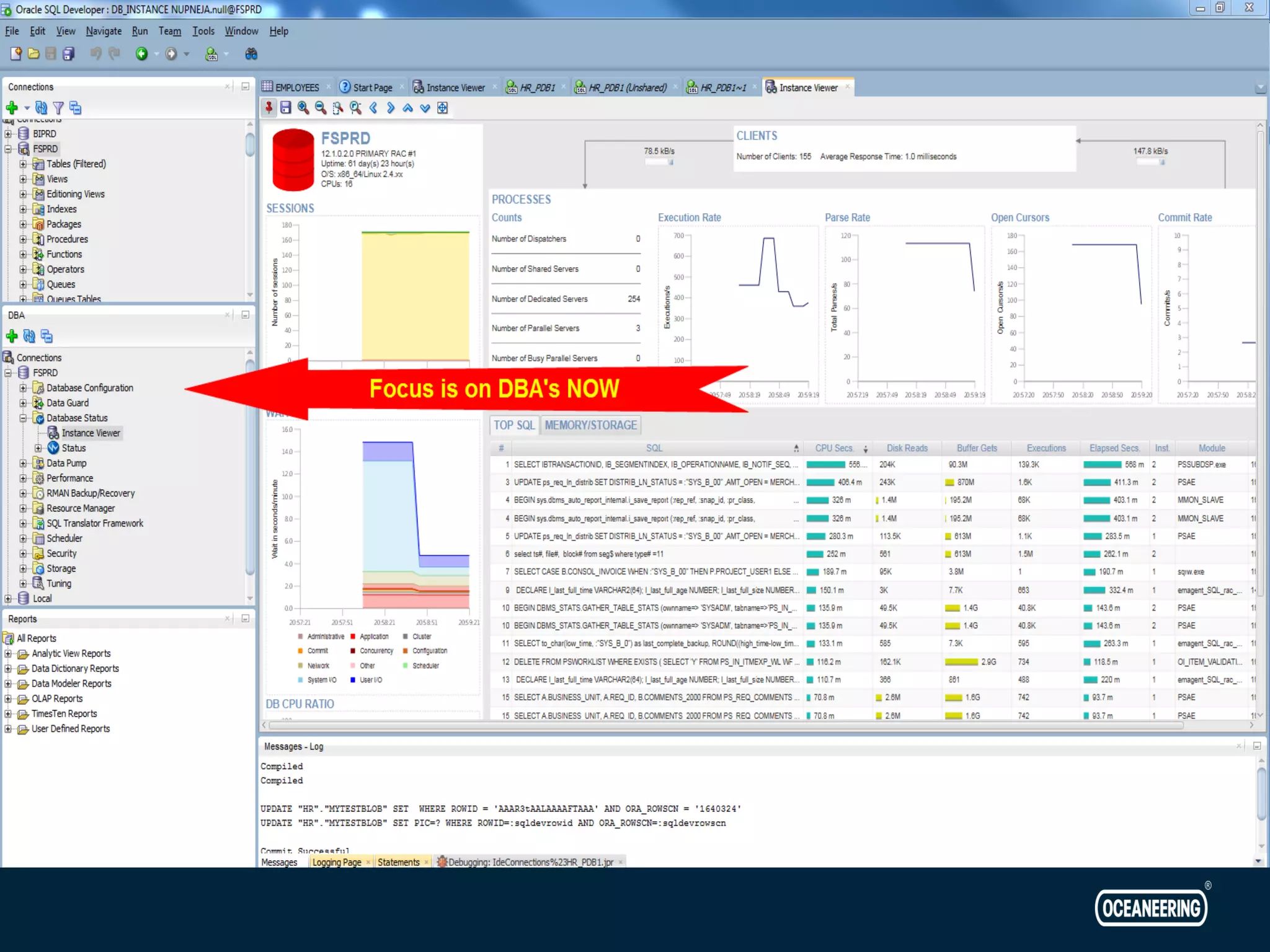
DOES it only have it for Developers? What for DBA’s in it?
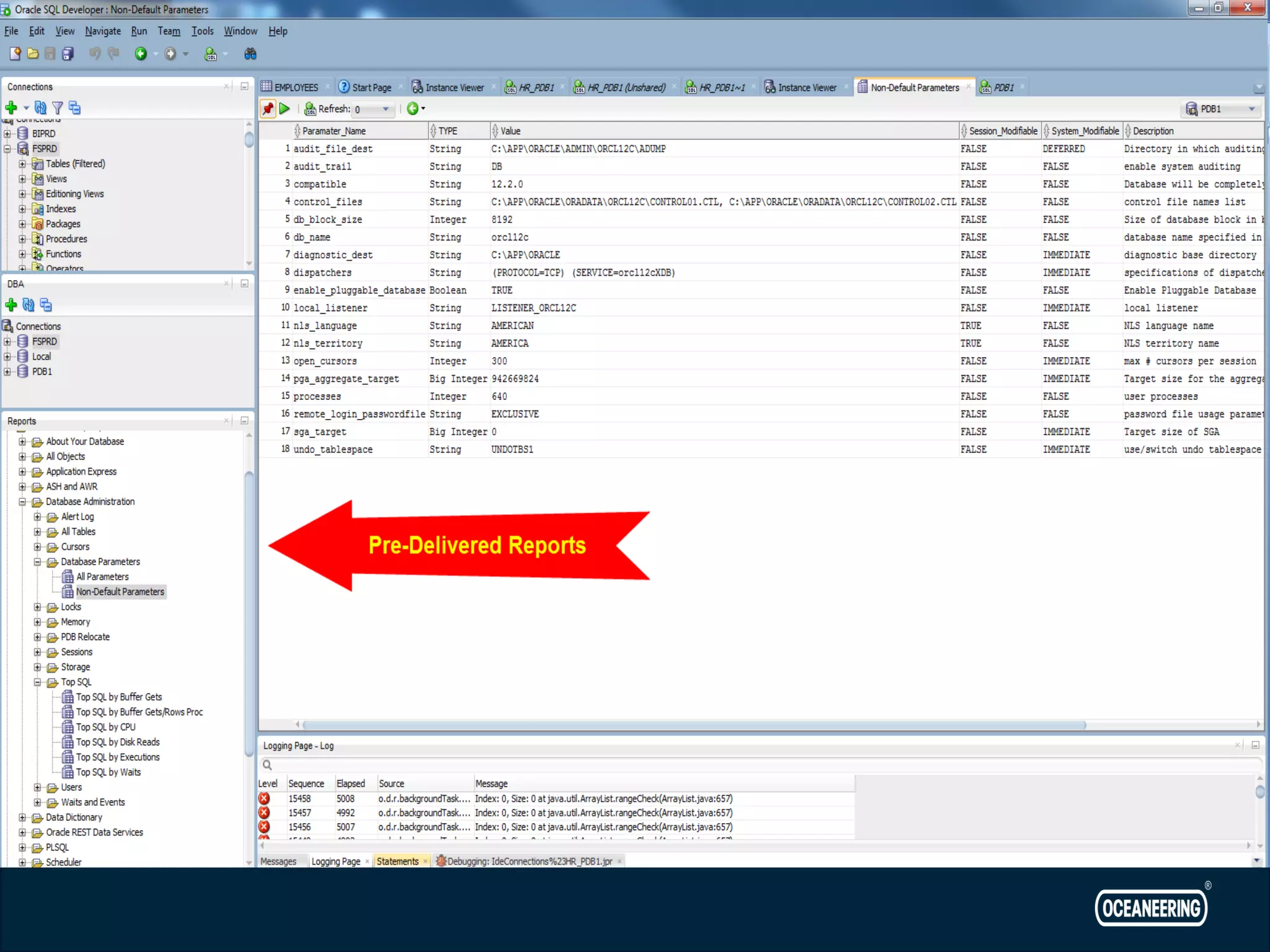
SQL Developer Reporting
Is it all? Absolutely Not!!!! Next destination: https://docs.oracle.com/database/sql-developer-17.4/
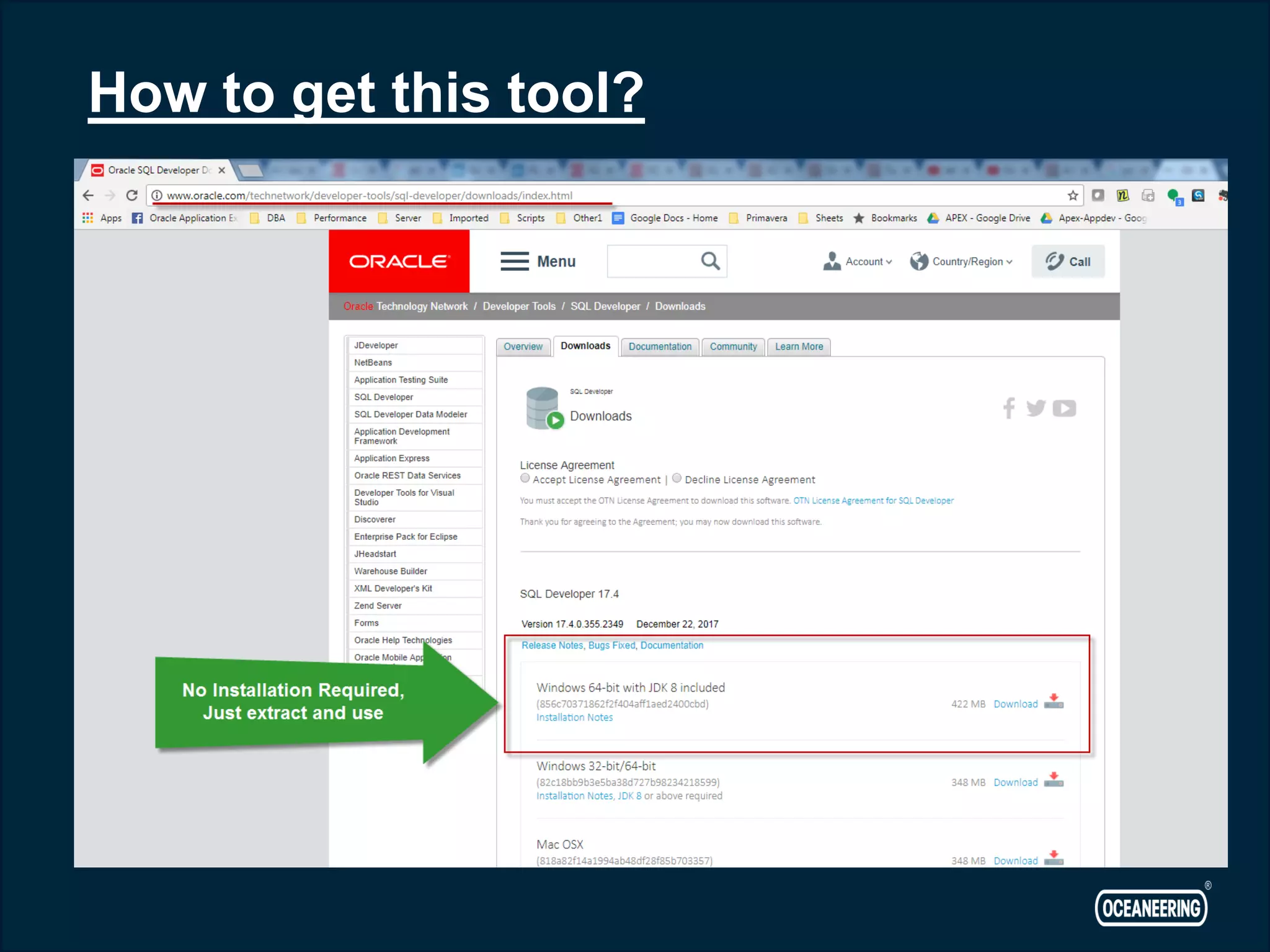
How to get this tool?
Questions?
Thanks!!

Sql developer - Powerful Free tool for Developers and DBA's

  • 1.
    © 2015 OceaneeringInternational, Inc. All rights reserved. Rev B 11. Navneet Upneja SQL Developer - Features
  • 2.
  • 3.
     Navneet Upneja(Manager, Database & Applications)  10 Years of Experience in Oracle Databases, Business Intelligence, APEX and Middleware Applications  Oracle Certified Professional  Hand on experience on OLTP, Datawarehouse, Oracle BI, APEX… Co-Founder of AIOUG - North India Chapter. Email: navneetupneja@gmail.com Blog: http://navneetupnejadba.wordpress.com/ Twitter: @navneetupneja Presentations: http://www.slideshare.net/navneetupneja Navneet Upneja
  • 4.
    • What isSQL Developer? • History • Common Features • Some Rare one’s • What is for DBA’s? • SQL Developer as a Devops Tool • Questions Agenda
  • 6.
    SQL Developer • GUI/IDEfor Oracle Database • Graphical Version of SQL*Plus • Simple to install • Free Tool • Support under DB license • Supports other RDBMS – MYSQL – SQL Server – DB2 – Sybase etc • Latest version 17.4 • Supports Connection to Cloud Instance
  • 7.
    • Provides freeGUI/IDE for development • GUI for managing your database objects • Data Modeler and Database Design • Database Administration with DBA view • SQL Editior • Query Builder • PL/SQL IDE • Other RDBMS Migrations to Oracle like MySQL to Oracle • Ad Hoc Reporting • Oracle REST Data Services Common Features
  • 8.
    • Most Commonview and feature used by DBA’s and Developers • Assist in writing a simple to any complex query • Can make any complex query look simple • Visual Query Building Tool • Just Drag and Drop your tables Query Builder
  • 10.
  • 11.
    • Generate ExecutionPlans • In a easy Readable format • Allows you to compare different plans of a SQL Statement • Can generate Auto trace Execution Plans
  • 12.
    • Step 1: Freezing the 1st Explain Plan Pane
  • 13.
    • Step 2:Modify the SQL to test your change and Run the Explain plan. It should open up a new pane for 2nd Execution Plan • Then Right Click and select Compare Explain Plan Option.
  • 14.
  • 15.
    • New “SetSQLFORMAT” clause/option in SQL Developer • Allows output of Query to be in various format – Csv – Xml – Json – Html – Ansiconsole – Insert – Sql*loader – Delimited • Highly useful and flexible • Can convert columns and rows data into desired output in seconds • Query has to be run as script to use this feature Formatting the Results
  • 16.
  • 17.
    What Exactly youneed to set up SQL Loader? • Need some DAT file (can be csv, excel ) • Need to create Control File (ctl file) for your SQL Loader • Most complicate task and have maximum issues • SQL Developer make it easy • Easy GUI Wizard, step by step approach SQL*Loader is Tough.. Try SQL Developer…
  • 18.
    DOES it onlyhave it for Developers? What for DBA’s in it?
  • 20.
  • 22.
    Is it all? AbsolutelyNot!!!! Next destination: https://docs.oracle.com/database/sql-developer-17.4/
  • 23.
    How to getthis tool?
  • 24.
  • 25.