





PIR Motion Sensor with Raspberry pi -Santosh Kumar Kar skkar.2k2@gmail.com
Here, I am going to demonstrate a small raspberry project which determines the movement of anyone.
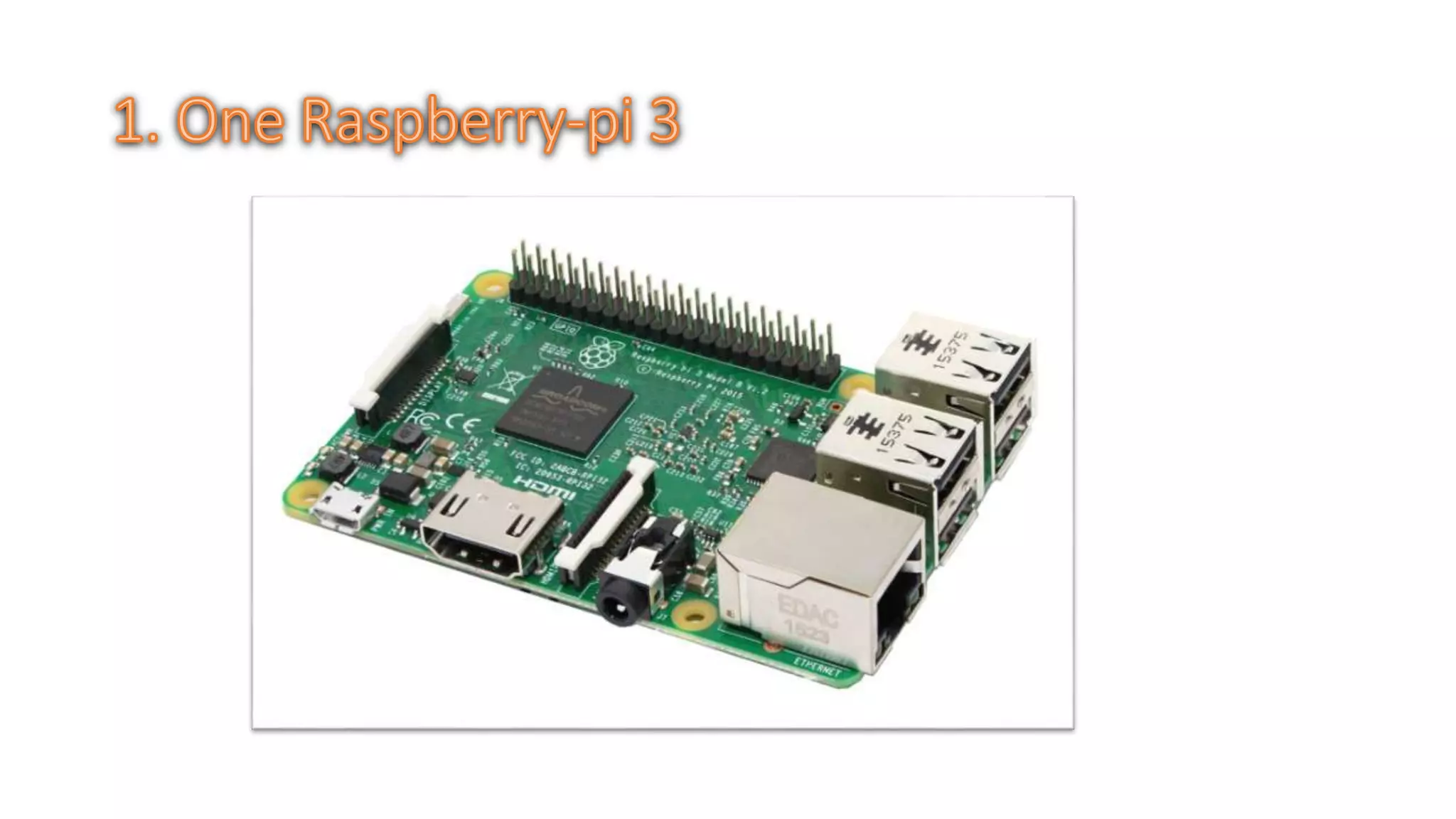
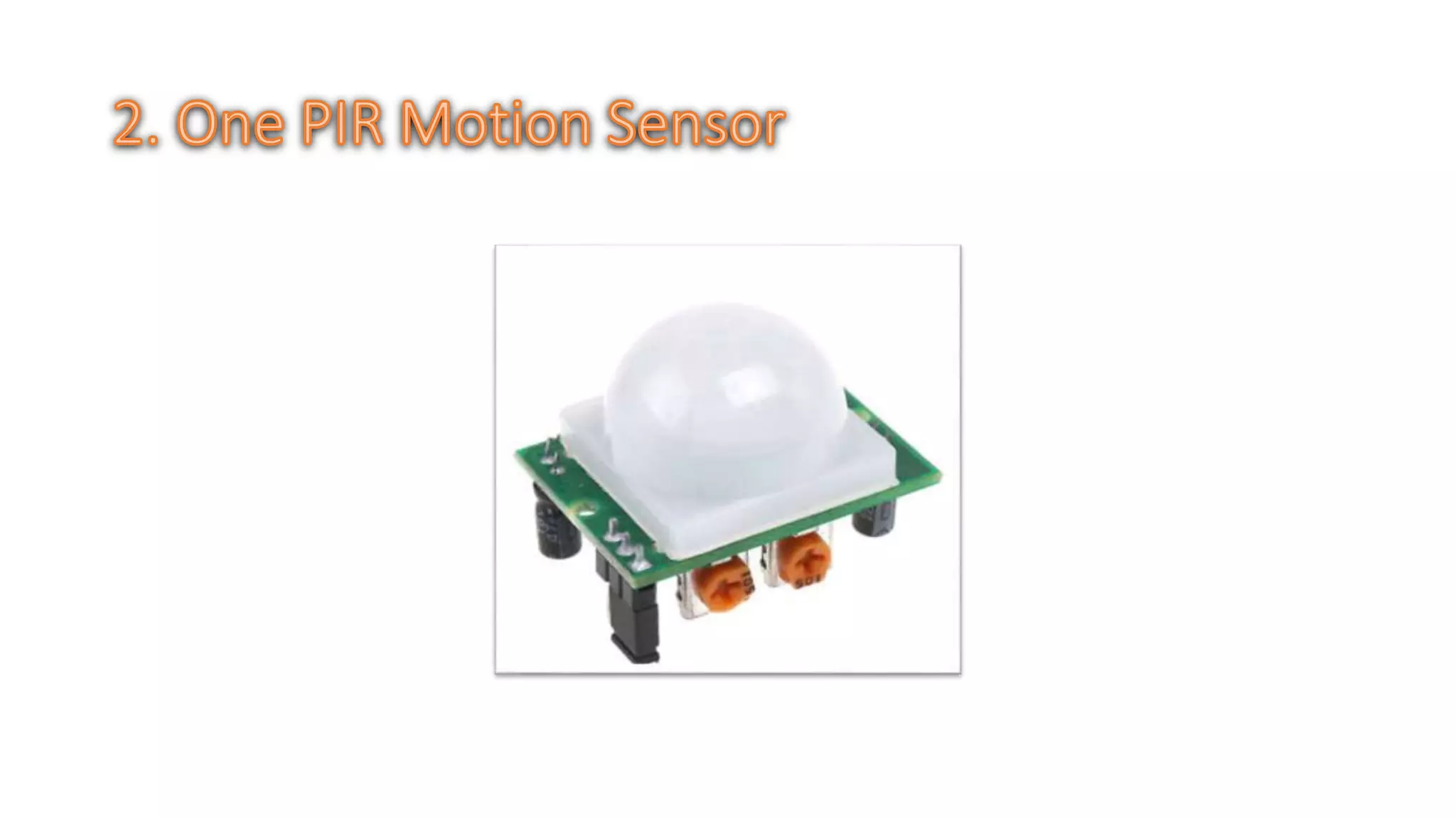
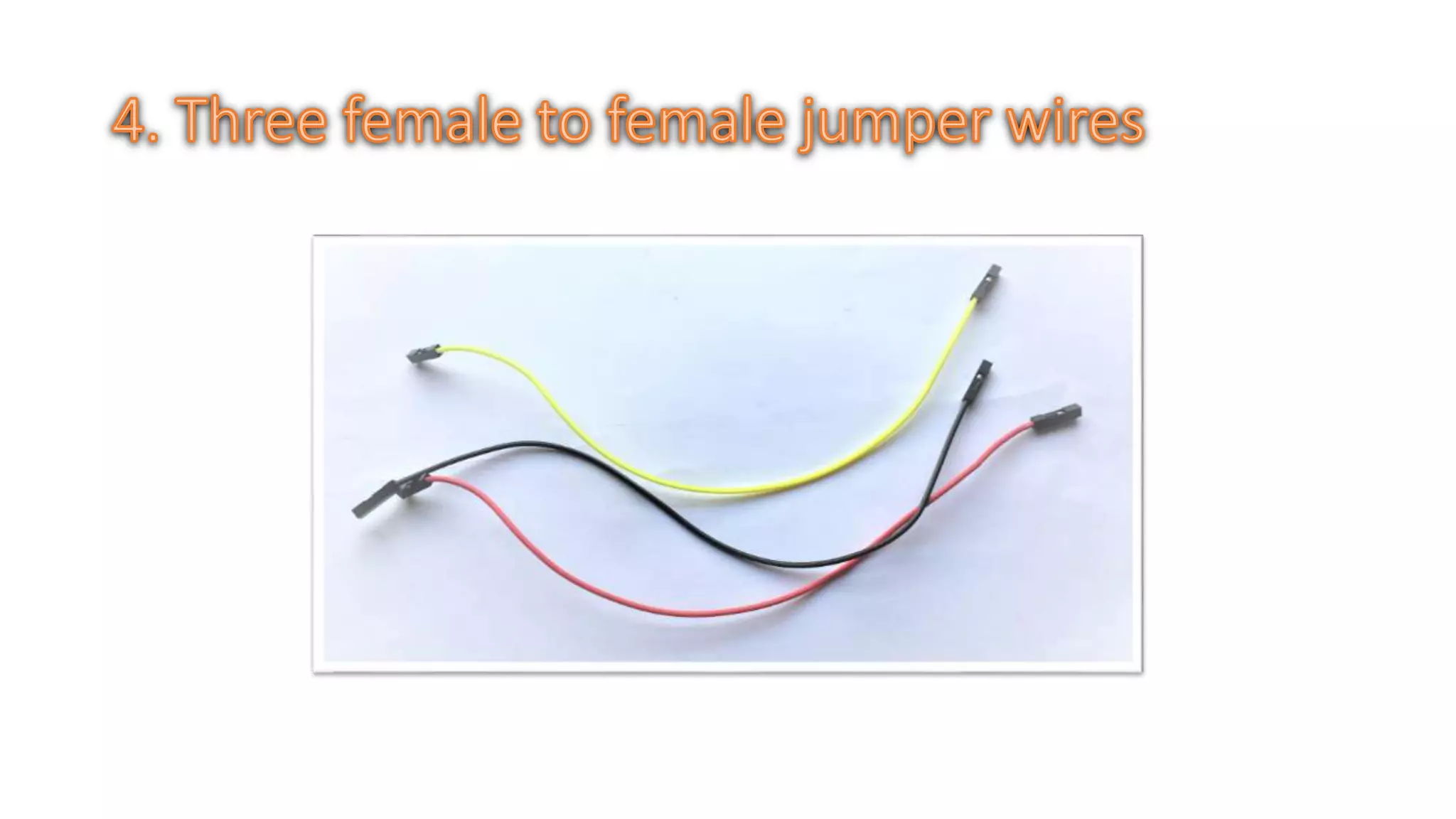
What you need?
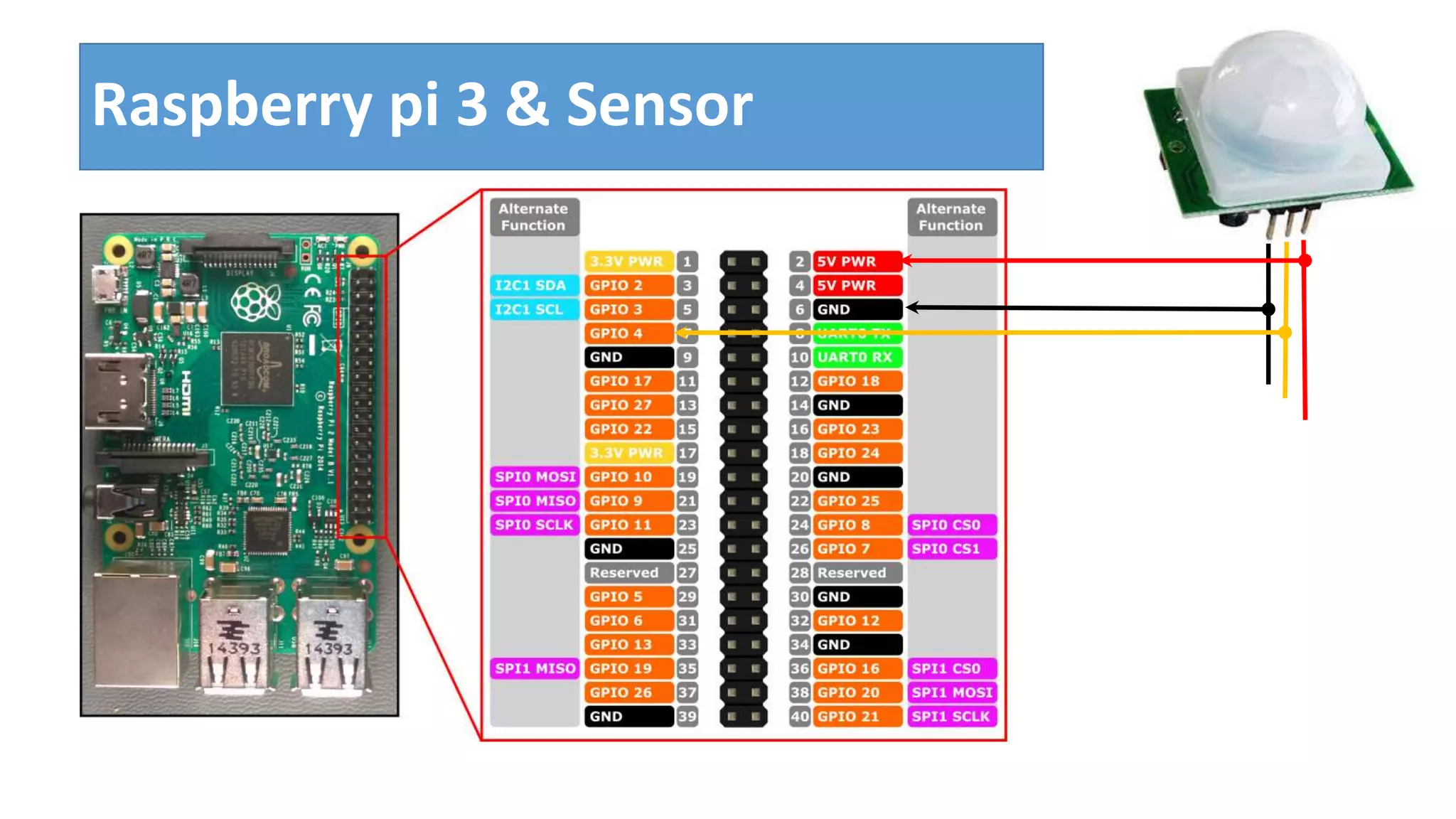
Connect the PIR Sensor module to the Raspberry Pi
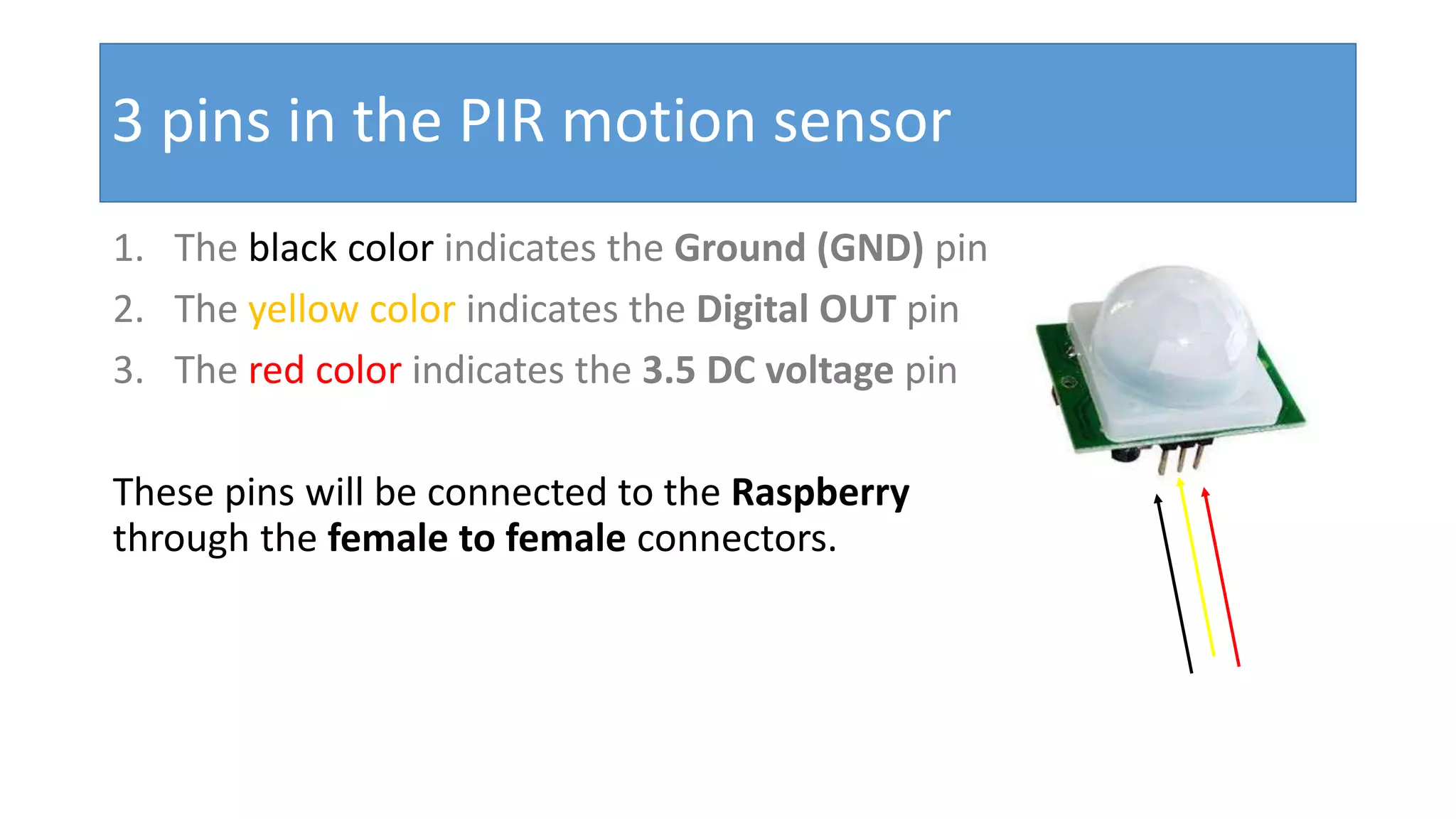
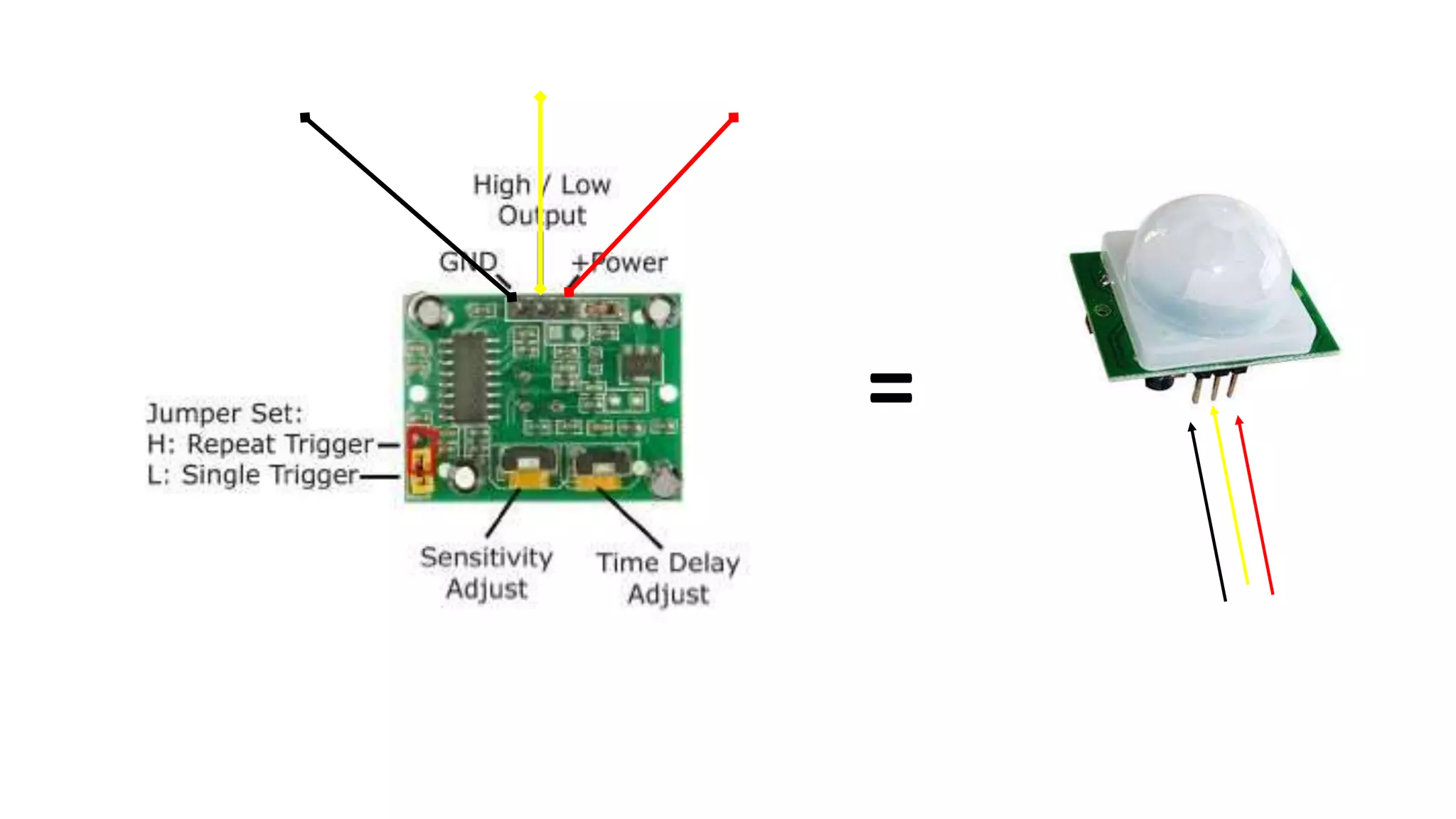
3 pins in the PIR motion sensor 1. The black color indicates the Ground (GND) pin 2. The yellow color indicates the Digital OUT pin 3. The red color indicates the 3.5 DC voltage pin These pins will be connected to the Raspberry through the female to female connectors.
=
Raspberry pi 3 & Sensor
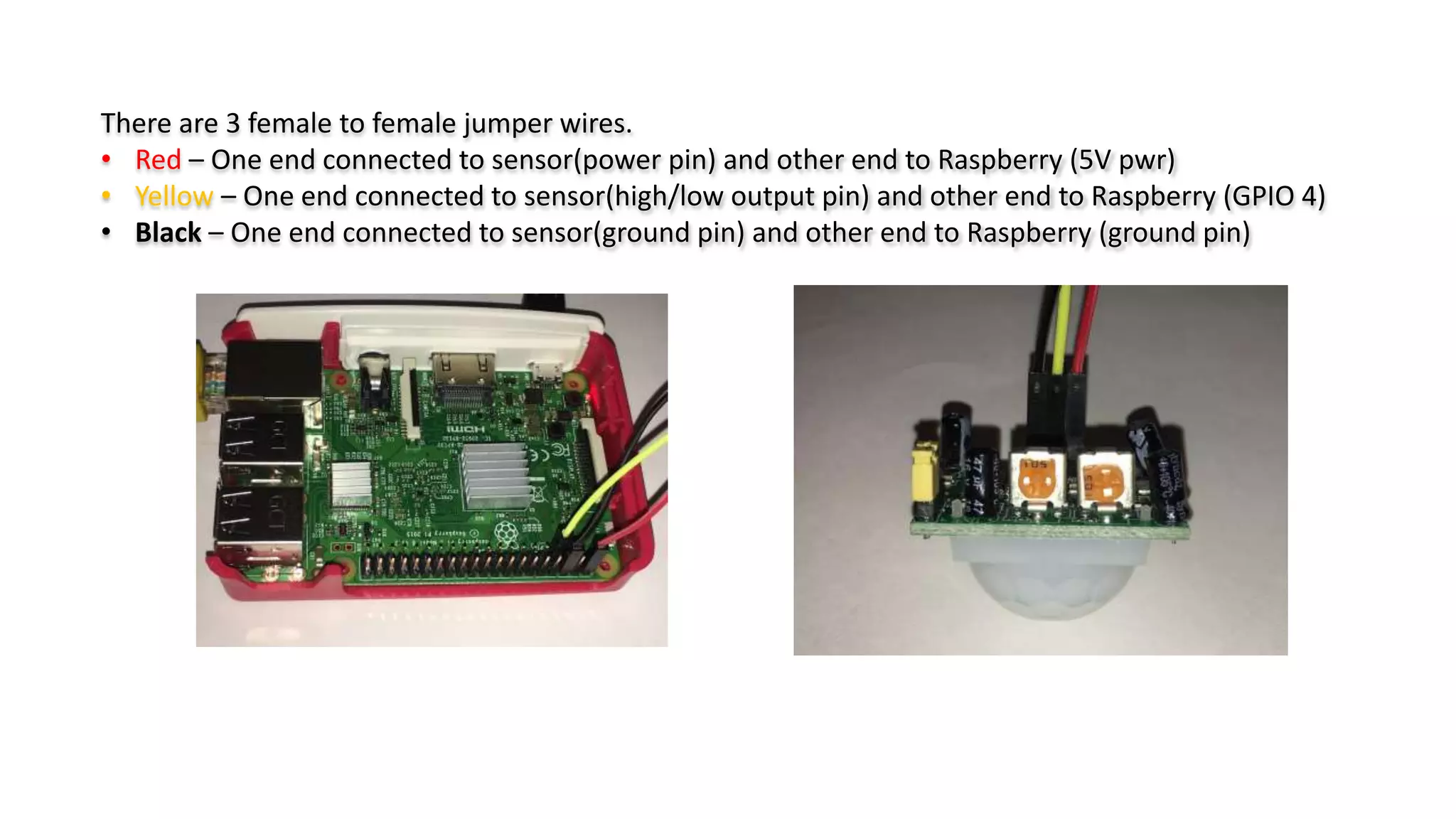
There are 3 female to female jumper wires. • Red – One end connected to sensor(power pin) and other end to Raspberry (5V pwr) • Yellow – One end connected to sensor(high/low output pin) and other end to Raspberry (GPIO 4) • Black – One end connected to sensor(ground pin) and other end to Raspberry (ground pin)
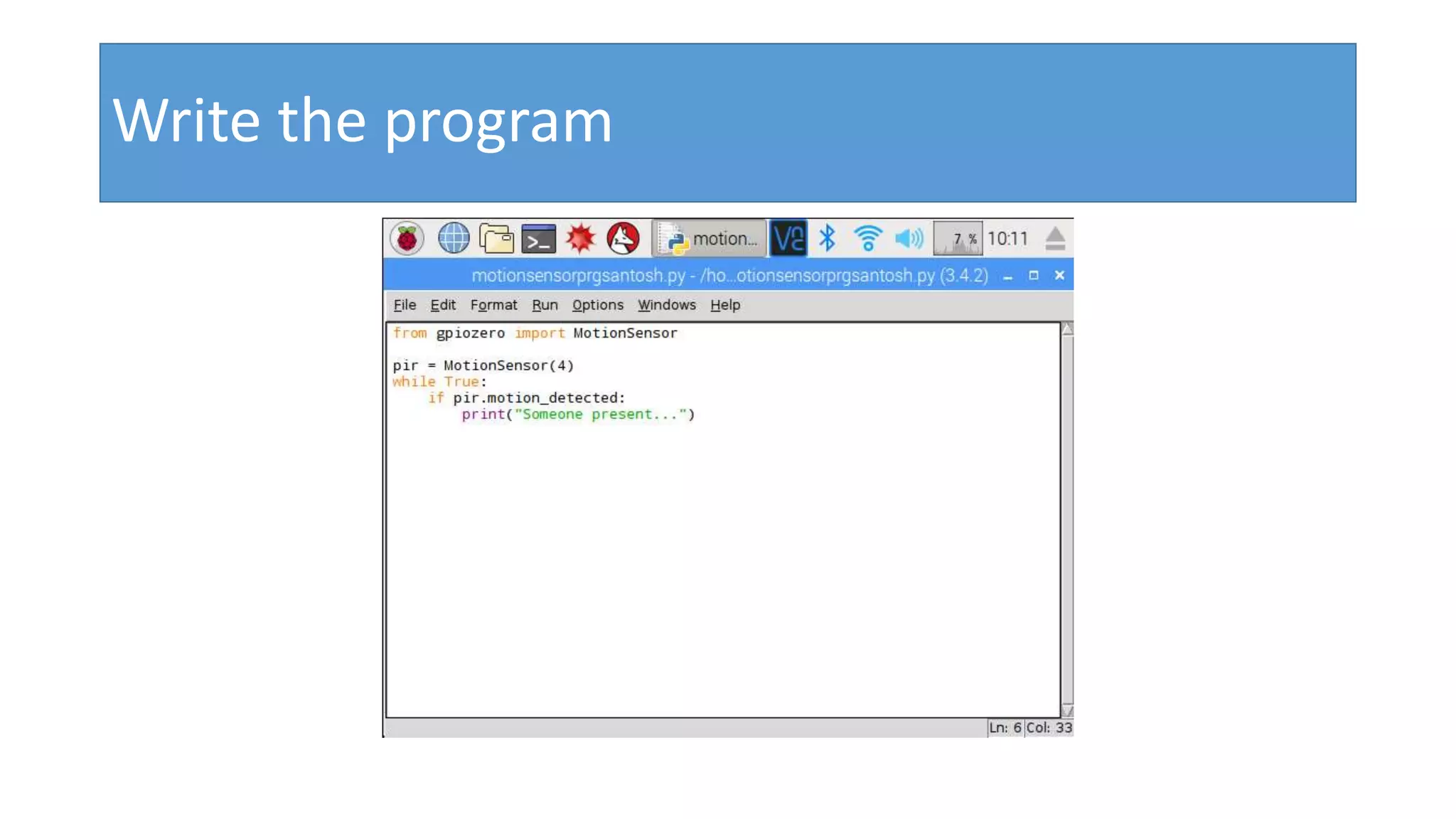
Write code
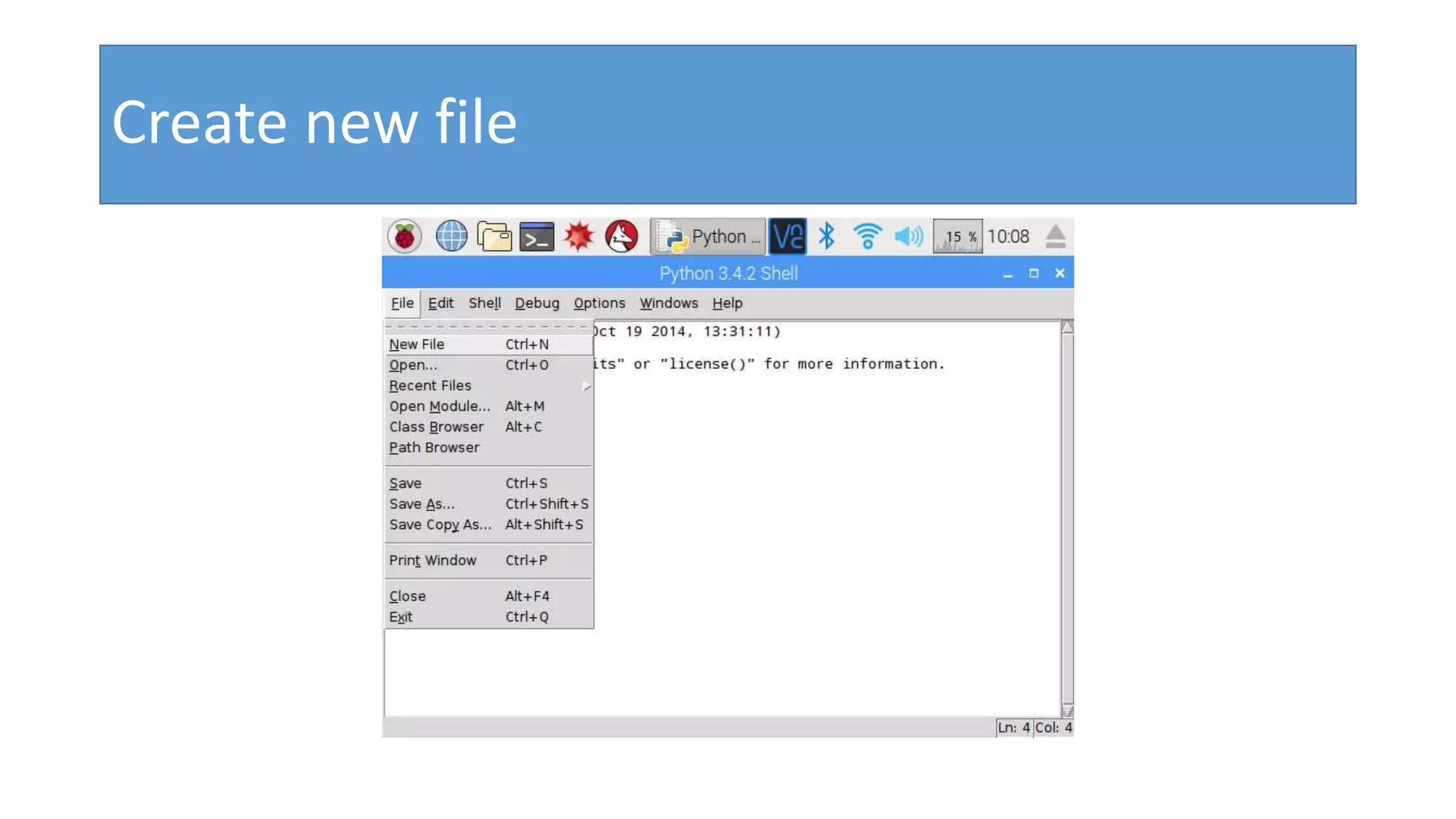
Login to raspberry, open the Python 3 editor.
Create new file
Write the program
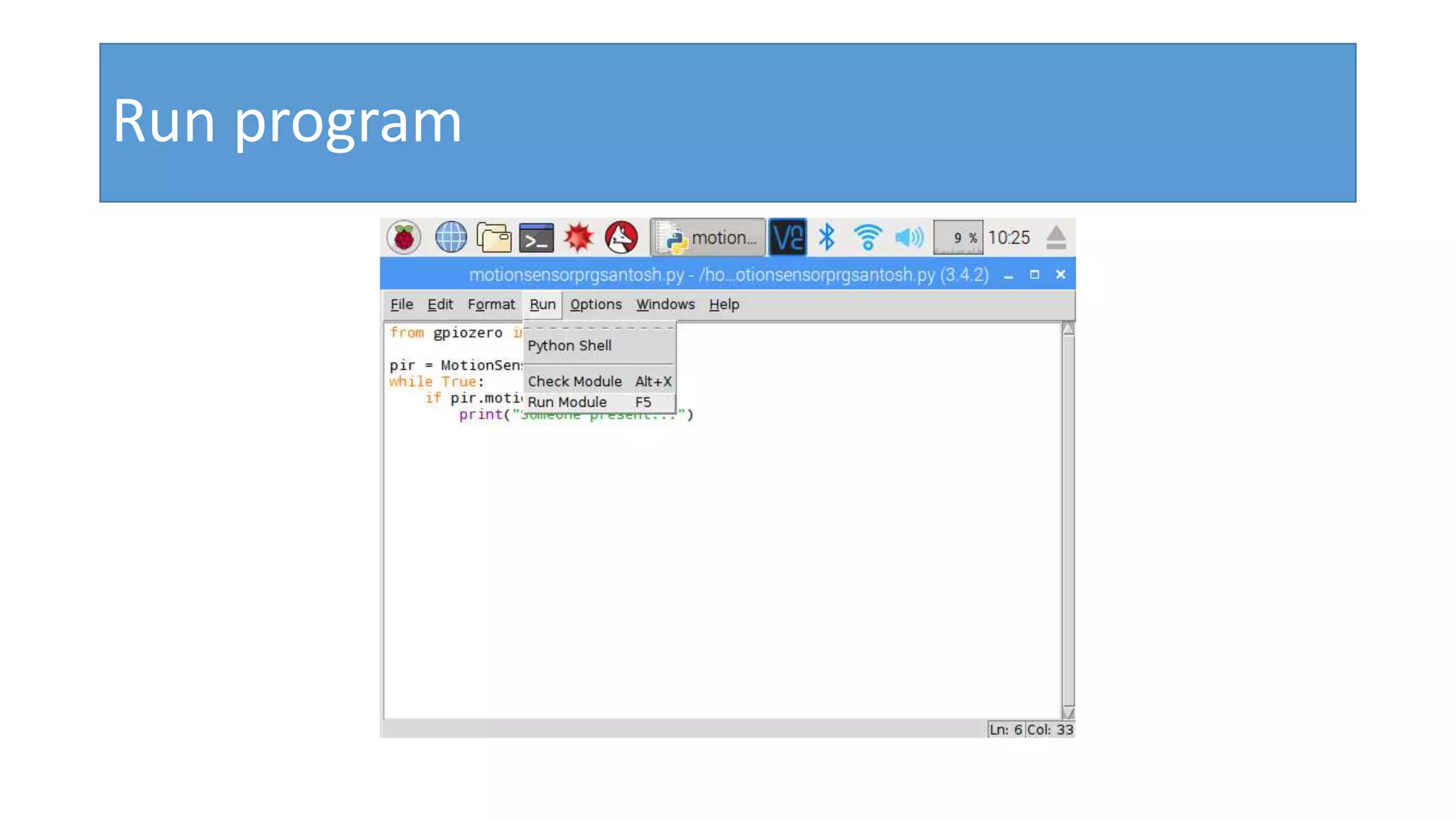
Run program
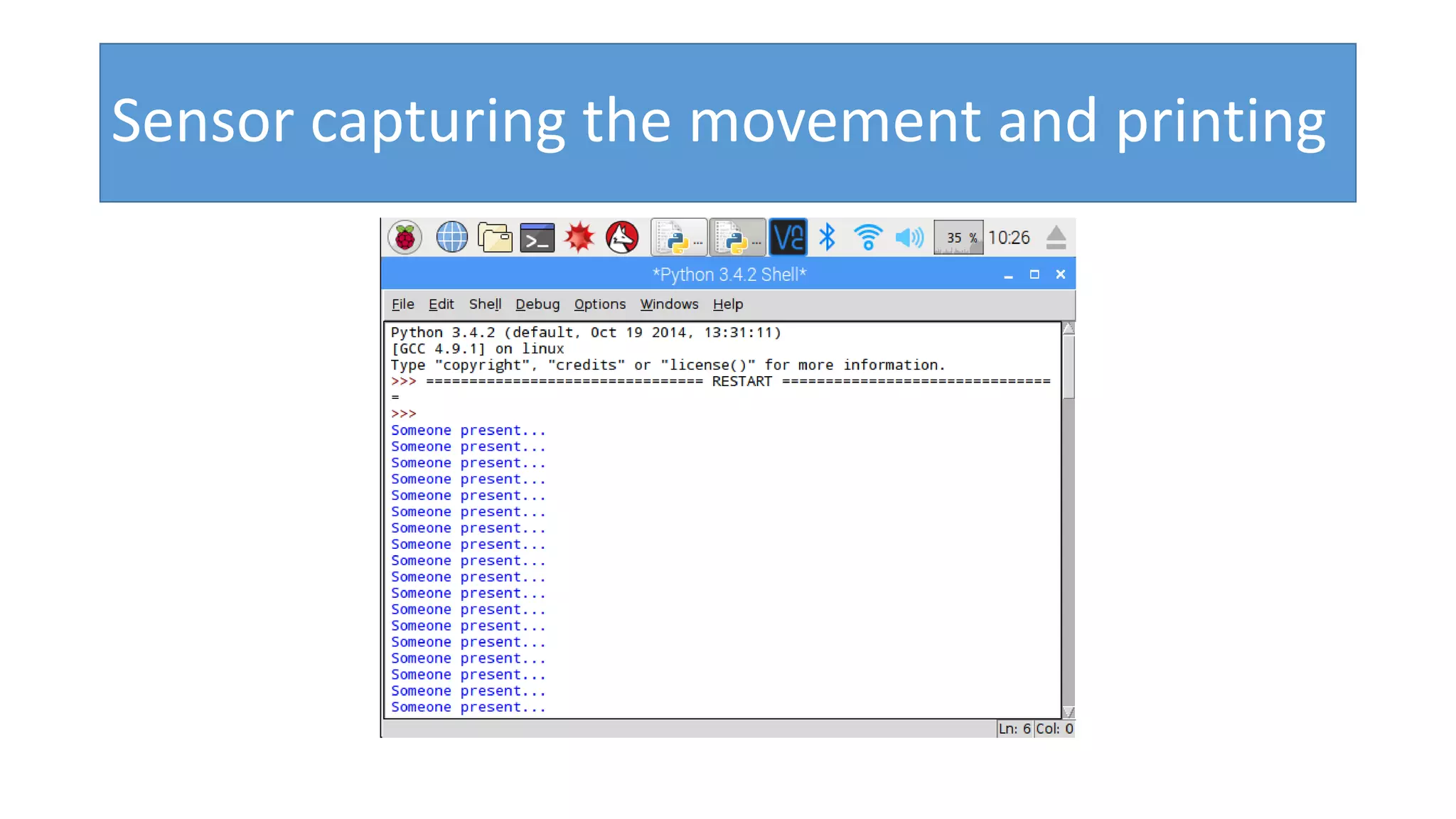
Sensor capturing the movement and printing
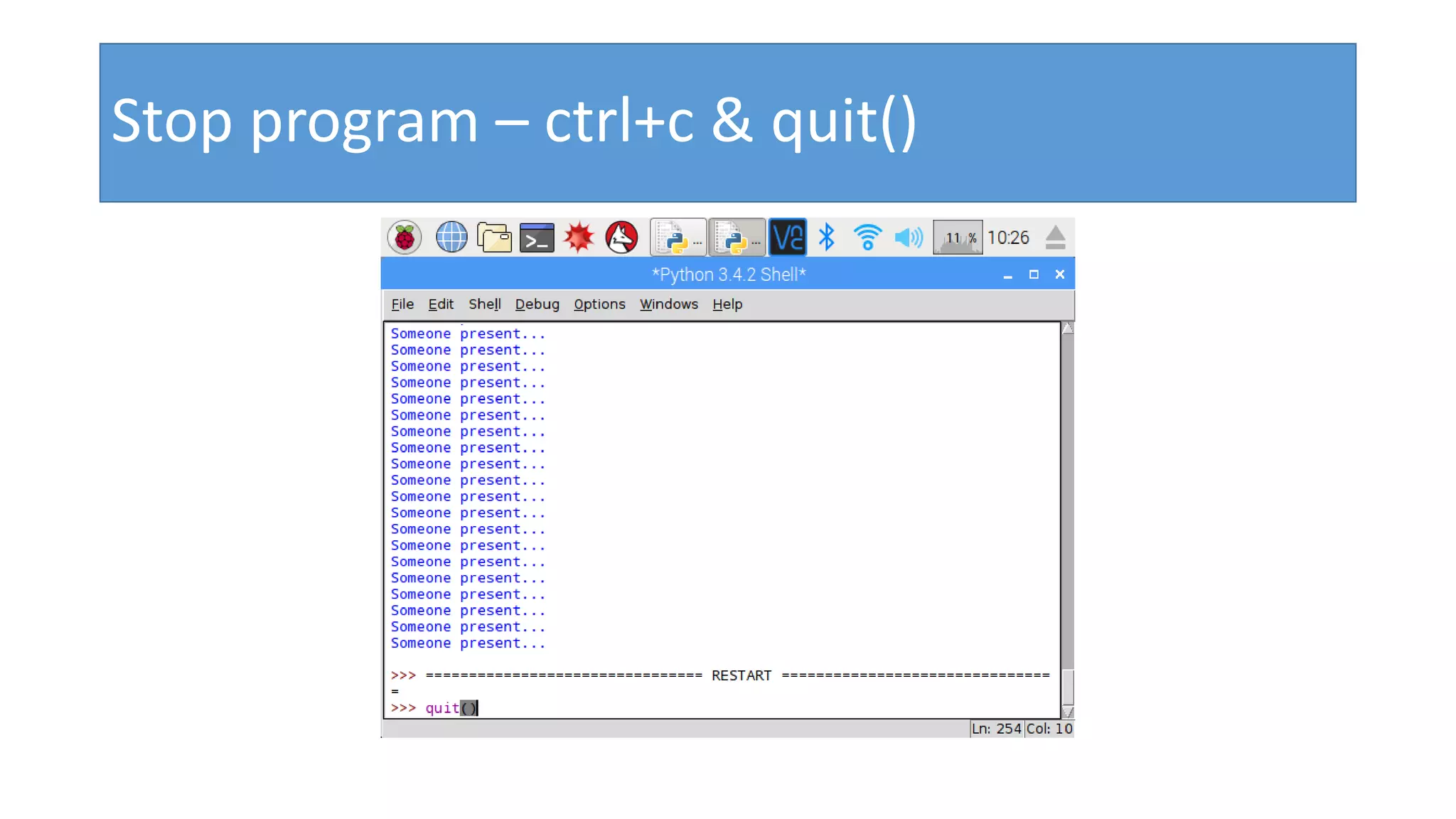
Stop program – ctrl+c & quit()
Write to skkar.2k2@gmail.com
Pir motion sensor with raspberry pi

Pir motion sensor with raspberry pi