JavaScipt - Ashish Gajjar
Client-side EnvironmentThe client-side environment used to run scripts is usually a browser. The processing takes place on the end users computer. The source code is transferred from the web server to the u s e r s c o m p u t e r o v e r t h e internet and run directly in the browser. The scripting language needs to b e e n a b l e d o n t h e c l i e n t computer. Sometimes if a user is conscious of security risks they may switch the scripting facility off. When this is the
Client-side EnvironmentThis party requests pages from the Server, and displays them to the user. In most cases, the client is a web browser. The User opens his web browser (the Client). The User browses to http://google.com. The Client (on the behalf of the User), sends a request to http://google.com (the Server), for their home page. The Server then acknowledges the request, and replies the client with some meta-data (called headers), followed by the page's source. The Client then receives the page's source, and renders it into a human viewable website. The User types Stack Overflow into the search bar, and presses Enter The Client submits that data to the Server. The Server processes that data, and replies with a page matching the search results. The Client, once again, renders that page for the User to view.
Client-side EnvironmentThe User types Stack Overflow into the search bar, and presses Enter The Client submits that data to the Server. The Server processes that data, and replies with a page matching the search results. The Client, once again, renders that page for the User to view. Example languages JavaScript (primarily), HTML*, CSS* Any language running on a client device that interacts with a remote service is a client-side language.
Server-side EnvironmentServer-side programming, is the general name for the kinds of programs which are run on the Server. This is different from client- side scripting where scripts are run by the viewing web browser, usually in JavaScript. T h e p r i m a r y a d v a n t a g e t o server-side scripting is the ability to highly customize the response based on the user's requirements, access rights, or queries into data stores. Example Languages
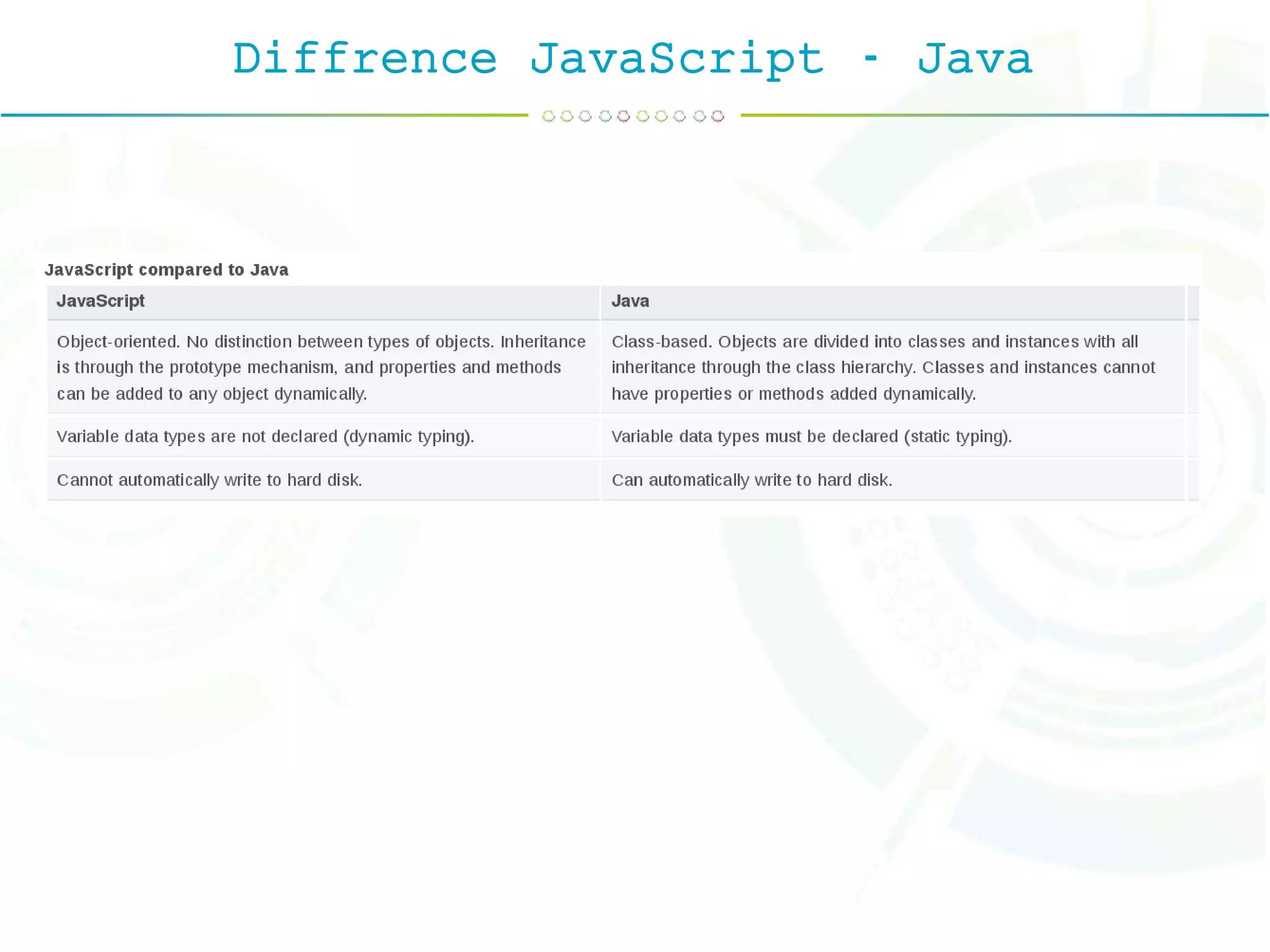
Diffrence JavaScript - Java
JavaScriptJavaScript was released by Netscape and Sun Microsystems in 1995. However, JavaScript is not the same thing as Java. JavaScript is a cross-platform, object-oriented scripting language, programming language, interpreted language, object- based programming, small and lightweight language.
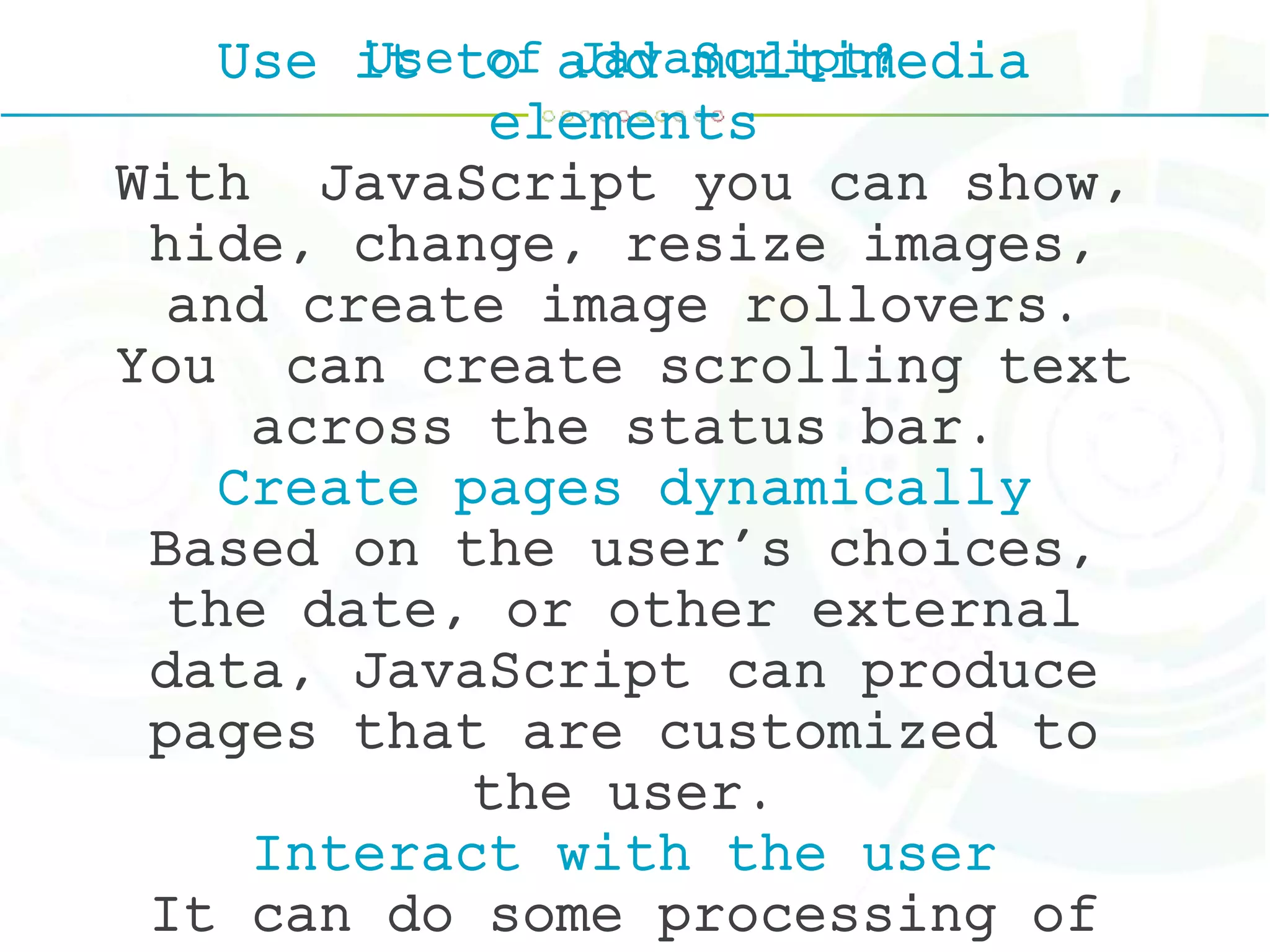
Use of JavaScript?Use it to add multimedia elements With JavaScript you can show, hide, change, resize images, and create image rollovers. You can create scrolling text across the status bar. Create pages dynamically Based on the user's choices, the date, or other external data, JavaScript can produce pages that are customized to the user. Interact with the user It can do some processing of
Why Study JavaScript?JavaScript is one of the 3 languages all web developers must learn: 1. HTML to define the content of web pages 2. CSS to specify the layout of web pages 3. JavaScript to program the behavior of web pages
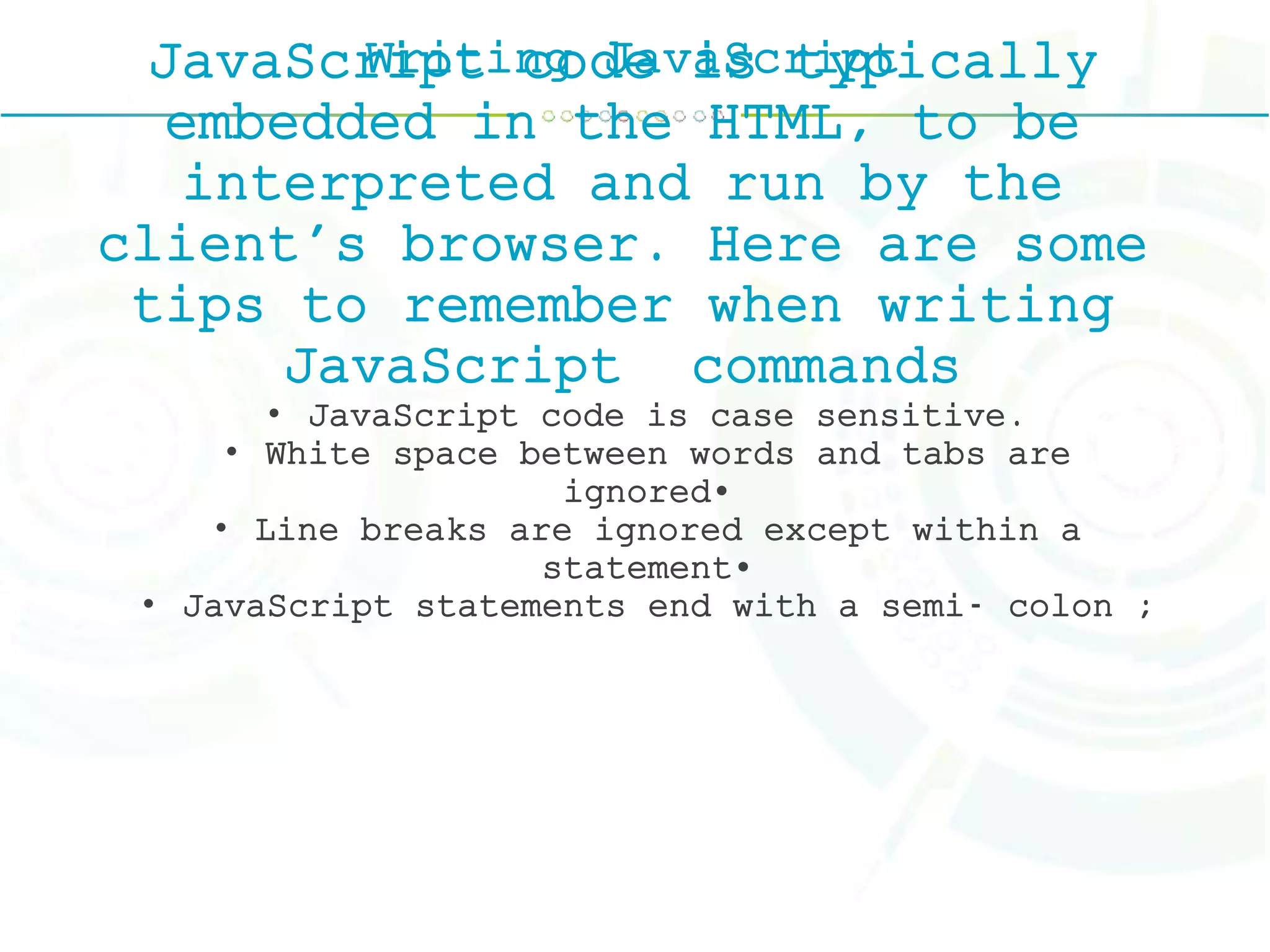
Writing JavaScriptJavaScript code is typically embedded in the HTML, to be interpreted and run by the client's browser. Here are some tips to remember when writing JavaScript commands • JavaScript code is case sensitive. • White space between words and tabs are ignored• • Line breaks are ignored except within a statement• • JavaScript statements end with a semi- colon ;
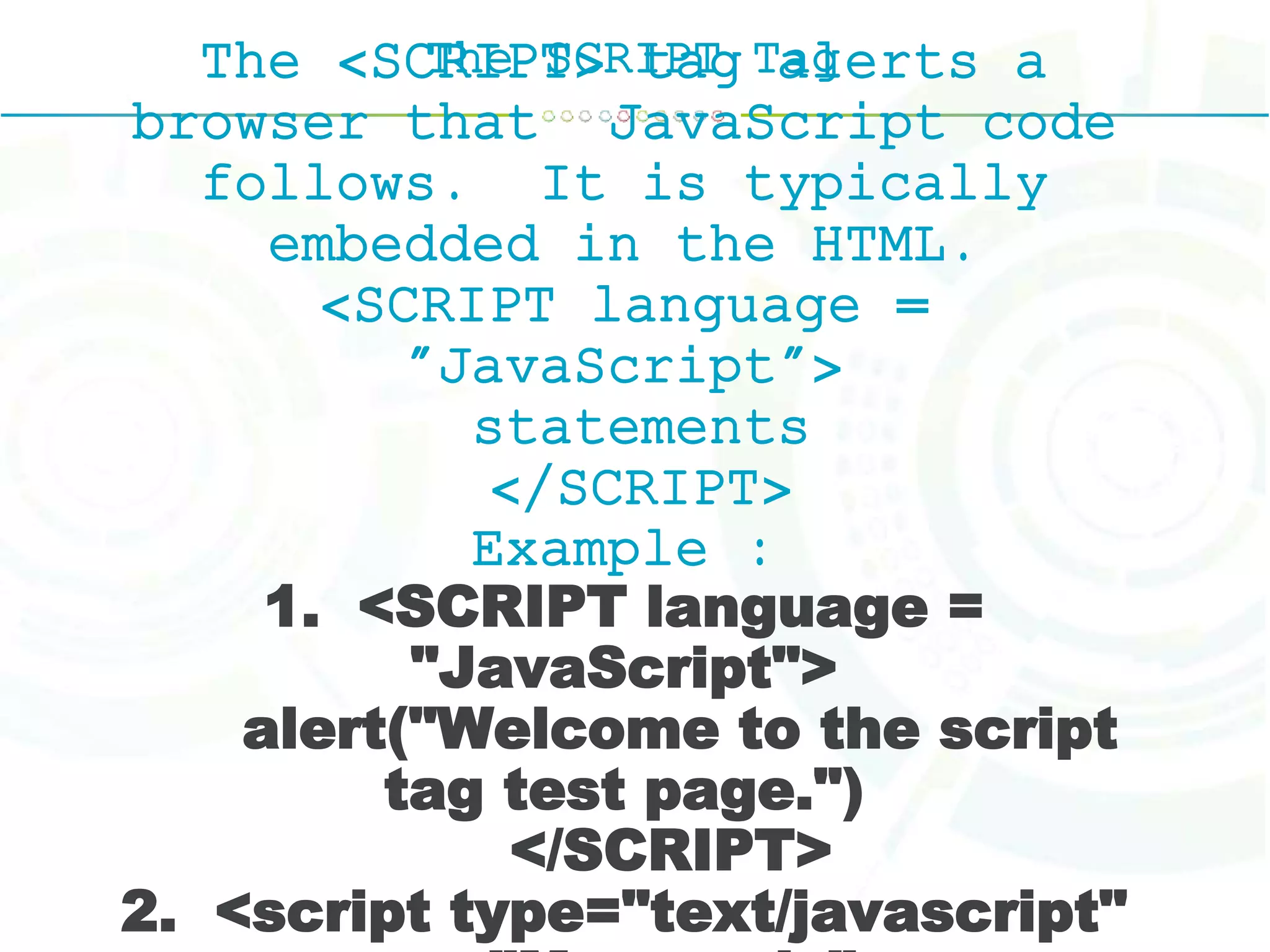
The SCRIPT TagThe <SCRIPT> tag alerts a browser that JavaScript code follows. It is typically embedded in the HTML. <SCRIPT language = "JavaScript"> statements </SCRIPT> Example : 1. <SCRIPT language = "JavaScript"> alert("Welcome to the script tag test page.") </SCRIPT> 2. <script type="text/javascript"
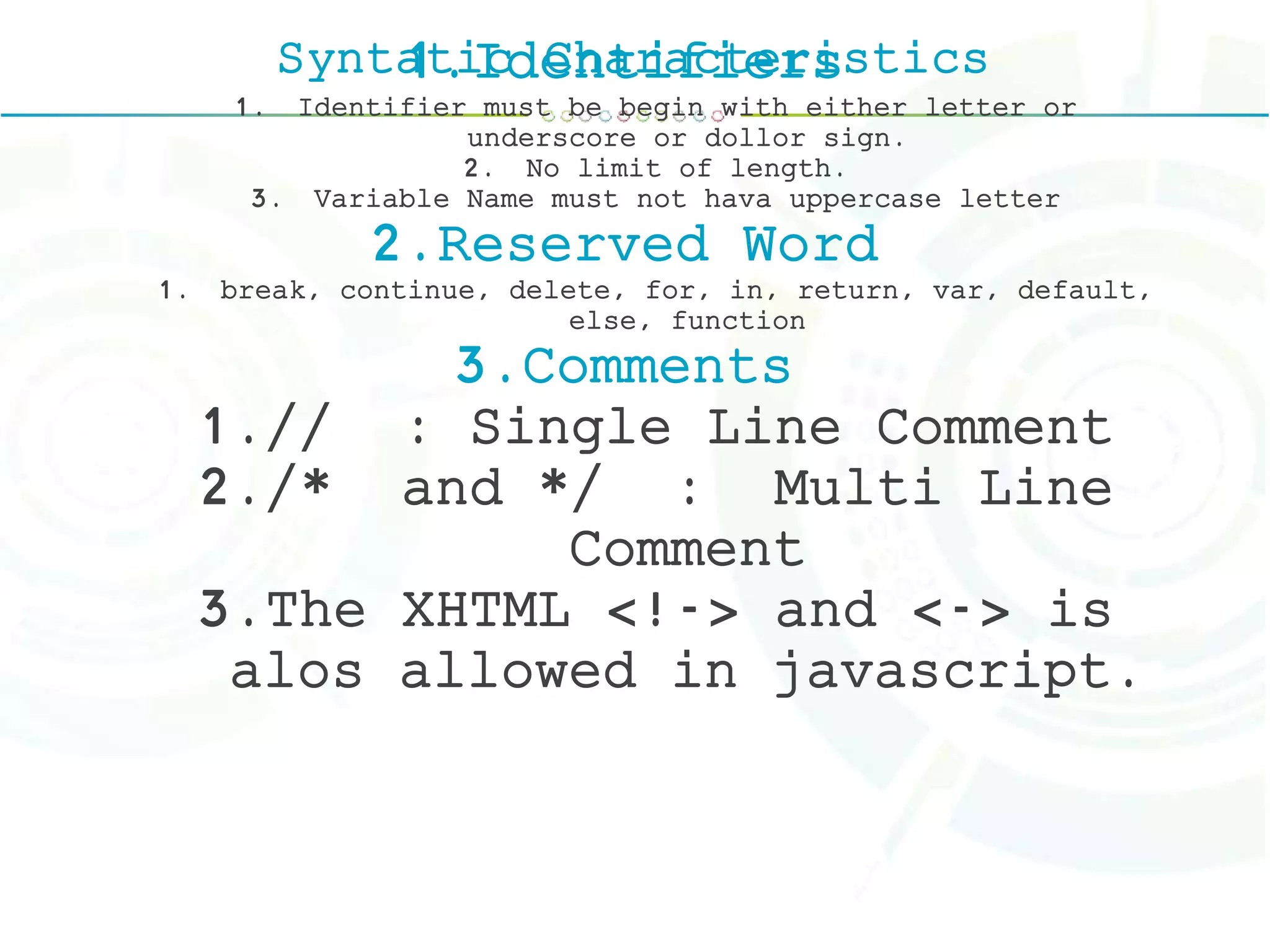
Syntatic Characteristics1.Identifiers 1. Identifier must be begin with either letter or underscore or dollor sign. 2. No limit of length. 3. Variable Name must not hava uppercase letter 2.Reserved Word 1. break, continue, delete, for, in, return, var, default, else, function 3.Comments 1.// : Single Line Comment 2./* and */ : Multi Line Comment 3.The XHTML <!-> and <-> is alos allowed in javascript.
Syntatic Characteristics4. Semicolon 5. Variable 1.Primitive Types - Number, String, Boolean, Undefined, Null 2.Literals - Numarical & String 3.Other Primitive Types Boolean, Null, Undefined.
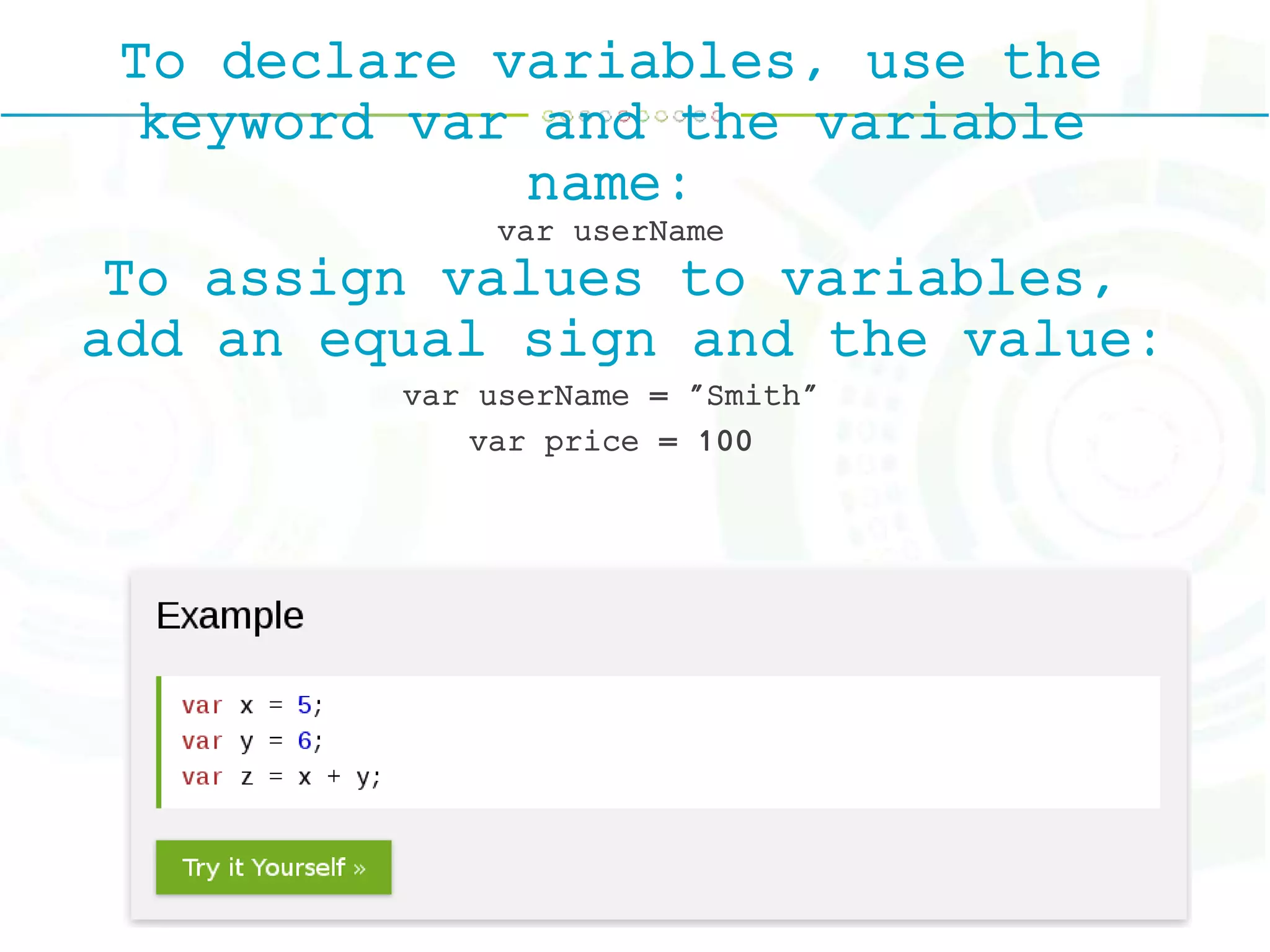
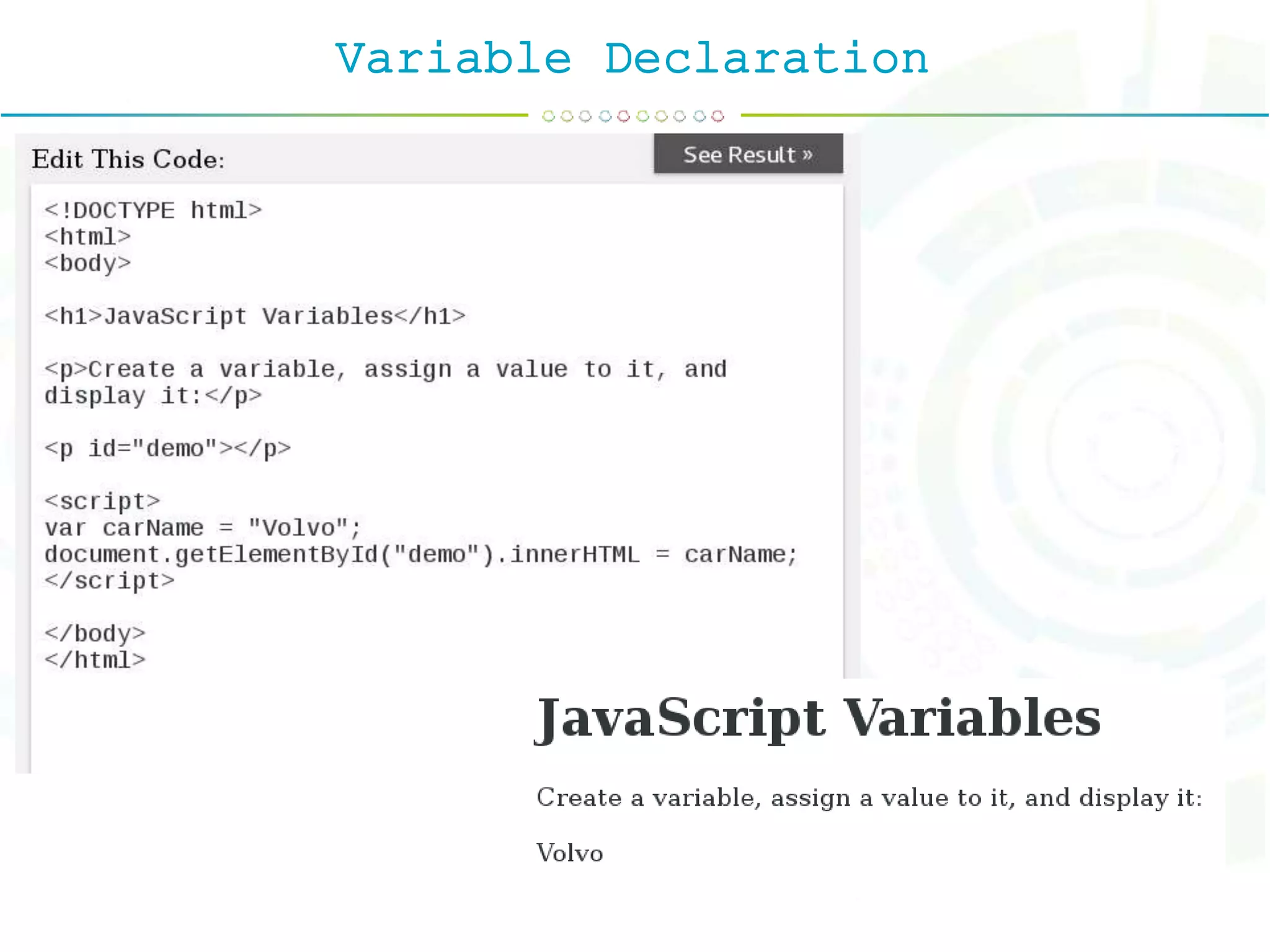
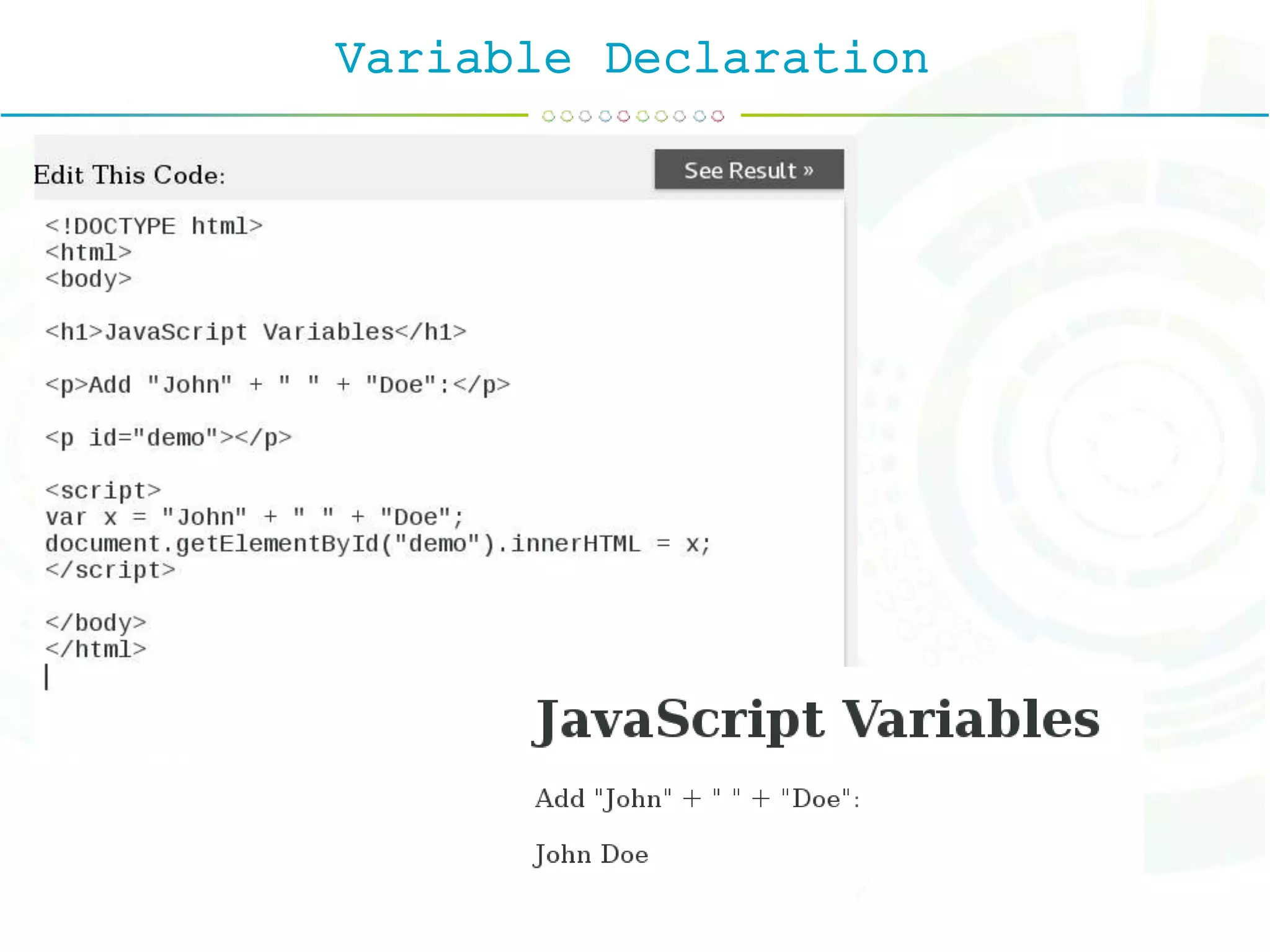
To declare variables, use the keyword var and the variable name: var userName To assign values to variables, add an equal sign and the value: var userName = "Smith" var price = 100
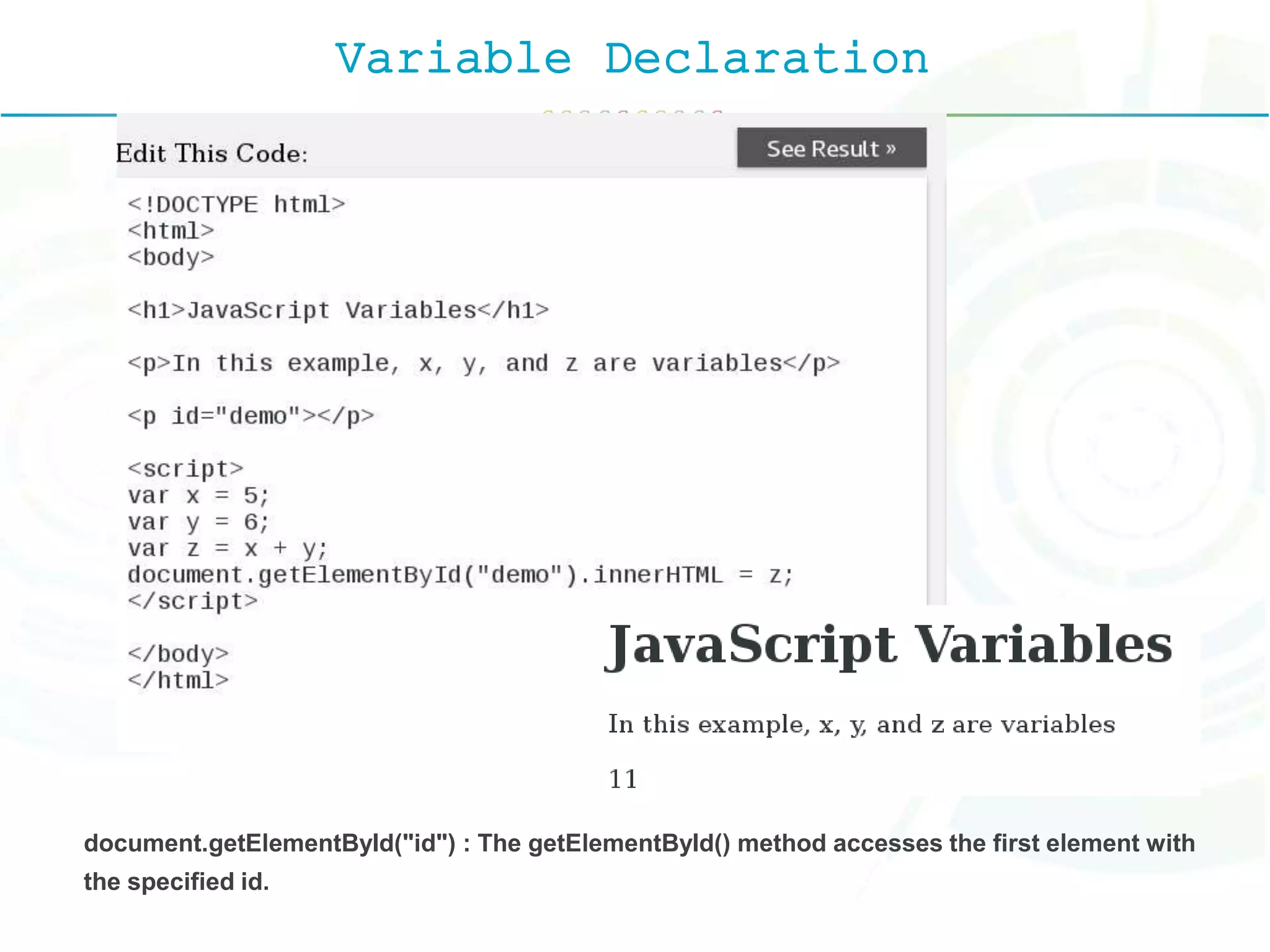
Variable Declaration document.getElementById("id") : The getElementById() method accesses the first element with the specified id.
Variable Declaration
Operators
Operators
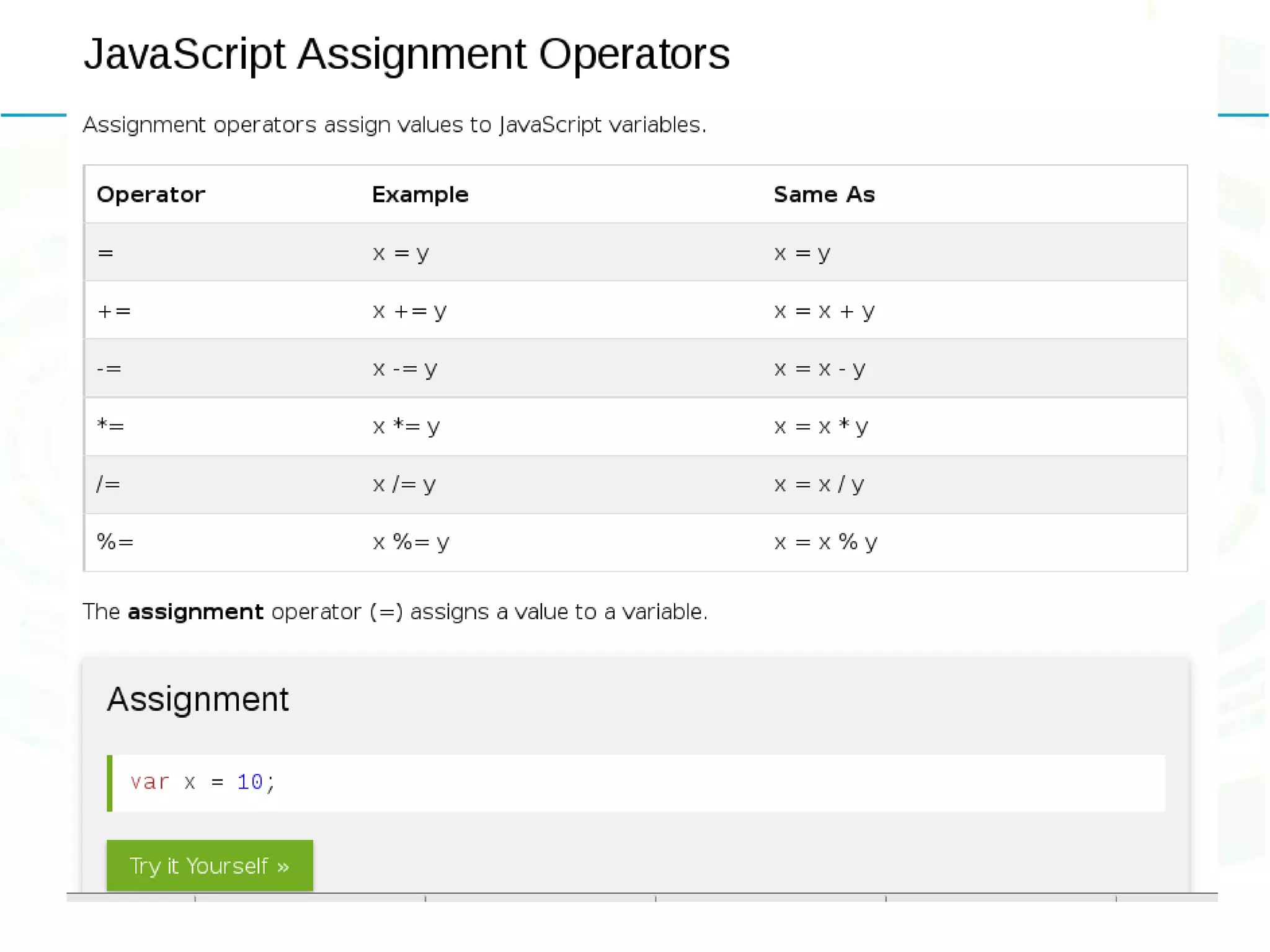
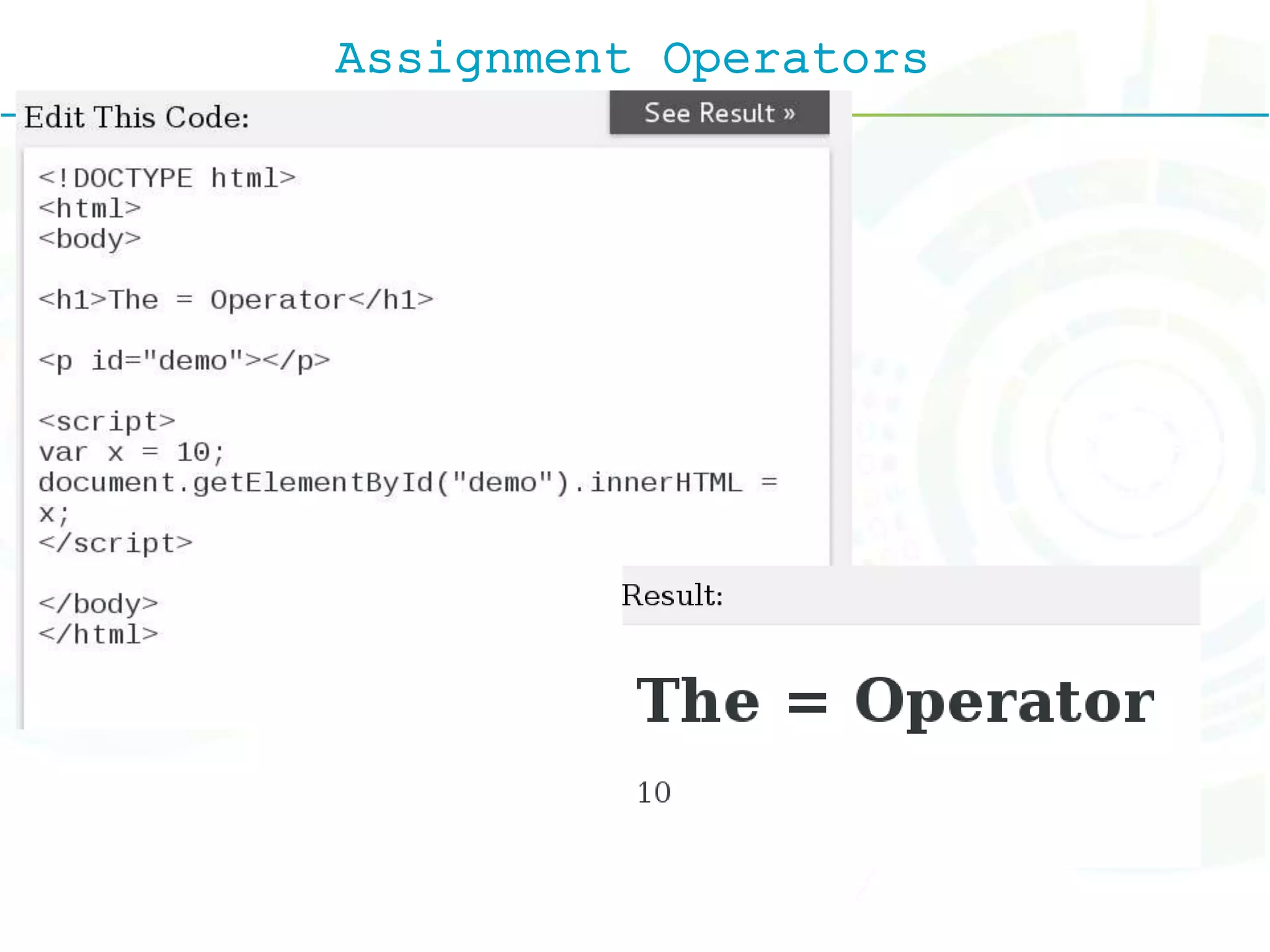
Assignment Operators
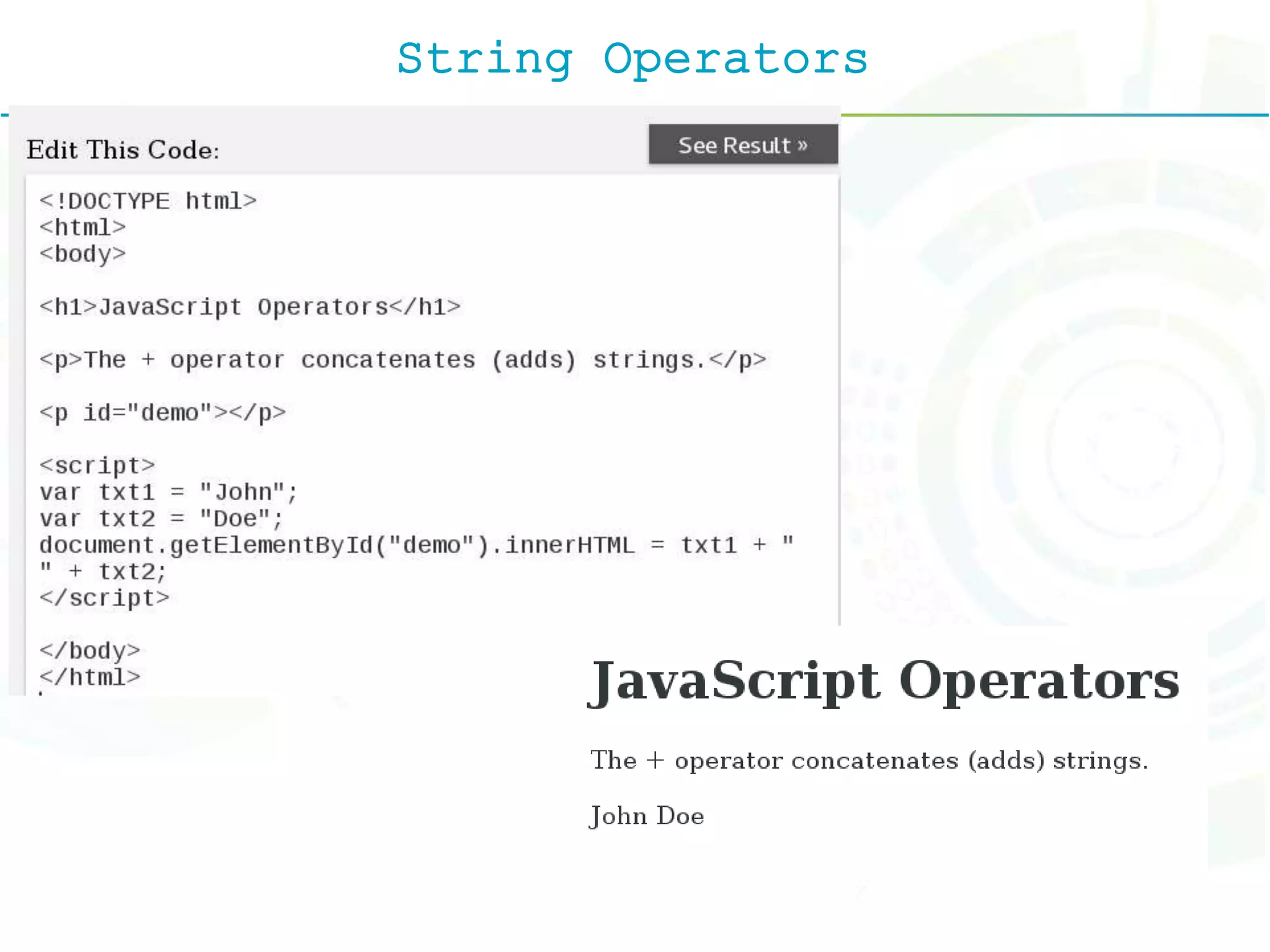
String Operators
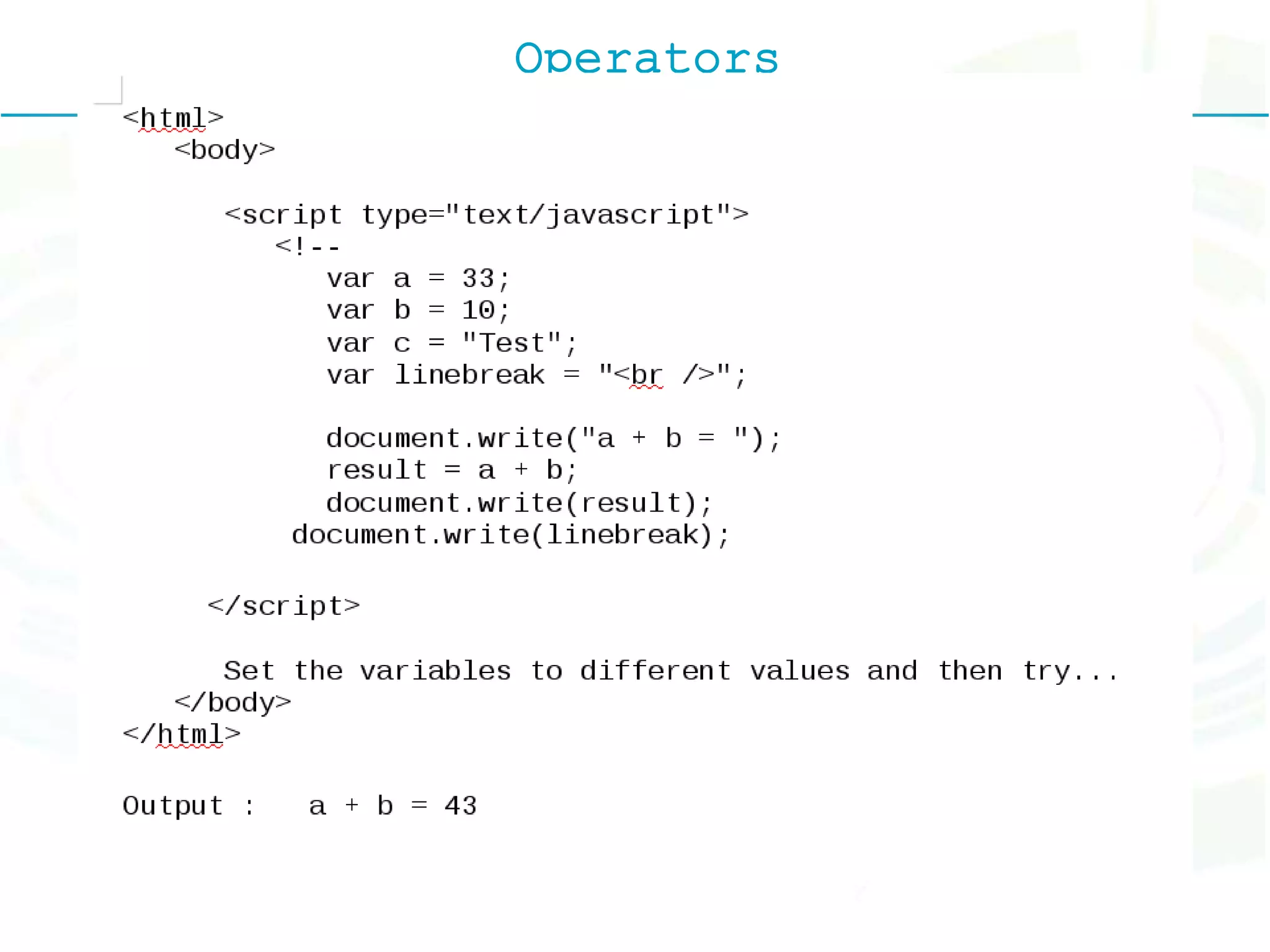
Operators
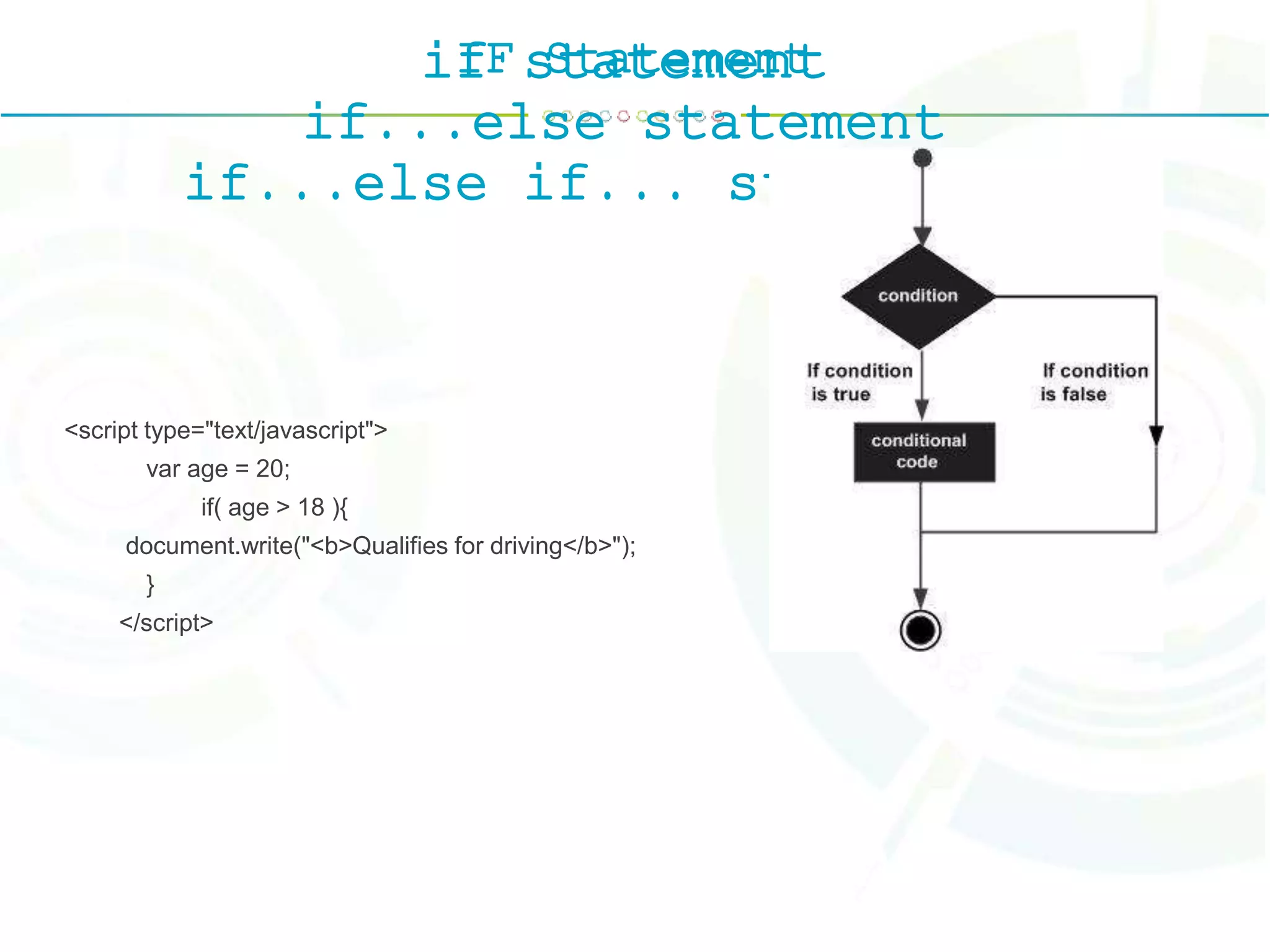
IF Statementif statement if...else statement if...else if... statement. <script type="text/javascript"> var age = 20; if( age > 18 ){ document.write("<b>Qualifies for driving</b>"); } </script>
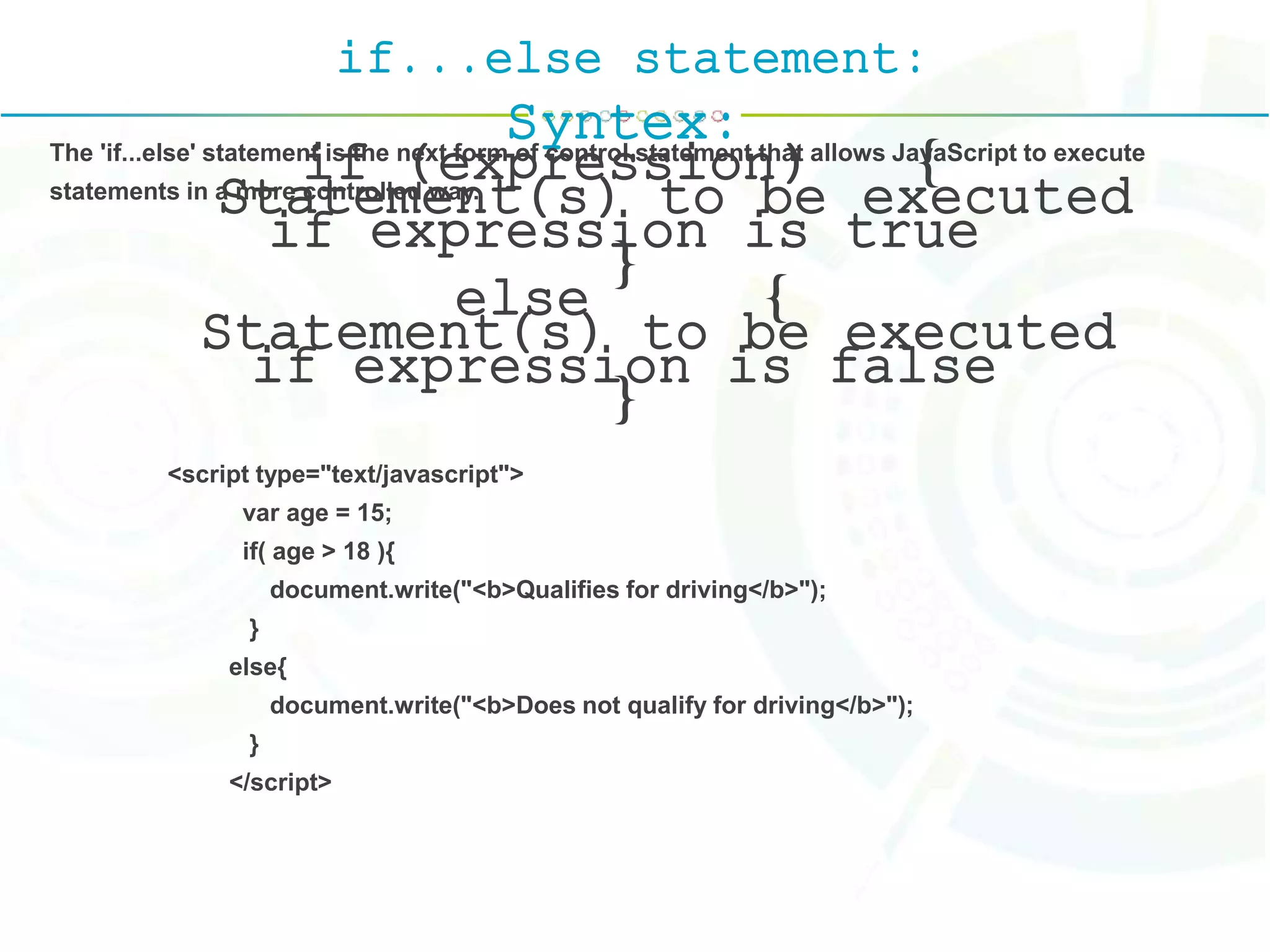
if...else statement: Syntex: if (expression) { Statement(s) to be executed if expression is true } else { Statement(s) to be executed if expression is false } The 'if...else' statement is the next form of control statement that allows JavaScript to execute statements in a more controlled way. <script type="text/javascript"> var age = 15; if( age > 18 ){ document.write("<b>Qualifies for driving</b>"); } else{ document.write("<b>Does not qualify for driving</b>"); } </script>
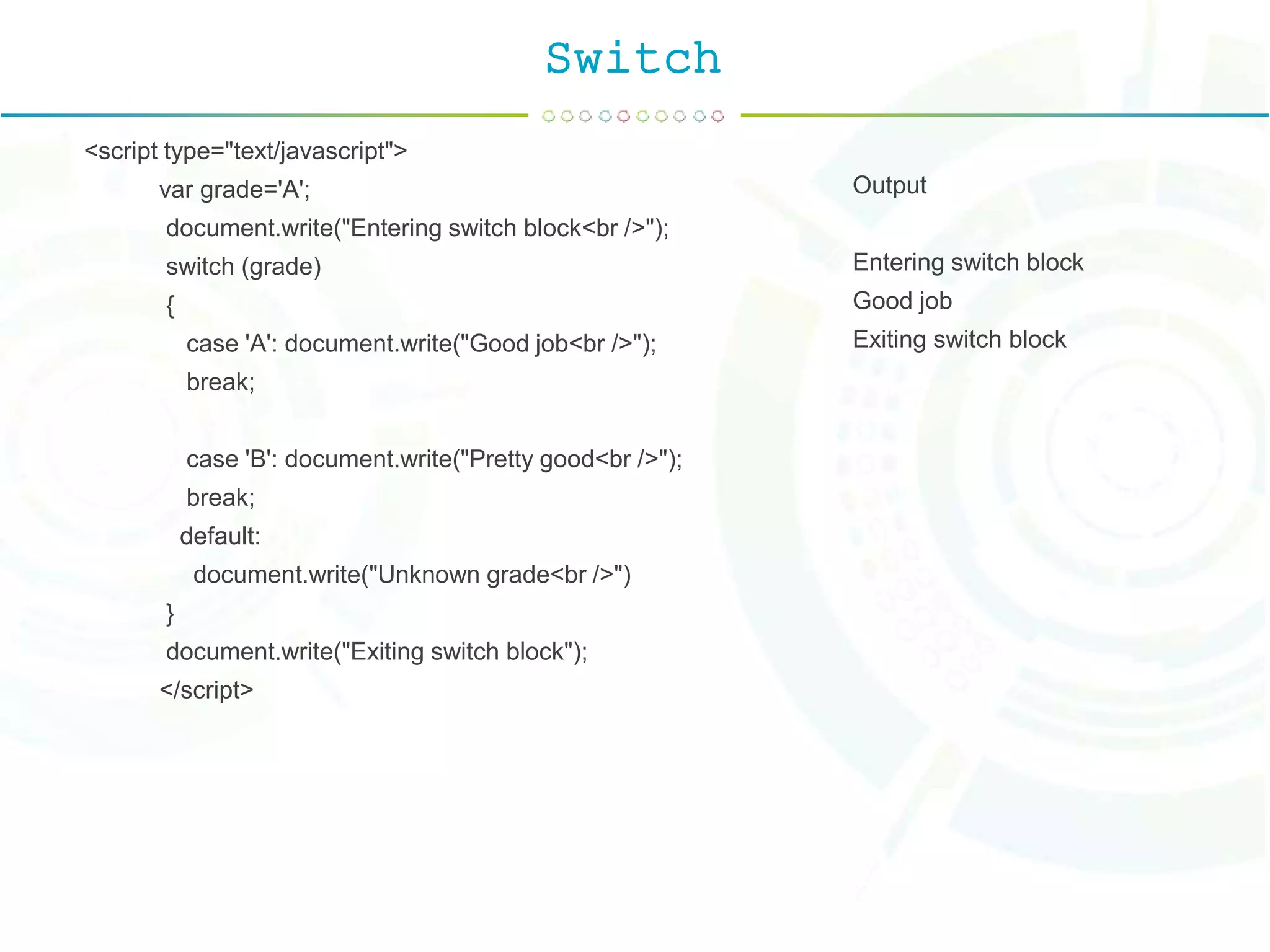
Switch <script type="text/javascript"> var grade='A'; document.write("Entering switch block<br />"); switch (grade) { case 'A': document.write("Good job<br />"); break; case 'B': document.write("Pretty good<br />"); break; default: document.write("Unknown grade<br />") } document.write("Exiting switch block"); </script> Output Entering switch block Good job Exiting switch block
While Loop while (expression){ Statement(s) to be executed if expression is true } <script type="text/javascript"> <!-- var count = 0; document.write("Starting Loop "); while (count < 10){ document.write("Current Count : " + count + "<br />"); count++; } document.write("Loop stopped!"); //--> </script> Output : Starting Loop Current Count : 0 Current Count : 1 Current Count : 2
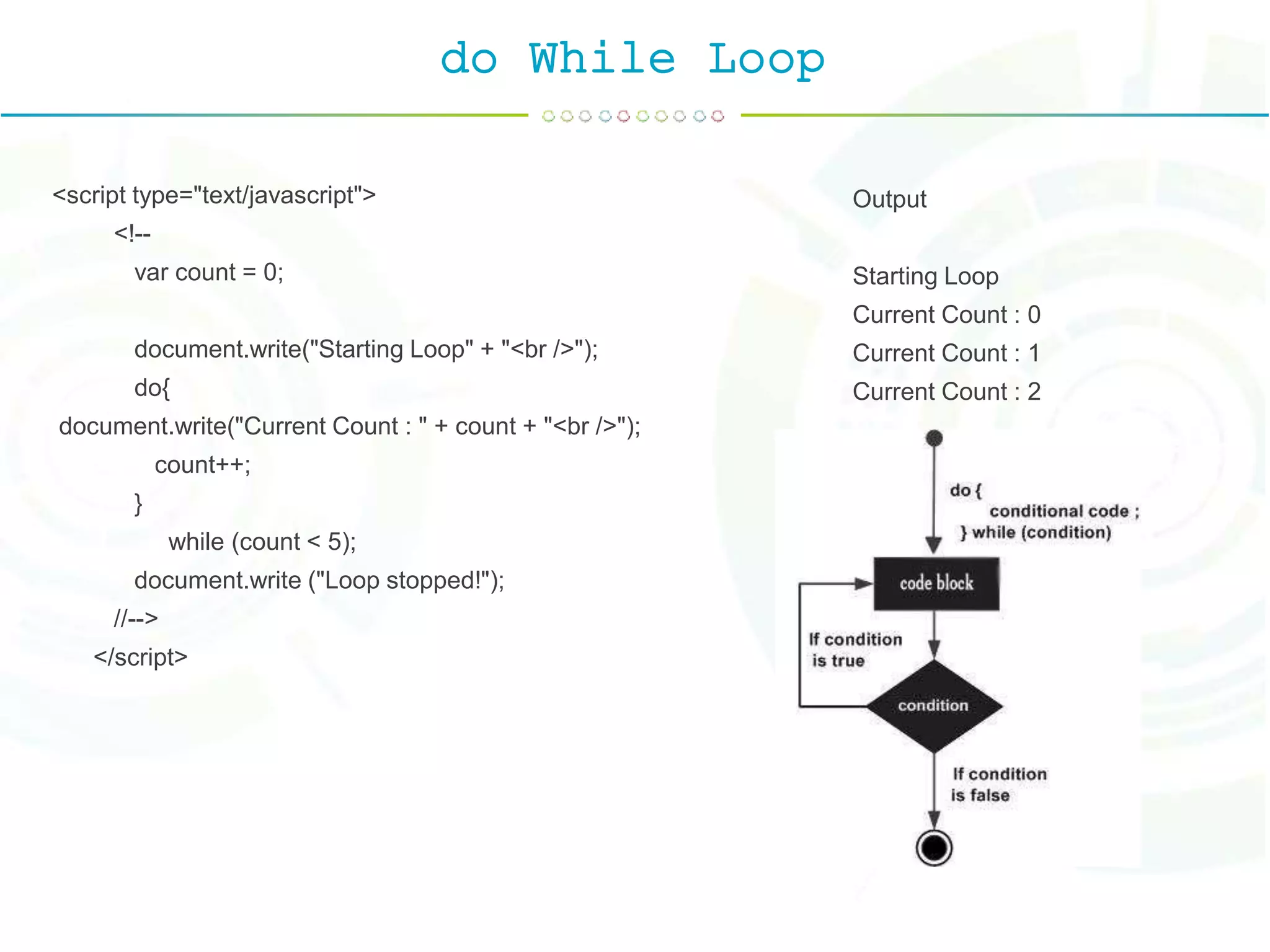
do While Loop <script type="text/javascript"> <!-- var count = 0; document.write("Starting Loop" + "<br />"); do{ document.write("Current Count : " + count + "<br />"); count++; } while (count < 5); document.write ("Loop stopped!"); //--> </script> Output Starting Loop Current Count : 0 Current Count : 1 Current Count : 2
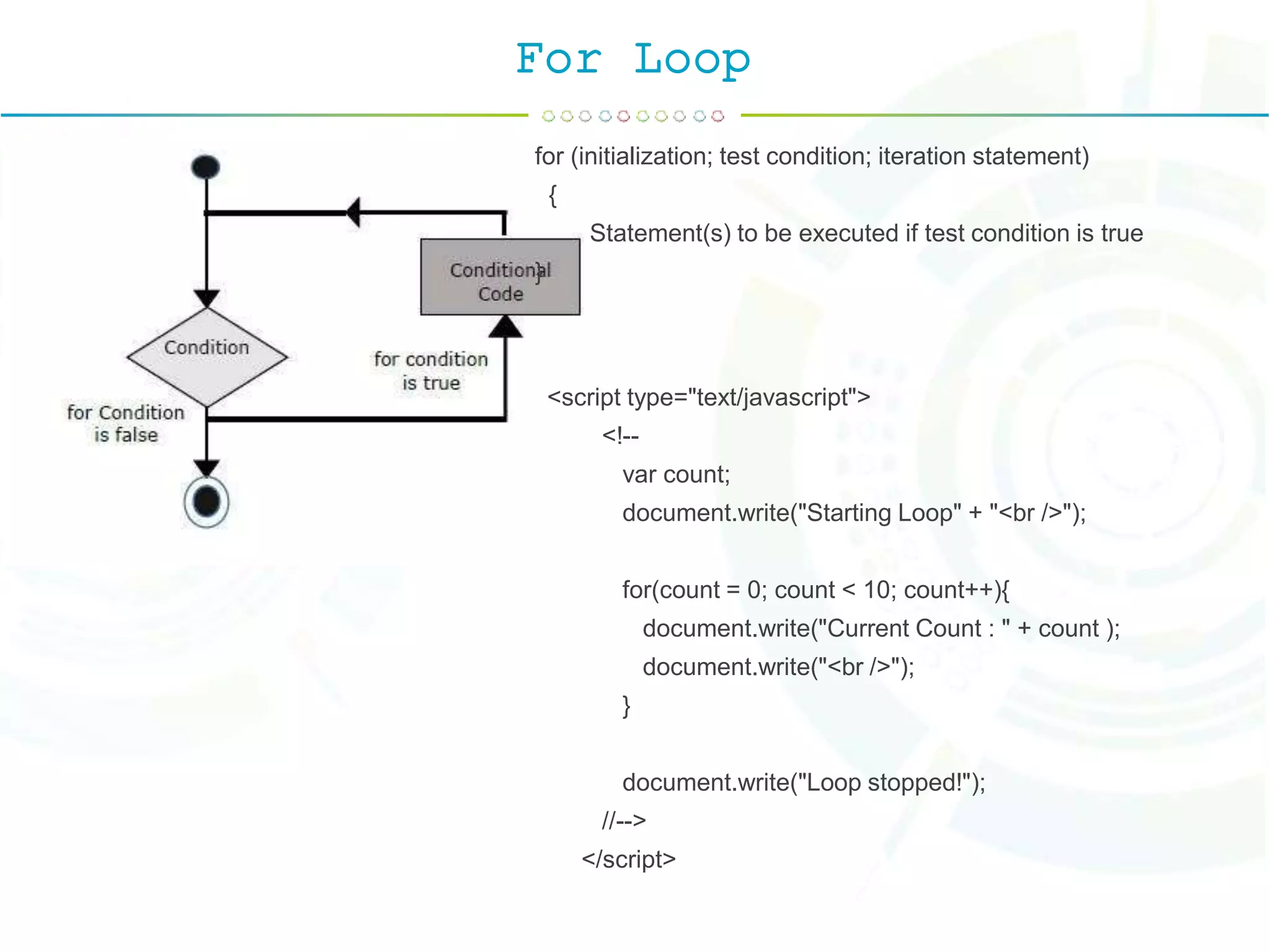
For Loop for (initialization; test condition; iteration statement) { Statement(s) to be executed if test condition is true } <script type="text/javascript"> <!-- var count; document.write("Starting Loop" + "<br />"); for(count = 0; count < 10; count++){ document.write("Current Count : " + count ); document.write("<br />"); } document.write("Loop stopped!"); //--> </script>
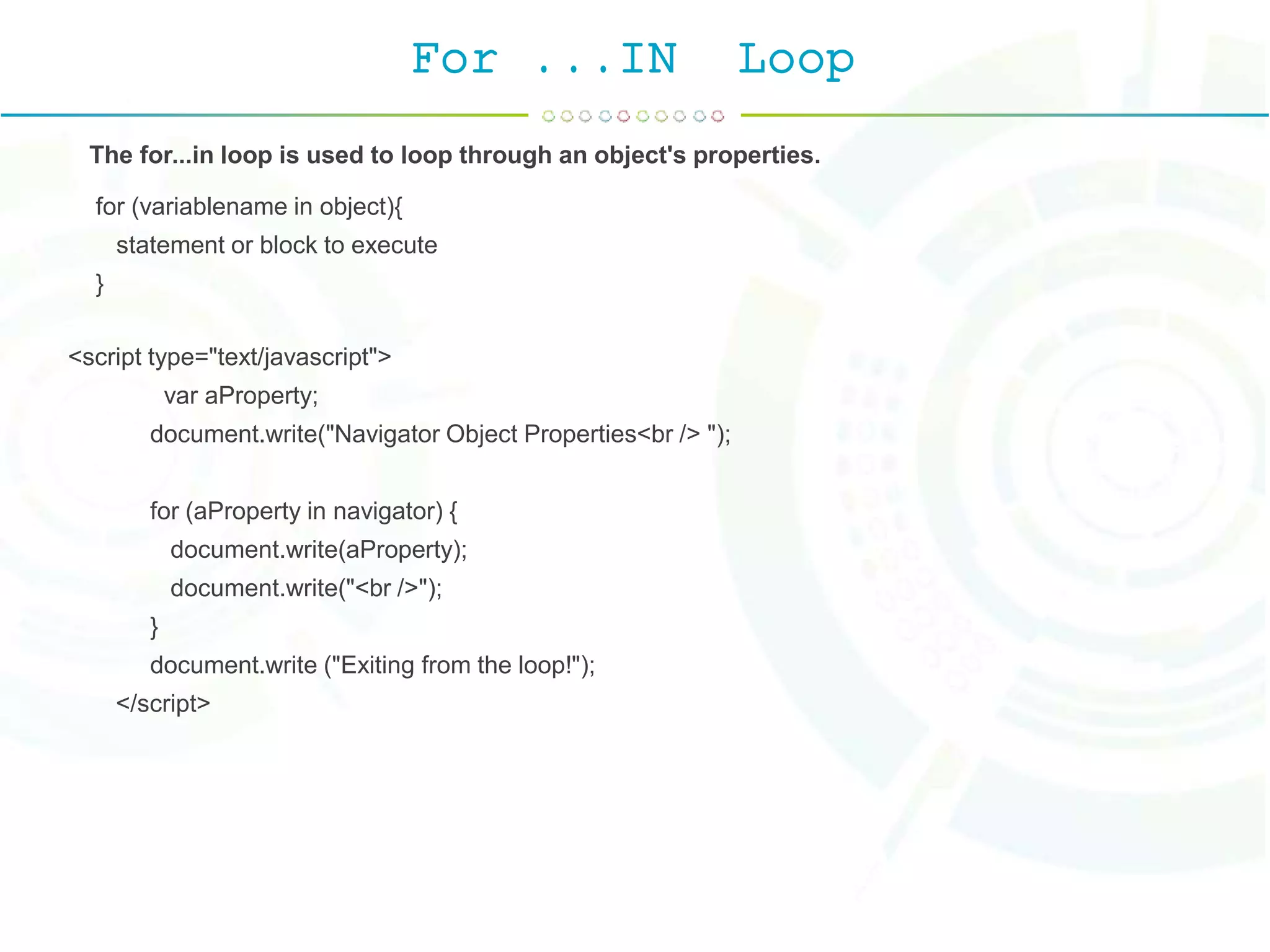
For ...IN Loop The for...in loop is used to loop through an object's properties. for (variablename in object){ statement or block to execute } <script type="text/javascript"> var aProperty; document.write("Navigator Object Properties<br /> "); for (aProperty in navigator) { document.write(aProperty); document.write("<br />"); } document.write ("Exiting from the loop!"); </script>
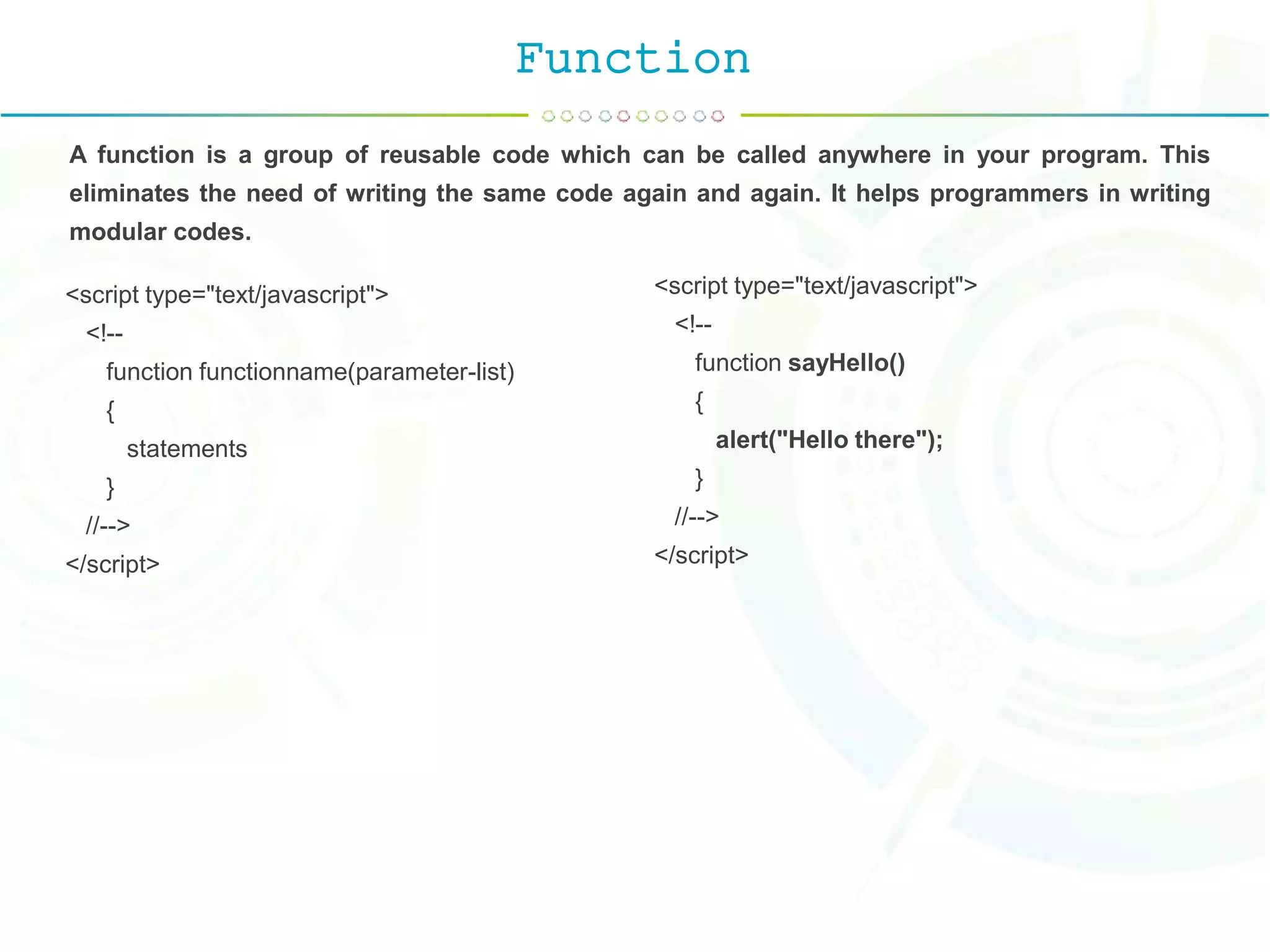
Function A function is a group of reusable code which can be called anywhere in your program. This eliminates the need of writing the same code again and again. It helps programmers in writing modular codes. <script type="text/javascript"> <!-- function functionname(parameter-list) { statements } //--> </script> <script type="text/javascript"> <!-- function sayHello() { alert("Hello there"); } //--> </script>
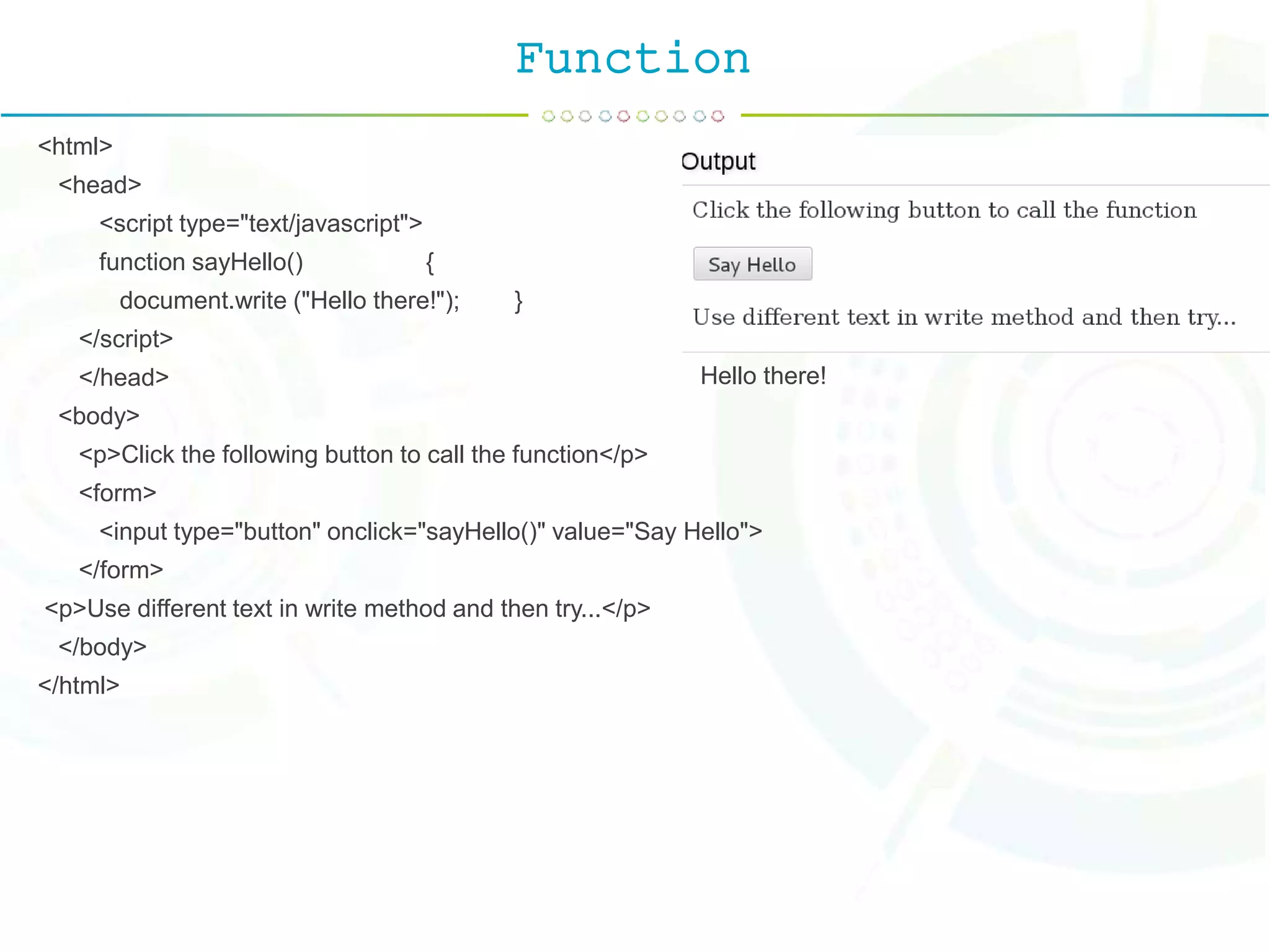
Function <html> <head> <script type="text/javascript"> function sayHello() { document.write ("Hello there!"); } </script> </head> <body> <p>Click the following button to call the function</p> <form> <input type="button" onclick="sayHello()" value="Say Hello"> </form> <p>Use different text in write method and then try...</p> </body> </html> Hello there!
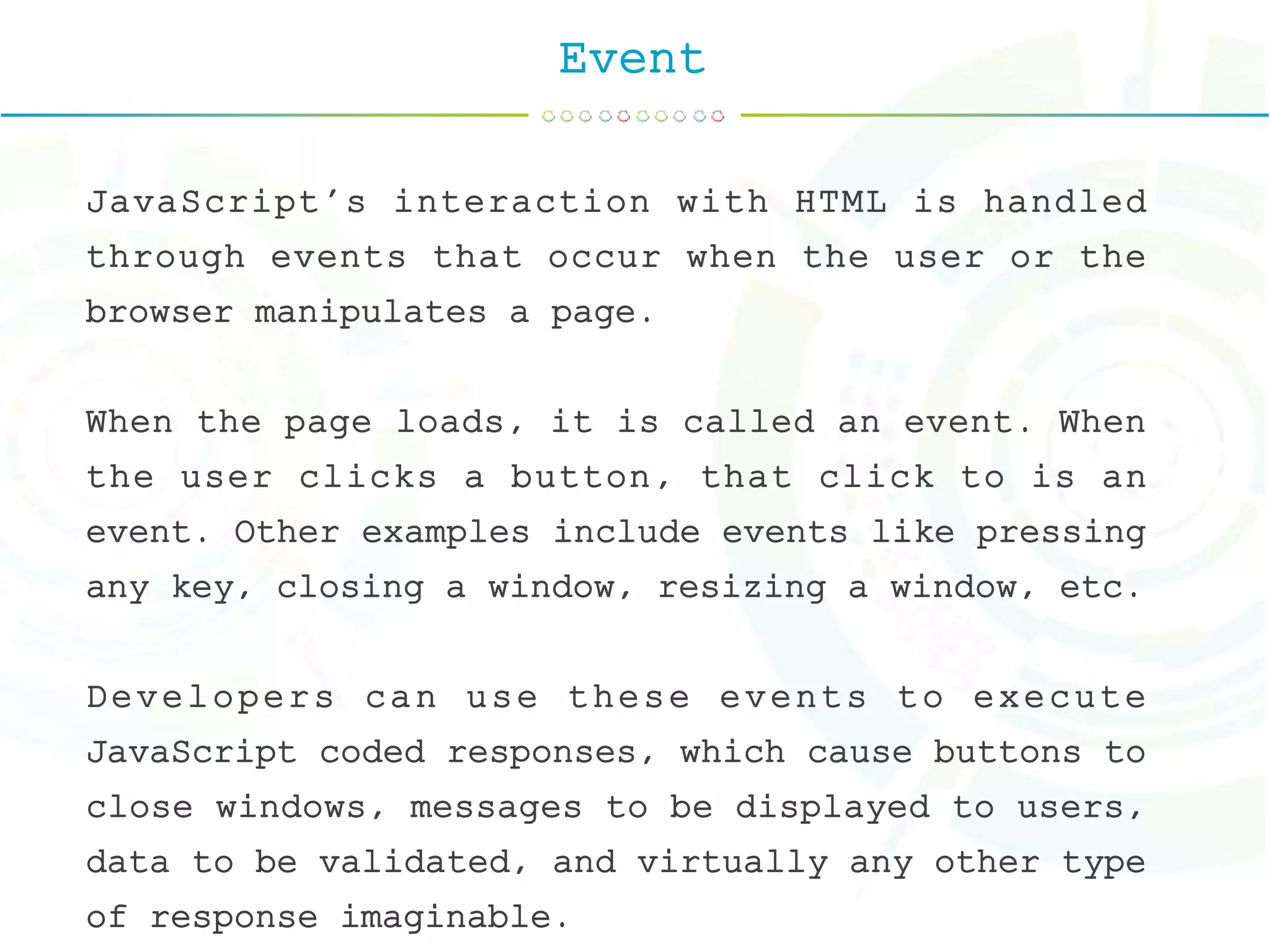
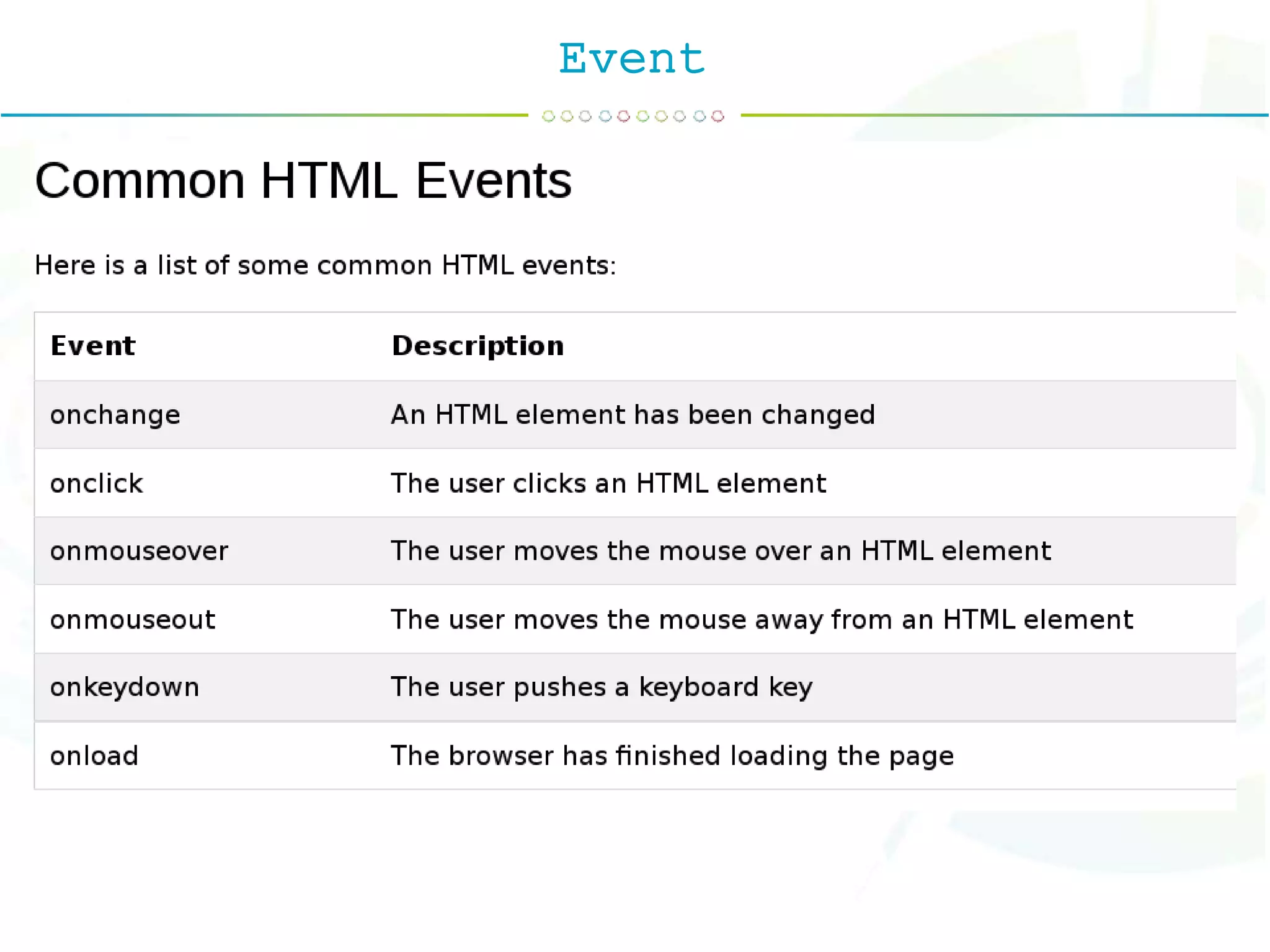
Event JavaScript's interaction with HTML is handled through events that occur when the user or the browser manipulates a page. When the page loads, it is called an event. When the user clicks a button, that click to is an event. Other examples include events like pressing any key, closing a window, resizing a window, etc. Developers can use these events to execute JavaScript coded responses, which cause buttons to close windows, messages to be displayed to users, data to be validated, and virtually any other type of response imaginable.
Event
For ...IN Loop
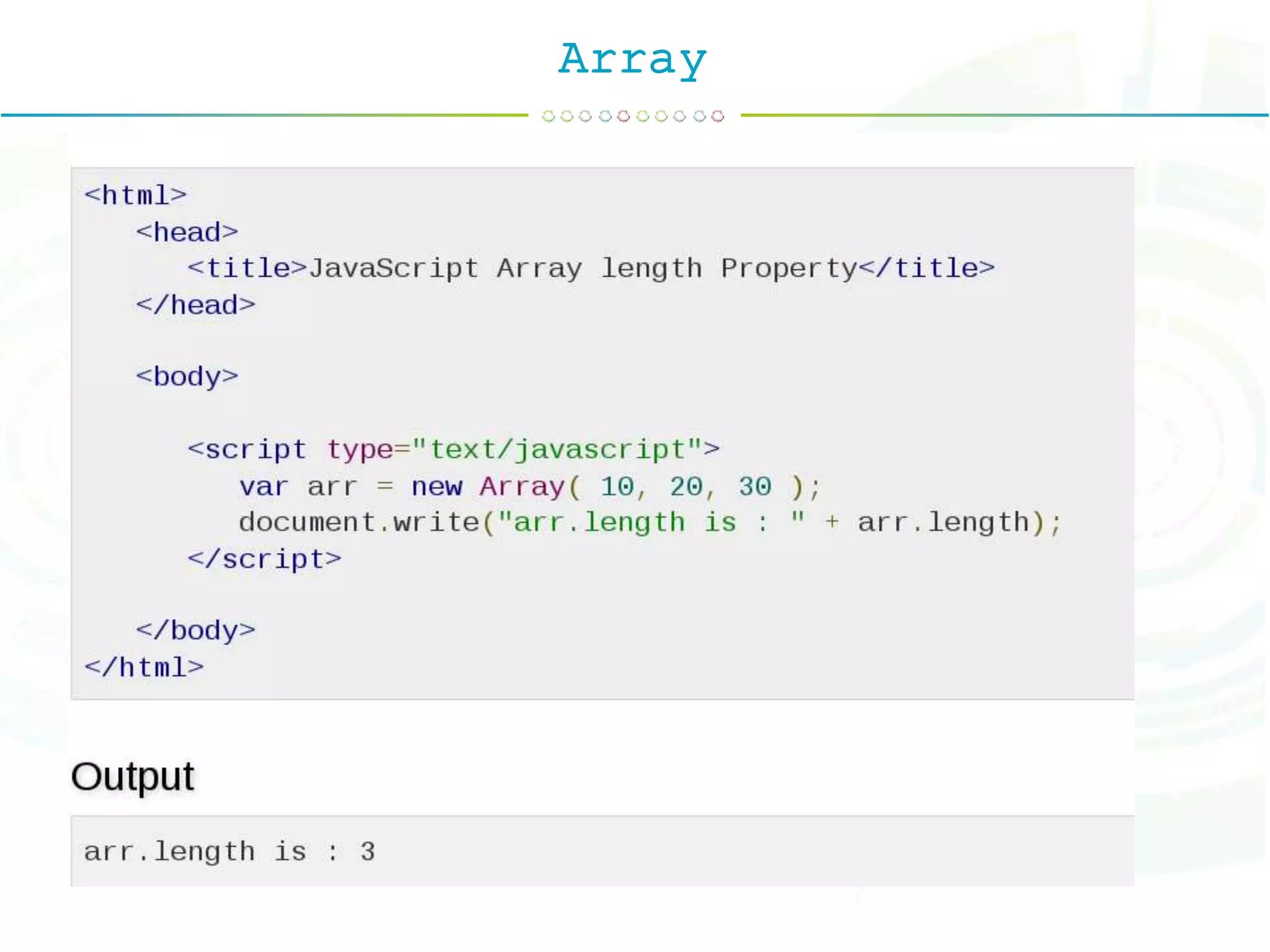
Array The Array object lets you store multiple values in a single variable. It stores a fixed-size sequential collection of elements of the same type. var fruits = new Array( "apple", "orange", "mango" ); You can create array by simply assigning values as follows − var fruits = [ "apple", "orange", "mango" ];
Array
Two-Dimensional Array var iMax = 20; var jMax = 10; var f = new Array(); for (i=0;i<iMax;i++) { f[i]=new Array(); for (j=0;j<jMax;j++) { f[i][j]=0; } }
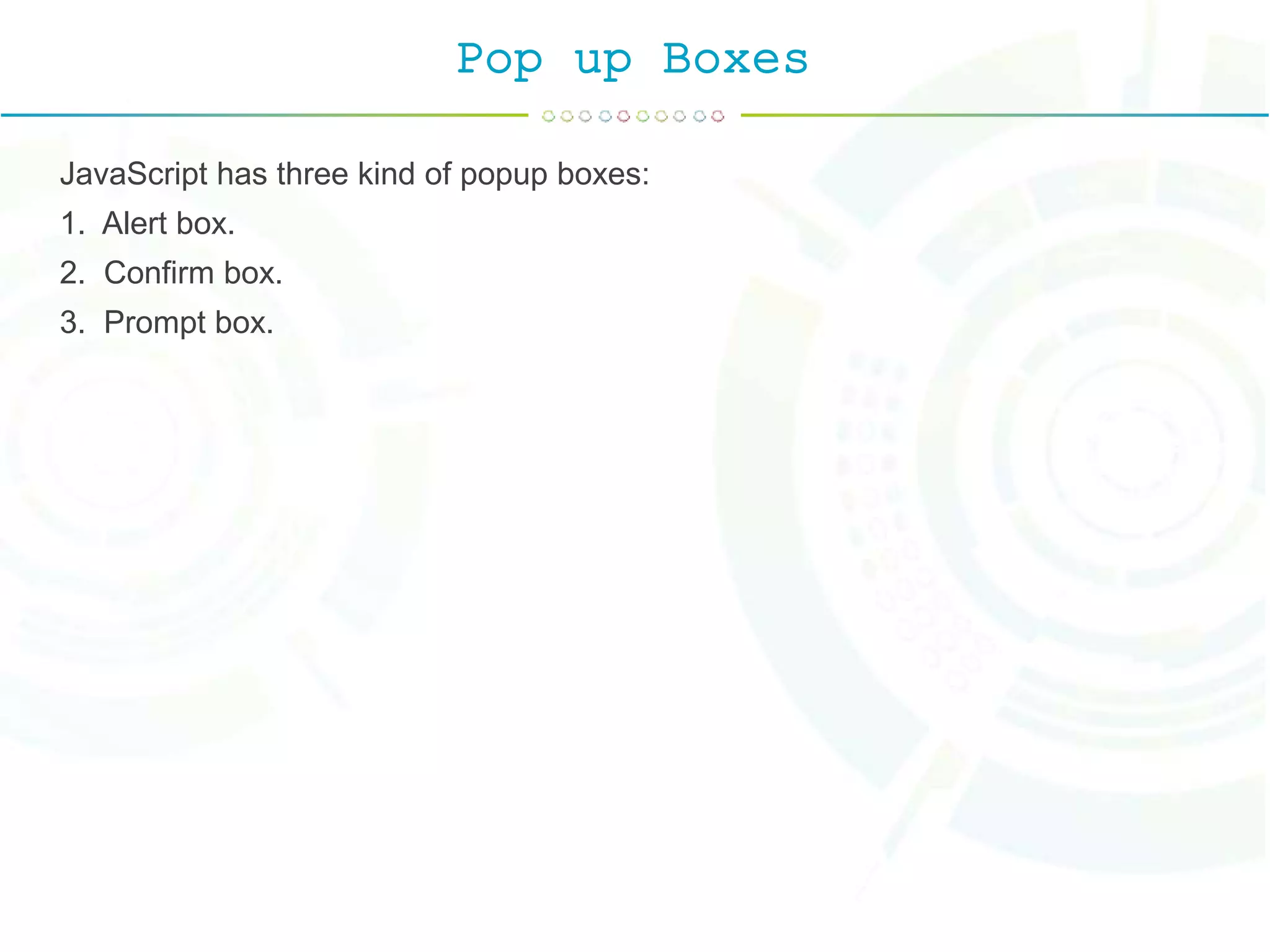
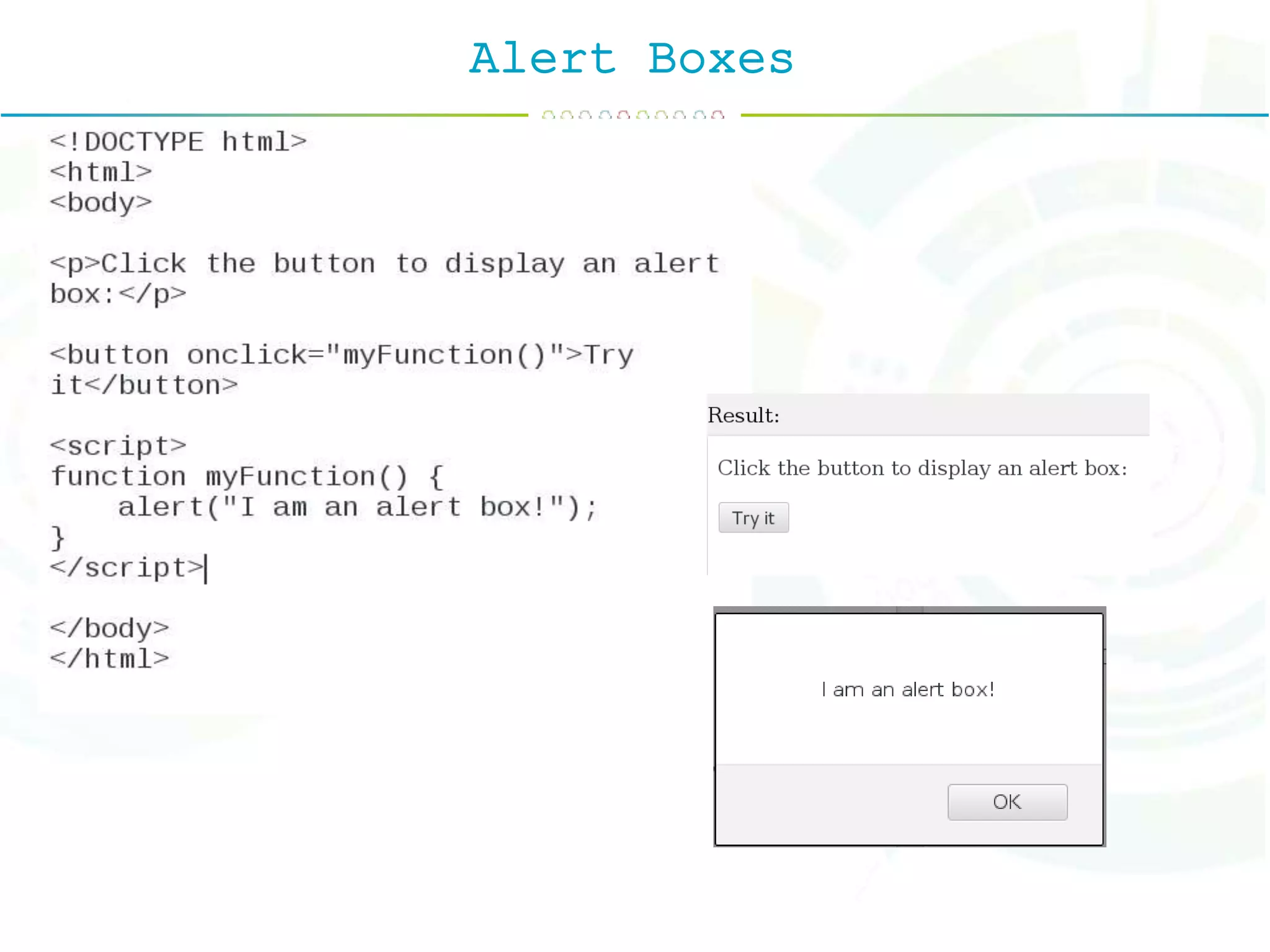
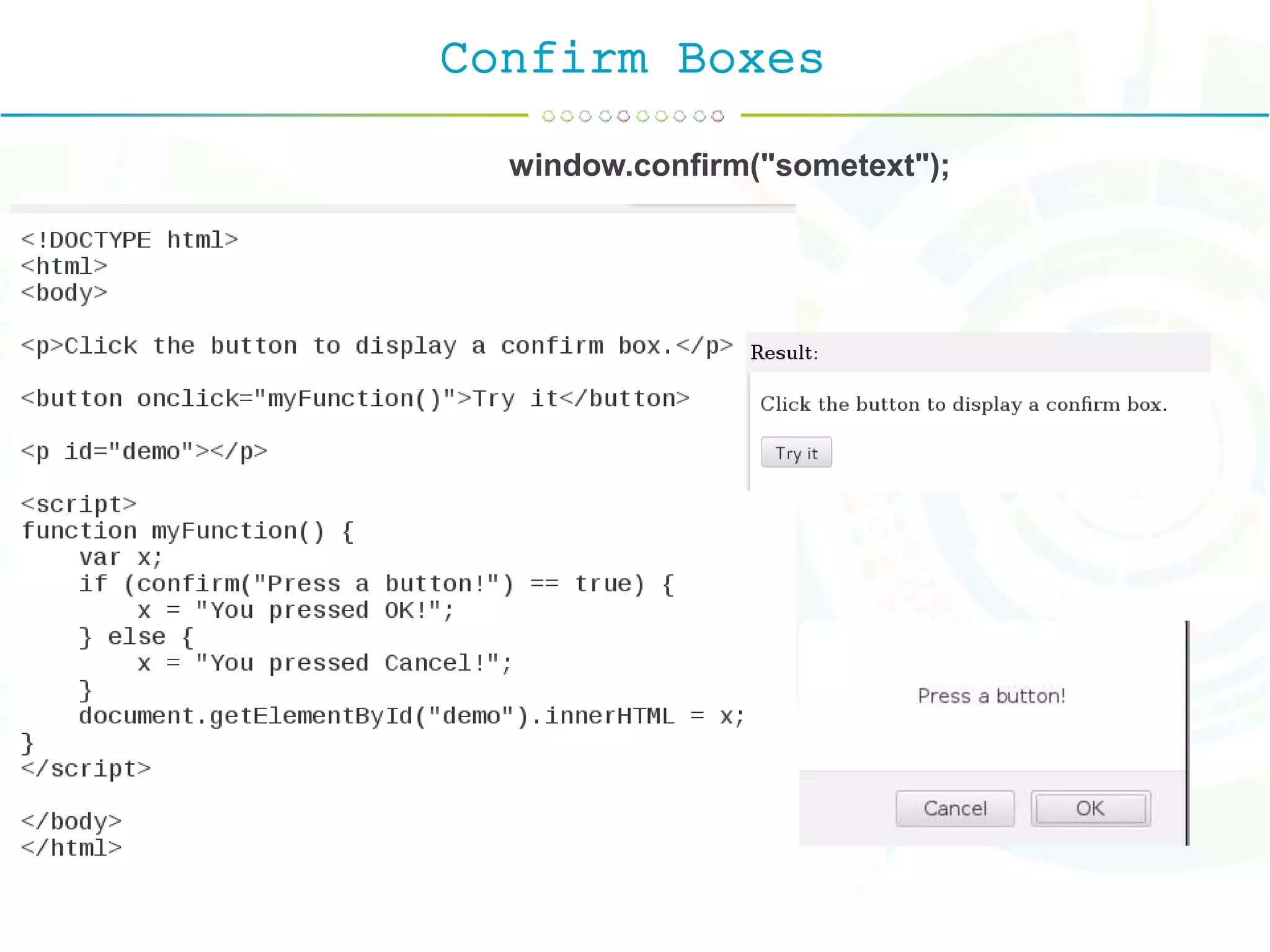
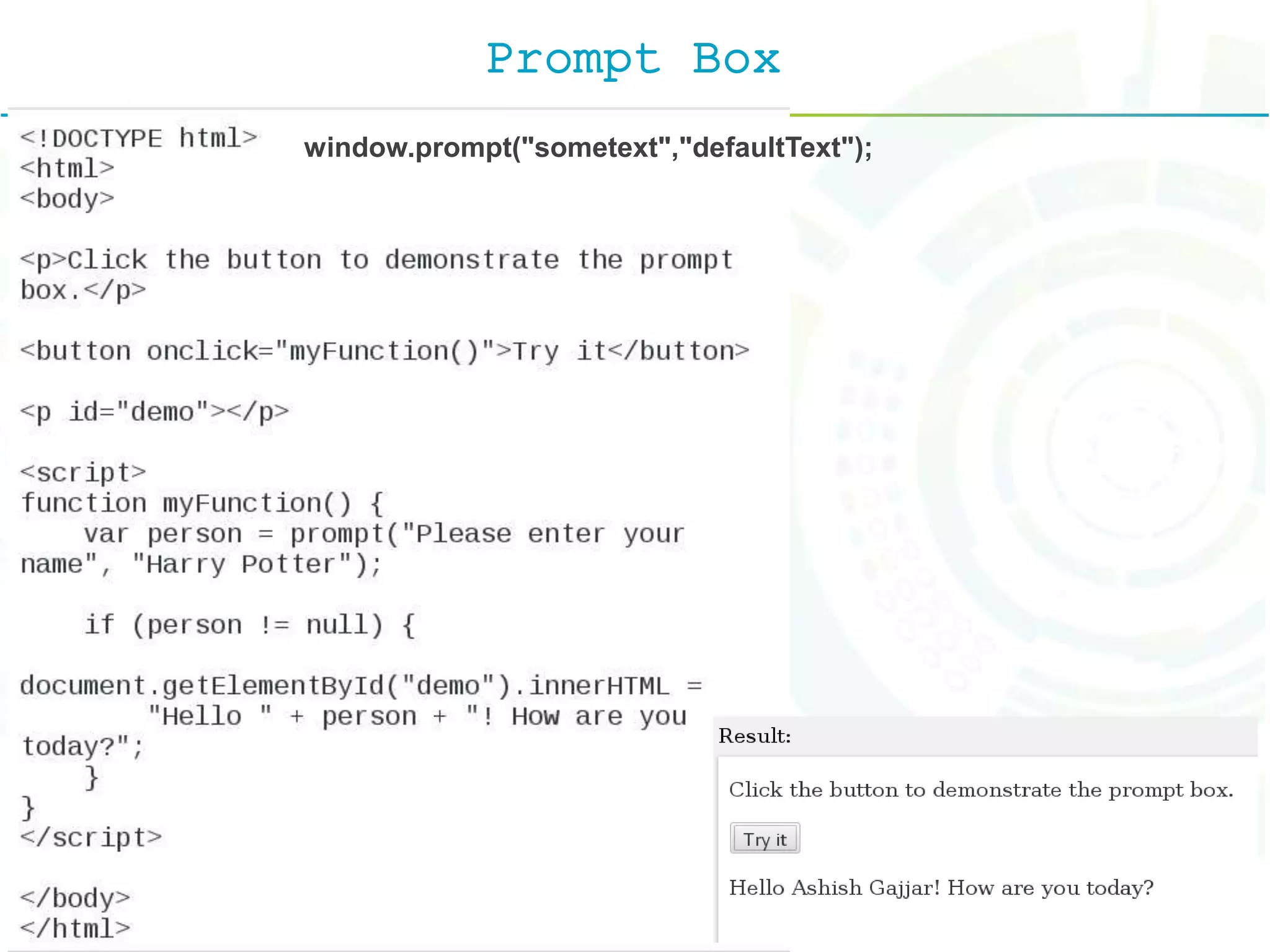
Pop up Boxes JavaScript has three kind of popup boxes: 1. Alert box. 2. Confirm box. 3. Prompt box.
Alert Boxes
Confirm Boxes window.confirm("sometext");
Prompt Box window.prompt("sometext","defaultText");
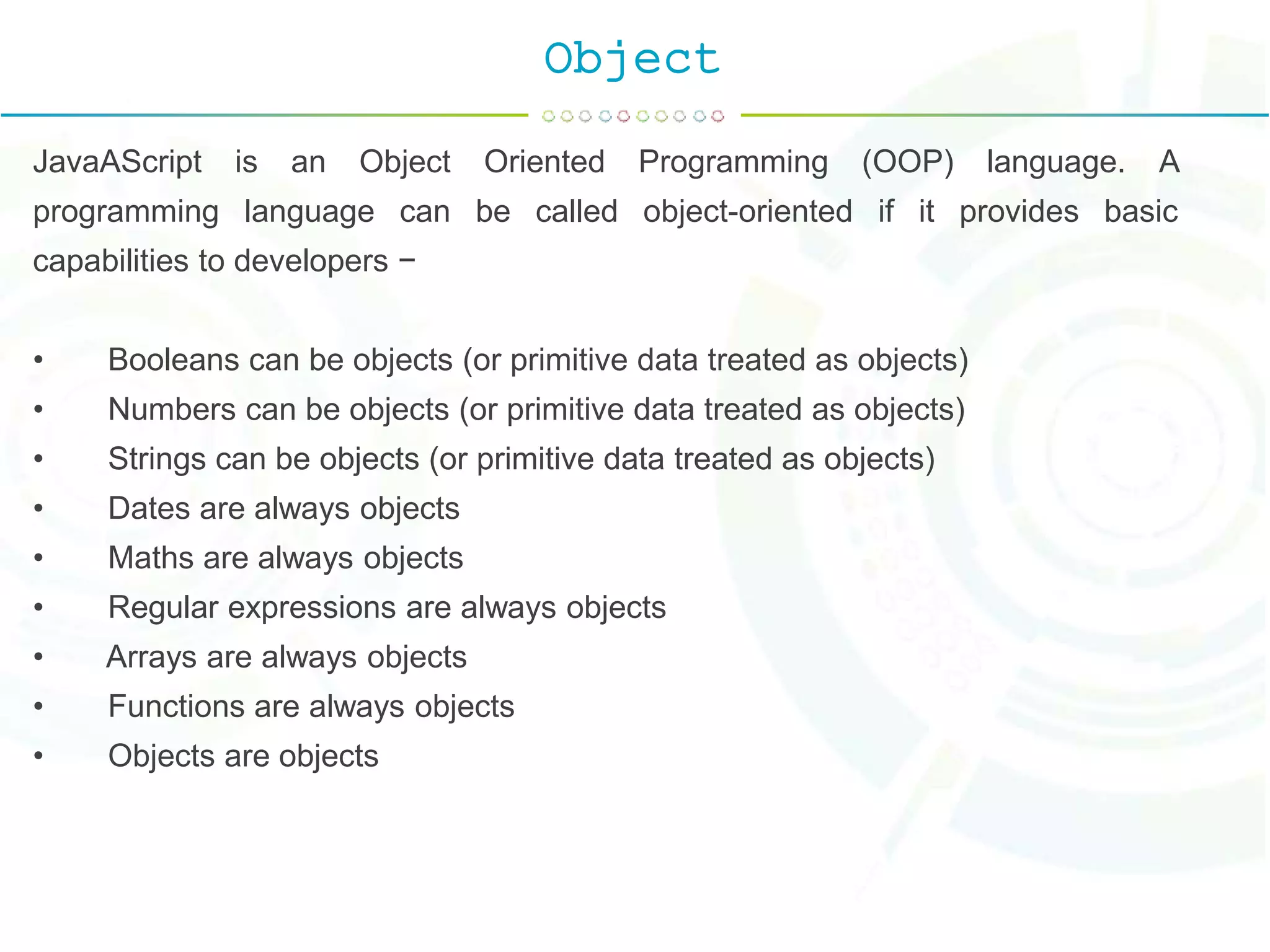
Object JavaAScript is an Object Oriented Programming (OOP) language. A programming language can be called object-oriented if it provides basic capabilities to developers − • Booleans can be objects (or primitive data treated as objects) • Numbers can be objects (or primitive data treated as objects) • Strings can be objects (or primitive data treated as objects) • Dates are always objects • Maths are always objects • Regular expressions are always objects • Arrays are always objects • Functions are always objects • Objects are objects
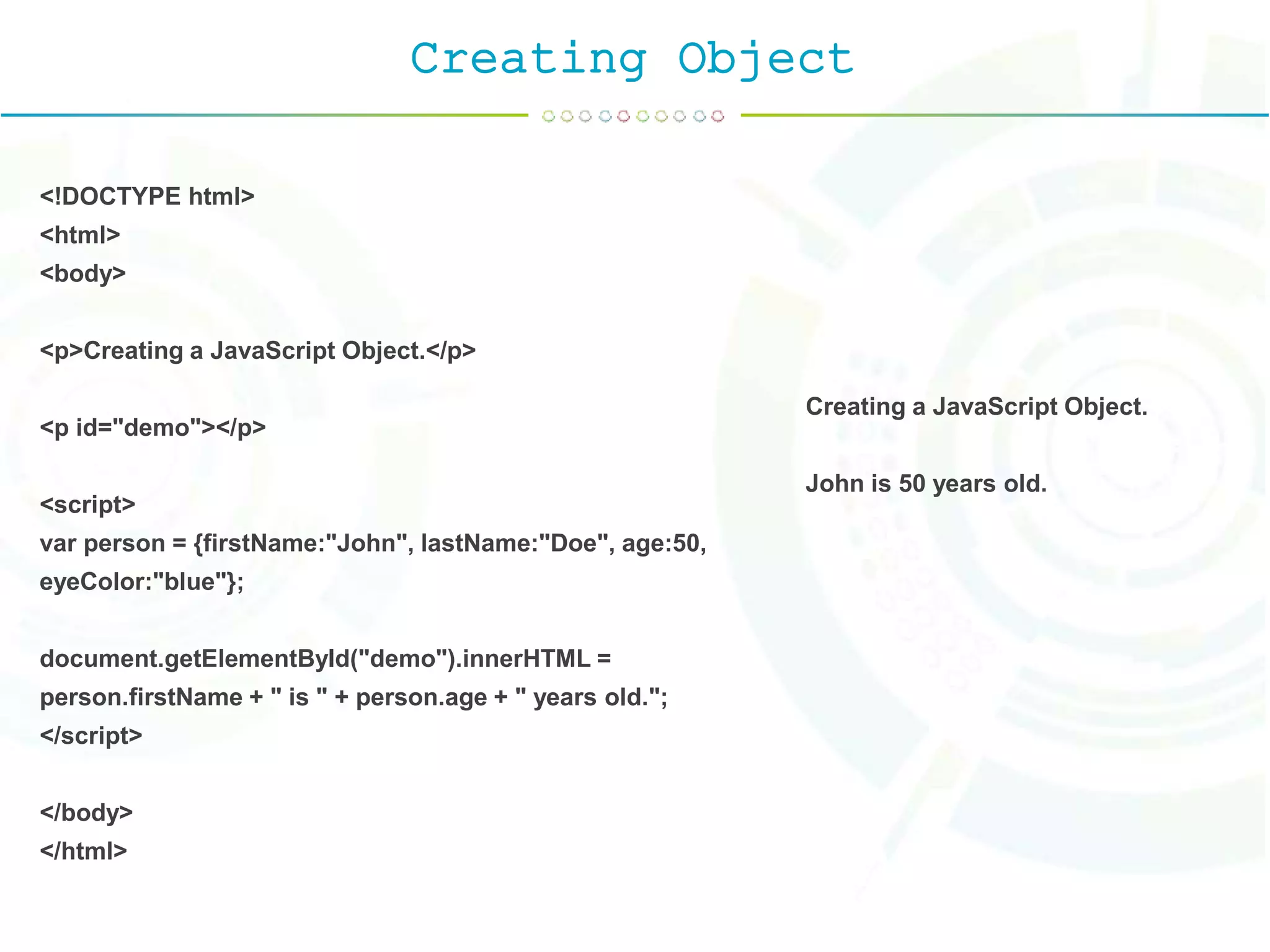
Creating Object <!DOCTYPE html> <html> <body> <p>Creating a JavaScript Object.</p> <p id="demo"></p> <script> var person = {firstName:"John", lastName:"Doe", age:50, eyeColor:"blue"}; document.getElementById("demo").innerHTML = person.firstName + " is " + person.age + " years old."; </script> </body> </html> Creating a JavaScript Object. John is 50 years old.
JavaScript Properties
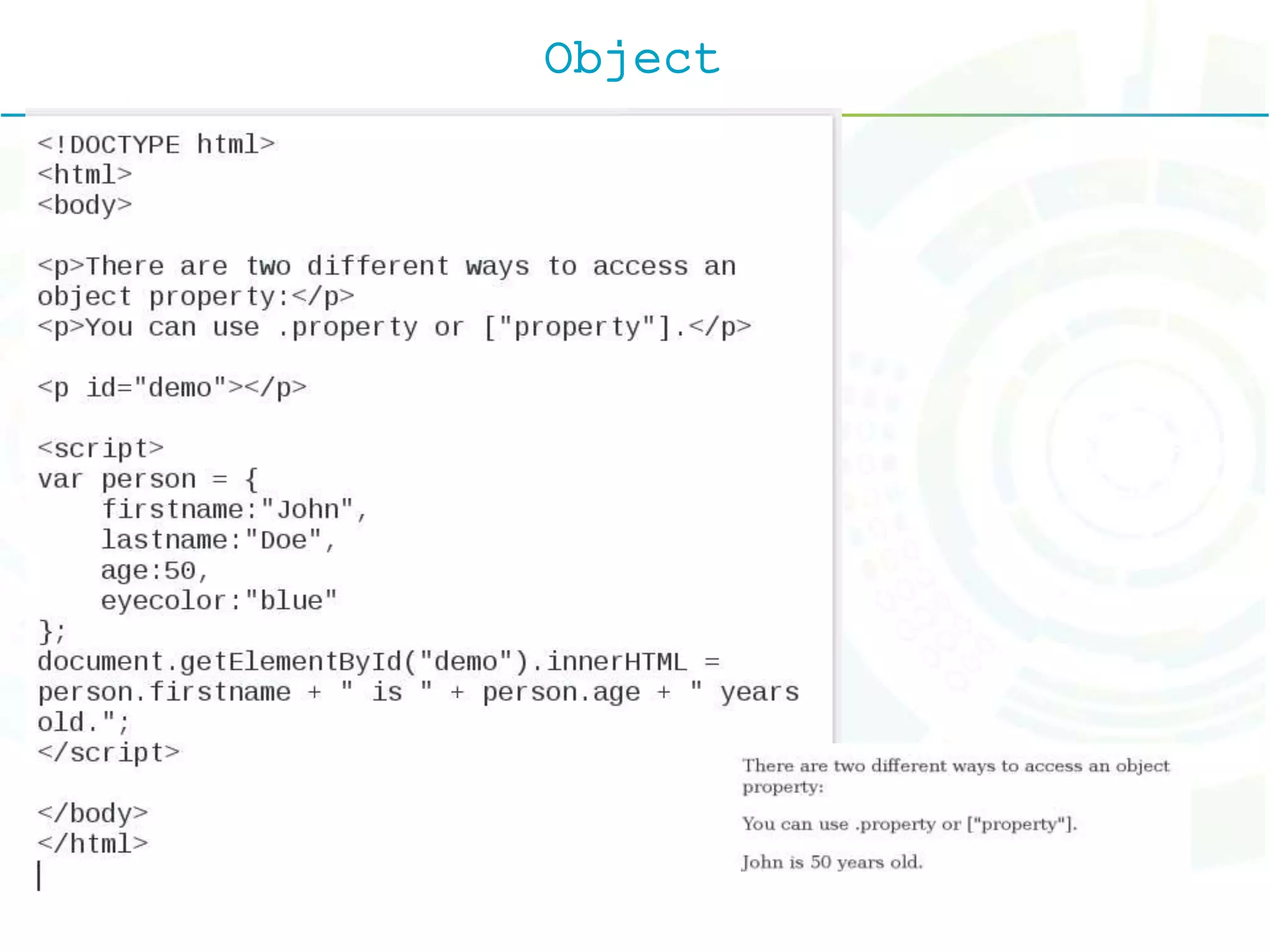
Object
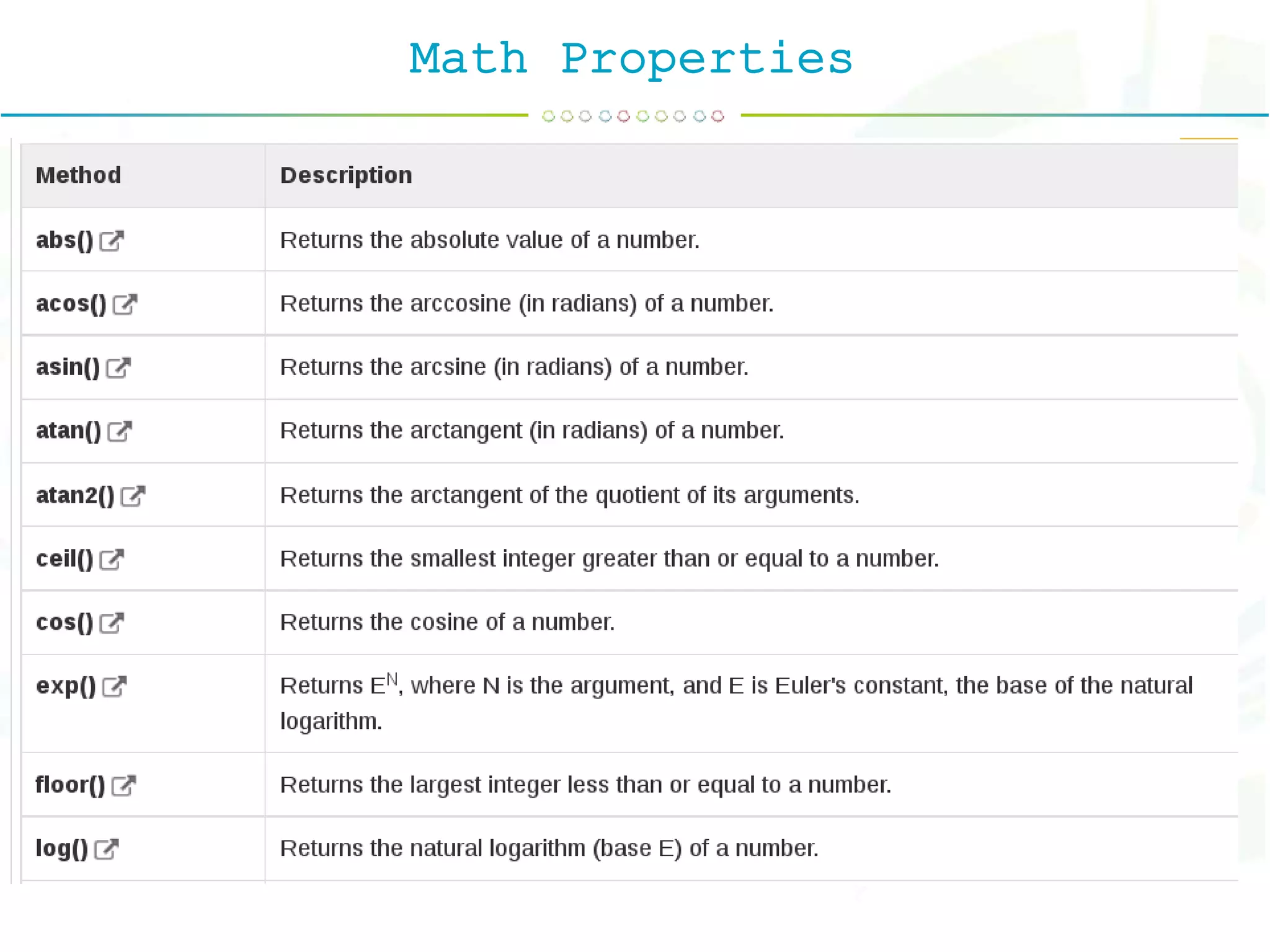
Math Properties
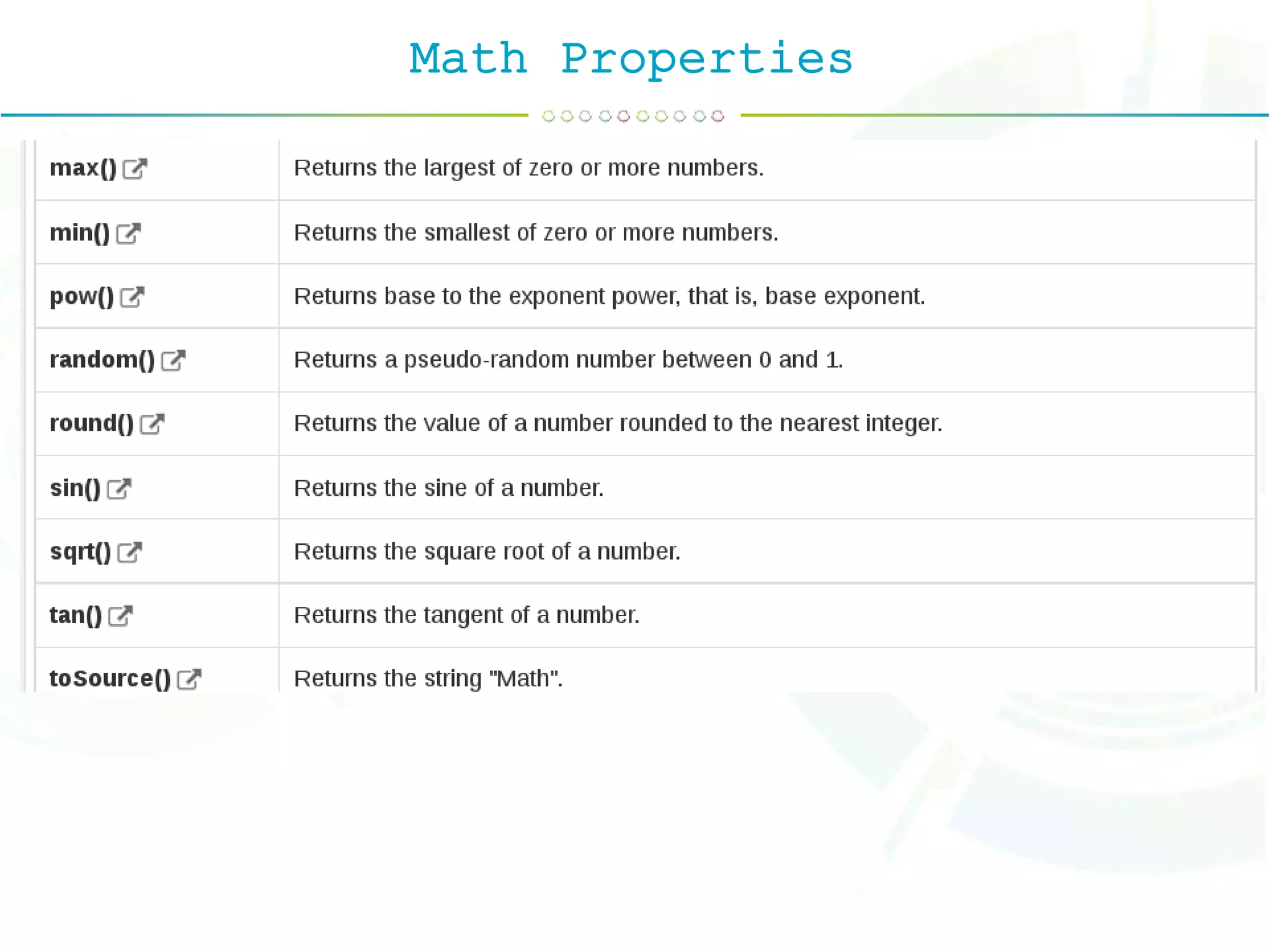
Math Properties
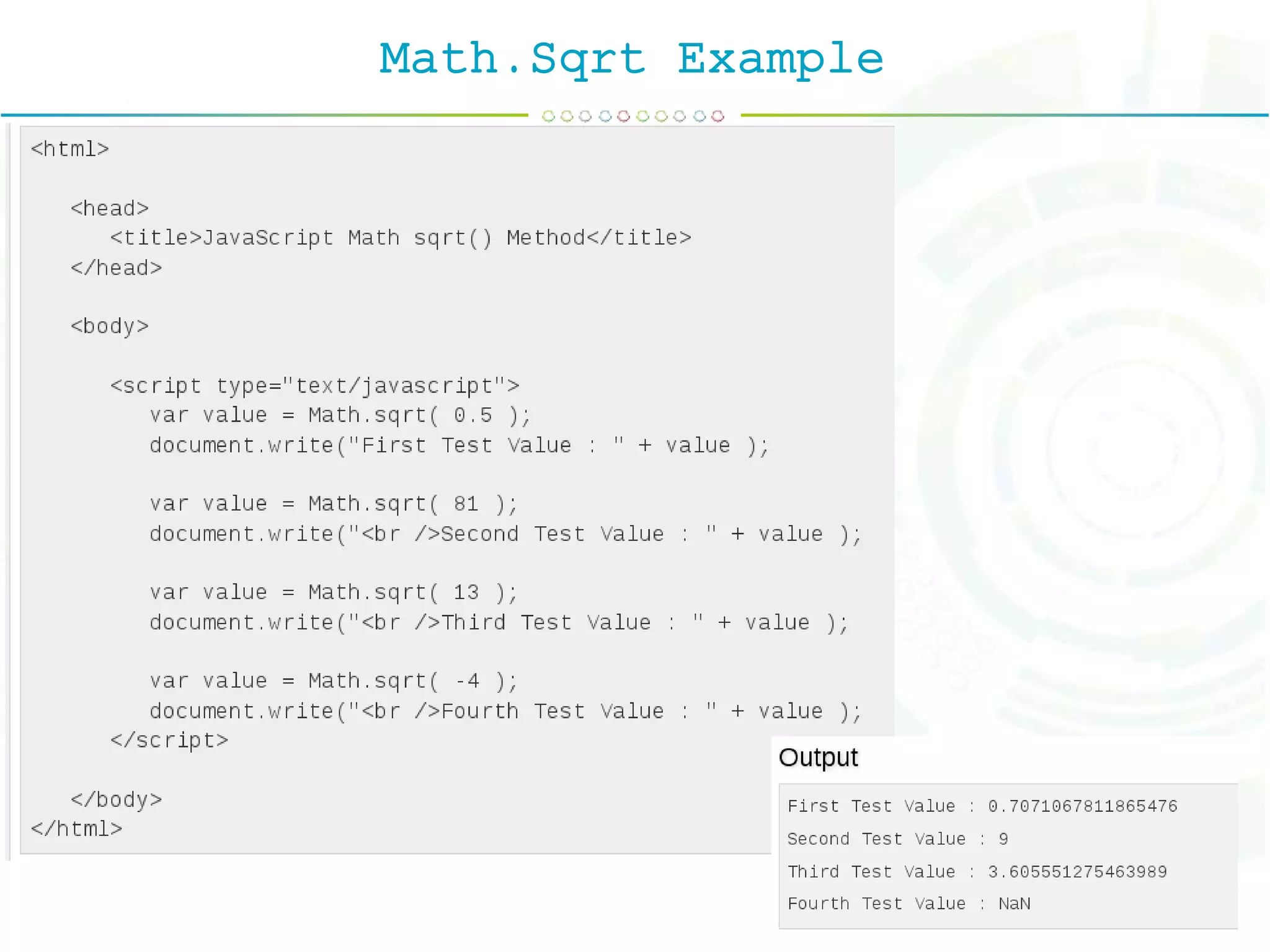
Math.Sqrt Example
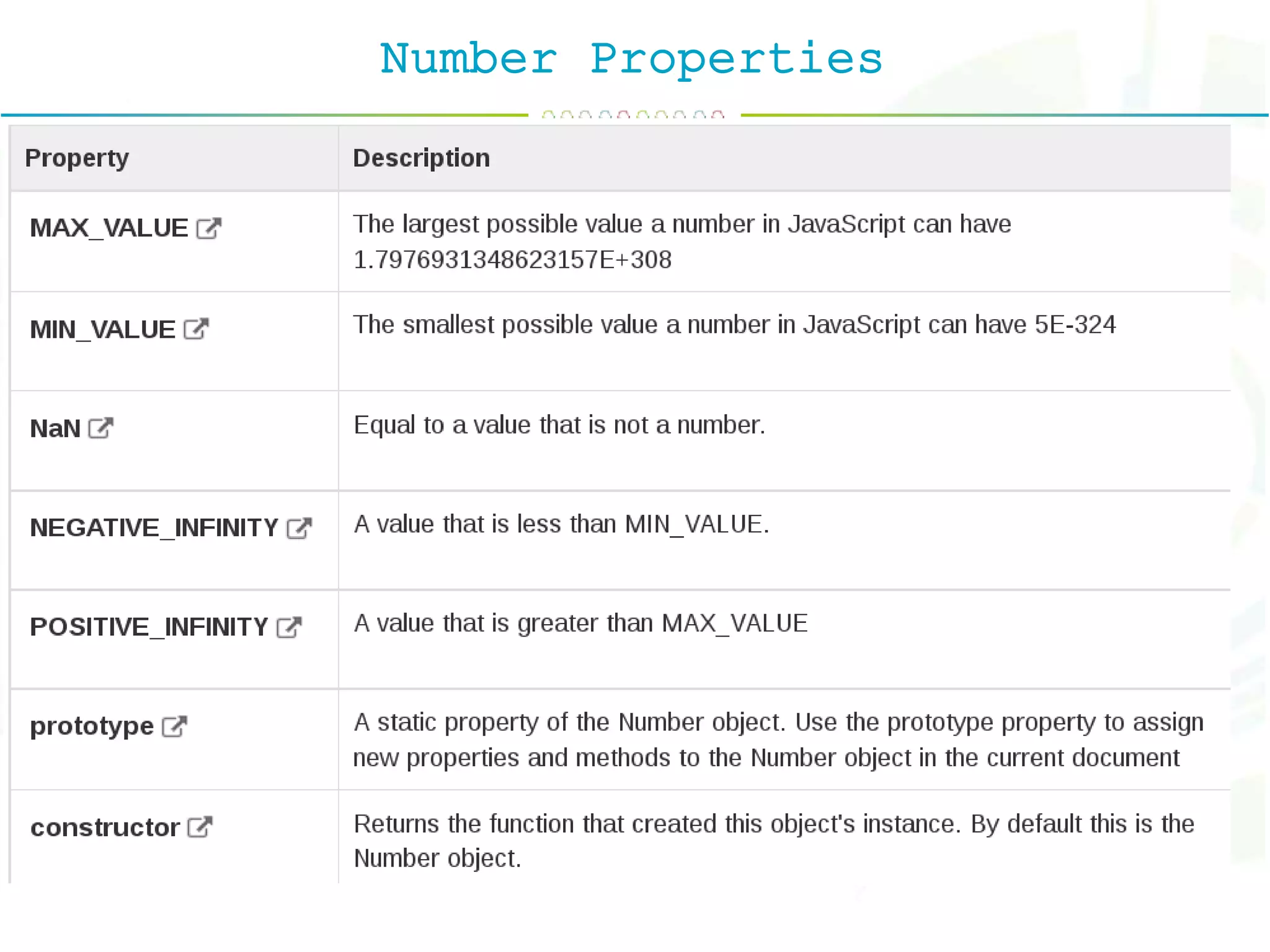
Number Properties
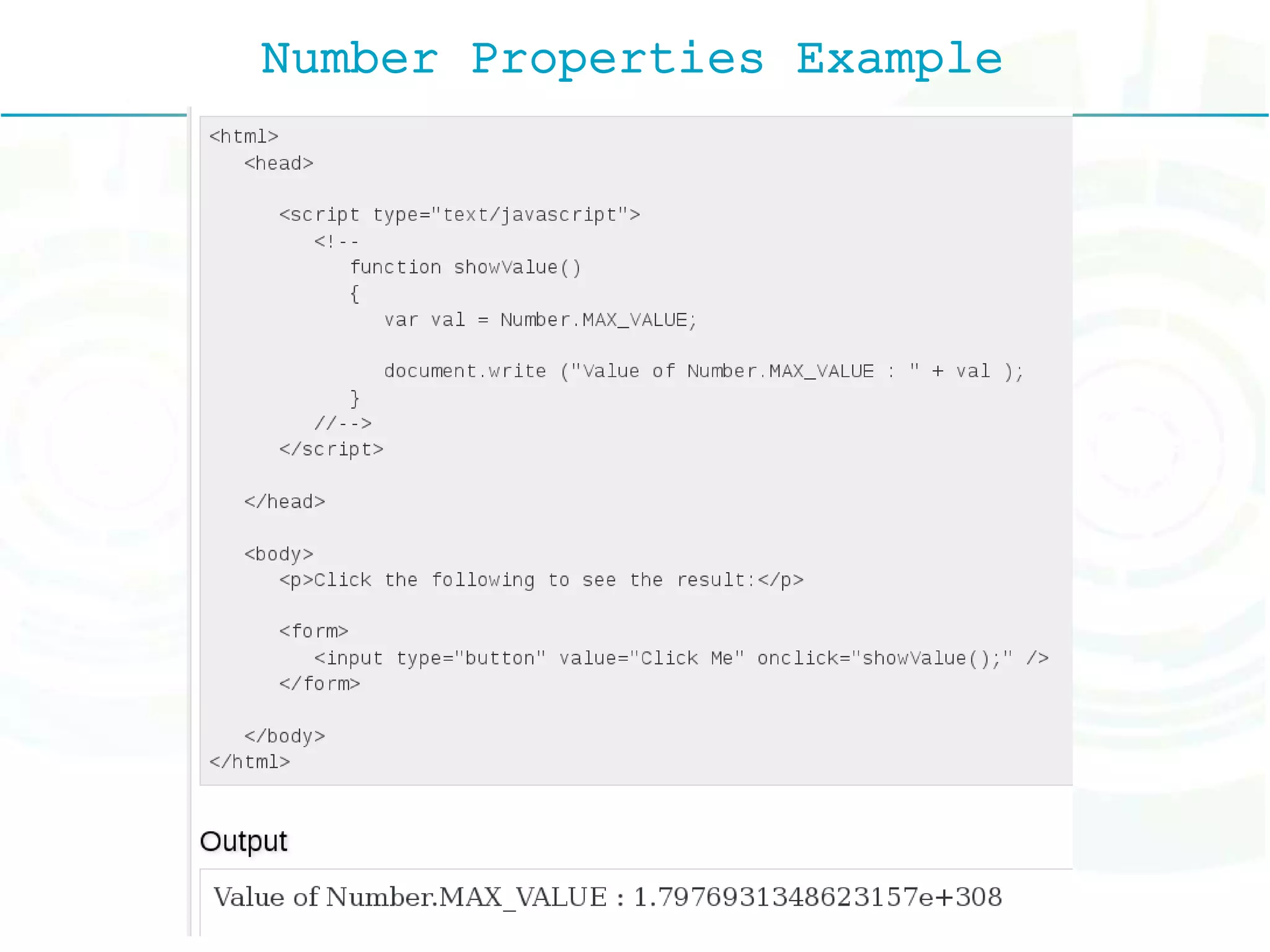
Number Properties Example
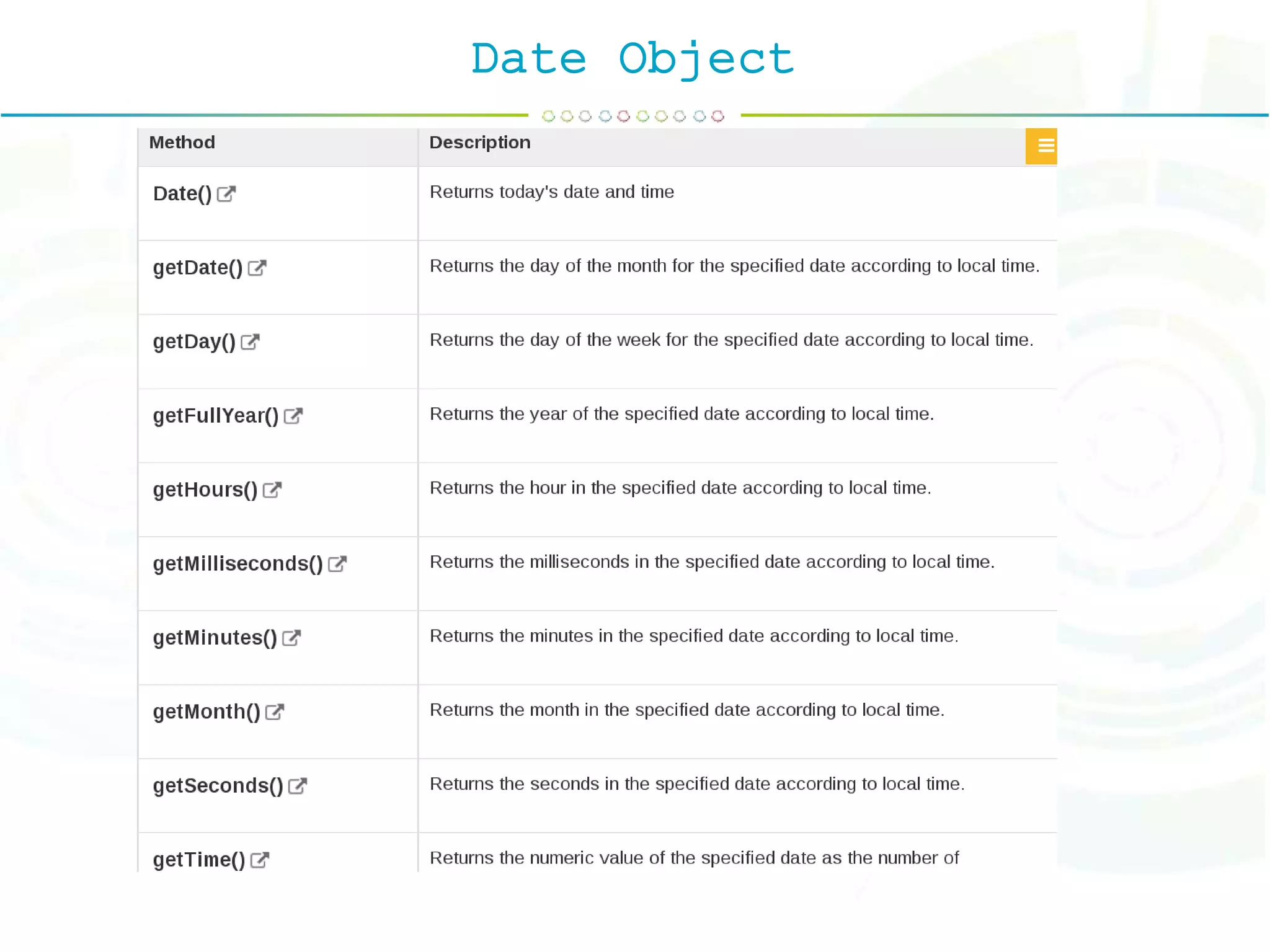
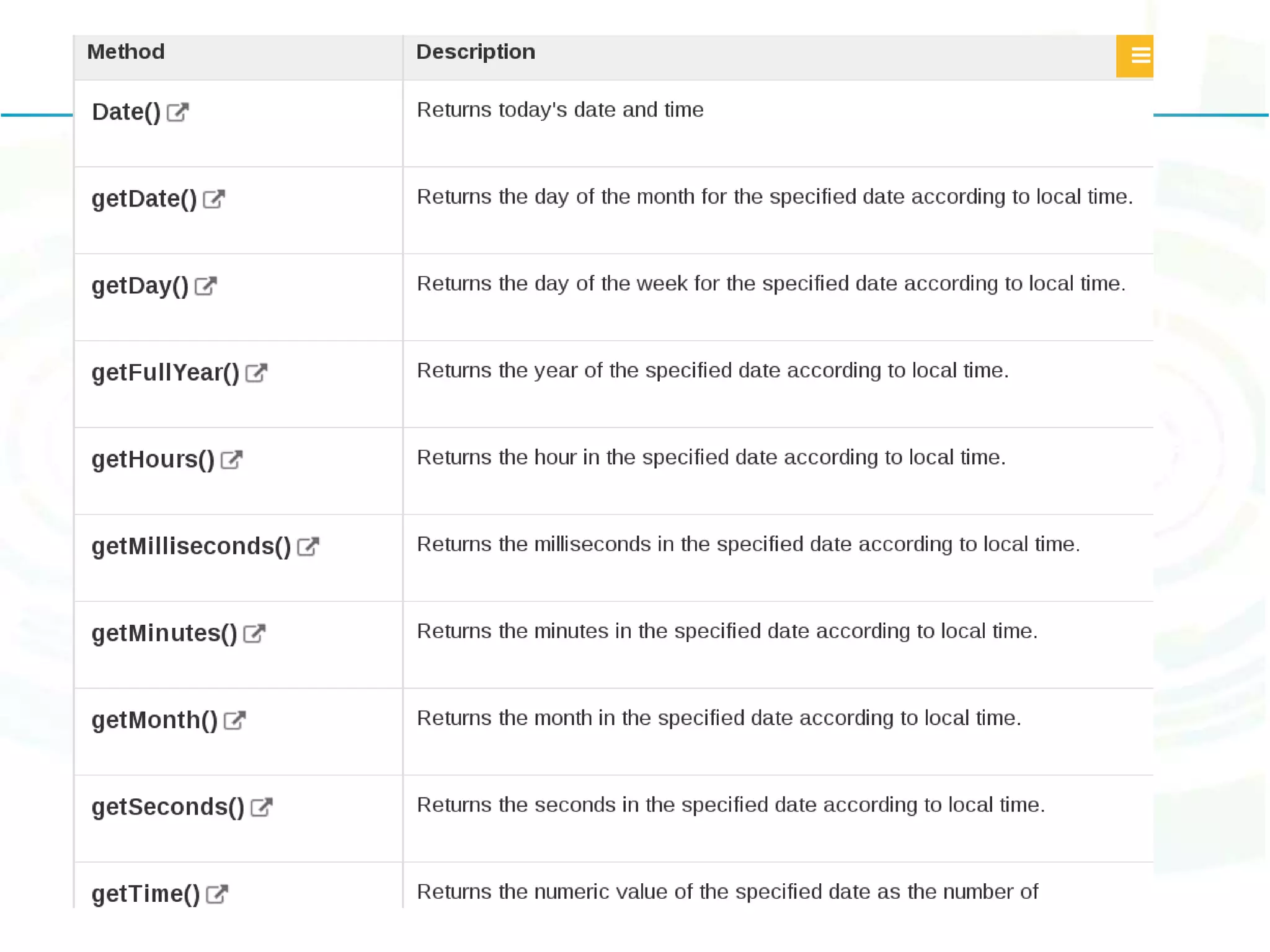
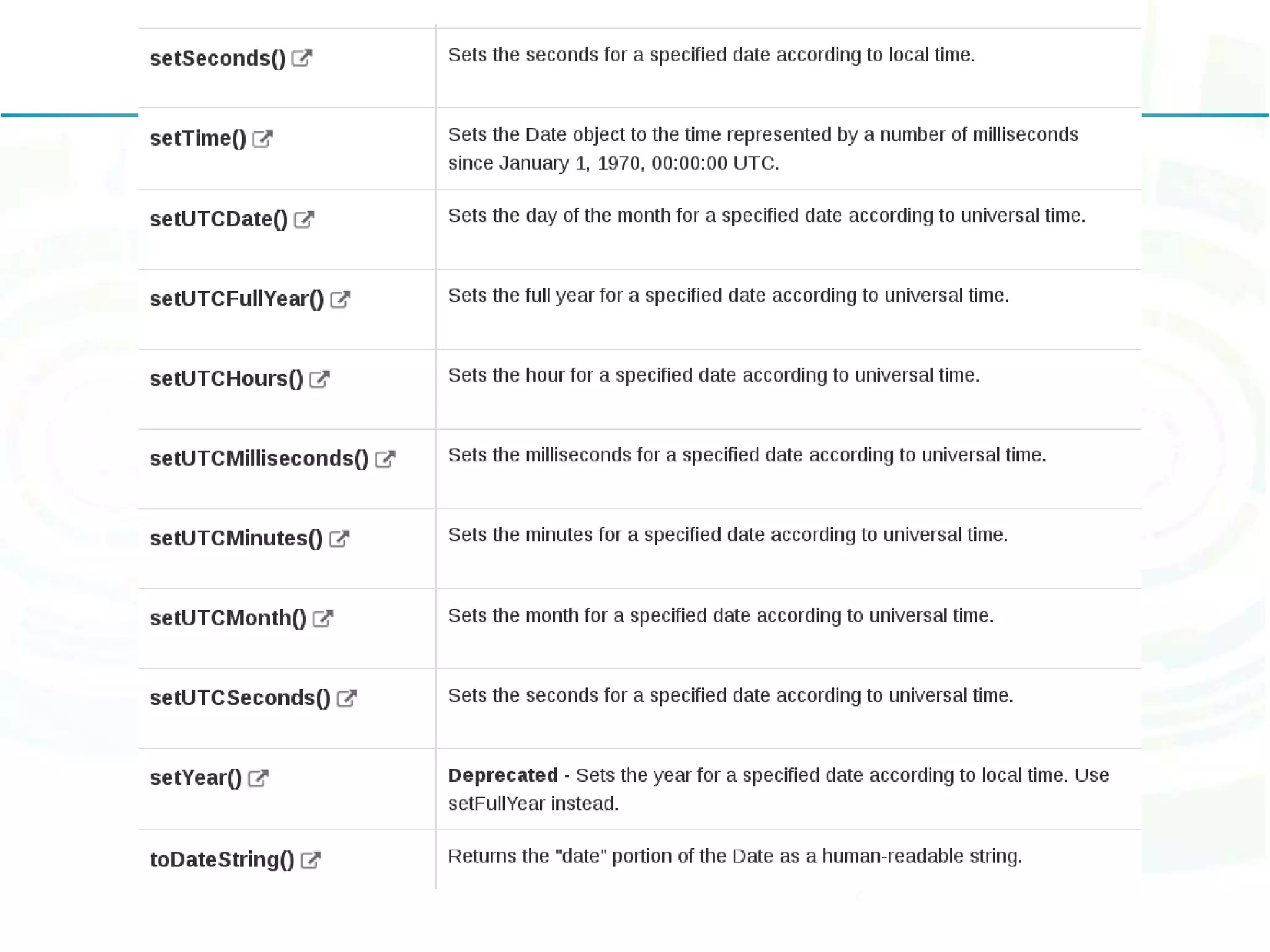
The Date Object new Date( ) new Date(milliseconds) new Date(datestring) new Date(year,month,date[,hour,minute,second,millisecond ])
Date Object
Pop up Boxes
Pop up Boxes
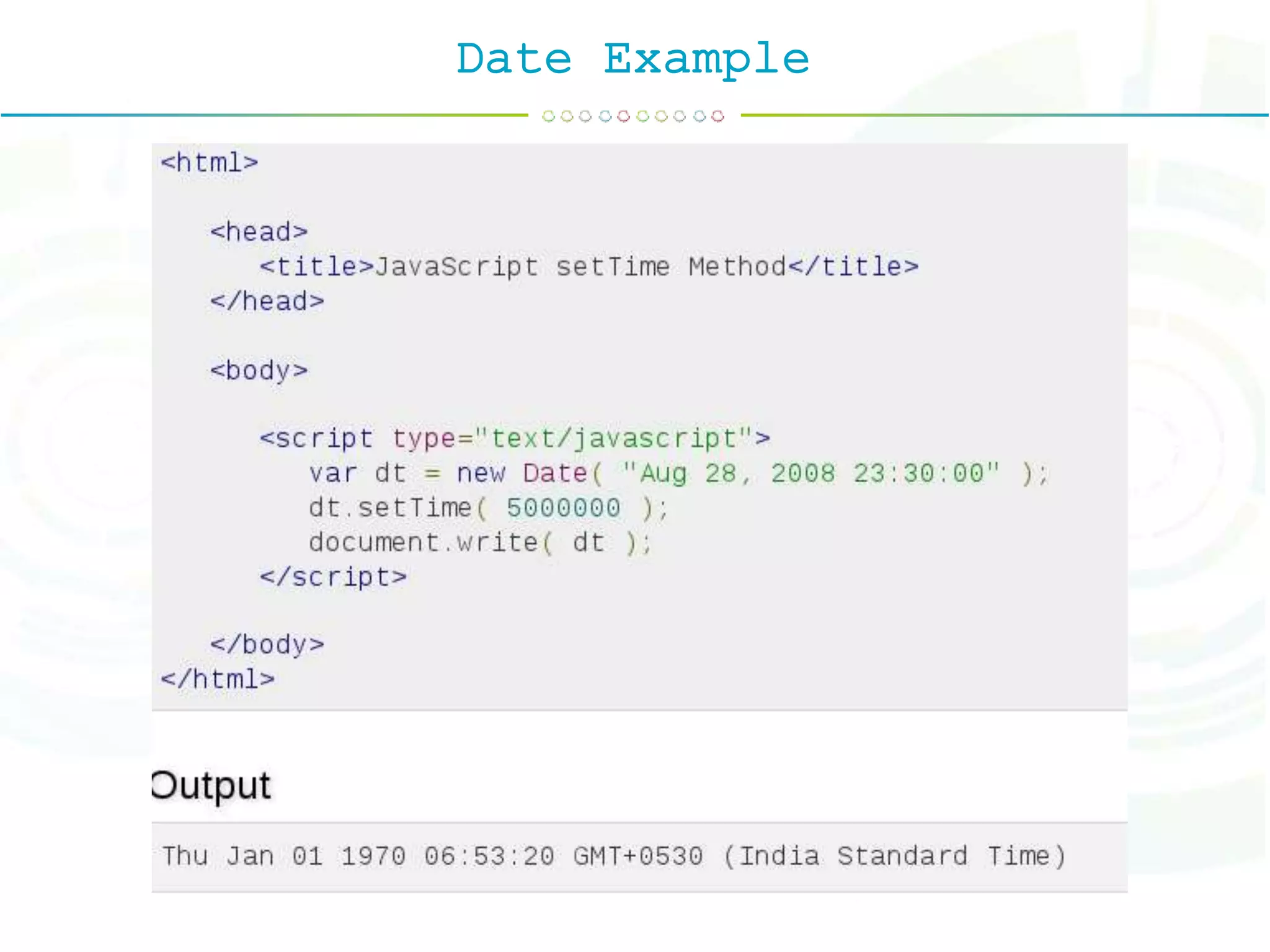
Date Example
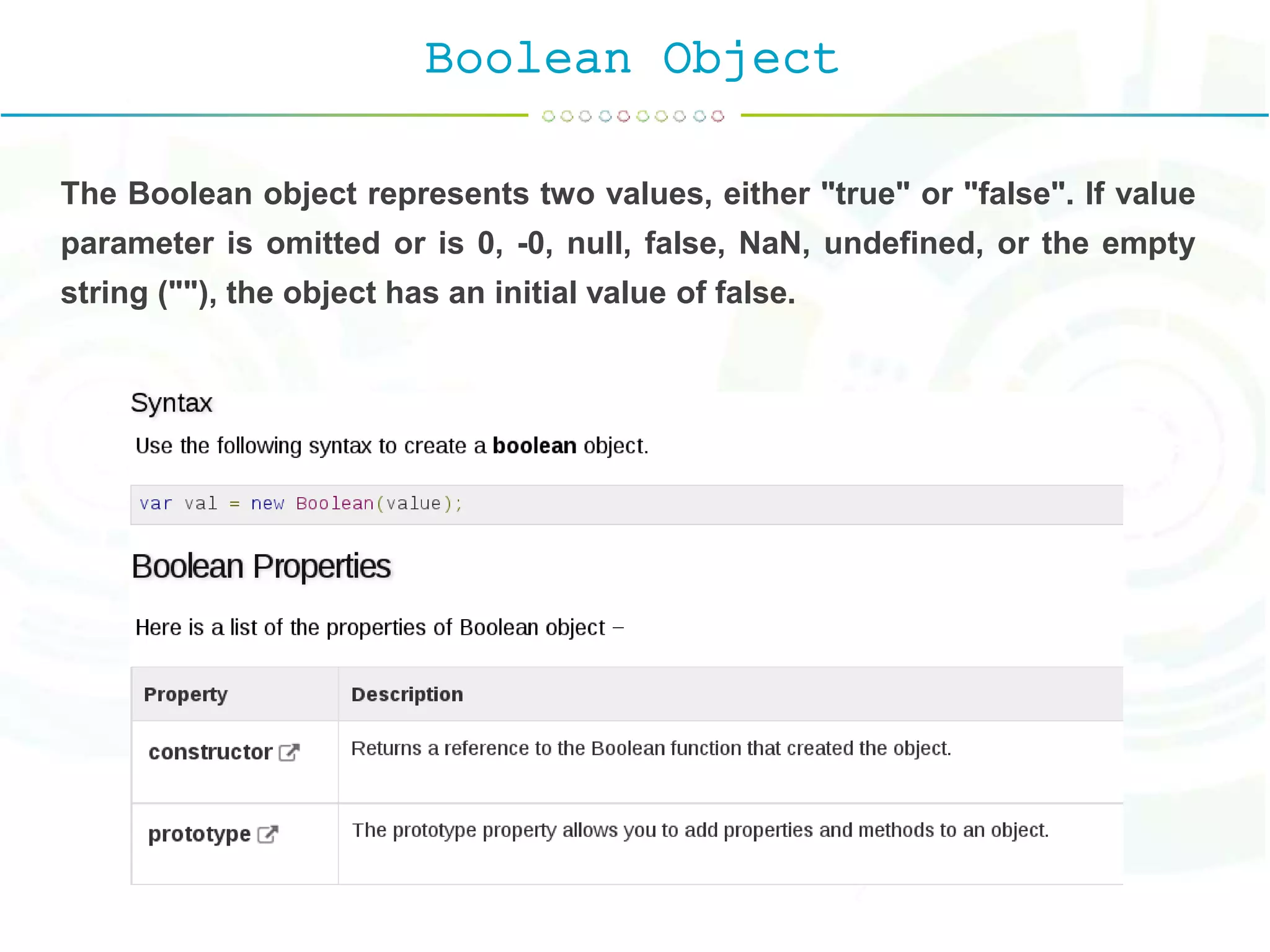
Boolean Object The Boolean object represents two values, either "true" or "false". If value parameter is omitted or is 0, -0, null, false, NaN, undefined, or the empty string (""), the object has an initial value of false.
Boolean Object
Boolean Object Example
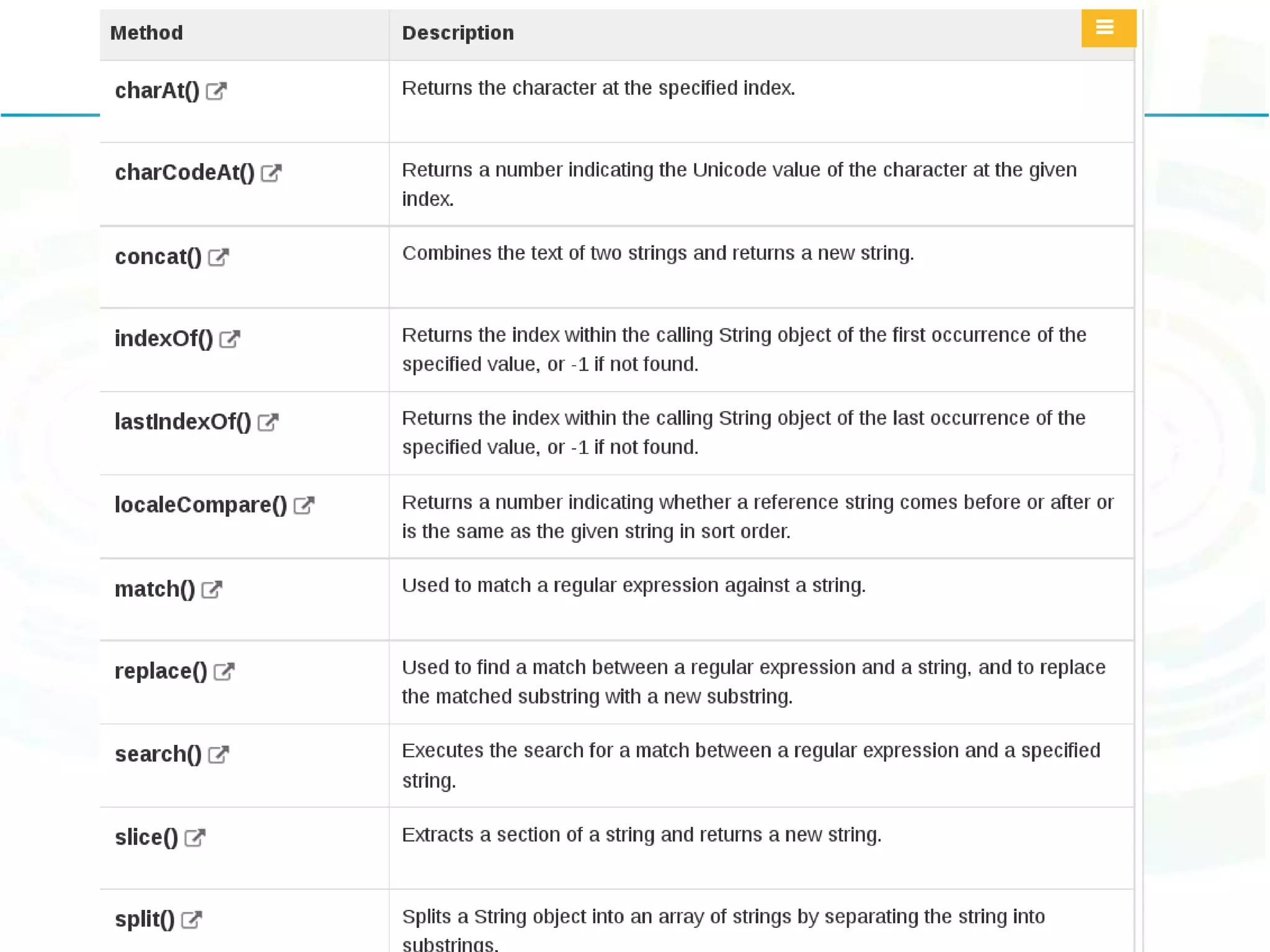
String Object The String object lets you work with a series of characters; it wraps Javascript's string primitive data type with a number of helper methods. var val = new String(string);
Pop up Boxes
String Concat() Example string.concat(string2, string3[, ..., stringN]);
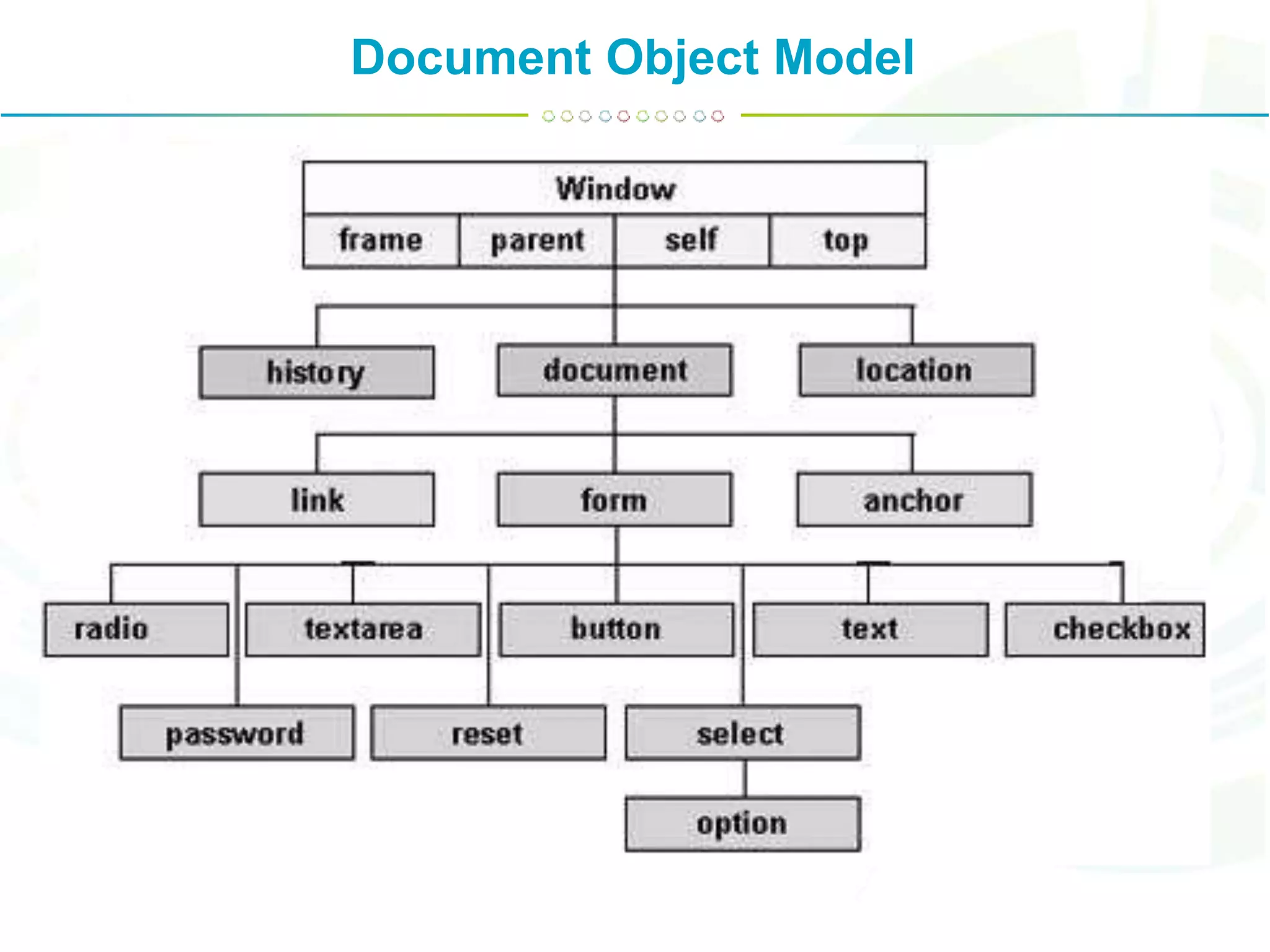
Document Object Model The DOM is a W3C (World Wide Web Consortium) standard. A Document object represents the HTML document that is displayed in that window. The Document object has various properties that refer to other objects which allow access to and modification of document content. The way a document content is accessed and modified is called the Document Object Model, or DOM. The Objects are organized in a hierarchy. This hierarchical structure applies to the organization of objects in a Web document. The W3C DOM standard is separated into 3 different parts: Core DOM - standard model for all document types XML DOM - standard model for XML documents HTML DOM - standard model for HTML documents
Document Object Model • Window object − Top of the hierarchy. It is the outmost element of the object hierarchy. • Document object − Each HTML document that gets loaded into a window becomes a document object. The document contains the contents of the page. • Form object − Everything enclosed in the <form>...</form> tags sets the form object. • Form control elements − The form object contains all the elements defined for that object such as text fields, buttons, radio buttons, and checkbox.
Document Object Model
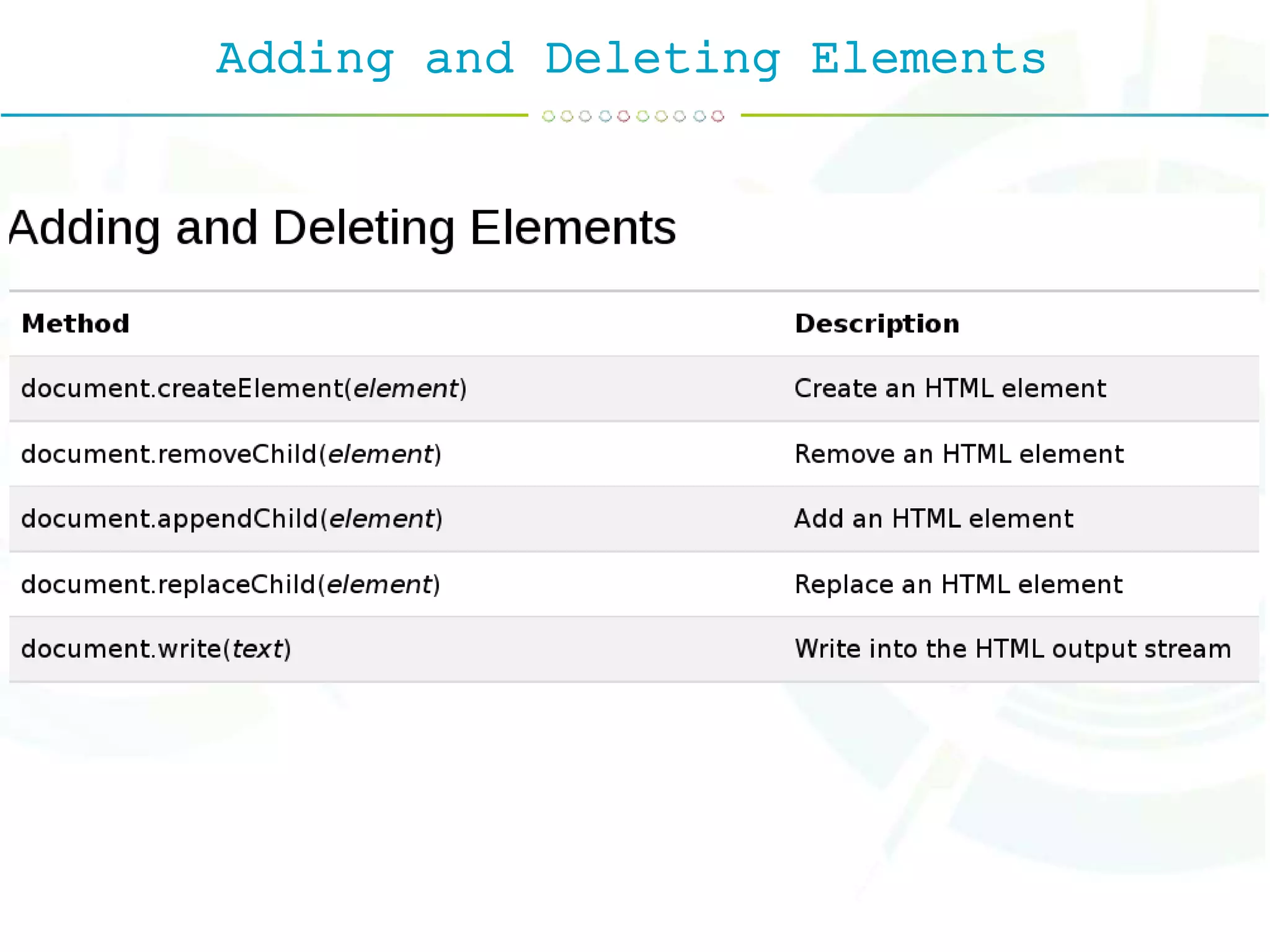
The DOM Programming Interface The HTML DOM can be accessed with JavaScript (and with other programming languages). In the DOM, all HTML elements are defined as objects. The programming interface is the properties and methods of each object. A property is a value that you can get or set (like changing the content of an HTML element). A method is an action you can do (like add or deleting an HTML element).
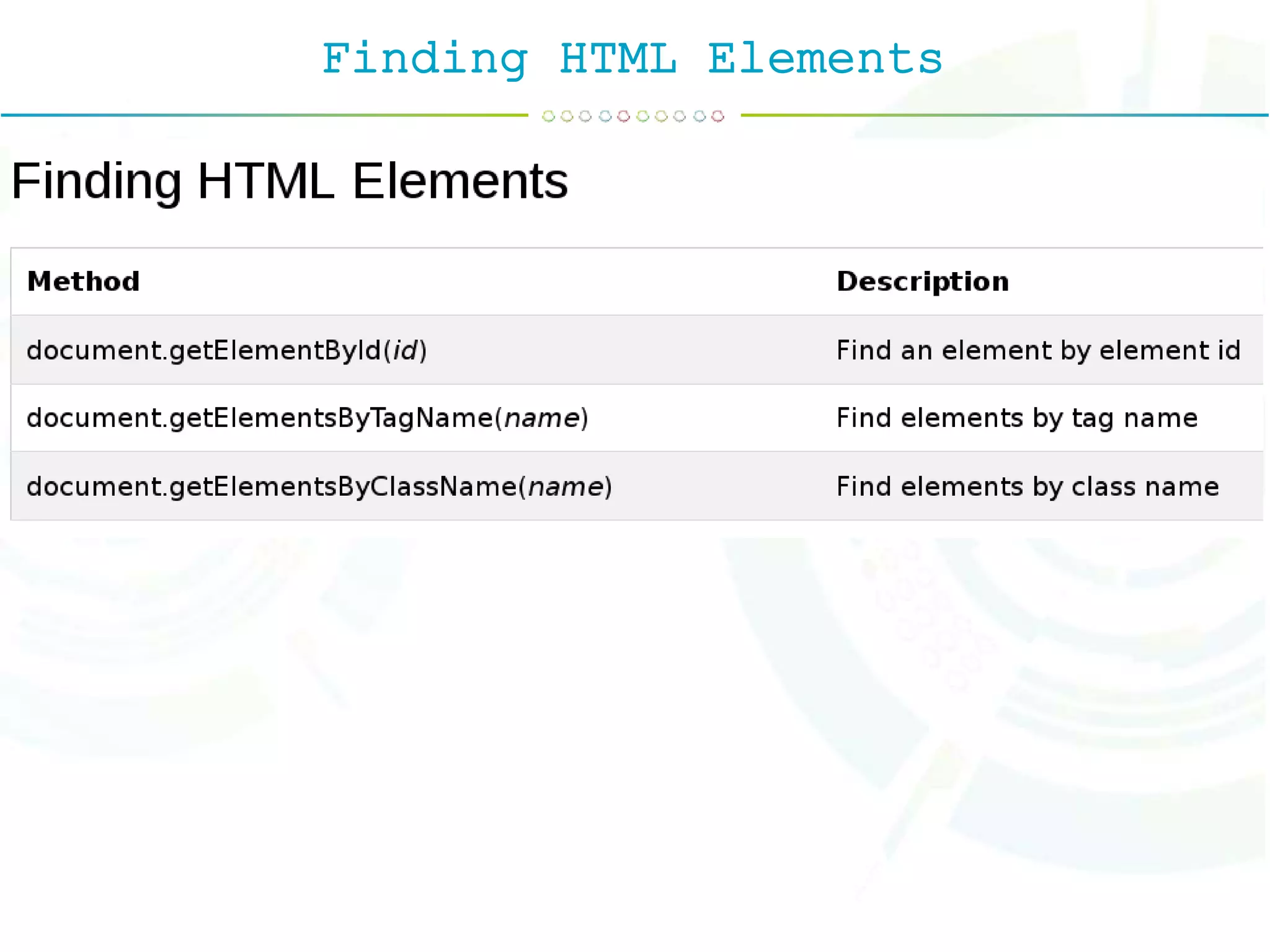
Finding HTML Elements
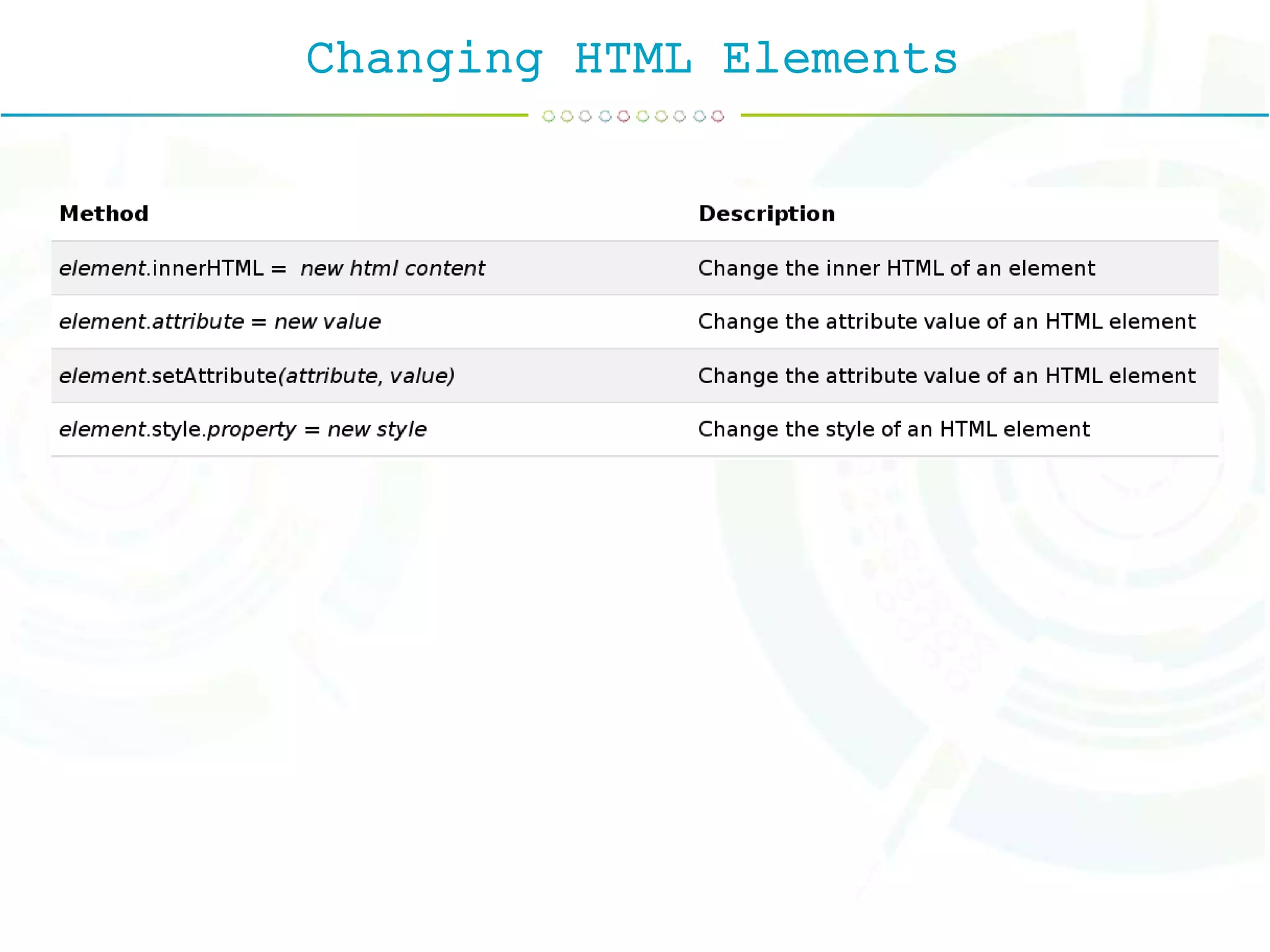
Changing HTML Elements
Adding and Deleting Elements
Validation Form validation normally used to occur at the server, after the client had entered all the necessary data and then pressed the Submit button. If the data entered by a client was incorrect or was simply missing, the server would have to send all the data back to the client and request that the form be resubmitted with correct information.
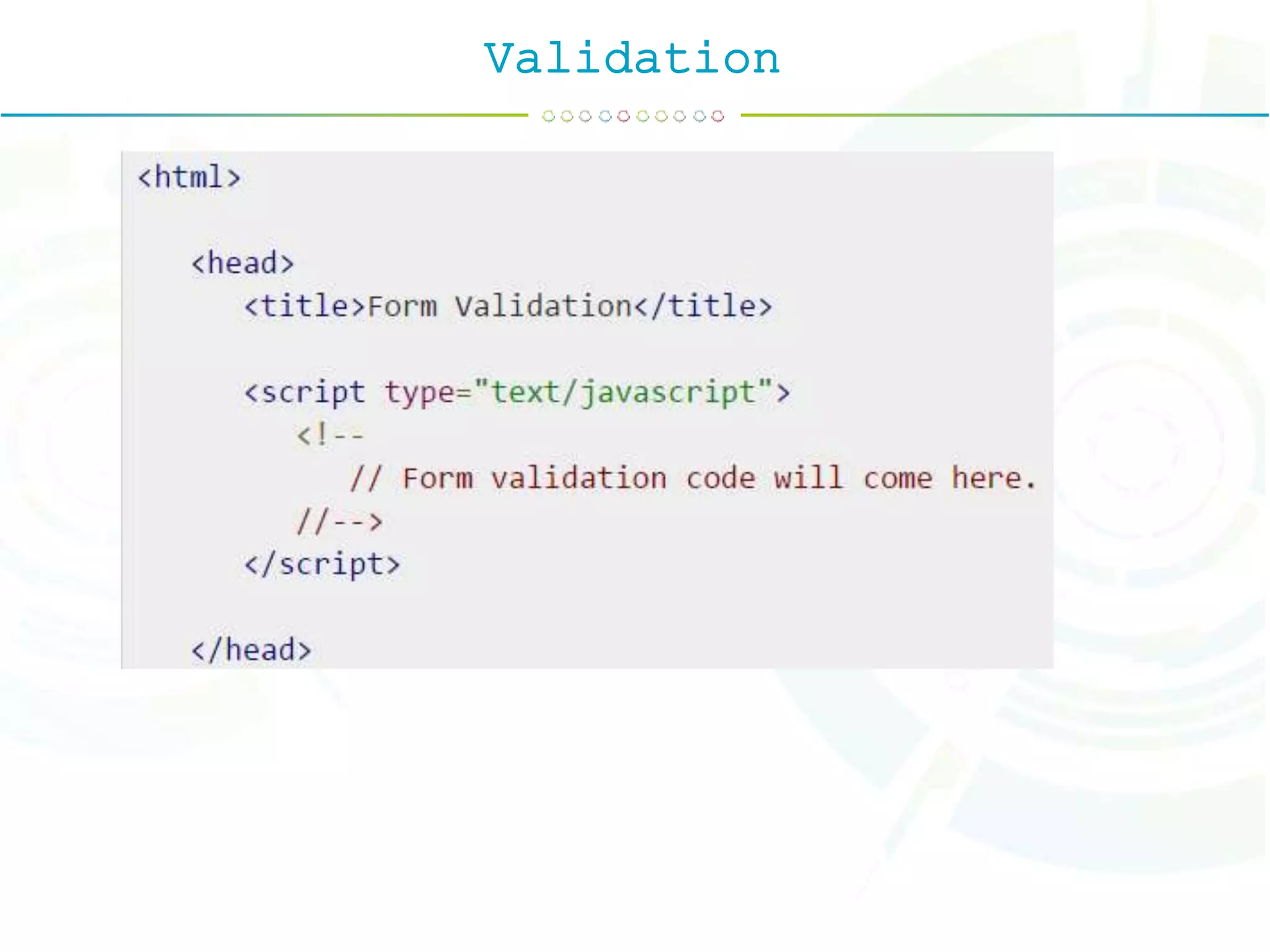
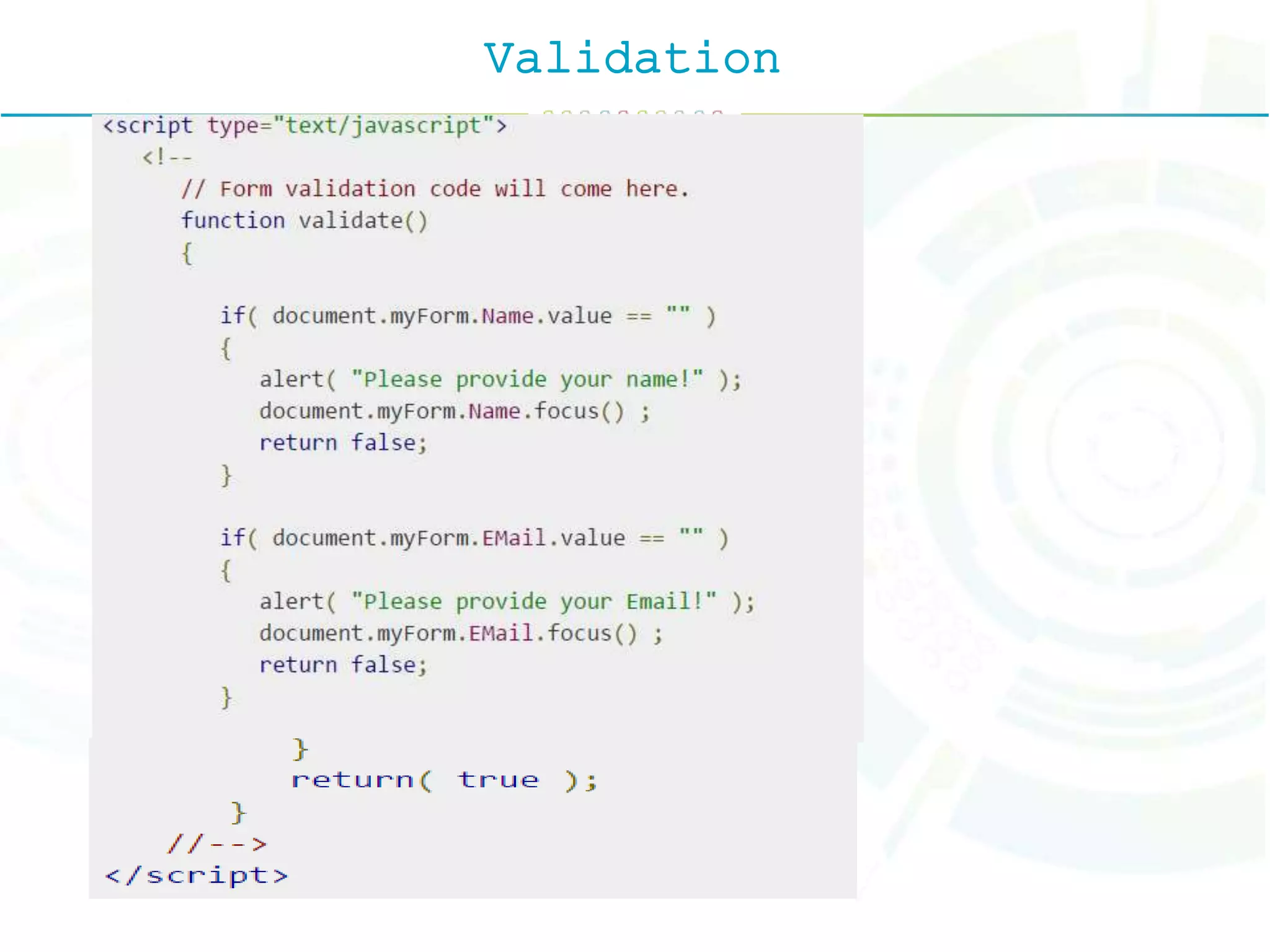
Validation Form validation generally performs two functions. Basic Validation − First of all, the form must be checked to make sure all the mandatory fields are filled in. It would require just a loop through each field in the form and check for data. Data Format Validation − Secondly, the data that is entered must be checked for correct form and value. Your code must include appropriate logic to test correctness of data.
Validation
Validation

Java scipt

  • 1.
  • 2.
    Client-side EnvironmentThe client-sideenvironment used to run scripts is usually a browser. The processing takes place on the end users computer. The source code is transferred from the web server to the u s e r s c o m p u t e r o v e r t h e internet and run directly in the browser. The scripting language needs to b e e n a b l e d o n t h e c l i e n t computer. Sometimes if a user is conscious of security risks they may switch the scripting facility off. When this is the
  • 3.
    Client-side EnvironmentThis partyrequests pages from the Server, and displays them to the user. In most cases, the client is a web browser. The User opens his web browser (the Client). The User browses to http://google.com. The Client (on the behalf of the User), sends a request to http://google.com (the Server), for their home page. The Server then acknowledges the request, and replies the client with some meta-data (called headers), followed by the page's source. The Client then receives the page's source, and renders it into a human viewable website. The User types Stack Overflow into the search bar, and presses Enter The Client submits that data to the Server. The Server processes that data, and replies with a page matching the search results. The Client, once again, renders that page for the User to view.
  • 4.
    Client-side EnvironmentThe Usertypes Stack Overflow into the search bar, and presses Enter The Client submits that data to the Server. The Server processes that data, and replies with a page matching the search results. The Client, once again, renders that page for the User to view. Example languages JavaScript (primarily), HTML*, CSS* Any language running on a client device that interacts with a remote service is a client-side language.
  • 5.
    Server-side EnvironmentServer-side programming,is the general name for the kinds of programs which are run on the Server. This is different from client- side scripting where scripts are run by the viewing web browser, usually in JavaScript. T h e p r i m a r y a d v a n t a g e t o server-side scripting is the ability to highly customize the response based on the user's requirements, access rights, or queries into data stores. Example Languages
  • 6.
  • 7.
    JavaScriptJavaScript was releasedby Netscape and Sun Microsystems in 1995. However, JavaScript is not the same thing as Java. JavaScript is a cross-platform, object-oriented scripting language, programming language, interpreted language, object- based programming, small and lightweight language.
  • 8.
    Use of JavaScript?Useit to add multimedia elements With JavaScript you can show, hide, change, resize images, and create image rollovers. You can create scrolling text across the status bar. Create pages dynamically Based on the user's choices, the date, or other external data, JavaScript can produce pages that are customized to the user. Interact with the user It can do some processing of
  • 9.
    Why Study JavaScript?JavaScriptis one of the 3 languages all web developers must learn: 1. HTML to define the content of web pages 2. CSS to specify the layout of web pages 3. JavaScript to program the behavior of web pages
  • 10.
    Writing JavaScriptJavaScript codeis typically embedded in the HTML, to be interpreted and run by the client's browser. Here are some tips to remember when writing JavaScript commands • JavaScript code is case sensitive. • White space between words and tabs are ignored• • Line breaks are ignored except within a statement• • JavaScript statements end with a semi- colon ;
  • 11.
    The SCRIPT TagThe<SCRIPT> tag alerts a browser that JavaScript code follows. It is typically embedded in the HTML. <SCRIPT language = "JavaScript"> statements </SCRIPT> Example : 1. <SCRIPT language = "JavaScript"> alert("Welcome to the script tag test page.") </SCRIPT> 2. <script type="text/javascript"
  • 12.
    Syntatic Characteristics1.Identifiers 1. Identifiermust be begin with either letter or underscore or dollor sign. 2. No limit of length. 3. Variable Name must not hava uppercase letter 2.Reserved Word 1. break, continue, delete, for, in, return, var, default, else, function 3.Comments 1.// : Single Line Comment 2./* and */ : Multi Line Comment 3.The XHTML <!-> and <-> is alos allowed in javascript.
  • 13.
    Syntatic Characteristics4. Semicolon 5.Variable 1.Primitive Types - Number, String, Boolean, Undefined, Null 2.Literals - Numarical & String 3.Other Primitive Types Boolean, Null, Undefined.
  • 14.
    To declare variables,use the keyword var and the variable name: var userName To assign values to variables, add an equal sign and the value: var userName = "Smith" var price = 100
  • 15.
    Variable Declaration document.getElementById("id") :The getElementById() method accesses the first element with the specified id.
  • 16.
  • 17.
  • 18.
  • 19.
  • 20.
  • 21.
  • 22.
  • 23.
    IF Statementif statement if...elsestatement if...else if... statement. <script type="text/javascript"> var age = 20; if( age > 18 ){ document.write("<b>Qualifies for driving</b>"); } </script>
  • 24.
    if...else statement: Syntex: if (expression){ Statement(s) to be executed if expression is true } else { Statement(s) to be executed if expression is false } The 'if...else' statement is the next form of control statement that allows JavaScript to execute statements in a more controlled way. <script type="text/javascript"> var age = 15; if( age > 18 ){ document.write("<b>Qualifies for driving</b>"); } else{ document.write("<b>Does not qualify for driving</b>"); } </script>
  • 25.
    Switch <script type="text/javascript"> var grade='A'; document.write("Enteringswitch block<br />"); switch (grade) { case 'A': document.write("Good job<br />"); break; case 'B': document.write("Pretty good<br />"); break; default: document.write("Unknown grade<br />") } document.write("Exiting switch block"); </script> Output Entering switch block Good job Exiting switch block
  • 26.
    While Loop while (expression){ Statement(s)to be executed if expression is true } <script type="text/javascript"> <!-- var count = 0; document.write("Starting Loop "); while (count < 10){ document.write("Current Count : " + count + "<br />"); count++; } document.write("Loop stopped!"); //--> </script> Output : Starting Loop Current Count : 0 Current Count : 1 Current Count : 2
  • 27.
    do While Loop <scripttype="text/javascript"> <!-- var count = 0; document.write("Starting Loop" + "<br />"); do{ document.write("Current Count : " + count + "<br />"); count++; } while (count < 5); document.write ("Loop stopped!"); //--> </script> Output Starting Loop Current Count : 0 Current Count : 1 Current Count : 2
  • 28.
    For Loop for (initialization;test condition; iteration statement) { Statement(s) to be executed if test condition is true } <script type="text/javascript"> <!-- var count; document.write("Starting Loop" + "<br />"); for(count = 0; count < 10; count++){ document.write("Current Count : " + count ); document.write("<br />"); } document.write("Loop stopped!"); //--> </script>
  • 29.
    For ...IN Loop Thefor...in loop is used to loop through an object's properties. for (variablename in object){ statement or block to execute } <script type="text/javascript"> var aProperty; document.write("Navigator Object Properties<br /> "); for (aProperty in navigator) { document.write(aProperty); document.write("<br />"); } document.write ("Exiting from the loop!"); </script>
  • 30.
    Function A function isa group of reusable code which can be called anywhere in your program. This eliminates the need of writing the same code again and again. It helps programmers in writing modular codes. <script type="text/javascript"> <!-- function functionname(parameter-list) { statements } //--> </script> <script type="text/javascript"> <!-- function sayHello() { alert("Hello there"); } //--> </script>
  • 31.
    Function <html> <head> <script type="text/javascript"> function sayHello(){ document.write ("Hello there!"); } </script> </head> <body> <p>Click the following button to call the function</p> <form> <input type="button" onclick="sayHello()" value="Say Hello"> </form> <p>Use different text in write method and then try...</p> </body> </html> Hello there!
  • 32.
    Event JavaScript's interaction withHTML is handled through events that occur when the user or the browser manipulates a page. When the page loads, it is called an event. When the user clicks a button, that click to is an event. Other examples include events like pressing any key, closing a window, resizing a window, etc. Developers can use these events to execute JavaScript coded responses, which cause buttons to close windows, messages to be displayed to users, data to be validated, and virtually any other type of response imaginable.
  • 33.
  • 34.
  • 35.
    Array The Array objectlets you store multiple values in a single variable. It stores a fixed-size sequential collection of elements of the same type. var fruits = new Array( "apple", "orange", "mango" ); You can create array by simply assigning values as follows − var fruits = [ "apple", "orange", "mango" ];
  • 36.
  • 37.
    Two-Dimensional Array var iMax= 20; var jMax = 10; var f = new Array(); for (i=0;i<iMax;i++) { f[i]=new Array(); for (j=0;j<jMax;j++) { f[i][j]=0; } }
  • 38.
    Pop up Boxes JavaScripthas three kind of popup boxes: 1. Alert box. 2. Confirm box. 3. Prompt box.
  • 39.
  • 40.
  • 41.
  • 42.
    Object JavaAScript is anObject Oriented Programming (OOP) language. A programming language can be called object-oriented if it provides basic capabilities to developers − • Booleans can be objects (or primitive data treated as objects) • Numbers can be objects (or primitive data treated as objects) • Strings can be objects (or primitive data treated as objects) • Dates are always objects • Maths are always objects • Regular expressions are always objects • Arrays are always objects • Functions are always objects • Objects are objects
  • 43.
    Creating Object <!DOCTYPE html> <html> <body> <p>Creatinga JavaScript Object.</p> <p id="demo"></p> <script> var person = {firstName:"John", lastName:"Doe", age:50, eyeColor:"blue"}; document.getElementById("demo").innerHTML = person.firstName + " is " + person.age + " years old."; </script> </body> </html> Creating a JavaScript Object. John is 50 years old.
  • 44.
  • 45.
  • 46.
  • 47.
  • 48.
  • 49.
  • 50.
  • 51.
    The Date Object newDate( ) new Date(milliseconds) new Date(datestring) new Date(year,month,date[,hour,minute,second,millisecond ])
  • 52.
  • 53.
  • 54.
  • 55.
  • 56.
    Boolean Object The Booleanobject represents two values, either "true" or "false". If value parameter is omitted or is 0, -0, null, false, NaN, undefined, or the empty string (""), the object has an initial value of false.
  • 57.
  • 58.
  • 59.
    String Object The Stringobject lets you work with a series of characters; it wraps Javascript's string primitive data type with a number of helper methods. var val = new String(string);
  • 60.
  • 61.
  • 62.
    Document Object Model TheDOM is a W3C (World Wide Web Consortium) standard. A Document object represents the HTML document that is displayed in that window. The Document object has various properties that refer to other objects which allow access to and modification of document content. The way a document content is accessed and modified is called the Document Object Model, or DOM. The Objects are organized in a hierarchy. This hierarchical structure applies to the organization of objects in a Web document. The W3C DOM standard is separated into 3 different parts: Core DOM - standard model for all document types XML DOM - standard model for XML documents HTML DOM - standard model for HTML documents
  • 63.
    Document Object Model •Window object − Top of the hierarchy. It is the outmost element of the object hierarchy. • Document object − Each HTML document that gets loaded into a window becomes a document object. The document contains the contents of the page. • Form object − Everything enclosed in the <form>...</form> tags sets the form object. • Form control elements − The form object contains all the elements defined for that object such as text fields, buttons, radio buttons, and checkbox.
  • 64.
  • 65.
    The DOM ProgrammingInterface The HTML DOM can be accessed with JavaScript (and with other programming languages). In the DOM, all HTML elements are defined as objects. The programming interface is the properties and methods of each object. A property is a value that you can get or set (like changing the content of an HTML element). A method is an action you can do (like add or deleting an HTML element).
  • 66.
  • 67.
  • 68.
  • 69.
    Validation Form validation normallyused to occur at the server, after the client had entered all the necessary data and then pressed the Submit button. If the data entered by a client was incorrect or was simply missing, the server would have to send all the data back to the client and request that the form be resubmitted with correct information.
  • 70.
    Validation Form validation generallyperforms two functions. Basic Validation − First of all, the form must be checked to make sure all the mandatory fields are filled in. It would require just a loop through each field in the form and check for data. Data Format Validation − Secondly, the data that is entered must be checked for correct form and value. Your code must include appropriate logic to test correctness of data.
  • 71.
  • 72.