www.SunilOS.com 1 JAVA Networking www.sunilos.com www.raystec.com
Agenda Elements of Client Server Computing Network Basics Understanding Ports and Sockets Java Sockets o Implementing a Server o Implementing a Client Sample Examples Conclusion www.SunilOS.com 2
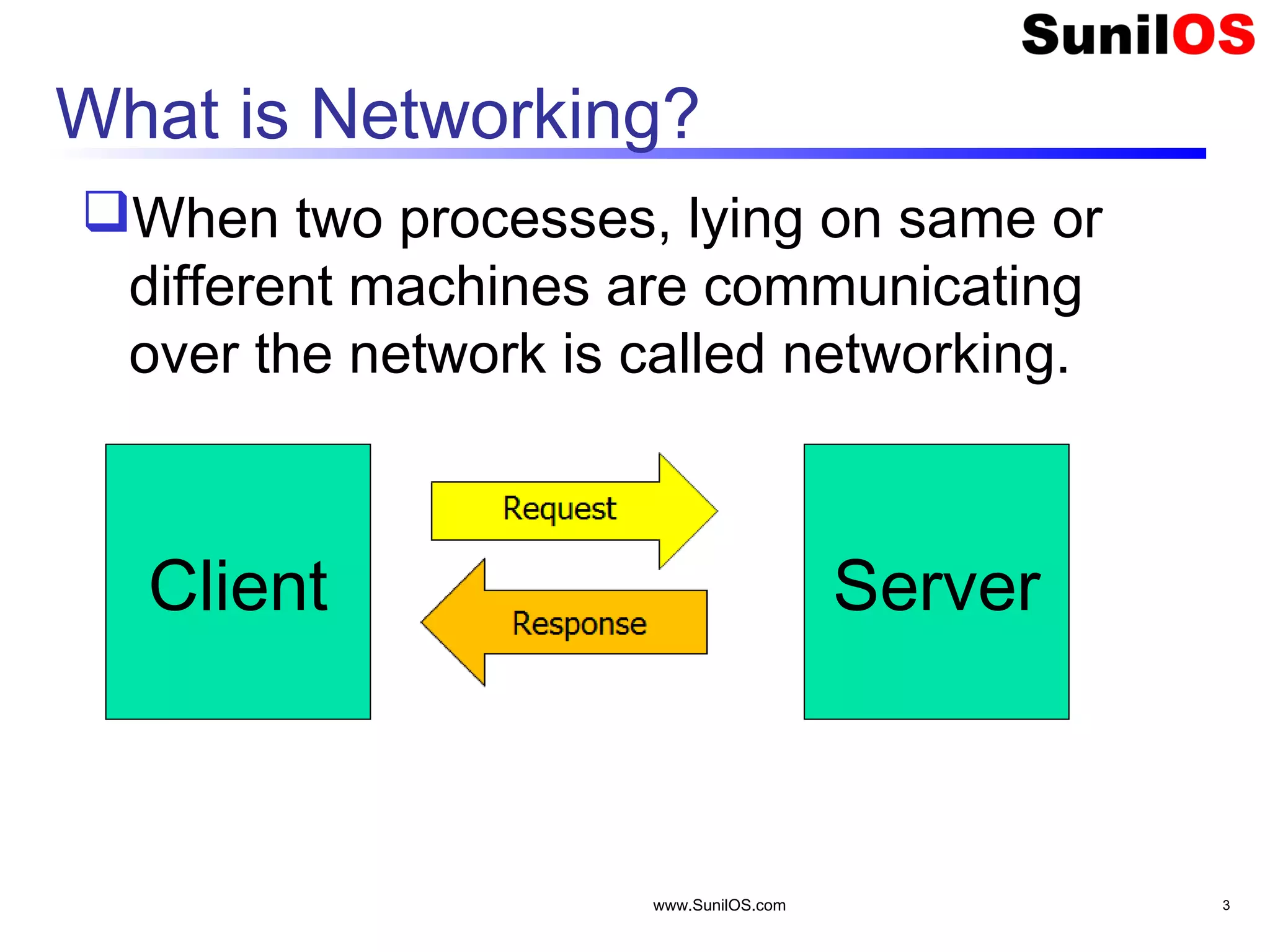
What is Networking? When two processes, lying on same or different machines are communicating over the network is called networking. www.SunilOS.com 3 Client Server
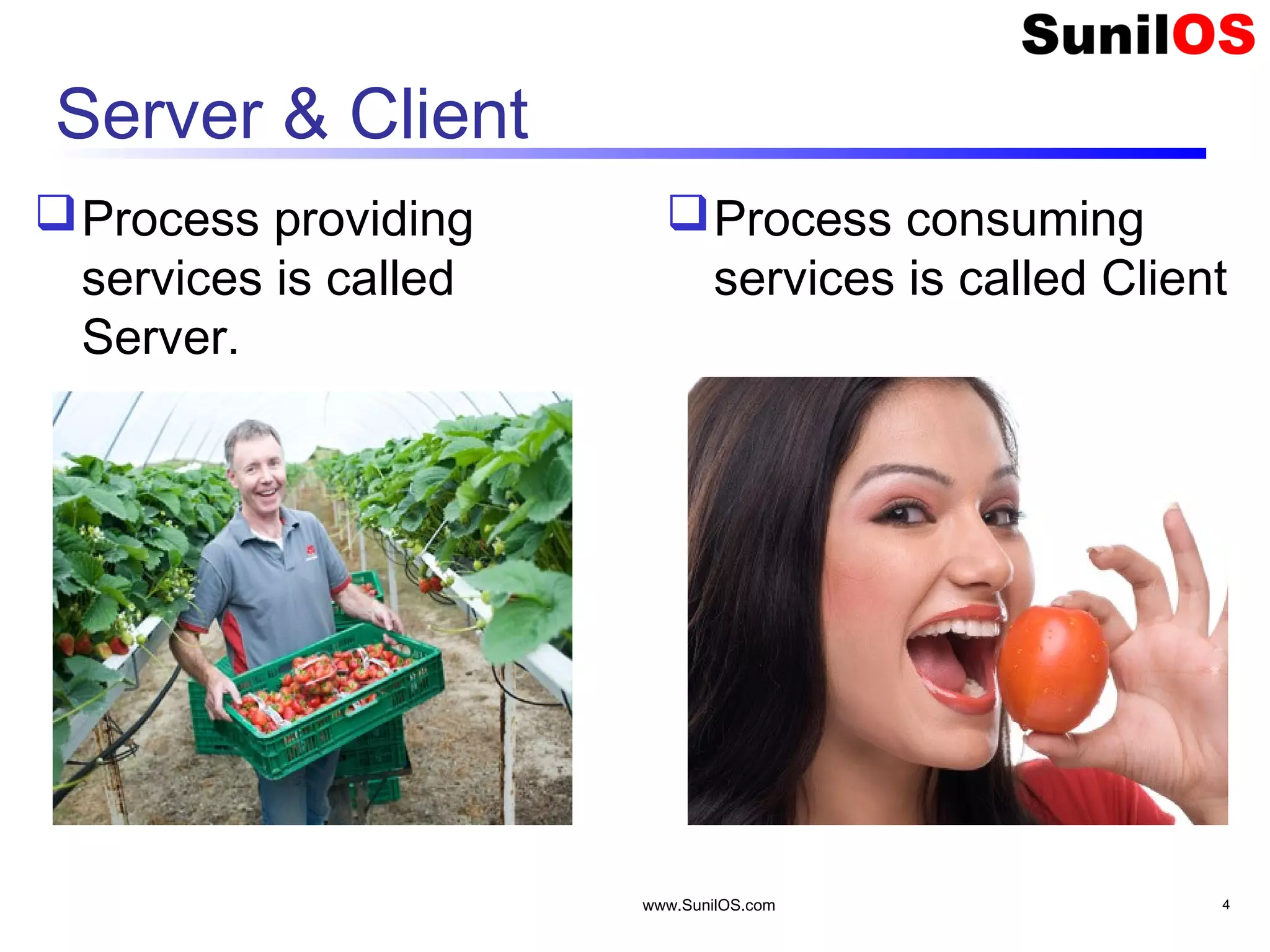
Server & Client Process providing services is called Server. Process consuming services is called Client www.SunilOS.com 4
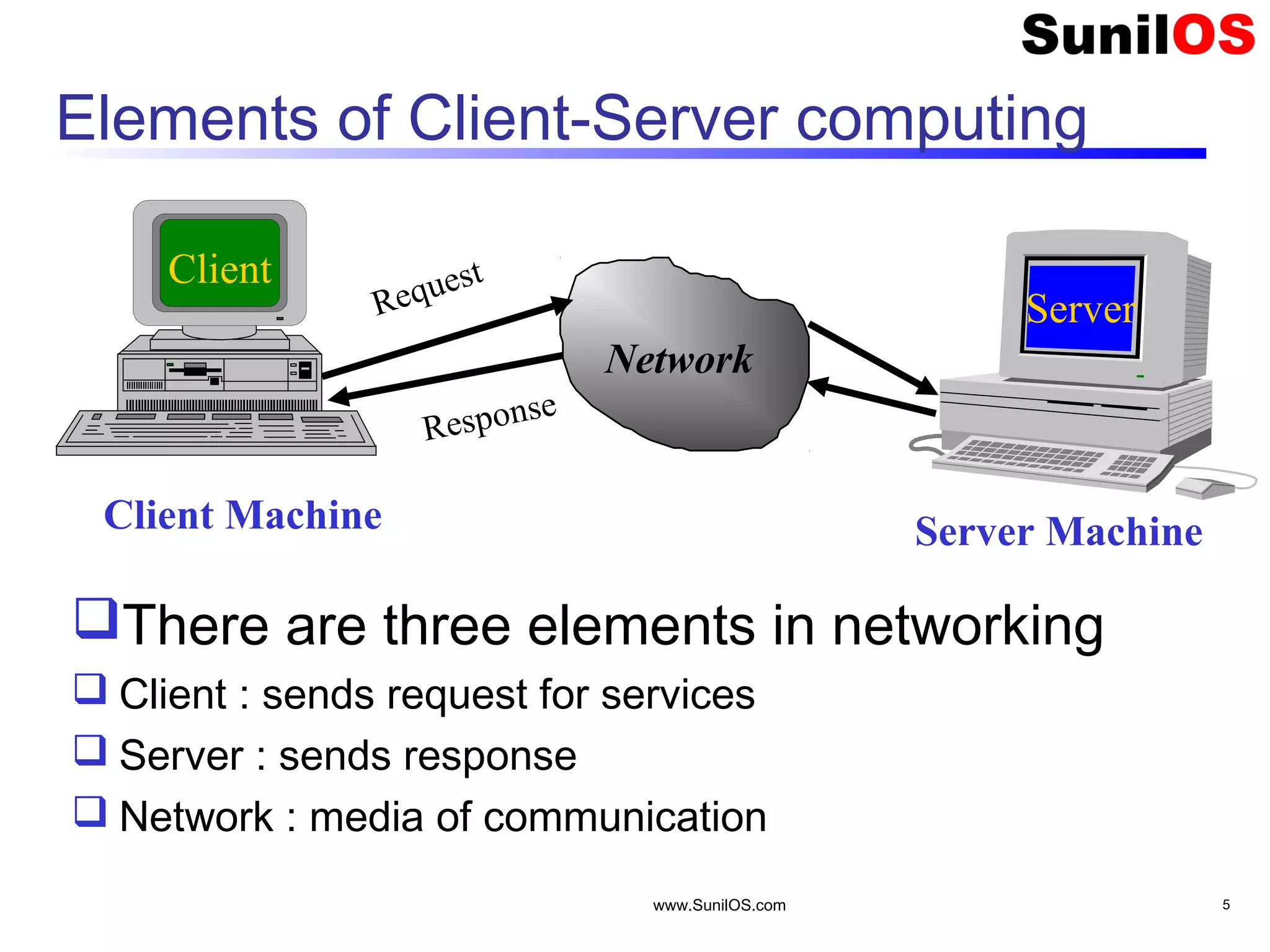
www.SunilOS.com 5 Elements of Client-Server computing Network Request Response There are three elements in networking  Client : sends request for services  Server : sends response  Network : media of communication Client Server Client Machine Server Machine
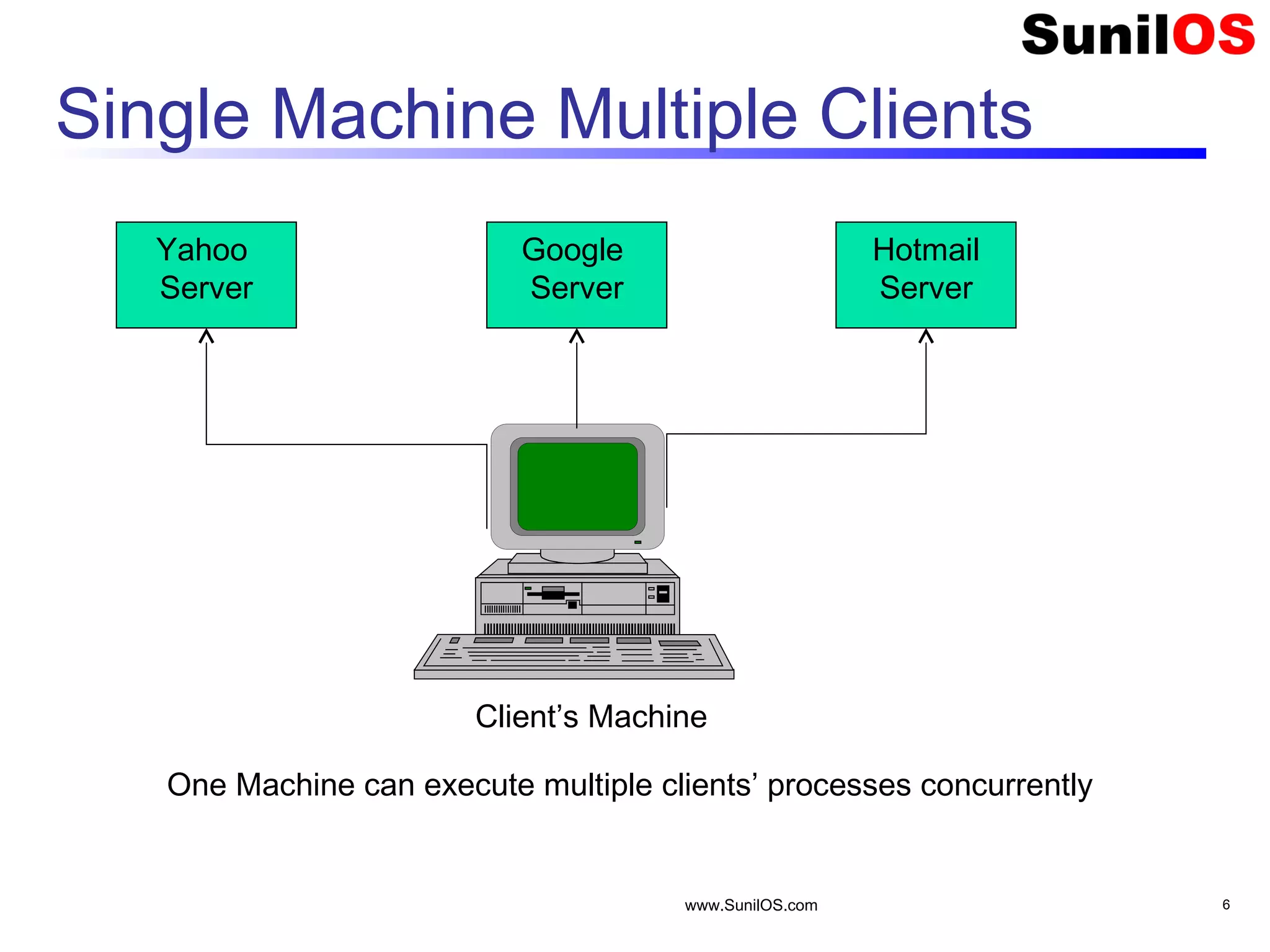
Single Machine Multiple Clients www.SunilOS.com 6 Yahoo Server Google Server Hotmail Server Client’s Machine One Machine can execute multiple clients’ processes concurrently
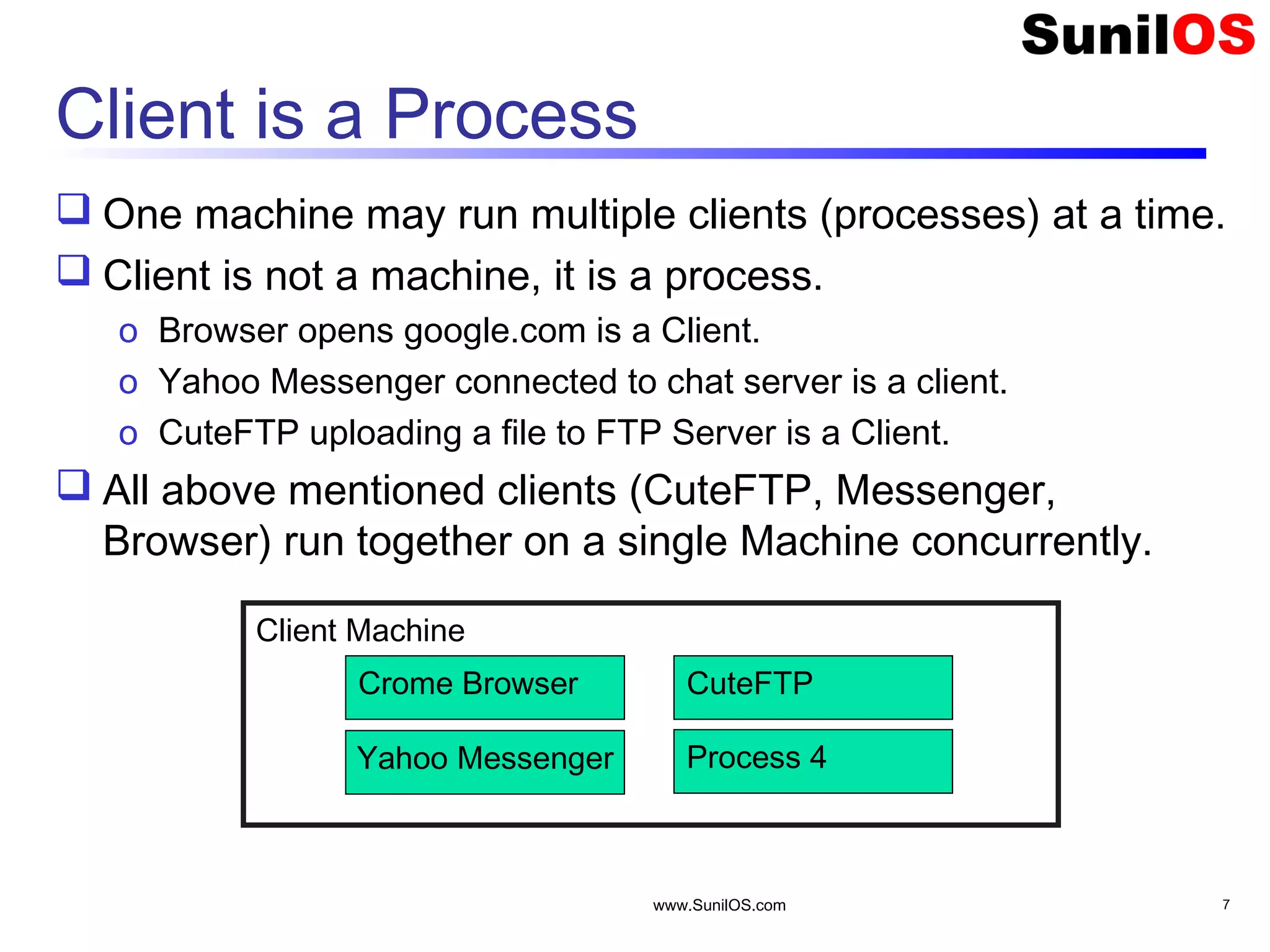
Client is a Process  One machine may run multiple clients (processes) at a time.  Client is not a machine, it is a process. o Browser opens google.com is a Client. o Yahoo Messenger connected to chat server is a client. o CuteFTP uploading a file to FTP Server is a Client.  All above mentioned clients (CuteFTP, Messenger, Browser) run together on a single Machine concurrently. www.SunilOS.com 7 Client Machine Crome Browser Yahoo Messenger CuteFTP Process 4
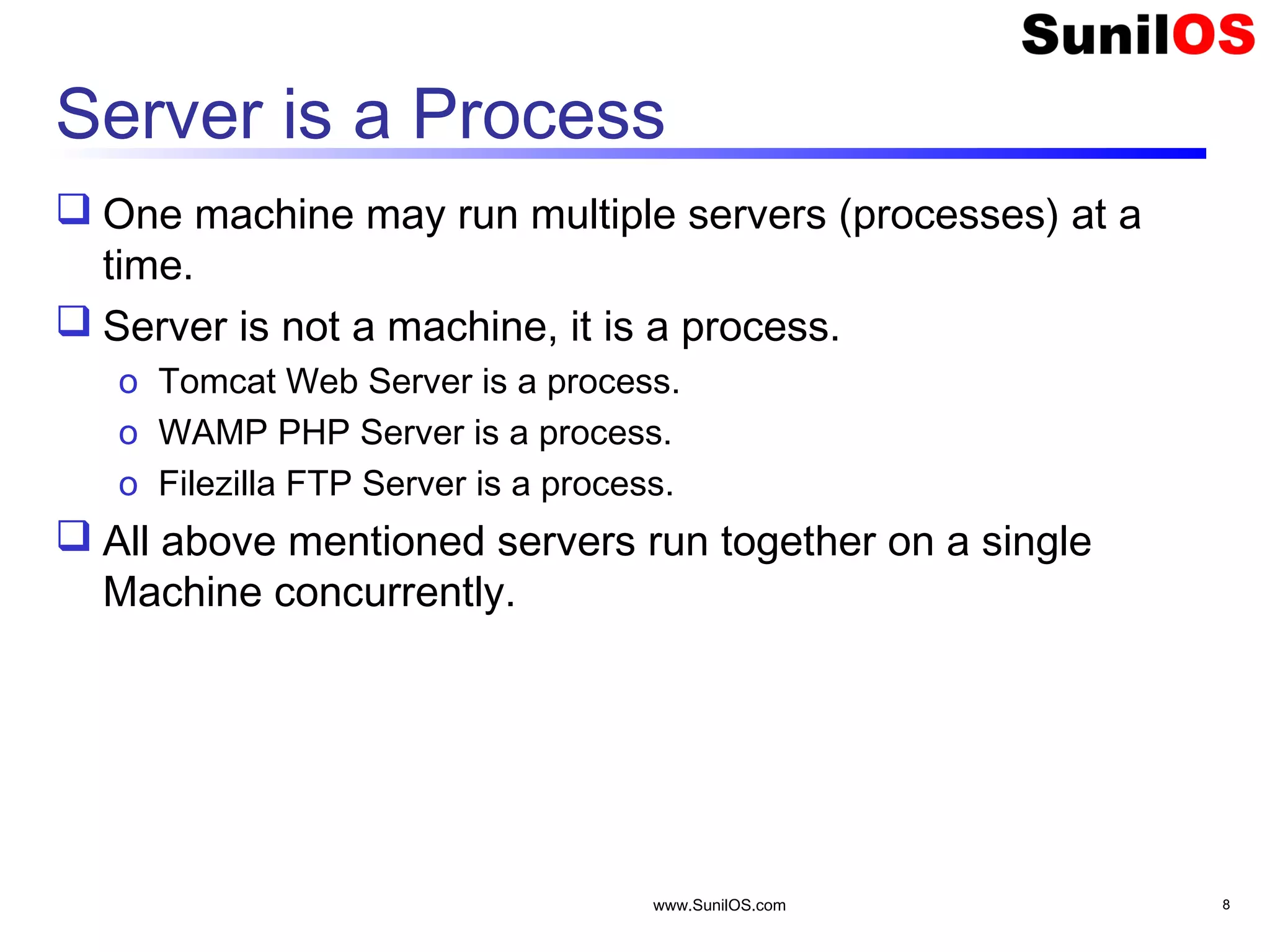
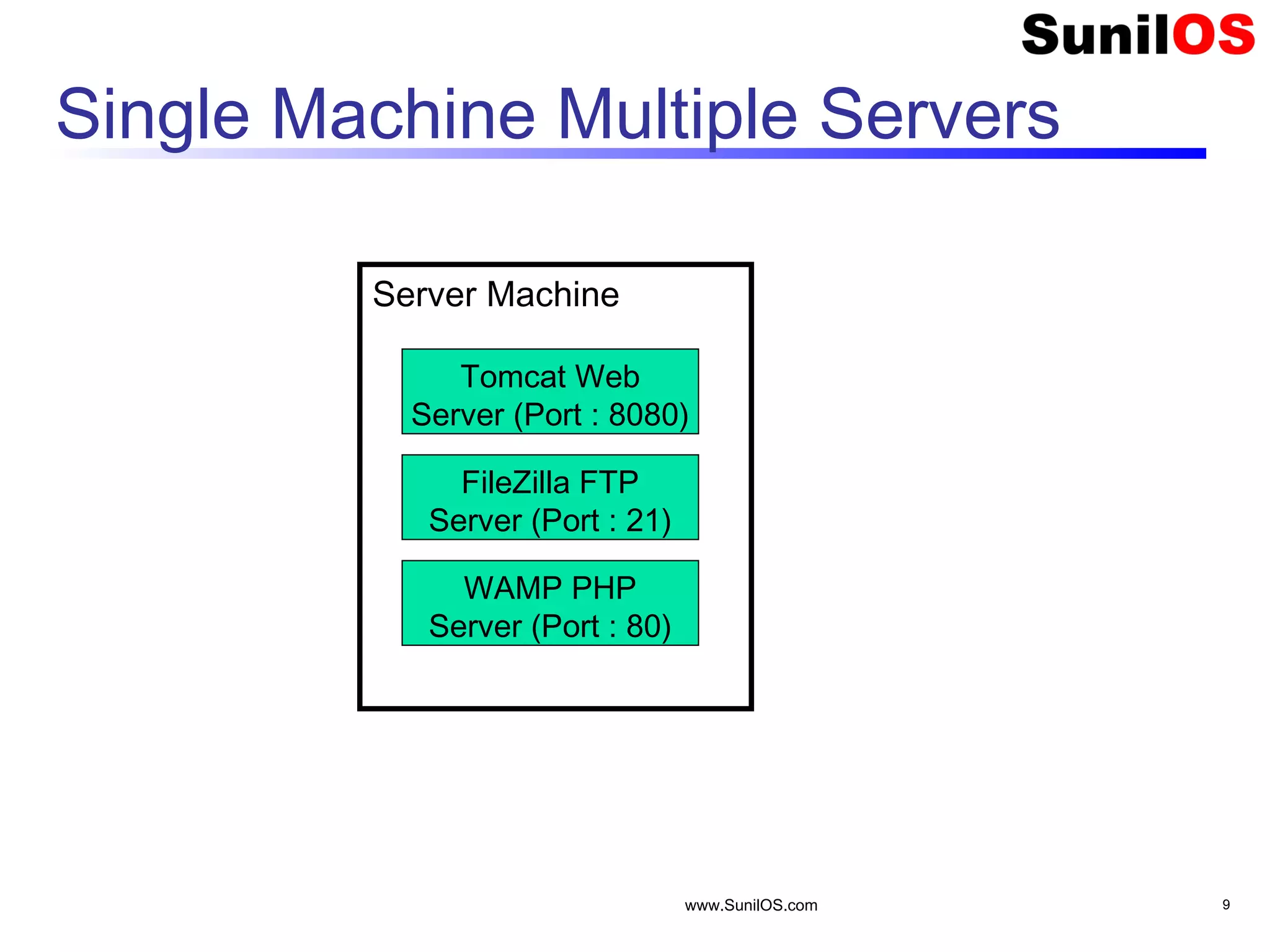
Server is a Process  One machine may run multiple servers (processes) at a time.  Server is not a machine, it is a process. o Tomcat Web Server is a process. o WAMP PHP Server is a process. o Filezilla FTP Server is a process.  All above mentioned servers run together on a single Machine concurrently. www.SunilOS.com 8
Single Machine Multiple Servers www.SunilOS.com 9 Server Machine Tomcat Web Server (Port : 8080) FileZilla FTP Server (Port : 21) WAMP PHP Server (Port : 80)
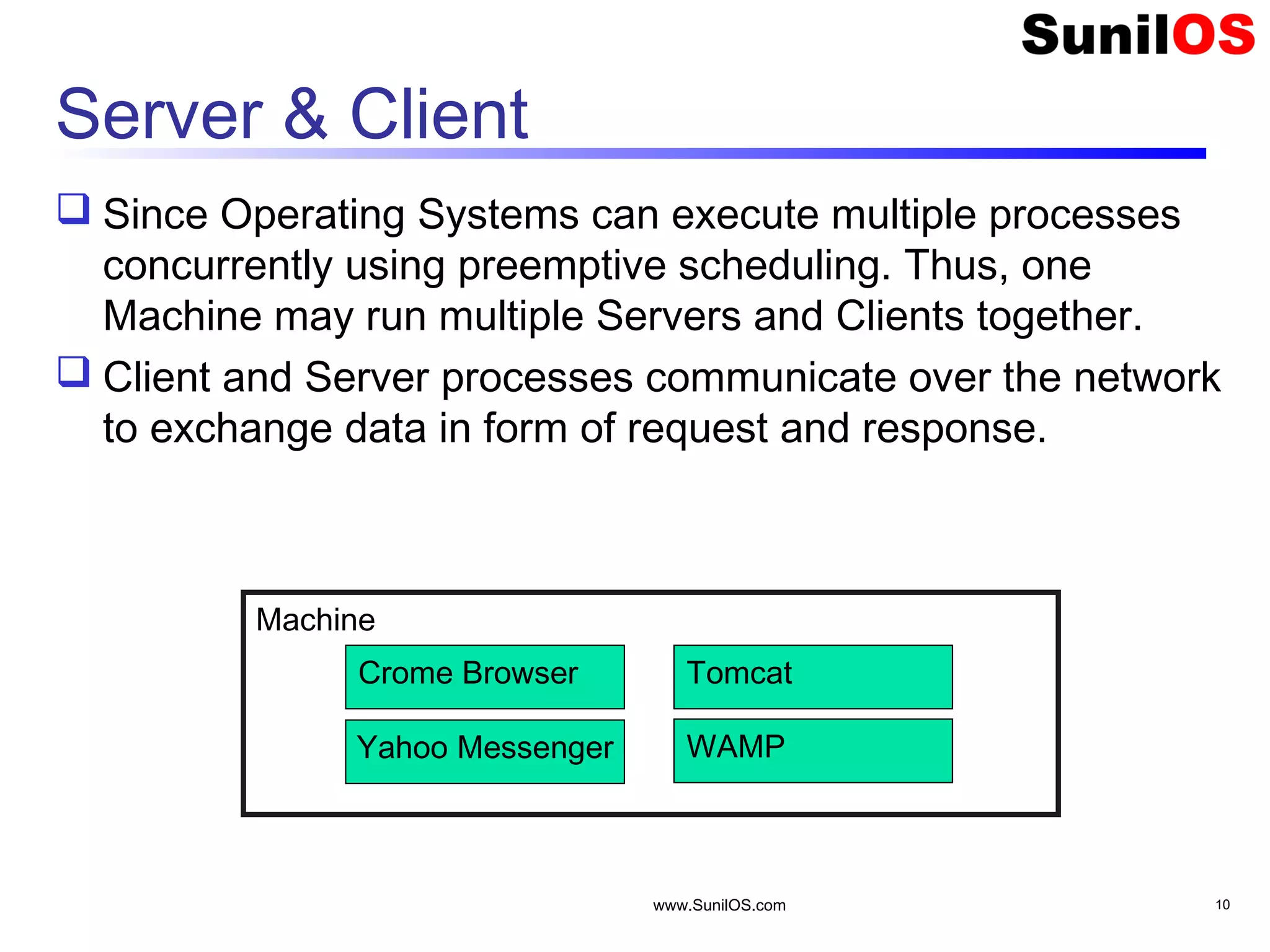
Server & Client  Since Operating Systems can execute multiple processes concurrently using preemptive scheduling. Thus, one Machine may run multiple Servers and Clients together.  Client and Server processes communicate over the network to exchange data in form of request and response. www.SunilOS.com 10 Machine Crome Browser Yahoo Messenger Tomcat WAMP
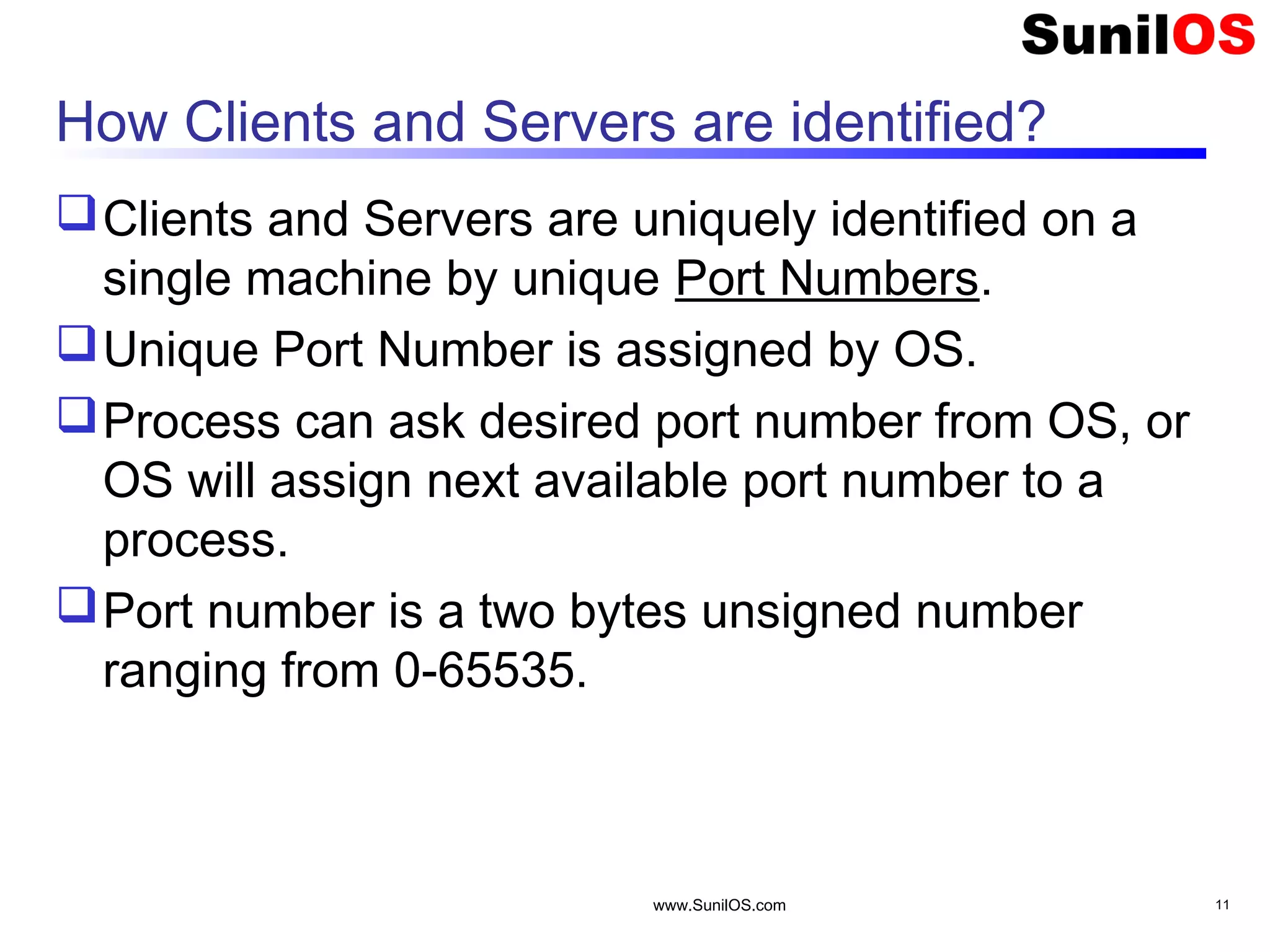
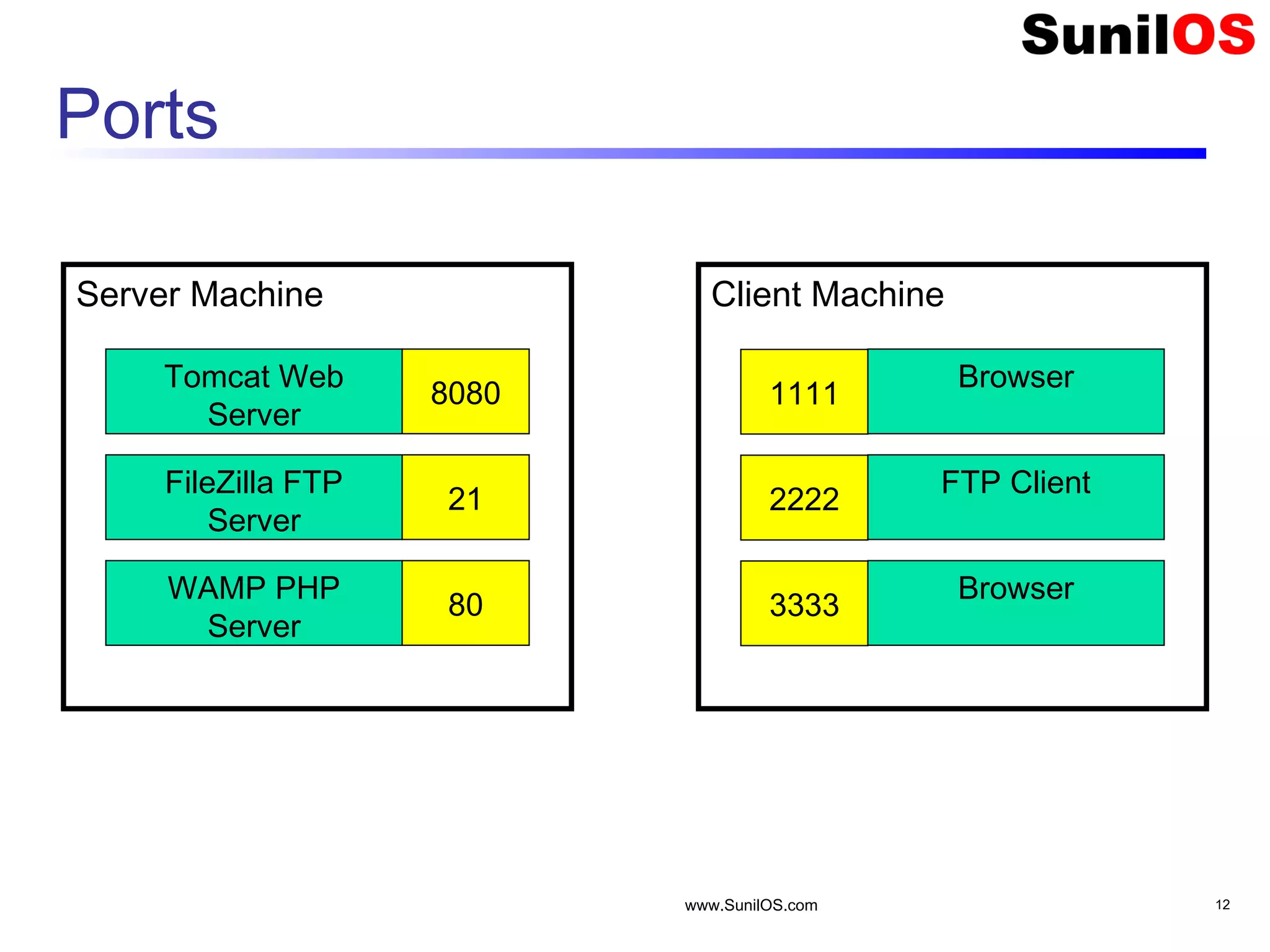
How Clients and Servers are identified? Clients and Servers are uniquely identified on a single machine by unique Port Numbers. Unique Port Number is assigned by OS. Process can ask desired port number from OS, or OS will assign next available port number to a process. Port number is a two bytes unsigned number ranging from 0-65535. www.SunilOS.com 11
Ports www.SunilOS.com 12 Server Machine Tomcat Web Server FileZilla FTP Server WAMP PHP Server 8080 21 80 Client Machine Browser FTP Client Browser 1111 2222 3333
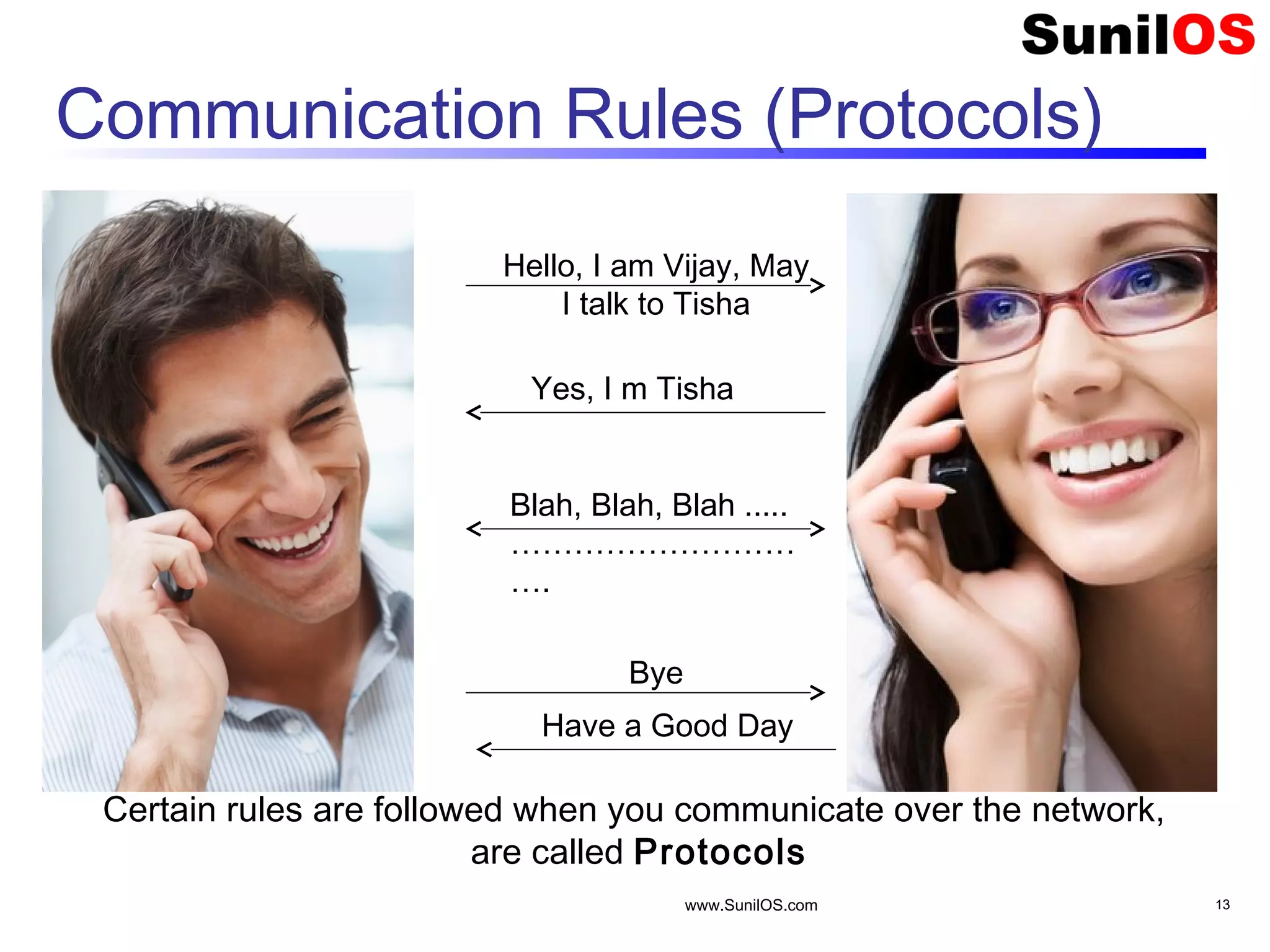
Communication Rules (Protocols) www.SunilOS.com 13 Hello, I am Vijay, May I talk to Tisha Yes, I m Tisha Blah, Blah, Blah ..... ……………………… …. Bye Have a Good Day Certain rules are followed when you communicate over the network, are called Protocols
Protocol over Phone When you call someone over phone and start conversation, you follow protocol. First you greet and say “Hello” , then you tell your name “I am Vijay”, then you ask with whom you want to talk “May I talk to Tisha?” . Likewise when conversation is over you say “Bye” and other would respond “Have a Good Day”. This is Protocol www.SunilOS.com 14
Protocol Responsibilities Applies a set of Rules. Converts your application data into byte stream and vice versa. Breaks data into packets and sends over network. Receives acknowledgements of sent packets. Decides network route to send data packets. www.SunilOS.com 15
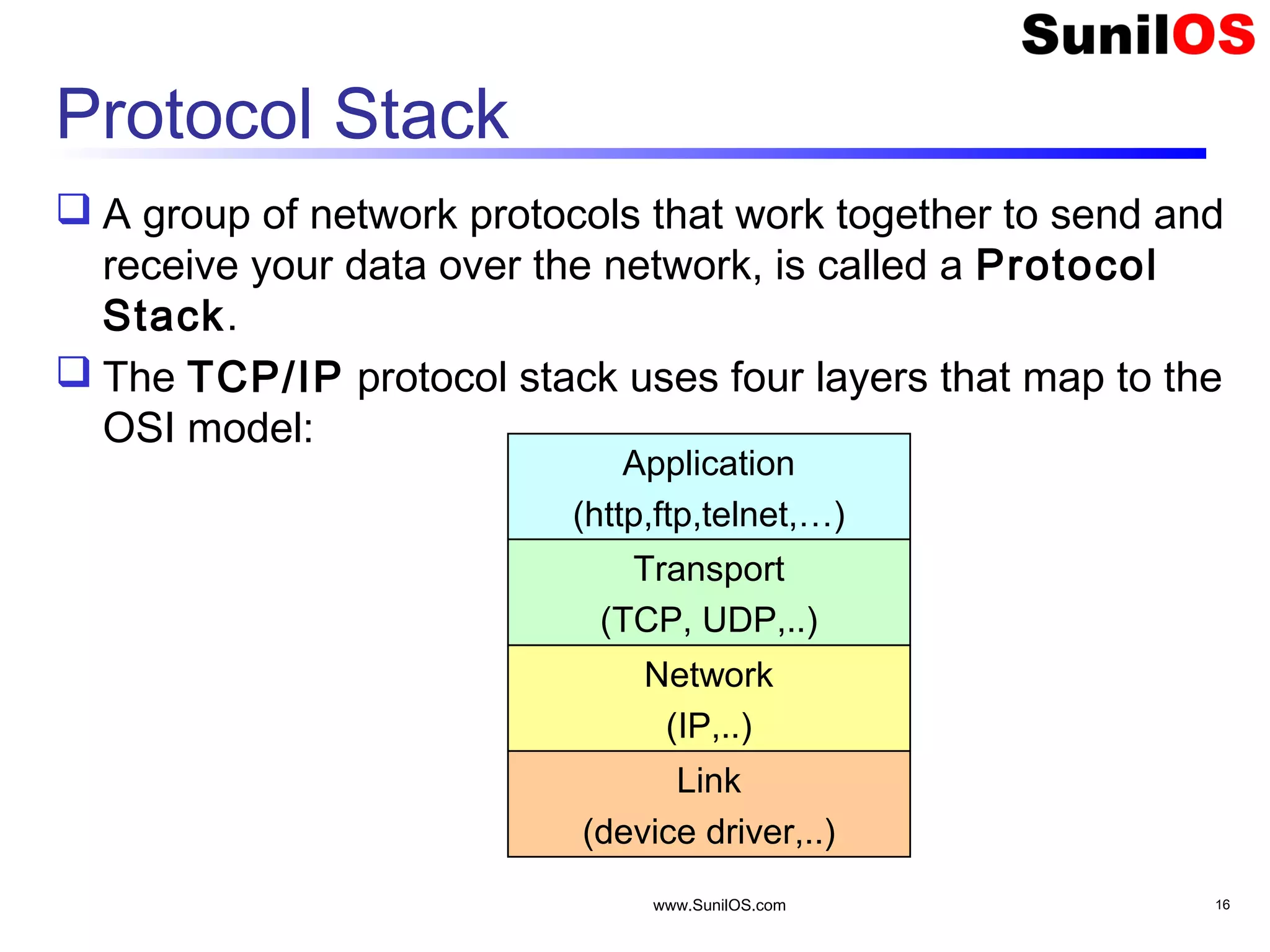
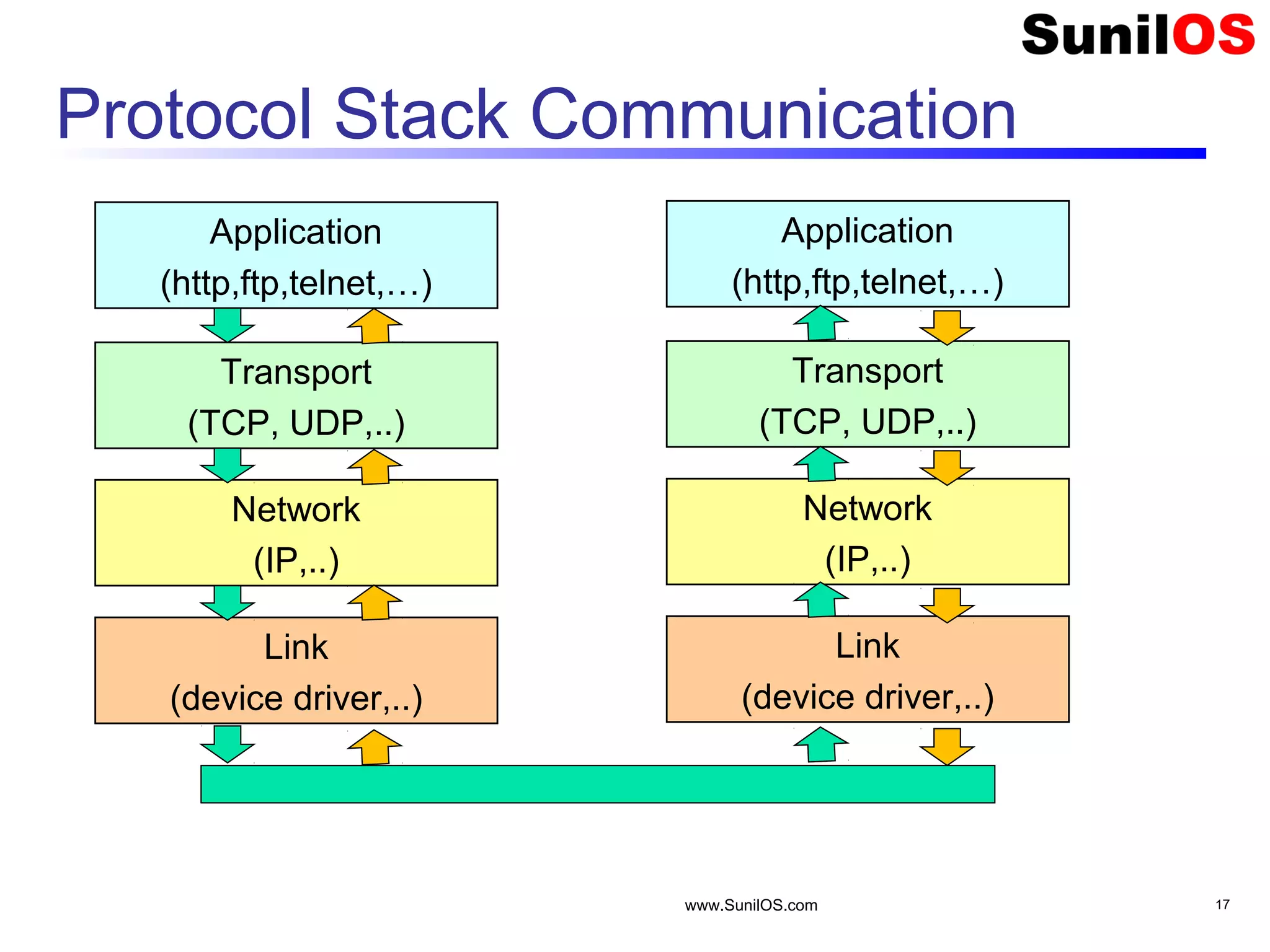
Protocol Stack  A group of network protocols that work together to send and receive your data over the network, is called a Protocol Stack.  The TCP/IP protocol stack uses four layers that map to the OSI model: www.SunilOS.com 16 Application (http,ftp,telnet,…) Transport (TCP, UDP,..) Network (IP,..) Link (device driver,..)
Protocol Stack Communication www.SunilOS.com 17 Application (http,ftp,telnet,…) Transport (TCP, UDP,..) Network (IP,..) Link (device driver,..) Application (http,ftp,telnet,…) Transport (TCP, UDP,..) Network (IP,..) Link (device driver,..)
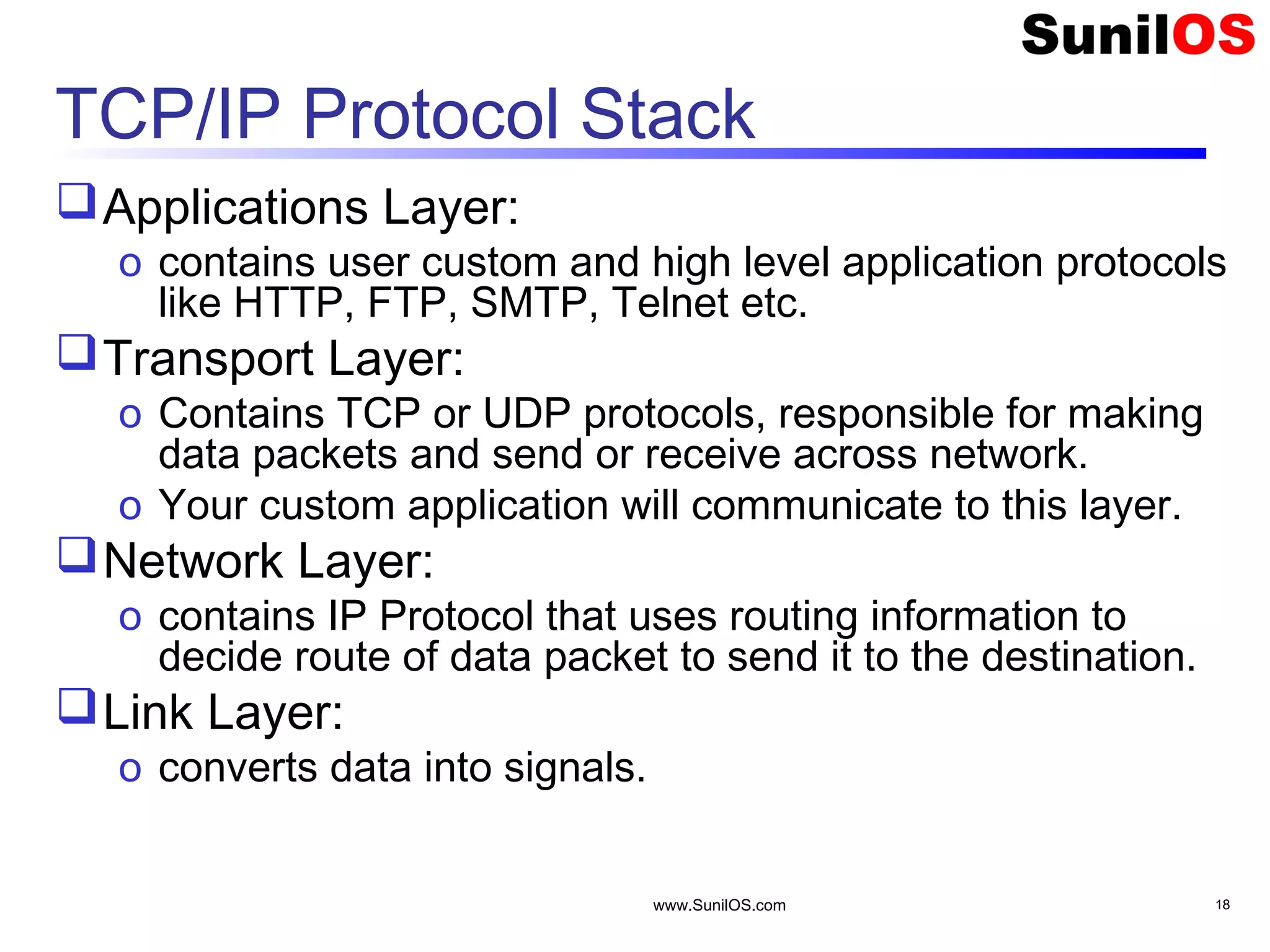
TCP/IP Protocol Stack Applications Layer: o contains user custom and high level application protocols like HTTP, FTP, SMTP, Telnet etc. Transport Layer: o Contains TCP or UDP protocols, responsible for making data packets and send or receive across network. o Your custom application will communicate to this layer. Network Layer: o contains IP Protocol that uses routing information to decide route of data packet to send it to the destination. Link Layer: o converts data into signals. www.SunilOS.com 18
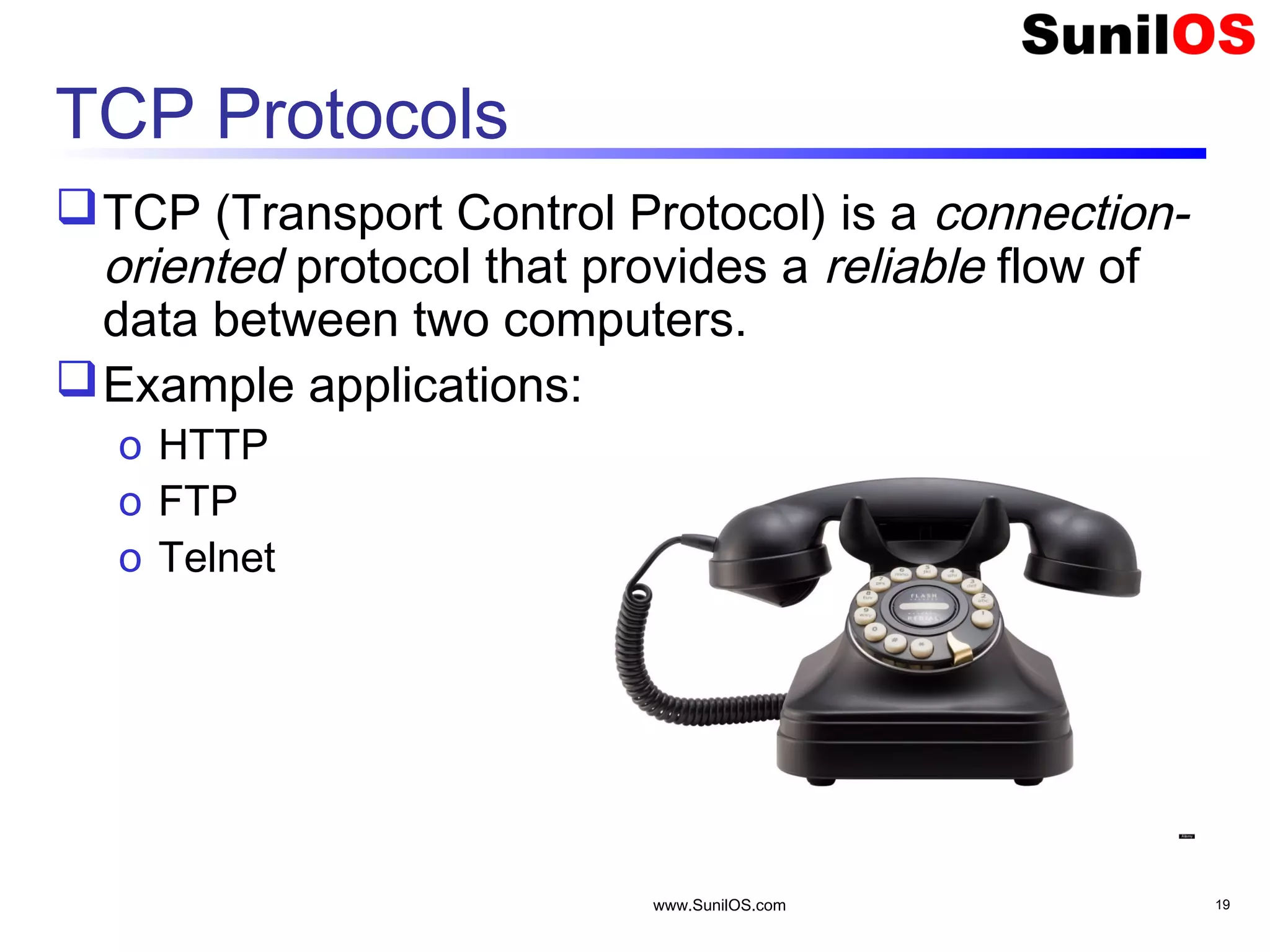
TCP Protocols TCP (Transport Control Protocol) is a connection- oriented protocol that provides a reliable flow of data between two computers. Example applications: o HTTP o FTP o Telnet www.SunilOS.com 19
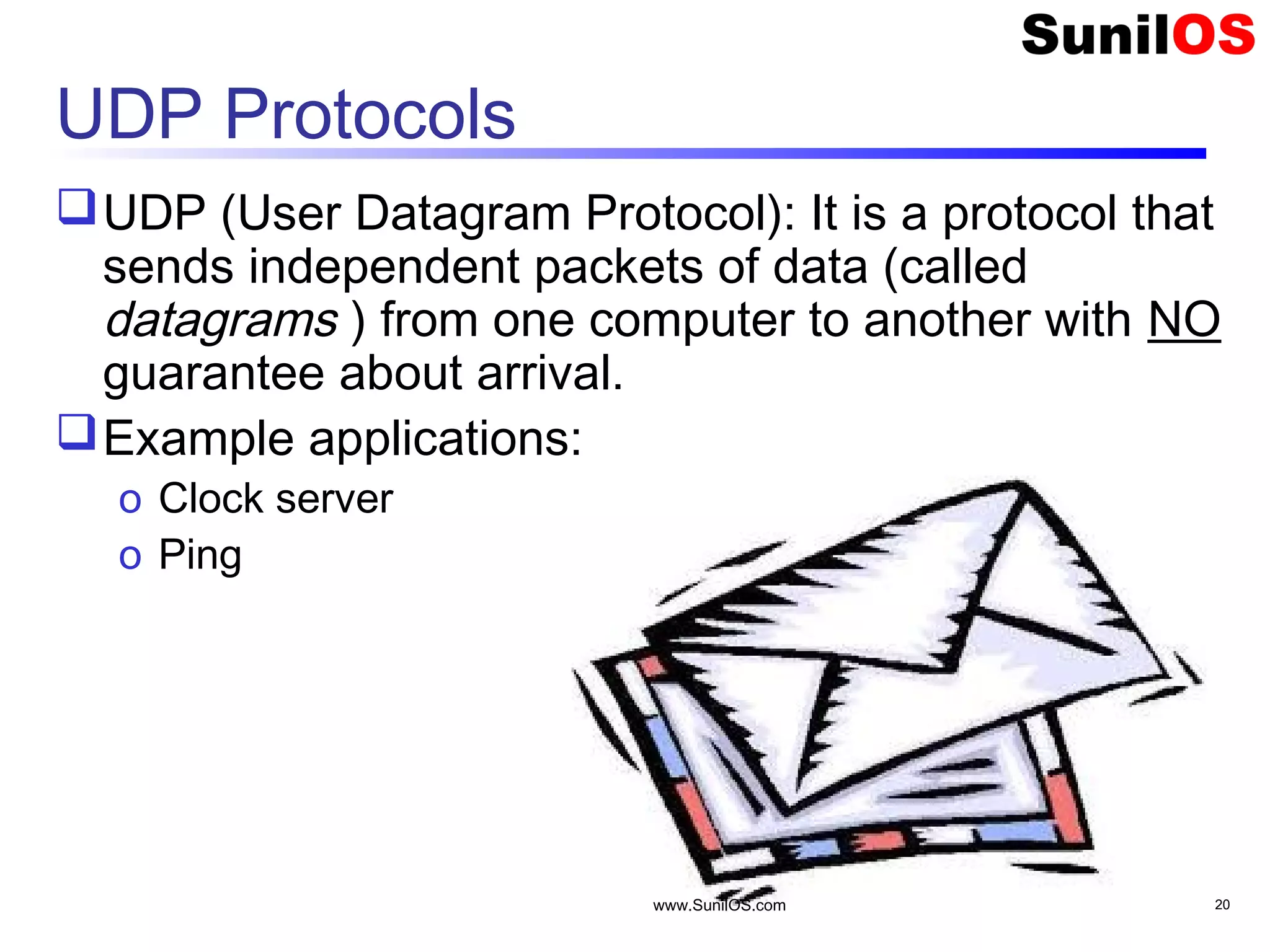
UDP Protocols UDP (User Datagram Protocol): It is a protocol that sends independent packets of data (called datagrams ) from one computer to another with NO guarantee about arrival. Example applications: o Clock server o Ping www.SunilOS.com 20
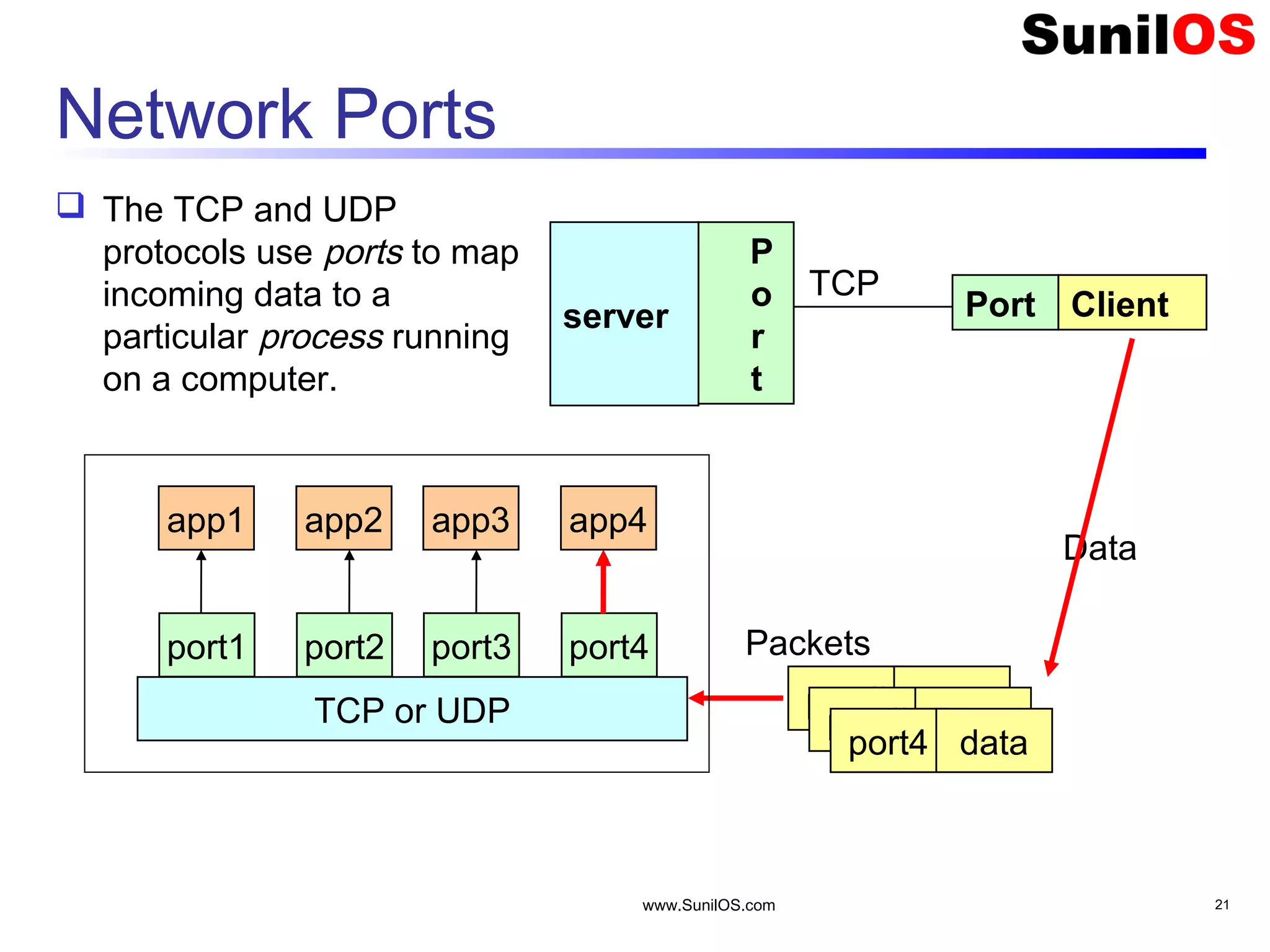
www.SunilOS.com 21 Network Ports  The TCP and UDP protocols use ports to map incoming data to a particular process running on a computer. server P o r t Client TCP TCP or UDP port1 port2 port3 port4 app1 app2 app3 app4 port# data Data Packets Port port# data port4 data
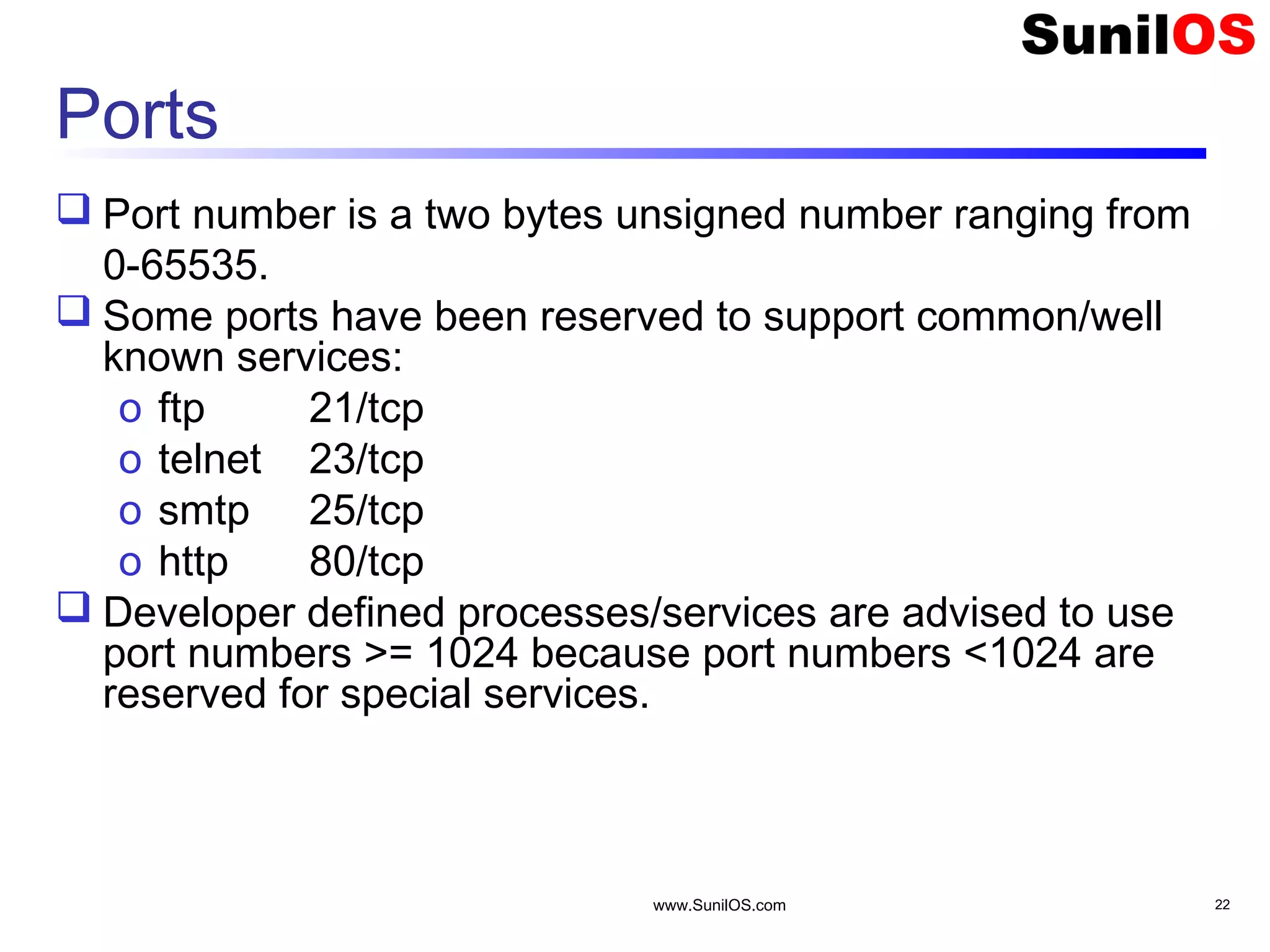
Ports  Port number is a two bytes unsigned number ranging from 0-65535.  Some ports have been reserved to support common/well known services: o ftp 21/tcp o telnet 23/tcp o smtp 25/tcp o http 80/tcp  Developer defined processes/services are advised to use port numbers >= 1024 because port numbers <1024 are reserved for special services. www.SunilOS.com 22
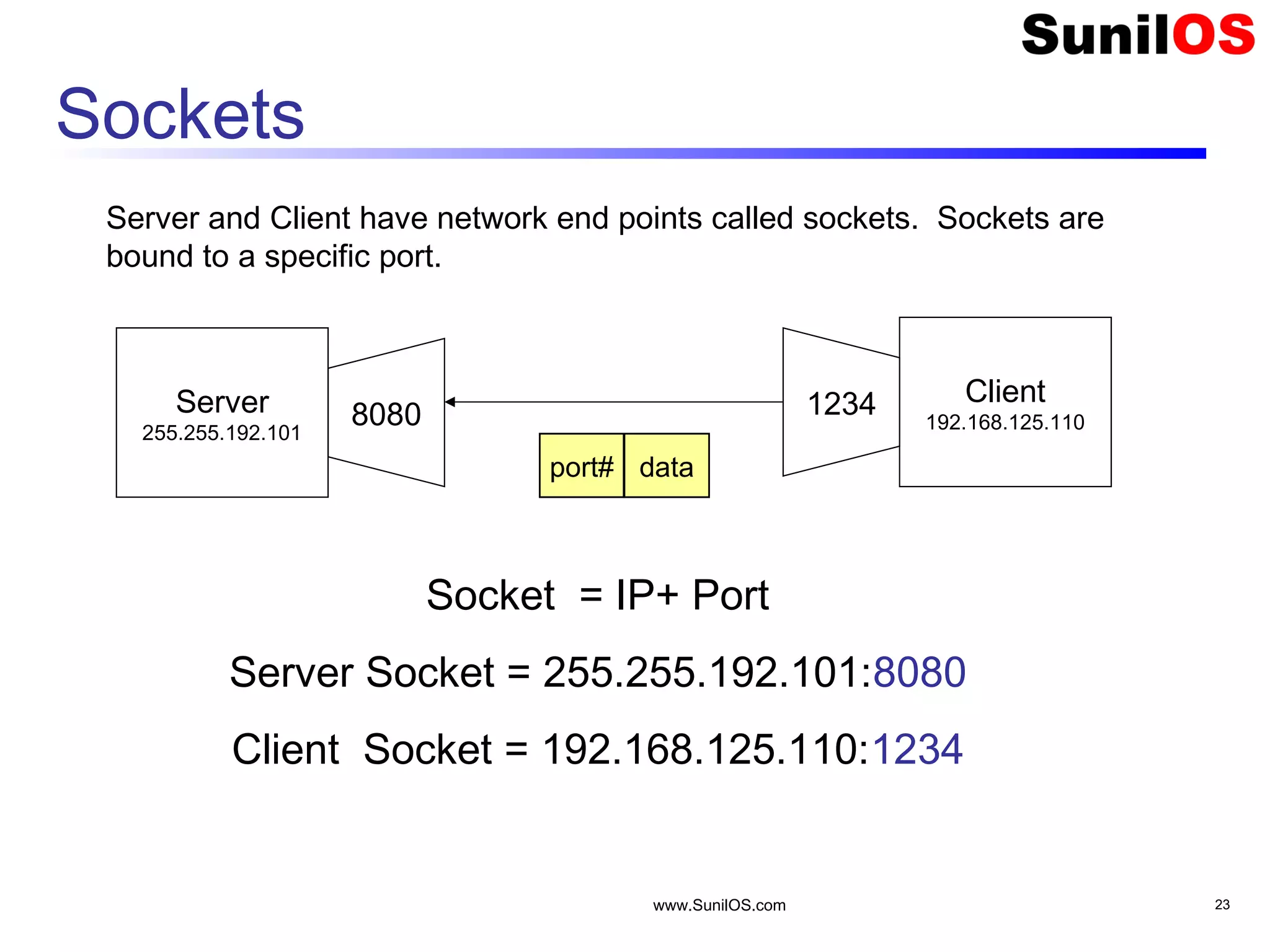
www.SunilOS.com 23 Sockets Server 255.255.192.101 Client 192.168.125.1108080 1234 Socket = IP+ Port Server Socket = 255.255.192.101:8080 Client Socket = 192.168.125.110:1234 port# data Server and Client have network end points called sockets. Sockets are bound to a specific port.
www.SunilOS.com 24 Java Socket Classes Java provides socket classes to make Server and Client. Package java.net contains socket classes. There are separate classes for TCP and UDP connections.
Make TCP Connection Following classes are used in Java to make TCP connection. o java.net.Socket – for client implementation o java.net.ServerSocket – for server implementation www.SunilOS.com 25
Make UDP Connection Following classes are used in Java to make UDP connection. o java.net.DatagramSocket – for client and server implementation o java.net.DatagramPacket – for making data packets www.SunilOS.com 26
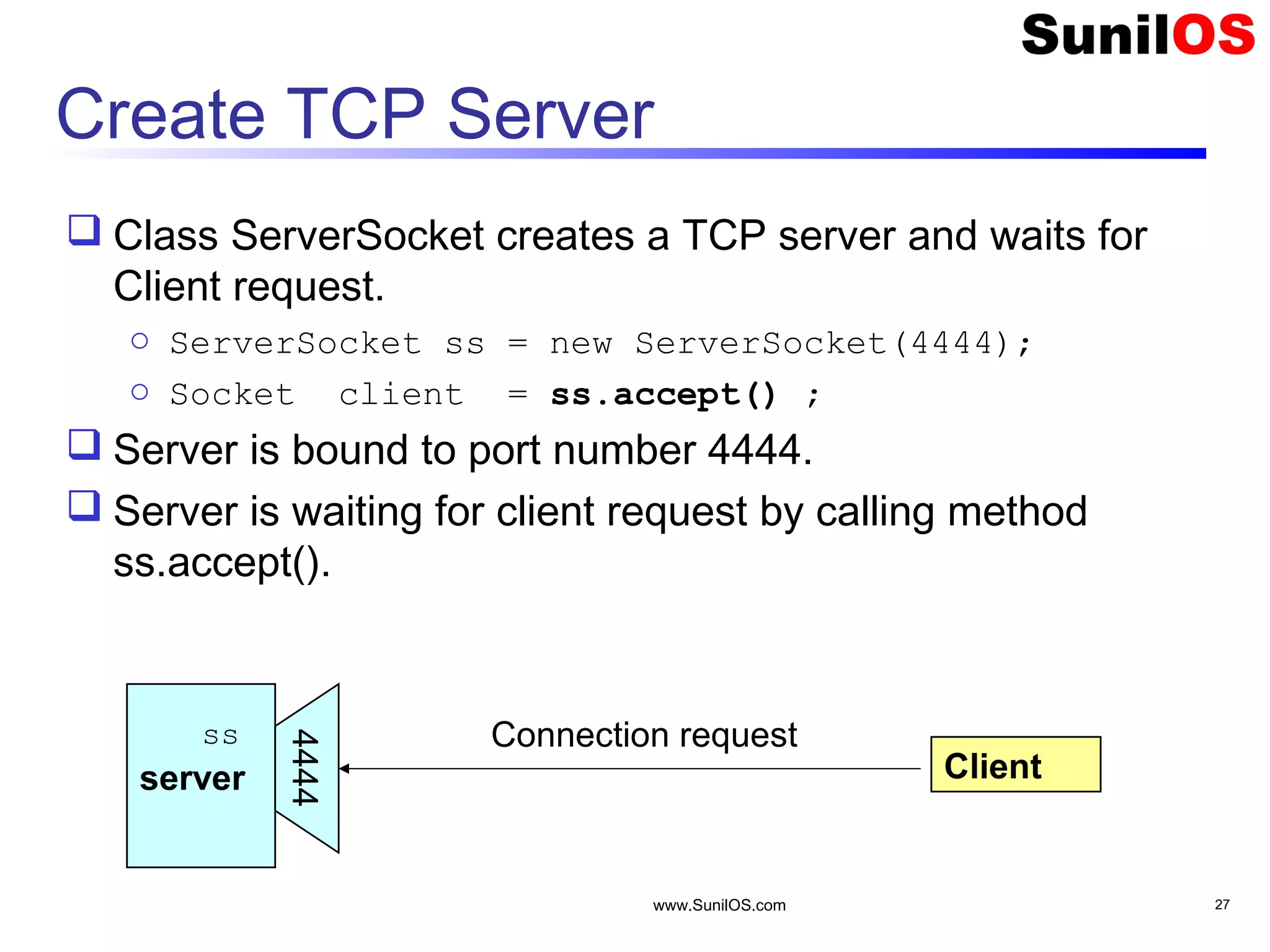
www.SunilOS.com 27 Create TCP Server  Class ServerSocket creates a TCP server and waits for Client request. o ServerSocket ss = new ServerSocket(4444); o Socket client = ss.accept() ;  Server is bound to port number 4444.  Server is waiting for client request by calling method ss.accept(). server Client Connection request 4444 ss
www.SunilOS.com 28 Create TCP Client  Class Socket creates a TCP client.  Server IP and Port number are passed to Socket parametrized constructor. Socket client=new Socket(“127.0.0.1”,4444);  Created socket instance will establish connection with server.
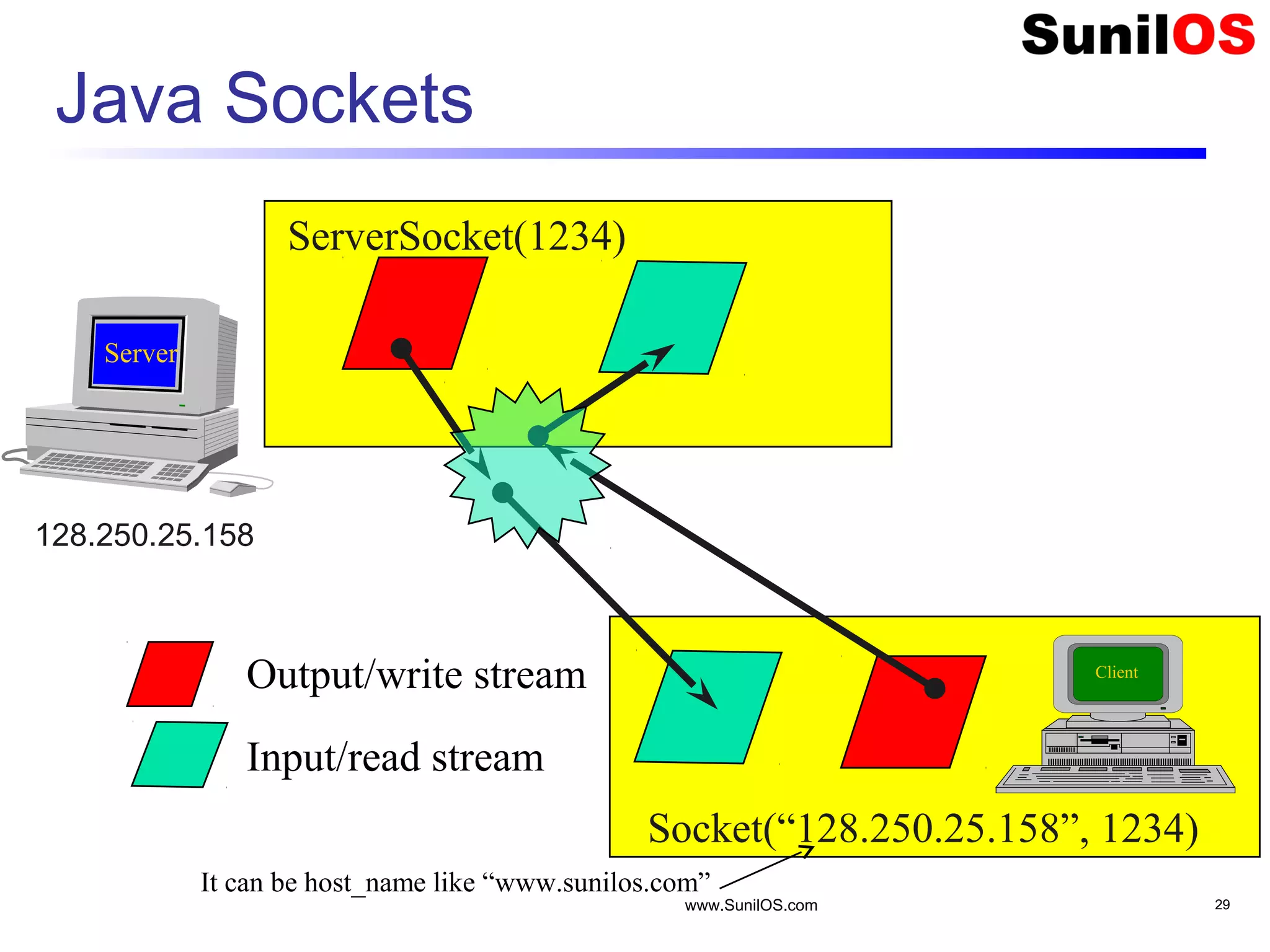
www.SunilOS.com 29 Java Sockets ServerSocket(1234) Socket(“128.250.25.158”, 1234) Output/write stream Input/read stream It can be host_name like “www.sunilos.com” Client Server 128.250.25.158
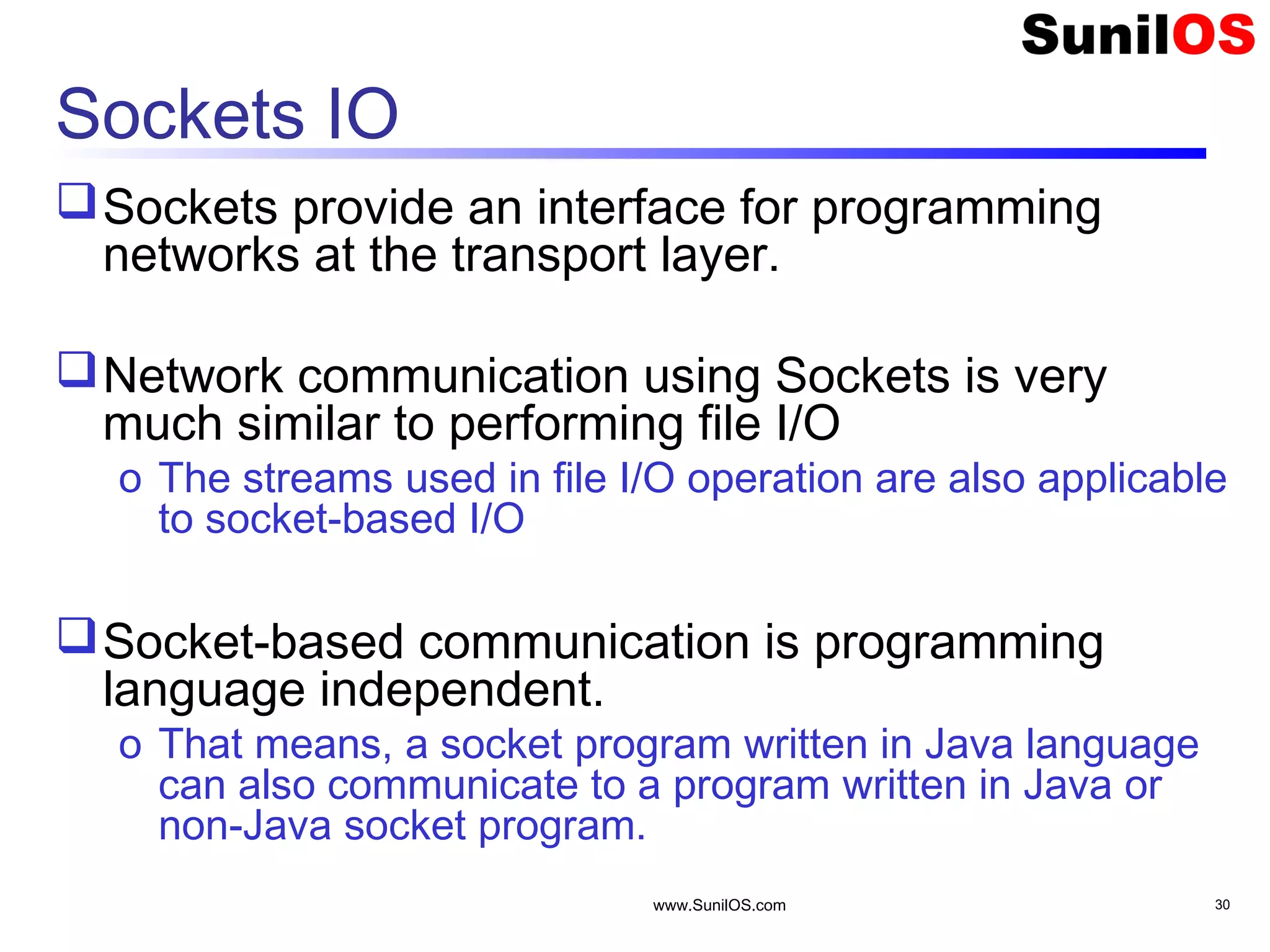
www.SunilOS.com 30 Sockets IO Sockets provide an interface for programming networks at the transport layer. Network communication using Sockets is very much similar to performing file I/O o The streams used in file I/O operation are also applicable to socket-based I/O Socket-based communication is programming language independent. o That means, a socket program written in Java language can also communicate to a program written in Java or non-Java socket program.
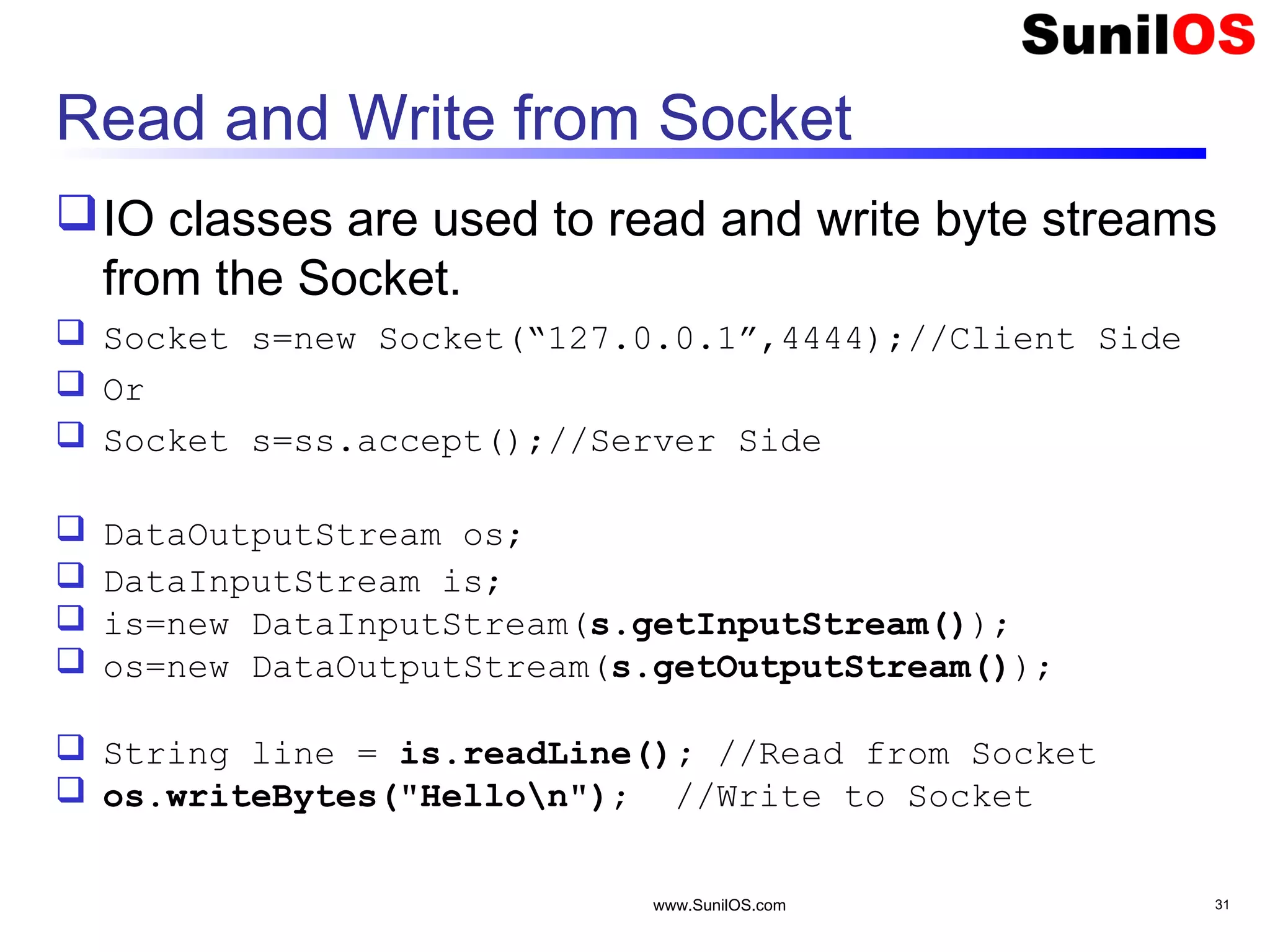
Read and Write from Socket IO classes are used to read and write byte streams from the Socket.  Socket s=new Socket(“127.0.0.1”,4444);//Client Side  Or  Socket s=ss.accept();//Server Side  DataOutputStream os;  DataInputStream is;  is=new DataInputStream(s.getInputStream());  os=new DataOutputStream(s.getOutputStream());  String line = is.readLine(); //Read from Socket  os.writeBytes("Hellon"); //Write to Socket www.SunilOS.com 31
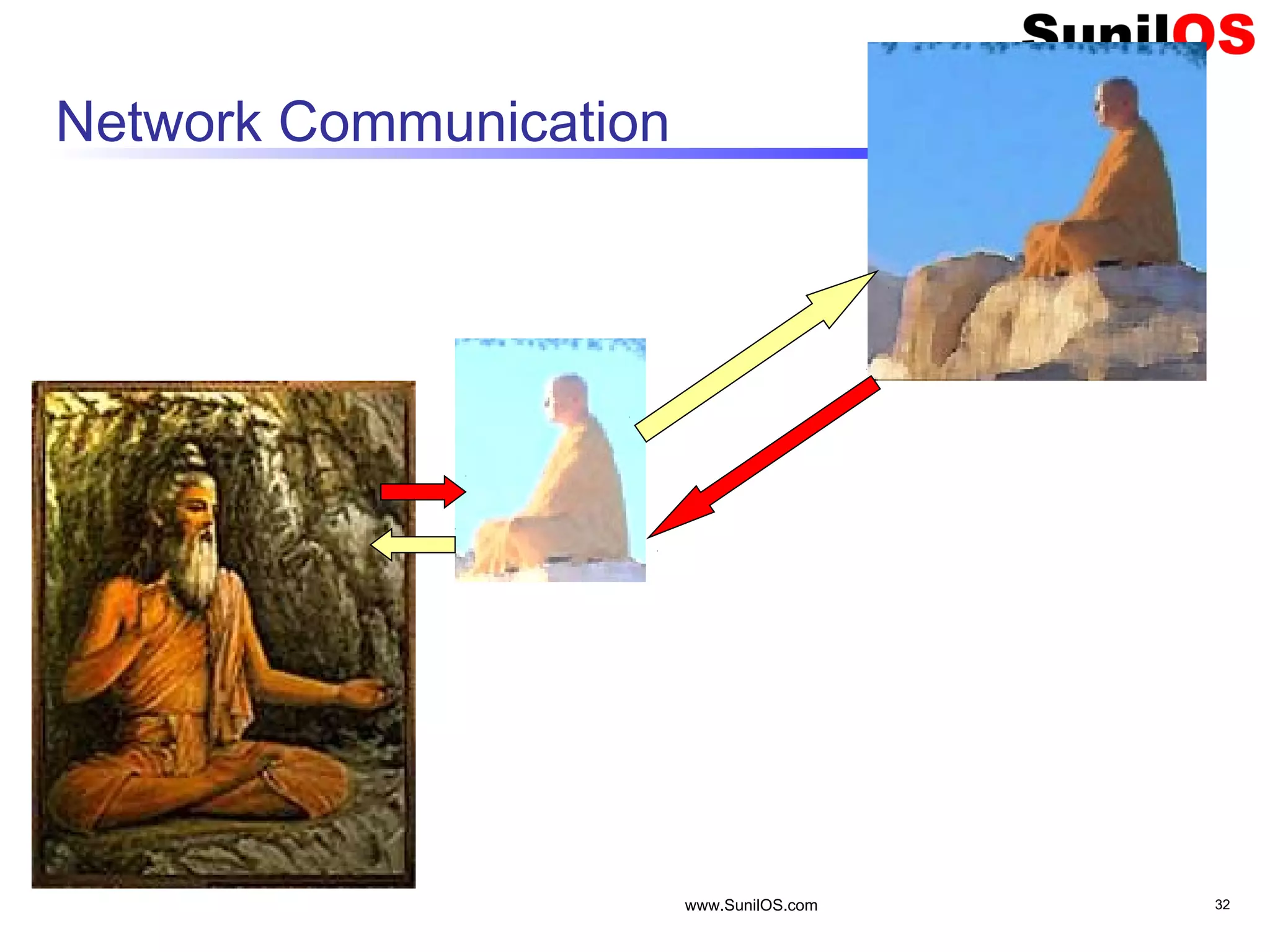
Network Communication www.SunilOS.com 32
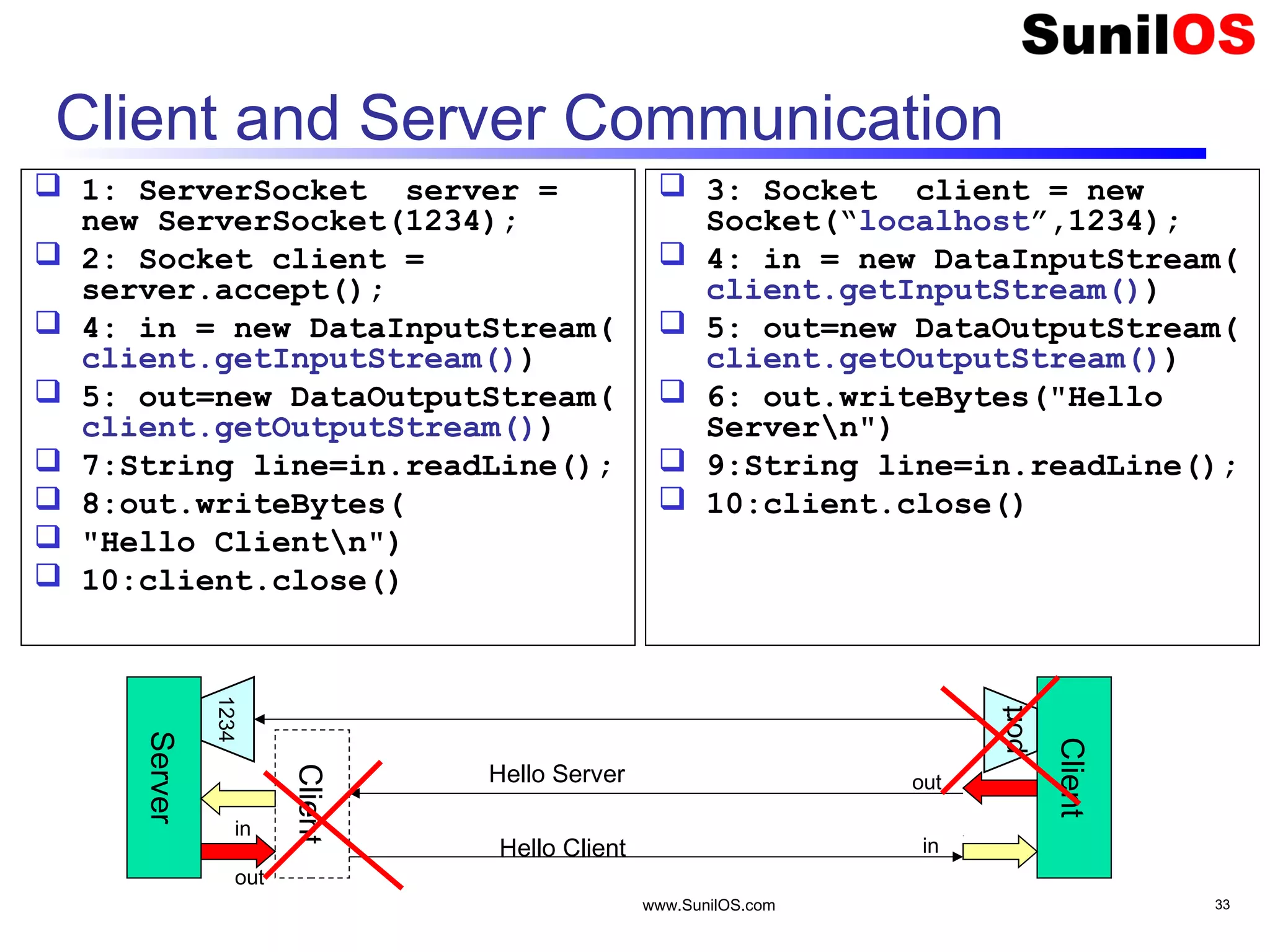
www.SunilOS.com 33 Client and Server Communication  1: ServerSocket server = new ServerSocket(1234);  2: Socket client = server.accept();  4: in = new DataInputStream( client.getInputStream())  5: out=new DataOutputStream( client.getOutputStream())  7:String line=in.readLine();  8:out.writeBytes(  "Hello Clientn")  10:client.close()  3: Socket client = new Socket(“localhost”,1234);  4: in = new DataInputStream( client.getInputStream())  5: out=new DataOutputStream( client.getOutputStream())  6: out.writeBytes("Hello Servern")  9:String line=in.readLine();  10:client.close() 1234 Server Client port Client in out out in Hello Server Hello Client
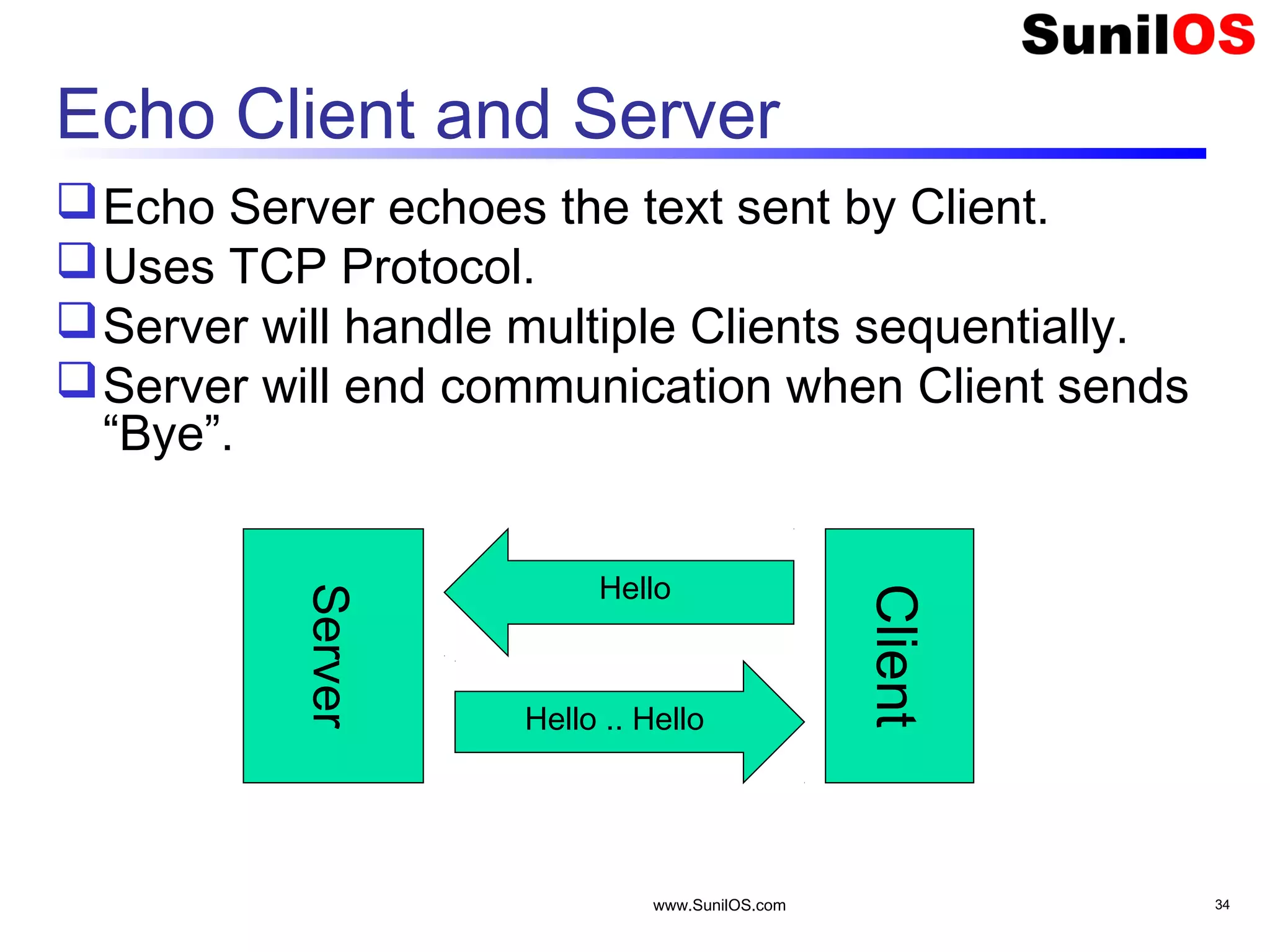
www.SunilOS.com 34 Echo Client and Server Echo Server echoes the text sent by Client. Uses TCP Protocol. Server will handle multiple Clients sequentially. Server will end communication when Client sends “Bye”. Server Client Hello .. Hello Hello
www.SunilOS.com 35 Echo Server public static void main(String[] args) throws IOException { ServerSocket ss= new ServerSocket(4444); System.out.println("Echo Server Started"); Socket client= null; boolean flag = true; while (flag) { client = ss.accept(); //Accept Client talk(client); //Talk to the client } System.out.println("Echo Server Stopped"); ss.close(); //Close server }
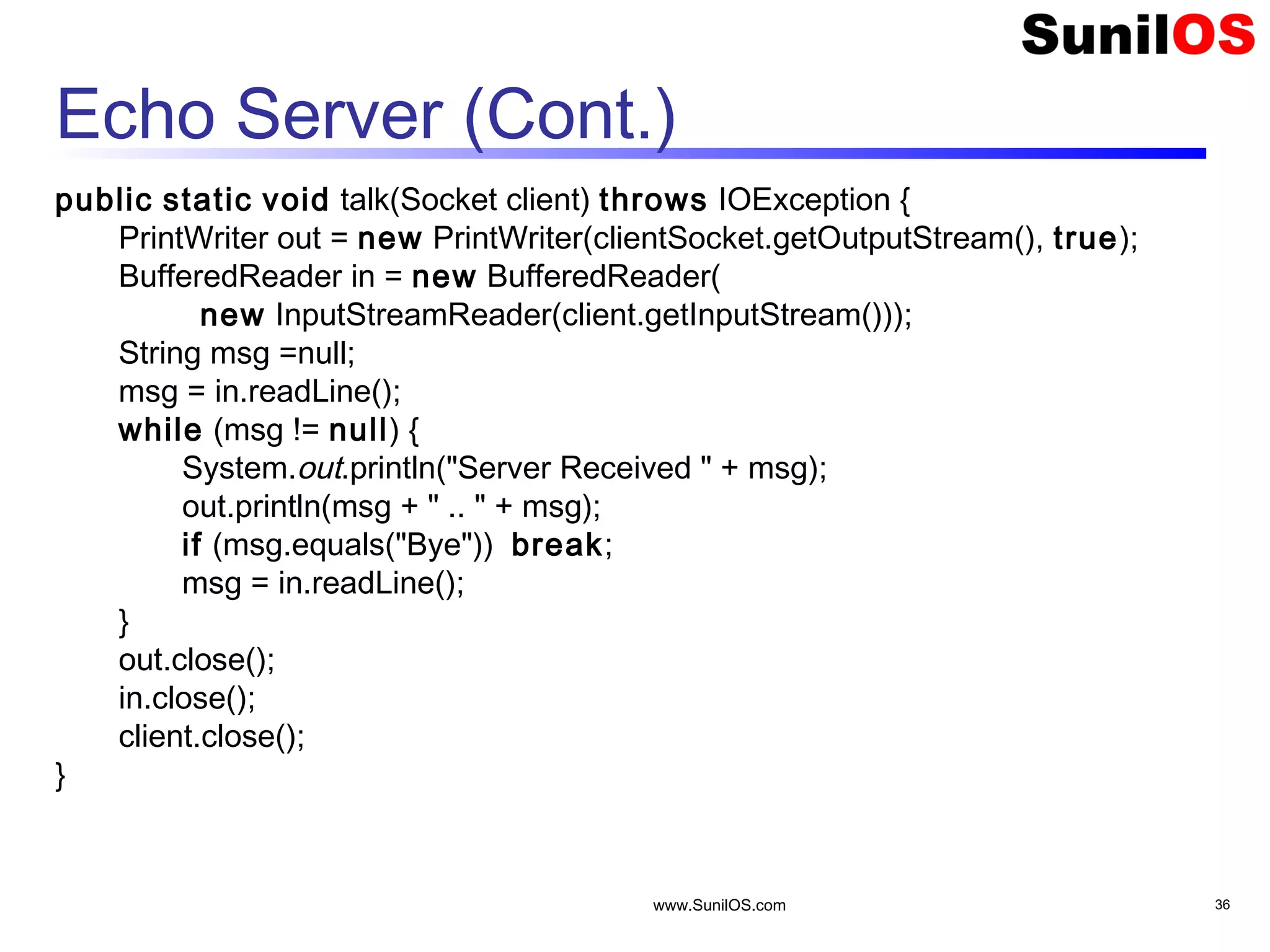
www.SunilOS.com 36 Echo Server (Cont.) public static void talk(Socket client) throws IOException { PrintWriter out = new PrintWriter(clientSocket.getOutputStream(), true); BufferedReader in = new BufferedReader( new InputStreamReader(client.getInputStream())); String msg =null; msg = in.readLine(); while (msg != null) { System.out.println("Server Received " + msg); out.println(msg + " .. " + msg); if (msg.equals("Bye")) break; msg = in.readLine(); } out.close(); in.close(); client.close(); }
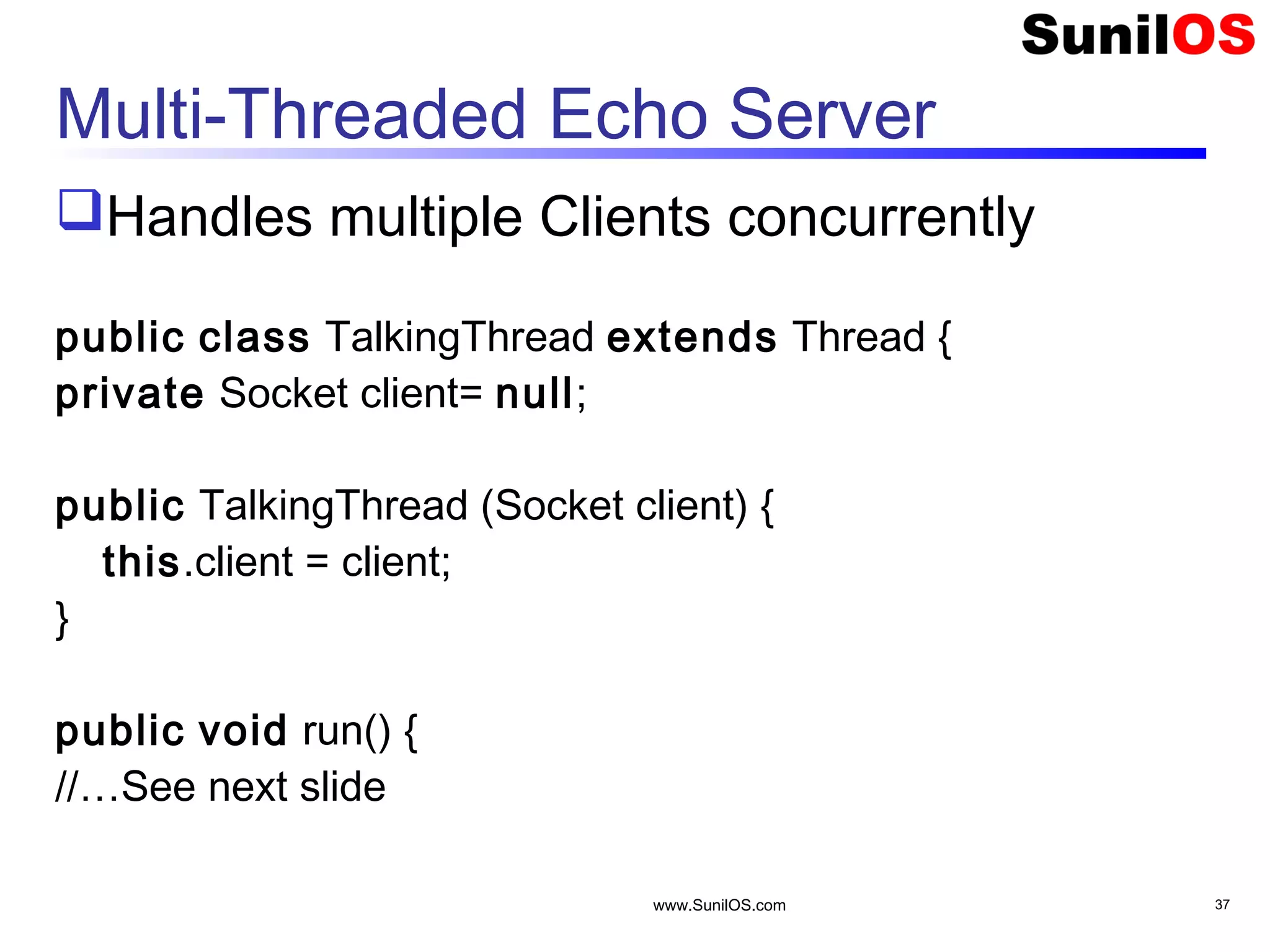
www.SunilOS.com 37 Multi-Threaded Echo Server Handles multiple Clients concurrently public class TalkingThread extends Thread { private Socket client= null; public TalkingThread (Socket client) { this.client = client; } public void run() { //…See next slide
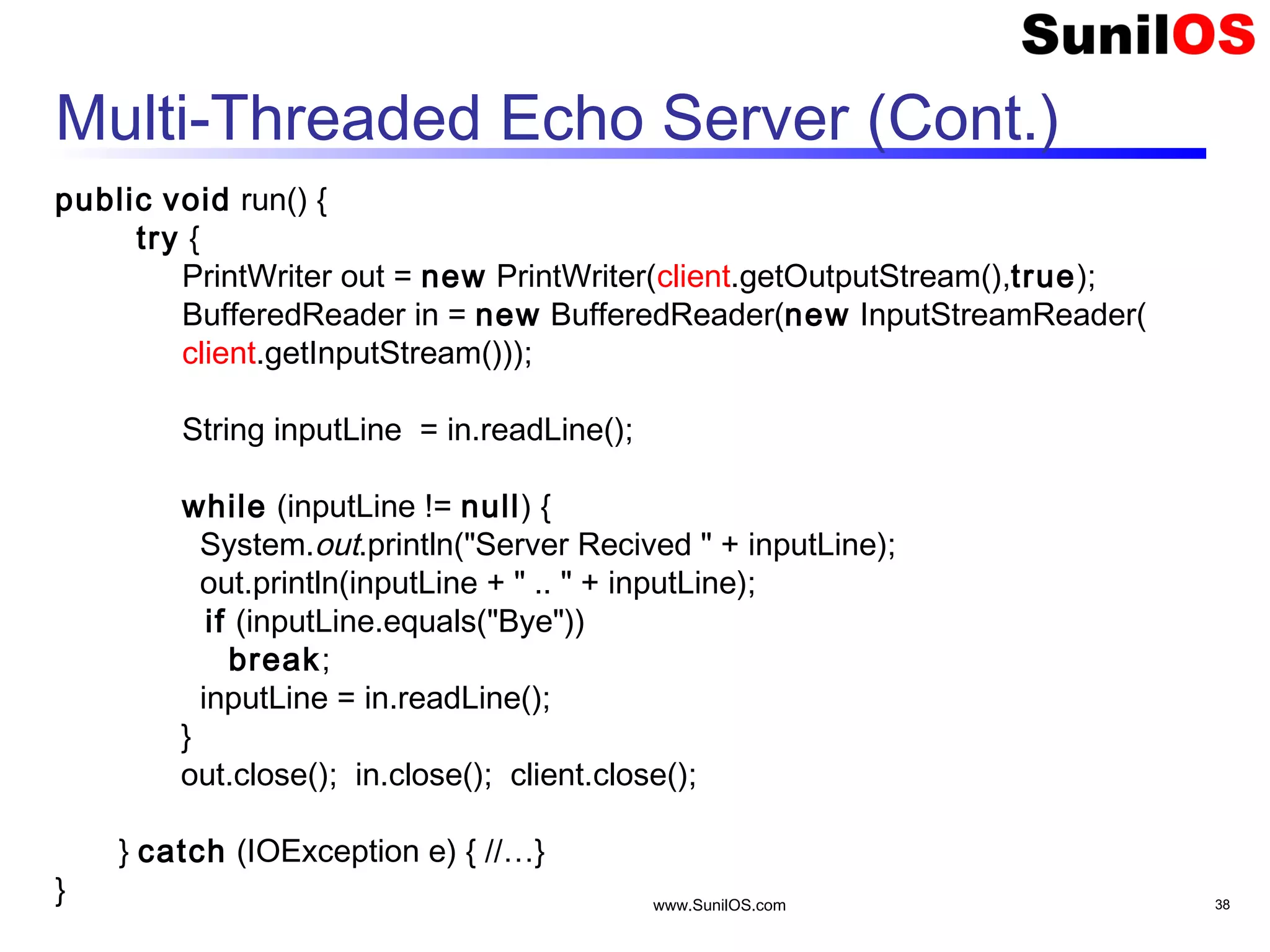
www.SunilOS.com 38 Multi-Threaded Echo Server (Cont.) public void run() { try { PrintWriter out = new PrintWriter(client.getOutputStream(),true); BufferedReader in = new BufferedReader(new InputStreamReader( client.getInputStream())); String inputLine = in.readLine(); while (inputLine != null) { System.out.println("Server Recived " + inputLine); out.println(inputLine + " .. " + inputLine); if (inputLine.equals("Bye")) break; inputLine = in.readLine(); } out.close(); in.close(); client.close(); } catch (IOException e) { //…} }
www.SunilOS.com 39 Multi-Threaded Echo Server (Cont.)  Starts Multithreaded Server public static void main(String[] args) throws IOException { ServerSocket server = new ServerSocket(4444); Socket clientSocket = null; boolean flag = true; while (flag) { client = server.accept(); TalkingThread t = new TalkingThread(client); t.start(); } System.out.println("Echo Server Stopped”); server.close(); }
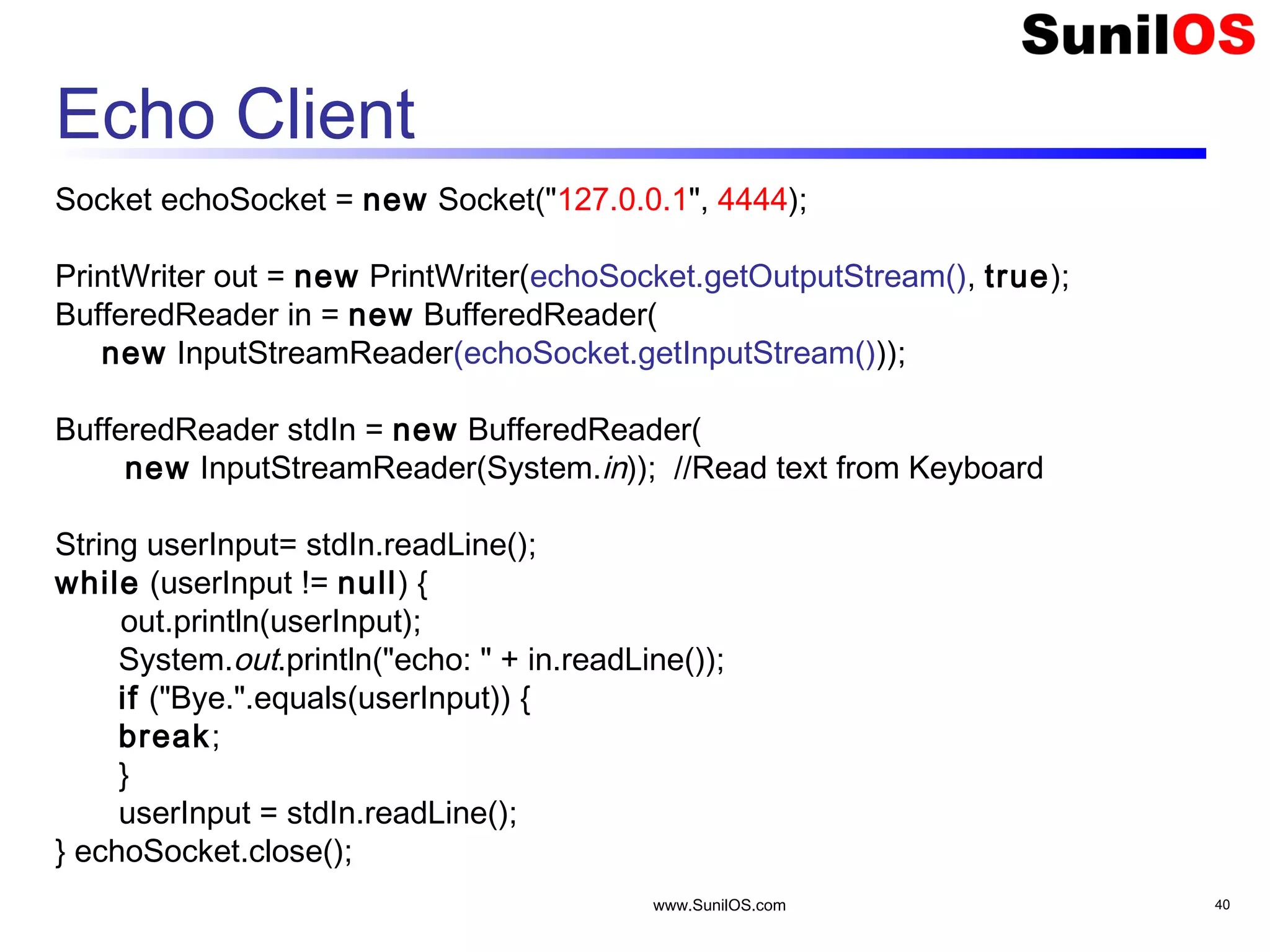
www.SunilOS.com 40 Echo Client Socket echoSocket = new Socket("127.0.0.1", 4444); PrintWriter out = new PrintWriter(echoSocket.getOutputStream(), true); BufferedReader in = new BufferedReader( new InputStreamReader(echoSocket.getInputStream())); BufferedReader stdIn = new BufferedReader( new InputStreamReader(System.in)); //Read text from Keyboard String userInput= stdIn.readLine(); while (userInput != null) { out.println(userInput); System.out.println("echo: " + in.readLine()); if ("Bye.".equals(userInput)) { break; } userInput = stdIn.readLine(); } echoSocket.close();
www.SunilOS.com 41 Socket Exception Handling try { Socket client = new Socket(host, port); handleConnection(client); } catch(UnknownHostException uhe) { System.out.println(“Server not Found: " + host); }catch(IOException ioe) { System.out.println(“Likhana Padna Mushkil hai”); }
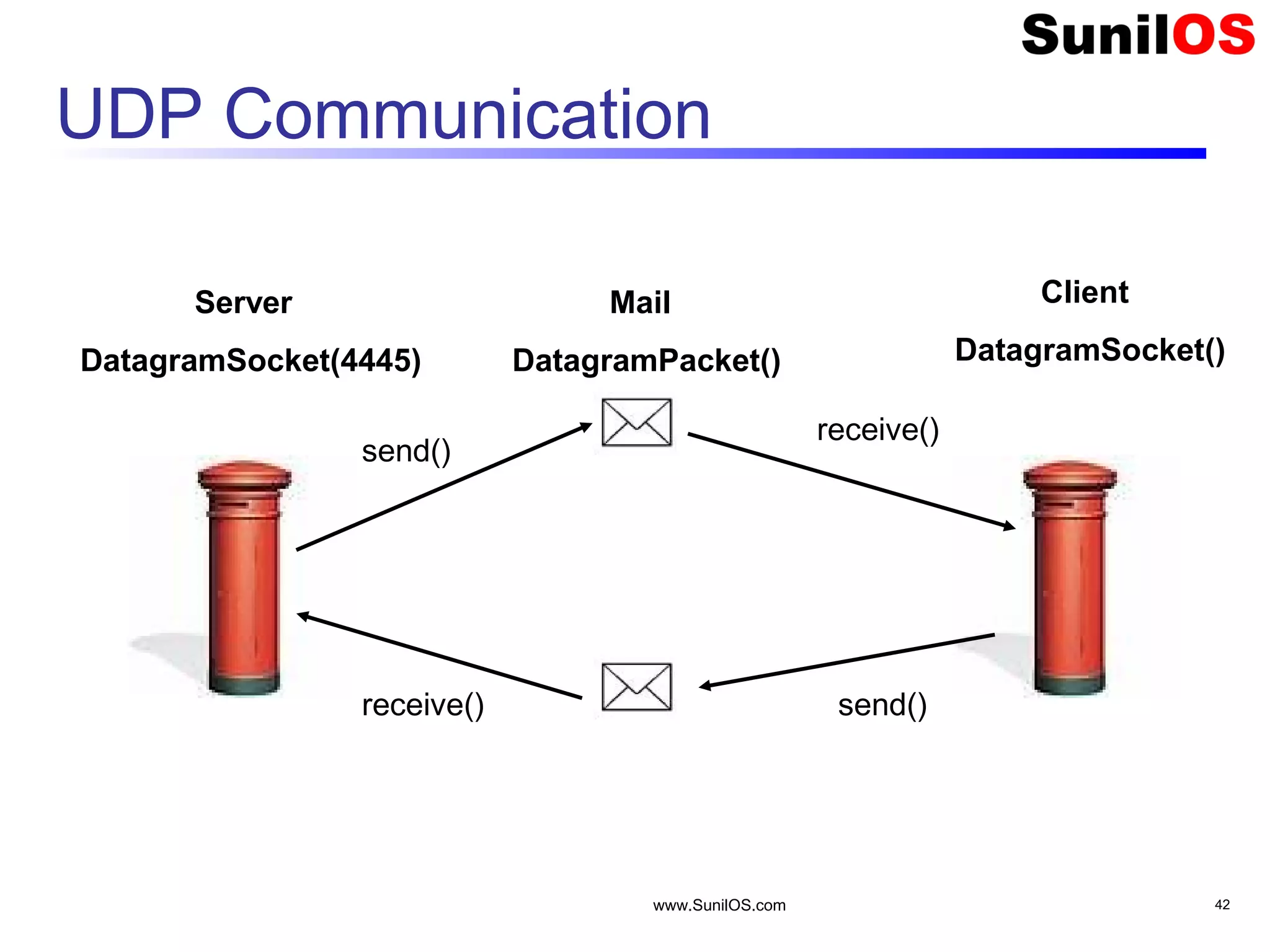
www.SunilOS.com 42 UDP Communication Server DatagramSocket(4445) Client DatagramSocket() Mail DatagramPacket() send() receive() receive() send()
www.SunilOS.com 43 Quote Server Quote UDP Server, Receives empty packet from Client Replies to the Client with a random quote of the day.
www.SunilOS.com 44 Quote Server String[] quotes = { "Bura mat Dekho", "Bura Mat kaho", "Bura mat suno" }; DatagramSocket socket = new DatagramSocket(4445); byte[] buf = new byte[256]; DatagramPacket emptyPkt = new DatagramPacket(buf, buf.length); while (true) { //Infinite loop socket.receive(emptyPkt); InetAddress address = emptyPkt.getAddress(); int port = emptyPkt.getPort(); int ind = Math.random()*2; //get random index String q= quotes[ind]; // Today’s quote"; byte[] quoteBuf = q.getBytes(); DatagramPacket quotePkt = new DatagramPacket(quoteBuf, quoteBuf.length, address, port); socket.send( quotePkt ); }
www.SunilOS.com 45 Quote Client  Sends empty packet and receives Quote of the Moment. DatagramSocket socket = new DatagramSocket(); // send request byte[] buf = new byte[256]; InetAddress address = InetAddress.getByName("localhost"); DatagramPacket packet = new DatagramPacket(buf, buf.length, address,4445); socket.send(packet); // get response packet = new DatagramPacket(buf, buf.length); socket.receive(packet); // display response String received = new String(packet.getData()); System.out.println("Quote of the Moment: " + received); socket.close();
www.SunilOS.com 46 Read From URL Reads text from URL public static void main(String[] args) throws IOException { InputStream inStream = null; URL u = null; try { u = new URL("http://www.yahoo.com"); inStream = u.openStream(); } catch (Exception e) { System.out.println("Error in URL"); System.exit(0); } Scanner in = new Scanner(inStream); while (in.hasNext()) { System.out.println(in.nextLine()); } in.close(); } import java.util.Scanner; import java.net.URL; import java.io.*;
www.SunilOS.com 47 Read from URL (Cont.) public static void main(String[] args) throws Exception { URL yahoo = new URL("http://www.yahoo.com/"); URLConnection yahooConnection = yahoo.openConnection(); yahooConnection.connect(); InputStream inStream = yahooConnection.getInputStream(); Scanner in = new Scanner(inStream); while (in.hasNext()) { System.out.println(in.nextLine()); } inStream.close(); }
www.SunilOS.com 48 Write to URL URL url = new URL("http://search.yahoo.com/search"); URLConnection connection = url.openConnection(); connection.setDoOutput(true); OutputStreamWriter out = new OutputStreamWriter(connection.getOutputStream()); String nameParameter = “books” //URLEncoder.encode("books", "UTF-8"); out.write("p=" + nameParameter); out.write("&param2=abc"); out.close(); InputStream inStream = connection.getInputStream(); Scanner in = new Scanner(inStream); while (in.hasNext()) { System.out.println(in.nextLine()); }in.close();
www.SunilOS.com 49 Java.net.URL  Interesting Methods  getProtocol o Returns the protocol identifier component of the URL.  getAuthority o Returns the authority component of the URL.  getHost o Returns the host name component of the URL.  getPort o Returns the port number component of the URL. The getPort method returns an integer that is the port number. If the port is not set, getPort returns -1.  getPath o Returns the path component of this URL.  getQuery o Returns the query component of this URL.  getFile o Returns the filename component of the URL. The getFile method returns the same as getPath, plus the concatenation of the value of getQuery, if any.  getRef • Returns the reference component of the URL.
www.SunilOS.com 50 Assigment Create a chat server and chat client Data will be sent by UDP protocol Server will be multithreaded Client messenger window will be implemented by Swing.
Disclaimer This is an educational presentation to enhance the skill of computer science students. This presentation is available for free to computer science students. Some internet images from different URLs are used in this presentation to simplify technical examples and correlate examples with the real world. We are grateful to owners of these URLs and pictures. www.SunilOS.com 51
Thank You! www.SunilOS.com 52 www.SunilOS.com

Java Networking

  • 1.
  • 2.
    Agenda Elements of ClientServer Computing Network Basics Understanding Ports and Sockets Java Sockets o Implementing a Server o Implementing a Client Sample Examples Conclusion www.SunilOS.com 2
  • 3.
    What is Networking? Whentwo processes, lying on same or different machines are communicating over the network is called networking. www.SunilOS.com 3 Client Server
  • 4.
    Server & Client Processproviding services is called Server. Process consuming services is called Client www.SunilOS.com 4
  • 5.
    www.SunilOS.com 5 Elements ofClient-Server computing Network Request Response There are three elements in networking  Client : sends request for services  Server : sends response  Network : media of communication Client Server Client Machine Server Machine
  • 6.
    Single Machine MultipleClients www.SunilOS.com 6 Yahoo Server Google Server Hotmail Server Client’s Machine One Machine can execute multiple clients’ processes concurrently
  • 7.
    Client is aProcess  One machine may run multiple clients (processes) at a time.  Client is not a machine, it is a process. o Browser opens google.com is a Client. o Yahoo Messenger connected to chat server is a client. o CuteFTP uploading a file to FTP Server is a Client.  All above mentioned clients (CuteFTP, Messenger, Browser) run together on a single Machine concurrently. www.SunilOS.com 7 Client Machine Crome Browser Yahoo Messenger CuteFTP Process 4
  • 8.
    Server is aProcess  One machine may run multiple servers (processes) at a time.  Server is not a machine, it is a process. o Tomcat Web Server is a process. o WAMP PHP Server is a process. o Filezilla FTP Server is a process.  All above mentioned servers run together on a single Machine concurrently. www.SunilOS.com 8
  • 9.
    Single Machine MultipleServers www.SunilOS.com 9 Server Machine Tomcat Web Server (Port : 8080) FileZilla FTP Server (Port : 21) WAMP PHP Server (Port : 80)
  • 10.
    Server & Client Since Operating Systems can execute multiple processes concurrently using preemptive scheduling. Thus, one Machine may run multiple Servers and Clients together.  Client and Server processes communicate over the network to exchange data in form of request and response. www.SunilOS.com 10 Machine Crome Browser Yahoo Messenger Tomcat WAMP
  • 11.
    How Clients andServers are identified? Clients and Servers are uniquely identified on a single machine by unique Port Numbers. Unique Port Number is assigned by OS. Process can ask desired port number from OS, or OS will assign next available port number to a process. Port number is a two bytes unsigned number ranging from 0-65535. www.SunilOS.com 11
  • 12.
    Ports www.SunilOS.com 12 Server Machine TomcatWeb Server FileZilla FTP Server WAMP PHP Server 8080 21 80 Client Machine Browser FTP Client Browser 1111 2222 3333
  • 13.
    Communication Rules (Protocols) www.SunilOS.com13 Hello, I am Vijay, May I talk to Tisha Yes, I m Tisha Blah, Blah, Blah ..... ……………………… …. Bye Have a Good Day Certain rules are followed when you communicate over the network, are called Protocols
  • 14.
    Protocol over Phone Whenyou call someone over phone and start conversation, you follow protocol. First you greet and say “Hello” , then you tell your name “I am Vijay”, then you ask with whom you want to talk “May I talk to Tisha?” . Likewise when conversation is over you say “Bye” and other would respond “Have a Good Day”. This is Protocol www.SunilOS.com 14
  • 15.
    Protocol Responsibilities Applies aset of Rules. Converts your application data into byte stream and vice versa. Breaks data into packets and sends over network. Receives acknowledgements of sent packets. Decides network route to send data packets. www.SunilOS.com 15
  • 16.
    Protocol Stack  Agroup of network protocols that work together to send and receive your data over the network, is called a Protocol Stack.  The TCP/IP protocol stack uses four layers that map to the OSI model: www.SunilOS.com 16 Application (http,ftp,telnet,…) Transport (TCP, UDP,..) Network (IP,..) Link (device driver,..)
  • 17.
    Protocol Stack Communication www.SunilOS.com17 Application (http,ftp,telnet,…) Transport (TCP, UDP,..) Network (IP,..) Link (device driver,..) Application (http,ftp,telnet,…) Transport (TCP, UDP,..) Network (IP,..) Link (device driver,..)
  • 18.
    TCP/IP Protocol Stack ApplicationsLayer: o contains user custom and high level application protocols like HTTP, FTP, SMTP, Telnet etc. Transport Layer: o Contains TCP or UDP protocols, responsible for making data packets and send or receive across network. o Your custom application will communicate to this layer. Network Layer: o contains IP Protocol that uses routing information to decide route of data packet to send it to the destination. Link Layer: o converts data into signals. www.SunilOS.com 18
  • 19.
    TCP Protocols TCP (TransportControl Protocol) is a connection- oriented protocol that provides a reliable flow of data between two computers. Example applications: o HTTP o FTP o Telnet www.SunilOS.com 19
  • 20.
    UDP Protocols UDP (UserDatagram Protocol): It is a protocol that sends independent packets of data (called datagrams ) from one computer to another with NO guarantee about arrival. Example applications: o Clock server o Ping www.SunilOS.com 20
  • 21.
    www.SunilOS.com 21 Network Ports The TCP and UDP protocols use ports to map incoming data to a particular process running on a computer. server P o r t Client TCP TCP or UDP port1 port2 port3 port4 app1 app2 app3 app4 port# data Data Packets Port port# data port4 data
  • 22.
    Ports  Port numberis a two bytes unsigned number ranging from 0-65535.  Some ports have been reserved to support common/well known services: o ftp 21/tcp o telnet 23/tcp o smtp 25/tcp o http 80/tcp  Developer defined processes/services are advised to use port numbers >= 1024 because port numbers <1024 are reserved for special services. www.SunilOS.com 22
  • 23.
    www.SunilOS.com 23 Sockets Server 255.255.192.101 Client 192.168.125.1108080 1234 Socket= IP+ Port Server Socket = 255.255.192.101:8080 Client Socket = 192.168.125.110:1234 port# data Server and Client have network end points called sockets. Sockets are bound to a specific port.
  • 24.
    www.SunilOS.com 24 Java SocketClasses Java provides socket classes to make Server and Client. Package java.net contains socket classes. There are separate classes for TCP and UDP connections.
  • 25.
    Make TCP Connection Followingclasses are used in Java to make TCP connection. o java.net.Socket – for client implementation o java.net.ServerSocket – for server implementation www.SunilOS.com 25
  • 26.
    Make UDP Connection Followingclasses are used in Java to make UDP connection. o java.net.DatagramSocket – for client and server implementation o java.net.DatagramPacket – for making data packets www.SunilOS.com 26
  • 27.
    www.SunilOS.com 27 Create TCPServer  Class ServerSocket creates a TCP server and waits for Client request. o ServerSocket ss = new ServerSocket(4444); o Socket client = ss.accept() ;  Server is bound to port number 4444.  Server is waiting for client request by calling method ss.accept(). server Client Connection request 4444 ss
  • 28.
    www.SunilOS.com 28 Create TCPClient  Class Socket creates a TCP client.  Server IP and Port number are passed to Socket parametrized constructor. Socket client=new Socket(“127.0.0.1”,4444);  Created socket instance will establish connection with server.
  • 29.
    www.SunilOS.com 29 Java Sockets ServerSocket(1234) Socket(“128.250.25.158”,1234) Output/write stream Input/read stream It can be host_name like “www.sunilos.com” Client Server 128.250.25.158
  • 30.
    www.SunilOS.com 30 Sockets IO Socketsprovide an interface for programming networks at the transport layer. Network communication using Sockets is very much similar to performing file I/O o The streams used in file I/O operation are also applicable to socket-based I/O Socket-based communication is programming language independent. o That means, a socket program written in Java language can also communicate to a program written in Java or non-Java socket program.
  • 31.
    Read and Writefrom Socket IO classes are used to read and write byte streams from the Socket.  Socket s=new Socket(“127.0.0.1”,4444);//Client Side  Or  Socket s=ss.accept();//Server Side  DataOutputStream os;  DataInputStream is;  is=new DataInputStream(s.getInputStream());  os=new DataOutputStream(s.getOutputStream());  String line = is.readLine(); //Read from Socket  os.writeBytes("Hellon"); //Write to Socket www.SunilOS.com 31
  • 32.
  • 33.
    www.SunilOS.com 33 Client andServer Communication  1: ServerSocket server = new ServerSocket(1234);  2: Socket client = server.accept();  4: in = new DataInputStream( client.getInputStream())  5: out=new DataOutputStream( client.getOutputStream())  7:String line=in.readLine();  8:out.writeBytes(  "Hello Clientn")  10:client.close()  3: Socket client = new Socket(“localhost”,1234);  4: in = new DataInputStream( client.getInputStream())  5: out=new DataOutputStream( client.getOutputStream())  6: out.writeBytes("Hello Servern")  9:String line=in.readLine();  10:client.close() 1234 Server Client port Client in out out in Hello Server Hello Client
  • 34.
    www.SunilOS.com 34 Echo Clientand Server Echo Server echoes the text sent by Client. Uses TCP Protocol. Server will handle multiple Clients sequentially. Server will end communication when Client sends “Bye”. Server Client Hello .. Hello Hello
  • 35.
    www.SunilOS.com 35 Echo Server publicstatic void main(String[] args) throws IOException { ServerSocket ss= new ServerSocket(4444); System.out.println("Echo Server Started"); Socket client= null; boolean flag = true; while (flag) { client = ss.accept(); //Accept Client talk(client); //Talk to the client } System.out.println("Echo Server Stopped"); ss.close(); //Close server }
  • 36.
    www.SunilOS.com 36 Echo Server(Cont.) public static void talk(Socket client) throws IOException { PrintWriter out = new PrintWriter(clientSocket.getOutputStream(), true); BufferedReader in = new BufferedReader( new InputStreamReader(client.getInputStream())); String msg =null; msg = in.readLine(); while (msg != null) { System.out.println("Server Received " + msg); out.println(msg + " .. " + msg); if (msg.equals("Bye")) break; msg = in.readLine(); } out.close(); in.close(); client.close(); }
  • 37.
    www.SunilOS.com 37 Multi-Threaded EchoServer Handles multiple Clients concurrently public class TalkingThread extends Thread { private Socket client= null; public TalkingThread (Socket client) { this.client = client; } public void run() { //…See next slide
  • 38.
    www.SunilOS.com 38 Multi-Threaded EchoServer (Cont.) public void run() { try { PrintWriter out = new PrintWriter(client.getOutputStream(),true); BufferedReader in = new BufferedReader(new InputStreamReader( client.getInputStream())); String inputLine = in.readLine(); while (inputLine != null) { System.out.println("Server Recived " + inputLine); out.println(inputLine + " .. " + inputLine); if (inputLine.equals("Bye")) break; inputLine = in.readLine(); } out.close(); in.close(); client.close(); } catch (IOException e) { //…} }
  • 39.
    www.SunilOS.com 39 Multi-Threaded EchoServer (Cont.)  Starts Multithreaded Server public static void main(String[] args) throws IOException { ServerSocket server = new ServerSocket(4444); Socket clientSocket = null; boolean flag = true; while (flag) { client = server.accept(); TalkingThread t = new TalkingThread(client); t.start(); } System.out.println("Echo Server Stopped”); server.close(); }
  • 40.
    www.SunilOS.com 40 Echo Client SocketechoSocket = new Socket("127.0.0.1", 4444); PrintWriter out = new PrintWriter(echoSocket.getOutputStream(), true); BufferedReader in = new BufferedReader( new InputStreamReader(echoSocket.getInputStream())); BufferedReader stdIn = new BufferedReader( new InputStreamReader(System.in)); //Read text from Keyboard String userInput= stdIn.readLine(); while (userInput != null) { out.println(userInput); System.out.println("echo: " + in.readLine()); if ("Bye.".equals(userInput)) { break; } userInput = stdIn.readLine(); } echoSocket.close();
  • 41.
    www.SunilOS.com 41 Socket ExceptionHandling try { Socket client = new Socket(host, port); handleConnection(client); } catch(UnknownHostException uhe) { System.out.println(“Server not Found: " + host); }catch(IOException ioe) { System.out.println(“Likhana Padna Mushkil hai”); }
  • 42.
  • 43.
    www.SunilOS.com 43 Quote Server QuoteUDP Server, Receives empty packet from Client Replies to the Client with a random quote of the day.
  • 44.
    www.SunilOS.com 44 Quote Server String[]quotes = { "Bura mat Dekho", "Bura Mat kaho", "Bura mat suno" }; DatagramSocket socket = new DatagramSocket(4445); byte[] buf = new byte[256]; DatagramPacket emptyPkt = new DatagramPacket(buf, buf.length); while (true) { //Infinite loop socket.receive(emptyPkt); InetAddress address = emptyPkt.getAddress(); int port = emptyPkt.getPort(); int ind = Math.random()*2; //get random index String q= quotes[ind]; // Today’s quote"; byte[] quoteBuf = q.getBytes(); DatagramPacket quotePkt = new DatagramPacket(quoteBuf, quoteBuf.length, address, port); socket.send( quotePkt ); }
  • 45.
    www.SunilOS.com 45 Quote Client Sends empty packet and receives Quote of the Moment. DatagramSocket socket = new DatagramSocket(); // send request byte[] buf = new byte[256]; InetAddress address = InetAddress.getByName("localhost"); DatagramPacket packet = new DatagramPacket(buf, buf.length, address,4445); socket.send(packet); // get response packet = new DatagramPacket(buf, buf.length); socket.receive(packet); // display response String received = new String(packet.getData()); System.out.println("Quote of the Moment: " + received); socket.close();
  • 46.
    www.SunilOS.com 46 Read FromURL Reads text from URL public static void main(String[] args) throws IOException { InputStream inStream = null; URL u = null; try { u = new URL("http://www.yahoo.com"); inStream = u.openStream(); } catch (Exception e) { System.out.println("Error in URL"); System.exit(0); } Scanner in = new Scanner(inStream); while (in.hasNext()) { System.out.println(in.nextLine()); } in.close(); } import java.util.Scanner; import java.net.URL; import java.io.*;
  • 47.
    www.SunilOS.com 47 Read fromURL (Cont.) public static void main(String[] args) throws Exception { URL yahoo = new URL("http://www.yahoo.com/"); URLConnection yahooConnection = yahoo.openConnection(); yahooConnection.connect(); InputStream inStream = yahooConnection.getInputStream(); Scanner in = new Scanner(inStream); while (in.hasNext()) { System.out.println(in.nextLine()); } inStream.close(); }
  • 48.
    www.SunilOS.com 48 Write toURL URL url = new URL("http://search.yahoo.com/search"); URLConnection connection = url.openConnection(); connection.setDoOutput(true); OutputStreamWriter out = new OutputStreamWriter(connection.getOutputStream()); String nameParameter = “books” //URLEncoder.encode("books", "UTF-8"); out.write("p=" + nameParameter); out.write("&param2=abc"); out.close(); InputStream inStream = connection.getInputStream(); Scanner in = new Scanner(inStream); while (in.hasNext()) { System.out.println(in.nextLine()); }in.close();
  • 49.
    www.SunilOS.com 49 Java.net.URL  InterestingMethods  getProtocol o Returns the protocol identifier component of the URL.  getAuthority o Returns the authority component of the URL.  getHost o Returns the host name component of the URL.  getPort o Returns the port number component of the URL. The getPort method returns an integer that is the port number. If the port is not set, getPort returns -1.  getPath o Returns the path component of this URL.  getQuery o Returns the query component of this URL.  getFile o Returns the filename component of the URL. The getFile method returns the same as getPath, plus the concatenation of the value of getQuery, if any.  getRef • Returns the reference component of the URL.
  • 50.
    www.SunilOS.com 50 Assigment Create achat server and chat client Data will be sent by UDP protocol Server will be multithreaded Client messenger window will be implemented by Swing.
  • 51.
    Disclaimer This is aneducational presentation to enhance the skill of computer science students. This presentation is available for free to computer science students. Some internet images from different URLs are used in this presentation to simplify technical examples and correlate examples with the real world. We are grateful to owners of these URLs and pictures. www.SunilOS.com 51
  • 52.

Editor's Notes

  • #35 Limitation with this program is that Server will always be closed after communicating with only one Client.
  • #36 Now we have separated Client communication logic into a talk() method. This server will handle multiple Clients sequentially
  • #38 TalkingThread class will create a thread that will talk to the Client concurrently
  • #39 Run will talk to Client. Once Client will say Bye. It will close communication
  • #40 It will start Server at port # 4444, then receives Client ‘s socket, create and start a talking thread for this client.