Alfonso Rodríguez @fondelsur #BeDjango Version Control Systems (VCS) : Git and GitHub
Roadmap 1 - What is a VCS? 2 - Main tools 3 - Basic terms 4 - Git and GitHub 5 - Git Workshop 5.1 - Create a repo 5.2 - A new branch 5.3 - Linking to a remote repo 5.4 - Oh… what now? 6 - Emergya Workflow example Main Structure #BeDjango
Roadmap Advantages: -We can save all the project -We can make mistakes without fear! -We can experiment freely -It makes the teamwork easier! It MUST provide: 1 - Storage, local or remote 2 - Modifications and edition 3 - History (logs) Version Control System What is a Control Version System or VCS: It’s how about we care about the changes in a product we’re making. We understand as version the state the product is already. It gives us many advantages above working alone. #BeDjango
Roadmap Not bad! #BeDjango
Roadmap Main Tools Git: Quick, small sized repositories, easier branching, is agile and distributable. Subversion: We can extract subdirectories of repos, and it’s easier to learn. Mercurial: It’s the least intuitive and known, the knowledge is less. It provides us with many security in the pushes and pulls. #BeDjango
Roadmap Keep calm! #BeDjango
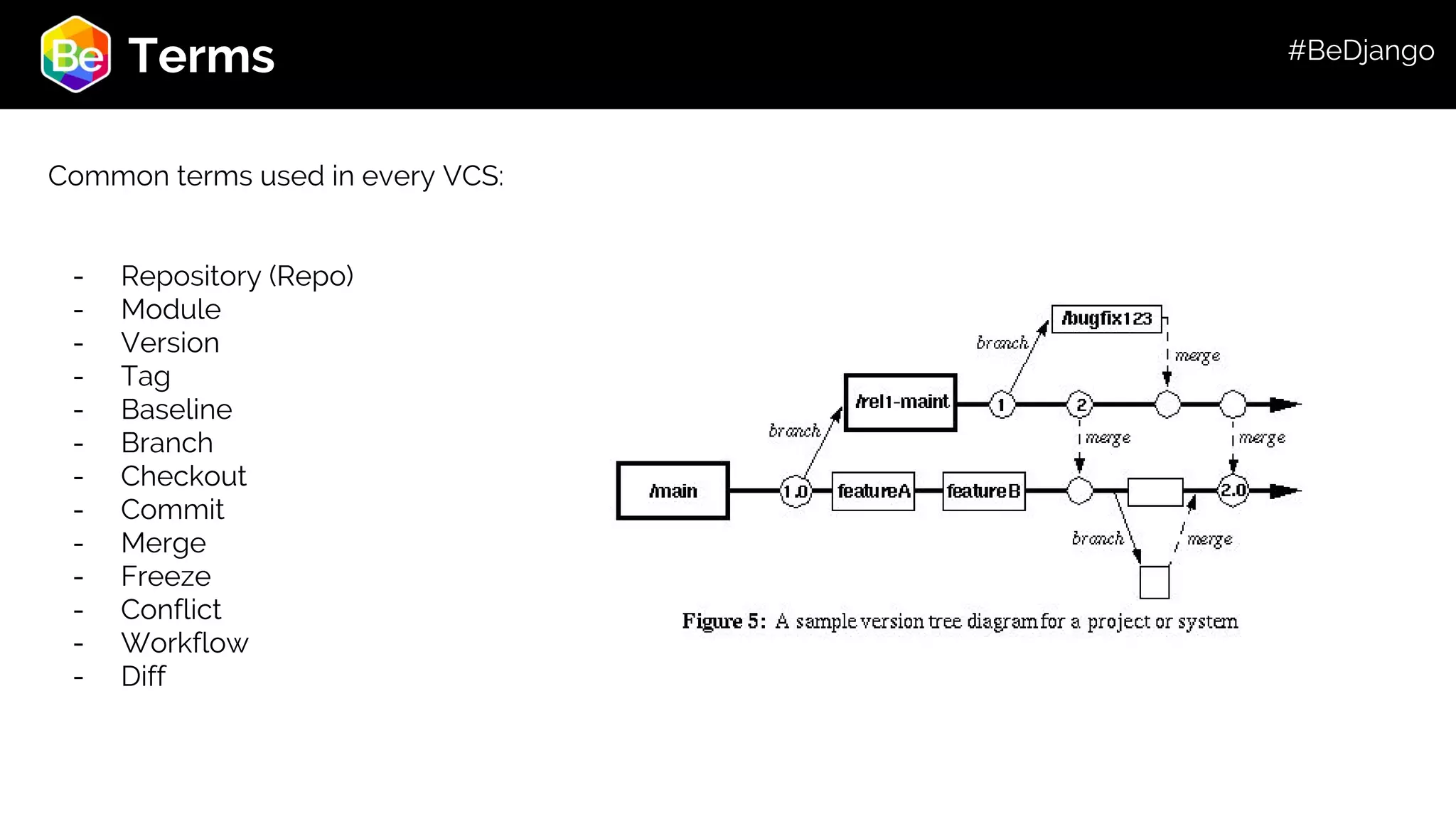
Roadmap Terms Common terms used in every VCS: - Repository (Repo) - Module - Version - Tag - Baseline - Branch - Checkout - Commit - Merge - Freeze - Conflict - Workflow - Diff #BeDjango
Roadmap Why GIT? -It’s distributable and GLOBAL! -It’s very fast. -The repositories are small sized for its storage. -Generating branches is easy as pie -The main work: (Work directory, Index, and HEAD) #BeDjango
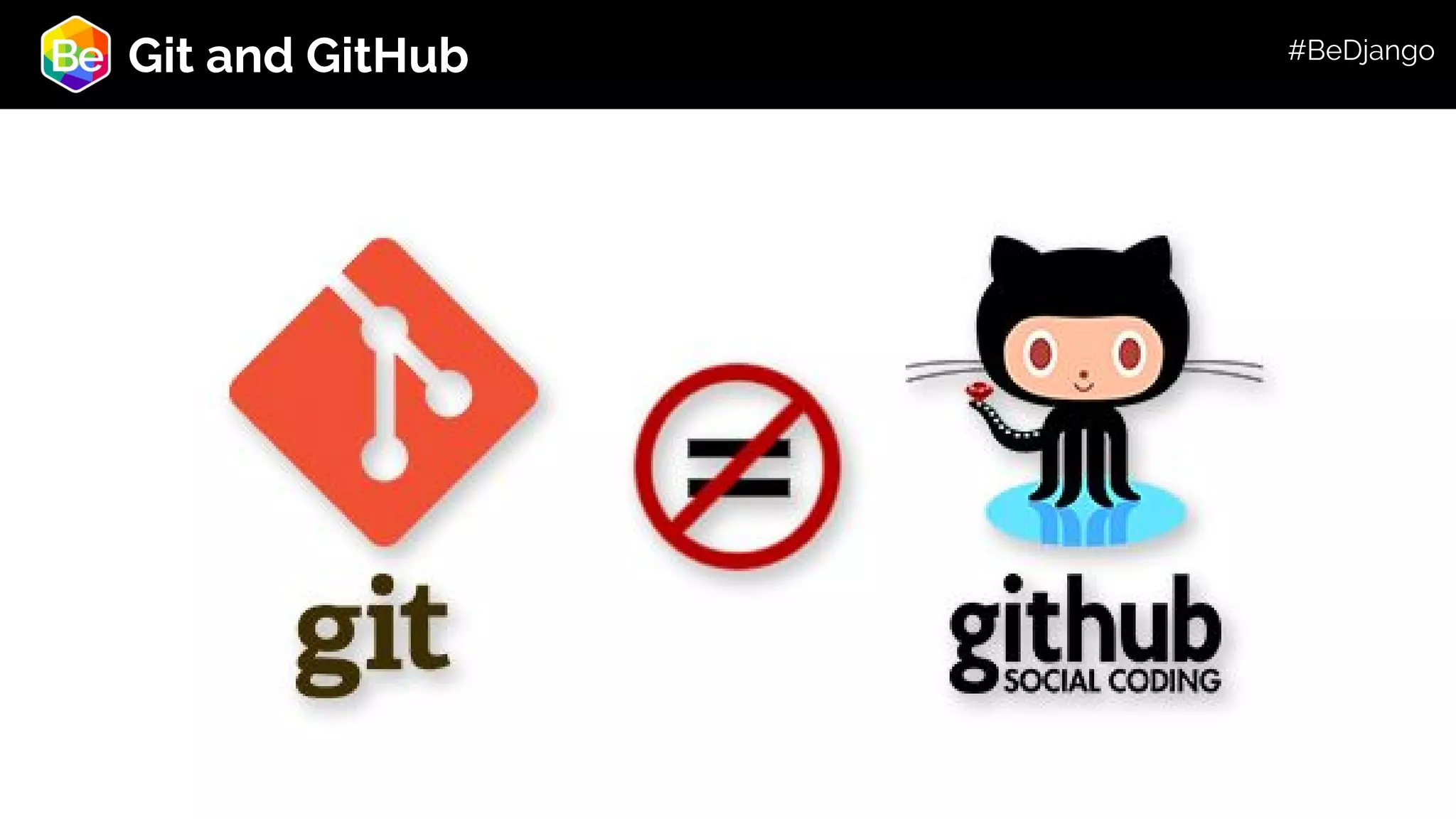
Roadmap Git and GitHub #BeDjango
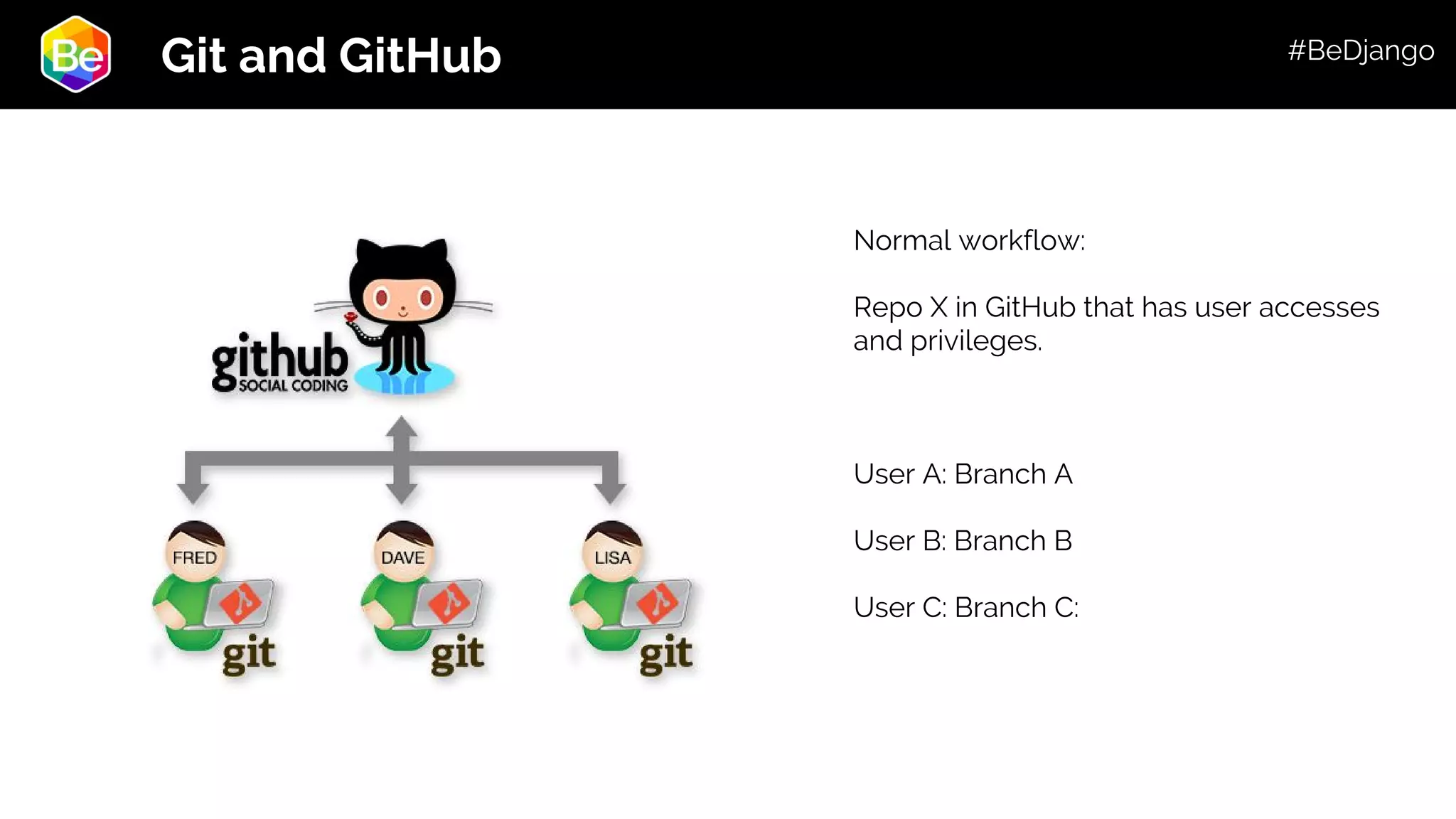
Roadmap Git and GitHub Normal workflow: Repo X in GitHub that has user accesses and privileges. User A: Branch A User B: Branch B User C: Branch C: #BeDjango
Roadmap Workshop #BeDjango
Roadmap Git Workshop Create a Repo The three main commands: 1 - git init ---> Initiate a repository within the path we are 2 - git add ---> Add the files we created/changed 3 - git commit ---> Send it to the HEAD And it’s done! #BeDjango
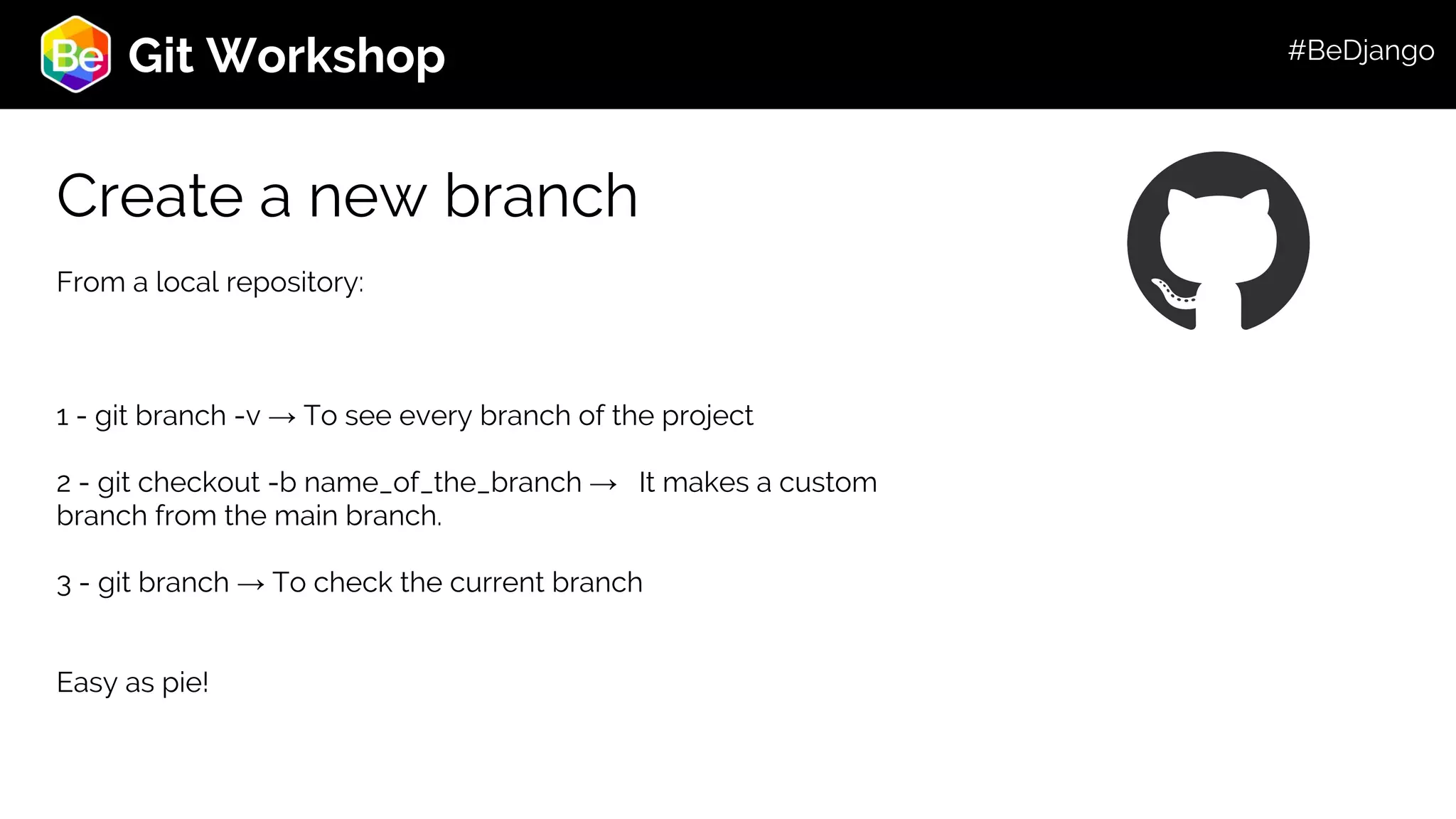
Roadmap Git Workshop Create a new branch From a local repository: 1 - git branch -v → To see every branch of the project 2 - git checkout -b name_of_the_branch → It makes a custom branch from the main branch. 3 - git branch → To check the current branch Easy as pie! #BeDjango
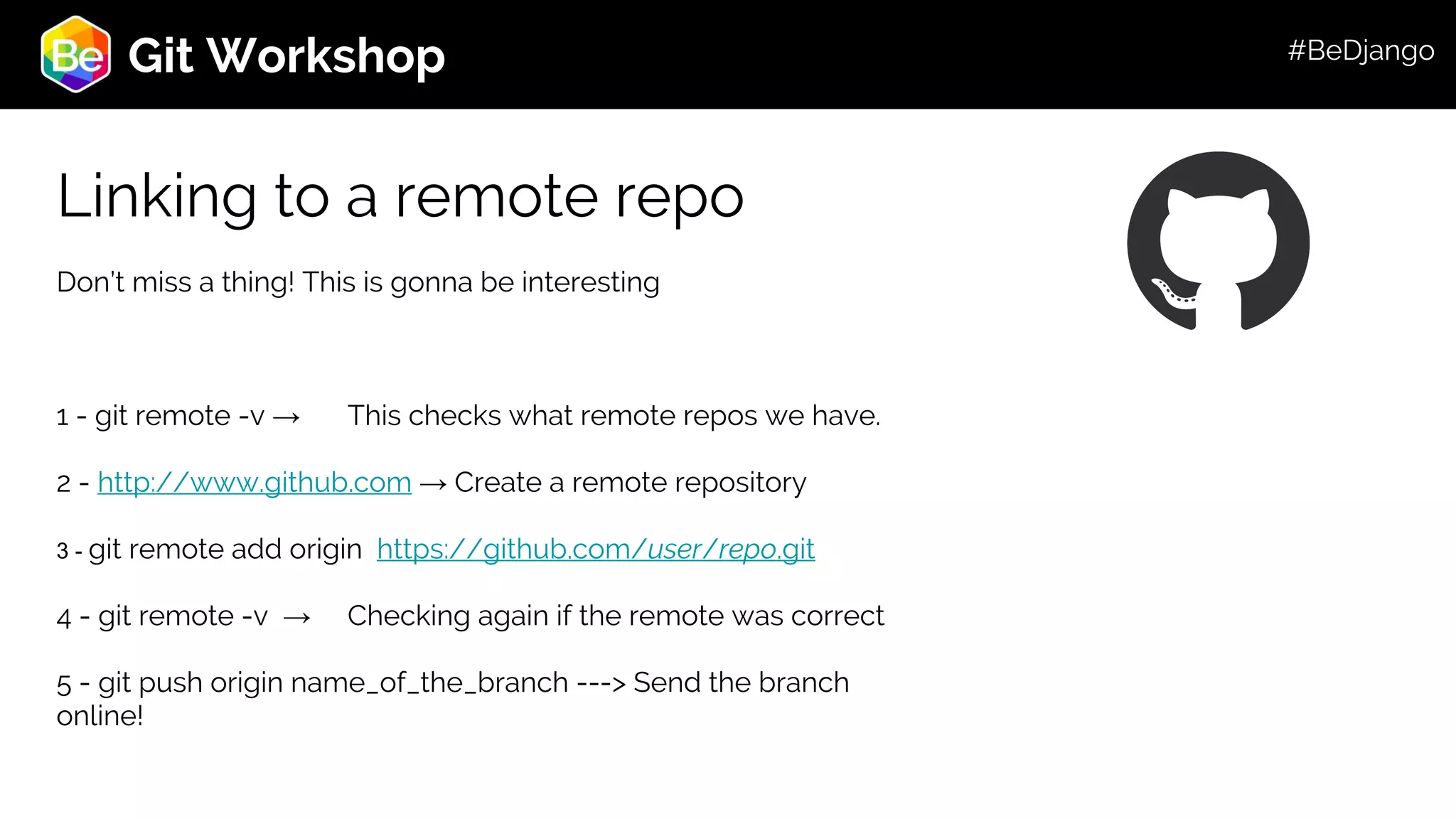
Roadmap Git Workshop Linking to a remote repo Don’t miss a thing! This is gonna be interesting 1 - git remote -v → This checks what remote repos we have. 2 - http://www.github.com → Create a remote repository 3 - git remote add origin https://github.com/user/repo.git 4 - git remote -v → Checking again if the remote was correct 5 - git push origin name_of_the_branch ---> Send the branch online! #BeDjango
Roadmap Git Workshop Okay… so… what now? Here are some tips and tricks to make your life in github easier: - Remember always to update the branches. - Always have in mind the whole structure of git (the trees) - Feel free and safe to code: you can always return to a previous state - When doubts: check the log! - Github online also checks and works - Distribute your code! And, above all, don’t be afraid to test new things. #BeDjango
Roadmap To sum up! Summary of main commands: - git init - git clone - git add (filename o .) - git commit -m - git push - git diff - git remote add origin <server> - git status - git log - git tag - git checkout (-b, --) - git fetch - git config - git reset #BeDjango
Roadmap Useful links - https://git-scm.com/doc - http://rogerdudler.github.i o/git-guide/ #BeDjango
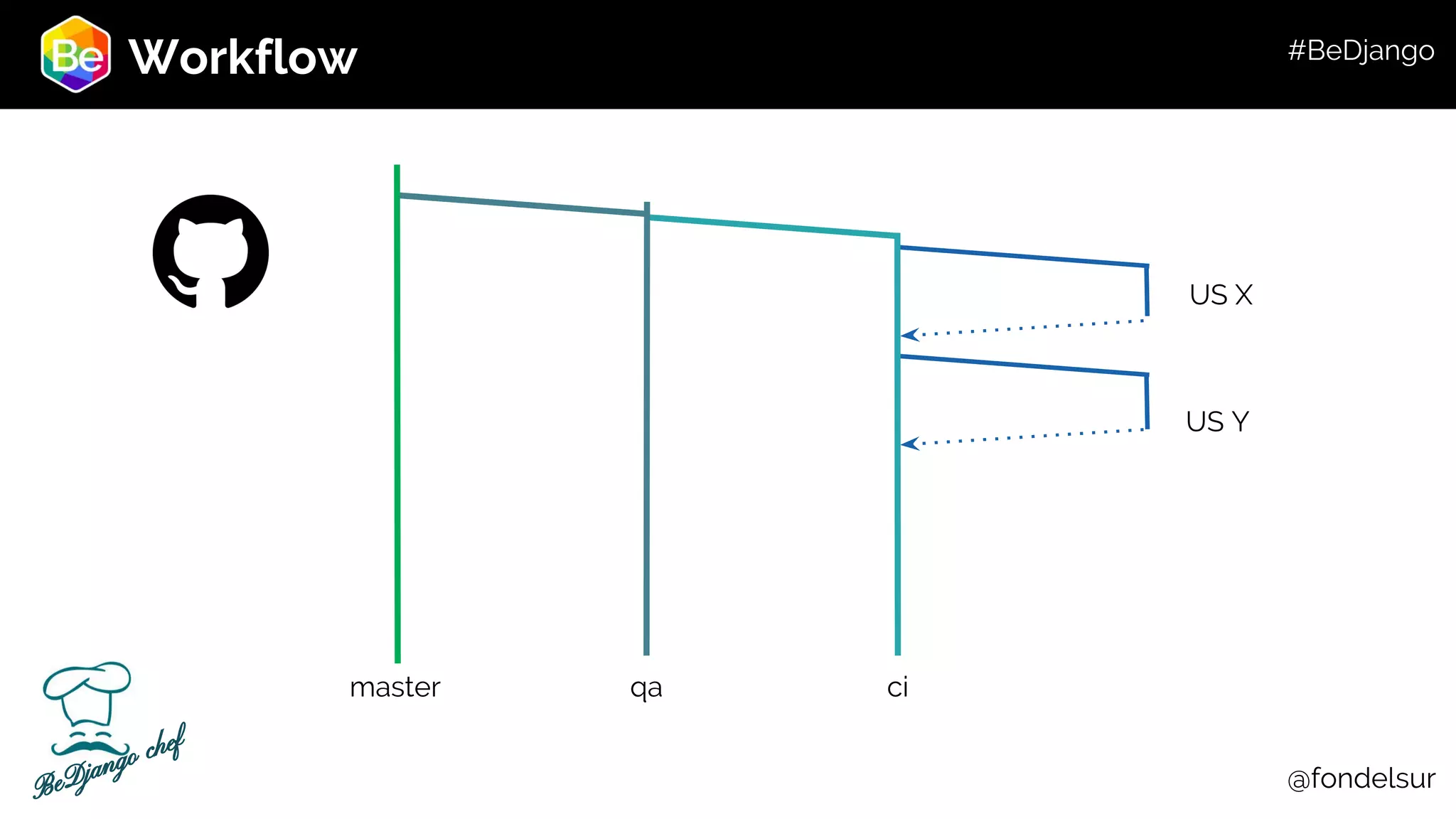
Workflow qa ci US X US Y master @fondelsurBeDjango chef #BeDjango
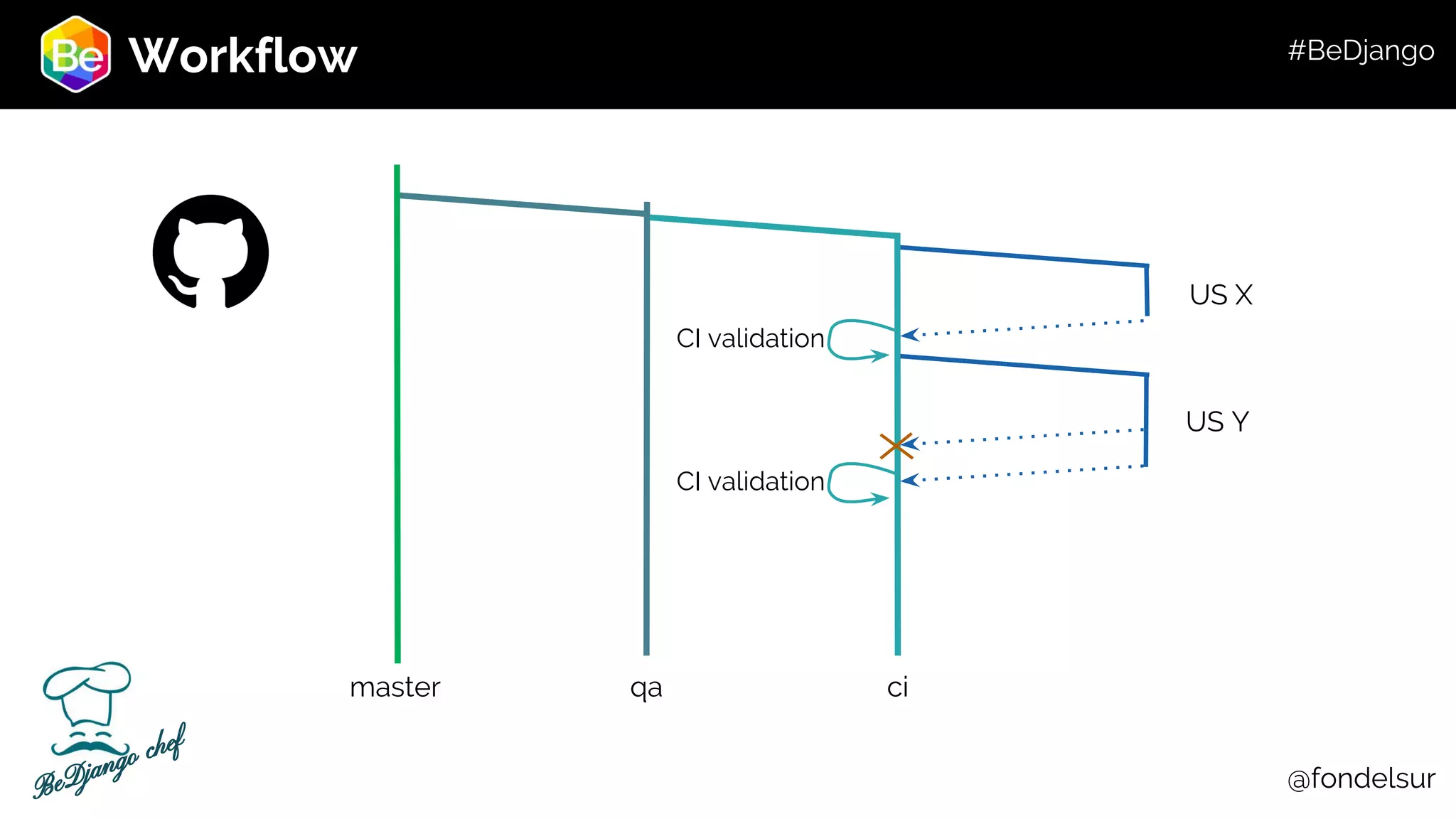
Workflow qa ci US X US Y master CI validation CI validation @fondelsurBeDjango chef #BeDjango
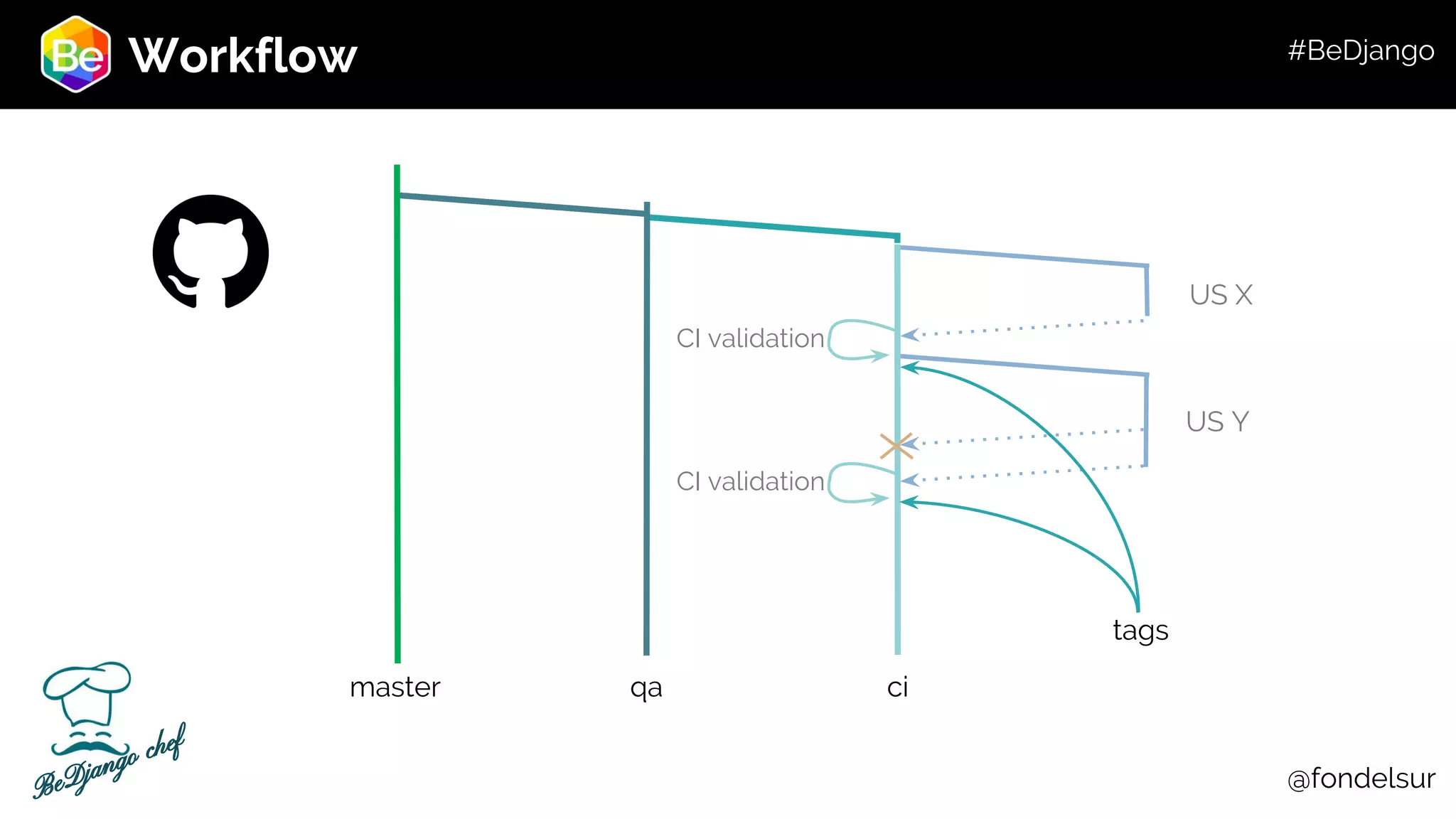
Workflow qa ci US X US Y master @fondelsur CI validation CI validation tags BeDjango chef #BeDjango
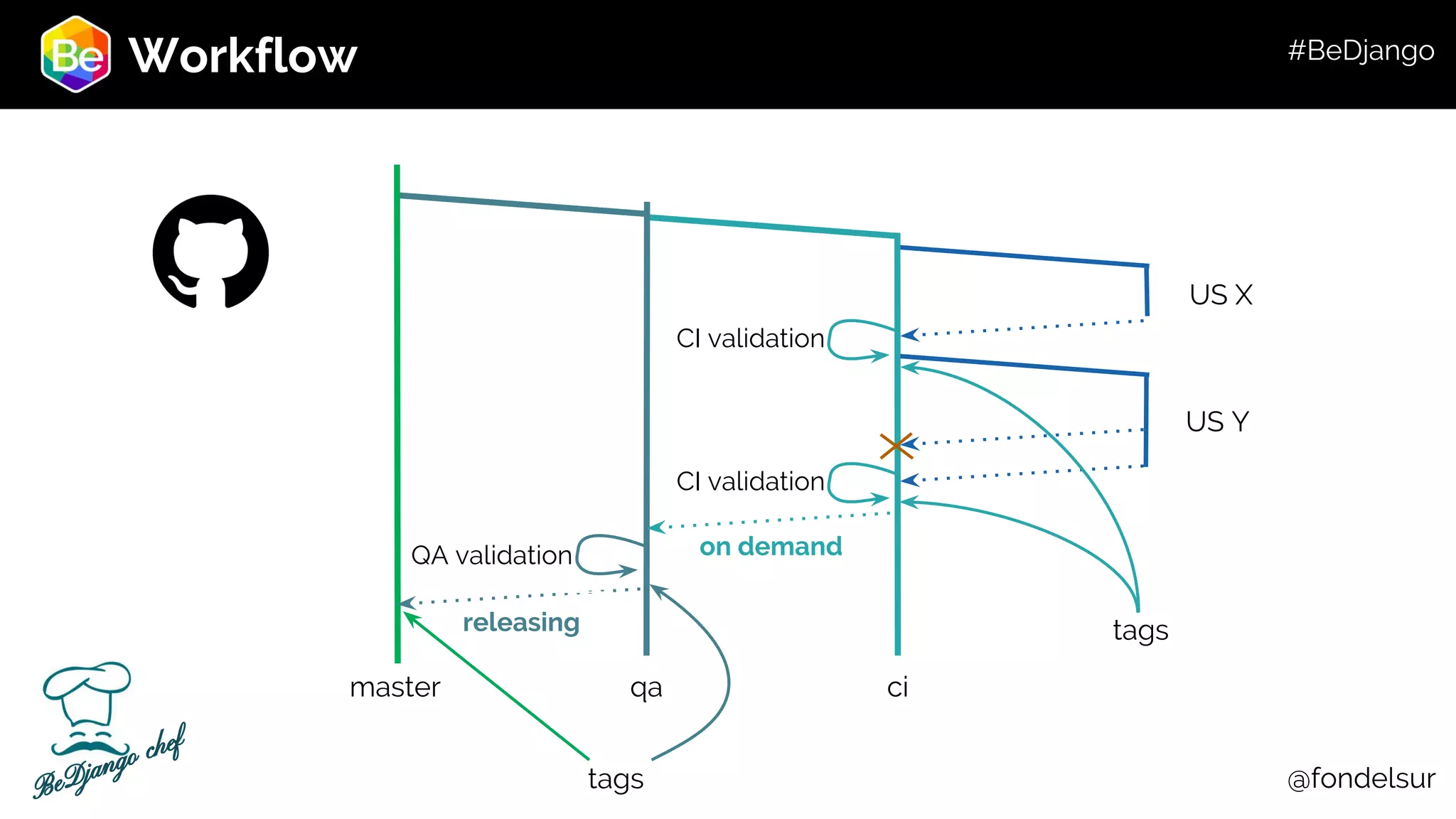
Workflow qa ci US X US Y master on demandQA validation releasing tags tags @fondelsur CI validation CI validation BeDjango chef #BeDjango
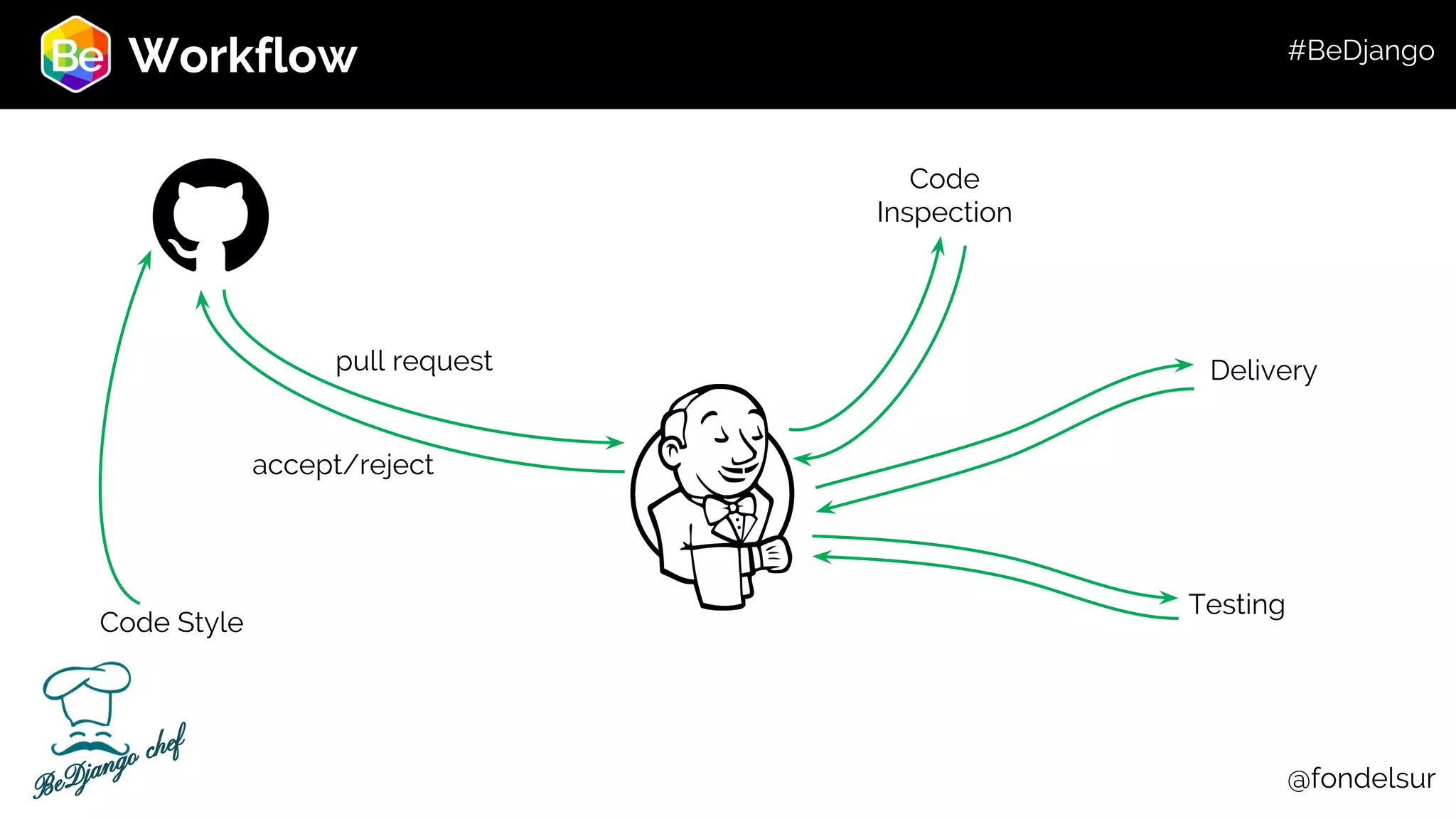
Workflow pull request Code Inspection Delivery Testing accept/reject Code Style @fondelsurBeDjango chef #BeDjango
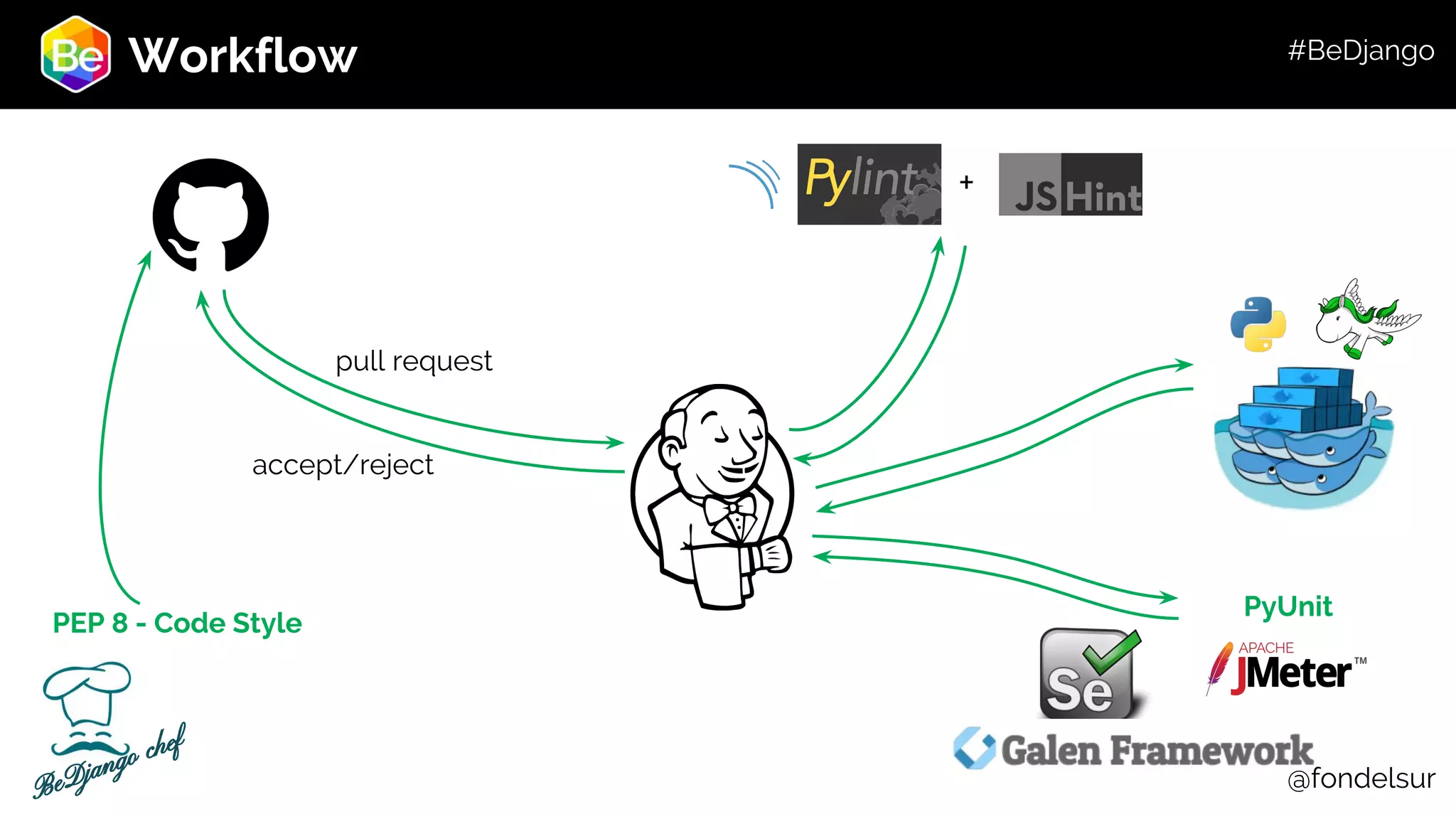
Workflow pull request accept/reject + PyUnit @fondelsur PEP 8 - Code Style BeDjango chef #BeDjango
Questions? Questions? @fondelsur #BeDjango
BeDjango Sevilla - London - Zurich - Chile +34 954 51 75 77 info@bedjango.com www.bedjango.com Thanks! #BeDjango

Bedjango talk about Git & GitHub

  • 1.
  • 2.
    Roadmap 1 - Whatis a VCS? 2 - Main tools 3 - Basic terms 4 - Git and GitHub 5 - Git Workshop 5.1 - Create a repo 5.2 - A new branch 5.3 - Linking to a remote repo 5.4 - Oh… what now? 6 - Emergya Workflow example Main Structure #BeDjango
  • 3.
    Roadmap Advantages: -We can saveall the project -We can make mistakes without fear! -We can experiment freely -It makes the teamwork easier! It MUST provide: 1 - Storage, local or remote 2 - Modifications and edition 3 - History (logs) Version Control System What is a Control Version System or VCS: It’s how about we care about the changes in a product we’re making. We understand as version the state the product is already. It gives us many advantages above working alone. #BeDjango
  • 4.
  • 5.
    Roadmap Main Tools Git: Quick,small sized repositories, easier branching, is agile and distributable. Subversion: We can extract subdirectories of repos, and it’s easier to learn. Mercurial: It’s the least intuitive and known, the knowledge is less. It provides us with many security in the pushes and pulls. #BeDjango
  • 6.
  • 7.
    Roadmap Terms Common terms usedin every VCS: - Repository (Repo) - Module - Version - Tag - Baseline - Branch - Checkout - Commit - Merge - Freeze - Conflict - Workflow - Diff #BeDjango
  • 8.
    Roadmap Why GIT? -It’s distributableand GLOBAL! -It’s very fast. -The repositories are small sized for its storage. -Generating branches is easy as pie -The main work: (Work directory, Index, and HEAD) #BeDjango
  • 9.
  • 10.
    Roadmap Git and GitHub Normalworkflow: Repo X in GitHub that has user accesses and privileges. User A: Branch A User B: Branch B User C: Branch C: #BeDjango
  • 11.
  • 12.
    Roadmap Git Workshop Create aRepo The three main commands: 1 - git init ---> Initiate a repository within the path we are 2 - git add ---> Add the files we created/changed 3 - git commit ---> Send it to the HEAD And it’s done! #BeDjango
  • 13.
    Roadmap Git Workshop Create anew branch From a local repository: 1 - git branch -v → To see every branch of the project 2 - git checkout -b name_of_the_branch → It makes a custom branch from the main branch. 3 - git branch → To check the current branch Easy as pie! #BeDjango
  • 14.
    Roadmap Git Workshop Linking toa remote repo Don’t miss a thing! This is gonna be interesting 1 - git remote -v → This checks what remote repos we have. 2 - http://www.github.com → Create a remote repository 3 - git remote add origin https://github.com/user/repo.git 4 - git remote -v → Checking again if the remote was correct 5 - git push origin name_of_the_branch ---> Send the branch online! #BeDjango
  • 15.
    Roadmap Git Workshop Okay… so…what now? Here are some tips and tricks to make your life in github easier: - Remember always to update the branches. - Always have in mind the whole structure of git (the trees) - Feel free and safe to code: you can always return to a previous state - When doubts: check the log! - Github online also checks and works - Distribute your code! And, above all, don’t be afraid to test new things. #BeDjango
  • 16.
    Roadmap To sum up! Summaryof main commands: - git init - git clone - git add (filename o .) - git commit -m - git push - git diff - git remote add origin <server> - git status - git log - git tag - git checkout (-b, --) - git fetch - git config - git reset #BeDjango
  • 17.
    Roadmap Useful links - https://git-scm.com/doc -http://rogerdudler.github.i o/git-guide/ #BeDjango
  • 18.
    Workflow qa ci US X USY master @fondelsurBeDjango chef #BeDjango
  • 19.
    Workflow qa ci US X USY master CI validation CI validation @fondelsurBeDjango chef #BeDjango
  • 20.
    Workflow qa ci US X USY master @fondelsur CI validation CI validation tags BeDjango chef #BeDjango
  • 21.
    Workflow qa ci US X USY master on demandQA validation releasing tags tags @fondelsur CI validation CI validation BeDjango chef #BeDjango
  • 22.
  • 23.
  • 24.
  • 25.
    BeDjango Sevilla - London- Zurich - Chile +34 954 51 75 77 info@bedjango.com www.bedjango.com Thanks! #BeDjango