Functions In PHP  Functions are at the heart of a well-organized script and will make your code easy to read and reuse.  Large projects would be unmanageable without functions because the problem of repetitive code would bog down the development process.  If you haven’t had much experience using functions, you can think of a function as an input/output machine. The machine takes the raw materials you feed it (the input) and works with them to produce a product (the output).  A function accepts values, processes them, and then performs an action (printing to the browser, for example), returns a new value, or both.
Functions In PHP  If you need to bake a cake, you would probably do it yourself, in your own kitchen with your oven. But if you need to bake thousands of cakes, you would probably build or acquire a special cake-baking machine, built for making cakes in massive quantities.  Similarly, when deciding whether to create a function for reuse or simply writing in-line code, the most important factor to consider is the extent to which it can save you from writing repetitive code.  If the code you are writing will be used more than once, it is probably best to create a function to represent the code.
Functions In PHP  A function is a self-contained block of code that can be called by your script.  When called (or invoked), the function’s code is executed and performs a particular task. You can pass values to a function (called arguments), which then uses the values appropriately – storing them, transforming them, displaying them, whatever the function is designed to do. When finished, a function can also pass a value back to the original code that called it into action.  In PHP, functions come in two flavors – those built in to the language, and those that you define yourself.
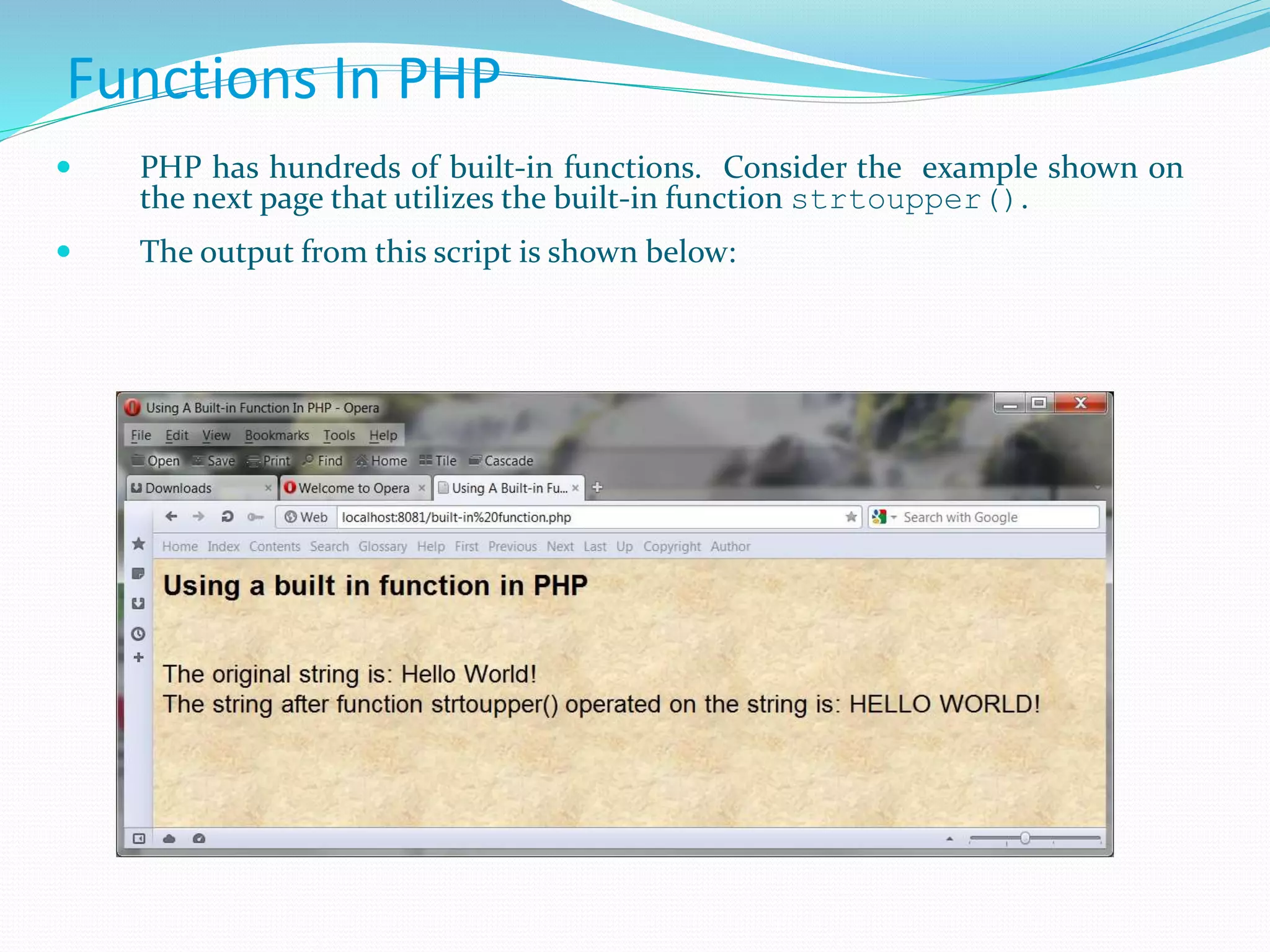
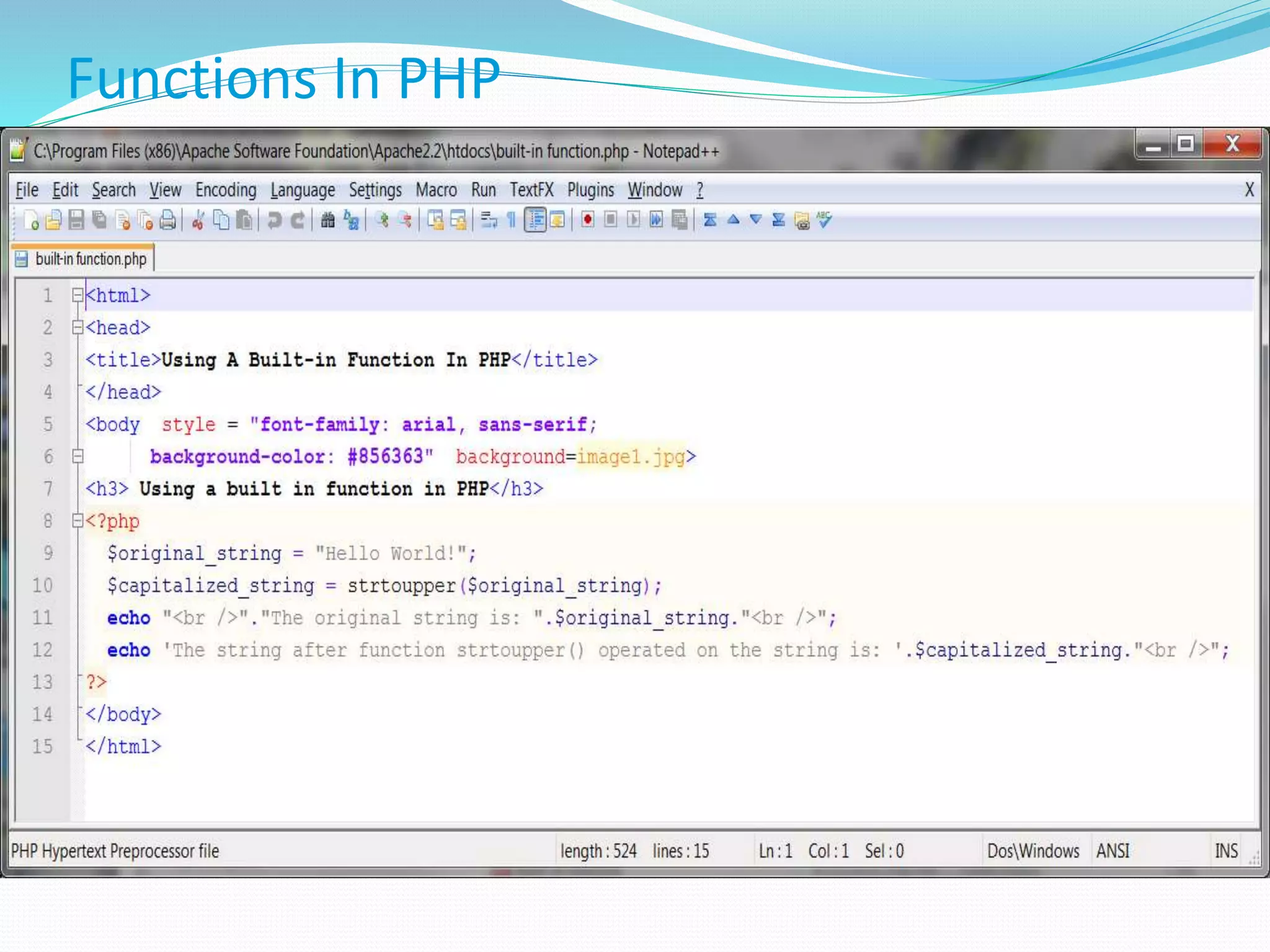
Functions In PHP  PHP has hundreds of built-in functions. Consider the example shown on the next page that utilizes the built-in function strtoupper().  The output from this script is shown below:
Functions In PHP
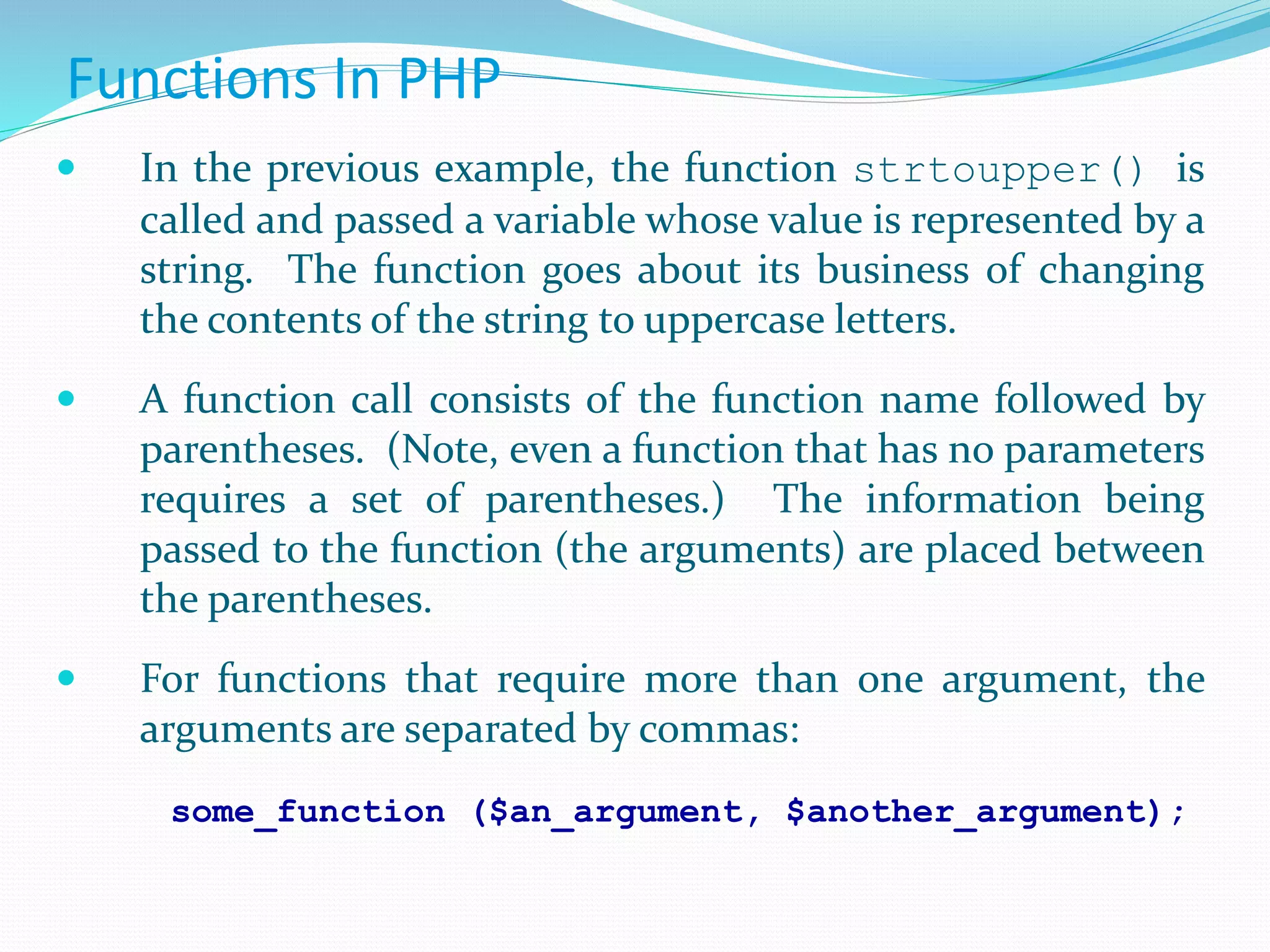
Functions In PHP  In the previous example, the function strtoupper() is called and passed a variable whose value is represented by a string. The function goes about its business of changing the contents of the string to uppercase letters.  A function call consists of the function name followed by parentheses. (Note, even a function that has no parameters requires a set of parentheses.) The information being passed to the function (the arguments) are placed between the parentheses.  For functions that require more than one argument, the arguments are separated by commas: some_function ($an_argument, $another_argument);
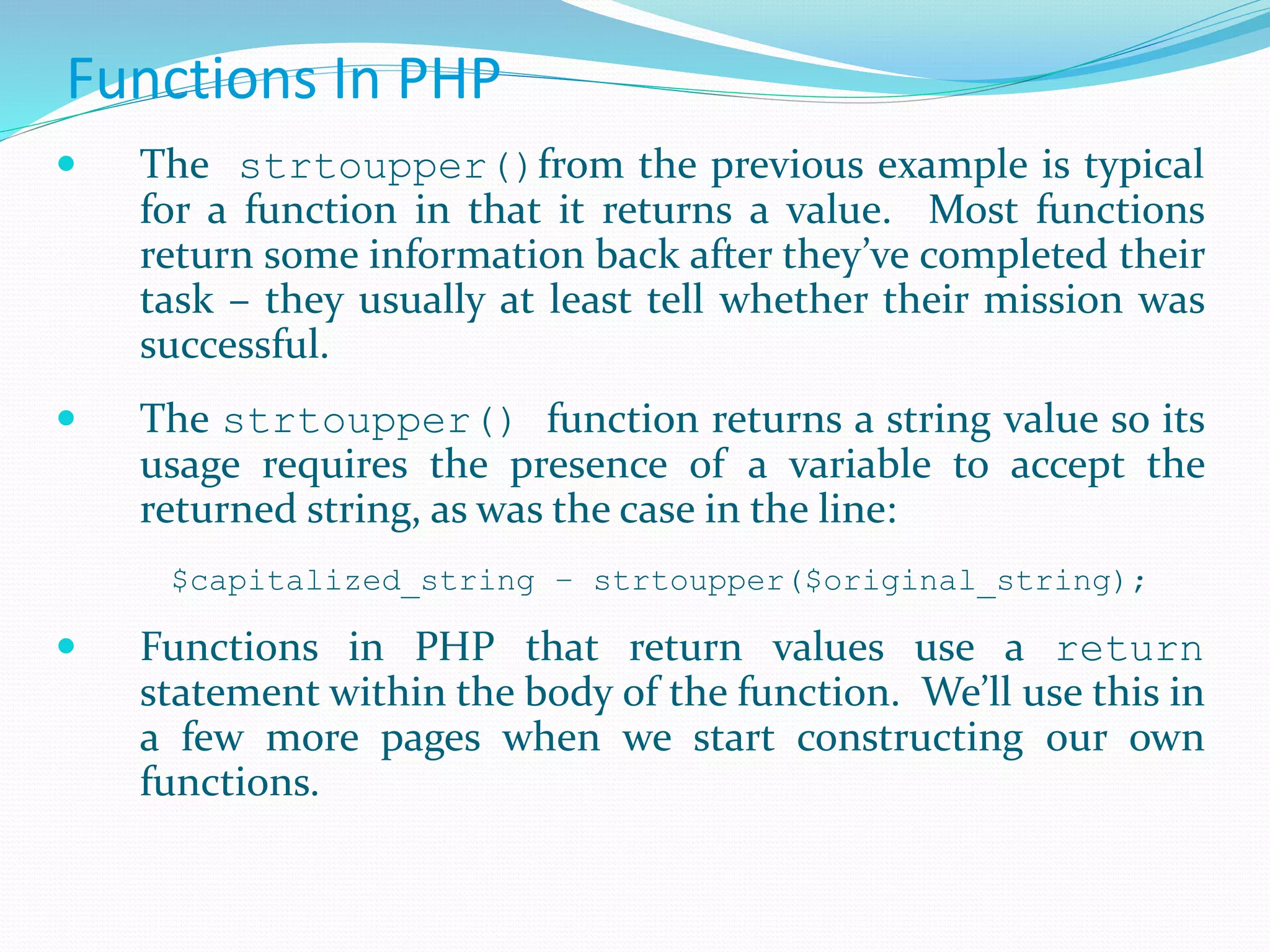
Functions In PHP  The strtoupper()from the previous example is typical for a function in that it returns a value. Most functions return some information back after they’ve completed their task – they usually at least tell whether their mission was successful.  The strtoupper() function returns a string value so its usage requires the presence of a variable to accept the returned string, as was the case in the line: $capitalized_string – strtoupper($original_string);  Functions in PHP that return values use a return statement within the body of the function. We’ll use this in a few more pages when we start constructing our own functions.
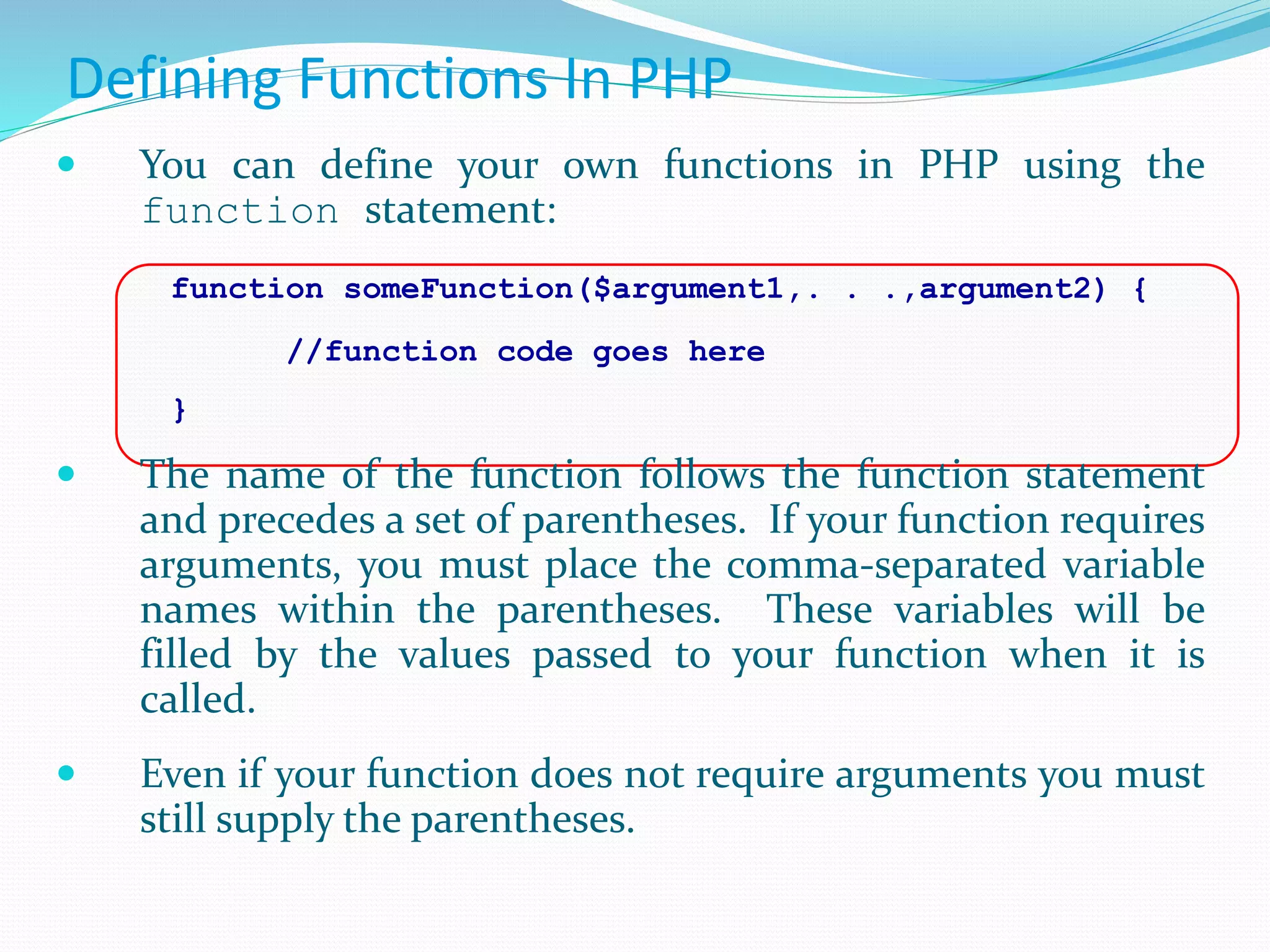
Defining Functions In PHP  You can define your own functions in PHP using the function statement: function someFunction($argument1,. . .,argument2) { //function code goes here }  The name of the function follows the function statement and precedes a set of parentheses. If your function requires arguments, you must place the comma-separated variable names within the parentheses. These variables will be filled by the values passed to your function when it is called.  Even if your function does not require arguments you must still supply the parentheses.
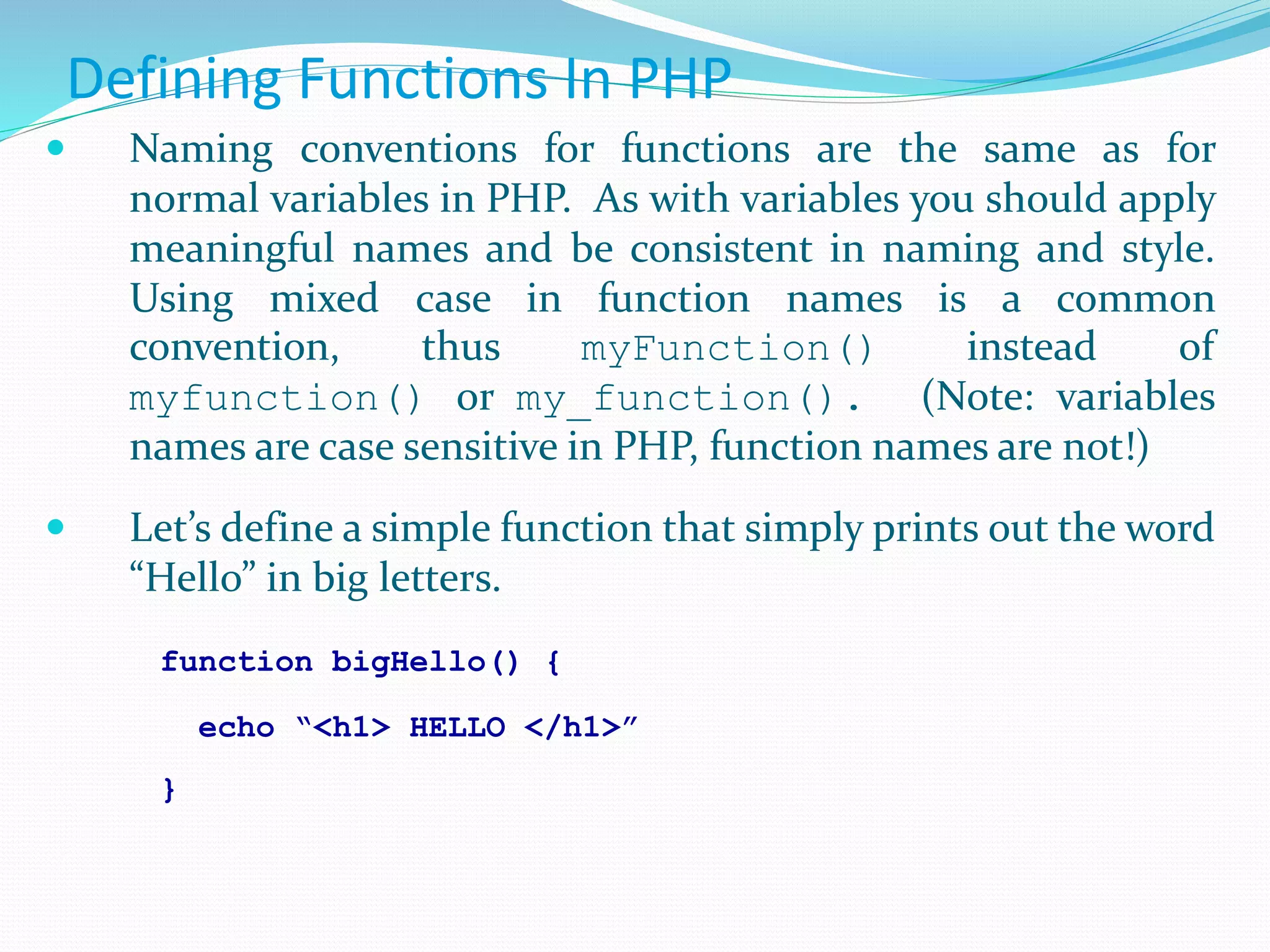
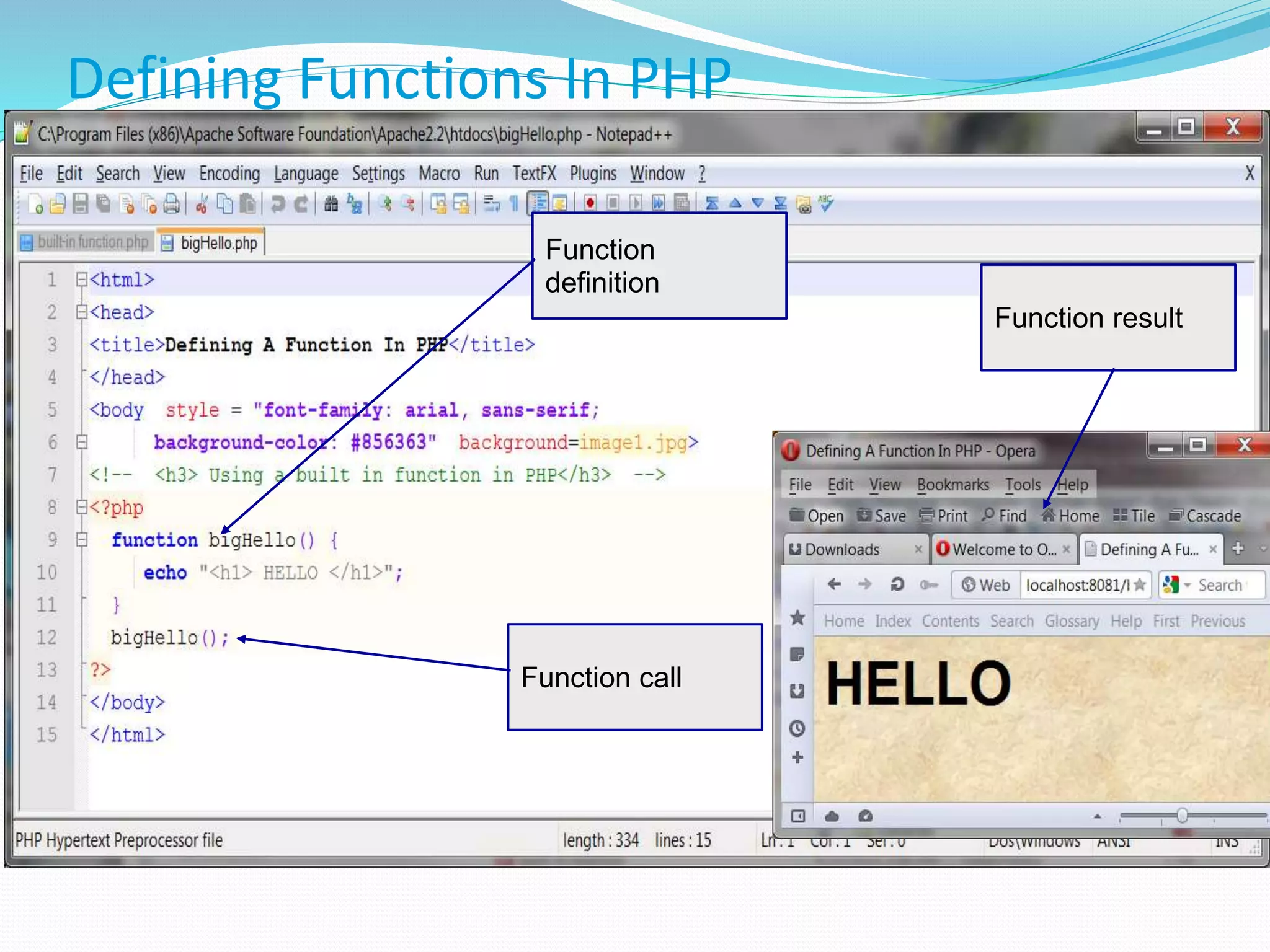
Defining Functions In PHP  Naming conventions for functions are the same as for normal variables in PHP. As with variables you should apply meaningful names and be consistent in naming and style. Using mixed case in function names is a common convention, thus myFunction() instead of myfunction() or my_function(). (Note: variables names are case sensitive in PHP, function names are not!)  Let’s define a simple function that simply prints out the word “Hello” in big letters. function bigHello() { echo “<h1> HELLO </h1>” }
Defining Functions In PHP Function definition Function call Function result
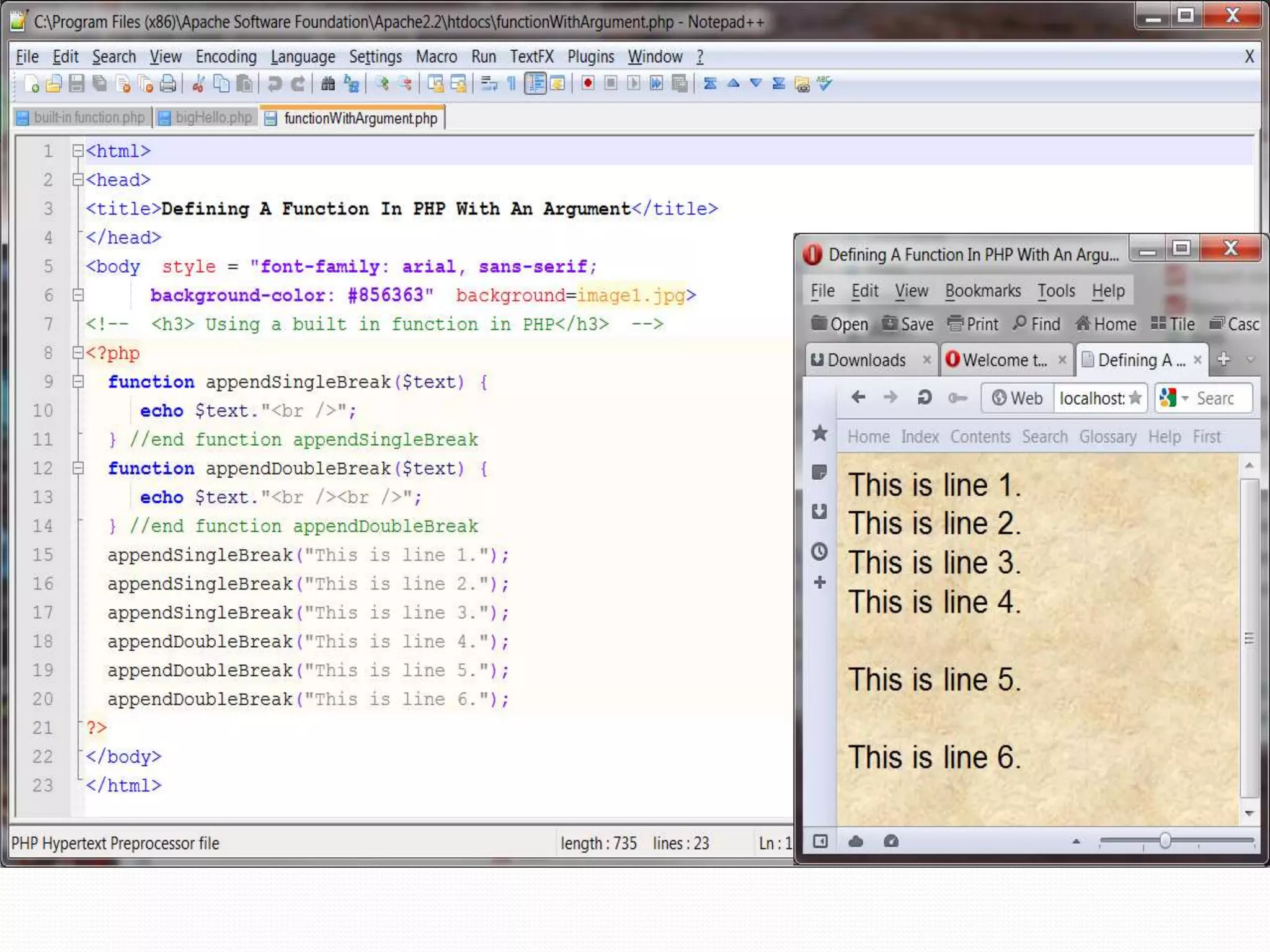
Defining Functions With Argument  For the next example, let’s define a function that requires an argument. Actually, let’s define two different functions that each take an argument.  The first function will take a string and print the string with a <br /> element appended to the string. The second function will do the same, but append two <br /> elements to the end of the string.
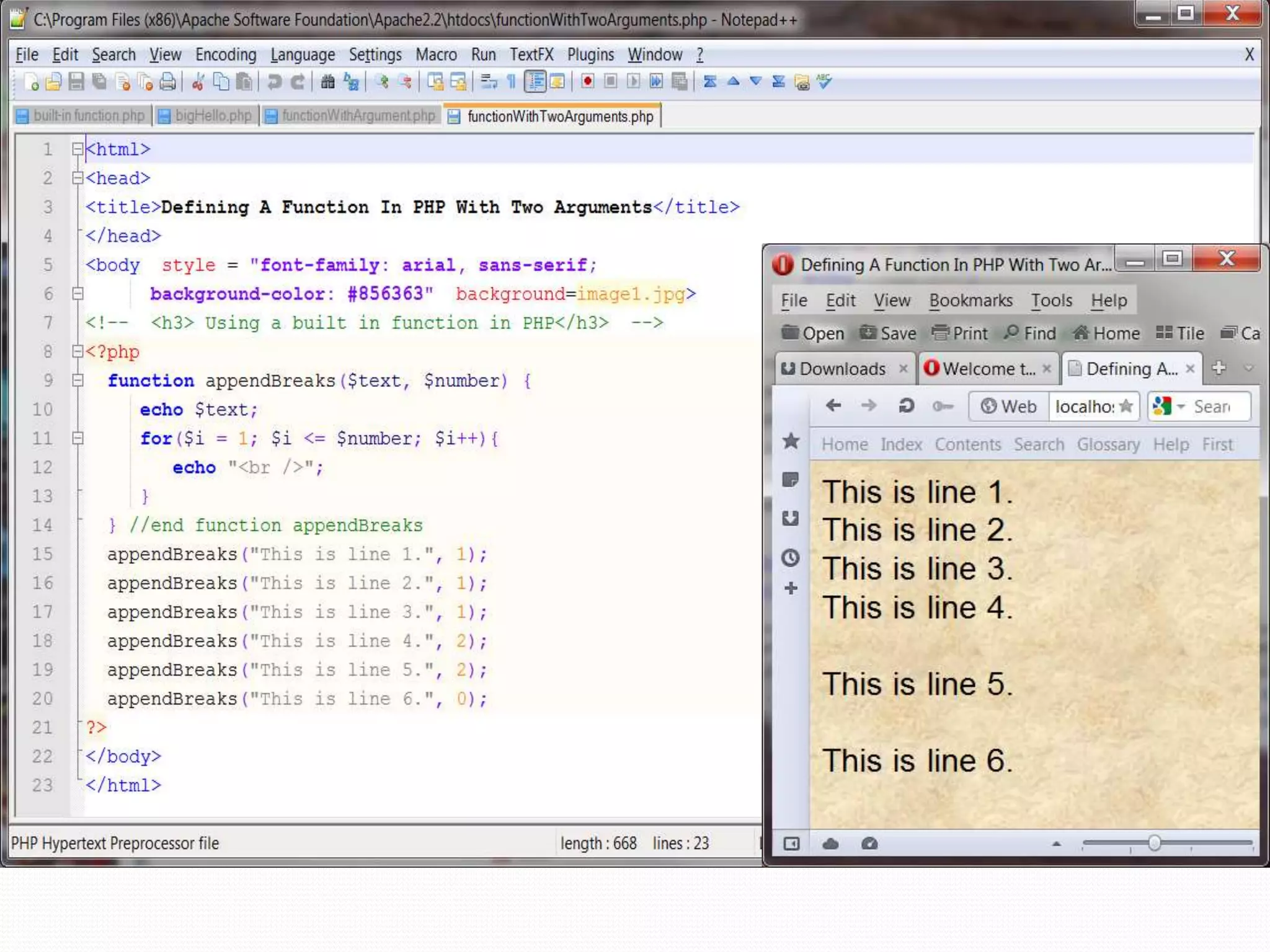
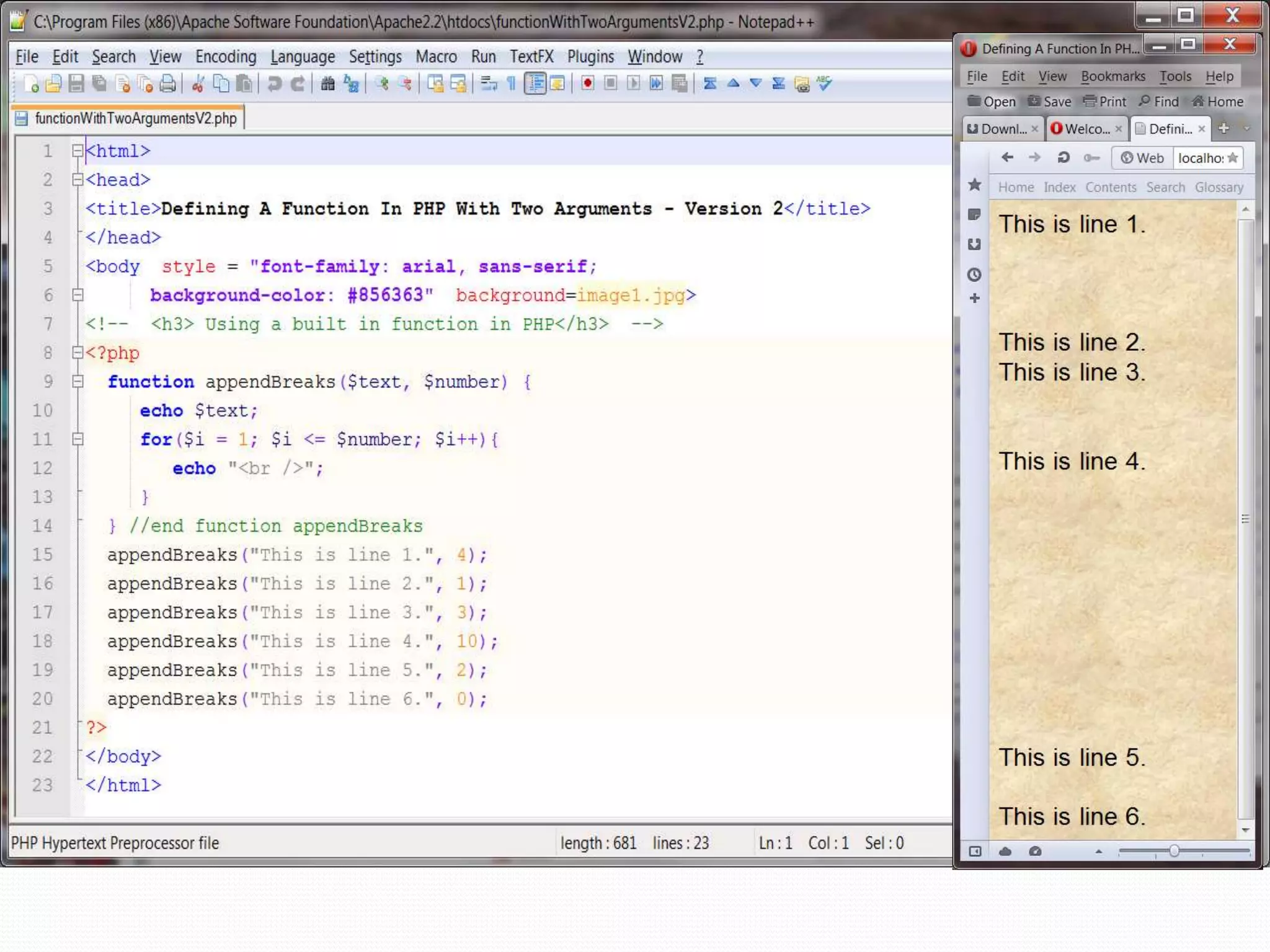
 For the next example, let’s define a function that requires two arguments. We’ll basically repeat the exercise from the previous example, but in this case rather than writing two different functions that differ only in the number of <br /> elements they append to a line of text, the new function will have a second argument that represents the number of <br /> elements to be appended. Clearly this would be more efficient, in terms of code, than creating a different function for each number of <br /> elements we might want to append.  In the first version of this example, shown on the next page, I simply repeated the same effect as in the previous version, so the two screen shots from the browser should look identical.  The second version of this example, shown on page 15, a different effect is produced by the function calls. Defining Functions With Two Arguments
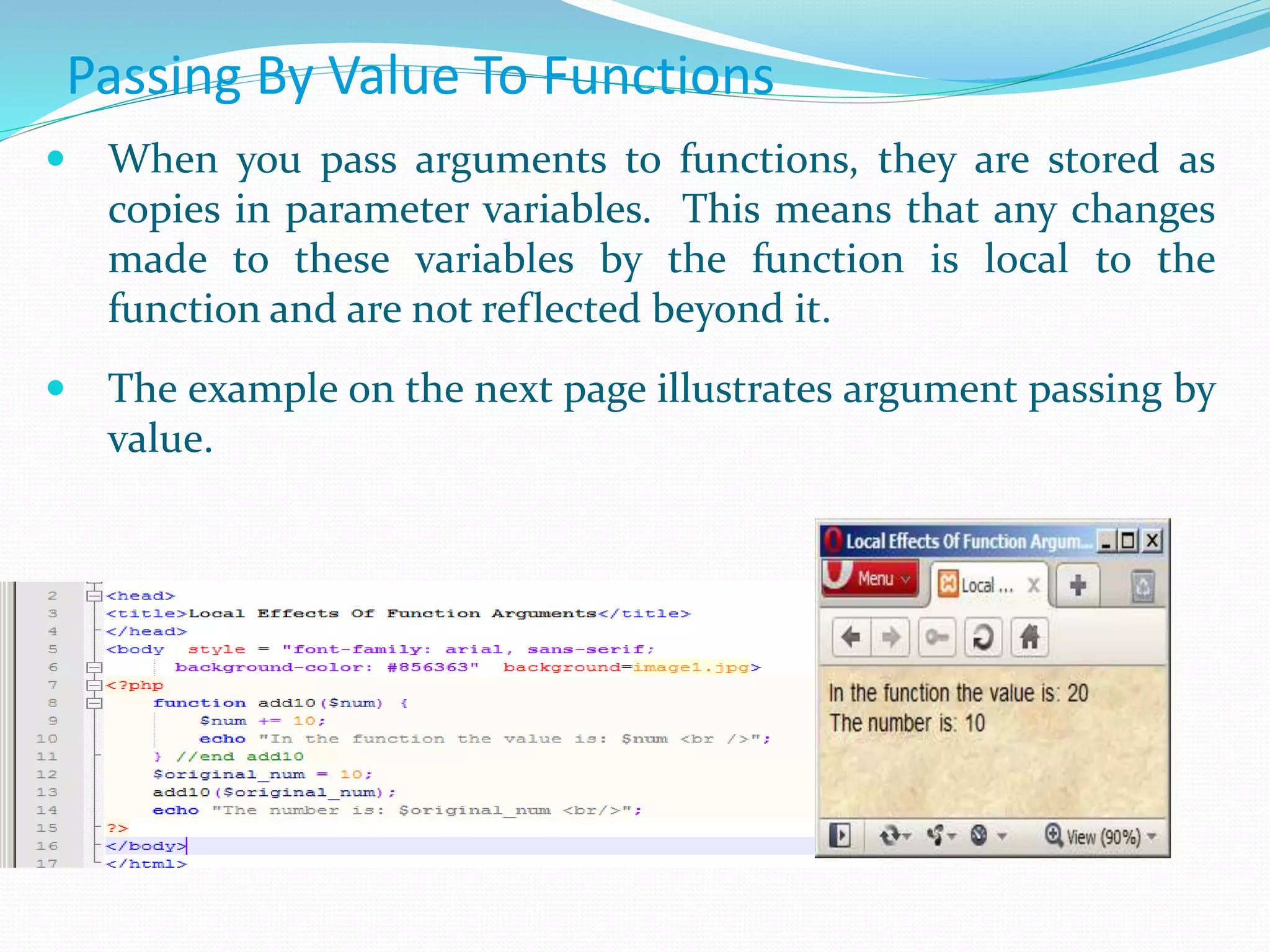
Passing By Value To Functions  When you pass arguments to functions, they are stored as copies in parameter variables. This means that any changes made to these variables by the function is local to the function and are not reflected beyond it.  The example on the next page illustrates argument passing by value.
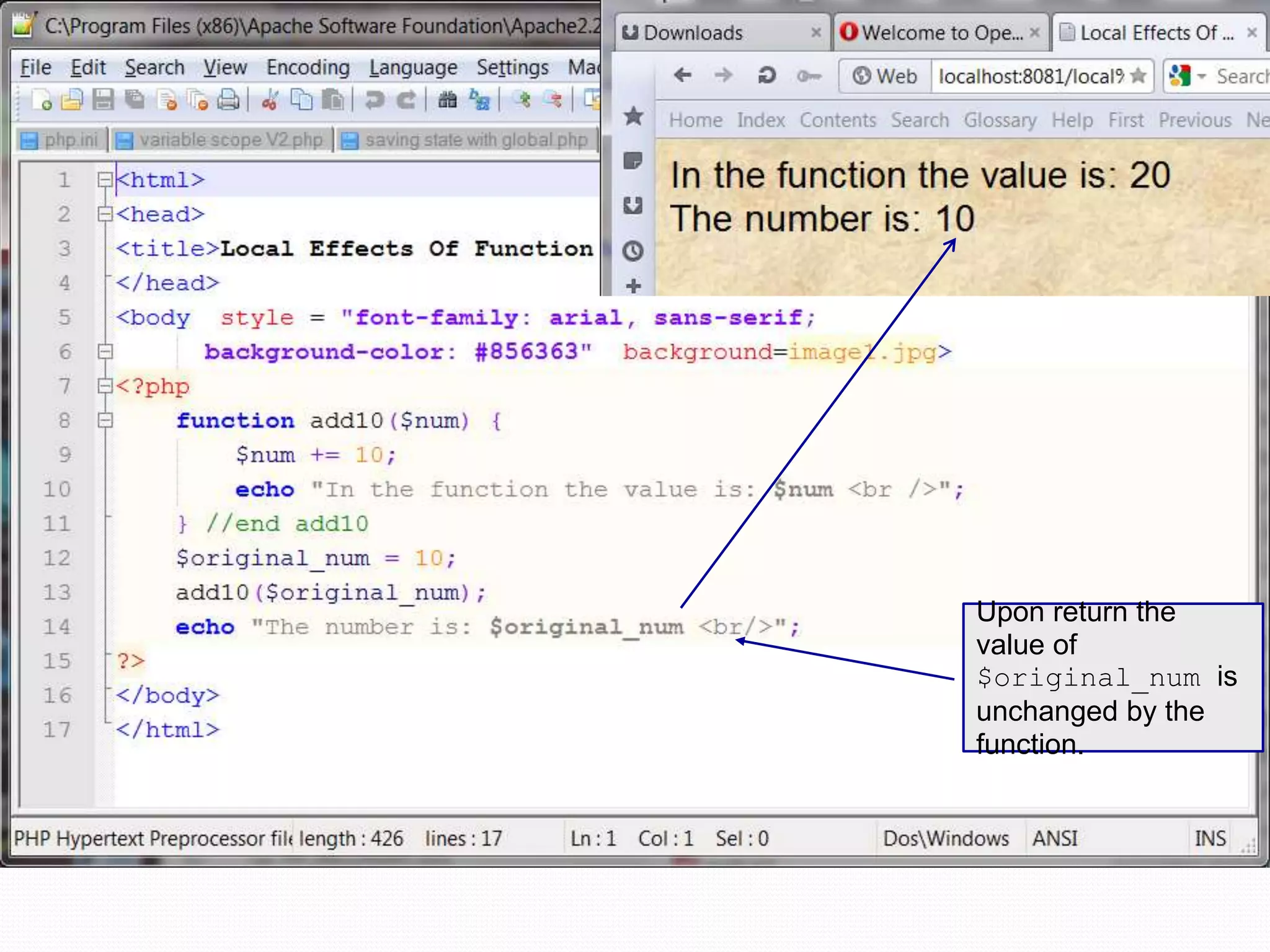
Upon return the value of $original_num is unchanged by the function.
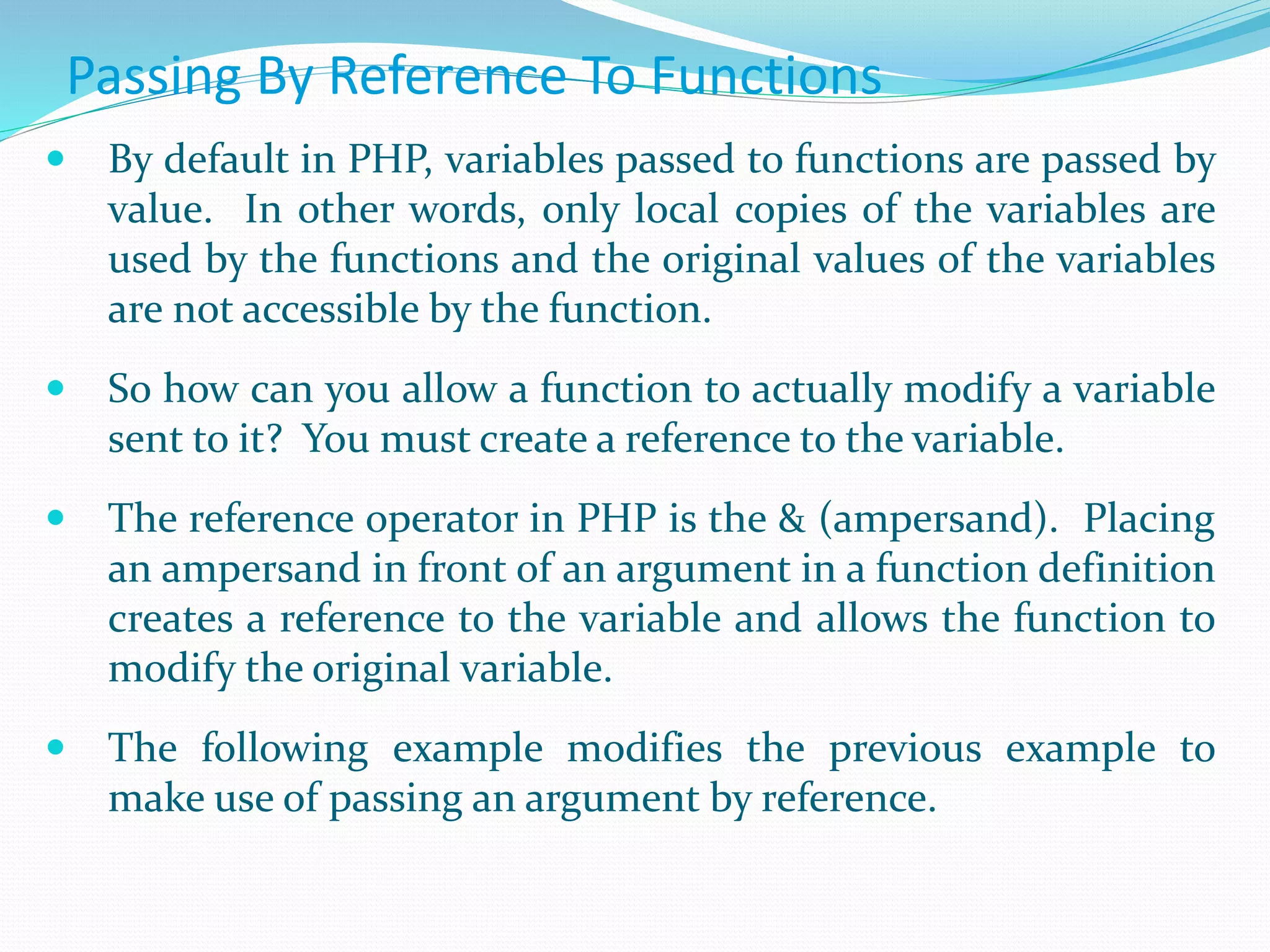
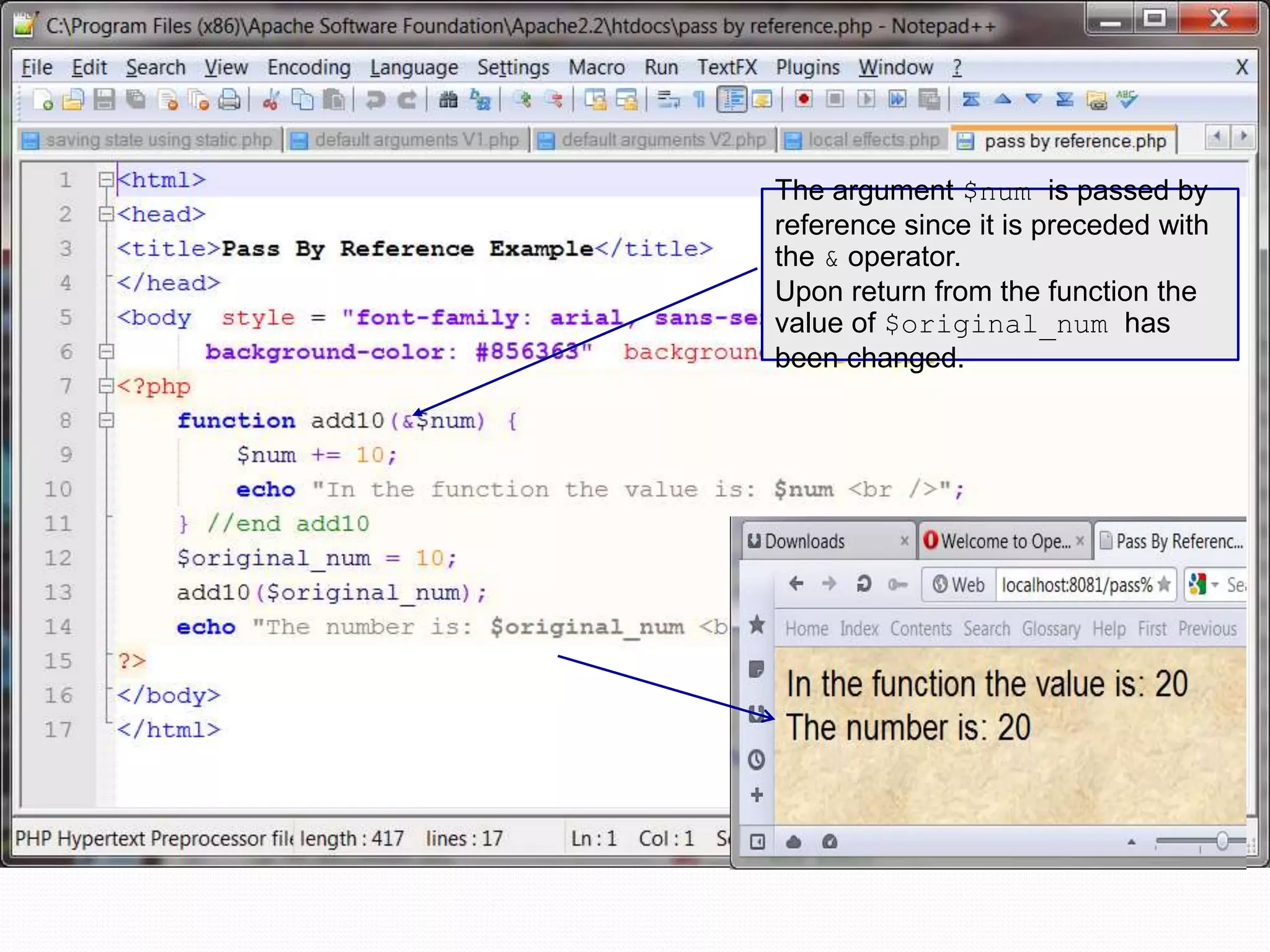
Passing By Reference To Functions  By default in PHP, variables passed to functions are passed by value. In other words, only local copies of the variables are used by the functions and the original values of the variables are not accessible by the function.  So how can you allow a function to actually modify a variable sent to it? You must create a reference to the variable.  The reference operator in PHP is the & (ampersand). Placing an ampersand in front of an argument in a function definition creates a reference to the variable and allows the function to modify the original variable.  The following example modifies the previous example to make use of passing an argument by reference.
The argument $num is passed by reference since it is preceded with the & operator. Upon return from the function the value of $original_num has been changed.
Arrays In PHP  Most of our PHP examples to this point have involved scalar variables (we did see a couple of example in the first section of notes that made use of one of PHP’s global associative arrays).  Scalar variables can only hold a single value at a time. For example, a variable $color could hold only a single value such as red, at any point in time. The variable could not be used to hold more than one color.  Arrays are special types of variables that enable you to store as many values as you want. Note: Although you can technically make an array as large as you’d like, some built-in array handling functions in PHP have an upper limit of 100,000 values. If you are storing more data that this in your arrays and you need to use one of these functions, you will either need to write your own function or split the data into multiple arrays.
Arrays In PHP  Arrays are indexed, which means that each entry in the array, called an element, is made up of a key and a value.  The key is the index position, beginning with 0 and increasing incrementally by 1 with each new element in the array.  The value is whatever value you associate with that position – a string, an integer, or whatever you want.  In PHP you can think of an array as a filing cabinet and each key/value pair as a file folder. The key is the label written on the tab of the folder, and the value is what is inside. What’s inside each folder can vary from folder to folder.
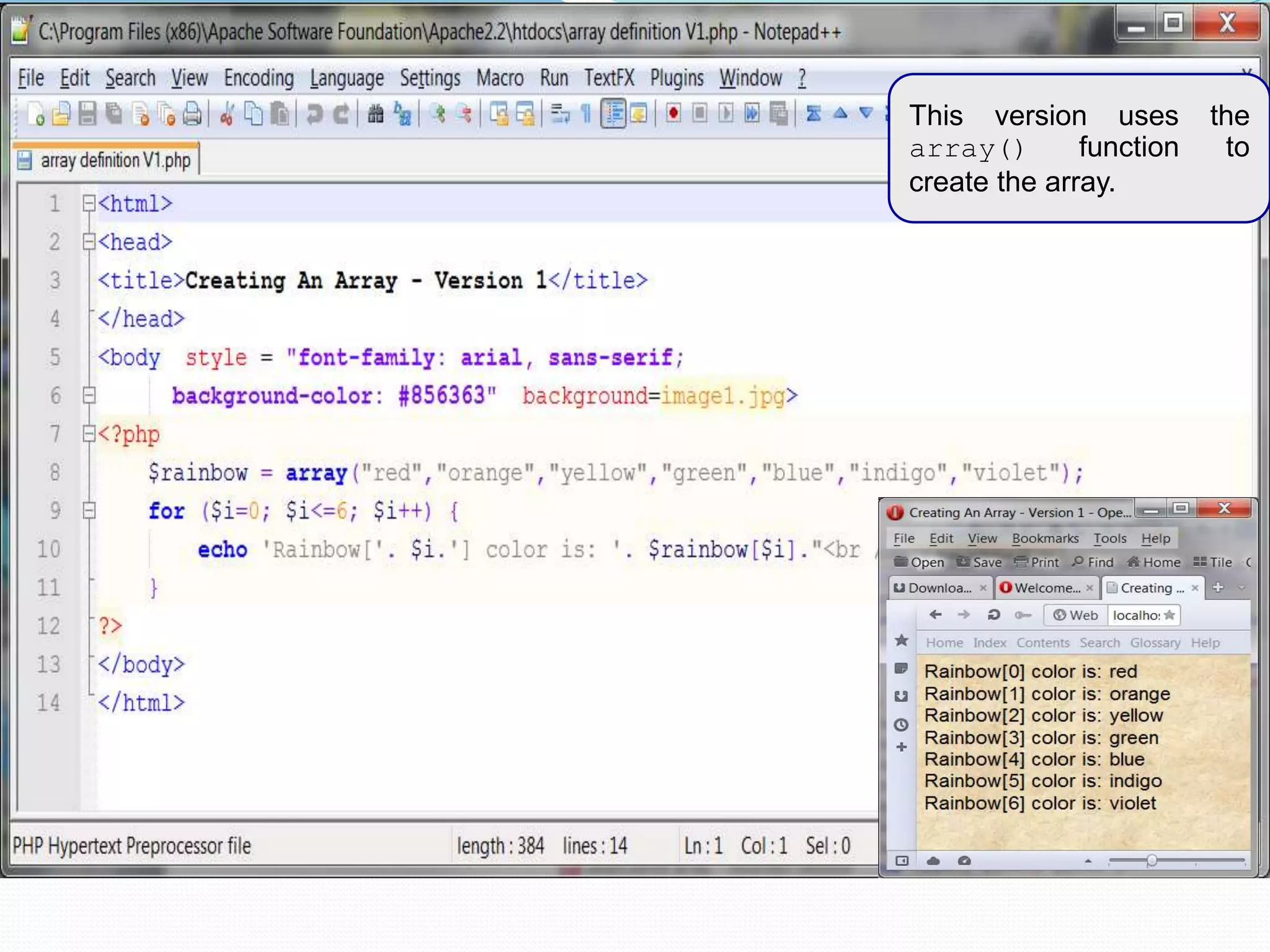
Creating Arrays In PHP  You can create an array using either the array() function or the array operator [].  The array() function is usually used when you want to create a new array and populate it with more than one element, all at the same time.  The array operator is more often used when you want to create a new array with just one element at the outset or when you want to add to an existing array element.  The examples on the following couple of pages illustrate creating an array in PHP using these two techniques.
This version uses the array() function to create the array.
This version uses the array operator [ ] to create the array. Note that no index values are specified, PHP will auto number for you
This version also uses the array operator [ ] to create the array. Note that index values are specified in this case.
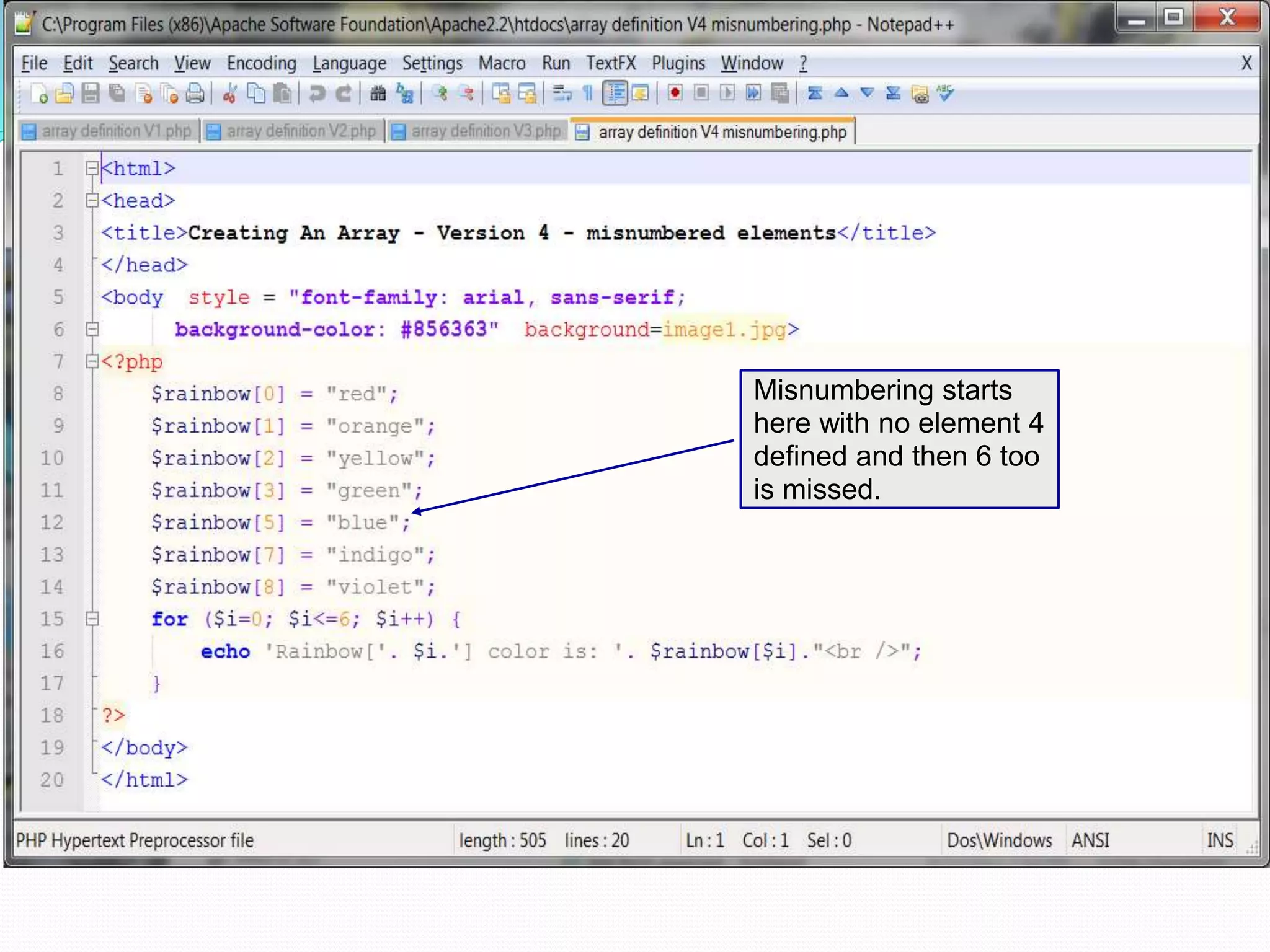
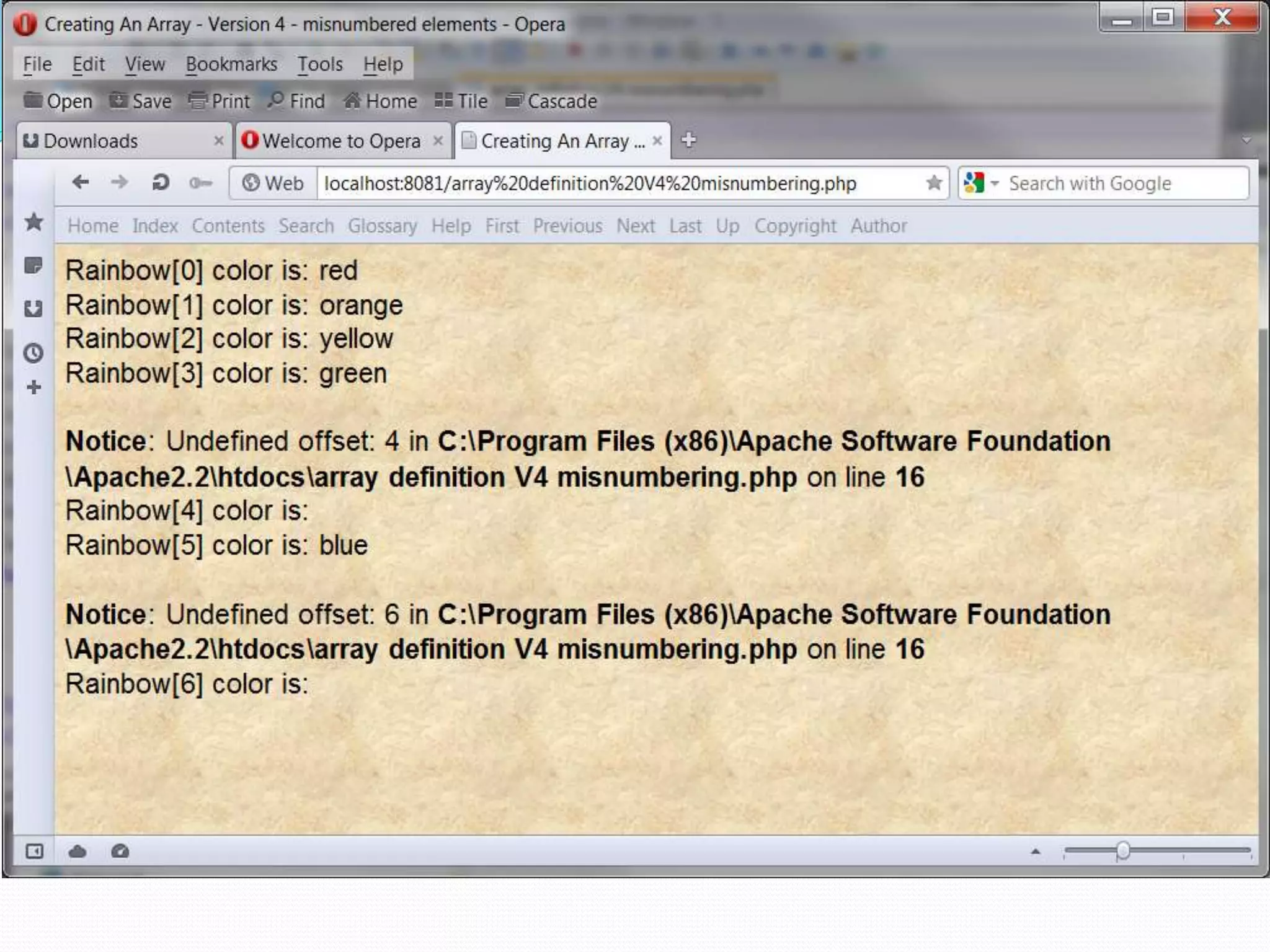
Creating Arrays In PHP  As shown in the example on page 44, PHP can automatically index the array for you when you use the [ ] operator to create the array.  This is useful in that it eliminates the possibility that you might misnumber the elements. The example on the next page illustrates what happens if you misnumber the elements in an array.
Misnumbering starts here with no element 4 defined and then 6 too is missed.
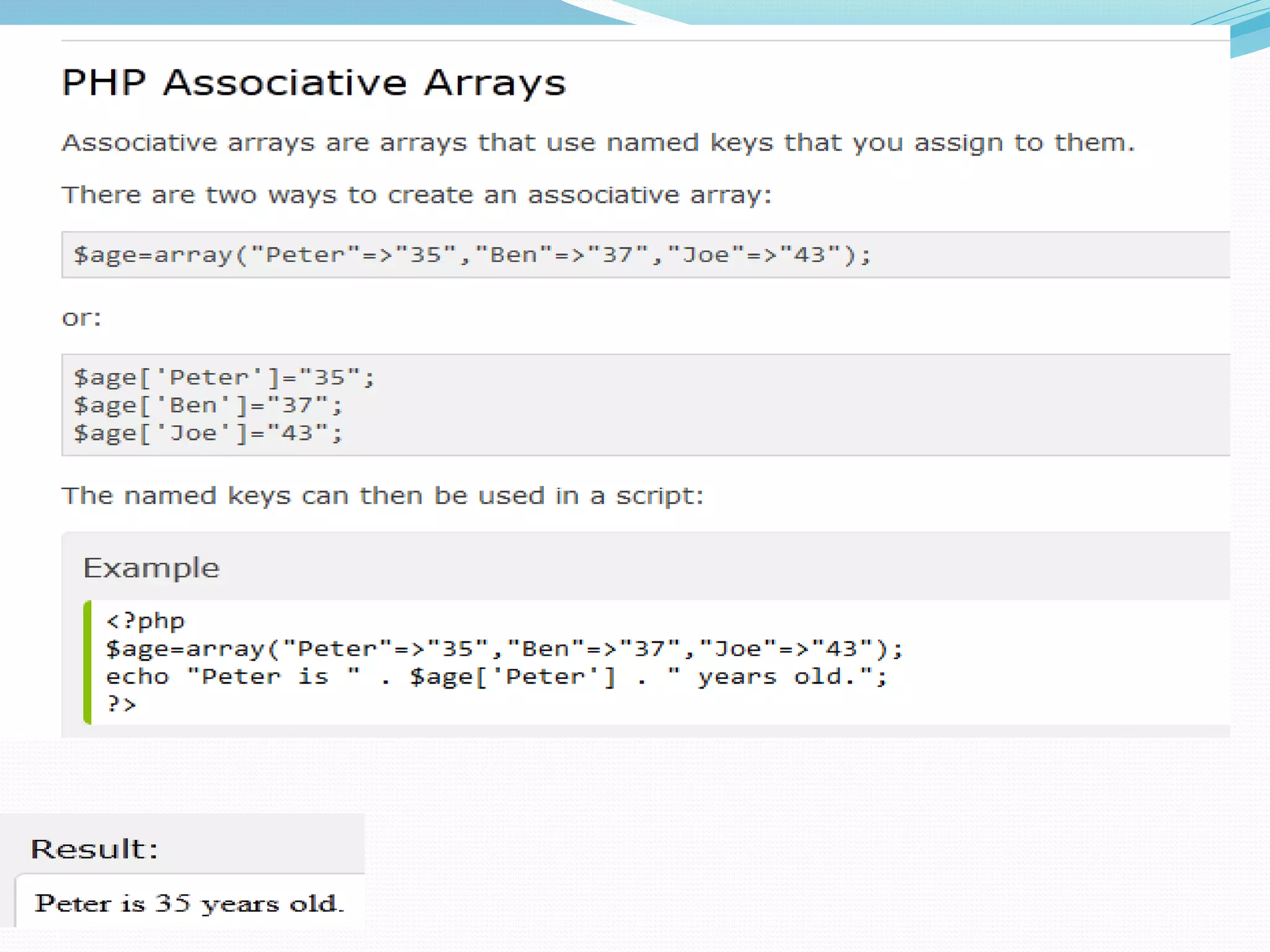
Creating Associative Arrays In PHP  The arrays we’ve seen so far have been numerically indexed, meaning that they use an integer index position as the key.  Associative arrays utilize actual named keys. In PHP, the named keys of an associative array are character strings rather than numerical values. The string value is used to look up or provide a cross-reference to the data value.
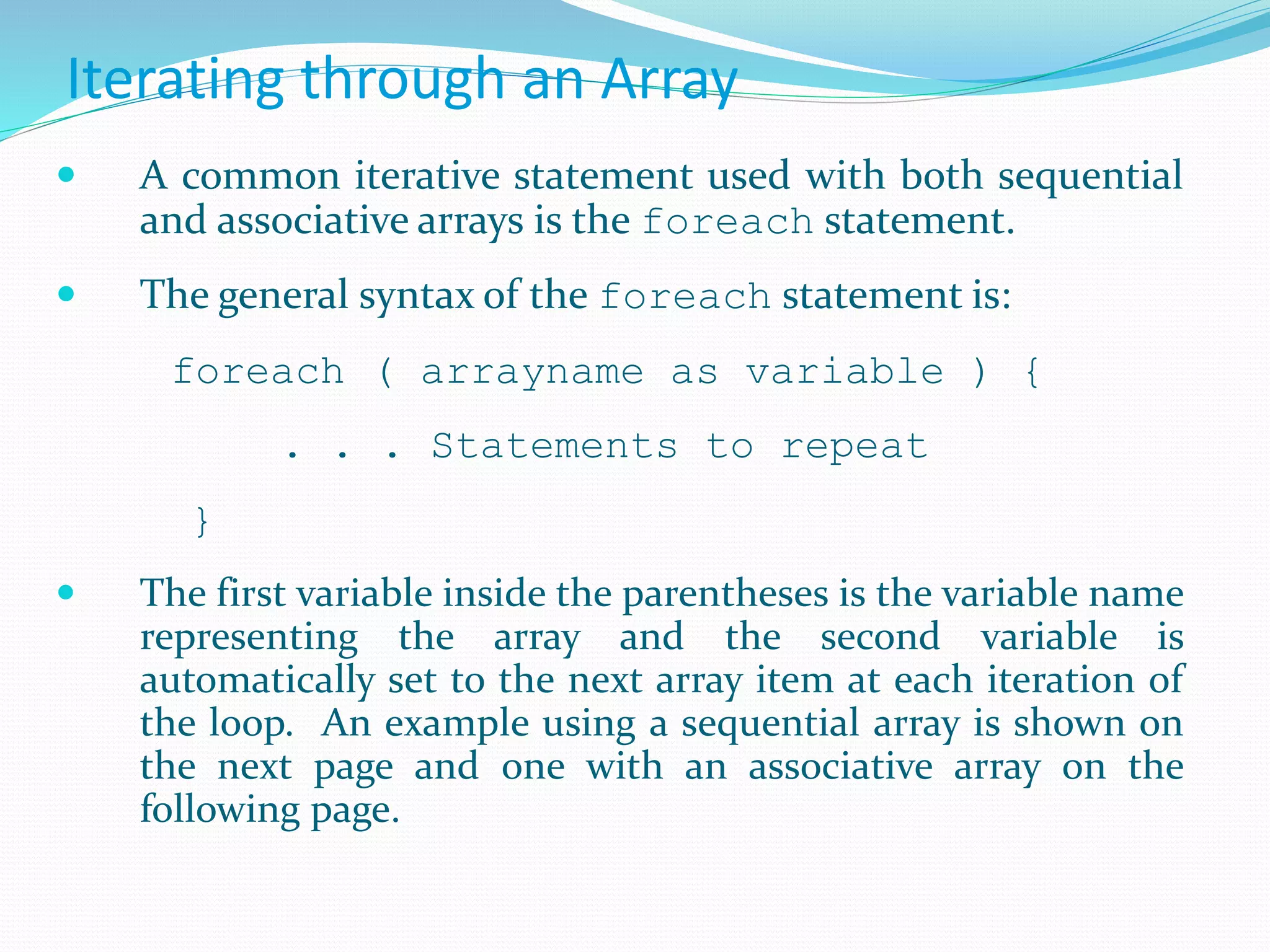
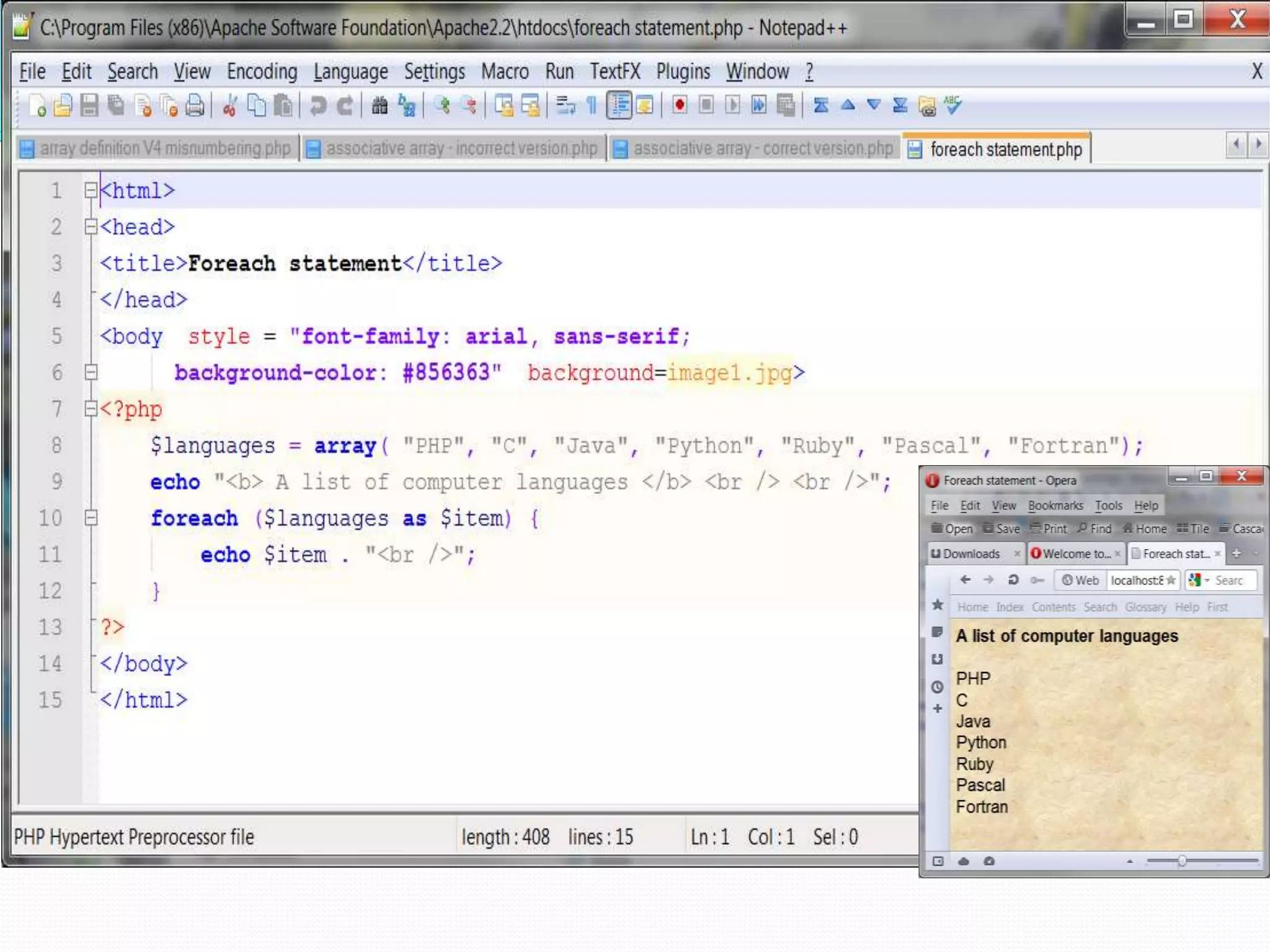
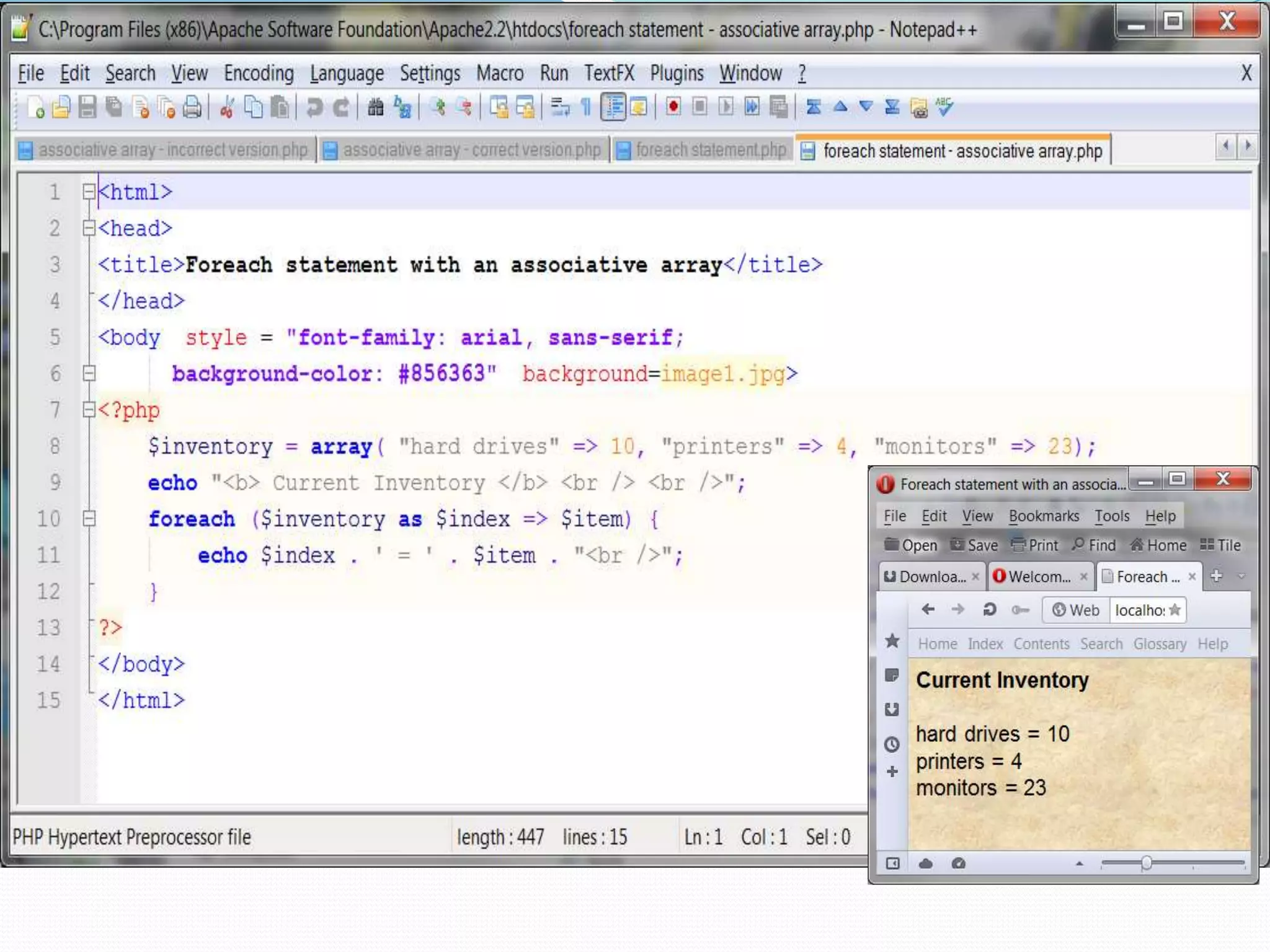
Iterating through an Array  A common iterative statement used with both sequential and associative arrays is the foreach statement.  The general syntax of the foreach statement is: foreach ( arrayname as variable ) { . . . Statements to repeat }  The first variable inside the parentheses is the variable name representing the array and the second variable is automatically set to the next array item at each iteration of the loop. An example using a sequential array is shown on the next page and one with an associative array on the following page.
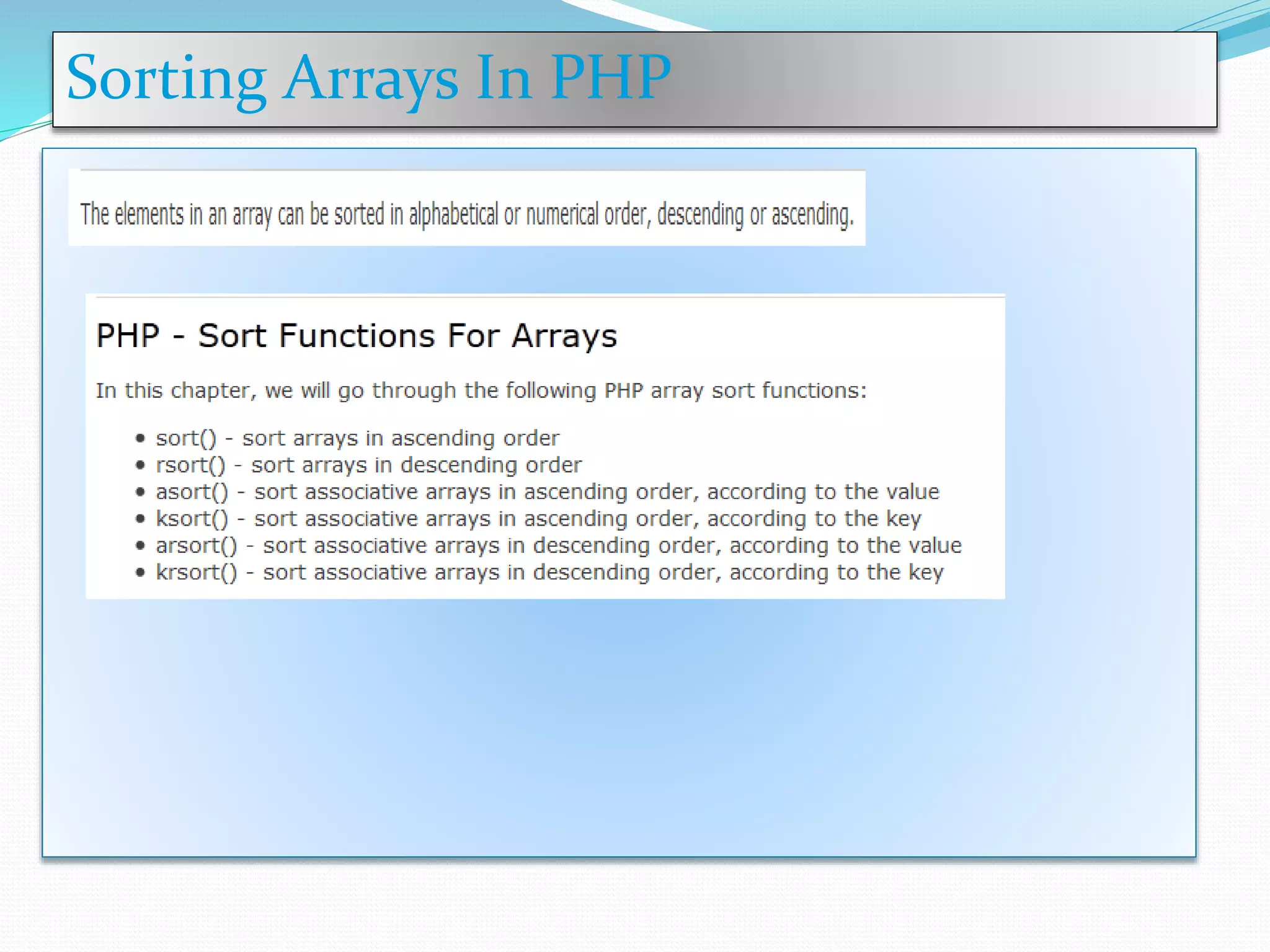
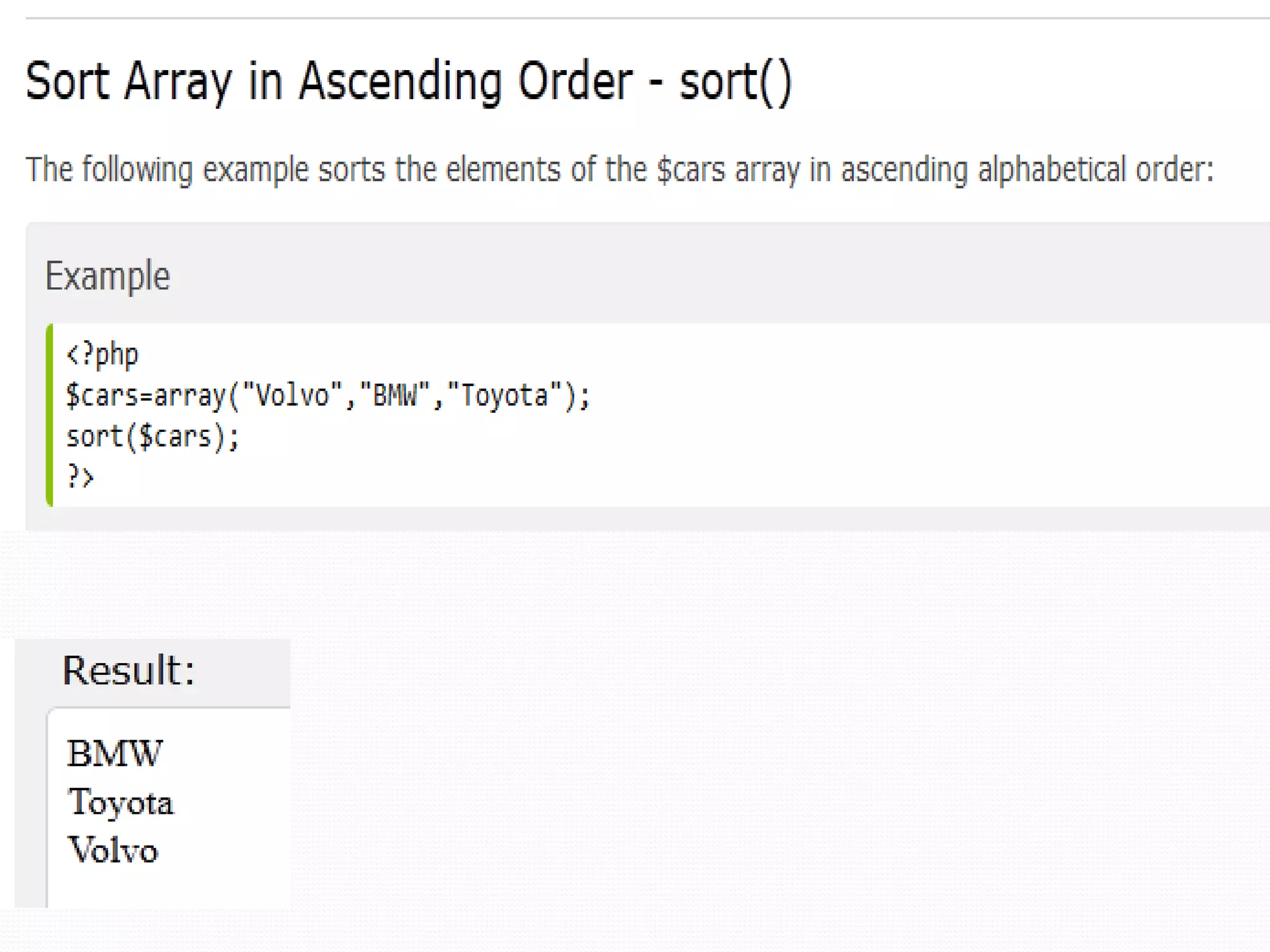
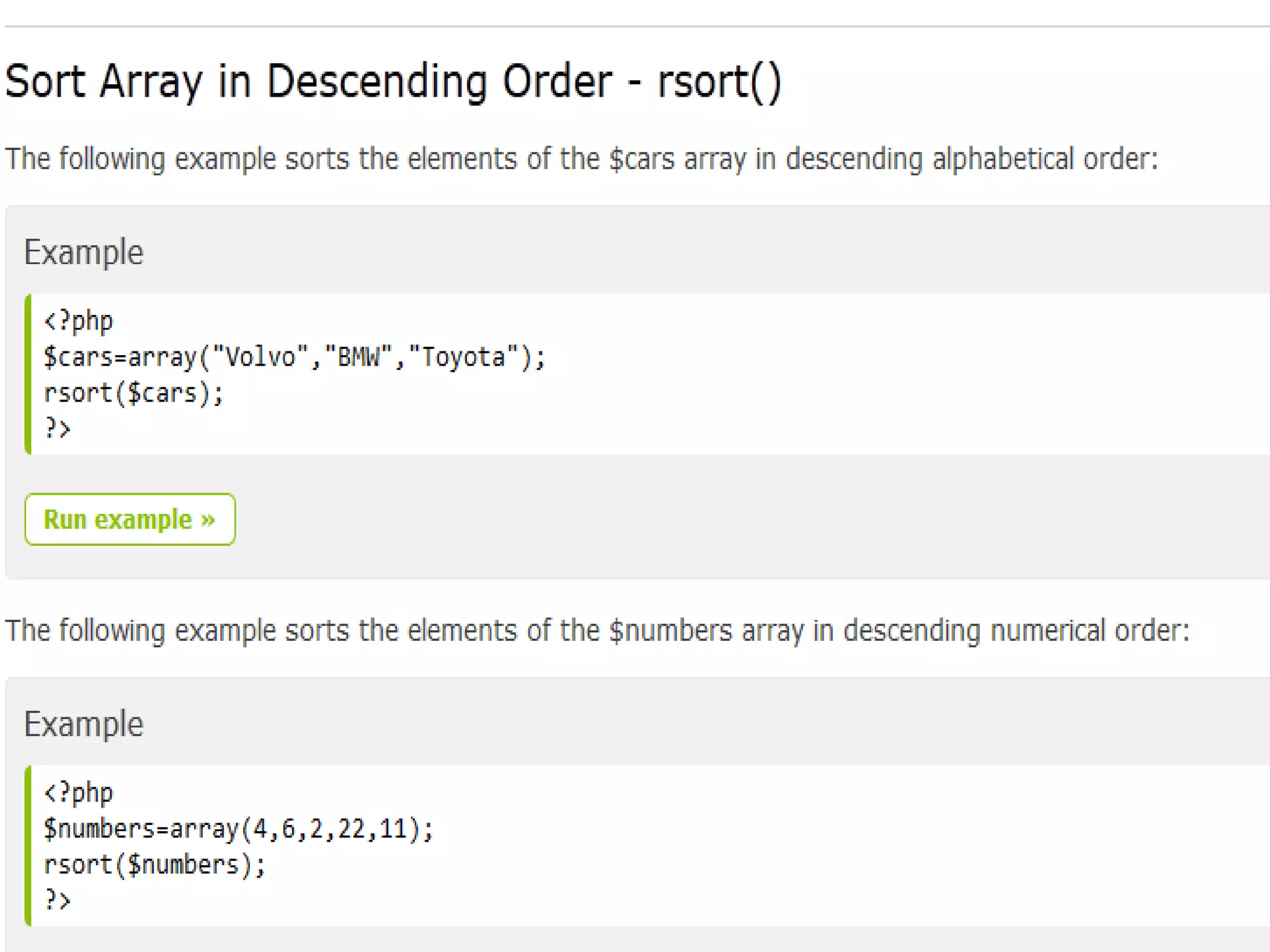
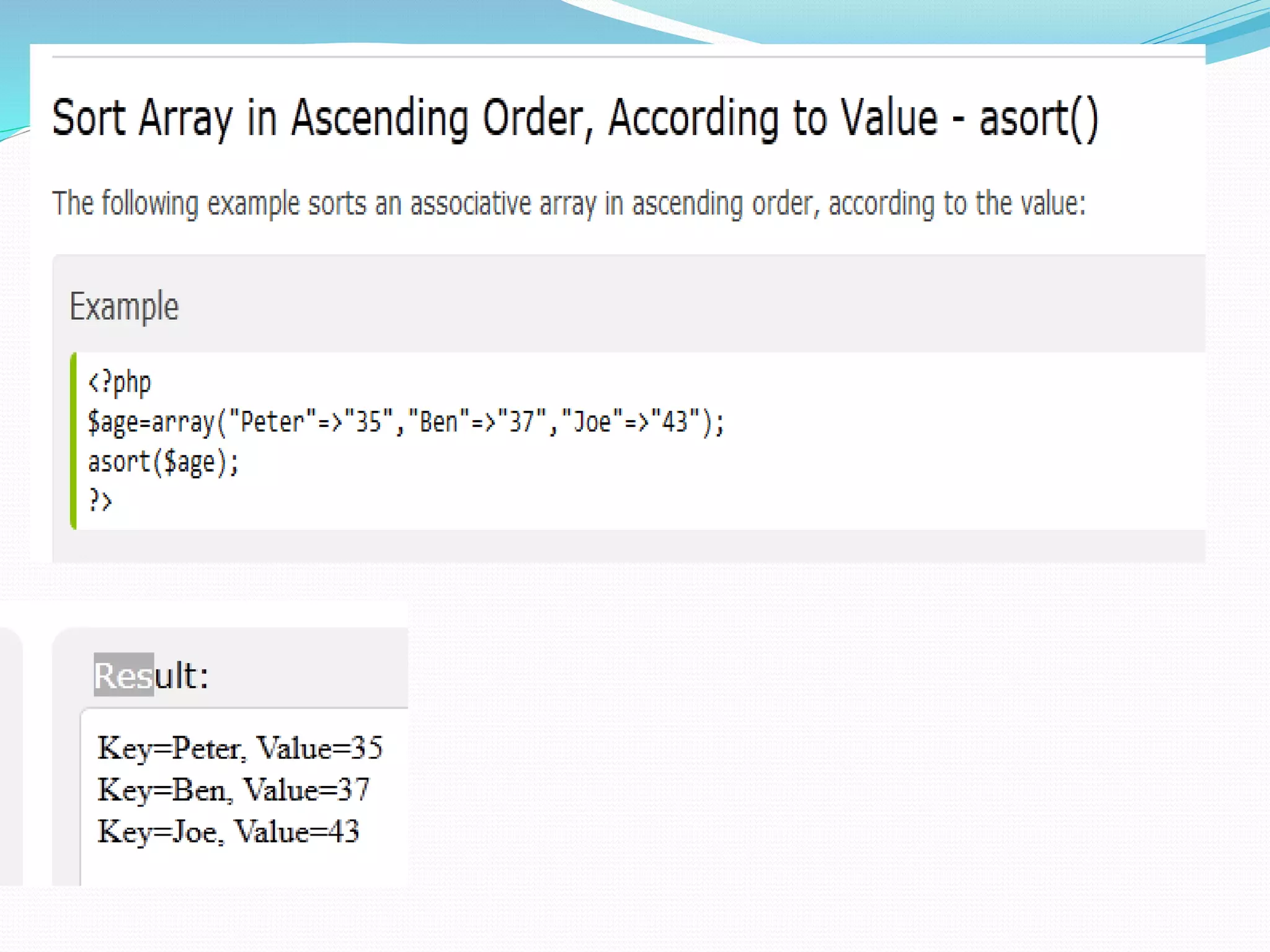
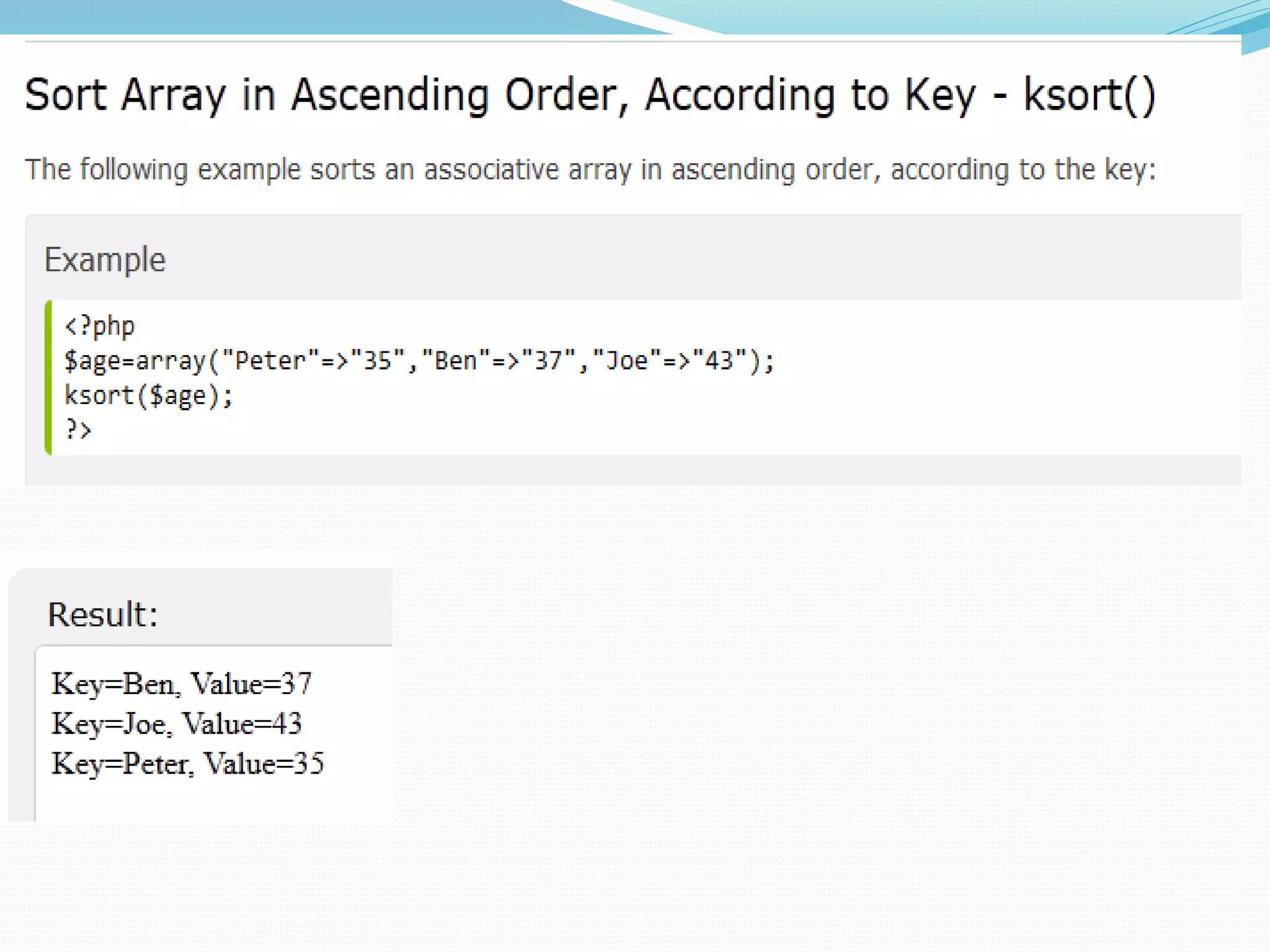
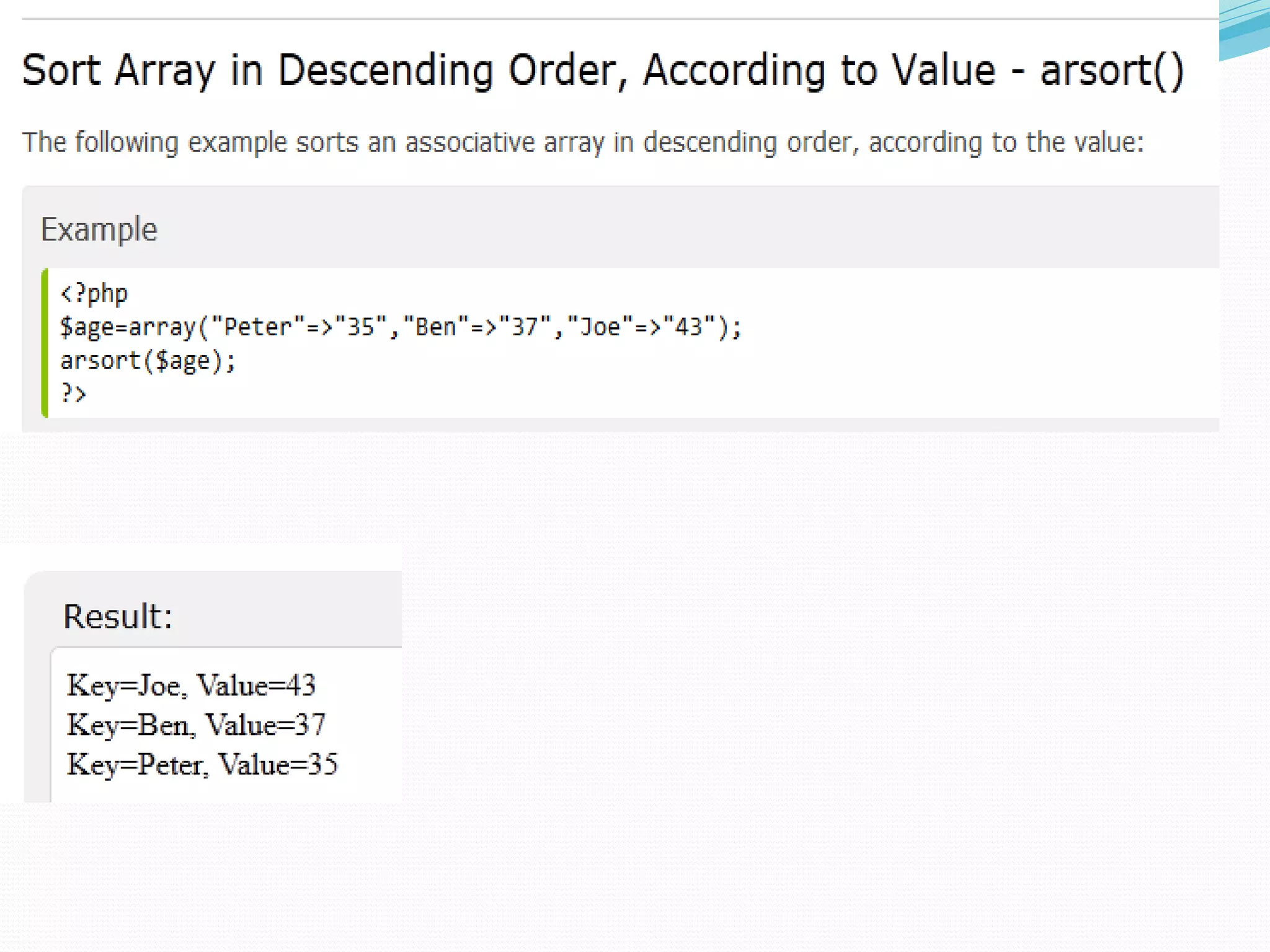
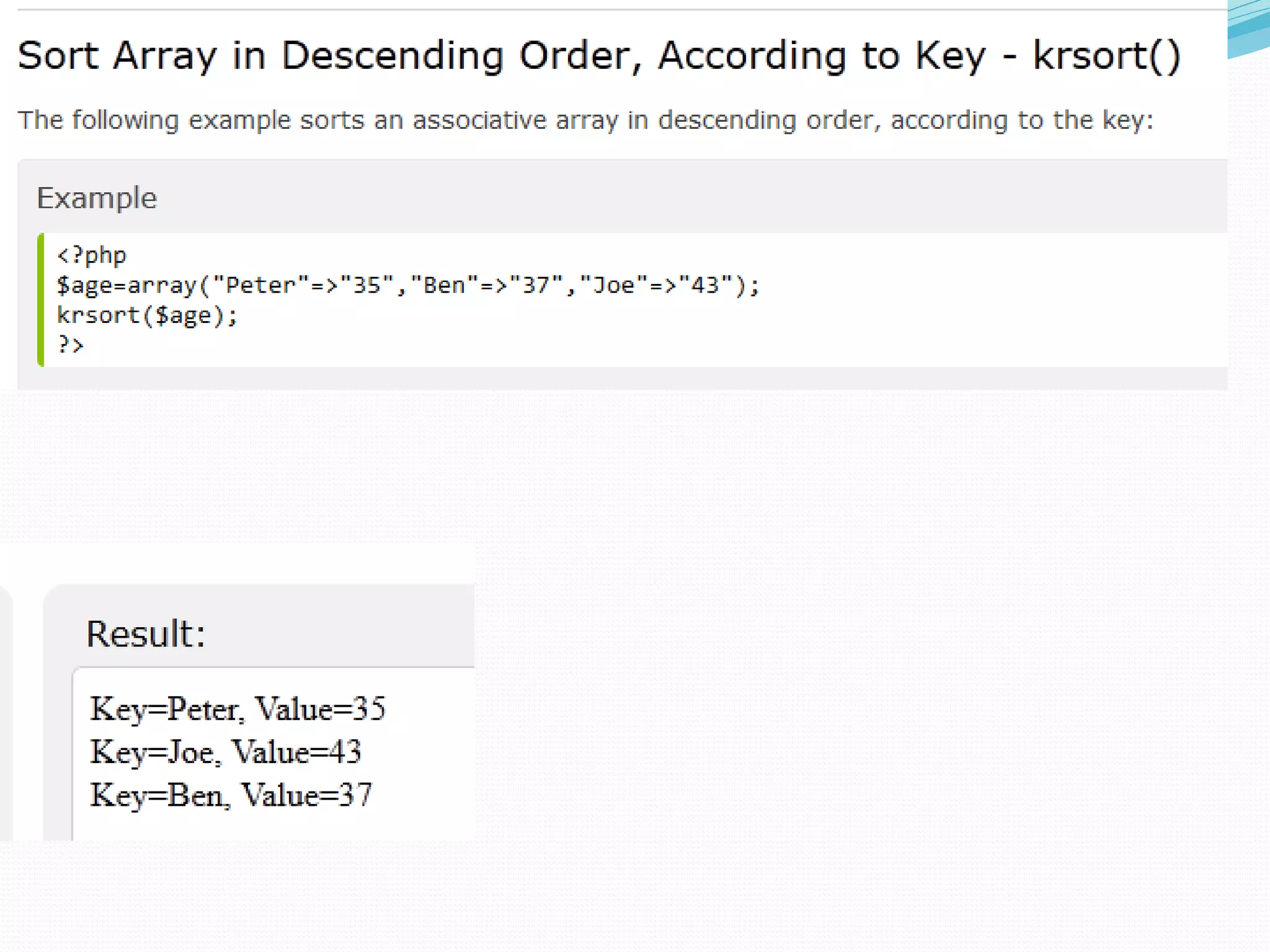
Sorting Arrays In PHP
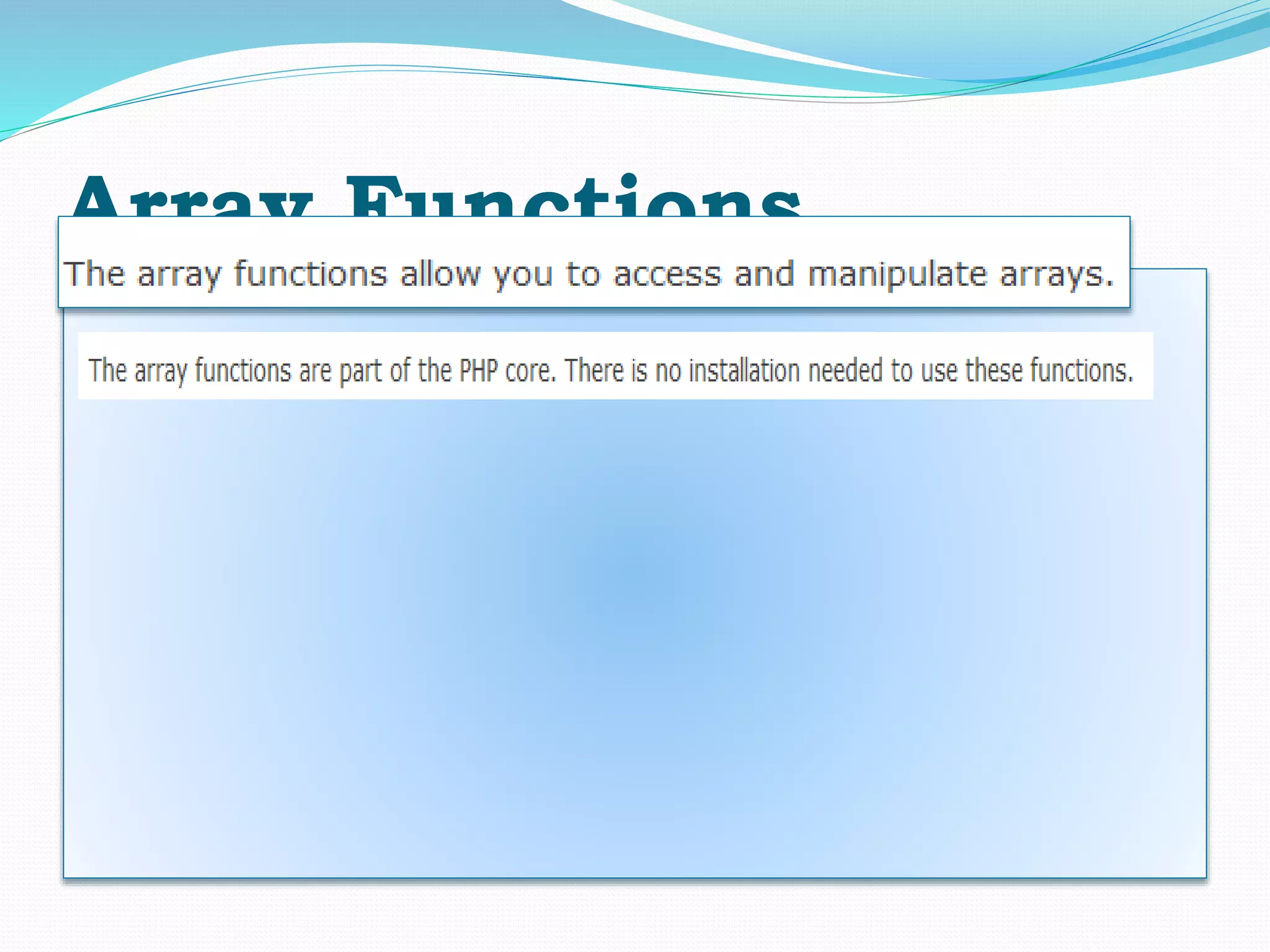
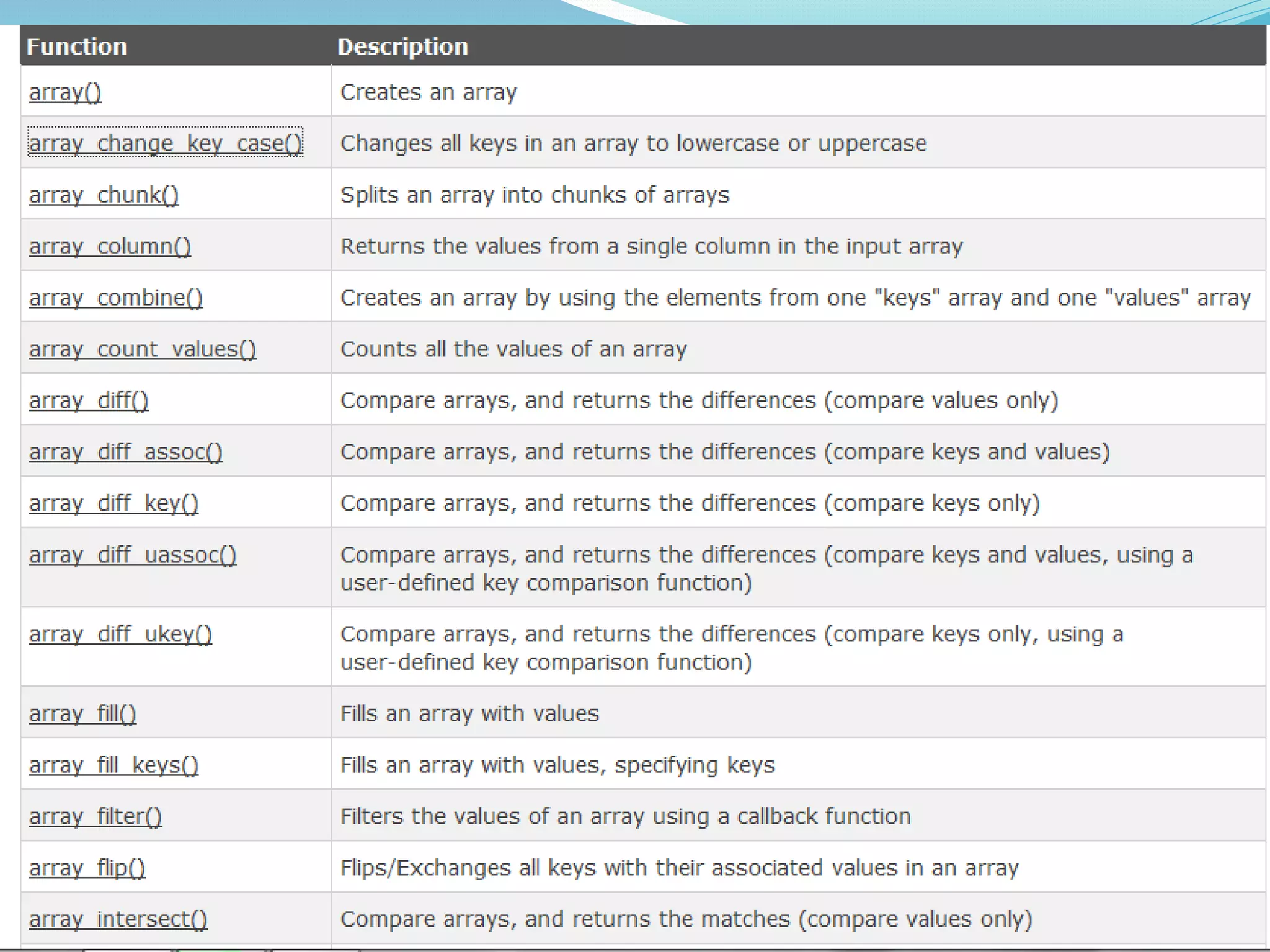
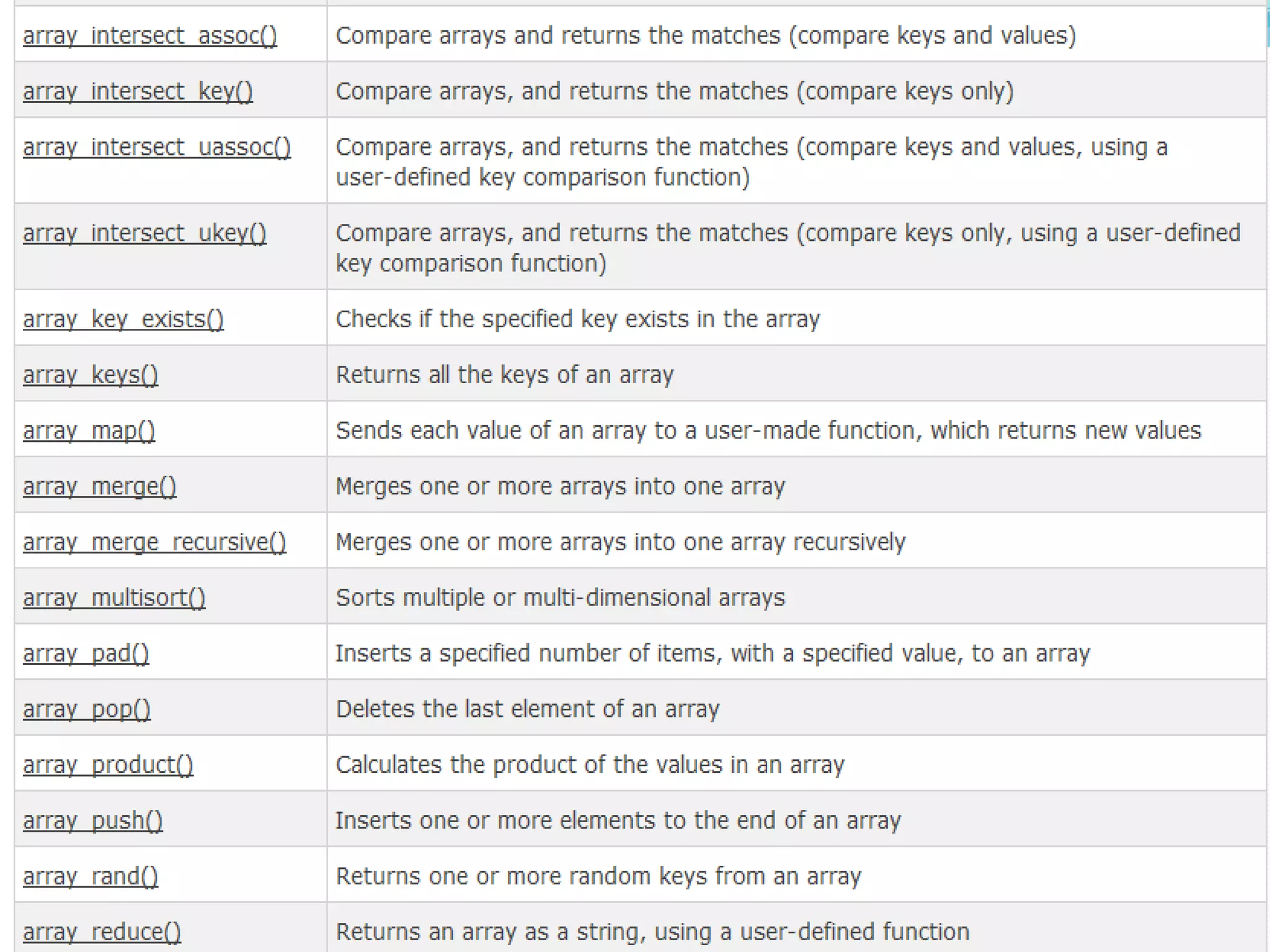
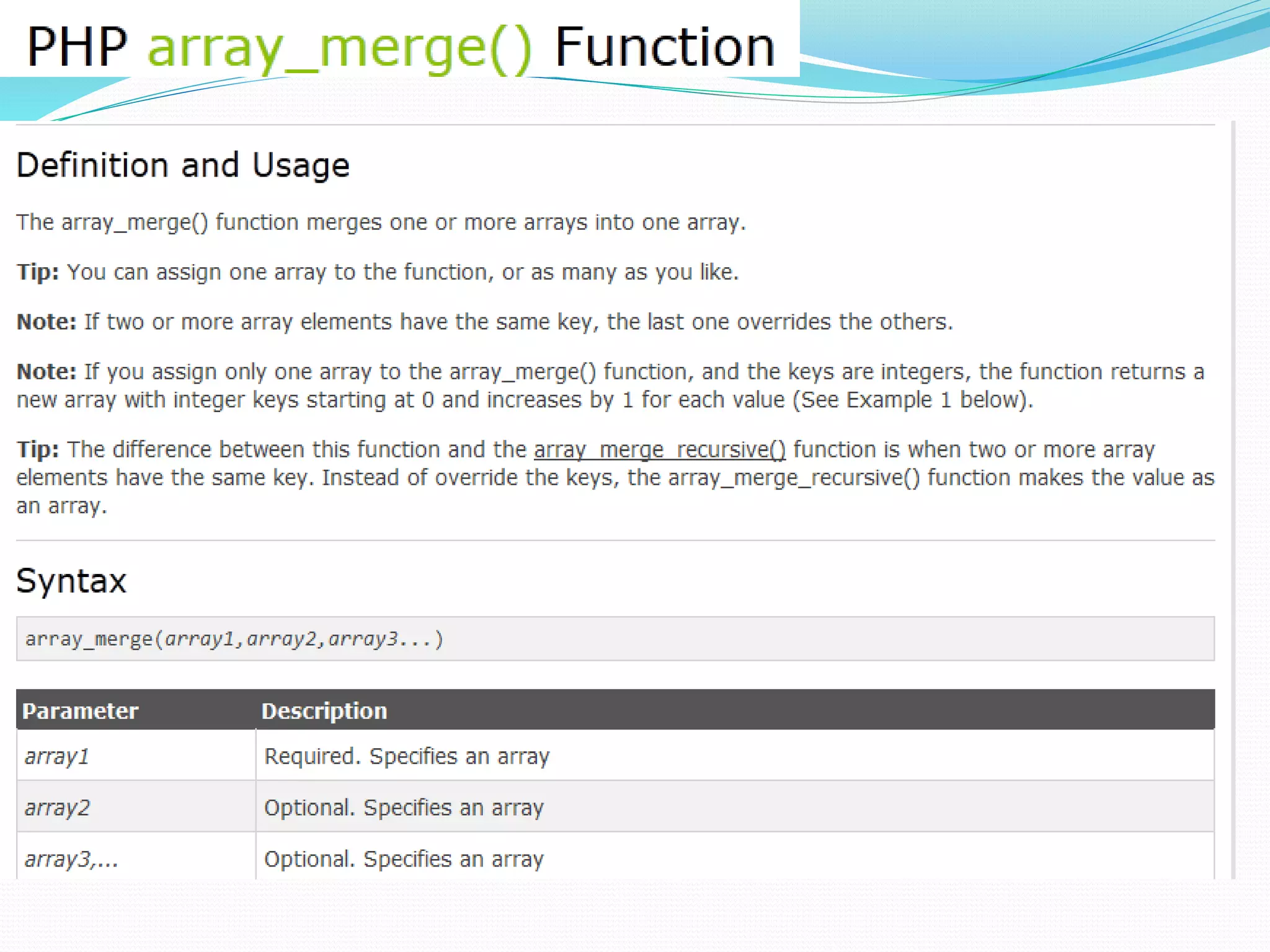
Array Functions
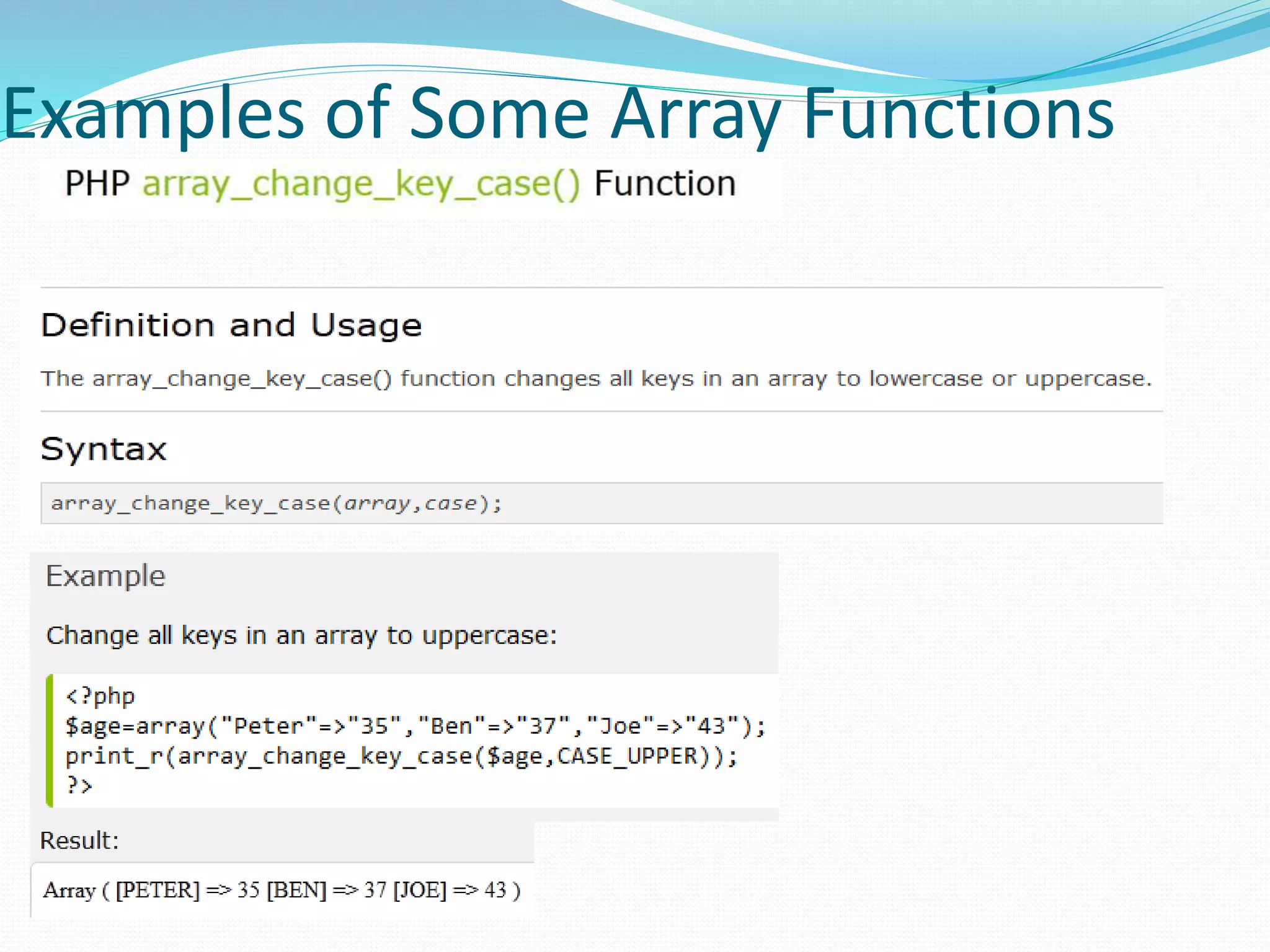
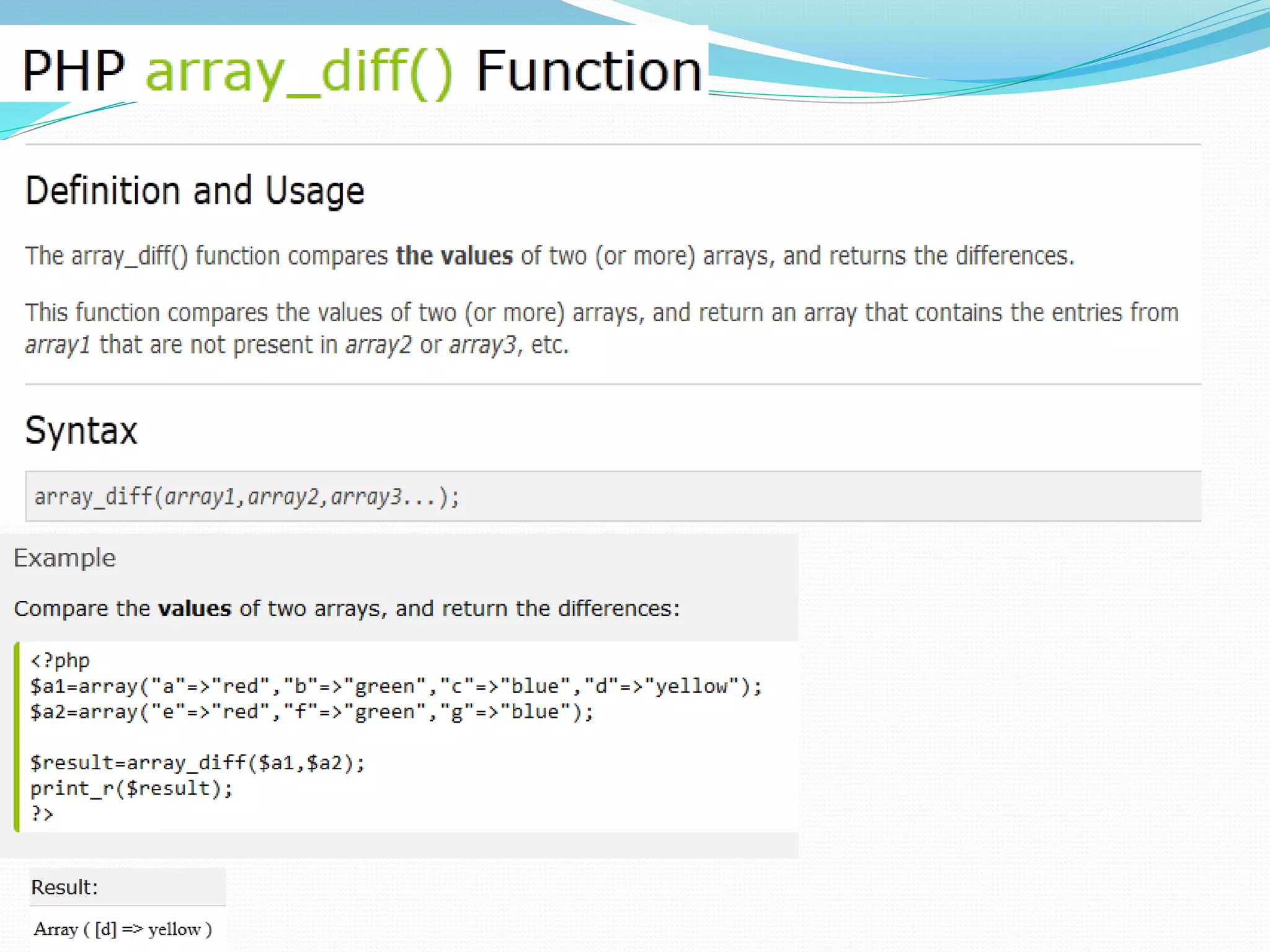
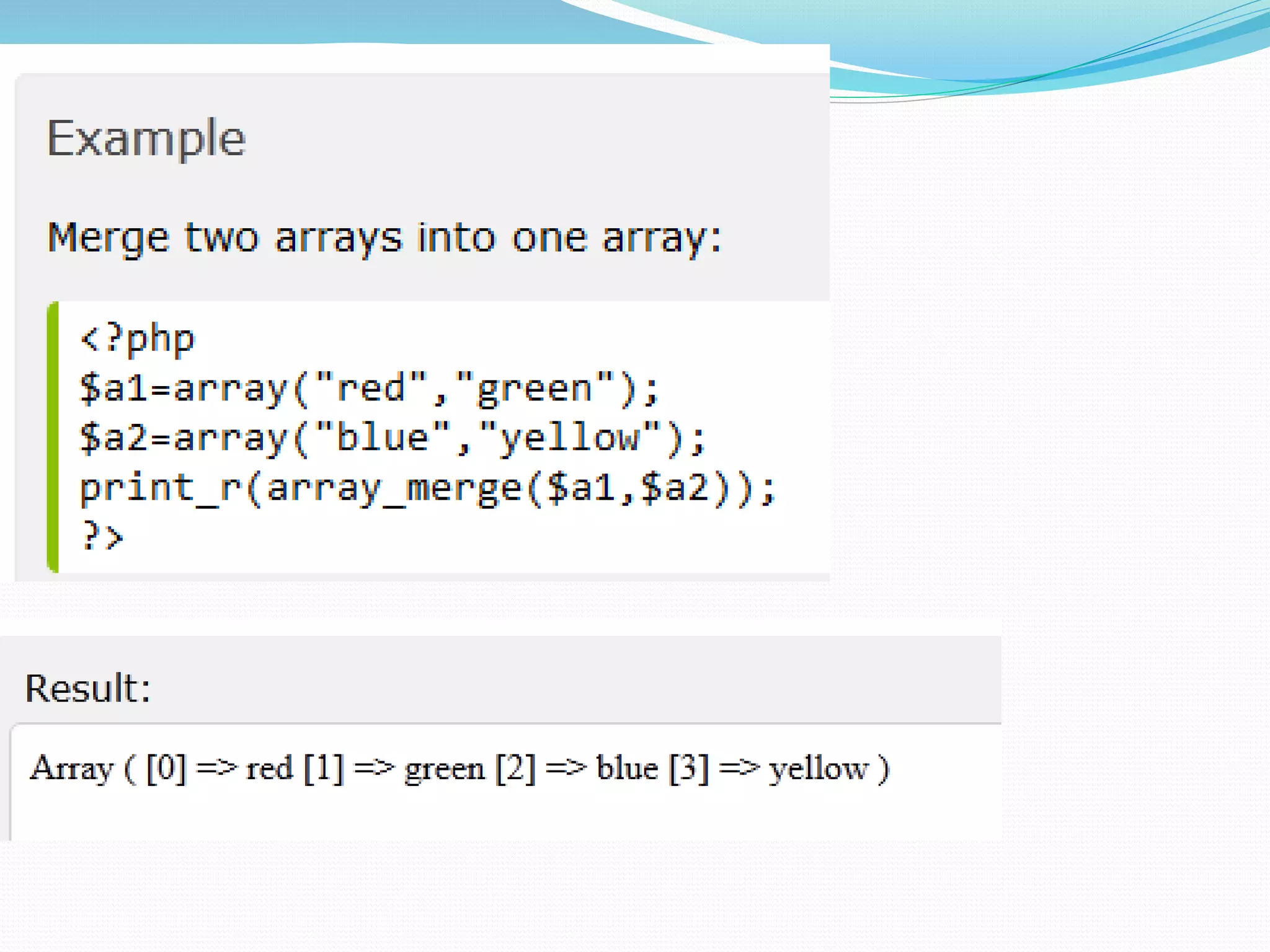
Examples of Some Array Functions
Arrays &amp; functions in php

Arrays &amp; functions in php

  • 2.
    Functions In PHP Functions are at the heart of a well-organized script and will make your code easy to read and reuse.  Large projects would be unmanageable without functions because the problem of repetitive code would bog down the development process.  If you haven’t had much experience using functions, you can think of a function as an input/output machine. The machine takes the raw materials you feed it (the input) and works with them to produce a product (the output).  A function accepts values, processes them, and then performs an action (printing to the browser, for example), returns a new value, or both.
  • 3.
    Functions In PHP If you need to bake a cake, you would probably do it yourself, in your own kitchen with your oven. But if you need to bake thousands of cakes, you would probably build or acquire a special cake-baking machine, built for making cakes in massive quantities.  Similarly, when deciding whether to create a function for reuse or simply writing in-line code, the most important factor to consider is the extent to which it can save you from writing repetitive code.  If the code you are writing will be used more than once, it is probably best to create a function to represent the code.
  • 4.
    Functions In PHP A function is a self-contained block of code that can be called by your script.  When called (or invoked), the function’s code is executed and performs a particular task. You can pass values to a function (called arguments), which then uses the values appropriately – storing them, transforming them, displaying them, whatever the function is designed to do. When finished, a function can also pass a value back to the original code that called it into action.  In PHP, functions come in two flavors – those built in to the language, and those that you define yourself.
  • 5.
    Functions In PHP PHP has hundreds of built-in functions. Consider the example shown on the next page that utilizes the built-in function strtoupper().  The output from this script is shown below:
  • 6.
  • 7.
    Functions In PHP In the previous example, the function strtoupper() is called and passed a variable whose value is represented by a string. The function goes about its business of changing the contents of the string to uppercase letters.  A function call consists of the function name followed by parentheses. (Note, even a function that has no parameters requires a set of parentheses.) The information being passed to the function (the arguments) are placed between the parentheses.  For functions that require more than one argument, the arguments are separated by commas: some_function ($an_argument, $another_argument);
  • 8.
    Functions In PHP The strtoupper()from the previous example is typical for a function in that it returns a value. Most functions return some information back after they’ve completed their task – they usually at least tell whether their mission was successful.  The strtoupper() function returns a string value so its usage requires the presence of a variable to accept the returned string, as was the case in the line: $capitalized_string – strtoupper($original_string);  Functions in PHP that return values use a return statement within the body of the function. We’ll use this in a few more pages when we start constructing our own functions.
  • 9.
    Defining Functions InPHP  You can define your own functions in PHP using the function statement: function someFunction($argument1,. . .,argument2) { //function code goes here }  The name of the function follows the function statement and precedes a set of parentheses. If your function requires arguments, you must place the comma-separated variable names within the parentheses. These variables will be filled by the values passed to your function when it is called.  Even if your function does not require arguments you must still supply the parentheses.
  • 10.
    Defining Functions InPHP  Naming conventions for functions are the same as for normal variables in PHP. As with variables you should apply meaningful names and be consistent in naming and style. Using mixed case in function names is a common convention, thus myFunction() instead of myfunction() or my_function(). (Note: variables names are case sensitive in PHP, function names are not!)  Let’s define a simple function that simply prints out the word “Hello” in big letters. function bigHello() { echo “<h1> HELLO </h1>” }
  • 11.
    Defining Functions InPHP Function definition Function call Function result
  • 12.
    Defining Functions WithArgument  For the next example, let’s define a function that requires an argument. Actually, let’s define two different functions that each take an argument.  The first function will take a string and print the string with a <br /> element appended to the string. The second function will do the same, but append two <br /> elements to the end of the string.
  • 14.
     For thenext example, let’s define a function that requires two arguments. We’ll basically repeat the exercise from the previous example, but in this case rather than writing two different functions that differ only in the number of <br /> elements they append to a line of text, the new function will have a second argument that represents the number of <br /> elements to be appended. Clearly this would be more efficient, in terms of code, than creating a different function for each number of <br /> elements we might want to append.  In the first version of this example, shown on the next page, I simply repeated the same effect as in the previous version, so the two screen shots from the browser should look identical.  The second version of this example, shown on page 15, a different effect is produced by the function calls. Defining Functions With Two Arguments
  • 17.
    Passing By ValueTo Functions  When you pass arguments to functions, they are stored as copies in parameter variables. This means that any changes made to these variables by the function is local to the function and are not reflected beyond it.  The example on the next page illustrates argument passing by value.
  • 18.
    Upon return the valueof $original_num is unchanged by the function.
  • 19.
    Passing By ReferenceTo Functions  By default in PHP, variables passed to functions are passed by value. In other words, only local copies of the variables are used by the functions and the original values of the variables are not accessible by the function.  So how can you allow a function to actually modify a variable sent to it? You must create a reference to the variable.  The reference operator in PHP is the & (ampersand). Placing an ampersand in front of an argument in a function definition creates a reference to the variable and allows the function to modify the original variable.  The following example modifies the previous example to make use of passing an argument by reference.
  • 20.
    The argument $numis passed by reference since it is preceded with the & operator. Upon return from the function the value of $original_num has been changed.
  • 21.
    Arrays In PHP Most of our PHP examples to this point have involved scalar variables (we did see a couple of example in the first section of notes that made use of one of PHP’s global associative arrays).  Scalar variables can only hold a single value at a time. For example, a variable $color could hold only a single value such as red, at any point in time. The variable could not be used to hold more than one color.  Arrays are special types of variables that enable you to store as many values as you want. Note: Although you can technically make an array as large as you’d like, some built-in array handling functions in PHP have an upper limit of 100,000 values. If you are storing more data that this in your arrays and you need to use one of these functions, you will either need to write your own function or split the data into multiple arrays.
  • 22.
    Arrays In PHP Arrays are indexed, which means that each entry in the array, called an element, is made up of a key and a value.  The key is the index position, beginning with 0 and increasing incrementally by 1 with each new element in the array.  The value is whatever value you associate with that position – a string, an integer, or whatever you want.  In PHP you can think of an array as a filing cabinet and each key/value pair as a file folder. The key is the label written on the tab of the folder, and the value is what is inside. What’s inside each folder can vary from folder to folder.
  • 23.
    Creating Arrays InPHP  You can create an array using either the array() function or the array operator [].  The array() function is usually used when you want to create a new array and populate it with more than one element, all at the same time.  The array operator is more often used when you want to create a new array with just one element at the outset or when you want to add to an existing array element.  The examples on the following couple of pages illustrate creating an array in PHP using these two techniques.
  • 24.
    This version usesthe array() function to create the array.
  • 25.
    This version usesthe array operator [ ] to create the array. Note that no index values are specified, PHP will auto number for you
  • 26.
    This version alsouses the array operator [ ] to create the array. Note that index values are specified in this case.
  • 27.
    Creating Arrays InPHP  As shown in the example on page 44, PHP can automatically index the array for you when you use the [ ] operator to create the array.  This is useful in that it eliminates the possibility that you might misnumber the elements. The example on the next page illustrates what happens if you misnumber the elements in an array.
  • 28.
    Misnumbering starts here withno element 4 defined and then 6 too is missed.
  • 30.
    Creating Associative ArraysIn PHP  The arrays we’ve seen so far have been numerically indexed, meaning that they use an integer index position as the key.  Associative arrays utilize actual named keys. In PHP, the named keys of an associative array are character strings rather than numerical values. The string value is used to look up or provide a cross-reference to the data value.
  • 32.
    Iterating through anArray  A common iterative statement used with both sequential and associative arrays is the foreach statement.  The general syntax of the foreach statement is: foreach ( arrayname as variable ) { . . . Statements to repeat }  The first variable inside the parentheses is the variable name representing the array and the second variable is automatically set to the next array item at each iteration of the loop. An example using a sequential array is shown on the next page and one with an associative array on the following page.
  • 35.
  • 42.
  • 45.
    Examples of SomeArray Functions