https://www.youtube.com/watch?v=hxuDIvMtGsw&feature=youtu.be&t=412 Domenico Rutigliano WEB SOLUTION ENGINEER
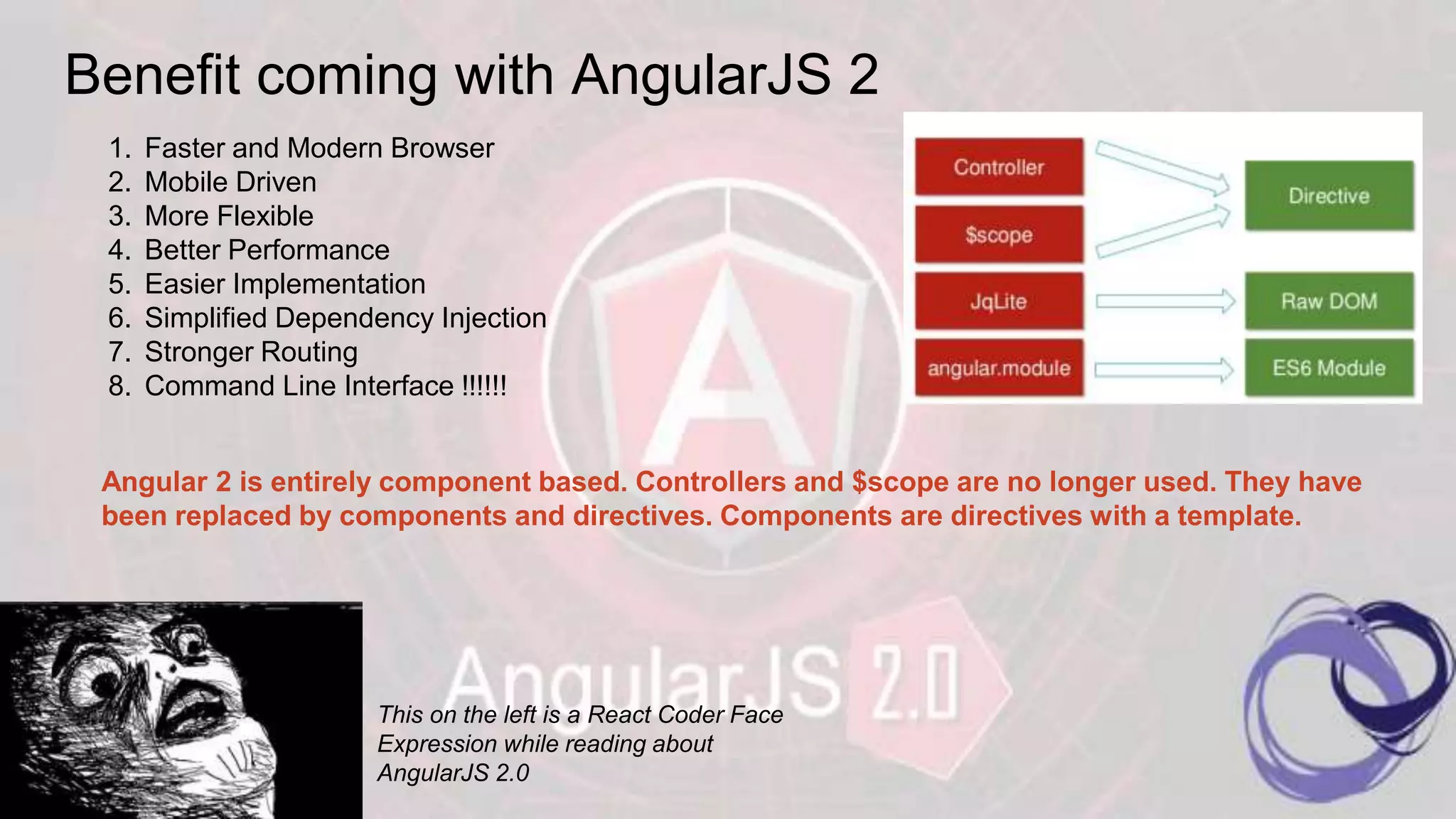
Benefit coming with AngularJS 2 This on the left is a React Coder Face Expression while reading about AngularJS 2.0 1. Faster and Modern Browser 2. Mobile Driven 3. More Flexible 4. Better Performance 5. Easier Implementation 6. Simplified Dependency Injection 7. Stronger Routing 8. Command Line Interface !!!!!! Angular 2 is entirely component based. Controllers and $scope are no longer used. They have been replaced by components and directives. Components are directives with a template.
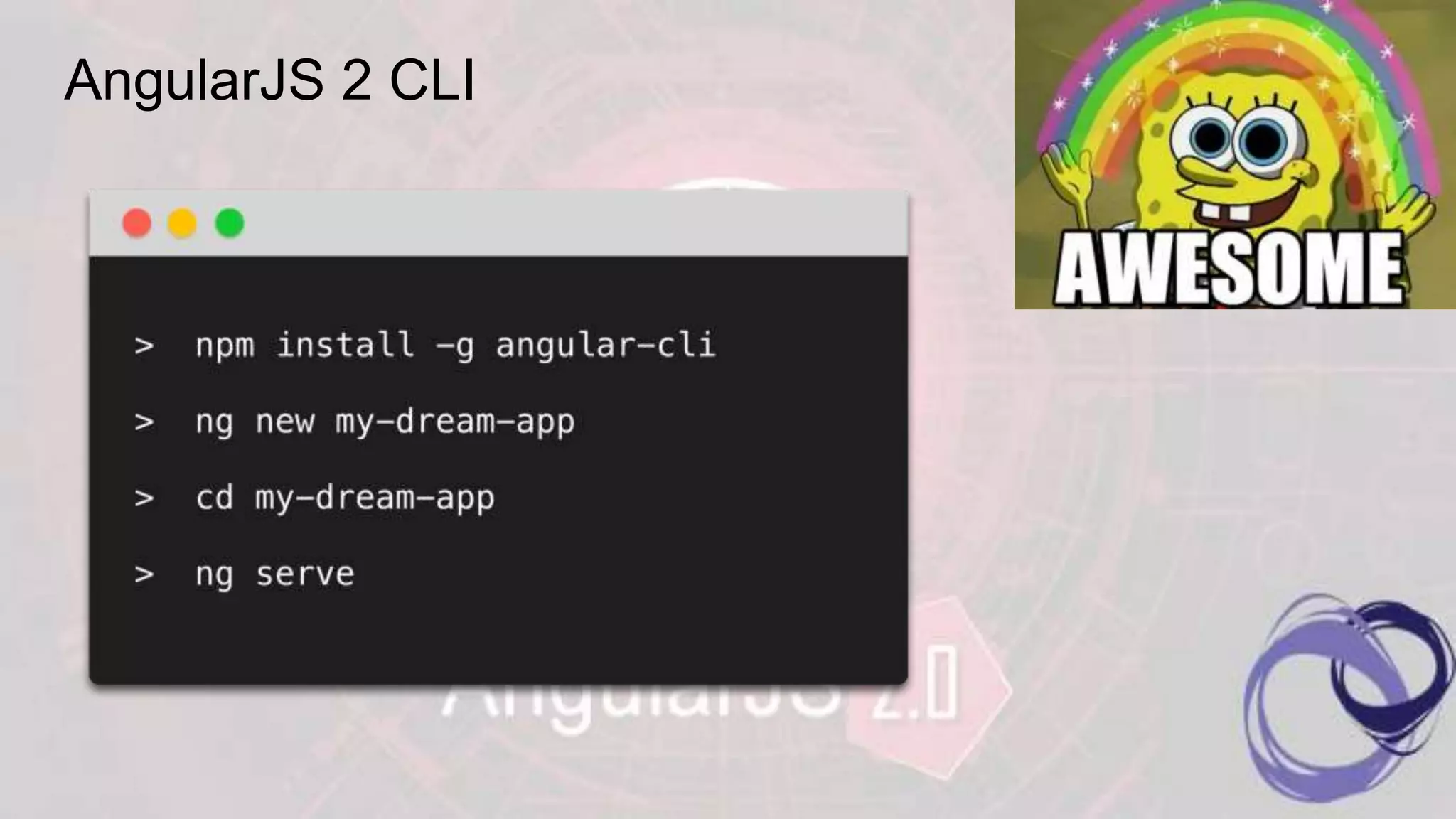
AngularJS 2 CLI
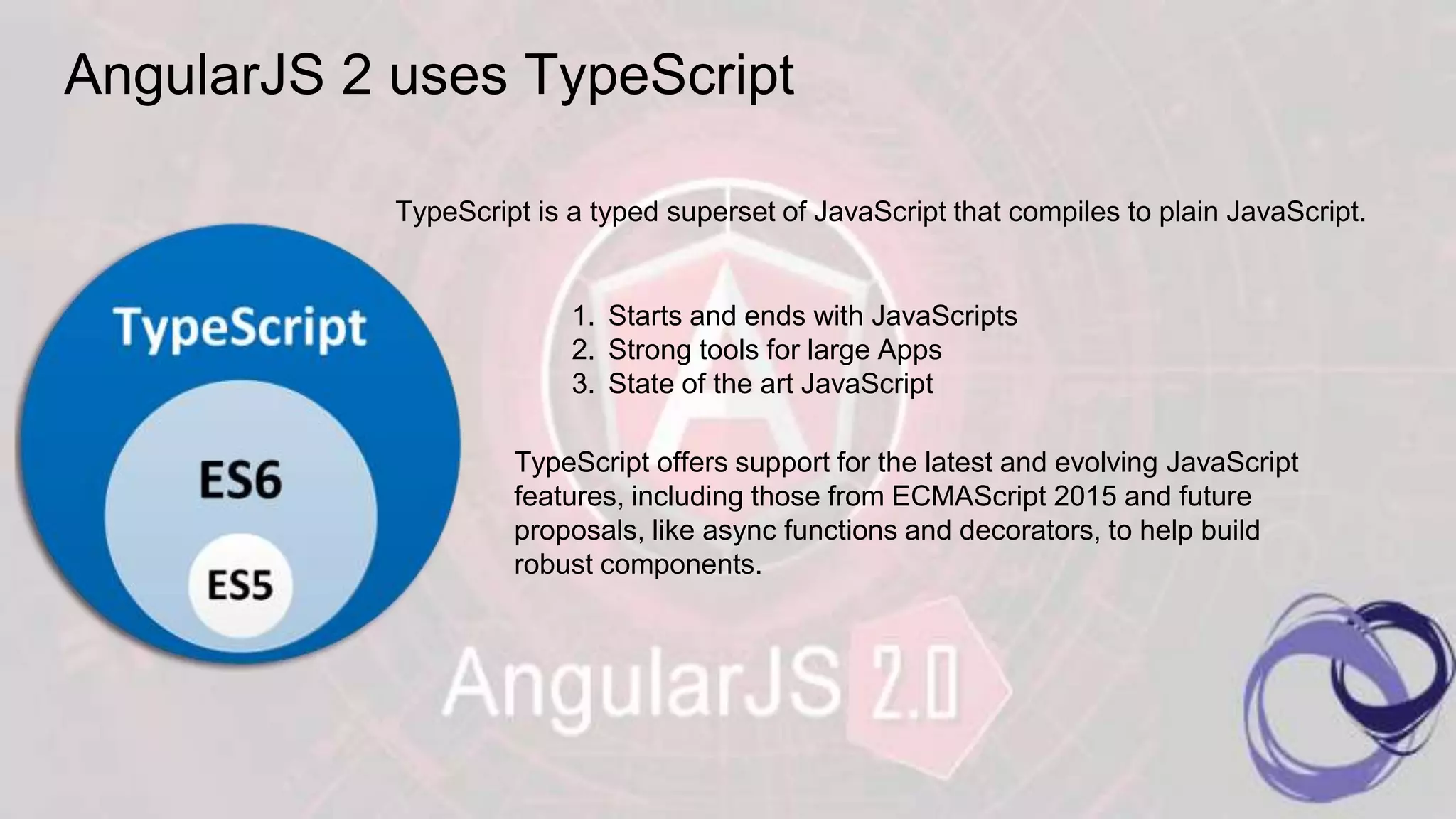
AngularJS 2 uses TypeScript TypeScript is a typed superset of JavaScript that compiles to plain JavaScript. 1. Starts and ends with JavaScripts 2. Strong tools for large Apps 3. State of the art JavaScript TypeScript offers support for the latest and evolving JavaScript features, including those from ECMAScript 2015 and future proposals, like async functions and decorators, to help build robust components.
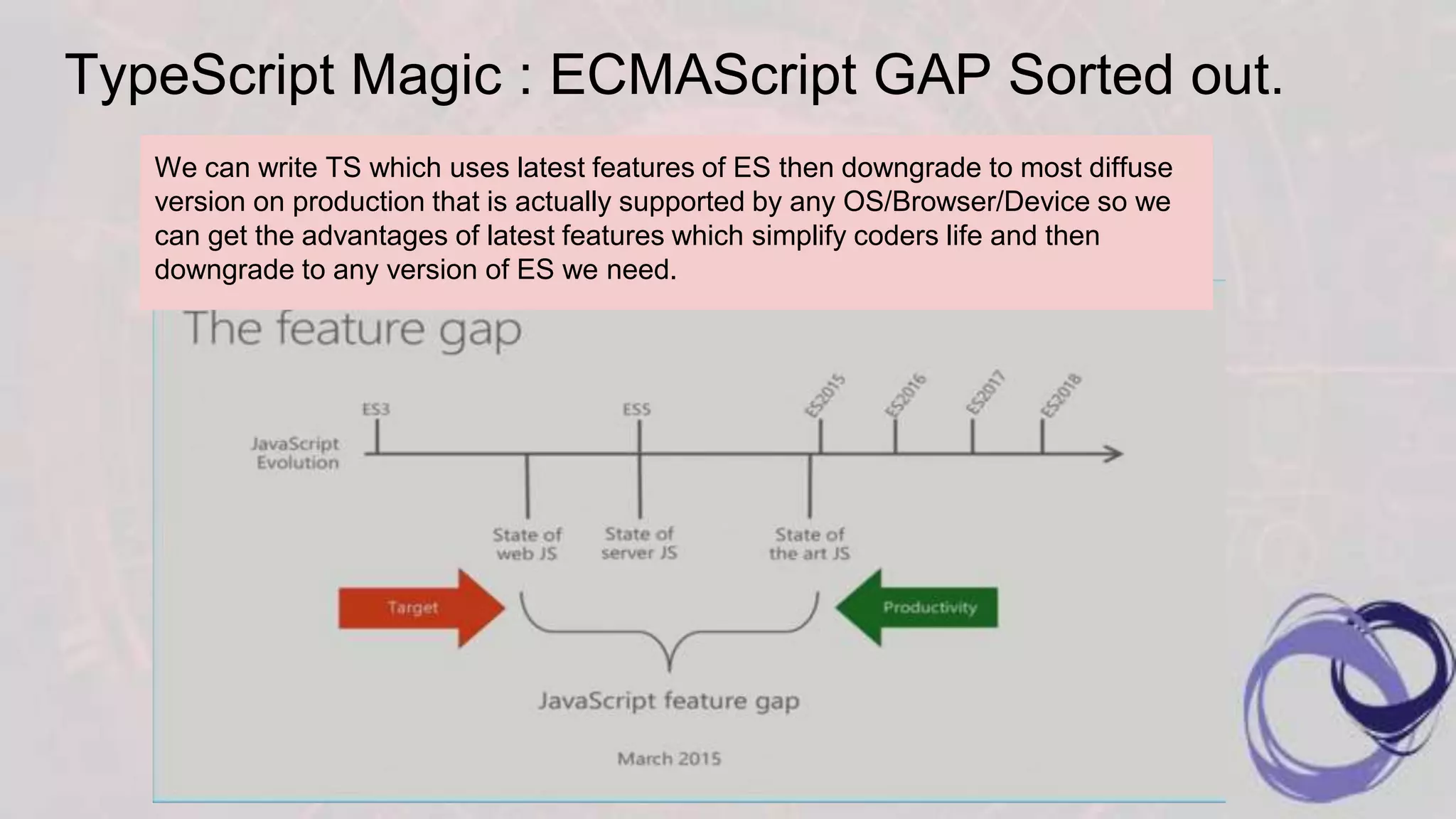
TypeScript Magic : ECMAScript GAP Sorted out. We can write TS which uses latest features of ES then downgrade to most diffuse version on production that is actually supported by any OS/Browser/Device so we can get the advantages of latest features which simplify coders life and then downgrade to any version of ES we need.
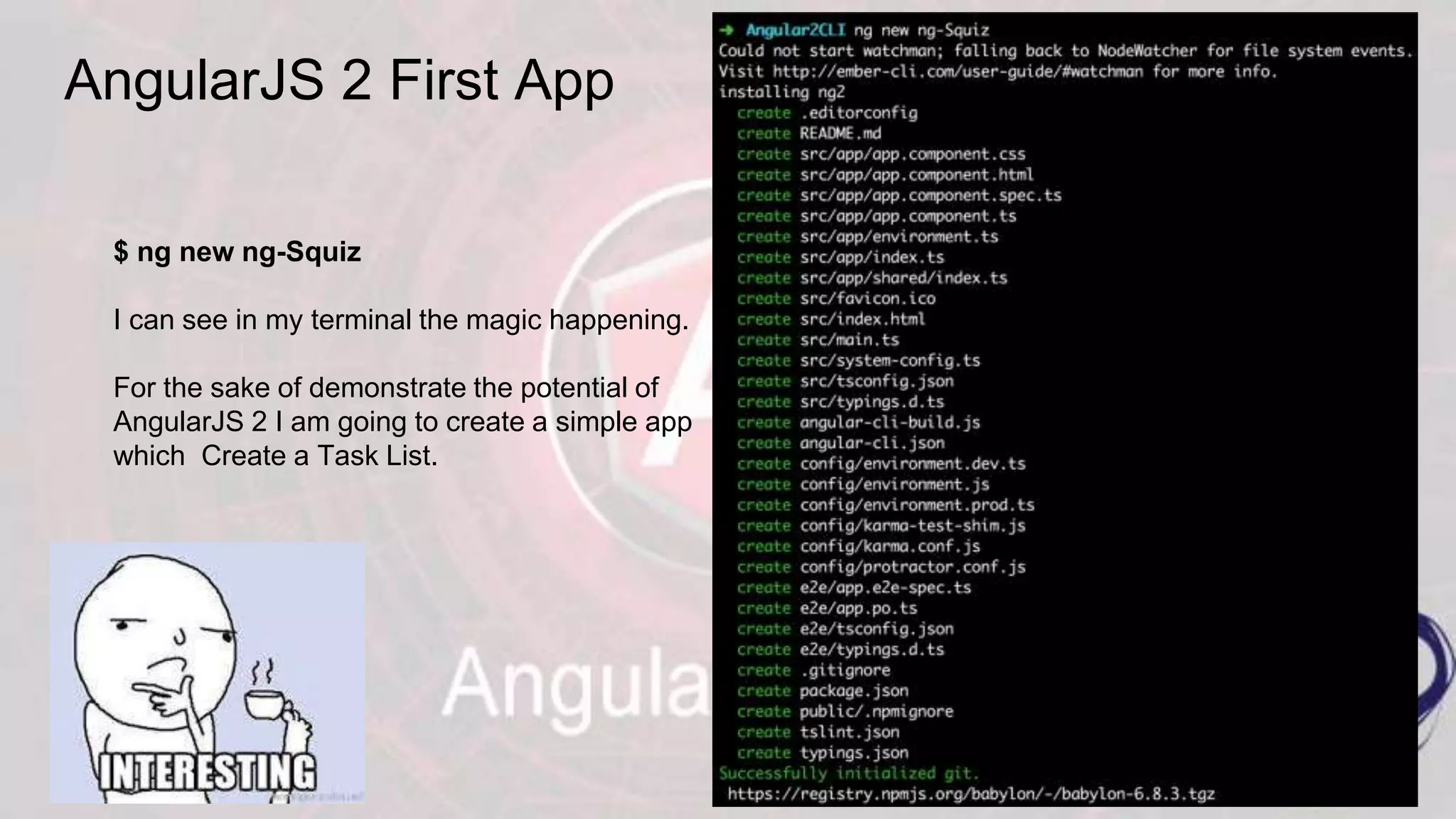
AngularJS 2 First App $ ng new ng-Squiz I can see in my terminal the magic happening. For the sake of demonstrate the potential of AngularJS 2 I am going to create a simple app which Create a Task List.
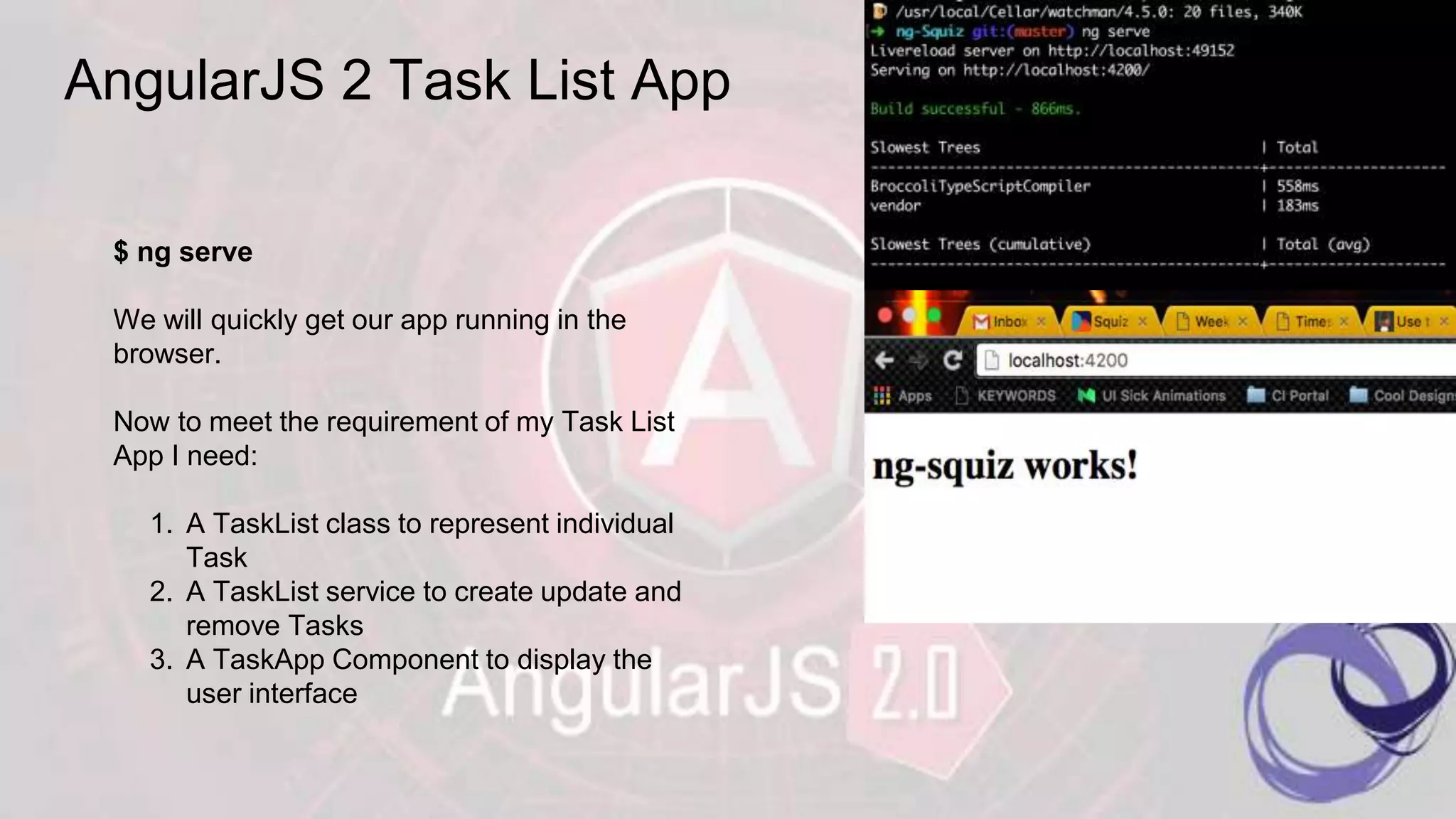
AngularJS 2 Task List App $ ng serve We will quickly get our app running in the browser. Now to meet the requirement of my Task List App I need: 1. A TaskList class to represent individual Task 2. A TaskList service to create update and remove Tasks 3. A TaskApp Component to display the user interface
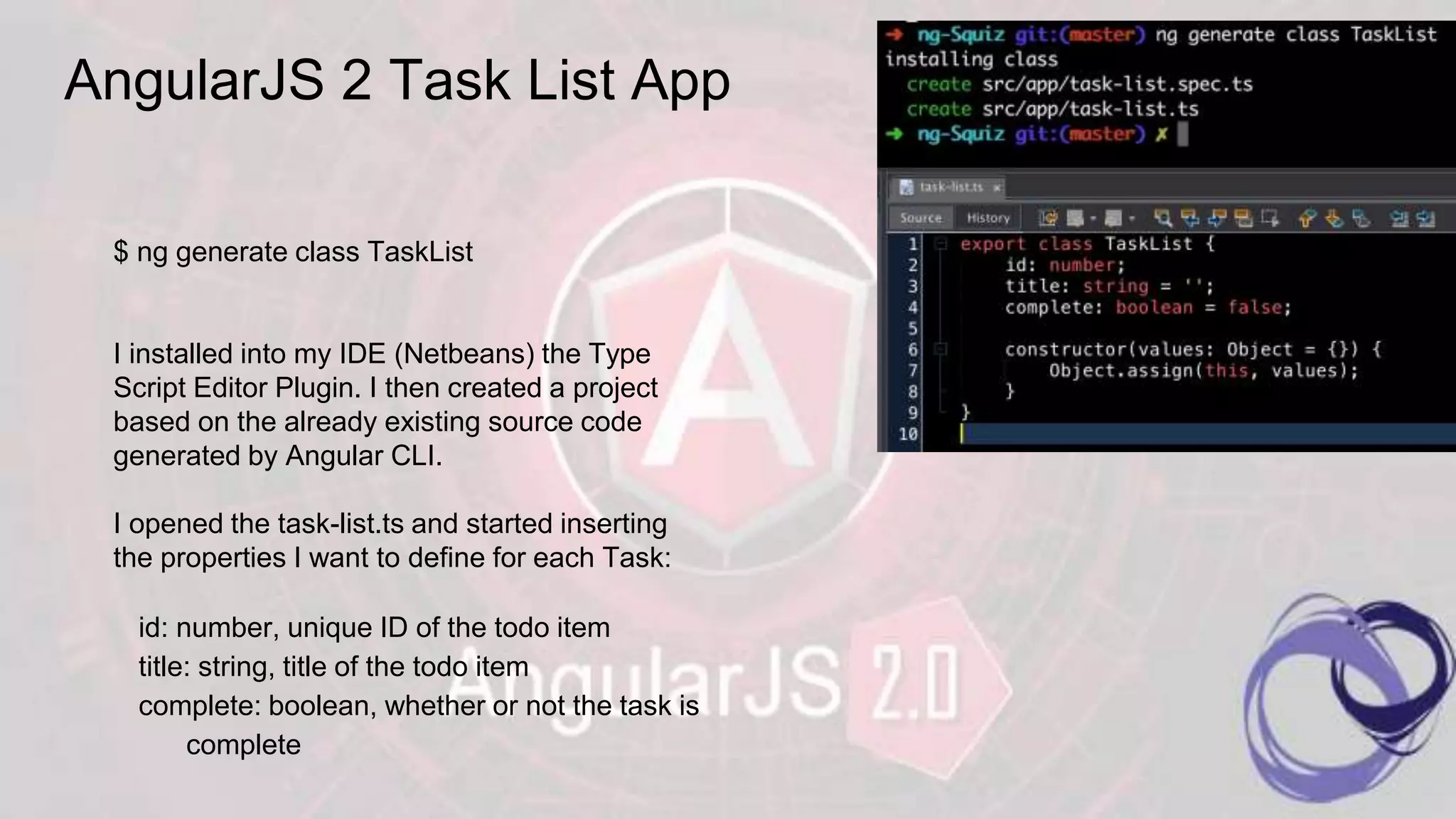
AngularJS 2 Task List App $ ng generate class TaskList I installed into my IDE (Netbeans) the Type Script Editor Plugin. I then created a project based on the already existing source code generated by Angular CLI. I opened the task-list.ts and started inserting the properties I want to define for each Task: id: number, unique ID of the todo item title: string, title of the todo item complete: boolean, whether or not the task is complete
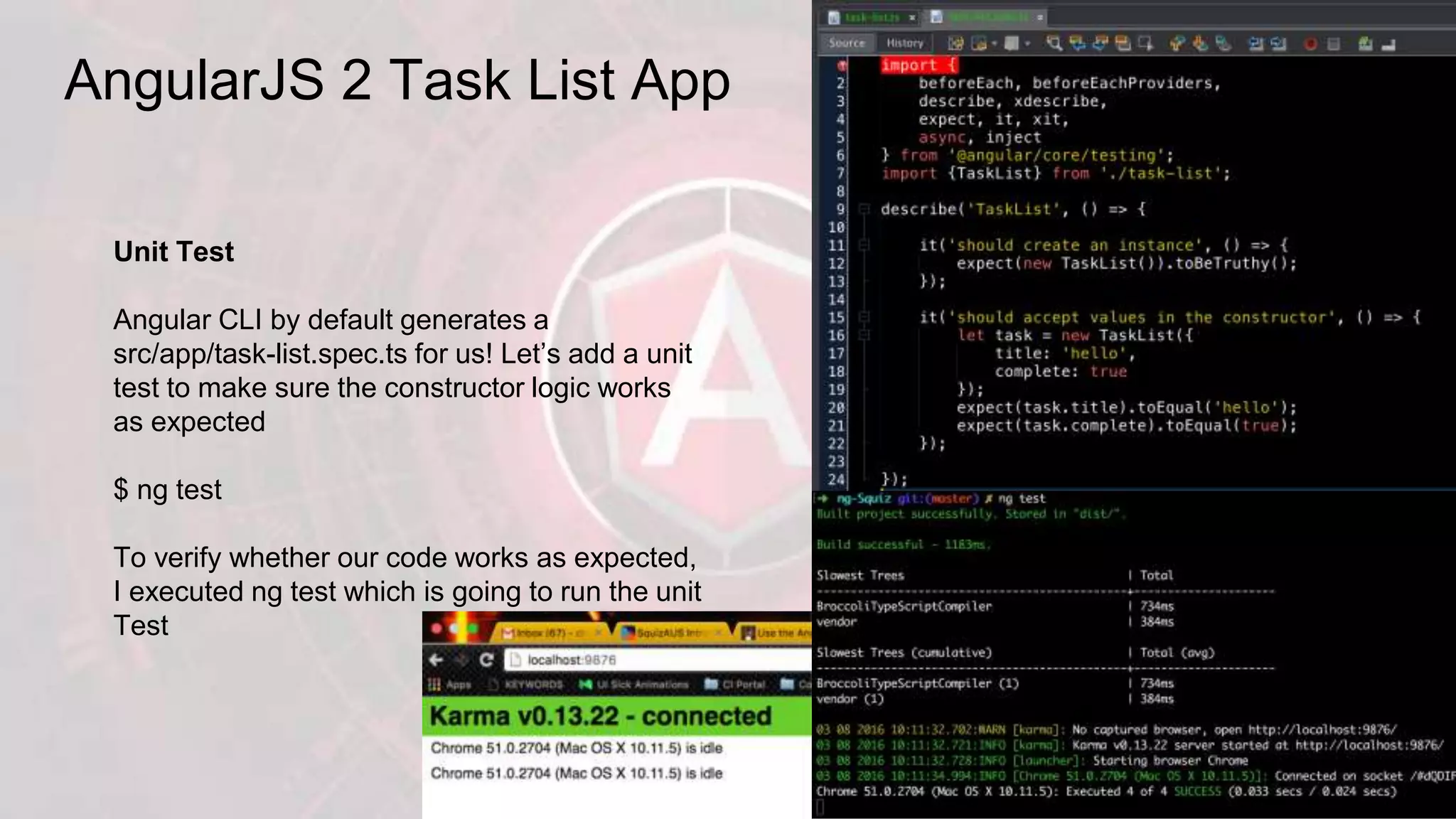
AngularJS 2 Task List App Unit Test Angular CLI by default generates a src/app/task-list.spec.ts for us! Let’s add a unit test to make sure the constructor logic works as expected $ ng test To verify whether our code works as expected, I executed ng test which is going to run the unit Test
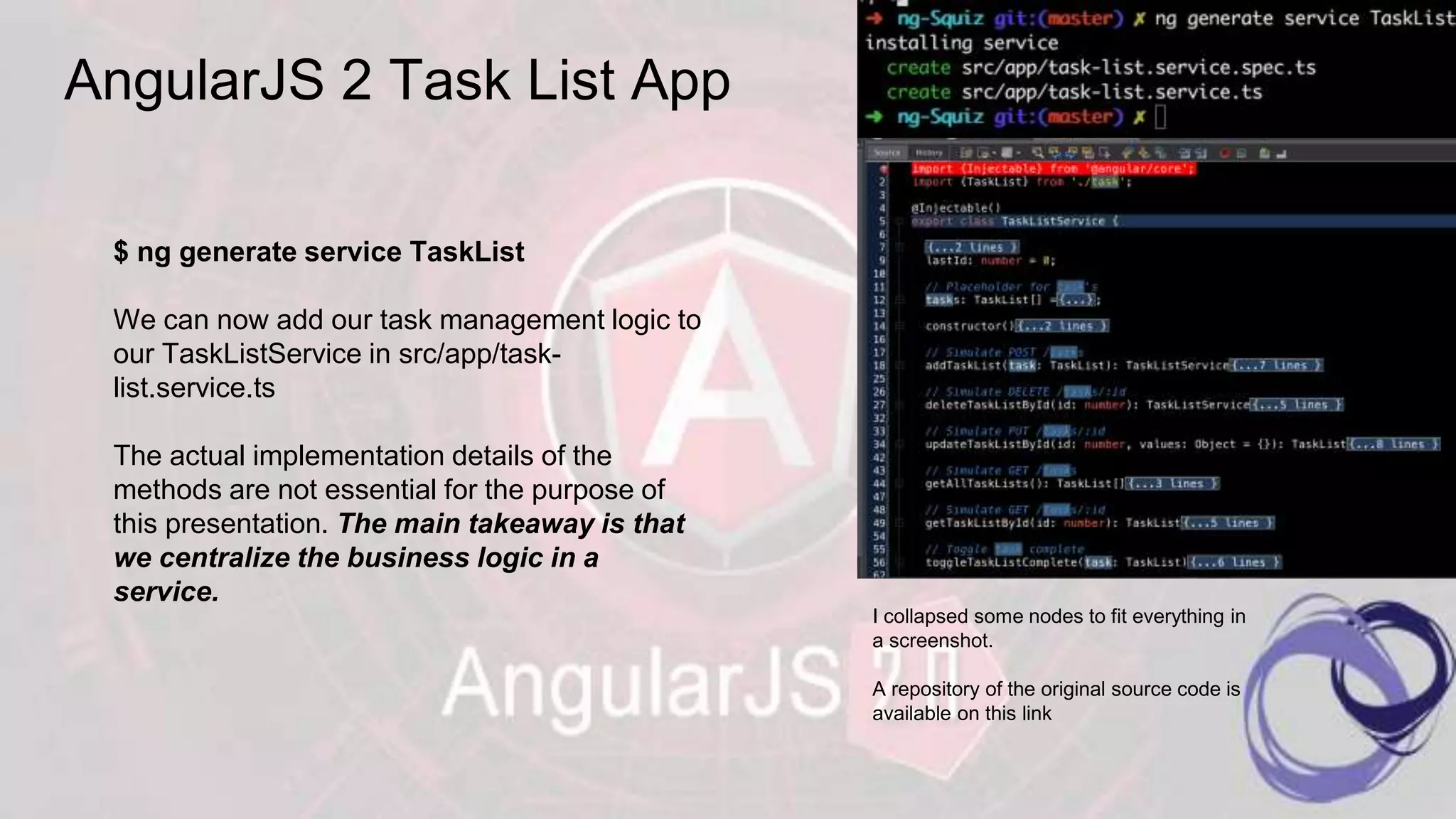
AngularJS 2 Task List App $ ng generate service TaskList We can now add our task management logic to our TaskListService in src/app/task- list.service.ts The actual implementation details of the methods are not essential for the purpose of this presentation. The main takeaway is that we centralize the business logic in a service. I collapsed some nodes to fit everything in a screenshot. A repository of the original source code is available on this link
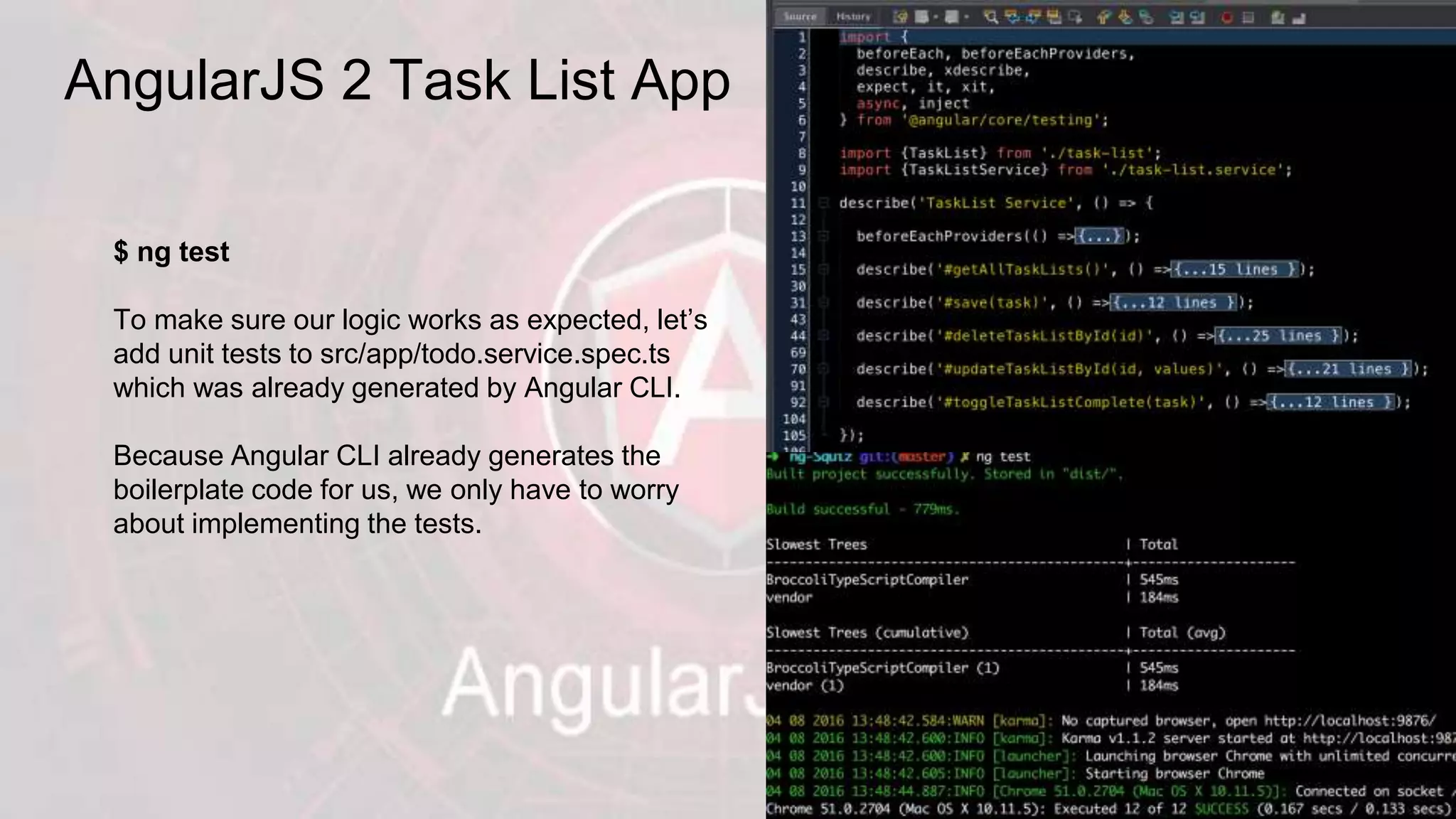
AngularJS 2 Task List App $ ng test To make sure our logic works as expected, let’s add unit tests to src/app/todo.service.spec.ts which was already generated by Angular CLI. Because Angular CLI already generates the boilerplate code for us, we only have to worry about implementing the tests.
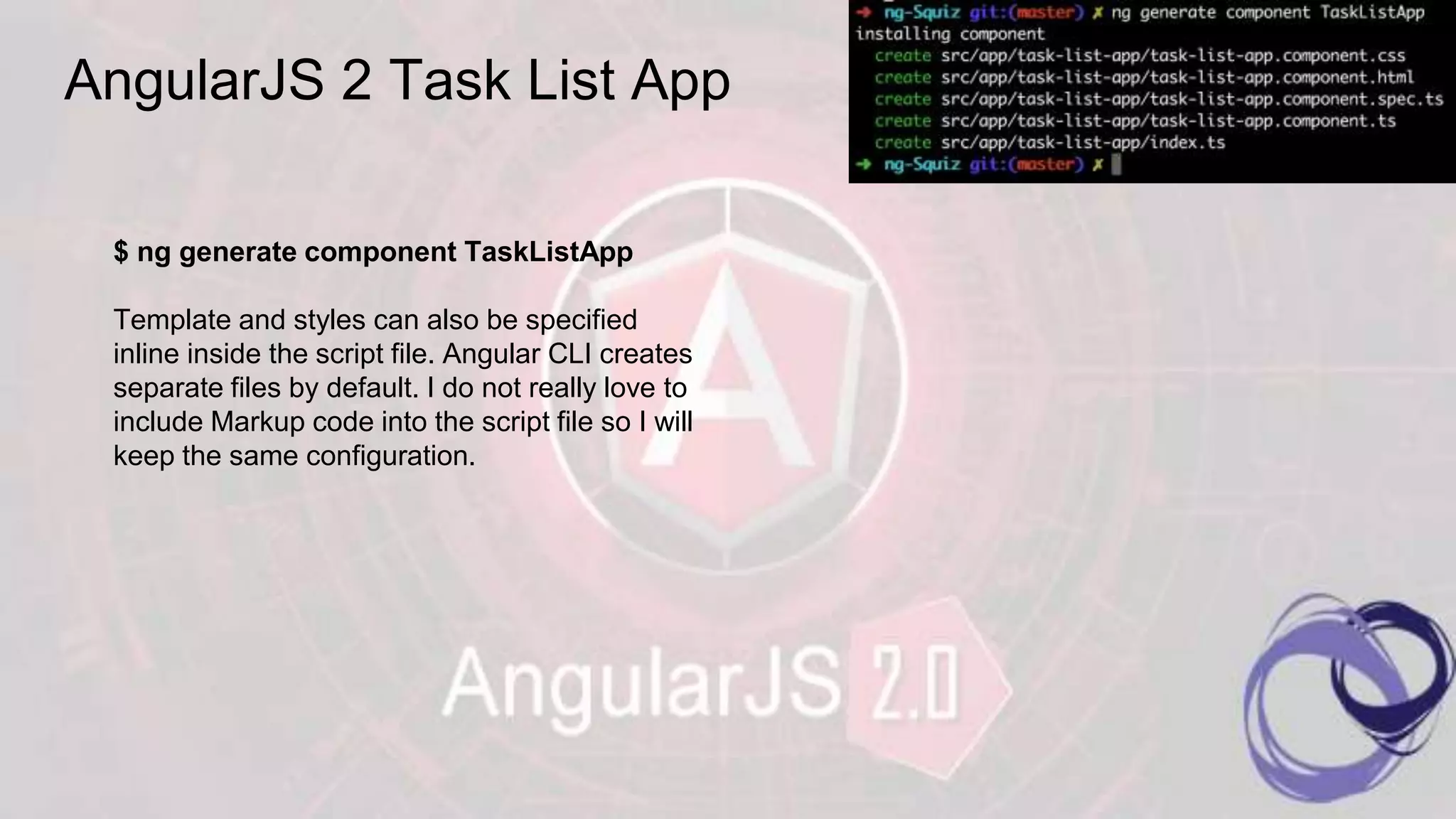
AngularJS 2 Task List App $ ng generate component TaskListApp Template and styles can also be specified inline inside the script file. Angular CLI creates separate files by default. I do not really love to include Markup code into the script file so I will keep the same configuration.
AngularJS 2 Task List App Telling Angular to run our new component In index.html you also need to change <app-root>Awesomness is coming...</app-root> To <task-list-app>Awesomness is coming...</task-list-app> And main.ts needs to be changed to: import { bootstrap } from '@angular/platform-browser-dynamic'; import { enableProdMode } from '@angular/core'; import {environment} from './app/'; import { TaskListComponent } from './app/task-list-app'; if (environment.production) { enableProdMode(); } bootstrap(TodoAppComponent);
THANKS FOR ATTENDING THIS SFM https://gitlab.squiz.net/drutigliano/AngularJS2APP

AngularJS2 / TypeScript / CLI

  • 1.
  • 2.
    Benefit coming withAngularJS 2 This on the left is a React Coder Face Expression while reading about AngularJS 2.0 1. Faster and Modern Browser 2. Mobile Driven 3. More Flexible 4. Better Performance 5. Easier Implementation 6. Simplified Dependency Injection 7. Stronger Routing 8. Command Line Interface !!!!!! Angular 2 is entirely component based. Controllers and $scope are no longer used. They have been replaced by components and directives. Components are directives with a template.
  • 3.
  • 4.
    AngularJS 2 usesTypeScript TypeScript is a typed superset of JavaScript that compiles to plain JavaScript. 1. Starts and ends with JavaScripts 2. Strong tools for large Apps 3. State of the art JavaScript TypeScript offers support for the latest and evolving JavaScript features, including those from ECMAScript 2015 and future proposals, like async functions and decorators, to help build robust components.
  • 5.
    TypeScript Magic :ECMAScript GAP Sorted out. We can write TS which uses latest features of ES then downgrade to most diffuse version on production that is actually supported by any OS/Browser/Device so we can get the advantages of latest features which simplify coders life and then downgrade to any version of ES we need.
  • 6.
    AngularJS 2 FirstApp $ ng new ng-Squiz I can see in my terminal the magic happening. For the sake of demonstrate the potential of AngularJS 2 I am going to create a simple app which Create a Task List.
  • 7.
    AngularJS 2 TaskList App $ ng serve We will quickly get our app running in the browser. Now to meet the requirement of my Task List App I need: 1. A TaskList class to represent individual Task 2. A TaskList service to create update and remove Tasks 3. A TaskApp Component to display the user interface
  • 8.
    AngularJS 2 TaskList App $ ng generate class TaskList I installed into my IDE (Netbeans) the Type Script Editor Plugin. I then created a project based on the already existing source code generated by Angular CLI. I opened the task-list.ts and started inserting the properties I want to define for each Task: id: number, unique ID of the todo item title: string, title of the todo item complete: boolean, whether or not the task is complete
  • 9.
    AngularJS 2 TaskList App Unit Test Angular CLI by default generates a src/app/task-list.spec.ts for us! Let’s add a unit test to make sure the constructor logic works as expected $ ng test To verify whether our code works as expected, I executed ng test which is going to run the unit Test
  • 10.
    AngularJS 2 TaskList App $ ng generate service TaskList We can now add our task management logic to our TaskListService in src/app/task- list.service.ts The actual implementation details of the methods are not essential for the purpose of this presentation. The main takeaway is that we centralize the business logic in a service. I collapsed some nodes to fit everything in a screenshot. A repository of the original source code is available on this link
  • 11.
    AngularJS 2 TaskList App $ ng test To make sure our logic works as expected, let’s add unit tests to src/app/todo.service.spec.ts which was already generated by Angular CLI. Because Angular CLI already generates the boilerplate code for us, we only have to worry about implementing the tests.
  • 12.
    AngularJS 2 TaskList App $ ng generate component TaskListApp Template and styles can also be specified inline inside the script file. Angular CLI creates separate files by default. I do not really love to include Markup code into the script file so I will keep the same configuration.
  • 13.
    AngularJS 2 TaskList App Telling Angular to run our new component In index.html you also need to change <app-root>Awesomness is coming...</app-root> To <task-list-app>Awesomness is coming...</task-list-app> And main.ts needs to be changed to: import { bootstrap } from '@angular/platform-browser-dynamic'; import { enableProdMode } from '@angular/core'; import {environment} from './app/'; import { TaskListComponent } from './app/task-list-app'; if (environment.production) { enableProdMode(); } bootstrap(TodoAppComponent);
  • 14.
    THANKS FOR ATTENDINGTHIS SFM https://gitlab.squiz.net/drutigliano/AngularJS2APP