1 Angular 9 Components, TypeScript, Architecture, Dependency Injection, Routing
2 Introduction toAngular  JavaScript framework  Bootstraps JavaScript with HTML pages  Enhances UI experience of user  It is a framework for building web and mobile client-side apps with JavaScript or more precisely a super-language of JavaScript called TypeScript built by Microsoft  It implements core and optional functionality as a set of TypeScript libraries that you import into your apps.  The framework, written in pure JavaScript, was intended to decouple an application’s logic from DOM manipulation
3 Why Angular?  Detailed documentation  Angular boasts detailed documentation where developers can find all necessary information  Angular Material.  This collection of Material Design elements optimized for Angular lets developers easily integrate UI components.  Great ecosystem of third-party components  The popularity of Angular has resulted in the appearance of thousands of additional tools and components that can be used in Angular apps.  Component-based architecture.  According to this architecture, an app is divided into independent logical and functional components.  These components can easily be replaced and decoupled as well as reused in other parts of an app.  Component independence makes it easy to test a web app and ensure that every component works seamlessly.
4 Why Angular?  Ahead-of-time compiler.  Angular’s AOT compiler converts TypeScript and HTML into JavaScript during the build process.  This code is compiled before the browser loads your web app so that it’s rendered much faster.  An AOT compiler is also much more secure than a just-in-time (JIT) compiler.  CLI  Allows you to create a new Angular project, add features to it, and run unit and end-to-end tests with a few simple commands.  Angular Elements.  Starting with Angular 6, developers can easily add custom elements to any web app built with React, JQuery, Vue, or any other environment  Ivy Renderer  Ivy Renderer translates an app’s components and templates into JavaScript code that can be displayed by a browser.  The main characteristic of this tool is its tree shaking technique.  During rendering, Ivy removes unused code to make it clearer and smaller. As a result, web apps load faster.
5 Angular9 Features and Fixes
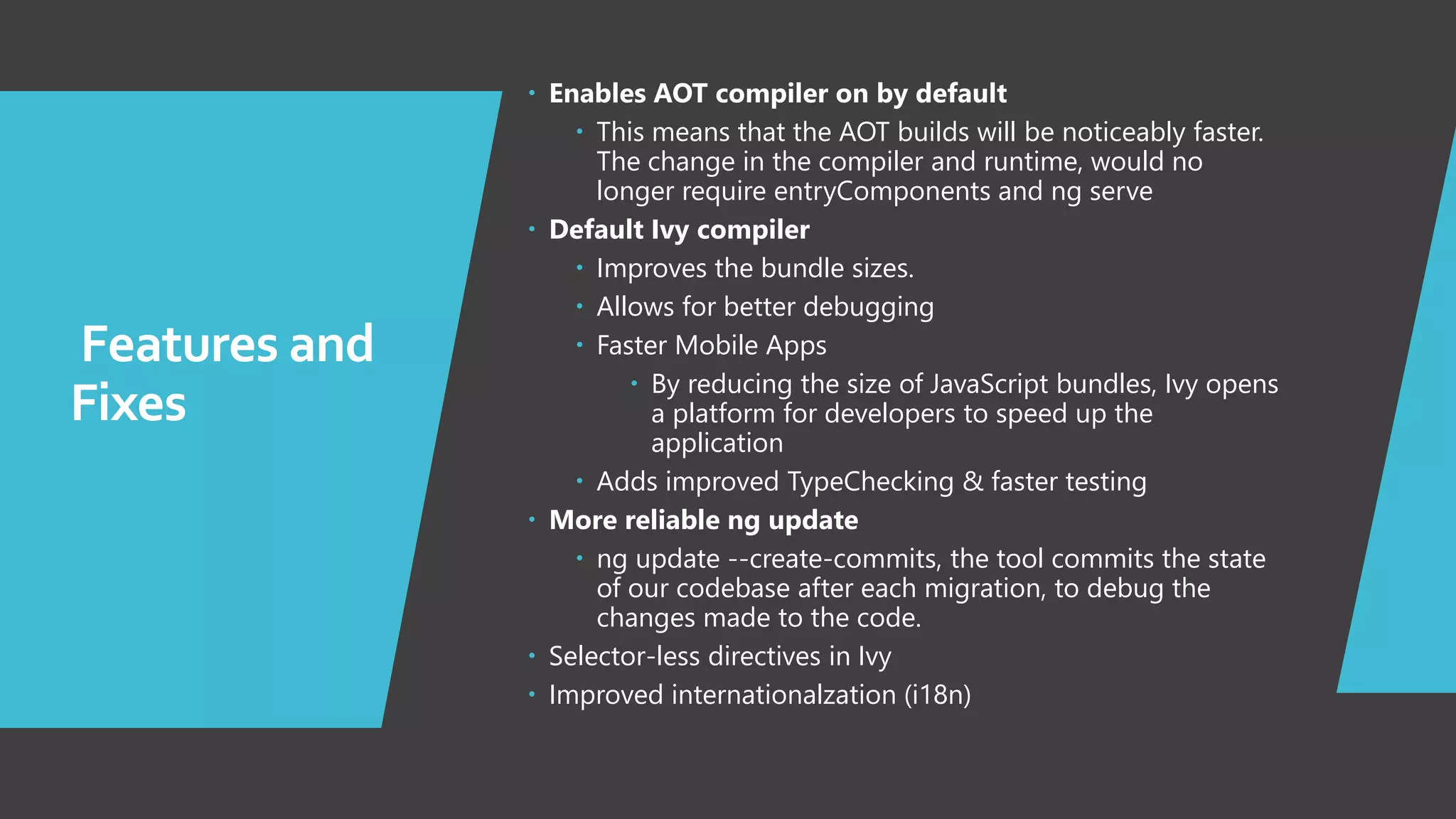
6 Features and Fixes  Enables AOT compiler on by default  This means that the AOT builds will be noticeably faster. The change in the compiler and runtime, would no longer require entryComponents and ng serve  Default Ivy compiler  Improves the bundle sizes.  Allows for better debugging  Faster Mobile Apps  By reducing the size of JavaScript bundles, Ivy opens a platform for developers to speed up the application  Adds improved TypeChecking & faster testing  More reliable ng update  ng update --create-commits, the tool commits the state of our codebase after each migration, to debug the changes made to the code.  Selector-less directives in Ivy  Improved internationalzation (i18n)
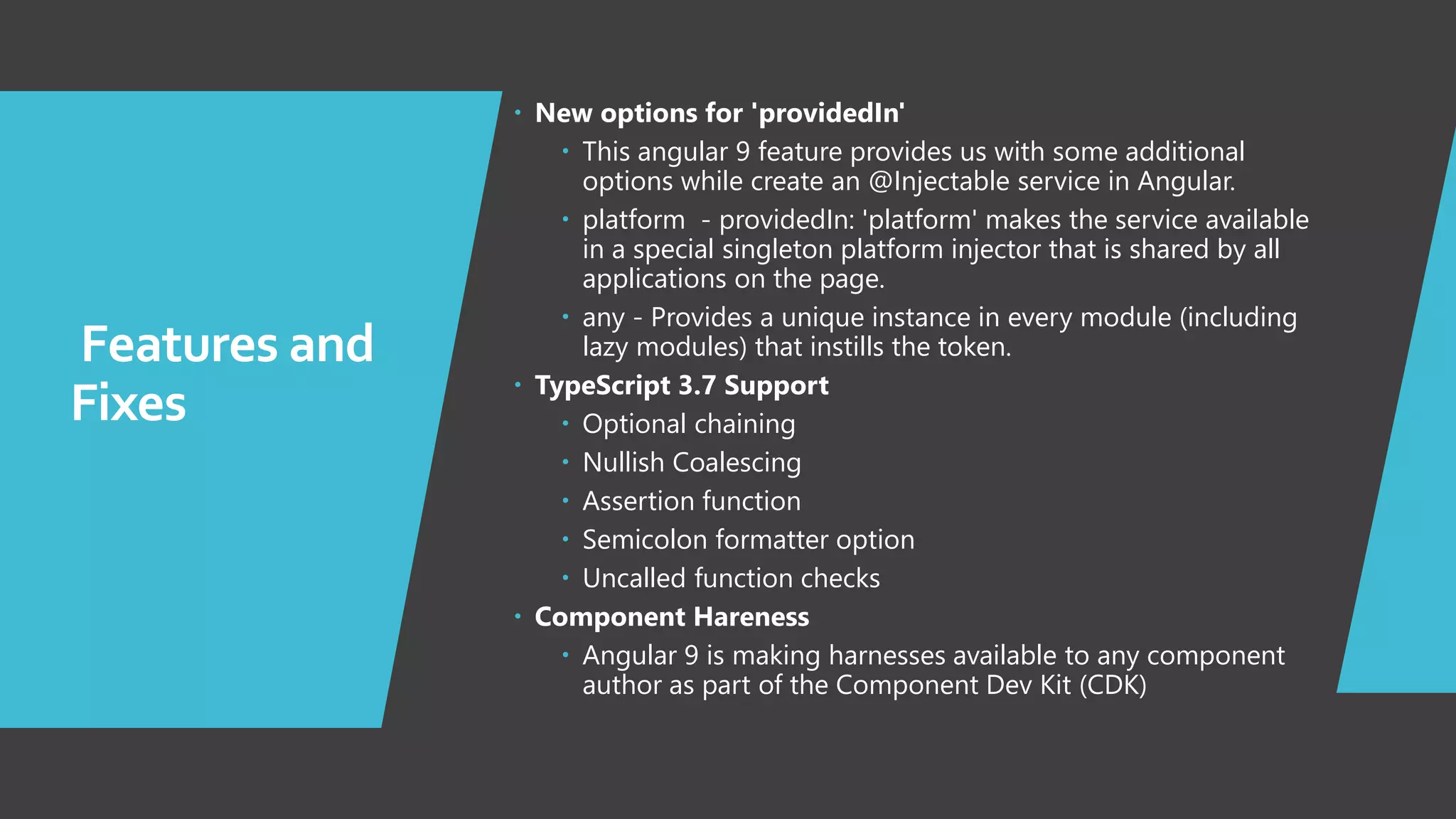
7 Features and Fixes  New options for 'providedIn'  This angular 9 feature provides us with some additional options while create an @Injectable service in Angular.  platform - providedIn: 'platform' makes the service available in a special singleton platform injector that is shared by all applications on the page.  any - Provides a unique instance in every module (including lazy modules) that instills the token.  TypeScript 3.7 Support  Optional chaining  Nullish Coalescing  Assertion function  Semicolon formatter option  Uncalled function checks  Component Hareness  Angular 9 is making harnesses available to any component author as part of the Component Dev Kit (CDK)
8 Angular9 Installation and Configurations
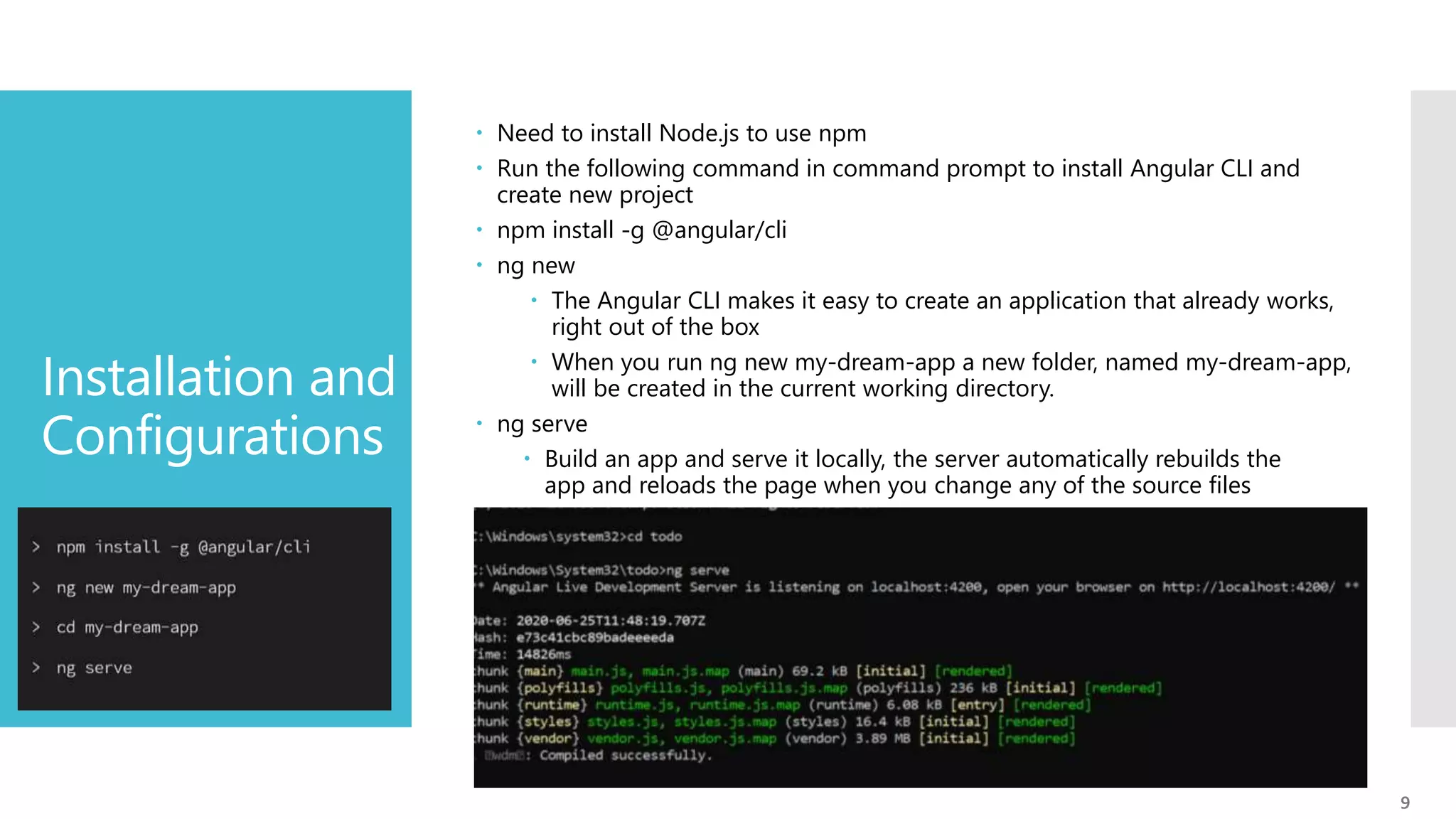
9 Installation and Configurations  Need to install Node.js to use npm  Run the following command in command prompt to install Angular CLI and create new project  npm install -g @angular/cli  ng new  The Angular CLI makes it easy to create an application that already works, right out of the box  When you run ng new my-dream-app a new folder, named my-dream-app, will be created in the current working directory.  ng serve  Build an app and serve it locally, the server automatically rebuilds the app and reloads the page when you change any of the source files
10 Commands  ng build  Compiles an Angular app into an output directory named dist at the given output path  ng test  Runs karma task runner for our tests  ng generate  Generates and/or modifies files based on a schematic  ng e2e  Builds and serves an Angular app, then runs end-to-end tests using Protractor  ng lint  Runs linting tools on Angular app code in a given project folder [ tslint.json ] 10
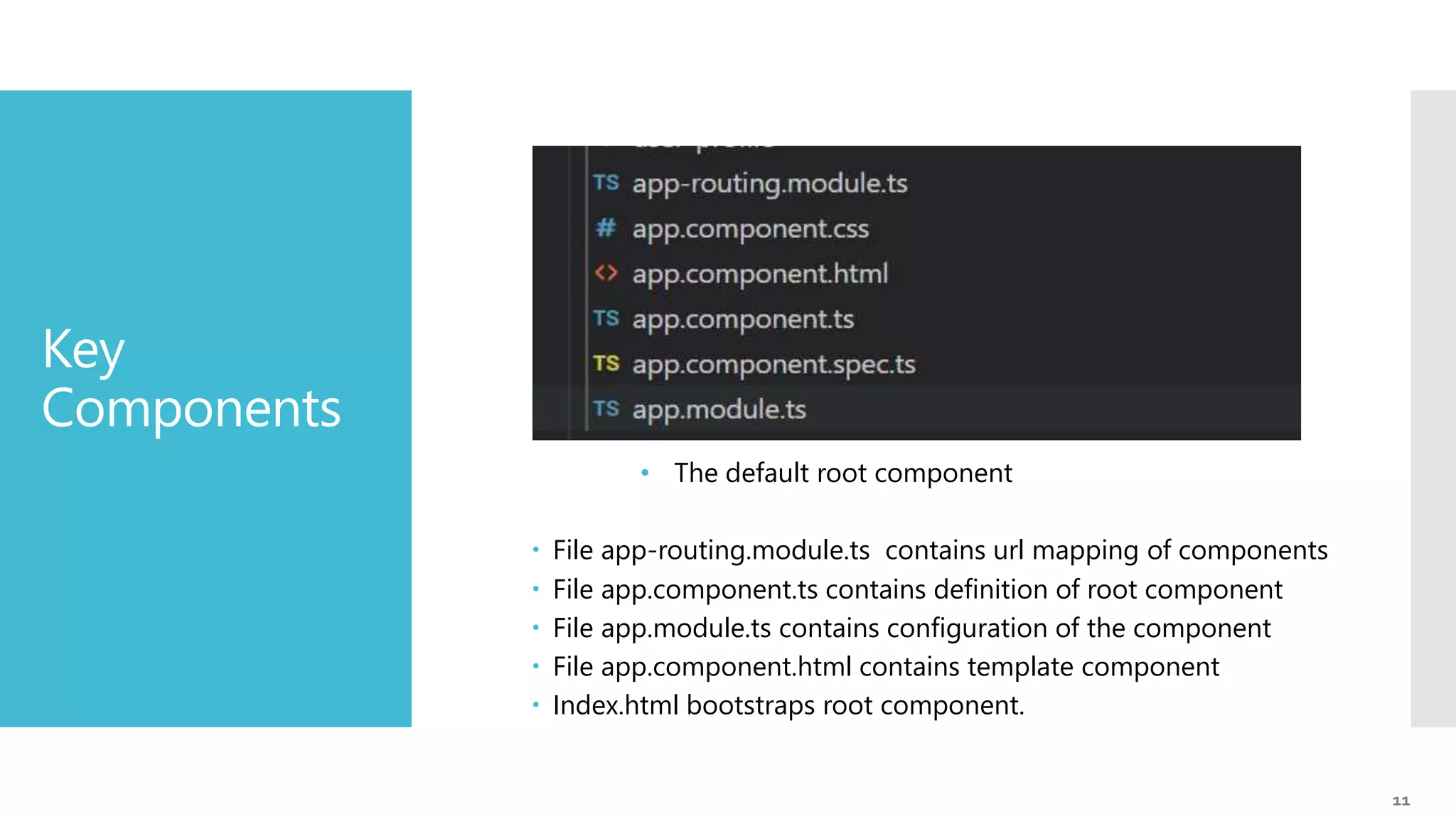
11 Key Components • The default root component  File app-routing.module.ts contains url mapping of components  File app.component.ts contains definition of root component  File app.module.ts contains configuration of the component  File app.component.html contains template component  Index.html bootstraps root component.
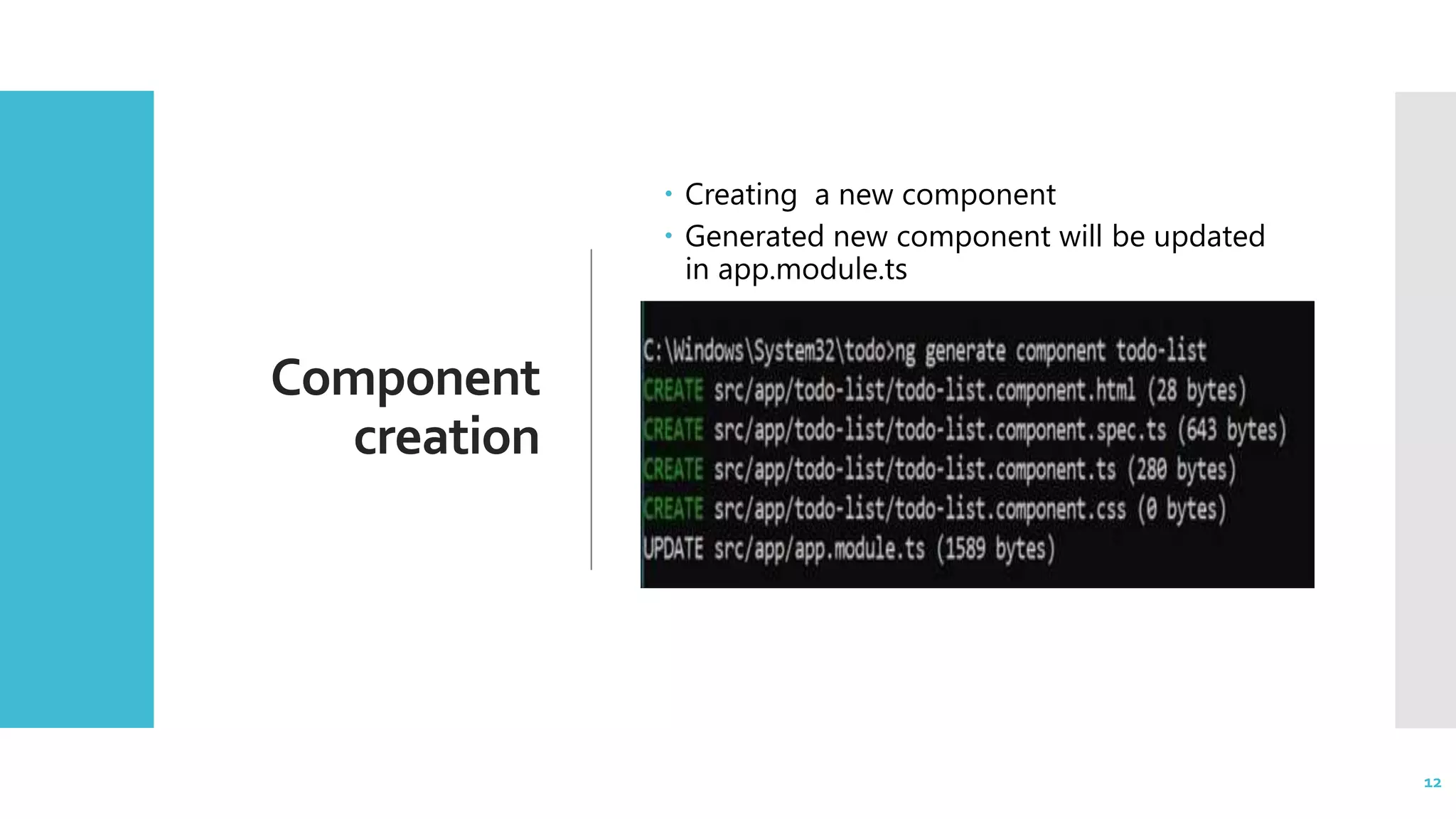
12 Component creation  Creating a new component  Generated new component will be updated in app.module.ts 12
13 Angular9 TypeScript
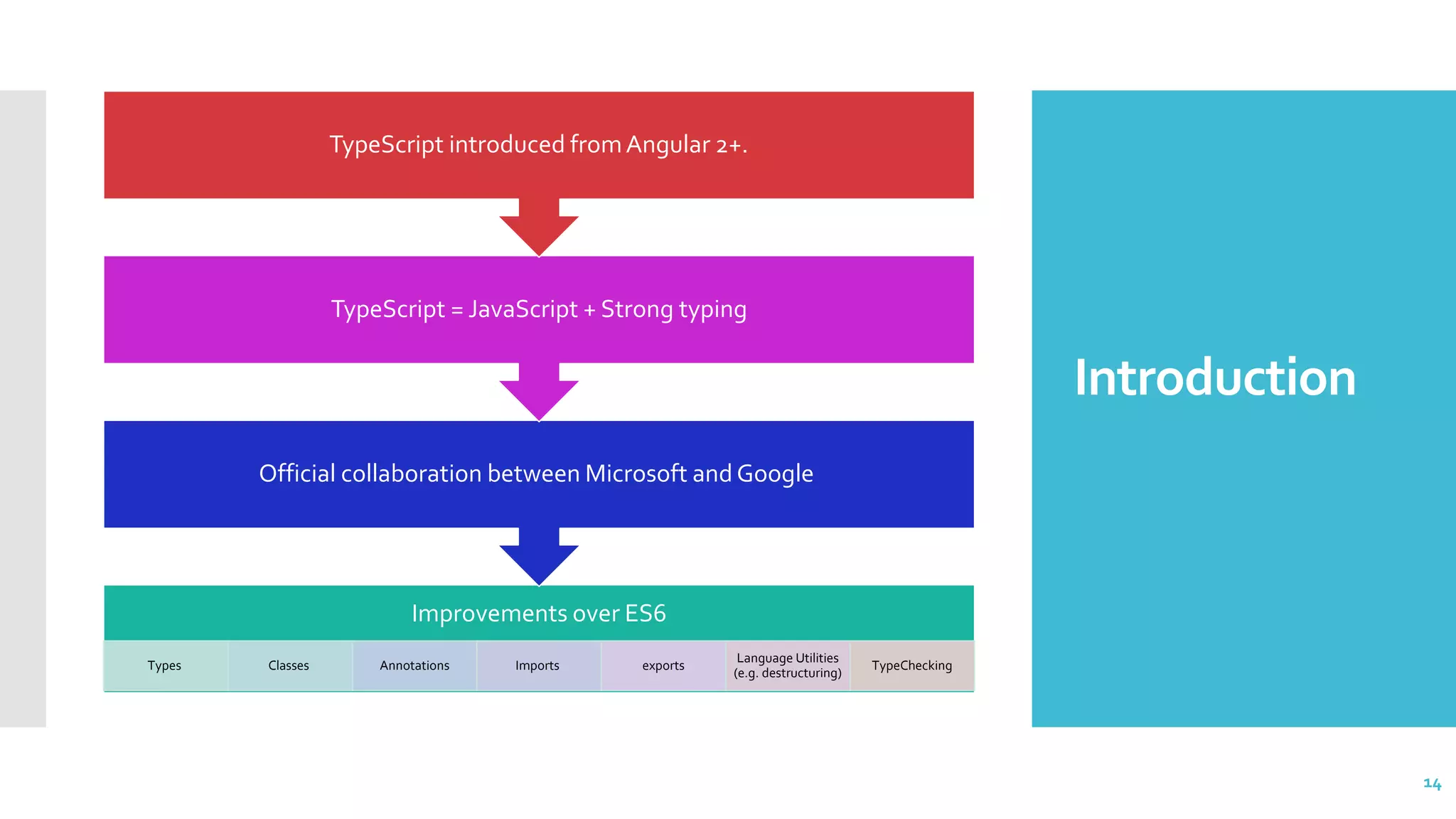
14 Introduction 14 Improvements over ES6 Types Classes Annotations Imports exports Language Utilities (e.g. destructuring) TypeChecking Official collaboration between Microsoft and Google TypeScript = JavaScript + Strong typing TypeScript introduced fromAngular 2+.
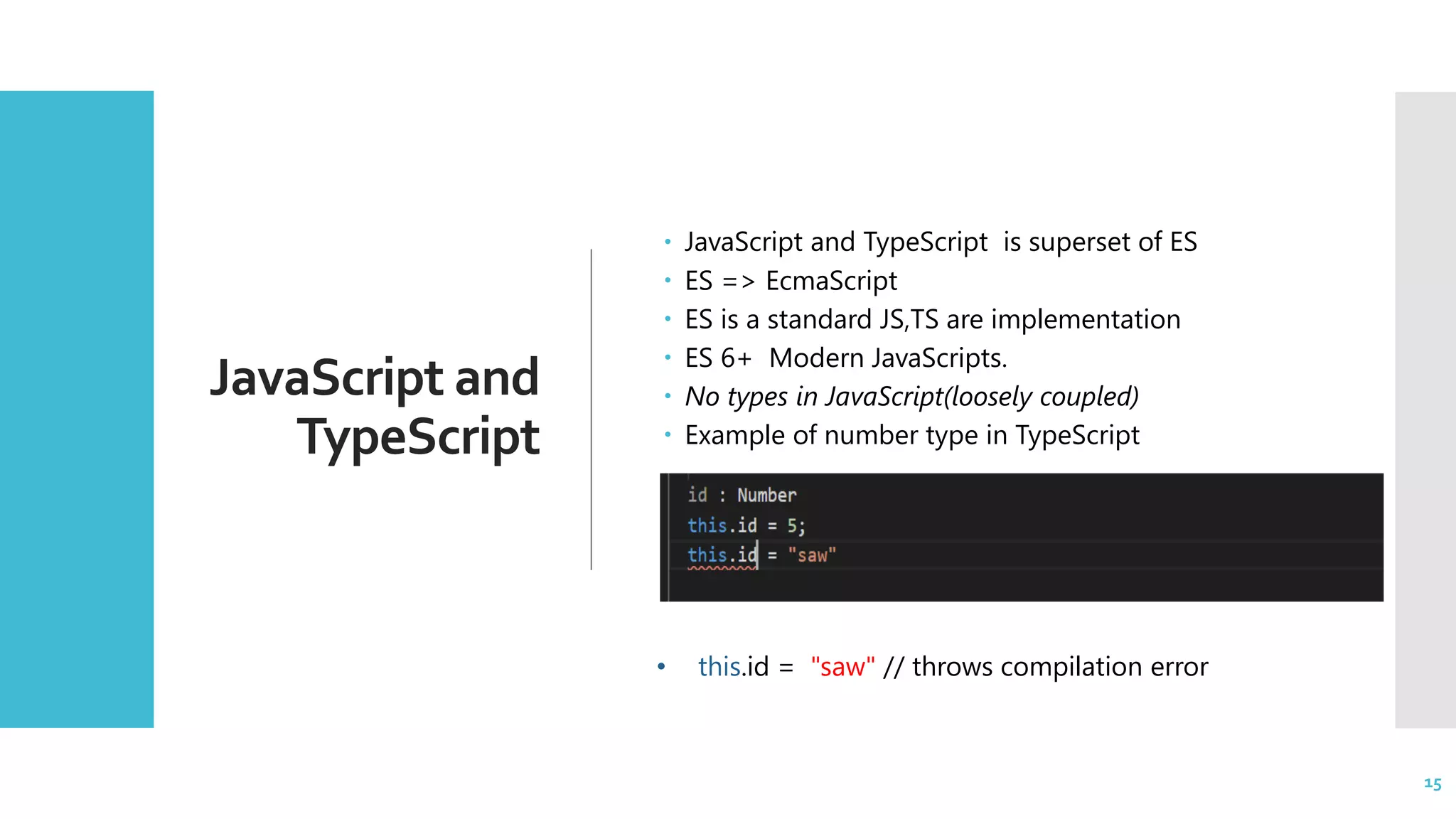
15 JavaScript and TypeScript  JavaScript and TypeScript is superset of ES  ES => EcmaScript  ES is a standard JS,TS are implementation  ES 6+ Modern JavaScripts.  No types in JavaScript(loosely coupled)  Example of number type in TypeScript 15 • this.id = "saw" // throws compilation error
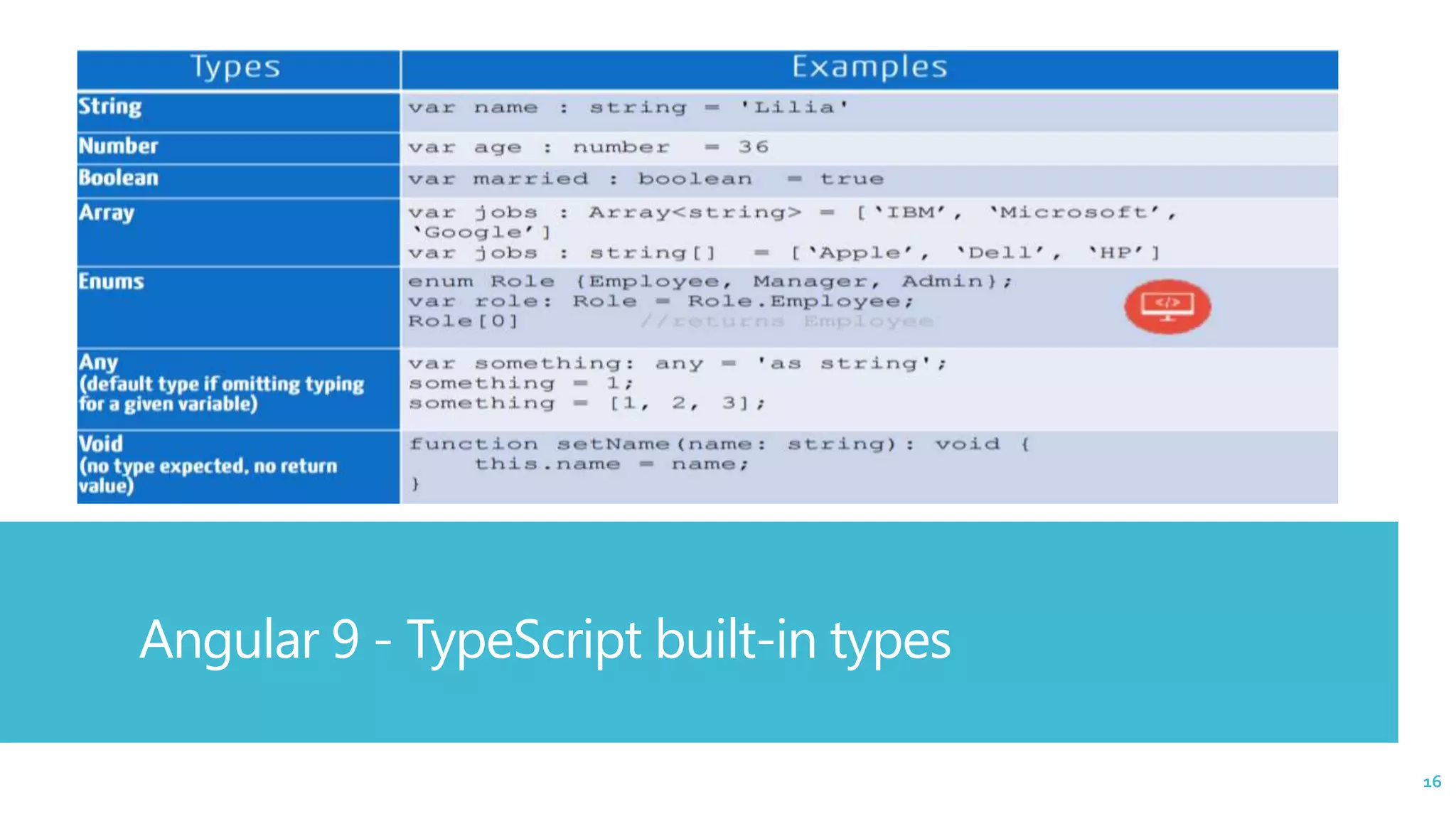
16 Angular 9 - TypeScript built-in types 16
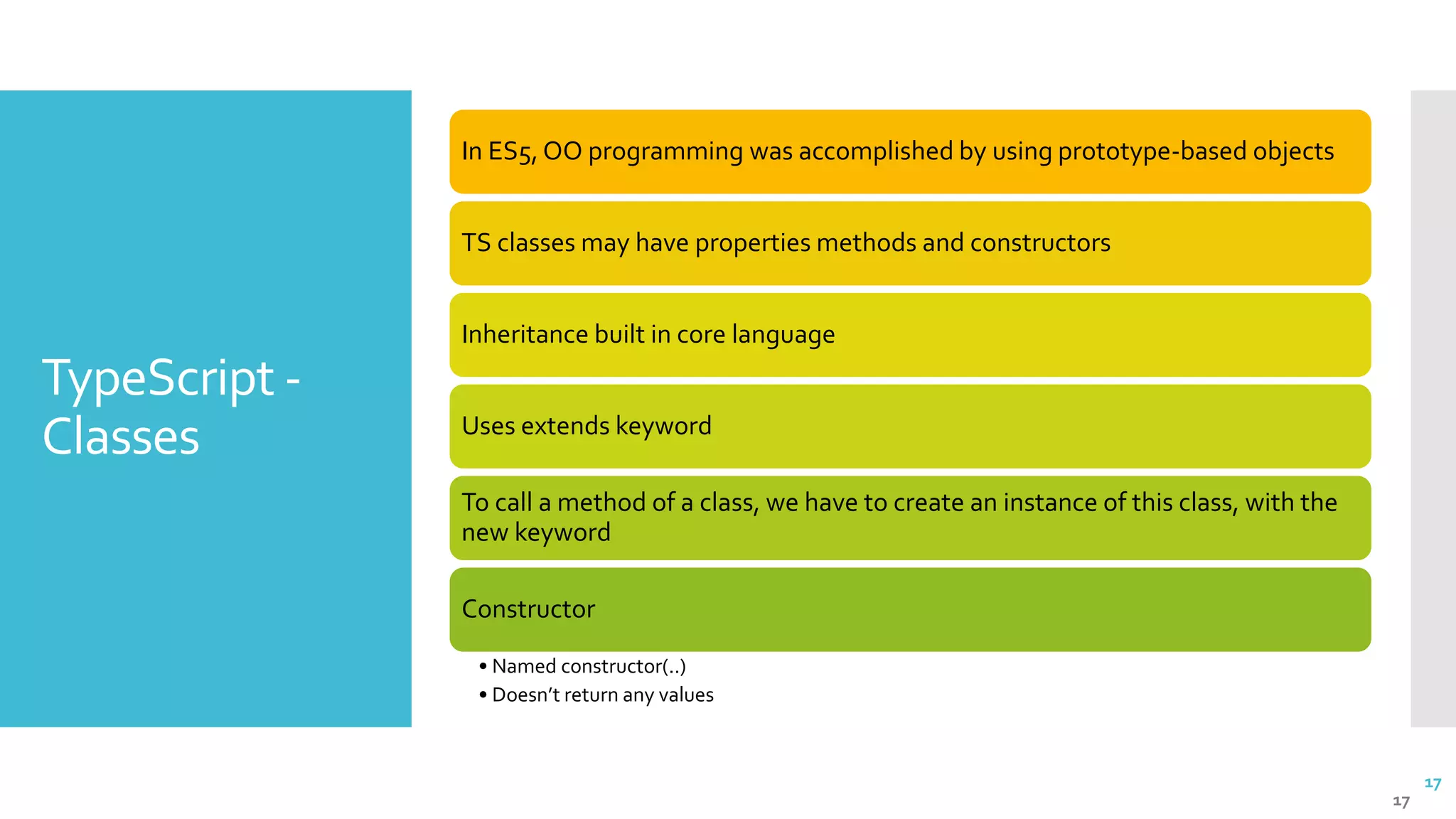
17 TypeScript - Classes 17 In ES5, OO programming was accomplished by using prototype-based objects TS classes may have properties methods and constructors Inheritance built in core language Uses extends keyword To call a method of a class, we have to create an instance of this class, with the new keyword Constructor • Named constructor(..) • Doesn’t return any values
18 Angular 9 Architecture Modules,Templates, MetaData, DataBinding, Directives,Services
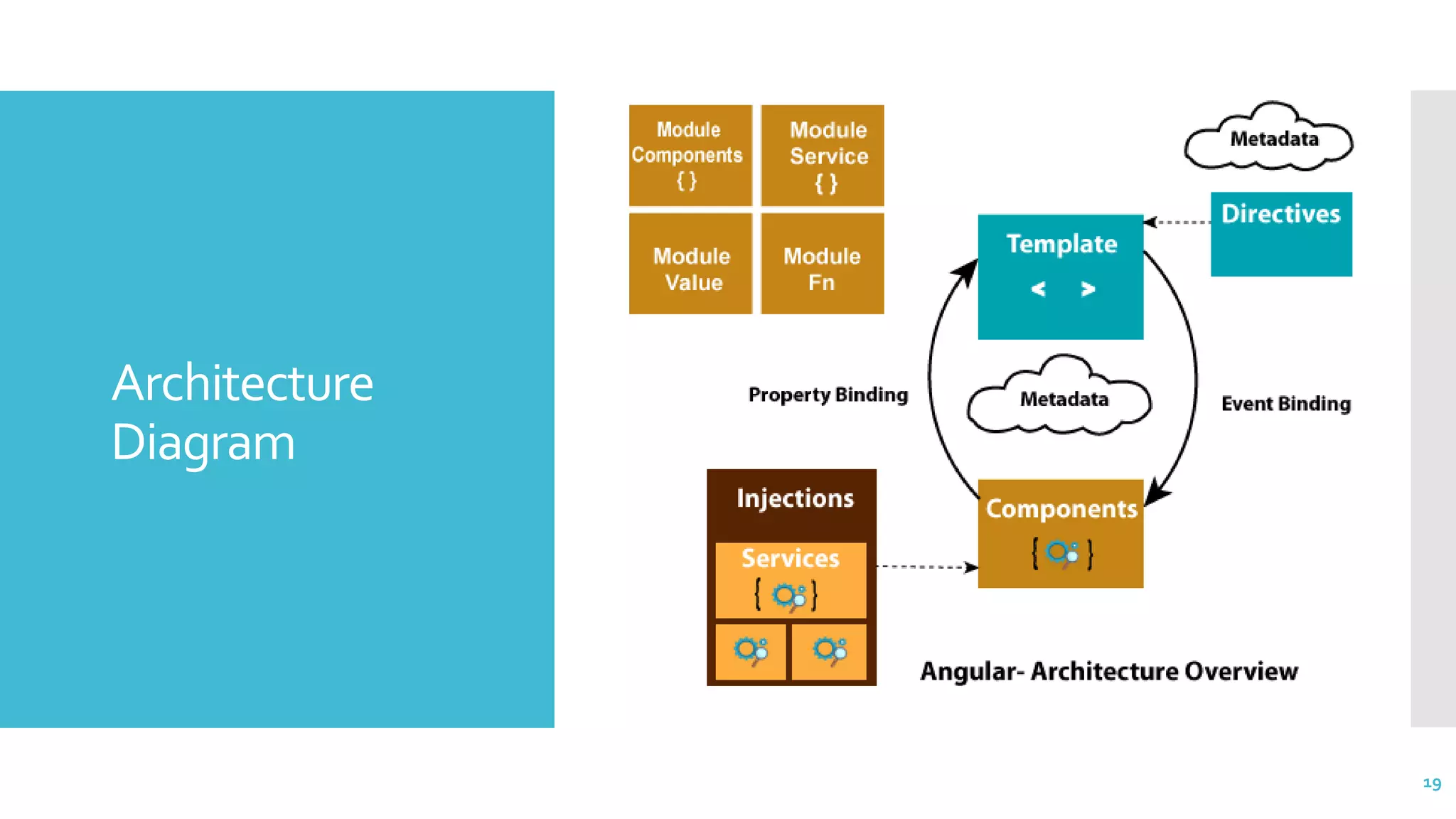
19 Architecture Diagram 19
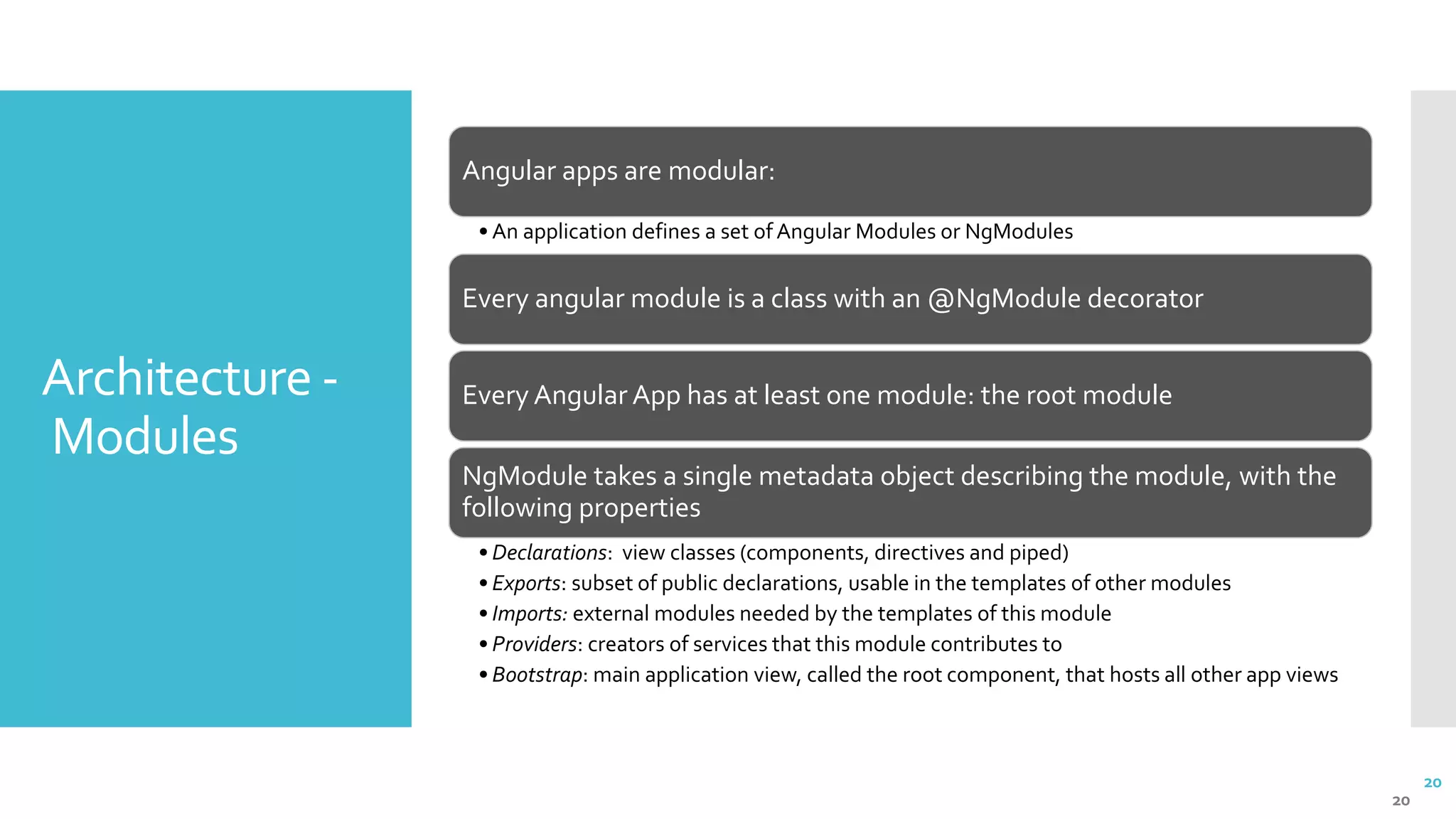
20 Architecture - Modules 20 Angular apps are modular: • An application defines a set of Angular Modules or NgModules Every angular module is a class with an @NgModule decorator Every Angular App has at least one module: the root module NgModule takes a single metadata object describing the module, with the following properties • Declarations: view classes (components, directives and piped) • Exports: subset of public declarations, usable in the templates of other modules • Imports: external modules needed by the templates of this module • Providers: creators of services that this module contributes to • Bootstrap: main application view, called the root component, that hosts all other app views
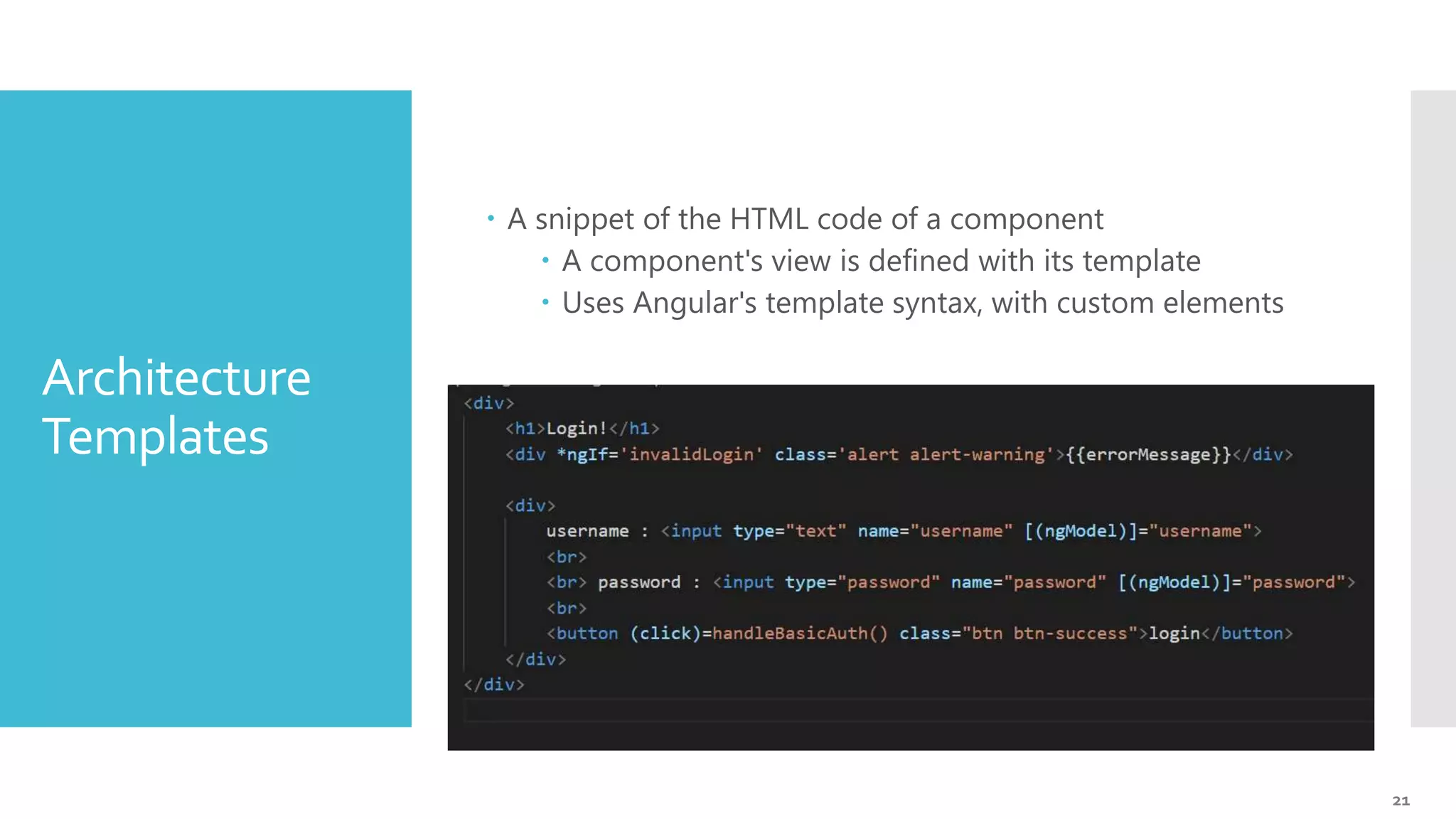
21 Architecture Templates  A snippet of the HTML code of a component  A component's view is defined with its template  Uses Angular's template syntax, with custom elements
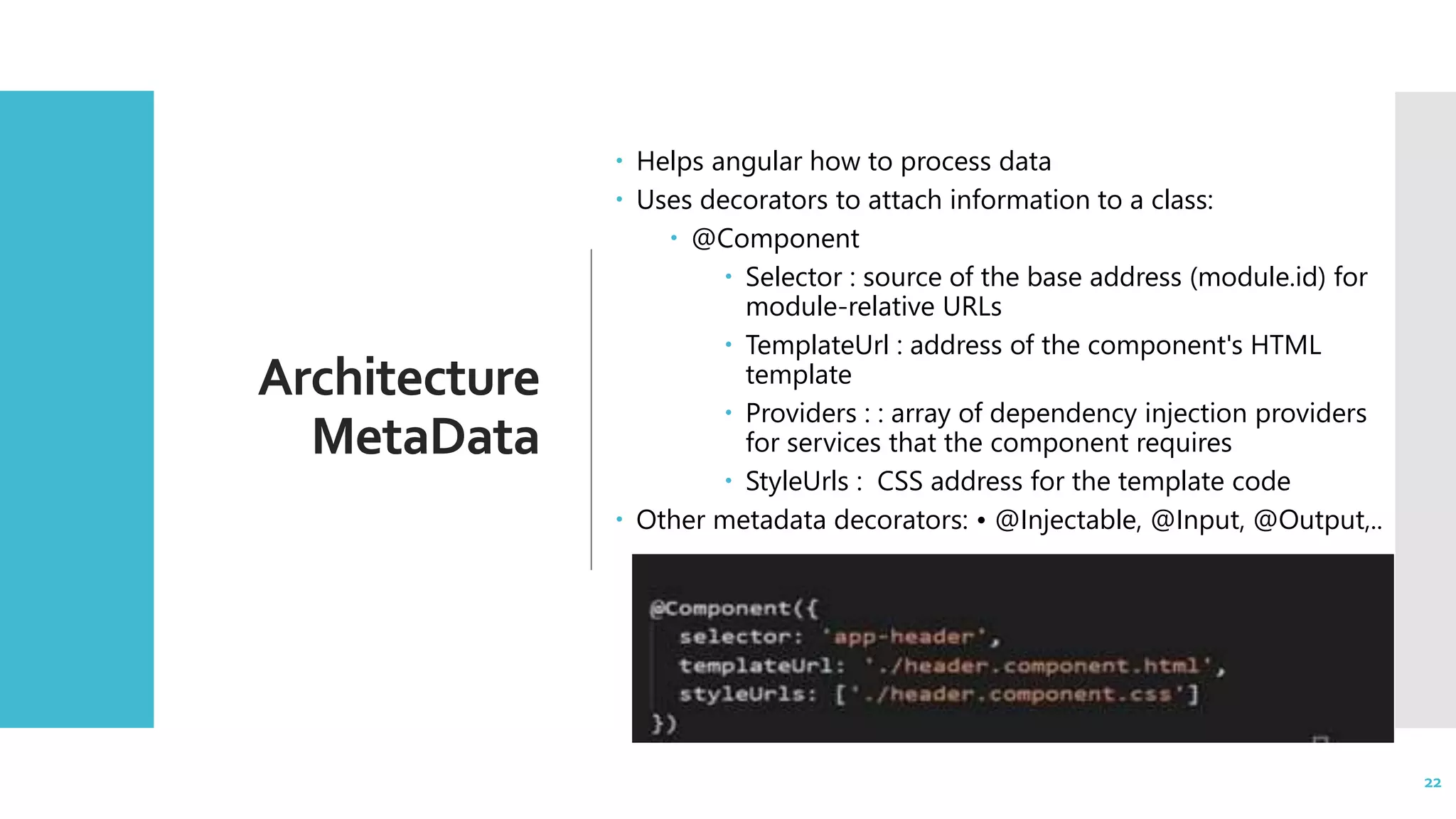
22 Architecture MetaData  Helps angular how to process data  Uses decorators to attach information to a class:  @Component  Selector : source of the base address (module.id) for module-relative URLs  TemplateUrl : address of the component's HTML template  Providers : : array of dependency injection providers for services that the component requires  StyleUrls : CSS address for the template code  Other metadata decorators: • @Injectable, @Input, @Output,.. 22
23 DataBinding  Mechanism for coordinating parts of a template with parts of a component  Four main forms  Interpolation {{...}} :  Displays the component's todo property value within the <td> element  Property Binding [….] :  Passes the value of id to the child comp  <view-todo>  Event Binding (click) :  Calls the component's updateTodo() method when the user clicks update button  Two-way data-binding [(ngModel)] :  Combines property and event binding, with ngModel 23
24 Directives  Angular templates are dynamic  When Angular renders them, it transforms the DOM according to instructions given by directives  A directive is a class with the @Directive decorator  A component is a directive-with-a-template  Two types of directives  Structural directives  Alter the layout by adding, removing and replacing elements in the DOM  <li *ngFor="let todo of todos"></li>  <view-todo *ngIf="idNotNull"> <view-todo>  Attribute directives  Alter the appearance or behaviour of an existant element  Look like regular HTML attributes  <input type='text' [(ngModel)] ="user.username"> 24
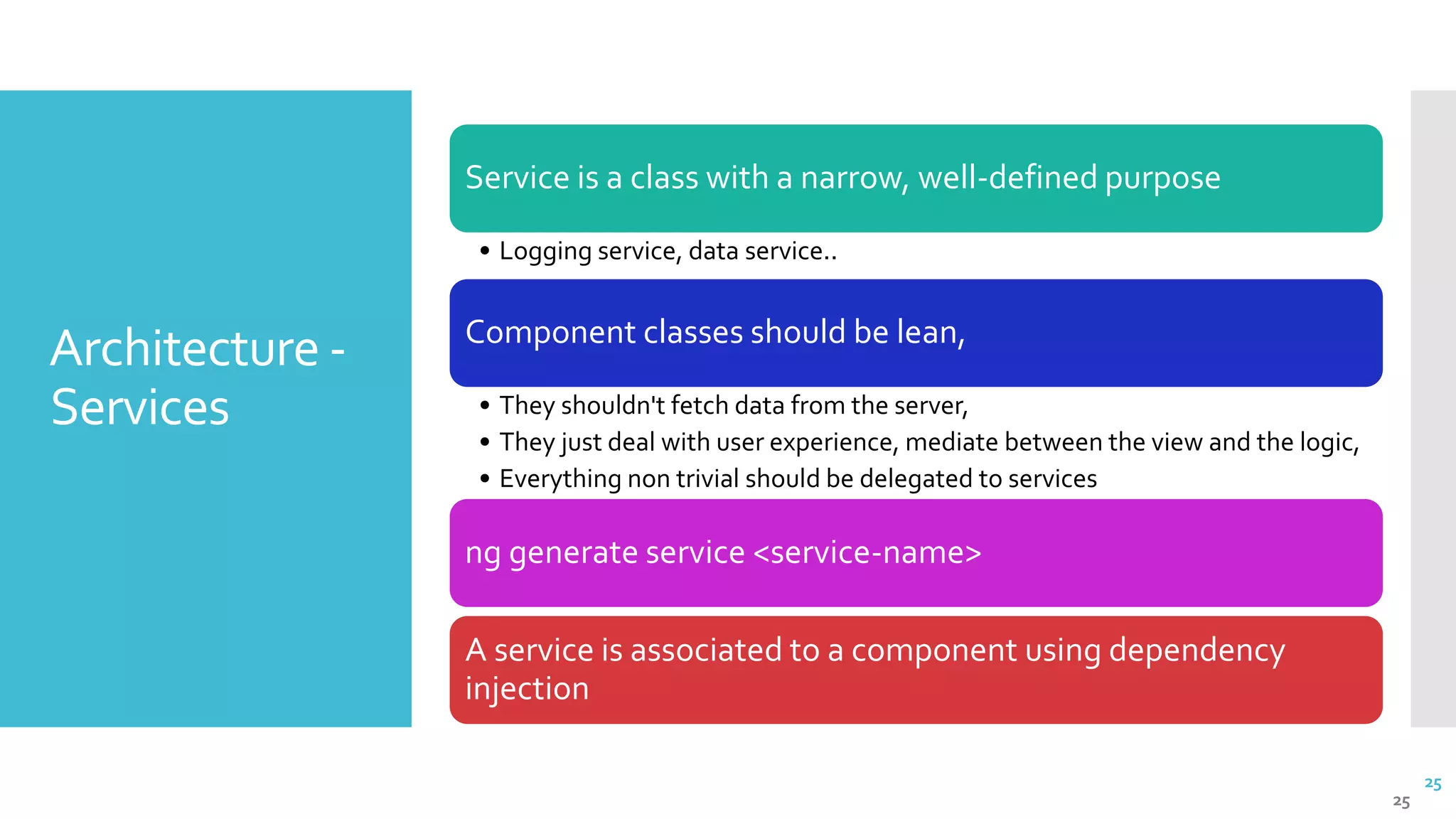
25 Architecture - Services 25 Service is a class with a narrow, well-defined purpose • Logging service, data service.. Component classes should be lean, • They shouldn't fetch data from the server, • They just deal with user experience, mediate between the view and the logic, • Everything non trivial should be delegated to services ng generate service <service-name> A service is associated to a component using dependency injection
26 Angular9 Dependency Injection
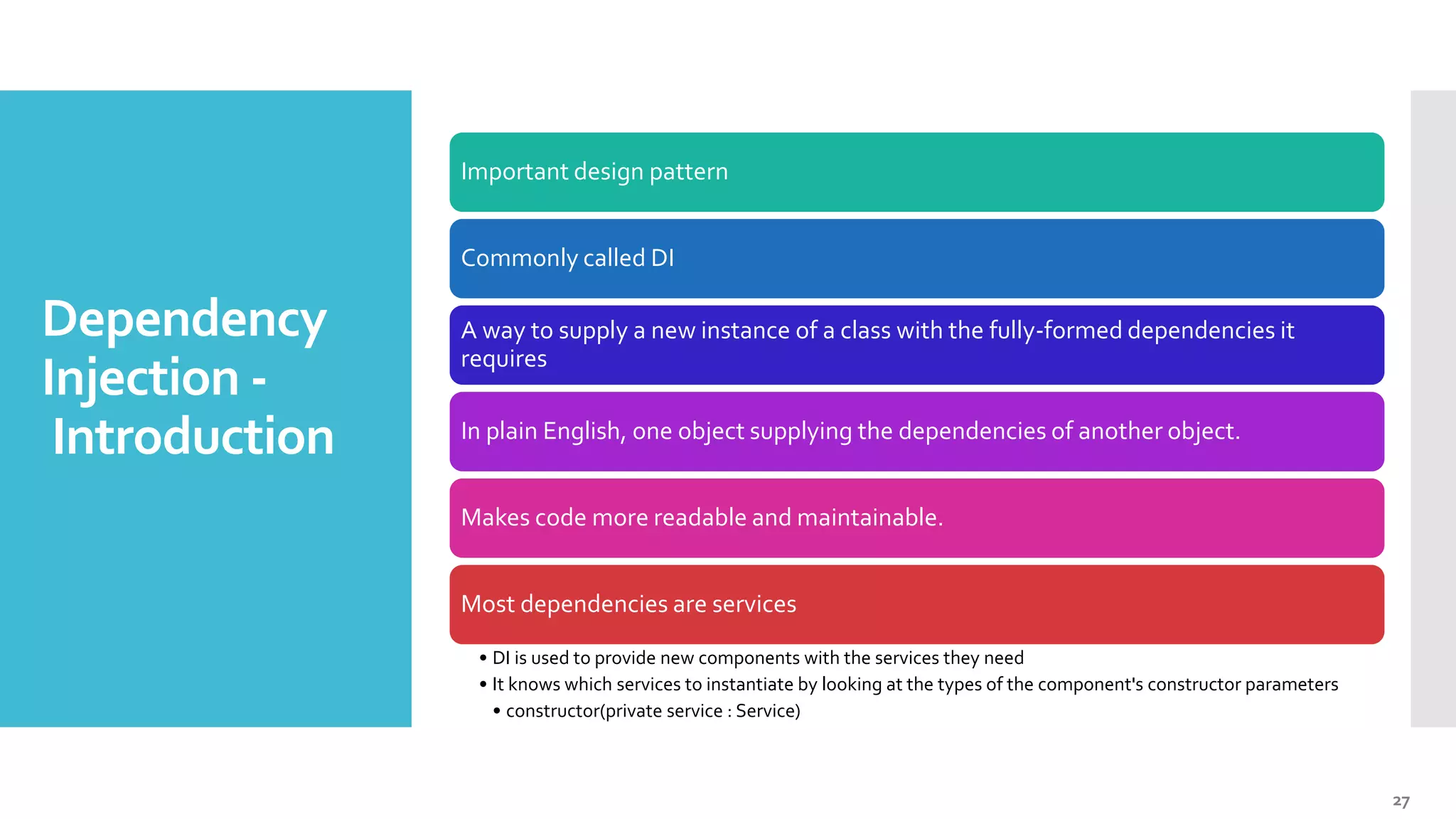
27 Dependency Injection - Introduction Important design pattern Commonly called DI A way to supply a new instance of a class with the fully-formed dependencies it requires In plain English, one object supplying the dependencies of another object. Makes code more readable and maintainable. Most dependencies are services • DI is used to provide new components with the services they need • It knows which services to instantiate by looking at the types of the component's constructor parameters • constructor(private service : Service)
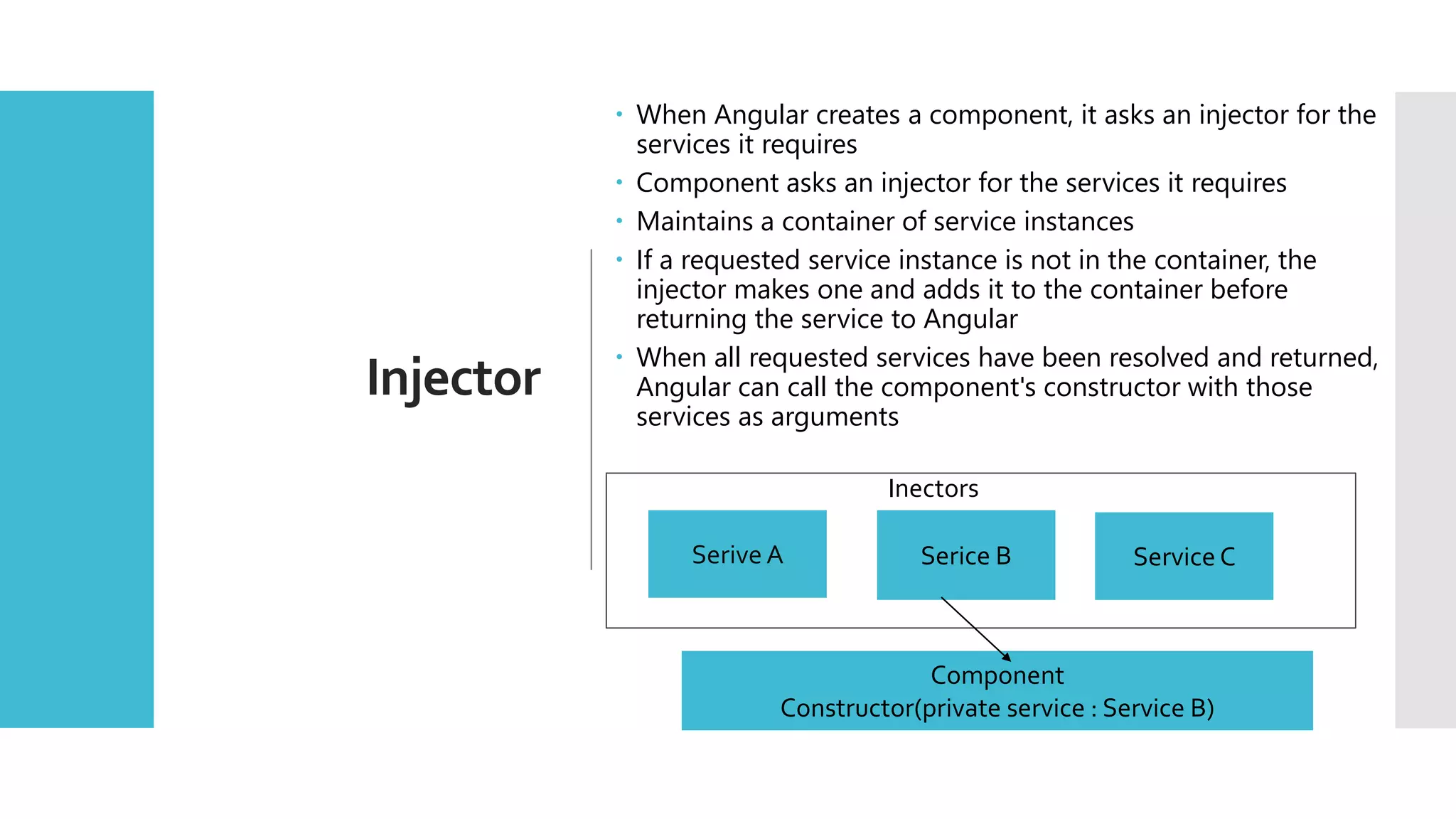
28 Injector  When Angular creates a component, it asks an injector for the services it requires  Component asks an injector for the services it requires  Maintains a container of service instances  If a requested service instance is not in the container, the injector makes one and adds it to the container before returning the service to Angular  When all requested services have been resolved and returned, Angular can call the component's constructor with those services as arguments Serive A Serice B Service C Component Constructor(private service : Service B) Inectors
29  Provider: Creates or returns a service  It is registered in a module or a component  Add it to the root module for it to be available everywhere  Register it in the component to get a new instance of the service with each new instance of the component  @NgModule(  { imports : [ ... ],  providers:[ TodoDataService, LogService ]  })  @Injectable() marks a class as available to an injector for instantiation  @Injectable({  providedIn: 'root',  })  Essential ingredient in every Angular service definition Dependency Injection Providers & @Injectable 29
30 Angular 9 Routing
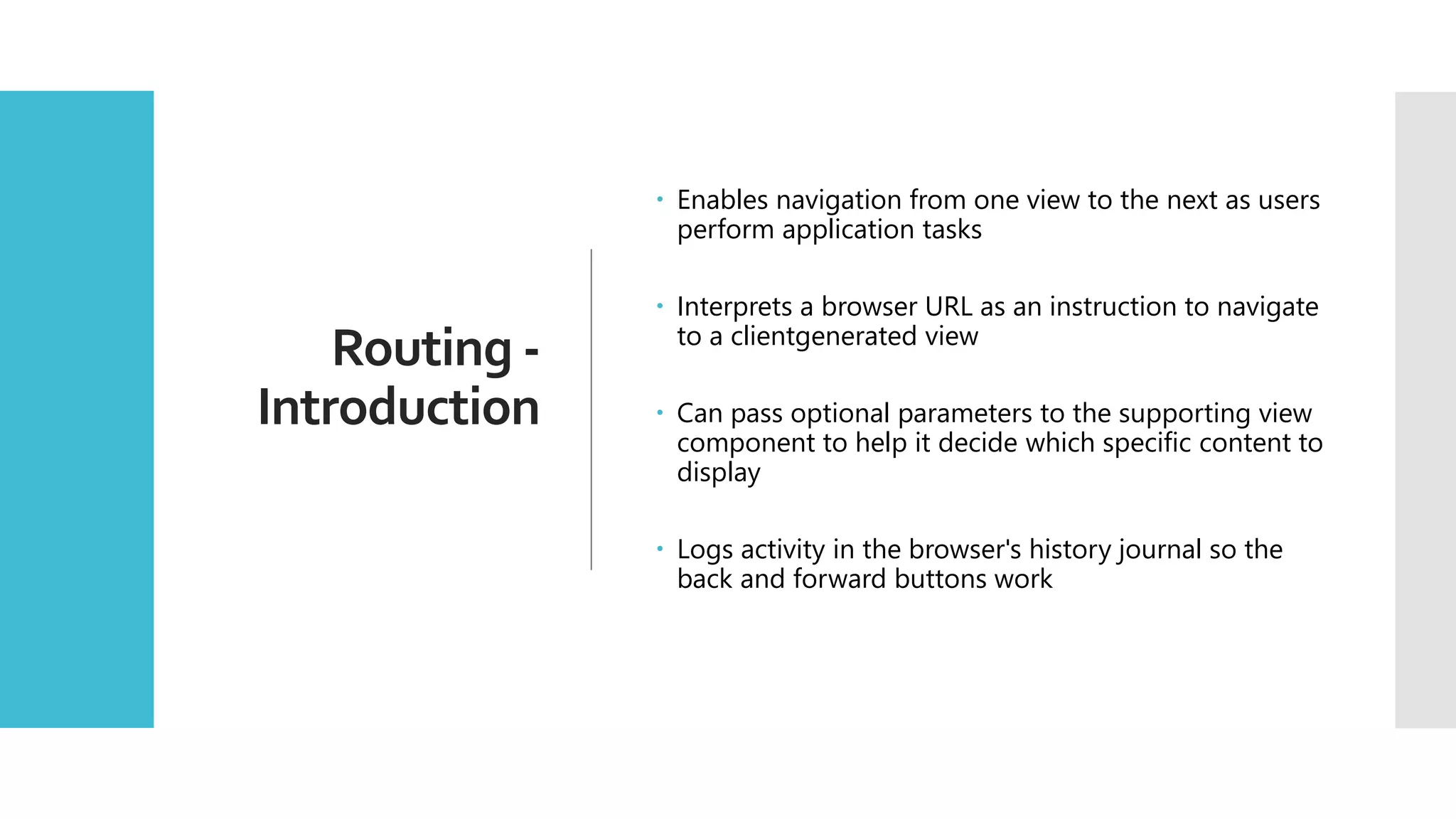
31 Routing - Introduction  Enables navigation from one view to the next as users perform application tasks  Interprets a browser URL as an instruction to navigate to a clientgenerated view  Can pass optional parameters to the supporting view component to help it decide which specific content to display  Logs activity in the browser's history journal so the back and forward buttons work
32 Routing Module [ app-routing.module.ts ]  For simple routing, defining the routes in the main application module is fine  It can become more difficult to manage if the application grows and you use more Router features  Refactor the routing configuration in its own file: the Routing Module  The Routing Module  Separates routing concerns from other application concerns  Provides a module to replace or remove when testing the application  Provides a well-known location for routing service providers •  Does not declare components
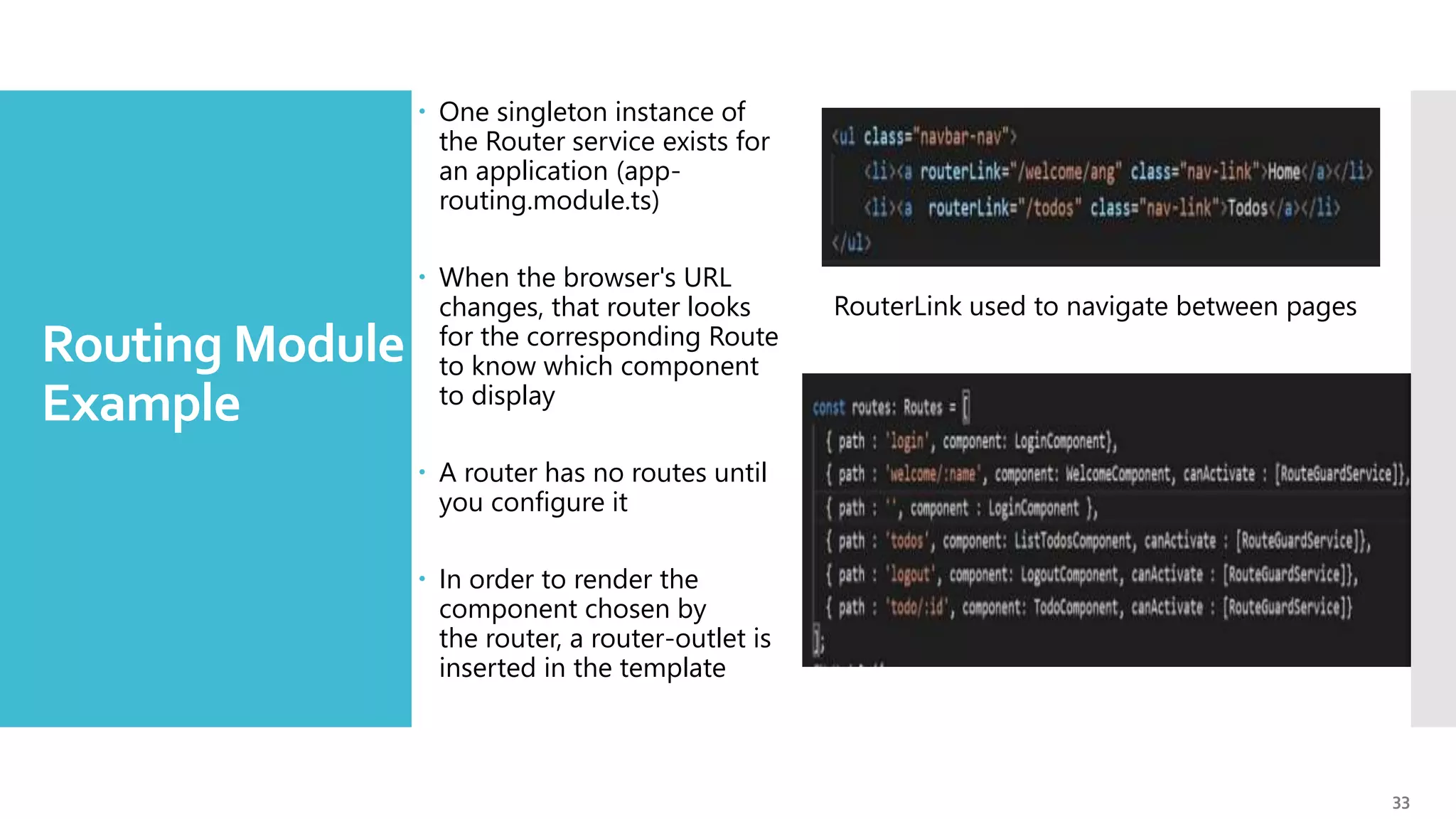
33 Routing Module - Example  One singleton instance of the Router service exists for an application (app- routing.module.ts)  When the browser's URL changes, that router looks for the corresponding Route to know which component to display  A router has no routes until you configure it  In order to render the component chosen by the router, a router-outlet is inserted in the template RouterLink used to navigate between pages
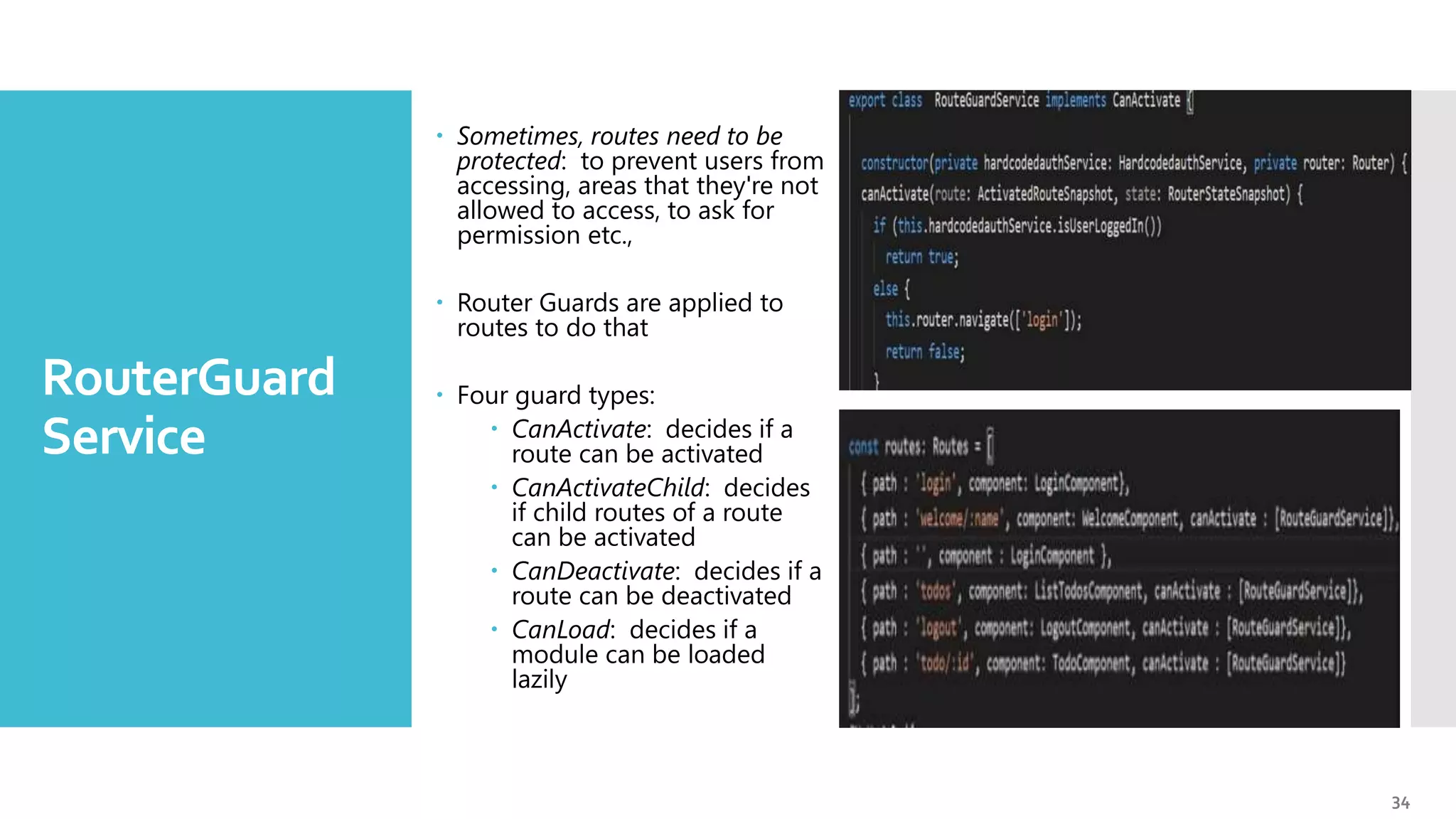
34 RouterGuard Service  Sometimes, routes need to be protected: to prevent users from accessing, areas that they're not allowed to access, to ask for permission etc.,  Router Guards are applied to routes to do that  Four guard types:  CanActivate: decides if a route can be activated  CanActivateChild: decides if child routes of a route can be activated  CanDeactivate: decides if a route can be deactivated  CanLoad: decides if a module can be loaded lazily
35 Sites Additional References 1. https://angular.io/docs - Angular Documentation 2. https://www.typescriptlang.org/docs/home.html -TypeScript Docs 3. https://cli.angular.io/ - Angular commands Text books • The Ng-book - A Complete Book on Angular (2020 Edition) https://www.newline.co/ng-book/2/
36 Thank you !

Angular 9

  • 1.
  • 2.
    2 Introduction toAngular  JavaScript framework Bootstraps JavaScript with HTML pages  Enhances UI experience of user  It is a framework for building web and mobile client-side apps with JavaScript or more precisely a super-language of JavaScript called TypeScript built by Microsoft  It implements core and optional functionality as a set of TypeScript libraries that you import into your apps.  The framework, written in pure JavaScript, was intended to decouple an application’s logic from DOM manipulation
  • 3.
    3 Why Angular?  Detailed documentation Angular boasts detailed documentation where developers can find all necessary information  Angular Material.  This collection of Material Design elements optimized for Angular lets developers easily integrate UI components.  Great ecosystem of third-party components  The popularity of Angular has resulted in the appearance of thousands of additional tools and components that can be used in Angular apps.  Component-based architecture.  According to this architecture, an app is divided into independent logical and functional components.  These components can easily be replaced and decoupled as well as reused in other parts of an app.  Component independence makes it easy to test a web app and ensure that every component works seamlessly.
  • 4.
    4 Why Angular?  Ahead-of-time compiler. Angular’s AOT compiler converts TypeScript and HTML into JavaScript during the build process.  This code is compiled before the browser loads your web app so that it’s rendered much faster.  An AOT compiler is also much more secure than a just-in-time (JIT) compiler.  CLI  Allows you to create a new Angular project, add features to it, and run unit and end-to-end tests with a few simple commands.  Angular Elements.  Starting with Angular 6, developers can easily add custom elements to any web app built with React, JQuery, Vue, or any other environment  Ivy Renderer  Ivy Renderer translates an app’s components and templates into JavaScript code that can be displayed by a browser.  The main characteristic of this tool is its tree shaking technique.  During rendering, Ivy removes unused code to make it clearer and smaller. As a result, web apps load faster.
  • 5.
  • 6.
    6 Features and Fixes  EnablesAOT compiler on by default  This means that the AOT builds will be noticeably faster. The change in the compiler and runtime, would no longer require entryComponents and ng serve  Default Ivy compiler  Improves the bundle sizes.  Allows for better debugging  Faster Mobile Apps  By reducing the size of JavaScript bundles, Ivy opens a platform for developers to speed up the application  Adds improved TypeChecking & faster testing  More reliable ng update  ng update --create-commits, the tool commits the state of our codebase after each migration, to debug the changes made to the code.  Selector-less directives in Ivy  Improved internationalzation (i18n)
  • 7.
    7 Features and Fixes  Newoptions for 'providedIn'  This angular 9 feature provides us with some additional options while create an @Injectable service in Angular.  platform - providedIn: 'platform' makes the service available in a special singleton platform injector that is shared by all applications on the page.  any - Provides a unique instance in every module (including lazy modules) that instills the token.  TypeScript 3.7 Support  Optional chaining  Nullish Coalescing  Assertion function  Semicolon formatter option  Uncalled function checks  Component Hareness  Angular 9 is making harnesses available to any component author as part of the Component Dev Kit (CDK)
  • 8.
  • 9.
    9 Installation and Configurations  Needto install Node.js to use npm  Run the following command in command prompt to install Angular CLI and create new project  npm install -g @angular/cli  ng new  The Angular CLI makes it easy to create an application that already works, right out of the box  When you run ng new my-dream-app a new folder, named my-dream-app, will be created in the current working directory.  ng serve  Build an app and serve it locally, the server automatically rebuilds the app and reloads the page when you change any of the source files
  • 10.
    10 Commands  ng build Compiles an Angular app into an output directory named dist at the given output path  ng test  Runs karma task runner for our tests  ng generate  Generates and/or modifies files based on a schematic  ng e2e  Builds and serves an Angular app, then runs end-to-end tests using Protractor  ng lint  Runs linting tools on Angular app code in a given project folder [ tslint.json ] 10
  • 11.
    11 Key Components • The defaultroot component  File app-routing.module.ts contains url mapping of components  File app.component.ts contains definition of root component  File app.module.ts contains configuration of the component  File app.component.html contains template component  Index.html bootstraps root component.
  • 12.
    12 Component creation  Creating anew component  Generated new component will be updated in app.module.ts 12
  • 13.
  • 14.
    14 Introduction 14 Improvements over ES6 TypesClasses Annotations Imports exports Language Utilities (e.g. destructuring) TypeChecking Official collaboration between Microsoft and Google TypeScript = JavaScript + Strong typing TypeScript introduced fromAngular 2+.
  • 15.
    15 JavaScript and TypeScript  JavaScriptand TypeScript is superset of ES  ES => EcmaScript  ES is a standard JS,TS are implementation  ES 6+ Modern JavaScripts.  No types in JavaScript(loosely coupled)  Example of number type in TypeScript 15 • this.id = "saw" // throws compilation error
  • 16.
    16 Angular 9 -TypeScript built-in types 16
  • 17.
    17 TypeScript - Classes 17 In ES5,OO programming was accomplished by using prototype-based objects TS classes may have properties methods and constructors Inheritance built in core language Uses extends keyword To call a method of a class, we have to create an instance of this class, with the new keyword Constructor • Named constructor(..) • Doesn’t return any values
  • 18.
    18 Angular 9 Architecture Modules,Templates,MetaData, DataBinding, Directives,Services
  • 19.
  • 20.
    20 Architecture - Modules 20 Angular appsare modular: • An application defines a set of Angular Modules or NgModules Every angular module is a class with an @NgModule decorator Every Angular App has at least one module: the root module NgModule takes a single metadata object describing the module, with the following properties • Declarations: view classes (components, directives and piped) • Exports: subset of public declarations, usable in the templates of other modules • Imports: external modules needed by the templates of this module • Providers: creators of services that this module contributes to • Bootstrap: main application view, called the root component, that hosts all other app views
  • 21.
    21 Architecture Templates  A snippetof the HTML code of a component  A component's view is defined with its template  Uses Angular's template syntax, with custom elements
  • 22.
    22 Architecture MetaData  Helps angularhow to process data  Uses decorators to attach information to a class:  @Component  Selector : source of the base address (module.id) for module-relative URLs  TemplateUrl : address of the component's HTML template  Providers : : array of dependency injection providers for services that the component requires  StyleUrls : CSS address for the template code  Other metadata decorators: • @Injectable, @Input, @Output,.. 22
  • 23.
    23 DataBinding  Mechanism forcoordinating parts of a template with parts of a component  Four main forms  Interpolation {{...}} :  Displays the component's todo property value within the <td> element  Property Binding [….] :  Passes the value of id to the child comp  <view-todo>  Event Binding (click) :  Calls the component's updateTodo() method when the user clicks update button  Two-way data-binding [(ngModel)] :  Combines property and event binding, with ngModel 23
  • 24.
    24 Directives  Angular templatesare dynamic  When Angular renders them, it transforms the DOM according to instructions given by directives  A directive is a class with the @Directive decorator  A component is a directive-with-a-template  Two types of directives  Structural directives  Alter the layout by adding, removing and replacing elements in the DOM  <li *ngFor="let todo of todos"></li>  <view-todo *ngIf="idNotNull"> <view-todo>  Attribute directives  Alter the appearance or behaviour of an existant element  Look like regular HTML attributes  <input type='text' [(ngModel)] ="user.username"> 24
  • 25.
    25 Architecture - Services 25 Service isa class with a narrow, well-defined purpose • Logging service, data service.. Component classes should be lean, • They shouldn't fetch data from the server, • They just deal with user experience, mediate between the view and the logic, • Everything non trivial should be delegated to services ng generate service <service-name> A service is associated to a component using dependency injection
  • 26.
  • 27.
    27 Dependency Injection - Introduction Important designpattern Commonly called DI A way to supply a new instance of a class with the fully-formed dependencies it requires In plain English, one object supplying the dependencies of another object. Makes code more readable and maintainable. Most dependencies are services • DI is used to provide new components with the services they need • It knows which services to instantiate by looking at the types of the component's constructor parameters • constructor(private service : Service)
  • 28.
    28 Injector  When Angularcreates a component, it asks an injector for the services it requires  Component asks an injector for the services it requires  Maintains a container of service instances  If a requested service instance is not in the container, the injector makes one and adds it to the container before returning the service to Angular  When all requested services have been resolved and returned, Angular can call the component's constructor with those services as arguments Serive A Serice B Service C Component Constructor(private service : Service B) Inectors
  • 29.
    29  Provider: Createsor returns a service  It is registered in a module or a component  Add it to the root module for it to be available everywhere  Register it in the component to get a new instance of the service with each new instance of the component  @NgModule(  { imports : [ ... ],  providers:[ TodoDataService, LogService ]  })  @Injectable() marks a class as available to an injector for instantiation  @Injectable({  providedIn: 'root',  })  Essential ingredient in every Angular service definition Dependency Injection Providers & @Injectable 29
  • 30.
  • 31.
    31 Routing - Introduction  Enablesnavigation from one view to the next as users perform application tasks  Interprets a browser URL as an instruction to navigate to a clientgenerated view  Can pass optional parameters to the supporting view component to help it decide which specific content to display  Logs activity in the browser's history journal so the back and forward buttons work
  • 32.
    32 Routing Module [ app-routing.module.ts]  For simple routing, defining the routes in the main application module is fine  It can become more difficult to manage if the application grows and you use more Router features  Refactor the routing configuration in its own file: the Routing Module  The Routing Module  Separates routing concerns from other application concerns  Provides a module to replace or remove when testing the application  Provides a well-known location for routing service providers •  Does not declare components
  • 33.
    33 Routing Module - Example One singleton instance of the Router service exists for an application (app- routing.module.ts)  When the browser's URL changes, that router looks for the corresponding Route to know which component to display  A router has no routes until you configure it  In order to render the component chosen by the router, a router-outlet is inserted in the template RouterLink used to navigate between pages
  • 34.
    34 RouterGuard Service  Sometimes, routesneed to be protected: to prevent users from accessing, areas that they're not allowed to access, to ask for permission etc.,  Router Guards are applied to routes to do that  Four guard types:  CanActivate: decides if a route can be activated  CanActivateChild: decides if child routes of a route can be activated  CanDeactivate: decides if a route can be deactivated  CanLoad: decides if a module can be loaded lazily
  • 35.
    35 Sites Additional References 1. https://angular.io/docs- Angular Documentation 2. https://www.typescriptlang.org/docs/home.html -TypeScript Docs 3. https://cli.angular.io/ - Angular commands Text books • The Ng-book - A Complete Book on Angular (2020 Edition) https://www.newline.co/ng-book/2/
  • 36.