Operating Systems: CSE 3204 Chapter One Introduction to Operating System and its Structures (Materials partly taken from Operating System Concepts by Silberschatz, Galvin and Gagne, 2005 – 7th Edition, chapter 1-2) ASTU Department of CSE May 21, 2019 1 Operating Systems Lecture 1: Introduction to Operating Systems
Contents • What operating systems do • Computer system structure • Computer system organization • Operating system operations • Computing environments • Operating system-views • Reading Assignments May 21, 2019 2 Operating Systems
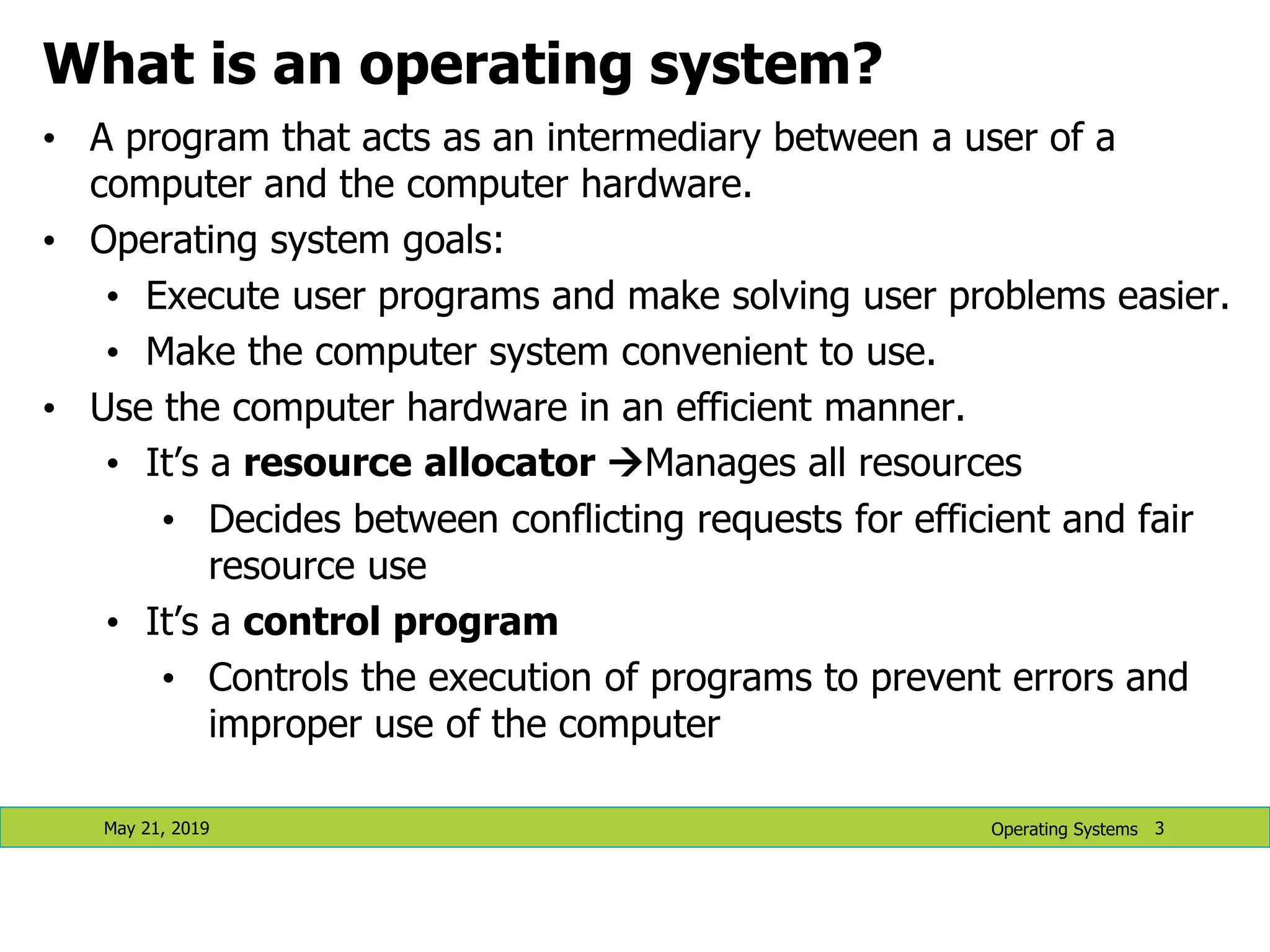
May 21, 2019 3 What is an operating system? • A program that acts as an intermediary between a user of a computer and the computer hardware. • Operating system goals: • Execute user programs and make solving user problems easier. • Make the computer system convenient to use. • Use the computer hardware in an efficient manner. • It’s a resource allocator Manages all resources • Decides between conflicting requests for efficient and fair resource use • It’s a control program • Controls the execution of programs to prevent errors and improper use of the computer Operating Systems
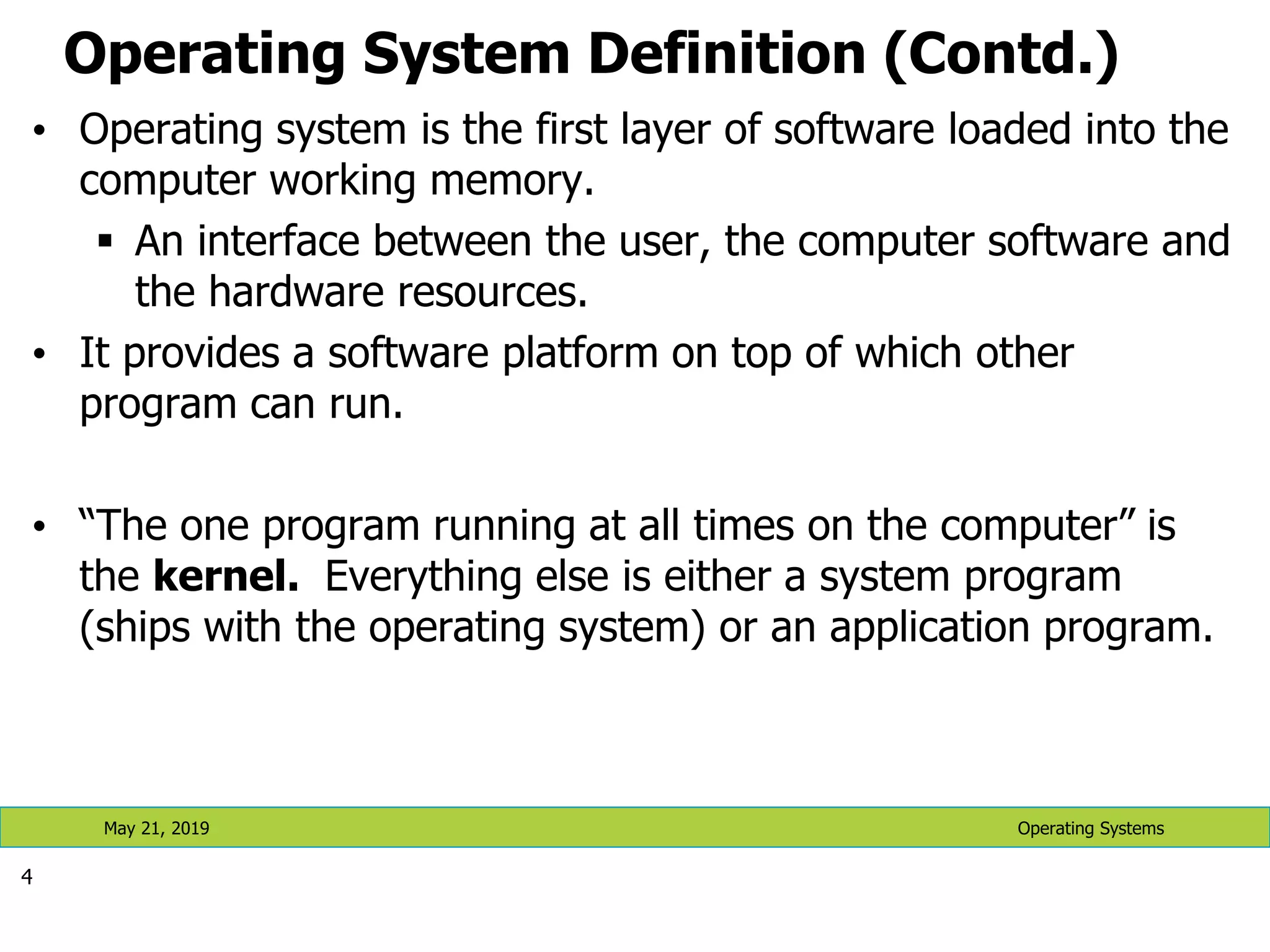
Operating System Definition (Contd.) • Operating system is the first layer of software loaded into the computer working memory.  An interface between the user, the computer software and the hardware resources. • It provides a software platform on top of which other program can run. • “The one program running at all times on the computer” is the kernel. Everything else is either a system program (ships with the operating system) or an application program. 4 Operating Systems May 21, 2019
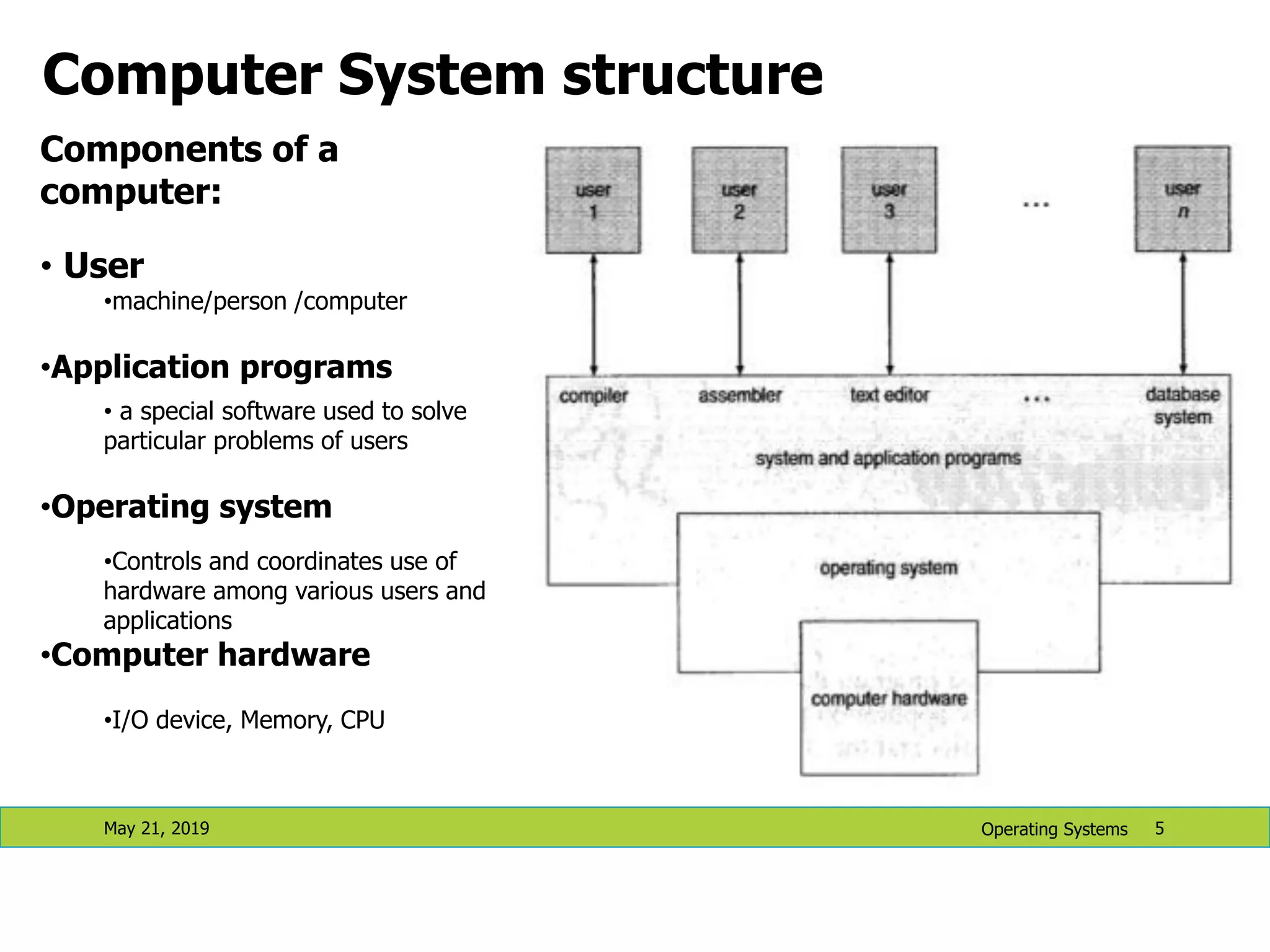
Computer System structure May 21, 2019 5 Components of a computer: • User •machine/person /computer •Application programs • a special software used to solve particular problems of users •Operating system •Controls and coordinates use of hardware among various users and applications •Computer hardware •I/O device, Memory, CPU Operating Systems
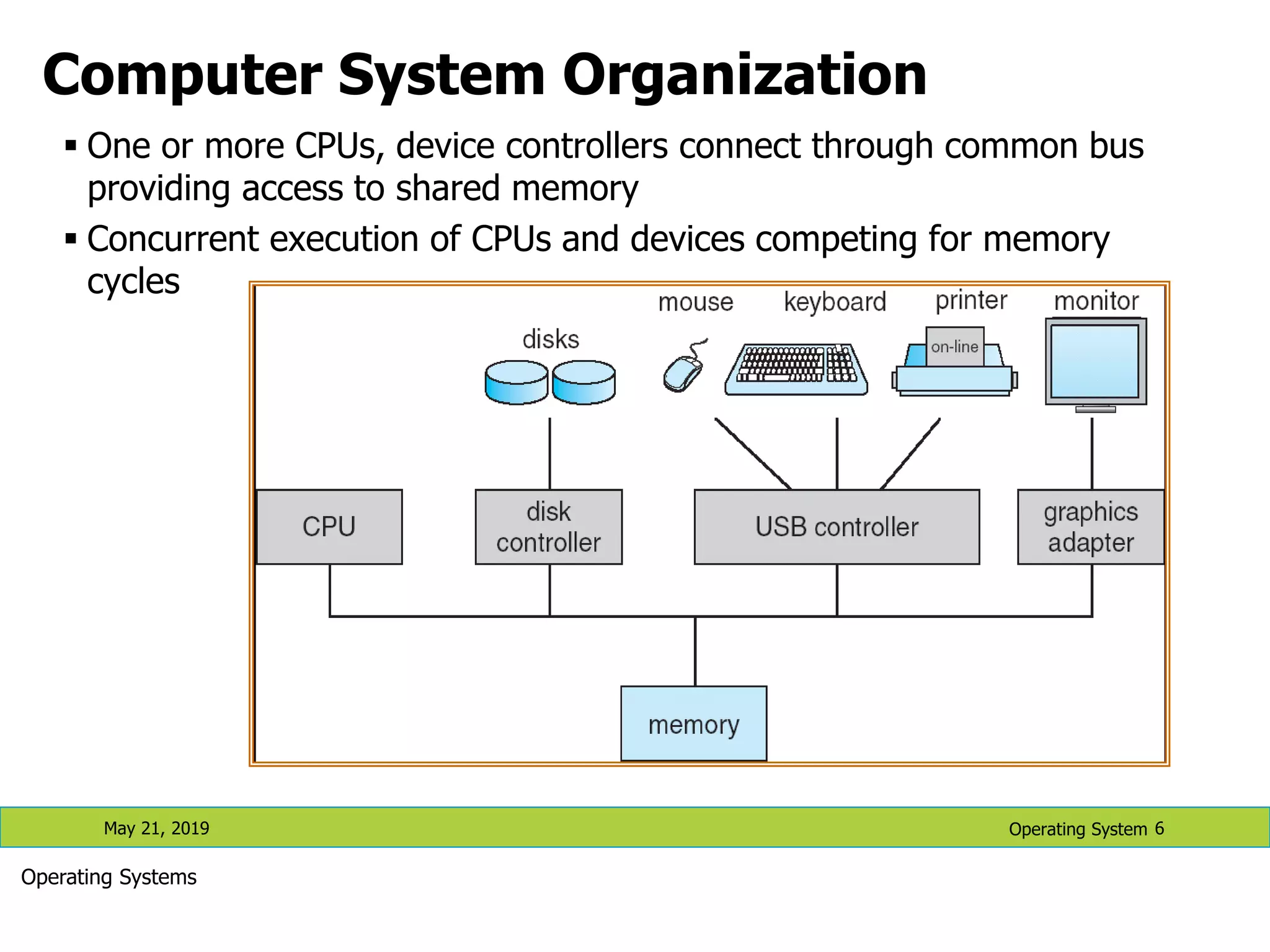
Computer System Organization  One or more CPUs, device controllers connect through common bus providing access to shared memory  Concurrent execution of CPUs and devices competing for memory cycles May 21, 2019 6 Operating Systems Operating System
Computer-System Operation • I/O devices and the CPU can execute concurrently. • Each device controller is in charge of a particular device type. • Each device controller has a local buffer. • CPU moves data from/to main memory to/from local buffers • I/O is from the device to local buffer of controller. • Device controller informs CPU that it has finished its operation by causing an interrupt. 7 Operating Systems May 21, 2019
Computer Startup • bootstrap program is loaded at power-up or reboot • Typically stored in ROM or EEPROM (Electronic Erasable Programmable Read Only Memory), generally known as firmware, within the computer hardware • Initializes all aspects of the system • Loads operating system kernel and starts execution 8 Operating Systems May 21, 2019
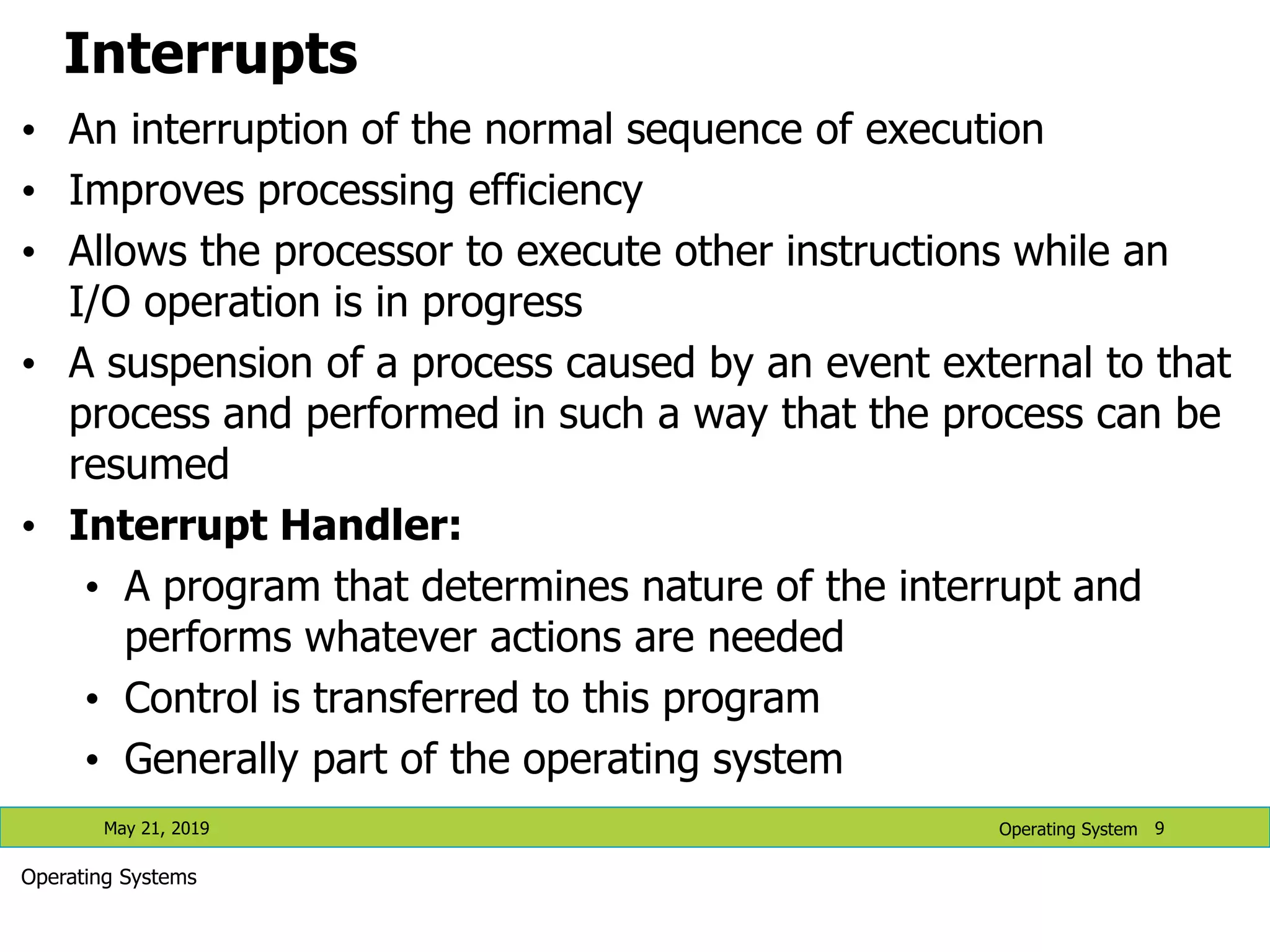
Interrupts • An interruption of the normal sequence of execution • Improves processing efficiency • Allows the processor to execute other instructions while an I/O operation is in progress • A suspension of a process caused by an event external to that process and performed in such a way that the process can be resumed • Interrupt Handler: • A program that determines nature of the interrupt and performs whatever actions are needed • Control is transferred to this program • Generally part of the operating system May 21, 2019 9 Operating System Operating Systems
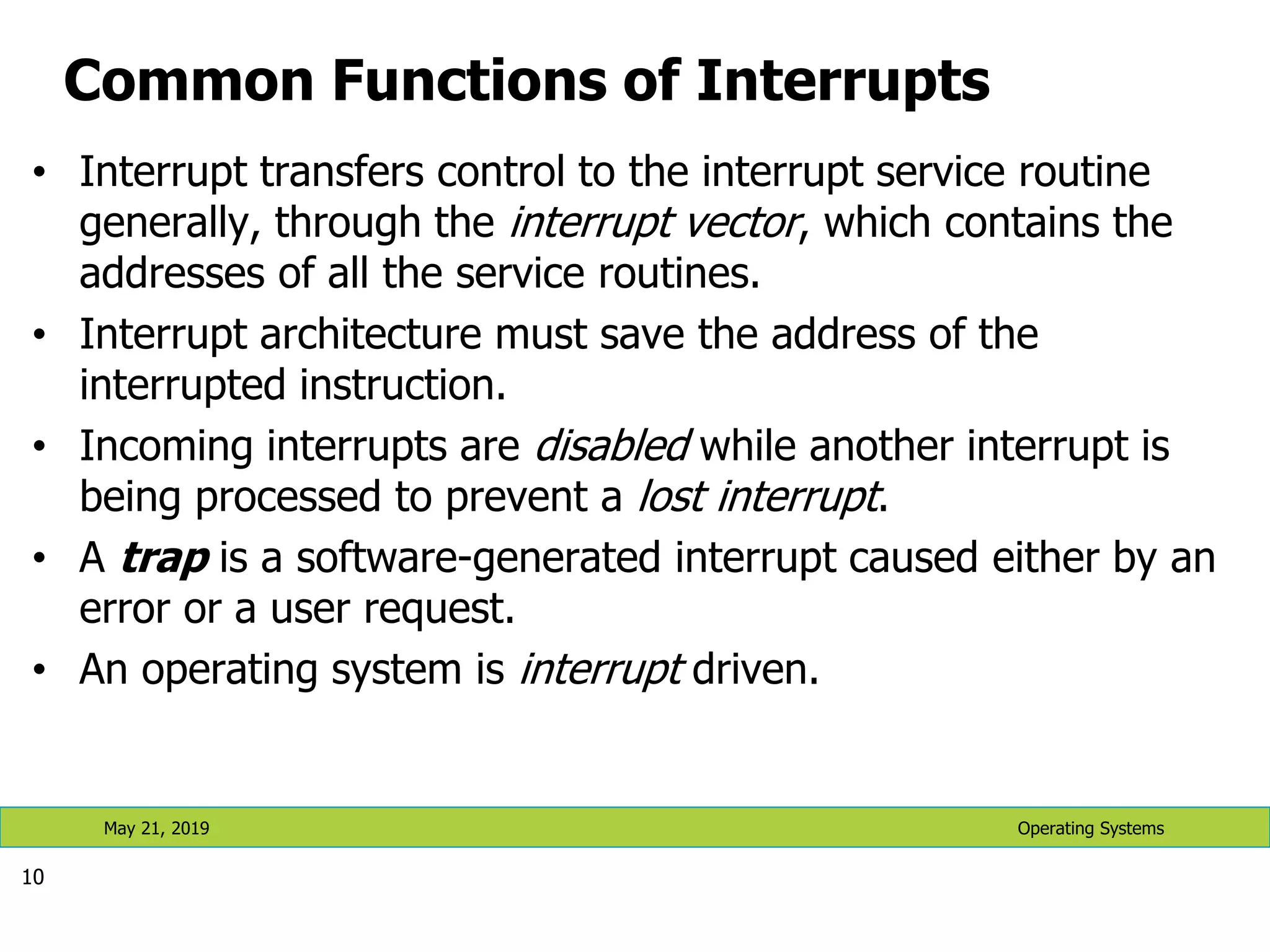
Common Functions of Interrupts • Interrupt transfers control to the interrupt service routine generally, through the interrupt vector, which contains the addresses of all the service routines. • Interrupt architecture must save the address of the interrupted instruction. • Incoming interrupts are disabled while another interrupt is being processed to prevent a lost interrupt. • A trap is a software-generated interrupt caused either by an error or a user request. • An operating system is interrupt driven. 10 Operating Systems May 21, 2019
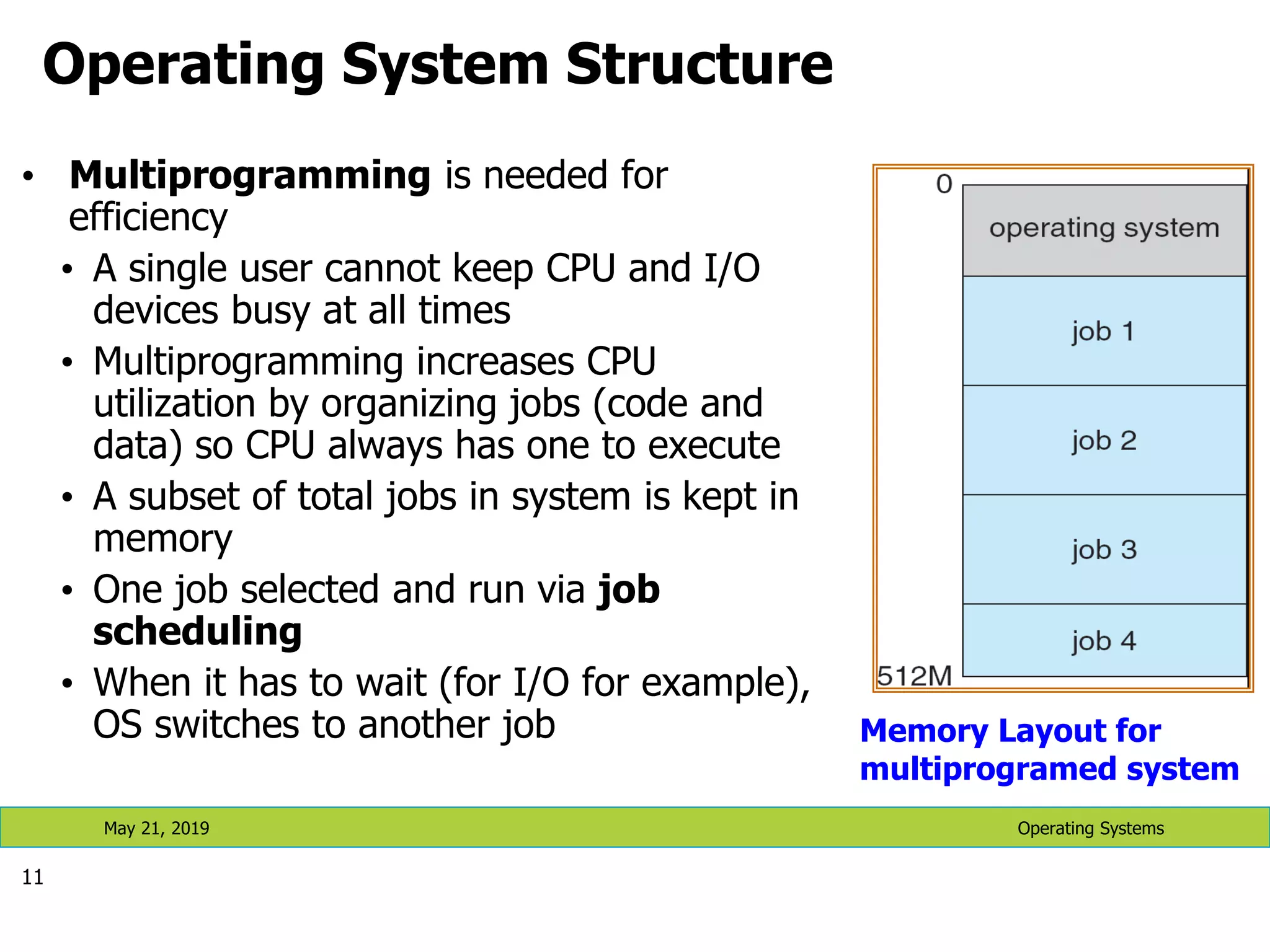
Operating System Structure • Multiprogramming is needed for efficiency • A single user cannot keep CPU and I/O devices busy at all times • Multiprogramming increases CPU utilization by organizing jobs (code and data) so CPU always has one to execute • A subset of total jobs in system is kept in memory • One job selected and run via job scheduling • When it has to wait (for I/O for example), OS switches to another job 11 Operating Systems May 21, 2019 Memory Layout for multiprogramed system
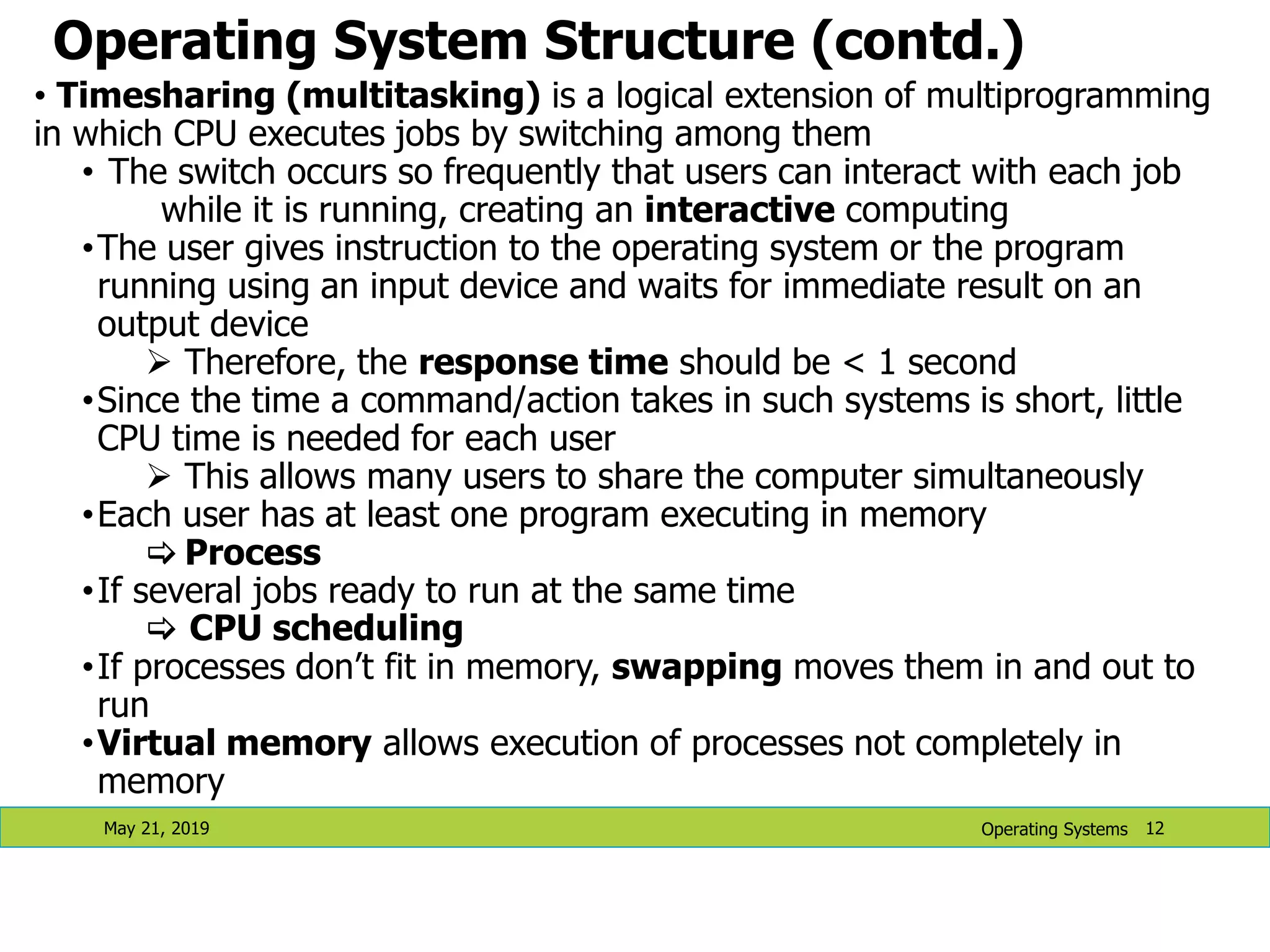
Operating System Structure (contd.) May 21, 2019 12 • Timesharing (multitasking) is a logical extension of multiprogramming in which CPU executes jobs by switching among them • The switch occurs so frequently that users can interact with each job while it is running, creating an interactive computing •The user gives instruction to the operating system or the program running using an input device and waits for immediate result on an output device  Therefore, the response time should be < 1 second •Since the time a command/action takes in such systems is short, little CPU time is needed for each user  This allows many users to share the computer simultaneously •Each user has at least one program executing in memory  Process •If several jobs ready to run at the same time  CPU scheduling •If processes don’t fit in memory, swapping moves them in and out to run •Virtual memory allows execution of processes not completely in memory Operating Systems
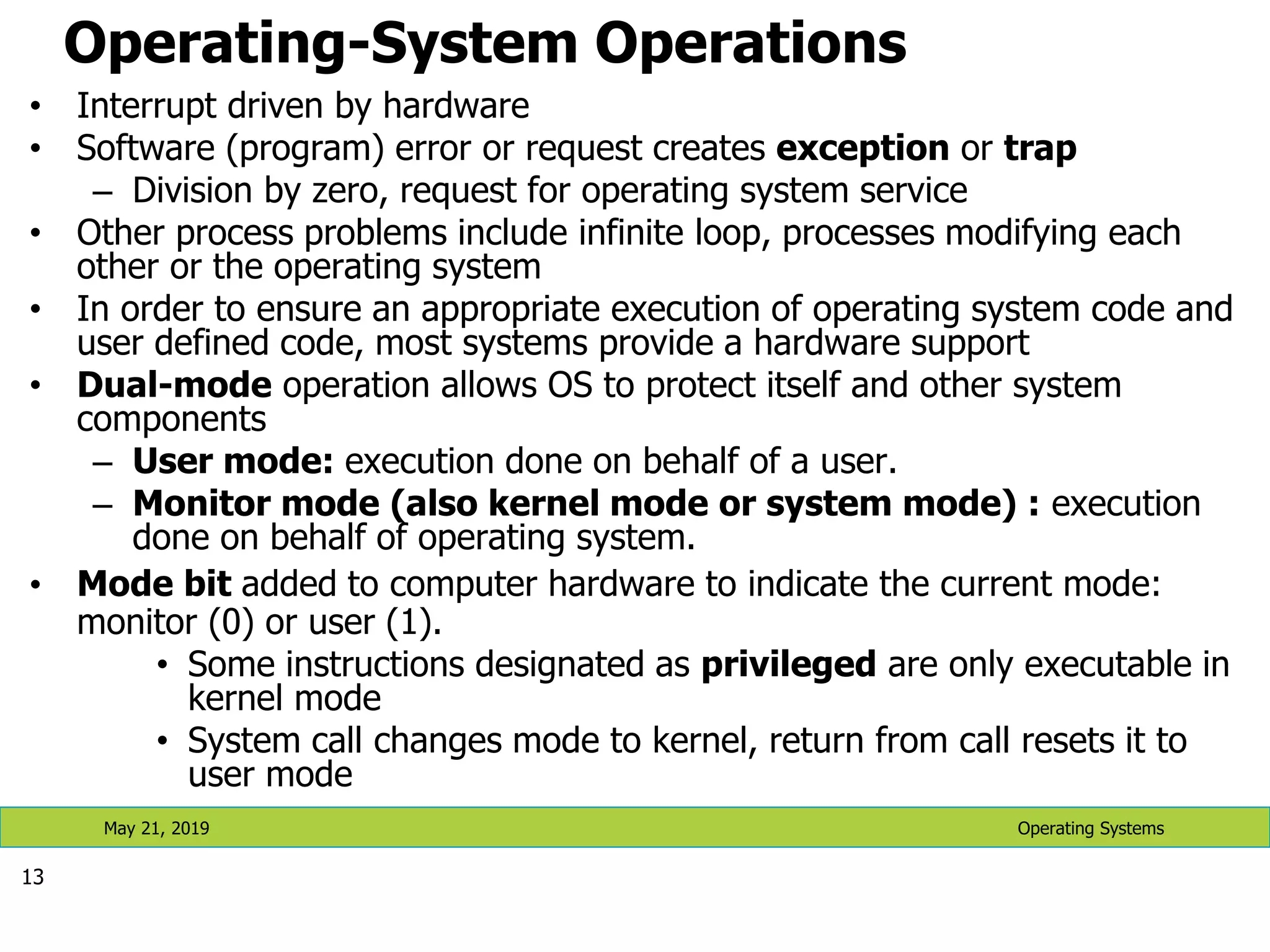
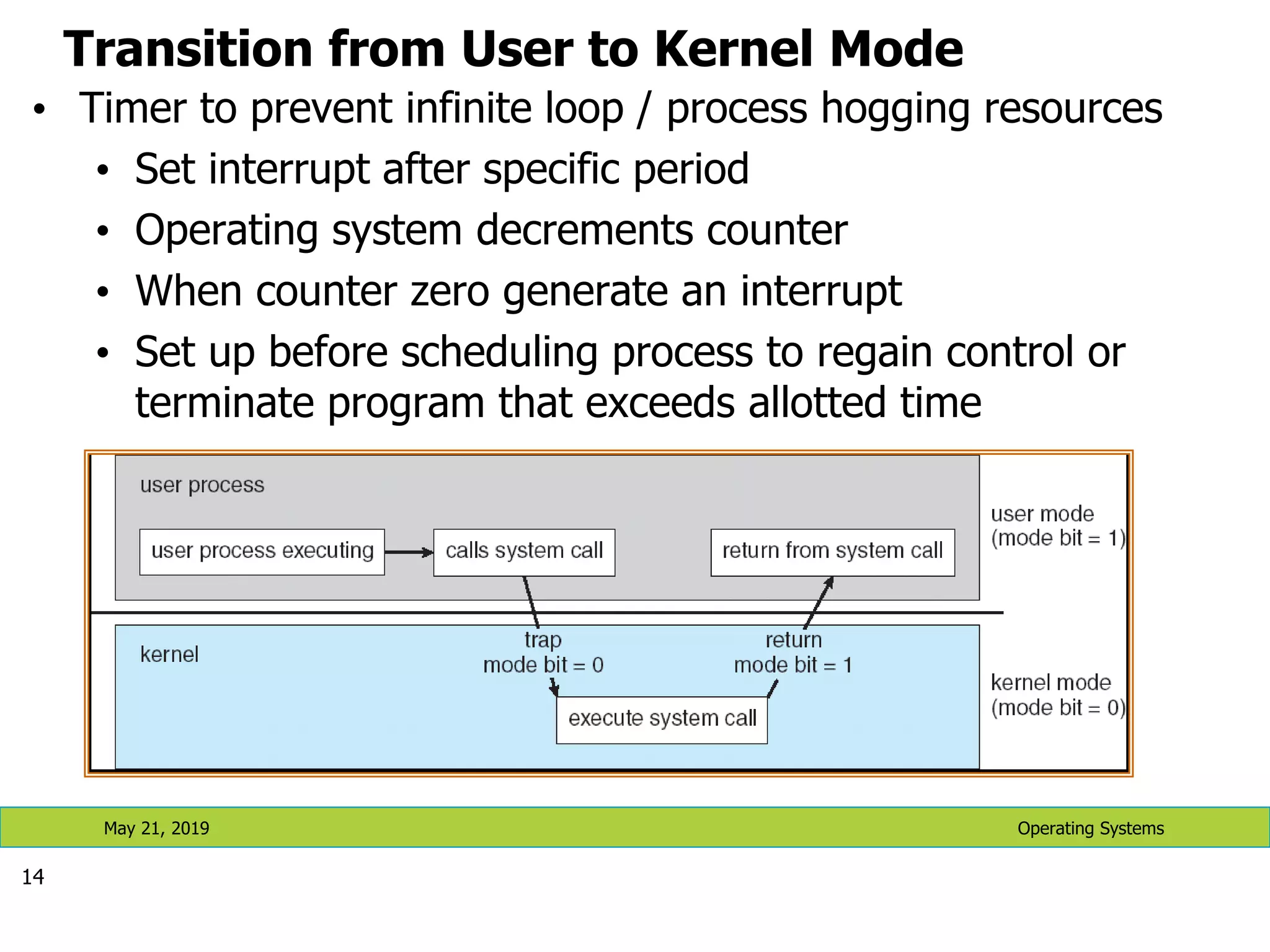
Operating-System Operations • Interrupt driven by hardware • Software (program) error or request creates exception or trap – Division by zero, request for operating system service • Other process problems include infinite loop, processes modifying each other or the operating system • In order to ensure an appropriate execution of operating system code and user defined code, most systems provide a hardware support • Dual-mode operation allows OS to protect itself and other system components – User mode: execution done on behalf of a user. – Monitor mode (also kernel mode or system mode) : execution done on behalf of operating system. • Mode bit added to computer hardware to indicate the current mode: monitor (0) or user (1). • Some instructions designated as privileged are only executable in kernel mode • System call changes mode to kernel, return from call resets it to user mode 13 Operating Systems May 21, 2019
Transition from User to Kernel Mode • Timer to prevent infinite loop / process hogging resources • Set interrupt after specific period • Operating system decrements counter • When counter zero generate an interrupt • Set up before scheduling process to regain control or terminate program that exceeds allotted time 14 Operating Systems May 21, 2019
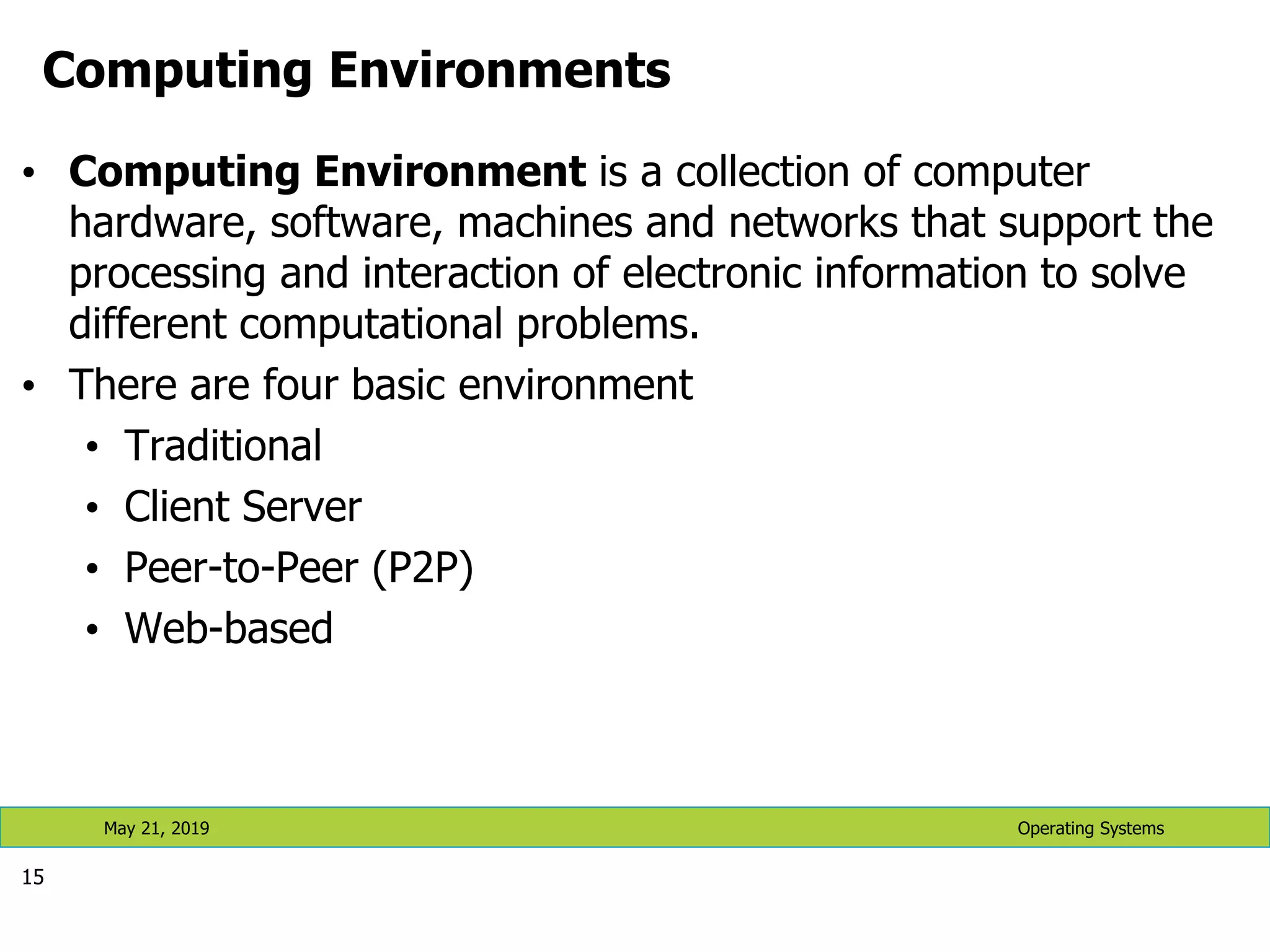
Computing Environments • Computing Environment is a collection of computer hardware, software, machines and networks that support the processing and interaction of electronic information to solve different computational problems. • There are four basic environment • Traditional • Client Server • Peer-to-Peer (P2P) • Web-based 15 Operating Systems May 21, 2019
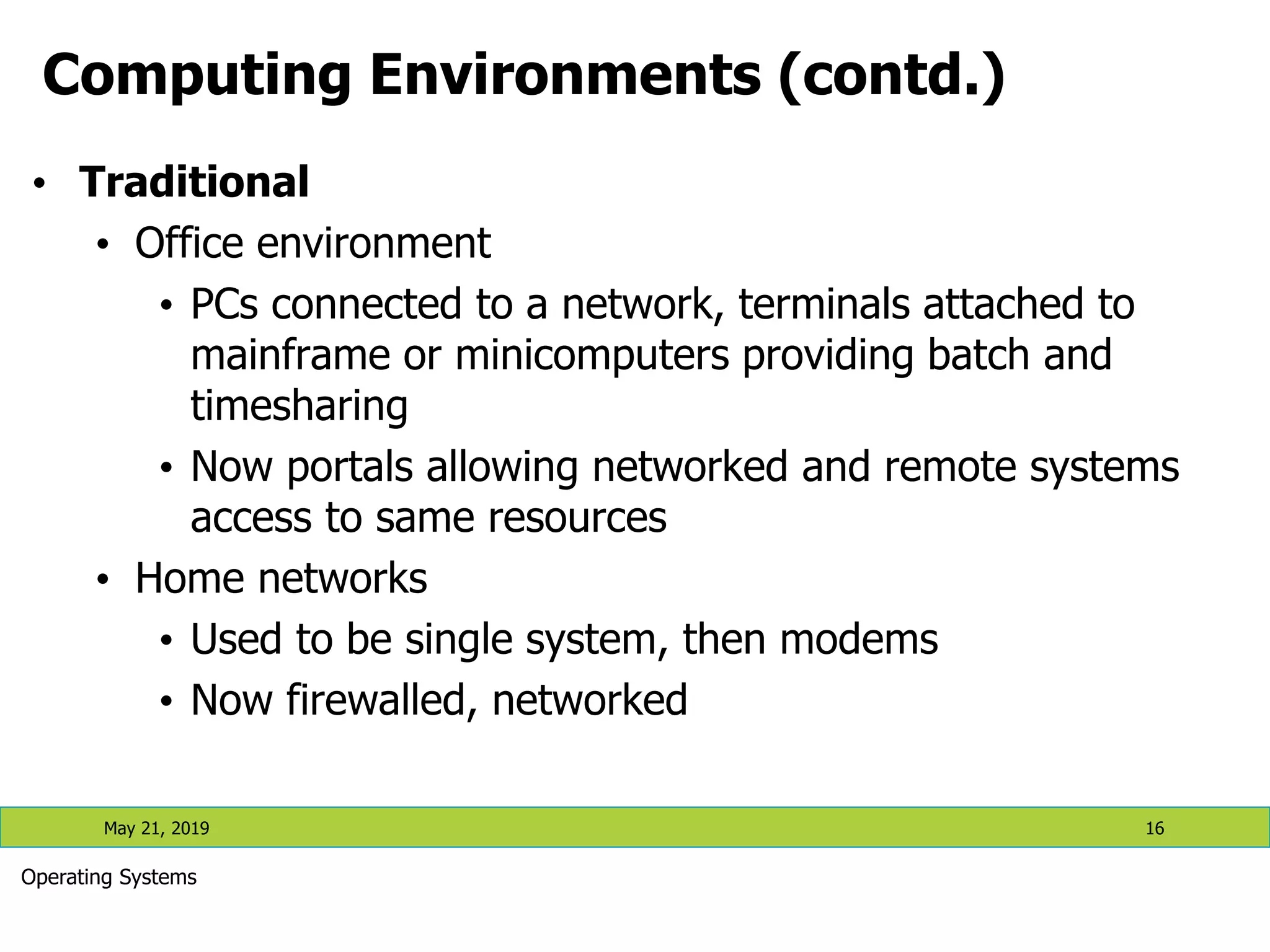
Computing Environments (contd.) • Traditional • Office environment • PCs connected to a network, terminals attached to mainframe or minicomputers providing batch and timesharing • Now portals allowing networked and remote systems access to same resources • Home networks • Used to be single system, then modems • Now firewalled, networked May 21, 2019 16 Operating Systems
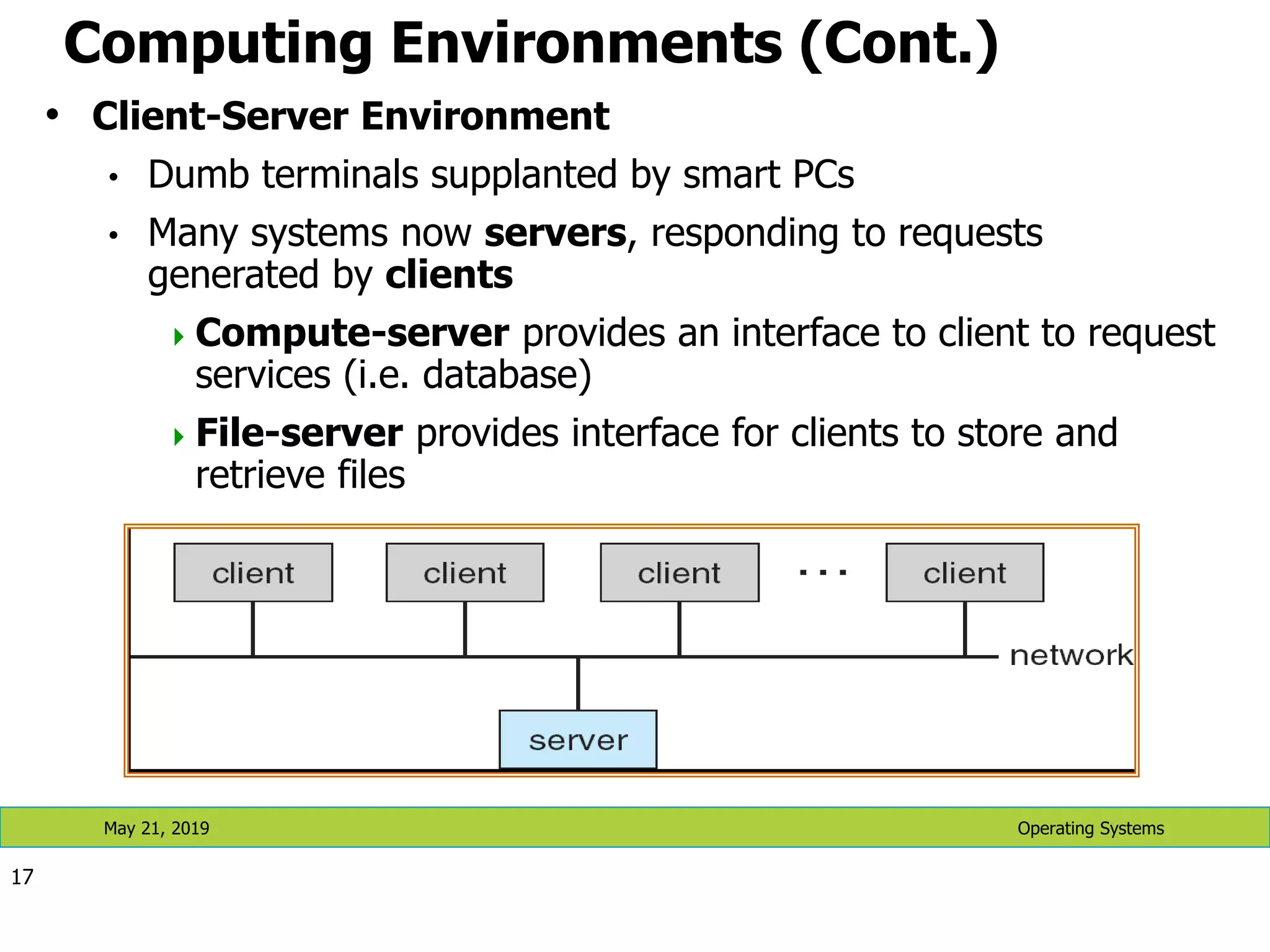
Computing Environments (Cont.) • Client-Server Environment • Dumb terminals supplanted by smart PCs • Many systems now servers, responding to requests generated by clients Compute-server provides an interface to client to request services (i.e. database) File-server provides interface for clients to store and retrieve files 17 Operating Systems May 21, 2019
Peer-to-Peer Environment • Another model of distributed system • P2P does not distinguish clients and servers • Instead all nodes are considered peers • Each node may act as client, server or both • Node must join P2P network • Registers its service with central lookup service on network, or • Broadcast request for service and respond to requests for service via discovery protocol 18 Operating Systems May 21, 2019
Web Based Environment • The Web has become ubiquitous • PCs most prevalent devices • More devices becoming networked to allow web access • New category of devices to manage web traffic among similar servers: load balancers • Use of operating systems like Windows 95, client-side, have evolved into Linux and Windows XP, which can be clients and servers May 21, 2019 19 Operating Systems
Special Purpose Systems Real-time embedded systems •These systems have fixed time constraint, so that their operations should be finished with in that time •Embedded computers are commonly found everywhere (at home, in industries, manufacturing robots, care engines, etc) •They monitor and control devices and usually they have no or little user interface •Systems that control scientific experiments, industry processes, home appliances etc are real-time systems Multi-media systems • Handles multimedia data (video, audio) in addition to conventional data (text files, programs, spreadsheets etc Hand-held • Includes personal digital assistants (PDAs) like pocket PCs and palm PCs and cellular telephones •They use special-purpose embedded operating systems May 21, 2019 20 Operating Systems
Operating-System View There are several points to view Operating Systems: • Functional view (what it does) • Components view (Designers view) • Services view (Users/Programmers view) • Structure view (How it is implemented) May 21, 2019 21 Operating Systems
Functional view (What it does) • Program execution and handling • Starting programs, managing their execution and communicating their results. • I/O operations • Mechanisms for initiating and managing I/O • File-system Management • Creating, maintaining and manipulating files • Communications • Between processes of the same user • Such as sending result of input request to a user program • Between different users
Functional view (…) • Exception detection and handling • Protection related issues • Safety in the case of power failures via backups. • Detecting undesirable state such as printers out of paper. • Resource allocation • Includes processor and I/O scheduling, memory management • Accounting • To track users usage of resources for billing and statistical reasons • Protection • Maintaining integrity of user’s data • Integrity checks to keep out unauthorized users • Maintaining logs of incorrect attempts
Component view: Processes • A process is • A process is a program in execution. It is a unit of work within the system. Program is a passive entity, process is an active entity. • Dynamic entity created by the execution of the program. • Processes may play different roles • User processes • OS (system) processes • A single process can swap other processes • A computation requires typically many processes • Shell, one or more user processes, one or more system processes May 21, 2019 24 Operating Systems
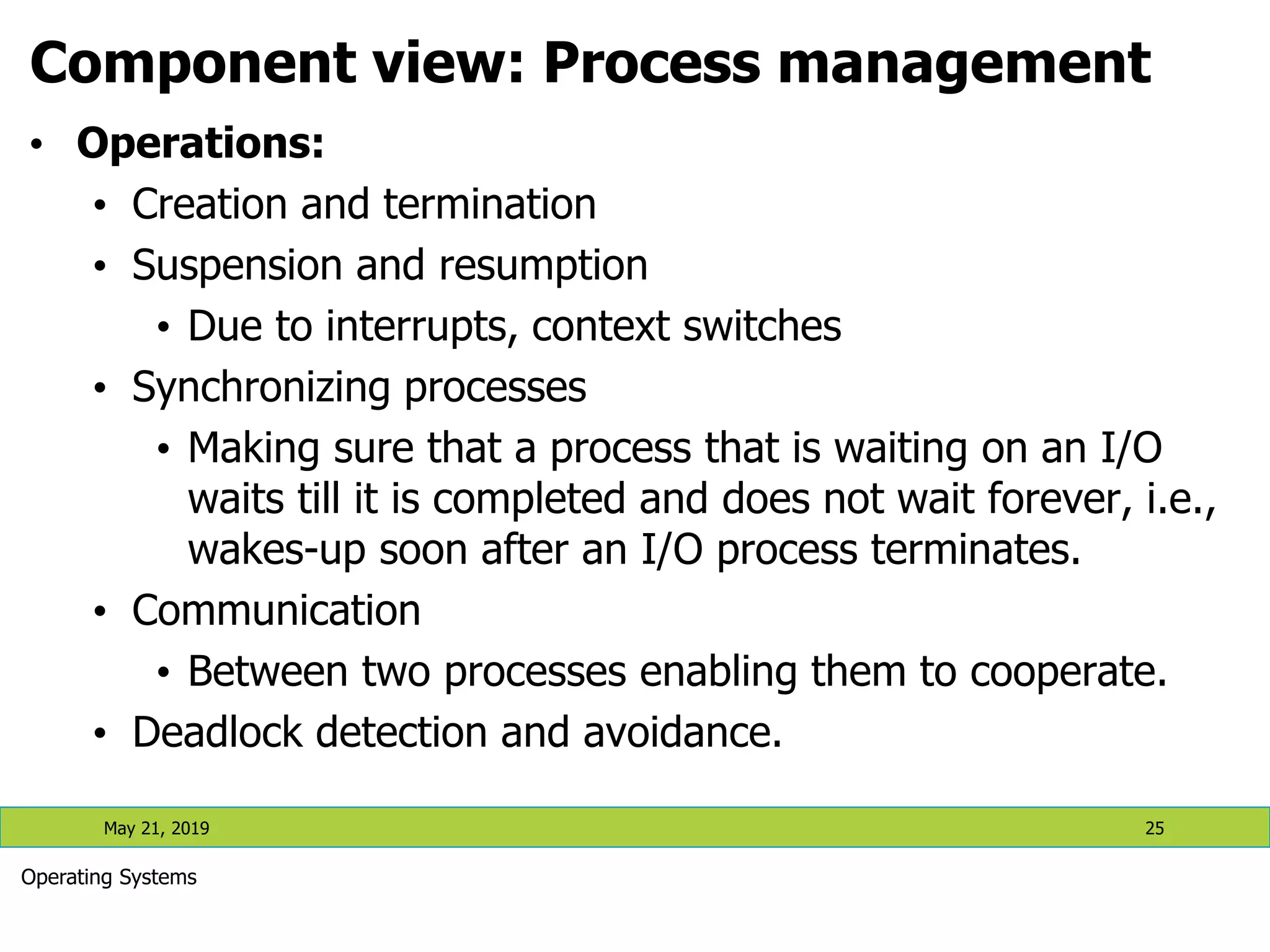
Component view: Process management • Operations: • Creation and termination • Suspension and resumption • Due to interrupts, context switches • Synchronizing processes • Making sure that a process that is waiting on an I/O waits till it is completed and does not wait forever, i.e., wakes-up soon after an I/O process terminates. • Communication • Between two processes enabling them to cooperate. • Deadlock detection and avoidance. May 21, 2019 25 Operating Systems
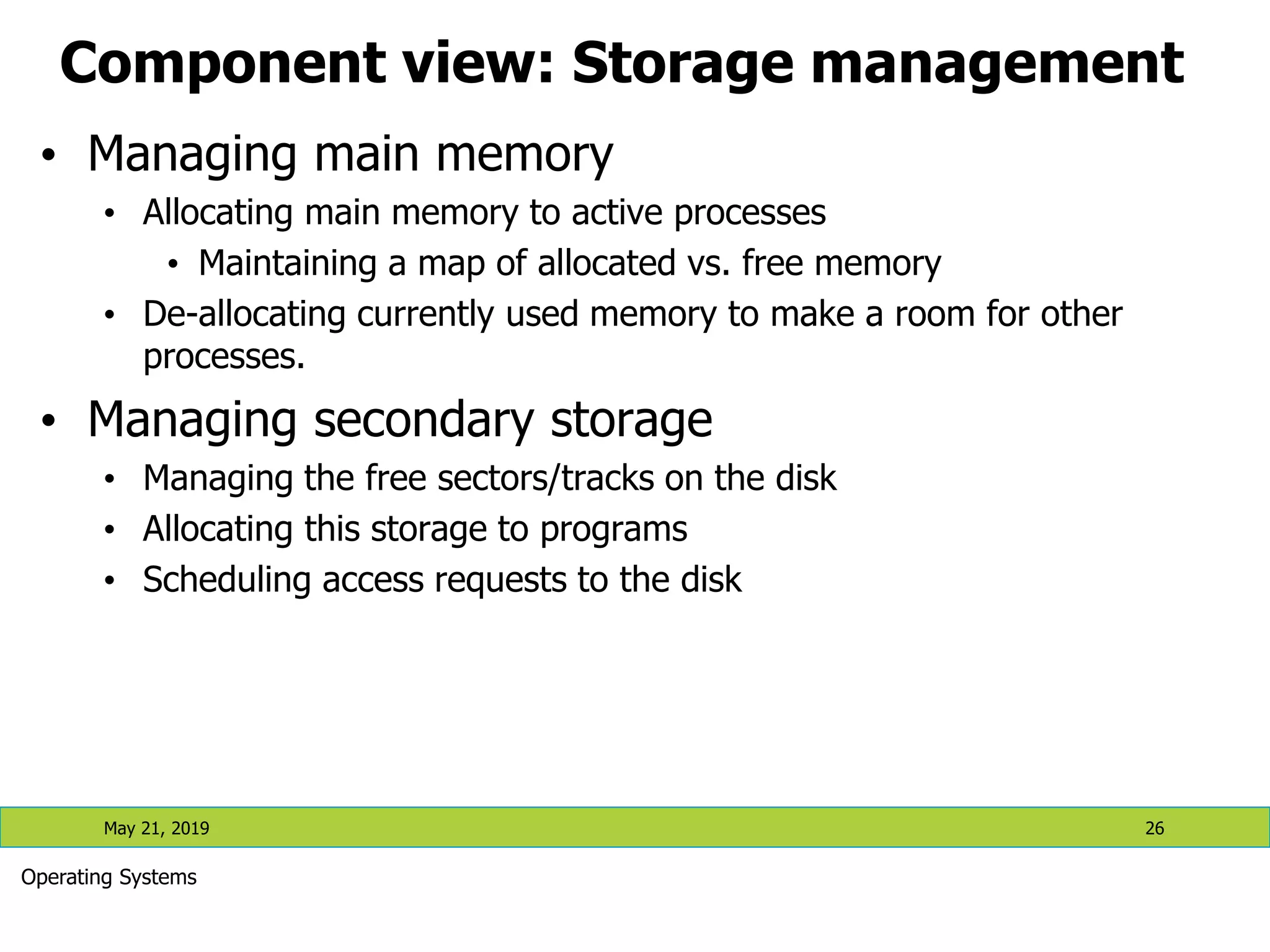
Component view: Storage management • Managing main memory • Allocating main memory to active processes • Maintaining a map of allocated vs. free memory • De-allocating currently used memory to make a room for other processes. • Managing secondary storage • Managing the free sectors/tracks on the disk • Allocating this storage to programs • Scheduling access requests to the disk May 21, 2019 26 Operating Systems
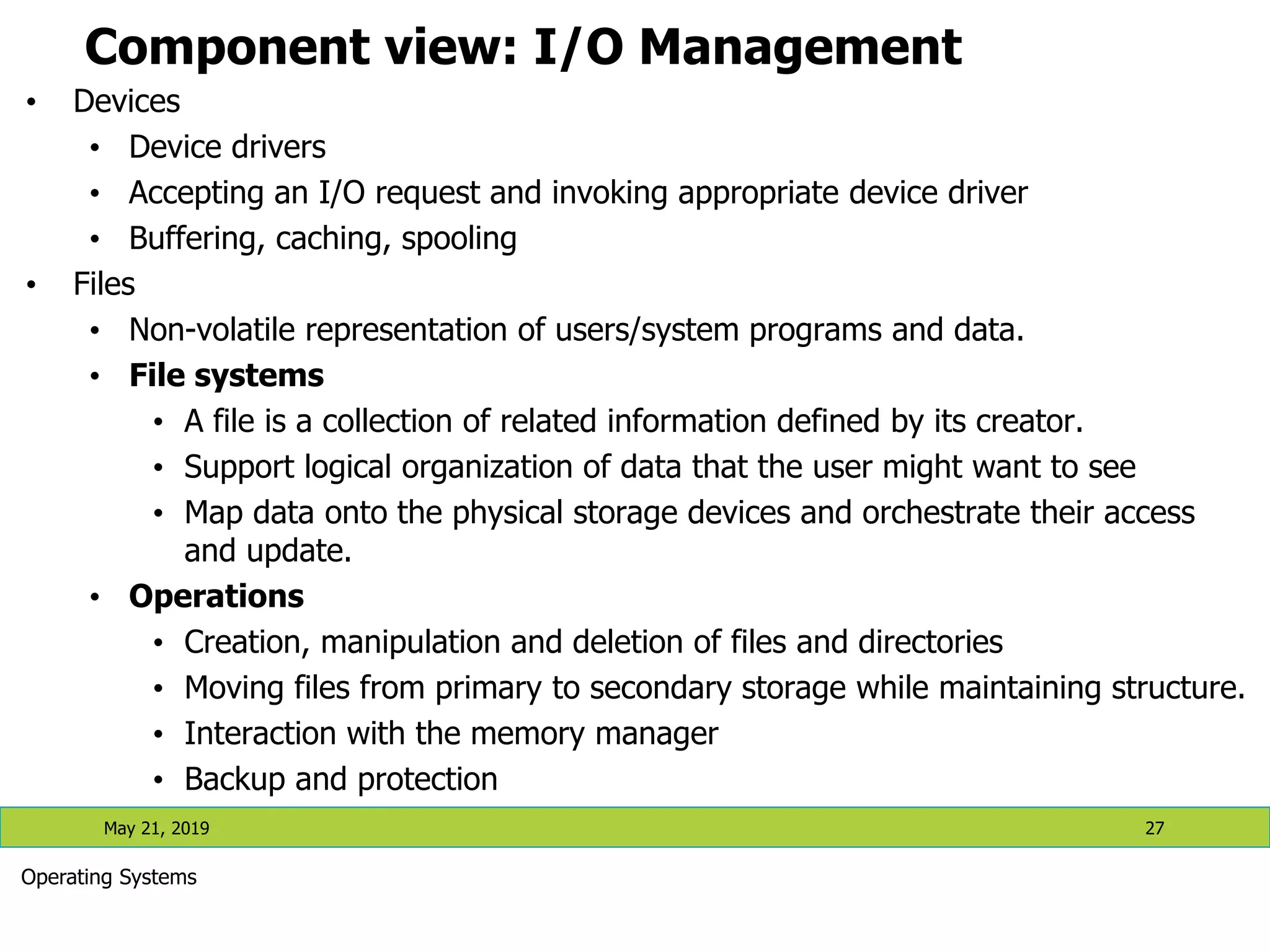
Component view: I/O Management • Devices • Device drivers • Accepting an I/O request and invoking appropriate device driver • Buffering, caching, spooling • Files • Non-volatile representation of users/system programs and data. • File systems • A file is a collection of related information defined by its creator. • Support logical organization of data that the user might want to see • Map data onto the physical storage devices and orchestrate their access and update. • Operations • Creation, manipulation and deletion of files and directories • Moving files from primary to secondary storage while maintaining structure. • Interaction with the memory manager • Backup and protection May 21, 2019 27 Operating Systems
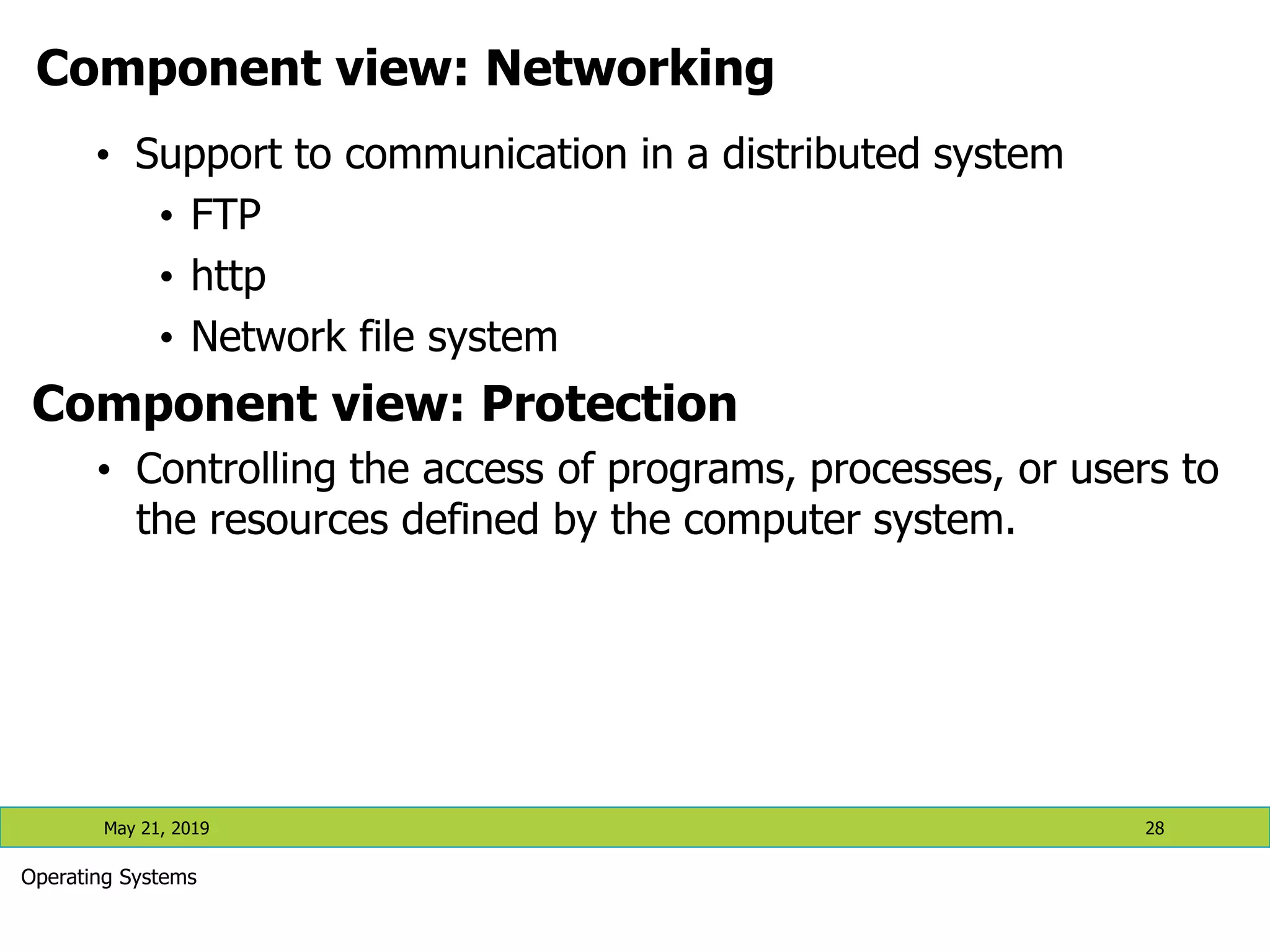
Component view: Networking • Support to communication in a distributed system • FTP • http • Network file system Component view: Protection • Controlling the access of programs, processes, or users to the resources defined by the computer system. May 21, 2019 28 Operating Systems
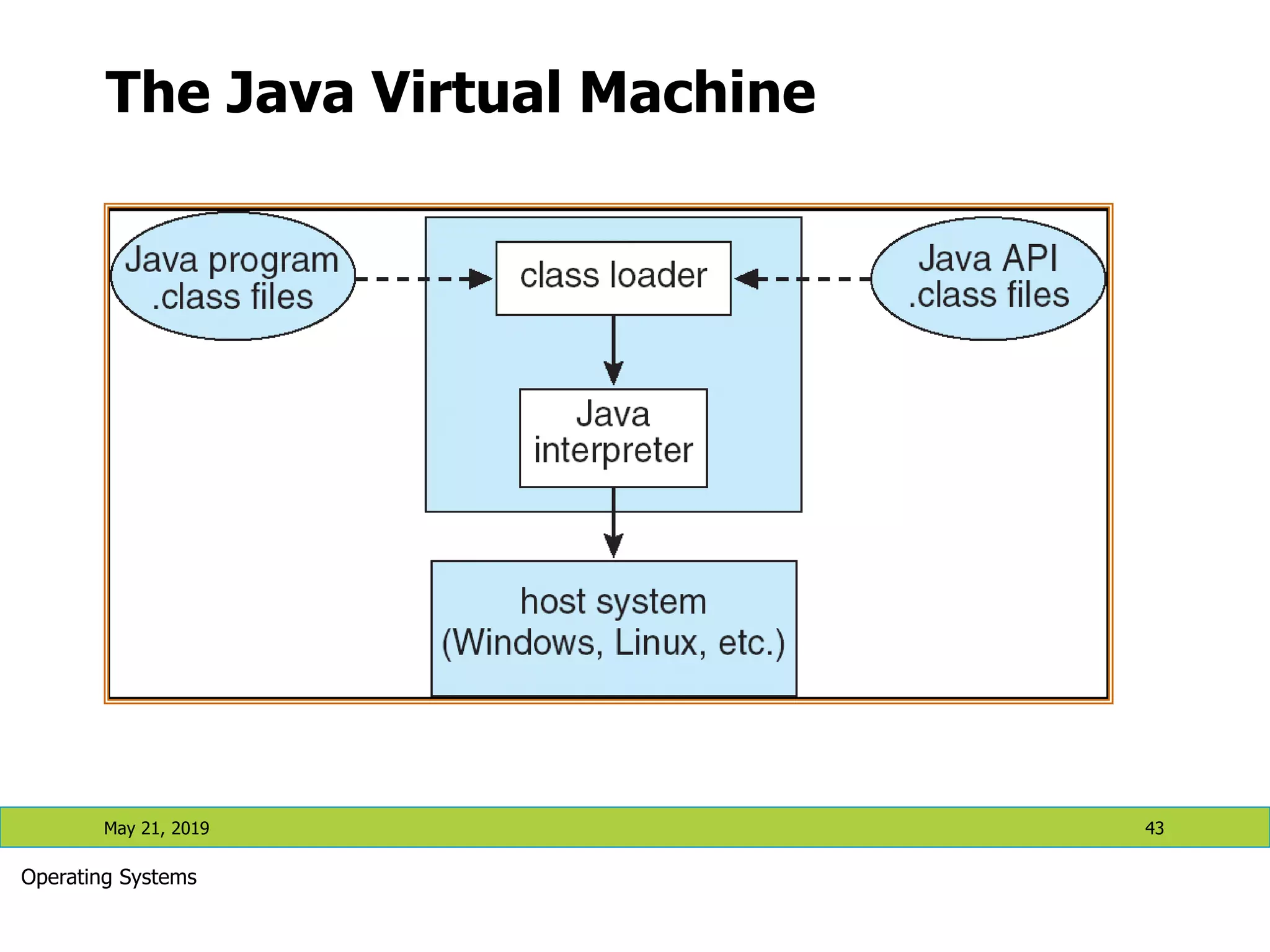
Services view 1. Command Interpreters • User interface between users and the kernel 2. System calls • Programming interface to the services provided by the OS • Typically written in high level language like C or C++ • Mostly accessed by programs via a high-level Application Program Interface (API) rather than direct system call use • Three most common APIs are • Win32 API for Windows, • POSIX API for POSIX-based systems (including virtually all versions of UNIX, Linux, and Mac OS X), and • Java API for the Java virtual machine (JVM) 3. System programs • System programs provide convenient environment for program execution and development. May 21, 2019 29 Operating Systems
Services View (contd.) System programs ( contd.) • Some are user interfaces to system calls; some are more complex. • Each system call is usually supported by a system program. • They can be divided into: • File manipulation • Status information • File modification • Programming language support • Program loading and execution • Communications • Application programs May 21, 2019 30 Operating Systems
Shell: an OS interface • Program that sits on the kernel as an interface between users and the kernel. • It is a command interpretor and also has programming capability of its own • Interactive access to the OS system calls • copy from File to File • Contains a simple programming language • Popularized by UNIX • Before UNIX: JCL, OS CLs (command languages) • Bourne shell, C shell (csh), Korn shell (ksh), Bourne-again shell (bash), etc. May 21, 2019 31 Operating Systems
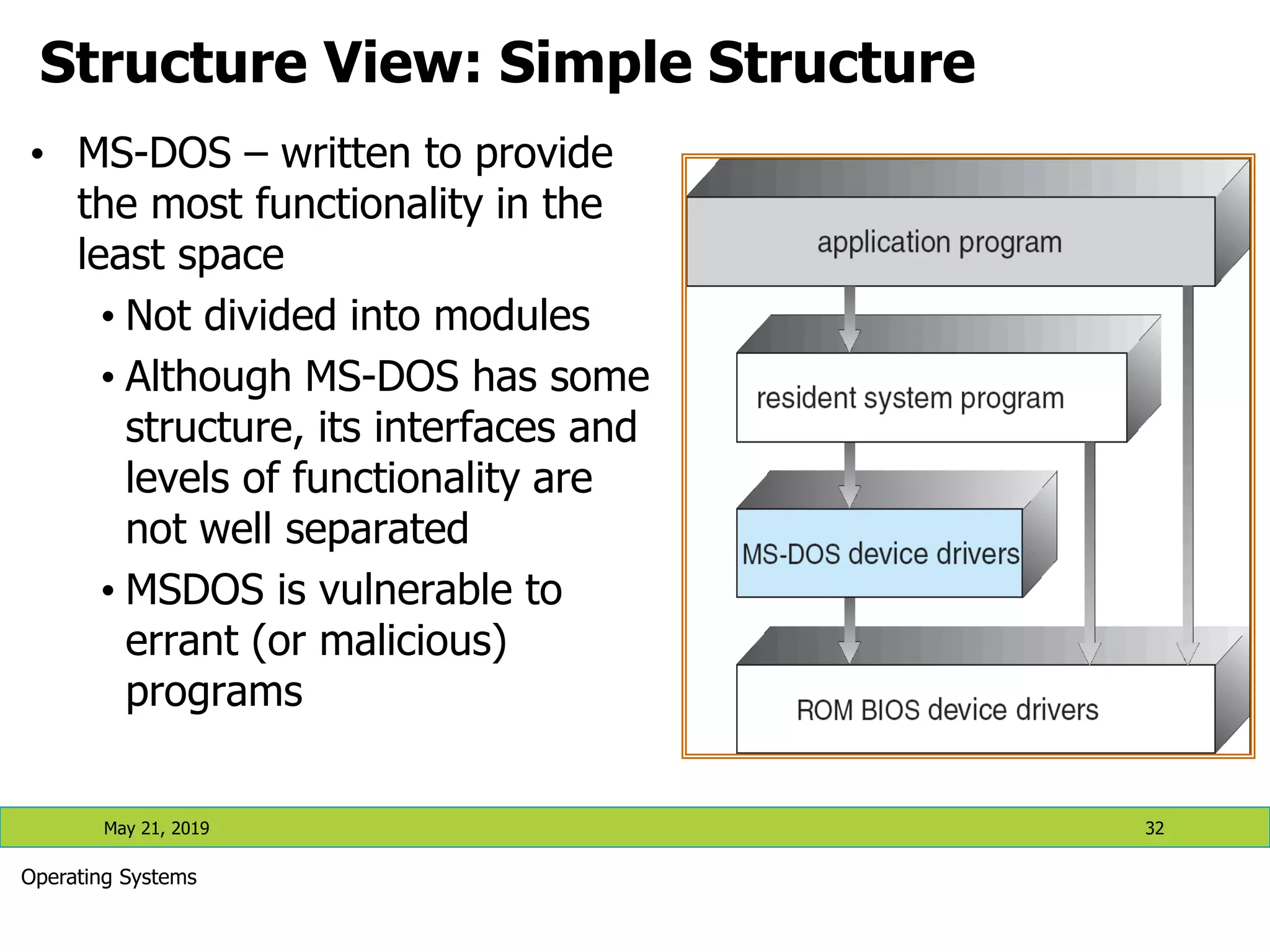
Structure View: Simple Structure • MS-DOS – written to provide the most functionality in the least space • Not divided into modules • Although MS-DOS has some structure, its interfaces and levels of functionality are not well separated • MSDOS is vulnerable to errant (or malicious) programs May 21, 2019 32 Operating Systems
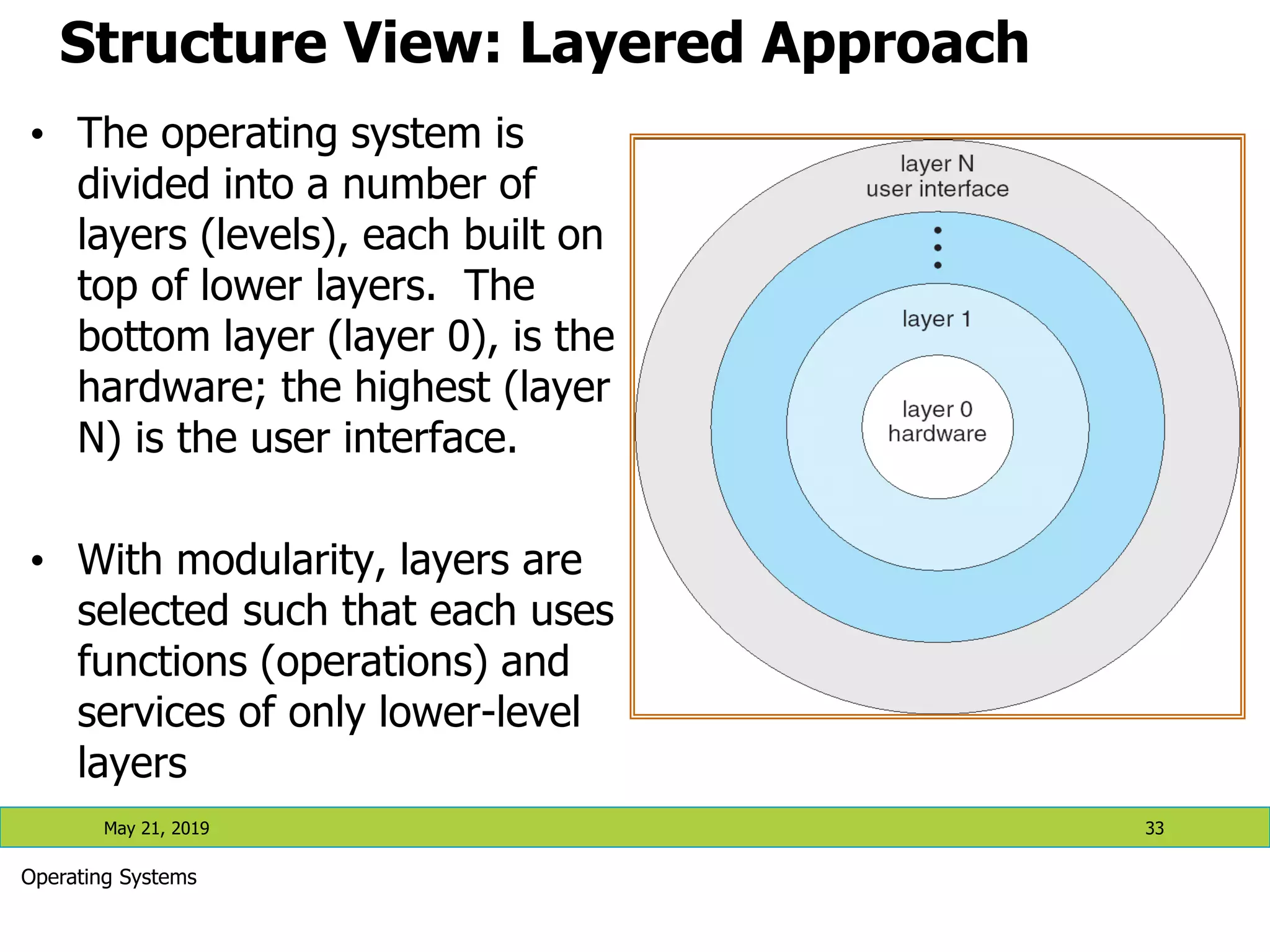
Structure View: Layered Approach • The operating system is divided into a number of layers (levels), each built on top of lower layers. The bottom layer (layer 0), is the hardware; the highest (layer N) is the user interface. • With modularity, layers are selected such that each uses functions (operations) and services of only lower-level layers May 21, 2019 33 Operating Systems
Structure View: Layered Approach May 21, 2019 34 Operating Systems • UNIX – limited by hardware functionality, the original UNIX operating system had limited structuring. The UNIX OS consists of two separable parts: • Systems programs • The kernel  Consists of everything below the system-call interface and above the physical hardware  Provides the file system, CPU scheduling, memory management, and other operating-system functions; a large number of functions for one level
Structure View: Layered Approach May 21, 2019 35 Operating Systems UNIX System Structure
Structure View: Microkernel • Moves as much from the kernel into “user” space • Communication takes place between user modules using message passing • Benefits: • Easier to extend a microkernel • Easier to port the operating system to new architectures • More reliable (less code is running in kernel mode) • More secure • Detriments: • Performance overhead of user space to kernel space communication May 21, 2019 36 Operating Systems
Structure View: Microkernel (contd.) May 21, 2019 37 Operating Systems Mac OS X Structure
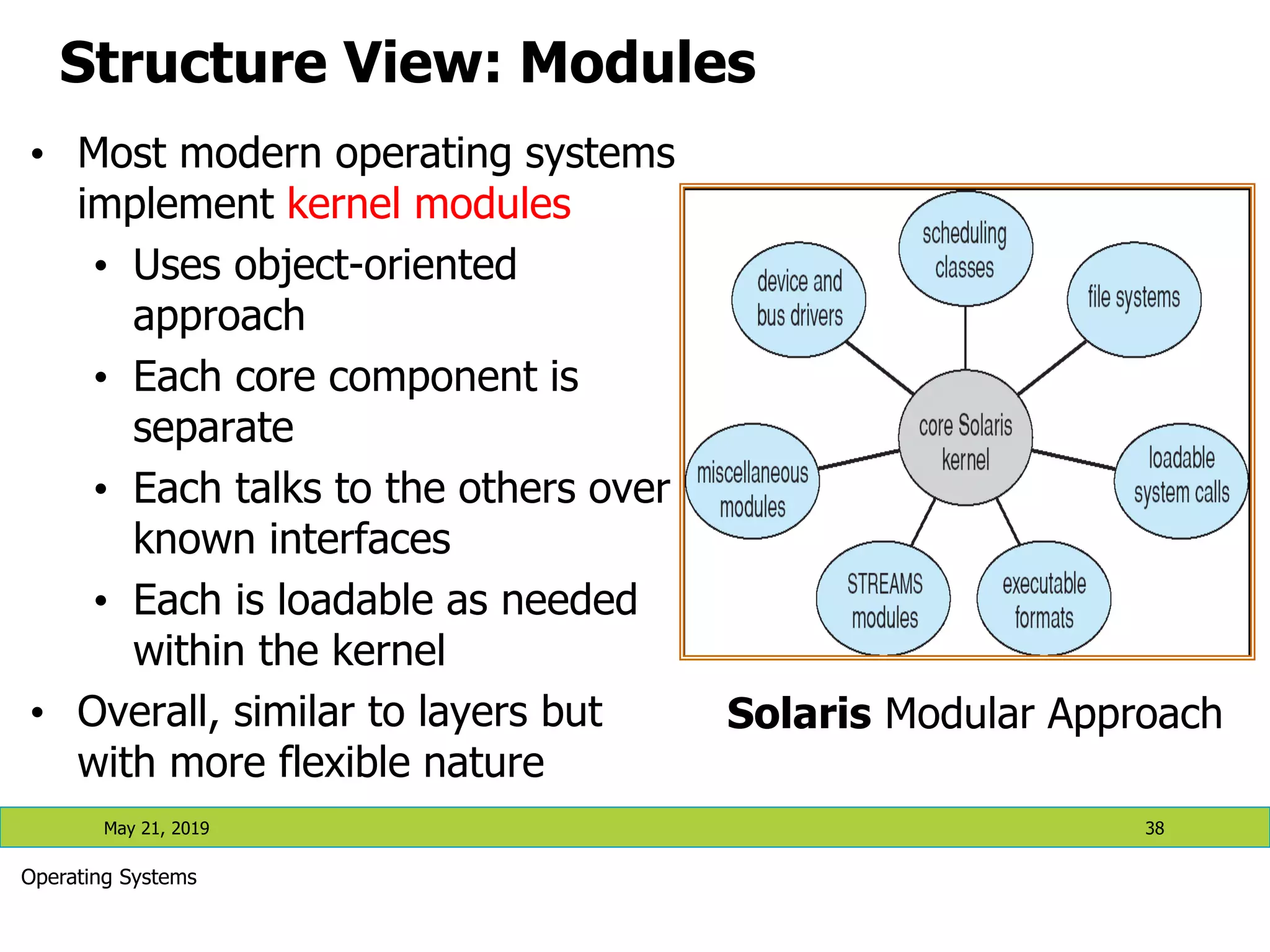
Structure View: Modules • Most modern operating systems implement kernel modules • Uses object-oriented approach • Each core component is separate • Each talks to the others over known interfaces • Each is loadable as needed within the kernel • Overall, similar to layers but with more flexible nature May 21, 2019 38 Operating Systems Solaris Modular Approach
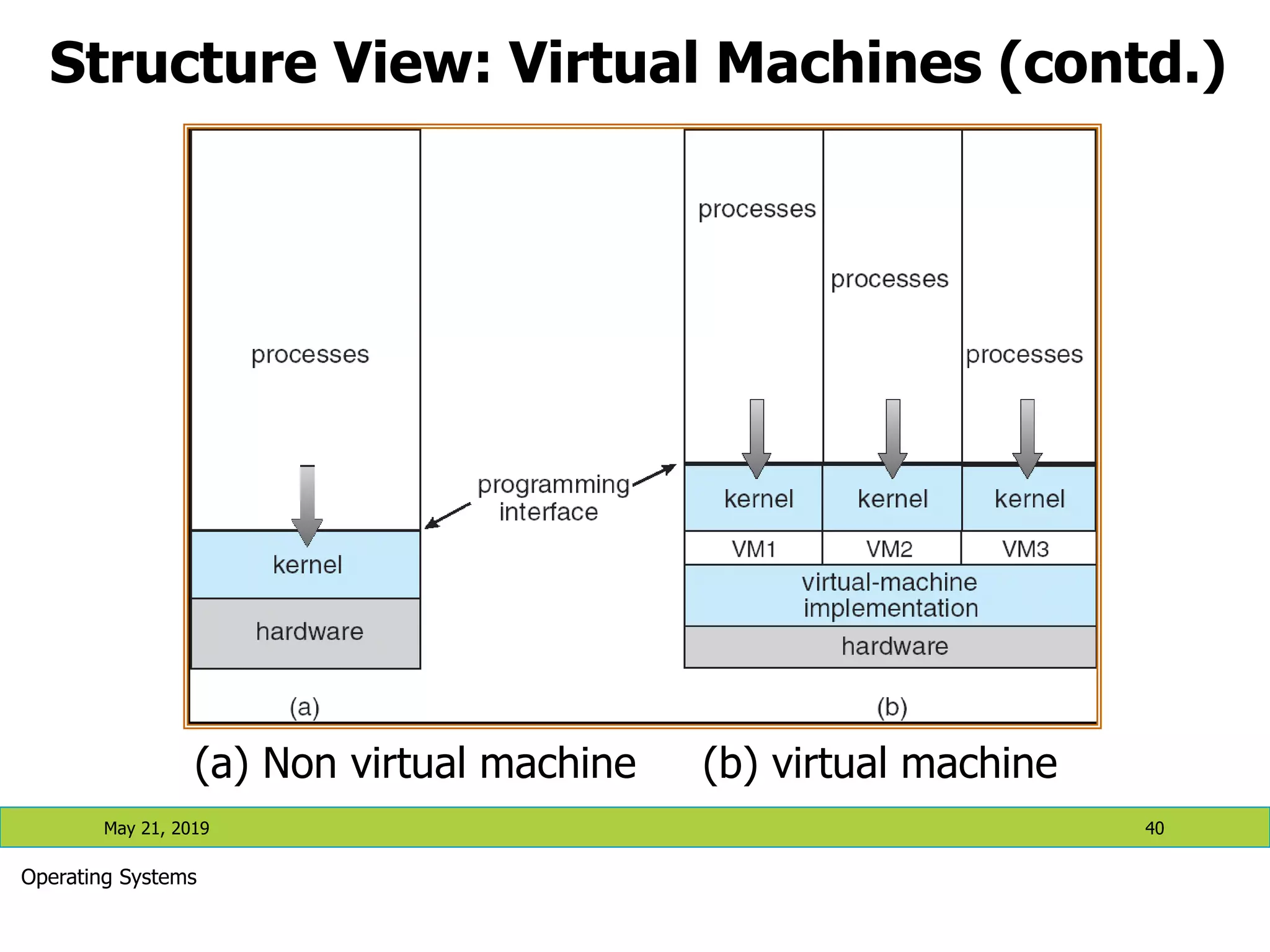
Structure View: Virtual Machines May 21, 2019 39 Operating Systems • A virtual machine takes the layered approach to its logical conclusion. It treats hardware and the operating system kernel as though they were all hardware • A virtual machine provides an interface identical to the underlying bare hardware • The operating system creates the illusion of multiple processes, each executing on its own processor with its own (virtual) memory • The resources of the physical computer are shared to create the virtual machines • CPU scheduling can create the appearance that users have their own processor • Spooling and a file system can provide virtual card readers and virtual line printers • A normal user time-sharing terminal serves as the virtual machine operator’s console
May 21, 2019 40 Operating Systems Structure View: Virtual Machines (contd.) (a) Non virtual machine (b) virtual machine
Structure View: Virtual Machines (contd.) May 21, 2019 41 Operating Systems • The virtual-machine concept provides complete protection of system resources since each virtual machine is isolated from all other virtual machines. This isolation, however, permits no direct sharing of resources. • A virtual-machine system is a perfect vehicle for operating- systems research and development. System development is done on the virtual machine, instead of on a physical machine and so does not disrupt normal system operation. • The virtual machine concept is difficult to implement due to the effort required to provide an exact duplicate to the underlying machine
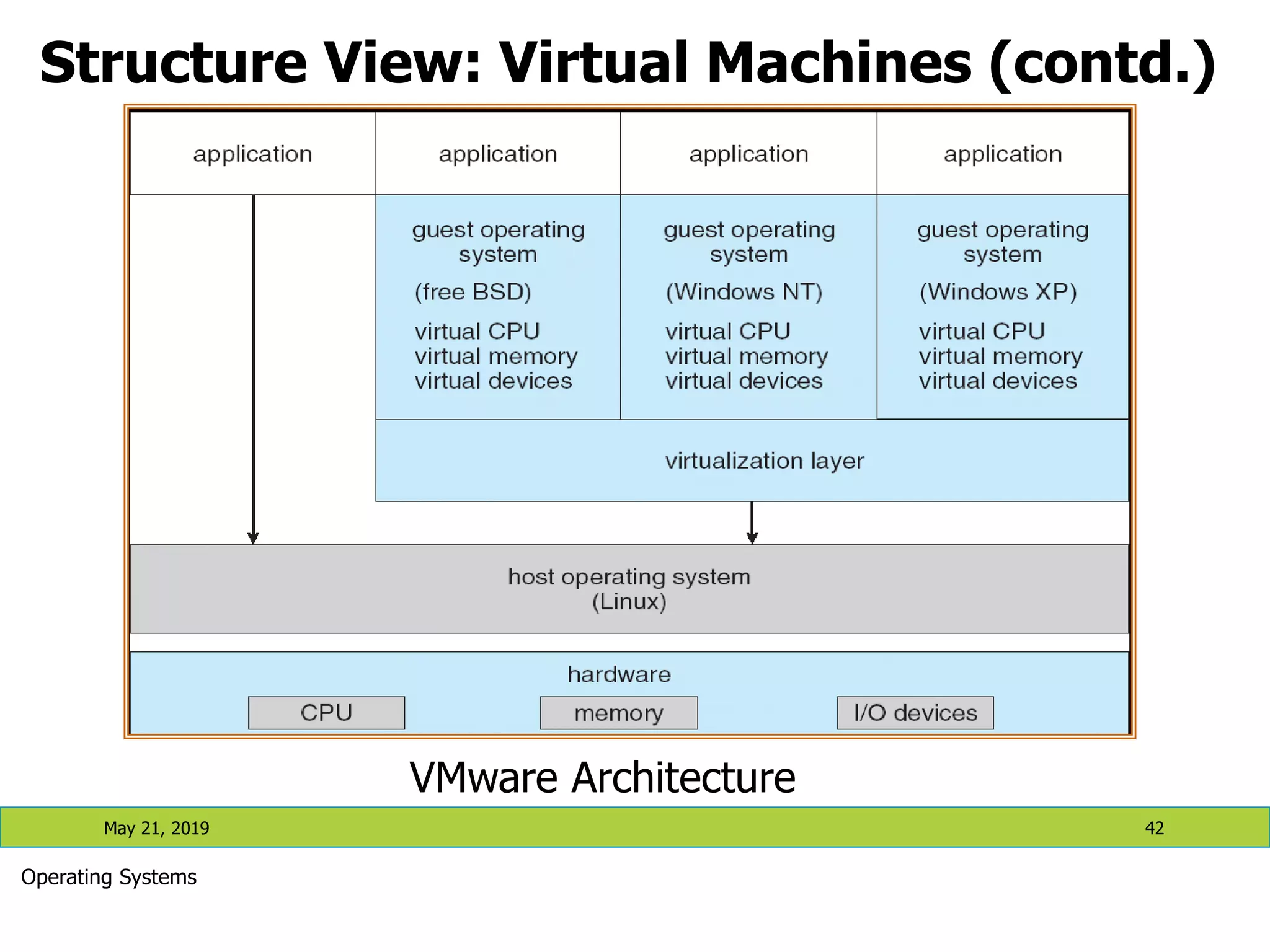
May 21, 2019 42 Operating Systems Structure View: Virtual Machines (contd.) VMware Architecture
The Java Virtual Machine May 21, 2019 43 Operating Systems
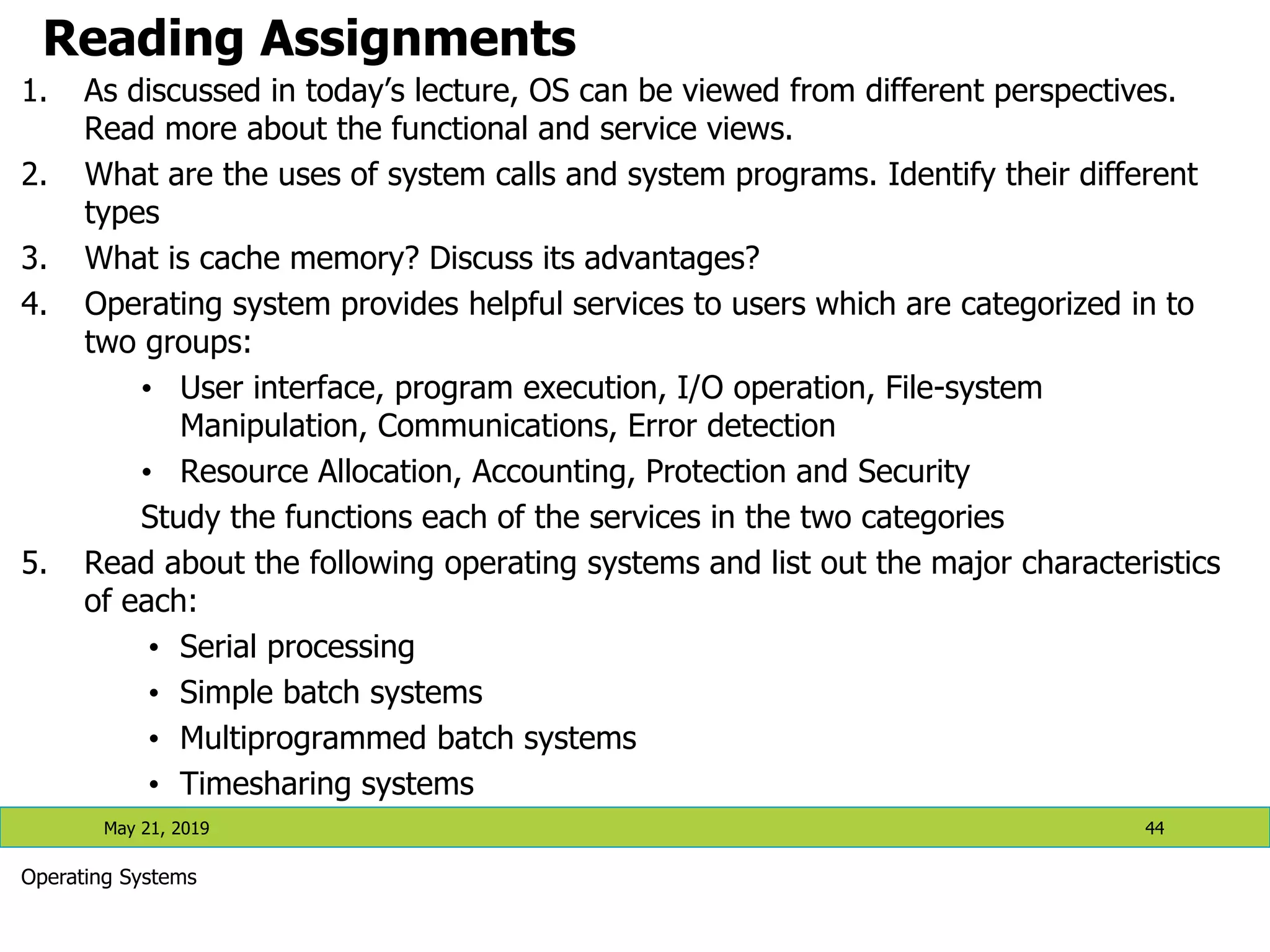
Reading Assignments 1. As discussed in today’s lecture, OS can be viewed from different perspectives. Read more about the functional and service views. 2. What are the uses of system calls and system programs. Identify their different types 3. What is cache memory? Discuss its advantages? 4. Operating system provides helpful services to users which are categorized in to two groups: • User interface, program execution, I/O operation, File-system Manipulation, Communications, Error detection • Resource Allocation, Accounting, Protection and Security Study the functions each of the services in the two categories 5. Read about the following operating systems and list out the major characteristics of each: • Serial processing • Simple batch systems • Multiprogrammed batch systems • Timesharing systems May 21, 2019 44 Operating Systems
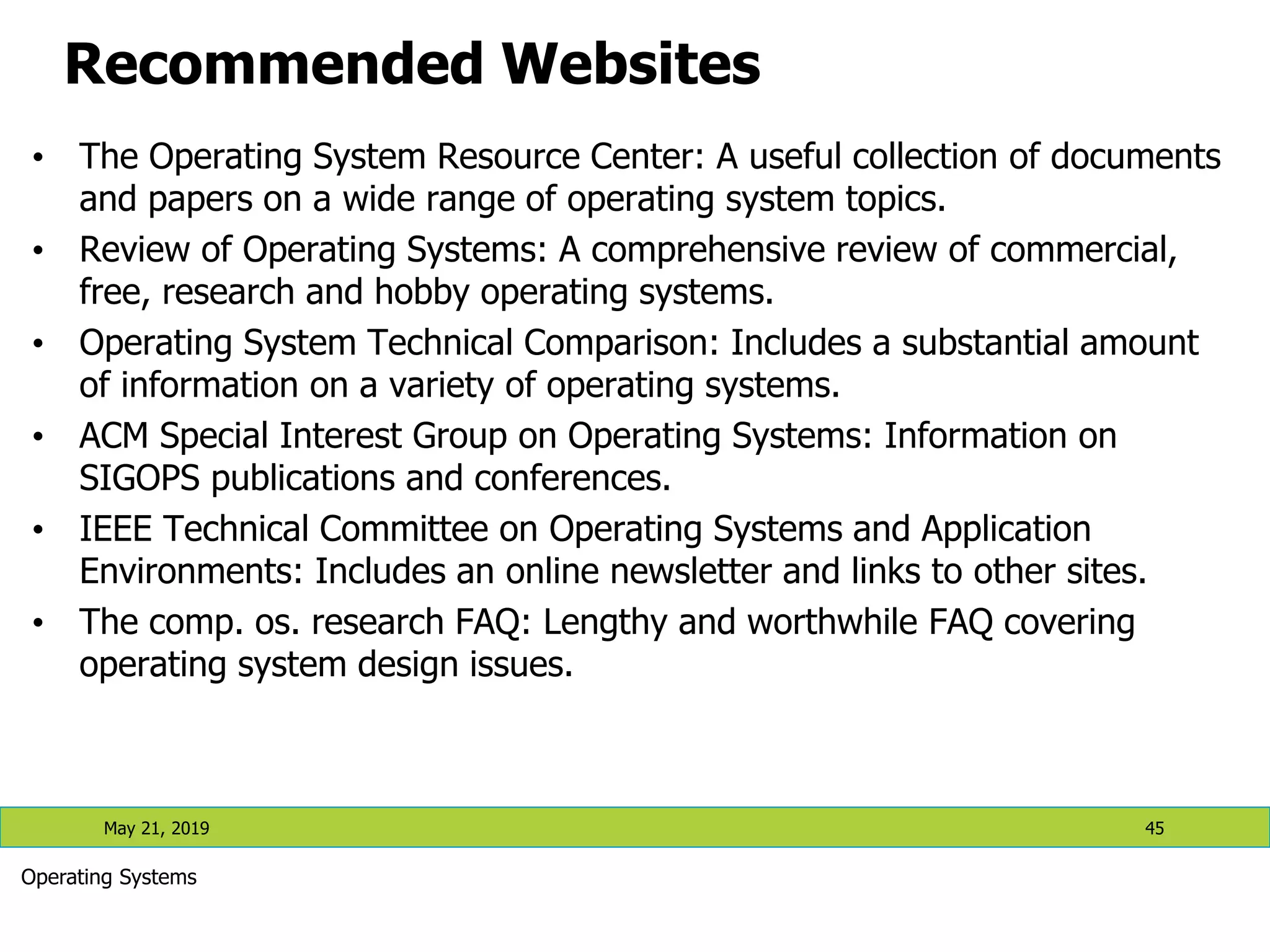
Recommended Websites • The Operating System Resource Center: A useful collection of documents and papers on a wide range of operating system topics. • Review of Operating Systems: A comprehensive review of commercial, free, research and hobby operating systems. • Operating System Technical Comparison: Includes a substantial amount of information on a variety of operating systems. • ACM Special Interest Group on Operating Systems: Information on SIGOPS publications and conferences. • IEEE Technical Committee on Operating Systems and Application Environments: Includes an online newsletter and links to other sites. • The comp. os. research FAQ: Lengthy and worthwhile FAQ covering operating system design issues. May 21, 2019 45 Operating Systems
Operating Systems 46 May 21, 2019

Lecture 1- Introduction to Operating Systems.pdf

  • 1.
    Operating Systems: CSE3204 Chapter One Introduction to Operating System and its Structures (Materials partly taken from Operating System Concepts by Silberschatz, Galvin and Gagne, 2005 – 7th Edition, chapter 1-2) ASTU Department of CSE May 21, 2019 1 Operating Systems Lecture 1: Introduction to Operating Systems
  • 2.
    Contents • What operatingsystems do • Computer system structure • Computer system organization • Operating system operations • Computing environments • Operating system-views • Reading Assignments May 21, 2019 2 Operating Systems
  • 3.
    May 21, 20193 What is an operating system? • A program that acts as an intermediary between a user of a computer and the computer hardware. • Operating system goals: • Execute user programs and make solving user problems easier. • Make the computer system convenient to use. • Use the computer hardware in an efficient manner. • It’s a resource allocator Manages all resources • Decides between conflicting requests for efficient and fair resource use • It’s a control program • Controls the execution of programs to prevent errors and improper use of the computer Operating Systems
  • 4.
    Operating System Definition(Contd.) • Operating system is the first layer of software loaded into the computer working memory.  An interface between the user, the computer software and the hardware resources. • It provides a software platform on top of which other program can run. • “The one program running at all times on the computer” is the kernel. Everything else is either a system program (ships with the operating system) or an application program. 4 Operating Systems May 21, 2019
  • 5.
    Computer System structure May21, 2019 5 Components of a computer: • User •machine/person /computer •Application programs • a special software used to solve particular problems of users •Operating system •Controls and coordinates use of hardware among various users and applications •Computer hardware •I/O device, Memory, CPU Operating Systems
  • 6.
    Computer System Organization One or more CPUs, device controllers connect through common bus providing access to shared memory  Concurrent execution of CPUs and devices competing for memory cycles May 21, 2019 6 Operating Systems Operating System
  • 7.
    Computer-System Operation • I/Odevices and the CPU can execute concurrently. • Each device controller is in charge of a particular device type. • Each device controller has a local buffer. • CPU moves data from/to main memory to/from local buffers • I/O is from the device to local buffer of controller. • Device controller informs CPU that it has finished its operation by causing an interrupt. 7 Operating Systems May 21, 2019
  • 8.
    Computer Startup • bootstrapprogram is loaded at power-up or reboot • Typically stored in ROM or EEPROM (Electronic Erasable Programmable Read Only Memory), generally known as firmware, within the computer hardware • Initializes all aspects of the system • Loads operating system kernel and starts execution 8 Operating Systems May 21, 2019
  • 9.
    Interrupts • An interruptionof the normal sequence of execution • Improves processing efficiency • Allows the processor to execute other instructions while an I/O operation is in progress • A suspension of a process caused by an event external to that process and performed in such a way that the process can be resumed • Interrupt Handler: • A program that determines nature of the interrupt and performs whatever actions are needed • Control is transferred to this program • Generally part of the operating system May 21, 2019 9 Operating System Operating Systems
  • 10.
    Common Functions ofInterrupts • Interrupt transfers control to the interrupt service routine generally, through the interrupt vector, which contains the addresses of all the service routines. • Interrupt architecture must save the address of the interrupted instruction. • Incoming interrupts are disabled while another interrupt is being processed to prevent a lost interrupt. • A trap is a software-generated interrupt caused either by an error or a user request. • An operating system is interrupt driven. 10 Operating Systems May 21, 2019
  • 11.
    Operating System Structure •Multiprogramming is needed for efficiency • A single user cannot keep CPU and I/O devices busy at all times • Multiprogramming increases CPU utilization by organizing jobs (code and data) so CPU always has one to execute • A subset of total jobs in system is kept in memory • One job selected and run via job scheduling • When it has to wait (for I/O for example), OS switches to another job 11 Operating Systems May 21, 2019 Memory Layout for multiprogramed system
  • 12.
    Operating System Structure(contd.) May 21, 2019 12 • Timesharing (multitasking) is a logical extension of multiprogramming in which CPU executes jobs by switching among them • The switch occurs so frequently that users can interact with each job while it is running, creating an interactive computing •The user gives instruction to the operating system or the program running using an input device and waits for immediate result on an output device  Therefore, the response time should be < 1 second •Since the time a command/action takes in such systems is short, little CPU time is needed for each user  This allows many users to share the computer simultaneously •Each user has at least one program executing in memory  Process •If several jobs ready to run at the same time  CPU scheduling •If processes don’t fit in memory, swapping moves them in and out to run •Virtual memory allows execution of processes not completely in memory Operating Systems
  • 13.
    Operating-System Operations • Interruptdriven by hardware • Software (program) error or request creates exception or trap – Division by zero, request for operating system service • Other process problems include infinite loop, processes modifying each other or the operating system • In order to ensure an appropriate execution of operating system code and user defined code, most systems provide a hardware support • Dual-mode operation allows OS to protect itself and other system components – User mode: execution done on behalf of a user. – Monitor mode (also kernel mode or system mode) : execution done on behalf of operating system. • Mode bit added to computer hardware to indicate the current mode: monitor (0) or user (1). • Some instructions designated as privileged are only executable in kernel mode • System call changes mode to kernel, return from call resets it to user mode 13 Operating Systems May 21, 2019
  • 14.
    Transition from Userto Kernel Mode • Timer to prevent infinite loop / process hogging resources • Set interrupt after specific period • Operating system decrements counter • When counter zero generate an interrupt • Set up before scheduling process to regain control or terminate program that exceeds allotted time 14 Operating Systems May 21, 2019
  • 15.
    Computing Environments • ComputingEnvironment is a collection of computer hardware, software, machines and networks that support the processing and interaction of electronic information to solve different computational problems. • There are four basic environment • Traditional • Client Server • Peer-to-Peer (P2P) • Web-based 15 Operating Systems May 21, 2019
  • 16.
    Computing Environments (contd.) •Traditional • Office environment • PCs connected to a network, terminals attached to mainframe or minicomputers providing batch and timesharing • Now portals allowing networked and remote systems access to same resources • Home networks • Used to be single system, then modems • Now firewalled, networked May 21, 2019 16 Operating Systems
  • 17.
    Computing Environments (Cont.) •Client-Server Environment • Dumb terminals supplanted by smart PCs • Many systems now servers, responding to requests generated by clients Compute-server provides an interface to client to request services (i.e. database) File-server provides interface for clients to store and retrieve files 17 Operating Systems May 21, 2019
  • 18.
    Peer-to-Peer Environment • Anothermodel of distributed system • P2P does not distinguish clients and servers • Instead all nodes are considered peers • Each node may act as client, server or both • Node must join P2P network • Registers its service with central lookup service on network, or • Broadcast request for service and respond to requests for service via discovery protocol 18 Operating Systems May 21, 2019
  • 19.
    Web Based Environment •The Web has become ubiquitous • PCs most prevalent devices • More devices becoming networked to allow web access • New category of devices to manage web traffic among similar servers: load balancers • Use of operating systems like Windows 95, client-side, have evolved into Linux and Windows XP, which can be clients and servers May 21, 2019 19 Operating Systems
  • 20.
    Special Purpose Systems Real-timeembedded systems •These systems have fixed time constraint, so that their operations should be finished with in that time •Embedded computers are commonly found everywhere (at home, in industries, manufacturing robots, care engines, etc) •They monitor and control devices and usually they have no or little user interface •Systems that control scientific experiments, industry processes, home appliances etc are real-time systems Multi-media systems • Handles multimedia data (video, audio) in addition to conventional data (text files, programs, spreadsheets etc Hand-held • Includes personal digital assistants (PDAs) like pocket PCs and palm PCs and cellular telephones •They use special-purpose embedded operating systems May 21, 2019 20 Operating Systems
  • 21.
    Operating-System View There areseveral points to view Operating Systems: • Functional view (what it does) • Components view (Designers view) • Services view (Users/Programmers view) • Structure view (How it is implemented) May 21, 2019 21 Operating Systems
  • 22.
    Functional view (Whatit does) • Program execution and handling • Starting programs, managing their execution and communicating their results. • I/O operations • Mechanisms for initiating and managing I/O • File-system Management • Creating, maintaining and manipulating files • Communications • Between processes of the same user • Such as sending result of input request to a user program • Between different users
  • 23.
    Functional view (…) •Exception detection and handling • Protection related issues • Safety in the case of power failures via backups. • Detecting undesirable state such as printers out of paper. • Resource allocation • Includes processor and I/O scheduling, memory management • Accounting • To track users usage of resources for billing and statistical reasons • Protection • Maintaining integrity of user’s data • Integrity checks to keep out unauthorized users • Maintaining logs of incorrect attempts
  • 24.
    Component view: Processes •A process is • A process is a program in execution. It is a unit of work within the system. Program is a passive entity, process is an active entity. • Dynamic entity created by the execution of the program. • Processes may play different roles • User processes • OS (system) processes • A single process can swap other processes • A computation requires typically many processes • Shell, one or more user processes, one or more system processes May 21, 2019 24 Operating Systems
  • 25.
    Component view: Processmanagement • Operations: • Creation and termination • Suspension and resumption • Due to interrupts, context switches • Synchronizing processes • Making sure that a process that is waiting on an I/O waits till it is completed and does not wait forever, i.e., wakes-up soon after an I/O process terminates. • Communication • Between two processes enabling them to cooperate. • Deadlock detection and avoidance. May 21, 2019 25 Operating Systems
  • 26.
    Component view: Storagemanagement • Managing main memory • Allocating main memory to active processes • Maintaining a map of allocated vs. free memory • De-allocating currently used memory to make a room for other processes. • Managing secondary storage • Managing the free sectors/tracks on the disk • Allocating this storage to programs • Scheduling access requests to the disk May 21, 2019 26 Operating Systems
  • 27.
    Component view: I/OManagement • Devices • Device drivers • Accepting an I/O request and invoking appropriate device driver • Buffering, caching, spooling • Files • Non-volatile representation of users/system programs and data. • File systems • A file is a collection of related information defined by its creator. • Support logical organization of data that the user might want to see • Map data onto the physical storage devices and orchestrate their access and update. • Operations • Creation, manipulation and deletion of files and directories • Moving files from primary to secondary storage while maintaining structure. • Interaction with the memory manager • Backup and protection May 21, 2019 27 Operating Systems
  • 28.
    Component view: Networking •Support to communication in a distributed system • FTP • http • Network file system Component view: Protection • Controlling the access of programs, processes, or users to the resources defined by the computer system. May 21, 2019 28 Operating Systems
  • 29.
    Services view 1. CommandInterpreters • User interface between users and the kernel 2. System calls • Programming interface to the services provided by the OS • Typically written in high level language like C or C++ • Mostly accessed by programs via a high-level Application Program Interface (API) rather than direct system call use • Three most common APIs are • Win32 API for Windows, • POSIX API for POSIX-based systems (including virtually all versions of UNIX, Linux, and Mac OS X), and • Java API for the Java virtual machine (JVM) 3. System programs • System programs provide convenient environment for program execution and development. May 21, 2019 29 Operating Systems
  • 30.
    Services View (contd.) Systemprograms ( contd.) • Some are user interfaces to system calls; some are more complex. • Each system call is usually supported by a system program. • They can be divided into: • File manipulation • Status information • File modification • Programming language support • Program loading and execution • Communications • Application programs May 21, 2019 30 Operating Systems
  • 31.
    Shell: an OSinterface • Program that sits on the kernel as an interface between users and the kernel. • It is a command interpretor and also has programming capability of its own • Interactive access to the OS system calls • copy from File to File • Contains a simple programming language • Popularized by UNIX • Before UNIX: JCL, OS CLs (command languages) • Bourne shell, C shell (csh), Korn shell (ksh), Bourne-again shell (bash), etc. May 21, 2019 31 Operating Systems
  • 32.
    Structure View: SimpleStructure • MS-DOS – written to provide the most functionality in the least space • Not divided into modules • Although MS-DOS has some structure, its interfaces and levels of functionality are not well separated • MSDOS is vulnerable to errant (or malicious) programs May 21, 2019 32 Operating Systems
  • 33.
    Structure View: LayeredApproach • The operating system is divided into a number of layers (levels), each built on top of lower layers. The bottom layer (layer 0), is the hardware; the highest (layer N) is the user interface. • With modularity, layers are selected such that each uses functions (operations) and services of only lower-level layers May 21, 2019 33 Operating Systems
  • 34.
    Structure View: LayeredApproach May 21, 2019 34 Operating Systems • UNIX – limited by hardware functionality, the original UNIX operating system had limited structuring. The UNIX OS consists of two separable parts: • Systems programs • The kernel  Consists of everything below the system-call interface and above the physical hardware  Provides the file system, CPU scheduling, memory management, and other operating-system functions; a large number of functions for one level
  • 35.
    Structure View: LayeredApproach May 21, 2019 35 Operating Systems UNIX System Structure
  • 36.
    Structure View: Microkernel •Moves as much from the kernel into “user” space • Communication takes place between user modules using message passing • Benefits: • Easier to extend a microkernel • Easier to port the operating system to new architectures • More reliable (less code is running in kernel mode) • More secure • Detriments: • Performance overhead of user space to kernel space communication May 21, 2019 36 Operating Systems
  • 37.
    Structure View: Microkernel(contd.) May 21, 2019 37 Operating Systems Mac OS X Structure
  • 38.
    Structure View: Modules •Most modern operating systems implement kernel modules • Uses object-oriented approach • Each core component is separate • Each talks to the others over known interfaces • Each is loadable as needed within the kernel • Overall, similar to layers but with more flexible nature May 21, 2019 38 Operating Systems Solaris Modular Approach
  • 39.
    Structure View: VirtualMachines May 21, 2019 39 Operating Systems • A virtual machine takes the layered approach to its logical conclusion. It treats hardware and the operating system kernel as though they were all hardware • A virtual machine provides an interface identical to the underlying bare hardware • The operating system creates the illusion of multiple processes, each executing on its own processor with its own (virtual) memory • The resources of the physical computer are shared to create the virtual machines • CPU scheduling can create the appearance that users have their own processor • Spooling and a file system can provide virtual card readers and virtual line printers • A normal user time-sharing terminal serves as the virtual machine operator’s console
  • 40.
    May 21, 201940 Operating Systems Structure View: Virtual Machines (contd.) (a) Non virtual machine (b) virtual machine
  • 41.
    Structure View: VirtualMachines (contd.) May 21, 2019 41 Operating Systems • The virtual-machine concept provides complete protection of system resources since each virtual machine is isolated from all other virtual machines. This isolation, however, permits no direct sharing of resources. • A virtual-machine system is a perfect vehicle for operating- systems research and development. System development is done on the virtual machine, instead of on a physical machine and so does not disrupt normal system operation. • The virtual machine concept is difficult to implement due to the effort required to provide an exact duplicate to the underlying machine
  • 42.
    May 21, 201942 Operating Systems Structure View: Virtual Machines (contd.) VMware Architecture
  • 43.
    The Java VirtualMachine May 21, 2019 43 Operating Systems
  • 44.
    Reading Assignments 1. Asdiscussed in today’s lecture, OS can be viewed from different perspectives. Read more about the functional and service views. 2. What are the uses of system calls and system programs. Identify their different types 3. What is cache memory? Discuss its advantages? 4. Operating system provides helpful services to users which are categorized in to two groups: • User interface, program execution, I/O operation, File-system Manipulation, Communications, Error detection • Resource Allocation, Accounting, Protection and Security Study the functions each of the services in the two categories 5. Read about the following operating systems and list out the major characteristics of each: • Serial processing • Simple batch systems • Multiprogrammed batch systems • Timesharing systems May 21, 2019 44 Operating Systems
  • 45.
    Recommended Websites • TheOperating System Resource Center: A useful collection of documents and papers on a wide range of operating system topics. • Review of Operating Systems: A comprehensive review of commercial, free, research and hobby operating systems. • Operating System Technical Comparison: Includes a substantial amount of information on a variety of operating systems. • ACM Special Interest Group on Operating Systems: Information on SIGOPS publications and conferences. • IEEE Technical Committee on Operating Systems and Application Environments: Includes an online newsletter and links to other sites. • The comp. os. research FAQ: Lengthy and worthwhile FAQ covering operating system design issues. May 21, 2019 45 Operating Systems
  • 46.