Introduction toNode.JSFrom “Hello, World!” to Deploying on Azure#dunDDD29thNovember 2014Colin Mackayhttp://colinmackay.scot
Overview•What is node.js•Obligatory Hello, World! •Dependencies & node package manager•Web applications in node
What is node.js? Officially: Node.js®is a platform built on Chrome's JavaScript runtime for easily building fast, scalable network applications. Node.js uses an event-driven, non-blocking I/O model that makes it lightweight and efficient, perfect for data-intensive real-time applications that run across distributed devices. http://nodejs.org/
What is node.js, really? •A platform for executing JavaScript–Server-side–Modular–Non-blocking (async) code–Built-in networking, HTTP & WebSocketshttp://nodejs.org/
What are the advantages? •All running on one environment–No worries about browser compatibility–Google’s V8 Engine•ECMAScript 5 –up-to-date JS•Optimisation•JIT compiled•Non-blockinghttp://nodejs.org/
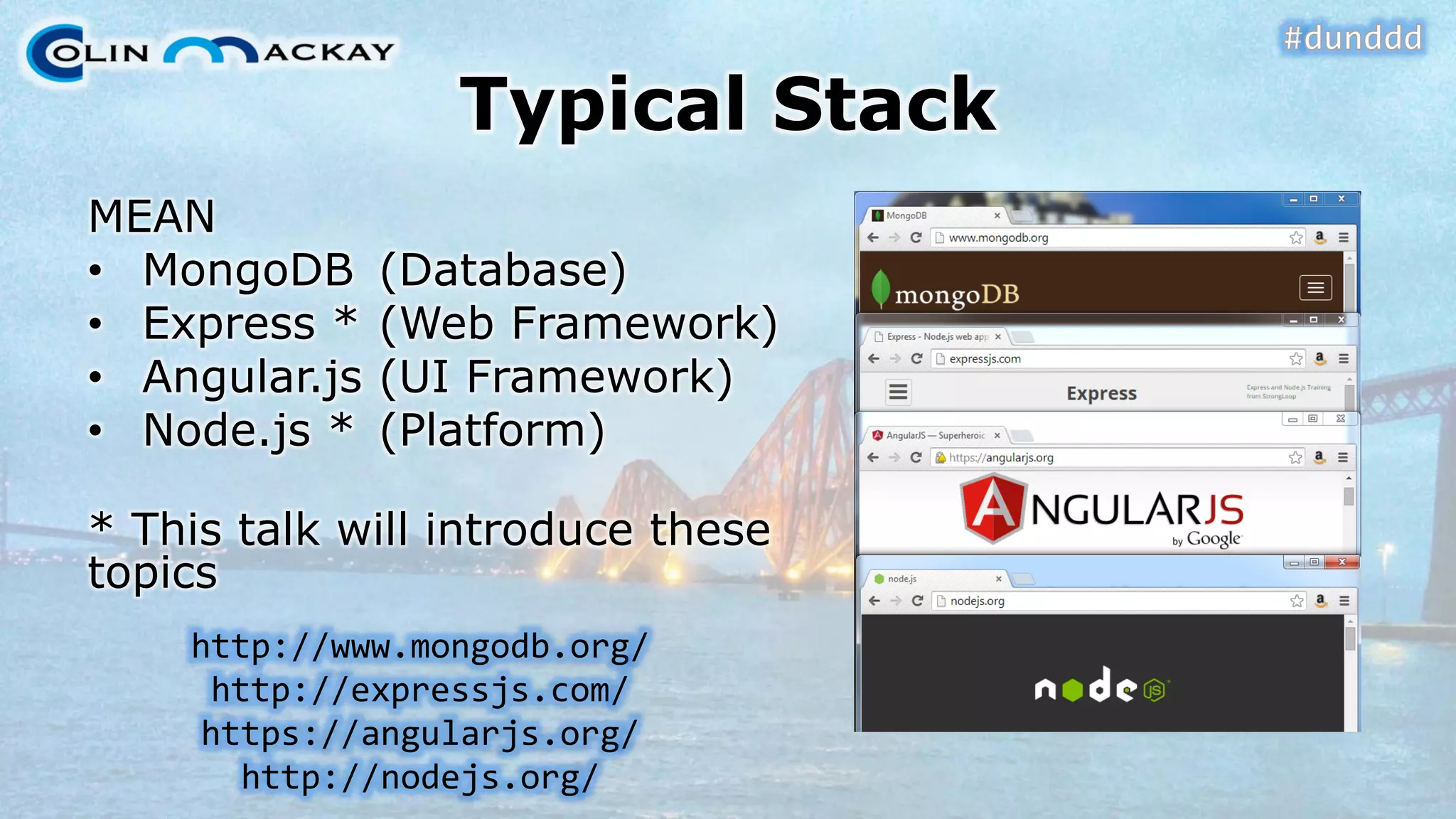
Typical StackMEAN•MongoDB(Database) •Express *(Web Framework) •Angular.js(UI Framework) •Node.js *(Platform) * This talk will introduce these topicshttp://www.mongodb.org/ http://expressjs.com/ https://angularjs.org/ http://nodejs.org/
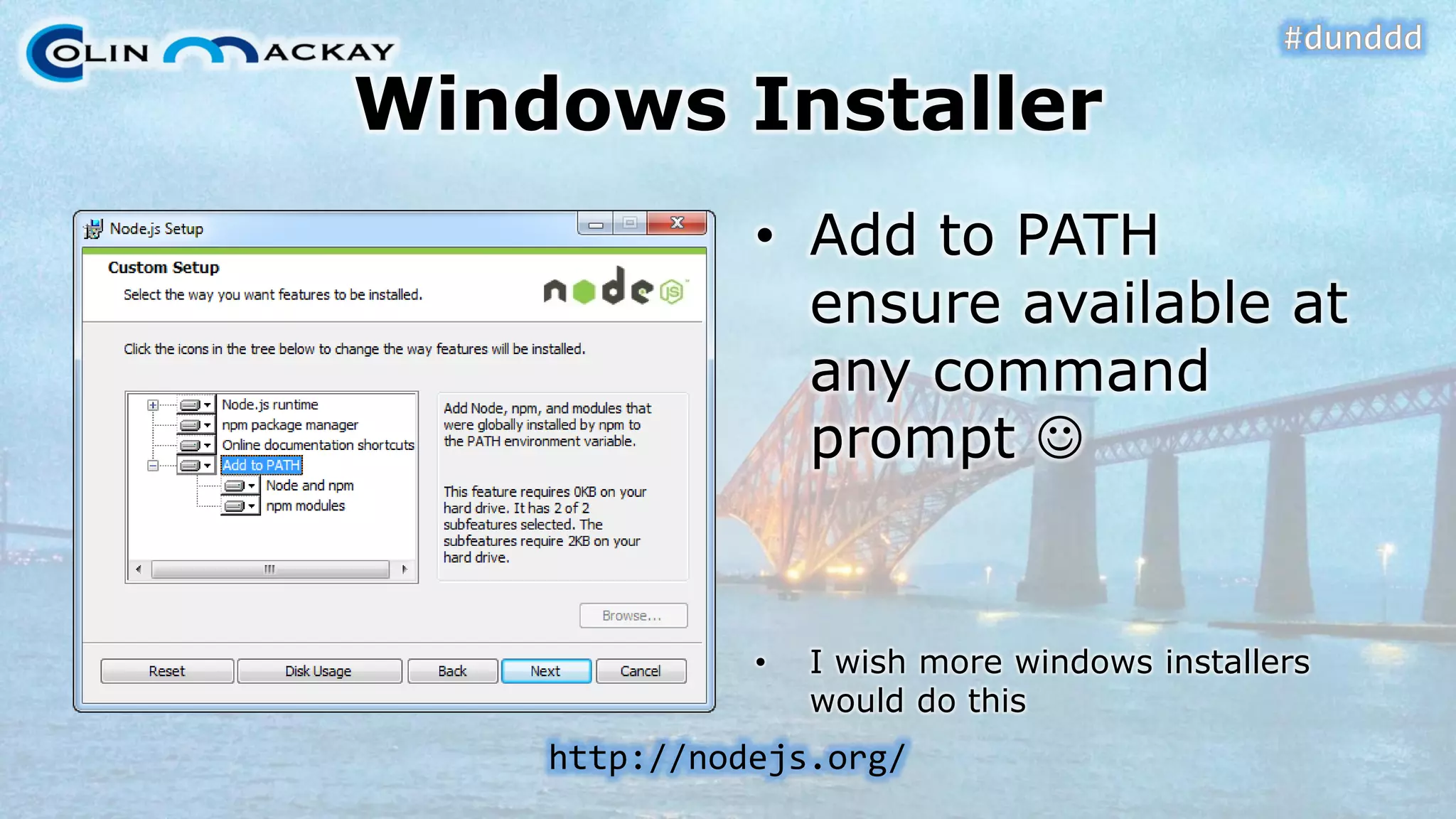
Windows Installer•Add to PATH ensure available at any command prompt  •I wish more windows installers would do thishttp://nodejs.org/
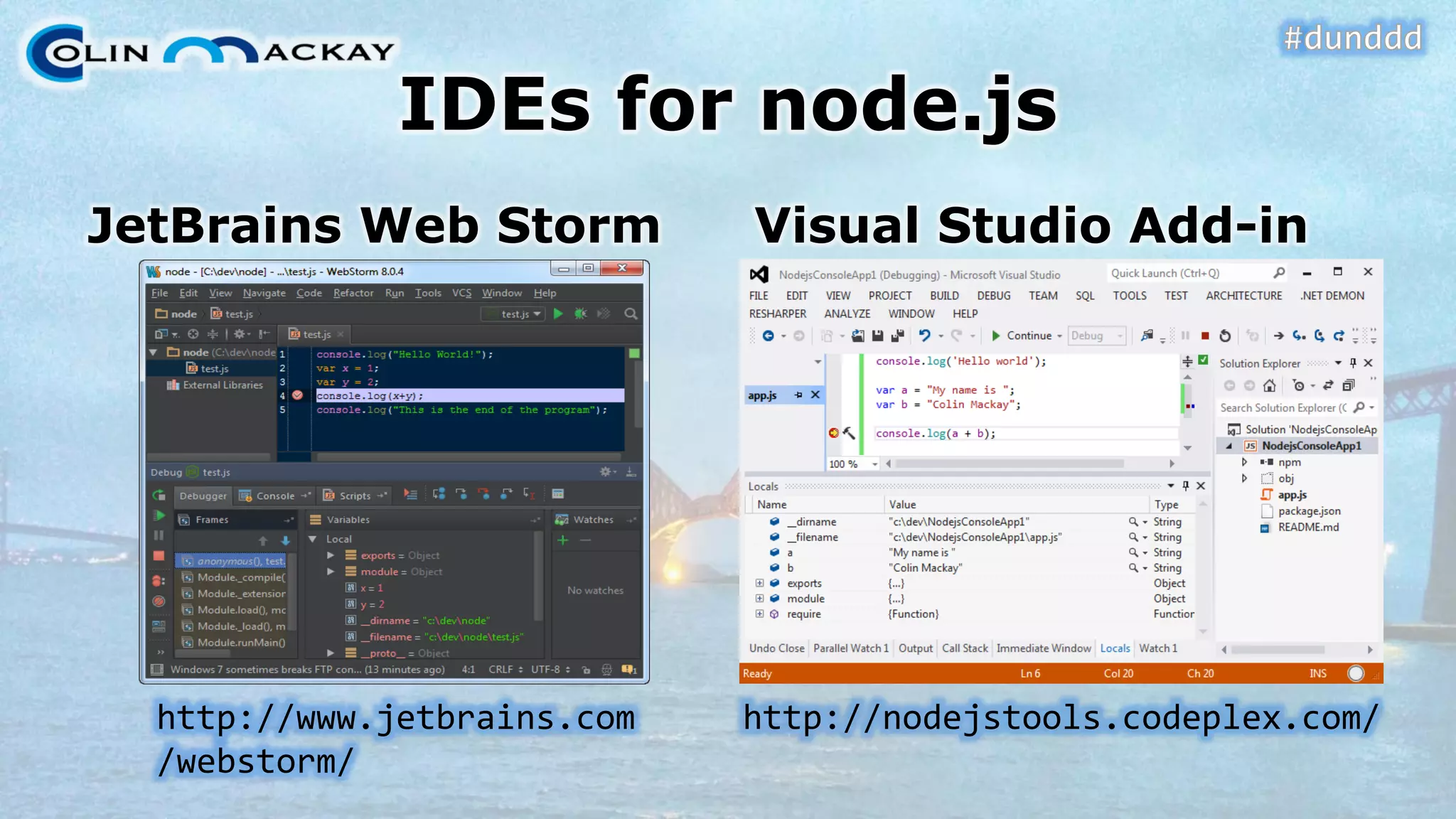
IDEs for node.jsJetBrainsWeb StormVisual Studio Add-inhttp://nodejstools.codeplex.com/http://www.jetbrains.com/webstorm/
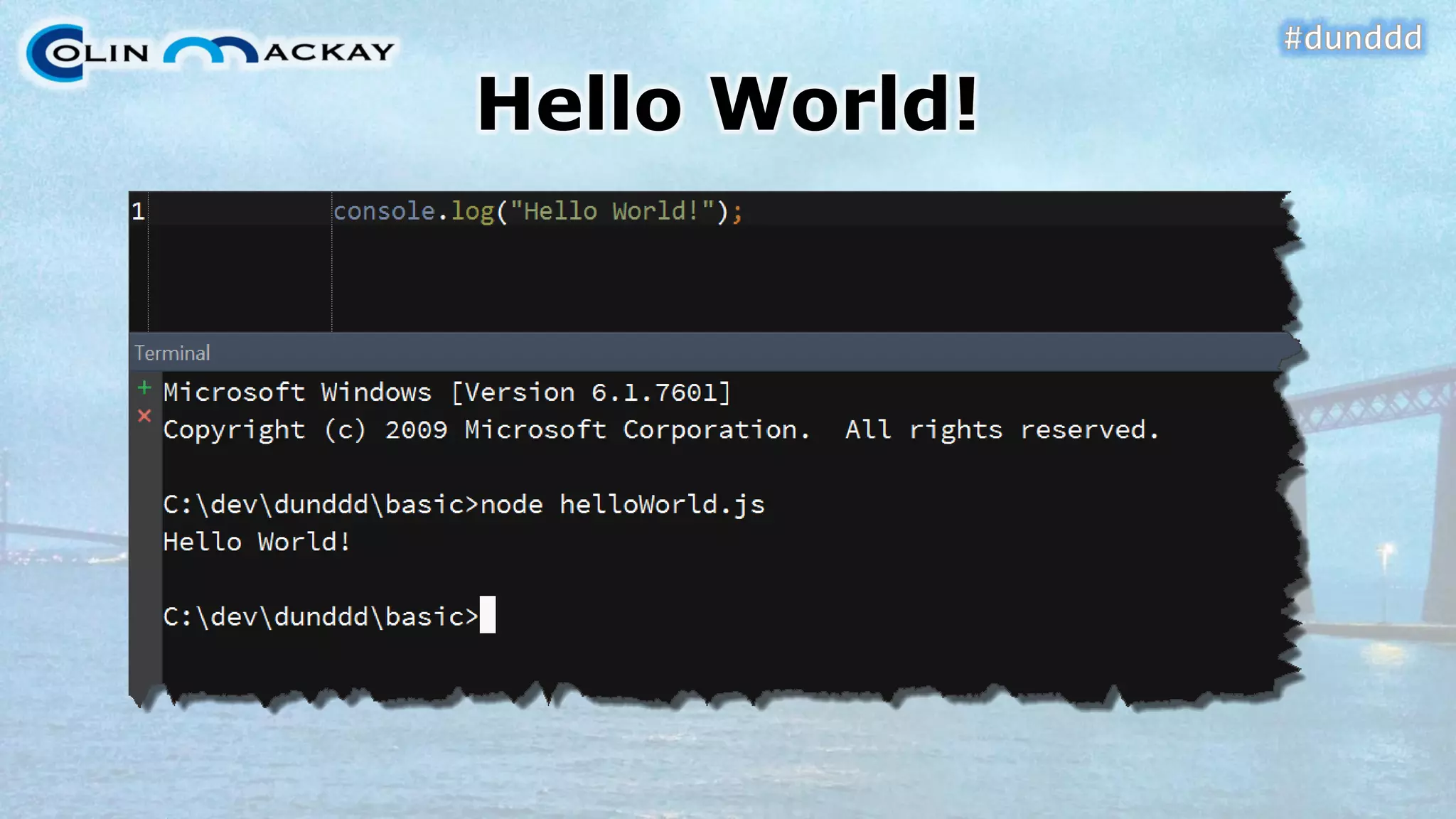
Hello World!
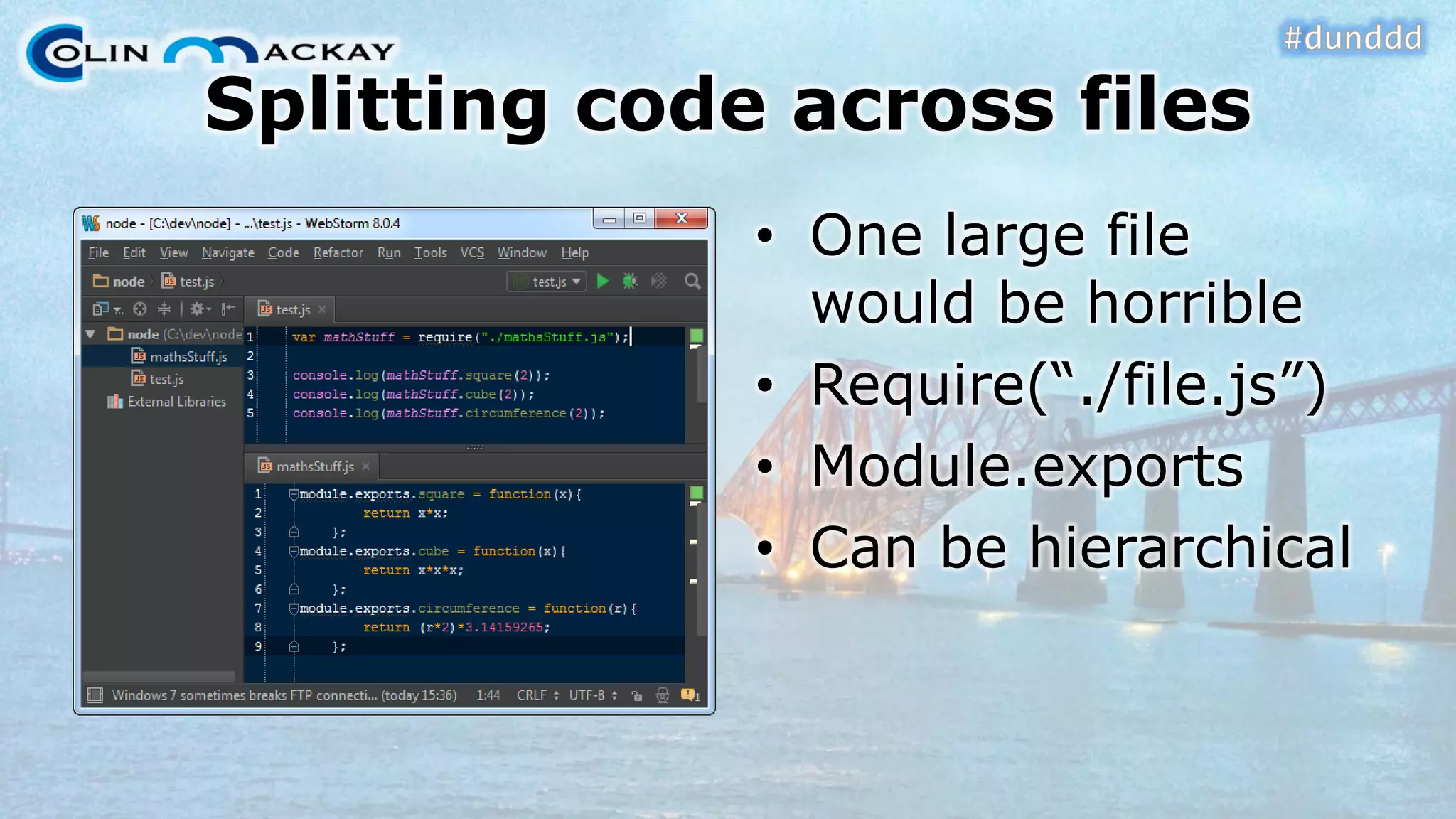
Splitting code across files•One large file would be horrible•Require(“./file.js”) •Module.exports•Can be hierarchical
DEMO #1Require & module.exports
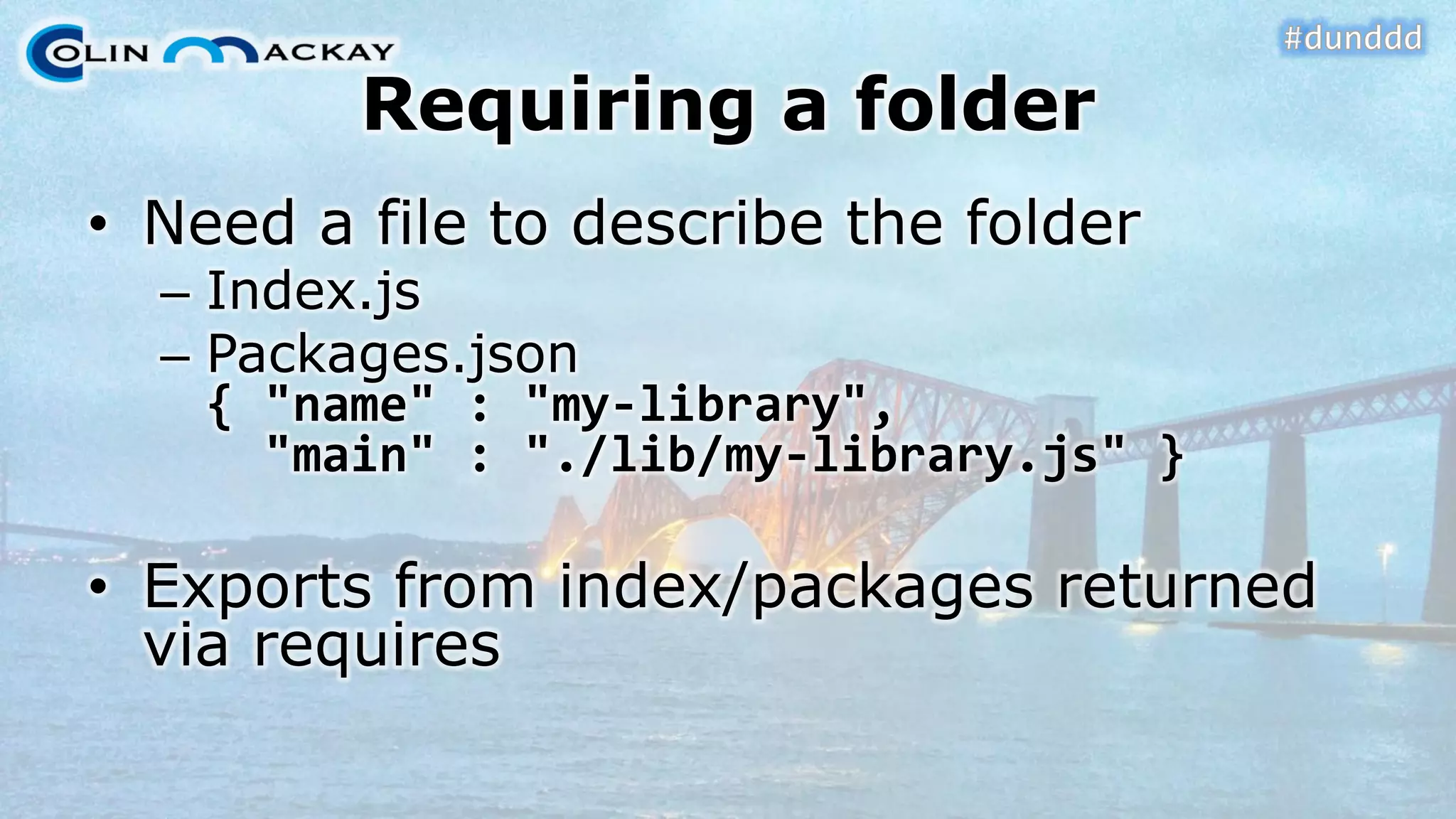
Requiring a folder•Need a file to describe the folder–Index.js–Packages.json{ "name" : "my-library", "main" : "./lib/my-library.js" } •Exports from index/packages returned via requires
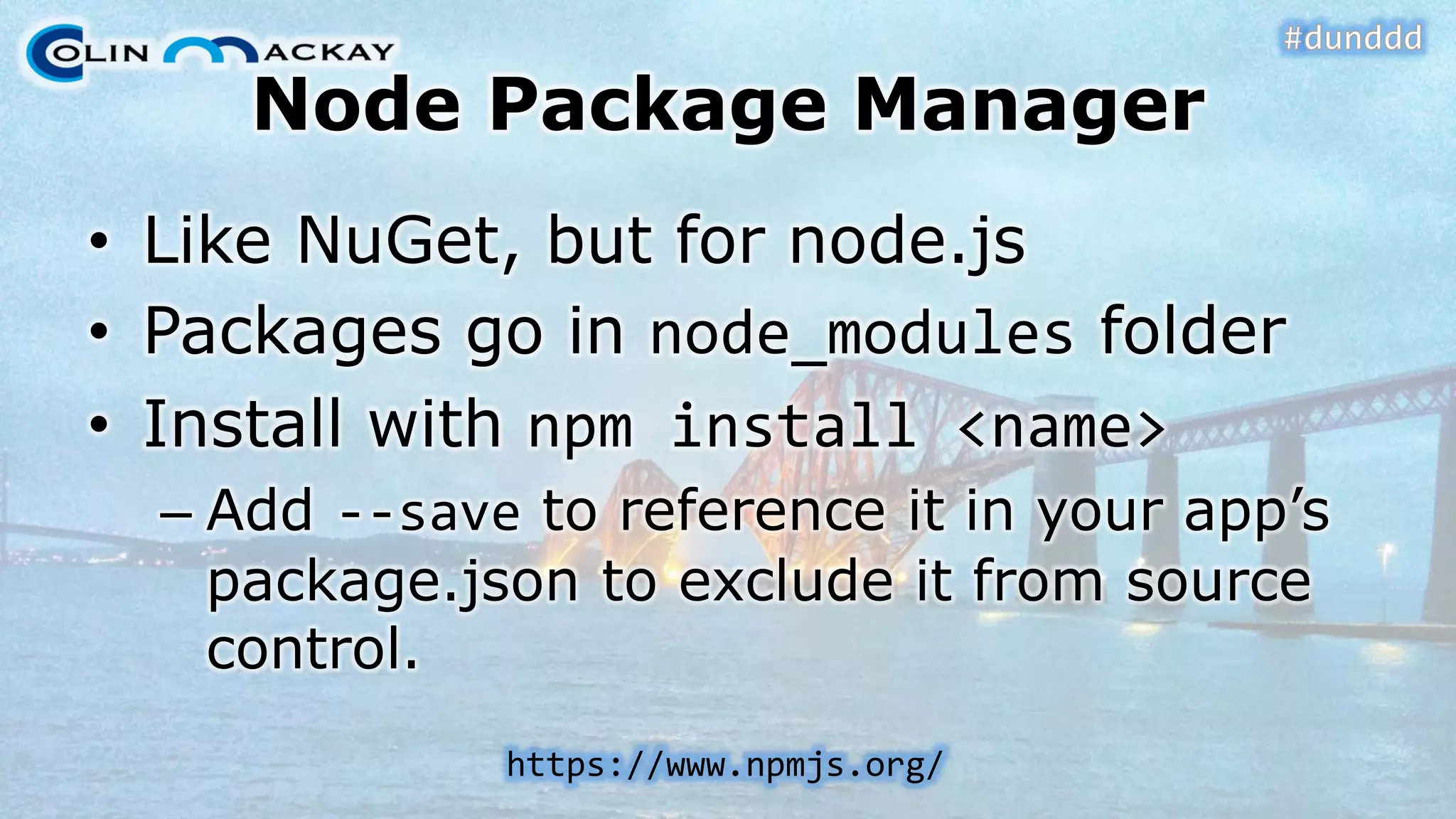
Node Package Manager•Like NuGet, but for node.js•Packages go in node_modulesfolder•Install with npminstall <name> –Add --saveto reference it in your app’s package.jsonto exclude it from source control. https://www.npmjs.org/
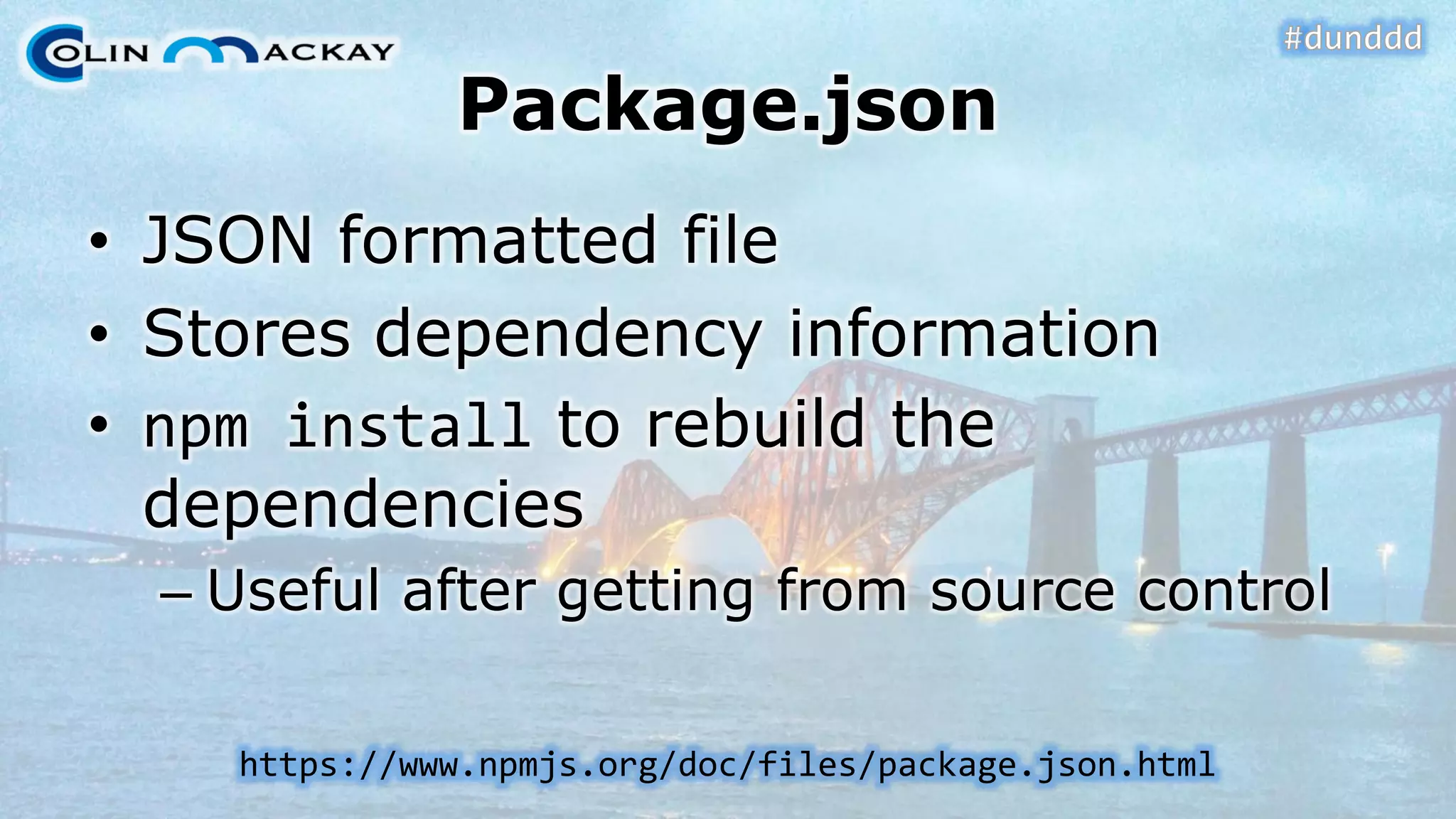
Package.json•JSON formatted file•Stores dependency information•npminstallto rebuild the dependencies–Useful after getting from source controlhttps://www.npmjs.org/doc/files/package.json.html
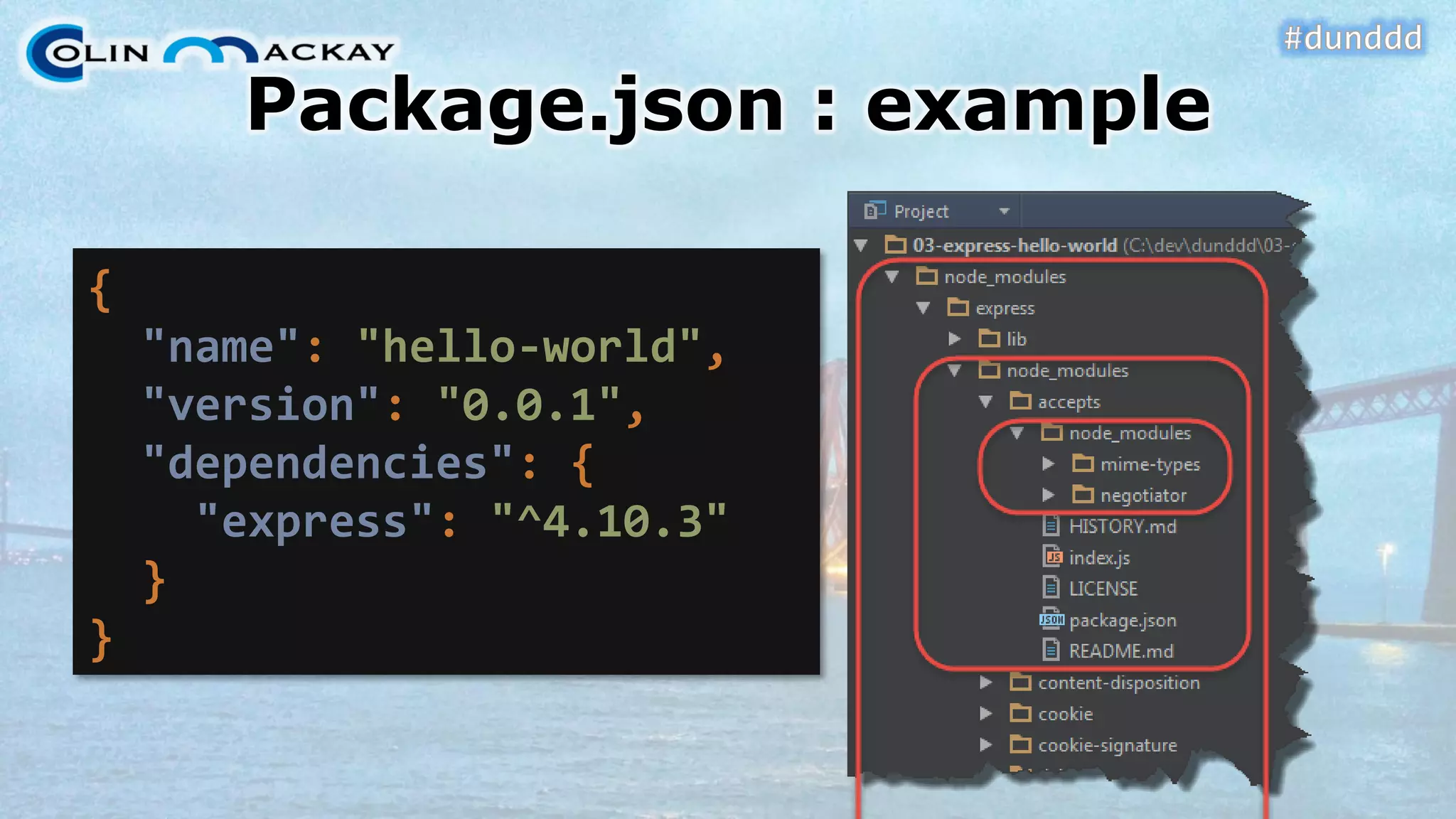
Package.json: example { "name": "hello-world", "version": "0.0.1", "dependencies": { "express": "^4.10.3" } }
DEMO #2Node Package Manager
Express•Web Application Framework•Related to –Sinatra (Ruby) –Nancy (.NET) •“Fast, unopinionated, minimalist web framework for Node.js” http://expressjs.com/
Installing Express•npminstall express
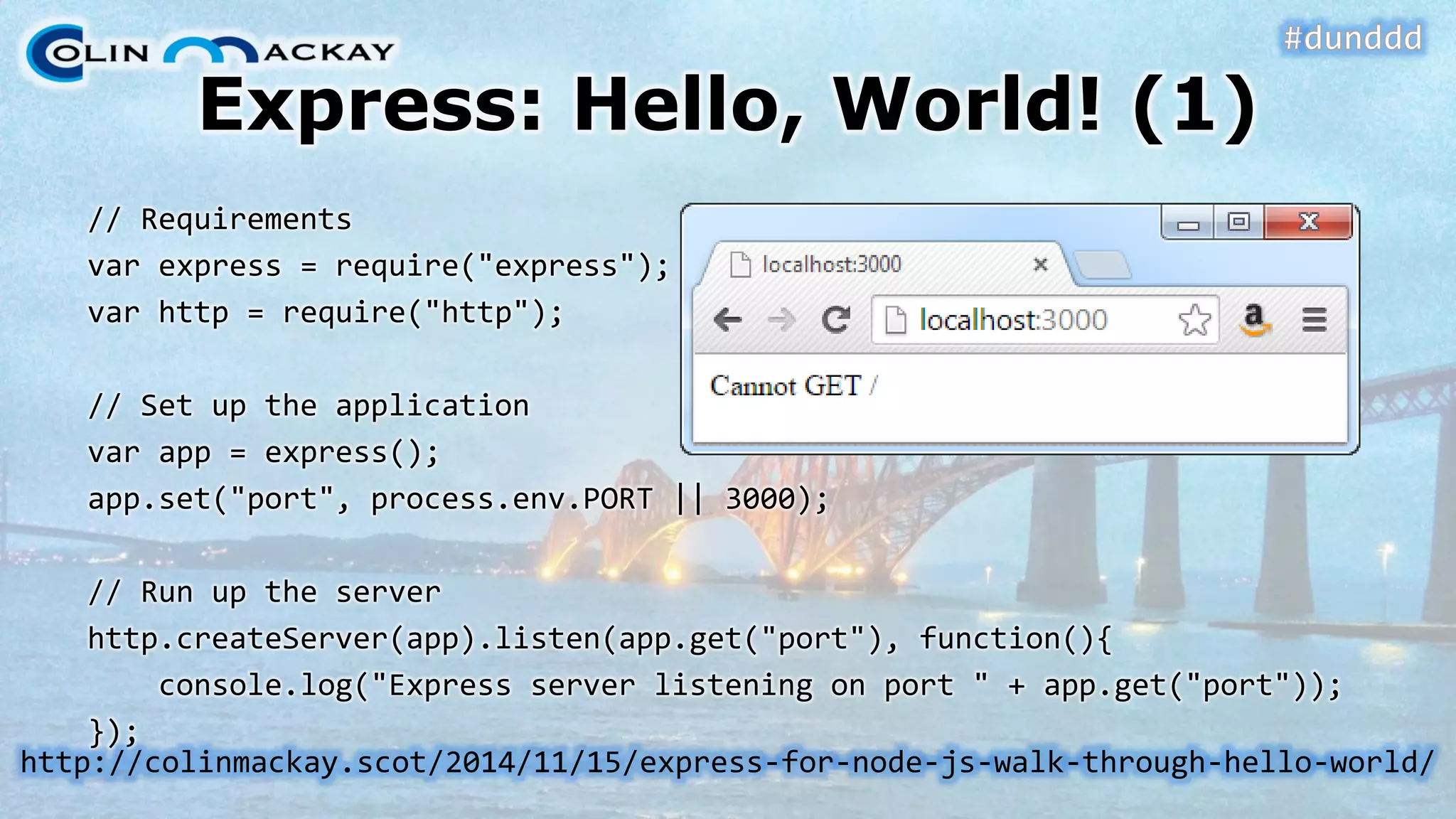
Express: Hello, World! (1) // Requirementsvarexpress = require("express"); varhttp = require("http"); // Set up the applicationvarapp = express(); app.set("port", process.env.PORT|| 3000); // Run up the serverhttp.createServer(app).listen(app.get("port"), function(){ console.log("Express server listening on port " + app.get("port")); }); http://colinmackay.scot/2014/11/15/express-for-node-js-walk-through-hello-world/
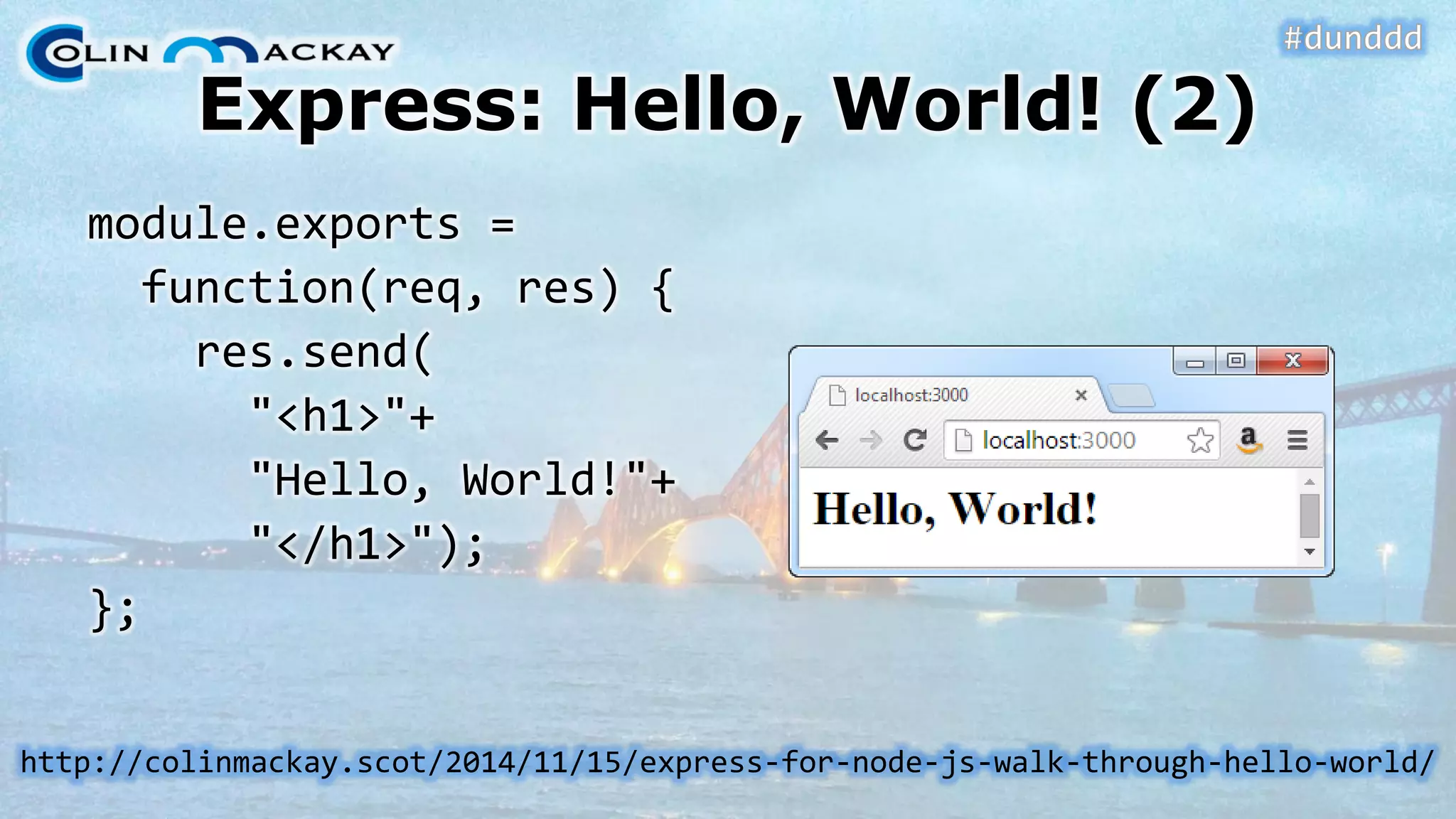
Express: Hello, World! (2) module.exports= function(req, res) { res.send( "<h1>"+ "Hello, World!"+ "</h1>"); }; http://colinmackay.scot/2014/11/15/express-for-node-js-walk-through-hello-world/
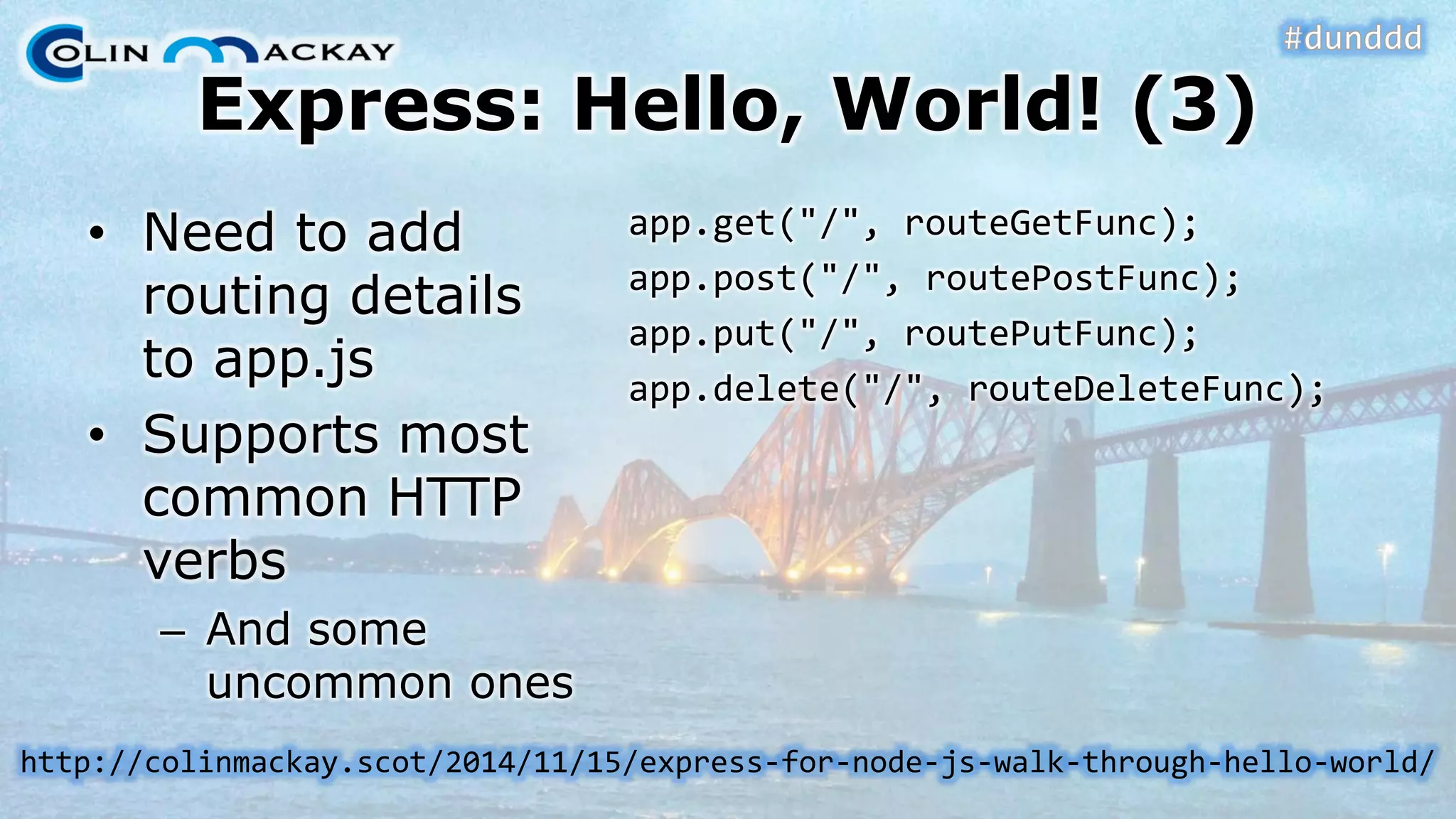
Express: Hello, World! (3) •Need to add routing details to app.js•Supports most common HTTP verbs–And some uncommon onesapp.get("/", routeGetFunc); app.post("/", routePostFunc); app.put("/", routePutFunc); app.delete("/", routeDeleteFunc); http://colinmackay.scot/2014/11/15/express-for-node-js-walk-through-hello-world/
DEMO #3Express Hello World
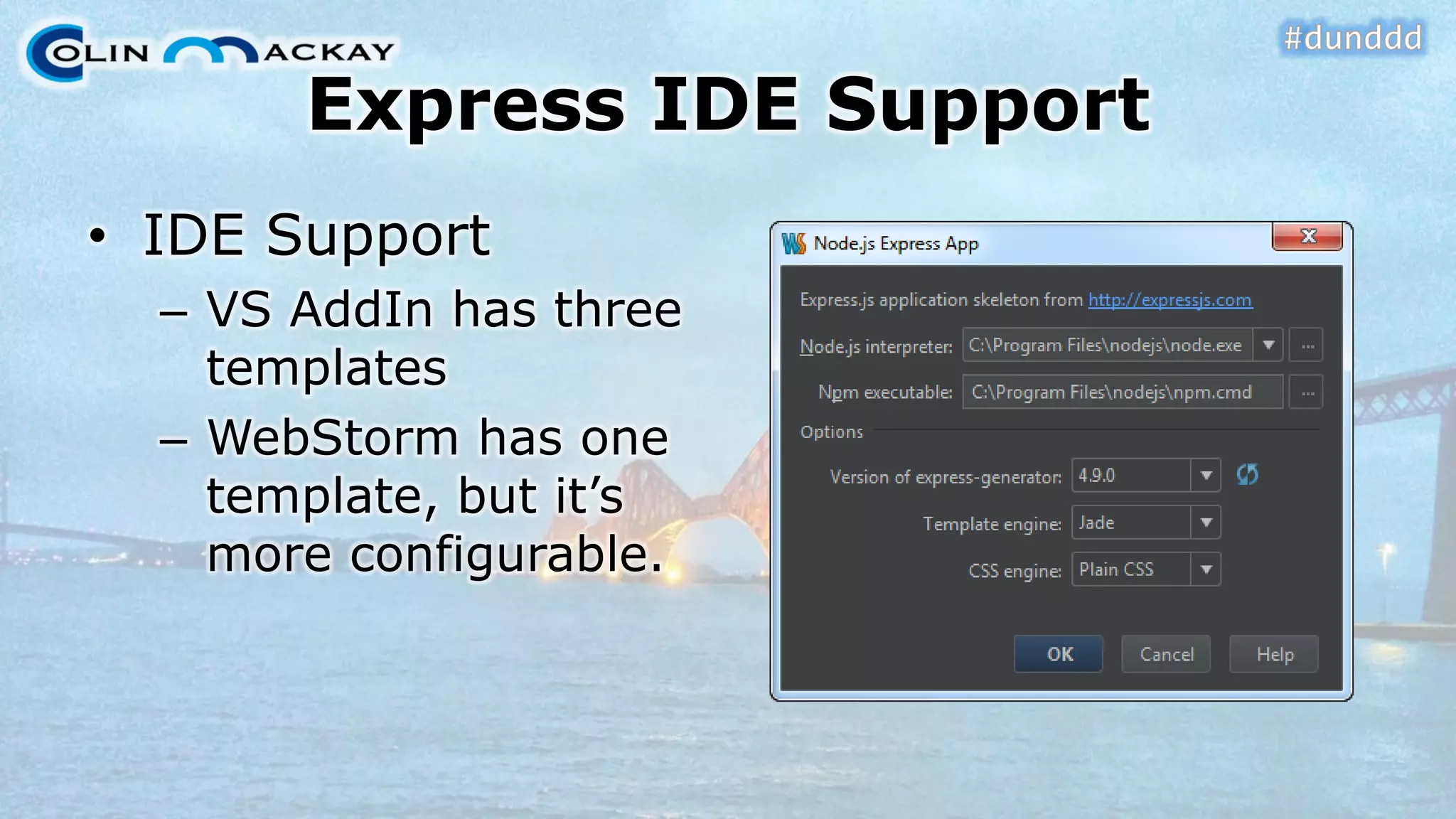
Express IDE Support•IDE Support–VS AddInhas three templates–WebStormhas one template, but it’s more configurable.
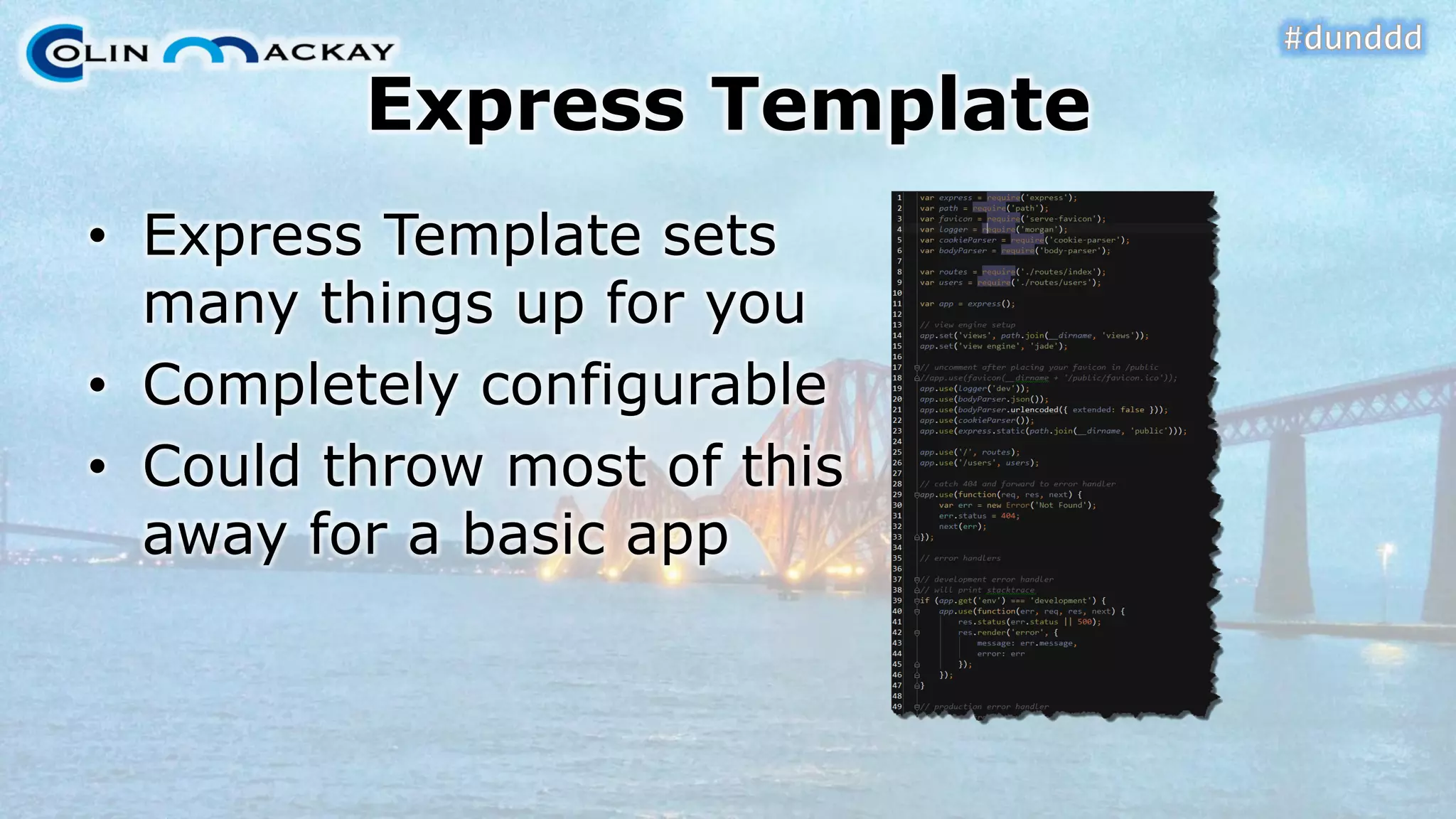
Express Template•Express Template sets many things up for you•Completely configurable•Could throw most of this away for a basic app
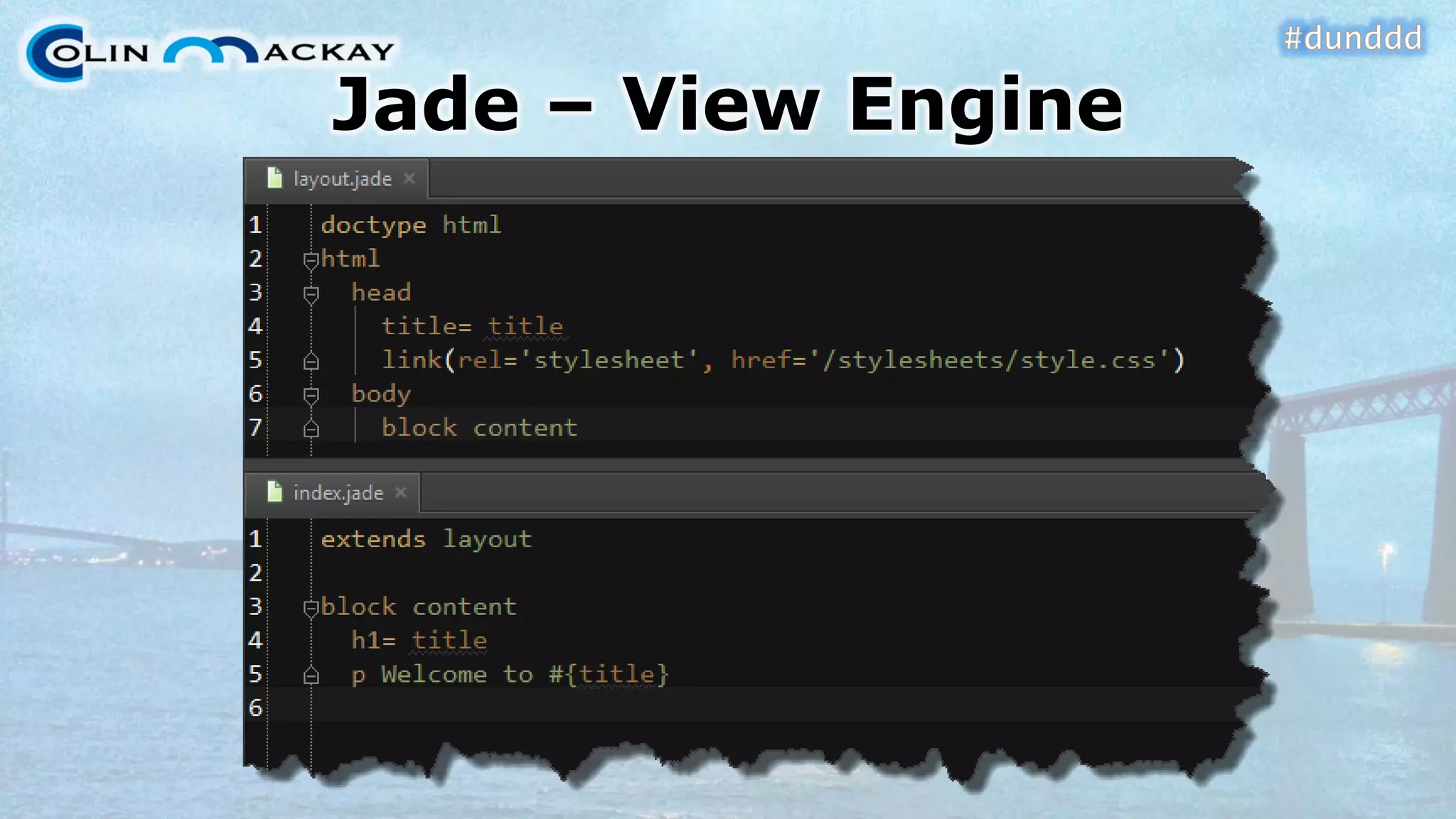
Jade –View Engine
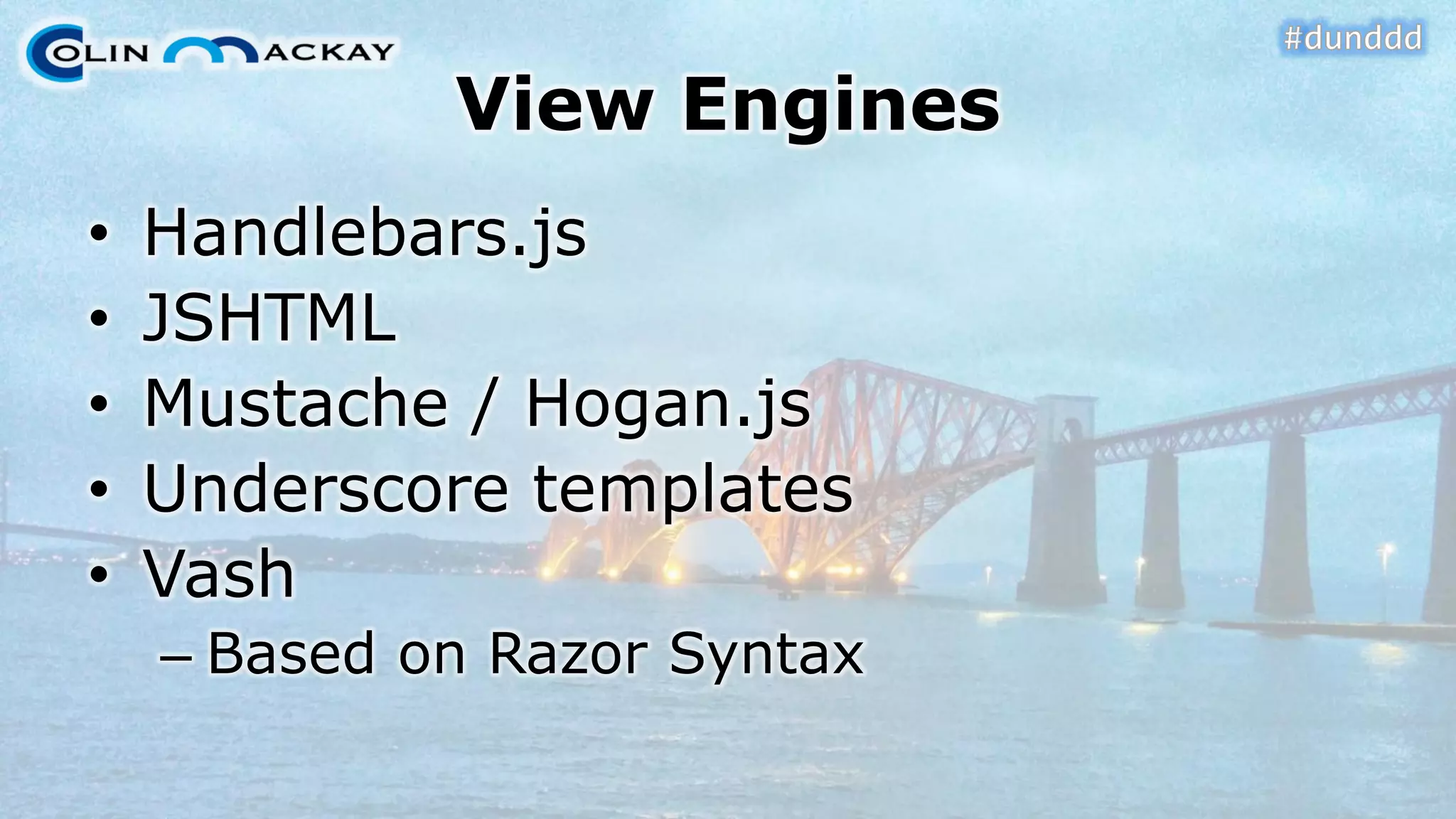
View Engines•Handlebars.js•JSHTML•Mustache/ Hogan.js•Underscore templates•Vash–Based on Razor Syntax
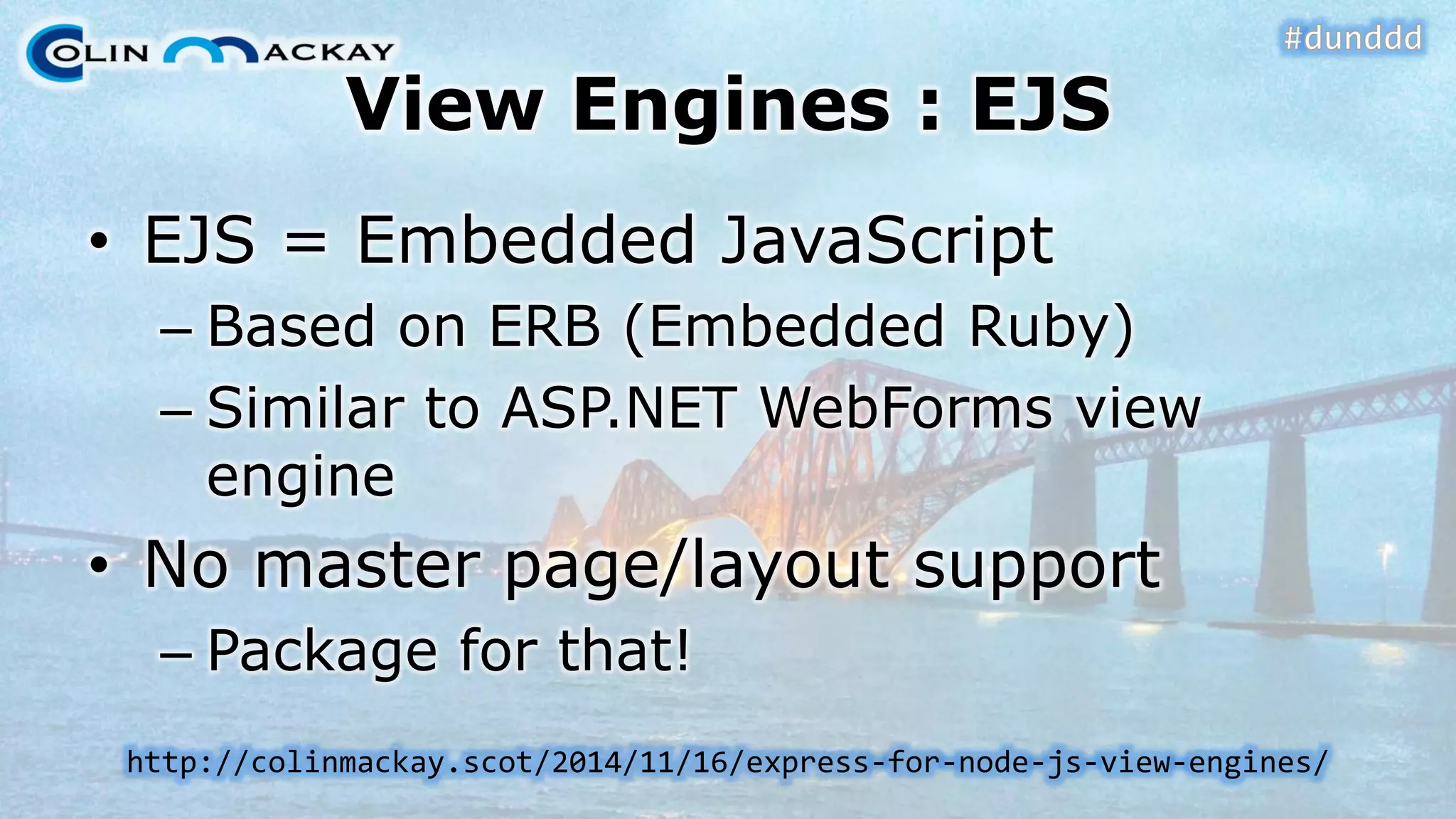
View Engines : EJS•EJS = Embedded JavaScript–Based on ERB (Embedded Ruby) –Similar to ASP.NET WebFormsview engine•No master page/layout support–Package for that! http://colinmackay.scot/2014/11/16/express-for-node-js-view-engines/
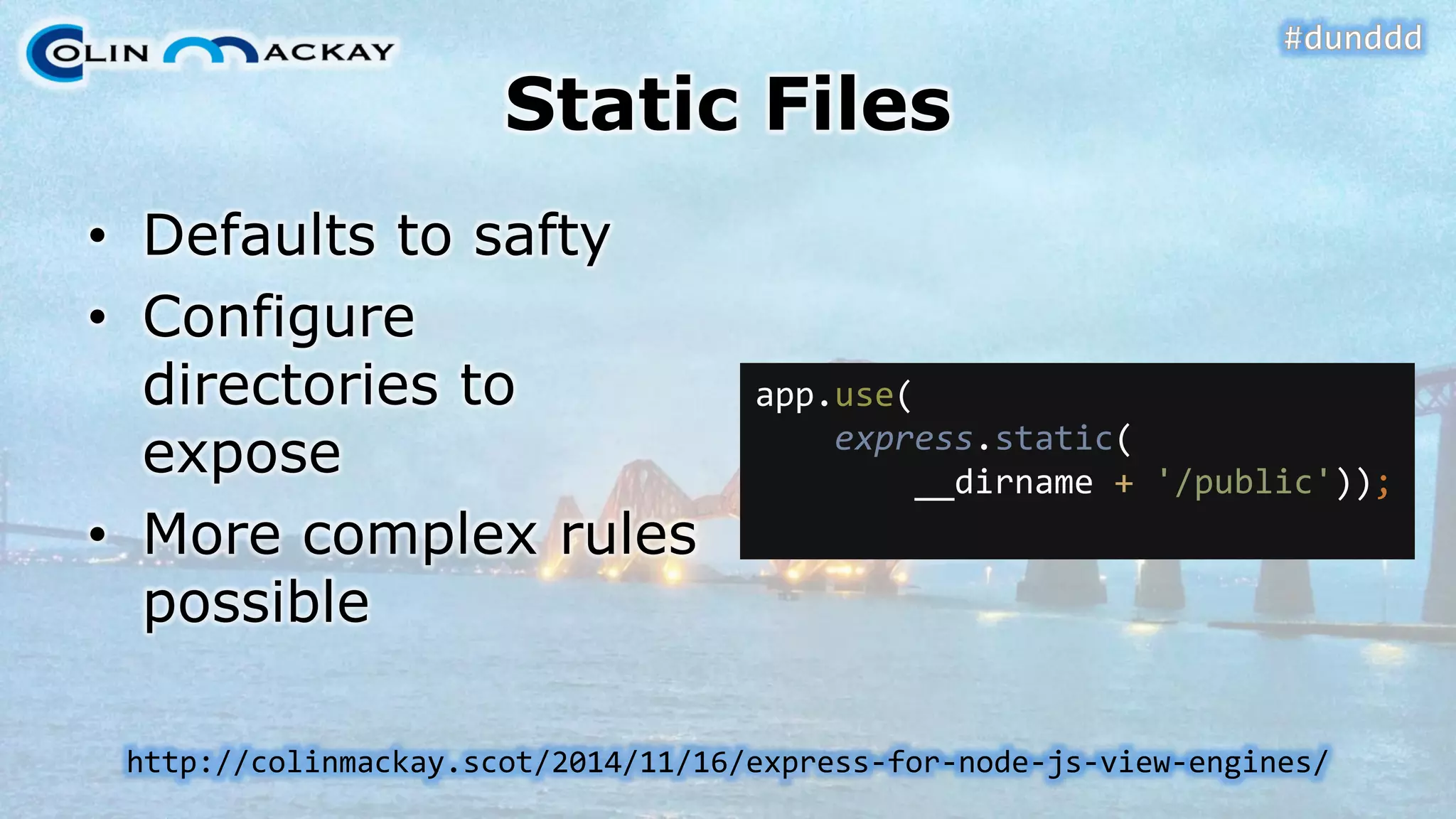
Static Files•Defaults to safty•Configure directories to expose•More complex rules possible app.use( express.static( __dirname+ '/public')); http://colinmackay.scot/2014/11/16/express-for-node-js-view-engines/
DEMO #4View Engines and Static Fileshttp://colinmackay.scot/2014/11/16/express-for-node-js-view-engines/
Processing form data•It’s a middleware–Many parsers available–Common: body-parser•Values available in req.bodyhttp://colinmackay.scot/2014/11/17/node-js-with-express-getting-form-data/
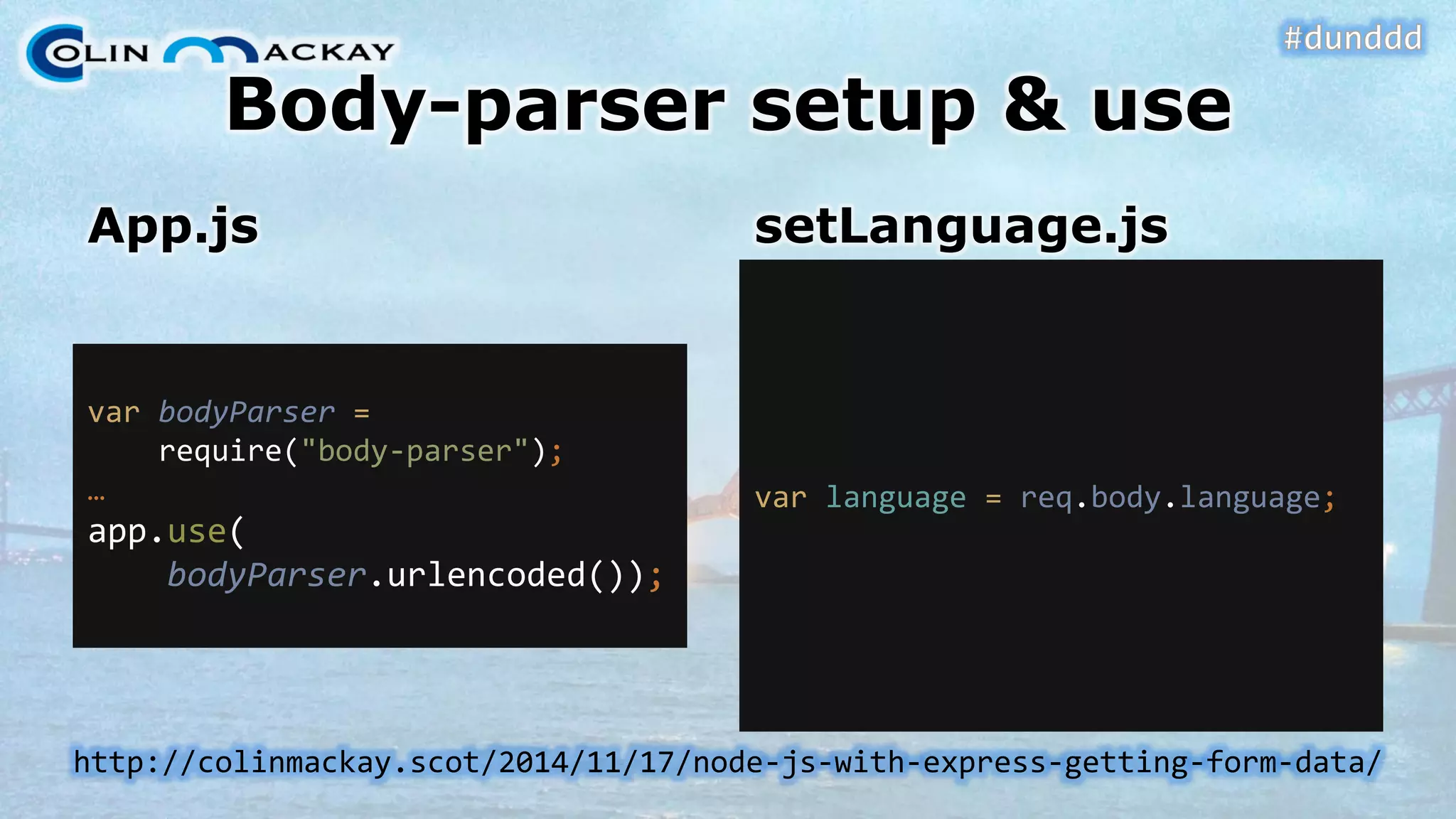
Body-parser setup & useApp.js varbodyParser= require("body-parser"); … app.use( bodyParser.urlencoded()); setLanguage.js varlanguage = req.body.language; http://colinmackay.scot/2014/11/17/node-js-with-express-getting-form-data/
Processing Cookies•Parsing cookies is middleware–Common: cookie-parser•Values available in req.cookies•Write values with res.cookie() •Clear cookie with res.clearCookie() –Much easier than .NEThttp://colinmackay.scot/2014/11/18/node-js-with-express-come-to-the-dark-side- we-have-cookies/
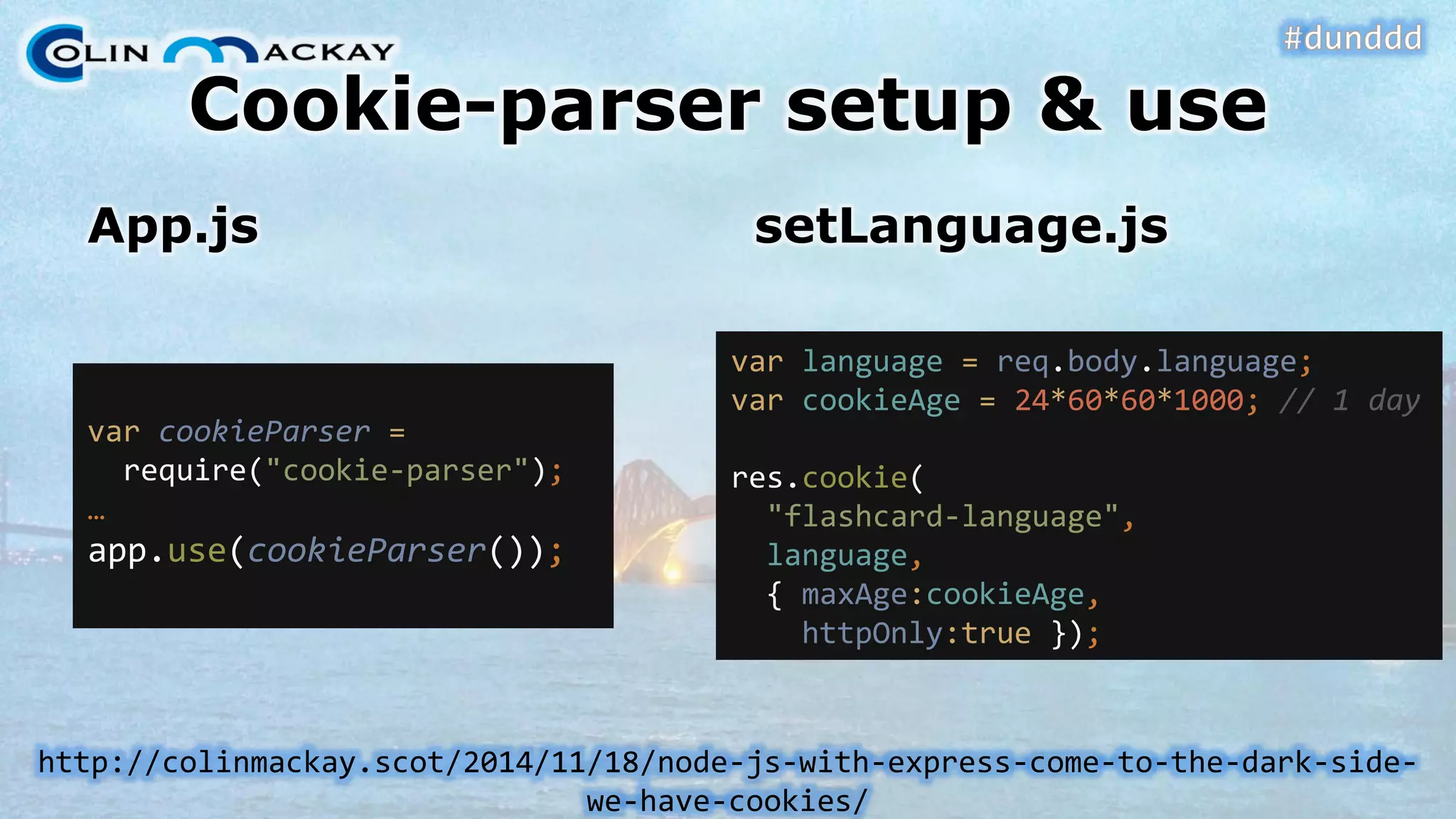
Cookie-parser setup & useApp.jssetLanguage.js varcookieParser= require("cookie-parser"); … app.use(cookieParser()); varlanguage = req.body.language; varcookieAge= 24*60*60*1000; // 1 day res.cookie( "flashcard-language", language, { maxAge:cookieAge, httpOnly:true}); http://colinmackay.scot/2014/11/18/node-js-with-express-come-to-the-dark-side- we-have-cookies/
Cookie-parser setup & useFlashcard.jsWelcome.js varlanguage = req.cookies[ "flashcard-language"]; res.clearCookie( "flashcard-language"); http://colinmackay.scot/2014/11/18/node-js-with-express-come-to-the-dark-side- we-have-cookies/
DEMO #5Body & Cookie Parsinghttp://colinmackay.scot/2014/11/17/node-js-with-express-getting-form-data/ http://colinmackay.scot/2014/11/18/node-js-with-express-come-to-the-dark-side- we-have-cookies/
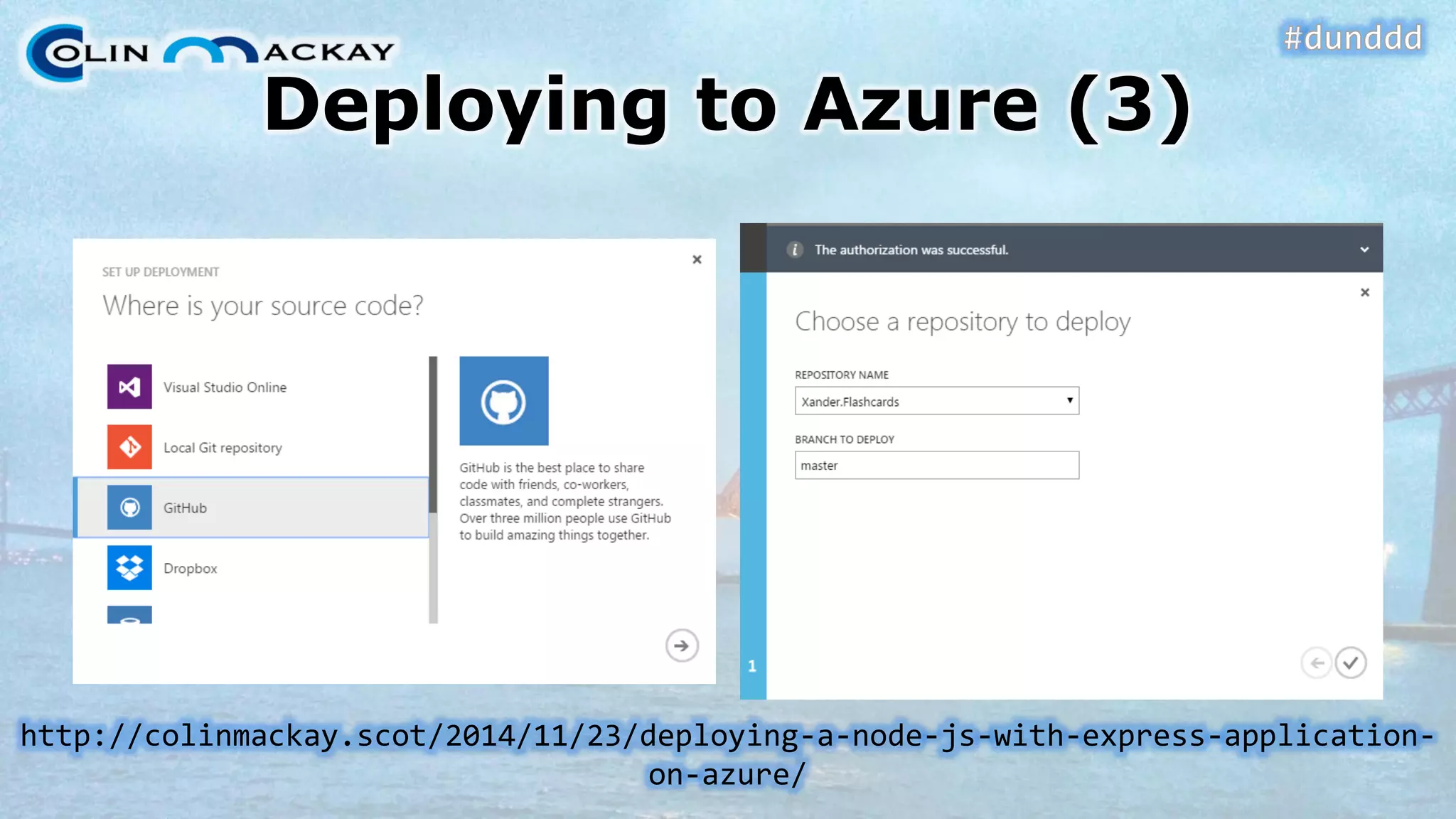
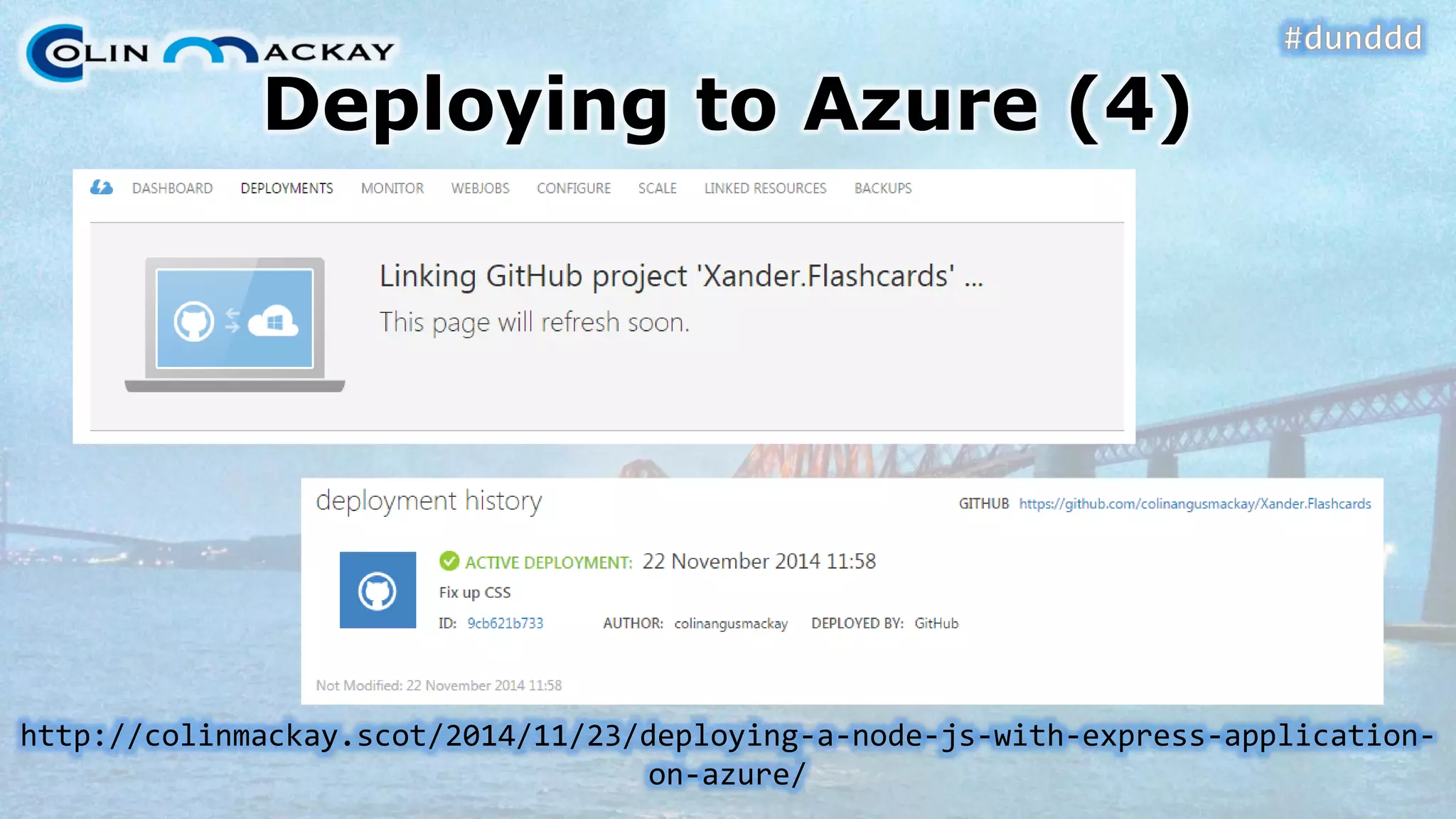
Deploying to Azure•Surprisingly easy–Almost…  •Deploy via source control
DEMO #6Deploying to Azurehttp://colinmackay.scot/2014/11/23/deploying-a-node-js-with-express-application- on-azure/
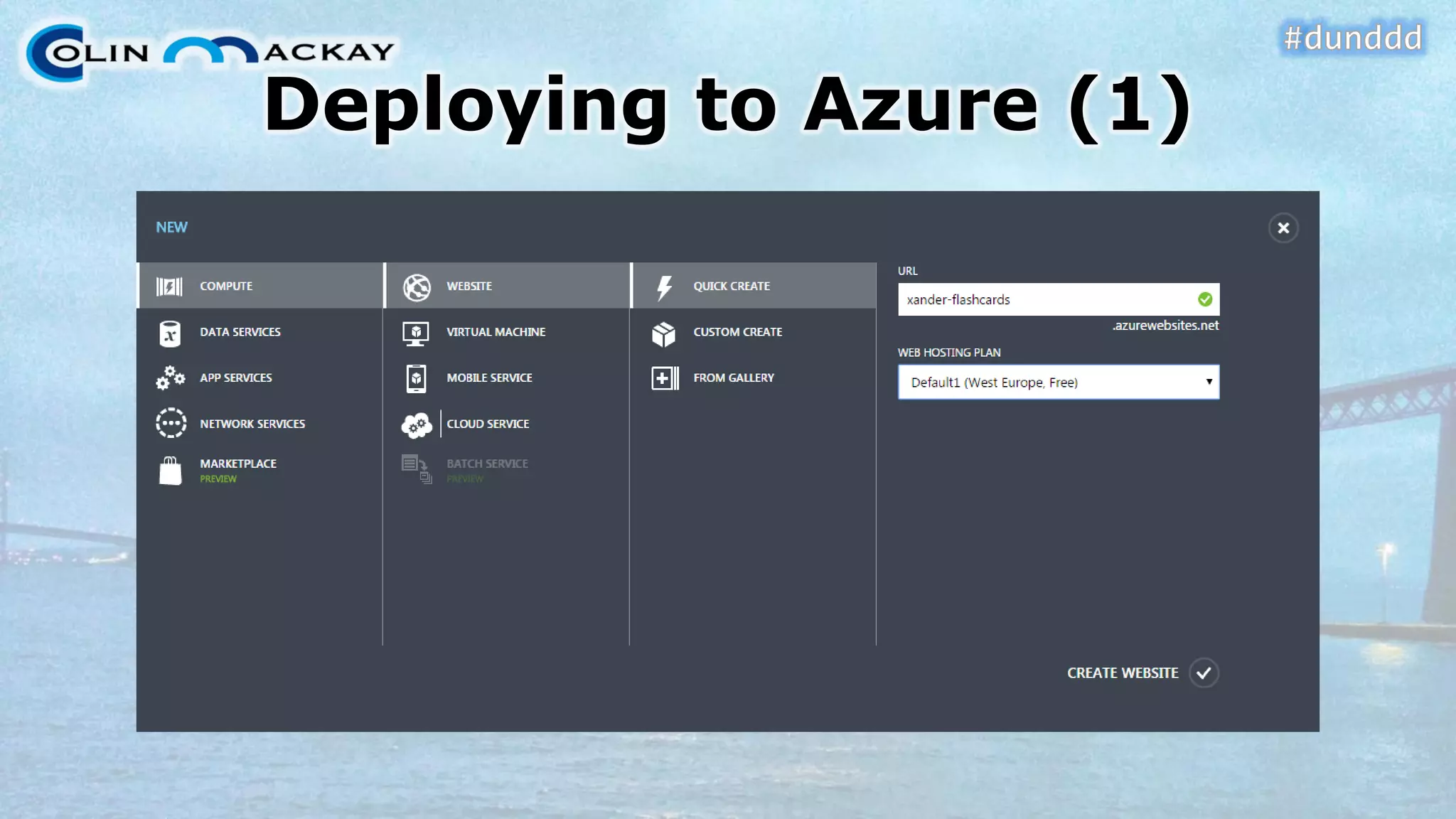
Deploying to Azure (1)
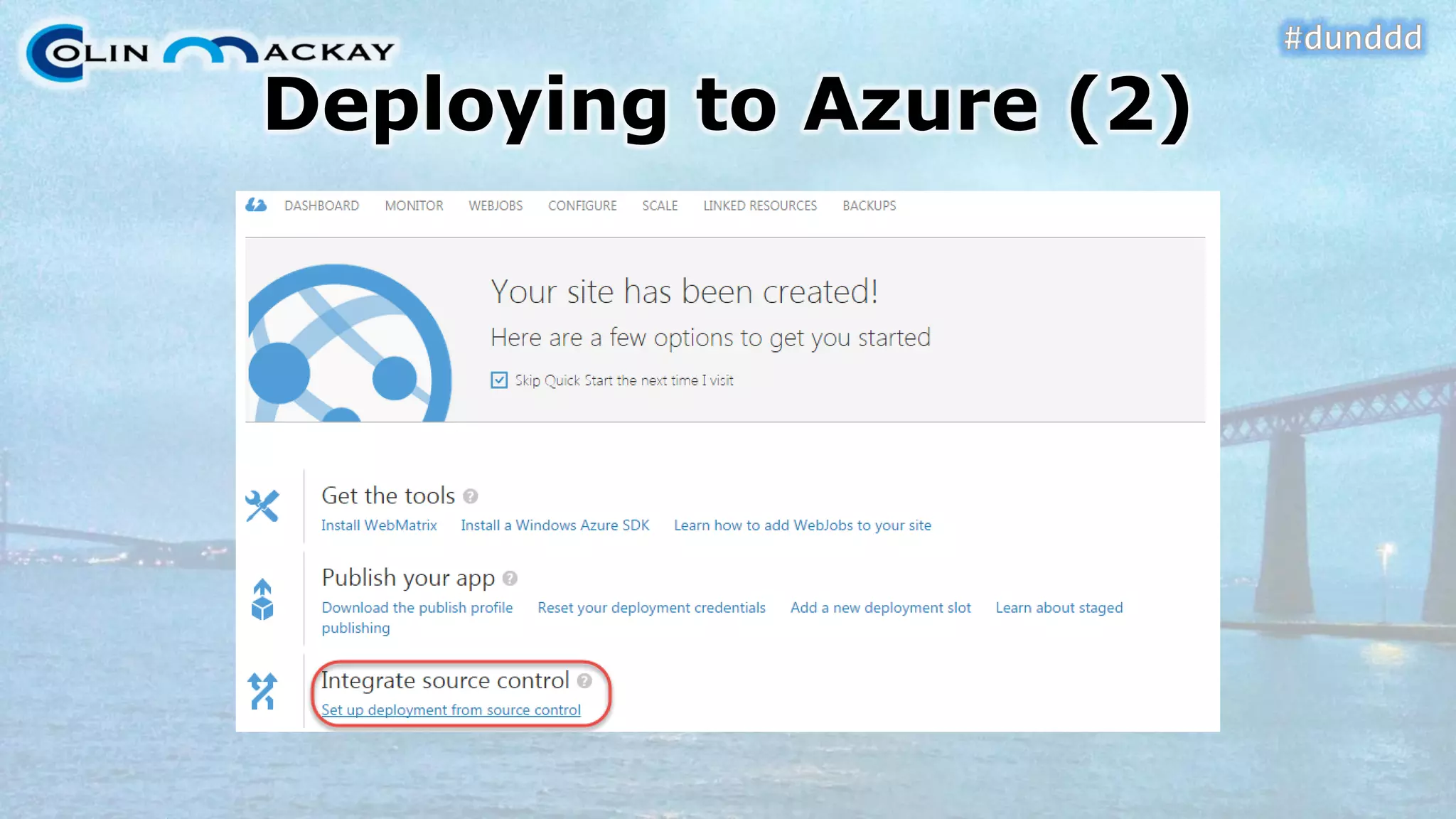
Deploying to Azure (2)
Deploying to Azure (3) http://colinmackay.scot/2014/11/23/deploying-a-node-js-with-express-application- on-azure/
Deploying to Azure (4) http://colinmackay.scot/2014/11/23/deploying-a-node-js-with-express-application- on-azure/
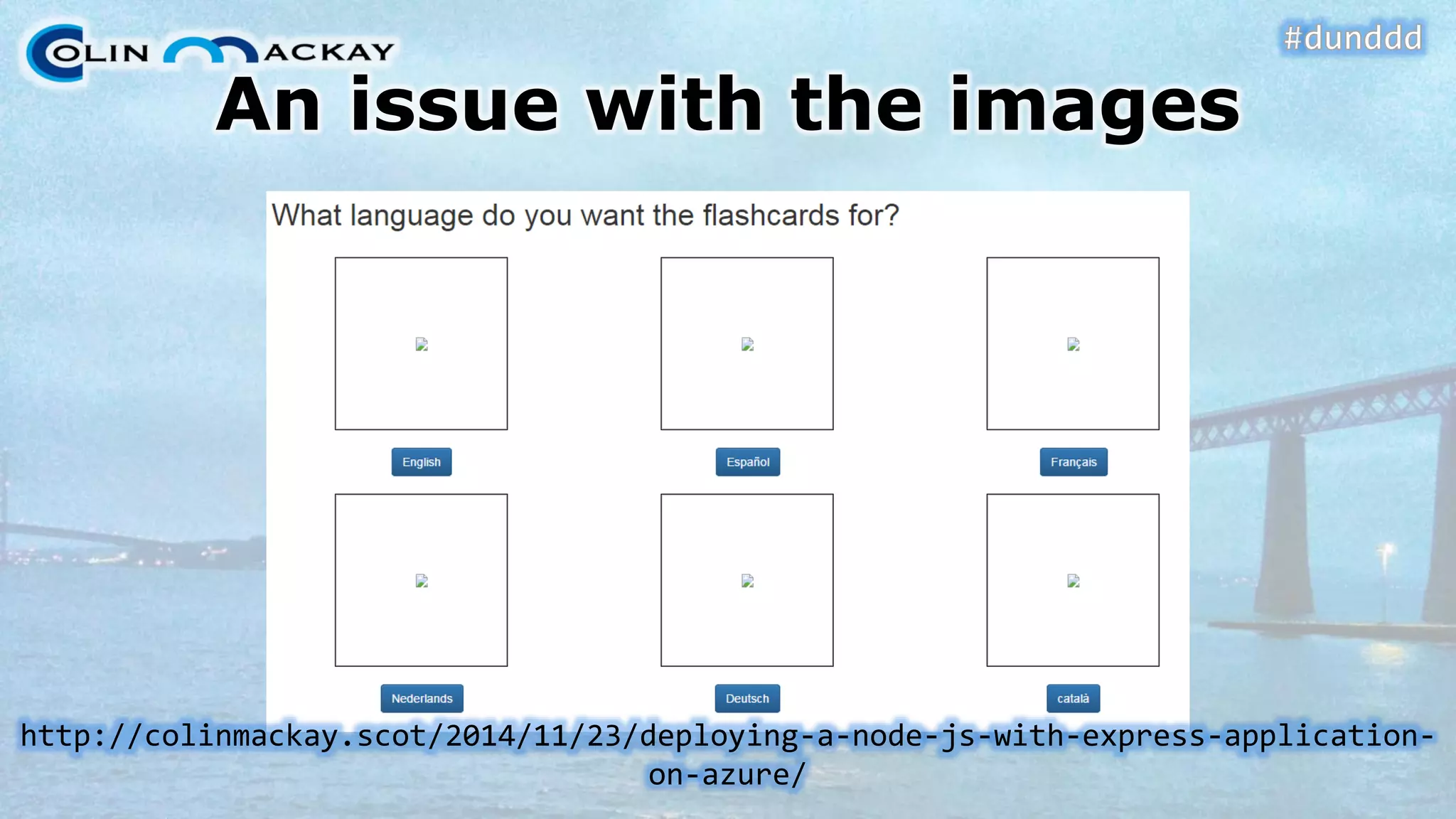
An issue with the imageshttp://colinmackay.scot/2014/11/23/deploying-a-node-js-with-express-application- on-azure/
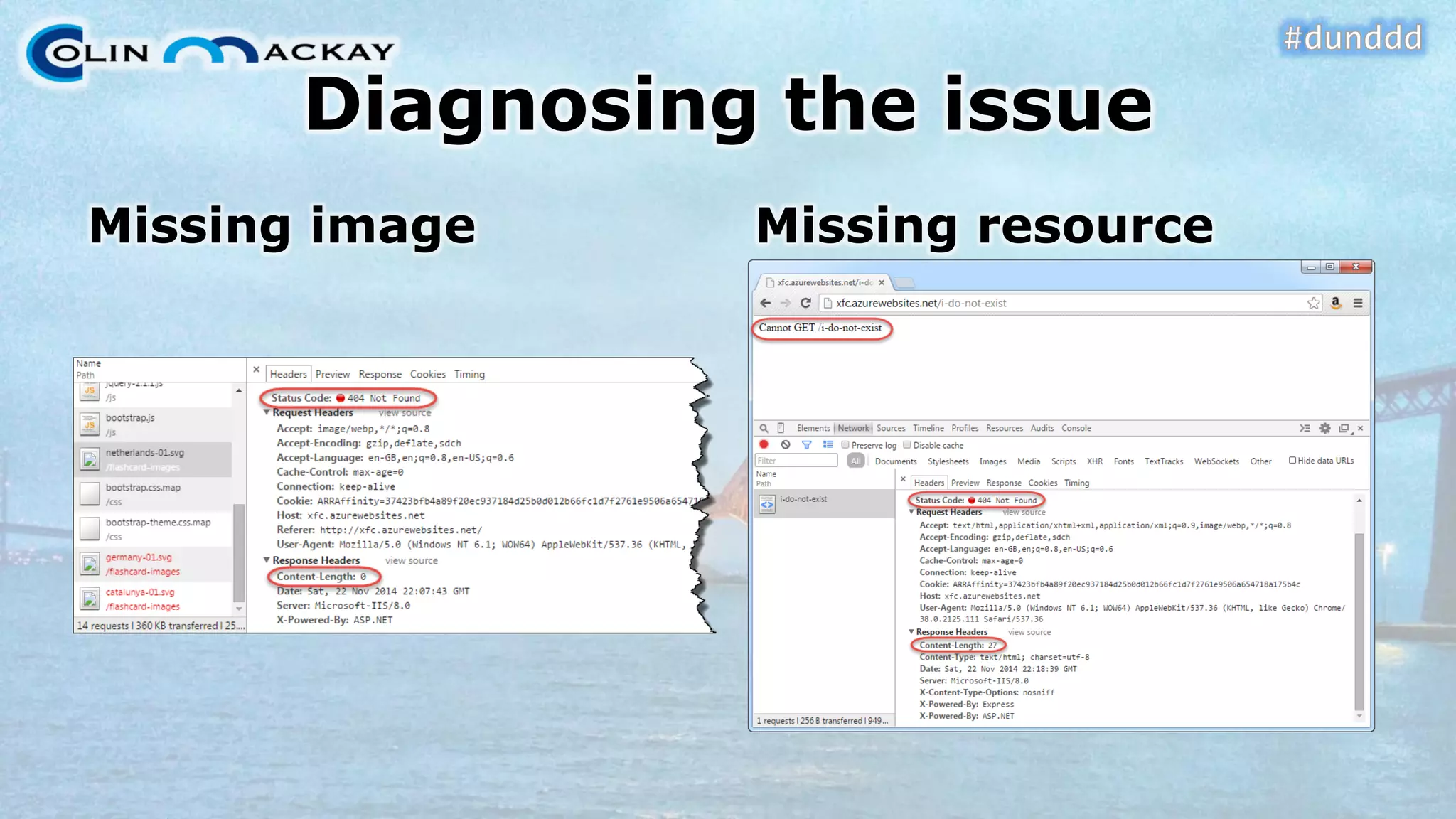
Diagnosing the issueMissing imageMissing resource
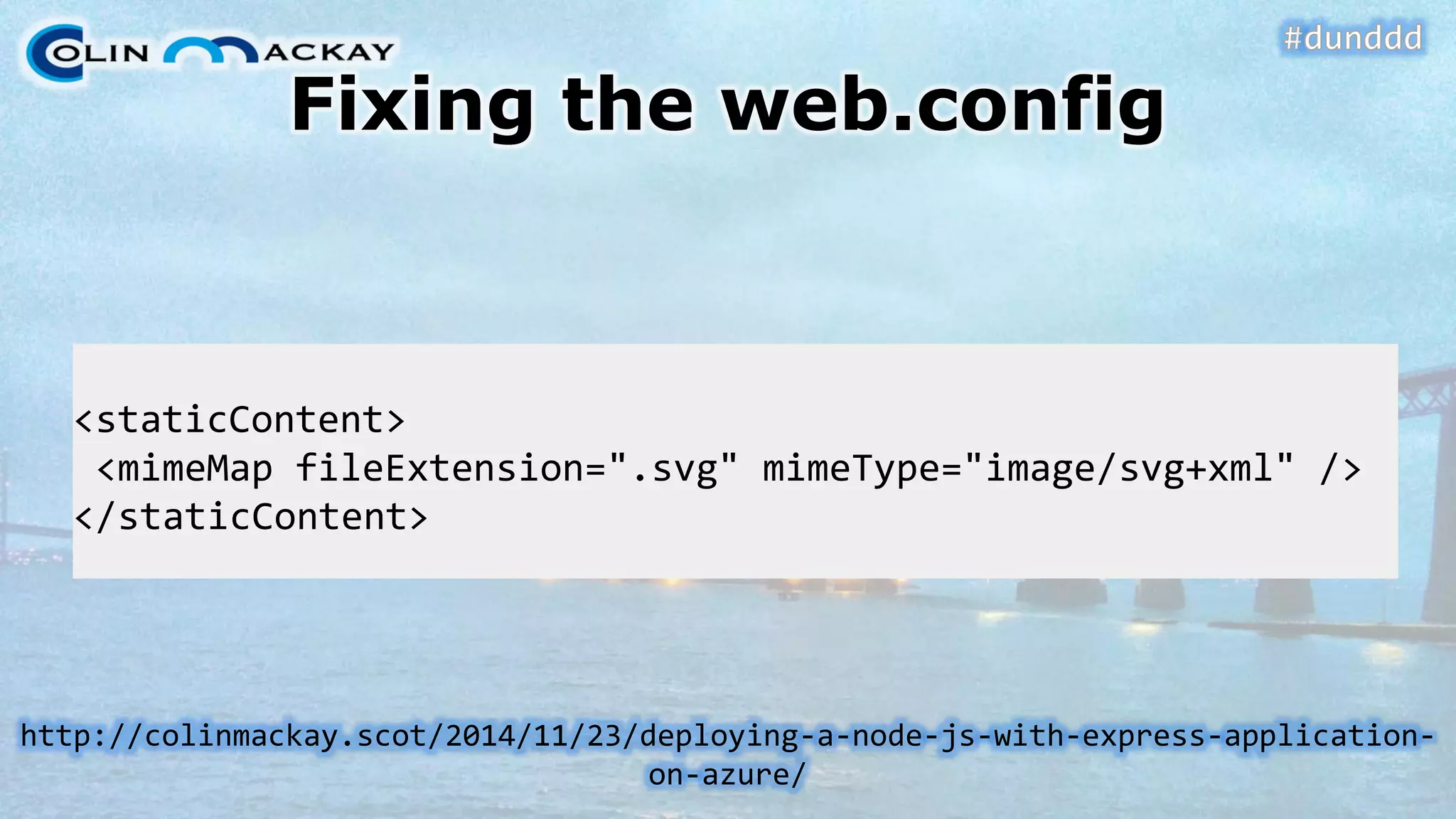
Fixing the web.config <staticContent> <mimeMapfileExtension=".svg" mimeType="image/svg+xml" /> </staticContent> http://colinmackay.scot/2014/11/23/deploying-a-node-js-with-express-application- on-azure/
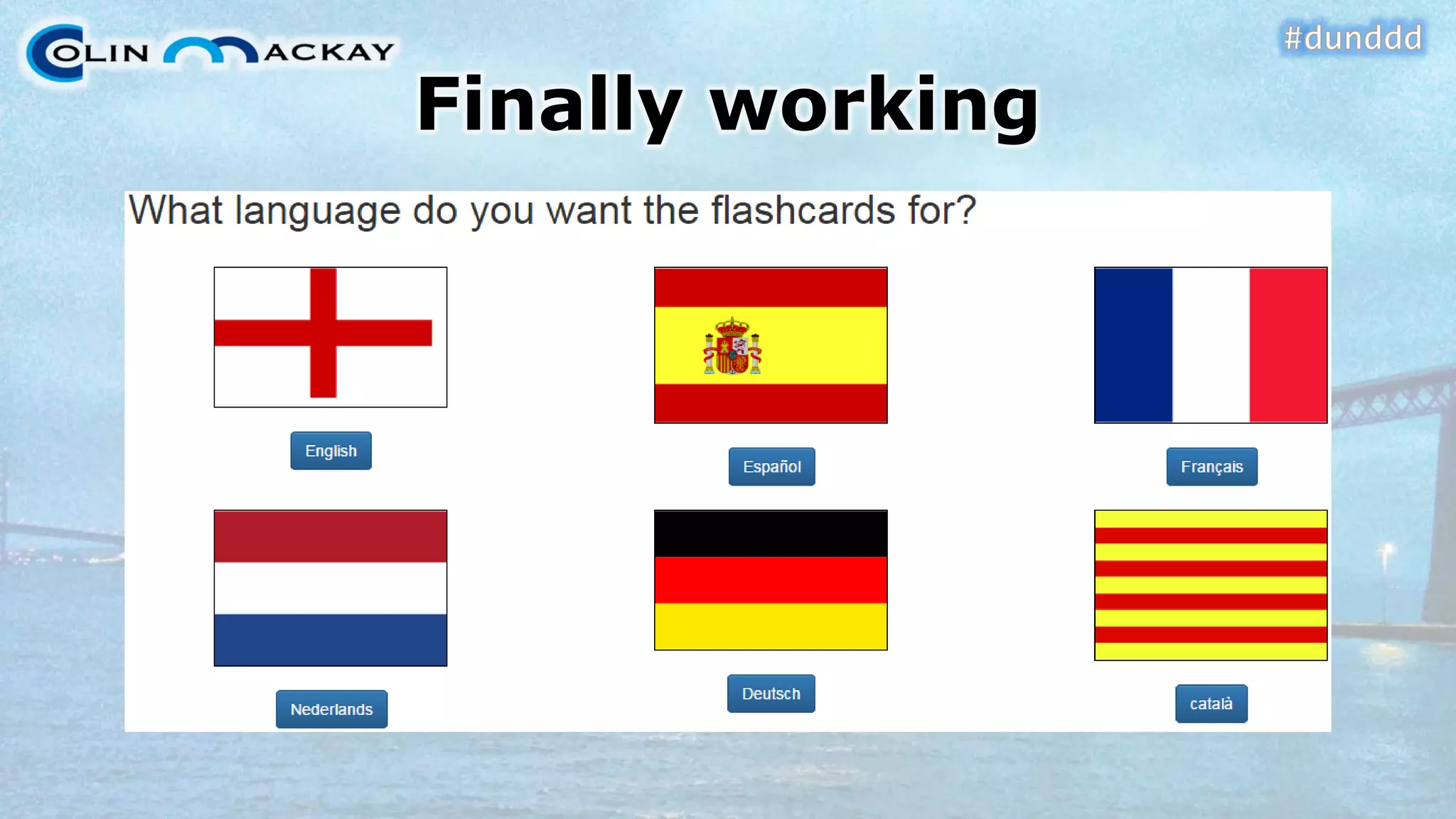
Finally working
Follow up information•Blog: http://colinmackay.scot/ –Slide deck available soon•Twitter: @colinmackay
Introduction to Node.JSQuestion Timehttp://colinmackay.scot/tag/node-js/
Follow up information•Blog: http://colinmackay.scot/ –Slide deck available soon•Twitter: @colinmackay

Introduction to node js - From "hello world" to deploying on azure

  • 1.
    Introduction toNode.JSFrom “Hello,World!” to Deploying on Azure#dunDDD29thNovember 2014Colin Mackayhttp://colinmackay.scot
  • 2.
    Overview•What is node.js•ObligatoryHello, World! •Dependencies & node package manager•Web applications in node
  • 3.
    What is node.js?Officially: Node.js®is a platform built on Chrome's JavaScript runtime for easily building fast, scalable network applications. Node.js uses an event-driven, non-blocking I/O model that makes it lightweight and efficient, perfect for data-intensive real-time applications that run across distributed devices. http://nodejs.org/
  • 4.
    What is node.js,really? •A platform for executing JavaScript–Server-side–Modular–Non-blocking (async) code–Built-in networking, HTTP & WebSocketshttp://nodejs.org/
  • 5.
    What are theadvantages? •All running on one environment–No worries about browser compatibility–Google’s V8 Engine•ECMAScript 5 –up-to-date JS•Optimisation•JIT compiled•Non-blockinghttp://nodejs.org/
  • 6.
    Typical StackMEAN•MongoDB(Database) •Express*(Web Framework) •Angular.js(UI Framework) •Node.js *(Platform) * This talk will introduce these topicshttp://www.mongodb.org/ http://expressjs.com/ https://angularjs.org/ http://nodejs.org/
  • 7.
    Windows Installer•Add toPATH ensure available at any command prompt  •I wish more windows installers would do thishttp://nodejs.org/
  • 8.
    IDEs for node.jsJetBrainsWebStormVisual Studio Add-inhttp://nodejstools.codeplex.com/http://www.jetbrains.com/webstorm/
  • 9.
  • 10.
    Splitting code acrossfiles•One large file would be horrible•Require(“./file.js”) •Module.exports•Can be hierarchical
  • 11.
    DEMO #1Require &module.exports
  • 12.
    Requiring a folder•Needa file to describe the folder–Index.js–Packages.json{ "name" : "my-library", "main" : "./lib/my-library.js" } •Exports from index/packages returned via requires
  • 13.
    Node Package Manager•LikeNuGet, but for node.js•Packages go in node_modulesfolder•Install with npminstall <name> –Add --saveto reference it in your app’s package.jsonto exclude it from source control. https://www.npmjs.org/
  • 14.
    Package.json•JSON formatted file•Storesdependency information•npminstallto rebuild the dependencies–Useful after getting from source controlhttps://www.npmjs.org/doc/files/package.json.html
  • 15.
    Package.json: example {"name": "hello-world", "version": "0.0.1", "dependencies": { "express": "^4.10.3" } }
  • 16.
  • 17.
    Express•Web Application Framework•Relatedto –Sinatra (Ruby) –Nancy (.NET) •“Fast, unopinionated, minimalist web framework for Node.js” http://expressjs.com/
  • 18.
  • 19.
    Express: Hello, World!(1) // Requirementsvarexpress = require("express"); varhttp = require("http"); // Set up the applicationvarapp = express(); app.set("port", process.env.PORT|| 3000); // Run up the serverhttp.createServer(app).listen(app.get("port"), function(){ console.log("Express server listening on port " + app.get("port")); }); http://colinmackay.scot/2014/11/15/express-for-node-js-walk-through-hello-world/
  • 20.
    Express: Hello, World!(2) module.exports= function(req, res) { res.send( "<h1>"+ "Hello, World!"+ "</h1>"); }; http://colinmackay.scot/2014/11/15/express-for-node-js-walk-through-hello-world/
  • 21.
    Express: Hello, World!(3) •Need to add routing details to app.js•Supports most common HTTP verbs–And some uncommon onesapp.get("/", routeGetFunc); app.post("/", routePostFunc); app.put("/", routePutFunc); app.delete("/", routeDeleteFunc); http://colinmackay.scot/2014/11/15/express-for-node-js-walk-through-hello-world/
  • 22.
  • 23.
    Express IDE Support•IDESupport–VS AddInhas three templates–WebStormhas one template, but it’s more configurable.
  • 24.
    Express Template•Express Templatesets many things up for you•Completely configurable•Could throw most of this away for a basic app
  • 25.
  • 26.
  • 27.
    View Engines :EJS•EJS = Embedded JavaScript–Based on ERB (Embedded Ruby) –Similar to ASP.NET WebFormsview engine•No master page/layout support–Package for that! http://colinmackay.scot/2014/11/16/express-for-node-js-view-engines/
  • 28.
    Static Files•Defaults tosafty•Configure directories to expose•More complex rules possible app.use( express.static( __dirname+ '/public')); http://colinmackay.scot/2014/11/16/express-for-node-js-view-engines/
  • 29.
    DEMO #4View Enginesand Static Fileshttp://colinmackay.scot/2014/11/16/express-for-node-js-view-engines/
  • 30.
    Processing form data•It’sa middleware–Many parsers available–Common: body-parser•Values available in req.bodyhttp://colinmackay.scot/2014/11/17/node-js-with-express-getting-form-data/
  • 31.
    Body-parser setup &useApp.js varbodyParser= require("body-parser"); … app.use( bodyParser.urlencoded()); setLanguage.js varlanguage = req.body.language; http://colinmackay.scot/2014/11/17/node-js-with-express-getting-form-data/
  • 32.
    Processing Cookies•Parsing cookiesis middleware–Common: cookie-parser•Values available in req.cookies•Write values with res.cookie() •Clear cookie with res.clearCookie() –Much easier than .NEThttp://colinmackay.scot/2014/11/18/node-js-with-express-come-to-the-dark-side- we-have-cookies/
  • 33.
    Cookie-parser setup &useApp.jssetLanguage.js varcookieParser= require("cookie-parser"); … app.use(cookieParser()); varlanguage = req.body.language; varcookieAge= 24*60*60*1000; // 1 day res.cookie( "flashcard-language", language, { maxAge:cookieAge, httpOnly:true}); http://colinmackay.scot/2014/11/18/node-js-with-express-come-to-the-dark-side- we-have-cookies/
  • 34.
    Cookie-parser setup &useFlashcard.jsWelcome.js varlanguage = req.cookies[ "flashcard-language"]; res.clearCookie( "flashcard-language"); http://colinmackay.scot/2014/11/18/node-js-with-express-come-to-the-dark-side- we-have-cookies/
  • 35.
    DEMO #5Body &Cookie Parsinghttp://colinmackay.scot/2014/11/17/node-js-with-express-getting-form-data/ http://colinmackay.scot/2014/11/18/node-js-with-express-come-to-the-dark-side- we-have-cookies/
  • 36.
    Deploying to Azure•Surprisinglyeasy–Almost…  •Deploy via source control
  • 37.
    DEMO #6Deploying toAzurehttp://colinmackay.scot/2014/11/23/deploying-a-node-js-with-express-application- on-azure/
  • 38.
  • 39.
  • 40.
    Deploying to Azure(3) http://colinmackay.scot/2014/11/23/deploying-a-node-js-with-express-application- on-azure/
  • 41.
    Deploying to Azure(4) http://colinmackay.scot/2014/11/23/deploying-a-node-js-with-express-application- on-azure/
  • 42.
    An issue withthe imageshttp://colinmackay.scot/2014/11/23/deploying-a-node-js-with-express-application- on-azure/
  • 43.
    Diagnosing the issueMissingimageMissing resource
  • 44.
    Fixing the web.config <staticContent> <mimeMapfileExtension=".svg" mimeType="image/svg+xml" /> </staticContent> http://colinmackay.scot/2014/11/23/deploying-a-node-js-with-express-application- on-azure/
  • 45.
  • 46.
    Follow up information•Blog:http://colinmackay.scot/ –Slide deck available soon•Twitter: @colinmackay
  • 47.
    Introduction to Node.JSQuestionTimehttp://colinmackay.scot/tag/node-js/
  • 48.
    Follow up information•Blog:http://colinmackay.scot/ –Slide deck available soon•Twitter: @colinmackay