HTML5,CSS,Javascript & Jquery Valuebound
Introduction: HTML: Hyper Text Markup Language. It describes the structure of the web page. They are represented by tags. Browsers do not use HTML tags, but use them to render the content of the page. HTML tags are not case sensitive: <p> means the same as <p>. HTML5 is the fifth and current version of the HTML standard. It was published in October 2014 by the World Wide Web Consortium (W3C) to improve the language with support for the latest multimedia, while keeping it both easily readable by humans and consistently understood by computers and devices such as web browsers, parsers, etc.
Some of the commonly used HTML5 Tags: ● <article> - Defines an article in a document. ● <aside> - Defines content aside from the page content. ● <details> - Defines additional details that the user can view or hide. ● <dialog> - Defines a dialog box or window. ● <figcaption> - Defines a caption for a <figure> element. ● <figure> - Defines self-contained content. ● <footer> - Defines a footer for a document or section. ● <header> - Defines a header for a document or section. ● <main> - Defines the main content of a document.
Cascading Style Sheets (CSS): CSS is a language that describes the style of an HTML document. CSS describes how HTML elements should be displayed. WHY CSS ? HTML was NEVER intended to contain tags for formatting a web page! HTML was created to describe the content of a web page, like: <h1>This is a heading</h1> <p>This is a paragraph.</p> When tags like <font>, and color attributes were added to the HTML 3.2 specification, it started a nightmare for web developers. Development of large websites, where fonts and color information were added to every single page, became a long and expensive process. To solve this problem, the World Wide Web Consortium (W3C) created CSS. CSS removed the style formatting from the HTML page! CSS gives you the opportunity to create sites that look very different from page to page, without a lot of extensive coding. For example, many sites now do slight color variations on the different sections of the site. Using #page IDs, you can change the CSS for each section and use the same HTML structure for each section. The only thing that changes is the content and the CSS.
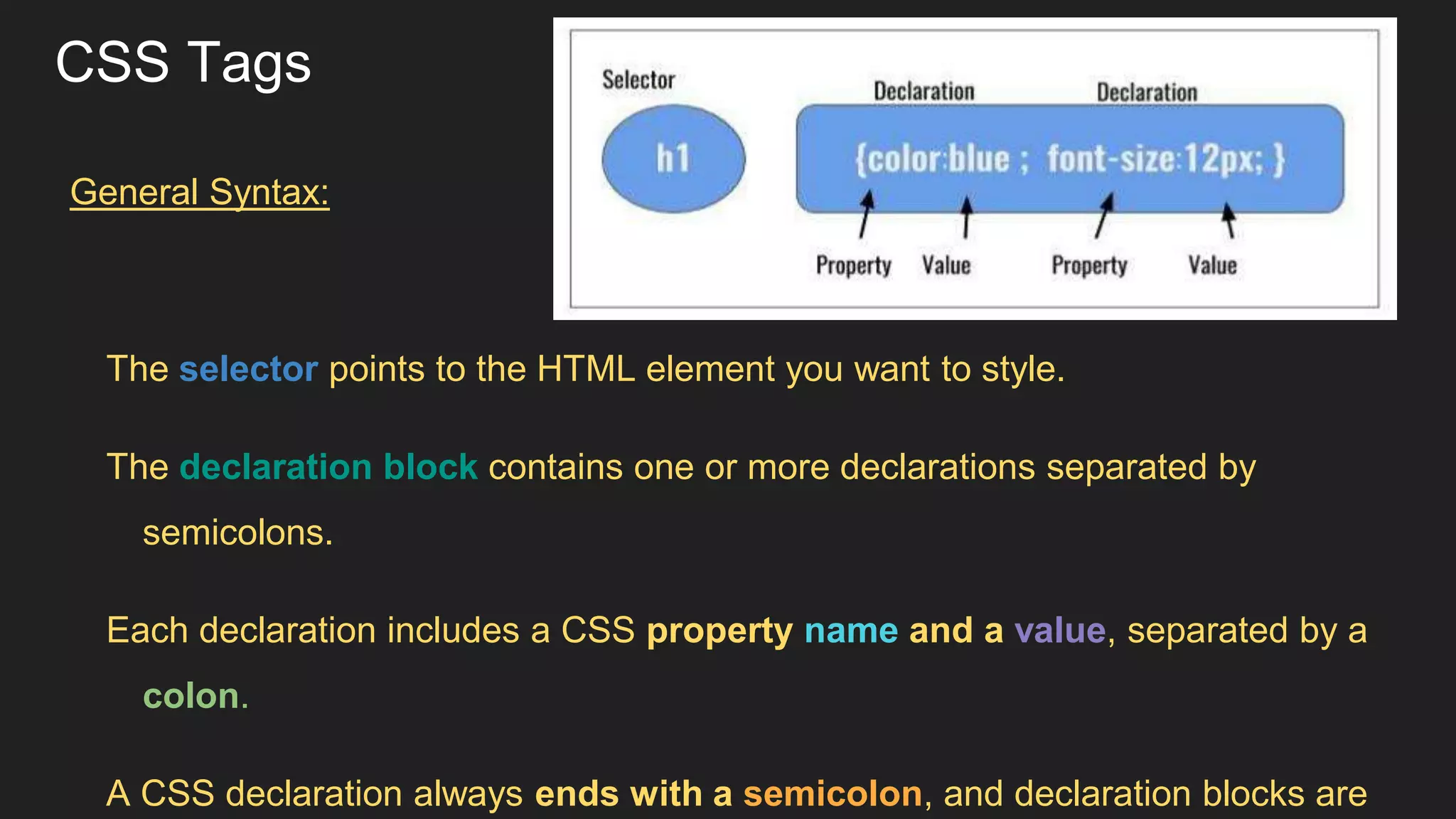
CSS Tags General Syntax: The selector points to the HTML element you want to style. The declaration block contains one or more declarations separated by semicolons. Each declaration includes a CSS property name and a value, separated by a colon. A CSS declaration always ends with a semicolon, and declaration blocks are
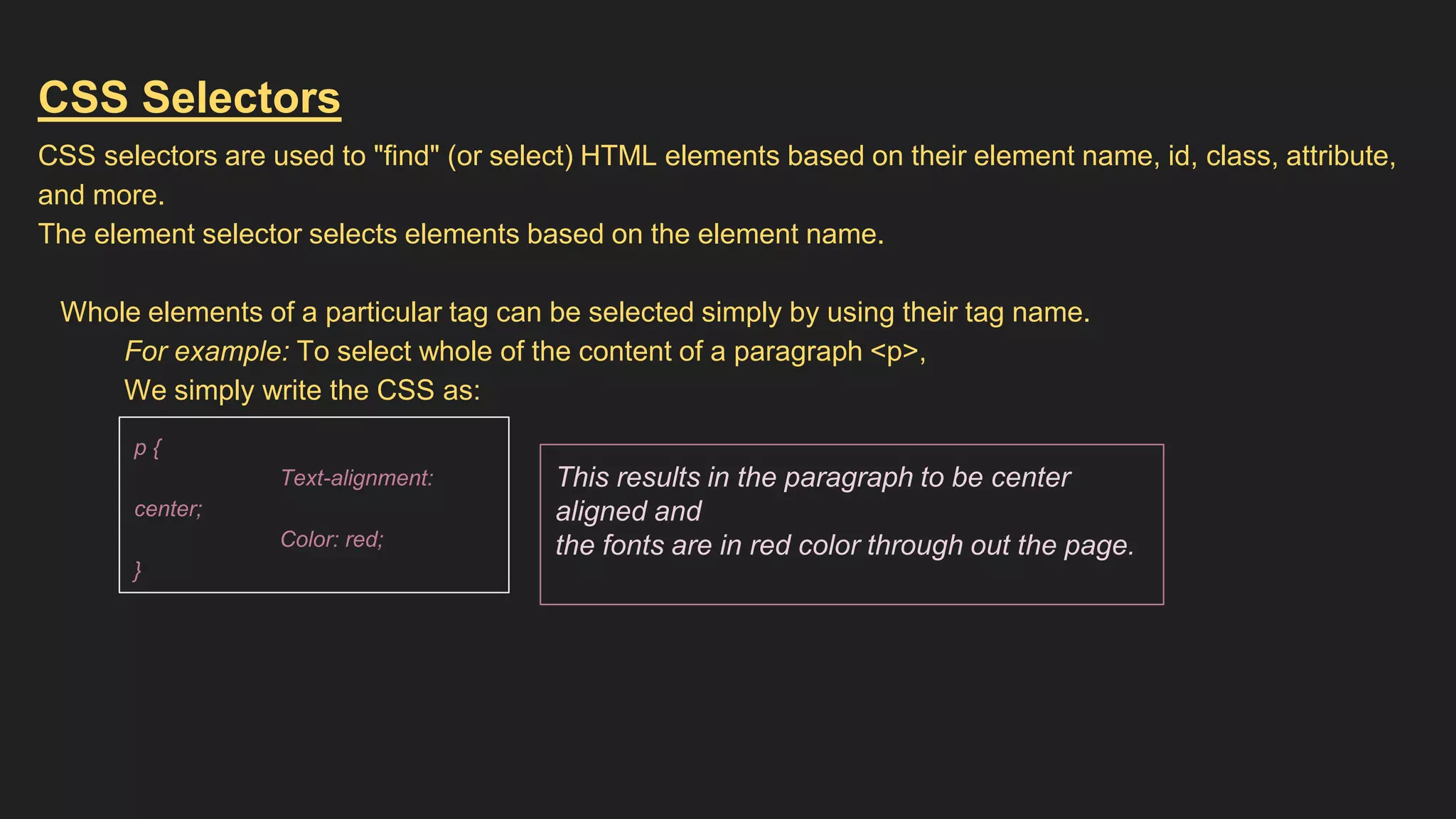
CSS Selectors CSS selectors are used to "find" (or select) HTML elements based on their element name, id, class, attribute, and more. The element selector selects elements based on the element name. Whole elements of a particular tag can be selected simply by using their tag name. For example: To select whole of the content of a paragraph <p>, We simply write the CSS as: This results in the paragraph to be center aligned and the fonts are in red color through out the page. p { Text-alignment: center; Color: red; }
The id Selector The id selector uses the id attribute of an HTML element to select a specific element. The id of an element should be unique within a page, so the id selector is used to select one unique element! To select an element with a specific id, write a hash (#) character, followed by the id of the element. The style rule below will be applied to the HTML element with id="para1": Note: An id name cannot start with a number! CSS: #para1{ text-align: center; color: blue; font-size: 25px; } HTML: ….. …. <body> <p id=”para1”> Hello ! Good Morning </p> <p> Nice to Meet you </p> …. …. OUTPUT: Hello ! Good Morning Nice to Meet you
The class Selector The class selector selects elements with a specific class attribute. To select elements with a specific class, write a period (.) character, followed by the name of the class. In the example below, all HTML elements with class="center" will be green and center-aligned: CSS: .center{ text-align: center; color: green; } HTML: ….. …. <body> <h1 class=”center”> WELCOME </h1> <p class=”center”> Nice to Meet you </p> .. OUTPUT: WELCOME Nice to Meet you
You can also specify that only specific HTML elements should be affected by a class. In the example below, only <p> elements with class="center" will be center-aligned: * CSS can also be GROUP - SELECTED CSS: p.center{ text-align: center; color: green; } HTML: ….. …. <body> <h1> WELCOME </h1> <p class=”center”> Nice to Meet you </p> .. ... OUTPUT: WELCOME Nice to Meet you CSS: h1, h2, p { text-align: center; color: red; }
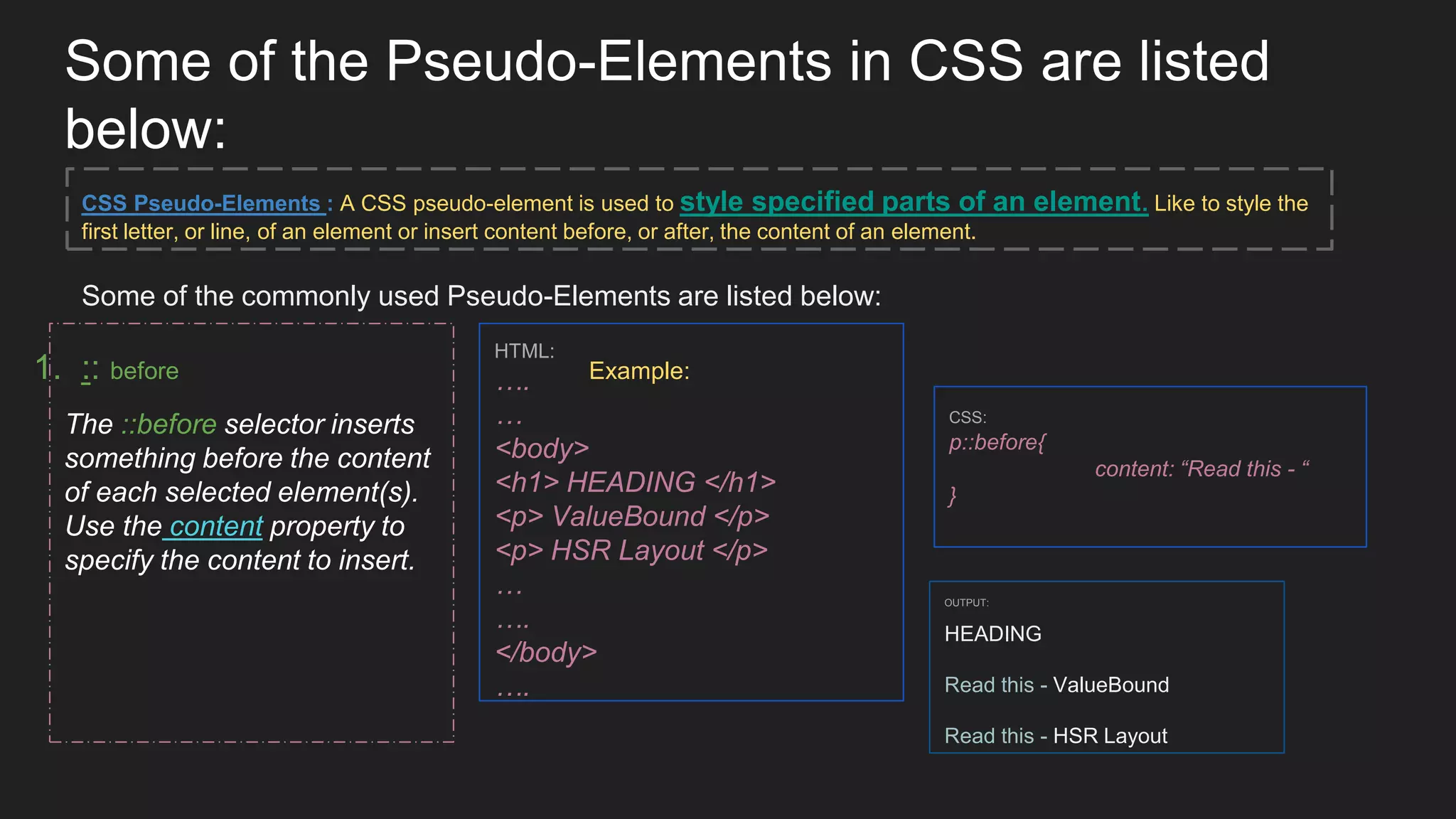
Some of the Pseudo-Elements in CSS are listed below: 1. :: before Example: CSS: p::before{ content: “Read this - “ } HTML: …. … <body> <h1> HEADING </h1> <p> ValueBound </p> <p> HSR Layout </p> … …. </body> …. The ::before selector inserts something before the content of each selected element(s). Use the content property to specify the content to insert. OUTPUT: HEADING Read this - ValueBound Read this - HSR Layout CSS Pseudo-Elements : A CSS pseudo-element is used to style specified parts of an element. Like to style the first letter, or line, of an element or insert content before, or after, the content of an element. Some of the commonly used Pseudo-Elements are listed below:
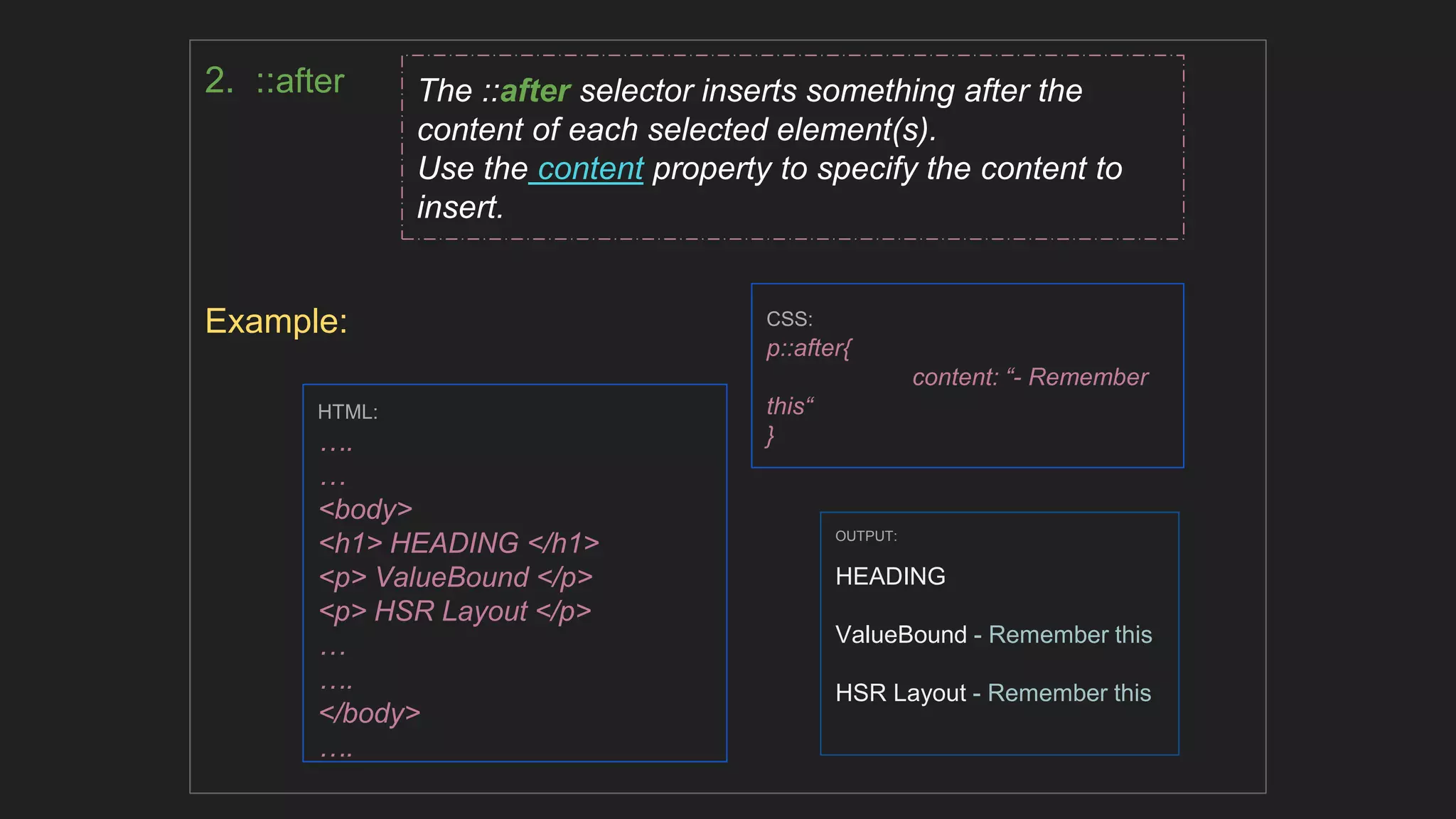
2. ::after Example: CSS: p::after{ content: “- Remember this“ } HTML: …. … <body> <h1> HEADING </h1> <p> ValueBound </p> <p> HSR Layout </p> … …. </body> …. The ::after selector inserts something after the content of each selected element(s). Use the content property to specify the content to insert. OUTPUT: HEADING ValueBound - Remember this HSR Layout - Remember this
Some of the Pseudo-Classes in CSS are listed below: CSS Pseudo-Class : A CSS Pseudo-class is used to define a special state of an element. Like to Style an element when a user mouses over it or to Style visited and unvisited links differently or to Style an element when it gets focus. Some of the commonly used Pseudo-Classes are listed below: Example: Anchor Pseudo-classes Links can be displayed in different ways. This includes Pseudo-Class tags like: ● Hover ● Active ● Visited CSS: a:visited { color: green; } a:hover { color: hotpink; } a:active { color: blue; }
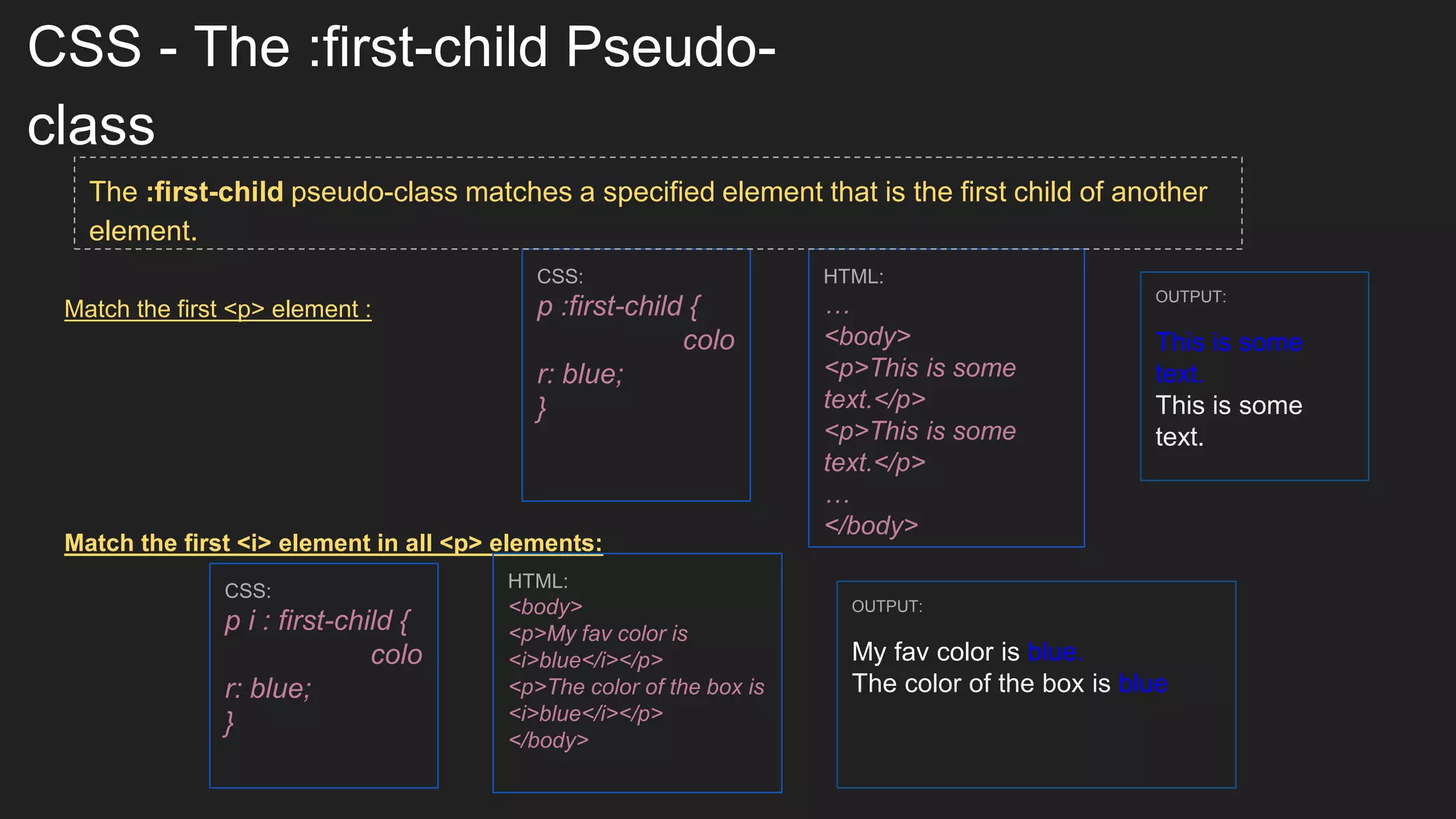
CSS - The :first-child Pseudo- class Match the first <p> element : Match the first <i> element in all <p> elements: CSS: p :first-child { colo r: blue; } HTML: … <body> <p>This is some text.</p> <p>This is some text.</p> … </body> OUTPUT: This is some text. This is some text. CSS: p i : first-child { colo r: blue; } HTML: <body> <p>My fav color is <i>blue</i></p> <p>The color of the box is <i>blue</i></p> </body> OUTPUT: My fav color is blue. The color of the box is blue The :first-child pseudo-class matches a specified element that is the first child of another element.
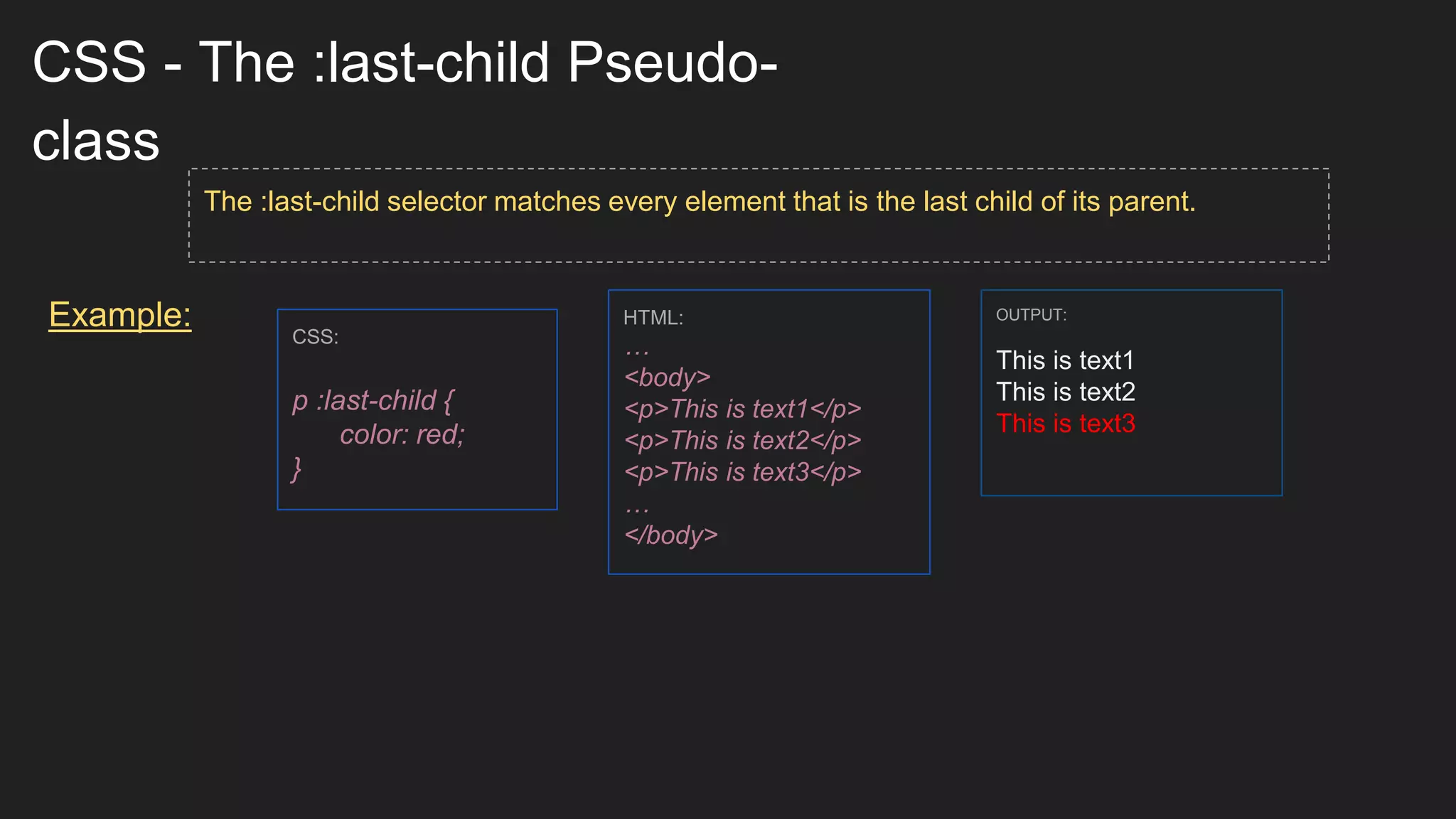
CSS - The :last-child Pseudo- class Example: The :last-child selector matches every element that is the last child of its parent. CSS: p :last-child { color: red; } HTML: … <body> <p>This is text1</p> <p>This is text2</p> <p>This is text3</p> … </body> OUTPUT: This is text1 This is text2 This is text3
CSS - The :nth-child Pseudo- class Example: The :nth-child(n) selector matches every element that is the nth child, regardless of type, of its parent. n can be a number, a keyword (such as odd or even), or a formula. CSS: p:nth-child(2) { color: red; } HTML: <body> <p>The first paragraph.</p> <p>The second paragraph.</p> <p>The third paragraph.</p> <p>The fourth paragraph.</p> </body> OUTPUT: The first paragraph. The second paragraph. The third paragraph. The fourth paragraph.
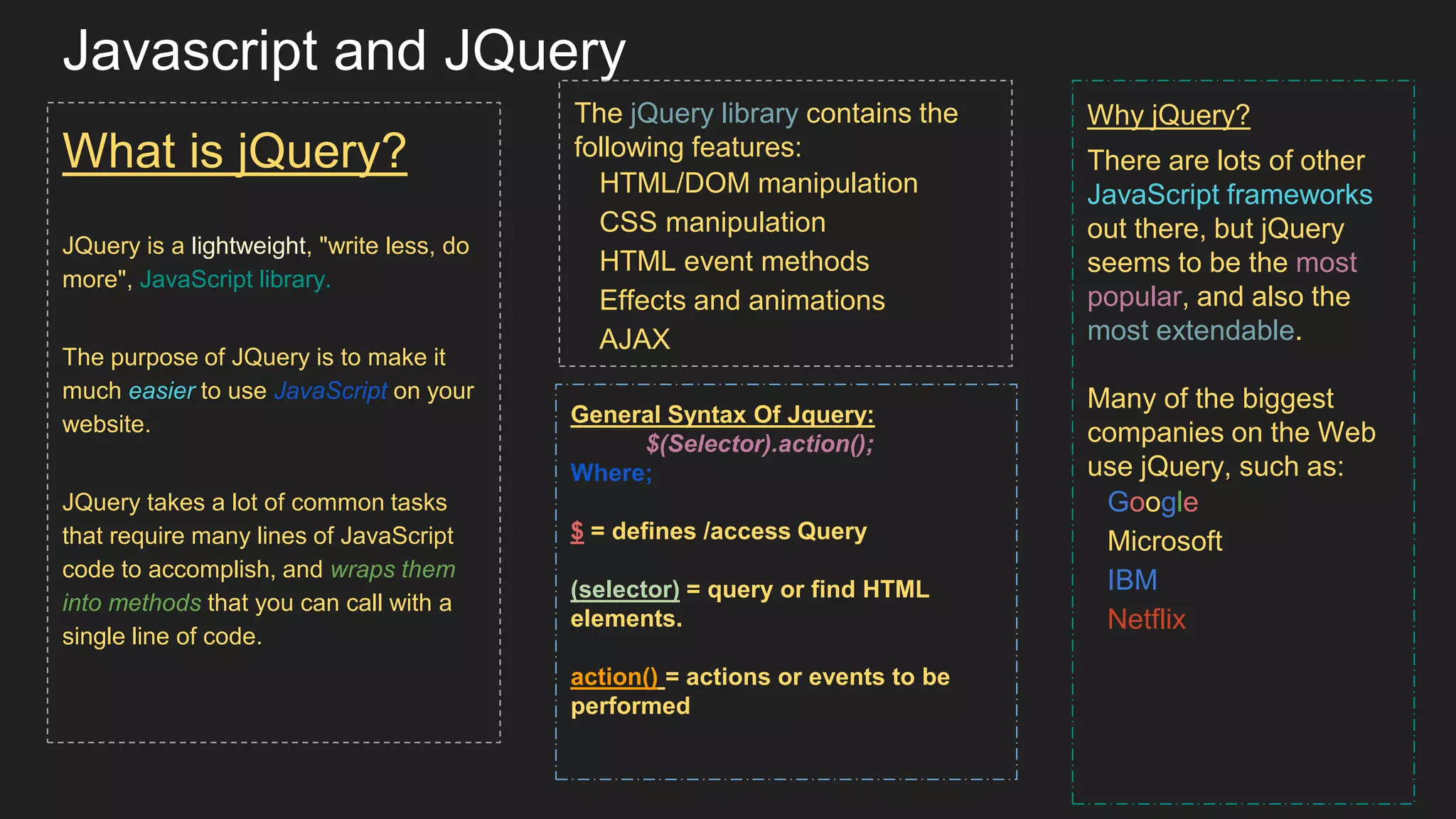
Javascript and JQuery What is jQuery? JQuery is a lightweight, "write less, do more", JavaScript library. The purpose of JQuery is to make it much easier to use JavaScript on your website. JQuery takes a lot of common tasks that require many lines of JavaScript code to accomplish, and wraps them into methods that you can call with a single line of code. The jQuery library contains the following features: HTML/DOM manipulation CSS manipulation HTML event methods Effects and animations AJAX Why jQuery? There are lots of other JavaScript frameworks out there, but jQuery seems to be the most popular, and also the most extendable. Many of the biggest companies on the Web use jQuery, such as: Google Microsoft IBM Netflix General Syntax Of Jquery: $(Selector).action(); Where; $ = defines /access Query (selector) = query or find HTML elements. action() = actions or events to be performed
The Document.Ready Event You might have noticed that all jQuery methods in our examples, are inside a document ready event: $(document).ready(function){ // jquery methods go here… }); This is to prevent any jQuery code from running before the document is finished loading (is ready). It is good practice to wait for the document to be fully loaded and ready before working with it. This also allows you to have your JavaScript code before the body of your document, in the head section. Here are some examples of actions that can fail if methods are run before the document is fully loaded: Trying to hide an element that is not created yet Trying to get the size of an image that is not loaded yet
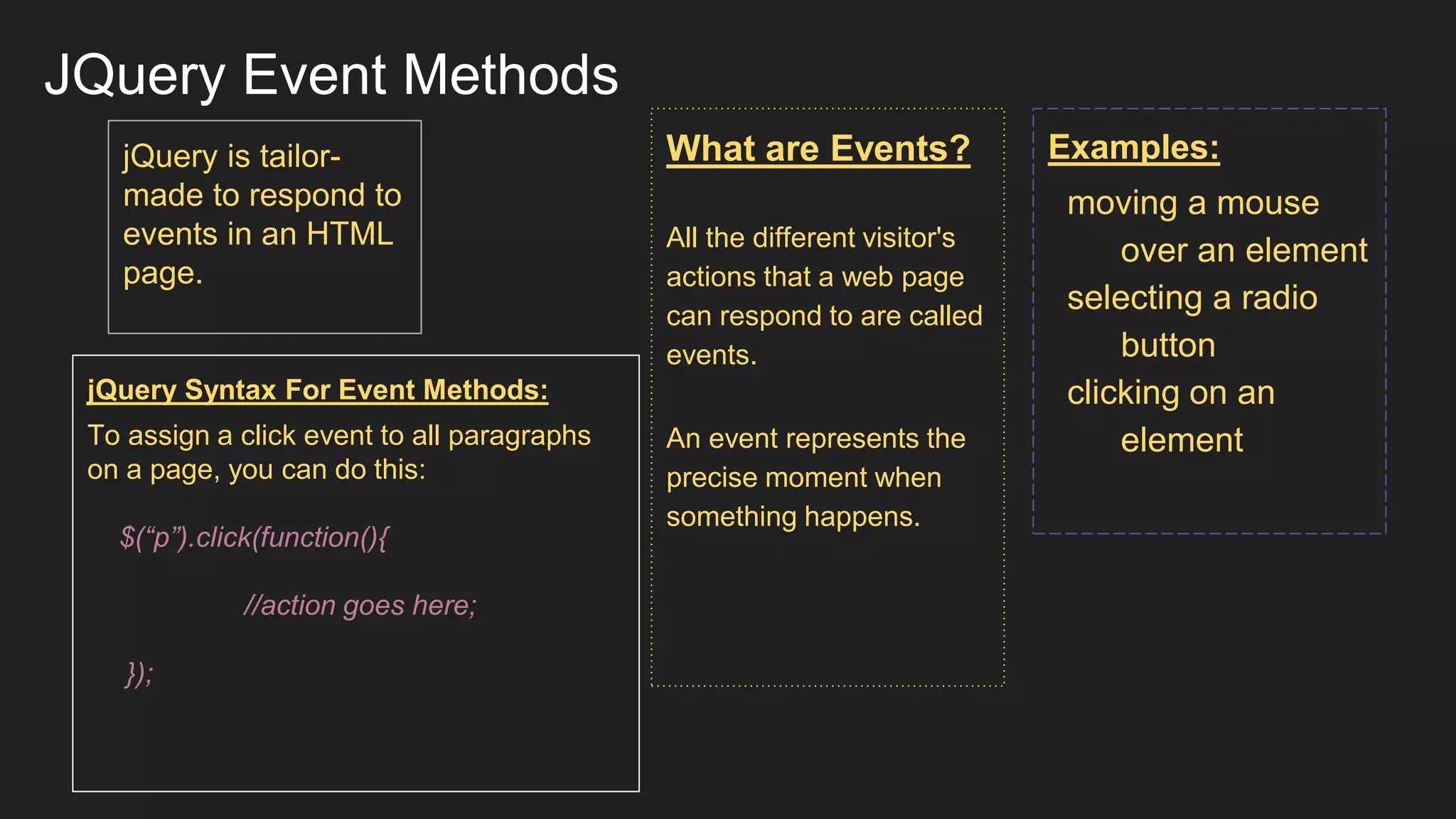
JQuery Event Methods What are Events? All the different visitor's actions that a web page can respond to are called events. An event represents the precise moment when something happens. Examples: moving a mouse over an element selecting a radio button clicking on an element jQuery is tailor- made to respond to events in an HTML page. jQuery Syntax For Event Methods: To assign a click event to all paragraphs on a page, you can do this: $(“p”).click(function(){ //action goes here; });
jQuery Effects - Animation The jQuery animate() method is used to create custom animations. SYNTAX: $(selector).animate({ params},speed,callback); The required params parameter defines the CSS properties to be animated. The optional speed parameter specifies the duration of the effect. It can take the following values: "slow", "fast", or milliseconds. The optional callback parameter is a function to be executed after the animation completes.
Thank You

Introduction to Html5, css, Javascript and Jquery

  • 1.
  • 2.
    Introduction: HTML: Hyper TextMarkup Language. It describes the structure of the web page. They are represented by tags. Browsers do not use HTML tags, but use them to render the content of the page. HTML tags are not case sensitive: <p> means the same as <p>. HTML5 is the fifth and current version of the HTML standard. It was published in October 2014 by the World Wide Web Consortium (W3C) to improve the language with support for the latest multimedia, while keeping it both easily readable by humans and consistently understood by computers and devices such as web browsers, parsers, etc.
  • 3.
    Some of thecommonly used HTML5 Tags: ● <article> - Defines an article in a document. ● <aside> - Defines content aside from the page content. ● <details> - Defines additional details that the user can view or hide. ● <dialog> - Defines a dialog box or window. ● <figcaption> - Defines a caption for a <figure> element. ● <figure> - Defines self-contained content. ● <footer> - Defines a footer for a document or section. ● <header> - Defines a header for a document or section. ● <main> - Defines the main content of a document.
  • 4.
    Cascading Style Sheets (CSS): CSSis a language that describes the style of an HTML document. CSS describes how HTML elements should be displayed. WHY CSS ? HTML was NEVER intended to contain tags for formatting a web page! HTML was created to describe the content of a web page, like: <h1>This is a heading</h1> <p>This is a paragraph.</p> When tags like <font>, and color attributes were added to the HTML 3.2 specification, it started a nightmare for web developers. Development of large websites, where fonts and color information were added to every single page, became a long and expensive process. To solve this problem, the World Wide Web Consortium (W3C) created CSS. CSS removed the style formatting from the HTML page! CSS gives you the opportunity to create sites that look very different from page to page, without a lot of extensive coding. For example, many sites now do slight color variations on the different sections of the site. Using #page IDs, you can change the CSS for each section and use the same HTML structure for each section. The only thing that changes is the content and the CSS.
  • 5.
    CSS Tags General Syntax: Theselector points to the HTML element you want to style. The declaration block contains one or more declarations separated by semicolons. Each declaration includes a CSS property name and a value, separated by a colon. A CSS declaration always ends with a semicolon, and declaration blocks are
  • 6.
    CSS Selectors CSS selectorsare used to "find" (or select) HTML elements based on their element name, id, class, attribute, and more. The element selector selects elements based on the element name. Whole elements of a particular tag can be selected simply by using their tag name. For example: To select whole of the content of a paragraph <p>, We simply write the CSS as: This results in the paragraph to be center aligned and the fonts are in red color through out the page. p { Text-alignment: center; Color: red; }
  • 7.
    The id Selector Theid selector uses the id attribute of an HTML element to select a specific element. The id of an element should be unique within a page, so the id selector is used to select one unique element! To select an element with a specific id, write a hash (#) character, followed by the id of the element. The style rule below will be applied to the HTML element with id="para1": Note: An id name cannot start with a number! CSS: #para1{ text-align: center; color: blue; font-size: 25px; } HTML: ….. …. <body> <p id=”para1”> Hello ! Good Morning </p> <p> Nice to Meet you </p> …. …. OUTPUT: Hello ! Good Morning Nice to Meet you
  • 8.
    The class Selector Theclass selector selects elements with a specific class attribute. To select elements with a specific class, write a period (.) character, followed by the name of the class. In the example below, all HTML elements with class="center" will be green and center-aligned: CSS: .center{ text-align: center; color: green; } HTML: ….. …. <body> <h1 class=”center”> WELCOME </h1> <p class=”center”> Nice to Meet you </p> .. OUTPUT: WELCOME Nice to Meet you
  • 9.
    You can alsospecify that only specific HTML elements should be affected by a class. In the example below, only <p> elements with class="center" will be center-aligned: * CSS can also be GROUP - SELECTED CSS: p.center{ text-align: center; color: green; } HTML: ….. …. <body> <h1> WELCOME </h1> <p class=”center”> Nice to Meet you </p> .. ... OUTPUT: WELCOME Nice to Meet you CSS: h1, h2, p { text-align: center; color: red; }
  • 10.
    Some of thePseudo-Elements in CSS are listed below: 1. :: before Example: CSS: p::before{ content: “Read this - “ } HTML: …. … <body> <h1> HEADING </h1> <p> ValueBound </p> <p> HSR Layout </p> … …. </body> …. The ::before selector inserts something before the content of each selected element(s). Use the content property to specify the content to insert. OUTPUT: HEADING Read this - ValueBound Read this - HSR Layout CSS Pseudo-Elements : A CSS pseudo-element is used to style specified parts of an element. Like to style the first letter, or line, of an element or insert content before, or after, the content of an element. Some of the commonly used Pseudo-Elements are listed below:
  • 11.
    2. ::after Example: CSS: p::after{ content:“- Remember this“ } HTML: …. … <body> <h1> HEADING </h1> <p> ValueBound </p> <p> HSR Layout </p> … …. </body> …. The ::after selector inserts something after the content of each selected element(s). Use the content property to specify the content to insert. OUTPUT: HEADING ValueBound - Remember this HSR Layout - Remember this
  • 12.
    Some of thePseudo-Classes in CSS are listed below: CSS Pseudo-Class : A CSS Pseudo-class is used to define a special state of an element. Like to Style an element when a user mouses over it or to Style visited and unvisited links differently or to Style an element when it gets focus. Some of the commonly used Pseudo-Classes are listed below: Example: Anchor Pseudo-classes Links can be displayed in different ways. This includes Pseudo-Class tags like: ● Hover ● Active ● Visited CSS: a:visited { color: green; } a:hover { color: hotpink; } a:active { color: blue; }
  • 13.
    CSS - The:first-child Pseudo- class Match the first <p> element : Match the first <i> element in all <p> elements: CSS: p :first-child { colo r: blue; } HTML: … <body> <p>This is some text.</p> <p>This is some text.</p> … </body> OUTPUT: This is some text. This is some text. CSS: p i : first-child { colo r: blue; } HTML: <body> <p>My fav color is <i>blue</i></p> <p>The color of the box is <i>blue</i></p> </body> OUTPUT: My fav color is blue. The color of the box is blue The :first-child pseudo-class matches a specified element that is the first child of another element.
  • 14.
    CSS - The:last-child Pseudo- class Example: The :last-child selector matches every element that is the last child of its parent. CSS: p :last-child { color: red; } HTML: … <body> <p>This is text1</p> <p>This is text2</p> <p>This is text3</p> … </body> OUTPUT: This is text1 This is text2 This is text3
  • 15.
    CSS - The:nth-child Pseudo- class Example: The :nth-child(n) selector matches every element that is the nth child, regardless of type, of its parent. n can be a number, a keyword (such as odd or even), or a formula. CSS: p:nth-child(2) { color: red; } HTML: <body> <p>The first paragraph.</p> <p>The second paragraph.</p> <p>The third paragraph.</p> <p>The fourth paragraph.</p> </body> OUTPUT: The first paragraph. The second paragraph. The third paragraph. The fourth paragraph.
  • 16.
    Javascript and JQuery Whatis jQuery? JQuery is a lightweight, "write less, do more", JavaScript library. The purpose of JQuery is to make it much easier to use JavaScript on your website. JQuery takes a lot of common tasks that require many lines of JavaScript code to accomplish, and wraps them into methods that you can call with a single line of code. The jQuery library contains the following features: HTML/DOM manipulation CSS manipulation HTML event methods Effects and animations AJAX Why jQuery? There are lots of other JavaScript frameworks out there, but jQuery seems to be the most popular, and also the most extendable. Many of the biggest companies on the Web use jQuery, such as: Google Microsoft IBM Netflix General Syntax Of Jquery: $(Selector).action(); Where; $ = defines /access Query (selector) = query or find HTML elements. action() = actions or events to be performed
  • 17.
    The Document.Ready Event Youmight have noticed that all jQuery methods in our examples, are inside a document ready event: $(document).ready(function){ // jquery methods go here… }); This is to prevent any jQuery code from running before the document is finished loading (is ready). It is good practice to wait for the document to be fully loaded and ready before working with it. This also allows you to have your JavaScript code before the body of your document, in the head section. Here are some examples of actions that can fail if methods are run before the document is fully loaded: Trying to hide an element that is not created yet Trying to get the size of an image that is not loaded yet
  • 18.
    JQuery Event Methods Whatare Events? All the different visitor's actions that a web page can respond to are called events. An event represents the precise moment when something happens. Examples: moving a mouse over an element selecting a radio button clicking on an element jQuery is tailor- made to respond to events in an HTML page. jQuery Syntax For Event Methods: To assign a click event to all paragraphs on a page, you can do this: $(“p”).click(function(){ //action goes here; });
  • 19.
    jQuery Effects -Animation The jQuery animate() method is used to create custom animations. SYNTAX: $(selector).animate({ params},speed,callback); The required params parameter defines the CSS properties to be animated. The optional speed parameter specifies the duration of the effect. It can take the following values: "slow", "fast", or milliseconds. The optional callback parameter is a function to be executed after the animation completes.
  • 20.