WEB TECHNOLOGY DATABASE CONNECTIVITY IN PHP PREPARED BY: Taha Malampattiwala - 140050107052
PHP: Built-in Database Access • PHP provides built-in database connectivity for a wide range of databases – MySQL, PostgreSQL, Oracle, Berkeley DB, Informix, mSQL, Lotus Notes, and more – Starting support for a specific database may involve PHP configuration steps. • Another advantage of using a programming language that has been designed for the creation of web apps.
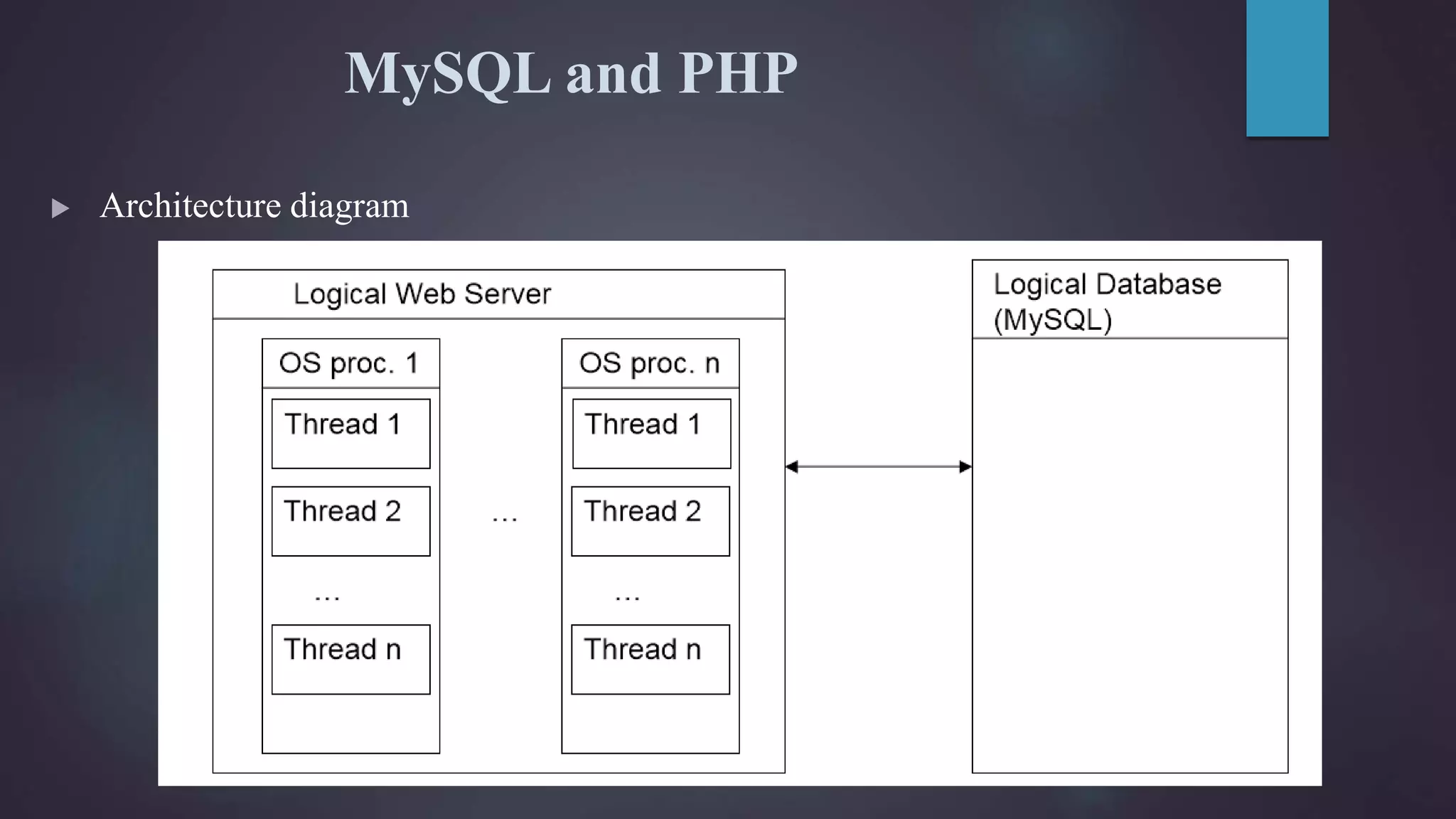
MySQL and PHP  Architecture diagram
Connecting to MySQL  To connect to a database, need to create a connection – At lowest level, this is a network connection – Involves a login sequence.(username/password)  Since this is a relatively expensive step, web application environments: – Share connections – Have multiple connections.  Whether, and how many, are typical configuration items. In MySQL: – Allow_persistent: whether to allow persistent connections – Max_persistent: the maximum number of persistent connections – Max_links: max number of connections, persistent and not – Connection_timeout: how long the persistent connection is left open.  Can also use SSL to encrypt connection.
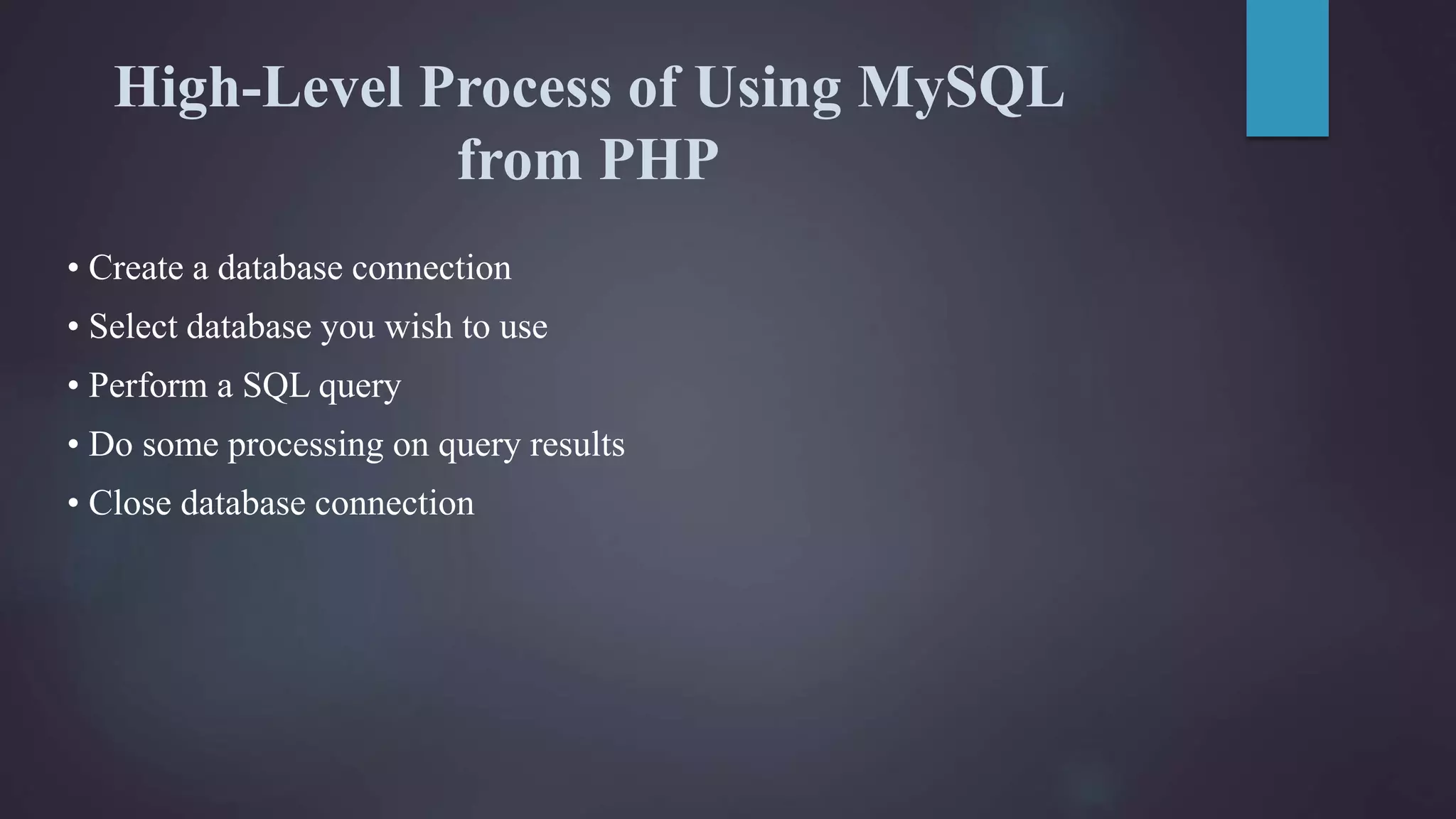
High-Level Process of Using MySQL from PHP • Create a database connection • Select database you wish to use • Perform a SQL query • Do some processing on query results • Close database connection
Creating Database Connection • Use either mysql_connect or mysql_pconnect to create database connection – mysql_connect: connection is closed at end of script (end of page) – mysql_pconnect: creates persistent connection. • connection remains even after end of the page. • Parameters – Server – hostname of server – Username – username on the database – Password – password on the database – New Link (mysql_connect only) – reuse database connection created by previous call to mysql_connect – Client Flags. • MYSQL_CLIENT_SSL :: Use SSL • MYSQL_CLIENT_COMPRESS :: Compress data sent to MySQL
Selecting a Database • mysql_select_db() –Pass it the database name • Related: –mysql_list_dbs() • List databases available –Mysql_list_tables() • List database tables available
Perform SQL Query • Create query string – $query = ‘SQL formatted string’ – $query = ‘SELECT * FROM table’ • Submit query to database for processing – $result = mysql_query($query); – For UPDATE, DELETE, DROP, etc, returns TRUE or FALSE – For SELECT, SHOW, DESCRIBE or EXPLAIN, $result is an identifier for the results, and does not contain the results themselves • $result is called a “resource” in this case • A result of FALSE indicates an error. • If there is an error – mysql_error() returns error string from last MySQL call
Process Results • Many functions exist to work with database results • mysql_num_rows() – Number of rows in the result set – Useful for iterating over result set • mysql_fetch_array() – Returns a result row as an array – Can be associative or numeric or both (default) – $row = mysql_fetch_array($result); – $row[‘column name’] :: value comes from database row with specified column name – $row[0] :: value comes from first field in result set
Process Results Loop • Easy loop for processing results: $result = mysql_query($qstring); $num_rows = mysql_num_rows($result); for ($i=0; $i<$num_rows; $i++) { $row = mysql_fetch_array($result); // take action on database results here }
Closing Database Connection • mysql_close() –Closes database connection –Only works for connections opened with mysql_connect() –Connections opened with mysql_pconnect() ignore this call –Often not necessary to call this, as connections created by mysql_connect are closed at the end of the script anyway
THANK YOU

Database Connectivity in PHP

  • 1.
    WEB TECHNOLOGY DATABASE CONNECTIVITYIN PHP PREPARED BY: Taha Malampattiwala - 140050107052
  • 2.
    PHP: Built-in DatabaseAccess • PHP provides built-in database connectivity for a wide range of databases – MySQL, PostgreSQL, Oracle, Berkeley DB, Informix, mSQL, Lotus Notes, and more – Starting support for a specific database may involve PHP configuration steps. • Another advantage of using a programming language that has been designed for the creation of web apps.
  • 3.
    MySQL and PHP Architecture diagram
  • 4.
    Connecting to MySQL To connect to a database, need to create a connection – At lowest level, this is a network connection – Involves a login sequence.(username/password)  Since this is a relatively expensive step, web application environments: – Share connections – Have multiple connections.  Whether, and how many, are typical configuration items. In MySQL: – Allow_persistent: whether to allow persistent connections – Max_persistent: the maximum number of persistent connections – Max_links: max number of connections, persistent and not – Connection_timeout: how long the persistent connection is left open.  Can also use SSL to encrypt connection.
  • 5.
    High-Level Process ofUsing MySQL from PHP • Create a database connection • Select database you wish to use • Perform a SQL query • Do some processing on query results • Close database connection
  • 6.
    Creating Database Connection •Use either mysql_connect or mysql_pconnect to create database connection – mysql_connect: connection is closed at end of script (end of page) – mysql_pconnect: creates persistent connection. • connection remains even after end of the page. • Parameters – Server – hostname of server – Username – username on the database – Password – password on the database – New Link (mysql_connect only) – reuse database connection created by previous call to mysql_connect – Client Flags. • MYSQL_CLIENT_SSL :: Use SSL • MYSQL_CLIENT_COMPRESS :: Compress data sent to MySQL
  • 7.
    Selecting a Database •mysql_select_db() –Pass it the database name • Related: –mysql_list_dbs() • List databases available –Mysql_list_tables() • List database tables available
  • 8.
    Perform SQL Query •Create query string – $query = ‘SQL formatted string’ – $query = ‘SELECT * FROM table’ • Submit query to database for processing – $result = mysql_query($query); – For UPDATE, DELETE, DROP, etc, returns TRUE or FALSE – For SELECT, SHOW, DESCRIBE or EXPLAIN, $result is an identifier for the results, and does not contain the results themselves • $result is called a “resource” in this case • A result of FALSE indicates an error. • If there is an error – mysql_error() returns error string from last MySQL call
  • 9.
    Process Results • Manyfunctions exist to work with database results • mysql_num_rows() – Number of rows in the result set – Useful for iterating over result set • mysql_fetch_array() – Returns a result row as an array – Can be associative or numeric or both (default) – $row = mysql_fetch_array($result); – $row[‘column name’] :: value comes from database row with specified column name – $row[0] :: value comes from first field in result set
  • 10.
    Process Results Loop •Easy loop for processing results: $result = mysql_query($qstring); $num_rows = mysql_num_rows($result); for ($i=0; $i<$num_rows; $i++) { $row = mysql_fetch_array($result); // take action on database results here }
  • 11.
    Closing Database Connection •mysql_close() –Closes database connection –Only works for connections opened with mysql_connect() –Connections opened with mysql_pconnect() ignore this call –Often not necessary to call this, as connections created by mysql_connect are closed at the end of the script anyway
  • 12.