March, GDG 2013
A Mystery Walking in the DART Side Ali Parmaksız @parmaksiza March 19, 2013 ali.parmaksiz@eu.sony.com http://aliparmaksiz.blogspot.com/
Agenda • Motivation • DART Language Properties • DART Compilation Cycle • Discussion
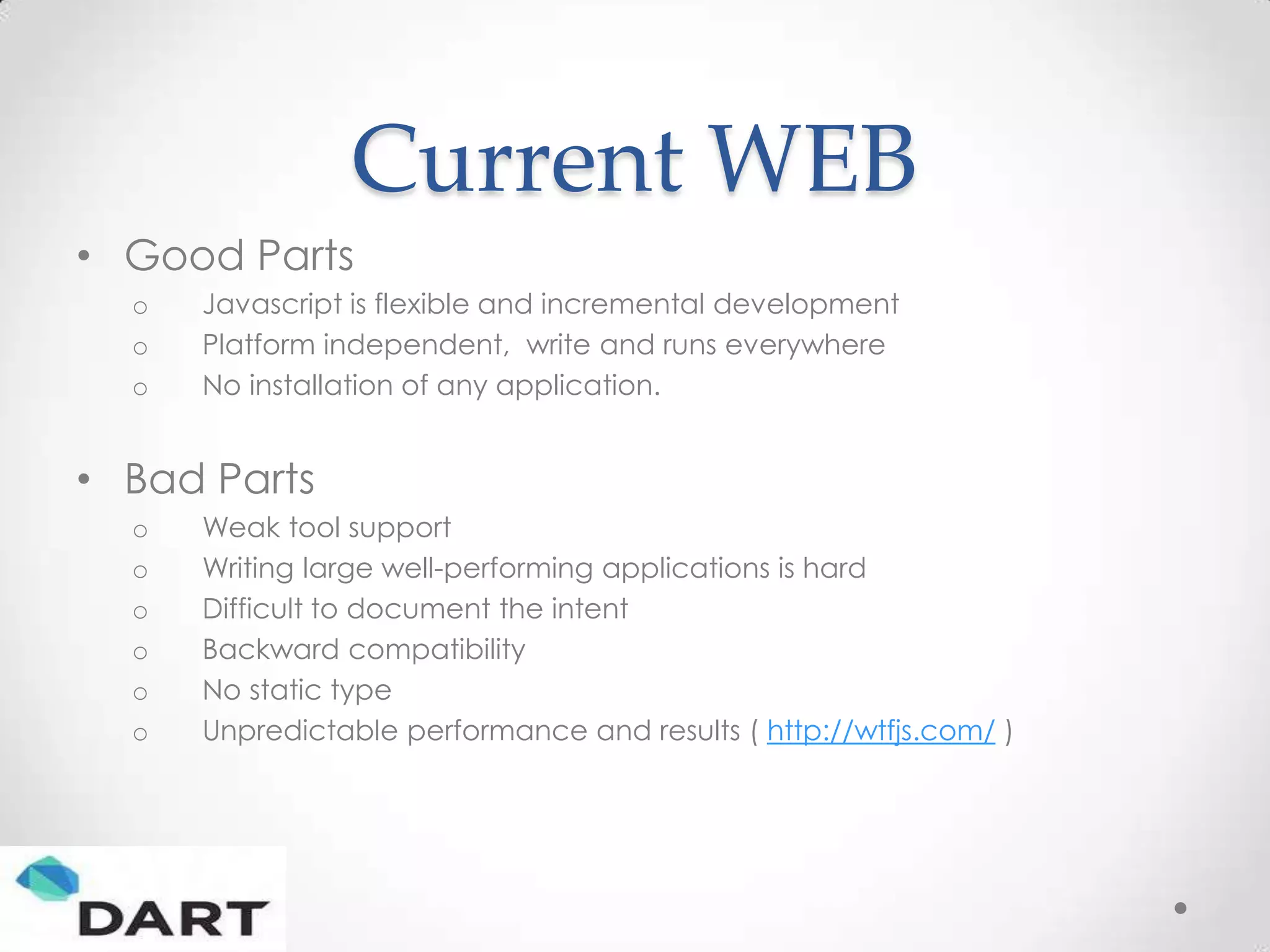
Current WEB • Good Parts o Javascript is flexible and incremental development o Platform independent, write and runs everywhere o No installation of any application. • Bad Parts o Weak tool support o Writing large well-performing applications is hard o Difficult to document the intent o Backward compatibility o No static type o Unpredictable performance and results ( http://wtfjs.com/ )
Dart is….. Structured Web Programming • New language • New tools • New libraries • Open source • Announced in early October 2011 • Being developed on dart.googlecode.com • Currently milestone version, technology preview…
What is Dart as a Language ? • A simple, unsurprising OO language • Class based, single inheritance with interfaces • Optional static typing • Real lexical scoping and closures • Single threaded • Familiar syntax (to the Java[Script] developer)
Dart Type Checker • Traditional Type Checker o Tries to prove program obey the rules o If checker finds a breaking rule concept, it considers program is invalid and becomes angry • GUILTY UNTIL YOU PROVEN INNOCENT • Dart is Different o INNOCENT UNTIL PROVEN YOUR GUILTY
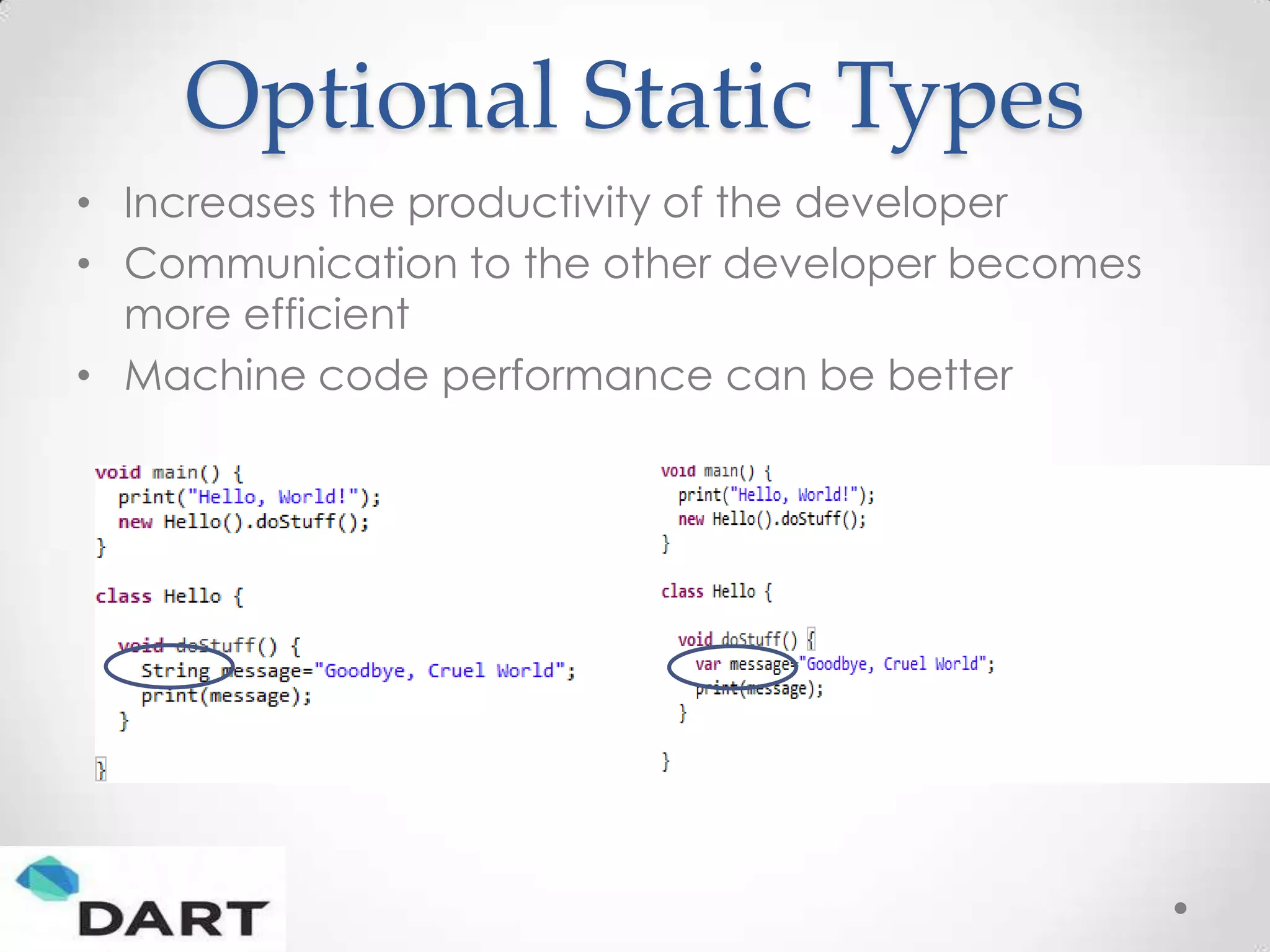
Optional Static Types • Increases the productivity of the developer • Communication to the other developer becomes more efficient • Machine code performance can be better
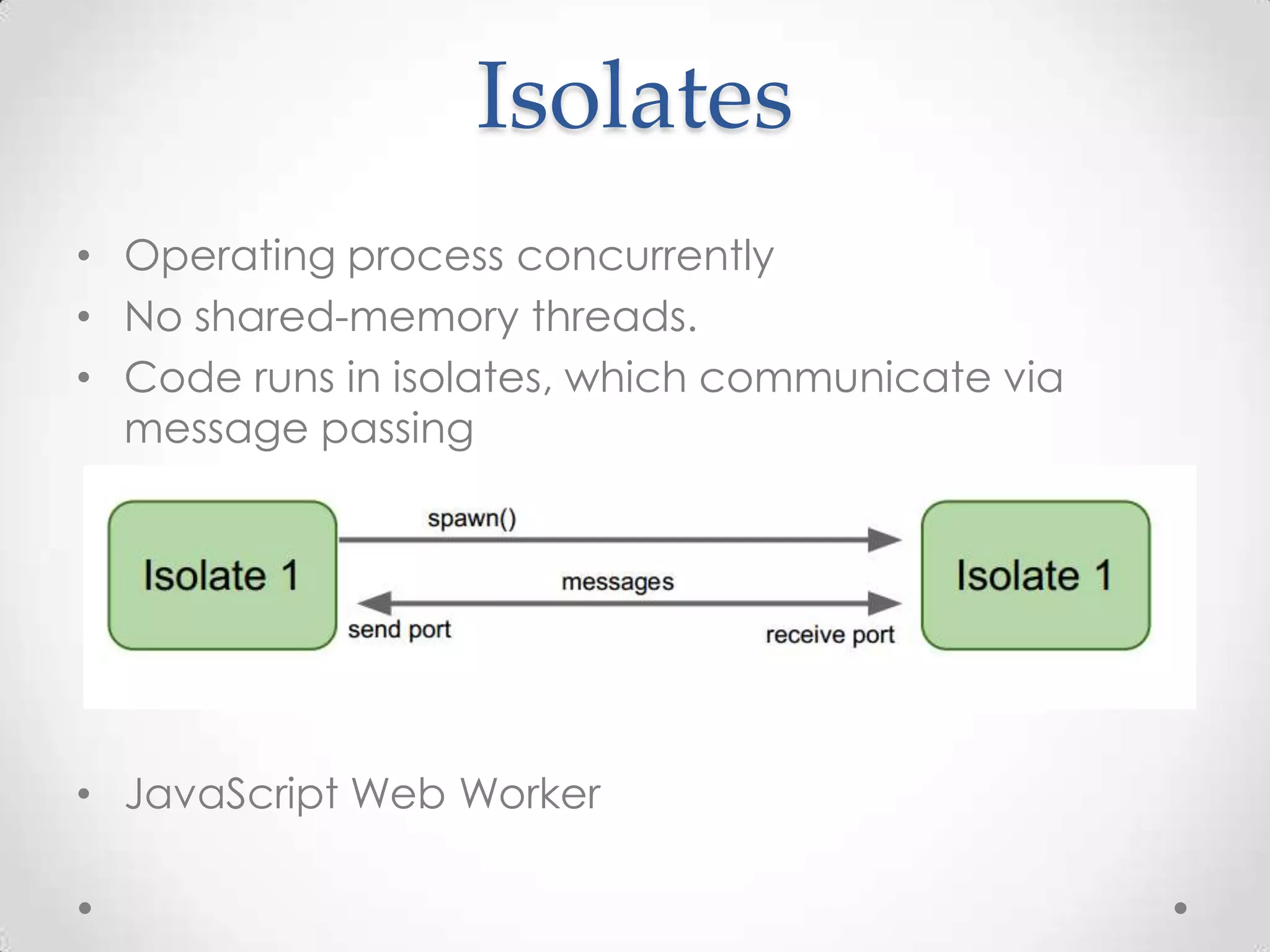
Isolates • Operating process concurrently • No shared-memory threads. • Code runs in isolates, which communicate via message passing • JavaScript Web Worker
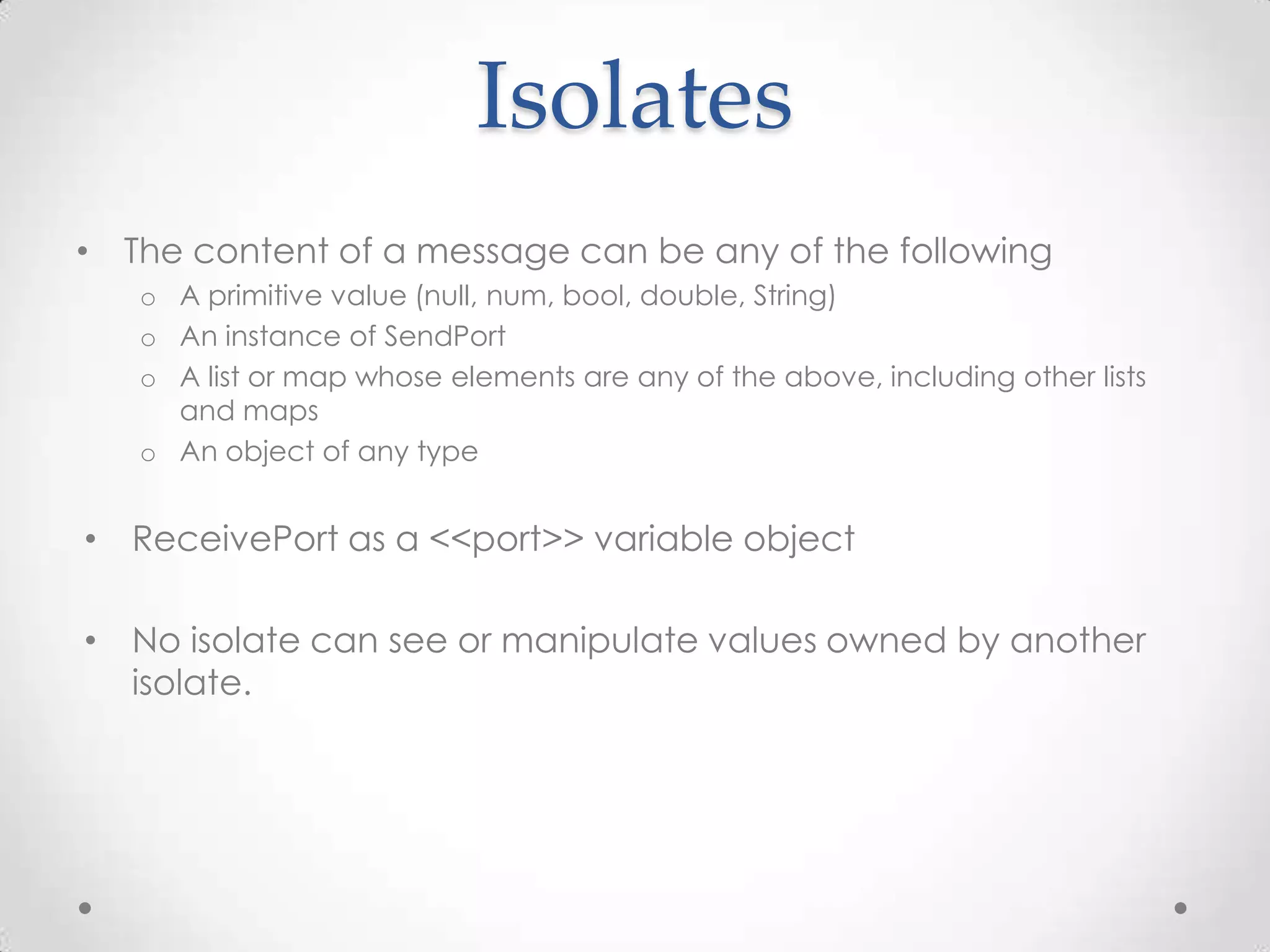
Isolates • The content of a message can be any of the following o A primitive value (null, num, bool, double, String) o An instance of SendPort o A list or map whose elements are any of the above, including other lists and maps o An object of any type • ReceivePort as a <<port>> variable object • No isolate can see or manipulate values owned by another isolate.
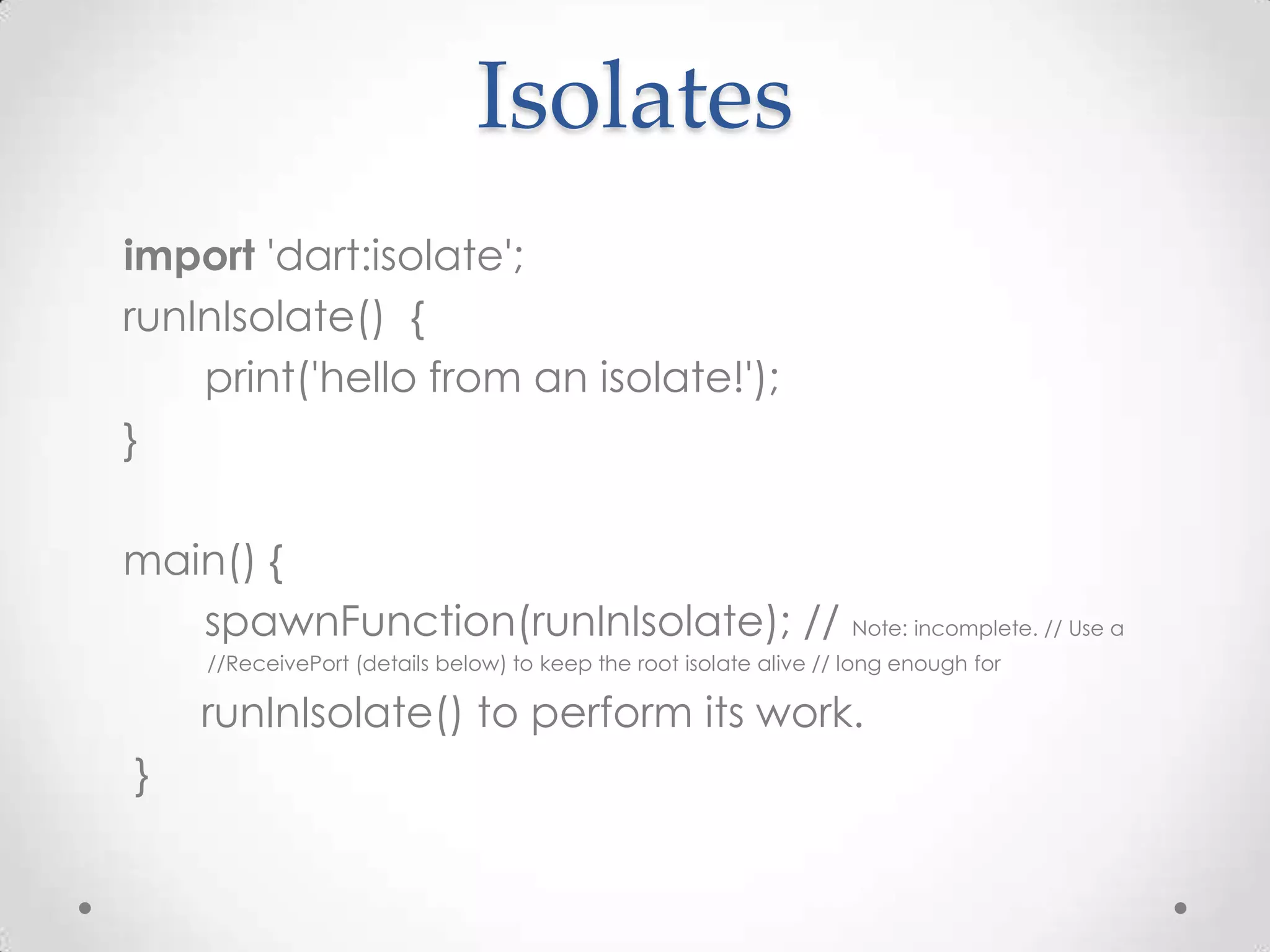
Isolates import 'dart:isolate'; runInIsolate() { print('hello from an isolate!'); } main() { spawnFunction(runInIsolate); // Note: incomplete. // Use a //ReceivePort (details below) to keep the root isolate alive // long enough for runInIsolate() to perform its work. }
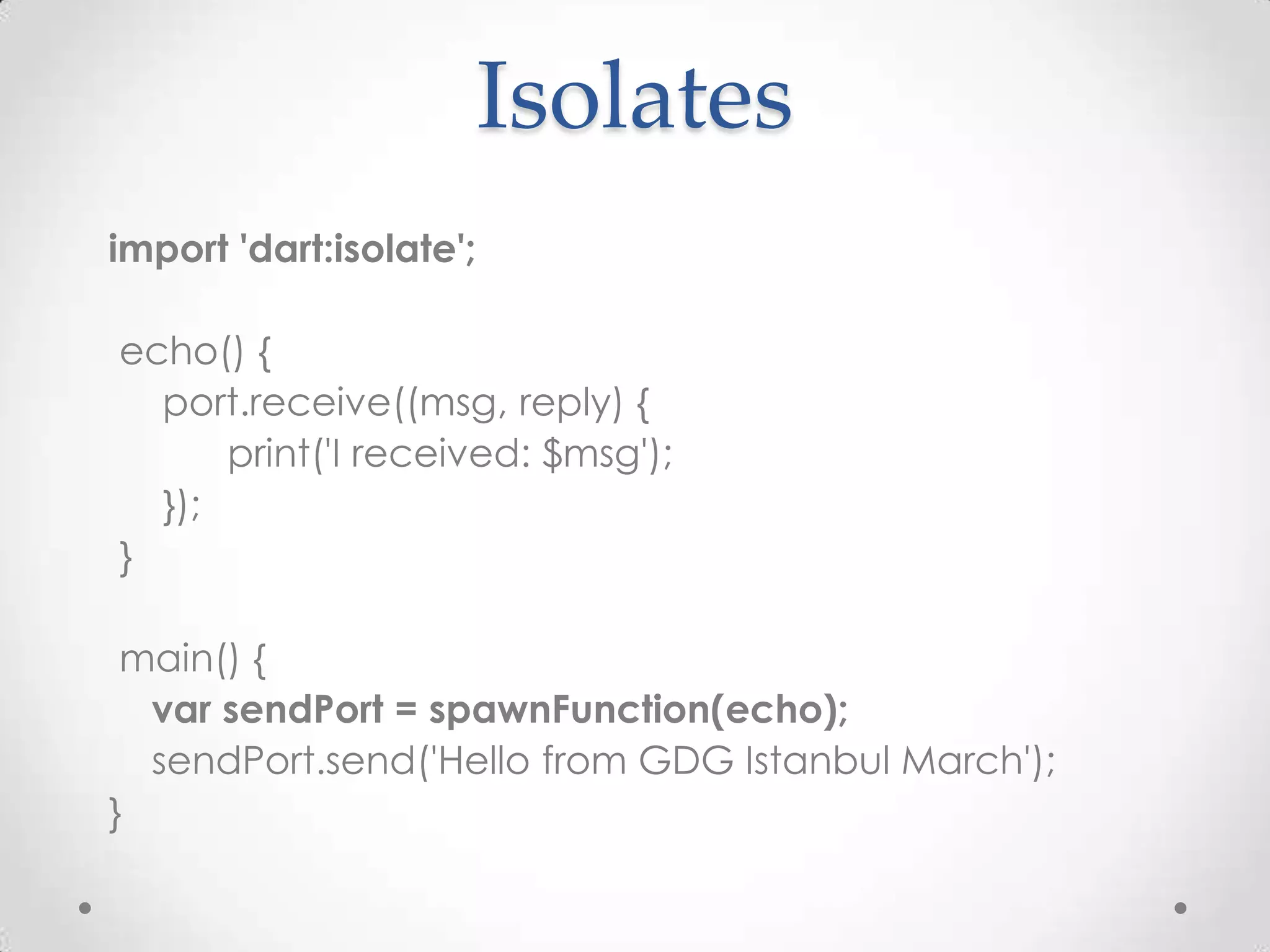
Isolates import 'dart:isolate'; echo() { port.receive((msg, reply) { print('I received: $msg'); }); } main() { var sendPort = spawnFunction(echo); sendPort.send('Hello from GDG Istanbul March'); }
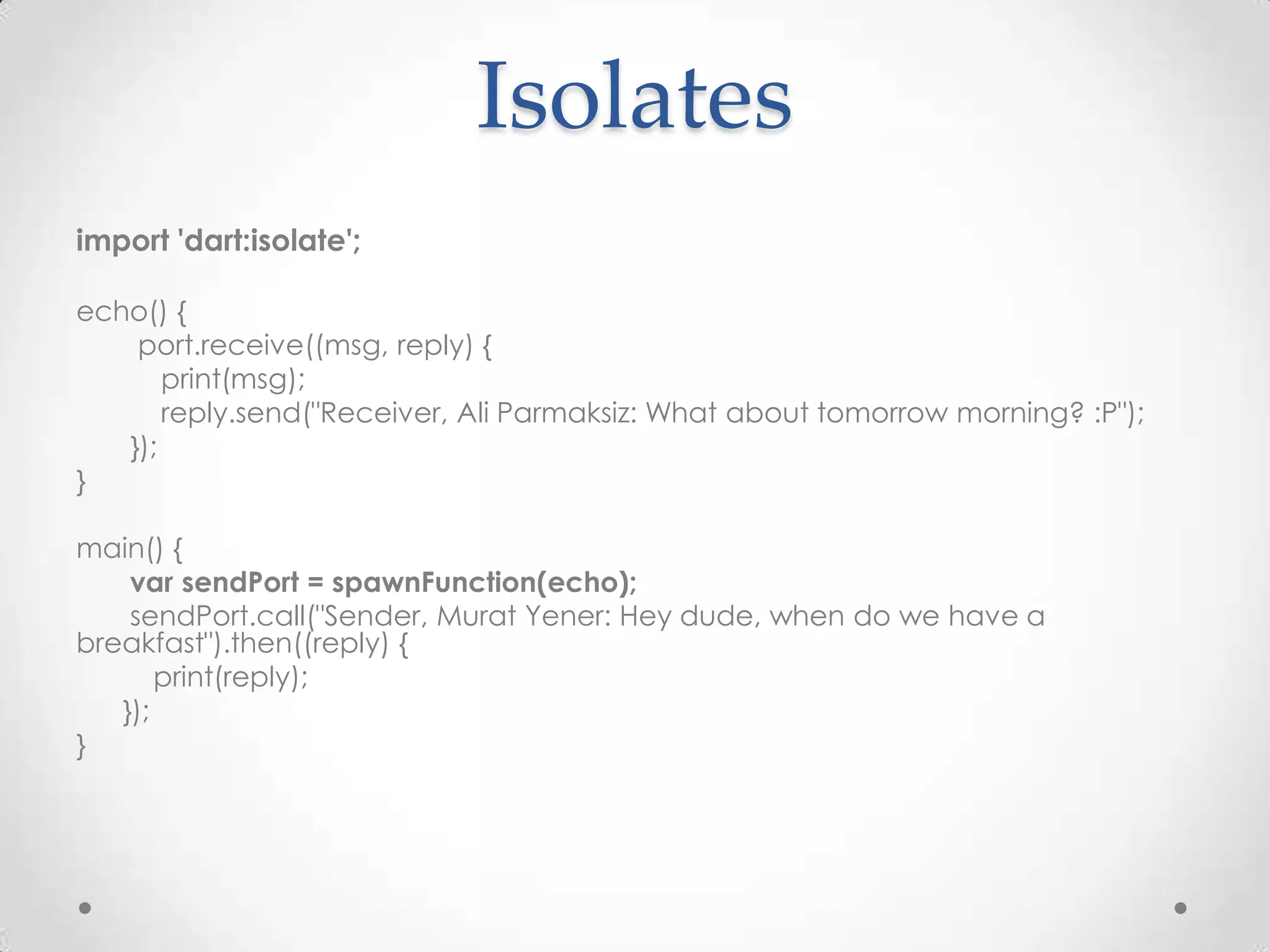
Isolates import 'dart:isolate'; echo() { port.receive((msg, reply) { print(msg); reply.send("Receiver, Ali Parmaksiz: What about tomorrow morning? :P"); }); } main() { var sendPort = spawnFunction(echo); sendPort.call("Sender, Murat Yener: Hey dude, when do we have a breakfast").then((reply) { print(reply); }); }
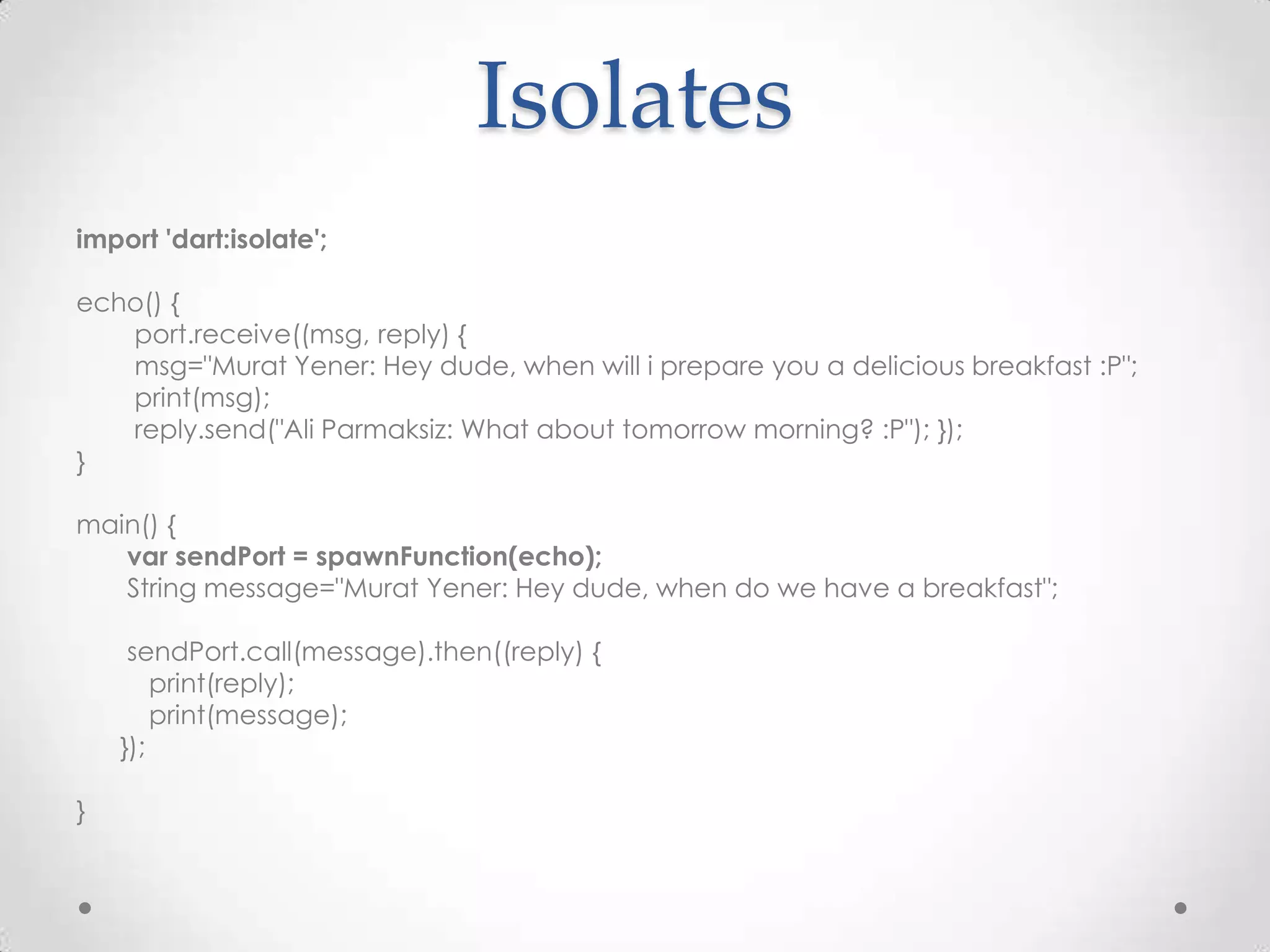
Isolates import 'dart:isolate'; echo() { port.receive((msg, reply) { msg="Murat Yener: Hey dude, when will i prepare you a delicious breakfast :P"; print(msg); reply.send("Ali Parmaksiz: What about tomorrow morning? :P"); }); } main() { var sendPort = spawnFunction(echo); String message="Murat Yener: Hey dude, when do we have a breakfast"; sendPort.call(message).then((reply) { print(reply); print(message); }); }
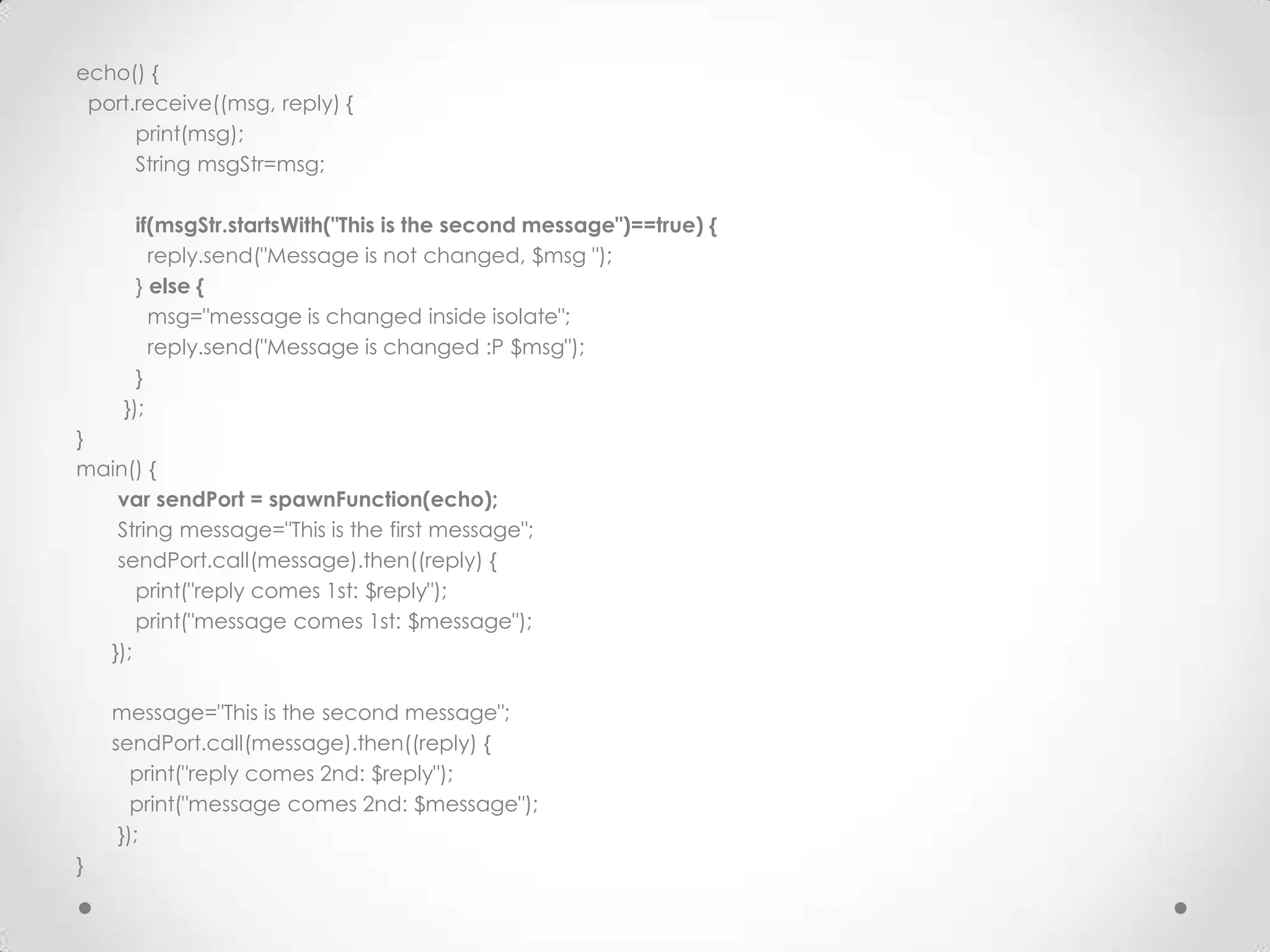
echo() { port.receive((msg, reply) { print(msg); String msgStr=msg; if(msgStr.startsWith("This is the second message")==true) { reply.send("Message is not changed, $msg "); } else { msg="message is changed inside isolate"; reply.send("Message is changed :P $msg"); } }); } main() { var sendPort = spawnFunction(echo); String message="This is the first message"; sendPort.call(message).then((reply) { print("reply comes 1st: $reply"); print("message comes 1st: $message"); }); message="This is the second message"; sendPort.call(message).then((reply) { print("reply comes 2nd: $reply"); print("message comes 2nd: $message"); }); }
Mirror in Dart • Reflection is done via mirror objects. • dart2js, it is only taken the first baby steps toward a similar implementation import 'dart:mirrors'; class MyClass { int i, j; void my_method() { } int sum() => i + j; MyClass(this.i, this.j); static noise() => print("42"); static var s; } main() { MyClass myClass = new MyClass(3, 4); InstanceMirror myClassInstanceMirror = reflect(myClass); ClassMirror MyClassMirror = myClassInstanceMirror.type; for (var m in MyClassMirror.members.values) print(m.simpleName); MyClassMirror.invoke('noise', []); }
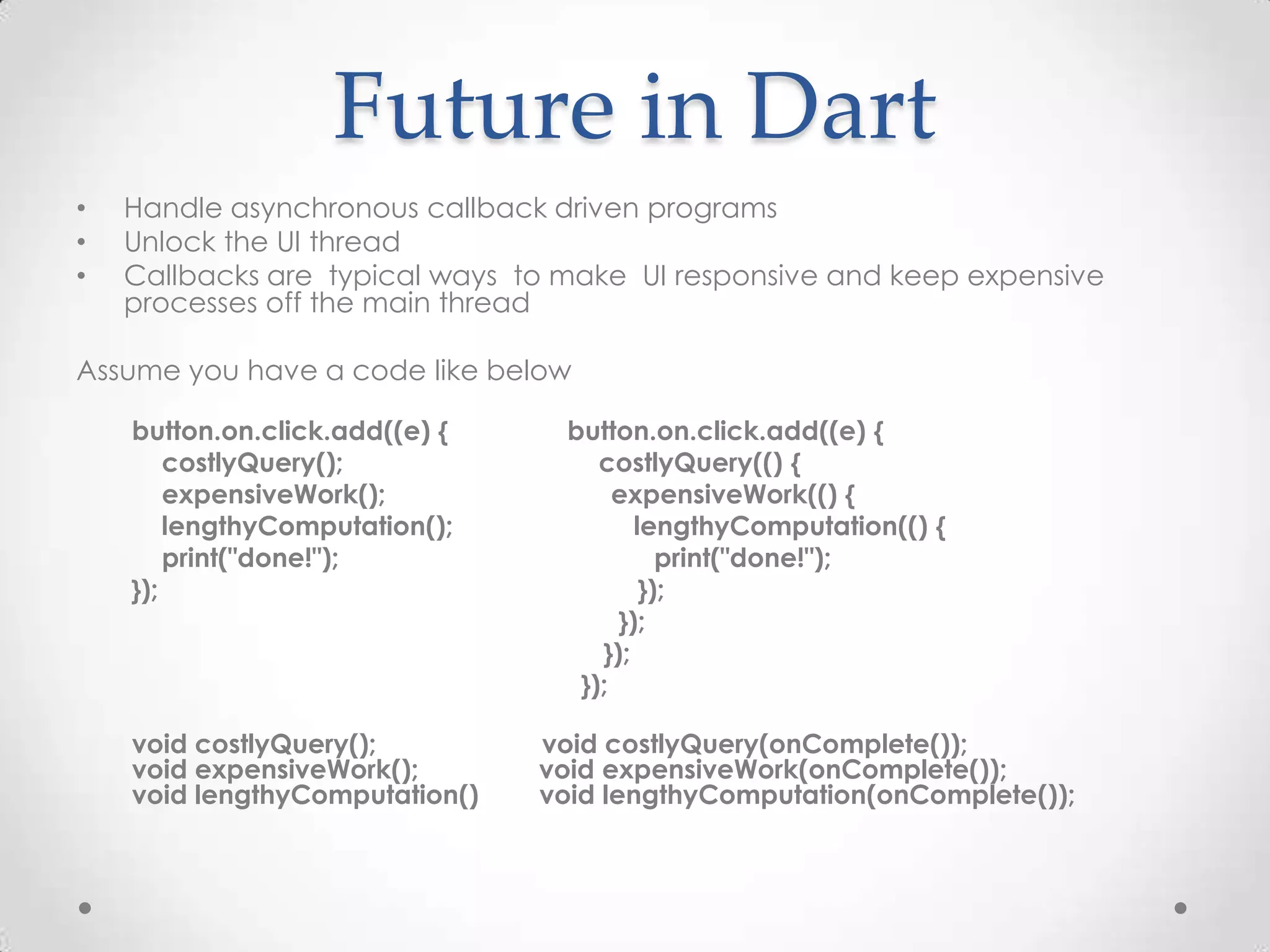
Future in Dart • Handle asynchronous callback driven programs • Unlock the UI thread • Callbacks are typical ways to make UI responsive and keep expensive processes off the main thread Assume you have a code like below button.on.click.add((e) { button.on.click.add((e) { costlyQuery(); costlyQuery(() { expensiveWork(); expensiveWork(() { lengthyComputation(); lengthyComputation(() { print("done!"); print("done!"); }); }); }); }); }); void costlyQuery(); void costlyQuery(onComplete()); void expensiveWork(); void expensiveWork(onComplete()); void lengthyComputation() void lengthyComputation(onComplete());
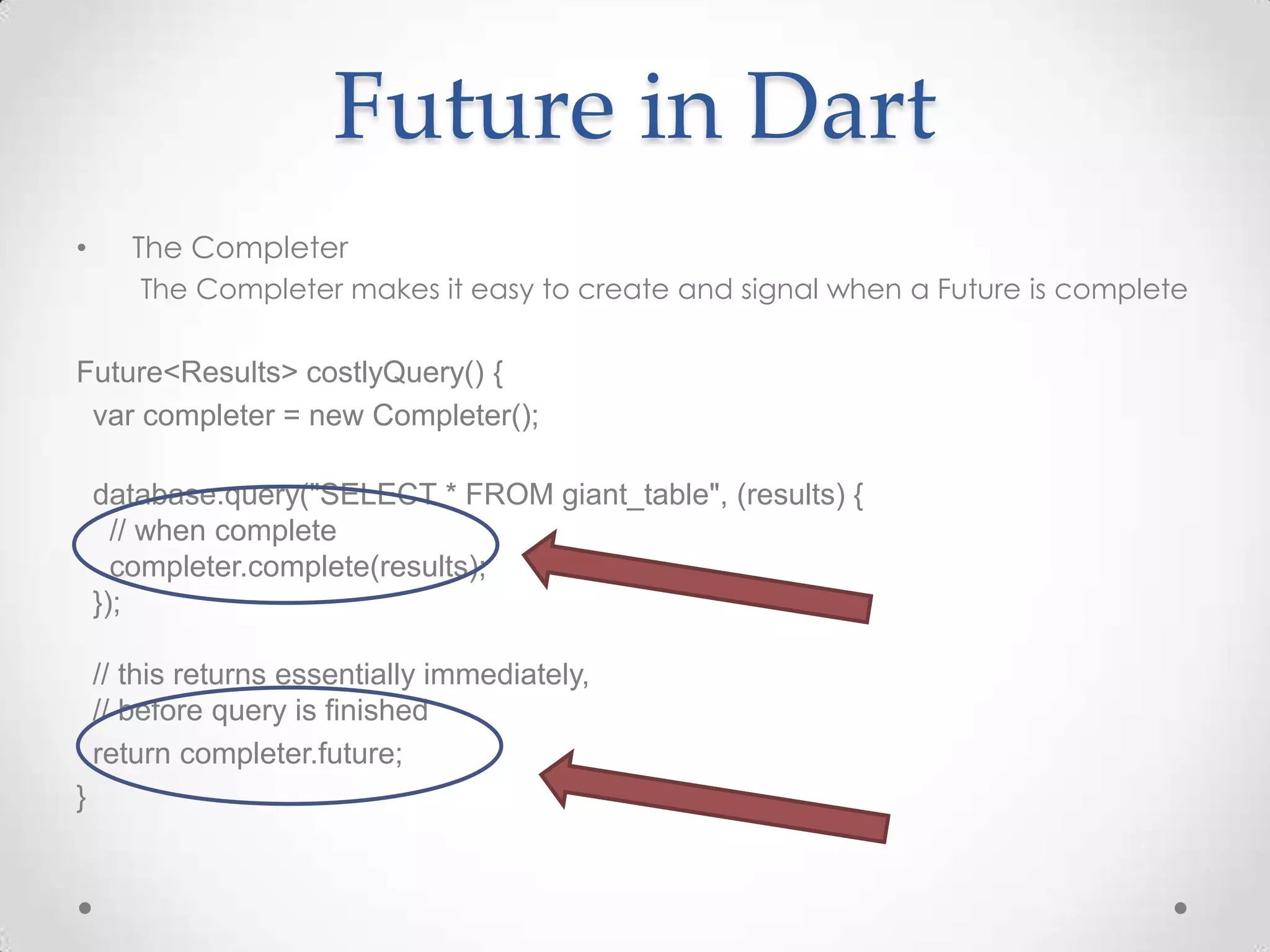
Future in Dart • The Completer The Completer makes it easy to create and signal when a Future is complete Future<Results> costlyQuery() { var completer = new Completer(); database.query("SELECT * FROM giant_table", (results) { // when complete completer.complete(results); }); // this returns essentially immediately, // before query is finished return completer.future; }
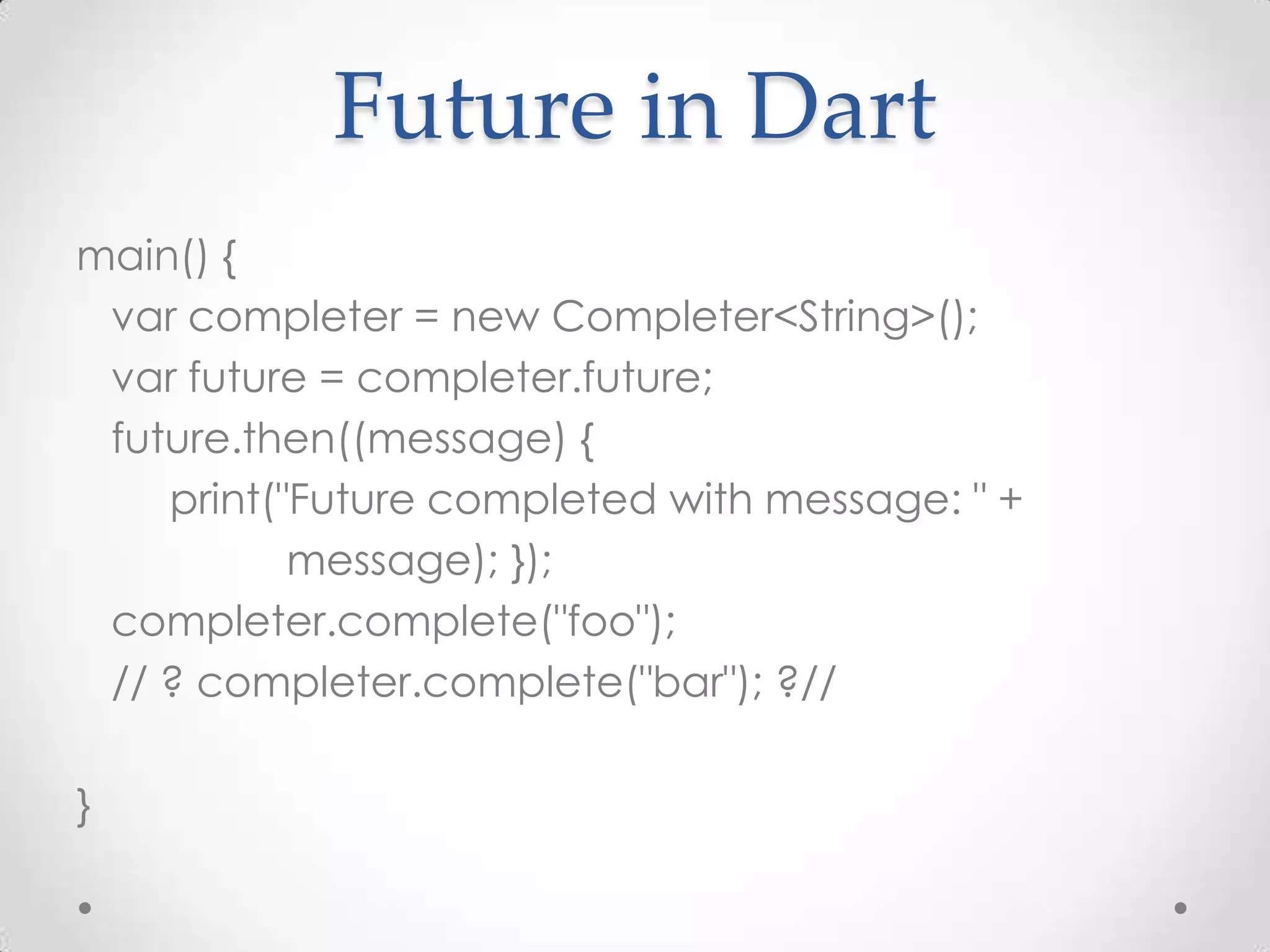
Future in Dart main() { var completer = new Completer<String>(); var future = completer.future; future.then((message) { print("Future completed with message: " + message); }); completer.complete("foo"); // ? completer.complete("bar"); ?// }
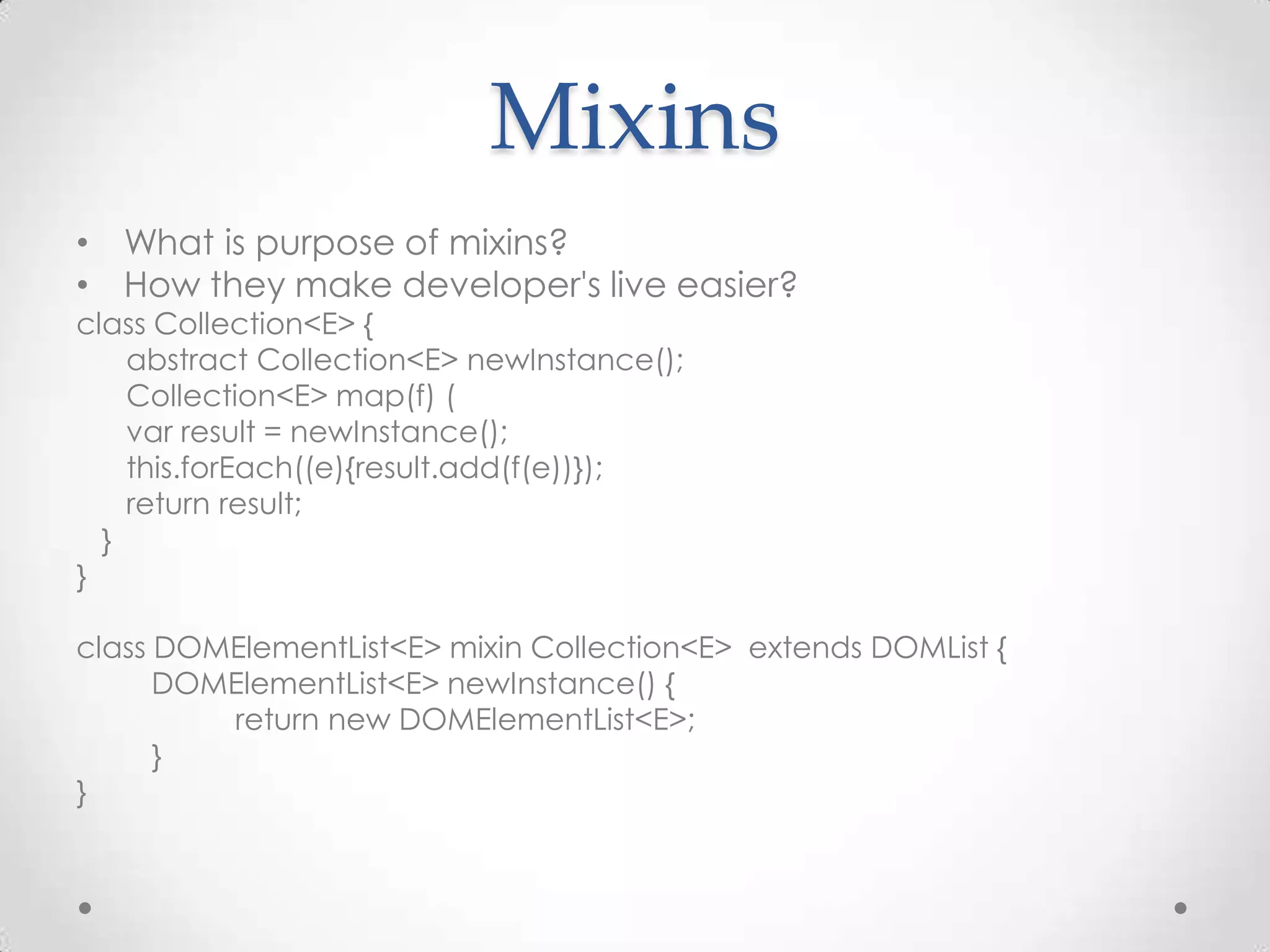
Mixins • What is purpose of mixins? • How they make developer's live easier? class Collection<E> { abstract Collection<E> newInstance(); Collection<E> map(f) ( var result = newInstance(); this.forEach((e){result.add(f(e))}); return result; } } class DOMElementList<E> mixin Collection<E> extends DOMList { DOMElementList<E> newInstance() { return new DOMElementList<E>; } }
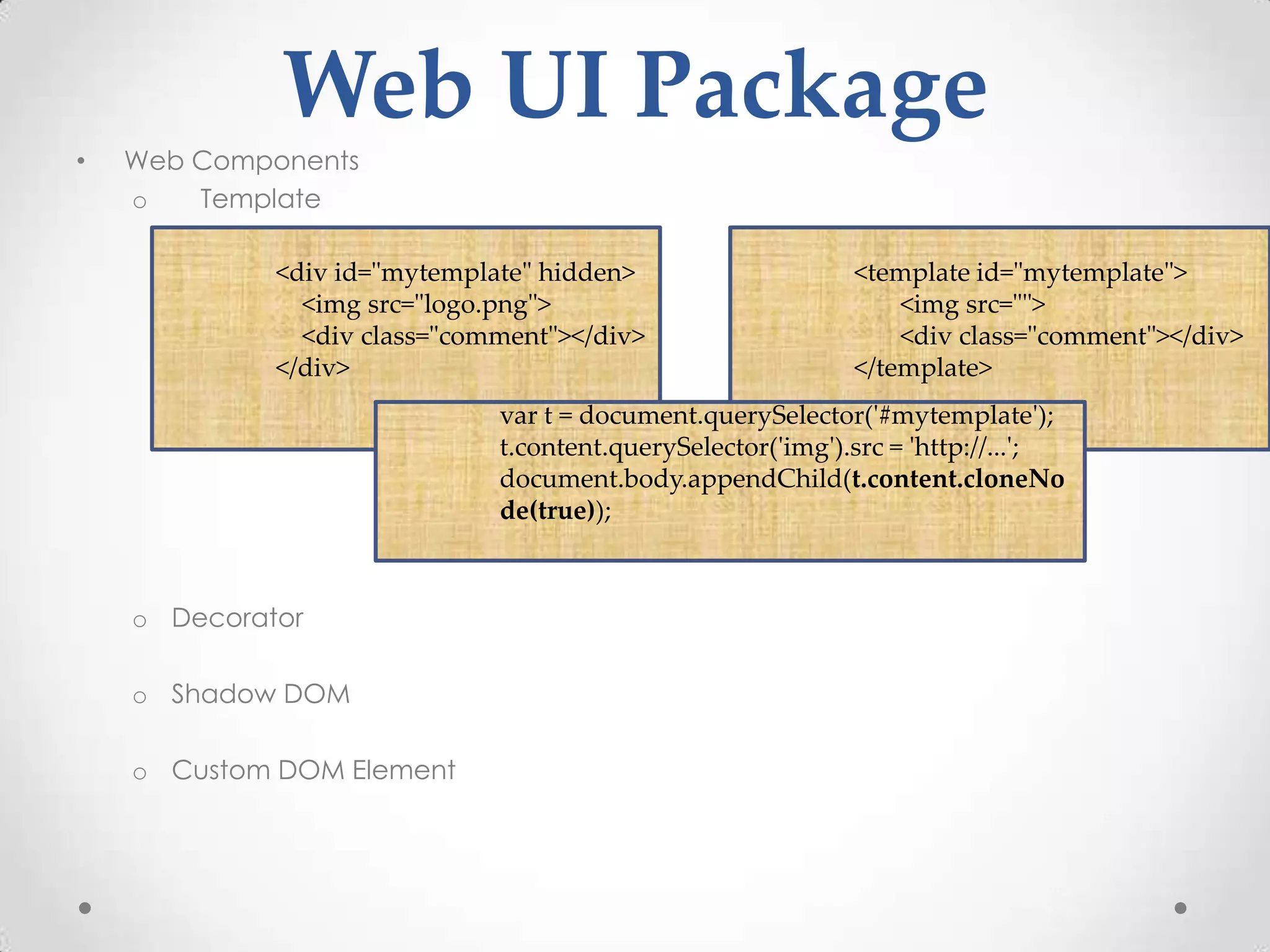
Web UI Package • Web Components o Template <div id="mytemplate" hidden> <template id="mytemplate"> <img src="logo.png"> <img src=""> <div class="comment"></div> <div class="comment"></div> </div> </template> var t = document.querySelector('#mytemplate'); t.content.querySelector('img').src = 'http://...'; document.body.appendChild(t.content.cloneNo de(true)); o Decorator o Shadow DOM o Custom DOM Element
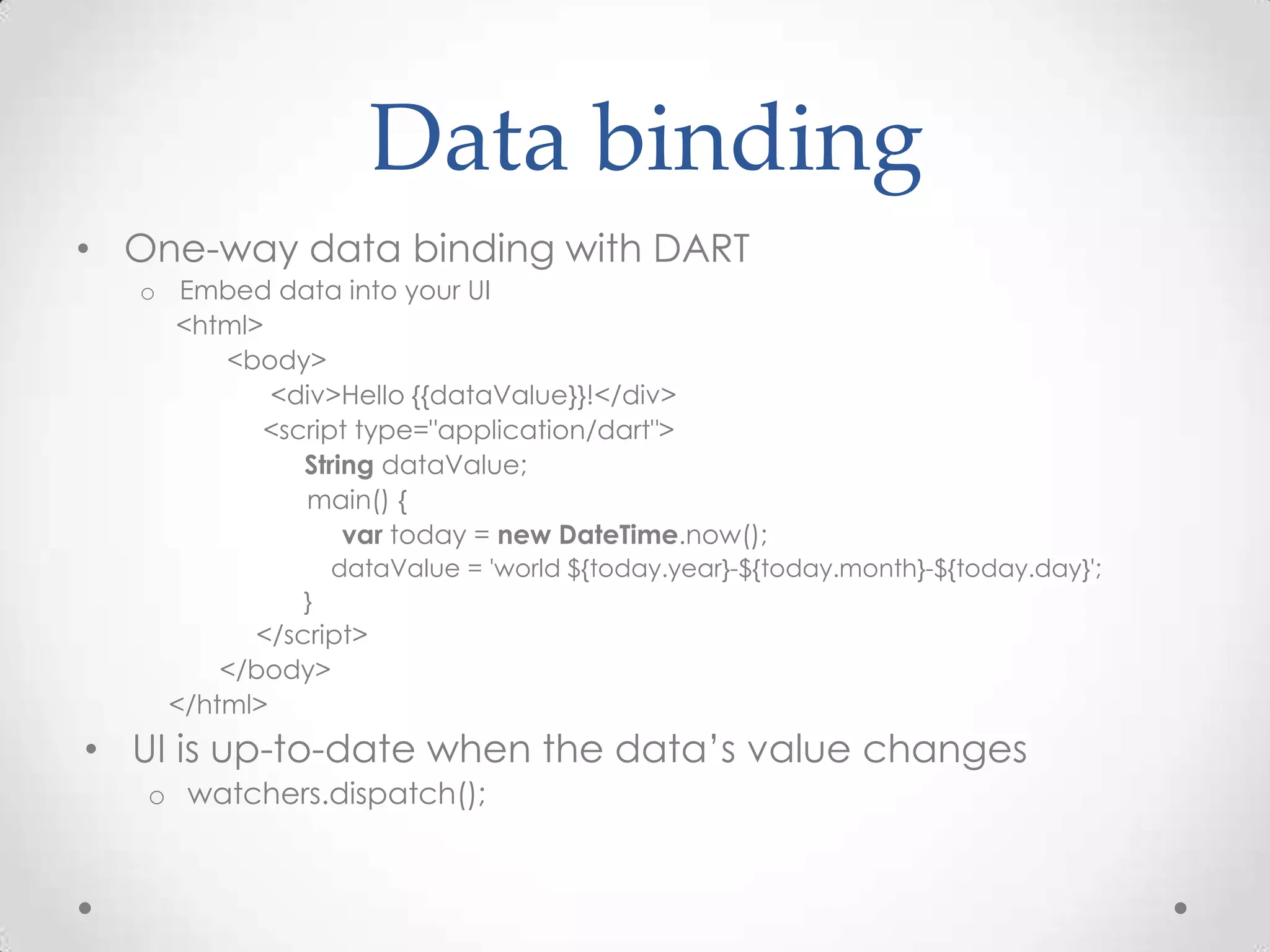
Data binding • One-way data binding with DART o Embed data into your UI <html> <body> <div>Hello {{dataValue}}!</div> <script type="application/dart"> String dataValue; main() { var today = new DateTime.now(); dataValue = 'world ${today.year}-${today.month}-${today.day}'; } </script> </body> </html> • UI is up-to-date when the data’s value changes o watchers.dispatch();
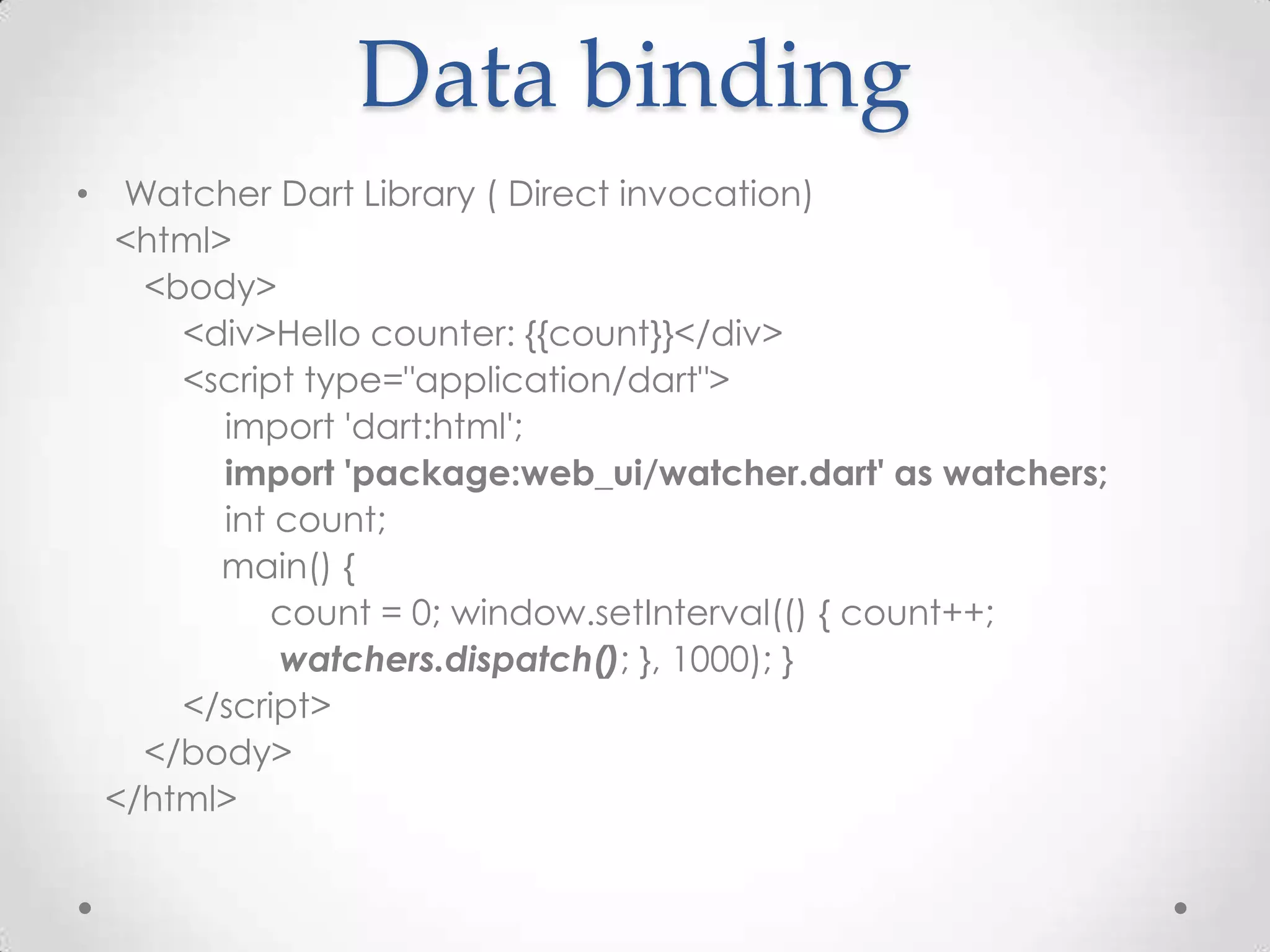
Data binding • Watcher Dart Library ( Direct invocation) <html> <body> <div>Hello counter: {{count}}</div> <script type="application/dart"> import 'dart:html'; import 'package:web_ui/watcher.dart' as watchers; int count; main() { count = 0; window.setInterval(() { count++; watchers.dispatch(); }, 1000); } </script> </body> </html>
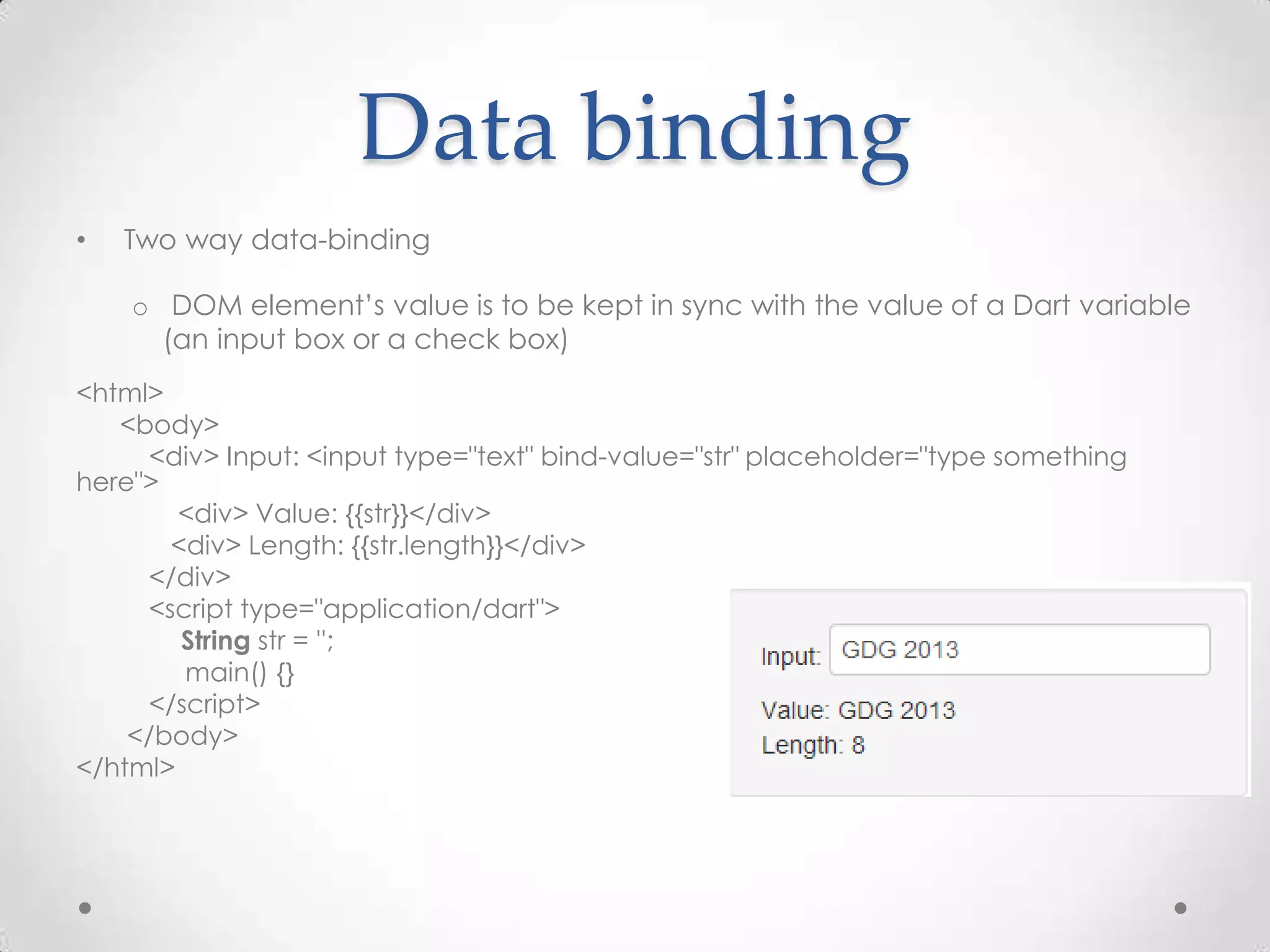
Data binding • Two way data-binding o DOM element’s value is to be kept in sync with the value of a Dart variable (an input box or a check box) <html> <body> <div> Input: <input type="text" bind-value="str" placeholder="type something here"> <div> Value: {{str}}</div> <div> Length: {{str.length}}</div> </div> <script type="application/dart"> String str = ''; main() {} </script> </body> </html>
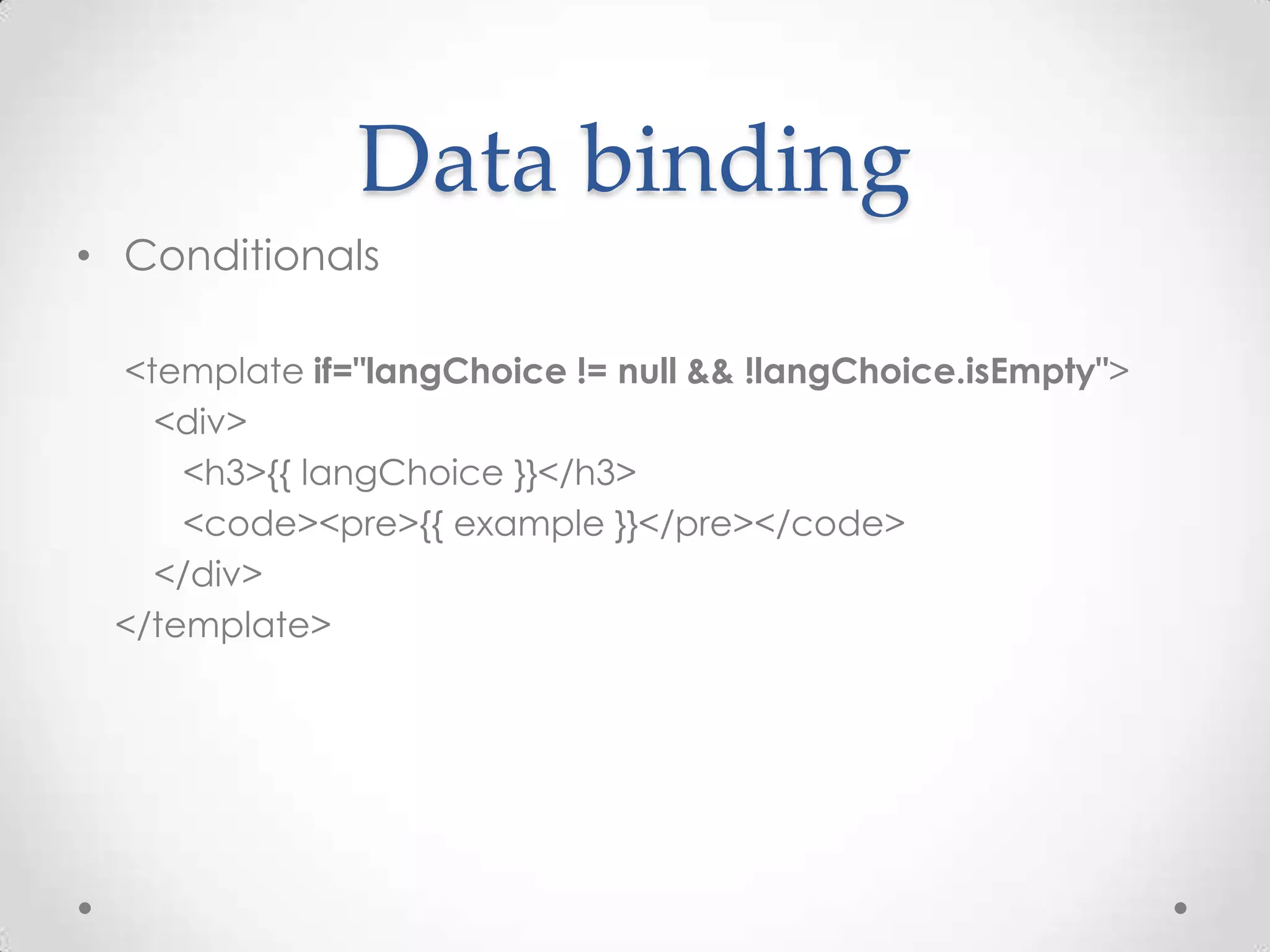
Data binding • Conditionals <template if="langChoice != null && !langChoice.isEmpty"> <div> <h3>{{ langChoice }}</h3> <code><pre>{{ example }}</pre></code> </div> </template>
• <div> <span>Search for something:</span> <input type="text" bind-value="query"> <div> <template instantiate='if noMatches'> <span>No matches</span> </template> <template instantiate='if !noMatches'> <span>Top results:</span> </template> </div> <div> <ul> <template iterate='fruit in results'> <li>{{fruit}}</li> </template> </ul> </div> </div> <script type="application/dart"> String query = ''; List<String> fruits = const [ 'Apple', 'Apricot', 'Avocado', 'Banana', 'Blackberry', 'Blackcurrant', 'Blueberry', 'Currant', 'Cherry‘]; List<String> get results { var lQuery = query.toLowerCase(); var res = fruits.where((v) => v.toLowerCase().contains(lQuery)); return (res.length <= 20) ? res.toList() : (res.take(20).toList()..add('... and many more')); } bool get noMatches => results.isEmpty; main() {} </script>
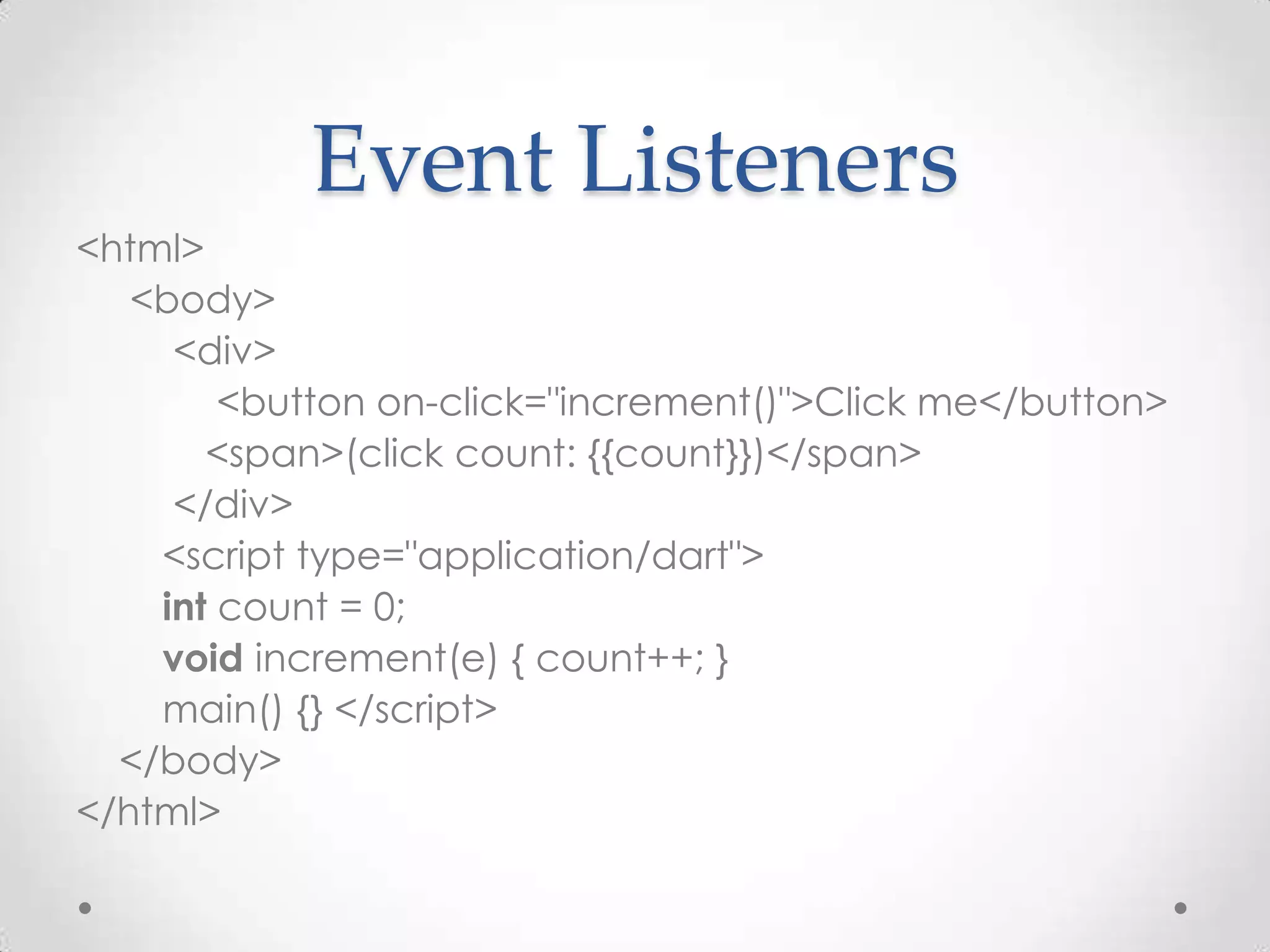
Event Listeners <html> <body> <div> <button on-click="increment()">Click me</button> <span>(click count: {{count}})</span> </div> <script type="application/dart"> int count = 0; void increment(e) { count++; } main() {} </script> </body> </html>
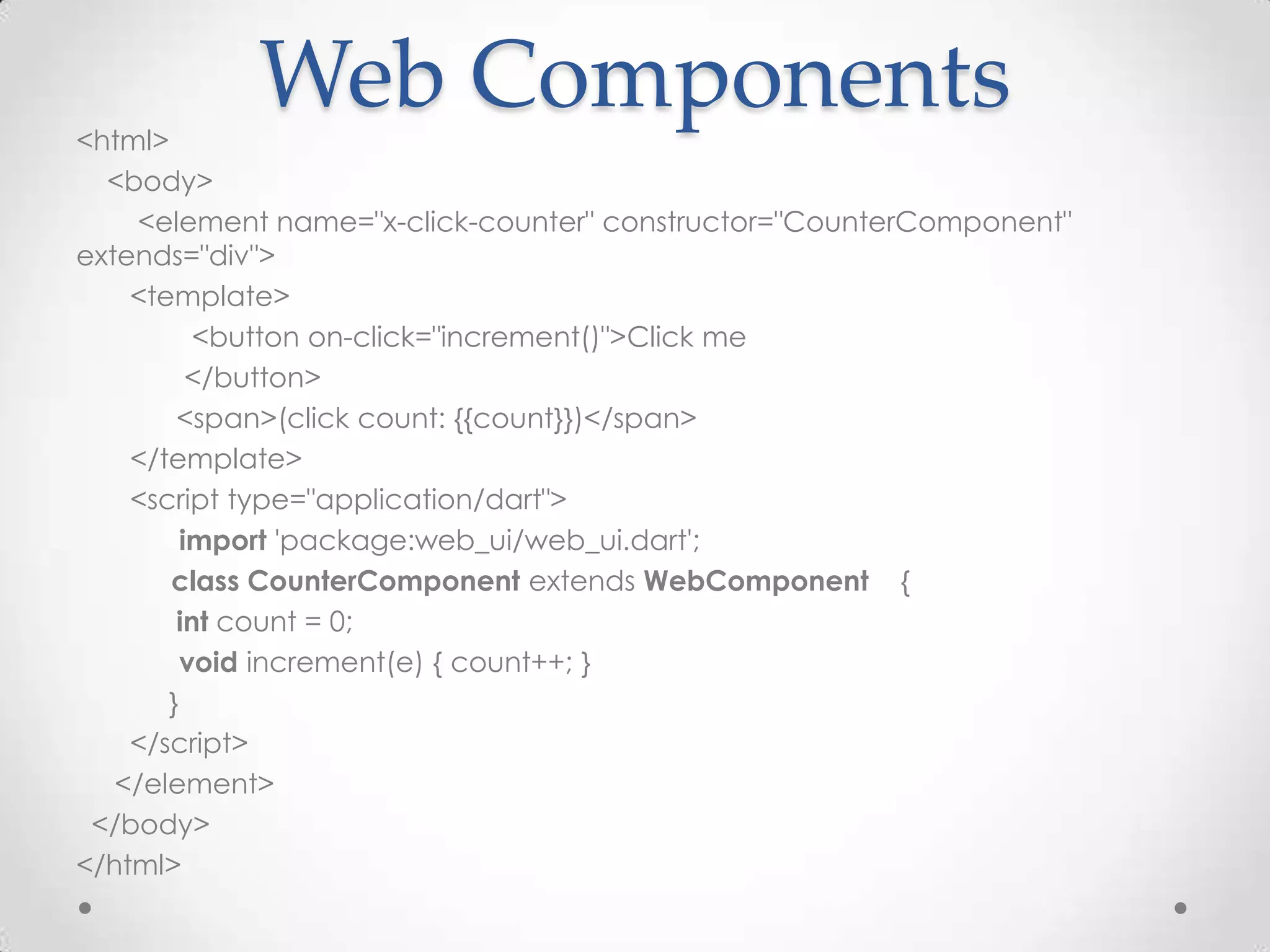
<html> Web Components <body> <element name="x-click-counter" constructor="CounterComponent" extends="div"> <template> <button on-click="increment()">Click me </button> <span>(click count: {{count}})</span> </template> <script type="application/dart"> import 'package:web_ui/web_ui.dart'; class CounterComponent extends WebComponent { int count = 0; void increment(e) { count++; } } </script> </element> </body> </html>
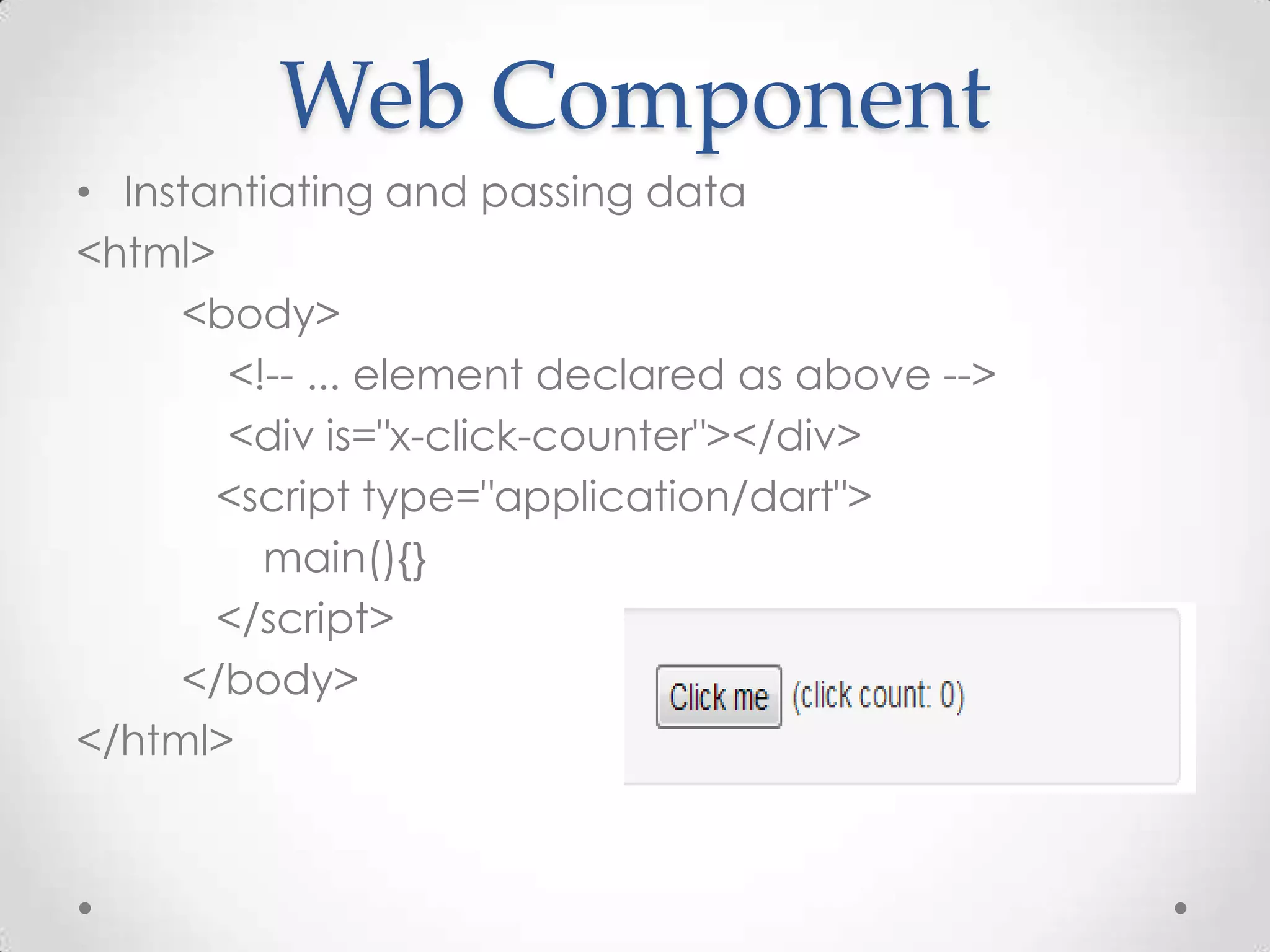
Web Component • Instantiating and passing data <html> <body> <!-- ... element declared as above --> <div is="x-click-counter"></div> <script type="application/dart"> main(){} </script> </body> </html>
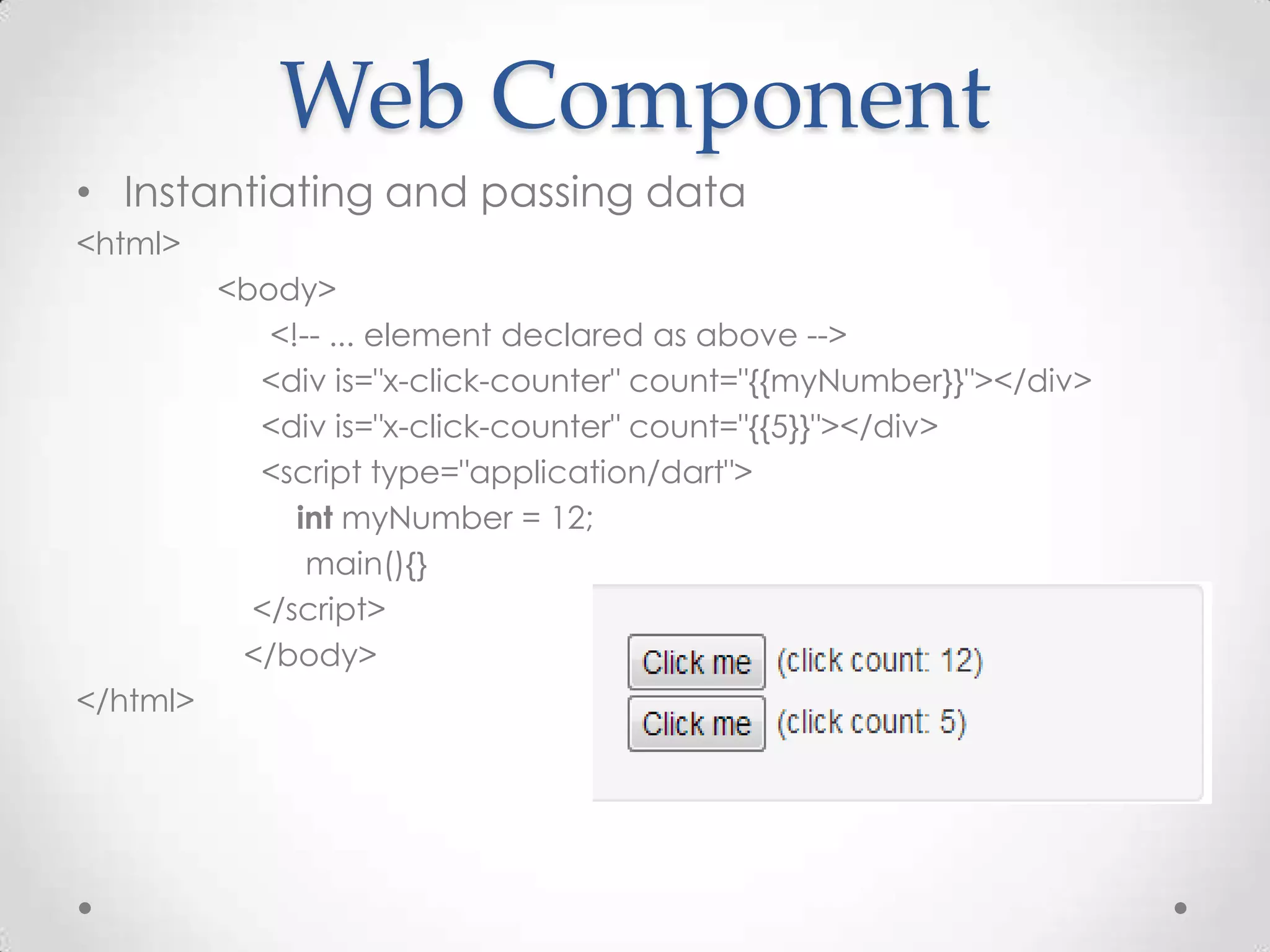
Web Component • Instantiating and passing data <html> <body> <!-- ... element declared as above --> <div is="x-click-counter" count="{{myNumber}}"></div> <div is="x-click-counter" count="{{5}}"></div> <script type="application/dart"> int myNumber = 12; main(){} </script> </body> </html>
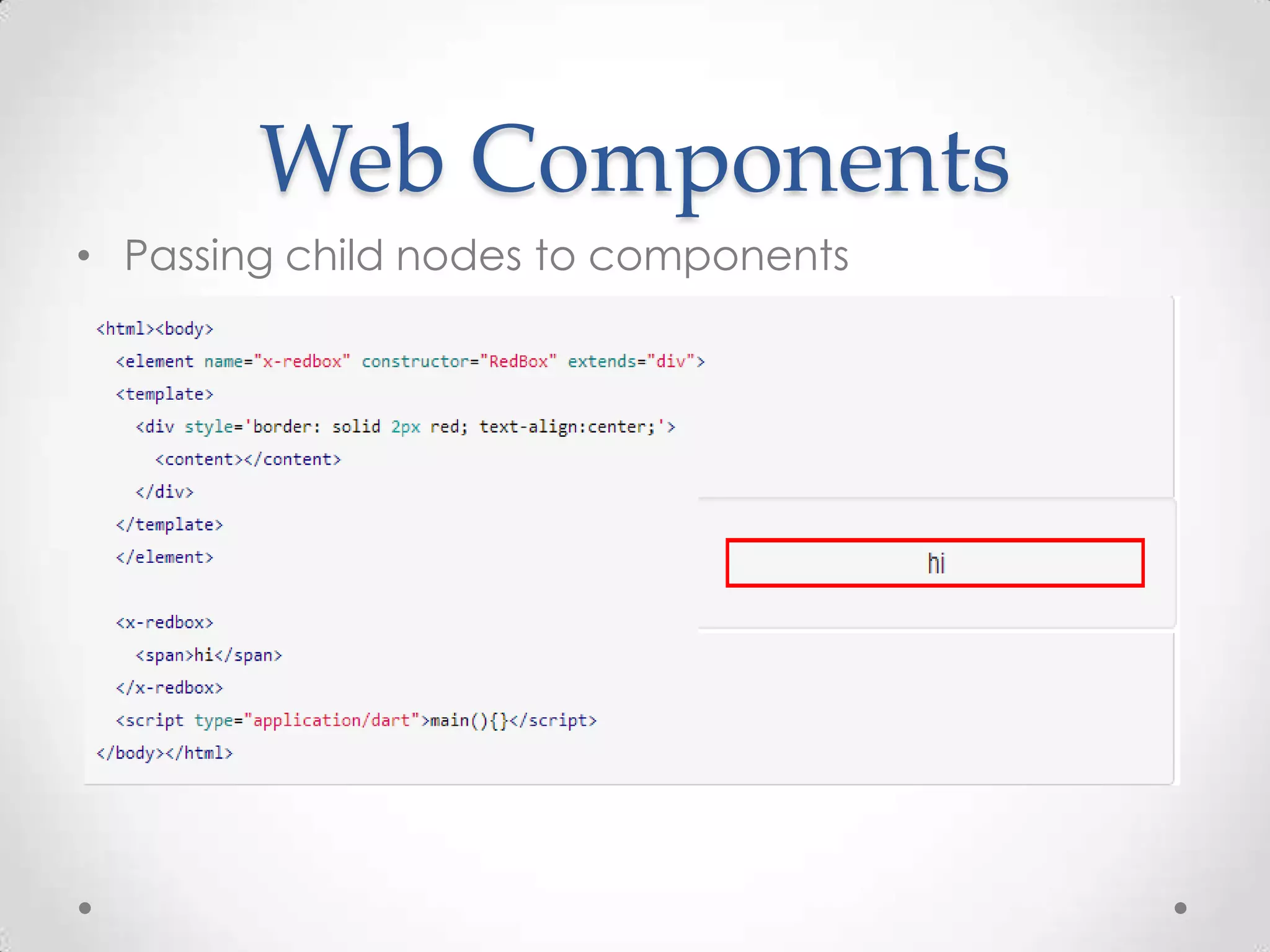
Web Components • Passing child nodes to components
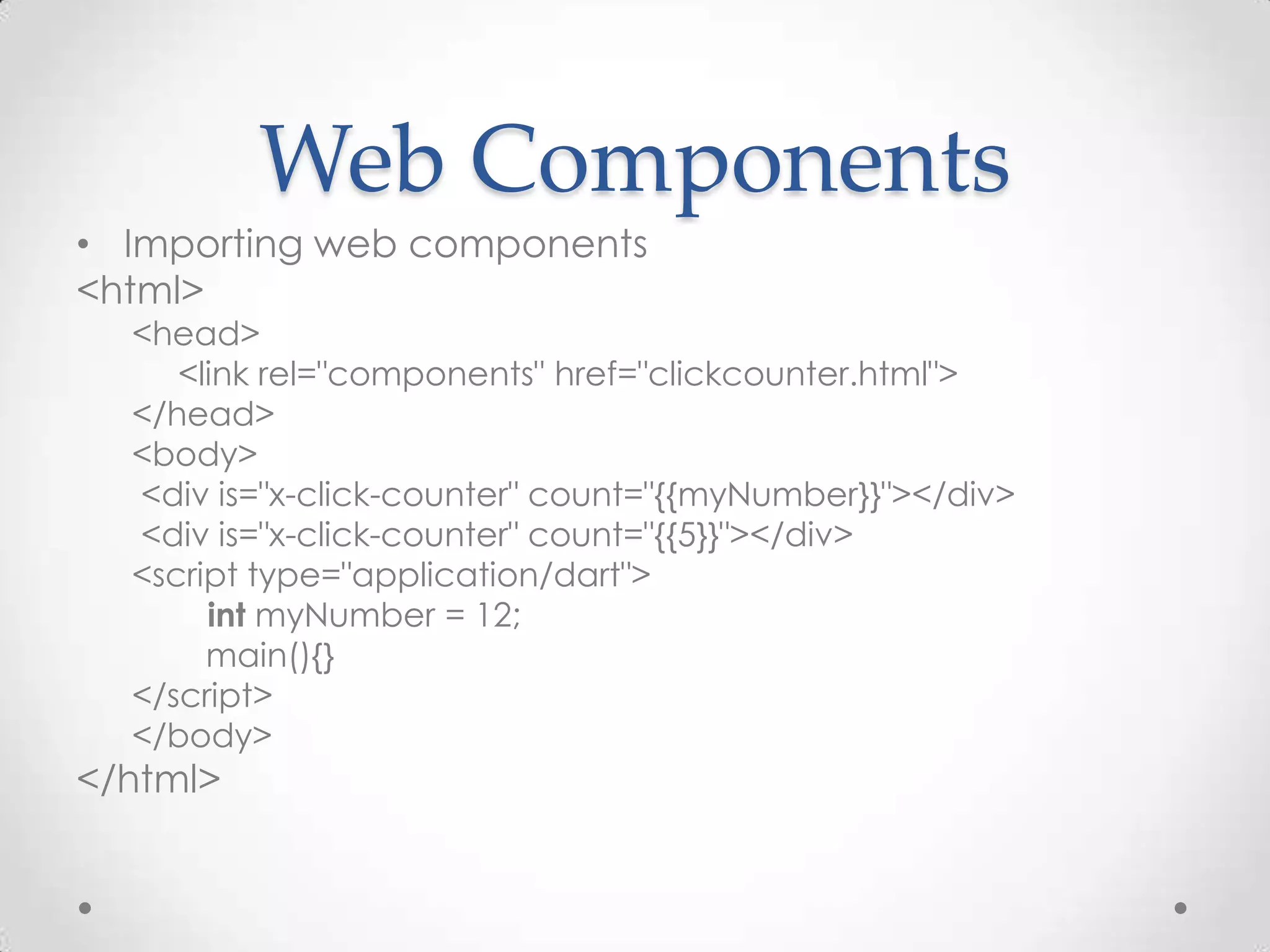
Web Components • Importing web components <html> <head> <link rel="components" href="clickcounter.html"> </head> <body> <div is="x-click-counter" count="{{myNumber}}"></div> <div is="x-click-counter" count="{{5}}"></div> <script type="application/dart"> int myNumber = 12; main(){} </script> </body> </html>
Dart in Server Side • RESTful web services that send and receive data encoded as JSON • dart:html library and parsing JSON data using the dart:json • HttpRequest API && XMLHttpRequest • Let’s investigate in some code….
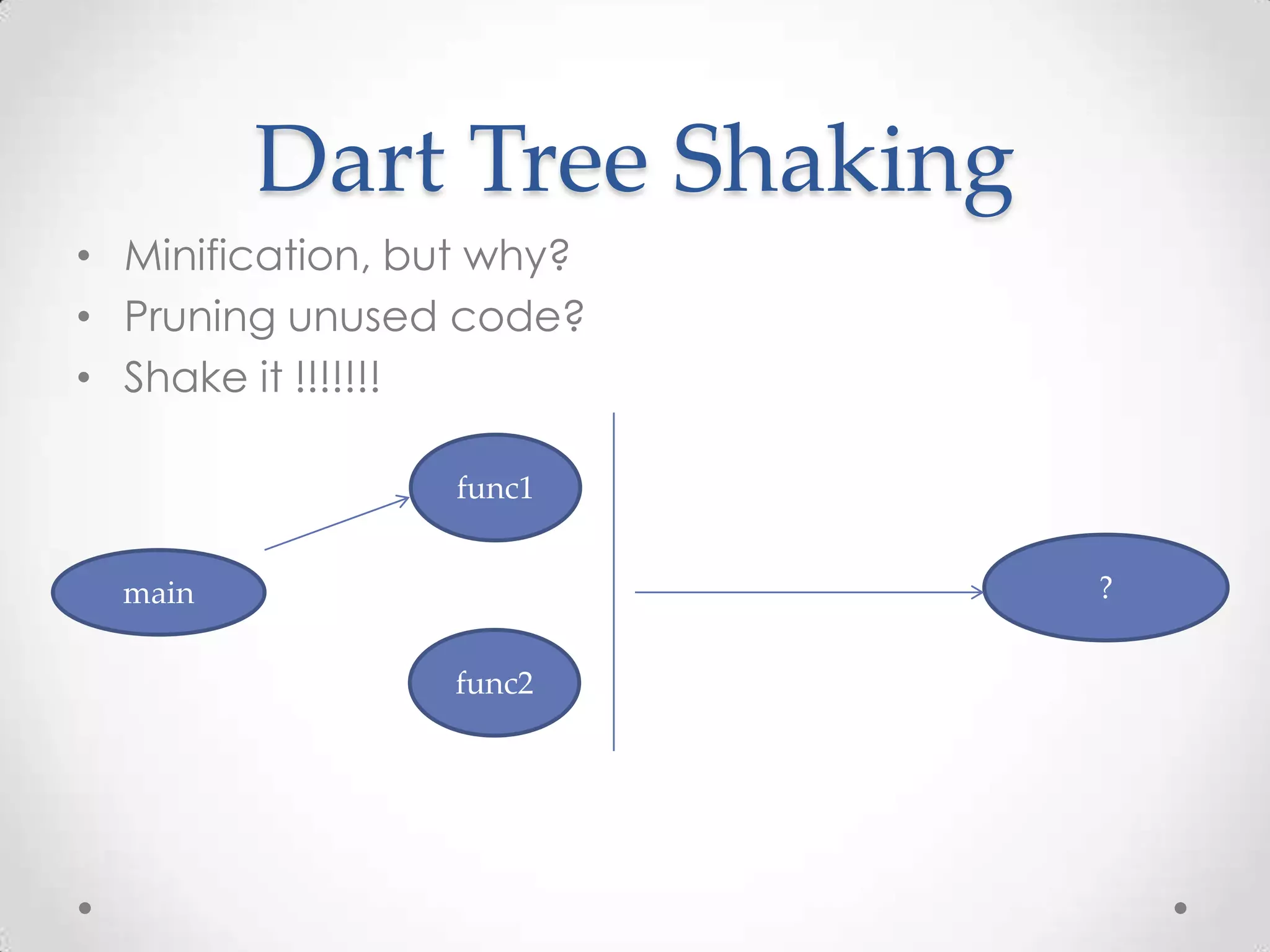
Dart Tree Shaking • Minification, but why? • Pruning unused code? • Shake it !!!!!!! func1 main ? func2
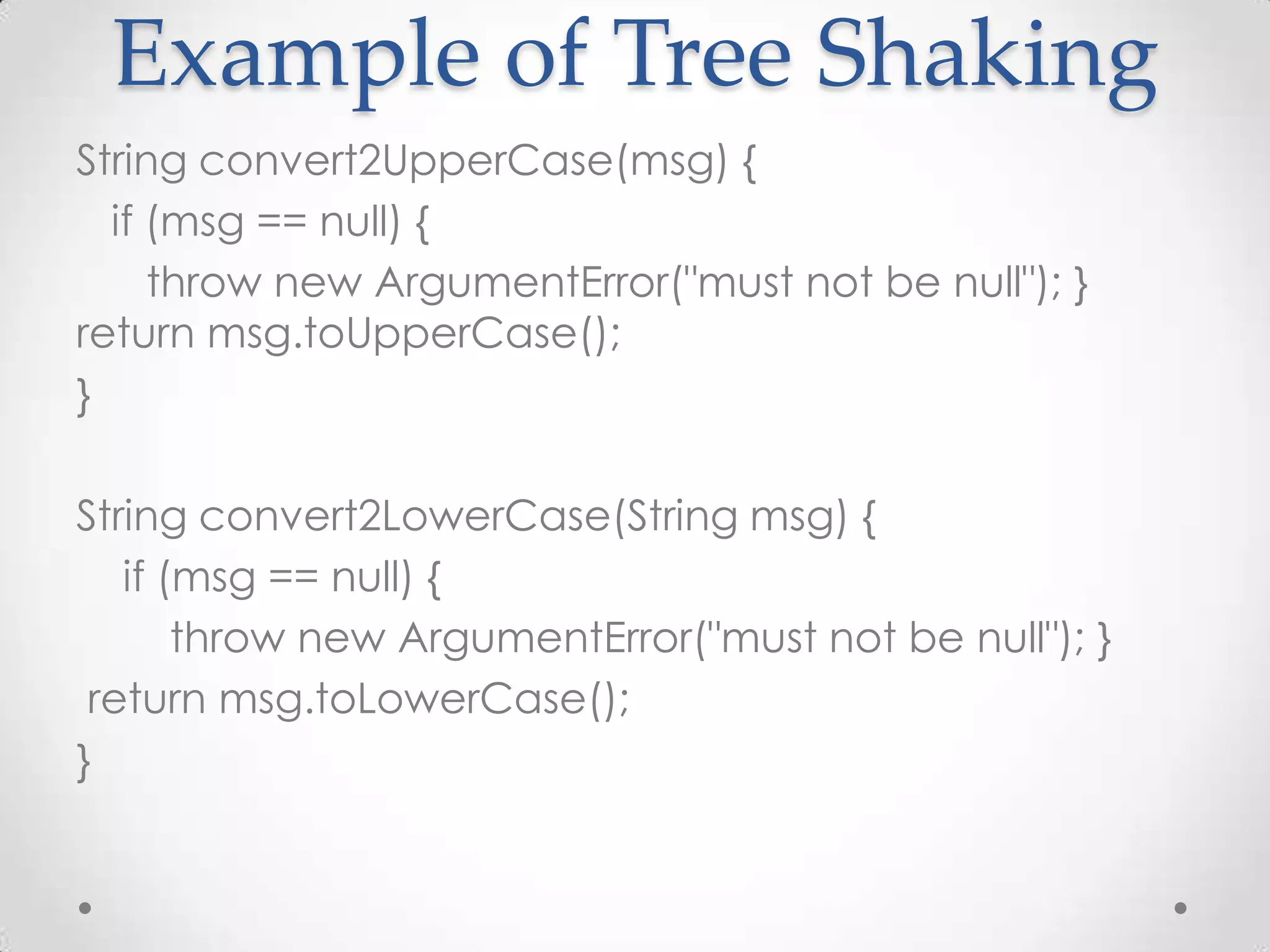
Example of Tree Shaking String convert2UpperCase(msg) { if (msg == null) { throw new ArgumentError("must not be null"); } return msg.toUpperCase(); } String convert2LowerCase(String msg) { if (msg == null) { throw new ArgumentError("must not be null"); } return msg.toLowerCase(); }
Example of Tree Shaking main() { var args = new Options().arguments; if (args.length == 0) { print("Usage: dart embiggen.dart phrase"); return; } var phrase = args[0]; print(convert2UpperCase(phrase)); }
After Tree Shaking dart2js --minify --output-type=dart embiggen.dart main() { var args=new Options().arguments; if (args.length == 0) { print("Usage: dart embiggen.dart phrase"); return; } var phrase=args[0]; print(convert2UpperCase(phrase)); } String convert2UpperCase (String msg) { if (msg == null) { throw new ArgumentError("must not be null"); } return msg.toUpperCase();
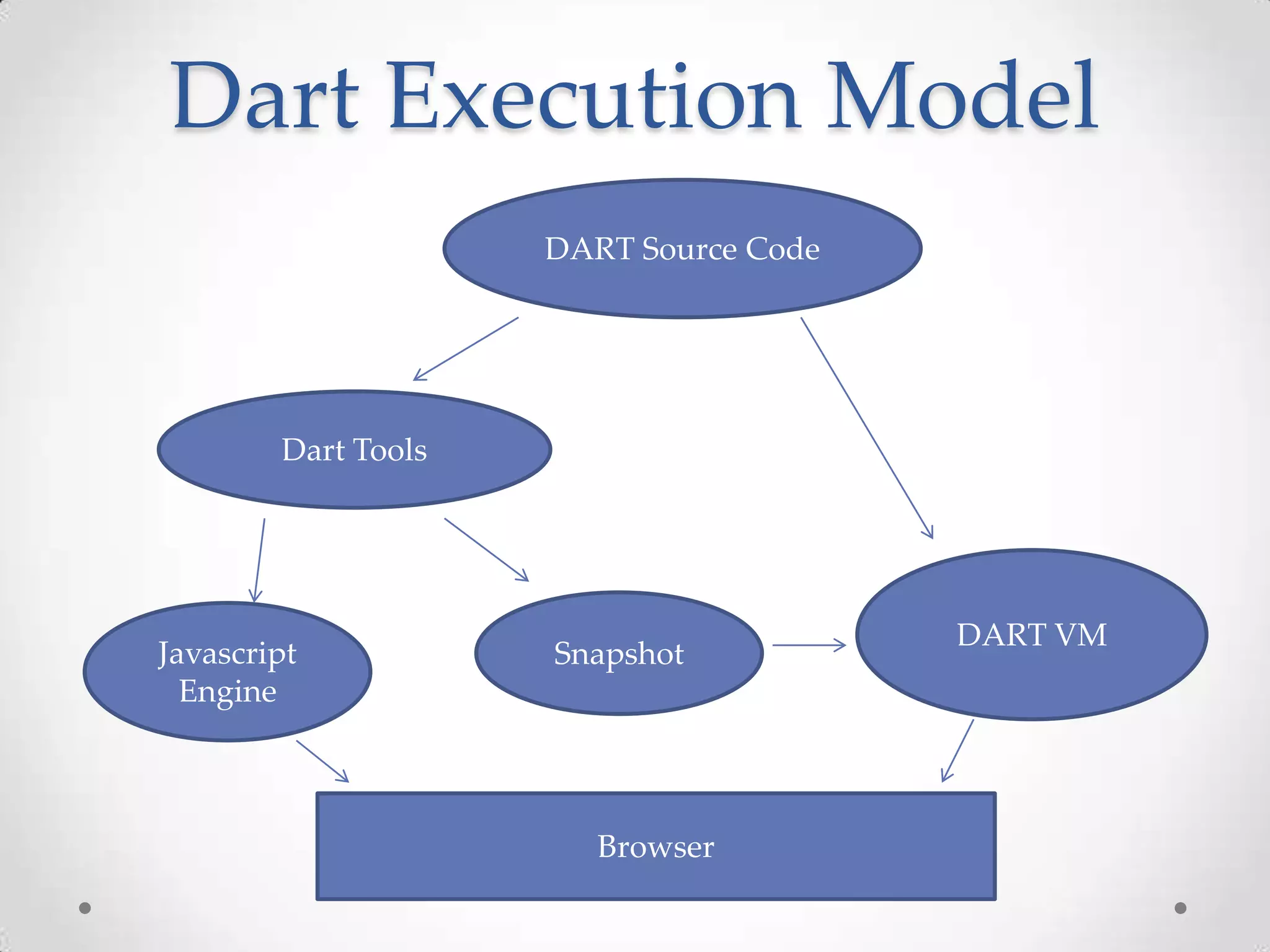
Dart Snapshot Model • a sequence of bytes that represents a serialized form of one or more Dart objects • Speeding up initial startup time • Passing objects from one to other isolate • A Full Snapshot • A Script Snapshot • Object Snapshot
Dart Execution Model DART Source Code Dart Tools DART VM Javascript Snapshot Engine Browser
Some Dart Bundled Libraries • Core lib • HTML • Crypto • JSON • Mirrors • UTF • Unit test and mocks • Math • Logging • URI • I18N • More……
Discussion • Why do i use DART instead of other flexible and structured languages? • Does IE, Mozillla, Apple accepts DART? • Hey javascript is proved itself. Why do i prefer another non-standart technology? • Google has also GWT? So why DART? • It aims to code on both server and client side. There is also node.js, so why DART?

Dartprogramming

  • 1.
  • 2.
    A Mystery Walkingin the DART Side Ali Parmaksız @parmaksiza March 19, 2013 ali.parmaksiz@eu.sony.com http://aliparmaksiz.blogspot.com/
  • 3.
    Agenda • Motivation • DART Language Properties • DART Compilation Cycle • Discussion
  • 4.
    Current WEB • GoodParts o Javascript is flexible and incremental development o Platform independent, write and runs everywhere o No installation of any application. • Bad Parts o Weak tool support o Writing large well-performing applications is hard o Difficult to document the intent o Backward compatibility o No static type o Unpredictable performance and results ( http://wtfjs.com/ )
  • 6.
    Dart is….. Structured Web Programming • New language • New tools • New libraries • Open source • Announced in early October 2011 • Being developed on dart.googlecode.com • Currently milestone version, technology preview…
  • 7.
    What is Dartas a Language ? • A simple, unsurprising OO language • Class based, single inheritance with interfaces • Optional static typing • Real lexical scoping and closures • Single threaded • Familiar syntax (to the Java[Script] developer)
  • 8.
    Dart Type Checker • Traditional Type Checker o Tries to prove program obey the rules o If checker finds a breaking rule concept, it considers program is invalid and becomes angry • GUILTY UNTIL YOU PROVEN INNOCENT • Dart is Different o INNOCENT UNTIL PROVEN YOUR GUILTY
  • 9.
    Optional Static Types •Increases the productivity of the developer • Communication to the other developer becomes more efficient • Machine code performance can be better
  • 10.
    Isolates • Operating processconcurrently • No shared-memory threads. • Code runs in isolates, which communicate via message passing • JavaScript Web Worker
  • 11.
    Isolates • The contentof a message can be any of the following o A primitive value (null, num, bool, double, String) o An instance of SendPort o A list or map whose elements are any of the above, including other lists and maps o An object of any type • ReceivePort as a <<port>> variable object • No isolate can see or manipulate values owned by another isolate.
  • 12.
    Isolates import 'dart:isolate'; runInIsolate() { print('hello from an isolate!'); } main() { spawnFunction(runInIsolate); // Note: incomplete. // Use a //ReceivePort (details below) to keep the root isolate alive // long enough for runInIsolate() to perform its work. }
  • 13.
    Isolates import 'dart:isolate'; echo() { port.receive((msg, reply) { print('I received: $msg'); }); } main() { var sendPort = spawnFunction(echo); sendPort.send('Hello from GDG Istanbul March'); }
  • 14.
    Isolates import 'dart:isolate'; echo() { port.receive((msg, reply) { print(msg); reply.send("Receiver, Ali Parmaksiz: What about tomorrow morning? :P"); }); } main() { var sendPort = spawnFunction(echo); sendPort.call("Sender, Murat Yener: Hey dude, when do we have a breakfast").then((reply) { print(reply); }); }
  • 15.
    Isolates import 'dart:isolate'; echo() { port.receive((msg, reply) { msg="Murat Yener: Hey dude, when will i prepare you a delicious breakfast :P"; print(msg); reply.send("Ali Parmaksiz: What about tomorrow morning? :P"); }); } main() { var sendPort = spawnFunction(echo); String message="Murat Yener: Hey dude, when do we have a breakfast"; sendPort.call(message).then((reply) { print(reply); print(message); }); }
  • 16.
    echo() { port.receive((msg,reply) { print(msg); String msgStr=msg; if(msgStr.startsWith("This is the second message")==true) { reply.send("Message is not changed, $msg "); } else { msg="message is changed inside isolate"; reply.send("Message is changed :P $msg"); } }); } main() { var sendPort = spawnFunction(echo); String message="This is the first message"; sendPort.call(message).then((reply) { print("reply comes 1st: $reply"); print("message comes 1st: $message"); }); message="This is the second message"; sendPort.call(message).then((reply) { print("reply comes 2nd: $reply"); print("message comes 2nd: $message"); }); }
  • 17.
    Mirror in Dart • Reflection is done via mirror objects. • dart2js, it is only taken the first baby steps toward a similar implementation import 'dart:mirrors'; class MyClass { int i, j; void my_method() { } int sum() => i + j; MyClass(this.i, this.j); static noise() => print("42"); static var s; } main() { MyClass myClass = new MyClass(3, 4); InstanceMirror myClassInstanceMirror = reflect(myClass); ClassMirror MyClassMirror = myClassInstanceMirror.type; for (var m in MyClassMirror.members.values) print(m.simpleName); MyClassMirror.invoke('noise', []); }
  • 18.
    Future in Dart • Handle asynchronous callback driven programs • Unlock the UI thread • Callbacks are typical ways to make UI responsive and keep expensive processes off the main thread Assume you have a code like below button.on.click.add((e) { button.on.click.add((e) { costlyQuery(); costlyQuery(() { expensiveWork(); expensiveWork(() { lengthyComputation(); lengthyComputation(() { print("done!"); print("done!"); }); }); }); }); }); void costlyQuery(); void costlyQuery(onComplete()); void expensiveWork(); void expensiveWork(onComplete()); void lengthyComputation() void lengthyComputation(onComplete());
  • 19.
    Future in Dart • The Completer The Completer makes it easy to create and signal when a Future is complete Future<Results> costlyQuery() { var completer = new Completer(); database.query("SELECT * FROM giant_table", (results) { // when complete completer.complete(results); }); // this returns essentially immediately, // before query is finished return completer.future; }
  • 20.
    Future in Dart main(){ var completer = new Completer<String>(); var future = completer.future; future.then((message) { print("Future completed with message: " + message); }); completer.complete("foo"); // ? completer.complete("bar"); ?// }
  • 21.
    Mixins • What ispurpose of mixins? • How they make developer's live easier? class Collection<E> { abstract Collection<E> newInstance(); Collection<E> map(f) ( var result = newInstance(); this.forEach((e){result.add(f(e))}); return result; } } class DOMElementList<E> mixin Collection<E> extends DOMList { DOMElementList<E> newInstance() { return new DOMElementList<E>; } }
  • 22.
    Web UI Package • Web Components o Template <div id="mytemplate" hidden> <template id="mytemplate"> <img src="logo.png"> <img src=""> <div class="comment"></div> <div class="comment"></div> </div> </template> var t = document.querySelector('#mytemplate'); t.content.querySelector('img').src = 'http://...'; document.body.appendChild(t.content.cloneNo de(true)); o Decorator o Shadow DOM o Custom DOM Element
  • 23.
    Data binding • One-waydata binding with DART o Embed data into your UI <html> <body> <div>Hello {{dataValue}}!</div> <script type="application/dart"> String dataValue; main() { var today = new DateTime.now(); dataValue = 'world ${today.year}-${today.month}-${today.day}'; } </script> </body> </html> • UI is up-to-date when the data’s value changes o watchers.dispatch();
  • 24.
    Data binding • WatcherDart Library ( Direct invocation) <html> <body> <div>Hello counter: {{count}}</div> <script type="application/dart"> import 'dart:html'; import 'package:web_ui/watcher.dart' as watchers; int count; main() { count = 0; window.setInterval(() { count++; watchers.dispatch(); }, 1000); } </script> </body> </html>
  • 25.
    Data binding • Two way data-binding o DOM element’s value is to be kept in sync with the value of a Dart variable (an input box or a check box) <html> <body> <div> Input: <input type="text" bind-value="str" placeholder="type something here"> <div> Value: {{str}}</div> <div> Length: {{str.length}}</div> </div> <script type="application/dart"> String str = ''; main() {} </script> </body> </html>
  • 26.
    Data binding • Conditionals <template if="langChoice != null && !langChoice.isEmpty"> <div> <h3>{{ langChoice }}</h3> <code><pre>{{ example }}</pre></code> </div> </template>
  • 27.
    <div> <span>Search for something:</span> <input type="text" bind-value="query"> <div> <template instantiate='if noMatches'> <span>No matches</span> </template> <template instantiate='if !noMatches'> <span>Top results:</span> </template> </div> <div> <ul> <template iterate='fruit in results'> <li>{{fruit}}</li> </template> </ul> </div> </div> <script type="application/dart"> String query = ''; List<String> fruits = const [ 'Apple', 'Apricot', 'Avocado', 'Banana', 'Blackberry', 'Blackcurrant', 'Blueberry', 'Currant', 'Cherry‘]; List<String> get results { var lQuery = query.toLowerCase(); var res = fruits.where((v) => v.toLowerCase().contains(lQuery)); return (res.length <= 20) ? res.toList() : (res.take(20).toList()..add('... and many more')); } bool get noMatches => results.isEmpty; main() {} </script>
  • 28.
    Event Listeners <html> <body> <div> <button on-click="increment()">Click me</button> <span>(click count: {{count}})</span> </div> <script type="application/dart"> int count = 0; void increment(e) { count++; } main() {} </script> </body> </html>
  • 29.
    <html> Web Components <body> <element name="x-click-counter" constructor="CounterComponent" extends="div"> <template> <button on-click="increment()">Click me </button> <span>(click count: {{count}})</span> </template> <script type="application/dart"> import 'package:web_ui/web_ui.dart'; class CounterComponent extends WebComponent { int count = 0; void increment(e) { count++; } } </script> </element> </body> </html>
  • 30.
    Web Component • Instantiatingand passing data <html> <body> <!-- ... element declared as above --> <div is="x-click-counter"></div> <script type="application/dart"> main(){} </script> </body> </html>
  • 31.
    Web Component • Instantiatingand passing data <html> <body> <!-- ... element declared as above --> <div is="x-click-counter" count="{{myNumber}}"></div> <div is="x-click-counter" count="{{5}}"></div> <script type="application/dart"> int myNumber = 12; main(){} </script> </body> </html>
  • 32.
    Web Components • Passingchild nodes to components
  • 33.
    Web Components • Importingweb components <html> <head> <link rel="components" href="clickcounter.html"> </head> <body> <div is="x-click-counter" count="{{myNumber}}"></div> <div is="x-click-counter" count="{{5}}"></div> <script type="application/dart"> int myNumber = 12; main(){} </script> </body> </html>
  • 34.
    Dart in ServerSide • RESTful web services that send and receive data encoded as JSON • dart:html library and parsing JSON data using the dart:json • HttpRequest API && XMLHttpRequest • Let’s investigate in some code….
  • 35.
    Dart Tree Shaking •Minification, but why? • Pruning unused code? • Shake it !!!!!!! func1 main ? func2
  • 36.
    Example of TreeShaking String convert2UpperCase(msg) { if (msg == null) { throw new ArgumentError("must not be null"); } return msg.toUpperCase(); } String convert2LowerCase(String msg) { if (msg == null) { throw new ArgumentError("must not be null"); } return msg.toLowerCase(); }
  • 37.
    Example of TreeShaking main() { var args = new Options().arguments; if (args.length == 0) { print("Usage: dart embiggen.dart phrase"); return; } var phrase = args[0]; print(convert2UpperCase(phrase)); }
  • 38.
    After Tree Shaking dart2js --minify --output-type=dart embiggen.dart main() { var args=new Options().arguments; if (args.length == 0) { print("Usage: dart embiggen.dart phrase"); return; } var phrase=args[0]; print(convert2UpperCase(phrase)); } String convert2UpperCase (String msg) { if (msg == null) { throw new ArgumentError("must not be null"); } return msg.toUpperCase();
  • 39.
    Dart Snapshot Model •a sequence of bytes that represents a serialized form of one or more Dart objects • Speeding up initial startup time • Passing objects from one to other isolate • A Full Snapshot • A Script Snapshot • Object Snapshot
  • 40.
    Dart Execution Model DART Source Code Dart Tools DART VM Javascript Snapshot Engine Browser
  • 41.
    Some Dart Bundled Libraries • Core lib • HTML • Crypto • JSON • Mirrors • UTF • Unit test and mocks • Math • Logging • URI • I18N • More……
  • 42.
    Discussion • Why do i use DART instead of other flexible and structured languages? • Does IE, Mozillla, Apple accepts DART? • Hey javascript is proved itself. Why do i prefer another non-standart technology? • Google has also GWT? So why DART? • It aims to code on both server and client side. There is also node.js, so why DART?