Building APIs in an easy way using API Platform Paula Čučuk, Antonio Perić-Mažar 30.08.2017., #websc
Paula Čučuk Software Developer paula@locastic.com
 @paulala_14
Antonio Perić-Mažar CEO, Software Developer antonio@locastic.com @antonioperic
Locastic • We help clients create amazing web and mobile apps (since 2011) • mobile development • web development • UX/UI • Training and Consulting • Shift Conference, Symfony Croatia • www.locastic.com @locastic
Why API?
The web has changed • Javascript webapps are standard (SPA) • Users spend more time on using mobile devices than desktop or TV. • Linked Data and the semantic web are a reality
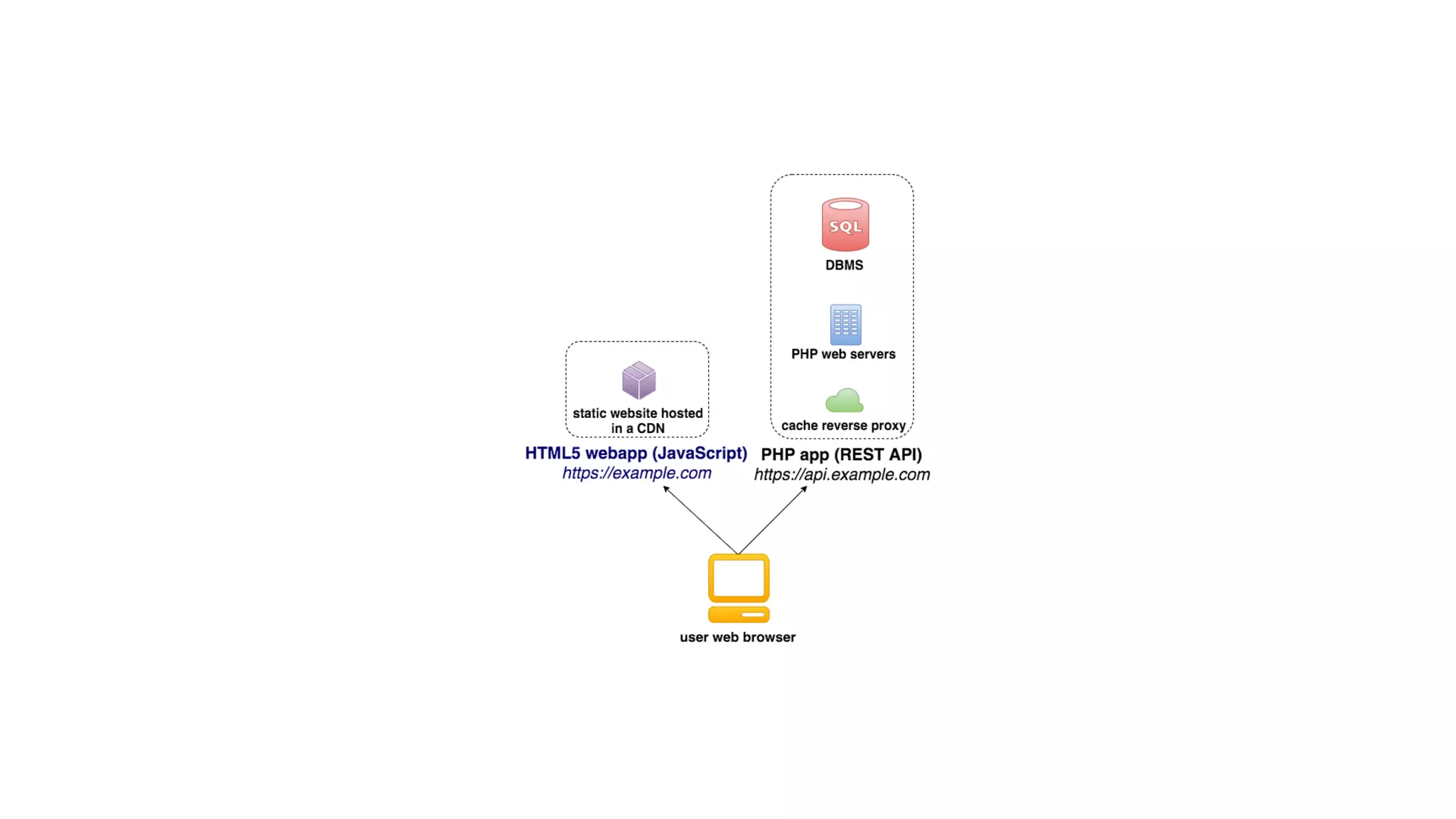
APIs are the heart of this new web • Central point to access data (R/W data) • Encapsulate business logic • Same data and same features for desktops, mobiles, TVs and etc • It is stateless (PHP Sessions make horizontal scaling harder)
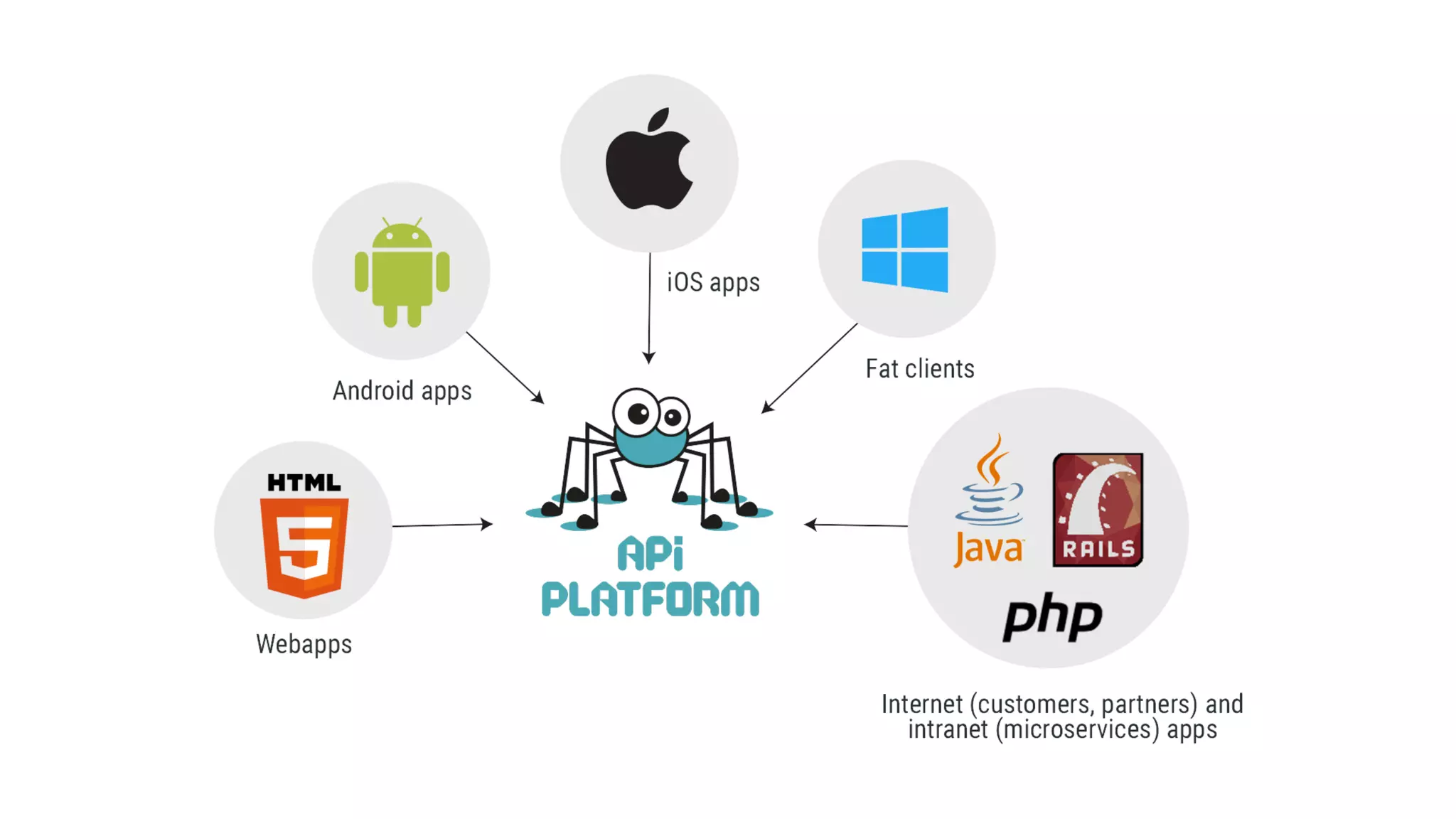
Client Apps • HTML5 (SPA), mobile apps, TVs, Cars etc. • Holds all the presentation logic • Is downloaded first (SPA, shell model) • Queries the API to retrieve and modify data using AJAX • Is 100% composed of HTML, JavaScript and assets (CSS and etc) • Can be hosted on a CDN
Immediate benefits • Speed (even on mobile) • Scalability and robustness • Development comfort • Long term benefits
Immediate benefits • Speed (even on mobile) • Scalability and robustness • Development comfort • Long term benefits • … and no, SEO and SMO are no more drawbacks
Formats, standards, patterns
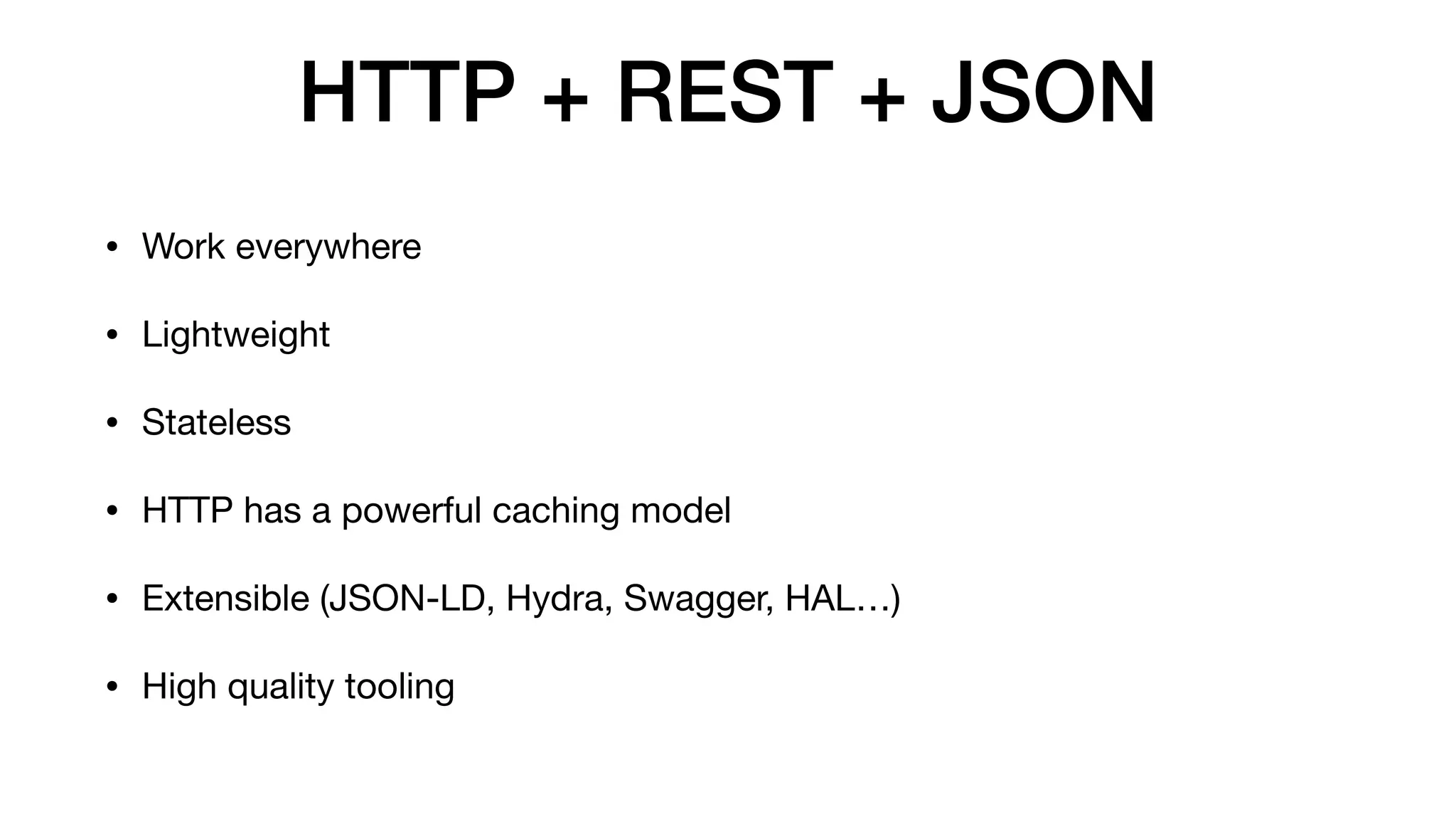
HTTP + REST + JSON • Work everywhere • Lightweight • Stateless • HTTP has a powerful caching model • Extensible (JSON-LD, Hydra, Swagger, HAL…) • High quality tooling
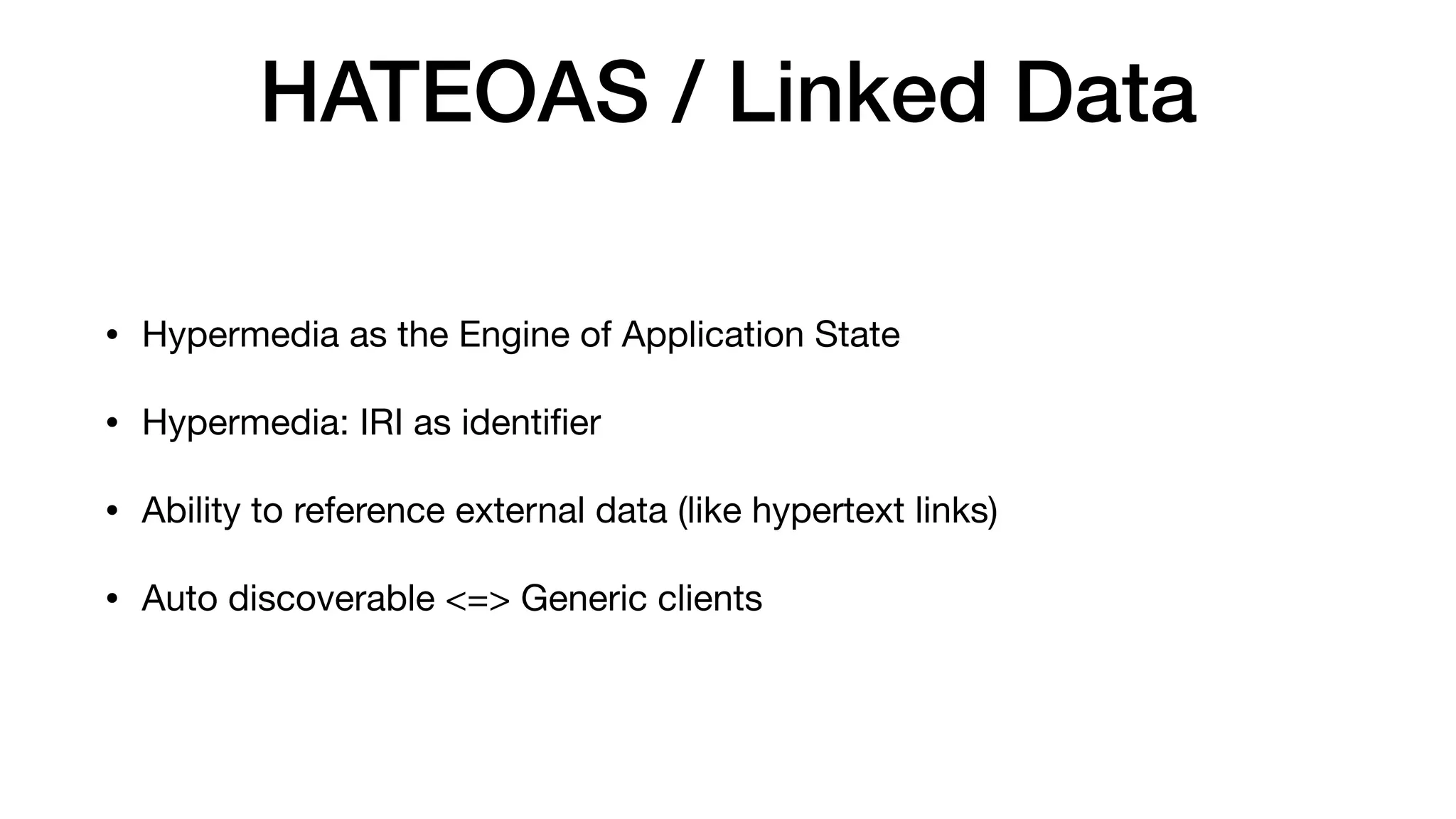
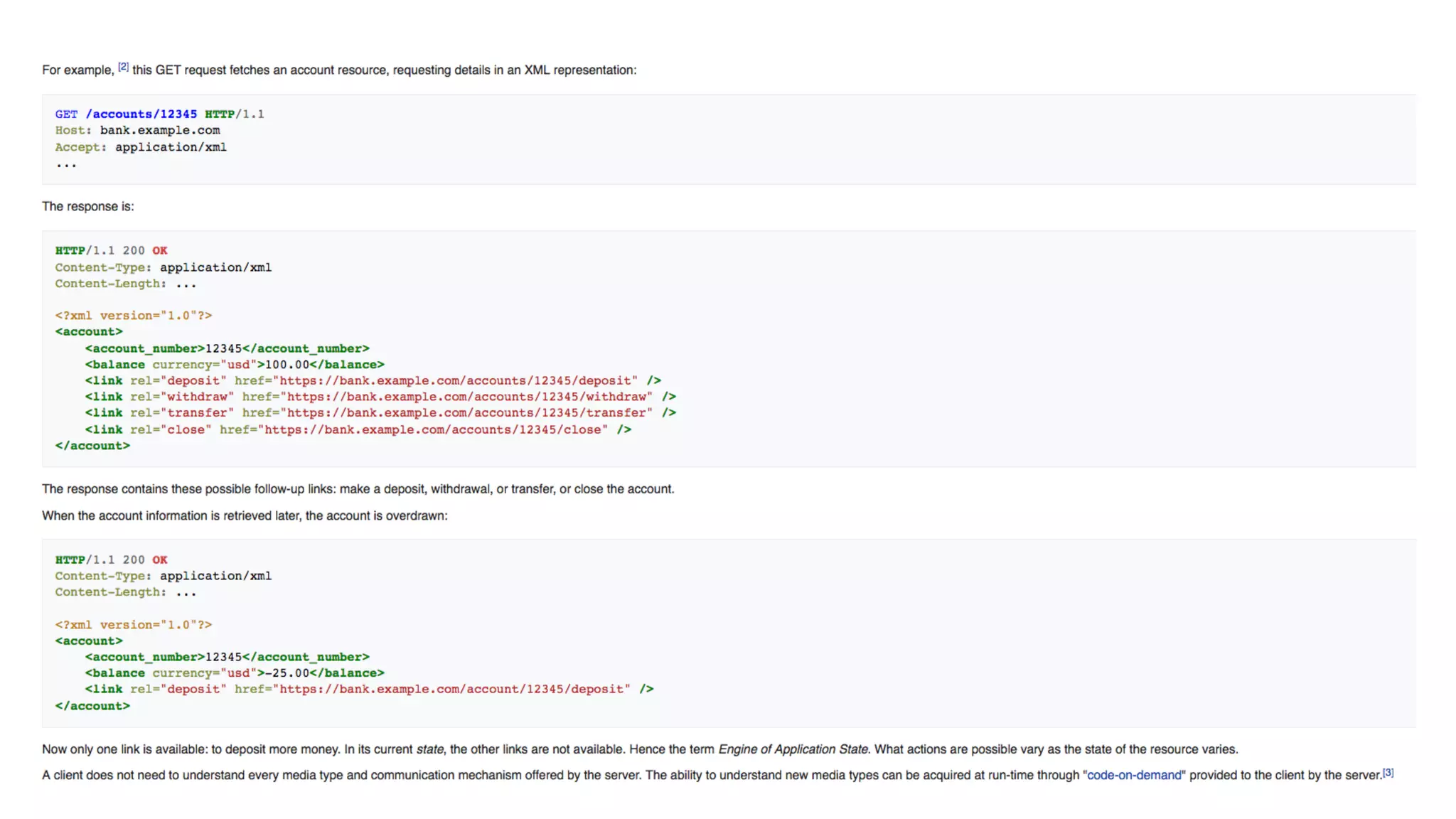
HATEOAS / Linked Data • Hypermedia as the Engine of Application State • Hypermedia: IRI as identifier • Ability to reference external data (like hypertext links) • Auto discoverable <=> Generic clients
JSON-LD (JSON for Linked Data) • Standard: W3C recommandation (since 2014) • Machine readable data • Easy to use: looks like a typical JSON document • Already used by Gmail, GitHub, BBC, Microsoft, US gov… • Compliant with technologies of the semantic web: RDF, SPARQL, triple store… • Good for SEO
Hydra • Describe REST APIs in JSON-LD • = write support • = auto-discoverable APIs • = standard for collections, paginations, errors, filters • Draft W3C (Work In Progress)
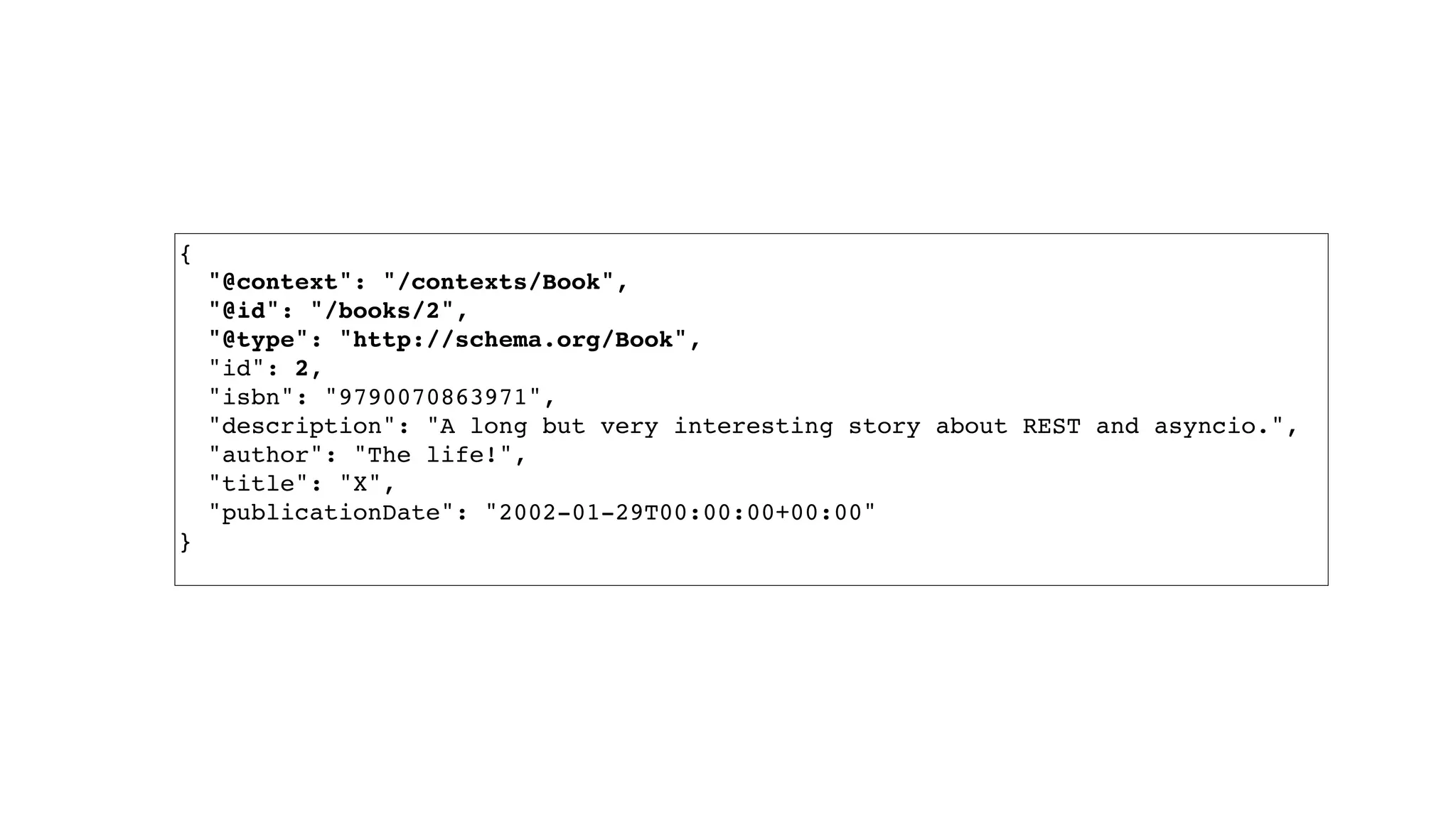
{ "@context": "/contexts/Book", "@id": "/books/2", "@type": "http://schema.org/Book", "id": 2, "isbn": "9790070863971", "description": "A long but very interesting story about REST and asyncio.", "author": "The life!", "title": "X", "publicationDate": "2002-01-29T00:00:00+00:00" }
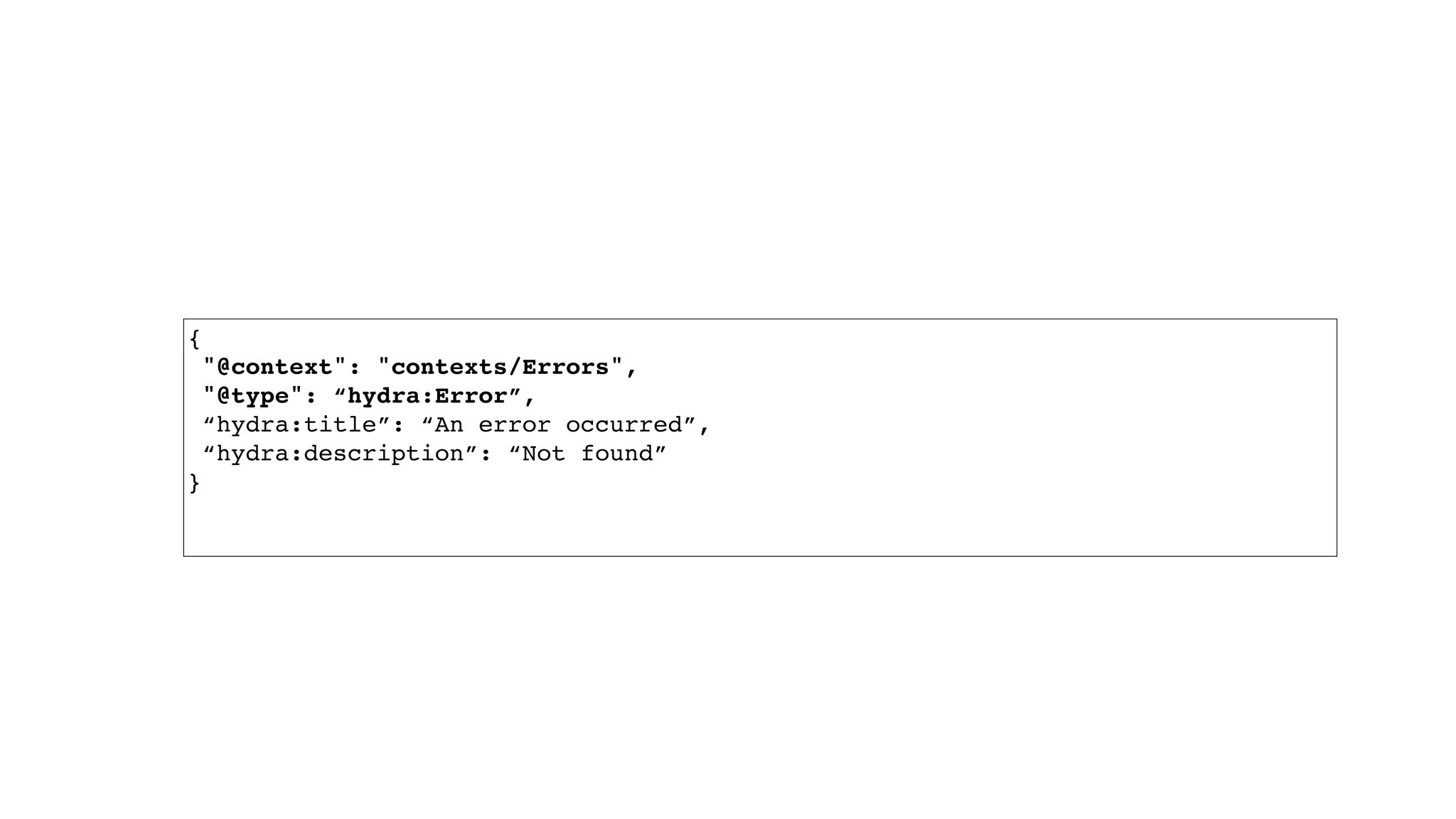
{  "@context": "contexts/Errors",  "@type": “hydra:Error”, “hydra:title”: “An error occurred”, “hydra:description”: “Not found” }
{ "@context": "/contexts/Book", "@id": "/books", "@type": "hydra:Collection", "hydra:member": [ { "@id": "/books/2", "@type": "http://schema.org/Book", "id": 2, "isbn": "9790070863971", "description": "A long but very interesting story about REST and asyncio.", "author": "The life!", "title": "X", "publicationDate": "2002-01-29T00:00:00+00:00" }, … { "@id": "/books/31", "@type": "http://schema.org/Book", "id": 31, "isbn": "9791943452827", "description": "Tempora voluptas ut dolorem voluptates. Provident natus ipsam fugiat est ipsam quia. Sint mollitia sed facere qui sit. Ad iusto molestias iusto autem laboriosam nulla earum eius.", "author": "Miss Gladyce Nader I", "title": "Voluptas doloremque esse dolor qui illo placeat harum voluptatem.", "publicationDate": "1970-10-11T00:00:00+00:00" } ], "hydra:totalItems": 125, "hydra:view": { "@id": "/books?page=1", "@type": "hydra:PartialCollectionView", "hydra:first": "/books?page=1", "hydra:last": "/books?page=5", "hydra:next": "/books?page=2" } }
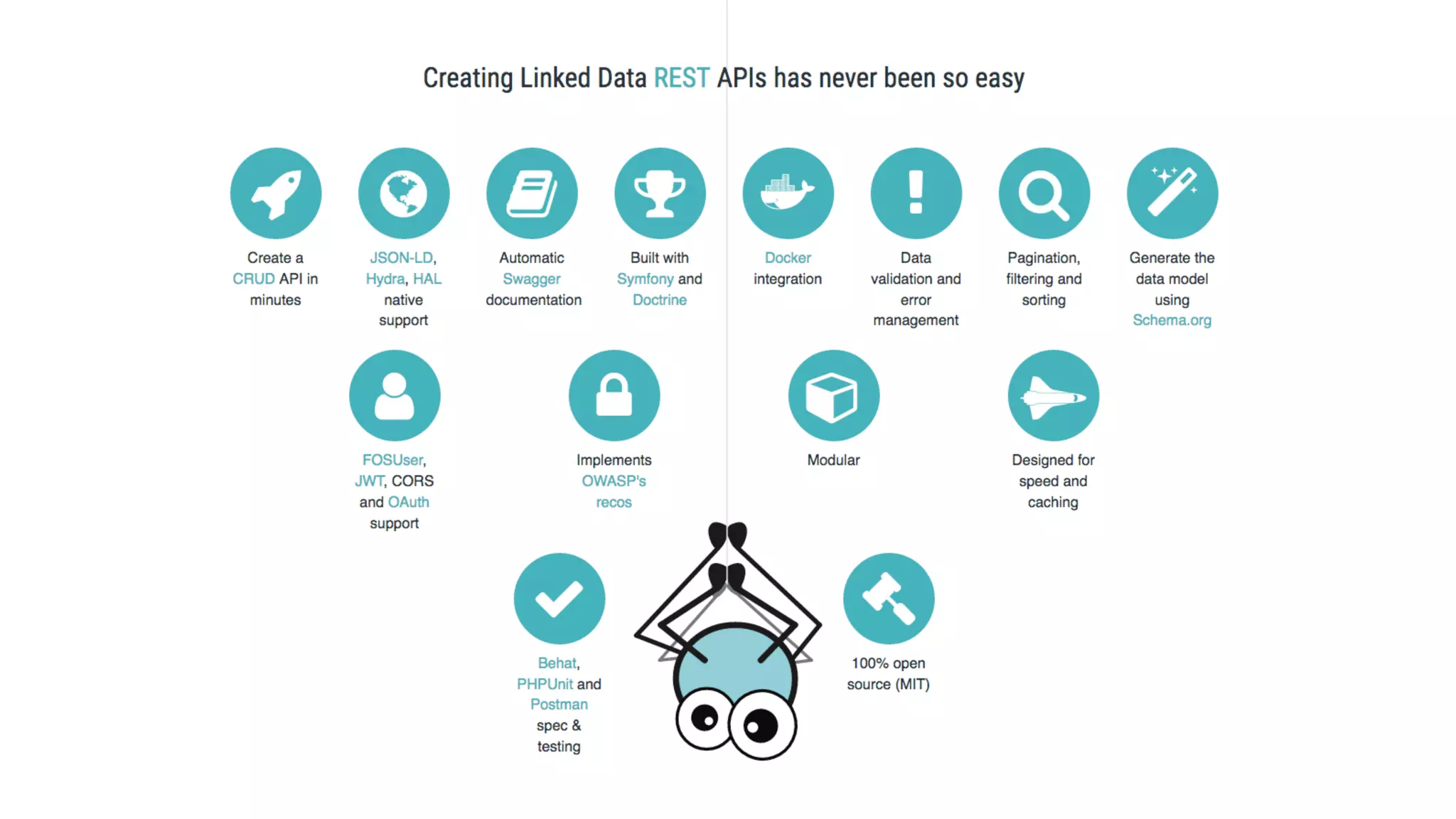
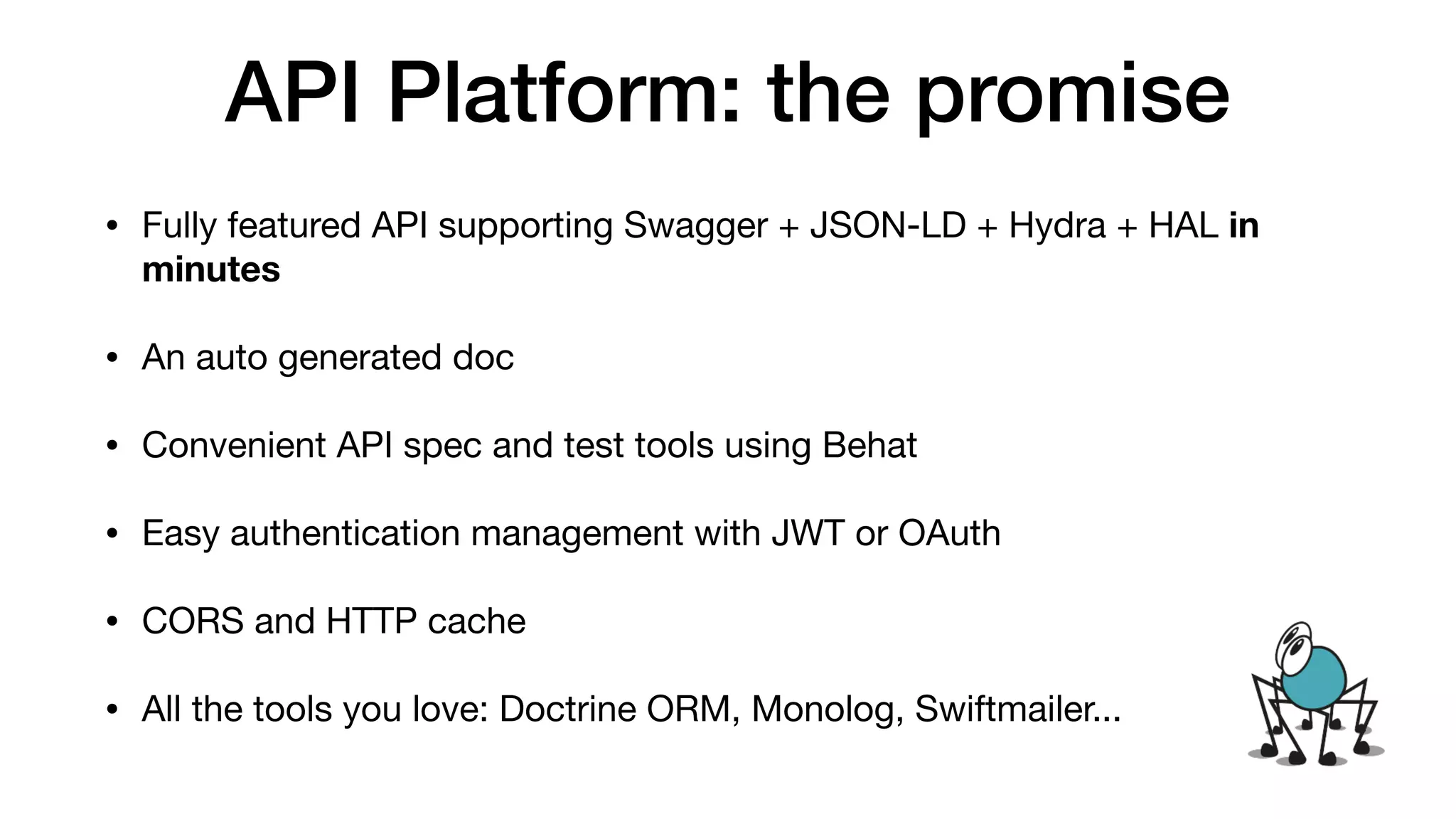
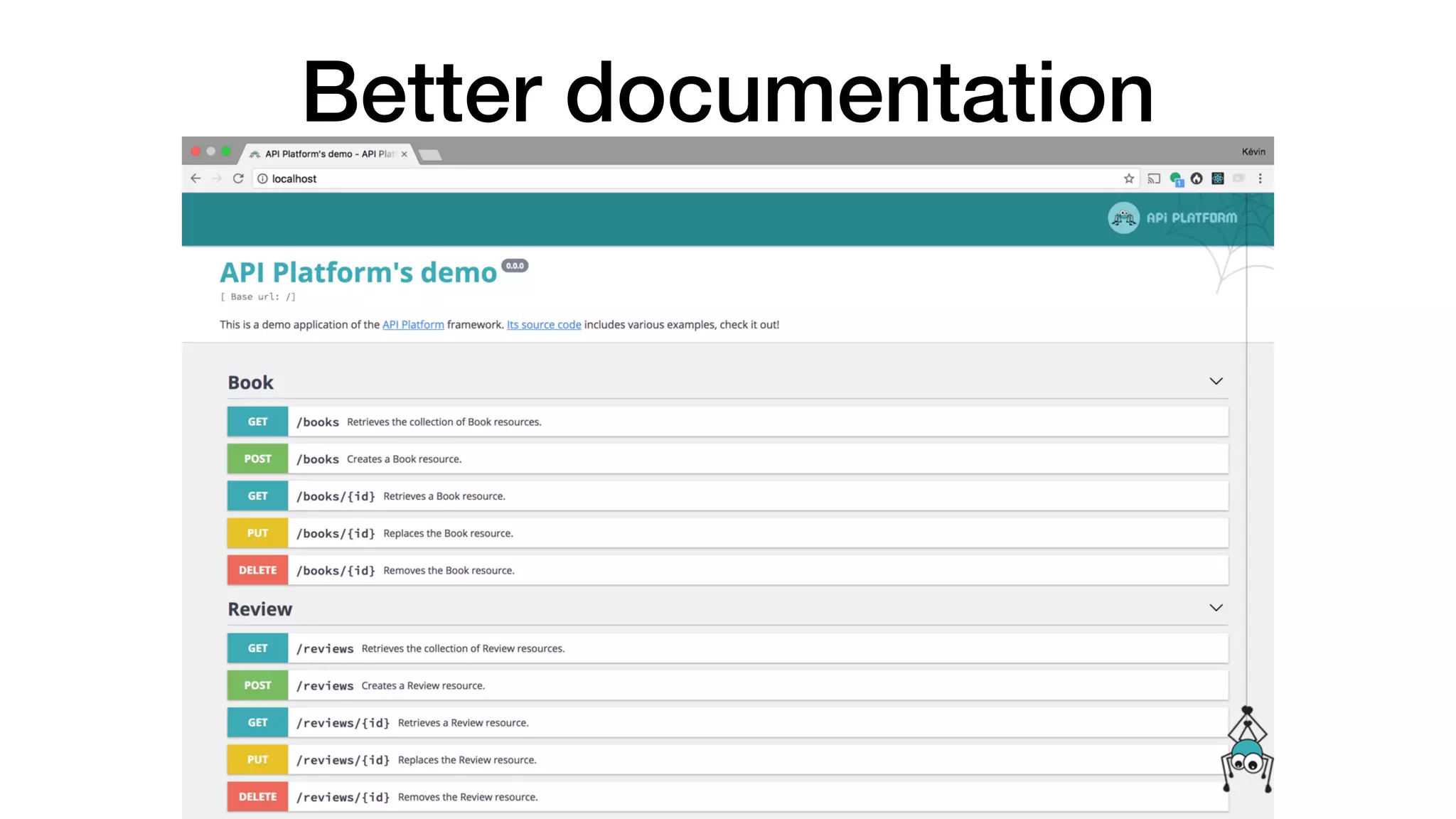
API Platform: the promise • Fully featured API supporting Swagger + JSON-LD + Hydra + HAL in minutes • An auto generated doc • Convenient API spec and test tools using Behat • Easy authentication management with JWT or OAuth • CORS and HTTP cache • All the tools you love: Doctrine ORM, Monolog, Swiftmailer...
API Platform <3 Symfony • Built on top of Symfony full-stack • Install any existing SF bundles • Follow SF Best Practices • Use your Symfony skills • Can be used in your existing SF app • (Optional) tightly integrated with Doctrine
Features • CRUD • Filters • Serializations groups and relations • Validation • Pagination • The event system • Content Negotion • Extensions • HTTP and reverse proxy caching • JS Admin apps • etc
Coding session https://github.com/locastic/wscAPI2017
Ping Pong Score keeping API
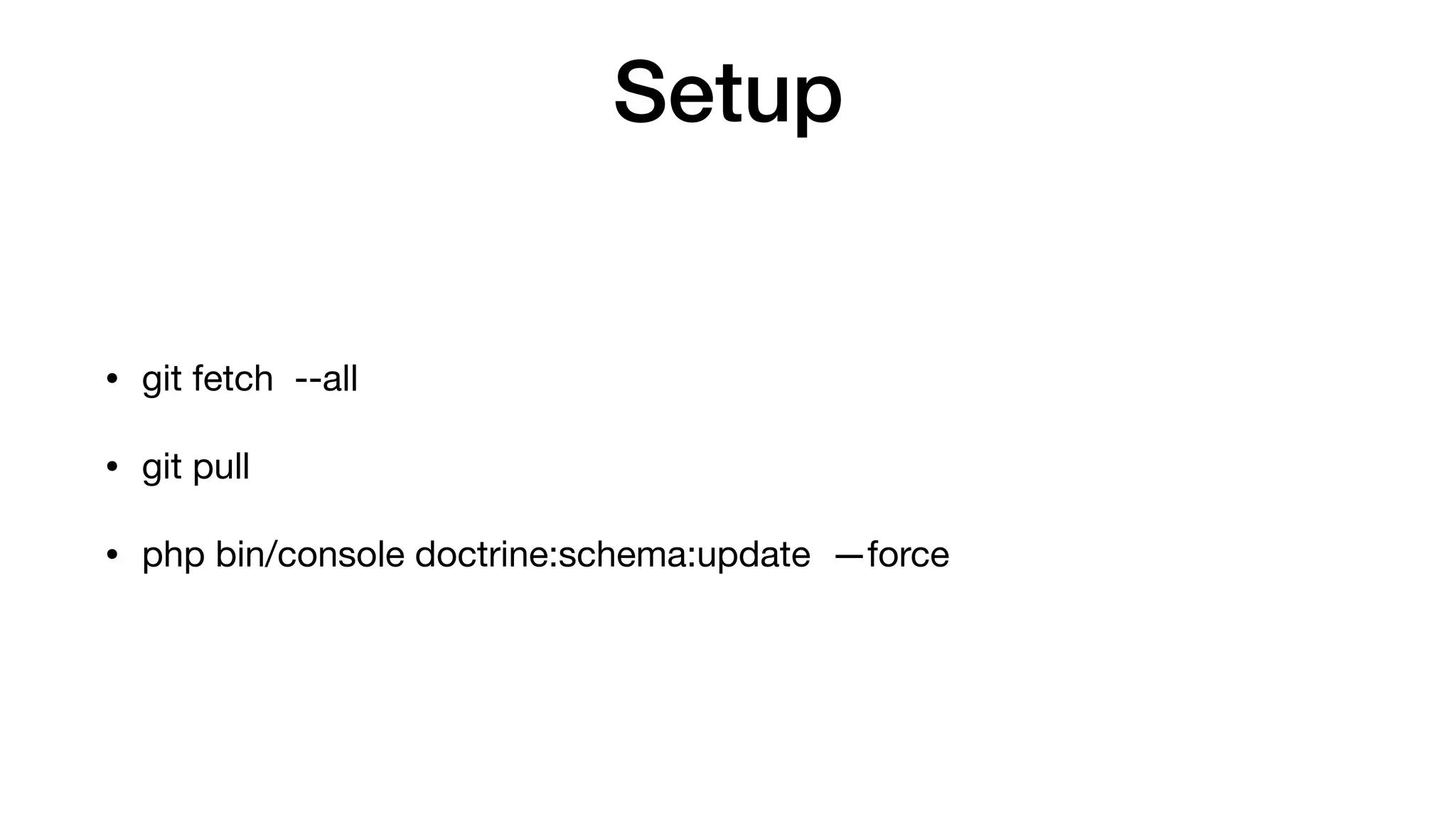
Setup $ git fetch --all $ git pull $ php bin/console doctrine:schema:update —force
#1 Task Player CRUD
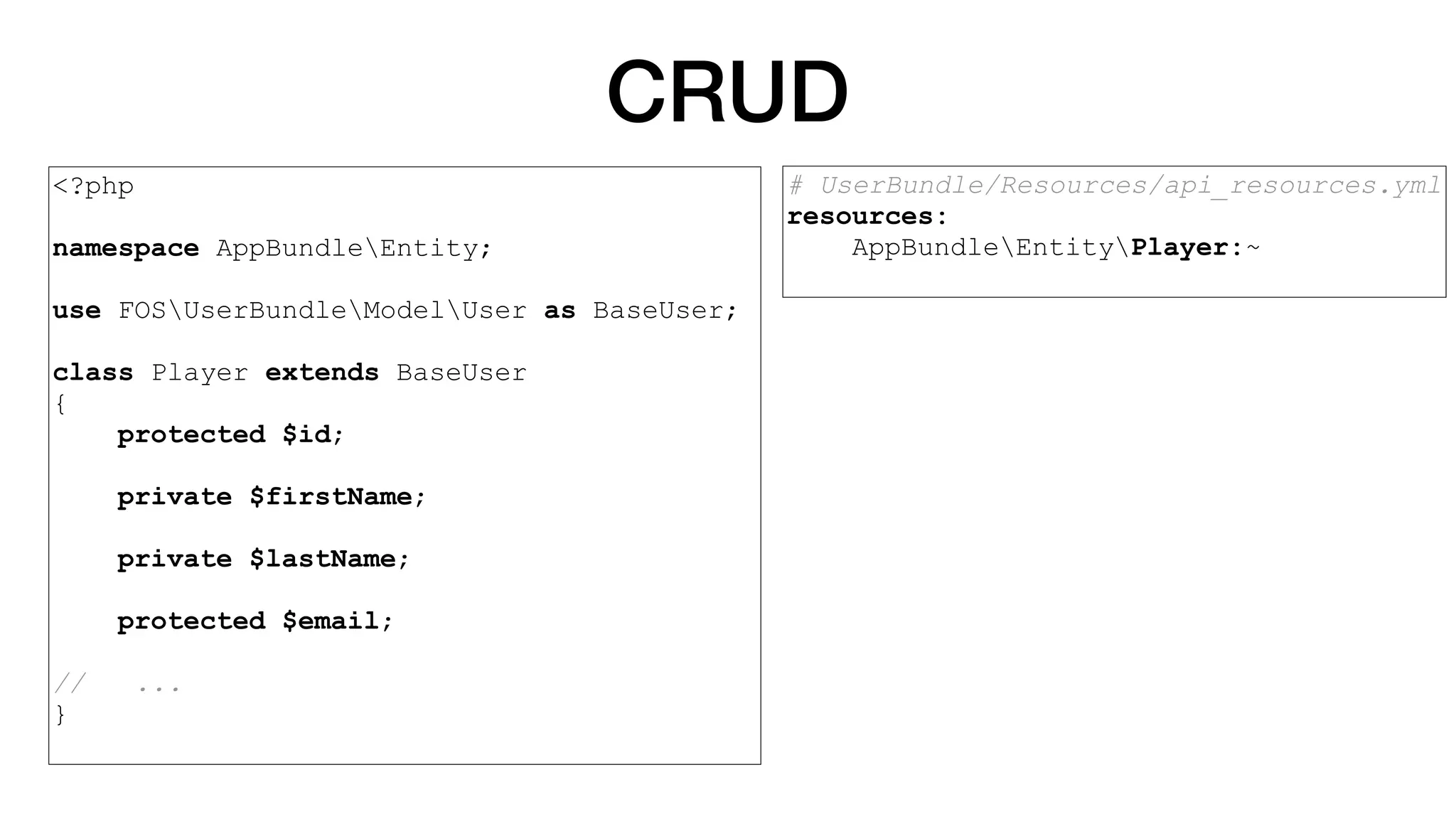
CRUD <?php namespace AppBundleEntity; use FOSUserBundleModelUser as BaseUser; class Player extends BaseUser { protected $id; private $firstName; private $lastName; protected $email; // ... } # UserBundle/Resources/config/ api_resources/resources.yml resources: AppBundleEntityPlayer:~
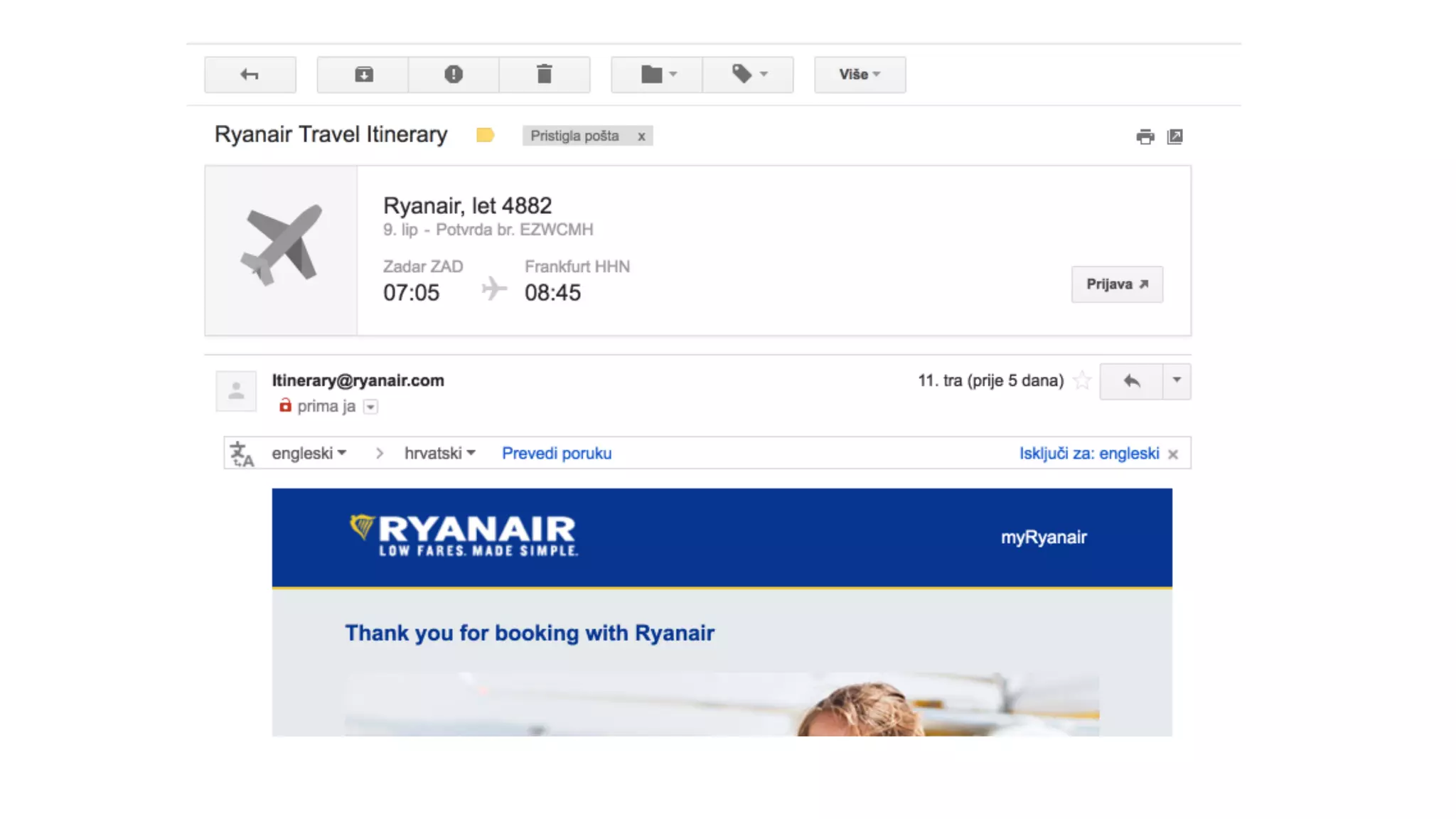
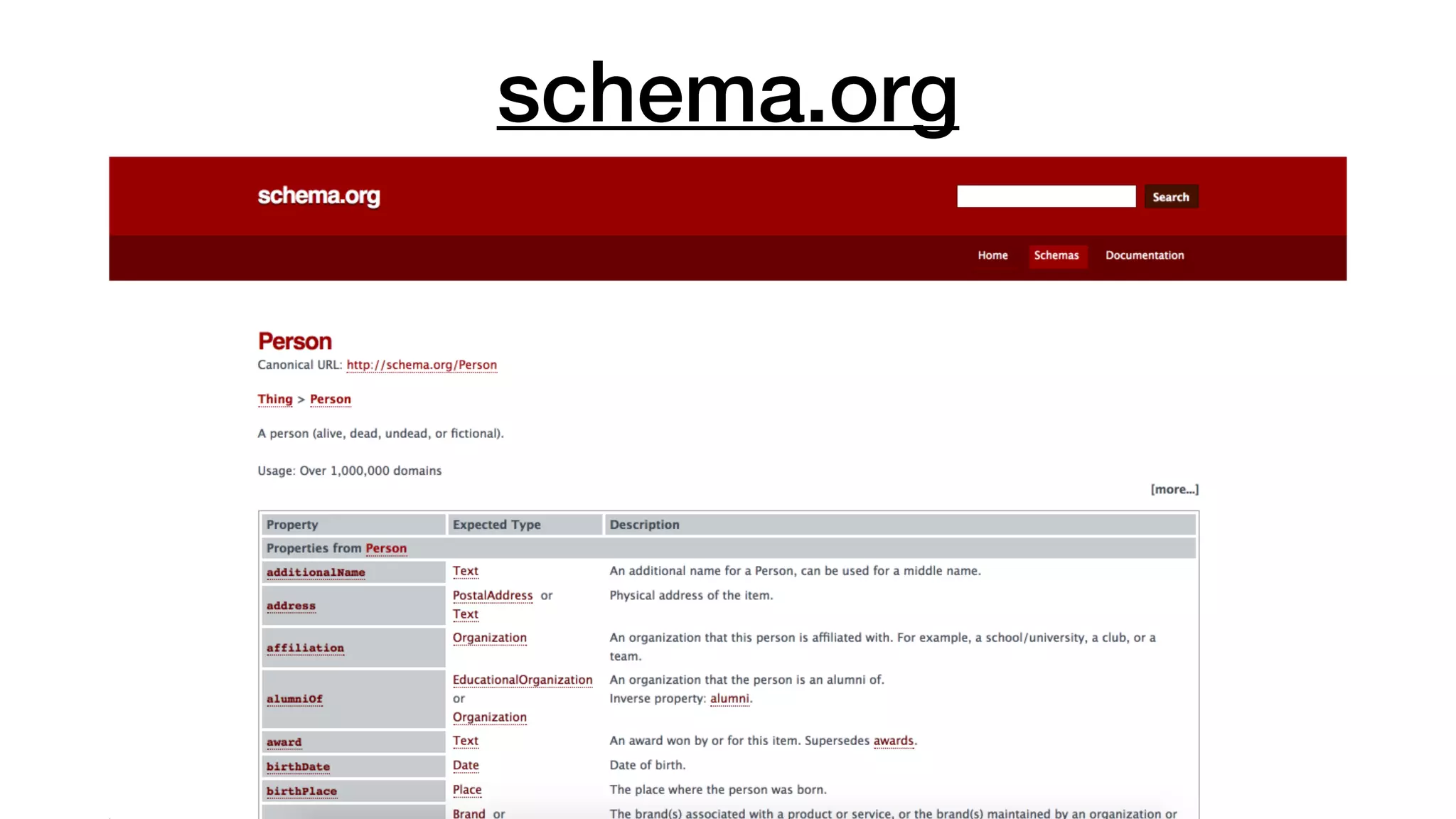
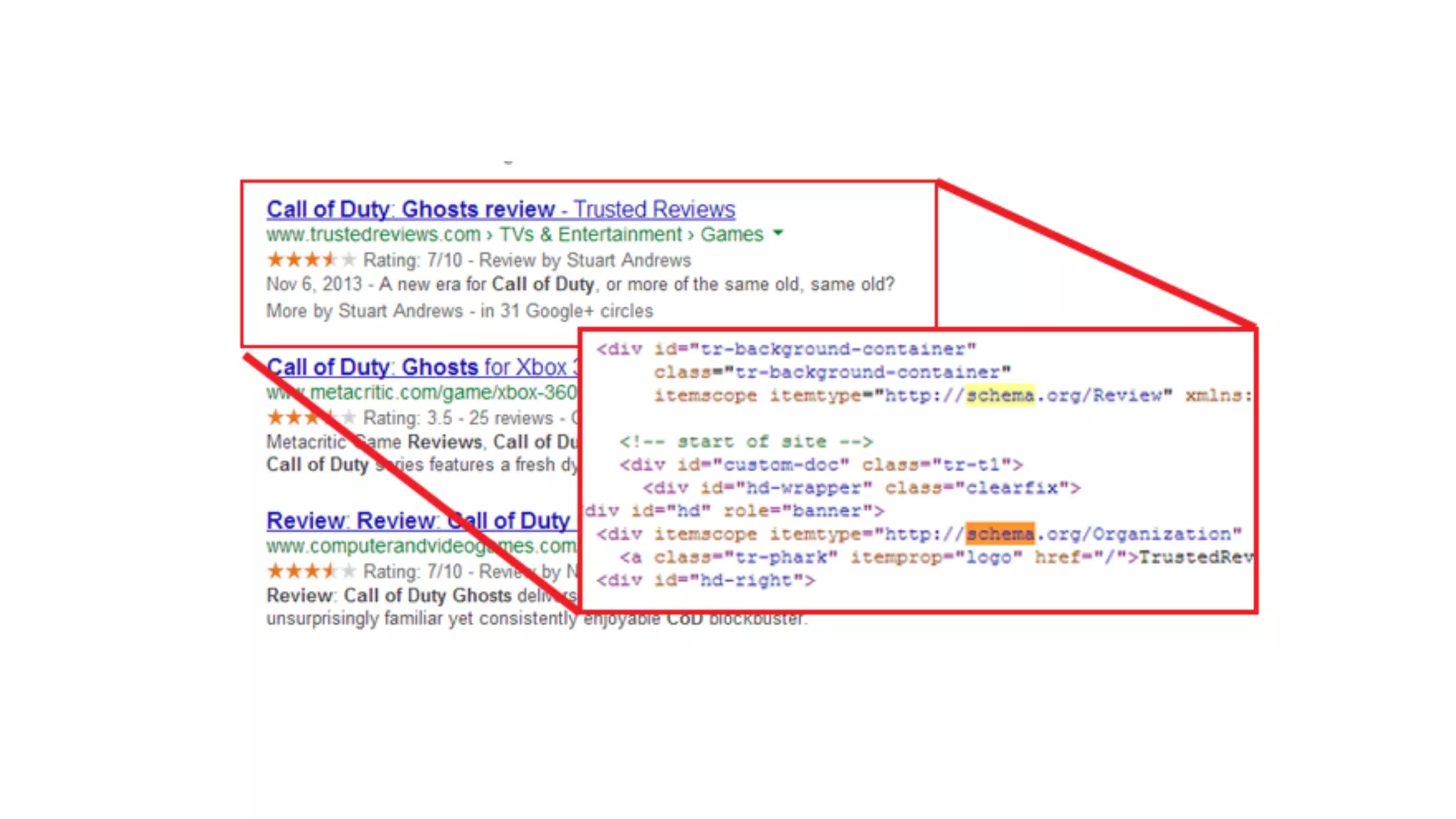
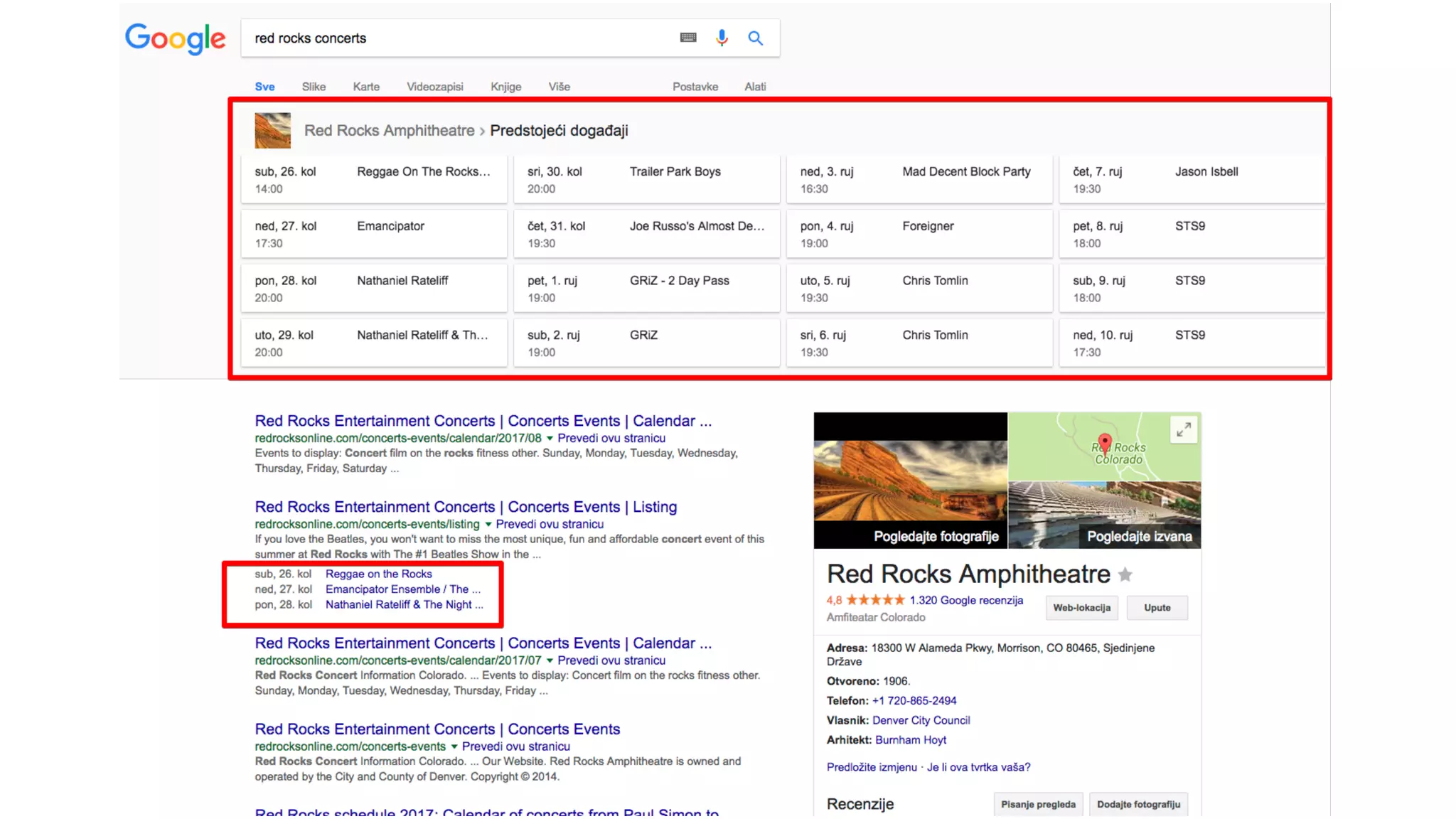
schema.org
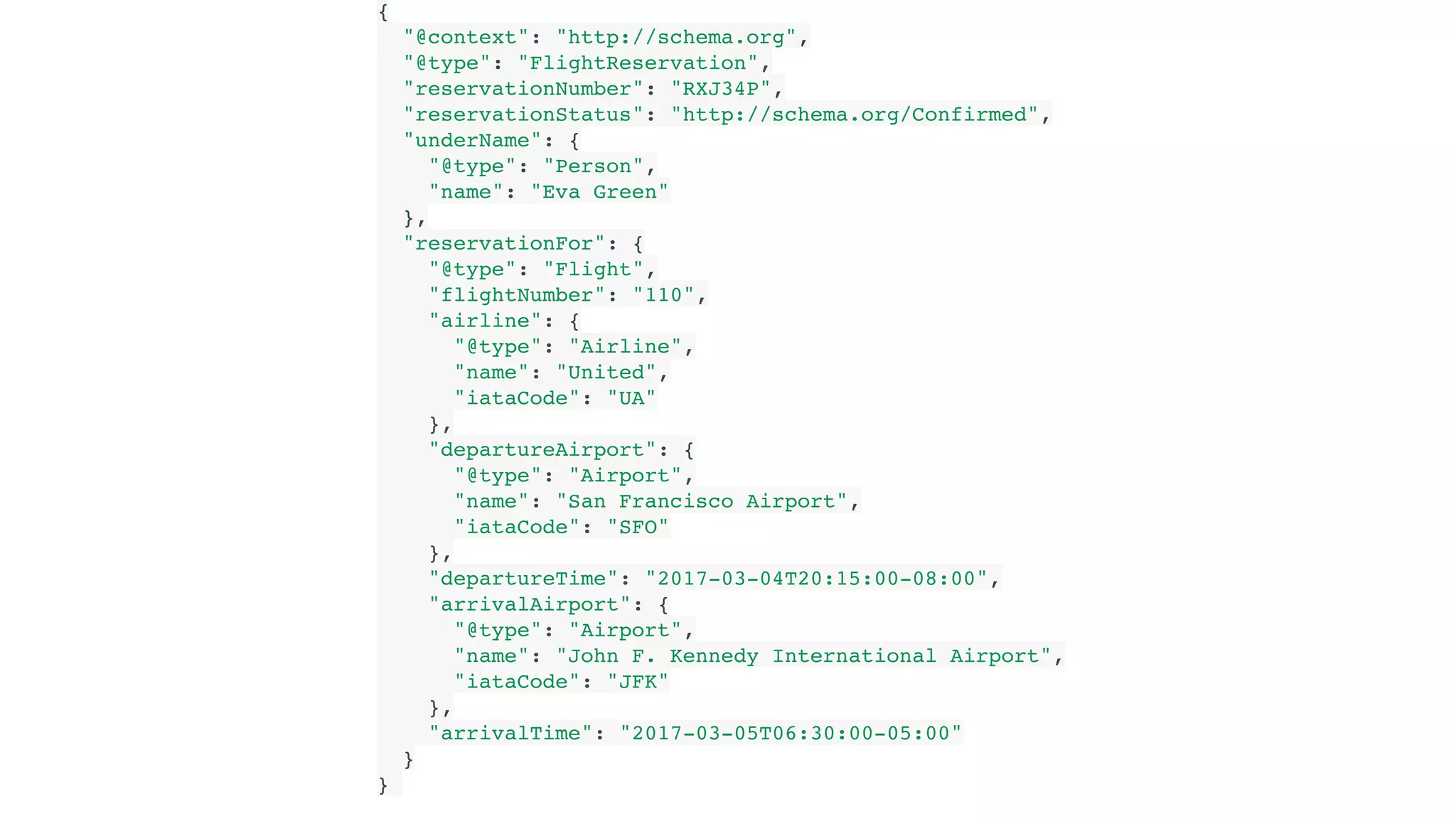
{   "@context": "http://schema.org",   "@type": "FlightReservation",   "reservationNumber": "RXJ34P",   "reservationStatus": "http://schema.org/Confirmed",   "underName": {     "@type": "Person",     "name": "Eva Green"   },   "reservationFor": {     "@type": "Flight",     "flightNumber": "110",     "airline": {       "@type": "Airline",       "name": "United",       "iataCode": "UA"     },     "departureAirport": {       "@type": "Airport",       "name": "San Francisco Airport",       "iataCode": "SFO"     },     "departureTime": "2017-03-04T20:15:00-08:00",     "arrivalAirport": {       "@type": "Airport",       "name": "John F. Kennedy International Airport",       "iataCode": "JFK"     },     "arrivalTime": "2017-03-05T06:30:00-05:00"   } }
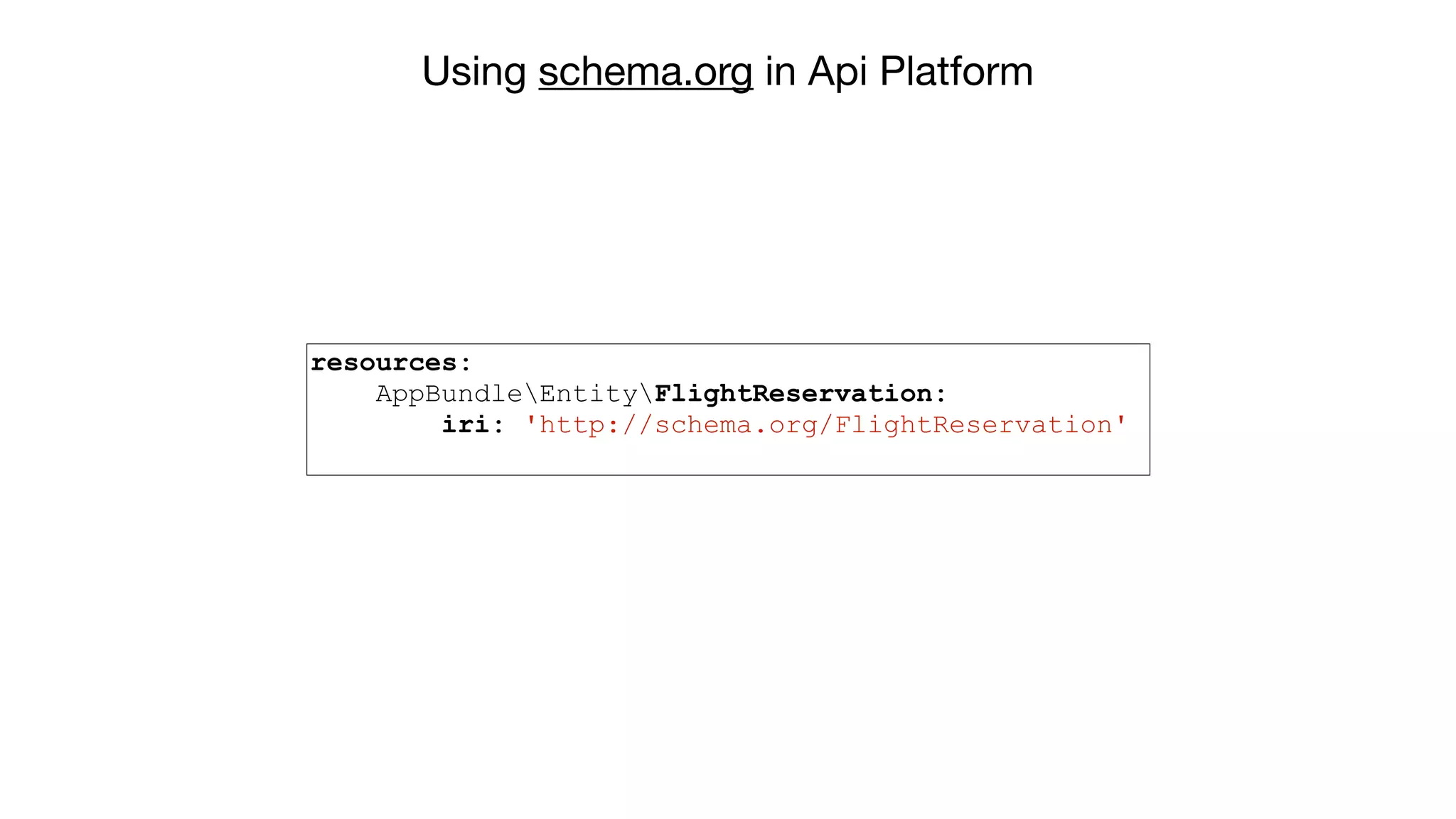
Using schema.org in Api Platform resources: AppBundleEntityFlightReservation: iri: 'http://schema.org/FlightReservation'
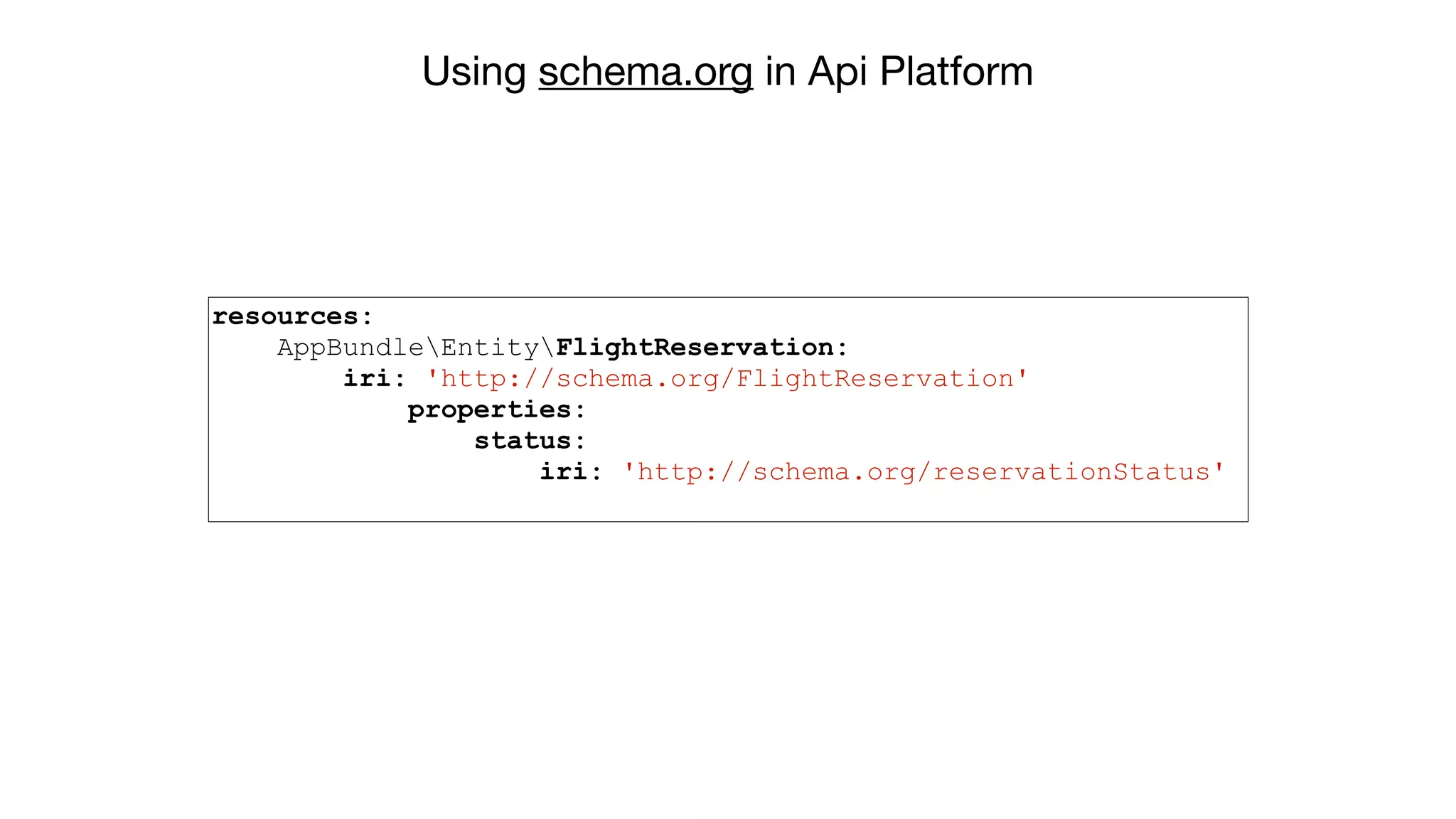
Using schema.org in Api Platform resources: AppBundleEntityFlightReservation: iri: 'http://schema.org/FlightReservation' properties: status: iri: 'http://schema.org/reservationStatus'
Your turn! #1 Task
#2 Task Add serialization & deserialization groups to Player
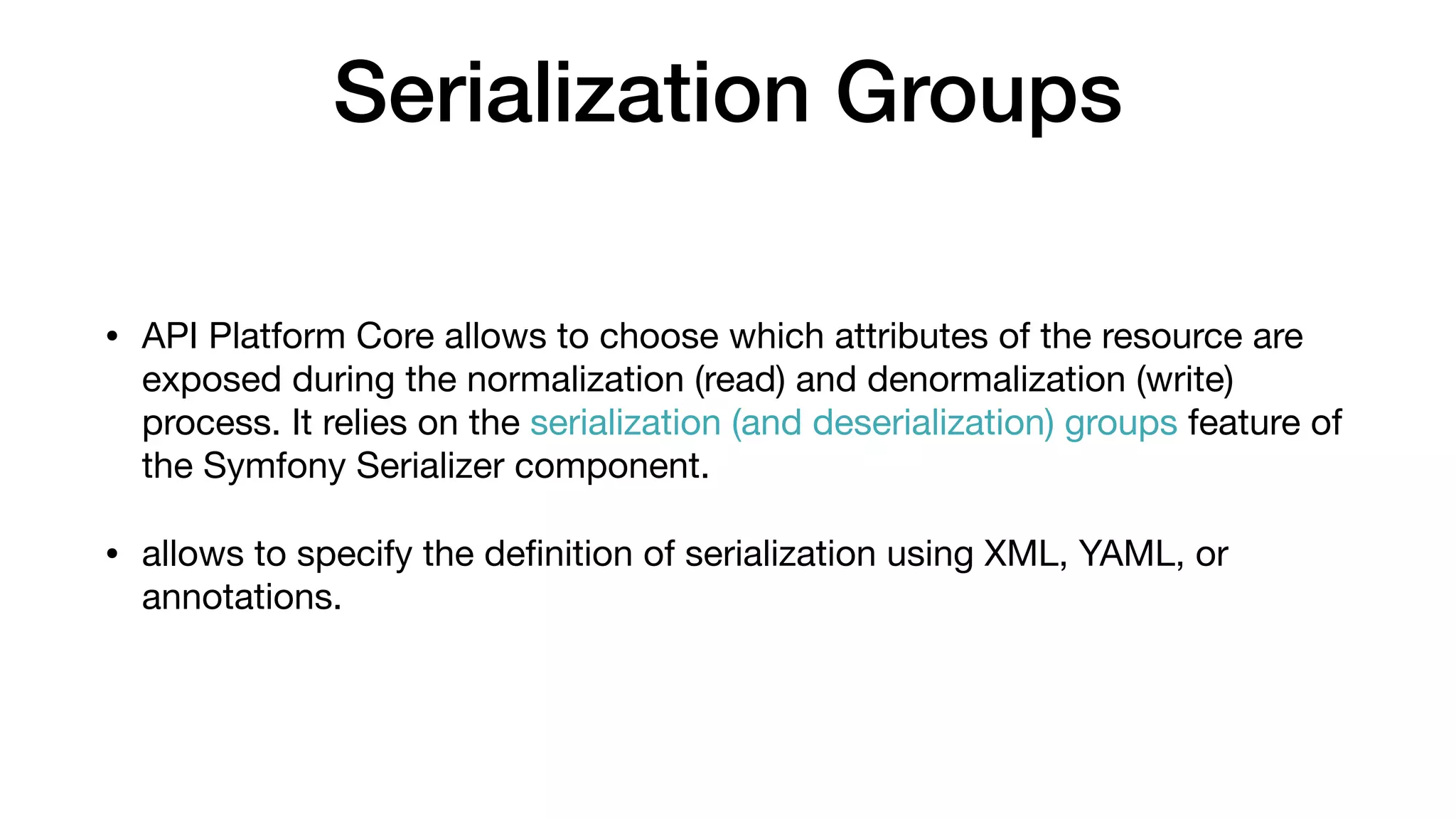
Serialization Groups • API Platform Core allows to choose which attributes of the resource are exposed during the normalization (read) and denormalization (write) process. It relies on the serialization (and deserialization) groups feature of the Symfony Serializer component. • allows to specify the definition of serialization using XML, YAML, or annotations.
Serialization Groups
<?php namespace AppBundleEntity; use FOSUserBundleModelUser as BaseUser; use SymfonyComponentSerializerAnnotationGroups; class Player extends BaseUser { /** * @var int */ protected $id; /** * @Groups({"player_read", "player_write"}) */ private $firstName; /** * @Groups({"player_read", "player_write"}) */ private $lastName; /** * @Groups({"player_read", "player_write"}) */ protected $email; // ... } # UserBundle/Resources/api_resources/resources.yml resources: AppBundleEntityPlayer: attributes: normalization_context: groups: ['player_read'] denormalization_context: groups: ['player_write']
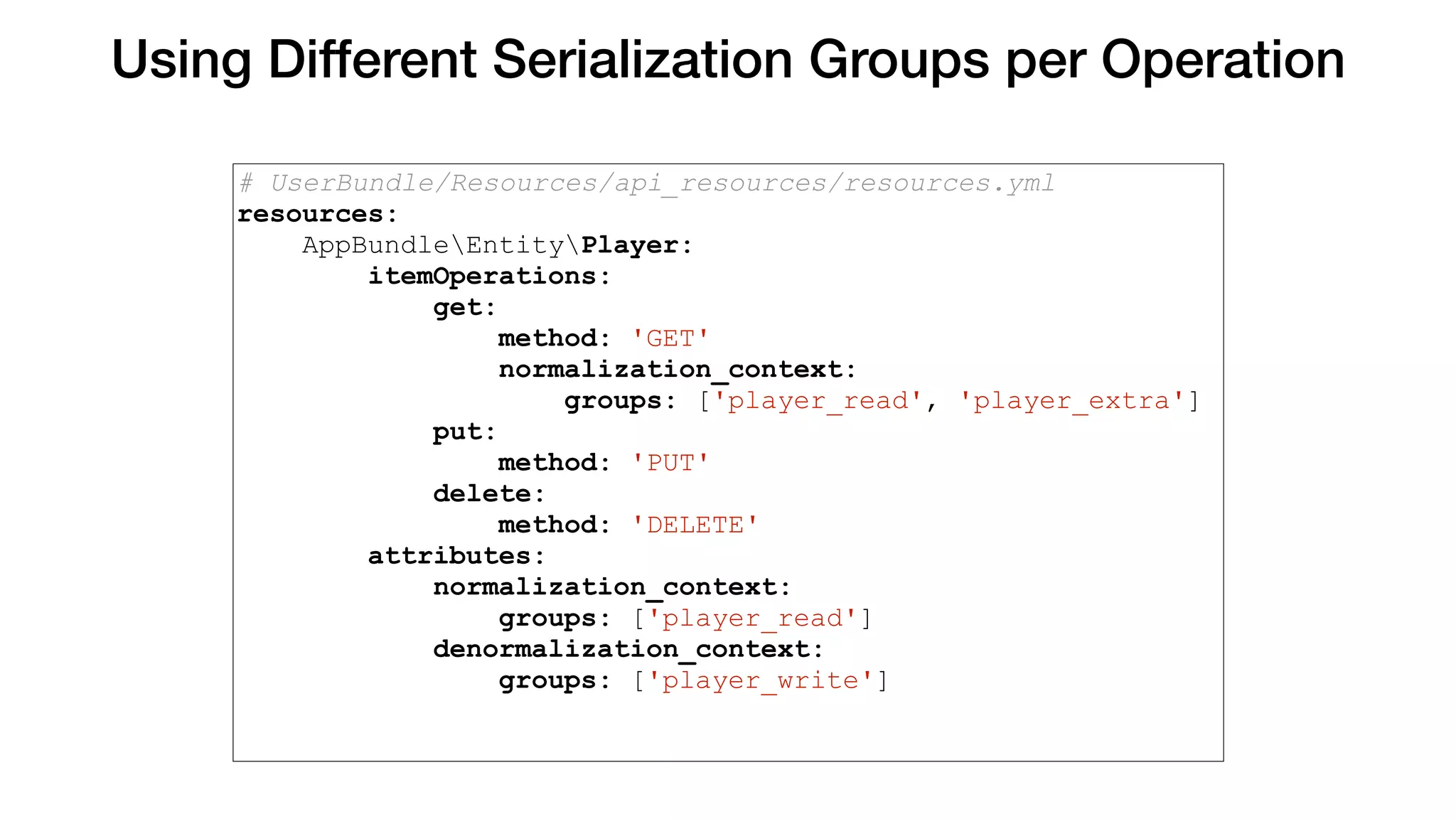
Using Different Serialization Groups per Operation # UserBundle/Resources/api_resources/resources.yml resources: AppBundleEntityPlayer: itemOperations: get: method: 'GET' normalization_context: groups: ['player_read', 'player_extra'] put: method: 'PUT' delete: method: 'DELETE' attributes: normalization_context: groups: ['player_read'] denormalization_context: groups: ['player_write']
Your turn! #2 Task
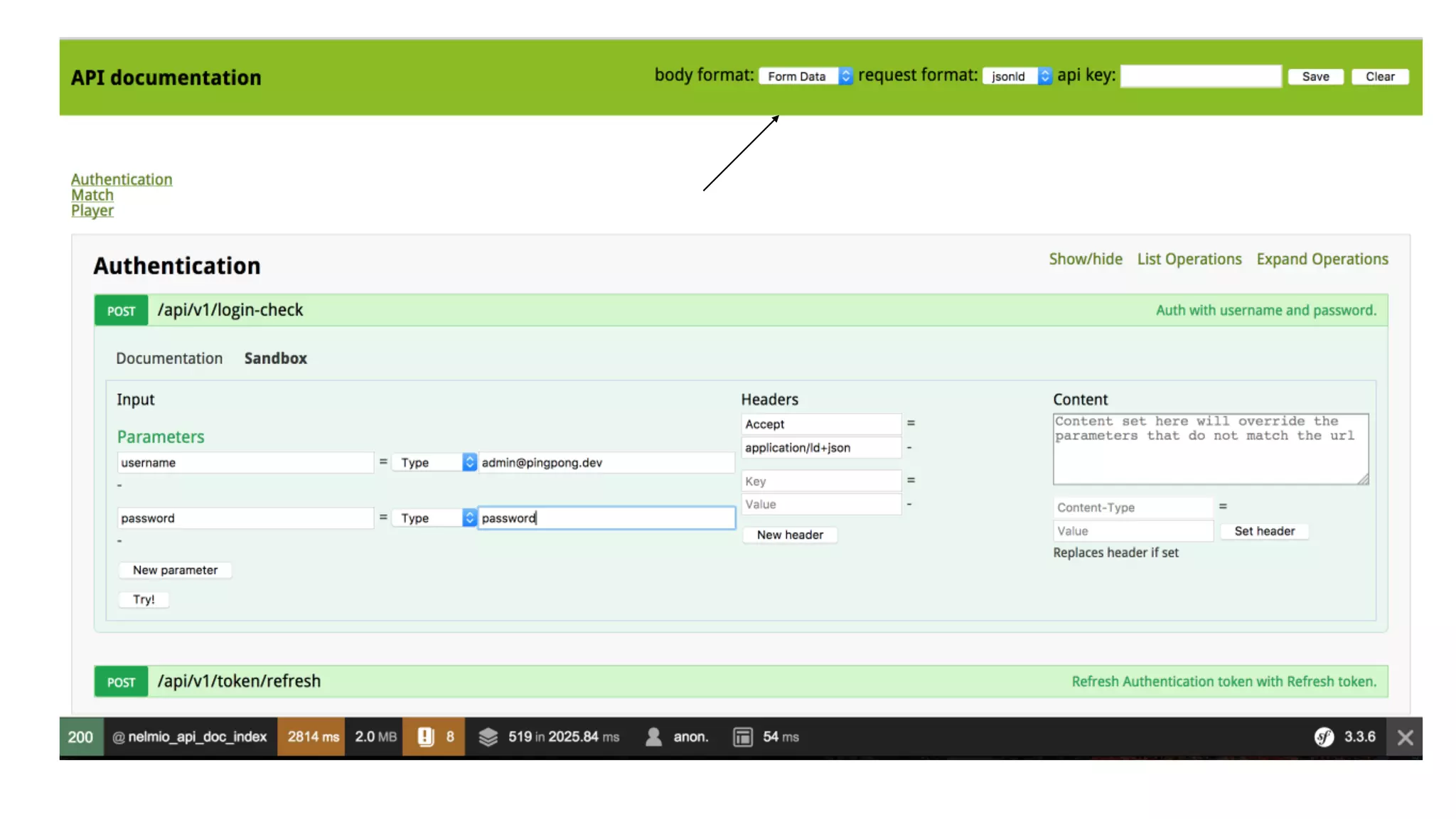
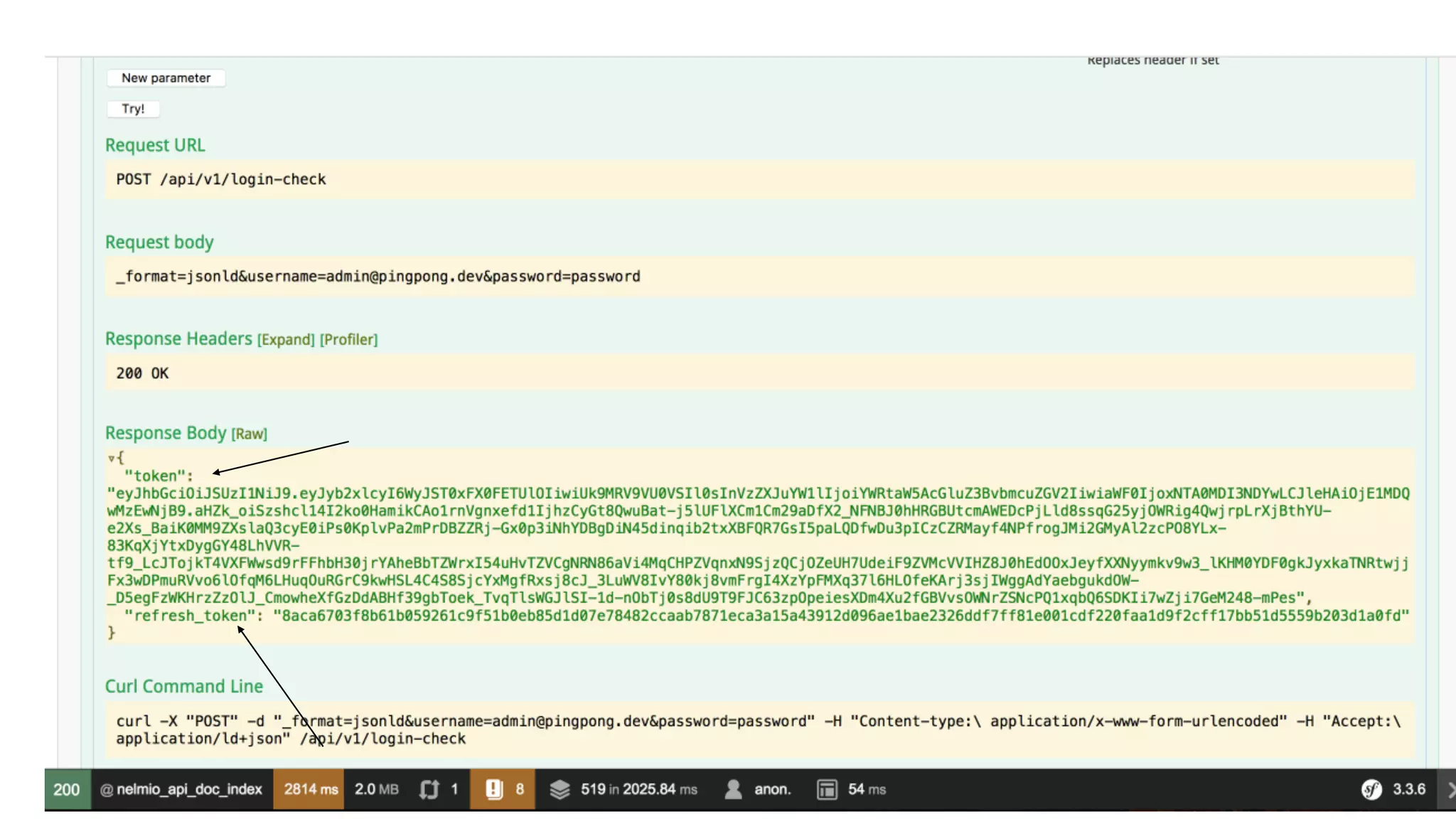
#3 Task Implement Authentication using JSON Web Token (JWT)
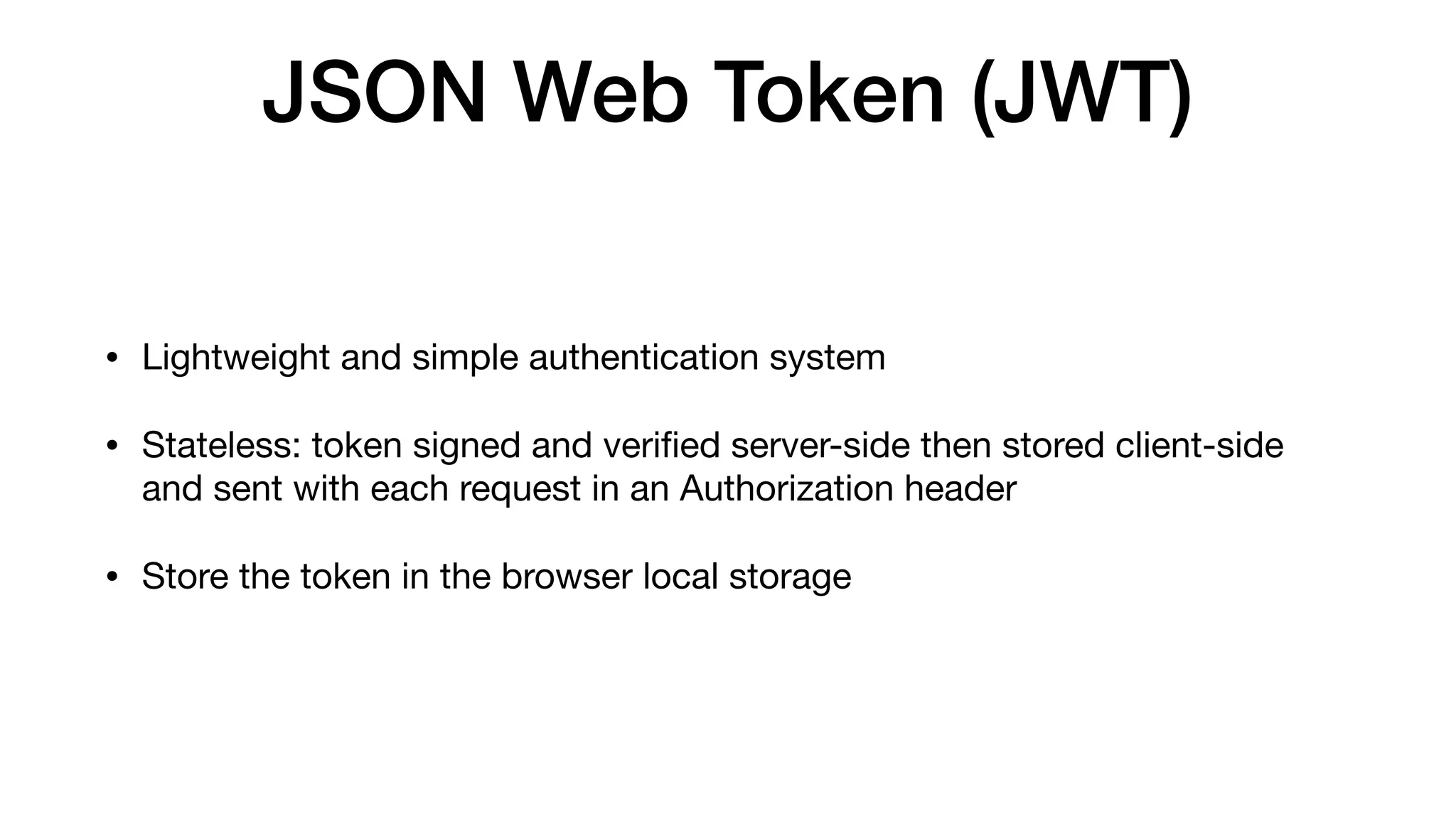
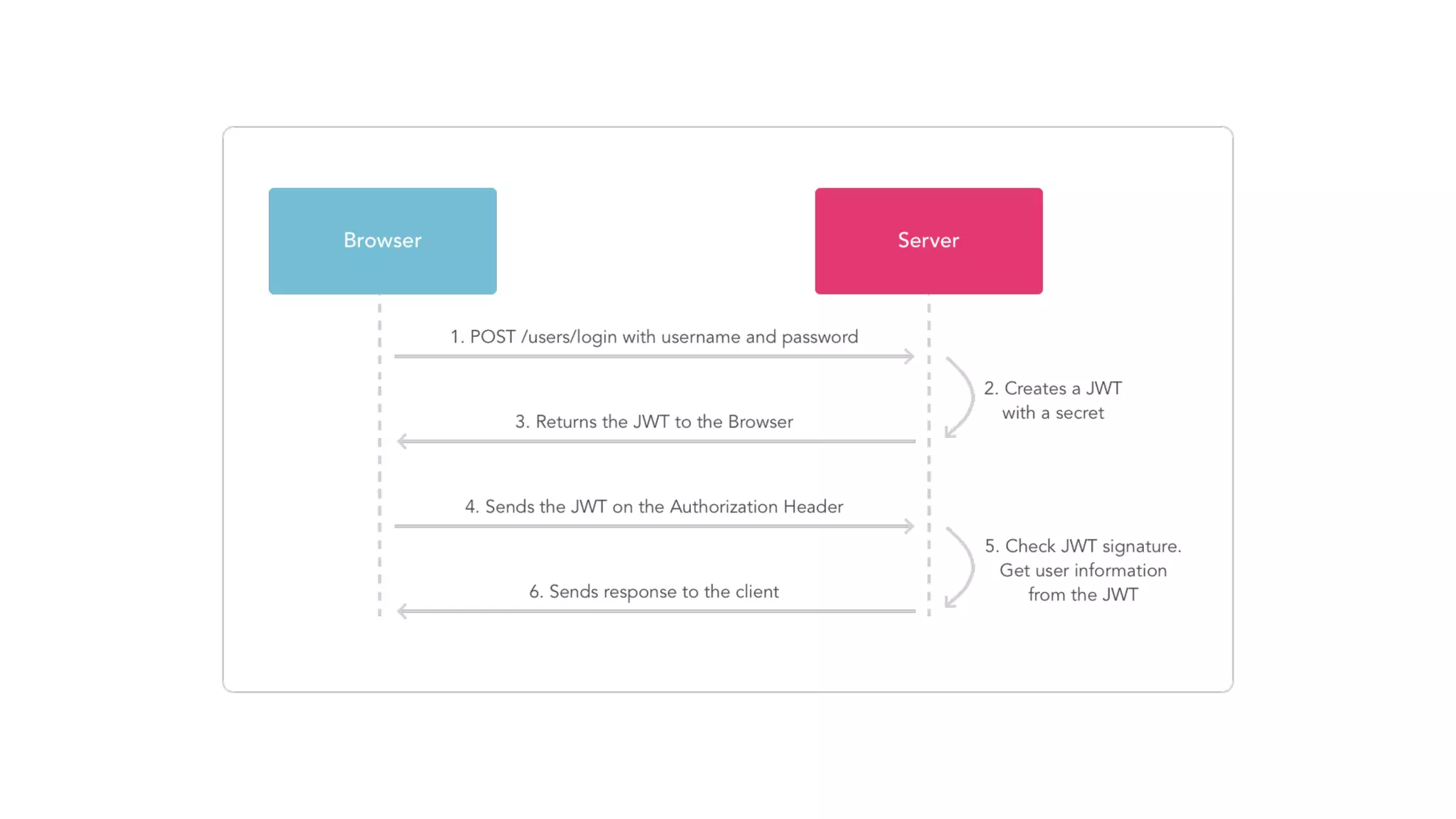
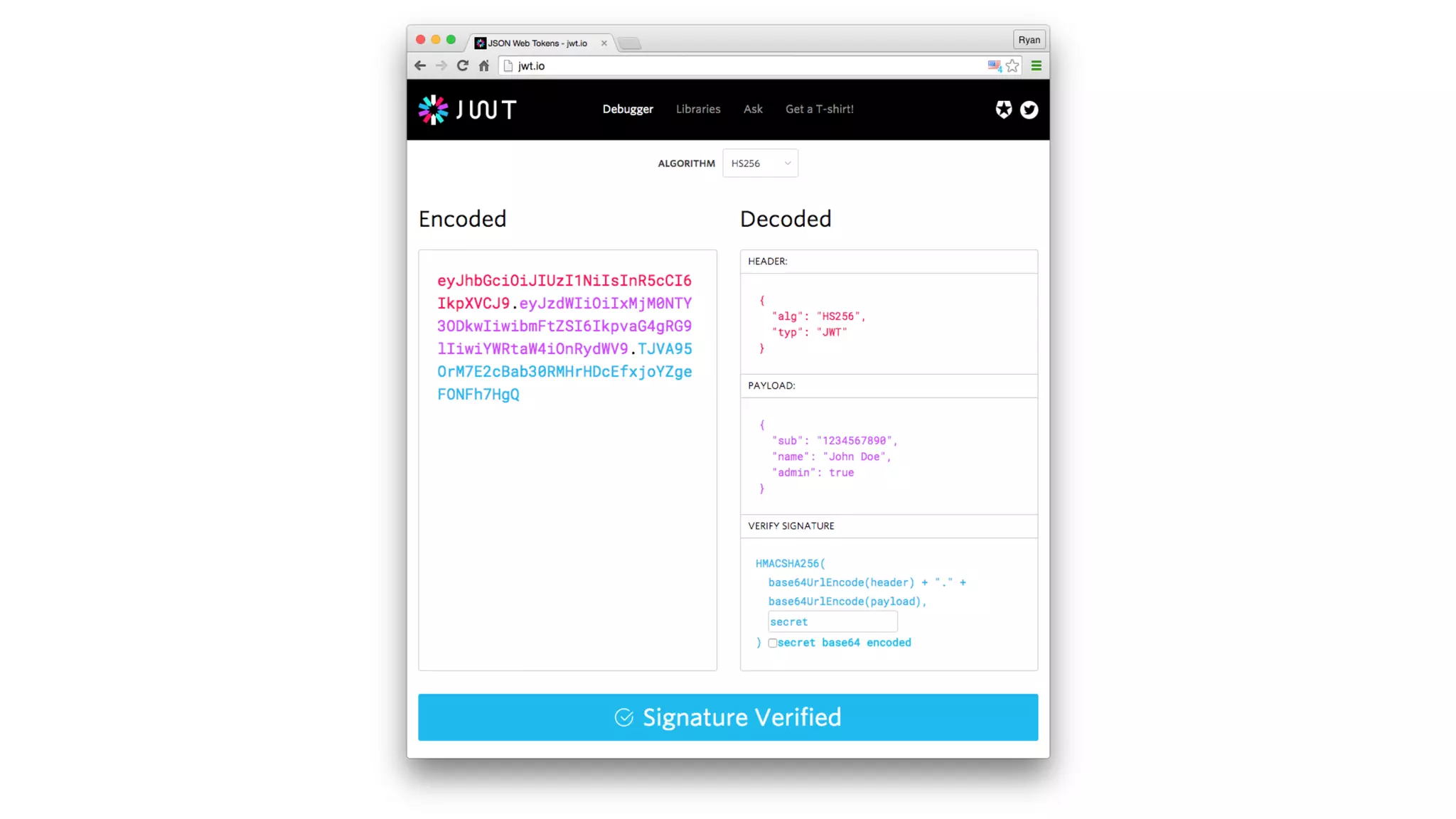
JSON Web Token (JWT) • Lightweight and simple authentication system • Stateless: token signed and verified server-side then stored client-side and sent with each request in an Authorization header • Store the token in the browser local storage
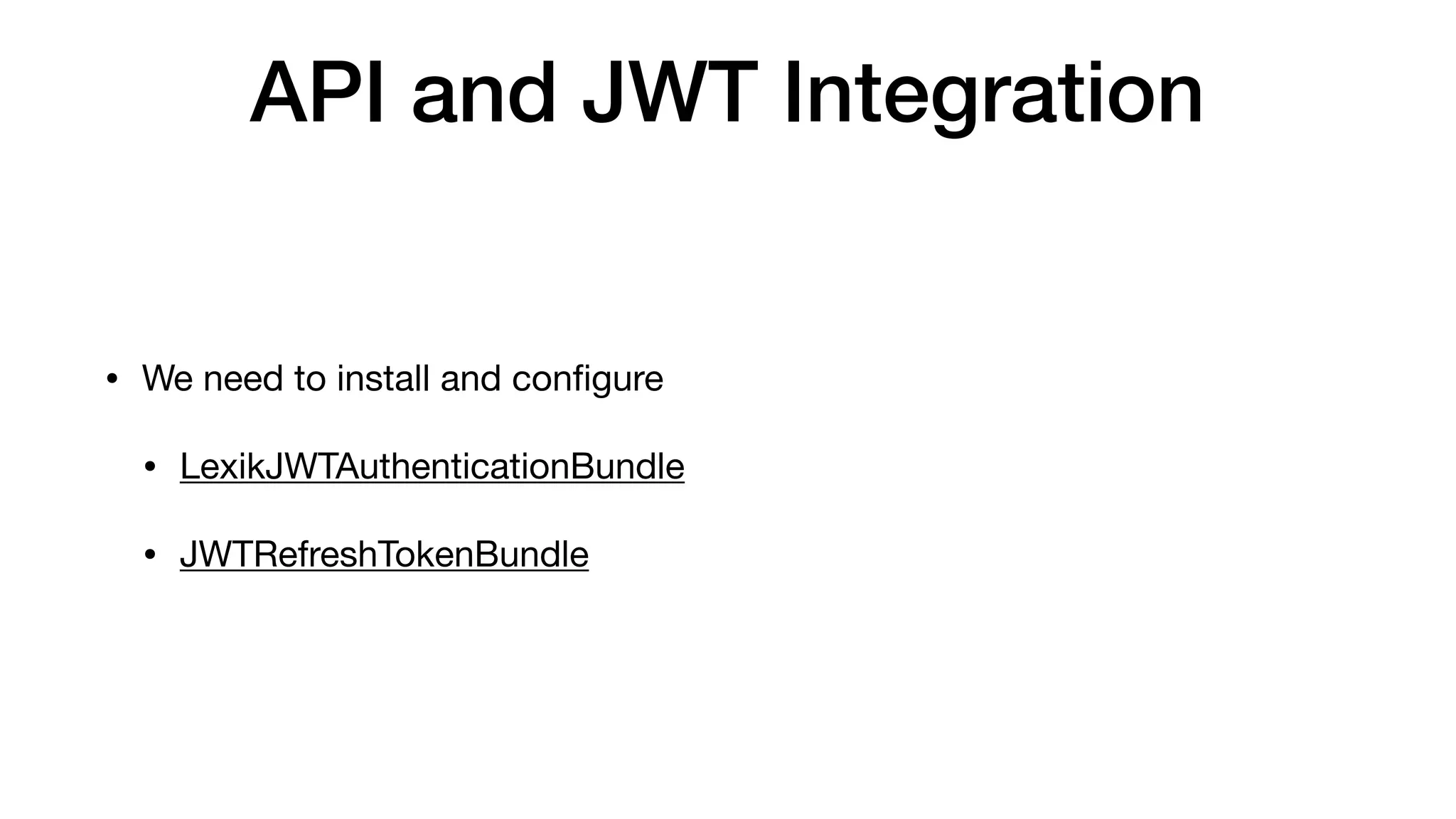
API and JWT Integration • We need to install and configure • LexikJWTAuthenticationBundle • JWTRefreshTokenBundle
Your turn! #3 Task
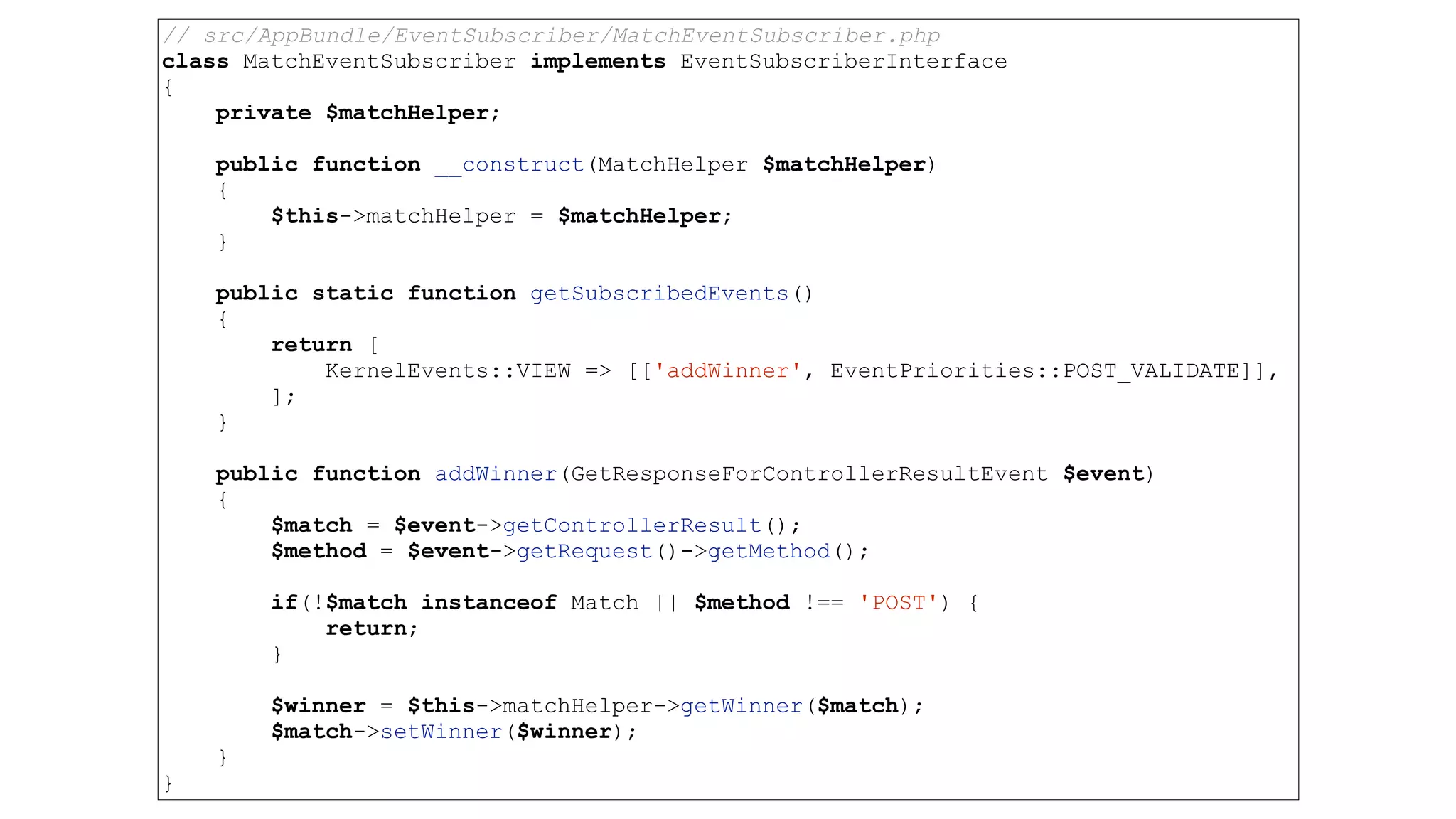
#4 Task Create event subscriber for posting new Player
Api platform events
// src/AppBundle/EventSubscriber/MatchEventSubscriber.php class MatchEventSubscriber implements EventSubscriberInterface { private $matchHelper; public function __construct(MatchHelper $matchHelper) { $this->matchHelper = $matchHelper; } public static function getSubscribedEvents() { return [ KernelEvents::VIEW => [['addWinner', EventPriorities::POST_VALIDATE]], ]; } public function addWinner(GetResponseForControllerResultEvent $event) { $match = $event->getControllerResult(); $method = $event->getRequest()->getMethod(); if(!$match instanceof Match || $method !== 'POST') { return; } $winner = $this->matchHelper->getWinner($match); $match->setWinner($winner); } }
Your turn! #4 Task
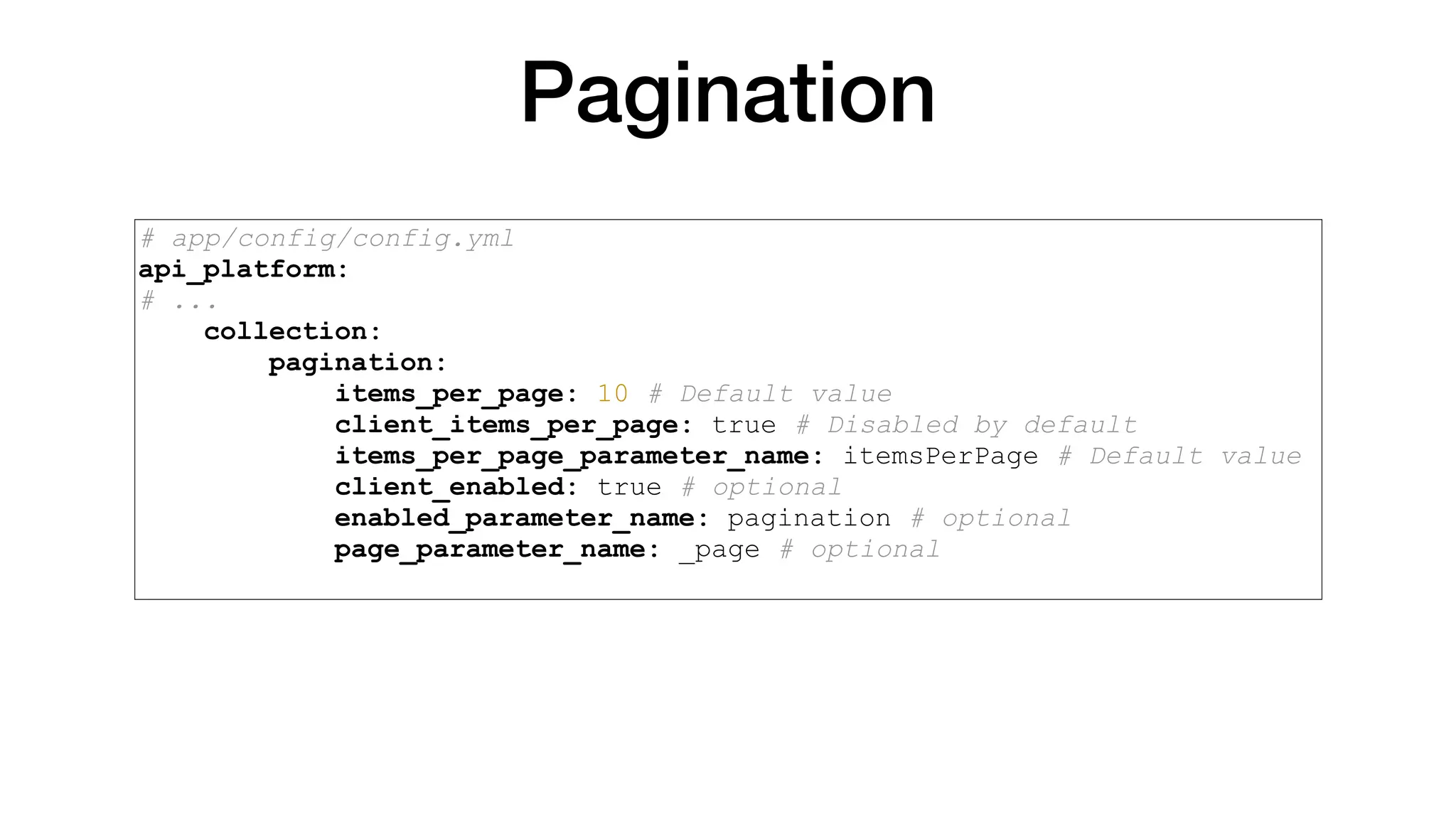
#5 Task Match CRUD and pagination config
Pagination # app/config/config.yml api_platform: # ... collection: pagination: items_per_page: 30 # Default value client_items_per_page: true # Disabled by default items_per_page_parameter_name: itemsPerPage # Default value client_enabled: true # optional enabled_parameter_name: pagination # optional page_parameter_name: _page # optional
Your turn! #5 Task
#6 Task Add matchesWon number to GET single Player endpoint
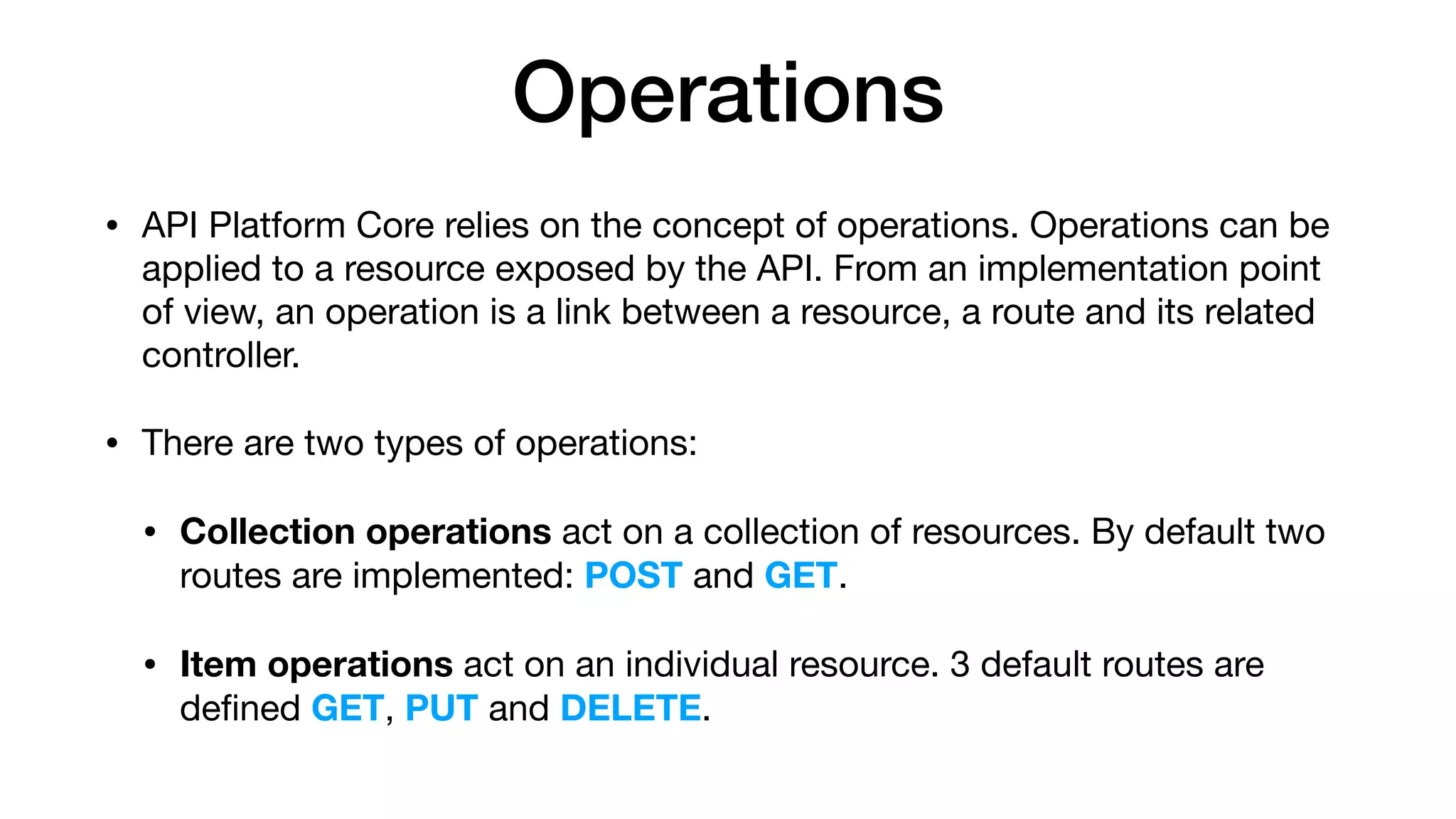
Operations • API Platform Core relies on the concept of operations. Operations can be applied to a resource exposed by the API. From an implementation point of view, an operation is a link between a resource, a route and its related controller. • There are two types of operations: • Collection operations act on a collection of resources. By default two routes are implemented: POST and GET. • Item operations act on an individual resource. 3 default routes are defined GET, PUT and DELETE.
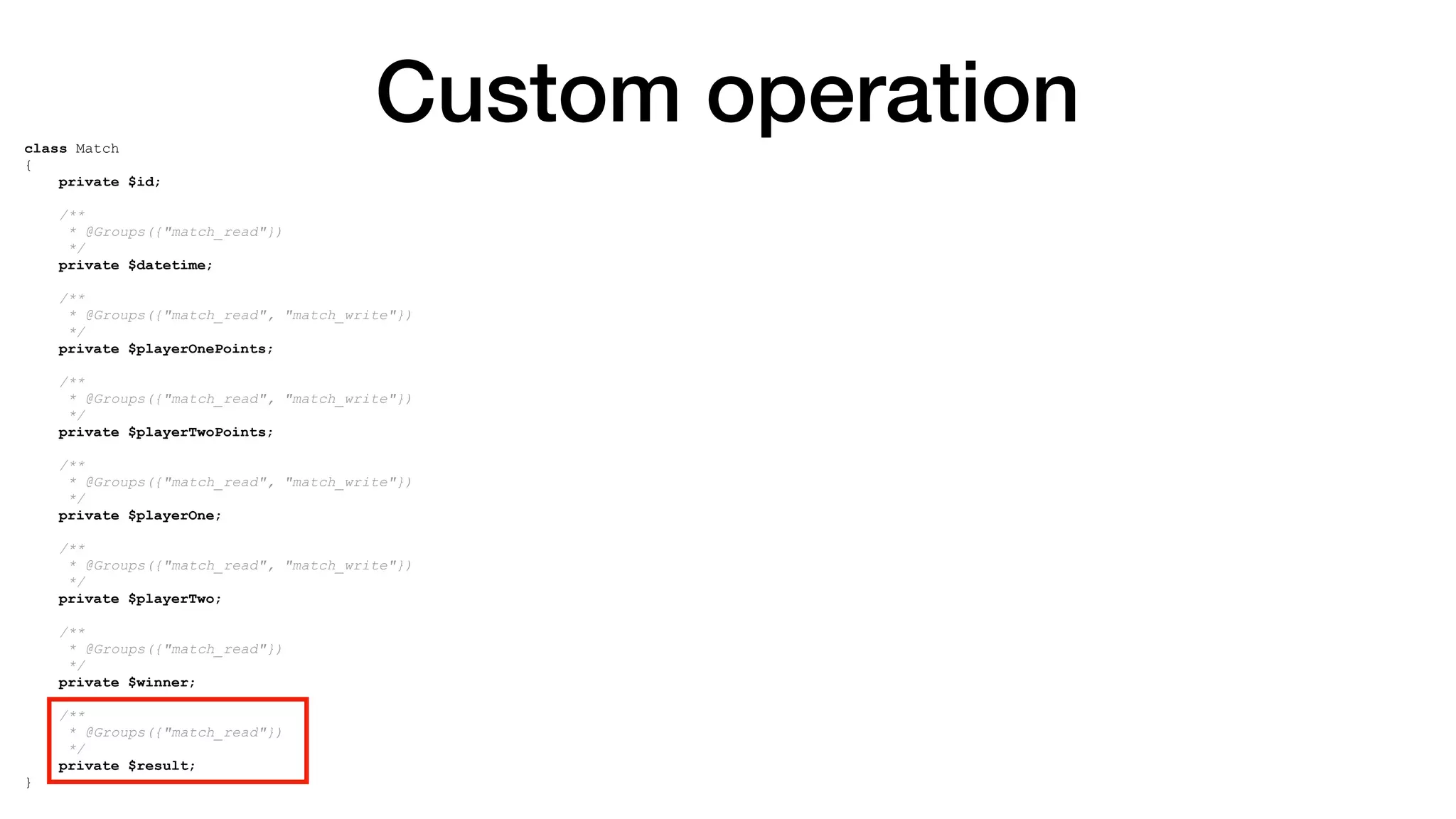
Custom operation class Match { private $id; /** * @Groups({"match_read"}) */ private $datetime; /** * @Groups({"match_read", "match_write"}) */ private $playerOnePoints; /** * @Groups({"match_read", "match_write"}) */ private $playerTwoPoints; /** * @Groups({"match_read", "match_write"}) */ private $playerOne; /** * @Groups({"match_read", "match_write"}) */ private $playerTwo; /** * @Groups({"match_read"}) */ private $winner; /** * @Groups({"match_read"}) */ private $result; }
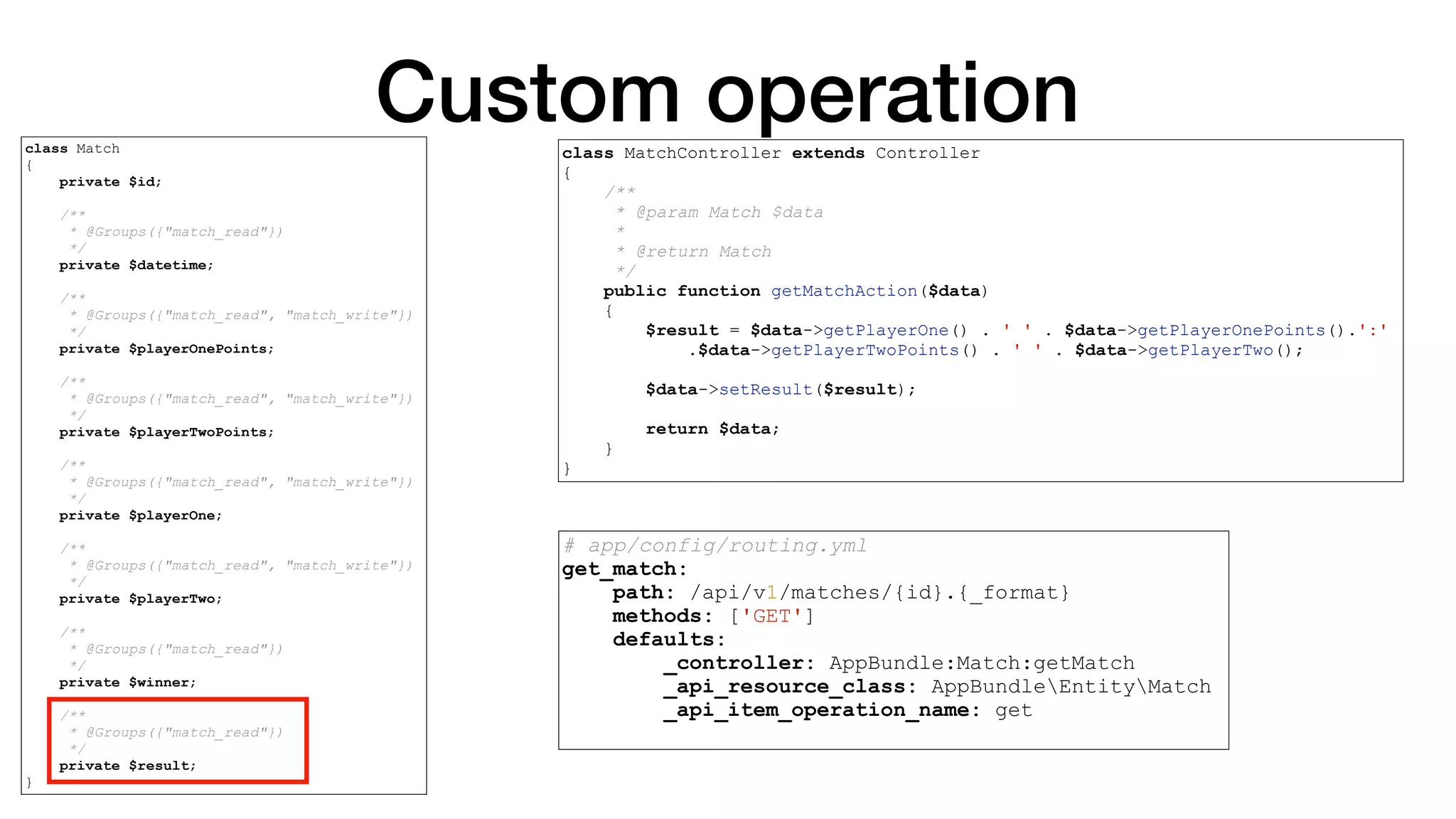
Custom operationclass Match { private $id; /** * @Groups({"match_read"}) */ private $datetime; /** * @Groups({"match_read", "match_write"}) */ private $playerOnePoints; /** * @Groups({"match_read", "match_write"}) */ private $playerTwoPoints; /** * @Groups({"match_read", "match_write"}) */ private $playerOne; /** * @Groups({"match_read", "match_write"}) */ private $playerTwo; /** * @Groups({"match_read"}) */ private $winner; /** * @Groups({"match_read"}) */ private $result; } class MatchController extends Controller { /** * @param Match $data * * @return Match */ public function getMatchAction($data) { $result = $data->getPlayerOne() . ' ' . $data->getPlayerOnePoints().':' .$data->getPlayerTwoPoints() . ' ' . $data->getPlayerTwo(); $data->setResult($result); return $data; } }
Custom operation class Match { private $id; /** * @Groups({"match_read"}) */ private $datetime; /** * @Groups({"match_read", "match_write"}) */ private $playerOnePoints; /** * @Groups({"match_read", "match_write"}) */ private $playerTwoPoints; /** * @Groups({"match_read", "match_write"}) */ private $playerOne; /** * @Groups({"match_read", "match_write"}) */ private $playerTwo; /** * @Groups({"match_read"}) */ private $winner; /** * @Groups({"match_read"}) */ private $result; } class MatchController extends Controller { /** * @param Match $data * * @return Match */ public function getMatchAction($data) { $result = $data->getPlayerOne() . ' ' . $data->getPlayerOnePoints().':' .$data->getPlayerTwoPoints() . ' ' . $data->getPlayerTwo(); $data->setResult($result); return $data; } } # app/config/routing.yml get_match: path: /api/v1/matches/{id}.{_format} methods: ['GET'] defaults: _controller: AppBundle:Match:getMatch _api_resource_class: AppBundleEntityMatch _api_item_operation_name: get
Your turn! #6 Task
#7 Task Create /me/matches endpoint which returns all matches current user played.
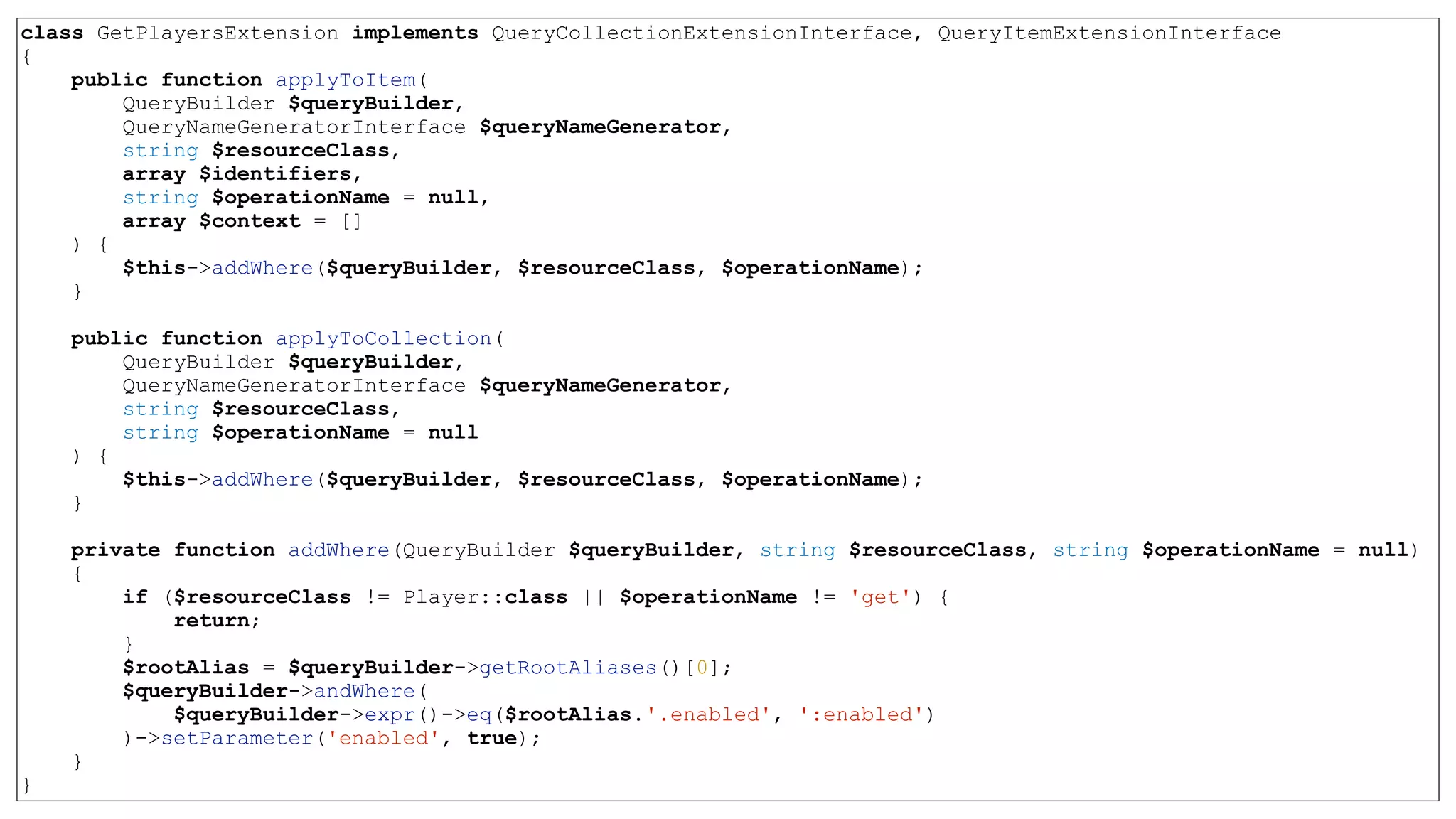
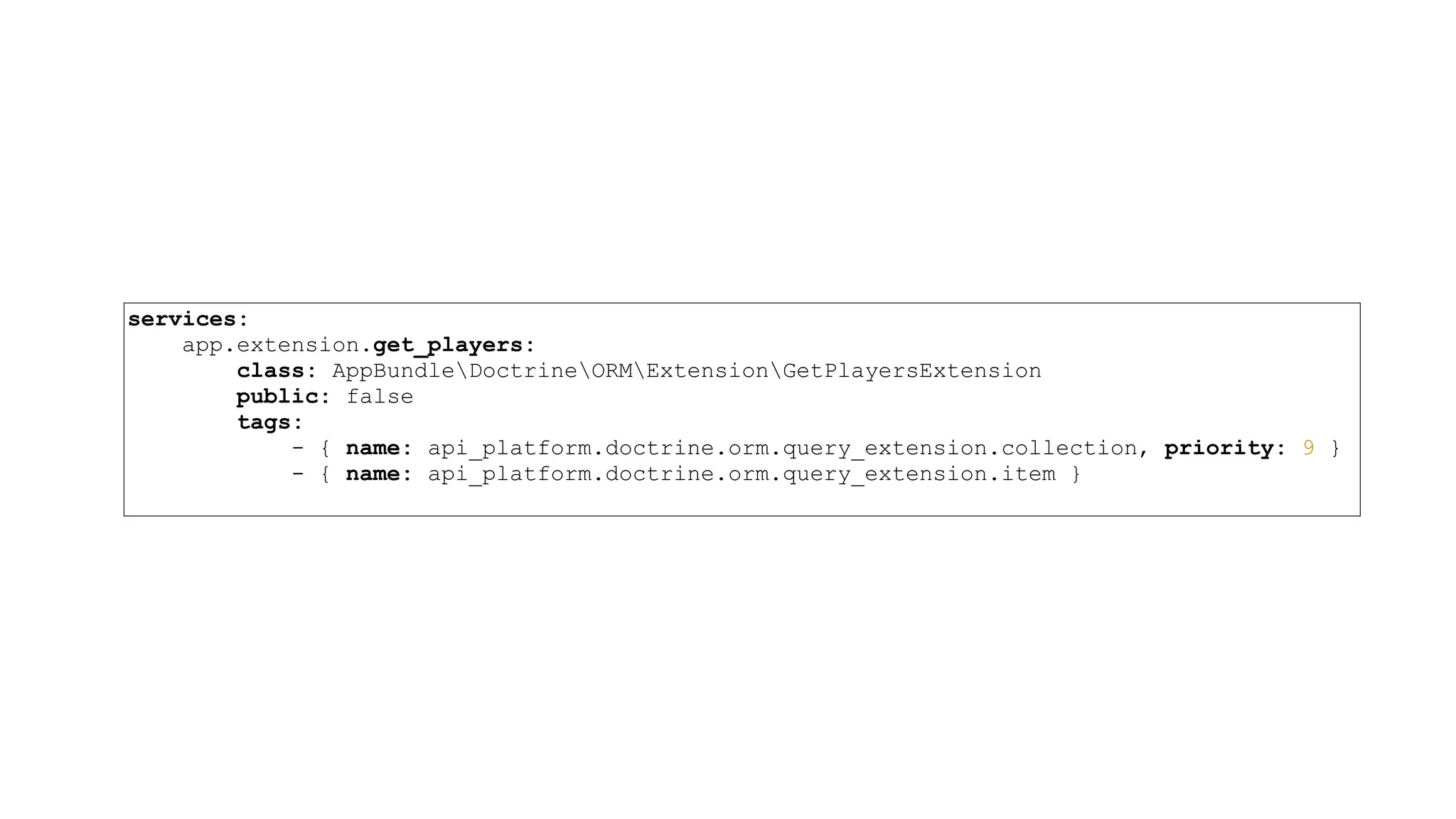
Extensions • API Platform Core provides a system to extend queries on items and collections. • Custom extensions must implement the ApiPlatformCoreBridgeDoctrineOrmExtensionQuery CollectionExtensionInterface and / or the ApiPlatformCoreBridgeDoctrineOrmExtensionQuery ItemExtensionInterface interfaces, to be run when querying for a collection of items and when querying for an item respectively.
class GetPlayersExtension implements QueryCollectionExtensionInterface, QueryItemExtensionInterface { public function applyToItem( QueryBuilder $queryBuilder, QueryNameGeneratorInterface $queryNameGenerator, string $resourceClass, array $identifiers, string $operationName = null, array $context = [] ) { $this->addWhere($queryBuilder, $resourceClass, $operationName); } public function applyToCollection( QueryBuilder $queryBuilder, QueryNameGeneratorInterface $queryNameGenerator, string $resourceClass, string $operationName = null ) { $this->addWhere($queryBuilder, $resourceClass, $operationName); } private function addWhere(QueryBuilder $queryBuilder, string $resourceClass, string $operationName = null) { if ($resourceClass != Player::class || $operationName != 'get') { return; } $rootAlias = $queryBuilder->getRootAliases()[0]; $queryBuilder->andWhere( $queryBuilder->expr()->eq($rootAlias.'.enabled', ':enabled') )->setParameter('enabled', true); } }
services: app.extension.get_players: class: AppBundleDoctrineORMExtensionGetPlayersExtension public: false tags: - { name: api_platform.doctrine.orm.query_extension.collection, priority: 9 } - { name: api_platform.doctrine.orm.query_extension.item }
Your turn! #7 Task
#8 Task Add some filters
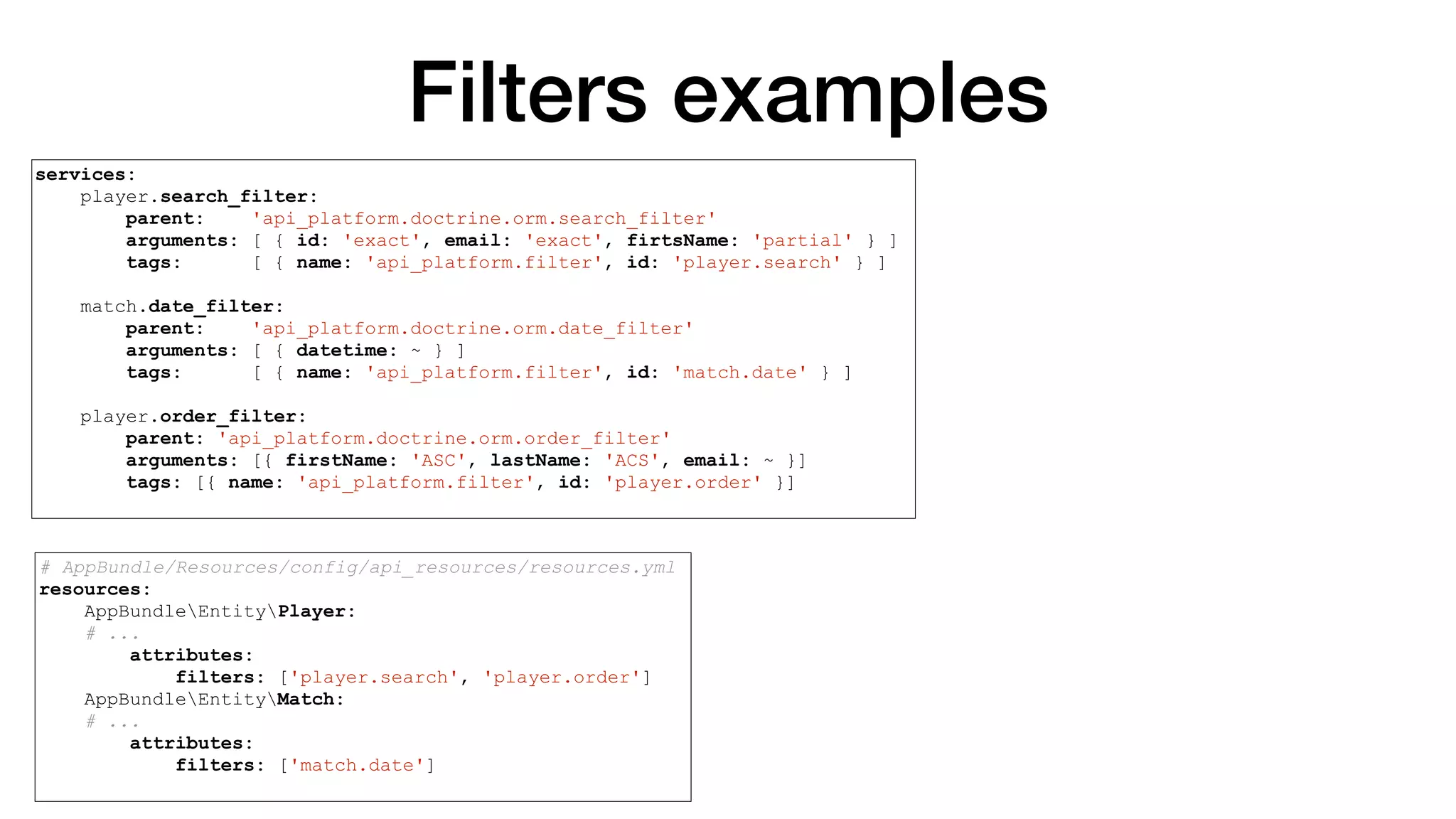
Filters • If Doctrine ORM support is enabled, adding filters is as easy as registering a filter service in your app/config/services.yml file and adding an attribute to your resource configuration. • Filters add extra conditions to base database query • Useful filters for the Doctrine ORM are provided with the library. You can also create custom filters that would fit your specific needs.
Filters • Search filter (partial, start, end, exact, ipartial, iexact) • Date filter (?property[<after|before>]=value ) • Boolean filter (?property=[true|false|1|0]) • Numeric filter (?property=int|bigint|decimal) • Range filter (?property[lt]|[gt]|[lte]|[gte]|[between]=value) • Order filter (?order[property]=<asc|desc>) • Custom filters
Filters examples # AppBundle/Resources/config/api_resources/resources.yml resources: AppBundleEntityPlayer: # ... attributes: filters: ['player.search', 'player.order'] AppBundleEntityMatch: # ... attributes: filters: ['match.date'] services: player.search_filter: parent: 'api_platform.doctrine.orm.search_filter' arguments: [ { id: 'exact', email: 'exact', firstName: 'partial' } ] tags: [ { name: 'api_platform.filter', id: 'player.search' } ] match.date_filter: parent: 'api_platform.doctrine.orm.date_filter' arguments: [ { datetime: ~ } ] tags: [ { name: 'api_platform.filter', id: 'match.date' } ] player.order_filter: parent: 'api_platform.doctrine.orm.order_filter' arguments: [{ firstName: 'ASC', lastName: 'ACS', email: ~ }] tags: [{ name: 'api_platform.filter', id: 'player.order' }]
Your turn! #8 Task
More features
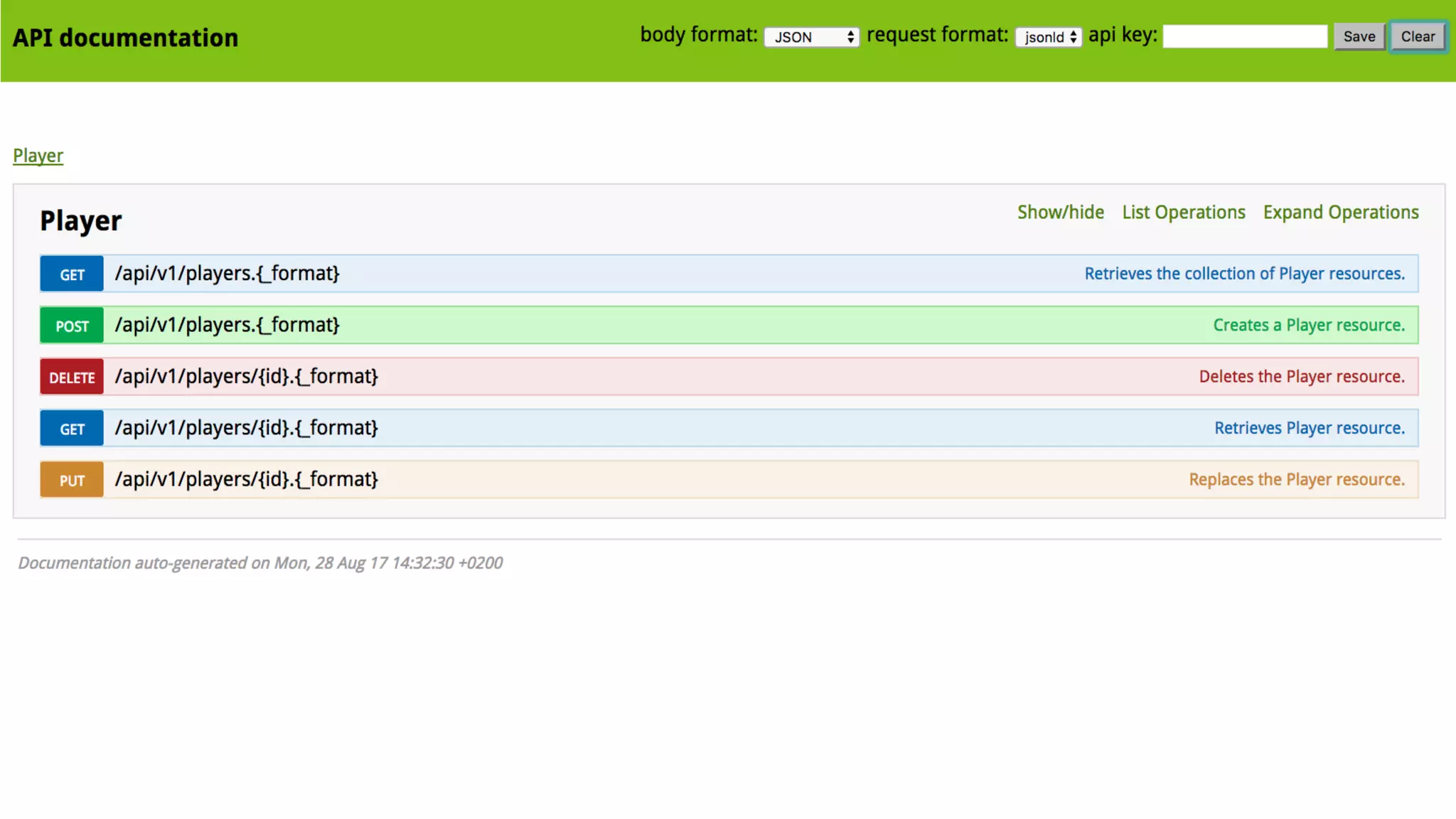
Better documentation
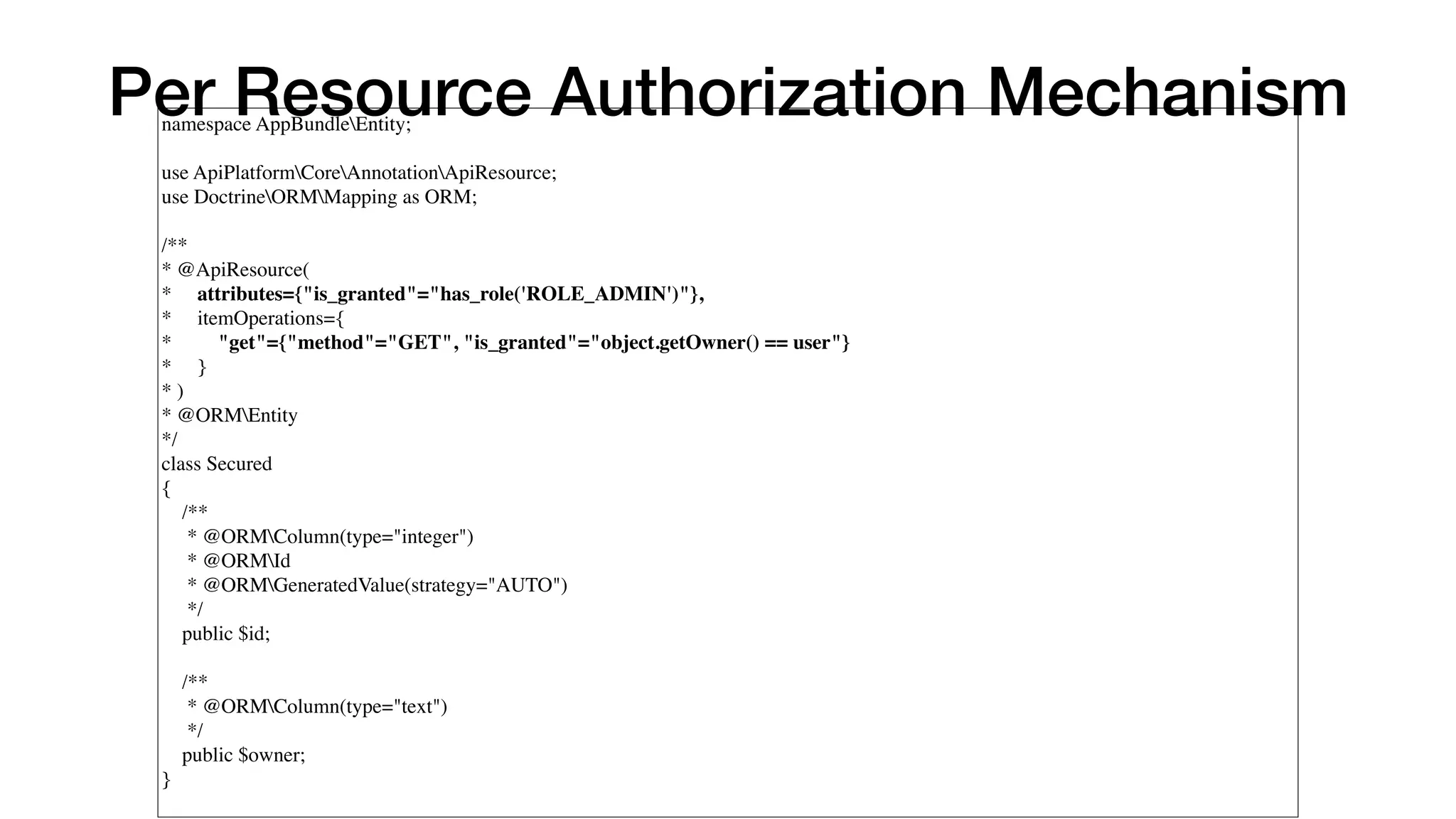
Per Resource Authorization Mechanism namespace AppBundleEntity;   use ApiPlatformCoreAnnotationApiResource; use DoctrineORMMapping as ORM;   /** * @ApiResource( *     attributes={"is_granted"="has_role('ROLE_ADMIN')"}, *     itemOperations={ *         "get"={"method"="GET", "is_granted"="object.getOwner() == user"} *     } * ) * @ORMEntity */ class Secured {     /**      * @ORMColumn(type="integer")      * @ORMId      * @ORMGeneratedValue(strategy="AUTO")      */     public $id;       /**      * @ORMColumn(type="text")      */     public $owner;
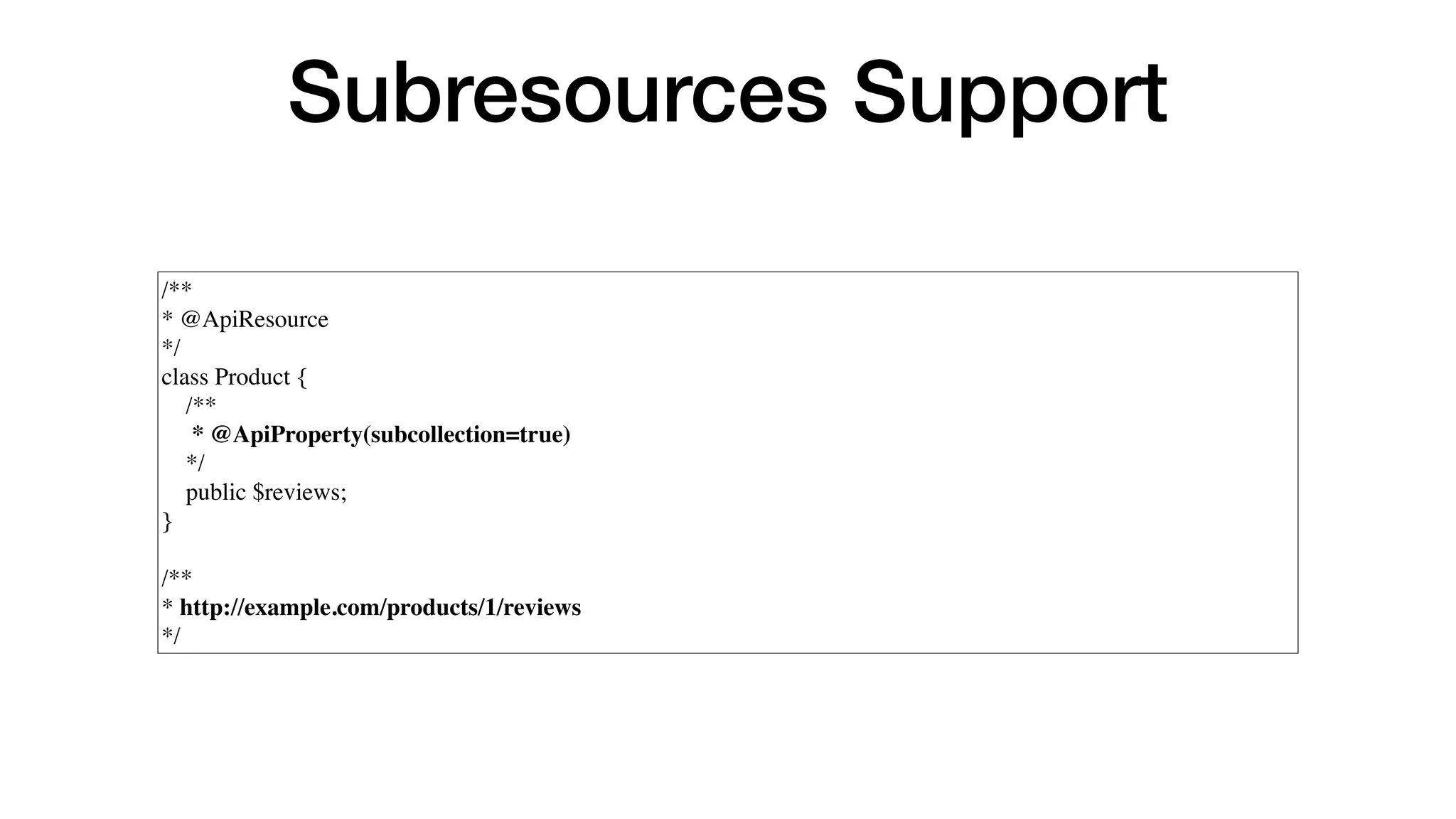
Subresources Support /** * @ApiResource */ class Product {     /**      * @ApiProperty(subcollection=true)     */     public $reviews; } /** * http://example.com/products/1/reviews */
Cache invalidation is builtin
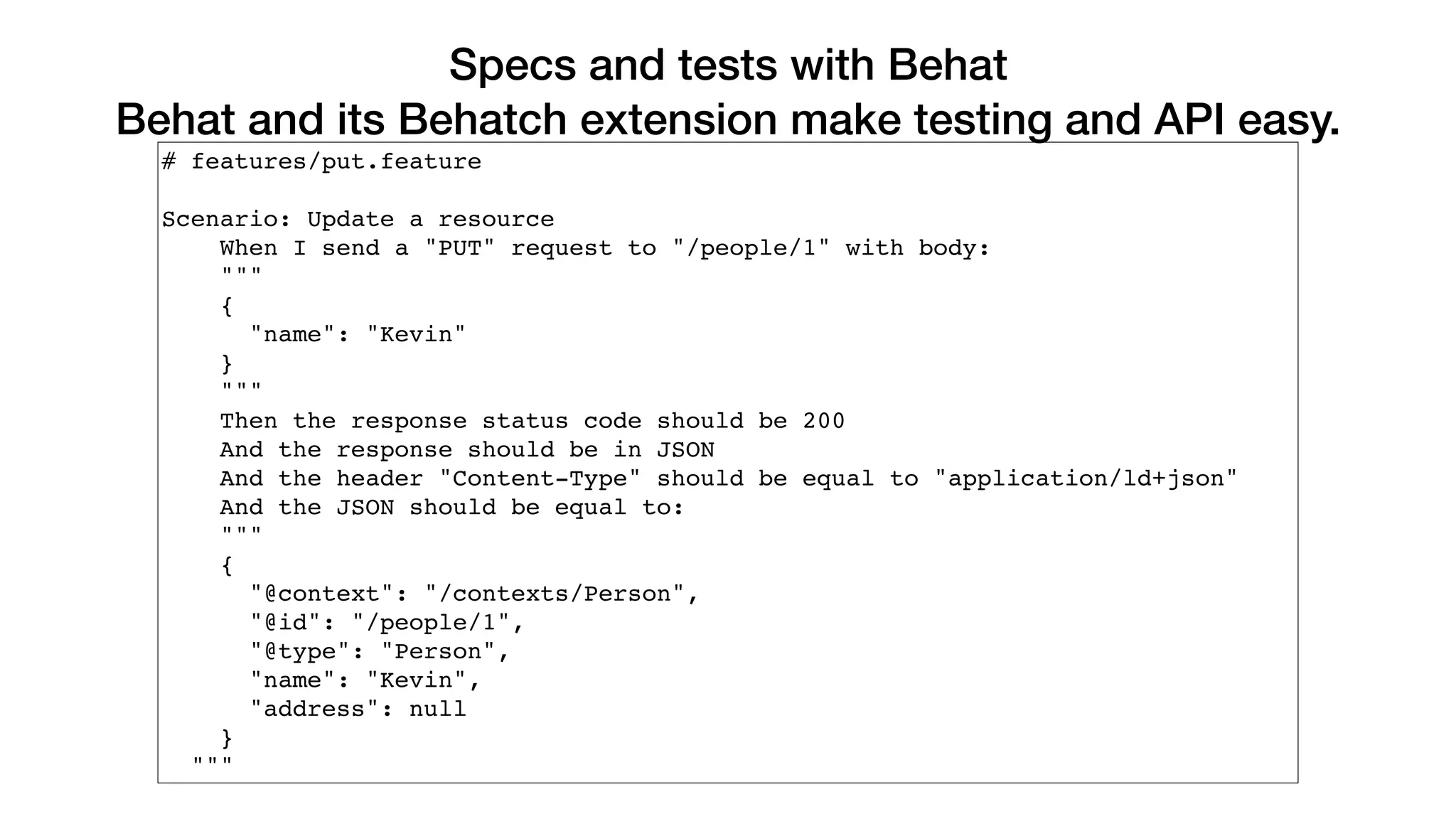
Specs and tests with Behat Behat and its Behatch extension make testing and API easy. # features/put.feature Scenario: Update a resource When I send a "PUT" request to "/people/1" with body: """ { "name": "Kevin" } """ Then the response status code should be 200 And the response should be in JSON And the header "Content-Type" should be equal to "application/ld+json" And the JSON should be equal to: """ { "@context": "/contexts/Person", "@id": "/people/1", "@type": "Person", "name": "Kevin", "address": null } """
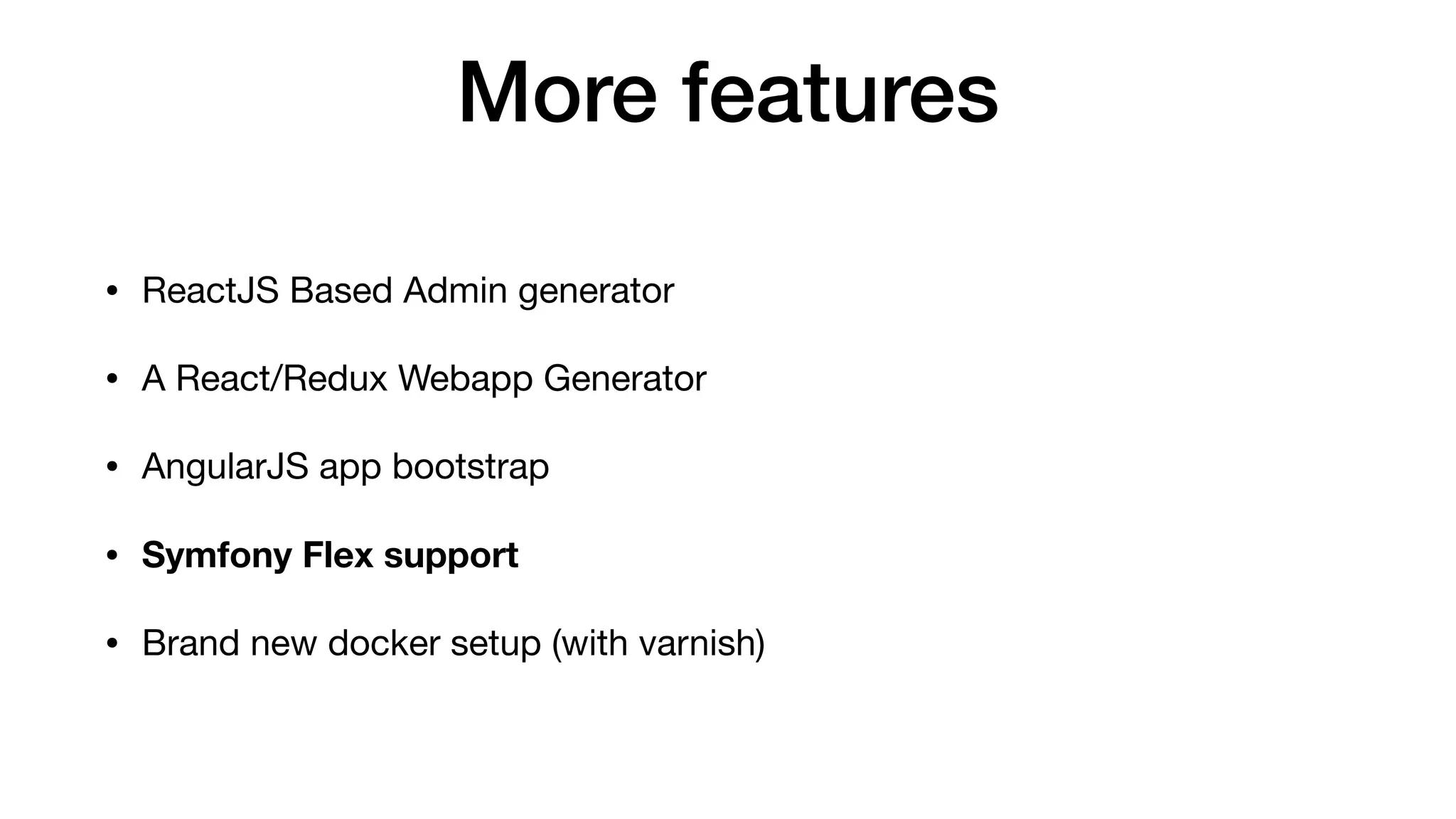
More features • ReactJS Based Admin generator • A React/Redux Webapp Generator • AngularJS app bootstrap • Symfony Flex support • Brand new docker setup (with varnish)
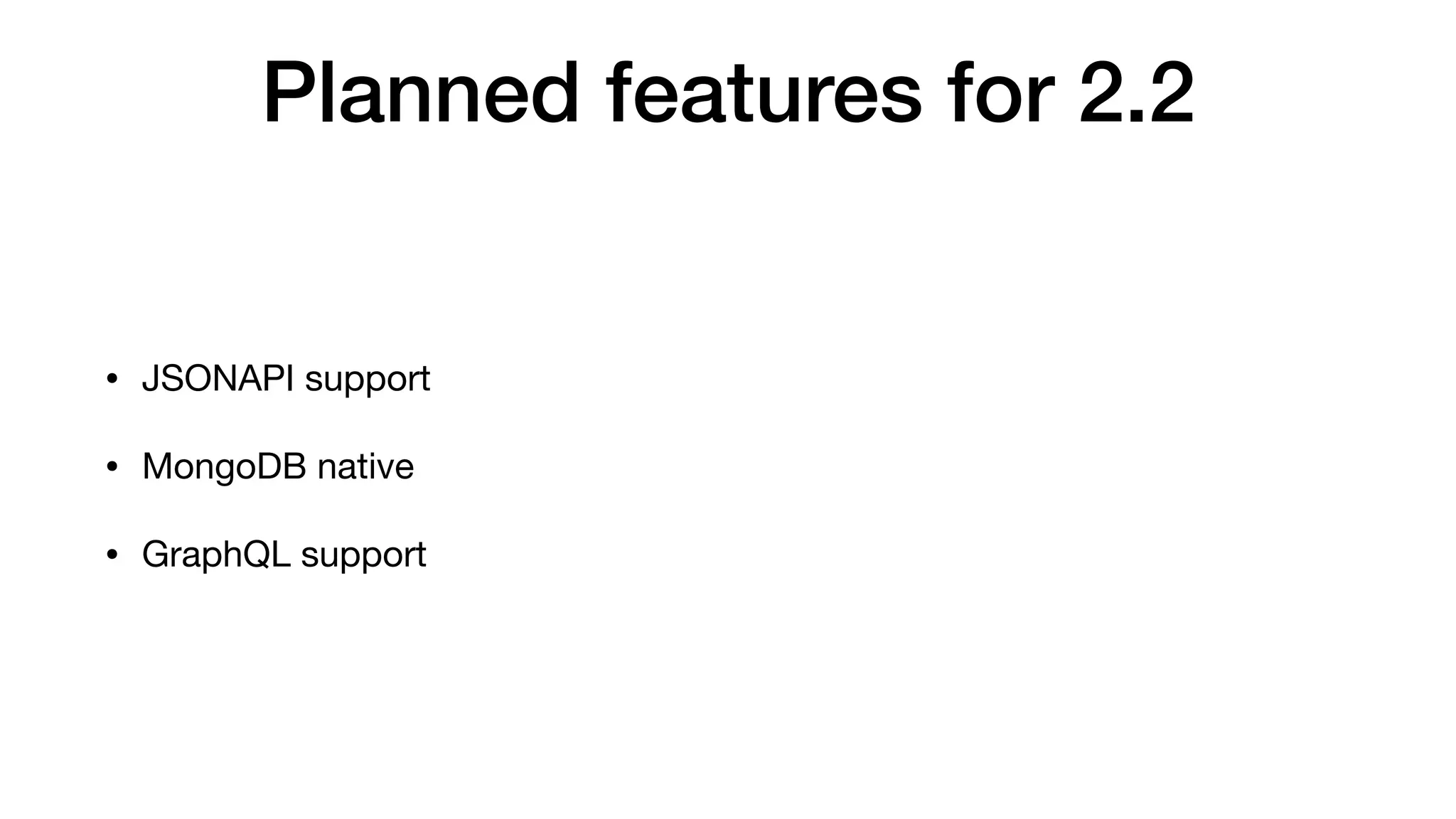
Planned features for 2.2 • JSONAPI support • MongoDB native • GraphQL support
Thank you!
QA?

Building APIs in an easy way using API Platform

  • 1.
    Building APIs inan easy way using API Platform Paula Čučuk, Antonio Perić-Mažar 30.08.2017., #websc
  • 2.
  • 3.
    Antonio Perić-Mažar CEO, SoftwareDeveloper antonio@locastic.com @antonioperic
  • 4.
    Locastic • We helpclients create amazing web and mobile apps (since 2011) • mobile development • web development • UX/UI • Training and Consulting • Shift Conference, Symfony Croatia • www.locastic.com @locastic
  • 6.
  • 8.
    The web haschanged • Javascript webapps are standard (SPA) • Users spend more time on using mobile devices than desktop or TV. • Linked Data and the semantic web are a reality
  • 9.
    APIs are theheart of this new web • Central point to access data (R/W data) • Encapsulate business logic • Same data and same features for desktops, mobiles, TVs and etc • It is stateless (PHP Sessions make horizontal scaling harder)
  • 10.
    Client Apps • HTML5(SPA), mobile apps, TVs, Cars etc. • Holds all the presentation logic • Is downloaded first (SPA, shell model) • Queries the API to retrieve and modify data using AJAX • Is 100% composed of HTML, JavaScript and assets (CSS and etc) • Can be hosted on a CDN
  • 12.
    Immediate benefits • Speed(even on mobile) • Scalability and robustness • Development comfort • Long term benefits
  • 13.
    Immediate benefits • Speed(even on mobile) • Scalability and robustness • Development comfort • Long term benefits • … and no, SEO and SMO are no more drawbacks
  • 14.
  • 15.
    HTTP + REST+ JSON • Work everywhere • Lightweight • Stateless • HTTP has a powerful caching model • Extensible (JSON-LD, Hydra, Swagger, HAL…) • High quality tooling
  • 16.
    HATEOAS / LinkedData • Hypermedia as the Engine of Application State • Hypermedia: IRI as identifier • Ability to reference external data (like hypertext links) • Auto discoverable <=> Generic clients
  • 18.
    JSON-LD (JSON forLinked Data) • Standard: W3C recommandation (since 2014) • Machine readable data • Easy to use: looks like a typical JSON document • Already used by Gmail, GitHub, BBC, Microsoft, US gov… • Compliant with technologies of the semantic web: RDF, SPARQL, triple store… • Good for SEO
  • 19.
    Hydra • Describe RESTAPIs in JSON-LD • = write support • = auto-discoverable APIs • = standard for collections, paginations, errors, filters • Draft W3C (Work In Progress)
  • 20.
    { "@context": "/contexts/Book", "@id": "/books/2", "@type":"http://schema.org/Book", "id": 2, "isbn": "9790070863971", "description": "A long but very interesting story about REST and asyncio.", "author": "The life!", "title": "X", "publicationDate": "2002-01-29T00:00:00+00:00" }
  • 21.
    {  "@context": "contexts/Errors",  "@type": “hydra:Error”, “hydra:title”:“An error occurred”, “hydra:description”: “Not found” }
  • 22.
    { "@context": "/contexts/Book", "@id": "/books", "@type":"hydra:Collection", "hydra:member": [ { "@id": "/books/2", "@type": "http://schema.org/Book", "id": 2, "isbn": "9790070863971", "description": "A long but very interesting story about REST and asyncio.", "author": "The life!", "title": "X", "publicationDate": "2002-01-29T00:00:00+00:00" }, … { "@id": "/books/31", "@type": "http://schema.org/Book", "id": 31, "isbn": "9791943452827", "description": "Tempora voluptas ut dolorem voluptates. Provident natus ipsam fugiat est ipsam quia. Sint mollitia sed facere qui sit. Ad iusto molestias iusto autem laboriosam nulla earum eius.", "author": "Miss Gladyce Nader I", "title": "Voluptas doloremque esse dolor qui illo placeat harum voluptatem.", "publicationDate": "1970-10-11T00:00:00+00:00" } ], "hydra:totalItems": 125, "hydra:view": { "@id": "/books?page=1", "@type": "hydra:PartialCollectionView", "hydra:first": "/books?page=1", "hydra:last": "/books?page=5", "hydra:next": "/books?page=2" } }
  • 25.
    API Platform: thepromise • Fully featured API supporting Swagger + JSON-LD + Hydra + HAL in minutes • An auto generated doc • Convenient API spec and test tools using Behat • Easy authentication management with JWT or OAuth • CORS and HTTP cache • All the tools you love: Doctrine ORM, Monolog, Swiftmailer...
  • 26.
    API Platform <3Symfony • Built on top of Symfony full-stack • Install any existing SF bundles • Follow SF Best Practices • Use your Symfony skills • Can be used in your existing SF app • (Optional) tightly integrated with Doctrine
  • 27.
    Features • CRUD • Filters •Serializations groups and relations • Validation • Pagination • The event system • Content Negotion • Extensions • HTTP and reverse proxy caching • JS Admin apps • etc
  • 28.
  • 29.
  • 30.
    Setup $ git fetch--all $ git pull $ php bin/console doctrine:schema:update —force
  • 31.
  • 32.
    CRUD <?php namespace AppBundleEntity; use FOSUserBundleModelUseras BaseUser; class Player extends BaseUser { protected $id; private $firstName; private $lastName; protected $email; // ... } # UserBundle/Resources/config/ api_resources/resources.yml resources: AppBundleEntityPlayer:~
  • 34.
  • 38.
    {   "@context": "http://schema.org",  "@type": "FlightReservation",   "reservationNumber": "RXJ34P",   "reservationStatus": "http://schema.org/Confirmed",   "underName": {     "@type": "Person",     "name": "Eva Green"   },   "reservationFor": {     "@type": "Flight",     "flightNumber": "110",     "airline": {       "@type": "Airline",       "name": "United",       "iataCode": "UA"     },     "departureAirport": {       "@type": "Airport",       "name": "San Francisco Airport",       "iataCode": "SFO"     },     "departureTime": "2017-03-04T20:15:00-08:00",     "arrivalAirport": {       "@type": "Airport",       "name": "John F. Kennedy International Airport",       "iataCode": "JFK"     },     "arrivalTime": "2017-03-05T06:30:00-05:00"   } }
  • 39.
    Using schema.org inApi Platform resources: AppBundleEntityFlightReservation: iri: 'http://schema.org/FlightReservation'
  • 40.
    Using schema.org inApi Platform resources: AppBundleEntityFlightReservation: iri: 'http://schema.org/FlightReservation' properties: status: iri: 'http://schema.org/reservationStatus'
  • 41.
  • 42.
    #2 Task Add serialization& deserialization groups to Player
  • 43.
    Serialization Groups • APIPlatform Core allows to choose which attributes of the resource are exposed during the normalization (read) and denormalization (write) process. It relies on the serialization (and deserialization) groups feature of the Symfony Serializer component. • allows to specify the definition of serialization using XML, YAML, or annotations.
  • 44.
  • 45.
    <?php namespace AppBundleEntity; use FOSUserBundleModelUseras BaseUser; use SymfonyComponentSerializerAnnotationGroups; class Player extends BaseUser { /** * @var int */ protected $id; /** * @Groups({"player_read", "player_write"}) */ private $firstName; /** * @Groups({"player_read", "player_write"}) */ private $lastName; /** * @Groups({"player_read", "player_write"}) */ protected $email; // ... } # UserBundle/Resources/api_resources/resources.yml resources: AppBundleEntityPlayer: attributes: normalization_context: groups: ['player_read'] denormalization_context: groups: ['player_write']
  • 46.
    Using Different SerializationGroups per Operation # UserBundle/Resources/api_resources/resources.yml resources: AppBundleEntityPlayer: itemOperations: get: method: 'GET' normalization_context: groups: ['player_read', 'player_extra'] put: method: 'PUT' delete: method: 'DELETE' attributes: normalization_context: groups: ['player_read'] denormalization_context: groups: ['player_write']
  • 47.
  • 48.
    #3 Task Implement Authenticationusing JSON Web Token (JWT)
  • 49.
    JSON Web Token(JWT) • Lightweight and simple authentication system • Stateless: token signed and verified server-side then stored client-side and sent with each request in an Authorization header • Store the token in the browser local storage
  • 52.
    API and JWTIntegration • We need to install and configure • LexikJWTAuthenticationBundle • JWTRefreshTokenBundle
  • 55.
  • 56.
    #4 Task Create eventsubscriber for posting new Player
  • 57.
  • 58.
    // src/AppBundle/EventSubscriber/MatchEventSubscriber.php class MatchEventSubscriberimplements EventSubscriberInterface { private $matchHelper; public function __construct(MatchHelper $matchHelper) { $this->matchHelper = $matchHelper; } public static function getSubscribedEvents() { return [ KernelEvents::VIEW => [['addWinner', EventPriorities::POST_VALIDATE]], ]; } public function addWinner(GetResponseForControllerResultEvent $event) { $match = $event->getControllerResult(); $method = $event->getRequest()->getMethod(); if(!$match instanceof Match || $method !== 'POST') { return; } $winner = $this->matchHelper->getWinner($match); $match->setWinner($winner); } }
  • 59.
  • 60.
    #5 Task Match CRUDand pagination config
  • 61.
    Pagination # app/config/config.yml api_platform: # ... collection: pagination: items_per_page:30 # Default value client_items_per_page: true # Disabled by default items_per_page_parameter_name: itemsPerPage # Default value client_enabled: true # optional enabled_parameter_name: pagination # optional page_parameter_name: _page # optional
  • 62.
  • 63.
    #6 Task Add matchesWonnumber to GET single Player endpoint
  • 64.
    Operations • API PlatformCore relies on the concept of operations. Operations can be applied to a resource exposed by the API. From an implementation point of view, an operation is a link between a resource, a route and its related controller. • There are two types of operations: • Collection operations act on a collection of resources. By default two routes are implemented: POST and GET. • Item operations act on an individual resource. 3 default routes are defined GET, PUT and DELETE.
  • 65.
    Custom operation class Match { private$id; /** * @Groups({"match_read"}) */ private $datetime; /** * @Groups({"match_read", "match_write"}) */ private $playerOnePoints; /** * @Groups({"match_read", "match_write"}) */ private $playerTwoPoints; /** * @Groups({"match_read", "match_write"}) */ private $playerOne; /** * @Groups({"match_read", "match_write"}) */ private $playerTwo; /** * @Groups({"match_read"}) */ private $winner; /** * @Groups({"match_read"}) */ private $result; }
  • 66.
    Custom operationclass Match { private$id; /** * @Groups({"match_read"}) */ private $datetime; /** * @Groups({"match_read", "match_write"}) */ private $playerOnePoints; /** * @Groups({"match_read", "match_write"}) */ private $playerTwoPoints; /** * @Groups({"match_read", "match_write"}) */ private $playerOne; /** * @Groups({"match_read", "match_write"}) */ private $playerTwo; /** * @Groups({"match_read"}) */ private $winner; /** * @Groups({"match_read"}) */ private $result; } class MatchController extends Controller { /** * @param Match $data * * @return Match */ public function getMatchAction($data) { $result = $data->getPlayerOne() . ' ' . $data->getPlayerOnePoints().':' .$data->getPlayerTwoPoints() . ' ' . $data->getPlayerTwo(); $data->setResult($result); return $data; } }
  • 67.
    Custom operation class Match { private$id; /** * @Groups({"match_read"}) */ private $datetime; /** * @Groups({"match_read", "match_write"}) */ private $playerOnePoints; /** * @Groups({"match_read", "match_write"}) */ private $playerTwoPoints; /** * @Groups({"match_read", "match_write"}) */ private $playerOne; /** * @Groups({"match_read", "match_write"}) */ private $playerTwo; /** * @Groups({"match_read"}) */ private $winner; /** * @Groups({"match_read"}) */ private $result; } class MatchController extends Controller { /** * @param Match $data * * @return Match */ public function getMatchAction($data) { $result = $data->getPlayerOne() . ' ' . $data->getPlayerOnePoints().':' .$data->getPlayerTwoPoints() . ' ' . $data->getPlayerTwo(); $data->setResult($result); return $data; } } # app/config/routing.yml get_match: path: /api/v1/matches/{id}.{_format} methods: ['GET'] defaults: _controller: AppBundle:Match:getMatch _api_resource_class: AppBundleEntityMatch _api_item_operation_name: get
  • 68.
  • 69.
    #7 Task Create /me/matchesendpoint which returns all matches current user played.
  • 70.
    Extensions • API PlatformCore provides a system to extend queries on items and collections. • Custom extensions must implement the ApiPlatformCoreBridgeDoctrineOrmExtensionQuery CollectionExtensionInterface and / or the ApiPlatformCoreBridgeDoctrineOrmExtensionQuery ItemExtensionInterface interfaces, to be run when querying for a collection of items and when querying for an item respectively.
  • 71.
    class GetPlayersExtension implementsQueryCollectionExtensionInterface, QueryItemExtensionInterface { public function applyToItem( QueryBuilder $queryBuilder, QueryNameGeneratorInterface $queryNameGenerator, string $resourceClass, array $identifiers, string $operationName = null, array $context = [] ) { $this->addWhere($queryBuilder, $resourceClass, $operationName); } public function applyToCollection( QueryBuilder $queryBuilder, QueryNameGeneratorInterface $queryNameGenerator, string $resourceClass, string $operationName = null ) { $this->addWhere($queryBuilder, $resourceClass, $operationName); } private function addWhere(QueryBuilder $queryBuilder, string $resourceClass, string $operationName = null) { if ($resourceClass != Player::class || $operationName != 'get') { return; } $rootAlias = $queryBuilder->getRootAliases()[0]; $queryBuilder->andWhere( $queryBuilder->expr()->eq($rootAlias.'.enabled', ':enabled') )->setParameter('enabled', true); } }
  • 72.
    services: app.extension.get_players: class: AppBundleDoctrineORMExtensionGetPlayersExtension public: false tags: -{ name: api_platform.doctrine.orm.query_extension.collection, priority: 9 } - { name: api_platform.doctrine.orm.query_extension.item }
  • 73.
  • 74.
  • 75.
    Filters • If DoctrineORM support is enabled, adding filters is as easy as registering a filter service in your app/config/services.yml file and adding an attribute to your resource configuration. • Filters add extra conditions to base database query • Useful filters for the Doctrine ORM are provided with the library. You can also create custom filters that would fit your specific needs.
  • 76.
    Filters • Search filter(partial, start, end, exact, ipartial, iexact) • Date filter (?property[<after|before>]=value ) • Boolean filter (?property=[true|false|1|0]) • Numeric filter (?property=int|bigint|decimal) • Range filter (?property[lt]|[gt]|[lte]|[gte]|[between]=value) • Order filter (?order[property]=<asc|desc>) • Custom filters
  • 77.
    Filters examples # AppBundle/Resources/config/api_resources/resources.yml resources: AppBundleEntityPlayer: #... attributes: filters: ['player.search', 'player.order'] AppBundleEntityMatch: # ... attributes: filters: ['match.date'] services: player.search_filter: parent: 'api_platform.doctrine.orm.search_filter' arguments: [ { id: 'exact', email: 'exact', firstName: 'partial' } ] tags: [ { name: 'api_platform.filter', id: 'player.search' } ] match.date_filter: parent: 'api_platform.doctrine.orm.date_filter' arguments: [ { datetime: ~ } ] tags: [ { name: 'api_platform.filter', id: 'match.date' } ] player.order_filter: parent: 'api_platform.doctrine.orm.order_filter' arguments: [{ firstName: 'ASC', lastName: 'ACS', email: ~ }] tags: [{ name: 'api_platform.filter', id: 'player.order' }]
  • 78.
  • 79.
  • 80.
  • 81.
    Per Resource AuthorizationMechanism namespace AppBundleEntity;   use ApiPlatformCoreAnnotationApiResource; use DoctrineORMMapping as ORM;   /** * @ApiResource( *     attributes={"is_granted"="has_role('ROLE_ADMIN')"}, *     itemOperations={ *         "get"={"method"="GET", "is_granted"="object.getOwner() == user"} *     } * ) * @ORMEntity */ class Secured {     /**      * @ORMColumn(type="integer")      * @ORMId      * @ORMGeneratedValue(strategy="AUTO")      */     public $id;       /**      * @ORMColumn(type="text")      */     public $owner;
  • 82.
    Subresources Support /** * @ApiResource */ classProduct {     /**      * @ApiProperty(subcollection=true)     */     public $reviews; } /** * http://example.com/products/1/reviews */
  • 83.
  • 84.
    Specs and testswith Behat Behat and its Behatch extension make testing and API easy. # features/put.feature Scenario: Update a resource When I send a "PUT" request to "/people/1" with body: """ { "name": "Kevin" } """ Then the response status code should be 200 And the response should be in JSON And the header "Content-Type" should be equal to "application/ld+json" And the JSON should be equal to: """ { "@context": "/contexts/Person", "@id": "/people/1", "@type": "Person", "name": "Kevin", "address": null } """
  • 85.
    More features • ReactJSBased Admin generator • A React/Redux Webapp Generator • AngularJS app bootstrap • Symfony Flex support • Brand new docker setup (with varnish)
  • 86.
    Planned features for2.2 • JSONAPI support • MongoDB native • GraphQL support
  • 87.
  • 88.