Writing HTML5 Web Apps Google App Engine Backbone.js Require.js jQuery Ron Reiter © 2012
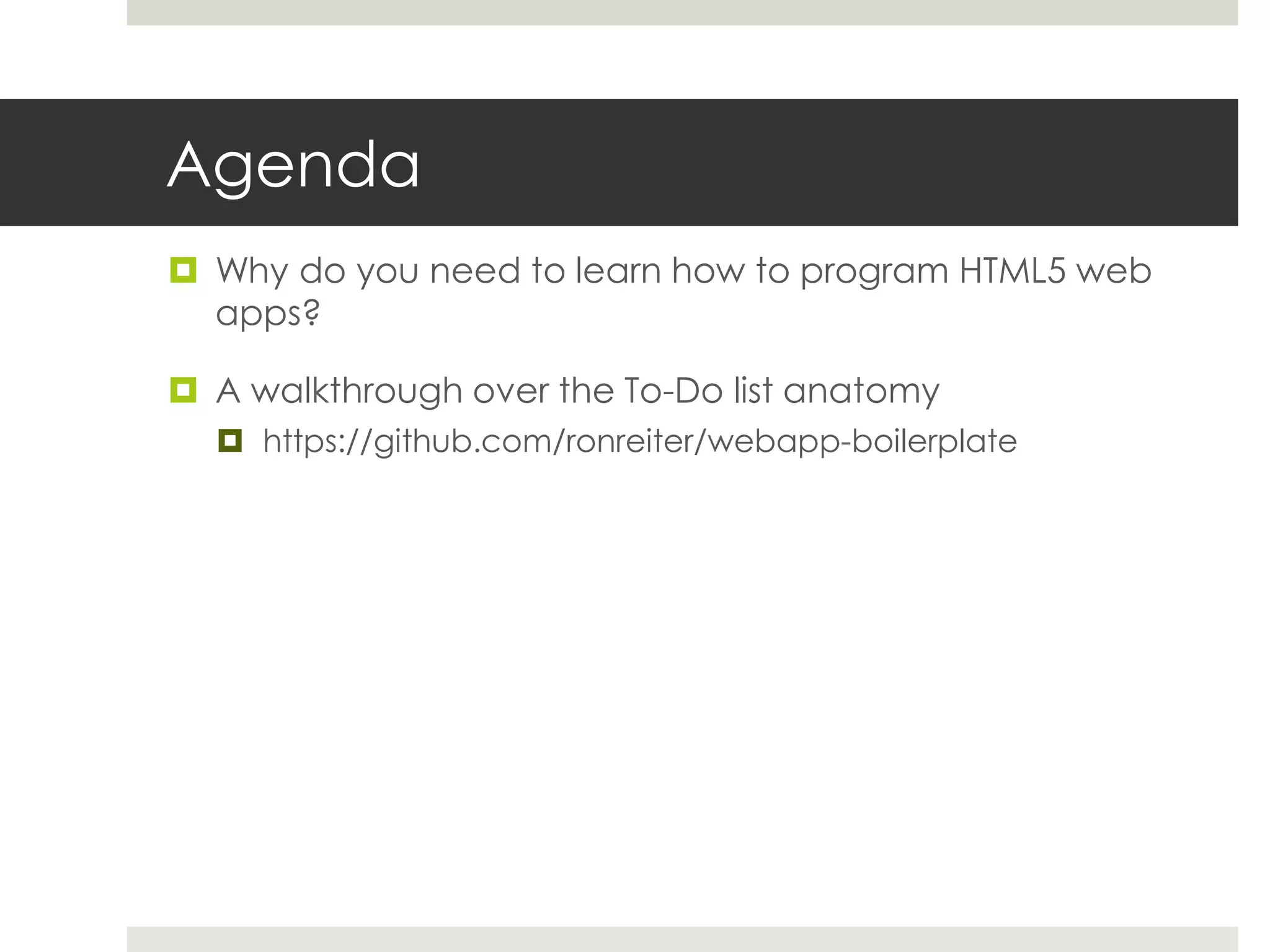
Agenda  Why do you need to learn how to program HTML5 web apps?  A walkthrough over the To-Do list anatomy  https://github.com/ronreiter/webapp-boilerplate
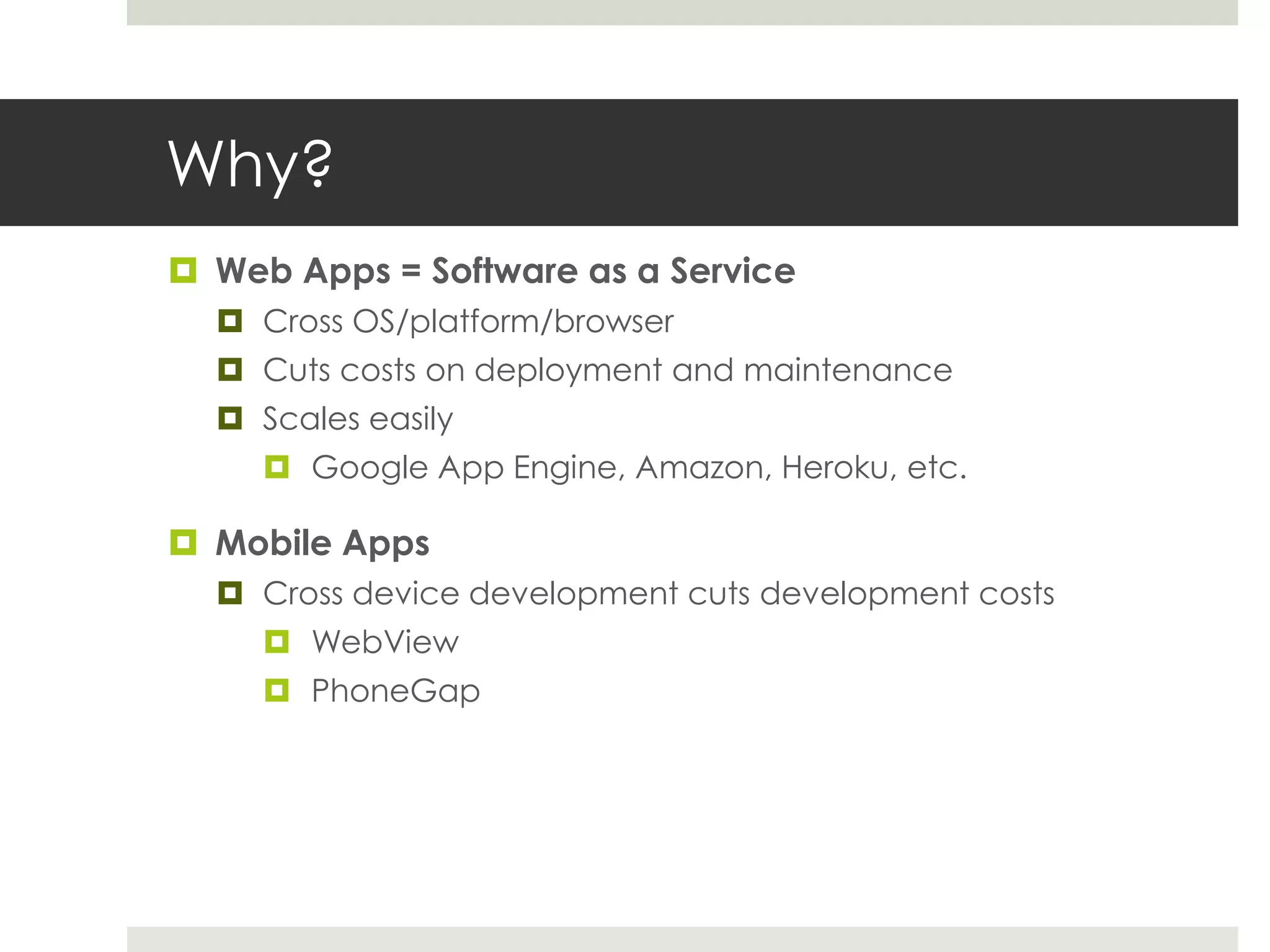
Why?  Web Apps = Software as a Service  Cross OS/platform/browser  Cuts costs on deployment and maintenance  Scales easily  Google App Engine, Amazon, Heroku, etc.  Mobile Apps  Cross device development cuts development costs  WebView  PhoneGap
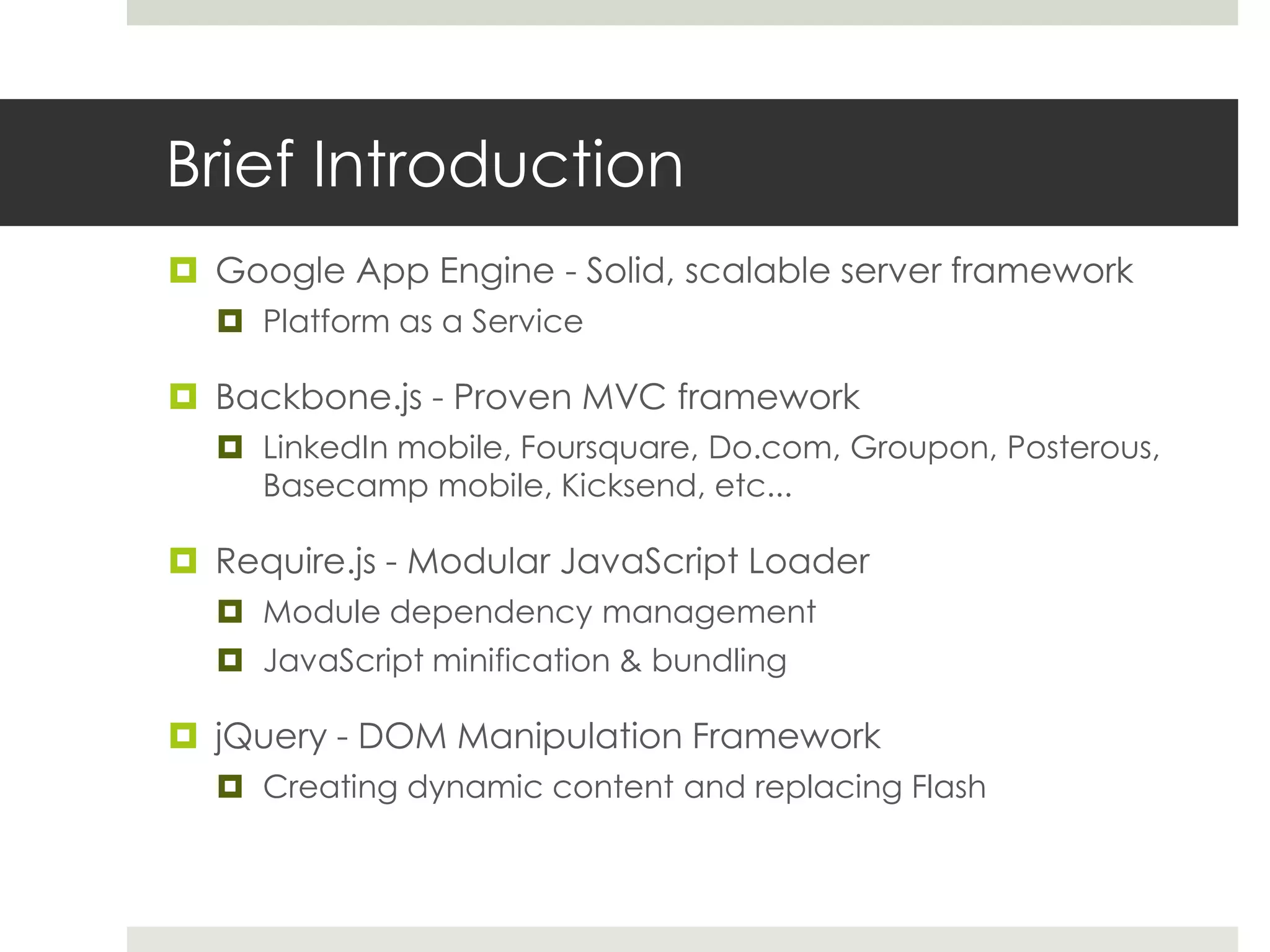
Brief Introduction  Google App Engine - Solid, scalable server framework  Platform as a Service  Backbone.js - Proven MVC framework  LinkedIn mobile, Foursquare, Do.com, Groupon, Posterous, Basecamp mobile, Kicksend, etc...  Require.js - Modular JavaScript Loader  Module dependency management  JavaScript minification & bundling  jQuery - DOM Manipulation Framework  Creating dynamic content and replacing Flash
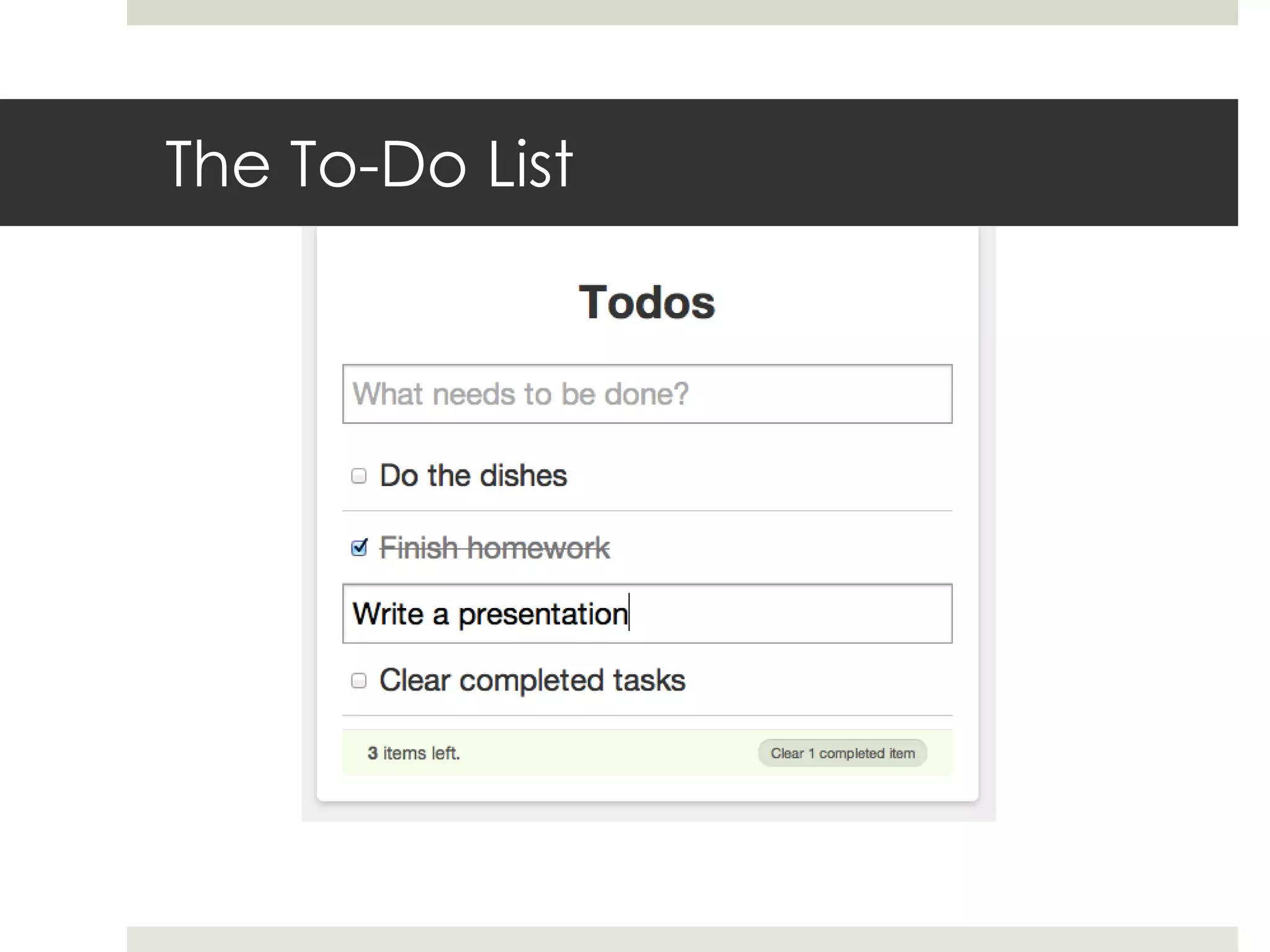
The To-Do List
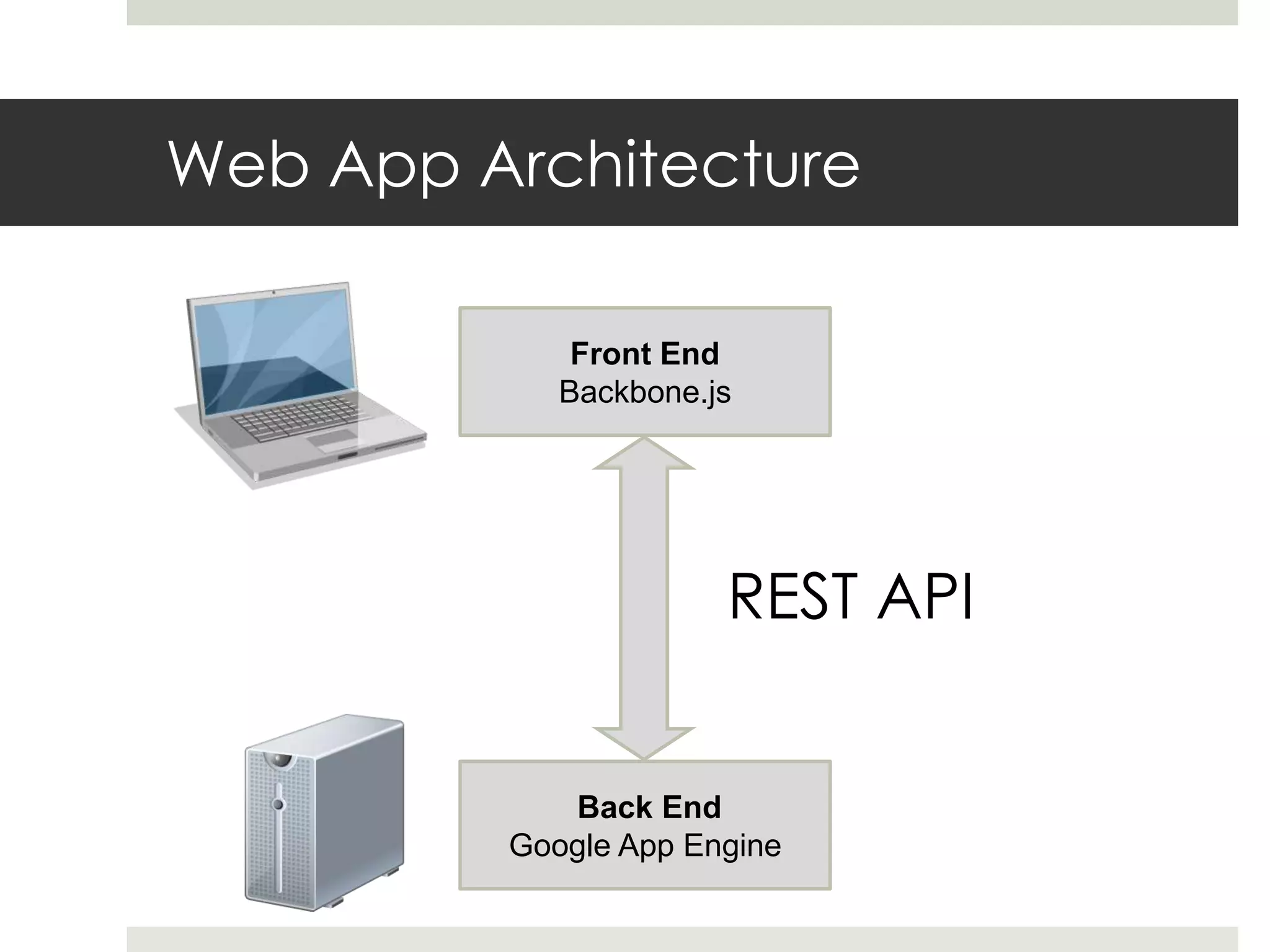
Web App Architecture Front End Backbone.js REST API Back End Google App Engine
Back-End
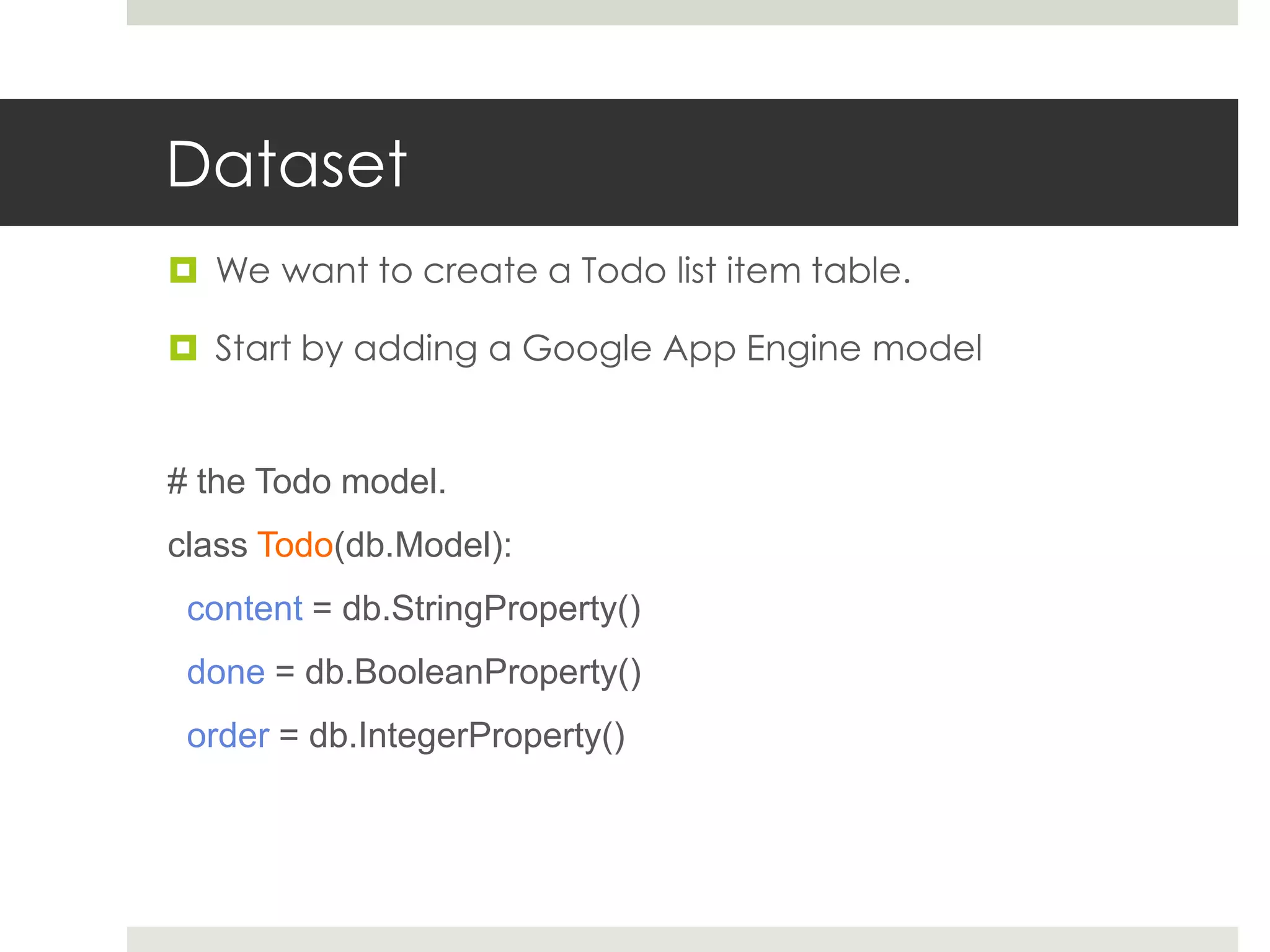
Dataset  We want to create a Todo list item table.  Start by adding a Google App Engine model # the Todo model. class Todo(db.Model): content = db.StringProperty() done = db.BooleanProperty() order = db.IntegerProperty()
Request Handler  Serves all web requests  We implement a main handler and REST API def main(): application = webapp.WSGIApplication([ # index.html ('/', MainHandler), # REST interface ('/todos', TodoListHandler), ('/todos/(d+)', TodoItemHandler), ], debug=True) util.run_wsgi_app(application)
Main Request Handler  When we access http://www.todolist.com, the app is downloaded to our computer and starts to run. class MainHandler(webapp.RequestHandler): def get(self): self.response.out.write( template.render("index.html", {}))
REST API Standard  REST API is used to let clients control datasets, using four CRUD operations:  Create a new item – using HTTP POST requests  Read a list of items – using HTTP GET requests  Update a single item – using HTTP PUT requests  Delete a single item – using HTTP DELETE requests  Similar to SQL, but this is a customized interface and not a way to access a database  REST API uses XML or JSON serialization (Javascript Object Notation) to encode and decode objects  We’ll use JSON
REST API – GET (get all tasks) class TodoListHandler (webapp.RequestHandler): def get(self): # serialize all Todos, # include the ID in the response todos = [] for todo in Todo.all(): todos.append({ "id" : todo.key().id(), "content" : todo.content, "done" : todo.done, "order" : todo.order, }) # send them to the client as JSON self.response.out.write(simplejson.dumps(todos))
REST API – POST (add a new task) class TodoListHandler (webapp.RequestHandler): def post(self): data = simplejson.loads(self.request.body) # load JSON data of the object todo = Todo( content = data["content"], done = data["done"], order = data["order"], ).put() # create the todo item # send it back, and include the new ID. self.response.out.write(simplejson.dumps({ "id" : todo.id(), "content" : data["content"], "done" : data["done"], "order" : data["order"], }))
REST API – PUT (update a task) class TodoItemHandler (webapp.RequestHandler): def put(self, id): data = simplejson.loads(self.request.body) # load the updated model todo = Todo.get_by_id(int(id)) # get it model using the ID from the request path todo.content = data["content"] todo.done = data["done"] todo.order = data["order"] todo.put() # update all fields and save to the DB # send it back using the updated values self.response.out.write(simplejson.dumps({ "id" : id, "content" : todo.content, "done" : todo.done, "order" : todo.order, }))
REST API – DELETE (delete a task) class TodoItemHandler (webapp.RequestHandler): def delete(self, id): # find the requested model and delete it. todo = Todo.get_by_id(int(id)) todo.delete()
Front-End
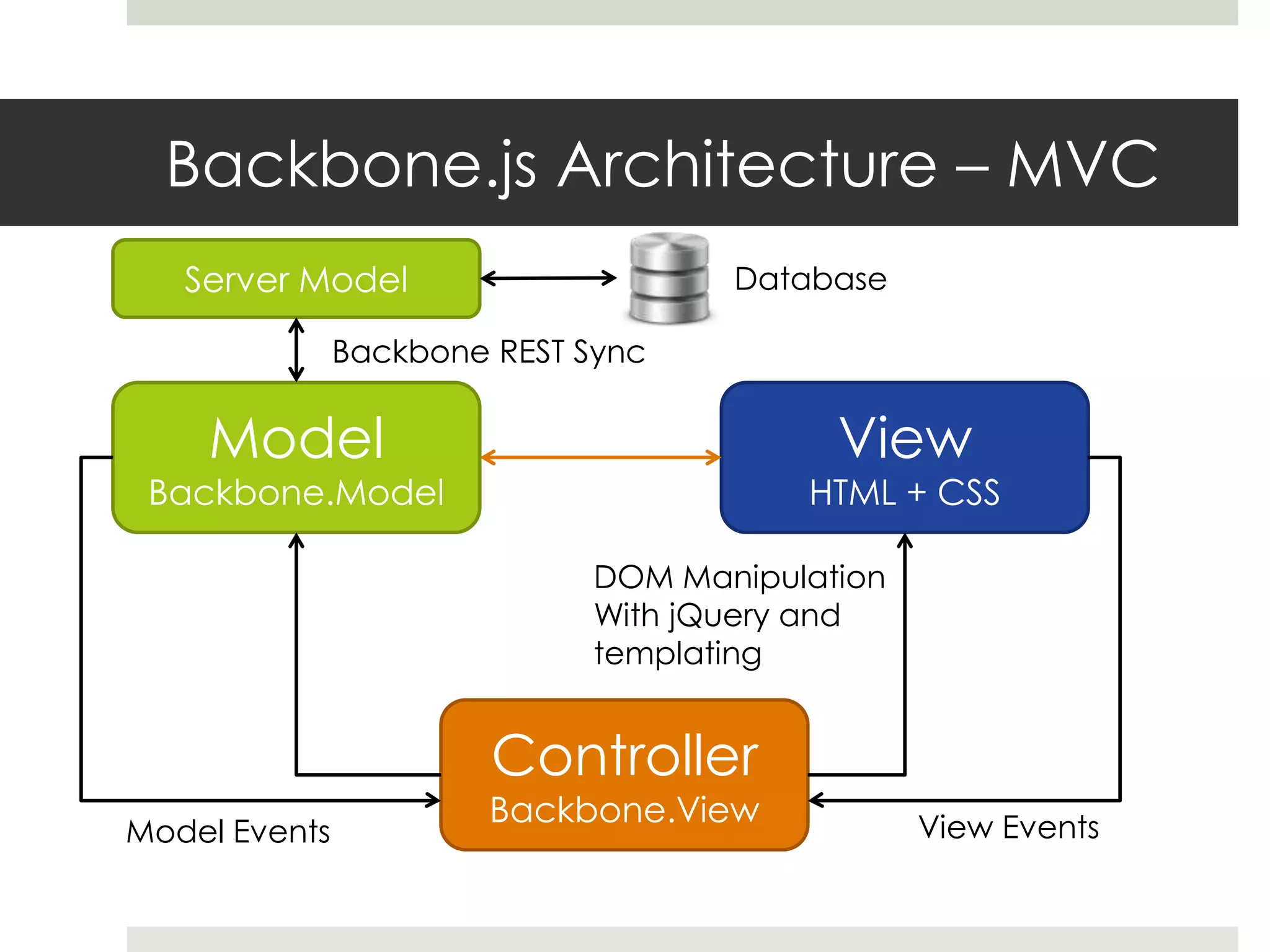
Backbone.js Architecture – MVC Server Model Database Backbone REST Sync Model View Backbone.Model HTML + CSS DOM Manipulation With jQuery and templating Controller Backbone.View View Events Model Events
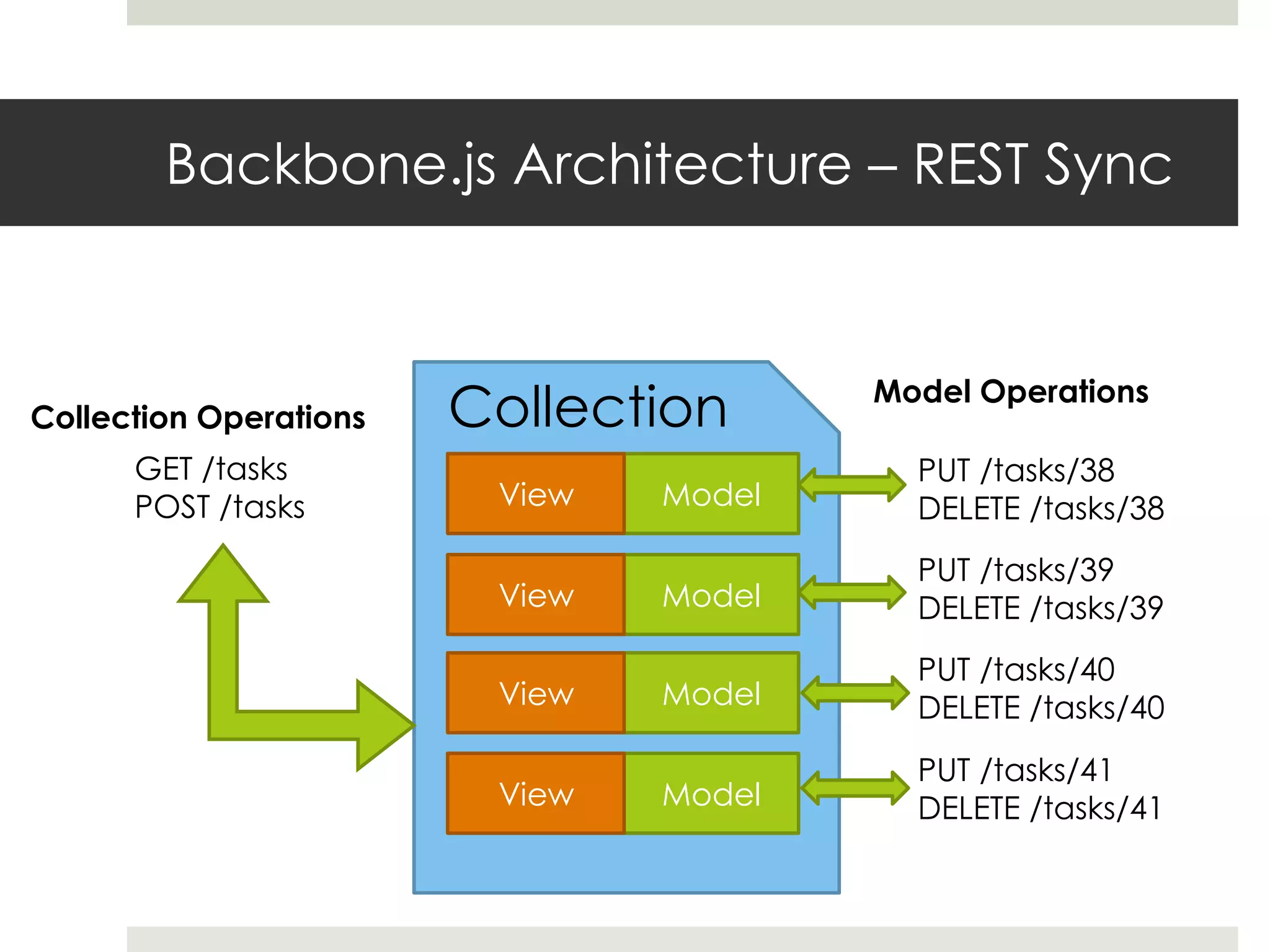
Backbone.js Architecture – REST Sync Collection Operations Collection Model Operations GET /tasks PUT /tasks/38 POST /tasks View Model DELETE /tasks/38 PUT /tasks/39 View Model DELETE /tasks/39 PUT /tasks/40 View Model DELETE /tasks/40 PUT /tasks/41 View Model DELETE /tasks/41
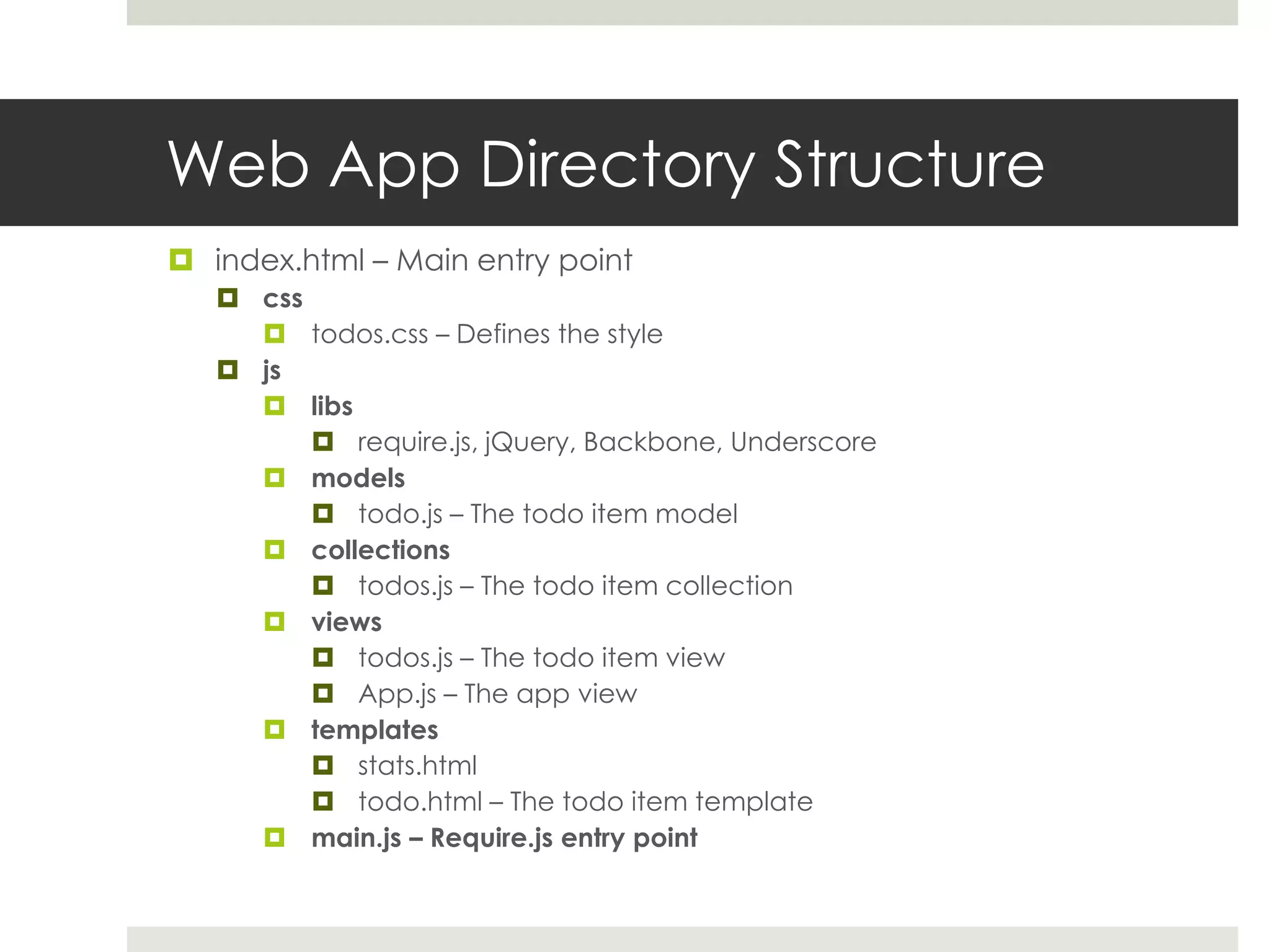
Web App Directory Structure  index.html – Main entry point  css  todos.css – Defines the style  js  libs  require.js, jQuery, Backbone, Underscore  models  todo.js – The todo item model  collections  todos.js – The todo item collection  views  todos.js – The todo item view  App.js – The app view  templates  stats.html  todo.html – The todo item template  main.js – Require.js entry point
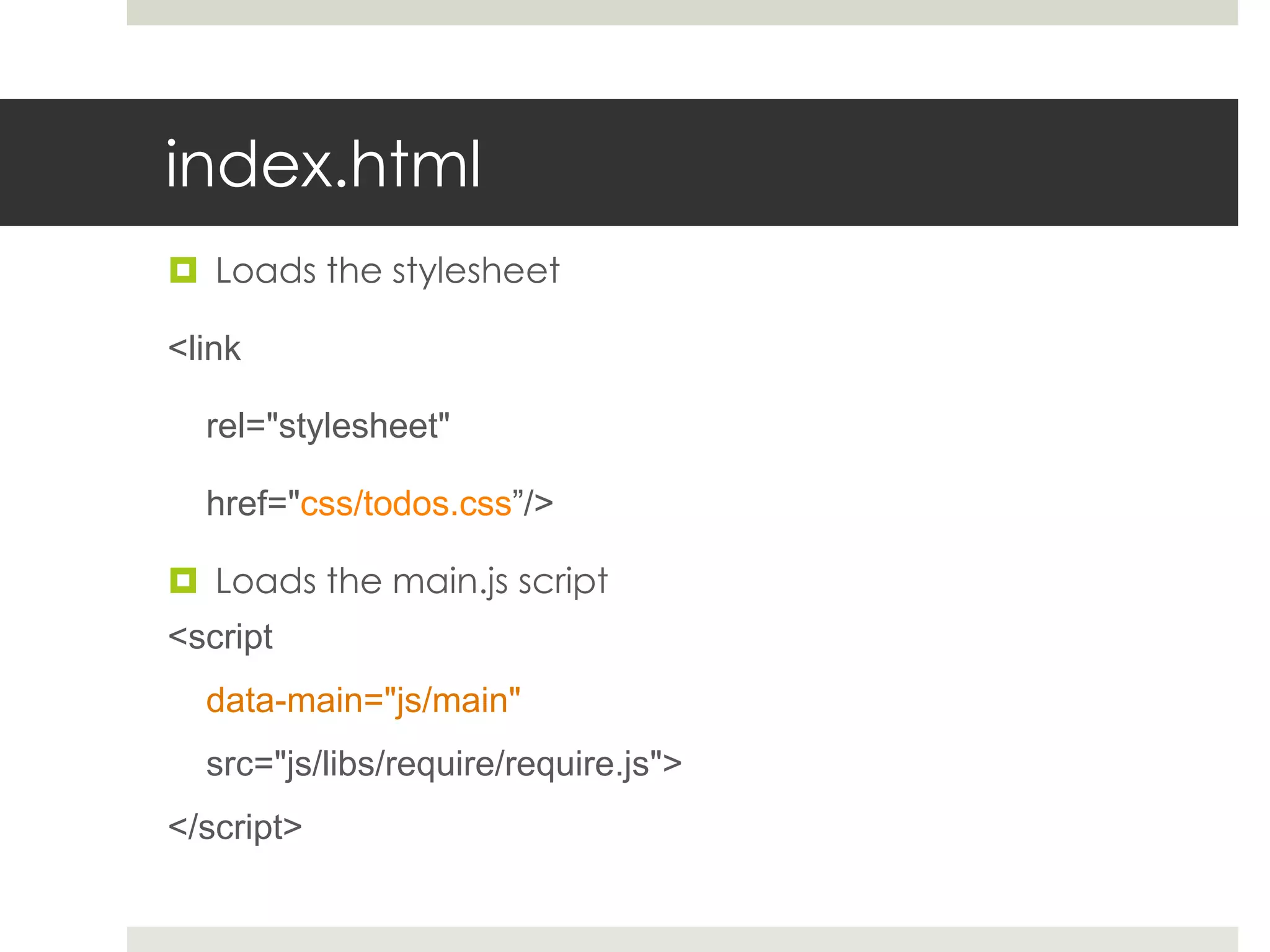
index.html  Loads the stylesheet <link rel="stylesheet" href="css/todos.css”/>  Loads the main.js script <script data-main="js/main" src="js/libs/require/require.js"> </script>
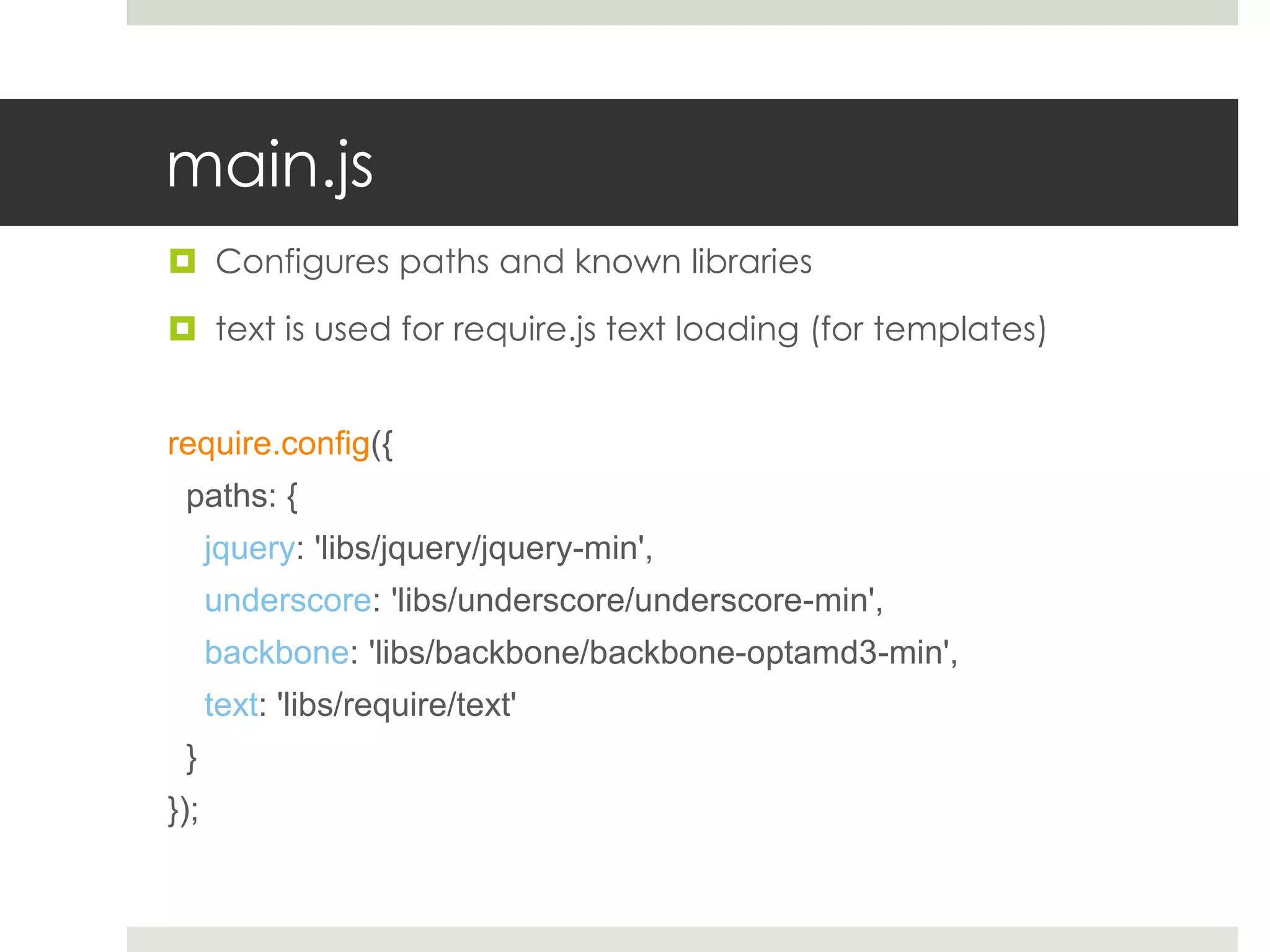
main.js  Configures paths and known libraries  text is used for require.js text loading (for templates) require.config({ paths: { jquery: 'libs/jquery/jquery-min', underscore: 'libs/underscore/underscore-min', backbone: 'libs/backbone/backbone-optamd3-min', text: 'libs/require/text' } });
main.js – cont.  Load the app view (views/app.js)  Notice there is no need to add the JS extension  Require.js supplies us with a function to run Javascript code only after certain modules have been loaded.  This allows us to create a dependency model, and a new way to write Javascript modules. require(['views/app'], function(AppView){ var app_view = new AppView; });
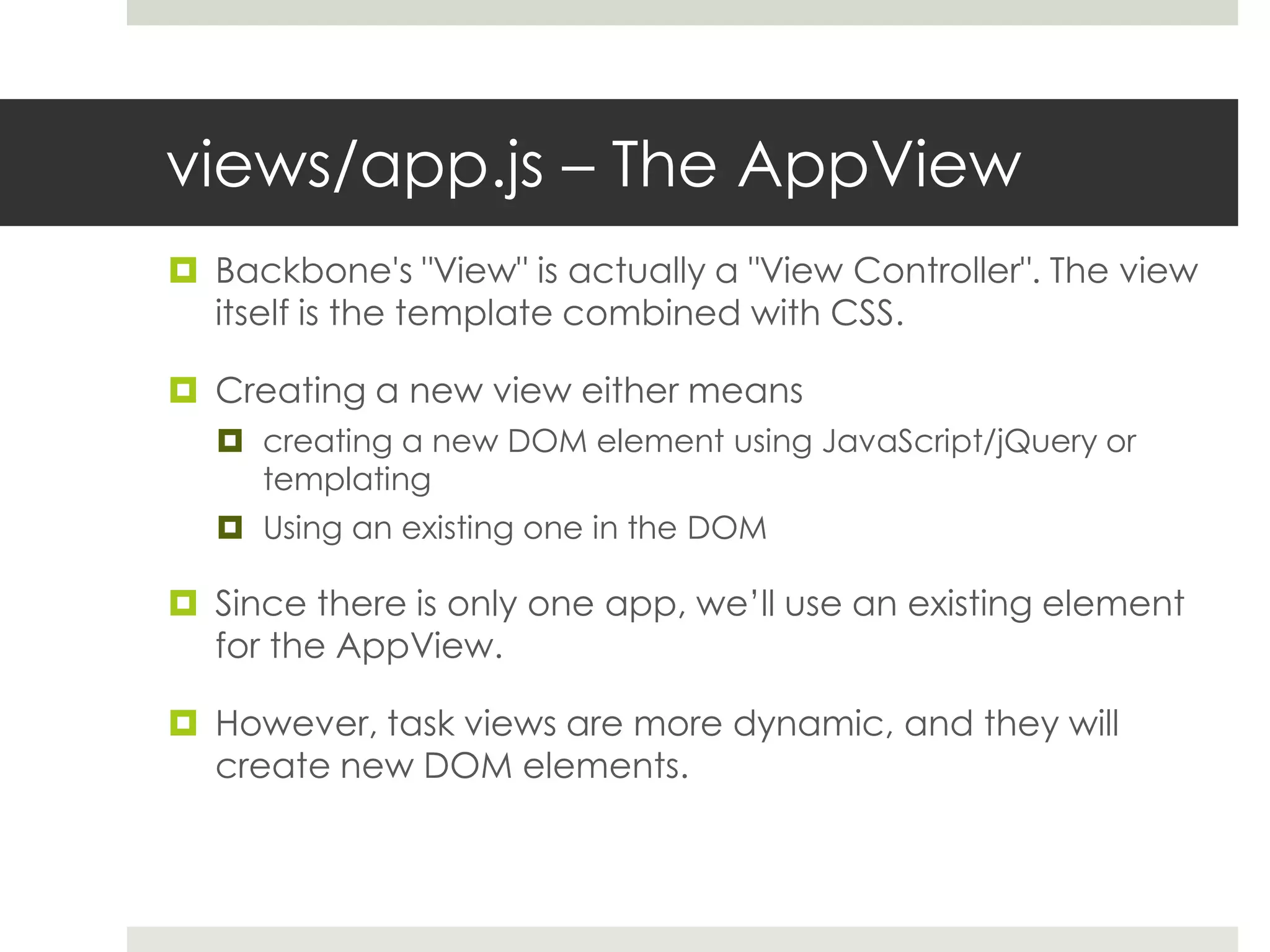
views/app.js – The AppView  Backbone's "View" is actually a "View Controller". The view itself is the template combined with CSS.  Creating a new view either means  creating a new DOM element using JavaScript/jQuery or templating  Using an existing one in the DOM  Since there is only one app, we’ll use an existing element for the AppView.  However, task views are more dynamic, and they will create new DOM elements.
views/app.js – The AppView (cont.)  The define function allows us to depend on libraries, template files and other modules we wrote.  Every dependency in the list corresponds to an argument of the function to execute once all modules are loaded. define([ 'jquery’, 'underscore', 'backbone', 'collections/todos’, 'views/todos', 'text!templates/stats.html' ], function($, _, Backbone, Todos, TodoView, statsTemplate) { var AppView = Backbone.View.extend({ ...
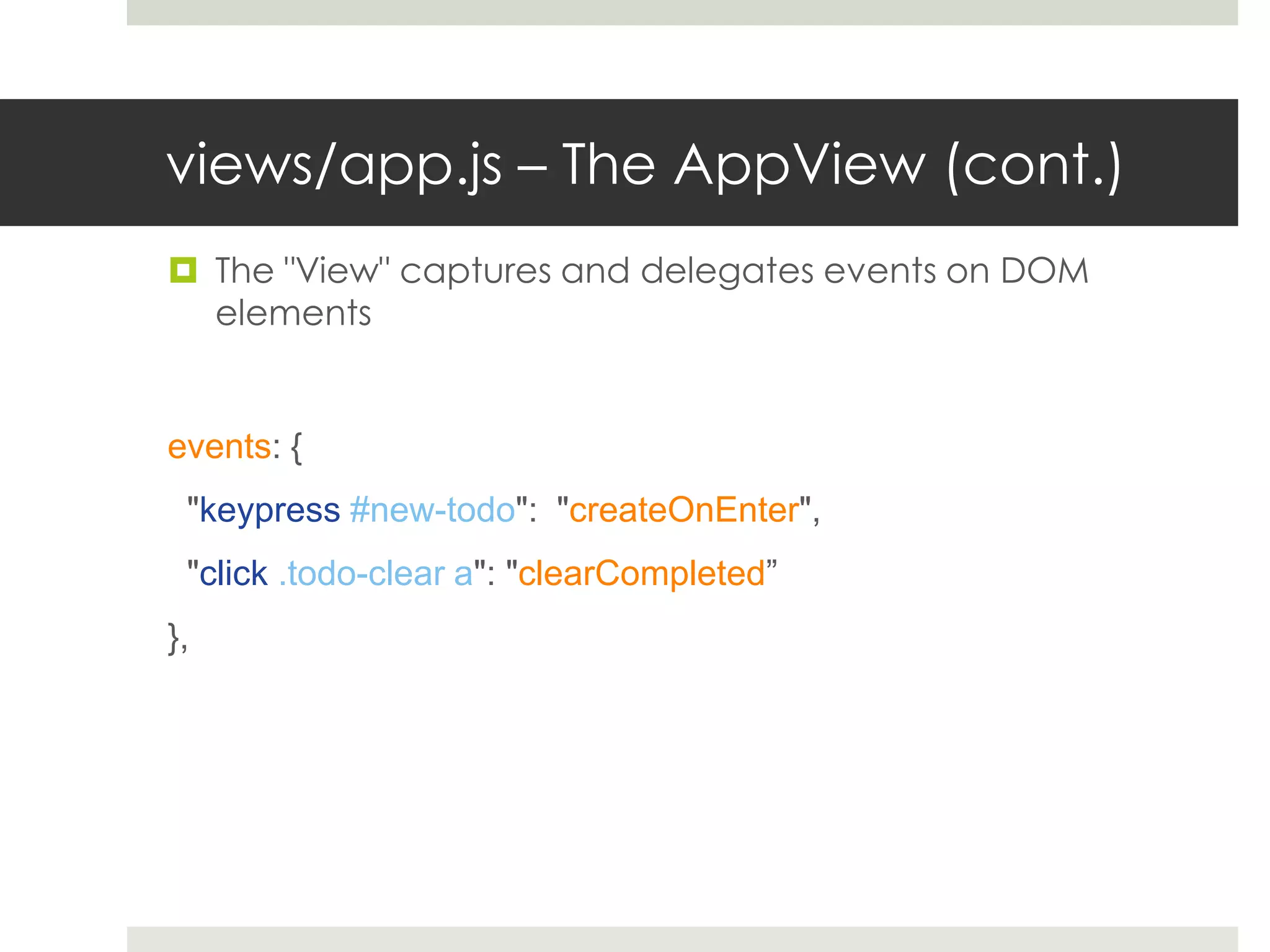
views/app.js – The AppView (cont.)  The "View" captures and delegates events on DOM elements events: { "keypress #new-todo": "createOnEnter", "click .todo-clear a": "clearCompleted” },
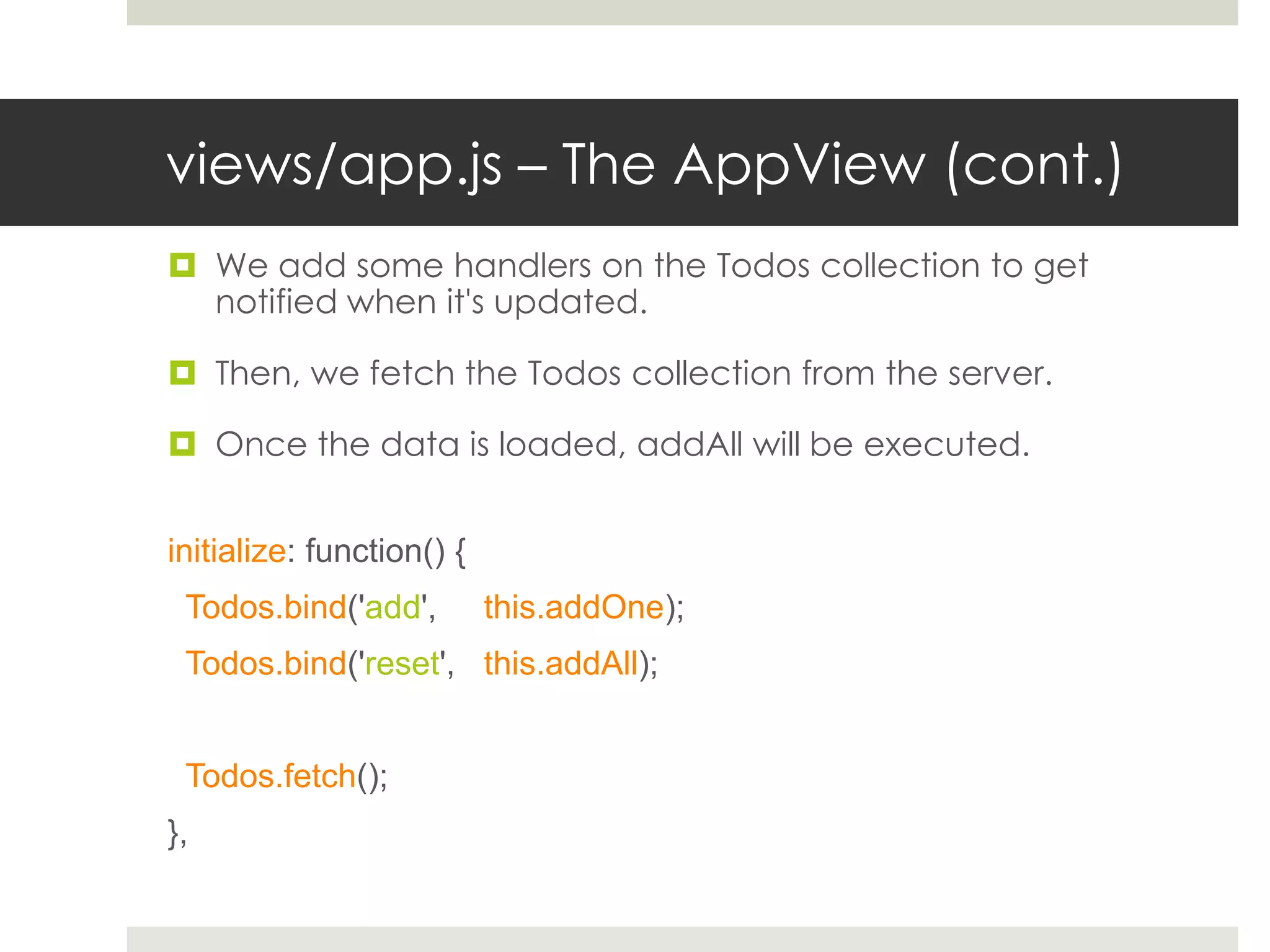
views/app.js – The AppView (cont.)  We add some handlers on the Todos collection to get notified when it's updated.  Then, we fetch the Todos collection from the server.  Once the data is loaded, addAll will be executed. initialize: function() { Todos.bind('add', this.addOne); Todos.bind('reset', this.addAll); Todos.fetch(); },
collections/todos.js – Todo Collection  Backbone Collections are model arrays which synchronize with the server.  The AppView listens for changes on this collection, and can add new models to it. define([ 'underscore', 'backbone', 'models/todo’ ], function(_, Backbone, Todo){ var TodosCollection = Backbone.Collection.extend({ model: Todo, url: '/todos', done: function() { return this.filter(function(todo){ return todo.get('done'); }); } });
models/todo.js – Todo Model  Holds the Todo item data  Defines the default values and methods related to the data  The "define" function needs to return the model class. When "model/todo" will be required, it will be received. define(['underscore', 'backbone'], function(_, Backbone) { var TodoModel = Backbone.Model.extend({ defaults: { content: "empty todo...”, done: false, order: 0 } }); return TodoModel; });
views/todos.js – Todo View  Bind the view to the model  Render function uses the model data to render the template define(['jquery', 'underscore', 'backbone’, 'models/todo', 'text!templates/todos.html' ], function($, _, Backbone, Todo, todosTemplate){ var TodoView = Backbone.View.extend({ model: Todo, template: _.template(todosTemplate), initialize: function() { this.model.bind('change', this.render); this.model.bind('destroy', this.remove); }, render: function() { $(this.el).html(this.template(this.model.toJSON())); ...
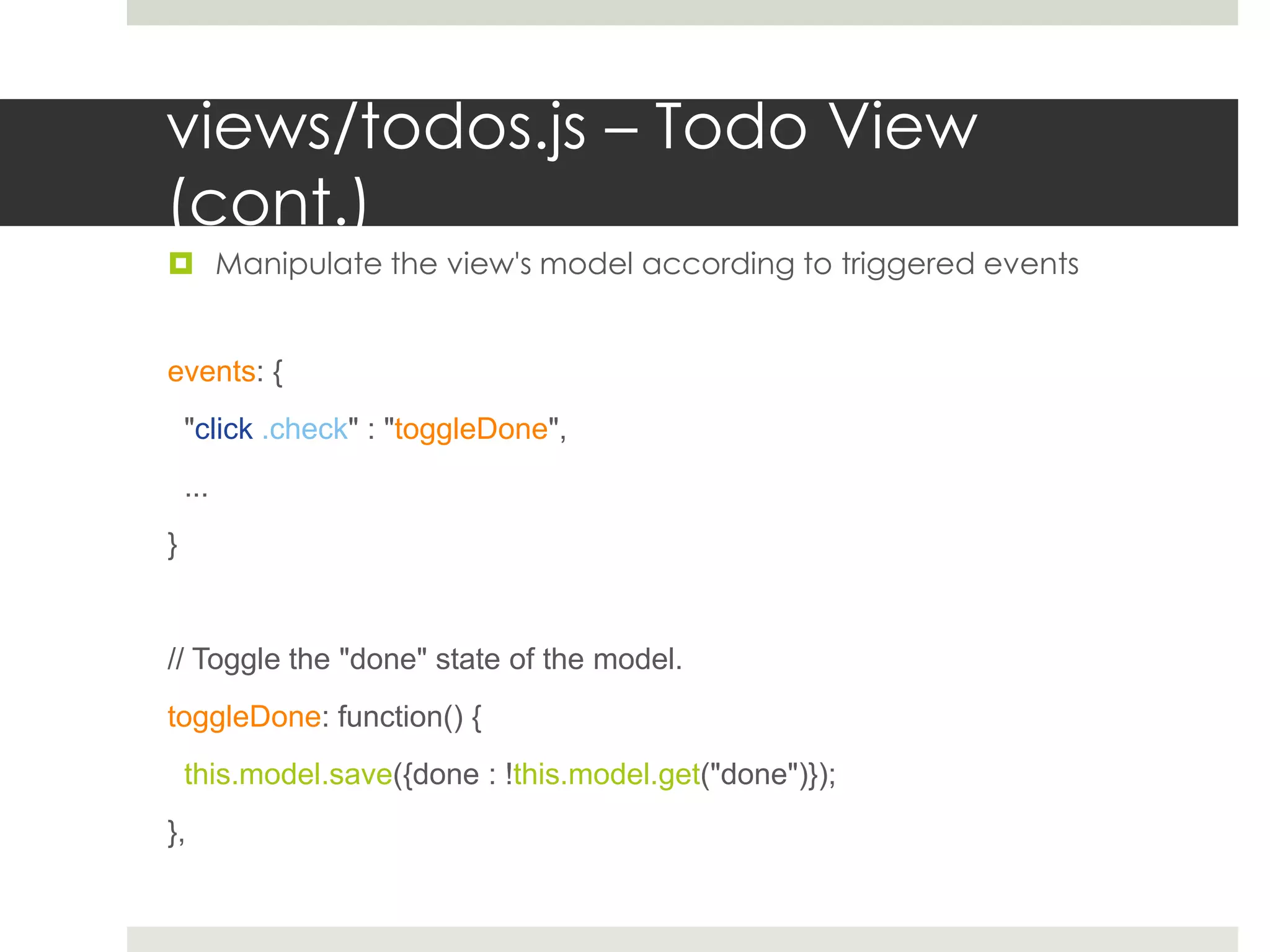
views/todos.js – Todo View (cont.)  Manipulate the view's model according to triggered events events: { "click .check" : "toggleDone", ... } // Toggle the "done" state of the model. toggleDone: function() { this.model.save({done : !this.model.get("done")}); },
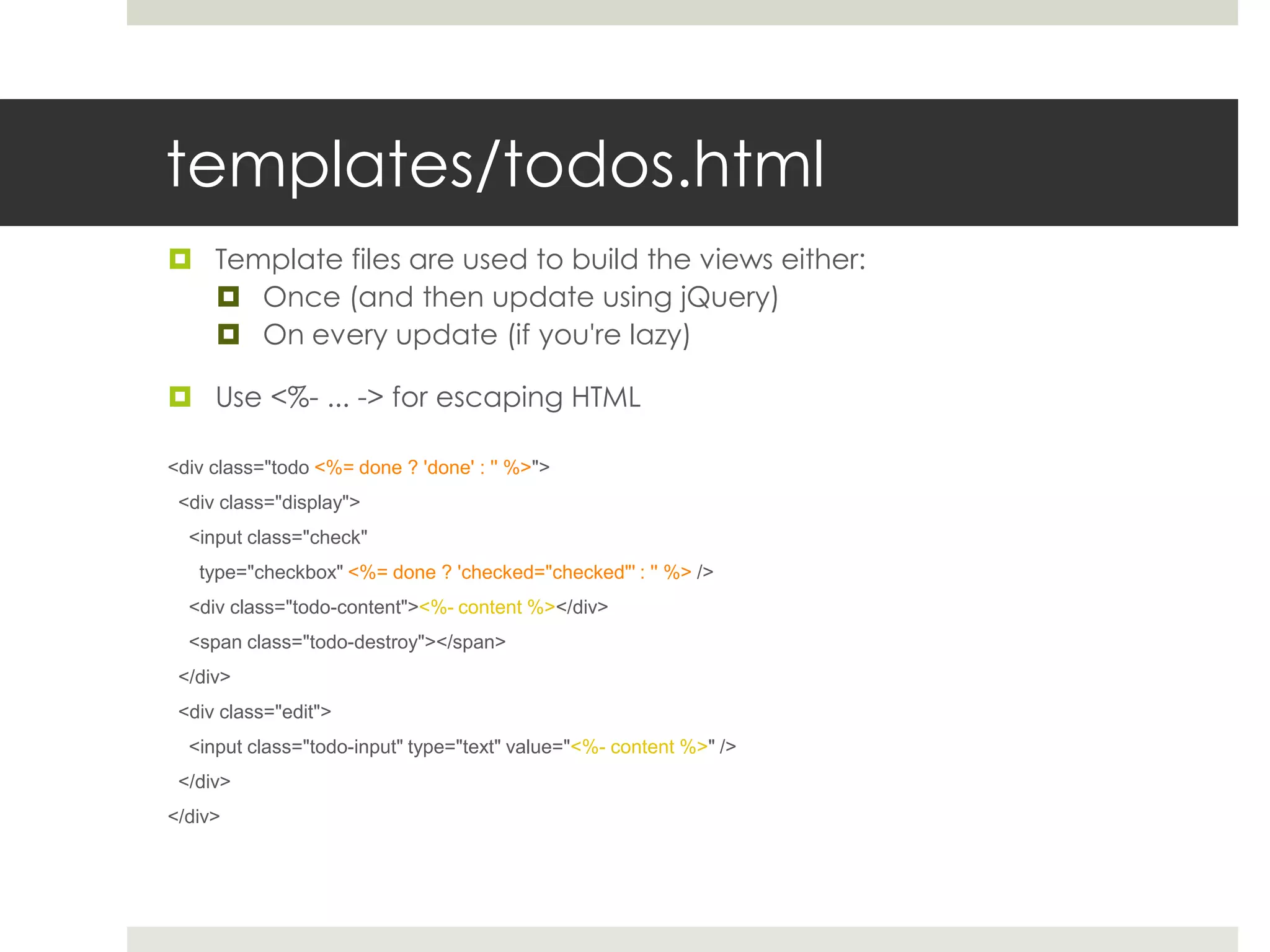
templates/todos.html  Template files are used to build the views either:  Once (and then update using jQuery)  On every update (if you're lazy)  Use <%- ... -> for escaping HTML <div class="todo <%= done ? 'done' : '' %>"> <div class="display"> <input class="check" type="checkbox" <%= done ? 'checked="checked"' : '' %> /> <div class="todo-content"><%- content %></div> <span class="todo-destroy"></span> </div> <div class="edit"> <input class="todo-input" type="text" value="<%- content %>" /> </div> </div>
Questions?

Writing HTML5 Web Apps using Backbone.js and GAE

  • 1.
    Writing HTML5 WebApps Google App Engine Backbone.js Require.js jQuery Ron Reiter © 2012
  • 2.
    Agenda  Why doyou need to learn how to program HTML5 web apps?  A walkthrough over the To-Do list anatomy  https://github.com/ronreiter/webapp-boilerplate
  • 3.
    Why?  Web Apps= Software as a Service  Cross OS/platform/browser  Cuts costs on deployment and maintenance  Scales easily  Google App Engine, Amazon, Heroku, etc.  Mobile Apps  Cross device development cuts development costs  WebView  PhoneGap
  • 4.
    Brief Introduction  GoogleApp Engine - Solid, scalable server framework  Platform as a Service  Backbone.js - Proven MVC framework  LinkedIn mobile, Foursquare, Do.com, Groupon, Posterous, Basecamp mobile, Kicksend, etc...  Require.js - Modular JavaScript Loader  Module dependency management  JavaScript minification & bundling  jQuery - DOM Manipulation Framework  Creating dynamic content and replacing Flash
  • 5.
  • 6.
    Web App Architecture Front End Backbone.js REST API Back End Google App Engine
  • 7.
  • 8.
    Dataset  We wantto create a Todo list item table.  Start by adding a Google App Engine model # the Todo model. class Todo(db.Model): content = db.StringProperty() done = db.BooleanProperty() order = db.IntegerProperty()
  • 9.
    Request Handler  Servesall web requests  We implement a main handler and REST API def main(): application = webapp.WSGIApplication([ # index.html ('/', MainHandler), # REST interface ('/todos', TodoListHandler), ('/todos/(d+)', TodoItemHandler), ], debug=True) util.run_wsgi_app(application)
  • 10.
    Main Request Handler When we access http://www.todolist.com, the app is downloaded to our computer and starts to run. class MainHandler(webapp.RequestHandler): def get(self): self.response.out.write( template.render("index.html", {}))
  • 11.
    REST API Standard REST API is used to let clients control datasets, using four CRUD operations:  Create a new item – using HTTP POST requests  Read a list of items – using HTTP GET requests  Update a single item – using HTTP PUT requests  Delete a single item – using HTTP DELETE requests  Similar to SQL, but this is a customized interface and not a way to access a database  REST API uses XML or JSON serialization (Javascript Object Notation) to encode and decode objects  We’ll use JSON
  • 12.
    REST API –GET (get all tasks) class TodoListHandler (webapp.RequestHandler): def get(self): # serialize all Todos, # include the ID in the response todos = [] for todo in Todo.all(): todos.append({ "id" : todo.key().id(), "content" : todo.content, "done" : todo.done, "order" : todo.order, }) # send them to the client as JSON self.response.out.write(simplejson.dumps(todos))
  • 13.
    REST API –POST (add a new task) class TodoListHandler (webapp.RequestHandler): def post(self): data = simplejson.loads(self.request.body) # load JSON data of the object todo = Todo( content = data["content"], done = data["done"], order = data["order"], ).put() # create the todo item # send it back, and include the new ID. self.response.out.write(simplejson.dumps({ "id" : todo.id(), "content" : data["content"], "done" : data["done"], "order" : data["order"], }))
  • 14.
    REST API –PUT (update a task) class TodoItemHandler (webapp.RequestHandler): def put(self, id): data = simplejson.loads(self.request.body) # load the updated model todo = Todo.get_by_id(int(id)) # get it model using the ID from the request path todo.content = data["content"] todo.done = data["done"] todo.order = data["order"] todo.put() # update all fields and save to the DB # send it back using the updated values self.response.out.write(simplejson.dumps({ "id" : id, "content" : todo.content, "done" : todo.done, "order" : todo.order, }))
  • 15.
    REST API –DELETE (delete a task) class TodoItemHandler (webapp.RequestHandler): def delete(self, id): # find the requested model and delete it. todo = Todo.get_by_id(int(id)) todo.delete()
  • 16.
  • 17.
    Backbone.js Architecture –MVC Server Model Database Backbone REST Sync Model View Backbone.Model HTML + CSS DOM Manipulation With jQuery and templating Controller Backbone.View View Events Model Events
  • 18.
    Backbone.js Architecture –REST Sync Collection Operations Collection Model Operations GET /tasks PUT /tasks/38 POST /tasks View Model DELETE /tasks/38 PUT /tasks/39 View Model DELETE /tasks/39 PUT /tasks/40 View Model DELETE /tasks/40 PUT /tasks/41 View Model DELETE /tasks/41
  • 19.
    Web App DirectoryStructure  index.html – Main entry point  css  todos.css – Defines the style  js  libs  require.js, jQuery, Backbone, Underscore  models  todo.js – The todo item model  collections  todos.js – The todo item collection  views  todos.js – The todo item view  App.js – The app view  templates  stats.html  todo.html – The todo item template  main.js – Require.js entry point
  • 20.
    index.html  Loads thestylesheet <link rel="stylesheet" href="css/todos.css”/>  Loads the main.js script <script data-main="js/main" src="js/libs/require/require.js"> </script>
  • 21.
    main.js  Configures pathsand known libraries  text is used for require.js text loading (for templates) require.config({ paths: { jquery: 'libs/jquery/jquery-min', underscore: 'libs/underscore/underscore-min', backbone: 'libs/backbone/backbone-optamd3-min', text: 'libs/require/text' } });
  • 22.
    main.js – cont. Load the app view (views/app.js)  Notice there is no need to add the JS extension  Require.js supplies us with a function to run Javascript code only after certain modules have been loaded.  This allows us to create a dependency model, and a new way to write Javascript modules. require(['views/app'], function(AppView){ var app_view = new AppView; });
  • 23.
    views/app.js – TheAppView  Backbone's "View" is actually a "View Controller". The view itself is the template combined with CSS.  Creating a new view either means  creating a new DOM element using JavaScript/jQuery or templating  Using an existing one in the DOM  Since there is only one app, we’ll use an existing element for the AppView.  However, task views are more dynamic, and they will create new DOM elements.
  • 24.
    views/app.js – TheAppView (cont.)  The define function allows us to depend on libraries, template files and other modules we wrote.  Every dependency in the list corresponds to an argument of the function to execute once all modules are loaded. define([ 'jquery’, 'underscore', 'backbone', 'collections/todos’, 'views/todos', 'text!templates/stats.html' ], function($, _, Backbone, Todos, TodoView, statsTemplate) { var AppView = Backbone.View.extend({ ...
  • 25.
    views/app.js – TheAppView (cont.)  The "View" captures and delegates events on DOM elements events: { "keypress #new-todo": "createOnEnter", "click .todo-clear a": "clearCompleted” },
  • 26.
    views/app.js – TheAppView (cont.)  We add some handlers on the Todos collection to get notified when it's updated.  Then, we fetch the Todos collection from the server.  Once the data is loaded, addAll will be executed. initialize: function() { Todos.bind('add', this.addOne); Todos.bind('reset', this.addAll); Todos.fetch(); },
  • 27.
    collections/todos.js – TodoCollection  Backbone Collections are model arrays which synchronize with the server.  The AppView listens for changes on this collection, and can add new models to it. define([ 'underscore', 'backbone', 'models/todo’ ], function(_, Backbone, Todo){ var TodosCollection = Backbone.Collection.extend({ model: Todo, url: '/todos', done: function() { return this.filter(function(todo){ return todo.get('done'); }); } });
  • 28.
    models/todo.js – TodoModel  Holds the Todo item data  Defines the default values and methods related to the data  The "define" function needs to return the model class. When "model/todo" will be required, it will be received. define(['underscore', 'backbone'], function(_, Backbone) { var TodoModel = Backbone.Model.extend({ defaults: { content: "empty todo...”, done: false, order: 0 } }); return TodoModel; });
  • 29.
    views/todos.js – TodoView  Bind the view to the model  Render function uses the model data to render the template define(['jquery', 'underscore', 'backbone’, 'models/todo', 'text!templates/todos.html' ], function($, _, Backbone, Todo, todosTemplate){ var TodoView = Backbone.View.extend({ model: Todo, template: _.template(todosTemplate), initialize: function() { this.model.bind('change', this.render); this.model.bind('destroy', this.remove); }, render: function() { $(this.el).html(this.template(this.model.toJSON())); ...
  • 30.
    views/todos.js – TodoView (cont.)  Manipulate the view's model according to triggered events events: { "click .check" : "toggleDone", ... } // Toggle the "done" state of the model. toggleDone: function() { this.model.save({done : !this.model.get("done")}); },
  • 31.
    templates/todos.html  Template filesare used to build the views either:  Once (and then update using jQuery)  On every update (if you're lazy)  Use <%- ... -> for escaping HTML <div class="todo <%= done ? 'done' : '' %>"> <div class="display"> <input class="check" type="checkbox" <%= done ? 'checked="checked"' : '' %> /> <div class="todo-content"><%- content %></div> <span class="todo-destroy"></span> </div> <div class="edit"> <input class="todo-input" type="text" value="<%- content %>" /> </div> </div>
  • 32.