Developing, Building and Releasing databases with SSDT and Taavi Koosaar DevOps Consultant | VS ALM MVP | VS ALM Ranger
Agenda • Concepts • Development • Build • Release
Concepts
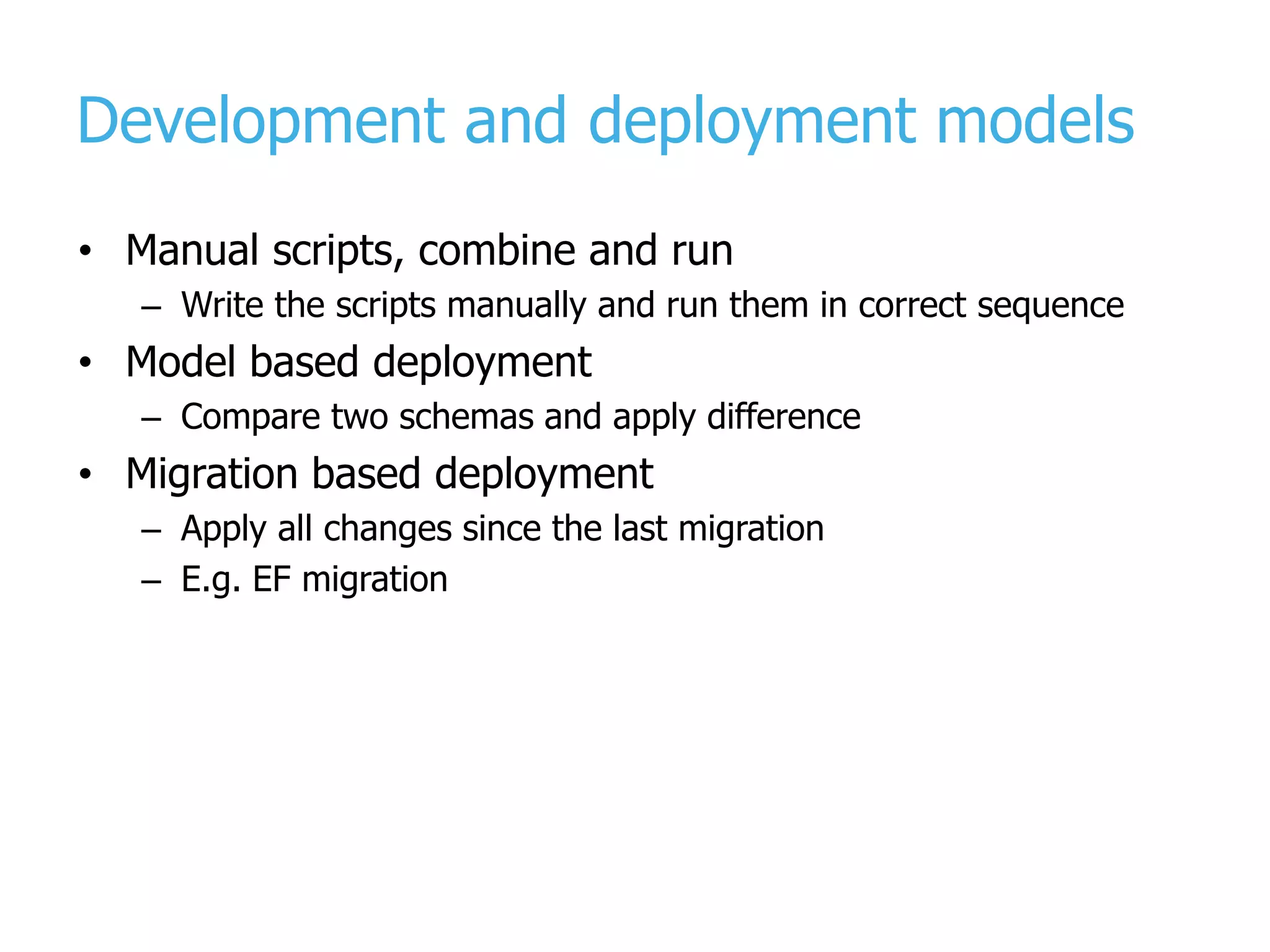
Development and deployment models • Manual scripts, combine and run – Write the scripts manually and run them in correct sequence • Model based deployment – Compare two schemas and apply difference • Migration based deployment – Apply all changes since the last migration – E.g. EF migration
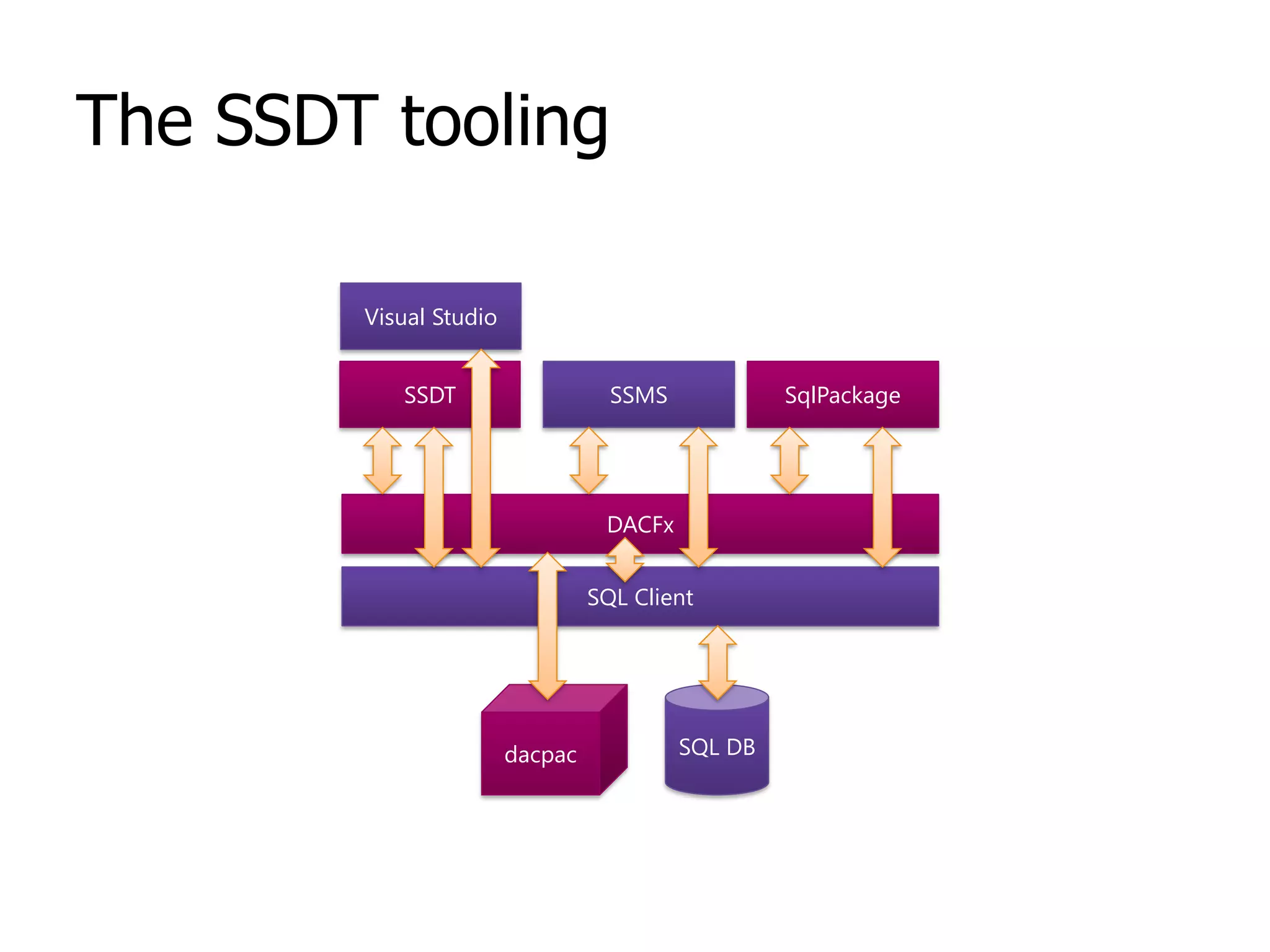
The SSDT tooling DACFx SqlPackageSSMSSSDT Visual Studio SQL DBdacpac SQL Client
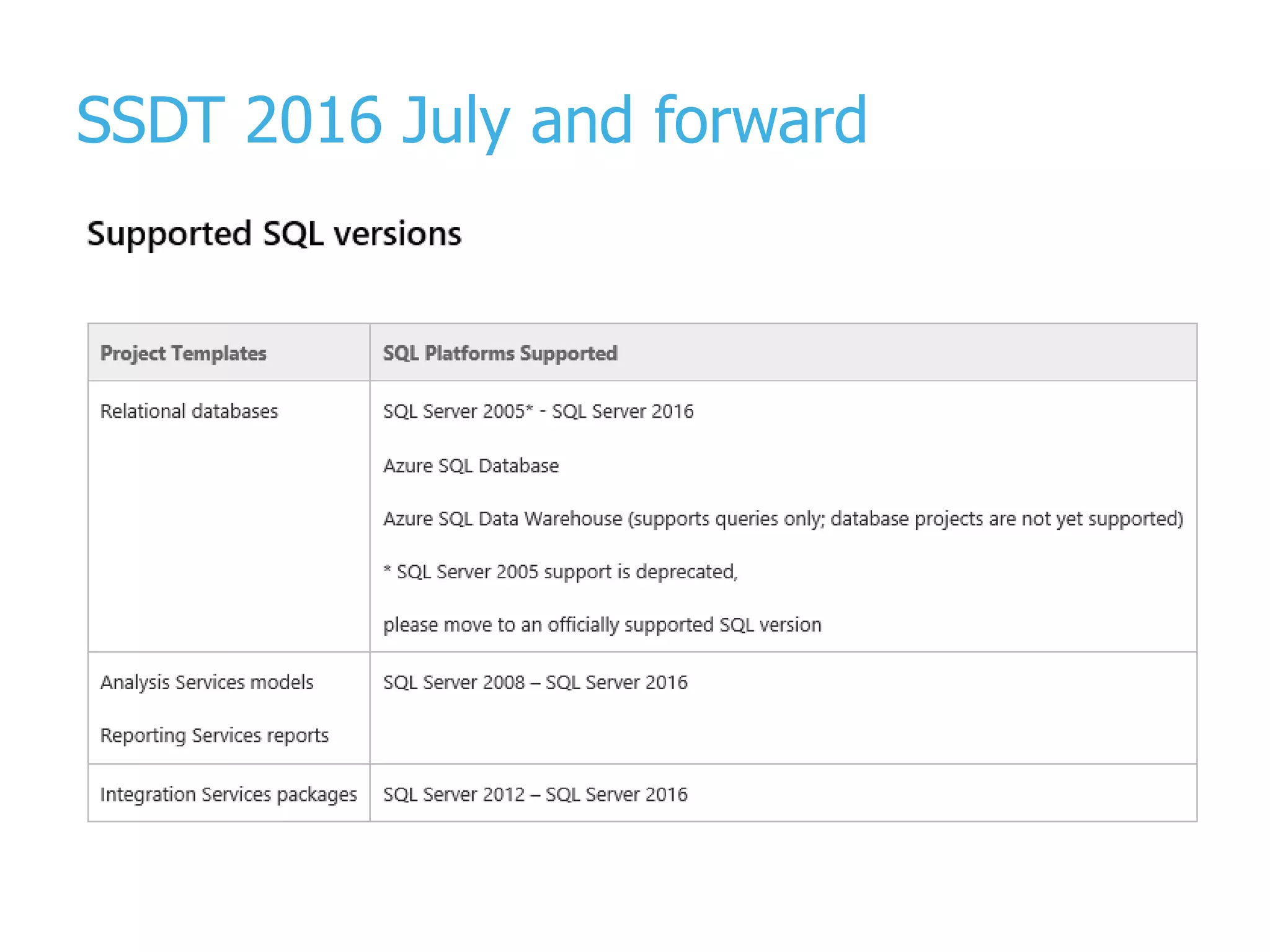
SSDT 2016 July and forward
DAC framework • The component /framework that makes deployment possible – Model, deployment and api – SqlPackage.exe – Data Tier Applications • Comes with SSDT and SQL Server (can also be separately installed) • Compatible downwards • Not everything of SQL is supported – https://msdn.microsoft.com/en-us/library/ee210549.aspx
SSDT in Visual Studio • SQL Server Object Explorer – connected / offline dev • SQL Database project structure, references and daily work – Incl code analytics, intellisense, refactoring • SQL Schema Compare | Data Compare • Pre-Build, Post-Build and Pre-DacPac, Post-DacPac – Reference data scripts • DACPAC, BACPAC and Publish/Deployment – Settings, sqlcmd variables • Refactor log
SQL Database project • Everything you plan to deploy to database and everything you are referencing should be there – Except the few things you may not want to e.g. logins, roles • Project & Database references – Composite projects • (SQL CMD) Variables • Code Analysis rules • Snapshots
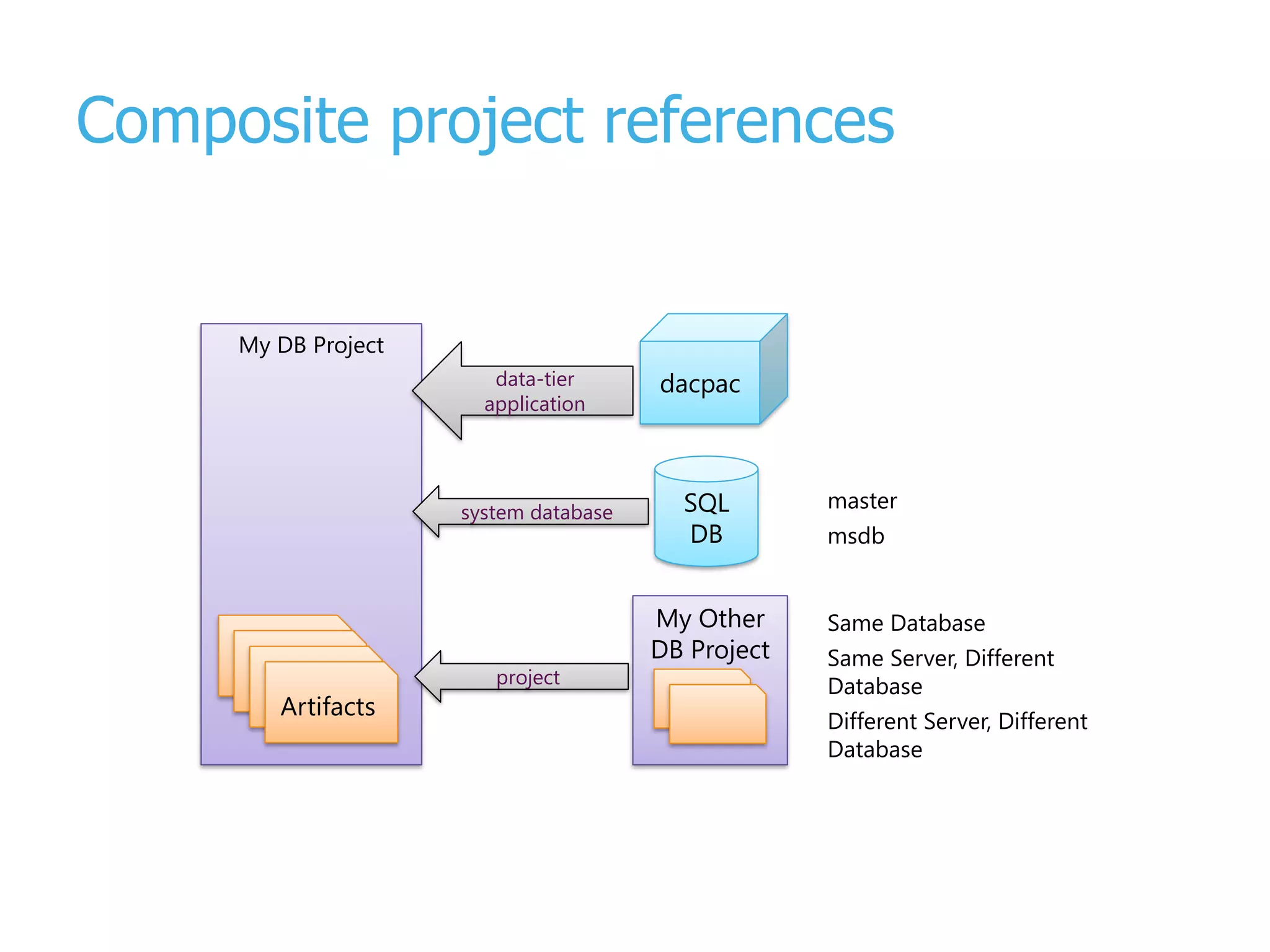
Composite projects • Reference external databases • Break up a larger database into logical units • Separate by schema / functional area • Decrease build time – build smaller pieces
Composite project references SQL DB dacpac My DB Project Artefacts Artefacts Artefacts Artifacts My Other DB Project data-tier application system database project Same Database Same Server, Different Database Different Server, Different Database master msdb
What is a DacPac? • A zip file • Result of the build of database project • Contains the model / schema / refactorings • Contains the pre and post deployment combined scripts • Versioned
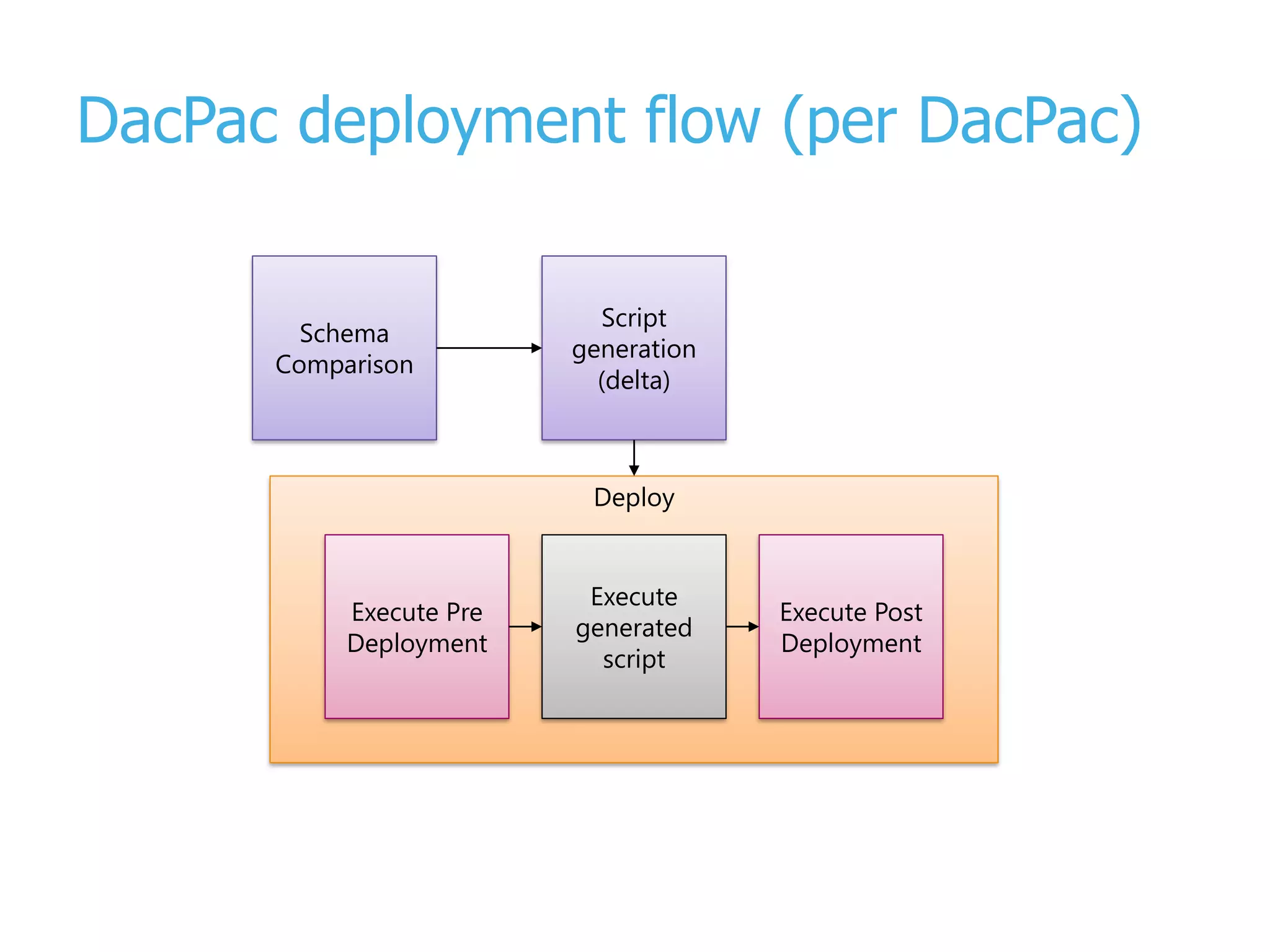
DacPac deployment flow (per DacPac) Deploy Schema Comparison Script generation (delta) Execute Pre Deployment Execute generated script Execute Post Deployment
Development
Getting started with database project • Import existing database into database project – From database – From dacpac (e.g. that came from production) • First time, you will hit and find a lot of … – Invalid objects - Old objects referencing non-existent columns / encrypted objects / invalid synonyms / cross database references / circular references / unsupported objects for target platform • Engage a Subject Matter Expert: Talk to your DBA to help clean up these issues
Getting started with database project • Validation turned on – Turn validation off for initial import! – Use the latest version of the tools! – Import everything and fix issues within Visual Studio • SSDT imports the first 1000 stored procedures into Procs1, the next into Procs2 etc – You may need to add some folder structure to your project to keep developers sane. – Having many 1000’s of objects affects SSDT performance
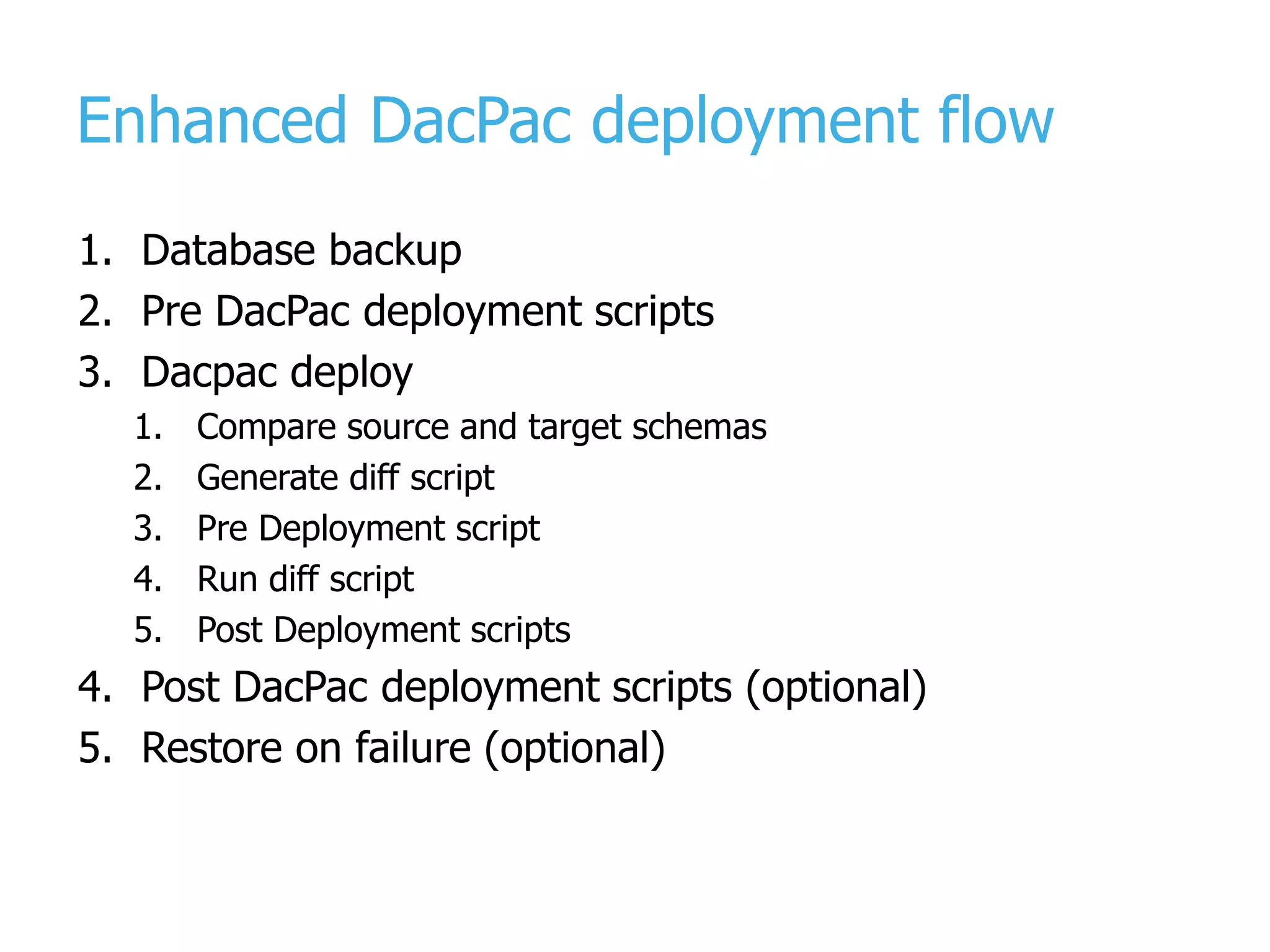
Enhanced DacPac deployment flow 1. Database backup 2. Pre DacPac deployment scripts 3. Dacpac deploy 1. Compare source and target schemas 2. Generate diff script 3. Pre Deployment script 4. Run diff script 5. Post Deployment scripts 4. Post DacPac deployment scripts (optional) 5. Restore on failure (optional)
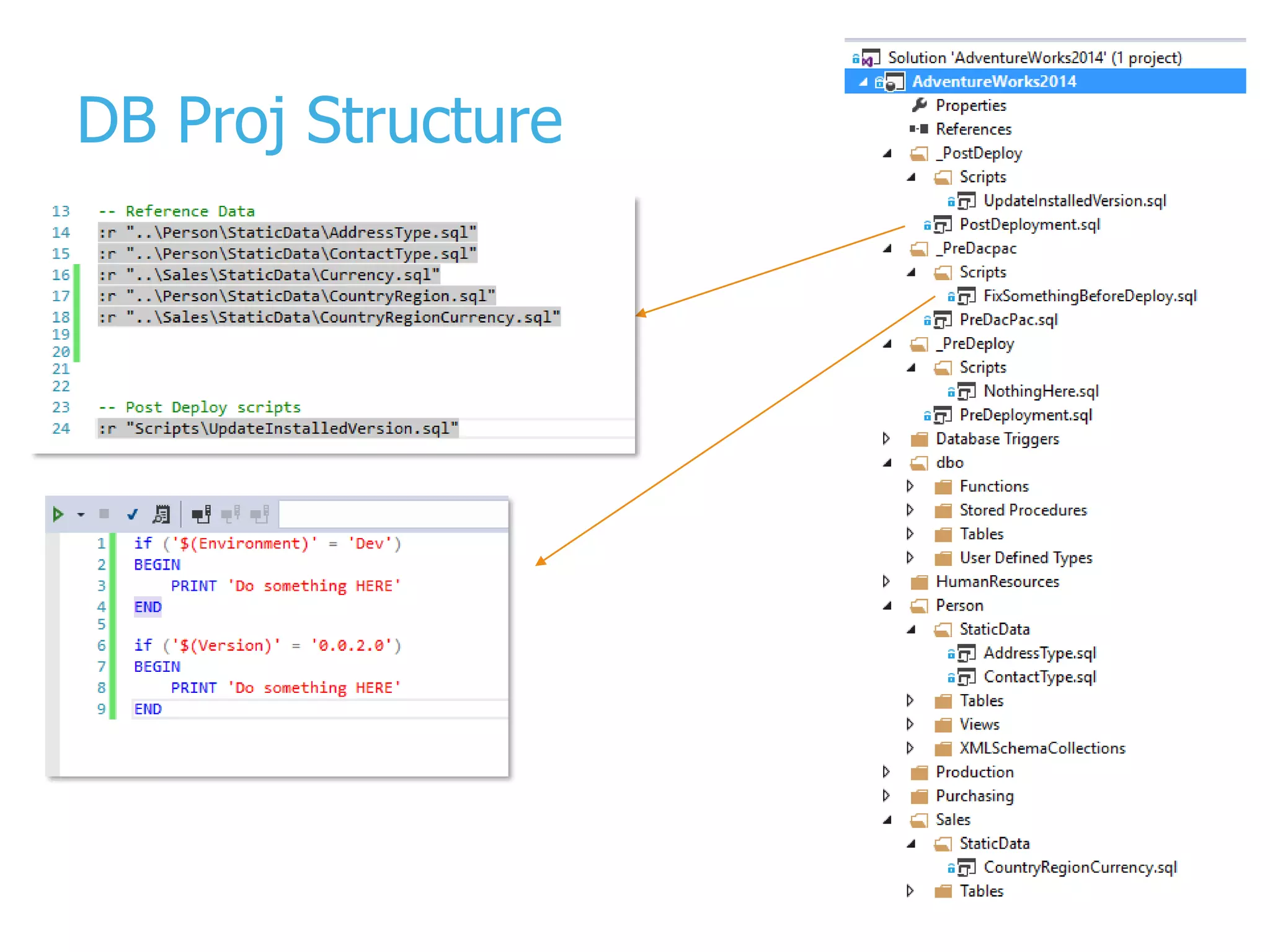
DB Proj Structure
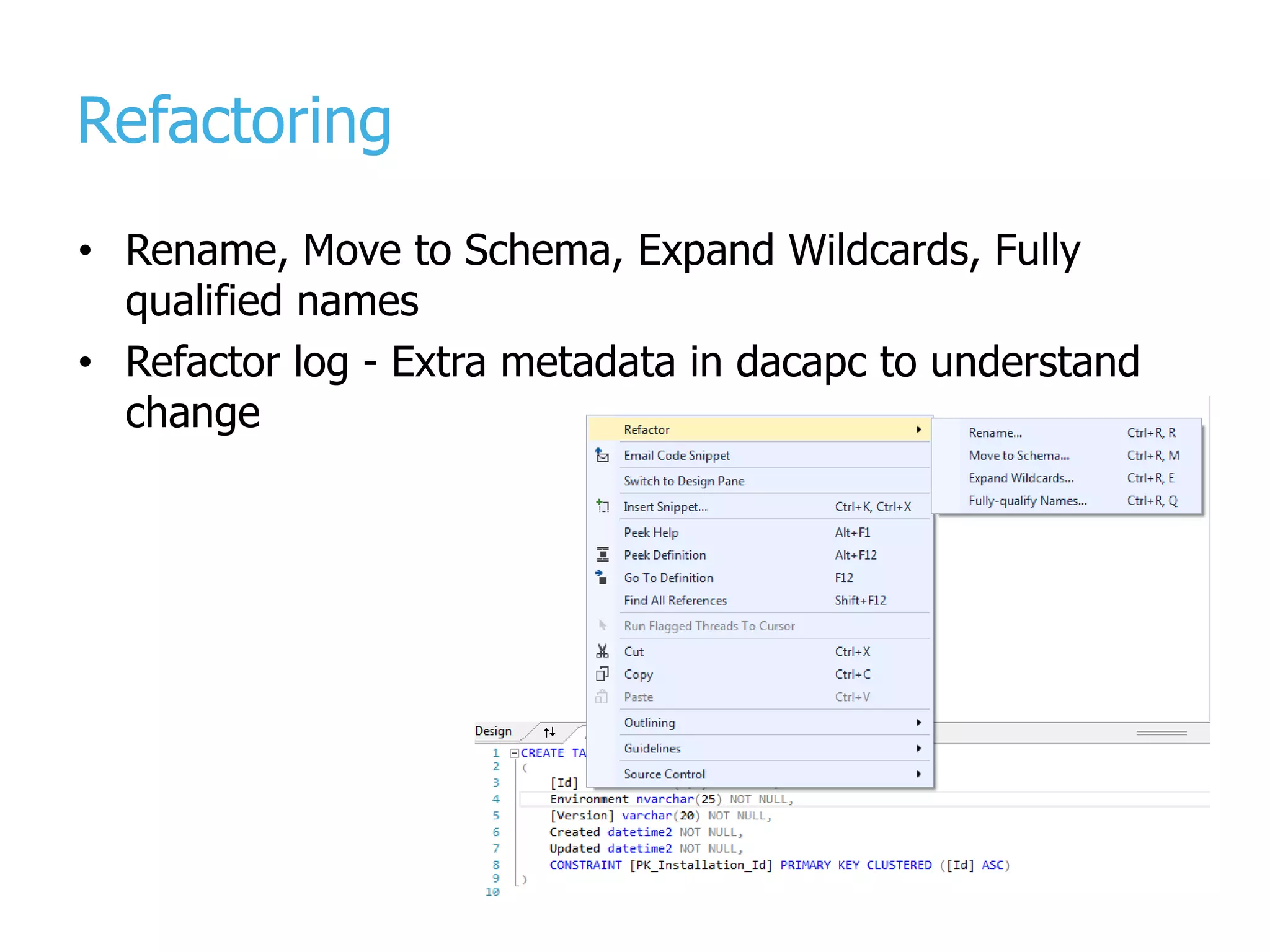
Refactoring • Rename, Move to Schema, Expand Wildcards, Fully qualified names • Refactor log - Extra metadata in dacapc to understand change
Everything should be named • PK • FK • Constraints • … [ModifiedDate] DATETIME CONSTRAINT [DF_Address_ModifiedDate] DEFAULT (getdate()) NOT NULL CONSTRAINT [PK_Address_AddressID] PRIMARY KEY CLUSTERED ([AddressID] ASC) CONSTRAINT [FK_Address_StateProvince_StateProvinceID] FOREIGN KEY ([StateProvinceID]) REFERENCES [Person].[StateProvince] ([StateProvinceID])
Static data is static (and part of schema) • All data in the static scripts must be static incl ID columns • Use merge script approach for static data when possible – Can use sp_generate_merge to create merge scripts from real tables – https://github.com/readyroll/generate-sql-merge • When adding/removing ReferenceData files or Pre/Post deployment scripts – Pre / Post deployment.sql file needs be updated!
Pre-deployment, post-deployment, predacpac • Reference all the necessary databases and projects to build (dacpacs, master, database projects) – Use extraction of dacpacs from real databases • PreDacPac, PreDeploy, PostDeploy scripts (incl static data) are marked Build Action = None • All pre, post and predacpac scripts must be repeatable and fail-safe • Use SQL CMD variables such as version, environment in conditions in scripts, and Installation table
Handling changes • Transitional – R1: Do non-breaking change (e.g. add NULL column) – R2: Turn column into NOT NULL • All in one – Use predacpac to do some of the changes before dacpac deployment hits
Build
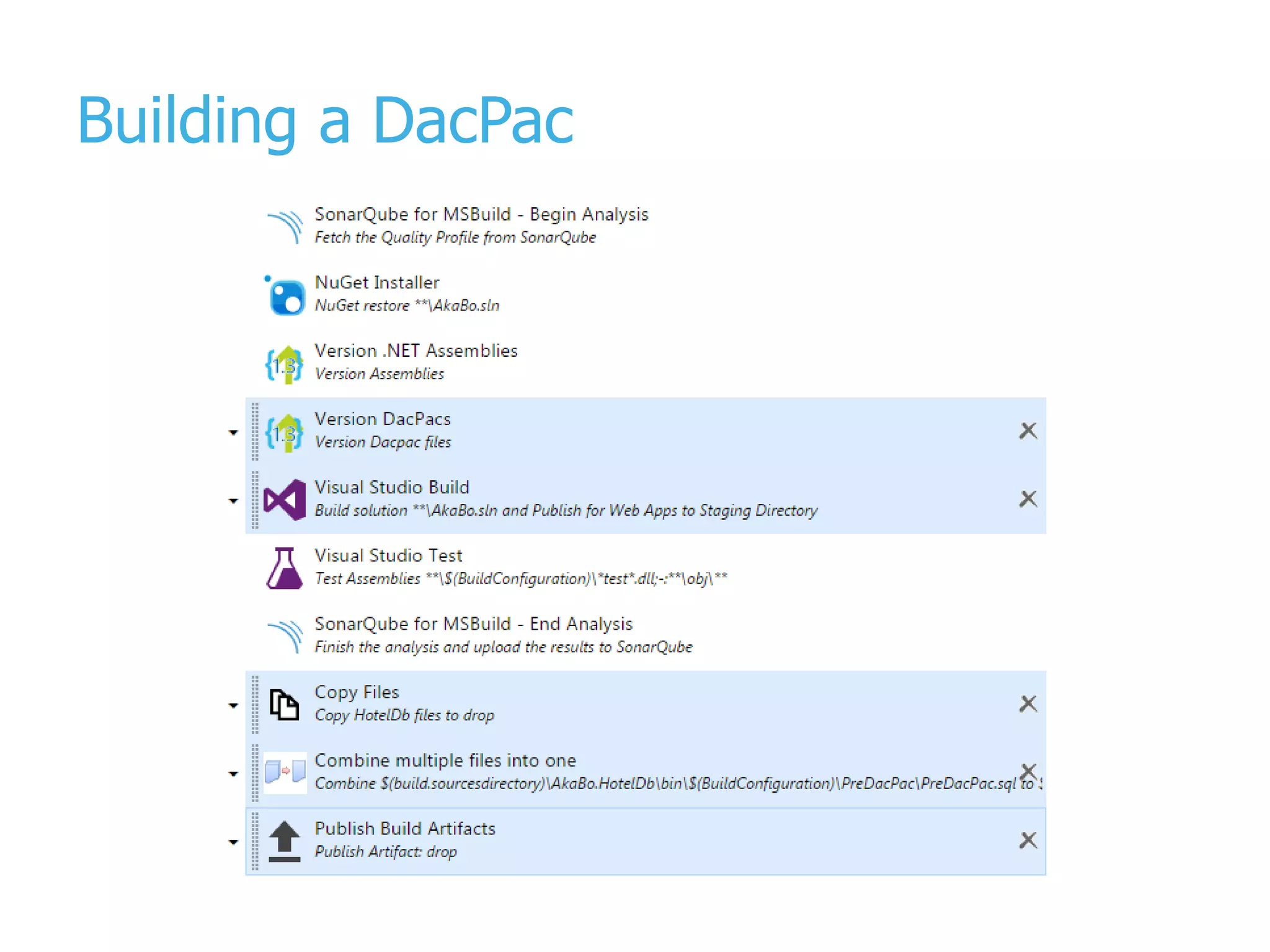
Building a DacPac
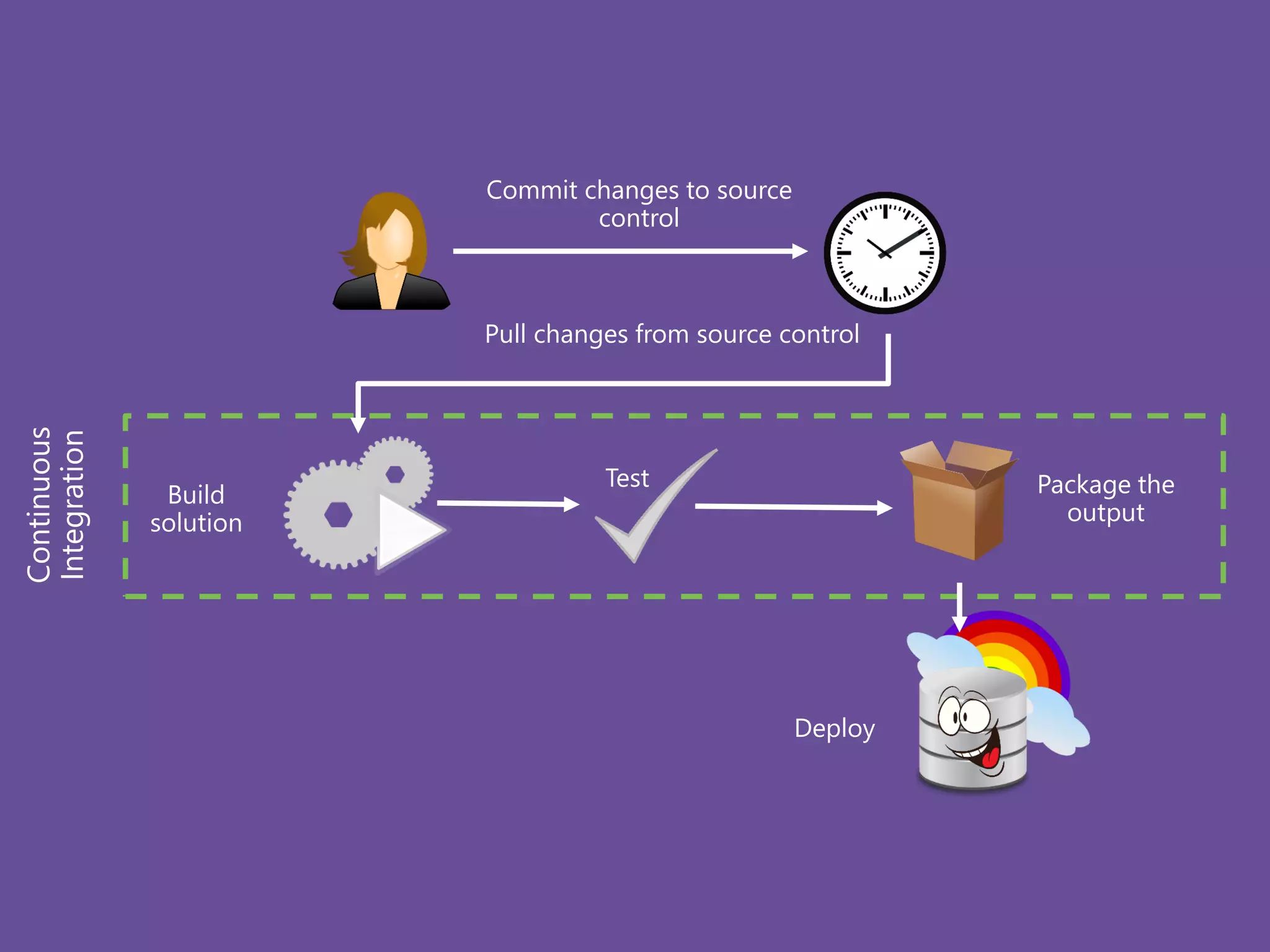
Commit changes to source control Deploy Continuous Integration Pull changes from source control Build solution Package the output Test
Release
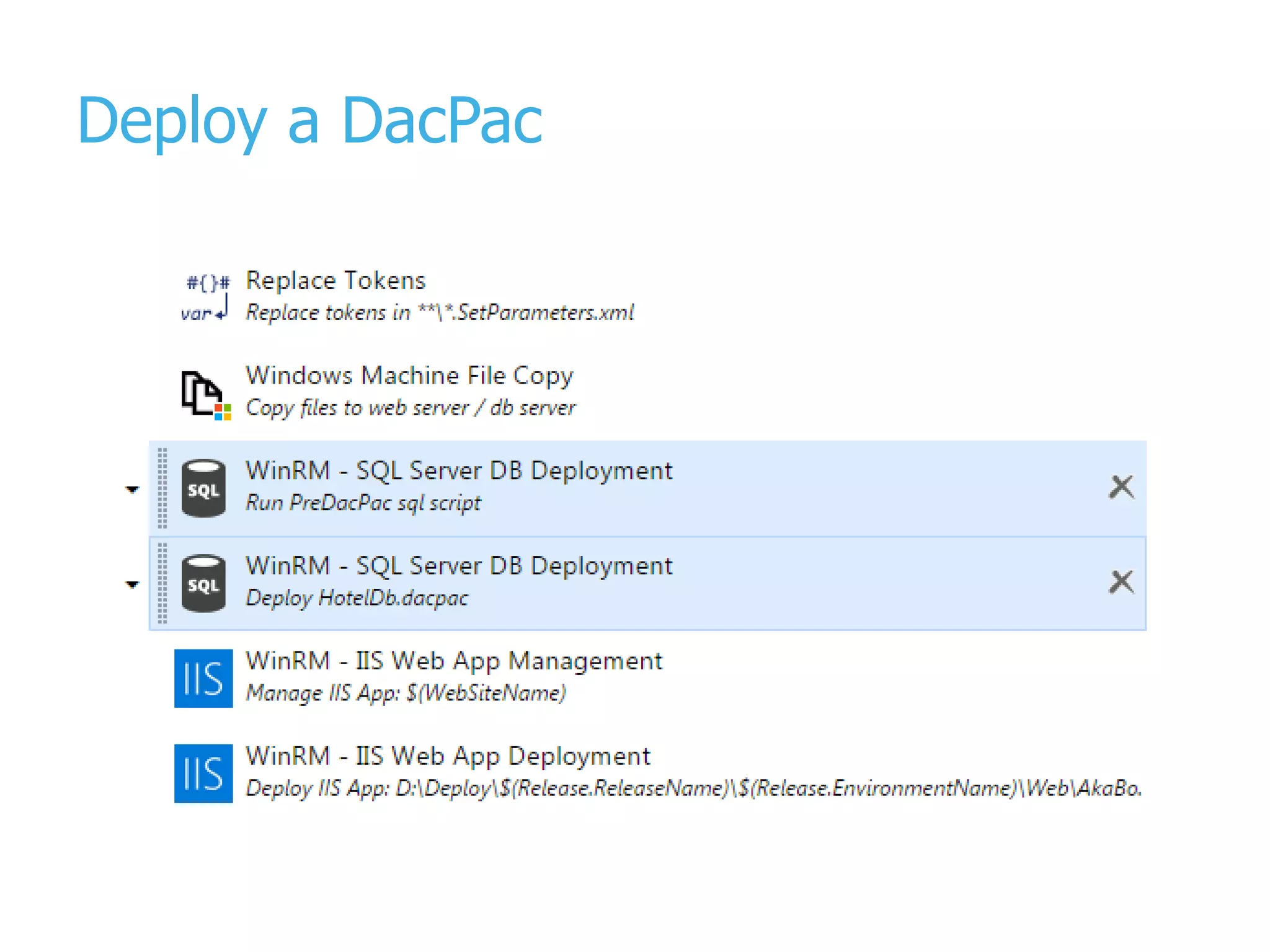
Deploy a DacPac
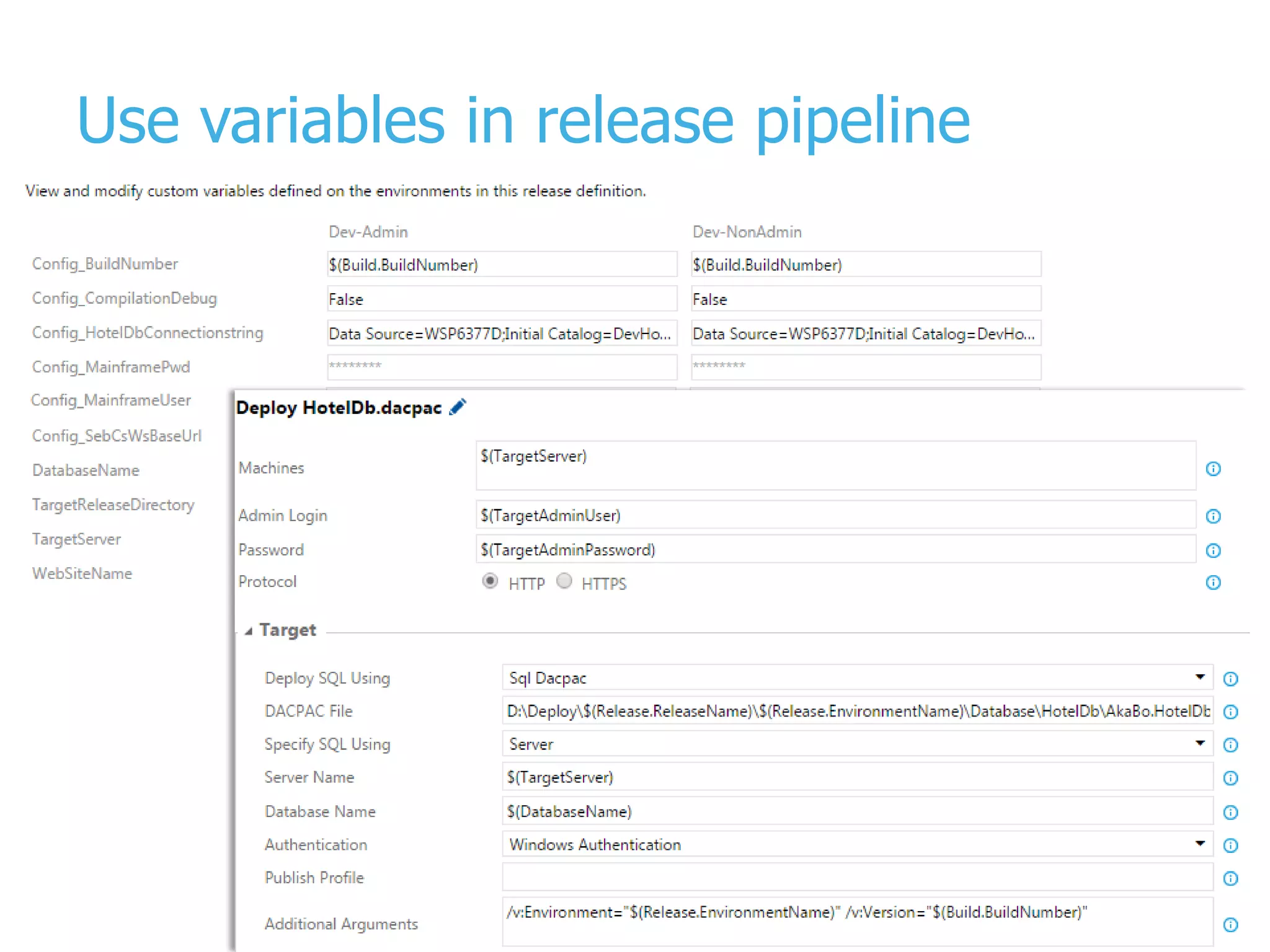
Use variables in release pipeline
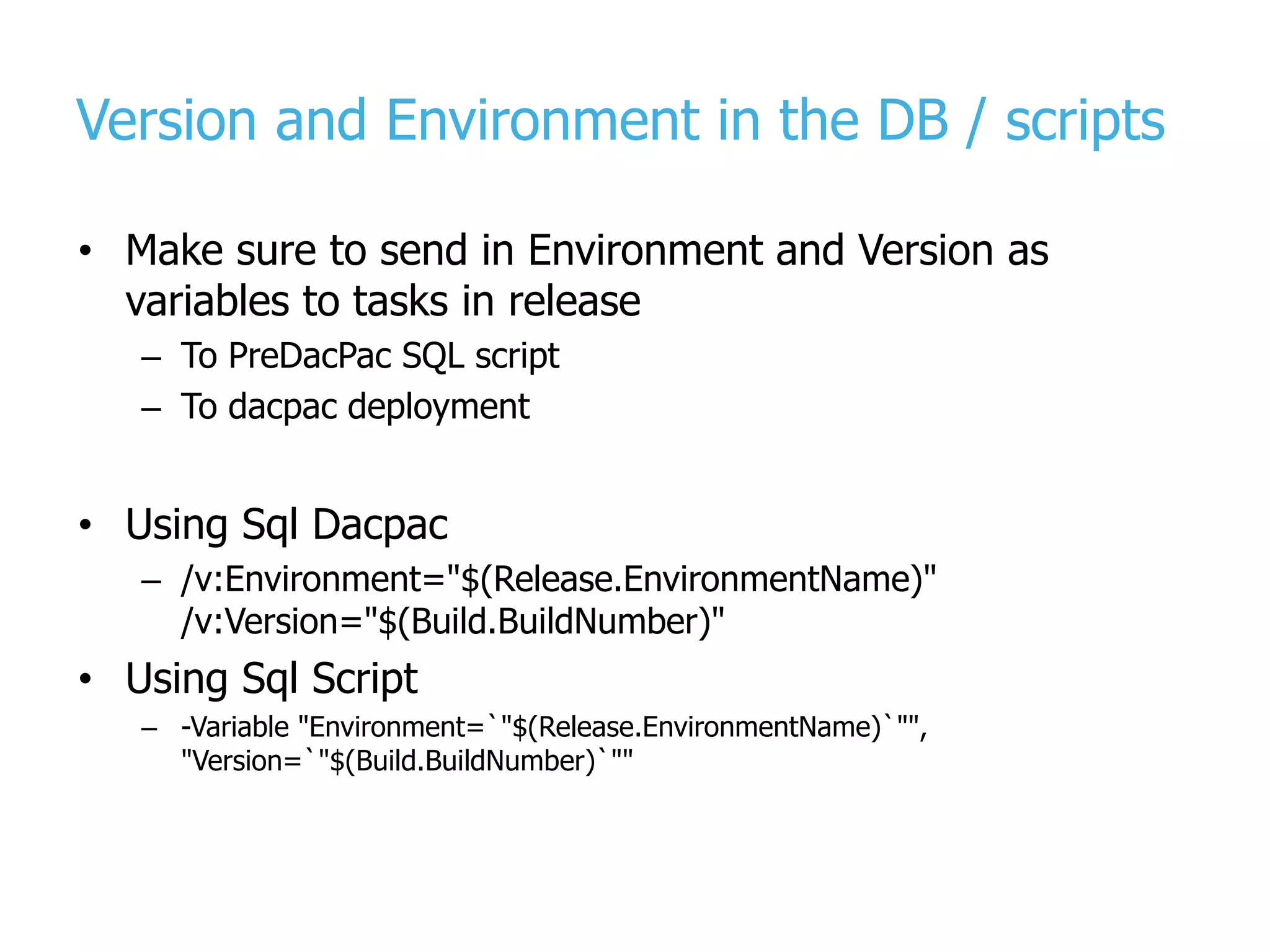
Version and Environment in the DB / scripts • Make sure to send in Environment and Version as variables to tasks in release – To PreDacPac SQL script – To dacpac deployment • Using Sql Dacpac – /v:Environment="$(Release.EnvironmentName)" /v:Version="$(Build.BuildNumber)" • Using Sql Script – -Variable "Environment=`"$(Release.EnvironmentName)`"", "Version=`"$(Build.BuildNumber)`""
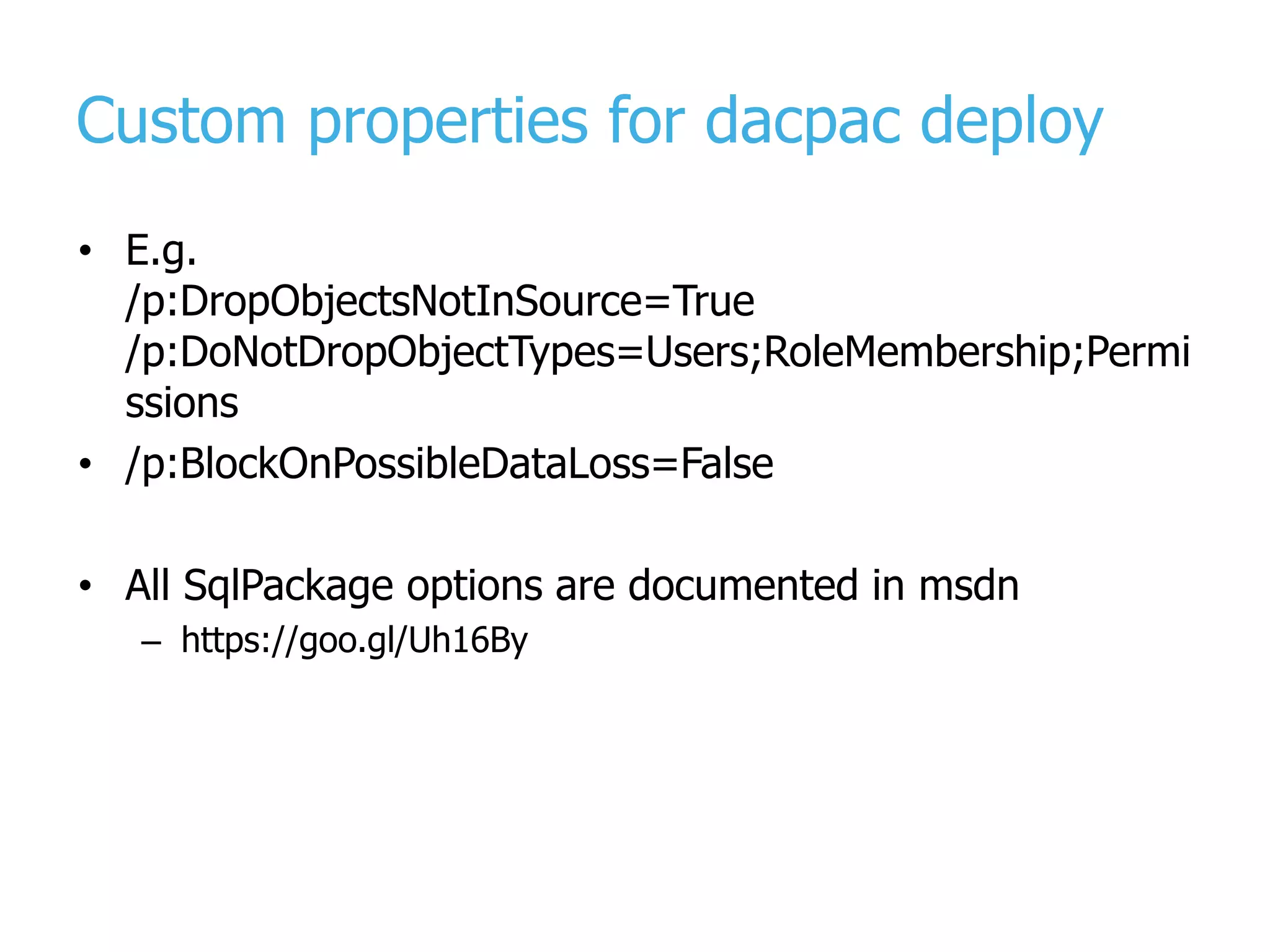
Custom properties for dacpac deploy • E.g. /p:DropObjectsNotInSource=True /p:DoNotDropObjectTypes=Users;RoleMembership;Permi ssions • /p:BlockOnPossibleDataLoss=False • All SqlPackage options are documented in msdn – https://goo.gl/Uh16By
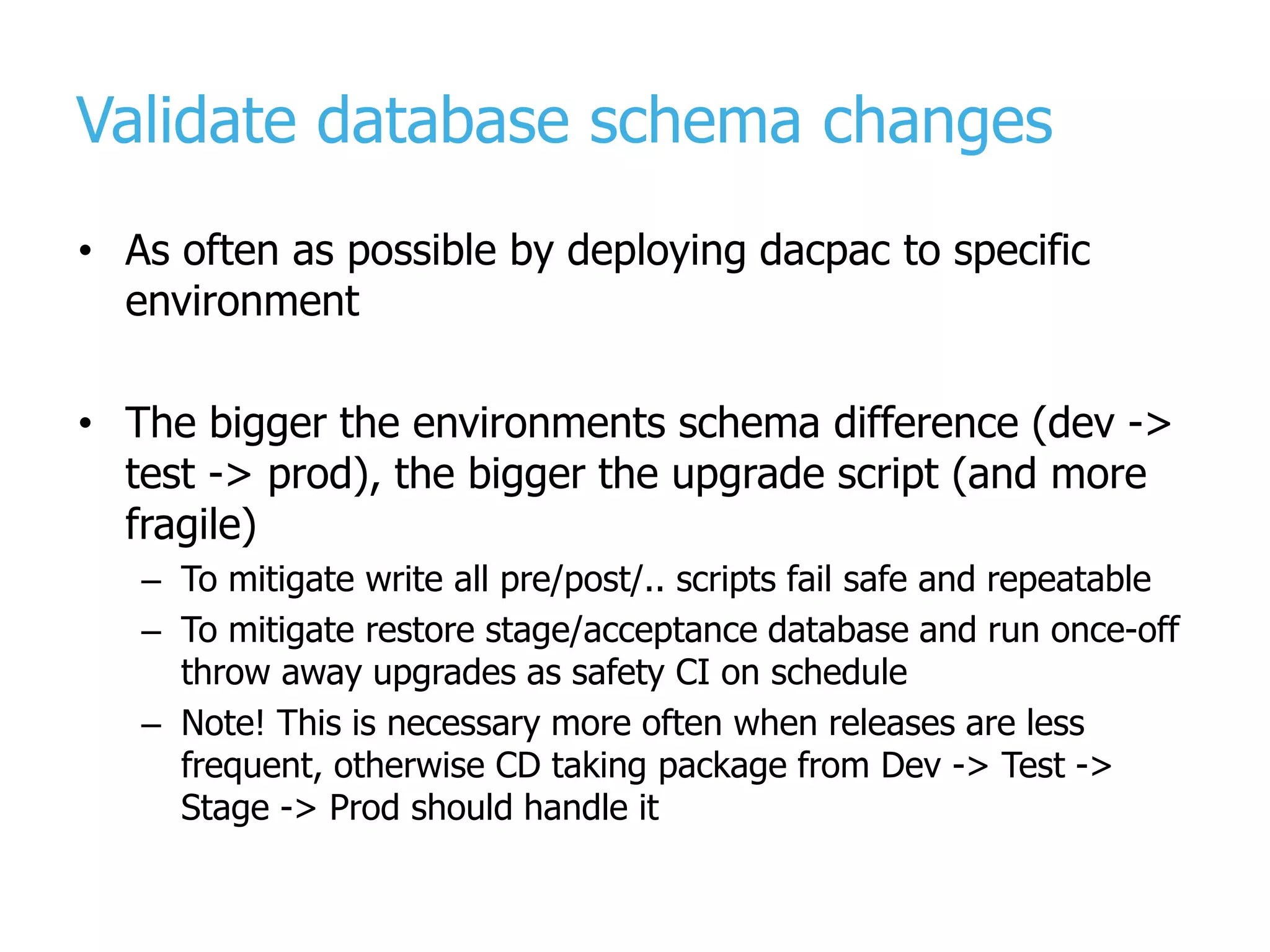
Validate database schema changes • As often as possible by deploying dacpac to specific environment • The bigger the environments schema difference (dev -> test -> prod), the bigger the upgrade script (and more fragile) – To mitigate write all pre/post/.. scripts fail safe and repeatable – To mitigate restore stage/acceptance database and run once-off throw away upgrades as safety CI on schedule – Note! This is necessary more often when releases are less frequent, otherwise CD taking package from Dev -> Test -> Stage -> Prod should handle it
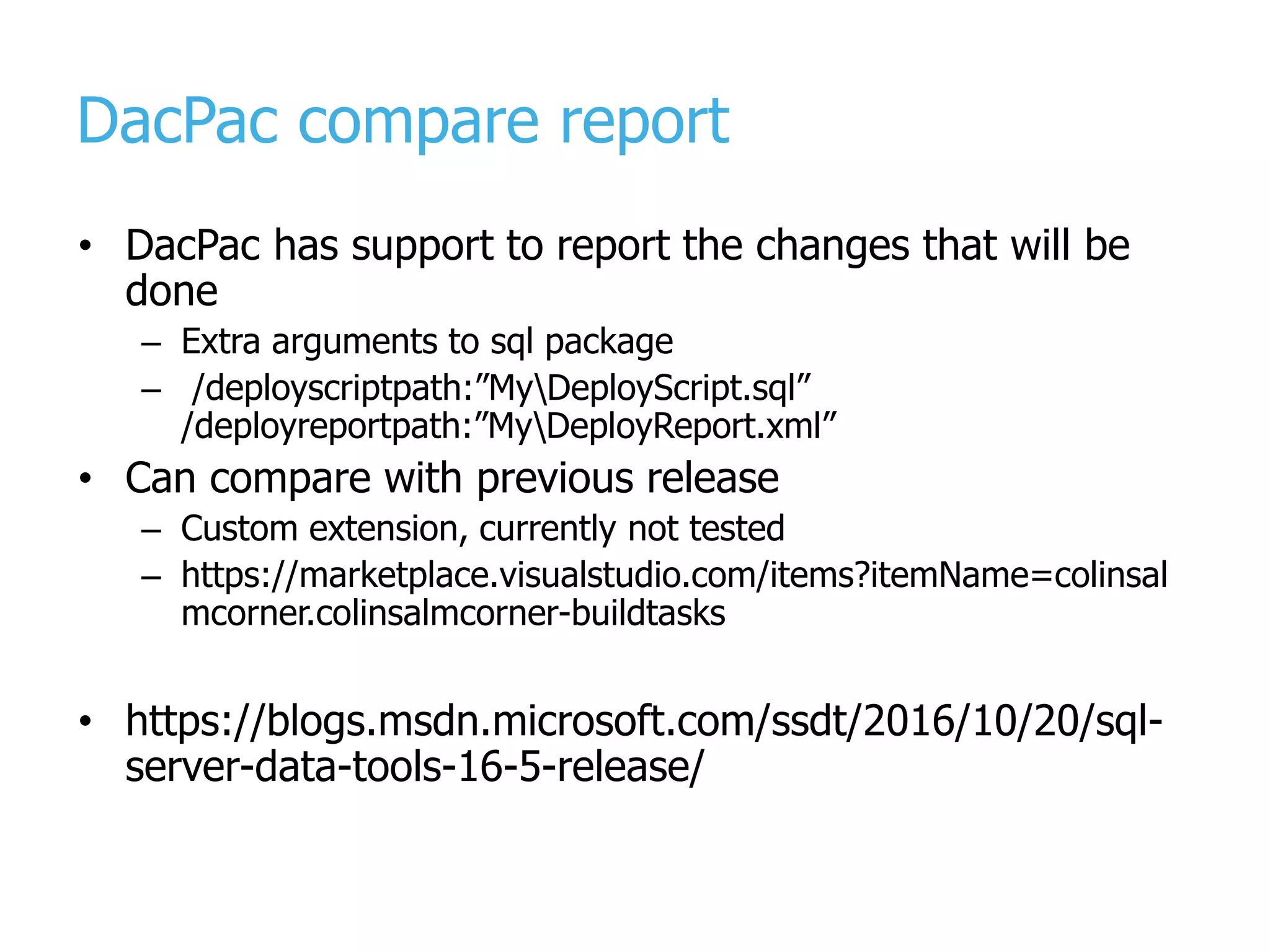
DacPac compare report • DacPac has support to report the changes that will be done – Extra arguments to sql package – /deployscriptpath:”MyDeployScript.sql” /deployreportpath:”MyDeployReport.xml” • Can compare with previous release – Custom extension, currently not tested – https://marketplace.visualstudio.com/items?itemName=colinsal mcorner.colinsalmcorner-buildtasks • https://blogs.msdn.microsoft.com/ssdt/2016/10/20/sql- server-data-tools-16-5-release/
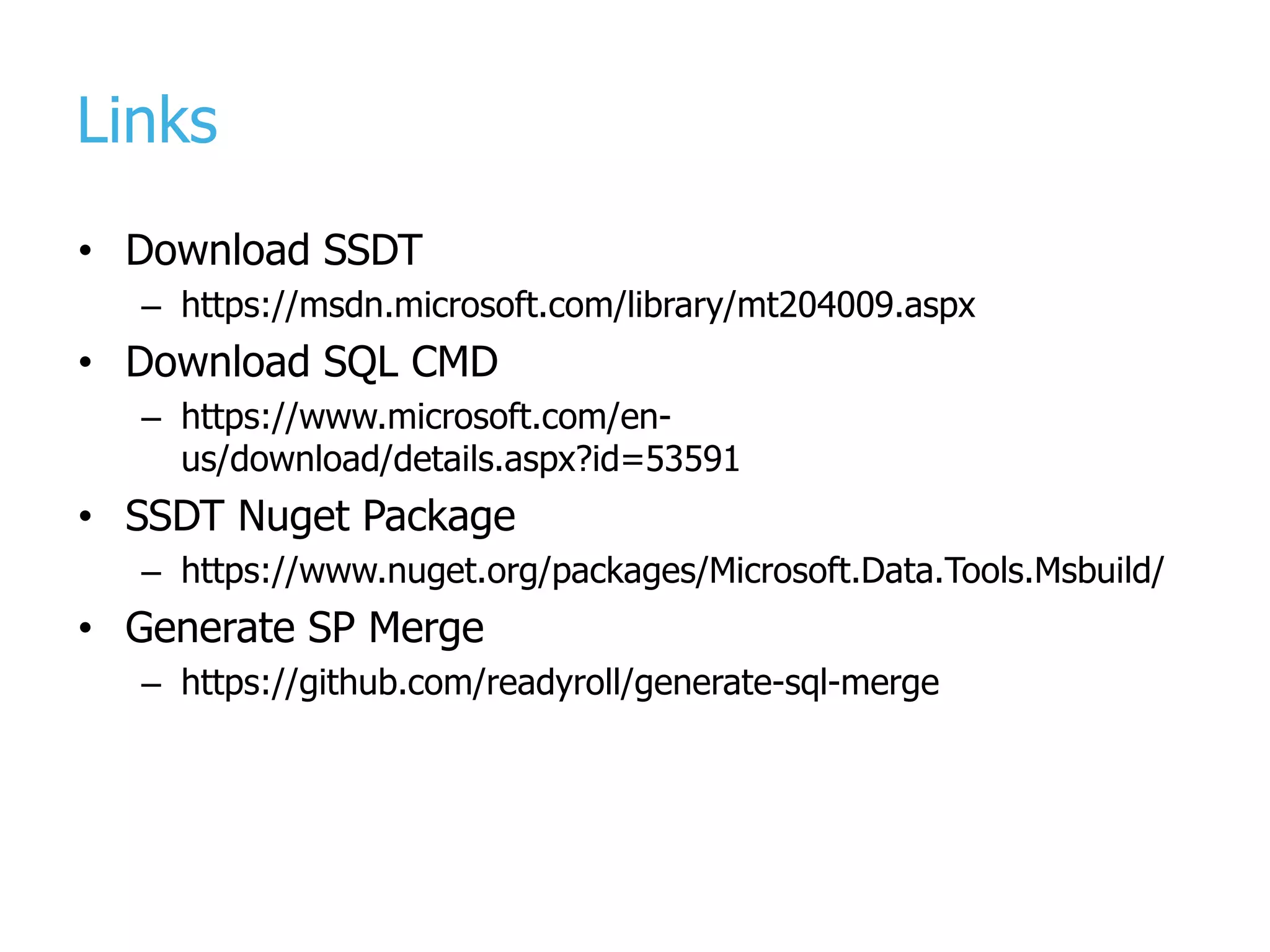
Links • Download SSDT – https://msdn.microsoft.com/library/mt204009.aspx • Download SQL CMD – https://www.microsoft.com/en- us/download/details.aspx?id=53591 • SSDT Nuget Package – https://www.nuget.org/packages/Microsoft.Data.Tools.Msbuild/ • Generate SP Merge – https://github.com/readyroll/generate-sql-merge
Thank You! Taavi Koosaar taavik@solidify.se @melborp | +46 732 013 296 SSDT can help manage and maintain your SQL database!
www.solidify.se

Meetup developing building and_deploying databases with SSDT

  • 1.
    Developing, Building and Releasingdatabases with SSDT and Taavi Koosaar DevOps Consultant | VS ALM MVP | VS ALM Ranger
  • 2.
  • 3.
  • 4.
    Development and deploymentmodels • Manual scripts, combine and run – Write the scripts manually and run them in correct sequence • Model based deployment – Compare two schemas and apply difference • Migration based deployment – Apply all changes since the last migration – E.g. EF migration
  • 5.
  • 6.
    SSDT 2016 Julyand forward
  • 7.
    DAC framework • Thecomponent /framework that makes deployment possible – Model, deployment and api – SqlPackage.exe – Data Tier Applications • Comes with SSDT and SQL Server (can also be separately installed) • Compatible downwards • Not everything of SQL is supported – https://msdn.microsoft.com/en-us/library/ee210549.aspx
  • 8.
    SSDT in VisualStudio • SQL Server Object Explorer – connected / offline dev • SQL Database project structure, references and daily work – Incl code analytics, intellisense, refactoring • SQL Schema Compare | Data Compare • Pre-Build, Post-Build and Pre-DacPac, Post-DacPac – Reference data scripts • DACPAC, BACPAC and Publish/Deployment – Settings, sqlcmd variables • Refactor log
  • 9.
    SQL Database project •Everything you plan to deploy to database and everything you are referencing should be there – Except the few things you may not want to e.g. logins, roles • Project & Database references – Composite projects • (SQL CMD) Variables • Code Analysis rules • Snapshots
  • 10.
    Composite projects • Referenceexternal databases • Break up a larger database into logical units • Separate by schema / functional area • Decrease build time – build smaller pieces
  • 11.
    Composite project references SQL DB dacpac MyDB Project Artefacts Artefacts Artefacts Artifacts My Other DB Project data-tier application system database project Same Database Same Server, Different Database Different Server, Different Database master msdb
  • 12.
    What is aDacPac? • A zip file • Result of the build of database project • Contains the model / schema / refactorings • Contains the pre and post deployment combined scripts • Versioned
  • 13.
    DacPac deployment flow(per DacPac) Deploy Schema Comparison Script generation (delta) Execute Pre Deployment Execute generated script Execute Post Deployment
  • 14.
  • 15.
    Getting started withdatabase project • Import existing database into database project – From database – From dacpac (e.g. that came from production) • First time, you will hit and find a lot of … – Invalid objects - Old objects referencing non-existent columns / encrypted objects / invalid synonyms / cross database references / circular references / unsupported objects for target platform • Engage a Subject Matter Expert: Talk to your DBA to help clean up these issues
  • 16.
    Getting started withdatabase project • Validation turned on – Turn validation off for initial import! – Use the latest version of the tools! – Import everything and fix issues within Visual Studio • SSDT imports the first 1000 stored procedures into Procs1, the next into Procs2 etc – You may need to add some folder structure to your project to keep developers sane. – Having many 1000’s of objects affects SSDT performance
  • 17.
    Enhanced DacPac deploymentflow 1. Database backup 2. Pre DacPac deployment scripts 3. Dacpac deploy 1. Compare source and target schemas 2. Generate diff script 3. Pre Deployment script 4. Run diff script 5. Post Deployment scripts 4. Post DacPac deployment scripts (optional) 5. Restore on failure (optional)
  • 18.
  • 19.
    Refactoring • Rename, Moveto Schema, Expand Wildcards, Fully qualified names • Refactor log - Extra metadata in dacapc to understand change
  • 20.
    Everything should benamed • PK • FK • Constraints • … [ModifiedDate] DATETIME CONSTRAINT [DF_Address_ModifiedDate] DEFAULT (getdate()) NOT NULL CONSTRAINT [PK_Address_AddressID] PRIMARY KEY CLUSTERED ([AddressID] ASC) CONSTRAINT [FK_Address_StateProvince_StateProvinceID] FOREIGN KEY ([StateProvinceID]) REFERENCES [Person].[StateProvince] ([StateProvinceID])
  • 21.
    Static data isstatic (and part of schema) • All data in the static scripts must be static incl ID columns • Use merge script approach for static data when possible – Can use sp_generate_merge to create merge scripts from real tables – https://github.com/readyroll/generate-sql-merge • When adding/removing ReferenceData files or Pre/Post deployment scripts – Pre / Post deployment.sql file needs be updated!
  • 22.
    Pre-deployment, post-deployment, predacpac • Referenceall the necessary databases and projects to build (dacpacs, master, database projects) – Use extraction of dacpacs from real databases • PreDacPac, PreDeploy, PostDeploy scripts (incl static data) are marked Build Action = None • All pre, post and predacpac scripts must be repeatable and fail-safe • Use SQL CMD variables such as version, environment in conditions in scripts, and Installation table
  • 23.
    Handling changes • Transitional –R1: Do non-breaking change (e.g. add NULL column) – R2: Turn column into NOT NULL • All in one – Use predacpac to do some of the changes before dacpac deployment hits
  • 24.
  • 25.
  • 26.
    Commit changes tosource control Deploy Continuous Integration Pull changes from source control Build solution Package the output Test
  • 27.
  • 28.
  • 29.
    Use variables inrelease pipeline
  • 30.
    Version and Environmentin the DB / scripts • Make sure to send in Environment and Version as variables to tasks in release – To PreDacPac SQL script – To dacpac deployment • Using Sql Dacpac – /v:Environment="$(Release.EnvironmentName)" /v:Version="$(Build.BuildNumber)" • Using Sql Script – -Variable "Environment=`"$(Release.EnvironmentName)`"", "Version=`"$(Build.BuildNumber)`""
  • 31.
    Custom properties fordacpac deploy • E.g. /p:DropObjectsNotInSource=True /p:DoNotDropObjectTypes=Users;RoleMembership;Permi ssions • /p:BlockOnPossibleDataLoss=False • All SqlPackage options are documented in msdn – https://goo.gl/Uh16By
  • 32.
    Validate database schemachanges • As often as possible by deploying dacpac to specific environment • The bigger the environments schema difference (dev -> test -> prod), the bigger the upgrade script (and more fragile) – To mitigate write all pre/post/.. scripts fail safe and repeatable – To mitigate restore stage/acceptance database and run once-off throw away upgrades as safety CI on schedule – Note! This is necessary more often when releases are less frequent, otherwise CD taking package from Dev -> Test -> Stage -> Prod should handle it
  • 33.
    DacPac compare report •DacPac has support to report the changes that will be done – Extra arguments to sql package – /deployscriptpath:”MyDeployScript.sql” /deployreportpath:”MyDeployReport.xml” • Can compare with previous release – Custom extension, currently not tested – https://marketplace.visualstudio.com/items?itemName=colinsal mcorner.colinsalmcorner-buildtasks • https://blogs.msdn.microsoft.com/ssdt/2016/10/20/sql- server-data-tools-16-5-release/
  • 34.
    Links • Download SSDT –https://msdn.microsoft.com/library/mt204009.aspx • Download SQL CMD – https://www.microsoft.com/en- us/download/details.aspx?id=53591 • SSDT Nuget Package – https://www.nuget.org/packages/Microsoft.Data.Tools.Msbuild/ • Generate SP Merge – https://github.com/readyroll/generate-sql-merge
  • 35.
    Thank You! Taavi Koosaar taavik@solidify.se @melborp| +46 732 013 296 SSDT can help manage and maintain your SQL database!
  • 36.