List: • In ageneral programming context, a "list" is a data structure that represents an ordered collection or sequence of elements. Lists are used to store and organize data in a way that allows for easy access, modification, and iteration through the elements. The term "list" is often used as a generic and abstract concept, and its specific characteristics can vary depending on the programming language. • In a general programming context, a "list" is a data structure that represents an ordered collection or sequence of elements. Lists are used to store and organize data in a way that allows for easy access, modification, and iteration through the elements. The term "list" is often used as a generic and abstract concept, and its specific characteristics can vary depending on the programming language. •In Python, for example, a list is a built-in data type that is defined by enclosing elements in square brackets []. Python lists are mutable, meaning that elements can be added, removed, or modified after the list is created. Elements in a Python list can be of different data types, and the list maintains the order of insertion. •
3.
Example: • my_list=[“apple”, “banana”,1, 2, 3.5, True] •In this example, my_list is a list containing strings, integer, float and a boolean value. The order of elements in the list is preserved. •In summary, a list is a fundamental data structure that provides a flexible and efficient way to organize and manipulate collections of elements in computer programming. The specific properties and behaviors of a list may vary based on the programming language being used.
4.
Continuation: • List itemsare ordered, changeable, and allow duplicate values. • List items are indexed, the first item has index [0], the second item has index [1] etc. • When we say that lists are ordered, it means that the items have a defined order, and that order will not change. • If you add new items to a list, the new items will be placed at the end of the list. • The list is changeable, meaning that we can change, add, and remove items in a list after it has been created. • Since lists are indexed, lists can have items with the same value.
5.
List Access: • thislist= ["apple", "banana", "cherry"] print(thislist[1]) • In the above example the second item in list will be printed out. • Negative indexing: Negative indexing means start from the end -1 refers to the last item, -2 refers to the second last item etc. thislist = ["apple", "banana", "cherry"] print(thislist[-1]) #print the last item of the list.
6.
Change a Rangeof Item Values: • To change the value of items within a specific range, define a list with the new values, and refer to the range of index numbers where you want to insert the new values: • Example • Change the values "banana" and "cherry" with the values "blackcurrant" and "watermelon": thislist = ["apple", "banana", "cherry", "orange", "kiwi", "mango"] thislist[1:3] = ["blackcurrant", "watermelon"] print(thislist) If you insert more items than you replace, the new items will be inserted where you specified, and the remaining items will move accordingly:
7.
Adding of items: •Using the append() method to append an item: thislist = ["apple", "banana", "cherry"] thislist.append("orange") print(thislist) To insert a list item at a specified index, use the insert() method. The insert() method inserts an item at the specified index: • Insert an item as the second position: • thislist = ["apple", "banana", "cherry"] thislist.insert(1, "orange") print(thislist)
8.
Remove Specified Item: •Example: Remove "banana": thislist = ["apple", "banana", "cherry"] thislist.remove("banana") print(thislist) If there are more than one item with the specified value, the remove() method removes the first occurrence. The pop() method removes the specified index. If you do not specify the index, the pop() method removes the last item.
9.
Loop List: • Youcan loop through the list items by using a for loop: • Example: • Print all items in the list, one by one: • thislist = ["apple", "banana", "cherry"] for x in thislist: print(x) • You can also loop through the list items by referring to their index number. • Use the range() and len() functions to create a suitable iterable.
10.
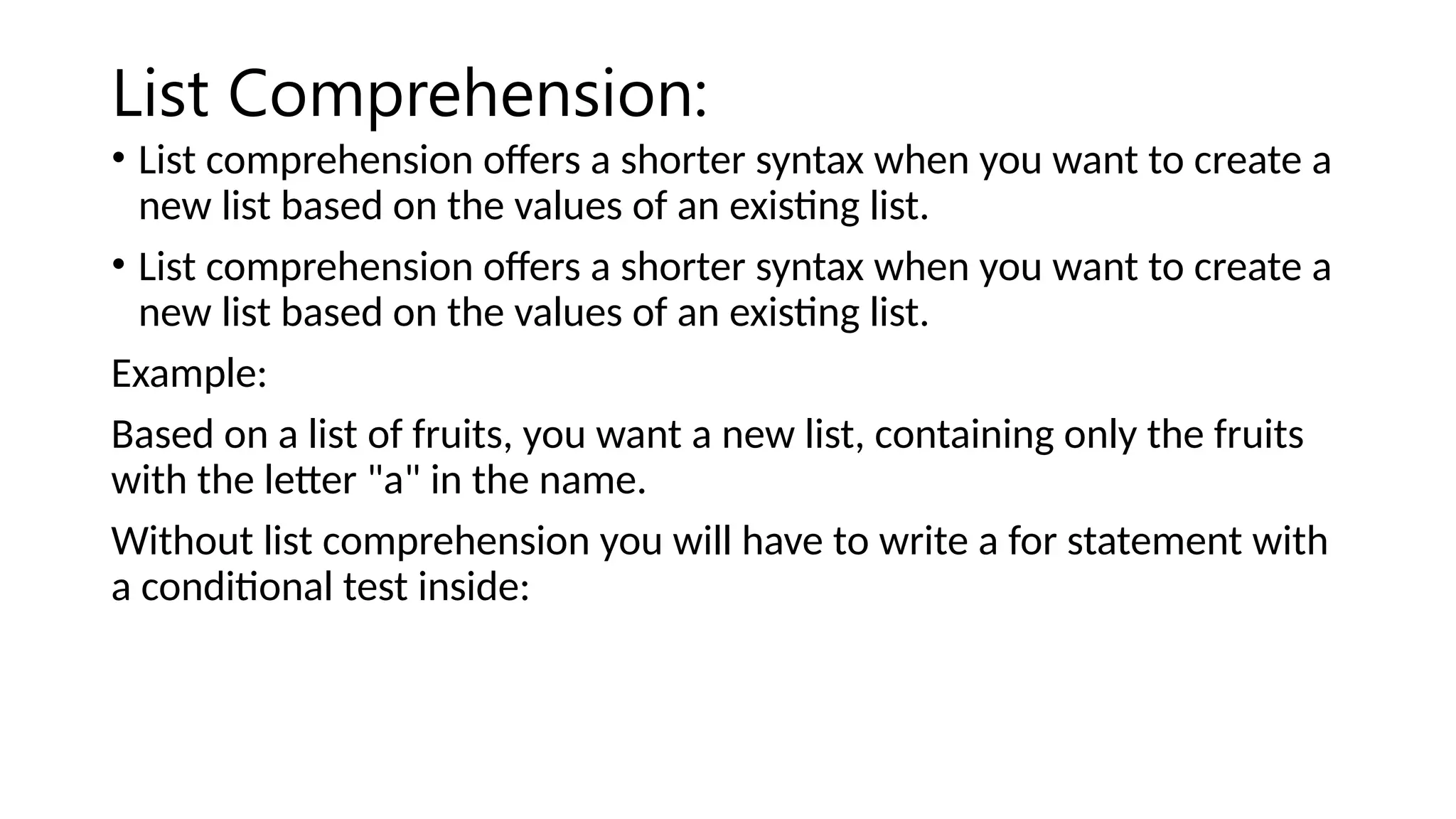
List Comprehension: • Listcomprehension offers a shorter syntax when you want to create a new list based on the values of an existing list. • List comprehension offers a shorter syntax when you want to create a new list based on the values of an existing list. Example: Based on a list of fruits, you want a new list, containing only the fruits with the letter "a" in the name. Without list comprehension you will have to write a for statement with a conditional test inside:
11.
Continuation: fruits = ["apple","banana", "cherry", "kiwi", "mango"] newlist = [] for x in fruits: if "a" in x: newlist.append(x) print(newlist)
12.
With list comprehensionyou can do all that with only one line of code: • fruits = ["apple", "banana", "cherry", "kiwi", "mango"] newlist = [x for x in fruits if "a" in x] print(newlist)
13.
Explanation: • Original List: fruitsis a list containing strings representing different fruits. • List Comprehension: The list comprehension is enclosed in square brackets []. It iterates over each element x in the original list fruits. • Condition: The if "a" in x part is a condition that checks if the letter "a" is present in the current element x. • Filtered Elements: If the condition is True for a particular element, that element is included in the new list newlist. • Result: After the list comprehension completes, newlist contains only those elements from fruits where the letter "a" is present.
14.
Sort List Alphanumerically: •List objects have a sort() method that will sort the list alphanumerically, ascending, by default: • Sort the list alphabetically: thislist = ["orange", "mango", "kiwi", "pineapple", "banana"] thislist.sort() print(thislist) Sort list in descending order. thislist = ["orange", "mango", "kiwi", "pineapple", "banana"] thislist.sort(reverse = True) print(thislist)
15.
Copy a list: •You cannot copy a list simply by typing list2 = list1, because: list2 will only be a reference to list1, and changes made in list1 will automatically also be made in list2. • There are ways to make a copy, one way is to use the built-in List method copy(). • Make a copy of a list with the copy() method: thislist = ["apple", "banana", "cherry"] mylist = thislist.copy() print(mylist)
16.
Join two list: •There are several ways to join, or concatenate, two or more lists in Python. • One of the easiest ways are by using the + operator. Join two list: list1 = ["a", "b", "c"] list2 = [1, 2, 3] list3 = list1 + list2 print(list3)
17.
Join list: • Anotherway to join two lists is by appending all the items from list2 into list1, one by one: Example: Append list2 into list1: list1 = ["a", "b" , "c"] list2 = [1, 2, 3] for x in list2: list1.append(x) print(list1)
18.
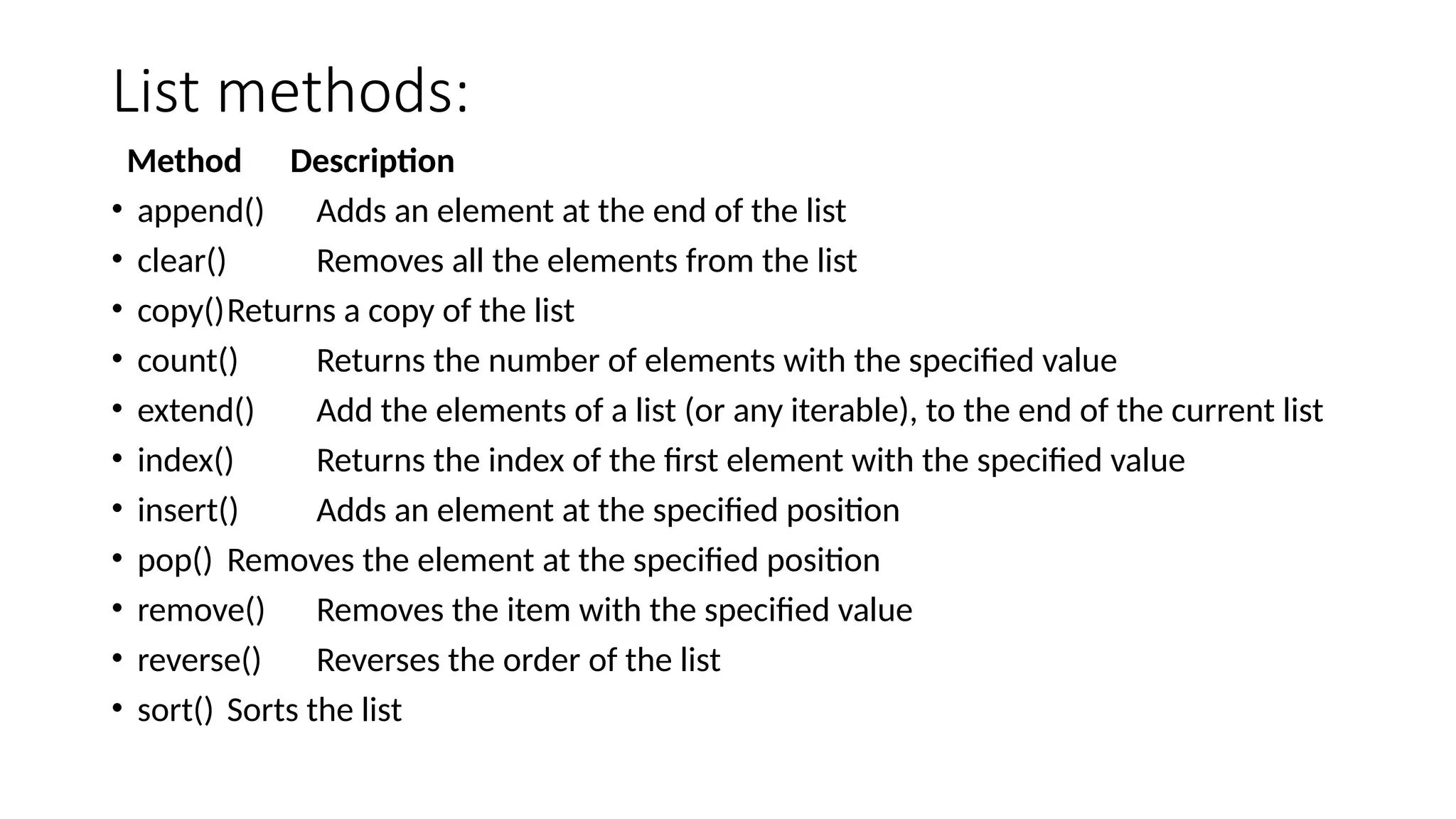
List methods: Method Description •append() Adds an element at the end of the list • clear() Removes all the elements from the list • copy()Returns a copy of the list • count() Returns the number of elements with the specified value • extend() Add the elements of a list (or any iterable), to the end of the current list • index() Returns the index of the first element with the specified value • insert() Adds an element at the specified position • pop() Removes the element at the specified position • remove() Removes the item with the specified value • reverse() Reverses the order of the list • sort() Sorts the list
![List: • In a general programming context, a "list" is a data structure that represents an ordered collection or sequence of elements. Lists are used to store and organize data in a way that allows for easy access, modification, and iteration through the elements. The term "list" is often used as a generic and abstract concept, and its specific characteristics can vary depending on the programming language. • In a general programming context, a "list" is a data structure that represents an ordered collection or sequence of elements. Lists are used to store and organize data in a way that allows for easy access, modification, and iteration through the elements. The term "list" is often used as a generic and abstract concept, and its specific characteristics can vary depending on the programming language. •In Python, for example, a list is a built-in data type that is defined by enclosing elements in square brackets []. Python lists are mutable, meaning that elements can be added, removed, or modified after the list is created. Elements in a Python list can be of different data types, and the list maintains the order of insertion. •](https://image.slidesharecdn.com/listpython-251205110913-124d2b01/75/List-on-Python-Programming-Language-pptx-2-2048.jpg)
![Example: • my_list=[“apple”, “banana”, 1, 2, 3.5, True] •In this example, my_list is a list containing strings, integer, float and a boolean value. The order of elements in the list is preserved. •In summary, a list is a fundamental data structure that provides a flexible and efficient way to organize and manipulate collections of elements in computer programming. The specific properties and behaviors of a list may vary based on the programming language being used.](https://image.slidesharecdn.com/listpython-251205110913-124d2b01/75/List-on-Python-Programming-Language-pptx-3-2048.jpg)
![Continuation: • List items are ordered, changeable, and allow duplicate values. • List items are indexed, the first item has index [0], the second item has index [1] etc. • When we say that lists are ordered, it means that the items have a defined order, and that order will not change. • If you add new items to a list, the new items will be placed at the end of the list. • The list is changeable, meaning that we can change, add, and remove items in a list after it has been created. • Since lists are indexed, lists can have items with the same value.](https://image.slidesharecdn.com/listpython-251205110913-124d2b01/75/List-on-Python-Programming-Language-pptx-4-2048.jpg)
![List Access: • thislist = ["apple", "banana", "cherry"] print(thislist[1]) • In the above example the second item in list will be printed out. • Negative indexing: Negative indexing means start from the end -1 refers to the last item, -2 refers to the second last item etc. thislist = ["apple", "banana", "cherry"] print(thislist[-1]) #print the last item of the list.](https://image.slidesharecdn.com/listpython-251205110913-124d2b01/75/List-on-Python-Programming-Language-pptx-5-2048.jpg)
![Change a Range of Item Values: • To change the value of items within a specific range, define a list with the new values, and refer to the range of index numbers where you want to insert the new values: • Example • Change the values "banana" and "cherry" with the values "blackcurrant" and "watermelon": thislist = ["apple", "banana", "cherry", "orange", "kiwi", "mango"] thislist[1:3] = ["blackcurrant", "watermelon"] print(thislist) If you insert more items than you replace, the new items will be inserted where you specified, and the remaining items will move accordingly:](https://image.slidesharecdn.com/listpython-251205110913-124d2b01/75/List-on-Python-Programming-Language-pptx-6-2048.jpg)
![Adding of items: • Using the append() method to append an item: thislist = ["apple", "banana", "cherry"] thislist.append("orange") print(thislist) To insert a list item at a specified index, use the insert() method. The insert() method inserts an item at the specified index: • Insert an item as the second position: • thislist = ["apple", "banana", "cherry"] thislist.insert(1, "orange") print(thislist)](https://image.slidesharecdn.com/listpython-251205110913-124d2b01/75/List-on-Python-Programming-Language-pptx-7-2048.jpg)
![Remove Specified Item: • Example: Remove "banana": thislist = ["apple", "banana", "cherry"] thislist.remove("banana") print(thislist) If there are more than one item with the specified value, the remove() method removes the first occurrence. The pop() method removes the specified index. If you do not specify the index, the pop() method removes the last item.](https://image.slidesharecdn.com/listpython-251205110913-124d2b01/75/List-on-Python-Programming-Language-pptx-8-2048.jpg)
![Loop List: • You can loop through the list items by using a for loop: • Example: • Print all items in the list, one by one: • thislist = ["apple", "banana", "cherry"] for x in thislist: print(x) • You can also loop through the list items by referring to their index number. • Use the range() and len() functions to create a suitable iterable.](https://image.slidesharecdn.com/listpython-251205110913-124d2b01/75/List-on-Python-Programming-Language-pptx-9-2048.jpg)
![Continuation: fruits = ["apple", "banana", "cherry", "kiwi", "mango"] newlist = [] for x in fruits: if "a" in x: newlist.append(x) print(newlist)](https://image.slidesharecdn.com/listpython-251205110913-124d2b01/75/List-on-Python-Programming-Language-pptx-11-2048.jpg)
![With list comprehension you can do all that with only one line of code: • fruits = ["apple", "banana", "cherry", "kiwi", "mango"] newlist = [x for x in fruits if "a" in x] print(newlist)](https://image.slidesharecdn.com/listpython-251205110913-124d2b01/75/List-on-Python-Programming-Language-pptx-12-2048.jpg)
![Explanation: • Original List: fruits is a list containing strings representing different fruits. • List Comprehension: The list comprehension is enclosed in square brackets []. It iterates over each element x in the original list fruits. • Condition: The if "a" in x part is a condition that checks if the letter "a" is present in the current element x. • Filtered Elements: If the condition is True for a particular element, that element is included in the new list newlist. • Result: After the list comprehension completes, newlist contains only those elements from fruits where the letter "a" is present.](https://image.slidesharecdn.com/listpython-251205110913-124d2b01/75/List-on-Python-Programming-Language-pptx-13-2048.jpg)
![Sort List Alphanumerically: • List objects have a sort() method that will sort the list alphanumerically, ascending, by default: • Sort the list alphabetically: thislist = ["orange", "mango", "kiwi", "pineapple", "banana"] thislist.sort() print(thislist) Sort list in descending order. thislist = ["orange", "mango", "kiwi", "pineapple", "banana"] thislist.sort(reverse = True) print(thislist)](https://image.slidesharecdn.com/listpython-251205110913-124d2b01/75/List-on-Python-Programming-Language-pptx-14-2048.jpg)
![Copy a list: • You cannot copy a list simply by typing list2 = list1, because: list2 will only be a reference to list1, and changes made in list1 will automatically also be made in list2. • There are ways to make a copy, one way is to use the built-in List method copy(). • Make a copy of a list with the copy() method: thislist = ["apple", "banana", "cherry"] mylist = thislist.copy() print(mylist)](https://image.slidesharecdn.com/listpython-251205110913-124d2b01/75/List-on-Python-Programming-Language-pptx-15-2048.jpg)
![Join two list: • There are several ways to join, or concatenate, two or more lists in Python. • One of the easiest ways are by using the + operator. Join two list: list1 = ["a", "b", "c"] list2 = [1, 2, 3] list3 = list1 + list2 print(list3)](https://image.slidesharecdn.com/listpython-251205110913-124d2b01/75/List-on-Python-Programming-Language-pptx-16-2048.jpg)
![Join list: • Another way to join two lists is by appending all the items from list2 into list1, one by one: Example: Append list2 into list1: list1 = ["a", "b" , "c"] list2 = [1, 2, 3] for x in list2: list1.append(x) print(list1)](https://image.slidesharecdn.com/listpython-251205110913-124d2b01/75/List-on-Python-Programming-Language-pptx-17-2048.jpg)