Java Server Faces Fahad R. Golra ECE Paris Ecole d'Ingénieurs - FRANCE
Lecture 8 - Java Server Faces (JSF) • Introduction to JSF • JSF Architecture • JSF Lifecycle • JSF Development Steps 2 JEE - Java Server Faces (JSF)
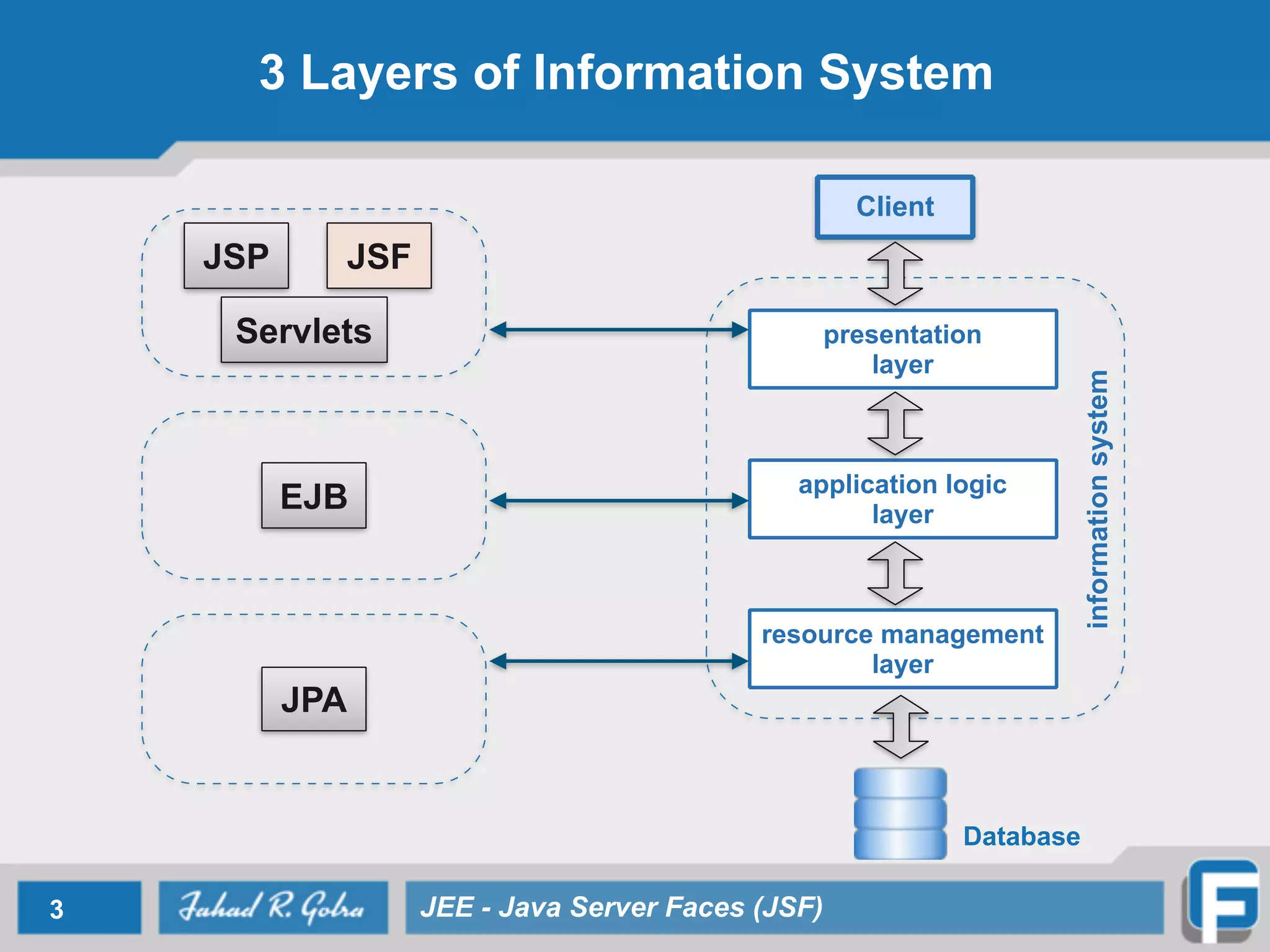
3 Layers of Information System 3 JEE - Java Server Faces (JSF) presentation layer application logic layer resource management layer Client informationsystem EJB JSP JSF Servlets JPA Database
Java Server Faces • JavaServer Faces technology is a server-side user interface component framework for Java technology- based web applications. 4 JEE - Java Server Faces (JSF)
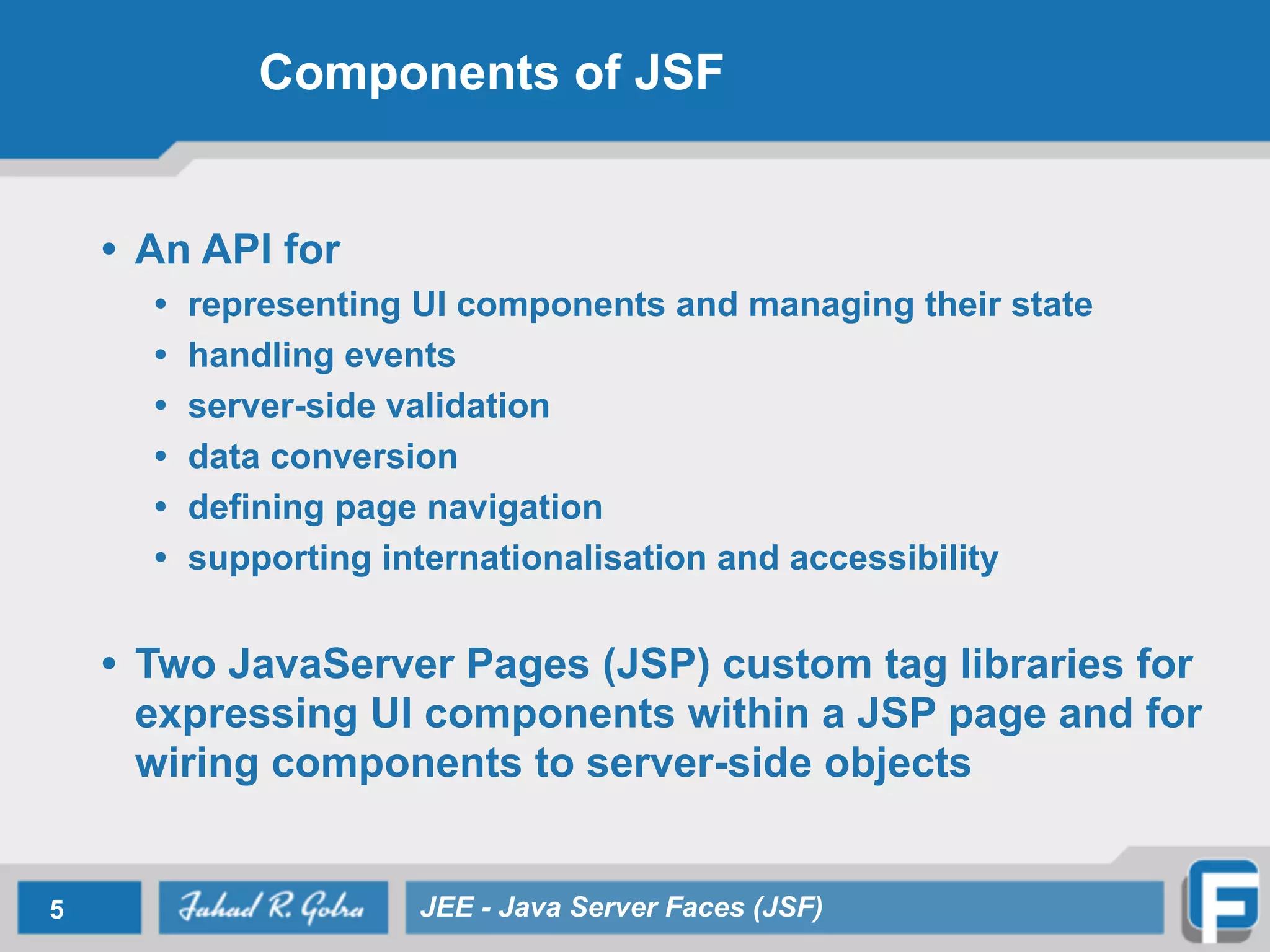
Components of JSF • An API for • representing UI components and managing their state • handling events • server-side validation • data conversion • defining page navigation • supporting internationalisation and accessibility • Two JavaServer Pages (JSP) custom tag libraries for expressing UI components within a JSP page and for wiring components to server-side objects 5 JEE - Java Server Faces (JSF)
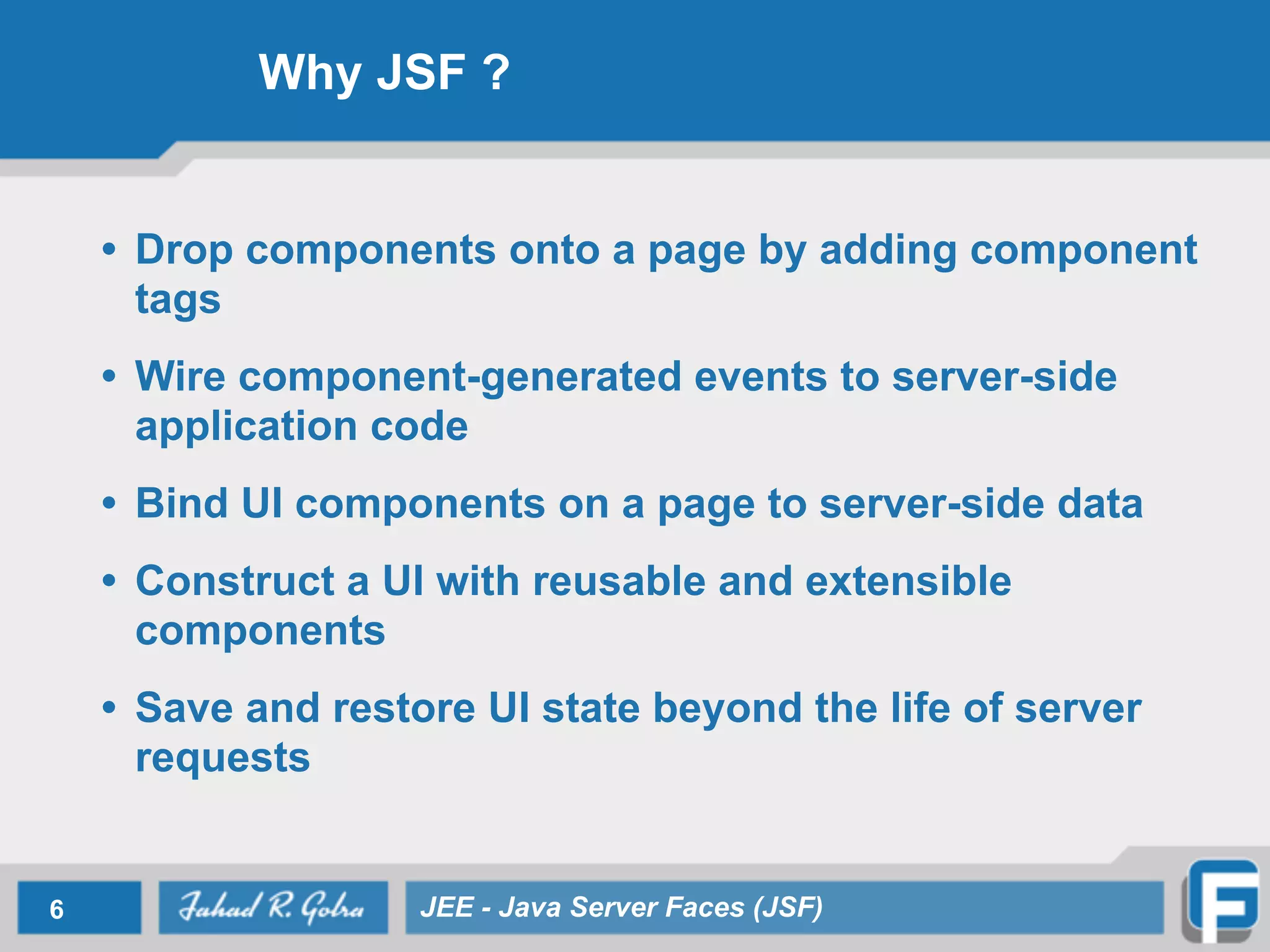
Why JSF ? • Drop components onto a page by adding component tags • Wire component-generated events to server-side application code • Bind UI components on a page to server-side data • Construct a UI with reusable and extensible components • Save and restore UI state beyond the life of server requests 6 JEE - Java Server Faces (JSF)
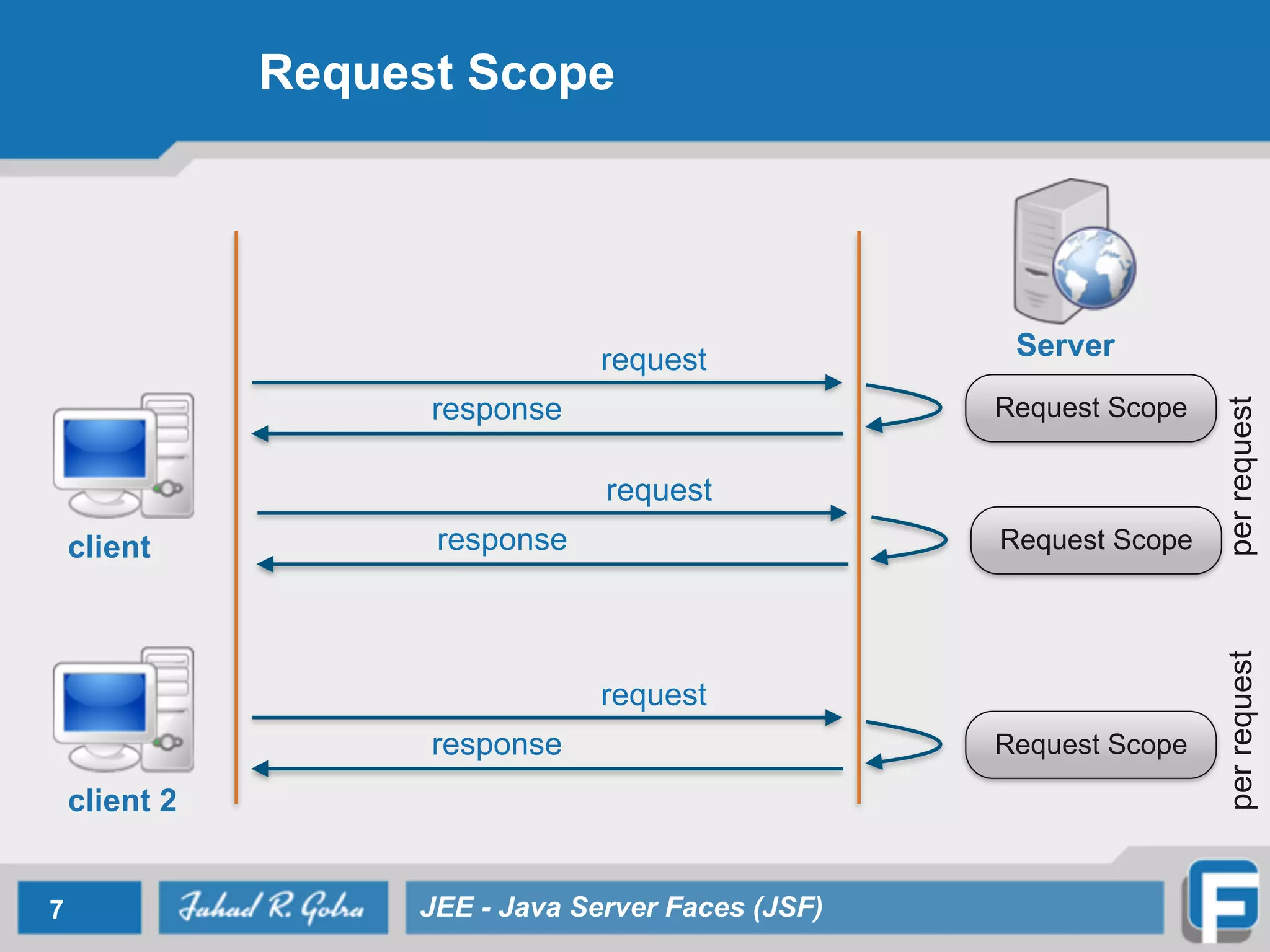
Request Scope 7 JEE - Java Server Faces (JSF) client Serverrequest response Request Scope request response Request Scope client 2 request response Request Scope perrequestperrequest
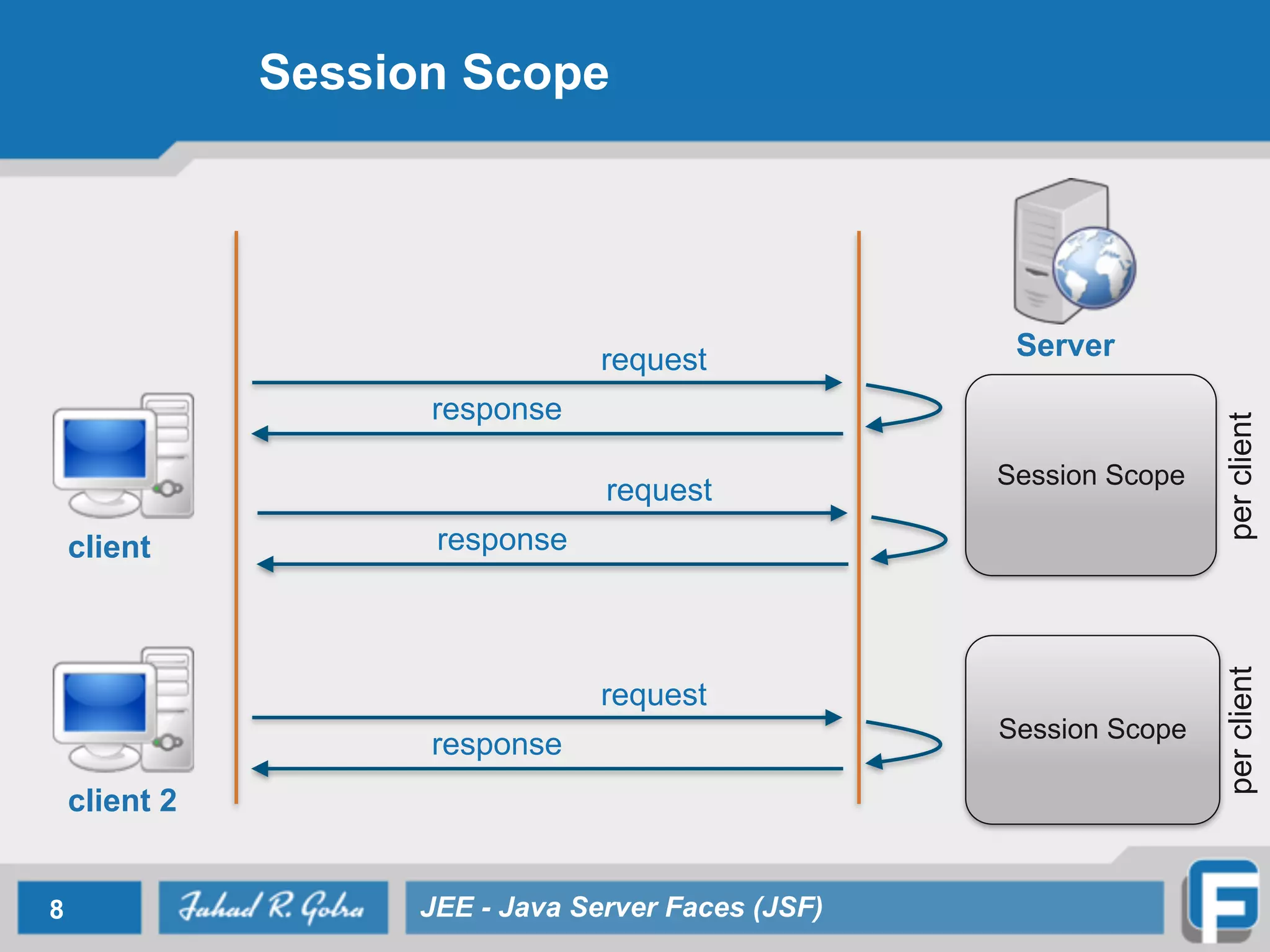
Session Scope 8 JEE - Java Server Faces (JSF) client Serverrequest response Session Scope request response client 2 request response Session Scope perclientperclient
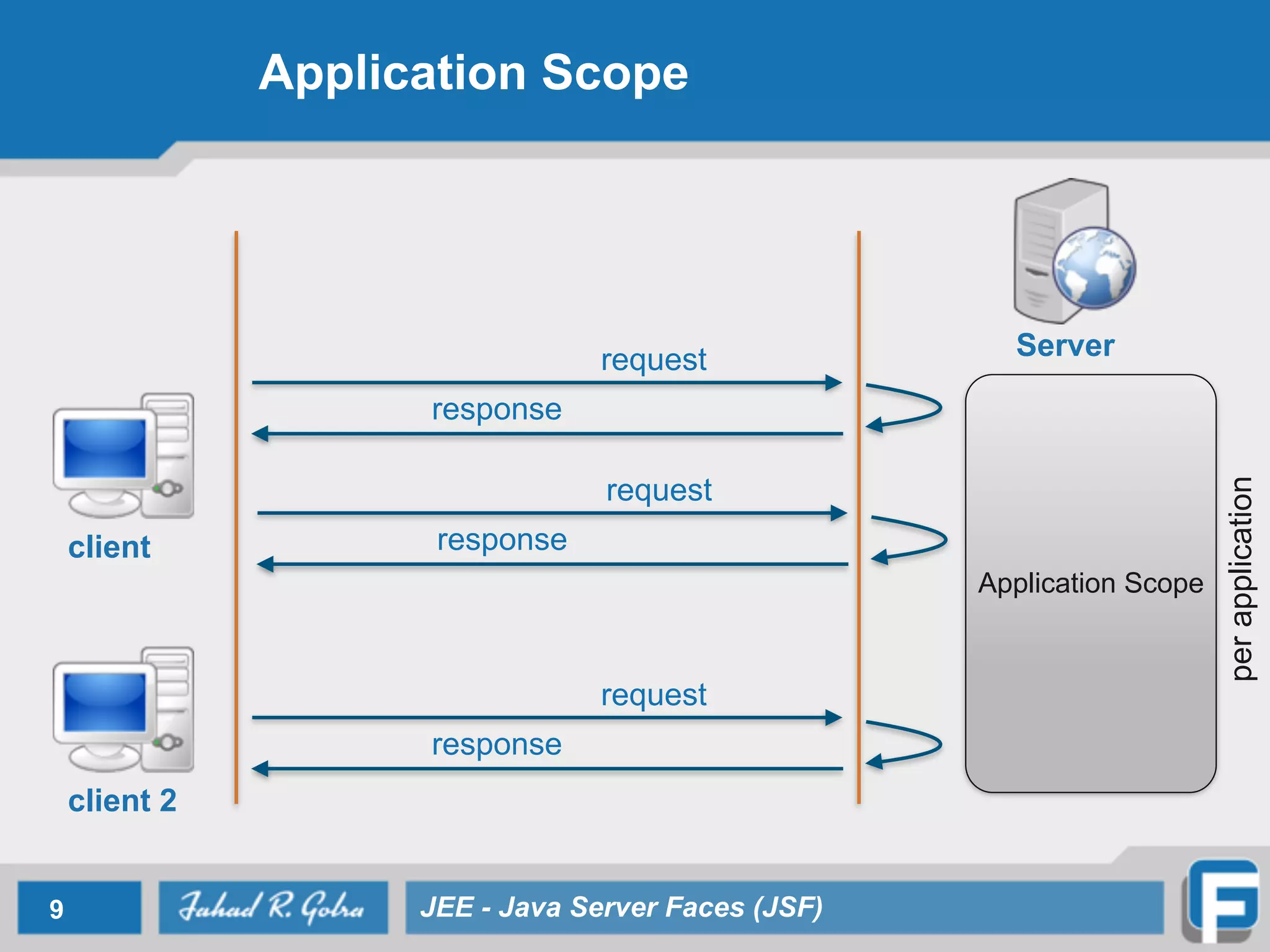
Application Scope 9 JEE - Java Server Faces (JSF) client Serverrequest response Application Scope request response client 2 request response perapplication
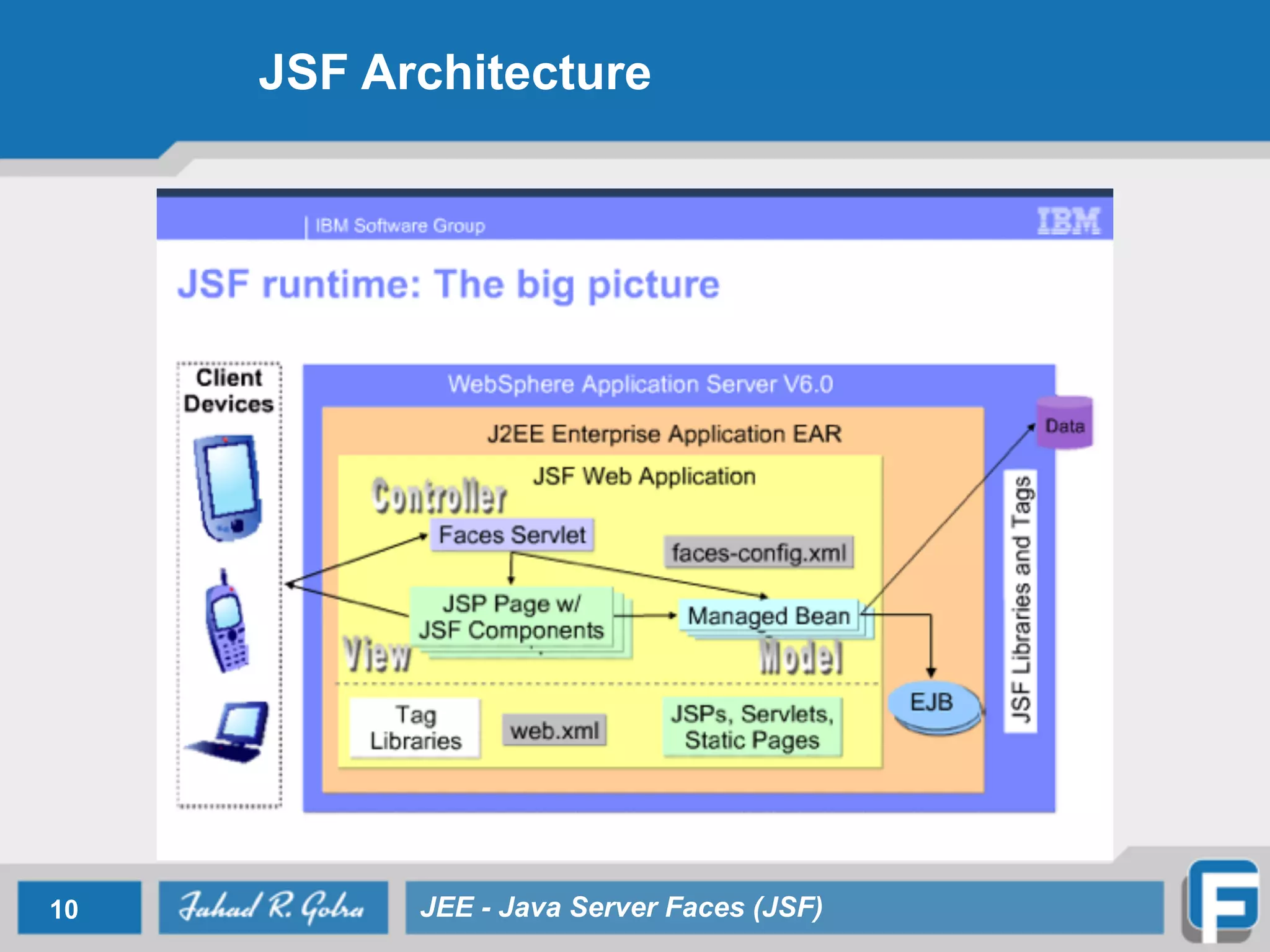
JSF Architecture 10 JEE - Java Server Faces (JSF)
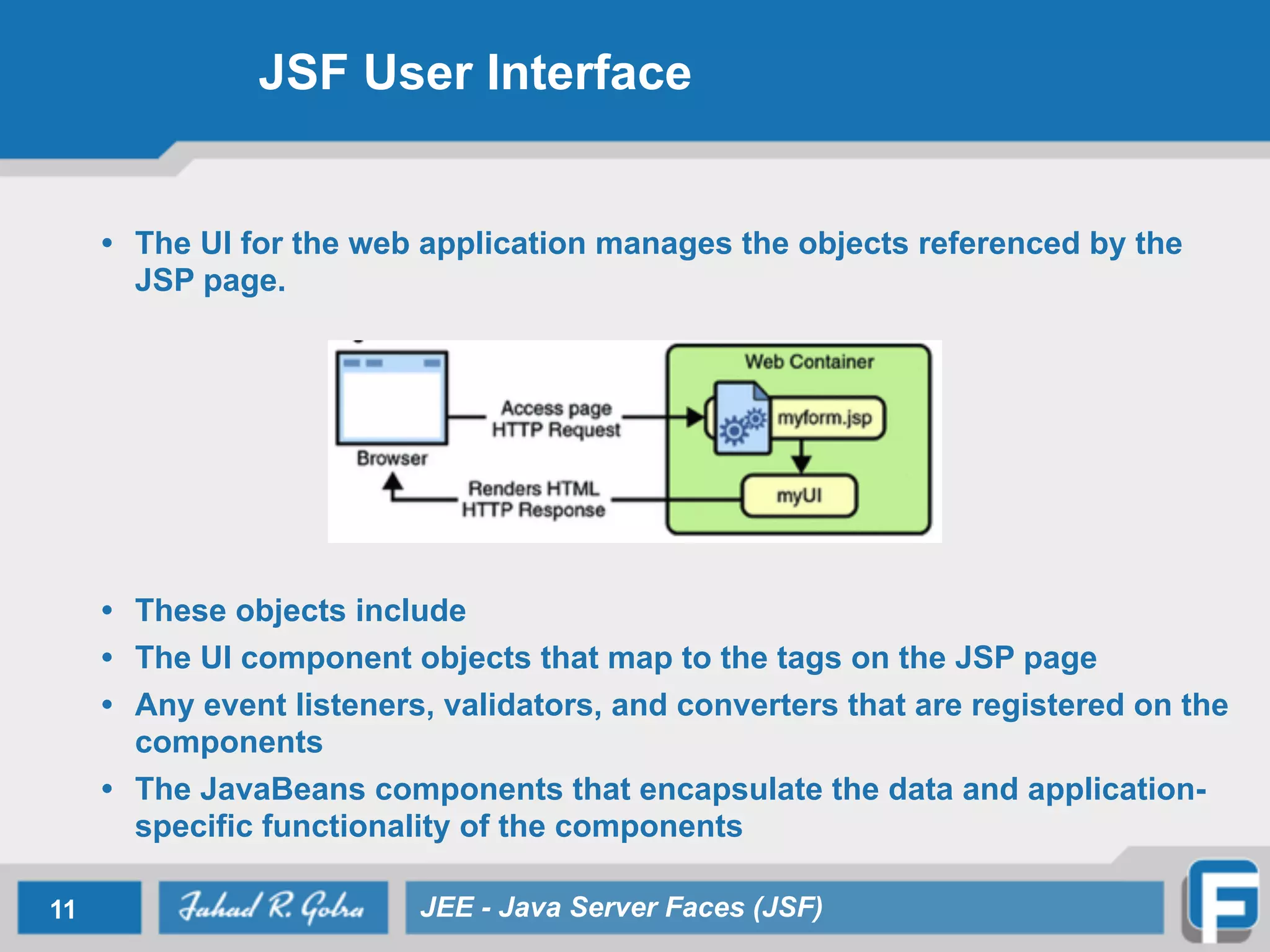
JSF User Interface • The UI for the web application manages the objects referenced by the JSP page. • These objects include • The UI component objects that map to the tags on the JSP page • Any event listeners, validators, and converters that are registered on the components • The JavaBeans components that encapsulate the data and application- specific functionality of the components 11 JEE - Java Server Faces (JSF)
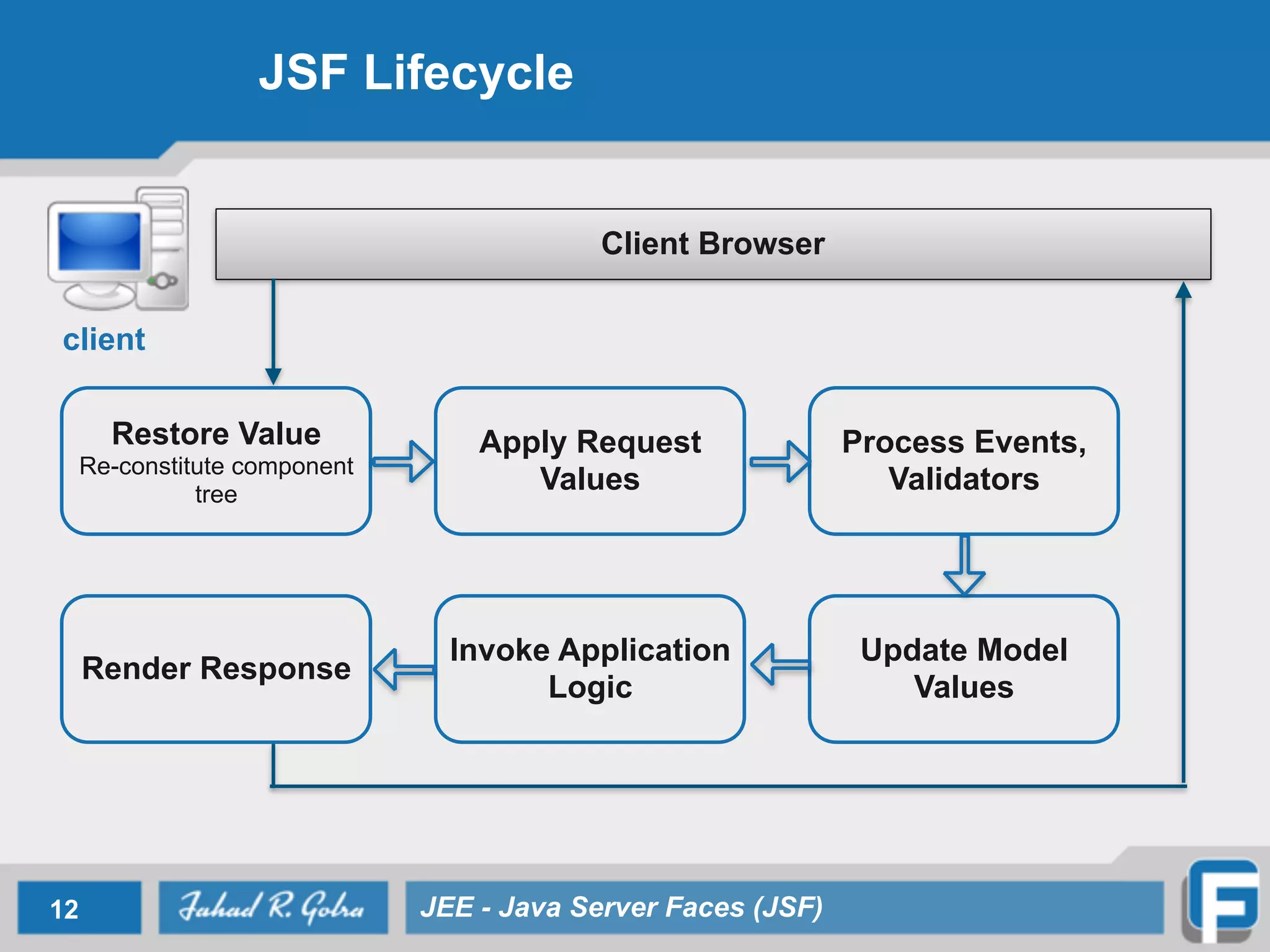
JSF Lifecycle 12 JEE - Java Server Faces (JSF) Client Browser client Restore Value Re-constitute component tree Apply Request Values Process Events, Validators Render Response Invoke Application Logic Update Model Values
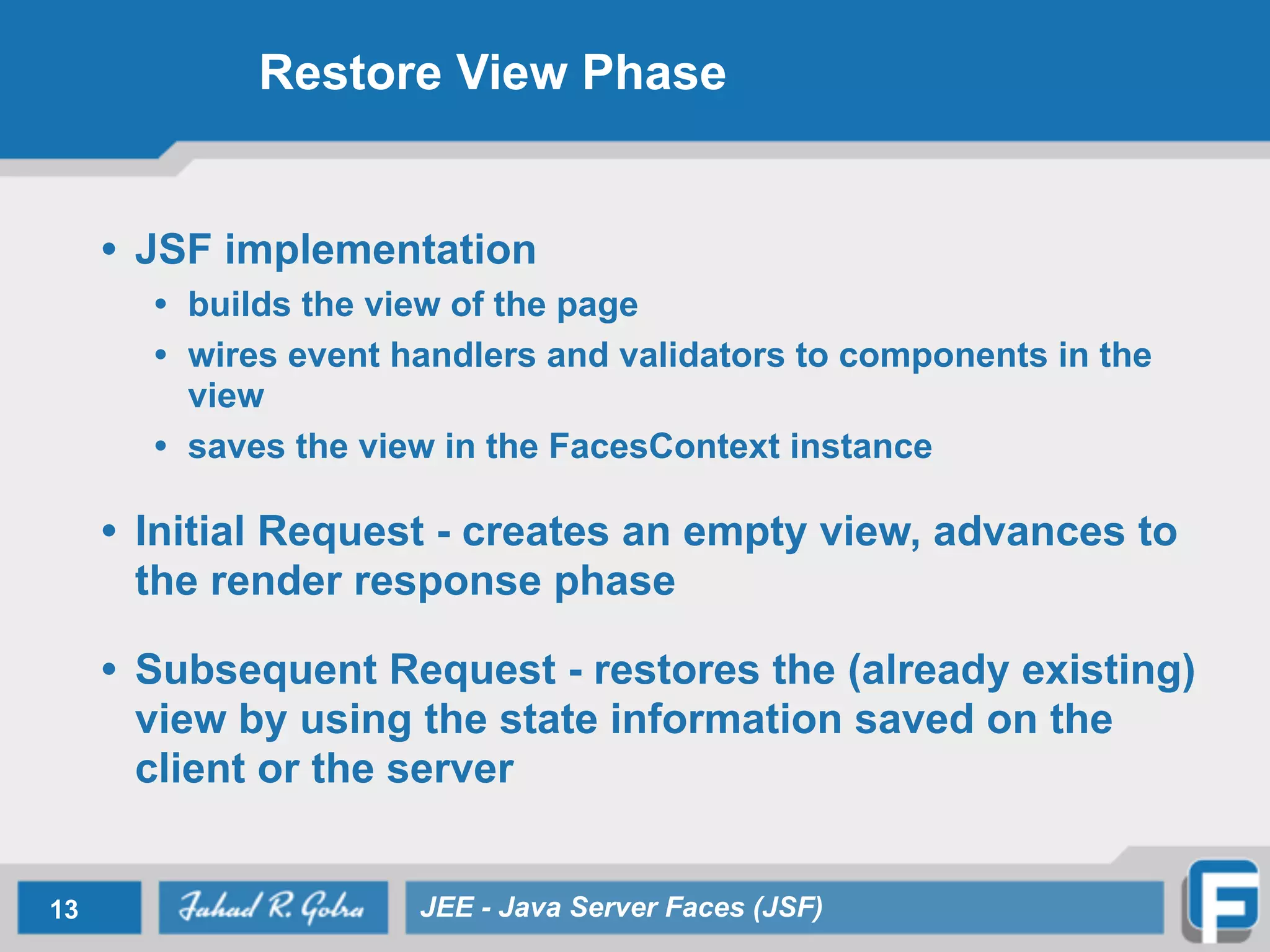
Restore View Phase • JSF implementation • builds the view of the page • wires event handlers and validators to components in the view • saves the view in the FacesContext instance • Initial Request - creates an empty view, advances to the render response phase • Subsequent Request - restores the (already existing) view by using the state information saved on the client or the server 13 JEE - Java Server Faces (JSF)
Apply Request Values Phase • Each component in the tree extracts its new value from the request parameters by using its decode method • Implementation skips to the render response phase if renderResponse is called • If events have been queued, the they are broadcasted to interested listeners • validation, conversion, and events associated with components having immediate attributes will be processed during this phase 14 JEE - Java Server Faces (JSF)
Process Event, Validators Phase • JavaServer Faces implementation processes all validators registered on the components in the tree • If validation fails, error message is added to FacesContext • Events from previous phase and this phase are used to render errors by advancing to render response phase • Implementation skips to the render response phase if renderResponse is called • If events have been queued, the they are broadcasted to interested listeners 15 JEE - Java Server Faces (JSF)
Update Model Values Phase • If data is valid, the implementation can traverse the component tree and set the corresponding server-side object properties to the components’ local values. • Implementation will update the bean properties pointed at by an input component’s value attribute. • Implementation skips to the render response phase to display any error messages • If events have been queued, the they are broadcasted to interested listeners 16 JEE - Java Server Faces (JSF)
Invoke Application Logic Phase • JSF implementation handles any application-level events, such as submitting a form or linking to another page • If the view being processed was reconstructed from state information from a previous request and if a component has fired an event, these events are broadcast to interested listeners. 17 JEE - Java Server Faces (JSF)
Render Response Phase • JSF implementation delegates authority for rendering the page to the JSP container if the application is using JSP pages. • For initial request, the components represented on the page will be added to the component tree • components don’t need to added again for subsequent requests • Components will be rendered as the JSP container traverses the tags in the page. • queued error messages are displayed, if any • Once rendered, the state of the response is saved so that subsequent requests can access it 18 JEE - Java Server Faces (JSF)
UI Components • UIComponent/UIComponentBase • Base class for all user interface components • Standard UIComponent Subclasses • UICommand, UIForm, UIOutput • UIGraphic, UIInput, UIPanel, UIParameter • UISelectBoolean, UISelectMany, UISelectOne • Example <h:inputText id=“fNameInput" value="#{UserRegistrationBean.firstName}"/> 19 JEE - Java Server Faces (JSF)
JSF Validators • Validators—Perform correctness checks on UIInput values • Register one or more per component • Enqueue one or more messages on errors • Standard implementations for common cases • Example <h:input_text valueRef=”testingBean.today” <f:validator_length minimum=”6” maximum='10” /> 20 JEE - Java Server Faces (JSF)
JSF Converters • Converters—Plug-in for conversions: • Output: Object to String • Input: String to Object • Standard implementations for common cases • Example <h:input_text valueRef=”testingBean.today” convertor=”DateTime”/> 21 JEE - Java Server Faces (JSF)
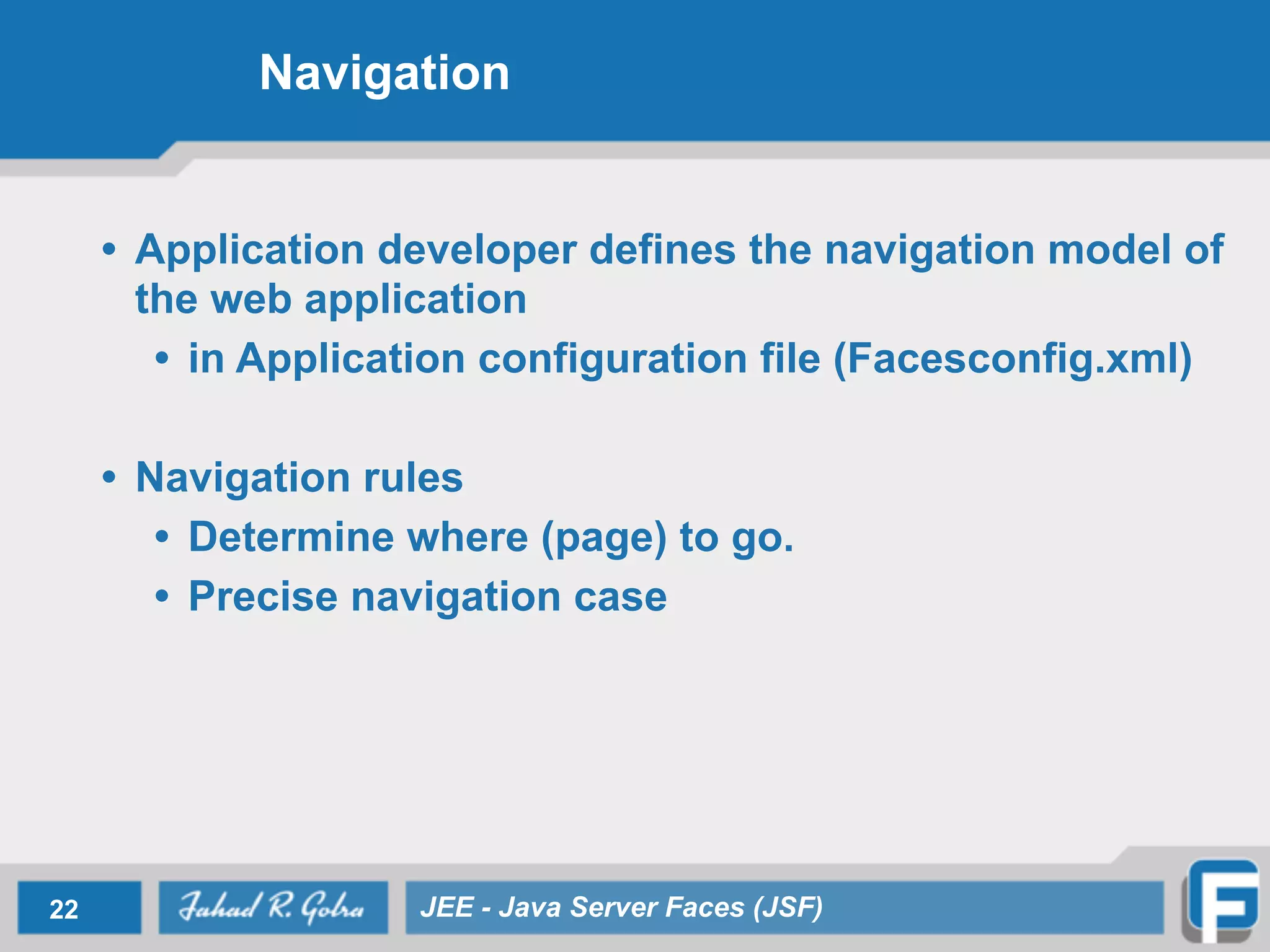
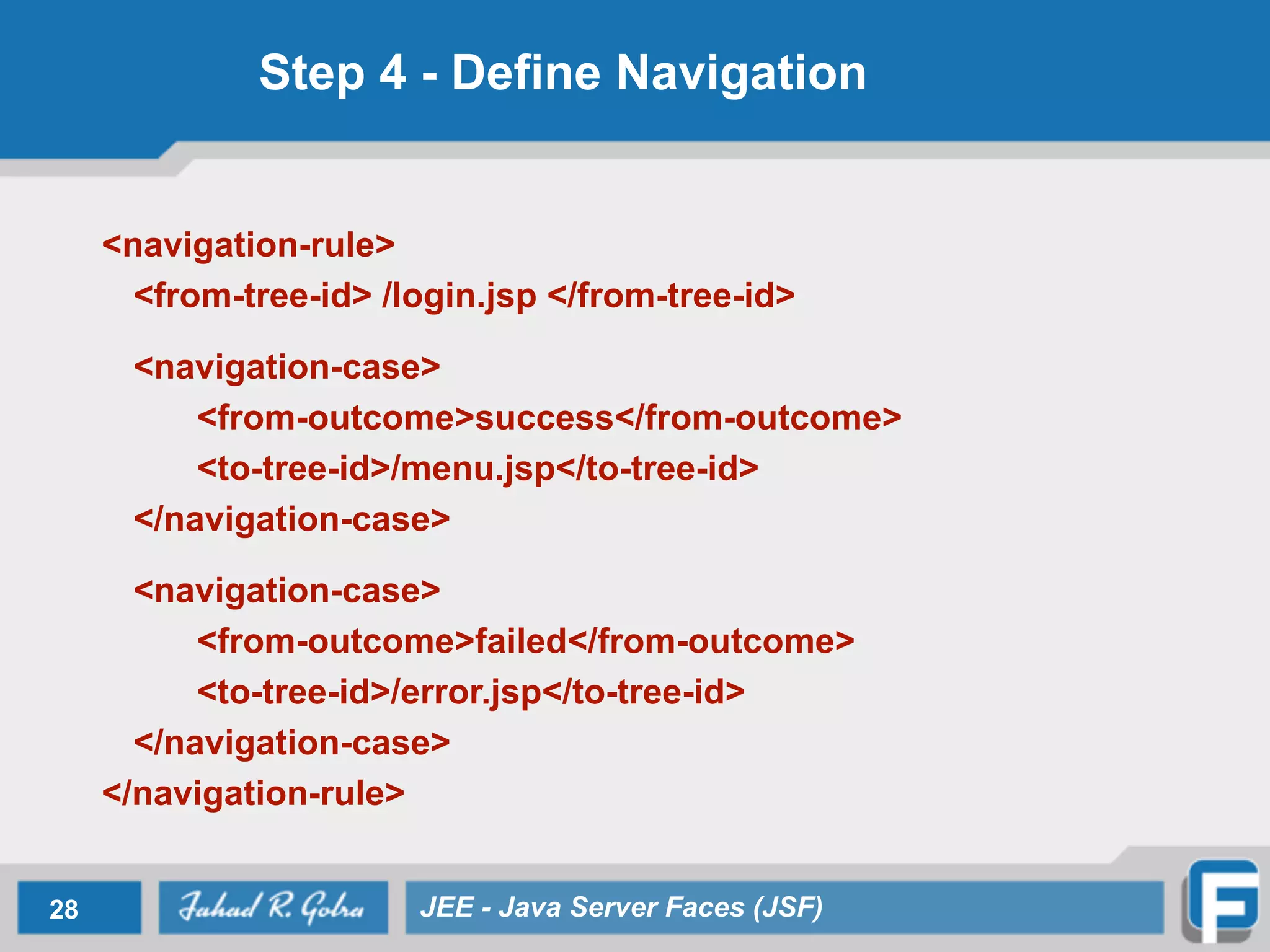
Navigation • Application developer defines the navigation model of the web application • in Application configuration file (Facesconfig.xml) • Navigation rules • Determine where (page) to go. • Precise navigation case 22 JEE - Java Server Faces (JSF)
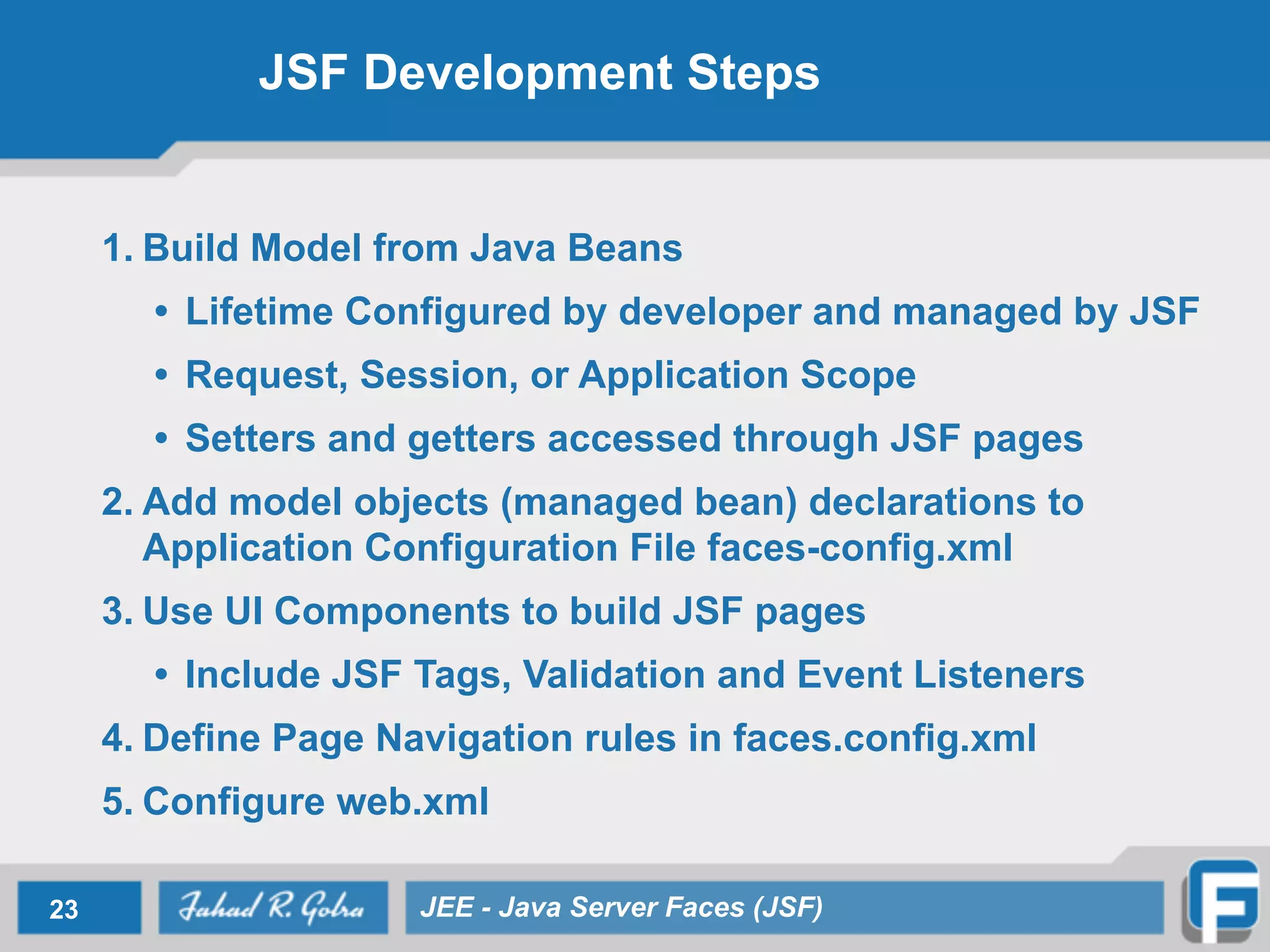
JSF Development Steps 1. Build Model from Java Beans • Lifetime Configured by developer and managed by JSF • Request, Session, or Application Scope • Setters and getters accessed through JSF pages 2. Add model objects (managed bean) declarations to Application Configuration File faces-config.xml 3. Use UI Components to build JSF pages • Include JSF Tags, Validation and Event Listeners 4. Define Page Navigation rules in faces.config.xml 5. Configure web.xml 23 JEE - Java Server Faces (JSF)
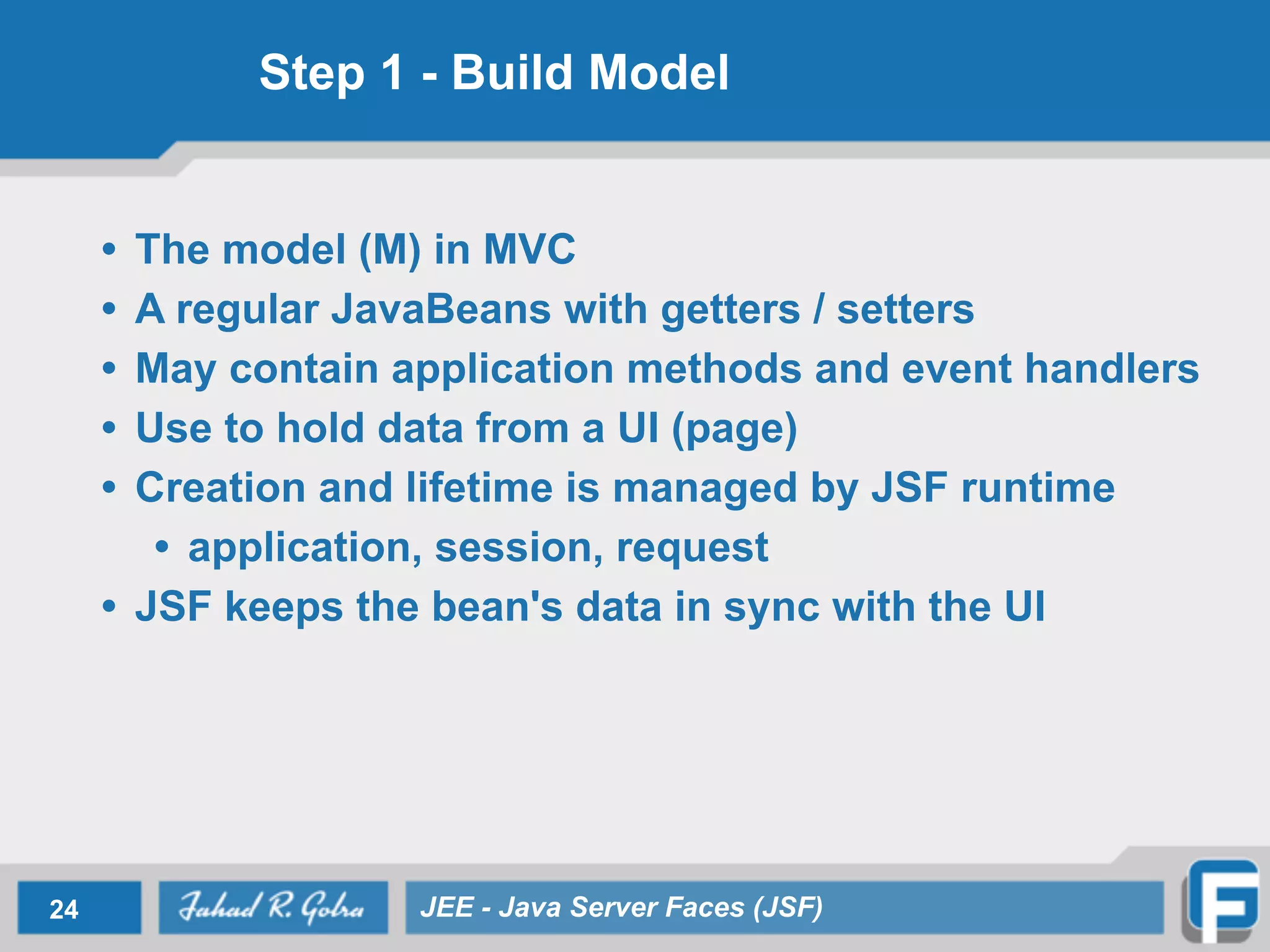
Step 1 - Build Model • The model (M) in MVC • A regular JavaBeans with getters / setters • May contain application methods and event handlers • Use to hold data from a UI (page) • Creation and lifetime is managed by JSF runtime • application, session, request • JSF keeps the bean's data in sync with the UI 24 JEE - Java Server Faces (JSF)
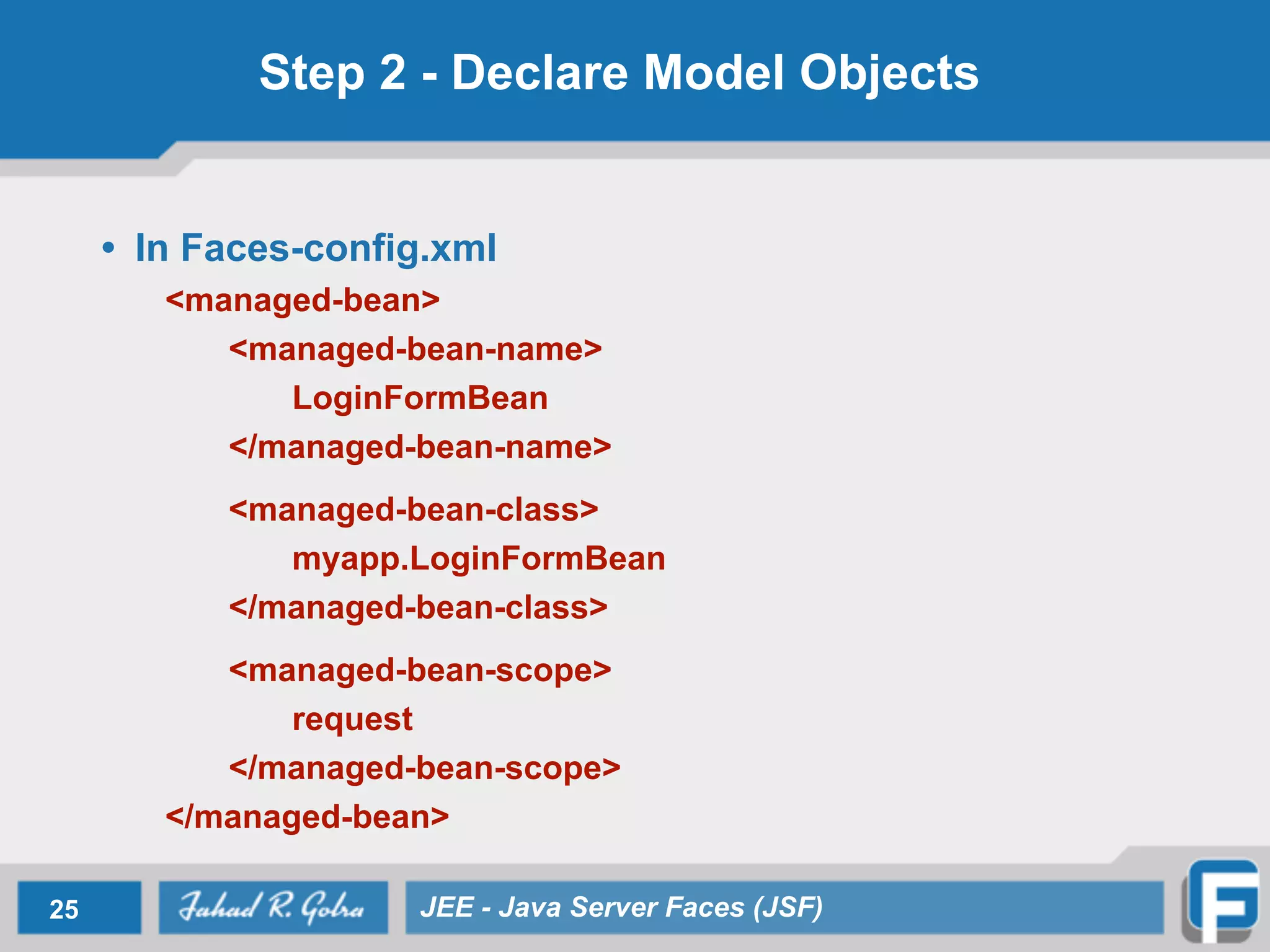
Step 2 - Declare Model Objects • In Faces-config.xml <managed-bean> <managed-bean-name> LoginFormBean </managed-bean-name> <managed-bean-class> myapp.LoginFormBean </managed-bean-class> <managed-bean-scope> request </managed-bean-scope> </managed-bean> 25 JEE - Java Server Faces (JSF)
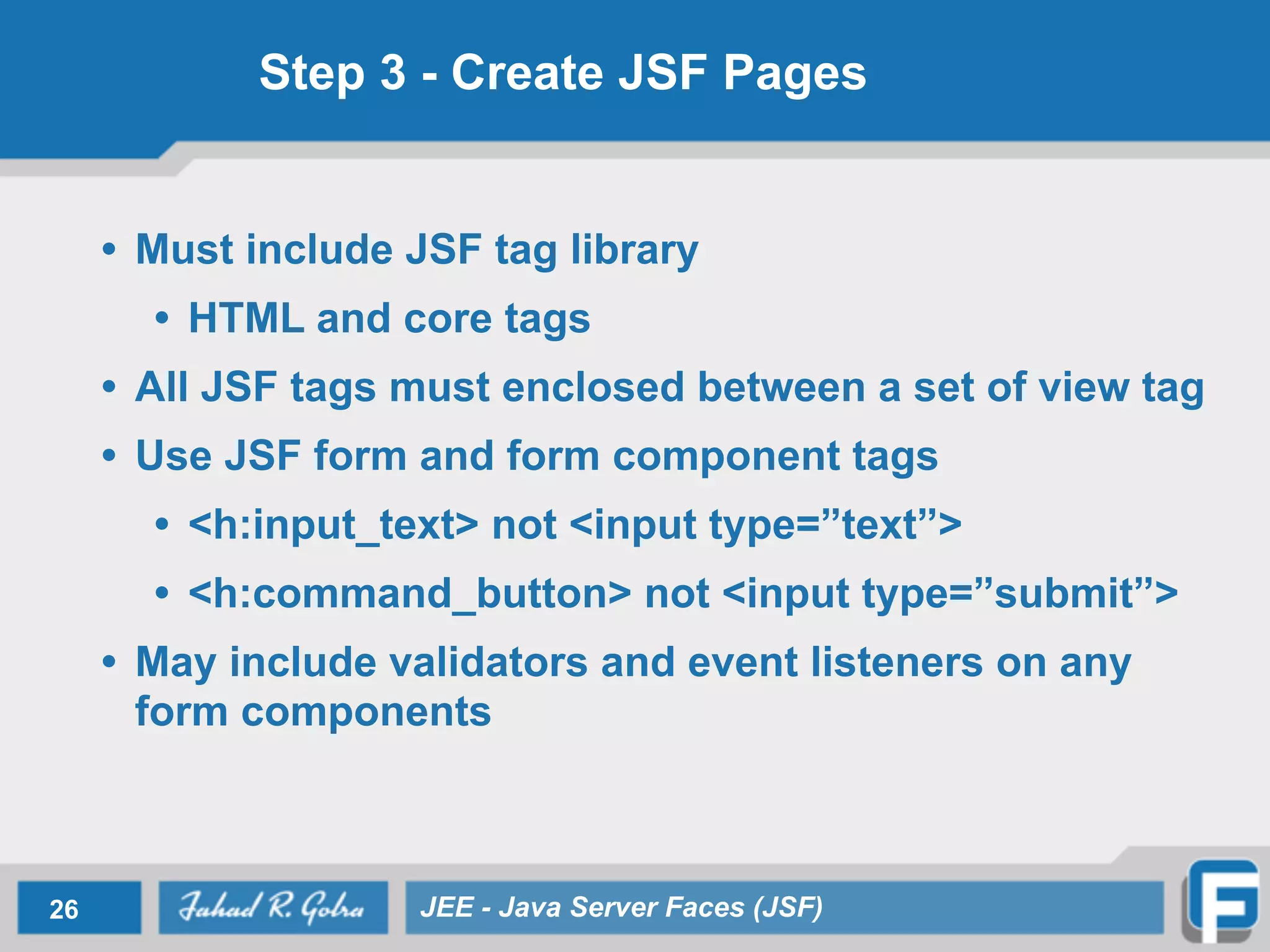
Step 3 - Create JSF Pages • Must include JSF tag library • HTML and core tags • All JSF tags must enclosed between a set of view tag • Use JSF form and form component tags • <h:input_text> not <input type=”text”> • <h:command_button> not <input type=”submit”> • May include validators and event listeners on any form components 26 JEE - Java Server Faces (JSF)
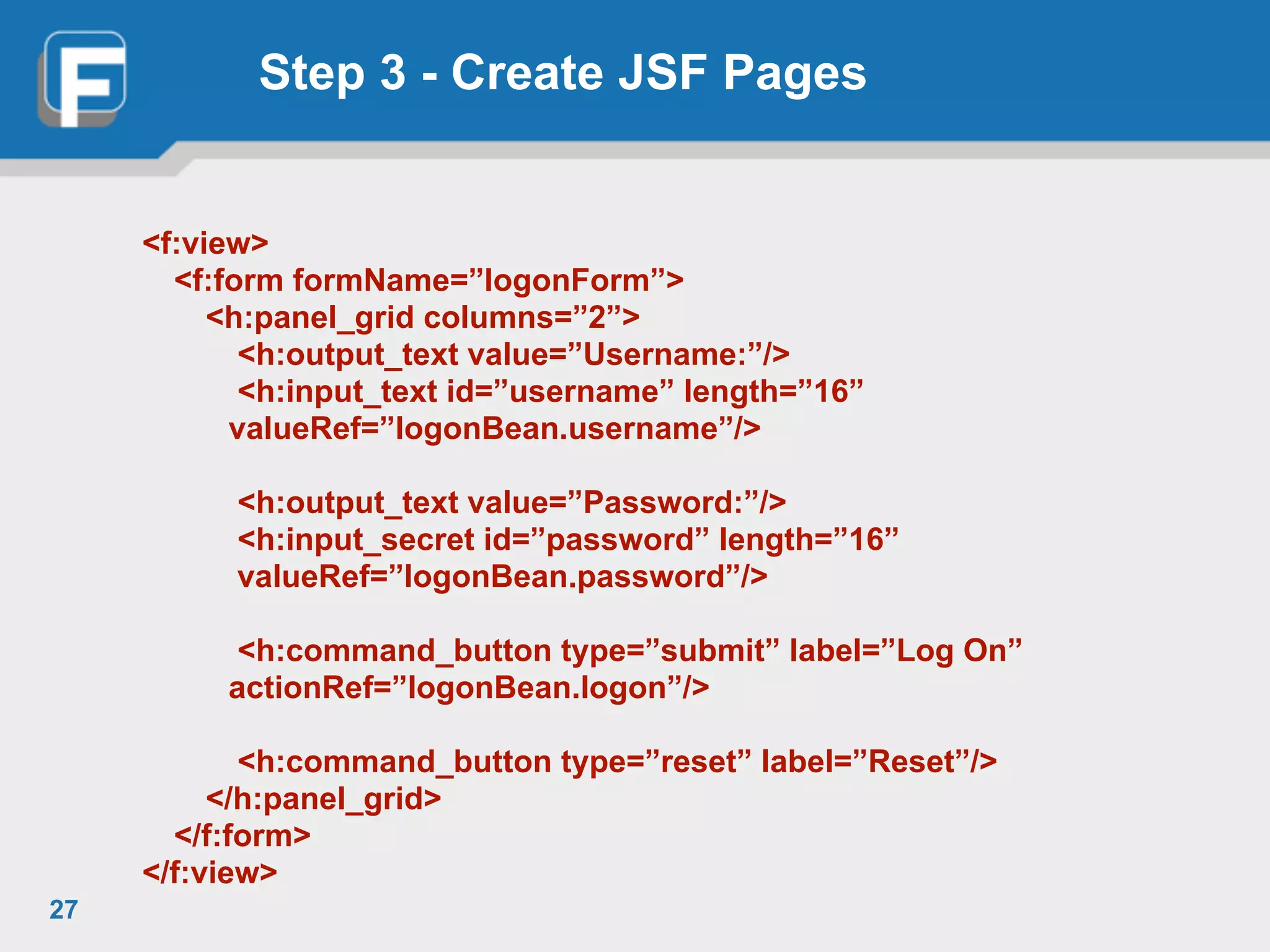
Step 3 - Create JSF Pages <f:view> <f:form formName=”logonForm”> <h:panel_grid columns=”2”> <h:output_text value=”Username:”/> <h:input_text id=”username” length=”16” valueRef=”logonBean.username”/> <h:output_text value=”Password:”/> <h:input_secret id=”password” length=”16” valueRef=”logonBean.password”/> <h:command_button type=”submit” label=”Log On” actionRef=”logonBean.logon”/> <h:command_button type=”reset” label=”Reset”/> </h:panel_grid> </f:form> </f:view> 27
Step 4 - Define Navigation <navigation-rule> <from-tree-id> /login.jsp </from-tree-id> <navigation-case> <from-outcome>success</from-outcome> <to-tree-id>/menu.jsp</to-tree-id> </navigation-case> <navigation-case> <from-outcome>failed</from-outcome> <to-tree-id>/error.jsp</to-tree-id> </navigation-case> </navigation-rule> 28 JEE - Java Server Faces (JSF)
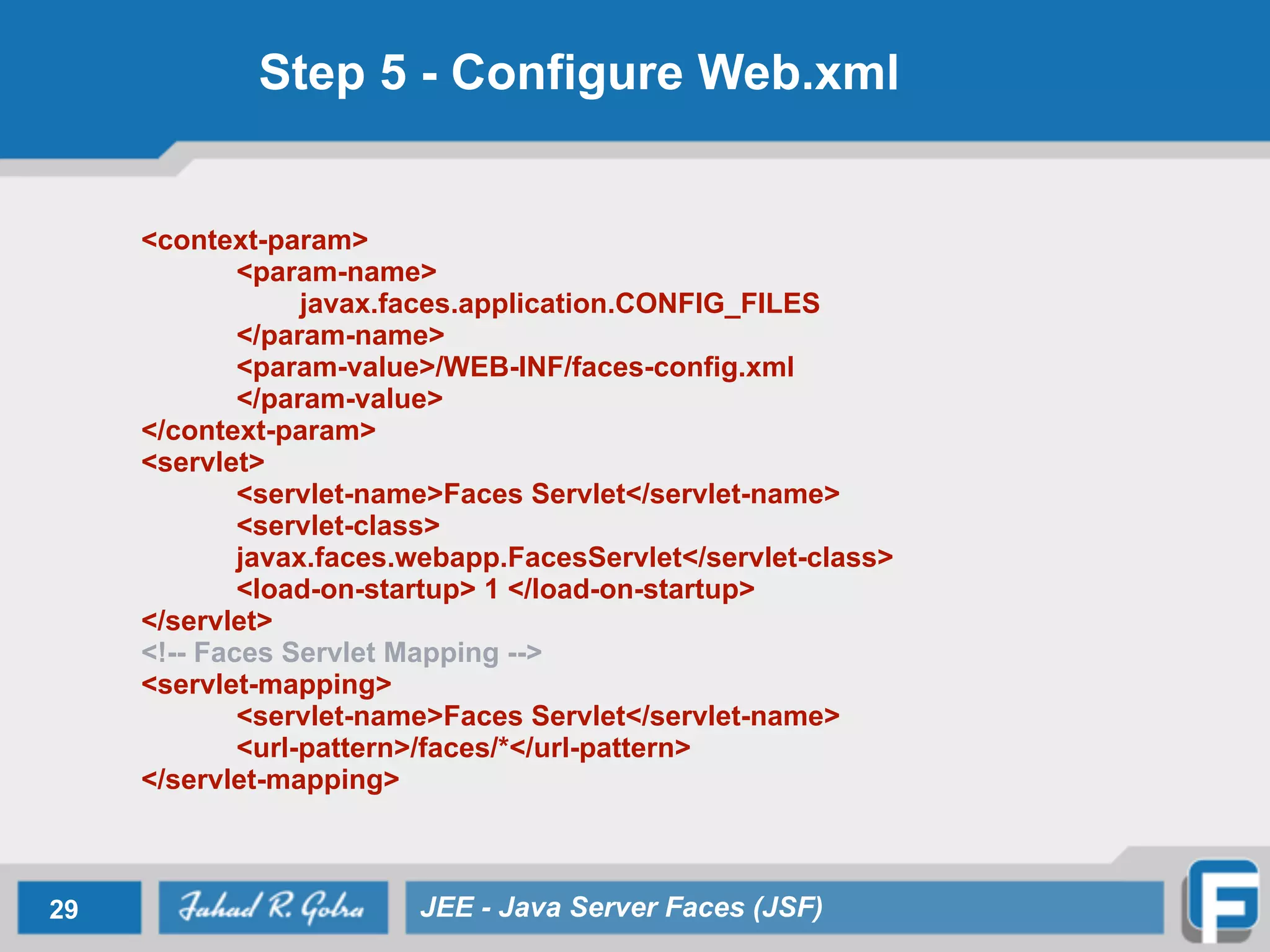
Step 5 - Configure Web.xml <context-param> <param-name> javax.faces.application.CONFIG_FILES </param-name> <param-value>/WEB-INF/faces-config.xml </param-value> </context-param> <servlet> <servlet-name>Faces Servlet</servlet-name> <servlet-class> javax.faces.webapp.FacesServlet</servlet-class> <load-on-startup> 1 </load-on-startup> </servlet> <!-- Faces Servlet Mapping --> <servlet-mapping> <servlet-name>Faces Servlet</servlet-name> <url-pattern>/faces/*</url-pattern> </servlet-mapping> 29 JEE - Java Server Faces (JSF)
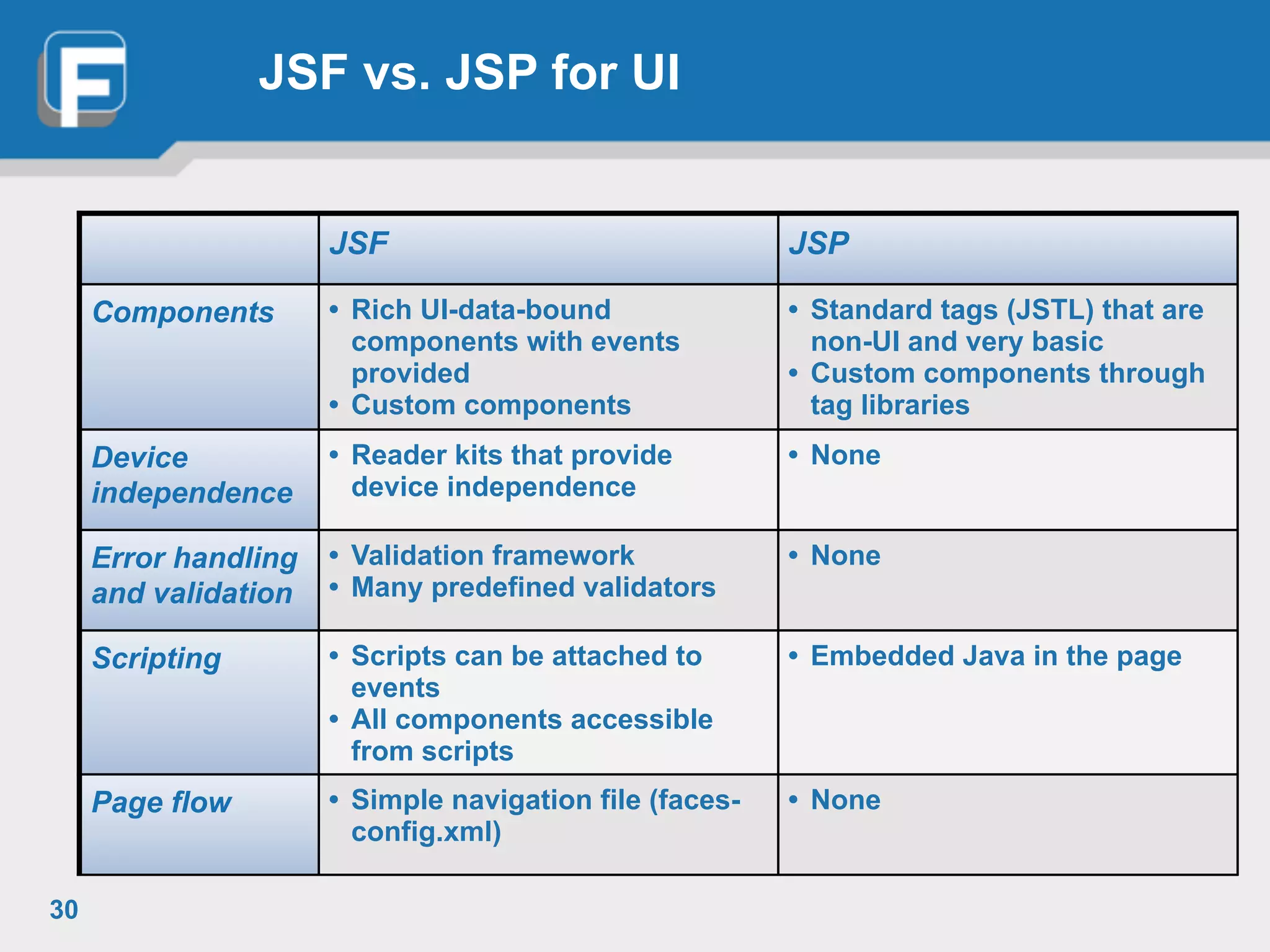
JSF vs. JSP for UI 30 JSF JSP Components • Rich UI-data-bound components with events provided • Custom components • Standard tags (JSTL) that are non-UI and very basic • Custom components through tag libraries Device independence • Reader kits that provide device independence • None Error handling and validation • Validation framework • Many predefined validators • None Scripting • Scripts can be attached to events • All components accessible from scripts • Embedded Java in the page Page flow • Simple navigation file (faces- config.xml) • None
31 JEE - Java Server Faces (JSF)

Lecture 10 - Java Server Faces (JSF)

  • 1.
    Java Server Faces FahadR. Golra ECE Paris Ecole d'Ingénieurs - FRANCE
  • 2.
    Lecture 8 -Java Server Faces (JSF) • Introduction to JSF • JSF Architecture • JSF Lifecycle • JSF Development Steps 2 JEE - Java Server Faces (JSF)
  • 3.
    3 Layers ofInformation System 3 JEE - Java Server Faces (JSF) presentation layer application logic layer resource management layer Client informationsystem EJB JSP JSF Servlets JPA Database
  • 4.
    Java Server Faces •JavaServer Faces technology is a server-side user interface component framework for Java technology- based web applications. 4 JEE - Java Server Faces (JSF)
  • 5.
    Components of JSF •An API for • representing UI components and managing their state • handling events • server-side validation • data conversion • defining page navigation • supporting internationalisation and accessibility • Two JavaServer Pages (JSP) custom tag libraries for expressing UI components within a JSP page and for wiring components to server-side objects 5 JEE - Java Server Faces (JSF)
  • 6.
    Why JSF ? •Drop components onto a page by adding component tags • Wire component-generated events to server-side application code • Bind UI components on a page to server-side data • Construct a UI with reusable and extensible components • Save and restore UI state beyond the life of server requests 6 JEE - Java Server Faces (JSF)
  • 7.
    Request Scope 7 JEE- Java Server Faces (JSF) client Serverrequest response Request Scope request response Request Scope client 2 request response Request Scope perrequestperrequest
  • 8.
    Session Scope 8 JEE- Java Server Faces (JSF) client Serverrequest response Session Scope request response client 2 request response Session Scope perclientperclient
  • 9.
    Application Scope 9 JEE- Java Server Faces (JSF) client Serverrequest response Application Scope request response client 2 request response perapplication
  • 10.
    JSF Architecture 10 JEE- Java Server Faces (JSF)
  • 11.
    JSF User Interface •The UI for the web application manages the objects referenced by the JSP page. • These objects include • The UI component objects that map to the tags on the JSP page • Any event listeners, validators, and converters that are registered on the components • The JavaBeans components that encapsulate the data and application- specific functionality of the components 11 JEE - Java Server Faces (JSF)
  • 12.
    JSF Lifecycle 12 JEE- Java Server Faces (JSF) Client Browser client Restore Value Re-constitute component tree Apply Request Values Process Events, Validators Render Response Invoke Application Logic Update Model Values
  • 13.
    Restore View Phase •JSF implementation • builds the view of the page • wires event handlers and validators to components in the view • saves the view in the FacesContext instance • Initial Request - creates an empty view, advances to the render response phase • Subsequent Request - restores the (already existing) view by using the state information saved on the client or the server 13 JEE - Java Server Faces (JSF)
  • 14.
    Apply Request ValuesPhase • Each component in the tree extracts its new value from the request parameters by using its decode method • Implementation skips to the render response phase if renderResponse is called • If events have been queued, the they are broadcasted to interested listeners • validation, conversion, and events associated with components having immediate attributes will be processed during this phase 14 JEE - Java Server Faces (JSF)
  • 15.
    Process Event, ValidatorsPhase • JavaServer Faces implementation processes all validators registered on the components in the tree • If validation fails, error message is added to FacesContext • Events from previous phase and this phase are used to render errors by advancing to render response phase • Implementation skips to the render response phase if renderResponse is called • If events have been queued, the they are broadcasted to interested listeners 15 JEE - Java Server Faces (JSF)
  • 16.
    Update Model ValuesPhase • If data is valid, the implementation can traverse the component tree and set the corresponding server-side object properties to the components’ local values. • Implementation will update the bean properties pointed at by an input component’s value attribute. • Implementation skips to the render response phase to display any error messages • If events have been queued, the they are broadcasted to interested listeners 16 JEE - Java Server Faces (JSF)
  • 17.
    Invoke Application LogicPhase • JSF implementation handles any application-level events, such as submitting a form or linking to another page • If the view being processed was reconstructed from state information from a previous request and if a component has fired an event, these events are broadcast to interested listeners. 17 JEE - Java Server Faces (JSF)
  • 18.
    Render Response Phase •JSF implementation delegates authority for rendering the page to the JSP container if the application is using JSP pages. • For initial request, the components represented on the page will be added to the component tree • components don’t need to added again for subsequent requests • Components will be rendered as the JSP container traverses the tags in the page. • queued error messages are displayed, if any • Once rendered, the state of the response is saved so that subsequent requests can access it 18 JEE - Java Server Faces (JSF)
  • 19.
    UI Components • UIComponent/UIComponentBase •Base class for all user interface components • Standard UIComponent Subclasses • UICommand, UIForm, UIOutput • UIGraphic, UIInput, UIPanel, UIParameter • UISelectBoolean, UISelectMany, UISelectOne • Example <h:inputText id=“fNameInput" value="#{UserRegistrationBean.firstName}"/> 19 JEE - Java Server Faces (JSF)
  • 20.
    JSF Validators • Validators—Performcorrectness checks on UIInput values • Register one or more per component • Enqueue one or more messages on errors • Standard implementations for common cases • Example <h:input_text valueRef=”testingBean.today” <f:validator_length minimum=”6” maximum='10” /> 20 JEE - Java Server Faces (JSF)
  • 21.
    JSF Converters • Converters—Plug-infor conversions: • Output: Object to String • Input: String to Object • Standard implementations for common cases • Example <h:input_text valueRef=”testingBean.today” convertor=”DateTime”/> 21 JEE - Java Server Faces (JSF)
  • 22.
    Navigation • Application developerdefines the navigation model of the web application • in Application configuration file (Facesconfig.xml) • Navigation rules • Determine where (page) to go. • Precise navigation case 22 JEE - Java Server Faces (JSF)
  • 23.
    JSF Development Steps 1.Build Model from Java Beans • Lifetime Configured by developer and managed by JSF • Request, Session, or Application Scope • Setters and getters accessed through JSF pages 2. Add model objects (managed bean) declarations to Application Configuration File faces-config.xml 3. Use UI Components to build JSF pages • Include JSF Tags, Validation and Event Listeners 4. Define Page Navigation rules in faces.config.xml 5. Configure web.xml 23 JEE - Java Server Faces (JSF)
  • 24.
    Step 1 -Build Model • The model (M) in MVC • A regular JavaBeans with getters / setters • May contain application methods and event handlers • Use to hold data from a UI (page) • Creation and lifetime is managed by JSF runtime • application, session, request • JSF keeps the bean's data in sync with the UI 24 JEE - Java Server Faces (JSF)
  • 25.
    Step 2 -Declare Model Objects • In Faces-config.xml <managed-bean> <managed-bean-name> LoginFormBean </managed-bean-name> <managed-bean-class> myapp.LoginFormBean </managed-bean-class> <managed-bean-scope> request </managed-bean-scope> </managed-bean> 25 JEE - Java Server Faces (JSF)
  • 26.
    Step 3 -Create JSF Pages • Must include JSF tag library • HTML and core tags • All JSF tags must enclosed between a set of view tag • Use JSF form and form component tags • <h:input_text> not <input type=”text”> • <h:command_button> not <input type=”submit”> • May include validators and event listeners on any form components 26 JEE - Java Server Faces (JSF)
  • 27.
    Step 3 -Create JSF Pages <f:view> <f:form formName=”logonForm”> <h:panel_grid columns=”2”> <h:output_text value=”Username:”/> <h:input_text id=”username” length=”16” valueRef=”logonBean.username”/> <h:output_text value=”Password:”/> <h:input_secret id=”password” length=”16” valueRef=”logonBean.password”/> <h:command_button type=”submit” label=”Log On” actionRef=”logonBean.logon”/> <h:command_button type=”reset” label=”Reset”/> </h:panel_grid> </f:form> </f:view> 27
  • 28.
    Step 4 -Define Navigation <navigation-rule> <from-tree-id> /login.jsp </from-tree-id> <navigation-case> <from-outcome>success</from-outcome> <to-tree-id>/menu.jsp</to-tree-id> </navigation-case> <navigation-case> <from-outcome>failed</from-outcome> <to-tree-id>/error.jsp</to-tree-id> </navigation-case> </navigation-rule> 28 JEE - Java Server Faces (JSF)
  • 29.
    Step 5 -Configure Web.xml <context-param> <param-name> javax.faces.application.CONFIG_FILES </param-name> <param-value>/WEB-INF/faces-config.xml </param-value> </context-param> <servlet> <servlet-name>Faces Servlet</servlet-name> <servlet-class> javax.faces.webapp.FacesServlet</servlet-class> <load-on-startup> 1 </load-on-startup> </servlet> <!-- Faces Servlet Mapping --> <servlet-mapping> <servlet-name>Faces Servlet</servlet-name> <url-pattern>/faces/*</url-pattern> </servlet-mapping> 29 JEE - Java Server Faces (JSF)
  • 30.
    JSF vs. JSPfor UI 30 JSF JSP Components • Rich UI-data-bound components with events provided • Custom components • Standard tags (JSTL) that are non-UI and very basic • Custom components through tag libraries Device independence • Reader kits that provide device independence • None Error handling and validation • Validation framework • Many predefined validators • None Scripting • Scripts can be attached to events • All components accessible from scripts • Embedded Java in the page Page flow • Simple navigation file (faces- config.xml) • None
  • 31.
    31 JEE -Java Server Faces (JSF)