Learning to Code for Startup MVP Presented by Henry Shi
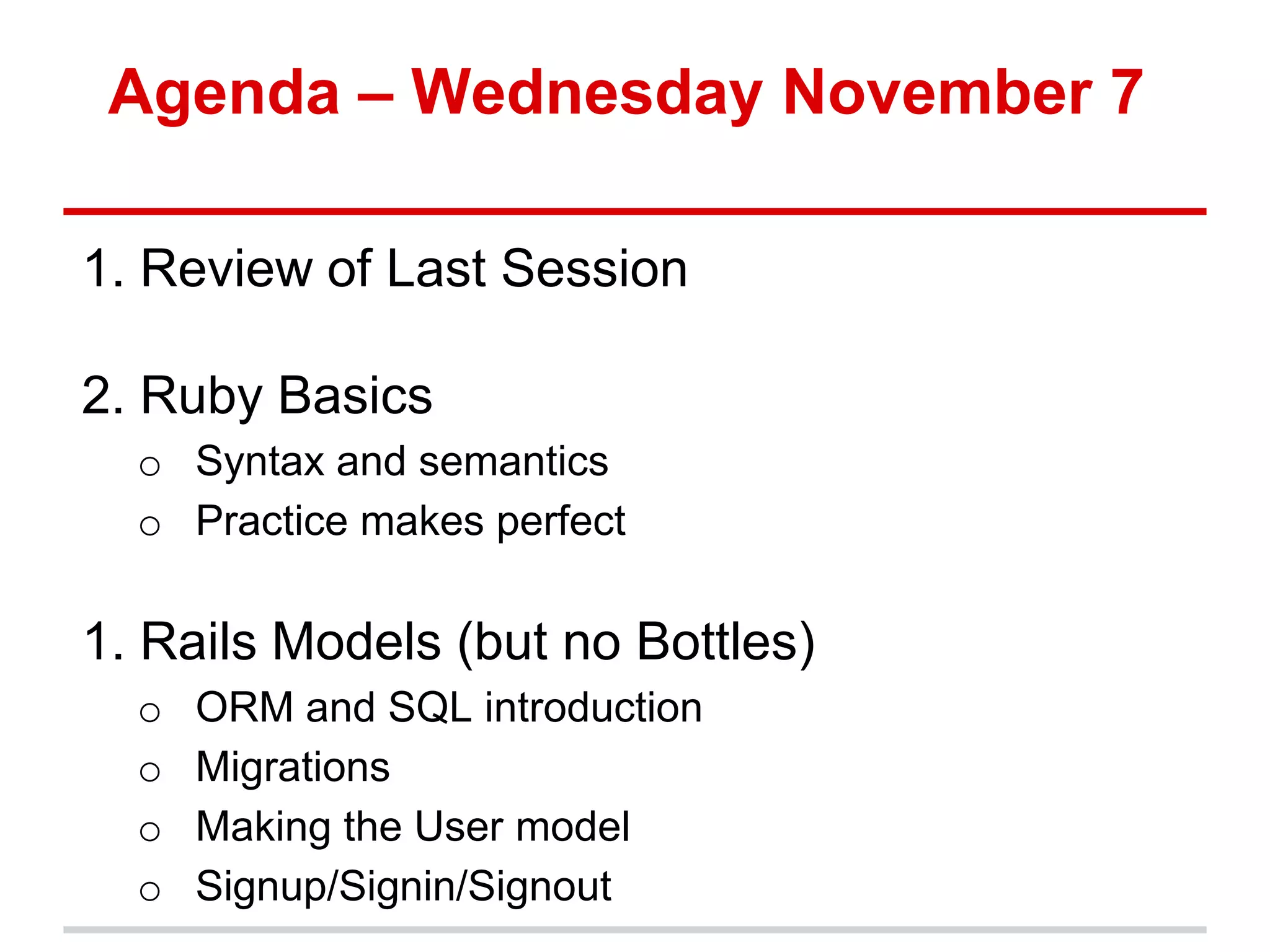
Agenda – Wednesday November 7 1. Review of Last Session 2. Ruby Basics o Syntax and semantics o Practice makes perfect 1. Rails Models (but no Bottles) o ORM and SQL introduction o Migrations o Making the User model o Signup/Signin/Signout
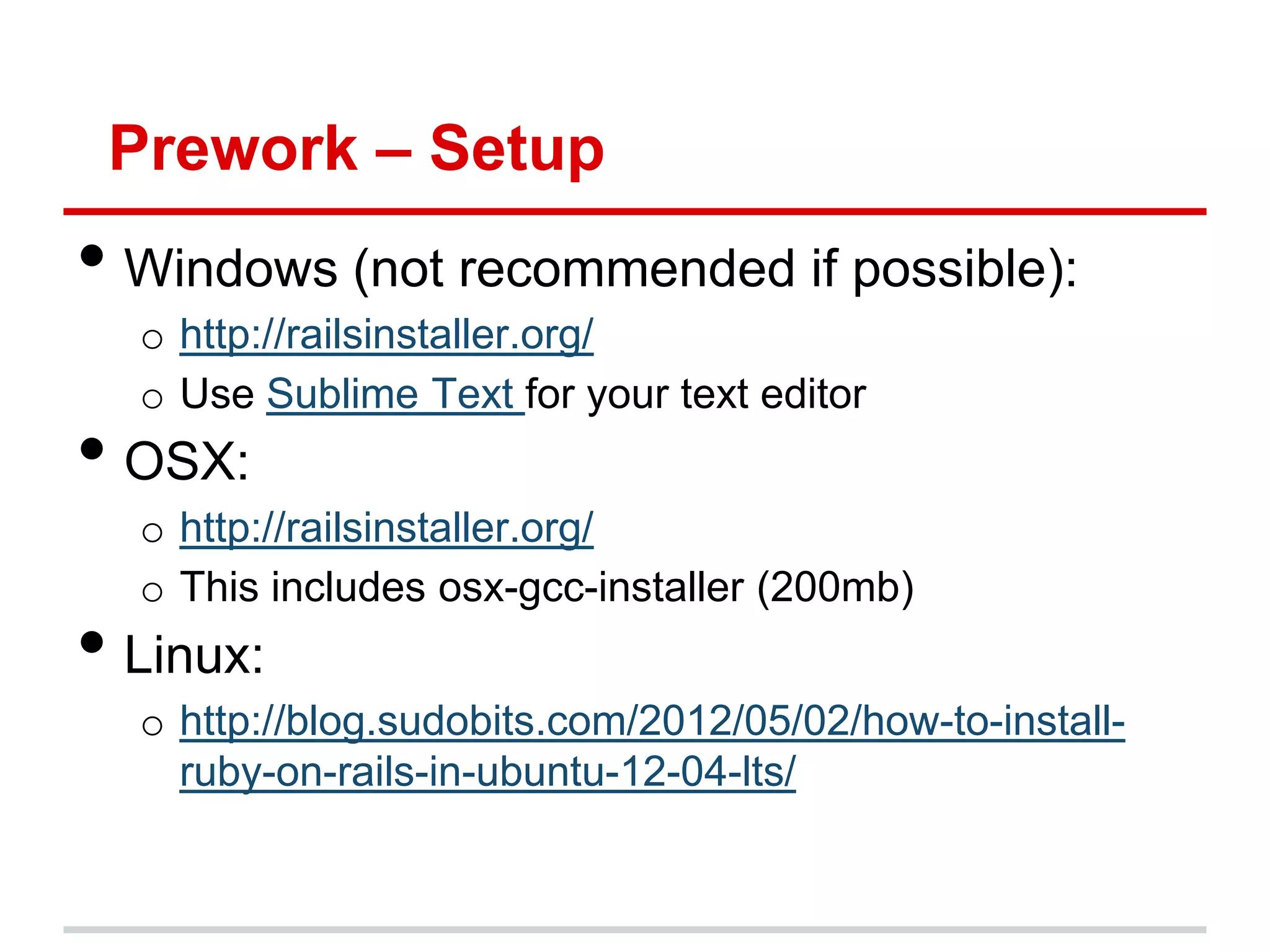
Prework – Setup • Windows (not recommended if possible): o http://railsinstaller.org/ o Use Sublime Text for your text editor • OSX: o http://railsinstaller.org/ o This includes osx-gcc-installer (200mb) • Linux: o http://blog.sudobits.com/2012/05/02/how-to-install- ruby-on-rails-in-ubuntu-12-04-lts/
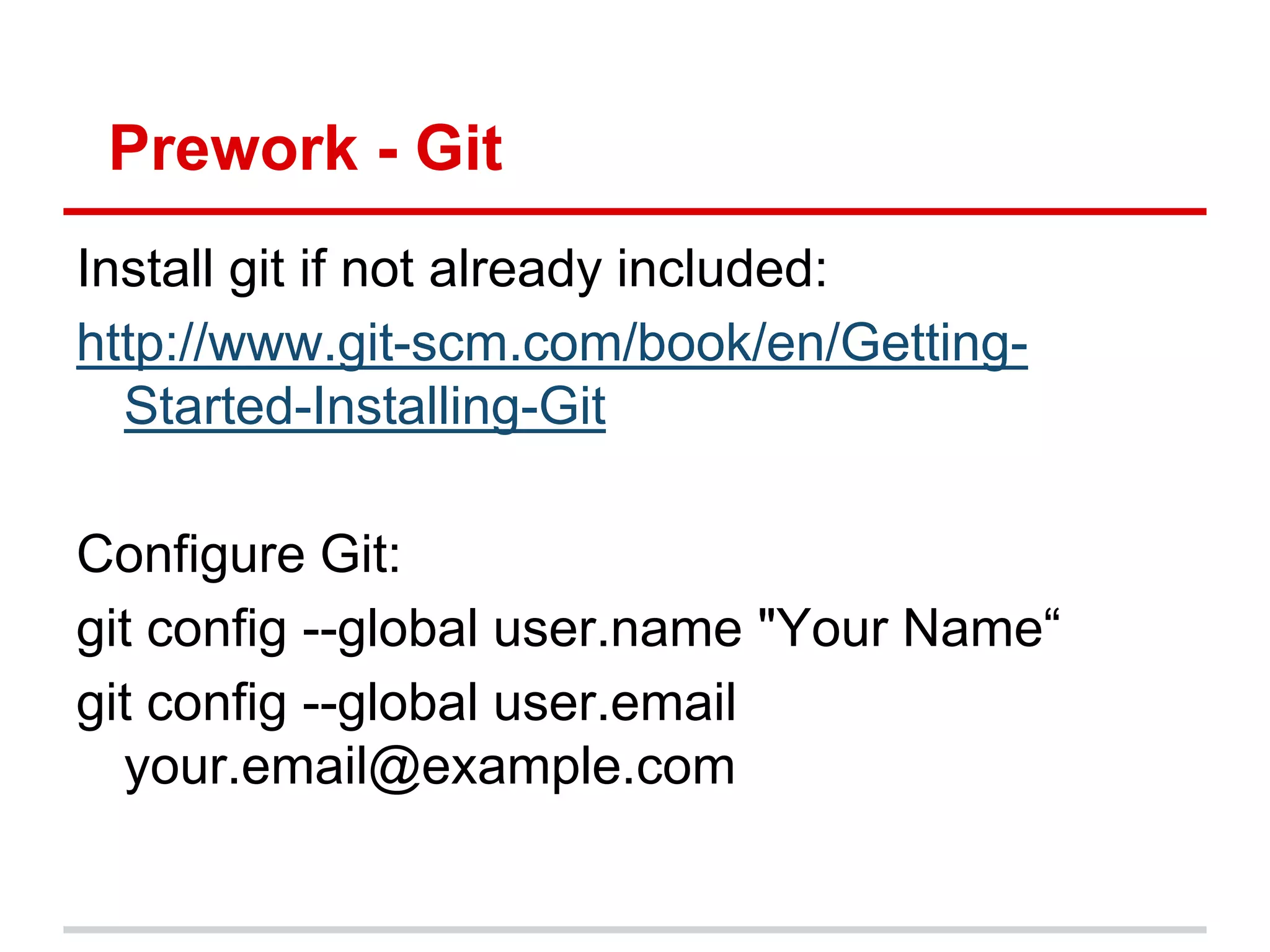
Prework - Git Install git if not already included: http://www.git-scm.com/book/en/Getting- Started-Installing-Git Configure Git: git config --global user.name "Your Name“ git config --global user.email your.email@example.com
Review of Last Session 1. The Web and How it Works 2. Git/Github 3. Rails and Ruby 4. Heroku
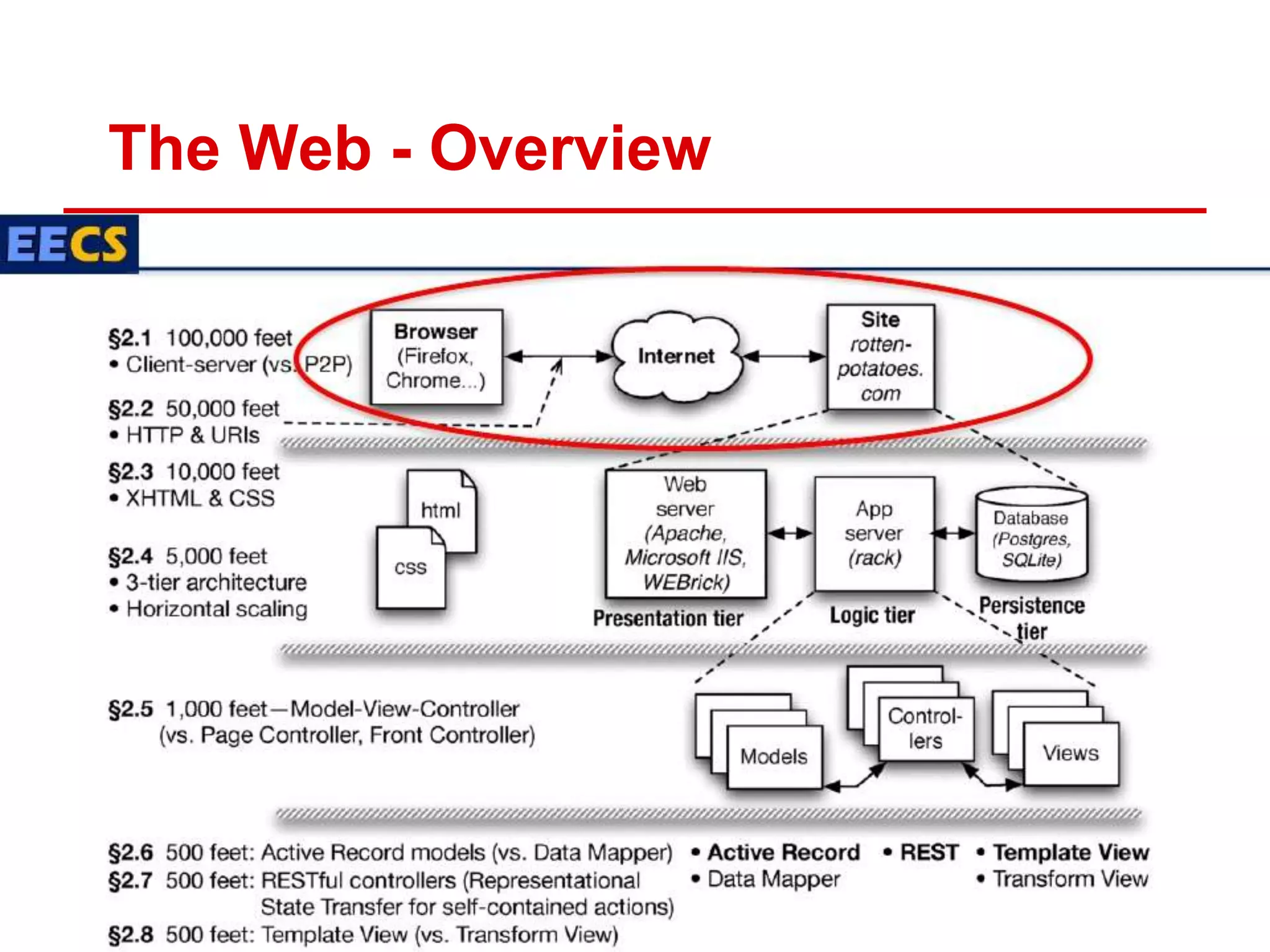
The Web - Overview
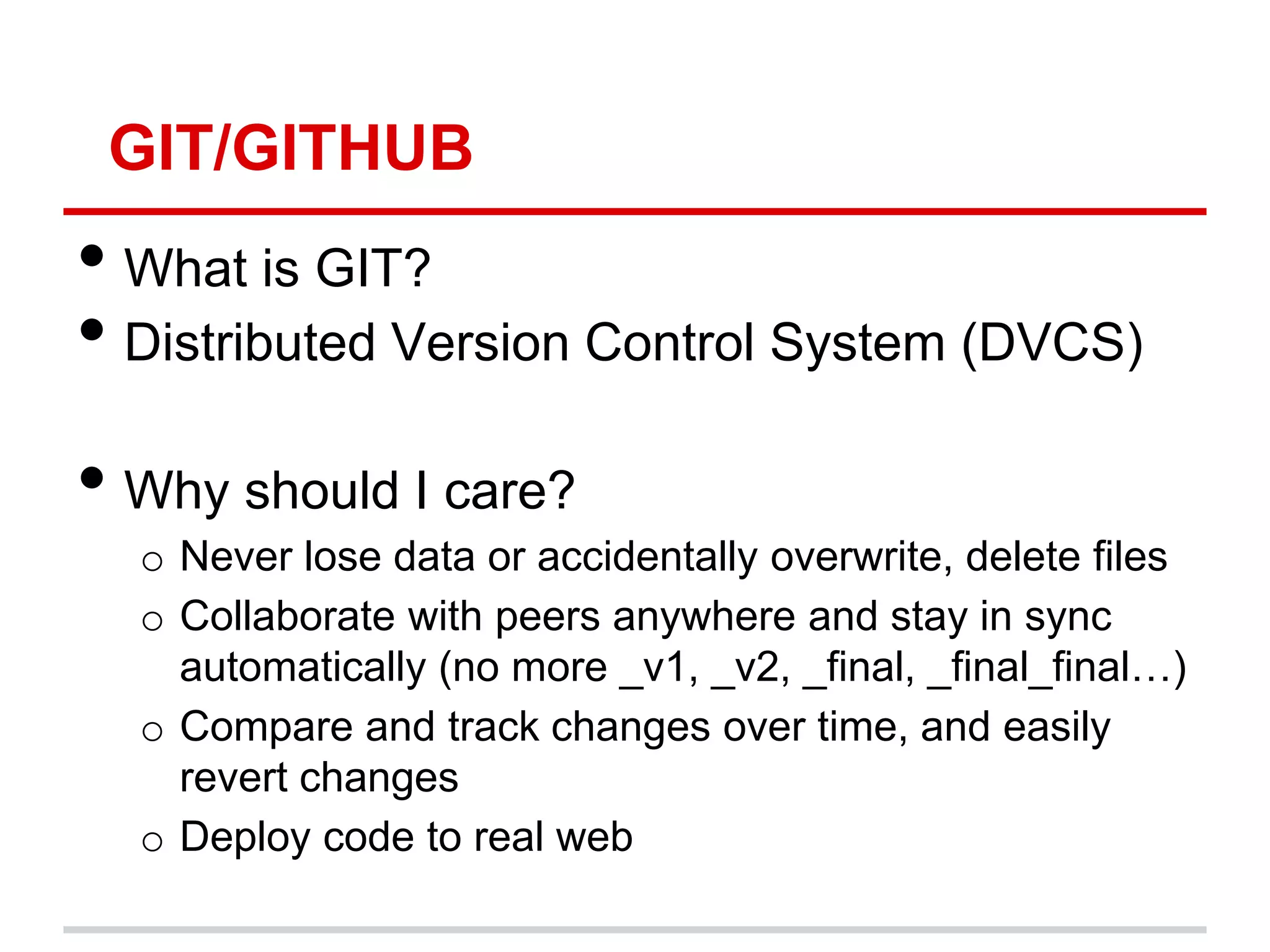
GIT/GITHUB • What is GIT? • Distributed Version Control System (DVCS) • Why should I care? o Never lose data or accidentally overwrite, delete files o Collaborate with peers anywhere and stay in sync automatically (no more _v1, _v2, _final, _final_final…) o Compare and track changes over time, and easily revert changes o Deploy code to real web
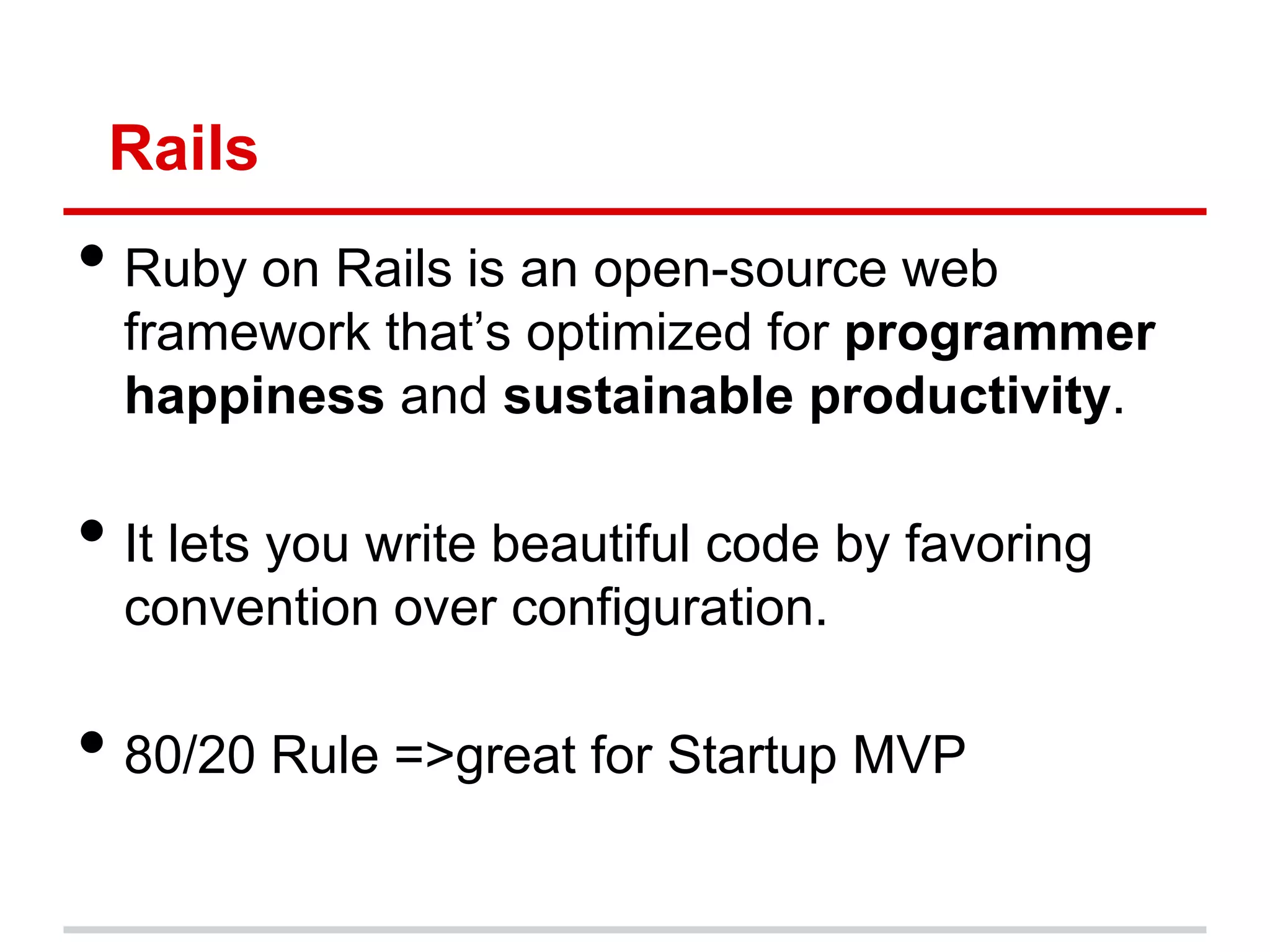
Rails • Ruby on Rails is an open-source web framework that‟s optimized for programmer happiness and sustainable productivity. • It lets you write beautiful code by favoring convention over configuration. • 80/20 Rule =>great for Startup MVP
Heroku What is Heroku? •a hosted platform built specifically for deploying Rails and other web applications in 1 command •Best thing since sliced bread
Ruby – Programmer’s Best Friend • Ruby is a dynamic, open source programming language with a focus on simplicity and productivity. It has an elegant syntax that is natural to read and easy to write. • We will only cover the necessary syntax needed to create a rails app • Thankfully, its not a lot 
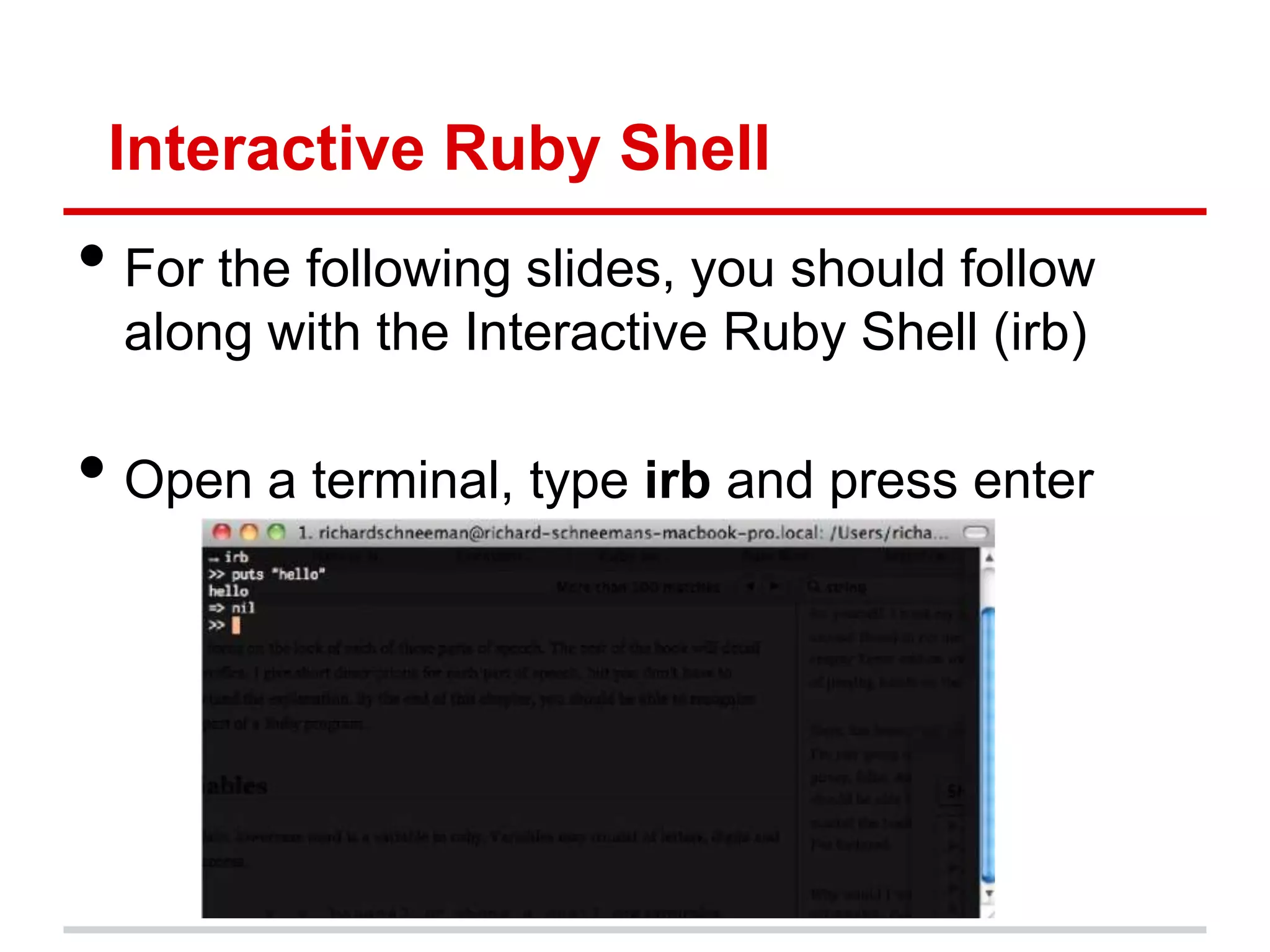
Interactive Ruby Shell • For the following slides, you should follow along with the Interactive Ruby Shell (irb) • Open a terminal, type irb and press enter
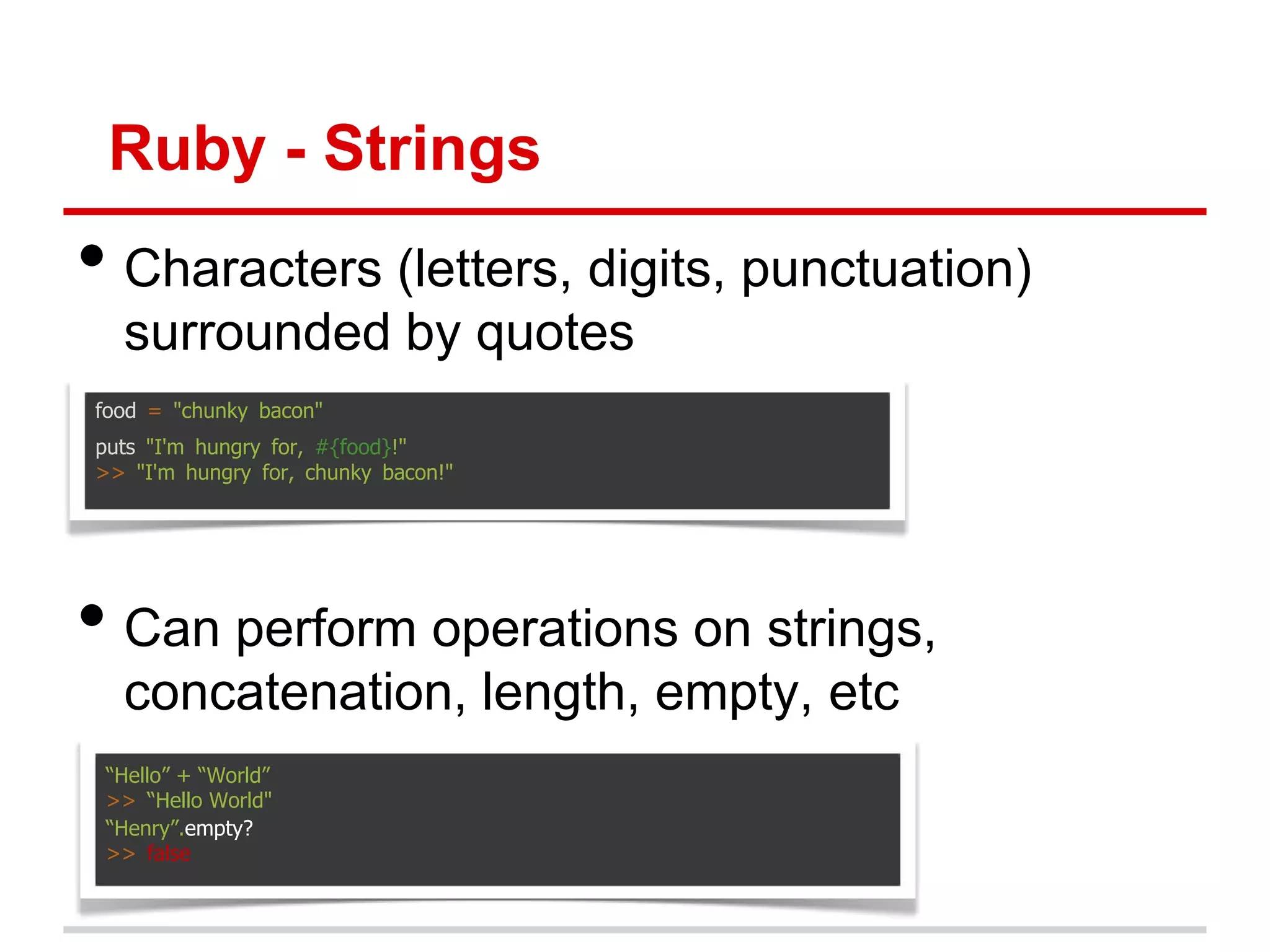
Ruby - Strings • Characters (letters, digits, punctuation) surrounded by quotes food = "chunky bacon" puts "I'm hungry for, #{food}!" >> "I'm hungry for, chunky bacon!" • Can perform operations on strings, concatenation, length, empty, etc “Hello” + “World” >> “Hello World" “Henry”.empty? >> false
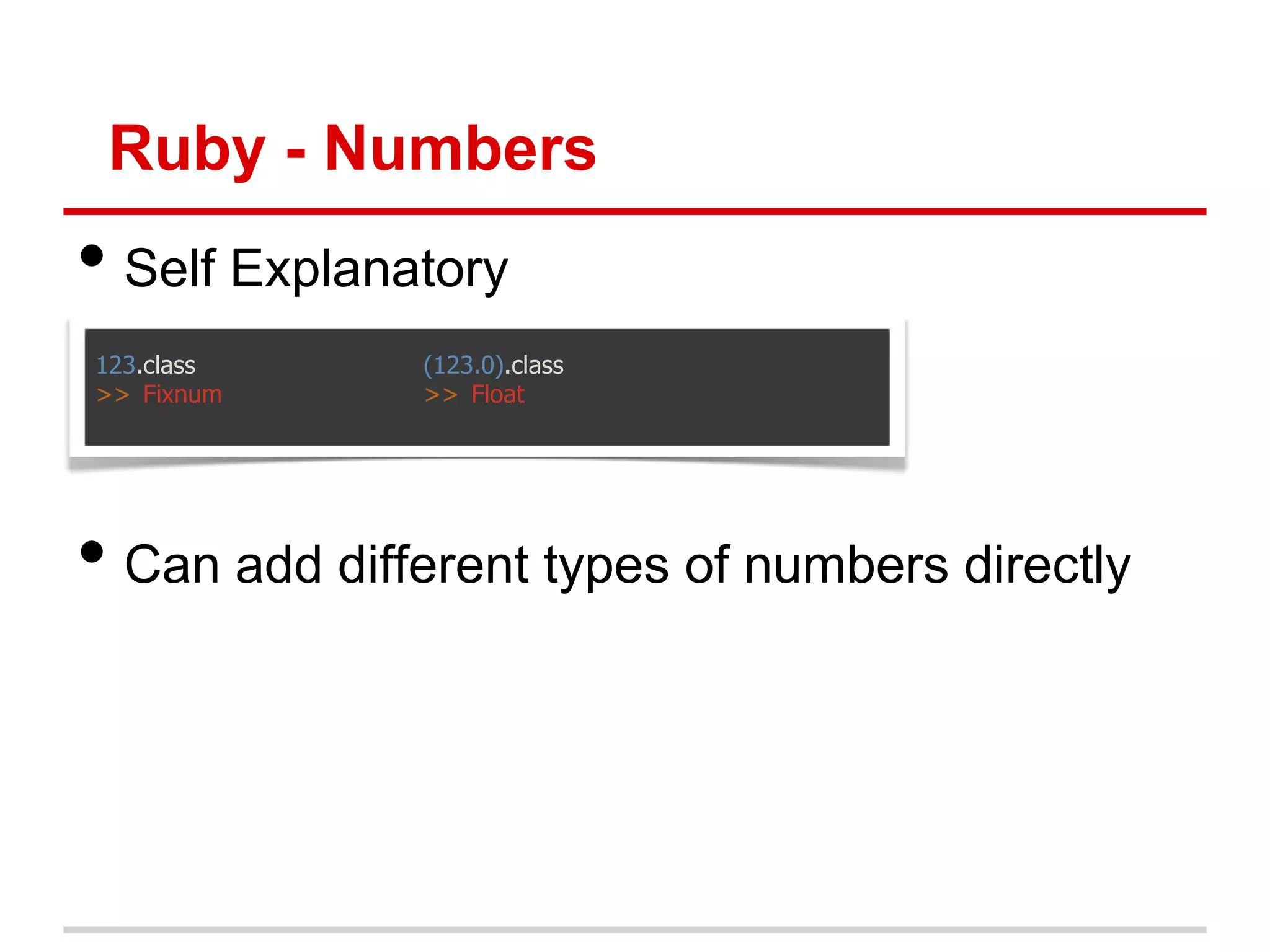
Ruby - Numbers • Self Explanatory 123.class (123.0).class >> Fixnum >> Float • Can add different types of numbers directly
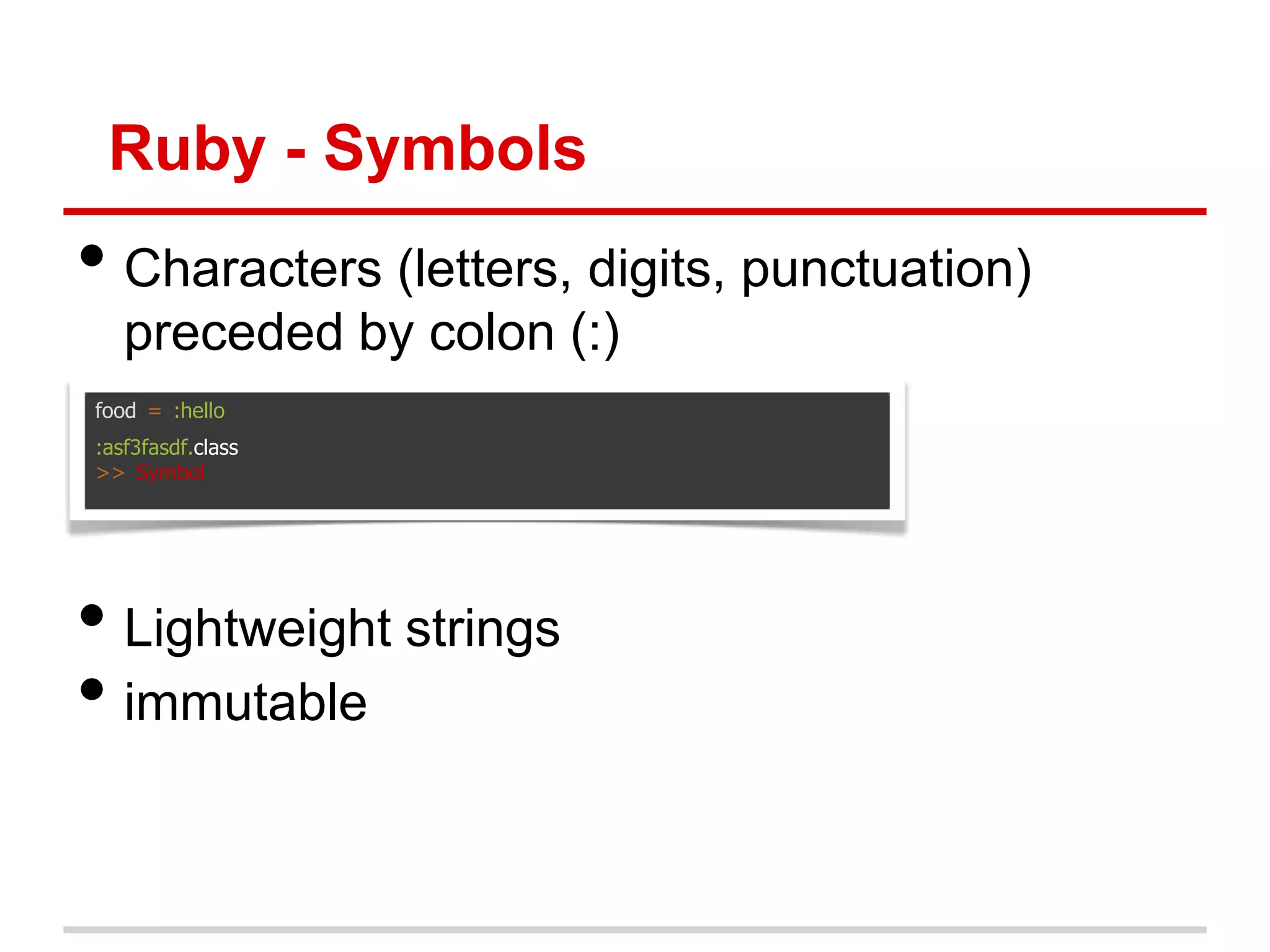
Ruby - Symbols • Characters (letters, digits, punctuation) preceded by colon (:) food = :hello :asf3fasdf.class >> Symbol • Lightweight strings • immutable
Ruby - Array • List surrounded by square brace and separated by commas, zero indexed a = [1, 2, 3] b = ('a'..'e').to_a # ["a", "b", "c", "d", "e"] c = %w[foo bar baz quux] # ["foo", "bar", "baz", "quux"] d = "foo bar baz".split # ["foo", "bar", "baz"] a[0] # 3 • Can perform operations on arrays, add, remove, reverse etc a.push(“hello”) # [1, 2, 3, “hello”] a << “world” # [1, 2, 3, “hello”, “world”] a = a.reverse # [“world”, “hello”, 3, 2, 1] a.delete(“hello”) # [“world”, 3, 2, 1]
Ruby - Hash • Hash is a dictionary surrounded by curly braces • Dictionaries match words with their definitions my_var = {:sup => "dog", :foo => "bar"} my_var[:foo] >> "bar“ my_var[:nk] = “new” # {foo : "bar“, nk: “new” , sup : "dog" } • New (better) hash notation in Ruby 1.9+ {sup : "dog", foo : "bar"}.class #Ruby 1.9+ >> Hash • Important for passing optional params (can omit braces if hash is last argument)
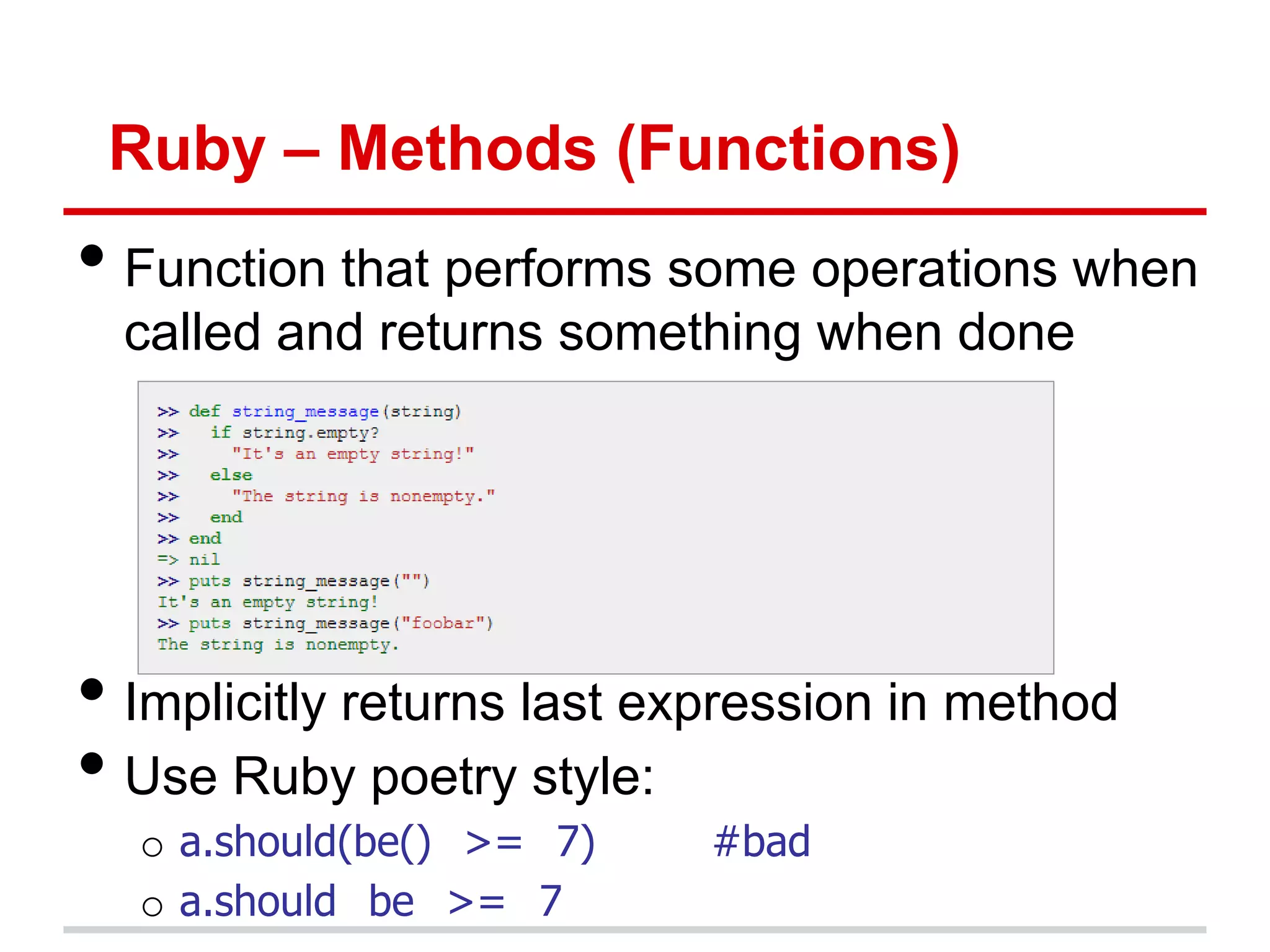
Ruby – Methods (Functions) • Function that performs some operations when called and returns something when done • Implicitly returns last expression in method • Use Ruby poetry style: o a.should(be() >= 7) #bad o a.should be >= 7
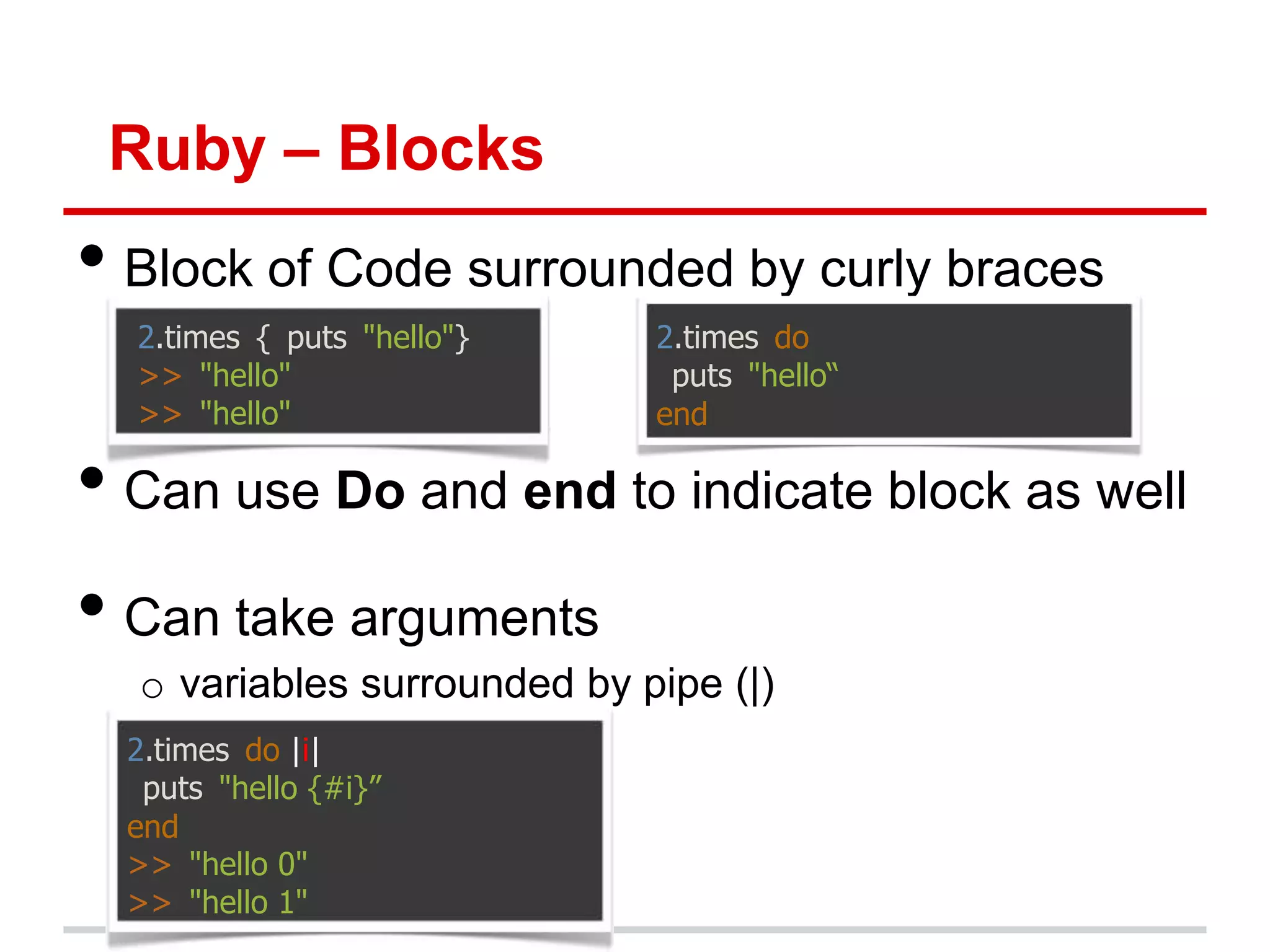
Ruby – Blocks • Block of Code surrounded by curly braces 2.times { puts "hello"} 2.times do >> "hello" puts "hello“ >> "hello" end • Can use Do and end to indicate block as well • Can take arguments o variables surrounded by pipe (|) 2.times do |i| puts "hello {#i}” end >> "hello 0" >> "hello 1"
Ruby – Blocks (Advanced Only) • Blocks are closures: they carry their environment around with them • Block are anonymous λ functions • Examples compared to scheme: o (map '(lambda (x) (+ x 2)) mylist ) o mylist.map { |x| x+2 } (map '(lambda (x) (+ x 2)) (filter '(lambda (x) (even? x)) mylist)) mylist.select {|x| x.even?}.map {|x| x+2 } • Try this: ('a'..'z').to_a.shuffle[0..7].join
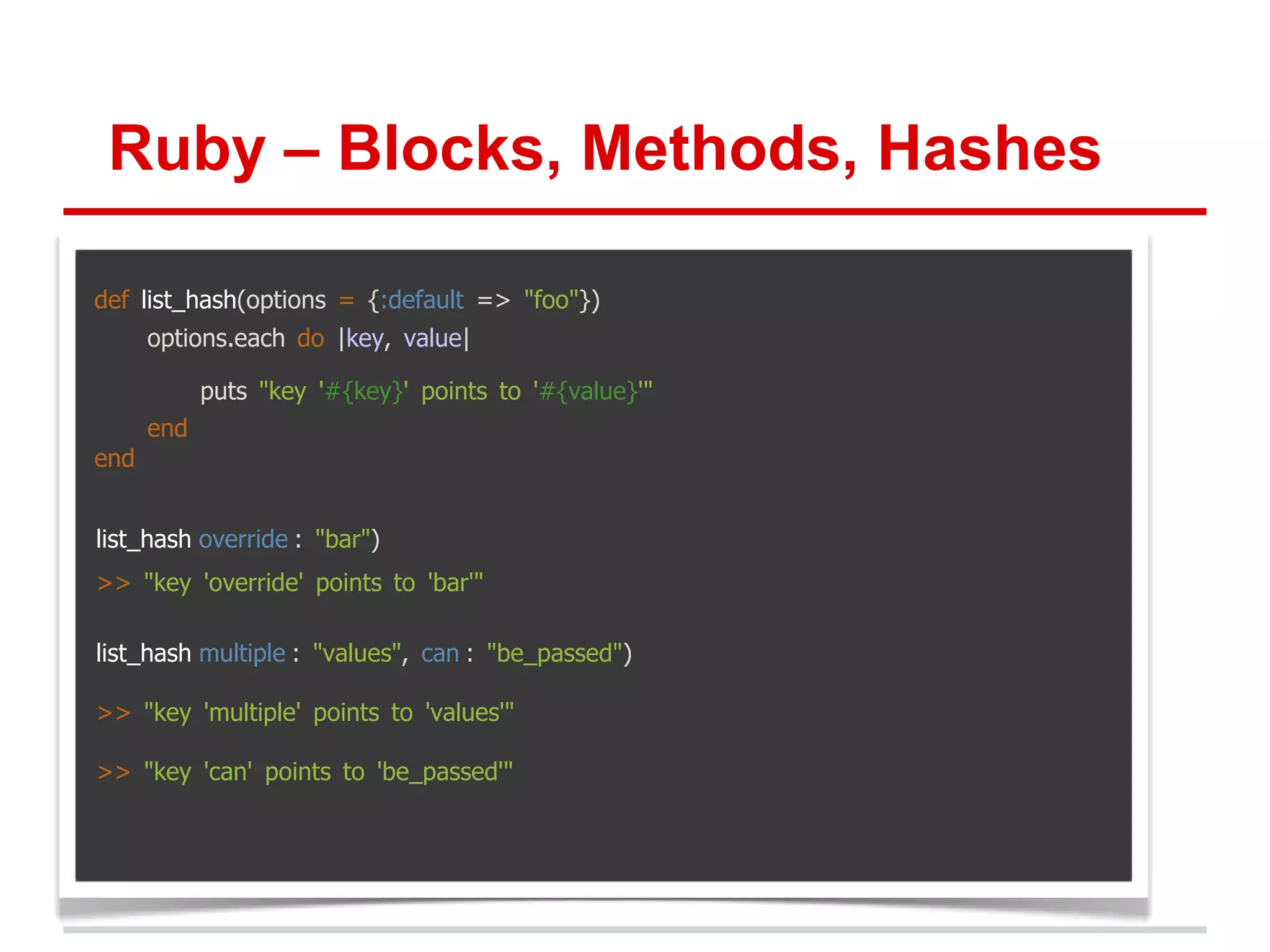
Ruby – Blocks, Methods, Hashes def list_hash(options = {:default => "foo"}) options.each do |key, value| puts "key '#{key}' points to '#{value}'" end end list_hash override : "bar") >> "key 'override' points to 'bar'" list_hash multiple : "values", can : "be_passed") >> "key 'multiple' points to 'values'" >> "key 'can' points to 'be_passed'"
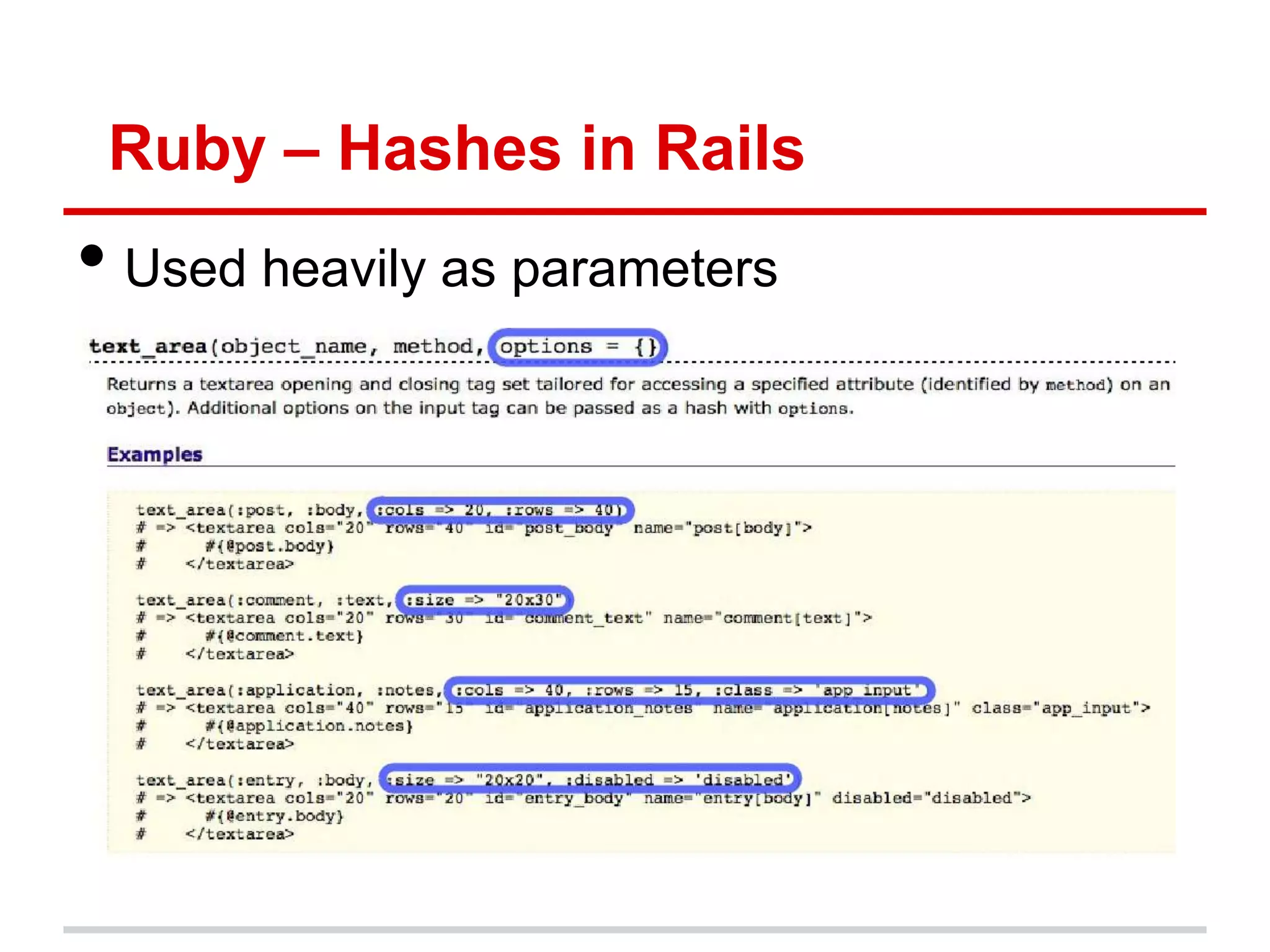
Ruby – Hashes in Rails • Used heavily as parameters
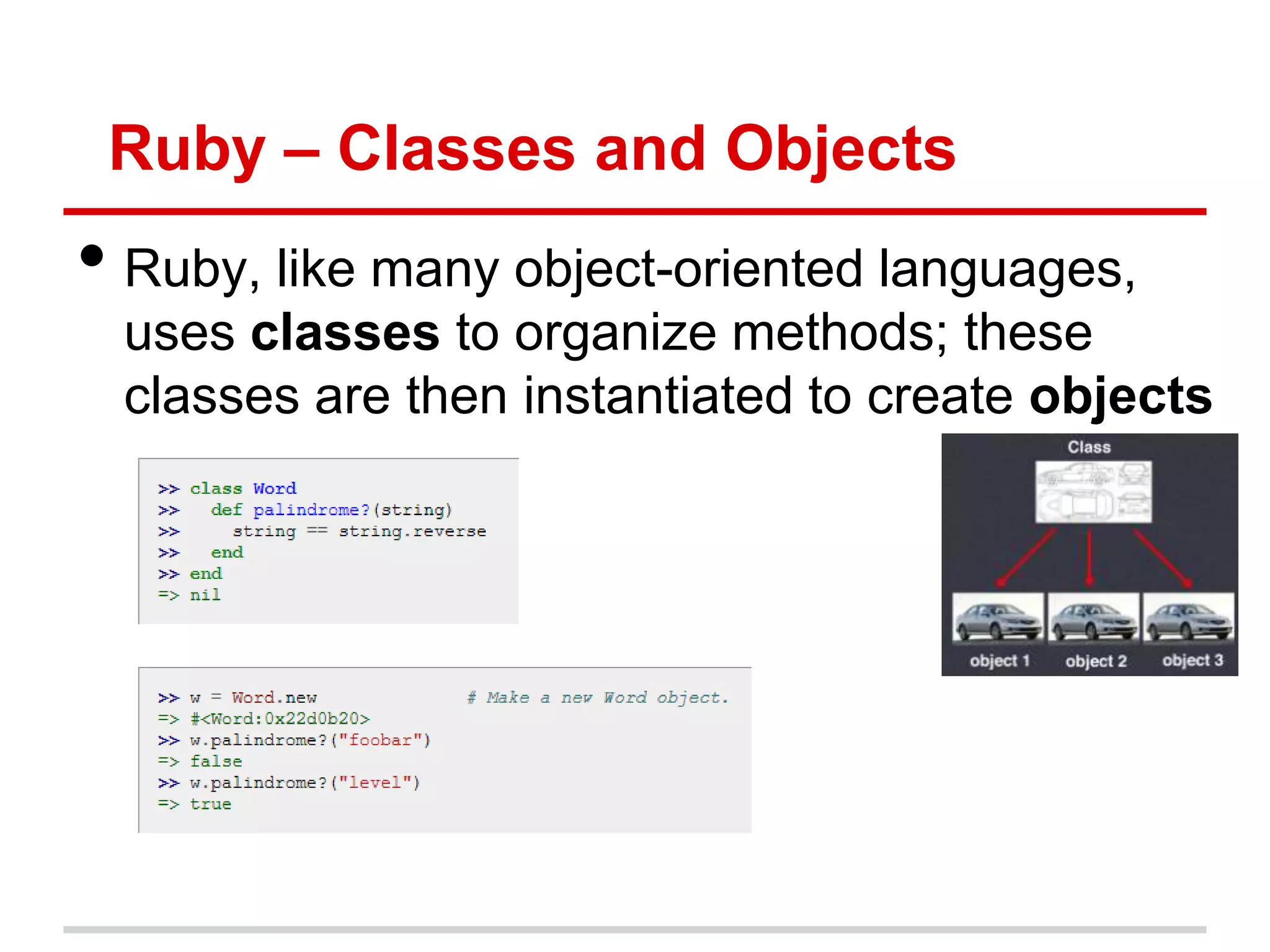
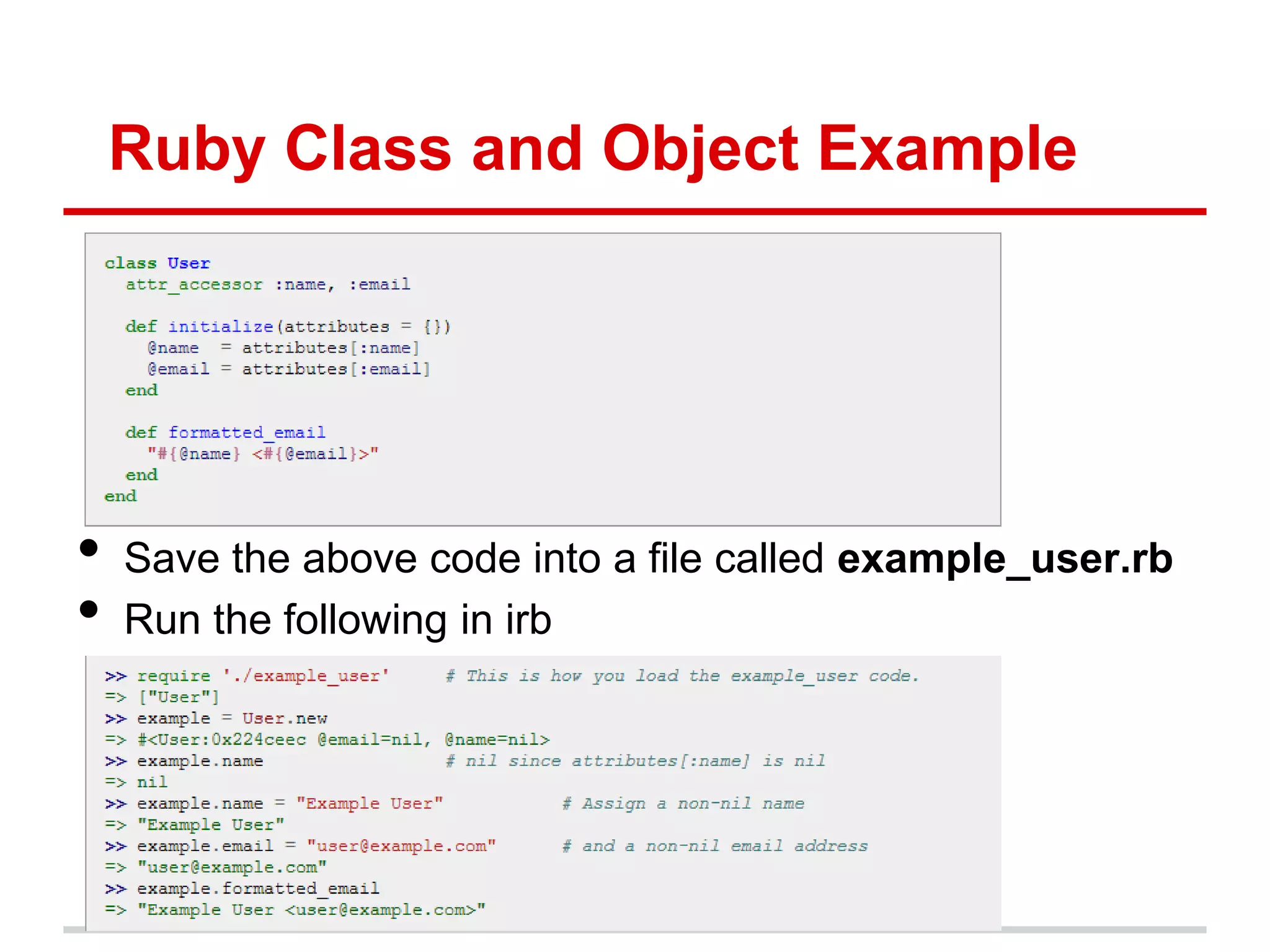
Ruby – Classes and Objects • Ruby, like many object-oriented languages, uses classes to organize methods; these classes are then instantiated to create objects
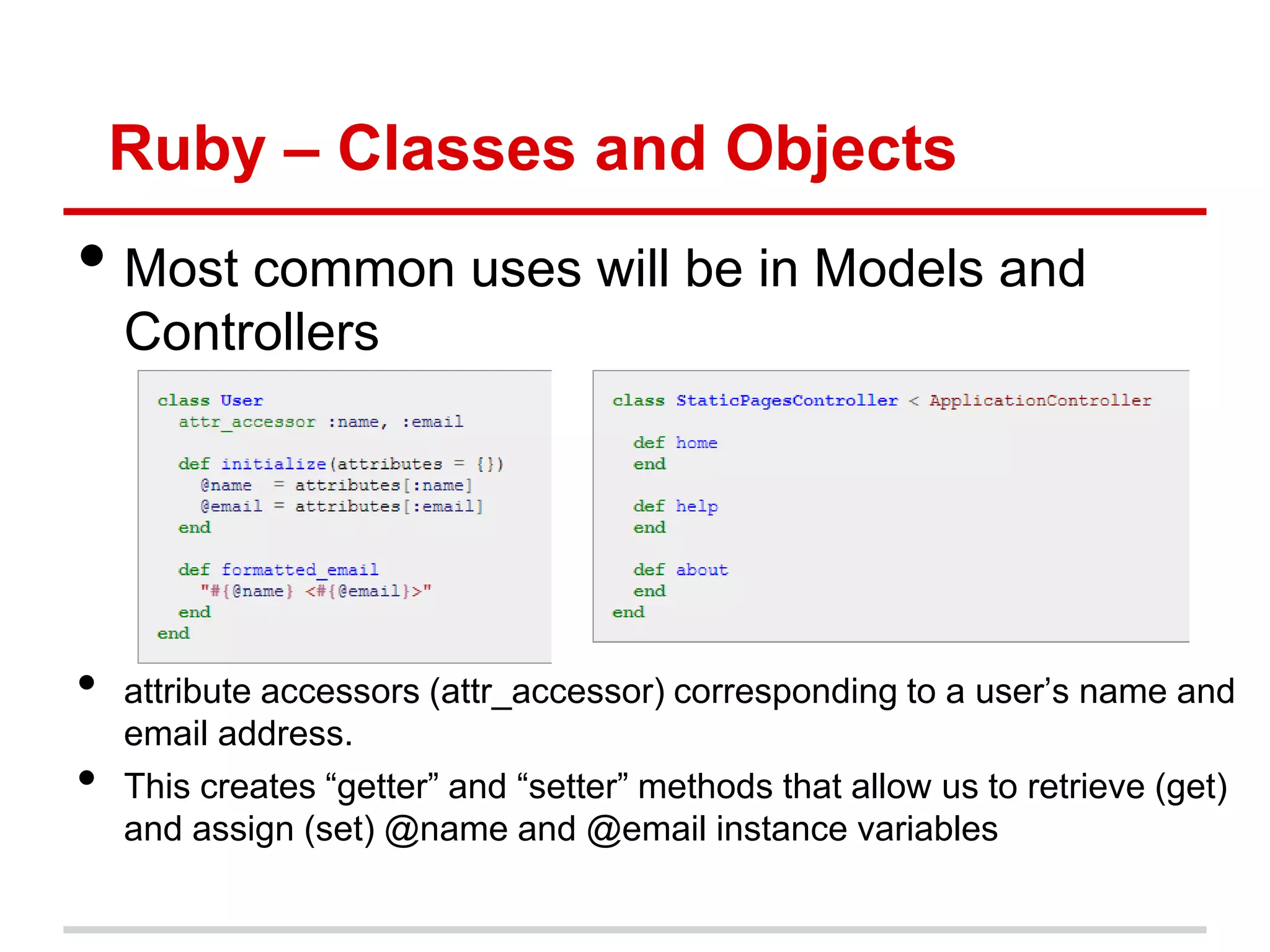
Ruby – Classes and Objects • Most common uses will be in Models and Controllers • attribute accessors (attr_accessor) corresponding to a user‟s name and email address. • This creates “getter” and “setter” methods that allow us to retrieve (get) and assign (set) @name and @email instance variables
Ruby Class and Object Example • Save the above code into a file called example_user.rb • Run the following in irb
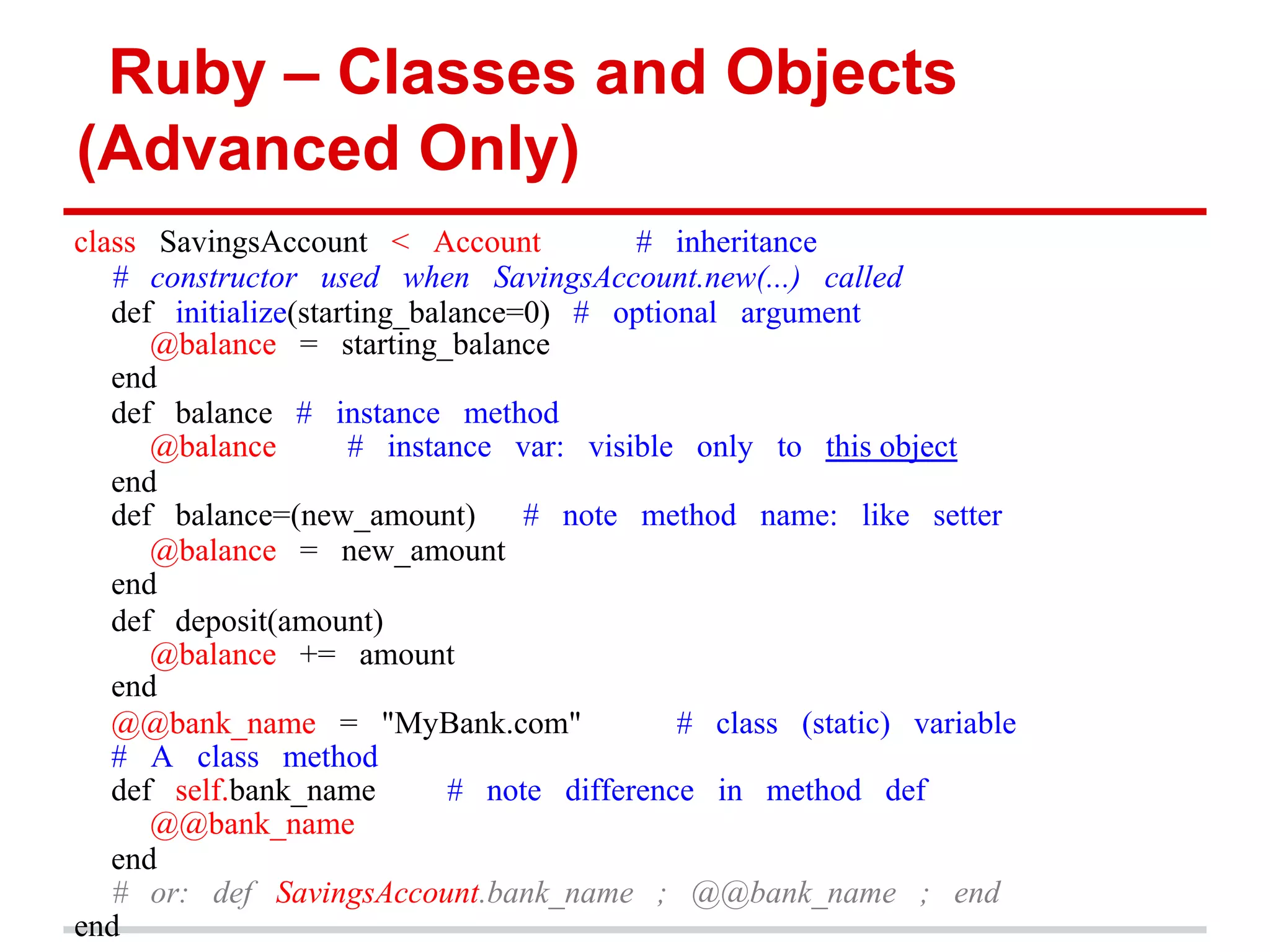
Ruby – Classes and Objects (Advanced Only) class SavingsAccount < Account # inheritance # constructor used when SavingsAccount.new(...) called def initialize(starting_balance=0) # optional argument @balance = starting_balance end def balance # instance method @balance # instance var: visible only to this object end def balance=(new_amount) # note method name: like setter @balance = new_amount end def deposit(amount) @balance += amount end @@bank_name = "MyBank.com" # class (static) variable # A class method def self.bank_name # note difference in method def @@bank_name end # or: def SavingsAccount.bank_name ; @@bank_name ; end end
Ruby – Objects and Method Calls (Advanced Only) •  Even lowly integers and nil are true objects: 57.methods 57.heinz_varieties nil.respond_to?(:to_s) " •  Rewrite each of these as calls to send:" –  Example: my_str.length => my_str.send(:length) 1 + 2 1.send(:+, 2) my_array[4] my_array.send(:[], 4) my_array[3] = "foo" my_array.send(:[]=, 3,"foo") if (x == 3) .... if (x.send(:==, 3)) ... my_func(z) self.send(:my_func, z) •  When you are calling a method, you are actually sending a method call to the receiver object, which responds
Ruby – Method Calls (Advanced Only) •  Every operation is a method call y = [1,2] y = y + ["foo",:bar] # => [1,2,"foo",:bar] y << 5 # => [1,2,"foo",:bar,5] y << [6,7] # => [1,2,"foo",:bar,5,[6,7]] •  Remember! These are nearly all instance methods of Array —not language operators!" •  So 5+3, "a"+"b", and [a,b]+[b,c] are all different methods named '+'" – Numeric#+, String#+, and Array#+, to be specific" • a.b means: call method b on object a –  is the receiver to which you send the method call, a assuming a will respond to that method"
Ruby – Practice • Tryruby.org (code in ruby on your browser and work through free exercises) • Read Section 4.1 to 4.5 of Ruby on Rails Tutorial by Michael Hartl
Rails - Models We will focus on Models in this section But First, we must understand the underlying datastore that actually stores the data Databases, Tables, SQL
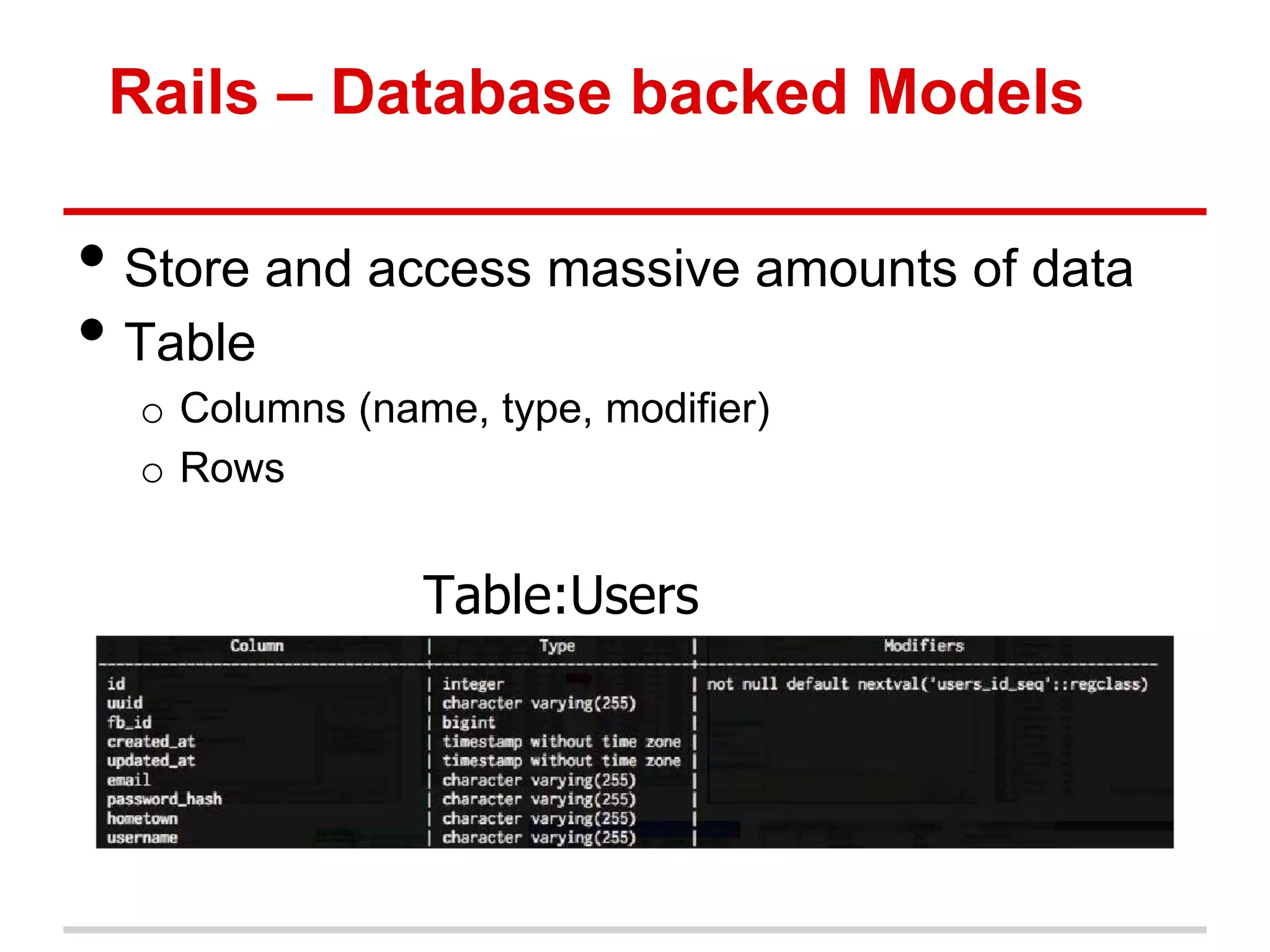
Rails – Database backed Models • Store and access massive amounts of data • Table o Columns (name, type, modifier) o Rows Table:Users
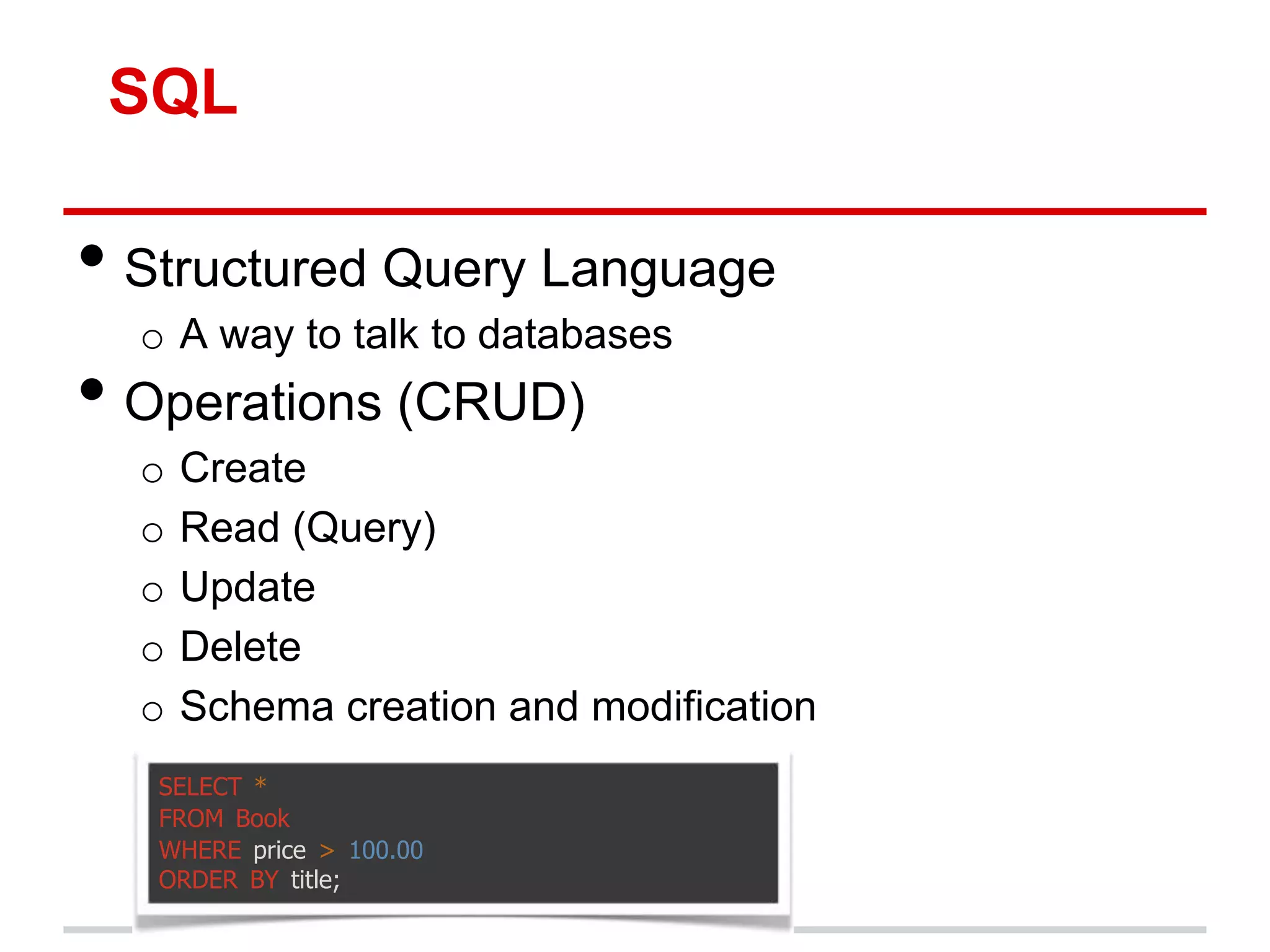
SQL • Structured Query Language o A way to talk to databases • Operations (CRUD) o Create o Read (Query) o Update o Delete o Schema creation and modification SELECT * FROM Book WHERE price > 100.00 ORDER BY title;
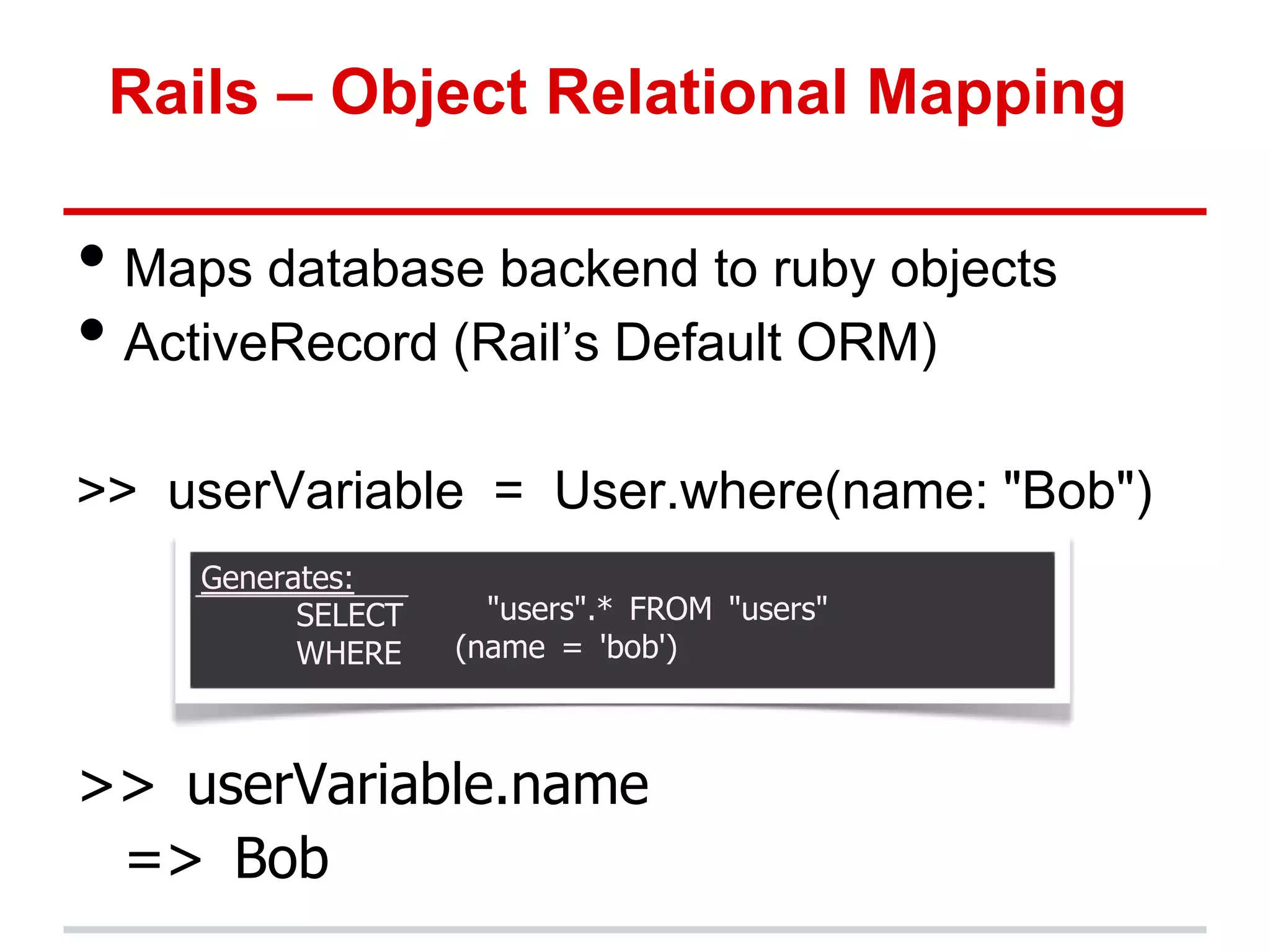
Rails – Object Relational Mapping • Maps database backend to ruby objects • ActiveRecord (Rail‟s Default ORM) >> userVariable = User.where(name: "Bob") Generates: SELECT "users".* FROM "users" WHERE (name = 'bob') >> userVariable.name => Bob
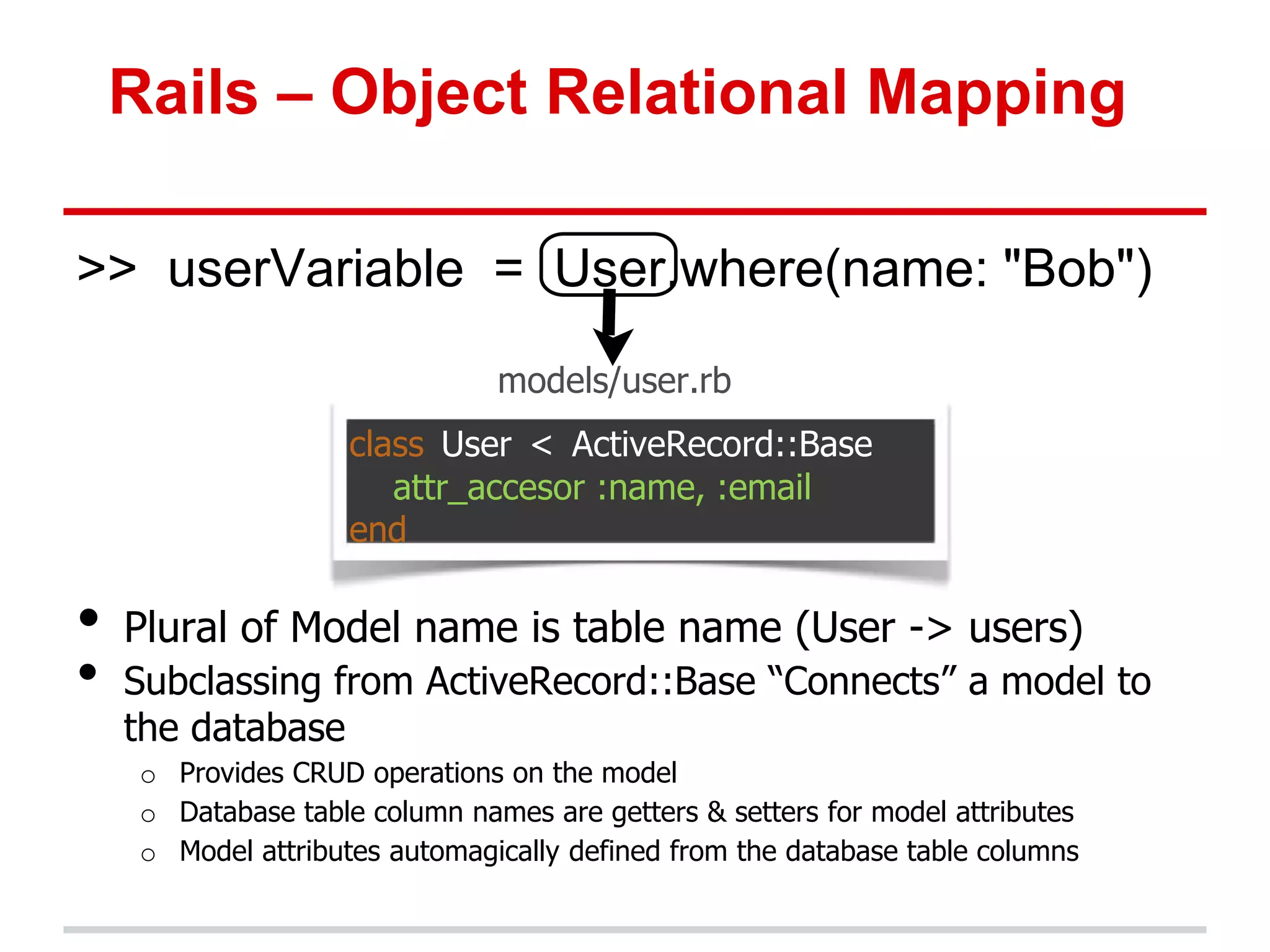
Rails – Object Relational Mapping >> userVariable = User.where(name: "Bob") models/user.rb class User < ActiveRecord::Base attr_accesor :name, :email end • Plural of Model name is table name (User -> users) • Subclassing from ActiveRecord::Base “Connects” a model to the database o Provides CRUD operations on the model o Database table column names are getters & setters for model attributes o Model attributes automagically defined from the database table columns
Rails – Creating Users • We could start from scratch and create all aspects of the Users models from scratch, but that wouldn‟t be in the philosophy of an MVP • What additional functions might a user model need? o Registration o Log in/Log out (sessions) o Reset/Lost Password o Email confirmations o Invitations to friends
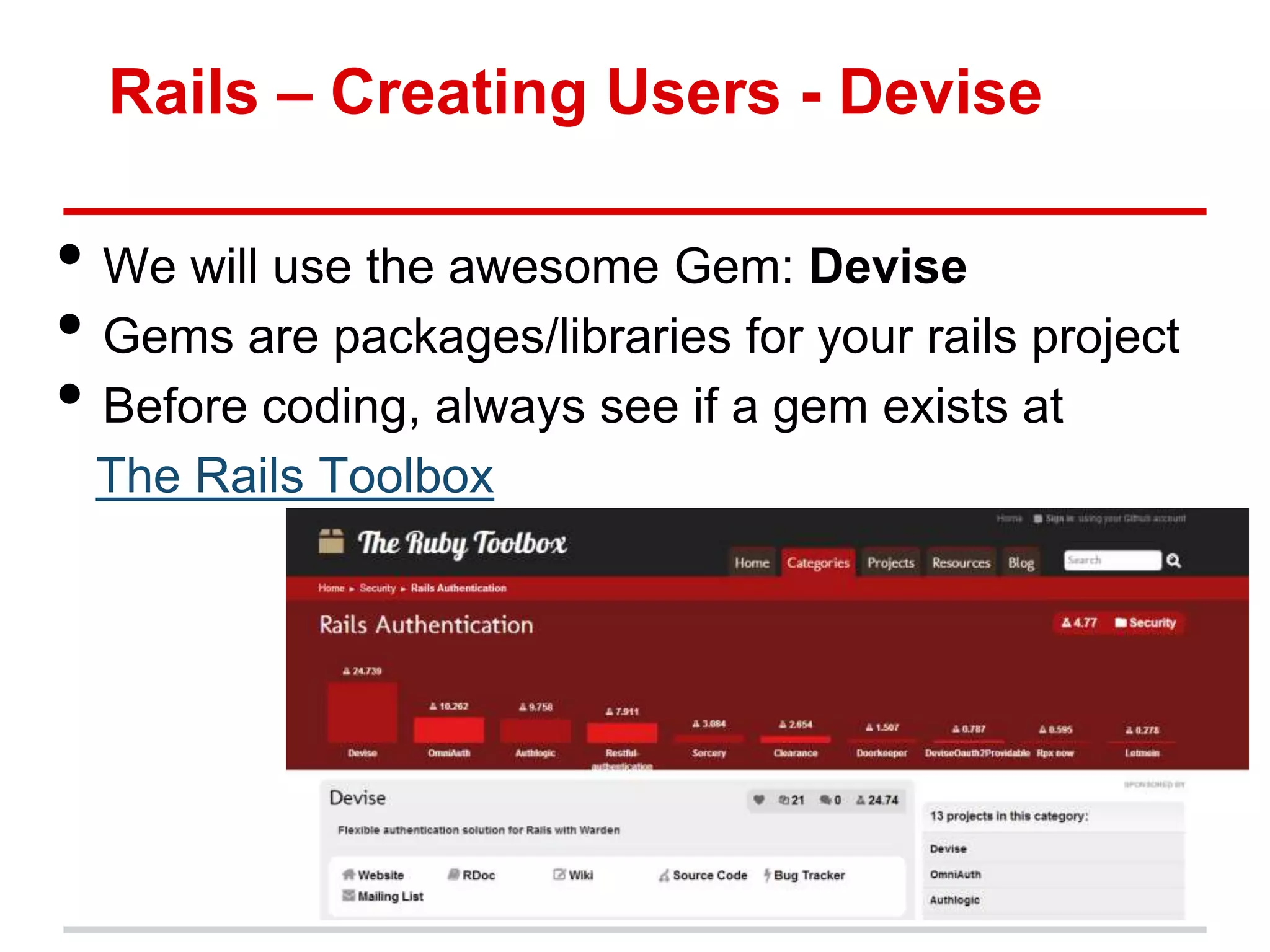
Rails – Creating Users - Devise • We will use the awesome Gem: Devise • Gems are packages/libraries for your rails project • Before coding, always see if a gem exists at The Rails Toolbox
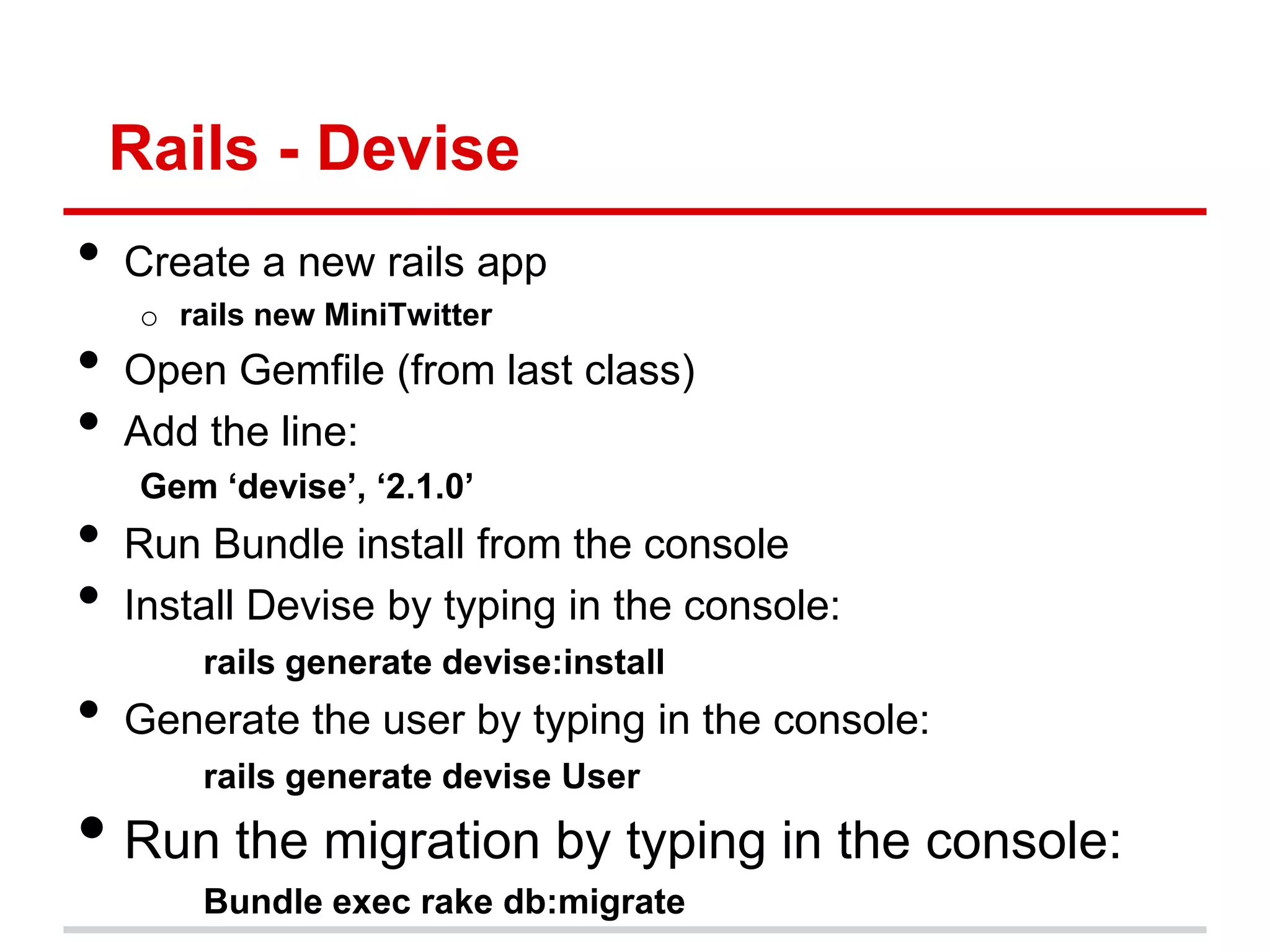
Rails - Devise • Create a new rails app o rails new MiniTwitter • Open Gemfile (from last class) • Add the line: Gem ‘devise’, ‘2.1.0’ • Run Bundle install from the console • Install Devise by typing in the console: rails generate devise:install • Generate the user by typing in the console: rails generate devise User • Run the migration by typing in the console: Bundle exec rake db:migrate
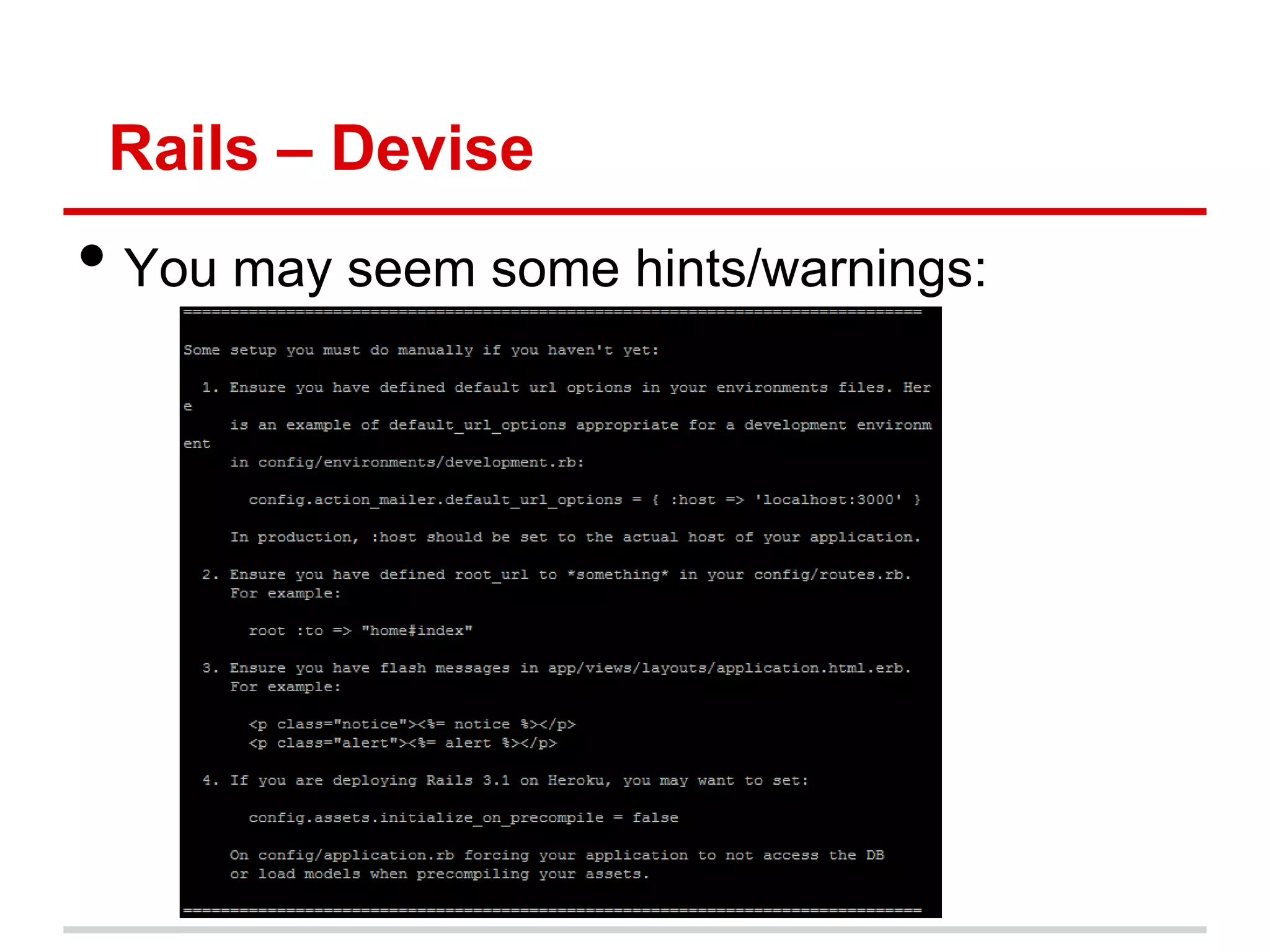
Rails – Devise • You may seem some hints/warnings:
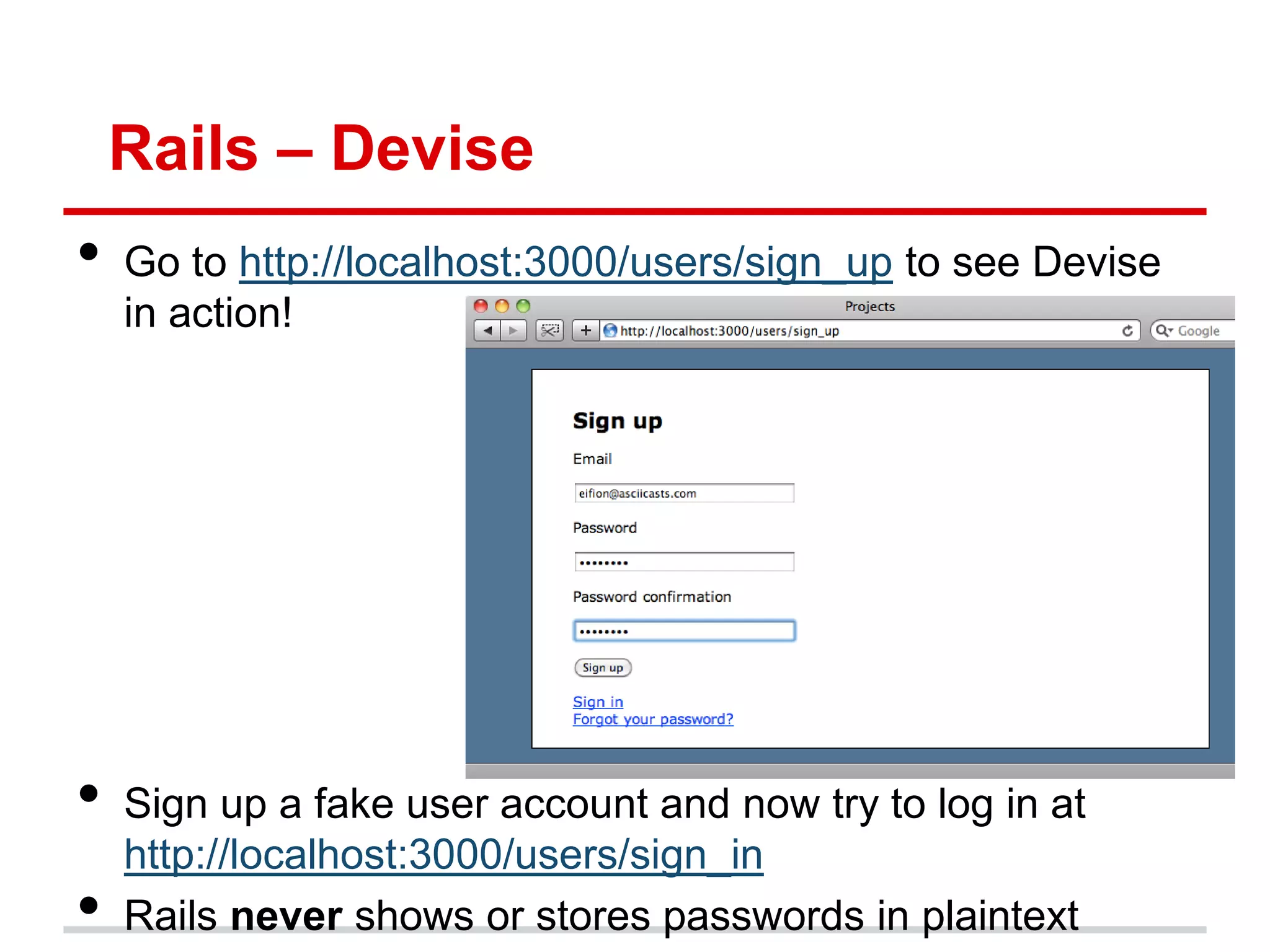
Rails – Devise • Go to http://localhost:3000/users/sign_up to see Devise in action! • Sign up a fake user account and now try to log in at http://localhost:3000/users/sign_in • Rails never shows or stores passwords in plaintext
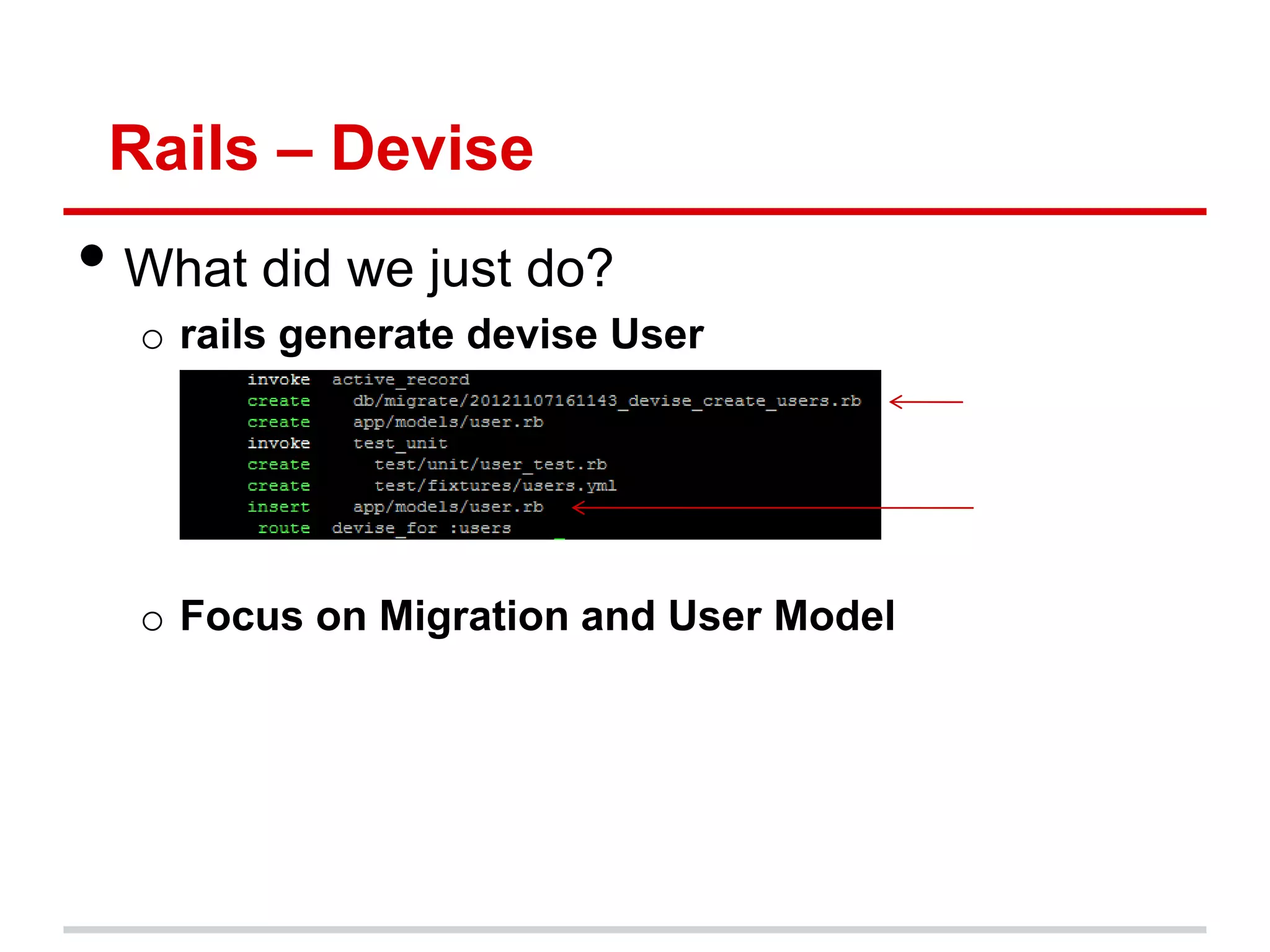
Rails – Devise • What did we just do? o rails generate devise User o Focus on Migration and User Model
Rails – Migrations • Create data structure in your database • Set a database‟s schema incrementally o Consistent across multiple machines (no conflicts) o Easy to upgrade, rollback, track changes, etc • Migration is automatically created every time you create a model • Open db/migrate/[timestamp]_devise_create_users.rb
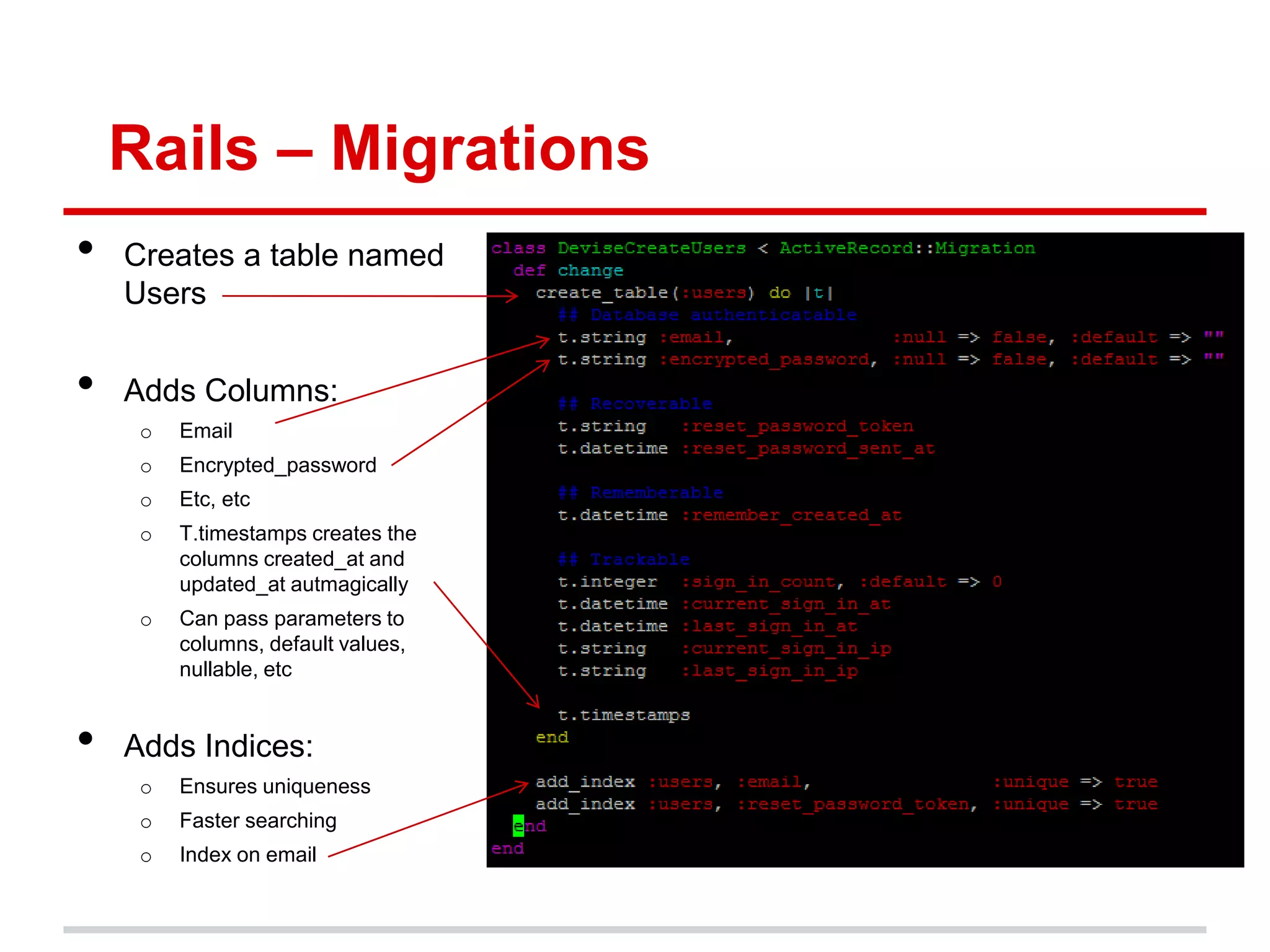
Rails – Migrations • Creates a table named Users • Adds Columns: o Email o Encrypted_password o Etc, etc o T.timestamps creates the columns created_at and updated_at autmagically o Can pass parameters to columns, default values, nullable, etc • Adds Indices: o Ensures uniqueness o Faster searching o Index on email
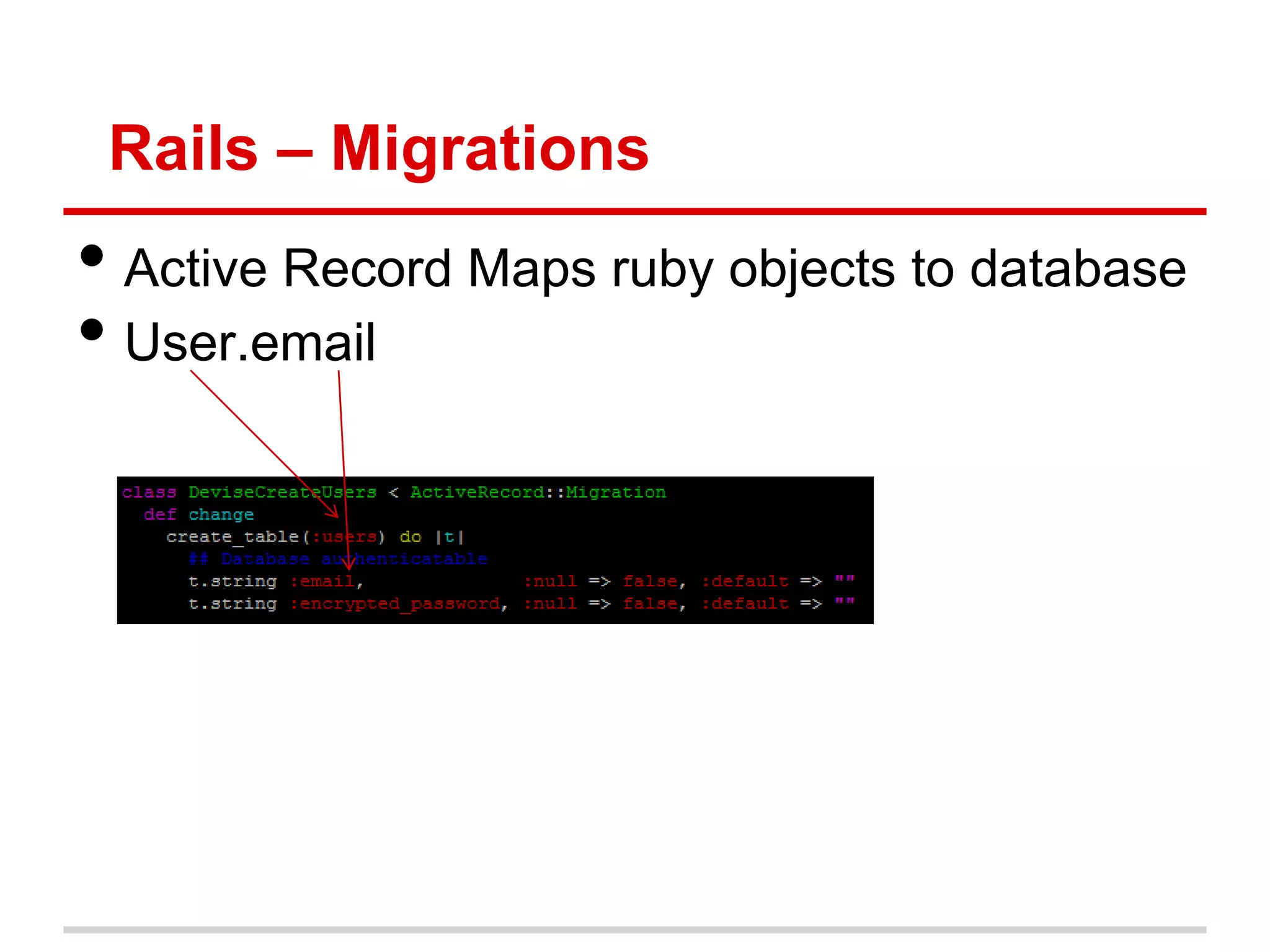
Rails – Migrations • Active Record Maps ruby objects to database • User.email
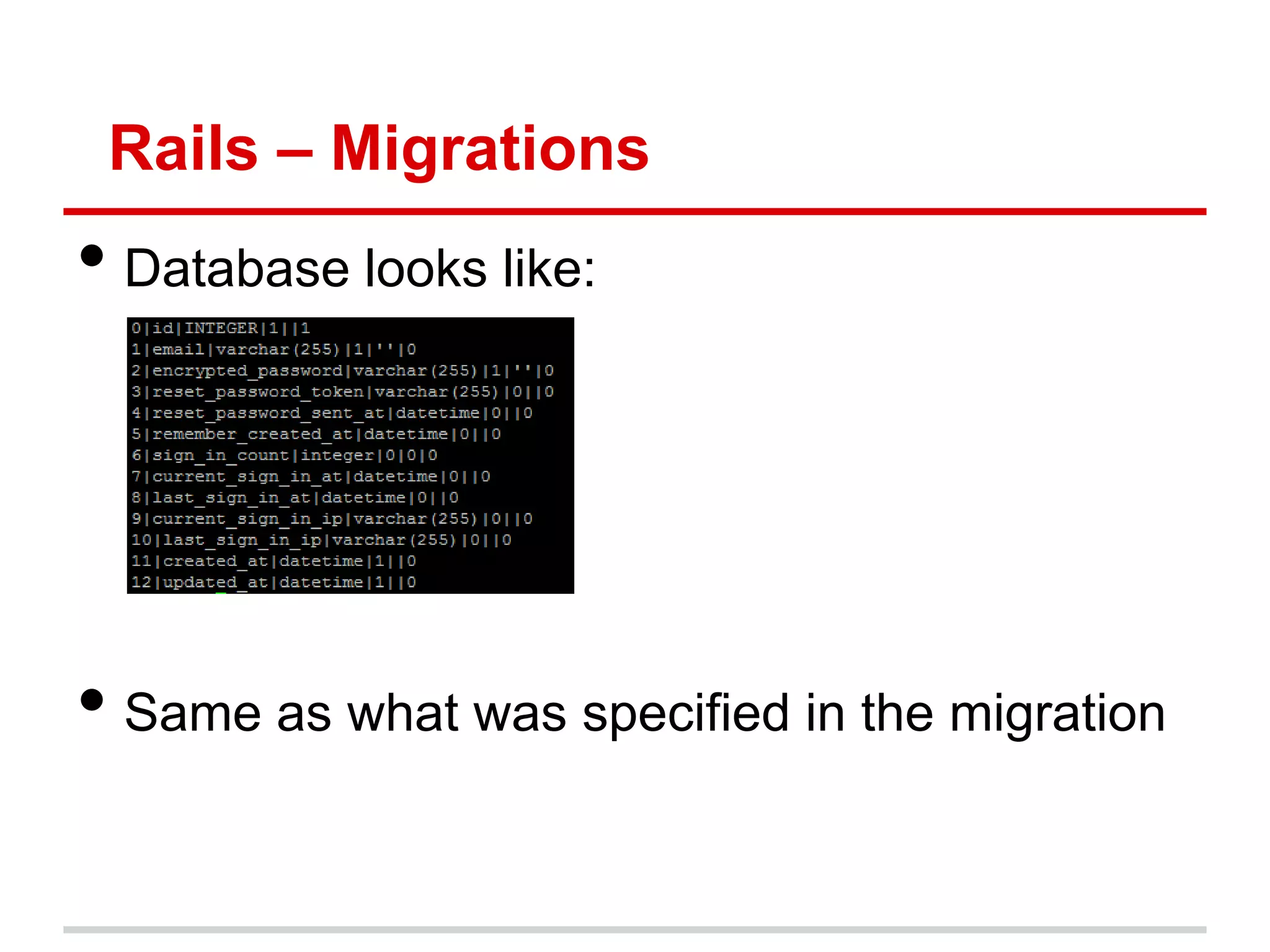
Rails – Migrations • Database looks like: • Same as what was specified in the migration
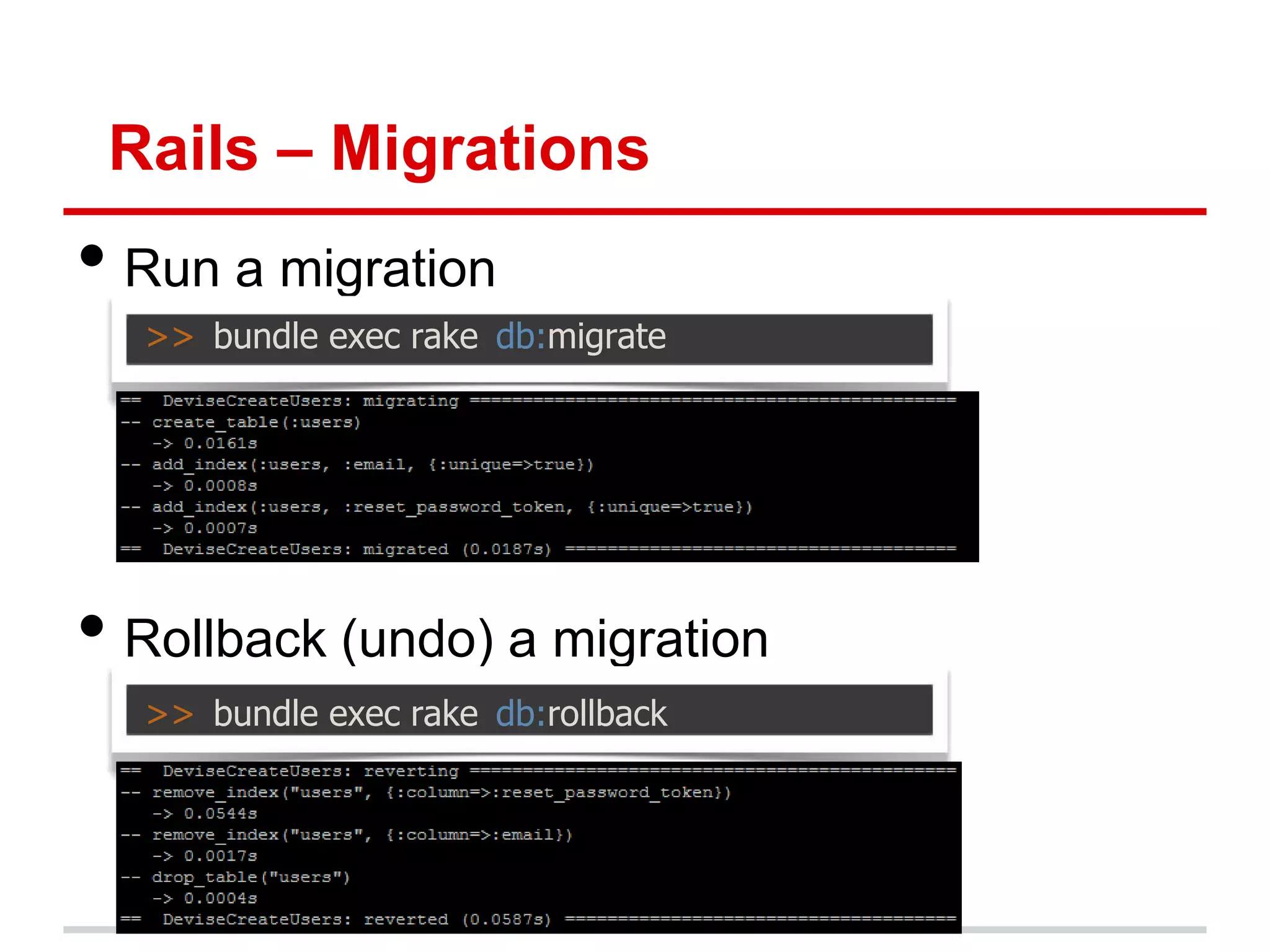
Rails – Migrations • Run a migration >> bundle exec rake db:migrate • Rollback (undo) a migration >> bundle exec rake db:rollback
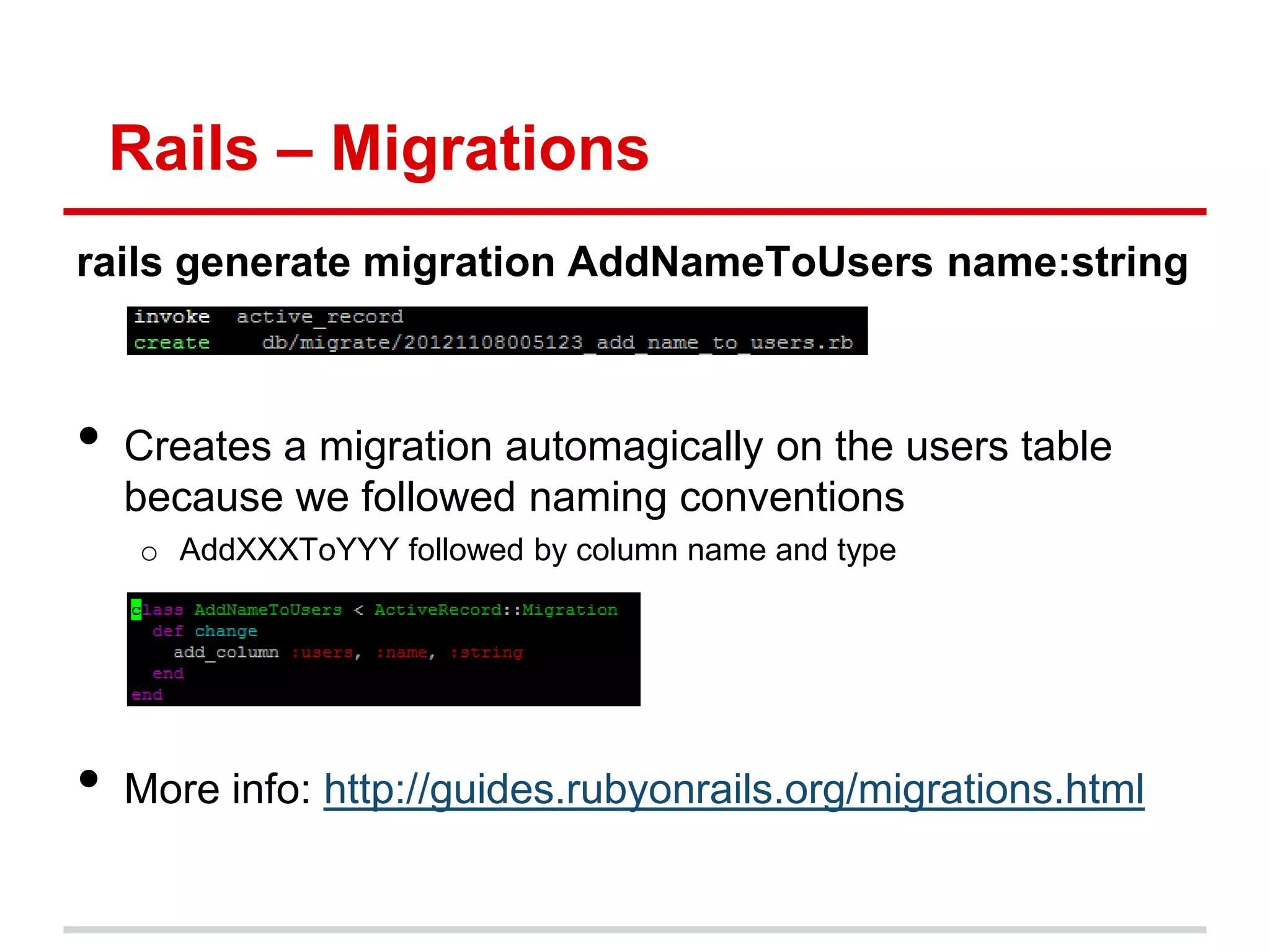
Rails – Migrations rails generate migration AddNameToUsers name:string • Creates a migration automagically on the users table because we followed naming conventions o AddXXXToYYY followed by column name and type • More info: http://guides.rubyonrails.org/migrations.html
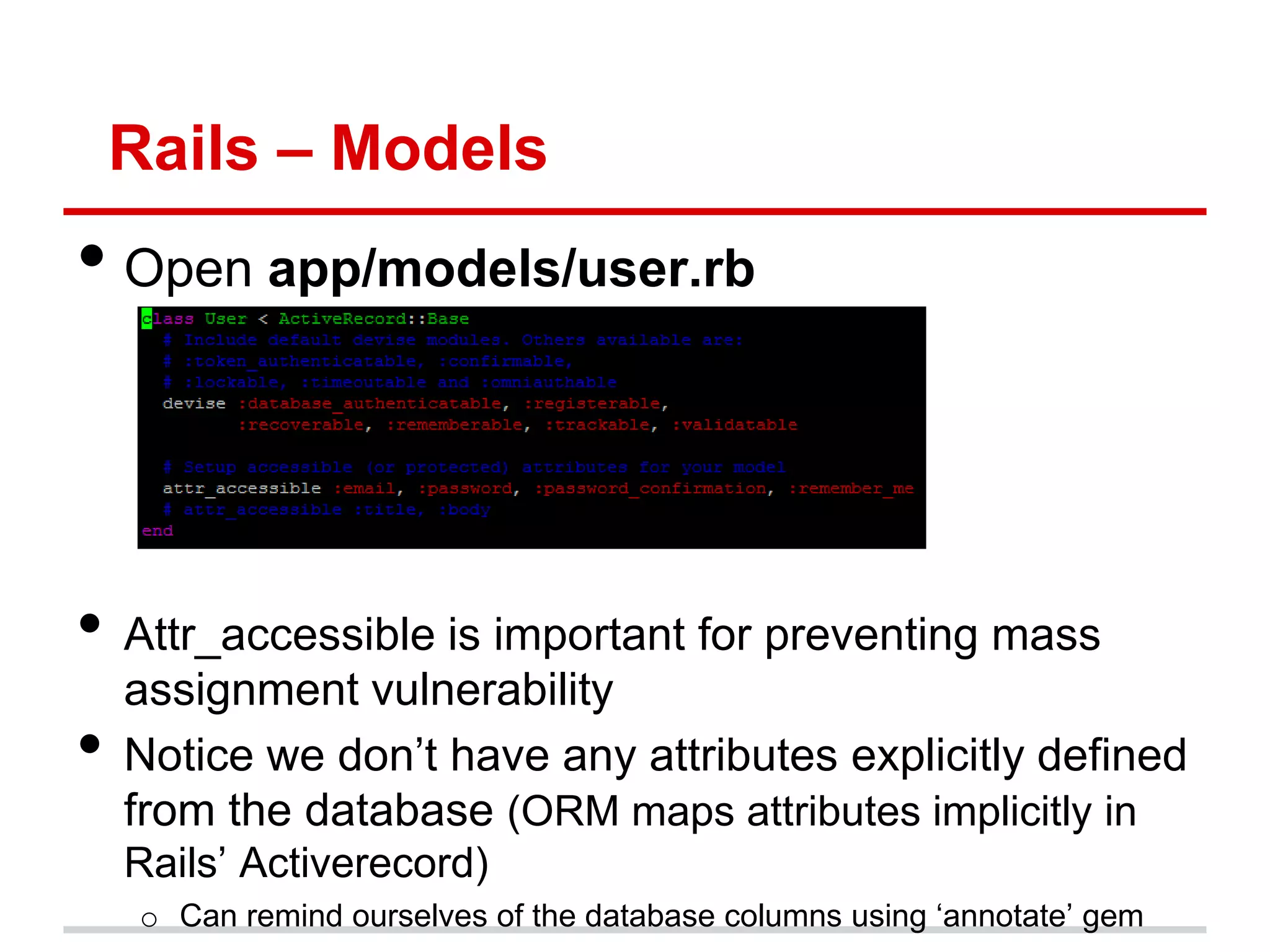
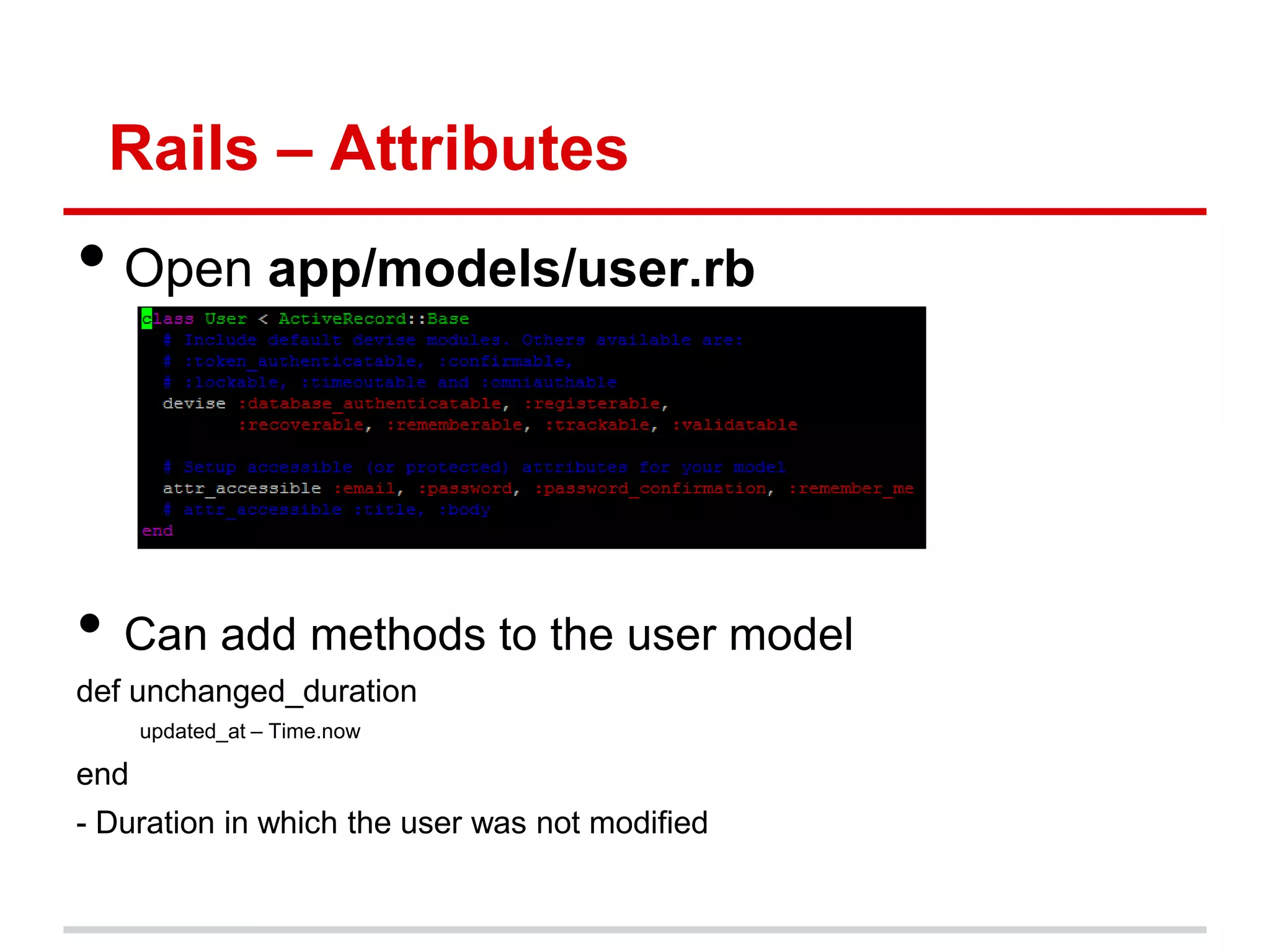
Rails – Models • Open app/models/user.rb • Attr_accessible is important for preventing mass assignment vulnerability • Notice we don‟t have any attributes explicitly defined from the database (ORM maps attributes implicitly in Rails‟ Activerecord) o Can remind ourselves of the database columns using „annotate‟ gem
Rails – Attributes • Open app/models/user.rb • Can add methods to the user model def unchanged_duration updated_at – Time.now end - Duration in which the user was not modified
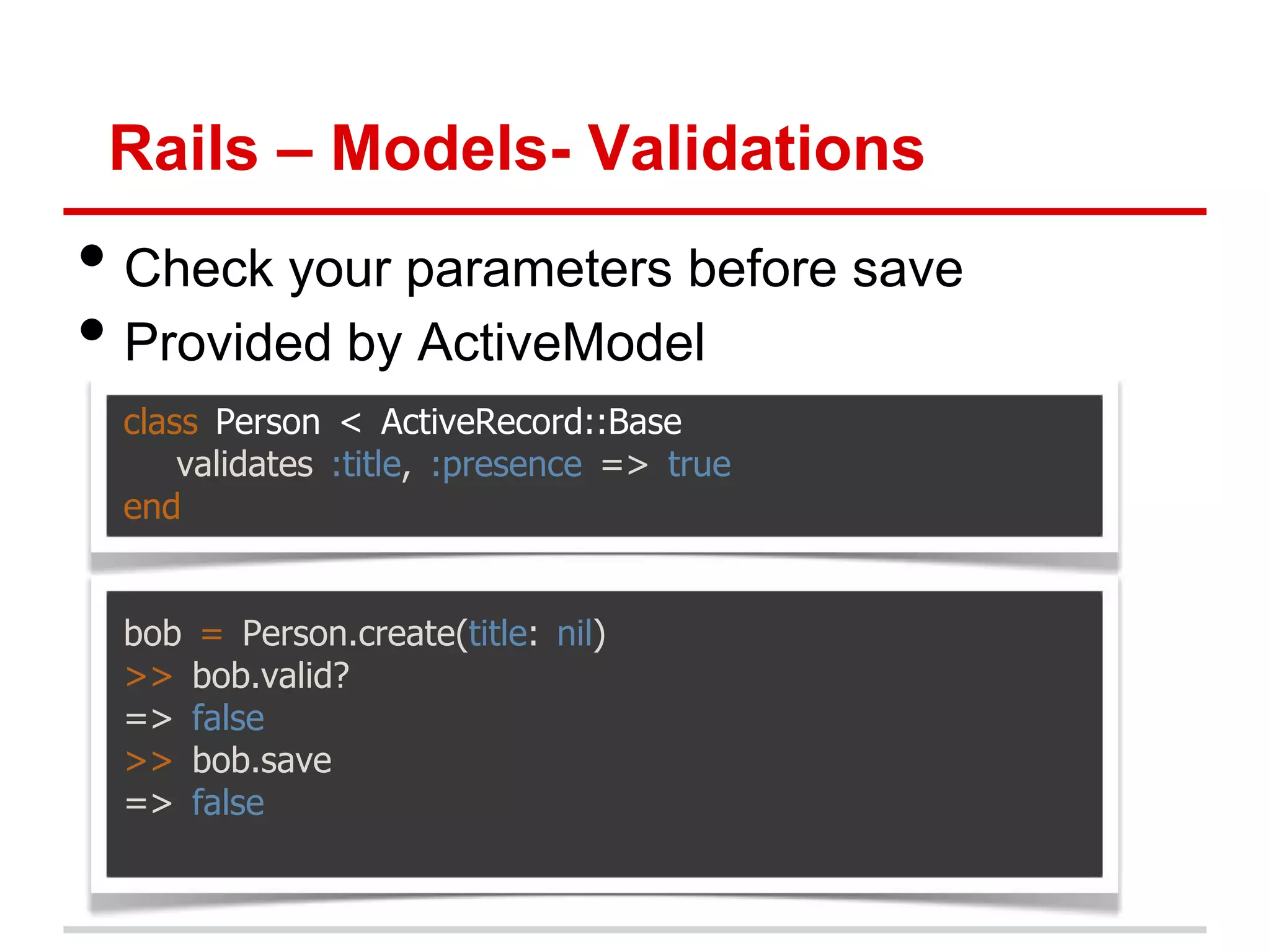
Rails – Models- Validations • Check your parameters before save • Provided by ActiveModel class Person < ActiveRecord::Base validates :title, :presence => true end bob = Person.create(title: nil) >> bob.valid? => false >> bob.save => false
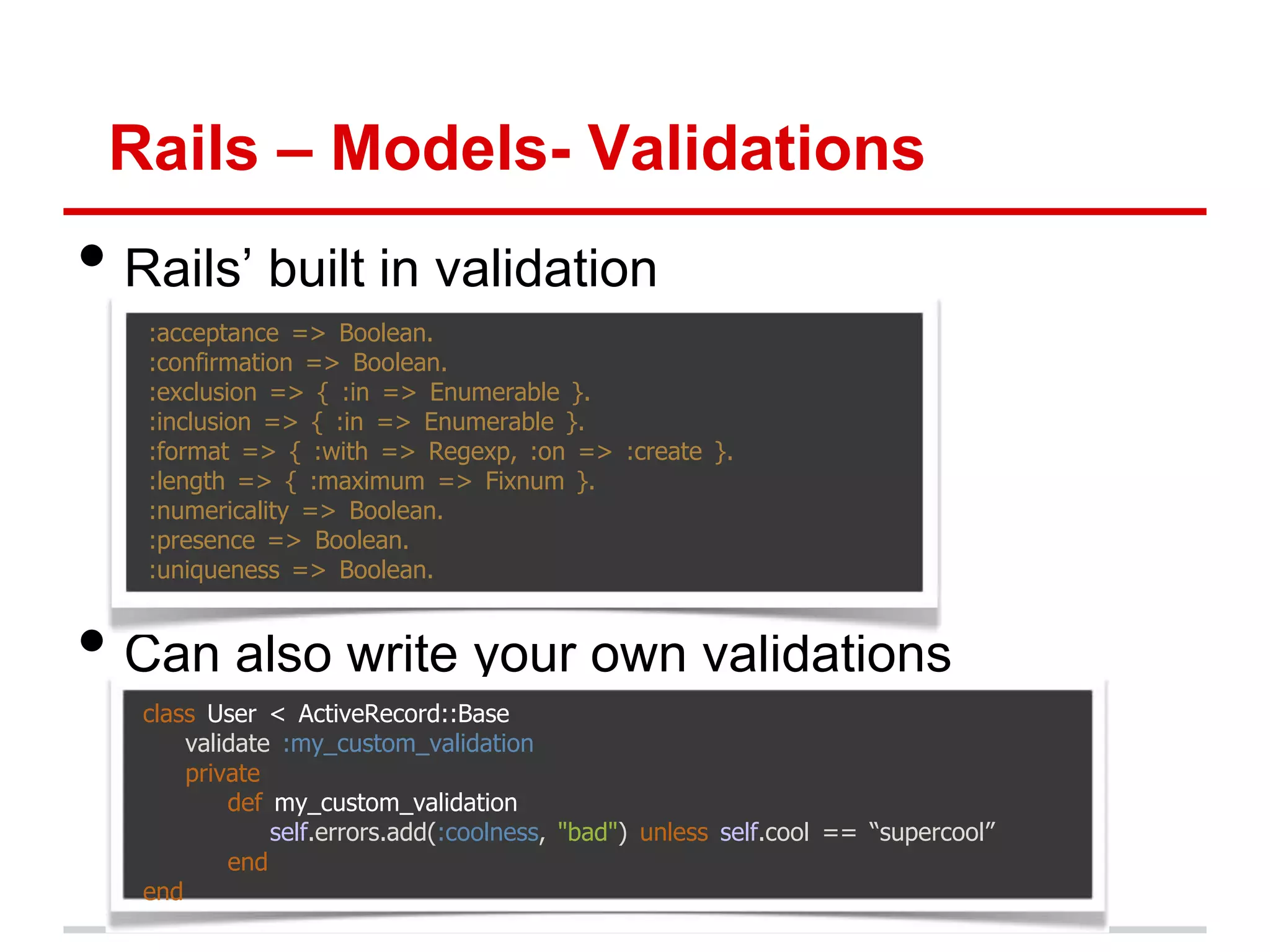
Rails – Models- Validations • Rails‟ built in validation :acceptance => Boolean. :confirmation => Boolean. :exclusion => { :in => Enumerable }. :inclusion => { :in => Enumerable }. :format => { :with => Regexp, :on => :create }. :length => { :maximum => Fixnum }. :numericality => Boolean. :presence => Boolean. :uniqueness => Boolean. • Can also write your own validations class User < ActiveRecord::Base validate :my_custom_validation private def my_custom_validation self.errors.add(:coolness, "bad") unless self.cool == “supercool” end end
Rails – Models and Migrations Exercises • Create a migration to add first_name and last_name to the User table • Add validation for user‟s email, first_name and last_name such that they must be present • Make a method full_name on user object to retrieve user‟s full name by concatenating first and last name
Rails - Models • Further Reading Ruby on Rails Tutorial – Michael Hartl Section 6.1 – 6.2 (6.3 optional)
Git Commit git init git add . git commit –m “Initial Commit of MiniTwitter” (optional) git remote add origin git@github.com:<username>/first_app.git (optional)git push –u origin master
Heroku – New MiniTwitter App • Sign up for Heroku (it‟s Free!) http://api.heroku.com/signup • Install the Heroku Toolbelt https://toolbelt.heroku.com/ • Heroku login • Heroku create o This will create a heroku app and tell you the url of your app • Git push heroku master o This‟ll deploy your code to Heroku. Let it do its magic! • Heroku run rake db:migrate • Heroku open 
Next Time… • Exploring Rails deeper • More about Controllers and Views • Building toward our Twitter app posts, friends, followers, feeds, etc • Stay Tuned…. • Thanks!
Rails - Appendix • If we have time…
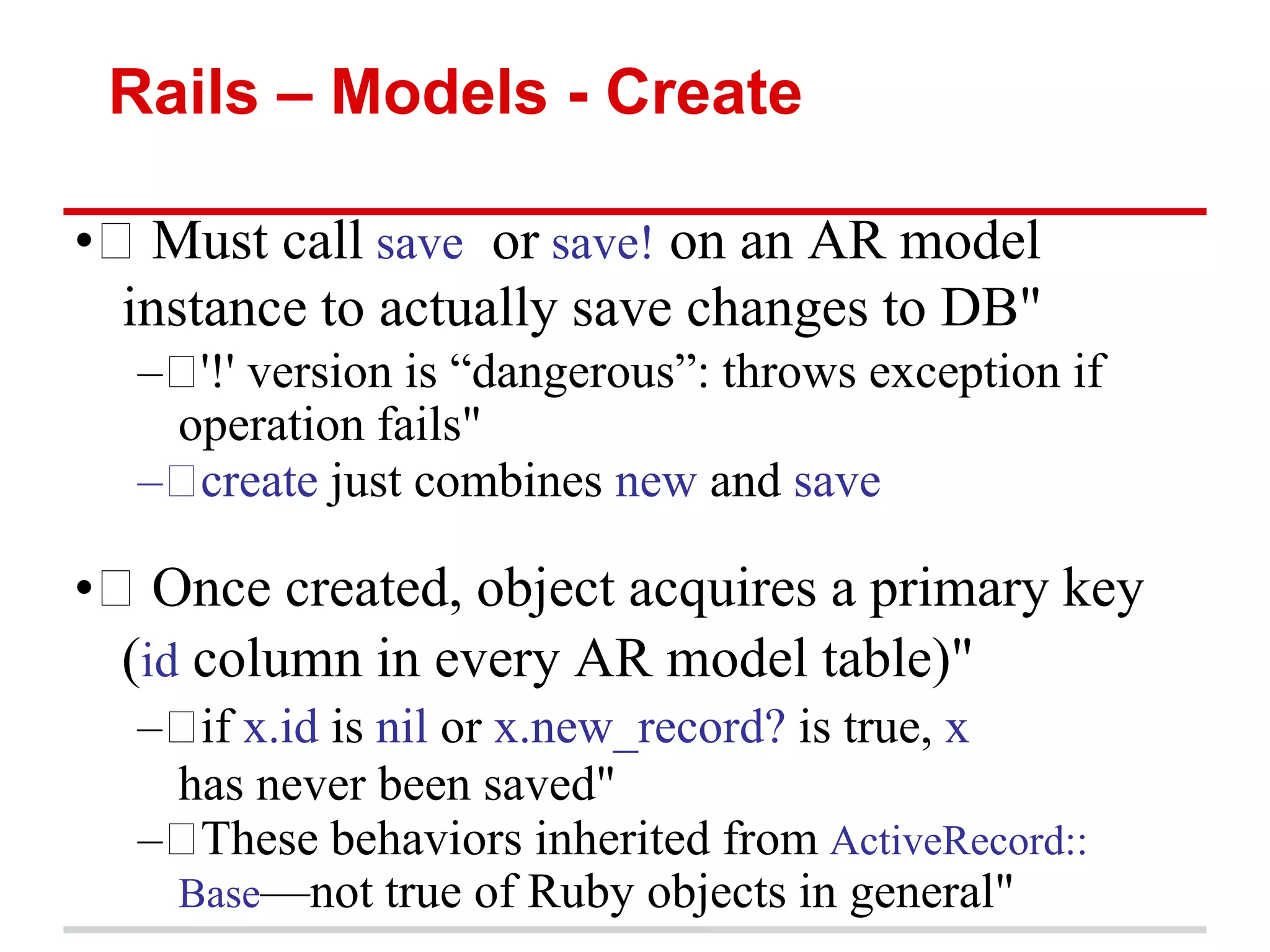
Rails – Models - Create • Must call save or save! on an AR model instance to actually save changes to DB" –  version is ―dangerous‖: throws exception if '!' operation fails" – create just combines new and save • Once created, object acquires a primary key (id column in every AR model table)" –  x.id is nil or x.new_record? is true, x if has never been saved" – These behaviors inherited from ActiveRecord:: Base—not true of Ruby objects in general"
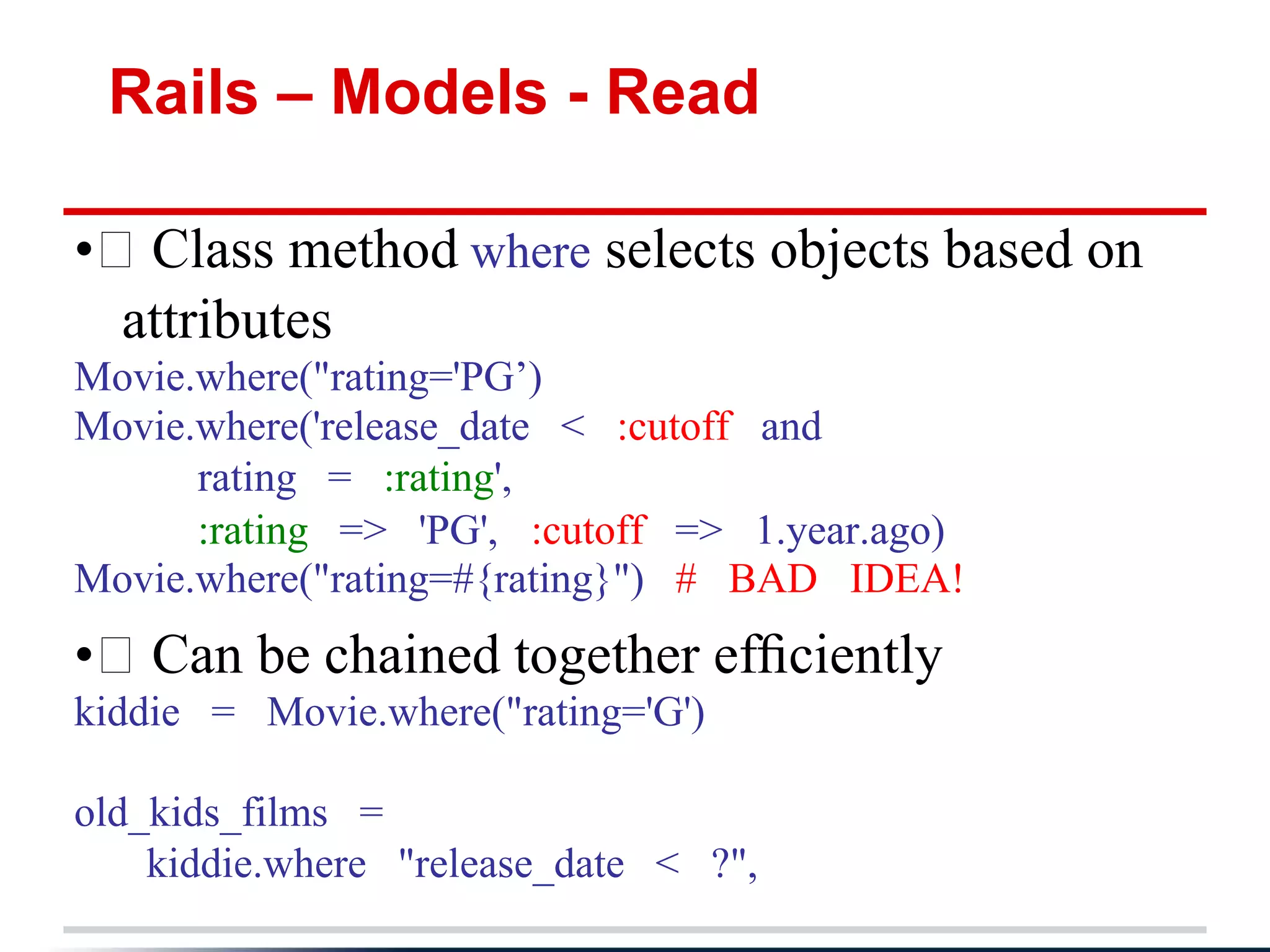
Rails – Models - Read • Class method where selects objects based on attributes Movie.where("rating='PG’) Movie.where('release_date < :cutoff and rating = :rating', :rating => 'PG', :cutoff => 1.year.ago) Movie.where("rating=#{rating}") # BAD IDEA! • Can be chained together efficiently kiddie = Movie.where("rating='G') old_kids_films = kiddie.where "release_date < ?",
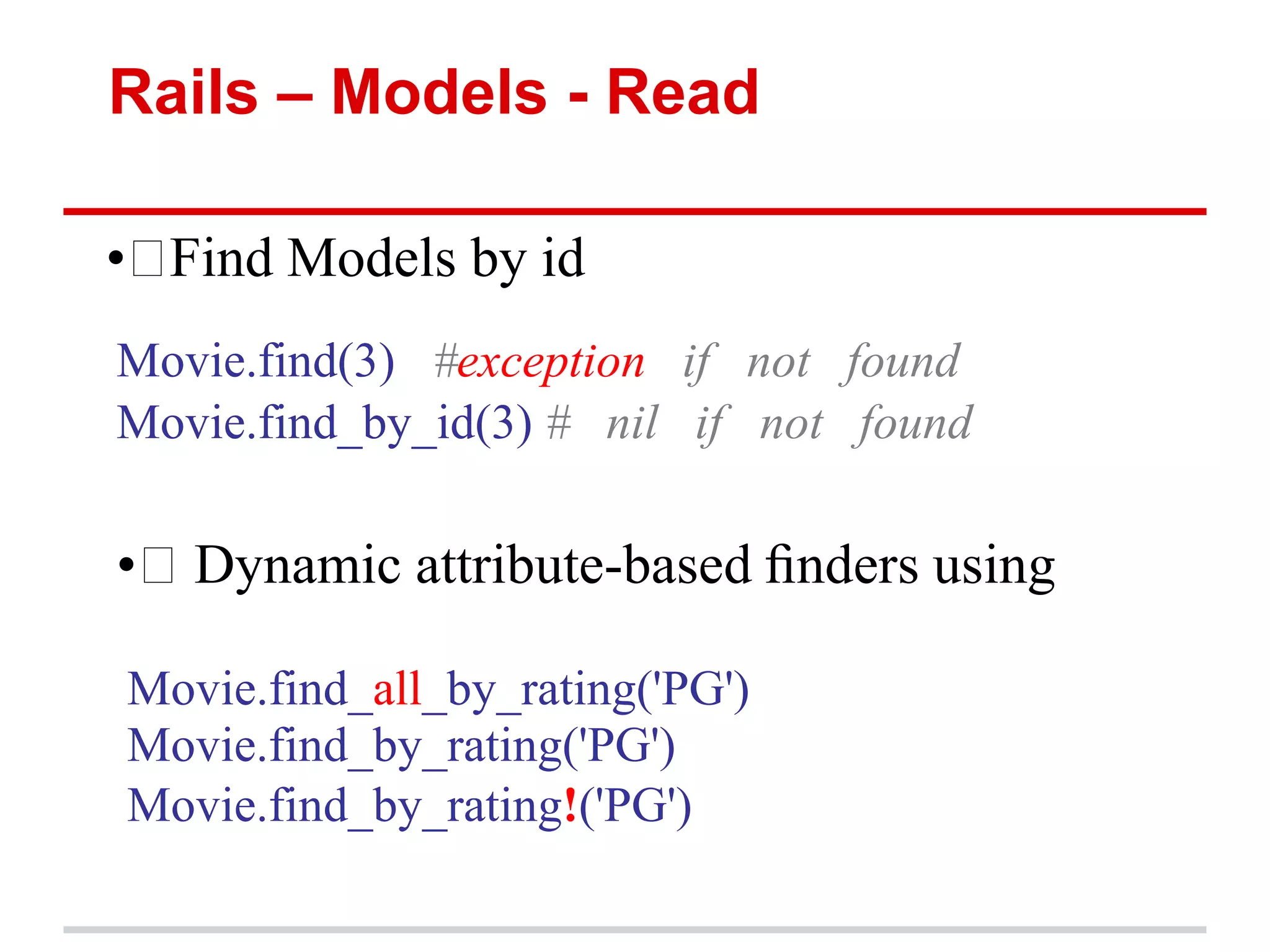
Rails – Models - Read • Find Models by id Movie.find(3) #exception if not found Movie.find_by_id(3) # nil if not found • Dynamic attribute-based finders using Movie.find_all_by_rating('PG') Movie.find_by_rating('PG') Movie.find_by_rating!('PG')
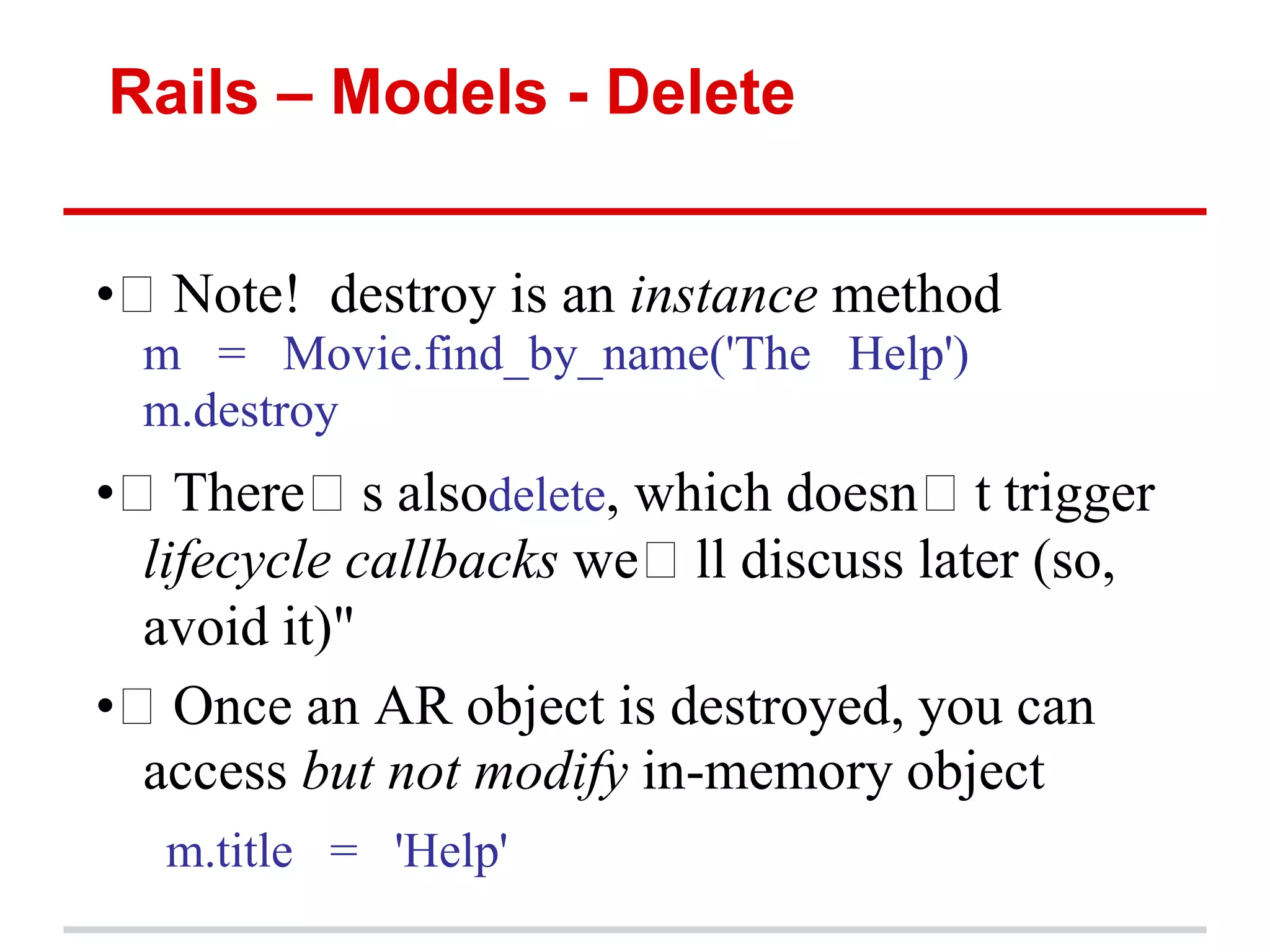
Rails – Models - Delete • Note! destroy is an instance method
 m = Movie.find_by_name('The Help') m.destroy • There s alsodelete, which doesn t trigger lifecycle callbacks we ll discuss later (so, avoid it)" • Once an AR object is destroyed, you can access but not modify in-memory object
 m.title = 'Help'

Code for Startup MVP (Ruby on Rails) Session 2

  • 1.
    Learning to Codefor Startup MVP Presented by Henry Shi
  • 2.
    Agenda – WednesdayNovember 7 1. Review of Last Session 2. Ruby Basics o Syntax and semantics o Practice makes perfect 1. Rails Models (but no Bottles) o ORM and SQL introduction o Migrations o Making the User model o Signup/Signin/Signout
  • 3.
    Prework – Setup •Windows (not recommended if possible): o http://railsinstaller.org/ o Use Sublime Text for your text editor • OSX: o http://railsinstaller.org/ o This includes osx-gcc-installer (200mb) • Linux: o http://blog.sudobits.com/2012/05/02/how-to-install- ruby-on-rails-in-ubuntu-12-04-lts/
  • 4.
    Prework - Git Installgit if not already included: http://www.git-scm.com/book/en/Getting- Started-Installing-Git Configure Git: git config --global user.name "Your Name“ git config --global user.email your.email@example.com
  • 5.
    Review of LastSession 1. The Web and How it Works 2. Git/Github 3. Rails and Ruby 4. Heroku
  • 6.
    The Web -Overview
  • 7.
    GIT/GITHUB • What isGIT? • Distributed Version Control System (DVCS) • Why should I care? o Never lose data or accidentally overwrite, delete files o Collaborate with peers anywhere and stay in sync automatically (no more _v1, _v2, _final, _final_final…) o Compare and track changes over time, and easily revert changes o Deploy code to real web
  • 8.
    Rails • Ruby onRails is an open-source web framework that‟s optimized for programmer happiness and sustainable productivity. • It lets you write beautiful code by favoring convention over configuration. • 80/20 Rule =>great for Startup MVP
  • 9.
    Heroku What is Heroku? •ahosted platform built specifically for deploying Rails and other web applications in 1 command •Best thing since sliced bread
  • 10.
    Ruby – Programmer’sBest Friend • Ruby is a dynamic, open source programming language with a focus on simplicity and productivity. It has an elegant syntax that is natural to read and easy to write. • We will only cover the necessary syntax needed to create a rails app • Thankfully, its not a lot 
  • 11.
    Interactive Ruby Shell •For the following slides, you should follow along with the Interactive Ruby Shell (irb) • Open a terminal, type irb and press enter
  • 12.
    Ruby - Strings •Characters (letters, digits, punctuation) surrounded by quotes food = "chunky bacon" puts "I'm hungry for, #{food}!" >> "I'm hungry for, chunky bacon!" • Can perform operations on strings, concatenation, length, empty, etc “Hello” + “World” >> “Hello World" “Henry”.empty? >> false
  • 13.
    Ruby - Numbers •Self Explanatory 123.class (123.0).class >> Fixnum >> Float • Can add different types of numbers directly
  • 14.
    Ruby - Symbols •Characters (letters, digits, punctuation) preceded by colon (:) food = :hello :asf3fasdf.class >> Symbol • Lightweight strings • immutable
  • 15.
    Ruby - Array •List surrounded by square brace and separated by commas, zero indexed a = [1, 2, 3] b = ('a'..'e').to_a # ["a", "b", "c", "d", "e"] c = %w[foo bar baz quux] # ["foo", "bar", "baz", "quux"] d = "foo bar baz".split # ["foo", "bar", "baz"] a[0] # 3 • Can perform operations on arrays, add, remove, reverse etc a.push(“hello”) # [1, 2, 3, “hello”] a << “world” # [1, 2, 3, “hello”, “world”] a = a.reverse # [“world”, “hello”, 3, 2, 1] a.delete(“hello”) # [“world”, 3, 2, 1]
  • 16.
    Ruby - Hash •Hash is a dictionary surrounded by curly braces • Dictionaries match words with their definitions my_var = {:sup => "dog", :foo => "bar"} my_var[:foo] >> "bar“ my_var[:nk] = “new” # {foo : "bar“, nk: “new” , sup : "dog" } • New (better) hash notation in Ruby 1.9+ {sup : "dog", foo : "bar"}.class #Ruby 1.9+ >> Hash • Important for passing optional params (can omit braces if hash is last argument)
  • 17.
    Ruby – Methods(Functions) • Function that performs some operations when called and returns something when done • Implicitly returns last expression in method • Use Ruby poetry style: o a.should(be() >= 7) #bad o a.should be >= 7
  • 18.
    Ruby – Blocks •Block of Code surrounded by curly braces 2.times { puts "hello"} 2.times do >> "hello" puts "hello“ >> "hello" end • Can use Do and end to indicate block as well • Can take arguments o variables surrounded by pipe (|) 2.times do |i| puts "hello {#i}” end >> "hello 0" >> "hello 1"
  • 19.
    Ruby – Blocks(Advanced Only) • Blocks are closures: they carry their environment around with them • Block are anonymous λ functions • Examples compared to scheme: o (map '(lambda (x) (+ x 2)) mylist ) o mylist.map { |x| x+2 } (map '(lambda (x) (+ x 2)) (filter '(lambda (x) (even? x)) mylist)) mylist.select {|x| x.even?}.map {|x| x+2 } • Try this: ('a'..'z').to_a.shuffle[0..7].join
  • 20.
    Ruby – Blocks,Methods, Hashes def list_hash(options = {:default => "foo"}) options.each do |key, value| puts "key '#{key}' points to '#{value}'" end end list_hash override : "bar") >> "key 'override' points to 'bar'" list_hash multiple : "values", can : "be_passed") >> "key 'multiple' points to 'values'" >> "key 'can' points to 'be_passed'"
  • 21.
    Ruby – Hashesin Rails • Used heavily as parameters
  • 22.
    Ruby – Classesand Objects • Ruby, like many object-oriented languages, uses classes to organize methods; these classes are then instantiated to create objects
  • 23.
    Ruby – Classesand Objects • Most common uses will be in Models and Controllers • attribute accessors (attr_accessor) corresponding to a user‟s name and email address. • This creates “getter” and “setter” methods that allow us to retrieve (get) and assign (set) @name and @email instance variables
  • 24.
    Ruby Class andObject Example • Save the above code into a file called example_user.rb • Run the following in irb
  • 25.
    Ruby – Classesand Objects (Advanced Only) class SavingsAccount < Account # inheritance # constructor used when SavingsAccount.new(...) called def initialize(starting_balance=0) # optional argument @balance = starting_balance end def balance # instance method @balance # instance var: visible only to this object end def balance=(new_amount) # note method name: like setter @balance = new_amount end def deposit(amount) @balance += amount end @@bank_name = "MyBank.com" # class (static) variable # A class method def self.bank_name # note difference in method def @@bank_name end # or: def SavingsAccount.bank_name ; @@bank_name ; end end
  • 26.
    Ruby – Objectsand Method Calls (Advanced Only) •  Even lowly integers and nil are true objects: 57.methods 57.heinz_varieties nil.respond_to?(:to_s) " •  Rewrite each of these as calls to send:" –  Example: my_str.length => my_str.send(:length) 1 + 2 1.send(:+, 2) my_array[4] my_array.send(:[], 4) my_array[3] = "foo" my_array.send(:[]=, 3,"foo") if (x == 3) .... if (x.send(:==, 3)) ... my_func(z) self.send(:my_func, z) •  When you are calling a method, you are actually sending a method call to the receiver object, which responds
  • 27.
    Ruby – MethodCalls (Advanced Only) •  Every operation is a method call y = [1,2] y = y + ["foo",:bar] # => [1,2,"foo",:bar] y << 5 # => [1,2,"foo",:bar,5] y << [6,7] # => [1,2,"foo",:bar,5,[6,7]] •  Remember! These are nearly all instance methods of Array —not language operators!" •  So 5+3, "a"+"b", and [a,b]+[b,c] are all different methods named '+'" – Numeric#+, String#+, and Array#+, to be specific" • a.b means: call method b on object a –  is the receiver to which you send the method call, a assuming a will respond to that method"
  • 28.
    Ruby – Practice •Tryruby.org (code in ruby on your browser and work through free exercises) • Read Section 4.1 to 4.5 of Ruby on Rails Tutorial by Michael Hartl
  • 29.
    Rails - Models Wewill focus on Models in this section But First, we must understand the underlying datastore that actually stores the data Databases, Tables, SQL
  • 30.
    Rails – Databasebacked Models • Store and access massive amounts of data • Table o Columns (name, type, modifier) o Rows Table:Users
  • 31.
    SQL • Structured QueryLanguage o A way to talk to databases • Operations (CRUD) o Create o Read (Query) o Update o Delete o Schema creation and modification SELECT * FROM Book WHERE price > 100.00 ORDER BY title;
  • 32.
    Rails – ObjectRelational Mapping • Maps database backend to ruby objects • ActiveRecord (Rail‟s Default ORM) >> userVariable = User.where(name: "Bob") Generates: SELECT "users".* FROM "users" WHERE (name = 'bob') >> userVariable.name => Bob
  • 33.
    Rails – ObjectRelational Mapping >> userVariable = User.where(name: "Bob") models/user.rb class User < ActiveRecord::Base attr_accesor :name, :email end • Plural of Model name is table name (User -> users) • Subclassing from ActiveRecord::Base “Connects” a model to the database o Provides CRUD operations on the model o Database table column names are getters & setters for model attributes o Model attributes automagically defined from the database table columns
  • 34.
    Rails – CreatingUsers • We could start from scratch and create all aspects of the Users models from scratch, but that wouldn‟t be in the philosophy of an MVP • What additional functions might a user model need? o Registration o Log in/Log out (sessions) o Reset/Lost Password o Email confirmations o Invitations to friends
  • 35.
    Rails – CreatingUsers - Devise • We will use the awesome Gem: Devise • Gems are packages/libraries for your rails project • Before coding, always see if a gem exists at The Rails Toolbox
  • 36.
    Rails - Devise • Create a new rails app o rails new MiniTwitter • Open Gemfile (from last class) • Add the line: Gem ‘devise’, ‘2.1.0’ • Run Bundle install from the console • Install Devise by typing in the console: rails generate devise:install • Generate the user by typing in the console: rails generate devise User • Run the migration by typing in the console: Bundle exec rake db:migrate
  • 37.
    Rails – Devise •You may seem some hints/warnings:
  • 38.
    Rails – Devise • Go to http://localhost:3000/users/sign_up to see Devise in action! • Sign up a fake user account and now try to log in at http://localhost:3000/users/sign_in • Rails never shows or stores passwords in plaintext
  • 39.
    Rails – Devise •What did we just do? o rails generate devise User o Focus on Migration and User Model
  • 40.
    Rails – Migrations •Create data structure in your database • Set a database‟s schema incrementally o Consistent across multiple machines (no conflicts) o Easy to upgrade, rollback, track changes, etc • Migration is automatically created every time you create a model • Open db/migrate/[timestamp]_devise_create_users.rb
  • 41.
    Rails – Migrations • Creates a table named Users • Adds Columns: o Email o Encrypted_password o Etc, etc o T.timestamps creates the columns created_at and updated_at autmagically o Can pass parameters to columns, default values, nullable, etc • Adds Indices: o Ensures uniqueness o Faster searching o Index on email
  • 42.
    Rails – Migrations •Active Record Maps ruby objects to database • User.email
  • 43.
    Rails – Migrations •Database looks like: • Same as what was specified in the migration
  • 44.
    Rails – Migrations •Run a migration >> bundle exec rake db:migrate • Rollback (undo) a migration >> bundle exec rake db:rollback
  • 45.
    Rails – Migrations railsgenerate migration AddNameToUsers name:string • Creates a migration automagically on the users table because we followed naming conventions o AddXXXToYYY followed by column name and type • More info: http://guides.rubyonrails.org/migrations.html
  • 46.
    Rails – Models •Open app/models/user.rb • Attr_accessible is important for preventing mass assignment vulnerability • Notice we don‟t have any attributes explicitly defined from the database (ORM maps attributes implicitly in Rails‟ Activerecord) o Can remind ourselves of the database columns using „annotate‟ gem
  • 47.
    Rails – Attributes •Open app/models/user.rb • Can add methods to the user model def unchanged_duration updated_at – Time.now end - Duration in which the user was not modified
  • 48.
    Rails – Models-Validations • Check your parameters before save • Provided by ActiveModel class Person < ActiveRecord::Base validates :title, :presence => true end bob = Person.create(title: nil) >> bob.valid? => false >> bob.save => false
  • 49.
    Rails – Models-Validations • Rails‟ built in validation :acceptance => Boolean. :confirmation => Boolean. :exclusion => { :in => Enumerable }. :inclusion => { :in => Enumerable }. :format => { :with => Regexp, :on => :create }. :length => { :maximum => Fixnum }. :numericality => Boolean. :presence => Boolean. :uniqueness => Boolean. • Can also write your own validations class User < ActiveRecord::Base validate :my_custom_validation private def my_custom_validation self.errors.add(:coolness, "bad") unless self.cool == “supercool” end end
  • 50.
    Rails – Modelsand Migrations Exercises • Create a migration to add first_name and last_name to the User table • Add validation for user‟s email, first_name and last_name such that they must be present • Make a method full_name on user object to retrieve user‟s full name by concatenating first and last name
  • 51.
    Rails - Models •Further Reading Ruby on Rails Tutorial – Michael Hartl Section 6.1 – 6.2 (6.3 optional)
  • 52.
    Git Commit git init gitadd . git commit –m “Initial Commit of MiniTwitter” (optional) git remote add origin git@github.com:<username>/first_app.git (optional)git push –u origin master
  • 53.
    Heroku – NewMiniTwitter App • Sign up for Heroku (it‟s Free!) http://api.heroku.com/signup • Install the Heroku Toolbelt https://toolbelt.heroku.com/ • Heroku login • Heroku create o This will create a heroku app and tell you the url of your app • Git push heroku master o This‟ll deploy your code to Heroku. Let it do its magic! • Heroku run rake db:migrate • Heroku open 
  • 54.
    Next Time… • ExploringRails deeper • More about Controllers and Views • Building toward our Twitter app posts, friends, followers, feeds, etc • Stay Tuned…. • Thanks!
  • 55.
    Rails - Appendix •If we have time…
  • 56.
    Rails – Models- Create • Must call save or save! on an AR model instance to actually save changes to DB" –  version is ―dangerous‖: throws exception if '!' operation fails" – create just combines new and save • Once created, object acquires a primary key (id column in every AR model table)" –  x.id is nil or x.new_record? is true, x if has never been saved" – These behaviors inherited from ActiveRecord:: Base—not true of Ruby objects in general"
  • 57.
    Rails – Models- Read • Class method where selects objects based on attributes Movie.where("rating='PG’) Movie.where('release_date < :cutoff and rating = :rating', :rating => 'PG', :cutoff => 1.year.ago) Movie.where("rating=#{rating}") # BAD IDEA! • Can be chained together efficiently kiddie = Movie.where("rating='G') old_kids_films = kiddie.where "release_date < ?",
  • 58.
    Rails – Models- Read • Find Models by id Movie.find(3) #exception if not found Movie.find_by_id(3) # nil if not found • Dynamic attribute-based finders using Movie.find_all_by_rating('PG') Movie.find_by_rating('PG') Movie.find_by_rating!('PG')
  • 59.
    Rails – Models- Delete • Note! destroy is an instance method
 m = Movie.find_by_name('The Help') m.destroy • There s alsodelete, which doesn t trigger lifecycle callbacks we ll discuss later (so, avoid it)" • Once an AR object is destroyed, you can access but not modify in-memory object
 m.title = 'Help'

Editor's Notes

  • #5 Remind of pg gem
  • #6 Show Other Slides
  • #8 Briefly mention attr_accessible and instance variables @
  • #17 May need to uncomment #therubyracer gem
  • #18 No need to worry for now
  • #19  can sign out by issuing HTTP DELETE to http://localhost:3000/users/sign_out
  • #20 Replace with better database chart
  • #23 Talk about client-side validations: gem &apos;client_side_validations’