Time
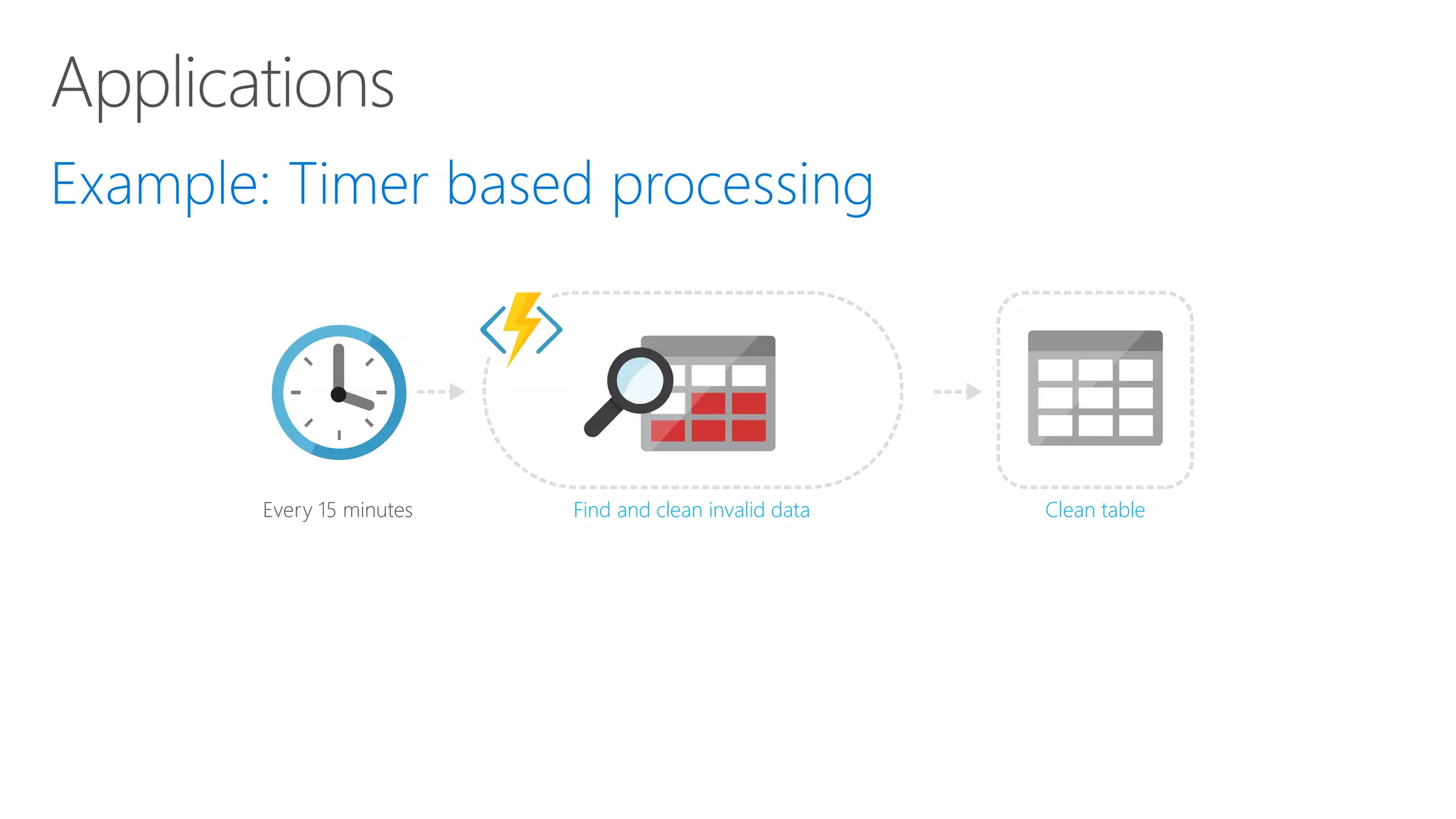
Every 15 minutes Clean tableFind and clean invalid data
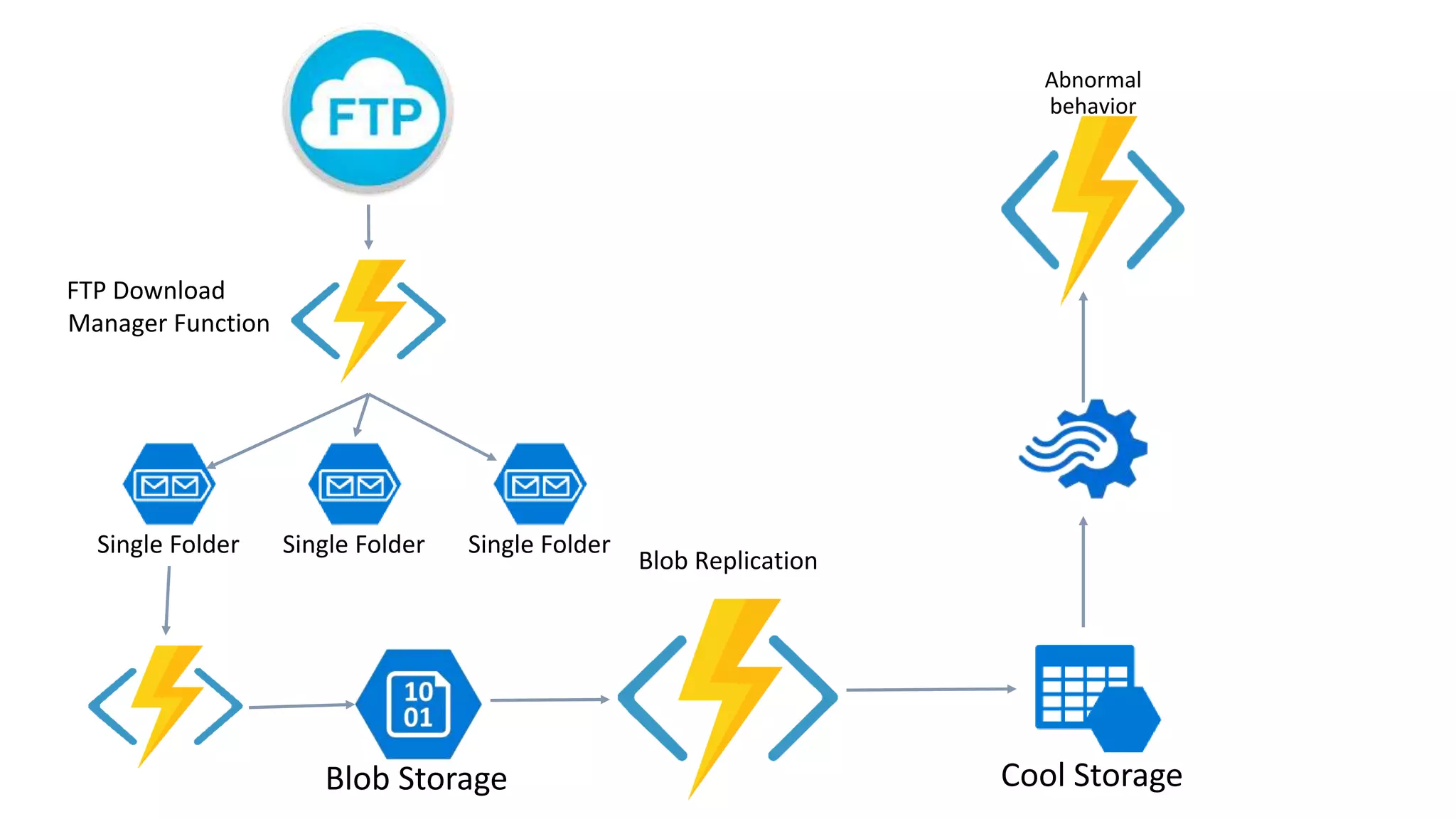
Blob Replication Abnormal behavior FTP Download Manager Function Single Folder Single Folder Single Folder
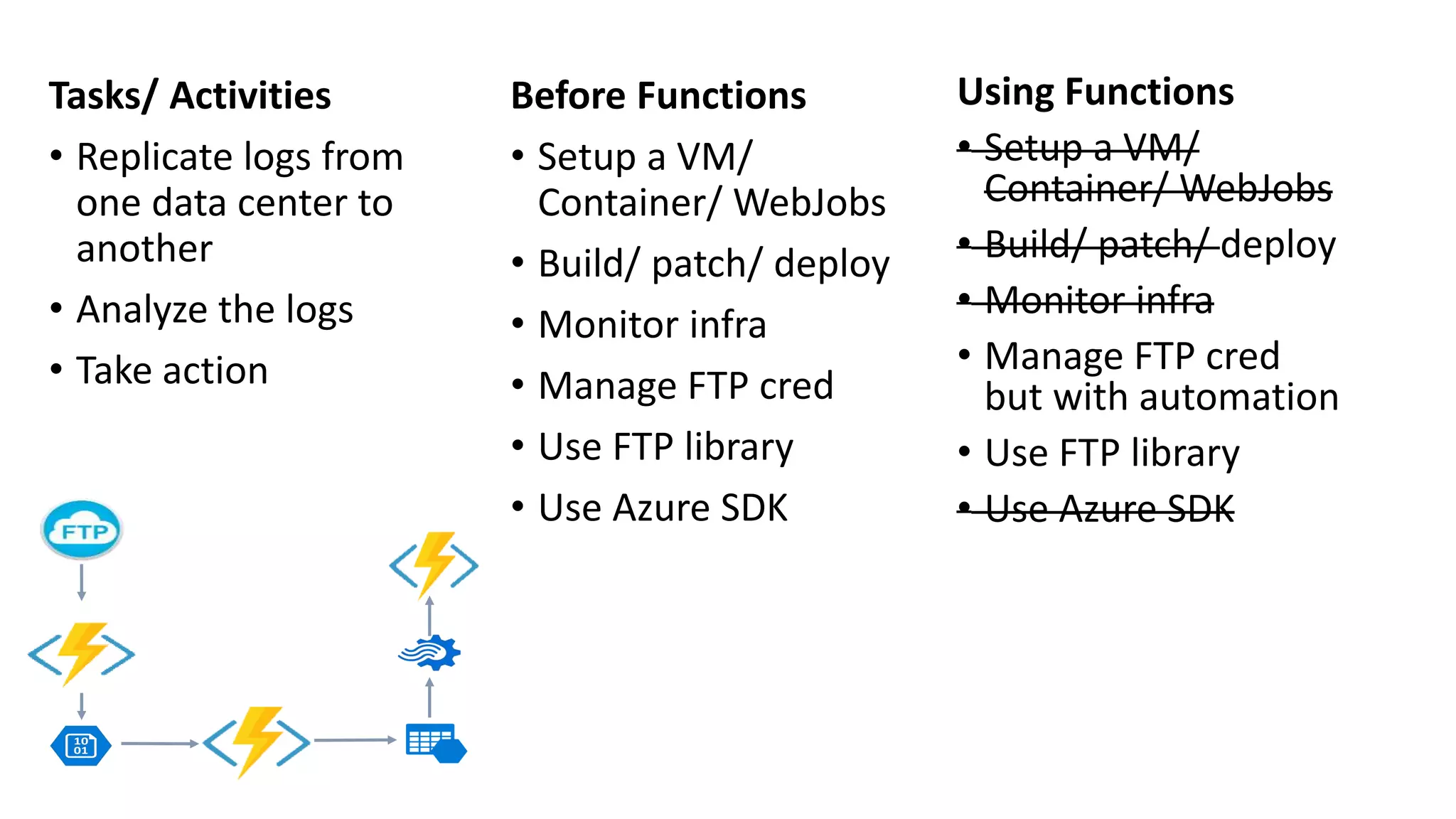
Tasks/ Activities • Replicate logs from one data center to another • Analyze the logs • Take action Using Functions • Setup a VM/ Container/ WebJobs • Build/ patch/ deploy • Monitor infra • Manage FTP cred but with automation • Use FTP library • Use Azure SDK Before Functions • Setup a VM/ Container/ WebJobs • Build/ patch/ deploy • Monitor infra • Manage FTP cred • Use FTP library • Use Azure SDK
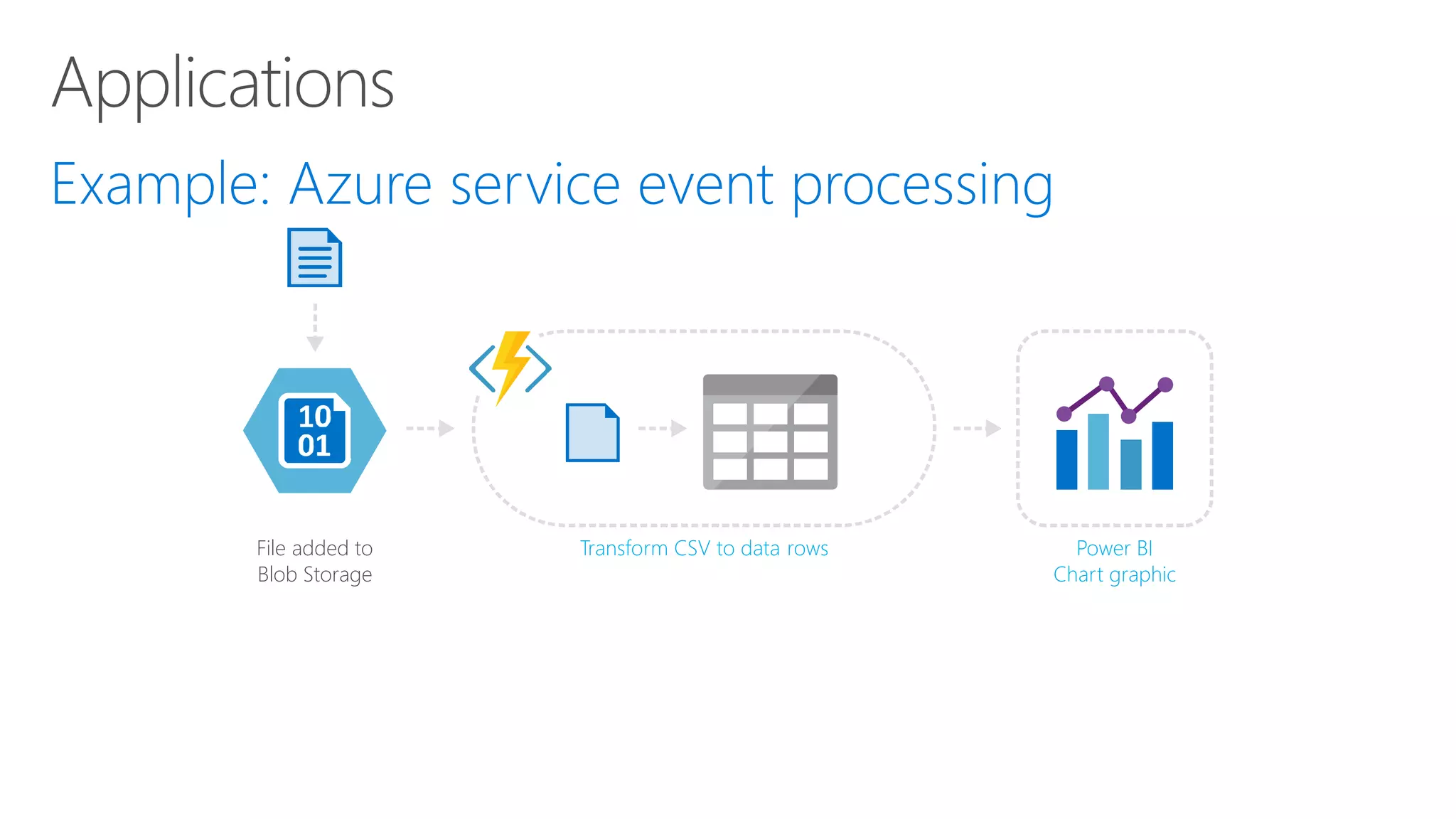
File added to Blob Storage Transform CSV to data rows Power BI Chart graphic
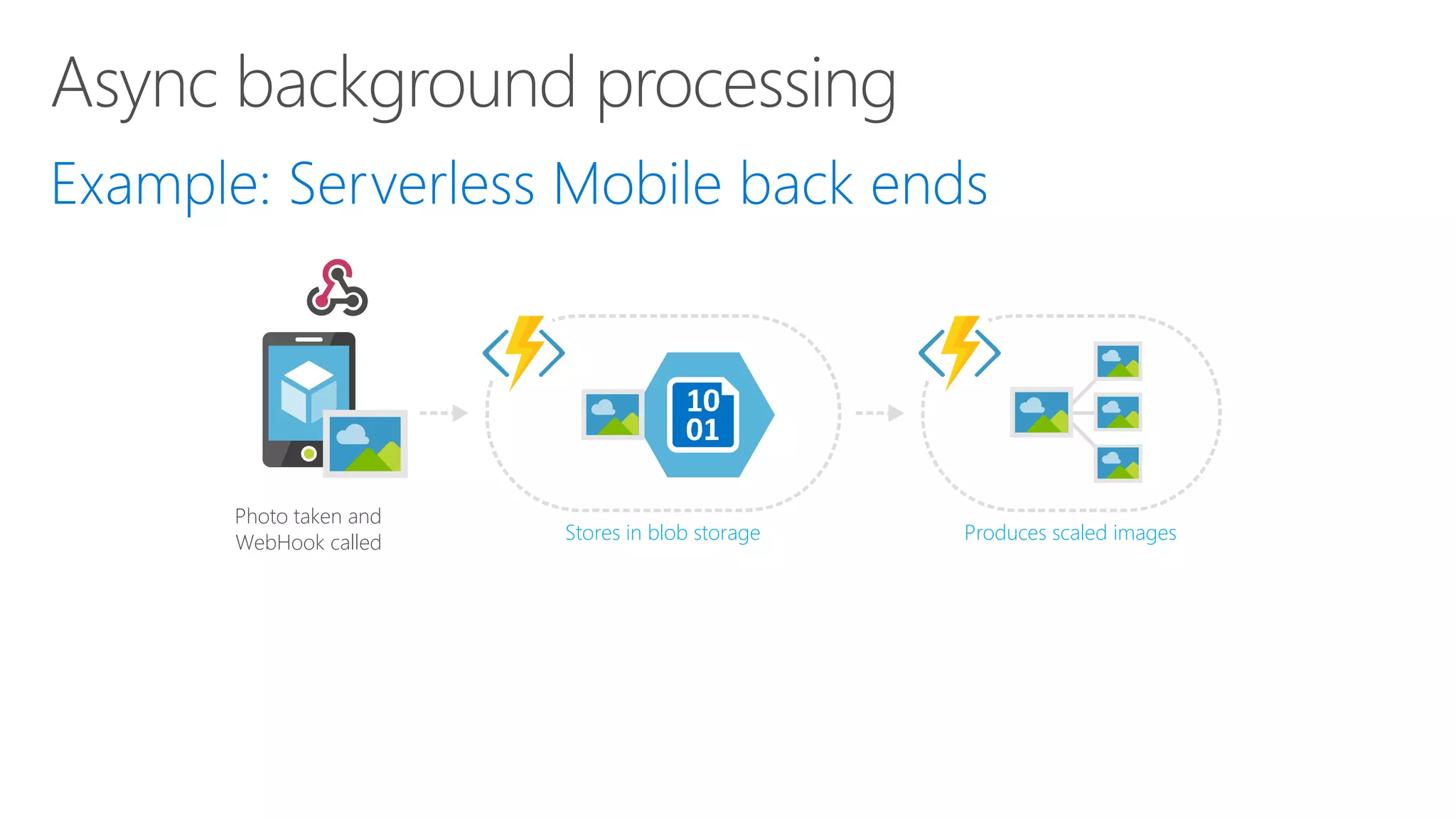
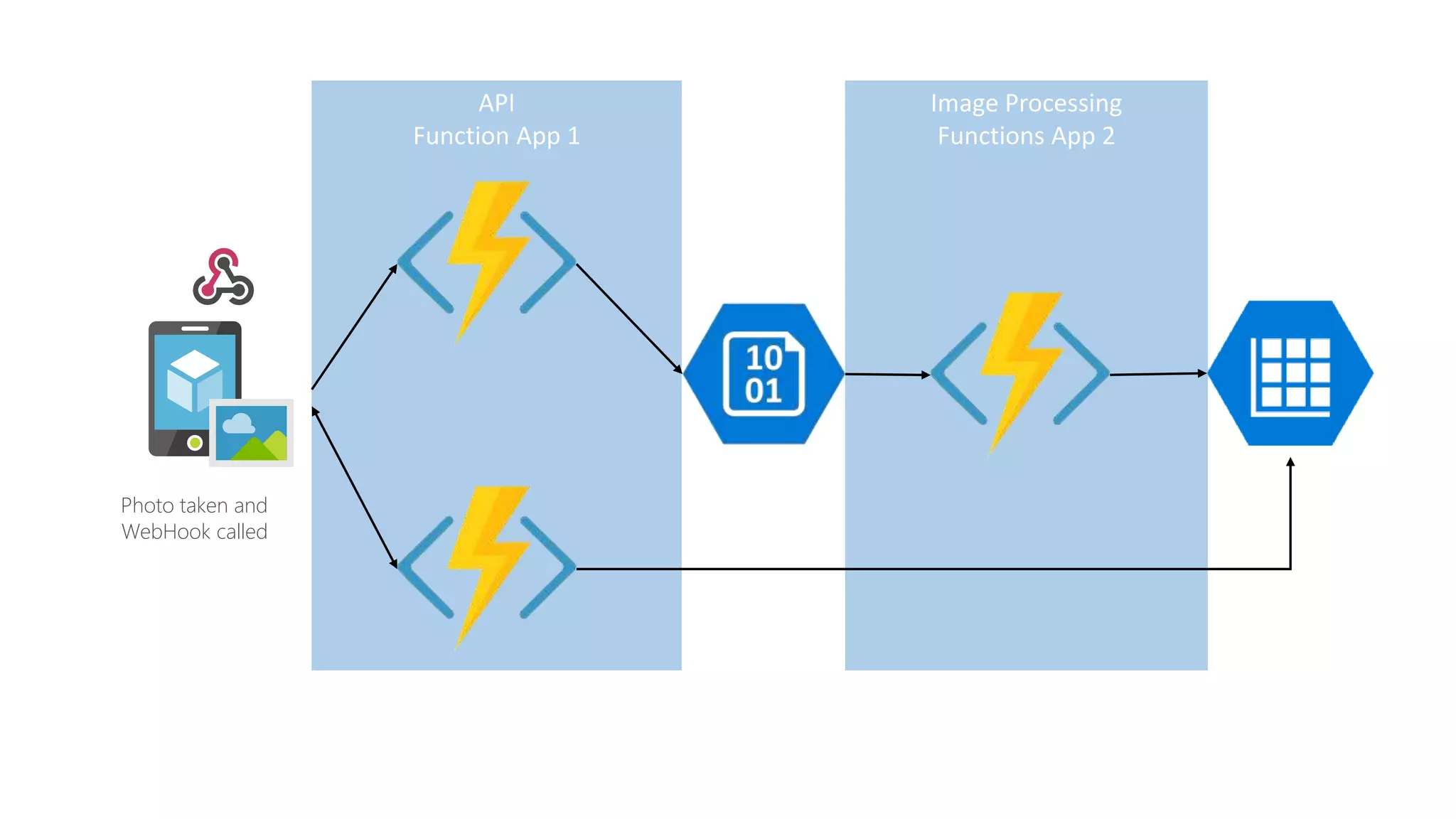
Photo taken and WebHook called Stores in blob storage Produces scaled images
Image Processing Functions App 2 API Function App 1 Photo taken and WebHook called
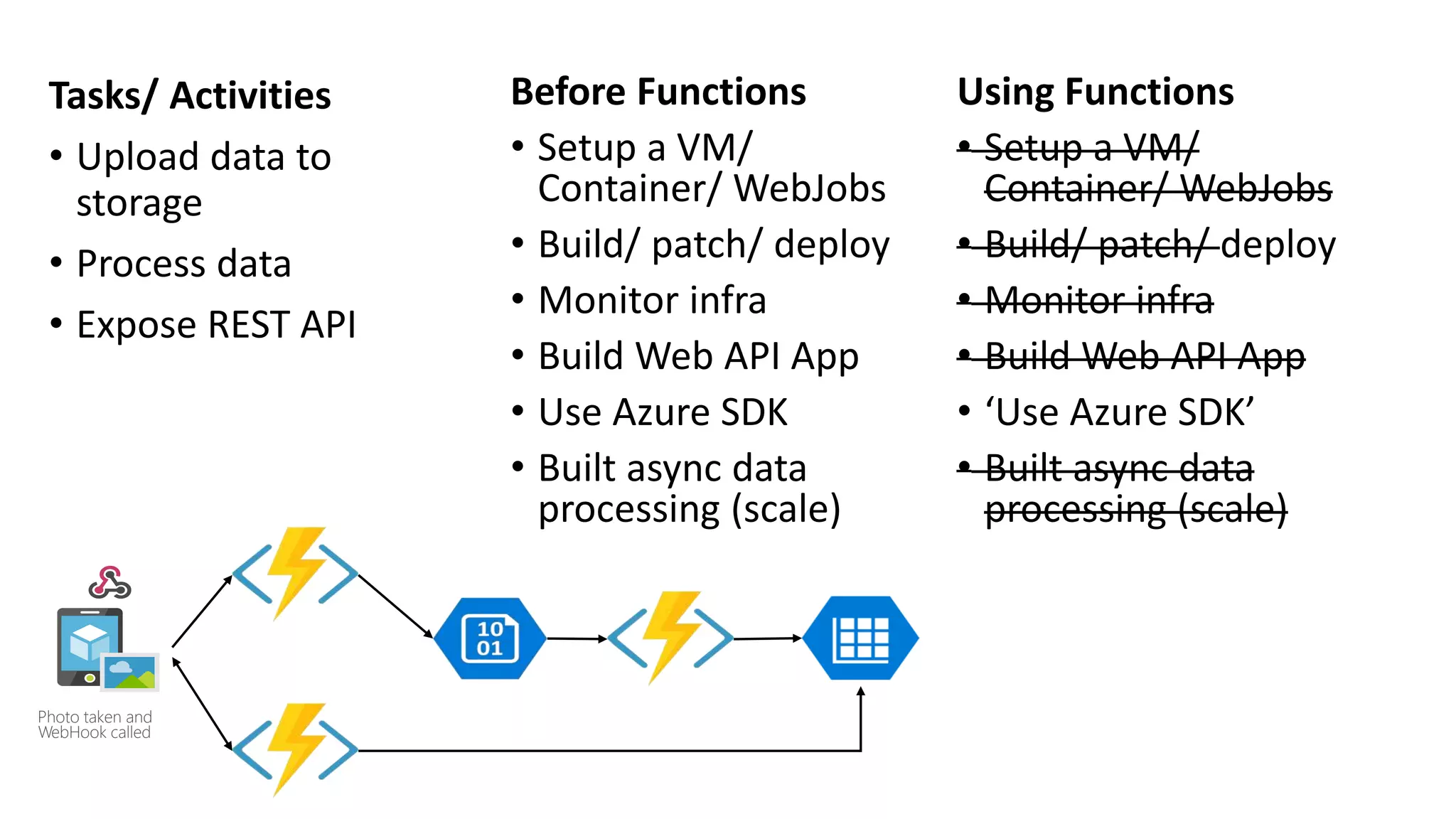
Tasks/ Activities • Upload data to storage • Process data • Expose REST API Using Functions • Setup a VM/ Container/ WebJobs • Build/ patch/ deploy • Monitor infra • Build Web API App • ‘Use Azure SDK’ • Built async data processing (scale) Before Functions • Setup a VM/ Container/ WebJobs • Build/ patch/ deploy • Monitor infra • Build Web API App • Use Azure SDK • Built async data processing (scale) Photo taken and WebHook called
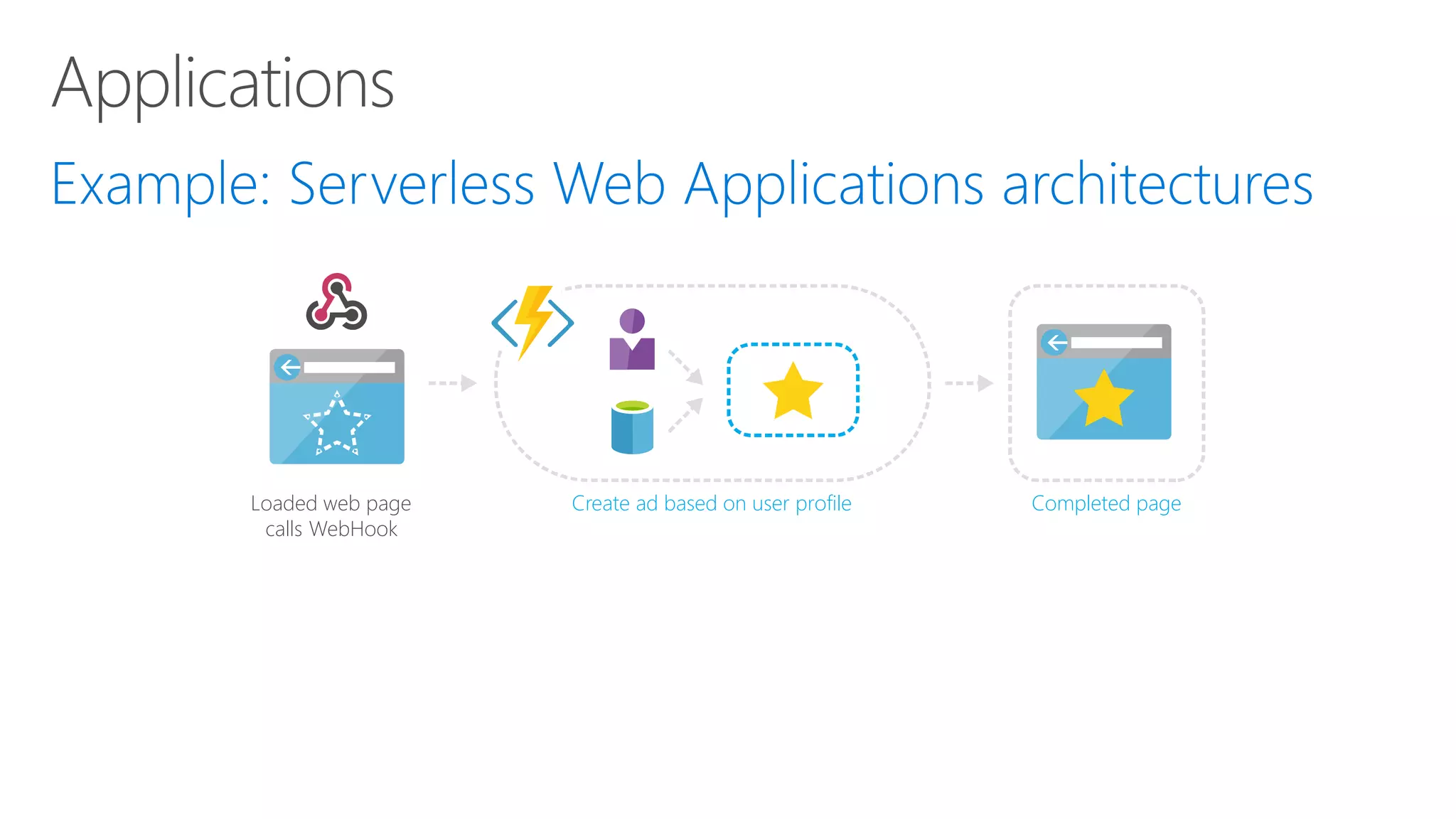
Loaded web page calls WebHook Completed pageCreate ad based on user profile
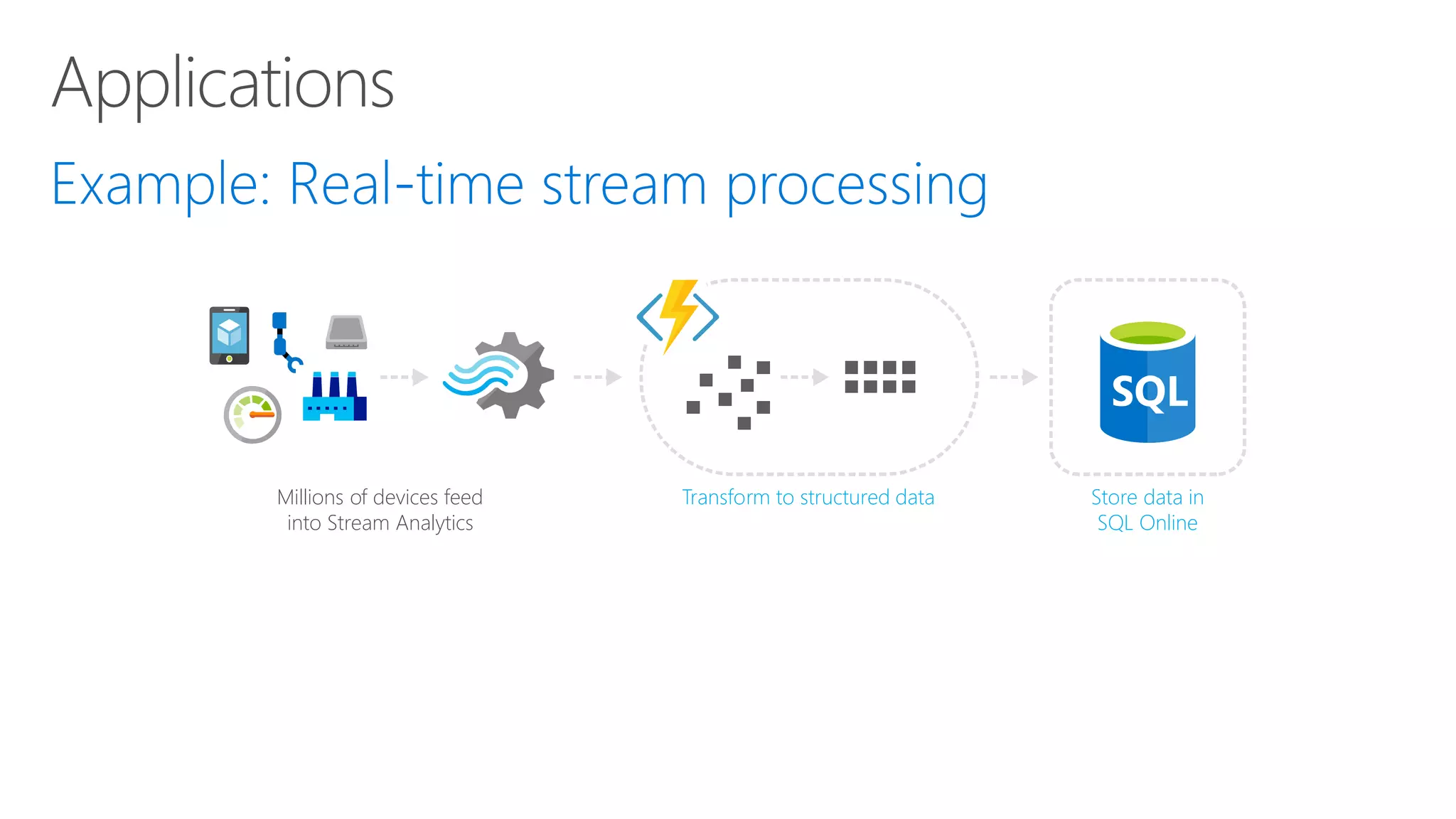
Millions of devices feed into Stream Analytics Store data in SQL Online Transform to structured data
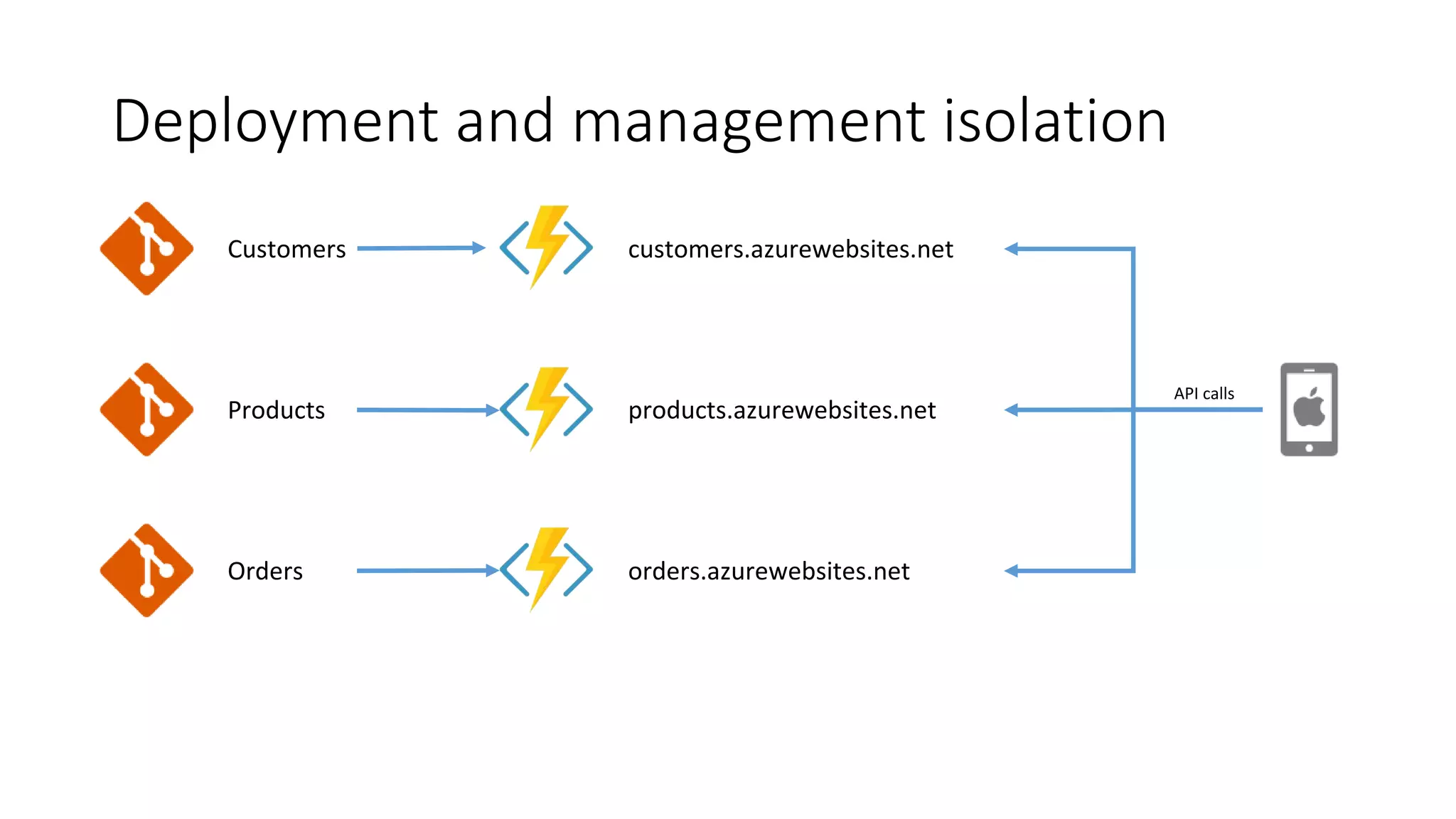
Deployment and management isolation Customers Products Orders API calls customers.azurewebsites.net products.azurewebsites.net orders.azurewebsites.net
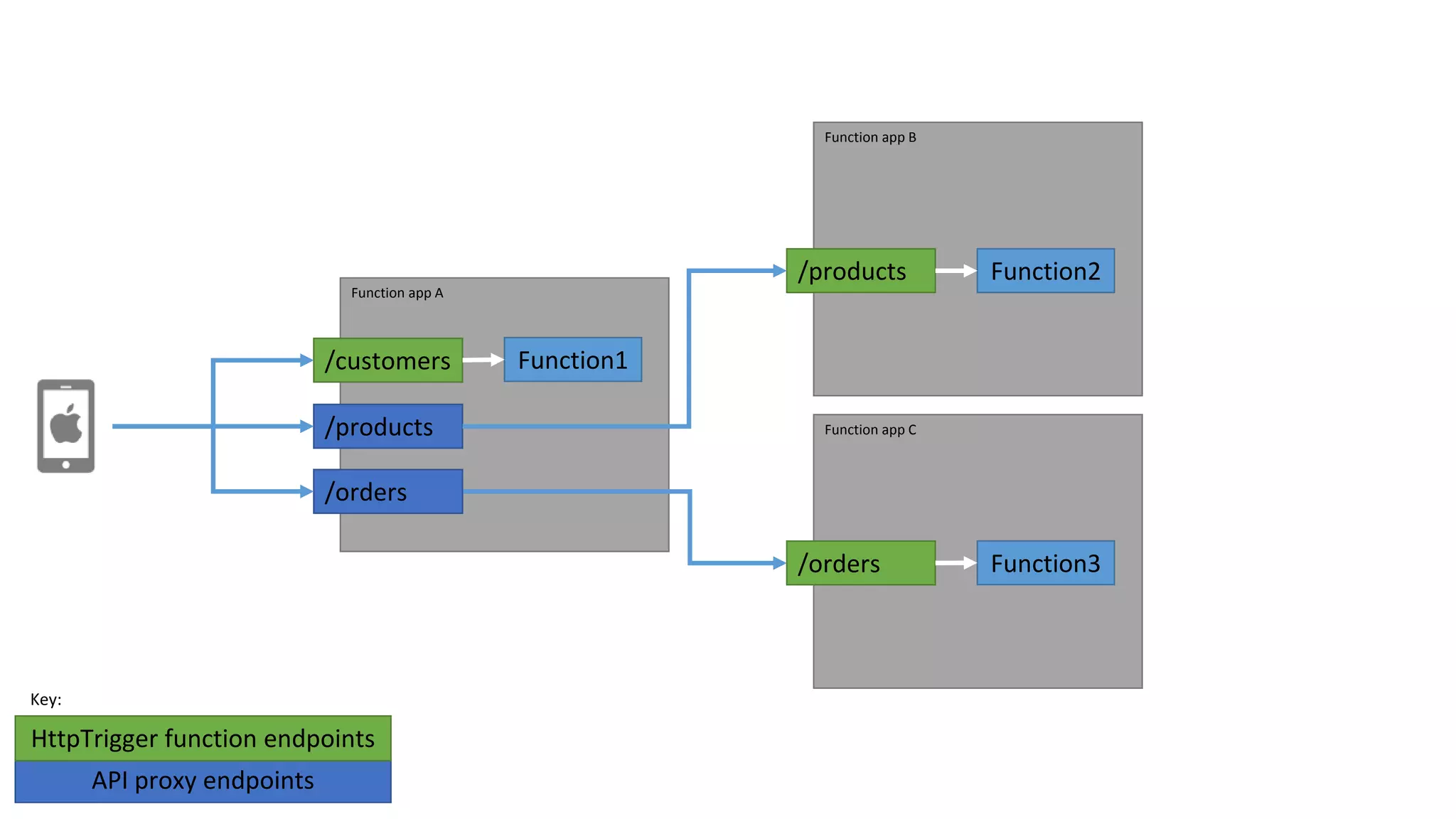
Function app A /customers Function app B /products Function app C Function3/orders Function1 API proxy endpoints HttpTrigger function endpoints Key: /products /orders Function2
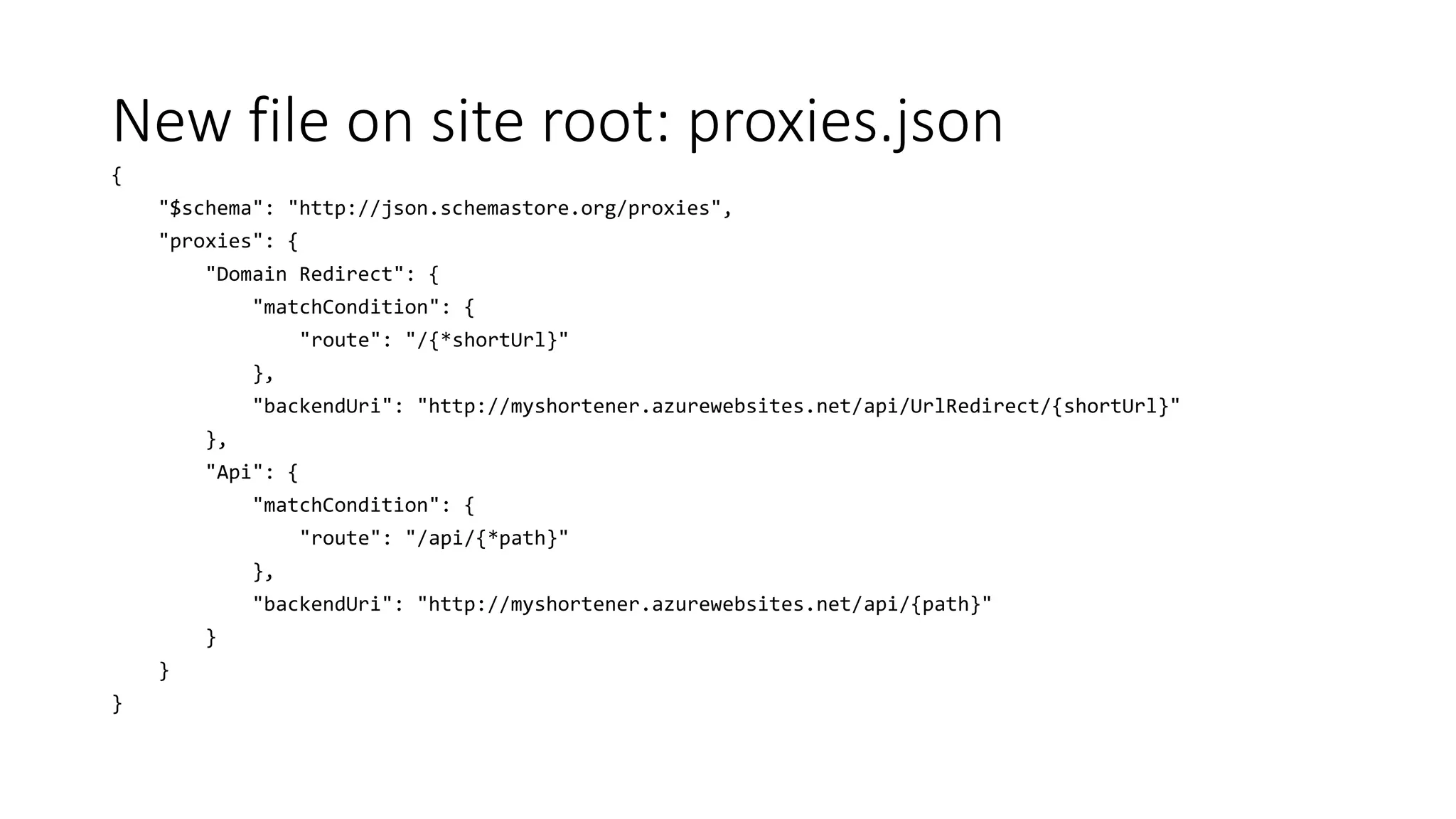
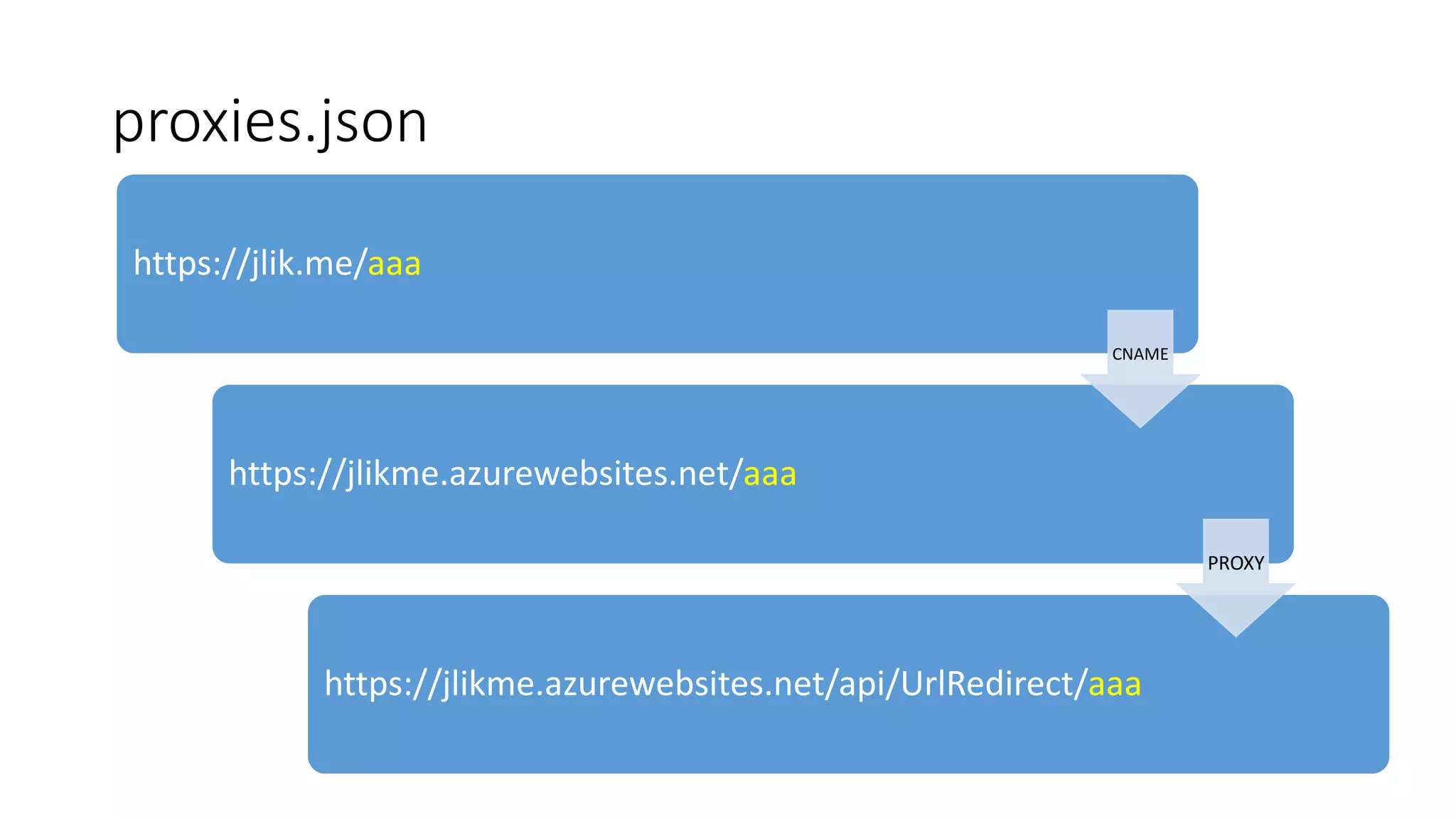
New file on site root: proxies.json { "$schema": "http://json.schemastore.org/proxies", "proxies": { "Domain Redirect": { "matchCondition": { "route": "/{*shortUrl}" }, "backendUri": "http://myshortener.azurewebsites.net/api/UrlRedirect/{shortUrl}" }, "Api": { "matchCondition": { "route": "/api/{*path}" }, "backendUri": "http://myshortener.azurewebsites.net/api/{path}" } } }
proxies.json https://jlik.me/aaa https://jlikme.azurewebsites.net/aaa https://jlikme.azurewebsites.net/api/UrlRedirect/aaa CNAME PROXY
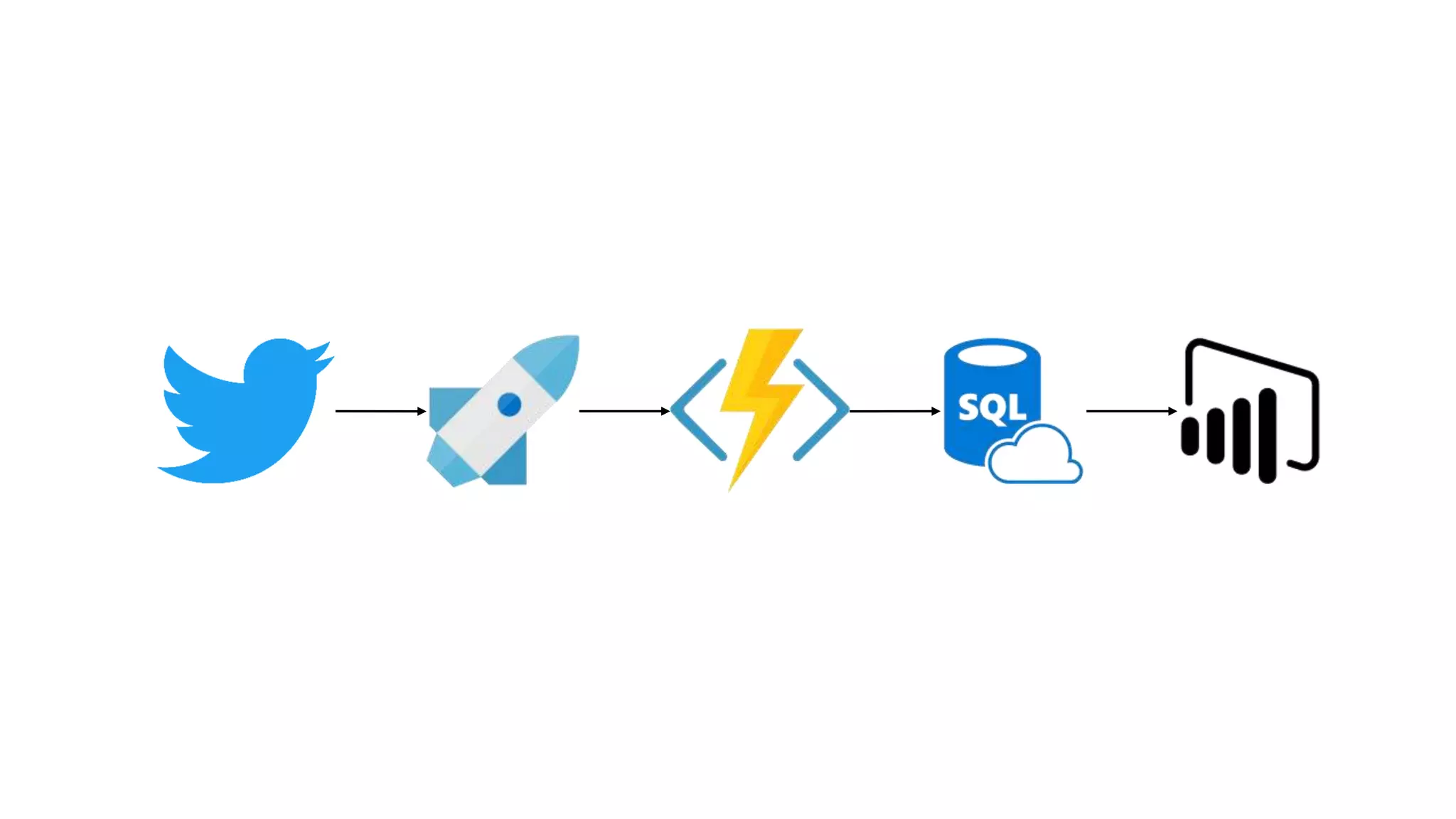
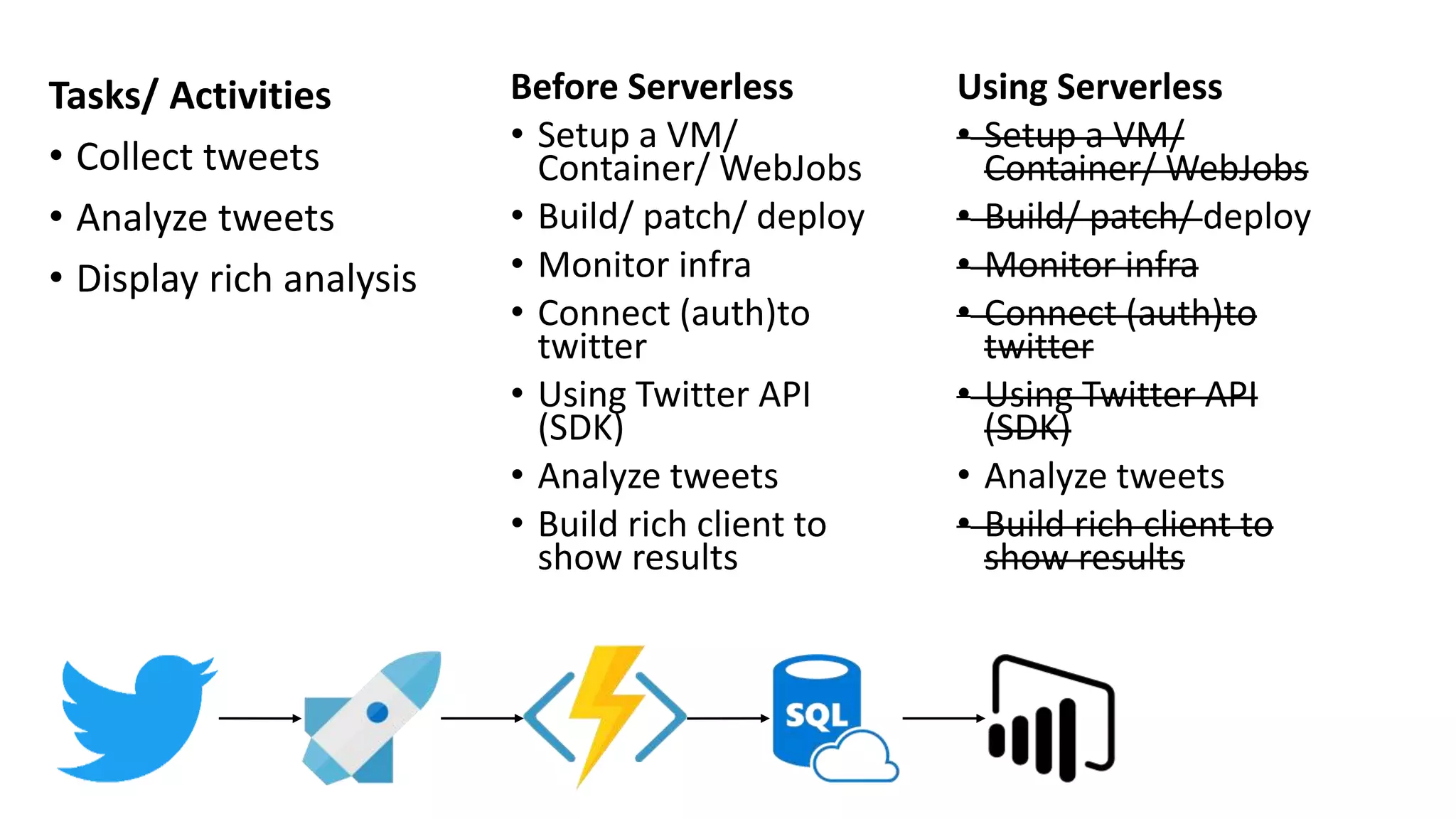
Tasks/ Activities • Collect tweets • Analyze tweets • Display rich analysis Using Serverless • Setup a VM/ Container/ WebJobs • Build/ patch/ deploy • Monitor infra • Connect (auth)to twitter • Using Twitter API (SDK) • Analyze tweets • Build rich client to show results Before Serverless • Setup a VM/ Container/ WebJobs • Build/ patch/ deploy • Monitor infra • Connect (auth)to twitter • Using Twitter API (SDK) • Analyze tweets • Build rich client to show results
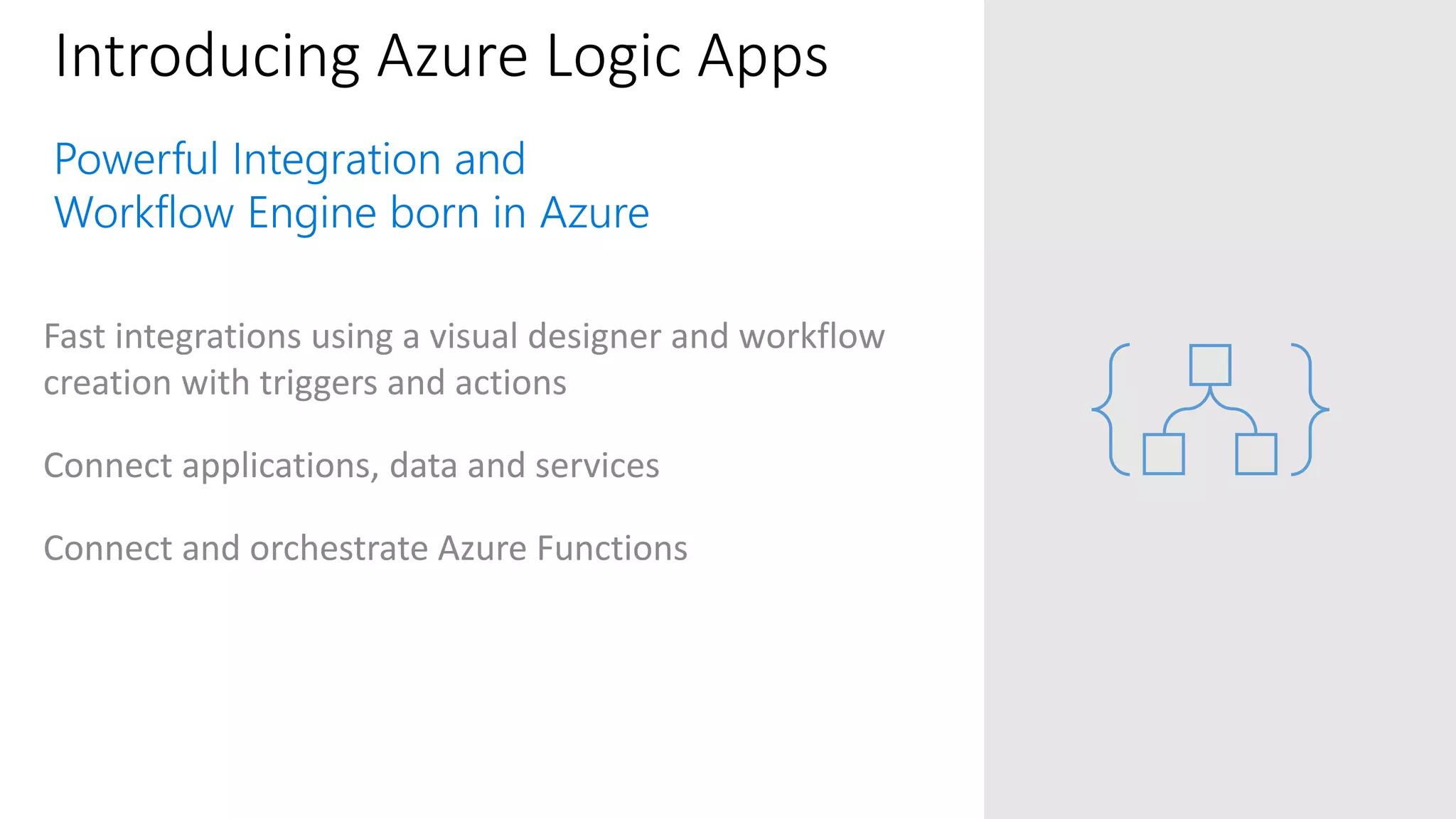
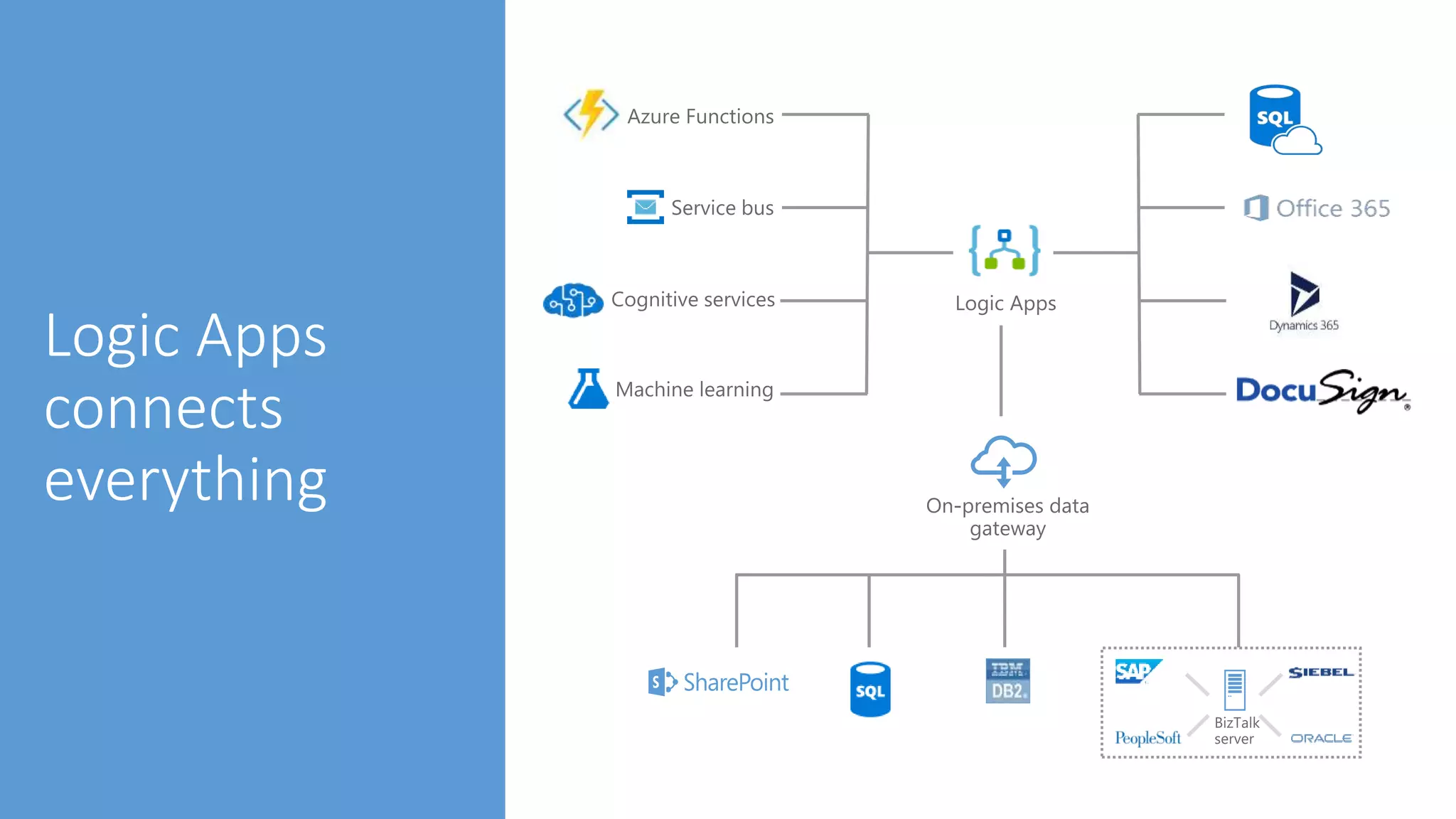
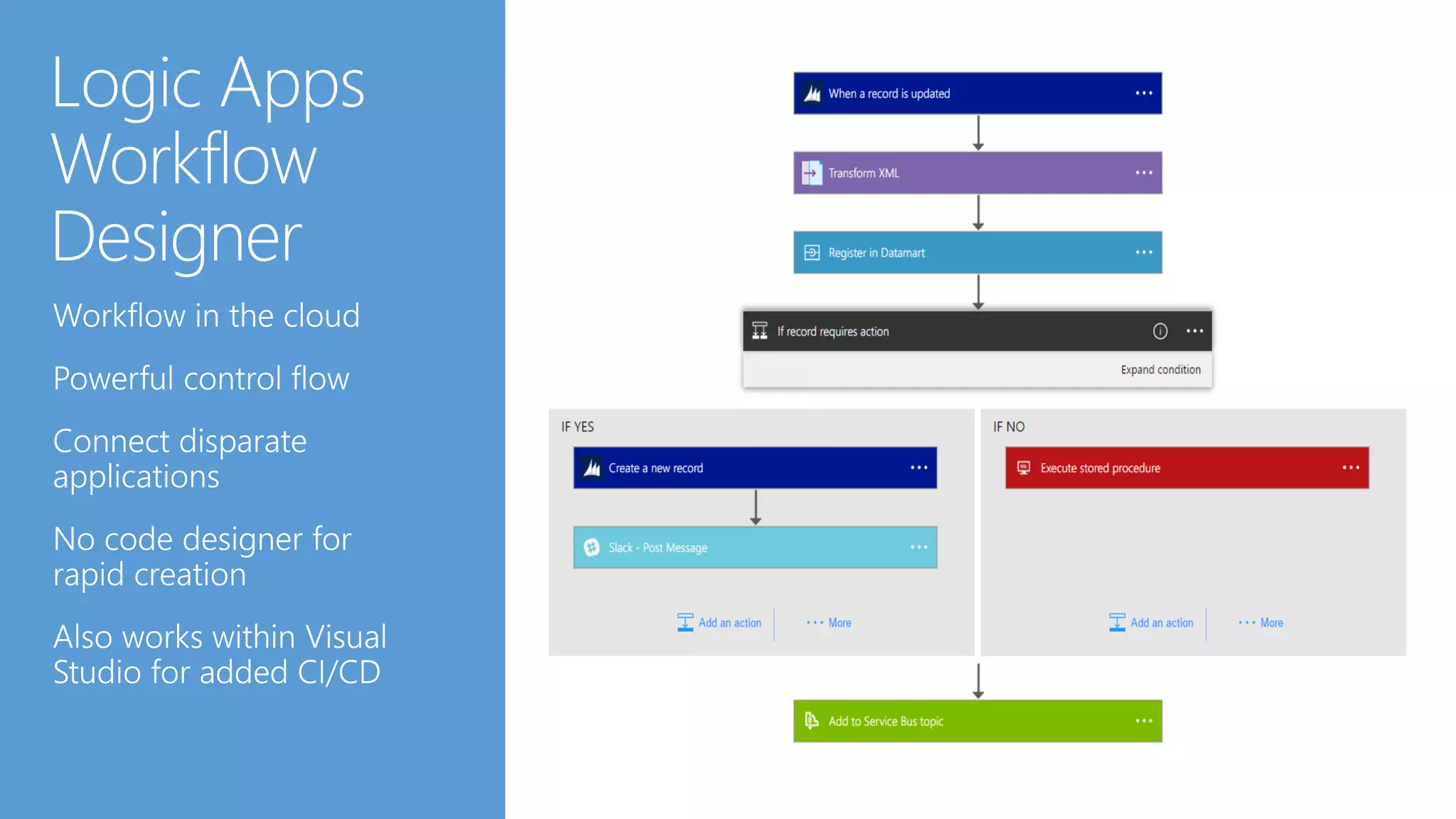
Introducing Azure Logic Apps Fast integrations using a visual designer and workflow creation with triggers and actions Connect applications, data and services Connect and orchestrate Azure Functions
….and more!
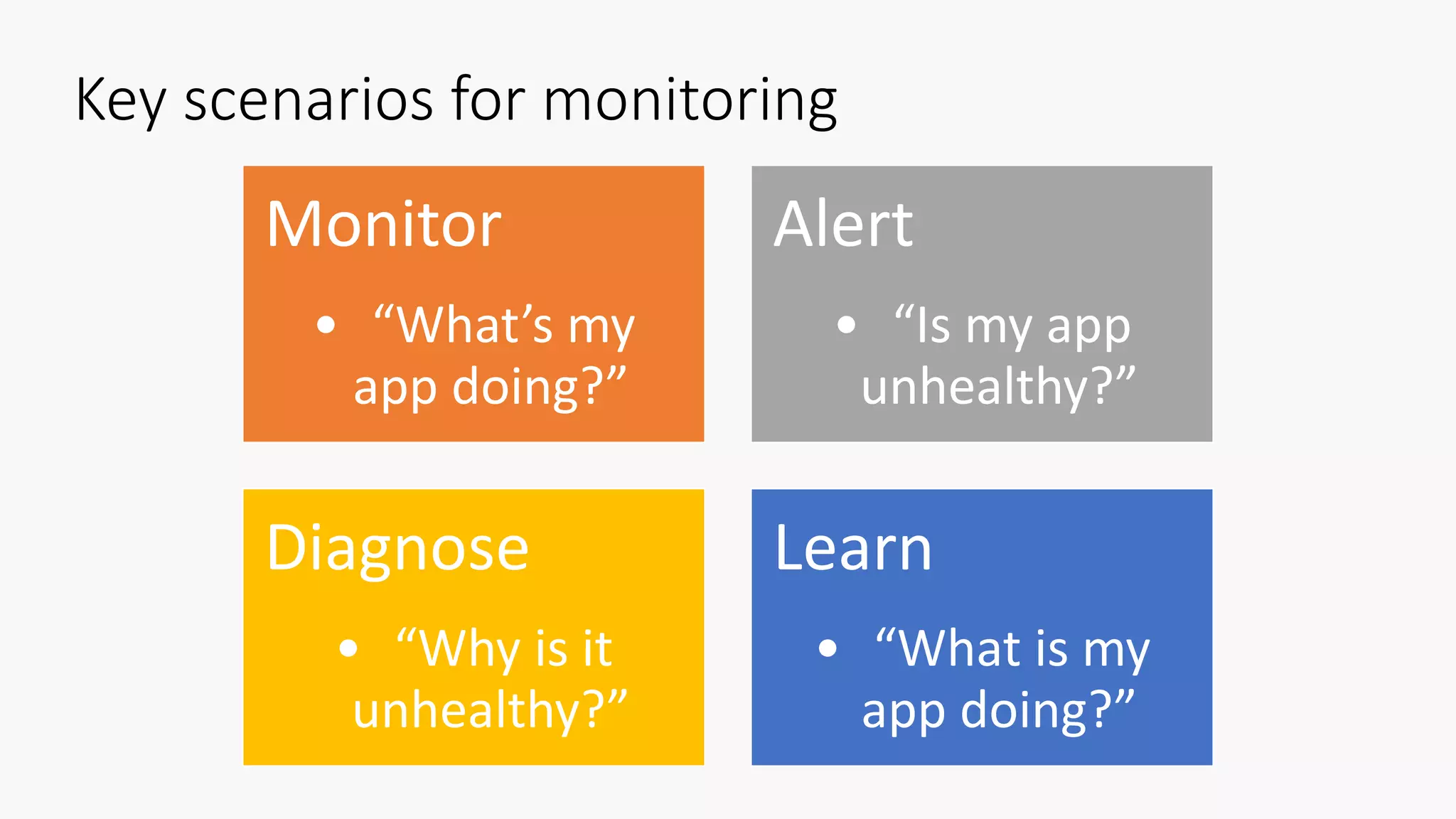
Key scenarios for monitoring Monitor • “What’s my app doing?” Alert • “Is my app unhealthy?” Diagnose • “Why is it unhealthy?” Learn • “What is my app doing?”
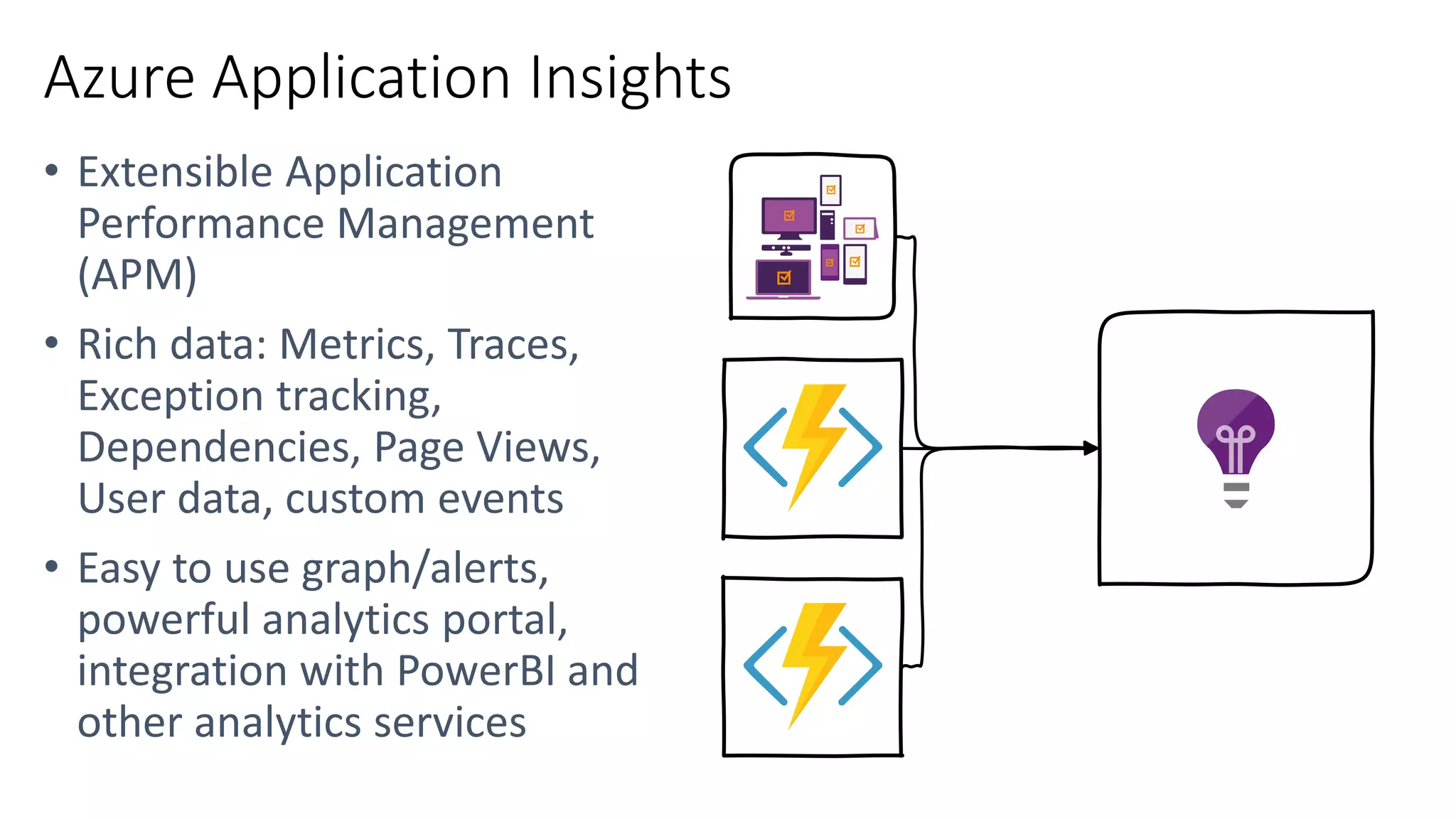
Azure Application Insights • • •
https://jlik.me/go-azdocs https://jlik.me/bod

Code First with Serverless Azure Functions

  • 11.
  • 16.
    Every 15 minutesClean tableFind and clean invalid data
  • 17.
    Blob Replication Abnormal behavior FTP Download ManagerFunction Single Folder Single Folder Single Folder
  • 18.
    Tasks/ Activities • Replicatelogs from one data center to another • Analyze the logs • Take action Using Functions • Setup a VM/ Container/ WebJobs • Build/ patch/ deploy • Monitor infra • Manage FTP cred but with automation • Use FTP library • Use Azure SDK Before Functions • Setup a VM/ Container/ WebJobs • Build/ patch/ deploy • Monitor infra • Manage FTP cred • Use FTP library • Use Azure SDK
  • 19.
    File added to BlobStorage Transform CSV to data rows Power BI Chart graphic
  • 20.
    Photo taken and WebHookcalled Stores in blob storage Produces scaled images
  • 21.
    Image Processing Functions App2 API Function App 1 Photo taken and WebHook called
  • 22.
    Tasks/ Activities • Uploaddata to storage • Process data • Expose REST API Using Functions • Setup a VM/ Container/ WebJobs • Build/ patch/ deploy • Monitor infra • Build Web API App • ‘Use Azure SDK’ • Built async data processing (scale) Before Functions • Setup a VM/ Container/ WebJobs • Build/ patch/ deploy • Monitor infra • Build Web API App • Use Azure SDK • Built async data processing (scale) Photo taken and WebHook called
  • 23.
    Loaded web page callsWebHook Completed pageCreate ad based on user profile
  • 24.
    Millions of devicesfeed into Stream Analytics Store data in SQL Online Transform to structured data
  • 27.
    Deployment and managementisolation Customers Products Orders API calls customers.azurewebsites.net products.azurewebsites.net orders.azurewebsites.net
  • 28.
    Function app A /customers Functionapp B /products Function app C Function3/orders Function1 API proxy endpoints HttpTrigger function endpoints Key: /products /orders Function2
  • 29.
    New file onsite root: proxies.json { "$schema": "http://json.schemastore.org/proxies", "proxies": { "Domain Redirect": { "matchCondition": { "route": "/{*shortUrl}" }, "backendUri": "http://myshortener.azurewebsites.net/api/UrlRedirect/{shortUrl}" }, "Api": { "matchCondition": { "route": "/api/{*path}" }, "backendUri": "http://myshortener.azurewebsites.net/api/{path}" } } }
  • 30.
  • 33.
    Tasks/ Activities • Collecttweets • Analyze tweets • Display rich analysis Using Serverless • Setup a VM/ Container/ WebJobs • Build/ patch/ deploy • Monitor infra • Connect (auth)to twitter • Using Twitter API (SDK) • Analyze tweets • Build rich client to show results Before Serverless • Setup a VM/ Container/ WebJobs • Build/ patch/ deploy • Monitor infra • Connect (auth)to twitter • Using Twitter API (SDK) • Analyze tweets • Build rich client to show results
  • 34.
    Introducing Azure LogicApps Fast integrations using a visual designer and workflow creation with triggers and actions Connect applications, data and services Connect and orchestrate Azure Functions
  • 35.
  • 40.
    Key scenarios formonitoring Monitor • “What’s my app doing?” Alert • “Is my app unhealthy?” Diagnose • “Why is it unhealthy?” Learn • “What is my app doing?”
  • 41.
  • 43.

Editor's Notes

  • #2 (Introductions and set expectations that this presentation is designed to discuss the role of Azure as the cloud computing platform for a business’s digital transformation.)
  • #4     Yochay writes books, blogs, and articles about scale, apps, and good end-2-end user’s experience.
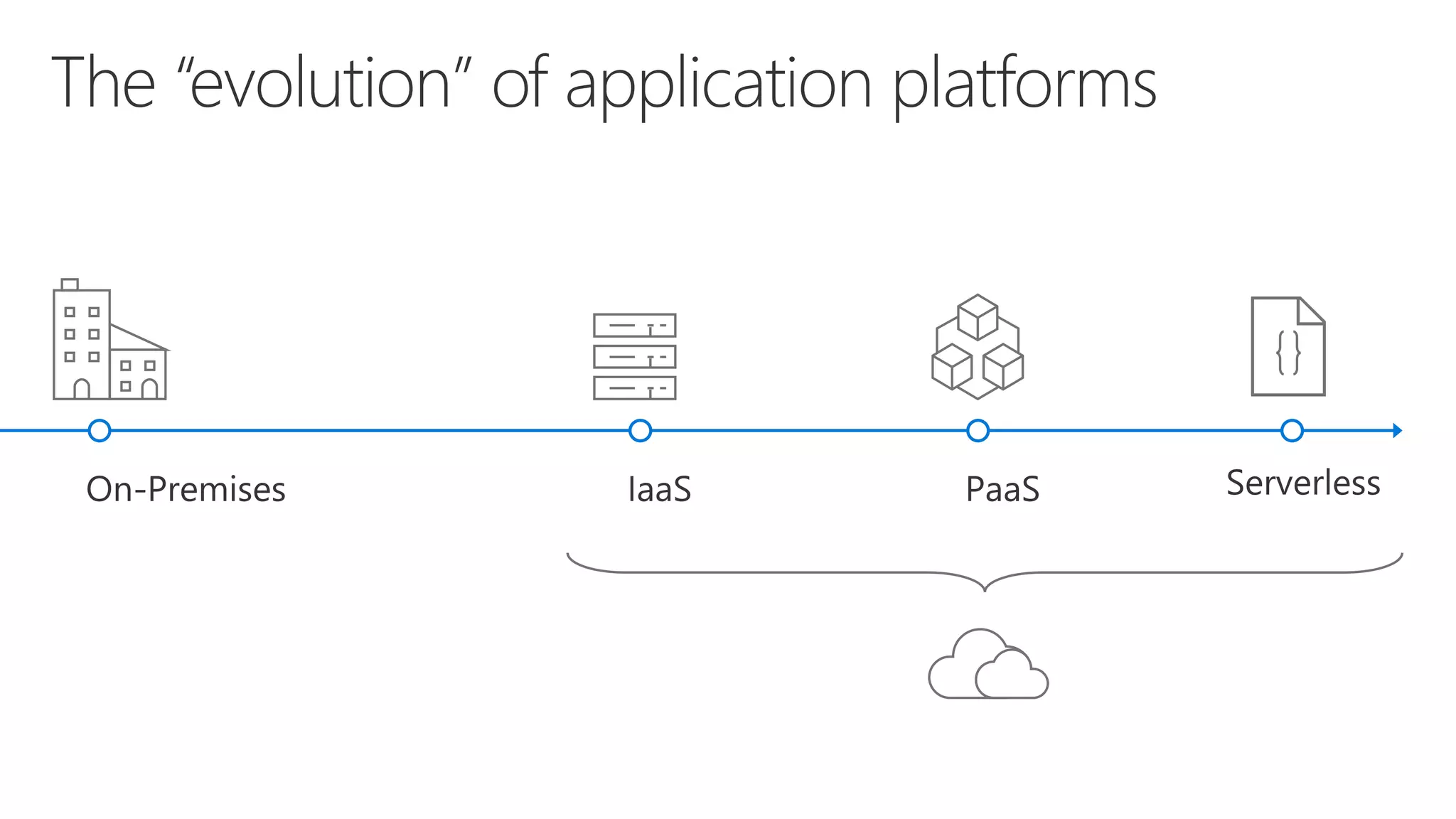
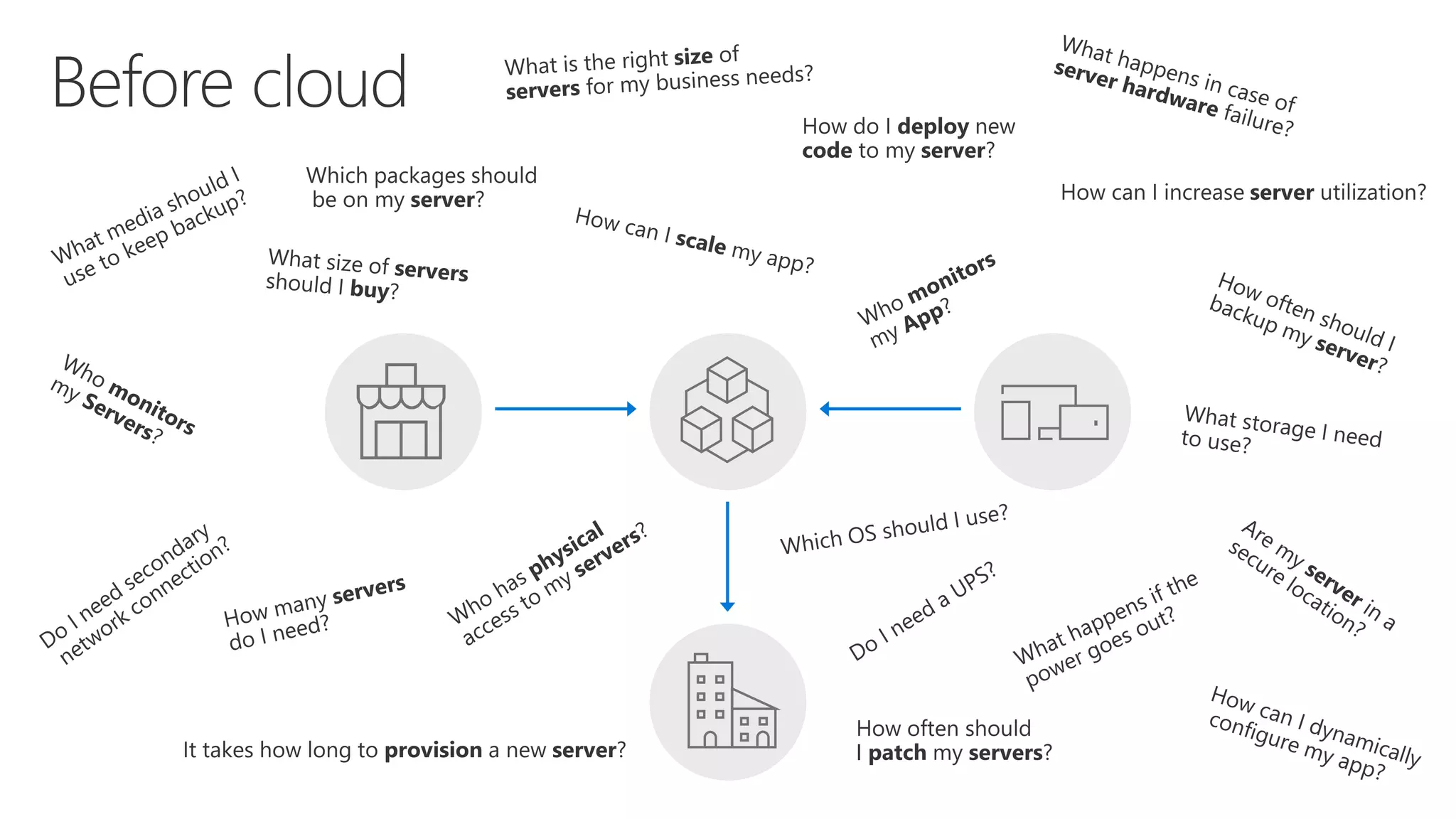
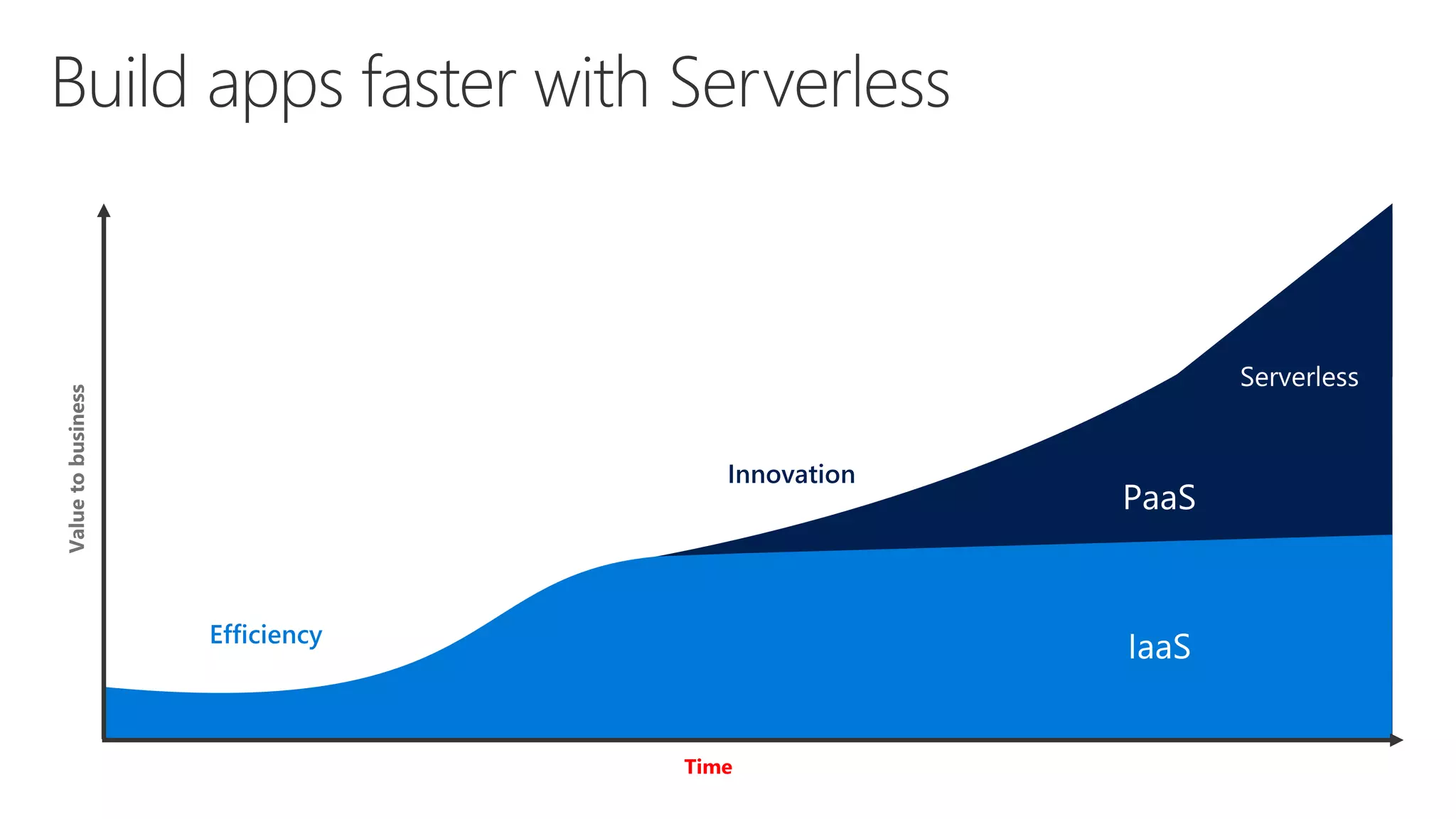
  • #6 Talking points: (New) Note to speaker: no extra clicks needed, all visuals will fly in on their own at page load time. Before Cloud (or even now), let’s say you run a successful business and you try to build business apps, you have two options. You can either build on premises or co-location. You will go and buy servers and infrastructure to run your business applications. With that came many questions when you build and manage your own server. From what servers to buy, how to provision my new server, what do I do if there is hardware failure, to how to deploy my code and patch my servers, there are simply too many things to consider. It can be overwhelming when you manage your own physical servers.  
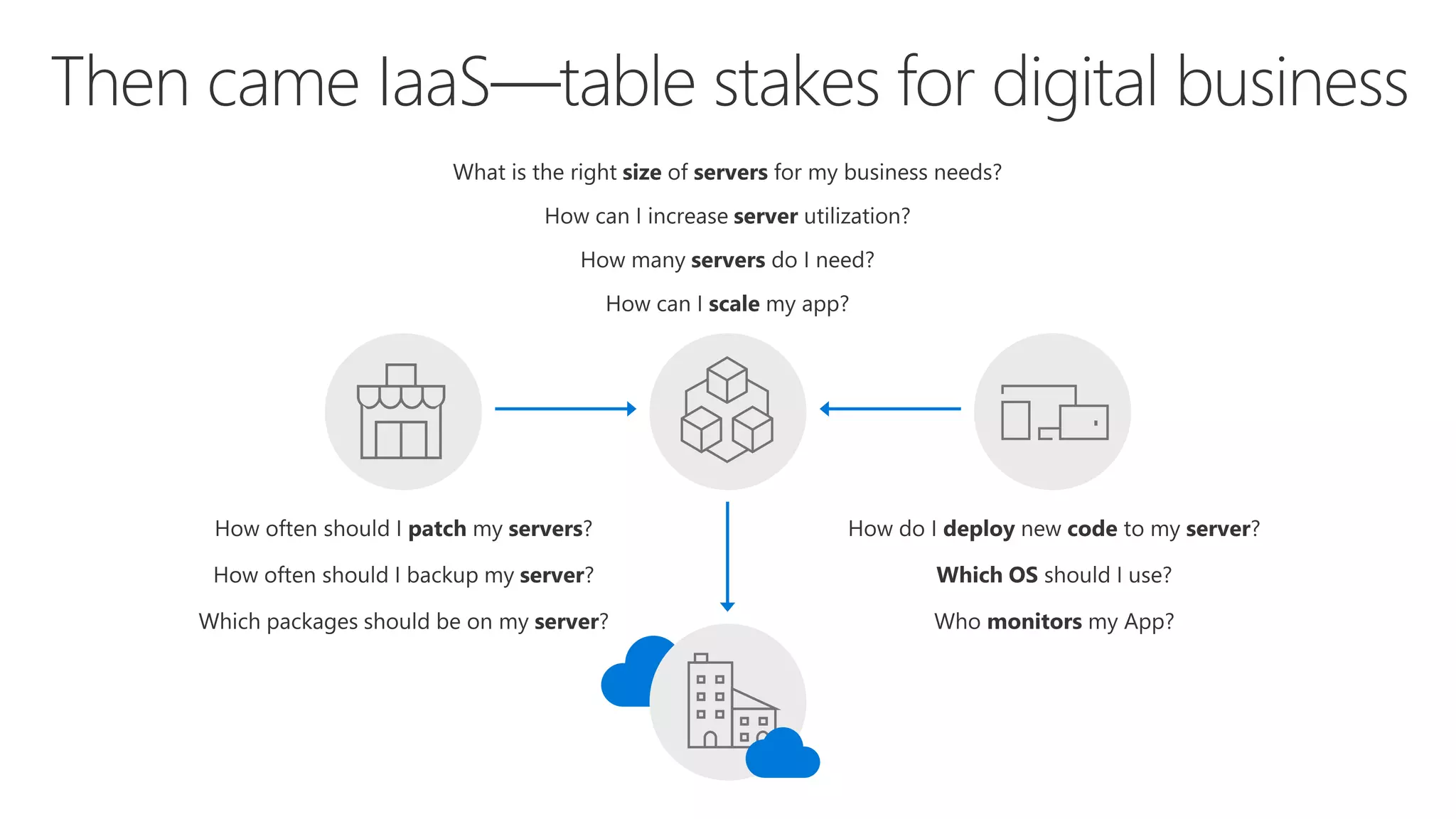
  • #7 points: (New) Note to speaker: no extra clicks needed Well, a much cleaner picture, isn’t it? A few years later, there is this thing called “IaaS”. The idea is, you don’t need to buy or build your own servers, use our infrastructure service, aka IaaS. With that, you don’t have to worry about provisioning your servers, or securing the physical location of your server farm. Many questions go away. But, there is but… you still need to think about which IOS to use, how to patch the server, in addition to managing your business apps. Can those tedious tasks be taken care of as well?
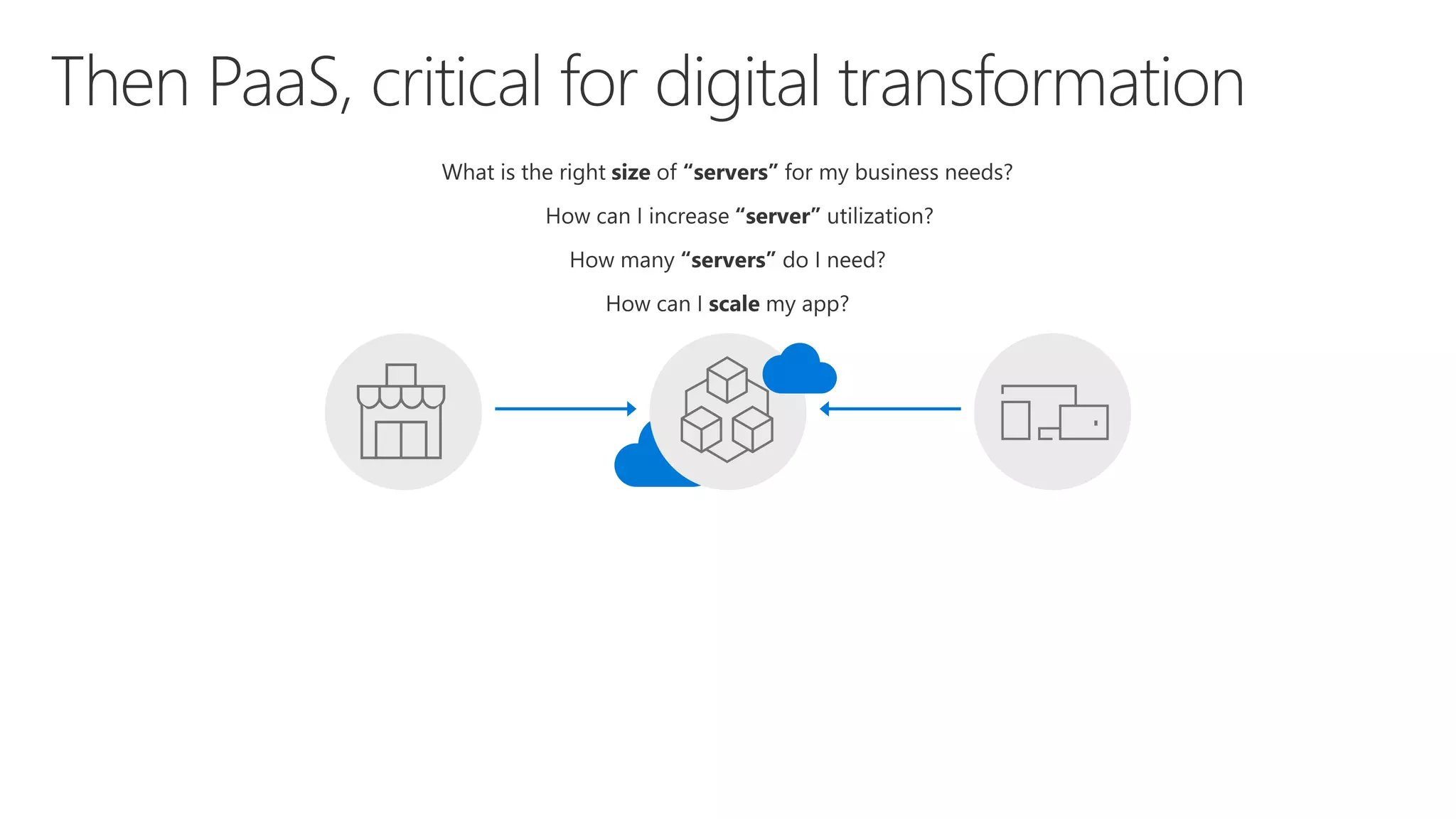
  • #8 Talking points: (New) Yes. We have this service called Platform as a Service, PaaS. What is great about it is, VM patching, IOS selection, back up and code deployment are all built into PaaS platform for you. Isn’t that great? Now only four questions remain, How many servers do I need? What is the right size of server for my biz? S1, P3? How can I increase server utilization? More importantly, how I scale my app? Let’s see how everything works together so far --- transition into the IaaS & PaaS chart.
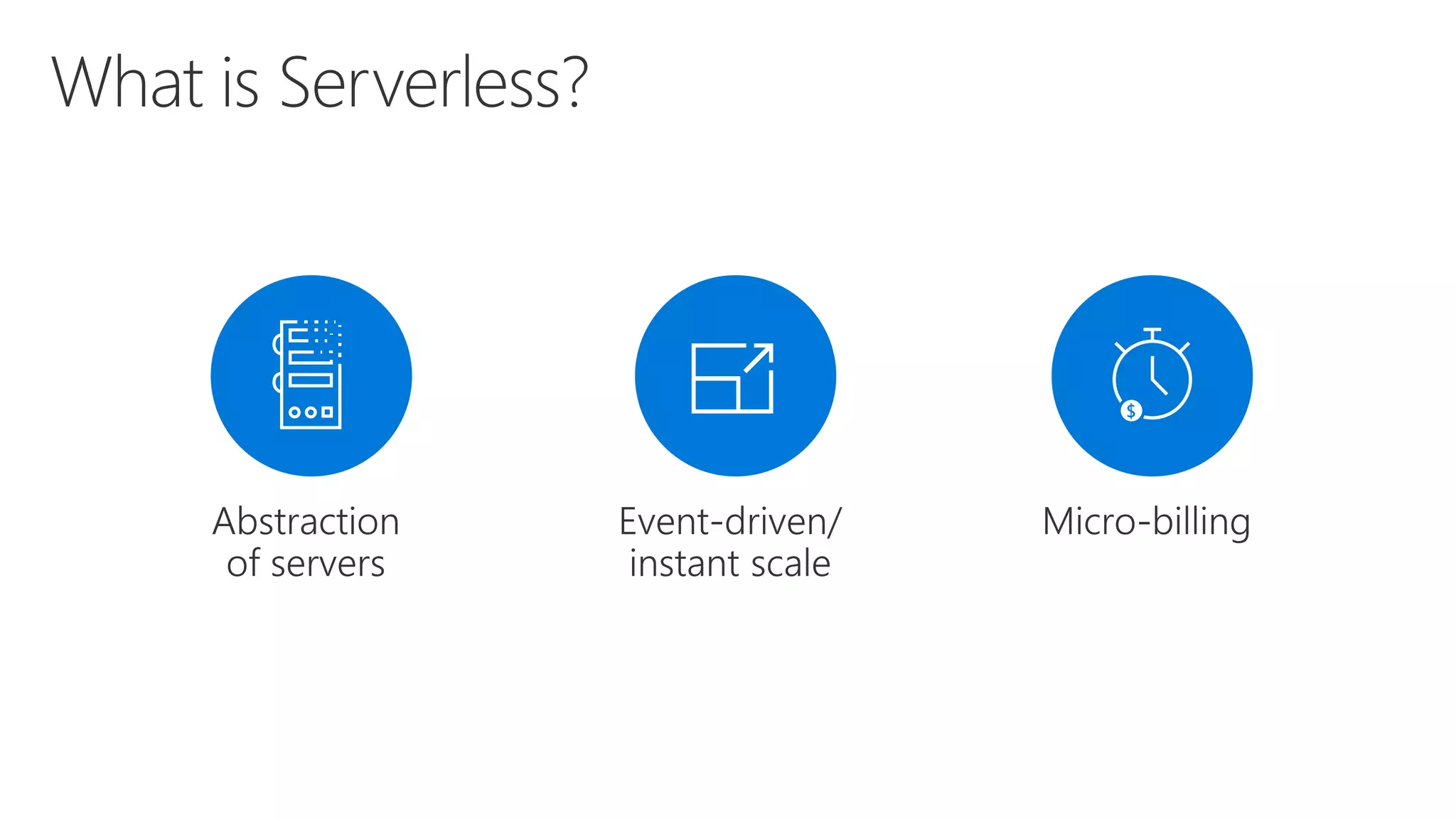
  • #9 Abstraction of servers, infrastructure and configuration of operating system Event-driven scale Sub-second billing Stateless Serverless compute is a fully managed service. Some refer to it as Functions as a Service OS and Framework patching is performed for you There is zero administrative tasks and no need to manage any infrastructure You just deploy your code (function) and it runs Your code runs within seconds and for very short period of time Serverless compute scales quickly (almost instantly) and vastly Automatically scales within seconds No scale configuration is required (there is no way to configure scale or limits) Scales to match any given workload. Scales from zero to handle tens of thousands concurrent functions invocations within seconds Pay only for the time your code is running Serverless compute reacts to events React, in near real-time, to events and triggers Triggered by virtually any event from Azure service or 3rd party services Setup time, provisioning is long & costly
  • #10 “Pinnacle of PaaS compute” Not just hardware “servers”, but software servers are also managed for you Focus on business logic, not solving technical problems not core to business Lower effort to get started makes it easier to experiment (bots, etc.) Benefits of “Serverless”
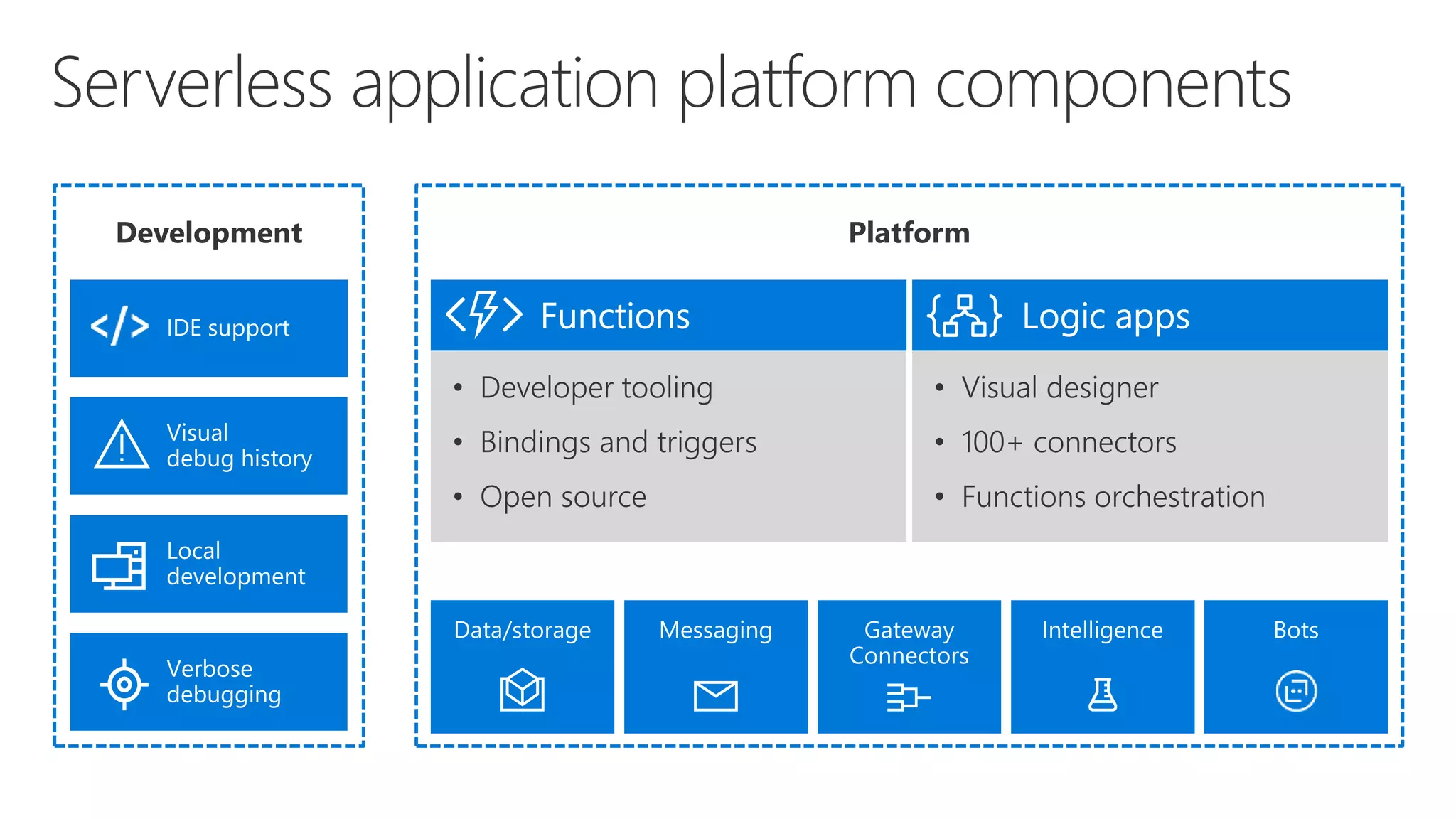
  • #11  Bindings abstract away where the data is coming to Logic Apps Programming free paradigm with a visual designer, drag and drop workflows With Connectors to different types of services (eg an FTP server) Talking Points: (Updated on 4/3/17) Lets talk about what really makes up MSFT’s Serverless platform: At the center of the Serverless platform, is our compute offerings: Azure Functions and Azure Logic Apps. Azure Functions is an event based Serverless compute experience that helps you accelerate your development. Run time is open. Function code can be executed in vm or somewhere else, on prem or in clould. Logic Apps is a powerful orchestration tool. It enables building a Serverless app in minutes – by orchestrating multiple functions using a visual workflow tool. Say you have your apps up and running using Serverless. Congratulations! You now need to collect intelligence from different apps across platforms to take actions upon. There are a few essential components which we think are core to building Serverless applications are: Data/ Storage –Functions has triggers and bindings with Azure document DB and Azure Blob storage ** Triggers: Triggers are event responses used to trigger your custom code. They allow you to respond to events across the Azure platform or on premise. ** Bindings: Bindings represent the necessary meta data used to connect your code to the desired trigger or associated input or output data. Messaging such as queues and topics using Azure Service Bus and Azure Event Hubs Integration – that includes core LOB apps and SaaS apps integration via Azure Logic Apps. Intelligence on data and sentiment/ predictive analysis using Cognitive services and Machine learning Conversation as a service – how do we equip developers to build apps that offer an end-to-end experience for their end users – Azure Bot Service offers a Serverless interactive bot experience. More, developers are spending more time writing code that allows them to add huge business impact with Serverless. MSFT offers numerous development tools such as IDE Support for Visual Studio in functions and Logic Apps, enables local development (vs web browser coding environment), visual debugging capability, all with your tools of choice. Lastly, I also want to highlight top scenarios and use cases for Serverless: Real-time Stream analytics: Customers can use Functions to feed real-time streams of data from application tracking into structured data and store it in SQL online. SaaS event processing: Customers can use Functions and Logic Apps to analyze data from an excel file in Onedrive and perform validation, filtration, sorting and convert data into consumable business charts Web app architecture: Used a lot in creating targeted marketing collaterals – when a customer clicks on a webpage, it triggers a webhook, that uses a function to create an ad that matches the customer profile and displays a completed webpage. Real-time bot messaging: When customers send a message to a chatbox, Functions calls Cortana analytics to generate appropriate answers and sends a response back. //from before: Customers have different paths to build a Serverless app – start by building the distributed application components using functions by leveraging the numerous templates and declarative bindings Or Start with the workflow and orchestration of Serverless application using Azure Logic Apps. The visual designer enables developers to quickly and easily author, edit and visualize orchestration of multiple functions and workflow.
  • #12 In today’s cloud enabled world, businesses are solving for maximum efficiency and faster time to market, while reducing IT spend. Over the years we have seen businesses evolve from spinning VMs to leveraging the benefits of PaaS cloud such as managed infrastructure, scalability, high availability and cost. Today, more businesses are trying to solve for what is core to their business focus – delivering services faster to their customers, while reducing IT spend significantly. The answer comes in the form of Serverless application platform. In industry terms, when you hear someone say “Serverless” more often than not they are talking about Serveless Compute services which form the glue that enable developers to build their apps faster leveraging a variety of other PaaS services. Serverless lets businesses maximize their benefits of the PaaS cloud by offering a fully managed infrastructure, with no servers to manage, provision and patch; hence reducing management overhead significantly. The event triggered programming model, allows for continuous auto-scaling and micro billing capabilities. Event-triggered compute and event-triggered scaling allows businesses to pay only for the compute power that was used, depending on the size of the workload.
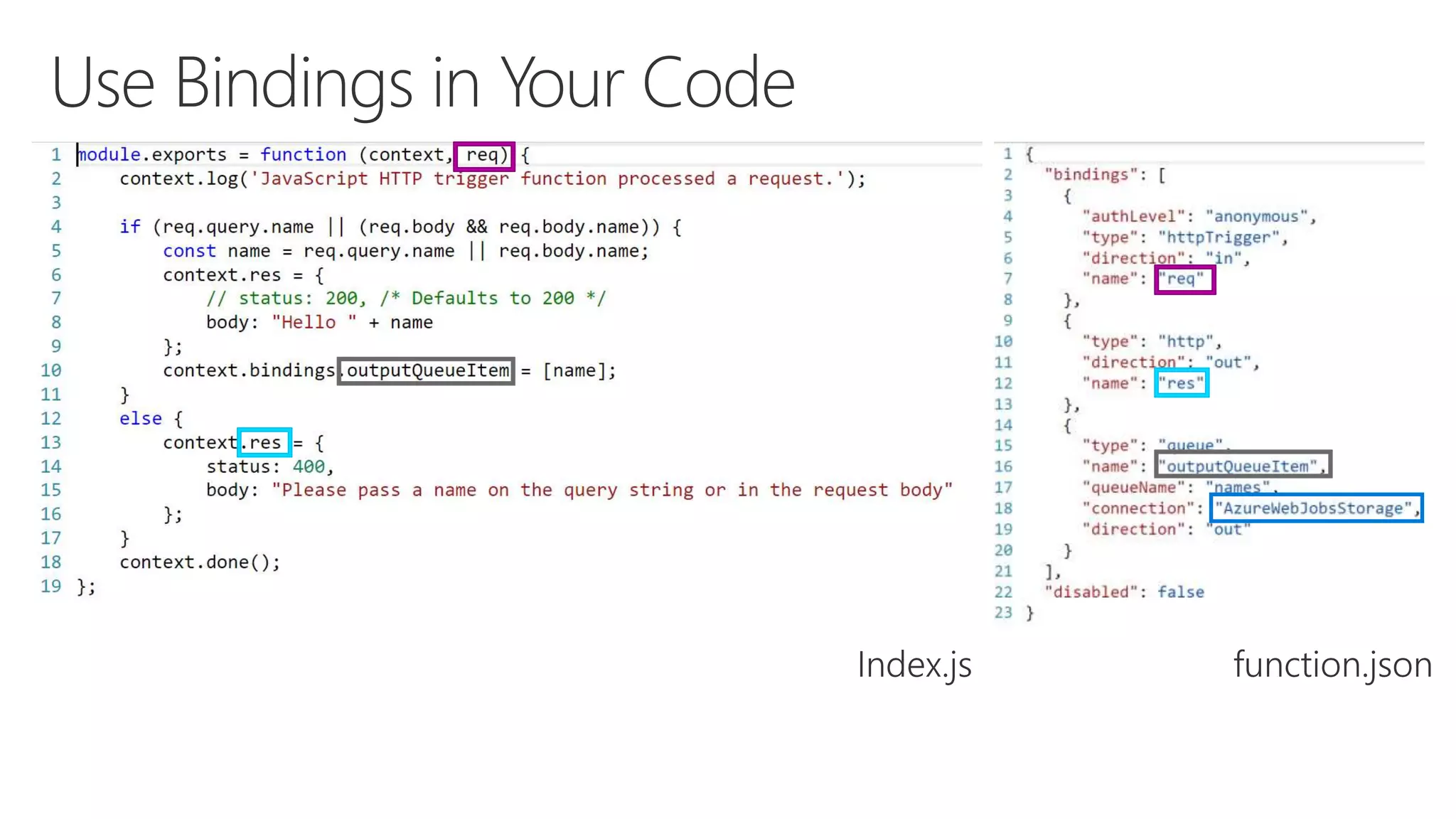
  • #16 Simple hello world from portal Show file -> new experience in Visual Studio 2017 Public hello world with output to queue
  • #18 Accuweather Function Use Replace On-Prem Cron/Batch Servers Needed a system that supports multiple languages Use a combination of Event & Timer Triggers Initial Use Case: Automation of API Log Analytics Download Logs Periodically from FTP Site Change their names before storing Replicate to Cool Storage for DR purposes Run Analytics (not in Azure Functions)
  • #26 Queue trigger -> count in table
  • #27 Hello world -> queue Queue trigger -> logs
  • #33 https://msit.powerbi.com/groups/me/reports/f9141fdb-7943-46af-8eda-42822e19a501/ReportSection3 My simple logic app Twitter application Show solution in Ibiza Show PowerBI
  • #35 -Started with BizTalk server (in for 17 years) – how can we move things faster between enterprise integration? LogicApps was born out 100% out of Azure. -how to reduce integration from weeks/months to days?
  • #37 Call out that we now support stored procs on-prem
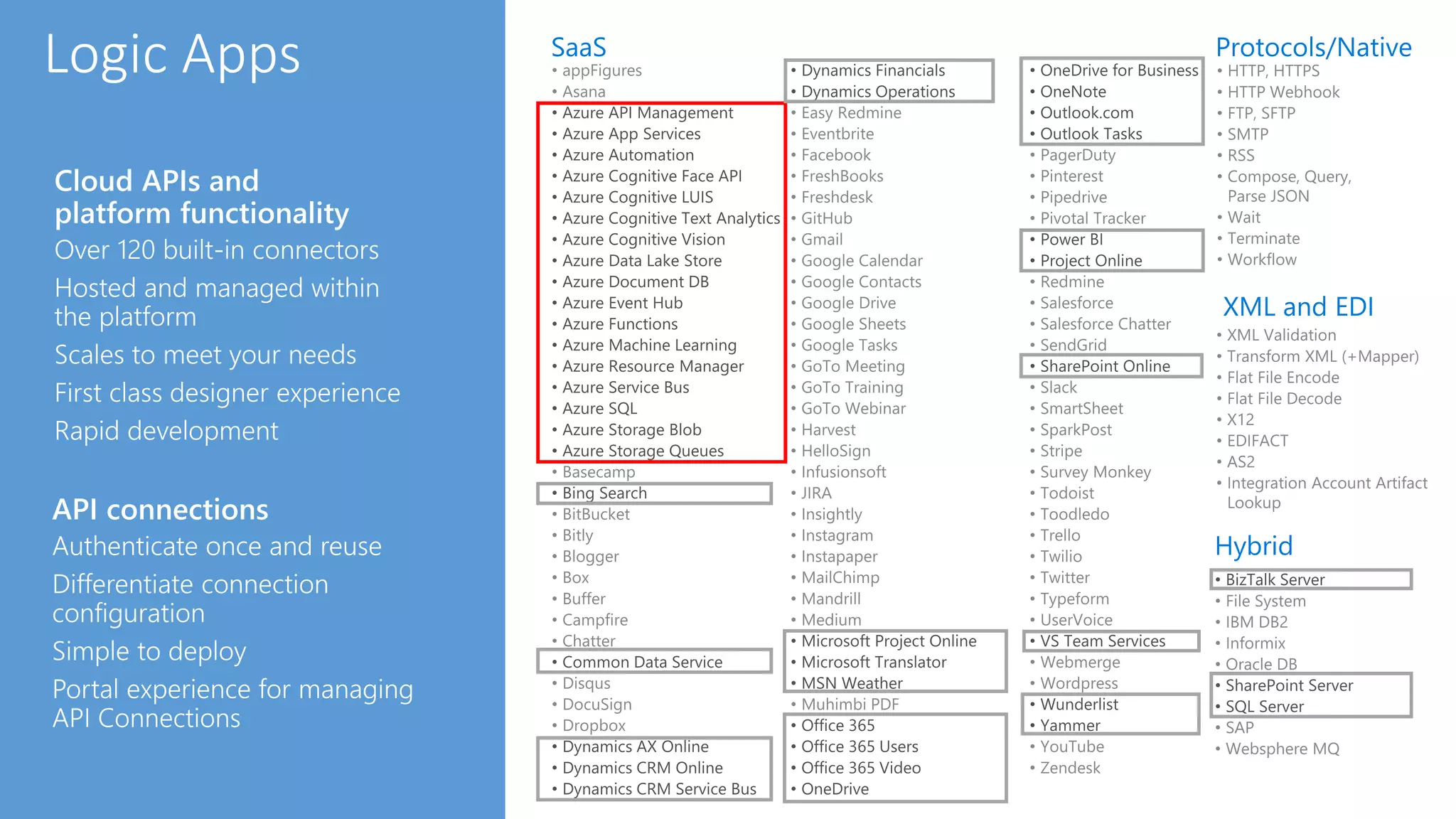
  • #38 Logic Apps can integrate with “anything” (APIs) and solve small or complex problems. Automation in a secure and reliable environment fast and easy. Connect Anything: On-premises, hybrid and cloud Mission critical, complex integration scenarios Business productivity Agile Business: Quickly create workflows Position to the future API centric Transform Business: Extract value from both (on-premises and cloud apps) Build Holistic integration solutions.
  • #43 Show existing