A Functional Guide to Cat Herding with PHP Generators The Filter/Map/Reduce Pattern for PHP Generators
A Functional Guide to Cat Herding with PHP Generators • Blog Post http://markbakeruk.net/2016/01/19/a-functional-guide-to-cat-herding-with- php-generators/ • Code Examples https://github.com/MarkBaker/GeneratorFunctionExamples
A Functional Guide to Cat Herding with PHP Generators
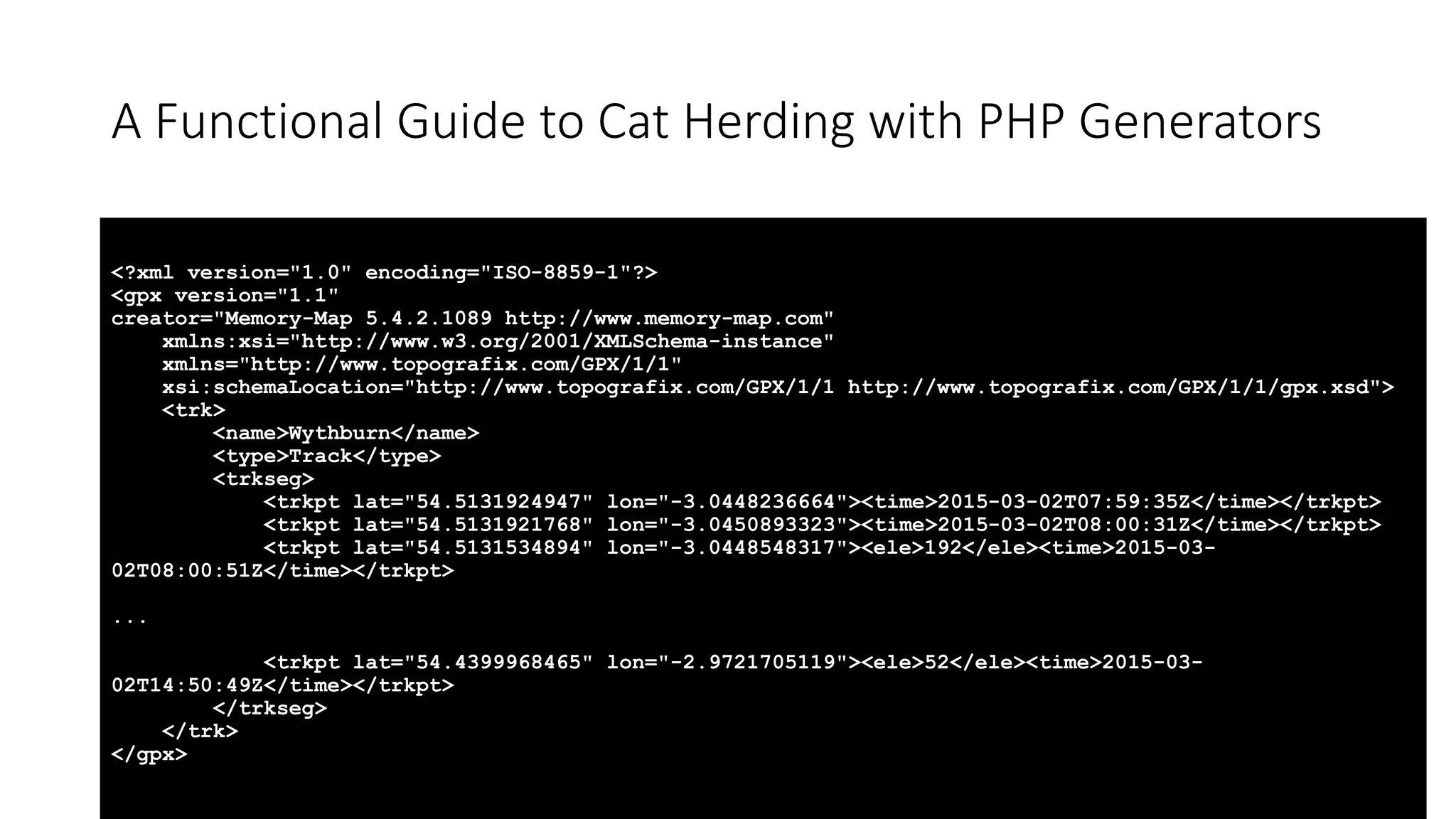
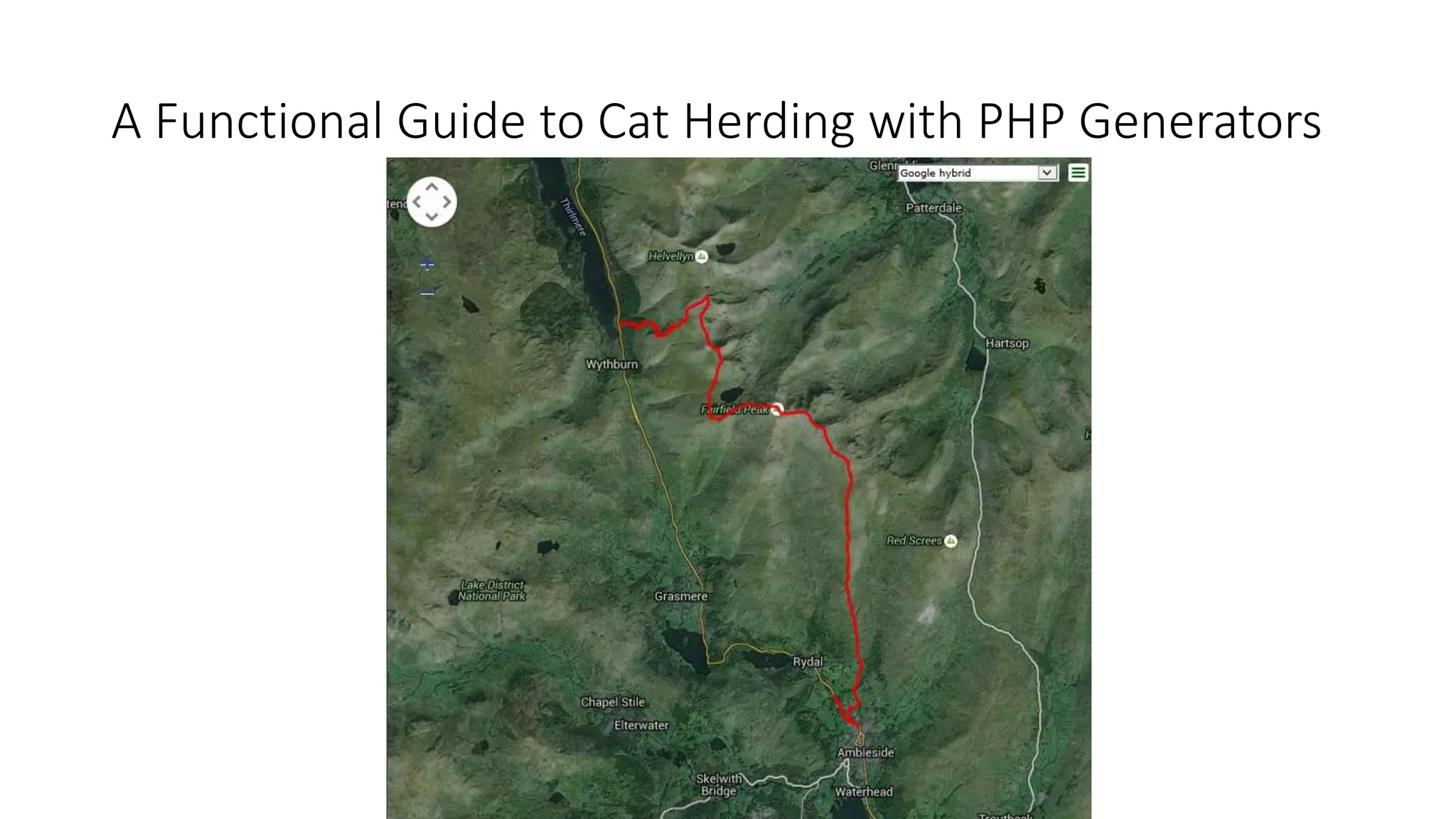
A Functional Guide to Cat Herding with PHP Generators <?xml version="1.0" encoding="ISO-8859-1"?> <gpx version="1.1" creator="Memory-Map 5.4.2.1089 http://www.memory-map.com" xmlns:xsi="http://www.w3.org/2001/XMLSchema-instance" xmlns="http://www.topografix.com/GPX/1/1" xsi:schemaLocation="http://www.topografix.com/GPX/1/1 http://www.topografix.com/GPX/1/1/gpx.xsd"> <trk> <name>Wythburn</name> <type>Track</type> <trkseg> <trkpt lat="54.5131924947" lon="-3.0448236664"><time>2015-03-02T07:59:35Z</time></trkpt> <trkpt lat="54.5131921768" lon="-3.0450893323"><time>2015-03-02T08:00:31Z</time></trkpt> <trkpt lat="54.5131534894" lon="-3.0448548317"><ele>192</ele><time>2015-03- 02T08:00:51Z</time></trkpt> ... <trkpt lat="54.4399968465" lon="-2.9721705119"><ele>52</ele><time>2015-03- 02T14:50:49Z</time></trkpt> </trkseg> </trk> </gpx>
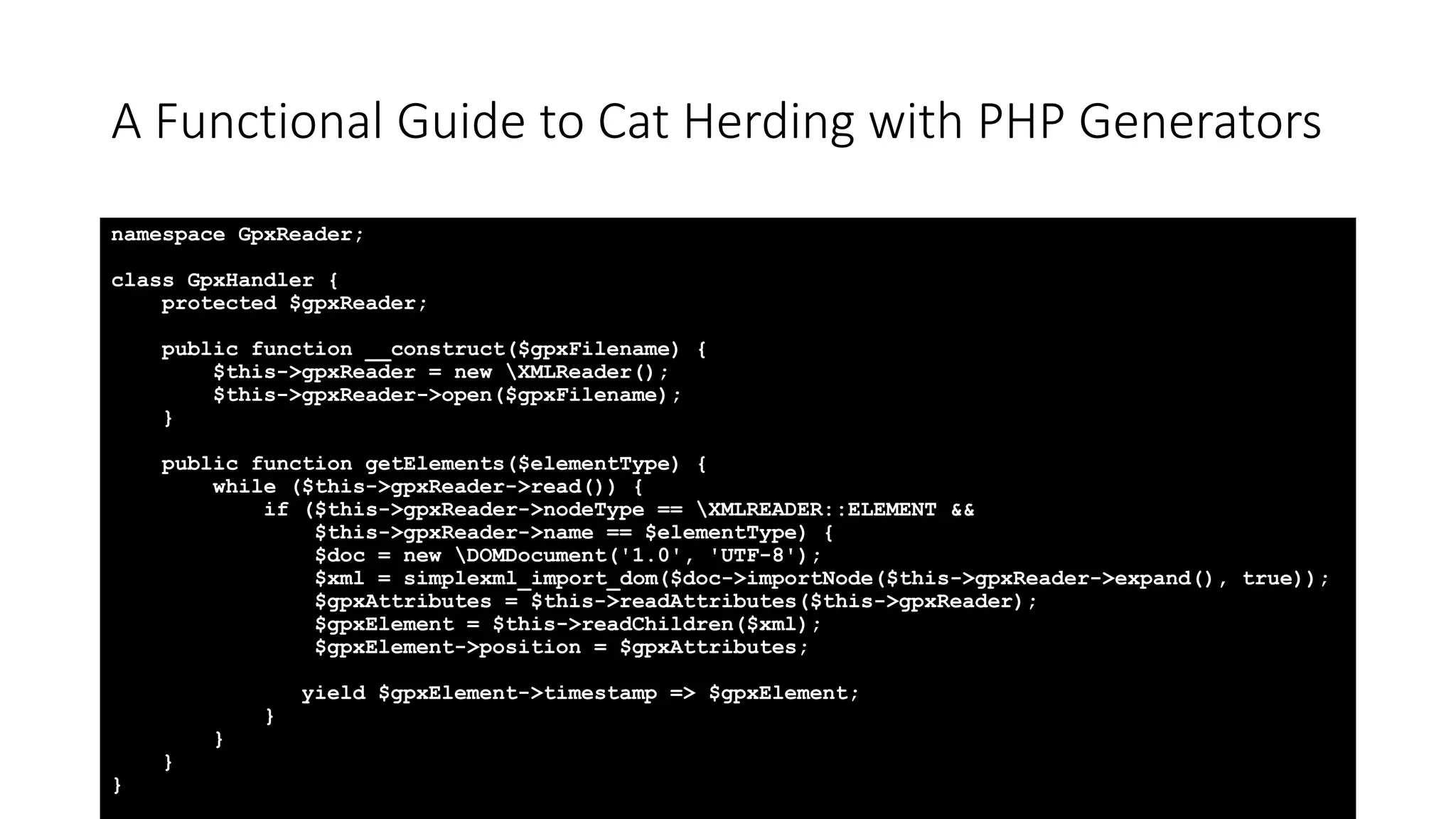
A Functional Guide to Cat Herding with PHP Generators namespace GpxReader; class GpxHandler { protected $gpxReader; public function __construct($gpxFilename) { $this->gpxReader = new XMLReader(); $this->gpxReader->open($gpxFilename); } public function getElements($elementType) { while ($this->gpxReader->read()) { if ($this->gpxReader->nodeType == XMLREADER::ELEMENT && $this->gpxReader->name == $elementType) { $doc = new DOMDocument('1.0', 'UTF-8'); $xml = simplexml_import_dom($doc->importNode($this->gpxReader->expand(), true)); $gpxAttributes = $this->readAttributes($this->gpxReader); $gpxElement = $this->readChildren($xml); $gpxElement->position = $gpxAttributes; yield $gpxElement->timestamp => $gpxElement; } } } }
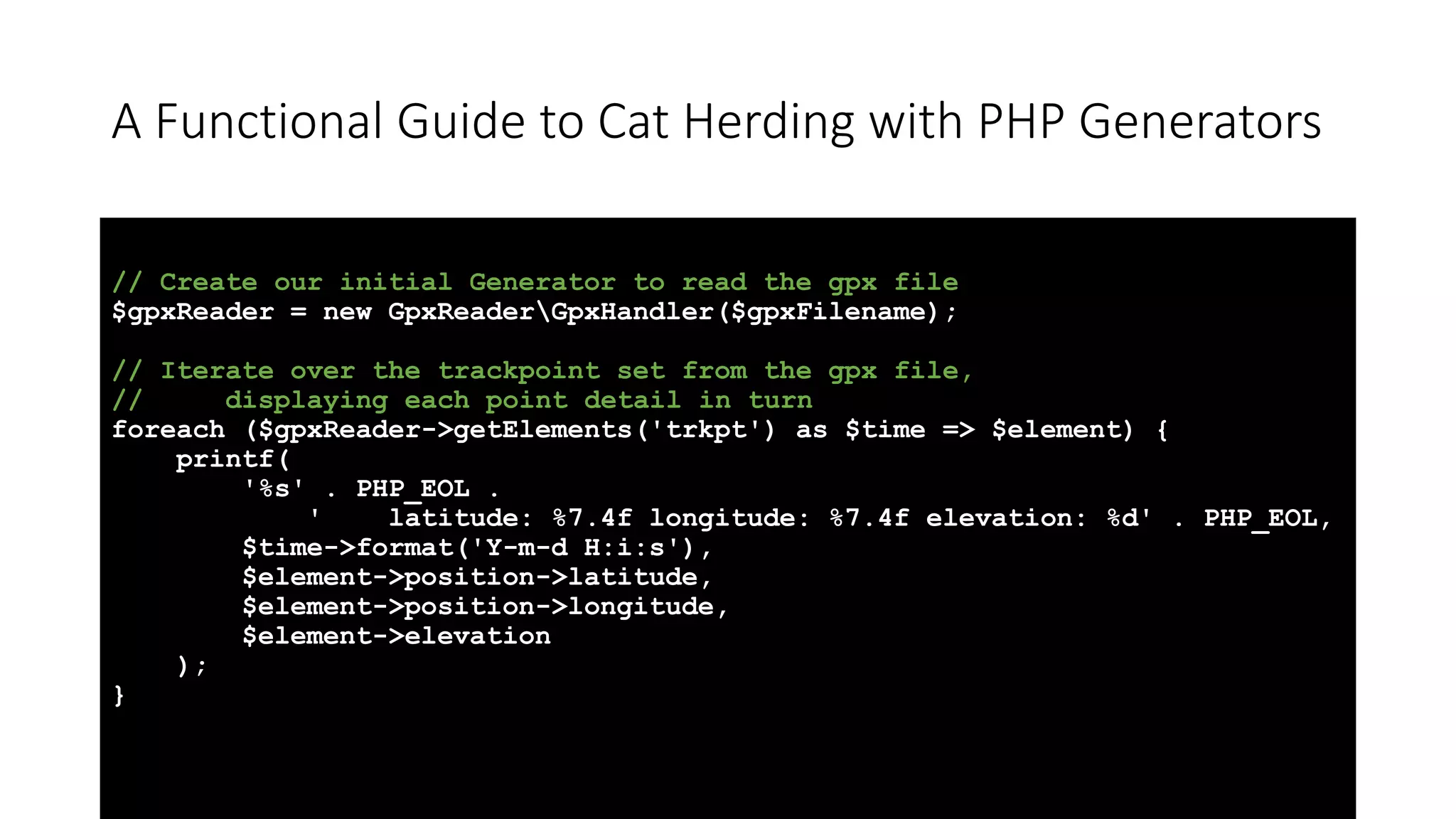
A Functional Guide to Cat Herding with PHP Generators // Create our initial Generator to read the gpx file $gpxReader = new GpxReaderGpxHandler($gpxFilename); // Iterate over the trackpoint set from the gpx file, // displaying each point detail in turn foreach ($gpxReader->getElements('trkpt') as $time => $element) { printf( '%s' . PHP_EOL . ' latitude: %7.4f longitude: %7.4f elevation: %d' . PHP_EOL, $time->format('Y-m-d H:i:s'), $element->position->latitude, $element->position->longitude, $element->elevation ); }
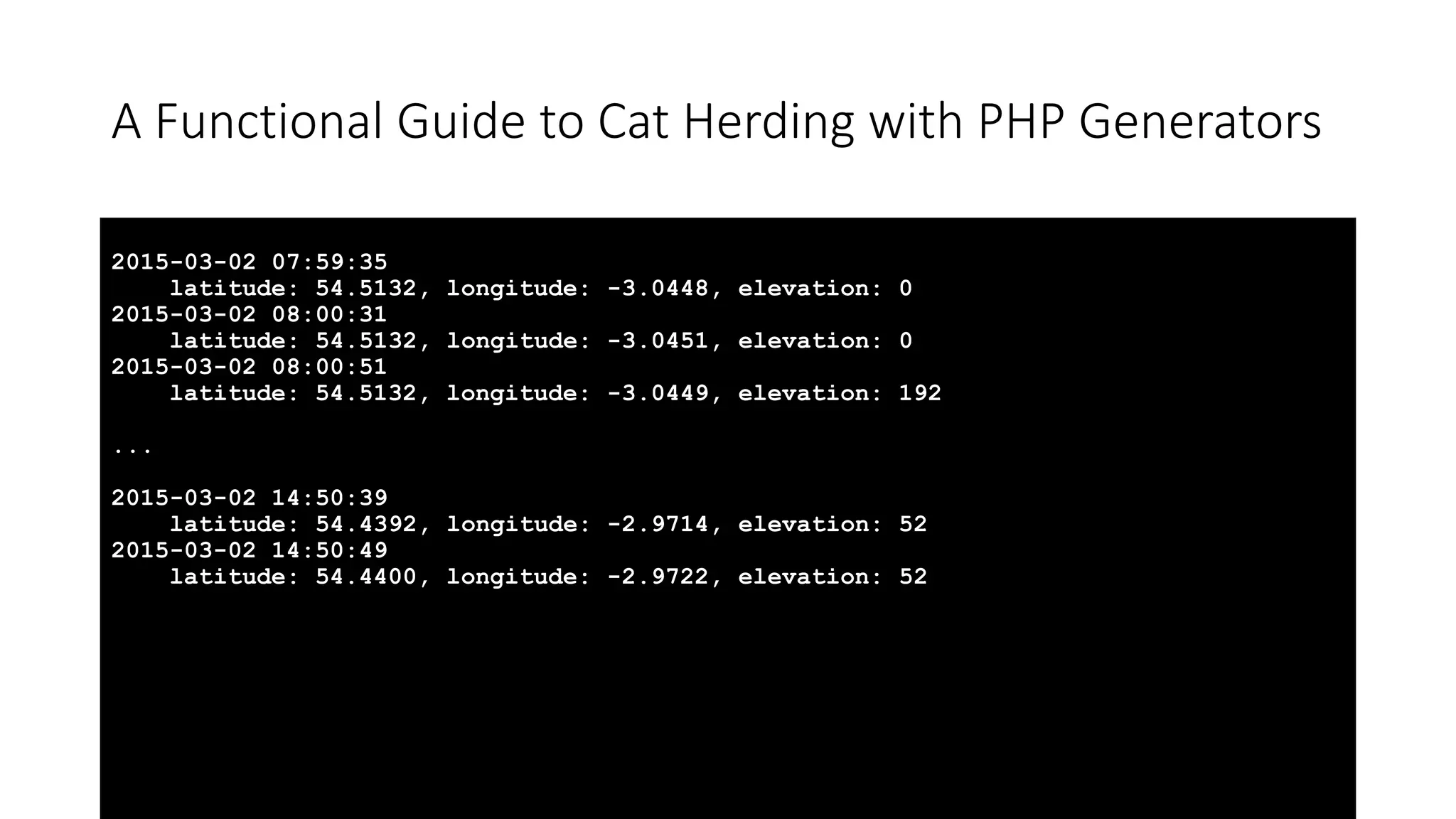
A Functional Guide to Cat Herding with PHP Generators 2015-03-02 07:59:35 latitude: 54.5132, longitude: -3.0448, elevation: 0 2015-03-02 08:00:31 latitude: 54.5132, longitude: -3.0451, elevation: 0 2015-03-02 08:00:51 latitude: 54.5132, longitude: -3.0449, elevation: 192 ... 2015-03-02 14:50:39 latitude: 54.4392, longitude: -2.9714, elevation: 52 2015-03-02 14:50:49 latitude: 54.4400, longitude: -2.9722, elevation: 52
A Functional Guide to Cat Herding with PHP Generators
Cat Herding with PHP Generators – Filter • A filter selects only a subset of values from the Traversable. • The rules for filtering are defined in a callback function. • If no callback is provided, then only non-empty values are returned.
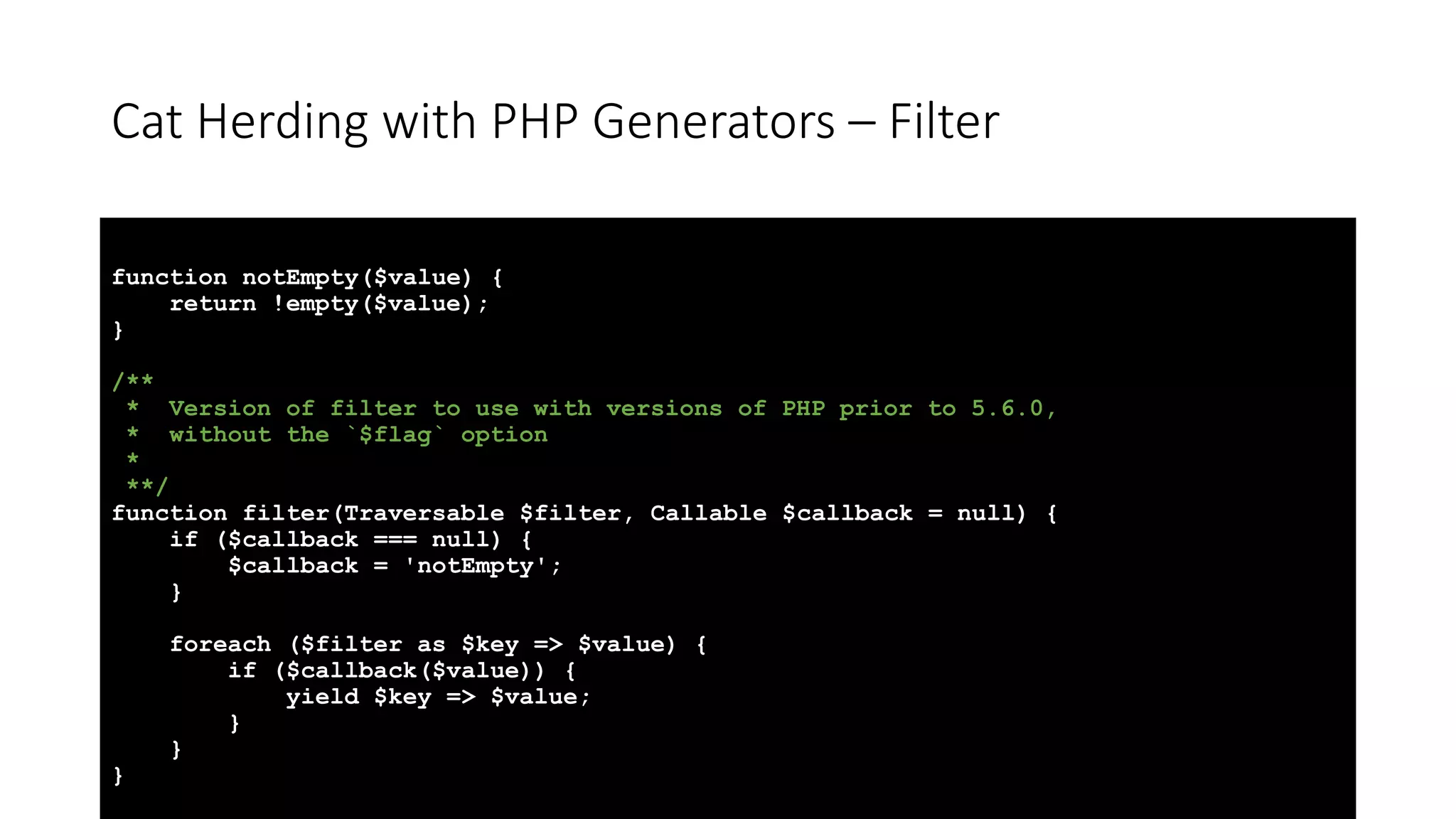
Cat Herding with PHP Generators – Filter function notEmpty($value) { return !empty($value); } /** * Version of filter to use with versions of PHP prior to 5.6.0, * without the `$flag` option * **/ function filter(Traversable $filter, Callable $callback = null) { if ($callback === null) { $callback = 'notEmpty'; } foreach ($filter as $key => $value) { if ($callback($value)) { yield $key => $value; } } }
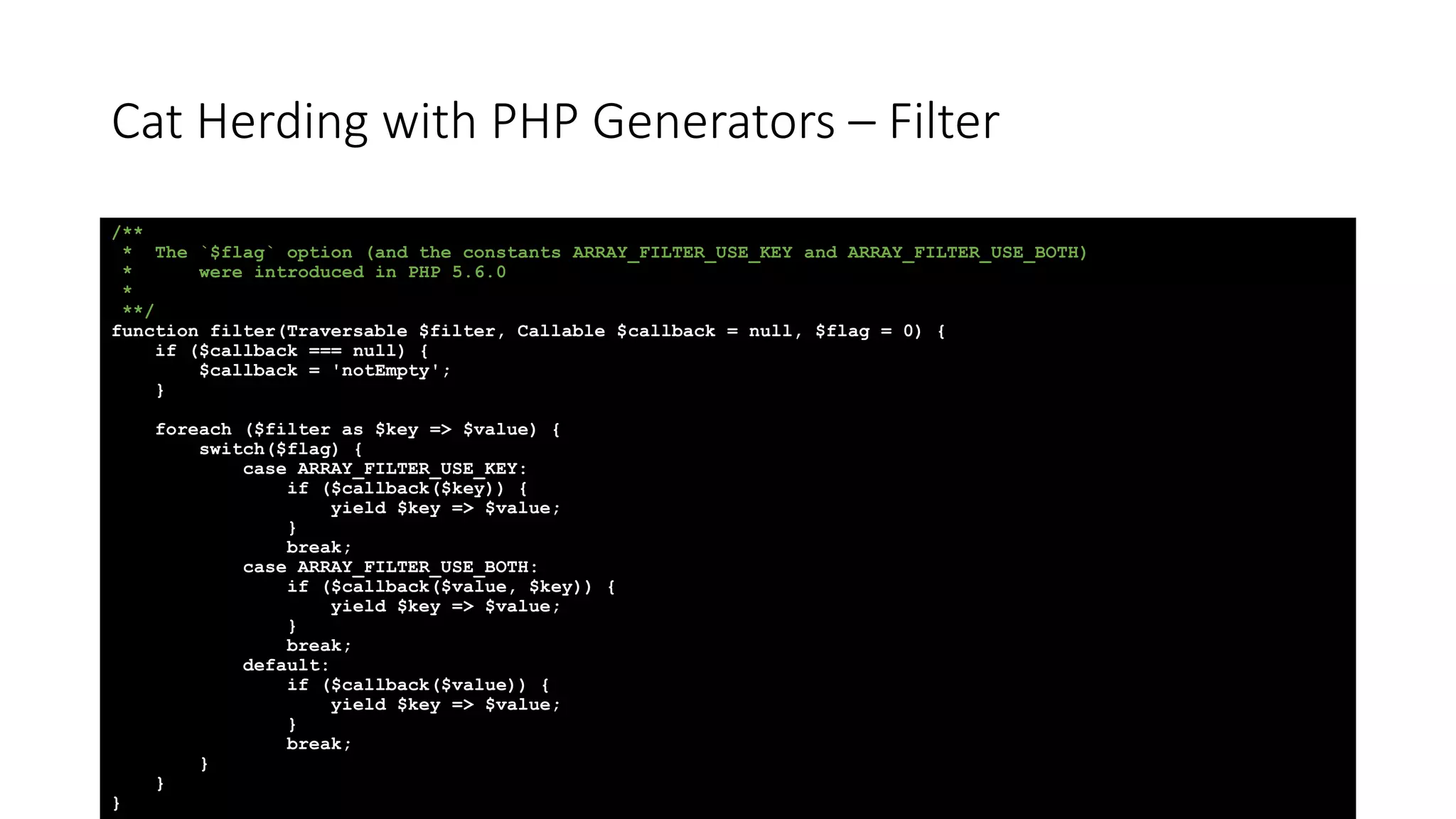
Cat Herding with PHP Generators – Filter /** * The `$flag` option (and the constants ARRAY_FILTER_USE_KEY and ARRAY_FILTER_USE_BOTH) * were introduced in PHP 5.6.0 * **/ function filter(Traversable $filter, Callable $callback = null, $flag = 0) { if ($callback === null) { $callback = 'notEmpty'; } foreach ($filter as $key => $value) { switch($flag) { case ARRAY_FILTER_USE_KEY: if ($callback($key)) { yield $key => $value; } break; case ARRAY_FILTER_USE_BOTH: if ($callback($value, $key)) { yield $key => $value; } break; default: if ($callback($value)) { yield $key => $value; } break; } } }
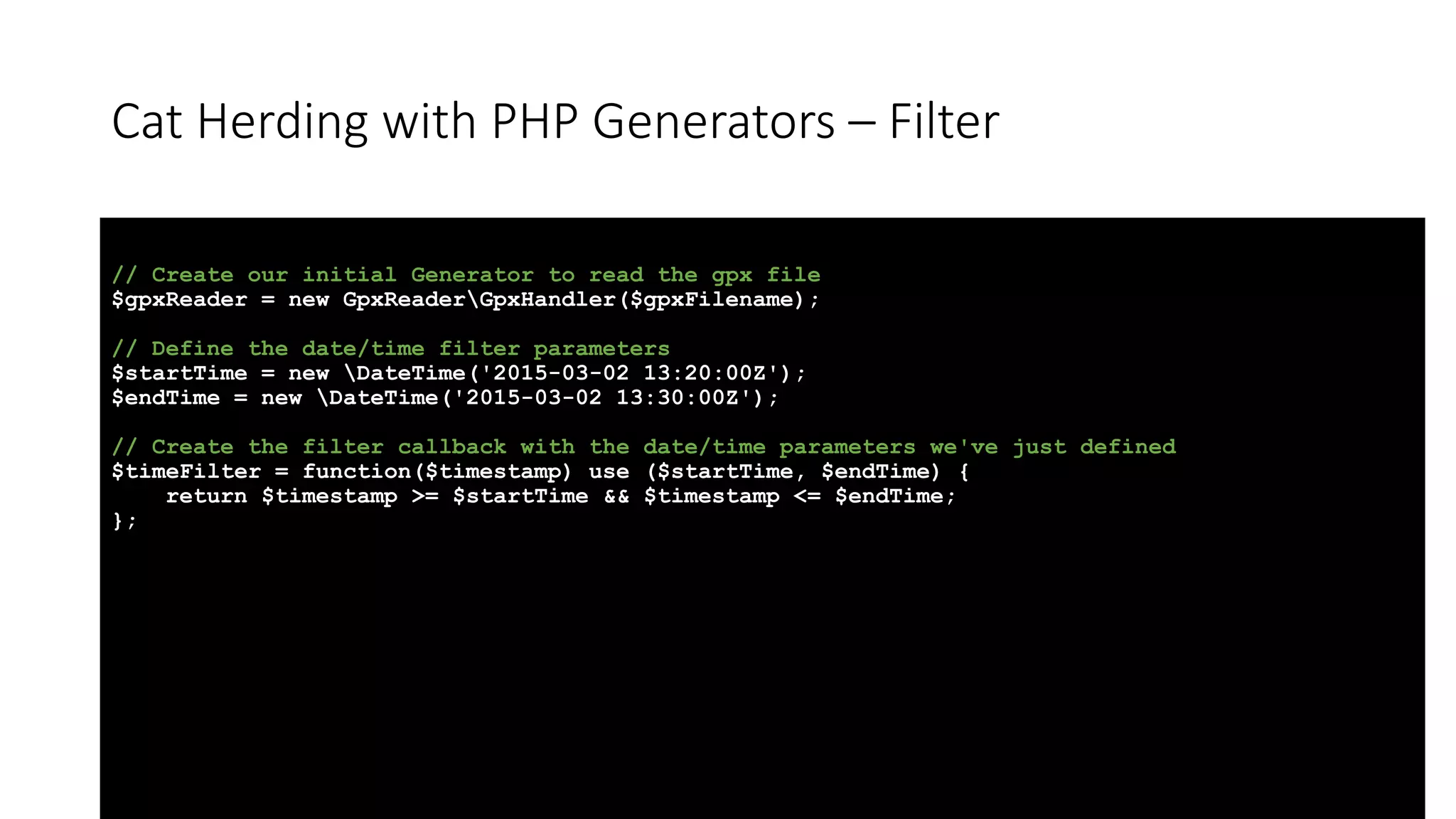
Cat Herding with PHP Generators – Filter // Create our initial Generator to read the gpx file $gpxReader = new GpxReaderGpxHandler($gpxFilename); // Define the date/time filter parameters $startTime = new DateTime('2015-03-02 13:20:00Z'); $endTime = new DateTime('2015-03-02 13:30:00Z'); // Create the filter callback with the date/time parameters we've just defined $timeFilter = function($timestamp) use ($startTime, $endTime) { return $timestamp >= $startTime && $timestamp <= $endTime; };
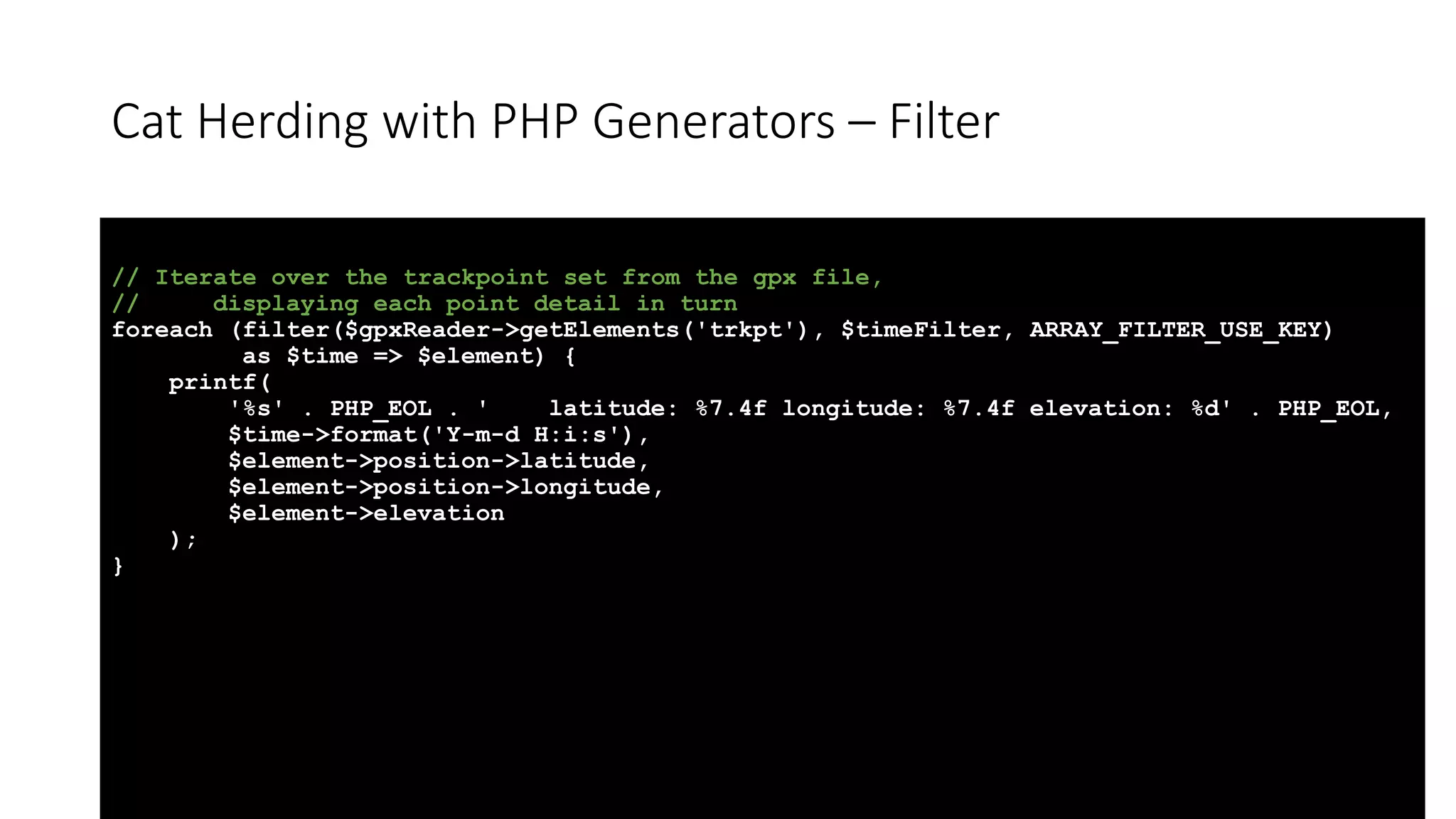
Cat Herding with PHP Generators – Filter // Iterate over the trackpoint set from the gpx file, // displaying each point detail in turn foreach (filter($gpxReader->getElements('trkpt'), $timeFilter, ARRAY_FILTER_USE_KEY) as $time => $element) { printf( '%s' . PHP_EOL . ' latitude: %7.4f longitude: %7.4f elevation: %d' . PHP_EOL, $time->format('Y-m-d H:i:s'), $element->position->latitude, $element->position->longitude, $element->elevation ); }
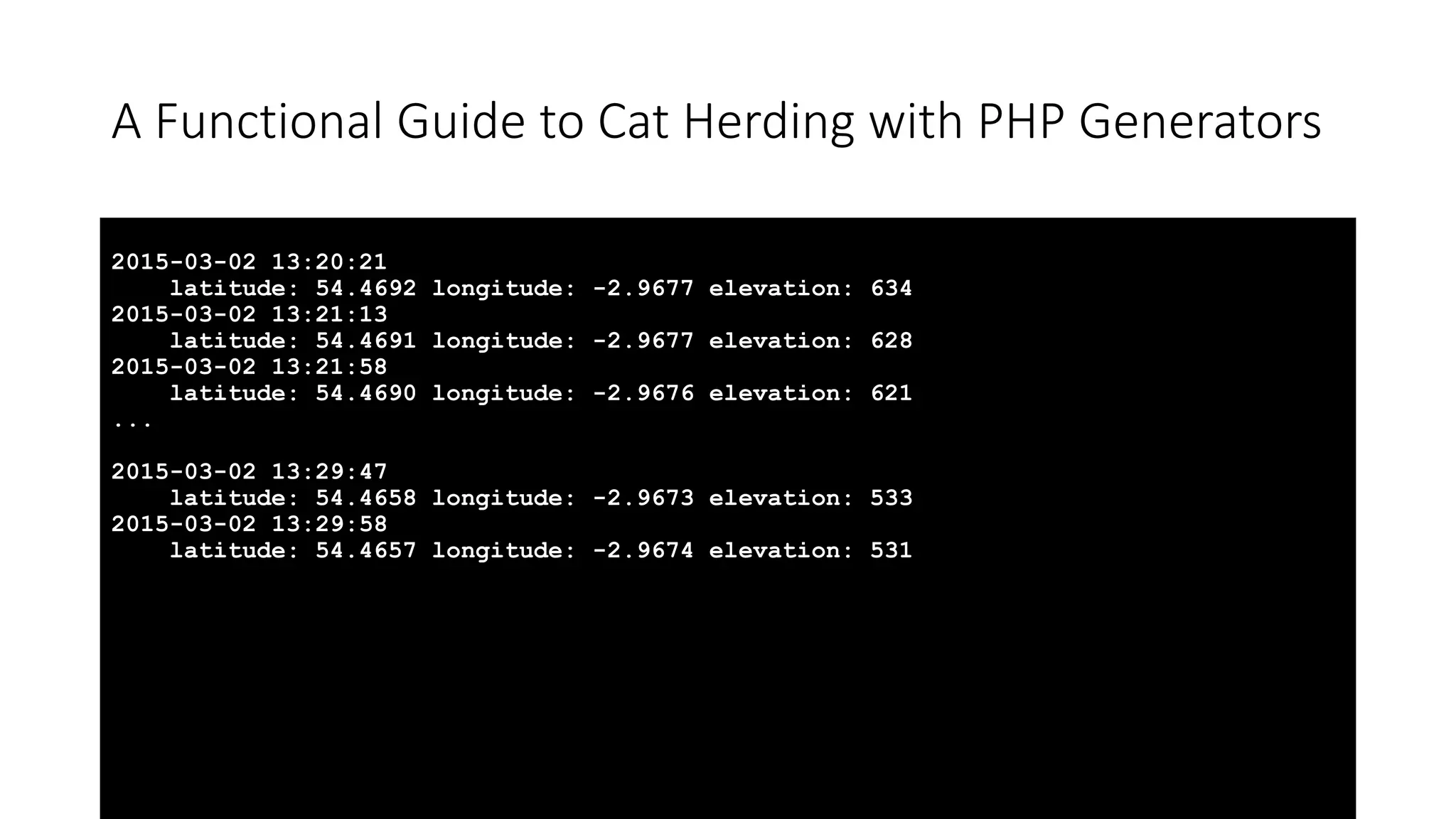
A Functional Guide to Cat Herding with PHP Generators 2015-03-02 13:20:21 latitude: 54.4692 longitude: -2.9677 elevation: 634 2015-03-02 13:21:13 latitude: 54.4691 longitude: -2.9677 elevation: 628 2015-03-02 13:21:58 latitude: 54.4690 longitude: -2.9676 elevation: 621 ... 2015-03-02 13:29:47 latitude: 54.4658 longitude: -2.9673 elevation: 533 2015-03-02 13:29:58 latitude: 54.4657 longitude: -2.9674 elevation: 531
Cat Herding with PHP Generators – Map • A map is like a foreach loop that transforms each value in the Traversable. • Each input value is transformed into a new output value. • The rules for the transformation are defined in a callback function.
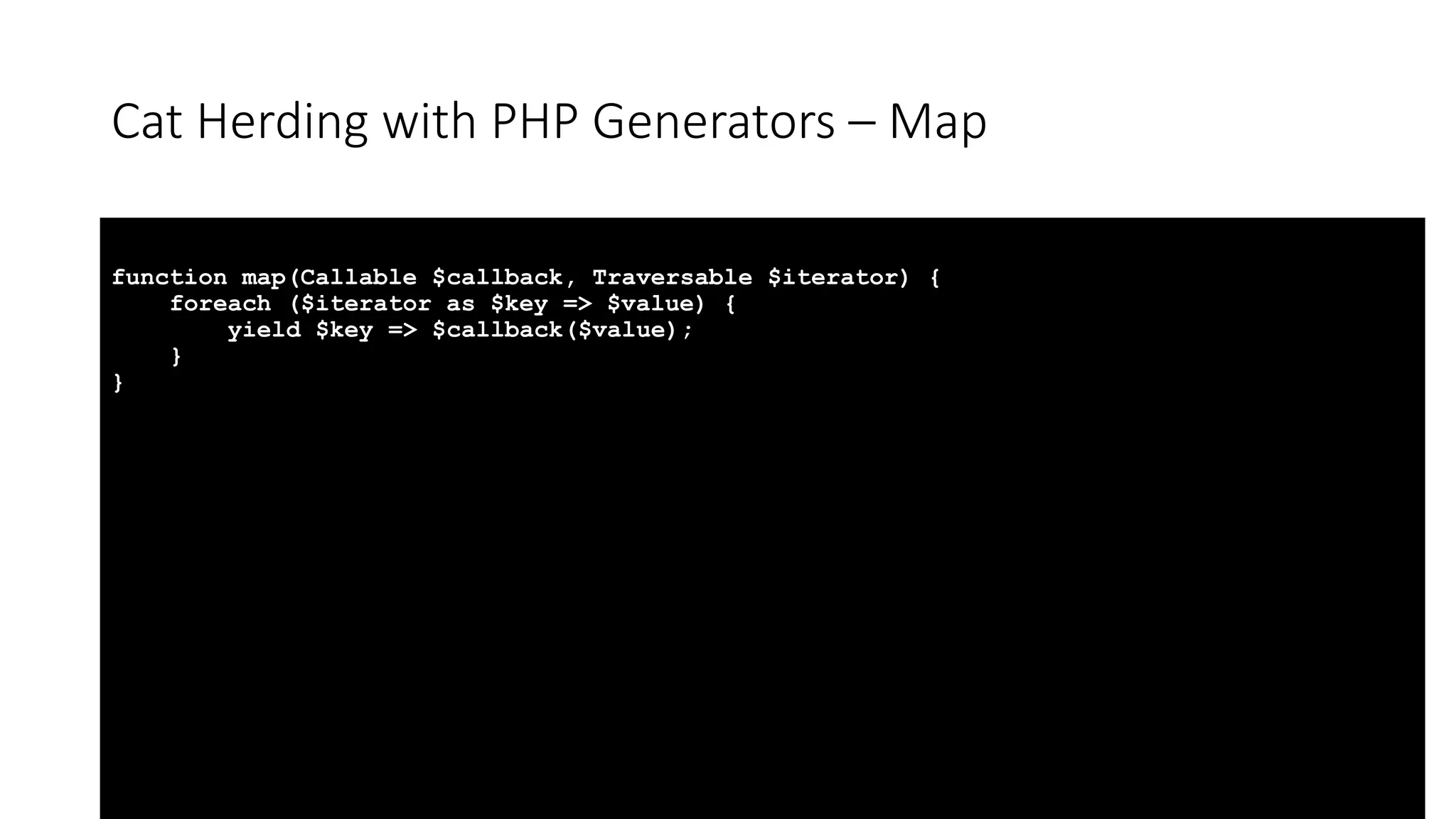
Cat Herding with PHP Generators – Map function map(Callable $callback, Traversable $iterator) { foreach ($iterator as $key => $value) { yield $key => $callback($value); } }
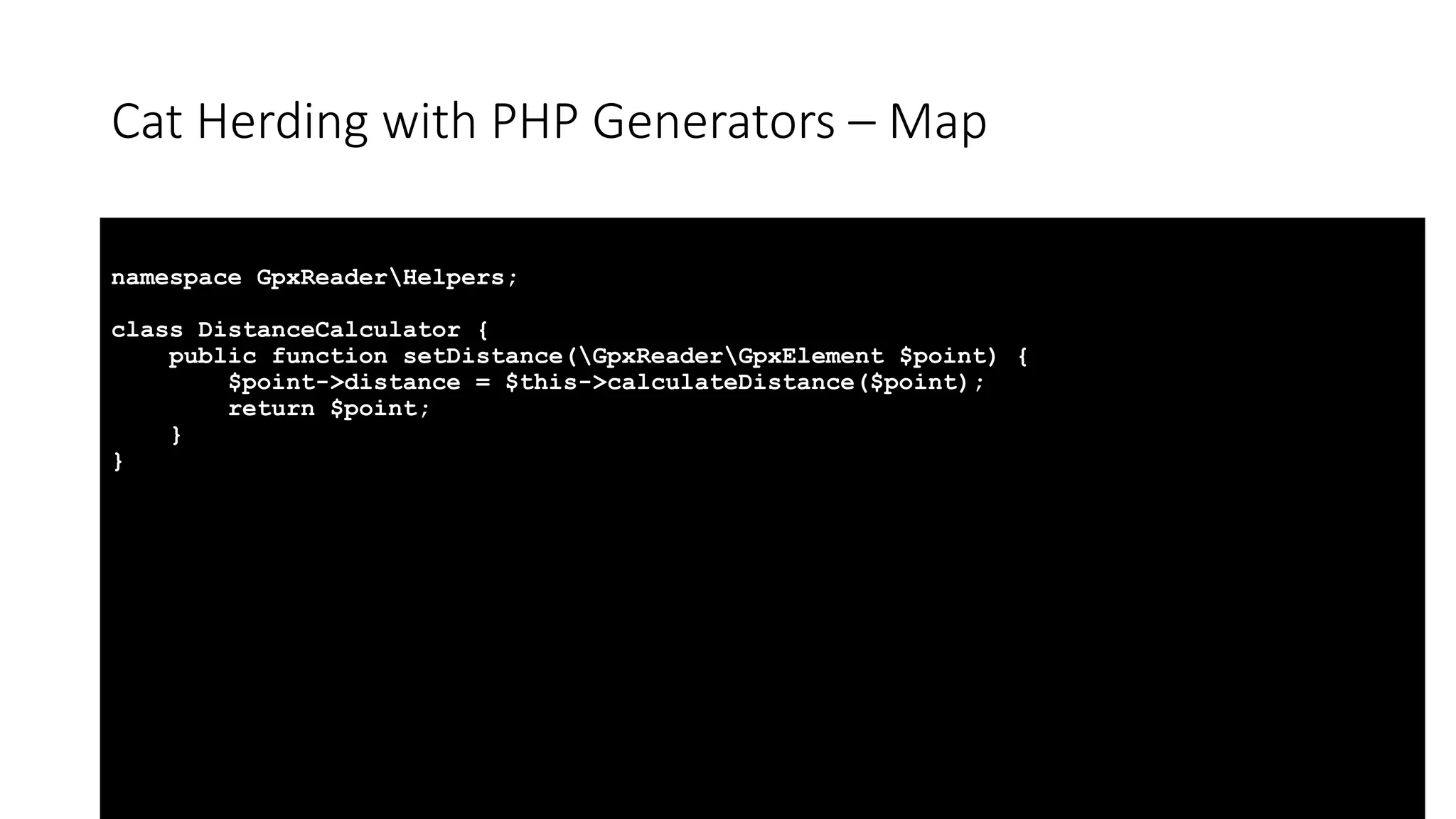
Cat Herding with PHP Generators – Map namespace GpxReaderHelpers; class DistanceCalculator { public function setDistance(GpxReaderGpxElement $point) { $point->distance = $this->calculateDistance($point); return $point; } }
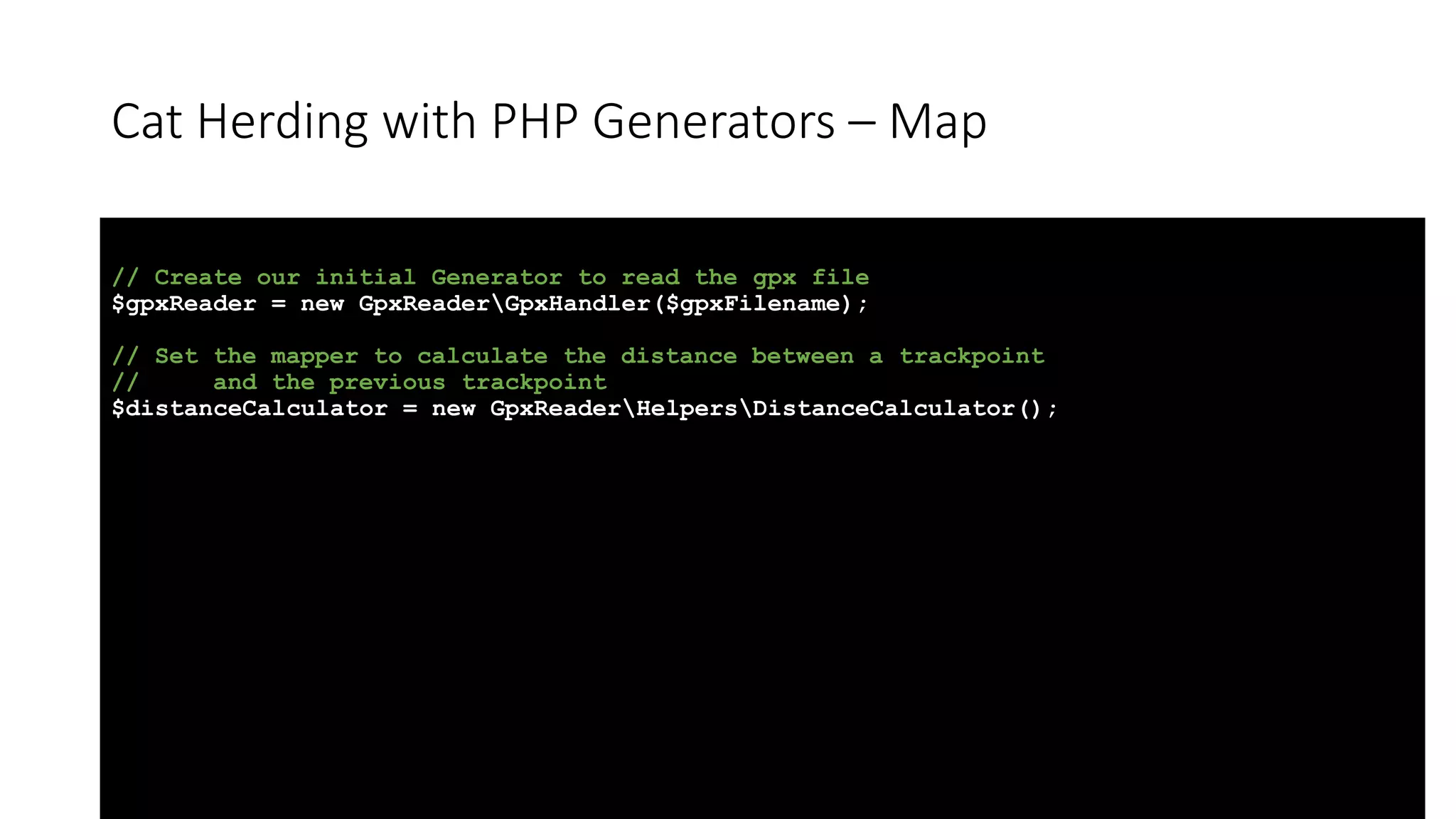
Cat Herding with PHP Generators – Map // Create our initial Generator to read the gpx file $gpxReader = new GpxReaderGpxHandler($gpxFilename); // Set the mapper to calculate the distance between a trackpoint // and the previous trackpoint $distanceCalculator = new GpxReaderHelpersDistanceCalculator();
Cat Herding with PHP Generators – Map // Iterate over the trackpoint set from the gpx file, mapping the distances as we go, // displaying each point detail in turn foreach (map([$distanceCalculator, 'setDistance'], $gpxReader->getElements('trkpt')) as $time => $element) { printf( '%s' . PHP_EOL . ' latitude: %7.4f longitude: %7.4f elevation: %d' . PHP_EOL . ' distance from previous point: %5.2f m' . PHP_EOL, $time->format('Y-m-d H:i:s'), $element->position->latitude, $element->position->longitude, $element->elevation, $element->distance ); }
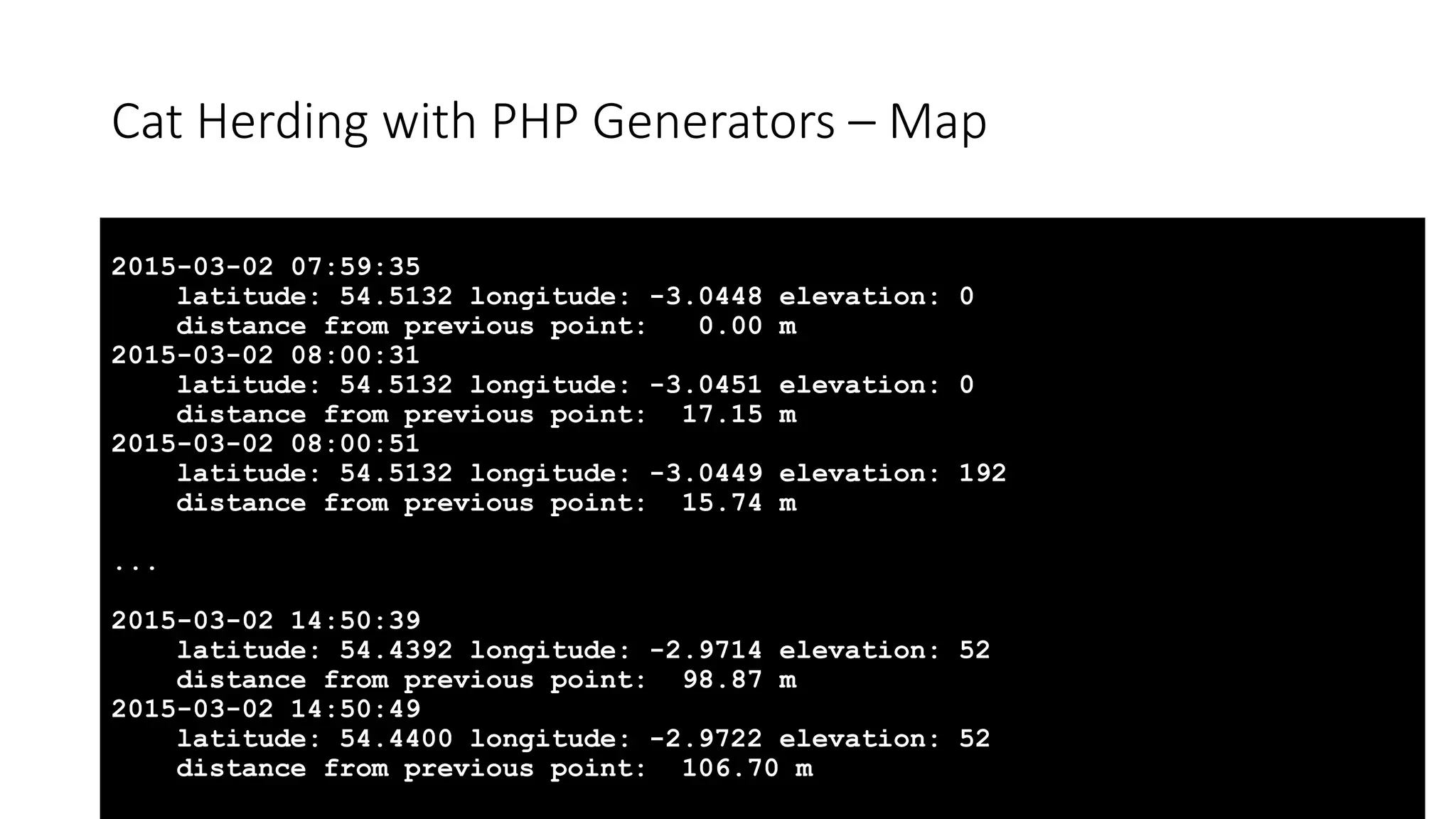
Cat Herding with PHP Generators – Map 2015-03-02 07:59:35 latitude: 54.5132 longitude: -3.0448 elevation: 0 distance from previous point: 0.00 m 2015-03-02 08:00:31 latitude: 54.5132 longitude: -3.0451 elevation: 0 distance from previous point: 17.15 m 2015-03-02 08:00:51 latitude: 54.5132 longitude: -3.0449 elevation: 192 distance from previous point: 15.74 m ... 2015-03-02 14:50:39 latitude: 54.4392 longitude: -2.9714 elevation: 52 distance from previous point: 98.87 m 2015-03-02 14:50:49 latitude: 54.4400 longitude: -2.9722 elevation: 52 distance from previous point: 106.70 m
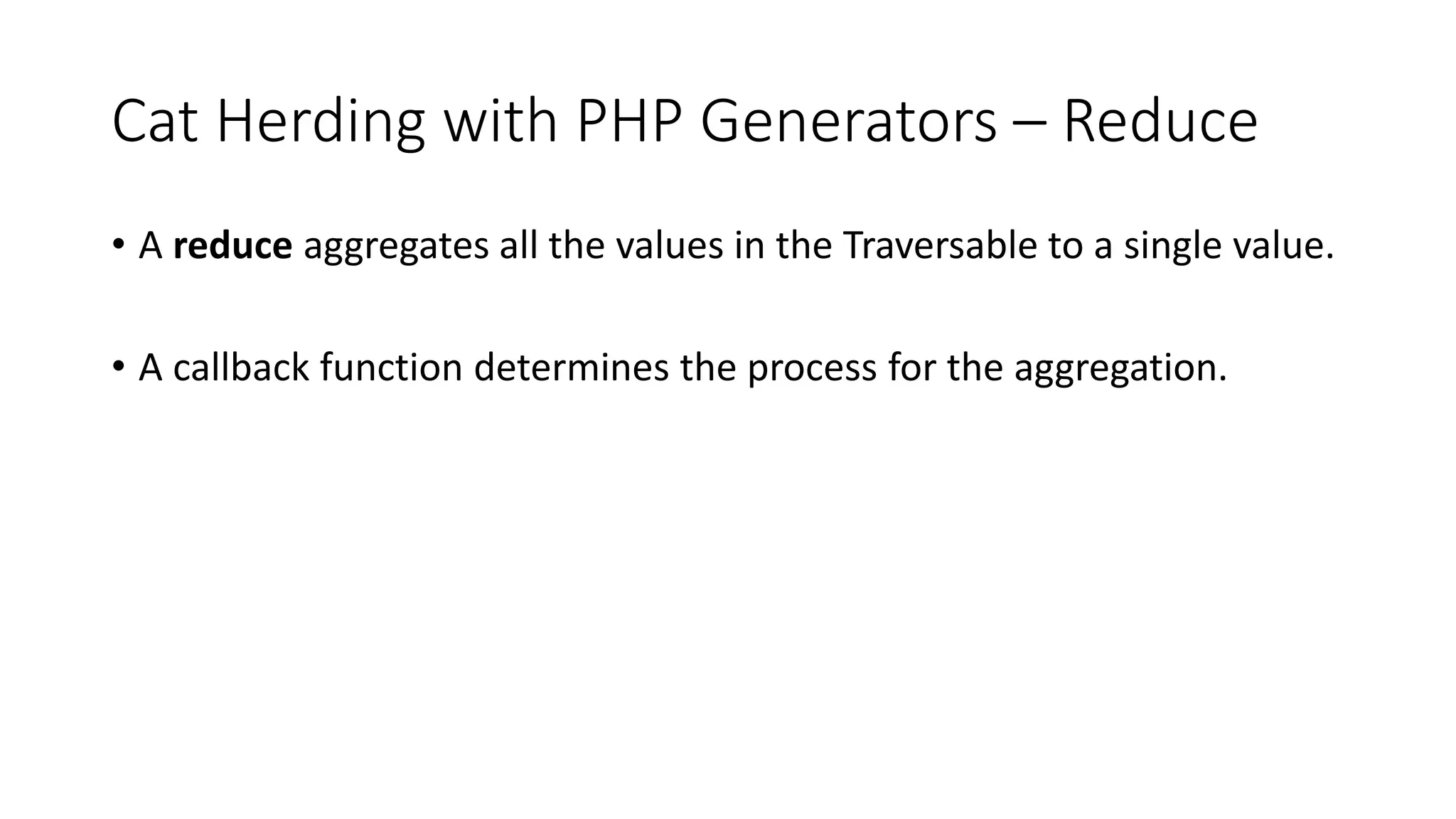
Cat Herding with PHP Generators – Reduce • A reduce aggregates all the values in the Traversable to a single value. • A callback function determines the process for the aggregation.
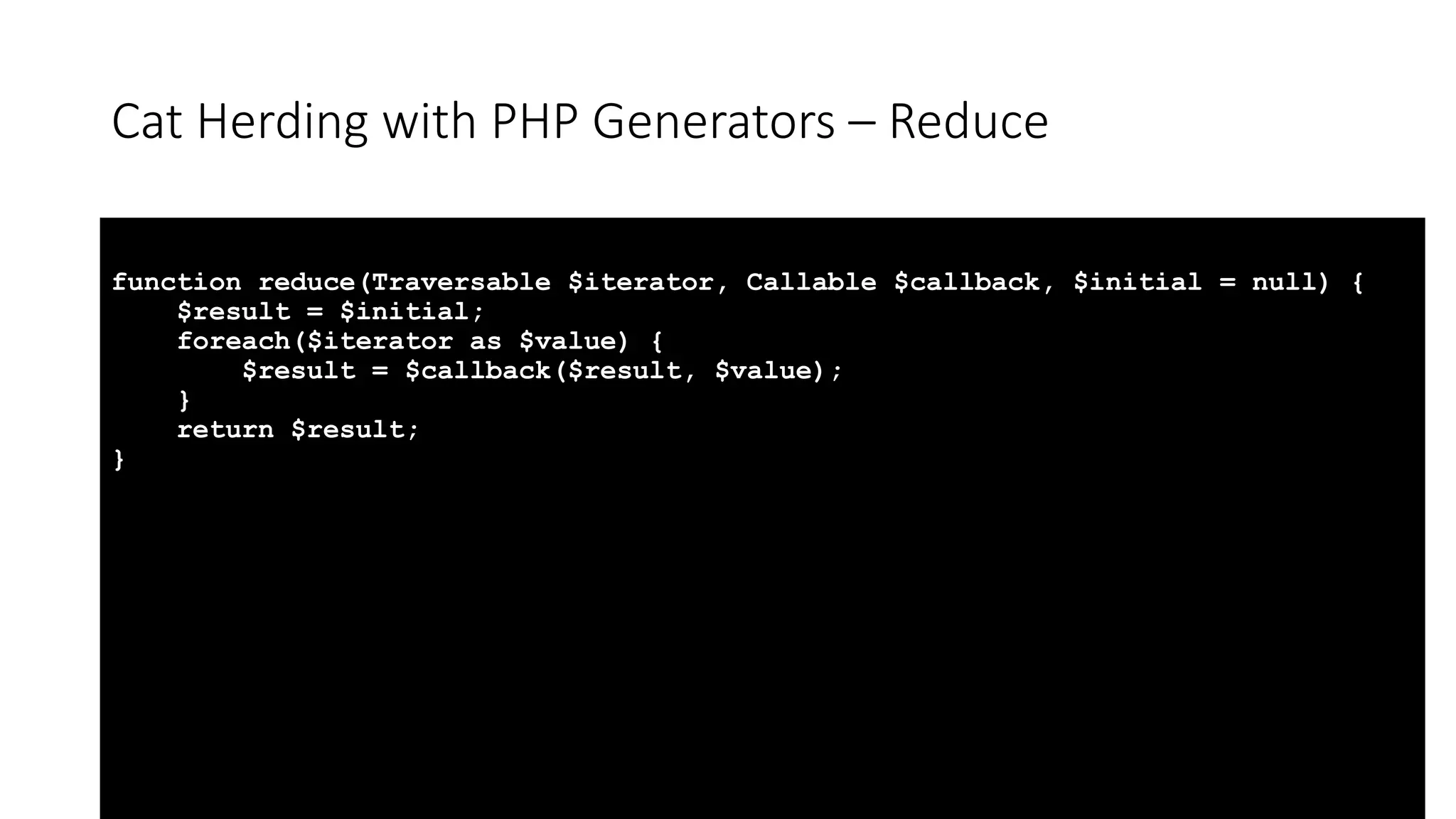
Cat Herding with PHP Generators – Reduce function reduce(Traversable $iterator, Callable $callback, $initial = null) { $result = $initial; foreach($iterator as $value) { $result = $callback($result, $value); } return $result; }
Cat Herding with PHP Generators – Reduce // Reduce our trackpoint set from the gpx file (mapping the distance as we go) // and summing the results to calculate the total distance travelled $totalDistance = reduce( map([$distanceCalculator, 'setDistance'], $gpxReader->getElements('trkpt')), function($runningTotal, $value) { $runningTotal += $value->distance; return $runningTotal; }, 0.0 ); // Display the results of our reduce printf( 'Total distance travelled is %5.2f km' . PHP_EOL, $totalDistance / 1000 );
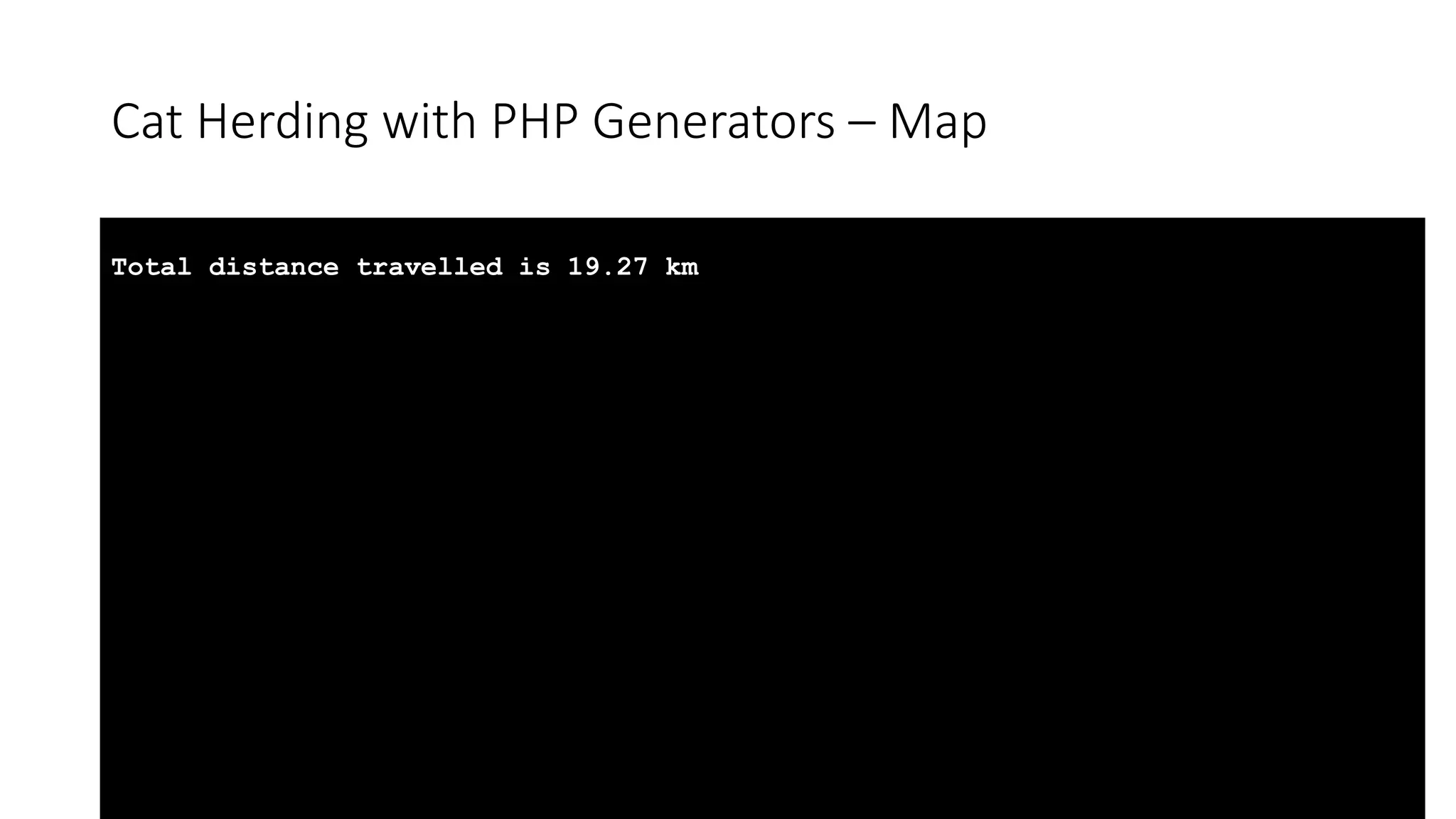
Cat Herding with PHP Generators – Map Total distance travelled is 19.27 km
A Functional Guide to Cat Herding with PHP Generators
A Functional Guide to Cat Herding with PHP Generators https://github.com/lstrojny/functional-php
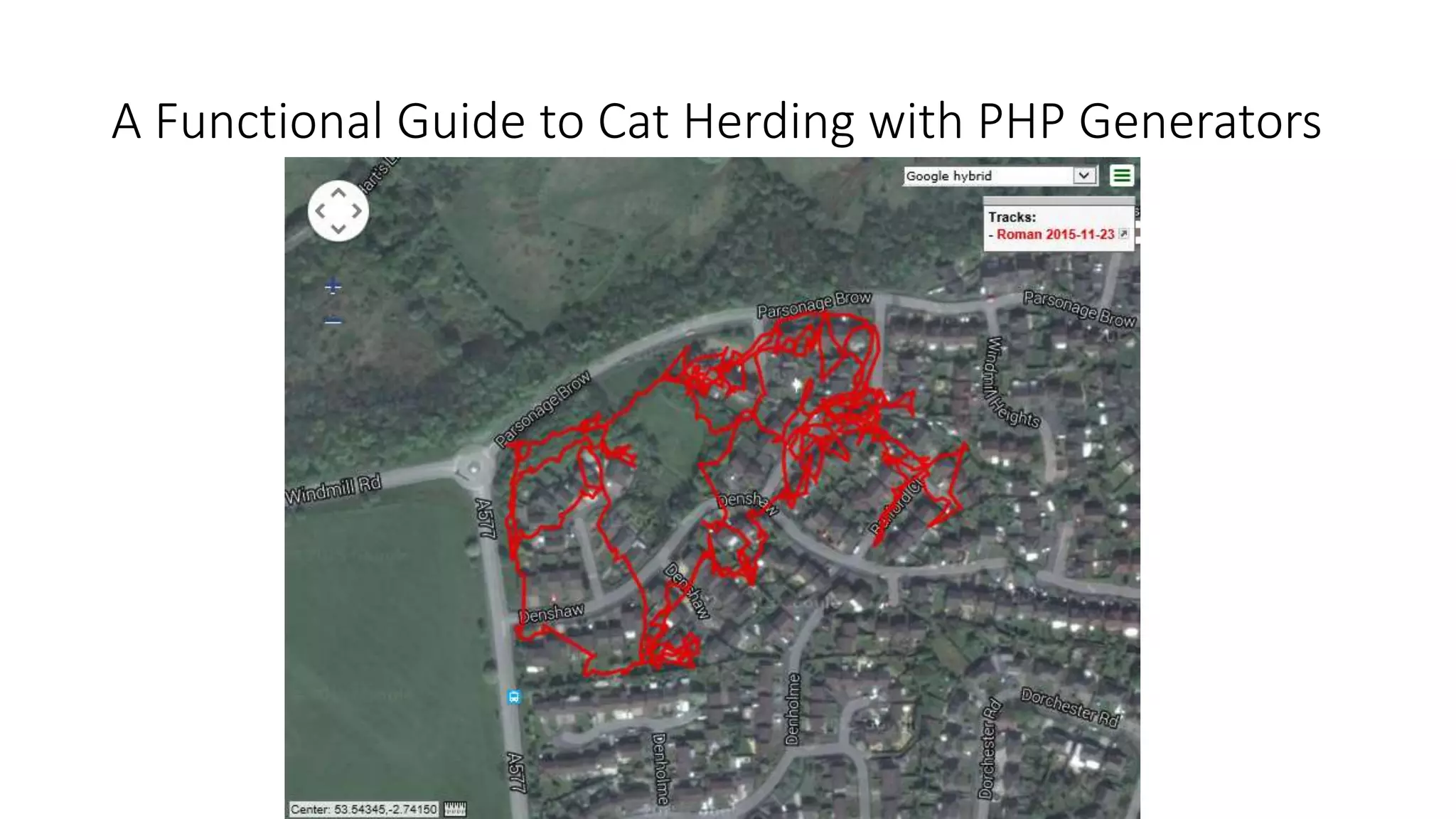
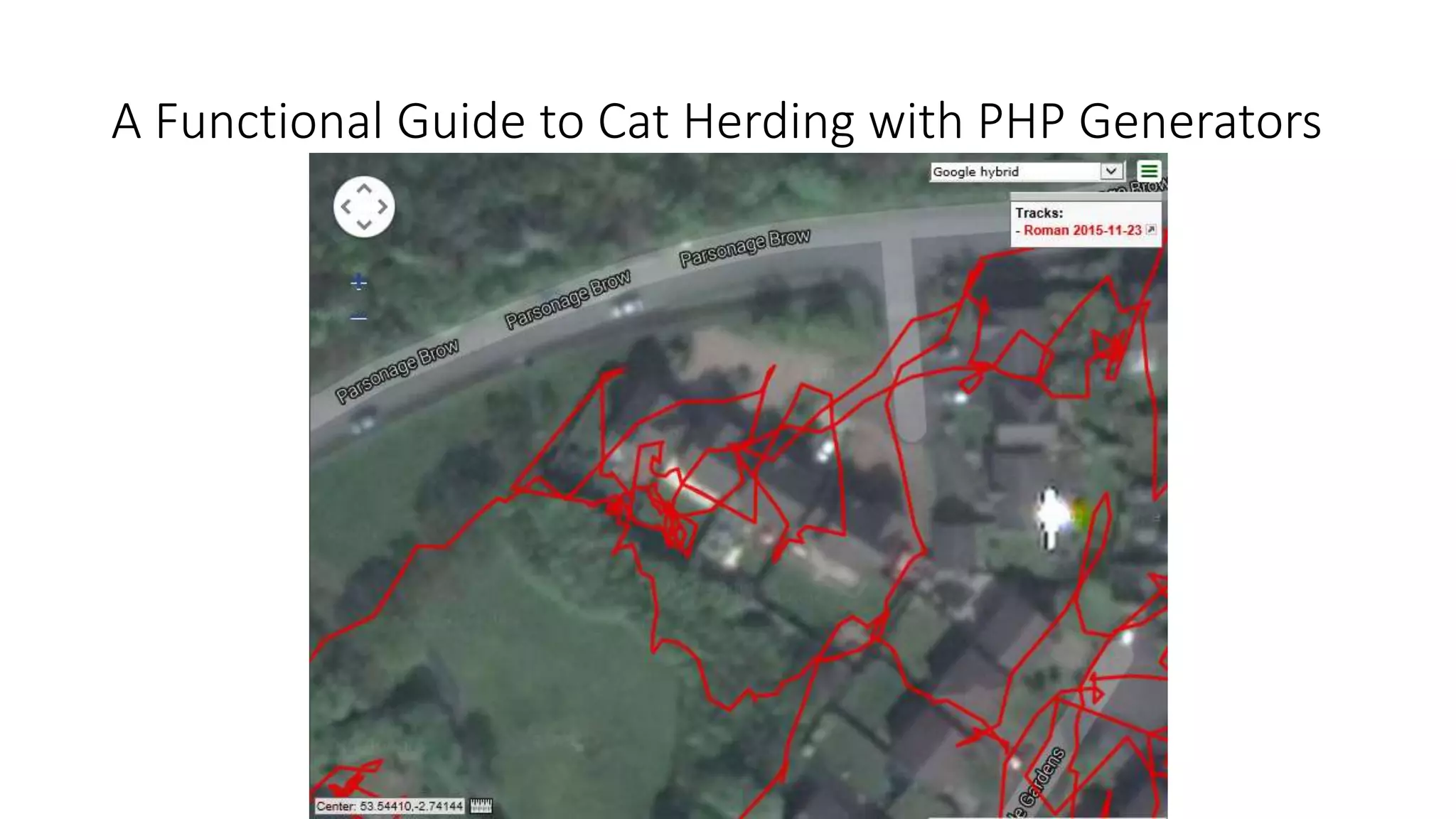
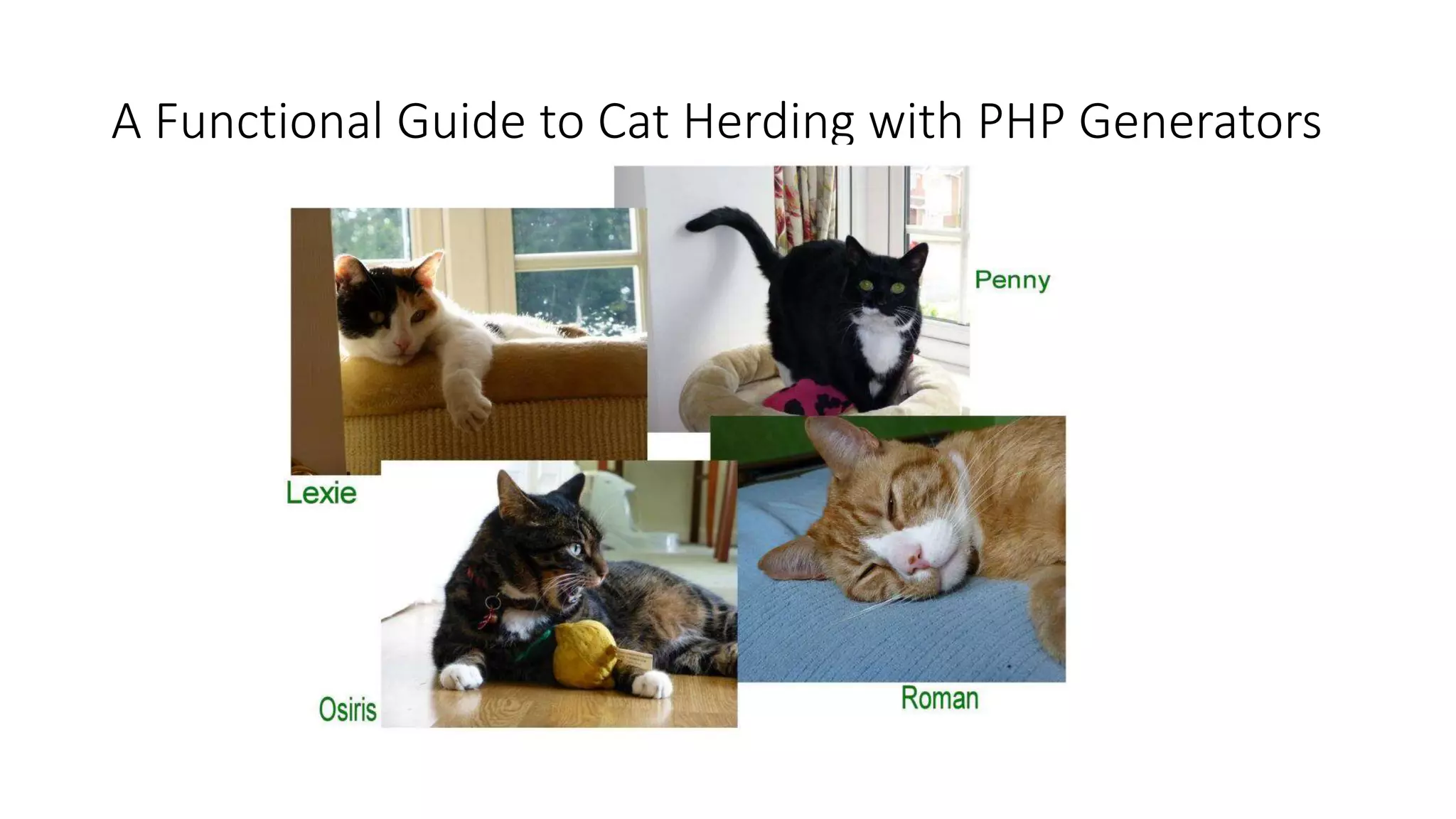
A Functional Guide to Cat Herding with PHP Generators No cats were forced to walk anywhere that they didn't want to go during the writing of this presentation.
A Functional Guide to Cat Herding with PHP Generators ? Questions
Who am I? Mark Baker Design and Development Manager InnovEd (Innovative Solutions for Education) Ltd Coordinator and Developer of: Open Source PHPOffice library PHPExcel, PHPWord,PHPPowerPoint, PHPProject, PHPVisio Minor contributor to PHP core @Mark_Baker https://github.com/MarkBaker http://uk.linkedin.com/pub/mark-baker/b/572/171

A Functional Guide to Cat Herding with PHP Generators

  • 1.
    A Functional Guideto Cat Herding with PHP Generators The Filter/Map/Reduce Pattern for PHP Generators
  • 2.
    A Functional Guideto Cat Herding with PHP Generators • Blog Post http://markbakeruk.net/2016/01/19/a-functional-guide-to-cat-herding-with- php-generators/ • Code Examples https://github.com/MarkBaker/GeneratorFunctionExamples
  • 3.
    A Functional Guideto Cat Herding with PHP Generators
  • 4.
    A Functional Guideto Cat Herding with PHP Generators
  • 5.
    A Functional Guideto Cat Herding with PHP Generators <?xml version="1.0" encoding="ISO-8859-1"?> <gpx version="1.1" creator="Memory-Map 5.4.2.1089 http://www.memory-map.com" xmlns:xsi="http://www.w3.org/2001/XMLSchema-instance" xmlns="http://www.topografix.com/GPX/1/1" xsi:schemaLocation="http://www.topografix.com/GPX/1/1 http://www.topografix.com/GPX/1/1/gpx.xsd"> <trk> <name>Wythburn</name> <type>Track</type> <trkseg> <trkpt lat="54.5131924947" lon="-3.0448236664"><time>2015-03-02T07:59:35Z</time></trkpt> <trkpt lat="54.5131921768" lon="-3.0450893323"><time>2015-03-02T08:00:31Z</time></trkpt> <trkpt lat="54.5131534894" lon="-3.0448548317"><ele>192</ele><time>2015-03- 02T08:00:51Z</time></trkpt> ... <trkpt lat="54.4399968465" lon="-2.9721705119"><ele>52</ele><time>2015-03- 02T14:50:49Z</time></trkpt> </trkseg> </trk> </gpx>
  • 6.
    A Functional Guideto Cat Herding with PHP Generators namespace GpxReader; class GpxHandler { protected $gpxReader; public function __construct($gpxFilename) { $this->gpxReader = new XMLReader(); $this->gpxReader->open($gpxFilename); } public function getElements($elementType) { while ($this->gpxReader->read()) { if ($this->gpxReader->nodeType == XMLREADER::ELEMENT && $this->gpxReader->name == $elementType) { $doc = new DOMDocument('1.0', 'UTF-8'); $xml = simplexml_import_dom($doc->importNode($this->gpxReader->expand(), true)); $gpxAttributes = $this->readAttributes($this->gpxReader); $gpxElement = $this->readChildren($xml); $gpxElement->position = $gpxAttributes; yield $gpxElement->timestamp => $gpxElement; } } } }
  • 7.
    A Functional Guideto Cat Herding with PHP Generators // Create our initial Generator to read the gpx file $gpxReader = new GpxReaderGpxHandler($gpxFilename); // Iterate over the trackpoint set from the gpx file, // displaying each point detail in turn foreach ($gpxReader->getElements('trkpt') as $time => $element) { printf( '%s' . PHP_EOL . ' latitude: %7.4f longitude: %7.4f elevation: %d' . PHP_EOL, $time->format('Y-m-d H:i:s'), $element->position->latitude, $element->position->longitude, $element->elevation ); }
  • 8.
    A Functional Guideto Cat Herding with PHP Generators 2015-03-02 07:59:35 latitude: 54.5132, longitude: -3.0448, elevation: 0 2015-03-02 08:00:31 latitude: 54.5132, longitude: -3.0451, elevation: 0 2015-03-02 08:00:51 latitude: 54.5132, longitude: -3.0449, elevation: 192 ... 2015-03-02 14:50:39 latitude: 54.4392, longitude: -2.9714, elevation: 52 2015-03-02 14:50:49 latitude: 54.4400, longitude: -2.9722, elevation: 52
  • 9.
    A Functional Guideto Cat Herding with PHP Generators
  • 10.
    Cat Herding withPHP Generators – Filter • A filter selects only a subset of values from the Traversable. • The rules for filtering are defined in a callback function. • If no callback is provided, then only non-empty values are returned.
  • 11.
    Cat Herding withPHP Generators – Filter function notEmpty($value) { return !empty($value); } /** * Version of filter to use with versions of PHP prior to 5.6.0, * without the `$flag` option * **/ function filter(Traversable $filter, Callable $callback = null) { if ($callback === null) { $callback = 'notEmpty'; } foreach ($filter as $key => $value) { if ($callback($value)) { yield $key => $value; } } }
  • 12.
    Cat Herding withPHP Generators – Filter /** * The `$flag` option (and the constants ARRAY_FILTER_USE_KEY and ARRAY_FILTER_USE_BOTH) * were introduced in PHP 5.6.0 * **/ function filter(Traversable $filter, Callable $callback = null, $flag = 0) { if ($callback === null) { $callback = 'notEmpty'; } foreach ($filter as $key => $value) { switch($flag) { case ARRAY_FILTER_USE_KEY: if ($callback($key)) { yield $key => $value; } break; case ARRAY_FILTER_USE_BOTH: if ($callback($value, $key)) { yield $key => $value; } break; default: if ($callback($value)) { yield $key => $value; } break; } } }
  • 13.
    Cat Herding withPHP Generators – Filter // Create our initial Generator to read the gpx file $gpxReader = new GpxReaderGpxHandler($gpxFilename); // Define the date/time filter parameters $startTime = new DateTime('2015-03-02 13:20:00Z'); $endTime = new DateTime('2015-03-02 13:30:00Z'); // Create the filter callback with the date/time parameters we've just defined $timeFilter = function($timestamp) use ($startTime, $endTime) { return $timestamp >= $startTime && $timestamp <= $endTime; };
  • 14.
    Cat Herding withPHP Generators – Filter // Iterate over the trackpoint set from the gpx file, // displaying each point detail in turn foreach (filter($gpxReader->getElements('trkpt'), $timeFilter, ARRAY_FILTER_USE_KEY) as $time => $element) { printf( '%s' . PHP_EOL . ' latitude: %7.4f longitude: %7.4f elevation: %d' . PHP_EOL, $time->format('Y-m-d H:i:s'), $element->position->latitude, $element->position->longitude, $element->elevation ); }
  • 15.
    A Functional Guideto Cat Herding with PHP Generators 2015-03-02 13:20:21 latitude: 54.4692 longitude: -2.9677 elevation: 634 2015-03-02 13:21:13 latitude: 54.4691 longitude: -2.9677 elevation: 628 2015-03-02 13:21:58 latitude: 54.4690 longitude: -2.9676 elevation: 621 ... 2015-03-02 13:29:47 latitude: 54.4658 longitude: -2.9673 elevation: 533 2015-03-02 13:29:58 latitude: 54.4657 longitude: -2.9674 elevation: 531
  • 16.
    Cat Herding withPHP Generators – Map • A map is like a foreach loop that transforms each value in the Traversable. • Each input value is transformed into a new output value. • The rules for the transformation are defined in a callback function.
  • 17.
    Cat Herding withPHP Generators – Map function map(Callable $callback, Traversable $iterator) { foreach ($iterator as $key => $value) { yield $key => $callback($value); } }
  • 18.
    Cat Herding withPHP Generators – Map namespace GpxReaderHelpers; class DistanceCalculator { public function setDistance(GpxReaderGpxElement $point) { $point->distance = $this->calculateDistance($point); return $point; } }
  • 19.
    Cat Herding withPHP Generators – Map // Create our initial Generator to read the gpx file $gpxReader = new GpxReaderGpxHandler($gpxFilename); // Set the mapper to calculate the distance between a trackpoint // and the previous trackpoint $distanceCalculator = new GpxReaderHelpersDistanceCalculator();
  • 20.
    Cat Herding withPHP Generators – Map // Iterate over the trackpoint set from the gpx file, mapping the distances as we go, // displaying each point detail in turn foreach (map([$distanceCalculator, 'setDistance'], $gpxReader->getElements('trkpt')) as $time => $element) { printf( '%s' . PHP_EOL . ' latitude: %7.4f longitude: %7.4f elevation: %d' . PHP_EOL . ' distance from previous point: %5.2f m' . PHP_EOL, $time->format('Y-m-d H:i:s'), $element->position->latitude, $element->position->longitude, $element->elevation, $element->distance ); }
  • 21.
    Cat Herding withPHP Generators – Map 2015-03-02 07:59:35 latitude: 54.5132 longitude: -3.0448 elevation: 0 distance from previous point: 0.00 m 2015-03-02 08:00:31 latitude: 54.5132 longitude: -3.0451 elevation: 0 distance from previous point: 17.15 m 2015-03-02 08:00:51 latitude: 54.5132 longitude: -3.0449 elevation: 192 distance from previous point: 15.74 m ... 2015-03-02 14:50:39 latitude: 54.4392 longitude: -2.9714 elevation: 52 distance from previous point: 98.87 m 2015-03-02 14:50:49 latitude: 54.4400 longitude: -2.9722 elevation: 52 distance from previous point: 106.70 m
  • 22.
    Cat Herding withPHP Generators – Reduce • A reduce aggregates all the values in the Traversable to a single value. • A callback function determines the process for the aggregation.
  • 23.
    Cat Herding withPHP Generators – Reduce function reduce(Traversable $iterator, Callable $callback, $initial = null) { $result = $initial; foreach($iterator as $value) { $result = $callback($result, $value); } return $result; }
  • 24.
    Cat Herding withPHP Generators – Reduce // Reduce our trackpoint set from the gpx file (mapping the distance as we go) // and summing the results to calculate the total distance travelled $totalDistance = reduce( map([$distanceCalculator, 'setDistance'], $gpxReader->getElements('trkpt')), function($runningTotal, $value) { $runningTotal += $value->distance; return $runningTotal; }, 0.0 ); // Display the results of our reduce printf( 'Total distance travelled is %5.2f km' . PHP_EOL, $totalDistance / 1000 );
  • 25.
    Cat Herding withPHP Generators – Map Total distance travelled is 19.27 km
  • 26.
    A Functional Guideto Cat Herding with PHP Generators
  • 27.
    A Functional Guideto Cat Herding with PHP Generators
  • 28.
    A Functional Guideto Cat Herding with PHP Generators https://github.com/lstrojny/functional-php
  • 29.
    A Functional Guideto Cat Herding with PHP Generators No cats were forced to walk anywhere that they didn't want to go during the writing of this presentation.
  • 30.
    A Functional Guideto Cat Herding with PHP Generators ? Questions
  • 31.
    Who am I? MarkBaker Design and Development Manager InnovEd (Innovative Solutions for Education) Ltd Coordinator and Developer of: Open Source PHPOffice library PHPExcel, PHPWord,PHPPowerPoint, PHPProject, PHPVisio Minor contributor to PHP core @Mark_Baker https://github.com/MarkBaker http://uk.linkedin.com/pub/mark-baker/b/572/171