Connect to a remote cluster
ECH ECK ECE Self-Managed
To replicate an index on a remote cluster (Cluster A) to a local cluster (Cluster B), you configure Cluster A as a remote on Cluster B.
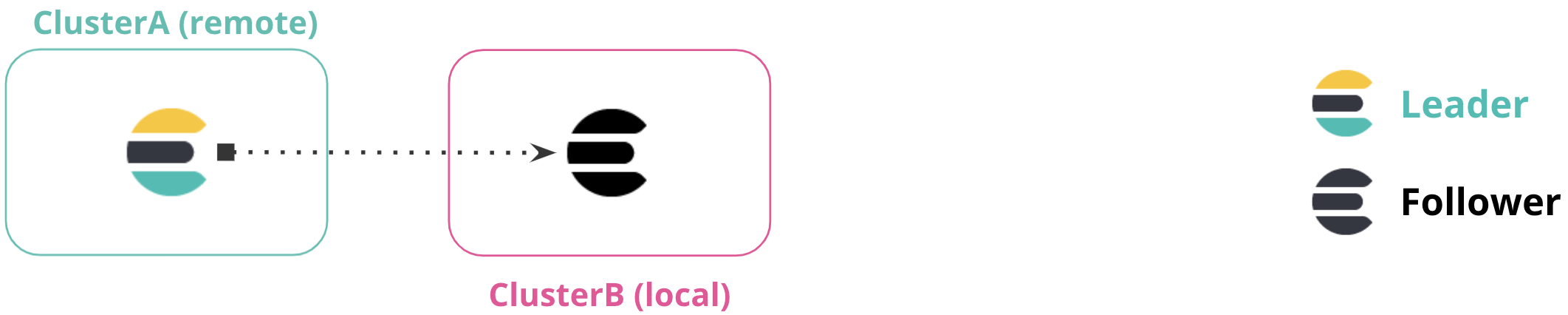
To configure a remote cluster in Kibana:
- Set up a secure connection as needed.
- Go to the Remote Clusters management page in the navigation menu or use the global search field.
- Select the appropriate connection type.
- Specify the Elasticsearch endpoint URL, or the IP address or host name of the remote cluster (
ClusterA) followed by the transport port (defaults to9300). For example,cluster.es.eastus2.staging.azure.foundit.no:9400or192.168.1.1:9300.
API example
You can also use the cluster update settings API to add a remote cluster:
PUT /_cluster/settings { "persistent" : { "cluster" : { "remote" : { "leader" : { "seeds" : [ "127.0.0.1:9300" ] } } } } } - Specifies the hostname and transport port of a seed node in the remote cluster.
You can verify that the local cluster is successfully connected to the remote cluster.
GET /_remote/info The API response indicates that the local cluster is connected to the remote cluster with cluster alias leader.
{ "leader" : { "seeds" : [ "127.0.0.1:9300" ], "connected" : true, "num_nodes_connected" : 1, "max_connections_per_cluster" : 3, "initial_connect_timeout" : "30s", "skip_unavailable" : true, "mode" : "sniff" } } - The number of nodes in the remote cluster the local cluster is connected to.