React-Datatable IO is a component which provide ability to create multifunctional table using single component like jQuery Datatable


Demo Link: https://niteshvishwakarma896.github.io/react-datatable-io/


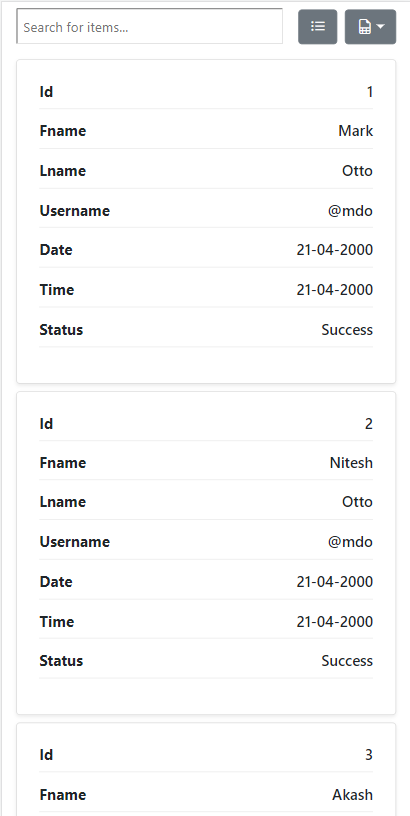 |  |
npm install --save react-datatable-iotableHeader: These will be headers that will be avaliable in the table header.
tableData: It will be an array of json data.
isSearchEnabled: To enable search functionality in the table.
isExport: To enable table data to be exported to excel,csv,json format file.
isTableToggle: To toggle table view to list or table.
tableStriped: Set table rows to be stripped as bootstrap table.
tableBordered: Set table rows to have a border as bootstrap table.
tableHover: Set table rows to hover when mouse is over.
tableResponsive: To make table responsive for the other devices.
tableHeaderStyle: Style your table header as you want, by passing the JSX styles.
To see more about it checkout below example.
import React from 'react' import { ReactDataTableIO } from 'react-datatable-io' import 'react-datatable-io/dist/index.css' const App = () => { const data =[ {"id":1,"fname":'Mark',"lname":"Otto","username":'@mdo',"date":'21-04-2000',"time":'21-04-2000',status:"Success"}, {"id":2,"fname":'Nitesh',"lname":"Otto","username":'@mdo',"date":'21-04-2000',"time":'21-04-2000',status:"Success"}, {"id":3,"fname":'Akash',"lname":"Otto","username":'@mdo',"date":'21-04-2000',"time":'21-04-2000',status:"Success"}, {"id":4,"fname":'Smith',"lname":"Otto","username":'@mdo',"date":'21-04-2000',"time":'21-04-2000',status:"Success"}, {"id":5,"fname":'Zolo',"lname":"Otto","username":'@mdo',"date":'21-04-2000',"time":'21-04-2000',status:"Success"}, {"id":6,"fname":'Olo',"lname":"Otto","username":'@mdo',"date":'21-04-2000',"time":'21-04-2000',status:"Failed"}, {"id":7,"fname":'Oark',"lname":"Otto","username":'@mdo',"date":'21-04-2000',"time":'21-04-2000',status:"Failed"}, {"id":8,"fname":'Smark',"lname":"Otto","username":'@mdo',"date":'21-04-2000',"time":'21-04-2000',status:"Failed"}, {"id":9,"fname":'Akark',"lname":"Otto","username":'@mdo',"date":'21-04-2000',"time":'21-04-2000',status:"Failed"}, {"id":10,"fname":'Lark',"lname":"Otto","username":'@mdo',"date":'21-04-2000',"time":'21-04-2000',status:"Failed"}, {"id":11,"fname":'Sneha',"lname":"Otto","username":'@mdo',"date":'21-04-2000',"time":'21-04-2000',status:"Failed"}, {"id":12,"fname":'Neha',"lname":"Otto","username":'@mdo',"date":'21-04-2000',"time":'21-04-2000',status:"Failed"}, {"id":13,"fname":'Manish',"lname":"Otto","username":'@mdo',"date":'21-04-2000',"time":'21-04-2000',status:"Failed"}, {"id":14,"fname":'Naman',"lname":"Otto","username":'@mdo',"date":'21-04-2000',"time":'21-04-2000',status:"Failed"}, ] const header =[ { label: "#", key:"id" ,value: true, sortable: true }, { label: "First Name", key:"fname", value: true, sortable: true }, { label: "Last Name", key:"lname", value: true, sortable: true }, { label: "Username", key:"uname", value: true, sortable: true }, { label: "Date", key:"date", value: true, sortable: true }, { label: "Time", key:"time", value: true, sortable: true }, { label: "Status", key:"status", value: true, sortable: true }, ] return <ReactDataTableIO tableData={data} tableHeader={header} isSearchEnabled={true} isExport={true} isTableToggle={true} tableStriped={false} tableBordered={false} tableHover={true} tableResponsive={true} tableHeaderStyle={{ backgroundColor:"#232323", color:"#fff", }} /> } export default AppMIT © NiteshVishwakarma896