Android PinLayout for auth screens.



Step 1. Add the JitPack repository to your build file
allprojects { repositories { ... maven { url 'https://jitpack.io' } } }Step 2. Add the dependency
dependencies { implementation 'com.github.akndmr:PinLayout:LatestVersion' }Screen.Recording.2022-12-04.at.03.44.57.mov
Progressbar is for visual purposes; not part of PinLayout.
You can add pin by providing a data source like keyboard.
addPinCode(code: String)You can add whole pin from a clipboard.
pasteFullPinCode(fullCode: String)You can remove the last added pin.
removePinCode()You can clear PinLayout completely.
clearPinCode()You can register a listener for pin change and pin complete events.
setOnPinChangeListener( onPinChange = { pin -> //todo }, onPinComplete = { //todo } )You can customize PinLayout with custom attributes.
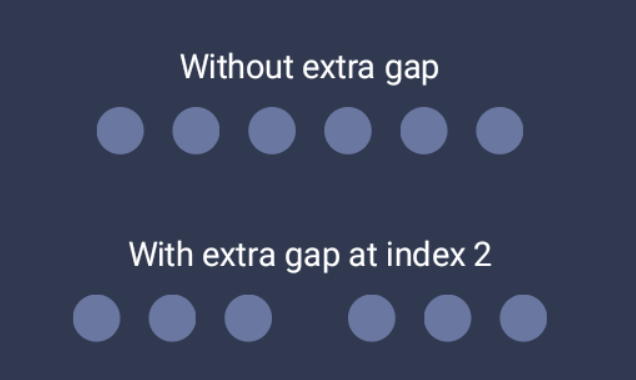
app:pin_count="8" app:pin_view_active_color="@color/bg3" app:pin_view_default_color="@color/bg4" app:pin_view_gap="12dp" app:pin_view_radius="16dp" app:pin_view_extra_gap="@dimen/margin_32" app:pin_view_extra_gap_index="3"You can use extra gap attribute to group pin views to fit with your UI requirements.
- Add custom animation support.