


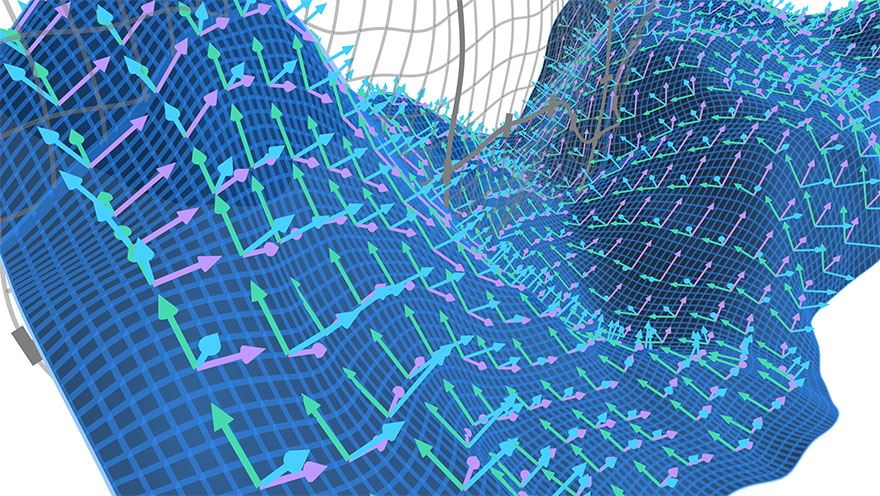
MathBox is a library for rendering presentation-quality math diagrams in a browser using WebGL. Built on top of Three.js and ShaderGraph it provides a clean API to visualize mathematical relationships and animate them declaratively.
For background, see the article series on Acko.net.
Presentations:
Demos:
- Audio Visualizer (code)
- Cylindrical Stream (code)
- Data/Shape Mapping (code)
- LaTeX/HTML/GL Labels (code)
- Quaternion Hypersphere (code)
- Render-to-Texture History (code)
- Vertex Warping (code)
- Volumetric Vectors (code)
And many more at https://mathbox.org.
You can install MathBox via npm for use with a bundler like Webpack, or include a global MathBox object onto your page by including the library via CDN.
npm install mathbox threeImport THREE and MathBox (library and stylesheet), along with a controls instance that you'll pass to the MathBox.mathBox constructor:
import "mathbox/mathbox.css" import * as THREE from "three" import { OrbitControls } from "three/examples/jsm/controls/OrbitControls.js" import * as MathBox from "mathbox"Include the following in your HTML header to load all required libraries and styles:
<!-- Install your choice of three.js version from CDN: --> <script type="text/javascript" src="https://cdn.jsdelivr.net/npm/three@0.137.0/build/three.min.js" ></script> <!-- Load a Controls instance, making sure that the version matches the Three.js version above: --> <script type="text/javascript" src="https://cdn.jsdelivr.net/npm/three@0.137.0/examples/js/controls/OrbitControls.js" ></script> <!-- Install the latest MathBox, either mathbox.js or mathbos.min.js --> <script type="text/javascript" src="https://cdn.jsdelivr.net/npm/mathbox@latest/build/bundle/mathbox.js" ></script> <!-- Include the MathBox CSS: --> <link rel="stylesheet" href="https://cdn.jsdelivr.net/npm/mathbox@latest/build/mathbox.css" />Construct a MathBox instance by passing initialization options to the mathBox() constructor:
const options = { controls: { // Orbit controls, i.e. Euler angles, with gimbal lock klass: THREE.OrbitControls }, }; const root = MathBox.mathBox(options);Note See threestrap for all available
options.
To spawn inside a specific element, pass an HTMLElement with the element option:
const element = document.querySelector("#my-thing"); const options = { element: element, controls: { klass: THREE.OrbitControls }, }; const root = MathBox.mathBox(options);On initialization, mathBox returns a MathBox API object, wrapping the MathBox <root/>. Insert new MathBox nodes into the component tree by calling the method associated with the primitive you'd like to add.
Note See the Primitives doc for a description of all primitives and their properties.
The following code will set up a 3D Cartesian coordinate system with the specified range and scale for its x, y and z axes, and then insert an x and y axis into the scene:
const view = root .cartesian({ range: [ [-2, 2], [-1, 1], [-1, 1], ], scale: [2, 1, 1], }) .axis({ axis: 1, }) .axis({ axis: 2, });Use your mouse to click and drag the camera's orientation, and zoom in and out:

Each primitive call:
- creates a new element
- inserts it into the tree
- returns a version of the API object with its selection focused on the new element.
Calling print() on some selection will print a representation to the console of the selection and any children. For example, view.print() prints the following:
<cartesian range={[ [-2, 2], [-1, 1], [-1, 1], ]} scale={[2, 1, 1]} > <axis axis={1} /> <axis axis={2} /> </cartesian>Select objects using .select() and a CSS-like selector to get a jQuery-like selection:
root.select("cartesian > axis");Next, visit the Quick Start page for a more involved example that builds up an animating, interactive mathematical graph with labeled axes.
For help, see the following resources:
- Glossary of terms to help get familiar with MathBox and WebGL.
- MathBox API for typical usage.
- List of Primitives for a full element reference.
- Writing Custom Shaders for info on custom shaders and GPU-side processing.
- Context API for advanced usage.
For more involved questions, or just to say hi, please join us in the MathBox Google Group.
- threestrap - Three.js bootstrapper
- shadergraph - Functional GLSL linker
- MathBox-react - React bindings for MathBox
- MathBox.cljs - ClojureScript bindings for MathBox via MathBox-react
- Math3D online graphing calculator
- KineticGraphs JS Engine (code)
- Textbook: "Interactive Linear Algebra"" (code)
- Many visualizations at Sam Zhang's homepage
- Jesse Bettencourt's Torus Knot Fibration Master's project (code)
- Interactive knot visualizations
And the many demos listed on this thread of the MathBox Google group.
MathBox and ShaderGraph (c) Steven Wittens 2013-2023.
Libraries and 3rd party shaders (c) their respective authors.


