


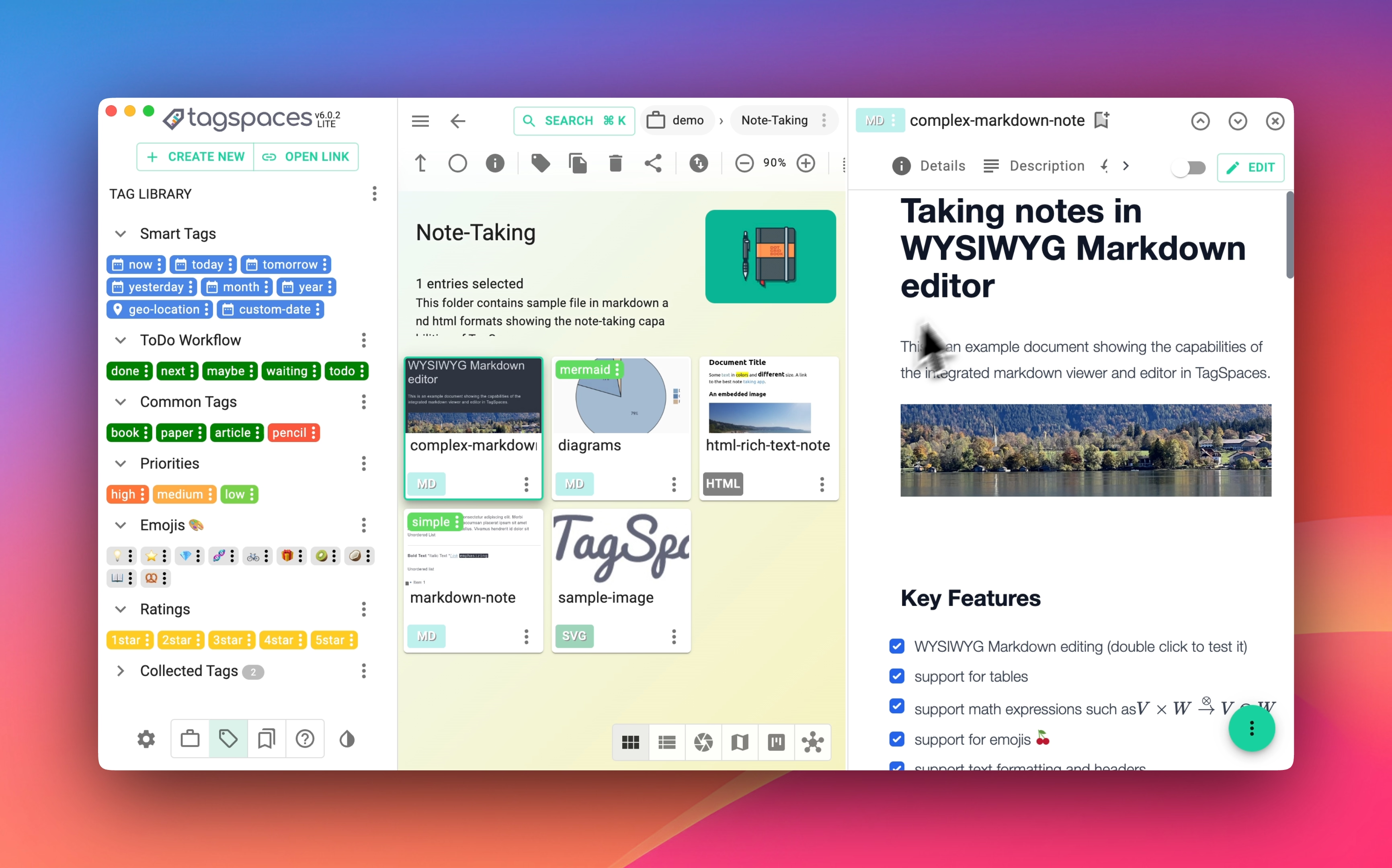
TagSpaces is a free and open-source platform for organizing, tagging, and managing your local files. It runs completely offline, with no need for cloud services, internet connection, or vendor lock-in. Available for Windows, Linux, and macOS, it also includes a browser extension (Web Clipper) for Firefox, Edge, and Chrome to capture online content as local files.
- 🌍 Website
- 📰 Blog
- 📚 Documentation
- 💬 Community Forum
- 🐛 GitHub Issues
Grab the latest release from the GitHub Releases Page.
Check out the full changelog for recent updates.
- File & Folder Management – Browse, organize, and manage local files in a powerful interface.
- Tagging System – Add tags directly into filenames or use sidecar files for metadata storage.
- Flexible Search – Filter and find files by name or tags using fuzzy search.
- Offline First – 100% offline, serverless, and privacy-focused.
- Cross-platform – Runs seamlessly on Windows, Linux, and macOS.
- Note Taking – Create notes in TXT, Markdown, or HTML.
- To-Do Support – Manage task lists using the built-in HTML editor.
- Media Player – Play common audio and video formats directly within the app.
- Web Clipper – Save web pages or screenshots locally using our browser extension.
- Javascript Framework: React.js
- User Interface Styling: MUI
- Desktop App Framework: Electron
- Boilerplate: Electron React Boilerplate
src/ renderer/ # Core application logic main/ # Electron main process locales/ # Language translation files node_modules/ # TagSpaces extension modules cordova/ # Deprecated Android build dll/ # Live reload support for development docker/ # Docker container setup internals/ # Flow and ESLint configurations resources/ # Images and build resources scripts/ # NPM task-related scripts test/ # Unit and E2E tests web/ # Assets for web version Install the following tools:
git clone https://github.com/tagspaces/tagspaces.git cd tagspaces git checkout develop # or 'master' for stable release npm install Create a .env file in release/app/ with a custom key to avoid conflicts:
The desktop version of the application uses a web service which is running locally as a separate process. The web service is responsible for the search index creation and the generation of the thumbnails for most of the images formats. A key is required in order for the main application to communicate with the web server. It should be generated from webpack script in the .env file located in release/app folder. This is an example for an .env file.
KEY=a_custom_key Having a custom key, ensures that another instance of TagSpaces will not communicate with the web service of the initial instance, since it is always running on the same port.
npm run build npm run start npm run dev This will start a development server in background, which watches for changes in background and refreshes the application automatically once you have done some changes in the source code.
Run unit and integration tests:
npm run test-unit npm run test-playwright npm run test-playwright-web Build native apps for each platform:
npm run package-win npm run package-linux npm run package-mac npm run package-mac-arm64The commands will create packages for Windows, Linux, Mac OS and Mac OS with the M1 processor respectively.
⚠️ Run npm run build before packaging.
npm run version-meta npm run prepare-cordova npm run package-androidStart the web version locally:
npm run run-web TagSpaces supports extension modules for opening and editing different file types. Learn more on our Extensions Page.
We welcome contributions! Please review and sign the Contributor License Agreement (CLA) before submitting PRs.
TagSpaces is available in over 20 languages. Help us translate the app by joining our team on Transifex.
Have an idea or a feature request? Share it on our community forum and join the discussion.
If you encounter a bug or need help, open an issue on GitHub.
TagSpaces is not optimized for locations with more than 100,000 files.
TagSpaces is dual-licensed under the AGPL (GNU Affero General Public License) v3 for open-source projects and a commercial license for vendors or resellers. Contact us if you're interested in using TagSpaces under different terms.