NOT SUPPORTED OR MAINTAINED BY TWILIO, USE AT YOUR OWN RISK.
Twilio lookup allows you to determine if a phone number is a mobile number or a landline. This project allows you to upload a CSV, run a bulk lookup, and then download a CSV with information from the Lookup API.
Before you start, you'll need the following:
- A Twilio Account
- A Heroku Account
- The Heroku CLI installed

You can also clone this repository and run the app locally. See the Local Setup section.
- Create your first admin user via the command line:
Heroku:
$ heroku run rails console > AdminUser.create(email: 'your_email@mail.com', password: 'your_pass', password_confirmation: 'your_pass')- twilio-bulk-lookup uses Redis for queueing paralell requests. You will need to have redis installed in your environment:
Heroku: heroku addons:create heroku-redis:hobby-dev
-
Visit your heroku application and log in using the credentials you entered above.
-
Add your Twilio Credentials

-
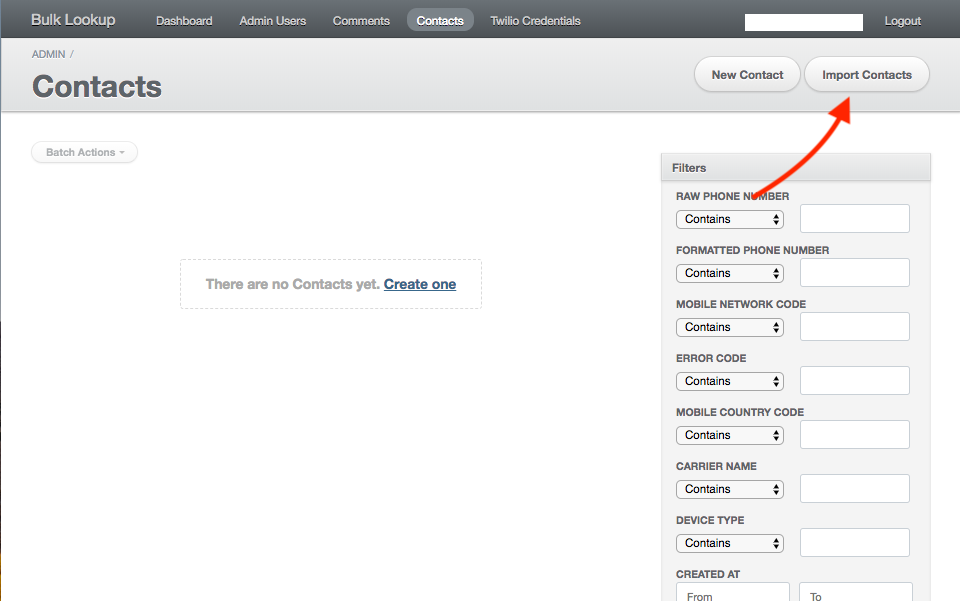
Import your CSV of Phone Numbers on the Contacts Page
-
Click the bulk lookup button on the Dashboard Page

-
Wait for your lookup to process. It will take rougly 1 hour to process 4,000 contacts.
-
Download your results from the Contacts Page as a CSV, TSV, or Excel.

For one-time use or customization, local development may be a better option. Follow this sequence of commands to set up the twilio-bulk-lookup app locally:
# Use rails 2.7.5: rvm install 2.7.5 rvm use 2.7.5 # Clone the repository: git clone git@github.com:cweems/twilio-bulk-lookup.git # Install dependencies: bundle install # Set up database: rake db:create rake db:migrate rake db:seed # Install Redis using homebrew (Mac, or see https://redis.io/topics/quickstart): brew install redis # Start redis in a new CLI window: redis-server # Start the sidekiq worker in a new CLI window: bundle exec sidekiq -c 2 # Start the application in a new CLI window: rails s Open http://localhost:3000 to view the app locally.
rake db:seed creates an admin user with the following credentials that you can use to log in:
- email: admin@example.com
- password: password
You can also create your own local admin user like this:
$ rails console > AdminUser.create(email: 'your_email@mail.com', password: 'your_pass', password_confirmation: 'your_pass')