





Paper Dashboard Angular is a Bootstrap Admin Template which combines soft colors with beautiful typography and spacious cards and graphics. It was built on top of Google's Angular Framework and the HTML version of Paper Dashboard. It is a powerful dashboard but it is light and easy to be used. It has enough features to allow you to get the job done, but it is not crowded to the point where you can't find the files for a specific component.
We like consistency and design that blends into its purpose. Paper Dashboard Angular is a perfect example of our most thoughtful work. It combines over a dozen components and plugins, while looking like everything fits together. For an easy start or inspiration for you project, we have also create a set of example pages, like the user settings or usage graphics.
Paper Dashboard Angular is built using the same design language as Paper Kit, which you can use for the presentation pages of your website. You can easily use them together, or pick between them depending on the project you have.
Example Pages We wanted to fully display the power of this dashboard, so the kit comes packed with examples showing you how to use the components.
- Versions
- Demo
- Quick Start
- Deploy
- Documentation
- File Structure
- Browser Support
- Resources
- Reporting Issues
- Technical Support or Questions
- Licensing
- Useful Links


| HTML | Angular | React |
|---|---|---|
 |  |  |
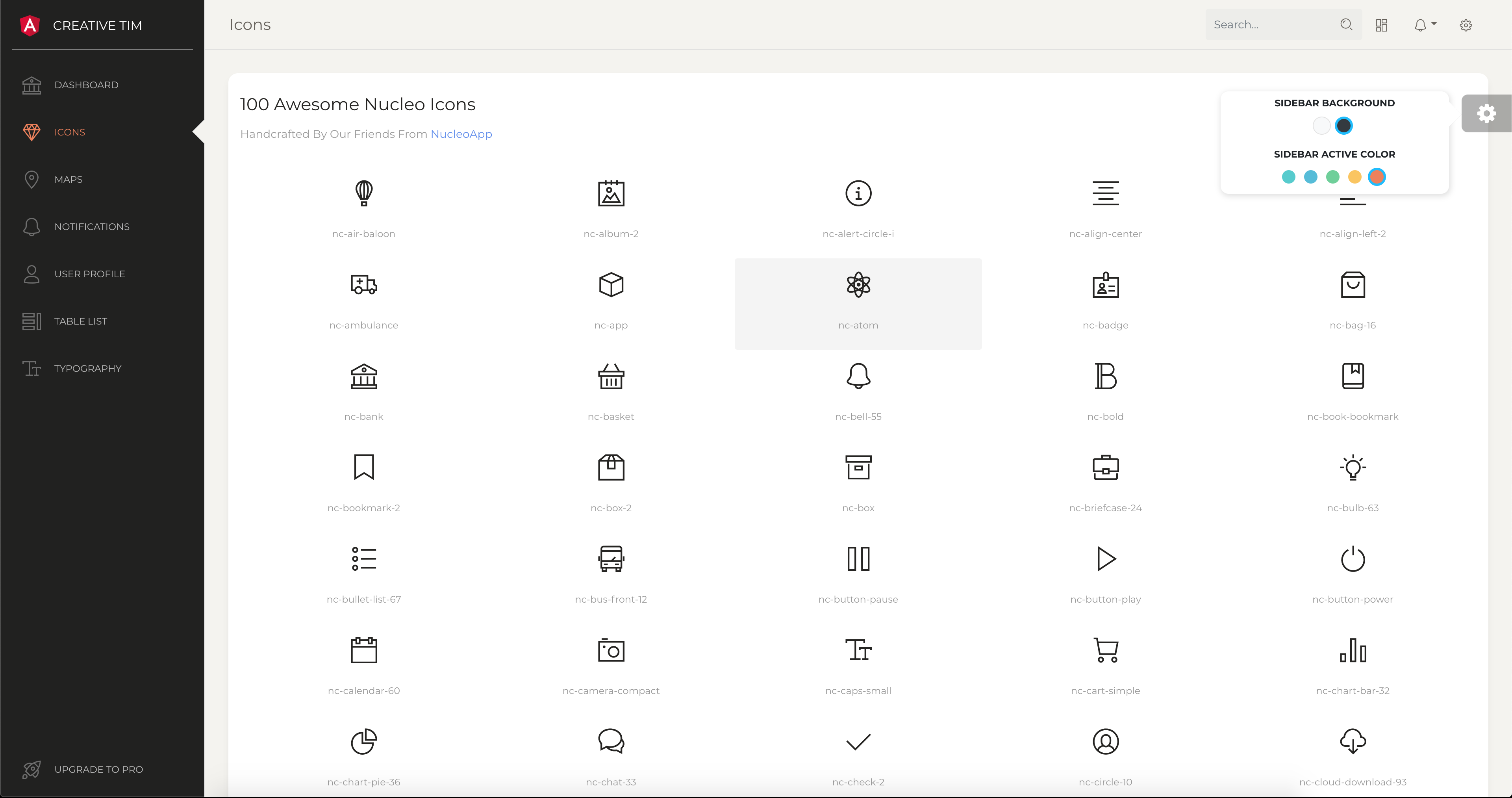
| Dashboard | User Profile | Tables | Icons | Notifications |
|---|---|---|---|---|
 |  |  |  |  |
Quick start options:
🚀 You can deploy your own version of the template to Genezio with one click:

- Install NodeJs from NodeJs Official Page.
- Open Terminal
- Go to your file project
- Run in terminal:
npm install -g @angular/cli - Then:
npm install - And:
ng serve - Navigate to: http://localhost:4200/
Within the download you'll find the following directories and files:
paper-dashboard-angular ├── CHANGELOG.md ├── ISSUES_TEMPLATE.md ├── LICENSE.md ├── README.md ├── angular.json ├── browserslist ├── documentation │ └── tutorial-components.html ├── e2e ├── karma.conf.js ├── package-lock.json ├── package.json ├── protractor.conf.js ├── src │ ├── app │ │ ├── app.component.css │ │ ├── app.component.html │ │ ├── app.component.spec.ts │ │ ├── app.component.ts │ │ ├── app.module.ts │ │ ├── app.routing.ts │ │ ├── layouts │ │ │ └── admin-layout │ │ │ ├── admin-layout.component.html │ │ │ ├── admin-layout.component.scss │ │ │ ├── admin-layout.component.spec.ts │ │ │ ├── admin-layout.component.ts │ │ │ ├── admin-layout.module.ts │ │ │ └── admin-layout.routing.ts │ │ ├── pages │ │ │ ├── dashboard │ │ │ │ ├── dashboard.component.html │ │ │ │ └── dashboard.component.ts │ │ │ ├── icons │ │ │ │ ├── icons.component.html │ │ │ │ └── icons.component.ts │ │ │ ├── maps │ │ │ │ ├── maps.component.html │ │ │ │ └── maps.component.ts │ │ │ ├── notifications │ │ │ │ ├── notifications.component.html │ │ │ │ └── notifications.component.ts │ │ │ ├── table │ │ │ │ ├── table.component.html │ │ │ │ └── table.component.ts │ │ │ ├── typography │ │ │ │ ├── typography.component.html │ │ │ │ └── typography.component.ts │ │ │ ├── upgrade │ │ │ │ ├── upgrade.component.html │ │ │ │ └── upgrade.component.ts │ │ │ └── user │ │ │ ├── user.component.html │ │ │ └── user.component.ts │ │ ├── shared │ │ │ ├── fixedplugin │ │ │ │ ├── fixedplugin.component.html │ │ │ │ ├── fixedplugin.component.ts │ │ │ │ └── fixedplugin.module.ts │ │ │ ├── footer │ │ │ │ ├── footer.component.html │ │ │ │ ├── footer.component.ts │ │ │ │ └── footer.module.ts │ │ │ └── navbar │ │ │ ├── navbar.component.html │ │ │ ├── navbar.component.ts │ │ │ └── navbar.module.ts │ │ └── sidebar │ │ ├── sidebar.component.html │ │ ├── sidebar.component.ts │ │ └── sidebar.module.ts │ ├── assets │ │ ├── css │ │ ├── fonts │ │ ├── img │ │ └── scss │ │ ├── paper-dashboard │ │ └── paper-dashboard.scss │ ├── environments │ ├── favicon.ico │ ├── index.html │ ├── main.ts │ ├── polyfills.ts │ ├── styles.css │ ├── test.ts │ ├── tsconfig.app.json │ ├── tsconfig.spec.json │ └── typings.d.ts ├── tsconfig.json └── tslint.json At present, we officially aim to support the last two versions of the following browsers:


- Demo: https://demos.creative-tim.com/paper-dashboard-angular/#/dashboard
- Download Page: https://www.creative-tim.com/product/paper-dashboard-angular
- Documentation: https://demos.creative-tim.com/paper-dashboard-angular/#/documentation/tutorial
- License Agreement: https://www.creative-tim.com/license
- Support: https://www.creative-tim.com/contact-us
- Issues: Github Issues Page
We use GitHub Issues as the official bug tracker for the Paper Dashboard Angular. Here are some advices for our users that want to report an issue:
- Make sure that you are using the latest version of the Paper Dashboard Angular. Check the CHANGELOG from your dashboard on our website.
- Providing us reproducible steps for the issue will shorten the time it takes for it to be fixed.
- Some issues may be browser specific, so specifying in what browser you encountered the issue might help.
If you have questions or need help integrating the product please contact us instead of opening an issue.
- Copyright 2019 Creative Tim (https://www.creative-tim.com)
- Licensed under MIT (https://github.com/creativetimofficial/paper-dashboard-angular/blob/master/LICENSE.md)
More products from Creative Tim: https://www.creative-tim.com/products
Tutorials: https://www.youtube.com/channel/UCVyTG4sCw-rOvB9oHkzZD1w
Freebies: https://www.creative-tim.com/products
Affiliate Program (earn money): https://www.creative-tim.com/affiliates/new
Social Media:
Twitter: https://twitter.com/CreativeTim
Facebook: https://www.facebook.com/CreativeTim
Dribbble: https://dribbble.com/creativetim
Google+: https://plus.google.com/+CreativetimPage
Instagram: https://instagram.com/creativetimofficial