This is a Google Form with a restriction question built with Google form text validation and apps script. It uses text validation for the restriction of user input, and uses onFormSubmit(event trigger) to update the text validation pattern after submission.
- Original text validation pattern is "UUID001|UUID002|UUID003|UUID004".
- When "UUID001" is used in a submission the script will update the text validation pattern to "UUID002|UUID003|UUID004" with "UUID001" removed.
- After all valid items are used for submission, the script will create a random string like "asdfasfaslj;lajsdfas90120391230019" as the parttern and update the error message to "no item is available now".
- Google From
- Restriction question title: UUID
- Valid input: UUID001, UUID002, UUID003, UUID004
GAS-059 How to use clasp - Watch on YouTube
Google From
In the file app.gs
const TITLE = "UUID" // default title of the restriction question const DESCRIPTION = "Please enter your UUID" // default description of the restriction question const ITEMS = ["UUID001", "UUID002", "UUID003", "UUID004"] // default valid items of the restriction question const ERROR = "Invalid UUID code." // default error message of the restriction question const EMPTY_MESSAGE = "No item is available now." // default message of the restriction question when there is no valid item left const KEY_TITLE = "title" // key name for storing restriction question title const KEY_DESCRIPTION = "description" // key name for storing the restrction question description const KEY_ITEMS = "items" // key name for storing valid items const KEY_ERROR = "error" // key name for storing restriction error message const KEY_EMPTY_MESSAGE = "empty" // key name for storing the empty message- Form addon functions (open settings and create trigger)
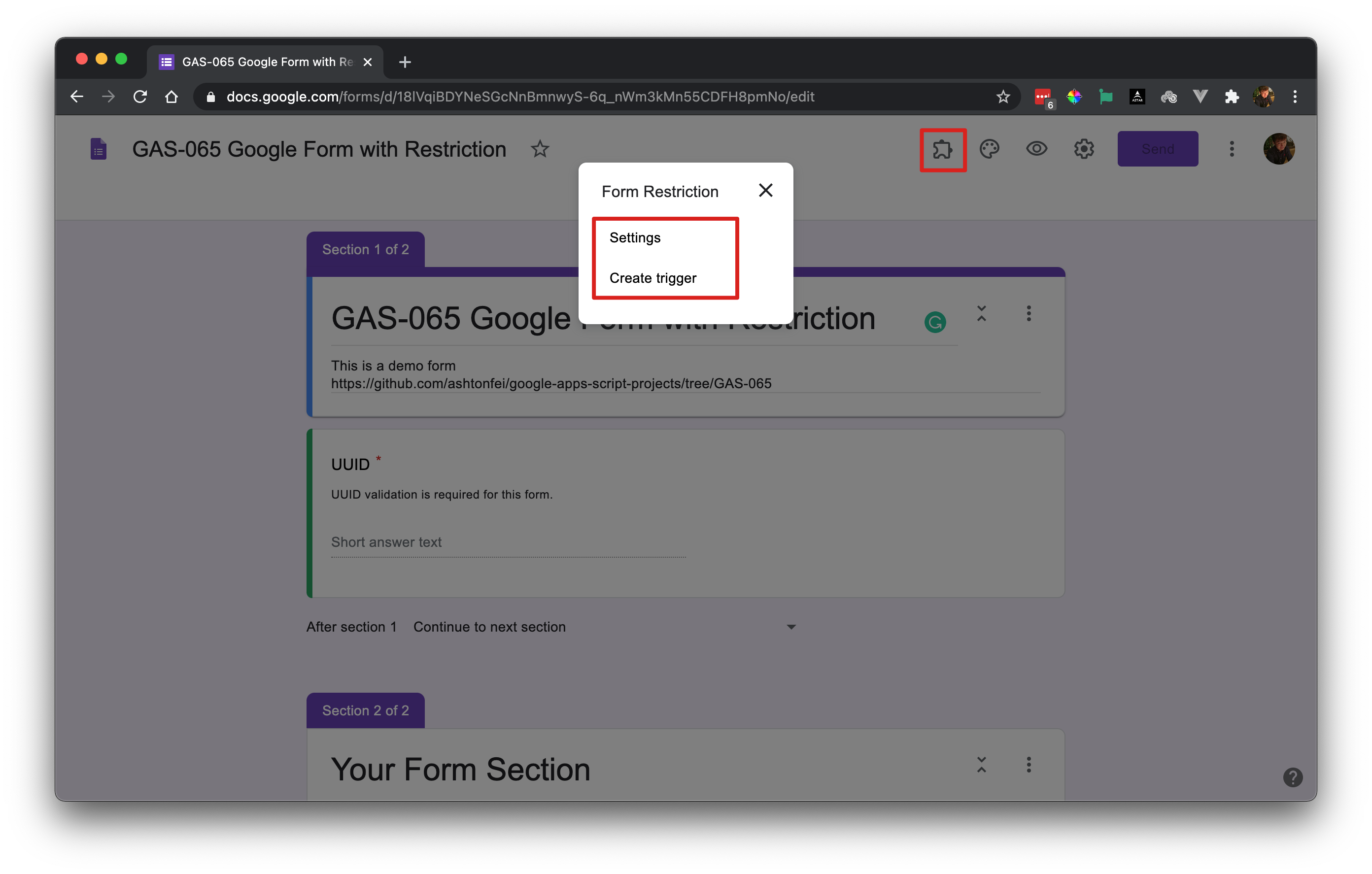
- Restriction question settings
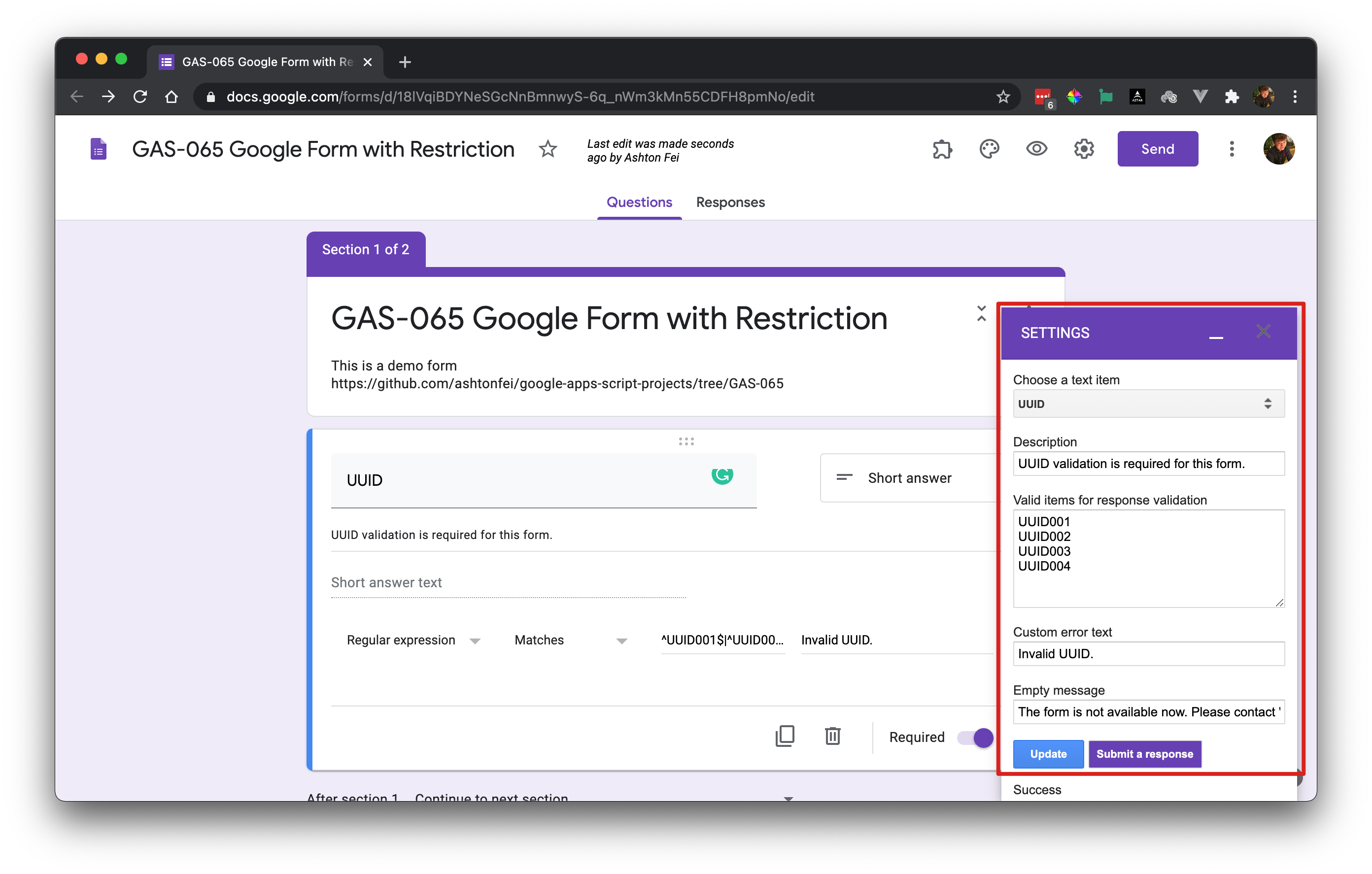
- Restriction question
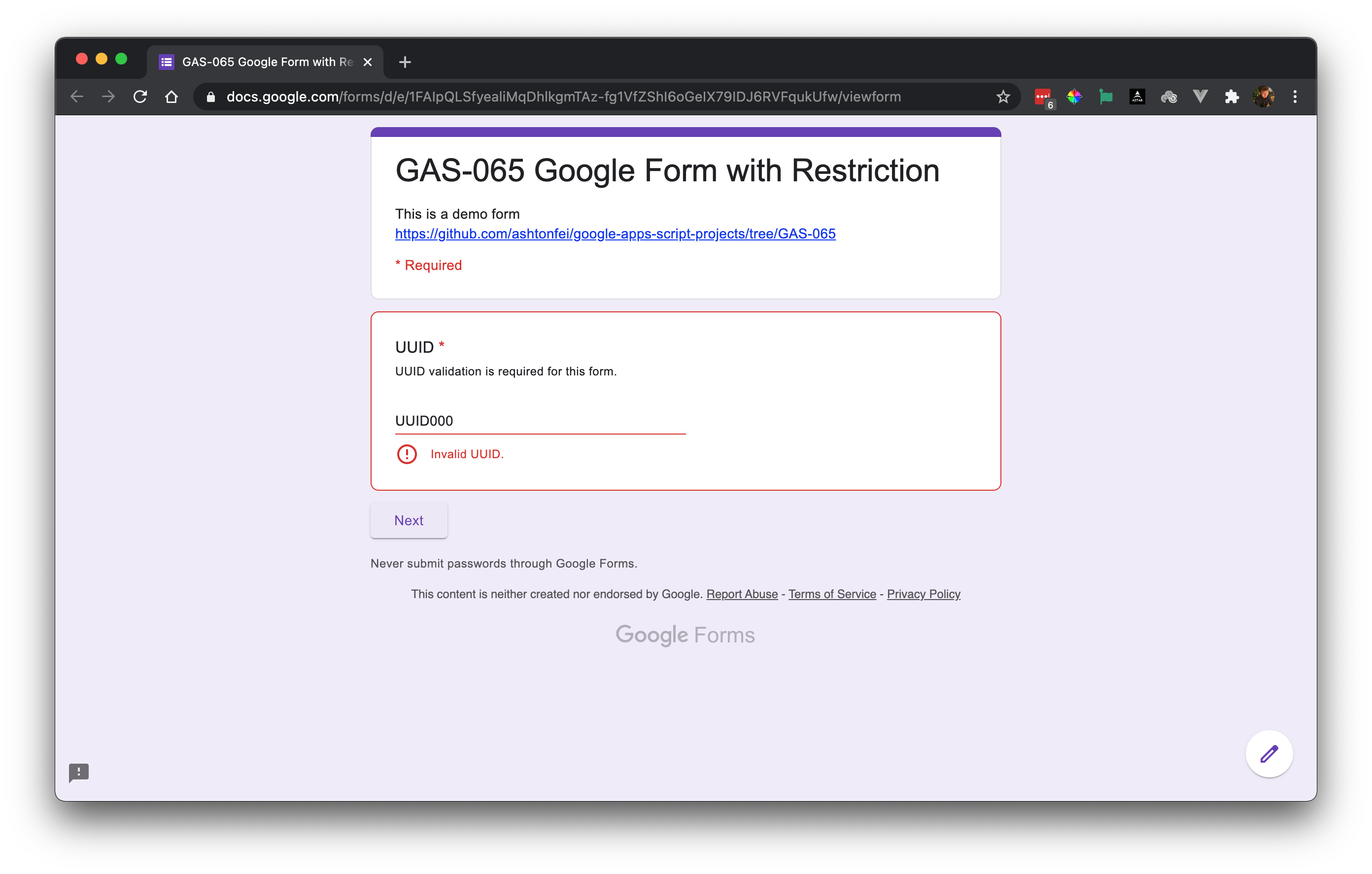
- Check on YouTube GAS-065 Google Form Restriction
- More videos about Google Apps Script