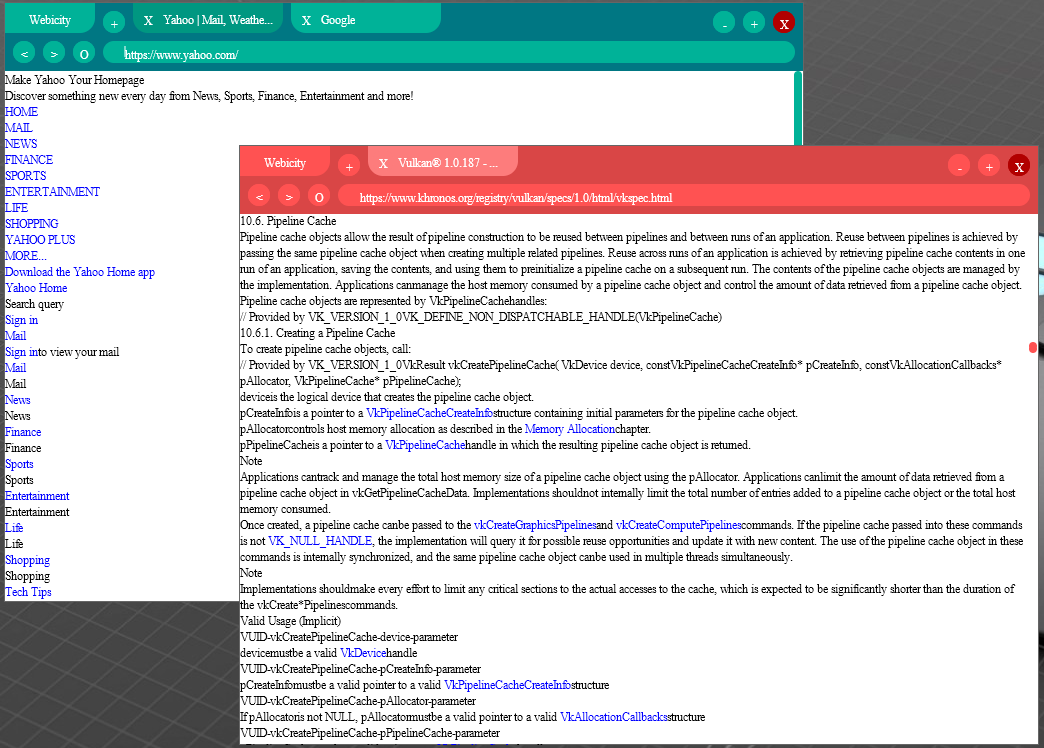
Webicity is a simple web browser that I am working on (it is unfinished).
Webicity consists of multiple components:
- Webicity browser: Allows the user to directly launch Webicity, manages UI, disk, network, navigation and more
- Webicity: Responsible for rendering content
- Ribbon: Provides a GUI component system, and interfaces with the preferred drawing system
- Ribbon web: Part of Webicity. A web-oriented GUI component system based off of Ribbon.
Thanks to @Minecraftian14 for helping!
Webicity is meant to be compatible with both Windows and Linux distributions with Java support, but is only tested on Windows. MacOS and other OSs are not supported. The recommended JDK/JRE version is Zulu JDK 17. Other versions of the JDK or JRE are not guaranteed to work.
git clone https://github.com/jasonthekitten/Webicity-Java.git cd Webicity-Java./gradlew runAfter checking out the code, run this:
./gradlew shadowJarYour Jarfile should appear at ./build/libs/Webicity-all.jar. You can run it with this command:
java -XX:MaxHeapFreeRatio=10 -XX:MinHeapFreeRatio=10 -XX:+UseG1GC -jar Webicity-all.jar