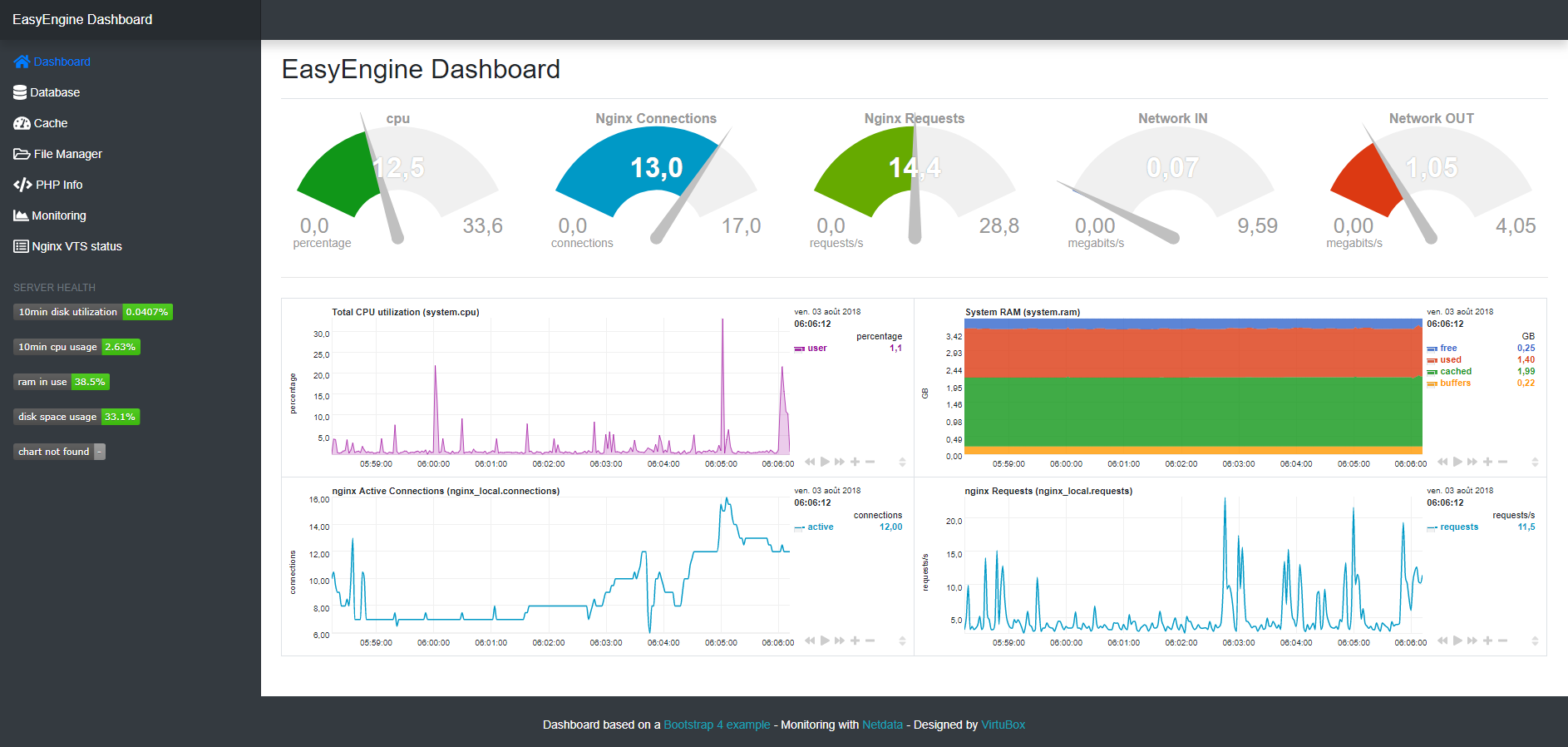
New version is available : WordOps-dashboard
Automated dashboard installation will be available soon in WordOps
- EasyEngine
bash <(wget -O - https://virtubox.github.io/easyengine-dashboard/install.sh)ee stack install --web --php7 --redis --admin --phpredisadmincd ~/ || exit curl -sS https://getcomposer.org/installer | php mv composer.phar /usr/bin/composer chown www-data:www-data /var/www sudo -u www-data -H composer update -d /var/www/22222/htdocs/db/pma/## install dependencies sudo apt-get install autoconf autoconf-archive autogen automake gcc libmnl-dev lm-sensors make nodejs pkg-config python python-mysqldb python-psycopg2 python-pymongo python-yaml uuid-dev zlib1g-dev -y ## install nedata bash <(curl -Ss https://my-netdata.io/kickstart.sh) all --dont-wait ## optimize netdata resources usage echo 1 >/sys/kernel/mm/ksm/run echo 1000 >/sys/kernel/mm/ksm/sleep_millisecs ## disable email notifigrep -cions sudo sed -i 's/SEND_EMAIL="YES"/SEND_EMAIL="NO"/' /etc/netdata/health_alarm_notify.conf sudo service netdata restart- added nginx & php-fpm status page to default vhost
- added netdata reverse-proxy configuration in 22222
- added php7.1, php7.2 and netdata upstream to upstream.conf
# add location for monitoring wget -O /etc/nginx/sites-available/default https://virtubox.github.io/ubuntu-nginx-web-server/files/etc/nginx/sites-available/default # replace php5.6 by php7.0 and add netdata reverse-proxy wget -O /etc/nginx/sites-available/22222 https://virtubox.github.io/ubuntu-nginx-web-server/files/etc/nginx/sites-available/22222 # php7.1 php7.2 & netdata upstream wget -O /etc/nginx/conf.d/upstream.conf https://virtubox.github.io/ubuntu-nginx-web-server/files/etc/nginx/conf.d/upstream.confmkdir /var/www/22222/htdocs/files wget http://extplorer.net/attachments/download/74/eXtplorer_2.1.10.zip -O /var/www/22222/htdocs/files/ex.zip cd /var/www/22222/htdocs/files && unzip ex.zip && rm ex.zipwget https://github.com/VirtuBox/easyengine-dashboard/archive/master.zip -O easyengine-dashboard.zip unzip easyengine-dashboard.zip && rm easyengine-dashboard.zip sudo cp -rf easyengine-dashboard-master/* /var/www/22222/htdocs/ sudo chown -R www-data:www-data /var/www/22222/htdocsJust perform again the last installation step
cd /var/www/22222 || exit wget https://github.com/VirtuBox/easyengine-dashboard/archive/master.zip -O easyengine-dashboard.zip unzip easyengine-dashboard.zip && rm easyengine-dashboard.zip sudo cp -rf easyengine-dashboard-master/* /var/www/22222/htdocs/ sudo chown -R www-data:www-data /var/www/22222/htdocsNetwork interfaces meter are not displayed on the dashboard
If you network interface isn't named eth0, you just have to use the command ifconfig to find its name and to replace eth0 with the proper interface name in the dashboard index.php file. Example for a network interface named ens18 :
sed -i 's/eth0/ens18/' /var/www/22222/htdocs/index.phpPublished & maintained by VirtuBox