

Facebook开源闪光控件(ShimmerForAndroid)使用
Shimmer是Facebook提供的一项基于Java的library,它可以使Android中的所有View控件具有闪光的效果。
效果图

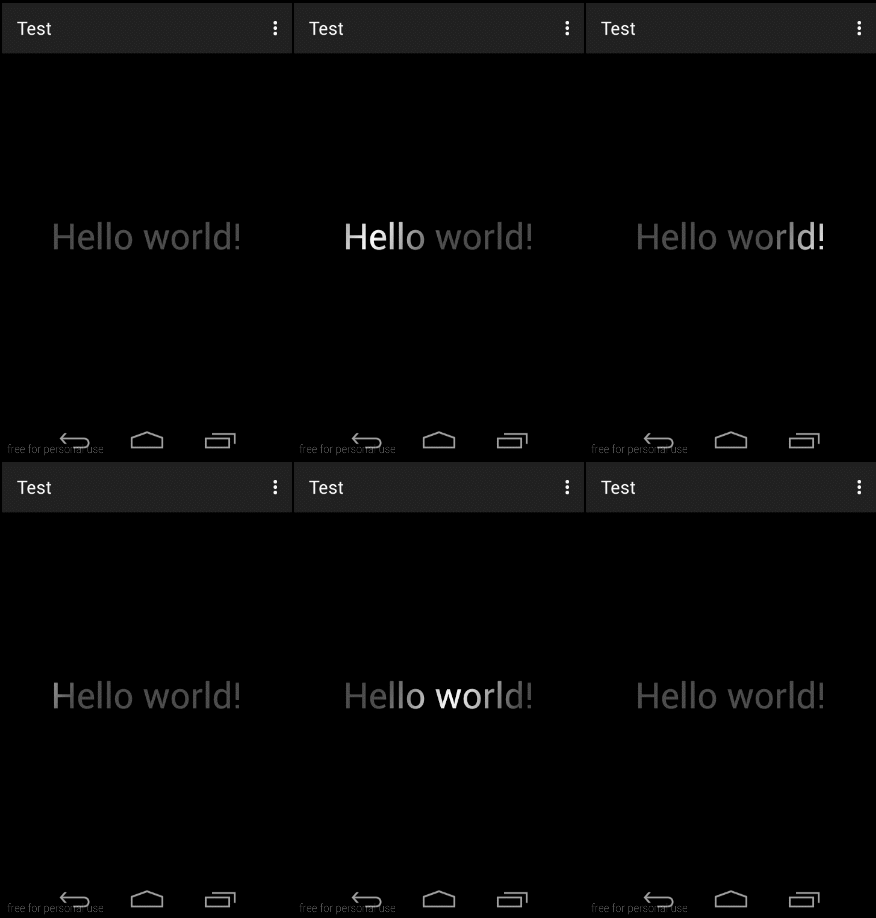
用法:
Android Studio
// Gradle dependency on Shimmer for Android
dependencies { compile 'com.facebook.shimmer:shimmer:0.1.0' }
Eclipse
布局
<com.facebook.shimmer.ShimmerFrameLayout android:id="@+id/shimmerLayout" android:layout_width="match_parent" android:layout_height="match_parent"> <TextView android:layout_width="wrap_content" android:layout_height="wrap_content" android:layout_gravity="center" android:text="Hello Word!" android:textColor="#fff" android:textSize="40sp" /> . . . //其他你想要添加闪光效果的View . . . </com.facebook.shimmer.ShimmerFrameLayout> 代码中使用
ShimmerFrameLayout shimmerFrameLayout = (ShimmerFrameLayout) findViewById(R.id.shimmerLayout); shimmerFrameLayout.useDefaults();//必须设置 shimmerFrameLayout.startShimmerAnimation(); 常用属性
开始shimmer动画
调用ShimmerFrameLayout的startShimmerAnimation方法开始动画。 ShimmerFrameLayout shimmerFrameLayout = (ShimmerFrameLayout) findViewById(R.id.shimmerContent); shimmerFrameLayout.startShimmerAnimation(); 设置shimmer动画的时间间隔
调用ShimmerFrameLayout的setDuration传入一个int值来对动画的时间间隔设置,单位是毫秒。 设置shimmer动画重复类型 调用ShimmerFrameLayout的setRepeatMode方法设置动画的重复模式。 REVERSE表示,闪光从左到右,之后在从右到左这样往复; RESTART表示闪光每次总是从左到右。 shimmerFrameLayout.setRepeatMode(ObjectAnimator.REVERSE); 设置shimmer闪光的倾斜角度
调用setTilt方法设置光的倾斜角度,传入参数是float类型,表示倾斜的角度,正值表示顺时针倾斜,负值表示逆时针倾斜。 调用setAngle方法设置方向,传入参数只能被设置为以下四种之一, ShimmerFrameLayout.MaskAngle.CW_0 表示从左到右的方向 ShimmerFrameLayout.MaskAngle.CW_90 表示从上到下的方向 ShimmerFrameLayout.MaskAngle.CW_180 表示从右到左的方向ShimmerFrameLayout.MaskAngle.CW_270 表示从下到上的方向 设置shimmer闪光的宽度 调用setDropoff方法设置光的宽度,该值表示的是一个相对的宽度,即表示整个ShimmerFrameLayout宽度的比例。即若设置该值为0.5f则表示光的宽度是ShimmerFrameLayout的一半。 设置shimmer闪光的透明度 setBaseAlpha方法允许我们设置没有光照的地方的透明度。 setIntensity设置光的强度,根据测试来看,应该是被光照的边缘部分的透明度。 设置shimmer闪光的形状 setMaskShape方法可以允许我们设置光的形状,目前可以设置为线性ShimmerFrameLayout.MaskShape.LINEAR(默认),圆形或者叫辐射状ShimmerFrameLayout.MaskShape.RADIAL。