Simple plotting for Python. Python wrapper for D3xter - render charts in the browser with simple Python syntax.
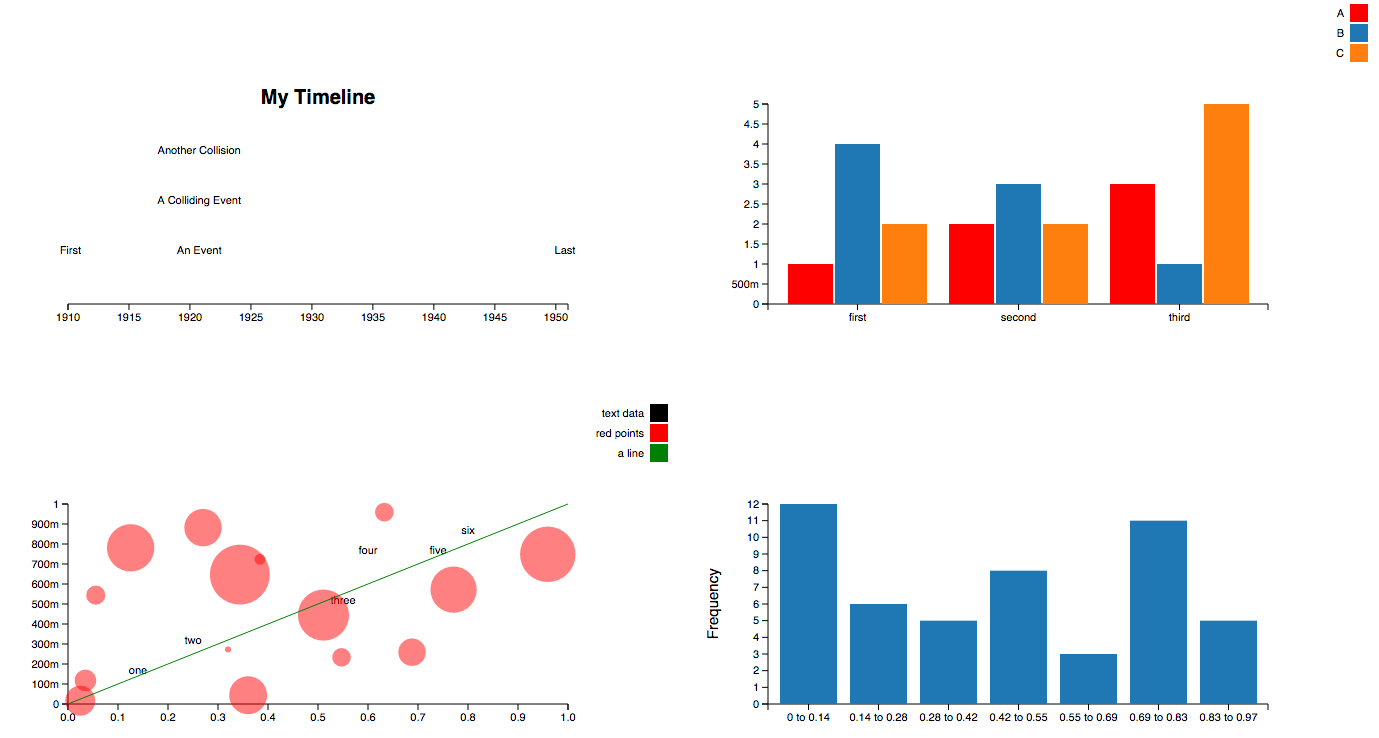
$ pip install PyDexter $ python >>> from PyDexter import PyDexter >>> pydex = PyDexter() import numpy as np nums = np.random.rand(1000) pydex.hist(nums)import numpy as np x = np.random.rand(100) y = x * 2 pydex.scatter(x) # or pydex.scatter(x, y)import numpy as np pydex.plot({ 'labels': ['some points', 'a line'], 'datasets': [ { 'x': list(range(100)), 'y': np.random.rand(100), }, { 'x': [0, 99], 'y': [0, 1], 'color': 'black', 'line': 'true' } ] })pydex.pie({ 'values': [1, 2, 3, 4], 'labels': ['a', 'b', 'c', 'd'] })pydex.timeline([ { 'date': '1914-07-28', 'label': 'WW1' }, { 'date': '1939', 'label': 'WW2' }, { 'date': '1950-01-01', 'label': 'The Fifties'}, { 'date': '1950-01-01', 'label': 'A Date Collision'}, ])pydex.bar({ 'labels': ["A", "B", "C"], 'groups': ["first", "second", "third"], 'datasets': [ { 'values': [1, 2, 3], 'color': 'red' }, { 'values': [4, 3, 1], 'color': 'blue' }, { 'values': [2, 2, 5], } ] })pydex.configure({ 'height': 500, 'width': 700, 'title': 'My First Chart', 'xLab': 'x-axis label', 'yLab': 'y-axis label' })