







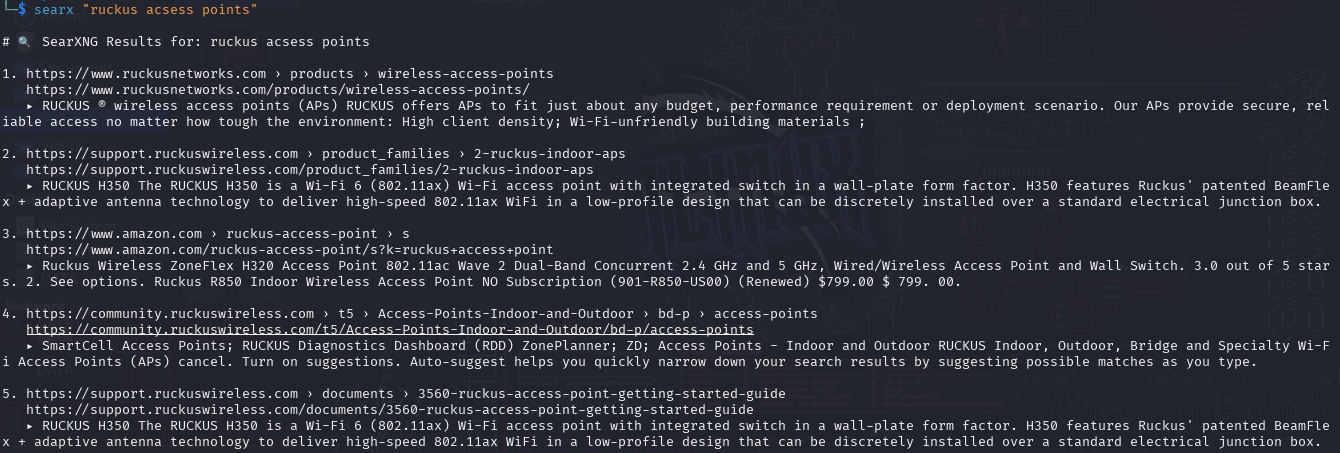
A fast, no-API terminal search tool for your own SearXNG instance. Works on Linux, macOS, and Windows.
This script scrapes HTML from SearXNG instead of using the JSON API (which is often rate-limited or disabled).
** IMPORTANT:** Update the DEFAULT_ENGINE in searx.py to point to your own instance.
- Search directly from your terminal
- Clean, readable output (title, link, snippet)
- Works on public or private SearXNG instances
- Lightweight: no browser, no API key
- Works even when JSON API is blocked (scrapes HTML results)
curl -s https://raw.githubusercontent.com/socalit/searx-cli/main/install-searx-cli.sh | sudo bash git clone https://github.com/socalit/searx-cli cd searx-cli sudo ./install-searx-cli.sh - Clone this repo:
git clone https://github.com/socalit/searx-cli cd searx-cli (Optional) Edit searx.py and change this line: DEFAULT_ENGINE = "https://your-searx-instance.net"
Open the installed file:
sudo nano /usr/local/bin/searxFind this line: DEFAULT_ENGINE = "https://your-searx-instance.net" Replace it with your server:
Run a search:
python3 searx.py "open source firewall" Or specify the engine dynamically:
python3 searx.py "hotel wifi audit" --engine https://your-searx-instance.net chmod +x install-searx-cli.sh sudo ./install-searx-cli.shThen use it from anywhere:
searx "opnsense vs pfsense"Run this to fix line endings:
sed -i 's/\r$//' searx.py chmod +x searx.pyIf this project saved you time or solved a problem, consider supporting development:
