Provides an easy and simple way to share data (such as text, url and media) via mobile’s built-in share module. It is based on Web Share API.
This works only with secure contexts (HTTPS).
- Lightweight
- Share text, url and images
- Works on Android and iOS
npm i react-mobile-share # npm yarn add react-mobile-share # yarn
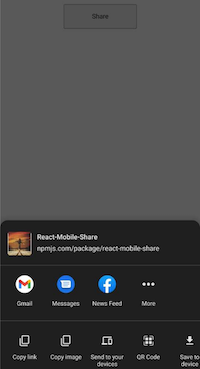
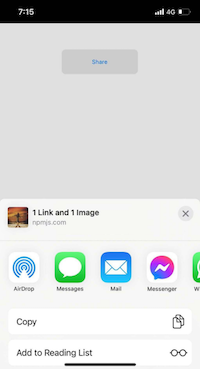
import { shareOnMobile } from "react-mobile-share"; const imgBase64 = "data:image/jpeg;base64,/9j/4AAQSkZJRgABAQAAAQABAAD/2..."; const App = () => { return ( <div> <button onClick={() => shareOnMobile({ text: "Hey checkout our package react-mobile-share", url: "https://www.npmjs.com/package/react-mobile-share", title: "React-Mobile-Share", images: [imgBase64], }) } > Share </button> </div> ); }; export default App; shareOnMobile(data, fallbackFn) Takes the following parameters:
| Parameter | Type | Description |
|---|---|---|
data | object | Required |
fallbackFn | function | Options: return a message |
{ text: "Hey checkout our package react-mobile-share", url: "https://www.npmjs.com/package/react-mobile-share", title: "React-Mobile-Share", images: [imgBase64], } Object must contain the following fields:
| Field | Type | Description |
|---|---|---|
title | string | Required. Must have a title. |
text | string | Optional. Add a description. |
url | string | Optional. Any valid url. |
images | array | Optional. Should be a valid array of base64 strings. |
function(message) { console.log("fallback", message) } This will invoked when any failure occurs.
We welcome pull requests! Explore open issues to find opportunities to contribute or open a new issue to share your ideas or report bugs—your help improves this library